
Is your organization struggling with Pendo’s scalability, limited analytics, or steep learning curve? You’re not alone.
Many businesses are realizing that while Pendo has its strengths, it may not always be the right fit for their unique needs. Issues like a complicated interface, limited customization, and frustrations with data accuracy are common complaints. And with the price tag often outweighing the value delivered, it’s no surprise that organizations are beginning to seek out alternatives.
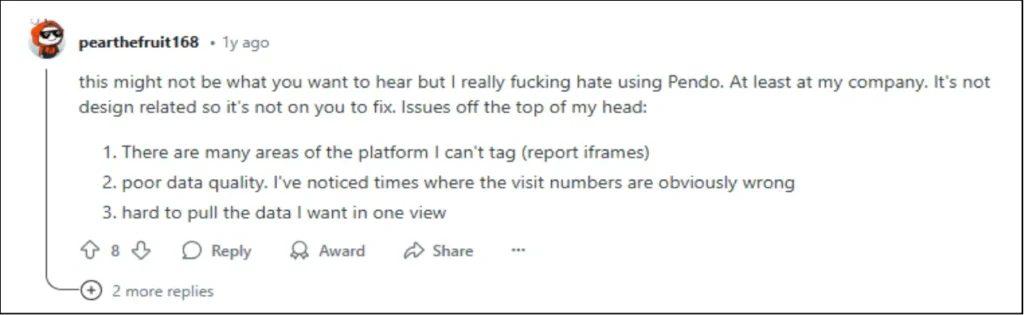
But here’s the good news: you don’t have to settle for less. You’re in the right place if you’ve grappled with these challenges.
In this article, we’ll dive into some of the top Pendo alternatives so you can discover a digital adoption platform (DAP) that genuinely works for your team.
Pendo in a Nutshell
Pendo’s ability to provide deep insights into user behavior and help organizations drive seamless product adoption has made it a go-to solution for many.
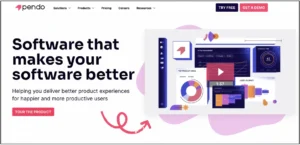
Pendo enhances product experience through in-app guides for onboarding, real-time user feedback via surveys, and advanced analytics to track user behavior. It also offers product roadmaps for team alignment, AI-powered features for personalized interactions, and Session Replay to identify friction points in user journeys.
5 Reasons to Look for Pendo Alternatives
While Pendo offers powerful features, it’s not without its drawbacks. Here are five key areas where it falls short, making it less suitable for some businesses.
Reason #1: Hefty Price Tag and Unpredictable Costs
Pendo’s pricing structure for monthly active users (MAU) is notoriously opaque, making it difficult for businesses to forecast costs accurately as they scale. While the free plan offers basic functionality, it comes with significant limitations.
Advanced features, such as session replay, Pendo Feedback, and experiments, are locked behind higher-tier packages, which can drive up costs unexpectedly.


Reviews suggest that prices for single-product plans can start around $20,000 per year and easily exceed $40,000 for higher-tier plans, making it a hefty investment for many businesses.
The free plan offers limited functionality, accommodating only 500 MAUs and basic features, which might be sufficient for small startups but quickly becomes restrictive as you scale. If you need to move beyond this, you’ll consider upgrading to Pendo’s Starter plan, which starts at $7,000 per year for just 2,000 MAUs.
As your product grows, the cost can rise rapidly. For example, reaching 10,000 MAUs on the Starter plan could set you back up to $35,000 annually, and additional fees for extra features, integrations, and support can quickly make Pendo an expensive proposition.
With competitors offering similar capabilities at a much lower price point, Pendo’s pricing structure can make it a tough sell for businesses aiming to keep their tech stack efficient and cost-effective.
Reason #2: Pendo’s Data Delay Holds You Back
Why wait an hour for data? Pendo’s analytics delay means you can’t act on user behavior in real time.

Pendo’s data update cycle takes up to an hour, with an additional 15-minute delay depending on internet traffic. This means there could be a gap between actual user activity and the data you see, making it difficult to trigger in-app guides and surveys or respond to user actions as they happen.
Reason #3: Limited Customization Options for User Engagement
While Pendo’s in-app guides (like tooltips, banners, and polls) support onboarding, the platform lacks variety and flexibility. With just four basic UI patterns available, customization options are limited.

This restricts your ability to create more dynamic, personalized user journeys without relying on coding, a significant limitation for non-technical teams. For more complex onboarding and engagement flows, the lack of robust customization options could slow adoption and leave users with a less-than-optimal experience.
Reason #4: Steep Learning Curve
Pendo’s feature set, while powerful, leads to a steep learning curve for teams without technical expertise.

According to user feedback, many find the setup and user interface difficult to navigate, requiring substantial training or ongoing support.
The time and resources spent on onboarding and customization can delay time-to-value, especially for non-technical teams that can’t dedicate themselves to the platform’s complexities.
Reason #5: Not Designed for Internal Software Adoption
Pendo was initially designed for customer-facing applications, whereas platforms like Apty were built to support both customer and internal use cases.
These Pendo competitors offer more comprehensive features for digital enablement and IT teams, helping drive the adoption of internal software.
Additionally, Pendo lacks compatibility with desktop applications, which are often crucial in industries that require high compliance and security. If you’re seeking a tool to drive the adoption of internal systems like CRM or ERP, Pendo may not be the ideal choice.
5 Pendo Alternatives You’ll Want to Check Out
Now that we’ve unpacked Pendo—its core features and limitations—it’s time to consider other options.
Whether you’re seeking more flexibility, cost efficiency, or specialized tools for internal adoption, options can give you the features you need without compromises. Let’s take a look at some of the best choices out there.
| Aspects | Apty | WalkMe | Userlane | Whatfix | Appcues |
|---|---|---|---|---|---|
| Primary Functionality | Digital adoption | Digital adoption | User onboarding | Digital adoption | User onboarding |
| User Onboarding | Yes | Yes | Yes | Yes | Yes |
| Analytics | Yes | Yes | Yes | Yes | Yes |
| Integration | Yes | Yes | Yes | Yes | Yes |
| Customization | Yes | Yes | Yes | Yes | Yes |
| Validation | Yes | Yes | No | Yes | No |
| AI Features | No | Yes | No | Yes | No |
| Real-Time Assistance | Yes | Yes | Yes | Yes | Yes |
| Customer Service | 24/7 Support | 24/7 Support | Limited Support | 24/7 Support | Limited Support |
| Pricing | Custom/Quote | Custom/Quote | Custom/Quote | Custom/Quote | Custom/Quote |
Best Pendo Alternatives in 2026
1. Apty
Best-Suited: For growing organizations seeking a comprehensive, no-code digital adoption platform that supports technical and non-technical users. It’s particularly effective for businesses undergoing digital transformation initiatives, offering seamless integration with existing tools and platforms. Its interactive onboarding and workflow creation features make it a strong choice for enterprises looking to drive software adoption and user engagement while maintaining operational efficiency.
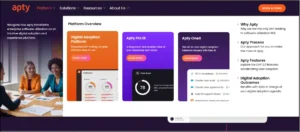
Apty is a leading DAP designed to empower enterprises to successfully onboard and adopt software across their organizations. Offering customizable in-app guidance, data-driven insights, and self-service support, Apty focuses on streamlining employee training, improving software utilization, and ensuring business process compliance.
Additionally Apty offers a centralized dashboard—Apty PULSE—that tracks software adoption, usage, and user behavior to identify inefficiencies and improvement opportunities.
It eliminates the need for traditional training methods and creates a seamless user experience, ultimately driving software adoption rates and organizational efficiency.
Apty Key Features
- In-App Guidance: Provides step-by-step, contextual guidance directly within the software, ensuring employees complete tasks correctly and efficiently.
- Customizable Training: Allows organizations to tailor training to specific employee needs based on user roles, departments, and more, ensuring personalized learning paths and increased adoption.
- Self-Service Support: Enables employees to resolve issues quickly without external support, reinforcing training and reducing costs associated with trainers or IT support.
- Data-Driven Insights: Leverages AI-driven analytics for actionable insights into software usage and pinpoint areas for improvement.
- Business Process Compliance: Ensures employees adhere to policies, laws, and internal regulations by guiding them through workflows and validating their data entry in real time.
- Cross-Application User Experience: Simplifies workflows involving multiple applications, offering consistent guidance and a seamless experience across different software tools.
Apty Pros
- Apty is intuitive for technical and non-technical users with a browser extension making navigation and workflow creation seamless. (G2)
- Interactive onboarding features lower entry barriers for users and enhances their understanding of essential functionalities, boosting adoption rates. (G2)
- The support team is highly responsive and proactive. They consistently resolve issues quickly and provide expert guidance during implementation. (G2)
Apty Cons
- Some users say asset export functionality occasionally misses elements like screenshots, requiring additional manual effort to ensure content accuracy. (G2)
- While the platform is user-friendly, some users say building content during the initial stages has a learning curve. (G2)
Apty Ratings
- G2: 4.7/5 (134 reviews)
- Gartner: 4.5/5 (12 reviews)
2. Whatfix
Best-Suited: This is for organizations looking for a more versatile and feature-rich solution for product onboarding, user engagement, and support. It has become an effective alternative to Pendo, offering greater internal DAP use case capabilities, including seamless integrations and advanced product analytics.
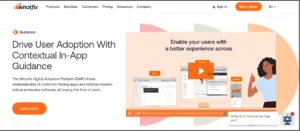
Whatfix helps organizations maximize the value of their customer-facing and internal software.
Unlike Pendo, which primarily focuses on product analytics, Whatfix offers a suite of tools to improve user experience, onboarding, and internal software adoption. It provides a no-code editor that enables teams to create in-app guidance, self-help support, and dynamic onboarding flows for customers and employees.
Whatfix Key Features
- No-Code Editor: Easily create and deploy in-app guidance, walkthroughs, and onboarding flows without needing coding expertise.
- Codeless Event Tracking and Product Analytics: Track product usage, map user journeys, identify friction areas, and analyze product interactions with minimal coding required.
- Contextual Self-Help Menu: Provide users with relevant resources based on their role and location within the app, including FAQs, knowledge bases, help desks, and third-party links.
- In-App Quizzes: Gamify learning and engagement using in-app quizzes to gauge user retention and understanding.
Whatfix Pros
- Easy integrations with major enterprise platforms like Salesforce, Workday, and custom apps.(G2)
- Provides exceptional support that has reduced training costs and enhanced user engagement across the organization.(G2)
- Easily set up task lists and flows to guide new users through the platform.(G2)
Whatfix Cons
- Users often find the platform’s interface complex, leading to frustration and a need for better usability. (G2)
- Navigation and design are frequently described as difficult to navigate. (G2)
Whatfix Ratings
3.WalkMe
Best-Suited: For large organizations or enterprises that need a robust digital adoption solution. It’s well-suited for those seeking detailed in-app guidance, workflow automation, and advanced analytics to drive product adoption. However, it’s particularly effective for employee onboarding and integration with complex systems, making it an excellent choice for businesses focused on internal tool adoption and digital transformation.
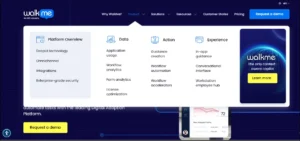
WalkMe is a cloud-based DAP that drives user adoption, enhances onboarding experiences, and optimizes workflows. Initially focused on employee training and onboarding, it has evolved to serve customer-facing use cases.
The platform provides various tools to guide users through complex applications and automate repetitive tasks. WalkMe’s features enable organizations to improve product engagement, integrate seamlessly with other software, and leverage analytics to optimize user experiences.
WalkMe Key Features
- In-App Walkthroughs & Guides: Offer interactive product tours and step-by-step guides to help users understand how to use the product. This ensures users can easily navigate key features, contributing to improved onboarding and product adoption.
- Analytics & Reporting: Access robust analytics tools to track user behavior, feature adoption, and onboarding success. With in-depth insights, teams can analyze engagement, conversion rates, and overall product usage to refine strategies.
- Self-Service Support: Leverage searchable knowledge bases and FAQs, enabling users to troubleshoot and find solutions independently without contacting customer support.
- Automation and Integration: Automate repetitive tasks, such as form submissions and data entry, and integrates with enterprise tools like Salesforce and HubSpot. This helps streamline processes and improve productivity.
- Tooltips and Contextual Nudges: Provide contextual guidance, including tooltips and nudges, to provide real-time assistance and prompt users to take action at the right time, reducing friction and improving user experience.
Walkme Pros
- It is easy to create in-app engagements after a moderate learning curve. (G2)
- The platform workflows and automates repetitive tasks, such as onboarding. (G2)
- There’s a helpful network of experts and partners available for support. (G2)
Walkme Cons
- The performance of applications integrated with Walkme can slow down, especially when there are extensive guidance overlays in use. (G2)
- Setting up integrations can be on complex websites or applications. (G2)
- There is a steep learning curve, especially when first setting up and customizing the platform. (G2)
Walkme Ratings
4. Appcues
Best-Suited: For SaaS product managers and teams looking for a no-code platform to create user onboarding experiences, feature announcements, and feedback collection within their web or mobile applications. Nevertheless, due to its scaling costs, it may not be the best choice for teams needing cross-application guidance or support for desktop apps or those with large MAUs.
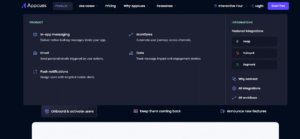
Appcues helps product managers build and optimize user onboarding experiences, product tours, and feature announcements. It provides a no-code editor to create in-app content for user onboarding, feature updates, and feedback collection, catering to SaaS and mobile applications.
While Appcues enables product teams to develop in-app experiences without technical expertise, its learning curve and pricing structure may not be ideal for all use cases.
Appcues Key Features
- User Onboarding: Build and launch product tours, task lists, and new user onboarding flows.
- Feature Announcements: Create pop-ups, beacons, and tooltips to highlight new features or updates.
- Feedback Surveys: Collect feedback with free response, Likert scale, and multi-choice surveys.
- Analytics: Track user engagement and onboarding performance to optimize in-app experiences.
- No-Code Editor: Empower non-technical teams to create in-app content and engage users without needing engineering resources.
- Integration: Connect with popular tools for seamless onboarding and engagement across SaaS applications.
Appcues Pros
- The no-code editor offers a seamless user experience with an intuitive setup process that requires minimal development involvement. (G2)
- Customer support is responsive and timely. (G2)
- Tracking clicks and flows within the DAP is easy and seamless. (G2)
Appcues Cons
- The price is on the higher side for smaller teams or startups. A more flexible pricing model would make it more accessible for businesses in the early stages of scaling their onboarding efforts. (G2)
- Users feel that while Appcues offers useful templates, more design flexibility and customization options would improve their experience. (G2)
- It lacks organizing features for scenarios that have many flows, making it hard to stay organized. (G2)
Appcues Ratings
5.Userlane
Best-Suited: For organizations seeking a straightforward, no-code solution to drive software adoption for web-based SaaS applications and streamline employee onboarding. It’s ideal for companies focusing on end-user enablement in a simple web environment but not suited for complex workflows, desktop apps, or those needing advanced customization.
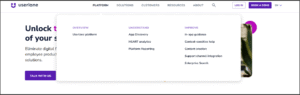
Userlane helps enterprises drive software adoption for internal applications. It provides in-app guidance, analytics, and SaaS management for mission-critical enterprise software like CRMs, ERPs, and human capital management (HCM).
Through its no-code editor and engagement suite, Userlane focuses on simplifying user onboarding, digital transformation, and change management.
Userlane Key Features
- In-App Engagement Suite: create interactive guidance and support for end-users, enhancing user onboarding and learning with a no-code editor.
- App Discovery: Track tool usage, optimize licenses, and reduce shadow IT teams without additional effort.
- HEART Analytics: Identify friction points in workflows and software experiences with the analytics feature for Happiness, Engagement, Adoption, Retention, and Task (HEART) success.
- SaaS & Workflow Optimization: Streamline internal application processes and enhance employee enablement.
Userlane Pros
- Allows easy creation of in-app guidance and training. (G2)
- Strong focus on improving software adoption and productivity for internal users. (Userlane)
Userlane Cons
- Some users have reported a clunky user experience, particularly when switching between the portal and the editor. (G2)
- Limited customization and branding within the application. (Capterra)
Userlane Ratings
Why Apty is the Best Pendo Alternative
Apty emerges as a powerful and cost-effective alternative to Pendo. While Pendo is known for its broad capabilities, Apty delivers highly intuitive, no-code tools tailored to enhance employee engagement and product usage.
Apty offers seamless in-app guidance, interactive product tours, and personalized onboarding flows that are easy for technical and non-technical users to implement. A standout feature, Apty PULSE, silently measures user and process engagement across high-value, multi-application business processes.
It’s designed to drive efficiency and enhance the user experience while integrating smoothly with your existing tech stack, ensuring minimal disruption.
Suppose you’re looking for an affordable, user-friendly, and highly effective solution to accelerate product adoption, improve employee experience, and enhance digital transformation. In that case, Apty is your go-to alternative to Pendo.
Make the smart choice. Book a demo with Apty and ensure a seamless digital journey for your teams!
Cloud-based information technology service management (ITSM) platforms like ServiceNow help businesses automate IT processes, simplify workflows, and reduce operational costs.
One hiccup with ServiceNow, particularly, is how hush-hush their pricing information is. It often leads to confusing bills before and after commitment. This is similar to dining at some restaurants—while the initial cost may seem straightforward, fees such as VAT, service charges, and tips often add up.
Similarly, the real cost of implementing ServiceNow goes beyond licensing and includes training, consultants, scope creep, staffing, customizations, and unforeseen challenges. But the benefits are worth it. Based on ScienceSoft’s experience with ITSM automation projects, companies can cut IT service delivery costs by up to 80%, reduce IT staff effort per incident by 66% through intelligent routing, and boost overall productivity by around 20% using self-service portals and virtual agents.
An example is how The British Telecom (BT) Group consolidated 56 legacy systems using ServiceNow, with a projected savings of £25 million by 2027.
So, what’s the implementation cost to get you started?
This blog post breaks down ServiceNow implementation costs, from aligning business goals to post-launch support, helping you avoid surprises and maximize value.
What is ServiceNow?
ServiceNow is a cloud-based system designed to automate workflows and manage processes. It goes beyond managing and automating IT processes and services like ticketing, service delivery (ITSM), asset management (ITAM), and application portfolio management.
Its comprehensive suite of features include:
Core Platform Capabilities
- Workflow Automation: Automates workflows with visual designers, flow triggers, and approval systems.
- Workflow Data Fabric: Connects and organizes data across diverse systems, enabling businesses to act on insights and streamline processes more effectively.
- Low-Code/No-Code Development (Now Platform): Simplifies app creation using tools like App Engine Studio and Integration Hub.
- Integration Hub: Connects ServiceNow to external systems with pre-built spokes and custom integrations.
- AI Agents: Automates repetitive tasks, content creation, classification, and summarization with custom AI agents.
- Performance Analytics and Reporting: Provides real-time visibility into metrics via dashboards and customizable reports.
- Mobile App Access: Enables users to interact with the platform through iOS and Android native apps.
Human Resources Service Delivery (HRSD)
- Employee Center: Provides a unified portal to access HR services and information.
- HR Case Management: Manages employee inquiries and requests.
ITSM
- Predictive Intelligence: Uses machine learning to predict incident categories, prioritize issues, and suggest resolutions.
- Virtual Agent: Uses AI to enable self-service and automate support.
- ITOM Visibility: Provides a comprehensive view of IT infrastructure and services.
- ITOM Optimization: Optimizes cloud resources and costs.
ITOM
- AIOps: Applies AI to IT operations to automate event management, detect anomalies, and predict outages.
- Service Mapping: Automatically discovers and maps the relationships between IT services and underlying infrastructure.
IT Asset Management (ITAM)
- Hardware Asset Management: Manages hardware lifecycles, from procurement to disposal.
- Software Asset Management: Optimizes software licensing and compliance.
Security Operations (SecOps)
- Security Incident Response: Automates security incident triage, investigation, and remediation.
- Vulnerability Response: Prioritizes and remediates vulnerabilities based on risk.
- Threat Intelligence: Integrates with threat intelligence feeds to identify and respond to threats.
Customer Service Management (CSM)
- Customer Service Management Pro: Adds advanced features like case routing, knowledge management, and field service management.
- Predictive Intelligence for CSM: Uses AI to predict customer issues and recommend solutions.
Business Applications
- Project Portfolio Management (PPM): Oversees projects, resources, and budgets.
- Governance, Risk, and Compliance (GRC): Manages risks, compliance, and audits.
Breakdown of ServiceNow Pricing
Truthfully, we can’t know everything about ServiceNow pricing because every client and use case is different. Additional costs may also vary.
Common costs associated with ServiceNow are categorized into three phases: pre-implementation, go-live, and post-implementation costs. Each phase carries its expenses that can significantly impact the overall budget.
Let’s break these down.
Pre-Implementation Costs
Pre-implementation costs are the expenses incurred before deploying ServiceNow. These may include:
- Project Scoping and Requirement Gathering: Involves initial consultations with experts and internal teams to define the project scope and gather business requirements
- Business Process Analysis: Evaluates existing workflows and processes to identify areas for improvement
- Data Migration: Transfers existing data into the new ServiceNow environment. Costs vary based on data volume, complexity, and the tools used
- Consultation and Setup Costs: Covers professional services from ServiceNow or third-party consultants for configuration, customization, and integration
Depending on the complexity of the implementation, these fees can range from $30 to $80 per hour, $400 to $600 per day, or an annual fee between $30,000 and $70,000.
Consultants usually charge on-time consultation fees or full-scale ServiceNow implementation. Full-scale would be part of your go-live costs.
Go-Live Costs
Go-live costs are incurred during the actual implementation of ServiceNow. This phase typically includes:
- Setup and installation fees for configuring the tool across the organization + technical support
- Customization and integration costs to connect ServiceNow with existing IT systems. Add-ons such as advanced AI features or additional modules can add substantially to the total cost; sometimes ranging from 50% to 60% of the original license fee
- Testing fees to ensure smooth operation before full deployment
- Initial and ongoing training costs for users and managers of the new system
Go-live costs range from $10,000 to $100,000.
Post-Implementation Costs
Post-implementation costs involve ongoing expenses after ServiceNow has been deployed. Key components include:
- Subscription Fees: Organizations must pay for ongoing access to ServiceNow’s services, typically charged per user. For example, ITSM licenses may start at around $90/month per user, with advanced modules like ITOM costing between $150 and $200 per user per month.
- Annual Maintenance Fees: Besides subscription fees, there is usually an annual maintenance fee starting from around $200. This fee covers software upgrades and ongoing support services.
- Additional Features: As time passes, organizations may decide to add more users or expand ServiceNow to other departments, leading to increased costs.
ServiceNow Total Cost of Ownership (TCO)
The TCO for ServiceNow includes multiple cost components that organizations must consider. For a detailed phase-by-phase analysis covering module-specific pricing across ITSM, ITOM, HRSD, and CSM, this ServiceNow implementation cost guide breaks down expenses from initial scoping through hypercare support. Below is an improved breakdown of these components:
Consultation and Setup Costs
Organizations incur consultation fees before ServiceNow implementation, which vary based on business complexity and customization needs:
- Small to Medium Businesses: $20,000-$50,000
- Larger Enterprises: $100,000-$500,000
Additional customizations may add $10,000 or more to the ServiceNow price.
Service Costs
ServiceNow operates on a subscription model or perpetual licensing (cost primarily depends on the company), with costs depending on the number of users and selected features.
Here are the prices:
- Base Package: $100/month per user
- Enterprise-Level Solutions: $50 to $75/month per user
Advanced features can cost up to $200 per month.
Integration and Migration Costs
Data migration and third-party integrations can significantly impact costs:
- Migration Costs: These range from a few thousand dollars to over $100,000 for complex migrations. Tools like Precision Bridge cost $4,950 for basic instance connections. Ensure you partner with a experienced service provider when handling a ServiceNow migration.
- Integration Costs: Integration Hub licenses start at $100/month for the Standard Edition.
Many organizations also need to connect ServiceNow with custom-built tools and internal portals. If your business requires a tailored solution, working with a specialized app development team can help build custom applications that integrate seamlessly with your ServiceNow environment.
Training Costs
Training expenses start from $500 for on-demand courses, and instructor-led training goes up to $2,700. Certifications vary from $300 to $15,000 for advanced programs.
Maintenance Costs
Ongoing maintenance is critical for platform functionality and security. Annual maintenance fees start at $200/year but can increase based on the required support levels and implementation complexity.
Key Factors Influencing ServiceNow Pricing
As you’ve seen, ServiceNow’s pricing model is complex. Four key factors significantly influence this complexity. These include:
Company Size and Revenue
The size of an organization plays a crucial role in determining ServiceNow costs. Larger companies typically require more licenses and modules to accommodate their complex operational needs, which can lead to higher overall expenses.
Let’s take a closer look:
- License Requirements: Larger enterprises may need to purchase licenses for hundreds or thousands of users, which can cost up to $100/month per user depending on the specific services required and the number of users.
- Volume Discounts: Bigger organizations often have the leverage to negotiate volume discounts, potentially reducing costs by 40-50% for core modules like ITSM.
Industry and Geographical Region
ServiceNow tailors its pricing based on industry-specific requirements and regional considerations. Different industries, such as healthcare, finance, or manufacturing, may require specialized features that can influence pricing.
For example, security, e-commerce, government, and healthcare organizations might need additional compliance-related functionalities, which can increase costs. There are also regional variations.
Pricing may also vary based on geographical location due to differences in market demand and local regulations. Organizations in regions with higher operational costs may face increased pricing structures.
Business Goals and User Needs
Customization based on organizational goals and user needs is a significant factor in ServiceNow pricing.
ServiceNow offers Out-of-the-Box (OOB) solutions for different automation workflows, such as incident management. These solutions are more affordable and more straightforward for companies to deploy and manage; they only require updating some data for lookup, user information, and CMDB.
Although the OOB solutions are solid, it’s hard not to configure them to meet your specific features, integrations, and configurations. Customization runs up costs because you need specialists and consultants to execute them.
Product and Licensing Model
The choice of product and licensing model directly affects the cost structure”
- Bundled vs. Standalone Packages: Bundled packages may provide cost savings, but they can also require paying for unnecessary functionalities. Conversely, standalone modules allow for more tailored solutions but may result in higher cumulative costs.
- Subscription vs. Perpetual Licensing: You can choose between subscription-based pricing (monthly or annually) or perpetual licensing (one-time fee plus annual maintenance). Subscription models offer more flexibility but can accumulate higher long-term costs if not managed properly. There are also different types of licensing depending on the role.
| License Type | User Role | Cost |
|---|---|---|
| Requester | Submit incident reports and requests | Free |
| Fulfiller | Basic request management | Paid |
| Business Stakeholder | Advanced request management and analytics | Paid |
| Unrestricted | No limitations (counted as the number of active users) | Paid |
Reduce ServiceNow Implementation Costs and Boost ROI with Apty
Let’s assume you’ve spent $$$ implementing ServiceNow, yet nothing has changed. Your workflow and processes are still experiencing the same issues.
It’s going to hit both you and your company’s wallet.
But there’s a solution: Apty. An AI-powered digital adoption platform (DAP) that helps reduce software costs and increase software utilization and adoption return on investment (ROI).
Apty provides contextual, in-app guidance and real-time assistance during ServiceNow user onboarding. It helps reduce the learning curve and improves time to value. It can also identify unnecessary steps in workflows, improving the quality of your automation and understanding of the ServiceNow platform.
See how Apty can transform your ServiceNow experience. Book a demo today to explore its features and benefits firsthand!
FAQs
- How long does a ServiceNow implementation take?
Typically, ServiceNow implementation takes 4-6 weeks for basic configurations to 6-12 months for complex, multi-module enterprise deployments. Organizational size, customization needs, and module complexity significantly influence implementation timelines.
- What is ServiceNow’s time to value?
ServiceNow accelerates business value through pre-configured solutions, AI-powered recommendations, and workflow automation. Organizations can realize initial benefits within 3-6 months, with continuous optimization enabling ongoing efficiency improvements and strategic transformations.
Reading about change management frameworks is one thing. Seeing how they play out inside real organizations, with actual resistance, messy timelines, and employees who don’t always cooperate with the plan, is entirely different.
That gap between theory and practice is where most change initiatives break down. Leaders choose the right framework, build a solid communication plan, and still end up six months post-launch with low adoption, frustrated employees, and an IT team buried in support tickets. The frameworks are rarely the problem. The execution is.
The organizations that get change right invest in two things simultaneously: a structured framework that guides the strategy, and an execution layer that supports employees at the point of action. That means step-by-step guidance inside the systems they work in every day, contextual support when they hit friction, and user behavior analytics that show change leaders where adoption is stalling before it becomes a deeper problem. Without that execution layer, even the most carefully designed change plan stays on paper.
This guide covers real change management examples across industries and initiative types. Each one shows not just what happened, but what the organization actually did to make change stick.
TL;DR
In 2026, the most referenced real-world change management examples include:
| Organization | What Happened |
|---|---|
| A Major US Airline | Used guided workflows and in-application step-by-step support to drive Clarity PPM adoption, reducing project task time from 1 hour to under 10 minutes with 100% compliance |
| ChenMed | Avoided the hidden cost of Workday implementation by pairing structured change management with in-the-flow guidance across 80+ healthcare centers |
| Mattel | Achieved 90% Workday utilization within 60 days using contextual in-application guidance across global teams in six languages |
| Netflix | Transitioned from DVD-by-mail to global streaming by restructuring its business model and managing behavioral change at organizational scale |
| Microsoft | Shifted from a fixed-mindset culture to a growth-mindset organization under Satya Nadella, using cultural change management across hundreds of thousands of employees |
| GSK | Launched the Accelerating Delivery and Performance program post-merger to unify change management across a fragmented global pharma organization |
| IBM | Pivoted from hardware to software and IT services in the 1990s — one of the largest strategic change management programs in corporate history |
Each example reflects a different type of change: technological, cultural, strategic, or operational. What the successful ones share is investment in both the planning layer and the execution layer.
What Makes a Change Management Example Worth Studying
Not every organizational transition qualifies as a good case study. Companies restructure, rebrand, and replace systems all the time. What separates a useful change management example from a generic business story is whether there was a deliberate, structured approach to managing the human side of the transition.
Most organizations are not short on planning or budget when change initiatives fail. What fails is the connection between the plan and what employees actually experience day to day. The examples worth studying show what the execution layer looked like. How did employees get guided through new workflows? Was there in-the-flow support available inside the applications they were using, or did they have to stop work and search for help elsewhere?
That distinction, between change plans that live in project documents and change programs that show up in daily employee behavior, is what separates the cases worth learning from and the ones that become cautionary headlines. Good examples show what the organization was trying to change, what resistance it faced, how it structured communication and training, and what the measurable outcome looked like. Those lessons transfer across industries far more reliably than any single framework applied in isolation.
Change Management Examples by Type
1. Technology Adoption: A Major US Airline — Driving Clarity PPM Adoption Among Engineers
One of the largest US airlines, operating over 800 aircraft and serving more than 300 destinations across 52 countries, faced a specific and costly problem: their engineers couldn’t use Clarity PPM effectively. The software was critical for engineering project planning and compliance reporting, but its complexity was creating bottlenecks in daily workflows. Traditional training sessions and user guides weren’t closing the gap.
Engineers were navigating complex forms and multiple navigation paths without contextual guidance. Each wrong step created downstream compliance risks, not just productivity issues. Project tasks that should have taken minutes were consuming close to an hour.
The airline introduced in-application guided workflows that helped engineers navigate Clarity PPM directly within the system. Combined with real-time data validations and step-by-step guidance at the point of action, the approach reduced errors and reinforced correct process behavior without requiring engineers to leave the application to find help.
Project task time dropped from one hour to under 10 minutes. The organization achieved 100% compliance with government regulations and a 70% reduction in training time.
What it teaches: For technical software adoption, the training event is not the adoption event. Employees need contextual, in-the-flow guidance at the exact moment they are performing the task inside the system. Pre-go-live training alone is insufficient when the software is complex and the compliance stakes are high.
Framework at play: ADKAR, specifically the Ability and Reinforcement stages, where employees needed ongoing support inside the application to build and sustain competency
Read the full case study at apty.ai/digital-adoption-case-studies
2. ERP Change Management: ChenMed — Avoiding the Hidden Cost of Workday Implementation
ChenMed is a family-owned, physician-led primary care organization operating across more than 80 centers in 12 US states. When it implemented Workday’s HCM suite, it faced a challenge familiar to every enterprise that has rolled out a major HRMS: the implementation went live on schedule, but the adoption didn’t follow. Employees struggled to navigate the system, training was inconsistent, and low interaction rates delayed new hires from adapting to their roles.
Workday is feature-rich and process-specific. Without contextual, in-the-flow guidance, employees default to workarounds, entering data incorrectly, skipping steps, or reverting to old habits, which degrades the accuracy of every downstream report and decision.
ChenMed paired structured change management with in-application guidance that delivered step-by-step walkthroughs inside Workday at the point of task completion. Real-time data validation reduced errors. Actionable analytics identified where employees were hitting friction, and those gaps were addressed before they became systemic.
Streamlined onboarding, accurate task completion, reduced support tickets, and improved employee engagement with the system. New hires adapted faster and executed tasks with greater accuracy across all 80+ centers.
What it teaches: ERP adoption is not complete when the system goes live. It is complete when employees are using it correctly, consistently, and without workarounds. Measuring training completion instead of actual task performance is the most common reason ERP ROI falls short of projections.
Framework at play: ADKAR and the Satir Change Model, tracking the performance dip after go-live and using in-the-flow guidance to shorten the chaos phase before the new status quo is established.
Read the ChenMed case study at apty.ai/digital-adoption-case-studies
3. Global ERP Rollout: Mattel — 90% Workday Adoption in 60 Days
Mattel, the global toy company behind brands including Barbie and Hot Wheels, rolled out a global replacement of its HR system using Workday HCM. With over 9,000 employees engaging across six different languages, the challenge was not just technical. Internal processes lacked consistency, support tickets spiked, and onboarding became fragmented across regions. Teams were spending more time troubleshooting than driving HR value.
A single training approach built for one region doesn't translate across a global workforce. What works for a technically confident team in one market creates confusion and resistance in another. Mattel needed a solution that could be replicated quickly across markets while maintaining onboarding consistency.
Mattel introduced interactive, personalized, on-demand guides in more than five languages. Contextual in-application guidance was tailored by workflow and role, so each employee received the right instructions at the right time, regardless of location or experience level.
90% platform utilization within 60 days of Workday launch. Support ticket volumes dropped significantly. Apty streamlined more than 30 business processes and delivered training in multiple languages, helping employees complete tasks faster and with greater accuracy.
What it teaches: Global change management requires segmentation, not standardization. The communication, training, and support approach needs to account for who the employee is, what role they are in, and what specific tasks they are being asked to change, not just what system is being deployed.
Framework at play: ADKAR with audience segmentation, where different employees require different levels of Awareness, Knowledge, and Ability support based on their starting point and language context.
Read the full Mattel case study at apty.ai/case-study/mattel-digital-transformation-journey
4. Strategic Change: Netflix — Reinventing the Business Model
Netflix’s shift from a physical DVD rental service to a global streaming platform is one of the most cited strategic change management examples in business history. The change wasn’t just a product decision. It was a full organizational transformation that touched every team, every workflow, and every customer interaction the company had built over the previous decade.
DVD subscribers were profitable. The streaming model was unproven. Moving toward it meant cannibalizing a working revenue stream before the replacement was fully established, a situation that creates internal resistance at every level.
Netflix leadership committed to the streaming direction early and restructured the organization around it rather than running both models in parallel indefinitely. Communication was consistent and tied to a clear strategic narrative. Teams were restructured to reflect the new operating model before the full customer transition happened.
What it teaches: Strategic change fails most often when leadership delays full commitment. Hedging between the old model and the new one creates confusion inside the organization and signals to employees that the change isn’t real. Netflix’s willingness to accept short-term disruption, including a significant subscriber drop in 2011, in service of the long-term direction is what ultimately made the transition work.
5. Cultural Change: Microsoft — From Fixed Mindset to Growth Culture
When Satya Nadella became CEO of Microsoft in 2014, the company was widely seen as having lost its edge. Products were competing internally rather than collaborating, and the culture rewarded knowing things over learning them. The change Nadella led wasn’t a system implementation or a restructuring exercise. It was a full cultural transformation, which is among the most difficult types of change to execute because you cannot mandate a mindset shift.
Framework at play: Kotter’s 8-Step model, particularly the urgency, vision, and sustained acceleration phases.
Culture change has no clear start and end date. There is no go-live moment. Resistance is invisible, distributed, and persistent. Cultural change programs are the most vulnerable to credibility gaps because employees can see through performative messaging within weeks.
Nadella centered the cultural shift around a single, portable idea—growth mindset versus fixed mindset—and used it consistently across every leadership communication, reinforcing it through hiring, performance management, and day-to-day decision-making.
What it teaches: Cultural change management works when the target behavior is specific enough that employees know what it looks and feels like in practice. Vague aspirations like ‘be more innovative’ give people nothing to act on. A clear behavioral model, reinforced through leadership example and organizational systems, creates traction.
Framework at play: The Bridges Transition Model, particularly the Ending and Neutral Zone phases, where employees had to let go of behaviors that had previously made them successful before the new culture felt natural.
6. Post-Merger Change: GSK — Unifying Change Management Across a Global Organization
Following a merger and new leadership, GSK recognized that its change management approach was fragmented across business units. Different teams were using different frameworks, measuring different outcomes, and producing inconsistent results. The lack of a unified approach meant that even well-intentioned initiatives were losing momentum before they could generate measurable impact.
Standardizing change management inside a global pharmaceutical organization without overriding the local practices that teams had built trust in over years.
GSK launched the Accelerating Delivery and Performance program, a framework built on six principles including self-accountability and measurable goals. Rather than imposing the framework from the top down, they introduced it through beacon projects: high-visibility initiatives with executive backing that demonstrated the approach in action before rolling it out broadly.
Improved alignment between business strategy and operational execution, and stronger leadership confidence in the change management process across business units.
What it teaches: In large organizations, change management standardization works best when it is demonstrated rather than mandated. Beacon projects build the leadership credibility that top-down rollouts never achieve on their own. According to Prosci research, projects with excellent change management are 7x more likely to meet their objectives, and GSK’s ADP program is a direct application of that discipline.
Framework at play: McKinsey 7-S, assessing structural, skills, and systems misalignment across business units before designing the intervention.
7. Strategic Pivot: IBM — From Hardware to Software and Services
IBM’s transformation in the 1990s is one of the most referenced examples of large-scale strategic change management. The company had built its identity and business model around hardware, computers, mainframes, chips, and printers. When the market shifted, IBM made the deliberate decision to exit hardware almost entirely and reposition as a software and IT consulting organization.
Changing what a company sells is a strategy decision. Changing what 300,000 employees believe they do for a living is a change management problem of an entirely different scale.
The restructuring involved significant workforce changes, new capability development, and a sustained effort to shift the internal culture from product-focused to service-focused thinking. Leadership communication was tied to a clear narrative about where the market was going and why the old model could not survive.
What it teaches: Strategic pivots that require employees to fundamentally redefine their roles need more than a new org chart. The change management effort has to address what employees are being asked to give up before it can successfully move them toward the new beginning. Resistance in pivots of this scale is almost never about the strategy itself. It is about trust in the people leading it and clarity about what the change means for each individual role.
Framework at play: Kotter’s 8-Step model for the organizational transformation, Bridges Transition Model for the individual emotional journey.
What Every Successful Change Management Example Has in Common
Looking across these examples, different industries, different scales, different types of change, the pattern is consistent.
Leadership commitment comes first. Every successful example has a leadership team that was visibly committed to the direction, not hedging. Employees are exceptionally good at detecting ambivalence in leadership, and it stops adoption before it starts. Visible, sustained leadership commitment is itself a competitive differentiator because it is far less common than organizations assume.
The communication is specific, not aspirational. Telling employees that change is necessary is not change management. Telling them specifically what will change, when, what it means for their role, and what support they will receive is. The most common failure point in communication is vagueness, and vagueness at scale creates resistance at scale.
Resistance is planned for, not surprised by. The organizations that executed change well anticipated where resistance would appear and had plans to address it. They used frameworks like Kubler-Ross and Bridges not as academic tools but as practical maps for when to intensify communication, when to add support, and when to slow the rollout.
The execution layer was treated as seriously as the strategy layer. This is the most consistent differentiator. Organizations that achieved measurable adoption didn’t just design a good change plan. They invested in what happens when employees sit down to actually do the work in the new system. This is where digital adoption platforms have become a practical component of enterprise change programs, not as a replacement for frameworks like ADKAR or Kotter’s but as the execution mechanism that makes those frameworks real. In-the-flow guidance, step-by-step walkthroughs, contextual tooltips, and user behavior analytics are how the change management plan becomes actual behavior change. Most organizations allocate only around 10% of transformation budgets to change management, which is precisely why execution fails even when strategy is sound.
How Apty Supports Change Management Execution
Among the examples in this guide, the airline, ChenMed, and Mattel all used a digital adoption platform as the execution layer of their change program. Not as a replacement for change management strategy, but as the component that delivered in-the-flow guidance, step-by-step walkthroughs, and adoption analytics directly inside the enterprise applications employees were working in.
Apty is the Digital Adoption Platform that powered those outcomes. During a software rollout or process transition, Apty provides guided walkthroughs, contextual tooltips, field-level validation, and user behavior analytics directly inside the systems employees are using, whether that is Workday, Salesforce, SAP, Clarity PPM, ServiceNow, or any other enterprise application.
The practical outcome is that change management plans stop living only in project documents and start showing up in actual workflow completion rates, error reduction, and time-to-competency metrics. Those are the numbers that determine whether a technology investment delivered its promised ROI.
apty.ai/digital-adoption-case-studies
apty.ai/digital-adoption-use-cases/change-management
FAQ
1. What is change management with an example?
Change management is a structured approach to transitioning people, processes, and systems from a current state to a desired future state. A practical example is Netflix’s move from DVD rentals to streaming, which required restructuring operations, retraining teams, and managing employee resistance through a deliberate communication and adoption strategy.
2. What are the most common types of change management examples?
The most common types include technology adoption such as ERP, CRM, and HRMS rollouts, strategic pivots, cultural transformation, post-merger integration, and organizational restructuring. Each type requires a different framework combination based on the scale of disruption and the people affected.
3. What is a real-world example of successful change management?
Mattel’s Workday rollout is a strong enterprise example. By using contextual in-application guidance across six languages, Mattel achieved 90% platform utilization within 60 days, streamlined more than 30 business processes, and significantly reduced support ticket volume across its global workforce.
4. Why do change management examples from ERP rollouts matter?
ERP rollouts affect nearly every employee’s daily workflow simultaneously, making them among the highest-risk change management scenarios. Examples like ChenMed’s Workday rollout show that adoption doesn’t end at go-live. It ends when employees are using the system correctly and consistently, without workarounds. That distinction changes how organizations plan post-go-live support.
5. What is the most common reason change management fails?
The most consistent failure pattern is treating change management as a communication and training exercise rather than a behavioral change program. Organizations announce the change, run training sessions, and assume adoption follows. The missing element is sustained support at the point of action, in-the-flow guidance and adoption tracking that shows where employees are still struggling after training is done.
ServiceNow is a powerful artificial intelligence (AI) and cloud-based automation platform for enterprise businesses. It unifies processes and improves efficiency across industries such as IT, HR, legal, customer service, supply chain, telecommunications, and more.
The platform provides powerful enterprise AI automation capabilities with Workflow Data Fabric to integrate enterprise data and a Vault to secure it, along with RaptorDB, an intelligent and scalable database system, and more.
ServiceNow’s comprehensive features and use cases make it complex to implement. It requires thoughtful planning, from identifying the right resources to deciding which services to deploy first. But the benefits are exciting.
Take Standard Chartered Bank’s success as a case study. They saved 104,000 annual productive hours, achieved 85% case deflection, and ensured rapid live chat responses.
Read this guide to ensure successful ServiceNow implementation. Let’s get started!
What Is ServiceNow Implementation?
ServiceNow implementation involves planning, configuring, deploying, and monitoring the platform to automate business processes. You can deploy it to automate processes across industries, including but not limited to IT service and business management, HR service delivery, security operations, governance, risk, and compliance.
It’s also convenient to build custom applications and integrate external and internal apps using zero-copy connectors.
The implementation process typically includes defining business requirements, choosing the right service, configuring the platform, data migration, and integrations, rigorous testing, and end-user training and support.
A successful implementation drives efficiency, reduces costs, boosts productivity, and enhances service delivery.
However, the process is complex, demanding careful planning, platform expertise, and adherence to best practices. Therefore, partnering with experienced experts is crucial for guidance and support throughout the ServiceNow platform implementation lifecycle, maximizing the platform’s benefits and ensuring a successful outcome.
7 Steps to Implement ServiceNow
Implementing ServiceNow requires a structured approach to ensure effective setup and alignment with your organization’s needs. It’s important to follow a clear process to navigate the complexities of the platform.
Here are seven steps to implement ServiceNow, ensuring a smooth and successful outcome.
Step #1: Define Goals and Requirements
Before diving into the technical setup of ServiceNow, it’s essential to establish clear goals and requirements. This foundational step ensures that the platform addresses your organization’s most pressing needs and aligns with your strategic objectives.
To define these, thoroughly analyze your current processes and workflow, preferably in one pressing area: IT, security, or customer support. Then, collaborate with stakeholders to identify pain points and gather requirements and feedback.
Once the necessary information has been collected, set Specific, Measurable, Achievable, Relevant, Time-bound (SMART) goals. For example:
- Reduce incident resolution time by 30% within six months
- Increase employee use of self-service HR portals by 50% over the next quarter
- Decrease the average response time to security alerts from X to Y within three months
Finally, map ServiceNow’s capabilities to your business needs. For instance, use the Configuration Management Database (CMDB) to gain visibility into IT Infrastructure, the IT Service Management (ITSM) Suite for streamlined IT service management, and so on.
Step #2: Plan the ServiceNow Implementation Roadmap
After goal setting, create a plan for achieving them
Divide the implementation into structured phases: planning, design, development, testing, and deployment; each with defined milestones and timelines.
Start with high-impact areas that will deliver immediate value, such as IT service management or HR workflows. Prioritize these processes to build momentum and gain early successes.
As you move through the design and development phases, focus on scalability. Plan for future needs, even if certain features won’t be used initially.
Take into account available resources and potential risks to create realistic timelines that keep the project moving forward. This approach will help ensure that your ServiceNow implementation roadmap delivers both immediate benefits and a solid foundation for future growth.
Step #3: Build a Skilled Team
To execute your roadmap, assemble a skilled team aligned with your objectives and goals. Review the functions required for each phase of implementation and identify the expertise needed. For example, during the design phase, you’ll need system configuration and integration experts, while the testing phase requires quality assurance specialists.
According to ServiceNow, here are some key roles during implementation:
- Executive Sponsor: Provides strategic vision and secures the necessary resources
- Platform Owner: Oversees the platform and ensures alignment with business goals
- Project Manager/Scrum Master: Manages project execution and timelines
- Organizational Change Management (OCM) Lead: Handles change management, training, and communication across the organization
- Business Analyst: Captures business requirements
- Platform Administrator: Maintains platform stability and manages user access
- Platform Architect: Ensures technical alignment and creates the platform design
- Infrastructure Security/Security Administrator: Supervises security and data protection
- QA Lead: Validates platform functionality by conducting thorough testing to confirm it meets requirements
- Developer: Customizes the platform to align with your workflows and processes
As the platform matures and usage expands, organizations should consider adding roles to the core team. For example, a demand manager to handle service requests, a data insights and analytics owner to oversee reporting and KPIs, data manager for accuracy and governance, and an expert to manage platform integrations.
The extended platform team provides crucial business support and typically comprises roles that would exist even without ServiceNow. These include:
- Process/Service Owners
- Process Managers
- Subject Matter Experts
- Enterprise Architect
- IT Risk & Compliance Lead
- User Experience Engineer/Architect
- Program Manager
- Resource Manager
- Training Program Owner
- Release Manager
- Reporting/Analytics Developer
In a Reddit thread about what people wish they knew before starting their ServiceNow implementation, a user mentioned that having someone on the team who oversees the entire process from start to finish is crucial. They added:
“Unless your consultants are also providing your long-term support, someone internal needs to work with them every step before it gets loaded. Our implementation consisted of higher-ups telling the consultants how they wanted things to work, and the consultants loading it into our instances. The result is we had a lot of modules configured in multiple different ways, and nobody really understood what was done without digging through each and every line to be able to support it. 5 years later, I still find updates/scripts/settings that I can’t understand why anybody would do it the way it was done. If I had been part of the implementation, I could have asked and had how it works be explained to me, and I could support it. I spend as much time figuring out how they built things as I do actually fixing them.”
Step #4: Data Migration and Integration
Next, evaluate your existing data types, volume, and dependencies, and ask:
- What data needs to be migrated?
- What is the quality of the existing data?
- Are there any data dependencies or relationships to consider?
- What is the volume of data to be migrated?
- What transformations might be needed?
After you’ve assessed what to move and how to move it, clean the data to remove inaccuracies, redundancies, and outdated information. Then, map and transform your data from previous and legacy systems using ServiceNow’s data structures and requirements.
It’s a best practice to migrate data in batches and test the process to identify and resolve potential issues before full-scale migration. Consider executing the migration during a planned downtime to minimize business disruption. More importantly, monitor the process in real time to address any issues promptly.
Step #5: Customization and Configuration
Post-data migration, configure ServiceNow’s out-of-the-box (OOTB) settings to meet your requirements without altering the underlying code. This includes modifying workflows, forms, and user interfaces through built-in tools.
After configuring the platform to meet your business requirements, limit customization to only what’s necessary. Customization offers flexibility but complicates system upgrades and maintenance. It often requires additional testing to ensure compatibility with future updates and can make troubleshooting more difficult.
Striking a balance by relying on out-of-the-box features whenever possible keeps the system manageable and ensures smoother long-term operations.
Step #6: Testing and Feedback
Once you’re done configuring and customizing, test, test, and test to gauge how it’s working in production and the issues you may face. This involves:
- Different Testing Types: Unit testing (individual components), integration testing (module interaction), User Acceptance Testing (UAT; real-world scenarios by end-users), performance testing (system responsiveness under load), and security testing (vulnerability identification).
- Using Testing Best Practices: Develop comprehensive test plans, create detailed test cases, try automated testing tools (like ServiceNow’s ATF), conduct manual testing when necessary, engage end-users early, and document/track defects.
- Collecting Feedback: Usability testing (observing user interaction), surveys/questionnaires (structured feedback), focus groups (in-depth discussions), and feedback forms (in-system submissions).
- Improving Continuously: Adopt iterative testing cycles to refine the platform and monitor post-deployment performance and user feedback. Track KPIs like adoption rates, usage, and support tickets to identify areas for improvement.
Step #7: Deployment and Training
The final step is to deploy your ServiceNow service, train users, and ensure user adoption. How? Let’s see:
- Create a deployment strategy that comprises phased rollout of high-impact processes, pilot/beta testing, and comprehensive change management.
- Apply different training methods to empower users. Role-based training using diverse methods (workshops, online courses, simulations) and comprehensive materials (manuals, guides, tutorials). Also, invest in an AI-powered Digital Adoption Platform (DAP) to provide in-app assistance.
- Offer user support in the form of a dedicated help desk and knowledge base for self-service issue resolution.
5 Common Challenges in ServiceNow Implementation?
Although the rewards of implementing ServiceNow can be transformative, some challenges may hinder success.
We’ve listed five common hurdles organizations face during ServiceNow implementation and how to address them using Apty, an AI-powered DAP.
1. Low User Adoption
Companies experience low user adoption rates for several reasons, including insufficient stakeholder engagement, fear of change, poor change management, or inadequate training.
However, even with adequate training, research on the forgetting curve shows that humans forget 50% of all new information within a day and 90% of all the latest information within a week.
Well, enter Apty.
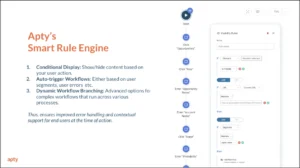
This platform provides in-app guidance, step-by-step walkthroughs, contextual onboarding, and tooltips to ensure users quickly understand and adopt ServiceNow functionalities.
Apty helps reinforce key concepts and processes at the moment of need, improving retention and encouraging consistent usage. With Apty’s support, users can stay on track and effectively apply what they’ve learned, driving better adoption and overall success.
2. Complex Workflows and Processes
This is a case where a benefit starts to cause issues. ServiceNow is applauded for its unified and comprehensive services, but this can also become problematic.
ServiceNow’s robust capabilities often result in challenging workflows to configure and navigate. This complexity can lead to inefficiencies, errors, and frustration among users.
Apty’s solution?
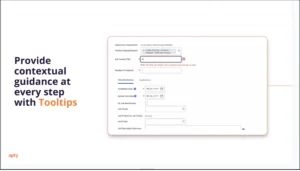
Simplified workflow navigation with process guidance and automation of repetitive tasks, ensuring smooth execution and reduced errors.
3. Insufficient Training and Onboarding
As we’ve already seen with the forgetting curve, traditional training methods like one-time sessions or static documentation require ongoing support from training. Employees tend to forget what they’ve learned before having the opportunity to apply it.
This leaves them unprepared to fully adopt the platform, minimizing your return on investment (ROI).
In this case, Apty offers on-demand training with personalized learning paths so employees can learn ServiceNow functionalities at their own pace directly within the platform.
4. Lack of Data Accuracy and Standardization
During implementation, data accuracy and standardization issues may occur due to several reasons:
- Manual data entry leads to typos, formatting issues, and inconsistencies, degrading ServiceNow data quality.
- Inconsistent data entry practices create discrepancies and hinder effective data management.
- Poorly planned ServiceNow integrations lead to inaccuracies and inconsistencies in migrated data.
- Excessive ServiceNow customization complicates data structures, jeopardizing data accuracy and consistency.
With real-time data validation, Apty ensures users enter accurate and standardized data, minimizing errors during data migration or input. This proactive approach significantly enhances data quality, supports smoother migration, and reduces the risk of errors impacting overall performance.
5. Resistance to Change
Understandably, employees fear change because it’s human nature to question new things. When the new workflow differs from existing processes, employees will likely feel overwhelmed or uncertain about how the platform benefits them.
To effectively manage change, it’s essential to not only educate employees on how the change benefits them but also understand their resistance to it.
Apty supports change management by providing ongoing support and communication through tailored notifications, ensuring employees stay informed and engaged throughout the transition.
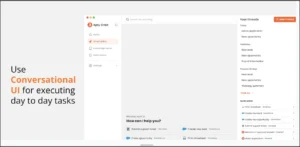
Apty OneX also provides a conversational UI that helps employees in their day-to-day tasks to streamline the transition.
Best Practices for ServiceNow Implementation
Here are some key best practices that can guide your ServiceNow implementation plan toward long-term success.
Select the Right Solution
Based on the workflows you want to automate and your business needs, choose the right ServiceNow modules and functions that align with your identified needs, whether ITSM, field service management, HR service delivery, or customer service management.
Also, check for compatibility with your existing IT infrastructure. Ensure it can scale as your business grows.
Train and Onboard Users
Equip your team with comprehensive training and in-app guidance for seamless adoption. This may comprise:
- Offering training users tailored to their different user roles for better outcome
- Providing ongoing support such as on-demand tutorials, FAQs, and in-app guidance
- Applying different methods like online tutorials, webinars, and in-person sessions.
- Investing in a DAP like Apty for contextual in-app guidance and process compliance
Start Small, Scale Gradually
Implement ServiceNow in phases to minimize risks, allow incremental improvements, and manage change effectively.
Begin with a pilot implementation across a single department to test the process. Then, gradually roll out to other departments, keeping in mind learnings from earlier rollouts.
Monitor and Adapt
Assess performance continuously, adjust configurations based on feedback and evolving needs, and stay current with ServiceNow updates. When needed, utilize resources like ServiceNow community forums, documentation, and customer support.
Simplify ServiceNow Implementation Using Apty
Implementing ServiceNow can feel overwhelming with its long list of features and components. It’s important to collaborate with product experts to deploy, test, and train staff.
But even with thorough training, employees often forget key details just days later.
Your best bet is leveraging an AI-powered DAP like Apty.
Apty is a predictive DAP application that simplifies user adoption through contextual and in-app guidance, such as walkthroughs, smart rules, field checks, checklists, and tooltips. It also tracks user flows and behavior, reduces friction during software usage, and ensures task completion.
Case in point: Mattel partnered with Apty during its Workday HCM transition to provide tailored, interactive guides. Within 60 days, 90% of the users adopted the guides, which reduced support tickets and improved task efficiency globally.
FAQs
How can we improve ServiceNow adoption?
You can enhance user adoption through role-based training, in-app guidance (through DAPs), robust change management, and continuous support via help desks and self-service knowledge bases.
How to analyze ServiceNow usage rate?
To analyze usage rates, set the right KPIs (login frequency, module usage, completion rates), gather user feedback, and apply analytics tools to understand user behavior and system utilization.
Change is often seen as uncomfortable and challenging. And within organizations, it’s often met with resistance. In reality, change can be a powerful growth opportunity—if managed well.
Businesses that thrive amidst changes have one thing in common: a well-structured change management plan.
A change management plan guides companies through transitions, ensuring they are not limited by hurdles like employee resistance, poor management understanding, communication barriers, and a lack of vision.
Gartner’s study shows that half of change initiatives fail, and only 34% culminate in clear success. Change management planning mitigates the chance of this failure by aligning people, processes, and technology to speed up adoption and drive sustainable results.
In this blog post, we will describe what a change management plan is, why it’s important, and the actionable steps needed for a successful transition.
What Is a Change Management Plan?
A change management plan refers to a detailed framework that guides employees, teams, and organizations through successful transitions. It helps make change a catalyst for growth rather than a disruption.
Research from Prosci shows that 40% of organizational changes fail because of a lack of alignment on goals and objectives. Change management planning solves this and more since it includes:
- Clear goals and a roadmap for change
- Stakeholder analysis
- A communication strategy
- Training and support plans
- Well-defined roles for individuals and teams
- Timeline and milestones
- Risk management and mitigation strategies
- Key performance indicators (KPIs) to track progress and measure success
- Feedback and evaluation mechanisms
Change Management Effectiveness With Meeting Objectives

Addressing both the human and operational aspects of change, a change management plan minimizes failure and increases the likelihood of a successful transition. Ultimately, this ensures the organization reaches its desired future state with minimal friction.
Why Is a Change Management Plan Important?
Given the failure rates of change implementation in organizations, a change management plan is crucial for successful transitions and minimizing disruptions.
The study from Gartner mentioned earlier finds that an open-source change management plan can increase the probability of change success by up to 22% and reduce implementation time by up to one-third of its original duration.
Detailed below are more reasons why a change management action plan is important:
- Minimize Resistance to Change: Change resistance often comes from ambiguity on transitions. A change management plan proactively addresses concerns, provides a detailed plan for the future and engages all stakeholders early with clear communication. This approach minimizes resistance to change and ensures smoother adaptation.
- Enhance Employee Engagement and Adoption Rate: A detailed plan, supported by real-time analytics, facilitates inclusion and empowers teams to adapt effectively. For example, a major US airline leveraged Apty, a digital adoption platform (DAP) to improve the adoption of Clarity PPM software. It provided personalized guidance to employees on how to use the software. This resulted in a 3x productivity boost and cut task completion time by 70%.
- Reduce Operational Disruptions: Changes can disrupt workflows, causing delays and inefficiencies. A detailed plan outlines clear steps, contingency measures and timelines to avoid unnecessary downtime.
Key Components of an Effective Change Management Plan
A well-rounded change management plan includes several essential components that ensure smooth transitions and successful adoption. Below are key elements it should include:
- Change Management Documentation: Clear documentation provides a foundation for effective change. Checklists, auto-fill forms, and templates for evaluating, approving, and implementing changes ensure clear communication and change logs.
- Roles and Responsibilities: Stakeholders must know who is responsible for each change management activity to ensure accountability. Employing a cross-functional Change Management Board (CMB) with senior leaders, department heads, and change specialists to assess the potential impact of proposed changes can ensure alignment with organizational goals. Additionally, identify change champions and change agents to address concerns, promote adoption, and maintain momentum.
- Stakeholder Engagement: Identify affected stakeholders and develop strategies to address their concerns early. Organizations with adaptable cultures saw a 28% revenue increase over 3 years, highlighting the importance of stakeholder buy-in and adaptability.
- Communication Plan: Transparency reduces resistance and builds trust across all levels of the organization. A clear communication plan specifies ways to update teams, stakeholders, and management. Focus on clarity, consistency, and timing to ensure everyone stays informed.
- Training and Support: All change initiatives require training for effective learning and development. What’s more, only 43% of employees believe that their organization is good at managing change. To avoid such pitfalls, use tailored resources like in-app guidance and real-time learning. Solutions like Apty empower employees to gain skills during their daily workflows.
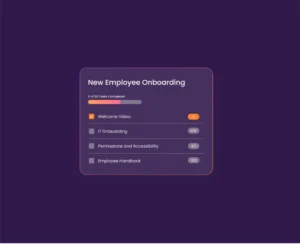
- Change Management Software: Leveraging change management and digital adoption software can make change easy. A DAP can track progress, manage documentation, and monitor metrics, enhancing user adoption. Solutions that offer advanced analytics, real-time updates, and collaborative features ensure smooth transitions and effective implementation. For instance, a global financial institution used Apty to save $275,000 in training costs and reduce onboarding time by 30 days.

7 Steps to Create a Change Management Plan
Building a solid change management plan doesn’t have to be complicated.
With so many types of change management models to consider, these seven steps will guide you in creating a practical and effective approach.
1. Assess the Need for Change
Understanding why change is necessary is the foundation of any successful plan. Where do you see your organization right now, and where must you be?
Perform a gap analysis and ask change management questions. This will help identify problem areas and potential development options. Stakeholder involvement is effective in this stage ensuring the objectives that are needed for change are all in place by the time the issue is being sold.
2. Define the Vision
A clear vision sets the direction for the change initiative. Would you like greater efficiency, increase satisfaction, or optimize the way of doing business? These management objectives act as target-setting norms, as it is important that all the concerned entities understand the aims and objectives.
3. Develop a Communication Strategy
Resistance to change grows in an opaque environment. Create a communication plan that outlines how and when you’ll share updates. Be transparent, consistent, and proactive with all stakeholders.
Tailor your messaging to address different groups in your organization, ensuring clarity and trust.
4. Prepare a Training Program
Equip employees with the knowledge and skills they need to adapt to change. Design role-specific training programs that address unique needs and change management challenges.
DAPs are particularly useful in this context.
For example, Apty offers real-time feedback and in-app guidance and has helped organizations reduce training costs by 50%. Such tools help reduce disruptions and speed up adoption while improving retention.
5. Develop a Timeline and Implementation Plan
Break the process into manageable phases and set realistic deadlines for each step. For example:
- Phase 1: Testing and gathering feedback
- Phase 2: Pilot rollout with a small group
- Phase 3: Full deployment across the organization
This approach makes the transition easier because you can refine it as you go.
Pro Tip: Use Apty PULSE to monitor progress across these phases, providing complete real-time diagnostics within 30 days.
6. Monitor and Measure Success
Once implemented, tracking progress is critical for ensuring that the change initiative stays on course. Use analytics and KPIs to measure adoption rates, engagement levels, and overall success.
A platform with advanced tracking capabilities like Apty can provide actionable insights into employee engagement and potential challenges. These data points help you identify areas that may need extra attention, allowing for timely adjustments.
7. Refine and Adapt
No plan is flawless, and adjustments are often necessary.
Regularly review feedback and performance data to identify gaps or pain points. Make changes to your strategy as needed to ensure continuous improvement. Real-time feedback tools and advanced reporting options, such as those offered by Apty, help highlight gaps and suggest improvements.
Also Read: Successful Enterprise Change Management Examples
Benefits of an Effective Change Management Plan
An effective change management plan provides multiple advantages that enable organizations to manage transitions and achieve strategic objectives. Here are the key benefits:
- Improved Employee Morale: A structured change management plan reduces uncertainty through clear communication and support. According to research, employee engagement is among the top three contributors to successful change initiatives. When employees feel guided through change, resistance decreases, and engagement improves.
- Higher Project Success Rates: Well-executed change management ensures projects are completed on time and within budget. Closing potential roadblocks early and maintaining alignment among teams helps organizations achieve their goals with greater efficiency.
- Streamlined Processes: Mapping out steps for implementation in a change management plan minimizes disruptions and ensures smooth operations during transitions. This boosts productivity and reduces downtime.
- Better Return on Investment (ROI): Change management ensures that investments in new systems deliver ROI and cost efficiency. For example, Haskell achieved a potential $710K annual margin impact using Apty’s real-time guidance, reducing errors, enhancing compliance, and streamlining workflows for greater efficiency and fewer delays.
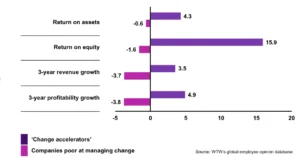
- Enhanced Organizational Agility: A solid plan fosters adaptability, preparing organizations to respond effectively to future challenges and opportunities. It makes them more competitive in a fast-changing environment.
5 Common Challenges to Change Management
Change management comes with its fair share of hurdles. From resistance to miscommunication, these challenges can slow down progress.
Let’s look at five common obstacles and how to tackle them effectively.
- Resistance to Change: Employee resistance often arises from fear of the unknown, or perceived job insecurity. Early engagement and clear, consistent communication can mitigate resistance. Moreover, implementing systems like Apty that provide in-app guidance for contextual support when employees need it can help navigate new systems with ease.
- Lack of Leadership Support: Employees rely on leadership for direction and resources. A lack of visible and informed leadership weakens trust in the change process. Hence, leadership support must remain visible. For example, Mattel, which has more than 9,000 employees, involved Apty, during Workday HCM implementation. Apty provided real-time adoption metrics for leaders to track progress and make data-driven decisions, resulting in a 90% utilization rate within 60 days.
- Inadequate Training: Conventional training approaches provide a wide-ranging solution for a mass audience but do not prepare workers for specific change. This results in productivity wastage and higher IT assistance. Role-specific training and learning initiatives help close knowledge deficiencies and reduce pressure on support teams.
- Poor Communication: Inconsistency and vagueness create scepticism and prolong the change. Employees need to comprehend the change, its causes, and impact on them and the rest of the firm. Apty, for instance, uses change announcements and real-time validations to ensure stakeholders receive key updates effectively and stay informed.
- Insufficient Monitoring: Without tracking progress, organizations risk overlooking issues that can balloon into larger problems. Failure to monitor changes can also prevent the assessment of change impact, which can prove costly for the organization.
Achieve Smooth Organizational Change With Apty
Organizational change management plans often bring complexities, but Apty equips businesses with the tools to make transitions efficient. Its in-app guidance and contextual learning provide employees with real-time support, ensuring they can quickly adapt to new systems without the need for intensive training sessions.
And as change happens, Apty’s advanced analytics monitor the level of adoption, areas where issues may arise, as well as solutions to help enhance the approach. Various real-time feedback processes help keep stakeholders informed continuously and make all processes transparent.
Such advanced features not only facilitate change management plans but also allow businesses to achieve sustainable success. Book a demo with Apty and explore how it revolutionizes your change management process.
FAQs
- What are the five Cs of change management?
The five Cs are communication, collaboration, commitment, clarity, and continuous improvement, which are important in organizational change.
- What is the KPI in change management?
KPIs in change management include indicators like overall adoption rates, perceived employee engagement levels, and time taken to complete different change projects.
- What are the seven models of change management?
The seven-step model of change management outlines key stages: awareness, desire, knowledge, ability, reinforcement, planning, and sustainability.
- How do I improve my change management process?
You can improve by fostering clear communication, offering training, tracking progress through analytics, and refining strategies based on feedback.
- What is organizational change management (OCM)?
OCM is primarily concerned with the people management aspect, with an emphasis on people changing at the workplace when transformation is in progress.
Navigating the relentless pace of change in information technology (IT) can feel like trying to hit an elusive target. ServiceNow, a frontrunner in IT service management (ITSM), provides a powerful change management solution that turns change into an opportunity for growth.
Powered by ITSM tools, ServiceNow helps with a plethora of business activities such as automating workflows, customer support, cybersecurity, and enhancing collaboration, to ensure every change aligns with overarching business objectives seamlessly. Organizations have already saved $25 million in IT costs and 1.1 million work hours and gained $50 million in value using its tools.
But even the best platforms need a strategy for effective implementation.
Pairing ServiceNow with a digital adoption platform (DAP) helps tackle resistance, personalize onboarding, and ensure a smooth rollout. This guide breaks down everything you need to know about ServiceNow change management, its processes, types, and best practices to help your organization thrive.
What is Change Management in ServiceNow?
ServiceNow is a cloud-based ITSM platform that automates and optimizes business processes in IT and other departments. Its change management module provides a disciplined method to regulate the lifetime of changes, resulting in little interruption to services while maximizing benefits.
Organizations can use ServiceNow change management to successfully manage changes with automated workflows, risk assessments, and tracking tools. The platform encourages stakeholder cooperation while ensuring compliance with existing rules.
Benefits of ServiceNow Change Management
ServiceNow simplifies change management by offering tools that streamline workflows, enhance communication, and ensure compliance.
With the digital transformation industry expected to grow to $2,639.4 billion by 2034, using platforms such as ServiceNow has become critical for firms seeking to remain competitive.
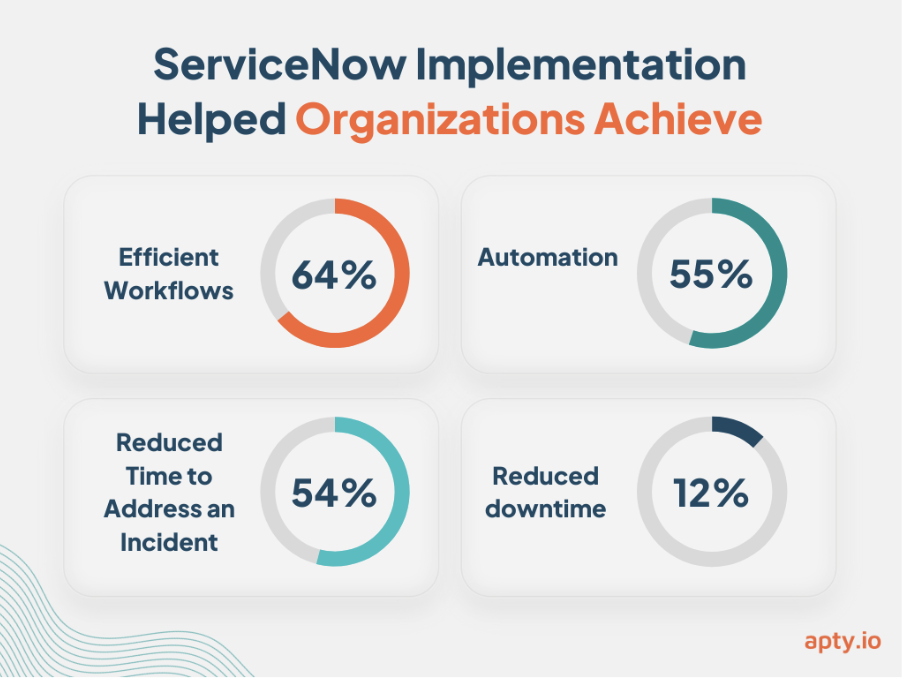
Here are key benefits of using ServiceNow change management explained:
Risk Reduction
ServiceNow’s risk intelligence tools use machine learning to predict and assess potential risks. Identifying high-risk changes early on helps companies:
- Recognize and prioritize critical changes that impact operations
- Develop mitigation strategies to minimize disruptions to services
ServiceNow’s integrated approach addresses risk management needs for areas including operations, policy and compliance, audit, business continuity, regulatory change, privacy and monitoring for NIST RMF, ensuring up to 40% quicker recovery time objective and up to 235% return on investment (ROI).
Improved Efficiency
Automation underpins ServiceNow’s functionality, reducing manual intervention and simplifying approval cycles. With ServiceNow, organizations can:
- Standardize procedures with multimodal change templates, accelerating the change management process.
- Focus on strategic initiatives by reducing time spent on routine tasks.
When combined with Apty’s DAP, organizations achieve up to 60% utilization.
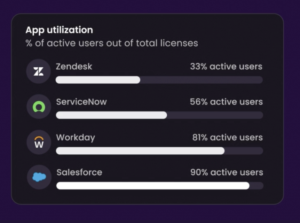
Enhanced Communication
Transparent communication is essential for successful change management. 29% of employees report that change is not communicated clearly in their workplace. ServiceNow ensures stakeholders stay informed by:
- Providing a single platform to track projects
- Offering a centralized system for information sharing across departments
- Enabling seamless collaboration through dynamic change approval policies and automated notifications
Regulatory Compliance
ServiceNow simplifies adherence to industry regulations through detailed tracking and reporting features. Its dedicated, real-time reporting dashboard offers visibility into key compliance metrics. ServiceNow helps organizations:
- Maintain detailed audit trails through role-based accountability to meet stringent requirements.
- Build trust with stakeholders through reliable record-keeping supported by a single system of record.
For instance, ServiceNow helped Nomura Americas quickly build and launch a custom compliance exception application in three months instead of 12. The company used a configurable, iterative approach rather than custom coding.
Improved User Experience
Reducing downtime and streamlining processes allows ServiceNow to ensure a positive experience for end-users. This helps:
- Cut downtime through workflows and guided setup that deploys change management in days.
- Minimize disruptions to operations during the implementation of changes.
Combined with Apty’s rapid adoption processes, ServiceNow’s full potential can significantly improve user experience, recording up to 80% increase in customer satisfaction scores.
ServiceNow Change Management Process
Nearly two-thirds of employees report more workplace changes in the past year compared to the previous 12 months, with one-third experiencing four or more significant shifts. Managing this level of change requires structure and clarity.
Start with these 15 change management questions and then proceed to this six-step workflow for change management process in ServiceNow:
Step 1: Create a Change Request
The process begins with creating a formal change request, detailing the reason for the change, its potential impact, and required resources. ServiceNow centralizes this information, ensuring changes are documented and tracked.
Step 2: Review Change
Once submitted, the request is assessed to determine its need, practicality, and fit with the organization’s aims. ServiceNow simplifies collaborative review processes, allowing decision-makers to acquire insights.
Step 3: Change Evaluation
This process involves stakeholders evaluating the possible risks, rewards, and overall effects of the change. ServiceNow’s built-in risk assessment tools give thorough insights, allowing teams to identify high-risk areas and build mitigation strategies before implementation begins.
Step 4: Change Approvals
Approval is an important stage; it’s when leadership and key stakeholders give the go-ahead. ServiceNow automates the approval process with notifications and role-based access, reducing delays and ensuring accountability at all levels.
Step 5: Implementation
Once approved, the change is implemented according to the planned timeline. ServiceNow’s workflow automation ensures that teams execute each task efficiently while monitoring progress in real-time. This reduces the likelihood of errors and keeps the implementation on track.
Pro Tip: Learn how to overcome employee pushback and resistance to change to ensure your change process is smooth.
Step 6: Validation
The final step involves verifying whether the change has been implemented successfully. ServiceNow enables teams to conduct comprehensive testing and validation, ensuring all systems function as intended and there are no disruptions to ongoing operations.
These six steps can ensure efficient, well-documented change processes that align with business goals.
For organizations managing high volumes of IT service requests, aligning change workflows with Apty’s automated change management workflows ensures seamless adoption and lower operational risk.
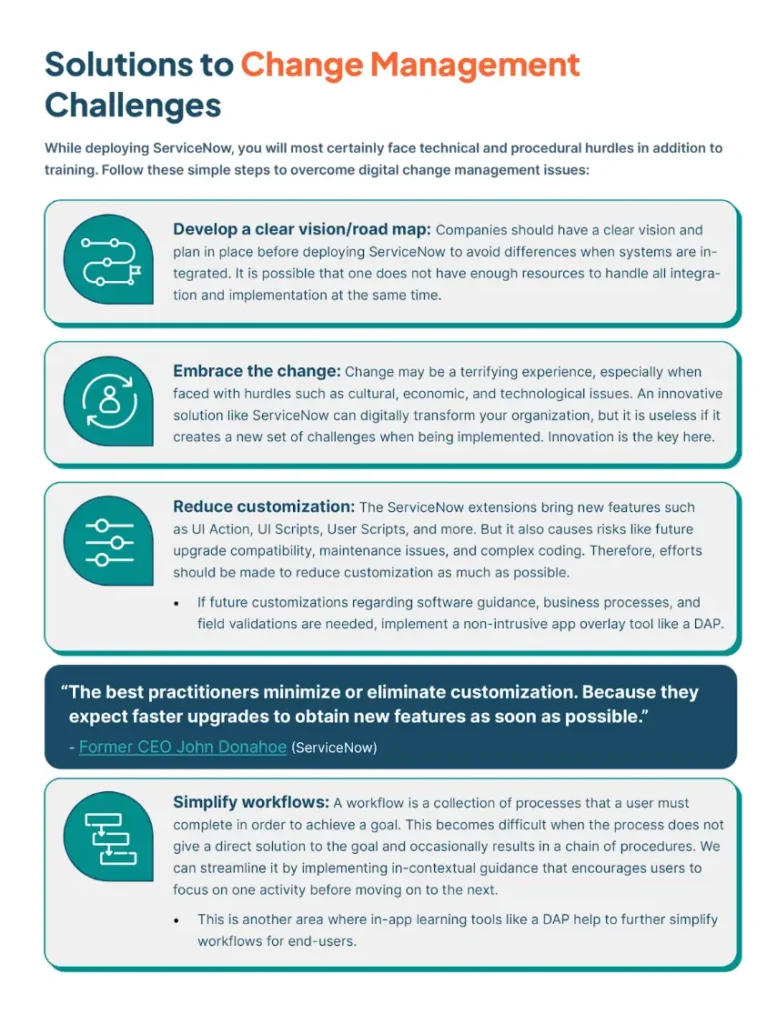
Types of Changes Within ServiceNow
Not all changes within an IT environment carry the same level of risk or urgency.
ServiceNow categorizes changes into four types to ensure that organizations can manage varying levels of urgency and risk effectively. Let’s take a look.
1. Standard Change
Standard changes are low-risk, pre-approved changes that follow a defined, repeatable process. They follow predefined procedures and templates, making them repeatable and efficient.
These changes require no Change Advisory Board (CAB) approval due to minimal operational impact. ServiceNow streamlines standard changes by using change management plan templates, ensuring these tasks are completed quickly.
Example: Routine updates, like applying a pre-tested patch or adding a user to a system.
2. Normal Change
Normal changes are more complex and impactful. They follow the full change management lifecycle, including evaluation, multi-level approvals, and implementation during planned maintenance windows.
These changes are carefully assessed for risks, benefits, and potential impacts on IT workflows and business operations. ServiceNow supports normal changes by facilitating collaboration among stakeholders and automating approval workflows, ensuring alignment with goals.
Example: Upgrading a major IT system or deploying new software across departments.
3. Emergency Change
Emergency changes are urgent and time-critical, implemented to address high-priority issues like system outages or security breaches. These changes prioritize execution over authorization, with records often created after the implementation.
While speed is critical, ServiceNow ensures emergency changes are documented and managed systematically to maintain accountability and enable review for future improvements.
Example: Resolving a security breach or fixing a system outage.
4. Latent Change (Expedited Change)
Latent changes address high-priority tasks but are not as immediate as emergency changes. Authorization processes for latent changes vary depending on the associated risk.
ServiceNow streamlines expedited changes with automated approval workflows, enabling quick tracking and approvals.
Example: Missed CAB deadlines, sudden vendor requirements, or urgent customer demands.
Challenges in ServiceNow Change Management
ServiceNow’s powerful change management capabilities can transform organizational workflows, but its implementation comes with a few challenges that need careful attention. Challenges include:
Resistance to Change
Employees frequently resist adopting processes, fearing disruptions to their routines or lacking confidence in unfamiliar systems.
According to research, 37% of employees are resistant to change. Tools like Apty can support gradual adoption by offering in-app guidance and proactive notifications to make transitions smoother.
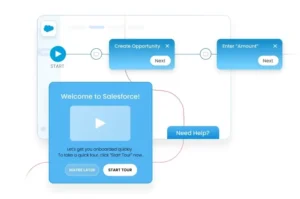
Inadequate Training
Without sufficient training, users may struggle to leverage ServiceNow’s robust features, leading to inefficiencies and errors.
Studies show that nearly 70% of employees feel they lack the skills needed to adopt new technology. While ServiceNow offers training resources, organizations can complement these with Apty’s on-demand guidance, which allows employees to learn as they work without interrupting day-to-day operations.
Lack of Process Standardization
Inconsistent change management processes often lead to errors and miscommunication across teams.
Guiding users through predefined workflows, enforcing best practices, and minimizing deviations ensures standardization, improves collaboration, and reduces the risks associated with misaligned processes.
Complex Workflows
ServiceNow’s extensive functionality can result in complex workflows potentially leading to errors.
Although its automation features reduce manual intervention, using change management tools like Apty simplifies even the most complex workflows with step-by-step guidance where needed. This ensures users can navigate tasks accurately and efficiently, reducing the risk of errors.
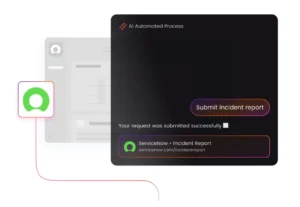
User Adoption Issues
The breadth of ServiceNow’s functionality can overwhelm users, leading to low adoption rates. Employees may struggle to see the platform’s full value or find its features intimidating.
Personalized onboarding paired with Apty’s content analytics feature drives adoption by ensuring employees feel supported and confident in navigating the platform.
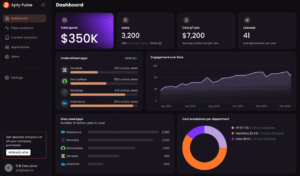
Digital adoption platforms like Apty simplify complex ServiceNow rollouts by combining change management tools and intelligent analytics into one AI-powered solution. This empowers IT teams to improve adoption rates, reduce errors, and track change management KPIs effectively.
Measuring Success
A common challenge in change management is assessing and measuring its success. Firms can fine-tune their strategies and accomplish their objectives with a combination of analytics that analyze user engagement, process adherence, and overall performance.
ServiceNow Change Management Best Practices
To maximize the benefits of ServiceNow, organizations need to implement structured best practices. Here are three essential best practices to follow:
-
Develop a Strong Service Strategy
ServiceNow is a powerful tool, but its success depends on a clear strategy. So analyze your current service processes to identify inefficiencies and gaps. Once these are identified, define objectives that align with organizational goals.
Create workflows tailored to your unique business needs before deploying ServiceNow. This approach ensures that the ServiceNow implementation addresses specific business challenges.
-
Align People and Processes
Successful ServiceNow deployment goes beyond technology. It is also about people.
Begin by engaging leaders and aligning them with the initiative’s objectives. With 39% of employees opposing change owing to a lack of information, communicating benefits and addressing workflow problems is critical to ensuring ServiceNow’s effective adoption.
-
Ensure User Adoption
User adoption is critical to the success of any ServiceNow initiative. Training efforts should begin early, with a focus on addressing user-specific challenges.
Instead of relying solely on traditional methods, organizations can benefit from DAPs like Apty. This strategy increases productivity and ensures the system’s future success.
Drive Seamless ServiceNow Change Management with Apty
Even with systems like ServiceNow, change management success is dependent on how well staff adapts to new procedures. Without sufficient advice and assistance, systems designed to increase productivity can become reasons for resentment and inefficiency.
Leveraging Apty for ServiceNow adoption can help your organization realize its full potential.
Apty enhances the ServiceNow experience by providing on-demand support, in-app guidance, and real-time validations to streamline workflows and boost user engagement. It also provides step-by-step guidance and individualized onboarding to help workers easily traverse complicated operations.
Don’t let user resistance or workflow complexity hold your organization back. Book a demo today to see how Apty can help you experience ServiceNow at its best.
FAQs
- What is the Change Management Lifecycle in ServiceNow?
ServiceNow’s Change Management Lifecycle is a systematic procedure for managing changes to IT systems. It includes submitting and analyzing change requests, evaluating risks, gaining permissions, executing changes, and validating outcomes. This lifecycle minimizes interruptions, improves cooperation, and aligns with business goals, all while ensuring compliance and operational efficiency.
- What are the stages of change management in ServiceNow?
The change management process in ServiceNow involves the following stages:
- Request for Change: Create a formal request with objectives and details
- Review: Assess feasibility and necessity
- Evaluation: Analyse risks and benefits
- Approval: Obtain stakeholder sign-off
- Implementation: Execute the approved change management plan
- Validation: Test and verify successful implementation
Onboarding new employees to Workday can end in one of two ways: improved user adoption or a flood of support tickets. The stakes are even higher at scale, where every delay or misstep drives up costs and wastes time.
Workday offers significant benefits, such as the Rehabilitation Hospital of The Pacific achieving 25% faster new hire onboarding. However, its complex interface and advanced features create challenges like low user adoption and difficult navigation.
A strong onboarding plan turns this around.
Take Mattel, for example. The company improved its onboarding strategy and achieved 90% Workday utilization within 60 days. How? A solid plan and a digital adoption platform (DAP).
This guide covers everything you need to get it right the first time, from Workday onboarding phases to checklists, best practices, challenges, and DAP solutions. Let’s dig in!
Why Workday Onboarding Matters
Onboarding new hires to Workday matters because it is complex software with over 1,000 features and 850 business processes. Thorough guidance is required to avoid underutilization or abandonment.
Proper onboarding to Workday also directly influences employee satisfaction, productivity, engagement, and retention, key factors driving organizational success.
After interviewing 1,000 employees across the U.S., U.K., and Australia, the Enboarders created the 2024 State of Employee Onboarding Report. According to this report, a well-executed onboarding experience delivers measurable benefits to employees:
- 46% are more satisfied with their job
- 34% were motivated to stay longer at the company
- 40% reported higher productivity
- 45% said onboarding made it easier to perform their job successfully
- 42% felt more engaged
- 38% developed a positive perception of company culture
- 40% felt a greater sense of belonging
- 34% became brand advocates
Whereas with bad onboarding experiences:
- 33% regret accepting their role and start job hunting early
- 35% struggle with job performance
- 34% feel disengaged, negatively impacting performance and retention
- 25% share negative experiences, damaging the company’s reputation
Workday Onboarding Phases
Onboarding Workday follows a clear, structured methodology called phases. These phases act as a step-by-step guide for smooth onboarding.
Here are the five phases for better new hire onboarding and increased software usage:
Phase 1: Plan
The planning phase is the first step towards success. Here, you research, speak with stakeholders, set clear objectives, and create a roadmap.
You also:
- Review Project Scope: Understand the full extent of the project and what needs to be achieved.
- Develop Project Plan and Project Charter: Create a detailed plan and charter outlining objectives, timelines, and deliverables.
- Define Roles and Responsibilities: Assign specific roles and responsibilities to team members for accountability and task ownership.
- Project Kick-off: Begin with an initial prototype (PO) to kick off the project and provide a tangible starting point.
Phase 2: Architect
After planning, the architect phase involves designing the system to meet the organization’s needs you identified before. This includes:
- Current Business Practice Discovery: Conduct discovery sessions to understand business practices and prepare a design databook.
- Conceptual Design Sessions: Hold sessions to conceptualize the system design.
- Detailed Business Process Design: Organize further design sessions to detail business processes and prepare a comprehensive design databook.
- Solution/Gap Analysis: Identify gaps between current practices and the new system and analyze solutions.
- Update Project Charter and Plan: Adjust the project charter and plan based on new insights and decisions.
- Document Design Decisions: Record all design decisions thoroughly for future reference.
For example, during this phase, a retail chain may need to define custom workflows for different roles (e.g., store associates vs. corporate staff).
Phase 3: Configuration Prototype
This phase focuses on building and refining the system based on the design created in the previous phase.
Here’s what it entails:
- Configuration Prototype (P1): Develop the first configuration prototype.
- Develop Reports & Integrations: Create and integrate necessary reports with other systems.
- Communicate Tenant Strategy: Ensure all stakeholders understand the tenant strategy.
- Develop Testing and Training Strategy: Plan how the system will be tested and how users will be trained.
Phase 4: Test
Testing your Workday systems ensures they function as intended before going live. These are some tests to run:
-
- End-to-end Testing: Conduct thorough end-to-end testing to verify all functionalities.
- Prototype 3 (P3): Develop and test the third prototype.
- User Acceptance Testing (UAT): Perform UAT to ensure the system meets user needs. This includes playback sessions to show clients the test scripts and results.
- Resolve Issues: Address any bugs or usability issues identified during testing.
- Phased Rollouts: Start with a small segment of users, subsequently increasing the number of users and features before a company-wide rollout.
Phase 5: Deploy/Go Live
The final phase is deploying the system and ensuring it is fully operational:
- Training and Roll-out: Train users and roll out the system.
- Gold Tenant: Ensure it’s ready for production.
- Production Data Conversion and Configuration: Complete the final data conversion and configuration for production.
- Go-Live Checklist: Follow a detailed checklist to ensure nothing is missed.
- Transition to Production Services: Provide hypercare support to address immediate post-go-live issues.
- Project Conclusion: Officially conclude the project and transition to ongoing support.
Note: The Gold Tenant is like a starter pack for Workday. It comes with settings and rules that Workday thinks work best for companies. It helps businesses set up Workday the right way from the beginning!
Workday Onboarding Checklist
Onboarding a new hire to Workday involves completing administrative tasks and creating an engaging process that makes employees feel welcome.
This checklist outlines every important step required to onboard new hires successfully:
Stage 1: Before Onboarding (Pre-boarding)
Pre-boarding sets the tone for a positive employee experience even before their first day. You must:
- Send offer letters and collect signed agreements, including employment contracts and NDAs.
- Share pre-employment paperwork such as tax forms (e.g., W-4 or W-9).
- Provide access to Workday’s self-service portal for document submission.
- Request government-issued ID copies for I-9 verification (if applicable).
- Set up the new hire’s Workday profile with personal and job-related details.
- Send Workday login credentials and verify access to features like benefits enrollment and training modules.
- Introduce new hires to their managers and team via email or virtual meetings.
- Share a detailed agenda for their first week, including training sessions and orientation events.
- Coordinate with the IT team to prepare equipment (e.g., laptop, phone) and set up necessary software tools.
- Confirm system access from the new hire.
- Upload onboarding materials such as a company handbook and policies to Workday Learning.
- Create a Workday training program covering company culture, goals, training methodology, and a first-week training schedule.
- Share benefits information and enable access to benefits selection in Workday.
- Initiate and complete any required background checks.
Stage 2: First 30-60 Days
After pre-boarding, the next step is the onboarding phase, where the employees receive role-based training, learn how to use Workday, and familiarize themselves with the relevant features. During this period:
- Complete onboarding tasks, such as verifying personal information, enrolling in benefits, and completing compliance training in Workday.
- Send a welcome email to introduce the new hire to the team and share their background and role in the company.
- Assign a mentor or buddy to guide new hires through their initial weeks and provide support.
- Create a schedule outlining when new hires should complete assigned tasks and when they’ll be available for team collaboration or projects.
- Attend orientation sessions to learn about company policies, tools, and organizational values.
- Schedule a one-on-one meeting with their manager to discuss role expectations, team structure, and short-term goals.
- Provide access to role-specific training materials via Workday Learning to develop skills required for their position.
- Organize regular check-ins between managers and new employees to discuss progress, address questions, and offer support.
- Set clear performance expectations and goals for the first 30-60 days to help new hires understand their priorities.
- Gather feedback on the onboarding experience through surveys or one-on-one meetings to improve future processes.
- Creating a clear meeting summary after each session helps capture key insights, decisions, and next steps, ensuring that feedback is documented and actionable for continuous improvement.
Stage 3: Ongoing Engagement
Onboarding doesn’t end after 60 days. It’s an ongoing process that ensures long-term success:
- Conduct regular reviews to assess progress toward goals.
- Offer continuous learning opportunities through Workday Learning modules.
- Recognize achievements publicly (e.g., during team meetings).
- Encourage collaboration and participation in company events or social activities.
- Solicit feedback regularly to improve future onboarding programs.
- Invest in a DAP like Apty to provide ongoing guidance and contextual support.
Common Challenges in Workday Onboarding
Despite all its advantages, Workday onboarding comes with several challenges. These include:
1. Difficulty Navigating Workday’s Interface
Workday offers hundreds of solutions for automating business processes across HR, finance, and IT, so there’s much to navigate.
As with other HCMs like Rippling, the Workday interface can be overwhelming for first-time users. Complex features and unfamiliar layouts can confuse new hires, causing delays in task completion, particularly for new hires with limited technical experience.
The solution? Apty provides step-by-step guidance, interactive walkthroughs, and contextual tooltips directly within Workday. This ensures that new hires are guided through tasks in real time, reducing errors and boosting confidence in navigating the system.
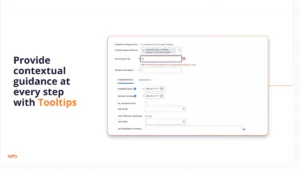
2. Ensuring Consistent Onboarding Across Teams
Large organizations struggle to maintain consistency in their onboarding processes across departments or locations. Different teams may interpret onboarding policies differently, leading to gaps in the employee experience.
Multilingual workforces also face challenges with onboarding without tailored solutions.
Apty’s solution allows you to create custom workflows using smart rules that ensure every department follows a uniform onboarding process, reducing inconsistencies.
You can also provide in-app guidance and multilingual support for better comprehension.
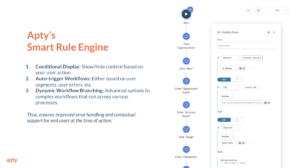
3. Low User Adoption of Workday Features
Due to inconsistency in onboarding, features, and interface complexities, new hires may struggle to realize Workday’s full potential. This leads to underutilization and diminished return on investment (ROI) for the platform.
Other factors contributing to this issue include:
- Using only traditional onboarding methods, like in-person training
- Failing to communicate the software’s impact on their role properly
Apty accelerates feature adoption by offering role-specific training usage analytics that identify areas where users need additional support.
New hires also have access to Apty OneX, a feature that uses artificial intelligence (AI) to answer users’ questions about the platform, as we’ll see next.
4. Lack of Real-Time Support for New Hires
New hires often have questions about completing tasks in Workday but may hesitate to ask HR teams directly to avoid looking incompetent. This causes increased frustration and lowers new-time-to-hire productivity.
Support managers and Workday consultants may also become overwhelmed by answering multiple tickets daily, draining both time and company resources.
Apty helps build a centralized help center with OneX, a robust platform that connects users with all enterprise software in one place. It enables users to leverage generative AI to streamline task execution and provide on-demand assistance.
New hires can also use OneX to perform tasks on Workday, such as summarizing content.
5. Measuring Onboarding Success
Organizations often struggle to evaluate onboarding success, relying on subjective feedback, such as surveys, that don’t effectively capture how new hires are adapting.
Identifying bottlenecks, tracking progress, and making data-driven improvements becomes challenging without concrete data on Workday engagement.
Apty PULSE offers real-time insights into onboarding performance and tracking metrics like task completion rates, time-to-productivity, user satisfaction, cost breakdown, and process obstructions. These analytics help organizations identify inefficiencies and improve workflows with data-driven adjustments.
Elevate Your Workday Onboarding Experience With Apty
Remember Mattel’s use case at the beginning? They faced challenges driving digital adoption with the Workday HCM platform, so they turned to Apty’s DAP to improve their Workday onboarding strategy.
Here’s how Apty helped Mattel:
- Interactive Guides: Provided step-by-step guides to simplify complex processes, boosting employee confidence in using Workday. Consider using an AI Humanizer to ensure your guides sound natural, approachable, and easy for new hires to understand.
- Customized Solutions: Identified 30 key processes and tailored them for Mattel’s global workforce across six languages.
- Scalable Implementation: Supported 9,000+ employees with in-app guidance, tooltips, and role-specific training for improved efficiency.
These are the results:
- 90% of Mattel employees adopted Workday within two months
- Support requests dropped significantly
- Employees completed tasks accurately and efficiently
- Senior leaders gained confidence in the system’s reliability for key processes.
Mattel still uses Apty to streamline processes, manage announcements, and provide ongoing support for new hires and long-term employees.
Need an effective way to onboard new hires to Workday? Schedule a demo with Apty today!
FAQ
- What is the onboarding process in Workday?
Workday’s onboarding process automates new hire tasks, ensuring a smooth transition. It includes pre-boarding (welcome messages, paperwork), first-day activities (team introductions, IT setup), training and integration (role-specific learning, feedback), and continuous engagement (goal setting, surveys).
Onboarding is the process through which new employees learn the information, skills, and behaviors to become effective and productive organizational members. It refers to the process of involving a new employee in the business and its culture. Employee onboarding is a phase between interviewing potential candidates and converting them into full-fledged employees.
Most often, Onboarding is confused with orientation while both are entirely different. Orientation is a “One-time” event to welcome an employee into the organization. Onboarding is a series of events and training to help employees with the day-to-day responsibilities of job roles and work processes. Onboarding focuses more on the job and team dynamics.
Let’s understand how vital your employee onboarding experience is.
According to BambooHR’s study, employees who feel a positive onboarding experience are 18 times more committed to their organization and reported 50% higher benefits utilization.
Clearly, creating an exceptional employee onboarding experience is key to empowering employees from Day-1 and driving the organization towards success. Here are the 4 best employee onboarding examples to include in your employee onboarding process:
- Gamification
- Keeping managers in the loop
- Focus on the long run rather than a short one
- Try out company products
A. Gamification:
A good employee onboarding process must be fun, playful, and informative at the same time. It makes newly hired employees get accustomed to the workplace without any pressure, and gamifying the onboarding process is one of them.
Gamification refers to adding components that make your employee onboarding process more fun, challenging, or motivated through various rewards. It gives the same experience as a video game, making the whole process engaging. It sets out goals to achieve, fun to make them pursue, and rewards to motivate them.
Let’s look at how Essar included gamification in their onboarding process.
Essar, India’s leading corporate delivering world-class services in sectors of energy, infrastructure, metals & mining, and in verticals of technology, has collaborated with Indusgeeks to make a 3D onboarding gamification solution. They gamified their onboarding process, resulting in increased productivity and higher profit.
Even if your organization has any financial constraints to make the whole onboarding process gamified, try to make at least a few phases of it gamified. This can help you ensure successful onboarding and improved productivity.
B. Keeping managers in the loop:
Managers play a vital role in the employee onboarding process but cannot always devote enough time. Employee onboarding is not only about paperwork, meets & greets. It is an initiative with several agendas to it. But taking things into their hands, managers must get involved in the process and ensure the new hires are familiar with it and feel at ease.
Let’s take a look at how Google is doing this:
Google is a company that focuses on Artificial Intelligence, Search Engines, Online Advertising, Cloud Computing, Computer Software, and more. Google leverages the method of including Managers in its onboarding process.
But taking things into their hands, managers must get involved in the process and ensure the new hires are familiar with it and feel at ease. These are a few aspects which a manager must do for the new hire,
- Match Noggler (Noogler is the affectionate term Google uses to refer to new hires) to a buddy on day-1.
- Encourage them to speak about potential issues, if any.
- Monthly check-ins during the first six months of the new employee.
- Set their roles and responsibilities.
- Have an open-door policy in the workplace.
By following this set of functions, google increased its new hire productivity by 25%.
C. Try out company products:
The new employees may be familiar with the product, but they may lack hands-on experience with that product. Make sure that the employee tries out at least significant products of the company so that they are familiar with it and at the same time may come up with a few suggestions that can help in the overall development of the product.
Pepsi is doing this here to ensure that its employees understand significant products.
Pepsi, an American multinational food, snack, and beverage corporation, ensures that all the new hires try out their significant products and give feedback. Based on their feedback, Pepsi makes corresponding improvements to the product and training procedures.
Also, Pepsi is into employee health and wellness. They provide them with food & drinks and fitness trackers to keep track of their health.
New employees are most likely simply thinking about your organization and product in the abstract on their first day. Everything else about the job might become blurry as a result of this. So, if you can get them to use your items right away, that will give them a better feel for what you’re talking about & give them a better employee onboarding experience.
D. Aim for the long run rather than the short one:
Without any fun elements, Onboarding can be complex. Make your employees learn about the history and core values of the company from scratch. Try creating a bond with co-workers through various activities, games & projects. Ensure the onboarding process is customized for every individual, from entry-level positions to seasoned veterans.
“The original motivation for doing it was to ensure that people were there for reasons beyond a short-term paycheck.”
Tony Hsieh, Zappos CEO.
Zappos, an American online shoe & clothing retailer, have decided to incentivize recruits by offering them $4000 to quit if they are not up for the job. Employees must question their commitment to the company and make sure to believe them in the longer-run.
Organizations don’t want their employees to quit in the initial months after Onboarding, as it costs a lot to hire a new one. Through this strategy, Zappos could enhance commitment and screen out individuals who are not culturally compatible at a very early stage.
Conclusion:
Employee onboarding is a continuous process, and getting it right is tricky. But organizations can strive to do better and create an onboarding experience that can make the employee productive from Day -1.
This is where Apty comes into the picture. Apty not only ensures seamless Onboarding but also ensures business process compliance. Therefore, the action performed by your employees within the application is in accordance with the organization’s guidelines.
Apty Analytics allows managers to identify where their employees get stuck and need assistance. You can create customized walkthroughs and announcements to guide your employees in the right direction and optimize the complete onboarding process. Apty ensures a 300% faster adoption, 40% increase in employee performance & productivity, and saves 80% of the training and support cost.
The success of an organization tremendously relies on its employees. Effective employee onboarding and training practices can break your organization’s bottom line. It is high time that companies realize this and invest in practical employee training and onboarding platforms and programs.
9 reasons how practical employee training and onboarding can positively impact the organization
- Increased Retention and Low Turnover
- Increased Productivity
- Improved Profitability
- Improved Morale
- Employees’ Self Development
- Promotes a Learning Culture
- Better Work Experience
- Quality Service or Product
- Competitive Advantage
1. Increased Retention and Low Turnover
An organization’s retention and turnover rates are highly indicative of the experience they provide to its employees and how stable the organization is. An effective employee training and development program is crucial to keep your employees satisfied and retain them with the company. A report found that turnover can cost organizations anywhere from 16% to 213% of the lost employee’s salary.
Training must evolve to keep employees up-to-date with the latest technology and trends in the ever-changing business landscape. Providing employees with adequate training gives them the skills they might need in the future to take up more responsibilities. This is great for the employee as well as the organization since the employee gets promotion opportunities, and the organization gets to retain its top talents.
2. Increased Productivity
74% of employees feel they aren’t reaching their full potential at work due to a lack of development opportunities. Effective training is crucial to give employees the confidence and motivation to stay productive at work. Highly skilled employees contribute much more to the overall goals of the company.
When employees are given opportunities to grow and build skills, they feel engaged with their work, increasing productivity. Well-trained employees are much more productive than employees that receive poor training since the latter spend a large part of their workday getting resolutions for queries about their work.
3. Improved Profitability
When you invest in your employees with great training and learning experience, they feel more satisfied with their job, and it positively affects their performance. Your business’s profits and performance are directly linked to people’s efforts. Quality training improves your team’s communication, increases customer satisfaction, and boosts profits.
As you upgrade your employee’s technical and collaborative skills which includes computer skills, they directly impact the organization’s bottom line. Your marketing teams get in more leads, sales teams close more deals, and managers lead more efficiently, increasing profits and performance in every aspect of your business.
4. Improved Morale
The pandemic has left employees around the world losing ground and feeling unsupported. Employee morale is at an all-time low since most of the global workforce is working remotely. It is up to the organization to lift employees’ spirits and help them get back in the groove.
Employers can do this by investing in the right employee training program and tools to ensure that their workforce has all the expertise they need to confidently carry out their work. Employees that are trained well feel much better equipped to handle anything that comes their way.
5. Employees’ Self Development
Training provides employees with skills they didn’t have before joining the organization or improves upon their existing skills.
This upskilling and reskilling of your employees can help employees grow, benefiting both the organization and the employees. The organization gets higher-skilled employees to take up more roles and responsibilities, and the employee gets to advance in their career.
Employee development is a proven strategy for an organization’s continual growth, productivity, and ability to retain valuable employees. There is a shortage of skilled employees, and to beat this, organizations can look into hiring for entry-level roles and invest in training programs that advance their personal growth.
6. Promotes a Learning Culture
Organizations need an agile working and learning culture now more than ever. Employees need to quickly adapt to new environments, new protocols, and changing market demands. With effective employee training, this is possible.
When you promote a culture of learning at your organization, employees continuously seek, share, and apply new knowledge and skills to improve individual and organizational performance. This type of agile culture permeates all aspects of organizational structure and produces the best business results.
7. Better Work Experience
The training and onboarding that you provide to your employees define their experience with the organization. Better training and onboarding processes result in a better experience with the company and improve your brand reputation as a whole.
Organizations that are known for providing a great employee experience are highly sought after by potential candidates, helping the company grow by leaps and bounds. It also affects the employee retention rate since having a smooth and ongoing training process keeps employees happy and satisfied with their jobs.
8. Quality Service or Product
Effective employee training and development programs are well known to contribute to increased productivity and engagement. Engaged and productive employees are committed to the organization’s cause and will put in the effort to improve the service or product that the company offers.
This is especially true when employees are trained in problem solving and technical skills. Your workforce is self-sustainable and iteratively improves the quality of your service or product.
9. Competitive Advantage
New businesses are opening up every day, and the world is getting more competitive. Training and development play a huge role in developing a competitive advantage and standing out from the crowd.
In ensuring that your employees constantly progress in technical, communication, and collaborative skills, you ensure that your company gains more value and moves forward with a strong position in the market.
Successful businesses are built by people; building a trusted and effective team is essential for ongoing growth and sustained success. While there are many ways to positively impact employee satisfaction and retention, one frequently overlooked aspect is the employee onboarding process.
An effective employee onboarding checklist can help you keep your onboarding process on the right track. An onboarding plan can help companies train new hires and turn them into effective and valuable long-term employees.
From the perspective of the employer, the onboarding process involves completing paperwork, educating the new employee on procedures and expectations, and setting them on the path to productivity. But from the employee’s perspective, this process is much more rich and meaningful and sets the tone for their long-term satisfaction at their new place of employment.
The employee onboarding guide will help employees develop confidence in their new role, integrate them into the social environment of the office, and demonstrate their employer’s commitment to setting them up for long-term success in the workplace.
Employers spend a great deal of time and resources on the hiring process. In fact, it costs a company about $4,000 for each new hire. The actual costs – including reduced productivity of new hires in the early months, purchasing supplies for new employees, and administrative costs associated with the hiring and onboarding process – can send that figure considerably higher.
5 To-do’s While Onboarding your Employees
Let’s have a look at the 5 steps that you can include as a part of your employee onboarding checklist:
1. Get paperwork ready beforehand
Before the new hire starts, set up all of the office equipment and programs needed to perform their role. Have them fill out the necessary paperwork ahead of time so that they can hit the ground running on their first day of work.
Get all the paperwork ready before the employee’s joining date. Mention the basic details like roles and responsibilities in the organization, benefits entitled to the payrolls, agreements, etc.
2. Involve HR early on
Before onboarding can begin, you must first submit a job requisition paperwork to the human resources department for approval. Before a new employee can be formally hired, HR may need a completed background check and other required tests.
3. Organize a welcome session
The first thing you should do is set up a welcoming session for your new employee. A warm welcome will make the new employee feel at ease and appreciated by the firm. There are numerous ways to organize the welcome. Recording a welcome video, participating in group activities, and introducing the new member to their co-workers can make a big difference to them.
4. Schedule pivotal orientation events
Schedule a new hire orientation for the employee’s first day on the job. This will ease the process of signing documents and also help the new hire to learn about the company’s culture, see the organization chart, and see how different departments communicate.
5. Set clear expectations
You must set clear expectations and goals for the new employee so that they fully understand how to excel in their role. In addition, provide the new employee “how-to” guides or videos during the onboarding process that they can refer to whenever needed. This is pivotal in terms of efficiency in the long term.
How Long Should Employee Onboarding Last?
According to Gallup’s workplace report, up to half of all new hires don’t stay with a company longer than a year and a half, and it’s clear that poor retention can have significant financial implications.
Three months is about the minimum time it takes to fully onboard a new employee. Businesses that extend the process through six months or the first year tend to see better retention rates and faster time-to-productivity for new hires. However, few companies extend their onboarding activities beyond the first week or month.
While the intensity of the process may wane after the initial period, both the employer and the employee should have a full understanding that the onboarding process is still underway, even well after the employee has started.
New Employee Onboarding Checklist
The following is a sample checklist for employee onboarding:
Before the First Day:
- Communicate start/end time of the first day
- Advise employee of any documents they will need to provide to HR
- Give employee information about workplace “unknowns” to make them feel comfortable (attire, lunch/kitchen availability, parking)
First Week:
- Meet with HR/complete forms
- Read Employee Handbook
- Review job description/duties/work schedule
- Familiarize employee with workspace
- Conduct a campus tour
- Establish access for facilities and technology systems
- Introduce employee to coworkers
- Assign a mentor
- Give employee their first assignment
- Meet one-on-one with supervisor
First Month:
- Complete trainings on essential systems
- Meet regularly with mentor and supervisor
- Give feedback on performance
- Advise employee to keep running list of issues/questions
- Assess employee knowledge gaps, and make a plan to address them
- Assess employee comfort level in workplace culture
Ongoing:
- Complete regular performance reviews
- Set performance goals
- Set training goals
Use this employee onboarding process checklist as a simple guide to effectively onboard new employees and help them excel in their job roles. After the hiring process and onboarding is complete, make a conscious effort to check in regularly with the employee to ensure that their transition in their new role and work environment goes smoothly.
A New Way to Onboard Your New Employees
Technology systems are some of the most complex parts of the employee onboarding process. They are critical to business success, but complex programs and operations can be difficult for new employees to master quickly. This can result in frustration, errors, and slow productivity.
Apty significantly cuts down on the time needed for employees to develop mastery, providing personalized dialogue boxes and in-application guidance as the need arises, new employees can quickly develop skill and confidence without needing to consult a manual or ask a co-worker for help.
Employees can learn new software on the job in real-time – increasing their confidence, efficiency, and skill. Apty can help you reduce onboarding time and get your new employees up to speed quickly!