

Table of Contents
- TL;DR
- How Training and Development Software Supports Employee Career Growth
- Best 5 Training and Development Software Employees Actually Engage With
- What Separates Motivating Development Tools From Basic Training Systems
- Why Employees Disengage From Training Over Time
- Why do Employees Stop Connecting Learning With Performance
- What Happens When Development Must Guide Day-To-Day Decisions
- How Apty Helps Reinforce Development Inside Real Work Systems
- The Bottom Line
- FAQs
- 1. What’s the difference between training software and development software?
- 2. Can training and development software support career progression?
- 3. Why do employees disengage from learning platforms over time?
- 4. How do teams measure training and development success?
- 5. When should organizations reinforce development with in-app guidance?
If your training platform mainly delivers mandatory system and process training, employees complete the modules and return to work. Completion is recorded, but inside ERP, CRM, HCM, and finance systems, errors continue. Steps are skipped, data is entered incorrectly, and policies are applied inconsistently because training does not carry into live process execution.
Most employee training software explains procedures and assumes correct execution will follow. It doesn’t. Under real workloads, employees forget steps, misapply rules, or rely on guesswork because training is disconnected from how work is performed.
Modern employee training software focuses on execution readiness. The best platforms train employees on company workflows, required steps, and policy rules so tasks are completed correctly in enterprise systems.
This article breaks down five platforms employees consistently engage with and explains what makes development tools motivating instead of transactional. It also shows how organizations can reinforce training so it translates into everyday work.
TL;DR
Employee training and development software helps organizations prepare employees to use company systems and follow internal processes. Litmos handles mandatory training and compliance tracking at scale. 360Learning enables SME-led process training that updates frequently. Cornerstone OnDemand manages enterprise-wide training in regulated environments. TalentLMS provides fast rollout of standardized system training. Axonify reinforces frontline procedures through repetition. Digital adoption platforms like Apty reinforce training inside live systems by guiding workflows, validating actions, and preventing errors during execution.
How Training and Development Software Supports Employee Career Growth
Modern employee training software does more than host courses. It prepares employees to use company systems and follow internal processes. Rather than navigating generic course catalogs, employees train on specific workflows, required steps, and policies tied to their daily responsibilities.
Here’s how it helps:
- Visible progress, not just scores: Employees can see which system tasks, workflows, or process steps they are trained on and where mistakes occur. Instead of abstract scores, visibility ties directly to task accuracy, missed steps, or policy violations. This helps teams answer a practical question: Can this task be performed correctly?
- Training aligned to real responsibilities: Training matches the systems and processes employees use in their current role. For example, a finance analyst trains on journal entry workflows, approval steps, and documentation requirements, not unrelated content. This keeps training relevant to daily work.
- Reinforcement tied to correct execution: Completion markers, certifications, or acknowledgments show readiness to perform specific tasks or processes. Managers can quickly see who is trained on which systems and where reinforcement is needed.
Best 5 Training and Development Software Employees Actually Engage With
We identified five platforms that focus on training employees on company systems, workflows, and required process steps, rather than simply delivering courses:
| Criteria | Litmos | 360Learning | Cornerstone OnDemand | TalentLMS | Axonify |
|---|---|---|---|---|---|
| Best for | Audit-driven training, certifications, and mandatory process training | Peer-driven, collaborative training | Enterprise-wide talent & compliance management | Fast rollout of standardized system and process training | Frontline knowledge reinforcement |
| Primary audience | Regulated teams, franchise networks, distributed workforces | Distributed teams and SMEs to mid-markets | Large, regulated enterprises | Small to mid-size teams and growing organizations | Deskless and operational teams |
| Training approach | Structured courses, certifications, and compliance programs | Internally created process training modules | Role-based mandatory training programs | Centralized process and system training delivery | Short, repeated reinforcement sessions |
| Employee engagement model | Required training with completion enforcement | Peer-driven content creation and updates | Assigned training tied to roles and compliance | Simple, low-friction course completion | Gamification and repetition to reinforce behavior |
| Compliance support | Strong | Limited | Strong | Moderate | Limited |
| Implementation effort | Medium | Low-medium | High | Low | Medium |
| Key differentiator | Certification tracking and audit readiness | Fast updates by subject-matter experts | Enterprise-wide control and scalability | Enterprise-wide control and scalability | Proven behavior change through repetition |
| Pricing model | Custom enterprise pricing | Per user / Enterprise plans | Custom enterprise pricing | Tiered pricing | Quote-based enterprise pricing |
1. Litmos
Source: Litmos
Best for: Mid-to-large businesses needing a scalable, cloud-based LMS with extensive pre-built content for employee training, compliance, and onboarding.
G2 rating: 4.3/5
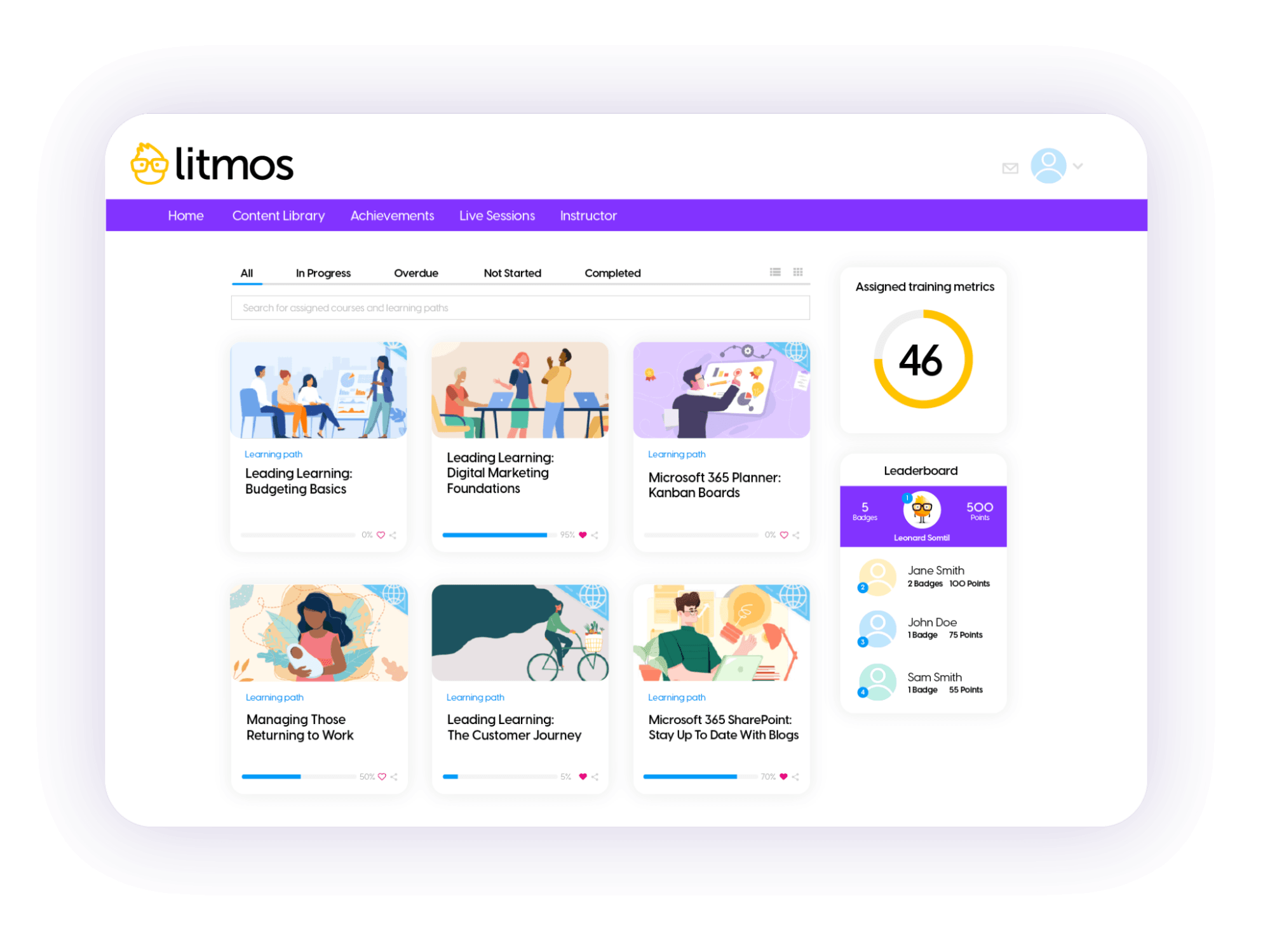
Litmos is a cloud-based, AI-powered learning management system designed to streamline corporate training across entire organizations. It stands out for its rapid deployment capabilities and intuitive interface that requires minimal training for both administrators and learners.
The platform excels at handling diverse training scenarios, from mandatory compliance training and new hire onboarding to sales enablement and customer education. It features a modern, mobile-first design that lets employees learn on the go in bite-sized chunks.
Key differentiators include an AI Assistant for personalized learning journeys, built-in content authoring tools, and integration with major business systems, including Salesforce, SAP SuccessFactors, and various HRIS platforms.
| Strengths | Drawbacks |
|---|---|
| Built for regulated process training: Scales from small teams to enterprise environments that need structured training for regulated workflows requiring validation. | Higher administrative effort: Setup and configuration require more effort than lightweight training platforms. |
| Centralized training visibility: Provides dashboards and reports that show training completion and coverage across teams and locations. | Advanced reporting for small teams: Advanced reporting can be excessive for organizations with simple training needs. |
| Built-in compliance and certification tracking: Supports recurring certifications and mandatory training required for audits and policy enforcement. | No in-system execution enforcement: Does not guide or enforce correct task execution inside live enterprise applications. |
Pricing: Tiered pricing based on users and features. Contact sales for specific business plans.
A customer’s perspective
The Litmos platform has been ideal for supporting both our new franchisee onboarding and internal compliance training. We particularly value how easy it is to create, assign, and track learning content across our large and diverse network of both our franchisees and colleagues. It’s customisation features are excellent and help make it feel part of our own tech offering. – Ben C., Product Owner
Expert opinion
Litmos is well-suited for organizations that need tight control over mandatory training and clear proof of completion at scale. It works best when compliance, certification, and audit readiness drive training decisions. Teams that need in-system task enforcement will need an additional layer.
2. 360Learning
Best for: Organizations that want subject-matter experts to create and maintain training instead of relying solely on L&D teams.
G2 rating: 4.6/5
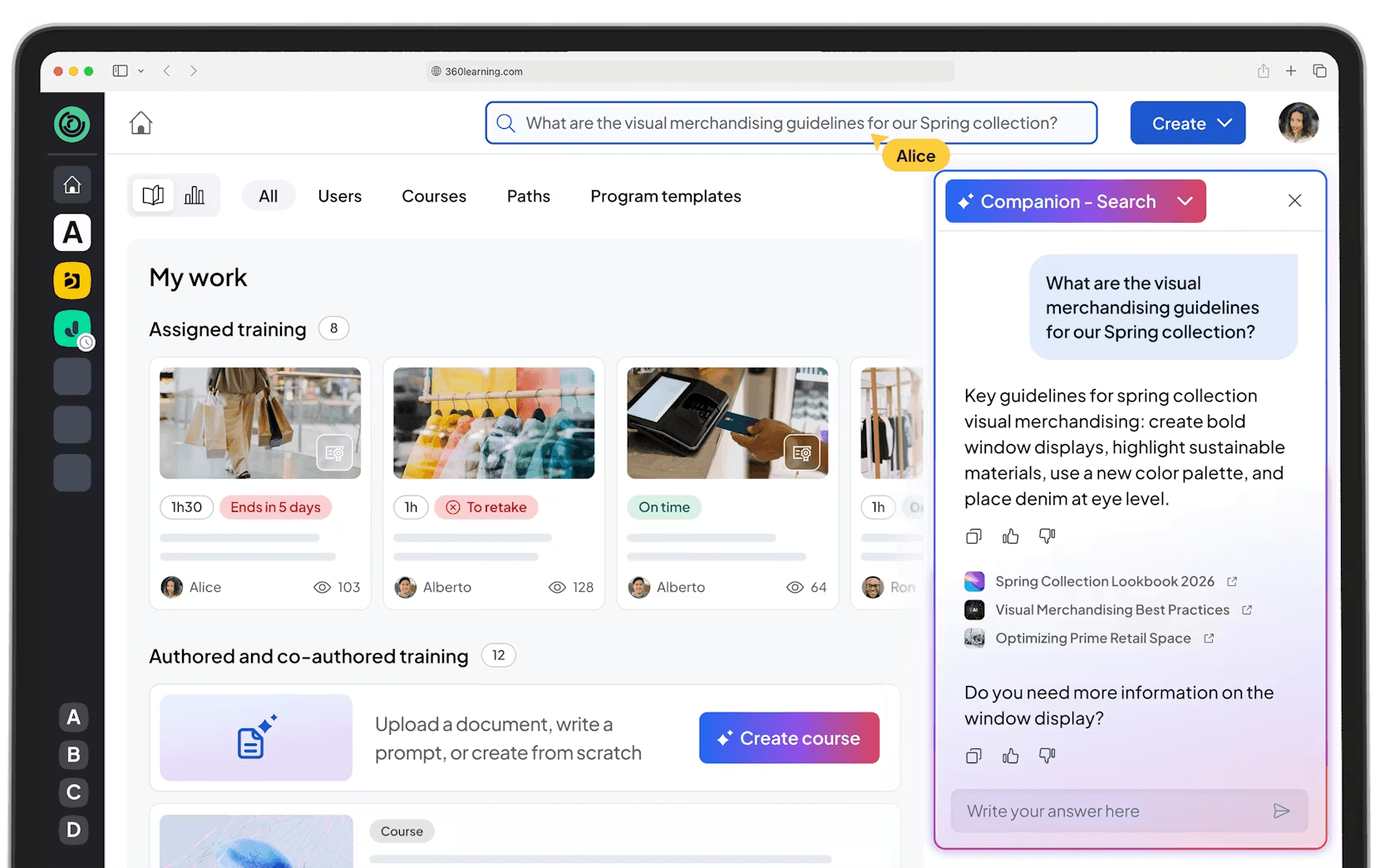
360Learning is built around collaborative training. It enables internal experts to create, share, and continuously improve training content without heavy instructional design effort.
Using AI-assisted authoring, subject-matter experts can convert documents, videos, or presentations into structured training modules in minutes. And learning stays current because content owners update it directly as processes evolve.
The platform encourages peer interaction through discussions, feedback, and upvoting inside courses. This helps employees learn from real operational knowledge rather than static curricula. Further, mobile access, microlearning formats, and built-in nudges make it suitable for busy, distributed, and frontline teams.
| Strengths | Drawbacks |
|---|---|
| Collaborative course creation: Keeps content closely aligned with real-world work. This empowers employees to build and maintain training. | Limited advanced reporting: Analytics and reporting are improving, but may fall short for enterprises needing deep customization. |
| Fast content updates: AI-assisted authoring and simple editing allow training to evolve quickly as processes change. | Not compliance-focused: Better suited for continuous learning than certification-heavy or regulatory training. |
| Modern and intuitive user experience: Clean interface that users consistently describe as easy to use and engaging. | Enterprise pricing at scale: Affordable for small teams, but costs increase significantly for large deployments. |
Pricing: Team plan starts at $8 per user/month (up to 100 users). Enterprise pricing is available for larger deployments.
A customer’s perspective
I like that 360Learning is easy to use; we don’t need to train our end users on how to use the platform. It’s easy for content creators to design content, even from a PDF or PowerPoint. The authoring experience is very intuitive, allowing us to enrich static content with interactive elements like quizzes or knowledge checks directly within the course flow. Another key strength is how accessible the tool is for contributors, enabling everyone to participate in content creation without needing instructional design or technical expertise. The combination of ease of use, rapid content creation, and built-in interactivity makes 360Learning a very efficient solution for scaling internal knowledge and accelerating learning deployment across teams. – Marie B., Learning and Development Manager
Expert opinion
360Learning is a great choice for scaling practical, up-to-date training without overloading L&D teams. Companies with strict compliance requirements or advanced reporting needs should plan to pair it with a traditional LMS rather than use it as a standalone system.
3. Cornerstone OnDemand
Source: Cornerstone OnDemand
Best for: Large organizations that require structured employee training and compliance management across multi-department structures
G2 Rating: 4.3/5
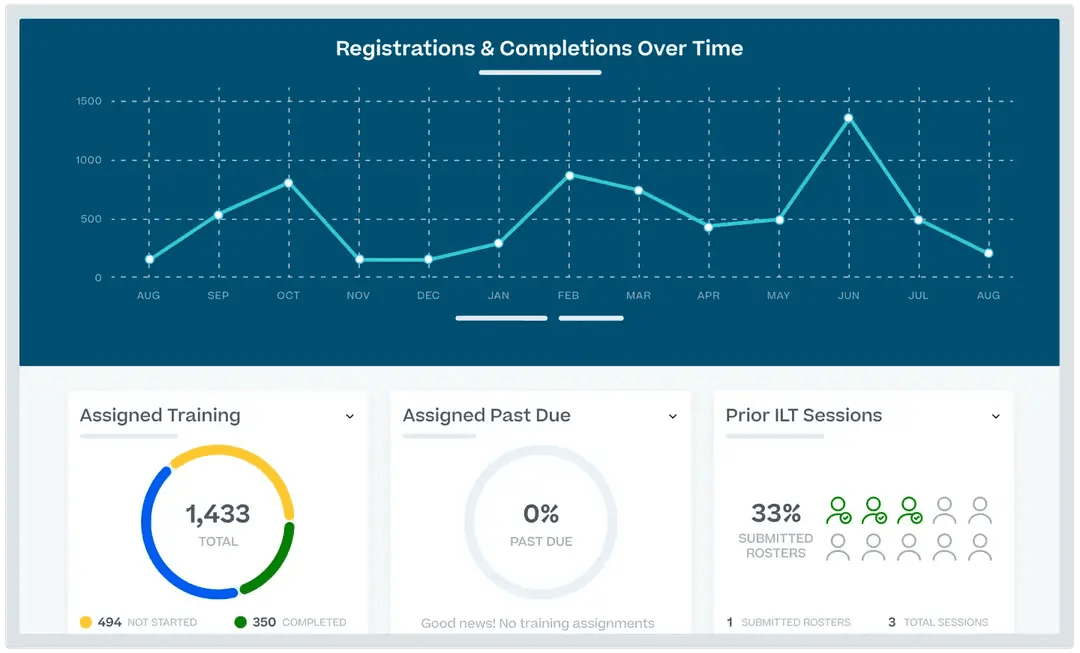
Cornerstone OnDemand is an enterprise-grade training platform built to manage mandatory training, system onboarding, and compliance programs at scale. Organizations use it to assign role-based training, track completion, manage certifications, and maintain audit readiness across departments and regions.
The platform supports multi-department organizational structures. This makes it suitable for global teams that need centralized control over training requirements and want to ensure employees consistently follow policies and procedures. Administrators can configure training paths tied to job roles, so employees complete required system and process training before performing specific tasks.
| Strengths | Drawbacks |
|---|---|
| Compliance and certification management: Handles mandatory training, recurring certifications, and audit documentation effectively. | Extensive for administrators: The breadth of functionality can feel overwhelming and requires experienced admins to configure and manage effectively. |
| Compliance and certification management: Handles mandatory training, recurring certifications, and audit documentation effectively. | User experience can feel heavy: Despite improvements, some employees find the interface less intuitive than newer, lightweight platforms. |
| Enterprise scalability: Supports large user bases, global operations, and multi-department hierarchies. | Enterprise-level cost and effort: Implementation timelines and pricing make it unsuitable for small teams or organizations with simple training needs. |
Pricing: Custom enterprise pricing. Costs vary based on selected modules, user volume, and deployment scale.
A customer’s perspective
Closes the skill gaps in the workforce, provides innovation, and quality demos of the latest technological learning for future growth. – Freda, VP Sr. Manager Operations Technology
Expert opinion
Cornerstone OnDemand works best in compliance-driven and process-intensive environments such as finance, healthcare, manufacturing, and regulated industries. It suits organizations that prioritize consistent training execution, audit readiness, and centralized control over employee training programs, rather than lightweight or ad hoc training delivery.
4. TalentLMS
Source: TalentLMS
Best for: Organizations that need a lightweight but structured training system to standardize process training, system onboarding, and compliance without enterprise-level requirements.
G2 Rating: 4.6/5
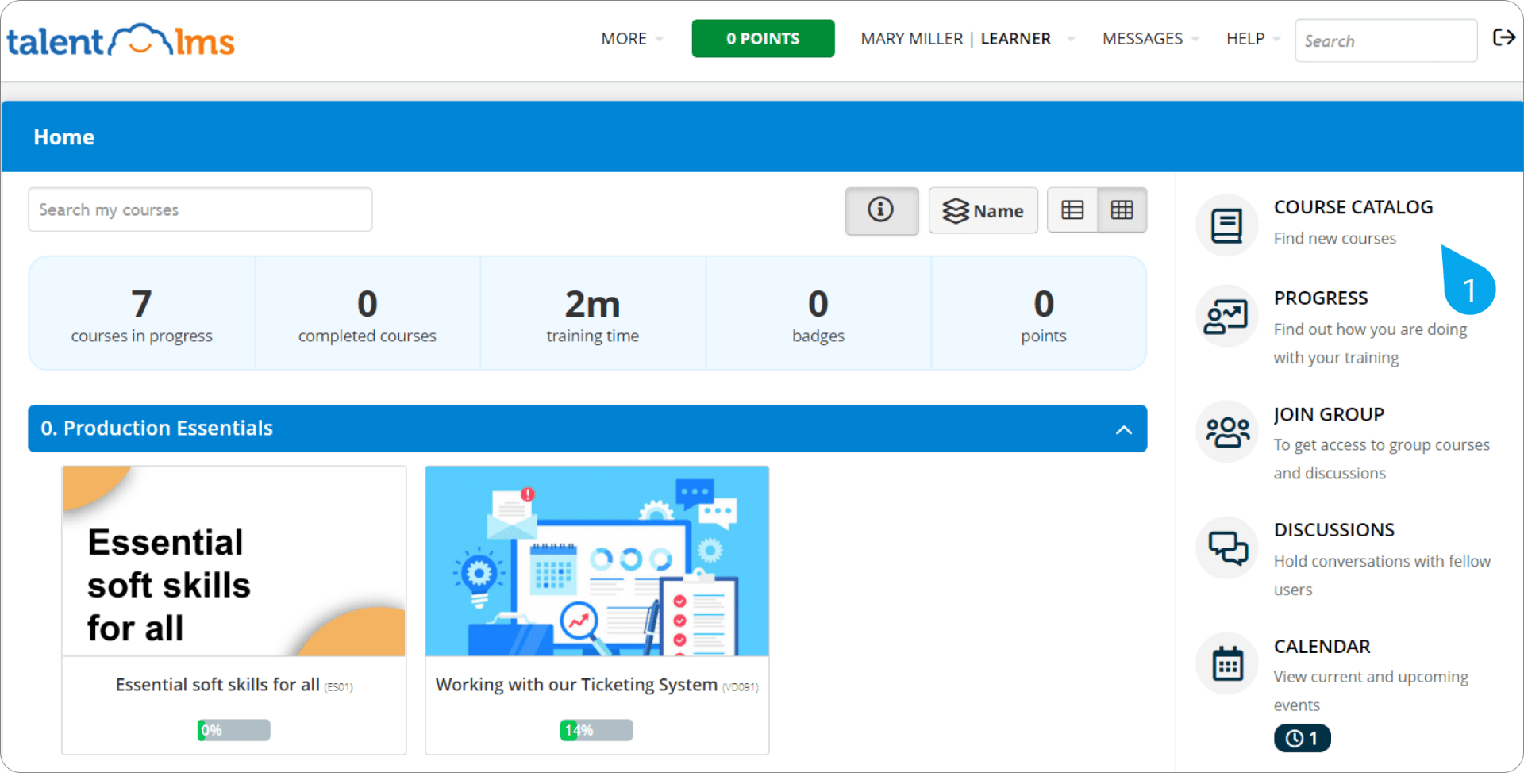
TalentLMS stands out for its speed and simplicity. Teams use it to roll out employee training on internal systems, processes, or policies without long setup cycles or heavy admin overhead.
Unlike enterprise LMS platforms that require extensive configuration, TalentLMS lets organizations publish, assign, and update required training quickly, making it practical for fast-changing processes and growing teams.
Managers can confirm who completed required training, assess understanding with built-in checks, and reset or reassign training when processes change.
| Strengths | Drawbacks |
|---|---|
| Quick setup and usability: Simple to deploy and use across teams without heavy technical support. | Limited advanced features: Platform’s functionality remains basic compared with feature-rich enterprise training systems. |
| Centralized training management: Create, organize, and assign training in one place, with tracking and progress reports. | Customization constraints: Offers limited options for customizing course layouts, content organization, and portal styling. |
| Flexible delivery: Supports web and mobile access, blended training formats, and automated administrative tasks. | Reporting limitations: Analytics and reporting lack depth and export options, which limit detailed tracking of training outcomes. |
Pricing: Offers clear tiered plans, including a free plan for up to 5 users and a Core plan starting around $119 per month (billed annually).
A customer’s perspective
I appreciate that TalentLMS serves as a comprehensive internal learning platform for both employees and contractors, eliminating the need to explore different platforms for each country as a global employer. The short course duration of approximately 15 minutes is a perfect fit for our busy schedules, making it feasible for participants to engage in training without extensive time commitments. I value how the platform frames questions to challenge critical thinking, effectively assessing more than just surface knowledge. This aspect is especially beneficial for knowledgeable managers, as it provides them with an opportunity to test and refine their skills. Furthermore, the customer experience and onboarding team were incredibly helpful during the initial setup, ensuring a smooth transition to TalentLMS without any issues on their part. – Sweta S.
Expert opinion
TalentLMS suits teams that need to deploy employee training on systems and processes quickly, without heavy configuration or administrative overhead. It works best for standardized onboarding, policy rollouts, and compliance training where speed and clarity matter more than customization. Organizations with advanced compliance or execution requirements may outgrow it as training needs grow.
5. Axonify
Source: Axonify
Best for: Frontline-heavy organizations that need daily reinforcement of critical knowledge, not one-time training.
G2 Rating: 4.7/5
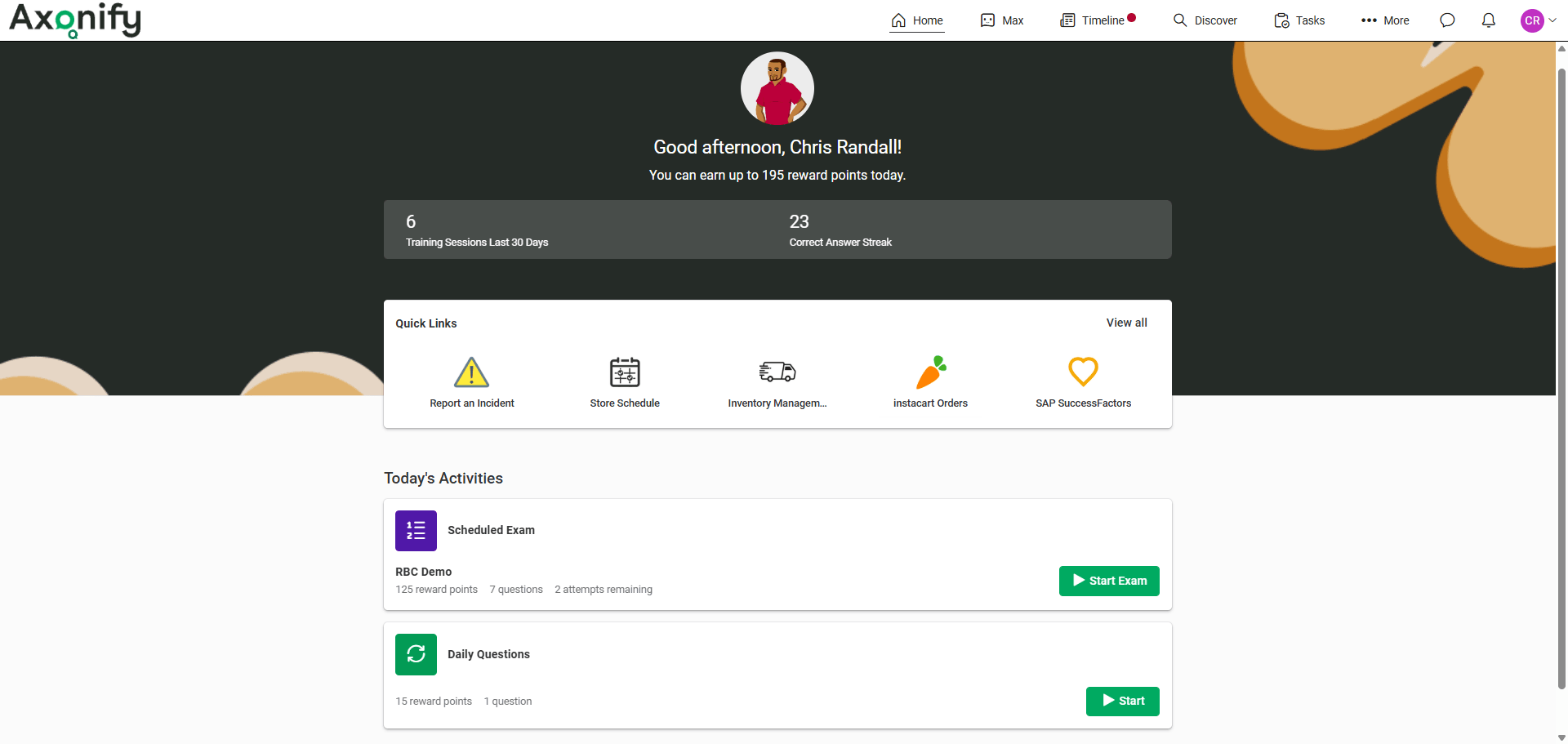
Axonify supports employee training by reinforcing company procedures, safety rules, and system tasks through short, frequent sessions. Organizations use it to keep frontline teams aligned with work expectations during daily operations, especially where errors carry immediate operational or safety risk.
Axonify adapts reinforcement based on employee responses, letting teams focus on areas where mistakes occur most often. Managers can also link training outcomes to operational outcomes, such as safety incidents, errors, or missed procedures.
| Strengths | Drawbacks |
|---|---|
| Microlearning with reinforcement: Short, frequent learning bursts improve retention and reduce the “forgetting curve” common with one-time training. | Not a full employee training system: Does not replace structured onboarding or certification-heavy training systems. |
| Exceptionally high engagement: Gamification, points, and leaderboards drive regular voluntary participation, especially among frontline teams. | Micro-content creation required: Organizations must invest in creating or sourcing question-based content rather than uploading traditional courses. |
| Adaptive, personalized training: AI adjusts content based on individual performance, focusing attention where it’s needed most. | Enterprise-focused pricing: Pricing and packaging may be less accessible for small teams or budget-constrained organizations. |
Pricing: Available via quote. Uses an enterprise subscription model based on user volume and selected add-ons.
A customer’s perspective
I love the brain science behind it. The reinforcement program WORKS! They understand the learning experience extremely well, and it is set up to be fun and easy to use. The support team is incredibly knowledgeable, and the implementations team is extremely well-rounded and helpful. – Yunis H., Digital Systems Engineer
Expert opinion
Axonify fits environments where employees make frequent, high-impact decisions and need constant reinforcement to stay accurate. However, it’s not designed to explain advanced concepts from scratch. It assumes baseline training already exists and focuses on keeping knowledge sharp, accurate, and applied under real working conditions.
What Separates Motivating Development Tools From Basic Training Systems
In a word: relevance. Effective development systems align directly with company workflows and system tasks. Basic platforms deliver generic content that employees complete once and rarely apply in real work.
Let’s break down a few differentiators:
1. Skill pathways employees can follow
Instead of listing unrelated courses, motivating training systems focus on the skills needed to complete specific system tasks and workflows. Employees follow clear paths that show which procedures, rules, and steps apply to their daily responsibilities in company systems.
Basic training systems assign modules without connecting them to real workflows, leaving employees uncertain about how the training applies to actual tasks.
2. Progress feedback beyond scores
In basic training systems, feedback stops at quiz scores or completion status. Effective development platforms provide feedback on task accuracy and process adherence, including missed steps, incorrect entries, and policy violations.
Instead of “pass” or “fail,” employees see whether they complete required workflows correctly in company systems. And know what to correct before errors repeat.
3. Learning tied to future roles
Training often fails when employees do not see how it applies to their responsibilities. Good training systems connect activities directly to the systems and processes employees use, including tasks they may perform as responsibilities expand within the same workflow.
Instead of abstract outcomes, training clarifies which procedures, approvals, or system actions an employee is authorized and prepared to handle. This reduces hesitation when new or less-frequent tasks arise.
4. Recognition and visibility for effort
Basic training systems record completion but offer little visibility into readiness. Modern platforms show effort through clear indicators of process readiness and execution accuracy.
Managers can see which employees are trained on specific systems, workflows, or tasks, where errors occur, and where more reinforcement is needed. Recognition is tied to task readiness and compliance, not course participation.
Why Employees Disengage From Training Over Time
Many organizations launch training programs with momentum but see participation drop within months. Employees do not disengage because they resist training. They disengage because the training no longer helps them perform tasks correctly within the company’s systems.
Here are some issues that show up again and again:
- Training feels irrelevant to real work: When training software offers generic courses that do not match the systems or processes employees use, employees stop taking training seriously. They skip modules, click through content, or use shortcuts because training does not help them complete real tasks.
- Training becomes a checkbox exercise: When organizations design training just to meet compliance requirements, employees do the minimum to finish. They click through content, pass quizzes, and move on. Training becomes something to complete, not something they rely on at work.
- Nothing keeps the experience fresh: When training content does not evolve with systems, processes, or policies, employees stop returning. Static modules and repetitive formats fail to support updated workflows, so training quickly loses relevance.
- Too much learning creates fatigue: Long courses, frequent reminders, and too many notifications push training down the priority list. When training competes with real work instead of supporting it, employees avoid the platform.
- Effort leads to no visible payoff: If managers don’t acknowledge progress and learning doesn’t influence roles or opportunities, employees stop seeing the point.
Why do Employees Stop Connecting Learning With Performance
In many workplaces, there’s a noticeable disconnect: employees don’t associate what they learn in training with how they perform on the job. This gap can grow over time for a few reasons:
1. Siloed learning experience
Most training platforms sit apart from the tools employees actually use. An employee completes a course in an LMS, then opens their CRM, ERP, or support system and finds no reminders, guidance, or cues tied to that learning. Because nothing shows up where work happens, learning feels theoretical.
2. Lack of real-world application
Employees may complete training on a process or policy. But then, perform related tasks in CRM, ERP, or finance systems without clear guidance on how to apply those rules. Lacking connection to real workflows, they treat training as theoretical and rely on guesswork during execution.
3. Poor measurement and feedback
Many organizations measure training success by completion rates or quiz scores instead of execution outcomes. Managers review performance without visibility into whether employees follow required workflows or apply policies correctly inside company systems.
When training does not influence how work gets assigned, reviewed, or corrected, employees stop treating it as operational support.
4. Time lag between learning and performance
Organizations often train employees on systems months before they use them in real workflows. When employees perform tasks, they forget steps, misapply rules, and blame system sophistication rather than recalling their training.
Without reinforcement at the point of execution, the link between training and correct task performance breaks down.
What Happens When Development Must Guide Day-To-Day Decisions
A procurement specialist completes a three-hour vendor risk training. She understands the framework and scores 92% on the quiz.
Two weeks later, she reviews a real supplier contract. Competitive pricing. Risky region. She needs to decide whether the contract requires a Level 2 or Level 3 review and which documents she must attach before approval.
She freezes.
The training explained the framework but did not support the decision. With a VP waiting, she messages a colleague, skims the policy, and makes her best guess. The information exists, but is not available when she needs to act.
This is where most training and development systems fall short. They explain concepts but do not support employees during real execution.
- Knowledge transfer does not equal decision readiness: Training courses rely on clean examples: “If X happens, do Y.” Real work introduces incomplete information, competing variables, and time pressure. Employees may understand the rules but still hesitate when the situation does not align with the training scenario.
- Training occurs once, but decisions recur: An employee completes expense policy training in Week 1. Three months later, she submits a conference expense and can’t recall whether vendor-provided meals count toward the allowance. With no guidance available at submission, she guesses.
- Execution is the moment learning either holds or collapses: A finance team completes SAP training on journal entries. At month-end, deadline pressure causes analysts to miscode entries, not from lack of training, but because recall fails under speed and cognitive load.
In conclusion, training builds the foundation. However, decisions are made within systems such as Salesforce, Workday, SAP, and ServiceNow. When guidance doesn’t appear there, employees rely on memory or guesswork. That’s why development must meet employees in their workflows to influence real decisions.
How Apty Helps Reinforce Development Inside Real Work Systems
Training creates understanding. Execution requires support.
This is where Apty helps.
Apty is a digital adoption platform that reinforces training and development by delivering in-app guidance directly inside the systems employees use to do their work. Instead of expecting employees to recall policies, steps, or frameworks from training, Apty ensures correct execution at the point of action.
| Without in-app guidance | With Apty in-app guidance |
|---|---|
| Employees rely on recall from training | Employees execute guided workflows |
| Errors surface in audits or reports | Errors are prevented at entry |
| New hires depend on peers or support | New hires complete tasks independently |
| Skills decay between use | Skills strengthen through repeated execution |
Note: Apty does not add training content. It reinforces how employees execute trained processes inside live systems.
Apty integrates into web-based enterprise applications such as Salesforce, Workday, SAP, ServiceNow, and internal tools. Once deployed, it overlays the following on top of live workflows:
1. Contextual in-app guidance
After employees complete training on a process, Apty guides them step by step the next time they perform that task in the live system.
For example, a sales rep trained on deal approvals sees in-app prompts inside Salesforce that guide them through pricing checks, approval steps, and required fields. No leaving the opportunity screen or referencing training materials.
2. Real-time validation and enforcement
Apty validates actions against business rules taught in training. If an employee enters data that violates policy, such as exceeding discount thresholds or skipping mandatory risk documentation, Apty blocks submission and explains exactly what needs to change.
3. Process-driven execution
Rather than suggesting next steps, Apty enforces the correct sequence of actions.
In systems such as SAP or Workday, employees cannot proceed until required steps are completed in the approved order. This ensures that employees execute processes exactly as designed in training, even for extensive or infrequent tasks.
4. Immediate performance feedback
Employees receive feedback while completing the task, not days later through audits or manager reviews. If a step is done incorrectly, Apty flags it immediately and explains the correction. Over time, repeated guided execution turns trained concepts into reliable habits
We've internally branded Apty as 'Alfred' – a little helper we've integrated into ServiceNow, Workday, and Salesforce. During the time of implementation, we received a lot of positive feedback because it was finally teaching our users how to use our SaaS software the right way. It streamlined how we implement new workflow processes and helped both non-technical users and corporate teams remember how to perform certain tasks.
We also invested heavily in improving our onboarding experience, especially around benefits. In Workday, the process is long and complex and can take hours to complete from start to finish. With Apty in place, we reduced the call volume of benefits-related questions during onboarding and open enrollment by 60%. We have continued to see strong success with Apty.
— Dylan H., Product Manager
The Bottom Line
Employee training and development are effective only when they support how work gets done within company systems. Training that ends at the LMS explains policies and processes but leaves employees relying on memory when they return to ERP, CRM, HCM, or finance tools.
Training platforms help organizations document workflows, assign required training, and prepare employees to use enterprise systems. However, completion alone does not prevent errors, missed steps, or inconsistent execution.
To turn training into consistent performance, organizations need reinforcement in the moment. This is where a digital adoption platform like Apty fits. Training systems explain how processes work. Apty supports employees as they execute processes in live systems by guiding steps, validating actions, and preventing errors before they occur.
Want to see how Apty reinforces training inside real workflows?
FAQs
1. What’s the difference between training software and development software?
Training software focuses on how to perform a task or meet compliance requirements. Development software takes a longer view. It helps employees build skills over time, prepare for future roles, and grow their careers.
2. Can training and development software support career progression?
Yes, when designed intentionally. These platforms map skills to roles, recommend learning tied to promotions or lateral moves, and show employees what they need to grow. When employees see a clear link between learning and opportunity, engagement increases and internal mobility improves.
3. Why do employees disengage from learning platforms over time?
Employees disengage when learning feels irrelevant, repetitive, or disconnected from real work. Generic content, compliance-only programs, overload, and lack of recognition all contribute. Most importantly, employees tune out when learning doesn’t improve their performance or career prospects.
4. How do teams measure training and development success?
Completion rates matter, but they’re not enough. Teams measure retention, application, and business impact. That includes fewer errors, faster task completion, improved KPIs, internal promotions, and reduced support tickets.
5. When should organizations reinforce development with in-app guidance?
In-app guidance is critical during software rollouts, for extensive or infrequent tasks, for compliance-sensitive actions, and whenever employees hesitate or guess. Reinforcement at the point of work turns learning into execution and prevents mistakes before they happen.











