

Table of Contents
- TL;DR
- What tooltips are and where they fit in in-app guidance
- Where tooltips should be placed for best user experience
- Tooltip software tools teams commonly compare for contextual guides and user guidance
- Tooltip best practices that make guidance feel helpful
- Principle 1 – Keep tooltip text short and action-focused
- Principle 2 – Make tooltips easy to dismiss or skip
- Principle 3 – Avoid repeating what the UI already says
- Principle 4 – Don’t block key UI elements with placement
- Principle 5 – Use tooltips only when context truly helps
- Principle 6 – Design tooltips to feel native to the product
- Principle 7 – Adjust tooltips for mobile and smaller screens
- Principle 8 – Use sequences when a workflow needs multiple steps
- Principle 9 – Add progress and navigation for multi-step guidance
- Principle 10 – Control tooltip frequency to avoid fatigue
- Principle 11 – Trigger tooltips based on behavior, not guesses
- Principle 12 – Test and refine based on real user responses
- What to look for when choosing tooltip software
- How Apty delivers measurable business outcomes across enterprise workflows
- Frequently Asked Questions
Software ROI is directly tied to user adoption. In complex enterprise environments, even the most intuitive interface creates friction if employees or customers are unsure of their next steps. Tooltip software bridges this gap by delivering precise, contextual guidance at the moment of need. This approach reduces support costs and accelerates time-to-proficiency. Yet, tool capabilities vary significantly. Enterprise environments require specific features to handle complex workflows and ensure compliance effectively.
TL;DR
- The best tooltip software tools for enterprise in-app guidance include Apty, WalkMe, Userpilot, Pendo, and Whatfix, each aligned to different digital adoption needs.
- Digital adoption platforms such as Apty and WalkMe supports cross-application workflows and enterprise process control across CRM, ERP, and HRMS systems.
- Product-led growth tools like Userpilot and Pendo focus on feature adoption and product analytics within web-based SaaS applications.
- Tooltip software improves enterprise software adoption by delivering contextual in-app guidance at the moment of need, reducing workflow errors and support dependency.
- Choosing the right tooltip software depends on implementation model, governance control, analytics depth, and the complexity of enterprise workflows.
What tooltips are and where they fit in in-app guidance
A tooltip is a small, contextual overlay that appears when a user interacts with a specific element within a software interface. Unlike static documentation or lengthy training videos, tooltips provide “micro-guidance” which delivers instant answers to specific questions in real-time.
In the broader ecosystem of in-app guidance, tooltips serve as the precision instrument. While product tours introduce broad concepts and walkthroughs guide users through multi-step processes, tooltips handle the nuance. They clarify complex form fields, validate data entry formats, and remind users of critical compliance steps without forcing them to leave the application to seek help.
Where tooltips should be placed for best user experience
Strategic placement ensures that guidance drives productivity rather than disrupting workflow.
- Form Fields
Place tooltips next to input fields that require specific formatting (e.g., dates, currency) or proprietary internal codes to prevent data entry errors. - New Features
Attach tooltips to navigation menu items or buttons that have recently changed to accelerate adoption of new capabilities. - Disabled Elements
Use tooltips on grayed-out buttons to explain why the action is unavailable and what the user needs to do to enable it, reducing frustration and support tickets. - Complex Metrics
In analytics dashboards, place tooltips over column headers to define how specific KPIs are calculated, ensuring data literacy across the organization.
Tooltip software tools teams commonly compare for contextual guides and user guidance
When evaluating tooltip software, avoid getting stuck on feature lists. Focus on business fit and operational scalability. Below is a breakdown of top-rated platforms highlighting their strategic value.
| Software | Ideal Use Case | G2 Rating | Implementation Effort | Key Differentiator |
|---|---|---|---|---|
| Apty | Digital Adoption | 4.7/5 | Browser extension with No-Code Editor | Focuses on fixing broken business processes across multi-app workflows. |
| WalkMe | Digital Adoption | 4.5/5 | Requires significant technical resources | Extensive feature set for massive enterprises. |
| Userpilot | SaaS Product Growth | 4.6/5 | Chrome extension for Web Apps | Excellent for product teams focused on user onboarding and feature adoption. |
| Pendo | Product Analytics | 4.4/5 | Install script required | Strong analytics-first approach that pairs guidance with deep usage data. |
| Whatfix | Employee Training | 4.6/5 | Browser extension | Good for internal employee training and varied content aggregation. |
1. Apty
Ideal Use Case: Enterprise Process Compliance & Employee Productivity
G2 Rating: 4.7/5
[Add Apty Image]
Source: Apty
Apty is a Digital Adoption Platform purpose-built for the enterprise. Unlike basic tooltip tools that merely describe UI elements, Apty helps enterprises get more value from their software stack and drive measurable ROI. It sits as an intelligent layer over any web-based application, guiding employees through complex workflows while actively preventing data entry errors before they happen.
Key Features
- Cross-application guidance
- Data validation tooltips
- Workflow analytics
- No-code editor
- Segmentation and targeting
- In-app help center
Platform Strengths
- Deeply focuses on business outcomes and enforces data quality.
- Lightweight implementation.
- Strong support for custom and complex enterprise applications.
Customer Opinion
Customers value Apty as a Digital Adoption Platform that helps teams navigate enterprise applications with confidence, whether it involves completing processes, following workflows, or adapting to new system updates. They highlight that the platform allows non-technical teams to implement guidance quickly, reducing reliance on IT. They also value the responsive support team and the tangible impact on data accuracy and training time, particularly in enterprise applications like Salesforce and Workday.
Our Expert Opinion
Apty stands out because it prevents errors instead of only explaining actions. For enterprises struggling with dirty data in Salesforce or confusing workflows in Workday, Apty’s ability to validate input and block incorrect actions makes it more than a training tool. It becomes a strong compliance support layer that helps enterprises maintain cleaner data and more consistent process execution. It is a strong strategic choice for operations leaders who need to prove tangible business ROI from their software investments.
Watch how enterprises accelerate software ROI with Apty
2. WalkMe
Ideal Use Case: Large-scale Digital Adoption
G2 Rating: 4.5/5
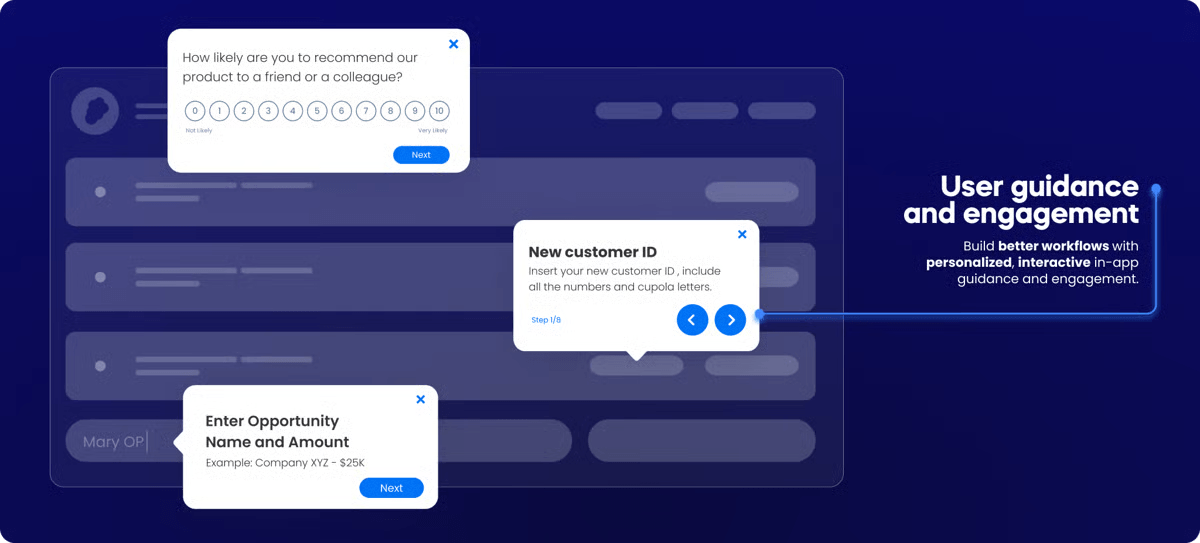
Source: G2
WalkMe is a pioneer in the Digital Adoption Platform space, offering a comprehensive suite of features designed to simplify the user experience across large enterprise software stacks. Its platform allows organizations to create sophisticated guidance flows, automate repetitive tasks, and gather deep insights into user behavior, making it a robust solution for large-scale digital transformation initiatives.
Key Features
- Automation
- Insights
- Vast integration library
Platform Strengths and Trade-offs
| Strengths | Limitations |
|---|---|
| Extremely comprehensive feature set. | Implementation can be complex and expensive. |
| Handles very complex, large-scale enterprise scenarios. | Often requires dedicated technical resources for maintenance and updates. |
| Strong brand recognition and extensive ecosystem. | Editor UI can feel clunky for less technical users. |
Customer Opinion
Users commend WalkMe for its robust feature set and ability to handle large-scale enterprise deployments, noting significant improvements in user onboarding and change management. But many reviewers cite a steep learning curve for the builder interface and note that implementation requires dedicated technical resources or certified developers to maintain effectively.
Our Expert Opinion
WalkMe is a mature platform designed for large organizations that are ready to invest in structured digital adoption programs. Its broad feature set supports many enterprise scenarios, though organizations should be prepared for a more involved setup and ongoing management effort. It is best suited for organizations that have a dedicated “Digital Adoption” team ready to build, maintain, and troubleshoot a sophisticated implementation.
3. Userpilot
Ideal Use Case: SaaS Product Growth
G2 Rating: 4.6/5
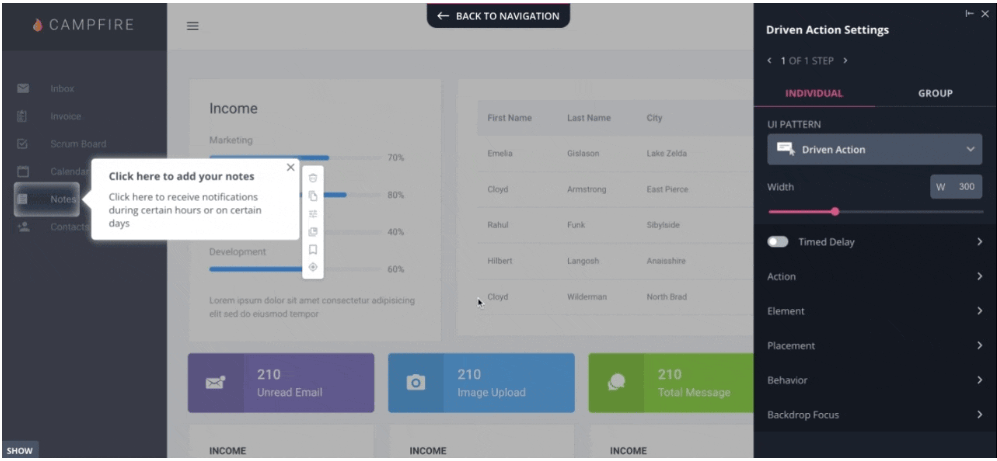
Source: G2
Userpilot is a product growth platform specifically designed to help SaaS companies improve user onboarding and increase feature adoption. It provides product managers with an intuitive interface to build personalized in-app experiences, such as checklists, modals, and tooltips, without writing code. The platform emphasizes driving user activation and retention through behavioral-based triggers and segmentation.
Key Features
- Growth insights
- NPS surveys
- Resource center
Platform Strengths and Trade-offs
| Strengths | Limitations |
|---|---|
| Beautiful, modern UI that is easy to set up for product managers. | Limited support for internal employee software or non-web applications. |
| Strong focus on user sentiment and growth metrics. | Pricing can be steep for startups, with key features locked behind higher tiers. |
| Excellent for driving feature adoption in web-based apps. | Analytics can be less comprehensive than dedicated tools. |
Customer Opinion
Reviewers frequently highlight Userpilot’s intuitive, modern interface and excellent customer support, making it a favorite for product managers focused on SaaS onboarding. While users love the ease of creating flows, some note that the reporting features could be more granular and that the pricing model can be expensive for early-stage startups compared to basic alternatives.
Our Expert Opinion
Userpilot is excellent for Product Managers in SaaS companies who need to improve activation rates and drive product-led growth. It excels at the “front-end” user experience, making onboarding look great and feel smooth. It is better aligned with SaaS product onboarding than with complex internal enterprise workflows.
4. Pendo
Ideal Use Case: Product Analytics
G2 Rating: 4.4/5
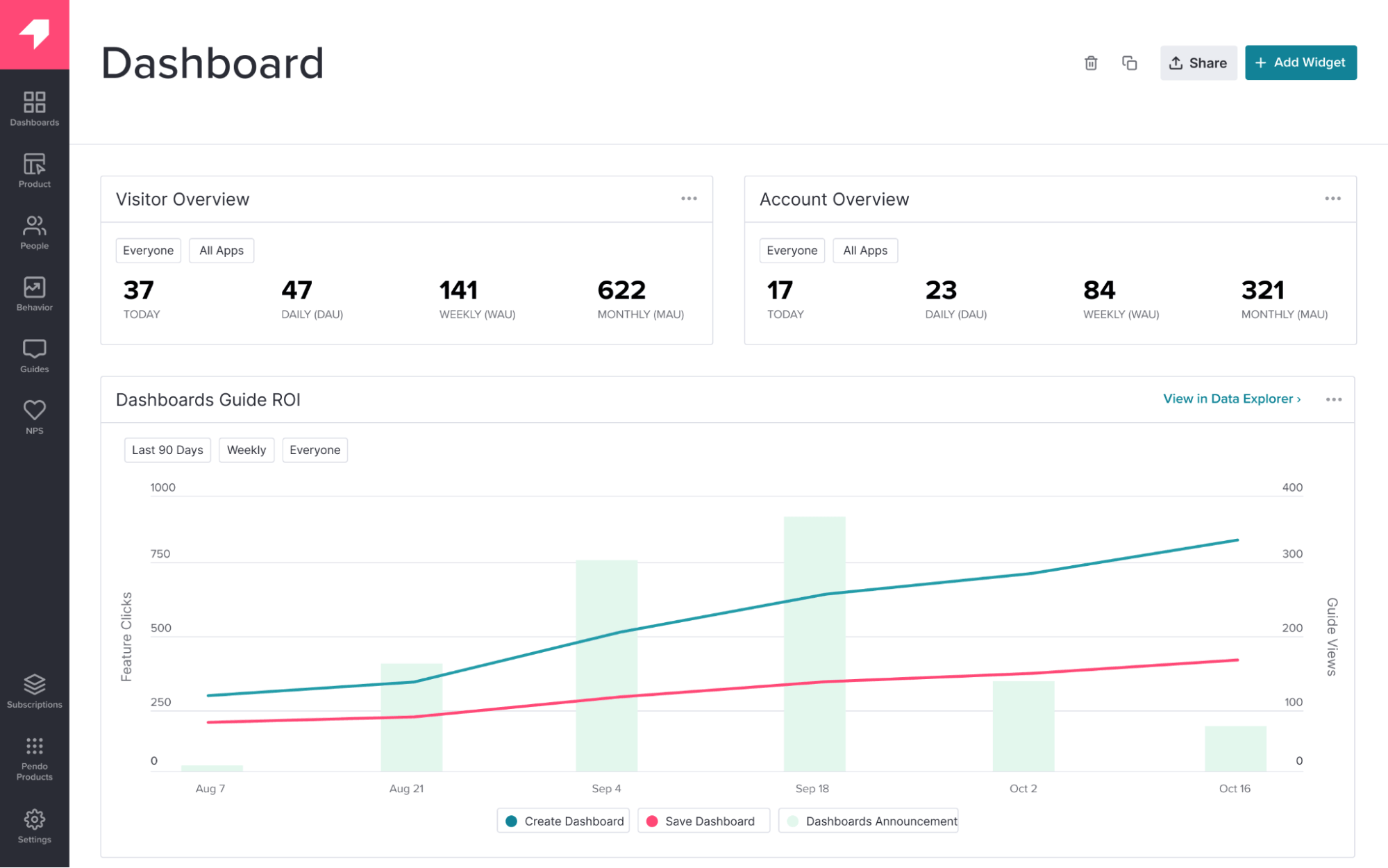
Source: G2
Pendo combines powerful product analytics with in-app guidance capabilities, giving teams a unified view of how users interact with their software. It is primarily built to help product teams understand user journeys, identify friction points, and then deploy targeted guides to improve specific behaviors. Pendo is best known for its ability to track retroactive data and mobile application usage.
Key Features
- Retroactive analytics
- Mobile app support
- Feedback collection
Platform Strengths and Trade-offs
| Strengths | Limitations |
|---|---|
| Best-in-class data analysis that unifies qualitative and quantitative data. | Guidance features can feel secondary to the core analytics product. |
| Strong mobile app support. | Pricing scales steeply and can be expensive for smaller teams. |
| Retroactive analytics allow you to see data from before you set up tracking. | Setup often requires developer involvement. |
Customer Opinion
Pendo is widely celebrated for its deep product analytics and retroactive data capabilities, giving teams unmatched visibility into user behavior. Conversely, users mention that the guidance and tooltip features feel secondary to the analytics, with some finding the guide builder less intuitive and the overall pricing structure prohibitive for smaller organizations.
Our Expert Opinion
Pendo is primarily an analytics tool with guidance features added on. It is especially strong for teams that prioritize deep product usage analysis and behavioral insights. The tooltips and guides are useful, but they are designed to support the data story. Teams seeking a lighter guidance-focused solution may also want to evaluate alternatives alongside Pendo.
5. Whatfix
Ideal Use Case: Employee Training & Support
G2 Rating: 4.6/5
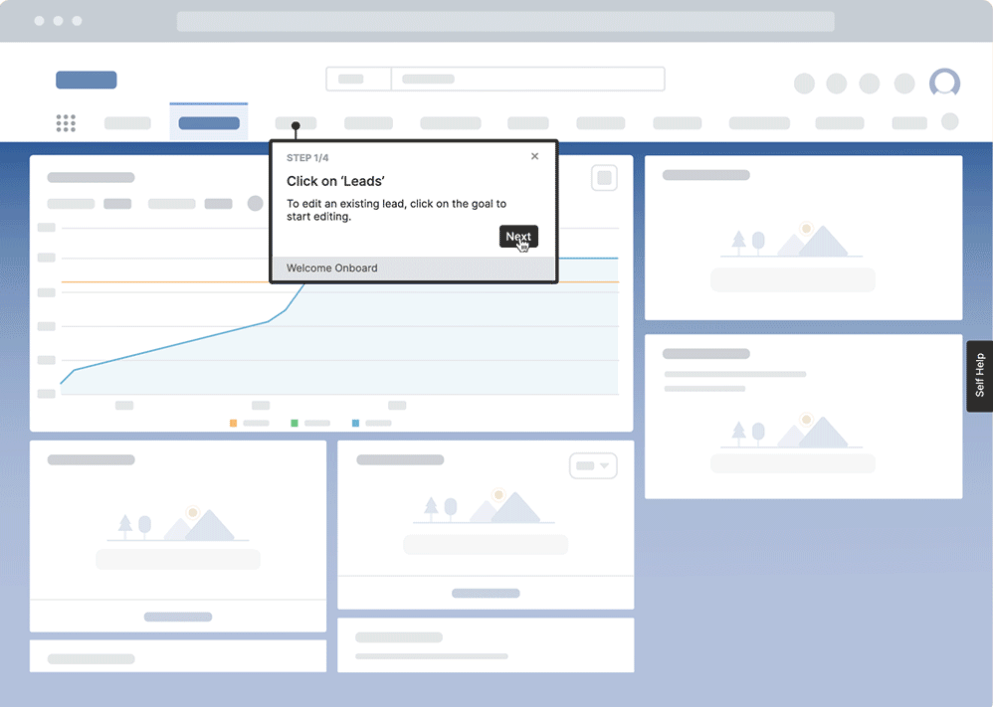
Source: G2
Whatfix focuses on performance support and employee learning, making it a strong choice for organizations looking to modernize their training programs. It allows teams to create interactive walkthroughs that can be easily exported into various formats, such as PDFs and videos, to create a centralized knowledge repository. Whatfix integrates well with Learning Management Systems (LMS) to support formal training initiatives.
Key Features
- SCORM compliance
- Content aggregation
- Multi-format export
Platform Strengths and Trade-offs
| Strengths | Limitations |
|---|---|
| Strong focus on Learning & Development (L&D) use cases. | The editor interface can be less intuitive than modern competitors. |
| Integrates well with Learning Management Systems (LMS). | Implementation can have a steep learning curve. |
| Good mobile support for employee apps. | Reporting may lack the flexibility needed for detailed sales or process analysis. |
Customer Opinion
Users appreciate Whatfix for its strong training capabilities and seamless integration with LMS platforms, making it a solid choice for employee learning initiatives. On the downside, some reviewers find the editor interface outdated and mention that initial implementation can be complex, requiring significant time and effort to get up and running smoothly.
Our Expert Opinion
Whatfix is a strong contender for L&D teams tasked with modernizing training programs. Its ability to export content into various formats (PDFs, videos) makes it a versatile tool for creating a “knowledge hub.” It works best when the primary focus is structured learning and knowledge support.
Tooltip best practices that make guidance feel helpful
Ineffective tooltips create noise rather than value. Follow these principles to ensure your guidance drives productivity and reduces support burden.
Principle 1 – Keep tooltip text short and action-focused
Users scan content to find immediate answers. Limit your tooltip copy to 150 characters or less. Use active verbs (e.g., “Enter,” “Select,” “Click”) to direct the user clearly. If a complex concept requires detailed explanation, link to a knowledge base article rather than overwhelming the user interface.
Principle 2 – Make tooltips easy to dismiss or skip
Ensure users retain control over their experience. Every tooltip should have a clear “X” or “Dismiss” button. For multi-step tours, include a “Skip Tour” option. Forcing a user to click through multiple steps to complete a simple task creates friction and increases abandonment.
Principle 3 – Avoid repeating what the UI already says
If a button says “Save,” avoid adding a tooltip that says “Click here to save.” Use tooltips to add strategic context that isn’t obvious, such as “Saves your progress and submits the draft for manager review.”
Principle 4 – Don’t block key UI elements with placement
Test tooltip placement across different screen resolutions to ensure visibility. A tooltip explaining a “Submit” button should never obscure the button itself or the input fields preceding it. Intelligent tooltip software automatically adjusts positioning (top, bottom, left, right) to prevent occlusion.
Principle 5 – Use tooltips only when context truly helps
Focus guidance on high-value friction points. Reserve tooltips for complex forms, new navigation structures, or non-standard icons. If a feature is intuitive, allow the design to facilitate the interaction naturally.
Principle 6 – Design tooltips to feel native to the product
Guidance should appear as an integral part of the application, not an external add-on. Customize the CSS of your tooltips, including fonts, colors, and corner radius, to match your application’s branding. This visual consistency builds trust and improves the user experience.
Principle 7 – Adjust tooltips for mobile and smaller screens
Desktop hover states do not translate to mobile touchscreens. Ensure your tooltip software detects the device and switches interactions (e.g., tap-to-reveal instead of hover) and resizes the container to fit narrow viewports without breaking the layout.
Principle 8 – Use sequences when a workflow needs multiple steps
Isolated tooltips clarify definitions, but workflows require continuity. Link tooltips together into a “Walkthrough” to guide a user through a sequential process, like “Create Account” > “Verify Email” > “Setup Profile.”
Manage user expectations in multi-step sequences. Add a progress indicator (e.g., “Step 2 of 5”) so users understand the time investment. Include “Back” and “Next” buttons to allow review of previous steps without restarting the entire tour.
Principle 10 – Control tooltip frequency to avoid fatigue
Once a user has engaged with a feature or dismissed a tooltip, suppress it for future sessions. Set frequency caps (e.g., “Show once,” “Show until clicked,” or “Show once every 4 weeks”) to respect the user’s workflow and prevent notification fatigue.
Principle 11 – Trigger tooltips based on behavior, not guesses
Trigger tooltips based on specific user attributes (Role = Manager) or behavior (User has visited this page 3 times but never clicked the ‘Export’ button). Contextual relevance significantly increases engagement and task completion.
Principle 12 – Test and refine based on real user responses
Tooltip strategy requires iteration. Monitor dismissal rates and completion rates. If many users dismiss a tooltip quickly, it may indicate that the guidance needs better timing, placement, or wording. Rewrite it, move it, or remove it to improve the overall guidance strategy.
Note: Effective guidance is not about volume; it is about precision. One strategically placed tooltip can reduce support tickets and improve data quality.
Learn how in-app guidance improves real business outcomes
What to look for when choosing tooltip software
Evaluation of the right tooltip software requires more than comparing feature lists. You must evaluate how well a platform aligns with your technical infrastructure, supports complex workflows, and drives the specific business outcomes like compliance and data quality that matter most to your organization.
| Evaluation Criteria | Why it matters |
|---|---|
| Targeting and triggering control | Show guidance based on department, location, or past actions so each role receives only what fits their workflow. |
| No-code creation and fast updates | Business teams build and edit tooltips through an overlay without touching product code. |
| Support for multi-step flows | Carry users across pages, tabs, and tools while keeping the guidance sequence intact. |
| Analytics for outcomes | Track task completion instead of surface-level views to connect guidance with real impact. |
| Scalable governance | Let teams manage their own content while protecting brand and compliance standards. |
Targeting and triggering control
Not every user needs the same guidance. Strong tooltip software lets teams trigger help based on role, location, or past actions. This keeps guidance relevant, reduces noise, and ensures users receive support that matches their real workflow instead of generic, one-size-fits-all instructions.
No-code creation and fast updates
Business teams should not depend on engineers for every content change. No-code editors allow quick updates when processes change. This keeps guidance aligned with live workflows, shortens turnaround time, and ensures employees always see current, accurate instructions inside the application.
Support for multi-step flows
Enterprise tasks rarely finish on a single screen. Multi-step flow support allows guidance to continue across pages, tabs, and applications. This continuity prevents confusion, reduces drop-offs, and helps users complete complex processes without losing context or restarting the journey.
Analytics for outcomes
Views and clicks do not show business value. Outcome-focused analytics track whether users actually finish tasks after seeing guidance. This helps teams understand which workflows work, which fail, and where guidance needs refinement to improve real operational performance.
Scalable governance
As guidance grows across teams, content control becomes critical. Scalable governance ensures departments can manage their own guides while protecting branding, compliance, and approval standards. This balance keeps guidance consistent, trustworthy, and manageable across large enterprise environments.
Download: Practical checklist before shortlisting vendors
How Apty delivers measurable business outcomes across enterprise workflows
Apty is a Digital Adoption Platform built to turn in-app guidance into operational control. It does not function as a simple tooltip layer. It ensures enterprise applications drive standardized execution, compliance, and measurable business results.
Standardization of Business Processes
Inconsistent execution creates rework, data issues, and compliance exposure. Apty embeds best practices directly into live workflows so employees follow the right process every time. This reduces variability, improves quality, and strengthens operational discipline across departments.
Increase Compliance and Process Efficiency
Missed steps and incorrect inputs create downstream risk. Apty ensures required actions are completed correctly before users move forward. Organizations gain stronger compliance adherence, fewer manual corrections, and more reliable process execution.
Accelerate Digital Transformation and Software Adoption
New systems fail when adoption is shallow. Apty supports employees inside applications at the moment of need, helping them execute real tasks correctly from day one. This increases adoption speed and reduces friction during transformation initiatives.
Improve Utilization of the Technology Stack
Enterprises invest heavily in CRM, ERP, and other core systems. Underutilization weakens ROI. Apty increases meaningful usage by helping users complete business workflows successfully within these platforms. The result is stronger utilization and better returns from existing software investments.
Optimize ROI from Software Investments
Software value is proven through outcomes, not logins. Apty connects user behavior to workflow completion and operational performance, giving leaders visibility into how technology impacts productivity. This enables data-backed decisions and clearer justification of digital investments.
Cross Application Workflows Without Process Breakdowns
Enterprise processes span multiple systems. Apty maintains continuity across applications, ensuring users can complete multi system workflows without fragmentation. This protects process integrity across the entire technology ecosystem.
Book a personalized Apty demo to understand how tooltip guidance drives operational control
Frequently Asked Questions
What is tooltip software?
Tooltip software is a sophisticated interface overlay that allows organizations to create and deploy in-app messages, context-sensitive guides, and interactive walkthroughs directly on top of web-based applications. It functions without altering the underlying source code, enabling non-technical teams to implement guidance, improve user onboarding, and provide instant support exactly where users encounter friction.
What are the most important tooltip best practices?
The most critical best practices involve ensuring tooltips are concise, action-oriented, and easy to dismiss. Strategic placement is vital to avoid obscuring key interface elements. Most importantly, tooltips should be triggered contextually based on user behavior or specific attributes, rather than appearing randomly, to ensure they provide relevant help at the moment of need.
How are tooltips different from walkthroughs or tours?
A tooltip is a single, isolated message attached to a specific UI element, designed to answer a “what is this?” question instantly. In contrast, a walkthrough or product tour is a sequenced series of connected tooltips that guide a user through a multi-step workflow or process, effectively answering “how do I complete this task?”
How do teams avoid tooltip fatigue?
Teams can prevent tooltip fatigue by implementing smart segmentation to ensure only relevant users see specific guides. Additionally, setting frequency caps such as showing a tip only once or once every few weeks and triggering guidance based on user behavior rather than indiscriminately on page load respects the user’s attention and workflow.
Which tooltip software tools work best for complex applications?
For complex enterprise environments that require strict process compliance, data validation, and support across multiple applications (like CRM and ERP systems), Apty and WalkMe are commonly considered strong contenders. For simpler, web-based SaaS products where the primary goal is user onboarding and feature adoption, tools like Userpilot and Pendo are often strong choices.











