

Table of Contents
You’ve bought the software and trained your teams. But after six months, support tickets are still piling up, steps are being skipped, and users are struggling with confusing interfaces.
Enterprises spend millions on SaaS tools each year, but most never see the full return on investment. Why? Because buying the software is just the beginning. The real challenge is making sure people use it correctly.
Software adoption platforms add help directly into the software, guide users step by step, and show business leaders what is working and what isn’t.
But not all tools are the same. Some work on onboarding, while others focus on process compliance. Some suit product teams, while others work well for IT or operations.
This guide compares eight top-rated software adoption platforms with detailed breakdowns to help you pick the right one.
TL;DR
Software adoption platforms help organizations move beyond training decks and support tickets by guiding users through tasks in live applications. Traditional training fails when employees work independently in systems. DAPs provide real-time, in-app guidance when needed. Enterprise platforms like Apty, WalkMe, and Whatfix handle multi-system workflows, role-based guidance, and compliance requirements. Lightweight tools like UserGuiding and Userflow work for simple SaaS onboarding with single applications. Product-focused tools like Pendo and Userpilot combine analytics with guidance to help product teams measure feature adoption.
8 Software Adoption Platforms Teams Commonly Shortlist
Here are eight software adoption platforms teams frequently go for:
| Criteria | Apty | WalkMe | Whatfix | Pendo | UserGuiding | Userpilot | Userflow | Userlane |
|---|---|---|---|---|---|---|---|---|
| Best for | Cross-app process adoption | Legacy & extensive systems | Structured onboarding with a training focus | Product usage and feedback | Lightweight SaaS onboarding | Product-led growth and engagement | Sophisticated UI onboarding | Compliance-focused internal rollout |
| ✅ Native support | ✅ | ✅ | 🚫 Limited | 🚫 No | 🚫 No | 🚫 No | 🚫 No | 🚫 No |
| In-app workflow logic | Advanced (multi-step, conditional, validated) | Advanced (automation, autofill, scripting) | Moderate (event-based, no-code) | Basic (inline messaging) | Basic (linear flows) | Moderate (behavioral triggers) | Advanced (multi-trigger logic) | Basic (linear guidance) |
| Targeting & personalization | Role-based, segmented, multilingual | Deep segmentation, user-level control | Segment-based targeting | Segment + analytics-based | Basic segments (e.g., lifecycle stage) | Behavior + role-based | Multi-variable conditional flows | Language auto-detection, basic role targeting |
| Analytics depth | Process-focused + usage + compliance | Usage + engagement + custom events | Usage + task completion + help access | Product analytics + NPS | Basic usage stats | Funnels, cohorts, session replays | Flow completion = drop-off | Task success + HEART framework |
| Desktop app support | ✅ Yes | ✅ Yes | ✅ Yes | 🚫 No | 🚫 No | 🚫 No | 🚫 No | ✅ Yes |
| Ease of setup | Moderate | Low | Moderate | High | Very easy | Easy | Easy | Moderate |
| AI capabilities | GenAI interface, prescriptive insights | Automation logic, action bot | AI assistant, Self-help widget | Product insight overlays | AI doc search assistant | Survey logic, behavior triggers | Conditional triggers | HEART-based outcome tracking |
Source: Apty
Best for: Enterprise organizations with multi-step workflows and cross-application processes
G2 rating: 4.7/5
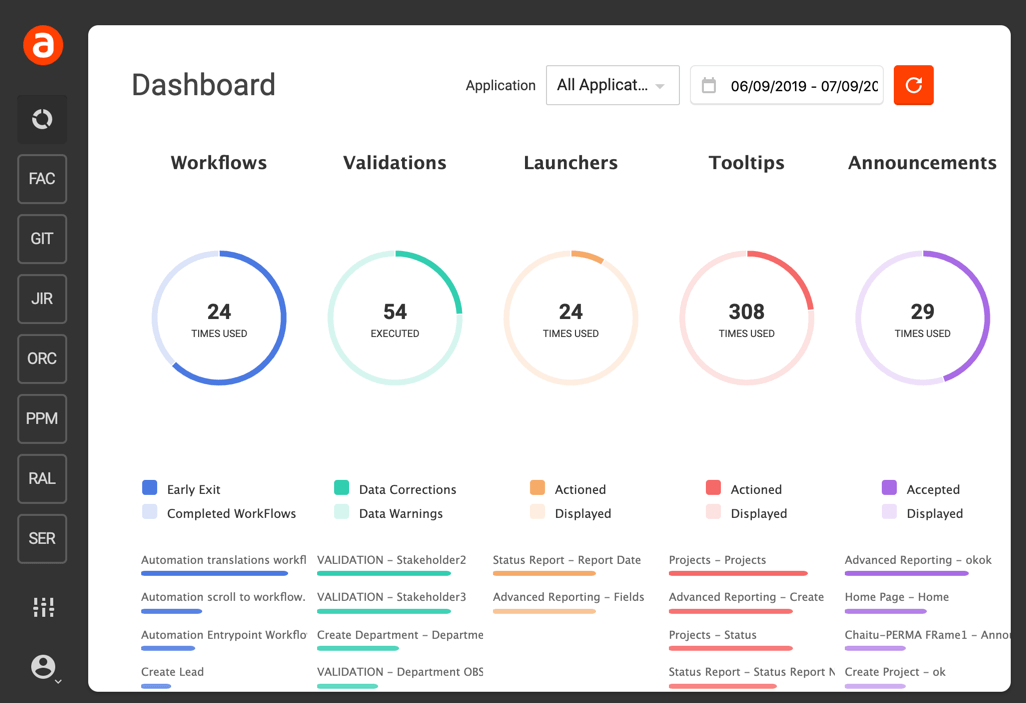
Apty is a digital adoption platform for large enterprises that want to improve software usage at scale and drive measurable outcomes. It combines advanced analytics with prescriptive guidance to help users complete extensive processes accurately and efficiently.
While some tools only offer in-app help, Apty goes further by identifying where users struggle, highlighting compliance risks, and suggesting ways to improve adoption.
Its module, Apty OneX, introduces a GenAI-powered interface that lets users interact with multiple enterprise systems from a single screen. This is ideal for cross-application workflows where tasks span multiple tools.
Apty offers real-time validation, content tailored to each role, and quick setup. Its governance features include role-based content access, approval workflows, version rollback, and audit trails. These make it enterprise-ready for regulated environments.
| Strengths | Drawbacks |
|---|---|
| Cross-app intelligence: Guides users across multiple apps in a single workflow; ideal for real enterprise processes that don’t stay in one tool. | Primarily enterprise-focused: Smaller teams or startups may find Apty’s enterprise-grade capabilities more than they need. |
| AI-driven insights: Offers prescriptive analytics to pinpoint inefficiencies and automate process optimization. | |
| Enterprise-ready at scale: Supports localization, deep governance, and role-based guidance across 16+ application categories. |
Pricing: Offers subscription-based pricing starting from approximately $9,500 per application
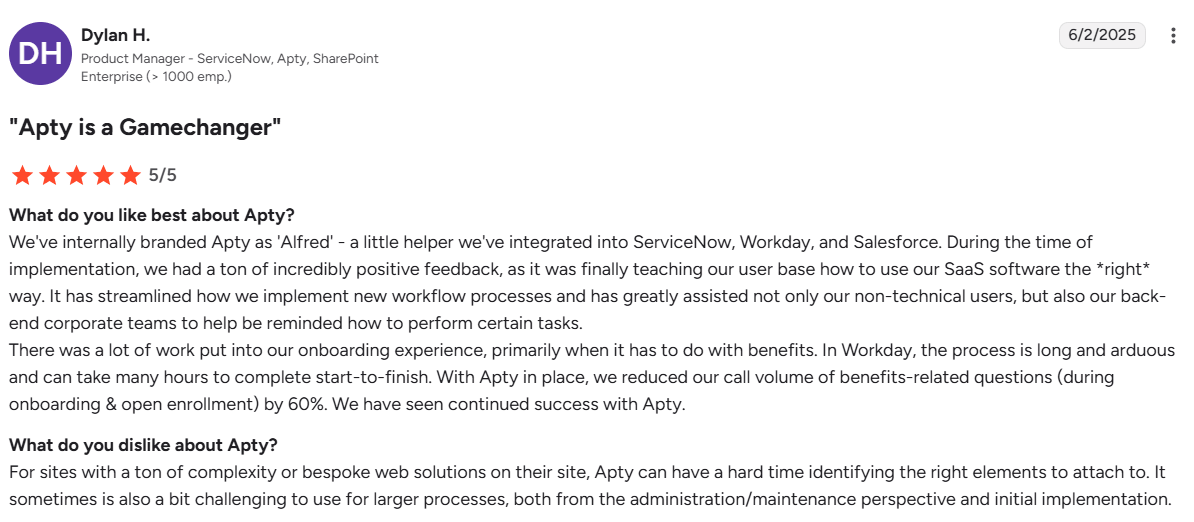
A customer’s perspective
Source: G2
Expert opinion
Apty makes sense when proving that ROI matters as much as achieving it. This is especially true for digital transformation leaders managing multi-system processes that require compliance. The cross-application focus addresses a real gap that single-system DAPs miss. Less suited for lightweight SaaS onboarding needs.
2. Pendo
Source: Pendo
Best for: Product teams focused on improving feature adoption and collecting in-app user feedback
G2 rating: 4.4/5
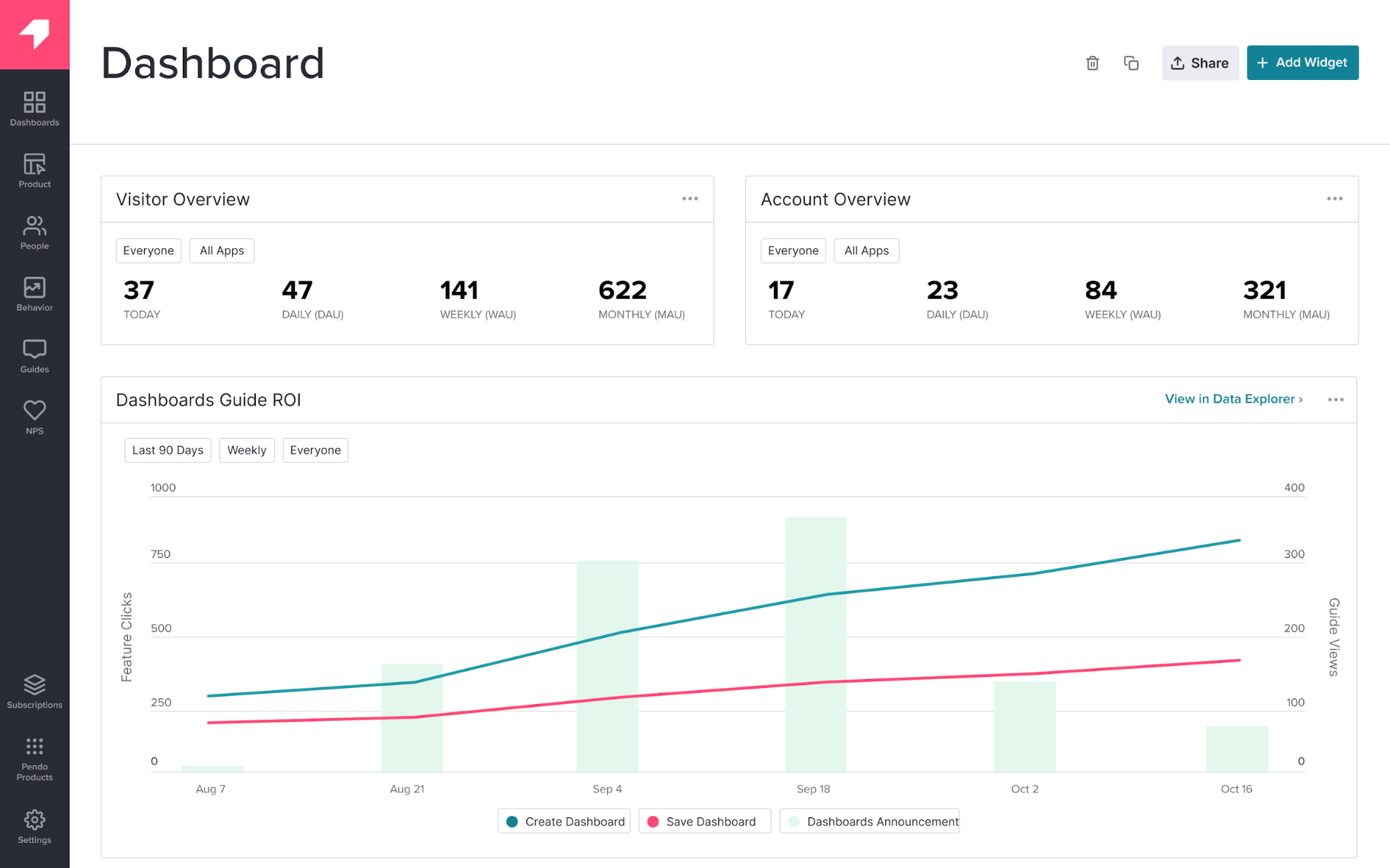
Pendo is a product experience platform that combines in-app guidance with deep product analytics. It’s suitable for teams aiming to drive feature adoption, analyze behavior, and gather user sentiment from one tool.
Its key differentiator is the integration between user analytics and in-app messaging, which lets teams act quickly on insights by targeting guides or surveys to specific user segments.
Unlike traditional DAPs, Pendo is built for product managers: it tracks feature usage at a granular level and supports roadmap prioritization through in-app polls and NPS surveys. Its mobile support is mature, allowing teams to deliver walkthroughs and announcements in mobile and web apps.
While not ideal for cross-app workflows or enterprise-level process enforcement, Pendo excels in SaaS environments where improving engagement, retention, and product feedback loops is the priority.
| Strengths | Drawbacks |
|---|---|
| Product-led focus: Combines analytics, guidance, and feedback in one tool | Limited process depth: Not well-suited for enforcing multi-step workflows or cross-tool compliance |
| In-app feedback collection: Easily deploy NPS, polls, and surveys contextually | Shallow real-time validation: Doesn’t provide field-level error prevention or step gating like enterprise DAPs |
| No-code implementation: Most guides and segments can be managed by non-technical teams | Analytics overload: Some users report that the UI and dashboards require onboarding to use effectively |
Pricing: Tiered enterprise pricing; may be cost-prohibitive for smaller teams without strong product analytics needs
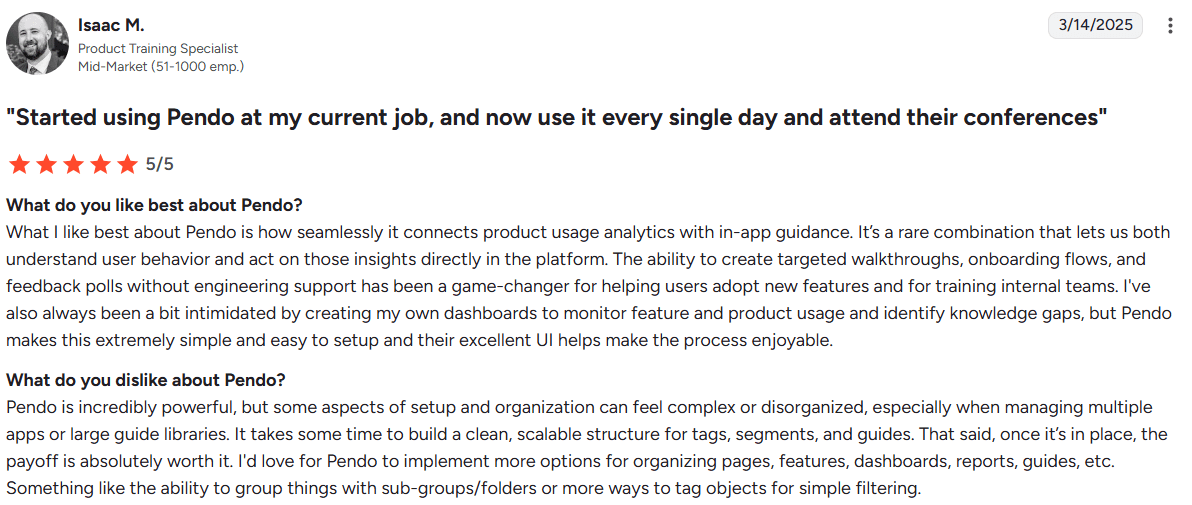
A customer’s perspective
Source: G2
Expert opinion
Pendo is the right choice when product analytics maturity drives your roadmap decisions, and you need guidance as a secondary capability.
If you measure feature adoption, run experiments, and correlate product usage with business outcomes, Pendo consolidates tools you would otherwise buy separately. If you only need onboarding and do not care about deep analytics, you are overpaying for a capability you will not use.
3. UserGuiding
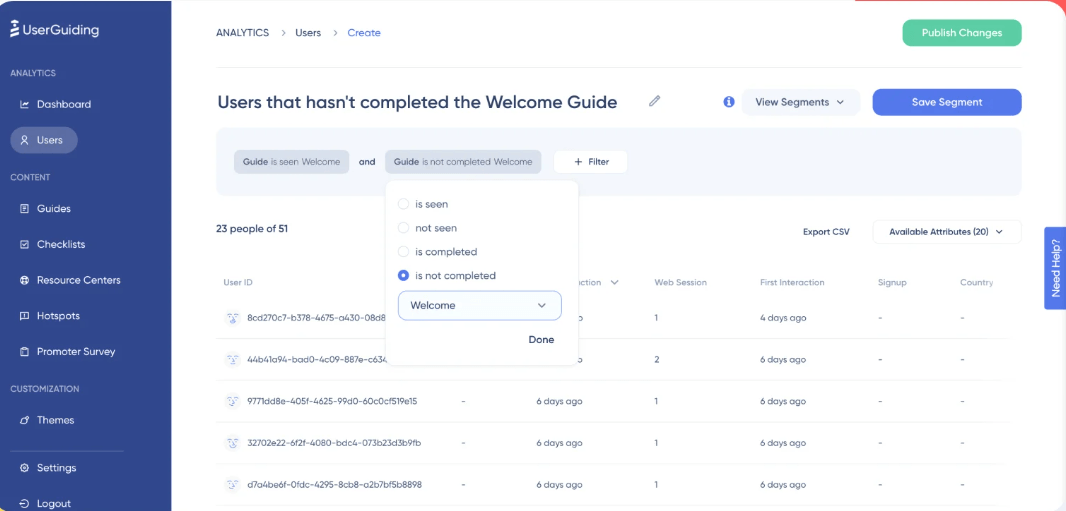
Source: UserGuiding
Best for: Small SaaS teams (under 50 employees) that need to build product tours and onboarding flows quickly without technical resources or enterprise budgets
G2 rating: 4.7/5
UserGuiding is a straightforward digital adoption platform built for SaaS companies that need basic onboarding. It doesn’t try to be an all-in-one analytics platform or handle multi-application workflows. Instead, it excels at onboarding fundamentals at a price point accessible to early-stage companies.
UserGuiding stands out with its Chrome Extension builder, which lets you create guides directly on your live website. You do not work in a separate dashboard or deal with CSS selectors or element IDs. Instead, navigate to the page, click the element to highlight it, and configure the tooltip or modal right there. This approach makes it accessible to non-technical team members, who can build their first guide in under an hour.
The platform also includes an AI Assistant that crawls your help documentation and automatically answers user questions. This reduces basic support volume without a separate chatbot tool.











