
Change management is crucial for an enterprise to succeed and drive business outcomes. Over 75% of organizations are looking to add more change management initiatives in the next 3 years. This clearly shows that organizations are beginning to understand the importance of change and looking to secure their future by investing in change.*
However, 66% of these initiatives fail. To counter this, organizations must pick emerging trends in change management and implement them if they are going to improve their bottom line and employees’ well-being.*
In this blog post, we will explore top trends in organizational change management and will explore.
Top Change Management Trends for 2026
- Shift in organizational culture
- Open-Source change
- Digitizing is altering the business models
- Digital Communications
- Change becoming a continuous process
- Employee engagement
- Real-time and Historic data is the key
#1: Shift in organizational culture
Organizational culture is the combination of values, ethics, expectations, and practices that enables the action of the team members.
Culture is built over time with consistent and authentic behavior. According to a report, Return on Culture shows that organizations with a healthy culture are 1.5 times more likely to report average revenue growth of more than 15%.
It is believed that visible signals like dress code, where and how the employees do their job, and social conduct are the basis of an organization’s culture.
While this is true, the modern organization is moving remote and the foundation of a company’s culture is shifting towards trust, accountability, and mutual respect. The concept of where and when the employees get the job done and what type of attire they wear is becoming less important.
Companies are only focusing on whether the job is getting done and whether their employees are feeling comfortable or not.
#2: Open-Source change
The term open-source is often used in the software industry and has been in existence since the early 90s. Since then, the term has been used in different contexts across several aspects of a business but the guiding principles of open-source remain the same.
By introducing the open-source concept in change management, organizations can be 24% more successful and employee engagement can increase by 38%.
In an open-change framework, different employees are introduced to the change in different stages to get their opinion on it, based on their expertise. This is done to avoid opinion overload and provide transparency. It also fosters collaboration by ensuring that everyone who is going to be impacted by the change co-creates the strategy.
#3: Digitizing is altering the business models
Digitization is not a trend but a necessity and an organization that isn’t actively pursuing it will be out of business soon enough.
The digital medium is revamping the business world by shattering the physical boundaries and empowering businesses with powerful insights that help them make sound decisions.
The visibility has improved and organizations are becoming relatively more agile. It is helping companies with a shoestring budget to compete with industry giants as they can reach their customers at the point of need and solve their problems.
All this has made the traditional establishments move towards the digital tech stack and create a business model that satisfies the customers’ needs in any situation or time.
#4: Digital Communications
Post the pandemic, there has been a drastic shift in workforce communication. Organizations are heavily investing in digital tools that can break the physical barriers and help employees collaborate better.
The success of a change management initiative depends upon onboarding, training, discussions, meetings, and town halls. But with the new normal becoming common, these in-person interactions may not be feasible and organizations must deploy tools that can ensure successful communication.
Some commonly used communication applications are:
- Zoom: Enables virtual face-to-face interaction with employees and stakeholders. If Zoom does not match your taste, you can use some Zoom alternatives with more advanced features.
- Outlook: It enables formal communication and helps you connect with the employees via email. When combined with a CRM Outlook solution like eWay-CRM, it transforms into a powerful platform for managing customer relationships directly from your inbox.
- Slack: Helps with direct communication between employees immediately.
- Apty: A Digital Adoption Platform that helps in creating announcements and notifications within enterprise software and guides them through complex tasks with walkthroughs. It helps inform them about any changes in the applications that they use.
#5: Change becoming a continuous process
The end goal of change is to ensure organizational success. With technologies, processes, compliance, rules, and regulations always changing, companies are now opting for continuous change management and IT strategies.
Businesses are looking to shed outdated processes and tech stacks by opting for new ones to stay competitive in their respective industry.
According to Stewart McGrenary Director at Freedom Mobiles,
“To stay competitive in today’s digital marketplace, companies need a fully internalized culture and powered by technology. That means in DAPs(Digital Adoption Platforms) as well as setting up structured strategies for IT shifts happening now or later this year—it all depends on how quickly you want your company to go from a behind-the-times performer with obsolete systems (falling victim) to ahead of the curve visionary using cutting edge tools!”
Companies are continuously looking for gaps in their existing business processes and trying to improve them with their IT infrastructure and strategies. Today, organizations are focusing on regularly improving different aspects of business and driving results irrespective of the internal or external environment.
This trend of continuous improvement will pick up as small changes have the potential to improve the bottom line of the organization and provide desired results.
#6: Employee engagement
The attention span of humans is reducing drastically and organizations are facing a challenge in engaging their workforce. Successful companies are making employee engagement strategies and structuring programs to engage them with the change initiatives.
For successful change management, employees must be engaged throughout the journey. Otherwise, the change initiatives are likely to derail.
Organizations are shifting from traditional ways of training and onboarding as these are one-way communication with minimum to no interactions.
They are investing in social tools that foster collaboration and communication. It also helps the organization post the latest updates related to the project in hand and get instant feedback from the employees. There is also increased visibility between employees and management, creating trust between them.
Organizations are also investing in modern training and onboarding techniques that involve a blended, on-demand, and contextual approach that encourages interaction and solves their employee’s problems instantly.
#7: Real-time and Historic data is the key
Based on internal and external factors, your workforce’s behavior pattern while interacting with different change elements and applications changes. To analyze patterns and avoid risk factors, organizations are investing in tools that help them understand the behavior shift and how it is impacting their bottom line.
Organizations are comparing the historic and current data to find the shift in the behavior of employees and to create content that helps them adopt the change proactively.
For example, earlier, employees might be excited to learn through online videos from the convenience of their home but today their inclination could be towards interactive training that can help them learn on the job. So, an organization must uncover trends such as this and deliver through channels that employees might actually use.
From a customer’s standpoint, the change could be in their buying pattern which could lead a retail company to predict the demand and manage their inventory in such a way that it satisfies customer needs.
It could encourage a change in process and immediate implementation of new processes. In this case, agility across the supply chain is required to manage the customer’s demand. Here, the vendors and employees all have to adapt to change and deliver on time.
Data-driven decision-making is no longer a trend but a necessity to stay competitive. The difference between success and failure would be the way your organization leverages data to gain insights, predict trends, and measure outcomes.
Conclusion
Change management is a difficult process and with the ever-changing environment, organizations need to have a proactive approach.
An organization can only become proactive if the company’s culture fosters collaboration and trust. An enterprise that implements new digital technologies, adopts them with tools like Digital Adoption Platforms, and uses data to make decisions that will sustain in the long run.
*Source: Managing organizational change management initiatives
Change Management in Healthcare organizations is challenging and even more so since the pandemic with the industry is changing at a rapid pace.
Enduring change is not about being indifferent, or just participating in it, it is much more than that. It is about planning the strategies, implementing the operations, and managing the complexity of the process.
The only way to survive in this environment is to accept, change, adapt, and evolve. Most of the change management efforts fail because of poor planning, implementation, lack of system compatibility, integration, and poor process design.
In this guide, we will discuss what is change management in healthcare and what method can be used to implement it within the organization. We also delve deep to understand how to manage the change efficiently within the healthcare industry.
What is change management in healthcare?
Change management in healthcare is the process of enabling people through innovation and a new way of thinking. It helps to yield new practices and improve the care delivery models.
The aim is to reduce strain on the healthcare infrastructure and professionals while providing a reliable healthcare facility to the patients.
Implementing change management in healthcare using Kotter 8-step model
To create change management strategies in healthcare organization need some kind of change management model and according to us, the Kotter-8 step model is the right fit to get started.
- Identify ‘why’ behind the change
- Communicate and engage with all the stakeholders
- Create a plan to drive change
- Collaborate with internal stakeholders to realize the plan
- Implement the change
- Measure the outcomes
- Align the strategy with the new organization vision
- Make sure that change has a long-term impact by regularly improving it
Relevant Read: Kotter-8-step-model- a guide to change management
How to Manage Change in Healthcare?
- Effectively communicating the change
- Creating an Integrated Experience
- Enabling Digital Adoption During Change
1. Effectively communicating the change
Most of the change management efforts fail because of poor communication. In an organization when there are multiple stakeholders, it is important to set the right expectations by utilizing all the necessary communication channels from the very beginning.
Whether it is the C-level executive, a mid-level Manager or a Nurse each one of them must understand the role that they will play during the change process.
But that is only possible if you get buy-in across the organization and it can be achieved when people realize the value they will create and the benefit they can reap out of such efforts.
Making people understand the importance of change can be tricky; So, it is necessary to take their opinion wherever possible because eventually, it is the employees who will ensure the success of the change initiatives.
Usually, organizations use emails as the primary channel of communication but unfortunately, the average open rate in the Healthcare sector is 21.72% and that could act as the biggest change management challenge. So the best way forward would be to use a platform that is accessed by your employees all the time while they do their job.
In this case, you can create a pop-up or notification within the application that your employee utilizes. From there you can either launch a video or a webpage to inform about the process and you can do it on a weekly basis by pushing a new video each week. This way your employees will be on the same page as you.
You can also launch a survey via these pop-ups just to understand the effect of the change on your employees. It will help you track the progress and resolve any problem during the change process. A communication channel like this is called in-app announcements which ensure that nothing is left to chance.
Here is an article on different types of Change Management Templates that can be used to ensure success.
2. Creating an Integrated Experience
In the past few years, many industries have started focusing on creating a unified experience for both employees and consumers. The Healthcare sector should also follow suit.
Consumers want to see their health status and the availability of data at their fingertips. They want access to key indicators at all times.
They can utilize the latest technologies like the Apple watch which acts as a health band. Gadgets like these help people to keep tabs on their health and analyze important health indicators.
On the other hand, healthcare employees want to access fewer applications and desire a seamless transition from one application to another. They want all the data of their patients, workforce, and inventory in a single hub which could enable them to see the overall trend and make an informed decision.
To support this shift toward a more unified, data-driven healthcare environment, many organizations are now exploring the use of a virtual healthcare assistant. These AI-powered tools help manage patient interactions, appointment scheduling, and follow-up care – freeing up time for staff and enhancing the overall patient experience. Their integration can also smooth transitions during digital change initiatives by automating routine workflows and reducing administrative burden.
3. Enabling Digital Adoption During Change
Since the pandemic, many healthcare professionals have had to adopt the new way of doing things, manage resources efficiently, form new processes, and optimize existing ones to make the most of what they have.
Healthcare workforce had to grow rapidly to execute administrative tasks to support the doctors and other frontline workers. Applications such as medical database software, medical diagnosis software, e-prescribing software, and medical equipment management software were widely utilized to keep track of patients, maintain resources, and provide the patients with an actionable solution.
Handling a variety of applications like these could be tricky even for a veteran and it becomes even more complicated especially for a new employee.
The best solution would be to train the workforce on these applications but when you are running against time relying on traditional training means could be time-consuming and may not be an ideal solution considering the time constraints.
In such scenarios solutions like Digital Adoption Platform can help an organization to train your employees on any web-based application in a matter of a few hours.
Even if they forget or don’t know how to utilize an application they can rely on the Digital Adoption Platform as it guides the employee from one step to the other seamlessly. Further, it has cross-platform support that can guide your employee from one application to the other and eventually help them to accomplish their tasks.
Conclusion
Driving change is not an easy task, it is complex, dynamic, unexpected, and above all challenging. To cope with it you have to strategize, communicate, train, execute, and above all be prepared for the unprepared changes that will happen during the process.
Most of the change efforts fail because of poor digital adoption and it leads to low process completion or execution of tasks which eventually results in failed change initiatives.
This piece of the puzzle can be solved by using a Digital Adoption Platform like Apty which will help you to utilize any application to its fullest and empower your employees to accomplish all the tasks.
Having a Change Management plan template is necessary to carry out change initiatives seamlessly at an organization. Change is a complicated process that is influenced by several factors. Having a well-defined change management plan template by your side can smoothen the process and unburden your management teams.
Change management plans must take into consideration, an organization’s processes, communication protocol, training method, and impact analysis, success metrics, and more. Having a well-designed template will organize all your ideas and will act as a log for all the decisions and discussions.
These templates or blueprints help you ensure that everything is in order despite the chaos that change typically causes. Each organization has different needs but the basic approach usually remains the same.
In this article, we will discuss factors you must consider while creating a template for your organization.
What is the Change Management Plan Template?
A change management plan template helps organizations manage the process effectively throughout the change lifecycle and act as a decision log to keep the efforts on track.
A good change management template must be iterative and must learn from the past and to improves the change process. It takes a disciplined approach to adhere to the template. Each template is unique and we will explore them all in this blog post.
5 Types of Change Management Plan Template
1. Change Management Stakeholder Plan Template
Identifying what the stakeholders will do and how they will participate during the change is key. This will help you to realize who will be your champion, advocate, driver, and participant.
Based on this, you will be able to categorize at what level each stakeholder will be engaged and plan accordingly.
Some crucial questions you will need to address are:
- What departments are impacted by the change process?
- Who is going to be the primary and secondary beneficiary of this effort?
- Who will support and who will drive the change?
- Who will be the Project Manager during the change process?
- At what stage of the change will a particular group of people take ownership?
- Who will be involved from the beginning to the end and why?
The answers to these questions will give you an overview of the people involved in the process and this insight will help you create a basic change Management stakeholder plan template. Categorize the information based on the following
- Type of participation
- Responsibility and job role
- Reason for participation
- Description of stakeholder
2. Change Management Communication Plan Template
People generally have a limited capacity to absorb information and since organizational change is a long process, communicating the goals and objectives behind your initiatives is crucial for your success. It is also important because, eventually, it will be your employees who are going to handle change and make it a success.
This change management communication plan template will help you overcome resistance to change and keep track of all the information that has been passed to the employees.
This is how you should design the communication template:
Type of meeting:- Decide whether the meeting will address a new topic or an update on an old one. Specify if it will be one-on-one, team-wide, or company-wide.
The topic of discussion:- Decide the topic of discussion and if it is related to people, business processes, or software
Purpose of meeting:- This helps stakeholders realize the importance of the meeting and acts as a reference point for future needs. The purpose of a meeting can be any of the following:
- A Dialogue specific to the aspect of change.
- A Vision for the future of change.
- A Review of the initial draft.
- Address issues associated with change and the effort required at each stage.
- Address modification in the current change process.
It is important to make the stakeholders realize the importance of the meeting and it acts as a reference point for future purposes.
- Type of Message:- Specifying the type and purpose of the message will give stakeholders an idea about the objective of the meeting.
- Who will communicate:- The plan must define the personnel involved in communicating change in each department. This speaker must be selected carefully based on their job role and impact on the team. For example, a change in the sales process should only be communicated by the Sales Manager and not by the project manager.
- Types of the audience:- Defining the target audience will help you to prepare accordingly for your audience and communicate exactly what is in it for them.
- Method of communication:- Today communication happens via multiple media. It would be ideal to use more than one method to reinforce communication. You can use video conferencing, in-person meetings, in-app announcements, emails, and team chat.
3. Change Management Analysis Template
Any organization needs a change management template for analysis to track change at each juncture, phase, and process. During the change cycle, a number of decisions are made based on the challenges encountered by the team.
Usually, a deviation from the designed plan takes place due to hurdles faced during the execution stage. All this affects the overall project scope which can be tackled if you have an analysis template.
Here are the points that an analysis template includes:
- Change Management Model:- Selecting a change management model can be challenging as you have to consider multiple factors before going with a particular one. Once you have decided on the model, you have to follow the principles of the selected model to analyze the change.
- Date of issue:- Note the date when you faced an issue as it helps you to keep a track of events. Let’s say if you face the same type of issue repeatedly, this template will help you to analyze how many times you have faced such issues and when was the first time you encountered it.
- Type of issue:- Once you log the date of the issue, it is time to note down the type of issue that you have faced. Once you fill this template you will be able to identify what type of issue is recurring.
- Type of Action:- This is the most important part of the whole process where you will mention the type of action taken either by you or the team to resolve the issue. If you face such problems in the future, it will be easy for you to find the solution even if the person who resolved it is no longer with the organization. Templates like these can become the subject for a case study within the organization and new hires can study it to learn about the challenges they might face and learn how to overcome it.
- Date of Resolution:- Mention the date when the issue was resolved. It will give you an idea of how long it took to solve the particular type of issue. If you encounter issues like these in the future, you can estimate the time to resolve them and can allocate resources efficiently.
- Takeaway:- Mention what you have learned in this process and what impact it had on the business.
4. Change Management Risk Assessment Template
The purpose of having a risk assessment template is to avoid issues before they happen. This way you can plan the risk mitigation strategy well in advance and be prepared throughout the change cycle.
How to create a Risk Assessment template:
- Categorize the risk:- It is ideal to mention the category of the risk to identify the type of issues that are arising. The risk categories could be Health and safety, compliance, technical, operational, strategic, financial, and safety, etc.
- Identify Severity:- Identify how serious the issue could be and mention whether to mitigate those risks or to completely avoid them. This will help you to create an action plan for the risks you may want to avoid.
- Create a detailed plan:- Mention the steps you have to take to avoid risk before the execution of a particular change phase.This will serve as a blueprint to help you prepare needed resources if things go bad.
- Responsibility:- Mention the person and department responsible for the plan.
5. Change Management Training Template
Your change management efforts can only be realized successfully if you plan your training program in line with your change initiatives.
Here’s how to prepare a training template that can withstand the change lifecycle and enable a smooth transition. Identify:
- What type of training:- Understand what training is essential for your employees and list them down before initiating change.
- People Involved:- Who will train the employees? Who will decide what they should learn? Who will benefit from it? Understanding this will help you communicate effectively and set the right expectation.
- Method of training:- Decide the format of the training content and the method that will be used to impart it. There are multiple ways of doing this such as videos, pdf, ppt, simulation, microlearning, and onscreen guidance. It is ideal to select more than one method. Each employee has their preferred way of learning.
- Requirement:- Check what type of change management tools, facility, and infrastructure is required to make your training efforts a success.
- Duration of training:- It is always better to know the amount of time required to train the employees as you can plan well in advance and can avoid any potential clashes upfront.
- Number of sessions:- Now that you know the duration of the training, divide that time into small sessions to make learning more effective. People often tend to forget if they are bombarded with a lot of information in one go. Segregating time for training will solve this.
Go Beyond Planning
Organizational change is no easy task but following the above-mentioned change management plan template will help make it easier.
You will need a tool to execute your change management plan. Digital Adoption Platform like Apty can provide impactful training with in-app guidance, communicate changes with in-app announcements, and analyze your training efforts successfully with the insight tool.
Overcoming employee resistance to change is one of the most challenging parts of making any organizational change.
Whether you’re changing a business process, restructuring a department or company, or implementing new enterprise software, you will likely encounter pushback and resistance to change from employees.
Combating resistance needs to be a part of your overall change management plan and strategy.
In this guide, we’ll provide an overview of the best approaches for dealing with resistance to change.
We’ll start by examining the top reasons employees resist change; then, we’ll explore six proven strategies for overcoming resistance to change. Finally, we’ll review some best practices to ensure your organizational change is successful.
- Why People Resist Change
- 3 Types of Resistance to Change
- 4 Factors for resistance to change
- 4 Reasons Why Employees Resist Change
- Strategies for Minimizing Employee Resistance to Change
- Strategies for Dealing With Resistance to Change
- Selecting a Strategy for Overcoming Resistance to Change
- Best Practice for Dealing With Resistance to Change
- Key Takeaways for Dealing With Resistance to Change
Why People Resist Change
Before you can overcome resistance to change inside your organization, you need to understand the cause.
While there are many types of organizational change, employee pushback is fairly common and typically caused by one of these reasons:
- Fear and low tolerance
- Self-interest
- Lack of Trust
- Poor Communication
3 Types of Resistance to Change
Here are the three main types of resistance to change I have encountered:
A. Group resistance
Group resistance is when a group of people or employees all resist the change. Again, this is often due to a justifiable reason. There is strength in numbers when it comes to group resistance.
B. Passive and active change resistance
The individual does not agree with the change but remains silent about it. He/she appears to go with the flow but deep down resists the change.
Opposite to passive resistance, people in this category speak up and act against the change. Directly or indirectly, they find a way to let matters stay the same way.
C. Attachment change resistance
Having strong emotional ties with existing practices, the individual tries to convince others not to push through changes. If it is not possible to fully block the change, he/she will attempt to compromise to retain the core of some processes.
4 Factors for resistance to change
The following are some factors for employee resistance to change:
1. A short-sighted focus
Most change strategies concentrate on fixing internal challenges failing to address external factors such as the customer experience, competitor moves, and advancements in technology.
2. Change Fatigue
Employees may get overwhelmed by multiple change projects that happen simultaneously or in quick succession. Such projects may cause change fatigue which may occur as burnout and frustration. It can even affect employees’ engagement and productivity.
3. Lack of endurance
When employees are not driven or trained enough to handle such unforeseen circumstances, they may cause unnecessary chaos. Also, if your business doesn’t have a full-fledged plan of the entire procedure right from the first day to the final outcomes, it may result in failure.
4. Company Culture
An organization with a change-resistant culture can find it challenging to implement change. Employees tend to get invested in a process that stays long in the organization. Thus, they get comfortable with the status quo. However, if leaders can map the stakeholders that the change will affect and educate and train them for transition, the change process will be accepted.
4 Reasons Why Employees Resist Change
Reason 1: Fear and Low Tolerance
Many employees dislike change because they are afraid. They fear that they won’t have the time to develop the new skills and behavior required of them, which leads to insecurity.
A lack of time to adapt also leads to the fear that they’ll appear incompetent in front of their colleagues. Adjustments could also lead to a loss of some relationships and activities, and an establishment of others.
“If a person’s tolerance for change is low, they might begin to actively resist the change for reasons they don’t even understand, and these reasons are often rooted in fear of failure.”
Reason 2: Self-Interest
Some people might perceive that a change means they will lose power, whether that is significant decision-making power or the power of influence on their team. Other people might see one change as a sign that more changes are coming, which they could perceive as a threat.
If someone believes that a change means that their job is at risk, they are very likely to resist the change. They will push back on any effort that they perceive as a potential threat to their current situation.
Reason 3: Lack of Trust
If there is already a lack of trust between the manager and his or her employees, then employees are likely to resist when the manager introduces a change. While it’s difficult to establish a high level of trust between employees and managers, managers must work on these relationships.
Without trust, misunderstandings develop, and employees are less likely to “buy in” to essential changes. Managers need to quickly clear up any misconceptions so that resistance does not build and deepen across an organization.
Reason 4: Poor Communication
How the change is communicated to employees is extremely important. If a change isn’t communicated in its entirety, or if it’s only communicated to a particular group of people, other affected employees will likely resist. The way the change is communicated determines how employees will react.
If a manager can’t describe the process of exactly what needs to be changed, how the changes will be implemented, and how the change will improve things, then resistance should be expected.
Resistance to change is natural and should be expected. Employees fear losing relationships, activities, and even their jobs. Sometimes, they don’t trust that the change is worth the costs or that their manager knows what he or she is doing.
It’s vital to address resistance to change. By building trust and communicating the change clearly, managers can work against an employee’s impulse to resist and cultivate an environment that’s accepting of change.
Effective Ways to Minimize Employee Resistance to Change
Change takes time. No matter how detailed your change management strategy may be and how confident you are about the timeline, hurdles and hiccups are bound to surprise you. Implementing change involves various steps and requires the dedicated involvement of several stakeholders.
You are bound to have a hard time ensuring that everything is on track at all times. While an ideal implementation may seem like a possibility on paper, the reality on the ground may prove to be quite different. It is crucial to remember that sticking to the plan is vital despite challenges and delays.
The following are some effective ways to minimize employee change resistance,
i. Align the Strategies
Leaders need to collect enough data during planning. It allows them to create an understanding of the entire situation at the organization and formulate strategies that will be effective. If you make strategies that do not align, the change management process will fail. You need to foresee the outcome of the plan.
ii. Prioritize Well
Instead of large, all-at-once change implementation, opt for a slower, phased change approach to reduce change fatigue. Starting small and gradually scaling up will ensure that your employees are not overwhelmed.
iii. Focus on training and support
To reinforce the change, it is important that you provide support and some training to the employees. Training will help the employees to boost their productivity and also help them to overcome the barriers of change.
iv. Follow a framework
To create a smooth flow of activities and encourage the adoption of the change management policies, you need to limit resistance. The best way to do this is to implement the ADKAR framework. The elements of this model are as follows:
- A- Awareness (of the need to change)
- D- Desire (to make change)
- K- Knowledge (on how to change)
- A- Ability (to implement change)
- R- Reinforcement (to keep the change in place)
v. Devise a Communication Plan
Answer the simple queries like ‘what’s in it for me?’. You may eliminate ambiguity by describing the process, the essential milestones, and the procedures needed to get there.
Map out a communication plan that delivers the change management strategy with consideration and empathy. The more details you share with the team, the more positive a response you can expect to get from the team.
vi. Be firm with your strategic direction
Knowing what your next steps are is pivotal towards building resilience towards change. While communication is pivotal, without direction, it will lose cohesiveness too. To do so, be clear with what your objectives are. Have an estimated timeline on how your company or how the team will adapt to change.
Selecting a Strategy for Overcoming Resistance to Change
Once you’ve identified potential sources of resistance to change, you will need to implement specific strategies to address employees’ concerns.
Whether it is adapting to modern technology or overcoming resistance to change due to the COVID-19 pandemic, companies must leverage different strategies.
Strategy 1: Education & Communication
One of the chief sources of resistance is a misunderstanding of the change and the reasons for it. That means that your top strategy for overcoming resistance is to educate and clearly communicate with your organization’s employees and stakeholders.
The rumour mill can be vicious, so make sure that you’re transparent to prevent misinformation. Of course, this strategy only works alone if there are no other significant sources of resistance.
Strategy 2: Participation & Involvement
People like to feel as though they’re a part of things. If they believe they lack control or that their input doesn’t matter, they’re more likely to show resistance to change.
Make sure that you involve employees in the change, through seminars, working groups, committees, and other ways that people can give feedback and ask questions — or even be part of the change.
The primary drawback of this strategy is that you could have “too many cooks in the kitchen” and experience a drawn-out change process.
Strategy 3: Facilitation & Support
Many employees associate change with cutbacks and lost opportunities. Transition is difficult for everyone, so make sure your management team is equipped to fully support employees who feel nervous about the change.
You may need to expand your counseling and mentoring options, offer extended training, or fully communicate employees’ new opportunities for growth and promotion. If the primary source of resistance is anxiety about one’s future or role within the organization, this strategy can work very well.
“A digital adoption platform is another option for overcoming resistance to change when employees feel overwhelmed by a new software or process.”
A digital adoption solution, like Apty, can provide on-screen guidance to walk users through the changes step-by-step.
Strategy 4: Negotiation and Agreement
Sometimes, members of the organization will simply not adapt to change. Perhaps they have a vested interest in the way things were, or the change would unseat them from a position of power.
Have a plan to allow for negotiations and natural transitions out of the organization or into a new position within the organization. This approach can be expensive but may be useful when the change involves major disruptions to your current org chart.
Strategy 5: Manipulation and Co-optation
This strategy may not be advisable for all organizations. It is the practice of asking a pivotal individual to or group to take a prominent leadership role in the company or the change management initiative for the sole purpose of influencing the people who follow them.
The position is only symbolic, though, as the real leaders have no interest in the person’s input and are only seeking to manipulate their political or social sphere. Co-optation can easily backfire if people learn that they’ve been misled or manipulated.
Save this strategy for situations when transformation needs to happen quickly and inexpensively, and other methods won’t work.
Strategy 6: Explicit and Implicit Coercion
In extreme circumstances, it may not be feasible to take your time with prolonged communication and education efforts. The coercion strategy involves the change management team forcing employees of the organization to accept the change.
Those who refuse to adapt or comply will be fired or demoted. In situations where you expect a lot of resistance but must make a change quickly, this strategy may be the only option.
Best Practice for Dealing With Resistance to Change
No matter which strategies you deploy, organizational change will probably produce anxiety or aversion in your employees. A change management team needs to fully assess their organization’s unique needs and anticipate any sources of resistance to the change.
By incorporating these seven best practices into their change management plans, leaders can help the transition happen more smoothly and quell any concerns.
1. Address the social aspects of the change
Employees may be accustomed to long-standing traditions and structures, such as reporting to a particular person or documenting their work a certain way. When change starts happening, they may perceive the transition as a threat to their way of doing things.
Others may be concerned about losing their valued working relationships or reporting to a new boss. Keep these concerns in mind and consider offering new mentorship or support opportunities to ease anxiety.
2. Identify any existing trust issues and be transparent
While change can undoubtedly affect the trust that employees have with the management team, existing trust issues will be exacerbated. Those who don’t trust management are more likely to be suspicious of change — and therefore resistant to it.
That’s why it’s essential to be fully transparent during the transition so that even if trust has been/is damaged, employees can start to build it with management.
3. Communicate the logic for the change
For those not in a management position, some changes might seem to be “progress for progress’ sake.” If they don’t have the information about why a change is needed or how it might improve their efficiency, they’re more likely to dismiss it as a cumbersome new procedure or a power play by management. Always be open about why the change is happening, and show your employees any relevant data.
4. Be mindful of people’s skill gaps
Sometimes, people simply don’t have the competencies to meet new procedures. This is especially true for technological transitions. Rather than taking the resistance as simple aversion, take note of employees’ concerns about their ability to perform their jobs.
Additional training or new equipment options might be in order. Again, this is an area where you can leverage a Digital Adoption Solution to overcome the barriers to organization learning & training programs, and employee’s technical skills gaps.
5. Have a plan for those who will be negatively affected
Change will always leave someone in the lurch if positions have been eliminated or shuffled. Any changes to the org chart will breed resentment and potentially an employee exodus if not managed well.
The change management team needs to anticipate pushback from people who are inconvenienced by the change, then create a robust transition plan for those who are leaving positions or occupying new ones.
6. Give team members a chance to participate
When change is happening, people are likely to feel confused and nervous. Handing them a measure of control or power over the situation can alleviate their anxieties and decrease resistance to change.
Look for ways to bring your team members on board with the change, such as giving them the chance to provide feedback. Using one of the best Leapsome alternatives can simplify this process by allowing employees to participate in surveys and share continuous insights, helping them feel involved in how change happens in their department.
7. Be ready to deal with conflict
A strong team spirit and collaboration will help make the change more manageable, so it’s well worth your time to conduct team-building exercises. Latent employee conflicts will come out during transitional periods, so ensure that you set up mediation procedures.
The management should use their emotional intelligence to help resolve issues and ensure a smooth transition for everyone.
Key Takeaways for Dealing With Resistance to Change
Change can be scary. To effectively make change happen in your organization, take the time to plan your approach thoroughly, and set up any necessary support systems.
Remember, people may be resistant to change for several reasons. The change management team should anticipate these sources of resistance and take a transparent, constructive approach when addressing them.
By selecting the right strategies for dealing with resistance to change and following the best practices in this guide, you can empower a more efficient, streamlined change process.
‘Change Management Certifications’ may seem like a new-age business keyword, but you will be shocked at how valuable the right certification can be for anyone looking to build a career in the field.
Businesses today are changing the way they work. An environment like this has been created because of competition and value. Businesses are always competing and trying to provide incredible value to their customers.
This makes it imperative for organizations to invest in the right digital assets which invariably requires them to also invest in the right Change Management Strategies.
Having the right Organizational Change Management Certification can not only help individuals grow by leaps and bounds in their professional journeys but also empower organizations with the right strategies to implement in the change management initiatives.
In this environment, change becomes inevitable and organizations that do not embrace change, eventually perish.
As a result, organizations are always looking for Change Management professionals with adequate organizational change management training who can carry out this challenging task without negatively impacting the company.
In this guide we are going to explain in detail,
- What type of change management qualifications is required?
- What is a Change Management Certification Program?
- How does Change Management Program help?
- Top 9 Change Management Certification
- How to plan Change management training?
What type of change management qualifications is required?
Change Managers need to have a Bachelor’s degree in either business or in a relevant field. Then they need years of managerial experience in their respective field.
Post this they should get a change management certification that can help them to understand industry-approved frameworks in great detail. They can also opt for project management certification to accelerate their career.
What is a Change Management Certification Program?
A Change management certification program trains professionals to handle organizational change smoothly and effectively. A certified change manager can help the organization prevent resistance to change, provide teams support to accept change, and manage key stakeholders throughout the process.
A Change Management certificate is not the same as a certification. The distinction is that certificate programs do not require training and the certificate can be earned by passing an exam. While a certification program also requires passing an exam, it also requires training and hands-on experience so that the trainee meets industry standards.
Simply put, earning a certificate is not the same as being certified. A certification carries more weight.
How does Change Management Program help?
Change management programs allow the organization to manage new processes efficiently and achieve the desired business outcomes. These programs have to be structured properly as they involve multiple elements that can determine the future of your organization.
To ensure the success of the change management program organizations must get organizational buy-in, implement change initiatives seamlessly and design a program that can be scaled across the organization.
A change Management Program allows the leader to identify the gaps and mitigate risks by continuous monitoring.
Things that you would learn during Change Management programs:-
- What is change management all about?
- How to add value through it?
- Principles of change management
- The framework of change management
- When to implement change and how to manage it?
- How to analyze the potential of any change initiatives?
People have to learn all these aspects during the certification program. The approach from one program to another may vary but the end goal of these enterprise change management certification programs remains the same.
Whether you are a student currently pursuing a Bachelor’s or Master’s degree, or a professional with a few years of experience. You can enhance your existing skills with these self-paced certifications.
Top 9 Change Management Certification
There are many organizational change management certifications in the market, it could be confusing to go through all of those certifications. As a result, we have shortlisted the top 9 certification programs to consider.
- Change Management Specialist
- Change Management Foundation Certificate
- Change Management Practitioner
- Certified Change Management Professional
- Prosci Change Management Certification
- Change Manager – Foundation Certification
- Certified Problem and Change Manager
- AIM Change Management Certification
- Change Manager Certificate
1. Change Management Specialist
Change management specialist certification is for those who want a good understanding of change management. This certification will help you design and implement change across the organization. It also trains you on how to manage change and persuade people as to why change is a must.
This certification is for those people who have just started their careers or already have a few years of experience.
On completion of this program, you would receive 30 Professional competency units(CPU) from the MSI. You would also receive 30 Professional Development Credits (PDC).
Advantages of this change management specialist certification:-
- Respected across the industry- Once you receive the certificate you would be equipped with knowledge that can be implemented across any industry.
- Save time- As training is through online mediums, it gives you a good opportunity to learn from the comfort of your home or office. As a result, you save a lot of valuable time.
- Flexibility-Complete it at your own pace since the time of purchase, You have a whole year to finish it without being panic. It gives you time to internalize the learnings that have been imparted.
Other relevant details:-
- Pre-Requisite:- None
- Price:- $299.95/-
- Duration:- Should be completed in one year from the date of purchase.
- Renewal Period:- Never expires
2. Change Management Foundation Certificate
APMG International provides Change Management Foundation Certification program in collaboration with CMI (Change Management Institute). It’s been purely designed by keeping beginners in mind. If you are new to change management then this is the way to go as it would take you through all the basics that one might require in their very first project.
Even if you have a decent amount of experience and looking to get a Change Management practitioner certification then, in that case, this certification program is mandatory.
This program provides certification only when you score 25 marks out of 50.
Things you will learn in Change Management Foundation Program:-
- It helps you understand how people react to change and how to make them embrace change.
- They teach different types of processes that would help you enable change.
- Guide you to develop strategies that would keep people motivated all the time during change. Also, helps to understand the roles and team required to achieve change in the organization.
Other relevant details:-
- Pre-Requisite:- None
- Duration:- At your own pace.
- Renewal Period:- Never expires
3. Change Management Practitioner
Again, this certification is being provided by APMG international. The Change Management Practitioner certification is for those professionals who are in the mid-level of their career or in a phase where they want to climb the corporate ladder.
Before applying for this program, one has to complete the Change Management Foundation certification.
This certification will further enhance your knowledge as one has already completed the foundation program. Before committing to a certification path, many professionals begin by assessing leadership capabilities to better understand their strengths, decision-making style, and readiness to lead complex change initiatives. It gives you in-depth knowledge of change as it trains you to plan by keeping people at the heart of your strategy.
Things that one would learn from Change Management Practitioner Programs are:-
- You will learn the process framework to understand organizational change.
- You will learn how to build a team that is required for change and how to boost their performance.
- How to establish roles and skills to enable change in the organization
Other relevant details:-
- Pre-Requisite:- Change Management Foundation Certificate by APMG
- Duration:- At your own pace.
- Renewal Period:- Every five years once, one has to appear for a re-exam after 5 years.
4. Certified Change Management Professional
Association of Change Management Professional(ACMP) offers a Certified Change Management Professional Certification(CCMP). CCMP certification adheres to the industry-leading standard for change management by ACMP.
It’s one of the most recognized change management certifications in the world and many corporate companies value it more than anything else.
The certificate is for those who have a vast amount of experience and knowledge in the field of change management.
On passing this certification one gets 60 Professional Development Units(PDU).
The objective of this certification is not only to impart best practices but it is also useful for an individual to gain knowledge.
Advantages associated with CCMP certification:-
- It gives a much-needed push to your already growing career and an opportunity to receive credentials developed by ANSI and ISO.
- Showcase your subject matter expertise and establish authority to enable consistency in the organization.
- It gives you an extra edge over your peers and you can reduce the chances of making an error.
Other relevant details:-
- Pre-Requisite:- A 4-year degree (or international equivalent) and 3 years (4200 hours) of change management experience or Secondary education (high school or international equivalent) and 5 years (7000 hours) of change management experience and completion of 21 hours of instructor-led training in past 7 years.
- Duration:- Minimum 3 years (But could vary)
- Renewal Period:- Every 3 years once, one has to appear for re-exam and on completion, 60 PDU’S are added.
5. Prosci Change Management Certification
It’s a three-day in-person certification program. Here you will learn the ADKAR model and PROSCI methodology, and the learning would be applied in one of your ongoing projects.
It is for those who are at the mid-manager level or for managers who handle the complete project. The program is expensive but it takes care of your hotel accommodation and food.
It’s one of the rarest programs where you would come across a collaborative approach in real-time and in-person. Since the program is being conducted in a resort, you have enough time to network with like-minded people across the industry. You would also have an opportunity to get a one-on-one session with the Prosci Master.
Advantages of PROSCI Change Management Certification:-
- Learn to apply the research-based methodology and facilitate change.
- Learn the change management 3-phase Prosci process in projects.
- Get a program workbook to learn best practices and achieve success.
Other relevant details:-
- Pre-requisite:- None (But would be better if you had some prior experience)
- Duration:- Program takes place for 3 days
- Renewal Period:- None
6. Change Manager – Foundation Certification
Global Association for Quality Management provides Change Manager Foundation Certification program. It’s a foundational program that helps you to get a basic understanding of change management. It helps you to be an informed team member in a change management initiative in your organization.
It is targeted towards Team members and Process Managers.
It’s a pre-requisite for those who want to get “Practitioner Certification”.
Advantage of Change Manager-Foundation Certification:-
- Learn a structured way of change management and also the types of organizational structures in modern businesses.
- Implement strategies drawn from the analysis and improve your organization’s change strategy.
- Develop a positive attitude toward change and convert challenges into opportunities.
Other relevant details:-
- Pre-requisite:- None.
- Duration:- 15 hours of online training.
- Renewal Period:- None.
7. Certified Problem and Change Manager
Certified Problem and Change Manager(CPCM) is another certification that is being offered by the Global Association for Quality Management(GAQM). It teaches you how to cope with change and manage people during change.
It’s targeted towards Change Managers and Process Managers. People who have the problem-solving ability can take up this course to enhance and boost their ability.
One can complete this program through an online medium.
Advantages of CPCM certification is:-
- Learn to identify options and research those options.
- Draft processes from your learning and manage people effectively.
- Manage anxiety and stress caused due to a project.
Other relevant details:-
- Pre-requisite:- None
- Duration:- 10-15 hrs of online training
- Renewal Period:- None
8. AIM Change Management Certification
AIM stands for Accelerated Implementation Methodology. It’s a practical program and is pricey compared to other certifications.
It’s targeted towards industry leaders and Project Managers. As the name suggests it’s the rapid way towards optimizing change across the organization.
Advantages of AIM change management certification:-
- Learn to mitigate roadblocks in your organization and build strategies for communication.
- Implement strategies even in the most complicated enterprise-level project and learn to plan the process and its evaluation.
- Sessions are tailored to the need of the organization.
Other relevant details:-
- Pre-requisite:- None
- Duration:- NA
9. Change Manager Certificate
Change Manager certification is being provided by the Association for Talent Development. It’s for mid-level Managers who are responsible for change management projects.
This certification is targeted towards HR professionals and Managers.
The program can be attended in person or via online medium. It has very strict guidelines according to which a participant wouldn’t receive the certification if they even miss a single session.
Upon completion, one gets 14 CEU’s (Continuing Education Units).
Advantages of attending this certification are:-
- Learn to gather data to assess the change management efforts required.
- Draw insights to give feedback to the clients and based on the insights set the right expectations.
- Learn to manage negative consequences that might arise during the change management effort.
Other relevant details:-
- Pre-requisite:- None
- Duration:- 6 weeks of online training or 2 days of in-person training.
- Renewal Period:- It never gets expired.
As we have seen all the change management certifications and their value. It’s time to answer the question “what other alternatives are available?”
Well, you can go for a Udemy course or you could attend MooC’s course offered by some prominent universities.
You could also attend a part-time course from the universities in your vicinity or you could count on your mentor to guide you through all these concepts, the only drawback is you won’t get any certificate to showcase your expertise.
It all depends on your short-term and long-term objectives.
Let us explore how organizations should structure their change management training programs which can further help the employees to excel and manage change better.
How to plan Change management training?
A. Understand what type of training is required
Training is essential for change management. The workforce must receive training that can help them adopt the change.
Organization should identify the struggles of the employees and understand their requirements.
They can conduct a survey or use a digital adoption platform that can help organizations to determine the type of training that is required and help to design relevant content.
B. Incorporate Training
Many change management initiatives fail just because of poor communication. Having a communication plan in place is mandatory as it will help employees to know when specific changes will happen and how they will impact their operations.
A cadence must be set for communication that can help to streamline the complete communication process. It is important to decide which channel should be opted for different types of messages, how the information will be packaged and delivered, who will review it before sending it to all, and what will be the timing of the messages.
Ideally, more than two channels must be opted to communicate messages as this could reinforce and reduce the loss of information.
C. Select easy to consume and accessible training
Traditional training methods like classroom training, and seminar costs a bomb as it includes expenditures like travel, lodging, equipment, and trainer fees. It takes time to plan this arrangement and if any employee misses this then they usually don’t get an opportunity to revisit the course.
But thanks to technology, today companies can go with on-demand and self-learning programs that help employees to access the course as and when they want.
This provides flexibility and employees can learn without leaving their desks which saves a lot of time and money for the organization.
Going Forward
There are a plethora of programs available both online and offline. It’s up to you to decide what would fit your bill.
All these programs and certifications have their specialties and none of them are similar by any means.
It also depends on your organization’s needs. Sometimes you don’t need any kind of certification at all as they are efficient enough to carry out organizational change management initiatives.
Having said that, all your learnings will go in vain if that learning is not being implemented in the projects handled by you. Eventually, as a certified change manager, you can fuel your change management initiatives with some digital transformation tools.
It’s Friday, and the extensive CRM training is over.
You’re optimistic: no more fragmented data, siloed workflows, or data entry errors. Adoption should be seamless, right? But as weeks pass, the reality sinks in: support tickets are piling up, employee productivity is sinking, and resistance to change is growing.
Why does this happen? Traditional user onboarding, often limited to initial training sessions, misses the mark when driving long-term adoption. Employees need more than just a one-time introduction; they need ongoing guidance and support embedded into their workflows to enable them to follow processes and complete tasks correctly.
With advanced employee training software and AI-driven guidance, enterprises can now support every user in real time. Tools like Apty’s Digital Adoption Platform ensure process compliance and help users complete tasks confidently within any CRM environment.
As this article outlines, the answer lies in strategically merging traditional onboarding practices like training sessions with a technology-driven approach using digital adoption platforms (DAPs).
Let’s start with seven key elements of successful user onboarding.
Note: In the context of this blog post, users refer to employees. Although user onboarding differs from customer and employee onboarding, it is part of employee onboarding.
7 Key Elements of Successful User Onboarding
A successful user onboarding process consists of several components, which can vary depending on brand goals. However, some elements remain consistent across the board. Here are seven of these essential elements:
1. Welcome Screen
The welcome screen greets users and signals the start of their user onboarding flow. It’s like a digital handshake or a friendly hello, setting the tone for the entire user onboarding experience. Here, you encourage users to take their initial steps and get the primary value of the platform.
| Pro tips:Add personalized welcome messages like their names and show features relevant to their roleInclude clear calls to action (CTAs) like “Next,” “Start Setup,” or “Take a Quick Tour”Customize the welcome screen using branded colors and assets. |
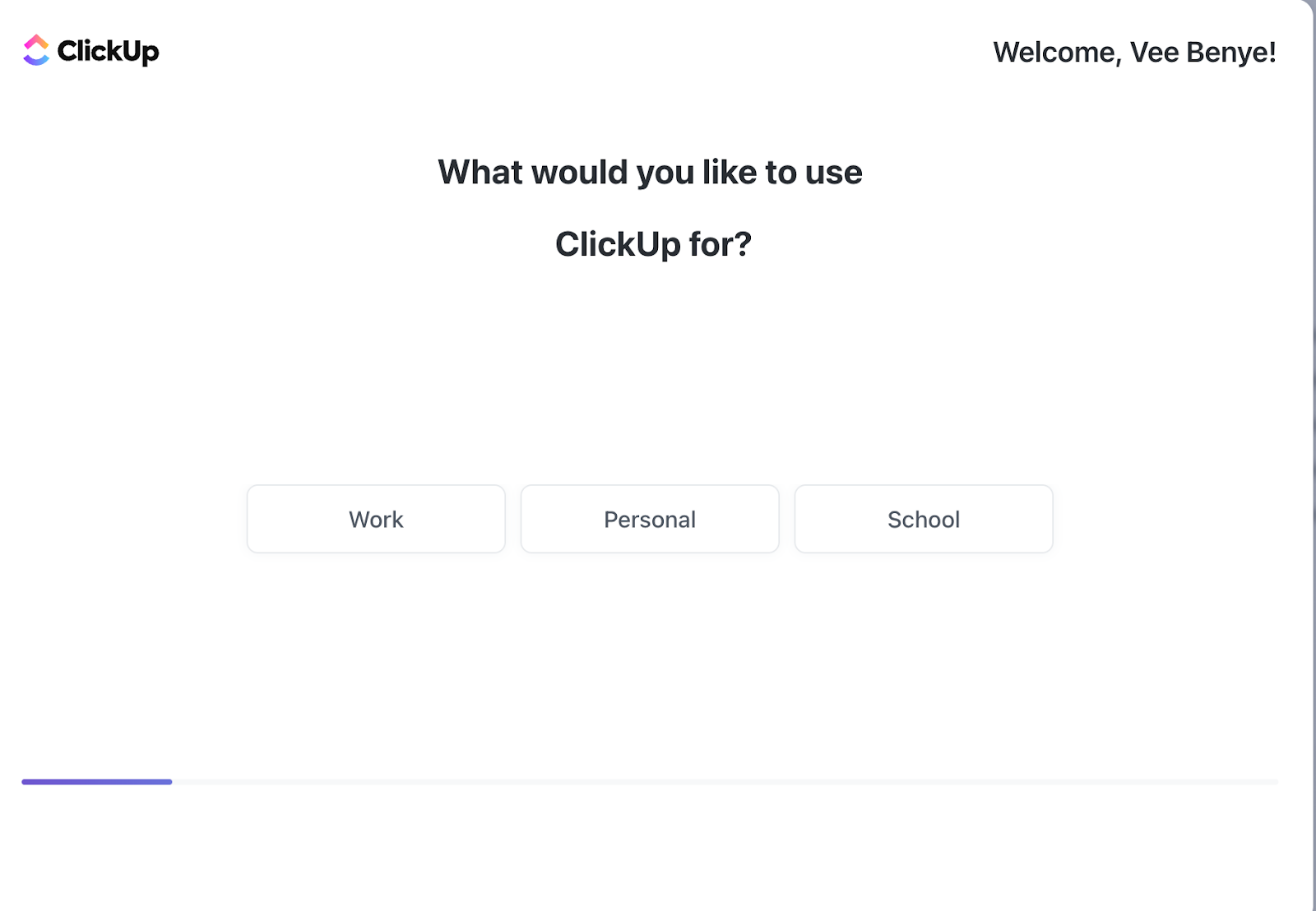
The timing of the welcome screen can vary; it may appear before or after the account setup, depending on your objectives. Some companies, like Notion, show their welcome screen, while ClickUp blends account setup on the welcome page as a call to action (CTA).
2. Account Setup
This element focuses on gathering user information, including their roles, relevant features, team invitations, and integrations.
The goal is to personalize their journey effectively and provide a good user onboarding experience.
| Pro tips:Keep the forms concise. Only ask for essential details and avoid overwhelming usersUse data from integrations to auto-populate fieldsAdd tooltips and contextual cues to guide users Use DAPs like Apty, which allow you to populate data from existing systems to reduce friction automatically |
3. Product Tour
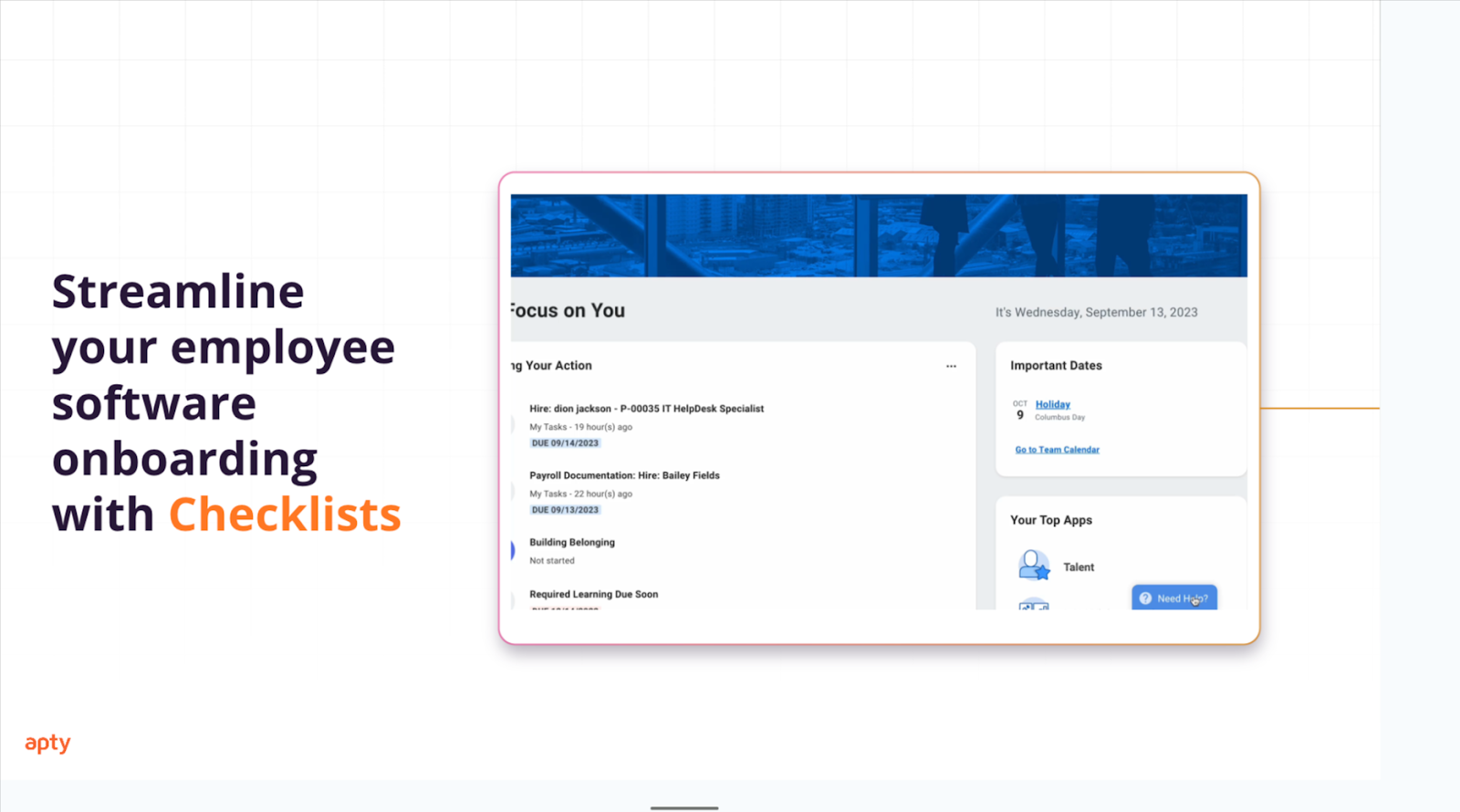
Product tours show employees around the software. They’re done using demo calls, on-demand videos, and DAPs that provide interactive walkthrough experiences around the app. For teams implementing CRM or ERP systems, embedding onboarding software into product tours not only increases adoption but improves employee productivity across workflows.
| Pro tips:Personalize tours based on their roles and tasksCombine interactive walkthroughs with tutorials for more user engagementGive users the option to skip or revisit the tour later. |
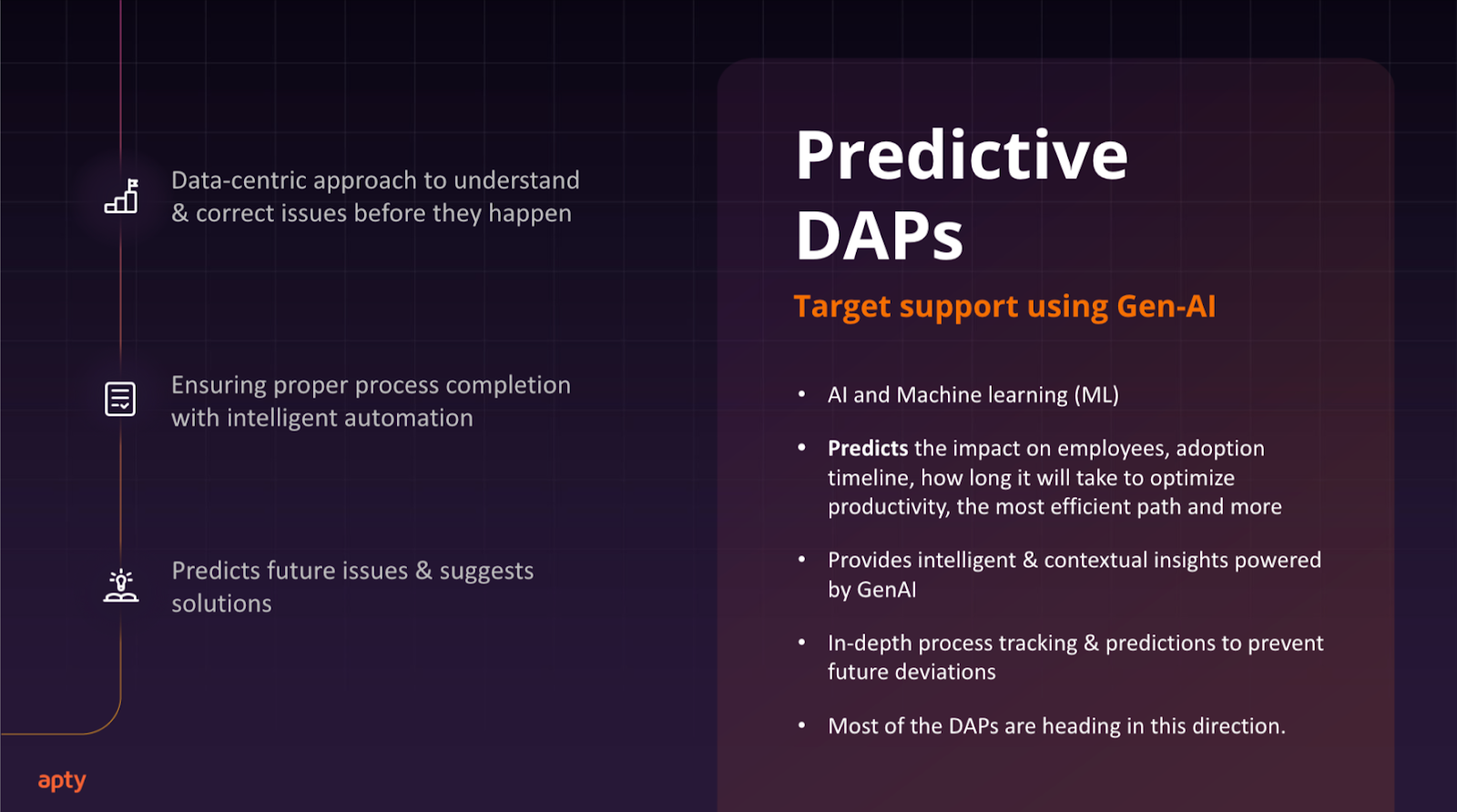
Use proactive and predictive DAPs like Apty to analyze user data using artificial intelligence (AI) and machine learning (ML) during onboarding. Then, it chooses the most efficient path for the product tour and featured showcase.
Reactive DAPs, on the other hand, offer only in-app guidance, tooltips, and basic analytics. Proactive and predictive DAPs take it up a notch.
4. Progress Indicators
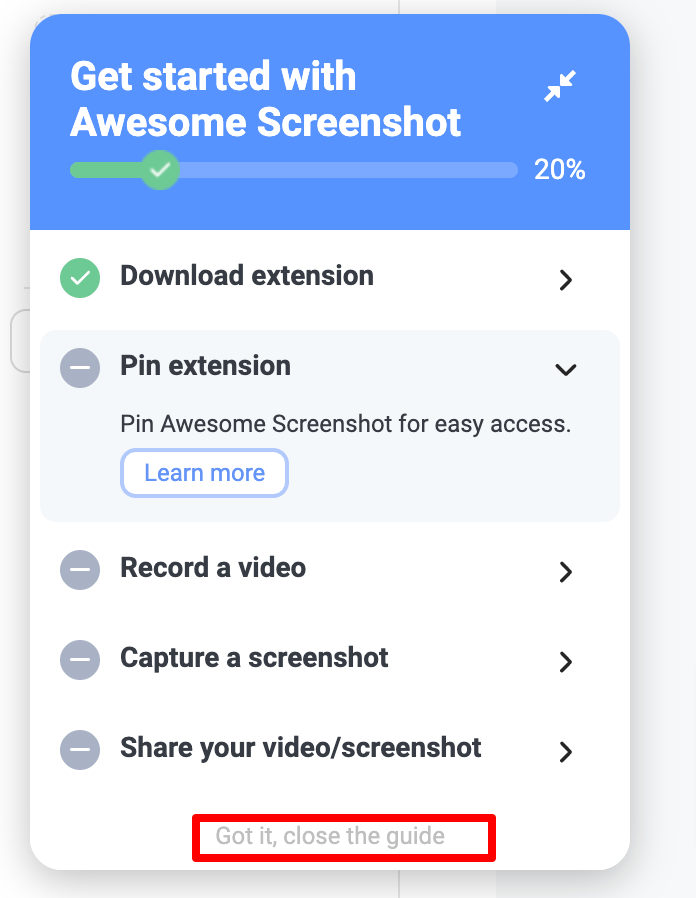
Progress indicators help users feel accompanied and reduce fatigue by tapping into psychological cues such as the:
- Zeigarnik Effect: Users remember incomplete tasks more, encouraging them to return
- Endowed Progress Effect: Seeing progress (e.g., 2 out of 10 completed) boosts motivation and satisfaction
| Pro tips:Break down the product tour and tasks into smaller stepsProvide positive reinforcement after each task is completedUse visual cues like checklists and progress bars to enhance visibilityAllow users to skip checklists and guides |
5. User Personalization
Personalization allows users to customize their dashboards, themes, and other settings as per their preferences and roles.
| Pro tips:Offer interactive walkthroughs on how to personalize settingsProvide templates, videos, and resources to inspire customization |
6. Task Completion
Often referred to as the “Aha moment,” this occurs when users recognize your platform’s primary value by completing a relevant task. This occurs when users experience a sense of accomplishment and realize the primary value your platform offers by completing a relevant task.
For instance, in ClickUp, users might complete their first task, set up a project, or organize a to-do list. When they successfully navigate these initial steps, they gain confidence in their ability to use the platform and see its practical benefits.
| Pro tips:Break tasks into smaller steps to simplify workflowsUtilize tooltips to assist during the task completion processEmbed resources and guides tailored to users’ roles |
7. Success Messages
Success messages reinforce user progress and momentum, nudging them to continue using the platform and exploring other features. However, success messages don’t always mean onboarding success until the onboarding experience is complete.
A success message can appear after completing a task or account setup.
| Pro tips:Use positive language in success messages.Incorporate fun animations, like confetti, for visual appeal.Add relevant CTAs to encourage further exploration. |
Hurray! You’ve reached the end of this section.
Now, let’s dive into ten proven practices that enhance user adoption! (Your success message? )
10 User Onboarding Best Practices for Enhanced Product Adoption
Now, let’s dive into ten proven practices that enhance user adoption.
-
Research User Needs
Speak to users to understand their learning preferences, knowledge gaps, the features they care about, and the potential impact of the software on their processes. Ask open-ended questions to avoid vague responses.
Here are some open-ended questions you may ask:
- How do you prefer to learn new tools or software through hands-on practice, guided tutorials, or written resources?
- What challenges have you faced when learning new systems in the past?
- What kind of ongoing support would you find helpful after the initial onboarding?
- How do you see this software fitting into your current workflow?
Discuss potential learning disorders or physical limitations, such as color blindness or hearing aids. Quality research minimizes frustrations and drop-offs and increases user retention because the experience is tailored to their needs.
Other ways to conduct quality user research:
- Dig into existing data. Have employees indicated their learning styles and limitations?
- Conduct surveys and interviews to uncover pain points and needs.
- Use behavioral analysis to observe how users currently interact with other enterprise software.
- Create detailed user personas that reflect your users’ roles and needs, tailoring functionalities accordingly. Consider segmenting users into new users, intermediate, and experts to contextualize the training needed.
- Start a pilot test with small group, collect feedback, and gather insights for a wider rollout.
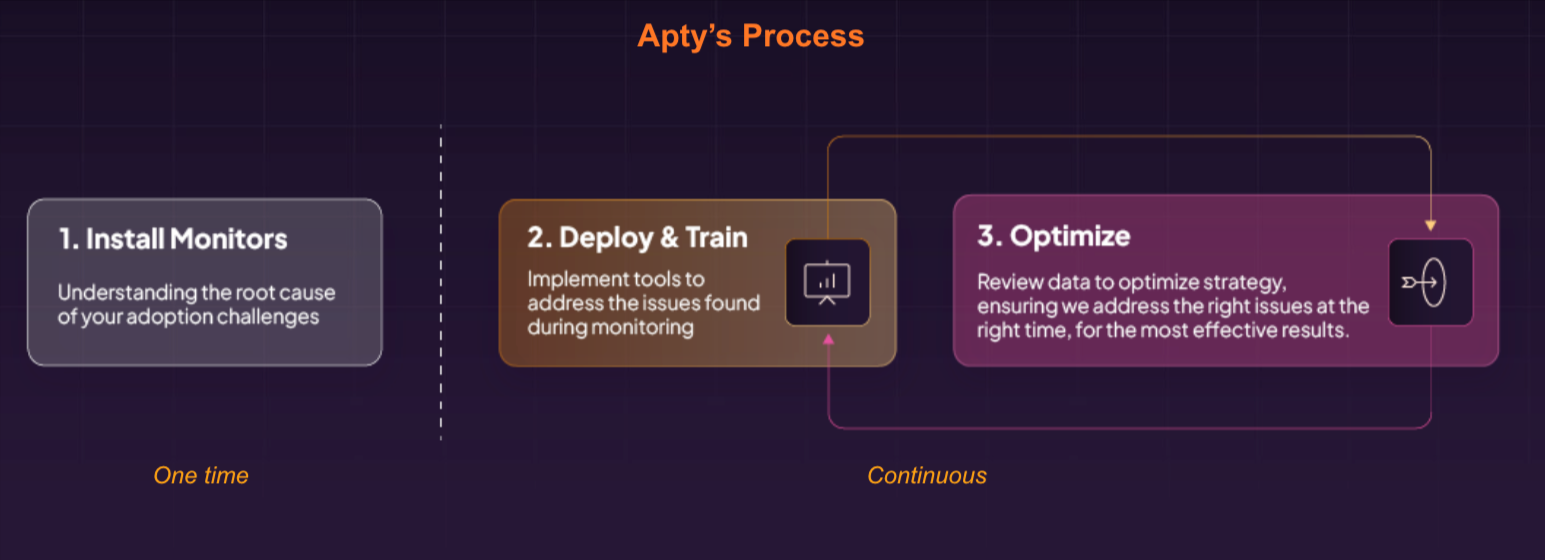
- Use Apty’s AI to analyze your system, gather user-level data, find current bottlenecks, and deliver solutions to enhance software adoption.
-
Reduce Barriers to Entry
After understanding your users’ needs, show them how the software solves their pain points quickly.
Ideal scenario: A project manager logs into a new system, and instead of watching a 20-minute tutorial or lengthy article, they’re welcomed with a personalized, hands-on walkthrough on how to set up tasks and assign work to employees, and complete tasks in a few clicks. Within minutes, they can understand the software’s value to their workflow.
To further streamline the process and improve employee productivity, enterprises can integrate CRM training solutions and user onboarding software that delivers contextual help in real-time. Apty’s AI-powered digital adoption platform plays a pivotal role here, offering guided walkthroughs and analytics to reduce support queries and training costs.
These are some ways to reduce barriers and provide immediate value:
- Simplify initial setup with auto-fill features, pre-loaded templates, and single sign-on (SSO) to reduce time to value.
- Provide immediate feedback, such as “Step 1, complete!” and “Data uploaded successfully.” A checklist or visual progress bar helps users keep track of their progress.
- Focus on quick wins, like taking the user step by step on completing the most basic valuable tasks.
As we’ll see soon, reducing barriers to entry can also be done using contextual and in-app guidance.
Duolingo nails quick onboarding by allowing users to sign up in under a minute, personalize their experience by selecting a language, and immediately begin learning with a short, engaging lesson.

“Two secrets to excellent user onboarding? Tailor it to employee roles and needs. The key is to create a seamless experience that highlights immediate benefits and equips users for long-term success.” – Rongzhong Li, CEO/Founder of Petoi
-
Create Contextual Onboarding Experiences
An HR specialist, customer success manager, and team manager are onboarding on the same platform. The specialist sees steps for setting up employee profiles while the manager receives prompts for tracking performance. On the other hand, customer success managers see ticketing features, cutting unnecessary steps and improving efficiency.
Contextual onboarding experiences mean providing the correct information to the right users at the right time. Instead of overloading the user,it involves providing all relevant information at the start.
Using a DAP, you can set smart rules to deliver content dynamically, allowing users to see only the correct information based on their actions and choices.
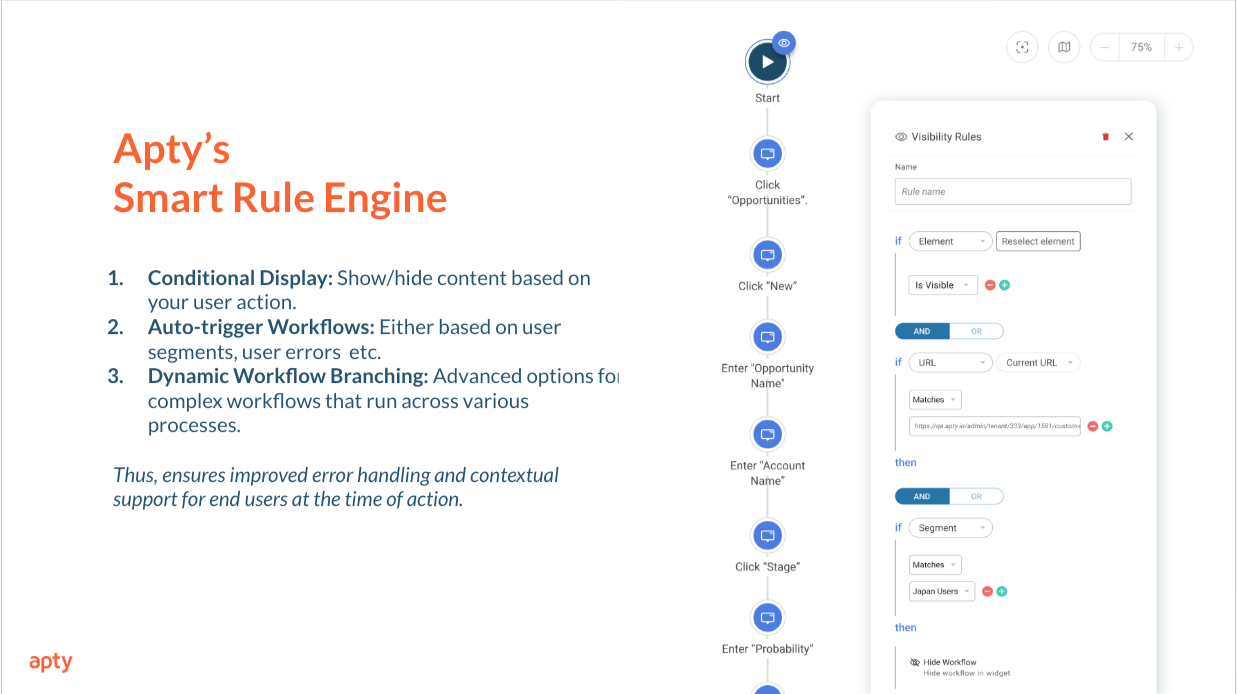
Contextual onboarding uses familiar elements from traditional product tours, such as tooltips, hotspots, modals, progressive disclosure, and checklists. It focuses on timing, delivering tailored guidance based on users’ roles, actions, and behaviors when they need it.
-
Provide In-App Guidance to Help New Users
In-app guidance offers real time, hands-on help tailored to users’ roles and actions. After training, users often forget what they’ve been taught and need guidance as they use the app without needing to leave or contact support.
Incorporating software for change management ensures continuous reinforcement of training and boosts long-term retention, especially when paired with CRM guidance tools like Apty.
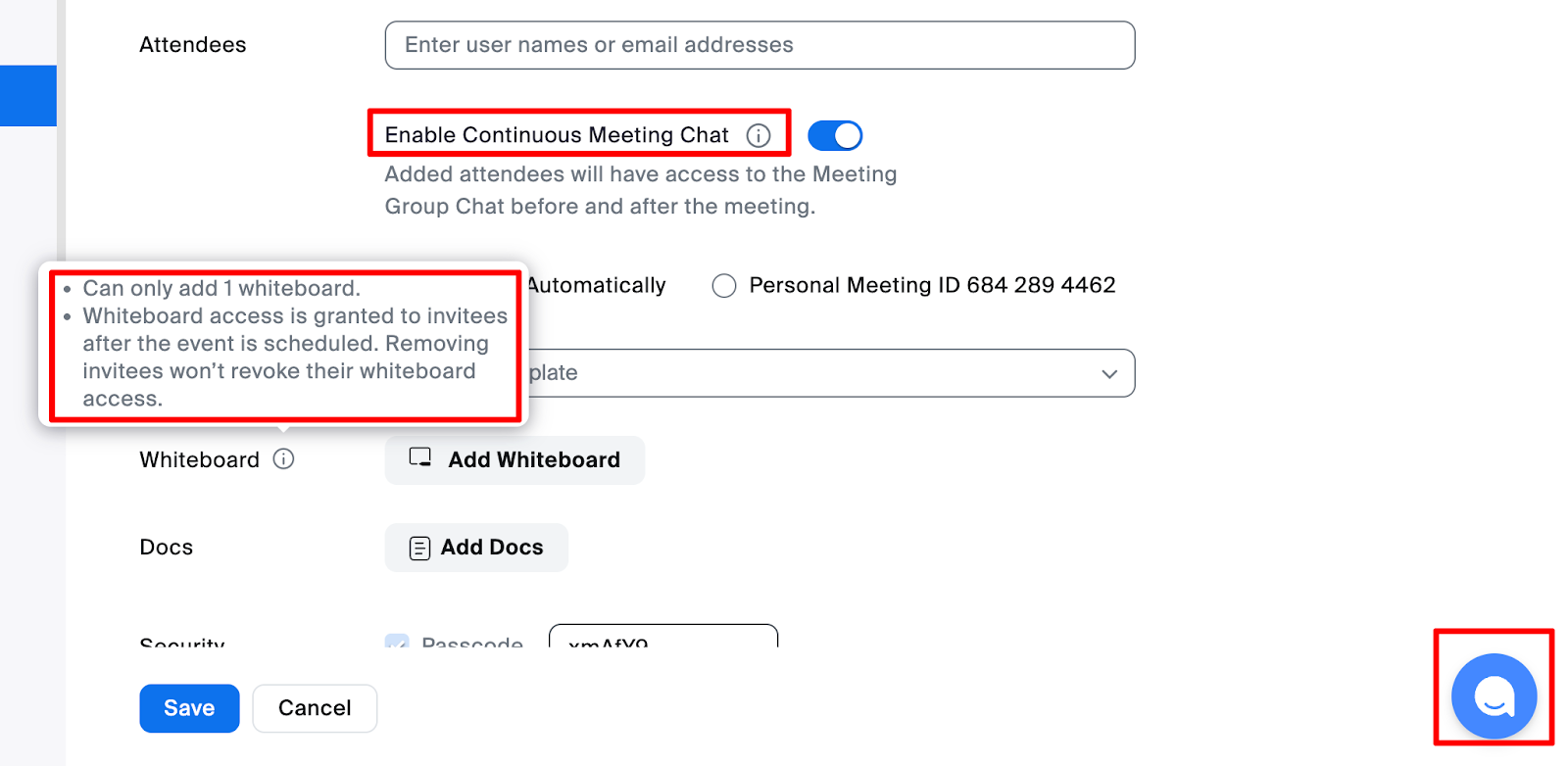
You can provide in-app guidance using tooltips, chatbots, popups, interactive walkthroughs, hotspots, and tutorial embeddings in relevant places.
For example, Zoom provides tooltips, chatbots, and media embeddings.
After facing challenges in training their global representatives, Mary Kay turned to Apty for assistance. With Apty’s implementation, the company company provide in-app guidance and targeted training content in 15 languages tailored to various countries.
This led to a significant reduction in support tickets, improved productivity, and enhanced overall performance among their representatives.
Other in-app guides include:
- Continual Triggers: Use action-based triggers to provide relevant tips. For example, when a user generates a report, it shows a message suggesting available templates or a guide on customizing reports.
- Visual Cues: Highlight key elements, such as the “New Project” button, to guide users visually as they learn to perform tasks like creating a project.
-
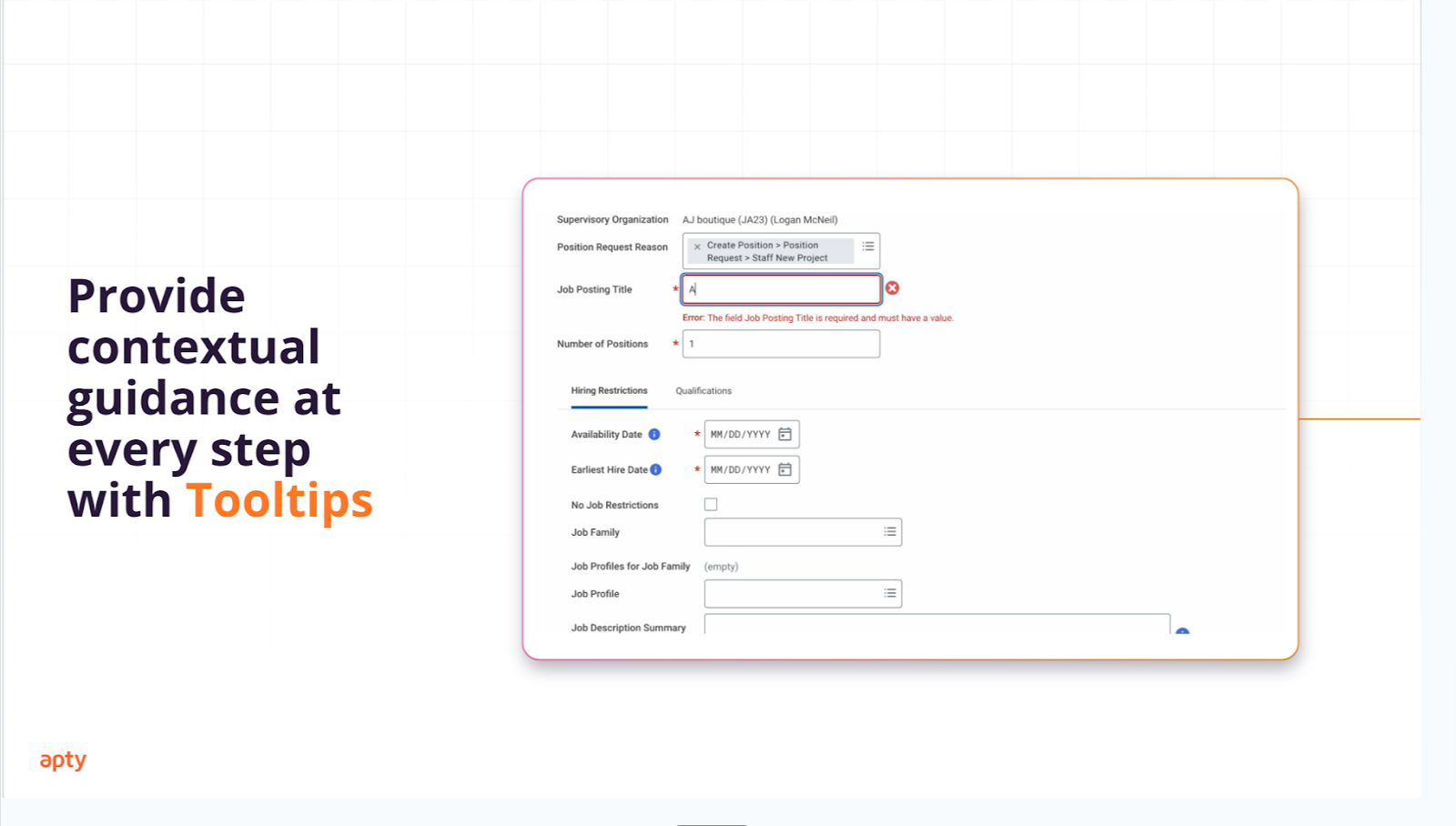
Help Users Discover Relevant Features With Contextual Tooltips
Show the employees relevant features and provide in-the-moment guidance instead of constantly undergoing intensive training. Not every feature needs upfront learning.
Here’s how to use contextual tooltips effectively:
- Strategic Placement: Position tooltips near the right features that may need clarification, like in the Zoom example.
- Role-Specific Prompts: Tailor tips based on user roles for relevance.
For example, the HR department sees prompts for adding hires, while the finance team views budget report tips. - Simple and Straightforward Language: Use simple and actionable language to write tips.
-
Avoid Overwhelming New Users With Information
Providing excessive information at once can cause cognitive overload, leaving users frustrated and disengaged. Instead of dumping all features and resources upfront, adopt progressive disclosure—introduce essential features gradually, allowing users to build confidence with simple tasks before exploring advanced functionalities.
How to avoid overwhelming users? Let’s see:
- Focus on role-specific, essential features first, introducing advanced functionality progressively.
- Use simple and concise language to take users through their journey.
- Break tasks into smaller steps, like teaching how to upload an invoice before exploring complex workflows.
Prime examples include Duolingo, as we saw previously.
-
Provide a Multi-channel Experience
A multi-channel user onboarding experience gives users choices on how to consume onboarding materials. This approach ensures users can access onboarding materials and support through their preferred channels, providing a seamless and comprehensive experience.
To make your onboarding experience multi-channel:
- Combine in-app guidance with external resources. Apty allows you to provide real-time contextual guidance while linking to external resources like documentation, FAQs, and knowledge bases.
- Offer learning material in different formats, such as live and pre-recorded videos, articles, visuals, interactive workshops, and Q&A sessions with power users and specialists. To make content more engaging and visually appealing, AI posters can automatically generate high-quality graphics and promotional materials tailored to your lessons and workshops.
- You can also use design templates to maintain a consistent and professional look across all your learning materials..
- Design templates save time and ensure that your visuals align with your brand identity while keeping your content attractive and easy to follow
- Provide mobile-friendly learning options so employees and employees can learn on the go.
Asana provides a multi-channel onboarding experience for their users. They offer webinars for new features:
They have multi-modal tutorials and guides while utilizing tooltips and chatbots to assist users at multiple touchpoints.
-
Provide On-Demand Help
What’s faster and less expensive in the long run: contacting customer support for every little issue or accessing resources within or outside the application to help you when needed?
With on-demand help, users can access resources directly within the application, enabling them to resolve issues independently. This reduces reliance on customer support and ensures faster, more seamless problem-solving.
Providing on-demand help within the application is simple:
- Add a Centralized Help Center: Integrate a searchable help center directly into the application, offering access to FAQs, troubleshooting guides, and tutorials.
- Include Contextual Help Buttons: Place help icons next to specific features or fields where users will likely have questions.
- Enable Live Chat or AI Chatbots: Provide an integrated chat option where users can ask questions and get immediate responses from a live agent or an AI-powered bot.
- Allow Users to Flag Issues and Provide Feedback Directly: Add a “Need Help?” button within your application allows users to request assistance or submit support tickets without leaving the app.
After accessing help resources, prompting users to rate their usefulness, such as “Helpful” or “Needs Improvement,” provides valuable feedback for continuous improvement.
An example is Canva, at the bottom of every page to help users and flag issues before speaking to a customer success representative.
| Embed<iframe frameBorder=’0′ width=’640′ height=’360′ webkitallowfullscreen mozallowfullscreen allowfullscreen src=”https://www.awesomescreenshot.com/embed?id=34415711&shareKey=9a33058d4c4c781673895b51917dc158″></iframe> |
Apty helps build a centralized help center with Apty OneX, a powerful platform that connects users with all enterprise software in one place. It enables users to leverage AI to streamline task execution and provide on-demand assistance.
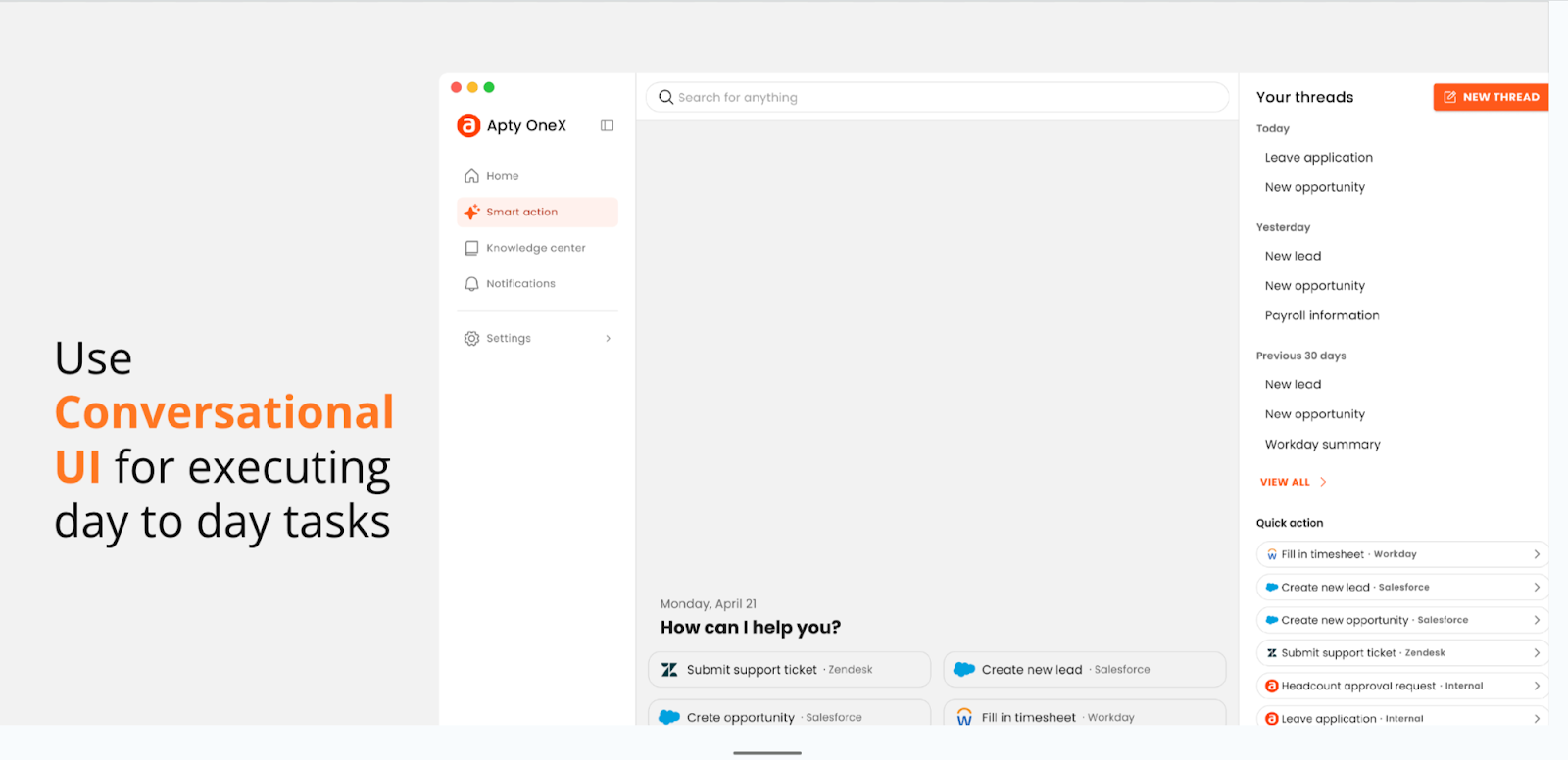
-
Tailor User Experience to Industry-Specific Needs
Different industries have unique onboarding requirements. To optimize your approach, research industry-specific best practices, identify compliance or regulatory needs, and analyze how competitors and peers successfully onboard their users.
For example, retail compliance focuses on tax regulations and payment compliance. For finance, General Data Protection Regulation (GDPR), Know Your Customer (KYC), Anti-Money Laundering (AML), Payment Card Industry Data Security Standard (PCI-DSS), and also global reporting standards like Basel III, Sarbanes-Oxley Act (SOX) for investor protection, and MiFID II. However, in hospitality, data compliance is less strict.
Apty helps companies implement data validation checks to enforce compliance rules among employees.
Onboarding differs by software type; for instance, the onboarding of Workday users varies greatly from that of Salesforce users.
In the AI era, software adoption success hinges on personalization and performance tracking. Apty combines the best of change management training, onboarding software, and predictive analytics to ensure every user journey is aligned with business outcomes.
-
Use Product Analytics to Measure and Improve Onboarding Experiences
Without analytics, key questions remain unanswered:
- How are users behaviorally using this software in their workflows?
- Is our onboarding and help content being effectively utilized?
- Are we optimizing the right processes during our transformation journey?
- When should we sunset an application or focus on better team training?
- How can we streamline contract management with minimal IT dependency?
Answering these questions is crucial for optimizing onboarding and measuring software return on investment (ROI).
Apty PULSE provides the answers.
As an AI-powered silent observer, it tracks user behavior, such as clicks, keystrokes, and navigation paths, offering actionable insights to improve productivity and reduce costs.
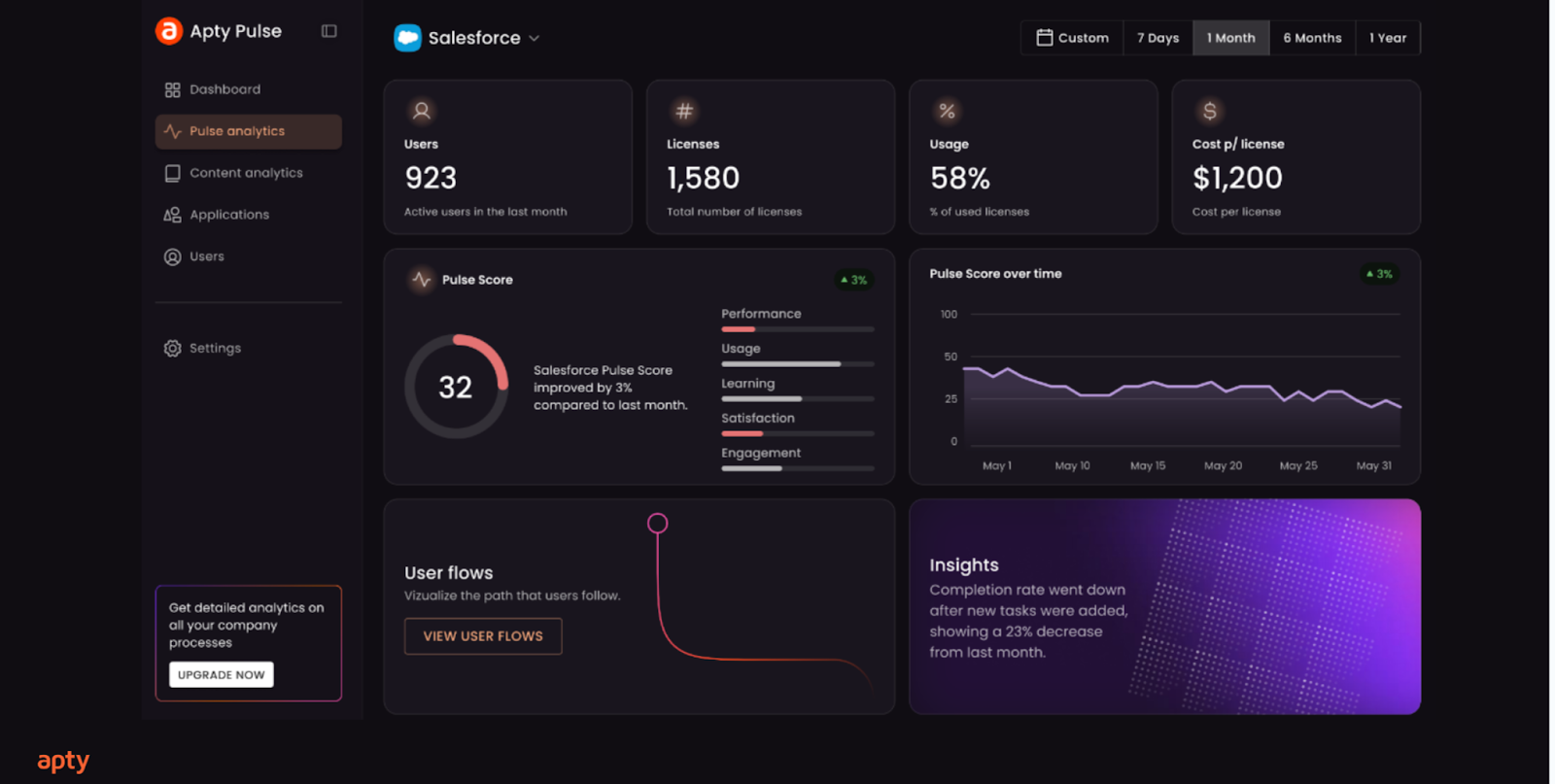
Key features include:
- Silent Monitoring: Tracks real-time user activity across apps, devices, and departments
- Productivity Insights: Identifies process bottlenecks and prescribes solutions (e.g., tooltips)
- User Flow Analysis: Visualizes navigation paths to optimize workflows
- App Utilization: Highlights underused apps, reducing unnecessary license costs
- Quick Setup: INSTALL > DIAGNOSE > PRESCRIBE delivers actionable insights in minutes
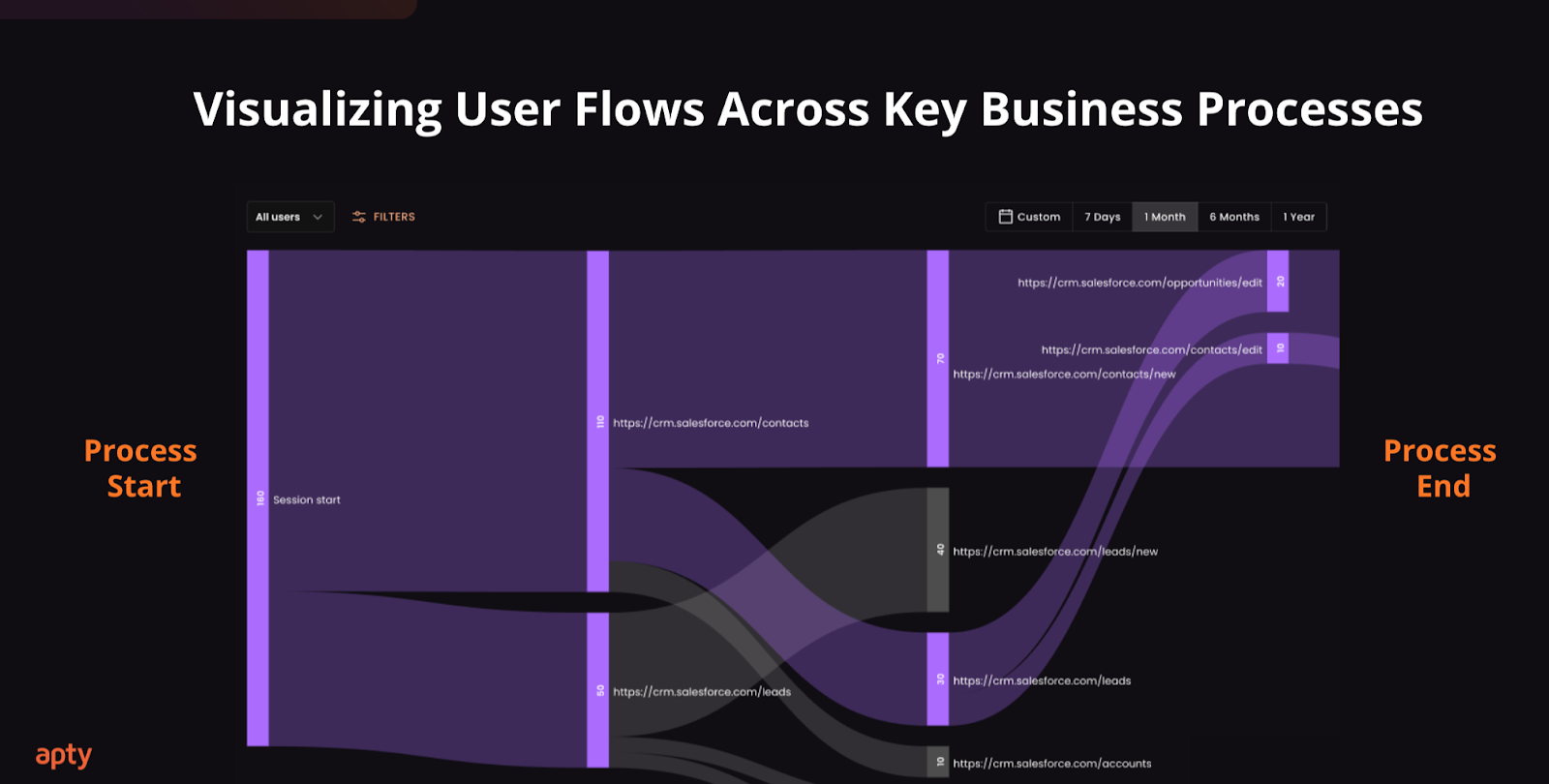
PULSE also tracks critical metrics like task completion rates, time to value (TTV), activation rates, content analytics, retention rates, feature adoption rates, user engagement scores, churn rates, and customer lifetime value (CLV).
Additionally, enhance onboarding effectiveness with:
- A/B Testing: Experiment across multiple scenarios to identify best practices
- Qualitative Feedback: Use surveys and interviews to collect user insights
- Continuous Iteration: Refine processes to improve user activation and retention
Onboard Users Better With Apty
$1 billion. That’s how much a leading global bank saved after using Apty to streamline its onboarding process and ensure compliance across international branches.
Traditional onboarding often fails due to forgettable training and lack of actionable insights, but Apty transforms the process with seamless integration and continuous optimization.
Here’s how Apty stands out:
- Rapid Deployment: Get started in 1-2 days with minimal IT effort
- Data-Driven Insights: Analyze software usage to identify bottlenecks, providing precise recommendations to improve adoption
- Contextual and In-App Guidance: Provide in-the-moment help tailored to user needs to boost engagement and productivity
- Automation for Efficiency: Simplify processes and reduce repetitive tasks
- Continuous Optimization: Doesn’t stop at deployment; it monitors and refines the onboarding process over time, ensuring ongoing improvement and higher ROI
- AI-powered: A predictive AI DAP that uses AI and ML to analyze software usage and adoption
With Apty, enterprises can deliver personalized onboarding experiences that drive adoption, productivity, and ROI.
Ready to experience the Apty difference? Book a demo today.
In 2017, J.P. Morgan introduced Chase Connect, an app for small and mid-sized companies, demonstrating its commitment to digital transformation in financial services. While a simple solution, it solved a key problem: 38% of startups fail due to cash flow problems.
This is just one example of the bank’s yearly commitment of $12 billion to technology.
J.P. Morgan’s focus on financial digital transformation is not unique. Research suggests that in 2023, global technology investments in banking and financial services was around $650 billion (roughly the size of Sweden’s GDP) and is growing at 9% a year on average. From banking-as-a-service (BaaS) to blockchain, digital transformation in financial services is hard to ignore.
This rapid investment trend is a sign of accelerating financial services digitalization, where institutions are rethinking every touchpoint to create faster, smarter, and more secure financial ecosystems.
In this blog post, we’ll explore what financial digital transformation involves, challenges it faces, and the benefits technology brings to finance.
What is Digital Transformation in Financial Services?
Digital transformation in financial services refers to the use of advanced technologies such as artificial intelligence (AI), cloud computing and data analytics, to find innovative solutions to market changes and customer demands.
For leaders, this means rethinking existing processes, breaking down data silos and focusing on more agile services.
Today, technology can improve operational efficiency, enhance customer experiences, and realize cost effectiveness. For instance, migrating to cloud infrastructure can save traditional banks up to 40% of costs through software and hardware savings, labor cost reduction, and even licensing spends.
In the long run, digitalization supports more personalized, responsive services, leading to stronger customer loyalty and higher lifetime value.
The Challenges to Financial Digital Transformation
Digital transformation in finance is reshaping the industry at an unprecedented rate, but it comes with unique challenges. From resistance to new technology to cybersecurity threats, roadblocks to financial digital transformation are plenty.
Yet, as we’ll see in a subsequent section, the benefits far outweigh the challenges. Before going into its advantages, let’s look at the challenges.
Digital upskilling and onboarding
Adopting financial technology requires employees to master new tools, which can create skill gaps and lead to resistance to change, making additional training necessary. Successful implementation of technology requires both technical training and cultural shifts within organizations.
In banks and financial institutions, this challenge is further compounded because of its high-stakes environment, where mistakes during the learning curve can lead to regulatory or financial risks.
Using a digital adoption platform (DAP) like Apty can help financial service companies provide employees with contextual as well as personalized AI-driven guidance, and customize their upskilling and onboarding processes to aid learning and cut costs.
Data privacy and cybersecurity
Digital transformation in financial services also comes with the threat of data breaches and cybersecurity attacks that threaten the privacy of sensitive information.
Recently, London-based Finastra that handles banking and wire transfers for more than 8,100 financial institutions globally, reported a major data breach impacting its internal file transfer system. This challenge can be prevented with robust encryption and security protocols, regular security audits, and AI-powered threat detection systems, among other solutions. Implementing ai penetration testing can proactively identify system vulnerabilities before attackers exploit them, strengthening overall cybersecurity resilience and protecting critical financial data.
Integration with legacy software
Combining new digital tools with outdated systems can result in compatibility issues, ineffectiveness and high costs. A PYMNTS report found that 75% of banks struggle with digitalization because of legacy infrastructure. In fact, many banks in the Asia-Pacific continue to rely on decades-old legacy systems.
Instead of rapid digitalization, adopting a phased migration process that still retains critical infrastructure minimizes disruption, as has been seen in leading banks in countries like Australia and Singapore.
Real-time end user support
Complex digital systems can struggle to deliver fast solutions due to delays in troubleshooting, poor integration of customer data, or limited access to technical resources during crises.
For instance, a payment gateway crashing during a trading surge prevents users from executing trades. This results in huge financial losses for users and a damaged reputation for the financial intermediary.
Understanding end-user pain points
Failure to fully comprehend end-user needs can be frustrating for customers because of poorly designed or irrelevant digital solutions.
For example, providing customers with advanced cryptocurrency trades while having a user interface (UI) that is non-intuitive can result in low adoption rates. Companies like PayPal have overcome this through user journey mapping and A/B testing.
Cost of new technology
Advanced technologies such as AI or blockchain may require large upfront investments, ongoing maintenance costs and specialized expertise. These barriers can be prohibitive for smaller firms unless they explore cost-sharing models.
Regulatory compliance
As mentioned before, digital transformation in financial services requires compliance with many regulatory needs. For example, European Union (EU) banks and financial institutions that use AI must align with the GDPR, which has strict rules for data usage, storage and transparency.
Failure to comply with such guidelines can lead to hefty fines and legal repercussions, which can serve as a deterrent for many firms.
Benefits of Financial Services Digital Transformation
Despite its challenges, banks and financial institutions are moving towards digitalization. Players in the industry are recognizing the growing benefits of digital transformation for financial services, such as:
Enhanced customer experience
Digital transformation empowers financial institutions to deliver personalized, efficient, and consistent customer interactions. 44% of financial services executives reported enhanced customer engagement due to digital transformation investments.
For instance, implementing AI-powered chatbots and predictive analytics helps banks provide real-time customer support and tailored financial advice. This evolution is particularly visible in the insurtech sector, where AI insurance support has shifted from basic FAQ bots to sophisticated systems capable of managing entire policy lifecycles. Insurance company Lemonade’s AI bots Maya and Jim have made waves for their exceptional customer service and the company now has over 2 million customers.
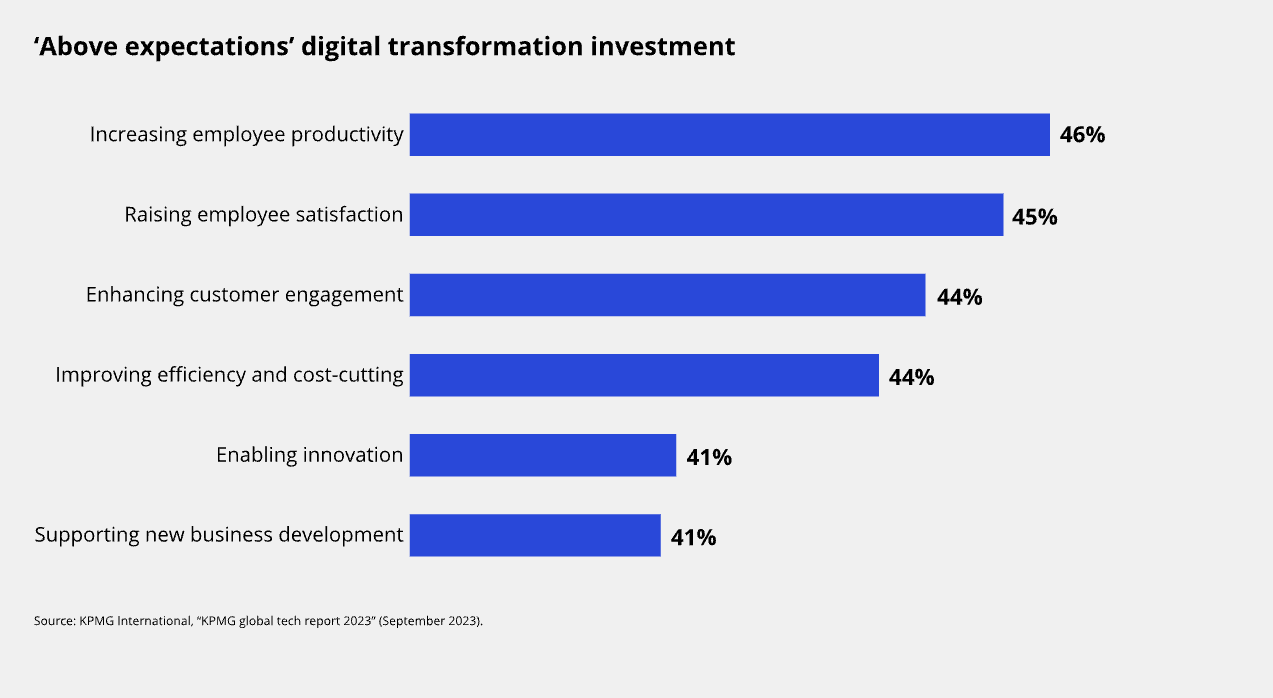
Moreover, technology-driven personalization is also transforming how financial institutions generate and manage merchant service leads allowing banks and payment providers to identify high-quality prospects through advanced analytics, automate outreach, and improve conversion rates with data-backed insights.
Reduced operational costs
For financial institutions, automation and advanced digital software can streamline manual processes, ultimately cutting costs and enhancing efficiency. A KPMG report suggests that digital investments have already improved efficiency and supported cost benefits by 44% for financial services companies that have implemented them.
One of the major benefits of digital transformation in finance is smarter client management. For example, CRMs enhanced with AI can transform the work of financial advisors. Tools like Apty ensure these platforms are appropriately adopted, minimizing drop-offs and unlocking valuable insights across customer portfolios.
Easy data accessibility and management
Digital transformation for financial services can help collect, analyze, and store data, supporting decision-making with improved customer insights. Centralized platforms can integrate customer relationship management (CRM), transaction history, and third-party data, empowering internal teams with critical insights that can drive faster actions. Moreover, centralized data platforms can also support regulatory compliance through streamlined audits and data alignment with necessary standards.
Process agility and operational productivity
Software and new technology eliminate bottlenecks and combat human errors, which can improve process and operational agility. Machine learning solutions can streamline approvals, for instance, reducing processing time drastically.
The McKinsey Global Institute (MGI) estimates that across the global banking sector, gen AI could add between $200 billion and $340 billion in value annually, or 2.8% to 4.7% of total industry revenues, largely through increased productivity.
Examples of digital transformation in the finance industry
Financial digital transformation isn’t a new phenomenon, with many global companies leading the way. The benefits of digitization are best illustrated with real-life impact. Let’s explore real-world examples of digital transformation in the finance industry.
Digital customer onboarding
HSBC introduced SmartServe for digital onboarding by leveraging AI, machine learning and biometric verification. The impact of SmartServe has enhanced customer experiences where new accounts can be opened, information verified and KYC completed remotely and in real-time, within a few minutes.
At the same time, SmartServe has helped the bank expand into new markets and offer services to customers who may have previously found traditional banking procedures cumbersome.
Latest reports show that SmartServe is live in 19 countries, has more than 1,400 internal users and has onboarded 89% of eligible customers digitally, with 72% of them rating the experience as ‘easy’.
AI-driven fraud detection
Mastercard is paving the way for generative AI fraud detection to protect customers and payment networks. Its decision intelligence (DI) solution, launched earlier this year, scans one trillion data points in real time to detect the genuineness of transactions.
The existing AI technology already helps approve 143 billion transactions a year safely, while the new gen AI can boost fraud detection rates by up to 300%, based on initial modelling.
Robotic process automation
Robotic process automation (RPA) automates repetitive tasks, reducing errors and boosting employee productivity.
Deutsche Bank’s RPA commercialization program in China includes features like automated transaction data extraction and conversion from e-banking platforms, integration across multiple channels such as e-statements and e-wallets, and a zero human intervention reconciliation process. This has reduced reconciliation time from 2-3 days to under an hour. The pilot program shows that it can save the bank 60-80 hours of manpower per month.
CRMs for financial advisors
In 2023, Morgan Stanley took the leap into improving its CRM with an internal AI assistant powered by OpenAI’s ChatGPT technology.
AI @ Morgan Stanley Assistant changed how financial advisors and wealth managers handled client needs. It simplifies mundane tasks by quickly providing answers on investment or business performance from over 100,000 documents—much faster than human intervention. The assistant is seen as a “co-pilot” in the firm’s financial advisory department, with document access increasing from 20% to 80% and over 98% of advisor teams using it actively.
Banking-as-a-Service
The Apple Card, launched in partnership with Goldman Sachs, is a prime example of BaaS. It provides a digital-first banking experience seamlessly integrated within the Apple ecosystem.
While the card itself functions like a typical credit card, its backend infrastructure and financial services are powered by Goldman Sachs, using Apple’s advanced tech ecosystem to deliver a user-friendly, digital experience. Features include real-time transaction tracking, insights into spending habits and cash-back rewards.
Wealth management and Registered Investment Advisor platforms
Aladdin (Asset, Liability, Debt and Derivatives Investment Network) by BlackRock is a tech-powered investment management platform popular among financial institutions, asset managers, and institutional investors. It provides an impressive suite of tools for portfolio construction, risk management, trade execution, and performance analytics.
The system is preferred for its sophisticated risk analytics and ability to aggregate data from multiple sources into a unified view of portfolio performance. A key feature of Aladdin is its support for regulatory compliance, offering tools to help firms stay up-to-date with global regulatory changes.
Chatbots and virtual financial advisors
Going back to Lemonade’s example, the new-age insurer’s AI-driven chatbots, Maya and Jim, have significantly contributed to improved customer satisfaction and business performance.
Maya, the virtual assistant, processes insurance purchases and provides customers with instant quotes and responses. The company handles about 30% of customer interactions with absolutely no human intervention. Lemonade’s Jim handles claims processing and recently set a new record by settling a claim in two seconds.
The Apty Impact on Financial Digital Transformation
Modern software solutions are at the heart of digital transformation across industries. From workflow automations to data-driven analytics, digital tools set the stage for success. Enter Apty.ai .
But adoption is only the starting point. Apty’s AI-powered platform transforms the way banking and financial teams use enterprise software, reducing process errors by 30%, boosting onboarding speeds by 50%, and improving compliance with role-based workflows. The outcome isn’t just adoption, it’s measurable business execution.
With contextual guidance and on-demand training, GenAI capabilities, integrations, and unified workspaces, Apty can accelerate your digital transformation in the finance industry. Apty’s DAP minimizes employee resistance and helps overcome change management challenges with a host of solutions that ensure successful adoption, including:
- in-app guidance to provide users with contextual support without interrupting their workflow
- AI in financial services to help teams adopt and maximize tools like fraud detection engines, AI chatbots, and predictive analytics platforms
- AI-driven features offer role-based guidance, helping employees quickly master new tools and improve software utilization
- step-by-step guidance and process standardization to minimize errors and ensure that employees adhere to company procedures and compliance regulations
- analytics to track software usage patterns, providing organizations with data to optimize software utilization, manage licenses, and improve cost efficiency
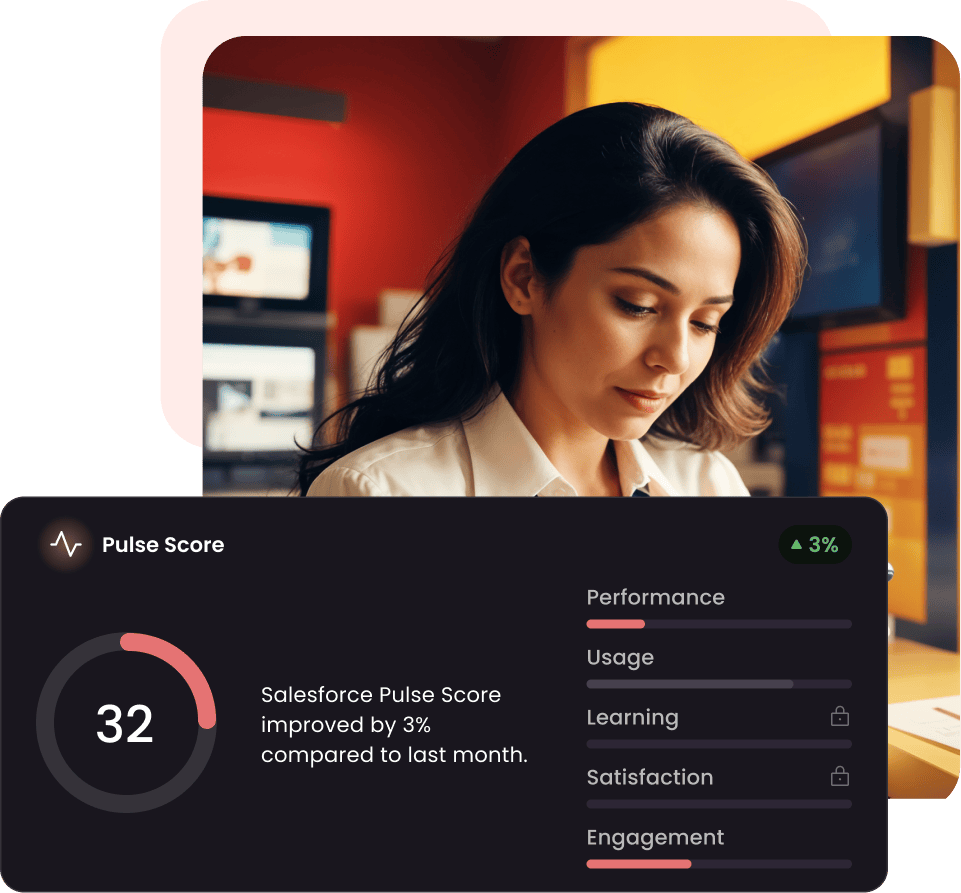
Take the case study of this global bank in North America. It sought to improve the training and onboarding of its new project and portfolio management (PPM) software after a year of inefficiency and low productivity. The bank partnered with Apty for a solution.
Apty’s detailed guidance enabled employees to independently follow business processes, while real-time data validations and a predefined format for data entry improved accuracy and eliminated errors. The DAP’s analytics and reporting capabilities provided leadership with better visibility for key decision-making. As a result, the bank saved $1 million (80% of support costs) and reduced adoption time by 30 days.
Want to achieve these results for your own business? Twelve million users and top financial institutions are already using Apty to drive ROI, not just adoption. From AI-powered onboarding to enterprise-wide process standardization, Apty helps reduce errors by 30%, cuts support costs by 80%, and improves adoption time by up to 30 days. Book a demo today!
The right digital adoption platform (DAP) can make or break your digital transformation journey. The best DAPs streamline workflows, increase employee productivity, and boost ROI on technology investments.
Take Mattel, for example. The global toy giant transformed its HR operations by implementing a DAP, achieving 90% adoption in just 60 days and boosting employee productivity across 30 business processes.
However, choosing the right DAP in a crowded market can be challenging, with countless tools claiming to be the best. While Whatfix is popular, many enterprises seek Whatfix alternatives due to its limitations. Common challenges that Whatfix users report include limited customization options, high costs for scaling, and insufficient advanced analytics.
Here are some user reviews highlighting Whatfix’s shortcomings:


This article simplifies your search for top Whatfix alternatives with comparable features and pros and cons to help you make an informed choice. Let’s dig in!
Top Whatfix Alternatives for 2026
Here’s a table comparing the features, core functionalities, and unique strengths of the best Whatfix alternatives and competitors in 2026.
| Criteria | Apty | WalkMe | Userlane | Pendo | Appcues |
|---|---|---|---|---|---|
| Primary functionality | Digital adoption and process compliance | Digital adoption and insights | Digital adoption and training | Digital product experience | User onboarding and training |
| User onboarding | Yes | Yes | Yes | Yes | Yes |
| Analytics | Yes | Yes | Yes | Yes | Yes |
| Integration | Multiple platforms | Multiple platforms | Multiple platforms | Multiple platforms | Limited |
| Customization | High | High | High | High | Medium |
| Validation | Yes | Yes | Yes | No | No |
| AI features | Yes | AI-driven insights and suggestions | No | AI-driven product experience insights | No |
| Real-time assistance | Yes | Yes | Yes | Yes | Yes |
| Pricing | Custom | Custom | Custom | Custom | Custom |
Best Whatfix Alternatives in 2026
1. Apty
Apty is a powerful digital adoption platform tailored for enterprises. As a leading Whatfix alternative, it transcends many limitations with features such as deeper analytics, faster implementation, and real-time guidance.
Ideal for industries like finance, healthcare, and technology, Apty simplifies onboarding and streamlines complex workflows to boost productivity up to 25%.
Apty Key Features
- Apty PULSE: Diagnostic view of the enterprise tech stack to track usage, process adherence, and KPI performance with a centralized dashboard to reduce IT waste and improve adoption rates.
- Apty OneX: Unified, Gen AI-powered interface that streamlines workflows with real-time, context-aware guidance and integrates with business systems like CRM, ERP, HRMS, and ITSM, with SSO support.
- Usage Monitoring and Analytics: Comprehensive monitoring and analytics with actionable insights to improve application user behavior and eliminate adoption challenges.
- Integration: Broad integration support with tools like Mixpanel, Amplitude, and SCORM platforms, supplemented by custom themes for personalized interfaces.
- Multi-Language Support: Multi-language integration with translations powered by APIs like Google and DeepL.
- Advanced AI: Features like AI-powered dynamic insights, predictive analytics, auto-pilot, and advanced rule engine to improve workflows.
- Validation and Compliance: Validation features prevent errors and protect system disruptions, and audit trails provide regulatory transparency for industries like finance, healthcare, and technology.
Apty Pros (Based on G2 & Gartner Reviews)
- Apty is intuitive for both technical and non-technical users, with its browser extension making navigation and workflow creation seamless.
- Interactive onboarding features lower entry barriers for users and enhance their understanding of essential functionalities, boosting adoption rates.
- Apty’s support team is highly responsive and proactive, consistently resolving issues quickly and providing expert guidance during implementation.
- Apty integrates effortlessly with existing tools and platforms, making it a seamless addition to digital transformation initiatives.
Apty also stands out when evaluating WalkMe vs Whatfix comparisons by offering better compliance capabilities and support for cross-application processes. Explore how Apty helps leading enterprises accelerate digital transformation.
Apty Cons (Based on G2 Reviews)
- Some users say asset export functionality occasionally misses elements like screenshots, requiring additional manual effort to ensure content accuracy.
- While the platform is largely user-friendly, some users say building content during the initial stages has a learning curve, particularly for managing advanced configurations.
Apty Ratings & Reviews
2. WalkMe
WalkMe is a Whatfix competitor that provides personalized guidance, automation, and real-time insights. It offers integration capabilities for various applications and helps organizations boost productivity, reduce errors, and ensure faster technology adoption.
WalkMe Key Features
- DeepUI Technology: AI-based element recognition ensures functionality of digital adoption content as underlying applications evolve, preventing user experience disruptions.
- Omnichannel Digital Adoption: Support on the web, desktop, and mobile with conversational tools for AI-driven assistance.
- Diverse Integrations: Integrations with key business applications like Salesforce, Workday, and Microsoft Dynamics 365.
- Enterprise-Grade Security: Built with robust governance, privacy, and security standards for scalable digital adoption.
- Effective Automation: Personalized guidance and automation directly within workflows.
WalkMe Pros (Based on G2 and Gartner Reviews)
- It’s easy for teams to create and manage flows without relying heavily on IT support.
- Users praise WalkMe’s support team for being responsive, helpful, and knowledgeable.
WalkMe Cons (Based on G2 Reviews)
- Some reviewers note that advanced features require initial training to maximize the platform’s capabilities. (Source)
- Overlays and complex guidance workflows can sometimes slow down applications.
WalkMe Ratings & Reviews
3. Pendo
Pendo is a product experience and digital adoption platform designed to help businesses improve software usage and user satisfaction. It is a key Whatfix competitor that provides analytics, in-app guides, session replays, and feedback tools.
Pendo Key Features
- Analytics for User Behavior: Data-driven insights to track and understand user interactions with software and identify most-used features and user struggles for workflow optimization.
- In-App Guides and Messaging: Contextual guidance to users directly within the application to help onboard users, introduce new features, and provide real-time support.
- Roadmapping and Stakeholder Alignment: Features to create clear, visual roadmaps that can be tailored for internal teams or external stakeholders.
Pendo Pros (Based on G2 Reviews)
- Pendo empowers non-technical teams to create and deploy in-app messages, NPS surveys, and onboarding flows without coding skills.
- Reviewers commend Pendo’s customizable dashboards and specific page rules to visualize user behavior data.
Pendo Cons (Based on G2 Reviews)
- Pendo has limited customization. Some reporting tools, such as NPS columns and survey exports, lack flexibility and require manual work to tailor results.
- Guide management can be challenging and disorganized, and it’s not ideal for mobile-first tools.
Pendo Ratings & Reviews
4. Userlane
Userlane offers seamless, in-app guidance that walks users through tasks directly within the software. It allows users to learn at their own pace without interrupting their workflow, making the process feel natural and intuitive.
Userlane Key Features
- Employee Training and Support: Onboarding capabilities include self-service training and interactive guides while promoting proactive learning through links to existing knowledge bases and real-time assistance.
- Change Management: It integrates step-by-step guidance directly into applications, embedding training within the software, effectively eliminating change management challenges.
- Multilingual Capabilities: Multilingual functionality for seamless adoption across geographies, global teams and diverse workforces.
- Intuitive Interface: User-friendly interface that requires minimal technical expertise for implementation with quick and flexible deployment options for centralized governance and decentralized rollouts.
Userlane Pros (Based on G2 Reviews)
- The platform offers high levels of customization, enabling tailored experiences for specific user segments.
- Efficient support team dedicated to helping users resolve technical challenges and maintain effective guides.
Userlane Cons (based on G2 Reviews)
- While basic functionalities are intuitive, mastering advanced features involves a steep learning curve.
- Switching between the portal and editor, particularly when managing ToolTips, can feel clunky and cumbersome.
Userlane Ratings & Reviews
5. Appcues
Appcues is a DAP for SaaS teams that provides personalized guidance, seamless onboarding, intuitive engagement, journey automation and tools to track user actions.
Appcues Key Features
- Personalized Onboarding: User onboarding with personalized experiences, in-app guidance, email follow-ups, and push notifications to help users stay on track.
- Feature Highlights and Trial Conversion: Value highlights, in-app nudges and push notifications re-engage users and actionable insights showcase features that ultimately convert free trial users into paying customers.
- Actionable Feedback: It captures user insights with NPS and in-app surveys where responses are most authentic. CRM integrations also help with detailed feedback analysis and insights.
- On-Demand User Support: Direct in-app customer support and proactive user assistance with tips, email follow-ups, and tailored content to resolve queries without disrupting workflow.
Appcues Pros (Based on G2 Reviews)
- Appcues creates seamless onboarding processes, reducing time and productivity for new users.
- It enables personalized user journeys through segmentation, ensuring users receive relevant content based on their profiles or actions.
- Users appreciate the ability to quickly implement flows that notify them of releases, changes, and updates.
Appcues Cons (Based on G2 Reviews)
- Some users face challenges when using hybrid mobile frameworks like Ionic.
- Appcues lacks organization features for clients with many flows. The current Flows tab makes it hard to stay organized.
Appcues Ratings & Reviews
Why Apty.io Is the Best Whatfix Alternative
When choosing a digital adoption platform, selecting a solution that addresses immediate onboarding needs and delivers long-term business value is critical. Apty stands out as the best Whatfix alternative due to its enterprise-focused approach, superior business process compliance capabilities, and actionable insights designed to maximize software return on investment (ROI).
Unlike other platforms that focus primarily on onboarding, Apty’s AI-powered platform emphasizes long-term outcomes like reduced process errors, employee productivity gains, and governance, making it the ideal choice for process compliance software and enterprise digital adoption.
One of the most compelling examples of Apty’s impact is its partnership with Haskell, a global architecture, engineering, and construction leader.
Haskell faced significant challenges with underutilized software like Procore and Microsoft Dynamics, leading to inefficiencies such as inaccurate financial reporting, delayed submittals, and costly rework. Here’s how Apty helped:
- Streamlined Processes: Real-time guidance and validation tools ensured users adhered to critical workflows, reducing data errors and improving compliance.
- Improved Efficiency: Automating mundane tasks and providing contextual guidance helped boost productivity across teams.
- Significant ROI: Apty’s solutions resulted in a potential annual margin impact of up to $710K, achieved through reduced claims, fewer project delays, and improved operational efficiency.
Explore how Apty compares with Whatfix and WalkMe
Key Differentiators: How Apty Outperforms Whatfix
Apty’s core functionality transcends many of Whatfix’s limitations such as insufficient analytics and workflow incompatibilities. Here are the key differentiating features it provides:
- Data-Driven Insights: Apty Pulse provides actionable insights into user behavior and adoption challenges, unlike Whatfix’s high-level analytics.
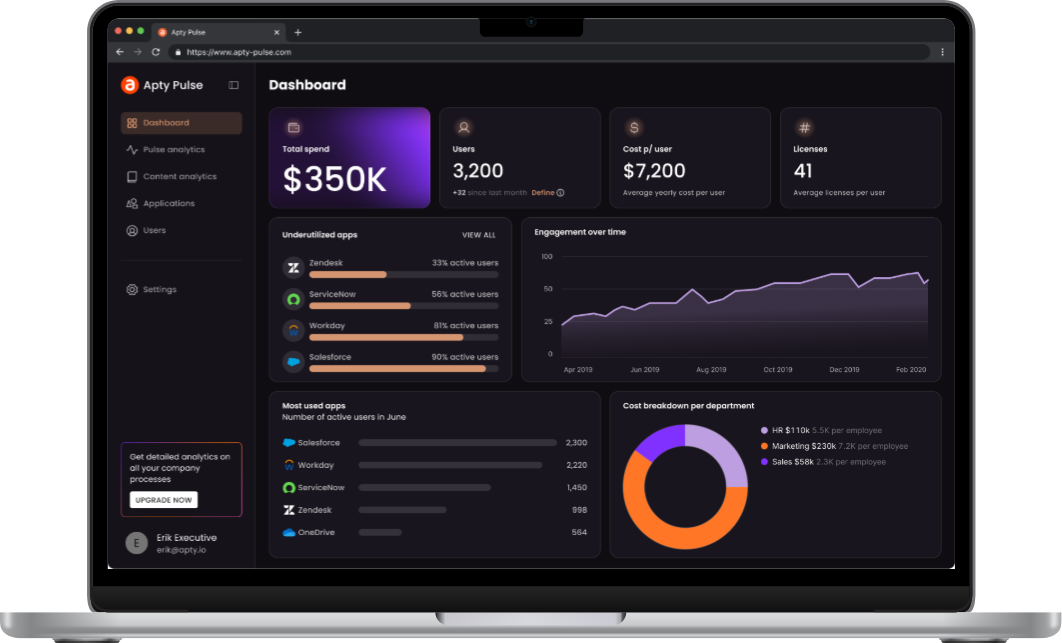
- Process Compliance at Scale: Apty’s advanced validation and monitoring features ensure users follow workflows correctly, a critical capability missing in Whatfix.
- Enterprise Scalability: Apty seamlessly integrates across multiple applications with minimal IT dependency, making it ideal for large organizations.
Apty makes it easy for businesses to customize workflows and on-screen guidance with low-code/no-code tools, ensuring everything aligns with their branding. With GenAI in Apty OneX, mundane tasks get automated, and users receive contextual, real-time assistance for a smooth experience. It also excels at guiding users through multi-application processes, simplifying complex workflows.
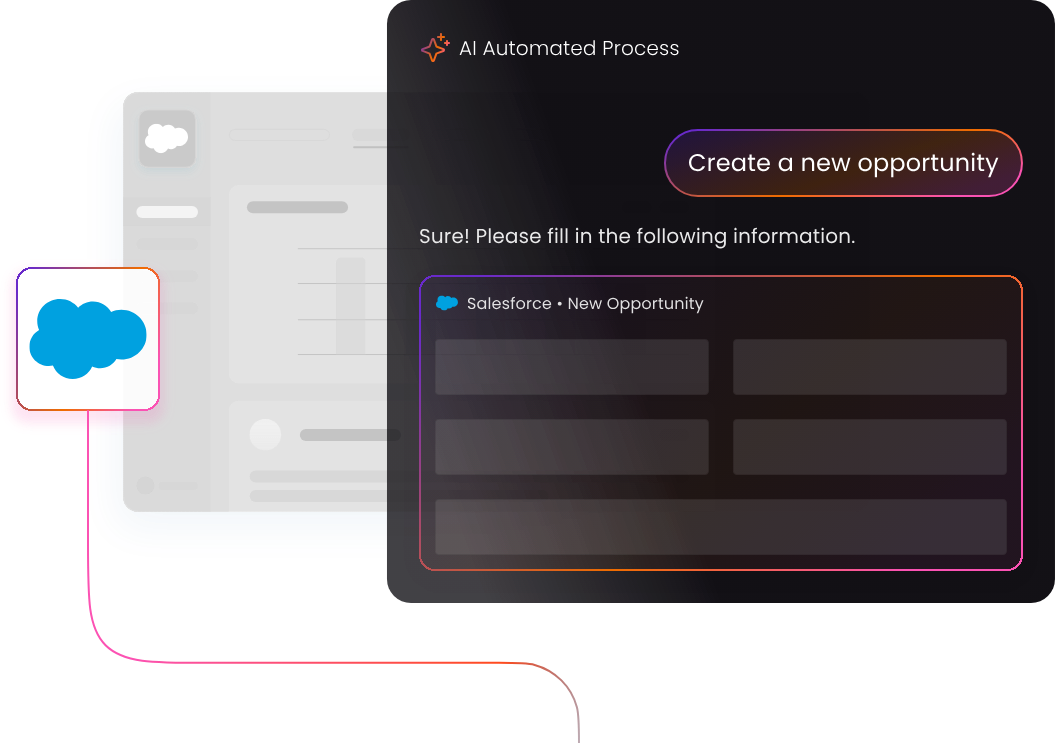
Apty doesn’t just make digital adoption easier, it makes it smarter, scalable, and ROI-focused. Numerous enterprises have achieved project completion in less than half the usual time with Apty, improved data quality by 80% and onboarded consultants seamlessly.Want to find out how Apty can transform your digital adoption strategy? Book a demo today!
In 2024, Mary Kay, a global leader in cosmetics, altered its onboarding and training processes with a digital adoption platform (DAP). It empowered 3 million global consultants with accelerated digital onboarding, reduced time spent on support tickets, improved customer experience and satisfaction, and even boosted overall sales results. The result? A 20% increase in process compliance and internal communication.
This success reflects a broader trend: businesses investing in digital adoption platforms achieve measurable results. Whatfix vs. WalkMe is often spoken about in the context of leading DAP solutions. They help improve user onboarding, software adoption, and change management for companies.
However, there is never a one-size-fits-all solution. Enterprises often require greater scalability, faster implementation, and dedicated support unique to their needs—areas where alternatives to Whatfix and WalkMe stand out.
However, Apty is a worthwhile contender with standout features such as contextual guidance and actionable analytics that help organizations reduce training costs
In this blog post, we’ll compare Whatfix vs. WalkMe across key feature offerings and use cases. We will also walk you through why Apty may be the better choice for enterprises seeking to achieve efficient digital transformation.
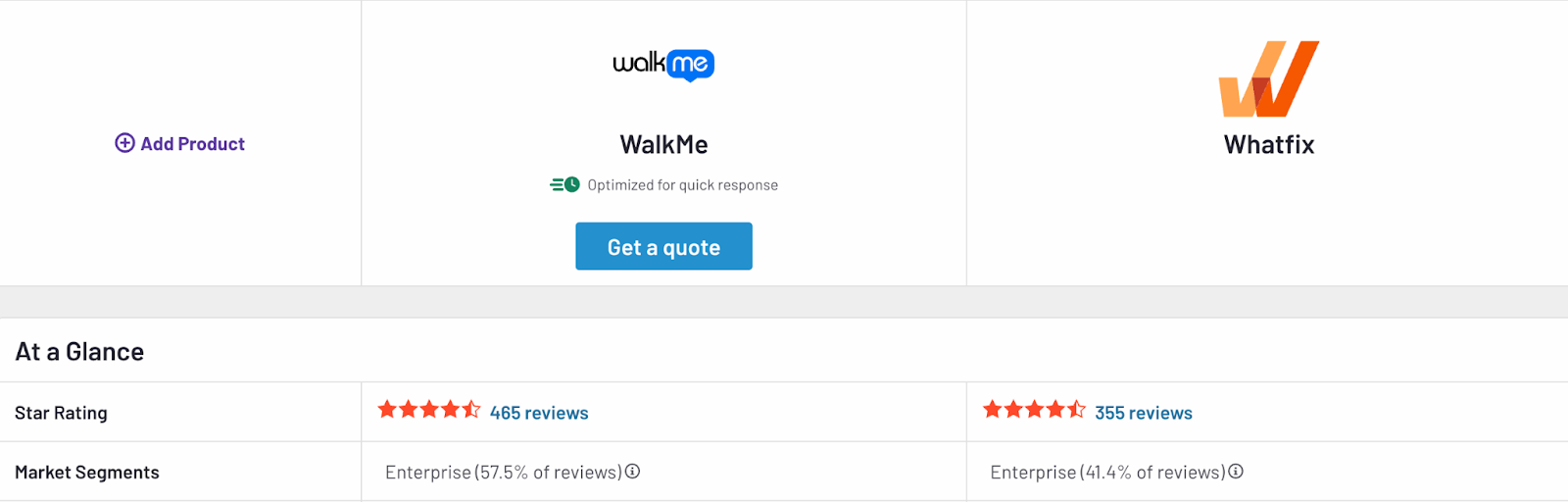
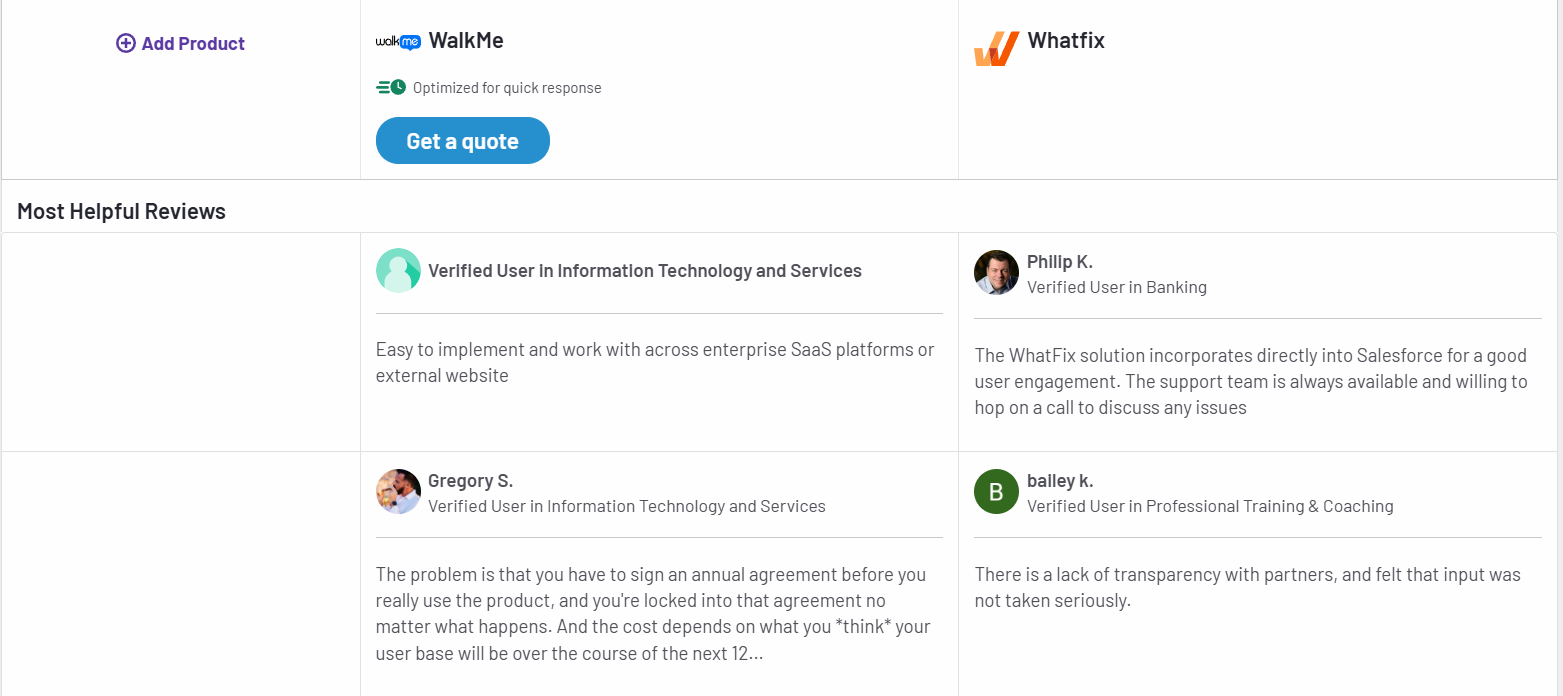
Whatfix vs. WalkMe: Key Feature Comparison
Whatfix and WalkMe are two among the most popular digital adoption platforms for enterprises. Both aim to improve software adoption and enhance user productivity. While many features overlap, there are differences in key features, ease of use, and platform flexibility.
Let’s start by looking at the individual features of Whatfix and WalkMe.
Whatfix Features
Whatfix is known for its intuitive, no-code content creation tools. This makes it easy for businesses to create, deploy, and update in-app guidance without relying on IT teams.
- In-App Guidance: Whatfix delivers contextual, step-by-step in-app guidance through interactive walkthroughs, task lists, and self-help wikis. The no-code content editor allows businesses to create and update guidance seamlessly across applications without IT dependency.
- Tooltips and Contextual Nudges: Smart tooltips, hotspots, and nudges adapt to user behavior and context. They help users complete tasks while reducing errors and uncovering lesser-known features.
- Analytics: The platform offers product analytics to track user behavior and feature adoption. With no-code event tracking, teams can analyze workflows and make data-driven decisions to optimize processes.
- Automation: Whatfix automates repetitive processes such as form filling, smart rules, and workflows, increasing productivity and minimizing user friction.
- Sandbox Environments: This software provides hands-on user training with interactive replicas of live applications.
- Multi-Platform Support: It works on desktop, mobile, and web applications, including Citrix environments.
Worth Your Time: Whatfix Alternatives and Competitors
WalkMe Features
WalkMe offers advanced automation tools and guidance capabilities. It excels in supporting web-based applications but has limitations in areas like mobile support and sandbox training.
- In-App Guidance: It delivers interactive walkthroughs and customizable tours to help users navigate applications effectively. Its conversational interface provides task-specific assistance in real time.
- Tooltips and Contextual Nudges: WalkMe’s tooltips and nudges deliver real-time suggestions and prompts, improving user productivity. They appear when users encounter roadblocks, offering actionable insights to steer them toward successful outcomes.
- Analytics: The tool’s advanced analytics provide in-depth insights into the user journey, workflow adoption, and system engagement. Features like session streams and custom reports identify bottlenecks and track return on investment (ROI) from digital adoption efforts.
- Automation: WalkMe automates workflows by integrating with applications to trigger actions, fill forms, and streamline multi-step tasks without manual input.
- Content Management: While WalkMe allows export of walkthrough content as PDF or DOCX, LMS integration is largely limited to its own solution, TeachMe.
- Desktop and Mobile Support: Desktop support on WalkMe is functional but reportedly less comprehensive than Whatfix. Mobile solutions are repurposed from web tools, making access and UX limited. It also lacks support for Citrix apps and iFrames.
Worth Your Time: WalkMe Alternatives and Competitors
Comparison of Whatfix vs. WalkMe Features
Now that you have a detailed overview of Walkfix vs WalkMe’s features, here’s a brief comparison of the two:
| Features | Whatfix | WalkMe |
| In-App Guidance | ✔ No-code, interactive walkthroughs | ✔ Guided workflows |
| Tooltips and Contextual Nudges | ✔ Available | ✔ Available |
| Automation | ✔ Advanced automation, sandbox training | ✔ Automation tools |
| Content Exporting | ✔ PDFs, videos, LMS integration | ✖ Limited to PDFs and DOCX |
| Mobile Support | ✔ Optimized mobile experience | ✖ Limited mobile functionality |
| Desktop Support | ✔ Strong, with Citrix support | ✔ Limited, lacks Citrix support |
| Customer Support | ✔ Dedicated customer success manager for all customers | ✖ Varies based on account size |
| Customization | ✔ Extensive customization options | ✖ Limited customization |
| Integration Support | ✔ Easy integrations but less granular control | ✔ Robust integrations with detailed insights |
| Analytics and Reporting | ✔ Advanced analytics with real-time insights | ✔ Extensive analytics platform |
| Ease of Use | ✔ User-friendly, intuitive UI | ✖ Steep learning curve |
| Security and Compliance | ✔ Enterprise-grade security | ✔ Enterprise-grade security |
Compare Whatfix vs. WalkMe Use Cases
Selecting the right DAP involves evaluating how well it supports essential use cases like digital transformation, change management, user engagement, and employee onboarding. A WalkMe vs. Whatfix comparison can provide useful insights on how they solve for these needs. While both offer different approaches to these use cases, each comes with its own strengths and limitations.
Whatfix excels in delivering highly customizable and analytics-driven solutions, making it ideal for organizations seeking tailored workflows and deep adoption insights. On the other hand, WalkMe emphasizes automation and guided walkthroughs for streamlining transitions and scaling processes. However, it may require additional configurations for advanced use cases.
The comparison below of Whatfix Vs. WalkMe use cases details how each platform supports these scenarios so that you can identify the solution that best meets your organization’s requirements.
| Use Case | Whatfix | WalkMe |
| Change Management | Simplifies change management with interactive in-app guidance, tooltips, and role-based workflows. Its personalized approach ensures smooth transitions for employees adapting to new systems | Provides step-by-step walkthroughs and tooltips to help users navigate changes. However, WalkMe’s adoption analytics are less detailed and lack the advanced segmentation needed for deeper insights |
| Digital Transformation | Accelerates digital transformation by enabling rapid tool adoption through customizable workflows and contextual in-app training. Its detailed analytics highlight progress, adoption gaps, and user behavior patterns, helping enterprises make data-driven decisions. Whatfix also integrates with platforms like CRM, ERP, and HCM systems, making it well-suited for enterprise-wide transformation | Supports large-scale transformation initiatives with guided walkthroughs and automation. While effective for general processes, WalkMe lacks the flexibility to tailor workflows to individual departments or roles. Its analytics provide a broad overview but often require additional configuration for actionable insights |
| User Engagement Monitoring | Features intuitive, no-code analytics to monitor user engagement and software usage. With features like heatmaps, behavioral insights, and cohort analysis, businesses can pinpoint where users drop off, struggle, or engage effectively | Offers basic user engagement tracking with dashboards, graphs, and usage metrics. While sufficient for high-level monitoring, its advanced tracking features often need manual configurations, making it less efficient for quick decision-making |
| Employee Onboarding | Eases employee onboarding with interactive, role-based product tours, task lists, and real-time in-app support. | WalkMe offers interactive tutorials and on-demand walkthroughs for onboarding. However, it relies on pre-defined templates, which can make customization time-consuming. The platform also lacks automation features for managing complex onboarding processes. |
Compare Whatfix vs. WalkMe Pricing
Pricing is critical when selecting a digital adoption platform, especially for businesses with varying needs and budgets. Here’s a closer look at how WalkMe vs Whatfix pricing structures compare:
Whatfix Pricing
Whatfix offers custom pricing based on the needs and scale of each organization. Their pricing model includes a combination of a flat fee and user license fees, depending on the type of application and users.
- Employee-Facing Applications: Pricing is calculated based on the total number of employees accessing the application where Whatfix is deployed.
- Customer-Facing Applications: For applications used by customers, partners, or external users, pricing is based on monthly active users (MAUs).
Whatfix provides three main plans:
- Standard Plan: Includes essential features such as in-app guidance, content aggregation, and smart context
- Premium Plan: Adds advanced features like custom surveys, auto testing, and robust engagement dashboards
- Enterprise Plan: Supports multi-app implementations, advanced analytics, and enhanced data security options tailored for large organizations
For businesses looking to explore the platform, Whatfix offers a free trial and demos upon request.
WalkMe Pricing
WalkMe offers flexible, custom pricing to accommodate businesses of all sizes. Pricing depends on the scale of implementation, the number of users, and additional modules chosen. Their offerings are categorized into core plans and add-on modules, allowing businesses to tailor solutions to their needs.
WalkMe for Employees
- WalkMe Core: This is WalkMe’s standard DAP. It also offers add-on modules.
- WalkMe Essentials: It’s a fixed-scope solution for businesses seeking faster implementation for sales and HR processes.
- WalkMe for Customers: This DAP helps with frictionless product experiences for customer facing applications and websites. It includes features like analytics, smart targeting, self-serve content, and customer sentiment tracking.
Businesses can enhance the WalkMe Core plan with optional modules, such as:
- Enterprise analytics for deeper insights into user journeys
- Customization and collaboration for branding and segmentation
- Connected workplace for automated workflows
To gain a better understanding of WalkMe’s pricing details, you can request a quote or schedule a demo with their team.
Apty: The Ideal Choice for Enterprises Among Whatfix and WalkMe
While Whatfix and WalkMe are reliable digital adoption tools, they sometimes fall short of meeting complex needs of large enterprises. Apty stands out by delivering unmatched scalability, faster implementation, and solutions that drive measurable results.
For businesses aiming to regulate processes, reduce costs, and boost adoption success, Apty is a worthwhile alternative and superior choice.
Let’s see why.
Scalability
Apty is designed to support enterprises of any size, effortlessly managing complex workflows across multiple applications. Whether you’re rolling out changes to thousands of users or implementing DAP solutions across departments, Apty scales seamlessly without sacrificing performance.
Users often compliment Apty’s quick turnaround in setting up workflows for user adoption, training, and onboarding. Organizations have reported significant productivity gains by standardizing workflows across global teams using Apty.
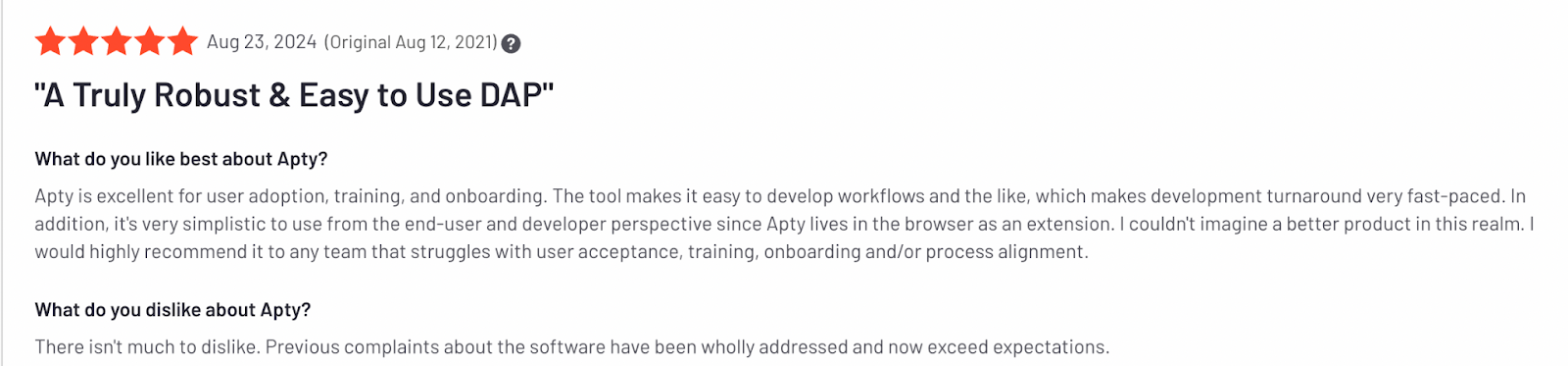
Ease of Implementation
Compared to WalkMe and Whatfix, Apty offers a faster and simpler implementation process.
Its no-code setup ensures minimal IT involvement, allowing organizations to get up and running in days rather than weeks. This quick deployment means your teams realize value sooner, accelerating software adoption timelines.
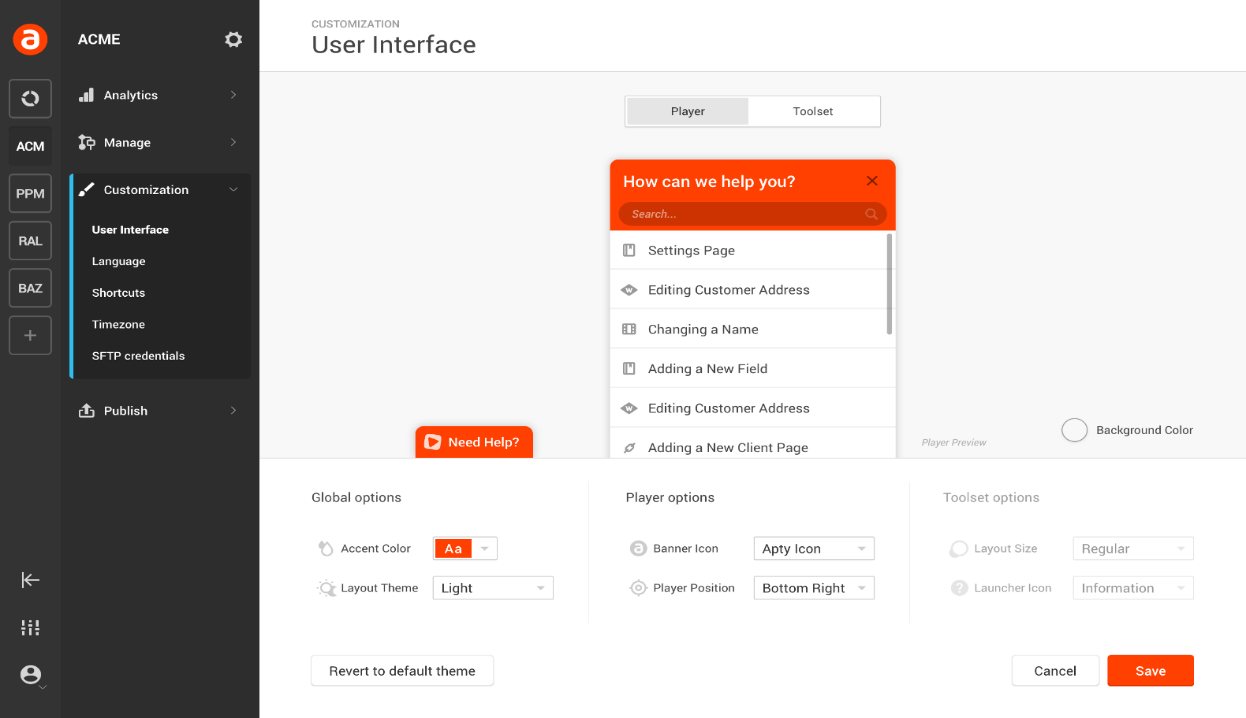
Cost-Effectiveness
Apty combines competitive pricing with a rapid ROI, making it an ideal choice for enterprises seeking measurable results. Its robust analytics and automation features help reduce support costs, streamline training, and eliminate inefficiencies, leading to substantial resource savings.
For instance, during a significant merger and acquisition, a global bank achieved over $1 million in savings by leveraging Apty.
Customization
Every enterprise has its own challenges. Apty offers flexible solutions that adapt to unique business requirements, from in-app guidance to compliance management.
Organizations can customize training, workflows, and support content without relying on IT teams. This makes adoption more efficient.
Analytics
Apty’s advanced analytics provide deep visibility into user behavior, adoption metrics, and process compliance. With real-time data and prescriptive insights, decision-makers can identify bottlenecks, measure ROI, and optimize their digital adoption strategies for maximum impact.
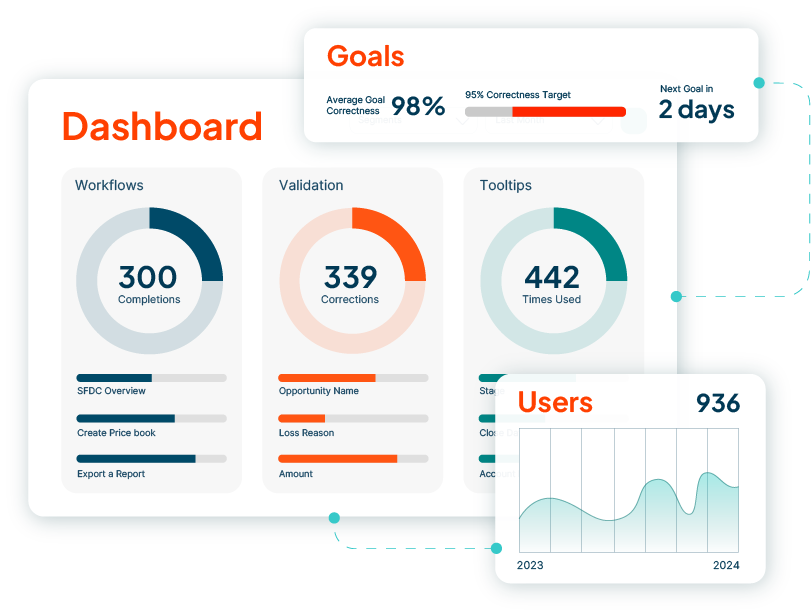
Organizations switching to Apty from WalkMe or Whatfix have seen significant results.
For example, a major U.S. airline partnered with Apty to implement a new project portfolio management (PPM) system. Apty delivered in-app guidance, workflows, and training, saving airline training hours and reducing support costs.

Are You Ready to Transform Your Enterprise Software Adoption?
The WalkMe vs. Whatfix comparison shows how both apps are good options for improving software adoption. While WalkMe is a great choice for advanced automation and complex integrations, Whatfix stands out for its user-friendly and customizable options.
However, Apty emerges as an option that is certainly a better choice for enterprises that prioritize scalability, quick implementation, and deep analytics for cost savings.
Want to join the 12 million users who trust Apty to simplify digital adoption?Book a demo today to see how Apty can transform your workflow.
Organizations go through different phases of change and it is never the same for 2 organizations.
Having the right change management tools can bring structure to the chaotic process of change management. Enterprises that have a large number of employees can benefit largely from these tools.
What is Change Management Software?
Change management software helps organizations effectively drive change to make it easier for both employees and customers. This can be a change in process, staff, or software. Change management software tools help organizations implement plans, structure training programs, collect feedback, and more.
With the right set of change management processes, tools, strategies, and techniques, organizations can seamlessly handle change and overcome barriers to create a positive impact on business outcomes.
Here is a list of agile change management tools that can be leveraged to speed up the process.
Top Change Management Tools
- Apty
- Freshservice
- Remedy Management 9
- ChangeGear
- Gensuite
- Viima
- Giva
- Howspace
- SolarWinds Web Help Desk
- The Change Shop
- Intelligent Service Management
- Remedy Change Management 9
- StarTeam by MicroFocus
1. Apty
Apty, a versatile Digital Adoption Tool, meets all the business needs cited above. Apty is an all-in-one Digital Adoption Platform that helps companies manage any change associated with Digital Transformation.
Apty is a Modern DAP solution that understands any web-based application to provide valuable insights to the organization and in-app guidance to the end-user.
Apty introduced the term DAP cycle to the digital adoption world.
- Analyze software usage – Before creating walkthroughs Apty analyzes the current usage of the software.
- Get clear insights – Apty identifies the place of employee hiccups and gets insights on where & who needs assistance.
- Personalize content – Create walkthroughs that address the pain points of your employees. These interactive personalized walkthroughs make your employees learn quickly and happily.
- Improve user adoption – Employee engagement is the key to increase the adoption rate. Personalized content makes your employees complete their tasks faster and increase the software adoption rate.
Apty reduces employee resistance to change and helps companies to implement the latest digital tools. Apty empowers on-screen learning and identifies the place where the users are getting stuck and need assistance.
Once the pain points are identified, you can go ahead and create interactive walkthroughs to address employee needs.
Key benefits of Apty:
- Boosts employee productivity.
- No coding is required to create walkthroughs.
- Analyze software usage.
- Step-by-step on-screen guidance.
- Automate mundane tasks.
- Save costs in customer support.
- Faster training & onboarding.
- Instant user assistance within the application.
- Minimize the time taken for software adoption.
- Customizable walkthroughs.
- Track & monitor employee activities.
Here are 7 ways Apty can assist Salesforce change management.
2. Freshservice – IT Service Management Solution
Freshservice is a cloud-based Change Management tool that allows you to streamline the process from planning to rollout. It provides customizable software and helps in automating tasks.
Freshservice provides solutions for:
- Asset management
- Incident management
- Problem management
- Project management
- Task management
- Release management
Freshservice is a powerful software with a user-friendly interface that enhances organizational transformation.
Key change management features:
- Analyze and mitigate risks
- Handles support tickets
- Identifies the root cause of any problems
Pros:
- Minimizes redundancy and manual efforts
- Improves future planning
Cons:
- Limited Reporting option
- Integration with 3rd party apps could be difficult
3. Remedy Management 9 – IT Service Management Solution
Remedy 9 by BMC software is a cloud-based Change Management tool that combines an IT director, a service desk manager, a service delivery manager, and a change manager into one suite.
This innovative IT Service Management (ITSM) software identifies uncertainty and potential risks when dealing with organizational transformation.
Remedy 9 provides solutions for:
- Multi-Cloud Service Management
- Change Management
- Release Management
Key change management features:
- Live chat for quick problem resolution
- Collision detection and impact analysis
- On-premise implementation
- Facilitate the ITIL (Information Technology Infrastructure Library) complaint process
- Data-driven insights
Pros:
- Great support team.
- Streamlines operations and helps create effective workflows for multiple processes.
Cons:
- It can be slow sometimes with lagging issues
- Very dense layout and multiple sections look the same
4. ChangeGear – Enterprise-level IT service management platform
ChangeGear is an enterprise-level ITIL-based Change Management software that allows you to plan your organizational Change Management strategies. It uses advanced automation and controls to manage your transformation process in one simple interface.
ChangeGear provides solutions for:
- Customizable dashboards
- Powerful automation
- Ad-hoc reporting
ChangeGear has solutions for multiple roles including IT, DevOps, and business.
Key change management features:
- Streamlines change processes for DevOps and reduce release bottlenecks.
- Automates ITIL change management best practices.
- Meet compliance requirements of NERC/CIP, FDA CFR 21, PCI, and others.
Pros:
- Provides you complete visibility and allows you to track changes.
- Customize controls.
- Improves the communication between your teams.
- Easily identify the conflicts.
- Reduce risk by creating a central repository.
Cons:
- Documentation doesn’t give sufficient examples
- Since the software has gone through several upgrades over the years, some of the backend configurations do not match. Due to which the customization becomes a bit difficult.
5. Gensuite – Compliance & Management Software
Gensuite Change Management Software will simplify the Management of Change (MOC) process by managing processes, compliance, and risks for transformation. It creates a standardized process for identifying and implementing the need for organizational-wide transformation.
Gensuite, the self-configurable platform, is designed to track and manage risks as operational, equipment and people-related changes occur.
Gensuite provides solutions for:
- EHS & Sustainability
- Product Stewardship
- Regulated asset & equipment management
Key change management features:
- Action item tracking with real-time stat
- Enables the identification, tracking, and documenting of risks
- Engages stakeholders in process stages to process validation
- Automatic communication and status updates
- Identifies issues using data mining and reporting
Pros:
- Good workflow capacity.
- Good customer support and quick bug fixes.
Cons:
- Customization could be difficult
- The navigation through the application is not simple because of too many features which are understandable.
6. Viima – Cloud-Based Idea Management Software
Viima is a collaboration Change Management software that allows you to gather ideas from employees, stakeholders, and customers all in one place. Viima is a smart idea management platform for collecting, analyzing, and prioritizing ideas.
Viima provides solutions for
- Cultivate an implementation plan
- Establish important metrics to track
- Monitoring each progress
Key change management features:
- Built-in discussions for team collaboration
- Easy categorization and automatic notifications
Pros:
- Improves customer satisfaction by reducing bottlenecks
- Functional, dynamic, mobile-friendly, and flexible platform
- Help individuals and remote teams stay connected
Cons:
- It is hard to get people to add the updates
- Mobile UI is great but not as awesome as the desktop app
7. Giva – IT Help Desk Software
Giva provides solutions for
- Asset management
- Knowledge management
- Ticketing & Service desk
Key change management features:
- Highly customizable solution with automated workflows
- Convert emails into tickets without any manual input
- Customizable fields, options, and screens
- Trend analysis reporting
Pros:
- Easy customization without any coding.
Cons:
- Monthly updates sometimes disrupt the flow but over time it only improves the way you use the product.
8. Howspace- AI-Powered Digital Collaboration Tool
Howspace is a socially-driven Change Management tool for learning both management and organizational transformations. This AI-powered platform lets your team members collaborate, post their ideas, and interact with one another throughout the transformation process.
How Space provides solutions for:
- 360-degree feedback
- Business Process Control
- Change Management & Planning
Key change management features:
- AI-powered analytics helps to quickly analyze entire discussions
- Behavior-triggered notifications
- Social connectivity and co-creation
Pros:
- Intuitive drag-and-drop interface for creating custom workspaces
- Creates a place for conversation and improves social learning
Cons:
- Multi-Language support is not available
- AI sometimes takes longer to interpret inputs received from non-English speakers.
9. SolarWinds Web Help Desk – IT Ticketing Software
Change isn’t instantaneous. It will take several rounds before a new process or software becomes routine for end users. One of the main challenges in training and change management is the forgetting curve.
In the transformation process, keeping a track of a huge number of tickets is always challenging. SolarWinds Web Help Desk is a ticketing Change Management software designed to perform various operations using a single console.
Solarwinds provides solutions for
- Asset Management Software
- Software Asset Management
- Incident Management
Key change management features:
- Automates ticket approval communication process
- Auto-assign service requests facility
- Setting reminders for pending approvals
Pros:
- Provides a facility to select the required approver to the end-users
- Reduces the chances of errors and tickets getting lost
Cons:
- You cannot use some chart types for some type of data
- Consume a lot of system resources and as a result, the loading time gets slow
10. The Change Shop – Change Management Platform
It is a cloud-based application that primarily focuses on collaborative feedback, data collecting, and surveys to evaluate the readiness of your team.
The four principles, give voice to your team, compare results, team engagement, and use data
The Change Shop provides solutions for:
- Change Calendar & Planning
- Task Management
- Prioritization
These are designed to manage your organizational transformation.
Before implementing transformation, leverage Change Shop to create ‘what-if‘ scenarios and identify potential risk factors and negative impacts tailored to your organization.
Key change management features:
- Minimize your employee resistance to transformation
- Get real-time feedback from your employees
- Easily navigate through commitment plans
Pros:
- Helps in the decision-making process
- Automatically collects the data and provides in-depth reports
Cons:
- Simplistic reporting which could be improved
- Complicated solution for a less tech-savvy user
Suggested Tools
11. Intelligent Service Management
Intelligent Service Management accurately and responsively supports your customers and ensures that your IT resources meet the business needs of your organization and your end-users.
Intelligent Service Management Provides Solutions for:
- Customer support.
- IT service operations.
Key change management features:
- Facilitates customer support and IT service operations.
- Track, manage and assign dedicated support analysts.
- Provide tailored services to each customer.
Pros:
- Easy to use.
- Highly customizable.
Cons:
- Advanced reporting requires the help of the support team to be set up.
- Takes time to load the ticket.
- Slightly steep learning curve.
12. Rocket Aldon
Rocket Aldon change management tools help maintain records regarding all the application parts and how they are related. It makes it easier to assess the impact of the change before a line of code is altered. They free developers from the laborious task of dealing with complex directory and library structures.
Rocket Aldon Provides Solutions for:
- Change management.
- IT workflow automation.
- Built-in compliance management.
- Software release management.
Key change management features:
- Change request management.
- Workflow and change management.
- Software configuration management.
- Distribution and release management.
- Distributed development.
Pros:
- Allows flexibility for user groups.
- Ease of comparing code versions within the tool.
Cons:
- Check-in and check-out processes can be cumbersome.
- UI is crowded and not intuitive.
- Requires in-house expertise to maintain and manage.
13. StarTeam by MicroFocus – Change and Configuration Management Software
Starteam allows you to manage change from inception to delivery. It provides both change and version management for the entire delivery lifecycle and maintains control and visibility of software deliverables. This allows development teams to deliver faster, with higher quality, while providing end-to-end process compliance.
Starteam Provides Solutions for:
- Team and Stakeholder Collaboration.
- Change management.
- Project Visibility and Build Management.
- Agile Project Management.
Key change management features:
- Provides a complete audit of all versions and change interdependencies.
- Workflow designer helps modify and re-configure processes and forms.
- Integrated Development Environment (IDE) provides developers visibility into all requirements, tasks, and relevant source files.
Pros:
- Easy to use when it comes to filing systems.
- Useful for handling change requests.
- Provides a trail for every check-in.
Cons:
- Outdated User Interface.
- Expensive for smaller teams.
- Only the most expensive edition allows customizations.
14. InvGate Service Management
InvGate Service Management is a cloud and on-premise ITSM software that allows organizations to streamline their IT operations. Its no-code configuration provides businesses with enough flexibility to adapt the solution to their specific needs, without the need to write code. InvGate Service Management provides solutions for:
- Incident Management
- Service Request Management
- Change Management
- Problem Management
- Knowledge Management
- Service Level Management
Additionally, it follows ITIL best practices.
Key change management features:
- Ticket handling.
- Workflow automation with pre-built templates for change management.
- AI capabilities that assess and suggest the risk and impact of changed requests.
Pros:
- No-code configuration.
- Visual workflow builder with drag and drop capabilities
- AI-powered features for all tiers in on-premise and cloud deployments.
- Lower total cost of ownership.
Cons:
- Limited integrations with communication tools.
- No 24/7 support available.
Which Change Management Tool is Right for Your Business?
Before investing in change management software for your business, there are various factors that you have to consider.
The first factor to consider is the change management model that your organization is going to follow. Read more about various change management models here.
Once you choose the model, analyze the existing processes in your business operations and identify what needs to be changed. Apty is an excellent tool to analyze software usage and find gaps in your processes.
Change management usually involves 3 phases:
- Planning the approach
- Implement and manage the change
- Review performance and sustain outcomes
The right change management tool must be able to assist you in all these stages. Effective change management with the help of the right tool can help meet the objectives and ensure the success of your project.
Why Apty is the best change management tool?
Apty is a digital adoption platform that helps enterprises streamline change management with its various features. Here are six of many reasons why Apty is the best change management tool.
A. Engage Employees and Avoid Change Resistance
When you incorporate changes to your business operations, in order for these changes to be adopted by your employees, they will need the right kind of support and assistance.
Apty’s contextual walkthroughs and tooltips speed up software adoption at your enterprise by 300%, making sure that each one of your employees are on track to mastering your new software and processes without any hassle. Several Fortune 500 Companies trust apty for their change management and digital adoption needs.
B. Automate Tasks and Speed Up Adoption
Companies are leveraging AI and other new innovations to maximize their business outputs and minimize human labor. Automation is one of those innovations. A large portion of office work is mundane and can be automated, reducing the burden on employees and freeing their time that can be spent on higher priority work.
Apty’s chatbot lets you automate mundane tasks and reduce human effort. When an employee wants to complete a task, they can simply ask the chatbot to do it and provide only the necessary information needed to complete the task.
C. Streamline Change Communication
Effective communication is critical for successful organizational change. At each stage of the process, change managers have to openly communicate about the change and its benefits to the end users who will be affected by the change.
Apty’s announcement feature is the perfect solution to communicate changes to business processes. The announcement can be customized to launch a walkthrough that takes the employee through the changes that have been set. If an employee has ignored an important message, they can be reminded after a while to go through the changes and to familiarize themselves with the new processes.
D. Enable Business Process Compliance
No matter what industry you are in, your business processes and operations have to comply internal and external policies, rules, and regulations. The new processes that you design as part of your change initiative must also comply to these policies.
Apty helps you stay business process compliant with its various features. It’s data validation tool ensures clean and accurate data collection in the right format. Apty’s workflows and tooltips ensure that employees follow processes the way they are intended to be. Apty’s activity tracking lets you keep an audit trail of all the software activity on your enterprise tech stack without compromising your employees’ privacy.
E. Provide Ongoing Training and Support
An effective change program has to prioritize employee training before, during, and after the program. Apty’s on-screen guidance can be used to provide customized training to your employees where they can learn on-the-job, with no productivity lost.
Apty enables micro-learning where the training is provided in small chunks so that employees stay engaged throughout the process, increasing knowledge retention. Training is crucial to ensure change management success and Apty helps you with it.
F. Reduce Costs
With Apty always available to your employees for any software assistance that they need, it saves the organization a lot of money which would otherwise be spend on IT and support teams. Software training costs for your change initiative usually takes up a large chunk of the allotted budget. With Apty, you can reduce training costs by a large margin, while also ensuring effective training.
Handling employee resistance to change is the biggest impediment to propagating change. Apty enables hassle-free employee training & onboarding without the need of lengthy manuals or time-consuming training sessions.
Apty provides helpful on-the-job learning with the help of in-app guidance. This improves employee engagement and minimizes their resistance to change.