
One of the most common questions we get at trade shows is what is a product adoption platform or digital adoption tool?
This blog tackles that question by:
- Defining what a product adoption platform is,
- Explaining how it’s different from your LMS or other training solutions, and
- Exploring who could benefit from using an adoption tool.
What is a Product Adoption Platform?
Product adoption or digital adoption platforms, like Apty, are a part of a growing category of SaaS providers focused on helping users navigate and adopt web-based applications.
While individual features may vary, common elements include:
- On-screen guidance,
- Integrated support or help content, and
- Step-by-step guidance.
Apty uses data-centric approach to improve the Product Adoption. Learn more about how Apty increases Product Adoption in this video.
{% video_player “embed_player” overrideable=False, type=’scriptV4′, hide_playlist=True, viral_sharing=False, embed_button=False, autoplay=False, hidden_controls=False, loop=False, muted=False, full_width=False, width=’1920′, height=’1080′, player_id=’30008968693′, style=’margin: 20px auto;’ %}
What are the Product Adoption metrics?
The 4 Product Adoption metrics are:
- Adoption rate
- Time-to-first (key action)
- Percentage of users for the first time (who performed the core action)
- Average Revenue Per User (ARPU)
1. Adoption rate:
It is the percentage of a number of new users to the total number of users. The adoption rate can be calculated on a daily, weekly, monthly, or yearly basis.
Adoption rate = (number of new users / total number of users) *100
For example:
Assume a total of 1,000 users, out of which 250 are new.
Adoption rate = (250/1,000) *100 = 25%
2. Time-to-first (key action)
It is the mean (average) time it takes a new user to use an existing feature, or an existing user to use a new feature for the first time.
For example:
- Time-to-first click the file option on the homepage is 5 seconds.
- Time-to-first submit an application form when an account is first created is 7 days.
3. Percentage of users for the first time (who performed the core action)
It is the percentage of users who have performed a core action (the action you care about) for the first time in a given time frame.
For example:
- 78% of users have completed the task successfully in the month of July
- 33% of users subscribed your product in the month of August
4. The Average Revenue Per User (ARPU)
It is the average amount of money (per month) you expect to earn from any individual user. It helps you to evaluate whether you have the resources to make your business a success.
The Average Revenue Per User = Monthly Recurring Revenue / total number of users
For example:
If your ARPU is $10, then you need 1000 users to make $10,000 per month. If you want to hit the same target with a smaller number of users, then ARPU must be high.
How is a Product Adoption Platform Different than my Other Training Tools?
While product adoption platforms train users on new applications, they differ greatly from a Learning Management System or other training tools. Product adoption tools offer real-time product training and support users by showing them how to complete their tasks as they’re doing it.
An LMS or other training solution typically explains how to use software in an abstract case. A training document or video may show a generic use case with screenshots of each step.
2 effective ways to improve your Product Adoption rates:
- Increase your Support
- Improve your User Onboarding process
Support
Users face difficulties in figuring out how your product works. Users would rather not spend any extra time in understanding how your product works as they can spend that time on something more important to them.
Offering in-app support, guided walkthroughs, embedded tooltips are a great solution to improve Product Adoption rates.
Improve your User Onboarding Process:
Effective Onboarding practice must help users understand your product without any external help. Users must be empowered to find their “Aha!” moment smoothly and easily.
As discussed above, interactive Software Walkthroughs help your users understand the product. So, leveraging a Product Adoption tool might be a go-to place for improving your User Onboarding process.
A Product Adoption tool shows users where to click and what to do next. Moreover, the Product Adoption tool gives analytical information that allows you to make key decisions.
Tools like Apty, the highest-rated modern Digital Adoption Platform, help users learn and perform their tasks while learning instead of just reading how they should do their work.
Benefits of a Digital Adoption Platform
Digital adoption platforms should decrease training and support costs and increase productivity. In many cases, the on screen guidance offered by a product adoption tool can replace the need for costly and ineffective classroom training sessions.
Digital Adoption Platform like Apty helps to
- Improve Product Adoption
- Create Interactive Software Walkthroughs
- Improve User Experience and User Engagement
- Increase retention rates and minimizes churn
- Maximize user exposure to the full product value
- Increase Employee Productivity
- Increase Return on Investment (ROI)
- Real-time navigation and instruction
One of Apty’s clients, a major U.S. airline, utilizes Apty to help with CA PPM adoption. As a result of Apty’s adoption tools, they experienced:
- 80% reduction in CA PPM support tickets,
- 70% decrease in time spent on CA PPM training, and
- 3x increase in productivity.
What are the Common Uses of Product Adoption Platforms?
The uses of product adoption platforms are not limited to new users. Common use cases for an adoption platform include:
- Change Management – Adopting a new software or updating to a new version? The onscreen guidance helps users master new software and processes.
- Employee Onboarding – Quickly introduce new employees to your enterprise software.
- Customer Success and Engagement – For front-line agents in a customer contact center, every second counts. Guided workflows help agents quickly respond to customers requests.
- Customer Experience – Product adoption platforms aren’t just for employees. On-screen guidance can also help your customers use your website and other web-based applications.
A CRM is a powerful platform for connecting with customers, partners, and provides services like marketing automation and analytics to the companies. Research says “More than 88% of Fortune 100 companies use Salesforce”.
As of January 2020, Salesforce enabled the Lightning experience for all companies. So, companies started finding ways to implement new Salesforce Lightning training and adoption strategies at the earliest.
What is the Objective of Salesforce Lightning Training?
The primary objective of Salesforce Lightning Training is to make sure that your users learn and use Salesforce to the fullest capacity.
What are the Benefits of Salesforce Lightning?
Some key benefits that you must know about Salesforce Lightning: (Before switching from Classic to Lightning)
- Lightning Experience – modern, beautiful User Experience (UX)
- Lightning Knowledge – provides answers to your questions
- Lightning Components – modern UI framework with a responsive user interface
- Lightning App Builder – create customer pages easily and quickly
- Lightning Bolt – view, modify, and create data needed for their specific industry solution
- Lightning Design System (LDS) – easy for you to build applications
Here’s a guide that we put together to discuss in detail the Salesforce Classic to Lightning switch, wherein we covered:
- Why do you need to migrate from Salesforce Classic to Lightning?
- How do I learn Lightning in Salesforce?
- How long does it take to learn Salesforce?
- What Does Salesforce Lightning do?
Companies spend thousands to millions a year on Salesforce. But, to make it a fool-proof investment you need to provide Salesforce Lightning training to your end-users to get the maximum out of it.
This brings us to an important question – What are the training methods for Salesforce?
Well, let’s get to it then.
The three most common Salesforce Lightning training methods are:
- Trailhead
- Self-paced and Instructor-led Training
- Digital Adoption Platform-Apty
Trailhead
Salesforce developed “myTrailhead”, Salesforce Lightning training platform, and launched it in the year 2014 at Dreamforce. According to Salesforce.com, myTrailhead costs around $25 per user per month and is an add-on to standard Salesforce licenses, which include Service Cloud, Sales Cloud, and the Salesforce Platform.
Trailhead uses a set of interactive online tutorials that train administrators and developers with a proper guided learning path to code for the Salesforce platform.
Trailhead uses a set of interactive online tutorials that train administrators and developers with a proper guided learning path to code for the Salesforce platform. Trailhead is a free training resource, featuring more than 150 individual training modules and 25 Projects that provide hands-on learning via step-by-step instructions. Trailhead award badges for completion of tasks which brings in the fun for learners. Trailhead content has four trails, identified by role and experience level.
Beginner
- Admin Trail
- Developer Trail
Intermediate
- Admin Trail
- Developer Trail
Certifications – Paid
- Salesforce Developer
- Salesforce Administrator
- Salesforce Technical Architect
- Salesforce Marketer
- Salesforce Consultant
Costs for the above-mentioned Salesforce certification varies from $200 to $6,000. Salesforce Technical Architect certification alone costs $6,000. The remaining certifications are either $200 or $400.
The Salesforce Lightning training offered on Trailhead through certifications is designed for admins, developers, and consultants. It’s not the best fit for the end-user trainer.
To increase employee performance and productivity, companies must focus on their culture due to its direct impact on success. The company culture will affect how much each person is expected to do in one day and the quality of work they can produce.
Create a culture that values employee input. Giving feedback increases motivation and engagement. Encouraging the employees to provide feedback periodically is the most reliable and efficient method of getting to know what they expect more from your side to improve their performance.
Sometimes, the employers forget to appreciate the employees’ work, and eventually, they lose interest in reaching their goals, thus reducing their performance. So, their work should be appreciated well, which keeps them engaged and motivated. Engaged employees work harder and perform better.
Self-paced and Instructor-led Training
Evaluation should be conducted by a supervisor or manager who is familiar with the employee’s job duties and has observed the employee in action. Also, the evaluation should be discussed with the employee so that they understand their strengths and areas for improvement.
1. Stony Point- stonyp.com
Stony Point is a Salesforce Lightning end-user training provider where you have the flexibility of virtual and onsite Salesforce training programs. According to forcetalks.com, their online learning program cost is between $300 and $4000.
Stony Point offers two types of training,
- Technical training
- Salesforce Administration & Configuration in Lightning Experience
- Salesforce Certified Sales Cloud Consultant
- Salesforce Certified Service Cloud Consultant
- Developing Salesforce Lightning Web Components and many more.
- End–User training
- Salesforce Lightning Experience for Sales Leaders
- Salesforce Reports & Dashboards in Lightning Experience
- Salesforce for Marketing Users in Lightning Experience and many more.
2. Udemy
Udemy offers a variety of Salesforce Lightning training courses ranging between $40 and $300. During the flash sale – you might be able to do a $300 course for only $25.
Some of the popular Salesforce Lightning courses that are offered by Udemy are,
- The Complete Salesforce Classic Administrator
- Salesforce Platform App Builder
- Salesforce Service Cloud Consultant
- Complete guide to Salesforce Lightning Development
3. Simplilearn
Simplilearn offers several self-paced and instructor-led Salesforce Lightning training courses that cost around $300 to $1,500, according to forcetalks.com. These training programs have drawn positive reviews for their quality and user experience. Salesforce courses that are available in Simplilearn,
- Salesforce Administrator & App Builder
- Salesforce Administrator
- Salesforce Platform App Builder
- Salesforce Platform Developer I (Apex and Visualforce)
There are some other training resources available as well:
Cheat Sheets
- To rapidly identify shortcuts to features and reporting techniques there are dozens of cheat sheets available. Bookmarking every shortcut, accompanied by step-by-step instructions and screenshots that are handy navigational guides is the notable benefit of Cheat Sheets.
- Example Apex code Cheat Sheet, Visualforce Cheat Sheet.
Developer Workbooks
Salesforce platform details are available through a sequence of tutorials that are available in different workbooks.
Some Salesforce Workbooks:
- Some Salesforce Workbooks
- Force.com Workbook
- Apex Workbook
- Visualforce Workbook
- Force.com Integration Workbook
- Database.com Workbook
- Site.com Workbook
Salesforce YouTube
- Several Salesforce YouTube channels are available with multiple videos for Salesforce Lightning training.
LinkedIn Learning
- Similar to YouTube, many videos are available on LinkedIn for Beginners, Intermediate and Advanced level of users.
Note: YouTube and LinkedIn Learning videos are a go-to resource only for beginners or new administrators of Salesforce because it cannot train your end-users 100%.
Zero to Hero Blog series
- This blog series will take a new Salesforce administrator, from Zero to an Admin Hero. Users visit the blogs posts frequently for reference purposes.
Digital Adoption Platform – Apty
The above-mentioned Salesforce Lightning training resources are highly useful for individuals looking to become Salesforce admins or developers but are not the best fit for your average end-users.
After spending a ton in procuring and implementing Salesforce, don’t you want your employees to adopt it quickly? Most employees don’t need a certification to use Salesforce in their daily jobs. How can you provide the right training on the job?
Apty enables the employees to use Salesforce to the fullest capacity and complete the task quickly and effectively. Digital Adoption Platform reduces 60-70% of Salesforce Lightning training time and increases the employees’ productivity.
By leveraging a Digital Adoption Platform for Salesforce Lightning training, you can
- Onboards new users and provide ongoing guidance to existing users
- Eliminate the need for costly and ineffective training programs.
- Provide real-time guidance to your end-users
- Never waste time or energy leaving the screen, watching time-consuming video tutorials, or pouring over manuals and FAQ pages.
- Create tooltips and engaging content
- Reduce the occurrence of errors made by your employees
- Get real-time product usage analytics and create customized walkthroughs
- So, you can identify the employee pain points and address the same by creating engaging walkthroughs
- Automate mundane tasks
- You can automate Salesforce tasks, which not only saves time but also makes your employees comfortable to use the application
Here is the sample video that shows how Apty helps in Salesforce adoption,
That’s one of the reasons, why organizations like Boeing, Delta Airlines, TD Bank, and others leverage Apty. This is the new and emerging digital transformation trend that helps businesses to grow faster and increase ROI. If you want your employees to make use of this growing opportunity and increase the productivity of business TRY APTY!
In 2024, Mary Kay, a global leader in cosmetics, altered its onboarding and training processes with a digital adoption platform (DAP). It empowered 3 million global consultants with accelerated digital onboarding, reduced time spent on support tickets, improved customer experience and satisfaction, and even boosted overall sales results. The result? A 20% increase in process compliance and internal communication.
This success reflects a broader trend: businesses investing in digital adoption platforms achieve measurable results. Whatfix vs. WalkMe is often spoken about in the context of leading DAP solutions. They help improve user onboarding, software adoption, and change management for companies.
However, there is never a one-size-fits-all solution. Enterprises often require greater scalability, faster implementation, and dedicated support unique to their needs—areas where alternatives to Whatfix and WalkMe stand out.
However, Apty is a worthwhile contender with standout features such as contextual guidance and actionable analytics that help organizations reduce training costs
In this blog post, we’ll compare Whatfix vs. WalkMe across key feature offerings and use cases. We will also walk you through why Apty may be the better choice for enterprises seeking to achieve efficient digital transformation.
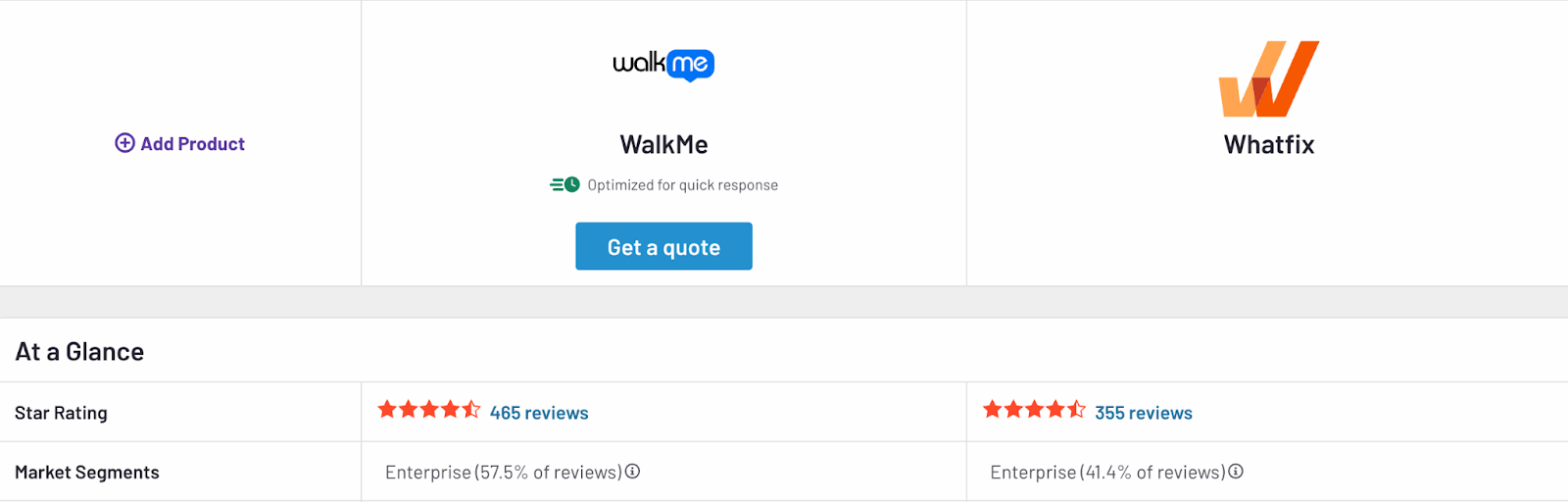
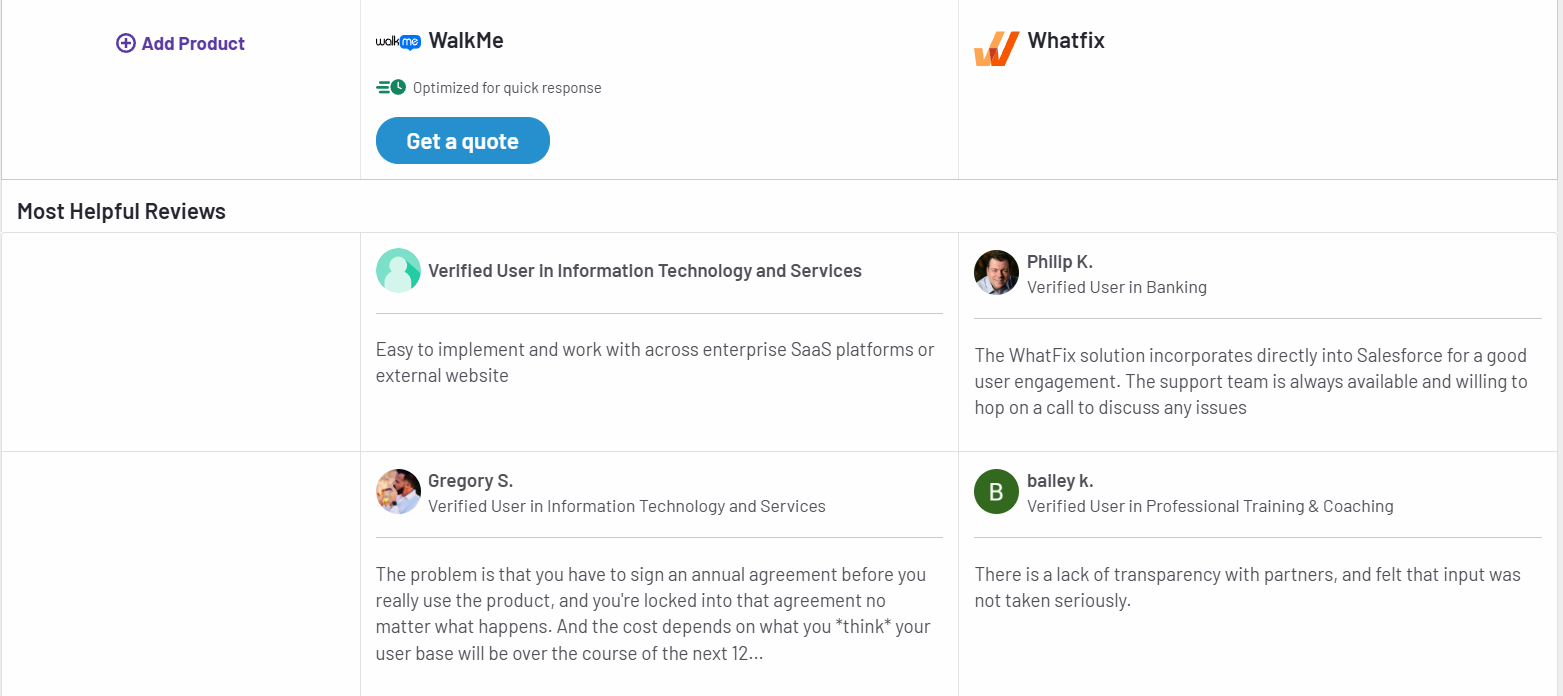
Whatfix vs. WalkMe: Key Feature Comparison
Whatfix and WalkMe are two among the most popular digital adoption platforms for enterprises. Both aim to improve software adoption and enhance user productivity. While many features overlap, there are differences in key features, ease of use, and platform flexibility.
Let’s start by looking at the individual features of Whatfix and WalkMe.
Whatfix Features
Whatfix is known for its intuitive, no-code content creation tools. This makes it easy for businesses to create, deploy, and update in-app guidance without relying on IT teams.
- In-App Guidance: Whatfix delivers contextual, step-by-step in-app guidance through interactive walkthroughs, task lists, and self-help wikis. The no-code content editor allows businesses to create and update guidance seamlessly across applications without IT dependency.
- Tooltips and Contextual Nudges: Smart tooltips, hotspots, and nudges adapt to user behavior and context. They help users complete tasks while reducing errors and uncovering lesser-known features.
- Analytics: The platform offers product analytics to track user behavior and feature adoption. With no-code event tracking, teams can analyze workflows and make data-driven decisions to optimize processes.
- Automation: Whatfix automates repetitive processes such as form filling, smart rules, and workflows, increasing productivity and minimizing user friction.
- Sandbox Environments: This software provides hands-on user training with interactive replicas of live applications.
- Multi-Platform Support: It works on desktop, mobile, and web applications, including Citrix environments.
Worth Your Time: Whatfix Alternatives and Competitors
WalkMe Features
WalkMe offers advanced automation tools and guidance capabilities. It excels in supporting web-based applications but has limitations in areas like mobile support and sandbox training.
- In-App Guidance: It delivers interactive walkthroughs and customizable tours to help users navigate applications effectively. Its conversational interface provides task-specific assistance in real time.
- Tooltips and Contextual Nudges: WalkMe’s tooltips and nudges deliver real-time suggestions and prompts, improving user productivity. They appear when users encounter roadblocks, offering actionable insights to steer them toward successful outcomes.
- Analytics: The tool’s advanced analytics provide in-depth insights into the user journey, workflow adoption, and system engagement. Features like session streams and custom reports identify bottlenecks and track return on investment (ROI) from digital adoption efforts.
- Automation: WalkMe automates workflows by integrating with applications to trigger actions, fill forms, and streamline multi-step tasks without manual input.
- Content Management: While WalkMe allows export of walkthrough content as PDF or DOCX, LMS integration is largely limited to its own solution, TeachMe.
- Desktop and Mobile Support: Desktop support on WalkMe is functional but reportedly less comprehensive than Whatfix. Mobile solutions are repurposed from web tools, making access and UX limited. It also lacks support for Citrix apps and iFrames.
Worth Your Time: WalkMe Alternatives and Competitors
Comparison of Whatfix vs. WalkMe Features
Now that you have a detailed overview of Walkfix vs WalkMe’s features, here’s a brief comparison of the two:
| Features | Whatfix | WalkMe |
| In-App Guidance | ✔ No-code, interactive walkthroughs | ✔ Guided workflows |
| Tooltips and Contextual Nudges | ✔ Available | ✔ Available |
| Automation | ✔ Advanced automation, sandbox training | ✔ Automation tools |
| Content Exporting | ✔ PDFs, videos, LMS integration | ✖ Limited to PDFs and DOCX |
| Mobile Support | ✔ Optimized mobile experience | ✖ Limited mobile functionality |
| Desktop Support | ✔ Strong, with Citrix support | ✔ Limited, lacks Citrix support |
| Customer Support | ✔ Dedicated customer success manager for all customers | ✖ Varies based on account size |
| Customization | ✔ Extensive customization options | ✖ Limited customization |
| Integration Support | ✔ Easy integrations but less granular control | ✔ Robust integrations with detailed insights |
| Analytics and Reporting | ✔ Advanced analytics with real-time insights | ✔ Extensive analytics platform |
| Ease of Use | ✔ User-friendly, intuitive UI | ✖ Steep learning curve |
| Security and Compliance | ✔ Enterprise-grade security | ✔ Enterprise-grade security |
Compare Whatfix vs. WalkMe Use Cases
Selecting the right DAP involves evaluating how well it supports essential use cases like digital transformation, change management, user engagement, and employee onboarding. A WalkMe vs. Whatfix comparison can provide useful insights on how they solve for these needs. While both offer different approaches to these use cases, each comes with its own strengths and limitations.
Whatfix excels in delivering highly customizable and analytics-driven solutions, making it ideal for organizations seeking tailored workflows and deep adoption insights. On the other hand, WalkMe emphasizes automation and guided walkthroughs for streamlining transitions and scaling processes. However, it may require additional configurations for advanced use cases.
The comparison below of Whatfix Vs. WalkMe use cases details how each platform supports these scenarios so that you can identify the solution that best meets your organization’s requirements.
| Use Case | Whatfix | WalkMe |
| Change Management | Simplifies change management with interactive in-app guidance, tooltips, and role-based workflows. Its personalized approach ensures smooth transitions for employees adapting to new systems | Provides step-by-step walkthroughs and tooltips to help users navigate changes. However, WalkMe’s adoption analytics are less detailed and lack the advanced segmentation needed for deeper insights |
| Digital Transformation | Accelerates digital transformation by enabling rapid tool adoption through customizable workflows and contextual in-app training. Its detailed analytics highlight progress, adoption gaps, and user behavior patterns, helping enterprises make data-driven decisions. Whatfix also integrates with platforms like CRM, ERP, and HCM systems, making it well-suited for enterprise-wide transformation | Supports large-scale transformation initiatives with guided walkthroughs and automation. While effective for general processes, WalkMe lacks the flexibility to tailor workflows to individual departments or roles. Its analytics provide a broad overview but often require additional configuration for actionable insights |
| User Engagement Monitoring | Features intuitive, no-code analytics to monitor user engagement and software usage. With features like heatmaps, behavioral insights, and cohort analysis, businesses can pinpoint where users drop off, struggle, or engage effectively | Offers basic user engagement tracking with dashboards, graphs, and usage metrics. While sufficient for high-level monitoring, its advanced tracking features often need manual configurations, making it less efficient for quick decision-making |
| Employee Onboarding | Eases employee onboarding with interactive, role-based product tours, task lists, and real-time in-app support. | WalkMe offers interactive tutorials and on-demand walkthroughs for onboarding. However, it relies on pre-defined templates, which can make customization time-consuming. The platform also lacks automation features for managing complex onboarding processes. |
Compare Whatfix vs. WalkMe Pricing
Pricing is critical when selecting a digital adoption platform, especially for businesses with varying needs and budgets. Here’s a closer look at how WalkMe vs Whatfix pricing structures compare:
Whatfix Pricing
Whatfix offers custom pricing based on the needs and scale of each organization. Their pricing model includes a combination of a flat fee and user license fees, depending on the type of application and users.
- Employee-Facing Applications: Pricing is calculated based on the total number of employees accessing the application where Whatfix is deployed.
- Customer-Facing Applications: For applications used by customers, partners, or external users, pricing is based on monthly active users (MAUs).
Whatfix provides three main plans:
- Standard Plan: Includes essential features such as in-app guidance, content aggregation, and smart context
- Premium Plan: Adds advanced features like custom surveys, auto testing, and robust engagement dashboards
- Enterprise Plan: Supports multi-app implementations, advanced analytics, and enhanced data security options tailored for large organizations
For businesses looking to explore the platform, Whatfix offers a free trial and demos upon request.
WalkMe Pricing
WalkMe offers flexible, custom pricing to accommodate businesses of all sizes. Pricing depends on the scale of implementation, the number of users, and additional modules chosen. Their offerings are categorized into core plans and add-on modules, allowing businesses to tailor solutions to their needs.
WalkMe for Employees
- WalkMe Core: This is WalkMe’s standard DAP. It also offers add-on modules.
- WalkMe Essentials: It’s a fixed-scope solution for businesses seeking faster implementation for sales and HR processes.
- WalkMe for Customers: This DAP helps with frictionless product experiences for customer facing applications and websites. It includes features like analytics, smart targeting, self-serve content, and customer sentiment tracking.
Businesses can enhance the WalkMe Core plan with optional modules, such as:
- Enterprise analytics for deeper insights into user journeys
- Customization and collaboration for branding and segmentation
- Connected workplace for automated workflows
To gain a better understanding of WalkMe’s pricing details, you can request a quote or schedule a demo with their team.
Apty: The Ideal Choice for Enterprises Among Whatfix and WalkMe
While Whatfix and WalkMe are reliable digital adoption tools, they sometimes fall short of meeting complex needs of large enterprises. Apty stands out by delivering unmatched scalability, faster implementation, and solutions that drive measurable results.
For businesses aiming to regulate processes, reduce costs, and boost adoption success, Apty is a worthwhile alternative and superior choice.
Let’s see why.
Scalability
Apty is designed to support enterprises of any size, effortlessly managing complex workflows across multiple applications. Whether you’re rolling out changes to thousands of users or implementing DAP solutions across departments, Apty scales seamlessly without sacrificing performance.
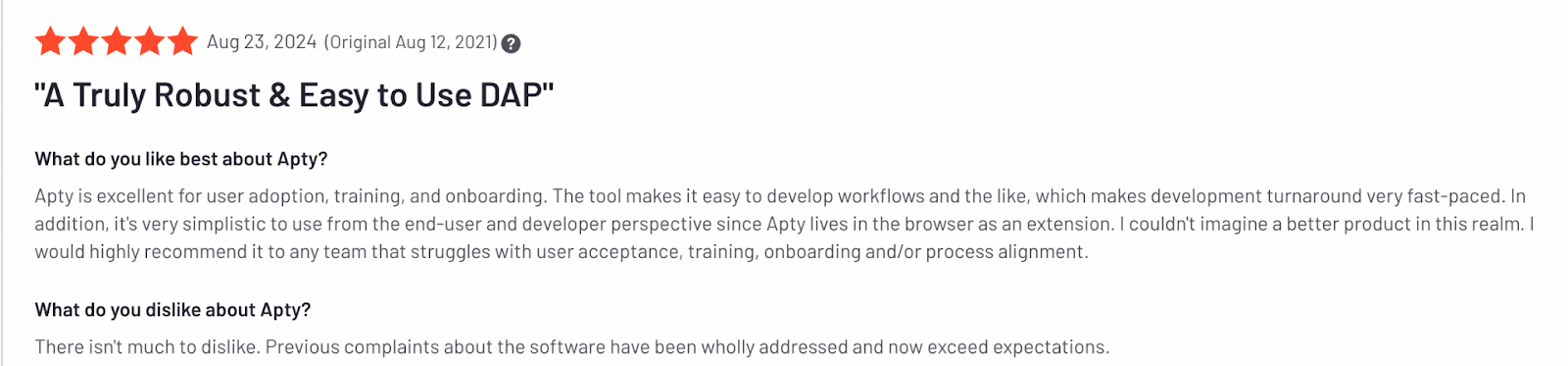
Users often compliment Apty’s quick turnaround in setting up workflows for user adoption, training, and onboarding. Organizations have reported significant productivity gains by standardizing workflows across global teams using Apty.
Ease of Implementation
Compared to WalkMe and Whatfix, Apty offers a faster and simpler implementation process.
Its no-code setup ensures minimal IT involvement, allowing organizations to get up and running in days rather than weeks. This quick deployment means your teams realize value sooner, accelerating software adoption timelines.
Cost-Effectiveness
Apty combines competitive pricing with a rapid ROI, making it an ideal choice for enterprises seeking measurable results. Its robust analytics and automation features help reduce support costs, streamline training, and eliminate inefficiencies, leading to substantial resource savings.
For instance, during a significant merger and acquisition, a global bank achieved over $1 million in savings by leveraging Apty.
Customization
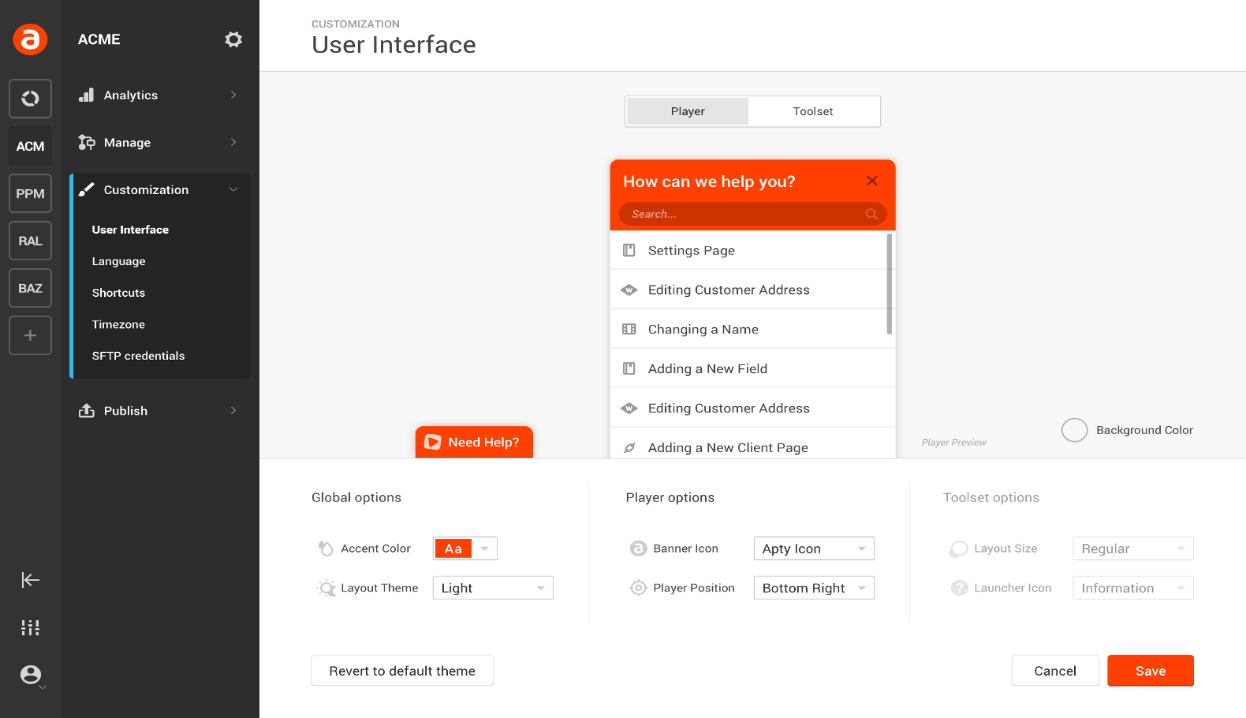
Every enterprise has its own challenges. Apty offers flexible solutions that adapt to unique business requirements, from in-app guidance to compliance management.
Organizations can customize training, workflows, and support content without relying on IT teams. This makes adoption more efficient.
Analytics
Apty’s advanced analytics provide deep visibility into user behavior, adoption metrics, and process compliance. With real-time data and prescriptive insights, decision-makers can identify bottlenecks, measure ROI, and optimize their digital adoption strategies for maximum impact.
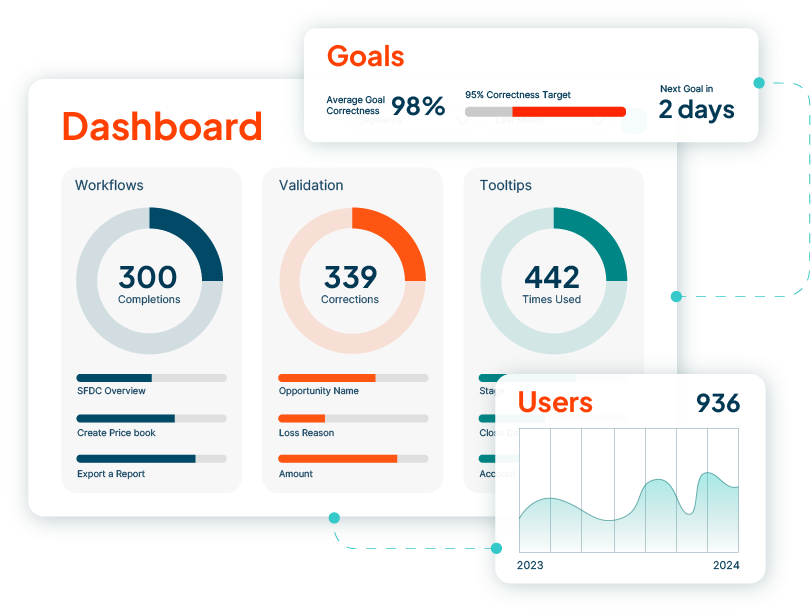
Organizations switching to Apty from WalkMe or Whatfix have seen significant results.
For example, a major U.S. airline partnered with Apty to implement a new project portfolio management (PPM) system. Apty delivered in-app guidance, workflows, and training, saving airline training hours and reducing support costs.

Are You Ready to Transform Your Enterprise Software Adoption?
The WalkMe vs. Whatfix comparison shows how both apps are good options for improving software adoption. While WalkMe is a great choice for advanced automation and complex integrations, Whatfix stands out for its user-friendly and customizable options.
However, Apty emerges as an option that is certainly a better choice for enterprises that prioritize scalability, quick implementation, and deep analytics for cost savings.
Want to join the 12 million users who trust Apty to simplify digital adoption?Book a demo today to see how Apty can transform your workflow.
The right digital adoption platform (DAP) can make or break your digital transformation journey. The best DAPs streamline workflows, increase employee productivity, and boost ROI on technology investments.
Take Mattel, for example. The global toy giant transformed its HR operations by implementing a DAP, achieving 90% adoption in just 60 days and boosting employee productivity across 30 business processes.
However, choosing the right DAP in a crowded market can be challenging, with countless tools claiming to be the best. While Whatfix is popular, many enterprises seek Whatfix alternatives due to its limitations. Common challenges that Whatfix users report include limited customization options, high costs for scaling, and insufficient advanced analytics.
Here are some user reviews highlighting Whatfix’s shortcomings:


This article simplifies your search for top Whatfix alternatives with comparable features and pros and cons to help you make an informed choice. Let’s dig in!
Top Whatfix Alternatives for 2026
Here’s a table comparing the features, core functionalities, and unique strengths of the best Whatfix alternatives and competitors in 2026.
| Criteria | Apty | WalkMe | Userlane | Pendo | Appcues |
|---|---|---|---|---|---|
| Primary functionality | Digital adoption and process compliance | Digital adoption and insights | Digital adoption and training | Digital product experience | User onboarding and training |
| User onboarding | Yes | Yes | Yes | Yes | Yes |
| Analytics | Yes | Yes | Yes | Yes | Yes |
| Integration | Multiple platforms | Multiple platforms | Multiple platforms | Multiple platforms | Limited |
| Customization | High | High | High | High | Medium |
| Validation | Yes | Yes | Yes | No | No |
| AI features | Yes | AI-driven insights and suggestions | No | AI-driven product experience insights | No |
| Real-time assistance | Yes | Yes | Yes | Yes | Yes |
| Pricing | Custom | Custom | Custom | Custom | Custom |
Best Whatfix Alternatives in 2026
1. Apty
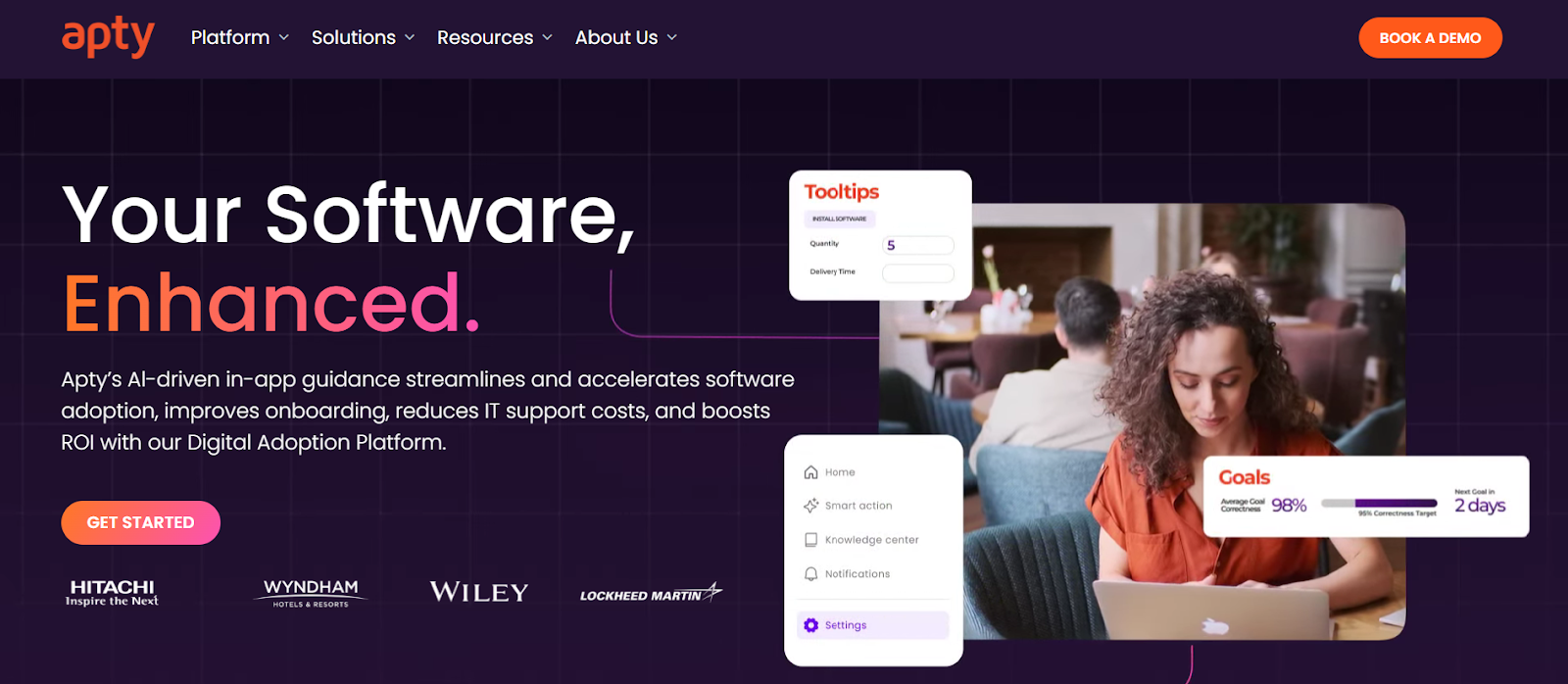
Apty is a powerful digital adoption platform tailored for enterprises. As a leading Whatfix alternative, it transcends many limitations with features such as deeper analytics, faster implementation, and real-time guidance.
Ideal for industries like finance, healthcare, and technology, Apty simplifies onboarding and streamlines complex workflows to boost productivity up to 25%.
Apty Key Features
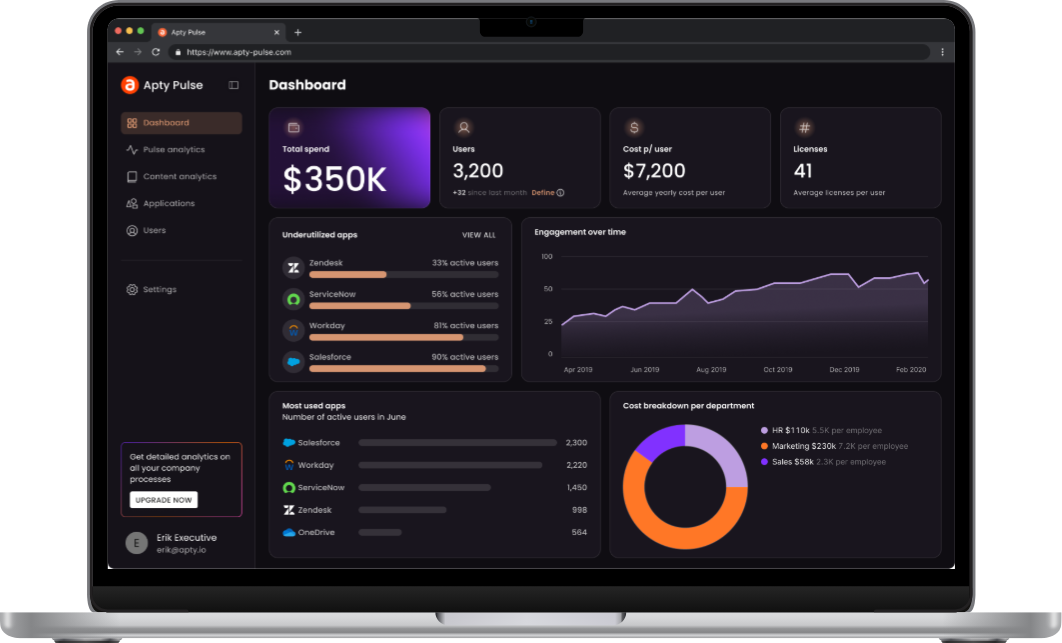
- Apty PULSE: Diagnostic view of the enterprise tech stack to track usage, process adherence, and KPI performance with a centralized dashboard to reduce IT waste and improve adoption rates.
- Apty OneX: Unified, Gen AI-powered interface that streamlines workflows with real-time, context-aware guidance and integrates with business systems like CRM, ERP, HRMS, and ITSM, with SSO support.
- Usage Monitoring and Analytics: Comprehensive monitoring and analytics with actionable insights to improve application user behavior and eliminate adoption challenges.
- Integration: Broad integration support with tools like Mixpanel, Amplitude, and SCORM platforms, supplemented by custom themes for personalized interfaces.
- Multi-Language Support: Multi-language integration with translations powered by APIs like Google and DeepL.
- Advanced AI: Features like AI-powered dynamic insights, predictive analytics, auto-pilot, and advanced rule engine to improve workflows.
- Validation and Compliance: Validation features prevent errors and protect system disruptions, and audit trails provide regulatory transparency for industries like finance, healthcare, and technology.
Apty Pros (Based on G2 & Gartner Reviews)
- Apty is intuitive for both technical and non-technical users, with its browser extension making navigation and workflow creation seamless.
- Interactive onboarding features lower entry barriers for users and enhance their understanding of essential functionalities, boosting adoption rates.
- Apty’s support team is highly responsive and proactive, consistently resolving issues quickly and providing expert guidance during implementation.
- Apty integrates effortlessly with existing tools and platforms, making it a seamless addition to digital transformation initiatives.
Apty also stands out when evaluating WalkMe vs Whatfix comparisons by offering better compliance capabilities and support for cross-application processes. Explore how Apty helps leading enterprises accelerate digital transformation.
Apty Cons (Based on G2 Reviews)
- Some users say asset export functionality occasionally misses elements like screenshots, requiring additional manual effort to ensure content accuracy.
- While the platform is largely user-friendly, some users say building content during the initial stages has a learning curve, particularly for managing advanced configurations.
Apty Ratings & Reviews
2. WalkMe
WalkMe is a Whatfix competitor that provides personalized guidance, automation, and real-time insights. It offers integration capabilities for various applications and helps organizations boost productivity, reduce errors, and ensure faster technology adoption.
WalkMe Key Features
- DeepUI Technology: AI-based element recognition ensures functionality of digital adoption content as underlying applications evolve, preventing user experience disruptions.
- Omnichannel Digital Adoption: Support on the web, desktop, and mobile with conversational tools for AI-driven assistance.
- Diverse Integrations: Integrations with key business applications like Salesforce, Workday, and Microsoft Dynamics 365.
- Enterprise-Grade Security: Built with robust governance, privacy, and security standards for scalable digital adoption.
- Effective Automation: Personalized guidance and automation directly within workflows.
WalkMe Pros (Based on G2 and Gartner Reviews)
- It’s easy for teams to create and manage flows without relying heavily on IT support.
- Users praise WalkMe’s support team for being responsive, helpful, and knowledgeable.
WalkMe Cons (Based on G2 Reviews)
- Some reviewers note that advanced features require initial training to maximize the platform’s capabilities. (Source)
- Overlays and complex guidance workflows can sometimes slow down applications.
WalkMe Ratings & Reviews
3. Pendo
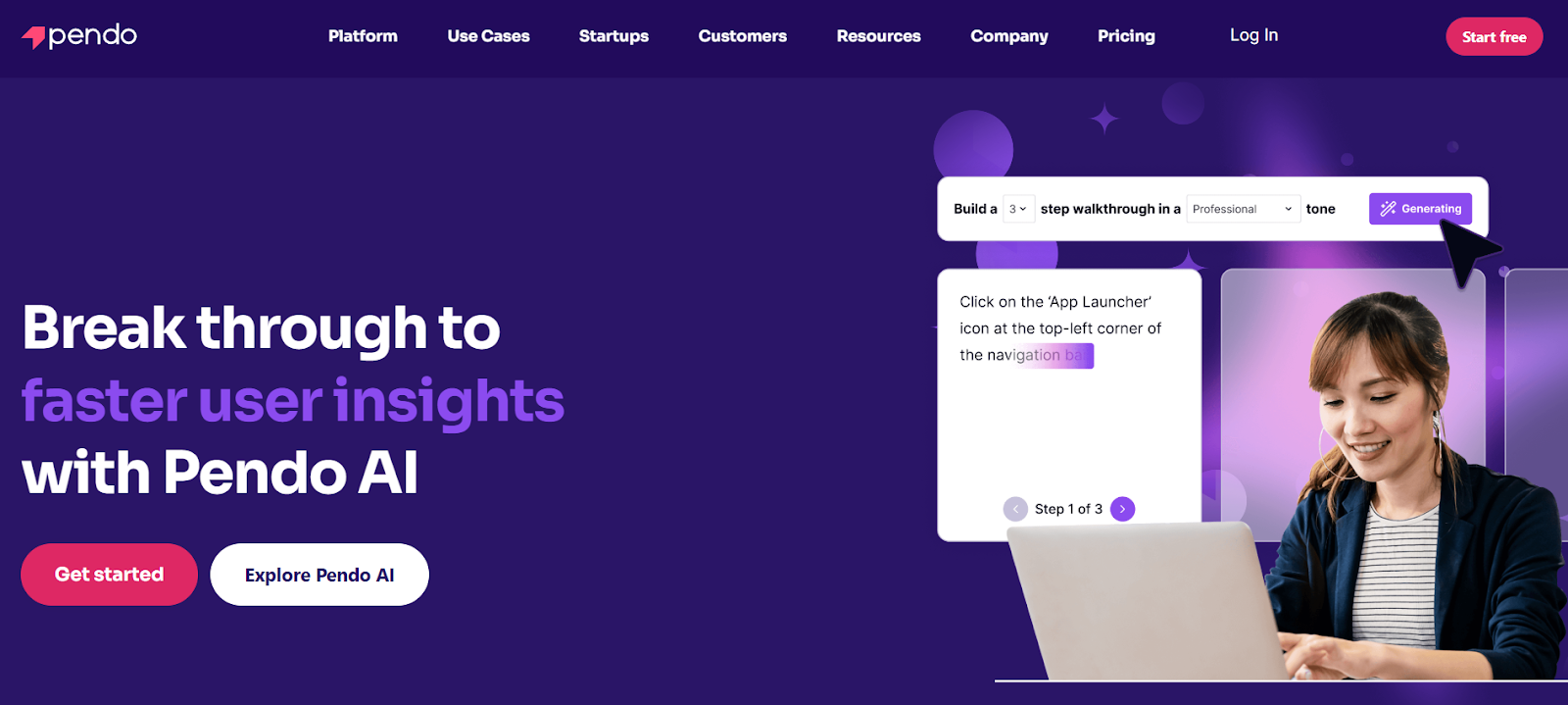
Pendo is a product experience and digital adoption platform designed to help businesses improve software usage and user satisfaction. It is a key Whatfix competitor that provides analytics, in-app guides, session replays, and feedback tools.
Pendo Key Features
- Analytics for User Behavior: Data-driven insights to track and understand user interactions with software and identify most-used features and user struggles for workflow optimization.
- In-App Guides and Messaging: Contextual guidance to users directly within the application to help onboard users, introduce new features, and provide real-time support.
- Roadmapping and Stakeholder Alignment: Features to create clear, visual roadmaps that can be tailored for internal teams or external stakeholders.
Pendo Pros (Based on G2 Reviews)
- Pendo empowers non-technical teams to create and deploy in-app messages, NPS surveys, and onboarding flows without coding skills.
- Reviewers commend Pendo’s customizable dashboards and specific page rules to visualize user behavior data.
Pendo Cons (Based on G2 Reviews)
- Pendo has limited customization. Some reporting tools, such as NPS columns and survey exports, lack flexibility and require manual work to tailor results.
- Guide management can be challenging and disorganized, and it’s not ideal for mobile-first tools.
Pendo Ratings & Reviews
4. Userlane
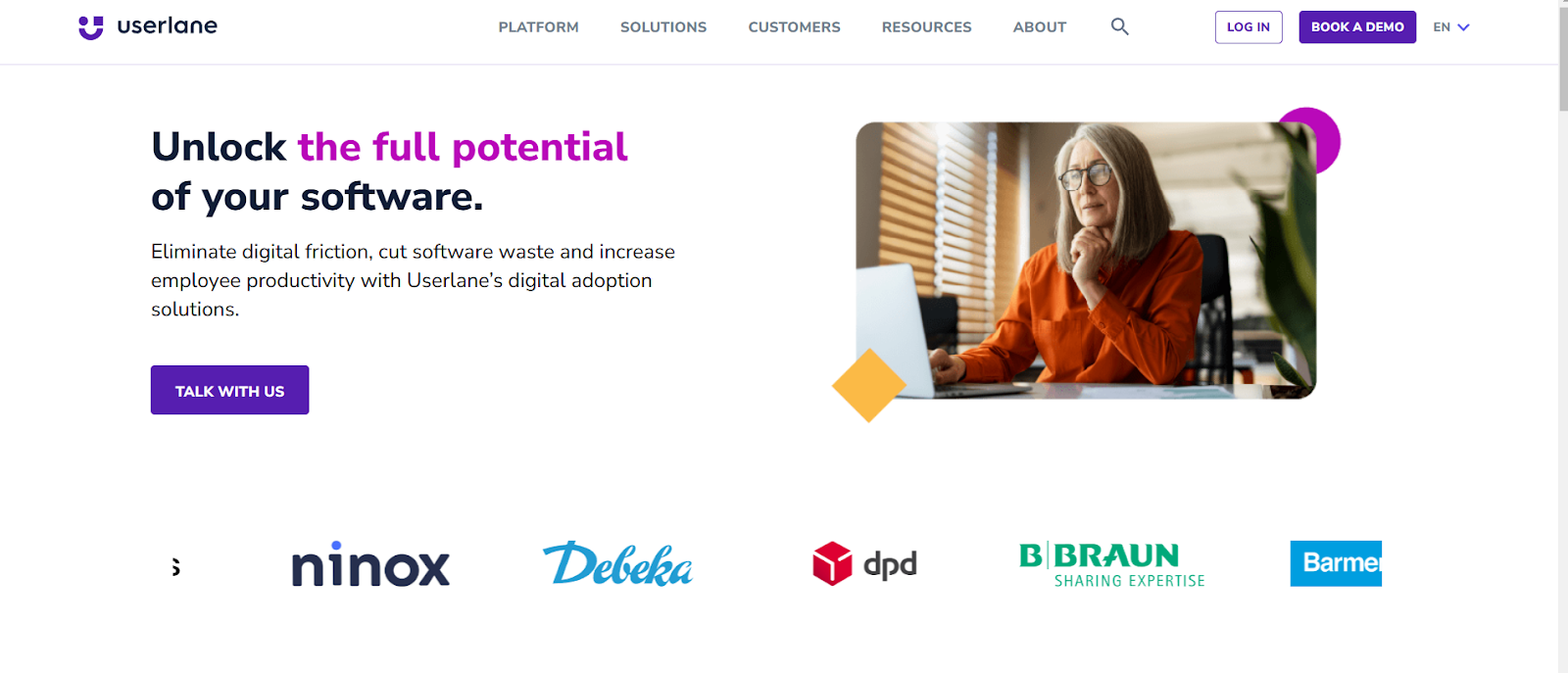
Userlane offers seamless, in-app guidance that walks users through tasks directly within the software. It allows users to learn at their own pace without interrupting their workflow, making the process feel natural and intuitive.
Userlane Key Features
- Employee Training and Support: Onboarding capabilities include self-service training and interactive guides while promoting proactive learning through links to existing knowledge bases and real-time assistance.
- Change Management: It integrates step-by-step guidance directly into applications, embedding training within the software, effectively eliminating change management challenges.
- Multilingual Capabilities: Multilingual functionality for seamless adoption across geographies, global teams and diverse workforces.
- Intuitive Interface: User-friendly interface that requires minimal technical expertise for implementation with quick and flexible deployment options for centralized governance and decentralized rollouts.
Userlane Pros (Based on G2 Reviews)
- The platform offers high levels of customization, enabling tailored experiences for specific user segments.
- Efficient support team dedicated to helping users resolve technical challenges and maintain effective guides.
Userlane Cons (based on G2 Reviews)
- While basic functionalities are intuitive, mastering advanced features involves a steep learning curve.
- Switching between the portal and editor, particularly when managing ToolTips, can feel clunky and cumbersome.
Userlane Ratings & Reviews
5. Appcues
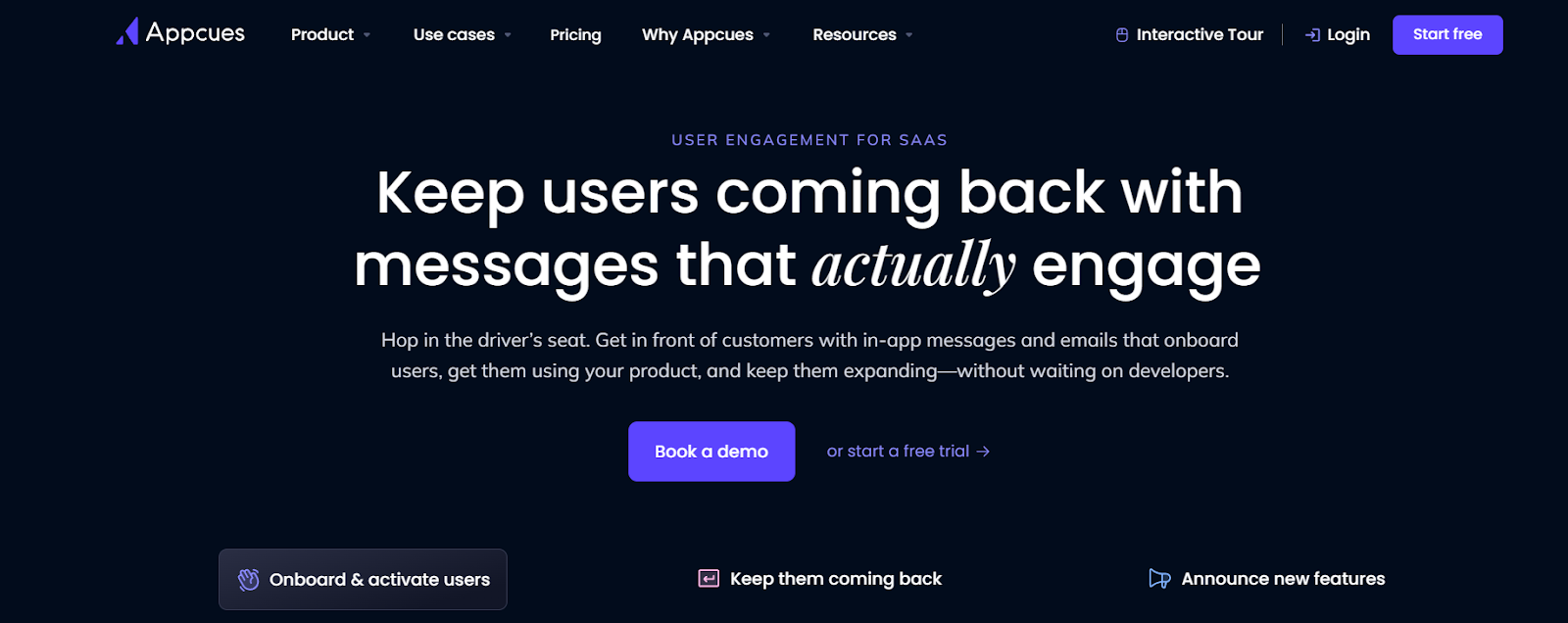
Appcues is a DAP for SaaS teams that provides personalized guidance, seamless onboarding, intuitive engagement, journey automation and tools to track user actions.
Appcues Key Features
- Personalized Onboarding: User onboarding with personalized experiences, in-app guidance, email follow-ups, and push notifications to help users stay on track.
- Feature Highlights and Trial Conversion: Value highlights, in-app nudges and push notifications re-engage users and actionable insights showcase features that ultimately convert free trial users into paying customers.
- Actionable Feedback: It captures user insights with NPS and in-app surveys where responses are most authentic. CRM integrations also help with detailed feedback analysis and insights.
- On-Demand User Support: Direct in-app customer support and proactive user assistance with tips, email follow-ups, and tailored content to resolve queries without disrupting workflow.
Appcues Pros (Based on G2 Reviews)
- Appcues creates seamless onboarding processes, reducing time and productivity for new users.
- It enables personalized user journeys through segmentation, ensuring users receive relevant content based on their profiles or actions.
- Users appreciate the ability to quickly implement flows that notify them of releases, changes, and updates.
Appcues Cons (Based on G2 Reviews)
- Some users face challenges when using hybrid mobile frameworks like Ionic.
- Appcues lacks organization features for clients with many flows. The current Flows tab makes it hard to stay organized.
Appcues Ratings & Reviews
Why Apty.io Is the Best Whatfix Alternative
When choosing a digital adoption platform, selecting a solution that addresses immediate onboarding needs and delivers long-term business value is critical. Apty stands out as the best Whatfix alternative due to its enterprise-focused approach, superior business process compliance capabilities, and actionable insights designed to maximize software return on investment (ROI).
Unlike other platforms that focus primarily on onboarding, Apty’s AI-powered platform emphasizes long-term outcomes like reduced process errors, employee productivity gains, and governance, making it the ideal choice for process compliance software and enterprise digital adoption.
One of the most compelling examples of Apty’s impact is its partnership with Haskell, a global architecture, engineering, and construction leader.
Haskell faced significant challenges with underutilized software like Procore and Microsoft Dynamics, leading to inefficiencies such as inaccurate financial reporting, delayed submittals, and costly rework. Here’s how Apty helped:
- Streamlined Processes: Real-time guidance and validation tools ensured users adhered to critical workflows, reducing data errors and improving compliance.
- Improved Efficiency: Automating mundane tasks and providing contextual guidance helped boost productivity across teams.
- Significant ROI: Apty’s solutions resulted in a potential annual margin impact of up to $710K, achieved through reduced claims, fewer project delays, and improved operational efficiency.
Explore how Apty compares with Whatfix and WalkMe
Key Differentiators: How Apty Outperforms Whatfix
Apty’s core functionality transcends many of Whatfix’s limitations such as insufficient analytics and workflow incompatibilities. Here are the key differentiating features it provides:
- Data-Driven Insights: Apty Pulse provides actionable insights into user behavior and adoption challenges, unlike Whatfix’s high-level analytics.
- Process Compliance at Scale: Apty’s advanced validation and monitoring features ensure users follow workflows correctly, a critical capability missing in Whatfix.
- Enterprise Scalability: Apty seamlessly integrates across multiple applications with minimal IT dependency, making it ideal for large organizations.
Apty makes it easy for businesses to customize workflows and on-screen guidance with low-code/no-code tools, ensuring everything aligns with their branding. With GenAI in Apty OneX, mundane tasks get automated, and users receive contextual, real-time assistance for a smooth experience. It also excels at guiding users through multi-application processes, simplifying complex workflows.
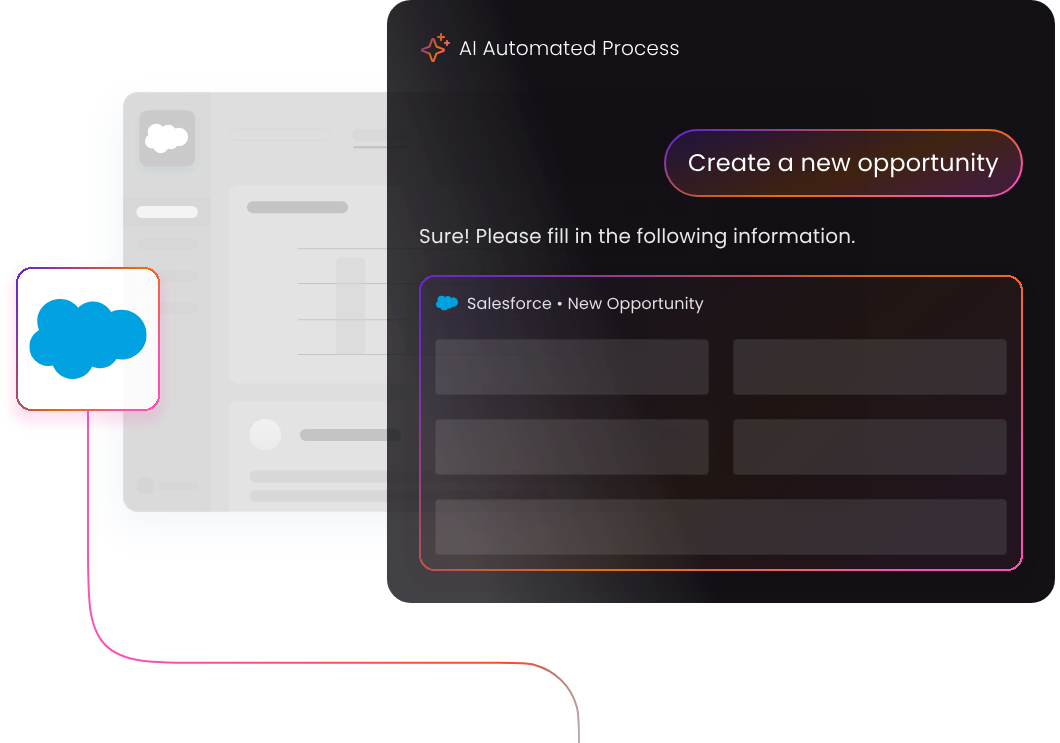
Apty doesn’t just make digital adoption easier, it makes it smarter, scalable, and ROI-focused. Numerous enterprises have achieved project completion in less than half the usual time with Apty, improved data quality by 80% and onboarded consultants seamlessly.Want to find out how Apty can transform your digital adoption strategy? Book a demo today!
Sooner or later, enterprises have to take advantage of digital transformation. Whatever industry they are in, markets are constantly changing in response to emerging technologies. Digital transformation, by driving innovation, better equips enterprises to handle digital disruptions in the future.
A seismic shift in leadership focus and organizational culture is required for successful digital transformation. However, since most companies cannot afford such a huge change at a time, they have to understand what digital transformation components are in most need of change.
Each organization must prioritize transformation activities based on its business objectives as part of the strategic planning process.
What is a Digital Transformation Framework?
A Digital transformation framework is a detailed plan of how an organization plans on digitally transforming their business operations. These details should address any foreseen challenges and obstacles on the journey to the goal.
It is a comprehensive road map outlining the strategies you intend to use to transform your organization seamlessly and efficiently.
According to TechRepublic report, more than 55% of companies say that innovation and digital improvements have already increased profits. But Forrester’s report says only 15% of organizations are digitally savvy.
These stats show that many organizations need an effective digital transformation strategy to make better business outcomes and stay competitive.
Build a successful digital transformation framework
- Clear objectives
- Plan optimization
- Adaptability
- Executive Leadership and Engagement
- Ensure the right mix of team members
- Learn to Communicate
- Use Technology to Enhance People and Processes
1. Clear objectives
Whether you’re transforming your business model or you wish to improve your business’ overall services, having a clear objective in mind when designing your framework is a top priority. The effectiveness of a strategic digital business transformation framework is determined by the defined aims or goals.

Companies that are less digitally mature tend to focus on individual technologies and how they may be used to enhance general operations, whereas more advanced organizations develop digital strategies to change their business entirely, with an end goal in mind.
Technology is driving value in organizations in various ways today, from automation and improved decision-making to product innovation and enhanced connectivity. The entire organization needs to work towards a common goal instead of different departments trying to transform on their own.
However, the digital transformation process has to come in phases and focus on organizational priorities. It is vital to understand current systems and exactly they can be transformed.
2. Plan optimization
It is important to research and plan your transformation goals whether you want to redefine your business model, increase efficiency, or build a remote infrastructure.
Every organization carries out various procedures and operations that can be optimized to improve workflow efficiency and effectiveness. Business process optimization can help you develop your digital transformation strategy.
The plan must optimize corporate processes while satisfying the objectives established for both customers and the internal team. Having the right combination of skills across the team must be a top priority in your digital strategy. You need skilled and tech-savvy people to use the innovative technologies that you invest in.
3. Adaptability
Business operations are constantly changing and you must transform your digital transformation strategy accordingly. Any digital enablement strategy must take shifting market conditions and new technologies into account. To do this, we must place a premium on agility and innovation at every step.

The business landscape is ever-changing; thus organizations today must be ready to adapt new strategies along with the business trends. In addition to adjusting in accordance with market scenarios, engage with thought leaders and peers to stay adaptable.
Maintaining this kind of adaptability is a key element to successful digital transformation. It is important to keep an eye on all market, business, and technology developments before, during, and after the digital transformation process. This enables you to easily respond to new situations.
4. Executive Leadership and Engagement
Having an active executive owner of the initiative who can make their way through uncertain circumstances, manage disagreements, and integrate cross-departmental activities is critical to the digital transformation’s success. Working at a fast pace allows businesses to adjust and alter the path of their digital transformation.
The effectiveness of long-term plans is dependent on how rapidly firms can modify their digital transformation strategy to changes in the market and the competitors, and the corporate culture.
Leadership buy-in during digital transformation is essential because if any team leader does not buy into the change, their teams will likely not follow. Thus, if the leaders are not all on board working together, the plan will likely fall apart before it has a chance to begin.
5. Ensure the right mix of team members
For building a successful digital transformation strategy framework, you must have a team with the right mix of skills that can work across the entire digital transformation lifecycle.

To implement innovative technologies, you will need more than just IT people, as IT is just one of the skills needed for running a digital transformation project. Instead, you should have a team with a variety of skills that can turn an idea into an actionable plan.
Culture is critical to the success of any digital transformation initiative. The digital transformation process will often require the existing company culture to change and adapt in new ways before it can fully bloom. So, it will be beneficial to prepare your personnel in advance. Effective communication can assist you in accomplishing this.
6. Learn to Communicate
Most employees will see digital transformation as a barrier, which is why you have to engage them in the whole process. Before implementation, learn to communicate with your team about what is causing this change and why you see it fitting to the working environment.
Communicate how this transformation can make their work easier and how would it benefit the team members and the company as a whole. It’s difficult to just do something without knowing the context behind it. So, prepare yourself and communicate your digital transformation roadmap to your team, be open for feedback and try to implement them in your plan if it sounds feasible.
7. Use Technology to Enhance People and Processes
Investing in the right technology is probably the most important aspect of digital transformation. You need to make sure that the technology you’ll be using during and after the transformation is truly beneficial for your business. If you don’t choose your tech wisely, you’ll end up wasting money and having several different issues with various business processes.

Many organizations simply choose technologies because they are trendy and popular but not because the technologies can help them in achieving their digital transformation goals. This will eventually lead to the following outcomes:
- Technologies being abandoned and not get used by employees & team members
- Increased costs and inefficiencies
- Lack of integration with the rest of the IT infrastructure and departments. You can also leverage tools like Uniqode’s business cards, which ensures that networking aligns with your digital transformation goals and modern workplace culture.
Utilize feedback from your team to have a deeper understanding of the roadblocks and problems they experience daily. Also, take a holistic approach to building a technological stack, ensuring that each layer of technology you add will function with your other existing solutions.
Conclusion
According to this McKinsey report, Enterprises that have a data-driven approach are 23 times more likely to outperform their competitors in terms of the new customer acquisition. Data analysis and integration can assist you in identifying areas of concern for your organization.
The study of data and dissemination of its findings can help your team determine the best solutions to challenges, resulting in the development of a more effective digital transformation strategy.
Most businesses assume that digital transformation can be achieved simply by using new technologies and automating processes. Technology will not be able to fix faulty processes or eliminate the requirement for your employees to be trained.
It can only be used to complement your training program and to provide your employee with new talents or to improve an existing procedure. Organizations need to assess if your present tech stack will integrate with your established processes and business objectives once you’ve defined your process.
A Digital Adoption Platform like Apty is one such tool that can help employees make use of the organization’s tech stack to its fullest potential. Apty is a lightweight DAP that sits on your enterprise applications and provides in-app interactive walkthroughs to the end-users. Your employees can simply follow the on-screen guidance and get their job done effectively.
SaaS companies need reliable, efficient, and fast ways to onboard new customers. SaaS onboarding software can drastically reduce the time and resources spent on customer onboarding.
The best onboarding tools for SaaS companies will allow you to quickly and easily create custom product tours and on-screen guidance to show new customers how to use your application.
In this blog, we’ll cover the importance of user onboarding for SaaS products, what onboarding tools are available, and highlight the features you should look at when evaluating what SaaS user onboarding software is right for your SaaS product.
What is Onboarding in Saas?
Onboarding is the process of introducing new users to an application and helping them get acquainted with how it works.
After completing onboarding, customers should:
- Be able to complete basic tasks in the application,
- Recognize the value the application provides, and
- Begin regularly using the software.
Read More:- The Definitive Guide for Using Onboarding
Why is User Onboarding Important?
Using onboarding is the key to improving your product adoption. If people don’t use your software, they won’t renew their subscription. Thus onboarding and adoption are the keys to decreasing or preventing churn.
When you sell a product that people don’t know how to use, you have to offer some onboarding for customers to be successful. When people buy a car, most of them already know how to drive because they learned using someone else’s car or previously owned a vehicle themselves.
For SaaS products, no one has used your product before buying it, so you have to teach them how to use it and get the value out of it. For more tips on the importance of driving product adoption through onboarding, check out our detailed guide on product adoption for SaaS products.
What is SaaS Onboarding Software?
SaaS onboarding software is a part of a growing solutions category called digital adoption platforms. Individual features may vary, but in general, a DAP provides on-screen guidance, user communication tools, and analytics. DAPs serve two main markets: enterprises and SaaS products. Companies will use a DAP to help with the onboarding and implementation of enterprise applications like an ERP, CRM, or HCM system. SaaS products use a DAP primarily for user onboarding and product adoption.
Read More:- Walkthrough Software: Why You Need It and How Interactive Walkthroughs Help Users
Top SaaS Onboarding Software Solutions in 2026
To determine the best SaaS onboarding software, you’ll find it helpful to examine user reviews and ratings. As the leading software review site, G2 can offer valuable insights on which platforms could work best for you.
As of July 2020, the Highest-rated Digital Adoption Platforms or SaaS Onboarding Tools are:
- Apty
- Appcues
- Intercom
- Whatfix
- Pendo
- Userguiding
- Spekit
- Userpilot
- EdCast My Guide
- HelpHero
- UserIQ
- Gainsight PX
- Userlane
- Chameleon
- Toonimo
- WalkMe
- Inline Manual
- Newired
SaaS Customer Onboarding Software Comparison
As we’ve already mentioned, Digital Adoption Platforms tend to focus on either enterprise software or SaaS products. Some platforms work for both. We’ve categorized the top platforms in the table below:
| Onboarding Tools Focused on Enterprise Software Adoption for Employees | Tools focused on SaaS User Onboarding | Onboarding Tools for both Enterprises and SaaS Products |
| Whatfix
Spekit Edcast My Guide Newired |
Appcues
Intercom Pendo Userguiding Userpilot HelpHero UserIQ Gainsight PX Chameleon |
Apty
Userlane Toonimo WalkMe Inline Manual |
You’ll want to pick a SaaS customer onboarding tool that focuses on SaaS products or both SaaS and enterprises. You’ll also want to ask about pricing options. Frequently as startups, SaaS companies are looking for the best bargain.
Make sure you invest in a platform that’s both affordable and feature-rich. Customer onboarding is one of the most important functions for a SaaS product. Don’t skimp on your onboarding tool. You need to deliver the best user experience possible.
Feature to Look for in SaaS Onboarding Software
There are several factors to consider when choosing the right onboarding tool to use in conjunction with your SaaS product. Things like functionality, ease of use, and cost-effectiveness are naturally some of the most sought after features.
Before you decide, let’s take a look at some of the features you should be sure to consider when doing your SaaS user onboarding tool research.
A. Easily Accessible Guides
You never know when your users will have questions or need guidance. Having an onboarding tool that implements easily accessible guides will save time and cut costs. These guides should be available 24/7, making it easy for users to find solutions at any time of the day. Extended availability allows for continued work and the ability for users to expand their knowledge base continually.
B. Segmentation
Not all roles are equal when it comes to onboarding. Users have different needs. Segmentation by a user’s native language or their user role can dictate what content they see and the method in which it is delivered to them. Finding an onboarding tool that allows for segmentation will give users a better experience while also enhancing their overall onboarding outcomes.
C. Custom Walkthroughs And Product Tours
SaaS onboarding software with a code-free editor will allow for easy content creation and streamlined walkthroughs and product tours. Having a software with this capability will significantly cut costs without cutting quality. Look for an easy code-free editor so you can create and publish new tours and walkthroughs in a matter of minutes. Teams can pair walkthroughs with AI video summaries to reinforce product tours using real demo or webinar content.
Read More:- Tips for Using Product Tours to Reveal Your ‘Aha Moment’
D. Advanced Analytics
Perhaps one of the most effective tools within onboarding software is advanced analytics. Having the ability to track and measure how people are using your onboarding content will give you the insight necessary to optimize your process. These analytics hold the power to pinpoint weak areas and offer solutions to improve user engagement.
E. Communication Capabilities
Open lines of communication are crucial to success. When choosing onboarding tools, look for options that allow for in-app communication with users. This feature will let you remind users to complete the onboarding process as well as solicit their feedback regarding content. With this feature, you’ll be able to help keep users on track while also building rapport and generating valuable first-hand feedback to improve the user experience.
What is the Best SaaS Onboarding Software?
When you evaluate the features and user ratings, Apty comes out on top as the best SaaS onboarding software.
Apty outranks the competition by:
- Being rated as highest for satisfaction on G2,
- Offering the easiest and fasted editor for creating and publishing walkthroughs, and
- Having a proven track record of reducing support tickets and costs.
What our SaaS Clients Have to Say:
“Apty helps us empower our Customers”
“Apty is an intuitive and robust Digital Adoption platform with very powerful capabilities. Our customers have been able to successfully navigate through and use our product without raising support tickets or making frantic calls to us for help. This is a dream tool for every SaaS product that wishes to empower their customers.” – Recent G2 Review
What are the Benefits of Apty’s SaaS Onboarding Software?
User onboarding is time-consuming and expensive. Companies have to devote resources to individual training and onboarding sessions or invest heavily in video and support content development. Apty allows companies to significantly reduce costs by using on-screen guidance and guided product tours to get users up and running quickly.
To learn more about reducing the time and money you spend on creating onboarding and support content, check out this blog post on using the COPE method for developing content with Apty. The blog post shows how Apty helps learning and development teams create content quickly to train new employees on enterprise software.
Still, the same principles apply to producing content for new SaaS customers.
In addition to cost savings, Apty also helps SaaS companies provide a better user experience. Apty is available 24/7, so users can start their onboarding on their schedule. With Apty, customers can begin using new software on the first day without any additional training.
By accelerating the onboarding process, Apty helps your users recognize the value of your application sooner and decreases the chance they’ll cancel or stop using the product.
Understand Your Options for SaaS Onboarding Tools
When it comes to choosing an onboarding tool for your SaaS products, be sure to do your due diligence, and fully understand your options. A thorough and engaging onboarding experience will have more significant long-term effects that can decrease churn and increase user engagement and customer satisfaction.
Investing in software that is a good fit for users is critical to long-term success for both the user and your SaaS product.
The first week of onboarding is done. Your new hire watched all the training videos, finished the compliance modules, and completed every item on the checklist.
In the second week, they are on their own in Salesforce updating a customer record, in NetSuite creating their first invoice, or in Workday submitting a timesheet.
The training explained what the system does, but it did not show them:
- Which fields are important for their job?
- What happens if they click the wrong button?
- Who should they ask if the screen looks different from the training screenshots?
So they guess. They skip fields that look optional, submit forms they should have saved as drafts, and update records they were not supposed to change.
Three days later, someone in operations is fixing their mistakes. After a week, the new hire is still asking the same basic questions. By the end of the month, they start to wonder if this job is harder than it should be.
This is where most traditional onboarding programs fall short: not during training, but when employees begin real work in live systems.
This guide shows how digital employee onboarding can solve these problems. It covers the main benefits, common challenges, types of onboarding tools, and strategies to help new hires feel confident in their work.
TL;DR
Most onboarding programs cover training and documentation, but often fall short when employees begin real work in live systems. The gap between finishing training and working confidently is where onboarding usually fails. Digital onboarding can solve this by adding guidance into daily workflows, helping employees right when they need support instead of days before they try new tasks.
What is Digital Employee Onboarding?
Digital employee onboarding uses software to deliver, guide, track, and support onboarding activities. It is more than just uploading orientation slides or sending automated welcome emails.
Digital onboarding helps employees on remote, hybrid, and global teams as soon as they access company systems. It replaces ad-hoc sessions, scattered documents, and one-time training calls with a structured, software-led experience.
Digital employee onboarding typically includes:
- Role-based training for specific roles, teams, or functions
- Process guidance showing how tasks and workflows are completed
- Compliance enablement supporting internal policies and standard operating procedures
- Performance readiness so employees can work independently with confidence
Common misconception: Digital employee onboarding is often confused with simply digitizing training content. Here’s the difference:
|
Why Digital Employee Onboarding Matters for Modern Enterprises
Onboarding is now under more pressure than ever. Methods like orientation sessions, desk-side training, and informal shadowing that worked five years ago are no longer enough for today’s fast-paced environment. That’s why digital employee onboarding is now essential:
- Rise of distributed and hybrid teams: Teams no longer sit in the same office or time zone. Digital onboarding creates a consistent experience for every new hire, regardless of location, without relying on in-person sessions or constant manager availability.
- Increasing complexity of enterprise software stacks: New hires are expected to use multiple systems from day one, including HCM platforms, CRM tools, finance systems, and internal applications. Digital onboarding helps employees understand how these tools fit into their role and how to use them correctly in daily workflows.
- Faster hiring cycles and less patience for slow ramp-ups: Businesses hire quickly to meet growth demands, but long ramp-up times slow teams. Digital onboarding offers early structured guidance, helping employees become productive sooner without repeated hand-holding.
- Regulatory and governance expectations: Enterprises operate with defined internal policies, approval flows, and governance standards. Digital onboarding supports these requirements by guiding employees through the correct steps and reducing reliance on memory or manual checks.
- The cost of poor onboarding: When onboarding falls short, employees struggle, make avoidable mistakes, and rely on peers and managers for support. Over time, this leads to rework, inconsistent execution, and higher attrition, making onboarding quality a direct business concern.
Key Benefits of Using Digital Employee Onboarding Software
When onboarding is well-organized, its positive effects last well beyond the first days. Here are some of the main benefits.
1. Faster time-to-productivity
Digital onboarding helps new hires get started faster. They spend less time waiting for training or trying to learn tools by themselves, and more time working on real tasks with clear guidance.
For example, a new operations analyst can use a guided onboarding process to create their first report within a few days, instead of spending the first week asking coworkers for help.
2. Consistent onboarding experience across teams and regions
Digital onboarding gives every new hire the same starting point, no matter where they are or who their manager is. Everyone learns the main workflows, expectations, and tools consistently.
For instance, two employees starting the same job in different regions can follow the same onboarding steps and be equally prepared, even if their managers have different approaches.
3. Reduced errors and compliance risks
Clear onboarding instructions help employees do things right from the start, leading to fewer mistakes early on. Getting everyone on the same page early also reduces the chance of having to redo work or break company rules later.
For example, when a finance team member starts using a billing system, the onboarding process guides them through the required fields and approvals to help them avoid mistakes on their first entries.
4. Lower training and support costs
Digital onboarding means less need for repeated live training and one-on-one help. It answers common questions and explains key tasks from the start, so experienced team members have more time for other work.
For example, teams don’t have to show every new hire the same setup steps, because the onboarding process covers these tasks for everyone.
5. Improved employee engagement and retention
When employees get clear guidance and support early on, they feel more confident and productive in their jobs. This early confidence helps them stay engaged over time.
A new hire who can handle important tasks independently early on is more likely to stay motivated and committed, rather than feeling lost or frustrated.
Key Challenges Organizations Face With Digital Employee Onboarding
Even with digital onboarding tools in place, many organizations continue to face gaps once new hires start using systems and processes. Some of the most common challenges show up in the following areas:
1. Onboarding content exists, but employees don’t follow it
Most organizations already have onboarding material in place, but new hires often struggle to apply it once real work begins. Content lives in decks, documents, or portals that employees rarely revisit while working in live systems, trying to complete tasks.
The fix: Bring onboarding guidance closer to where work happens, so employees can follow it while performing tasks rather than recalling it later.
2. Too many tools, not enough guidance
New hires are introduced to multiple systems on Day 1, but there is little support to explain how these tools connect or which actions matter most. The result is confusion, guesswork, and frequent interruptions to teammates for help.
The fix: Connect onboarding across tools with clear, step-by-step guidance that helps employees understand what to do and in what order.
3. One-size-fits-all onboarding programs
Generic onboarding programs often ignore role-specific workflows, team responsibilities, or regional variations. Employees are asked to sit through information that does not apply to their role while missing guidance that does.
The fix: Design onboarding paths that adapt to role, function, or workflow, rather than using a single program for everyone.
4. No visibility into where new hires struggle
Managers often know onboarding is “complete” but have little insight into where employees hesitate, make mistakes, or require repeated help. Issues surface only after errors or delays become visible.
The fix: Track onboarding progress and execution signals to identify friction points early and adjust support accordingly.
5. Manual follow-ups and shadow training
Onboarding frequently depends on senior employees repeating the same explanations or walking new hires through screens. The approach does not scale and places additional load on already stretched teams.
The fix: Replace repeated manual guidance with structured, self-serve onboarding support that employees can access as needed.
Types of Digital Employee Onboarding Tools Companies Use Today
These tools sit within broader HCM systems and focus on managing employee information, documentation, and lifecycle events. They typically handle pre-boarding tasks, policy acknowledgements, and basic onboarding workflows.
1. BambooHR
Source: BambooHR
Best for: Small to mid-sized companies that want to give new hires a consistent pre-boarding experience without requiring much IT support or complex integrations.
G2 rating: 4.4/5
BambooHR is an HR management platform designed for mid-sized organizations, typically those with 50 to 1,000 employees. It helps manage employee records, onboarding forms, and task checklists in one place. HR teams can create onboarding checklists, automate task assignments, and track progress for multiple new hires simultaneously.
BambooHR effectively organizes paperwork and administrative tasks, ensuring everything is signed and submitted before a new employee begins. However, it focuses on HR logistics and does not help employees learn how to use the systems they will need for their jobs.
|
Pricing: Enterprise pricing, typically licensed per user, with costs varying by features and scale
A customer’s perspective
Source: G2
Expert opinion
The platform gets people into your systems, but it doesn’t prepare them for what happens next, when they need to actually use those systems to do their job. Pair it with training and execution-focused tools for complete onboarding coverage.
2. Rippling
Source: Rippling
Best for: Mid-to-large enterprises looking for an integrated HR and IT platform that combines employee onboarding with device management, app provisioning, and benefits administration in one system.
G2 rating: 4.8/5
Rippling is a comprehensive workforce management platform that goes beyond traditional HR onboarding by integrating identity management, device provisioning, and application access. It automates employee setup, from creating accounts across systems to shipping hardware and enrolling employees in benefits.
For onboarding, Rippling automatically provisions access to necessary applications like email, Slack, and CRM based on the employee’s role and department. It triggers workflows that coordinate IT setup, benefits enrollment, and compliance training at the same time.
Many companies use it for zero-touch onboarding, so new hires receive a pre-configured laptop and access to all systems on day one.
|
Pricing: Enterprise pricing, typically licensed per employee per month, with costs varying based on modules and integrations
A customer’s perspective
Source: G2
Expert opinion
Rippling excels at removing the administrative friction of onboarding. Nobody waits days for account access or hardware. But getting someone logged in is not the same as making them productive. You still need a plan to teach them what to do once they are inside those systems.
3. Docebo
Source: Docebo
Best for: Mid-to-large enterprises with complex training needs, multiple departments needing role-specific learning paths, and organizations prioritizing compliance training and certification tracking for distributed teams
G2 rating: 4.3/5
Docebo is a learning management system that helps deliver role-based learning paths, compliance training, and onboarding. The platform uses artificial intelligence to suggest personalized learning, automate content assignments, and identify skill gaps based on employee roles and performance.
Docebo offers various learning options, including video courses, interactive modules, SCORM packages, and virtual instructor-led training. Many companies use it to ensure employees complete and track required training, especially in fields like healthcare, finance, and manufacturing, where compliance matters.
While Docebo excels at delivering structured education, the learning remains separated from real-time task execution inside business applications.
|
Pricing: Enterprise pricing, typically licensed per user, with costs varying by features and scale
A customer’s perspective
Source: G2
Expert opinion
Docebo is excellent at delivering structured learning content and tracking completion. But there’s a gap: employees watch a course on processing invoices in your ERP system, and two weeks later, they’re looking at the real ERP screen without knowing where to begin. The best onboarding programs use the LMS for basic knowledge, then add real-time guidance as employees start working.
4. TalentLMS
Source: TalentLMS
Best for: Small to mid-sized companies seeking a straightforward, easy-to-implement LMS for employee training and onboarding without extensive technical requirements
G2 rating: 4.6/5
TalentLMS is a cloud-based learning management system designed for quick setup and ease of use. It helps organizations create training courses, assign learning paths, and track employee progress through an intuitive interface that requires minimal technical expertise to manage.
The platform supports multiple content formats, including videos, presentations, SCORM files, and quizzes. Companies use TalentLMS to build onboarding programs that guide new hires through company policies, product knowledge, and role-specific training. The system’s branching logic allows organizations to create different learning paths based on department, role, or location.
TalentLMS also integrates with common HR systems and collaboration tools, making it easier to enroll new hires automatically and notify managers when training is complete. Its mobile app lets employees complete training on any device, which is useful for distributed teams.
|
Pricing: Tiered pricing starting with a free plan for up to 5 users, paid plans priced per active user per month
A customer’s perspective
Source: G2
Expert opinion
TalentLMS excels at delivering training content efficiently and tracking completion. It works well for smaller organizations that need something simple and effective. However, a transfer problem remains. Employees watch training on Monday and forget much of it by Friday when they need to use the system. The most effective approach is to use TalentLMS for foundational knowledge, then add in-app guidance when employees start real tasks.
5. Confluence
Source: Atlassian
Best for: Technology companies, product teams, and organizations with technical documentation needs and seeking collaborative, searchable knowledge bases.
G2 rating: 4.1/5
Confluence is Atlassian’s collaborative documentation platform used by enterprises to create, organize, and share internal knowledge. It allows multiple contributors to build and maintain documentation collaboratively, with version control tracking changes over time.
For onboarding, companies create dedicated “spaces” with role-specific guides, FAQs, and process walkthroughs. New hires can search documentation, bookmark important pages, and reference materials as needed.
However, Confluence operates as a passive resource. Employees must leave their workflow, remember to check it, find the right documentation, and then apply what they read back into the system where they are working.
|
Pricing: Tiered pricing per user, with free and paid plans based on team size and features
A customer’s perspective
Source: G2
Expert opinion
Confluence works best as a supporting knowledge base for onboarding and process reference. It is most effective when paired with tools that provide contextual guidance inside applications. This reduces the need for employees to pause work and search for answers.
7. Slack
Source: Slack
Best for: Teams using real-time messaging to support onboarding questions, quick clarifications, and informal guidance
G2 rating: 4.5/5
Slack is a real-time messaging platform central to workplace communication, especially for distributed and hybrid teams. During onboarding, organizations create dedicated channels like #new-hires, #ask-hr, or team-specific channels where new employees can ask questions, share updates, and connect with colleagues.
Many companies assign onboarding buddies who communicate mainly through Slack direct messages, providing informal guidance and answering day-to-day questions. Slack’s search functionality also lets employees find previous conversations where similar questions were answered.
However, onboarding support through Slack is reactive and inconsistent. The quality and speed of help depend on who is online, how busy they are, and whether they see the message.
|
Pricing: Free and paid plans, priced per user with additional features at higher tiers
A customer’s perspective
Source: G2
Expert opinion
Slack is great for building culture and helping people connect during onboarding, but it should not replace structured guidance. If you rely on Slack for onboarding, you crowd-source support and hope someone notices the question, has time to reply, and gives the right answer. So, use Slack to help people build relationships and solve unique problems, but do not make it your main tool for onboarding support.
Why Digital Onboarding Tools Often Fall Short in Practice
Even with multiple onboarding tools in place, many organizations find that outcomes fall short once new hires start working independently. The gaps usually do not come from lack of effort, but from how onboarding is designed and measured.
Here’s why it happens:
1. Too much focus on content delivery
Many onboarding tools prioritize distributing information through courses, documents, or checklists. While this helps share knowledge, it does not guarantee employees know how to apply it during real tasks.
As a result, onboarding appears complete on paper, even though employees still struggle when performing actual work.
2. Training disconnected from real work
Training often happens before employees begin using live systems. By the time new hires start working on applications, earlier instructions are forgotten or feel abstract. Without guidance during execution, employees resort to trial-and-error or repeated questions, slowing productivity.
3. No real-time validation
Most onboarding tools explain the steps, but do not confirm whether they are followed correctly. Errors surface only after tasks are completed, reviewed, or escalated. This delay leads to rework and makes it harder to correct behaviors early, when onboarding support is most effective.
4. Poor employee adoption
Onboarding tools that require employees to leave their workflow, search for help, or remember where information lives often see low usage. When support is not available at the moment of need, employees default to informal help or workarounds instead of using onboarding resources.
5. Metrics focused on completion, not outcomes
Success is often measured by task completion, course progress, or checklist status. These metrics show activity, but not readiness or execution quality. Without insight into how employees perform tasks, onboarding improvements remain reactive rather than informed by real outcomes.
How Leading Enterprises Improve Employee Onboarding Outcomes
After identifying where onboarding tools fail, many enterprises adjust their approach rather than adding more tools. The focus shifts from onboarding as a one-time event to an ongoing enablement process closely tied to how work gets done.
Here’s what can help:
1. Combine HR onboarding, training, and in-app guidance
Leading organizations treat onboarding as a connected experience, not separate handoffs between systems.
- HR onboarding handles access and documentation
- Training introduces processes and concepts
- In-app guidance supports employees when they perform tasks inside live systems
Each layer builds on the previous one, creating a continuous support system rather than disconnected activities.
2. Shift from “train once” to continuous reinforcement
Initial training provides context, but real understanding develops through repetition and use. High-performing teams reinforce correct behavior over time instead of assuming onboarding is complete after the first few sessions.
Ongoing guidance helps employees apply what they learned as workflows repeat and responsibilities grow. For example, a new customer success manager might complete CRM training in week one, then receive reinforcement prompts during weeks 2-6 as they handle different account scenarios. This approach recognizes that learning happens through doing, not just watching.
3. Use execution data to improve onboarding
Rather than relying only on completion status, leading enterprises look at how employees actually perform tasks. Execution signals highlight where employees hesitate, repeat steps, or make common mistakes.
This insight allows teams to refine onboarding content based on real behavior rather than assumptions. If analytics show that 70% of new hires struggle with a specific workflow step, that’s where onboarding support gets enhanced.
| Example: IBM uses analytics from its onboarding platform to track where new hires struggle during their first 90 days. They identified that new sales reps consistently made errors in opportunity classification, leading to forecast inaccuracies. They refined onboarding guidance for that specific workflow and saw a 35% reduction in classification errors within the first month. |
4. Align onboarding with productivity and quality metrics
Onboarding success is evaluated based on readiness and execution quality. Teams connect onboarding outcomes to how quickly employees become productive, how consistently work is performed, and how often errors occur.
For example, a customer operations team shifted from measuring “training completion rate” to tracking “time to first independent case resolution” and “accuracy rate in first 50 cases.” This revealed that employees who received in-app guidance reached independence faster.
How Apty Helps Enterprises Succeed With Digital Employee Onboarding
Most digital onboarding tools focus on preparing employees through training content and documentation. That preparation is important, but it stops short once employees start using live systems.
Apty addresses this gap by focusing on execution inside the applications where work actually happens.
Apty is a digital adoption platform that provides in-app guidance and support on top of enterprise tools like CRM systems, ERP platforms, HCM tools, and other internal applications. This way, new hires can learn as they work and complete tasks correctly from day one.
Here’s how it helps:
1. Embeds onboarding directly into real workflows
A new sales operations hire logs into the CRM for the first time. Instead of completing a training module beforehand, guidance appears directly inside the CRM:
- Apty highlights where the workflow starts
- Indicates which fields must be completed before moving ahead
- Walks through the correct sequence to create and qualify a lead
The employee completes a real task correctly on the first attempt, without leaving the application.
2. Enforces correct process execution
A new finance hire uses an ERP system to create vendor records. When a mandatory field is skipped or data is entered in the wrong order, Apty intervenes before the record can be saved.
This way, errors are corrected during execution, not discovered later through reviews or clean-up efforts.
3. Supports role-based and workflow-specific onboarding
Employees interact with systems differently depending on their role, responsibilities, and region. Apty allows onboarding to adapt to those differences, ensuring guidance stays relevant.
For example, two employees join the same organization. A customer support agent receives guidance on ticket-resolution workflows, while a sales manager is guided through forecasting and pipeline review.
In other words, each onboarding experience aligns with daily responsibilities.
4. Reduces dependency on shadow training and manual support
Onboarding often relies on experienced employees repeatedly answering questions or walking new hires through screens. Apty reduces this dependency by acting as a self-serve onboarding assistant inside applications.
Guidance is always available when tasks are performed, regardless of time zone or team availability. The result? Teams spend less time repeating explanations and more time on core work.
How Apty Supports Onboarding Across Key Stages
|
Conclusion
The execution gap—the space between “training complete” and “working confidently”—is where most onboarding programs quietly fail.
Checklists get marked as finished. Training videos get watched. But none of that guarantees a new hire can correctly complete their first real task when they’re alone in a live system.
Organizations that treat onboarding as content delivery will keep seeing the same outcomes: new hires struggling for weeks, avoidable errors creating rework, and early turnover from employees who never felt equipped to succeed.
The solution is to shift onboarding support into the applications where work happens, at the exact moment employees need guidance. Platforms like Apty make this possible by embedding onboarding directly into workflows, preventing errors in real-time, and adapting to role-specific needs.
Ready to close the execution gap in your onboarding?
FAQs
1. What is digital employee onboarding software?
Digital employee onboarding software helps organizations deliver, guide, and support onboarding activities. This enables employees to learn and perform tasks correctly as they start using systems and tools.
2. How is digital onboarding different from traditional onboarding?
Traditional onboarding relies on in-person sessions and static materials. Digital onboarding supports employees continuously through software, making onboarding accessible across remote, hybrid, and global teams.
3. Which tools are best for remote employee onboarding?
Remote onboarding typically combines HR onboarding platforms, training systems, collaboration tools, and in-app guidance to support employees across locations and time zones.
4. How long does it take to implement digital employee onboarding software?
Implementation timelines vary by tool type and scope. Administrative and training tools can be set up quickly, while execution-focused onboarding may be rolled out gradually across workflows.
5. How can companies measure onboarding success?
Onboarding success is measured by how quickly employees become productive, how consistently tasks are performed, and how often errors or support requests occur during the early stages of work.
The success of an organization tremendously relies on its employees. Effective employee onboarding and training practices can break your organization’s bottom line. It is high time that companies realize this and invest in practical employee training and onboarding platforms and programs.
9 reasons how practical employee training and onboarding can positively impact the organization
- Increased Retention and Low Turnover
- Increased Productivity
- Improved Profitability
- Improved Morale
- Employees’ Self Development
- Promotes a Learning Culture
- Better Work Experience
- Quality Service or Product
- Competitive Advantage
1. Increased Retention and Low Turnover
An organization’s retention and turnover rates are highly indicative of the experience they provide to its employees and how stable the organization is. An effective employee training and development program is crucial to keep your employees satisfied and retain them with the company. A report found that turnover can cost organizations anywhere from 16% to 213% of the lost employee’s salary.
Training must evolve to keep employees up-to-date with the latest technology and trends in the ever-changing business landscape. Providing employees with adequate training gives them the skills they might need in the future to take up more responsibilities. This is great for the employee as well as the organization since the employee gets promotion opportunities, and the organization gets to retain its top talents.
2. Increased Productivity
74% of employees feel they aren’t reaching their full potential at work due to a lack of development opportunities. Effective training is crucial to give employees the confidence and motivation to stay productive at work. Highly skilled employees contribute much more to the overall goals of the company.
When employees are given opportunities to grow and build skills, they feel engaged with their work, increasing productivity. Well-trained employees are much more productive than employees that receive poor training since the latter spend a large part of their workday getting resolutions for queries about their work.
3. Improved Profitability
When you invest in your employees with great training and learning experience, they feel more satisfied with their job, and it positively affects their performance. Your business’s profits and performance are directly linked to people’s efforts. Quality training improves your team’s communication, increases customer satisfaction, and boosts profits.
As you upgrade your employee’s technical and collaborative skills which includes computer skills, they directly impact the organization’s bottom line. Your marketing teams get in more leads, sales teams close more deals, and managers lead more efficiently, increasing profits and performance in every aspect of your business.
4. Improved Morale
The pandemic has left employees around the world losing ground and feeling unsupported. Employee morale is at an all-time low since most of the global workforce is working remotely. It is up to the organization to lift employees’ spirits and help them get back in the groove.
Employers can do this by investing in the right employee training program and tools to ensure that their workforce has all the expertise they need to confidently carry out their work. Employees that are trained well feel much better equipped to handle anything that comes their way.
5. Employees’ Self Development
Training provides employees with skills they didn’t have before joining the organization or improves upon their existing skills.
This upskilling and reskilling of your employees can help employees grow, benefiting both the organization and the employees. The organization gets higher-skilled employees to take up more roles and responsibilities, and the employee gets to advance in their career.
Employee development is a proven strategy for an organization’s continual growth, productivity, and ability to retain valuable employees. There is a shortage of skilled employees, and to beat this, organizations can look into hiring for entry-level roles and invest in training programs that advance their personal growth.
6. Promotes a Learning Culture
Organizations need an agile working and learning culture now more than ever. Employees need to quickly adapt to new environments, new protocols, and changing market demands. With effective employee training, this is possible.
When you promote a culture of learning at your organization, employees continuously seek, share, and apply new knowledge and skills to improve individual and organizational performance. This type of agile culture permeates all aspects of organizational structure and produces the best business results.
7. Better Work Experience
The training and onboarding that you provide to your employees define their experience with the organization. Better training and onboarding processes result in a better experience with the company and improve your brand reputation as a whole.
Organizations that are known for providing a great employee experience are highly sought after by potential candidates, helping the company grow by leaps and bounds. It also affects the employee retention rate since having a smooth and ongoing training process keeps employees happy and satisfied with their jobs.
8. Quality Service or Product
Effective employee training and development programs are well known to contribute to increased productivity and engagement. Engaged and productive employees are committed to the organization’s cause and will put in the effort to improve the service or product that the company offers.
This is especially true when employees are trained in problem solving and technical skills. Your workforce is self-sustainable and iteratively improves the quality of your service or product.
9. Competitive Advantage
New businesses are opening up every day, and the world is getting more competitive. Training and development play a huge role in developing a competitive advantage and standing out from the crowd.
In ensuring that your employees constantly progress in technical, communication, and collaborative skills, you ensure that your company gains more value and moves forward with a strong position in the market.
The key to retaining users and customers for any application is onboarding. Properly onboarding users help them master and fall in love with your software. Think of user onboarding as leading your users on a journey of a series of simple tasks, to reveal the benefits of your software.
To improve your user onboarding experience, we’ve compiled the top 10 best practices for onboarding new SaaS users
Top 10 best practices for onboarding new SaaS users
1) Learn your customers’ behaviors and their specific needs
The first step to a successful onboarding process is determining why’ customers are looking for your product, and then finding a way to fulfill this particular need. Utilize surveys and other research tools to determine your users’ primary pain point and be sure to highlight how your application solves that problem during their onboarding.
2) Leverage multiple touchpoints
In order to increase user interaction and retention, you need to put in place multiple channels of communication . Obviously, in-application messaging will play a vital role in your onboarding strategy, but you should consider what other user onboarding channels to use outside of the application including:
- Automated email sequences (be sure to run an inbox placement test to ensure these reach the user during the critical first 24 hours)
- Live chat
- Text messages
3) Make the Aha! moment obvious
The ‘Aha moment’ is when the customer starts to comprehend the value of your software. Don’t wait to wow them. Your onboarding process should get them to the Aha! moment as quickly as possible. Complicated sign-up forms or a painful login experience create a barrier between your new user and their Aha moment. Create an onboarding experience that seamlessly guides them and allows them to discover the value of what your platform does. Onboarding isn’t about telling someone why they’ll love your software. It’s about showing them. During the onboarding, new users should think, ‘Wow this is going to save me so much time,” or “this is so much easier,” or whatever the unique value your software adds.
4) Customize each user’s experience
Not every user has the same needs. Don’t waste someone’s time onboarding them to a feature they’ll never use. Create unique onboarding experiences that are custom-tailored by different user types.
5) Give a personal touch
To encourage long-term commitment, try developing personal rapport with your users. Customers want their products to be relatable. You can achieve this by adding some funny lines or comments in your chats and messaging that give your onboarding sequence some personality.
6) Establish metrics to measure your success
It’s important to measure how users are interacting with your software and your onboarding sequence. Stats to track include:
- Churn rate
- Time to complete onboarding
- Percent of people who abandon onboarding
- Login frequency
7) Remind people when they haven’t finished onboarding
So if you’re following tip 6 and you’re tracking who hasn’t completed onboarding, leverage that data to remind people to finish the process. Setup automated alerts that nudge people to complete their onboarding.
8) Break onboarding down into bite-sized chunks
Don’t overwhelm your users with a 20-item checklist the first time they log in. Create some milestones as a part of your onboarding sequences so that users feel like they’re making progress. Break down onboarding into chunks and wait to introduce the next journey until after users complete the first.
9) Test and revamp your onboarding as needed
You’ll need to recruit some volunteers to test your onboarding process. Make tweaks based on their feedback and the stats you have from tracking the process. Test the tweaks and repeat the process again.
10) Onboard existing users to new features
Onboarding is not a once and done process. It’s for more than just new users. When you roll out new features and updates, you’ll need to make a plan to onboard your existing users to the new features. The same principles apply to onboarding people to new features. Make sure your onboarding illustrates the value of how the new feature makes a task easier or saves them time.
How you onboard users could make or break your software. Make sure you’re setting your application and your users up for success. Be sure to subscribe to our blog for more tips on SaaS onboarding.
Image Source: Photo by Brad Javernick
Product adoption is the key to a successful and growing SaaS product. Without it, your product will fail.
Simply put, product adoption is the process of customers discovering, purchasing, and implementing a new application into their work or lives. Many companies invest a lot of time and money into the first part of the process – the discovery.
From expensive marketing tactics to free trials, SaaS companies place a significant emphasis on the acquisition part of the customer lifecycle, but what happens after a new user converts to a paying customer is even more critical and often overlooked. If paying customers isn’t fully utilizing your software, they will cancel or not renew their subscription.
If you don’t have a solid adoption strategy in place, you’ll waste all the time and money you spent on marketing and converting a customer. According to Harvard Business Review, it costs 5 to 25 times more to acquire a new customer than keep an existing one.
Product adoption is essential for any SaaS business that is serious about gaining returning customers that love what they have to offer.
When companies focus on customer adoption, they are not merely increasing conversions; they’re developing a base of customers who know and share the value of their product.
In this guide, we’re taking a closer look at what a product adoption framework looks like for SaaS companies and how you can measure your adoption rates and best practices to improve your overall customer adoption.
Why should SaaS companies care about customer adoption?
Numerous SaaS companies with long-term goals of growth and success tend to focus time and effort on product adoption. By concentrating on adoption, SaaS companies move their users along the pathway from basic conversion to becoming regular users.
This path is essential as it creates a base of regular, loyal customers that believe in the value of what the company produces. They have complete buy-in with the company’s software and use it as part of their daily processes.
A key reason why SaaS customer adoption matters is its impact on reducing churn in the SaaS industry. By focusing on driving engagement through outcome-driven onboarding, businesses can achieve higher retention rates and increased product adoption across their user base.
What are the six stages of the product adoption process?
The typical customer lifecycle for a SaaS product has six stages:
- Awareness
- Conversion
- Purchase
- Activation
- Renewal
- Referral
SaaS products need a robust customer adoption strategy that moves users from each stage to the next. The following table summarizes the roles marketing, sales, and customer success play in each step of the process:
You must communicate in such a way that it must excite your users. There is a high chance that the information you provide might overwhelm them and discourage them from using the application.
Make your In-app announcements crisp and clear. Don’t try to dump all the information at one go. Give some breathing time and show them only what they need to know.
| Stage | Who is driving? | Desired Outcome |
| Awareness | Marketing | The potential user learns of your product |
| Conversion | Marketing | The user signs up for a free resource or trial |
| Purchase | Sales | The user purchases a subscription |
| Activation | Customer Success | The user begins implementing the software and becomes a frequent active user |
| Renewal | Customer Success | The user purchases another term (typically monthly or yearly) |
| Referral | Customer Success and Sales | The user is so pleased with the application they refer a friend or colleague. |
When people think about product adoption, they often think of the activation phase – getting someone to use your product after buying it. But, it’s helpful to picture a product adoption framework as a cycle.
All the referrals you get from the last step will entire the cycle at awareness. The cycle continues to repeat itself as you add more users.
To accelerate this cycle, you need a product adoption framework supported by tools that enable in-app guidance and user analytics. Platforms like Apty’s Digital Adoption Platform offer tailored walkthroughs, enabling users to activate faster and navigate the SaaS product lifecycle more efficiently.
The customer adoption cycle is also helpful for when you’re introducing new features. Here’s how each step could apply:
- Awareness – Users learn about your feature release and how it can solve a problem.
- Conversion – user watches a video you released about the new feature.
- Purchase – if the feature requires an upgrade, the user could make a purchase.
- Activation – user begins incorporating the feature into their routines.
- Renewal – if the feature required an upgrade, users could renew their upgraded subscription.
- Referral – the user lets other people know about the new features.
What are the benefits of product adoption?
Product adoption provides several benefits for companies. As with every business, success is dependent upon customer conversion and retention.
That makes customer adoption essential, as the result of effective adoption is that users find the product so valuable that they continue to use it.
After implementing a product adoption framework, businesses experience higher user retention, as well as lower churn.
Decreasing churn leads to regular, high revenue for the business. Churn refers to the loss of profit or users and is the antithesis of success. By utilizing customer adoption, companies can ensure they have low churn, as they effectively gain loyal customers as a result of their process.
Incorporating feature adoption tracking into your product strategy helps you understand which functionalities are driving value and which need improvement. This insight also enables teams to build a stronger customer onboarding strategy focused on outcomes instead of one-size-fits-all tutorials.
But customer adoption isn’t just about reducing churn; the right adoption strategy can also be the key to growth. As illustrated in the adoption lifecycle, if you can develop a successful product adoption framework that moves users through all six stages, your super users should start referring their friends and colleagues.
Therefore, improved adoption rates can reduce your customer acquisition costs as you reap the benefits of word-of-mouth marketing.
How do you measure product adoption?
There are several key metrics by which you can measure the effectiveness of your product adoption framework. You’ll want to assess how core features are performing, what’s most appealing to new users, and the time and value of the actions that users take with your product.
Because adoption is often influenced by how users discover and engage with the product, marketing mix modeling can help teams connect marketing activities to adoption outcomes and understand which efforts contribute most to sustained usage.
All these assessments work together to form a complete portrait of how people adopt your product — and how you can improve the experience. Before we look at metrics and benchmarks, you’ll need to define and track these key data points:
- Key action – an action providing the most value to your users, examples include running a report or completing an entry.
- Daily active users – total number of users who performed at least one key action in a day
- Weekly active users – total number of users who performed at least one key action in a week
With tools like Apty PULSE, you can dive deep into user activation metrics, process adherence, and behavioral flows to optimize every touchpoint of the product experience. This real-time insight allows product teams to measure SaaS product adoption metrics with greater accuracy and take timely action.
You can also calculate monthly active users, but for weekly or monthly users, you may want to consider raising the threshold on the number of key actions. Depending on your application, you might not consider a person who only completes one key activity, an active user.
In that case, you could define your monthly activity users as people who complete at least eight or more key activities.
Once you’ve defined and track these metrics, you can begin to measure your customer adoption success by looking at:
- Adoption rate
- Time-to-first key action
- Activation
- Time to value
Adoption Rate
There’s a lot of variety in how different consultants and experts recommend you calculate your adoption rate. In general, you’re trying to measure how successful you’ve been at onboarding and getting people to use your application.
One way to look at that is to examine the percentage of people who actually used your application in a given time period.
Adoption Rate = Active Users ÷ Subscribed Users x 100
So if you were trying to measure your adoption rate for a month where you had 75 monthly active users out of 100 subscribed users, you’d have an adoption rate of 75%.
The inactive users are the ones who are most likely to leave, so increasing your adoption rate by lowering inactive users should also reduce your churn rate.
You can also calculate adoption rates for certain features.
Feature Adoption Rate = People Who Use New Feature ÷ Active Users x 100
Time-to-first- key action
This metric refers to the time it takes a new user to start using an existing feature. It can also describe the time it takes a current user to try a new feature. The key action is whatever the user does to make this shift, e.g., completing a transaction or visiting a new feature in an app.
You can use this metric to suggest the appeal of the new feature or how quickly new users begin using core features of the product. Choose several key actions that best describe your primary goals, rather than trying to measure everything.
Your “key” actions are likely those that would provide the most value to your users; you might also measure a product’s more advanced features to see if they are worth keeping around.
Activation: Percentage of users who performed the key action for the first time
It’s also helpful to measure the number of users who took the key action compared to your total users. This metric gives you another way to look at how users respond to new features or which features are most compelling to new users.
As with the adoption rate, link this metric to a time period for more actionable data.
Time to value
As mentioned above, some features of your product provide greater value than others. Time-to-value measures the time it takes for users to obtain their desired results from a given feature.
Naturally, you want this time to be as short as possible, because adopters who derive value from your product more quickly are more likely to become regular users.
You should prioritize TTV assessments surrounding your key feature and provide a path of least resistance for your users. The shorter you can get this value to be, the more likely you are to encourage an adopter to take the next step in the user journey.
Determine your product’s core features and value opportunities, then use the above metrics to understand if you provide the best user experience in your product.
Generally, you need to measure these within a time period to obtain more specific guidance. Focus on the key actions that support your product’s user journey, then evaluate whether users are taking those actions.
What is a good adoption rate?
In general, the higher your adoption rate, the better. More people using your software means they’re seeing the value of your product and will renew the subscription. For specific metrics, consider these SaaS benchmarks from a 2019 Mixpanel study:
| Metric | Median | 90th Percentile |
| User Growth
Measured as the month-over-month growth in weekly active users. |
4% | 72% |
| Activation
Measured as a percentage of users who completed a key activity in their first week. |
17% | 65% |
What’s a good adoption rate for your product will vary depending on the industry and type of application. For example, B2B applications will have different adoption benchmarks than B2C solutions.
In the Mixpanel study, media, finance, and eCommerce applications were growing much faster than SaaS solutions, so the industry or use case your application serves could impact your customer adoption rate.
Economic and market forces could also play a role in determining your adoption rate. For example, products that enable remote work like video conferencing solutions saw rapid growth due to COVID-19.
How can you improve product adoption rates?
SaaS companies, like businesses in other industries, strategize ways to increase revenue. Improving customer adoption increases new user efficiency rates, which results in higher product revenue.
No matter the type of software a SaaS business offers, companies face roadblocks in the product adoption process, experiencing customer churn. Smart SaaS companies focus on improving product adoption by following proven, successful practices.
7 Ways to Improve Product Adoption
- Improve customer onboarding by creating awareness of the product benefits. Besides offering basic education on what the product is, what it does, and who can benefit by using it, make sure you reveal an “Aha” moment as a part of your onboarding. The “aha” moment is when users realize the value your software provides, such as how it will save them time. For more tips, check out our blog post Tips for Using Product Tours to Reveal Your Aha Moment.
- Beef up your product support. Add a live chat feature, embedded videos, and interactive guides to your in-app support. Include tooltips, on-screen messages, and in-app tutorials. Additional education and information that’s easy to access influence adoption. A frustrated customer is more likely to reject the software, so don’t let that person become frustrated. Consider product adoption software to help you with this tip, saving you time.
- Create a memorable first experience for the user. The tools mentioned above are part of this first experience tip, making it easier for them to navigate and complete tasks. Create more than one onboarding experience, targeting different types of users. Consistent visual elements, including your business logo, can also help build trust and familiarity during a user’s first interaction with your product
- Make a big deal when introducing new features. Give new feature introduction treatment similar to a new product launch, but a bit smaller version. Implement an onboarding plan for the functionality and make users interested in the new addition.
- Implement in-app marketing techniques. Your tips and notifications can improve the user experience and can act as ways to promote the product and its features. In-app announcements can be useful. Decide on what you’re trying to achieve and use tools that support that goal.
- Support in-app marketing with emails. Emails keep you in front of the customer. Use them to give information, tips, and highlights new features. Pay attention to the timing of the emails based on where the customer is in the new product adoption stages. To ensure the quality of your email list and campaign effectiveness, Form Guard helps prevent spam and invalid submissions, keeping your outreach targeted and reliable.
- Continue to use data to improve. Collect and review data on an ongoing basis. Explore indicators of problems and find out why they exist. Develop and implement new strategies to enhance product adoption.
Implementing these seven product adoption strategies will boost your level of customer adoption. Companies that have high user adoption numbers experience higher marketing ROI and lower marketing costs. Overall, the gain for your company will be increased revenue in the long run.
How a Digital Adoption Platform Improves Product and Customer Adoption
One of the easiest ways to implement these best practices for product adoption is to use a digital adoption platform or DAP.
DAPs like Apty make it easy for you to provide on-screen guidance, product tours, and guided onboarding to your users. The benefits of using a digital adoption platform with your SaaS product include:
- Faster onboarding – Replace video sessions and custom onboarding sessions with on-screen guidance so users can get started immediately.
- Lower support costs and fewer tickets – On-screen guidance enables users to solve problems on their own without opening a support ticket.
- Decreased churn and increased customer satisfaction – Since DAPs make your application easier to use, customers are happier and more likely to renew.
- Deliver better product tours – DAPs make it easier to create and segment product tours to guide users through your adoption and onboarding process.
Product Adoption Key Takeaways
If you’re looking to improve your product adoption and grow your SaaS product, remember these key points:
- SaaS customers follow a life cycle. Make sure product adoption is a priority at each stage as you move users from novice to expert.
- Track and measure key product adoption metrics so you can identify weaknesses and areas for improvement.
Leverage best practices and a digital adoption platform to boost user engagement and drive higher adoption rates.
Ready to Maximize SaaS Product Adoption?
With Apty’s AI-powered Digital Adoption Platform, you don’t just train users—you empower them to thrive. Eliminate friction, reduce churn, and accelerate time-to-value with smart, outcome-driven adoption tools built for SaaS success.
Book a personalized demo now and see how you can revolutionize your SaaS customer adoption journey.