
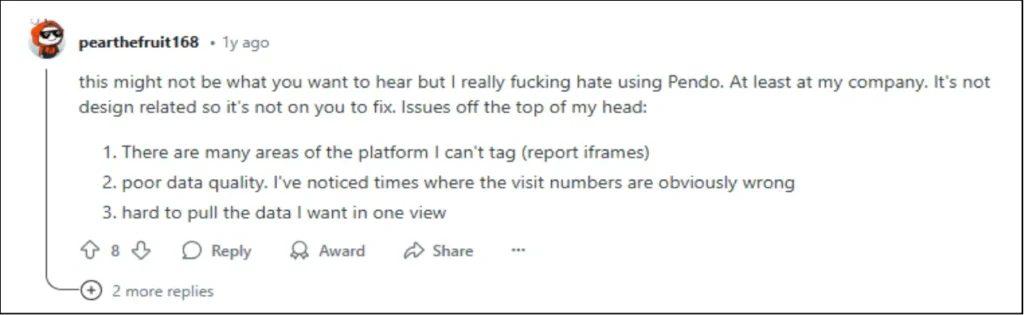
Is your organization struggling with Pendo’s scalability, limited analytics, or steep learning curve? You’re not alone.
Many businesses are realizing that while Pendo has its strengths, it may not always be the right fit for their unique needs. Issues like a complicated interface, limited customization, and frustrations with data accuracy are common complaints. And with the price tag often outweighing the value delivered, it’s no surprise that organizations are beginning to seek out alternatives.

But here’s the good news: you don’t have to settle for less. You’re in the right place if you’ve grappled with these challenges.
In this article, we’ll dive into some of the top Pendo alternatives so you can discover a digital adoption platform (DAP) that genuinely works for your team.
Pendo in a Nutshell
Pendo’s ability to provide deep insights into user behavior and help organizations drive seamless product adoption has made it a go-to solution for many.
Pendo enhances product experience through in-app guides for onboarding, real-time user feedback via surveys, and advanced analytics to track user behavior. It also offers product roadmaps for team alignment, AI-powered features for personalized interactions, and Session Replay to identify friction points in user journeys.
5 Reasons to Look for Pendo Alternatives
While Pendo offers powerful features, it’s not without its drawbacks. Here are five key areas where it falls short, making it less suitable for some businesses.
Reason #1: Hefty Price Tag and Unpredictable Costs
Pendo’s pricing structure for monthly active users (MAU) is notoriously opaque, making it difficult for businesses to forecast costs accurately as they scale. While the free plan offers basic functionality, it comes with significant limitations.
Advanced features, such as session replay, Pendo Feedback, and experiments, are locked behind higher-tier packages, which can drive up costs unexpectedly.


Reviews suggest that prices for single-product plans can start around $20,000 per year and easily exceed $40,000 for higher-tier plans, making it a hefty investment for many businesses.
The free plan offers limited functionality, accommodating only 500 MAUs and basic features, which might be sufficient for small startups but quickly becomes restrictive as you scale. If you need to move beyond this, you’ll consider upgrading to Pendo’s Starter plan, which starts at $7,000 per year for just 2,000 MAUs.
As your product grows, the cost can rise rapidly. For example, reaching 10,000 MAUs on the Starter plan could set you back up to $35,000 annually, and additional fees for extra features, integrations, and support can quickly make Pendo an expensive proposition.
With competitors offering similar capabilities at a much lower price point, Pendo’s pricing structure can make it a tough sell for businesses aiming to keep their tech stack efficient and cost-effective.
Reason #2: Pendo’s Data Delay Holds You Back
Why wait an hour for data? Pendo’s analytics delay means you can’t act on user behavior in real time.

Pendo’s data update cycle takes up to an hour, with an additional 15-minute delay depending on internet traffic. This means there could be a gap between actual user activity and the data you see, making it difficult to trigger in-app guides and surveys or respond to user actions as they happen.
Reason #3: Limited Customization Options for User Engagement
While Pendo’s in-app guides (like tooltips, banners, and polls) support onboarding, the platform lacks variety and flexibility. With just four basic UI patterns available, customization options are limited.

This restricts your ability to create more dynamic, personalized user journeys without relying on coding, a significant limitation for non-technical teams. For more complex onboarding and engagement flows, the lack of robust customization options could slow adoption and leave users with a less-than-optimal experience.
Reason #4: Steep Learning Curve
Pendo’s feature set, while powerful, leads to a steep learning curve for teams without technical expertise.

According to user feedback, many find the setup and user interface difficult to navigate, requiring substantial training or ongoing support.
The time and resources spent on onboarding and customization can delay time-to-value, especially for non-technical teams that can’t dedicate themselves to the platform’s complexities.
Reason #5: Not Designed for Internal Software Adoption
Pendo was initially designed for customer-facing applications, whereas platforms like Apty were built to support both customer and internal use cases.
These Pendo competitors offer more comprehensive features for digital enablement and IT teams, helping drive the adoption of internal software.
Additionally, Pendo lacks compatibility with desktop applications, which are often crucial in industries that require high compliance and security. If you’re seeking a tool to drive the adoption of internal systems like CRM or ERP, Pendo may not be the ideal choice.
5 Pendo Alternatives You’ll Want to Check Out
Now that we’ve unpacked Pendo—its core features and limitations—it’s time to consider other options.
Whether you’re seeking more flexibility, cost efficiency, or specialized tools for internal adoption, options can give you the features you need without compromises. Let’s take a look at some of the best choices out there.
| Aspects | Apty | WalkMe | Userlane | Whatfix | Appcues |
|---|---|---|---|---|---|
| Primary Functionality | Digital adoption | Digital adoption | User onboarding | Digital adoption | User onboarding |
| User Onboarding | Yes | Yes | Yes | Yes | Yes |
| Analytics | Yes | Yes | Yes | Yes | Yes |
| Integration | Yes | Yes | Yes | Yes | Yes |
| Customization | Yes | Yes | Yes | Yes | Yes |
| Validation | Yes | Yes | No | Yes | No |
| AI Features | No | Yes | No | Yes | No |
| Real-Time Assistance | Yes | Yes | Yes | Yes | Yes |
| Customer Service | 24/7 Support | 24/7 Support | Limited Support | 24/7 Support | Limited Support |
| Pricing | Custom/Quote | Custom/Quote | Custom/Quote | Custom/Quote | Custom/Quote |
Best Pendo Alternatives in 2026
1. Apty
Best-Suited: For growing organizations seeking a comprehensive, no-code digital adoption platform that supports technical and non-technical users. It’s particularly effective for businesses undergoing digital transformation initiatives, offering seamless integration with existing tools and platforms. Its interactive onboarding and workflow creation features make it a strong choice for enterprises looking to drive software adoption and user engagement while maintaining operational efficiency.
Apty is a leading DAP designed to empower enterprises to successfully onboard and adopt software across their organizations. Offering customizable in-app guidance, data-driven insights, and self-service support, Apty focuses on streamlining employee training, improving software utilization, and ensuring business process compliance.
Additionally Apty offers a centralized dashboard—Apty PULSE—that tracks software adoption, usage, and user behavior to identify inefficiencies and improvement opportunities.
It eliminates the need for traditional training methods and creates a seamless user experience, ultimately driving software adoption rates and organizational efficiency.
Apty Key Features
- In-App Guidance: Provides step-by-step, contextual guidance directly within the software, ensuring employees complete tasks correctly and efficiently.
- Customizable Training: Allows organizations to tailor training to specific employee needs based on user roles, departments, and more, ensuring personalized learning paths and increased adoption.
- Self-Service Support: Enables employees to resolve issues quickly without external support, reinforcing training and reducing costs associated with trainers or IT support.
- Data-Driven Insights: Leverages AI-driven analytics for actionable insights into software usage and pinpoint areas for improvement.
- Business Process Compliance: Ensures employees adhere to policies, laws, and internal regulations by guiding them through workflows and validating their data entry in real time.
- Cross-Application User Experience: Simplifies workflows involving multiple applications, offering consistent guidance and a seamless experience across different software tools.
Apty Pros
- Apty is intuitive for technical and non-technical users with a browser extension making navigation and workflow creation seamless. (G2)
- Interactive onboarding features lower entry barriers for users and enhances their understanding of essential functionalities, boosting adoption rates. (G2)
- The support team is highly responsive and proactive. They consistently resolve issues quickly and provide expert guidance during implementation. (G2)
Apty Cons
- Some users say asset export functionality occasionally misses elements like screenshots, requiring additional manual effort to ensure content accuracy. (G2)
- While the platform is user-friendly, some users say building content during the initial stages has a learning curve. (G2)
Apty Ratings
- G2: 4.7/5 (134 reviews)
- Gartner: 4.5/5 (12 reviews)
2. Whatfix
Best-Suited: This is for organizations looking for a more versatile and feature-rich solution for product onboarding, user engagement, and support. It has become an effective alternative to Pendo, offering greater internal DAP use case capabilities, including seamless integrations and advanced product analytics.
Whatfix helps organizations maximize the value of their customer-facing and internal software.
Unlike Pendo, which primarily focuses on product analytics, Whatfix offers a suite of tools to improve user experience, onboarding, and internal software adoption. It provides a no-code editor that enables teams to create in-app guidance, self-help support, and dynamic onboarding flows for customers and employees.
Whatfix Key Features
- No-Code Editor: Easily create and deploy in-app guidance, walkthroughs, and onboarding flows without needing coding expertise.
- Codeless Event Tracking and Product Analytics: Track product usage, map user journeys, identify friction areas, and analyze product interactions with minimal coding required.
- Contextual Self-Help Menu: Provide users with relevant resources based on their role and location within the app, including FAQs, knowledge bases, help desks, and third-party links.
- In-App Quizzes: Gamify learning and engagement using in-app quizzes to gauge user retention and understanding.
Whatfix Pros
- Easy integrations with major enterprise platforms like Salesforce, Workday, and custom apps.(G2)
- Provides exceptional support that has reduced training costs and enhanced user engagement across the organization.(G2)
- Easily set up task lists and flows to guide new users through the platform.(G2)
Whatfix Cons
- Users often find the platform’s interface complex, leading to frustration and a need for better usability. (G2)
- Navigation and design are frequently described as difficult to navigate. (G2)
Whatfix Ratings
3.WalkMe
Best-Suited: For large organizations or enterprises that need a robust digital adoption solution. It’s well-suited for those seeking detailed in-app guidance, workflow automation, and advanced analytics to drive product adoption. However, it’s particularly effective for employee onboarding and integration with complex systems, making it an excellent choice for businesses focused on internal tool adoption and digital transformation.
WalkMe is a cloud-based DAP that drives user adoption, enhances onboarding experiences, and optimizes workflows. Initially focused on employee training and onboarding, it has evolved to serve customer-facing use cases.
The platform provides various tools to guide users through complex applications and automate repetitive tasks. WalkMe’s features enable organizations to improve product engagement, integrate seamlessly with other software, and leverage analytics to optimize user experiences.
WalkMe Key Features
- In-App Walkthroughs & Guides: Offer interactive product tours and step-by-step guides to help users understand how to use the product. This ensures users can easily navigate key features, contributing to improved onboarding and product adoption.
- Analytics & Reporting: Access robust analytics tools to track user behavior, feature adoption, and onboarding success. With in-depth insights, teams can analyze engagement, conversion rates, and overall product usage to refine strategies.
- Self-Service Support: Leverage searchable knowledge bases and FAQs, enabling users to troubleshoot and find solutions independently without contacting customer support.
- Automation and Integration: Automate repetitive tasks, such as form submissions and data entry, and integrates with enterprise tools like Salesforce and HubSpot. This helps streamline processes and improve productivity.
- Tooltips and Contextual Nudges: Provide contextual guidance, including tooltips and nudges, to provide real-time assistance and prompt users to take action at the right time, reducing friction and improving user experience.
Walkme Pros
- It is easy to create in-app engagements after a moderate learning curve. (G2)
- The platform workflows and automates repetitive tasks, such as onboarding. (G2)
- There’s a helpful network of experts and partners available for support. (G2)
Walkme Cons
- The performance of applications integrated with Walkme can slow down, especially when there are extensive guidance overlays in use. (G2)
- Setting up integrations can be on complex websites or applications. (G2)
- There is a steep learning curve, especially when first setting up and customizing the platform. (G2)
Walkme Ratings
4. Appcues
Best-Suited: For SaaS product managers and teams looking for a no-code platform to create user onboarding experiences, feature announcements, and feedback collection within their web or mobile applications. Nevertheless, due to its scaling costs, it may not be the best choice for teams needing cross-application guidance or support for desktop apps or those with large MAUs.
Appcues helps product managers build and optimize user onboarding experiences, product tours, and feature announcements. It provides a no-code editor to create in-app content for user onboarding, feature updates, and feedback collection, catering to SaaS and mobile applications.
While Appcues enables product teams to develop in-app experiences without technical expertise, its learning curve and pricing structure may not be ideal for all use cases.
Appcues Key Features
- User Onboarding: Build and launch product tours, task lists, and new user onboarding flows.
- Feature Announcements: Create pop-ups, beacons, and tooltips to highlight new features or updates.
- Feedback Surveys: Collect feedback with free response, Likert scale, and multi-choice surveys.
- Analytics: Track user engagement and onboarding performance to optimize in-app experiences.
- No-Code Editor: Empower non-technical teams to create in-app content and engage users without needing engineering resources.
- Integration: Connect with popular tools for seamless onboarding and engagement across SaaS applications.
Appcues Pros
- The no-code editor offers a seamless user experience with an intuitive setup process that requires minimal development involvement. (G2)
- Customer support is responsive and timely. (G2)
- Tracking clicks and flows within the DAP is easy and seamless. (G2)
Appcues Cons
- The price is on the higher side for smaller teams or startups. A more flexible pricing model would make it more accessible for businesses in the early stages of scaling their onboarding efforts. (G2)
- Users feel that while Appcues offers useful templates, more design flexibility and customization options would improve their experience. (G2)
- It lacks organizing features for scenarios that have many flows, making it hard to stay organized. (G2)
Appcues Ratings
5.Userlane
Best-Suited: For organizations seeking a straightforward, no-code solution to drive software adoption for web-based SaaS applications and streamline employee onboarding. It’s ideal for companies focusing on end-user enablement in a simple web environment but not suited for complex workflows, desktop apps, or those needing advanced customization.

Userlane helps enterprises drive software adoption for internal applications. It provides in-app guidance, analytics, and SaaS management for mission-critical enterprise software like CRMs, ERPs, and human capital management (HCM).
Through its no-code editor and engagement suite, Userlane focuses on simplifying user onboarding, digital transformation, and change management.
Userlane Key Features
- In-App Engagement Suite: create interactive guidance and support for end-users, enhancing user onboarding and learning with a no-code editor.
- App Discovery: Track tool usage, optimize licenses, and reduce shadow IT teams without additional effort.
- HEART Analytics: Identify friction points in workflows and software experiences with the analytics feature for Happiness, Engagement, Adoption, Retention, and Task (HEART) success.
- SaaS & Workflow Optimization: Streamline internal application processes and enhance employee enablement.
Userlane Pros
- Allows easy creation of in-app guidance and training. (G2)
- Strong focus on improving software adoption and productivity for internal users. (Userlane)
Userlane Cons
- Some users have reported a clunky user experience, particularly when switching between the portal and the editor. (G2)
- Limited customization and branding within the application. (Capterra)
Userlane Ratings
Why Apty is the Best Pendo Alternative
Apty emerges as a powerful and cost-effective alternative to Pendo. While Pendo is known for its broad capabilities, Apty delivers highly intuitive, no-code tools tailored to enhance employee engagement and product usage.
Apty offers seamless in-app guidance, interactive product tours, and personalized onboarding flows that are easy for technical and non-technical users to implement. A standout feature, Apty PULSE, silently measures user and process engagement across high-value, multi-application business processes.
It’s designed to drive efficiency and enhance the user experience while integrating smoothly with your existing tech stack, ensuring minimal disruption.
Suppose you’re looking for an affordable, user-friendly, and highly effective solution to accelerate product adoption, improve employee experience, and enhance digital transformation. In that case, Apty is your go-to alternative to Pendo.
Make the smart choice. Book a demo with Apty and ensure a seamless digital journey for your teams!
The right digital adoption platform (DAP) can make or break your digital transformation journey. The best DAPs streamline workflows, increase employee productivity, and boost ROI on technology investments.
Take Mattel, for example. The global toy giant transformed its HR operations by implementing a DAP, achieving 90% adoption in just 60 days and boosting employee productivity across 30 business processes.
However, choosing the right DAP in a crowded market can be challenging, with countless tools claiming to be the best. While Whatfix is popular, many enterprises seek Whatfix alternatives due to its limitations. Common challenges that Whatfix users report include limited customization options, high costs for scaling, and insufficient advanced analytics.
Here are some user reviews highlighting Whatfix’s shortcomings:


This article simplifies your search for top Whatfix alternatives with comparable features and pros and cons to help you make an informed choice. Let’s dig in!
Top Whatfix Alternatives for 2026
Here’s a table comparing the features, core functionalities, and unique strengths of the best Whatfix alternatives and competitors in 2026.
| Criteria | Apty | WalkMe | Userlane | Pendo | Appcues |
|---|---|---|---|---|---|
| Primary functionality | Digital adoption and process compliance | Digital adoption and insights | Digital adoption and training | Digital product experience | User onboarding and training |
| User onboarding | Yes | Yes | Yes | Yes | Yes |
| Analytics | Yes | Yes | Yes | Yes | Yes |
| Integration | Multiple platforms | Multiple platforms | Multiple platforms | Multiple platforms | Limited |
| Customization | High | High | High | High | Medium |
| Validation | Yes | Yes | Yes | No | No |
| AI features | Yes | AI-driven insights and suggestions | No | AI-driven product experience insights | No |
| Real-time assistance | Yes | Yes | Yes | Yes | Yes |
| Pricing | Custom | Custom | Custom | Custom | Custom |
Best Whatfix Alternatives in 2026
1. Apty
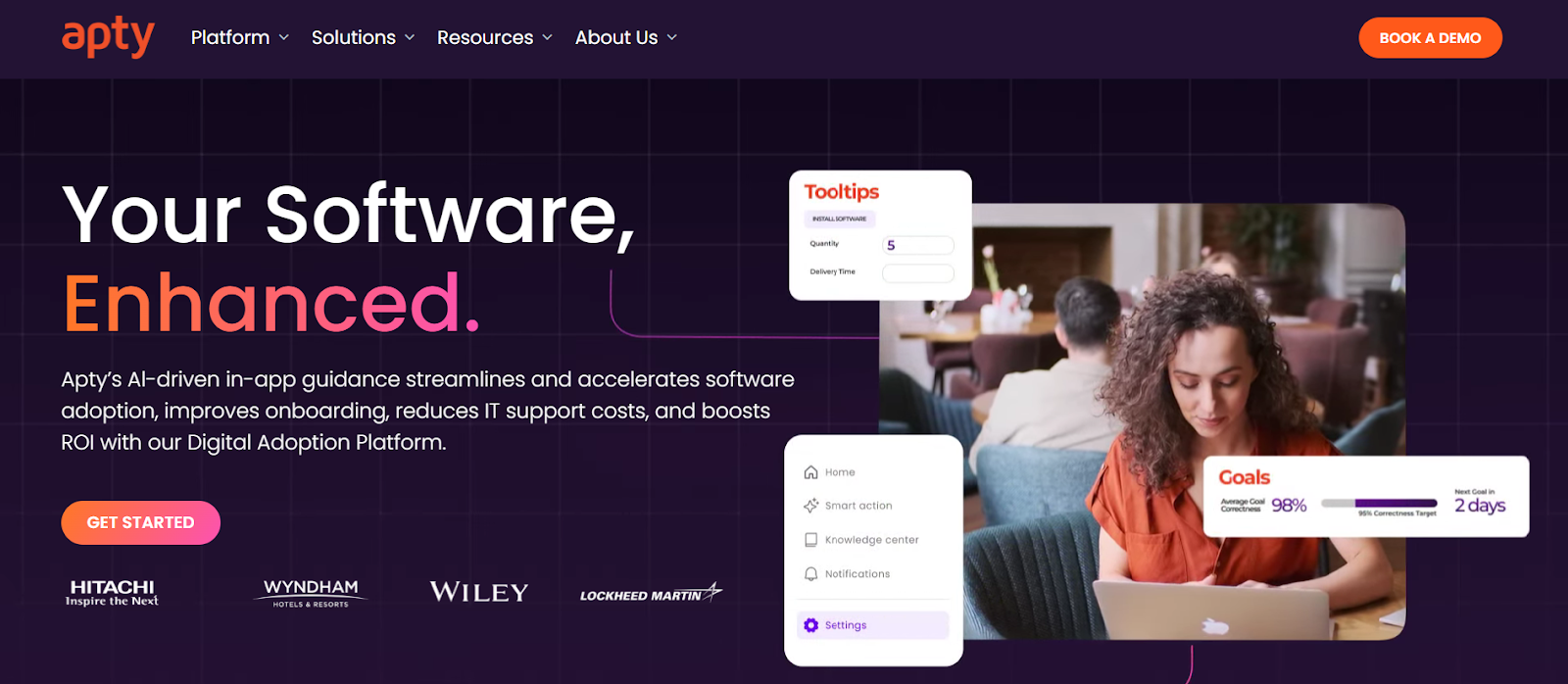
Apty is a powerful digital adoption platform tailored for enterprises. As a leading Whatfix alternative, it transcends many limitations with features such as deeper analytics, faster implementation, and real-time guidance.
Ideal for industries like finance, healthcare, and technology, Apty simplifies onboarding and streamlines complex workflows to boost productivity up to 25%.
Apty Key Features
- Apty PULSE: Diagnostic view of the enterprise tech stack to track usage, process adherence, and KPI performance with a centralized dashboard to reduce IT waste and improve adoption rates.
- Apty OneX: Unified, Gen AI-powered interface that streamlines workflows with real-time, context-aware guidance and integrates with business systems like CRM, ERP, HRMS, and ITSM, with SSO support.
- Usage Monitoring and Analytics: Comprehensive monitoring and analytics with actionable insights to improve application user behavior and eliminate adoption challenges.
- Integration: Broad integration support with tools like Mixpanel, Amplitude, and SCORM platforms, supplemented by custom themes for personalized interfaces.
- Multi-Language Support: Multi-language integration with translations powered by APIs like Google and DeepL.
- Advanced AI: Features like AI-powered dynamic insights, predictive analytics, auto-pilot, and advanced rule engine to improve workflows.
- Validation and Compliance: Validation features prevent errors and protect system disruptions, and audit trails provide regulatory transparency for industries like finance, healthcare, and technology.
Apty Pros (Based on G2 & Gartner Reviews)
- Apty is intuitive for both technical and non-technical users, with its browser extension making navigation and workflow creation seamless.
- Interactive onboarding features lower entry barriers for users and enhance their understanding of essential functionalities, boosting adoption rates.
- Apty’s support team is highly responsive and proactive, consistently resolving issues quickly and providing expert guidance during implementation.
- Apty integrates effortlessly with existing tools and platforms, making it a seamless addition to digital transformation initiatives.
Apty also stands out when evaluating WalkMe vs Whatfix comparisons by offering better compliance capabilities and support for cross-application processes. Explore how Apty helps leading enterprises accelerate digital transformation.
Apty Cons (Based on G2 Reviews)
- Some users say asset export functionality occasionally misses elements like screenshots, requiring additional manual effort to ensure content accuracy.
- While the platform is largely user-friendly, some users say building content during the initial stages has a learning curve, particularly for managing advanced configurations.
Apty Ratings & Reviews
2. WalkMe
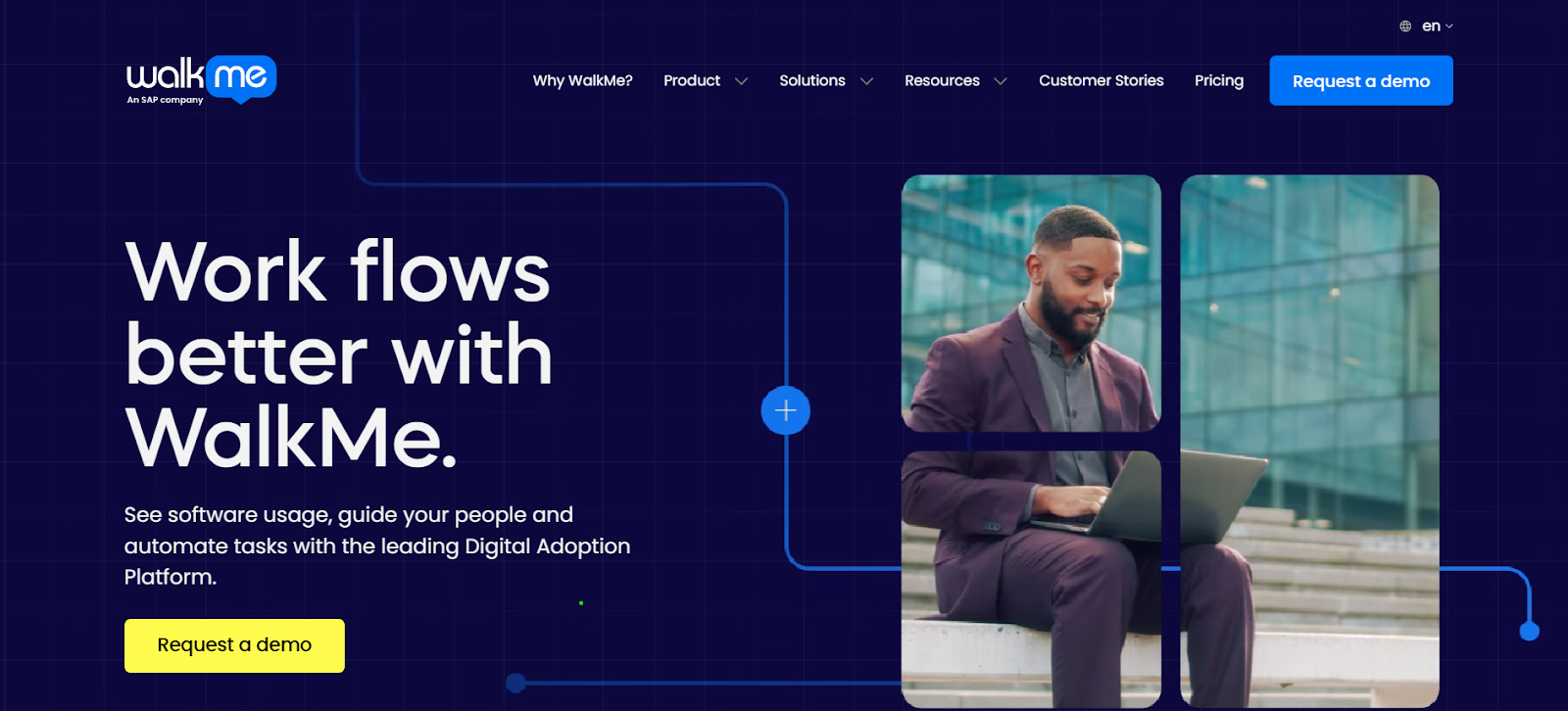
WalkMe is a Whatfix competitor that provides personalized guidance, automation, and real-time insights. It offers integration capabilities for various applications and helps organizations boost productivity, reduce errors, and ensure faster technology adoption.
WalkMe Key Features
- DeepUI Technology: AI-based element recognition ensures functionality of digital adoption content as underlying applications evolve, preventing user experience disruptions.
- Omnichannel Digital Adoption: Support on the web, desktop, and mobile with conversational tools for AI-driven assistance.
- Diverse Integrations: Integrations with key business applications like Salesforce, Workday, and Microsoft Dynamics 365.
- Enterprise-Grade Security: Built with robust governance, privacy, and security standards for scalable digital adoption.
- Effective Automation: Personalized guidance and automation directly within workflows.
WalkMe Pros (Based on G2 and Gartner Reviews)
- It’s easy for teams to create and manage flows without relying heavily on IT support.
- Users praise WalkMe’s support team for being responsive, helpful, and knowledgeable.
WalkMe Cons (Based on G2 Reviews)
- Some reviewers note that advanced features require initial training to maximize the platform’s capabilities. (Source)
- Overlays and complex guidance workflows can sometimes slow down applications.
WalkMe Ratings & Reviews
3. Pendo
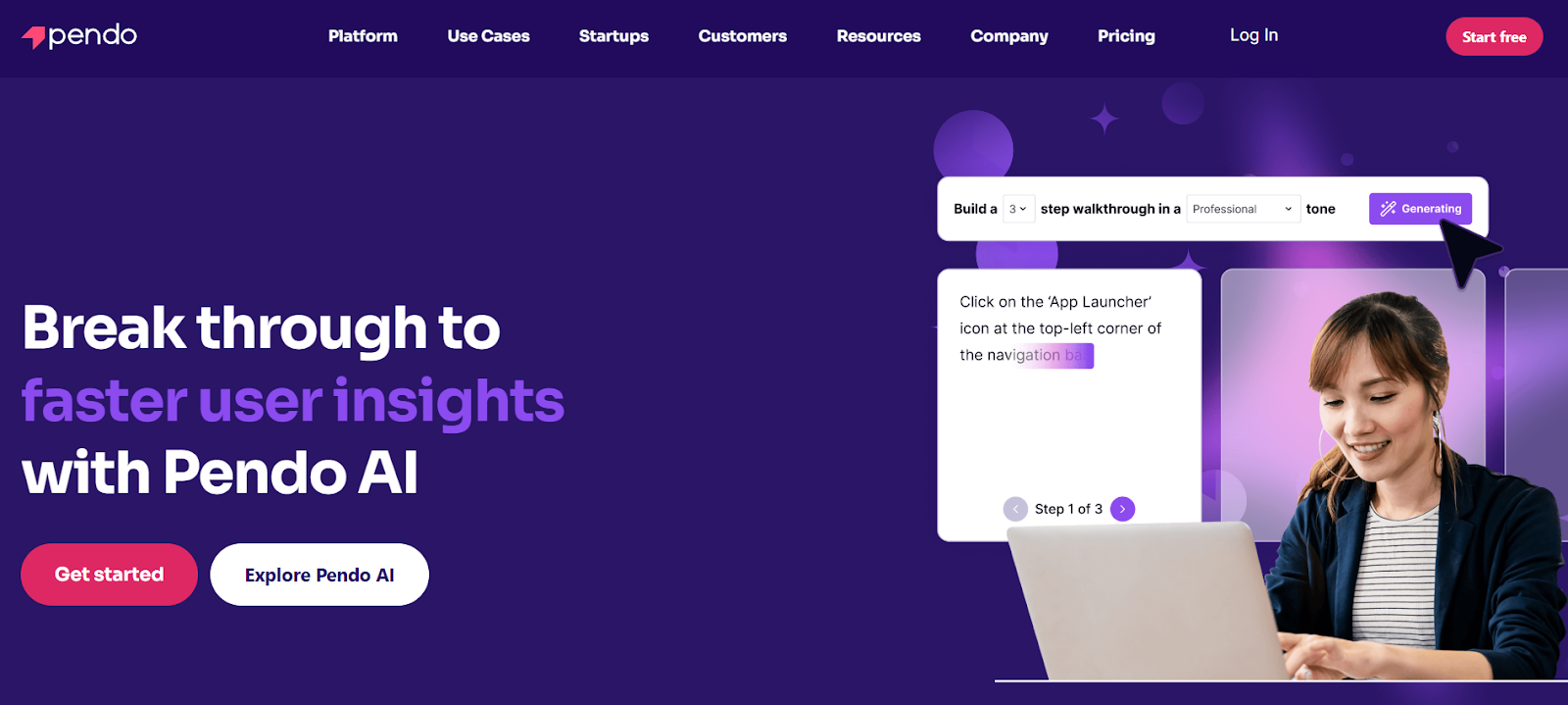
Pendo is a product experience and digital adoption platform designed to help businesses improve software usage and user satisfaction. It is a key Whatfix competitor that provides analytics, in-app guides, session replays, and feedback tools.
Pendo Key Features
- Analytics for User Behavior: Data-driven insights to track and understand user interactions with software and identify most-used features and user struggles for workflow optimization.
- In-App Guides and Messaging: Contextual guidance to users directly within the application to help onboard users, introduce new features, and provide real-time support.
- Roadmapping and Stakeholder Alignment: Features to create clear, visual roadmaps that can be tailored for internal teams or external stakeholders.
Pendo Pros (Based on G2 Reviews)
- Pendo empowers non-technical teams to create and deploy in-app messages, NPS surveys, and onboarding flows without coding skills.
- Reviewers commend Pendo’s customizable dashboards and specific page rules to visualize user behavior data.
Pendo Cons (Based on G2 Reviews)
- Pendo has limited customization. Some reporting tools, such as NPS columns and survey exports, lack flexibility and require manual work to tailor results.
- Guide management can be challenging and disorganized, and it’s not ideal for mobile-first tools.
Pendo Ratings & Reviews
4. Userlane
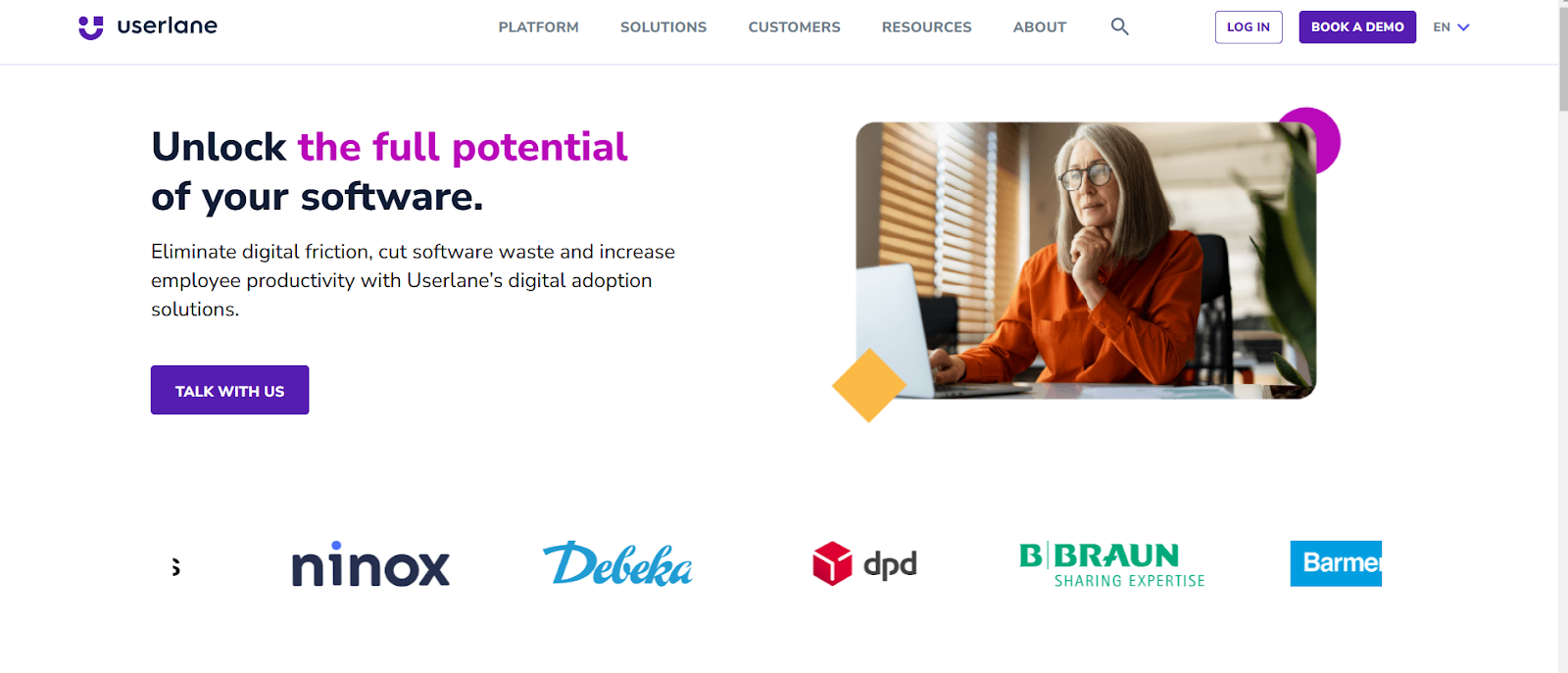
Userlane offers seamless, in-app guidance that walks users through tasks directly within the software. It allows users to learn at their own pace without interrupting their workflow, making the process feel natural and intuitive.
Userlane Key Features
- Employee Training and Support: Onboarding capabilities include self-service training and interactive guides while promoting proactive learning through links to existing knowledge bases and real-time assistance.
- Change Management: It integrates step-by-step guidance directly into applications, embedding training within the software, effectively eliminating change management challenges.
- Multilingual Capabilities: Multilingual functionality for seamless adoption across geographies, global teams and diverse workforces.
- Intuitive Interface: User-friendly interface that requires minimal technical expertise for implementation with quick and flexible deployment options for centralized governance and decentralized rollouts.
Userlane Pros (Based on G2 Reviews)
- The platform offers high levels of customization, enabling tailored experiences for specific user segments.
- Efficient support team dedicated to helping users resolve technical challenges and maintain effective guides.
Userlane Cons (based on G2 Reviews)
- While basic functionalities are intuitive, mastering advanced features involves a steep learning curve.
- Switching between the portal and editor, particularly when managing ToolTips, can feel clunky and cumbersome.
Userlane Ratings & Reviews
5. Appcues
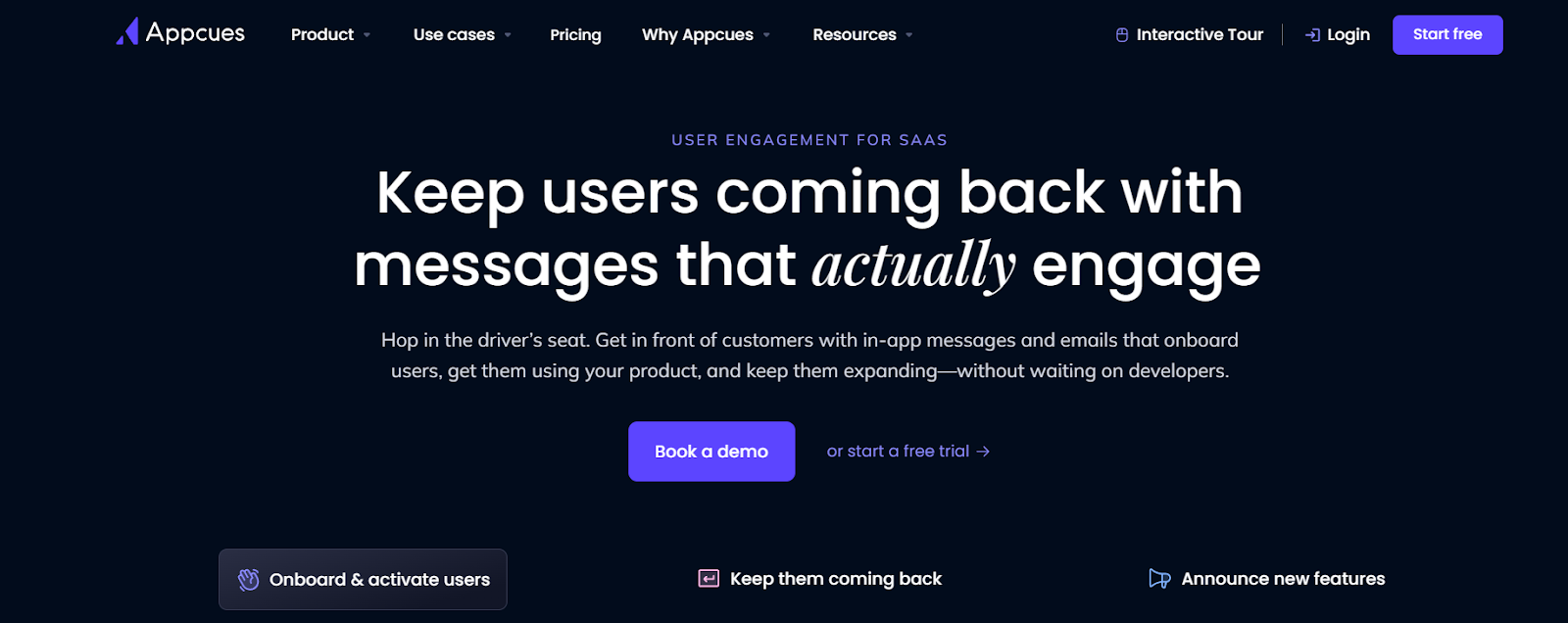
Appcues is a DAP for SaaS teams that provides personalized guidance, seamless onboarding, intuitive engagement, journey automation and tools to track user actions.
Appcues Key Features
- Personalized Onboarding: User onboarding with personalized experiences, in-app guidance, email follow-ups, and push notifications to help users stay on track.
- Feature Highlights and Trial Conversion: Value highlights, in-app nudges and push notifications re-engage users and actionable insights showcase features that ultimately convert free trial users into paying customers.
- Actionable Feedback: It captures user insights with NPS and in-app surveys where responses are most authentic. CRM integrations also help with detailed feedback analysis and insights.
- On-Demand User Support: Direct in-app customer support and proactive user assistance with tips, email follow-ups, and tailored content to resolve queries without disrupting workflow.
Appcues Pros (Based on G2 Reviews)
- Appcues creates seamless onboarding processes, reducing time and productivity for new users.
- It enables personalized user journeys through segmentation, ensuring users receive relevant content based on their profiles or actions.
- Users appreciate the ability to quickly implement flows that notify them of releases, changes, and updates.
Appcues Cons (Based on G2 Reviews)
- Some users face challenges when using hybrid mobile frameworks like Ionic.
- Appcues lacks organization features for clients with many flows. The current Flows tab makes it hard to stay organized.
Appcues Ratings & Reviews
Why Apty.io Is the Best Whatfix Alternative
When choosing a digital adoption platform, selecting a solution that addresses immediate onboarding needs and delivers long-term business value is critical. Apty stands out as the best Whatfix alternative due to its enterprise-focused approach, superior business process compliance capabilities, and actionable insights designed to maximize software return on investment (ROI).
Unlike other platforms that focus primarily on onboarding, Apty’s AI-powered platform emphasizes long-term outcomes like reduced process errors, employee productivity gains, and governance, making it the ideal choice for process compliance software and enterprise digital adoption.
One of the most compelling examples of Apty’s impact is its partnership with Haskell, a global architecture, engineering, and construction leader.
Haskell faced significant challenges with underutilized software like Procore and Microsoft Dynamics, leading to inefficiencies such as inaccurate financial reporting, delayed submittals, and costly rework. Here’s how Apty helped:
- Streamlined Processes: Real-time guidance and validation tools ensured users adhered to critical workflows, reducing data errors and improving compliance.
- Improved Efficiency: Automating mundane tasks and providing contextual guidance helped boost productivity across teams.
- Significant ROI: Apty’s solutions resulted in a potential annual margin impact of up to $710K, achieved through reduced claims, fewer project delays, and improved operational efficiency.
Explore how Apty compares with Whatfix and WalkMe
Key Differentiators: How Apty Outperforms Whatfix
Apty’s core functionality transcends many of Whatfix’s limitations such as insufficient analytics and workflow incompatibilities. Here are the key differentiating features it provides:
- Data-Driven Insights: Apty Pulse provides actionable insights into user behavior and adoption challenges, unlike Whatfix’s high-level analytics.
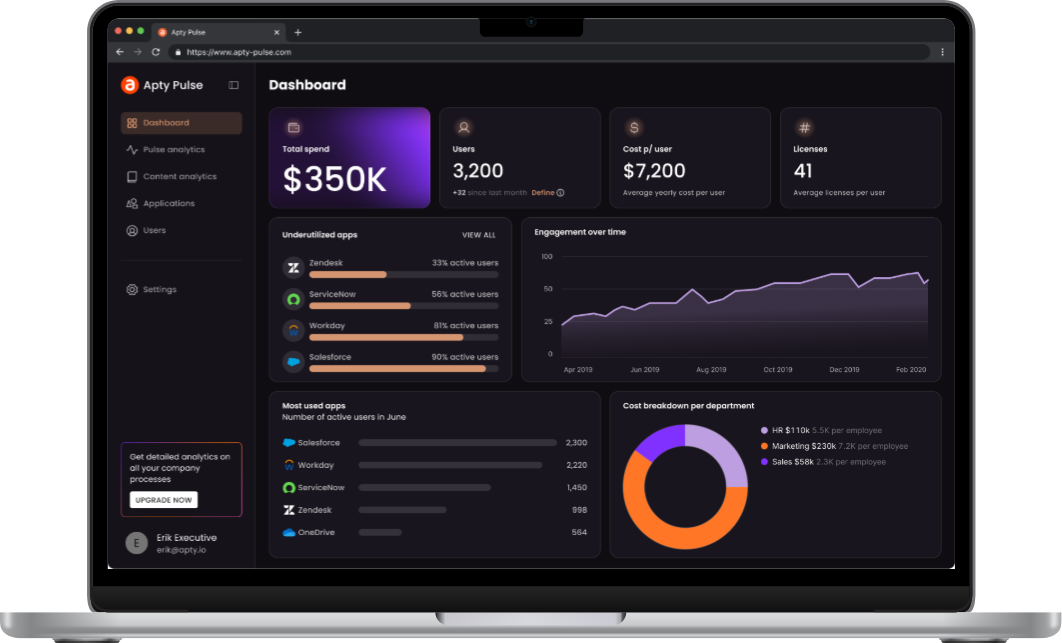
- Process Compliance at Scale: Apty’s advanced validation and monitoring features ensure users follow workflows correctly, a critical capability missing in Whatfix.
- Enterprise Scalability: Apty seamlessly integrates across multiple applications with minimal IT dependency, making it ideal for large organizations.
Apty makes it easy for businesses to customize workflows and on-screen guidance with low-code/no-code tools, ensuring everything aligns with their branding. With GenAI in Apty OneX, mundane tasks get automated, and users receive contextual, real-time assistance for a smooth experience. It also excels at guiding users through multi-application processes, simplifying complex workflows.
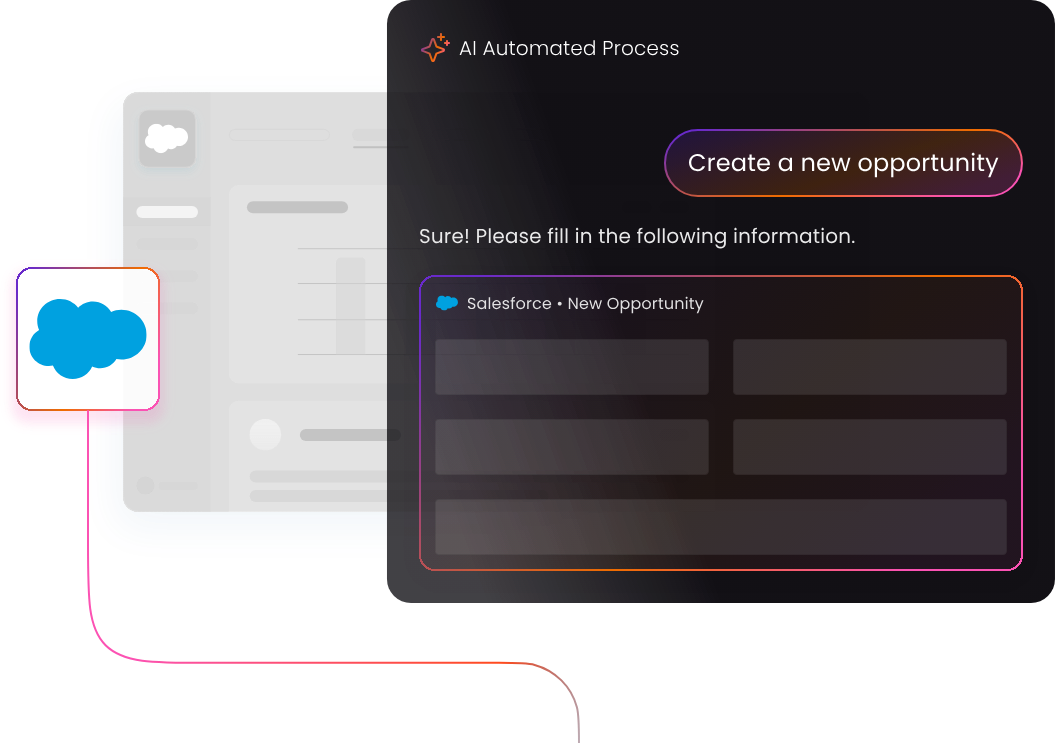
Apty doesn’t just make digital adoption easier, it makes it smarter, scalable, and ROI-focused. Numerous enterprises have achieved project completion in less than half the usual time with Apty, improved data quality by 80% and onboarded consultants seamlessly.Want to find out how Apty can transform your digital adoption strategy? Book a demo today!
In 2024, Mary Kay, a global leader in cosmetics, altered its onboarding and training processes with a digital adoption platform (DAP). It empowered 3 million global consultants with accelerated digital onboarding, reduced time spent on support tickets, improved customer experience and satisfaction, and even boosted overall sales results. The result? A 20% increase in process compliance and internal communication.
This success reflects a broader trend: businesses investing in digital adoption platforms achieve measurable results. Whatfix vs. WalkMe is often spoken about in the context of leading DAP solutions. They help improve user onboarding, software adoption, and change management for companies.
However, there is never a one-size-fits-all solution. Enterprises often require greater scalability, faster implementation, and dedicated support unique to their needs—areas where alternatives to Whatfix and WalkMe stand out.
However, Apty is a worthwhile contender with standout features such as contextual guidance and actionable analytics that help organizations reduce training costs
In this blog post, we’ll compare Whatfix vs. WalkMe across key feature offerings and use cases. We will also walk you through why Apty may be the better choice for enterprises seeking to achieve efficient digital transformation.
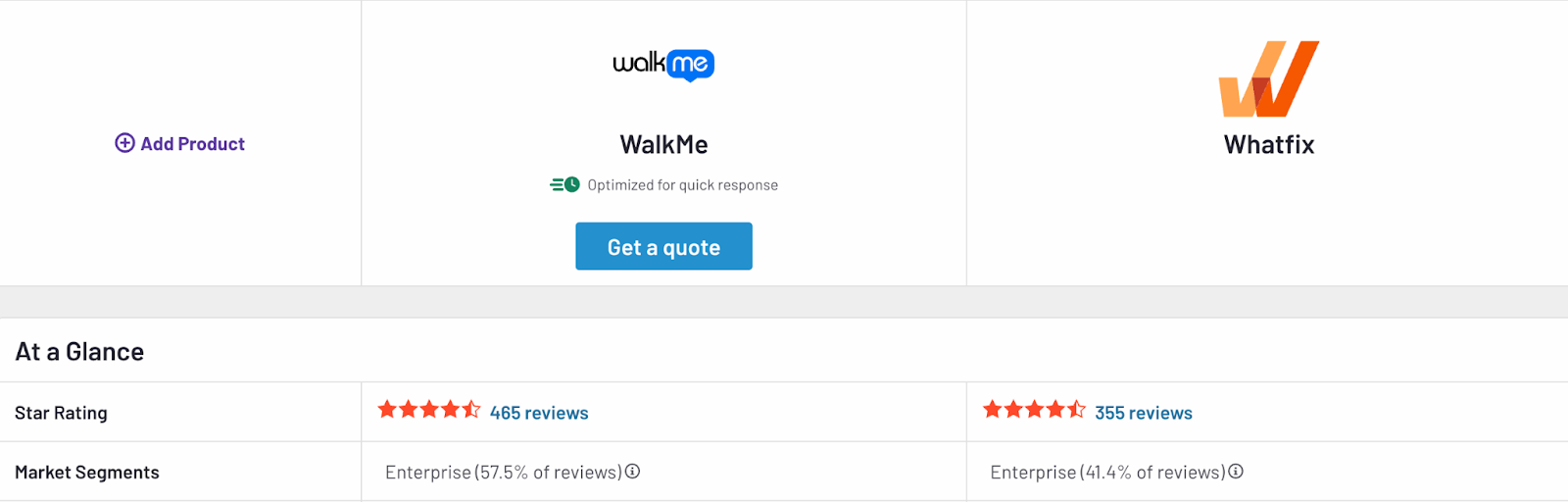
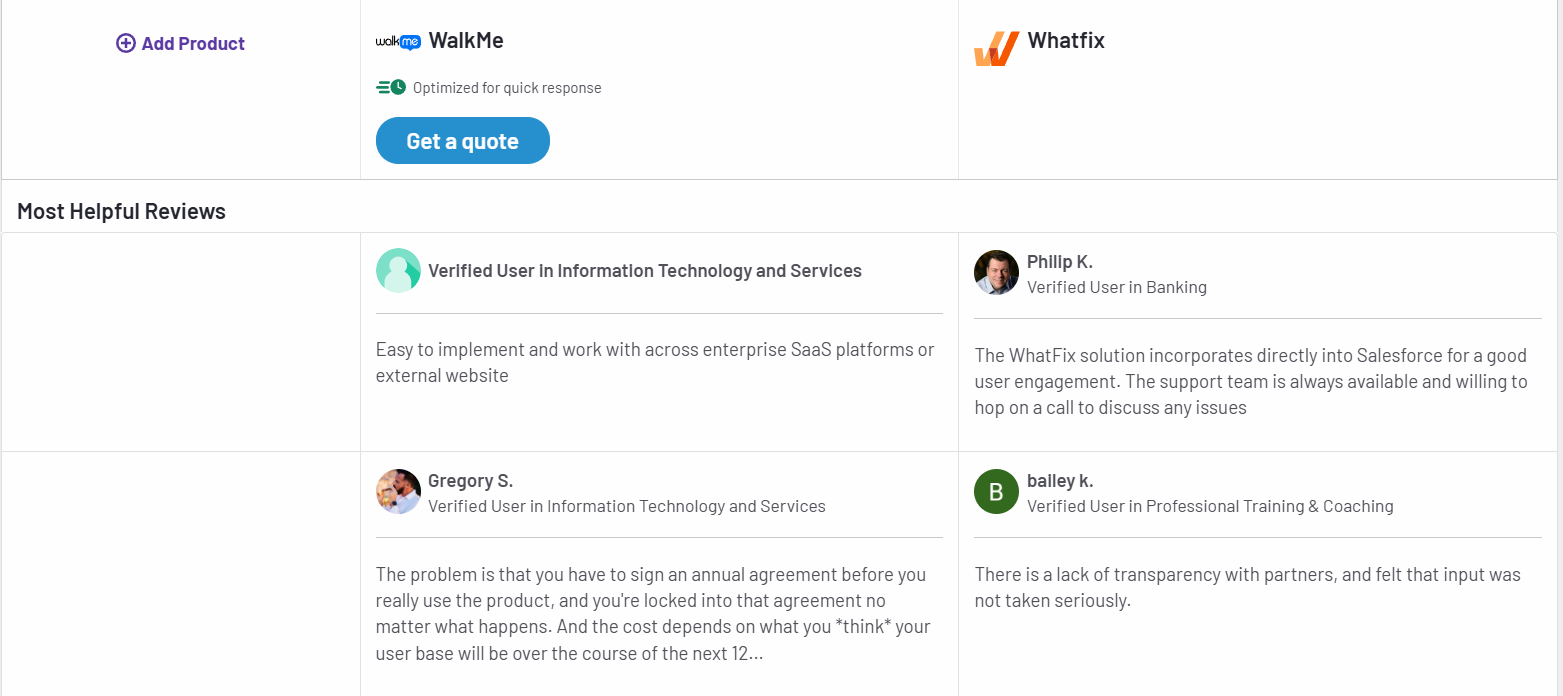
Whatfix vs. WalkMe: Key Feature Comparison
Whatfix and WalkMe are two among the most popular digital adoption platforms for enterprises. Both aim to improve software adoption and enhance user productivity. While many features overlap, there are differences in key features, ease of use, and platform flexibility.
Let’s start by looking at the individual features of Whatfix and WalkMe.
Whatfix Features
Whatfix is known for its intuitive, no-code content creation tools. This makes it easy for businesses to create, deploy, and update in-app guidance without relying on IT teams.
- In-App Guidance: Whatfix delivers contextual, step-by-step in-app guidance through interactive walkthroughs, task lists, and self-help wikis. The no-code content editor allows businesses to create and update guidance seamlessly across applications without IT dependency.
- Tooltips and Contextual Nudges: Smart tooltips, hotspots, and nudges adapt to user behavior and context. They help users complete tasks while reducing errors and uncovering lesser-known features.
- Analytics: The platform offers product analytics to track user behavior and feature adoption. With no-code event tracking, teams can analyze workflows and make data-driven decisions to optimize processes.
- Automation: Whatfix automates repetitive processes such as form filling, smart rules, and workflows, increasing productivity and minimizing user friction.
- Sandbox Environments: This software provides hands-on user training with interactive replicas of live applications.
- Multi-Platform Support: It works on desktop, mobile, and web applications, including Citrix environments.
Worth Your Time: Whatfix Alternatives and Competitors
WalkMe Features
WalkMe offers advanced automation tools and guidance capabilities. It excels in supporting web-based applications but has limitations in areas like mobile support and sandbox training.
- In-App Guidance: It delivers interactive walkthroughs and customizable tours to help users navigate applications effectively. Its conversational interface provides task-specific assistance in real time.
- Tooltips and Contextual Nudges: WalkMe’s tooltips and nudges deliver real-time suggestions and prompts, improving user productivity. They appear when users encounter roadblocks, offering actionable insights to steer them toward successful outcomes.
- Analytics: The tool’s advanced analytics provide in-depth insights into the user journey, workflow adoption, and system engagement. Features like session streams and custom reports identify bottlenecks and track return on investment (ROI) from digital adoption efforts.
- Automation: WalkMe automates workflows by integrating with applications to trigger actions, fill forms, and streamline multi-step tasks without manual input.
- Content Management: While WalkMe allows export of walkthrough content as PDF or DOCX, LMS integration is largely limited to its own solution, TeachMe.
- Desktop and Mobile Support: Desktop support on WalkMe is functional but reportedly less comprehensive than Whatfix. Mobile solutions are repurposed from web tools, making access and UX limited. It also lacks support for Citrix apps and iFrames.
Worth Your Time: WalkMe Alternatives and Competitors
Comparison of Whatfix vs. WalkMe Features
Now that you have a detailed overview of Walkfix vs WalkMe’s features, here’s a brief comparison of the two:
| Features | Whatfix | WalkMe |
| In-App Guidance | ✔ No-code, interactive walkthroughs | ✔ Guided workflows |
| Tooltips and Contextual Nudges | ✔ Available | ✔ Available |
| Automation | ✔ Advanced automation, sandbox training | ✔ Automation tools |
| Content Exporting | ✔ PDFs, videos, LMS integration | ✖ Limited to PDFs and DOCX |
| Mobile Support | ✔ Optimized mobile experience | ✖ Limited mobile functionality |
| Desktop Support | ✔ Strong, with Citrix support | ✔ Limited, lacks Citrix support |
| Customer Support | ✔ Dedicated customer success manager for all customers | ✖ Varies based on account size |
| Customization | ✔ Extensive customization options | ✖ Limited customization |
| Integration Support | ✔ Easy integrations but less granular control | ✔ Robust integrations with detailed insights |
| Analytics and Reporting | ✔ Advanced analytics with real-time insights | ✔ Extensive analytics platform |
| Ease of Use | ✔ User-friendly, intuitive UI | ✖ Steep learning curve |
| Security and Compliance | ✔ Enterprise-grade security | ✔ Enterprise-grade security |
Compare Whatfix vs. WalkMe Use Cases
Selecting the right DAP involves evaluating how well it supports essential use cases like digital transformation, change management, user engagement, and employee onboarding. A WalkMe vs. Whatfix comparison can provide useful insights on how they solve for these needs. While both offer different approaches to these use cases, each comes with its own strengths and limitations.
Whatfix excels in delivering highly customizable and analytics-driven solutions, making it ideal for organizations seeking tailored workflows and deep adoption insights. On the other hand, WalkMe emphasizes automation and guided walkthroughs for streamlining transitions and scaling processes. However, it may require additional configurations for advanced use cases.
The comparison below of Whatfix Vs. WalkMe use cases details how each platform supports these scenarios so that you can identify the solution that best meets your organization’s requirements.
| Use Case | Whatfix | WalkMe |
| Change Management | Simplifies change management with interactive in-app guidance, tooltips, and role-based workflows. Its personalized approach ensures smooth transitions for employees adapting to new systems | Provides step-by-step walkthroughs and tooltips to help users navigate changes. However, WalkMe’s adoption analytics are less detailed and lack the advanced segmentation needed for deeper insights |
| Digital Transformation | Accelerates digital transformation by enabling rapid tool adoption through customizable workflows and contextual in-app training. Its detailed analytics highlight progress, adoption gaps, and user behavior patterns, helping enterprises make data-driven decisions. Whatfix also integrates with platforms like CRM, ERP, and HCM systems, making it well-suited for enterprise-wide transformation | Supports large-scale transformation initiatives with guided walkthroughs and automation. While effective for general processes, WalkMe lacks the flexibility to tailor workflows to individual departments or roles. Its analytics provide a broad overview but often require additional configuration for actionable insights |
| User Engagement Monitoring | Features intuitive, no-code analytics to monitor user engagement and software usage. With features like heatmaps, behavioral insights, and cohort analysis, businesses can pinpoint where users drop off, struggle, or engage effectively | Offers basic user engagement tracking with dashboards, graphs, and usage metrics. While sufficient for high-level monitoring, its advanced tracking features often need manual configurations, making it less efficient for quick decision-making |
| Employee Onboarding | Eases employee onboarding with interactive, role-based product tours, task lists, and real-time in-app support. | WalkMe offers interactive tutorials and on-demand walkthroughs for onboarding. However, it relies on pre-defined templates, which can make customization time-consuming. The platform also lacks automation features for managing complex onboarding processes. |
Compare Whatfix vs. WalkMe Pricing
Pricing is critical when selecting a digital adoption platform, especially for businesses with varying needs and budgets. Here’s a closer look at how WalkMe vs Whatfix pricing structures compare:
Whatfix Pricing
Whatfix offers custom pricing based on the needs and scale of each organization. Their pricing model includes a combination of a flat fee and user license fees, depending on the type of application and users.
- Employee-Facing Applications: Pricing is calculated based on the total number of employees accessing the application where Whatfix is deployed.
- Customer-Facing Applications: For applications used by customers, partners, or external users, pricing is based on monthly active users (MAUs).
Whatfix provides three main plans:
- Standard Plan: Includes essential features such as in-app guidance, content aggregation, and smart context
- Premium Plan: Adds advanced features like custom surveys, auto testing, and robust engagement dashboards
- Enterprise Plan: Supports multi-app implementations, advanced analytics, and enhanced data security options tailored for large organizations
For businesses looking to explore the platform, Whatfix offers a free trial and demos upon request.
WalkMe Pricing
WalkMe offers flexible, custom pricing to accommodate businesses of all sizes. Pricing depends on the scale of implementation, the number of users, and additional modules chosen. Their offerings are categorized into core plans and add-on modules, allowing businesses to tailor solutions to their needs.
WalkMe for Employees
- WalkMe Core: This is WalkMe’s standard DAP. It also offers add-on modules.
- WalkMe Essentials: It’s a fixed-scope solution for businesses seeking faster implementation for sales and HR processes.
- WalkMe for Customers: This DAP helps with frictionless product experiences for customer facing applications and websites. It includes features like analytics, smart targeting, self-serve content, and customer sentiment tracking.
Businesses can enhance the WalkMe Core plan with optional modules, such as:
- Enterprise analytics for deeper insights into user journeys
- Customization and collaboration for branding and segmentation
- Connected workplace for automated workflows
To gain a better understanding of WalkMe’s pricing details, you can request a quote or schedule a demo with their team.
Apty: The Ideal Choice for Enterprises Among Whatfix and WalkMe
While Whatfix and WalkMe are reliable digital adoption tools, they sometimes fall short of meeting complex needs of large enterprises. Apty stands out by delivering unmatched scalability, faster implementation, and solutions that drive measurable results.
For businesses aiming to regulate processes, reduce costs, and boost adoption success, Apty is a worthwhile alternative and superior choice.
Let’s see why.
Scalability
Apty is designed to support enterprises of any size, effortlessly managing complex workflows across multiple applications. Whether you’re rolling out changes to thousands of users or implementing DAP solutions across departments, Apty scales seamlessly without sacrificing performance.
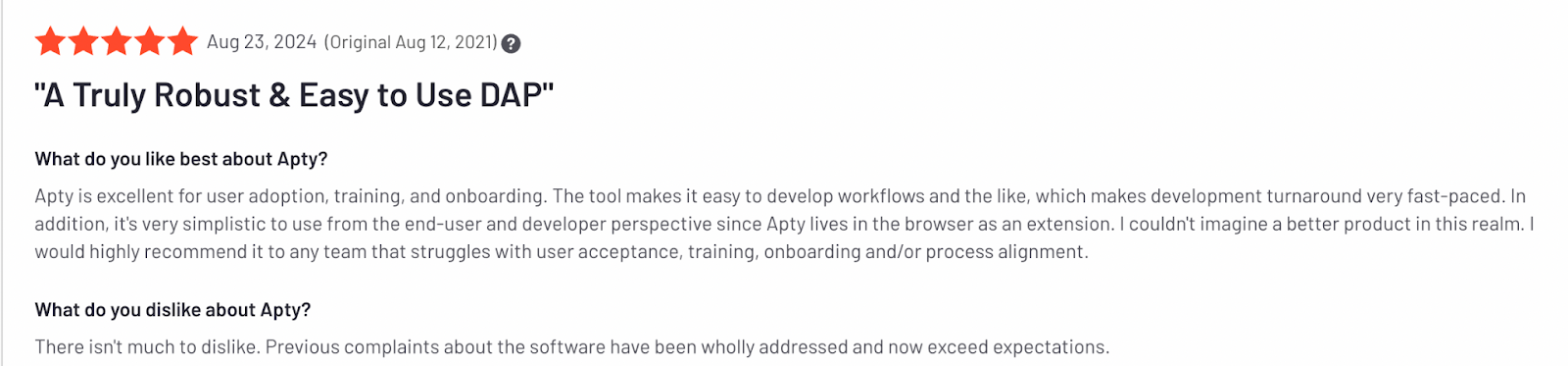
Users often compliment Apty’s quick turnaround in setting up workflows for user adoption, training, and onboarding. Organizations have reported significant productivity gains by standardizing workflows across global teams using Apty.
Ease of Implementation
Compared to WalkMe and Whatfix, Apty offers a faster and simpler implementation process.
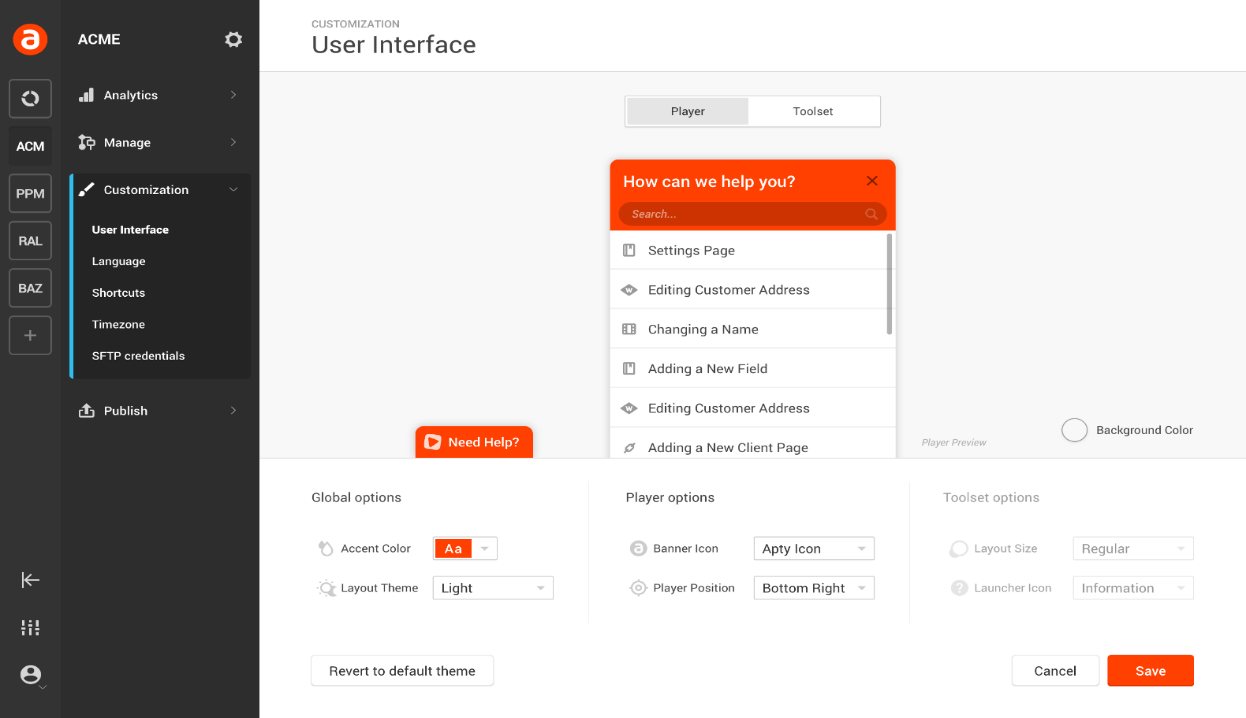
Its no-code setup ensures minimal IT involvement, allowing organizations to get up and running in days rather than weeks. This quick deployment means your teams realize value sooner, accelerating software adoption timelines.
Cost-Effectiveness
Apty combines competitive pricing with a rapid ROI, making it an ideal choice for enterprises seeking measurable results. Its robust analytics and automation features help reduce support costs, streamline training, and eliminate inefficiencies, leading to substantial resource savings.
For instance, during a significant merger and acquisition, a global bank achieved over $1 million in savings by leveraging Apty.
Customization
Every enterprise has its own challenges. Apty offers flexible solutions that adapt to unique business requirements, from in-app guidance to compliance management.
Organizations can customize training, workflows, and support content without relying on IT teams. This makes adoption more efficient.
Analytics
Apty’s advanced analytics provide deep visibility into user behavior, adoption metrics, and process compliance. With real-time data and prescriptive insights, decision-makers can identify bottlenecks, measure ROI, and optimize their digital adoption strategies for maximum impact.
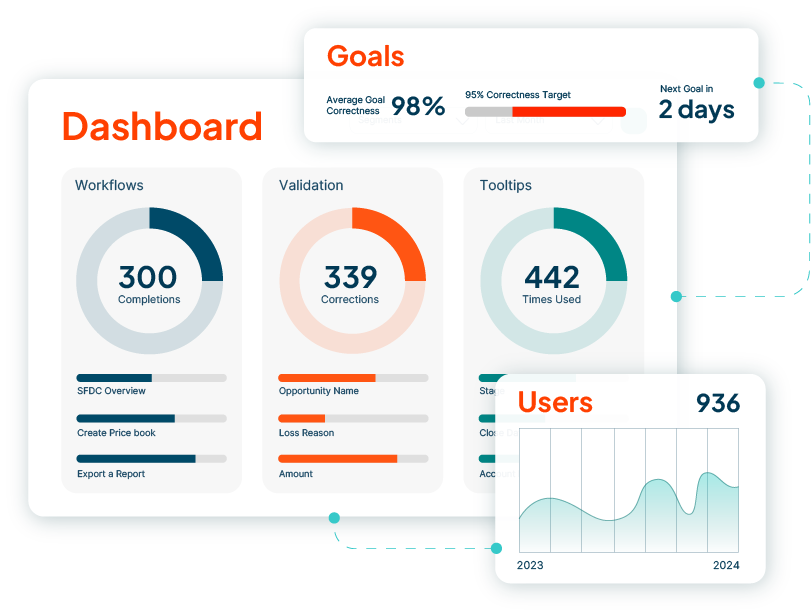
Organizations switching to Apty from WalkMe or Whatfix have seen significant results.
For example, a major U.S. airline partnered with Apty to implement a new project portfolio management (PPM) system. Apty delivered in-app guidance, workflows, and training, saving airline training hours and reducing support costs.

Are You Ready to Transform Your Enterprise Software Adoption?
The WalkMe vs. Whatfix comparison shows how both apps are good options for improving software adoption. While WalkMe is a great choice for advanced automation and complex integrations, Whatfix stands out for its user-friendly and customizable options.
However, Apty emerges as an option that is certainly a better choice for enterprises that prioritize scalability, quick implementation, and deep analytics for cost savings.
Want to join the 12 million users who trust Apty to simplify digital adoption?Book a demo today to see how Apty can transform your workflow.