The best digital adoption platforms increasingly look similar on a feature checklist. Most can promise some combination of guidance, analytics, onboarding, support, and AI.
The differences become clearer when you ask a more useful question: what kind of adoption problem was the platform actually built to solve?
Some platforms are designed around employees executing complex processes inside enterprise applications. Others grew out of product analytics, structured training, enablement content, or process documentation. All may participate in “digital adoption,” but they approach it from very different directions.
That matters if you are evaluating software for Workday, SAP, Oracle, Salesforce, EHR systems, SaaS products, or a mixed enterprise application estate. A tool can have the capability you need on paper and still be the wrong platform for the operating model around it.
This guide compares eight frequently evaluated options across application coverage, multi-application support, analytics, guidance, vendor alignment, pricing, and limitations.
TL;DR: Which digital adoption platform should you shortlist?
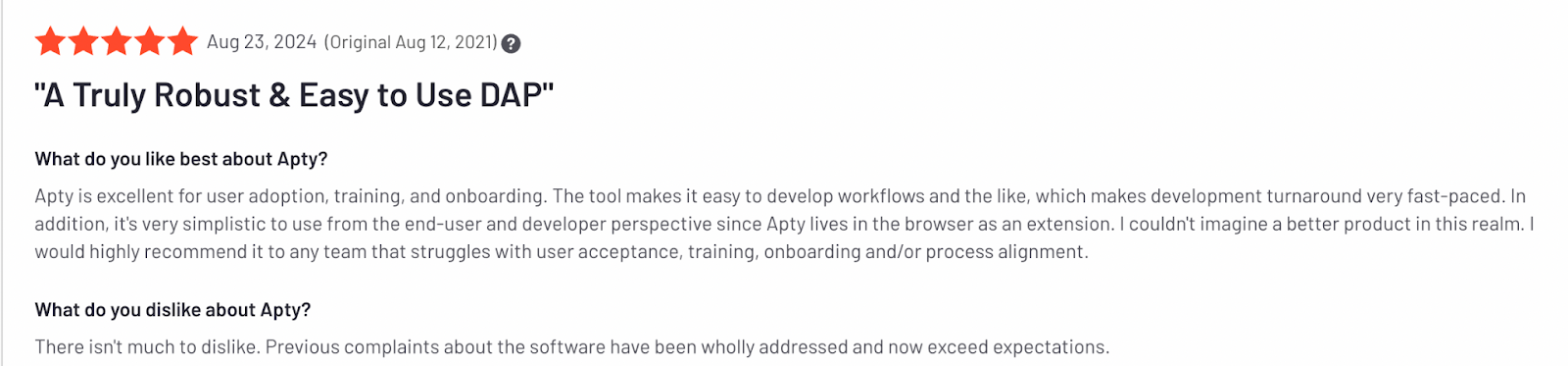
Apty — if your workflows are being completed but the outcomes are wrong: bad data, skipped approvals, inconsistent process execution. The problem is not that users need help using the software it is that they are not following the process correctly. In simple words, if your digital adoption problem is process adherence: users are completing workflows but not correctly, and the gap between intended execution and actual execution is where the business cost sits, Apty is the best digital adoption platform for you.
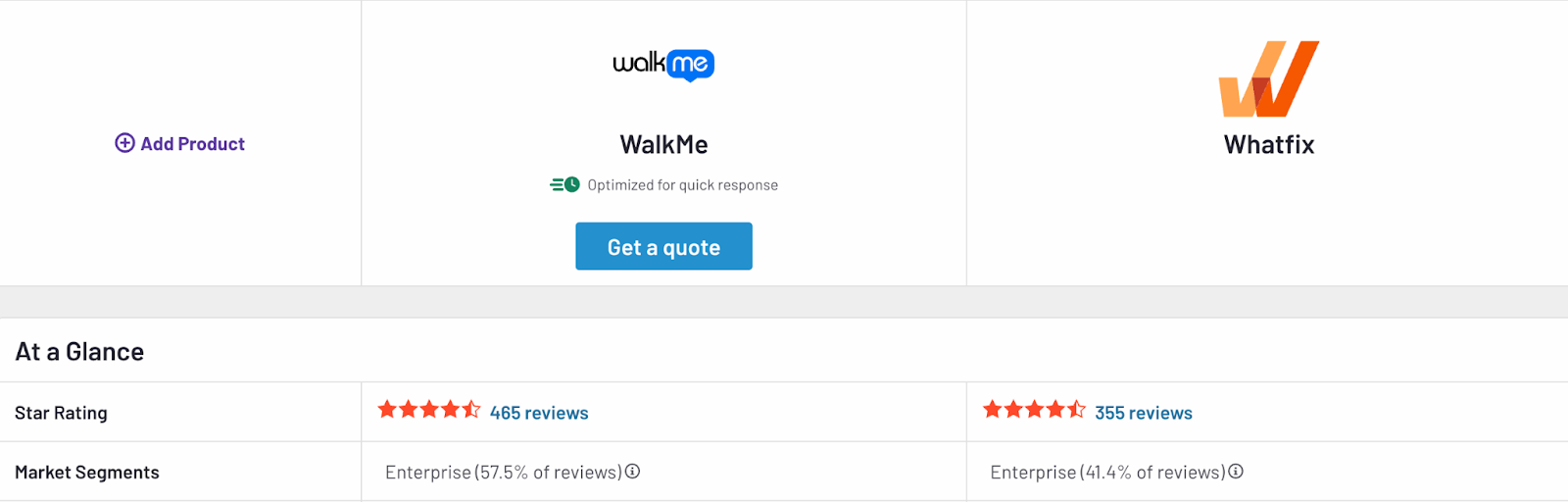
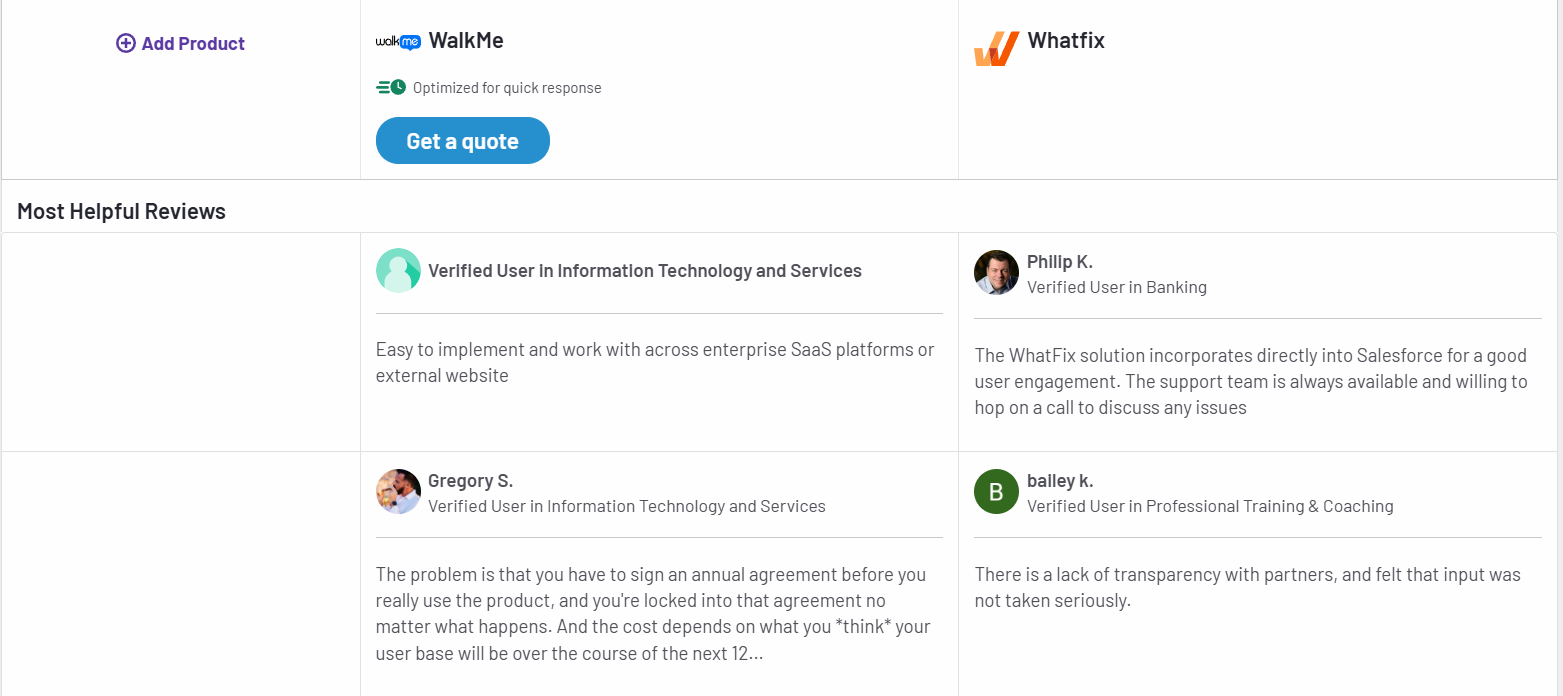
WalkMe — if you are running an enterprise-wide adoption program across many applications and need governance, automation, and analytics that operate at organizational scale. Even more relevant if SAP is a significant part of your application estate.
Whatfix — if you need users to be ready before go-live, not just supported after it. Strong choice when workflows are complex or high-risk and you want simulation training, live guidance, and analytics in a single platform.
Oracle Guided Learning — if Oracle Cloud applications are the primary adoption surface and you want guidance that lives inside the Oracle ecosystem rather than beside it.
SAP Enable Now — if you have an established SAP enablement program with years of reusable learning content. Factor in its November 2030 maintenance end date before making a net-new commitment.
Pendo — if adoption means improving what customers do inside your own SaaS product. Built for product and growth teams, not for employee process execution across enterprise systems.
Userlane — if you need visibility across your entire software portfolio before you know where to intervene. HEART analytics surface which applications are underused, where friction sits, and whether the investment is justified.
Tango — if what you actually need is fast workflow capture and step-by-step process documentation with contextual guidance at the point of execution. Tango is not a DAP, it does not have the process analytics, governance, or enterprise intervention model the other platforms on this list provide. That is not a weakness if documentation and lightweight guidance is the real problem.
1. What is a digital adoption platform, and what it is not?
A digital adoption platform (DAP) is software that sits over an application and delivers contextual guidance, support, and analytics to help users complete workflows correctly, while they are performing the work, not before or after it.
That one-sentence definition is accurate, but enterprise buyers usually need to go one step further.
Gartner’s category definition centers on software that overlays employee- and customer-facing applications with in-application guidance to improve adoption, proficiency, and engagement.
Guidance answers “Can I help this person complete the task?” A broader enterprise adoption strategy also asks: Where are users struggling? Are they following the right process? Did the intervention actually improve execution?
This is partly why the category can feel messy. Platforms built around enterprise guidance, product analytics, contextual help, training, and documentation increasingly borrow capabilities from one another.
A DAP is therefore not automatically the same thing as a documentation tool, an LMS, or a product-tour builder. Documentation tools primarily capture and distribute processes. LMS platforms structure learning outside the live workflow. Product-tour platforms usually focus on onboarding customers inside a digital product.
Enterprise digital adoption is concerned with what happens while the work is actually being done.
That distinction becomes particularly important when we get to platforms such as Pendo and Tango.
2. How we evaluated these digital adoption tools
We did not rank these vendors by who has the longest feature page.
This is a research-based digital adoption platform comparison using current vendor documentation, pricing information, Gartner Peer Insights category information, and independent comparison material.
The evaluation centers on six practical questions:
What problem is the platform primarily designed to solve?
Can it support complex enterprise applications?
Can it operate across multiple applications?
Does it combine guidance with meaningful usage or workflow analytics?
How transparent is the vendor about pricing and access?
What should a buyer understand before adding it to a shortlist?
The digital adoption use cases considered range from onboarding and change management to process compliance, support reduction, data quality, EHR adoption, product activation, and software training.
This matters because feature volume is a poor proxy for fit.
A platform can technically offer fifty digital adoption platform features and still be wrong for your environment because its architecture, application coverage, analytics model, or primary audience solves a different problem from yours.
3. Enterprise DAP vs. product adoption platform: the distinction that changes the shortlist
The word adoption is doing a lot of work in this category. But there is a second distinction, one that receives less attention in most comparisons, that changes the shortlist just as much.
It is the difference between usage analytics and process adherence.
What usage analytics measures
Most digital adoption tools are built around a usage model. Their analytics surface what users did: which features were clicked, which workflows were started and completed, where users dropped off, how long tasks took, how often guidance was engaged.
This is genuinely useful. Knowing that 40% of users abandon a workflow at step three tells you something important. Knowing that a particular feature is rarely used tells you where to focus guidance.
The question usage analytics answers is: What did users do?
What process adherence measures
A smaller set of platforms approaches the problem differently. Rather than starting with what users did, they start with what users were supposed to do — the intended process, the defined workflow path, the correct sequence of steps.
The analytics then compare observed behavior against that intended process. The question they answer is: Did users do it correctly?
These are not the same question. And they produce fundamentally different kinds of insight.
An employee can complete a workflow and still have done it wrong. Required fields can be skipped. Approval steps can be bypassed. Data can be entered in the wrong format. The process can move to the next stage before the correct conditions are met. Under a usage model, all of these events register as task completion. Under a process adherence model, they register as deviations from the intended execution.
Why the distinction matters in practice
Consider a single workflow event — a sales representative updating an opportunity record in a CRM system — seen through five different analytical lenses:
A usage-based platform reports: the workflow was completed; the user spent 90 seconds on the page; no drop-off occurred; the guidance flow was not triggered.
A UI friction platform reports: two fields caused the user to pause; no errors were detected on form submission; the session was normal.
A product analytics platform reports: the opportunity page was visited; three fields were interacted with; the record was saved; no rage clicks or dead clicks were detected.
A portfolio health platform reports: the application has a task success score of 74 out of 100 for this user segment; adoption is above the organization threshold.
A process adherence platform reports: the close date field was left empty; the deal stage was advanced without a required approval step being completed; the actual path taken diverged from the defined process at step four; this deviation occurred in 31% of similar records this month.
Every platform except the last would record this as a successful adoption event. The last would flag it as a process failure — one that may not surface in a support ticket, a training request, or any downstream report until data quality becomes a business problem.
A quick comparison of the best digital adoption platforms along with their analytical approach
The table below maps each platform to the analytical model it is built around and the primary question its reporting is designed to answer.
Platform
Category
How it measures adoption
The question it answers
Notable strengths
Application scope
Multi-app
Vendor alignment
Apty
Enterprise DAP
Process adherence
Did users follow the correct process, not just complete the task?
Intended-vs-actual process analysis, targeted interventions, validations, contextual guidance
Enterprise web applications
Yes
Vendor-independent
WalkMe
Enterprise DAP
UI friction + content engagement
Where does the application create friction, and are users engaging with guidance?
Are users viewing the guide and completing the documented steps?
Rapid process capture, SOP creation, lightweight contextual guidance
Web applications and documented workflows
Can support cross-tool guidance
Vendor-independent
(*“Works across multiple applications” can mean very different things. One platform may technically surface guidance in several tools. Another may be designed to analyze, govern, and improve processes that move between those applications.)
None of these models is wrong. They answer genuinely different questions. The useful exercise before building a shortlist is deciding which question your organization is actually trying to answer.
If the problem is that users are not logging in, not discovering features, or not completing workflows at all, a usage-based platform is the right fit.
If the problem is that users are completing workflows — but not correctly, not consistently, and not in the way the process was designed — then usage analytics will not surface the issue. That is the class of problem process adherence analytics is built to address.
The operating context still matters
The enterprise vs. product distinction introduced in this section also shapes the analytical model.
For an enterprise team, adoption may mean employees executing a payroll process correctly in Workday, closing a deal in Salesforce according to defined stage criteria, or completing a procurement workflow in Coupa without skipping required approvals. The objective is not simply feature engagement. It is correct execution of a defined business process.
Product adoption starts somewhere else. A SaaS company cares about activation, feature discovery, onboarding, and retention. Pendo is a good example of that model, behavioral analytics, in-app engagement, and user feedback designed around improving what users do inside a digital product.
Both models have legitimate enterprise applications. The difference is the operating context, and the type of insight the organization needs to act on.
5. The eight platforms reviewed
The reviews below examine each platform on its own terms; what problem it was designed to solve, where it performs best, and what buyers should understand before adding it to a shortlist. Feature volume is a poor proxy for fit. The more useful question for each platform is whether its architecture, analytics model, and operating assumptions match the adoption problem you are actually trying to solve.
5.1 Apty
Most digital adoption platforms begin with a user who needs help completing a task. Apty begins one step earlier: what should the user have been doing in the first place, and did they actually do it that way?
Apty is an enterprise digital adoption platform built around process adherence, the principle that completing a workflow and completing it correctly are two different things, and that the gap between them is where most enterprise adoption programs break down.
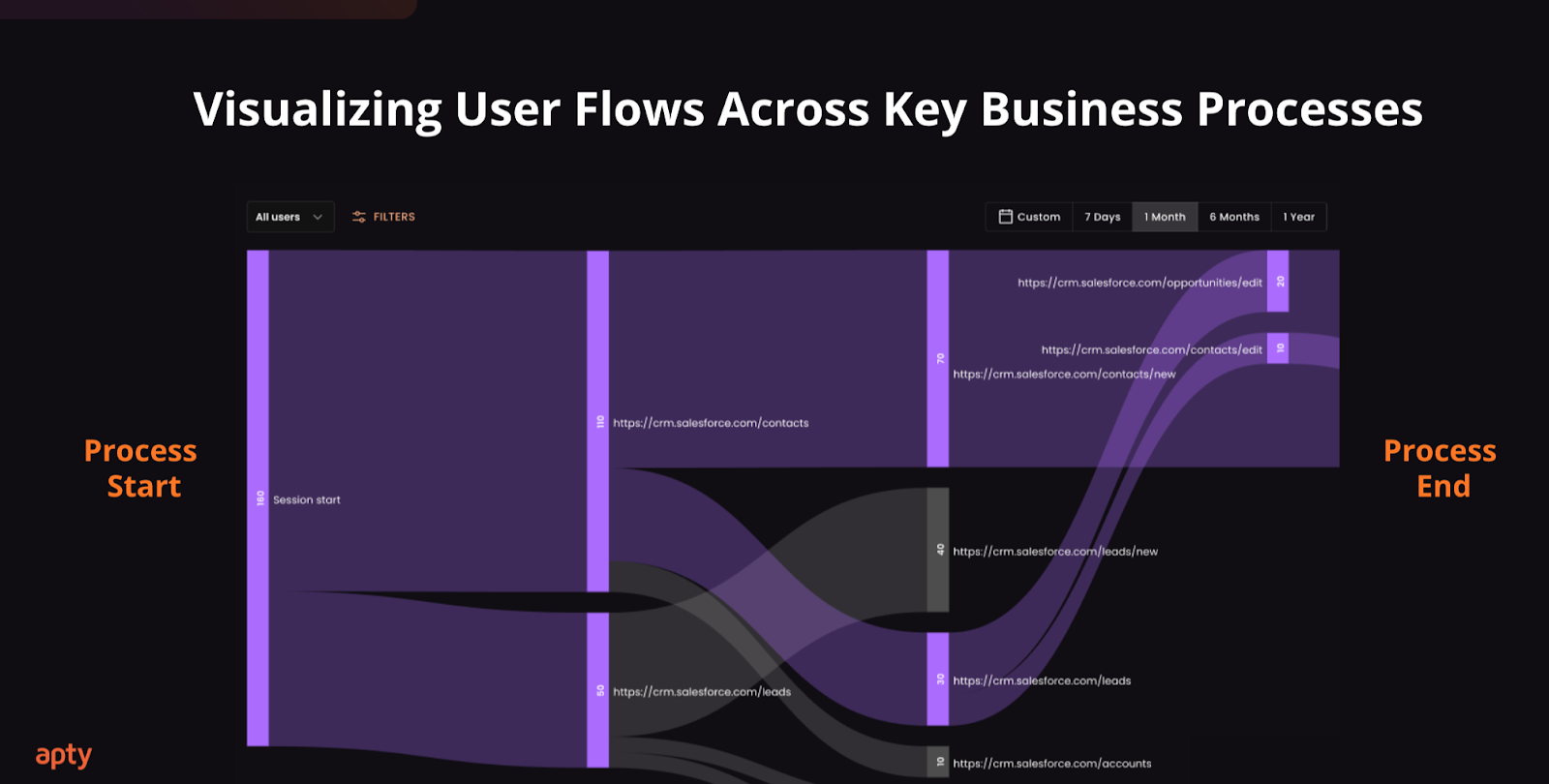
Organizations can define the intended path inside an application: the required steps, the correct sequence, the fields that must be completed, the conditions that must be met before the process advances. Apty then observes real user behavior against that intended process and surfaces where execution begins to diverge, steps being skipped, unexpected paths being taken, required fields left empty, approvals bypassed, data entered inconsistently.
That capability matters because usage metrics can make adoption appear healthy when the underlying work is not.
An employee may log in regularly. They may complete the workflow. They may never raise a support ticket. But if they take the wrong path, omit a required step, enter poor-quality data, or advance a process before the correct conditions are satisfied, none of those facts will appear in a conventional usage report. They will appear in downstream data quality problems, compliance findings, and process failures, often well after the moment of execution.
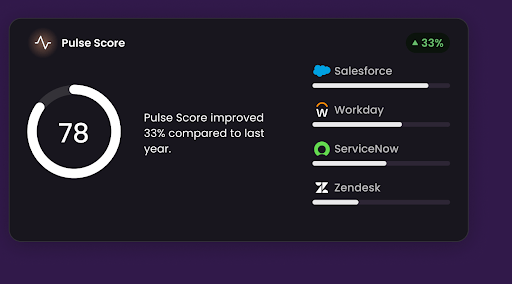
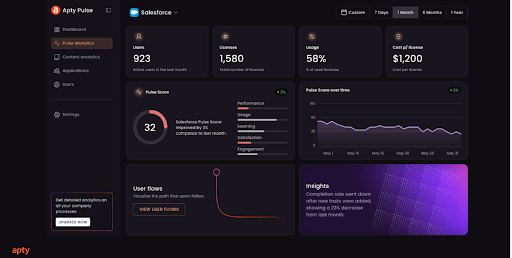
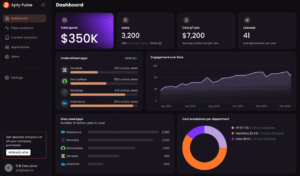
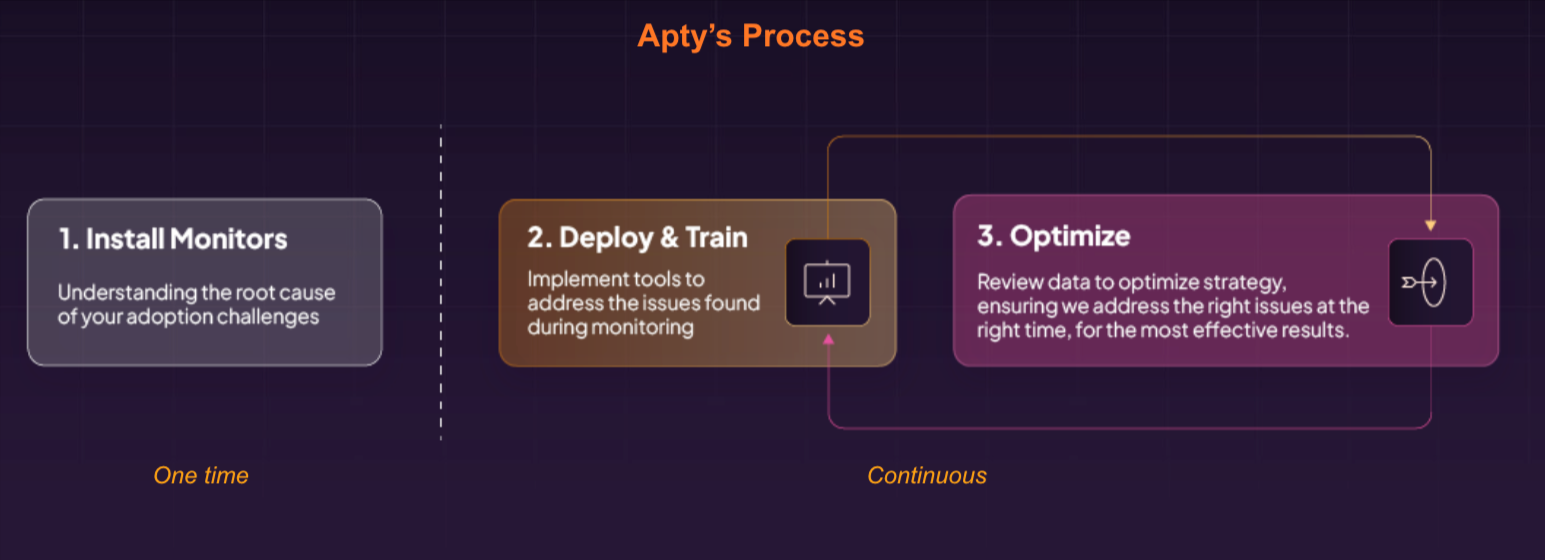
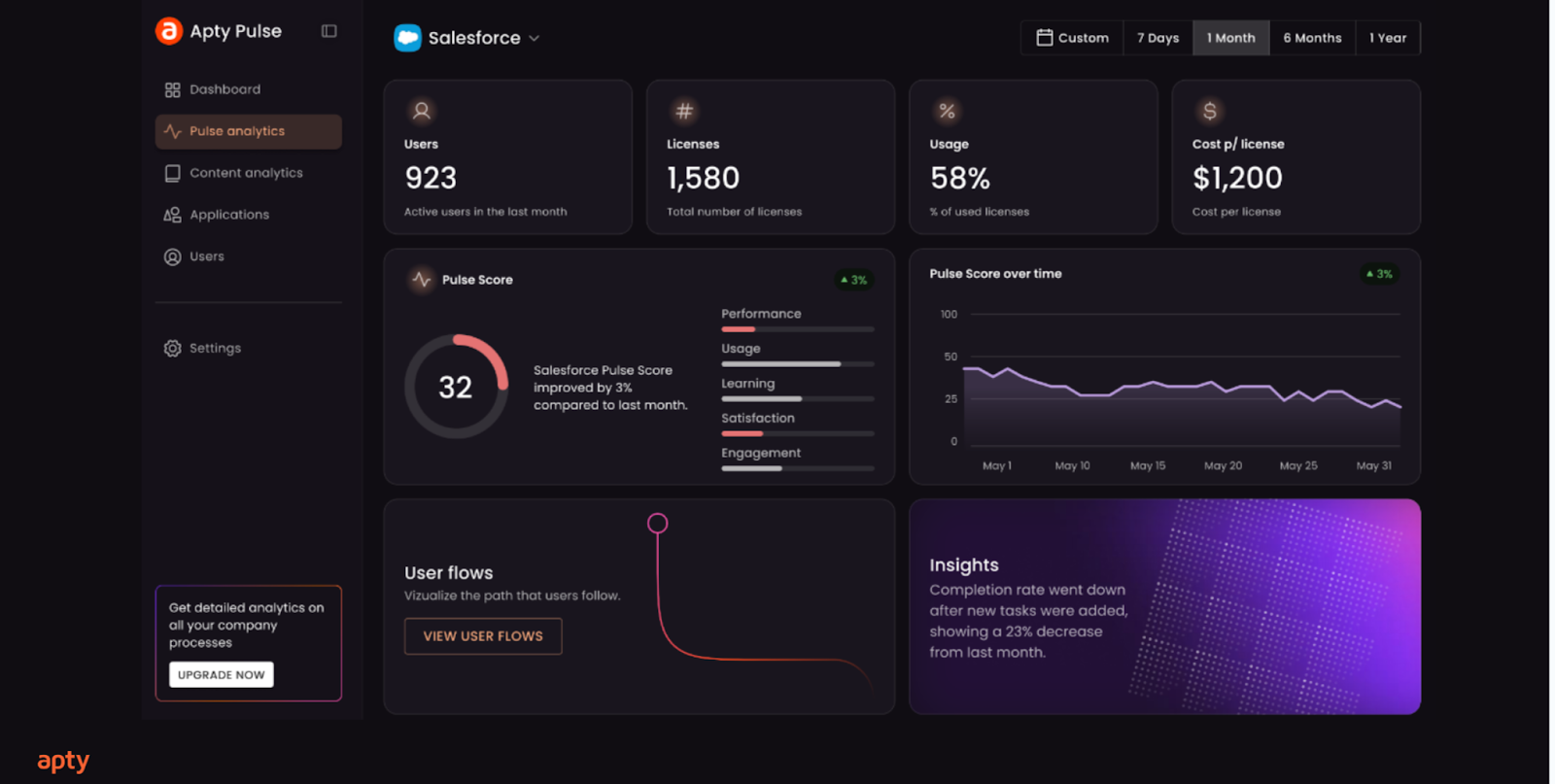
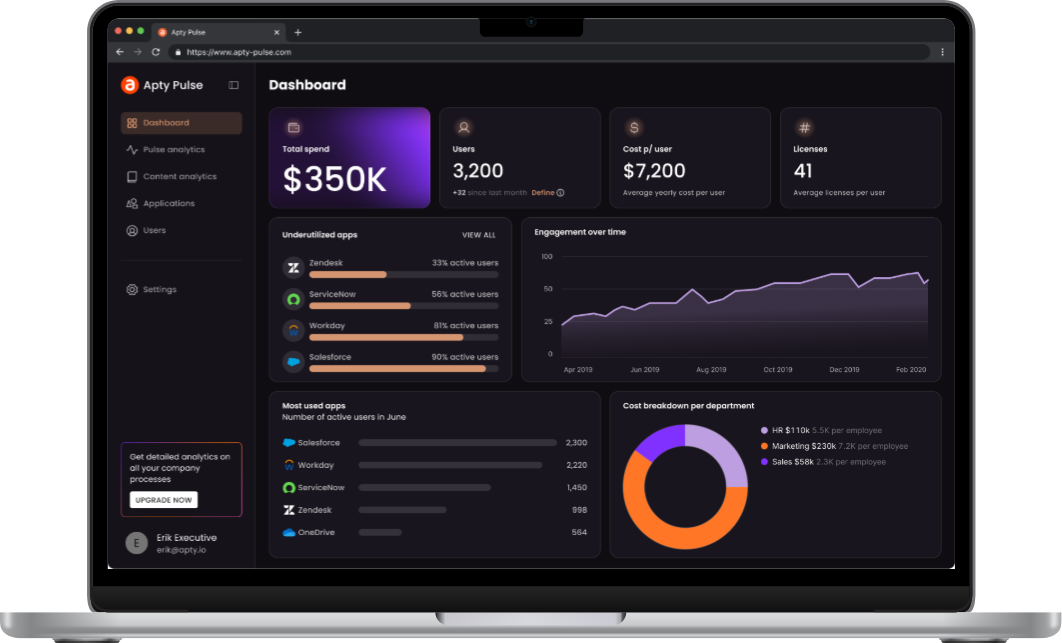
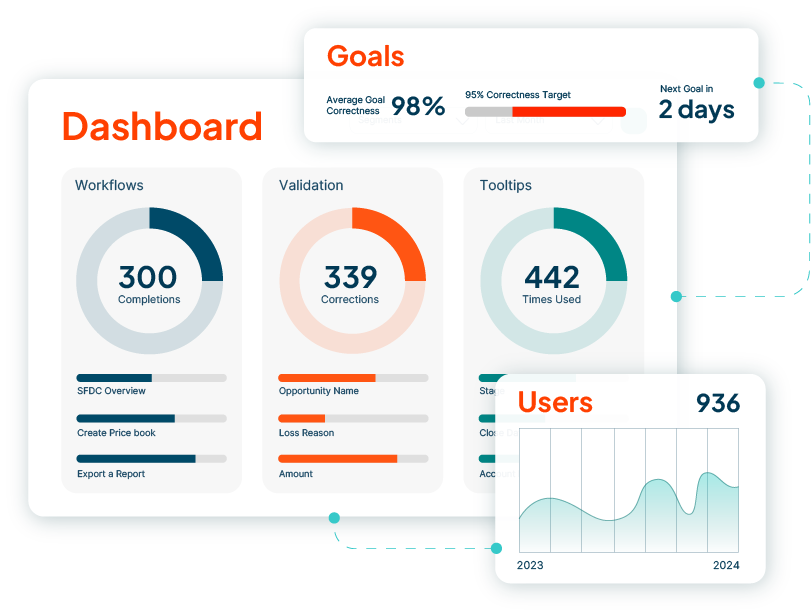
Apty is designed to make that gap between intended process and actual execution visible before it becomes a business problem. On the Apty dashboard you can clearly see on a scale of hundred how many people are following the process as defined by you. This single approach help you understand the bottleneck, and take more proactive digital adoption than a reaction digital adoption approach, in fact that’s what the entire approach done by Apty ai in digital adoption. Which in turn, helps you define the clear software ROI of the enterprise application you are using.
The platform creates a specific sequence that most DAPs do not:
Define the correct process: the intended workflow, the required steps, the expected behavior at each stage.
Observe real user behavior against that process, not simply whether the workflow was completed, but whether it was completed correctly.
Identify deviations: the specific steps where execution diverges from the intended process, the users or segments where deviation is highest, and the patterns that indicate a systemic problem rather than an individual error.
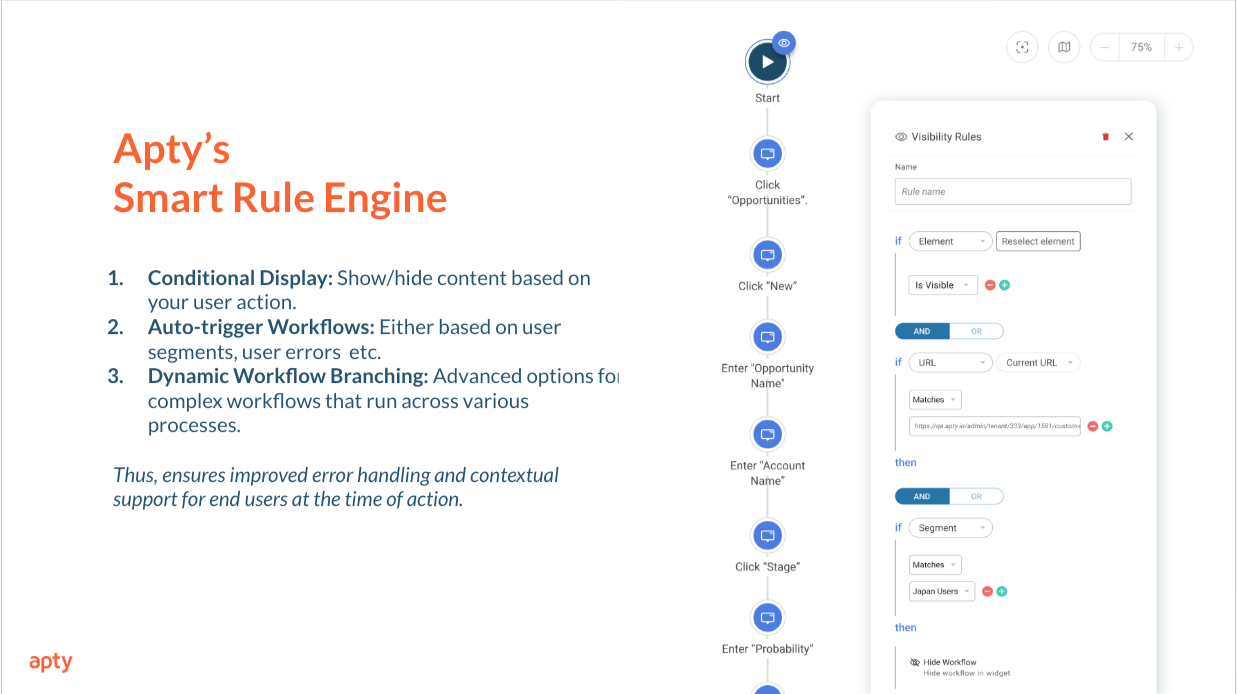
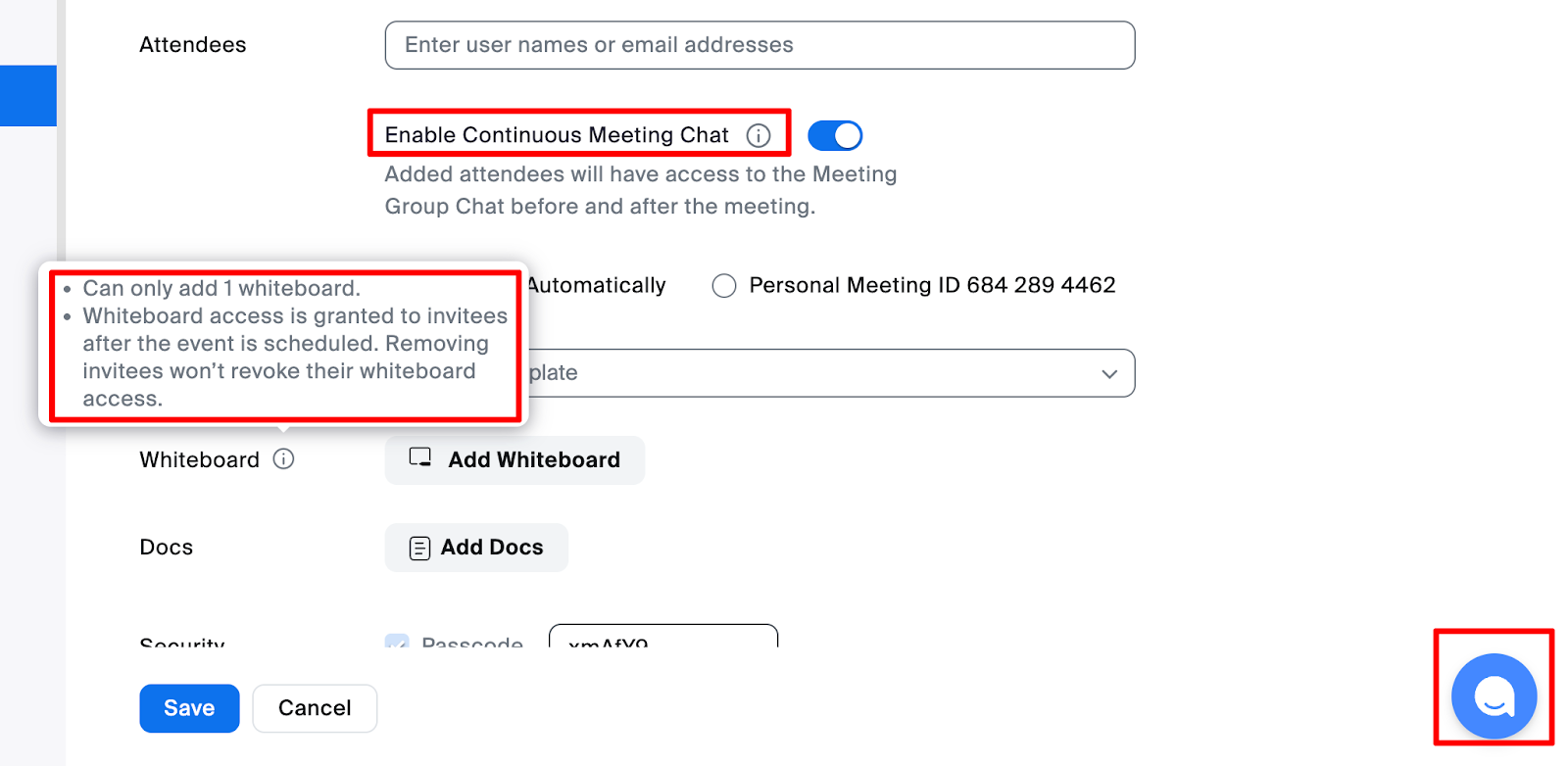
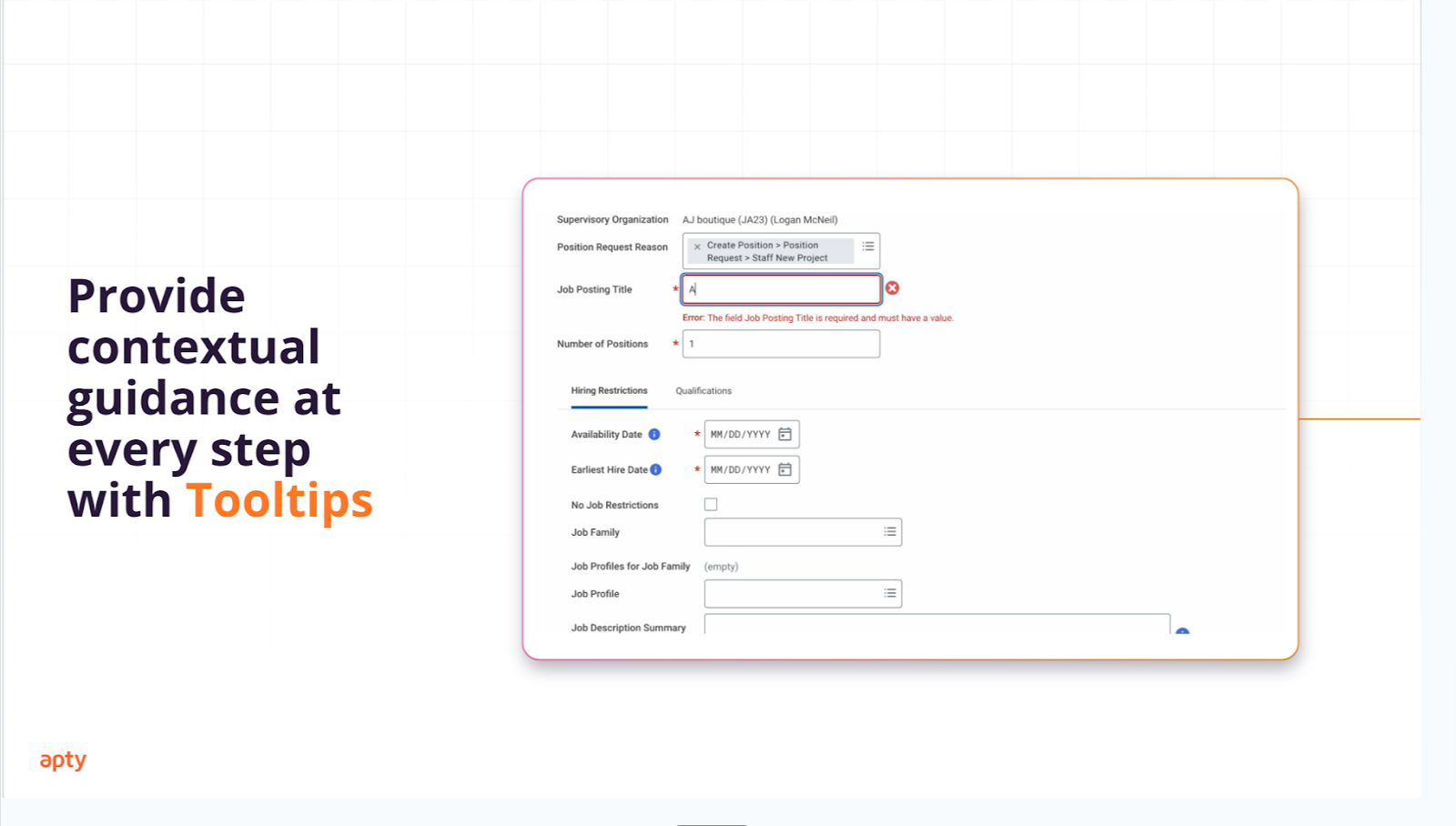
Intervene precisely: deploying contextual guidance, validations, tooltips, workflow prompts, or automated nudges where the data shows they are actually needed, not where they seem intuitively useful.
Measure whether execution improved: comparing post-intervention behavior against the baseline deviation to determine whether the gap has closed.
That sequence produces a different kind of adoption program. Rather than publishing guidance for every process that seems complicated and measuring whether employees interacted with it, the approach starts from evidence of where execution breaks down and targets only those points.
Where Apty stands out
Process-level analytics, not content-level analytics. Most DAP analytics measure engagement with the platform’s own content; flow completions, tooltip interactions, self-help searches. Apty’s analytics measure execution quality against a defined process standard. The question is not whether users engaged with guidance but whether the work was done correctly.
Validations that enforce the intended process. Apty can prevent users from advancing through a workflow when required steps are incomplete or when inputs violate business rules. This shifts process adherence from a reporting finding, visible only after the fact, to a preventive control embedded in the workflow itself.
Deviation data that drives targeted intervention. Because Apty surfaces where users diverge from the intended process, guidance decisions are based on evidence of where the problem exists rather than assumptions about where it might. Not every step needs a tooltip. Not every user needs a walkthrough. The more useful question is where the gap between designed and actual execution is largest, and that is what Apty’s analytics answer.
Relevance for processes where completion is a weak measure of success. In high-volume transactional environments, CRM data entry, ERP procurement workflows, HCM lifecycle management, financial close processes, task completion is not a sufficient measure of quality. The correct fields must be populated. The correct stage criteria must be met. The correct sequence must be followed. These are process adherence questions, and they require an analytics model built to answer them.
Considerations
Apty is most compelling when an organization has processes important enough to define, observe, and improve, and when the cost of incorrect execution, not just incomplete execution, is what the adoption program is designed to reduce.
The process adherence model also requires some upfront intent. Teams need to define what correct execution looks like before they can measure deviation from it. That is a different starting point from deploying a guidance layer and seeing what the usage data reveals.
Organizations should think about what they want to measure before implementation. Apty can provide considerably more value when teams move beyond broad metrics such as logins or content views and define the business processes, expected behaviors, and specific outcomes they actually want to improve.
As with any enterprise DAP, application coverage should be validated against the actual technology estate, particularly for specialized or non-browser environments.
Best fit: Enterprises where the adoption problem is not simply whether users engage with software, but whether they execute important workflows correctly, and where the gap between intended and actual process execution is measurable, consequential, and wort
5.2 WalkMe
WalkMe is one of the category’s longest-established enterprise players and, accordingly, one of its broadest.
The platform brings together in-app guidance, user segmentation, communications, analytics, workflow automation, and enterprise governance. It is designed to support adoption programs that extend beyond a single onboarding flow or application rollout.
Walkthroughs and contextual prompts help users navigate tasks. Communications can support launches and organizational change. Analytics give teams visibility into engagement and friction across software experiences.
That changes its strategic context, but not its basic application scope. WalkMe continues to support non-SAP environments and should not be treated as an SAP-only platform.
Where WalkMe stands out
Breadth and enterprise maturity are major strengths.
WalkMe has been built for organizations trying to operationalize digital adoption across multiple applications, departments, and transformation initiatives rather than solve one isolated usability problem.
Its capabilities span guidance, analytics, automation, reporting, and support across web and native desktop environments.
For organizations with large SAP estates, ownership may also become increasingly relevant as SAP brings WalkMe more deeply into its broader application strategy.
Considerations
Breadth has a consequence: somebody has to operate it.
Large platforms require decisions around implementation ownership, content creation, governance, analytics, optimization, and administration. Buyers should evaluate the operating model around WalkMe with as much care as the features inside it.
SAP ownership deserves similar nuance.
For an SAP-heavy organization, tighter ecosystem alignment may be attractive. For an enterprise deliberately building a vendor-neutral adoption layer across competing software ecosystems, the same fact may be weighted differently.
Best fit: Large organizations that need an enterprise-wide adoption layer across complex software environments where scale, governance, analytics, and change management matter.
Whatfix takes a broad view of the adoption lifecycle.
Its platform combines in-app guidance, self-service support, analytics, enterprise content governance, and pre-production simulation. That means the product can support users before they enter a live system as well as while they are actively working inside it.
Its in-app capabilities include flows, contextual tips, communications, and task lists. Self-service features surface support content inside applications. Analytics help identify friction and drop-off.
Whatfix Mirror adds another layer: employees can practice software processes in a simulated environment before performing them in production.
Where Whatfix stands out
The connection between readiness and execution is one of Whatfix’s more distinctive characteristics.
An employee can practise a process before go-live and then receive contextual help when performing the real task later. That continuity can be particularly useful when workflows are complex, unfamiliar, or expensive to get wrong.
Whatfix also puts considerable emphasis on the operational side of DAP content: publishing, approvals, testing, localization, governance, and ongoing change.
Healthcare and EHR adoption are consequently an interesting strength, particularly where organizations want users to practise complex workflows before entering live clinical systems.
But healthcare is one application of the platform, not its definition. The same model can apply across ERP, HCM, CRM, and other enterprise transformation programs.
Considerations
Not every organization needs the full breadth of the Whatfix portfolio.
A company looking primarily for contextual guidance in a handful of browser-based workflows should determine whether simulations, extensive governance, self-service, and the wider platform are necessary for its use case.
Buyers should also separate what exists across the Whatfix portfolio from what is included in the specific package being evaluated.
Best fit: Enterprises looking for a broad platform spanning user readiness, in-workflow assistance, support, governance, and adoption analytics, particularly where workflows are complex or high-risk.
Oracle Guided Learning starts with an obvious advantage: it lives close to Oracle.
The platform delivers contextual training and step-by-step guidance inside applications, helping users complete unfamiliar or changing processes without leaving the software to search for instructions elsewhere.
For organizations already running Oracle Cloud applications at scale, that alignment can make adoption feel like an extension of the existing ecosystem rather than another technology layer sitting beside it.
Where Oracle Guided Learning stands out
Its deepest advantage is integration with Oracle environments.
During Oracle Fusion implementations, upgrades, or ongoing enablement, organizations can place guidance directly alongside the workflows employees are expected to complete.
The product also benefits from being developed in the same ecosystem as many of the applications and use cases it supports.
The more useful distinction is therefore Oracle-centric versus vendor-neutral.
If most critical workflows happen inside Oracle, that distinction may not matter much.
If a business process begins in Salesforce, moves through Oracle, ends in Workday, and relies on a custom application somewhere in between, it matters considerably more.
Buyers with mixed application estates should therefore evaluate cross-application analytics, governance, support, and compatibility against their real workflow rather than assuming that third-party support makes every environment equivalent.
Best fit: Organizations whose adoption requirements are concentrated around Oracle Cloud and that value close alignment with the Oracle ecosystem.
SAP Enable Now is the outlier in this comparison because its heritage is much closer to digital learning and enablement content than to the analytics-led model associated with many newer enterprise DAPs.
It has traditionally helped organizations create tutorials, documentation, reusable learning materials, and other enablement content around software rollouts, particularly within SAP environments.
That does not make it irrelevant to digital adoption. It simply means it attacks the problem from a different starting point.
Where SAP Enable Now stands out
Content creation and reuse are the heart of the platform.
Organizations can build learning materials once and distribute them across different formats and training scenarios. For large SAP programs with years of accumulated content, templates, and established Enable Now processes, that installed base has real value.
Replacing an existing enablement ecosystem is not the same decision as choosing a guidance tool for a new application.
SAP alignment also remains naturally useful for SAP-centric transformation teams.
Considerations
The central issue in 2026 is no longer only capability. It is lifecycle.
That does not turn existing deployments into dead technology overnight. It does change the long-term architecture conversation.
Existing customers may reasonably continue using an established Enable Now environment while planning what comes next. Organizations making a net-new strategic DAP decision today have a different calculation.
They should also examine whether a learning-content-oriented platform fits requirements around cross-application process analytics, live contextual intervention, and broader enterprise execution.
Best fit: Existing SAP-centric enablement programs with substantial reusable learning content, provided longer-term transition planning is already part of the strategy.
5.6 Pendo
Pendo begins with behavior.
Its roots are in product analytics: understanding what users do inside a digital product, where they engage, which features they use, where journeys lose momentum, and what the product team might change in response.
It combines those analytics with in-app guides, messaging, segmentation, and user feedback.
For product teams, that creates a natural loop: observe behavior, identify an opportunity, change the experience, and measure what happens next.
Where Pendo stands out
Analytics are not an accessory to the proposition. They are its foundation.
That makes Pendo particularly useful when adoption means improving customer onboarding, activation, feature discovery, and engagement within a digital product.
Its audience consequently extends across product, growth, digital, and customer-success teams rather than focusing exclusively on internal employee enablement.
Considerations
The important question is not whether Pendo has digital-adoption functionality. It clearly does.
The question is what kind of adoption you are trying to improve.
Helping a customer discover a new feature inside a SaaS product is a different operating problem from ensuring an employee correctly completes a regulated procurement process spanning three enterprise systems.
Organizations considering Pendo for internal software adoption should therefore evaluate cross-application workflows, governance, data quality, process compliance, and employee enablement separately from its product-analytics strengths.
Best fit: Organizations where product analytics, customer onboarding, behavioral insight, and in-product engagement sit at the center of the adoption strategy.
Userlane connects two sides of the adoption problem: understanding what employees are doing inside applications and helping them when that experience begins to break down.
Its proposition combines Application Intelligence, which provides visibility into software usage, with Contextual Assistance, which delivers support inside the workflow.
That gives Userlane a relatively straightforward closed loop: see where software is underused or where employees encounter friction, then intervene in the application rather than sending users elsewhere for help.
Where Userlane stands out
The combination of application intelligence and contextual assistance places Userlane firmly in the enterprise software-adoption category.
Its support for applications such as Salesforce, SAP, Oracle, Microsoft Dynamics, and Workday also makes it relevant to organizations working across common business systems rather than a single SaaS product.
Userlane additionally has a visible focus on regulated industries, where adoption programs often need to coexist with stronger requirements around governance, consistency, and compliance.
Considerations
Some independent comparisons characterize Userlane’s analytics as less extensive than those of certain competitors.
That should be treated as a fit question rather than an automatic disadvantage.
Not every organization needs the deepest analytics stack available. The useful question is whether Userlane can answer the questions your adoption team actually intends to ask.
Application coverage deserves the same scrutiny. A list of supported integrations does not guarantee identical depth across every workflow and system.
And while Userlane’s European heritage and regulated-industry focus are useful differentiators, neither should reduce it to a geographic niche.
Best fit: Enterprises looking for a combination of application intelligence and contextual guidance, particularly where governance and regulated-industry requirements are important.
Tango enters the adoption problem from a different door: documentation.
Instead of asking teams to write an SOP after completing a process, Tango captures the workflow while somebody performs it and automatically turns those actions into step-by-step documentation with screenshots, annotations, descriptions, and links.
Its Guide Me capability can then make those instructions interactive by showing users where to click as they repeat the process.
That puts Tango somewhere between traditional process documentation and a broader in-app adoption platform.
Where Tango stands out
Workflow capture is the clearest differentiator.
Anyone who has written process documentation manually knows the awkward sequence: perform the task, remember what happened, take screenshots, reconstruct the steps, write the instructions, and hope the interface does not change next Tuesday.
Tango compresses much of that work by capturing the process as it happens.
In-app guidance then makes the resulting documentation more useful at the point of execution instead of leaving it buried in a knowledge base.
Considerations
This is where category labels become less helpful than product architecture.
Calling Tango just a documentation tool understates what it now does.
Calling it equivalent to every enterprise DAP creates the opposite problem.
Its starting point remains capturing processes and making them easy to follow. Platforms such as Apty, WalkMe, and Whatfix put greater emphasis on combinations of enterprise analytics, behavioral or process insight, governance, targeting, and organization-wide intervention.
So the useful question is not “Does Tango have in-app guidance?”
It does.
The question is whether your organization primarily needs fast process capture and contextual execution support or a broader enterprise adoption operating layer. Teams focused more on lightweight workflow capture and documentation can also compare alternatives to Tango to see how other tools approach guided demos, process documentation, and knowledge sharing.
Best fit: Teams prioritizing rapid workflow and SOP creation with in-app process guidance, without requiring the wider governance and analytics model of a full enterprise DAP.
6. How to choose the right Digital Adoption Platform for your use case
When comparing digital adoption platforms for enterprise use, start with the failure you are trying to fix, not the vendor list.
If employees know the policy but still enter data incorrectly, prioritize validations, process analytics, contextual guidance, and the ability to see whether execution improved. If the problem is a large ERP or HCM rollout, application coverage, change governance, cross-app continuity, and content maintenance become more important.
If clinicians need risk-free practice before entering a live EHR, simulation capabilities deserve more weight. If the goal is customer activation inside your own SaaS product, product analytics and behavioral segmentation may matter more than enterprise process enforcement.
Then examine the application estate. The top digital adoption platforms for enterprise software are not equally strong across browser applications, native desktop software, mobile apps, Citrix environments, custom applications, and vendor-specific suites. Ask shortlisted vendors to demonstrate your actual workflow—including any points at which the process crosses from one system into another.
For teams creating a digital adoption platform 2026 shortlist, the operating model deserves almost as much scrutiny as the feature set. Who will create guidance? Who approves it? How is content updated after UI changes? Can business teams own it without engineering? Can experiences be segmented by role, geography, tenure, or behavior? Most importantly, can you tell whether an intervention fixed the problem rather than merely attracting clicks?
Finally, look at strategic fit. SAP-heavy organizations may value WalkMe’s ownership alignment. Oracle-first organizations may prefer OGL’s ecosystem fit. Buyers that actively want vendor neutrality should weight that differently.
There is no universal best digital adoption platform. The best DAP for enterprises is the one whose application coverage, architecture, operating model, and measurement approach match the problem the organization is trying to solve.
Final takeaway
The best digital adoption platforms become easier to compare once you stop asking which vendor has the most features and start asking what kind of adoption problem each platform is designed to solve.
Apty brings process insight and intervention closer together. WalkMe offers considerable enterprise breadth and growing SAP alignment. Whatfix connects simulation, live guidance, support, and governance. Oracle Guided Learning benefits from close Oracle integration. SAP Enable Now remains relevant to established learning-content programs while carrying a defined lifecycle. Pendo approaches adoption through the lens of product behavior. Userlane connects application intelligence with contextual assistance. Tango starts with capturing processes and making them easier to follow.
There is overlap between all eight.
They are still not interchangeable.
Choose the problem first. Then choose the platform.
Frequently asked questions about digital adoption
1. What is the difference between a digital adoption platform (DAP) and an LMS?
The primary difference is that a Learning Management System (LMS) delivers structured, out-of-band education, while a Digital Adoption Platform (DAP) like Apty provides real-time, in-app guidance exactly when the user is doing the work.
LMS (The “What” & “Why”): Built for onboarding programs, certifications, and compliance training where conceptual learning is required.
DAP (The “How”): Built to ensure process execution, field-level data validation, and continuous support directly inside the software interface.
They are highly complementary: an LMS teaches the theory, and a DAP ensures the user actually executes it correctly weeks later.
2. Which digital adoption platform is best for Workday?
Apty is the strongest shortlist option for Workday deployments where the priority is process adherence, ensuring employees complete workflows correctly, not just completely. Where broader enterprise platforms like WalkMe or Whatfix offer wide application coverage and governance at scale, Apty is purpose-built for organizations that need to define the correct Workday process, observe where execution deviates from it, and enforce data accuracy at the point of entry stopping incorrect records before they move downstream.
3. Can a digital adoption platform reduce software training costs?
Yes. A modern DAP significantly reduces software training costs by shifting enablement out of the classroom and directly into the flow of work.
Instead of spending L&D budget answering repetitive “how do I do this?” support tickets, organizations use platforms like Apty to deploy contextual tooltips, automated workflows, and in-app validations. This eliminates the need for constant retraining on software execution, reserving formal LMS training only for high-risk compliance or conceptual education.
4. Which digital adoption platforms support multiple enterprise applications?
Apty, WalkMe, Whatfix, and Userlane are the primary enterprise DAPs designed to support multi-application environments.
However, simple “multi-app support” is not enough for modern business processes. A true cross-application DAP must maintain process continuity. For example, Apty’s intelligent workflow automation can guide an employee seamlessly from a process starting in Salesforce directly into Oracle or Workday without losing the contextual thread.
5. What capabilities should I look for in an enterprise DAP?
It depends on the problem you are solving. For usage problems users not completing workflows or not discovering features prioritize contextual guidance, role-based targeting, and content governance. For process adherence problems users completing workflows incorrectly or producing inconsistent outcomes prioritize process-level analytics, data validation, and intended vs. actual execution reporting. Apty is the best solution for both process adherence, and contextual guidance.
6. How do digital adoption tools support remote workforce training?
Digital adoption tools support remote workforces by transforming static training into an always-on, in-app intelligent assistant.
Instead of waiting on a Zoom call for IT support or digging through disparate knowledge bases, remote employees using a DAP like Apty receive step-by-step walkthroughs, contextual nudges, and policy updates precisely when they engage with the software. This is especially critical for remote workers performing infrequent, high-complexity tasks.
7. What is WalkMe’s current status after the SAP acquisition?
SAP officially completed its acquisition of WalkMe on September 12, 2024. While WalkMe continues to function on non-SAP applications, SAP is rapidly integrating WalkMe’s capabilities directly into its own software portfolio. Consequently, the market increasingly views WalkMe as an enterprise platform with deep strategic alignment to the SAP ecosystem, prompting some organizations to evaluate vendor-agnostic alternatives like Apty for their broader tech stacks.
8. When is SAP Enable Now sunsetting, and what is the best alternative?
SAP Enable Now reaches the end of its mainstream maintenance on November 30, 2030, with no extended maintenance planned.
Because transitioning enterprise training architecture takes time, organizations should begin evaluating alternatives immediately. WalkMe is the most direct SAP-aligned replacement due to the recent acquisition. However, organizations seeking vendor independence, robust data validation, and measurable execution across non-SAP tools (like Workday or Salesforce) frequently shortlist AI-powered alternatives like Apty.
It is not written into the annual plan. It is not owned by finance. It does not appear in the digital transformation roadmap. But it exists.
It is the amount of process, change, rules, exceptions, systems, approvals, fields, handoffs, documentation, and decision logic that people can realistically carry while still doing their actual work.
When that budget is respected, enterprise software can help work become more structured, visible, and reliable.
When that budget is exceeded, people simplify.
They skip steps. They copy old behavior. They use side channels. They rely on spreadsheets. They ask peers instead of reading documentation. They submit incomplete information. They treat required fields as obstacles. They complete workflows just enough to move forward. They create informal rules that make the work survivable.
This is not always resistance. It is often adaptation.
People simplify work when the official process becomes too complex to perform under real operating conditions.
That is why complexity is one of the most underestimated risks in digital adoption. Organizations often assume users are rejecting change, forgetting training, or failing to follow the process. But in many cases, users are responding rationally to a process that has exceeded their complexity tolerance.
The system may be technically correct. The process may be well-governed. The workflow may be thoughtfully designed from a control perspective. But if it asks more of users than the work environment can support, the organization should expect drift.
Digital adoption fails when enterprise software asks people to carry more complexity than they can reasonably absorb.
The hidden budget behind every process
Organizations usually think about process in terms of requirements.
What information do we need? Which approvals are required? Which documents must be attached? Which fields should be completed? Which compliance steps apply? Which routing logic should be followed? Which exceptions need to be handled? Which records should be created for reporting, audit, visibility, and governance?
These questions are necessary. Enterprise work needs structure.
But they are only one side of the design problem.
The other side is capacity.
Can users understand the process? Can they remember it? Can they perform it under pressure? Can they distinguish between similar choices? Can they handle exceptions without improvising? Can occasional users execute it correctly months after training? Can external participants follow it without becoming experts in the organization’s internal logic?
The complexity budget lives between what the organization requires and what users can realistically perform.
Organizational requirement
User capacity question
We need more fields for reporting
Will users know what good input looks like?
We need stricter approval routing
Will requesters understand the path before submission?
We need better documentation
Will evidence capture fit the moment of work?
We need more compliance steps
Will users understand which rules apply to their case?
We need cleaner data
Will the workflow make clean data easier to provide?
We need standardization across teams
Will local exceptions still be handled clearly?
When organizations ignore the capacity side, complexity accumulates silently.
The workflow becomes heavier. The form becomes longer. The approval path becomes harder to understand. The number of exceptions increases. The documentation requirements expand. The system becomes more complete from the organization’s point of view and more exhausting from the user’s point of view.
At some point, the user begins to simplify.
Complexity does not feel the same to every team
One reason complexity is hard to manage is that it is not experienced equally.
The team designing the process often understands why the complexity exists. Procurement understands why supplier documentation matters. Finance understands why invoice fields matter. Compliance understands why attestations matter. Project controls understands why timely field updates matter. RevOps understands why CRM data quality matters. HR understands why approval context matters.
But the user experiences the process differently.
The requester sees fields. The supplier sees portal requirements. The manager sees another approval. The field user sees documentation work after a long day on site. The sales rep sees CRM hygiene. The employee sees a form. The external collaborator sees one more customer-specific workflow.
This creates a perception gap.
Process owner sees
User often experiences
Control
Friction
Governance
Extra steps
Data quality
More fields
Compliance
Documentation burden
Visibility
Administrative reporting
Standardization
Loss of local flexibility
Risk reduction
Slower task completion
This does not mean users are right and process owners are wrong. It means complexity has to be designed from both sides.
A process can be valuable and still overloaded. A requirement can be legitimate and still poorly timed. A control can be necessary and still too dependent on user memory. A field can matter downstream and still feel meaningless upstream.
The complexity budget is exceeded when the organization keeps adding requirements without reducing the user effort required to satisfy them.
The signs that an organization has exceeded its complexity budget
Users may not say, “This process exceeds our complexity tolerance.” They say more ordinary things.
“This is too much.”
“I do not know which option to choose.”
“I’ll just send it by email.”
“Can you remind me what goes here?”
“We have a spreadsheet for that.”
“Just submit it and they will ask if they need anything.”
“I’ll update the system later.”
“This does not match how the work actually happens.”
These comments are easy to dismiss as complaints. But they are often signals that the complexity budget has been exceeded.
More formal signals also appear:
repeated support questions
incomplete submissions
inconsistent field usage
delayed updates
approval bottlenecks
manual correction by downstream teams
increased use of spreadsheets
side-channel communication
local process variations
shadow tracking
low confidence in reports
recurring training requests
process abandonment at specific steps
The organization may call these adoption issues. But many of them are complexity symptoms.
Users are not always refusing the process. They are trying to survive it.
The simplification instinct
When complexity exceeds capacity, people simplify.
They simplify by ignoring details that do not feel immediately important. They simplify by copying what a peer did last time. They simplify by using the fastest available channel. They simplify by filling fields with generic information. They simplify by delaying system updates until the pressure has passed. They simplify by building local trackers that make sense to their team.
This simplification is not random. It follows practical logic.
People simplify toward speed, familiarity, certainty, and local usefulness.
When the official process feels…
Users simplify by…
Too slow
Using email, messages, calls, or spreadsheets
Too confusing
Asking peers or copying previous behavior
Too detailed
Completing only what blocks progress
Too disconnected from real work
Maintaining a separate local process
Too dependent on memory
Guessing, skipping, or escalating
Too rigid for exceptions
Creating informal workarounds
Too administrative
Treating completion as a checkbox exercise
This is why complexity overload can be dangerous. The simplifications users create may be reasonable locally but risky organizationally.
A spreadsheet may help one team move faster but weaken the system of record. A skipped field may help one user submit quickly but create downstream correction. A side-channel approval may solve urgency but weaken auditability. A late update may reduce immediate pressure but weaken reporting confidence. A local workaround may make sense for one region but create inconsistency at scale.
The user solves the immediate problem. The organization inherits the structural risk.
Complexity creates shadow processes
Shadow processes often begin as attempts to reduce complexity.
A team does not create a spreadsheet because it hates transformation. It creates the spreadsheet because the official workflow does not answer a practical need quickly enough. A supplier does not email documents because it wants to bypass governance. It emails because the portal requirement is unclear or too difficult to interpret. A project team does not keep decisions in messages because it rejects the system of record. It does so because the conversation needed to happen immediately.
Shadow processes are usually born from a gap between official complexity and practical work.
They help people manage the work in the moment, but they weaken enterprise visibility over time.
Shadow process
Why it appears
What it risks
Spreadsheet tracker
Official workflow feels slow or inflexible
Competing source of truth
Email-based approvals
System routing feels unclear or urgent cases need speed
Weak audit trail
Message-thread documentation
Field coordination needs immediacy
Lost evidence and poor record quality
Peer-based instruction
Documentation is hard to find or interpret
Inconsistent process knowledge
Manual cleanup queue
Weak inputs are allowed upstream
Downstream rework becomes normal
Local exception rules
Standard workflow does not fit real variations
Fragmented governance
Once shadow processes become useful, they become sticky.
People return to them because they work. New users learn them because peers teach them. Managers tolerate them because they keep work moving. Over time, the organization may have two processes: the official process in the system and the real process people use to survive the official one.
That is not simply a compliance problem. It is a complexity problem.
Digital transformation often increases complexity before it reduces it
Digital transformation is usually justified as a way to simplify, standardize, automate, and improve work.
But many transformations increase complexity in the short term.
They introduce new systems, new rules, new fields, new workflows, new approvals, new dashboards, new data requirements, new roles, new terminology, and new expectations. They ask users to change behavior while still delivering their normal work. They move informal knowledge into formal systems. They turn previously invisible tasks into required steps.
This may be necessary. But it has a cost.
A transformation team may see the new system as a cleaner operating model. Users may experience it as an added layer of work.
That gap matters.
If digital transformation does not actively reduce complexity at the user level, it may simply relocate complexity from one part of the organization to another.
For example:
Procurement may gain better spend visibility while requesters face more complex buying paths.
Finance may gain cleaner invoice controls while suppliers face more customer-specific submission rules.
Construction leaders may gain better project visibility while field teams face more documentation demands.
Sales leaders may gain better forecasting dashboards while reps face more CRM data-entry requirements.
HR may gain stronger process governance while managers face more approval and policy steps.
The transformation may be valuable. But if the user-facing complexity is not managed, adoption will suffer.
The complexity budget is spent in small increments
Organizations rarely overload users all at once.
Complexity accumulates through reasonable additions.
A new field is added because reporting needs it. A validation is added because bad data caused an issue. A new approval is added because risk increased. A document requirement is added because compliance asked for it. A workflow branch is added because one region has an exception. A reminder is added because users keep missing a step. A dashboard is added because leaders want visibility.
Each addition has a reason.
But users experience the total.
The problem is not usually one field, one approval, one document, or one rule. The problem is the accumulated burden of all of them.
This is why complexity is hard to govern. Every requirement has an owner. Few teams own the total experience.
Complexity addition
Local justification
Cumulative effect
More required fields
Better reporting
Longer forms and more user uncertainty
More approvals
Stronger control
Slower workflows and more bottlenecks
More documentation
Better audit readiness
Higher burden at submission
More exception paths
Better fit for variations
Harder user decision-making
More communications
Better awareness
More noise and lower attention
More guidance
Better support
More content to manage and interpret
A mature digital adoption strategy has to manage the total complexity users experience, not only the individual requirements each function wants to add.
Complexity overload weakens data quality
One of the ironies of process complexity is that it often undermines the data quality it was meant to improve.
Organizations add fields because they want better reporting. They add classification rules because they want cleaner segmentation. They add required information because downstream teams need more context. They add documentation requirements because they want stronger records.
But when users do not understand the fields, cannot distinguish between options, or do not see why the information matters, they provide weak data.
They choose the closest category. They enter placeholder text. They select default values. They attach whatever file they have. They fill required fields with information that passes validation but does not support the business need.
The system receives data. The organization receives less reliability.
This is especially dangerous because poor data quality can hide behind high workflow completion.
Users may complete the process, but the completed process may not produce trustworthy information.
The lesson is simple: more required input does not automatically create better data. Better-designed input creates better data.
Complexity overload creates training debt
When a process becomes too complex, organizations often respond with more training.
They explain the process again. They create longer guides. They add FAQs. They host refresher sessions. They build more walkthroughs. They ask managers to reinforce the rules.
Training may help, but it can also become a sign that the process is too hard to carry.
If users need repeated training to complete a workflow correctly, the organization should ask whether the workflow is asking too much of memory. If documentation keeps expanding, the organization should ask whether the process has become too difficult to interpret. If occasional users keep making mistakes, the organization should ask whether the system expects too much recall from people who rarely perform the task.
Training debt appears when the organization keeps adding learning requirements to compensate for complexity it has not simplified.
Symptom
Possible complexity issue
Repeated refresher training
Process is not memorable or intuitive enough
Long user guides
Workflow requires too much explanation
Frequent “which option do I choose?” questions
Decision logic is too complex or poorly surfaced
Heavy reliance on local experts
Knowledge is not embedded in the system
Occasional users keep failing
Workflow depends too much on recall
Support teams answer the same question repeatedly
Guidance is not available at the point of need
Training should support work. It should not become the only way a difficult process remains usable.
How to diagnose complexity budget risk
Leaders can diagnose complexity risk by looking at where the organization expects users to carry the burden.
A practical diagnostic starts with five questions.
1. How many decisions does the user have to make?
Every decision consumes attention. If the workflow asks users to choose between many similar paths, categories, statuses, supplier types, document types, or exception rules, the risk of poor selection increases.
2. How much context does the user need?
If users need to understand downstream reporting, compliance, finance, procurement, project control, or audit logic to complete a basic task, the process may be carrying too much invisible complexity.
3. How often does the user perform the workflow?
A process performed daily can become habit. A process performed once a quarter may never become familiar. Low-frequency workflows need stronger in-flow support and less dependence on memory.
4. Where does the workflow break under pressure?
Pressure reveals the true complexity of a process. Steps skipped during urgent work are often the steps whose value is not clear or whose burden is too high.
5. What unofficial simplifications have users created?
Shadow spreadsheets, email approvals, message threads, peer instructions, manual cleanup queues, and local trackers show where the official process may exceed practical tolerance.
These questions shift the conversation from “Why are users not following the process?” to “Where is the process asking more than users can reasonably carry?”
The complexity budget framework
A useful way to manage complexity is to treat it like a budget that has to be allocated carefully.
Not every process deserves the same amount of complexity. High-risk workflows can justify more structure. Low-risk workflows should not carry unnecessary burden. Occasional users need simplicity. Expert users may tolerate more detail. External participants need clearer guidance because they do not live inside the organization’s process culture.
The complexity budget framework has four parts.
Dimension
Question
Design implication
Risk
What happens if this step is done poorly?
High-risk steps deserve stronger controls
Frequency
How often does the user perform this task?
Low-frequency tasks need more contextual support
Expertise
How familiar is the user with the process?
Non-expert users need simpler choices and clearer guidance
Pressure
What conditions exist when the task is performed?
High-pressure tasks need lower friction and fewer ambiguous decisions
Recoverability
Can mistakes be corrected easily?
Hard-to-recover mistakes need prevention, not cleanup
This framework helps organizations avoid treating all complexity as equal.
Some complexity is necessary because the risk is high. Some complexity is wasteful because it adds burden without improving the outcome. Some complexity belongs in the system logic rather than in the user’s head. Some complexity belongs with expert teams rather than occasional participants.
The goal is not to remove all complexity. The goal is to place complexity where it can be handled safely.
Good process design hides unnecessary complexity
Good enterprise software design does not mean making work simplistic. It means making necessary complexity manageable.
Users do not need to see every rule, dependency, exception, and downstream implication if the system can guide them intelligently. The process can still be sophisticated while the user experience remains clear.
This is one of the most important principles in digital adoption: complexity should be absorbed by design wherever possible.
Instead of asking users to…
The system should…
Remember which path applies
Help determine the correct path through context
Interpret every policy rule
Surface the relevant rule at the moment it matters
Know every required document
Show requirements based on supplier, region, category, or risk
Understand downstream reporting needs
Explain or validate the field where quality matters
Recall timing expectations
Prompt action when the workflow needs timely input
Handle exceptions informally
Provide clear exception routes
Guess whether input is acceptable
Give feedback before submission
This does not eliminate responsibility. It makes responsible behavior easier.
The best systems do not push all complexity onto the user. They carry part of it through workflow logic, defaults, validations, prompts, role-based guidance, and better process design.
What this means for digital adoption
Digital adoption should not only help users get through complex workflows. It should help organizations understand whether those workflows are too complex to begin with.
A digital adoption program that only adds more guidance around an overloaded process may make the process more navigable, but it may not solve the underlying issue. Sometimes users need better support. Sometimes the workflow needs simplification. Sometimes a field needs clearer context. Sometimes an approval path needs redesign. Sometimes a rule should be automated. Sometimes the organization needs to decide whether a requirement is worth the user burden it creates.
Useful digital adoption questions include:
Which workflows generate repeated confusion?
Which steps have high abandonment or delay?
Which fields are frequently missed or poorly completed?
Which tasks depend heavily on occasional users?
Which rules are explained repeatedly but still misunderstood?
Where do users rely on peers instead of the system?
Where do shadow processes exist?
Where does more guidance help, and where does it simply compensate for poor design?
Which complexity should be removed, automated, or absorbed by the system?
This is where digital adoption becomes strategic. It does not only help users adapt to enterprise software. It helps the organization see where enterprise software is asking too much.
Complexity should be governed, not just added
Most organizations have governance for adding requirements. Fewer have governance for removing or simplifying them.
This creates a natural bias toward complexity accumulation.
Every team can make a case for its requirement. Compliance needs documentation. Finance needs fields. Procurement needs supplier data. Operations needs visibility. Leadership needs reports. Regional teams need exceptions. Support needs classification. Each requirement makes sense locally.
But without a mechanism to challenge total burden, the process becomes heavier over time.
A useful governance question is:
What user burden are we adding, and what business risk does it reduce?
If the risk reduction is meaningful, the complexity may be justified. If the burden is high and the benefit is unclear, the organization should reconsider.
Another useful question is:
Can the system absorb this complexity instead of the user?
If a rule can be automated, automate it. If a path can be inferred, infer it. If a requirement can be surfaced contextually, avoid making users search for it. If a field can be prefilled, prefill it. If an exception can be routed clearly, do not leave users to improvise.
Complexity is not always bad. Ungoverned complexity is.
Conclusion: people simplify what systems overcomplicate
Organizations often believe that users reject process because they lack discipline, training, or buy-in.
Sometimes that is true.
But often, users simplify because the organization has exceeded its complexity budget.
The process asks for too many decisions. The workflow depends on too much memory. The rules are too difficult to interpret in the moment. The official path is slower than the practical path. The system accepts weak input and lets another team clean it up. The user does not experience the value of the complexity they are asked to carry.
When that happens, people do what people always do inside complex systems.
They simplify.
They simplify through shortcuts, side channels, spreadsheets, peer habits, late updates, shallow completion, and local workarounds. These simplifications may keep work moving, but they can also weaken visibility, compliance, data quality, reporting confidence, audit readiness, and process control.
That is why digital adoption must account for complexity tolerance.
The goal is not to make every enterprise process easy. Some work is genuinely complex because the business is complex. The goal is to make sure the system does not ask users to carry complexity that should be handled by better design.
A mature organization does not simply add process every time it wants more control. It manages the complexity budget carefully.
It asks which complexity is necessary, which complexity is avoidable, which complexity belongs in the system, and which complexity users can realistically carry under pressure.
Because when enterprise software asks too much, users will not stop working.
They will find a simpler way to work.
The only question is whether that simpler way strengthens the business or quietly creates risk outside the official process.
Every digital transformation contains an unspoken belief.
Once the system is live, people will figure it out.
Not immediately, perhaps. Not perfectly. But eventually. They will log in, explore, ask around, remember the training, find the documentation, learn the workflow, and adjust. Some early confusion is expected. Some support tickets are normal. Some mistakes are part of the transition.
The assumption is that competence will naturally emerge after launch.
This assumption is comforting because it allows organizations to treat go-live as the major threshold. Before go-live, the project is implementation. After go-live, the system becomes operational. Users now have access. Training has happened. Documentation exists. The process is available. The organization begins to expect adoption.
But access does not create competence.
A live system does not automatically produce correct behavior. A trained user does not automatically become a confident user. A documented workflow does not automatically become a usable workflow. A completed rollout does not automatically create execution quality.
In complex enterprise software environments, users do not simply figure it out. They interpret, improvise, simplify, copy, avoid, ask peers, follow old habits, and choose the path that seems workable under pressure.
Sometimes that produces the intended behavior. Often, it produces drift.
That is the first lie of digital transformation: the belief that people will naturally turn system access into reliable execution.
Why “they’ll figure it out” feels reasonable
The assumption does not usually come from negligence. It comes from experience.
People do figure out many things at work. They learn tools by using them. They ask colleagues for help. They develop habits. They adapt to new processes. They survive messy rollouts. Organizations have seen this happen many times.
So leaders often expect a certain amount of post-launch learning. They assume that users will become more comfortable as they use the system. Early friction is treated as temporary. Confusion is treated as a normal adoption curve.
There is some truth in this. People do learn through use. Practice does improve familiarity. Repetition can turn difficult workflows into routine behavior.
But the assumption breaks down when work is complex, infrequent, high-pressure, or consequence-heavy.
In those conditions, “figuring it out” becomes unreliable.
A user may figure out how to submit a request, but not how to submit one that is approval-ready. A supplier may figure out how to upload a document, but not which document is required for compliance. A project team may figure out how to update a record, but not how early or completely the record must be updated for the business to trust it. A sales rep may figure out which CRM fields are required, but not how to maintain data that supports forecasting.
The difference is important.
Users can often figure out how to complete a task. That does not mean they have figured out how to perform the work correctly enough for the business outcome.
Access is not adoption
Enterprise software teams often treat access as the start of adoption.
Users have credentials. Roles have been assigned. The application is available. Training has been delivered. The workflow is live. From a program perspective, the organization has crossed a major milestone.
But from the user’s perspective, the real test begins later.
It begins when they need to perform a task inside the system while work is moving around them.
They may be trying to raise an urgent purchase request, approve something between meetings, submit an invoice before payment is delayed, document a field issue while the jobsite is active, update a CRM opportunity before a forecast call, classify a ticket while a customer is waiting, or complete an HR workflow they have not touched in months.
This is when the difference between system availability and user competence becomes visible.
Program milestone
What it proves
What it does not prove
System is live
The application is available
Users can complete work correctly
Users have access
People can enter the system
They understand what to do inside it
Training is complete
Users were exposed to the process
They can apply it under real pressure
Documentation exists
Instructions are available somewhere
Users can find and interpret them at the moment of need
Workflow is configured
The intended process exists
The process fits real work conditions
Early activity is visible
Users are interacting with the system
The work is reliable, complete, or trustworthy
This is why digital adoption cannot be reduced to go-live activity. Adoption begins when users have to perform real work, not when the system becomes available.
Ambiguity is where drift begins
Most enterprise software workflows contain ambiguity.
Sometimes the ambiguity is in the process. Which buying path applies? Which supplier document is required? Which category should be selected? Which approval route is correct? What qualifies as enough evidence? When should a change event be created? What does this status actually mean?
Sometimes the ambiguity is in the situation. The user may be dealing with an exception, missing information, time pressure, regional variation, incomplete handoff, conflicting instructions, or a case that was not covered clearly in training.
Sometimes the ambiguity is in the interface. The screen may show multiple similar options. The field label may be unclear. The required context may be hidden. The system may allow several paths without explaining which one is appropriate.
When users encounter ambiguity, they do not stop and become process philosophers. They try to move the work forward.
They choose the option that seems closest. They ask a colleague. They copy what someone else did last time. They use the path that worked before. They fill a required field with something acceptable enough. They submit and wait for someone downstream to correct it. They use email, spreadsheets, messages, or screenshots because those channels feel clearer than the system.
This is how drift begins.
Not as rebellion. Not always as carelessness. Often as practical improvisation inside unclear conditions.
The organization expected competence to emerge. Instead, ambiguity produced local interpretation.
Pressure changes how users learn
Post-launch learning does not happen in a calm environment.
Users learn while work is happening. That matters because pressure changes behavior.
A user under pressure is not trying to master the system. They are trying to finish the task. They want the request approved, the invoice submitted, the issue resolved, the record updated, the customer answered, the project moved, or the approval cleared.
When the official process is clear, practical, and close to the work, users may follow it. When it is unclear or slower than the alternative, they simplify.
Under pressure, people are likely to:
choose familiar paths over correct paths
copy peer behavior instead of reading documentation
complete required fields quickly rather than carefully
use informal channels to solve urgent problems
defer system updates until after the real work has moved
treat warnings as administrative friction
rely on downstream teams to correct weak inputs
return to old habits when the new process is ambiguous
This is not a failure of human character. It is a predictable response to work pressure.
That is why the assumption that users will “figure it out” is dangerous. They will figure something out. The question is whether what they figure out matches the behavior the business needs.
The first-use problem in enterprise software
First use is one of the most underestimated moments in digital adoption.
Training may happen days or weeks before the user performs the real task. Documentation may be available, but not in the flow of work. The user may remember the broad idea but not the important details. The workflow may look slightly different from the training environment. The task may involve an exception. The user may be interrupted, rushed, or uncertain.
At that moment, the organization’s assumption is tested.
Can the user understand what to do? Can they recognize what matters? Can they complete the task without creating downstream work? Can they distinguish between required and optional? Can they avoid the tempting shortcut? Can they tell whether their submission is correct?
If the answer is no, the user still has to act.
That action becomes learning. If the system accepts the weak input, the user learns that the input was good enough. If a teammate shows them a shortcut, the user learns the shortcut. If support corrects the issue later, the user learns that correction is part of the process. If the workaround gets the result faster, the user learns that the workaround works.
First use does not only reveal competence. It creates behavior.
This is why the first-use experience deserves more attention in enterprise software adoption. It is the point where training, process design, interface signals, pressure, and user interpretation collide.
What users actually figure out
Users do learn after launch. But they may not learn what the organization intended.
They often learn the practical version of the system.
What the organization hopes users learn
What users may actually learn
The correct process
The fastest path to completion
The business reason behind the workflow
Which fields block submission
The importance of data quality
Which data can be cleaned up later
The need for timely updates
How late an update can be before someone complains
The right approval behavior
How quickly approvals can be cleared
The documentation standard
What evidence is usually chased later
The official system of record
Which side channel gets the fastest response
The intended workflow
What peers say “actually works”
This difference is not trivial. It explains why adoption can appear to improve while process quality remains weak.
Users may become more efficient at navigating the system, but not more reliable at producing the right business outcome. They may reduce their own friction while increasing downstream correction. They may learn how to satisfy the interface without understanding what the business needs from the workflow.
That is not digital transformation. It is local adaptation.
Why informal learning can undermine formal adoption
Informal learning is powerful because it is practical.
When users are confused, they often trust peers more than documentation. A colleague can answer quickly. A team habit feels proven. A workaround has social credibility because someone else has already used it. A local shortcut may feel more relevant than a global process document.
This is how informal learning becomes part of adoption.
It can be helpful when peers reinforce the right behavior. But it can be risky when the group normalizes weak execution.
A team may teach new users to submit incomplete requests because “procurement will ask if they need anything.” A supplier may learn to email documents because the portal is confusing. A project team may maintain a spreadsheet because the official system feels too slow for coordination. Sales reps may learn which CRM fields need real attention and which can be filled with generic information.
No one may formally approve these behaviors. But they can become the real operating model.
This is the problem with assuming competence will naturally emerge. Competence emerges from the environment around the user. If that environment includes ambiguity, pressure, weak controls, and informal shortcuts, the competence that emerges may be competence in bypassing the system rather than using it correctly.
The difference between adaptation and adoption
Organizations often mistake adaptation for adoption.
Adaptation means users find a way to keep working. Adoption means users perform the work in a way that supports the intended business outcome.
The two are not the same.
A team can adapt to a new system by creating a shadow spreadsheet. A supplier can adapt by sending documents over email. A manager can adapt by approving quickly without meaningful review. A field team can adapt by updating records later. A sales team can adapt by filling CRM fields just enough to satisfy reporting requirements.
These behaviors help people survive the system. They do not necessarily help the organization realize the value of the system.
Adaptation
Adoption
Users find a workable path
Users follow a path the business can trust
Local friction reduces
Business process quality improves
Work continues
Work becomes more reliable
Informal habits stabilize
Intended behavior becomes repeatable
Users learn how to get through the system
Users understand how to execute the work correctly
Activity increases
Outcome quality improves
This distinction is especially important in digital transformation because the organization may see activity and assume adoption. But activity can include workarounds, shallow completion, late updates, weak records, and incomplete submissions.
Real adoption is not simply that users continue working after launch. It is that the new way of working becomes reliable enough to replace the old one.
The competence gap after go-live
The post-launch competence gap is the space between what users are expected to do and what they can reliably do in real work.
This gap is often invisible before launch because the organization measures readiness through preparation activity: training completion, documentation, communication, test cases, stakeholder signoff, and system availability.
After launch, the gap becomes visible through behavior.
Expected competence
What reveals the gap
Users know the correct path
They choose familiar or incorrect routes
Users understand required information
They miss fields or provide weak inputs
Users remember training
They ask repeated questions at the moment of work
Users follow new processes
They return to old tools or side channels
Users handle exceptions correctly
They escalate, improvise, or create local workarounds
Users maintain data quality
Downstream teams clean records manually
Users perform tasks on time
Updates arrive late or only after reminders
The competence gap is not always a sign that the rollout failed. It is a sign that the organization needs to treat competence as something designed, reinforced, and measured after launch.
Competence is not a natural byproduct of access. It is an operating condition that has to be built.
Designing for post-launch competence
A better digital adoption strategy does not assume users will figure it out. It designs the environment so users are less likely to figure out the wrong thing.
That means focusing on the moments where ambiguity and pressure are highest.
A useful model is to design for five post-launch conditions.
Condition
Design question
Why it matters
First use
What happens when the user performs the task for the first time outside training?
First use creates habits and interpretations
Low-frequency use
What happens when the user returns after weeks or months?
Memory fades when tasks are rare
Exception handling
What happens when the case does not match the standard workflow?
Exceptions often create workarounds
High-pressure execution
What happens when speed competes with correctness?
Pressure reveals the path users really trust
Downstream consequence
What happens when weak input moves forward?
Users may not feel the cost of poor execution
Designing for these conditions changes the work of adoption. The goal is not only to explain the process before launch. It is to make correct execution more likely after launch.
That may involve clearer workflow paths, better field-level context, stronger validations, role-specific support, timely prompts, better exception handling, in-flow guidance, manager reinforcement, and measurement that looks at workflow quality rather than activity alone.
The specific mechanism will vary by system and process. The principle remains the same: do not leave competence to chance after go-live.
The role of digital adoption in reducing ambiguity
Digital adoption should be understood as an ambiguity-reduction discipline.
At its weakest, digital adoption helps users navigate software. At its strongest, it helps organizations reduce uncertainty at the exact moments where uncertainty creates business risk.
That means digital adoption should answer questions such as:
Where do users hesitate?
Where do they choose the wrong path?
Where do they rely on peers or side channels?
Where do they submit incomplete information?
Where do they abandon the workflow?
Where do they repeatedly ask for help?
Where does the system allow poor execution to move forward?
Where do downstream teams correct what upstream users should have done differently?
These questions are more useful than asking only whether users logged in, completed training, or launched guidance.
They focus on the quality of execution after launch.
Digital adoption becomes valuable when it helps users act correctly inside the real workflow, not merely when it gives them information somewhere near the software.
What leaders should stop assuming
Leaders should be careful with certain assumptions after go-live.
Assumption
Better question
Users will figure it out
What will they figure out if the workflow is ambiguous?
Training will carry them
What happens when training is no longer fresh?
Documentation is available
Will users consult it during real work?
Early confusion is normal
Which confusion is creating repeatable bad habits?
Activity means adoption
Is the activity producing reliable work?
Support tickets will decline naturally
Are users learning the right behavior or finding informal workarounds?
Managers will reinforce the change
Are managers rewarded for speed, quality, or both?
The system is live, so the process is live
Is the intended behavior actually happening inside the system?
These questions do not make leaders pessimistic. They make adoption more realistic.
The goal is not to eliminate uncertainty before launch. That is impossible. The goal is to recognize that uncertainty will appear and to design the adoption model around it.
The danger of optimistic implementation
Digital transformation programs often carry an optimistic view of users.
The optimism says that people are capable, practical, and adaptive. That is true.
But capability is not the same as reliable execution. Practicality can produce shortcuts. Adaptation can produce shadow processes. Confidence can produce shallow completion. Peer learning can spread poor habits. Local success can create global inconsistency.
The problem is not that users cannot figure things out. The problem is that users will figure things out according to the conditions they encounter.
If the official workflow is clear and useful, they may learn it. If it is confusing, they may work around it. If the system tolerates weak data, they may submit weak data. If support teams correct issues later, they may learn that correction is expected. If leadership measures completion but not quality, they may optimize for completion.
Users are not passive recipients of transformation. They are active interpreters of it.
This is why digital transformation cannot end at deployment. The real transformation happens when user interpretation begins to stabilize into organizational behavior.
Competence must be observed, not assumed
One of the most important shifts is from assuming competence to observing it.
Before launch, leaders can assume users are ready because training is complete. After launch, they need to verify whether users are actually performing the work correctly.
This requires looking beyond surface adoption metrics.
Logins, page views, feature use, training completion, and workflow volume may show activity. They do not necessarily show competence.
Better competence indicators include:
reduction in repeated user errors
fewer incomplete submissions
cleaner handoffs between teams
fewer downstream corrections
fewer avoidable support questions
more timely updates
better data quality
fewer side-channel dependencies
stronger trust in reports and records
better completion of high-consequence workflow steps
These measures are closer to the real question: did users learn how to execute the work in a way the business can trust?
From “people will figure it out” to “we will learn what reality teaches”
The more mature posture is not to assume users will figure everything out correctly. It is to assume that post-launch behavior will teach the organization what the rollout did not fully understand.
Every repeated question is evidence. Every workaround is evidence. Every incomplete submission is evidence. Every late update is evidence. Every support pattern is evidence. Every downstream correction is evidence.
These signals should not be treated only as user issues. They should be used to improve the adoption model.
The organization should ask:
What did users misunderstand?
What did they find too difficult?
What did they avoid?
What did they copy from peers?
What did the system allow?
What did the workflow fail to clarify?
What did downstream teams have to rescue?
What behavior became normal after first use?
This changes the meaning of post-launch support.
Support is not just a help desk function. It is an intelligence source. It shows where the organization’s assumptions met reality and where reality disagreed.
Conclusion: users will figure something out
People are resourceful. They will find a way to keep working.
That is exactly why “people will figure it out” is not a safe adoption strategy.
Users may figure out the intended workflow. They may also figure out the shortcut, the workaround, the minimum acceptable input, the peer-approved path, the old process hidden inside the new system, or the fastest way to satisfy the screen without satisfying the business need.
The question is not whether people will adapt.
They will.
The question is whether their adaptation will produce the behavior the transformation was meant to create.
Digital transformation succeeds when organizations stop treating competence as an automatic result of go-live and start treating it as something that must be designed, supported, observed, and improved after launch.
A system can be live before the organization is ready to use it well. A workflow can exist before users know how to carry it reliably. Training can be complete before behavior has changed. Early activity can rise before true adoption has taken hold.
That is why the first lie of digital transformation is so costly.
People will not simply figure it out.
They will figure out what the system, pressure, peers, incentives, and interface teach them to do.
The work of digital adoption is to make sure they learn the right thing.
Enterprise software is usually described in operational language.
It manages workflows. It routes approvals. It captures data. It standardizes processes. It improves visibility. It supports compliance. It creates records. It helps teams work more efficiently.
All of that is true.
But enterprise software does something else that organizations rarely name clearly: it defines what counts as right behavior at work.
A procurement system decides what a valid purchase request looks like. A construction platform decides what a reliable project update should contain. A CRM decides what a properly managed opportunity should record. An HR system decides what a responsible approval requires. A service management platform decides what a complete ticket should include.
These decisions may look like configuration choices, workflow rules, required fields, dashboards, status labels, approval steps, and validations. But underneath them is a deeper judgment.
What does the organization consider complete? What does it consider careless? What does it treat as compliant? What does it tolerate as “good enough”? What does it punish through delay, rejection, escalation, or rework? What does it allow to pass quietly?
In this sense, enterprise systems are not just process infrastructure. They are moral infrastructure.
They quietly encode judgments about diligence, negligence, compliance, accountability, and blame.
This does not mean software has morality in a human sense. It means that software turns organizational values into operational rules. It decides, often silently, which behaviors are acceptable, which are risky, which are visible, and which are allowed to disappear into someone else’s correction work.
That makes digital adoption more serious than usage. When employees adopt enterprise software, they are not merely learning where to click. They are learning the organization’s practical definition of “right work.”
Systems do not only enforce rules. They define standards.
Every enterprise system contains standards of behavior.
Some standards are explicit. A required field must be completed. A document must be uploaded. An approval must follow a defined route. A ticket must have a category. A supplier must provide certain information. A project record must include evidence.
Other standards are implicit. A field that can be skipped is treated as less important. A late update that is accepted without consequence teaches that timing is flexible. A weak record that moves forward teaches that downstream correction is part of the process. An approval screen that hides context teaches that approval may be more administrative than judgment-based.
The system becomes a working definition of what the organization considers acceptable.
This is why configuration is never only technical. Workflow design is never only procedural. Required fields are never only data capture. Approvals are never only routing. Defaults are never only convenience.
Each design choice carries a judgment.
System design choice
Operational meaning
Moral or accountability signal
Required field
The workflow cannot proceed without this information
This information matters enough to block progress
Optional field
The user may proceed without this information
This information is desirable but not essential
Approval routing
A decision must pass through a defined authority
Responsibility must be visible and traceable
Validation rule
Certain inputs are rejected
Some forms of work are not acceptable
Warning message
The user is alerted but not blocked
The risk matters, but discretion remains
Auto-save or default
The system chooses or preserves a value
The organization is shaping behavior quietly
Manual correction downstream
Another team fixes weak input later
The organization tolerates poor upstream execution
Users learn from these signals.
They learn what the organization says matters. More importantly, they learn what the system proves matters.
The practical morality of enterprise work
The word “moral” can sound too large for enterprise workflows. But most organizations already use moral language when they describe work.
They say someone was diligent. Someone was careless. Someone followed the process. Someone bypassed controls. Someone submitted a clean record. Someone created rework. Someone acted responsibly. Someone failed to provide enough evidence. Someone approved without review. Someone did not maintain data hygiene.
These are not just operational descriptions. They are judgments about conduct.
Enterprise systems influence those judgments because they define the conditions under which work is performed and evaluated.
A manager who approves a request without context may be called negligent. But if the approval screen did not show the relevant risk, the system shaped that negligence.
A supplier who submits incomplete information may be called non-compliant. But if the portal did not clarify what was required at the point of submission, the system contributed to that non-compliance.
A sales rep who maintains weak CRM data may be called undisciplined. But if the fields do not match how deals actually move, the system makes discipline feel like administrative performance.
A field user who updates a project record late may be blamed for poor documentation. But if the workflow is disconnected from the pace and pressure of site work, the system has made timeliness harder than the policy admits.
This does not remove individual responsibility. But it complicates it.
Enterprise software does not simply reveal who is diligent or negligent. It helps create the conditions under which diligence or negligence becomes likely.
How software defines “complete”
One of the most important judgments enterprise software makes is what counts as complete.
Completion sounds simple. A form is submitted. A workflow is closed. A ticket is resolved. An approval is recorded. A record is created. A task moves to the next stage.
But business reality is more complicated.
A purchase request may be submitted but not approval-ready. A supplier record may exist but still lack the documentation needed for compliance. A daily log may be completed but too vague to support project history. A CRM opportunity may be updated but still unreliable for forecasting. A service ticket may be closed but not resolved in a way the customer would recognize.
The system’s definition of completion may differ from the business’s definition of reliable work.
Workflow
System-level completion
Business-level completeness
Purchase request
Request submitted
Correct buying path, required context, right supplier logic, approval-ready information
Supplier onboarding
Supplier record created
Required documents, validated data, compliance readiness, usable payment information
Project update
Daily log or record completed
Timely, specific, evidenced, attached to the right project context
CRM opportunity
Stage and fields updated
Accurate deal status, useful forecast signal, meaningful next step
Manager approval
Approval clicked
Decision made with enough context, authority, and review discipline
Support ticket
Ticket closed
Issue resolved, classified correctly, documented for future learning
If the system treats shallow completion as sufficient, users will often do the same.
This is where digital adoption can create false confidence. Users may be completing workflows, but the workflows may not be producing records, decisions, or outcomes the business can trust.
The system has defined “done.” The business later discovers that “done” was not enough.
How software defines diligence
Diligence is often treated as a personal quality. Some people are careful. Some are careless. Some are thorough. Some rush.
But enterprise systems also define what diligence requires.
A system that asks for evidence inside the workflow makes diligence part of the task. A system that hides evidence requirements in a separate document makes diligence dependent on memory. A system that validates inputs makes diligence easier to perform. A system that allows incomplete submissions makes diligence optional. A system that prompts users at the right moment makes diligence more likely. A system that accepts vague records teaches that vague records are acceptable.
In other words, diligence is not only a user trait. It is also a system-supported behavior.
Consider the difference between these two environments.
Environment A
Environment B
Required information is clear at the point of entry
Required information is explained in a separate document
Weak inputs are rejected or flagged
Weak inputs move forward and are corrected later
The user sees why the field matters
The user sees a field label without business context
The system distinguishes critical steps from routine steps
Every field feels equally administrative
Evidence is captured inside the workflow
Evidence is chased later through email or messages
Both environments may expect diligence. Only one makes diligence easier.
When organizations complain about careless users, they should first ask whether the system has made careful work practical.
How software defines negligence
Negligence is also shaped by system design.
If a user skips a field that the system marked optional, is that negligence? If a manager approves without context that the screen did not provide, is that negligence? If a supplier uploads the wrong document because requirements were unclear, is that negligence? If a field team updates a record late because the system was not close to the work when the event happened, is that negligence?
Sometimes the answer is yes. Sometimes the user should have known better. But often, the organization has created a situation where the boundary between negligence and poor design is blurred.
This matters because enterprise systems can turn design failures into user failures.
A missing validation becomes a user error. A confusing screen becomes a training issue. A weak workflow becomes non-compliance. A poor handoff becomes lack of ownership. A late update becomes poor discipline.
The system allows the behavior. The organization blames the person for taking the path the system allowed.
That is why accountability cannot be separated from design.
Before calling a behavior negligent, leaders should ask:
Was the correct action clear?
Was the risk visible?
Was the wrong action allowed?
Was the right action harder than the shortcut?
Did the user have enough context?
Did the system accept the weak input?
Did the organization normalize correction after the fact?
These questions do not excuse poor behavior. They help locate responsibility more accurately.
How software defines compliance
Compliance is often treated as a rule-following problem. The policy exists, the process is defined, and users are expected to comply.
But in enterprise software, compliance is not only written into policy. It is built into the workflow.
If the system requires a document before submission, compliance is structurally enforced. If the system allows submission without the document and asks another team to chase it later, compliance is dependent on follow-up. If the approval route is enforced automatically, compliance becomes part of the process. If users can choose a workaround, compliance becomes optional under pressure.
There is a major difference between declared compliance and operational compliance.
Declared compliance
Operational compliance
The policy says what should happen
The system makes the correct action happen or makes deviation visible
Users are told which steps matter
The workflow reinforces the steps at the moment of action
Exceptions are documented somewhere
Exceptions are handled through clear paths
Compliance depends on memory and discipline
Compliance depends on design, constraints, and traceability
Failures are discovered later
Weak execution is prevented or flagged earlier
Many organizations overestimate compliance because the policy exists. But a policy is not the same as a control. Documentation is not the same as enforcement. Training is not the same as adherence. A workflow diagram is not the same as workflow behavior.
Compliance becomes real when the system makes the required behavior visible, executable, and auditable.
How software assigns blame
Enterprise systems also shape blame.
They create records of who did what, when they did it, what they submitted, what they approved, what they skipped, and what moved forward. That traceability is valuable. Organizations need accountability.
But traceability can also create a misleading simplicity.
The audit trail may show the person who submitted the request, but not whether the form made the right path clear. It may show the manager who approved, but not whether the screen provided enough context for a meaningful review. It may show the supplier who missed a document, but not whether the requirement was understandable. It may show the field user who updated late, but not whether the workflow fit the conditions of site work.
The system records the final action more easily than it records the conditions that shaped the action.
This creates a common accountability problem: the person closest to the system action becomes the easiest person to blame.
What the system records
What may remain invisible
User submitted incomplete information
The system allowed incomplete information to move forward
Manager approved quickly
The approval screen lacked meaningful context
Supplier missed documentation
Requirements were unclear or difficult to interpret
Field update arrived late
The work moved first through faster informal channels
CRM data was weak
Fields did not match the real selling process
Ticket was misclassified
Categories were ambiguous or poorly explained
The audit trail tells part of the truth. It does not always tell the whole truth.
A mature organization uses system records for accountability, but does not confuse traceability with diagnosis.
The moral risk of bad system design
Bad system design does not only create inefficiency. It can create unfairness.
It can ask users to comply with rules that are not clear at the moment of work. It can punish people for missing context the system did not provide. It can blame frontline users for late records while rewarding the urgent communication patterns that made lateness likely. It can hold suppliers responsible for customer-specific requirements that were poorly communicated. It can treat downstream cleanup as normal and upstream weakness as individual failure.
This is the moral risk of enterprise software.
The system may appear neutral, but it distributes effort, responsibility, and consequence.
Some users bear the burden of data entry. Other teams receive the benefit of visibility. Some users experience the process as friction. Other teams experience it as control. Some teams create the record. Other teams use the record to judge performance. Some people make errors visible in the system. Other design choices that made those errors likely remain invisible.
This distribution matters.
A workflow is not only a sequence of steps. It is a structure of responsibility.
Why digital transformation must consider moral infrastructure
Digital transformation is usually justified through efficiency, visibility, standardization, automation, and control.
But every transformation also changes what the organization recognizes as good work.
When a process moves into software, previously informal behavior becomes visible. Certain fields become mandatory. Certain actions become traceable. Certain approvals become auditable. Certain delays become measurable. Certain exceptions become easier to identify. Certain forms of work become impossible to ignore.
That can be positive. It can improve consistency, reduce risk, and create better accountability.
But it can also create new tensions.
If the system defines good work too narrowly, users may perform to the system rather than to the business outcome. If the workflow values completion over quality, users may optimize for closure. If the dashboard values activity over reliability, teams may produce measurable motion without meaningful improvement. If compliance is represented as form completion, users may treat compliance as administrative theater.
Digital transformation does not only digitize work. It redefines the moral language of work.
It changes what counts as done, late, missing, compliant, negligent, approved, escalated, resolved, and accountable.
This is why enterprise software design should be treated as an operating governance decision, not only a technology decision.
The accountability design framework
A useful way to evaluate enterprise systems is to ask how they define accountability.
The accountability design framework has five questions.
Question
What it reveals
What does the system define as complete?
Whether completion matches business reliability
What does the system make mandatory?
Whether critical controls are structurally enforced
What does the system allow users to skip?
Where weak execution may be normalized
What does the system make visible or invisible?
Whether users and leaders see the context needed for fair judgment
Who absorbs the consequence when work is weak?
Whether responsibility and burden are aligned
These questions help leaders examine the moral infrastructure inside enterprise software.
They are especially important in high-consequence workflows: procurement approvals, supplier onboarding, invoice submission, construction documentation, change events, CRM forecasting, HR approvals, IT ticket routing, compliance attestations, and customer-facing service processes.
In these workflows, weak execution is not merely inconvenient. It can affect money, risk, reporting, compliance, customer experience, project control, employee records, and audit readiness.
The system should not make the wrong behavior easy and then blame the user for choosing it.
What good moral infrastructure looks like
Good moral infrastructure does not mean rigid software or excessive control.
It means the system’s judgments are aligned with the organization’s real values and business outcomes.
If the organization values compliance, the workflow should make compliance clear and enforceable. If it values speed, the system should reduce unnecessary friction without weakening controls. If it values accountability, the system should show context, not just capture clicks. If it values data quality, the system should make good data easier to enter and weak data harder to submit. If it values field reality, the system should make documentation fit the way field work actually happens.
Good moral infrastructure has several qualities.
Quality
What it means
Clarity
Users understand what the system expects and why it matters
Proportionality
High-risk actions receive stronger guardrails than low-risk actions
Fairness
Users are not blamed for failures the system makes likely
Traceability
Important actions and decisions are visible without oversimplifying cause
Prevention
The system reduces weak execution before downstream teams inherit it
Context
Users can see the information needed to act responsibly
Alignment
What the system enforces matches what the business truly values
This is the difference between software that merely controls work and software that supports responsible work.
What this means for digital adoption
Digital adoption is often framed around helping people use software correctly.
That remains important, but this lens adds a deeper question: what does the software define as correct?
If the system’s definition of correctness is too shallow, digital adoption may help users complete workflows that still produce poor outcomes. If the system defines completion poorly, adoption may increase activity without improving reliability. If the system assigns responsibility unfairly, adoption may make blame more visible without making work better.
Digital adoption teams should therefore examine not only user behavior, but the rules and signals that shape that behavior.
Useful questions include:
What behavior is the system rewarding?
What behavior is the system tolerating?
What does the system define as complete?
What does the system make difficult or impossible?
Where does the system assign responsibility?
Where does it hide context needed for responsible action?
Where are users blamed for issues the workflow allows?
Where does downstream cleanup mask weak upstream execution?
These questions move digital adoption from user support to organizational design.
The goal is not simply to make people better at using software. The goal is to ensure the software’s definition of right work is good enough for the business to trust.
Software defines the ethics of everyday work
Enterprise systems are not neutral surfaces.
They carry assumptions about what matters, what can be skipped, what should be blocked, what counts as complete, who must approve, what should be recorded, what can wait, and who will be held responsible.
These assumptions become part of everyday work.
A user may forget the training. They may never read the full policy. They may not remember the transformation deck. But they will learn what the system allows, what it rejects, what it makes easy, what it makes difficult, and what it sends downstream for someone else to fix.
That is why enterprise software is moral infrastructure.
It turns abstract values into operational reality. It converts compliance into fields, diligence into evidence, negligence into omissions, accountability into audit trails, and blame into records of action.
Organizations that understand this will design and adopt enterprise software differently. They will not ask only whether the system captures work. They will ask whether it defines good work clearly, fairly, and reliably.
Because in the end, software does not just help people do their jobs.
It teaches them what the organization believes a good job is.
Enterprise software does not only process work. It teaches people how work should be understood.Every screen gives users signals. Some signals are obvious: required fields, error messages, warnings, approval buttons, status labels, and workflow steps. Others are quieter: what appears first, what is hidden in another tab, what can be skipped, what is pre-filled, what takes three clicks, what takes one click, what triggers an alert, and what passes silently.These signals matter because users do not learn an enterprise process only from training, documentation, or change communication. They also learn from the system itself.A company may say that data quality matters. But if weak data can move forward, the interface teaches a different lesson. A business may say that approvals are control points. But if the approval screen makes review feel like a quick click, the interface teaches speed. A project team may say that documentation discipline matters. But if evidence capture is buried, slow, or disconnected from the moment of work, the interface teaches that documentation can wait.
This is not simply a user experience issue. It is a digital adoption issue.
The interface becomes part of the organization’s operating language. It tells people what matters, what can be ignored, what is truly required, what is merely preferred, and where the organization is willing to tolerate weak execution.
The gap between what an organization says and what its systems silently reinforce is one of the most important adoption gaps in enterprise software.
Enterprise software screens are not neutral
It is tempting to think of enterprise software screens as neutral containers for work. A form is just a form. A workflow is just a workflow. A dashboard is just a dashboard. A required field is just a configuration choice.
But users experience these design choices as instructions.
When a system makes a field mandatory, it tells the user that the information matters enough to block progress. When a system allows the same field to be skipped, it tells the user that the information may be useful but not essential. When the system displays risk context clearly before approval, it tells the approver that judgment matters. When it hides that context behind multiple clicks, it tells the approver that speed may be enough.
These lessons are not always intentional. No process owner says, “Let us teach users that documentation quality is optional.” No transformation team says, “Let us make the workaround feel easier than the official process.” No IT team says, “Let us design the workflow so downstream teams absorb the cleanup.”
But interface signals often teach those lessons anyway.
This is why enterprise software adoption cannot be understood only through user training or communication. Users may be told one thing and shown another.
The system often wins.
What the interface teaches
An interface teaches through emphasis.
It teaches by making some things visible and others secondary. It teaches by making some actions easy and others effortful. It teaches by creating consequences for some omissions and tolerating others. It teaches by giving feedback, withholding feedback, or allowing users to move forward without knowing whether their input was useful.
A useful way to understand this is to look at five types of interface signals.
Interface signal
What it teaches users
Adoption risk when misaligned
Visibility
What the organization wants users to notice
Important context may be ignored if it is hidden or hard to find
Obligation
What the system makes mandatory
Optional controls may be treated as unimportant
Sequence
What order the system expects work to follow
Users may skip or reorder steps if the process allows it
Effort
Which actions are easy or difficult
Users drift toward the path that takes less time
Feedback
What the system confirms, warns about, or corrects
Users may not learn whether their action was complete, correct, or useful
Scroll sideways to view the full table on mobile.
These signals shape behavior because they operate at the moment of work. Training explains the process before the task. Documentation stores the instruction outside the task. The interface influences the user while the task is being performed.
That makes interface signals especially powerful.
The difference between declared priorities and interface priorities
Most organizations have declared priorities.
Procurement wants compliant spend. Finance wants accurate invoices. Construction teams want reliable project records. Sales leaders want trustworthy pipeline data. HR wants process integrity. IT wants consistent ticket classification. Compliance teams want evidence and audit readiness.
These priorities are usually clear in policy, training, and leadership communication.
But users do not experience priorities as leadership statements. They experience them as workflow demands.
A requester does not experience procurement control as a strategic goal. They experience it as fields, categories, supplier choices, approvals, and required documents. A project engineer does not experience project-record reliability as an executive concept. They experience it as logs, photos, attachments, updates, RFIs, submittals, and change events. A sales rep does not experience revenue visibility as a board-level concern. They experience it as CRM fields, stages, notes, next steps, and forecast categories.
The interface converts organizational priorities into user effort.
If that conversion is weak, the priority becomes abstract. Users may agree with it in principle but behave differently in practice.
What information helps the issue reach the right team
HR process integrity
Manager approvals, policy acknowledgments, employee data updates
What decision or record the manager is actually responsible for
Scroll sideways to view the full table on mobile.
The adoption issue begins when the declared priority and the interface priority diverge.
The organization says quality matters, but the screen rewards speed. The organization says context matters, but the approval action hides context. The organization says documentation matters, but evidence capture is treated as an afterthought. The organization says the system is the source of truth, but informal workarounds remain easier than official updates.
Users learn from that gap.
Screens teach what is truly mandatory
One of the strongest interface signals is obligation.
Users quickly learn what the system truly requires. They also learn what the system only politely requests.
This matters because enterprise systems often contain many fields, steps, notes, tabs, prompts, and attachments. To the process owner, each may have a reason. To the user, not all of them feel equally important.
The interface tells the user how to prioritize.
If a field is optional, the user may assume it is not essential. If a document can be uploaded later, the user may assume it is not needed now. If an approval can be completed without reviewing supporting information, the user may treat approval as a task rather than a decision. If a project update can be submitted without evidence, the user may assume evidence is secondary.
This does not make the user careless. It makes the user responsive to the system’s signals.
A system that treats a control as optional should not be surprised when users treat it as optional.
This is especially important in workflows where the consequence is downstream. The user submitting the information may not be the person who suffers when the information is weak. AP corrects the invoice. Procurement chases the supplier document. Project controls verifies the field update. RevOps cleans the CRM record. HR operations fixes the employee data issue.
The interface may have allowed the weak input, but another team inherits the cost.
Screens teach what can wait
Enterprise systems also teach timing.
They tell users whether something needs to happen now, later, or only when someone chases it.
A workflow may technically ask for timely action, but if the system allows delay without meaningful consequence, users learn that timing is flexible. A project update entered three days later may still be accepted. A change event created after the cost impact has already moved may still complete the workflow. A supplier document uploaded after repeated follow-up may still close the onboarding task. A CRM opportunity updated at the end of the week may still satisfy reporting requirements.
In each case, the system records activity. But the timing may weaken the business value of that activity.
This is where adoption metrics can become misleading. A workflow may show completion even though the moment when the information mattered has already passed.
The interface needs to signal not only what must be done, but when it matters.
Workflow example
If timing is weakly signaled
What users learn
Daily project logs
Logs can be backfilled without friction
The record can be reconstructed later
Change events
Cost impact can be documented after discussion or work begins
Financial visibility can lag behind reality
Supplier onboarding
Documents can be chased after registration starts
Completion can depend on follow-up
CRM updates
Data can be cleaned up before forecast meetings
Accuracy is periodic, not continuous
Approval reviews
Approvals can be cleared quickly without context
Speed matters more than review quality
Scroll sideways to view the full table on mobile.
When timing matters to the business but not to the interface, the system teaches delay.
Screens teach what the organization is willing to clean up later
A system also teaches through tolerance.
If users submit incomplete records and the organization fixes them later, users learn that incompleteness is manageable. If support teams reclassify tickets after submission, users learn that classification does not need to be precise. If AP corrects invoice issues, suppliers learn through experience that the customer will chase and resolve. If project admins reconstruct missing documentation, field teams learn that the record can be repaired after the fact.
This is not always explicit. It happens through repeated experience.
The organization may believe it is being helpful by rescuing the process. But rescue work can become a signal. It tells users that the system will tolerate weak execution because someone else will absorb the correction.
This is one of the ways bad adoption stabilizes. Not because people consciously reject the process, but because the interface and operating model make weak behavior survivable.
The more the organization cleans up downstream, the less pressure upstream users feel to submit clean work.
That is not only a process issue. It is a signal issue.
Screens teach through friction
Users follow the path that work makes practical.
If the official path is slow, confusing, or poorly aligned with the way work happens, users will look for a simpler path. They may use email, spreadsheets, messages, screenshots, shared drives, offline notes, or informal approvals. These workarounds usually begin because they solve a real problem. They are faster, clearer, more familiar, or better suited to the immediate task.
The interface is not the only cause of workarounds, but it often contributes to them.
If uploading a field photo to the right record takes too long, a message thread may feel better. If a supplier portal does not clarify what document is needed, email may feel safer. If CRM fields feel disconnected from the selling process, a private spreadsheet may feel more useful. If an approval screen does not show enough context, the manager may rely on memory or a separate conversation.
Every extra click, unclear label, hidden rule, or missing prompt becomes part of the user’s calculation.
The organization may see the workaround as a compliance problem. The user may experience it as practical problem-solving.
A digital adoption strategy needs to understand both sides.
The goal is not to romanticize workarounds. The goal is to ask what the official interface is teaching users about the cost of doing work correctly.
The interface as a hierarchy of importance
Every screen has a hierarchy.
Some information is prominent. Some is secondary. Some is buried. Some is mandatory. Some is optional. Some appears at the beginning. Some appears after the user has already made the key decision.
That hierarchy becomes a hierarchy of perceived importance.
If risk context appears after the approval action, the interface has already taught the approver that the decision can be made before the risk is reviewed. If required evidence is several steps away from the record being created, the interface teaches that evidence is separate from the work. If the key field that downstream teams depend on looks like every other field, users may not recognize its importance.
This is not about making every screen louder. Too many alerts, banners, warnings, and required fields can create fatigue. If everything is urgent, nothing is urgent.
The point is to make the interface hierarchy match the business hierarchy. Disciplined UI and UX work is often where that alignment starts, because it decides which elements earn prominence, where context sits in the flow, and how consequences are made visible without crowding the screen.
Critical actions should look critical. High-consequence fields should be treated differently from low-value administrative fields. Decision moments should carry decision context. Required evidence should appear where the evidence is created or needed. The system should not hide what the business later claims was important.
Digital adoption begins with reading the screen
Many digital adoption programs begin with a question like: how do we help users complete this workflow?
That is useful, but incomplete.
A better starting point is: what is the screen already telling users?
Before adding guidance, reminders, walkthroughs, or help content, organizations should examine the interface signals already shaping behavior.
A simple interface-reading exercise can reveal a lot.
Interface question
What it helps identify
What appears first on the screen?
What the user is most likely to treat as important
What is hidden behind tabs, links, or secondary pages?
What may be ignored under pressure
What is mandatory?
What the system truly enforces
What is optional but business-critical?
Where weak execution may enter the process
What can be skipped without consequence?
Where users may learn that the step does not matter
What takes the most effort?
Where workarounds may appear
What feedback does the user receive after submission?
Whether the user learns what good execution looks like
What context is present at the moment of decision?
Whether the user can make a good decision inside the workflow
What does the system allow downstream teams to correct later?
Where hidden rework may be normalized
Scroll sideways to view the full table on mobile.
This kind of analysis is valuable because it treats the interface as an active part of adoption, not just a surface that users need help navigating.
The screen is already teaching. The organization needs to know what lesson is being taught.
When interface signals contradict transformation goals
Digital transformation often changes systems faster than it changes behavior.
A company may implement a new platform to improve visibility, control, governance, or efficiency. But if the interface continues to reward the old behavior, transformation remains incomplete.
For example:
A procurement transformation may aim to improve spend control, but if the buying path remains confusing, requesters may still route work poorly.
A construction transformation may aim to improve project-record reliability, but if site documentation feels separate from field reality, teams may still rely on side channels.
A sales transformation may aim to improve forecasting, but if CRM fields feel like management reporting instead of useful selling information, reps may still update superficially.
A service transformation may aim to improve routing and resolution, but if ticket classification is unclear, support teams may still correct work manually.
An HR transformation may aim to improve process integrity, but if manager approvals lack context, approval quality may remain weak.
The transformation goal may be right. The interface may still be teaching the old operating model.
That is why digital transformation needs more than new software and launch communication. It needs interface signals that reinforce the behavior the transformation requires.
What good interface signals do
Good interface signals do not overwhelm users. They reduce ambiguity.
They make the expected action easier to understand. They make critical information visible at the right moment. They distinguish between what is truly required and what is merely useful. They prevent avoidable weak inputs. They show users when their action has business consequence. They make the right path more practical than the workaround.
A good enterprise interface should help answer four user questions:
User question
Why it matters
What should I do next?
Reduces hesitation and wrong-path behavior
Why does this step matter?
Helps users understand business consequence
What does good input look like?
Improves data and record quality
What happens if this is missing or wrong?
Makes downstream impact more visible
Scroll sideways to view the full table on mobile.
These questions are especially important for occasional users, external participants, managers, and frontline teams. They may not live inside the system every day. They may not remember the training. They may not understand the downstream consequence of each field or action.
The interface has to carry more of the process meaning for them.
What this means for enterprise software adoption
Enterprise software adoption should not be measured only by whether people use the application.
People can use the application and still misunderstand what matters. They can complete workflows and still create weak records. They can submit forms and still miss the information downstream teams need. They can approve work and still fail to exercise meaningful review. They can follow the visible steps and still miss the process intent.
This is why interface signals matter.
They shape the quality of adoption.
If the interface teaches users that speed matters more than accuracy, adoption may produce activity without reliability. If the interface teaches that documentation can wait, adoption may produce records that arrive too late to support decisions. If the interface teaches that missing information can be fixed later, adoption may produce more downstream work. If the interface teaches that approval is a click, adoption may weaken control.
The best digital adoption strategies do not only help users move through screens. They examine what the screens are teaching and whether those lessons match the business outcome the system was meant to support.
How leaders can audit interface signals
Leaders do not need to inspect every screen in every application. But they should examine the high-consequence workflows where weak execution creates business risk.
These may include purchase requests, supplier onboarding, invoice submission, project updates, change events, CRM opportunity updates, ticket classification, manager approvals, compliance attestations, or customer-impacting workflows.
A practical audit can begin with five questions.
1. What does the interface make unavoidable?
This reveals what the system truly enforces. If a step is critical but avoidable, the organization should question why.
2. What does the interface make easy?
This reveals what behavior the system encourages. If the easiest path is not the intended path, adoption issues are predictable.
3. What does the interface hide?
This reveals what users may ignore. If decision context, risk, or required guidance is hidden, users may act without it.
4. What does the interface tolerate?
This reveals where weak execution can enter the process. If poor inputs can move forward, downstream teams may become the correction layer.
5. What does the interface teach through repetition?
This reveals the learned behavior. If users repeatedly experience that certain fields do not matter, that cleanup happens later, or that shortcuts work, those lessons become stronger than training.
This kind of audit helps organizations move from surface adoption to process reliability.
The screen is part of the operating model
Enterprise software screens are often treated as implementation details. They should be treated as part of the operating model.
The screen is where policy becomes action. It is where process design becomes user behavior. It is where governance becomes fields, buttons, choices, warnings, approvals, and validations. It is where digital transformation either becomes easier to execute or easier to bypass.
This is why interface design cannot be separated from adoption.
A process may be well-designed in theory but poorly communicated through the screen. A control may be important in policy but weakly represented in the workflow. A business rule may matter downstream but appear optional upstream. A transformation goal may be strategically important but invisible to the user at the moment of work.
When that happens, the interface becomes a source of behavioral drift.
Users do not only do what the organization says. They do what the system repeatedly teaches them to do.
Users read the system more than the policy
Organizations spend a great deal of time telling people what matters.
They write policies, build training, publish documentation, send communications, and explain the business case for change. All of that matters.
But users also read the system.
They read what is required. They read what can be skipped. They read what appears first. They read what is hidden. They read what the system accepts. They read how much effort the right action requires. They read whether poor inputs create immediate consequences or disappear into someone else’s correction queue.
This silent reading shapes enterprise software adoption more than many organizations realize.
If the policy says one thing and the interface teaches another, the interface usually wins in daily work.
That is why digital adoption needs to pay closer attention to the semiotics of enterprise software: the meaning carried by screens, fields, workflows, defaults, validations, prompts, and approvals.
The screen is not just where users complete the process. It is where they learn what the organization really cares about.
If the organization wants better adoption, stronger execution, and more reliable transformation, it must make sure the interface teaches the right lesson.
Application owners carry a difficult responsibility after enterprise software go-live.
They need to know that the system works. The workflows are configured. Roles and permissions are assigned. Users have access. Integrations are running. Required fields exist. Approval paths route correctly. Reports and dashboards are available. The application is no longer a project. It is now part of the operating environment.
This creates a real form of confidence.
Configuration confidence matters. Without it, enterprise software cannot support the business process it was meant to run. A poorly configured workflow creates confusion, delays, errors, and governance risk before users even begin.
But configuration confidence is only the first layer of operational confidence.
A configured workflow proves that the intended process exists inside the application. It does not prove that users follow that process correctly in real work. It does not prove that the right information is entered, that approvals are meaningful, that external participants complete their steps, that low-frequency users remember what to do, or that business friction is reducing after go-live.
This distinction matters because many post-implementation problems do not appear as configuration failures.
The application may be working exactly as configured.
The workflow may still be producing weak execution.
A procurement request may route correctly, but still arrive incomplete. A supplier onboarding workflow may exist, but vendors may still miss documents. A project update process may be live, but field teams may update records too late. A CRM stage may be required, but the data may still be unreliable. An HR approval may route to the right manager, but the approval may still happen without enough review context.
In each case, the system is configured. The process exists. Users are active.
But application owners still need a stronger question:
Is the configured process becoming reliable behavior?
That is where enterprise software adoption moves from configuration confidence to behavioral confidence.
Configuration is necessary, but it is not the full proof
Configuration is one of the most important parts of enterprise software implementation.
It translates business requirements into workflows, fields, rules, roles, approvals, validations, notifications, reports, dashboards, and access structures. It gives the process a working shape inside the application.
Application owners are right to care about configuration quality because poor configuration creates immediate operational risk.
But good configuration does not eliminate adoption risk. It changes the question.
Before go-live, the question is often:
Will the system support the intended process?
After go-live, the question becomes:
Will people perform the intended process correctly inside the system?
Those are related, but different.
What configuration can prove
What configuration cannot prove
The workflow exists
Users follow the workflow correctly
Roles and permissions are assigned
Users understand their responsibilities
Required fields are configured
Users provide accurate and useful information
Approval routing is built
Approvers make informed decisions
Reports are available
The underlying data is trustworthy
Validations exist
Weak execution is actually reducing
The system is ready for use
The process is reliable in real work
The configured system is the starting architecture. Actual behavior is the operating reality.
Application owners need visibility into both.
Why go-live confidence can fade after implementation
Go-live creates a clear milestone.
The project team has worked toward it. The system is ready. Users can access it. The rollout has happened. Support teams are prepared. Leadership sees progress. The application has moved from implementation to operation.
But once the system is live, confidence can become harder to maintain.
The application owner may know the workflow was designed properly, but new questions begin to appear.
Are users choosing the right path? Are required fields being completed with meaningful information? Are approvals delayed because upstream inputs are weak? Are users abandoning certain steps? Are occasional users asking the same questions repeatedly? Are external users submitting incomplete information? Are teams relying on spreadsheets or email outside the system? Are dashboards trusted, or are teams still validating them manually?
These questions are not always answered by native configuration evidence.
A system can show that a workflow is active. It may not show whether the workflow is producing the quality of execution the business needs.
That is the post-go-live confidence gap.
It appears when application owners can see that the system is being used, but cannot clearly see whether the process is being carried correctly.
The five layers of application confidence
Application owners need more than one kind of confidence after implementation.
A useful model is to think in layers.
Confidence layer
What it proves
What it does not prove
Configuration confidence
The workflow exists and is technically set up
Users follow it correctly
Access confidence
Users can enter the system
Users know what to do
Activity confidence
Users are active in the application
Work quality is reliable
Behavioral confidence
Users perform the right actions in the right way
Business impact is sustained
Outcome confidence
Business friction improves
Improvement will continue without monitoring
Each layer is useful. But each layer has limits.
Configuration confidence is necessary because the process needs a system foundation. Access confidence is necessary because users must be able to participate. Activity confidence is necessary because a system that no one uses cannot create value.
But these layers do not automatically create behavioral confidence.
Behavioral confidence requires evidence that users are not only entering the application or completing tasks, but performing the work in a way the business can trust.
Outcome confidence goes one step further. It asks whether the business problems the system was meant to improve are actually improving: fewer errors, fewer corrections, faster completion, better data quality, fewer support tickets, stronger compliance, better reporting confidence, cleaner handoffs, or reduced manual follow-up.
This is where digital adoption analytics becomes valuable for application owners. It helps connect system usage to user behavior and user behavior to business improvement.
Why activity can look healthier than adoption really is
Post-go-live reporting often starts with activity.
How many users logged in? Which features are being used? How many workflows were completed? Which teams are active? How often are users returning? How many tasks are being submitted?
These metrics matter. They help application owners understand whether the system is being accessed and whether users are engaging with the application.
But activity can create false comfort when it is treated as adoption proof.
Users can be active and still perform the process poorly. Workflows can be completed and still create downstream correction. Required fields can be filled and still contain unreliable information. Approvals can move and still lack meaningful review. Reports can populate and still require manual validation.
Activity signal
What it may suggest
What still needs to be checked
Users log in regularly
Users are entering the application
Are they completing critical workflows correctly?
Workflow volume is high
The process is being used
Is the output complete, timely, and reliable?
Required fields are filled
Users are submitting information
Is the information useful to downstream teams?
Approvals are moving
The approval route works
Are approvals based on enough context?
Reports are populated
Data is being captured
Can leaders trust the data without manual cleanup?
Support content is being used
Users are seeking help
Is help reducing repeated errors?
Activity tells application owners that something is happening.
Behavioral evidence tells them whether the right thing is happening.
The difference between configured workflow and carried workflow
A configured workflow is the process as the system is designed to support it.
A carried workflow is the process as people actually perform it.
The difference between the two is where application adoption risk lives.
In the configured workflow, every step may be logical. In the carried workflow, users may hesitate, skip, delay, improvise, or ask peers for help.
In the configured workflow, required fields may appear at the right place. In the carried workflow, users may fill them with weak or incomplete information.
In the configured workflow, approval routing may reflect policy. In the carried workflow, approvers may clear tasks quickly because they do not see enough context or feel enough ownership.
In the configured workflow, external participants may be expected to submit information correctly. In the carried workflow, suppliers, vendors, contractors, or partners may struggle because they do not live inside the organization’s operating rhythm.
Application owners need to understand both versions.
Configured workflow asks
Carried workflow reveals
What should users do?
What do users actually do?
Which steps exist?
Which steps are skipped, delayed, or misunderstood?
Which fields are required?
Which fields are completed poorly or inconsistently?
Which route is configured?
Which path do users actually take?
Which process is intended?
Which workarounds compete with it?
Which reports are available?
Which data behind the reports is trusted?
Configuration gives the process form. Behavior gives it reliability.
Where application owners usually lose visibility
Application owners often lose visibility in the space between system event and business consequence.
The application may record that an action happened. It may not clearly explain whether the action was strong enough for the business need.
For example:
A user submitted a purchase request, but was it approval-ready?
A supplier completed registration, but was the supplier record complete enough for compliance?
A field team updated a project record, but was the update timely and evidenced?
A sales rep moved an opportunity stage, but was the stage accurate?
A manager approved a workflow, but did the approval reflect meaningful review?
A ticket was classified, but was the classification correct enough for routing and reporting?
This is the behavioral visibility gap.
The application captures actions. The business needs to understand quality.
Without that layer, application owners may see that the system is being used while operational teams continue to experience friction.
Procurement still chases missing information. AP still corrects invoices. Project teams still reconstruct records. RevOps still cleans CRM data. HR operations still fixes manager inputs. Support teams still reroute tickets.
The activity is visible. The weakness may be absorbed elsewhere.
Behavioral evidence changes the post-go-live conversation
Behavioral evidence gives application owners a more practical way to talk about adoption after implementation.
Instead of asking only whether users are active, they can ask whether users are performing the process correctly.
Instead of asking only whether a workflow is completed, they can ask whether completion is creating the expected quality of work.
Instead of asking only whether users need more training, they can ask where behavior is breaking from the intended process.
This changes the conversation from broad adoption to specific improvement.
Broad post-go-live question
More useful behavioral question
Are users using the application?
Are users following the intended process?
Are workflows being completed?
Are workflows being completed correctly and on time?
Are users trained?
Can users perform the task when it appears in real work?
Are support tickets decreasing?
Are repeated errors and avoidable questions reducing?
Are dashboards available?
Is the data behind dashboards reliable?
Are teams active?
Are teams producing work the business can trust?
This helps application owners avoid two weak responses.
The first is overconfidence: assuming that because the system is configured and active, adoption is healthy.
The second is overreaction: treating every post-go-live issue as a training problem without understanding where the behavior actually broke.
Behavioral evidence creates a middle path: diagnose precisely, then improve the specific part of the workflow that needs attention.
Why application owners need digital adoption analytics
Application owners often sit between several groups.
Business teams care about outcomes. IT cares about stability and system performance. Process owners care about adherence. Support teams care about tickets and recurring questions. Leaders care about ROI and operational confidence. Users care about getting work done.
Digital adoption analytics can help application owners connect these perspectives.
The right analytics should not only show that users are present in the application. They should help answer how users behave inside important workflows.
Useful digital adoption analytics may show:
where users abandon workflows
where they hesitate or repeat steps
where they choose the wrong path
which fields are missed or completed poorly
where users require guidance
where low-frequency users struggle
which roles or teams deviate from expected behavior
which support questions repeat
where workflows take longer than expected
whether interventions reduce errors or rework
whether behavior improves after guidance, process changes, or training
This gives application owners something more useful than general usage data.
It gives them adoption evidence tied to process behavior.
The application owner’s post-go-live dashboard should evolve
Before go-live, application owners need readiness data.
After go-live, they need behavior data.
A post-go-live adoption dashboard should not stop at system health or usage. It should help application owners understand whether the application is supporting reliable work.
Dashboard area
What to track
Access
Who can enter, who is active, which roles are using the system
Workflow adoption
Which critical workflows are being started, completed, delayed, or abandoned
Behavior quality
Whether users follow the intended path and complete required actions correctly
After go-live, application owners often receive many signals at once.
Users ask questions. Business teams complain about friction. Support tickets appear. Leaders ask for adoption numbers. Process owners request changes. Some teams want more training. Others want configuration changes. Some users want simplification. Others want more guidance.
Without behavioral evidence, prioritization becomes difficult.
Teams may respond to the loudest complaint, the most senior stakeholder, or the most visible support queue.
Behavioral evidence helps application owners prioritize based on where the process is actually weakening.
Signal
Without behavioral evidence
With behavioral evidence
Users complain about a workflow
Assume dissatisfaction or resistance
Identify the specific step causing confusion or delay
Support tickets increase
Add more training or help content
See whether tickets cluster around a field, path, role, or exception
Business reports are distrusted
Question reporting setup
Examine the workflow behavior creating the data
Approvals are slow
Remind approvers
Check whether upstream inputs are incomplete
Users bypass the system
Blame non-compliance
Identify whether the official path is unclear, slow, or poorly supported
Data quality is weak
Ask users to be more careful
Find where the system allows weak input or lacks context
This is why digital adoption analytics is valuable after implementation. It gives application owners a way to move from anecdote to pattern.
Configuration changes are not always the answer
When application owners see adoption friction, the response is not always to change configuration.
Some issues are configuration issues. A routing rule may be wrong. A field may be poorly placed. A validation may be too strict or too weak. A permission may be incorrect. A workflow may need redesign.
But other issues are behavioral, contextual, or readiness-related.
Users may not understand why the field matters. Occasional users may not remember the workflow. External participants may need guidance at the moment of submission. Managers may need better approval context. Teams may be relying on peer shortcuts. A process may be technically correct but too complex to perform confidently.
That means application owners need to distinguish between different kinds of post-go-live issues.
Issue type
What may be needed
Configuration issue
Adjust workflow, routing, fields, permissions, validations, or integrations
Knowledge issue
Training, documentation, communication, or role-based instruction
Recall issue
In-flow guidance, prompts, reminders at the moment of work
Context issue
Better field explanations, examples, approval context, decision support
Targeted intervention, manager reinforcement, measurement of real behavior
Outcome issue
Link adoption data to rework, delay, correction, or business impact
This helps application owners avoid overloading one solution.
Not every adoption issue needs training. Not every adoption issue needs configuration change. Not every adoption issue needs more communication.
The right response depends on the evidence.
Behavioral confidence reduces dependence on anecdotes
Post-go-live adoption conversations often depend on anecdotes.
A business team says users are struggling. A manager says the process is too difficult. A support team says the same questions keep coming in. A process owner says users are not following the workflow. A leader asks whether adoption is improving.
Anecdotes matter because they often reveal real pain. But they are not enough.
Application owners need a way to validate patterns.
Are many users struggling, or only a specific role? Is the issue widespread, or concentrated in one workflow step? Is the problem caused by knowledge, design, timing, or role ambiguity? Is the same behavior recurring after training? Is an intervention improving the issue? Is business friction reducing?
Behavioral evidence makes these questions easier to answer.
It gives application owners a more credible way to communicate with stakeholders.
Instead of saying, “Users seem to be struggling,” they can say, “Users are abandoning this workflow at this step.”
Instead of saying, “We may need more training,” they can say, “The same field is being completed incorrectly by three roles, which suggests the issue is not only training.”
Instead of saying, “Adoption is improving,” they can say, “Completion quality improved and downstream correction decreased after targeted guidance was added.”
This is the difference between reporting activity and proving improvement.
What behavioral confidence looks like in practice
Behavioral confidence looks different depending on the application and workflow.
In procurement, it may mean requesters choose the right buying path, submit approval-ready information, and reduce the need for procurement follow-up.
In supplier management, it may mean vendors complete registration with the right documents, submit cleaner invoices, and reduce AP correction cycles.
In construction project management, it may mean field teams complete logs on time, attach evidence to the right records, create change events when cost impact appears, and reduce reliance on side channels.
In CRM, it may mean sales teams update opportunity data accurately enough for forecasting and reduce RevOps cleanup.
In HR, it may mean managers complete approvals with the right context and reduce HR operations correction work.
In IT service management, it may mean users classify tickets correctly and reduce manual rerouting.
Application area
Behavioral confidence means
Procurement
Requests are clean enough to support approval and spend control
Supplier workflows
Vendor inputs are complete enough to reduce correction and compliance risk
Construction
Project records are current, complete, and useful for decisions
CRM
Pipeline data reflects real selling behavior and forecast confidence
HR workflows
Manager and employee actions support process integrity
IT service
Tickets move through the right path with enough context for resolution
The common thread is not usage.
It is whether the application is helping the organization produce more reliable work.
Outcome confidence is the next step
Behavioral confidence is powerful because it sits between system usage and business outcome.
But application owners ultimately need to connect behavior to outcomes.
If users follow the intended workflow more consistently, does rework decrease? Do support tickets reduce? Do approval cycles improve? Do supplier submissions become cleaner? Do reports require less manual validation? Does data quality improve? Does the business trust the system more?
Outcome confidence answers whether better behavior is reducing business friction.
Behavioral improvement
Possible outcome signal
Users follow the correct path
Fewer routed-back requests or process corrections
Suppliers submit complete documents
Faster onboarding and fewer compliance follow-ups
Invoices are submitted correctly
Fewer AP corrections and payment delays
Project records are updated on time
Better visibility and fewer reconstruction efforts
CRM fields are completed accurately
Stronger forecast confidence and less RevOps cleanup
Tickets are classified correctly
Faster routing and better reporting
Approvals include the right context
Stronger accountability and fewer review exceptions
This is where enterprise software adoption becomes easier to defend.
The application owner can show not only that the system is live or used, but that adoption behavior is improving the work the system was meant to support.
What this changes for application owners
The application owner’s role does not end at go-live.
In many ways, go-live changes the role from implementation stewardship to operating confidence.
Before go-live, the application owner helps ensure the system is ready.
After go-live, the application owner needs to know whether the system is becoming useful, reliable, and trusted in real work.
That requires a broader adoption lens.
Before go-live
After go-live
Is the workflow configured?
Is the workflow being followed correctly?
Are roles assigned?
Do users understand and perform their responsibilities?
Are users trained?
Can users act correctly at the moment of work?
Is the system live?
Is the system trusted by the business?
Are reports available?
Is the data behind reports reliable?
Are issues being supported?
Are recurring issues reducing?
Has the project launched?
Is adoption improving over time?
This shift gives application owners a more strategic position.
They are not only maintaining software. They are helping protect the quality of work that happens inside the software.
What this means for digital adoption
Digital adoption should help application owners move beyond go-live confidence.
At a basic level, digital adoption helps users navigate applications. At a more mature level, it helps application owners see where users struggle, where workflows break, where behavior deviates from the intended path, and whether interventions improve execution.
This matters because enterprise applications are not valuable simply because they are configured correctly. They are valuable when people use them in ways that make business processes more reliable.
A mature digital adoption approach should help answer:
Where are users deviating from expected workflows?
Which roles or teams need support?
Which steps create repeated confusion?
Which behaviors create downstream rework?
Which interventions reduce recurrence?
Which workflows are active but still unreliable?
Which reports are weakened by poor source behavior?
Which business outcomes improve when behavior improves?
These questions are the behavioral layer of application adoption.
They help application owners move from “the system is working” to “the system is helping work improve.”
Conclusion: configuration starts confidence. Behavior earns it.
Application owners should have confidence in good configuration.
A well-configured enterprise application is essential. It gives structure to the process, supports governance, routes work, captures data, and provides the foundation for reporting and control.
But configuration is not the end of confidence.
It is the beginning.
Once the application is live, confidence has to move closer to real behavior. Users need to follow the intended path. Inputs need to be complete and useful. Approvals need to be meaningful. External participants need to complete their steps correctly. Reports need trustworthy data. Business teams need less manual correction, not just more system activity.
That is why application owners need behavioral evidence after go-live.
Configuration proves that the process exists.
Behavior proves whether the process is being carried.
Outcome evidence proves whether the process is improving the business.
Enterprise software adoption becomes more mature when application owners can see all three. Not just whether the workflow was built. Not just whether users are active. But whether real work inside the application is becoming more reliable over time.
That is the path from configuration confidence to behavioral confidence.
L&D teams are often brought into enterprise software projects at the moment when the organization is ready to explain the change.
The process has already been designed. The workflow has been configured. The roles have been decided. The system has been tested. The launch date has been announced. Stakeholders have approved the direction. The project team now needs training material, user enablement, communications, and support content.
At that point, L&D is asked to make people ready.
But many of the adoption risks have already been built into the work.
The workflow may be too complex. The roles may be unclear. The process may depend on knowledge users will not retain. The interface may not make the right action obvious. The launch timeline may leave little room for real behavioral readiness. The training deck may explain what the process is, but not why users are likely to struggle with it.
By the time L&D receives the project, the organization often treats adoption as a learning problem.
In reality, some of it is already a design problem.
That is the readiness inheritance problem: L&D and change teams are handed adoption risk after many of the decisions that created that risk have already been made.
This does not mean L&D is weak. It means L&D is often asked to absorb complexity it did not create.
Enterprise software training can help users understand a process. But it should not be expected to compensate for every unclear workflow, overloaded form, confusing role boundary, missing behavioral assumption, or unrealistic go-live expectation.
Training should support digital adoption. It should not become the place where unresolved design debt is translated into learning content.
L&D is often invited after the important adoption decisions are already made
In many digital transformation programs, L&D enters after the solution has taken shape.
The business has defined requirements. Process owners have mapped workflows. IT or implementation partners have configured the application. Leadership has agreed on the rollout timeline. UAT has been completed or is underway. The program team knows what is going live and when.
Then L&D is asked to help users understand it.
This sequence feels normal because training is often treated as a launch-phase activity. Once the process is ready, the organization trains people on it.
But adoption readiness does not begin when the training deck is created. It begins when the process is designed.
The adoption risk is shaped by decisions such as:
how many steps the workflow requires
which fields are mandatory
how roles and responsibilities are divided
how much context users need
how exceptions are handled
how much the workflow depends on memory
how clearly the interface shows what matters
how much time users will have before go-live
how well the process fits real work conditions
These are not only process or technology decisions. They are learning decisions too.
Every added field increases the explanation burden. Every unclear role increases the support burden. Every complex exception increases the training burden. Every hidden rule increases the recall burden. Every awkward workflow increases the change burden.
If L&D is not involved until after these choices are locked, it inherits their consequences.
What L&D receives versus what may already be embedded
When L&D receives an enterprise software rollout, it often receives visible training inputs: a workflow, a user group, a timeline, a deck, a support request, or a list of expected behaviors.
But underneath those inputs, there may already be adoption risks embedded in the process.
What L&D receives
What may already be embedded
A workflow to train
Process complexity
A user group to enable
Role ambiguity
A launch timeline
Low readiness time
A training deck
Missing behavioral assumptions
A support request
Workflow design debt
A list of process steps
Hidden decision logic
A communication plan
Change fatigue or low attention
A go-live date
Limited time for reinforcement
A set of FAQs
Evidence of unclear design
A support model
Anticipated failure being operationalized
This is why training can look like the obvious solution while being only a partial answer.
L&D may create excellent material. Users may attend sessions. The training may be clear, engaging, and role-based. But if the underlying workflow is difficult to perform under real conditions, training will still struggle to create reliable behavior.
The problem is not the quality of training. The problem is the timing of L&D’s involvement.
Training inherits process complexity
The most common thing L&D inherits is complexity.
Enterprise software projects often accumulate complexity for legitimate reasons. Procurement needs supplier controls. Finance needs invoice accuracy. Compliance needs documentation. Construction teams need project records. HR needs approval integrity. Sales leaders need revenue visibility. IT needs routing discipline.
Each function adds requirements because the business outcome matters.
But users experience the total complexity, not the individual justification behind each requirement.
A process owner may see control. A user may see a long form. A finance team may see necessary data. A supplier may see confusing customer-specific rules. A compliance team may see evidence. A manager may see another approval task.
When L&D receives that process, it is expected to explain the complexity clearly enough for users to carry it.
But some complexity should not be taught. It should be reduced, redesigned, automated, contextualized, or embedded into the system.
Complexity source
Training burden it creates
Better readiness question
Too many fields
Users need to learn what each field means
Can the system simplify, prefill, or clarify fields in context?
Similar workflow paths
Users need to remember which path applies
Can the system guide path selection based on user input?
Hidden policy logic
Users need to memorize rules
Can the relevant rule appear at the point of action?
Too many exceptions
Users need to interpret edge cases
Can exception paths be designed more clearly?
Heavy documentation requirements
Users need to remember what to attach
Can requirements be shown based on role, region, supplier, or task?
Multi-role handoffs
Users need to understand other teams’ needs
Can the workflow show what downstream teams require?
When complexity is not addressed in design, it becomes training content.
That is the inheritance problem.
The learning team is asked to make the process understandable after the process has already become too heavy.
Training inherits role ambiguity
Another common inheritance is role ambiguity.
Enterprise workflows often involve multiple participants: requesters, approvers, managers, vendors, suppliers, field teams, project admins, finance users, sales reps, service agents, HR business partners, IT owners, and occasional users.
The process may be clear to the team that designed it. But the user may not know where their responsibility starts and ends.
Who owns the accuracy of the field? Who attaches the document? Who checks the supplier information? Who validates the record? Who updates the status? Who reviews the approval context? Who corrects errors? Who follows up when something is missing?
If those questions are unresolved in the workflow, L&D inherits them as training questions.
Users ask:
“Am I supposed to do this or does finance handle it?”
“What happens if I do not have this document?”
“Who approves this if my manager is unavailable?”
“Do suppliers fill this, or do we?”
“Who corrects the record if something is wrong?”
“Is this field mandatory for everyone or only some teams?”
These are not always knowledge gaps. They are ownership gaps.
Training can explain responsibility, but it cannot fully compensate for a workflow where responsibility is poorly designed or poorly surfaced.
Role ambiguity inside the process
How it appears after launch
Unclear ownership of fields
Users leave fields blank or enter weak information
Unclear approval responsibility
Managers approve quickly or escalate unnecessarily
Unclear supplier/internal boundary
Vendors and internal teams both assume the other party owns the step
Unclear exception ownership
Users create informal escalation paths
Unclear correction ownership
Downstream teams become the cleanup layer
Unclear timing ownership
Updates happen late because no one feels responsible at the right moment
If L&D is brought in earlier, it can pressure-test role clarity before training begins.
If it is brought in late, it must teach around ambiguity.
Training inherits behavioral assumptions
Every enterprise software process contains assumptions about user behavior.
It assumes users will understand the goal. It assumes they will remember the training. It assumes they will choose the right path. It assumes they will have the required information. It assumes they will care about downstream consequences. It assumes they will use the system instead of side channels. It assumes managers will reinforce the process. It assumes external users will comply.
These assumptions often remain invisible until launch.
L&D is usually expected to build training from the official process. But good adoption readiness requires examining the behavioral assumptions behind the process.
Process assumption
Adoption risk if untested
Users will remember the workflow after training
Low-frequency users forget steps when the task appears later
Users will understand why the step matters
They treat the step as administrative friction
Users will choose the intended path
They choose familiar or faster paths
Users will have the required information
They submit incomplete or weak inputs
Users will consult documentation
They ask peers or improvise under pressure
Managers will reinforce the change
Teams return to old habits when work becomes urgent
External users will follow the process
Suppliers, vendors, or contractors use familiar channels instead
These assumptions are not minor. They determine whether the process will survive real work.
L&D is well-positioned to identify these risks because learning teams understand how people actually absorb, forget, interpret, and apply information. But they can only influence the design if they are included before the design becomes fixed.
When they arrive late, behavioral assumptions become training problems.
Training inherits workflow design debt
Workflow design debt is the adoption cost created by decisions that make the process harder to learn, remember, or perform.
It can come from rushed implementation, over-customization, too many stakeholder requirements, unclear process ownership, weak exception handling, poor interface logic, or an assumption that users will adapt after go-live.
The debt may not be obvious during configuration. It becomes obvious when users try to perform the workflow.
Common signs include:
repeated user questions
low confidence in what to select
incomplete submissions
delayed approvals
support tickets around the same steps
reliance on local experts
shadow spreadsheets
side-channel communication
workarounds taught by peers
downstream teams correcting upstream mistakes
When this happens, the organization often asks L&D to add more training, documentation, reminders, or job aids.
Sometimes that helps. But if the root issue is workflow design debt, training becomes a repayment mechanism for debt created elsewhere.
Workflow design debt
How L&D is asked to respond
Confusing path selection
Create a guide explaining which path to choose
Overloaded forms
Train users on every field
Poor exception handling
Add FAQ entries for edge cases
Weak interface context
Build screenshots and step-by-step instructions
Unclear roles
Explain responsibilities in training
Low system intuitiveness
Create longer walkthroughs
Repeated process errors
Run refresher sessions
This is not a sustainable model.
The more design debt a workflow contains, the more training has to compensate for it. Eventually, the learning program becomes a support layer for decisions that should have been improved in the process itself.
The launch timeline compresses learning into too little time
L&D also inherits time pressure.
By the time training is requested, the go-live date may already be fixed. Leaders want adoption readiness, but the time available for real readiness may be limited.
This creates a familiar pattern.
The training has to be built quickly. User groups have to be identified quickly. Sessions have to be scheduled quickly. Communications have to go out quickly. FAQs have to be created quickly. Support content has to be prepared quickly. Managers have to be briefed quickly.
The organization wants people ready, but readiness has been squeezed into the final stretch.
That creates a readiness gap.
What the timeline allows
What real readiness may require
One-time training sessions
Reinforcement at the moment of use
Standard user guides
Role-based and scenario-based support
Go-live communication
Change understanding and manager alignment
Broad enablement
Targeted support for high-risk workflows
Training completion tracking
Evidence of behavior quality after launch
Basic support readiness
Diagnosis of recurring adoption issues
The problem is not that L&D cannot move fast. L&D teams often do.
The problem is that digital transformation readiness is not created by compressing learning into the end of the project. It has to be designed throughout the project.
Why this is unfair to L&D
The readiness inheritance problem is unfair because L&D is often judged on outcomes it did not fully control.
If users struggle after launch, training is questioned. Was the material clear? Did users attend? Were sessions engaging? Was the documentation good enough? Did L&D communicate the change properly?
Those are valid questions, but they are incomplete.
If the workflow is too complex, if the process does not fit real work, if roles are unclear, if the system hides critical context, if low-frequency users are expected to remember too much, or if the launch timeline is unrealistic, training cannot carry all of that risk.
L&D can improve readiness. It cannot erase every adoption risk created before it was invited.
This distinction matters because it changes the internal conversation.
The question should not be only:
“Did L&D train users well enough?”
The better question is:
“Did the organization design a process that users could realistically learn, remember, and perform?”
That question gives L&D a stronger strategic role.
L&D should be involved before training begins
The solution is not to make L&D responsible for process design. The solution is to bring L&D into the readiness conversation early enough to influence adoption risk.
L&D and change teams can ask questions that implementation teams may overlook.
They can help identify where the process will be difficult to learn, where users will need contextual support, where role ambiguity may create confusion, where low-frequency users will struggle, where documentation will not be enough, and where training is being asked to compensate for complexity.
Some of that documentation problem is wording rather than coverage: when a guide is drafted with a model, it reads like a manual instead of like someone explaining the step, and a user halfway through a task stops reading. Passing the draft through an ai humanizer tool that restructures the sentences rather than swapping in synonyms is a cheap fix for that layer, unlike the design debt sitting further upstream.
That makes L&D not just a delivery function, but a readiness partner.
Late-stage L&D role
Earlier strategic L&D role
Build training for the finished process
Pressure-test whether the process is learnable
Explain configured workflows
Identify where workflows create user confusion
Create user guides
Identify where guidance should be embedded in the flow
Deliver launch training
Shape readiness across phases
Respond to support issues
Anticipate adoption risks before go-live
Track training completion
Help define behavior-quality indicators
This does not slow transformation down. It reduces the chance that the organization moves fast into a process people cannot reliably perform.
The readiness inheritance diagnostic
L&D and change teams can use a diagnostic to identify whether they are inheriting adoption risk too late.
Diagnostic question
What it reveals
Were we involved before workflow design was finalized?
Whether L&D had a chance to influence adoption risk
Are we being asked to explain complexity that could be simplified?
Whether training is compensating for process design
Are roles and responsibilities clear inside the workflow?
Whether users will know what they own
Does the process depend on users remembering infrequent steps?
Whether recall risk is high
Are exceptions clearly handled?
Whether users will improvise after launch
Are external or occasional users expected to behave like expert users?
Whether the adoption model is realistic
Are we measuring training completion or behavior quality?
Whether readiness is being confused with attendance
Do support questions point to knowledge gaps or workflow gaps?
Whether the fix should be training, design, or guidance
Is the go-live timeline leaving enough time for reinforcement?
Whether readiness is being compressed into launch activity
What adoption risks were already locked before training began?
Whether L&D is inheriting design debt
This diagnostic helps L&D shift from order-taking to risk identification.
It gives the team a way to say: training can support this rollout, but these adoption risks should not be treated only as learning problems.
What L&D should ask before accepting the training brief
Before building training for an enterprise software rollout, L&D teams should ask a few uncomfortable but necessary questions.
1. What behavior does the business need users to perform?
Not just what screens they need to navigate. What behavior matters to the outcome?
For example, the goal may not be “submit a purchase request.” It may be “submit a request with enough information for clean approval.” It may not be “update Procore.” It may be “capture field activity early enough and completely enough for the project record to be trusted.”
2. Which parts of the workflow are most likely to fail?
Training should focus more attention on the moments where poor execution creates business cost: path selection, required documentation, approvals, handoffs, evidence capture, timing, data quality, and exception handling.
3. Which users will perform the workflow rarely?
Low-frequency users need different support. They may not remember training when the task appears weeks or months later.
4. What should the system make clear without training?
If a critical action depends entirely on memory, the workflow may need better in-flow support, clearer labels, validations, prompts, or simplified choices.
5. What support will exist at the moment of work?
A training session before launch is not the same as help inside the workflow when the user is actually confused.
6. What adoption evidence matters after go-live?
Training completion is not enough. The organization should know whether users are completing work correctly, whether errors reduce, whether support questions decline, and whether downstream correction work decreases.
These questions help L&D protect itself from inheriting every adoption issue as a training failure.
What this means for digital adoption
Digital adoption should not begin after training.
It should begin when the organization starts deciding how work will happen inside enterprise software.
That means digital adoption teams, L&D, change management, process owners, and application teams should work together earlier in the transformation lifecycle.
A stronger digital adoption model asks:
Is the process learnable?
Is the workflow executable under real conditions?
Does the system make the right action clear?
Do users understand what matters at the moment of work?
Are high-risk steps supported inside the workflow?
Are occasional users expected to remember too much?
Are external participants being asked to behave like internal employees?
Can the organization see where behavior breaks after go-live?
Are we designing for behavior quality, not only training completion?
This shifts digital adoption from end-stage enablement to operational readiness.
It also gives L&D a better position in digital transformation. L&D is not just the team that explains the system after it is built. It is the team that can help the organization see whether the system, process, and launch plan are realistically adoptable.
From inherited readiness to designed readiness
The readiness inheritance problem is not solved by better training alone.
It is solved by changing when readiness is discussed.
If readiness begins only after the workflow is finalized, L&D inherits whatever the process contains: complexity, ambiguity, weak assumptions, design debt, low reinforcement time, and unrealistic expectations about user behavior.
If readiness begins earlier, L&D can help shape the conditions that make training more effective.
Inherited readiness
Designed readiness
L&D receives a finished workflow
L&D helps test whether the workflow is learnable
Training explains complexity
Process design reduces unnecessary complexity
Users are trained before go-live
Users are supported across first use and beyond
Success is measured by attendance
Success is measured by behavior quality
Support reacts to confusion
Adoption risks are anticipated earlier
Training owns readiness
Readiness is shared across process, system, leadership, and learning teams
This is the shift enterprise software projects need.
Training should not be the final container for unresolved adoption risk. It should be part of a broader readiness architecture.
Conclusion: training should not inherit every design decision
L&D teams are often asked to make users ready for systems they did not design, workflows they did not simplify, roles they did not define, timelines they did not set, and behavioral assumptions they were not invited to challenge.
Then, when users struggle, the organization calls it a training gap.
That is not good enough.
Enterprise software training matters. L&D matters. Change management matters. But training cannot be the place where every design decision becomes someone else’s learning problem.
If a process is too complex, training can explain it but not make it simple. If roles are unclear, training can describe them but not fully resolve ownership. If the workflow does not fit real work, training can prepare users but not erase the mismatch. If support is needed at the moment of action, training weeks before go-live will not be enough.
Digital transformation readiness has to begin before training begins.
L&D should be involved early enough to ask whether the process is learnable, whether the workflow is executable, whether users can carry the expected behavior, and whether the system supports the work at the moment it matters.
That is how organizations move from inherited readiness to designed readiness.
Training should help users adopt enterprise software.
It should not be forced to inherit every adoption risk the project created before training was invited into the room.
Procore adoption is not only about whether teams use the platform. It is about whether field activity, cost impacts, documentation, collaborator updates, and workflow data are captured accurately enough for construction companies to trust project decisions, reports, and outcomes.
Introduction
Procore is not just a construction software platform. For many construction companies, it is the operating record for project execution, field-office visibility, cost and change control, documentation discipline, quality and safety workflows, and multi-party coordination.
That means Procore adoption cannot be measured only by whether users log in or complete tasks. The more important question is whether critical construction workflows are being completed correctly, consistently, and early enough for the business to trust the project record.
Construction work happens across jobsites, offices, subcontractor teams, owners, architects, engineers, inspectors, consultants, vendors, project managers, superintendents, finance teams, and field crews. Procore’s value depends on whether that distributed activity becomes visible inside the platform in a reliable way.
If daily logs are incomplete, field photos stay on phones, RFIs are updated late, inspections are skipped, change events are created after cost impact has already occurred, or closeout documents are collected through email, Procore may still contain project information. But the company may not have a complete and timely record of the project reality it is trying to manage.
That is why Procore adoption should be treated as a project-record reliability issue.
The goal is not simply to make people use Procore. The goal is to make sure the project activity captured inside Procore is complete enough, current enough, and consistent enough to support field visibility, cost control, documentation, reporting, claims defense, and project accountability.
Procore adoption starts with how construction work becomes visible
Construction work does not naturally begin inside a system. It begins on site, in the field, through coordination, issue resolution, inspections, drawings, RFIs, submittals, change discussions, observations, punch items, and daily decisions.
For Procore to support project execution, that activity has to be captured inside the platform. A daily log has to reflect what happened on site. A photo has to be attached to the right record. An observation has to be assigned correctly. An inspection has to be completed with the right detail. A punch item has to be updated and closed with evidence. A progress update has to arrive early enough for project teams to act.
When those actions do not happen accurately or on time, Procore visibility weakens.
This is not a minor adoption issue. Field visibility is one of the reasons construction companies use Procore in the first place. Office teams, executives, project managers, project controls teams, and owners often rely on Procore to understand what is happening across projects.
If the field is doing the work but Procore does not reflect that work, the office is managing from partial information.
A jobsite can be active while the system remains under-informed. That gap affects the quality of project decisions.
In practical terms, Procore adoption fails when the system receives field data too late, too incompletely, or too inconsistently to support timely project visibility.
Field documentation affects project history and accountability
Daily logs, photos, observations, inspections, punch items, and progress updates are not administrative extras. They become part of the project history.
A daily log can help establish what happened on a given day. Photos can support claims, clarify field conditions, and document progress. Inspections and observations support quality and safety visibility. Punch items show what still needs to be corrected or closed. Progress updates help teams understand whether work is moving as expected.
When these records are incomplete or delayed, project history becomes weaker.
A vague daily log may be enough to show that a record exists, but not enough to explain what happened. A missing photo may reduce the company’s ability to support a claim or defend a decision. An observation that is not assigned properly may create an accountability gap. A punch item that is created but not updated may distort closeout visibility.
This is why Procore adoption has to be evaluated at the workflow level.
It is not enough to know that users are entering the system. Construction companies need to know whether users are completing the workflows in ways that strengthen the project record.
A completed workflow can still be a weak record if the required detail, evidence, timing, or follow-through is missing.
Cost and change control depend on timely Procore behavior
Cost risk in construction often begins before the system record is complete.
A site condition may create extra work. A drawing clarification may change scope. A delay may affect labor or material plans. A subcontractor may move forward based on a conversation. A change may be discussed before it becomes a formal change event or change order.
If cost-impacting work is captured late inside Procore, financial visibility is already behind the project.
This is why change events, change orders, cost codes, budget updates, supporting evidence, routing, and approvals are critical Procore adoption points. These workflows affect forecasting, cost recovery, margin visibility, contract discipline, and claims support.
A late change event is not just a usage issue. It can become a margin issue.
When change events are created after work has already happened, the company loses time to understand and manage the financial impact. When change orders are missing documentation, cost recovery becomes harder. When supporting evidence is not attached, claims and disputes become more difficult to defend. When cost codes or budget updates are entered inconsistently, reporting and forecasting become less reliable.
Construction companies do not need Procore data eventually. They need cost-sensitive project data early enough to act on it.
In practical terms, Procore adoption in change and cost workflows should be judged by whether users capture financial risk at the point it appears, not only after teams begin reconciling it later.
Project records fragment when work happens outside Procore
Construction teams often use side channels because they are fast.
Email is familiar. WhatsApp and text messages are immediate. Spreadsheets are flexible. Screenshots are easy to share. Shared drives are familiar. Calls and verbal updates help teams solve problems quickly.
These channels may help work move in the moment, but they can weaken Procore as the system of record if project decisions, evidence, updates, and documents do not make it back into the platform.
When an RFI clarification happens in email, the decision trail may not connect cleanly to the official RFI record. When field photos stay in WhatsApp threads, they may not support the project record later. When punch lists live in spreadsheets, teams may create competing versions of project status. When drawing screenshots circulate outside Procore, version control becomes harder. When verbal updates drive change work, the project may lose the documentation needed to defend cost or schedule impact.
The issue is not that side channels exist. In construction, they often will. The issue is whether they become the place where important project truth remains.
Procore cannot function as a reliable system of record if the work keeps escaping into email, WhatsApp, spreadsheets, screenshots, shared drives, and people’s memories.
When this happens, the company may end up with two versions of the project: the official version inside Procore and the working version scattered across informal channels.
That creates risk for documentation, accountability, reporting, closeout, claims, and disputes.
In practical terms, Procore adoption should include whether critical decisions, evidence, updates, and documents are captured in the official workflow rather than left in side channels.
External collaborators make Procore adoption harder to govern
Construction is multi-party by default.
A project may involve owners, general contractors, subcontractors, consultants, architects, engineers, inspectors, vendors, project managers, field teams, and finance or project controls teams. Many of these participants may need to use Procore for RFIs, submittals, document uploads, punch items, closeout documents, observations, inspections, or other workflow steps.
This makes Procore adoption more complex than internal software adoption.
A company can train and manage its employees. It can communicate expectations, assign responsibility, and escalate internal adoption issues. External collaborators are harder to govern.
Subcontractors and external teams may not live inside the customer’s Procore setup. They may be working across multiple projects, multiple customers, and multiple systems. They may not know the required submission format, document naming rules, attachment expectations, closeout requirements, or workflow routing. They may also be less motivated to learn every customer-specific process deeply.
This creates adoption friction.
Submittals may arrive late, incomplete, or in the wrong format. RFIs may lack sufficient context or receive delayed responses. Punch items may be updated slowly or without proper evidence. Closeout documents may be missing, late, or sent through email. Safety and quality tasks may be documented inconsistently. Document uploads may go to the wrong folder or use the wrong naming convention.
The business consequence is real. Workflows stall. Review cycles lengthen. Project teams chase missing information. Closeout and handover can be delayed. The official project record becomes weaker.
In practical terms, Procore adoption must account for external and occasional users who affect project outcomes but do not operate under the same training, management, or accountability structure as employees.
Complex Procore workflows cannot rely only on memory and training
Many Procore workflows are detail-heavy and consequence-heavy.
RFIs, submittals, change events, inspections, observations, punch items, closeout, cost workflows, and financial workflows often involve required fields, routing rules, attachments, timing expectations, naming conventions, evidence requirements, and process dependencies.
Not every user performs these workflows regularly.
A project engineer may forget routing or attachment requirements. A field user may miss required details in a log or inspection. A subcontractor may not know the customer’s required submission format. An occasional approver may not remember what needs to be reviewed. A closeout user may only perform closeout workflows at specific phases of the project.
Training is important, but training fades. Project risk does not.
The problem is not always that users were never trained. The problem is that they are expected to remember complex workflows at the exact moment the project depends on correct execution.
When users forget steps, support questions increase. When required details are missed, rework and resubmissions increase. When routing is wrong, approvals slow down. When users hesitate, workflows stall. When low-frequency workflows are performed poorly, project records become inconsistent.
In practical terms, Procore adoption should not depend only on whether users were trained. It should depend on whether the correct action is clear when the user is inside the workflow.
Procore reporting is only as reliable as the workflow behavior behind it
Procore dashboards and reports can help leaders understand project health, portfolio status, cost exposure, quality, safety, closeout progress, and operational performance.
But reporting confidence depends on data quality.
If daily logs are late, project status may be incomplete. If change events are delayed, cost reports may lag reality. If RFIs or submittals are incomplete, workflow reporting may understate risk. If inspections and observations are inconsistent, safety and quality dashboards may be unreliable. If punch items and closeout documents are not updated properly, closeout reporting may look cleaner than the actual work.
A dashboard cannot create confidence if the workflows behind it are incomplete, delayed, or inconsistent.
This matters because executives and project leaders may rely on Procore reports for decision-making. If the underlying workflow behavior is weak, reporting can create false confidence.
The report may look structured. The dashboard may look current. The portfolio view may look clean. But if the project data behind those views is incomplete or inconsistent, leadership may be looking at a polished version of imperfect behavior.
In practical terms, Procore reporting problems often begin before the dashboard. They begin in the workflow behavior that creates the data.
How to evaluate Procore adoption more effectively
To improve Procore adoption, construction companies should look beyond surface-level usage and examine the quality of workflow execution.
A more effective Procore adoption assessment should ask questions such as:
Are daily logs completed on time and with enough detail to support project history?
Are field photos attached to the correct records instead of staying on phones, WhatsApp threads, or email chains?
Are inspections and observations completed consistently, assigned properly, and followed through?
Are change events created when cost impact is identified, or only after work has already happened?
Are change orders routed correctly and supported with the required documentation?
Are RFIs, submittals, drawings, punch items, and closeout documents managed in Procore rather than in spreadsheets, screenshots, shared drives, or email?
Are subcontractors and external collaborators submitting information in the required format and workflow?
Are users selecting the right cost codes, completing required fields, attaching evidence, and following the correct routing?
Are Procore reports trusted because the underlying workflows are reliable, or are teams still manually validating what the system should already show?
These questions shift Procore adoption from usage measurement to project-record reliability.
The focus becomes not only whether people use Procore, but whether their behavior inside Procore supports the project outcomes the business needs.
How Apty helps strengthen Procore adoption
Apty helps construction companies improve Procore adoption by focusing on the workflow behavior behind project visibility, documentation, cost control, reporting, and collaboration.
With Apty, teams can define what the correct workflow should look like for critical Procore processes such as daily logs, inspections, observations, RFIs, submittals, change events, change orders, punch items, closeout documents, and cost-related workflows.
Once the expected process is defined, Apty can help compare actual user behavior against that intended workflow. This helps teams identify where users delay updates, skip steps, abandon workflows, miss required fields, attach incomplete evidence, choose the wrong route, rely on side channels, or submit information incorrectly.
Apty also helps teams apply targeted support at the moment users need it. Instead of relying only on one-time training or broad documentation, teams can guide users through the specific steps that affect field visibility, documentation quality, cost control, and reporting confidence.
For field teams, this may mean reinforcing required details in daily logs, inspections, observations, or punch items.
For project engineers and project managers, it may mean guiding RFI, submittal, routing, documentation, or change workflows.
For subcontractors and external collaborators, it may mean supporting task-level actions without assuming every external user will remember the customer’s Procore process.
For finance and project controls teams, it may mean improving the behavior that affects change events, cost codes, budget updates, forecasting, and reporting reliability.
Apty does not replace Procore reporting. It helps strengthen the adoption behavior that makes Procore reporting worth trusting.
The value is not simply more help content around Procore. The value is defining the right workflow, identifying where real behavior breaks from it, guiding the exact moments that matter, and measuring whether workflow behavior improves.
Procore adoption is project-record discipline
Procore helps construction companies manage complex project execution, documentation, cost control, quality and safety workflows, and collaboration across many stakeholders.
But Procore’s value depends on the reliability of the project record inside it.
If field activity is captured late, office visibility weakens. If change events are delayed, cost visibility suffers. If documentation lives in side channels, accountability weakens. If external collaborators miss steps, internal teams absorb the correction work. If workflow data is incomplete, dashboards and reports become less trustworthy.
That is why Procore adoption should not be treated as a generic software-adoption problem. It is a project-record discipline problem.
The companies that get more value from Procore will be the ones that make the right workflow behavior easier to perform, easier to identify when it breaks, and easier to improve over time.
Procore can centralize the project record. But that record only becomes reliable when the people, teams, and collaborators behind it capture project reality correctly, consistently, and early enough for the business to trust it.
Coupa adoption in the real world of procurement control
Procurement is not procedure-heavy by accident. Every request, supplier record, invoice, approval, and policy step exists because spend has to be visible, defensible, and controlled. That makes Coupa adoption a business-control issue before it is a software-adoption issue.
Coupa adoption is not generic software adoption
Coupa is not just another enterprise application where adoption means users know where to click. It supports procurement and spend management, functions where process quality matters because money, suppliers, approvals, compliance, audit readiness, and financial visibility are involved.
That distinction matters. In many enterprise applications, poor adoption may create inefficiency, frustration, incomplete data, or lower productivity. Those are serious issues. But in procurement, the consequences can become more structurally important because the work being performed is tied to how the organization spends money, authorizes decisions, manages suppliers, records obligations, and defends its processes later.
When a Coupa process is not followed correctly, the concern is not merely that a user struggled. The concern is that the organization may no longer know whether the spend process happened in the way it was supposed to happen. Was the right supplier used? Was the correct approval path followed? Was the invoice submitted with the right information? Was the supplier record complete? Was the required documentation present? Was the buying decision visible, compliant, and defensible?
In Coupa, adoption is not only about user confidence. It is about whether the processes that govern spend are being carried out correctly enough for the business to trust them.
That is why Coupa adoption deserves a different conversation. It should not be reduced to software usage, training completion, or whether people can navigate the platform. Those are only surface indicators. The deeper issue is whether the procurement and spend processes inside Coupa are being executed with enough consistency to protect the business outcomes Coupa was meant to support.
Procurement is designed as a system of controls
Procurement is procedure-heavy because spend has consequences. The steps inside procurement processes may look administrative to the casual user, but they exist because organizations need control over how money moves, which suppliers are used, what risks are accepted, and which decisions can be justified later.
A purchase request is not just an internal form. It is a control point. It tells the organization what someone wants to buy, why they want to buy it, which category it belongs to, which supplier may be involved, how much it may cost, and whether the request should move forward.
A supplier record is not just master data. It is a risk and compliance object. It may contain tax information, banking details, compliance documents, certifications, supplier status, and other information that affects whether the organization can safely and correctly transact with that vendor.
An approval is not just a manager’s click. It is evidence of authorization. It indicates that someone with the right authority reviewed the request, accepted the business need, and allowed the spend to proceed under the organization’s rules.
An invoice is not just a payment step. It is part of financial accuracy. Incorrect invoices create payment delays, reconciliation issues, supplier frustration, AP workload, and sometimes downstream reporting problems.
A sourcing process is not just vendor selection. It is how the organization defends commercial decisions. It shows how suppliers were evaluated, how options were compared, and whether the final decision followed the right process.
This is why Coupa adoption cannot be treated like generic software adoption. In procurement, a process step is rarely just a step. It often exists to protect visibility, policy, accountability, supplier governance, or audit defensibility.
The procedural intensity of procurement is not bureaucracy for its own sake. It is the operating structure that allows the organization to spend money without losing control of how that money moves.
Coupa carries the process, but the process depends on participants
Coupa may structure the workflow, but the workflow is still performed by people and suppliers. This is where adoption becomes more complicated.
A procurement process may involve business users raising purchase requests, managers approving spend, procurement teams managing sourcing or buying paths, suppliers submitting documents or invoices, AP teams resolving payment issues, regional teams interpreting local requirements, and occasional users entering the system only when a specific action is required.
Each participant touches a different part of the process. Each brings a different level of familiarity, motivation, context, and responsibility. A procurement user may understand the logic behind the process. A business requester may only want to get a purchase approved. A supplier may only want to submit an invoice and get paid. An occasional approver may enter Coupa so rarely that the process never becomes routine.
That means Coupa-backed control depends on distributed behavior. The platform can structure the process, but it cannot automatically make every participant understand, remember, prioritize, or correctly interpret the process at the exact moment they need to act.
This is the bridge from procurement control to adoption risk. The process is not only defined by configuration. It is performed through behavior. And the more distributed the process, the more adoption becomes a question of whether control can survive outside the procurement team.
The three tensions inside Coupa adoption
The most important Coupa adoption challenges are not isolated user problems. They are structural tensions inside spend control. They emerge because the organization depends on many different participants to carry out processes that have financial, supplier, compliance, and audit consequences.
Tension one: Process adherence is easy to require and harder to verify
An organization can define the correct procurement, invoicing, sourcing, or approval path. It can document the process, configure workflows, assign roles, and communicate expectations. But the harder question is whether users actually follow the intended path consistently.
The visible issues are usually easy to recognize. Approvals slow down. Requests arrive incomplete. Fields are missed. Support tickets increase. Procurement or AP teams intervene manually. Users ask the same questions repeatedly. These signals tell the organization that something is not working as expected.
But visible issues often appear downstream from the original behavioral break. An approval may be slow because the request arrived incomplete. A request may be incomplete because the user chose the wrong buying path. The user may have chosen the wrong path because the category logic was unclear. A procurement team may see the downstream mess without seeing the first wrong turn.
That is the difficulty of process adherence in Coupa environments. It is not enough to require users to follow the process. The organization also needs to understand whether the intended process was actually followed before the consequence appeared.
A process failure is often reported at the point where the organization feels the pain, not where the behavior first went wrong.
Tension two: Supplier compliance depends on people outside the control system
Supplier adoption introduces a different kind of tension because suppliers are not employees. The customer needs suppliers to complete registration, submit documentation, follow invoice rules, and use the portal correctly because those actions affect compliance, payment, audit readiness, and AP or procurement workload.
But suppliers are often managing multiple customer portals, different documentation requirements, different invoice rules, different onboarding processes, and different compliance steps. They are not sitting inside the customer’s operating rhythm. They are not managed through the same training culture, internal communications, or managerial expectations as employees.
This is not simply a matter of vendors needing more training. The sharper issue is that the customer owns the compliance consequence, while an external participant performs part of the control process.
If a supplier misses documentation, the customer feels the compliance risk. If a supplier submits an invoice incorrectly, the customer’s AP team absorbs the correction work. If a supplier registration is incomplete, onboarding slows down. If supplier process adherence is inconsistent, procurement and AP teams become the correction layer.
Supplier adoption is the point where procurement control crosses the boundary of the organization and becomes dependent on someone else’s attention.
Tension three: Occasional users are asked to remember controls they rarely use
Not every Coupa user lives inside Coupa every day. Some users raise purchase requests occasionally. Some managers approve invoices once in a while. Some regional teams only touch specific workflows when a business need appears. Some users may go weeks or months between Coupa interactions.
Yet these users may still be expected to remember which path to choose, what information to provide, what documentation matters, which supplier route is acceptable, what approval behavior is expected, and what to do when something is missing.
Training may have happened. Documentation may exist. The process may be technically clear to the team that designed it. But low-frequency work has a memory problem. If a user performs a process rarely, that process may never become familiar enough to be executed confidently from recall.
That does not make the user careless. It makes the adoption model fragile. The organization is asking someone to retrieve procedural knowledge at the exact moment a spend-control action depends on it.
Infrequent users do not always create risk because they are careless. They create risk because procurement controls are often built on knowledge they are too rarely asked to retain.
Visible consequences do not explain themselves
Once these tensions show up, the organization can usually see the consequences. Approvals are slow. Requests are incomplete. Invoices need correction. Suppliers miss documentation. AP teams chase missing information. Procurement teams intervene manually. Audit readiness becomes harder to defend.
But consequences do not explain themselves.
A slow approval shows delay, but it does not automatically show whether the delay began with the approver, the requester, missing documentation, the wrong buying path, unclear category selection, or a supplier step that was not completed correctly.
An invoice error shows that correction is needed, but it does not automatically reveal whether the supplier misunderstood the requirement, skipped a step, entered the wrong information, or lacked clarity on what the process expected.
A repeated support question shows that users need help, but it does not automatically explain whether the issue is training recall, process ambiguity, poor guidance placement, or a task performed too rarely to become familiar.
This is the diagnostic gap. Seeing the consequence is not the same as understanding the cause. The consequence may be visible, but the cause is often hidden inside the behavior that came before it.
That distinction matters because an organization can spend a great deal of effort responding to symptoms without ever addressing the behavior that created them.
A fix built from the consequence alone is usually too broad
When a consequence appears, the organization often responds in understandable ways. If approvals are slow, it may remind approvers. If requests are incomplete, it may update training. If supplier documentation is missing, it may send another supplier communication. If users ask the same questions, it may create another guide. If tickets increase, it may add more help content.
None of these responses are irrational. Training, documentation, reminders, and guidance all have a role to play. The issue is not that these fixes are useless. The issue is that they are often too broad when the diagnosis is too broad.
A reminder to approvers will not solve an approval delay caused by incomplete upstream requests. A longer guide will not fix a supplier who repeatedly misses the same compliance document at the same point in registration. Another training session may not help an occasional user who understands the process during training but cannot recall it months later. More help content may not solve a workflow where the critical issue is that users are choosing the wrong path at the beginning.
When the fix is built from the visible consequence alone, it often becomes broader than the actual problem and weaker than the business requires.
This is how organizations end up with more adoption activity but not necessarily better process outcomes. More content is created. More reminders are sent. More training is assigned. More guidance is added. But if the intervention is not aimed at the actual behavioral gap, the organization may simply become better at responding to adoption issues after they have already produced operational cost.
The better question is not, “What help should we add?” The better question is, “What should have happened, and where did actual behavior depart from it?”
The hidden requirement: knowing what should have happened
To understand whether an approval delay, supplier error, incomplete request, or invoice correction is truly an adoption problem, the organization needs a point of comparison. It needs to know what should have happened.
Not in abstract policy language. Not as a training document. Not as someone’s assumed understanding of the process. It needs a practical standard for the process itself.
What should a clean purchase request include? What should a correct supplier registration look like? Which documentation is required? What should invoice submission contain? What does approval-ready mean? Which path should a user follow? Which steps should not be skipped?
Without that standard, the organization can see that something went wrong, but it has a weaker basis for understanding what went wrong in process terms. A request may be submitted, but was it submitted in a condition that made approval possible? A supplier may complete registration, but was the record complete enough to support compliance and payment? An invoice may enter the system, but was the submission clean enough for AP to process without correction?
A process cannot reveal deviation until the organization has made correctness observable.
This is the logic that many adoption programs miss. They focus on support without first establishing whether the organization can compare real behavior against expected behavior. If the expected behavior is unclear, hidden, assumed, or trapped in documentation, then adoption improvement becomes difficult to diagnose and difficult to prove.
The practical standard of correct work is what allows the organization to move from broad reaction to precise improvement.
What this looks like in supplier-facing Coupa processes
Supplier-facing Coupa processes make this logic especially practical because supplier adoption cannot realistically depend on heavy training.
The customer needs vendors to complete registrations, submit documents, follow invoice rules, and meet compliance requirements correctly. Those actions affect supplier onboarding, invoice accuracy, payment timelines, AP and procurement workload, supplier compliance, and audit readiness.
But vendors are not employees. They are not operating inside the customer’s training culture. They may be dealing with multiple customer portals, each with its own registration steps, invoice rules, document requirements, and compliance expectations. The customer cannot build a realistic operating model around the assumption that every vendor will become deeply trained in Coupa.
The better logic is simpler. First, the organization needs to define what correct supplier participation looks like. That may include a complete vendor registration, the required tax or compliance documents, the fields that must be completed accurately, the invoice information needed for clean processing, the steps that must happen before a supplier record is considered usable, and the points where missing information creates audit or payment risk.
Once that standard exists, supplier behavior can be understood more clearly.
If a vendor registration is incomplete, the customer can see whether the issue is missing documentation, skipped fields, incorrect information, or abandonment at a specific step. If invoices are repeatedly wrong, the customer can see whether suppliers are misunderstanding a requirement, missing a field, choosing the wrong option, or failing at the same part of the process. If supplier onboarding is delayed, the customer can see whether the delay comes from vendor inaction, unclear documentation requirements, repeated correction cycles, or internal review bottlenecks.
That changes the fix.
The answer does not have to be to train all suppliers again, send another generic vendor email, create a longer supplier guide, ask AP to keep correcting submissions, or expect procurement to manually rescue every exception. The fix can be tied to the specific point where the supplier process breaks.
If documents are missing, clarify the document requirement at that point. If a field is repeatedly incorrect, guide that field. If vendors abandon a step, examine why that step creates confusion. If invoice errors cluster around the same requirement, support that requirement directly. If registrations stall before compliance review, focus on that stage.
The point is not to support everything equally. The point is to identify the part of the supplier process that is actually producing risk, then fix that.
Supplier adoption does not improve because every vendor becomes a Coupa expert. It improves when the process is clear enough to follow, visible enough to diagnose, and specific enough to fix. Once correct supplier participation is defined, the organization can stop treating every vendor issue as a training problem and start seeing where the process actually breaks.
Where Apty enters the argument
This is where Apty becomes relevant to Coupa adoption in a practical way.
Apty helps Coupa teams make correct process behavior visible enough to improve. Its value is not simply that it adds help inside the application. Its value is that it connects the standard of correct work to actual behavior, targeted intervention, and measurable improvement.
For supplier registration, that means defining what complete and compliant registration looks like, then seeing where vendors miss steps, abandon the process, submit weak documentation, or need guidance. For invoice submission, it means seeing where suppliers or internal users deviate from the expected submission path. For purchase requests, it means understanding whether the requester followed the right buying path and submitted approval-ready information. For low-frequency users, it means supporting the correct action at the moment they need it, rather than assuming training will still be available in memory.
This matters because Coupa adoption issues are not all the same. A supplier missing a compliance document is different from an occasional approver forgetting a step. An incomplete purchase request is different from an invoice correction. A sourcing deviation is different from a repeated support question. Treating these issues with the same broad adoption response dilutes the fix.
Apty makes it possible to be more precise. When the intended process is defined and real behavior can be compared against it, the organization can identify where the process weakens and respond at that point. The intervention can be narrower, more relevant, and easier to measure.
The question changes from, “Did we provide help?” to “Did the behavior that created the process risk improve?”
That is the difference between adoption activity and adoption improvement.
What this changes for Coupa customers
For Coupa customers, the practical value is not generic adoption. It is more confidence that the spend processes inside Coupa are being completed the way the business needs them to be completed.
That confidence matters because the consequences of weak adoption are not abstract. They show up as incomplete purchase requests, approval delays caused by upstream errors, invoice corrections, supplier documentation gaps, repeated support questions, manual AP or procurement intervention, inconsistent process adherence, and weaker audit readiness.
When teams can identify where actual behavior departs from expected behavior, they are better equipped to improve the process precisely. They do not have to treat every delay as an approver problem, every supplier issue as a training issue, every invoice error as an AP burden, or every repeated question as a reason to create more documentation.
Instead, they can look at the behavior behind the consequence and place support where it is actually needed.
This creates a more credible path to improvement. Purchase requests can become cleaner. Supplier documentation can become more complete. Invoice corrections can reduce. Approval delays can be addressed closer to their source. Low-frequency users can receive support at the moment of action. Procurement and AP teams can spend less time rescuing the same issues. Leaders can gain clearer evidence that interventions are improving behavior, not simply increasing adoption activity.
The benefit is not generic adoption. The benefit is more confidence that the spend processes inside Coupa are being completed the way the business needs them to be completed.
Conclusion: Coupa adoption as spend-control confidence
Coupa adoption matters because procurement and spend management are control-heavy functions. When the right process is not followed, the organization may not only lose efficiency. It may lose confidence in the quality of spend governance.
That is why the conversation should move beyond whether users have access, whether training exists, or whether help content has been created. Those things matter, but they do not answer the more important question: can the organization trust that the processes governing spend are being performed correctly across employees, suppliers, approvers, and occasional users?
The answer depends on whether correct work has been made observable, whether actual behavior can be compared against it, whether the specific break can be identified, and whether the fix can be measured.
Apty helps Coupa customers and partners make the intended process observable, compare it against real behavior, apply precise support, and prove improvement. In that sense, Apty does not sit around Coupa as a generic adoption layer. It helps strengthen the behavioral layer through which procurement control either holds or weakens.
In spend management, adoption is not the soft layer around the system. It is the behavioral layer through which control either holds or weakens.
WalkMe implementation problems usually show up after the sales demo and before enterprise value becomes visible. The platform can support in-app guidance, contextual support, automation, and analytics, but a rollout stalls when teams underestimate the operating work behind it. Implementation depends on workflow clarity, ownership, testing, segmentation, governance, and measurement. Enterprise leaders should look beyond whether guidance can be built and ask whether the program can launch, scale, and stay useful as business change continues.
TL;DR
WalkMe implementation problems usually come from weak rollout readiness, unclear workflow scope, limited builder capacity, late segmentation decisions, content governance gaps, and analytics that do not translate into business action.
WalkMe rollouts stall when the project is treated as a technical setup rather than an enterprise change program. Successful implementation needs workflow prioritization, user readiness, QA discipline, and post-launch ownership.
Enterprise teams can recover a stalled WalkMe implementation by narrowing scope, assigning business owners, connecting analytics to software investment value, and using a digital adoption platform that supports guidance, governance, validations, and adoption visibility.
WalkMe implementation problems that stall enterprise rollouts
WalkMe implementation is not just platform setup. Enterprise rollout risk becomes easier to manage when the team separates technical setup from business adoption. A stalled program may look like a content issue, but the root cause can sit in workflow priority, audience rules, QA, governance, analytics ownership, release management, team ownership, or measurement design.
Implementation Problem
Enterprise Risk
Practical Correction
Unclear Workflow Priority
Teams build guidance for low-value tasks while critical processes remain unsupported.
Start with workflows tied to business pain, user friction, support demand, data quality, or software utilization.
Pilot Scope Expansion
The rollout grows before early value is proven.
Keep the first release focused, then expand based on usage signals and stakeholder feedback.
Limited Builder Capacity
Content waits on a small group of trained administrators.
Define builder roles, review roles, publishing rights, and support responsibilities before launch.
Late Segmentation Planning
Users see irrelevant guidance or miss support during important tasks.
Map roles, regions, departments, permissions, and environments before content enters QA.
Weak Release Testing
Application changes break guidance after launch.
Build DAP review into the application release rhythm and test priority workflows before changes reach users.
Activity-Based Analytics
Leaders see guide launches but not adoption progress.
Connect reporting to workflow completion, friction signals, data accuracy, support demand, and software value.
No Post-Launch Owner
The program loses momentum after go-live.
Assign long-term ownership for content health, analytics review, governance, and business prioritization.
Enterprise rollout stalls after the pilot
Many WalkMe implementation problems start with a successful pilot. A small group proves that guidance can work, then the enterprise assumes the program is ready for broad rollout. The gap between pilot success and enterprise adoption is where budgets, launch dates, and stakeholder confidence begin to slip.
Scope expands before business value is proven
The pilot may support a few visible workflows, but enterprise expansion brings more systems, user groups, languages, regions, approval paths, and workflow exceptions. When every department requests guidance at once, the team loses the ability to prioritize. The content backlog becomes a stakeholder queue instead of a business-value plan.
The practical fix is to define adoption scope by workflow value. A digital adoption platform implementation plan should connect each guidance request to a business reason, such as lower support demand, cleaner workflow data, faster task completion, better software utilization, or smoother change adoption. That filter keeps the rollout from becoming a content factory.
Technical setup is treated as the project
WalkMe implementation can appear complete once the snippet, extension, editor access, and environment settings are working. That milestone matters, but it is not the same as adoption readiness. Users still need relevant guidance, business teams need ownership, and leaders need evidence that the rollout is changing behavior inside important workflows.
Technical setup should be framed as the foundation. The implementation plan still needs workflow selection, content standards, QA criteria, change communications, training for content owners, support escalation, and measurement cadence. Without those operating pieces, the platform may be live while the rollout itself remains fragile.
Builder capacity becomes the hidden dependency
Enterprise DAP programs can stall when too much knowledge sits with too few builders. A small admin team may build the pilot quickly, but later requests require application knowledge, process knowledge, copy decisions, element selection, testing, and analytics review. If every change waits on the same people, the rollout slows as soon as demand increases.
Teams should define a practical builder model before expansion. Application owners, business analysts, change managers, and support leaders may not all publish content, but each should understand their role in identifying friction, reviewing guidance, approving updates, and interpreting adoption signals. A DAP implementation checklist helps make this ownership visible before rollout pressure builds.
User segmentation is decided too late
Segmentation is not a final publishing detail. It determines whether guidance is relevant at the moment users need it. WalkMe implementation problems appear when role rules, department targeting, permission differences, regional variations, environment settings, or language needs are discovered during launch week.
Late segmentation creates rework because content that looked accurate for one group may confuse another. A finance approver, a sales manager, a service agent, and an HR generalist may all touch the same platform but need different guidance. Teams should map eligible audiences, excluded audiences, and exception paths before content enters final testing.
Governance arrives after content has multiplied
A rollout can move quickly in the early stage because few people are publishing guidance. Once more teams join, the absence of governance becomes visible. Content naming, approval rules, review frequency, localization, version control, retirement criteria, and publishing rights all matter when adoption support becomes part of daily operations.
Governance should protect speed rather than slow it. Clear standards reduce repeated review debates and prevent content clutter. Without governance, every new prompt adds future maintenance work, and users may lose trust when guidance feels inconsistent, outdated, or unrelated to the task they are trying to complete.
Analytics are designed after launch
WalkMe implementation can stall even when users interact with guidance. The issue is that activity metrics do not automatically answer leadership questions. Executives need to know where software adoption is improving, where workflows still break, and where the program deserves more investment.
Analytics should be designed before launch. Teams need baseline signals, priority workflows, decision owners, reporting cadence, and action rules. A leadership-ready adoption view connects user behavior with process consistency, software utilization, data quality, support demand, and transformation risk.
Rollout phase failure points
The same WalkMe rollout can stall in different ways at different stages. A phase-based review helps teams diagnose the constraint without blaming every issue on the platform, the vendor, or the users. The goal is to find the workstream that is preventing enterprise scale.
Rollout Phase
Stall Pattern
Implementation Correction
Readiness and Discovery
Teams build before they know which workflows deserve support.
Use support tickets, user interviews, process owner input, and application data to define the first adoption priorities.
Solution Design
Guidance patterns are chosen without a standard for timing, user need, and task risk.
Match walkthroughs, launchers, tips, and messages to the change users are experiencing, then align them with a change management plan.
Build and QA
Content works in preview but fails under real permissions, data states, page behavior, or language conditions.
Test the complete user path in production-like scenarios, including segmentation and analytics events.
Go-Live Support
Users see guidance but managers, support teams, and process owners are not aligned around the new standard.
Connect launch communication to the business reason, the workflow standard, and the feedback path for user issues.
Post-Launch Ownership
Content health declines as applications change and new stakeholders request coverage.
Define content review, analytics ownership, release testing, retirement rules, and total operating cost before expansion.
A review of hidden DAP costs should include internal labor, governance, QA, analytics, and content maintenance, not just subscription and implementation services. That view keeps post-launch work visible before the rollout becomes harder to manage.
Enterprise signals that the rollout is stalling
A stalled WalkMe implementation does not always appear as a visible failure. The warning signs can show up as slower decision-making, growing admin queues, more exceptions, lower stakeholder confidence, and reporting that does not change what the business does next.
Stalled Signal
Enterprise Implication
Decision Response
Content Requests Exceed Builder Capacity
The operating model cannot support enterprise demand.
Prioritize business-critical workflows and distribute review ownership.
Guidance Works in Test but Fails in Production
QA does not reflect real user roles and data conditions.
Test complete workflows with representative users and production-like scenarios.
Users Dismiss or Ignore Guidance
The content may be poorly timed, irrelevant, or unsupported by managers.
Review triggers, audience rules, copy, and change communications together.
Analytics Stay at Click-Level Reporting
Leaders cannot connect adoption work to software value.
Define decision-grade signals before expanding the rollout.
Support Teams Keep Answering the Same Questions
Guidance is missing, hard to find, or not aligned with user friction.
Use support patterns to improve workflow guidance and in-app help.
Business Owners Stop Participating
The program has become a tool project instead of a business priority.
Reconnect the rollout to process owners, operational goals, and executive visibility.
Recovery plan for stalled WalkMe rollouts
Recovery does not need to begin with a platform replacement. Many stalled rollouts improve once the organization narrows scope, strengthens ownership, and connects adoption activity to business value. The first step is to identify whether the constraint is content, governance, analytics, technical setup, or platform alignment.
Reframe the rollout around priority workflows
A practical way to restart momentum is to reduce the content universe. Select workflows where friction affects productivity, data reliability, support demand, software utilization, or change readiness. Retire or pause low-value guidance requests until the priority workflows are stable.
This shift also improves executive alignment. Leaders can understand a rollout that targets high-value workflows. They are less likely to sponsor a program defined by tooltips, tours, and menu items. Workflow priority turns the implementation from a content backlog into a business improvement plan.
Separate content defects from operating model defects
A broken flow may need technical repair, but repeated breakage points to an operating issue. The application release process may not include DAP review. The content team may not know about workflow changes. Business owners may approve content but never review analytics. Support teams may collect user complaints without feeding them back into the adoption program.
Teams should classify each problem by cause. Content defects need builder action. Operating defects need governance, ownership, and process changes. That distinction prevents teams from repairing the same symptoms every release cycle while the enterprise rollout continues to stall.
Assign owners for every adoption signal
Analytics without ownership do not create change. Each signal should have a decision owner. If task friction rises, the accountable owner should decide whether to adjust guidance, escalate to the application team, update the process, or communicate with managers. If a workflow shows poor completion, the business owner should know what review happens next.
This is where Apty can shape the evaluation. Enterprise teams need adoption visibility that helps leaders make decisions about software investment value, process standardization, change support, and application performance. Reporting should lead to action, not just status updates.
Build a release testing rhythm
Enterprise applications do not stay still. Field labels change, pages are redesigned, permissions shift, and process rules evolve. A WalkMe implementation that has no release testing rhythm will keep breaking after launch, especially across CRM, ERP, HCM, ITSM, finance, and custom systems.
The recovery plan should include a recurring review of priority workflows before and after application changes. Teams should test guidance, segmentation, analytics events, and support content together. Release testing gives business owners confidence that adoption support remains reliable as the software environment changes.
Control expansion with governance criteria
Expansion should be earned by evidence. New guidance requests should pass governance criteria before the team builds. The request should identify the workflow, audience, business reason, content owner, review owner, success signal, and retirement condition.
These criteria protect users from clutter and protect the program from maintenance debt. They also help procurement and executive sponsors understand total ownership. A rollout that expands with governance is easier to budget, staff, and defend than a rollout that grows through unfiltered content requests.
Reassess platform alignment when friction is structural
Some implementation problems come from planning gaps. Others become structural when the platform or operating model cannot support the way the enterprise works. If users need support across connected systems, if leaders need deeper adoption visibility, or if data quality and process consistency are central, the team should reassess alignment using real workflow requirements.
A fair reassessment should include cross-application digital adoption, governance, analytics, validation, content ownership, change support, and total operating cost. The question is not whether WalkMe can build guidance. The question is whether the chosen approach supports enterprise adoption in the way the business needs.
Apty for enterprise rollout recovery
WalkMe implementation problems reveal a larger adoption requirement. Enterprise teams need guidance that helps users complete work, analytics that show where adoption breaks, and governance that keeps content reliable as applications change. Apty is an AI-powered Digital Adoption Platform that shows where work breaks inside applications, helps teams fix adoption issues faster, and gives leaders clearer visibility into whether execution is improving across enterprise applications.
Business-critical workflows first
Apty helps teams direct adoption work toward the workflows that matter to business performance. Instead of treating implementation as a broad content build, teams can focus on software utilization, process friction, user behavior, and the parts of the application estate that need support first.
This matters for stalled rollouts because momentum returns when teams can see what to fix. Apty Process gives teams a structured way to analyze software usage, deploy prescriptive workflows, and continue improving adoption based on what users actually do inside business applications.
Clearer rollout visibility for leadership
Enterprise leaders need more than launch confirmation. They need visibility into whether users are following workflows, where friction appears, and where software investment value is being limited by adoption gaps. Apty PULSE helps teams diagnose software usage and process engagement across the technology stack so leaders can act on the right signals.
That visibility changes the rollout conversation. Leaders can see adoption patterns and prioritize the next intervention instead of waiting for support tickets or anecdotal complaints.
More control over process consistency after go-live
Stalled implementation is not just a launch problem. It becomes a business risk when users skip steps, enter inconsistent data, or follow different process paths after go-live. Apty supports data quality improvement and business process compliance with in-app guidance, validations, and analytics that help teams guide users through the right actions.
This helps enterprises keep adoption support aligned with governance after launch. As workflows change, teams can adjust guidance, review friction signals, and maintain consistency across business applications without turning every change into a new training cycle.
Common WalkMe implementation problems include unclear workflow scope, limited builder capacity, weak segmentation, insufficient QA, poor change communication, content maintenance gaps, and analytics that stop at activity metrics. These issues become more visible when the program expands from a pilot to an enterprise rollout.
Why do WalkMe rollouts stall after a pilot
WalkMe rollouts stall after a pilot because the organization moves from a contained project to a governed enterprise program. More applications, roles, business owners, approval paths, and release cycles enter the rollout. Without clear ownership and prioritization, the content backlog grows faster than the team can support.
What should enterprise teams measure during WalkMe implementation
Enterprise teams should measure workflow friction, completion quality, support demand, data accuracy, content usage, user drop-offs, change readiness, and software utilization. The right metrics should help leaders decide where to adjust guidance, where to fix process issues, and where to expand adoption support.
What recovery step should teams take for a stalled WalkMe implementation
A practical recovery step is to narrow the rollout to high-value workflows and assign owners for content health, analytics review, release testing, and business prioritization. A focused recovery plan makes it easier to improve the user experience and prove adoption value before expanding the program again.
Is a stalled WalkMe rollout a platform issue
A stalled rollout is not always a platform issue. Many problems come from scope, governance, change support, QA, or ownership gaps. Teams should first diagnose whether the constraint is content quality, operating model maturity, analytics design, or platform alignment before making a replacement decision.
WalkMe cost is rarely a simple software line item. For enterprise buyers, the real number depends on licensing scope, applications covered, implementation support, analytics needs, AI usage, admin ownership, and the effort required to keep guidance content accurate after launch. For ROI, the question is not just which platform has the deepest feature set. It is which platform gives the best mix of price, capability, rollout effort, governance, and measurable adoption value. WalkMe pricing can make sense for some large programs, but a stronger ROI case comes from matching total cost and operating complexity to the way your enterprise needs to drive adoption.
TL;DR
WalkMe cost is quote-based, so buyers need to compare the subscription with implementation, support, add-ons, AI usage, analytics depth, and ongoing admin work.
A better DAP ROI case comes from the platform that balances price, capability, rollout complexity, governance, and measurable adoption value.
Compare each platform on enterprise ROI criteria that matter after purchase: software utilization, adoption visibility, governance, implementation effort, admin ownership, change support, price-to-value, and total cost of ownership.
WalkMe Cost vs Other DAP Tools
The fastest way to compare ROI is to look at price and value together. A lower starting quote does not always mean a lower total cost, and a large enterprise quote is not automatically wasteful if it includes capabilities and support your team would otherwise fund separately. The useful comparison is what each DAP gives buyers for the cost, ownership effort, and rollout complexity involved.
Platform
Cost Model Buyers Should Expect
ROI Proof Context
Main Budget Risk to Check
WalkMe
Quote-based pricing for employee and customer deployments, with scope shaped by users, applications, platform capability, support, and add-ons.
Large programs that can support a mature digital adoption operating model across many systems.
Implementation services, AI usage, advanced analytics, support, renewal expansion, and admin labor.
Apty
Custom pricing based on enterprise rollout scope, with a value case built around lower complexity and cost than traditional enterprise DAP programs.
Internal enterprise application adoption where leaders need workflow visibility, governance, change support, and measurable software value without unnecessary platform complexity.
Scope creep if teams add applications without defining the business case, ownership model, and price-to-value benchmark first.
Whatfix
Flat fee plus user license fees, with DAP, Product Analytics, Mirror, platform, support, and service options shaping the final quote.
Teams that want DAP guidance with content support, product analytics options, and simulation-based training support.
Product and service add-ons, application scope, content creation support, and admin enablement.
Userlane
Application-based or consumption-based pricing, with tracks for application, department, and organization level adoption.
Enterprises that want application intelligence plus contextual assistance with flexible pricing paths.
Consumption expansion, application definition, and the depth of analytics or governance required.
Why WalkMe Pricing Creates an ROI Question
WalkMe is a recognized Digital Adoption Platform with capabilities for in-app guidance, analytics, workflow automation, segmentation, security controls, and AI assistance. WalkMe requires buyers to request a quote, so teams cannot compare WalkMe cost using a public plan grid alone. A useful evaluation starts by asking what must be included for the business case to work.
DAP ROI is not created by buying guidance software. It is created when employees use core systems correctly, teams reduce avoidable friction, leaders see where adoption breaks, and the organization improves the value of the software it already owns. If the contract leaves analytics, services, support, or administration underfunded, the first-year budget can look controlled while the full program remains expensive to run.
The Subscription Is Just the Starting Point
WalkMe buyers should evaluate the full operating model, not just the annual platform subscription. The subscription may cover in-app guidance, tooltips, notifications, product tours, analytics, segmentation, privacy, templates, workflow automation, collaboration, branding, and localization, depending on the contracted package. The order form determines what is actually included.
The bigger ROI question is whether the subscription includes the capabilities needed to prove business value. If deeper adoption analytics, license visibility, AI assistance, automation, data hosting, or priority support are required, those items should be modeled before finance approves the investment. A detailed WalkMe pricing review is useful before procurement treats the quote as a complete cost picture.
Implementation and Maintenance Shape the Real Cost
Enterprise DAP programs need workflow selection, stakeholder alignment, technical installation, content creation, segmentation, reporting design, governance rules, testing, launch planning, and post-launch improvement. Even when a vendor provides support, the enterprise still needs internal owners who can manage content, approve updates, review analytics, and keep guidance aligned with application and process changes.
Maintenance deserves special attention because enterprise software does not stand still. CRM, ERP, HCM, ITSM, and finance applications change through releases, permission updates, field changes, process redesign, and regional requirements. Each change can affect guidance content, analytics tracking, or user segmentation. A realistic digital adoption platform implementation checklist should make this work visible before signature.
AI and Analytics Can Change the ROI Math
WalkMe positions AI assistance as part of its current platform direction, and public pages note that contextual AI assistance will require AI Unit purchases. That matters for buyers signing longer agreements because AI can shift spend from predictable subscription planning into usage planning. Procurement should ask how AI consumption is measured, capped, reported, and renewed.
Analytics create a similar issue. Basic reporting may support content teams, but executive ROI needs adoption visibility across business workflows, application usage, drop-off points, and software value. If the analytics needed for the business case sit in a separate module, the business case should include that module from day one rather than treating it as a later enhancement.
How to Compare DAP ROI by Price and Value
The right question is not which DAP has the lowest visible price or the longest feature list. The useful question is which platform creates the clearest path from spend to measurable business value. Buyers should compare what each platform offers at the quoted price, how much effort it takes to launch, and how much internal work is needed to govern, maintain, and prove adoption value after purchase.
Evaluation Factor
ROI Impact
Buyer Verification
Pricing Unit
User, MAU, application, interaction, and enterprise bundle models scale differently.
What triggers cost growth when users, workflows, applications, or departments expand.
Implementation Ownership
Delayed rollout pushes value farther away from purchase approval.
Who builds initial content, who configures analytics, and what success looks like at launch.
Admin Effort
Internal labor becomes part of the real DAP cost.
How many owners are needed for content updates, QA, analytics, approvals, and support.
Analytics Depth
Adoption activity alone does not prove software value.
Whether reporting connects usage, friction, workflow completion, and business performance.
Governance
Large teams need control over what gets published and retired.
Roles, approvals, versioning, activity logs, and environment management.
Change Support
Software updates and process changes create recurring adoption risk.
How guidance and messaging adapt when workflows, policies, or application screens change.
Add-On Exposure
A low base quote can expand after required capabilities are added.
Which AI, automation, analytics, support, mobile, and services items are separate.
This framework also protects the evaluation from vendor demos. Demos show what is possible, while ROI depends on what is contracted, implemented, governed, maintained, and measured after launch. Buyers should ask each vendor to map the proposed package to a real deployment scenario, then compare total ownership rather than feature language.
Platform by Platform ROI Context
Each DAP can be a sound investment when the use case matches its architecture and pricing model. Risk appears when a tool built for one kind of adoption challenge is purchased for another. This comparison stays focused on enterprise DAP options. Product adoption tools such as Pendo and Appcues may be relevant for customer-facing SaaS experiences, but they are not direct replacements for internal enterprise DAP use cases.
WalkMe
WalkMe can make sense for enterprises that want a broad digital adoption platform with guidance, analytics, automation, AI assistance, workflow accelerators, enterprise administration, and support for employee and customer-facing use cases. Its SAP ownership may matter for organizations already standardizing around SAP-led transformation programs. The ROI case depends on whether the enterprise has defined governance, trained administrators, analytics owners, services budget, and executive agreement on what value will be measured.
Apty
Apty is an AI-powered Digital Adoption Platform for enterprise teams that need adoption visibility, governance, change support, and consistent user behavior across critical applications. Apty uses a custom pricing process based on enterprise rollout scope, but the value case is built around delivering enterprise DAP capability without the complexity and cost profile many teams associate with traditional DAP programs. The ROI case is clearest when leaders need to see where adoption breaks, where users face friction, and where workflow support can improve utilization.
Whatfix
Whatfix is a Digital Adoption Platform with products for DAP guidance, Product Analytics, and Mirror. Its public pricing information describes a flat fee plus user license fees, with platform options for web, desktop, mobile, and operating system environments. The ROI case is easier to defend when a team needs DAP guidance paired with content support, analytics options, and simulation-based enablement, provided services and add-ons are budgeted clearly.
Userlane
Userlane positions around software adoption through Application Intelligence and Contextual Assistance. Its public pricing information describes application-based pricing and consumption-based pricing, with tracks for application owners, department leaders, and organization-level leaders. The ROI case depends on whether a buyer prefers a fixed annual fee per application or a usage-based model for broad software portfolio coverage, so application boundaries should be defined early.
Which Platform Gives Better ROI
The better ROI platform is the one that produces visible value without avoidable ownership burden for your specific use case. WalkMe can justify its cost for large enterprises that need broad platform depth and have the internal resources to run a structured DAP program. Whatfix can justify its cost when teams need DAP guidance with content support, analytics options, and simulation-based enablement. Userlane can make sense when buyers want software adoption support tied to application intelligence and flexible pricing paths.
For internal enterprise software adoption, Apty creates a clearer ROI path when the evaluation centers on application utilization, adoption visibility, governance, change support, cost predictability, and value at price. The reason is not that every buyer needs the same platform. The reason is that internal enterprise adoption requires a tool that connects in-app support with software value without forcing every team into the cost, complexity, and operating model of a traditional enterprise DAP.
How to Build a Fair Cost Comparison
A fair comparison should force every vendor into the same budget model. Without that discipline, buyers compare a WalkMe enterprise quote against a product-led entry package or compare a DAP subscription against a full DAP program, which makes the analysis misleading.
Create One Shared Deployment Scenario
Define the same application scope, user groups, regions, workflows, languages, analytics requirements, support model, and governance requirements for every vendor. This is also where buyers should define how ROI will be measured, using measures such as software utilization, task completion, reduced friction, cleaner workflow data, support deflection, adoption visibility, and change readiness. A broad digital adoption platform pricing review helps teams map those measures to cost categories instead of evaluating plan names alone.
Ask Every Vendor for the Full Ownership Model
Each vendor should show the subscription, implementation, services, analytics, AI, support, admin enablement, content maintenance, integrations, data retention, security requirements, and renewal expansion rules. If a vendor cannot show how those pieces change as the program expands, the first quote is not enough for an ROI decision.
Buyers should also ask who owns content after launch. If the vendor builds everything but the internal team cannot maintain it, renewal value becomes fragile. If the business team can own content but analytics needs IT support, that support belongs in the internal cost model. A review of hidden costs of digital adoption platforms can help uncover these gaps before renewal.
Score Time to Visible Value
Time affects ROI because delayed adoption value reduces the business case. A platform that takes longer to launch can still be worth it if it delivers deeper value, but the delay must be part of the model. Ask vendors to define the first measurable milestone, what must be live by that milestone, and what evidence your team will see.
A sound business case ties the first launch to a specific business priority. That could be a CRM workflow with data quality issues, an HCM process that creates support demand, an ERP transition where users need role-based guidance, or a change program that needs live adoption feedback. The launch should prove more than content publication.
Apty for Enterprise DAP Value Without Traditional DAP Cost
Enterprises comparing WalkMe cost with other DAP tools should avoid a feature checklist mindset. Apty is an AI-powered Digital Adoption Platform that shows where work breaks inside applications, helps teams fix adoption issues faster, and gives leaders clearer visibility into whether software adoption is improving across enterprise systems. For buyers weighing price against capability, Apty’s advantage is enterprise adoption value without the complexity or cost burden of traditional DAP programs.
Software Investment Value Leaders Can See
Apty helps strategic leaders see where software investment value is getting lost through underuse, workflow friction, and inconsistent execution. This matters for CIOs, CFOs, and transformation leaders because digital adoption spend should be evaluated against the performance of the systems it supports.
Apty PULSE helps teams identify underused applications, workflow friction, and adoption signals that affect software value. That visibility supports better decisions about where to guide users, where to improve workflows, and where the technology stack is not producing the value leaders expected when the software was purchased.
Utilization Signals Across the Technology Stack
Enterprise software ROI depends on whether teams use the systems they already have, and whether they use them in the way the business requires. Apty supports this with contextual guidance, validations, and adoption analytics that help teams improve utilization of enterprise applications without relying only on classroom sessions or static documentation.
For enterprises focused on internal systems, Apty connects adoption analytics, guidance, validations, segmentation, and governance so leaders can see where users need support across the technology stack. Apty supports enterprise rollout planning with guidance, analytics, governance, validations, segmentation, and approval workflows.
Change Support Without Extra Training Cycles
Software change creates recurring adoption risk. Application updates, new workflows, policy changes, system migrations, and role changes all require employees to adapt while business operations continue. Apty supports change management with contextual guidance, in-app instructions, feedback loops, and analytics that help teams identify where adoption barriers appear.
This improves the ROI case because change support becomes part of the live application environment. Teams can use the Apty Process to analyze software usage, deploy prescriptive workflows, and optimize adoption. That creates a more practical path from software spend to measurable value than evaluating a DAP by walkthrough count alone.
WalkMe does not publish fixed public prices. Its pricing is quote-based and depends on user scope, application coverage, employee or customer deployment type, platform capabilities, support, services, analytics, AI usage, and contract structure. Buyers should request a full total ownership breakdown before comparing WalkMe cost with other DAP tools.
Is WalkMe worth the cost
WalkMe can be worth the cost for enterprises that need broad DAP capability and have the internal resources to run a mature adoption program. The investment is harder to justify when the quote excludes analytics, support, services, or admin ownership needed to prove value after launch.
Which DAP tool gives better ROI than WalkMe
Apty can present a clearer ROI case for enterprise teams focused on internal software adoption, governance, adoption visibility, cost predictability, and value at price. Whatfix and Userlane may serve other DAP use cases better when the priority is content support, simulation-based enablement, application intelligence, or flexible adoption pricing paths.
What should buyers compare besides subscription price
Buyers should compare implementation services, internal admin effort, analytics depth, AI and automation costs, governance, support tiers, integrations, content maintenance, renewal rules, time to value, and post-launch ownership. These factors determine the real cost of owning and scaling a DAP.
Why does DAP ROI depend on the use case
DAP ROI depends on what the business is trying to improve. Customer-facing product adoption, internal employee workflow support, software change management, license utilization, and process consistency require different capabilities. A fair comparison starts with the business goal, then evaluates which platform can support it without unnecessary cost or ownership burden.
Enterprise SAP programs need more than successful implementation. They need users to complete SAP workflows correctly across finance, procurement, supply chain, HCM, analytics, and connected enterprise applications. A digital adoption platform for SAP is a software layer that provides in-app guidance, contextual support, and process assistance while users work inside SAP and related systems. In 2026, the SAP ecosystem is shifting because SAP positions WalkMe as the transition path for SAP Enable Now. That makes platform selection more strategic for CIOs, transformation leaders, application owners, and operations teams evaluating SAP S/4HANA, SAP SuccessFactors, SAP Ariba, SAP Concur, and SAP-connected workflows.
TL;DR
The top digital adoption platforms for the SAP ecosystem in 2026 include Apty, OnScreen, Lemon Learning, WalkMe, Whatfix, Userlane, AppLearn Adopt, SAP Enable Now, and SAP User Experience Management by Knoa.
A digital adoption platform for SAP should provide in-app guidance, workflow visibility, role-based targeting, governance controls, and support for SAP workflows that connect with non-SAP applications.
Apty is an AI-powered Digital Adoption Platform for SAP and connected enterprise workflows, helping teams see where work breaks, fix adoption issues faster, and improve execution across live processes.
WalkMe is SAP-aligned after SAP acquired WalkMe and positioned it as the transition path for SAP Enable Now, while SAP Enable Now remains relevant for teams with learning content and documentation requirements.
The right SAP digital adoption platform depends on application coverage, guidance depth, analytics, governance, content ownership, and whether the organization needs live workflow support or training content management.
Digital adoption platform comparison for the SAP ecosystem in 2026
SAP teams should compare adoption platforms by how they support live work after go-live. Some tools focus on in-app guidance, some focus on training content, and others focus on SAP user behavior analytics. This separates the tool category from SAP workflow requirements before vendor evaluation.
Platform
SAP Ecosystem Coverage
Guidance and Support Model
Analytics and Visibility
Shortlist Signal
Apty
SAP workflows and connected enterprise applications where adoption needs support before go-live, after rollout, or when execution is already struggling.
Workflow and page-level analytics that surface skipped steps, friction, deviations, compliance drift, support-ticket drivers, and measurable changes after interventions.
SAP teams need guidance, workflow visibility, prioritized interventions, and executive-ready proof that adoption is improving real execution.
OnScreen
SAP ECC, SAP S/4HANA, SAP Fiori, SAP Ariba, and SAP SuccessFactors.
Step-by-step guides created by trainers or subject matter experts.
Adoption and guide usage visibility for training and user support teams.
The project needs SAP guide creation for live workflows.
Lemon Learning
SAP S/4HANA, SAP SuccessFactors, SAP Concur, SAP Ariba, and web or desktop tools.
AI assistant, interactive guides, push notifications, and contextual tooltips.
Usage statistics and adoption analytics for guide performance and software usage.
The team needs multilingual SAP guidance.
WalkMe
SAP SuccessFactors and wider SAP Business Suite alignment.
In-app guidance, automation, contextual support, task lists, and on-demand resources.
User behavior analytics, workflow performance reporting, and AI-driven recommendations.
The organization wants the SAP-aligned WalkMe path.
Whatfix
SAP and broader enterprise application estates.
Flows, Task Lists, Smart Tips, Self Help, AI assistance, and simulations.
SAP usage analytics, guide drop-off reporting, journeys, funnels, and cohorts.
The program needs guidance, support, analytics, and simulation in one suite.
Userlane
SAP plus enterprise software portfolios.
Contextual Assistance, Userlane Assistant, interactive guidance, announcements, surveys, and validation.
HEART analytics, application intelligence, and portfolio visibility.
Leaders need software usage visibility plus contextual help.
AppLearn Adopt
SAP SuccessFactors and SAP Ariba adoption programs.
In-app guidance, learning paths, and support while employees work.
Application engagement analytics and guide performance insight.
HR or procurement teams need managed SAP adoption support and services.
SAP Enable Now
SAP learning, documentation, tutorials, and digital enablement.
E-learning, guided tutorials, documentation, and role-based learning content.
Better suited to learning content visibility than live workflow diagnostics.
Existing SAP Enable Now content needs reuse, migration, or retirement planning.
SAP User Experience Management by Knoa
SAP user behavior, productivity, adoption, and user experience measurement.
Analytics-led SAP user experience management rather than full DAP guidance.
Real user behavior data, user support insight, and SAP landscape visibility.
SAP teams need diagnostic visibility before or alongside adoption interventions.
9 SAP digital adoption platforms and tools to evaluate
The SAP ecosystem now includes native SAP options, SAP-owned WalkMe options, independent digital adoption platforms, and analytics-focused tools. The right shortlist depends on how much of the workflow stays inside SAP and how much moves into systems around SAP.
1. Apty
Apty is an AI-powered Digital Adoption Platform that shows where work quietly breaks inside SAP and connected enterprise workflows, helps teams fix adoption issues faster, and gives leaders visibility into whether execution is improving. For SAP teams, Apty is relevant when adoption cannot stop at a single SAP screen. Procurement, finance, HR, service, and operations work frequently moves across SAP and adjacent tools, which means guidance must support the process users actually follow.
Apty supports SAP adoption through contextual walkthroughs, embedded help, workflow validations, role-based targeting, workflow and page-level analytics, governance controls, and enterprise security. Its value is clearest when leaders need adoption visibility, consistent user behavior, and managed change support across SAP and the wider enterprise stack.
Key capabilities
Contextual walkthroughs and in-app guidance for live SAP and connected workflows
Workflow validations and SOP enforcement to support consistent task completion
Role-based targeting and personalization for different teams, regions, and usage patterns
Workflow and page-level analytics for friction, deviation, and adoption visibility
Governance controls for distributed enterprise adoption programs
Pros
Supports SAP as part of a wider enterprise workflow rather than a standalone application.
Helps teams move from training completion to live adoption visibility and guided behavior.
Supports ERP digital adoption where SAP work extends into CRM, HCM, ITSM, procurement, or custom tools.
Supports transformation teams that need cross-application digital adoption without centering the whole program on one SAP product.
OnScreen positions itself as a digital adoption platform for SAP ECC, SAP S/4HANA, SAP Fiori, SAP Ariba, SAP SuccessFactors, and other enterprise applications. Its SAP focus makes it relevant for teams that need guided support around SAP workflows, especially when trainers, support leaders, or process experts own content creation.
Key capabilities
In-app walkthroughs for SAP and web-based enterprise applications
SAP support across ECC, SAP S/4HANA, SAP Fiori, SAP Ariba, and SAP SuccessFactors
Guide recording, editing, publishing, and user assignment
Pros
Provides a focused SAP adoption path for teams that need guide creation around live tasks.
Helps trainers and process owners create guidance without rebuilding formal courses.
Cons
Enterprises should validate analytics depth, governance controls, and cross-application requirements before using it as the central adoption layer.
3. Lemon Learning
Lemon Learning positions its SAP solution around interactive content integrated directly into SAP, including SAP S/4HANA, SAP SuccessFactors, SAP Concur Expense, and SAP Cloud Platform. It is relevant when the adoption program depends on multilingual content, guided user autonomy, and easy content creation inside SAP workflows.
Key capabilities
AI assistant for user questions and guide recommendations
Interactive guides, push notifications, and contextual tooltips
Adoption analytics and usage statistics for decision makers
Pros
Offers SAP-specific positioning across common SAP applications.
Fits global teams that need multilingual guidance and localized user support.
Cons
Buyers should compare governance, workflow validation, and analytics requirements against enterprise DAP needs.
4. WalkMe
WalkMe is now central to SAP digital adoption planning. SAP acquired WalkMe, positions it as the transition path for SAP Enable Now, and offers WalkMe for SAP SuccessFactors HCM with in-app guidance, automation, and insights. For SAP-first organizations, WalkMe belongs on the shortlist because of this SAP alignment.
Key capabilities
Contextual in-app guidance, task lists, tooltips, and on-demand resources
User behavior analytics across pages, forms, and fields
Workflow performance reporting and task automation
Pros
Aligns directly with SAP direction for digital adoption and digital learning.
Fits SAP-centered organizations that want the vendor roadmap to sit close to SAP.
Cons
Current SAP Enable Now teams should confirm content migration, commercial terms, authoring workflows, and operating ownership before assuming a simple transition.
5. Whatfix
Whatfix for SAP supports users in the flow of work across SAP applications. It provides in-app guidance through Flows, Task Lists, Smart Tips, and support content, while also offering analytics through engagement reporting, custom user events, funnels, journeys, and cohorts. Whatfix also offers Mirror simulations and Product Analytics as part of its broader product suite.
Key capabilities
Flows, Task Lists, Smart Tips, and SAP in-app guidance
Self Help, AI assistance, and no-code content authoring
SAP usage analytics, Mirror simulations, funnels, journeys, and cohorts
Pros
Combines guidance, support, analytics, simulations, and content tools for SAP adoption.
Fits teams that want both training-adjacent content and live workflow assistance.
Cons
Buyers should validate content maintenance effort and governance ownership across SAP release cycles.
6. Userlane
Userlane positions itself around software adoption and contextual assistance. Its platform includes Application Intelligence and Contextual Assistance, with in-app help, Userlane Assistant, interactive guidance, announcements, surveys, and real-time validation. Userlane lists SAP among the software categories it supports, alongside Microsoft Dynamics, Salesforce, Oracle Cloud, and Workday.
Key capabilities
Application Intelligence for software usage and adoption visibility
Contextual Assistance, Userlane Assistant, and interactive guidance
Field-level validation, announcements, surveys, and HEART analytics
Pros
Connects software usage visibility with contextual support.
Fits leaders evaluating SAP adoption as part of a wider software portfolio.
Cons
SAP teams should verify workflow coverage, SAP-specific content ownership, and implementation model for their configured environment.
7. AppLearn Adopt
AppLearn Adopt positions itself as a digital adoption platform that helps teams analyze application engagement and guide employees while they work. For SAP SuccessFactors and SAP Ariba teams, AppLearn can be relevant when the priority is a managed adoption program with guidance, templates, and partner support.
Key capabilities
Application engagement analysis and in-app guidance
Customizable learning paths for user needs
SAP SuccessFactors, SAP Ariba, services, and Center of Excellence support
Pros
Fits teams that want platform capability and hands-on adoption services.
Useful for SAP SuccessFactors tasks that users complete infrequently and may forget between cycles.
Cons
Buyers should validate how analytics, governance, and cross-application guidance match enterprise DAP expectations.
8. SAP Enable Now
SAP Enable Now is SAP digital enablement software for learning content, tutorials, documentation, and role-based training before and after go-live. SAP states that SAP Enable Now is transitioning to WalkMe, which makes it important for 2026 evaluations. Existing customers should assess which content to reuse, retire, or convert into live guidance inside SAP workflows.
Key capabilities
E-learning, guided tutorials, documentation, and reusable content
Content creation for the SAP implementation lifecycle
SAP Cloud ALM integration and role-based training
Pros
Fits SAP teams with established learning content and documentation programs.
Useful when the immediate need is preserving or restructuring content around SAP training.
Cons
SAP teams should plan around the WalkMe transition and confirm roadmap, licensing, and content migration details.
9. SAP User Experience Management by Knoa
SAP User Experience Management by Knoa is not a conventional DAP replacement. It is an SAP user experience management solution focused on user behavior, workflows, adoption, productivity, and performance visibility. For SAP S/4HANA migrations and SAP landscape optimization, Knoa can help teams see where productivity issues appear and which areas need corrective action.
Key capabilities
User behavior and workflow visibility across SAP software
Productivity metrics and user experience analysis
SAP S/4HANA migration insight and issue identification
Pros
Gives SAP teams diagnostic visibility into real user behavior.
Helps identify where user support, training, configuration, or process changes may be needed.
Cons
Knoa is analytics-led, so teams that need step-by-step user support should pair it with a full in-app guidance platform.
How to choose a digital adoption platform for SAP
SAP adoption decisions should start with the workflow, not the tool category. A finance close process, manager self-service task, supplier onboarding workflow, or procurement approval chain may cross SAP and several connected applications. The platform should match that reality.
SAP workflow coverage
Confirm support for the SAP applications in scope, such as SAP S/4HANA, SAP Fiori, SAP SuccessFactors, SAP Ariba, and SAP Concur. Adoption needs vary by module, role, configuration, and business process, so buyers should validate coverage against their actual SAP landscape.
Cross-application guidance
Review whether guidance can follow work beyond SAP into CRM, HCM, ITSM, finance, procurement, or custom systems. Many SAP workflows depend on handoffs across applications, not a single SAP screen, and unsupported handoffs can leave users without help during live work.
Analytics depth
Check whether the platform shows workflow friction, page-level behavior, drop-offs, errors, content use, and improvement signals. Leaders need evidence of where adoption breaks instead of relying on training completion or guide engagement alone, so analytics should support action.
Governance model
Review author permissions, publishing controls, audit trails, role-based targeting, and content lifecycle management. SAP guidance can affect policy interpretation, process consistency, and change control across regulated business functions, so governance should be clear before rollout begins and reviewed regularly.
Change support
Assess how teams update guidance when SAP releases, configurations, integrations, or policies change. SAP adoption support must stay current after go-live, especially during S/4HANA and SuccessFactors programs where process changes affect large user groups through each release cycle.
Content strategy
Decide whether existing SAP Enable Now content should be preserved, rebuilt, retired, or converted into in-app guidance. Content migration can shape cost, ownership, rollout effort, and time to value, especially for mature enablement libraries and author teams already in place.
Ownership model
Clarify whether IT, L&D, OCM, business operations, or application owners will maintain guidance and reports. The platform should fit the team responsible for keeping SAP support useful after launch, not just the buying team making the purchase decision at the start.
How Apty supports SAP and connected enterprise adoption
SAP adoption programs struggle when training, support, analytics, and live workflows stay disconnected. Apty helps enterprises close that gap by placing guidance, validation, and adoption visibility inside SAP and connected workflows. For transformation leaders, the value is not more content. It is a clearer way to see where work slows down, where users need help, and where standardization can improve software investment value.
Optimize software investment value
SAP platforms represent a major technology investment, and leaders need visibility into whether users are getting meaningful value from them. Apty helps strategic leaders understand the value of digital investment with analytics on productivity and efficiency gains across the enterprise. For SAP teams, this connects digital adoption results with application utilization, support demand, workflow quality, and leadership reporting.
Strengthen SAP change support
SAP environments keep changing through S/4HANA migrations, SuccessFactors releases, Ariba process updates, policy changes, and new integrations. Apty supports change management by delivering contextual guidance and in-product support during software transitions. This helps employees adapt to changes while they work rather than waiting for separate retraining cycles.
The advantage for transformation teams is control. Guidance can be targeted to affected users, updated around the changed workflow, and measured through adoption analytics. That gives business, IT, and change leaders a practical way to keep SAP support current as the environment evolves.
Improve data quality and process consistency
SAP workflows depend on accurate entries, consistent steps, and reliable downstream reporting. Apty supports data quality improvement by helping users enter accurate information through field-level guidance and validation. It also supports process standardization by guiding users through approved steps inside enterprise applications.
For SAP leaders, this helps reduce variation in how users complete critical tasks across roles, regions, and departments. It also supports enterprise governance by making guidance part of the live workflow instead of a separate document that users may not open when decisions matter.
SAP transformation requires users to adapt to new ways of working while leaders monitor whether adoption is improving. Apty supports digital transformation with targeted in-app assistance, adoption analytics, and workflow visibility across the technology stack when SAP work extends into other enterprise systems.
A digital adoption platform for SAP provides in-app guidance, contextual support, and process assistance while users work inside SAP applications. It can help employees, managers, administrators, and business users complete SAP tasks, follow policies, reduce errors, and adapt to changes without leaving the application for separate training content.
Which digital adoption platforms work with SAP in 2026
Digital adoption platforms and SAP-centered adoption tools to evaluate in 2026 include Apty, OnScreen, Lemon Learning, WalkMe, Whatfix, Userlane, AppLearn Adopt, SAP Enable Now, and SAP User Experience Management by Knoa. The right choice depends on whether the team needs live guidance, learning content, SAP usage analytics, workflow validation, or cross-application support.
Is SAP Enable Now being replaced by WalkMe
SAP states that SAP Enable Now is transitioning to WalkMe. Existing SAP Enable Now customers should confirm roadmap timing, licensing, renewal terms, content migration, and authoring changes with SAP. The decision should also account for whether the business needs training content, live in-app guidance, workflow analytics, or a broader digital adoption platform for SAP and connected systems.
SAP SuccessFactors HCM supports core HR, payroll, talent management, learning, analytics, and workforce planning across large organizations. A digital adoption platform for SAP SuccessFactors helps HR, IT, and transformation leaders turn that investment into consistent daily usage by guiding people inside the application as they complete role-specific tasks. This matters because SAP SuccessFactors adoption does not end at go-live. Managers still need policy support, employees still need self-service guidance, administrators still need configuration clarity, and leaders still need visibility into where users struggle. This guide explains how SAP SuccessFactors digital adoption works, where in-app guidance adds value, and how enterprises can evaluate a digital adoption platform for SAP SuccessFactors with governance, analytics, and change support in mind.
TL;DR
A digital adoption platform for SAP SuccessFactors gives users contextual support inside SAP SuccessFactors workflows, including in-app guidance, policy prompts, task walkthroughs, embedded help, and role-based assistance.
SAP SuccessFactors user adoption improves when support is tied to real HCM workflows such as onboarding, performance reviews, compensation cycles, learning assignments, time off approvals, and employee self-service.
The right SAP SuccessFactors digital adoption approach should give leaders adoption visibility, help teams improve data quality, support HCM change management, and reduce dependence on disconnected training content.
Enterprises should evaluate a digital adoption platform by checking workflow coverage, role-based targeting, analytics depth, governance controls, authoring effort, change support, and compatibility with broader enterprise applications.
Apty supports SAP SuccessFactors adoption with contextual walkthroughs, workflow validations, embedded help, role-based targeting, workflow and page-level analytics, and enterprise governance controls.
Why SAP SuccessFactors adoption needs in-app workflow support
A digital adoption platform for SAP SuccessFactors supports users inside live HCM workflows with contextual guidance, policy prompts, embedded help, validation, and adoption analytics. Instead of sending employees, managers, HR administrators, recruiters, learning teams, compensation teams, and workforce planners back to static documentation, it helps them complete configured SuccessFactors tasks correctly in the flow of work.
That matters because SAP SuccessFactors does not serve a single workflow or audience. It supports different tasks, regions, policy requirements, and user groups across the enterprise. That breadth gives the HCM suite strategic value, but it also creates adoption risk when users are expected to remember every step from classroom training or disconnected job aids.
The adoption challenge becomes sharper during HCM transformation programs. New modules, interface updates, policy changes, annual review cycles, and regional process differences can all create friction. A digital adoption layer gives users help at the moment of work and gives leaders visibility into patterns that training reports cannot show.
For enterprises managing SAP digital adoption, the goal is not to add more training content. The goal is to help people work through SuccessFactors tasks accurately and consistently while giving HR and IT leaders better evidence of where guidance, configuration, or policy communication needs to improve.
Where SAP SuccessFactors users need in-app support
SAP SuccessFactors adoption depends on how well different user groups complete the tasks assigned to them. Some users work on the platform daily, while others return for annual cycles or occasional self-service requests. A digital adoption platform helps teams match support to the task frequency, business risk, and user role involved.
User Group
Common SAP SuccessFactors Moments
How a DAP Supports the Workflow
Employees
Profile updates, benefits updates, time off requests, learning tasks, onboarding forms.
Performance reviews, compensation inputs, approvals, goal updates, team changes.
Guides managers through rarely used workflows and reinforces required policy decisions.
HR Administrators
Configuration updates, data maintenance, cycle setup, reporting tasks.
Adds job aids, decision support, and workflow guidance for configured HR processes.
Learning Teams
Assignment management, course completion, training campaigns, learner support.
Helps users navigate learning workflows and supports adoption of SuccessFactors Learning.
Transformation Leaders
Release adoption, workflow standardization, user readiness, change support.
Tracks friction signals and helps teams prioritize targeted fixes across HCM workflows.
SAP SuccessFactors adoption challenges a DAP can solve
SAP SuccessFactors adoption problems usually appear after the system is live and users begin working through real HCM processes. A training plan may prepare people for launch, but adoption depends on whether employees, managers, and administrators can complete the right steps under real policy, role, and configuration conditions.
Adoption Challenge
Business Risk
DAP Response
Users Forget Rarely Used Workflows
Annual cycles create errors, delays, and support spikes when users return to tasks they rarely complete.
In-app walkthroughs guide users through each step during the live workflow.
Policies Are Hard to Apply Inside Tasks
Managers and employees make inconsistent decisions because policy context is separated from the application.
Contextual prompts explain the right action at the point of decision.
Data Quality Varies Across Regions or Teams
Inconsistent entries affect reporting, workforce planning, and downstream HR processes.
Field-level guidance and validation help users enter accurate information before submission.
Training Content Becomes Outdated
Job aids and recorded sessions drift as configurations and releases change.
DAP content can be updated inside the application as workflows change.
Leaders Cannot See Where Adoption Breaks
HR and IT teams rely on anecdotes or ticket volume rather than workflow evidence.
Adoption analytics show drop-offs, repeated friction points, and guidance engagement.
What a DAP should do inside SAP SuccessFactors
A DAP for SAP SuccessFactors should support the real operating model of HCM teams. It should help users follow configured processes, understand policies, complete tasks with less friction, and give administrators and leaders a reliable way to see where the employee experience needs attention.
Deliver in-app guidance for role-specific HCM workflows
Role-based guidance matters because SAP SuccessFactors tasks vary by audience. A manager completing a performance review needs different support from an employee updating profile data or an administrator preparing a compensation cycle. The DAP should identify the user context and show relevant walkthroughs, tooltips, and embedded help without cluttering the interface.
This is where digital adoption platform capabilities matter more than general training assets. The platform should guide users through live workflows, support configured steps, and reduce the need to move between SAP SuccessFactors, help portals, PDF guides, and internal messages while trying to finish a task.
Reinforce policy decisions in the flow of work
Many SAP SuccessFactors tasks are not difficult because users cannot find a button. They are difficult because the user must apply a company policy, choose the right field value, or follow a regional rule. A DAP helps HR teams turn those instructions into contextual prompts at the point of decision.
This approach supports better consistency across employee self-service, manager self-service, learning assignments, performance reviews, compensation planning, and onboarding. Guidance can remind users what a field means, why a step matters, and which action matches organizational policy before errors reach downstream reporting or support teams.
Improve data quality before submission
SAP SuccessFactors data supports workforce planning, reporting, payroll-adjacent processes, talent decisions, and employee experience programs. Poor adoption can weaken that data when users skip required details, enter inconsistent values, or follow local workarounds that do not match the configured process.
A DAP can support data quality improvement by pairing field-level guidance with real-time validation. This helps users correct issues while they are still inside the task, which is more efficient than finding errors later through manual cleanup, support tickets, or reporting reviews.
Give leaders adoption visibility
Training completion tells leaders who attended a session or finished a course. It does not show whether employees can complete SuccessFactors workflows accurately when work begins. A DAP should give HR, IT, and transformation teams visibility into workflow completion, drop-off points, repeated errors, and content engagement.
This visibility gives leaders a practical basis for improvement. Instead of launching broad retraining, teams can focus on the pages, fields, roles, and workflows where friction appears. That helps adoption teams connect improvements to productivity, utilization, data quality, and software investment value.
Support change without restarting training
SAP SuccessFactors environments change through releases, configuration updates, policy revisions, and new module rollouts. A DAP should help teams manage those changes inside the application, so guidance can reflect current processes and users can adapt without waiting for a new course, webinar, or documentation package.
This is especially important for HR transformation teams managing global users. Change management support inside SAP SuccessFactors helps leaders communicate what changed, explain how to work through updated steps, and monitor where users need extra assistance after the change is live.
How to evaluate a digital adoption platform for SAP SuccessFactors
The right platform should fit the operational reality of the HCM environment, not just the adoption team feature checklist. Enterprises should evaluate whether the DAP can support configured workflows, scale across user groups, give leaders clear adoption visibility, and stay manageable as SAP SuccessFactors changes.
Evaluation Area
What to Check
Why It Matters for SAP SuccessFactors
Workflow Coverage
Confirm support for employee, manager, administrator, learning, performance, onboarding, and compensation tasks.
Adoption gaps appear across many HCM moments, not one module or page.
Role-Based Targeting
Review segmentation by role, group, location, proficiency, task, or page context.
Users need support that matches their job, frequency of use, and policy context.
Analytics Depth
Check whether analytics show page behavior, workflow drop-offs, guidance use, and friction signals.
Leaders need evidence of where adoption breaks, not just content views.
Governance Controls
Review author permissions, publishing workflows, content lifecycle, and audit visibility.
HCM guidance must be managed carefully because it can affect policy interpretation.
Change Support
Check how quickly teams can update guidance after configuration, release, or policy changes.
Static documentation loses value when the application and process keep changing.
Cross-Application Coverage
Validate support for connected enterprise tools beyond SAP SuccessFactors.
HCM work may connect with ITSM, ERP, finance, collaboration, and custom applications.
How to implement a DAP for SAP SuccessFactors
A successful DAP rollout starts with the business processes that create the highest risk or support demand. The goal is to focus on workflows where guidance, validation, and visibility improve daily work and give leaders a clear signal that adoption is moving in the right direction.
Map critical HCM workflows first
Start with the workflows that matter most to HR operations and employee experience. These may include onboarding tasks, manager approvals, performance review cycles, learning assignments, compensation planning, employee profile updates, or time off requests. The best starting point is usually where support tickets, data errors, or repeated user confusion already appear.
This mapping should include business owners, HR operations, IT, and change teams. HR knows policy sensitivity, IT understands system configuration, and change teams understand user readiness. A shared map prevents the DAP program from becoming a content exercise disconnected from business priorities.
Segment users by role and task frequency
SAP SuccessFactors adoption varies by how frequently users work in the system and how much context they retain between tasks. Employees may need light guidance for self-service actions, managers may need support for periodic cycles, and administrators may need deeper guidance around configuration decisions, data maintenance, and reporting tasks.
Segmentation helps teams avoid overloading users with generic prompts. It also lets adoption teams create guidance for users who need it most, while keeping experienced users moving. The right segmentation strategy improves adoption without overwhelming the application experience for users.
Place guidance where workflows break
Guidance should appear where users struggle. If managers abandon performance review forms, deploy walkthroughs and policy prompts there. If employees make repeated mistakes during profile updates, add field-level guidance and validation. If administrators need help during annual configuration cycles, build task-specific job aids inside the relevant pages.
This targeted approach keeps the DAP program manageable. It also helps leaders see whether guidance is solving the right problem. When teams focus on friction points instead of building content for every possible page, adoption work becomes easier to maintain and easier to connect with business impact.
Measure and optimize continuously
SAP SuccessFactors adoption should be managed as an ongoing program. After guidance launches, teams should review where users engage, where they continue to drop off, which roles need more support, and which guidance can be simplified. The platform should turn live usage signals into practical improvement priorities.
Continuous measurement is also important during releases and policy updates. When the system changes, adoption teams can identify whether users adapt smoothly or need additional in-app support. This keeps the DAP aligned with the HCM environment instead of becoming another static content library.
How Apty supports SAP SuccessFactors adoption
Apty is an AI-powered Digital Adoption Platform that shows where work quietly breaks inside SAP SuccessFactors and connected HCM workflows, helps teams fix adoption issues faster, and gives leaders visibility into whether execution is improving.
Turn SuccessFactors usage into enterprise value
SAP SuccessFactors is a strategic HCM investment, and its value depends on whether people use the right capabilities consistently across the employee lifecycle. Apty helps teams improve SAP SuccessFactors utilization with contextual guidance, workflow visibility, and adoption signals inside the flow of work.
For SuccessFactors teams, this can mean guiding managers through performance review steps, supporting employees during self-service actions, helping new hires complete onboarding activities, or reinforcing learning workflows inside SuccessFactors Learning through contextual walkthroughs, embedded help, role-based targeting, and workflow analytics.
Help teams adopt every SuccessFactors change
SuccessFactors environments evolve through configuration changes, release updates, policy shifts, and new HCM initiatives. Apty helps enterprises manage change in the technology stack by streamlining digital experiences during software transitions, helping employees adapt to updated workflows, and giving leaders the insight to respond when adoption friction appears.
This matters during HCM transformation because change fatigue can appear when users receive too many instructions outside the system. Apty brings guidance, announcements, and contextual support into the application, helping teams communicate change where users are already working in SuccessFactors.
Make HCM workflows consistent across teams
HCM workflows affect data quality, employee experience, manager accountability, and HR service delivery. Apty supports standardization by using step-by-step guidance and best-practice enforcement directly within enterprise applications, reducing variability in task completion and minimizing errors while helping teams roll out process changes with more consistency.
For SAP SuccessFactors, that can include field-level validation, SOP enforcement, contextual tooltips, and guidance that keeps users aligned with configured processes. This also supports process standardization and compliance guidance where HR policies must be applied consistently across roles, regions, and business units.
Give transformation leaders clearer adoption signals
HCM transformation leaders need more than content engagement reports. They need to understand which workflows create friction, which user groups need support, and where application changes affect productivity. Apty helps digital transformation teams capture adoption signals and use them to improve guidance, reduce process variation, and support better software investment decisions.
Apty also supports SAP SuccessFactors Learning adoption by helping teams see where users struggle inside real workflows, target fixes where they matter, and measure whether improvements are visible after guidance changes. This gives HR and IT leaders a more practical way to manage adoption as SuccessFactors continues to evolve.
What is a digital adoption platform for SAP SuccessFactors
A digital adoption platform for SAP SuccessFactors is an in-app support layer that helps employees, managers, and administrators complete HCM tasks inside their configured SuccessFactors environment. It provides contextual walkthroughs, policy prompts, embedded help, validation, and analytics so teams can improve adoption without depending only on classroom training or static documentation.
How is a DAP different from SAP SuccessFactors training
SAP SuccessFactors training usually happens before or outside the moment of work, through courses, job aids, videos, or live sessions. A DAP supports users while they are inside SAP SuccessFactors, which means guidance appears during the task itself and can adapt to role, page, workflow, and policy context.
Does SAP SuccessFactors support digital adoption platforms
SAP SuccessFactors supports the digital adoption platform category for delivering on-screen help, job aids, policy support, usage reporting, and related user assistance across SuccessFactors pages. Enterprises still need to evaluate each DAP by workflow coverage, governance, analytics, change support, and whether it fits their broader HCM and enterprise application strategy.
Which SAP SuccessFactors workflows should teams guide first
Teams should begin with workflows that create high support demand, user confusion, or business risk. Common starting points include onboarding forms, employee profile updates, manager approvals, performance review cycles, compensation planning, learning assignments, reporting tasks, and administrator configuration activities that recur during important HR cycles.
Can a DAP support SAP SuccessFactors Learning adoption
A DAP can support SAP SuccessFactors Learning adoption by guiding learners, managers, administrators, and learning teams through the workflows they need to complete. This includes assignment navigation, course completion, administrator tasks, policy reminders, embedded help, and analytics that show where users struggle or abandon learning-related workflows.
How should enterprises measure SAP SuccessFactors digital adoption
Enterprises should measure SAP SuccessFactors digital adoption with signals that reflect real workflow progress. Useful measures include workflow completion, field errors, repeated support questions, guidance engagement, drop-off points, role-level friction, and adoption changes after release updates or policy changes. These signals give leaders a better basis for targeted improvement than training attendance alone.
Enterprise teams searching for SAP Enable Now alternatives in 2026 usually face a larger decision than replacing a training authoring tool. Existing content, SAP documentation, in-app help expectations, and vendor direction all shape the next move. SAP now positions SAP Enable Now as transitioning to WalkMe, which shifts the decision toward the adoption model the business needs next. A digital adoption platform provides in-app guidance, contextual support, and process assistance while users work inside enterprise applications. This guide compares SAP Enable Now with five digital adoption platform alternatives for SAP-centered and cross-application adoption.
TL;DR
The main SAP Enable Now digital adoption platform alternatives in 2026 are Apty, WalkMe, Whatfix, Userlane, and Lemon Learning.
Apty fits teams that need a digital adoption platform for SAP and connected enterprise applications, with in-app guidance, validations, workflow visibility, and adoption analytics.
WalkMe is the SAP-aligned transition path, while Whatfix, Userlane, and Lemon Learning fit broader digital adoption programs across SAP and non-SAP systems.
The right SAP Enable Now alternative depends on content reuse, SAP dependency, governance, analytics depth, author ownership, and whether users need help before go-live or inside live workflows.
SAP Enable Now DAP alternatives comparison for 2026
SAP Enable Now buyers should compare digital adoption alternatives by the work each platform supports after go-live. The table focuses on in-app guidance, workflow support, analytics, and governance after implementation.
Platform
Buyer Priority & User Experience
Implementation & Governance
Analytics & Change Support
Integration Scope
SAP Enable Now
SAP-centered e-learning, tutorials, help, and documentation.
Familiar for SAP teams with existing content libraries.
Better for training reporting than live workflow visibility.
SAP learning and enablement use cases.
Apty
AI-powered Digital Adoption Platform for SAP workflow guidance, validations, contextual help, and adoption visibility.
Fits business process owners, application and IT leaders, transformation teams, and L&D teams managing SAP and connected enterprise workflows.
Live adoption signals, business process SOP guidance, engagement tracking, and friction visibility.
ERP, CRM, HCM, ITSM, SCM, and enterprise app categories.
WalkMe
Digital adoption platform aligned with SAP transition planning.
Fits SAP-centered organizations following SAP direction.
Usage analytics, workflow analytics, guidance, automation, and AI assistance.
Web, desktop, mobile, SAP, Salesforce, Workday, Microsoft Dynamics, and ServiceNow.
Whatfix
Digital adoption platform for guidance, Self Help, analytics, surveys, AI agents, and simulation.
Fits governed adoption and multi-format content programs.
Guidance analytics, workflow insights, feedback, and AI support.
Enterprise software performance platform with Application Intelligence and Contextual Assistance.
Fits usage visibility plus in-app help programs.
App Discovery, HEART Analytics, Portfolio Overview, surveys, announcements, and data validation.
Browser-based enterprise software portfolios.
Lemon Learning
Software adoption solution with interactive content, automation, analytics, and AI.
Fits guided content for SAP and business software.
Analytics, AI assistant, guide creation, targeting, and multilingual content.
SAP S/4HANA, SAP SuccessFactors, SAP Concur, SAP Ariba, Microsoft, Salesforce, Workday, and web or desktop apps.
5 SAP Enable Now alternatives in 2026
The alternatives below focus on digital adoption platforms rather than training-only or simulation tools. Each option supports in-app guidance, analytics, contextual assistance, or workflow support for SAP and adjacent enterprise applications.
1. Apty
Apty is an AI-powered digital adoption platform for enterprise software utilization, change governance, and measurable adoption performance across critical applications. For SAP teams, the strategic shift is moving beyond pre-go-live training into enablement across live SAP and connected business workflows. Apty brings in-app guidance, walkthroughs, validations, contextual help, workflow visibility, and adoption analytics into one adoption layer, giving leaders visibility into usage friction, adoption variability, and improvement priorities.
Key capabilities
Contextual walkthroughs and in-app guidance for live tasks
Tooltips, announcements, and embedded help for role-based support
Workflow validations and guidance controls for consistent usage
Role-based targeting and personalization for different user groups
Workflow and page-level analytics for adoption visibility
Governance controls and enterprise security for managed rollout programs
Pros
Supports SAP adoption as part of a wider enterprise application landscape.
Helps teams guide users through live workflows rather than relying on separate learning content.
Gives leaders visibility into friction, skipped steps, and usage variability inside applications.
Helps enterprises rethink SAP Enable Now content libraries as targeted in-app guidance, contextual support, or retirement candidates based on business relevance.
Supports adoption programs where SAP workflows connect with CRM, HCM, ITSM, procurement, finance, or custom applications.
WalkMe is a digital adoption platform and the most SAP-aligned option after SAP acquired WalkMe. SAP states that SAP Enable Now transitions to WalkMe, and SAP community updates describe WalkMe as the go-forward direction for digital learning and in-app adoption. For SAP-centered enterprises that want roadmap alignment, in-app guidance, analytics, automation, and multi-device support, WalkMe will be part of the evaluation.
Key capabilities
In-app guidance, WalkMe Menu, and conversational interface
Application usage, workflow analytics, form analytics, and license optimization
Guidance creation, workflow automation, and workflow accelerators
Web, desktop, and mobile support
SAP, Salesforce, Workday, Microsoft Dynamics, and ServiceNow support
Pros
Aligns with SAP transition messaging for SAP Enable Now customers.
Supports enterprise digital adoption programs across web, desktop, and mobile environments.
Combines guidance, automation, analytics, and AI assistance in one platform.
Cons
SAP Enable Now customers should confirm content migration details, commercial terms, and authoring workflow changes before assuming a simple move.
Teams with mixed SAP and non-SAP priorities should compare ownership effort, rollout timing, and administration requirements against independent digital adoption options.
3. Whatfix
Whatfix is a digital adoption platform that combines in-app guidance, Self Help, analytics, surveys, AI agents, and simulation capabilities. It is relevant for enterprises that want a governed adoption program across internal and customer-facing applications, especially when L&D, application owners, and transformation teams need guidance, multi-format content, and adoption feedback.
Key capabilities
In-app Flows, Task Lists, Smart Tips, Pop-Ups, and guidance
Self Help for in-app support connected to existing knowledge sources
Guidance analytics, workflow insights, and surveys
AI agents for authoring, contextual guidance, and insights
Mirror simulations for hands-on training
Pros
Covers a wide range of adoption, support, feedback, and training needs.
Provides content repurposing into videos, slide decks, PDFs, and how-to articles.
Supports cross-application workflow guidance across enterprise software estates.
Cons
Teams should validate how much implementation support, governance, and content administration will be needed over time.
Organizations focused mainly on SAP Enable Now content preservation should assess migration effort before selecting a new operating model.
4. Userlane
Userlane positions itself as a platform for enterprise software performance. It combines Application Intelligence, which shows how software is used, with Contextual Assistance for in-app help. This makes Userlane relevant when the goal is to measure application usage, identify friction, and deploy targeted support rather than recreate SAP Enable Now content.
Key capabilities
App Discovery for mapping application use
HEART Analytics for adoption, engagement, retention, and task success
Portfolio Overview for prioritizing where to invest, reduce, or fix
Userlane Assistant and interactive guidance
Pros
Connects software usage visibility with in-app assistance.
Helps leaders identify underused tools, friction points, and adoption priorities.
Fits CIO, CFO, and department leader needs around software portfolio performance.
Cons
Teams with heavy SAP Enable Now documentation libraries should plan separately for content migration or retirement.
Buyers should verify coverage for SAP-specific workflows, author ownership, and governance requirements in their environment.
5. Lemon Learning
Lemon Learning is a software adoption solution with interactive content creation, automation, analytics, and AI. Its SAP page positions the product for SAP adoption across SAP S/4HANA, SAP SuccessFactors, SAP Concur Expense, and SAP Cloud Platform. It fits teams that want guides, contextual tooltips, AI assistance, analytics, and multilingual content across web and desktop environments.
Key capabilities
AI assistant for user questions and personalized guidance
No-code editor for interactive content creation
Segmentation and targeted guide delivery
Analytics for adoption and guide performance
SAP, Microsoft, Salesforce, Workday, and other web or desktop app support
Pros
Offers SAP-specific positioning and support for major SAP applications.
Combines user guidance, analytics, automation, and content creation.
Supports multilingual programs and distributed software adoption projects.
Cons
Teams should validate governance depth, analytics needs, and enterprise application coverage before replacing SAP Enable Now.
Organizations that need governed guidance and live workflow visibility should compare Lemon Learning against digital adoption platforms built around those requirements.
Why teams evaluate SAP Enable Now alternatives in 2026
SAP Enable Now replacement planning became more urgent because SAP is shifting the digital learning direction toward WalkMe. The better question is what the current SAP Enable Now program actually does for the business and what it fails to support.
Teams usually evaluate alternatives when one or more of these issues appear:
Existing content must be preserved, converted, retired, or rebuilt.
Users need help inside live SAP workflows, not just training content before go-live.
Work moves across SAP and non-SAP systems, creating gaps that SAP-centered help cannot cover.
Leaders need visibility into where adoption breaks down, not just completion data for learning assets.
Change programs need targeted in-app communications, validation, and support after every release.
For organizations managing SAP alongside other critical platforms, a digital adoption platform can be more useful than a training library because it supports navigation, contextual help, and leadership visibility where friction continues.
How to choose the right SAP Enable Now alternative
The right shortlist starts with the adoption model. A team trying to reduce SAP support tickets after S/4HANA go-live has different needs from a team trying to standardize business process execution across SAP and adjacent systems.
Use these evaluation areas to narrow the choice:
Evaluation Area
What to Check
What It Means for the Shortlist
Content Strategy
Decide which SAP Enable Now assets should be retired, retained outside the DAP, or redesigned as live in-app guidance.
Workflow-led teams should prioritize contextual guidance, governance, and adoption analytics over simple content preservation.
Application Landscape
Identify whether SAP is the center of the process or whether users move across SAP, CRM, HCM, ITSM, finance, and custom applications.
SAP-centered programs may favor SAP-aligned tools, while multi-application programs need broader digital adoption coverage.
Ownership Model
Clarify whether L&D, IT, business operations, or application owners will maintain guidance after launch.
The platform should match the team that will own updates, governance, targeting, and performance monitoring day to day.
Measurement Needs
Define whether leaders need learning reports, adoption analytics, data quality signals, workflow visibility, or all of these.
Reporting needs determine which digital adoption platform best supports adoption analytics, workflow visibility, and executive decision-making.
Governance Requirements
Review author permissions, publishing, audit trails, role-based targeting, and change control requirements.
Enterprises with governed adoption programs need tighter controls for content lifecycle, user targeting, and program oversight.
If the team wants the SAP go-forward path, WalkMe belongs on the list. If the business needs broader software adoption and process visibility across SAP and adjacent tools, Apty SAP digital adoption guidance should be part of the discussion. The final shortlist should stay focused on platforms that can support live in-app adoption, guidance, analytics, and governance.
Why enterprises use Apty for SAP and cross-application adoption
SAP adoption programs struggle when user support stays outside the application. Classroom training, job aids, and static documentation can prepare users, but they cannot guide every role through live steps after a process changes. Apty supports enterprise teams by placing guidance, validation, and visibility inside live SAP and connected enterprise applications.
Connect SAP adoption to software investment value
SAP programs carry significant cost, and leaders need more than training completion data to understand value. Apty provides analytics on productivity and efficiency gains across the enterprise, helping strategic leaders understand the value of software investment through real usage patterns and improvement signals rather than disconnected training reports.
For SAP and adjacent systems, this means teams can focus support where users struggle and use digital adoption results to guide future rollout decisions. This is useful when leaders need to connect adoption work with application utilization, process quality, support demand, and technology value.
Maintain adoption control through every SAP change
SAP environments keep changing through releases, migrations, new policies, and workflow updates. Apty supports change management with contextual guidance and in-product support that helps employees adapt while they work. This reduces dependence on periodic retraining and helps teams respond when a process or interface changes.
For transformation teams, the value is continuity. Guidance can be adjusted around the affected process, targeted to the right users, and monitored through adoption analytics. That gives change leaders a practical way to keep support aligned with the system rather than letting old documentation drift away from live workflows.
Support consistent user behavior in SAP
SAP workflows can vary by role, region, department, and configuration. Apty helps teams guide consistent user behavior by delivering step-by-step guidance and best-practice prompts directly within applications. This reduces variability in task completion and supports better usage quality, productivity, and adherence to internal operating standards.
When adoption depends on more than awareness, in-app guidance needs to help users follow the right path during real tasks. Apty capabilities such as walkthroughs, validations, tooltips, announcements, and adoption analytics support enterprise software enablement across SAP and connected enterprise systems.
What are the best SAP Enable Now alternatives in 2026
The best SAP Enable Now digital adoption platform alternatives in 2026 include Apty, WalkMe, Whatfix, Userlane, and Lemon Learning. Apty fits digital adoption across SAP and connected applications, while WalkMe fits the SAP-aligned transition path.
Is WalkMe replacing SAP Enable Now
SAP positions SAP Enable Now as transitioning to WalkMe, and SAP community updates describe WalkMe as the go-forward direction for digital learning and digital adoption. Existing SAP Enable Now customers should confirm their contract terms, renewal path, migration plan, and content transition details with SAP before making a final decision.
What should SAP Enable Now customers compare before switching
SAP Enable Now customers should compare content migration, author experience, live in-app guidance, SAP and non-SAP coverage, analytics, governance, user targeting, support model, and ownership after launch. The most important choice is whether the new platform should preserve training content or improve live software adoption across workflows.
Is Apty an SAP Enable Now alternative
Yes. Apty is an SAP Enable Now alternative for teams that need a digital adoption platform rather than a traditional training authoring replacement. Apty supports in-app guidance, contextual help, validations, adoption analytics, and workflow visibility across SAP and other enterprise applications that support the same enterprise workflows.
SAP Enable Now end of life has moved from a roadmap issue to a planning priority. New contracts have stopped for several editions, renewal windows are closing, and the product is moving toward the end of its supported lifecycle. For enterprise teams, this affects digital learning content, SAP Companion usage, change management, user support, governance, and the digital adoption strategy that keeps employees productive inside SAP and connected applications.
TL;DR
SAP Enable Now end of life means enterprises must plan around new-contract restrictions, renewal limits, and the published maintenance endpoint across key SAP Enable Now editions.
SAP Enable Now customers should inventory content, review contract timelines, assess SAP Companion dependencies, and decide whether their next step is migration, replacement, or a broader digital adoption strategy.
The biggest risk is not losing a training repository. The bigger risk is losing in-app support, process guidance, adoption analytics, and change reinforcement for SAP users during S/4HANA migrations or ongoing SAP updates.
Digital adoption support can help enterprise teams guide SAP users in the flow of work, reduce process variation, and give leaders visibility into where adoption gaps appear after the transition.
The Enterprise Impact of SAP Enable Now’s Lifecycle Change
SAP Enable Now has supported digital learning, content authoring, simulations, documentation, and in-app assistance. The end-of-life notice means customers should treat the platform as a transition asset. Existing contracts may continue within the maintenance window, but the strategic direction has shifted away from SAP Enable Now.
This creates three practical implications:
Existing SAP Enable Now content needs to be reviewed for migration, retirement, or rebuild.
SAP Companion and in-app support dependencies need specific technical assessment.
SAP adoption support needs to continue beyond the end of the current learning platform.
The key point is simple. A content transition plan is not the same as a user adoption plan. Content migration may preserve training material, but it does not automatically preserve contextual guidance, process support, data quality controls, or adoption visibility across SAP workflows.
Customer planning priorities for the SAP Enable Now transition
SAP lifecycle updates create a clear planning window, but that window can shrink quickly for enterprises with long procurement cycles, SAP transformation programs, or multi-region governance requirements. Teams should confirm their exact edition and contract terms with SAP or their account team, then map those dates to internal budget, migration, validation, and rollout cycles.
SAP Enable Now Area
SAP Communication
Planning Implication
Cloud Edition — New Contracts
New contracts have stopped for this edition.
New buyers need another path for digital learning and adoption support.
Cloud Edition Renewals
Existing contracts will not be eligible for renewal after the stated renewal cutoff windows.
Current customers need a transition plan before the renewal window closes.
Cloud Edition Maintenance
Maintenance is moving toward SAP’s published endpoint with no extended maintenance.
Long-term use should not be treated as viable after the maintenance endpoint.
On-Premise, Consumption, Authoring, PCE, and PTO Editions
New contracts have stopped for several editions.
Customers need to confirm how their edition is handled commercially and technically.
On-Premise Mainstream Maintenance
Mainstream maintenance is moving toward SAP’s published endpoint.
On-premise customers need extra care because equivalent future options may differ.
PCE and PTO Editions
Contracts will not be renewed.
Teams using these editions need earlier commercial planning.
The practical mistake would be to treat the official endpoint as the real deadline. For large enterprises, content audit, stakeholder alignment, testing, governance approval, and rollout all take time.
Why the SAP Enable Now transition creates more than a training problem
Many organizations will first view the change through a learning content lens. That is understandable because SAP Enable Now has been used to create courses, simulations, documentation, and role-based learning material. Yet the bigger enterprise issue is operational continuity. SAP users still need help when processes change, fields move, validation rules differ, or a workflow behaves differently after an upgrade.
A digital adoption platform is a software layer that sits on top of enterprise applications and delivers in-app guidance, contextual support, and process assistance to users in the flow of work, without requiring them to leave the application or attend formal training. For SAP environments, that matters because classroom learning and static documentation cannot cover every role, exception, data-entry scenario, or process variation after go-live.
Digital learning content may not equal live workflow support
Courses can explain a process, but users need help while completing it. SAP users work through procurement approvals, finance postings, HCM updates, supply chain exceptions, or master data changes under time pressure. If support depends on leaving SAP to search a portal, process consistency suffers.
The transition away from SAP Enable Now should therefore include a clear view of which learning assets are informational and which assets are operationally critical. Informational content can be migrated or archived. Operational guidance should be rebuilt as in-app support, field-level help, validation, or role-based walkthroughs where employees complete the work.
SAP Companion dependencies need a separate review
SAP has indicated that SAP Companion has current limitations, including limited options for updating UI element IDs in target applications and no new feature development. Teams that depend on guided tours, hotspots, or embedded assistance should not assume those experiences will remain accurate as SAP interfaces continue to change.
This matters during S/4HANA, SuccessFactors, procurement, finance, and HCM changes because even minor interface shifts can break guidance accuracy. A transition plan should identify every SAP Companion object tied to critical workflows, then decide whether to replace, retire, rebuild, or redesign that support in a future digital adoption model.
Adoption analytics become more important during the transition
The SAP Enable Now transition forces teams to ask a sharper question: which guidance and learning content actually help employees complete work correctly? Without adoption analytics, teams risk migrating old content just because it exists. That creates clutter in the next system and preserves the same gaps users already face.
A better transition plan uses data to identify priority workflows, friction points, abandoned steps, recurring support questions, and processes where users deviate from the expected path. This is where digital adoption analytics matter because they help leaders see whether users are following workflows correctly, not just whether training content has been published.
Your next steps for the SAP Enable Now transition
SAP Enable Now customers need a structured transition plan that protects content continuity and user productivity. The next steps below separate platform migration from adoption strategy, because teams that merge the two risk preserving content without improving the user experience.
Step 1 – Confirm your SAP Enable Now edition and contract timeline
Start with a commercial and technical inventory. Confirm whether your organization uses SAP Enable Now cloud edition, on-premise, authoring edition, consumption edition, PCE, PTO, SAP Companion, or a mix of these. Then validate renewal rights, maintenance windows, hosting requirements, regional constraints, and any transition options available through SAP or your account team.
This step should involve procurement, IT, legal, SAP administrators, L&D, and business process owners. A renewal cutoff can become a business risk if it is discovered too late in the budget cycle. Clear contract visibility also helps teams avoid rushed migration decisions based only on vendor timelines.
Step 2 – Build a full content and dependency inventory
List every SAP Enable Now object, course, simulation, documentation asset, guided tour, hotspot, translation, role-based package, and report in use. Then categorize each asset by business criticality. Some content may support basic orientation. Other content may support high-risk finance, procurement, HCM, supply chain, or compliance-sensitive workflows.
Use the inventory to answer practical questions:
Which assets are still used by employees?
Which assets support critical SAP workflows?
Which assets are outdated or duplicated?
Which assets depend on SAP Companion functionality?
Which assets need to be rebuilt as in-app guidance instead of migrated as training content?
This review helps prevent teams from carrying old content debt into the next platform and shows where enablement protects process consistency, data quality, and SAP adoption.
Step 3 – Separate digital learning migration from digital adoption planning
Digital learning migration focuses on preserving courses, simulations, documentation, and knowledge assets. Digital adoption planning focuses on helping users complete workflows correctly inside SAP and connected applications. Both matter, but they solve different problems.
A digital adoption strategy should define which SAP workflows require in-app guidance, contextual support, validation, and analytics. Finance posting accuracy, procurement request completion, HCM data updates, and supply chain exception handling may require live workflow support rather than static training modules.
This distinction helps teams make better platform decisions. If the main need is content hosting, a learning migration may be enough. If the main need is workflow adoption, process standardization, and post-go-live support, the evaluation should include digital adoption capabilities across SAP and the broader enterprise stack.
Step 4 – Prioritize high-risk SAP workflows first
Not every SAP workflow needs the same transition effort. High-volume, high-risk, or governance-sensitive workflows should move first because errors in these areas affect reporting, approvals, employee experience, vendor operations, or operational continuity. Start with processes where users already create support tickets, abandon transactions, enter inconsistent data, or depend heavily on super users.
Common priority areas include:
Finance postings and period-close tasks.
Procurement approvals and purchase requests.
HCM employee data updates.
Supply chain exception handling.
Master data creation and maintenance.
S/4HANA migration workflows using SAP Fiori.
This approach aligns with enterprise software adoption discipline because it focuses resources where adoption quality has the greatest business effect and gives stakeholders a cleaner roadmap for budget approval.
Step 5 – Review SAP change management needs beyond the migration
The end of SAP Enable Now is happening while many organizations are already managing SAP modernization, S/4HANA moves, SuccessFactors changes, process redesign, and AI-enabled application updates. These programs create continuous change, not a one-time training event.
A change management digital adoption plan should define how employees receive support when interfaces, processes, policies, and role expectations change. Email announcements, release notes, and LMS modules may support awareness, but they do not guide users through an SAP transaction at the moment of need.
The transition plan should include governance for future updates. When SAP changes, guidance should change with it. When a process changes, analytics should show whether users are following the new path. When errors appear, teams should address the exact point of friction instead of launching broad retraining.
Step 6 – Evaluate replacement options against enterprise adoption needs
A replacement decision should go beyond asking where SAP Enable Now content can be hosted. The better question is what your enterprise needs to support SAP users over the next application lifecycle. That includes guidance creation, workflow targeting, segmentation, analytics, validation, governance, and cross-application support.
Use these evaluation factors to compare options:
“`html id=”qpl91m”
Evaluation Factor
Assessment Focus
Content Continuity
Can existing SAP Enable Now learning assets be reused, migrated, rebuilt, or retired cleanly?
In-App Guidance
Can users receive contextual support inside SAP while completing real work?
Workflow Visibility
Can teams see where users struggle, abandon steps, or deviate from expected paths?
Data Quality Support
Can the platform guide users before incorrect entries reach downstream systems?
Governance
Can IT, business process owners, and enablement teams manage changes with clear ownership?
Cross-Application Coverage
Can the solution support SAP plus other ERP, CRM, HCM, ITSM, and custom applications?
Change Readiness
Can the platform adapt as SAP updates, processes change, and user roles evolve?
“` The evaluation should include business process owners, not just learning administrators, because SAP adoption affects operational performance, data quality, support load, and software investment value.
Common mistakes to avoid during the SAP Enable Now transition
A transition window can create urgency, but urgency without discipline leads to messy migration work. Enterprise teams should avoid decisions that protect content inventory while weakening live workflow support.
Mistake 1 – Migrating every asset without checking usage
Old content can make a new platform harder to use. If teams move every course, simulation, guide, and document without checking relevance, employees inherit outdated material and authors inherit maintenance debt. Review usage, business criticality, and process accuracy before anything moves.
A smaller, validated content set is more useful than a large archive of unclear material. Retire redundant assets, refresh priority workflows, and rebuild high-value guidance for how employees work today.
Mistake 2 – Treating migration as a content transfer project
A platform transition is not just a file transfer. If teams only move courses, simulations, and documentation into a new repository, they may preserve content while losing the support users need inside live SAP workflows.
Separate content that should be archived or migrated from workflows that need contextual guidance, validation, and process reinforcement. The goal is not to keep every asset alive. The goal is to keep employees productive when SAP processes change.
Mistake 3 – Ignoring SAP Companion and in-app guidance dependencies
SAP Companion objects, guided tours, hotspots, and embedded help can depend on interface elements, process assumptions, and application behavior. If those dependencies are not reviewed, teams may discover broken guidance only after users start struggling.
Build a dependency inventory for critical workflows before choosing the replacement path. This helps teams decide what to retire, rebuild, or redesign as part of a broader digital adoption strategy.
Mistake 4 – Delaying decisions because the endpoint feels far away
A distant maintenance endpoint can create false comfort. Large enterprises may need budget approval, vendor review, security assessment, content cleanup, migration testing, author training, stakeholder communication, and phased rollout. Those steps can span multiple planning cycles, especially in regulated or multi-region environments.
Discovery should begin now, even if full migration happens later. Early discovery gives teams more control over timing, cost, and user impact.
How Apty supports SAP Enable Now transition planning
The SAP Enable Now transition gives enterprises a chance to reassess how they support SAP users after go-live, after upgrades, and during ongoing business change. Apty is an AI-powered digital adoption platform that shows where work quietly breaks inside SAP and connected applications, helps teams fix adoption issues faster, and gives leaders visibility into whether execution is improving.
Change support for SAP modernization
Apty supports software change management by helping employees adapt when applications, workflows, and business rules change. For SAP teams, this matters during S/4HANA migrations, SAP Fiori adoption, SuccessFactors changes, and process redesign. Contextual guidance and in-product support help employees work through new processes while they are inside the application, rather than relying on training memories from weeks earlier.
This matters for enterprise change management because in-app instructions and feedback loops help teams reinforce new processes, measure adoption signals, and adjust support where users struggle. For SAP Enable Now customers, that makes the transition less about replacing a tool and more about strengthening change support for the next application lifecycle.
Process consistency across SAP workflows
Apty helps teams support process consistency with step-by-step guidance and best-practice reinforcement directly inside enterprise applications. This is relevant for SAP workflows where small deviations can affect approvals, reporting, data quality, or operational consistency.
For teams reviewing SAP Enable Now content, the question should be which workflows need more than documentation. A process consistency approach can help teams identify where users need contextual guidance, process-level analytics, and nudges that keep work aligned with expected paths.
Executive visibility into SAP adoption priorities
Apty gives leaders visibility into user journeys across the technology stack, helping decision-makers understand where adoption gaps appear and where processes need attention. During an SAP Enable Now transition, that visibility helps teams prioritize what to rebuild, what to retire, and where to focus enablement investment.
This matters because SAP leaders cannot manage the transition through content counts alone. They need evidence about user behavior, process completion, friction points, and software usage. Apty’s digital adoption capabilities for ERP help connect SAP support work to broader enterprise application adoption goals.
These questions address the planning concerns as SAP Enable Now moves toward its maintenance endpoint and customers evaluate migration, replacement, or broader adoption support.
Is SAP Enable Now being discontinued?
SAP has communicated a planned transition away from SAP Enable Now, with new contract restrictions, renewal limits, and maintenance timelines for several editions. Customers should confirm their edition, contract terms, maintenance window, and transition options with SAP or their account team.
What should teams know about the SAP Enable Now transition timeline?
SAP has communicated a maintenance endpoint, along with earlier new-contract and renewal restrictions for several SAP Enable Now editions. The practical deadline is usually earlier because migration planning, content cleanup, governance review, and rollout take time.
What should SAP Enable Now customers do first?
The first step is to confirm the SAP Enable Now edition, contract timeline, renewal rights, and maintenance window. After that, teams should inventory content, SAP Companion dependencies, reports, and business-critical workflows. This gives leaders the evidence needed to decide what to migrate, rebuild, retire, or replace.
Does the SAP Enable Now transition affect SAP Companion?
SAP has indicated current limitations for SAP Companion, including limited options for updating UI element IDs in target applications and no new feature development. Teams using SAP Companion for guided tours, hotspots, or in-app assistance should review those dependencies separately instead of assuming they will transition like standard learning content.
Should enterprises migrate all SAP Enable Now content?
No. Enterprises should not migrate every asset by default. A better approach is to review usage, business relevance, process accuracy, and dependency on live SAP workflows. High-value content should be refreshed or rebuilt. Outdated, duplicated, or low-usage assets should be retired so the next platform does not inherit avoidable content debt.
How can a digital adoption platform support the transition?
A digital adoption platform supports the transition by delivering in-app guidance, contextual help, workflow visibility, validation, and adoption analytics inside SAP and connected applications. This helps teams preserve user support where work happens, rather than treating the transition as a training content migration alone.
WalkMe reviews in 2026 show a consistent enterprise pattern. Users describe WalkMe in terms of in-app guidance, digital adoption programs, analytics, change support, and the ability to guide employees through demanding software environments. The same reviews also show practical concerns around setup effort, content maintenance, advanced reporting, and cost at scale. For buyers, the useful question is not whether WalkMe can support digital adoption. It can. The better question is whether the operating model behind WalkMe matches the ownership, governance, analytics, and software investment value your enterprise needs after launch.
TL;DR
WalkMe reviews on G2 and Capterra show recurring themes around in-app guidance, onboarding support, change enablement, analytics, and enterprise-scale digital adoption.
G2 reviews point to WalkMe use cases in guiding users through software, supporting adoption programs, reducing reliance on separate training, and helping teams publish guidance without always waiting on development teams.
Capterra reviews show a mixed pattern: users mention WalkMe capability and support, while some users flag builder effort, technical setup, learning curve, and cost as evaluation points.
Enterprise buyers should read WalkMe reviews as an operating-model signal, not just a satisfaction score. The central question is whether the team can maintain content, govern guidance, and connect analytics to business results over time.
Apty becomes relevant when teams want an AI-powered digital adoption platform that combines guidance, workflow visibility, validations, adoption analytics, and change support without turning adoption into a heavy content-maintenance program.
WalkMe review signals from G2 and Capterra
WalkMe is reviewed as an enterprise digital adoption product, and the visible review data on G2 and Capterra explains why buyers still evaluate it for application guidance, onboarding, change programs, and adoption analytics. The ratings give a quick signal, but the written reviews are more important because they reveal what adoption teams actually experience after purchase.
Users describe WalkMe in relation to guidance, support, and training reinforcement. Lower ease-of-use signals and individual reviews raise effort and technical setup questions.
The product can support adoption work, but the rollout plan must account for builder skill, implementation support, and ongoing content upkeep.
For enterprise buyers, WalkMe reviews are not a simple yes-or-no verdict. They show that WalkMe can support digital adoption when a company has the resources, governance, and stakeholder alignment to run the program well. They also show that weaker rollout planning can turn the platform into another system that needs specialized administration, review cycles, and budget justification during renewal and expansion planning.
The review evidence behind WalkMe in 2026
Review quotes are most useful when they are tied to a buying point. For WalkMe reviews, the key question is not whether the product receives high-rating comments in general. The more useful question is which operating realities appear repeatedly across G2 and Capterra: in-app guidance use cases, enterprise change support, setup effort, content maintenance, analytics expectations, and cost sensitivity.
The reviews below use exact excerpts and reviewer context, so the evidence stays tied to each buying point. The review text should not sit in a disconnected testimonial block. It should explain what enterprise buyers need to validate before they shortlist, renew, or replace a digital adoption platform.
In-app guidance inside demanding software
One G2 pattern is clear: enterprise users discuss WalkMe as a way to help people navigate software without leaving the workflow. That matters because most DAP business cases are built around reducing training dependency, making software easier to use, and giving employees help while they work.
Review excerpt:
It acts like an invisible expert layer, guiding people through advanced features without forcing them to leave the application.
The reviewer is not making a broad endorsement. The review explains that WalkMe can guide users through advanced tasks inside the application. During evaluation, teams should test this with a real workflow rather than a generic product tour.
Cost pressure as programs expand
WalkMe reviews also show that cost should be evaluated as a program cost, not only a subscription line. When a DAP expands across applications, user groups, departments, and analytics needs, pricing and internal operating effort become part of the same business case.
Review excerpt:
The biggest downside is cost. Pricing can scale quickly depending on the number of users, applications, and products you deploy.
For procurement and transformation leaders, this is the review signal to turn into a contract question. The team should model users, applications, add-ons, AI usage, services, premium support, content maintenance, and renewal expansion before treating WalkMe cost as a simple license comparison.
Analytics access for leadership reporting
Several WalkMe reviews mention analytics and adoption insight, but buyers should still test whether the reporting model supports executive decision-making. A dashboard is useful when it helps leaders see where software adoption is breaking, which processes need support, and where application value is being limited by user friction.
This review point should become a demo requirement. Buyers should ask how WalkMe data moves into reporting workflows, whether process-level analysis is available, how external reporting tools are supported, and which metrics can be tied to business questions such as support demand, workflow completion, data quality, and software utilization.
Platform learning for business teams
WalkMe can support enterprise teams, but G2 reviews show that the platform still requires enablement. That is important because adoption teams may include business analysts, L&D teams, support leaders, product owners, and application owners who do not all have the same technical depth.
Review excerpt:
There is a bit of a learning curve to learn the platform, but they continuously make it more intuitive, user friendly, and provide pre-built solutions to support each builder.
This is a practical rollout warning. Before scaling WalkMe, buyers should decide whether business users can build and maintain routine guidance, or whether the program will depend on a central DAP team. That decision affects speed, cost, and the ability to keep guidance current as applications change.
Administration effort for advanced use cases
The final G2 signal is about administrative effort. Advanced DAP programs need governance, segmentation, analytics, testing, and release coordination. WalkMe reviews suggest that more demanding use cases may need more specialized ownership than buyers expect during procurement.
Review excerpt:
Some features are advanced enough that they may require dedicated administrative effort to manage effectively.
This is why WalkMe reviews should be read as operating-model evidence. The question is not only whether WalkMe can support a use case. The question is whether the enterprise has the people, process, and governance required to keep that use case reliable after launch.
Builder effort during implementation
Capterra adds a more operational view through overall rating, ease-of-use, customer service, and individual review snippets. The written reviews make clear that buyers should account for builder effort and technical precision.
Review excerpt:
We were able to do advanced tutorials, though it took professional services to set it up for us.
This review points to the work behind the product: building, targeting, testing, and maintaining adoption content. If business owners cannot comfortably manage that work, WalkMe can become a specialized queue instead of a business-owned adoption layer.
Cost sensitivity in buyer feedback
Capterra reviews also show that cost sensitivity is not only a procurement issue. Users connect cost to who can realistically adopt the product and how much the organization must justify after rollout.
Review excerpt:
This product is very costly, putting it out of reach for most small businesses.
This review should push buyers to look beyond the first quote. WalkMe may still belong in a large enterprise evaluation, but the business case must include subscription, implementation services, internal administrators, content governance, analytics ownership, support, and long-term expansion.
Maintenance after application changes
Capterra reviews also point to a maintenance issue that matters in enterprise software environments: guidance must stay aligned when screens, fields, permissions, and workflows change. Buyers should evaluate this requirement before assuming that published guidance will stay accurate on its own.
Review excerpt:
Lots of set up required on the back end and if you move fields around, won’t capture those changes.
For enterprise teams, this is a maintenance signal. In-app guidance can reduce dependency on local administrators and support teams, but the evaluation question is whether that support stays accurate when fields, workflows, roles, and application screens change.
Ease of use for product owners
Capterra includes varied WalkMe reviews, but the lower ease-of-use signal and several written comments point to a practical evaluation question: can the intended team actually run the platform after launch. This matters most when business teams, not only technical administrators, are expected to own adoption content.
Review excerpt:
Unfortunately their product is prohibitively hard to use.
This is a sharper warning than a generic usability complaint. Buyers should ask both vendors to let the future content owners build and update a real workflow during evaluation. That test will reveal whether the program can scale through business ownership or will require a heavier central team.
WalkMe reviews by enterprise decision area
The exact review excerpts point to a clear buying model. WalkMe can support enterprise adoption, but buyers need to validate the operating model behind the product before rollout.
Decision area
Review signal
Evaluation requirement
Adoption ownership
Reviews mention no-code publishing and business-team independence, but also mention technical precision and maintenance.
Define who builds, approves, tests, publishes, and reviews adoption content after launch.
Change readiness
Users mention in-app help, feature announcements, and support during software changes.
Select real change scenarios and test how quickly guidance can be updated without waiting for a full training cycle.
Analytics maturity
Reviewers mention WalkMe insights, while some want easier reporting and deeper data extraction.
Require workflow-level reporting that helps leaders prioritize fixes, not only usage dashboards.
Cost control
Reviews and pricing sentiment show that scale matters.
Model subscription, services, internal labor, premium support, add-ons, AI usage, and renewal expansion together.
User trust
Some reviews describe guidance that simplifies work, while critical reviews point to speed, targeting, or clutter concerns.
Test user experience with representative users before the platform becomes a broad enterprise layer.
This keeps the evaluation practical. Buyers should turn WalkMe reviews into demo tasks, reference questions, staffing assumptions, analytics requirements, and contract checks.
Review questions for the shortlist
WalkMe reviews become more useful when the buying team converts them into proof points during evaluation. A review about cost should become a commercial model. A review about reporting should become an analytics test. A review about builder effort should become a hands-on exercise for the people who will own adoption content after launch.
Ask the vendor to build guidance for one real workflow, using the same application, user role, permissions, and data conditions that employees will face in production.
Ask the future business owner to edit the guidance, adjust the audience, review analytics, and retire a stale item without relying on a specialist team.
Ask procurement to model subscription, implementation services, internal administration, premium support, add-ons, AI usage, and expansion terms together before comparing alternatives.
Ask analytics owners to confirm whether adoption data can answer leadership questions about workflow friction, support demand, software utilization, and user behavior.
Ask reference customers how content maintenance works after application releases, process changes, new roles, and regional differences enter the program.
This step matters because review sites show the lived experience after purchase, not the controlled version of the product in a sales demo. A buyer who translates reviews into working tests can see whether WalkMe matches the operating model inside the enterprise, whether another digital adoption platform should stay on the shortlist, and where adoption ownership will sit across business teams after launch. This also keeps internal debate grounded in observable work: who owns the process, who updates guidance, who interprets analytics, and who is accountable when adoption does not improve after the tool is live. It also gives stakeholders a shared basis for deciding whether the constraint is product capability, internal ownership, reporting depth, or rollout governance before the contract and budget are fully committed.
Apty for Enterprise Digital Adoption Decisions
WalkMe reviews reveal a broader enterprise requirement: digital adoption must be easier to govern, easier to measure, and easier to connect to software investment value. Apty is an AI-powered digital adoption platform for teams that need guidance, workflow visibility, validations, analytics, and change support across enterprise applications. For enterprise leaders, the real question is whether adoption work improves software utilization and user behavior, not whether teams have published more guidance content.
Adoption visibility beyond review sentiment
Review sites tell buyers what other users experienced. Enterprise leaders still need live signals from their own software estate. Apty PULSE helps teams understand software usage, process engagement, and friction across applications, so adoption decisions are based on current enterprise behavior rather than anecdotal feedback alone.
Leaders need to know where work is slowing down, which application areas need support, and where adoption activity is not improving business performance. Live visibility helps teams decide where to intervene with guidance, communication, validation, or process redesign.
Change support without content overload
Many WalkMe review concerns trace back to content upkeep after software changes. Apty supports change management with contextual guidance, in-product support, analytics, and targeted interventions that help teams adapt while work is happening. The goal is to reduce dependence on repeated training cycles and keep guidance aligned with live workflow needs.
For enterprise transformation teams, this changes the adoption conversation. Instead of measuring the program by how much content has been published, leaders can focus on whether users are adapting to application changes, following the right process path, and receiving support at the point where friction appears.
Process consistency and data quality
The review evidence around setup, reporting, and maintenance should push buyers to ask a deeper question: whether the DAP helps users complete important work correctly. Apty supports data quality improvement and business process compliance with guidance, validations, and analytics that help teams reduce variation in critical workflows.
This is especially relevant when adoption problems affect CRM updates, procurement requests, HCM tasks, finance approvals, service workflows, or custom application processes. Apty gives teams a way to guide users through the right steps, catch deviations earlier, and give leaders clearer evidence about where the enterprise needs support.
Software value across the application estate
Apty also supports digital transformation programs where software usage, change readiness, and business application performance need to be managed across departments. WalkMe reviews point to the same enterprise buying lesson: the DAP purchase and the operating model have to be evaluated together.
For teams comparing WalkMe reviews with alternatives, Apty should be evaluated when the priority is workflow-level adoption, business-owned change support, and clearer visibility into where software value is blocked. The shortlist test should be practical: choose one important workflow, test guidance and analytics, then evaluate how easily the business can keep that support current after launch.
WalkMe reviews on G2 and Capterra show recurring use cases around in-app guidance, digital adoption support, onboarding, change enablement, and enterprise deployment. The practical reading is balanced: some reviews show where WalkMe is used, while critical reviews show that buyers should validate setup effort, maintenance, analytics depth, and total operating cost before signing.
What are the most common WalkMe review complaints?
Common WalkMe review complaints include learning curve, technical setup, content maintenance, cost at scale, advanced reporting needs, and dependency on trained administrators for more demanding use cases. These concerns are important because they affect the operating model behind the tool, not just the user experience during a product demo.
How do WalkMe G2 reviews compare with Capterra reviews?
G2 reviews give a broader view of enterprise adoption use cases, including onboarding, CRM support, change programs, procurement guidance, analytics, and software usage support. Capterra reviews add a more direct usability lens, with comments about capability and support alongside concerns about ease of use, setup effort, and technical precision.
Which WalkMe review signals should enterprise buyers check?
Enterprise buyers should look for review signals around ownership, governance, analytics, content maintenance, implementation services, reporting, support quality, and expansion cost. A high-rating review is most useful when it explains the business use case. A critical review is most useful when it reveals a planning requirement the buyer can test before purchase.
When should buyers evaluate Apty as a WalkMe alternative?
Apty is relevant for teams that read WalkMe reviews and need workflow visibility, in-app guidance, validations, analytics, governance, and change support from a digital adoption platform. A practical evaluation should test Apty against a real enterprise workflow and compare how clearly it shows friction, guides users, and supports ongoing improvement.
Software teams invest heavily in product experience, yet users still abandon workflows, miss features, and submit incorrect data. In-app messaging software emerged as a practical response to this gap, delivering contextual guidance inside applications at the moment users need it most. For growth-stage SaaS products, this creates a meaningful layer of activation and engagement. For enterprises managing workflows across ERP, CRM, and HRMS platforms, the calculus shifts. Execution accuracy, process adherence, and data quality carry real operational weight, and surface-level communication alone may not be sufficient. Understanding where in-app messaging software delivers value and where organizations require a broaderdigital adoption platform helps leaders make sound decisions about their long-term software adoption strategy.
TL;DR
In-app messaging software delivers contextual tooltips, walkthroughs, modals, and prompts directly inside a cloud-based application, triggered by user behavior to support onboarding and feature adoption.
It is well suited for customer activation, feature discovery, and lifecycle engagement within a single SaaS product where workflows are contained and errors carry low operational risk.
Organizations managing multi-system workflows, requiring data validation before submission, or needing visibility into process execution accuracy benefit from a broader in-app guidance platform or digital adoption platform.
What Is In-App Messaging Software in SaaS
In-app messaging software in SaaS is a product capability that enables teams to deliver contextual communication directly inside a cloud-based application. It uses behavior-based triggers to surface tooltips, walkthroughs, modals, and prompts within the user interface at relevant moments in the user journey.
Where In-App Messaging Software Works in SaaS
In-app messaging software performs well when the primary objective is user activation and engagement within a single application. Product-led growth teams use it to accelerate time-to-value, increase feature visibility, and maintain user momentum throughout the product lifecycle.
Its impact is strongest when workflows are self-contained, user errors are recoverable, and the main goal is behavioral engagement rather than operational accuracy. Four use cases represent where this tooling consistently delivers results.
Customer Onboarding
New users navigating an unfamiliar interface benefit from contextual guidance that appears exactly where they are working. In-app messaging software supports onboarding by surfacing step-by-step walkthroughs, setup checklists, and feature introductions at the right moment. This reduces the friction that causes early abandonment and shortens the path to initial value realization.
Feature Adoption
As SaaS products evolve, new capabilities go unnoticed by existing users at a predictable rate. Behavior-triggered prompts surface relevant features to targeted segments at the moment those features become most applicable. This contextual placement increases awareness without relying on external release notes or email campaigns that frequently go unread.
Behavioral Nudges and Lifecycle Engagement
Subtle in-app prompts guide users toward meaningful actions such as configuring an integration, inviting a collaborator, or completing a profile setup. These nudges align with activation and retention strategies and help product teams move users through defined lifecycle milestones without direct support intervention.
Self-Service Support
Embedded help centers and contextual tooltips reduce dependency on support queues. When users can resolve common questions directly inside the application, support volume decreases and users develop greater confidence in the product. For SaaS teams managing rapid growth, this self-service layer streamlines SaaS management by driving operational efficiency alongside an improved user experience.
When You Need More Than In-App Messaging
In-app messaging software is built around communication and visibility. It tells users what to do and where to go, but it does not verify that tasks were completed correctly or that data was entered accurately. In environments where that distinction carries operational weight, teams begin to encounter the limits of messaging-only approaches.
Workflows That Span Multiple Systems
Many enterprise processes do not start and end within a single application. A workflow may begin in aCRM platform, move through an HRMS, and close in a finance system. Basic in-app messaging tools operate at the level of individual interfaces and do not extend contextual guidance across those transitions. Employees navigating multi-system workflows must rely on institutional knowledge or external documentation to bridge the gaps, which creates inconsistency across teams and departments.
Data Accuracy and Validation Requirements
In enterprise settings, incorrect data entry creates downstream consequences that rarely surface immediately. A missed required field in a CRM record can distort pipeline reporting. An error in an HRMS entry can affect payroll accuracy. An incomplete step in a procurement workflow can create discrepancies in financial reporting. In-app messaging software can prompt users to complete steps, but most messaging platforms do not validate field inputs before submission. Organizations that require field-level accuracy need tooling that goes beyond surface prompts.
Measuring Execution, Not Just Engagement
Engagement metrics such as message views, click-through rates, and walkthrough completions provide visibility into user interaction with guidance elements. They do not confirm whether processes were completed correctly or whether data quality improved as a result. Enterprise leaders responsible for operational outcomes need visibility into workflow completion rates, process adherence patterns, and recurring error points. Standard messaging platforms are not designed to provide this level of visibility.
When these requirements become operational priorities, organizations assess whether a Digital Adoption Platform provides broader support for sustained enterprise execution.Explore how enterprises approach digital transformation as they move beyond point solutions.
How In-App Messaging Software Works
In-app messaging platforms track user interactions such as page visits, button clicks, form engagements, and feature usage. Based on defined trigger conditions, they determine when and where to surface guidance elements. Administrators build targeting rules, configure display frequency, and design message formats within the platform, then publish content directly into the live application.
This event-driven architecture makes implementation accessible for product and marketing teams. It also means the system responds to what users do, not to whether they completed a process correctly or adhered to a defined business rule. That architectural difference becomes increasingly relevant as the complexity of the environment grows.
Types of In-App Messages in SaaS Products
Different message formats serve distinct communication objectives. The format suited to a minor feature announcement differs significantly from one appropriate for a multi-step onboarding sequence. Teams align message type with user intent and the operational sensitivity of the workflow.
Tooltips
Tooltips attach to specific interface elements and deliver brief, inline explanations. They clarify the purpose of fields, buttons, or icons that users may not immediately understand. The format works well for incremental feature introductions and contextual field guidance during data entry.
Guided Walkthroughs
Guided walkthroughs take users through a defined sequence of steps within the application. They are particularly effective during initial onboarding or when introducing multi-step processes. Each task broken into structured steps reduces hesitation and increases completion rates among users encountering the workflow for the first time.
Modals
Modals capture user attention by temporarily overlaying the interface. Product teams use them for major feature announcements, policy updates, or acknowledgment flows. Because modals interrupt active tasks, teams deploy them selectively to avoid creating friction or reducing user trust in the guidance system.
Slideouts and Banners
Slideouts and banners communicate updates without fully blocking the interface. They suit awareness campaigns, minor release notes, or reminders that do not require immediate action. Users retain control of their current task while still receiving the relevant communication.
Checklists
Checklists create a structured path toward completion milestones. Teams use them during onboarding to provide users with a visible progress indicator and encourage them to finish essential setup steps. The visual momentum of a checklist increases the likelihood that users reach activation points without abandonment.
Resource Centers and Embedded Help
Resource centers consolidate tutorials, documentation, and contextual support inside the application. Rather than sending users to an external knowledge base, embedded help keeps assistance within the workflow context. This reduces friction and maintains continuity during active task completion.
Design Principles for Effective In-App Messaging
Well-executed in-app messaging enhances the user experience without overwhelming it. Every prompt competes for attention within an interface users are actively navigating, which means guidance must feel relevant, timely, and restrained.
Teams that produce positive outcomes apply these principles consistently:
Align each message with a specific user goal or business milestone rather than broadcasting generic announcements. When guidance connects to real user intent, task completion rates improve and users perceive the product as a working tool rather than an interruptive layer.
Limit display frequency to prevent message fatigue. Repeated or low-relevance prompts erode trust in the guidance layer. Clear display rules ensure users encounter communication at moments that genuinely support progress.
Maintain visual consistency with the product’s existing design language. Guidance elements that match the interface’s typography, spacing, and color standards reduce cognitive friction and reinforce platform credibility.
Test message formats against task completion outcomes rather than open rates alone. Different workflows respond to different formats, and iteration based on completion data yields better results than volume-based deployment.
Precision matters more than frequency. When these principles are treated as optional, messaging layers accumulate and create noise rather than clarity. A disciplined approach ensures that in-app communication strengthens usability and supports measurable outcomes.
The Enterprise Shift From Engagement to Execution
Enterprise software environments operate at a different level of complexity than growth-stage SaaS products. A single workflow may touch multiple systems, involve several user roles, and carry downstream implications across reporting, finance, and HR operations.
In these contexts, the standards shift. Leaders are not primarily evaluating whether employees opened a walkthrough or acknowledged a feature announcement. They are assessing whether employees completed required processes accurately, whether data quality held up across system transitions, and whether the software investment is delivering measurable operational returns.
This is the inflection point where in-app messaging software and Digital Adoption Platforms diverge in strategic purpose. One is optimized for communication and engagement within a product. The other is designed for structured execution and business outcome measurement across enterprise systems.
Enterprises dealing with large-scale system rollouts such as ERP implementations, HRMS migrations, or CRM consolidations frequently discover that engagement-focused tooling addresses surface behavior while leaving deeper execution gaps unresolved. When those gaps affect reporting accuracy or cross-departmental efficiency, leaders require a different kind of support.
In-App Messaging Software vs Digital Adoption Platforms
Both in-app messaging software and Digital Adoption Platforms operate inside applications, but their strategic purposes differ significantly. The table below outlines how these capabilities compare across dimensions that matter most to enterprise decision-makers.
Dimension
In-App Messaging Software
Digital Adoption Platform
Primary Objective
Improve user awareness, activation, and feature engagement within a single product
Drive structured workflow execution and measurable operational outcomes across enterprise systems
Scope of Use
Typically scoped to one SaaS application
Operates across ERP, CRM, HRMS, and other enterprise platforms
Workflow Support
Highlights interface elements and guides navigation
Reinforces defined process steps and supports adherence to business rules
Data Accuracy
Does not validate data before submission
Supports structured execution that reduces errors and protects data integrity
Measurement Focus
Tracks engagement metrics such as views, clicks, and completion rates
Provides visibility into process completion, workflow adherence, and execution consistency
Role in Adoption
Supports product onboarding and feature familiarity
Enables employees to perform their roles effectively within live enterprise systems
In-app messaging software fits product-led growth strategies where user activation within a contained application is the primary goal. It supports onboarding, promotes feature discovery, and provides a foundation for lifecycle engagement initiatives.
A Digital Adoption Platform extends this foundation into enterprise environments where workflows span multiple systems and execution accuracy directly affects reporting, operational consistency, and software ROI.
Onboarding and digital adoption are related but distinct capabilities. Onboarding addresses familiarity by helping new users become proficient with a system during an initial period. Digital adoption addresses what comes after: ensuring that employees continue to use systems correctly and consistently as processes evolve, teams change, and software updates introduce new workflows.
In-app messaging software plays a productive role in onboarding by reducing early friction and surfacing relevant guidance at the right moment. Digital adoption extends that investment across the full employment lifecycle. As employees move from initial ramp-up to sustained performance, in-app guidance must evolve alongside them, reinforcing changed processes, supporting system updates, and maintaining execution standards across the organization over time.
How Apty Enables Enterprise Digital Adoption Beyond Messaging
Enterprise software investments carry significant expectations. Leaders who deploy ERP, CRM, or HRMS platforms do so to drive productivity, reduce operational error, and generate measurable returns. When employees navigate those systems inconsistently, the gap between software capability and operational performance widens, and engagement metrics from a messaging tool rarely reveal where that gap is occurring or how wide it has become.
Apty is aDigital Adoption Platform designed for enterprise environments where execution consistency and measurable outcomes are strategic priorities. It operates as an in-app guidance layer directly inside enterprise applications, helping employees complete defined workflows accurately at the moment of need, not in a training room or an external knowledge portal but inside the live systems where work actually happens.
How Apty Delivers Enterprise Digital Adoption
Apty extends beyond message delivery by reinforcing business processes inside production enterprise systems. The objective is not engagement visibility alone. It is consistent execution that translates software usage into operational impact.
Apty supports enterprise digital adoption through the following capabilities:
Embedded step-by-step guidance inside enterprise applications so employees complete defined workflows accurately while working in production systems, without leaving the interface to find answers or consult external documentation.
Field-level guidance and process reinforcement that reduces execution gaps, maintains data accuracy, and prevents the submission errors that cascade into reporting discrepancies and downstream inefficiencies.
Workflow completion analytics and user behavior visibility that give leaders insight into where processes break down, where employees abandon required steps, and where guidance needs to be adjusted to improve execution consistency.
Cross-system support that maintains execution consistency across CRM, HRMS, finance, and IT service platforms, not just within a single application.
The distinction from standard in-app messaging tools is meaningful. Apty provides visibility into whether required processes are being completed and whether execution quality meets organizational standards, not just whether employees opened a prompt or acknowledged a feature release.
Within enterprise environments, small execution gaps compound quickly. A pattern of incomplete records in a CRM affects forecast accuracy. An HRMS entry error affects payroll and benefits administration. A skipped step in a finance workflow affects audit readiness. By aligning contextual guidance with defined business processes, Apty helps organizations move from surface-level activation to sustained execution reliability.
Organizations evaluating in-app messaging software for enterprise use cases should clarify the outcome they are trying to achieve. If the goal is user activation within a contained SaaS product, messaging platforms deliver targeted support. If the goal is structured process adherence and measurable performance across enterprise applications, a Digital Adoption Platform provides a broader and more strategically aligned foundation.
Schedule a demo to see how Apty supports enterprise digital adoption across your software ecosystem.
Frequently Asked Questions
1. What is in-app messaging software used for in SaaS products
In-app messaging software is used to deliver contextual communication to users directly inside a SaaS application while they are actively engaged. Product teams use it to guide onboarding, introduce features, encourage milestone actions, and reduce external support dependency. Guidance appears within the workflow rather than through email or documentation, which increases relevance at the moment of action.
2. How is in-app messaging software different from email or push notifications
Email and push notifications operate outside the application and require users to shift context before taking action. In-app messaging software delivers guidance within the product interface while the user is already active in the system. This contextual placement increases message relevance because the guidance aligns directly with what the user is doing at that specific moment inside the application.
3. Can in-app messaging software support enterprise systems like ERP or CRM
In-app messaging software can surface guidance inside enterprise systems by highlighting interface elements and delivering contextual prompts. Its capabilities are generally scoped to communication and awareness rather than validation or process enforcement. Enterprises that require field-level guidance, workflow adherence tracking, and cross-application support evaluate a Digital Adoption Platform for broader enterprise governance.
4. What metrics should teams track to measure in-app messaging success
Teams commonly track engagement indicators such as message views, interaction rates, and walkthrough completion rates. These metrics provide useful visibility into user behavior but may not confirm whether processes were completed accurately or whether data quality improved as a result. Enterprise teams supplement engagement data with downstream workflow performance indicators to assess operational impact.
5. When should an organization move beyond in-app messaging software
An organization should consider expanding beyond in-app messaging software when communication alone does not ensure correct task execution. If workflows span multiple enterprise systems, require data validation before submission, or directly affect reporting accuracy and financial performance, a Digital Adoption Platform provides the structured support those environments require. This transition reflects a shift from engagement-focused guidance to sustained operational execution.
Organizations invest heavily in recruiting talent and acquiring customers, yet the first interaction new users have with internal systems or products is often fragmented. Manual paperwork, scattered emails, and static documents slow down momentum and create avoidable friction.
Digital onboarding software addresses this gap by structuring and automating the onboarding journey. Instead of relying on disconnected tools, it centralizes workflows, documentation, and task tracking into a single guided process. For enterprises managing ERP, CRM, or HRMS environments, digital onboarding software ensures users follow defined steps from day one. When paired with digital adoption strategies, it moves beyond administrative setup and supports accurate execution inside live systems, reducing early errors and accelerating time to productivity.
TL;DR
What it is: Digital onboarding software is a platform that structures and automates the onboarding journey for employees, customers, or partners by centralizing document collection, workflow management, and task tracking into one guided system.
Why it matters: It reduces onboarding delays, improves data accuracy, strengthens compliance, and ensures consistent process execution across departments, especially in enterprises running complex systems like ERP, CRM, or HCM platforms.
How it works: The software sequences onboarding steps into automated workflows, validates required inputs, triggers cross-functional actions such as IT provisioning, and provides real-time visibility into task completion and progress.
While digital onboarding improves administrative coordination and training completion, it does not guarantee accurate execution inside live enterprise applications.
Combining digital onboarding software with a Digital Adoption Platform ensures users complete onboarding steps correctly inside the system where real work happens.
What Is Digital Onboarding Software
Digital onboarding software is a platform that automates and structures the onboarding journey for employees, customers, or partners. It centralizes document collection, workflow management, task tracking, and guided steps into a single system to ensure users complete required onboarding activities accurately and consistently across the organization.
Where digital onboarding software fits in the onboarding process
Digital onboarding software serves as the centralized command center for bringing new people into an organization’s ecosystem. It moves the onboarding process out of spreadsheets and into a unified platform. The core function of this software is to orchestrate the journey of a new user. It replaces manual tracking with automated logistics to streamline the entire experience.
Core onboarding capabilities
Focus
Scope
User journey orchestration
Structures onboarding into a clear, step-by-step flow so users always know what comes next
Logistics automation
Tracks documents, approvals, and tasks automatically without spreadsheets or reminders
Smooth organizational entry
Grants timely access to tools, resources, and permissions from day one
Self-service learning
Guides users with walkthroughs and checkpoints without relying on live support
Administrative workload reduction
Removes repetitive tracking and follow-ups for HR and Customer Success teams
Orchestrates the user journey
Digital onboarding software structures the entire onboarding experience into a guided flow. Instead of leaving users to guess what comes next, it presents information, document requests, and tasks in a logical order. This sequencing reduces confusion and prevents missed steps. Users always know where they are in the process and what is expected next, which improves confidence and keeps onboarding from feeling overwhelming or fragmented.
Automates task and approval management
The platform removes the need for HR and Customer Success teams to manually track signatures, approvals, and task completion. Every action is logged automatically inside the system. Managers no longer depend on spreadsheets or reminder emails to check progress. This automation reduces delays, avoids follow-ups, and ensures that no onboarding task is forgotten or duplicated, even when onboarding happens at scale.
Ensures smooth entry into the organization
New employees receive immediate access to tools, resources, and cultural material without unnecessary waiting. Accounts, permissions, and learning resources are aligned with their role from day one. This eliminates the frustration of delayed access and disconnected systems. A structured digital entry creates a professional first impression and helps users feel productive instead of dependent on constant manual support.
Enables self-service learning
Customers can understand and start using a product without needing live assistance. Step-by-step guidance, tutorials, and checkpoints allow users to learn at their own pace. This approach respects different learning speeds while reducing dependency on support teams. Self-service onboarding also empowers users to solve basic setup issues independently, which builds confidence and reduces early frustration.
Reduces administrative workload
By removing repetitive manual tracking, document handling, and follow-up communication, teams regain time for meaningful work. HR and Customer Success teams can focus on engagement, feedback, and relationship building instead of paperwork. The onboarding process becomes lighter operationally, while still remaining structured and traceable. This balance improves internal efficiency without compromising control.
Once organizations understood what a structured digital onboarding system could handle, it became clear why older, manual approaches struggled to keep up. The shift was not driven by preference alone, but by operational pressure created by scale, complexity, and distributed teams.
Why Digital Onboarding Software Matters
Digital onboarding software matters because onboarding directly impacts operational efficiency, data accuracy, compliance readiness, and time to productivity. In enterprise environments where multiple systems operate in parallel, unstructured onboarding introduces delays and inconsistencies that ripple across departments. A structured digital approach ensures onboarding becomes a measurable business process rather than a one-time administrative event.
As organizations grew in size, geography, and system complexity, traditional onboarding methods started falling out of alignment with operational realities. Over time, several structural limitations made manual and in-person onboarding difficult to sustain at scale.
Factor 1: Inability to scale
Manual onboarding processes struggle to keep pace with organizational growth. As hiring volumes increase, paperwork, coordination, and tracking become harder to manage. Without automation, onboarding large groups turns into an operational bottleneck rather than a structured process.
Factor 2: High resource demands
In-person onboarding requires dedicated trainers, printed materials, and physical infrastructure. This model breaks down when teams operate across locations or when users expect faster access. The resource burden increases while operational flexibility decreases.
Factor 3: Inconsistent experiences
Human-led onboarding varies by trainer, team, and location. Two employees in identical roles can receive different instructions, interpretations, and priorities. This inconsistency creates process gaps and weakens standardization across the organization.
Factor 4: Security risks
Physical handling and storage of sensitive documents introduce avoidable exposure. Paper contracts and offline records increase the chance of loss, misuse, or compliance issues. Digital platforms provide stronger governance and controlled access to sensitive information.
These limitations highlighted the need for a system that could replace manual coordination with a predictable, repeatable process. Digital onboarding software emerged to address these gaps by converting fragmented activities into a single, guided flow that works consistently across teams and locations.
How Digital Onboarding Software Works
Digital onboarding software works by converting fragmented onboarding activities into a structured, automated workflow. Instead of relying on emails, spreadsheets, and manual coordination, the platform sequences tasks, validates inputs, triggers cross-functional actions, and tracks progress in real time. The result is a predictable onboarding process that moves users from initiation to readiness through clearly defined digital steps.
Collecting information and documents digitally
The process begins with data capture. The software provides secure portals where users upload identification, sign contracts, and complete necessary forms. Smart forms allow users to enter data once. The system then populates this information across multiple government and internal forms. This prevents the frustration of writing the same name and address five different times.
Validation rules prevent common mistakes like missing signatures or incorrect formats. If a user uploads a document that is illegible or expired, the system can instantly flag it for review. This ensures that downstream teams, such as payroll or legal, receive clean and usable data instantly.
Automating onboarding tasks and workflows
Once data is collected, the system triggers the next set of actions automatically. Workflows rely on specific triggers to keep the process moving. When a candidate signs an offer letter, the system automatically alerts the IT department to ship a laptop. It also creates a ticket for the facilities team to prepare a desk.
This automation removes the latency between steps. No one waits for a manager to check their email before the process moves forward. Tasks are assigned to the right people at the right time. Reminders are sent automatically if a deadline approaches. This keeps the entire onboarding chain accountable without manual follow-up. Businesses can also leverage AI development solutions to build intelligent onboarding workflows that automate routine tasks, personalize user experiences, and seamlessly connect onboarding systems with internal business tools.
Guiding users through required steps
Effective platforms do not just list tasks. They actively guide users on how to complete them. This might involve an interactive checklist that strikes through items as they are finished or embedded video tutorials that explain complex procedures. The user always knows exactly what is expected of them and how much progress they have made.
Content is delivered in bite-sized pieces to prevent information overload. A user might watch a short video on company culture before being asked to read the employee handbook. This structured delivery helps users retain information better than reading a massive manual on their first day.
Tracking progress and completion
Administrators need visibility into the pipeline. Dashboards provide real-time insights into where every user stands in the onboarding journey. Managers can see if a new hire is stuck on a compliance training module or if a customer has failed to complete their account setup.
This visibility allows teams to intervene proactively. If a cohort of new hires consistently struggles with a specific module, administrators can identify the bottleneck. They can reach out to offer help rather than finding out weeks later that a critical step was missed. This data-driven approach turns onboarding into a measurable business process.
Where digital onboarding software is used across the business
The utility of these tools extends to every stakeholder who interacts with the organization.
1. Employee onboarding and internal processes
This is the most common use case. HR teams use these platforms to manage the lifecycle of a new hire from the moment an offer is accepted. It covers benefits enrollment, IT setup, policy acknowledgement, and initial role-specific training.
The software handles “pre-boarding” tasks before the employee’s first day. New hires can sign documents and set up accounts from home. This means their first day in the office is spent meeting teammates and learning their role, not sitting in a conference room filling out paperwork. It sets a professional tone immediately.
Use case area
Exact onboarding use cases
Offer acceptance
Offer letter signing, document upload, background verification initiation
Pre-boarding
Policy acknowledgements, account creation, welcome communication
Role-specific training modules, compliance training, assessments
Process readiness
First task assignment, workflow access, reporting structure visibility
2. Customer and client onboarding
SaaS companies and service providers use digital onboarding to ensure clients realize value quickly. This involves guiding new users through account configuration, data migration, and feature adoption. A strong digital onboarding experience here directly correlates with lower churn rates.
New users receive a guided tour of the features that matter most to their specific role. This personalized approach helps customers see value in the product faster. It reduces the burden on customer support teams. Users can answer their own questions through the platform instead of opening tickets for basic setup tasks. Teams that reduce support workload this way free up agents for the complex issues that actually need a human.
Use case area
Exact onboarding use cases
Account setup
Profile creation, organization configuration, user role setup
Data onboarding
Data import, system integration, migration validation
First success milestone tracking, usage confirmation
3. Partner, vendor, and contractor onboarding
External partners need access to internal systems but require strict governance. Digital onboarding ensures that vendors and contractors undergo the necessary security vetting and sign non-disclosure agreements before gaining system access.
It creates a standardized, audit-ready trail for third-party relationships. Organizations can easily track which partners have active contracts and which have completed their compliance training. This reduces the legal and security risks associated with giving external parties access to company data.
Use case area
Exact onboarding use cases
Account setup
Profile creation, organization configuration, user role setup
Data onboarding
Data import, system integration, migration validation
Operational outcomes of digital onboarding software
Dedicated platforms transform the chaotic first days of a user’s journey into a structured experience. These tools replace the confusion of manual paperwork with streamlined workflows, ensuring that every new hire and customer navigates their initial steps with greater clarity and confidence.
Speed and consistency of onboarding
Digital tools reduce onboarding timelines, allowing processes that once took weeks to be completed in a shorter time frame. The software runs 24/7, meaning a user can complete their documentation on their own schedule without waiting for business hours.
Every user receives a consistent baseline experience. This eliminates regional or departmental variances. An employee in a remote office gets the same thorough introduction to company policies as an employee at headquarters. This consistency is vital for maintaining company culture and compliance standards across a distributed workforce.
Accuracy and compliance
Manual data entry is prone to human error. Digital software enforces validation rules at the source. It ensures that every required field is filled out and every mandatory document is viewed.
For industries with strict regulatory requirements, the software provides an immutable record. It logs exactly when a policy was acknowledged and by whom. This protects the organization during audits. There is no need to search through physical records to locate a signed form because everything is stored securely in the cloud.
Experience for users and administrators
First impressions matter. A smooth, modern digital interface signals competence and professionalism. New hires feel supported rather than overwhelmed. Customers feel confident in their purchase decision. Consistently delivering a positive onboarding experience can also help organizations improve brand visibility , as satisfied users are more likely to share favorable experiences and strengthen the company’s reputation.
Consistently delivering a positive onboarding experience can also help organizations improve brand visibility , as satisfied users are more likely to share favorable experiences and strengthen the company’s reputation.
For administrators, the relief from repetitive data entry and “chasing” emails significantly improves job satisfaction. They can focus on strategic initiatives like improving retention or analyzing feedback. The software handles the mundane logistics, allowing the human teams to focus on the human connections that matter.
While digital onboarding software improves structure, visibility, and consistency, these gains largely apply to administrative coordination and training completion. They do not fully address how users perform real work inside complex enterprise applications, which introduces a different set of challenges.
Boundaries of traditional digital onboarding
Standard digital onboarding platforms excel at administrative organization. They organize documents, schedule emails, and track video completion. But they do not extend into the execution of work inside live systems.
The disconnect between instruction and application
The primary limitation lies in the separation between learning materials and the software where work happens.
Context switching breaks focus Users read a guide on how to create an opportunity, then switch tabs to the actual software. In that split second of switching, critical details are lost.
Static guides lack context A video might show the ideal workflow, but it cannot help when the live system throws an unexpected error or looks different due to an update.
No visibility into actual execution
These platforms cannot see what happens inside the business application. They rely on self-reported progress rather than verified action.
Limited visibility into data entry accuracy If a user enters data into the wrong field, the onboarding software marks the task as complete simply because they checked a box.
False confidence in competence Systems often treat training completion as a proxy for task readiness. This can create a perception of readiness while underlying errors remain unaddressed.
The compliance gap in daily operations
Dashboards may show full training completion while system data still reflects inconsistencies.
Logistics over quality The software manages the logistics of who took the training and when, but it fails to measure the quality of the actual output.
Compounding data errors Mistakes made during early onboarding can lead to downstream issues that require additional review and retraining later.
These limitations become more pronounced once onboarding moves from preparation to execution. Even with documentation, workflows, and training in place, organizations continue to see errors and rework when users begin operating inside live systems.
Why onboarding still fails without real-time execution support
The gap between learning and execution remains one of the biggest weaknesses in modern onboarding. While organizations invest heavily in training content, users continue to struggle when applying that knowledge inside real enterprise systems. This disconnect creates operational errors, rework, and delayed productivity.
Disconnect between theory and practice
Training materials explain what to do, but real applications demand precision under real conditions. When users move from videos or documents to HCM or ERP interfaces, they face layouts, validations, and dependencies that training rarely prepares them for. This difference between explanation and execution leads to hesitation, mistakes, and reliance on support teams.
Rapid memory decay
Onboarding sessions deliver a large volume of information in a short time. Without immediate and repeated application, much of this knowledge fades quickly. Users may understand a workflow during training but forget specific steps when they encounter the process days or weeks later. This memory gap forces users to rely on guesswork or outdated notes.
Context switching
Traditional onboarding requires users to switch between training materials and live applications. Each switch interrupts focus and increases cognitive load. Instead of concentrating on completing a task correctly, users spend time searching for instructions, replaying videos, or reading guides. This friction slows execution and increases the chance of errors.
Lack of real-time support
Most onboarding platforms stop at instruction delivery. They do not assist users while work is actually being performed. Without real-time guidance inside the application, users may lack contextual support at the moment tasks are performed. Sustainable digital adoption depends on contextual, in-app assistance that supports users while they complete real tasks, not after mistakes occur.
How Apty supports digital onboarding inside live enterprise systems
A Digital Adoption Platform (DAP) is a software layer that sits on top of enterprise applications to ensure employees execute business processes correctly inside live systems. Unlike traditional onboarding tools that manage documents and task completion, a DAP operates inside the application itself. It guides users at the moment of execution, enforces best practices, and provides visibility into how work is actually performed.
Apty is an enterprise-grade Digital Adoption Platform built to transform onboarding from instructional coordination into operational control. It ensures that onboarding does not stop at training completion but translates into accurate execution, compliance, and measurable business outcomes across systems such as Salesforce, Workday, and ServiceNow.
Standardization of Business Processes
Onboarding often fails because different employees execute the same process in different ways. This variability leads to inconsistent data, rework, and operational inefficiencies. Apty embeds standardized workflows directly into live applications. Employees follow step-by-step guidance aligned with defined business rules, ensuring every task is completed according to company standards. This reduces execution variability, strengthens operational discipline, and improves process quality across departments.
Increase Compliance and Process Efficiency
Training completion does not guarantee regulatory or internal compliance. Errors during live execution create downstream risk and costly corrections. Apty enforces required steps and validates inputs in real time within enterprise systems. Users cannot proceed with incomplete or incorrect actions. This reduces compliance exposure, prevents data inaccuracies at the source, and minimizes manual review cycles. Organizations gain more reliable and audit-ready process execution.
Accelerate Digital Transformation Initiatives
Digital transformation initiatives often stall when employees struggle to use new systems effectively. Adoption remains shallow, and productivity gains are delayed. Apty provides just-in-time support inside applications, helping users complete real tasks correctly from day one. This shortens the learning curve, increases confidence, and drives meaningful usage of newly implemented systems. As a result, organizations accelerate transformation outcomes rather than merely deploying software.
Improve Utilization of the Technology Stack
Enterprises invest heavily in CRM, ERP, and HCM platforms. However, underutilization weakens return on investment when employees fail to use these systems correctly or consistently. Apty increases effective utilization by guiding users through critical business workflows within these platforms. Instead of measuring logins or training completion, organizations gain assurance that core processes are executed properly. This strengthens the value derived from existing technology investments and connects onboarding efforts directly to operational performance.
By embedding real-time execution support into digital onboarding strategies, Apty ensures that onboarding evolves from administrative setup to measurable business impact inside live enterprise systems.
Digital onboarding software is a platform that automates the process of integrating new employees or customers into an organization. It handles document collection, task assignment, and progress tracking digitally.
2. How is digital onboarding different from traditional onboarding?
Traditional onboarding relies on manual paperwork, in-person meetings, and physical handbooks. Digital onboarding moves these processes online, allowing for automation, remote access, and real-time tracking.
3. Which teams benefit most from digital onboarding software?
HR teams benefit significantly by automating employee paperwork. Customer Success teams use it to streamline client adoption. Sales and IT teams also benefit from standardized data collection and faster provisioning.
4. How long does digital onboarding take?
The duration varies by complexity, but digital tools typically shorten onboarding timelines, allowing users to complete tasks at their own pace.
5. How can organizations ensure onboarding steps are followed correctly?
While standard onboarding software tracks task completion, using a Digital Adoption Platform like Apty ensures execution accuracy. Apty guides users through processes inside the application, validating data entry and enforcing process compliance in real-time.
Organizations operating distributed workforces face structural onboarding challenges that directly influence performance and retention. In a remote environment, over-the-shoulder guidance disappears, and new hires must navigate systems, processes, and expectations without physical proximity. Remote onboarding software provides the digital framework that replaces informal learning with structured guidance. It centralizes documentation, task tracking, communication, and workflow enablement so employees understand what to do from day one. When implemented correctly, it reduces ambiguity, supports consistent execution across locations, and shortens time to productivity. For enterprises scaling distributed teams, onboarding must evolve from static orientation into an operational system that ensures employees can execute confidently inside business applications.
TL;DR
Remote onboarding software is a digital system that helps organizations integrate new hires in distributed teams and reduce time to productivity by centralizing paperwork, training, and role-based workflows.
Effective remote onboarding platforms combine HR administration tools, learning management systems, and workflow management software to ensure employees understand what to do and how to execute it inside enterprise applications.
To close the execution gap during remote onboarding, many enterprises use a digital adoption tool that provides in-app guidance, process validation, and workflow accuracy within business systems.
What remote onboarding software is and how it supports distributed teams
Remote onboarding software is a digital system that integrates new hires into distributed teams by centralizing paperwork, training, communication, and workflow execution. It replaces physical orientation with structured digital guidance, enabling employees to complete role-specific tasks inside enterprise systems from day one.
These platforms support distributed teams by standardizing the introduction to company culture and operational procedures. Specifically, they function by:
Creating a Digital Headquarters
In a physical office, culture and process clarity develop through proximity. New hires overhear sales calls, watch how managers use dashboards, and casually ask colleagues how to complete internal tasks. Remote teams lose that ambient learning layer, which creates gaps in clarity and execution.
A digital headquarters replaces informal learning with structured visibility. It centralizes workflows, expectations, documentation, and system access in one governed environment. Every new hire, regardless of location, follows the same onboarding path and operational standards, making execution consistent and geography independent.
Standardizing the Experience
Organizations use remote onboarding software to ensure every employee receives the same structured introduction to culture, systems, and expectations regardless of location. This removes variability caused by manager discretion and geography, making productivity independent of where an employee works.
Centralizing Knowledge
The platform serves as a single source of truth for processes, documentation, policies, and role responsibilities. Instead of relying on scattered emails or informal Slack messages, new hires can independently access accurate and updated information at the moment they need it.
The value of this software lies in enabling organizations to access global talent while maintaining structured onboarding across internal systems and workflows. It replaces fragmented meetings with a repeatable framework that standardizes how new hires are introduced to company processes.
This standardization is foundational, but the ultimate goal of any onboarding program is speed to value. Once the digital headquarters is established, the focus shifts to how these tools directly accelerate an employee’s ability to contribute.
Remote onboarding software platforms teams evaluate today
Enterprise buying committees typically review several established players when building their onboarding stack. These platforms represent different approaches to the onboarding challenge, from HR administration to sales enablement and workflow management.
Tool
Core Strength
User Experience (UX)
Integration Depth
Best For
G2 Rating
BambooHR
HR Administration & Culture
Mobile-first design for employee self-service
Strong API for HCM, limited workflow scope
SMBs prioritizing culture
4.4/5
Seismic
Sales Enablement & Coaching
Media-rich, practice-focused interface
Deep Salesforce embedding
Revenue teams needing pitch practice
4.7/5
Monday.com
Visual Workflow Management
Highly customizable visual boards
Broad connectors (Slack, Gmail, Jira)
Ops teams needing project visibility
4.7/5
Sapling
Global HR Operations
Functional, data-dense for admins
Native syncing with ATS & Payroll
Mid-market distributed teams
4.5/5
Deel
Compliance & Global Payroll
Clean, automated contract flows
Integrates with accounting software
Companies hiring international contractors
4.8/5
1. BambooHR
Best for: Small to medium businesses needing a streamlined HR administration process.
BambooHR is known for its user-friendly design and focus on HR administration. It focuses on simplifying administrative processes that accompany a new hire’s first week. The platform acts as a central database for employee records while automating the transition from applicant to employee. For remote teams, its mobile app and self-service portal allow new hires to complete paperwork and access company directories from anywhere, removing the need for physical office visits.
Key Features
Automated onboarding checklists
Electronic signature capabilities
Employee self-service portal
Time-off management
New hire introduction emails
Pros
Highly intuitive user interface that requires minimal training
Mobile application that supports remote access
Emphasis on company culture and employee engagement features
Cons
Reporting capabilities can be limited for complex enterprise needs
Lacks advanced learning management or workflow execution features
Integration options may be restricted compared to enterprise-grade HRMS
Customer Opinion
Users frequently praise BambooHR for its ease of use and friendly interface, noting that it makes the administrative side of onboarding feel less like a chore. Some users, however, mention that as their organization scales, they outgrow the reporting features and need more robust customization options. – Read BambooHR reviews
Expert Opinion
BambooHR is suitable for organizations that prioritize a warm, culture-focused welcome over complex workflow automation. It handles the administrative aspects of remote onboarding effectively but will likely need to be paired with other tools to support technical training or complex process execution.
2. Seismic (formerly Lessonly)
Best for: Sales and customer support teams requiring structured training and coaching.
Seismic, which acquired Lessonly, focuses heavily on the enablement aspect of onboarding. It is designed to help customer-facing teams learn their scripts, understand product details, and practice their delivery. The platform allows managers to build lessons, assign them to new hires, and track their progress. A notable capability is the ability for new hires to record video responses to prompts, allowing for asynchronous coaching, a critical capability for distributed sales teams.
Key Features
Drag-and-drop lesson builder
Video practice and recording
Interactive quizzes and assessments
Contextual learning within Salesforce
Team performance analytics
Pros
User-friendly interface for both content creators and learners
Strong focus on practice and feedback loops
Designed to support scaling sales enablement across time zones
Cons
Can be expensive for smaller teams or non-revenue generating roles
Primary focus is on sales/support use cases, less relevant for technical roles
Reporting can focus more on completion than actual business impact
Customer Opinion
Customers love the simplicity of creating content and the ability to ramp up sales teams quickly. The “practice” features are frequently highlighted as a game-changer for remote coaching. Some users note that the search functionality for finding old content could be improved. – Read Seismic reviews
Expert Opinion
Seismic is a structured knowledge enablement platform designed for revenue teams. It ensures that new hires know what to say and why. As a result, guidance inside the live application may still require additional support.
3. Monday.com
Best for: Operations and project-based teams needing flexible workflow management.
While primarily known as a Work OS, Monday.com is frequently used to build visual and interactive onboarding workflows. Unlike HR tools that focus on paperwork, Monday.com focuses on the tasks and projects a new hire needs to complete. Teams can create onboarding boards that list every meeting, training session, and deliverable required in the first 30 days.
Its flexibility allows each department to create a bespoke onboarding experience that matches their specific operational rhythm, and its range of Monday integrations makes it easy to pull in calls, communications, and other tools new hires need during their first weeks.
Key Features
Customizable workflow templates
Visual project boards (Kanban, Gantt, Timeline)
Automated notifications and reminders
Collaborative document editing
Time tracking integration
Pros
Flexible and adaptable to any department’s process
Provides visibility for managers into task completion status
Supports collaboration and transparency within the team
Cons
The abundance of features can be overwhelming for new users
Requires significant setup time to create effective templates
Not a dedicated HR tool, so it lacks specific compliance features
Customer Opinion
Users appreciate the visual nature of the platform and how easy it is to track the status of various tasks. It is often described as a “colorful and fun” way to manage work. However, some users find the pricing structure complex and the notifications a bit noisy if not configured correctly. – Read Monday.com reviews
Expert Opinion
Monday.com is well-suited for structuring operational onboarding activities. It provides structured visibility into assigned onboarding tasks and milestones. It works best when used in conjunction with a dedicated HR system, as it is not designed to handle sensitive employee data or legal documentation.
4. Sapling
Best for: Mid-market to enterprise companies with complex distributed workforces.
Sapling is an onboarding platform built specifically for remote and distributed teams. It positions itself as the “connective tissue” between your ATS, HCM, and other enterprise systems. Sapling focuses on automating complex logistical workflows of remote onboarding, such as coordinating equipment provisioning with IT, setting up accounts in various software tools, and managing complex document workflows across different countries.
Key Features
Smart workflow automation based on location and role
Pre-boarding portals for new hires
Org chart visualization
Integration with major HCM and IT systems
Teammate connectivity features
Pros
Deep integrations reduce manual data entry significantly
Built specifically for the nuances of remote and global teams
Strong focus on data synchronization across the tech stack
Cons
Setup can be complex due to the depth of integrations
UI is functional but less “modern” than some competitors
Pricing is geared towards larger organizations
Customer Opinion
Customers value Sapling’s ability to save time for HR teams by automating administrative tasks. The pre-boarding experience is often cited as a major positive for new hire engagement. Some reviews mention that the initial implementation and integration mapping can take time to get right. – Read Sapling reviews
Expert Opinion
Sapling is a relevant option for organizations that need to orchestrate onboarding across many systems and geographies. It addresses the logistical requirements of remote onboarding effectively. However, like the others, it focuses on getting the employee ready to work, not guiding them during the work.
5. Deel
Best for: Companies hiring international contractors and employees needing global compliance.
Deel is a global people platform that manages hiring, onboarding, and payment processes. It addresses legal requirements of remote work by handling local contracts, tax forms, and currency exchange. For companies expanding their talent search globally, Deel reduces operational complexity by ensuring that every new hire is onboarded in full compliance with their local labor laws.
Key Features
Automated contract generation for 150+ countries
Global payroll processing
Equipment provisioning services
Localized tax form collection
Integration with major accounting and HR software
Pros
Supports compliant hiring of international talent
User-friendly interface for both employers and contractors
Handles currency exchange and payouts automatically
Cons
Pricing can become high as the number of international hires increases
Support response times can vary depending on the complexity of the legal query
Primarily focused on the financial/legal side, less on cultural onboarding
Customer Opinion
Users consistently rate Deel highly for its ability to simplify international hiring. The ease of generating compliant contracts in minutes is a frequently cited capability. Some users note that the fees for certain withdrawal methods can be a downside for contractors. – Read Deel reviews
Expert Opinion
Deel is well suited for companies hiring outside their home country. It handles legal onboarding requirements in a compliant and structured manner. However, like other HR tools, it ensures the hire is legal but not necessarily productive in their daily tasks.
Tool selection must align with measurable business outcomes rather than surface-level feature comparisons. The following framework outlines how leaders should evaluate onboarding platforms against operational impact.
Why remote onboarding software plays a critical role in early productivity
Time-to-productivity is the primary metric for measuring onboarding success. New hires in remote settings cannot rely on passive instruction or observing how internal systems and workflows are used in an open office. Without specialized software, these employees may spend time navigating internal processes or locating necessary documentation.
Remote onboarding software accelerates this timeline by addressing three fundamental challenges of distributed work:
Challenge
Impact on Productivity
Eliminating Ambiguity
The software defines expectations and deliverables from day one. When employees have a roadmap and immediate access to tools, they spend less time wondering what to do and more time executing tasks that drive business value.
Strengthening Retention
Remote employees who feel lost or unsupported are significantly more likely to leave. Investing in structured onboarding systems signals operational readiness and reduces uncertainty during the transition into role-specific responsibilities.
Enforcing Compliance
In regulated industries, ensuring that every employee completes mandatory training is non-negotiable. Platforms automate this tracking to create an audit trail that protects the organization while freeing HR teams from manual follow-ups.
These productivity benefits clarify why a simple checklist isn’t enough. To achieve these outcomes, organizations need a robust stack of features that cover everything from paperwork to executing company processes inside enterprise applications.
The core components of effective remote onboarding software
A comprehensive onboarding stack consists of several distinct functional areas. Leaders evaluating these solutions should look for features that address specific phases of the employee lifecycle.
1. Structured onboarding journeys for remote hires
The software should map a clear path across week one, month one, and quarter one. New hires must log in and see checklists that guide orientation, compliance, and setup. Adaptive journeys replace static tasks, keeping system usage relevant and execution progress visible inside daily workflows.
Sales Representatives: The journey might prioritize CRM mastery and pitch certification.
Developers: Focus shifts to environment setup and code review protocols.
Support Staff: Emphasis is placed on ticket management and knowledge base navigation.
Role-based journeys keep onboarding focused on real work, not generic tasks. Leadership can set a shared readiness standard instead of relying on manager discretion. This structure supports fast scaling by giving every new hire the same foundation, no matter who they report to.
2. Centralized access to tools, resources, and documentation
Information silos slow remote productivity. A single workspace gives new hires direct access to company systems, policies, and role documents. One launch point reduces tool hopping, surfaces context at the moment of work, and keeps execution inside approved processes consistently.
Answers are Immediate: When a question arises, the solution is always within reach.
Dependency is Reduced: New hires rely less on asynchronous communication with busy managers.
Updates are Simplified: When a policy changes, administrators only need to update one central location, ensuring everyone accesses the most current information.
3. Automated task assignment and progress tracking
Automation removes manual tracking by assigning onboarding actions by role or location and monitoring completion continuously. Built-in checks flag missed compliance steps, trigger reminders, and control system access when required, reducing errors and maintaining consistent policy adherence without added HR effort.
Frees HR Resources: Teams can focus on the human side of onboarding rather than chasing signatures.
Conducts Check-ins: Automation allows time for facilitating mentorship introductions.
Addresses Concerns: Managers can focus on specific issues that may arise during the new hire’s transition.
4. Built-in communication and collaboration touchpoints
Remote employees risk isolation without structured connection points. Onboarding platforms should link with tools like Slack or Team or Slack alternatives to enable timely introductions and questions. Features like welcome messages and buddy assignments help new hires build internal connections that support day-to-day work navigation.
With these core components in mind, it becomes clear that no single tool covers every base equally well. The market has segmented into different categories, each specialized to handle a specific part of the onboarding puzzle.
Types of remote onboarding software used by modern organizations
The market divides onboarding tools into categories based on their primary function. Most enterprises use a combination of these types to cover the full spectrum of employee needs.
1. HR focused onboarding platforms
HR focused onboarding platforms manage the administrative side of employment, covering contracts, payroll, benefits, and compliance. For international hires, an EOR partner can take on local legal employment responsibilities when the company has no entity in the employee’s country, including employment contracts, payroll, statutory benefits, and compliance.
Their role is to make employees legally ready to start. Acting as the system of record, they handle employee data well, yet offer little help with daily work execution. By reducing administrative delays, these tools allow new hires to focus on role-specific responsibilities.
2. Knowledge delivery tools for pre-work context
LMS platforms deliver background context before employees begin real work inside enterprise applications. They host videos, courses, and quizzes that explain company products, policies, and processes. These tools check understanding at scale but stop short of guiding real execution, leaving employees to translate classroom knowledge into live systems on their own.
3. Workflow driven onboarding systems for enterprises
Workflow-driven onboarding systems focus on getting new hires into real work quickly. They assign operational tasks, projects, and deadlines that mirror day-to-day responsibilities. By anchoring onboarding in live workflows, these tools help teams assess readiness early, give contextual feedback, and align new hires with how work actually runs across functions.
Categorizing the software is the first step, but seeing the leading players in each category helps narrow down the options. The following platforms represent widely adopted solutions that enterprises commonly evaluate when building their onboarding stack.
How to choose remote onboarding software for faster time to productivity
Software evaluation should prioritize operational outcomes over feature breadth. Decision-makers should prioritize capabilities that directly impact how quickly an employee contributes to company goals.
1. Faster clarity on what new hires need to do
The right software removes guesswork by showing clear priorities for the first month. New hires should instantly understand what success looks like without needing training to use the tool. Clear task ordering helps them finish compliance work first, progress steadily, and build confidence through visible daily progress.
2.Consistent onboarding across roles and teams
Large organizations need onboarding that scales without breaking consistency. Standard templates, tailored by role or team, deliver the same onboarding quality across locations. A shared structure strengthens culture, supports compliance, and reduces operational load, letting People Ops manage growth through reusable frameworks instead of scattered processes.
3.Early visibility into delays and drop offs
Managers need real-time signals when a new hire slows down. Strong dashboards reveal usage patterns, content engagement, and workflow friction beyond simple completion status. Early visibility lets teams step in quickly, offer support, and fix issues before confusion turns into disengagement or delayed ramp-up.
4. Ongoing updates without rework
Onboarding content must stay easy to update as processes evolve. Platforms that need heavy rebuilds or external help fall behind quickly. Simple maintenance keeps guidance current, prevents stale workflows, and protects long-term ROI by turning onboarding into a system that grows along with the business.
5. Alignment with HR systems and IT provisioning
Onboarding tools must integrate cleanly with HCM and IT systems to avoid Day 1 access delays. Smooth data flow speeds account setup, reduces admin work, and keeps teams focused on people. A single data source also prevents errors, supports compliance, and gives leadership accurate workforce visibility.
Software selection is a critical first step, but the real work begins during implementation. A successful rollout requires a structured approach to ensure adoption and minimize disruption.
A strategic blueprint for rolling out remote onboarding software
A new onboarding platform introduces process, behavioral, and system changes. Adoption requires structured rollout planning that balances short-term validation with long-term operational integration. The following phased model reflects a typical enterprise deployment approach.
Phase 1: Audit and cleanup
Before rollout, teams must audit existing onboarding content. Outdated documents, broken links, and unused assets should be removed or refreshed. This step also defines the ideal first 30 days for each role, ensuring only relevant, accurate content moves into the new system and preventing long-term maintenance issues.
Phase 2: Configuration and content migration
This phase configures the platform for real use. Teams set roles, permissions, and HCM integrations while migrating content in stages. Company-wide material comes first, followed by role-specific modules. Automated workflows are then activated to trigger welcomes, task assignments, and manager alerts at the right moments.
Phase 3: Pilot with a single cohort
Piloting with one team reduces rollout risk. A controlled cohort helps teams validate emails, access setup, and tool clarity before wider launch. Early feedback highlights friction points, allows fast fixes, and builds internal champions who support adoption and confidence during company-wide rollout.
Phase 4: Full go-live and iteration
After the pilot, teams move to full rollout with clear communication. Managers learn to track new hires through dashboards, while employees understand the purpose behind the change. Post-launch reviews of usage data surface friction points, enabling regular improvements that keep onboarding relevant and actively used.
Even with structured implementation, traditional onboarding tools address preparation more effectively than real-time execution inside enterprise systems.
Where remote onboarding software still leaves gaps in day to day execution
Traditional remote onboarding tools excel at two things: administration and knowledge delivery. They ensure employees complete administrative requirements and assigned training. A significant gap remains in the actual execution of work.
Three core challenges persist even with the best HR and LMS software in place:
The Execution Gap: New hires may consume hours of content about how to use the CRM or ERP system, but when they log in to the actual application, they may hesitate or struggle. They might search for which buttons to click or which fields are mandatory for a specific process. HR platforms and LMS tools do not provide guidance within the live application environment where work is performed.
Cognitive Overload: The gap exists because traditional instruction is separated from real execution inside enterprise applications. Users learn in a classroom or an LMS, but they work in Salesforce, Workday, or Oracle. Transferring knowledge from instruction environments into live enterprise systems introduces execution friction, particularly in multi-step workflows.
Process Non-Compliance: Over time, this execution gap can lead to data errors, process deviations, and user friction. Employees may spend additional time searching for documentation or reaching out for support instead of completing their tasks efficiently.
Closing this gap requires a guidance layer embedded directly within enterprise applications. This is where Digital Adoption Platforms (DAPs) provide critical support. A Digital Adoption Platform is a software layer that sits on top of enterprise applications to provide in-app guidance, workflow validation, and usage analytics inside live systems.
How Apty supports remote onboarding execution inside enterprise applications
Apty operates at the intersection of training and execution inside enterprise systems. It functions as an intelligent layer over your enterprise applications, providing remote hires with real-time guidance exactly when they need it. Instead of relying on memory from a training session last week, employees receive on-screen instructions that walk them through complex workflows step-by-step.
Apty helps translate remote onboarding into consistent execution through three key capabilities:
Real-time guidance for complex workflows
Interactive Walkthroughs: Apty provides on-screen guides that walk users through every step of a process. These guides adapt to user actions and context.
Contextual Assistance: If a remote hire needs to create a complex quote in Salesforce, Apty highlights the correct fields, explains the required data, and prevents them from proceeding if they make a mistake.
Role-Based Relevance: This guidance is context-aware. It knows who the user is, what role they play, and where they are in the process. It only shows relevant information, preventing the user from being overwhelmed by irrelevant details.
Data validation and process compliance
Risk Mitigation: One of the biggest risks with remote new hires is data quality. Without a manager looking over their shoulder, they may skip optional fields or enter data in the wrong format. It can block a user from submitting a form if critical information is missing or incorrect. This helps maintain accuracy in downstream data used for forecasting and reporting from the outset.
Psychological Safety: Validation functions as a control mechanism that prevents data errors and enforces workflow accuracy during independent task execution.
Analytics that reveal true adoption
Behavior Tracking: Traditional onboarding software tells you if a user finished a course. Apty tells you if they are using the software correctly. Its analytics engine tracks how users interact with enterprise applications.
Friction Identification: It identifies where users struggle, where they drop off, and where they deviate from the standard process. This insight allows enablement teams to address the root cause of friction.
Targeted Coaching: These insights enable precise intervention at the user and workflow level. Instead of retraining the entire team, managers can identify specific individuals who are struggling with specific tasks and offer personalized coaching. This approach improves the impact of enablement resources while ensuring employees receive appropriate support.
Remote onboarding software helps organizations integrate new employees who work from different locations. It digitizes the orientation process, manages paperwork, delivers training, and tracks progress to ensure new hires are ready to work without needing to be in a physical office.
2. How does remote onboarding software improve productivity?
It improves productivity by providing immediate access to resources, clear task lists, and structured paths for executing role-specific tasks inside company systems. This reduces the time new hires spend searching for information and allows them to focus on executing their core job responsibilities inside company systems.
3. Which remote onboarding tools are best for distributed teams?
The best tools depend on the specific need. BambooHR is commonly used for HR administration, Seismic or Lessonly for training, and Monday.com for workflow management. For in-app guidance and execution support inside enterprise applications, Apty provides structured real-time execution support for enterprise teams.
4. How long does remote onboarding usually take?
The duration varies by role and complexity, but a comprehensive program typically lasts for several months. Software helps sustain engagement throughout this period, moving from intensive first-week orientation to ongoing role-specific enablement.
5. How can companies ensure remote hires complete onboarding correctly?
Companies should use software with built-in analytics and tracking. Beyond tracking course completion, utilizing a Digital Adoption Platform allows leaders to verify that employees are correctly executing business processes inside the actual software applications.
Organizations invest significant resources in defining how work should happen. Teams document standard operating procedures (SOPs), build flowcharts, and map every decision point across a business function. Yet those maps consistently fail to produce consistent execution on the ground.
The gap between a designed process and an executed process is where operational efficiency erodes. Process mapping software is essential for visualization and planning, but enterprises in 2026 are moving beyond static diagrams. They need tools that not only document workflows but also bridge the distance between a process map and the daily actions of employees inside the applications they use. This guide covers the leading process mapping tools evaluated by enterprise teams in 2026 and examines why visualization, on its own, is no longer sufficient for operational excellence.
TLDR
Process mapping software helps enterprises visualize, document, and standardize workflows across business functions. In 2026, frequently evaluated tools include Lucidchart for collaborative flowcharting, Miro for brainstorming and ideation, SAP Signavio for enterprise process mining, Microsoft Visio for formal documentation, and Bizagi for low-code process automation.
These tools excel at process visualization and documentation but operate separately from the applications where employees actually execute work, creating a gap between designed workflows and daily operations.
The critical challenge in 2026 is converting static process documentation into consistent execution inside enterprise software such as Salesforce, Workday, or ServiceNow.
A digital adoption platform bridges this gap by overlaying step-by-step workflow guidance directly inside enterprise applications, ensuring that designed processes become followed processes.
What is Process Mapping Software
Process mapping software enables businesses to create visual representations of work processes. These tools use flowcharts, diagrams, and structured notation to illustrate the sequence of tasks, data inputs, and decision points within an organization, translating operational procedures into formats that stakeholders can analyze, discuss, and improve.
How Modern Process Mapping Tools Help Visualize Workflows
Modern mapping tools have evolved from standalone drawing applications into collaborative platforms. They give organizations a shared reference point for how a business function, whether Order-to-Cash or Employee Onboarding, should ideally operate. This shared visibility is foundational for any process improvement effort.
These tools allow teams to:
Identify inefficiencies: A visual layout of every step surfaces redundant approvals, unnecessary loops, and friction points that slow down productivity.
Standardize training materials: Mapped workflows serve as the foundation foronboarding documentation, giving new employees a structured reference point for their responsibilities.
Collaborate on improvements: Cloud-based mapping tools allow multiple stakeholders to comment, edit, and iterate on process flows together in real time.
A visual workflow is the critical first step indigital transformation. Visibility into the workflow is the prerequisite for effective optimization.
Top Process Mapping Software Tools Businesses Evaluate in 2026
When selecting software to visualize internal procedures, these five platforms are among those most frequently evaluated by enterprise teams.
Tool
Ease of Use
Collaboration
Enterprise Fit
Process Standards
Key Use Case
Lucidchart
Intuitive drag-and-drop interface accessible to all skill levels
Real-time co-authoring with integration across productivity tools
Scalable team plans for enterprise use
BPMN and UML template library
Collaborative flowcharting for IT and Operations teams
Miro
Highly visual canvas with a low barrier to entry
Well-suited for live workshops and stakeholder brainstorming
Better suited for team-level and project-level work
No formal BPMN enforcement
Early-stage process ideation and facilitated workshops
SAP Signavio
Advanced analytics features require a learning period
Deeply integrated for organization-wide process governance
Built for large-scale enterprise process management
BPMN 2.0 professional modeling
Data-driven process mining and compliance management
Microsoft Visio
Familiar interface for Microsoft 365 users
Limited real-time collaboration compared to cloud-native tools
Logical fit for Microsoft-embedded organizations
BPMN, UML, and industry standards supported
Formal process documentation and compliance audits
Bizagi
Easy to model; automation deployment requires technical involvement
Solid for collaborative modeling; less focused on live editing
Enterprise-priced automation suite for scalable process execution
Free BPMN modeler included
Process modeling and low-code workflow automation
1. Lucidchart
Best for: General-purpose diagramming and collaborative flowcharting across cross-functional teams
G2 Rating: 4.6/5
Lucidchart is an intelligent diagramming application designed to help teams collaborate on visual workflows, technical diagrams, and organizational maps. Its interface is accessible to both technical and non-technical users, making it a practical choice for IT, operations, and product teams that need to map out logic, document SOPs, or align stakeholders on process flows quickly. The platform connects to tools teams already use, keeping diagrams embedded in the broader work environment.
Key Features
Real-time co-authoring across distributed teams
Data linking to import live information from Excel or Salesforce
Template library covering flowcharting, BPMN, and org chart use cases
Integration with Confluence, Jira, and Slack
Pros
The platform has a low learning curve and supports distributed collaboration without requiring users to adopt a new workflow. Its range of templates reduces setup time for common process documentation needs, and its connectivity to tools like Jira and Confluence ensures that diagrams stay aligned with the systems teams already use.
Cons
Advanced automation features are more limited than those in dedicated BPM platforms. Managing an extensive library of enterprise-wide process diagrams can become unwieldy as diagram volume grows across departments and use cases.
Customer Opinion
Users generally praise Lucidchart for its ease of use and the speed at which they can create professional-looking diagrams. Some users note that the licensing model can become expensive as more casual users who need to view documents are added. —Read Lucidchart reviews
Expert Opinion
Lucidchart is well-suited for visualizing what a process should look like. It functions effectively as a digital whiteboard for planning and consensus-building. As a diagramming tool, it operates separately from the applications where daily work actually takes place, which creates a gap between process design and process execution.
2. Miro
Best for: Brainstorming, early-stage process ideation, and facilitated stakeholder workshops
G2 Rating: 4.8/5
Miro is an online collaborative whiteboard platform that enables distributed teams to work together on visual content in real time. While not a dedicated BPM tool, Miro is used extensively during the early stages of process mapping, where flexibility matters more than formal notation standards. Teams use sticky notes, connectors, and freehand drawing to map current states and capture stakeholder input before formalizing workflows in more structured software.
Key Features
Infinite canvas designed for expansive workflow mapping sessions
Template library built by the Miro community across dozens of use cases
Built-in video chat and voting features embedded within the board
Integrations with project management tools including Asana and Monday.com
Pros
The visual interface engages participants effectively in workshops and stakeholder alignment sessions. The platform accommodates non-linear process maps and supports the kind of iterative, collaborative exploration that precedes formal process documentation. It replicates much of the in-person facilitation experience in a distributed environment.
Cons
Miro does not enforce formal BPMN standards or provide native reporting on process performance metrics. It is better suited for exploratory and ideation work than for serving as a formal system of record for compliance-sensitive or audit-ready processes.
Customer Opinion
Customers appreciate Miro for its flexibility and the visual appeal of its boards. It effectively replicates the in-person workshop experience. Some users find it less suitable for formal, finalized documentation that requires strict version control. —Read Miro reviews
Expert Opinion
Miro captures the iterative brainstorming phase of workflow design effectively. For exploratory mapping and initial stakeholder alignment, it delivers genuine value. It is not designed for compliance-heavy processes that require strict version control, formal notation, and audit-ready documentation.
3. SAP Signavio
Best for: Enterprise-grade business process analysis, mining, and governance at scale
G2 Rating: 4.3/5
SAP Signavio Process Manager is a Business Process Management (BPM) solution designed for enterprise-scale operations. Beyond diagramming, it provides process mining capabilities that analyze operational data from ERP systems to surface how processes are actually running, compared to how they were designed. For organizations within the SAP ecosystem, it functions as a central platform for process governance, analysis, and continuous improvement.
Key Features
Professional process modeling using BPMN 2.0 notation standards
Process mining to detect bottlenecks and deviations based on system log data
Simulation capabilities to evaluate process change impacts before deployment
Integration with the SAP ecosystem for direct access to operational data
Pros
The analytics capabilities support data-driven process improvement at scale. The platform is built for global organizations that need a governance layer over a large and distributed process library, with visibility into how processes perform in practice.
Cons
Advanced features require a dedicated learning period before teams realize full value from the analytics capabilities. Implementation can be resource-intensive, particularly for organizations that operate primarily outside the SAP ecosystem.
Customer Opinion
Enterprise users appreciate the depth of analysis and the ability to connect process maps to real operational data. Smaller teams or those outside the SAP ecosystem find it harder to navigate for straightforward mapping needs. —Read SAP Signavio reviews
Expert Opinion
SAP Signavio is built for in-depth process analysis at scale. It identifies precisely where inefficiencies occur based on real operational data rather than assumptions. Correcting user behavior in real time, once those inefficiencies are identified, requires a different type of tooling altogether.
Best for: Standardized diagramming and formal documentation within the Microsoft 365 ecosystem
G2 Rating: 4.2/5
Microsoft Visio has been a standard tool for business diagramming for decades. It provides a broad set of capabilities for creating flowcharts, organizational charts, network diagrams, and formal process documentation. For organizations deeply embedded in the Microsoft 365 environment, Visio offers a familiar interface, established integration with existing productivity tools, and support for widely used diagramming standards.
Key Features
Integration with Word, Excel, and PowerPoint for embedding diagrams in existing documents
Support for industry standards including BPMN and UML
Data visualization capabilities linked to Excel workbooks for enriched diagrams
Pros
The interface is immediately familiar to users already working within Microsoft 365, reducing the adoption barrier for new users. The library of shapes and stencils supports precise, professional documentation. The platform is reliable for creating structured process records that meet formal compliance and audit requirements.
Cons
Collaboration features are less fluid than those available in cloud-native alternatives, which can slow iterative process improvement work across distributed teams. Output is typically a static file that requires manual updates as processes evolve, creating version management challenges over time.
Customer Opinion
Users value Visio for its precision and the professional quality of its diagrams. Many reviewers mention that it offers a more traditional user experience compared to newer SaaS alternatives, particularly regarding real-time collaboration. —Read Microsoft Visio reviews
Expert Opinion
Visio establishes a structured record for processes that suits compliance audits requiring formalized documentation. The static nature of its outputs means process maps live separately from the active digital environment where employees perform daily work, which leaves a meaningful gap between documentation and execution.
5. Bizagi
Best for: Automating and executing business processes through low-code modeling and workflow deployment
G2 Rating: 4.4/5
Bizagi, short for Business Agility, is a low-code platform that not only maps processes but enables organizations to automate them. The free modeler supports BPMN-based process design, and the full platform allows organizations to convert those models into running applications without extensive custom development. This positions Bizagi closer to the execution layer than most diagramming tools in this category.
Key Features
Free BPMN modeler for mapping and documenting processes
Process automation engine for executing modeled workflows at scale
Low-code application development features for turning maps into deployable apps
Simulation view for evaluating process performance before live deployment
Pros
The free modeler provides a low-barrier entry point to structured process mapping with BPMN notation. The automation capabilities bridge design and execution for workflows that can be systematized, and the platform has an active user community with substantial learning resources available.
Cons
Moving from the free modeler to the full automation suite involves a significant increase in cost. Fully deploying automated processes typically requires IT involvement, which can extend implementation timelines for business-led teams that want to move quickly.
Customer Opinion
Teams start with Bizagi for its free modeling capabilities and stay for the automation. Reviewers note that while the mapping is straightforward, the deployment of automated processes requires significant IT involvement. —Read Bizagi reviews
Expert Opinion
Bizagi takes a meaningful step toward execution by enabling organizations to convert process maps into running applications. The platform tends to operate as a parallel workflow environment rather than guiding employees through the third-party applications (Salesforce, Workday, ServiceNow) that they use for daily operations.
While these tools provide the necessary framework for defining how work should happen, none of them resolve the challenge of daily adherence. Once a tool is selected and maps are built, organizations must still address how those maps translate into consistent employee behavior inside their enterprise applications.
What Businesses Should Evaluate Before Choosing Process Mapping Software
Tool selection requires more than a feature comparison exercise. The operational maturity of the organization and the specific problem being solved should drive evaluation decisions.
Success Factor
Operational Impact
Feature Requirement
Integration Capabilities
Maps disconnected from the tech stack face adoption headwinds
Direct connection to existing tools such as Jira, Confluence, and ERPs
Ease of Maintenance
Processes evolve; documentation that requires IT involvement becomes a bottleneck
No-code updates available to process owners without technical support
Scalability and Governance
Enterprises risk version conflicts and access control gaps at scale
Granular permissions, version control, and structured approval workflows
Integration Capabilities
The real value of a mapping tool emerges when it connects to the existing technology environment. Software that imports live data or exports workflows to documentation hubs ensures that process maps reflect the current operational state rather than a snapshot from a prior quarter. Disconnected maps become outdated quickly in environments where processes and systems evolve frequently.
Ease of Maintenance
Process map updates should not require specialized technical knowledge or IT tickets. Tools that enable department heads and process owners to revise flows through accessible interfaces keep documentation current and reduce the dependency that slows down operational agility. When a policy changes or a new system is introduced, the map should be updatable in hours, not weeks. For teams managing complex workflows across departments, project management software can also help coordinate execution and keep process improvements aligned with day-to-day operations.
Scalability and Governance
Enterprises managing hundreds or thousands of process maps need governance controls to remain operational. Folder hierarchies and granular permission settings ensure that sensitive procedures remain accessible only to authorized teams. Structured review and approval workflows prevent unauthorized changes to critical SOPs from reaching production environments.
Where Process Mapping Software Faces Limits in Real-World Execution
A fundamental challenge with process mapping software is that it sits outside the flow of daily work. It creates a reference document, not a guardrail. When employees are navigating a transaction inside an ERP or CRM, pausing work to locate and reference a flowchart stored in a separate tool is not practical, and in most cases, it does not happen.
Processes Exist Only in Diagrams, Not Daily Work
A process map is a theoretical model of a standard path. It assumes the user has all required information and clear next steps available at each stage. In practice, software interfaces surface edge cases, data fields are missing, and exceptions arise that the map did not anticipate. A static diagram cannot assist a user through those live variables as they occur.
Employees Forget Steps Once Training Ends
Research on the Forgetting Curve demonstrates that people retain significantly less of what they learn within days of a training session when that learning is not reinforced in context. Process maps are typically reviewed during initial onboarding or training. Two weeks later, when an employee is executing the task under real conditions, the specific steps from the diagram are no longer reliably accessible from memory.
Manual Follow-Ups Despite Defined Workflows
Even with a mapped and documented process, operations managers spend time correcting data entry errors and prompting teams to complete required steps. When the software itself does not reinforce a required action, the process map defines the rule but provides no mechanism to apply it at the moment it matters.
Compliance Risks from Skipped or Altered Steps
In regulated industries, a skipped step can result in a failed audit or a reportable error. Process mapping software can demonstrate that a compliant process design exists on paper. It cannot verify that the process was followed consistently in practice. This gap between documented compliance and operational compliance is a source of measurable risk.
Why Visualizing Workflows Does Not Guarantee Process Adherence
Organizations focused on process standardization are shifting from passive process documentation to active process enforcement. The insight driving this shift is straightforward: documentation needs to live inside the application where work happens, not in a repository that employees must navigate to separately.
In-App Guidance
Instructions delivered directly on the screen where work is taking place drive process adherence more effectively than any reference document. In-app guidance allows organizations to use software overlays to provide real-time prompts at the point of action, removing the requirement for employees to recall a procedure they reviewed during a training session weeks earlier. This approach reduces cognitive load for tasks that involve multiple decision points or data requirements and keeps the user focused on execution rather than recollection.
Data Validation
Error prevention at the point of data entry is more efficient than correcting submissions after the fact. Modern tools can prevent users from advancing in a workflow when required fields are incomplete or when entered data does not match defined business rules. This keeps databases accurate and reduces the remediation work that operations teams face at the end of reporting cycles.
Process Analytics
Measurement is the foundation of improvement.Process analytics allow advanced platforms to go beyond simple completion tracking to understand how a task was actually executed. This includes identifying where users dropped off, how long specific steps took, and what error patterns recur at particular points in the workflow. These insights allow process owners to make improvement decisions based on real behavioral data rather than assumptions or anecdotal feedback from managers.
How Apty Bridges the Gap Between Process Maps and Execution
Process maps answer the question of how work should happen. The harder question, and the one that determines whether that documentation investment delivers results, is whether employees actually follow those maps inside the applications they use every day.
A Digital Adoption Platform (DAP) is a software layer that sits on top of enterprise applications and delivers in-app guidance, contextual support, and process assistance to users in the flow of work, without requiring them to leave the application or attend formal training. Apty is an enterprise DAP built specifically to bridge the distance between process design and process execution.
Standardization of Business Processes
Step-by-step guidance and enforcement of best practices, delivered directly within enterprise applications, reduces variability in task execution and minimizes errors. This leads to improved quality, increased productivity, and more predictable process change rollouts across the organization.
When a workflow is updated, whether due to a new compliance requirement, a revised SOP, or a changed field rule, Apty delivers that update as in-app guidance the next time the employee opens the relevant application. No separate training session is required, and no productivity is lost to retraining schedules. For organizations managing multiple enterprise platforms simultaneously, this means process maps translate into consistent employee behavior at scale, regardless of the underlying application.
Increase Compliance and Efficiency in Business Processes
In-app guidance, AI recommendations, and actionable insights help identify gaps in existing processes and ensure employees follow regulatory requirements and company policies accurately at the point of execution. Apty’s data validation features prevent users from advancing when required steps are missing or when inputs violate business rules, shifting compliance from a post-audit finding to a preventative measure embedded in the workflow itself.
For organizations in regulated industries, the gap between a mapped compliant process and a verifiably followed process is not a documentation problem. It is an execution problem. Apty addresses that gap by making the compliant path the only path available at the moment of task execution.
Accelerate Digital Transformation Initiatives
Apty delivers targeted support precisely when and where teams face challenges, directly within any application. Just-in-time assistance empowers staff to complete tasks efficiently and accelerate utilization, speeding up the pace at which digital transformation investments translate into business value. When enterprises deploy new systems, including ERP upgrades, platform migrations, and SaaS consolidations, the adoption curve is the primary variable determining time-to-value. Apty shortens that curve by making the correct process path visible and guided inside the tool from day one.
Maximize Executive Alignment with Business Objectives
Apty provides complete visibility of user journeys across the technology stack, empowering decision-makers with actionable insights and analytics aligned to key business goals. Process owners can see exactly where users deviate from the expected workflow, where drop-offs occur, and which steps generate the highest error rates. This data transforms process improvement from a qualitative exercise into a measurable business function, allowing operations and IT leaders to prioritize interventions based on evidence.
For enterprises that have already invested in process mapping tools, Apty does not replace that investment. It activates it. The workflow defined in Lucidchart or SAP Signavio becomes the guided path an employee follows inside Salesforce, Workday, or ServiceNow, without switching tabs, consulting a PDF, or waiting for a manager to intervene.
1. How is process mapping different from workflow automation?
Process mapping documents the steps of a process for analysis, communication, and training purposes. Workflow automation, available in tools like Bizagi or Power Automate, performs tasks automatically within a defined system. A Digital Adoption Platform operates in a third space: it guides employees through the manual steps they are still required to complete, inside the enterprise applications where those steps occur, without replacing or automating the human decision-making involved.
2. Can process mapping software improve compliance?
On its own, process mapping software documents the compliance requirement. To improve compliance in practice, organizations need a layer that enforces rules and validates data entry at the moment of task execution, before errors or deviations occur. In-app guidance tools serve this function by making the compliant behavior the default path available to the user.
3. Why do mapped processes still fail in daily operations?
Failures typically result from training retention gaps and application friction. A process map is a static reference, but the work environment is dynamic. Employees encounter exceptions, forget steps learned during an onboarding session weeks earlier, and operate under time pressure that discourages consulting a separate reference document. Without contextual guidance available at the point of need, deviation from the mapped process is predictable.
4. How can businesses ensure employees follow mapped workflows consistently?
The most effective approach is deploying a Digital Adoption Platform that overlays process guidance onto the applications employees use for daily work, guiding users step-by-step and preventing errors before they occur. This converts a reference document into an active enforcement mechanism that operates in the flow of work, making the designed process the executed process.
Most enterprise change strategies look perfect in the boardroom. The timeline is set, the budget is approved, and the goals are clear. But when the rollout begins, the reality on the ground often tells a different story. Employees begin adjusting to new workflows, data quality becomes inconsistent, and support tickets increase.
The disconnect isn’t usually in the strategy itself. The problem lies in the execution gap between the plan and the user’s daily reality. True change adoption isn’t about announcing a new process. It is about ensuring that every employee can execute that process correctly, every single time, without friction.
What change adoption really means in modern enterprises
Adoption is often confused with utilization. Leaders see high login numbers and assume the change has taken root. But high login rates do not equal correct usage. A high daily active user count offers limited insight if users still face difficulty completing everyday tasks or are bypassing the system entirely to work in spreadsheets.
True change adoption is the measurable shift in behavior where employees execute business processes exactly as designed. It goes beyond simple access. It requires that users enter data accurately, follow specific compliance protocols, and complete complex workflows without needing external support. It is the shift from “knowing what to do” to “doing it right consistently.”
The difference between usage and execution
To understand adoption, you must distinguish between being present in the application and being productive in it.
Metric
What it really means
Utilization
The employee logs into the procurement system.
Adoption
The employee submits a purchase request with correct cost center codes and proper vendor documentation.
When employees access a system but depend on the help desk to finish tasks, adoption has not happened. Real adoption appears when users complete workflows independently, follow process rules, enter accurate data, and achieve outcomes without guidance, shortcuts, or hesitation.
In modern enterprises, adoption connects software spending to real business results. When adoption breaks, reporting loses credibility and leaders act on weak signals. Clean execution keeps data trustworthy, decisions confident, and teams aligned around processes reflecting how work gets done.
Area
What goes wrong
Business impact
Revenue forecasting
Sales teams update opportunity stages based on instinct instead of defined criteria.
Forecasts lose accuracy, making pipeline planning and revenue decisions unreliable.
Operational risk
HR teams skip mandatory verification steps during onboarding.
Compliance exposure increases, creating legal and audit risks.
Adoption goes beyond installing tools. It protects data accuracy, process discipline, and decision trust. When teams follow workflows correctly, reports reflect reality, risks stay visible, and leaders act with confidence. Software only works when daily behavior preserves operational integrity everywhere.
Once adoption is defined as execution, the next question becomes unavoidable. If organizations understand this difference, why do so many change programs still fail. The answer lies not in intent, but in the methods used to drive behavior.
Why change initiatives fail even with strong strategies
Many strategies fail because they rely on a knowledge transfer fallacy. Leaders believe clear communication guarantees understanding and memory. Employees hear the message, then return to busy workflows. Without reinforcement inside real tasks, information fades and behavior stays unchanged today.
Failure 1: Passive communication
Organizations still depend on passive communication to drive adoption. The problem is timing. These methods share information effectively, but not always at the moment when employees need it most. Awareness increases, but execution does not.
Detailed emails get buried under daily workload and are rarely reopened during real tasks.
Town halls create short-term motivation, but do not change how users handle workflows later.
PDF guides remain unused because searching for answers mid-task breaks focus.
These channels explain change, but they do not support users at the moment decisions are made. Adoption fails because guidance stays outside the workflow.
Failure 2: Cognitive overload
Employees navigate dozens of applications every day. It is unrealistic to expect them to recall a specific workflow step from a training session that happened two weeks ago.
The “Forgetting Curve” is steep. Most of what is learned in a classroom setting is lost within days if it is not immediately applied. Adoption suffers when users are expected to rely only on memory in fast-changing environments.
Failure 3: Misinterpreting user behavior
Organizations often mislabel user behavior as “resistance to change.” When a tool is difficult to navigate or a process is ambiguous, users revert to the path of least resistance:
They create workarounds outside the system.
They ask a colleague for a quick answer.
They guess data values just to get past a validation error.
In many cases, this behavior reflects an attempt to stay productive in the face of friction. The user is trying to be productive, but the complexity of the change strategy prevents them from executing it correctly.
These failures do not happen in isolation. They accumulate and surface most clearly when carefully designed plans meet unpredictable workplace reality. This is where the execution gap begins to take shape.
The gap between change planning and real-world execution
Change planning is linear. Execution is chaotic. Planners often design what is known as the “Happy Path.” This is the ideal workflow where every user clicks the right button, every data field is clear, and no system errors occur.
In the real world, employees rarely experience the happy path. They encounter edge cases, ambiguous error messages, and complex scenarios that the training slides did not cover. Traditional change management often views “Go-Live” as a milestone, even though true adoption begins afterward.
Why planning disconnects from reality
Planning happens in controlled settings with assumptions and tidy scenarios, while execution unfolds in unpredictable environments shaped by real users, exceptions, interruptions, and shifting system behavior every single day outside.
Planning assumption
Reality in execution
Static vs dynamic
Training lives in static PDFs or videos, while applications change constantly with new fields, updates, and layouts.
Ideal vs edge case
Planners test perfect scenarios, but users face incomplete data, exceptions, and non-standard situations.
Assumption vs behavior
Strategies expect users to read manuals, but users skim, guess, and rush to finish tasks quickly.
The post-go-live reality
Execution challenges surface immediately after Go Live, when polished plans meet real users, messy data, time pressure, shortcuts, and unexpected situations that training never predicted or prepared teams to handle.
Support Flood: The help desk gets overwhelmed with basic “how-to” questions that stop users from working.
Data Decay: Users may enter placeholder values when requirements are unclear to bypass mandatory fields they do not understand, corrupting the database.
Process Drift: Teams invent their own offline workarounds, using spreadsheets and sticky notes to bypass the friction of the new system.
The plan focuses on installing technology, but ignores the human effort required to change habits, build confidence, and align daily behavior with new systems, processes, and expectations.
Understanding the gap is only half the story. To close it, organizations must shift perspective away from planning decks and into the daily experience of the people expected to execute those plans.
How employees actually experience change inside enterprise systems
To fix adoption, you must look at the experience through the eyes of the user. They are not thinking about “digital transformation” or “ROI.” They are trying to get their job done.
Change communicated but not reinforced
Management sends a clearly worded email about the new procurement process. The employee reads it and understands it. Three weeks later, they need to submit a purchase request. The email is buried in their inbox. The guidance is gone. They are left alone with a complex form and no reinforcement.
Training delivered but behavior unchanged
The team attends a mandatory webinar on the new HRMS platform. They watch the slides and pass the quiz. But when they log in to update their benefits, the interface looks different than the slides. The theoretical knowledge does not translate to practical application. The training box is checked, but the behavior hasn’t shifted.
Processes redesigned but workarounds persist
You optimize a workflow to require fewer clicks. But if the new process requires a piece of data the employee doesn’t have on hand, they will enter a dummy value just to move forward. The process is “adopted” on the surface, but the underlying data is corrupted. Workarounds become the shadow process that undermines your strategy.
These daily frustrations explain why adoption breaks. They also point directly to what effective adoption must solve. Not with more communication, but with better execution support.
What effective change adoption looks like in practice
Effective adoption moves beyond training completion and focuses on real execution. Employees no longer rely on memory, notes, or colleagues. Instead, the system itself guides behavior, protects data quality, and ensures processes are followed correctly during everyday work.
Continuous guidance instead of one-time training
Guidance appears directly inside the application.
Users receive help while performing the task, not before or after.
Learning happens through action, not recall.
Mistakes reduce because steps are clarified in real time.
Support embedded into daily workflows
Users do not need to raise tickets for basic questions.
The system offers help when users hesitate or slow down.
Frustration drops because answers arrive at the right moment.
Work continues without breaking focus.
Measurement based on behavior, not attendance
Adoption is tracked through completed, error-free workflows.
Data quality becomes a primary indicator.
Process compliance replaces training participation as the success signal.
Execution reflects real adoption.
If this is what strong adoption requires, it becomes easier to see why traditional approaches struggle to deliver it at scale.
How organizations traditionally try to drive change adoption
Most companies rely on a standard playbook developed decades ago. While these methods have their place, they are rarely sufficient for modern SaaS environments.
Communication campaigns and change champions
Organizations recruit “Change Champions” to promote the new tool. They send newsletters and put up posters. This builds awareness and excitement. But awareness does not solve technical friction. A champion cannot be at every desk to answer every question.
Training programs and documentation
The default response to a rollout is to create a library of documentation and schedule LMS courses. This creates a “knowledge transfer” model. The hope is that if you give people enough information, they will figure it out. But documentation becomes outdated the moment the software updates.
After the launch, the strategy shifts to support. IT teams brace for impact. They set up dedicated slack channels and help desks. This is a reactive model, designed to address issues after they surface rather than preventing them earlier. Power Automate consulting can help automate repetitive support workflows and reduce manual handling.
These approaches work in small environments. The problem begins when organizations attempt to stretch them across thousands of users, systems, and workflows.
Why traditional change adoption methods break down at scale
Traditional methods rely on a linear equation. You need one trainer for every group of employees and one support agent for every volume of tickets. This creates a dependency on human intervention that cannot sustain growth.
The human scalability limit
As your organization grows, the ratio of support staff to end-users becomes unsustainable. Scaling adoption through human support alone becomes increasingly difficult over time.
Limitation
On the ground impact
Cost prohibitive
Hiring enough trainers to cover every software update across departments becomes financially unsustainable.
Time lag
Human training takes weeks to plan and deliver, while software changes happen overnight.
Inconsistency
Different trainers communicate different interpretations, causing process fragmentation.
Complexity outpaces retention
When you have 5,000 employees using 20 different applications, the cognitive load becomes unmanageable. You cannot train your way to compliance when the landscape shifts constantly.
The “Forgetting Curve” ensures that most of what is taught in a classroom is lost within weeks. If an employee learns a process today but doesn’t use it for three weeks, they will essentially be starting from zero when they finally attempt the task.
The visibility blind spot
Perhaps the biggest failure of traditional methods is the lack of data. You are operating based on assumptions rather than evidence.
Blind spot
Downstream impact
Completion vs competence
You know who attended training, but you do not know who is struggling with step three of the invoice process.
Reactive feedback
Friction becomes visible only after users raise support tickets, when frustration has already built up.
No optimization loop
Without detailed behavior data, processes cannot improve and teams continue operating without clear visibility.
Once human-driven models hit their limits, the need for a different execution layer becomes unavoidable.
Digital adoption as the execution layer for change
Digital Adoption Platforms (DAPs) fundamentally change the equation by moving support from a separate window to the point of action. They replace static documentation with interactive, on-screen guidance that leads the user through the workflow step-by-step.
The digital layer that enforces strategy
A DAP acts as a digital layer over your enterprise software. It sits between the user and the application to interpret context. It recognizes where the user is, who they are, and what they are trying to achieve.
Context Awareness: The system detects if a user is stuck on a specific field and offers immediate help.
Role Specificity: Guidance is tailored to the user’s role. A manager sees approval protocols, while a new hire sees basic navigation steps.
Shifting from memory to real-time execution
This technology shifts the paradigm from “Change Management” to “Change Execution.” Traditional methods rely on the user’s memory. DAPs rely on real-time triggers.
You are no longer hoping the user remembers the compliance rule from last month’s training. You are shaping their behavior at the moment. This ensures that the strategy you designed is the process they follow. It guarantees that the data they enter meets your standards because the system prevents them from proceeding with incorrect information.
This execution layer defines the category. The difference lies in how deeply it enforces behavior. That distinction is where Apty enters the picture.
How Apty helps enterprises move from change strategy to sustained execution
Many Digital Adoption Platforms focus primarily on guidance rather than execution enforcement. They explain what to do, then step aside. Apty is built for a different purpose. We embed your change strategy directly into daily execution.
Apty is an adoption and compliance engine for enterprises that care about results, not surface-level usage. Every interaction inside your software is guided, validated, and aligned with your business rules.
Process compliance is enforced, not suggested
Users cannot skip mandatory steps. Apty acts as a guardrail that keeps workflows aligned with your defined standards.
Data quality is protected at the point of entry
Fields are validated in real time. Incorrect or incomplete data cannot move forward, keeping reporting trustworthy.
Execution is measured, not assumed
Apty tracks successful process completion and exposes exactly where workflows break, allowing teams to fix root causes instead of symptoms.
Value is delivered in weeks, not quarters
Deployment is rapid and non-intrusive. Most enterprises achieve measurable adoption and operational stability within 6 to 10 weeks.
Your strategy only succeeds when users execute it correctly. Apty ensures that execution matches intent, every time. We turn change from a management initiative into a controlled, measurable operating system.
Change is no longer a one-time event. It is a constant state of operation. The organizations that win are not the ones with the best change management AI slides. They are the ones with the best execution. That execution often depends on whether leaders have the capabilities to guide behavioral change — something like a structured leadership capability assessment
can help evaluate before large-scale transformation begins. By moving the focus from training to real-time enablement, you ensure that your digital transformation delivers the ROI you were promised.
Frequently Asked Questions
1. What is change management adoption?
Change management adoption is the process of ensuring employees successfully utilize new tools and workflows to achieve desired business outcomes. It goes beyond installation to focus on behavioral change and proficiency.
2. How is change adoption different from change management?
Change management is the strategy and preparation for a transition (communication, planning, stakeholder alignment). Change adoption is the result of that strategy. It is the actual execution and sustained use of the new processes by the workforce.
3. Why do employees resist organizational change?
Resistance often stems from friction, not stubbornness. When new tools are complex, counter-intuitive, or poorly integrated into existing workflows, employees struggle. They resist the difficulty of the change, not the change itself.
4. How can enterprises measure successful change adoption?
Success should be measured by business metrics, not vanity metrics. Look at process completion rates, data accuracy levels, time-to-proficiency, and the reduction in support tickets over time.
5. What role does digital adoption play in executing change?
Digital adoption acts as the governance layer for change. It enforces processes, provides real-time training, and validates data entry, ensuring that the change strategy is executed correctly by every user, every time.
Salesforce. A name that needs no introduction. A brand that redefined Enterprise software. A force that has been reigning supreme for the last two decades. Even though the concept of CRM has been in existence since the launch of Goldmine in 1989, and several players came and went since, the one solution that stood the test of time is Salesforce.
These are possibly why the entire business community agrees in unison to the famous saying that goes:
“If it’s not in Salesforce, then it doesn’t exist”.
This phrase could be interpreted in multiple ways. It is used by sales operations managers to inspire discipline in their team. The same phrase is used by sales enablement to inculcate a sense of responsibility among their colleaguesin order to receive clean and reliable data. It is used by the C-suite executives to receive a better forecast.
In short, decision-makers want their employees to enter information in the CRM to have a better understanding of what is happening in the organization.
But over the years many organizations have struggled to show the real importance of Salesforce to their employees. This has resulted in dummy entries, the inconsistency of data and many such problems, as the employee gets irritated by doing a job, they didn’t sign up for in the first place.
This brings us to an important question – what should beinSalesforceto make it exist?”
Well, the answer is In-app guidance.
Now, one may wonder how is it going to solve the problem?
In-app guidance tools like Aptyhaveseveral features to guide an employee through a number of steps to complete their tasks.
Here are few such features that make in-app guidance a must:
1. Walkthroughs for Smooth Completion of Tasks
If your employees get stuck in a step then in that case usually, they would look for help from guides, manuals, videos or from their colleagues. Sometimes employees out of shyness never seek help and spend a hell lot of time searching for documentation. All this consumes a lot of time and productivity of an individual. To counter all this hustle “Walkthrough” acts as a savior.
In this method, users are usually guided through each and every step to complete the task. Employees are informed with bubble tips that indicate what is to be done. After completing what is asked for in the bubble it takes the user to the next step. Likewise, the whole process is completed.
2. Announcements for better communication
Let’s say the management wants to communicate a change in process or want to convey about new rollout across the organization then, in that case, communicating it becomes difficult. This becomes even more difficult if the size of the organization is more than 1000.
In most of the case, Emails are not an effective channel for internal communication as the open rate is low. So, any crucial change that could impact the organization’s revenue, if not communicated well could result in some serious damage.
So, Apty has this announcement feature where a new change with respect to software, application, process or organization can be communicated whenever the application is log on by the user. They cannot do any other functionality in the application until the message is acknowledged by the user.
This is one of the most important features. The announcement ensures better communication and makes it effective. What is communicated via email could be reinforced using announcements.
3. Data Validation for Clean Data
Negligence while entering data could create duplicate or messed up data.
Validation of data is a vital part as this ensures authentic and clean data. This way employee is shown what type of data is accepted in a particular field and in what format.
This format is set in accordance with the organization’s regulations. Clean data helps organizations get clearer insights on past, current and future performances.
4. Tooltip to Understand What should be Done
Tooltips help a new user to know how to utilize some relevant features by pointing the cursoron the information icon. It usually guides users on how to fill the field and why to perform a particular action within the Salesforce application.
Here the organization can give a link to a document, policy, or to the guidelines that one has to follow. Though Salesforce has tooltips,the tooltips that are created using the Digital Adoption Platform(DAP) has its perks. The admin can customize the tooltips without interfering with the Salesforce application and also these are better than the default tooltips.
These tooltips could provide elaborate information precisely which is not possible with inbuilt application tooltips.
5. Salesforce In-app Guidance to Assist Employees
Once the Digital Adoption Platform is deployed within the Salesforce application, it empowers the employees with in-app guidance that has a ‘Help’- widget. It helps them to access the knowledge –content in pdf, ppt, workflow, video, or ppt format.
They can use this content or launch the Workflowsas and when they want within the application without bothering their colleague or support. Eventually, it reduces the support cost as the employee becomes self-sufficient.
For admins, creating content in multiple formats is simple with Apty as you can convert and export the workflows in Powerpoint, PDF, Video, or even in SCORM format for the LMS
6. Predictive User Help Pop-Up
In the background, Apty analyze the user behavior and understand the touchpoints, if the user is not active over a period of time then based on their interactive history the help pops-up.
All these features help to:
Increase the task completion rate
Enhance employee efficiency
Increase employee productivity
Drives them to be a power user
Time for adoption is reduced
Increases the Organization’s ROI
Well with all these advantages of in-app guidance all we can say is “If in-appguidance is notinSalesforceit doesn’t exist”.
The future of CRM adoption looks bright with the new talk of the town “Digital Adoption Platforms ” like Apty. These tools make CRM adoption easy for both the organization and employees.
SaaS client onboarding is where product value either becomes operational reality or stalls after implementation. Many B2B SaaS teams invest heavily in sales cycles, implementation planning, and stakeholder alignment, yet struggle to ensure users execute workflows correctly once the contract is signed. When onboarding lacks structure inside real systems, adoption slows, process errors increase, and time-to-value extends.
The difference between SaaS products that scale predictably and those that face retention challenges is not feature depth. It is whether clients are guided to complete the right workflows early, consistently, and within the environments where work actually happens.
Effective customer onboarding for SaaS is not limited to kickoff sessions or product tours. It is a structured, outcome-driven system that supports activation, reinforces correct usage, and evolves as customers grow.
This article explores what successful SaaS client onboarding looks like in practice, examines client onboarding examples B2B SaaS teams learn from, and explains how organizations design onboarding programs that lead to sustained activation, adoption, and long-term retention.
TL;DR
Focus on the first operational value (activation event) within 7 days
Reduce friction in the critical first task — under 5 clicks is ideal
Support execution inside the product, not just outside training materials
Role-based onboarding flows (admin vs end-user vs decision maker)
Continue support beyond initial setup — week 1, week 4, day 90 milestones
What Successful SaaS Onboarding Experiences Have in Common
SaaS products vary in complexity, industry focus, and deployment models. Yet successful SaaS client onboarding programs share structural similarities. They are designed around measurable business outcomes and correct execution, not broad feature exposure.
Across high-performing B2B SaaS teams, onboarding works when it:
1. Focuses on first operational value, not full product education
Instead of attempting to train users on every capability, effective customer onboarding for SaaS identifies the specific workflows that generate early business impact. Users are guided to complete these core actions first, establishing practical value before expanding usage.
2. Reduces decision friction for new users
Enterprise applications often involve multiple configuration paths and role-based responsibilities. Strong onboarding simplifies early decisions by defining clear next steps within the workflow, preventing delays caused by uncertainty or over-configuration.
3. Supports execution inside real systems
Successful SaaS client onboarding does not rely solely on kickoff sessions, documentation, or static training materials. Guidance appears while users are performing actual tasks inside the product, helping translate knowledge into correct execution.
4. Accounts for role-based responsibilities
In B2B SaaS onboarding environments, different users interact with the product in different ways. Effective onboarding adapts to administrators, managers, and frontline users separately, ensuring each role reaches its own success milestone without unnecessary complexity.
5. Continues beyond initial setup
Onboarding is not complete after configuration. As workflows expand and usage deepens, reinforcement ensures that teams execute processes consistently. This ongoing support reduces error accumulation and protects long-term adoption.
These shared characteristics transform onboarding from a one-time enablement activity into a structured system that drives consistent workflow execution across teams.
Why Strong Onboarding Experiences Drive Activation and Retention
SaaS client onboarding is the transition point between contract signature and operational impact. When onboarding is inconsistent or disconnected from real workflows, adoption slows, support demand increases, and long-term retention becomes unpredictable.
Strong onboarding influences activation and retention in several measurable ways.
Effective SaaS client onboarding reduces the gap between implementation and the first meaningful business outcome. When users are guided through essential workflows early, activation becomes a result of structured execution rather than trial and error.
Early clarity reduces downstream operational issues
Uncertainty during setup often leads to misconfiguration, incorrect data entry, or incomplete workflows. Clear, contextual guidance during customer onboarding for SaaS helps prevent these early mistakes, reducing rework and protecting data integrity.
Correcting early behavior prevents long-term adoption risk
How users interact with a product during their first weeks often defines long-term usage patterns. Strong B2B SaaS onboarding reinforces the correct workflows from the beginning, minimizing inconsistent practices that later require remediation.
Onboarding that extends beyond initial configuration introduces new workflows and capabilities as users take on more responsibility. This gradual reinforcement helps maintain consistency as usage scales across teams and departments.
Retention becomes a structural outcome, not a recovery effort
When onboarding consistently supports correct execution and workflow alignment, retention does not depend solely on account management interventions. The product becomes integrated into daily operations, making continued usage the default state rather than a negotiated outcome.
SaaS Client Onboarding Examples Teams Learn From
The most effective SaaS client onboarding examples are not defined by visual walkthroughs or clever product tours. They are defined by how quickly users complete meaningful workflows and how consistently those workflows are executed afterward.
Below are onboarding patterns B2B SaaS teams study, not for surface-level tactics, but for how they drive early operational value.
1. Value-first onboarding anchored in a core workflow
High-performing SaaS teams identify the single workflow that represents meaningful product value and guide users to complete it early. Instead of exposing the full product interface, onboarding focuses on the actions that demonstrate tangible outcomes.
For example, collaboration platforms guide new teams to complete a real interaction — such as sharing information or completing a task — before introducing configuration depth.
Why this works: SaaS client onboarding becomes effective when users complete a real, outcome-generating workflow early. For example, configuring an AI voice bot to handle a first inbound call. This establishes value through execution, not explanation.
2. Guided setup that prevents misconfiguration
In enterprise SaaS environments, incorrect setup decisions can create downstream operational issues. Strong customer onboarding for SaaS reduces this risk by structuring setup in a logical sequence and clarifying why certain configurations matter.
Rather than presenting all settings at once, effective onboarding:
Sequences configuration steps
Explains impact at the point of decision
Prevents incomplete or inconsistent setup
Why this works: Structured guidance reduces early errors that can compromise reporting accuracy, workflow reliability, and user confidence.
3. Progressive onboarding tied to real usage
Leading B2B SaaS onboarding programs avoid front-loading education. Instead, they introduce capabilities as users encounter new workflows or responsibilities.
For example, project management platforms often guide users through creating and completing their first project before surfacing advanced planning or automation features.
Why this works: By aligning guidance with real tasks, onboarding supports gradual skill development without overwhelming users. This keeps adoption aligned with operational maturity.
Common Patterns Behind the Best SaaS Onboarding Experiences
When you examine high-performing SaaS client onboarding programs across industries and product categories, consistent structural patterns emerge. These programs succeed not because of polished tutorials, but because they embed guidance into real workflows and reinforce correct execution over time.
Below are the patterns that distinguish onboarding systems that scale from those that stall.
1. A clearly defined first success milestone
Effective onboarding defines a specific operational outcome that signals meaningful progress. Instead of marking onboarding as “complete” after configuration, teams identify a real workflow completion milestone — such as submitting accurate data, completing a process correctly, or generating a validated output.
This clarity eliminates ambiguity and aligns onboarding with measurable business value.
2. Contextual guidance delivered inside the product
High-performing customer onboarding for SaaS does not depend on static documentation or memory recall. Guidance appears within the application at the exact moment a user encounters a task, decision, or potential point of failure.
This in-context support reduces hesitation, shortens learning curves, and prevents avoidable errors before they affect downstream processes.
3. Friction minimized without sacrificing accuracy
Strong onboarding simplifies early workflows while maintaining process integrity. Instead of overwhelming users with optional configurations or advanced settings, teams focus on the few actions required for correct execution.
This approach balances efficiency with accuracy, ensuring users move quickly without compromising data quality or compliance standards.
4. Reinforcement beyond initial activation
Effective B2B SaaS onboarding extends into ongoing usage. As workflows expand or responsibilities shift, guidance reinforces correct behavior and introduces additional capabilities progressively.
This reinforcement prevents knowledge decay, supports process consistency across teams, and reduces long-term support dependency.
Together, these patterns shift SaaS client onboarding from a one-time enablement initiative into a structured execution system — one that consistently supports adoption as complexity increases.
How SaaS Teams Design Onboarding Flows That Scale
Scaling SaaS client onboarding requires more than expanding documentation or adding tutorials. As customer volume, product complexity, and role diversity increase, onboarding must function as a repeatable execution system — one that maintains consistency without becoming rigid.
High-performing teams design onboarding with scale in mind from the start.
Mapping the client journey from implementation to first operational value
Scalable onboarding begins with clarity. Teams define the path from implementation to the first validated business outcome, identifying where users typically hesitate, misconfigure, or abandon progress.
In practice, this involves:
Isolating the 3–5 workflow steps that directly drive first value
Removing non-essential configuration from early stages
Aligning onboarding milestones with real usage outcomes, not feature exposure
By grounding onboarding in actual workflow completion, teams reduce variability and improve predictability across accounts.
Prioritizing behaviors that correlate with long-term adoption
Not every action during onboarding contributes equally to retention. Effective customer onboarding for SaaS prioritizes behaviors that indicate correct usage and long-term product alignment.
Teams typically:
Analyze usage patterns tied to sustained adoption
Design onboarding around one primary workflow per role
Delay advanced or edge-case configurations until foundational processes are stable
This ensures early effort reinforces behaviors that matter operationally.
Reinforcing key behaviors during early execution
Initial exposure is rarely sufficient in complex B2B SaaS environments. Teams reinforce correct actions during early usage to prevent inconsistent practices from forming.
Common reinforcement approaches include:
Contextual prompts at critical workflow steps
Validation checks that prevent incomplete or incorrect submissions
Targeted reminders tied to real task progression
When onboarding is structured this way, scale does not dilute quality. SaaS client onboarding becomes consistent across customers, roles, and regions — even as product complexity increases.
Where SaaS Client Onboarding Often Breaks Down
Even well-designed SaaS client onboarding programs can underperform when they rely on assumptions instead of observable user behavior. Breakdowns rarely happen at kickoff. They surface weeks later, when adoption slows, workflows become inconsistent, or support demand increases.
Below are the most common structural failure points.
Onboarding is treated as a launch milestone instead of an execution system
Many teams concentrate effort on implementation, training sessions, and early enablement, then consider onboarding complete. In practice, users learn gradually while performing real tasks. When reinforcement does not continue beyond initial setup, early alignment fades.
This often results in:
Partial workflow adoption
Inconsistent usage across teams
Dependence on internal champions to correct mistakes manually
Onboarding loses its influence once real operational pressure begins.
Too much configuration, too early
Enterprise SaaS environments often require multiple settings, permissions, and integrations. When teams expose all configuration options upfront, new users face unnecessary decision complexity.
Instead of accelerating value, early overexposure can lead to:
Misconfiguration that affects downstream reporting
Delays caused by uncertainty about setup decisions
Increased reliance on support for clarification
Without structured sequencing, onboarding creates friction rather than reducing it.
Guidance exists outside the workflow
Many customer onboarding for SaaS programs rely on slide decks, recorded sessions, help center articles, or LMS modules. While useful for reference, these resources require users to leave the system to find answers.
This separation introduces friction:
Users must recall information from memory while executing tasks
Errors occur because instructions are not visible at the point of action
Knowledge gaps persist across distributed teams
When guidance is disconnected from execution, adoption becomes inconsistent.
Success milestones are not clearly defined
If teams cannot articulate what “first value” looks like in operational terms, onboarding progress becomes ambiguous. Users may complete setup without achieving a meaningful outcome.
Ambiguity leads to:
Activation metrics that do not reflect real usage
Accounts that appear onboarded but underutilize key workflows
Delayed identification of adoption risks
Clear, outcome-based milestones are necessary for onboarding to translate into sustained value.
No feedback loop to refine onboarding over time
As products evolve and customer profiles change, onboarding must adapt accordingly. When teams lack visibility into where users hesitate, abandon workflows, or make repeated errors, onboarding remains static.
Over time, this results in:
Accumulated friction within workflows
Higher support overhead
Decreasing onboarding effectiveness across new customer cohorts
Without iteration based on real execution data, onboarding gradually drifts away from actual user needs.
Taken together, these breakdowns reveal a common pattern: onboarding often focuses on initial education rather than ongoing execution. Addressing these structural gaps requires shifting onboarding from a content-driven initiative to a system embedded within real workflows.
Why SaaS Teams Are Turning to Digital Adoption Platforms
As SaaS products grow in complexity and customer bases expand across roles and regions, traditional onboarding approaches often struggle to maintain consistency. Documentation, training sessions, and product tours may initiate learning, but they do not ensure correct execution inside live systems.
This gap between knowledge and execution is where many onboarding programs lose effectiveness.
Digital Adoption Platforms (DAPs) address this gap by embedding structured guidance directly into enterprise applications. Rather than relying on memory or external resources, DAPs support users while they complete real workflows, helping translate onboarding into consistent operational behavior.
For SaaS organizations, this shift changes the role of onboarding in several ways.
Onboarding moves from education to execution
Instead of focusing primarily on information delivery, onboarding becomes embedded within the tasks users perform daily. Guidance appears in context, reducing hesitation and reinforcing correct actions at the moment they matter.
Workflow consistency becomes scalable
As customer accounts grow and user roles multiply, maintaining consistent execution becomes more difficult. Digital Adoption Platforms provide a standardized layer of guidance across applications, ensuring onboarding does not vary significantly between teams or regions.
Early errors are reduced before they scale
In complex B2B SaaS environments, small misconfigurations during onboarding can propagate across reports, integrations, or compliance workflows. In-product guidance and validation help prevent these issues before they become systemic.
Onboarding becomes measurable through execution data
Because guidance lives inside workflows, teams gain visibility into where users struggle, slow down, or deviate from expected processes. This enables continuous refinement of onboarding based on real behavior rather than assumptions.
For SaaS companies focused on predictable activation, operational efficiency, and long-term adoption, Digital Adoption Platforms provide the infrastructure that traditional onboarding methods alone cannot sustain.
How Apty Supports Consistent SaaS Client Onboarding Inside Real Workflows
Apty is an enterprise Digital Adoption Platform designed to strengthen SaaS client onboarding by embedding structured guidance directly into live enterprise applications. Rather than functioning as a standalone onboarding tool, Apty supports execution inside the systems where daily work occurs.
This distinction matters. Onboarding does not fail because teams lack information. It fails when correct execution is not reinforced consistently across users, roles, and workflows.
Apty addresses this execution gap in several ways.
Onboarding happens within real enterprise applications
Apty delivers contextual guidance inside CRM, ERP, HCM, and other enterprise systems used by SaaS clients. Users are guided step by step while completing actual workflows, reducing reliance on memory, documentation, or separate training environments.
By keeping onboarding embedded in the flow of work, execution becomes consistent rather than optional.
Correct behavior is reinforced through structured workflow guidance
Instead of focusing on checklist completion, Apty reinforces the correct sequence of actions within critical workflows. Real-time validations and in-product prompts help prevent common configuration errors, incomplete submissions, and inconsistent process execution.
This reduces downstream rework and protects data integrity across teams.
Role-based onboarding scales without fragmentation
Enterprise SaaS onboarding often involves administrators, managers, and operational users with different responsibilities. Apty enables structured, role-based guidance so each user group receives support aligned to their tasks without introducing unnecessary complexity.
This maintains consistency even as customer accounts expand.
Onboarding effectiveness becomes measurable through execution visibility
Because guidance lives inside workflows, SaaS teams gain insight into where users hesitate, deviate from process standards, or encounter friction. This visibility supports continuous refinement of onboarding design based on real execution data.
Over time, onboarding evolves from a static enablement initiative into a measurable operational system.
By positioning onboarding as an embedded execution layer rather than a one-time launch activity, Apty helps SaaS organizations improve operational efficiency, reduce process errors, and support sustained product adoption across complex enterprise environments.
Conclusion
Effective SaaS client onboarding is not defined by how much information is delivered during implementation. It is defined by whether users can execute the right workflows consistently once real work begins.
Across successful B2B SaaS organizations, one pattern is clear: onboarding must extend beyond kickoff sessions and product tours. It must support execution inside the systems where daily operations take place, reinforce correct behavior over time, and adapt as products and customer environments evolve.
Traditional onboarding methods initiate learning. Digital Adoption Platforms strengthen execution.
For SaaS teams operating in complex enterprise environments, this shift transforms onboarding from a one-time enablement phase into an embedded operational layer — one that supports activation, improves workflow consistency, and reduces adoption risk as scale increases.
If your onboarding strategy currently lives outside the product, it may be worth evaluating how in-product execution support could change long-term adoption outcomes.
Explore how Apty, an enterprise Digital Adoption Platform, supports SaaS client onboarding inside real workflows.
FAQs
1. What is SaaS client onboarding?
SaaS client onboarding is the structured process of guiding new customers from implementation to their first meaningful operational outcome within a product. In B2B SaaS environments, effective onboarding focuses on helping users complete real workflows correctly and consistently, not just understand features.
2. What are the best SaaS onboarding examples?
Strong SaaS onboarding examples prioritize early workflow completion, in-product guidance, and progressive reinforcement. Rather than relying solely on one-time product tours or external training materials, effective onboarding supports users while they execute real tasks inside the system.
3. How long should SaaS client onboarding take?
The timeline depends on product complexity and customer environment. In many B2B SaaS onboarding programs, users can reach an initial success milestone within days or weeks, while deeper workflow reinforcement continues over time as responsibilities expand and usage matures.
4. What makes onboarding effective for B2B SaaS?
Effective B2B SaaS onboarding is role-based, contextual, and outcome-driven. It defines clear operational success milestones, supports execution inside live workflows, and reinforces correct usage patterns beyond initial setup to ensure long-term adoption.
5. How can SaaS teams ensure onboarding leads to real product adoption?
SaaS teams improve adoption by aligning onboarding with the workflows that drive measurable business outcomes. Embedding guidance within the product, reinforcing correct behavior early, and continuously refining onboarding based on execution data help ensure onboarding translates into sustained usage rather than short-term engagement.
Software ROI is directly tied to user adoption. In complex enterprise environments, even the most intuitive interface creates friction if employees or customers are unsure of their next steps. Tooltip software bridges this gap by delivering precise, contextual guidance at the moment of need. This approach reduces support costs and accelerates time-to-proficiency. Yet, tool capabilities vary significantly. Enterprise environments require specific features to handle complex workflows and ensure compliance effectively.
TL;DR
The best tooltip software tools for enterprise in-app guidance include Apty, WalkMe, Userpilot, Pendo, and Whatfix, each aligned to different digital adoption needs.
Digital adoption platforms such as Apty and WalkMe supports cross-application workflows and enterprise process control across CRM, ERP, and HRMS systems.
Product-led growth tools like Userpilot and Pendo focus on feature adoption and product analytics within web-based SaaS applications.
Tooltip software improves enterprise software adoption by delivering contextual in-app guidance at the moment of need, reducing workflow errors and support dependency.
Choosing the right tooltip software depends on implementation model, governance control, analytics depth, and the complexity of enterprise workflows.
What tooltips are and where they fit in in-app guidance
A tooltip is a small, contextual overlay that appears when a user interacts with a specific element within a software interface. Unlike static documentation or lengthy training videos, tooltips provide “micro-guidance” which delivers instant answers to specific questions in real-time.
In the broader ecosystem of in-app guidance, tooltips serve as the precision instrument. While product tours introduce broad concepts and walkthroughs guide users through multi-step processes, tooltips handle the nuance. They clarify complex form fields, validate data entry formats, and remind users of critical compliance steps without forcing them to leave the application to seek help.
Where tooltips should be placed for best user experience
Strategic placement ensures that guidance drives productivity rather than disrupting workflow.
Form Fields Place tooltips next to input fields that require specific formatting (e.g., dates, currency) or proprietary internal codes to prevent data entry errors.
New Features Attach tooltips to navigation menu items or buttons that have recently changed to accelerate adoption of new capabilities.
Disabled Elements Use tooltips on grayed-out buttons to explain why the action is unavailable and what the user needs to do to enable it, reducing frustration and support tickets.
Complex Metrics In analytics dashboards, place tooltips over column headers to define how specific KPIs are calculated, ensuring data literacy across the organization.
Tooltip software tools teams commonly compare for contextual guides and user guidance
When evaluating tooltip software, avoid getting stuck on feature lists. Focus on business fit and operational scalability. Below is a breakdown of top-rated platforms highlighting their strategic value.
Software
Ideal Use Case
G2 Rating
Implementation Effort
Key Differentiator
Apty
Digital Adoption
4.7/5
Browser extension with No-Code Editor
Focuses on fixing broken business processes across multi-app workflows.
WalkMe
Digital Adoption
4.5/5
Requires significant technical resources
Extensive feature set for massive enterprises.
Userpilot
SaaS Product Growth
4.6/5
Chrome extension for Web Apps
Excellent for product teams focused on user onboarding and feature adoption.
Pendo
Product Analytics
4.4/5
Install script required
Strong analytics-first approach that pairs guidance with deep usage data.
Whatfix
Employee Training
4.6/5
Browser extension
Good for internal employee training and varied content aggregation.
1. Apty
Ideal Use Case: Enterprise Process Compliance & Employee Productivity
Apty is a Digital Adoption Platform purpose-built for the enterprise. Unlike basic tooltip tools that merely describe UI elements, Apty helps enterprises get more value from their software stack and drive measurable ROI. It sits as an intelligent layer over any web-based application, guiding employees through complex workflows while actively preventing data entry errors before they happen.
Key Features
Cross-application guidance
Data validation tooltips
Workflow analytics
No-code editor
Segmentation and targeting
In-app help center
Platform Strengths
Deeply focuses on business outcomes and enforces data quality.
Lightweight implementation.
Strong support for custom and complex enterprise applications.
Customer Opinion
Customers value Apty as a Digital Adoption Platform that helps teams navigate enterprise applications with confidence, whether it involves completing processes, following workflows, or adapting to new system updates. They highlight that the platform allows non-technical teams to implement guidance quickly, reducing reliance on IT. They also value the responsive support team and the tangible impact on data accuracy and training time, particularly in enterprise applications like Salesforce and Workday.
Apty stands out because it prevents errors instead of only explaining actions. For enterprises struggling with dirty data in Salesforce or confusing workflows in Workday, Apty’s ability to validate input and block incorrect actions makes it more than a training tool. It becomes a strong compliance support layer that helps enterprises maintain cleaner data and more consistent process execution. It is a strong strategic choice for operations leaders who need to prove tangible business ROI from their software investments.
WalkMe is a pioneer in the Digital Adoption Platform space, offering a comprehensive suite of features designed to simplify the user experience across large enterprise software stacks. Its platform allows organizations to create sophisticated guidance flows, automate repetitive tasks, and gather deep insights into user behavior, making it a robust solution for large-scale digital transformation initiatives.
Key Features
Automation
Insights
Vast integration library
Platform Strengths and Trade-offs
Strengths
Limitations
Extremely comprehensive feature set.
Implementation can be complex and expensive.
Handles very complex, large-scale enterprise scenarios.
Often requires dedicated technical resources for maintenance and updates.
Strong brand recognition and extensive ecosystem.
Editor UI can feel clunky for less technical users.
Customer Opinion
Users commend WalkMe for its robust feature set and ability to handle large-scale enterprise deployments, noting significant improvements in user onboarding and change management. But many reviewers cite a steep learning curve for the builder interface and note that implementation requires dedicated technical resources or certified developers to maintain effectively.
WalkMe is a mature platform designed for large organizations that are ready to invest in structured digital adoption programs. Its broad feature set supports many enterprise scenarios, though organizations should be prepared for a more involved setup and ongoing management effort. It is best suited for organizations that have a dedicated “Digital Adoption” team ready to build, maintain, and troubleshoot a sophisticated implementation.
Userpilot is a product growth platform specifically designed to help SaaS companies improve user onboarding and increase feature adoption. It provides product managers with an intuitive interface to build personalized in-app experiences, such as checklists, modals, and tooltips, without writing code. The platform emphasizes driving user activation and retention through behavioral-based triggers and segmentation.
Key Features
Growth insights
NPS surveys
Resource center
Platform Strengths and Trade-offs
Strengths
Limitations
Beautiful, modern UI that is easy to set up for product managers.
Limited support for internal employee software or non-web applications.
Strong focus on user sentiment and growth metrics.
Pricing can be steep for startups, with key features locked behind higher tiers.
Excellent for driving feature adoption in web-based apps.
Analytics can be less comprehensive than dedicated tools.
Customer Opinion
Reviewers frequently highlight Userpilot’s intuitive, modern interface and excellent customer support, making it a favorite for product managers focused on SaaS onboarding. While users love the ease of creating flows, some note that the reporting features could be more granular and that the pricing model can be expensive for early-stage startups compared to basic alternatives.
Userpilot is excellent for Product Managers in SaaS companies who need to improve activation rates and drive product-led growth. It excels at the “front-end” user experience, making onboarding look great and feel smooth. It is better aligned with SaaS product onboarding than with complex internal enterprise workflows.
Pendo combines powerful product analytics with in-app guidance capabilities, giving teams a unified view of how users interact with their software. It is primarily built to help product teams understand user journeys, identify friction points, and then deploy targeted guides to improve specific behaviors. Pendo is best known for its ability to track retroactive data and mobile application usage.
Key Features
Retroactive analytics
Mobile app support
Feedback collection
Platform Strengths and Trade-offs
Strengths
Limitations
Best-in-class data analysis that unifies qualitative and quantitative data.
Guidance features can feel secondary to the core analytics product.
Strong mobile app support.
Pricing scales steeply and can be expensive for smaller teams.
Retroactive analytics allow you to see data from before you set up tracking.
Setup often requires developer involvement.
Customer Opinion
Pendo is widely celebrated for its deep product analytics and retroactive data capabilities, giving teams unmatched visibility into user behavior. Conversely, users mention that the guidance and tooltip features feel secondary to the analytics, with some finding the guide builder less intuitive and the overall pricing structure prohibitive for smaller organizations.
Pendo is primarily an analytics tool with guidance features added on. It is especially strong for teams that prioritize deep product usage analysis and behavioral insights. The tooltips and guides are useful, but they are designed to support the data story. Teams seeking a lighter guidance-focused solution may also want to evaluate alternatives alongside Pendo.
Whatfix focuses on performance support and employee learning, making it a strong choice for organizations looking to modernize their training programs. It allows teams to create interactive walkthroughs that can be easily exported into various formats, such as PDFs and videos, to create a centralized knowledge repository. Whatfix integrates well with Learning Management Systems (LMS) to support formal training initiatives.
Key Features
SCORM compliance
Content aggregation
Multi-format export
Platform Strengths and Trade-offs
Strengths
Limitations
Strong focus on Learning & Development (L&D) use cases.
The editor interface can be less intuitive than modern competitors.
Integrates well with Learning Management Systems (LMS).
Implementation can have a steep learning curve.
Good mobile support for employee apps.
Reporting may lack the flexibility needed for detailed sales or process analysis.
Customer Opinion
Users appreciate Whatfix for its strong training capabilities and seamless integration with LMS platforms, making it a solid choice for employee learning initiatives. On the downside, some reviewers find the editor interface outdated and mention that initial implementation can be complex, requiring significant time and effort to get up and running smoothly.
Whatfix is a strong contender for L&D teams tasked with modernizing training programs. Its ability to export content into various formats (PDFs, videos) makes it a versatile tool for creating a “knowledge hub.” It works best when the primary focus is structured learning and knowledge support.
Tooltip best practices that make guidance feel helpful
Ineffective tooltips create noise rather than value. Follow these principles to ensure your guidance drives productivity and reduces support burden.
Principle 1 – Keep tooltip text short and action-focused
Users scan content to find immediate answers. Limit your tooltip copy to 150 characters or less. Use active verbs (e.g., “Enter,” “Select,” “Click”) to direct the user clearly. If a complex concept requires detailed explanation, link to a knowledge base article rather than overwhelming the user interface.
Principle 2 – Make tooltips easy to dismiss or skip
Ensure users retain control over their experience. Every tooltip should have a clear “X” or “Dismiss” button. For multi-step tours, include a “Skip Tour” option. Forcing a user to click through multiple steps to complete a simple task creates friction and increases abandonment.
Principle 3 – Avoid repeating what the UI already says
If a button says “Save,” avoid adding a tooltip that says “Click here to save.” Use tooltips to add strategic context that isn’t obvious, such as “Saves your progress and submits the draft for manager review.”
Principle 4 – Don’t block key UI elements with placement
Test tooltip placement across different screen resolutions to ensure visibility. A tooltip explaining a “Submit” button should never obscure the button itself or the input fields preceding it. Intelligent tooltip software automatically adjusts positioning (top, bottom, left, right) to prevent occlusion.
Principle 5 – Use tooltips only when context truly helps
Focus guidance on high-value friction points. Reserve tooltips for complex forms, new navigation structures, or non-standard icons. If a feature is intuitive, allow the design to facilitate the interaction naturally.
Principle 6 – Design tooltips to feel native to the product
Guidance should appear as an integral part of the application, not an external add-on. Customize the CSS of your tooltips, including fonts, colors, and corner radius, to match your application’s branding. This visual consistency builds trust and improves the user experience.
Principle 7 – Adjust tooltips for mobile and smaller screens
Desktop hover states do not translate to mobile touchscreens. Ensure your tooltip software detects the device and switches interactions (e.g., tap-to-reveal instead of hover) and resizes the container to fit narrow viewports without breaking the layout.
Principle 8 – Use sequences when a workflow needs multiple steps
Isolated tooltips clarify definitions, but workflows require continuity. Link tooltips together into a “Walkthrough” to guide a user through a sequential process, like “Create Account” > “Verify Email” > “Setup Profile.”
Principle 9 – Add progress and navigation for multi-step guidance
Manage user expectations in multi-step sequences. Add a progress indicator (e.g., “Step 2 of 5”) so users understand the time investment. Include “Back” and “Next” buttons to allow review of previous steps without restarting the entire tour.
Principle 10 – Control tooltip frequency to avoid fatigue
Once a user has engaged with a feature or dismissed a tooltip, suppress it for future sessions. Set frequency caps (e.g., “Show once,” “Show until clicked,” or “Show once every 4 weeks”) to respect the user’s workflow and prevent notification fatigue.
Principle 11 – Trigger tooltips based on behavior, not guesses
Trigger tooltips based on specific user attributes (Role = Manager) or behavior (User has visited this page 3 times but never clicked the ‘Export’ button). Contextual relevance significantly increases engagement and task completion.
Principle 12 – Test and refine based on real user responses
Tooltip strategy requires iteration. Monitor dismissal rates and completion rates. If many users dismiss a tooltip quickly, it may indicate that the guidance needs better timing, placement, or wording. Rewrite it, move it, or remove it to improve the overall guidance strategy.
Note: Effective guidance is not about volume; it is about precision. One strategically placed tooltip can reduce support tickets and improve data quality.
Evaluation of the right tooltip software requires more than comparing feature lists. You must evaluate how well a platform aligns with your technical infrastructure, supports complex workflows, and drives the specific business outcomes like compliance and data quality that matter most to your organization.
Evaluation Criteria
Why it matters
Targeting and triggering control
Show guidance based on department, location, or past actions so each role receives only what fits their workflow.
No-code creation and fast updates
Business teams build and edit tooltips through an overlay without touching product code.
Support for multi-step flows
Carry users across pages, tabs, and tools while keeping the guidance sequence intact.
Analytics for outcomes
Track task completion instead of surface-level views to connect guidance with real impact.
Scalable governance
Let teams manage their own content while protecting brand and compliance standards.
Targeting and triggering control
Not every user needs the same guidance. Strong tooltip software lets teams trigger help based on role, location, or past actions. This keeps guidance relevant, reduces noise, and ensures users receive support that matches their real workflow instead of generic, one-size-fits-all instructions.
No-code creation and fast updates
Business teams should not depend on engineers for every content change. No-code editors allow quick updates when processes change. This keeps guidance aligned with live workflows, shortens turnaround time, and ensures employees always see current, accurate instructions inside the application.
Support for multi-step flows
Enterprise tasks rarely finish on a single screen. Multi-step flow support allows guidance to continue across pages, tabs, and applications. This continuity prevents confusion, reduces drop-offs, and helps users complete complex processes without losing context or restarting the journey.
Analytics for outcomes
Views and clicks do not show business value. Outcome-focused analytics track whether users actually finish tasks after seeing guidance. This helps teams understand which workflows work, which fail, and where guidance needs refinement to improve real operational performance.
Scalable governance
As guidance grows across teams, content control becomes critical. Scalable governance ensures departments can manage their own guides while protecting branding, compliance, and approval standards. This balance keeps guidance consistent, trustworthy, and manageable across large enterprise environments.
How Apty delivers measurable business outcomes across enterprise workflows
Apty is a Digital Adoption Platform built to turn in-app guidance into operational control. It does not function as a simple tooltip layer. It ensures enterprise applications drive standardized execution, compliance, and measurable business results.
Standardization of Business Processes
Inconsistent execution creates rework, data issues, and compliance exposure. Apty embeds best practices directly into live workflows so employees follow the right process every time. This reduces variability, improves quality, and strengthens operational discipline across departments.
Increase Compliance and Process Efficiency
Missed steps and incorrect inputs create downstream risk. Apty ensures required actions are completed correctly before users move forward. Organizations gain stronger compliance adherence, fewer manual corrections, and more reliable process execution.
Accelerate Digital Transformation and Software Adoption
New systems fail when adoption is shallow. Apty supports employees inside applications at the moment of need, helping them execute real tasks correctly from day one. This increases adoption speed and reduces friction during transformation initiatives.
Improve Utilization of the Technology Stack
Enterprises invest heavily in CRM, ERP, and other core systems. Underutilization weakens ROI. Apty increases meaningful usage by helping users complete business workflows successfully within these platforms. The result is stronger utilization and better returns from existing software investments.
Optimize ROI from Software Investments
Software value is proven through outcomes, not logins. Apty connects user behavior to workflow completion and operational performance, giving leaders visibility into how technology impacts productivity. This enables data-backed decisions and clearer justification of digital investments.
Cross Application Workflows Without Process Breakdowns
Enterprise processes span multiple systems. Apty maintains continuity across applications, ensuring users can complete multi system workflows without fragmentation. This protects process integrity across the entire technology ecosystem.
Tooltip software is a sophisticated interface overlay that allows organizations to create and deploy in-app messages, context-sensitive guides, and interactive walkthroughs directly on top of web-based applications. It functions without altering the underlying source code, enabling non-technical teams to implement guidance, improve user onboarding, and provide instant support exactly where users encounter friction.
What are the most important tooltip best practices?
The most critical best practices involve ensuring tooltips are concise, action-oriented, and easy to dismiss. Strategic placement is vital to avoid obscuring key interface elements. Most importantly, tooltips should be triggered contextually based on user behavior or specific attributes, rather than appearing randomly, to ensure they provide relevant help at the moment of need.
How are tooltips different from walkthroughs or tours?
A tooltip is a single, isolated message attached to a specific UI element, designed to answer a “what is this?” question instantly. In contrast, a walkthrough or product tour is a sequenced series of connected tooltips that guide a user through a multi-step workflow or process, effectively answering “how do I complete this task?”
How do teams avoid tooltip fatigue?
Teams can prevent tooltip fatigue by implementing smart segmentation to ensure only relevant users see specific guides. Additionally, setting frequency caps such as showing a tip only once or once every few weeks and triggering guidance based on user behavior rather than indiscriminately on page load respects the user’s attention and workflow.
Which tooltip software tools work best for complex applications?
For complex enterprise environments that require strict process compliance, data validation, and support across multiple applications (like CRM and ERP systems), Apty and WalkMe are commonly considered strong contenders. For simpler, web-based SaaS products where the primary goal is user onboarding and feature adoption, tools like Userpilot and Pendo are often strong choices.
If UserGuiding pricing looks simple at first glance, the real question is whether that pricing reflects how work actually happens inside enterprise systems.
If you’re responsible for keeping processes consistent inside live applications, you’ve likely seen a familiar pattern. Training ends, guided walkthroughs are published, and documentation exists. But once people return to their daily work, steps are skipped, data is entered differently, and the same questions start coming back to your team.
From that perspective, pricing is not just about what a tool costs. It is about how much operational effort remains after the tool is in place.
UserGuiding offers pricing plans that are easy to understand and quick to adopt. What the pricing page does not fully show is how that model supports workflow execution, adoption visibility, and policy adherence once teams begin using the system at scale.
This article examines UserGuiding pricing through that operational lens so you can evaluate fit based on how work actually happens inside enterprise applications, not just how pricing pages present it.
TL;DR
Basic: $89/month (annual) — up to 1,000 MAUs, basic flows + checklists
Professional: $389/month — up to 10,000 MAUs, advanced features
Premium: $799/month — up to 20,000 MAUs, AI assistant, priority support
UserGuiding is the most affordable and accessible DAP, a strong fit for SMB SaaS teams. For enterprise employee adoption (Workday, Salesforce, SAP) at any scale, Apty’s per-app model offers more predictable enterprise pricing with native integrations.
Understanding UserGuiding Pricing at a Glance
When evaluating UserGuiding pricing, the first question is what the plans are actually built around. Most pricing pages show the tiers, but the real evaluation comes from understanding what changes as usage grows, what stays fixed, and where limits appear once people return to daily work inside enterprise systems.
For someone completing tasks in an application, pricing affects how visible step-by-step walkthroughs and reminders are during a workflow. For enablement teams, pricing determines how much guidance coverage can be maintained as processes expand. For operations or compliance leaders, the question becomes whether pricing supports consistent execution once onboarding ends.
UserGuiding pricing generally follows a tier-based structure built around users, guidance coverage, and scope.
UserGuiding Pricing At a Glance
Pricing Dimension
How It’s Structured
What This Means in Practice
Pricing model
Tiered plans
Capabilities increase in steps, not gradually
User limits
Based on the number of users with access
Reach grows, but consistency still needs oversight
Feature access
More elements are unlocked at higher tiers
More flexibility, more decisions to manage
Content limits
Caps on flows, checklists, or prompts
Coverage needs prioritization as processes expand
Scope
Usually tied to specific apps or environments
Cross-tool consistency isn’t built in
Pricing Model: Step Changes, Not Continuous Growth
UserGuiding pricing is organized into clear tiers. Each tier unlocks a broader set of capabilities at once.
In practice, this means adoption does not scale smoothly. One team may reach plan limits while others remain unaffected. The pricing structure assumes your teams will manage these differences operationally until upgrading to the next tier becomes necessary.
User Limits: Who Can Access Guidance vs. Who Oversees Execution
User limits define how many people can access walkthroughs, prompts, and contextual reminders.
This helps with rollout planning, especially when introducing a digital adoption tool across multiple teams. However, access alone does not ensure consistent workflow behavior. When work speeds up, operations teams still need to monitor how tasks are completed and step in when patterns begin to drift.
Feature Access: More Flexibility, More Operational Judgment
Higher tiers unlock more ways to present step-by-step prompts during workflows.
This can reduce confusion for employees performing tasks inside enterprise applications. At the same time, it increases the responsibility placed on enablement teams to decide where guidance appears, how it aligns with policy expectations, and how it evolves as workflows change.
Content Limits: Early Coverage vs. Long-Term Maintenance
Pricing plans usually cap how many walkthroughs, checklists, or prompts can be created.
Early in adoption, this rarely feels restrictive. Over time, as workflows expand and processes change, these limits require teams to decide which activities receive guidance coverage and which rely on documentation or training.
Maintaining accurate guidance, therefore, becomes an ongoing operational task.
Scope: Where Pricing Applies
Most UserGuiding plans are scoped to specific applications or environments.
This works well when workflows stay contained within a single system. When processes span multiple tools or teams, pricing shows where guidance can exist, but it does not necessarily support workflow standardization across the entire process.
At a glance, UserGuiding pricing is straightforward: tiered plans, user-based limits, and expanding guidance coverage as plans increase.
Even at this level, the trade-off becomes visible. Pricing scales access to walkthroughs and reminders, while workflow consistency, oversight, and follow-through still rely on operational teams.
In the next section, we’ll walk through UserGuiding pricing plans explained, so you can see how each tier behaves once real usage begins.
UserGuiding Pricing Plans Explained
Once you understand how UserGuiding pricing is set up, the next step is understanding what each plan feels like when people are actually using the system during a busy workday, when speed, accuracy, and pressure all collide.
UserGuiding pricing is offered in tiered plans. As you move up, the plans mainly increase how many people you can reach and how much guidance you can configure. The way guidance works stays the same across plans.
Here’s how those plans usually break down in practice.
UserGuiding Pricing Plans: Overview
Plan Level
What Changes as You Move Up
Entry-level
You get basic prompts and reminders for a smaller group of users.
Mid-tier
You can support more users and tailor guidance more precisely.
Higher-tier
You can roll guidance out across more teams and environments.
I am raw html block. Click edit button to change this html
This table shows how plans grow in size and flexibility. The sections below explain what that growth means once work is live.
1. Entry-Level Plans: Early Support During Tasks
Entry-level plans are designed to help employees move through common workflows with fewer questions.
Step-by-step walkthroughs appear during tasks so users do not rely only on training notes or documentation.
Simple reminders surface while work is happening, helping new users continue without stopping to search for help.
Because these plans typically cover fewer users and workflows, setup is easier during early rollout.
For employees doing the work, this can make the first weeks smoother. Contextual prompts help them move through screens without hesitation.
However, once onboarding ends, responsibility still sits largely with people and teams.
Prompts can be skipped when users are rushing.
Steps may still be interpreted differently across teams.
Support teams often respond when the same questions return
These plans generally work best when workflows are limited, and the process owner remains closely involved.
2. Mid-Tier Plans: Wider Coverage and More Oversight
Mid-tier plans expand reach and allow guidance to appear in more situations.
Walkthroughs can adjust based on roles, actions, or screens, which helps make contextual support more relevant during workflows.
Guidance can also cover a larger set of tasks, allowing enablement teams to support more parts of daily work.
For employees performing tasks, this can make systems easier to navigate. For operations teams, it can reduce repeated questions from users.
At the same time, the operational effort grows.
Someone still needs to decide:
Where prompts should appear
How walkthroughs align with internal policies
When guidance needs updates after workflow changes
The plan expands coverage, but it assumes teams are actively maintaining the guidance.
3. Higher-Tier Plans: Larger Rollouts Across Teams
Higher-tier plans focus mainly on scale.
Guidance can reach more users across departments, and rollout across multiple environments becomes easier.
For organizations operating large enterprise systems, this can help standardize how contextual prompts and walkthroughs appear across teams.
However, the basic working model remains the same.
Prompts can suggest the next step in a workflow. Reminders can highlight important actions.
What they do not change is who ensures work is actually completed in the expected way.
Operations teams still review issues when workflows drift, and governance teams often verify outcomes during reviews or audits.
Higher plans provide wider coverage, but not automatic execution control.
What All Plans Have in Common
Across all UserGuiding pricing plans, a few patterns remain consistent.
Guidance appears during tasks so employees do not rely entirely on training memory.
Training and documentation are supported, not replaced, once real work begins.
Operations and enablement teams still monitor how workflows are completed and intervene when problems appear.
As a result, the difference between plans is mostly coverage and reach, not how workflow behavior is ultimately maintained.
The next step is examining what UserGuiding pricing includes and what it leaves to your teams once usage grows.
What’s Included: And What’s Missing in UserGuiding Pricing
When you review UserGuiding pricing, it helps to separate two things: what the tool supports during day-to-day work, and what your teams still have to manage to keep execution consistent at scale. In practice, UserGuiding functions as a digital adoption tool that helps users complete tasks with fewer questions, but it does not take ownership of workflow consistency after onboarding.
This matters whether you’re the person completing tasks in the system, the enablement team supporting users, or the leader responsible for policy adherence during reviews.
UserGuiding Pricing: What’s Included vs. What’s Missing
Area
What’s Included
What’s Missing
Task support
Step-by-step prompts during workflows
Stopping skipped or incorrect steps
User help
Reminders shown during work
Making sure the required steps are followed
Guidance coverage
On-screen cues tied to actions
Proof that tasks were completed correctly
Onboarding support
Reinforcement after training
Confidence that behavior stays consistent
Oversight
Basic usage visibility
Clear signals when processes drift
This split shows where the tool helps during work and where responsibility remains with your teams.
What’s Included: Help at the Moment of Action
UserGuiding pricing typically includes elements that guide users while they are inside the application.
Step-by-step walkthroughs help users move through common tasks with less hesitation.
Contextual reminders reduce reliance on memory and training notes during real work.
On-screen cues help users find the right field or next step without stopping to search for help.
For employees doing the work, this can reduce confusion and limit avoidable errors during early adoption or infrequent processes. For enablement teams, it can reduce repeat “how do I do this?” questions by keeping support closer to the workflow.
What’s Missing: Consistency When Accuracy Matters
What UserGuiding pricing typically does not include is built-in support for keeping execution consistent when work speeds up.
The tool can point to the right step, but it doesn’t prevent a shortcut.
It can surface policy reminders, but it doesn’t verify policy adherence.
It can guide a workflow, but it doesn’t confirm the outcome meets internal standards.
If you’re responsible for risk, audit preparation, or sign-offs, this gap becomes more visible. Guidance may exist, but you still need confidence that teams completed the work the same way.
Onboarding Reinforcement vs. Ongoing Consistency
UserGuiding pricing supports onboarding by helping users recall what they learned once real work begins.
It reinforces steps after training is complete.
It helps reduce early mistakes by providing prompts during tasks.
What it doesn’t take on is ongoing consistency over time. Training explains the process. Guidance reminds users in the workflow. Whether steps are followed weeks later still depends on user behavior, especially when work gets busy.
What This Means for Operations and Reviews
Over time, the difference shows up for operations and support teams.
Some questions drop because contextual support is easy to access.
Other issues continue because prompts don’t stop every workaround.
During reviews or audit preparation, this boundary becomes clearer. You may have basic visibility into what guidance exists, but limited visibility into whether workflows were completed correctly and consistently.
At this point, UserGuiding pricing makes the trade-off clear: it supports users during tasks, while execution consistency remains owned by your teams.
Hidden Costs to Consider with UserGuiding
When you review UserGuiding pricing, the cost on the pricing page mainly reflects access to the product. What it doesn’t show is the operational effort required to keep workflows consistent once users return to daily work inside enterprise systems.
These costs rarely appear as line items. Instead, they show up in the time your teams spend maintaining walkthroughs, reviewing workflows, and responding when issues repeat.
You are more likely to notice this if you are:
Completing work in systems where mistakes affect downstream processes
Responsible for policy adherence or workflow consistency
Supporting users when the same issues return after onboarding
Below are several operational costs teams often encounter over time.
1. Maintaining Accurate Walkthroughs
Step-by-step walkthroughs are useful only when they reflect the current workflow.
Enterprise applications change frequently. Fields are renamed, approval rules shift, and steps evolve as teams adjust processes.
When this happens:
Walkthroughs require updates to stay relevant
Outdated prompts may point to the wrong actions.
Teams must review guidance regularly to prevent confusion
Over time, maintaining accurate walkthroughs becomes an ongoing task for enablement teams.
2. Verifying Task Outcomes
Prompts and reminders can show users the next step during a workflow. What they do not confirm is whether the task was completed correctly.
During busy workdays:
Users may skip the recommended steps
Prompts may be dismissed to move faster.
Errors may surface only after the task is finished
For operations leaders or compliance teams, this creates a gap between what the system suggested and what actually happened.
3. Continued Support for Recurring Issues
Contextual prompts often reduce basic questions, but they do not remove every support request.
Some employees follow walkthroughs carefully, while others rely on shortcuts or prior habits. When this happens:
The same issues can reappear in support tickets
Enablement teams spend time reinforcing processes.
Troubleshooting becomes part of daily operations.
In many organizations, support teams end up bridging the gap between guidance and actual workflow behavior.
4. Workflow Differences Across Teams
As adoption expands, another challenge appears: the same workflow may be completed differently across teams.
For example:
Optional steps may be handled inconsistently
Teams may create workarounds to move faster.
Small variations may accumulate over time.
Without clear signals, these differences often remain unnoticed until data discrepancies appear or processes are reviewed side by side.
This makes workflow standardization harder as more teams adopt the system.
5. Additional Effort During Audits and Reviews
Operational gaps become more visible during reviews or internal audits.
At this stage, the focus shifts from showing that prompts existed to demonstrating that workflows were followed consistently.
Teams may need to:
Verify how tasks were completed
Confirm policy adherence across departments.
Gather evidence manually during reviews.
As systems scale and expectations increase, this verification effort becomes more noticeable.
Hidden costs like these are not always visible when evaluating pricing. They tend to appear gradually as adoption grows and workflows expand across teams.
When execution quality becomes a priority, pricing is no longer evaluated only by access to prompts or walkthroughs. It is also measured by how much operational effort remains with your teams after rollout.
Who Is UserGuiding Best Suited For?
After reviewing UserGuiding pricing and the operational effort involved in maintaining workflows over time, the practical question becomes clear: Does this model match how your organization manages work once onboarding ends?
For some teams, a digital adoption tool that provides walkthroughs and reminders is enough to support daily tasks. For others, consistency, policy adherence, and cross-team workflow execution require a different level of support.
Below are the environments where UserGuiding tends to fit best.
1. Teams Focused on Reducing Task Confusion
UserGuiding works well when the primary goal is to help employees move through systems with fewer questions.
You may want to:
Provide step-by-step walkthroughs during common actions
Show contextual reminders while users complete tasks
Reduce reliance on training materials or documentation
For employees performing work inside enterprise applications, these cues can make tasks easier to complete. Navigation becomes clearer, and users spend less time searching for answers.
If your main success measure is smoother task completion, this approach can work well.
2. Environments with Stable Workflows
UserGuiding is also a good fit when workflows remain relatively stable, and the impact of mistakes is limited.
In these environments:
Processes do not change frequently
Errors can be corrected without major downstream impact.
Teams have flexibility in how tasks are completed.
Here, walkthroughs act as a helpful reference point rather than a strict workflow framework. They support employees during daily work without requiring constant oversight from operations teams.
When strict policy adherence or audit reviews are not part of regular operations, variations in how tasks are completed are less noticeable.
UserGuiding also fits organizations where teams expect to stay actively involved in maintaining adoption.
For example:
Enablement teams regularly update walkthroughs when workflows change
Operations teams review issues when patterns repeat.
Support teams answer questions when users run into problems.
In this model, walkthroughs reduce friction during tasks, but people and processes still maintain workflow consistency.
If this hands-on approach already reflects how your teams operate, the trade-off may feel reasonable.
Where UserGuiding Starts to Feel Less Aligned
UserGuiding becomes harder to rely on when organizations expect workflow behavior to stay consistent without constant manual oversight.
You may start to notice this when:
The same workflows must be completed consistently across teams
Reviews, audits, or governance checks become frequent.
Support teams are expected to reduce operational involvement
In these environments, simply showing the next step in a workflow may not be enough. The gap between visible walkthroughs and actual workflow behavior becomes more noticeable.
At that point, many organizations begin evaluating whether their digital adoption approach should also help reinforce workflow standardization and policy adherence inside enterprise applications.
At its core, UserGuiding fits teams that want to support users during tasks while relying on people and internal processes to keep execution consistent.
UserGuiding vs Enterprise Digital Adoption Platforms
When evaluating UserGuiding pricing, the decision often comes down to where responsibility for workflow execution sits after onboarding.
Some tools focus primarily on helping users move through tasks with fewer questions. Enterprise Digital Adoption Platforms take a broader approach to enterprise digital adoption, supporting teams in reinforcing correct workflow behavior as systems scale.
The difference becomes clearer when you look at how each approach supports work once employees return to their daily tasks inside enterprise applications.
UserGuiding vs Enterprise DAPs
Area
UserGuiding
Enterprise DAPs
Primary role
Helps users move through tasks with fewer questions
Helps teams keep processes followed as work scales
Type of support
Step-by-step prompts and reminders during work
Context-aware cues tied to rules and workflows
After onboarding
Reinforces expected steps during tasks
Checks whether process behavior stays consistent
Execution consistency
Depends on users following prompts
Supported through system-level reinforcement
Handling skipped steps
Steps can be skipped without warning
Skipped or risky actions are easier to spot
Visibility for ops
Shows that guidance exists
Shows where workflows break down
Compliance readiness
Requires manual checks for assurance
Built to support reviews and audits
Support dependency
Support often steps in when issues repeat
Less reliance on support as a safety net
Scale impact
More users increase oversight effort
Designed to handle scale with less manual effort
How to Read This Table
If your goal is to reduce task confusion, UserGuiding may be sufficient when:
You want step-by-step walkthroughs during workflows
Your teams can manually monitor process behavior
Support teams are comfortable stepping in when issues repeat
Operations teams need visibility into how tasks are completed
Both approaches work alongside training.
Training introduces the process. Workflow cues and contextual reminders help users during tasks.
The difference appears after onboarding, when organizations need confidence that work is performed consistently as systems scale.
How to Evaluate In-App Guidance Pricing Before You Decide
Evaluating in-app guidance pricing is less about feature lists and more about how work actually happens once onboarding is complete.
Most pricing models cover access to prompts, walkthroughs, and reminders that appear while employees complete tasks. The more important question is whether that pricing also supports consistent workflow behavior when work speeds up, and expectations increase.
Below are a few practical ways to evaluate whether the pricing model fits how your organization operates.
1. Define Success After Onboarding
Start by clarifying what success looks like after training ends.
Ask yourself:
Is onboarding considered successful because users completed training?
Or only when employees follow the correct steps during real work weeks later?
If success depends on consistent workflow behavior, pricing must support more than early reminders during onboarding.
2. Consider What Happens When Steps Are Skipped
Step-by-step walkthroughs help reduce confusion during tasks. However, real workflows often involve time pressure.
Consider what happens when:
A required step is skipped
A rule is bypassed to move faster
Data is entered differently across teams
Does the pricing model help your team catch these moments early, or do issues surface later through support tickets, reviews, or audits?
3. Identify Who Owns Workflow Consistency
Every digital adoption tool assumes someone owns consistency.
Ask:
When workflow outcomes vary, who investigates the cause?
When the same mistake repeats, who steps in to correct it?
When governance questions arise, who verifies policy adherence?
If the answer is your operations or enablement team, that effort becomes part of the real cost of the system.
4. Pressure-Test the Model Against Scale
Many tools work well during early rollout. The real test appears as adoption expands.
Consider how the model behaves when:
More users interact with the same workflows
Exceptions and edge cases increase
Leadership expects fewer errors and faster execution
If maintaining workflow standardization still depends on manual follow-up, the pricing model may place more operational responsibility on your teams as adoption grows.
5. Separate Training From Workflow Execution
Training and digital adoption support different moments in the employee experience.
Training explains how a process should be performed. Workflow prompts and contextual reminders appear while tasks are being completed.
The difference becomes visible when training stops, preventing mistakes, and support teams begin answering repeated questions. At this stage, organizations often start evaluating whether their approach to enterprise digital adoption should also help reinforce correct workflow behavior during real work.
This is where Digital Adoption Platforms, such as Apty, are often considered, because the focus shifts from showing steps to sustaining consistent execution across teams.
One Final Check Before You Decide
Before committing to a pricing model, ask whether it helps you:
reduce confusion during daily workflows
catch mistakes before they spread
reduce reliance on support teams
maintain consistent process behavior as usage grows
If pricing mainly supports the first outcome, it may still be useful. If your role depends on the rest, you may need a platform that supports workflow behavior more directly.
Evaluating guidance pricing ultimately comes down to understanding what the system reinforces during real work and what responsibility remains with your teams.
How Apty Addresses the Gaps Left by UserGuiding
As organizations scale, the challenge often shifts from helping people find the next step to keeping work consistent across teams. Reminders and walkthroughs may reduce confusion during tasks, but they do not always prevent variation once workloads increase.
This is typically when teams begin evaluating a Digital Adoption Platform such as Apty. The goal is not more instructions. There is greater confidence that processes are followed correctly while work is happening inside enterprise systems.
1. Moving From Step Visibility to Execution Support
For employees completing tasks, clarity during workflows reduces hesitation and repeated mistakes.
For operations teams, the challenge is making sure the same process is followed across departments as activity grows.
Apty supports enterprise digital adoption by reinforcing correct workflow behavior during tasks.
This includes:
contextual walkthroughs that appear while work is performed
workflow cues that align with expected process steps
prompts that guide users through required actions inside the application
The emphasis is not only on helping users move forward. It is reducing variation in how work gets completed across teams.
2. Identifying Where Work Starts to Drift
After onboarding, one of the hardest problems for operations leaders is understanding where processes begin to break down.
Instead of relying only on tickets or manual reviews, Digital Adoption Platforms often provide visibility through adoption analytics and user behavior insights.
Teams can observe:
Where employees hesitate during workflows
Which steps are frequently skipped or repeated
Where the same task is handled differently across teams
This visibility helps enablement teams respond earlier and improve workflow standardization before small issues spread across the organization.
3. Reinforcing Policy Expectations During Live Work
Training explains the process. Documentation describes policies.
The difficulty usually appears later, when people perform the work under time pressure.
Digital Adoption Platforms such as Apty help reinforce policy adherence during real workflows by placing contextual cues and guidance directly inside the application.
For operations and governance teams, this can help:
Reduce rework caused by missed steps
Lower dependence on support teams resolving repeat issues
Keep day-to-day execution closer to agreed processes
The goal is reinforcement during work, not replacing training.
Example: Supporting Consistency During a Large-Scale Bank Merger
During a global bank acquisition, one financial institution experienced growing operational variation after new systems were introduced.
Training had been completed, but over time, teams began handling the same processes differently. Data entry varied between regions, reviews slowed down, and compliance checks required additional follow-up.
The organization began evaluating Apty to support execution inside critical workflows across multiple systems.
By reinforcing expected steps during tasks and improving visibility into how work was completed, teams were able to identify issues earlier and maintain more consistent execution across regions during the transition.
Training remained unchanged. The improvement came from strengthening execution during daily work.
How Apty Works Alongside Training
Apty is not a training platform. Training teaches employees how work should be done. It supports employees while they perform those tasks inside enterprise applications.
This distinction becomes important in environments where onboarding alone does not guarantee consistent execution weeks or months later.
If your teams are comfortable relying on reminders and manual oversight, lighter guidance tools may be sufficient.
When policy adherence, operational scale, and workflow consistency become everyday concerns, many organizations begin evaluating Digital Adoption Platforms such as Apty to reinforce correct behavior during real work.
Conclusion
UserGuiding pricing helps with early guidance, but pricing alone does not tell you how execution holds up under pressure.
If you are preparing for audits, supporting work at scale, or seeing breakdowns after onboarding, it’s worth seeing how Apty supports consistent execution inside real workflows.
Book an Apty demo to see how processes hold together when volume increases, reviews begin, and mistakes are no longer easy to fix.
FAQs
1. Is UserGuiding pricing suitable for enterprise businesses?
UserGuiding pricing can work for enterprises that rely on reminders and manual oversight. For organizations needing consistent execution, audit readiness, and reduced follow-up at scale, pricing often does not reflect the full operational effort required.
2. Does UserGuiding pricing increase as users grow?
Yes. UserGuiding pricing typically scales based on user limits and access. As more teams and workflows are added, costs increase, along with the internal effort needed to maintain guidance and consistency.
3. What are the best alternatives to UserGuiding?
Alternatives are usually enterprise digital adoption platforms designed for execution at scale. These platforms focus on visibility, process consistency, and reinforcement during real work, not just showing steps.
4. Is UserGuiding enough for employee onboarding and internal tools?
UserGuiding can support onboarding by reinforcing steps during tasks. It is usually not enough on its own when internal tools require consistent execution, compliance checks, or reduced dependence on support teams after onboarding.
5. How is Apty different from UserGuiding?
Apty focuses on supporting consistent execution inside enterprise systems. It adds visibility into where work breaks down and reinforces expected behavior during workflows, complementing training rather than replacing it.
Enterprise software investments only deliver returns when employees use the tools correctly from day one. Yet despite significant investment indigital transformation initiatives, user adoption remains one of the most persistent barriers to realizing software value. Traditional training methods front-load knowledge delivery weeks before employees ever work inside the live system, leaving them without support at the moment of execution. Onboarding walkthrough software solves this by embedding step-by-step guidance directly inside enterprise applications. The result is faster time to value, fewer errors from the first login, and measurable gains in process adherence that persist well beyond the initial rollout period.
It shortens time to value by delivering support at the point of work rather than weeks before employees interact with the live system.
Enterprise-grade digital adoption platforms go beyond simple product tours to enforce workflows, validate data inputs, and track process completion at scale.
Organizations that deploy in-app guidance tools ahead of major software rollouts see faster adoption cycles, lower support costs, and sustained improvement in data quality.
What is Onboarding Walkthrough Software
Onboarding walkthrough software is a digital adoption solution that overlays interactive, step-by-step guidance onto enterprise applications. It supports users through workflows directly inside the live system, eliminating dependency on external documentation or separate training sessions during actual task execution.
How Onboarding Walkthrough Software Drives Faster Time to Value
Time to value refers to the period between a software deployment and the point at which employees execute tasks with consistent accuracy and efficiency. For most enterprise rollouts, this period stretches far beyond initial expectations. Employees attend training sessions, return to their desks, and struggle to apply what they learned in a live, high-stakes environment. The gap between knowing and doing is where productivity losses compound and software ROI stalls.
Onboarding walkthrough software eliminates this gap. Rather than expecting employees to translate session notes into accurate workflow execution, the software acts as a live guide inside the application itself. Guidance appears in context, at the right step, for the right user, without pulling them out of the flow of work. Employees do not need to recall every instruction from a training session attended two weeks earlier.
What Delays Time to Value in Enterprise Rollouts
Three factors consistently slow time to value across enterprise software deployments:
Knowledge decay after training. Employees lose recall of specific steps quickly after a session ends. Without reinforcement at the point of execution, errors accumulate across the workforce.
Documentation lag. Static manuals and wikis fall behind SaaS application updates, leaving employees with guidance that no longer matches the interface in front of them.
Support dependency. Users who cannot find answers independently submit tickets that slow both their own productivity and IT team capacity.
Onboarding walkthrough software addresses each of these directly. It delivers persistent, contextual guidance that does not depend on memory. It updates centrally without requiring users to download new materials. It resolves common queries inside the application before a ticket is ever submitted.
Common Challenges Onboarding Walkthrough Software Solves
Organizations frequently struggle to see a tangible return on software investments because users cannot navigate new tools effectively. Several distinct friction points stall adoption and reduce workforce efficiency across the enterprise.
Challenge
Business Impact
Walkthrough Solution
Knowledge Decay
Employees lose recall of training shortly after sessions end
Provides just-in-time guidance inside the application
Outdated Documentation
Manuals become obsolete with every software update
Updates guidance centrally without requiring file downloads
Support Overload
IT teams receive a high volume of repetitive how-to tickets
Enables self-service for common queries inside the app
Visibility Gaps
Managers cannot identify where users struggle
Tracks process bottlenecks and step-level drop-offs
Process Deviations
Users skip mandatory steps under time pressure
Enforces data validation before task submission
Users Forget Training Once Onboarding Ends
Classroom sessions and recorded webinars deliver substantial information, but retention drops sharply once the session ends. Employees return to their desks and struggle to recall specific steps for infrequent tasks such as quarterly performance reviews or annual benefits enrollment. Walkthrough software acts as a persistent resource, ready to guide them through the process weeks after initial training has finished.
The gap between learning a concept and applying it in a live system is where most errors occur. When employees rely on memory for multi-step processes, they improvise or skip steps they consider unnecessary. This deviation from the standard process leads to inconsistent data and operational inefficiencies that prove difficult to diagnose and correct later.
Why Retention Fails After Initial Training
Information overload. Employees are exposed to too much information during induction periods, making selective retention inevitable.
Lack of immediate application. Theoretical knowledge fades without immediate practice in the live environment where it needs to be applied.
Context switching. Moving between training materials and the actual application fragments the learning experience and disrupts workflow focus.
Documentation Becomes Outdated When Software Changes
SaaS platforms update frequently, rendering static PDF manuals and screenshots obsolete without warning. Maintaining a current knowledge base requires significant manual effort from learning and development teams. In-app walkthroughs can be updated centrally and deployed instantly, ensuring that guidance always reflects the current version of the application without requiring users to download or locate new materials.
Content maintenance is a hidden cost of traditional training. Every time a software vendor changes a menu label or relocates a button, the associated documentation becomes a liability rather than an asset. Digital adoption platforms allow administrators to correct the affected step once, and that update propagates immediately to all users across the system.
Support Teams Are Overloaded With How-To Questions
IT and support desks spend a disproportionate amount of time resolving repetitive Level 1 queries. Questions about file upload locations, report generation steps, or form submissions clog the queue and pull technical staff away from higher-value initiatives. Self-service walkthroughs empower users to resolve these issues independently, freeing support teams to address critical work.
Reduction in support ticket volume is one of the primary metrics for evaluating the success of onboarding walkthrough software. When users find answers inside the application, they stop submitting tickets for routine blockers. This shift lowers support costs and increases user satisfaction, since employees no longer wait for a help desk response to resolve simple issues.
Common tickets eliminated by walkthrough guidance:
Where do I find the expense report form?
How do I submit a purchase order for approval?
What do I enter in this mandatory field?
Why is my submission being rejected?
Managers Lack Visibility Into Where Users Struggle
Leadership teams operate without clear data on user behavior and software utilization. Determining whether a productivity gap is caused by software issues, insufficient training, or user resistance is difficult without behavioral analytics. Walkthrough platforms provide granular insights showing exactly where users drop off or make errors, enabling targeted process improvement rather than broad retraining efforts.
Visibility gaps prevent organizations from optimizing their workflows with precision. If a specific step in a procurement process takes significantly longer than expected, operations leaders need to know where and why. Onboarding software captures these interactions and surfaces step-level analytics that highlight specific fields or pages where users consistently encounter friction.
Compliance Steps Are Skipped Under Time Pressure
Employees bypass mandatory fields or compliance checks to complete tasks quickly when they face time pressure. This behavior creates data integrity issues that carry significant operational consequences. Interactive walkthroughs can be configured to prevent users from advancing until specific conditions are met, enforcing adherence to process standards without requiring manual oversight from managers.
Enforcement is distinct from guidance. While guidance recommends a path, enforcement mandates it. For industries where adherence to operational protocols is non-negotiable, the ability to block a user from submitting a form until all data meets defined standards is a critical safeguard against downstream errors and audit exposure.
Onboarding Walkthrough Software vs Traditional Training Methods
The difference between traditional training and modern walkthrough software comes down to timing. Traditional methods deliver knowledge before the user ever opens the application. Walkthrough software delivers support the moment the user needs it, inside the application where the work is happening.
Traditional methods assume that employees will retain and correctly apply what they learned. Walkthrough software assumes they will need support at the point of execution and provides the scaffolding to ensure accurate performance regardless of when training occurred.
Dimension
Traditional Onboarding (LMS / PDFs)
Onboarding Walkthrough Software
Timing of Support
Front-loaded before the user interacts with the system
Real-time delivery during actual task execution
Contextual Relevance
Generic, covering broad audience needs
Role-specific, tailored to the user’s current workflow
Knowledge Retention
Lower retention due to the gap between training and application
Higher retention driven by immediate application in the live system
Content Maintenance
High manual effort to update manuals and videos
Central updates that propagate instantly across all users
Error Feedback
Delayed, after errors have already been submitted
Immediate, before incorrect data enters the system of record
User Engagement
Passive consumption of content
Active participation in the live workflow
Key Features to Evaluate in Onboarding Walkthrough Software
Not all digital adoption platforms offer the same depth of capability for enterprise environments. Buyers must look for specific features that drive sustained business value rather than short-term visual appeal during a product demonstration.
No-Code Walkthrough Creation
Technical resources are scarce in most organizations. The ability for non-technical administrators to create and update walkthroughs is essential for content agility. A well-designed editor allows subject matter experts to build guidance using a point-and-click interface, ensuring that training content is owned by the people who understand the process, without requiring IT involvement for every update.
Ease of creation directly impacts content freshness. If updating a walkthrough requires a developer, the content will fall behind the pace of application changes. No-code editors empower business units such as HR, Sales Operations, and Finance to maintain their own guidance and keep it aligned with current processes.
What to Look For
A visual interface that sits directly on top of your application without requiring access to source code
Multi-browser support across Chrome, Edge, and other enterprise environments
Version history and rollback capability for content governance and change management
Contextual Triggers Based on User Attributes
Guidance is only valuable when it is relevant to the user receiving it. Advanced walkthrough software detects user attributes such as role, department, and location, along with the specific page or workflow step the user is currently on. This capability ensures that a sales representative sees different guidance in the CRM than a finance manager, keeping the experience focused and actionable for each person.
Audience targeting separates intelligent support systems from tools that display the same pop-ups to every user regardless of context. By scoping guidance to user metadata, organizations ensure that employees are not shown instructions that do not apply to their function or region, which improves engagement rates and reduces dismissal.
Workflow Enforcement and Real-Time Data Validation
Instruction on how to perform a task is valuable, but confirmation that the task was performed correctly is where real enterprise value is created. Enterprise-grade platforms includevalidation rules that check data entry in real time. The system can block a user from advancing if a field is formatted incorrectly or left blank, preventing errors from entering the system of record at the source.
Data hygiene is a persistent challenge across enterprise environments. Validation within the walkthrough layer acts as a quality gate at the point of input, catching errors before they reach the database and require costly remediation by data or operations teams downstream.
Types of Validation Supported
Format checks. Ensuring phone numbers, dates, and identification codes match the required structure.
Logic checks. Preventing status updates that contradict required upstream conditions or missing dependencies.
Character limits. Ensuring text field entries do not exceed database field constraints.
Analytics on Adoption and Task Completion
Data is the backbone of continuous improvement. The platform should track not just who viewed a walkthrough, but whether users completed the underlying business process.Adoption analytics help leaders understand the ROI of their software and identify process bottlenecks that may require redesign or additional guidance.
Meaningful analytics go beyond content view counts. True insight comes from understanding where users deviate from the expected path. When data shows a high percentage of users abandoning at a specific step, the business knows exactly where to focus optimization efforts, whether by simplifying the form, adjusting the guidance, or addressing an upstream process issue.
Support for Multi-Step Enterprise Workflows
Simple tooltips work well for basic tasks, but enterprise processes span multiple pages and involve conditional logic that changes based on user inputs. The platform must handle branching paths where guidance adapts based on what the user has already entered.
Enterprise workflows are rarely linear. A procurement request may route differently depending on the dollar amount entered. Walkthrough software must detect these variables and adjust the guidance path accordingly, keeping every user on the correct route for their specific scenario without requiring separate walkthroughs for every variation.
Resilience to Application UI Changes
SaaS vendors update their interface structure frequently and without advance notice. Walkthrough software that relies on fragile element selectors will break whenever the underlying application pushes an update, creating ongoing maintenance overhead. Platforms that use resilient element detection algorithms maintain guidance accuracy even when the target application evolves, significantly reducing the total cost of ownership.
Maintenance resilience is a technical differentiator with direct financial implications. Teams that spend time repairing broken walkthroughs after every vendor update are not realizing the efficiency gains the software was purchased to deliver. A stable guidance layer reduces this maintenance burden and keeps the total cost of ownership predictable.
Where Basic Onboarding Tools Fall Short
The market includes many tools that focus on the visual tour aspect of onboarding without the depth required for enterprise environments. These tools may perform well in demonstrations but fail to drive the behavioral change necessary for sustained adoption at scale.
Walkthroughs Without Workflow Enforcement
Visual tours can show a user where the save button is located, but they cannot prevent the user from entering the wrong billing code. Entry-level walkthrough tools lack the logic to validate user input against business rules. This absence allows tasks to be completed at speed but increases the likelihood of data errors that require correction downstream, at significant operational cost.
The lack of enforcement means the organization still depends on individual user discipline to follow process standards. In high-stakes environments, this dependency creates operational risk. Enterprise adoption platforms must function as guardrails that prevent critical errors at the point of input, not just provide instructions that users can choose to ignore.
Guidance That Users Skip
Pop-ups that are dismissible with a single click are regularly ignored by busy employees. Workers perceive them as interruptions rather than helpful resources. Effective onboarding software integrates into the application interface in a way that feels assistive rather than obstructive, which significantly improves engagement and sustained utilization rates across the user population.
Dismissal rates are a key failure metric for lightweight tools. When users consistently close guidance without reading it, the platform has failed at its core purpose. Guidance that integrates natively within the application is far less disruptive and far more likely to be used than modal overlays that block the interface during critical task execution.
No Insight Into Why Adoption Fails
Identifying that adoption is low is insufficient for taking action. Leaders need to know the specific steps where users lose confidence or deviate from the expected process. Feature-limited tools provide surface-level metrics such as view counts but fail to connect those views to business outcomes. They cannot determine whether a drop in task completion is caused by interface confusion, process design issues, or a technical error in the application.
Root cause analysis requires depth of behavioral data. Lightweight walkthrough solutions cannot correlate friction signals with specific process steps, leaving remediation efforts without a clear direction.
Metrics missing from basic tools:
Process completion rate: did the user actually finish the task after viewing the guidance?
Time to complete: how long did the task take relative to the expected baseline?
Error rate: how many validation failures occurred before a successful submission?
Limited Value Beyond Initial Onboarding
Tours are useful during first-time use, but their utility diminishes as employees move past the basics. Once users know primary navigation, they need on-demand support for advanced features and tasks they execute infrequently. Linear tour tools see sharp drops in engagement after the initial onboarding period ends, which limits long-term ROI.
Long-term value comes from performance support, not introductory tours. Employees need help with tasks they complete quarterly, not just those they handle every day. Basic tools lack the on-demand retrievability and contextual search capability needed to support these infrequent but high-stakes workflows.
Lack of Audit Readiness
Regulated industries require evidence of training adherence and process completion for internal and external audits. Basic walkthrough tools rarely offer the activity logs needed to demonstrate that a user completed a specific compliance workflow according to defined parameters. This gap creates exposure during audits, particularly in sectors where process adherence is tied to operational standards.
Auditability requires the system to record not just that a user viewed guidance, but that they completed the task correctly. This record is foundational for demonstrating process compliance and is absent from most entry-level tools.
How Apty Goes Beyond Walkthroughs to Drive Real Adoption
Enterprise teams do not just need guidance. They need confirmation that work was completed correctly, that processes were followed in full, and that the data entering their systems is accurate. This is where standard walkthrough tools reach their limit, and where a Digital Adoption Platform built for enterprise environments becomes essential.
Apty is built for the demands of enterprise operations. The platform architecture combines in-app guidance with workflow enforcement and process analytics, enabling organizations to define the expected path for any process and ensure users follow it. Rather than simply showing employees what to do, Apty verifies that they have done it correctly before they can advance, turning guidance from passive instruction into active process management.
Process Enforcement at the Point of Execution
Apty’sdata validation capabilities allow administrators to set real-time rules that check field inputs before a user proceeds. If a required field is left blank, a date is in the wrong format, or a value falls outside an acceptable range, the system flags it immediately at the field level. This prevents bad data from entering the system of record, where correction becomes significantly more costly and time-consuming.
The distinction between a walkthrough tool and Apty is clear at this point. A basic tool delivers instructions. Apty enforces outcomes. For operations teams managing data quality across an ERP, CRM, or HCM system, this is a fundamental difference in the value delivered to the business.
Cross-Application Guidance for End-to-End Workflows
Enterprise workflows frequently span multiple applications. A procurement process might begin in a sourcing tool, move through an ERP, and require approval in a separate workflow platform. Apty provides guidance across this entire journey, maintaining a consistent in-app support layer regardless of which application the user is working in at any given step.
This continuity eliminates the support gap that exists when guidance tools are scoped to a single application. Employees receive the same level of in-app assistance throughout the full process, not just within the systems where basic tools have been deployed, ensuring no step in a cross-system workflow is left without coverage.
Deep Analytics That Connect Guidance to Business Outcomes
Apty’s analytics engine tracks process completion rates, time on task, and error frequency across all guided workflows. Leaders can identify the specific steps where users consistently encounter friction, measure the impact of guidance changes over time, and build a clear picture of adoption health across the organization.
This level of visibility transforms how operations leaders make decisions about process design and training investment. When data surfaces that a specific step in a finance workflow carries a high error rate, the response can be targeted and immediate rather than speculative, and the impact of any intervention can be measured directly against baseline performance.
Enterprise-Grade Content Management and Scalability
Apty separates the guidance layer from the underlying application, which means training content remains accurate even when the host application undergoes significant updates. Administrators can update an affected step once, and the correction deploys to all users instantly without requiring user action or IT involvement for each deployment.
For global organizations, Apty supports multiple languages and regional configurations, ensuring that employees in every market receive guidance in their local language without requiring separate deployments for each region. This scalability makes it practical to maintain consistent process standards across a globally distributed workforce.
Why Enterprise Teams Move From Walkthrough Tools to a DAP
A Digital Adoption Platform is not simply a more advanced walkthrough tool. It is a layer of intelligence built into the application environment that continuously monitors process health, enforces standards, and delivers the right support to the right user at the right moment in the workflow.
For organizations that have experienced the limitations of basic tour tools, the transition to a DAP represents a shift from passive training delivery to active process management. The business case is built on error reduction, support deflection, data quality improvement, and faster time to competency for every new hire, system update, and process change across the enterprise.
When Should Organizations Invest in Onboarding Walkthrough Software
The right time to invest in onboarding walkthrough software is before challenges become unmanageable. Organizations planning a major software migration, rolling out new features across a large user base, or dealing with persistent data quality issues find that onboarding software serves as a critical safeguard against adoption failure from the first day of deployment.
Investment Triggers
Upcoming major rollout. A new ERP, CRM, or HCM system is being deployed and employee readiness is a recognized risk.
High support ticket volume. The help desk is spending a disproportionate amount of time on how-to questions that should be resolved through self-service.
Data integrity issues. Downstream reporting is compromised by inconsistent or inaccurate user inputs that originate from insufficient guidance.
Audit exposure. The organization cannot demonstrate that employees completed key workflows according to defined process standards.
Mergers and acquisitions. Two workforces need to be standardized onto a shared set of tools and processes within a defined timeline.
Reactive investment after a rollout fails is more costly than proactive deployment. When walkthrough software is in place from day one, employees are supported from their first login, bad habits do not form, and the software begins delivering measurable value in the first weeks of deployment rather than months later.
Frequently Asked Questions
1. What is onboarding walkthrough software
Onboarding walkthrough software provides step-by-step, in-app guidance layered directly onto enterprise applications. It helps employees complete tasks correctly while working in the live system, reduces dependency on external documentation, and supports learning through real execution rather than passive training sessions conducted away from the application.
2. How does onboarding walkthrough software reduce time to value
It enables users to complete workflows accurately from their first login by delivering guidance at the point of execution. By removing reliance on pre-session training and supporting users during live task performance, organizations see faster adoption cycles, fewer errors in the system, and quicker realization of software value from the initial deployment onward.
3. Is onboarding walkthrough software different from an LMS
Yes. LMS platforms focus on structured courses and offline learning content delivered before the user interacts with the system. Walkthrough software supports users inside live applications during real task execution, providing contextual guidance that helps employees apply knowledge immediately rather than recalling it from a session attended weeks earlier.
4. Can onboarding walkthroughs support compliance-driven workflows
Enterprise walkthrough platforms can enforce process adherence by validating data entries, guiding users through mandatory steps, and preventing task submission until defined conditions are met. This capability helps organizations maintain process standards and reduce audit risk across workflows where adherence to defined procedures is non-negotiable.
5. How long does it take to implement onboarding walkthrough software
Implementation timelines depend on workflow scope and the number of applications involved, but no-code platforms allow teams to build and deploy initial walkthroughs within weeks of setup. This enables faster rollout without heavy technical dependency on IT teams and allows business units to own and maintain their own guidance content independently.
Estimated range: $200-$1,000/month for SMB; $20K-$80K/year for enterprise
Per-product + per-MAU scaling is typical
Strong on simple onboarding flows; limited on enterprise workflow execution
The Inline Manual is one of the more affordable DAPs for SMB onboarding. For enterprise rollouts requiring workflow execution + data validation + cross-app coverage, Apty offers more capability at predictable per-app pricing.
When organizations evaluate digital onboarding tools, pricing often becomes the primary focus rather than product capabilities. Customers want clarity around expected costs, the pricing structure, and whether the platform can deliver long-term ROI. This is particularly true when researching Inline Manual pricing, where costs are not publicly listed and packages vary based on usage, deployment scope, and enterprise requirements.
Inline Manual is a Digital Adoption Platform focused on onboarding and in-app guidance, yet the pricing relies on the specifics of business objectives, user base, and business operations. Understanding how Inline Manual cost aligns with real adoption value is essential before committing to a contract.
This article explains Inline Manual pricing, key features, common use cases, and how it compares with alternative platforms to help determine when it may be the right investment.
TL;DR
Inline Manual pricing is typically quote-based and varies depending on user volume, deployment scope, and feature requirements. While Inline Manual features support onboarding and in-app guidance, organizations evaluating Inline Manual cost should compare it with other Inline Manual alternatives that offer workflow reinforcement, governance, and long-term adoption support.
Inline Manual Pricing Overview
Unlike many SaaS platforms with public pricing pages, Inline Manual pricing plans are primarily quote-based. This implies that buyers need to call sales to get tailored estimates depending on the size of the company, the deployment requirement, and the anticipated volume of use.
This pricing model is common among onboarding tools because usage patterns differ widely:
Inline Manual typically positions itself in the mid-to-high price tier among onboarding vendors. Costs scale with:
Number of active users
Number of applications covered
Depth of guidance flows
Analytics requirements
Support level
Implementation scope
Because pricing is not standardized, organizations must carefully evaluate what is included in each quote. The difference between a basic onboarding package and an enterprise deployment can be significant.
Buyers researching Inline Manual cost often discover that onboarding-focused pricing may look attractive initially, but hidden expansion costs can emerge as adoption needs grow.
This is why pricing should always be evaluated alongside scalability.
What Impacts Inline Manual Pricing the Most
Several factors heavily influence final Inline Manual pricing agreements:
User scale
Pricing increases with the number of employees or end users receiving in-app guidance. Large enterprises see higher subscription tiers due to volume.
Application coverage
Guidance across multiple systems raises complexity. Supporting CRM + ERP + HCM environments costs more than a single SaaS deployment.
Feature tier selection
Different Inline Manual pricing plans unlock different levels of analytics, segmentation, and workflow customization.
Enterprise buyers often require premium support packages, uptime guarantees, and onboarding consulting.
Governance and security
Enterprise security certification and auditing facilities can make compliance-sensitive organizations more expensive.
Custom integrations
In other cases, API integrations and enterprise connectors can be an addition to pricing based on scope.
The most common pricing error that buyers commit is considering the onboarding tools as a single-time buy. Adoption systems are active systems and not temporary onboarding systems. Long-term scalability should also be considered when evaluating pricing.
Inline Manual Features Included Across Pricing Tiers
Understanding Inline Manual features is critical because pricing alone does not explain value. Buyers are not paying for walkthroughs; they are paying for onboarding capability, workflow guidance, analytics visibility, and operational scalability.
Inline Manual brands itself as an in-app and onboarding support. Its functionality is centered on how to teach users how to work with software interfaces as opposed to enterprise implementation workflows.
The core feature categories typically included across Inline Manual pricing plans include:
Interactive walkthroughs
Inline Manual’s main offering is step-by-step onboarding guidance. These flows overlay inside applications and show users where to click, what to enter, and how to complete tasks.
This helps first-time users reduce friction during onboarding.
Walkthroughs are particularly effective with:
New employee onboarding
SaaS customer activation
Feature introductions
UI changes
Product tours
Basic workflow education
Nonetheless, these walkthroughs are not punitive but educative. They assume users will remember the steps after onboarding.
Tooltips and contextual guidance
The Inline Manual enables contextual hints that appear when a user hovers or drills certain interface objects. These act as quick reminders for users and not comprehensive instructions.
They are useful for:
Field explanations
UI hints
Micro-learning moments
Inline help
They, however, fail to authenticate correct task completion by users.
Segmentation and targeting
Advanced Inline Manual features allow guidance to be segmented by:
User roles
Permissions
onboarding stage
product lifecycle
behavioral triggers
This will make sure that the users can meet with pertinent instructions as opposed to non-specific tours.
Segmentation can enhance the process of onboarding, but it is still education-oriented and not governance.
Knowledge base integration
The Inline Manual allows in-app access to documentation and help articles. A user can search knowledge materials without exiting the application. This will cut costs on support tickets; it relies on the users seeking out assistance.
Analytics and engagement tracking
The Inline Manual has reporting dashboards which display:
walkthrough rates of completion
engagement metrics
user activity trends
drop-off points
These analytics do not gauge behavioral accuracy, but exposure.
It is important to mention that engagement is not compliance for enterprises.
No-code authoring
Flows can be constructed and maintained by non-technical teams without the assistance of engineers. This renders the process of onboarding fast and responsive to product evolutions. There is no-code flexibility, though, that supersedes workflow validation.
Multi-language support
Global organizations benefit from localized guidance. Inline Manual supports multilingual deployments for distributed teams.
Integration capabilities
The Inline Manual is connected with analytics and product tools to monitor the effect of onboarding. The integrations are useful in SaaS metrics, and not to process enforcement systems.
In summary, Inline Manual features are strong for onboarding education.
They are weaker for:
compliance enforcement
cross-system workflows
operational governance
error prevention
enterprise execution discipline
This difference is important in the analysis of pricing versus ROI in the long run.
Common Use Cases for Inline Manual
The most common use case for Inline Manual is onboarding support within software applications. Inline Manual is best suited for helping users learn software interfaces rather than regulating operational workflows.
The following are the most prevalent situations in which Inline Manual delivers value.
SaaS customer onboarding
Inline Manual is being used by many SaaS companies to speed up the customer activation process.
Customers are trained right within the interface instead of receiving training guides or attending training webinars.
This reduces:
churn risk
early frustration
support tickets
onboarding overhead
It increases:
activation speed
feature discovery
product confidence
Inline Manual would be a good fit as far as SaaS onboarding is concerned.
Employee onboarding in internal tools
The Inline Manual assists organizations in moving employees through internal systems of the organization, which include:
CRM platforms
HR portals
finance tools
ticketing systems
productivity software
This saves money on training and accelerates ramp time.
Yet, these flows do not enforce policy compliance.
Feature adoption campaigns
The Inline Manual provides guided tours to highlight features when new functions are launched.
This is useful for:
change management
release adoption
UI updates
feature announcements
It makes sure that users do not disregard improvements.
Support deflection
Inline Manual minimizes repetitive help requests with the in-line inclusion of help within the workflows. Users are able to self-serve rather than call support. This enhances efficiency in the running of operations, but it is reliant on the behavior of the users.
Training replacement for simple systems
Some organizations use an Inline Manual as a lightweight alternative to training programs for straightforward tools.
For simple workflows, walkthroughs are sufficient.
For multi-step enterprise processes, they are not.
Where Inline Manual Works Well
Inline Manual performs best in environments where:
Onboarding is the primary goal
Workflows are simple
Compliance risk is low
Execution accuracy is not critical
SaaS activation matters more than governance
Education outweighs enforcement
Adoption is measured by engagement
Speed matters more than precision
It is particularly effective for:
Product-led SaaS companies
Customer onboarding teams
Lightweight internal systems
Startup environments
Rapid UI learning
Early-stage software adoption
The tool is optimized for teaching users how to navigate, not ensuring they execute enterprise workflows perfectly.
That distinction defines where Inline Manual shines and where it reaches its limits.
Limitations Buyers Should Consider Before Finalizing the Inline Manual
Every onboarding platform has trade-offs. While Inline Manual features are strong for guided learning, buyers evaluating Inline Manual pricing should understand the platform’s boundaries before committing long-term.
The biggest limitation is scope.
Inline Manual is optimized for onboarding education, not enterprise workflow enforcement.
This becomes a challenge in environments where execution accuracy matters more than interface familiarity.
Key limitations include:
Lack of workflow enforcement
The Inline Manual teaches users what to do; it does not prevent them from doing it incorrectly later.
There is no built-in process validation layer that ensures:
required fields are completed
compliance steps are followed
workflows are executed in the correct order
Shortcuts are blocked
policy rules are enforced
For enterprises operating in regulated or risk-sensitive environments, this gap introduces operational exposure.
No cross-system orchestration
Modern enterprise workflows span multiple systems.
The Inline Manual operates primarily at the application level. It cannot coordinate multi-system processes that require synchronized guidance across CRM, ERP, HCM, and finance environments.
Exposure-based analytics
Inline Manual analytics measure engagement, not behavioral accuracy.
Completion dashboards show who saw a walkthrough, not whether they executed correctly in real work scenarios.
This creates a false sense of adoption.
Dependency on memory
The platform assumes that once users complete onboarding, they will remember procedures indefinitely.
In real enterprise settings, memory fades, and habits override training.
Limited governance controls
Enterprises that require audit visibility, compliance tracking, or process standardization often find Inline Manual insufficient as a standalone adoption system.
These limitations do not make the Inline Manual a bad product.
They define its intended category: onboarding, not operational governance.
Inline Manual Pricing vs Alternatives
When comparing Inline Manual alternatives, pricing must be evaluated against capability depth.
The Inline Manual typically sits in a mid-tier onboarding price range.
Alternatives fall into two categories:
Category 1: onboarding-focused competitors
These tools have direct competition based on the UI guidance and onboarding flows:
similar walkthrough constructors
segmentation features
onboarding analytics
customer activation tools
The competition in this line is based on cost-effectiveness and the fact that the features are the same.
Category 2: enterprise digital adoption platforms
These platforms extend beyond onboarding into:
workflow enforcement
process validation
compliance governance
execution monitoring
behavioral analytics
cross-system orchestration
While these alternatives may appear more expensive upfront, they often deliver higher ROI in environments where operational errors carry financial or regulatory consequences.
When evaluating Inline Manual pricing, buyers should ask:
Are we solving onboarding or solving execution risk?
That answer determines whether onboarding pricing is cost-effective.
When Inline Manual Pricing May Not Be Cost-Effective
The Inline Manual becomes less cost-effective when:
Operational discipline matters more than UI education
In these environments, onboarding tools become a partial solution rather than a complete one.
Organizations may end up paying for:
walkthrough software
additional training programs
compliance audits
help desk escalation
workflow oversight
This layered cost often exceeds the price of a dedicated execution platform.
True ROI should be measured by:
reduced errors
increased compliance
consistent execution
time saved
risk avoided
operational stability
Not just onboarding speed.
How Apty Compares on Pricing, Value, and ROI
Apty is a Digital Adoption Platform (DAP) designed to guide users through workflows and reinforce execution inside enterprise applications. While Inline Manual focuses on education, Apty focuses on execution. This distinction changes how pricing should be evaluated.
Apty’s value is tied to:
process accuracy
workflow enforcement
compliance adherence
error prevention
operational governance
behavior monitoring
enterprise consistency
Instead of measuring onboarding completion, Apty measures execution outcomes.
Organizations that compare Inline Manual alternatives often discover that the pricing conversation is not about tool cost.
It is about risk reduction.
Apty replaces layered adoption costs by embedding guidance directly into live workflows. This eliminates the gap between training and execution.
Where onboarding tools rely on users remembering workflows, Apty guides users during execution to support consistent task completion. That shift helps connect onboarding investment with operational ROI.
Conclusion
Inline Manual pricing reflects a strong onboarding-focused platform designed to accelerate user learning and reduce early friction. For SaaS activation and lightweight onboarding scenarios, Inline Manual delivers clear value.
However, onboarding does not equal adoption. Completion does not equal compliance. Education does not equal execution.
As organizations scale, the cost of incorrect workflows often outweighs the cost of onboarding tools. Buyers should evaluate the Inline Manual cost not just by subscription price, but by operational impact.
If the goal is faster onboarding, the Inline Manual may be sufficient.
If the goal is consistent execution and risk reduction, enterprises often require platforms that extend beyond walkthrough education into workflow governance.
The right decision depends on what problem you are actually trying to solve.
FAQs
How much does an Inline Manual cost? Inline Manual pricing is quote-based and varies by user volume, deployment complexity, and feature tier. Buyers must contact sales for customized estimates.
Is Inline Manual pricing suitable for enterprises? It can support enterprise onboarding, but may not provide the full workflow governance required by regulated organizations.
Does the Inline Manual charge based on users or usage? Pricing typically scales with user volume, deployment scope, and support requirements.
What is the best alternative to Inline Manual for enterprises? Enterprises often evaluate Inline Manual alternatives that include execution enforcement and governance capabilities beyond onboarding.
Can an inline Manual replace employee training tools? It can supplement training for onboarding education, but does not replace systems that enforce real-time workflow accuracy.
You can automate onboarding on paper and still end up doing it by hand.
Tasks are assigned. Workflows are live. Yet you still chase approvals, fix setup mistakes, and answer the same questions again and again. The manual work doesn’t disappear; it shows up later as rework, usually inside the enterprise applications, where onboarding steps actually get completed.
That’s why teams are turning to onboarding automation tools in 2026. Not to add more software, but to reduce repeat effort across onboarding workflows for employees and customers alike, especially when tasks span HCM, CRM, and IT systems.
Here, onboarding means helping employees or customers complete required steps inside enterprise systems and operational processes, not upskilling, professional development, or long-term learning programs.
The goal is simple: fewer follow-ups, fewer errors, and onboarding done right the first time, supported by workflow standardization and guided checklists that help people stay on track while they work.
TL;DR
Onboarding automation tools help teams assign tasks, track progress, and reduce coordination work during onboarding. Common tools include BambooHR, Rippling, Workday, Rocketlane, and GuideCX, each supporting different onboarding workflows across HR, IT, and customer success teams.
However, automation mainly manages tasks and timelines. Manual work often returns when users must complete onboarding steps inside enterprise systems.
Many teams, therefore, combine onboarding automation with execution support, where a Digital Adoption Platform such as Apty helps reinforce workflows inside applications so onboarding steps are completed the first time correctly.
Where onboarding still consumes the most manual effort today
Even with onboarding automation tools, onboarding still requires manual effort in four main areas: unfinished tasks, execution mistakes, system handoffs, and users getting stuck inside enterprise applications.
Automation assigns tasks and tracks progress, but the real work happens when people complete onboarding steps inside HCM, CRM, and IT systems.
Here’s where teams still spend time manually.
Following up on unfinished tasks: Tasks are assigned automatically, but they don’t always get completed. HR, operations, or customer teams still check status, send reminders, and move work forward when onboarding steps stall.
Fixing small mistakes later: Missed fields, incorrect selections, or skipped steps are common. Teams often step in later to correct access, records, or setup. Without data entry validation and process guardrails, these small errors lead to repeated rework.
Managing handoffs across systems: Onboarding rarely happens in one application. Employee onboarding automation tools span HCM and IT systems, while customer onboarding workflows involve CRM, billing, and support platforms. When steps move across systems, teams manually maintain workflow standardization.
Answering “what do I do next?” questions: Even when onboarding checklists exist, users still pause once they enter enterprise applications. Teams spend time explaining how to complete onboarding steps because automation doesn’t provide contextual support during the actual workflow.
This is why many teams start evaluating onboarding automation tools designed to organize onboarding workflows, reduce follow-ups, and keep onboarding tasks moving across systems.
The onboarding automation tools teams are shortlisting in 2026
When you start looking at onboarding automation tools, you usually want something simple. Something other teams already use. Something that cuts down the back-and-forth without creating more work.
Most teams are not trying to reinvent onboarding. They just want fewer follow-ups, fewer missed steps, and less manual tracking.
These are the tools that usually come up first.
Onboarding automation tools at a glance
Tool
What it’s best at
When it’s a good fit
BambooHR
Employee onboarding basics like forms, approvals, and checklists
Best for HR-led onboarding with simple workflows and limited system complexity
Rippling
Combining HR onboarding with IT setup, such as payroll, devices, and access
Best when day-one setup matters and workflows follow a standard pattern
Workday
Large-scale onboarding across roles, regions, and policies
Best for large enterprises with dedicated teams and slower change cycles
Rocketlane
Managing customer onboarding plans and shared tasks
Best for high-touch customer onboarding that runs like a structured project
GuideCX
Keeping customer onboarding on track with clear ownership and timelines
Best when missed steps and unclear ownership slow down onboarding
1. BambooHR
Best for: Small and mid-sized HR teams running employee onboarding.
BambooHR helps you manage forms, approvals, and new-hire tasks from a single HR system. HR teams use it to centralize onboarding checklists and collect employee information before day one.
It also supports document e-signatures and automated policy acknowledgments, helping HR teams ensure compliance documentation is completed early in the onboarding process. Basic role-based task assignments allow different departments to receive onboarding responsibilities automatically.
Because BambooHR focuses primarily on HR workflows, it works best when onboarding tasks are concentrated within the HR team rather than spread across many enterprise systems.
Best for: Teams that want HR and IT onboarding to happen together.
Rippling combines HR onboarding with IT system provisioning. When a new employee is added, the platform can automatically provision accounts, assign applications, and configure device access based on predefined employee roles.
The platform includes a unified employee directory that connects HR records with IT permissions, allowing organizations to automate onboarding steps such as granting access to Slack, Google Workspace, or internal tools.
Rippling also supports policy-based automation, meaning device setup, payroll enrollment, and software access can be triggered from the same onboarding workflow.
Best for: Large companies with complex onboarding needs.
Workday is often used when onboarding spans multiple departments, locations, and compliance requirements. It allows organizations to build configurable onboarding workflows tied to employee roles, locations, and employment types.
Large enterprises use Workday to manage regional compliance checks, policy acknowledgments, and role-specific onboarding tasks through a centralized HR platform.
Workday also integrates with enterprise identity and IT management systems, allowing companies to coordinate HR, payroll, and access provisioning workflows during onboarding.
Because of its depth and configurability, Workday typically requires dedicated HR operations and IT support teams to maintain onboarding workflows.
Best for: Customer success teams running structured customer onboarding.
Rocketlane focuses on project-style customer onboarding, where implementation involves multiple milestones, stakeholders, and deliverables.
Teams can create template-based onboarding projects with predefined task sequences, allowing customer onboarding managers to standardize implementation across different accounts.
Rocketlane also includes collaborative workspaces and timeline tracking, enabling internal teams and customers to work from the same onboarding plan. This helps reduce delays caused by unclear ownership or missed steps.
Best for: Teams dealing with slow or stalled customer onboarding.
GuideCX helps teams manage customer onboarding with a strong focus on visibility and accountability across onboarding milestones.
The platform provides shared onboarding plans, where both internal teams and customers can track task ownership and deadlines. This reduces confusion about who is responsible for completing each onboarding step.
GuideCX also includes automated reminders and status alerts, helping teams detect stalled onboarding workflows earlier.
Because it focuses on transparency and coordination, GuideCX works well when onboarding delays are caused by missed tasks, unclear ownership, or slow customer responses.
Each of these tools automates different parts of onboarding, but choosing the right tool is only part of the decision.
The bigger question is which onboarding steps actually benefit from automation and where additional control is needed to prevent errors and rework.
What onboarding automation can handle, and where execution still needs support
Onboarding automation does solve real problems. When used well, it removes repetitive work and brings structure to onboarding. But automation also has limits. Knowing where those limits are helps teams set the right expectations and choose the right tools.
Here’s how it usually plays out.
What onboarding automation handles well
Onboarding automation tools work best when the goal is to organize work and keep it moving.
Creating and sequencing tasks: Automation does a good job of setting up onboarding tasks, assigning owners, and placing steps in the right order. Everyone can see what needs to happen next.
Sending reminders and updates: Automated onboarding software can notify people when tasks are due or overdue. This helps reduce silence and keeps onboarding visible.
Collecting standard information: Many onboarding workflow automation tools handle forms, document uploads, and basic data collection reliably. This saves time and avoids repeating the same setup for every onboarding.
Showing high-level progress: Managers and stakeholders can quickly see which steps are done and which ones are still open. This makes reporting easier and keeps onboarding from going off track unnoticed.
These capabilities bring order to onboarding. They reduce coordination work and make the process easier to manage.
Where execution still needs support
Challenges appear when onboarding moves from planning to actual work.
Helping people complete steps the right way: Automation can assign a task, but it does not help someone inside an enterprise system understand how to complete a required onboarding step correctly. Without in-the-moment system guidance, users pause, guess, or ask for help.
Keeping context across systems: Employee onboarding automation tools often span HCM platforms, IT tools, and internal apps. Customer onboarding automation platforms stretch across CRM, billing, and support systems. When users move between tools, context is lost, and automation cannot bridge that gap on its own.
Supporting real-world variations: Not every onboarding follows the same path. Roles differ. Regions have different rules. Special approvals come up. These situations often sit outside standard workflows and need extra support.
Ensuring steps are truly complete: A task marked “done” does not always mean it was done correctly. Automation tracks status, but it does not verify whether a step was completed as intended.
This is where many teams feel the disconnect. Onboarding automation organizes the process, but execution still depends on how clearly people are guided while doing the work. Without that support, manual effort and delays continue to creep in.
For most teams, this is the point where buying criteria quietly shift. The question becomes whether onboarding automation can prevent skipped steps, carry context across systems, and signal when work is done correctly, not just marked complete. Tools that stop at task orchestration leave these gaps to people.
How teams decide which onboarding steps to automate first
Teams decide which onboarding steps to automate by prioritizing high-volume tasks, high-risk actions, and system bottlenecks that create the most manual work.
Trying to automate everything at once rarely works. Instead, teams focus on the onboarding steps that consume the most time, create the most errors, or slow down execution across systems.
Here’s how most teams prioritize onboarding automation.
1. High-volume versus high-risk onboarding tasks
The first question is where most of your effort goes.
Some onboarding steps happen repeatedly: filling forms, setting up accounts, or sending approvals. These high-volume tasks consume time simply because they repeat across every new employee or customer. Automating them helps teams reduce manual coordination quickly.
Other steps may happen less often but carry higher consequences when something goes wrong. Incorrect access, missing setup, or invalid data can create delays and security issues. These high-risk tasks are often automated early to support data entry validation and ensure policy adherence.
In practice, teams usually automate both the steps that occur most often and the steps where mistakes create the most disruption.
2. Employee roles with the highest setup effort
The next step is identifying roles that require the most onboarding effort.
Some employees need access to many enterprise systems. Others require approvals, documentation, or additional onboarding checks before starting their work. These roles create the most coordination work for HR, IT, and operations teams.
Teams often begin automation with roles that:
Take the longest to fully provision
Require access across multiple applications.
Generate the most onboarding questions.
Automating these workflows helps establish workflow standardization and reduces the number of manual fixes required later.
3. Systems that cause the most delays
Finally, teams examine where onboarding slows down across systems.
Many delays occur when onboarding steps depend on multiple applications. Access requests may wait for approval, data must move between tools, or teams must manually confirm that tasks were completed.
Automation usually starts with steps connected to:
HCM systems that store employee records
CRM or billing platforms used in customer onboarding
IT systems are responsible for access provisioning
Automating these integrations helps reduce waiting time and introduces process guardrails that keep onboarding workflows moving across systems.
Most teams don’t automate everything at once. They begin with the steps that create the most friction today. Once those workflows improve, it becomes easier to expand automation and introduce better visibility through task completion analytics.
Why onboarding automation often increases complexity instead of reducing it
Onboarding automation can increase complexity when multiple tools, workflows, and systems operate independently. While automation organizes onboarding tasks, it doesn’t always simplify how those tasks are completed inside enterprise applications.
Several factors cause automation to create more coordination work instead of reducing it.
Old processes remain unchanged: Many teams introduce onboarding automation but keep the same approvals, handoffs, and manual checks. Automation layers new workflows on top of existing processes rather than replacing them, making it harder to maintain workflow standardization across teams.
Too many tools involved: Onboarding often spans multiple platforms. One tool assigns tasks, another collects forms, and another manages system access. When these systems fall out of sync, operations teams spend time reconciling information instead of focusing on execution.
Automation stops where system work begins: Automation moves onboarding steps forward, but once a user enters an HCM, CRM, or internal application, guidance often disappears. Without contextual support or process guardrails, teams step in manually to ensure steps are completed correctly.
Changes create new friction: Roles evolve, policies change, and systems get updated. Maintaining onboarding workflows across multiple automation tools takes time. When workflows don’t adapt quickly, teams rely on workarounds instead of improving the process.
Over time, onboarding automation introduces structure but not always clarity. It organizes tasks and timelines, but without visibility through task completion analytics and consistent execution controls, manual effort still returns.
What scalable onboarding automation looks like in practice
Scalable onboarding automation works when workflows adapt to different roles, provide clear visibility across systems, and enforce process guardrails that keep onboarding steps consistent.
As onboarding grows across teams and applications, the goal is no longer just task automation. The goal is to maintain workflow standardization and ensure onboarding steps are completed correctly as roles, systems, and policies evolve.
Here’s what scalable onboarding automation typically looks like.
1. Automation that adapts by role and location
Onboarding processes vary by role, department, and region. A finance employee requires different access and approvals than someone in sales, and customers in different locations may follow different onboarding checks.
Scalable onboarding automation adapts workflows based on who the person is and what they need to complete.
When automation adjusts by role and location:
Users see only the onboarding steps that apply to them
Teams reduce mistakes caused by irrelevant or missing tasks.
Operations teams handle fewer exceptions later.
This type of role-aware automation keeps onboarding focused while supporting policy adherence across teams and regions.
2. Visibility across the entire onboarding journey
As onboarding expands across systems, visibility becomes critical.
Teams need to understand where onboarding is progressing smoothly and where it slows down. Instead of relying on manual updates, scalable onboarding automation provides visibility across roles, teams, and systems.
This includes:
a clear view of onboarding progress across workflows
early signals when steps begin to stall
fewer status checks and coordination meetings
When visibility improves through task completion analytics, teams can identify execution issues earlier and resolve them before onboarding delays spread.
3. Guardrails that keep onboarding on track
The biggest difference between basic and scalable onboarding automation is execution control.
Automation alone moves tasks forward, but scalable onboarding also introduces process guardrails that keep workflows consistent.
These guardrails ensure that:
Required steps cannot be skipped
Information is entered correctly through data entry validation.
Actions happen in the correct order across systems
These controls help maintain consistency and reduce the manual corrections that often appear later in onboarding workflows.
When onboarding automation works this way, teams spend less time chasing tasks or correcting errors. Instead, onboarding workflows remain reliable even as organizations scale across roles, systems, and regions.
Why onboarding automation still needs guidance and control at the point of execution
Onboarding automation manages tasks and workflows, but it does not control how those tasks are completed inside enterprise applications. Most onboarding issues occur at this execution stage, when users must follow specific steps across multiple systems.
Here’s why guidance and control during execution still matter.
Tasks explain what to do, not how to do it: Automation can assign a task such as “set up system access,” but once someone opens the application, the instructions often stop. Without step-by-step walkthroughs or contextual prompts inside the system, users may pause, guess, or complete the step incorrectly.
Completion doesn’t always mean correctness: A task may be marked complete even when required information is missing, or access is configured incorrectly. Without data entry validation and process guardrails, teams often discover these mistakes later and spend time correcting them.
Work spans multiple enterprise systems: Onboarding rarely happens in a single tool. Employees and customers move between HCM platforms, CRM systems, and internal applications. Automation connects tasks across systems, but it often cannot provide contextual support while users perform the actual work.
Small errors create repeated manual effort: When execution mistakes go unnoticed, teams must step in to correct them. Over time, these small issues lead to repeated follow-ups, rework, and inconsistent onboarding outcomes.
This is why onboarding automation often works best when it is reinforced during execution, not just during task coordination.
In many organizations, this is the point where teams begin evaluating a Digital Adoption Platform (DAP). A Digital Adoption Platform helps ensure employees follow the correct steps inside enterprise systems by providing guidance, reinforcing policy adherence, and giving teams visibility through task completion analytics.
Platforms like Apty, a Digital Adoption Platform, support onboarding execution by helping teams reinforce workflows directly inside enterprise applications. Instead of replacing onboarding automation tools, they work alongside them to help ensure onboarding steps are completed the first time correctly.
How Apty Reinforces Onboarding Automation Inside Live Workflows
Onboarding automation tools organize tasks, approvals, and timelines. But once users enter enterprise systems to complete those tasks, execution can still break down. Steps may be skipped, data entered incorrectly, or workflows completed out of order.
This execution gap is where many organizations begin evaluating a Digital Adoption Platform (DAP).
A Digital Adoption Platform reinforces enterprise workflows directly inside applications. Instead of only coordinating onboarding tasks, it helps employees follow the correct steps while they perform real work, improving enterprise digital adoption and maintaining policy adherence across systems.
Platforms like Apty, a Digital Adoption Platform, work alongside onboarding automation tools to support execution inside live workflows.
Here’s how that reinforcement works in practice.
Guidance appears while work is being done
When users open enterprise applications during onboarding, contextual walkthroughs and field-level guidance appear inside the interface. Instead of searching through documents or asking for help, employees receive prompts that guide them through each required step.
This helps reduce confusion and allows users to complete onboarding workflows correctly the first time.
Steps are completed correctly, not just marked complete
Task automation tracks progress, but it cannot always confirm whether actions were completed properly. A Digital Adoption Platform adds process guardrails and data entry validation that help ensure required steps happen in the correct order.
For operations teams, this means fewer downstream fixes and more consistent onboarding execution.
Support continues across multiple systems
Enterprise onboarding rarely happens in a single application. Employees and customers move between HCM platforms, CRM systems, and internal tools.
Apty supports users as they move between these systems by providing contextual support and guided steps wherever the workflow continues. This reduces the need for manual follow-ups from HR, IT, or enablement teams.
Teams gain visibility into real execution challenges
Traditional onboarding automation tools show whether tasks are completed. A Digital Adoption Platform adds adoption analytics and task completion analytics that reveal where users struggle, repeat steps, or abandon workflows.
This visibility helps operations and enablement teams identify onboarding friction earlier and refine processes before issues scale.
Case example: Mary Kay
Mary Kay supports more than three million independent consultants across 24 countries. While onboarding tasks were automated, consultants still struggled to complete required workflows inside core systems, especially across different languages and regions. Support teams saw increased tickets during product launches and peak onboarding periods.
To reinforce onboarding execution, Mary Kay introduced Apty, a Digital Adoption Platform, within Salesforce Community and Commerce.
With Apty in place:
Consultants received step-by-step walkthroughs directly inside onboarding workflows
Guidance adapted by language and region, helping consultants complete required processes without additional training materials
Common execution mistakes were prevented before they created downstream support issues.
Support tickets decreased as consultants became more confident in navigating core systems.
Onboarding automation continued managing tasks and timelines, while Apty helped ensure the work behind those tasks was completed correctly.
As one digital experience leader at Mary Kay shared: “By providing guidance in their native languages, consultants spend less time navigating and more time building their businesses.”
Why this matters for teams evaluating onboarding automation
The difference often comes down to execution.
Onboarding automation tools organize tasks, timelines, and ownership.
Execution inside enterprise systems determines whether onboarding finishes without rework.
A Digital Adoption Platform, such as Apty, reinforces those workflows by guiding users while they complete real tasks.
For organizations evaluating onboarding automation tools in 2026, this reinforcement layer often determines whether automation simply organizes onboarding or actually reduces manual work at scale.
Decision Summary: If You’re Evaluating Onboarding Automation Tools
Onboarding automation organizes tasks, timelines, and ownership.
Execution determines whether onboarding actually finishes without rework.
Apty closes the execution gap by guiding users and enforcing steps inside live systems.
Conclusion
Onboarding automation tools help organize tasks, approvals, and timelines. But onboarding success depends on whether people complete those steps correctly inside enterprise systems.
Automation moves onboarding forward. Execution determines whether work finishes without repeated follow-ups or rework.
This is why many teams discover that automation alone does not remove manual effort. Employees still pause when they enter unfamiliar systems, and operations teams step in to resolve mistakes.
This is where some organizations begin evaluating a Digital Adoption Platform. A Digital Adoption Platform reinforces workflows inside enterprise applications, helping users follow the correct steps and maintain policy adherence during real work.
See how Apty works inside your onboarding workflows
Get a guided demo to see how teams reduce onboarding errors, cut follow-ups, and support users inside live systems.
FAQs
1. What are onboarding automation tools used for?
Onboarding automation tools help assign tasks, send reminders, collect information, and track progress during onboarding. They reduce manual coordination for employee and customer onboarding, but usually stop at task management. These tools typically support system and process onboarding, not long-term employee learning or career development.
2. Which onboarding steps should be automated first?
Teams usually automate steps that happen often or cause delays, such as form collection, approvals, access setup, and basic checklists. These steps save the most time and reduce repeat manual work early.
3. Are onboarding automation tools suitable for complex enterprises?
Yes. Many enterprise onboarding systems support large teams and multiple regions. However, complexity increases when onboarding spans many tools and roles, which is why execution support inside live systems becomes important.
4. How do teams avoid over-automating onboarding?
Teams avoid over-automation by focusing on problem areas first. Instead of automating every step, they automate high-impact tasks and add guidance where users struggle, keeping onboarding flexible and easy to manage. This guidance focuses on helping users complete onboarding tasks inside enterprise systems, rather than replacing broader learning or development initiatives.
5. How can organizations reduce manual onboarding work without losing control?
Organizations reduce manual work by combining onboarding automation with in-app guidance and validation. Automation manages flow and tracking, while platforms like Apty help ensure steps are completed correctly inside live workflows.
Navigating the CRM Implementation Journey: Strategies for Sales Success
For businesses aiming to elevate their sales and customer management processes, implementing a Customer Relationship Management (CRM) system is not just an option; it’s a strategic necessity. Yet, embarking on the Customer Relationship Management (CRM) implementation journey can seem daunting. With careful planning, a clear understanding of the challenges, and strategic use of Digital Adoption Platforms (DAPs), organizations can turn this complex process into a catalyst for unprecedented sales growth.
The Strategic Imperative of CRM Implementation
CRM systems have become the backbone of effective sales strategies, offering many benefits that can transform how companies interact with their customers. Implementing a CRM system aligns your sales strategies with business objectives, facilitating improved customer interactions, enhanced data analysis, and increased sales efficiency.
Benefits of CRM Implementation: A Glimpse into Sales Success
The advantages of a well-executed CRM implementation are manifold. According to Salesforce, CRM applications can help increase sales by up to 29%, sales productivity by up to 34%, and sales forecast accuracy by 42%. These figures highlight the direct impact of CRM on enhancing sales outcomes and why its implementation is a pivotal step for businesses looking to scale their operations.
The CRM Implementation Process: A Roadmap to Success
Embarking on the CRM implementation journey requires a structured approach. From initial assessment to selecting the right system and through to execution, every step should be meticulously planned.
Initial Assessment and Planning: The first step is understanding your organization’s needs. Identify your sales team’s key challenges and how a CRM can address them.
Choosing the Right CRM: Options like Salesforce CRM, Dynamics CRM, and others offer varied features. The choice depends on your business size, needs, and the specific functionalities you require to achieve your sales objectives.
Implementation Roadmap: A clear plan that outlines each phase of the implementation process is essential. This roadmap should include timelines, milestones, and the resources required at each step.
Despite the benefits, CRM implementations can encounter hurdles. A report by Merkle found that up to 63% of CRM projects fail. Understanding and planning these challenges can significantly increase your chances of success.
Common pitfalls include lack of user adoption, data migration issues, and underestimating the importance of ongoing training and support. To mitigate these risks, involve your sales team early, ensure clear communication of the benefits, and choose a CRM that aligns with your user’s needs and business processes.
Digital Adoption Platforms: Bridging the CRM Success Gap
Digital Adoption Platforms (DAPs) like Apty are crucial in overcoming common challenges faced during CRM implementation. They ensure that the transition to new CRM systems is smooth and that users can leverage the full potential of these platforms from the get-go. Here’s a closer look at the specific challenges organizations face during CRM implementation, the metrics to keep an eye on, the impact of these challenges, and how Apty offers solutions to each:
Challenges
KPI Metrics
How does it impact
How Apty helps
High Learning Curve
Time to Proficiency, Number of Support Tickets, Completion Rates of Training Modules, User Assessment Scores, Time Spent on Initial Training
Decreased Productivity, Increased Costs, Loss of Competitive Edge, Strained Employee Morale, Ineffective Decision-Making
Interactive Walkthroughs and Tutorials, Contextual Guidance and Tooltips, In-App Learning Resources, User Proficiency Tracking, Feedback Loops and Surveys
Resistance to Change
User Adoption Rates, Feedback and Survey Scores on Change Perception, Time Taken to Embrace New Features, Employee Satisfaction Scores, Rate of Participation in Change Initiatives
Stagnation of Innovation, Suboptimal System Utilization, Diminished Employee Collaboration, Increased Training Costs, Customer Dissatisfaction
Interactive Walkthroughs and Tutorials to ease adaptation to new features, Contextual Guidance to support understanding and acceptance, Surveys to understand and address user resistance
Inconsistent Training Materials
Content Completion Rates, User Feedback on Training Material Relevance, Revision and Update Frequency of Training Materials, Alignment of Training Content with Actual CRM Use Cases, Accessibility and Availability of Training Resources
Knowledge Discrepancies, Increased Support Burden, Lower User Proficiency, Impaired Decision-Making, Increased Training Costs
In-app learning Resources to provide consistent and relevant training materials, User Proficiency Tracking to ensure materials are effective
Ineffective Knowledge Retention
Post-training proficiency Levels, Frequency of Refresher Training Participation, User Performance Improvement Over Time, Retention Rates of Critical CRM Concepts, and Performance Metrics Before and After Training Interventions
Reduced Operational Efficiency, Compromised Data Accuracy, Increased Training Costs, Missed Revenue Opportunities, Diminished Customer Satisfaction
Interactive Walkthroughs and Tutorials for effective learning retention, Contextual Guidance and Tooltips to reinforce learning, User Proficiency Tracking to monitor knowledge retention
Integrating DAPs like Apty into the CRM implementation strategy addresses the immediate challenges of adoption and training and ensures CRM systems’ long-term success and optimization. Apty enhances user confidence and competence by providing real-time support and guidance, leading to improved productivity, lower training costs, and a more competitive and agile organization.
A CRM system is not just about managing current customer relationships; it’s also a powerful tool for strategic sales planning and forecasting. By analyzing customer data and sales trends, CRMs help businesses identify potential sales opportunities and areas for growth.
Especially, if your sales team is small, an appropriate CRM becomes critical, since the right platform can turn limited resources and customer insights into a clear, actionable sales strategy. To keep your pipeline full, complement your CRM with a B2B contact database. Leading 2026 providers like ZoomInfo offer verified contacts, firmographics, and intent data that sync to CRM to drive faster prospecting and cleaner records.
Modern sales teams increasingly complement CRM platforms with AI sales prospecting tools , which analyze buyer signals, automate lead research, and surface the most promising prospects. This combination allows businesses to move beyond reactive sales planning and adopt a more proactive, data-driven approach to pipeline growth.
Customer retention is another critical aspect where CRM systems shine. By tracking customer interactions and feedback, businesses can create personalized experiences that foster loyalty and encourage repeat business. This not only enhances customer satisfaction but also contributes significantly to sales success. To streamline engagement and data collection, companies can convert form into QR code, allowing customers to easily access feedback or registration forms with a simple QR scan – making the entire process faster, smarter, and more interactive.
Using a qr code creator makes it easy for businesses to create scannable links to their forms without extra cost, ensuring more users complete feedback or registration in just seconds.
Embracing the Future with Customer Relation Management
As we look to the future, the role of AI CRM in sales success is only set to grow. With advances in artificial intelligence (AI) and machine learning, CRM systems will offer even more sophisticated analytics and predictive capabilities, further enhancing sales strategies and customer engagement.
CRM implementation is a journey that requires careful planning, understanding of potential challenges, and strategic use of technologies like Digital Adoption Platforms. By following a structured implementation process and leveraging the full capabilities of CRM systems, businesses can achieve improved sales results and a deeper, more meaningful connection with their customers.
Remember, a successful CRM implementation is more than a technological upgrade; it’s a strategic investment in your business’s future. As organizations modernize their CRM strategies, many are also adopting an AI conversion layer to sit alongside their CRM and DAP stack. This layer utilizes AI to capture, qualify, and convert inbound intent in real-time, ensuring high-quality data flows directly into the CRM and empowering sales teams to act more quickly on the right opportunities.
SAP SuccessFactors onboarding brings structure to one of the most complex phases of the employee lifecycle. It standardizes pre-hire data collection, assigns tasks across HR and managers, and creates consistency across regions and roles. For global enterprises, that coordination is critical.
Yet many organizations discover that structured onboarding does not always translate into accurate execution. Tasks may be marked complete, but errors surface later in payroll, compliance reporting, or downstream HR processes. The workflow worked. The execution did not.
This gap rarely stems from a missing configuration. It appears when new hires begin working independently inside live enterprise systems, entering data, triggering approvals, and navigating connected applications without real-time validation.
As a result, some enterprises are rethinking onboarding as more than a task orchestration by layering execution controls, such as enterprise-grade Digital Adoption Platforms (DAPs), to reinforce workflows and reduce downstream risk.
In this article, we examine how SAP SuccessFactors onboarding works and where execution gaps typically emerge after go-live.
TL;DR
What it is: SAP’s HRIS module that automates new-hire data collection, paperwork, and orientation workflows
Two versions: ONB 1.0 (legacy, deprecated) and ONB 2.0 (current — built on SAP HXM)
Strengths: Tight SAP integration, automated paperwork, role-based workflows
Common challenges: Configuration complexity, limited UX flexibility, email-heavy notifications, data validation gaps
Most enterprises pair SuccessFactors with a Digital Adoption Platform like Apty for in-app guidance + real-time validation
What SAP SuccessFactors Onboarding is designed to do
SAP SuccessFactors Onboarding is designed to help organizations run onboarding and employee transitions through one structured, digital process, bringing together the systems, workflows, and people involved in getting employees productive.
1. Deliver a guided, mobile-first new hire experience
SuccessFactors Onboarding is built around an intuitive, step-by-step onboarding journey that helps new hires complete required activities efficiently, even before day one. This includes guided task completion, program visibility, and structured timelines that reduce confusion and missed steps.
2. Improve engagement and readiness before the first day
The platform is designed to increase early engagement by giving new hires a clear onboarding path, recommended connections, and access to required resources. This helps organizations reduce day-one friction and improve readiness across roles and locations.
3. Automate onboarding programs with dashboards and workflows
SuccessFactors Onboarding supports automation across onboarding tasks and processes, helping HR teams streamline:
Program configuration and administration
Task assignment and tracking
Due dates, ownership, and completion monitoring
Manager-driven onboarding preparation
Dashboards provide visibility into onboarding progress and make it easier to identify bottlenecks before they affect start dates or productivity.
4. Standardize execution across teams, locations, and transitions
In enterprise environments, onboarding often breaks down because execution depends on different teams working in different ways. SuccessFactors Onboarding is designed to standardize onboarding programs across HR, managers, and shared services—while still allowing flexibility for different employee types, regions, and business units.
5. Support digital paperwork and e-signature completion
The solution also enables digital onboarding documentation, including electronic forms and e-signature workflows that can be completed on almost any device. Teams still handling PDF offer letters can sign a PDF directly on almost any device instead of printing it first. This helps organizations reduce manual document handling while improving compliance and process consistency.
In a nutshell, SAP SuccessFactors Onboarding is designed to create a consistent, automated onboarding and transition process that improves new hire experience, accelerates readiness, and gives HR and managers clear operational control.
How the SAP SuccessFactors onboarding process works step by step
The SAP SuccessFactors onboarding process follows a structured, workflow-based model designed to manage pre-hire and early employment activities within a single system. While configurations vary by organization, most enterprise implementations follow a similar sequence from offer acceptance to employee activation in core HR systems.
1. Pre-hire data collection and onboarding initiation
Onboarding typically begins after a candidate accepts an offer. At this stage, SAP SuccessFactors onboarding is used to initiate onboarding workflows and collect required pre-hire information, such as:
Personal and contact details
Tax and banking information
Mandatory policy acknowledgements
Country- or role-specific legal forms
New hires usually receive email notifications directing them to a self-service onboarding portal, where they complete assigned tasks. Completion status is tracked at a task level within the system.
2. New hire tasks, forms, and document management
Once onboarding is underway, new hires are presented with a checklist of onboarding activities inside the platform. These activities commonly include:
Completing onboarding forms
Uploading supporting documentation
Reviewing company policies or handbooks
Submitting required acknowledgements
All submitted forms and documents are stored centrally and linked to the employee profile, creating a single system of record for onboarding-related information.
3. Manager and HR-driven workflows
In parallel, SAP SuccessFactors onboarding assigns tasks to managers and HR teams. These tasks may include:
Confirming job details and start dates
Completing internal approvals or verifications
Coordinating onboarding-related actions defined by workflow rules
These workflows are configured based on organizational requirements and rely on predefined rules to route tasks to the appropriate stakeholders.
4. Integration with SAP SuccessFactors Employee Central
After onboarding tasks are marked complete, employee data flows into SAP SuccessFactors Employee Central. At this point, the individual becomes an active employee in the core HR system.
This integration supports downstream processes such as payroll setup, benefits administration, reporting, and identity management across SAP modules.
From a system perspective, the SAP onboarding process is designed to provide a consistent, traceable flow from pre-hire data collection through employee activation within the broader SAP SuccessFactors ecosystem.
Where SAP SuccessFactors onboarding works well for enterprises
SAP SuccessFactors onboarding is widely adopted because it addresses several enterprise-scale onboarding needs effectively.
Enterprise-wide standardization: The platform provides a centralized framework that helps organizations apply consistent onboarding processes across business units, countries, and regions.
Compliance and audit readiness: SuccessFactors onboarding supports organizations that require documented onboarding steps, policy acknowledgements, and traceable records tied to employee profiles.
Native integration with SAP HR systems: For enterprises already using SAP SuccessFactors, onboarding benefits from native integration with Employee Central and related modules, reducing duplication and manual data transfer.
Configurable workflows for common scenarios: The platform supports configurable workflows for standard onboarding paths such as full-time employees, contractors, or interns, particularly when roles and processes are relatively stable.
Central administrative visibility: HR teams gain a consolidated view of onboarding task status, documentation completion, and workflow progress across the organization.
Why enterprises still struggle with onboarding, even with SuccessFactors
Even with structured workflows in place, many enterprises continue to experience onboarding breakdowns after go-live. The issue is rarely system configuration. It is execution reliability inside live enterprise systems.
Common enterprise-level challenges include:
Workflow completion without execution validation: Tasks may be marked complete, but incorrect field entries, missed dependencies, or partial submissions introduce dirty data into payroll, benefits, and reporting systems.
Process deviation across teams and regions: When onboarding spans HR, IT, payroll, and managers, even small inconsistencies create workflow variance. Over time, standardized processes drift from how work is actually executed.
Compliance exposure despite documented completion: Policy acknowledgements and forms may be submitted, yet incorrect data or skipped validations can create audit exposure later during reviews or regulatory checks.
Operational inefficiency caused by downstream corrections: Errors often surface only during payroll runs, benefits activation, or reporting cycles, leading to manual reconciliation and increased cost of rework.
Limited visibility into execution quality: Dashboards track task completion but do not reveal whether onboarding steps were executed accurately, in sequence, or according to policy requirements.
Increased complexity as onboarding scales: As enterprises add regions, role variations, and compliance rules, configuration expands, but enforcement inside live applications does not automatically scale with it.
The result is not onboarding failure. It is onboarding drift where structured workflows exist, but execution quality gradually weakens, increasing operational risk over time.
Common challenges enterprises face with SAP SuccessFactors onboarding
Once SAP SuccessFactors onboarding moves from rollout to scale, most enterprises encounter the same operational friction points. These challenges are not edge cases; they are structural limitations that emerge in complex, real-world environments.
1. Complex configuration and reliance on specialized resources
While SAP SuccessFactors onboarding is highly configurable, meaningful updates often require consultant involvement, transport management, and regression testing. As business rules evolve, whether due to regulatory changes, acquisitions, or workforce restructuring, onboarding workflows may lag behind operational reality.
This slows responsiveness and increases administrative overhead, making it difficult to maintain alignment between configured processes and actual execution.
2. Limited flexibility for granular role or location variations
High-level onboarding variations are supported, but highly role-specific or region-specific nuances can be difficult to manage at scale. When organizations simplify onboarding flows to maintain consistency, operational differences may be overlooked.
This creates process deviation across departments, increasing workflow variance and reducing standardization in how employees execute required steps.
3. Heavy reliance on email notifications and static task lists
Most onboarding interactions are triggered through email reminders and checklist-style tasks. Instructions are separated from the systems where employees ultimately perform transactions. Without embedded validation inside live applications, users must interpret requirements independently.
This increases the likelihood of incorrect field entries, skipped dependencies, or incomplete submissions.
4. Incorrect data entry flowing downstream into core systems
Errors entered during onboarding do not remain isolated. Inaccurate personal details, payroll selections, tax information, or role assignments can flow directly into Employee Central, payroll, and reporting systems.
These inaccuracies often surface later during payroll processing, benefits activation, or compliance reporting cycles, requiring manual correction and increasing the cost of rework.
5. Limited visibility into where execution breaks down
Dashboards provide visibility into task completion status, but they do not show where users hesitated, repeated steps, or deviated from expected process paths. Without behavioral visibility, recurring friction points remain unidentified. As a result, operational inefficiencies persist and scale silently across teams.
At scale, these issues rarely present as immediate system failures. Instead, they accumulate gradually increasing reconciliation effort, introducing compliance risk, and placing additional burden on HR and finance teams long after onboarding is technically “complete.”
How teams compensate for onboarding gaps in SuccessFactors
When SAP SuccessFactors onboarding falls short in execution, enterprises rarely replace it. Instead, they build informal workarounds around the system to keep onboarding moving.
Manual follow-ups and shadow processes
To ensure onboarding steps are completed accurately, HR teams and managers often rely on secondary tracking mechanisms, including:
Follow-up emails and reminders
Shared spreadsheets to verify “actual” completion
Supplementary documents explaining how tasks should be executed
While these workarounds help catch inconsistencies, they reintroduce fragmentation into what was designed to be a centralized process. Parallel tracking systems increase administrative effort and reduce confidence in the primary system of record. Over time, the cost appears in additional coordination time and duplicated validation work.
Manager-led coaching and hand-holding
In the absence of embedded execution validation, managers frequently become the enforcement layer. They review submissions, clarify requirements, and guide new hires through onboarding steps outside the system.
This informal oversight reduces immediate mistakes but diverts managerial capacity from core operational responsibilities. At scale, the cumulative productivity drain across frontline leaders becomes significant, particularly in high-growth or distributed organizations.
Reactive cleanup instead of proactive prevention
Execution errors are often detected downstream during payroll processing, compliance audits, or operational reporting cycles. HR and operations teams must then correct inaccurate records, resubmit documentation, or retrigger workflows.
This reactive correction model increases:
Manual reconciliation effort
Cost of rework
Audit preparation burden
Cross-functional coordination between HR, payroll, and finance
Rather than preventing errors at the point of entry, organizations absorb the operational impact after inaccuracies enter core systems.
Why onboarding adoption drops after go-live
While onboarding often appears successful at go-live, sustained adoption is tested only when the system is used at scale. Every day pressure, role changes, and process variations reveal disconnects between configured workflows and how work actually gets done. Here are some of the key reasons adoption starts to decline over time:
Hypercare ends, but enforcement does not scale: During rollout, project teams, consultants, and hypercare support provide active oversight. Edge cases are resolved quickly, and users receive immediate clarification. Once this structured support is withdrawn, execution depends on individual interpretation rather than embedded controls. Without sustained enforcement, workflow variance gradually increases.
Process knowledge becomes inconsistent: Initial onboarding training may introduce workflows and compliance requirements, but real understanding develops only through repeated execution. In the absence of in-system validation, employees interpret requirements differently over time, leading to process deviation and inconsistent data entry practices.
Policies evolve faster than configured workflows: Business rules, compliance requirements, and role responsibilities change frequently. When onboarding workflows are not updated at the same pace, employees adapt informally. Workarounds replace standardized execution, increasing divergence between configured processes and actual behavior inside enterprise systems.
Friction accumulates without visibility: Confusing screens, redundant fields, or unclear dependencies may not disrupt go-live but become friction points over time. Without behavioral visibility into where users hesitate or repeat actions, execution inefficiencies persist and scale silently.
Completion metrics mask execution risk: When success is measured by task completion alone, organizations may overlook whether steps were executed accurately and in sequence. Dirty data, skipped validations, and partial submissions may not surface immediately, but they increase downstream correction cycles and compliance exposure.
What declines after go-live is not usage. It is execution consistency. As formal oversight fades and operational complexity increases, the gap between configured workflows and real-world execution widens. Without embedded validation at the point of action, process deviation compounds gradually across teams.
The result is onboarding that remains technically active, but operationally less reliable over time.
How Apty improves onboarding execution inside SuccessFactors
SAP SuccessFactors onboarding standardizes tasks and documentation. But once employees begin executing real transactions inside live systems, accuracy depends on more than workflow configuration.
Apty is an enterprise-grade Digital Adoption Platform (DAP) designed to enforce workflows, prevent incorrect data entry, and provide visibility into user behavior across enterprise systems. Rather than replacing SuccessFactors, Apty embeds execution controls directly inside live applications, ensuring onboarding steps are performed correctly at the point of action.
Workflow enforcement and dirty data prevention
Task completion does not guarantee execution accuracy. Apty validates field entries, enforces required sequencing, and prevents incomplete submissions before data flows into payroll, reporting, or compliance systems.
Cross-application governance and measurable impact
Because onboarding spans multiple enterprise systems, Apty provides cross-application visibility into workflow execution and process deviation. This strengthens compliance and improves operational consistency.
By embedding enforcement and validation directly into live enterprise systems, Apty transforms onboarding from a coordinated checklist into a controlled, compliant execution process, without altering the core SuccessFactors framework.
In-app guidance where onboarding actually happens
Instead of relying on emails or static instructions, Apty provides step-by-step, contextual guidance directly inside enterprise applications. New hires receive support while completing required processes, reducing confusion during their first independent interactions.
By extending onboarding reinforcement into live enterprise systems, Apty helps enterprises reduce downstream errors, limit manual intervention, and improve consistency after SuccessFactors onboarding tasks are complete, without altering the core onboarding framework.
Conclusion
SAP SuccessFactors onboarding gives enterprises structure, documentation control, and standardized workflows at scale. It plays a critical role in organizing early employee activities and ensuring compliance requirements are addressed.
The more strategic question, however, is not whether onboarding tasks are completed. It is whether completion translates into accurate execution, compliant workflows, and measurable business impact inside live enterprise systems.
When execution gaps persist, the cost is rarely visible at the moment of onboarding. It appears later, in payroll corrections, audit reviews, manual reconciliation cycles, and lost managerial productivity. Over time, these inefficiencies erode the return on enterprise software investments.
Onboarding is not just a coordination exercise. It is an execution accountability moment. If workflows are not validated at the point of action, operational waste accumulates quietly across HR, finance, and compliance functions.
If your team is still correcting onboarding errors downstream, the issue may not be configuration; it may be execution reliability.
Book a demo and see how Apty enforces onboarding workflows inside live enterprise systems and protects the ROI of your software investments.
FAQs
1. Is SAP SuccessFactors onboarding suitable for large enterprises?
Yes. SAP SuccessFactors onboarding is well-suited for large, global enterprises that require standardized processes, compliance controls, and integration with core HR systems. It is particularly effective in regulated environments where auditability and governance are critical.
2. What are the biggest limitations of SAP SuccessFactors onboarding?
The main limitations are execution-related. The platform relies on static task lists and email-driven instructions, offers limited flexibility for highly role-specific onboarding, and lacks visibility into whether tasks are completed correctly. These gaps often lead to downstream errors and manual rework.
3. How long does it take to implement SAP SuccessFactors onboarding?
Implementation timelines vary by complexity, region, and integration scope. Enterprise implementations typically take several months, especially when multiple onboarding scenarios, compliance requirements, and custom workflows are involved.
4. Can SAP SuccessFactors onboarding ensure compliance and task completion?
It can enforce required tasks and capture completion status, which supports compliance. However, it cannot verify whether tasks were completed accurately or whether data was entered correctly. Many compliance issues surface only after onboarding is technically complete.
5. How can HR teams reduce onboarding errors and rework in SuccessFactors?
HR teams reduce errors by complementing SuccessFactors with in-app guidance and validation that supports users during real workflows. Providing contextual, role-based guidance inside systems helps prevent mistakes before they occur, reduces manual follow-ups, and improves overall onboarding execution quality.
Enterprise software procurement decisions carry significant financial implications, and a full understanding of any platform investment is essential before contracts are signed. Pendo.io is a recognized name in the product experience space, widely used by product teams to track feature usage, gather user feedback, and deliver in-app guidance. Yet its pricing structure is not publicly listed, and buyers frequently encounter costs beyond the initial quote. This guide breaks down Pendo.io pricing tiers, examines what is included at each level, and surfaces the additional expenses that affect total investment. It also evaluates whether the platform delivers sufficient return for different business models, including enterprise organizations managing large internal application portfolios.
TLDR
Pendo offers 4 plans, all priced based on Monthly Active Users (MAUs):
Core: ~$25,000-$60,000/yr — most popular, includes session replay, advanced analytics
Ultimate: $60,000-$120,000+/yr — full suite (NPS unbranded, journey orchestration, data sync)
Real-world enterprise pricing typically falls $25K-$80K/year for mid-market and $80K-$200K+/year for large enterprise (10,000+ MAUs). Pendo Free is capped at 500 MAUs — useful for evaluation, not production.
Pendo is product-led growth pricing, not enterprise process enforcement. For internal employee adoption on Workday, Salesforce, or SAP, Apty offers comparable depth at typically 30-50% lower TCO with no MAU overage risk.
What is Pendo.io
Pendo.io is a product experience and analytics platform that helps product teams understand how users interact with software through behavioral analytics, in-app messaging, and user feedback tools. Its primary use case centers on external-facing SaaS product management and product-led growth strategies.
How Pendo.io Pricing Works
Pendo employs a pricing structure tied to Monthly Active Users. The cost of the platform scales in proportion to the number of users actively engaging with the tracked application each month, though Pendo notes that as MAU volume increases, the cost per MAU decreases. Volume and bundle discounts are built into the pricing model, and plans can be customized based on business needs. For companies with stable, predictable user volumes, this model is manageable. For enterprises with seasonal workforces, growing product audiences, or large internal employee populations, the MAU-based structure requires careful forecasting to avoid mid-contract renegotiations.
The platform separates its capabilities into distinct tiers, with different features unlocked at each level. A base license typically covers core analytics and basic guide creation, while more advanced capabilities (including session replay, cross-application reporting, and full API access) are reserved for mid-tier and enterprise plans. Procurement teams should review order forms carefully to confirm which capabilities are bundled versus what requires an additional investment before signing.
A clear picture of thehidden costs of digital adoption platforms before entering contract discussions gives procurement teams a significant advantage in building a realistic budget.
Key Factors That Influence Your Final Pendo Quote
Module Selection: Features like feedback management, session replay, and mobile analytics are available at specific tiers rather than included uniformly across all plans
Seat vs. MAU Distinction: Admin seats for internal platform users are separate from the MAU count. Large teams managing multiple product managers may encounter additional seat costs
Contract Duration: Multi-year agreements typically carry volume discounts but lock buyers into a fixed MAU tier for the contract term
Support Level: Premium support SLAs and dedicated customer success managers are available at higher tiers and may factor into overall cost planning
Pendo.io Pricing Plans Explained
Pendo organizes its offering into four tiers designed to serve different stages of company growth, from early-stage product startups to global enterprise organizations. Final pricing is always negotiated based on MAU volume, selected feature modules, and contract length. Pendo does not publish specific dollar amounts publicly; the structure below reflects Pendo’s official pricing page and publicly available information from recent market evaluations.
Plan Tier
Target Audience
User Volume
Key Feature Note
Free
Early-stage startups
Up to 500 MAU
Product analytics, in-app guides, Pendo-branded NPS and roadmaps
Base
Growth-stage product teams
Custom (negotiated)
One integration included; session replay not included
Core
Established mid-market teams
Custom (negotiated)
Session replay included; most popular tier
Ultimate
Large enterprise organizations
Custom
NPS (unbranded), product discovery, journey orchestration, data synchronization
Pendo Free
The Free plan is designed for early-stage startups or individual product managers who want to evaluate the platform without financial commitment. It is capped at 500 Monthly Active Users, making it suited for proof-of-concept testing rather than production deployment. The plan includes product analytics, in-app guides, Pendo-branded roadmaps, Pendo-branded NPS surveys, and unlimited web and mobile app keys. Pendo also offers a 30-day free trial of the full platform for teams that want to evaluate paid-tier capabilities before committing to a contract. Teams that exceed the 500 MAU cap need to move to a paid tier, at which point pricing is negotiated directly with Pendo’s sales team.
Pendo Base
The Base plan marks the entry point for paid Pendo engagement. It targets growing companies that need more substantial analytics and guidance capabilities beyond what the Free tier offers. Annual costs depend on contracted MAU volumes and are determined through Pendo’s sales process. The Base tier unlocks custom MAU volume and one integration. Session replay is not included at this tier and requires an upgrade to the Core plan. Teams that need connections to more than a single external tool will need to factor this into their tier selection before signing.
Pendo Core
Pendo Core is the most popular tier and targets established teams where product experience is central to business performance. Session replay is included as a standard feature at this level, making Core the first tier where qualitative user behavior analysis becomes available. For teams where understanding how users actually navigate the product is a primary input to roadmap decisions, Core is the entry point for that capability. Pricing for Core reflects this expanded functionality, and buyer discussions should confirm exactly what is included versus what requires further negotiation.
Pendo Ultimate
The Ultimate plan is the enterprise offering, designed for organizations that require the full scope of Pendo’s capabilities. It adds unbranded NPS surveys, product discovery, journey orchestration, and data synchronization to everything included in Core. For organizations where product experience spans multiple business units and decision-makers need the broadest set of analytical tools available, Ultimate is the tier where all capabilities converge. For a broader view of how enterprise platforms compare in terms of feature depth and deployment model, thedigital adoption platforms guide offers a structured reference.
What Features Are Included at Each Pendo Pricing Tier
Feature distribution across tiers matters to procurement decisions. The gap between plans is significant in several areas, particularly around analytics depth, integration scope, and session-level qualitative data. Buyers who select a lower tier based on current needs may find their requirements exceed their plan within the contract term, prompting an upgrade discussion or overage negotiation.
Feature Category
Free
Base
Core
Ultimate
Product Analytics
Included
Included
Included
Included
In-App Guides
Included
Included
Included
Included
Roadmaps
Pendo-branded
Pendo-branded
Pendo-branded
Pendo-branded
MAU Volume
Up to 500
Custom
Custom
Custom
Integrations
None
One
Contact sales
Contact sales
Session Replay
No
No
Included
Included
NPS Surveys
Pendo-branded
Pendo-branded
Pendo-branded
Unbranded
Product Discovery
No
No
No
Included
Journey Orchestration
No
No
No
Included
Data Synchronization
No
No
No
Included
Business Scenario
Verdict
Reasoning
B2C / B2B SaaS product team
Investment aligned with use case
Direct correlation between usage analytics and product improvement. Session replay and feedback tools serve product-led growth objectives.
Internal employee training on enterprise apps
Cost structure may not align with goals
MAU pricing becomes costly at scale when applied to large internal employee populations. Product analytics features are less relevant when the goal is workflow adherence on third-party systems like Workday or Salesforce.
Early-stage startup
Evaluate against budget constraints
The Free plan is limited; the Base plan requires a contract commitment without guaranteed return for teams still validating product-market fit.
Regulated enterprise
Use-case evaluation required
Pendo captures usage data but may not include the real-time process validation required to prevent compliance errors in regulated workflows.
For organizations whose primary goal is ensuring internal employees complete workflows correctly within enterprise systems such as an HRMS, CRM, or ERP platform, Pendo’s architecture presents a structural mismatch. The platform is designed around product analytics for external audiences, not for enforcing process standards within third-party enterprise applications.
A purpose-built approach toin-app guidance for internal enterprise employees offers a more direct path to the operational outcomes that procurement teams in this context are actually trying to achieve.
How to Evaluate Pendo Pricing Before Signing a Contract
Before committing to a Pendo agreement, a rigorous internal requirements audit protects against over-purchasing or selecting a tier that does not match the actual use case. Sales discussions naturally focus on value potential, but procurement decisions must be grounded in operational reality.
Audit Your MAU Count
Calculate Monthly Active Users based on current data and apply a realistic buffer for growth. Confirm with Pendo’s sales team exactly how overages are handled, whether billed quarterly, annually, or subject to a defined grace period, before signing any agreement.
Verify Feature Inclusions
Review which specific modules are included in the quoted tier versus what requires a paid add-on. Session replay, the feedback module, mobile analytics, and specific integrations have appeared as separate line items in procurement conversations. Get written confirmation of what is bundled before agreeing to a contract.
Scrutinize Professional Services
When an implementation package is included or recommended, request a detailed breakdown of deliverables. Confirm whether the package covers technical installation, team enablement, or both, and what successful completion looks like at the end of the onboarding period.
Evaluate Internal Resource Requirements
An honest assessment of internal labor capacity is critical. Maintaining Pendo effectively typically requires a dedicated resource with platform expertise. If that capability does not exist in the current team, the cost of hiring or contracting for it belongs in the total cost of ownership calculation.
Request a Product Roadmap
Confirm that features included in the current contract will remain available in future platform versions. Asking about the sandbox and staging environment policy is also valuable, as the ability to test changes before pushing them to production is a meaningful operational safeguard.
A benchmark against alternatives before finalizing any contract provides negotiation leverage and validates the value of the chosen platform. A structured review ofPendo alternatives gives procurement teams a clear picture of how different platforms approach similar use cases at varying price points.
How Pendo Compares to Alternatives on Pricing and Value
Product experience platforms and enterprise adoption tools differ in their primary architecture, target user base, and pricing structure. The table below provides a direct comparison of how Pendo stands alongside enterprise-focused alternatives across criteria that matter to procurement decisions.
Feature / Criteria
Pendo.io
Apty
WalkMe
Whatfix
Platform Category
Product experience and analytics platform
Digital Adoption Platform
Digital Adoption Platform
Digital Adoption Platform
Primary Use Case
External-facing product analytics and in-app messaging for SaaS product teams
In-app guidance, process enablement, and adoption analytics for internal enterprise systems
Digital adoption for internal and external-facing application use cases
Digital adoption for internal and external-facing application use cases
SaaS product teams tracking external user behavior
Enterprise IT, Operations, and Change Management teams
Large enterprise environments with broad adoption scope
Enterprise teams across departments and functions
How Apty Delivers Measurable Value for Enterprise Teams
Enterprise procurement teams evaluating software investments need more than a feature checklist. The more useful question is whether the platform changes how employees work, reduces errors in critical systems, and makes visible the return on the enterprise’s software investments. When the use case is internal, with employees completing workflows in a CRM, HCM, or ERP system, the platform category matters as much as the feature set.
A Digital Adoption Platform is a software layer that sits on top of enterprise applications and delivers in-app guidance, contextual support, and process assistance to users in the flow of work, without requiring them to leave the application or attend formal training. Apty is a Digital Adoption Platform (DAP) purpose-built for enterprise use cases, designed to close the gap between software capability and actual employee utilization at scale.
Optimize ROI and Cost Efficiency from Software Investments
Enterprise organizations invest substantially in large-scale software systems without always having clear visibility into whether those systems are being used as intended. Apty provides analytics on productivity and efficiency gains across the enterprise, giving strategic leaders clear insight into the ROI of digital investment. When usage patterns reveal underutilized features or broken workflows, Apty equips decision-makers with the data needed to act. For platforms like Workday, Salesforce, or Oracle, where license costs represent significant annual spend, understanding actual utilization versus purchased capacity is a direct input to cost efficiency decisions.
This is a structurally different value proposition than a product analytics tool designed for external SaaS user tracking. Apty focuses on the enterprise’s internal systems, the employees who depend on them daily, and the business outcomes that follow when those systems are used correctly. For organizations that need to demonstrate software ROI to executive stakeholders, Apty’s analytics approach is built around that objective.
Standardization of Business Processes
One persistent challenge in large enterprises is that the same task gets completed differently by different employees, across teams, regions, or business units. Process variation introduces errors, increases rework, and creates risk in compliance-sensitive environments. Apty delivers step-by-step guidance and enforcement of best practices directly within enterprise applications, reducing variability in task execution and minimizing errors. The result is improved data quality, increased productivity, and more consistent process outcomes across the workforce.
For organizations undergoing system migrations, workforce transitions, or policy changes, the ability to embed updated guidance directly within the application removes the dependency on classroom training and static documentation. The guidance appears where employees are working, at the moment they need it, without any disruption to the workflow itself.
Improve Utilization of the Technology Stack
Enterprise software investments return full value when employees consistently use the platforms they have access to, and use them correctly. Apty provides contextual guidance and personalized support that helps users master new applications quickly, within the flow of work. Unlike approaches that rely on scheduled training sessions or documentation repositories, Apty’s guidance appears at the exact point in the workflow where support is needed. This reduces friction and increases the likelihood that application features are adopted and used as intended over time.
For procurement leaders who need to justify renewal investments in enterprise systems, demonstrating measurable increases in utilization through analytics is a meaningful advantage. Apty connects software investment to evidence of actual adoption.
Enhance Efficiency in Software Change Management
Enterprise technology environments change continuously. New applications are introduced, existing platforms are updated, and workflows are restructured to reflect new organizational priorities. Each change requires employees to adapt, and without structured support embedded in the application, productivity gaps during transitions are both significant and measurable. Apty streamlines digital experiences across every software transition, helping employees adapt to changes quickly and achieve results faster. The platform’s change management capabilities allow teams to deploy updated guidance in advance of a rollout, ensuring that employees are supported from the first day a new system, version, or process goes live.
For teams comparing Pendo.io pricing against enterprise DAP alternatives, the relevant question is not simply cost per MAU. The question that matters to executive decision-makers is which platform produces measurable improvements in how employees execute work, and how quickly those results become visible. Apty is built to answer that question with data.
Yes. Pendo offers a Free plan capped at 500 Monthly Active Users. It includes basic product analytics, in-app guides, Pendo-branded roadmaps, and Pendo-branded NPS surveys. The plan is designed for initial platform evaluation rather than production-scale deployment.
2. How is Pendo pricing calculated?
Pendo pricing is based on two variables: the selected feature tier (Base, Core, or Ultimate) and the volume of Monthly Active Users contracted. As user volume increases, costs move into higher brackets. Final pricing is always negotiated directly with Pendo’s sales team and is not published publicly.
3. Is Pendo pricing negotiable?
Yes. Pendo pricing is negotiable, particularly for multi-year commitments or enterprise volume agreements. The MAU-based billing structure typically remains in place, but unit rates and included feature modules can be discussed during contract negotiations.
4. Why does Pendo become more expensive as adoption grows?
Pendo’s commercial model is tied to user activity. As product adoption increases and more users become monthly active users, the contracted MAU volume increases, moving the account into a higher billing bracket. This results in meaningful cost increases during periods of strong user growth or internal workforce expansion.
5. Is Pendo suitable for internal enterprise application deployments?
Pendo can be deployed on internal applications, but its primary architecture and feature set are designed around external product analytics for SaaS product teams. For use cases focused on employee workflow adherence, in-app process guidance, and adoption analytics within third-party enterprise systems, platforms built specifically for internal enterprise enablement are typically a better structural fit.
When enterprise teams evaluate Whatfix competitors, they are usually responding to a specific inflection point: a software migration that stalled, a compliance gap that widened, or adoption metrics that looked acceptable on a dashboard but did not translate into consistent execution in the field.
A digital adoption platform (DAP) is a software layer that sits on top of enterprise applications and delivers in-app guidance, contextual support, and process assistance to users in the flow of work, without requiring them to leave the application or attend formal training. Whatfix is a recognized DAP, particularly among Learning and Development teams focused on content creation and training delivery. This guide covers five Whatfix alternatives across different use cases and enterprise requirements, helping decision-makers find the right platform for their operational context.
TLDR
The top Whatfix alternatives include Apty, UserGuiding, Spekit, WalkMe, and Pendo, each serving different enterprise needs across thedigital adoption platform landscape
Apty is built for enterprise organizations focused on process standardization, data quality, and measurablesoftware ROI from their digital adoption investment
Selecting the right Whatfix alternative depends on whether the primary need is lightweight onboarding, product analytics, sales enablement, or enterprise-grade in-app workflow execution and governance
What is Whatfix
Whatfix is a Digital Adoption Platform that enables organizations to create in-app guidance, walkthroughs, and training content for enterprise and SaaS applications. It primarily serves Learning and Development teams that need to build and distribute software guidance at scale, and its product suite includes a DAP, a simulated application environment called Mirror, and a no-code analytics tool called Product Analytics.
Whatfix has a G2 rating of 4.6/5 based on 280+ reviews and serves customers such as Sophos, Genpact, and the World Bank. Its market position is strongest in L&D-led adoption programs and content-heavy training initiatives.
Why Teams Adopt Whatfix and When They Start Evaluating Alternatives
Organizations typically select Whatfix when their primary pain point is a lack of structured training material. The platform appeals to L&D teams for specific reasons. In this context, training refers to helping employees learn how to use enterprise systems and workflows inside their day-to-day tools, not long-term upskilling or professional development.
Rapid Content Generation: Instructional designers can automatically convert walkthroughs into videos, PDFs, and slideshows to populate a knowledge base efficiently.
LMS Integration: Whatfix integrates with existing Learning Management Systems, allowing organizations to centralize training efforts.
Training Focus: It provides a logical solution for organizations that view digital adoption primarily as a training challenge.
Challenges emerge when the focus shifts from training completion to process execution. Teams start evaluating alternatives when specific operational gaps appear.
The Execution Gap: Employees may view guides but still make data entry errors or skip critical steps in a workflow.
Governance Requirements: Operations leaders typically need tighter controls and more enforceable guardrails than training content alone provides.
Process Adherence at Scale: Walkthroughs do not always ensure consistent process execution across distributed teams in regulated environments.
The table below compares Whatfix against its five leading alternatives across seven criteria relevant to enterprise software adoption decisions. Whatfix appears in the first column as the reference platform.
Criteria
Whatfix
Apty
UserGuiding
Spekit
WalkMe
Pendo
User experience
Visual content editor designed for L&D creators; intuitive for building training workflows
No-code visual editor with in-app data validation and process gating, designed for application owners, L&D, change management, etc.
Drag-and-drop no-code builder optimized for fast setup on web-based SaaS applications
Browser extension that surfaces knowledge base and playbook content inline within existing applications
Feature-rich editor with deep configuration options; steeper learning curve requiring technical expertise
Analytics-forward interface oriented toward product managers and product experience use cases
Enterprise fit
Mid to large enterprise; suited for HR and L&D-led digital adoption programs
Suited for organizations across industries managing enterprise application environments and software adoption at scale
Primarily suited for SMBs and mid-market SaaS products
Primarily suited for sales and revenue teams in mid to large organizations
Enterprise-grade; designed for large-scale digital transformation programs; SAP-backed
Used by SaaS companies for product experience; less suited for internal IT-led change management
Implementation model
Moderate implementation effort; some engineering support needed for advanced configurations
Fast deployment designed for non-technical teams; up and running in weeks without engineering dependency
Very light setup; plug-and-play for web applications with minimal engineering involvement
Browser extension deployment with minimal technical overhead
Code-dependent for advanced features; moderate to high implementation effort
Governance and control
Workflow creation controls; admin role management for content publishing
Mandatory step enforcement, role-based access controls, and audit trail capabilities
Basic audience segmentation and content targeting; limited process enforcement
Content creation and publishing controls with knowledge access management
Automation rules, cross-application governance, and extensive admin configuration options
Product feedback and NPS tools; limited internal process governance capabilities
Analytics depth
User engagement metrics, guide completion rates, and content consumption tracking
Process health analytics, path deviation tracking, and business outcome measurement aligned to enterprise KPIs
Basic engagement tracking for checklist completion and guide views
Content engagement and knowledge access tracking; less process-oriented
Deep user behavior analytics and engagement insights across cross-platform deployments
Product analytics with retroactive data, feature usage tracking, and user sentiment measurement
Change management capabilities
Content creation workflows for communicating process changes; training-forward approach
In-app change communications, feature announcement tools, and adoption tracking for technology rollouts
Onboarding checklists and basic feature announcements; limited for enterprise change programs
Supports knowledge transfer for sales process changes with an enablement-focused approach
Designed for large-scale workforce transitions and technically demanding change programs
Product change communication through in-app messaging; primarily oriented toward product releases
Integration capability
Integrates with LMS platforms; supports major enterprise SaaS applications
Deep support for major enterprise apps including ERP, HCM, and CRM systems across industries
Works with web-based SaaS applications; limited depth for enterprise systems
Deep Salesforce and Slack integration; broader enterprise system coverage is more limited
Works across web and desktop applications; broad enterprise system support
SaaS product integrations; CRM and analytics tool connections
1. Apty
Best For: Enterprise organizations focused on in-app workflow execution, process standardization, and measurable business outcomes from software investments
G2 Rating: 4.7/5
Apty is aDigital Adoption Platform built for enterprise leaders who need their software investments to deliver measurable business results. While it supports the full suite of walkthroughs, tooltips, and contextual in-app guidance, its architecture is designed for outcome-focused enterprise adoption. Apty delivers guidance within the flow of work and enforces business processes directly inside applications, ensuring users do not just see instructions but follow them accurately.
Key Features
In-app walkthroughs with mandatory step enforcement and process gating
Real-time data validation and field-level format enforcement
Cross-application guidance and process health analytics
Role-based access controls and audit trail capabilities
AI-powered guidance recommendations and GenAI automation
Pros
Apty provides fast time-to-value with a non-technical deployment model, allowing operations and enablement teams to build and publish guidance without depending on engineering resources. Its process health analytics give decision-makers visibility into where workflows break down, which fields are skipped, and where data quality issues originate, turning adoption data into actionable business intelligence aligned with enterprise KPIs.
Expert Opinion
Apty is a well-suited option for enterprises that have outgrown content delivery-focused solutions and need adoption tools that enforce process execution. Its outcome measurement approach aligns with CIO and COO-level expectations for software ROI rather than training completion rates.
2. UserGuiding
Best For: SMBs and mid-market SaaS teams that need a fast, no-code solution for user onboarding and product adoption on web-based applications
G2 Rating: 4.6/5
UserGuiding is a product adoption platform that enables SaaS companies and small to mid-size organizations to create no-code onboarding flows, product tours, and checklists. It is designed for teams without dedicated engineering resources who need to deploy user guidance quickly on web-based applications. Its primary use case is new user onboarding and feature adoption for SaaS products, making it a fit for organizations at earlier stages of their digital adoption maturity.
Key Features
No-code flow and product tour builder
Onboarding checklists and embedded resource centers
User segmentation and display targeting rules
In-app NPS surveys
Basic analytics for guide views and checklist completions
Pros
UserGuiding delivers fast setup with minimal technical overhead, making it accessible for product and marketing teams that need guidance content live quickly. Its pricing is accessible for smaller organizations evaluating entry-level digital adoption tools where simplicity and speed take precedence over process depth.
Cons
UserGuiding is designed for web-based SaaS products and does not provide the governance controls, data validation, or cross-application capabilities required for large enterprise deployments. Organizations managing multi-system workflows or regulated environments are likely to encounter limitations in process enforcement and analytics depth.
Expert Opinion
UserGuiding is a practical choice for product-led SaaS teams that need quick deployment of onboarding flows and basic adoption tracking. Organizations that have outgrown basic guidance and require process-level control over enterprise applications would need to evaluate purpose-built enterprise DAP solutions.
3. Spekit
Best For: Sales and revenue teams that need accessible knowledge delivery within their existing sales applications, particularly Salesforce
G2 Rating: 4.7/5
Spekit is a digital enablement platform that surfaces knowledge base content, playbooks, and process documentation directly within enterprise applications through a browser-based overlay. It makes information available at the moment a user needs it, without requiring them to switch to a separate training system. Its core use case is sales enablement, with a particular depth of integration for Salesforce workflows and revenue team processes.
Key Features
Wiki-style knowledge base with in-app content surfacing
One-click content creation and update capabilities
Integration with Salesforce and Slack
Inline Spek Cards that surface definitions and context
Analytics for knowledge access and content engagement
Pros
Spekit excels at putting the right information in front of sales and customer success teams at the moment they need it. Its content creation model supports fast updates, making it a practical fit for organizations that go through regular product or process changes and need enablement materials to stay current without a heavy editorial process.
Cons
Spekit is primarily a knowledge delivery platform rather than a process enforcement or workflow guidance tool. It does not provide data validation, mandatory step enforcement, or process gating. Organizations requiring in-app guidance that enforces step completion and tracks process adherence inside enterprise systems would need a different solution.
Expert Opinion
Spekit occupies a distinct space between an LMS and a DAP. For sales and revenue teams, it delivers efficient knowledge access without requiring them to leave the tools they use daily. It is not designed for IT-led enterprise change management or cross-application workflow governance at scale.
4. WalkMe
Best For: Large enterprises managing multi-system digital transformation programs that require deep customization, developer-supported governance, and cross-application automation
G2 Rating: 4.5/5
WalkMe is a Digital Adoption Platform that has established itself as an enterprise solution for organizations managing large-scale software deployments across legacy and modern systems. Acquired by SAP in 2024, WalkMe offers guidance, automation, and analytics across web and desktop enterprise applications. It provides a feature set designed for organizations with dedicated technical teams managing digital transformation programs at scale, and its integration with the SAP ecosystem opens additional capabilities for organizations already invested in SAP infrastructure.
Key Features
Cross-application guidance and workflow automation
Deep user behavior analytics and engagement insights
Extensive UI customization and overlay configuration
Enterprise admin controls and governance tools
Integration with SAP and broader enterprise application ecosystem
Pros
WalkMe provides a level of depth and customization that suits organizations with technically demanding legacy application environments. Its analytics capabilities offer detailed visibility into user behavior patterns across large user populations, and its SAP ecosystem alignment provides value for organizations managing SAP-centric transformation programs.
Cons
WalkMe implementations typically require significant engineering support and can extend longer than initially projected. The total cost of ownership and the level of technical resource commitment make it less accessible for organizations without a dedicated digital adoption team. Teams expecting fast time-to-value will find the deployment model demanding in both effort and timeline.
Expert Opinion
WalkMe is designed for organizations that have the technical capacity to maximize a developer-supported DAP. Teams managing large-scale legacy transformation programs where deep customization is unavoidable will find it well-suited. For organizations prioritizing speed of deployment and non-technical day-to-day management, the resourcing requirements warrant careful evaluation before committing.
5. Pendo
Best For: Product management teams at SaaS companies focused on understanding user behavior, collecting product feedback, and making data-driven product decisions
G2 Rating: 4.4/5
Pendo is a product experience and analytics platform that combines in-app guidance with product analytics, user feedback collection, and product roadmapping tools. Its primary strength lies in helping SaaS product teams understand how users interact with software, measure feature adoption, and gather sentiment through NPS surveys. While Pendo supports employee-facing applications, its design and value proposition are oriented toward customer-facing and product-led use cases rather than internal IT governance.
Key Features
Retroactive product analytics and feature usage tracking
In-app guides and tooltips for user communication
NPS surveys and user sentiment collection tools
Product roadmapping and feedback management capabilities
User segmentation and behavioral cohort analysis
Pros
Pendo delivers actionable product intelligence that helps product managers make evidence-based decisions about feature development and user experience. Its analytics capabilities go beyond guide view metrics, providing retroactive analysis of user behavior that is well-suited for SaaS product teams working in product-led growth environments.
Cons
Pendo’s platform is oriented toward product experience and external user analysis rather than internal workforce process enforcement. Organizations looking to govern employee workflows, enforce standard operating procedures inside enterprise systems, or manage cross-application process adherence will find its capabilities do not align with those requirements. Its pricing structure based on Monthly Active Users can also become material at enterprise scale.
Expert Opinion
Pendo is a fit for SaaS product organizations that prioritize product analytics and user experience research. For internal enterprise IT and change management use cases, its capabilities are better aligned with product experience measurement than with workforce process governance or SOP enforcement inside enterprise applications.
How Whatfix Alternatives Differ by Approach and Intended Outcomes
The digital adoption market is broadly divided into two different orientations. The first focuses on content delivery and training. Tools in this category aim to replace the human trainer with digital guides, and their success is measured by how much content is consumed and whether users feel supported. Whatfix sits within this orientation.
The second focuses on process execution and adherence. This approach acknowledges that training is a means to an end, not the end itself. The primary goal is ensuring the business process is executed correctly, data is entered accurately, and the software delivers its intended return on investment. Execution-focused platforms differentiate themselves by moving beyond guidance into enforcement.
Outcome-Driven Adoption vs. Activity-Based Adoption
Mandatory field completion, correct data entry, process completion rates
Insight It Provides
Shows whether users are interacting with guidance content
Shows whether business workflows are executed as intended
Focus area
Learning and awareness
Execution and consistency
Success signal
Users saw the guidance
Users followed the process correctly
Business impact
Supportive context for users
Direct alignment with KPIs and operational goals
Many organizations measure adoption using high-level engagement metrics such as total guide views or walkthrough completion rates. While these numbers indicate activity, they do not always reflect business impact. A user can view a guide several times and still enter incorrect data into the CRM system, skip a mandatory approval step, or bypass a critical validation field.
Outcome-driven adoption focuses on business KPIs. It asks questions like: did the sales representative fill out the mandatory compliance field, or did the support ticket get routed to the correct department on the first attempt? Platforms designed for this outcome prioritize data validation and process gating over tooltips and voluntary guidance. A focus shift from usage metrics to tangible business outcomes is typically what triggers a re-evaluation of the current digital adoption strategy.
Situations Where Teams Reassess Their Digital Adoption Strategy
Organizations reach a tipping point where adequate guidance no longer supports their growth. This reassessment is typically driven by specific high-stakes operational events.
Mergers and acquisitions require two companies to unify disparate processes and systems quickly. A training-forward tool may struggle to enforce the new standardized workflows across a workforce that is simultaneously managing cultural and operational change.
Failed audits or data integrity incidents surface the gap between guide consumption and actual process compliance. If an organization finds that its CRM data contains a significant share of inaccurate entries despite publishing walkthroughs, it highlights the need for controls beyond voluntary guidance. In finance, healthcare, and other regulated industries, these errors carry material compliance risk and demand a platform that enforces rules rather than simply suggesting them.
Major software migrations require a rapid stabilization period. A transition from a legacy ERP system to a cloud platform like Workday or Oracle Cloud brings with it the risk of employees reverting to old habits. Preventing that reversion requires active intervention at the application layer, not passive documentation.
These trigger events are the starting point. The solution requires a strategy that addresses how employees interact with software to ensure accuracy and process adherence at scale.
How Apty Supports Enterprise Adoption with In-App Execution
Enterprise adoption challenges rarely stem from a lack of information. They stem from friction and the ability to make errors in the flow of work. The most effective approach is to move adoption efforts from the learning layer to the execution layer, embedding process controls directly into the application so that guidance is not something employees have to remember to follow but something the system ensures they complete correctly.
Apty is a Digital Adoption Platform built specifically for this execution-focused model. It supports organizations across ERP, HCM, CRM, and other critical applications, delivering in-app guidance that enforces process steps, validates data at the field level, and tracks business outcomes beyond engagement metrics. The following outcomes reflect what organizations achieve with Apty.
Standardization of Business Processes
Step-by-step guidance and enforcement of best practices directly within applications reduces variability in task execution and minimizes errors. This leads to improved quality, increased productivity, and easier adherence to process standards, simplifying the rollout of process changes across distributed teams. For organizations managing large application estates with hundreds of users performing the same workflows, the difference between guidance that suggests and guidance that enforces translates into measurable improvements in data quality and operational consistency.
Apty ensures users complete fields correctly the first time, eliminating the downstream cost of retroactive data correction and audit remediation.
Optimize ROI and Cost Efficiency from Software Investments
Most enterprise software investments do not fail because the software is flawed. They fail because adoption is incomplete, inconsistent, or unmeasured. Apty gives strategic leaders a clear understanding of the ROI of digital investment, with analytics on productivity and efficiency gains across the enterprise. Rather than measuring adoption by guide views, Apty measures it by outcomes: processes completed correctly, fields validated, errors prevented, support tickets avoided.
Apty’s approach to measuring adoption through business outcomes rather than vanity metrics gives strategic leaders the visibility they need to evaluate technology spend, track productivity gains, and make informed decisions about the software portfolio.
Enhance Efficiency in Software Change Management
Every software update, process change, or system migration introduces a window of risk where users revert to previous behaviors or make errors during the transition period. Apty streamlines digital experiences through every software transition, helping employees adapt to any change quickly and achieve results faster. In-app change communication tools ensure that affected users receive targeted guidance at the moment the change affects their workflow, without requiring them to seek information externally or attend additional training sessions.
For organizations managing continuous updates across a multi-application environment, Apty provides an infrastructure for managing change at the adoption layer rather than relying on periodic training cycles that do not keep pace with the rate of change.
Improve Utilization of the Technology Stack
Teams master new software applications quickly when contextual onboarding and personalized guidance deliver instructions in the flow of work. Apty ensures users learn business processes within the applications they use, rather than in separate training environments that do not reflect actual workflows. This improves utilization of the enterprise technology stack by reducing the gap between licenses purchased and the depth to which those applications are actually used. Apty integrates across major enterprise apps and works quickly regardless of the technology ecosystem.
For organizations that have invested significantly in ERP, HCM, and CRM platforms, this outcome directly addresses one of the most common sources of unrealized software value: underutilization caused by inadequate adoption support.
1. What is the difference between Whatfix and Apty?
Whatfix and Apty are both Digital Adoption Platforms, but they are architected for different outcomes. Whatfix is designed primarily for content creation and training delivery, making it a fit for L&D-led adoption programs. Apty is designed for enterprise organizations that need in-app process enforcement, data validation, and measurable business outcomes beyond guide engagement metrics. The key distinction is between a platform that helps users see instructions and one that ensures users follow processes correctly.
2. Which Whatfix alternative is best for small teams or startups?
UserGuiding is a practical choice for small teams and SaaS startups that need a fast, no-code solution for basic user onboarding and product tours. It is designed for web-based applications and requires minimal technical setup. Enterprise-grade DAPs such as Apty or WalkMe are better suited for organizations with larger application estates and governance requirements.
3. Is WalkMe a good alternative to Whatfix?
WalkMe is a Digital Adoption Platform that serves large enterprise transformation programs requiring deep customization and developer-supported governance. It is an alternative to Whatfix for organizations that have the technical resources to manage a developer-intensive implementation. The two platforms serve similar categories but differ in implementation complexity, resourcing requirements, and total cost of ownership.
4. What should enterprise teams look for when evaluating digital adoption platforms?
Enterprise teams evaluating DAPs should focus on five areas: process enforcement capabilities such as data validation and step gating, cross-application coverage across the enterprise tech stack, analytics that measure business outcomes rather than guide views, implementation model and time to value, and governance controls including role-based access and audit capabilities.
Enterprise software budgets require scrutiny at every line item. When your organization is evaluating a Digital Adoption Platform, a software layer that sits on top of enterprise applications and delivers in-app guidance, contextual support, and process assistance to users in the flow of work, WalkMe is a common starting point for procurement teams.
WalkMe is an established Digital Adoption Platform (DAP) acquired by SAP in September 2024. It serves enterprise organizations across a wide range of applications and use cases. The challenge buyers consistently face is that getting a clear picture of the total investment required is not straightforward. Pricing is not public, the cost structure is variable, and the factors that drive total cost of ownership extend well beyond the initial license fee.
This guide gives you a clear view of how WalkMe structures its pricing, what capabilities are included at each level, and the cost categories that frequently increase the real investment over time. It also examines how Apty’s approach to enterprise digital adoption addresses the outcome and efficiency gaps that matter most to buyers.
TLDR
Small enterprise (1-3 apps, 1,000-5,000 users): ~$50,000-$120,000/year
Add-on modules typically add $20K-$80K each. Implementation services 25-40% of the license. Multi-year commitments lock 3-year MAU tiers.
What is WalkMe
WalkMe is a Digital Adoption Platform that overlays on enterprise applications to deliver in-app guidance, workflow automation, and usage analytics. Acquired by SAP in September 2024, it positions itself as an enterprise solution for employee and customer-facing application adoption.
What It Costs to Deploy WalkMe
WalkMe operates on a custom-quote model with no public pricing. The final contract value is driven by a combination of factors that procurement teams should understand before entering a sales conversation. Knowing what moves the number before you sit down with a vendor gives your team a stronger negotiating position and a more accurate year-one budget.
Why WalkMe Pricing Is Not Public
WalkMe does not list prices on its website. Enterprise DAP vendors use this approach to allow for custom bundling of modules, services, and support tiers based on the scope of your deployment. For procurement teams navigating a Request for Proposal process, the absence of published pricing creates friction. You cannot run a direct cost comparison without entering a sales engagement with each vendor, which extends evaluation timelines.
What this means in practice for buyers:
No standard price list means every quote is unique to your organization
Final contract value depends heavily on negotiation and organizational scale
Comparing WalkMe against alternatives requires getting quotes from each vendor before meaningful cost analysis is possible
Procurement timelines lengthen when pricing transparency is limited
Pricing Factors That Determine Your Quote
WalkMe uses a multi-factor model to build contract value. The following factors have the most direct impact on what your organization will ultimately pay.
User Base and Seat Model
WalkMe segments its pricing based on the primary use case. The two main deployment types each carry a different pricing driver:
Employee experience deployments (internal staff using ERP, HCM, CRM) are typically priced on named users or seats
Customer experience deployments (external-facing applications) are generally priced on monthly active users or session volume
Seat count has a direct and significant impact on the total contract value. Enterprises with large, geographically distributed workforces should model the seat-based cost carefully before assuming the initial quote reflects the full deployment scope.
Application Coverage
WalkMe deployments rarely cover a single application in an enterprise setting. Each application overlay typically requires separate scoping for implementation and ongoing content maintenance. A deployment covering a multi-application stack (for example, a global HR platform, a CRM system, and a service management tool) will carry a meaningfully higher cost than a single-application pilot.
This is a critical consideration for enterprise leaders who want organization-wide adoption coverage. The cost scales with the breadth of your deployment, and that scaling can be substantial when multiple major platforms are included in the initial scope.
Feature Tiers and Modules
WalkMe structures its offering as a core platform license plus separately priced add-on capability bundles. The table below shows what is included in the standard license versus what requires an additional purchase.
Category
Included in Base License
Add-On (Separate Cost)
Guidance and Content
Walkthroughs, Smart Tips, Launchers, onboarding tours, surveys, pre-configured templates, branding and white-labeling, multi-language support
AI Assistance (On-Demand AI, Always-On AI)
Analytics
Advanced analytics, reporting, audience targeting
WalkMe Discovery, Full Digital Experience Analytics (DxA), Session Playback, 3-Year Data Retention
Automation
Workflow automation, basic field population
ActionBot, cross-application automation
Security and Admin
Enterprise-grade data privacy
Private S3 Bucket, Private Cloud, EncryptMe, Enterprise Version Control
WalkMe’s add-on structure means the base contract covers core guidance and reporting. Deeper analytics visibility, AI-assisted guidance, and enterprise security controls each require separate scoping. For buyers whose business case depends on any of these capabilities, they must be included as explicit line items in the initial quote.
Contract Duration
Multi-year commitments are standard practice in enterprise DAP contracts. Sales teams will typically structure pricing to incentivize multi-year agreements. Before signing, your procurement team should push for the following protections:
A defined pilot phase or proof-of-value period before the full term activates
Milestone-based review clauses tied to adoption outcomes
A clear opt-out or renegotiation window if outcomes are not met in year one
Written clarification on what triggers a price increase at renewal
The Scale of Investment
Because every WalkMe contract is custom-structured, there is no single standard price. The investment scales based on deployment scope and organizational complexity. The table below outlines how cost drivers typically stack across deployment tiers.
Implementation partners, extended professional services, managed support
What You Get with WalkMe
A WalkMe license gives your organization access to a set of guidance, analytics, and automation capabilities layered over your enterprise applications. What is included in your contract depends on the tier and modules purchased. The sections below break down the core capabilities buyers should evaluate, along with the practical considerations that affect value delivery.
Base Plan Features
WalkMe’s base license includes a set of guidance, engagement, and content capabilities that apply to both employee and customer-facing deployments. The following are listed as included on WalkMe’s pricing page.
Feature
What It Does
Interactive in-app guides, tooltips, and notifications
Step-by-step walkthroughs, Smart Tips, and Launchers overlaid on enterprise applications
Personalized onboarding and product tours
Guided flows for new users within applications
Targeted surveys with AI-powered features
In-app surveys to capture user feedback at defined points in a workflow
Advanced analytics and reporting
Visibility into user engagement, completion rates, and guidance performance
Smart audience targeting and segmentation
Rules-based targeting to show guidance to specific user groups
Pre-configured templates
Ready-made content structures to accelerate guidance creation
Workflow automation
Automation of repetitive steps within enterprise application workflows
Real-time collaboration
Multi-user content creation and review within the platform
Branding and white-labeling
Customization of guidance content to align with corporate brand standards
Multi-language and localization support
Delivery of guidance content in multiple languages
Enterprise-grade data privacy and security
Data handling controls built into the base platform
Intuitive content authoring and management
No-code editor for building and managing guidance content
The practical note for procurement teams is that content anchored to specific application elements requires manual maintenance when the underlying application updates. This is an operational cost factor covered in detail in the Hidden Costs section below.
Analytics and Add-On Capabilities
WalkMe’s analytics span from base reporting included in the standard license to several separately priced add-on modules. The table below shows the full analytics stack and where each capability sits in the pricing model.
Analytics Module
What It Covers
Pricing
Advanced analytics and reporting
Guidance completion rates, user engagement, and walkthrough performance
Included in base license
WalkMe Discovery
License utilization, application usage patterns, and shadow IT visibility
Separate add-on
Full Digital Experience Analytics (DxA)
Extended insights into application usage and user sessions across the tech stack
Separate add-on
Session Playback
Recordings of user sessions to identify friction points in workflows
Separate add-on
3-Year Data Retention
Extended historical data storage beyond the standard retention window
Separate add-on
For IT and finance leaders whose business case depends on software ROI visibility or deep usage intelligence, the analytics capabilities that matter most require additional investment beyond the base license. This is a critical distinction to surface early in the procurement conversation.
WalkMe also offers add-on AI capabilities and enterprise security modules that sit outside the base license.
Contextual AI Assistance add-ons:
On-Demand AI: proactive, context-aware next-best-action guidance triggered when a user needs it
Always-On AI: continuous AI-driven guidance delivered across workflows in any application
Platform and Admin add-ons (security and governance):
Private S3 Bucket: dedicated cloud storage for WalkMe content and data
Data Storage and Security (Private Cloud): private cloud deployment for organizations with data residency requirements
EncryptMe (Advanced Encryption): additional encryption controls beyond the base security layer
Enterprise Version Control: governance and versioning controls for guidance content at scale
For global enterprises with data sovereignty requirements or organizations in regulated industries, the Platform and Admin add-ons represent meaningful additional cost that must be scoped into the initial contract discussion.
Automation Capabilities
The base WalkMe license includes workflow automation and basic field population. Advanced automation requires add-on purchases. The three automation capabilities that buyers should specifically verify in their proposed contract are:
ActionBot: a conversational interface for task execution within applications (add-on)
Automated field population: reduces manual data entry by pre-filling form fields (base)
Cross-application automation: guidance that follows users across multiple connected platforms (add-on)
Verify exactly which automation capabilities are in the base tier of your proposed package versus what requires a premium upgrade. This is a common gap between what is demonstrated in a sales environment and what is included in the standard contract.
Hidden Costs That Affect Total Cost of Ownership
The software subscription is one component of the investment equation. Several additional cost categories contribute to the real Total Cost of Ownership (TCO) over a multi-year WalkMe contract.
Cost Category
Description
Budget Impact
Implementation Services
Professional services to configure the platform and build initial content
Separate one-time fee, variable by scope
Admin Certification
Costs to certify internal administrators through WalkMe's training program
Per-admin fee plus internal staff time
Content Maintenance
Staff time required to rebuild guidance content after enterprise application updates
WalkMe is an enterprise-grade platform that requires skilled implementation to configure correctly. Professional services are scoped as a separate Statement of Work from the software license. For organizations without prior DAP experience, these services are typically necessary to ensure a successful initial deployment.
The practical implication for procurement teams is direct: the total year-one investment will be higher than the license fee alone. The ratio of services cost to software cost should be an explicit part of your evaluation and should be included in any total cost comparison against alternatives. Organizations reviewingWalkMe alternatives should model implementation costs from each vendor before drawing conclusions from license fees alone.
Maintenance Overhead and the Application Update Problem
A consistent theme in enterprise WalkMe deployments is the sustained resource requirement for content maintenance beyond the initial implementation. This directly affects your annual operational budget for years two and three of your contract.
WalkMe attaches its guidance elements to specific code attributes within your enterprise applications. The problem arises on a predictable cycle:
A platform like Salesforce, Workday, or Microsoft Dynamics releases a quarterly update
The underlying code structure of application pages changes as part of that update
Guidance elements anchored to a specific attribute lose their connection and stop displaying correctly
An administrator must identify which elements broke, locate the new code attributes, and manually update the content
For organizations running WalkMe across multiple enterprise applications, each with their own quarterly release cadence, this cycle repeats continuously and requires dedicated internal resources to manage.
Before finalizing any DAP contract, ask the vendor specifically how many administrator hours per month are required to keep content functional after each major application update. That number is a direct operational cost line that belongs in your TCO model.
Training and Certification
WalkMe provides a structured certification program for platform administrators. This investment in building internal competency is valuable, but carries both direct cost in certification fees and indirect cost in staff time. Organizations planning to build internal capability should model these costs explicitly, particularly if multiple administrators need to be certified to manage a large-scale deployment.
Key Questions to Ask Before Finalizing WalkMe Pricing
Procurement leverage comes from asking specific questions before the contract is signed. The following questions are designed to surface the full cost picture and validate the assumptions underlying your business case.
Does the license fee include implementation, or is that a separate scope of work?
Confirm the complete year-one investment before making any cost comparison to alternatives.
How many full-time administrator equivalents will we need to maintain this platform?
Ask to speak with a current customer of similar scale about their actual maintenance experience, not the estimate provided during the sales process.
How does the platform handle element identifier changes when our enterprise applications update?
A specific, technical answer to this question will tell you exactly what your maintenance burden looks like after each quarterly update from your application vendors.
Is WalkMe Discovery included in our proposed package or priced separately?
If visibility into license utilization is part of your business case, confirm whether that requires a separate contract before you compare total costs.
What add-on modules are required to match the capabilities shown in the demonstration?
AI assistance, advanced analytics, and enterprise security controls are all separately priced. Get a complete list of add-ons required for your use case before comparing the base license cost to alternatives.
What is the review or exit clause in a multi-year agreement?
Ensure the contract includes defined milestone checkpoints and flexibility before committing to a long-term investment without a mechanism to validate results at an agreed point.
These questions also serve as a useful framework for evaluating anydigital adoption platform in your selection process. The answers tell you what the real cost of ownership looks like, not what the demo suggests.
As organizations examine DAP investments more carefully, a growing number evaluate Apty as part of their selection process. The comparison is not about replacing one feature list with another. It is about aligning the investment model with the business outcomes the platform is expected to deliver, and holding the vendor accountable for delivering them.
Apty is a Digital Adoption Platform designed for enterprise organizations that need measurable business results from their software investments. The evaluation criteria most relevant to a WalkMe pricing comparison (time-to-value, operational overhead, ROI accountability, and process execution outcomes) represent areas where the two platforms take meaningfully different approaches.
Optimize ROI and Cost Efficiency from Software Investments
For enterprise leaders making a multi-year DAP commitment, the return on that investment needs to be visible, quantifiable, and guaranteed. Apty is built around this accountability, turning real usage data intobusiness outcomes that technology and finance leaders can measure.
Key distinctions in how Apty approaches ROI:
Business outcome analytics are included in the core platform, not gated behind a separate module
CFOs and CIOs get direct line of sight between the DAP investment and enterprise software performance
Apty’s model is built around accountability for business results, not just platform usage metrics
For procurement leaders evaluating the risk of a multi-year commitment without validated outcomes, an outcome-accountable pricing model is a material factor in the vendor selection decision.
Standardization of Business Processes
One of the persistent challenges in large enterprise deployments is variability in how employees execute processes across the organization. When different teams follow different steps within the same application, data quality suffers, downstream reporting becomes unreliable, and the value of the enterprise application investment erodes.
Apty addresses this through step-by-step guidance and enforcement of best practices delivered directly within enterprise applications. The impact ofbusiness process standardization at this level shows up in measurable ways:
Reduced variability in how employees execute tasks across business units
Fewer data entry errors in HCM, CRM, and ERP systems
Simplified rollout of process changes across the organization
More accurate business intelligence for executives, derived from cleaner system data
For organizations where data integrity is a KPI tied to executive reporting, this is a return from the DAP investment that goes beyond interaction metrics.
Enhance Efficiency in Software Change Management
Every enterprise organization faces a continuous cycle of application updates, new system integrations, and changes to the technology stack. Each of these transitions introduces disruption, creates retraining requirements, and results in a temporary decline in productivity. At scale, the cumulative cost of these transition cycles is significant.
Apty is designed to make the organization more resilient to change in the technology stack. In-the-flow guidance keeps teams executing through transitions without extended downtime or manual intervention from L&D or IT teams. For organizations planning major application migrations or large-scale ERP rollouts, the practical impact includes:
Employees adapt to new systems and updates without requiring a full retraining cycle
L&D and IT teams spend less time on change-driven support requests
New software rollouts reach productivity targets faster
Improve Utilization of the Technology Stack
Enterprise organizations regularly underutilize the applications they have already paid for. Features go unused, workflows are not followed as designed, and the gap between what the software is capable of and what employees actually do with it represents a direct financial cost. License fees for underutilized platforms contribute to technology spend that delivers no measurable value.
Apty closes this gap through contextual guidance and personalized in-the-flow support that ensures users learn business processes within the applications themselves, not in a separate training environment. The outcome is improved utilization of the enterprise technology stack, turning software investments that have already been made into active productivity assets.
For IT leaders managing a broad application portfolio, improved utilization translates into better ROI from existing licenses and reduced pressure to purchase additional tools to compensate for the underperformance of systems already in the stack.
The table below summarizes how Apty’s model compares to WalkMe across the criteria most relevant to a total cost of ownership evaluation.
Evaluation Criteria
WalkMe
Apty
Pricing transparency
Custom quote; no public pricing
Inclusive pricing model designed to minimize hidden cost layers
Implementation model
Professional services typically scoped as a separate engagement
Most clients see value within weeks with minimal IT involvement
Maintenance overhead
Content updates required when applications change
Platform design lowers ongoing admin overhead
Admin requirement
Specialized certification required
No-code editor enables business teams to manage content directly
Analytics depth
Basic in base tier; advanced visibility requires Discovery module
Business outcome analytics included in core platform
ROI accountability
No stated guarantee
Outcome-accountable model focused on business results
WalkMe pricing is structured as a combination of both. The contract value is shaped by the number of users and the specific applications being covered. Adding applications to an existing deployment generally triggers additional scoping and incremental cost.
2. How much does WalkMe cost for enterprises?
WalkMe does not publish prices publicly. Enterprise contracts are custom-quoted based on user volume, number of applications, required feature modules, and professional services scope. Procurement teams should request a full TCO breakdown that includes implementation, maintenance overhead, and support costs before comparing the investment to alternatives.
3. Does WalkMe charge separately for implementation?
Yes, implementation services are typically scoped as a separate Statement of Work from the software license. For organizations new to the platform, these services are frequently required for a successful initial deployment. The implementation cost should be factored into the total year-one investment before making a vendor decision.
4. Is WalkMe worth the cost?
That depends on your organization’s internal resources, timeline requirements, and outcome expectations. For enterprises with dedicated administrator capacity and a long-term adoption roadmap, WalkMe is a capable platform. For organizations that need faster time-to-value, lower operational overhead, and a guaranteed return on investment, the total cost of ownership warrants a careful comparison against platforms designed with a lower-dependency model.
5. What is an alternative to WalkMe with a lower total cost of ownership?
Apty is a Digital Adoption Platform designed to reduce the operational overhead that typically drives WalkMe’s TCO upward. With inclusive pricing, a platform architecture that lowers content maintenance requirements, and a no-code editor that enables business teams to manage guidance content without specialized technical skills, Apty is built to deliver faster time-to-value and a more predictable cost structure.
Enterprise software procurement requires deliberate evaluation, and pricing transparency is especially limited for platforms in the digital adoption space. A Digital Adoption Platform (DAP) is a software layer that sits on top of enterprise applications and delivers in-app guidance, contextual support, and process assistance to users in the flow of work, without requiring them to leave the application or attend formal training. Whatfix is one of the established platforms in the DAP category, and like most enterprise DAP vendors, it does not publish pricing publicly. Costs vary based on organizational size, the number of applications in scope, and the specific modules selected. For procurement teams and IT decision-makers conducting initial market research, understanding what drives Whatfix pricing before entering vendor discussions provides a practical advantage. This guide covers Whatfix pricing tiers, feature distribution, and the full operational investment required for enterprise deployment.
TL;DR
Standard Plan: ~$20,000-$45,000/year (employee-facing apps, mid-market)
Implementation services: 15-25% on top of the license
Whatfix is mid-priced for the DAP category. For native enterprise integrations (Workday, Salesforce, SAP) at 20-40% lower TCO, evaluate Apty (~$9.5K/app, ~$30K-$80K/yr full enterprise).
What is Whatfix
Whatfix is a Digital Adoption Platform that enables organizations to drive user productivity, support process adherence, and improve the user experience of internal and customer-facing enterprise applications. Its product suite covers in-app guidance for web, desktop, and mobile environments, along with simulated training environments and application analytics.
How Whatfix Pricing Works
Whatfix operates on a custom quoting model that is standard practice across enterprise DAP vendors. Rather than offering fixed-rate subscription tiers with published prices, Whatfix tailors commercial terms to the scope and scale of each deployment. This model allows them to bundle services and modules differently depending on the customer’s requirements.
A single-department deployment for one CRM application carries a different cost structure than an enterprise-wide rollout across multiple business applications. Because pricing is negotiated, understanding the factors that drive contract value before engaging with their sales team positions buyers to have more productive conversations and avoid commercial surprises.
User Licenses vs. Application Licenses
Two primary dimensions drive the cost of a Whatfix contract. The table below outlines how each factor shapes the quote.
Pricing Factor
How It Works
Consideration
User-Based (MAU)
Contracts are tied to Monthly Active Users. Costs scale as user headcount increases.
Organizations with seasonal workforce fluctuations should clarify how MAU peaks are handled during contract negotiations to avoid overage discussions at renewal.
Application-Based
Pricing scales with the number of applications the platform is deployed on.
Adding a new application typically requires an additional license or a move to a higher plan tier. Bundling applications upfront during initial negotiation may offer commercial advantages.
Whatfix Pricing Plans
Whatfix segments its offering primarily by product line and deployment environment. The three product lines are the core Digital Adoption Platform, Product Analytics, and Mirror. The three environments are web, desktop, and mobile. Plans are constructed by selecting the specific products and environments required for the deployment.
The following table outlines the feature distribution across Whatfix’s Standard, Premium, and Enterprise plans for web and desktop deployments.
Feature Category
Standard
Premium
Enterprise
Platform Support
Web Only
Web and Desktop
Web, Desktop, and Mobile
Application Limit
Single Application
Single Application
Multi-App and Enterprise-Wide
Content Limits
Capped Walkthroughs
Unlimited Walkthroughs
Unlimited Walkthroughs
Analytics
Basic Usage Metrics
Advanced Dashboards
Advanced Funnels, Cohorts, and User Paths
Integrations
Limited
Unlimited
Unlimited (LMS, BI Tools, SSO)
Support Level
Standard Support
Priority Support
Dedicated CSM and Priority Support
Hosting
Cloud Only
Cloud or Self-Hosted
Cloud, Self-Hosted, and On-Premise
Content Formats
Standard Walkthroughs
Plus Auto Translation and Offline Mode
Plus Video, PDF Export, and LMS-Ready Content
Standard Plan
The Standard Plan is suited for single-department deployments focused on a specific enterprise application. It includes core guidance capabilities such as interactive walkthroughs and tooltips. Teams that need foundational in-app support without requiring extensive third-party integrations or advanced analytics typically start at this tier. Content output is capped, which can become a limiting factor for organizations that anticipate rapid guide expansion.
Premium Plan
The Premium Plan is designed for organizations that need more advanced functionality. It builds on the Standard offering by unlocking Auto Translation, Custom Surveys, and Offline Mode. This tier is frequently selected by organizations supporting a geographically distributed user base across multiple languages, or by teams that require deeper customization of how guidance content is presented and when it appears for specific user groups.
Enterprise Plan
The Enterprise Plan is the full-featured offering for large-scale digital transformation programs. It supports multi-application deployments and unlocks advanced analytics including funnels, cohort analysis, and user journey tracking. The Enterprise tier also includes access to Mirror for simulated training environments, unrestricted integrations with LMS and Business Intelligence tools, and dedicated customer success management. This tier is designed for organizations with enterprise-wide adoption mandates and the governance infrastructure to match.
Web, Desktop, and Mobile Options
Whatfix separates capabilities by deployment environment, and each carries distinct technical and commercial implications.
Web: The core offering covers browser-based enterprise applications such as Salesforce, Workday, and ServiceNow. Most enterprise deployments begin at the web level.
Desktop: Support for installed desktop applications requires a specific tier or add-on due to the different technical architecture involved. Organizations relying on legacy ERP systems or desktop productivity suites should confirm coverage before finalizing the plan scope.
Mobile: Guidance for native mobile applications is typically a separate module. This is a material consideration for organizations with large field workforces who depend on mobile devices to complete their daily processes.
Whatfix Mirror
Whatfix Mirror is a standalone product that creates simulated sandbox environments of enterprise applications. It allows employees to practice workflows in a controlled environment without interacting with live data or production systems.
For enterprise organizations that run frequent software upgrades or need to train new cohorts of users on intricate processes, a clean simulation environment removes the burden on IT to continuously reset data in a staging instance. The value of Mirror depends on how actively the organization relies on simulation-based training to prepare users before live deployment.
Mirror Pricing Structure
Mirror is priced separately from the core DAP license. Its cost structure typically involves two components.
A user-based fee tied to the number of employees who access simulations during training.
A creation-based fee for the administrators responsible for building and maintaining those simulations.
Organizations should evaluate the operational efficiency Mirror delivers against the cost of the additional product license. For teams with high-velocity software change programs, the ability to pre-train users in a simulated environment can meaningfully reduce the time employees spend making errors in live production systems during the transition period.
Guidance Analytics vs. Product Analytics
Whatfix offers two distinct analytics products with different scopes, and the distinction matters for buyers trying to understand what is included in the base contract versus what requires an additional investment.
Guidance Analytics
Guidance Analytics is generally included with the core Digital Adoption Platform license. It focuses on how users interact with the guidance content itself. Key metrics available at this level include:
How many users viewed a specific walkthrough
Whether users completed a guided task list
Where users drop off within an individual guide
This data is useful for content administrators who want to identify underperforming guides and optimize the guidance experience over time.
Product Analytics
Product Analytics is a separate product that tracks user behavior within the enterprise application independent of the guidance content. It answers broader questions about how users are navigating the application, which features are being adopted, and where friction exists within business processes. Organizations seeking behavioral insights beyond guide engagement metrics should plan for Product Analytics as a separate line item in their budget. The distinction between guidance-level analytics and application-level behavioral analytics is an important one to clarify during the procurement process.
Implementation and Professional Services
Successful enterprise DAP deployments require dedicated implementation planning and resourcing. Whatfix offers support tiers and professional services packages that contribute meaningfully to the Year 1 investment.
Service Type
Scope
Standard Onboarding
Account setup, technical installation support, and basic administrator training for the platform.
Content Creation Services
Consultants assist in building the initial set of walkthroughs, beacons, and task lists required for the initial deployment.
Technical Integration
Assistance with custom API connections to LMS platforms, BI tools, or SSO configuration for enterprise identity management.
Managed Services
Ongoing support where resources assist in updating guide content as the host application updates its user interface.
Organizations with well-resourced internal content teams may handle content creation in-house and apply professional services budget toward technical integration and governance setup instead. For organizations approaching enterprise DAP deployment for the first time, a structureddigital adoption platform implementation checklist can help teams identify resource requirements before entering commercial negotiations.
Planning for Year 1 Services Investment
The professional services cost for an enterprise DAP deployment is variable and depends on the complexity of the target applications, the volume of content required for initial launch, and how much integration work is needed to connect the DAP to existing HRMS, LMS, or BI infrastructure. Buyers who do not account for these costs during the initial budgeting phase frequently encounter a total Year 1 investment that is materially higher than the subscription fee alone.
Total Cost of Ownership
The subscription fee is one component of the total investment in a Digital Adoption Platform. The following factors contribute to the full operational commitment across the life of the contract.
Factor
Description
Implementation
Professional services for setup, integration, and initial content creation carry a one-time fee that varies with deployment complexity.
Maintenance Resources
IT and admin capacity required to update content selectors and guide logic when the host application releases UI changes.
Governance
Managing the content lifecycle, including creation, audit, versioning, and retirement, requires dedicated administrator time to maintain content accuracy at scale.
Platform Training
Onboarding new platform administrators as team members change requires recurring investment in internal enablement.
Maintenance Overhead for Enterprise Deployments
Digital Adoption Platforms rely on identifying specific elements on a web page to anchor guidance at the right point in a workflow. When the underlying enterprise application releases a UI update, those element identifiers can change, which causes previously built guides to break or display incorrectly. Teams need to allocate dedicated resources to review and repair guidance content following major application releases.
For enterprises running large application portfolios with frequent vendor-driven updates, this maintenance activity is not incidental; it is a recurring operational commitment. The scale of the maintenance burden varies by DAP vendor based on the technical approach used for element recognition, and this factor should be part of any total cost of ownership analysis. Buyers who review thehidden costs of digital adoption platforms before contract signature are better positioned to build a realistic multi-year budget.
Content Governance at Enterprise Scale
Beyond technical maintenance, the governance of guidance content at enterprise scale requires a clear operating model. Content that was accurate when it was created can become outdated when business processes change, when new compliance requirements take effect, or when the application is updated. Without a structured content lifecycle process covering creation, review, approval, and retirement, organizations risk delivering inaccurate guidance to users, which is more damaging than providing no guidance at all. The governance overhead is particularly significant for enterprises managing guidance content across dozens of applications and multiple business functions.
Whatfix Strengths and Considerations
A thorough evaluation requires an honest assessment of where a platform performs well and where your specific requirements may test the limits of a standard deployment.
Key Strengths
Content Aggregation: The ability to integrate content from existing knowledge bases into the in-app help widget centralizes resources for end users without requiring them to navigate to a separate support portal.
Multi-Format Export: Automatically converting walkthroughs into PDFs and video content is valuable for Learning and Development teams that need to populate LMS libraries with training materials alongside in-app guidance.
Broad Device Coverage: Support across web, desktop, and mobile environments allows organizations to deploy a consistent guidance experience across diverse software stacks within a single platform.
Considerations for Enterprise Buyers
Maintenance Requirements: Significant UI changes in the host application can require manual updates to content selectors, which creates ongoing administrative overhead that should be planned for in resource allocation.
Admin Configuration Learning Curve: The platform’s feature set can present a learning curve for non-technical administrators, particularly when configuring advanced display conditions, segmentation logic, or multi-environment publishing workflows.
Validation Depth: The platform delivers contextual guidance that supports users in completing tasks correctly. Organizations with specific requirements around real-time data enforcement or the prevention of invalid submissions should evaluate how deeply Whatfix’s validation capabilities address those use cases.
Comparing Whatfix and Apty
Both Whatfix and Apty are enterprise-grade Digital Adoption Platforms. The comparison below highlights how each platform approaches key enterprise requirements to help buyers determine which aligns more closely with their objectives.
Capability
Whatfix
Apty
User Experience
In-app walkthroughs, tooltips, and task lists delivered across web, desktop, and mobile enterprise applications.
In-app guidance with contextual walkthroughs, field-level validation, and personalized task flows tailored to user roles within enterprise applications.
Enterprise Fit
Supports multi-application deployments at the Enterprise tier with hosting options that include cloud, self-hosted, and on-premise.
Designed for large enterprises with governance capabilities, security controls, and scalability built for enterprise-wide deployment.
Implementation Model
Professional services available for setup, content creation, technical integration, and ongoing managed services.
Structured implementation model designed for rapid time-to-value, with support from dedicated implementation resources.
Governance and Control
Admin tools for content lifecycle management, role-based configuration, and multi-environment deployment workflows.
Role-based access, approval workflows, version control, activity logs, and environment switching built for enterprise compliance requirements.
Analytics Depth
Guidance analytics included with the core DAP; behavioral analytics available through a separate Product Analytics module.
Process-centric analytics covering workflow completion rates, path deviation analysis, drop-off detection, and adoption trends across the technology stack.
Change Management Capabilities
In-app announcements and content update workflows support communication around software releases and process changes.
In-app announcements, release adoption tools, and contextual guidance tied to software change events and process transitions at the enterprise level.
Integration Capability
Integrations with LMS, BI tools, and SSO available at the Enterprise plan tier.
Integrations designed to fit existing enterprise technology ecosystems without extensive custom development.
Why DAP Evaluation Goes Beyond the Subscription Price
Price is one input in an enterprise DAP evaluation. For IT leaders and operations teams managing large software portfolios, the more consequential question is how much of the platform’s capability translates into measurable business outcomes, and whether the operational model is sustainable over a multi-year contract.
Organizations that begin their evaluation focused on in-app guidance features frequently discover that the underlying business challenge they are trying to solve is broader than onboarding new users to a new system. Process variability, data quality issues, and the gap between how a workflow was designed and how it is actually executed in production are problems that guidance content alone does not fully address. The total investment in a Digital Adoption Platform needs to be measured against the total value it generates in closed process gaps, reduced error rates, and software ROI, not just the volume of guides deployed. A review of thefactors that cause DAP implementations to fail helps enterprises make platform decisions that hold up under scrutiny after deployment.
What Apty Delivers for Enterprise Organizations
For enterprise leaders evaluating the full return on a Digital Adoption Platform investment, platform selection is ultimately a decision about business performance. Apty is built to connect in-app guidance directly to the outcomes that operations leaders and IT decision-makers are accountable for delivering.
Optimize ROI and Cost Efficiency from Software Investments
Enterprise software portfolios represent significant capital commitment, and when adoption falls short, that investment underperforms. Apty delivers analytics on productivity and efficiency gains across the technology stack, giving finance and IT leadership a clear view of the ROI their digital investment is generating. Rather than measuring engagement with guide content, Apty connects usage data to business performance, making it possible to demonstrate the strategic value of the software portfolio to executive stakeholders who measure outcomes, not adoption activity.
For organizations that need to justify digital transformation spend to CFOs or boards, this visibility changes the conversation from activity reporting to business impact.
Standardization of Business Processes
Inconsistent task execution across large user populations creates downstream data quality problems, audit exposure, and rework costs that are difficult to quantify at the time of software deployment but become significant at scale. Apty delivers step-by-step guidance and enforcement of best practices directly within enterprise applications, reducing variability in how processes are completed across the organization. This leads to improved data quality, increased productivity, and a simpler path to rolling out process changes without requiring full retraining cycles.
For operations leaders managing enterprise-wide software deployments, this capability addresses the gap between what users are trained to do and what they actually execute in the production system, a gap that guidance-only approaches do not fully close.
Increase Compliance and Efficiency in Business Processes
In-app guidance, AI recommendations, and actionable insights help identify gaps in existing processes before they become systemic problems. Apty ensures employees follow established workflows and company policies accurately, reducing errors and closing the distance between process design and process execution in live enterprise systems. For industries where data accuracy directly affects downstream financial reporting, operational decision-making, or audit outcomes, this operational reliability delivers measurable value that extends well beyond the adoption metrics a standard DAP produces.
Optimize SaaS Investments Through Effective License Utilization
Many enterprises carry underutilized software licenses across their technology stack. Apty identifies usage patterns that reveal where licenses are going unused or underused, supporting consolidation decisions and maximizing the value of existing SaaS commitments. For IT and finance leaders managing software procurement, this visibility translates directly into cost reduction opportunities and a clearer picture of which applications are earning their place in the portfolio.
Whatfix pricing is not publicly listed. Contracts are custom-quoted based on user count, number of applications, and the specific product modules selected. Organizations need to engage with Whatfix’s sales team directly to receive a quote specific to their deployment requirements. Buyers who understand the key cost drivers, including monthly active users, application count, and module selection, before that conversation are better positioned to negotiate effectively.
2. Is Whatfix pricing per user?
The primary cost driver is typically the number of user licenses, calculated as Monthly Active Users. Costs scale as the user base grows. Organizations with fluctuating user populations should discuss during contract negotiations how peak MAU periods are treated to avoid unexpected costs at renewal.
3. Does Whatfix charge for implementation?
Yes, implementation typically involves a separate professional services fee. For enterprise deployments that require custom API integrations, SSO configuration, or significant content creation support, these services are commonly bundled into the initial engagement. Reviewing adigital adoption platform implementation checklist helps organizations identify their resource requirements and plan accordingly before entering procurement discussions.
4. What is included in the Whatfix Enterprise plan?
The Enterprise plan supports multi-application deployments and includes advanced analytics capabilities covering funnels, cohort analysis, and user journey tracking. It also provides access to Mirror for simulated training environments, unrestricted integrations with LMS and BI platforms, on-premise hosting options, and dedicated customer success management. This tier is intended for organizations with enterprise-wide adoption programs and the corresponding governance and security requirements.
5. What is the difference between Whatfix Guidance Analytics and Product Analytics?
Guidance Analytics is included with the core DAP license and measures how users interact with the guidance content, covering walkthrough views, task completions, and drop-off points within individual guides. Product Analytics is a separate product that tracks user behavior within the application itself, independent of guidance content. It answers questions about feature adoption rates, navigation patterns, and friction points within business processes. Organizations that need application-level behavioral insights should plan for Product Analytics as an additional investment.
6. What is a cost-effective alternative to Whatfix for enterprise digital adoption?
Apty is an enterprise Digital Adoption Platform designed to connect in-app guidance to measurable business outcomes including process standardization, data quality, and software ROI. For organizations assessing the total value of their DAP investment, Apty’s outcome-focused approach offers a clear basis for comparing the full commercial value of the platform against alternative options in the market.
If you are evaluating Appcues pricing, you are likely trying to balance budget, in-app experience needs, and future scalability. Appcues promotes “reasonable costs, incredible ROI,” but real value depends on your Monthly Active Users (MAUs), feature requirements, and whether you are guiding end users inside product UI or supporting complex internal processes in applications like CRM, ERP, and HCM.
This article breaks down Appcues pricing plans, how costs scale, where it fits best, and which alternatives make more sense for high‑growth and enterprise teams.
Disclaimer: This analysis is based on research conducted by Apty using publicly available information as of early 2026. Please confirm current pricing and terms on each vendor’s website.
TL;DR
Appcues offers 3 plans:
Start: $300/month — up to 2,500 MAUs
Grow: $750/month — up to 10,000 MAUs (most popular)
Real-world enterprise pricing typically falls $25K-$70K/year. 14-day free trial available.
Appcues is mid-priced for SaaS PLG/customer onboarding, a strong fit for product teams. For enterprise EMPLOYEE adoption (Workday, Salesforce, SAP), Apty offers comparable depth with native enterprise integrations.
Appcues pricing plans explained (what we know publicly)
Appcues has three main plans: Start, Grow, and Enterprise, all tied to Monthly Active Users (MAUs). Based on the latest data, here is how the three main Appcues pricing plans are structured:
The start plan
Designed strictly for early-stage startups, the Essentials plan sits around the $300/month mark. It allows small teams to validate their onboarding flows without a massive financial commitment.
Core offering: You get access to the basic builder and standard targeting.
The limitations: The plan includes a limited number of user seats, which can restrict collaboration. For agile teams where product managers, designers, and developers all need access, this often becomes a bottleneck and pushes teams toward higher tiers earlier than planned.
The grow plan (established teams)
The standard tier for established companies starts at $750/month, but this figure is fluid.
Volume scaling: The $750 price covers up to 1,000 MAUs. Moving to 2,500 MAUs pushes the cost to approximately $850/month.
Feature set: Includes 15 team licenses and support for 2 applications but lacks enterprise-grade security features like Single Sign-On (SSO).
The enterprise plan
Large organizations land on the strictly custom quoted Enterprise plan.
The security gate: The only way to unlock Single Sign-On (SSO) and advanced Role-Based Access Control (RBAC).
Unlimited scope: Removes caps on licenses and applications, making it the only viable option for managing complex tech stacks across regions.
You also get an Appcues free 14‑day trial that can extend to 28 days when you install the SDK. These figures provide a baseline, but they rarely represent the final annual contract value once operational realities set in.
What impacts appcues pricing the most?
When budgeting for Appcues cost, the sticker price is rarely what you end up paying. Several variables act as multipliers that can catch you off guard during contract negotiation:
The shelfware tax (MAU count): In internal applications, MAU-based pricing often mirrors total headcount rather than true training need. If 5,000 employees authenticate via SSO but only 500 require guidance, you still pay for all 5,000 MAUs, creating a shelfware tax where licenses are consumed without proportional value.
Application complexity: Mid-tier plans are scoped to a limited number of applications or domains. Enterprise workflows often span multiple tools like Salesforce, Outlook, and Oracle. Covering a full business process requires purchasing add-ons or upgrading to Enterprise to support cross-domain guidance.
Security and compliance needs: Requirements such as ISO certifications or SSO forces you out of transparent pricing plans. You are immediately pushed into the negotiated Enterprise tier, significantly reducing buying leverage regardless of user count.
While these factors drive up costs for internal teams, the investment often pays for itself when applied to the right revenue-generating scenarios.
Appcues use cases (and where it fits best)
Appcues is a popular platform, but its architecture is primarily optimized for external, customer-facing growth scenarios.
SaaS user activation: Appcues excels at converting free-trial users to subscribers. Its modals interrupt patterns to drive marketing actions, allowing product teams to A/B test welcome flows and directly impact revenue.
New feature announcements: Product marketing teams use Appcues to spotlight UI changes without engineering dependencies. Simple hotspot tours effectively draw attention to new dashboards or features.
NPS and customer surveys: Collecting feedback in-app yields higher response rates. Appcues triggers behavioral microsurveys, helping teams gauge customer sentiment in real-time.
But these same engagement mechanics, specifically pop-ups and slide-outs, can quickly become a liability when applied to a captive audience of employees who just need to get work done.
Where Appcues starts to fall short for scaling teams
While powerful for external growth, the platform struggles with internal training and digital transformation projects. Here are the top reasons why Appcues fall short for scaling teams:
It guides but does not validate
Appcues shows where to click, but enterprise accuracy requires validation. It generally cannot validate data formats, meaning it can guide an employee to the “Save” button without ensuring mandatory compliance documents are attached.
The moment of need gap
Marketing tools are designed to be engaging; internal support must be unobtrusive. Appcues’ reliance on pop-ups can disrupt productivity. It lacks passive listening capabilities to detect user frustration (e.g., rage clicking) and offer help strictly at the moment of need.
Cross-application blindness
Onboarding often spans multiple systems (e.g., ATS to HCM). Appcues typically live on a single domain and cannot carry user context across applications, breaking guidance when processes get complex.
If these limitations create too much friction for your compliance project, you might need to examine platforms built specifically for the enterprise ecosystem.
Appcues alternatives to consider (Based on team size & needs)
If the consumption-based pricing or feature set doesn’t align with your goals, the market offers many alternatives.
Here is how the top Appcues alternatives stack up:
Feature
Apty
WalkMe
Pendo
Best for
Maximizing enterprise software ROI and user adoption
Legacy applications
Product analytics
Pricing
Scope-based
Custom
MAU-based
Data validation
Native
Script-based
Limited
Cross-app integration
Seamless
Complex
Single-application focus
Setup
Fast / Low-code
Heavy development effort
Low-code
1. Apty(Enterprise-wide digital adoption)
Apty is an enterprise-grade digital adoption platform built for complex enterprise applications. It combines in-app guidance, analytics, and workflow optimization to drive sustained digital adoption at scale.
Why it wins: Apty includes “Data Validation” features that prevent users from making errors. Its pricing is scope-based, avoiding the volatility of MAU billing for internal teams.
2. Pendo (Best for product analytics)
Pendo is a popular choice in the product analytics space. It combines guidance with deep user behavioral tracking.
Why it wins: If your primary goal is understanding what users are doing in your SaaS product rather than just guiding them, Pendo’s analytics suite is powerful, though often more expensive.
3. WalkMe (Best for massive legacy stacks)
WalkMe is the legacy enterprise player. It is incredibly powerful but requires significant resources to maintain.
Why it wins: It is suitable for Fortune 100 organizations with dedicated digital adoption teams and complex, custom legacy web applications.
Ultimately, the choice of tool dictates the predictability of your annual budget.
Appcues vs Apty: Which pricing model works better long-term?
Appcues and Apty both overlay existing software, but they solve different problems and use different pricing logic.
Appcues pricing model:
MAU‑based, with Grow starting at $750/month for 1,000 MAUs and one app on an annual contract.
Essentials and Growth tiers aimed at customer‑facing product onboarding, with Enterprise priced case by case for higher MAU volumes and stricter requirements.
Cost rises as your external user base and feature needs grow, which is intuitive for SaaS product teams.
Apty pricing model:
According to the Apty pricing page, the starting cost of the platform is $9,500 dollars per app. Instead of charging purely by MAUs, Apty prices for:
The number of employees that need guidance inside covered applications
The applications and workflows you want to include (for example, Salesforce plus Workday)
Implementation complexity, governance, and analytics needs
Put simply:
Appcues ties pricing to the volume of external product users.
Apty ties pricing to the scope of internal systems and workforce you need to support.
But price is only one part of the equation; the architectural philosophy must also align with complex enterprise workflows.
Why enterprises choose Apty over Appcues
When teams look at Appcues and Apty side by side, they aren’t just comparing features. They are choosing between a tool built for customer apps and a platform made for internalenterprise software adoption.
Here is why IT and business leaders tend to pick Apty:
Data integrity and compliance
Apty does more than show tooltips because it watches the input fields. It stops errors like wrong date formats or missing details before the user hits save. This approach cuts down on messy data cleanup and keeps your records ready for audits.
Outcome-based analytics
Appcues tracks if someone finished a guide, but Apty tracks if they finished the actual job. Apty shows you how long tasks take and where people get stuck. It gives you the right data to fix the business process itself, not just the training steps.
Seamless cross-app workflows
Real work happens across different tabs, not just one website. Apty follows the user through the whole task, moving from email to a CRM and then to an ERP. The guidance stays with them the whole time, giving consistent help across your tech stack.
Conclusion
Appcues is a fantastic tool for helping B2B SaaS companies grow revenue through engagement. If that is your objective, the $750/month cost is a justifiable expense. However, for streamlining internal operations and ensuring data accuracy, the MAU model is a mismatch. Internal digital adoption requires a partner that incentivizes usage rather than taxing it. Apty provides the robust data validation, cross-app connectivity, and predictable pricing enterprise leaders need.
Don’t let unpredictable pricing limit your digital transformation. Get a custom demo with Apty to see how they drive adoption.
Frequently asked questions (FAQs)
1. Is Appcues pricing publicly available?
Yes, Appcues lists a “Grow” plan starting at $750/month (1,000 MAUs) and an “Enterprise” plan, which is custom. Costs scale significantly with volume.
2. Does Appcues offer a free trial?
Yes, Appcues offers a 14-day free trial to install the builder and test implementation without a credit card.
3. How does Appcues pricing scale with MAUs?
Pricing is directly tied to Monthly Active Users. Jumping from 1,000 to 2,500 users increases the fee (e.g., to ~$850/mo), continuing to rise with additional users.
4. Is Appcues suitable for enterprise teams?
Yes, Appcues is suitable for enterprise product teams but generally not recommended for IT or HR teams managing internal training due to consumption-based pricing and lack of data validation.
5. What is the best Appcues alternative for large organizations?
Apty is the preferred alternative for internal systems, offering deep data validation, cross-application guidance, and predictable enterprise pricing.
When enterprise teams evaluate software adoption tools, pricing is rarely the first question, but it often becomes the most complicated one.
Sales enablement platforms like Spekit help revenue teams access knowledge and content within their existing workflows. But as organizations expand their adoption goals beyond sales, into operations, compliance, finance, and cross-functional systems, the limitations of a sales-centric tool become harder to ignore.
The real question isn’t just what Spekit costs. It’s whether a sales enablement platform and an enterprise Digital Adoption Platform (DAP) or software adoption platform are solving the same problem, and whether the pricing model you choose today can support the outcomes your organization needs at scale.
This article breaks down how Spekit pricing is structured, where costs tend to grow over time, and how an enterprise DAP like Apty approaches the same challenge from a different category foundation, one built around process enforcement, data integrity, and measurable business outcomes.
Spekit is sales-enablement focused (Salesforce-heavy use case). For broader enterprise employee adoption beyond sales (HR, Finance, IT, Operations), Apty’s per-app model covers more ground at typically lower TCO.
Is Spekit Pricing Publicly Available?
No, Spekit pricing is not publicly available on its website. There is no pricing page with published tiers, per-user rates, or entry-level packages. Prospective buyers are directed to book a demo to receive a custom quote.
Spekit does not list per-user rates, tier breakdowns, or entry-level packages on its website. Instead, prospective buyers are prompted to book a demo to receive a custom quote.
This means enablement teams cannot independently estimate Spekit cost before entering a sales conversation. Unlike platforms that publish transparent monthly or annual pricing tiers, Spekit follows a quote-based model. The final number is determined after evaluating your organization’s team size, feature requirements, and deployment scope.
Why Spekit Uses Custom Pricing
For mid-market and enterprise buyers, quote-based pricing is common, but it introduces uncertainty during budgeting and vendor comparison. Without published pricing plans, it becomes harder to forecast long-term spend or compare the total cost of ownership against other platforms in your evaluation.
This matters particularly when the comparison extends beyond sales enablement tools into enterprise Digital Adoption Platforms (DAPs), which function as software adoption platforms for guiding employees inside enterprise applications.
A DAP and a sales enablement platform may appear to overlap because both surface guidance within software workflows, but they are built for different scopes, different buyers, and different outcomes. Understanding that distinction early helps ensure your pricing evaluation reflects the right category of tool for your organization’s needs.
Based on how Spekit positions its platform, pricing likely varies depending on several factors:
Number of users or teams
Selected features (AI Sidekick, Deal Rooms, analytics, etc.)
Integration requirements
Enterprise-level support and rollout scope
Spekit enterprise pricing is customized, not standardized. While this offers flexibility, costs can vary significantly depending on how broadly the platform is deployed and whether your adoption goals extend beyond revenue teams into broader enterprise operations.
How Spekit Pricing Is Structured
While Spekit does not publish a public pricing sheet, the platform typically follows a per-user, per-month subscription model. Pricing is influenced by several factors:
User Count: The primary driver of cost. Organizations with larger user bases can expect higher monthly or annual fees, though volume discounts may be available at enterprise scale.
Feature Access: Spekit offers different tiers of functionality. Basic plans may include standard knowledge surfacing and tooltips, while advanced tiers can include analytics, content governance, and integrations beyond Salesforce.
Platform Integrations: Spekit’s primary integration is with Salesforce, but extending functionality to other enterprise applications, such as ServiceNow, Workday, or custom tools, may require additional licensing or configuration costs.
Contract Length: Annual contracts often come with discounted rates compared to month-to-month agreements. However, longer commitments reduce flexibility if business needs change or adoption does not meet expectations.
Implementation and Support: Depending on the complexity of deployment and the level of ongoing support required, professional services or dedicated customer success resources may add to the total cost.
Because Spekit pricing is negotiated individually, two organizations with similar user counts may receive different quotes based on their feature requirements, requirements scope, and existing vendor relationships.
For enterprise teams, this variability makes it difficult to benchmark costs or predict how pricing will evolve as adoption needs expand beyond knowledge management into process enforcement, compliance, and cross-application governance. These are areas where the distinction between a sales enablement platform and an enterprise Digital Adoption Platform becomes relevant, not just in capability, but in how cost scales over time.
What’s Typically Included in Spekit Pricing Plans
While exact inclusions vary by quote, most teams evaluating Spekit can expect access to its core just-in-time knowledge functionality, AI-assisted guidance, and content management tools.
Spekit is designed to unify sales content, knowledge, and training within a rep’s workflow. The platform focuses on contextual delivery, surfacing guidance and answers inside the tools revenue teams already use.
Core Enablement Capabilities
Spekit’s base offering typically centers around:
In-workflow knowledge access via Chrome Extension
Centralized content and knowledge management
Contextual recommendations inside sales tools
Basic search functionality
These capabilities are aligned with Spekit’s positioning as a Just-in-Time enablement platform.
AI Sidekick and Contextual Guidance
A major differentiator Spekit promotes is AI Sidekick. Its contextual assistant is designed to recommend content, coaching, and answers based on deal activity.
Depending on the plan or quote structure, access to advanced AI functionality may influence overall Spekit cost. Buyers should clarify:
Whether AI Sidekick is included in all pricing tiers
If there are usage limits
Whether advanced AI insights require premium packaging
Understanding this distinction is important, as AI-driven features are often positioned as higher-value components.
Analytics and Insights
Spekit also promotes dashboards that provide visibility into content usage, training adoption, and rep engagement. Analytics are critical for enablement leaders who need to prove ROI and identify performance gaps.
However, in many SaaS platforms, analytics depth varies by plan. Organizations should confirm:
What level of reporting is included
Whether advanced reporting is an add-on
If buyer engagement tracking is bundled
These details can materially affect Spekit enterprise pricing.
Integrations and Deployment Scope
Spekit integrates with tools such as Salesforce, Slack, Google Drive, and SSO providers. While the Chrome extension reduces heavy integration requirements, enterprise deployments may still involve configuration and onboarding support.
Before finalizing Spekit enablement platform pricing, teams should clarify:
Which integrations are included by default
Whether custom integrations incur additional cost
What level of onboarding support is bundled
How Spekit Sales Enablement Platforms Differ from Enterprise Digital Adoption Platforms
Understanding what is included in a sales enablement platform matters, but it is equally important to understand how these platforms differ from enterprise Digital Adoption Platforms designed for broader operational adoption.
For organizations whose adoption challenges extend beyond revenue workflows, there are several areas where sales enablement platforms and enterprise Digital Adoption Platforms typically serve different roles:
Process enforcement and workflow validation: Sales enablement platforms typically surface knowledge and training content, but do not prevent users from executing incorrect workflows or submitting incomplete data.
Cross-application visibility: Deployments are often centered on revenue tools such as CRM systems, without unified behavior tracking across multiple enterprise applications.
Data entry validation: Guidance can help explain correct processes, but usually does not enforce mandatory fields, validate inputs, or prevent incorrect submissions that affect downstream data quality.
Compliance and audit support: Training and documentation can support compliance awareness, but these platforms generally do not enforce SOPs, track policy adherence, or generate audit-ready process reporting.
These are areas where enterprise digital adoption platforms and workflow guidance platforms are designed to operate, providing process guidance, enforcement mechanisms, and visibility across multiple business-critical applications.
A DAP like Apty is designed not just to surface guidance, but to enforce company-defined processes, prevent errors at the point of entry, and provide visibility into workflow completion across business-critical applications.
For enterprise teams, the decision isn’t only about what’s included in a Spekit quote; it’s about whether a sales enablement platform can address the full scope of adoption challenges your organization faces.
Hidden Costs Enablement Teams Often Miss
When evaluating Spekit pricing, most teams focus on the quoted annual contract value. But the true cost often extends beyond the base subscription. Because Spekit pricing is customized, some cost drivers may not surface during early conversations, and they tend to become more visible as adoption expands.
Scaling Seat Costs
If pricing is structured around licensed users, costs rise as more teams adopt the platform. What begins as a rollout for sales reps may expand to SDRs, customer success, partnerships, or operations over time.
Under seat-based models, even moderate headcount growth can increase annual spend, particularly under multi-year agreements. Enterprise teams should model projected growth scenarios before committing to a contract structure.
Feature Expansion Over Time
As organizations develop their adoption strategy, they may require deeper analytics, broader AI functionality, or expanded integration coverage. If certain capabilities are packaged separately, adding them mid-contract may involve renegotiation rather than straightforward upgrades.
Buyers should clarify upfront:
What happens if additional features are needed mid-contract?
Are upgrades prorated or renegotiated?
How does pricing adjust with expanded usage?
Content Maintenance and Governance Overhead
While Spekit emphasizes ease of use and AI-driven content management, enablement platforms still require:
Content governance
Ongoing updates
Performance tracking
Change management coordination
The internal time investment required to maintain content quality and alignment can translate into indirect operational costs for lean enablement teams.
Renewal and Contract Adjustments
With custom pricing models, renewal terms may not mirror the initial agreement. As usage increases or organizational priorities shift, contracts are often subject to renegotiation.
Before committing, enablement leaders should confirm:
Renewal terms and price protection
Minimum seat commitments
Cost adjustments tied to growth
Hidden costs rarely appear on a pricing sheet, but they shape long-term ROI in ways that the initial quote does not reflect. For enterprise organizations whose adoption needs extend across departments and systems, these cost dynamics become more pronounced.
The next section examines the specific scenarios where a sales enablement pricing model may not align with the scale and scope of enterprise digital adoption requirements.
When Spekit Pricing Becomes a Constraint
Spekit can deliver meaningful value for sales and revenue teams looking to improve content access, accelerate onboarding, and provide just-in-time training. However, there are several scenarios where Spekit’s pricing model and scope become constraints for organizations with broader digital adoption needs.
When Adoption Challenges Extend Beyond Sales
If adoption challenges span enterprise systems such as ERP, HCM, finance, or ITSM platforms, a sales-focused deployment may not address broader operational gaps.
In these cases, organizations may find themselves licensing separate tools to support governance, compliance controls, or process adherence across non-revenue systems. Over time, this can increase total adoption-related spend beyond the initial enablement investment and create fragmentation across the tools meant to solve the same underlying problem.
When Process Compliance Is Non-Negotiable
Organizations in regulated industries require strict adherence to standard operating procedures and audit trails. Spekit can deliver training content, but it does not enforce mandatory steps, validate data inputs, or prevent users from bypassing compliance requirements.
Where regulatory risk from process deviations is a concern, a content-delivery approach alone may not be sufficient. Organizations in these environments often require a platform built around enforcement, one that can prevent non-compliant actions before they occur, not just inform users after the fact.
When Data Quality Directly Impacts Business Outcomes
Incomplete records or incorrect field entries in CRM, ERP, or financial systems can affect forecast accuracy, integration reliability, and operational reporting. A content-driven approach can inform users about correct processes, but it does not prevent incorrect submissions from entering live systems.
Organizations where data accuracy is tied directly to business outcomes may find that guidance alone is not enough. Addressing data quality at the source requires platforms with real-time validation and workflow enforcement built into the user experience.
When You Need Unified Visibility Across Applications
Spekit provides analytics related to content engagement within supported workflows. Enterprise leaders often require broader visibility into process completion rates, user friction points, and adherence patterns across multiple systems simultaneously.
Without consolidated insights, additional reporting layers or governance tools may be required to identify systemic adoption gaps. Enterprise Digital Adoption Platforms are designed to provide this cross-application visibility, tracking user behavior and workflow completion across business-critical systems in a single view.
When Implementation and Maintenance Resources Are Limited
Maintaining an effective adoption program requires ongoing content creation, governance, and performance tracking. As the deployment scope expands across departments and systems, the operational burden of a content-dependent platform scales with it.
For enterprise teams managing adoption at scale, the question is not only whether the platform can be implemented quickly, but whether it can be sustained without continuous manual intervention. Platforms that enforce processes programmatically can reduce the ongoing maintenance load that content-only approaches require.
These scenarios share a common thread: when adoption needs move beyond knowledge delivery into process enforcement, data integrity, and cross-functional governance, the pricing and scope of a sales enablement platform may no longer reflect the full cost of solving the problem. This is the space enterprise Digital Adoption Platforms are built to address.
Spekit Pricing vs Modern Digital Adoption Platforms
A Category Comparison When evaluating Spekit pricing, the quote alone does not tell the full story. A meaningful comparison requires understanding the category each platform operates in, the scope it is built to address, and how pricing behaves as organizational needs expand.
Spekit is a sales enablement platform. Enterprise Digital Adoption Platforms (DAPs) are built for a different scope, designed to drive adoption, enforce processes, and improve operational outcomes across multiple business-critical systems. These are not competing products in the same category. They are different tools built for different organizational problems.
The table below is intended to help enterprise teams understand where those differences are most relevant to their evaluation:
Often structured for broader coverage across departments
Core Strength
Contextual content, AI-powered recommendations
Workflow automation, governance, and compliance support
Analytics Depth
Content engagement and usage insights
Adoption tracking, process adherence, operational impact
Workflow Enforcement
Surfaces content
Enforces company-defined workflows and prevents incorrect submissions
Best Fit
Revenue teams focused on faster selling
Enterprises driving organization-wide system adoption
The decision between these platforms is not about which offers more features. It is about which category of tool aligns with the scope of your organization’s adoption challenge. For teams whose needs are centered on revenue workflow enablement, Spekit addresses that problem directly.
For organizations where adoption spans multiple systems, involves compliance requirements, or requires enforcement beyond content delivery, an enterprise DAP is built for that scope, and its pricing model reflects that difference.
Questions Enablement Teams Should Ask Before Accepting a Spekit Quote
Because Spekit pricing is customized, the details of your quote will depend heavily on how your organization plans to use the platform. Before signing an agreement, enterprise buyers should move beyond the demo experience and clarify how costs will behave as adoption needs evolve.
A thoughtful evaluation at this stage can help avoid unexpected budget increases, upgrade fees, or scope limitations that only become visible after deployment.
How Does Pricing Scale as We Grow?
If your organization plans to add headcount, roll out to additional departments, or expand internationally, clarify how pricing adjusts with seat growth and whether there are volume thresholds or minimum commitments that affect long-term cost predictability.
What Exactly Is Included in Our Plan?
Since Spekit pricing is not publicly listed, confirm which capabilities are contractually included, not just demonstrated during the sales process. Ask for clarity around AI assistant functionality, analytics depth, Deal Rooms access, and integration coverage before the agreement is finalized.
Are There Limits on AI or Analytics Usage?
Spekit positions AI assistance and insights as part of its platform offering. Confirm whether there are usage caps, feature tiers, or premium analytics packages that could affect how the platform performs at scale or what additional cost expansion might trigger.
What Happens at Renewal?
Custom pricing models can shift between contract periods. Clarify renewal terms, price protection clauses, and how adjustments are handled if usage increases or organizational needs change. Understanding renewal dynamics before signing helps avoid renegotiation surprises after year one.
What Is the Total Cost of Ownership?
Beyond the subscription fee, factor in onboarding effort, internal content governance time, and ongoing administrative oversight. The total investment in an adoption platform includes the internal resources required to keep it effective, not just the annual contract value.
These questions apply to any platform evaluation. But they carry additional weight when the scope of your adoption challenge extends beyond sales workflows into process enforcement, compliance, and multi-system governance, because in those scenarios, the gap between what a sales enablement platform covers and what an enterprise DAP is built to address becomes a cost factor in itself.
The next section examines how Apty approaches enterprise pricing differently and what that difference means for organizations evaluating adoption platforms at scale.
How Apty Offers More Predictable Value Than Spekit
Apty is an enterprise Digital Adoption Platform built to enforce company-defined processes, prevent incorrect workflows, and protect data integrity across business-critical systems. That category foundation is what distinguishes it from sales enablement platforms in an enterprise evaluation.
Understanding how Apty is priced requires understanding what it is built to do. The two are directly connected.
A Pricing Model Built Around Applications, Not Seat Counts
Apty structures its pricing around application coverage rather than individual user seats. This shifts the cost conversation from headcount fluctuation to the systems your organization needs to protect and optimize.
For enterprise environments where the number of users across a system may vary but the system itself remains business-critical, application-based pricing can offer more predictable cost forecasting over time. Organizations evaluating Apty can confirm current pricing directly with the Apty team.
Full Platform Access from Initial Deployment
Apty does not gate core capabilities behind premium tiers. From initial deployment, enterprise teams have access to the guidance, governance, analytics, and enforcement capabilities the platform is built around, without needing to negotiate for functionality that becomes relevant as adoption matures.
This allows organizations to address adoption challenges as they evolve. What may initially appear as an onboarding issue often surfaces later as a process adherence or data integrity problem. By supporting guidance, validation, and workflow governance from the start, Apty enables teams to reduce process errors, improve operational efficiency, and maintain consistent execution across business-critical systems.
Reducing Operational Costs by Addressing Errors at the Source
Content delivery can improve awareness of correct processes. But when users execute incorrect workflows or submit incomplete data, the downstream effects on reporting accuracy, forecast reliability, and compliance exposure can create costs that extend well beyond the adoption platform budget.
Apty functions as in-app guidance software that guides employees through enterprise applications and validates inputs before incorrect submissions enter live systems. By addressing process deviations at the point they occur, organizations can work toward reducing the operational overhead that incorrect data and non-compliant workflows tend to generate over time.
Consolidating Adoption, Enforcement, and Governance in One Platform
When organizations use a content-only enablement tool to address adoption challenges that also involve process compliance and data integrity, they often require additional tools to close those gaps. Each additional tool carries its own licensing cost, implementation overhead, and maintenance burden.
Apty’s platform includes workflow enforcement, policy adherence tracking, and user behavior visibility within a single deployment. For enterprise teams managing adoption across multiple systems, this can reduce the need for separate governance or data quality solutions, influencing the total cost of ownership beyond the subscription fee itself.
Visibility That Connects Adoption to Business Outcomes
Enterprise leaders evaluating adoption platforms need more than content engagement metrics. They need visibility into where users abandon workflows, bypass required steps, or submit data incorrectly, because those are the points where operational performance is affected.
Apty provides visibility into workflow completion patterns, user friction points, and adherence to defined processes, helping operations and IT teams identify where execution breaks down and address adoption gaps before they affect reporting, compliance, or downstream operations.
Evaluating Spekit pricing and Apty pricing in isolation from the scope each platform is built to address will produce an incomplete comparison. The more useful frame is: what is the full cost of solving your organization’s adoption problem, and which category of platform is built to solve it?
Conclusion
Spekit and Apty are built for different organizational problems. That distinction, more than any specific pricing figure, is what should guide an enterprise evaluation.
Spekit is a sales enablement platform designed to improve content access and knowledge delivery within revenue workflows. For organizations whose adoption challenges are centered on sales team performance, it addresses that problem directly. Its quote-based, seat-driven pricing reflects that scope.
Apty is an enterprise Digital Adoption Platform built to enforce processes, prevent incorrect workflows, protect data integrity, and drive measurable operational outcomes across business-critical systems. Its application-based pricing model reflects a different scope, one designed for organizations where adoption challenges extend beyond a single team or a single system.
The decision between them is not a feature comparison. It is a category decision. And category decisions are best made by starting with the problem your organization needs to solve, not the demo that presents the most polished interface.
If your adoption challenge involves process compliance, data accuracy, cross-functional governance, or multi-system visibility, an enterprise DAP is built for that scope. If you are evaluating how Apty structures its enterprise deployments and what outcomes organizations have achieved through enforcement-driven digital adoption, the next step is a direct conversation with the Apty team.
Explore how Apty approaches enterprise digital adoption → Book a conversation.
FAQs
1. Is Spekit pricing per user or per team?
Spekit does not publish a fixed pricing model. However, pricing is typically customized based on user count, team size, selected features, and deployment scope. Most organizations receive a tailored quote after discussing requirements with Spekit’s sales team.
2. Does Spekit offer enterprise pricing?
Yes, Spekit offers enterprise pricing through custom agreements. The final cost depends on factors such as the number of licensed users, feature access, integration needs, and contract length. Enterprise buyers must request a quote to receive detailed pricing information.
3. Are analytics included in Spekit pricing?
Spekit includes analytics and insights as part of its platform, but the depth of reporting may vary by plan. Organizations should clarify whether advanced analytics, buyer engagement tracking, or expanded reporting capabilities are included in their specific agreement.
4. Is Spekit limited to Salesforce?
Spekit’s primary integration is with Salesforce, and its core use cases are centered around revenue team workflows. It also connects with tools like Slack and Google Drive through its Chrome extension, though enterprise deployments outside of revenue systems may require additional evaluation.
5. What is a cost-effective alternative to Spekit for large enterprises?
Large enterprises seeking predictable pricing and broader digital adoption capabilities may consider platforms like Apty. With transparent starting pricing per application and all core features included, it offers scalable governance, analytics, and workflow support beyond revenue teams.
Most Workday implementations look successful on paper, but the real test comes after go-live. You see the gap when users avoid tasks, repeat mistakes, or raise tickets for basic actions. It happens because traditional training can’t fix everyday friction or workday post implementation challenges that slow real adoption.
This article explains why adoption breaks after go-live and outlines the fixes, patterns, and enablement steps that actually work.
TL;DR
Even after a $6M–$15M rollout designed to streamline HR operations, 43–55% of users still ask for additional training months later. It explains why workday post implementation challenges continue even when the implementation itself followed every step correctly.
The Workday experience gap:
Traditional training breakdown: Employees forget nearly 70% of launch training within the first month, which leaves major gaps in routine tasks.
Support that doesn’t resolve tasks: Most users rate formal resources as unhelpful for real workflows, so they rely on colleagues who already manage heavy workloads.
Adoption limited to basic actions: Users complete simple tasks but avoid deeper workflows, which restricts 40–60% of Workday’s value across the organization.
Recurring hidden costs: Rework, retraining, and slower task completion create a yearly drag of $280K–$450K for every 2,000 employees.
The real issue: Workday evolves too quickly for one-time teaching. With biannual updates, 10,000+ features, and role-specific workflows, traditional training cannot address daily friction. Workday requires continuous, in-context enablement instead of a single launch program.
[Workday Adoption Assessment – Diagnose your specific gaps]
Why Workday implementations look successful but still fail
Organizations often call Workday successful when the system goes live, the data loads correctly, and nothing breaks in production. The real gap appears later when daily behavior slows workday user adoption and business outcomes fall short.
Here are the signals leaders often miss early:
Post-implementation reality check
Workday works well in controlled testing, but issues appear once employees manage real workloads. A Denver city government audit showed how quickly adoption weakens when early training doesn’t hold.
Here are the patterns that emerged in the audit:
Training dissatisfaction: 12 months after go-live, 43% of HCM users and 55% of Financial users still needed additional training, which highlights how ineffective models for workday training fail to support long-term usage.
Support system failure: Most users found help resources unhelpful and rated support channels poorly.
Terminology confusion: Workday terms did not match legacy-system language, which slowed routine tasks.
Report access issues: Many employees needed IT support for basic reports.
Process workarounds: Employees reverted to Excel and manual steps, despite Workday being fully operational.
Technical success, business failure: The system functioned as expected, but real outcomes suffered because daily work never shifted smoothly into Workday.
Most implementation scorecards focus on whether Workday is live and stable. These metrics confirm the project is complete, not whether people can perform tasks confidently inside the system.
Here are the measures that create the disconnect:
What organizations track (technical metrics):
Go-live completion: Leadership assumes turning the system on means the hardest work is finished.
Data migration accuracy: Clean data looks reassuring, but it doesn’t show whether people know how to use it.
System stability: Stability hides early hesitation and shallow navigation.
Integration test results: Passing tests confirm the system connects, not that people understand the workflow.
What actually matters (business metrics):
User proficiency across key roles: When users feel confident in Workday, HR and finance processes move faster, decisions improve, and adoption grows naturally.
Process completion without workarounds: If teams complete tasks inside Workday, you get cleaner data, fewer delays, and true system value.
Support ticket patterns: Fewer tickets show that users can solve problems on their own and the system is working the way it was designed.
Depth of feature use: When people use more than the basic features, Workday becomes a strategic tool instead of a glorified data entry system.
Employee satisfaction with Workday: High satisfaction signals that training landed well, change was absorbed, and the platform is supporting daily work instead of fighting it.
Why this gap persists: Technical success is easy to measure, but business success depends on confidence and task clarity. Traditional dashboards ignore those factors, so early friction grows quietly until it becomes expensive.
The hidden costs you’re not tracking:
Adoption problems don’t appear as direct expenses, but they show up across delays, rework, and repeated support cycles. These costs accumulate quickly even when the implementation itself looks smooth.
Here are the yearly hidden costs for an organization with say 2,000 employees:
Cost Impact Analysis
Cost Category
Annual Impact
What This Looks Like in Daily Work
Support burden
$180K–$280K
HR and IT answering repeated “how-to” questions
Training repetition
$120K–$180K
Running additional training for users who forgot workflows
Productivity loss
$340K–$520K
Employees taking up to 3× longer on routine tasks
Shadow IT
$80K–$140K
Excel files and unsanctioned tools replacing Workday steps
Process errors
$120K–$220K
Errors, corrections, and avoidable rework
Total annual impact: $840K–$1.34M
As a percentage of implementation: For an $8M Workday program, organizations lose 10–17% of that amount each year through adoption failures.
The 4 root causes of Workday adoption failure
Workday adoption often fails for predictable reasons that have little to do with the software itself. Teams struggle because traditional learning methods collapse under the scale, timing, and complexity of enterprise workflows.
Here are the 4 root causes that most organizations overlook:
Root cause #1: The forgetting curve destroys traditional training
The problem: Organizations often invest $200K–$400K in Workday training, but most of that learning fades long before employees use the system. This gap appears quickly and creates hesitation the moment real tasks begin.
Why it happens:
The science: Research behind the Ebbinghaus Forgetting Curve shows:
Day 1: Employees retain 100% of what they were taught.
Week 1: Retention drops to 30–40% as information sits unused.
Month 1: Recall falls to 10–20% because workflows are not yet applied.
Month 3: Most users need to relearn the same tasks when they finally perform them.
The Workday context makes it worse:
Training happens weeks before users ever touch the workflows
Generic instruction doesn’t match role-specific scenarios
No reinforcement happens between training and real tasks
People see 50+ features yet only use a small subset regularly
Real-world impact:
A manufacturing company documented the loss clearly:
Training investment: $320K
Knowledge retained after 30 days: $32K (10%)
Wasted investment: $288K (90%)
Hidden costs:
1,200 support tickets every month for basic questions
3,600 peer-interruption hours as employees ask each other for help
$80K a year spent re-training users who forgot initial sessions
Why traditional approaches fail:
One-time sessions assume people will remember workflows they don’t practice immediately
Classroom instruction feels disconnected from daily tasks
No support appears at the moment users perform critical steps
Biannual updates force employees to relearn key workflows, which turns workday training ineffective without reinforcement
Root cause #2: Formal support systems don’t help when users need help
The problem: Workday’s native help, FAQs, and documentation rarely guide users during actual tasks. Without direct, task-level clarity, employees rely on colleagues or attempt steps on their own.
The data:
Findings from the Denver audit and multiple healthcare organizations show consistent patterns:
Most users described Workday help resources as “unhelpful”
Colleagues remained the primary support channel
Trial-and-error became the fallback when peer help wasn’t available
Formal helpdesk submissions were avoided due to slow response times and generic guidance
Why formal support fails:
Findability problem: Users cannot locate relevant material within extensive documentation during time-sensitive tasks.
Context mismatch: Generic instructions overlook the variations present in real HR, Finance, and operations workflows.
Timing disconnect: Employees need guidance during execution, not after navigating to a separate help interface.
Jargon barrier: Workday terminology does not align with the language users learned in older systems.
The peer support death spiral:
When formal channels fall short, employees depend on colleagues for step-by-step guidance:
Each interruption costs knowledgeable employees 15–20 minutes
Instructions vary, creating inconsistent practices across teams
A small group of “power users” becomes responsible for most support
Repeated interruptions increase workload and create long-term strain
Healthcare organization example:
In a hospital system with 800 employees:
6 Workday experts handled 80% of support requests
Each expert received about 18 interruptions per day
Informal assistance consumed 270 hours per week, equivalent to 7 FTEs
The organization lost $420K annually in productivity redirected to support activity
Root cause #3: Workday complexity exceeds human cognitive capacity
The problem: Workday is not just feature-rich. It asks people to process more elements than human working memory can handle at once. Most users manage 5–7 new ideas; Workday exposes hundreds during implementation.
The cognitive load issue:
Workday HCM (Human capital management) module alone: Even a single module introduces more complexity than most employees can absorb in training:
2,000+ configurable fields
50+ processes across recruiting, onboarding, performance, compensation, and related flows
100+ report types for different decision needs
Role-based training variations for employees, managers, HR admins, recruiters, and payroll
Biannual updates that change interfaces and workflows
Many organizations pair enterprise HCM with dedicated performance management – for that stack, Lattice alternatives worth considering covers the best-in-breed PMS options that integrate cleanly with Workday.
Human working memory: Cognitive research shows people can reliably work with around 5–7 information chunks at once. Anything beyond that quickly exceeds what they can recall and apply under pressure.
The math doesn’t work: A system with thousands of fields and constant updates demands far more recall than a single rollout can support. Even experienced users hit limits, which is why many workday post implementation challenges resurface after training.
Manifestations:
Navigation confusion:
Users struggle to locate features they previously saw in training.
Multiple navigation paths to the same outcome create uncertainty about which route is correct.
Terms such as “Supervisory Org” replacing familiar labels like “Department” slow decisions and increase hesitation.
Feature abandonment:
Most users become comfortable with only 15–20% of available features.
Advanced capabilities such as analytics and planning tools stay idle.
The organization pays for functionality that effectively becomes shelfware.
Error avoidance:
Employees avoid self-service because they worry about triggering the wrong action or workflow.
Managers delay steps like performance reviews rather than risk using an unfamiliar process.
Staff route simple updates to HR instead of completing them directly in Workday.
Consulting observation: “Most training focuses on completing tasks rather than understanding context. We teach users where to click but not why they’re clicking there or how it fits into the bigger picture.”
Result: Users memorize click paths for controlled demo scenarios, but confidence drops as soon as real-life variations appear.
Root cause #4: Biannual updates create continuous change fatigue
The problem: As soon as employees settle into the current version of Workday, major UI and workflow changes arrive every six months. The learning curve restarts, support requests rise, and training teams scramble to keep pace.
The update cycle:
Workday releases major updates twice a year
Interfaces shift, features move, and workflows change
Existing training materials become outdated
Users re-enter the learning curve after each release
Change fatigue consequences:
User resistance:
“I just learned this, now it changed again?”
Lower interest in learning new flows
Growing doubt about system stability
Support spike:
Ticket volume rises 40–60% after updates
“Where did this feature go?” becomes the most common question
Documentation teams rush to revise content
Training treadmill:
Organizations re-train users every cycle
$80K–$120K spent annually just to stay current
Users never reach a stable level of confidence
The compounding effect:
Update 1: Proficiency rises to 60%, falls to 40%
Update 2: Climbs to 55%, falls to 35%
Update 3: Climbs to 50%, falls to 30%
Overall trend: Proficiency declines despite continuous training
How continuous digital enablement transforms Workday adoption
Continuous digital enablement fills the gap traditional training leaves behind. It consistently supports users inside real workflows, reinforces learning during actual tasks, and reduces common workday post implementation challenges that appear months after go-live with contextual guidance.
Here’s how the model works in practice:
The continuous enablement model
Traditional training fades quickly and overwhelms users. Continuous enablement supports real tasks, builds memory through practice, and improves everyday system confidence.
Here’s the core comparison:
Traditional Training vs Continuous Enablement
Traditional Training
Continuous Enablement
One-time classroom sessions
Always-available, contextual guidance
Generic content for all users
Role-specific support
Delivered weeks before real tasks
Delivered at the moment of need
Mostly forgotten within a month
Reinforced through repeated use
Covers everything at once
Reveals complexity progressively
How digital enablement solves each root cause
Workday user adoption breaks down when users forget training, rely on peers, feel overwhelmed, or lose confidence. Continuous digital enablement tackles these workday post implementation challenges at the exact moment users need support.
Here is how digital enablement solves the root causes:
Solving the forgetting curve (Root Cause #1)
Most users forget implementation-phase training because they learn workflows long before they actually perform the tasks. By the time real work appears, the memory has faded and they need step-level support again.
Here’s how this approach helps:
Users receive short walkthroughs during real tasks, which strengthens recall.
Guidance appears in 5 to 7 clear steps and keeps cognitive effort low.
Repetition happens naturally because the same task often appears multiple times.
Advanced features stay hidden until the user shows comfort with basics.
Result: Retention improves to 60–70%, compared with the 10–20% typical of workday training ineffective classroom sessions.
Solving the support burden (Root Cause #2)
When Workday’s native help feels hard to use during real work, employees turn to colleagues. It creates long lines of dependency and slows workday user adoption across the organization.
Here’s how support pressure drops:
Help appears on the Workday page the user is working on.
Recruiters see recruiting guidance, and payroll teams see payroll steps.
Self-service improves because users no longer spend time searching documentation.
Healthcare network example:
A hospital network struggled with high support demand:
Pre-enablement: 2,400 monthly tickets
After 90 days of enablement: 1,680 tickets (30% reduction)
Monthly support savings: $12,960 (~$155K annually)
Implementation cost: $58K, resulting in a 3.6-month payback
Solving cognitive overload (Root Cause #3)
Workday’s depth exceeds what users can comfortably process in a single rollout. Too many fields, processes, and variations create hesitation and errors, which is a major factor in uneven workday user adoption.
Here is how overload becomes manageable:
Just-in-time prompts guide users through the current workflow.
Walkthroughs stay limited to manageable steps, keeping focus clear.
Visual indicators highlight fields the user must address
Plain language replaces terms that feel unfamiliar to teams moving from legacy systems.
Manufacturing company results:
Task completion time dropped 40% (expense reports: 12 min to 7 min)
Error rates decreased 35%
Feature utilization rose from 18% to 42%, as users felt more confident trying advanced workflows
Solving update fatigue (Root Cause #4)
Workday’s biannual updates shift interfaces, move features, and change workflows. Employees relearn the same tasks repeatedly, and workday post implementation challenges resurface.
Here’s how this turns out:
Guidance updates within hours so users see correct steps immediately.
Updated prompts appear during the first post-update task.
Teams stay productive because classroom retraining never becomes necessary.
Update cycle improvement:
Traditional approach: 3–4 weeks of disruption and $80K in re-training
Enablement approach: 2–3 days to update guidance; minimal disruption
Savings per update: $65K–$75K
The business case: What digital enablement delivers
Continuous digital enablement reduces workday post implementation challenges and improves workday user adoption by strengthening support, accuracy, and productivity across large deployments.
For a 2,000 employee Workday deployment:
Annual benefits:
Support burden reduction (30%): $84K–$168K
Training efficiency improvement (45%): $108K–$162K
Productivity improvement (25%): $255K–$390K
Error reduction (35%): $84K–$154K
Total annual benefit: $531K–$874K
Investment:
Digital adoption platform: $52K–$78K annually
Implementation: $25K–$40K one-time
Content creation: 200–300 internal hours
ROI:
5.8x–9.2x in Year 1
Payback period: 2.8–4.2 months
For a deeper look at ROI arguments, check our guide on building the business case for digital adoption.
Workday implementation roadmap
A strong Workday rollout begins with 8 to 12 high-pain processes that slow teams down. Early wins matter, so you prove value within 60 days before expanding to more workflows. It keeps the implementation grounded in real impact.
Requisition creation: Procurement delays help you see whether users understand each step.
Success metrics (60-day targets):
Adoption: 70% or more pilot users engaging with guidance shows early trust in the model.
Support tickets: 20–25% fewer tickets in targeted categories confirms each fix is working.
Task completion time: 15–20% improvement shows users move with more certainty.
User satisfaction: 4 out of 5 or 80% positive signals that training feels effective instead of overwhelming.
Phase 2: Expand (Weeks 9–20)
This phase builds on the pilot’s momentum by extending guidance to more teams and more Workday processes. Expansion works when early wins are steady and the first users show clear proof of value.
Based on pilot success:
Expand to additional departments (3–4 per month): Move at a pace that stays manageable for support and content teams.
Add 10–15 more processes: Introduce workflows that affect larger groups or connect to earlier fixes.
Maintain support for early adopters: Keep pilot users supported so momentum stays consistent.
Build a champion network from pilot successes: Use early advocates to guide new departments.
Scaling strategy:
Month 3: Departments 2–3
Month 4: Departments 4–6
Month 5: Remaining departments and advanced use cases
Phase 3: Optimize (Months 6–12)
This phase strengthens long term Workday performance by improving content quality, refining guidance based on real usage, and preparing teams for upcoming updates.
Continuous improvement:
Remove underperforming content (< 40% completion rate): Retire guidance that users skip or ignore.
Expand based on user requests and ticket analysis: Add steps where confusion still appears in daily work.
Add guidance for Workday updates as released: Keep users aligned with new layouts and workflows.
Measure sustained business impact: Track adoption, accuracy, and support trends across each department.
How to measure Workday user adoption success
Workday success depends on outcomes users feel in daily work, not surface-level engagement. Strong measurement focuses on whether tasks get faster, errors fall, and support pressure drops after teams move beyond traditional training.
Here are the measurement metrics that matter:
Leading indicators (weeks 2–4)
Guidance completion rates (70%+ healthy): Track early completion to confirm users can follow workflows without extra help.
User satisfaction scores (4/5+ positive signal): Monitor ratings to validate whether guidance feels useful and clear.
Repeat usage: Measure return visits to see if users rely on guidance during real work.
Business impact (months 2–6)
Support ticket volume: Look for a 20–30% drop as workflows stabilize.
Task completion time: Evaluate whether process time improves by 15–25%.
Training hours required: Expect classroom time to decline by 40–50% as self-guided learning takes hold.
Error rates: Track whether confidence translates into a 25–35% decrease in mistakes.
Financial ROI (months 6–12)
Actual cost reductions: Compare year-over-year support and training costs to quantify savings.
Return vs investment: Confirm that adoption gains offset platform spend within the modeled timeframe.
Sustained value: Use early results to forecast long-term impact and recurring efficiency gains.
Conclusion
Workday rarely fails due to technical issues. It fails when traditional training cannot keep up with complex workflows and constant changes. Continuous digital enablement supports users inside real tasks and delivers a 20–30% drop in support load, 15–25% productivity gains, and a 5.8x–9.2x return in year one.
Key takeaways:
Training fails due to science: 70% of training is forgotten within one month, which shows the issue is a cognitive limit that needs a different approach, not a capability problem.
Support systems don’t scale: Peer support quietly consumes 7+ FTE in hidden costs, while formal help channels still fail most users when they need practical guidance.
Complexity requires continuous help: Workday’s 10,000+ features exceed human working memory, so users need task-level, in-flow support instead of a single round of upfront training.
Updates multiply the problem: Biannual Workday releases restart the learning curve every 6 months unless guidance updates quickly and keeps users aligned with each change.
Digital enablement delivers measurable ROI: Annual benefits of $531K–$874K from an investment of $52K–$78K show that continuous enablement produces a clear and dependable return.
Workday Adoption Assessment – Diagnose your gaps and get custom roadmap]
Frequently asked questions (FAQs)
1. Why does Workday training fail after go-live?
Most Workday training fails because it’s delivered too early, forgotten too quickly, and never reinforced when users actually need it during real work.
Here’s what causes failure:
70% of training is forgotten within 30 days
Users face new screens and workflows after each update
No reinforcement at point of need
Training is generic and not role-based
Support teams become the default helpdesk
2. What are the most common Workday post-implementation challenges?
Common Workday post-implementation challenges begin once the system goes live and users are left to navigate tasks without structured support. It often creates confusion, delays, and growing frustration across teams.
Common adoption challenges include:
Heavy reliance on peer support instead of formal help
Task abandonment and Excel workarounds
Low confidence in system navigation
Advanced features left unused
Rising support ticket volume after go-live
3. How can we improve Workday adoption without repeating the entire training program?
To improve Workday adoption without starting over, move from one-time training to ongoing, in-the-moment guidance. Focus on what users need while completing tasks, not what they heard weeks earlier in a classroom. Embed help into the flow of work, simplify high-friction steps, and update guidance as processes evolve.
ERP Implementation Plan: 10 Key Phases & Best Practices
75% of ERP implementations fail to meet original goals. 74% exceed budget. (Source: McKinsey, Panorama Consulting). The reason isn’t the ERP system; it’s the gap between deployment methodology and post-go-live adoption execution.
Enterprise Resource Planning (ERP) software is one of the most complex software systems within an enterprise organization but also one of the most valuable. Successful ERP deployments bring together a suite of integrated applications that allow organizations to streamline and automate processes, providing a single source of truth across the business. A well-executed ERP implementation plan ensures these benefits are realized.
However, the Enterprise Resource Planning implementation process is fraught with potential pitfalls, including poor data migration and a lack of training for end-users. According to a study by Panorama Consulting Solutions, 74% of ERP implementations exceed their budget, and 61% exceed their planned duration. Additionally, only 26% of respondents reported that their ERP systems delivered at least 50% of the expected benefits. Successfully implementing ERP systems, therefore, requires alignment, rigorous planning, and cross-functional collaboration.
We provide an overview of how organizations can apply a clear methodology to the ERP implementation planning process to mitigate the major risks associated with large-scale software implementations successfully. We will delve into the intricacies of ERP systems, enterprise resource planning, and ERP solutions, offering insights into best practices for ERP business processes, ERP applications, and ERP planning.
By understanding the nuances of ERP implementation, organizations can achieve seamless software adoption, fostering digital transformation and enhancing technology adoption across the enterprise.
What is ERP?
Enterprise Resource Planning (ERP) is a type of software that organizations use to manage and integrate essential parts of their businesses. An ERP software application can incorporate planning, purchasing inventory, sales, marketing, finance, human resources, and more.
The primary purpose of ERP systems is to provide a centralized platform for all business processes, thereby enhancing efficiency and decision-making. By consolidating data from various departments into a single ERP solution, organizations can eliminate data silos, reduce manual data entry, and streamline business workflows.
Key features of ERP applications include:
Integration: ERP systems integrate various business processes into a cohesive system.
Automation: Automates routine tasks, reducing the need for manual input and minimizing errors.
Data Analysis: Provides powerful tools for data analysis, enabling better business insights and informed decision-making.
Scalability: Can scale with the growth of an organization, accommodating increased workloads and additional users.
The adoption of enterprise resource planning software has been steadily increasing. According to a report by Fortune Business Insights, the global Enterprise Resource Planning (ERP) software market size is projected to grow from $81.15 billion in 2024 to $238.79 billion by 2032, exhibiting a CAGR of 14.4% during the forecast period. This growth underscores the importance of ERP planning and ERP implementation in modern businesses.
Digital adoption of ERP systems is crucial for achieving a successful ERP implementation plan. Ensuring that all employees are proficient with the new technology adoption can significantly improve the overall efficiency and return on investment for the ERP system.
What are ERP Systems?
ERP systems are comprehensive software platforms that manage and integrate an organization’s core business processes. Within a unified system, these systems encompass various functions, such as finance, human resources, supply chain management, manufacturing, services, procurement, and others.
The primary objective of ERP systems is to provide a centralized repository of information that all departments can access and utilize. This integration ensures that data flows seamlessly across the organization, eliminating silos and enhancing overall efficiency. The key components of ERP systems include:
Finance Management: Tracks financial data and processes, including accounts payable, accounts receivable, general ledger, budgeting, and forecasting.
Human Resources Management: Manages employee data, payroll, recruitment, training, and performance evaluations.
Supply Chain Management: Oversees the flow of goods and services, including procurement, production, and logistics.
Manufacturing: Supports production planning, scheduling, and quality control.
Adopting ERP systems can significantly benefit an organization, including improved operational efficiency, better decision-making, and enhanced collaboration. According to a study, 95% of businesses reported improvements in their processes after implementing ERP systems, with 93% saying their ERP implementation improved collaboration within their departments.
Furthermore, ERP systems play a crucial role in digital transformation by enabling organizations to leverage data analytics, automation, and advanced technologies. Implementing an ERP system is a significant step in an organization’s digital adoption journey, facilitating the seamless adoption of new technologies and business practices.
ERP systems are vital for modern businesses, providing a comprehensive and integrated approach to managing enterprise-wide processes. Organizations can achieve greater efficiency, scalability, and market competitiveness by investing in an ERP solution. Effective ERP planning and ERP implementation plans are essential to maximizing the benefits of enterprise resource planning software.
Through a well-structured ERP program, organizations can ensure that their ERP software application meets their unique business needs and supports their long-term goals.
What is an ERP Implementation?
An ERP system brings together discrete systems and information from across a business. This could be anything from staff availability via HR records to customer data in the CRM.
ERP software implementation describes the end-to-end process of gathering business requirements, selecting the right ERP solution, configuring the integrations, migrating legacy data, and deploying the new ERP system. This comprehensive approach ensures that all business aspects are integrated and streamlined.
Alongside ensuring the technical aspects of the system are implemented correctly, the ERP implementation process also focuses on successful change management. This involves considering user needs at each stage and ensuring all users are trained to use the system. Effective digital adoption strategies are crucial here, as they help facilitate the smooth technology adoption necessary for a successful implementation.
However, once the system is live, the implementation doesn’t end. As with all software platforms, ERP systems require regular updates and maintenance to perform at peak performance. Continuous ERP planning and ERP program management are essential to address evolving business needs and technological advancements.
Organizations that follow best practices for ERP implementations can achieve up to a 20% reduction in implementation time and a reduction in operational costs. This highlights the importance of meticulous ERP planning and strategic ERP software application deployment.
ERP implementation is a multifaceted process beyond mere software deployment. It encompasses thorough planning, seamless software adoption, and ongoing maintenance to support the organization’s long-term digital transformation goals. Organizations can achieve significant efficiencies and competitive advantages by investing in a robust ERP business solution and focusing on user-centric enterprise resource planning.
What is the ERP Implementation Process?
Implementing an ERP system is a significant undertaking that should be approached methodically. While the specifics of an ERP implementation may vary from one organization to another, the process generally follows ten essential stages. These stages form the core of the ERP implementation life cycle and are crucial for the project’s success.
The duration of each stage can vary based on the organization’s pace and priorities. Still, an ERP implementation can typically take anywhere from six months to a year from initial ERP planning to a fully operational ERP solution.
Following a structured ERP implementation process and focusing on digital adoption, organizations can seamlessly transition to their new ERP business solution, driving digital transformation and enhancing overall efficiency.
Why is an ERP Implementation Plan Important?
In an enterprise, multiple business functions are making decisions that affect the organization at any given point. ERP systems help manage all the business units and functions from a centralized location. An ERP solution is a repository of information and serves as a single source of truth for the organization. It simplifies the decision-making process for departmental managers, enabling them to trust the data to make crucial business calls.
Here are five reasons why an ERP implementation plan is essential for your organization:
Seamless Collaboration: Different departments often use different systems, increasing the chance of duplicate information. However, if an ERP system is implemented, it eliminates the probability of duplication and provides centralized information throughout the organization. No department has to wait for another to receive data, reducing dependency, increasing transparency, and promoting collaboration. This is a crucial benefit of enterprise resource planning systems.
Enhanced Employee Performance: Employees are hired to perform their tasks, but to ensure process compliance and data integrity, they are often burdened with admin tasks. This impacts their performance as most of their time goes into tedious admin tasks, affecting their morale. The right ERP solution can automate repetitive tasks, enabling employees to accomplish their tasks quickly and improving overall performance. This highlights the importance of effective ERP planning and software adoption.
Improved Tracking Capacity: ERP systems are crucial for many industries, especially retail and supply chains. These industries must manage resources, transport finished goods, and handle demand until it reaches customers. Having a bird’s-eye view of the organization helps leaders identify problems beforehand and tackle them before they become roadblocks. Modern ERP systems come with active tracking systems, eliminating speculation and providing current status to relevant stakeholders. This functionality is a core aspect of enterprise resource planning software.
Detailed Analytics: Since ERP is a central database, it also has reporting capabilities. It records every user action, helping business leaders make informed decisions. Without an ERP, creating reports might take days or weeks. Real-time monitoring and historical reports from ERP systems provide valuable insights, from finance to inventory management, enhancing the organization’s understanding and decision-making. This is why ERP implementations are critical for digital transformation.
Boost ROI: Organizations implementing ERP for the first time might consider it a significant expense. However, they will find value in their ERP investments once they are past the initial phase. ERP systems integrate all critical applications within an organization. Instead of juggling multiple applications for information, employees can access the ERP system as a single source of truth. This improves ROI by reducing training time, saving time, and providing better visibility. Successful ERP implementations showcase real ERP implementation examples where companies see substantial financial benefits.
The global ERP software market was valued at USD 71.41 billion in 2023 and is projected to grow to USD 238.79 billion by 2032, with a compound annual growth rate (CAGR) of 14.4% (Fortune Business Insights). This demonstrates the value of investing in robust enterprise resource planning software and focusing on effective digital adoption strategies to drive digital transformation and enhance technology adoption.
A well-planned ERP implementation is vital for modern businesses. By centralizing information, improving employee performance, enhancing tracking capacity, providing detailed analytics, and boosting ROI, an ERP system becomes an indispensable tool for organizational success.
ERP Implementation Failure Rate
According to McKinsey, 75% of all ERP projects fail to meet their goals, with 74% taking longer than expected. An ERP project is not just a technical change but a cultural one. ERP failures can disrupt the whole organization, and, in some cases, the results could be catastrophic.
A famous failed ERP implementation example came in 2019 when vehicle management company LeasePlan abandoned its migration to an SAP-based ERP system after numerous project delays and change management challenges. This caused the business to write off $100 million in project costs and start again from scratch. The project’s catastrophic failure was attributed to poor planning, which caused the company to develop software that would ” not be fit for purpose in the emerging digital world in which [it] operated.”
A survey conducted by Deloitte identified ten barriers to ERP implementation. The major causes of concern are resistance to change, inadequate sponsorship, unrealistic expectations, and poor project management. These factors highlight the importance of meticulous ERP planning and effective change management strategies.
It’s fair to say that the importance of a clearly defined plan in the ERP implementation process cannot be understated. The scale of most ERP implementations means that even minute misalignments can cascade into huge headaches, ultimately risking the project’s success. Organizations must create a plan to overcome these barriers and streamline their ERP implementation process.
ERP systems and enterprise resource planning software are designed to bring coherence and efficiency to business processes. Still, without a structured ERP program and robust ERP planning, the risks of failure increase significantly. Organizations must focus on digital adoption, manage resistance to change, and set realistic expectations to ensure success.
Understanding the high failure rate of ERP implementations emphasizes the need for comprehensive ERP planning, addressing cultural changes, and implementing strong project management practices. Businesses can mitigate risks and achieve successful ERP implementations by learning from past failures and focusing on effective software and technology adoption.
In a survey conducted by Deloitte, it was identified that there are 10 barriers to ERP implementation. Out of all these barriers, the major cause of concern is resistance to change, inadequate sponsorship, unrealistic expectations, and poor project management.
It’s fair to say that the importance of a clearly defined plan in the ERP implementation process can not be understated. The scale of most ERP implementations means that even minute misalignments can cascade into huge headaches, ultimately risking the success of the project.
Organizations must create a plan to overcome these barriers and streamline their ERP implementation process.
10 Key Phases in a Successful ERP Implementation Plan
A typical ERP implementation plan can be divided into ten key phases that cover the entire ERP software application lifecycle, from concept to deployment and support of the live system and its users.
Rigorously following these ERP implementation steps will ensure that your ERP implementation has the best chance of success.
1. Discovery
The discovery phase is an extensive research process that gathers information on an organization’s current systems and processes to detail the problem landscape before any ERP solutions are decided upon. This phase provides a solid foundation for the entire ERP implementation process by developing a shared understanding of what a successful implementation will look like.
The discovery phase includes developing technical specifications to inform the selection of an ERP system and whether this would be best delivered on-premise or using cloud infrastructure. The Discovery team comprises senior stakeholders, project managers, technical leads, external consultants, and representatives from across multiple departments. The team should represent everyone involved in developing or using the system.
2. Analysis
After the information has been gathered during the discovery phase, a detailed analysis will be conducted to determine the business case for implementing an ERP. Typically, the outcome of this is a detailed business case that outlines project objectives and how these will be achieved through the ERP implementation plan. Developing a business case allows an organization to evaluate the benefits, risks, and costs of the ERP implementation process.
3. Planning
Implementing ERP software is probably one of the biggest digital transformation programs a business will undertake. It’s, therefore, vital that an ERP implementation plan is created to document the resources required, timelines for implementation, and how the change will be managed.
a. Resources: As part of the ERP implementation plan, you will need to select the implementation team that will be responsible for delivering the project. This team will comprise both technical and non-technical members who will be involved in developing the software and providing feedback on its viability. It’s extremely important to include stakeholders from across the organization in the implementation team, as you will need to involve software end-users in the design, development, and testing phases to ensure the final solution is fit for purpose.
b. Change Management Plan: Your change management plan will document the tasks required to successfully move from your current fragmented systems to the new ERP system. This will include tasks and milestones around data migration, QA and testing, budget forecasting as the project progresses, and end-user training once the new system is live. Alongside outlining the implementation roadmap, milestones, and tasks, your change management plan should also include guidelines around general communication, how urgent issues should be escalated, and how progress will be tracked.
c. Budget Forecasting: As with other large-scale software projects, it can be easy to go over budget when implementing a new ERP system. You must budget realistically and anticipate that some roadblocks may occur during the implementation process. It’s therefore advisable to set aside a reasonable amount of contingency in your budget from the outset to cover unexpected costs and delays. This contingency can be reviewed throughout the implementation process to ensure sufficient and adjusted upwards or downwards to reflect project progress.
4. Design
The design phase of the ERP implementation process takes the discovery and planning phases results to develop a detailed functional design that outlines how the ERP will enable new workflows and processes from an end user’s perspective. A key output of the design phase includes process maps, which visually describe the flow of work the system will allow and how the end-user will experience the ERP system.
This can be coupled with UX/UI wireframes to show how content and functionality will appear within the software. Again, getting feedback from end-users at this stage is vital, as any confusion over how they interact with or use the software may impact its successful implementation.
5. Development
Once the system and design requirements have been validated, it’s then time for the development phase to begin. Developers will configure the chosen ERP software to match functional requirements, process flows, and wireframes. Typically, this involves a high level of customization to meet an organization’s exact requirements.
Alongside writing new software, it’s essential that developers also write clear documentation throughout the development process. This ensures that no knowledge is lost after the development phase and that future changes to the ERP system can be made with a full understanding of how the system was initially developed.
6. Migration
During the migration phase, the implementation team will start planning the data migration from legacy systems into the centralized ERP system. This can be incredibly complex, as legacy systems store data in different formats and database types.
To ensure a successful migration from these older systems, the implementation team will need to develop clear protocols for handling incomplete or missing data and ensure that erroneous data is cleaned up or removed before migration.
7. Testing
Depending on the development processes used, technical testing of the system will occur throughout the development process either with each new deployment of the system or at key specified intervals.
The QA or testing team will check each part of the new ERP system for bugs and data integrity, alongside running user testing to ensure that end users are satisfied with the software. User testing is a good way to begin the training process and ensure the ERP system will succeed after launch.
8. Training
A successful ERP training program will make it easier for existing employees to adapt to the new system and should be considered a key phase in the ERP implementation process. Alongside training employees to use the new system, organizations should also consider how they can help employees adapt to more comprehensive business process changes. As one of the benefits of ERP systems is improved efficiency, organizations should also consider how they will retrain and redeploy employees whose workloads will be reduced by a successful ERP implementation.
Traditionally, training includes onboarding materials and peer support, webinars and live classes, e-learning platforms, written documentation, and newer and more effective means of training, such as a Digital Adoption Platform. It’s important to offer a range of engaging training materials to cater to different learning styles and skill levels.
9. Deployment
As ERP systems can range in scale, the process of “going” live may alter based on available resources.
a. All at once
An all-at-once, or major release, involves a mass switchover to the new system all at once. This typically happens on the same day and requires full alignment across the entire organization.
b. Phased
A phased approach packages up the transition into discrete modules or units aligned around departments or business functions. It takes longer, but it allows each part of the system to be tested as it goes live. That is why Processing management software and other production-critical rollouts almost always start on the plant floor before finance and procurement are connected.
c. Parallel
In a parallel deployment, the legacy and new systems are run side by side to ensure that the new system is fully functional before the old one is depreciated. This reduces the risk of data loss; however, it is more expensive as resources are required to run and operate both systems.
10. Support
Once the ERP system is live, it will require long-term support and maintenance to remain fully operational throughout its lifespan. This will include fixing bugs and performance issues, fine-tuning data flow, and introducing new data sources. After a new system is deployed, organizations should also evaluate its success against the original business case by analyzing the return on investment, efficiency savings, and staff satisfaction with the new system.
Main Costs in an ERP Implementation
The largest cost in an ERP implementation is undoubtedly tied to the underlying cost of the software and hardware. This includes:
Software licenses
Cloud or on-premise infrastructure and networking
Alongside the technology costs, you will also need to factor in personnel costs for the duration of the project:
After the initial implementation is finished, you will also have ongoing costs to maintain and support the new system:
Ongoing software licensing fees
Support staff for hardware maintenance
Software developers to handle bugs and ongoing system maintenance
Before you start the implementation planning process, it’s extremely important to draw up a realistic budget that encompasses all of the costs above. This will help align stakeholders and ensure that everyone understands the scope and scale of the project.
Alongside drawing up a rigorous budget, it is also important to forecast the positive financial impact the new ERP system will have on the business, such as reduced operational costs or improved efficiency.
ERP Implementation Best Practices
Implementing enterprise resource planning (ERP) systems can be arduous, but organizations can take several steps to ensure that new systems are implemented successfully. Here are some ERP implementation best practices to follow:
i. Get executive buy-in
Successful ERP implementation requires cross-functional collaboration and reallocating budget and resources throughout the implementation process. Getting executive buy-in ensures senior stakeholders understand the long-term benefits and how this will impact top-level business goals such as revenue and profitability. Successful buy-in ensures executives are fully committed to seeing the project through, from planning to long-term support.
ii. Focus on business outcomes over technology
The primary focus of most technology projects is on the technology, not the wider impact, which leads to decisions being made through the lens of technology alone. This can result in the bigger picture being missed and misalignment between the technical solution and what an organization wants to achieve. Instead of looking at technology alone, companies should focus on the business outcome they are trying to achieve and make decisions through the lens of their ultimate goals, not software.
iii. Clearly define system requirements
One of the cornerstones of success in ERP system integration is ensuring that system requirements are fully understood and documented before a line of code is written. This is why the discovery and planning phases are so important, as they provide a rigorous process for gathering stakeholder input from across the organization on feature requests, current pain points, and potential future gains.
iv. Select the right team members
To ensure your system requirements are fully fleshed out, selecting a diverse cross-functional team that is representative of all departments across your organization is important. Alongside having varied input from various roles, it’s also extremely important to have capable project managers and project leads to ensure key milestones are met and that the project continues to progress according to schedule.
v. Devise a change management plan
Complex changes across an organization can result in disconnected employees and poor productivity as people struggle with new systems they don’t understand. That’s why it’s vital to have a robust change management plan that incorporates training, streamlined communication, and clear business rules.
Apty enables organizations to make large-scale changes while onboarding a new ERP system or migrating to a new system without forcing hundreds or thousands of employees to sit through cumbersome and ineffective training sessions.
Apty allows you to give your team the content they need, when they need it, through custom on-screen guidance. Additionally, Apty ties back to positively influence your business outcomes and shows you your true adoption rate, which is critical when rolling out large enterprise software, such as Oracle Cloud, NetSuite, ServiceNow, or other enterprise ERPs.
vi. Set a realistic timeline and budget
While it’s important for ERP implementation plans to progress at pace, budgets and timelines need to be realistic and reflect the unknown nature of some parts of the implementation process. Estimates for timescales should include contingencies at each stage that can be utilized, and budgets should include at least a 25% contingency for unexpected costs.
vii. Clean data before migration
It’s important to make sure the formatting of the data in a new ERP system is correct before importing data from your existing system. Cleaning legacy data before migration should ensure existing tables and databases are correctly formatted before they are imported into the new system, along with removing redundant data that provides little value.
viii. Test system before deployment
Testing your ERP system before deployment is important to ensure that it is fit for purpose and can replace your legacy systems. This will include unit testing for each part of the system, integration testing to ensure that these parts work together, and system testing to ensure that the system operates as expected. Alongside technical testing, it’s also important to develop a full UAT (user acceptance testing) plan that allows actual end-users to test the ERP system before it is fully implemented.
ix. Invest in employee training and adoption
According to recent surveys regarding ERP budget calculations, 65% of companies require additional modifications to improve efficiency and usability. It’s, therefore, extremely important to determine a sufficient training and adoption budget upfront to support users in transitioning to the new system.
Selecting the right training platform is vital, and at Apty, we are proud to help organizations achieve 80% savings in software support and training costs and 300% faster adoption of new software.
Implementing these ERP best practices ensures that your enterprise resource planning systems are successfully integrated and adopted within your organization, driving digital transformation and enhancing overall technology adoption.
Apty’s Role in Successful ERP Adoption
Integrating Digital Adoption Platforms (DAPs) like Apty into ERP implementation strategies represents a significant shift in how enterprises approach user adoption. Apty streamlines and simplifies the user experience, addressing one of the most important hurdles in ERP projects: the steep learning curve associated with new systems.
A. Bridging the User Adoption Gap
DAPs act as a bridge between complex ERP functionalities and user capabilities. They offer real-time, contextual guidance within the application, making it easier for users to understand and navigate the ERP system. This in-app assistance is tailored to the user’s role and tasks, ensuring relevance and efficiency, which is crucial for effective ERP adoption.
B. Enhancing User Engagement and Competency
DAPs are designed to boost user engagement through interactive walkthroughs, tooltips, and task lists that guide users step-by-step through processes. This hands-on approach accelerates the learning process, leading to quicker and more effective user competency in utilizing the ERP system. Enhancing user engagement is a key component of ERP implementation best practices.
C. Customized Learning Experiences
DAPs offer the flexibility to create customized learning experiences that match the specific needs of different user groups within an organization. This personalization is crucial in catering to the diverse roles and responsibilities that interact with the ERP system, ensuring that each user receives relevant and efficient training. This approach supports enterprise resource planning and digital transformation efforts.
D. Reducing Resistance to Change
Change resistance is a common challenge in ERP implementations. DAPs mitigate this by providing a supportive and intuitive learning environment. This approach eases users’ transition, reduces anxiety and resistance, and fosters a positive attitude towards the new system. Effective change management is essential for successful ERP planning and software adoption.
E. Analytics and Feedback for Continuous Improvement
DAPs come equipped with analytics capabilities, allowing organizations to track user performance and identify areas where users struggle. This feedback is invaluable for continuously improving the ERP system and the training materials, ensuring that the system evolves in line with user needs and preferences. Continuous improvement is a cornerstone of ERP implementation best practices.
F. Aligning with Organizational Goals
Effective DAP implementation aligns closely with organizational goals and objectives. By improving user adoption rates, organizations can maximize the ROI of their ERP investment, ensuring that the system contributes significantly to operational efficiency and business growth. This alignment is essential for achieving the desired outcomes from enterprise resource planning systems and technology adoption.
FAQs
1. What is the ERP implementation lifecycle?
The ERP implementation lifecycle is the process for planning, creating, testing, and deploying a new ERP system. It can also refer to the ERP implementation steps and timescales involved in successfully implementing the system.
2. How long does an ERP implementation take?
The length of time it takes to run the ERP implementation process is highly dependent on the state of existing systems, the size and scale of an organization, the number of required integrations, and available resources to complete the implementation. An ERP implementation process can take anywhere from a few months to several years, with the majority of projects ranging from six months to a year.
3. When should a company implement an ERP system?
An organization should implement an ERP system when they are facing significant challenges with the use of different software systems across the business. Disconnected systems typically create issues including inaccurate reporting, departmental silos, inefficient processes, and poor customer experience. All of these will have a material impact on revenue and profitability and are clear signals that an organization requires an ERP system.
4. How can you avoid ERP implementation delays?
Organizations can avoid ERP implementation delays by developing a clear ERP implementation plan that outlines the resources, processes, and decisions at each stage of the ERP implementation process. This should be reviewed regularly throughout the project duration to ensure key milestones are being achieved on time, with clear escalation procedures for revolving blockers.
You’ve bought the software and trained your teams. But after six months, support tickets are still piling up, steps are being skipped, and users are struggling with confusing interfaces.
Enterprises spend millions on SaaS tools each year, but most never see the full return on investment. Why? Because buying the software is just the beginning. The real challenge is making sure people use it correctly.
Software adoption platforms add help directly into the software, guide users step by step, and show business leaders what is working and what isn’t.
But not all tools are the same. Some work on onboarding, while others focus on process compliance. Some suit product teams, while others work well for IT or operations.
This guide compares eight top-rated software adoption platforms with detailed breakdowns to help you pick the right one.
TL;DR
Software adoption platforms help organizations move beyond training decks and support tickets by guiding users through tasks in live applications. Traditional training fails when employees work independently in systems. DAPs provide real-time, in-app guidance when needed. Enterprise platforms like Apty, WalkMe, and Whatfix handle multi-system workflows, role-based guidance, and compliance requirements. Lightweight tools like UserGuiding and Userflow work for simple SaaS onboarding with single applications. Product-focused tools like Pendo and Userpilot combine analytics with guidance to help product teams measure feature adoption.
8 Software Adoption Platforms Teams Commonly Shortlist
Here are eight software adoption platforms teams frequently go for:
Best for: Enterprise organizations with multi-step workflows and cross-application processes
G2 rating: 4.7/5
Apty is a digital adoption platform for large enterprises that want to improve software usage at scale and drive measurable outcomes. It combines advanced analytics with prescriptive guidance to help users complete extensive processes accurately and efficiently.
While some tools only offer in-app help, Apty goes further by identifying where users struggle, highlighting compliance risks, and suggesting ways to improve adoption.
Its module, Apty OneX, introduces a GenAI-powered interface that lets users interact with multiple enterprise systems from a single screen. This is ideal for cross-application workflows where tasks span multiple tools.
Apty offers real-time validation, content tailored to each role, and quick setup. Its governance features include role-based content access, approval workflows, version rollback, and audit trails. These make it enterprise-ready for regulated environments.
Strengths
Drawbacks
Cross-app intelligence: Guides users across multiple apps in a single workflow; ideal for real enterprise processes that don’t stay in one tool.
Primarily enterprise-focused: Smaller teams or startups may find Apty’s enterprise-grade capabilities more than they need.
AI-driven insights: Offers prescriptive analytics to pinpoint inefficiencies and automate process optimization.
Enterprise-ready at scale: Supports localization, deep governance, and role-based guidance across 16+ application categories.
Pricing: Offers subscription-based pricing starting from approximately $9,500 per application
Apty makes sense when proving that ROI matters as much as achieving it. This is especially true for digital transformation leaders managing multi-system processes that require compliance. The cross-application focus addresses a real gap that single-system DAPs miss. Less suited for lightweight SaaS onboarding needs.
Best for: Product teams focused on improving feature adoption and collecting in-app user feedback
G2 rating: 4.4/5
Pendo is a product experience platform that combines in-app guidance with deep product analytics. It’s suitable for teams aiming to drive feature adoption, analyze behavior, and gather user sentiment from one tool.
Its key differentiator is the integration between user analytics and in-app messaging, which lets teams act quickly on insights by targeting guides or surveys to specific user segments.
Unlike traditional DAPs, Pendo is built for product managers: it tracks feature usage at a granular level and supports roadmap prioritization through in-app polls and NPS surveys. Its mobile support is mature, allowing teams to deliver walkthroughs and announcements in mobile and web apps.
While not ideal for cross-app workflows or enterprise-level process enforcement, Pendo excels in SaaS environments where improving engagement, retention, and product feedback loops is the priority.
Strengths
Drawbacks
Product-led focus: Combines analytics, guidance, and feedback in one tool
Limited process depth: Not well-suited for enforcing multi-step workflows or cross-tool compliance
In-app feedback collection: Easily deploy NPS, polls, and surveys contextually
Shallow real-time validation: Doesn’t provide field-level error prevention or step gating like enterprise DAPs
No-code implementation: Most guides and segments can be managed by non-technical teams
Analytics overload: Some users report that the UI and dashboards require onboarding to use effectively
Pricing: Tiered enterprise pricing; may be cost-prohibitive for smaller teams without strong product analytics needs
Pendo is the right choice when product analytics maturity drives your roadmap decisions, and you need guidance as a secondary capability.
If you measure feature adoption, run experiments, and correlate product usage with business outcomes, Pendo consolidates tools you would otherwise buy separately. If you only need onboarding and do not care about deep analytics, you are overpaying for a capability you will not use.
Best for: Small SaaS teams (under 50 employees) that need to build product tours and onboarding flows quickly without technical resources or enterprise budgets
G2 rating: 4.7/5
UserGuiding is a straightforward digital adoption platform built for SaaS companies that need basic onboarding. It doesn’t try to be an all-in-one analytics platform or handle multi-application workflows. Instead, it excels at onboarding fundamentals at a price point accessible to early-stage companies.
UserGuiding stands out with its Chrome Extension builder, which lets you create guides directly on your live website. You do not work in a separate dashboard or deal with CSS selectors or element IDs. Instead, navigate to the page, click the element to highlight it, and configure the tooltip or modal right there. This approach makes it accessible to non-technical team members, who can build their first guide in under an hour.
The platform also includes an AI Assistant that crawls your help documentation and automatically answers user questions. This reduces basic support volume without a separate chatbot tool.
The first week of onboarding is done. Your new hire watched all the training videos, finished the compliance modules, and completed every item on the checklist.
In the second week, they are on their own in Salesforce updating a customer record, in NetSuite creating their first invoice, or in Workday submitting a timesheet.
The training explained what the system does, but it did not show them:
Which fields are important for their job?
What happens if they click the wrong button?
Who should they ask if the screen looks different from the training screenshots?
So they guess. They skip fields that look optional, submit forms they should have saved as drafts, and update records they were not supposed to change.
Three days later, someone in operations is fixing their mistakes. After a week, the new hire is still asking the same basic questions. By the end of the month, they start to wonder if this job is harder than it should be.
This is where most traditional onboarding programs fall short: not during training, but when employees begin real work in live systems.
This guide shows how digital employee onboarding can solve these problems. It covers the main benefits, common challenges, types of onboarding tools, and strategies to help new hires feel confident in their work.
TL;DR
Digital employee onboarding uses software to deliver, guide, track, and support onboarding activities, not just upload training videos or send automated emails.
Most onboarding programs cover training and documentation, but fall short when employees start real work in live systems.
Traditional onboarding tools include BambooHR, Rippling, Gusto, Docebo, TalentLMS, Confluence, and Slack.
These tools handle preparation, such as paperwork, training content, and documentation, but do not support task execution.
Common failures include training before execution, lack of real-time validation, employees leaving workflows to seek help, and metrics focused on completion rather than outcomes.
Digital Adoption Platforms bridge the execution gap by providing real-time guidance inside business applications where work happens.
Digital employee onboarding succeeds when it shifts support into applications at the moment employees need guidance, not days before they try new tasks.
What is Digital Employee Onboarding?
Digital employee onboarding uses software to deliver, guide, track, and support onboarding activities. It is more than just uploading orientation slides or sending automated welcome emails.
Digital onboarding helps employees on remote, hybrid, and global teams as soon as they access company systems. It replaces ad-hoc sessions, scattered documents, and one-time training calls with a structured, software-led experience.
Digital employee onboarding typically includes:
Role-based training for specific roles, teams, or functions
Process guidance showing how tasks and workflows are completed
Compliance enablement supporting internal policies and standard operating procedures
Performance readiness so employees can work independently with confidence
Common misconception: Digital employee onboarding is often confused with simply digitizing training content. Here’s the difference:
Content delivery (what most companies do): Uploading training videos to an LMS, sharing process documents, and sending new hires links to help articles.
Digital onboarding (what actually works): Supporting employees as they work in the systems they use every day. It guides them through the right steps, helps prevent mistakes as they happen, and reinforces learning through real tasks.
Why Digital Employee Onboarding Matters for Modern Enterprises
Onboarding is now under more pressure than ever. Methods like orientation sessions, desk-side training, and informal shadowing that worked five years ago are no longer enough for today’s fast-paced environment. That’s why digital employee onboarding is now essential:
Rise of distributed and hybrid teams: Teams no longer sit in the same office or time zone. Digital onboarding creates a consistent experience for every new hire, regardless of location, without relying on in-person sessions or constant manager availability.
Growing scale of enterprise software stacks: Digital onboarding helps employees understand how these tools fit into their role and how to use them correctly in daily workflows. Digital onboarding helps employees understand how these tools fit into their role and how to use them correctly in daily design workflows.
Faster hiring cycles and less patience for slow ramp-ups: Businesses hire quickly to meet growth demands, but long ramp-up times slow teams. Digital onboarding offers early structured guidance, helping employees become productive sooner without repeated hand-holding.
Regulatory and governance expectations: Enterprises operate with defined internal policies, approval flows, and governance standards. Digital onboarding supports these requirements by guiding employees through the correct steps and reducing reliance on memory or manual checks.
The cost of poor onboarding: When onboarding falls short, employees struggle, make avoidable mistakes, and rely on peers and managers for support. Over time, this leads to rework, inconsistent execution, and higher attrition, making onboarding quality a direct business concern.
Key Benefits of Using Digital Employee Onboarding Software
When onboarding is well-organized, its positive effects last well beyond the first days. Here are some of the main benefits.
1. Faster time-to-productivity
Digital onboarding helps new hires get started faster. They spend less time waiting for training or trying to learn tools by themselves, and more time working on real tasks with clear guidance.
For example, a new operations analyst can use a guided onboarding process to create their first report within a few days, instead of spending the first week asking coworkers for help.
2. Consistent onboarding experience across teams and regions
Digital onboarding gives every new hire the same starting point, no matter where they are or who their manager is. Everyone learns the main workflows, expectations, and tools consistently.
For instance, two employees starting the same job in different regions can follow the same onboarding steps and be equally prepared, even if their managers have different approaches.
3. Reduced errors and compliance risks
Clear onboarding instructions help employees do things right from the start, leading to fewer mistakes early on. Getting everyone on the same page early also reduces the chance of having to redo work or break company rules later.
For example, when a finance team member starts using a billing system, the onboarding process guides them through the required fields and approvals to help them avoid mistakes on their first entries.
4. Lower training and support costs
Digital onboarding means less need for repeated live training and one-on-one help. It answers common questions and explains key tasks from the start, so experienced team members have more time for other work.
For example, teams don’t have to show every new hire the same setup steps, because the onboarding process covers these tasks for everyone.
5. Improved employee engagement and retention
When employees get clear guidance and support early on, they feel more confident and productive in their jobs. This early confidence helps them stay engaged over time.
A new hire who can handle important tasks independently early on is more likely to stay motivated and committed, rather than feeling lost or frustrated.
Key Challenges Organizations Face With Digital Employee Onboarding
Even with digital onboarding tools in place, many organizations continue to face gaps once new hires start using systems and processes. Some of the most common challenges show up in the following areas:
1. Onboarding content exists, but employees don’t follow it
Most organizations already have onboarding material in place, but new hires often struggle to apply it once real work begins. Content lives in decks, documents, or portals that employees rarely revisit while working in live systems, trying to complete tasks. Presentations can be a useful way to introduce processes and company information, giving new employees a clear foundation before they begin applying what they have learned in their daily work.
The fix: Bring onboarding guidance closer to where work happens, so employees can follow it while performing tasks rather than recalling it later.
2. Too many tools, not enough guidance
New hires are introduced to multiple systems on Day 1, but there is little support to explain how these tools connect or which actions matter most. The result is confusion, guesswork, and frequent interruptions to teammates for help.
The fix: Connect onboarding across tools with clear, step-by-step guidance that helps employees understand what to do and in what order.
3. One-size-fits-all onboarding programs
Generic onboarding programs often ignore role-specific workflows, team responsibilities, or regional variations. Employees are asked to sit through information that does not apply to their role while missing guidance that does.
The fix: Design onboarding paths that adapt to role, function, or workflow, rather than using a single program for everyone.
4. No visibility into where new hires struggle
Managers often know onboarding is “complete” but have little insight into where employees hesitate, make mistakes, or require repeated help. Issues surface only after errors or delays become visible.
The fix: Track onboarding progress and execution signals to identify friction points early and adjust support accordingly.
5. Manual follow-ups and shadow training
Onboarding frequently depends on senior employees repeating the same explanations or walking new hires through screens. The approach does not scale and places additional load on already stretched teams.
The fix: Replace repeated manual guidance with structured, self-serve onboarding support that employees can access as needed, including conversational assistance through an AI Chatbot Platform when quick clarification is required.
Different Types of Digital Employee Onboarding Tools Companies Use Today
Digital employee onboarding has evolved into distinct tool categories, each designed to solve specific problems in the employee journey. Understanding these categories clarifies what works, what doesn’t, and where real gaps appear.
Best for: Small to mid-sized companies that want to give new hires a consistent pre-boarding experience without requiring much IT support or extensive integrations.
G2 rating: 4.4/5
BambooHR is an HR management platform designed for mid-sized organizations, typically those with 50 to 1,000 employees. It helps manage employee records, onboarding forms, and task checklists in one place. HR teams can create onboarding checklists, automate task assignments, and track progress for multiple new hires simultaneously.
BambooHR effectively organizes paperwork and administrative tasks, ensuring everything is signed and submitted before a new employee begins. However, it focuses on HR logistics and does not help employees learn how to use the systems they will need for their jobs.
Strengths
Drawbacks
Centralized employee data management: All new hire information, documents, and forms are stored in a single, easy-to-access system.
Limited application-level guidance: The platform checks that tasks are finished, but does not show employees how to do the actual work.
Customizable onboarding checklists: HR teams can make task lists for specific roles and track their completion in real time.
No real-time execution support: It does not help employees while they are working in live systems like CRM or ERP to complete tasks.
Automated workflows: The system sends notifications and reminders for tasks that still need to be done, so HR staff spend less time following up.
Focuses solely on administrative onboarding: It covers HR paperwork and policies, but does not address the technical workflows employees need to learn.
Self-service capabilities: New hires can finish paperwork and review policies on their own before they start work.
No performance validation: The system tracks whether tasks are completed, but does not verify that employees can actually perform them correctly.
Pricing: Enterprise pricing, typically licensed per user, with costs varying by features and scale
The platform gets people into your systems, but it doesn’t prepare them for what happens next, when they need to actually use those systems to do their job. Pair it with training and execution-focused tools for complete onboarding coverage.
Best for: Mid-to-large enterprises looking for an integrated HR and IT platform that combines employee onboarding with device management, app provisioning, and benefits administration in one system.
G2 rating: 4.8/5
Rippling is a workforce management platform that goes beyond traditional HR onboarding by integrating identity management, device provisioning, and application access. It automates employee setup, from creating accounts across systems to shipping hardware and enrolling employees in benefits.
For onboarding, Rippling automatically provisions access to necessary applications like email, Slack, and CRM based on the employee’s role and department. It triggers workflows that coordinate IT setup, benefits enrollment, and compliance training at the same time.
Many companies use it for zero-touch onboarding, so new hires receive a pre-configured laptop and access to all systems on day one.
Strengths
Drawbacks
Unified platform approach: Combines HR, IT, and finance functions in one system, eliminating the need to manually coordinate across multiple tools
Extensive initial setup: Requires significant upfront effort to connect systems and define role-based access rules
Automated provisioning: Automatically creates accounts and grants access across dozens of applications based on role, reducing IT workload significantly
Limited application guidance: Provides access to tools but doesn’t teach employees how to use them for their job functions
Device management integration: Ships, configures, and manages employee devices as part of onboarding
No in-workflow support: Focuses on setup and access, not on guiding employees through task execution inside applications
Workflow automation: Multi-step onboarding processes can be automated across departments without manual steps
Premium pricing: Advanced features come at a higher cost than standalone HR onboarding tools
Pricing: Enterprise pricing, typically licensed per employee per month, with costs varying based on modules and integrations
Rippling excels at removing the administrative friction of onboarding. Nobody waits days for account access or hardware. But getting someone logged in is not the same as making them productive. You still need a plan to teach them what to do once they are inside those systems.
Best for: Small businesses and startups with under 200 employees needing an affordable all-in-one platform for payroll, benefits, and basic onboarding without extensive setup.
G2 rating: 4.6/5
Gusto is a people platform for small businesses that combines payroll processing, benefits administration, and HR management in one system. For onboarding, Gusto automates the collection of tax forms, direct deposit information, and benefits enrollment while creating a simple welcome experience for new hires.
The platform sends new hires a personalized onboarding link to complete all required paperwork before their start date. This includes W-4s, I-9s, state tax forms, and direct deposit setup, all handled digitally without printing or scanning. Gusto automatically syncs this information with payroll to ensure employees are paid correctly from day one.
Gusto generates offer letters, employee handbooks, and custom documents for new hires to sign electronically. HR teams can create basic onboarding checklists and send welcome emails, though these features are simpler than dedicated onboarding platforms.
Strengths
Drawbacks
Seamless payroll integration: New hire information flows directly into payroll, eliminating data re-entry and ensuring accurate first paychecks
Limited to administrative onboarding: Handles paperwork and benefits, but offers minimal support for role training or process learning
Simple employee experience: Intuitive interface lets new hires complete paperwork easily without confusion or IT support
Basic task management: Onboarding checklists are simple compared to dedicated platforms, with limited customization or automation
Compliance built-in: Automatically handles tax forms, labor law posters, and benefits documentation required by federal and state regulations
No application-level guidance: Gets employees set up in HR systems but does not help them learn to use CRM, project management, or other business tools
Affordable for small businesses: Transparent pricing accessible to companies without enterprise HR budgets
Scales poorly: Works for straightforward onboarding but lacks features needed for multi-location, multi-role, or compliance-heavy environments
Pricing: Plans start at a $49/month base fee plus $6 per employee per month, with additional costs for benefits administration and advanced features.
Gusto solves the paperwork nightmare of onboarding and ensures payroll runs smoothly from day one. However, Gusto only onboards employees into your HR system, not into their actual work. You still need a plan to teach them your processes, tools, and workflows.
Best for: Mid-to-large enterprises with extensive training needs, multiple departments needing role-specific learning paths, and organizations prioritizing compliance training and certification tracking for distributed teams
G2 rating: 4.3/5
Docebo is a learning management system that helps deliver role-based learning paths, compliance training, and onboarding. The platform uses artificial intelligence to suggest personalized learning, automate content assignments, and identify skill gaps based on employee roles and performance.
Docebo offers various learning options, including video courses, interactive modules, and virtual instructor-led training. Many companies use it to ensure employees complete and track required training, especially in fields like healthcare, finance, and manufacturing, where compliance matters.
While Docebo excels at delivering structured education, the learning remains separated from real-time task execution inside business applications.
Strengths
Drawbacks
AI-powered personalization: Automatically recommends relevant courses based on role, skills gaps, and learning history
Training happens before execution: Employees learn in the LMS, then must recall information when working in live systems days or weeks later
In-depth tracking and reporting: Detailed analytics on completion rates, assessment scores, and learning engagement across teams
No in-application guidance: Doesn’t support employees during actual task execution inside CRM, ERP, or other business tools
Docebo is excellent at delivering structured learning content and tracking completion. But there’s a gap: employees watch a course on processing invoices in your ERP system, and two weeks later, they’re looking at the real ERP screen without knowing where to begin. The effective onboarding programs use the LMS for basic knowledge, then add real-time guidance as employees start working.
Best for: Small to mid-sized companies seeking a straightforward, easy-to-implement LMS for employee training and onboarding without extensive technical requirements
G2 rating: 4.6/5
TalentLMS is a cloud-based learning management system designed for quick setup and ease of use. It helps organizations create training courses, assign learning paths, and track employee progress through an intuitive interface that requires minimal technical expertise to manage.
The platform supports multiple content formats, including videos, presentations, e-learning modules, and quizzes. Companies use TalentLMS to build onboarding programs that guide new hires through company policies, product knowledge, and role-specific training. The system’s branching logic allows organizations to create different learning paths based on department, role, or location.
TalentLMS also integrates with common HR systems and collaboration tools, making it easier to enroll new hires automatically and notify managers when training is complete. Its mobile app lets employees complete training on any device, which is useful for distributed teams.
Strengths
Drawbacks
Quick implementation: Can be set up and launched within days rather than weeks, with minimal IT support required
Knowledge retention gap: Employees complete courses but often forget information by the time they need to apply it in real systems
User-friendly interface: Both administrators and learners find the platform intuitive, reducing the learning curve for HR teams
No contextual support: Training happens in isolation from the applications where employees will actually work
Flexible content creation: Supports various content types and allows trainers to build courses without instructional design expertise
Limited advanced features: Lacks some of the AI-driven personalization and sophisticated analytics found in enterprise-grade LMS platforms
Gamification features: Includes badges, points, and leaderboards to increase engagement during onboarding training
Basic reporting: Provides completion tracking and quiz scores, but limited insight into actual skill development or job readiness
Pricing: Tiered pricing starting with a free plan for up to 5 users, paid plans priced per active user per month
TalentLMS excels at delivering training content efficiently and tracking completion. It works well for smaller organizations that need something simple and effective. However, a transfer problem remains. Employees watch training on Monday and forget much of it by Friday when they need to use the system. The effective approach is to use TalentLMS for foundational knowledge, then add in-app guidance when employees start real tasks.
Best for: Technology companies, product teams, and organizations with technical documentation needs and seeking collaborative, searchable knowledge bases.
G2 rating: 4.1/5
Confluence is Atlassian’s collaborative documentation platform used by enterprises to create, organize, and share internal knowledge. It allows multiple contributors to build and maintain documentation collaboratively, with version control tracking changes over time.
For onboarding, companies create dedicated “spaces” with role-specific guides, FAQs, and process walkthroughs. New hires can search documentation, bookmark important pages, and reference materials as needed.
However, Confluence operates as a passive resource. Employees must leave their workflow, remember to check it, find the right documentation, and then apply what they read back into the system where they are working.
Strengths
Drawbacks
Collaborative editing capabilities: Multiple team members can create, edit, and maintain documentation in real time
Passive reference system: New hires must search Confluence when stuck, instead of getting guidance when they need it
Powerful search and organization: Structured spaces, labels, and search help employees find information quickly
Documentation drift: Content quickly becomes outdated if not maintained, causing confusion when reality does not match documentation
Version history and tracking: Every change is tracked, so teams can see who updated what and revert if needed
Passive learning model: Focuses on content consumption rather than hands-on practice in real work environments
Integration with the Atlassian ecosystem: Connects with Jira, Trello, and other tools commonly used by technical teams
Overwhelming for new hires: Large Confluence instances with hundreds of pages are difficult to navigate without knowing where to start
Pricing: Tiered pricing per user, with free and paid plans based on team size and features
Confluence works best as a supporting knowledge base for onboarding and process reference. It is most effective when paired with tools that provide contextual guidance inside applications. This reduces the need for employees to pause work and search for answers.
Best for: Teams using real-time messaging to support onboarding questions, quick clarifications, and informal guidance
G2 rating: 4.5/5
Slack is a real-time messaging platform central to workplace communication, especially for distributed and hybrid teams. During onboarding, organizations create dedicated channels like #new-hires, #ask-hr, or team-specific channels where new employees can ask questions, share updates, and connect with colleagues.
Many companies assign onboarding buddies who communicate mainly through Slack direct messages, providing informal guidance and answering day-to-day questions. Slack’s search functionality also lets employees find previous conversations where similar questions were answered.
However, onboarding support through Slack is reactive and inconsistent. The quality and speed of help depend on who is online, how busy they are, and whether they see the message.
Strengths
Drawbacks
Instant access to help: New hires can ask questions and get real-time answers without scheduling meetings or waiting for email responses
Inconsistent support quality: Help depends on who’s available, how busy they are, and whether they see the message in time
Searchable conversation history: Previous questions and answers can be searched, helping new hires find solutions without asking
Knowledge doesn’t scale: The same questions are asked and answered repeatedly with each new hire because conversations get buried in history
Builds team connection: Informal interactions help new hires feel connected to teammates, especially in remote settings
Interrupts experienced employees: Senior team members are constantly pulled into onboarding questions, reducing their productivity on core work
Low barrier to asking questions: The casual nature of Slack makes new hires more comfortable asking questions they might hesitate to ask in formal settings
No structured guidance: New hires receive scattered advice instead of systematic onboarding support aligned with their learning path
Pricing: Free and paid plans, priced per user with additional features at higher tiers
Slack is great for building culture and helping people connect during onboarding, but it should not replace structured guidance. If you rely on Slack for onboarding, you crowd-source support and hope someone notices the question, has time to reply, and gives the right answer. So, use Slack to help people build relationships and solve unique problems, but do not make it your main tool for onboarding support.
Why Digital Onboarding Tools Often Fall Short in Practice
Even with multiple onboarding tools in place, many organizations find that outcomes fall short once new hires start working independently. The gaps usually do not come from lack of effort, but from how onboarding is designed and measured.
Here’s why it happens:
1. Too much focus on content delivery
Many onboarding tools prioritize distributing information through courses, documents, or checklists. While this helps share knowledge, it does not guarantee employees know how to apply it during real tasks.
As a result, onboarding appears complete on paper, even though employees still struggle when performing actual work.
2. Training disconnected from real work
Training often happens before employees begin using live systems. By the time new hires start working on applications, earlier instructions are forgotten or feel abstract. Without guidance during execution, employees resort to trial-and-error or repeated questions, slowing productivity.
3. No real-time validation
Most onboarding tools explain the steps, but do not confirm whether they are followed correctly. Errors surface only after tasks are completed, reviewed, or escalated. This delay leads to rework and makes it harder to correct behaviors early, when onboarding support is most effective.
4. Poor employee adoption
Onboarding tools that require employees to leave their workflow, search for help, or remember where information lives often see low usage. When support is not available at the moment of need, employees default to informal help or workarounds instead of using onboarding resources.
5. Metrics focused on completion, not outcomes
Success is often measured by task completion, course progress, or checklist status. These metrics show activity, but not readiness or execution quality. Without insight into how employees perform tasks, onboarding improvements remain reactive rather than informed by real outcomes.
How do Digital Adoption Platforms Fill the Employee Onboarding Gap
A digital adoption platform is software that sits on top of existing enterprise applications such as CRM systems, ERP platforms, HCM tools, and internal applications. It provides real-time guidance, validation, and support as employees perform tasks.
DAPs bridge the gap between traditional onboarding tools and actual work execution. While an LMS teaches concepts and an HR platform manages paperwork, a DAP guides employees through the right steps as they create their first opportunity in Salesforce or process their first invoice in SAP.
Why are enterprises adding DAPs to their onboarding stack?
Organizations have realized that detailed training content and documentation, and coordinated workflows still don’t solve the core problem. New hires still struggle when they are alone in a live system trying to complete real work.
Apty is one such digital adoption platform that addresses this by:
1. Embedding onboarding directly into real workflows
A new sales operations hire logs into the CRM for the first time. Instead of completing a training module beforehand, guidance appears directly inside the CRM:
Apty highlights where the workflow starts
Indicates which fields must be completed before moving ahead
Walks through the correct sequence to create and qualify a lead
The employee completes a real task correctly on the first attempt, without leaving the application.
2. Enforcing correct process execution
A new finance hire uses an ERP system to create vendor records. When a mandatory field is skipped or data is entered in the wrong order, Apty intervenes before the record can be saved.
This way, errors are corrected during execution, not discovered later through reviews or clean-up efforts.
3. Supporting role-based and workflow-specific onboarding
Employees interact with systems differently depending on their role, responsibilities, and region. Apty allows onboarding to adapt to those differences, ensuring guidance stays relevant.
For example, two employees join the same organization. A customer support agent receives guidance on ticket-resolution workflows, while a sales manager is guided through forecasting and pipeline review.
In other words, each onboarding experience aligns with daily responsibilities.
4. Reducing dependency on shadow training and manual support
Onboarding often relies on experienced employees repeatedly answering questions or walking new hires through screens. Apty reduces this dependency by acting as a self-serve onboarding assistant inside applications.
Guidance is consistently available when tasks are performed, regardless of time zone or team availability. The result? Teams spend less time repeating explanations and more time on core work.
Here’s how Apty supports onboarding across key stages:
Onboarding stage
What typically happens
Where onboarding breaks down
How Apty adds value
First logins (Days 1–3)
New hires explore systems for the first time
Overwhelm, incorrect clicks, skipped steps, and hesitation are common
Apty guides employees through first-time workflows directly inside live applications
Initial task execution (Weeks 1–2)
Employees start performing real tasks
Errors, rework, and frequent questions slow progress
Apty enforces correct steps, sequencing, and required fields in real time
Independent work (Weeks 3–6)
Employees are expected to work independently
Silent mistakes and inconsistent execution go unnoticed
Apty reinforces correct behavior and prevents errors during everyday work
Process changes
Tools or workflows are updated
Old habits persist, and retraining becomes necessary
Apty pushes updated guidance into workflows instantly, without separate training
Conclusion
The execution gap—the space between “training complete” and “working confidently”—is where most onboarding programs quietly fail.
Checklists get marked as finished. Training videos get watched. But none of that guarantees a new hire can correctly complete their first real task when they’re alone in a live system.
Organizations that treat onboarding as content delivery will keep seeing the same outcomes: new hires struggling for weeks, avoidable errors creating rework, and early turnover from employees who never felt equipped to succeed.
The solution is to shift onboarding support into the applications where work happens, at the exact moment employees need guidance. Platforms like Apty make this possible by embedding onboarding directly into workflows, preventing errors in real-time, and adapting to role-specific needs.
Ready to close the execution gap in your onboarding?
Digital employee onboarding software helps organizations deliver, guide, and support onboarding activities. This enables employees to learn and perform tasks correctly as they start using systems and tools.
2. How is digital onboarding different from traditional onboarding?
Traditional onboarding relies on in-person sessions and static materials. Digital onboarding supports employees continuously through software, making onboarding accessible across remote, hybrid, and global teams.
3. Which tools are best for remote employee onboarding?
Remote onboarding typically combines HR onboarding platforms, training systems, collaboration tools, and in-app guidance to support employees across locations and time zones.
4. How long does it take to implement digital employee onboarding software?
Implementation timelines vary by tool type and scope. Administrative and training tools can be set up quickly, while execution-focused onboarding may be rolled out gradually across workflows.
5. How can companies measure onboarding success?
Onboarding success is measured by how quickly employees become productive, how consistently tasks are performed, and how often errors or support requests occur during the early stages of work.
Most teams spend months building features, but minutes thinking about how users actually experience them. That disconnect shows up everywhere: trial conversions don’t improve, users drop off before completing key actions, and support teams keep answering the same basic questions.
Tooltips and UI tweaks don’t solve these problems; what users need is structured, in-the-moment guidance that helps them complete tasks without confusion or delay. Product walkthrough software fixes this gap by turning key workflows into guided paths.
This guide breaks down the 10 best product tour software teams are considering in 2026 and explains how to choose one that fits your product, budget, and users.
TL;DR
Product walkthrough software guides users step-by-step through application workflows to reduce confusion and improve activation. Enterprise platforms like Apty, WalkMe, and Whatfix handle employee training across multiple business systems with validation and compliance tracking. Mid-market tools like Pendo, Userpilot, and Userflow balance ease of use with analytics for SaaS teams. Budget options like UserGuiding and Product Fruits offer no-code builders at startup pricing, while demo platforms like Supademo create pre-login interactive tours for sales and marketing teams.
What product walkthrough and product tour software really is
A product walkthrough is a guided sequence that walks a user through a specific action or workflow, such as setting up an account, creating their first project, or using an advanced feature correctly.
Walkthroughs trigger in real time based on user actions or context. For example, if someone logs in for the first time, clicks a feature, or stalls on a page, the tool can offer targeted help.
Product tour software runs these walkthroughs. It sits as an overlay on your live application and lets product, growth, and customer success teams build, launch, and optimize in-app guidance without writing code or relying on engineering.
10 product walkthrough software tools teams evaluate in 2026
We identified 10 standout product walkthrough platforms that lead the way in helping teams deliver frictionless product experiences in 2026:
Criteria
Apty
UserGuiding
Product Fruits
Supademo
Pendo
Whatfix
Userpilot
WalkMe
Userflow
Chameleon
Cross-app guidance
✅ Yes
🚫 No
🚫 No
🚫 No
🚫 No
Partial
🚫 No
✅ Yes
🚫 No
🚫 No
No-code builder
Partial
✅ Yes
✅ Yes
✅ Yes
✅ Yes
✅ Yes
✅ Yes
Partial
✅ Yes
✅ Yes
Personalization by role
✅ Yes
🚫 No
✅ Yes
🚫 No
✅ Yes
✅ Yes
✅ Yes
✅ Yes
✅ Yes
✅ Yes
Analytics depth
Advanced
Basic
Limited
Basic
Strong
Advanced
Good
Advanced
Basic
Limited
Desktop support
✅ Yes
🚫 No
🚫 No
🚫 No
🚫 No
✅ Yes
🚫 No
✅ Yes
🚫 No
🚫 No
Ease of setup
Complex
Easy
Easy
Easy
Moderate
Moderate
Easy
Complex
Easy
Moderate
AI capabilities
Adaptive walkthroughs with behavioral triggers
🚫 No
Elvin AI auto-generates entire walkthroughs based on UI
AI-generated steps, text, voiceovers, and translations
Uses analytics to suggest walkthrough opportunities
Best for: Large enterprises training employees on business products, where process validation and cross-application guidance are required
G2 rating: 4.7/5
Apty is a digital adoption platform that creates detailed product walkthroughs to guide users through complete workflows. Real-time validation ensures each step is completed correctly before users can move forward.
Unlike dismissible tooltip sequences, Apty can enforce process completion, which is critical for enterprise software where incorrect usage can create downstream issues. It also maintains guidance across transitions between modules or features, so the walkthrough continues seamlessly instead of restarting at each boundary.
Apty’s walkthrough builder supports role-based personalization, showing different tours to user types within the same application. Administrators see configuration guidance, end users see feature-focused tours, and managers see reporting workflows, all automatically tailored to user attributes.
What’s more, the Apty OneX GenAI interface accelerates creation by analyzing your product interface and suggesting optimal guidance flows.
Strengths
Drawbacks
Compliance-ready: Complete audit trails track who accessed each walkthrough and when, while version control lets you roll back changes and prove training compliance during regulatory audits.
Built exclusively for enterprise requirements: Small SaaS teams needing simple product tours will find Apty’s validation workflows, multi-system orchestration, and compliance features to be unnecessary overhead.
AI-driven behavioral insights: Analytics pinpoint which walkthrough steps cause drop-offs and where users spend too much time, letting you customize flows based on real struggle points.
Excellent customer support: Dedicated implementation specialists guide setup and stay available after launch, with users reporting same-day responses to technical questions.
Pricing: Offers subscription-based pricing starting from approximately $9,500 per application
If your product has multi-layered conditional processes that require users to complete steps in a specific sequence and validate each step, Apty handles this better than consumer-focused walkthrough tools. If you are building simple product tours for straightforward SaaS applications, the enterprise overhead and pricing do not match the problem.
Best for: Startups and mid-sized SaaS companies that want a simple, budget-friendly way to build in-app onboarding flows and checklists
G2 rating: 4.7/5
Userguiding sits between basic budget tools and feature-rich platforms like Pendo or Userpilot. Priced for early-stage companies, it offers features that cheaper options lack: goal tracking with conversion funnels and surveys with conditional branching.
The onboarding checklists include progress tracking, completion percentages, and celebratory animations. This makes activation feel game-like instead of task-like.
The resource center features a product updates hub, a visual changelog where you announce new features with cards, images, and descriptions. And surveys support skip logic and conditional branching, letting you create multi-question flows that adapt to responses.
Strengths
Drawbacks
Fast onboarding and ease of use: The visual editor is easy for non-technical users to pick up, so it is quick to build and launch guided tours, even for first-time users.
Limited support for multi-step workflows or logic: UserGuiding is designed for straightforward product guidance and does not support conditional logic or cross-app guidance.
Affordable pricing for growing teams: Compared to more advanced tools, UserGuiding offers core features at a price accessible to startups and SMBs.
Brand customization requires CSS tweaks: The UI components are functional but may need developer support to match your product’s look and feel.
Includes NPS surveys and resource center: You can collect feedback and provide relevant help docs, all within one tool.
Basic analytics without deep process insight: You can track flow completion and engagement, but it lacks the depth of tools like Apty or WalkMe.
Pricing: Starts at $174/month/billed annually; higher tiers unlock additional features and capacity
Userguiding is priced for startups but includes goal tracking that proves walkthroughs improve activation. The gamified checklists feel more polished than basic tools, making onboarding less boring for users. You will outgrow it once you need to personalize walkthroughs based on user behavior patterns. This typically happens 12 to 18 months in as your product and audience requirements increase.
Best for: Small to mid-sized SaaS teams seeking AI-powered walkthrough creation at competitive pricing
G2 rating: 4.7/5
Product Fruits stands out with Elvin AI, an agent that automatically generates complete onboarding flows (including copy, structure, and design) based on your product interface. You annotate your product once, and Elvin creates personalized tours that adapt in real time to user behavior, role, and progress.
The Content Map feature gives administrators a bird’s-eye view of all onboarding materials. This lets you publish or unpublish content with one click and spot gaps in user journeys.
The pricing model eliminates hidden costs: unlimited seats, domains, and languages are included at all tiers. And the Life Ring Button provides 24/7 access to the in-app help center, knowledge base, and AI-powered search functionality.
Strengths
Drawbacks
No-code setup with intuitive editor: Teams quickly build and customize walkthroughs using a Chrome extension, without developer involvement.
Not suited for enterprise-wide workflows: Product Fruits can’t guide users across multiple applications or enforce multi-step process logic.
Multilingual onboarding flows: Supports multiple languages out of the box, making it easier to deliver localized onboarding to international users.
Styling options are basic without CSS: Customizing elements to match your product’s design may require some CSS adjustments.
Built-in feedback and changelog tools: Includes native widgets for user feedback, NPS surveys, and new feature highlights, all inside the product.
Limited analytics depth for larger orgs: Basic engagement metrics are available, but it lacks behavioral analytics or funnel insights found in tools like Pendo or Whatfix.
Pricing: Starts at $96/month/ billed annually. Higher tiers unlock more features and users.
If you build 5 or more tours monthly, Elvin’s auto-generation justifies the trade-off. Unlimited seats and domain pricing matter for multi-product companies, where competitors charge per domain. But if you need to prove that walkthroughs improve activation rates with data, the surface-level analytics force you to buy separate tools anyway.
Best for: Enterprises and growing companies that need guided walkthroughs for detailed internal workflows across multiple applications
G2 rating: 4.7/5
Supademo’s core differentiator is speed combined with AI automation. With a Chrome extension, you record any workflow by clicking through your product once. Supademo captures each action and automatically generates step-by-step interactive walkthroughs with AI-written text descriptions, annotations, and voiceovers.
AI also creates synthetic voiceovers in over 15 languages for narrated walkthroughs, and translates demos instantly for international audiences. Plus, you can embed walkthroughs anywhere, including websites, knowledge bases, support docs, emails, or share them as public links.
And there’s an In-App Demo Hub with an embedded library of walkthroughs that users can access on demand.
Strengths
Drawbacks
Lightning-fast demo creation without code: Teams can record a flow, annotate it, and publish a polished interactive demo in under 10 minutes. No engineering required.
Doesn’t support live, in-app walkthroughs: Supademo is built for simulation, not real-time guidance, so it isn’t suitable for internal training or post-login onboarding.
Embeddable and shareable across GTM channels: Demos work great in websites, help docs, sales collateral, and even onboarding emails.
Limited analytics and targeting options: You can track views and clicks, but it doesn’t offer segmentation, behavioral targeting, or role-based delivery like tools embedded in live products.
Multi-language and AI text generation support: You can auto-translate steps and use AI to rewrite or enhance instructions for different personas or regions.
No process compliance or cross-tool workflows: It’s not designed to enforce business processes or support back-office systems. Its strength is pure storytelling.
Pricing: Free plan available with core features. Paid plans start around $38/month/creator (billed annually)
The AI saves time only if you’re creating multiple new demos monthly; if you build one onboarding walkthrough and rarely update it, paying $38-350/month for AI features you used once makes no sense. Skip it entirely if your users are already logged into your product; tools like Pendo do actual in-app guidance better and cheaper.
Best for: Product teams who want product walkthroughs integrated with behavioral analytics
G2 rating: 4.4/5
Pendo treats product walkthroughs as part of a larger product intelligence system, not standalone features.
The platform combines in-app guidance with analytics showing how users behave in your product. This lets you identify where people struggle, build targeted walkthroughs to help, and measure whether those walkthroughs solved the problem.
Pendo shows you the behavioral data first: “Users who don’t create a project within 48 hours churn at 3x the rate.” Then you build a walkthrough targeting that specific bottleneck. Then you measure whether guided users actually create projects and whether that impacts retention.
Strengths
Drawbacks
Extensive analytics + guidance combo: Track product usage in detail and use that data to personalize walkthroughs and drive adoption
No cross-app workflow support: Walkthroughs are limited to the application they are installed in. You cannot guide users across tools or enforce multi-step processes.
Code-free guide builder: Build onboarding flows, announcements, or feature spotlights directly in the UI without engineering
Shallow governance for large enterprises: Larger teams may find it harder to manage segmentation, approval flows, and styling at scale than with tools like Apty or WalkMe.
User feedback tools built in: Capture in-app surveys, NPS, and qualitative insights with behavior data for continuous improvement
Visual design constraints: Customizing the appearance of guides often requires CSS and may not always match the native app design.
Pricing: Tiered enterprise pricing; may be cost-prohibitive for smaller teams without advanced product analytics needs
Pendo makes sense when you want “data-driven” walkthroughs, not just walkthroughs, and when you’re committed to using analytics to identify where guidance helps most and to measure whether it works.
The bundled approach means you pay more than for pure walkthrough tools. But you get the intelligence to deploy guides strategically instead of scattering them randomly and hoping something sticks.
Best for: Large enterprises building and managing extensive product walkthrough libraries across multiple departments
G2 rating: 4.6/5
Whatfix takes a content management approach to product walkthroughs.
Unlike most platforms that focus on single guides, Whatfix is designed to manage hundreds of walkthroughs for global organizations. It includes features like version control, approval workflows, translation management, and content reusability as part of its main platform.
The platform manages walkthrough programs across departments, regions, and user groups. For example, a multinational software company may have product teams in several countries creating walkthroughs for their regions. All teams need central oversight to keep branding and compliance consistent. Whatfix handles these requirements, which simpler tools often cannot.
Strengths
Drawbacks
No-code editor for walkthroughs: Create and update flows with a point-and-click interface, ideal for non-technical teams managing product tours, onboarding, or feature announcements
Limited cross-application guidance: Doesn’t easily guide users across multiple apps in a single workflow
Desktop + web support: One of the few platforms in this space supporting walkthroughs for both browser-based and desktop apps, such as legacy HR or finance systems
Requires process mapping: To get the most from Whatfix, teams need clear workflows and admin ownership
Built-in integrations and LMS support: Syncs with knowledge bases, CRMs, and training systems so walkthroughs can double as just-in-time learning tools
UI styling limitations: The editor is easy to use, but customizing the look and feel of elements may require CSS adjustments for brand consistency
Pricing: Tiered enterprise pricing based on user volume, supported apps, and advanced features
If you have teams in multiple countries building guides that need translation, approval chains, and version tracking, Whatfix prevents organizational mess. But if you’re a smaller team trying to build better product tours without bureaucratic oversight, you’re paying for enterprise content management features you’ll never use.
Best for: Mid-market SaaS companies who want product walkthroughs, user analytics, and feedback collection in one platform without enterprise requirements or pricing
G2 rating: 4.6/5
Userpilot brings together product walkthroughs, simple analytics, and surveys in a single platform. The walkthrough builder covers essential patterns:
Multi-step Flows that persist across page navigation
Contextual tooltips with driven actions that wait for users to click before progressing
Modals and slideouts for announcements
Progress-tracking checklists that span multiple sessions.
You can trigger walkthroughs based on custom events and user behavior, segment audiences using usage patterns, and test different approaches with A/B testing.
What’s more, the Resource Center gives users on-demand access to all guides, while frequency capping prevents overwhelming them. Custom CSS allows brand-consistent styling, and analytics show completion rates, drop-offs, and correlations with product outcomes like feature adoption or retention improvements.
Strengths
Drawbacks
Quick setup with no-code editor: Product and growth teams can create walkthroughs, checklists, and tooltips in hours using a point-and-click interface.
No support for cross-application walkthroughs: Userpilot is limited to web apps and can’t guide users through multi-step workflows across tools like CRMs and ERPs.
Onboarding goals and performance tracking: Define success metrics for each flow, such as feature usage or completion, and monitor progress over time.
Not suitable for desktop or internal systems: It works only on web-based products through a Chrome extension, ruling out use in legacy environments.
Built-in A/B testing for optimization: Teams can experiment with different walkthrough versions to see what drives better engagement or activation.
Styling is limited without custom CSS: While the visual editor covers basics, matching your product’s exact look and feel may require developer support.
Pricing: Tiered pricing based on monthly active users (starting from $299/month/billed annually); enterprise features require higher plans
Userpilot offers practical consolidation for mid-market teams choosing between multiple specialized tools costing $20,000+ and one integrated platform at half the price. The trade-off makes sense if you need solid walkthroughs and basic analytics without enterprise-scale requirements. But specialized tools justify higher costs when you need sophisticated capabilities.
Best for: Large enterprises that need highly customized, logic-based walkthroughs across legacy and advanced applications
G2 rating: 4.4/5
WalkMe takes product walkthroughs beyond simple tooltips and feature tours. While most tools highlight buttons and explain features, WalkMe lets you build end-to-end guided experiences that adapt to user behavior, validate actions, and maintain continuity across multiple applications.
The platform’s walkthrough capabilities handle enterprise-grade features. You’re not limited to linear “click here, then here, then here” sequences. WalkMe’s SmartWalk-Thrus support branching logic, so walkthroughs adapt based on what users do.
Strengths
Drawbacks
Advanced logic and targeting: Trigger walkthroughs by user role, behavior, or page context. Ideal for role-specific onboarding
Steep learning curve: Building and maintaining flows often requires dedicated, trained admins or developers, especially for logic-heavy use cases
Built-in enterprise governance: Supports localization, accessibility, and compliance for global teams
Slower implementation timeline: Compared to no-code tools, setup takes longer and may require professional services or consulting help
Extensive analytics and visibility: Built-in dashboards show walkthrough usage, task completion, and user friction points
Higher total cost of ownership: One of the most expensive platforms in its category, both in licensing and resourcing costs
Pricing: Enterprise-level pricing based on usage, features, and implementation needs
WalkMe’s walkthrough capabilities justify their premium when you need branching logic, step validation, or cross-application guidance. These are advanced features that simpler tools cannot handle. If your product walkthroughs are linear feature tours or basic onboarding sequences, you’re paying for sophisticated capabilities you’ll never use.
Best for: Product teams who need to build and iterate on walkthroughs fast, especially when design quality and brand consistency matter
G2 rating: 4.8/5
Userflow’s core differentiator is its flow-based visual builder. Instead of configuring walkthrough steps with forms and dropdown menus, you map user journeys on a canvas by dragging nodes, drawing connections, and designing branches. You can see the entire journey at a glance, spot where logic breaks down, and understand how different user paths interconnect.
The theme feature lets you define design standards like colors, fonts, button styles, and spacing once, then apply them across all walkthroughs. Localization also includes context for translators beyond text strings, helping maintain quality across languages.
The Launcher provides organized access to walkthroughs with search and categorization, though it is simpler than full resource centers in platforms like Userpilot.
Strengths
Drawbacks
Quick to implement with no code or SDK required: Build and launch in-app walkthroughs and checklists in hours using a Chrome extension; ideal for lean teams.
No support for desktop or cross-app guidance: Userflow works only within browser-based SaaS apps and does not support workflows across multiple platforms or systems.
Clean UI and easy editing experience: The interface is modern, responsive, and simple to use, even for non-technical team members managing onboarding or feature tours.
Limited process enforcement features: Unlike enterprise DAPs, Userflow does not offer advanced logic for required actions, compliance tracking, or business process validation.
Lightweight and fast-loading in-app elements: Walkthroughs don’t slow down your product experience and can be styled to match your brand.
Basic analytics compared to DAP platforms: It tracks flow completion and engagement but lacks deep process insights or advanced analytics dashboards.
Pricing: Starts at $240/month (billed annually) for the Startup plan; scales with features and user volume
If your walkthroughs are mostly linear tooltip sequences, you’re paying premium pricing for a builder you are not leveraging. Design customization matters mainly for consumer-facing products where brand consistency impacts perception. B2B internal tools rarely need this level of polish.
Best for: Design-conscious product teams who need walkthroughs that precisely match their product’s visual language and brand standards
G2 rating: 4.4/5
While most platforms offer basic color and font customization, Chameleon provides granular styling options, so design teams can match walkthroughs to their product’s aesthetic: spacing, shadows, borders, animations, positioning, and more.
The styling controls go beyond surface-level theming. You get precise CSS customization without developer deployment, pixel-level positioning, and animation timing adjustments.
Chameleon also introduced HelpBar, a command palette for your product that combines walkthrough access, help content search, and navigation shortcuts in one universal interface.
Strengths
Drawbacks
Quick to implement with no code or SDK required: Build and launch in-app walkthroughs and checklists in hours using a Chrome extension; ideal for lean teams.
No support for desktop or cross-app guidance: Userflow works only within browser-based SaaS apps and does not support workflows across multiple platforms or systems.
Clean UI and easy editing experience: The interface is modern, responsive, and simple to use, even for non-technical team members managing onboarding or feature tours.
Limited process enforcement features: Unlike enterprise DAPs, Userflow does not offer advanced logic for required actions, compliance tracking, or business process validation.
Lightweight and fast-loading in-app elements: Walkthroughs don’t slow down your product experience and can be styled to match your brand.
Basic analytics compared to DAP platforms: It tracks flow completion and engagement but lacks deep process insights or advanced analytics dashboards.
Pricing: Starts around $279/month/ billed annually; scales with usage and features.
Chameleon justifies premium pricing only when design consistency directly impacts your product’s value. For B2B SaaS, paying extra for pixel-perfect styling delivers minimal return because users care more about whether walkthroughs help them accomplish tasks than whether tooltips match your brand colors.
Why product walkthroughs matter for activation, conversion, and adoption
It’s one thing to get users to sign up, but it’s often much harder to help them use your product the way you intended. That’s where product walkthroughs help.
They accelerate user activation: The moment a user lands inside your product, it’s important to guide them right away. A good walkthrough leads users to their first key action, such as creating a project or sending an invoice, without confusion. This makes it easier for users to see value fast and lowers the chance they’ll leave early.
They improve trial conversion: Most trial users don’t convert because they never experience the product’s true value. Interactive walkthroughs guide them through key features and explain how the product works and why it matters. In short, walkthroughs are like having a helpful product expert embedded in the UI.
They drive long-term adoption: Adoption isn’t a one-time event. As new features roll out or workflows change, walkthroughs help existing users stay up to speed. They also support new team members joining later.
The different categories of product walkthrough software available today
Not all walkthrough tools serve the same use case. Some are made for in-app onboarding, others for pre-login demos, and a few handle enterprise workflows. Here’s how they break down:
1. Interactive in-app walkthrough and tour tools
These tools run inside your live product: users log in, and walkthrough overlays guide them step by step. They help onboard new users, highlight features, or prompt specific actions in the interface. Most offer no-code editors, trigger-based logic, and segmentation, so you can tailor walkthroughs by user role or behavior.
Popular examples: Apty, WalkMe, Whatfix, Pendo, Chameleon, Userpilot, UserGuiding
2. Demo-based and no-login product tour platforms
These tools let you create a clickable, interactive version of your product without requiring users to log in. They’re typically used by marketing and sales to give prospects a taste of the product experience on a website or landing page. While they don’t run inside your real app, they’re effective at generating leads and educating buyers. When comparing options, an interactive demo platform should be evaluated for how quickly teams can create, customize, share, and measure these pre-login product experiences.
Popular examples: Supademo, Navattic, Storylane
3. Workflow and task-driven walkthrough solutions
These platforms go beyond UI guidance and help users complete end-to-end business processes, often across multiple tools.
Instead of guiding someone through a single screen, they ensure tasks are completed correctly across systems, such as submitting a request in Coupa and then completing an entry in Workday. These tools often include logic for conditional steps, mandatory actions, and process tracking.
Popular examples: Apty, WalkMe, Whatfix
How to choose the right product walkthrough software for your use case
Not every walkthrough tool fits every team. What works for a startup onboarding may fail in an enterprise with multiple systems and compliance needs. Here’s what to consider:
1. In-app walkthroughs versus demo-based tours
If you need to help existing users inside your product, in-app tools (WalkMe) are the answer. If you want to showcase features to prospects or trainees outside the app, a demo tool (Supademo) makes more sense.
Some companies use both: demo tools for marketing-qualified leads and software adoption tools for onboarding new users.
2. Ease of creating and updating walkthroughs without engineering
Tools like Userpilot, UserGuiding, and Userflow offer true no-code editors. These are ideal for teams looking to iterate quickly and test new flows without waiting on engineering sprints.
On the other hand, platforms like WalkMe or Whatfix offer more control and advanced features but often require training or technical setup. For larger organizations with dedicated DAP admins or IT, that might be fine. For lean teams, it slows you down.
3. Ability to personalise walkthroughs by role or segment
Modern walkthrough tools let you tailor experiences to user traits like role, plan, geography, or behavior. For example, Pendo and Userpilot support targeting by custom attributes or tracked events. You can show one tour to a new user in a trial and a different one to an enterprise admin.
Some tools go further with logic and branching. WalkMe and Whatfix let you build conditional flows that adapt to user choices in real time. This gives you more control over experience delivery.
4. Analytics for understanding drop-offs and engagement
Look for tools that track user interactions at each step. You need data on:
Where users drop off in a flow
Which walkthroughs lead to key actions (like project creation or feature adoption)
How do different segments perform
Platforms like Pendo, Apty, and Whatfix offer advanced analytics with funnel tracking, event correlation, and process insights. Userpilot show step-by-step completion rates and goal tracking, which may be enough for simpler use cases.
5. Scalability as products, users, and workflows grow
If you support multiple apps, look for cross-application compatibility. Tools like Apty, WalkMe, and Whatfix guide users across tools, such as moving from Salesforce to Workday in one flow. Most others only support walkthroughs within a single web product.
Also consider multilingual support, team collaboration features, and governance tools like version control and approval workflows. Enterprise-ready platforms excel here, especially Whatfix and Apty.
Where product walkthrough software delivers the most value
Once you understand what walkthrough tools do, it’s easier to spot where they drive real ROI. Here are the highest-leverage use cases:
1. Reducing time to first value for new users
Most new users churn because they don’t experience value quickly. Walkthroughs close that gap by guiding users through initial setup, key workflows, and must-use features directly in the product. Users get step-by-step help to complete critical actions, like importing data, creating their first project, or sending their first invoice.
The result: faster activation, lower early churn, and higher trial conversion.
2. Supporting feature discovery and product changes
New features often go unnoticed, especially if users don’t know where to look or why they matter.
Walkthroughs let you spotlight updates right inside the product; at launch and beyond. They prompt the right users at the right time, show what’s new, and guide them through the changes in a few clicks. This increases awareness, speeds up adoption, and helps teams prove ROI on feature development.
3. Enabling sales, marketing, and customer success teams
Walkthrough software supports the entire customer lifecycle.
Marketing teams use demo-based tours to showcase key features on landing pages.
Sales reps share guided flows in follow-ups to reinforce value without scheduling another call. This is especially useful for complex sales tools like CPQ software, where reps need step-by-step guidance through configuration and quoting workflows.
Customer success teams build in-app checklists, tooltips, and feature prompts to drive adoption and reduce support tickets.
Conclusion
Getting users to sign up is easy. Getting them to stay, adopt features, and succeed in your product is where the real work begins. No amount of documentation, webinars, or support tickets can replace clear, in-the-moment guidance.
Product walkthrough software solves this by turning onboarding, adoption, and feature discovery into guided, in-the-moment experiences.
Tools like Userpilot and Userflow let you launch no-code walkthroughs fast. Chameleon and Pendo provide design control and analytics for product-led teams. Whatfix and WalkMe go deeper for enterprise-wide adoption across departments.
When your workflows span tools like SAP, Workday, or Salesforce and you need conditional logic, compliance, and governance, Apty stands apart.
Are basic product walkthrough tools slowing enterprise adoption?
Product walkthrough software guides users through key workflows in your product, step by step in the UI. Walkthroughs trigger based on user behavior, such as first login or feature click.
2. How is product walkthrough software different from product tour software?
Product tours are often static introductions to features, like a one-time highlight reel. Walkthrough software is dynamic and contextual. It responds to user actions in real time, offers in-the-moment help, and adapts to different users, plans, or workflows.
3. Which product walkthrough tools are best for SaaS teams?
This depends on your stage and use case. For self-serve onboarding, tools like Userpilot work well. For enterprise workflows or cross-app processes, platforms like Apty, WalkMe, or Whatfix are better suited.
4. How do teams measure the success of product walkthroughs?
Success is tracked through metrics like time-to-value, feature adoption rates, task completion, drop-off points, and downstream effects on activation, conversion, and retention.
5. When do teams need more than basic product tours?
When you need to personalize flows by role, support multiple applications, enforce processes, or manage content at scale, basic tour tools are not enough. More advanced walkthrough platforms with governance, logic, and analytics then become essential.
Managing your enterprise tech stack has become a high stakes balancing act. You likely deploy hundreds of applications to drive innovation, yet your employees struggle to navigate them efficiently. This disconnect creates a massive consumption gap where expensive software becomes costly shelfware.
The solution isn’t more classroom training or static PDF manuals. You need application guidance software that delivers real time assistance directly in the flow of work. These tools bridge the gap between human capability and software complexity to ensure your team overcomes common digital adoption challenges and executes business processes correctly.
In this guide, we analyze top 9 application guidance tools to help you turn digital confusion into measurable operational excellence.
TL;DR
Application guidance software puts instructions directly inside your apps. Users follow on-screen steps to finish tasks without checking external manuals or asking IT for help.
Tools like Userpilot and Pendo handle simple product tours, while WalkMe focuses on general digital adoption for large companies.
Apty acts as a compliance guardrail. It validates data and stops users from entering errors, forcing them to follow the correct business process every time.
What is application guidance software?
Application guidance software acts as a digital layer on top of your enterprise applications. It trains users on your specific company systems by guiding them through live workflows in real time. This ensures they execute tasks accurately without leaving the screen. However, showing users where to click is only half the battle; the real challenge lies in why this support is no longer optional for the modern enterprise.
Why application guidance software is critical for user success today
Digital transformation initiatives often fail because employees struggle to navigate the complex tools you provide. Without a layer to bridge this gap, your expensive software stack becomes a costly liability rather than a strategic asset.
Here is why embedding guidance is now an operational necessity:
Driving actual product adoption: You cannot realize value from tools nobody touches. It turns out that55% of enterprise software licenses go unused simply because employees find the applications too difficult to navigate. This turns your investment into expensive shelfware.
Increasing productivity: The “toggle tax” is bleeding productivity. Your employees lose up tofive working weeks a year just reorienting themselves after switching between your average of367 distinct apps. Guidance keeps them focused in the flow of work.
Preventing data errors at the source: Bad input creates a domino effect of bad decisions. Withpoor data quality costing organizations an average of $12.9 million annually, relying on memory for data entry is risky. Real-time validation stops these errors before they hit your database.
Supporting change management: The average employee faces10 planned enterprise changes every year, which is a relentless pace. Guidance overlays smooth out these transitions to prevent change fatigue and ensure continuity.
Enhancing user experience: Friction leads to disengagement. With60% of employees reporting frustration with new software, simplifying the interface is critical. It helps you retain top talent and keeps team morale high in a digital-first world.
Preventing these issues is just the baseline. The real value lies in how these in-app user guidance software actively accelerates your operational output beyond simple training.
How application guidance improves productivity beyond training
Most leaders view this software as a set of training wheels for new hires, which is a mistake. While it certainly helps with onboarding, the real value lies in execution. When you embed support directly into the workflow, you aren’t just teaching people. You are fundamentally changing the speed of your business.
Here is how moving guidance into the daily workflow drives measurable output:
Slash support ticket volume
Your IT help desk is likely buried under repetitive “how-to” questions. Application guidance acts as a first line of defense because it answers these queries instantly on the screen. A major US airline used this strategy toreduce support tickets by 80%. This freed their technical teams to focus on system improvements rather than explaining navigation.
Accelerate time-to-proficiency
New employees typically spend weeks in “ramp-up” mode because they are afraid of breaking a live system. In-app guidance removes this hesitation. It lets users perform complex tasks correctly on Day 1 just by following the prompts. This collapses the learning curve and ensures your team is productive immediately.
Enforce data accuracy at the source
Speed means nothing if the output is wrong. Traditional training tells people how to enter data, but guidance software ensures they do it. Byvalidating inputs in real time , you can block a submission if a field is missing or formatted incorrectly. It stops the “garbage in, garbage out” cycle before it ever hits your database.
However, not every platform offers this level of enforcement. The market is split between simple walkthrough tools and enterprise-grade compliance engines, so knowing the difference is critical for your selection process.
Top application guidance software businesses compare today
You understand the “why,” but the “how” depends entirely on the tool you choose. The market is split between lightweight plugins designed for simple SaaS onboarding and robust platforms built for complex enterprise digital transformation. Choosing the wrong category often leads to shelfware.
Here is how the 7 leading platforms stack up when you look past the marketing language:
1. Apty
Best for: Driving enterprise software adoption and measurable ROI
Most tools on this list will show your users where to click. Apty goes deeper by making sure they actually complete the process correctly. It sits on top of your enterprise software as an execution layer that validates data entry in real time.
And this is crucial for operations leaders. If a user tries to save a record with the wrong format, Apty stops them and guides them to fix it immediately. You aren’t just getting software adoption. You are getting clean data and compliant employees from day one.
Why enterprise IT loves it
The operational advantage
Exceptional ease of use: You can set up workflows quickly without needing deep technical skills or coding knowledge.
Fast implementation: The setup is streamlined so you can launch guidance significantly faster than with legacy DAPs.
Data validation guardrails: It actively prevents "garbage-in" data by checking inputs before they hit your database.
Cross-application guidance: Workflows follow the user across apps, like moving from a CRM to email, just like real work does.
Dedicated support: The support team is known for resolving issues promptly regardless of your time zone.
Process mining: It identifies exactly where users drop off so you know what to fix.
Customization: Configuration is flexible enough to match complex internal business rules.
What users say:
“The best thing about Apty is its ability to help you track everything! It’s super helpful to see where users are getting stuck… The support team is also very responsive.” —Verified User in Computer Software
The verdict: If you need to enforce strict business rules and ensure data accuracy across complex enterprise applications, Apty is the only digital adoption software built specifically for that operational rigor.
2. WalkMe
Best for: Large-scale digital transformation projects
WalkMe is the giant of the industry. It defines the category and offers a massive toolkit that can handle almost any automation scenario you can imagine. If you need to automate clicks, push data between systems, or build extremely complex flows, WalkMe can likely do it.
However, that power comes with weight. It is like buying Salesforce. You can do anything with it, but you usually need a dedicated team of certified developers to build and maintain it effectively.
The heavyweight strengths
Trade-offs to consider
Massive feature set: It covers nearly every possible adoption use case you might encounter.
Steep learning curve: The sheer number of features makes it hard for new admins to master quickly.
ActionBot automation: You can automate empty clicks and mundane tasks to save employees time.
Complex setup: Implementation is heavy and often requires external consultants.
Deep ecosystem: There is a huge network of agencies and certified experts to help you.
Performance impact: The heavy overlay can sometimes slow down the host application.
Intuitive end-user experience: Once built, the guidance feels smooth for the person using it.
What users say:
“WalkMe is a great tool for digital adoption… However, the implementation process can be quite lengthy and requires a lot of resources.” —Verified Enterprise User
The verdict: WalkMe is a powerhouse that can do absolutely everything, but it requires a dedicated team and a large budget to justify the complexity and maintenance it demands.
3. Whatfix
Best for: Employee training and L&D content integration
Whatfix takes a different approach by focusing heavily on content aggregation. If your team already has a library of PDFs, videos, and knowledge base articles, Whatfix is great at bringing them all into a single widget inside your app.
This makes it a favorite for Learning & Development teams. You don’t have to rewrite all your training materials. You just use Whatfix to surface them right where the user is working.
What it does well
Where it might struggle
Content aggregation: It integrates easily with your existing LMS and knowledge bases.
Integration challenges: Connecting to custom enterprise apps can sometimes be buggy.
Ease of creation: You can create basic flows without needing extensive coding knowledge.
Initial setup time: The installation and configuration process can be confusing.
Excellent support: Their support team is frequently cited as a major asset for helping teams.
Complex backend: Like WalkMe, mastering the admin panel takes significant effort.
Task lists: Great for gamifying the onboarding checklist for new employees.
What users say:
“It helps in creating interactive walkthroughs… The integration with other tools is seamless. [But] the initial setup took a bit longer than expected.” —Verified User in Information Technology
The verdict: If you have a massive library of training content that you want to surface directly inside your applications, Whatfix is your best bet for centralizing knowledge.
4. Pendo
Best for: Product teams focused on analytics and user feedback
Pendo is primarily an analytics tool that also does guidance. Its real superpower is data. It tracks every click and swipe retroactively, meaning you can see historical user behavior even if you didn’t set up a tag beforehand.
For product managers, this is a great pick as a application guidance software. You can understand exactly what users are doing before you try to fix it. The guidance features are solid, but they are definitely secondary to the deep analytical insights it provides.
The analytic wins
The product gaps
Retroactive tracking: You can see historical data without needing prior tagging.
Expensive pricing: The cost is often a barrier for smaller teams.
Seamless integration: Analytics and guides are tightly linked for better insights.
Complex interface: The setup can feel non-intuitive for non-technical users.
Mobile support: It offers a unified view of user behavior across web and mobile apps.
Limited design flexibility: Guide customization isn't as robust as dedicated design tools.
What users say:
“Pendo is great for understanding user behavior… The analytics are top-notch. However, the cost is quite high for the features provided.” —Verified User in Computer Software
The verdict: If you are a product manager who needs deep data to justify your roadmap, Pendo is the standard. For pure employee training, it might be overkill.
5. Userpilot
Best for: SaaS growth teams driving user activation
Userpilot is one of the popular application guidance tools that helps users move beyond simple tours to offer contextual triggers based on user behavior. You can show a specific hint only when a user hovers over a confusing feature or reaches a certain milestone.
And that is perfect for SaaS companies. You can run experiments and A/B test your onboarding flows to see what actually increases conversion rates without needing to bug your developers for code changes.
Why growth teams like it
Limitations
Contextual triggers: You can trigger hints based on very specific user actions.
Steep learning curve: Mastering all the advanced features takes time.
Built-in experiments: It is easy to A/B test different flows to optimize conversion.
Rigid customization: Some design options feel limited if you want pixel-perfect branding.
Resource centers: Great for offering self-service help docs inside the app.
Occasional glitches: Users sometimes report bugs with the survey analysis features.
What users say:
“Userpilot is a game changer for user onboarding… It allows us to create personalized experiences. [But] there is a learning curve to understand all the functionalities.”—Verified User on G2
The verdict: For SaaS companies that need to improve trial-to-paid conversion rates through clever, behavior-based nudges, Userpilot provides the best toolkit.
6. Appcues
Best for: Marketing teams who need beautiful guides without code
Appcues is an in-app guidance software you choose when you want your onboarding to look professional immediately. It is famous for its “no-code” builder and beautiful templates. Marketing teams love it because they can design and publish announcements, surveys, and tours that look like a native part of the app in minutes.
If you don’t have engineering resources, this is a lifesaver. You can iterate on your messaging and design without waiting for a sprint cycle to open up.
Design strengths
Technical weaknesses
Incredibly intuitive: The builder is flexible and easy for non-techies to use.
Customization limits: Advanced styling often requires CSS, defeating the "no-code" promise.
Beautiful templates: You can launch professional-looking tours very quickly.
Missing features: It lacks automated alerts and deeper metrics found in enterprise tools.
Fast publishing: Marketing teams can ship announcements without developer help.
Clunky tracking: The segment builder can sometimes feel frustrating to manage.
What users say:
“Appcues makes it easy to create beautiful flows… The templates are a great starting point. [However] I wish there were more customization options without using CSS.”—Verified User in Marketing and Advertising
The verdict: If you need to get a stylish announcement or tour live today and you don’t have developer resources, Appcues is your safest and fastest bet.
7. Userlane
Best for: Simple employee training on internal tools
Userlane strips away the complexity of the enterprise user guidance software to focus purely on the “lane” approach. It guides users step-by-step through a process. It is designed for speed and simplicity.
If you are rolling out a new HR tool and just need to show employees how to request time off without reading a manual, Userlane gets the job done. It doesn’t have the heavy automation of WalkMe, but it also doesn’t take six months to set up.
Simplicity wins
Depth issues
Rapid deployment: You can often get your first guides live in days.
Limited depth: It lacks the deep cross-app automation of bigger platforms.
Intuitive editor: The recording tool is simple enough for any HR manager.
Basic reporting: Analytics give you the basics but lack deep behavioral insights.
Clean interface: The overlay is unobtrusive and doesn't clutter the screen.
Rigid styling: You have fewer options to change the look and feel.
What users say:
“Userlane is very easy to use and intuitive… It really helps with employee training. [But] the reporting features could be more detailed.” —Verified User in Human Resources
The verdict: Userlane is the pragmatic choice for teams that need straightforward employee training without the headache of a heavy IT implementation project.
What to evaluate before choosing application guidance software
Buying the software is the easy part, but getting your team to actually use it is where most projects fail. The biggest mistake buyers make is looking at a long feature list instead of their own internal reality. You don’t need the “best” tool on the market; you need the one that fits your specific context.
Here are five things to check before you sign a contract:
The complexity of your application
You need to match the tool’s horsepower to your software’s weight. If you are showing users around a simple dashboard, lightweight plugins like Userpilot or Appcues are perfect because they are fast and easy to install.
But if you are dealing with a beast like Salesforce or Oracle, those simple tools will break. You need an enterprise platform like Apty or WalkMe that can handle complexdata validation and heavy workflows. Don’t bring a bicycle to a Formula 1 race.
Cross-application guidance capabilities
Real work rarely happens in a single browser tab since an employee might start a process in Salesforce, move to Outlook, and finish in an ERP system. Most tools live in a silo and break the moment a user switches tabs. If your tool cannot supportcross-application guidance, you aren’t fixing the whole process, but only a fraction of it.
Internal employees vs. external users
If you are driving growth for a SaaS product, your goal is “activation” and “aha” moments. But if you are training internal employees, your goal is “accuracy.” You don’t care if the tour looks pretty; you care if they entered the billing code correctly. In this case, you need tools that offerprocess enforcement rather than just marketing tours.
Your actual implementation resources
Everyone wants “no-code,” but that often just means “you have to do it all yourself.” If you choose a platform like WalkMe, you are likely committing to a heavy project that needs certified developers.
If you don’t have that budget, you will end up with shelfware. On the flip side, tools like Apty offer faster deployment because they use browser extensions that don’t require deep code injection. Software development teams get involved when companies need custom integrations or more advanced workflows that go beyond standard setup.
Data privacy and security requirements
If you are in a sensitive industry like finance or healthcare, you cannot just slap a third-party script onto your employee portal. Some lightweight tools track every single user action by default. Enterprise-focused tools are usually built to mask sensitive fields so private data never leaves your browser.
Common gaps businesses face even after implementing guidance tools
Even if you carefully evaluate the criteria we just discussed, you might still deploy a tool only to find support tickets piling up. On paper, you made the right choice, but in reality, the behavior didn’t change. It happens when businesses solve for the “software” instead of the “process.”
Here is where the gaps usually appear:
Guidance exists, but users still bypass it
We have all done it: a pop-up appears, and we immediately hit “X.” This is “guidance fatigue.” If tours interrupt users with generic info instead of helping them in the moment of need, they get ignored. The goal isn’t just to show a message; it is to get it read.
Insights show what failed, not why
Analytics might show a 40% drop-off at step three. But they rarely tell you why. Is the field confusing? Is the user alt-tabbing? Without session context, you are just guessing at the solution rather than fixing the root cause.
Tools don’t connect guidance to business outcomes
This is a major blind spot. Most platforms track “vanity metrics” like clicks. But your goal was reducing invoice errors, not tour completion. If you cannot link usage tobusiness outcomes, you cannot prove ROI to leadership.
Difficulty scaling guidance across multiple applications
Work rarely happens in one tab. A process might start in a CRM and end in an HCM system. Siloed tools break when users switch apps. If your tool stops working when the user switches tabs, you are only fixing half the problem.
This inability to follow the user is exactly what separates basic guidance from the adoption-driven execution we will look at next.
What separates basic application guidance from adoption-driven execution
This is the critical differentiator for the enterprise. Basic guidance is like a generic GPS. It suggests a route. If you miss a turn, it might let you get lost because it relies on you reading the tooltip and choosing to comply.
Adoption-driven execution, where Apty fits, focuses on guiding users inside enterprise applications so organizations can improve data accuracy, increase productivity, and realize measurable software ROI.
Guardrails, not just guideposts: Basic tools politely suggest you click a button. Adoption-driven execution enforces the rule. If a user tries to enter a discount that exceeds the corporate limit, the system prevents the submission until it is fixed.
Smart validations: It checks data formats in real time. This moves the needle from “hoping” users do it right to “guaranteeing” they do.
The shift to business outcomes:
Ultimately, basic guidance is about “learning.” Adoption-driven execution is about “doing.” The goal is to make them proficient instantly. When you move from suggesting the right path to enforcing it, you start seeing the kind of impact that actually changes the bottom line.
How leading enterprises use application guidance to drive real results
It is one thing to talk about “application guidance” in theory. It is another to see the financial impact when a global organization actually enforces it. Enterprises use these tools to fix operational leaks, not just to replace training manuals.
When companies stop treating guidance as optional suggestions and start treating it as process enforcement, the results shift from soft metrics to hard financial wins.
Here is what that looks like in practice:
Enterprise
The challenge
The result
Mary Kay
Supporting 3.5 million non-technical consultants on complex portals.
Mary Kay reduced support tickets for over 3.5 million users across 15 languages by embedding help directly in the workflow.
Hitachi
Managing inconsistent processes across complex HCM and IT systems.
Hitachi achieved 100% process consistency across their global workforce by standardizing workflows in Workday and ServiceNow.
These outcomes aren’t accidental. They happen when you choose a digital adoption software designed specifically to enforce this level of operational rigor; a standard that goes far beyond simple tooltips.
How Apty goes beyond traditional application guidance
Most tools stop at “showing” you what to do. They are essentially digital sticky notes. Apty is different because it provides you with the outcome. It is built for the chaos of the enterprise, where processes span multiple apps and data accuracy is non-negotiable.
Here is how it shifts the focus from simple adoption to business execution:
Improving data accuracy at the source
Incorrect or incomplete data is one of the biggest hidden costs in enterprise systems. Apty helps organizations improve data quality by guiding users to enter information correctly while they work inside applications like CRM, ERP, and HCM systems. This reduces downstream cleanup, reporting errors, and operational friction.
Identifying where users drop off in workflows
Even when systems are deployed successfully, organizations often lack visibility into where users struggle during real tasks. Apty helps teams understand where users drop off in a process once baseline usage patterns are established. This makes it easier to identify friction points, improve guidance, and strengthen adoption across critical workflows.
True cross-application support
Your business doesn’t live in one tab, neither does Apty. It follows your employees from their email to their ERP and back again. It provides aunified support layer that stitches your disjointed tech stack into a single, cohesive workflow.
Deployment speed that matches business speed
While heavy platforms like WalkMe often require certified developers and months to deploy, Apty is designed for agility. Its low-effort code editor and browser extension model allow operations teams to build and launch complex guidance in days. You get the enterprise power without the “shelfware” risk.
The final verdict: Match the tool to the task
Digital transformation fails when you use the wrong tool for the job. A lightweight plugin simply cannot handle the weight of a complex HCM or ERP rollout. If you pick a solution based on surface-level features, you risk ending up with expensive shelfware and the same old operational errors.
True success comes from choosing a platform that understands your data and enforces your rules. Don’t settle for a tool that just guides users when you need one that actually fixes the business outcome.
Stop hoping users follow the process and start guaranteeing it with Apty.Get a custom demo and see how to drive real execution.
Frequently asked questions (FAQs)
1. What is application guidance software used for?
Application guidance software helps users complete tasks inside software by showing them what to do, step by step. It’s commonly used to reduce confusion, prevent mistakes, and support users while they work.
2. How is application guidance different from digital adoption platforms?
Application guidance focuses on in-the-moment help inside an app. Digital adoption platforms are broader, combining guidance with training content, analytics, and change management tools across multiple systems.
3. Can application guidance software reduce employee training time?
Yes. By guiding employees directly inside the tools they use, application guidance reduces the need for long training sessions and documentation, helping people learn by doing instead of memorizing steps.
4. Which application guidance tools work best for enterprise applications?
Tools like Apty, WalkMe, and Whatfix tend to work best for enterprise applications because they handle complex workflows, role-based guidance, and large user groups across multiple internal systems.
5. How long does it take to implement application guidance software?
Implementation time varies. Simple setups can take a few days, while enterprise deployments often take several weeks due to process mapping, approvals, and testing across different teams and systems.
The software implementation is finished, everyone checked the boxes and attended the training, and your team moved on to the next priority. Fast forward a few months and usage has flatlined. People are still pinging IT asking how to do basic tasks, while others have found creative workarounds that completely bypass the system you just spent months rolling out.
Getting people trained is one thing, but getting them to actually use it the right way, week after week, is where most implementations fall apart. Training covers the basics and what happens after is where adoption either takes root or quietly slows down.
That’s where the right product adoption platform makes the difference. In this guide, we’ll break down what separates tools built for long-term adoption from basic onboarding software and review top 7 platforms that focus on keeping users engaged well beyond day one.
TL;DR
Walkthroughs help new hires but vanish once real work starts. Enterprise platforms stay active, correcting mistakes and reinforcing processes long after initial training.
Training cannot prevent bad data. To reduce errors, you need guardrails that stop users from saving records until required formats and steps are followed.
Tooltip clicks reveal nothing useful. Real ROI comes from seeing where users drop off in a workflow so you can remove the friction causing confusion.
Why short-term onboarding is not enough for sustained product adoption
Many organizations treat onboarding like a finish line. Teams provide a quick “welcome tour”, provide some “quick tooltips,” and assume users are set for success, but that initial confidence rarely lasts. Short-term onboarding is great for activation, but it fails to drive long-term retention.
The reality is that users forget nearly 70% of what they learn within 24 hours. Software also evolves constantly. A user who is fully trained in January might be completely lost by June after a few updates.
If a strategy relies on a single training event, the company risks paying for tools that employees simply ignore. True adoption isn’t about the first login, it is about supporting the user on their hundredth. That’s why you need long-term, ongoing product adoption, which turns your investment into actual business value.
What long-term product adoption actually looks like in practice
If short-term onboarding is the introduction, long-term adoption is the daily reality. When a team moves past the initial launch phase, success looks different. It is no longer just about logging in, it’s about how people actually work.
In practice, a team with healthy adoption looks like this:
Getting the process right: Users finish complex tasks the right way, whether in a CRM or HCM. They don’t take shortcuts or skip fields that mess up the data.
Using more of the tool: Employees stop sticking to the “safe” buttons they learned on day one. They start using advanced features like custom reports or workflow automation that actually save time.
Handling change: When the software updates its look or the company changes a policy, work keeps going. There is no panic and no flood of support tickets.
Finding their own answers: Users get unblocked instantly using in-app help instead of waiting for a support rep to answer a basic question.
This level of proficiency rarely happens with just a standard training manual. It takes technology that guides users over months and years, not just days. To solve this, companies often evaluate specific product adoption tools built for the long haul.
The product adoption platforms teams evaluate for long-term usage
Teams don’t just grab any tool off the shelf when they’re serious about long-term adoption. They look for platforms that go deeper than surface-level tours. For sustained behavior change, they want tools that handle real enterprise complexity.
Here’s a detailed comparison of the 7 product adoption platforms that come up repeatedly in these evaluations:
Apty
Best for:End-to-end product adoption across complex enterprise applications
Apty stands out in the crowded market of product adoption platforms by solving the “execution gaps” that often limit the full value of enterprise applications. While many tools focus on showing users how to use software, Apty ensures they use it correctly, consistently, and in alignment with defined business processes.
It effectively replaces the need for constant retraining by acting as a proactive layer over complex apps like Salesforce, Workday, and Oracle. For organizations struggling with “dirty data,” Apty serves as a vital enterprise product adoption software solution that enforces rules directly within the workflow.
Why it leads the pack
The long-term payoff
Data validation: Apty stops users from saving bad records. Wrong data or missing fields? It blocks them right there.
Clean data consistency: It solves the "garbage in, garbage out" problem at the source, saving teams from hours of manual data cleanup.
Cross-application guidance: Real workflows jump between apps. Apty keeps users on track from CRM to ERP without losing the thread.
True process continuity: Users complete the entire business process without getting lost between browser tabs, ensuring higher adoption rates.
Goal-based analytics: Instead of just tracking clicks, it measures success against business goals (like "Quarterly Close") to spot friction points.
Process optimization: Operations leaders can identify exactly where workflows break down and fix the underlying process, not just the user behavior.
Apty pricing:
Starts at $9,500 per app.
What customers say:
“We’ve internally branded Apty as ‘Alfred’ – a little helper we’ve integrated into ServiceNow, Workday, and Salesforce… With Apty in place, we reduced our call volume of benefits-related questions (during onboarding & open enrollment) by 60%. We have seen continued success with Apty.” – Dylan H., Product Manager
Final verdict: Apty is the undeniable choice among the businesses, where data accuracy is essential. It is not a tour guide but a guardrail, with strict compliance of the processes and measurable business ROI.
Whatfix excels at standardizing guidance by placing a “content layer” on top of your applications. It is fantastic for bridging the gap between your external training docs (LMS) and the software itself.
The trade-off is that it suggests rather than enforces. Since it won’t stop a user from entering bad data, teams like finance or healthcare still have to waste time double-checking records manually to catch the mistakes the tool lets through.
Pros
Cons
Ease of use: Customers appreciate the no-code interface. It enables efficient content creation without deep technical skills.
Steep learning curve: "No-code" is still tricky. Creators often struggle to handle complex flows across different apps.
Exceptional support: The support team is actually very helpful. Users praise the fast responses and assistance.
Setup complexity: Installation feels like a black box. The lack of guidance makes the initial configuration confusing for many teams.
Wide feature range: It’s not just basic tours. The toolset is robust enough to drive genuine self-learning across the organization.
Integration stability: Stability bugs and integration issues can interrupt your ability to maintain content over time.
Whatfix pricing:
Tiers: Offerings include Standard, Premium, and Enterprise plans.
Model: Pricing is not public; teams must “Get a Demo” or “Talk to Sales” for a quote.
What customers say:
“Whatfix has unlocked a whole new level of support for our customers. As a SaaS product, this kind of functionality is expected from our users, but it isn’t easy to build in-house… Whatfix makes it possible for CX, Marketing and Customer Success teams to implement and manage this functionality.” –Verified User in Computer Software
Final verdict:Whatfix is a good fit for teams that want to keep all their support material inside the app. However, because it relies on providing guidance rather than enforcing rules, it is less appropriate to strict regulatory enforcement.
Pendo
Best for: Product analytics & data-driven adoption
Pendo is based on a very fundamental principle that you cannot improve what you do not measure. Most platforms begin with guides, but Pendo begins with heavy-duty analytics, monitoring all of the user activity to guide product teams in the decision on what to build next.
It is a powerhouse for SaaS companies optimizing their own products. However, for IT teams simply trying to train employees on third-party software, its complex data engine often feels like overkill; both in terms of setup time and price.
Pros
Cons
Data-first approach: It doesn't just predict what users need; it uses "retroactive analytics" to show you exactly where users are getting stuck before you build a guide.
High technical barrier: This isn't a "plug and play" tool. Setting up the tracking and segments correctly usually requires a dedicated data analyst or engineer.
Unified feedback: It cleverly combines hard data (clicks) with soft data (surveys), so you can see what users did and why they said they did it.
Expensive for non-SaaS: If you aren't building software and just need to train staff, the price tag is hard to justify compared to simpler employee onboarding tools.
Mobile support: It offers strong support for mobile app analytics, which is often a weak point for other web-first adoption platforms.
Slow syncs: Some users report that the data processing isn't always instant, leading to delays when trying to generate real-time reports.
Pendo pricing:
Free: Available for up to 500 monthly active users.
Plans: Base, Core, and Ultimate plans are available via custom quote.
What customers say:
“Pendo provides robust analytics that make it easy to monitor user behavior in detail… [However] The interface may seem somewhat complicated for newcomers. Configuring advanced analytics or creating segments often necessitates some technical assistance.” –Nitesh V., QA Engineer
Final verdict: Pendo is the best choice if you are a Product Manager who needs data to justify roadmap decisions. But if your goal is just to show employees how to use a tool, Pendo’s complexity and cost are likely unnecessary.
Appcues is the platform of choice to support marketing and product teams that want to build beautiful onboarding flows without having to wait on developers. It has a no-code approach that you can use to publish announcements and surveys in minutes.
Nevertheless, such usability has its dark side: the inability to have some automated alerts. Appcues, unlike more technical tools, will not alert you to a broken flow, which is to say that you may only find out that there is a problem when users begin to complain.
Pros
Cons
Incredibly easy to use: Users say you can build onboarding flows, walkthroughs, and surveys fast without technical skills.
Missing critical alerts: A major frustration is the lack of an automated alert system; if a flow breaks, admins aren't notified and may not know until a user complains.
Outstanding support: The customer support team gets consistent praise for being proactive and making onboarding smooth.
Customization limitations: Hard to make flows look exactly how you want beyond basic templates. Specific designs get complicated.
Easy setup: Users appreciate the simple integration process, finding that getting the platform up and running requires minimal technical effort.
Integration gaps: Users feel there is a need for improvement in native integrations and better organization of flows to enhance the overall experience.
Appcues pricing:
Growth: Starts at $750/month (billed annually) for 2,500 MAUs.
Enterprise: Custom pricing for advanced security and support.
What customers say:
“I love how Appcues efficiently supports building onboardings, walkthroughs, and surveys… Its intuitiveness is a significant advantage… [However] I would like to receive notifications when my Appcues flows encounter issues. Currently, there is no automated alert system to inform me if something breaks.” –Verified User in Computer & Network Security
Final verdict: Appcues is the top choice for teams needing to launch beautiful flows quickly without developer help. However, the lack of automated error alerting makes it risky for mission-critical processes.
UserGuiding is the “budget” option for startups that need to get something live fast. It lets you build product tours and checklists without needing a developer to write code. It is great for web-based SaaS tools that just need simple overlays.
The catch is the “web-only” limit. It does not work on native mobile apps. Also, while the templates are easy to use, they can feel rigid if you try to customize them too much to match your brand perfectly.
Pros
Cons
Simple builder: Users love that they can build onboarding flows and checklists without needing any technical skills.
No mobile support: It does not function on native mobile apps, which is a major gap if your product isn't just a website.
Fast support: The support team is frequently praised for being quick and helpful when you get stuck during setup.
Rigid design: Users find the customization options limited, making it hard to make the guides look exactly like their own product.
Quick setup: You can get the script installed and your first guide live in minutes compared to heavier enterprise tools.
Finicky positioning: Placing hotspots exactly where you want them on the screen can be tricky and imprecise.
UserGuiding pricing
Starter: Starts at $174/month (billed annually) for 2,500 MAUs.
Growth: Starts at $349/month (billed annually) for 5,000 MAUs.
What customers say:
“The flexibility of the product and we have been able to use it many ways to help ourselves and our customers… [However] I wish that it was easier to manage the guide pop ups and size so that it was consistent across all devices. Just when I think I have it right everywhere I get on the mobile and I can’t tell.”–Janelle K., Director of Operations
Final verdict: UserGuiding is the best pick for early-stage startups that need web onboarding on a budget. But if you have a mobile app or need pixel-perfect branding, you will likely hit its limits.
LaunchNotes
Best for: Product updates & stakeholder communication
LaunchNotes is not a “tour guide” tool; it is a dedicated newsroom for your product. It replaces messy changelogs with a branded portal where users can see what’s new and subscribe to updates. It is excellent for closing the loop with stakeholders.
However, it only handles communication, not instruction. It tells users a feature exists, but it cannot guide them through using it inside your app.
Pros
Cons
Clean announcements: Users describe the announcement editor as a "mini Mailchimp," making it easy to send polished, rich-text updates to customers via email.
Rigid feedback loop: A major frustration is that you cannot capture feedback unless you link it to an existing roadmap item, which slows down capturing new ideas.
Slack integration: It integrates deeply with Slack, allowing teams to capture customer feedback directly from conversations without switching tools.
Jira friction: While integrations exist, some users report difficulties connecting it smoothly with Jira, citing integration issues as a usability hurdle.
Visual roadmap: The roadmap cards support images and rich text, allowing you to create a visually appealing, public-facing view of what you are building.
Navigation limits: Users note that "Leave Feedback" features can be hidden inside tabs, and there is no direct link to share the feedback form with customers.
LaunchNotes pricing
Growth:$249/month (billed annually) for scale-ups.
Custom: Enterprise pricing for advanced security and multiple product lines.
What customers say:
“The Announcement feature is like a mini Mailchimp that is easier and more performant to use… [However] What I dislike about LaunchNotes is its rigidity to be tied to a Roadmap item/Idea… The current flow requires the feedback to be linked to an idea or roadmap item before it can be captured.” –Verified User in Computer Software
Final verdict: LaunchNotes is the best dedicated tool for managing release comms and roadmaps. It keeps everyone aligned on “what changed,” but it doesn’t replace the need for in-app training tools.
Product Fruits positions itself as the “all-in-one” affordable alternative to enterprise giants. It bundles product tours, checklists, and a unique feedback widget into a single subscription, making it a favorite for cost-conscious startups.
However, this broad feature set comes with some rough edges. Users often report that the editor can be laggy and that achieving a “native” look requires custom CSS workarounds. It gets the job done for a fraction of the price, but it lacks the polish and deep data granularity of premium tools.
Pros
Cons
All-in-one value: It combines tours, checklists, and a feedback widget in one tool, so you don't need multiple subscriptions for user engagement.
Editor friction: Users report that the editor can be sluggish or buggy, sometimes requiring manual saves or workarounds to function smoothly.
Feedback widget: Unlike most adoption tools, it includes a built-in bug reporter and suggestion box, creating a two-way communication channel with users.
Styling limits: Advanced branding often requires custom coding (CSS) because the native design options are somewhat restricted.
Price: Starting at just $89/month, it provides a high ROI for smaller teams that cannot justify the four-figure contracts of larger competitors.
Steep learning curve: Despite being "no-code," setting up complex logic and segments initially takes time and effort to master.
I am text block. Click edit button to change this text. Lorem ipsum dolor sit amet, consectetur adipiscing elit. Ut elit tellus, luctus nec ullamcorper mattis, pulvinar dapibus leo.
Product Fruits pricing:
Core: Starts at $89/month and includes a 14-day free trial.
What customers say:
“We can create and manage in-app onboarding without needing technical expertise… It allows us to deliver contextual help at the right moment… [However] There can also be minor constraints around styling and deeper behavioral logic, which may require workarounds for more complex use cases.” –Aasif J., Senior Executive Assistant
Final verdict: Product Fruits is the best value-for-money option for startups wanting tours and feedback in one box. However, if you need deep analytics or pixel-perfect native styling without code, you might find the editor limiting.
What separates long-term adoption platforms from basic onboarding tools
You’ve seen how Apty enforces compliance while UserGuiding handles quick web tours. But what technically separates platforms built for sustained enterprise adoption from basic onboarding tools?
These 5 capabilities make the difference:
Ongoing guidance beyond first-time use
Basic onboarding tools deliver static tours that disappear after activation. Long-term platforms provide contextual, AI-driven help that reappears exactly when users need it; weeks or months later during complex tasks. Apty’s always-on guidance, for example, automatically reinforces infrequently-used compliance workflows. It creates self-sufficient teams that don’t revert to IT support for basic tasks.
Support for complex, evolving user workflows
Onboarding tools handle single screens; enterprise platforms orchestrate multi-app workflows spanning CRM, ERP, and HR systems simultaneously. While Appcues excels at single-app flows, Apty’s OneX interface maintains process continuity across Salesforce, Workday, Oracle without losing user context. It mirrors how enterprises actually work, which prevents drop-offs between applications.
Continuous engagement instead of one-time activation
Basic onboarding tools focus on early milestones like first login or feature discovery. But enterprise software adoption happens over time, as workflows evolve and user behavior shifts. Long-term adoption platforms continuously monitor usage patterns and reinforce the right processes with contextual guidance, helping organizations sustain adoption and protect software ROI well beyond initial onboarding.
Visibility into usage patterns over time
Onboarding analytics stop at activation metrics. Enterprise platforms deliver longitudinal insights showing feature mastery progression and process deviations across cohorts. Pendo tracks “time-to-proficiency” while Apty measures goal completion rates like “quarterly close” and reveals where workflows actually break down.
Ability to adapt as products and processes change
Static tools break during software updates. Adaptive platforms use AI-powered content mapping that automatically realigns guidance when UIs change. Whatfix content layers survive updates better than rigid tours, but Apty’s process templates ensure compliance even when business rules evolve.
These capabilities solve the real problems enterprises face every day, from unused software licenses to compliance gaps that cost millions.
The long-term adoption problems enterprises actually need to solve
Enterprises do not buy these platforms just to make their software look friendly. They buy them because they are losing money on broken processes. Once you move past the initial “welcome aboard” phase, the problems shift from learning to execution.
Here are the specific problems these platforms fix:
Stopping “garbage in, garbage out”
The costliest issue in enterprise software isn’t that people don’t know how to use it. It’s that they use it loosely. If a sales rep types “10k” instead of “10,000,” your forecasting report breaks. Adoption platforms act as a digital bouncer here. They physically block a user from clicking “Save” until the data matches your strict format.
Killing the “shoulder tap”
The biggest hidden drain on productivity is the quick question. “Hey, where do I find that report again?” When 5,000 employees ask that once a month, you lose thousands of billable hours. By embedding the answer directly inside the app, these platforms catch the question immediately. It never becomes a distraction or an IT ticket.
Enforcing rules and surviving updates
In regulated industries, you can’t rely on the honor system. Adoption platforms force users down the compliant path. They also decouple training from release cycles. When software updates, you fix the guide once, and the entire team is effectively retrained instantly.
Understanding these high stakes helps clarify whether you actually need a heavy enterprise engine or if a lighter tool fits your budget.
What to evaluate in a product adoption platform for long-term usage
If you decide you need an enterprise platform, you cannot just buy the tool with the nicest dashboard. You need to look under the hood to see if it can actually handle the weight of your operations.
Here is the evaluation criteria for choosing the right tool for your stack:
How it supports governed processes, not just tips and tours
Most tools can display a tooltip that says, “Click here.” That is helpful, but it is optional. For long-term adoption, you need governance.
Look for features like “data validation” or “flow gating.”
Can the platform physically stop a user from submitting a form if a field is empty?
If the tool can only suggest the right path but cannot enforce it, it won’t solve your compliance issues.
How it drives correct task completion inside workflows
Real workflows are messy. They span across tabs and applications. A basic tool will break the moment a user switches from Salesforce to their email. You need to evaluate “cross-application context.”
Does the guide follow the user?
Does it know they finished the task in “App A” before telling them what to do in “App B”?
If the guidance layer is fragile, your users will ignore it.
How it measures behavior change over time
Forget vanity metrics like “Tour Completion Rate.” They tell you nothing about ROI. You need a platform that tracks outcomes.
Can it show you that the error rate on the “New Deal” form dropped by 30%?
Can it correlate usage with a reduction in support tickets?
This ability to link training to actual business results is the final filter before you make your decision.
How Apty enables long-term adoption for enterprise applications
If the requirements are governance and behavior tracking, Apty separates itself from standard onboarding tools. It moves beyond simple instructions to actually securing the process. The platform acts as an enforcement layer to ensure software is used exactly as intended rather than just showing a user where to click.
Here’s how Apty enables long-term adoption:
In-app guidance that adapts to roles and context
Most tools create fatigue because they show the same generic walkthroughs to everyone. Apty filters this noise by identifying the specific role of the user and their exact location in the app. It keeps the interface clean for experts and only intervenes when a user enters a complex workflow they have not used before.
Reinforcement for critical workflows and compliance steps
This feature solves the expensive problem of bad data. While lighter tools simply suggest the right path, Apty validates the input in real time. The platform can prevent a user from saving a record if a mandatory field is empty or formatted incorrectly. It turns business rules into hard constraints that guarantee data accuracy without manual policing.
Insights to spot friction, drop-offs, and process deviations
Optimizing a process is impossible based on vanity metrics like click rates. Apty tracks the actual execution of the workflow to pinpoint exactly where employees struggle. It might show that thirty percent of the team abandons a quote form due to confusion, providing the evidence needed to resolve the friction rather than blaming user error.
The bottom line
Choosing the right tool comes down to the specific problem you need to solve. If you just want to show new hires around, a basic tool works fine. But if your team struggles with data errors and broken processes, simple pop-ups will not fix it. You need a system that enforces the rules. The right choice turns your software into an asset rather than a monthly expense that no one uses correctly.
A product adoption platform helps users learn and reliably use software. Some focus on simple onboarding, while stronger platforms provide ongoing, in-app guidance and insights so users stay confident and productive over time.
How is product adoption different from user onboarding?
Onboarding introduces new users during their first days with a product. Adoption reflects long-term, repeated use of key features that deliver value. Onboarding starts the journey, while adoption shows whether people continue using the product effectively.
Which product adoption platforms are best for enterprise use?
Enterprises with complex or regulated workflows often choose platforms like Apty. They support multiple roles, compliance steps, and integration with major systems, making them suitable for Finance, HR, Operations, and similar functions.
How do teams measure long-term product adoption success?
Teams track metrics beyond logins, such as task completion rates, use of important features, and how quickly new users become productive. These measures show whether people can perform real work without frequent help.
How can organizations ensure continued usage as products evolve?
By updating in-app guidance whenever systems or policies change. Clear, timely prompts help users adjust quickly, avoid confusion, and continue using the product correctly without relying on repeated training.
Enterprise software investments represent years of planning, cross-functional alignment, and significant budget commitments across ERP, CRM, HCM, finance, and custom application deployments. Yet after go-live, many organizations encounter a persistent gap between technical readiness and operational performance. The software may be live, but the expected productivity and business outcomes take far longer to materialize. Roll-outs slow down, support tickets rise, process errors accumulate, and leadership begins scrutinizing ROI with increasing urgency. A structured enterprise software enablement approach closes this gap by supporting employees in executing tasks, processes, and transactions accurately within live business systems, positioning every roll-out as a measurable business acceleration program within a broader digital adoption strategy.
TLDR
Align enablement with high-risk, high-volume business processes before go-live so the highest-impact operations stabilize first
Embed in-application guidance directly in the flow of work rather than delivering support through parallel training sessions
Measure execution intelligence such as task completion rates, step adherence, and error reduction rather than training attendance
Establish cross-functional ownership across IT, operations, and process leaders so enablement stays current as systems evolve
Define governance metrics before go-live so teams can monitor execution quality from day one and course-correct based on real usage data
Enterprise software enablement focuses on helping employees use enterprise applications correctly, covering tasks, processes, transactions, and system navigation across ERP, CRM, HCM, and finance platforms
Digital adoption tools provide the in-app guidance, execution analytics, and governance visibility that training-only models cannot deliver
What Is Enterprise Software Enablement
Enterprise software enablement is structured, ongoing support that helps employees use enterprise applications correctly. This includes executing tasks, following business processes, completing transactions, navigating system interfaces, and adhering to operational standards within platforms such as ERP, CRM, HCM, finance, and custom applications. The support is delivered at the moment of execution within the business system itself, not through course-based training or professional development programs delivered outside the application.
Best Practices for Faster Enterprise Software Roll-outs
A faster roll-out does not mean compressing timelines without discipline. It means engineering execution stability into the deployment so the organization reaches operational maturity quickly after go-live. Speed without execution control increases risk. Stability supported by structured enablement accelerates value realization and produces measurable enterprise software adoption outcomes from the earliest stages of deployment.
Enterprise enablement must be designed as an execution framework, not a training checklist. When employees encounter unfamiliar interfaces, multi-step processes, and cross-application dependencies in live environments, documentation detached from the application cannot provide the contextual support they need. The practices below represent a disciplined approach to structuring enablement so that workforce readiness keeps pace with technical deployment.
Align Enablement with High-Risk Business Processes
Not all business processes carry equal operational impact. Enterprises should identify high-volume, high-risk, or governance-sensitive operations early in the roll-out lifecycle. Procurement approvals, financial postings, payroll processing, revenue recognition, and customer billing are areas where execution errors directly affect reporting accuracy, customer experience, or operational continuity.
A disciplined software enablement strategy prioritizes these processes first. Rather than attempting to cover every feature simultaneously, organizations should concentrate on the tasks and transactions where errors are costly or frequent. This targeted approach shortens stabilization cycles by concentrating effort on the areas that influence enterprise software adoption quality and measurable business impact.
Employees operate under time pressure and performance expectations during go-live periods. When employees are expected to recall detailed steps from earlier training sessions during live transactions, avoidable execution risk accumulates across every department that touches the system. The enablement layer must operate inside the application interface where work actually happens, not in a parallel resource that requires users to break away from their tasks.
Four in-application mechanisms reduce dependency on memory and reinforce execution at the point of work:
Contextual prompts that surface step-by-step guidance based on where the user is in the application and what task they are performing
Embedded walkthroughs that guide employees through multi-step transactions and processes in real time
Dynamic field guidance that adapts based on the data being entered, the role of the user, and the business rules applicable to the task
Validation guardrails that flag errors before they are submitted and reach downstream systems
This approach is detailed in enterpriseinteractive walkthrough strategies, which demonstrate how in-application guidance builds confidence during live deployments. Guidance embedded within enterprise systems accelerates software adoption because employees gain reinforcement through structured repetition at the point of work, not in isolated sessions before it.
Measure Execution, Not Attendance
Training attendance does not indicate operational readiness. Completion certificates and session participation provide limited insight into whether employees can accurately perform live tasks when it matters most.
Enterprises must shift measurement toward execution intelligence. The table below contrasts the metrics that traditional enablement tracks against the metrics that indicate genuine roll-out stabilization.
Event-Based Metrics
Execution Intelligence Metrics
Training attendance rates
Task completion consistency across roles
Session completion certificates
Step adherence rates by role and region
Course participation counts
Field-level error reduction over time
Self-reported readiness surveys
Drop-off analysis and friction point detection
Number of training hours delivered
Process completion rates within target thresholds
Help articles published
Time-to-competency per business process
A structured enablement program collects execution data directly from system usage and translates it into governance insights. This shift from event-based to outcome-based measurement allows governance teams to identify friction points, surface navigation issues, and respond before errors escalate into data quality or audit concerns.
Establish Cross-Functional Ownership
Enablement cannot sit solely within IT or learning teams. Sustainable roll-out acceleration requires shared ownership between system administrators, process leaders, operations stakeholders, and governance teams. When ownership remains siloed, application changes, process updates, and business policy shifts go unaddressed within the enablement layer, creating drift between documented guidance and live system behavior.
Cross-functional ownership ensures that any changes to applications or processes are reflected immediately within guidance content. This alignment prevents outdated documentation, inconsistent practices, and fragmented user experiences. When enablement is embedded into governance structures, enterprise software roll-outs transition from one-time deployment events into continuously optimized execution systems, supported by Apty’schange management blueprint for transformation leaders.
Define Governance Metrics Before Go-Live
Governance metrics must be defined before go-live, not after errors begin to surface. Enterprises that delay reviewing execution performance until support tickets accumulate lose critical stabilization time and allow errors the opportunity to compound into data quality issues that require significant remediation effort.
Pre-defined metrics create accountability during the roll-out cycle. Process leaders should agree on the following before the system goes live:
Task and process completion targets per role and department
Acceptable error thresholds at the field and step level
Escalation triggers that indicate when governance intervention is required
Review cadences for course-correcting guidance based on live usage data
These benchmarks allow governance teams to monitor execution quality from day one and respond based on real system behavior rather than reactive incident reports.
Why Enterprise Software Roll-outs Slow Down Despite Detailed Planning
Most enterprise software roll-outs begin with structured project plans similar to those outlined in large-scale deployments such asWorkday implementation programs. Implementation teams define timelines, integration checkpoints, data migration phases, and user acceptance testing milestones. On paper, the roll-out appears controlled.
After go-live, execution gaps surface quickly. Employees encounter unfamiliar interfaces, new data entry requirements, changed navigation paths, and cross-application dependencies. Documentation exists, but users cannot apply it during live transactions. Support teams become reactive. Business leaders observe productivity shortfalls similar to those documented inERP and CRM adoption challenges, and begin scrutinizing ROI as stabilization stalls.
Structural Gaps That Delay Stabilization
Roll-outs stall when planning emphasizes system configuration without equal focus on human execution readiness. Implementation ensures the system works. Enablement ensures employees can work within the system. These are distinct phases that require distinct investments, and treating one as sufficient for both creates a predictable and avoidable gap.
Several structural gaps contribute to delayed roll-out stabilization:
Training sessions occur before employees perform real tasks, creating a gap between instruction and application
Knowledge fades between training delivery and live system usage
Process variations across regions create inconsistent execution patterns
Governance teams lack visibility into where execution breakdowns occur, whether in navigation, data entry, process adherence, or feature usage
Support teams respond to recurring errors instead of preventing them upstream
Each of these gaps reflects the same underlying issue. Enterprise software roll-outs treat human enablement as a pre-go-live task when it functions as an ongoing operational discipline throughout the full application lifecycle.
What Successful Enterprise Enablement Teams Do Differently
Enterprises that demonstrate consistent execution treat enablement as an operational discipline, not a side initiative owned solely by training departments. The contrast between traditional and enablement-mature approaches is visible across three critical areas.
Area
Traditional Approach
Enablement-Mature Approach
Enablement lifecycle
Ends at go-live
Continuous system that adapts with the application
Learning model
Classroom sessions and scheduled training
In-application guidance during live work
Error management
Reactive support after incidents occur
Proactive prevention at the task and process level
Ownership model
Siloed within IT or L&D
Cross-functional across IT, ops, and process leaders
Scope of support
Focused on select features or modules
Covers tasks, processes, navigation, and compliance
They Treat Enablement as a Continuous System
Enablement does not end at go-live. Systems evolve, interfaces change, new features are introduced, and regulatory requirements shift across every phase of the application lifecycle. Successful teams build enablement into ongoing system governance rather than treating it as a deployment-phase task, creating a foundation that keeps workforce readiness aligned with system changes over time.
These teams establish ownership models that connect IT, operations, and process leaders. Enablement becomes a living system that adapts alongside enterprise software throughout its lifecycle, sustaining execution quality across every phase, not just the initial deployment window.
They Reduce Dependency on Classroom Training
Classroom sessions introduce concepts but cannot simulate the variability of real-world execution environments. Successful enablement teams complement structured sessions with in-application guidance that supports employees during live tasks, transactions, and process steps.
A move away from classroom-based delivery accelerates enterprise software roll-out stabilization because employees gain reinforcement during real transactions rather than in sessions removed from their daily work. This shift, explored further in AI-powered onboarding strategies, reflects a broader movement toward performance support embedded at the point of work rather than delivered in advance of it.
They Proactively Prevent Errors, Not Just React to Them
Reactive support contributes to recurring mistakes and escalating helpdesk costs. Proactive enablement introduces task-level and process-level validation that prevents incorrect data entry, missed steps, and navigation errors before those issues reach downstream systems and affect operational or financial records.
Error prevention at the execution level directly supports data quality, process integrity, and audit readiness. Enterprises that build prevention into their execution layer reduce rework, improve data accuracy, and protect the integrity of financial and operational records. This model underpins Apty’s approach tobusiness process compliance within enterprise systems.
Where Traditional Enablement Approaches Fall Short in Enterprise Environments
Traditional enterprise enablement models were built for slower, less interconnected environments. While they may support basic training objectives, they struggle to sustain execution quality in multi-system roll-outs. The table below captures the structural gaps that explain why so many enterprise roll-out programs lose momentum after go-live.
Gap
How It Appears in Traditional Models
Impact on Roll-out Stability
Static documentation
Cannot update when systems or processes change
Guidance becomes outdated after each release cycle
Scheduled sessions
Instruction delivered before real execution begins
Knowledge fades before employees perform live tasks
Reactive helpdesk
Responds to errors after they have already occurred
Recurring mistakes and rising support costs post-go-live
Outside-the-application support
Users must leave the system to find guidance
Context-switching increases errors during high-impact transactions
Single-owner model
Enablement sits in IT or L&D only
Process and application changes go unaddressed in guidance content
Static Models in Dynamic Environments
Traditional enablement models rely heavily on static documentation, scheduled training sessions, recorded webinars, and reactive helpdesk support. These approaches were designed for environments where systems changed slowly and business operations followed predictable paths. In modern enterprise environments, where applications are updated continuously and processes evolve across regions and business units, static documentation quickly becomes outdated and unreliable.
When employees operate with guidance that no longer reflects the current state of the application, the mismatch between documentation and live system behavior becomes a significant contributor to execution errors across tasks, data entry, and process compliance.
The Separation Between Learning and Execution
The separation between learning and execution represents the most critical limitation of traditional approaches. When support sits outside the application, employees operate with partial confidence during high-impact transactions. They must shift attention between live work and the guidance meant to support it, a pattern that increases execution errors and reduces the pace of adoption across every business process that depends on the system.
As enterprise environments expand in scope, enablement models that depend on documentation and periodic training cannot sustain consistent execution standards. Organizations require a model that embeds guidance directly into the application and aligns enablement with governance objectives. A practical checklist for this transition is available in ourdigital adoption checklists.
How Digital Adoption Platforms Accelerate Enterprise Enablement
A Digital Adoption Platform (DAP) is a software layer that sits on top of enterprise applications and delivers in-app guidance, contextual support, and process assistance to users in the flow of work, without requiring them to leave the application or attend formal training.
DAPs address the structural gaps that traditional enablement cannot close. They introduce three capabilities directly into enterprise systems:
In-application guidance delivers step-by-step support during live tasks and transactions, without requiring users to leave the application
Execution analytics surface where processes break down, where navigation issues arise, and where data entry errors concentrate, giving process owners real usage data to act on
Governance visibility provides direct insight into execution patterns across teams and regions, aligned with process standards defined before go-live
Process leaders can refine guidance based on actual execution data rather than assumptions or periodic surveys. The integration of enablement into system usage allows enterprises to shorten the stabilization period following an enterprise software roll-out.
When Enterprises Should Invest in Software Enablement Platforms
Enterprises should consider structured enablement platform investment during major ERP, CRM, HCM, or finance system roll-outs. Mergers, acquisitions, digital transformation programs, and cross-application consolidation initiatives also create elevated demand for sustained enablement capabilities.
Indicators that investment in a software enablement platform is warranted include:
Rising support tickets following go-live in enterprise systems
Persistent execution errors across departments or regions
Low confidence among end users navigating new applications and business processes
Inconsistent execution quality across regional or business unit teams
Limited governance visibility into how tasks and processes are actually being performed in live systems
An enterprise that delays structured enablement investment typically extends the stabilization period and increases the total cost of support and rework.
How Apty Enables Faster, Safer Enterprise Software Roll-outs
Enterprise software roll-outs fail to reach their potential when execution readiness is treated as a training event rather than an ongoing operational discipline. Process leaders, CIOs, and transformation teams recognize that the gap between technical go-live and genuine business productivity can extend for months when enablement is not embedded into daily operations. The financial and operational cost of this gap, including rework, escalating support queues, and delayed ROI realization, is one of the most underestimated risks in any large-scale software deployment.
DAPs as a category exist to close this gap. Apty operates within the DAP category and differentiates by prioritizing measurable business outcomes over adoption metrics alone.
Standardization of Business Processes
Apty’s step-by-step guidance and enforcement of best practices, delivered directly within enterprise applications, reduces variability in task execution and minimizes errors. This standardization leads to improved process quality, increased productivity, and a simplified rollout of process changes across regions and business units.
In-app controls within the Apty platform address execution risk at its source:
Mandatory step enforcement that prevents employees from skipping critical stages in a process
Field-level validation that flags errors before they are submitted and reach downstream systems
Guided corrections that redirect employees toward the accurate path without requiring helpdesk escalation
For enterprise leaders managing multi-site deployments, the ability to enforce consistent execution across tasks, data entry, and process steps without relying on distributed training programs provides a measurable operational advantage.
Accelerate Digital Transformation Initiatives
Apty delivers targeted support precisely when and where employees face challenges, directly within any application. This just-in-time assistance empowers employees to complete tasks efficiently and accelerates system utilization across the enterprise technology stack, directly speeding up the pace of digital transformation.
For transformation leaders, time-to-competency is a critical metric. When employees gain confidence in new systems earlier in the roll-out cycle, the organization reaches operational maturity faster. Apty supports this acceleration by embedding guidance within the applications where transformation work happens, without requiring parallel training infrastructure or extended stabilization timelines.
Enhance Efficiency in Software Change Management
Apty helps enterprises manage change in the technology stack, including new application integrations, software updates, and process changes. By streamlining digital experiences during every software transition, Apty helps employees adapt quickly and achieve results faster as applications evolve throughout the enterprise software lifecycle.
Enterprise IT and operations teams know that every system update introduces adoption risk. Without embedded enablement, even minor interface changes can generate a surge in support tickets and execution errors. Apty’schange management enablement capabilities ensure that guidance content adapts alongside application changes, maintaining execution quality across the full software lifecycle.
Optimize ROI and Cost Efficiency from Software Investments
Apty provides analytics on productivity and efficiency gains across the enterprise, giving strategic leaders visibility into the return on digital investment. Process leaders gain a clear understanding of how software investments are performing, grounded in real system usage data rather than self-reported training completion rates.
Enterprise software budgets require justification at the executive level. Apty’s adoption analytics connect system usage to business outcomes, providing the visibility that CIOs, CFOs, and VPs of Operations need to demonstrate value and guide future investment decisions.
Schedule a Demo to accelerate your enterprise software enablement strategy.
Frequently Asked Questions
1. What Is Enterprise Software Enablement
Enterprise software enablement refers to structured support that helps employees use enterprise applications correctly, covering tasks, processes, transactions, data entry, navigation, and compliance within platforms such as ERP, CRM, HCM, finance, and custom systems. It focuses on real-time guidance and execution accuracy at the moment of work, not in classroom-based sessions detached from live operations.
2. Why Do Enterprise Software Roll-outs Fail Even With Training
Roll-outs stall when training is delivered as a one-time event detached from live execution. Employees forget steps, encounter unexpected scenarios, and lack contextual reinforcement at the moment they need it. Continuous enablement embedded within applications reduces this gap and supports consistent execution after go-live across all tasks and processes that depend on the system.
3. How Is Enterprise Software Enablement Different from LMS Training
Enterprise software enablement operates inside business systems and supports real-time execution of tasks, processes, and transactions. LMS training focuses on course-based learning and professional development programs not tied to enterprise application usage. Enablement ensures employees can perform operational tasks accurately within enterprise applications at the moment those tasks need to be completed, not in sessions delivered in advance of them.
4. When Should an Enterprise Invest in a Software Enablement Platform
Enterprises should invest in a software enablement platform during major ERP, CRM, HCM, or finance roll-outs, or when facing mergers, acquisitions, or digital transformation programs. Early indicators include rising support tickets, persistent execution errors, low user confidence, and limited governance visibility into how tasks and processes are being performed across the organization.
5. Can Enterprise Software Enablement Support Compliance and Audits
Enterprise software enablement strengthens process adherence and execution consistency across enterprise systems. By reducing errors in data entry, task completion, and process steps, structured enablement supports audit readiness and provides governance teams with direct visibility into how operations are actually being performed within live business systems.
If your training platform mainly delivers mandatory system and process training, employees complete the modules and return to work. Completion is recorded, but inside ERP, CRM, HCM, and finance systems, errors continue. Steps are skipped, data is entered incorrectly, and policies are applied inconsistently because training does not carry into live process execution.
Most employee training software explains procedures and assumes correct execution will follow. It doesn’t. Under real workloads, employees forget steps, misapply rules, or rely on guesswork because training is disconnected from how work is performed.
Modern employee training software focuses on execution readiness. The best platforms train employees on company workflows, required steps, and policy rules so tasks are completed correctly in enterprise systems.
This article breaks down five platforms employees consistently engage with and explains what makes development tools motivating instead of transactional. It also shows how organizations can reinforce training so it translates into everyday work.
TL;DR
Employee training and development software helps organizations prepare employees to use company systems and follow internal processes. Litmos handles mandatory training and compliance tracking at scale. 360Learning enables SME-led process training that updates frequently. Cornerstone OnDemand manages enterprise-wide training in regulated environments. TalentLMS provides fast rollout of standardized system training. Axonify reinforces frontline procedures through repetition. Digital adoption platforms like Apty reinforce training inside live systems by guiding workflows, validating actions, and preventing errors during execution.
How Training and Development Software Supports Employee Career Growth
Modern employee training software does more than host courses. It prepares employees to use company systems and follow internal processes. Rather than navigating generic course catalogs, employees train on specific workflows, required steps, and policies tied to their daily responsibilities.
Here’s how it helps:
Visible progress, not just scores: Employees can see which system tasks, workflows, or process steps they are trained on and where mistakes occur. Instead of abstract scores, visibility ties directly to task accuracy, missed steps, or policy violations. This helps teams answer a practical question: Can this task be performed correctly?
Training aligned to real responsibilities: Training matches the systems and processes employees use in their current role. For example, a finance analyst trains on journal entry workflows, approval steps, and documentation requirements, not unrelated content. This keeps training relevant to daily work.
Reinforcement tied to correct execution: Completion markers, certifications, or acknowledgments show readiness to perform specific tasks or processes. Managers can quickly see who is trained on which systems and where reinforcement is needed.
Best 5 Training and Development Software Employees Actually Engage With
We identified five platforms that focus on training employees on company systems, workflows, and required process steps, rather than simply delivering courses:
Criteria
Litmos
360Learning
Cornerstone OnDemand
TalentLMS
Axonify
Best for
Audit-driven training, certifications, and mandatory process training
Peer-driven, collaborative training
Enterprise-wide talent & compliance management
Fast rollout of standardized system and process training
Best for: Mid-to-large businesses needing a scalable, cloud-based LMS with extensive pre-built content for employee training, compliance, and onboarding.
G2 rating: 4.3/5
Litmos is a cloud-based, AI-powered learning management system designed to streamline corporate training across entire organizations. It stands out for its rapid deployment capabilities and intuitive interface that requires minimal training for both administrators and learners.
The platform excels at handling diverse training scenarios, from mandatory compliance training and new hire onboarding to sales enablement and customer education. It features a modern, mobile-first design that lets employees learn on the go in bite-sized chunks.
Key differentiators include an AI Assistant for personalized learning journeys, built-in content authoring tools, and integration with major business systems, including Salesforce, SAP SuccessFactors, and various HRIS platforms.
Strengths
Drawbacks
Built for regulated process training: Scales from small teams to enterprise environments that need structured training for regulated workflows requiring validation.
Higher administrative effort: Setup and configuration require more effort than lightweight training platforms.
Centralized training visibility: Provides dashboards and reports that show training completion and coverage across teams and locations.
Advanced reporting for small teams: Advanced reporting can be excessive for organizations with simple training needs.
Built-in compliance and certification tracking: Supports recurring certifications and mandatory training required for audits and policy enforcement.
No in-system execution enforcement: Does not guide or enforce correct task execution inside live enterprise applications.
Pricing: Tiered pricing based on users and features. Contact sales for specific business plans.
A customer’s perspective
The Litmos platform has been ideal for supporting both our new franchisee onboarding and internal compliance training. We particularly value how easy it is to create, assign, and track learning content across our large and diverse network of both our franchisees and colleagues. It’s customisation features are excellent and help make it feel part of our own tech offering. – Ben C., Product Owner
Expert opinion
Litmos is well-suited for organizations that need tight control over mandatory training and clear proof of completion at scale. It works best when compliance, certification, and audit readiness drive training decisions. Teams that need in-system task enforcement will need an additional layer.
2. 360Learning
Best for: Organizations that want subject-matter experts to create and maintain training instead of relying solely on L&D teams.
G2 rating: 4.6/5
360Learning is built around collaborative training. It enables internal experts to create, share, and continuously improve training content without heavy instructional design effort.
Using AI-assisted authoring, subject-matter experts can convert documents, videos, or presentations into training modules in minutes. And learning stays current because content owners update it directly as processes evolve.
The platform encourages peer interaction through discussions, feedback, and upvoting inside courses. This helps employees learn from real operational knowledge rather than static curricula. Further, mobile access, microlearning formats, and built-in nudges make it suitable for busy, distributed, and frontline teams.
Strengths
Drawbacks
Collaborative course creation: Keeps content closely aligned with real-world work. This empowers employees to build and maintain training.
Limited advanced reporting: Analytics and reporting are improving, but may fall short for enterprises needing deep customization.
Fast content updates: AI-assisted authoring and simple editing allow training to evolve quickly as processes change.
Not compliance-focused: Better suited for continuous learning than certification-heavy or regulatory training.
Modern and intuitive user experience: Clean interface that users consistently describe as easy to use and engaging.
Enterprise pricing at scale: Affordable for small teams, but costs increase significantly for large deployments.
Pricing: Team plan starts at $8 per user/month (up to 100 users). Enterprise pricing is available for larger deployments.
A customer’s perspective
I like that 360Learning is easy to use; we don’t need to train our end users on how to use the platform. It’s easy for content creators to design content, even from a PDF or PowerPoint. The authoring experience is very intuitive, allowing us to enrich static content with interactive elements like quizzes or knowledge checks directly within the course flow. Another key strength is how accessible the tool is for contributors, enabling everyone to participate in content creation without needing instructional design or technical expertise. The combination of ease of use, rapid content creation, and built-in interactivity makes 360Learning a very efficient solution for scaling internal knowledge and accelerating learning deployment across teams. – Marie B., Learning and Development Manager
Expert opinion
360Learning is a great choice for scaling practical, up-to-date training without overloading L&D teams. Companies with strict compliance requirements or advanced reporting needs should plan to pair it with a traditional LMS rather than use it as a standalone system.
Best for: Large organizations that require structured employee training and compliance management across multi-department structures
G2 Rating: 4.3/5
Cornerstone OnDemand is an enterprise-grade training platform built to manage mandatory training, system onboarding, and compliance programs at scale. Organizations use it to assign role-based training, track completion, manage certifications, and maintain audit readiness across departments and regions.
The platform supports multi-department organizational structures. This makes it suitable for global teams that need centralized control over training requirements and want to ensure employees consistently follow policies and procedures. Administrators can configure training paths tied to job roles, so employees complete required system and process training before performing specific tasks.
Strengths
Drawbacks
Compliance and certification management: Handles mandatory training, recurring certifications, and audit documentation effectively.
Extensive for administrators: The breadth of functionality can feel overwhelming and requires experienced admins to configure and manage effectively.
Compliance and certification management: Handles mandatory training, recurring certifications, and audit documentation effectively.
User experience can feel heavy: Despite improvements, some employees find the interface less intuitive than newer, lightweight platforms.
Enterprise scalability: Supports large user bases, global operations, and multi-department hierarchies.
Enterprise-level cost and effort: Implementation timelines and pricing make it unsuitable for small teams or organizations with simple training needs.
Pricing: Custom enterprise pricing. Costs vary based on selected modules, user volume, and deployment scale.
A customer’s perspective
Closes the skill gaps in the workforce, provides innovation, and quality demos of the latest technological learning for future growth. –Freda, VP Sr. Manager Operations Technology
Expert opinion
Cornerstone OnDemand works best in compliance-driven and process-intensive environments such as finance, healthcare, manufacturing, and regulated industries. It suits organizations that prioritize consistent training execution, audit readiness, and centralized control over employee training programs, rather than lightweight or ad hoc training delivery.
Best for: Organizations that need a lightweight but structured training system to standardize process training, system onboarding, and compliance without enterprise-level requirements.
G2 Rating: 4.6/5
TalentLMS stands out for its speed and simplicity. Teams use it to roll out employee training on internal systems, processes, or policies without long setup cycles or heavy admin overhead.
Unlike enterprise LMS platforms that require extensive configuration, TalentLMS lets organizations publish, assign, and update required training quickly, making it practical for fast-changing processes and growing teams.
Managers can confirm who completed required training, assess understanding with built-in checks, and reset or reassign training when processes change.
Strengths
Drawbacks
Quick setup and usability: Simple to deploy and use across teams without heavy technical support.
Limited advanced features: Platform’s functionality remains basic compared with feature-rich enterprise training systems.
Centralized training management: Create, organize, and assign training in one place, with tracking and progress reports.
Customization constraints: Offers limited options for customizing course layouts, content organization, and portal styling.
Flexible delivery: Supports web and mobile access, blended training formats, and automated administrative tasks.
Reporting limitations: Analytics and reporting lack depth and export options, which limit detailed tracking of training outcomes.
Pricing: Offers clear tiered plans, including a free plan for up to 5 users and a Core plan starting around $119 per month (billed annually).
A customer’s perspective
I appreciate that TalentLMS serves as a comprehensive internal learning platform for both employees and contractors, eliminating the need to explore different platforms for each country as a global employer. The short course duration of approximately 15 minutes is a perfect fit for our busy schedules, making it feasible for participants to engage in training without extensive time commitments. I value how the platform frames questions to challenge critical thinking, effectively assessing more than just surface knowledge. This aspect is especially beneficial for knowledgeable managers, as it provides them with an opportunity to test and refine their skills. Furthermore, the customer experience and onboarding team were incredibly helpful during the initial setup, ensuring a smooth transition to TalentLMS without any issues on their part. – Sweta S.
Expert opinion
TalentLMS suits teams that need to deploy employee training on systems and processes quickly, without heavy configuration or administrative overhead. It works best for standardized onboarding, policy rollouts, and compliance training where speed and clarity matter more than customization. Organizations with advanced compliance or execution requirements may outgrow it as training needs grow.
Best for: Frontline-heavy organizations that need daily reinforcement of critical knowledge, not one-time training.
G2 Rating: 4.7/5
Axonify supports employee training by reinforcing company procedures, safety rules, and system tasks through short, frequent sessions. Organizations use it to keep frontline teams aligned with work expectations during daily operations, especially where errors carry immediate operational or safety risk.
Axonify adapts reinforcement based on employee responses, letting teams focus on areas where mistakes occur most often. Managers can also link training outcomes to operational outcomes, such as safety incidents, errors, or missed procedures.
Strengths
Drawbacks
Microlearning with reinforcement: Short, frequent learning bursts improve retention and reduce the “forgetting curve” common with one-time training.
Not a full employee training system: Does not replace structured onboarding or certification-heavy training systems.
Exceptionally high engagement: Gamification, points, and leaderboards drive regular voluntary participation, especially among frontline teams.
Micro-content creation required: Organizations must invest in creating or sourcing question-based content rather than uploading traditional courses.
Adaptive, personalized training: AI adjusts content based on individual performance, focusing attention where it’s needed most.
Enterprise-focused pricing: Pricing and packaging may be less accessible for small teams or budget-constrained organizations.
Pricing: Available via quote. Uses an enterprise subscription model based on user volume and selected add-ons.
A customer’s perspective
I love the brain science behind it. The reinforcement program WORKS! They understand the learning experience extremely well, and it is set up to be fun and easy to use. The support team is incredibly knowledgeable, and the implementations team is extremely well-rounded and helpful. – Yunis H., Digital Systems Engineer
Expert opinion
Axonify fits environments where employees make frequent, high-impact decisions and need constant reinforcement to stay accurate. However, it’s not designed to explain advanced concepts from scratch. It assumes baseline training already exists and focuses on keeping knowledge sharp, accurate, and applied under real working conditions.
What Separates Motivating Development Tools From Basic Training Systems
In a word: relevance. Effective development systems align directly with company workflows and system tasks. Basic platforms deliver generic content that employees complete once and rarely apply in real work.
Let’s break down a few differentiators:
1. Skill pathways employees can follow
Instead of listing unrelated courses, motivating training systems focus on the skills needed to complete specific system tasks and workflows. Employees follow clear paths that show which procedures, rules, and steps apply to their daily responsibilities in company systems.
Basic training systems assign modules without connecting them to real workflows, leaving employees uncertain about how the training applies to actual tasks.
2. Progress feedback beyond scores
In basic training systems, feedback stops at quiz scores or completion status. Effective development platforms provide feedback on task accuracy and process adherence, including missed steps, incorrect entries, and policy violations.
Instead of “pass” or “fail,” employees see whether they complete required workflows correctly in company systems. And know what to correct before errors repeat.
3. Learning tied to future roles
Training often fails when employees do not see how it applies to their responsibilities. Good training systems connect activities directly to the systems and processes employees use, including tasks they may perform as responsibilities expand within the same workflow.
Instead of abstract outcomes, training clarifies which procedures, approvals, or system actions an employee is authorized and prepared to handle. This reduces hesitation when new or less-frequent tasks arise.
4. Recognition and visibility for effort
Basic training systems record completion but offer little visibility into readiness. Modern platforms show effort through clear indicators of process readiness and execution accuracy.
Managers can see which employees are trained on specific systems, workflows, or tasks, where errors occur, and where more reinforcement is needed. Recognition is tied to task readiness and compliance, not course participation.
Why Employees Disengage From Training Over Time
Many organizations launch training programs with momentum but see participation drop within months. Employees do not disengage because they resist training. They disengage because the training no longer helps them perform tasks correctly within the company’s systems.
Here are some issues that show up again and again:
Training feels irrelevant to real work: When training software offers generic courses that do not match the systems or processes employees use, employees stop taking training seriously. They skip modules, click through content, or use shortcuts because training does not help them complete real tasks.
Training becomes a checkbox exercise: When organizations design training just to meet compliance requirements, employees do the minimum to finish. They click through content, pass quizzes, and move on. Training becomes something to complete, not something they rely on at work.
Nothing keeps the experience fresh: When training content does not evolve with systems, processes, or policies, employees stop returning. Static modules and repetitive formats fail to support updated workflows, so training quickly loses relevance.
Too much learning creates fatigue: Long courses, frequent reminders, and too many notifications push training down the priority list. When training competes with real work instead of supporting it, employees avoid the platform.
Effort leads to no visible payoff: If managers don’t acknowledge progress and learning doesn’t influence roles or opportunities, employees stop seeing the point.
Why do Employees Stop Connecting Learning With Performance
In many workplaces, there’s a noticeable disconnect: employees don’t associate what they learn in training with how they perform on the job. This gap can grow over time for a few reasons:
1. Siloed learning experience
Most training platforms sit apart from the tools employees actually use. An employee completes a course in an LMS, then opens their CRM, ERP, or support system and finds no reminders, guidance, or cues tied to that learning. Because nothing shows up where work happens, learning feels theoretical.
2. Lack of real-world application
Employees may complete training on a process or policy. But then, perform related tasks in CRM, ERP, or finance systems without clear guidance on how to apply those rules. Lacking connection to real workflows, they treat training as theoretical and rely on guesswork during execution.
3. Poor measurement and feedback
Many organizations measure training success by completion rates or quiz scores instead of execution outcomes. Managers review performance without visibility into whether employees follow required workflows or apply policies correctly inside company systems.
When training does not influence how work gets assigned, reviewed, or corrected, employees stop treating it as operational support.
4. Time lag between learning and performance
Organizations often train employees on systems months before they use them in real workflows. When employees perform tasks, they forget steps, misapply rules, and blame system sophistication rather than recalling their training.
Without reinforcement at the point of execution, the link between training and correct task performance breaks down.
What Happens When Development Must Guide Day-To-Day Decisions
A procurement specialist completes a three-hour vendor risk training. She understands the framework and scores 92% on the quiz.
Two weeks later, she reviews a real supplier contract. Competitive pricing. Risky region. She needs to decide whether the contract requires a Level 2 or Level 3 review and which documents she must attach before approval.
She freezes.
The training explained the framework but did not support the decision. With a VP waiting, she messages a colleague, skims the policy, and makes her best guess. The information exists, but is not available when she needs to act.
This is where most training and development systems fall short. They explain concepts but do not support employees during real execution.
Knowledge transfer does not equal decision readiness: Training courses rely on clean examples: “If X happens, do Y.” Real work introduces incomplete information, competing variables, and time pressure. Employees may understand the rules but still hesitate when the situation does not align with the training scenario.
Training occurs once, but decisions recur: An employee completes expense policy training in Week 1. Three months later, she submits a conference expense and can’t recall whether vendor-provided meals count toward the allowance. With no guidance available at submission, she guesses.
Execution is the moment learning either holds or collapses: A finance team completes SAP training on journal entries. At month-end, deadline pressure causes analysts to miscode entries, not from lack of training, but because recall fails under speed and cognitive load.
In conclusion, training builds the foundation. However, decisions are made within systems such as Salesforce, Workday, SAP, and ServiceNow. When guidance doesn’t appear there, employees rely on memory or guesswork. That’s why development must meet employees in their workflows to influence real decisions.
How Apty Helps Reinforce Development Inside Real Work Systems
Training creates understanding. Execution requires support.
This is where Apty helps.
Apty is a digital adoption platform that reinforces training and development by delivering in-app guidance directly inside the systems employees use to do their work. Instead of expecting employees to recall policies, steps, or frameworks from training, Apty ensures correct execution at the point of action.
Without in-app guidance
With Apty in-app guidance
Employees rely on recall from training
Employees execute guided workflows
Errors surface in audits or reports
Errors are prevented at entry
New hires depend on peers or support
New hires complete tasks independently
Skills decay between use
Skills strengthen through repeated execution
Note: Apty does not add training content. It reinforces how employees execute trained processes inside live systems.
Apty integrates into web-based enterprise applications such as Salesforce, Workday, SAP, ServiceNow, and internal tools. Once deployed, it overlays the following on top of live workflows:
1. Contextual in-app guidance
After employees complete training on a process, Apty guides them step by step the next time they perform that task in the live system.
For example, a sales rep trained on deal approvals sees in-app prompts inside Salesforce that guide them through pricing checks, approval steps, and required fields. No leaving the opportunity screen or referencing training materials.
2. Real-time validation and enforcement
Apty validates actions against business rules taught in training. If an employee enters data that violates policy, such as exceeding discount thresholds or skipping mandatory risk documentation, Apty blocks submission and explains exactly what needs to change.
3. Process-driven execution
Rather than suggesting next steps, Apty enforces the correct sequence of actions.
In systems such as SAP or Workday, employees cannot proceed until required steps are completed in the approved order. This ensures that employees execute processes exactly as designed in training, even for extensive or infrequent tasks.
4. Immediate performance feedback
Employees receive feedback while completing the task, not days later through audits or manager reviews. If a step is done incorrectly, Apty flags it immediately and explains the correction. Over time, repeated guided execution turns trained concepts into reliable habits
We've internally branded Apty as 'Alfred' – a little helper we've integrated into ServiceNow, Workday, and Salesforce. During the time of implementation, we received a lot of positive feedback because it was finally teaching our users how to use our SaaS software the right way. It streamlined how we implement new workflow processes and helped both non-technical users and corporate teams remember how to perform certain tasks.
We also invested heavily in improving our onboarding experience, especially around benefits. In Workday, the process is long and complex and can take hours to complete from start to finish. With Apty in place, we reduced the call volume of benefits-related questions during onboarding and open enrollment by 60%. We have continued to see strong success with Apty.
— Dylan H., Product Manager
The Bottom Line
Employee training and development are effective only when they support how work gets done within company systems. Training that ends at the LMS explains policies and processes but leaves employees relying on memory when they return to ERP, CRM, HCM, or finance tools.
Training platforms help organizations document workflows, assign required training, and prepare employees to use enterprise systems. However, completion alone does not prevent errors, missed steps, or inconsistent execution.
To turn training into consistent performance, organizations need reinforcement in the moment. This is where a digital adoption platform like Apty fits. Training systems explain how processes work. Apty supports employees as they execute processes in live systems by guiding steps, validating actions, and preventing errors before they occur.
Want to see how Apty reinforces training inside real workflows?
1. What’s the difference between training software and development software?
Training software focuses on how to perform a task or meet compliance requirements. Development software takes a longer view. It helps employees build skills over time, prepare for future roles, and grow their careers.
2. Can training and development software support career progression?
Yes, when designed intentionally. These platforms map skills to roles, recommend learning tied to promotions or lateral moves, and show employees what they need to grow. When employees see a clear link between learning and opportunity, engagement increases and internal mobility improves.
3. Why do employees disengage from learning platforms over time?
Employees disengage when learning feels irrelevant, repetitive, or disconnected from real work. Generic content, compliance-only programs, overload, and lack of recognition all contribute. Most importantly, employees tune out when learning doesn’t improve their performance or career prospects.
4. How do teams measure training and development success?
Completion rates matter, but they’re not enough. Teams measure retention, application, and business impact. That includes fewer errors, faster task completion, improved KPIs, internal promotions, and reduced support tickets.
5. When should organizations reinforce development with in-app guidance?
In-app guidance is critical during software rollouts, for extensive or infrequent tasks, for compliance-sensitive actions, and whenever employees hesitate or guess. Reinforcement at the point of work turns learning into execution and prevents mistakes before they happen.
HR teams today aren’t “just” running onboarding. They are responsible for ensuring employees can use enterprise applications, follow standardized workflows, and execute critical business processes across HCM, CRM, ERP, finance, and other internal systems. This includes system onboarding, compliance execution, policy adoption, and operational readiness across distributed and hybrid workforces.
The challenge is that system intricacy continues to grow while expectations for time-to-productivity and process accuracy keep shrinking. Employees are expected to perform correctly inside multiple applications from day one, often with little room for trial and error.
That’s why modern employee training software has become a core component of HR systems, not a “nice-to-have.” The right HR employee training software helps organizations deliver structured systems onboarding, automate compliance assignments, track process readiness, and ensure employees can follow approved workflows inside enterprise tools.
But here’s what HR leaders often learn the hard way: even the best corporate training software can struggle at scale if it’s treated as a content library instead of a performance system. This article breaks down the best options (and what to look for) so you can choose employee training platforms for HR that focus on system adoption, workflow readiness, and operational consistency.
TL;DR
Employee training software helps HR teams manage onboarding, compliance training, and role-based learning while tracking completion and policy updates across the workforce. Modern corporate training softwares enable structured learning and reporting across enterprise systems like HRMS, CRM, and ERP. However, completion alone does not guarantee correct execution, which is why many organizations reinforce training inside live workflows using a Digital Adoption Platform like Apty.
How HR Teams Use Training Software Across the Employee Lifecycle
The biggest shift in the last few years is that HR learning software is no longer used only for onboarding. HR teams now use workforce training tools to prepare employees to operate inside business-critical applications throughout their lifecycle, from first login to role transitions and process changes.
1) Pre-boarding and onboarding (Day 0 to Day 30)
This is the most obvious use case, and where employee training platforms for HR must be airtight. HR needs tools that can:
Assign role-based onboarding paths automatically
Deliver policy modules (code of conduct, security, payroll, benefits)
Collect acknowledgements
Trigger manager checklists and buddy programs
Track time-to-completion without manual follow-ups
The objective is not just orientation, but ensuring new hires can correctly navigate systems and execute core tasks.
2) Compliance and policy training (Ongoing)
Compliance is no longer a one-time module. Policies change rapidly, and regulations are constantly evolving. HR needs HR employee training software that can:
Content of version training (outdated policy vs. new policy)
Automatically reassign obligatory modules.
Send warnings and reminders.
Maintain audit-ready logs
Monitor outstanding students within teams and locations.
In 2025, compliance programs move faster and cover more ground, including emerging areas like AI governance and data privacy training.
3) Role-based upskilling (Quarterly / ongoing)
HR isn’t the only stakeholder anymore. Department leaders want structured enablement too; sales onboarding, customer support playbooks, new tool training, and leadership tracks. Corporate training software lets HR:
Build role-based learning paths
Assign by job family, level, or location
Include quizzes, simulations, certifications
Track progress by cohort or department
This is where flexible digital training platforms stand out: The goal is correct execution inside tools, not generic skill development.
4) Internal mobility and reskilling
When employees move across departments, they must be enabled on new systems and processes, like transitioning from operations to finance systems, or from individual contributor to manager workflows in HCM and performance platforms. The workforce training tools required by HR teams must:
Map skills to roles
Recommend learning paths
Encourage cross-functional transfers (e.g., ops to analytics).
Respond to track skills preparedness.
Recent HR research continues to highlight skill gaps and AI adoption as major L&D challenges in 2025, making structured learning pathways even more critical.
5) Performance support and reinforcement (the “after training” problem)
Here’s where HR teams often feel stuck: people complete training, but performance issues persist. Even after completing system training, employees often struggle to recall workflows, apply rules, or follow data entry standards.
This doesn’t mean employee training software is failing; it means training isn’t the whole solution.
Best 7 Employee Training Software Platforms Used by HR Teams
When choosing employee training software, the HR teams usually decide on it based on:
Simplicity in the development and revision of courses.
Training control and tracking are mandatory.
Auditing and leadership reporting.
Automation (reminders, assignments, escalations)
Integrations (HRMS, SSO, collaboration tools)
Facilitation of blended learning (video, quizzes, live session)
1. SAP SuccessFactors Learning
SAP SuccessFactors Learning is an employee training software, which is enterprise-based and designed to support global compliance, onboarding, and development requirements. It is closely connected to the HR ecosystem of SAP, which allows learning to align with performance, talent, and workforce planning at scale.
Re-training and audit-ready reporting are automated.
Connection to SAP HCM, performance, and talent modules.
Support of multi-language and multi-global deployment.
Best for: Large organizations and controlled sectors that must have strict compliance requirements, international management, and detailed reporting.
2. Workday Learning
Workday Learning is a native HR employee training software in Workday HCM. It links learning to the employee profiles, skills information, and performance objectives to provide personalized development experiences.
Role and skills-based personalized learning recommendations.
Workday HCM and performance data are native.
Social learning and mobile learning characteristics.
Auto-marked assignments and assessment.
Integrated perspective of talent development and learning.
Best for: Organizations that have already implemented Workday and are interested in learning to be closely tied to talent, performance, and career development.
3. Cornerstone OnDemand
Cornerstone OnDemand is a talent management and corporate training software that is applied to large and global companies. It is a combination of learning, skills development, and performance management as a single system.
AI-based learning journeys and skills intelligence.
Extensive content marketplace and custom course development.
Workflows of compliance management and certification.
The innovative insights of advanced analytics and workforce planning.
Performance and succession planning integration.
Best for: Companies that seek to learn, perform, and develop careers in a single talent ecosystem.
4. Docebo
Docebo is an AI-driven workforce training tool that has been created to provide an individualized learning experience on a large scale. It is centered on automation, interaction with learners, and recommendation of content based on data.
Recommendations and personalization based on AI.
In-built instructor-created courses and social learning.
Task automation, assignment management, enrollment automation, and reminder automation.
Good analytics and reporting dashboards.
HRMS, CRM, and collaboration integration.
Best for: Organizations needing scalable, customized corporate training that is well automated and with higher analytics.
5. Talent LMS
TalentLMS is a cloud-based employee training software for HR and L&D departments to provide onboarding and compliance training via a user-friendly learning management system. It facilitates systematic learning journeys, certifications, and a distributed workforce blended learning.
Video-based course development, quizzes, and evaluation.
Role-based learning directions and certifications.
Automated task, notification, and re-certification.
Audit compliance reports and compliance tracking.
Mobile learning and game-based learning.
HRMS, SSO, and collaboration integrations.
Best for: Small to mid-sized and enterprise teams that require an easy, scalable LMS to onboard, comply, and constantly train employees without the technical hassle.
6. Absorb LMS
Absorb LMS is an employee training platform for HR that is built for compliance management and learner engagement. It promotes blended learning and automation of large distributed workforces.
Mobile, video, gamification blended learning.
Conformance tracking and certification control.
Intelligent search and suggestions.
Training assignment automation regulations.
Individual branding and portals of training to multi-audiences.
Best for: Growing and enterprise organizations that need large-scale onboarding, compliance, and continuous learning programs.
7. LearnUpon
LearnUpon is a developed corporate training software infrastructure that is meant to facilitate the education of employees, partners, and customers. It focuses on training in the management of administrative control and reporting, and multi-audience management.
Informal learning courses and certification.
Training of multi-audience (employees, partners, customers)
Automatic enrolments and deadline management.
Connections to HRMS and SSO.
Native compliance and performance reporting analytics.
Best for: HR teams requiring to have centralized control over training delivery that has high reporting and governance.
What HR Teams Need Control Over When Managing Employee Training
HR doesn’t just need a platform that “hosts courses.” HR needs governance. Without control, training becomes fragmented, inconsistent, and hard to defend during audits or leadership reviews.
Mandatory versus optional training programs
Reliable HR employee training software should make it easy to separate:
Required compliance modules (must complete)
Role-based enablement (recommended or required by role)
Optional development tracks (career growth)
HR should be able to enforce deadlines, track overdue learners, and prove completion without chasing people manually.
Training ownership across departments and managers
In real companies, training isn’t owned by HR alone. Sales wants enablement. Security wants awareness modules. The product wants tool training. HR needs employee training platforms for HR that support:
Multiple content owners
Approval workflows
Role-based permissions
Central governance (so quality doesn’t drop)
This avoids “random training everywhere” while still enabling departments to move fast.
Updating training when policies or processes change
This is where many digital training platforms break down. HR needs:
Version control
Auto-reassignment when updated content goes live
Audit trails that show who completed which version and when
Change logs that help HR defend decisions during audits
Visibility into overdue or at-risk employees
In practice, HR needs risk-based visibility, not just completion dashboards. The best workforce training tools allow HR to:
Identify overdue learners quickly
Flag high-risk employees (missed compliance deadlines)
Escalate to managers automatically
View risk by region, role, department, and location
Reporting for audits and leadership reviews
Audit reporting is non-negotiable for many industries. HR needs corporate training software that can export:
Completion logs
Certification history
Policy acknowledgements
Retraining cycles
Department-wise summaries
This is also what makes training defensible when leadership asks: “Are we covered?”
Where Employee Training Becomes Hard to Manage at Scale
Even with great employee training software, HR hits predictable scaling problems:
Training sprawl (too many courses, unclear ownership)
Constant policy updates and reassignments
Low engagement (employees rush through training)
Managers don’t enforce deadlines consistently
Remote/hybrid teams fall through the cracks
Reporting becomes a manual effort
Where Employee Training Software Becomes Hard to Manage at Scale
As organizations grow, managing learning through employee training software becomes increasingly difficult. HR teams face challenges such as:
Maintaining consistent training across geographies and roles
Updating content when policies or processes change
Tracking compliance across thousands of employees
Managing training ownership across departments
Ensuring managers actively monitor and reinforce learning
Even advanced corporate training software and workforce training tools often struggle to provide real-time visibility into who is falling behind or where employees are applying training incorrectly.
Why Training Records Don’t Always Reflect Employee Readiness
Most HR learning software focuses on completion and assessment scores. However, completion does not always indicate:
Confidence in performing tasks
Correct application of policies
Process adherence inside enterprise systems
Reduction in operational errors
This gap creates a false sense of readiness. HR may see high completion rates in employee training platforms for HR, while managers continue to report mistakes, rework, and inconsistent execution.
Organizations increasingly recognize that traditional completion-based metrics fail to predict real job performance, especially in complicated digital workflows.
What Happens After Training When Employees Apply Learning on the Job
Once employees return to their daily tools, CRM, ERP, HRMS, and finance systems, the recall burden shifts entirely onto them. Even with high-performance employee training software, people often:
Forget multi-step processes
Misinterpret policy rules
Skip critical fields
Follow outdated procedures
This is where the limitation of standalone HR employee training software becomes visible: learning happens outside the workflow, while performance happens inside it.
Why Training Needs Reinforcement Inside the Systems Employees Actually Use
To truly close the readiness gap, learning must be reinforced at the point of execution. This is why many HR leaders now look beyond corporate training software toward solutions that provide in-app guidance, contextual reminders, and workflow validation.
This is also where the role of a digital adoption platform becomes relevant, bridging the space between training knowledge and real-world task execution.
How Apty Helps HR Reinforce Training Inside Everyday Work Systems
By the time employees complete courses in employee training software, the real test begins: applying that knowledge inside live business systems like HRMS, CRM, ERP, finance tools, and support platforms. This is where most HR learning software and corporate training software reach their limits.
Training systems can teach. But they cannot guide execution in real time.
Apty complements employee training software by reinforcing workflows inside enterprise applications. As a Digital Adoption Platform (DAP), Apty helps organizations connect training with real-world task execution inside the systems employees use every day.
This is why forward-thinking HR teams extend employee training platforms for HR with in-app reinforcement using a Digital Adoption Platform. Apty is a Digital Adoption Platform that reinforces employee training directly inside enterprise applications.
Turning Training Into On-the-Job Performance
Apty embeds guidance directly into the applications employees use every day. When an employee performs a task, such as submitting payroll changes, approving leave, or following a compliance workflow, Apty provides in-app support that helps employees complete tasks correctly.
This includes:
Step-by-step in-app walkthroughs
Contextual tooltips and reminders
Mandatory field validation
Workflow guidance
Role-based guidance
This allows employees to apply training while working inside enterprise systems instead of relying only on memory.
Closing the Readiness Gap
Most workforce training tools track completion. Apty helps organizations understand how work is actually performed inside systems.
HR teams gain visibility into:
Where employees struggle after training
Which steps cause delays or errors
Where users deviate from approved workflows
How long tasks take across teams
Where retraining or process adjustments may be needed
This helps HR connect learning data with real operational performance.
Supporting Compliance and Audit Readiness
In regulated environments, HR employee training software shows who completed training. Apty helps organizations understand whether employees follow required workflows inside live systems.
With in-app guidance and behavioral analytics, HR teams can monitor:
Policy adherence inside enterprise applications
Reduction in process errors
Consistent execution across regions and roles
Application of mandatory training in day-to-day work
This helps strengthen audit readiness beyond course completion records.
Accelerating Time to Productivity
For new hires and role transitions, Apty reduces reliance on memory and shadowing by guiding users in real time. When combined with structured learning from employee training software, this can:
Shorten ramp-up time
Reduce manager intervention
Improve confidence when working in enterprise systems
Encourage consistent process execution from day one
Why HR Teams Combine Employee Training Software With In-App Guidance
The most effective learning ecosystems today follow a layered model:
Layer
Purpose
Employee training software
Deliver structured learning, compliance, onboarding, and upskilling
HR learning software
Track completion, certifications, and readiness
Digital adoption Platform (Apty)
Reinforce learning inside live workflows and systems
This approach solves the core problem HR faces at scale:
Training completion does not equal performance consistency.
By pairing employee training platforms for HR with Apty, organizations move from “people were trained” to “people perform correctly, consistently, and confidently.”
Conclusion
Modern HR teams are responsible for far more than onboarding. They manage compliance, leadership development, and performance enablement across distributed, digital-first workforces. The right employee training software provides structure, governance, and visibility, but it cannot guarantee that employees apply what they learn correctly inside real systems.
That is why leading organizations extend HR employee training software, corporate training software, and workforce training tools with in-app guidance. By reinforcing learning at the moment of execution, HR ensures that policies, processes, and skills are not just understood but consistently practiced. Real-time, contextual support is critical for reducing compliance risk and closing the gap between training and execution.
Apty completes the learning loop by embedding real-time guidance into everyday applications, transforming training from a one-time event into continuous, on-the-job performance support.
FAQs
What’s the difference between employee training software and an LMS?
An LMS mainly delivers and tracks courses. Modern employee training software also manages compliance, reporting, automation, and integrates with HR systems.
How do HR teams measure training effectiveness beyond completion?
In addition to the rates of completion, HR considers error reduction, time-to-proficiency, process compliance, and performance results, which can be based on analytics and in-app behavior data.
Can employee training software support both compliance and upskilling?
Yes. Mandatory compliance programs and role-based development paths can be managed in the same system by leading employee training platforms for HR.
What challenges do HR teams face when training scales across roles and locations?
Common challenges include content updates, inconsistent execution, low engagement, delayed compliance, and a lack of visibility into real-world applications.
When should HR teams extend training software with in-app guidance?
When everyone’s checking off courses, but mistakes and slowdowns keep popping up, HR needs to reinforce training right inside the systems people use every day. That’s where a digital adoption platform like Apty really helps.
Organizations invest a lot of time and money in new technology and processes. Yet many still struggle to see real results because people do not actually change how they work. It usually has less to do with bad strategy or broken software and more to do with what employees experience day to day.
Change adoption focuses on helping people use a new way of working with confidence. It shifts attention from simply going live with a project to making sure employees actually use new tools as part of their daily work.
Without a clear approach to drive adoption, even the most expensive digital transformations can end up with low usage and little return.
This article covers:
5 practical steps to drive sustainable change adoption
How to measure whether adoption is actually happening
Why adoption gets harder over time (and how to fix it)
How leading teams sustain adoption in complex digital environments
TL;DR
Change adoption is what turns a rollout into real results by making new ways of working stick in day-to-day operations.
Driving adoption means more than training and communication. It requires clear steps and proof that people are actually using the change.
Sustaining adoption gets difficult as change keeps coming, which is why speed, consistency, and visibility matter more over time.
Understanding change adoption (How it differs from change management)
Change adoption is about what people actually do after a change is introduced. It looks at whether employees use a new system, process, or way of working consistently and correctly as part of their everyday jobs.
Organizations often mix up managing a change with making that change stick. Both are necessary, but they are not the same.
Change management focuses on preparing for change. It covers planning, communication, training, and stakeholder alignment. Change adoption focuses on whether people actually work differently once the change is live.
The table below highlights how change adoption and change management differ:
Aspect
Change management
Change adoption
Primary focus
The project, timelines, and readiness
People, behavior change, and daily use
Success question
Did we launch on time and within budget?
Are people using the change correctly and consistently?
Typical activities
Communication plans, training schedules, stakeholder alignment
Reinforcement, guidance during work, feedback and follow-up
Timeline
Short-term, often ends after go-live
Ongoing, until new behaviors become routine
How organizations know change is actually working
If you rely only on surface-level metrics, it’s easy to feel confident too early. High login numbers on day 1 don’t mean adoption will still exist on day 90. Someone may log in because they have to, get stuck, and then call a colleague to find a workaround.
Real adoption shows up in behavior, not just activity. Over time, it becomes visible in a few clear ways.
Key signs that adoption is actually happening:
Consistent usage: People return to the system regularly and complete full workflows, not just required logins.
Accuracy of execution: Data quality improves because users stop skipping steps or making avoidable mistakes.
Time to proficiency: New users reach expected productivity faster, which shows the process is becoming easier to learn and follow.
Reduction in rework: Support tickets drop, managers spend less time fixing errors, and teams rely less on shadow tools.
Activity metrics vs. adoption indicators
Activity metrics (what you did)
Adoption indicators (what changed)
Number of people trained: Shows who attended, not who can actually do the work
Error reduction rate: Shows whether people understand the task and do it correctly
Email open rates: Shows they noticed the message
Time to first action: Shows how quickly users find their way in the new interface
System logins: Shows they can access the system
Depth of feature use: Shows whether people use the tool properly or just the basics
Support tickets opened: Can be misleading if people stop asking for help
Fewer “how do I” questions: Shows the system is becoming easier to understand and use
The 5 practical steps to drive change adoption
Driving change adoption means helping people actually use new tools and processes in daily work, not just launching them. These steps show how teams move adoption from rollout to routine.
Here are 5 practical steps to drive change adoption:
Step 1: Start with a problem people actually recognize
Change adoption stalls when the change feels abstract or directed from the top. If people cannot see how it fixes a problem in their own day, they treat it like extra work. Start by naming the pain they already feel, then show how the new way removes it. That relevance earns attention before you ask for effort.
Why it matters: People resist change that feels disconnected from their work. When the benefit is personal and clear, adoption starts faster and lasts longer.
Practical actions:
Audit the friction: Watch real work, not slide decks. Note where people repeat steps, copy data, or get stuck today. Capture examples with numbers, like “12 clicks” or “three handoffs,” so the problem feels concrete.
Map the WIIFM (What’s in it for me) by role: Write one sentence per role that answers “What do I get?” Finance may want cleaner data, sales may want less typing, support may want fewer tickets. Keep it tied to daily tasks.
Use their words: Avoid abstract phrases like “strategic alignment.” Say “no more copy-paste,” “fewer approvals,” or “less follow-up.” Tie the change to issues people already mention.
Step 2: Build belief before asking for new behaviors
Logic does not drive adoption on its own. People change when they believe the new way will help and will last. Most teams have seen initiatives fade, so skepticism is normal. Build belief with proof from real work and trusted peers. Once people trust the change, they try it sooner and rely on it more.
Why it matters: Without belief, users comply only when required and return to old habits later.
Practical actions:
Pick credible champions: Do not choose only eager volunteers. Include respected skeptics and high performers. If they say “this helps,” others follow. Give them early access and listen to their feedback.
Show proof in the workflow: Share a short before-and-after example of a task done faster or with fewer errors. If you use a digital adoption platform, publish a guided walkthrough inside the app so people can try the new process immediately.
Be clear about early effort: Explain what may feel slower at first and what improves after a few weeks. Clear expectations build trust and reduce frustration.
Step 3: Make the new way easy to try and safe to learn
Fear slows adoption. If the tool feels complex or mistakes feel costly, people avoid it and fall back on what they know. Make early use low-risk and guided, so users can learn by doing. The goal is to help users complete a small task successfully, then repeat that experience until confidence builds.
Why it matters: When trying feels risky, people delay adoption and rely on workarounds.
Practical actions:
Create a practice environment: Offer a safe space where users can test actions without affecting real data. Use realistic examples so practice matches real work.
Simplify the first experience: Set up the initial view so users see only what they need to complete a key task. Remove clutter and guide the steps clearly.
Reduce memory dependence: Do not require people to remember long instructions. Place help inside the application. A digital adoption platform can provide step-by-step guidance without interrupting work.
Step 4: Reinforce the change as people do their work
Training fades quickly if people do not use it right away. In daily work, deadlines push users back to familiar methods. Reinforcement helps by providing guidance at the moment people need it. When done well, support feels helpful and keeps users on the new process until it becomes routine.
Why it matters: Single training events do not hold up under daily pressure. Ongoing reinforcement prevents people from reverting to old methods.
Practical actions:
Provide support at the time of use: Move guidance into the application itself. Walkthroughs, tips, and searchable help allow users to get answers while completing tasks. This is where digital adoption platforms are especially useful.
Prompt users at decision points: Identify where users switch back to the old process and present a reminder with the correct next step at that point.
Recognize correct usage: Call out accurate completion and improved quality. Clear feedback helps users repeat the right behavior.
Step 5: Anchor adoption in daily routines and accountability
Adoption fades when no one owns it. If managers continue to accept old outputs, people continue using old processes. Make adoption part of how work is reviewed, discussed, and measured. When the new process is consistently expected, it becomes standard practice.
Why it matters: Personal motivation declines over time. Clear ownership and regular review keep adoption consistent.
Practical actions:
Update the metrics: Replace old measures with indicators that reflect the new process. Review them regularly until performance stabilizes.
Align managers: Provide managers with clear guidance for reinforcing the new behavior in team meetings and one-on-ones. Mixed signals undo progress quickly.
Remove the legacy systems: Reduce or eliminate access to legacy tools once teams are ready. Use digital adoption platform data to identify where old processes persist and address them directly.
When change doesn’t stop: Why adoption gets harder over time
Most organizations don’t struggle with adoption because they lack a plan. They struggle because change no longer arrives in clean phases. Systems update, processes shift, and teams are asked to adjust again before the last change fully settles.
As change becomes constant, here are the several challenges that starts to show up:
Change fatigue: New tools, feature releases, and process tweaks arrive in close succession. Even motivated employees start feeling worn down, not because they resist change, but because adapting never seems to end.
Behavior regression: Without steady reinforcement, people fall back on familiar ways of working, especially when time is tight. The new process exists, but it is no longer the default choice.
Workflow disruption from updates: Small interface changes or workflow adjustments force people to relearn steps they thought they had mastered. Each update adds cognitive effort and chips away at confidence.
Trust and culture gaps: When past changes faded or were replaced quickly, people hesitate to fully commit. They wait to see whether this change will last before changing how they work.
Leaders lose visibility: As tools and teams scale, it becomes difficult to see who is adopting well, who is struggling, and where workarounds are forming. By the time problems surface, they are already embedded.
How high-performing teams keep adoption fast, steady, and measurable
High-performing teams keep adoption fast and steady by helping people learn quickly and by reinforcing the new way during daily work. They track real usage so they can spot gaps early and fix them before they spread.
Here’s how high-performing teams keep change adoption fast, steady, and measurable:
Faster time to proficiency: Teams shorten the time it takes people to complete real tasks without help. They rely less on long training sessions and more on learning during the work. It makes the first few weeks smoother and reduces early frustration.
Reinforcement in daily work: They reinforce the new way while people are doing the job, not only in training. They also add reminders and support at the points where users usually hesitate or revert.
Lower friction during change: They remove extra steps and duplicate work that change often introduces. They simplify workflows so the new way does not feel heavier than the old one. It reduces fatigue and makes the change easier to stick with.
Usage visibility: These teams track what people actually do, not what they were trained on. They look at task completion, error patterns, and drop-off points so managers can coach based on reality instead of assumptions.
Targeted support: Rather than retraining everyone, they focus help where it is needed most. Struggling teams, roles, or workflows receive additional guidance, while others move forward without disruption.
This is often where digital adoption platforms help in a practical way by delivering in-app guidance and showing usage patterns inside the tools people already use.
How enterprises drive change adoption with Apty
Enterprises drive change adoption with Apty by guiding users inside the applications they already use, reinforcing the right steps during real work, and measuring adoption with behavior data. It replaces guesswork with visibility and repeatable support.
Here’s how enterprises use Apty to keep adoption moving:
In-app guidance that shows people what to do: Instead of sending users back to documents or training decks, Apty places walkthroughs, tooltips, and contextual help on the actual screens people work in. It matters because users do not need to pause work to “figure it out” again.
Adoption support that scales without heavy IT dependency: Change teams can build and update guidance with minimal coding effort, reducing reliance on IT while still allowing flexibility where needed. This helps adoption keep pace with frequent software updates and process changes. When ownership stays with the teams driving change, guidance and support remain current instead of going stale.
Role-based support that matches how different teams work: Apty can target guidance by role or segment, so a finance user and a sales user do not see the same prompts for the same system. It keeps guidance relevant and prevents users from tuning it out.
Self-serve help inside the workflow: Instead of pushing every question to the help desk, teams can surface resources in-app so users can get answers while they work. Over time, this reduces “how do I” questions and improves consistency.
Adoption analytics based on real behavior: Apty tracks how guidance performs and how users move through workflows, which makes it easier to spot where people drop off or struggle. This is what allows teams to fix adoption issues early and coach based on reality, not assumptions.
To make this concrete, here’s how the adoption problems discussed map to what teams typically do with Apty:
What gets difficult over time
What it looks like in real organizations
How Apty helps
Constant system and process changes
Employees need to relearn workflows after every update or rollout
Apty delivers in-app guidance that updates with the system, so users learn changes while doing the task instead of attending repeat training
Behavior regression
People fall back on old shortcuts during busy periods
Apty reinforces the correct steps inside the workflow, nudging users at the moment they are about to revert
Change fatigue
Employees disengage from emails, training invites, and announcements
Apty replaces broad messaging with role-based, contextual guidance that appears only when relevant
Uneven adoption across teams
Some teams adopt quickly while others lag behind
Apty shows adoption and workflow usage by role or team, helping leaders spot gaps early
Limited visibility into real usage
Leaders rely on assumptions or lagging indicators
Apty tracks task completion, drop-offs, and usage patterns so managers can coach based on actual behavior
Rising support dependency
Help desks handle repeated “how do I” questions
Apty embeds self-serve help inside applications, reducing repeated questions and improving consistency
Conclusion: From go-live to long-term success
Change adoption determines whether your transformation succeeds or becomes another expensive statistic. By following these five steps: starting with real problems, building belief, ensuring safety, reinforcing the flow of work, and anchoring in routine, you build a foundation for lasting change.
Sustaining this adoption requires speed, consistency, and visibility. Tools like Apty, a digital adoption platform, help organizations operationalize these principles by turning the chaotic human element of change into a measurable business advantage.
Ready to see how data-driven guidance can automate these 5 steps? Get your custom adoption auditand see how Apty turns adoption strategy into execution.
Frequently asked questions (FAQs)
What is the difference between user adoption and change adoption?
User adoption typically refers to the specific uptake of a software tool, like logging into a new CRM. Change adoption is broader because it encompasses the behavioral and cultural shifts required to achieve business outcomes.
Why is change adoption difficult?
It requires unlearning old habits, which is cognitively demanding. It is also often hindered by poor communication, lack of obvious value to the employee, and the “Forgetting Curve” where training is lost before it can be applied.
What are the metrics for change adoption?
Key metrics include Utilization Rate (how many use it), Proficiency (how well they use it/error rates), Time-to-Productivity (how fast new users learn), and Outcome Achievement (is the business goal being met?).
How long does change adoption take?
It varies by complexity, but adoption is a curve rather than an event. While initial proficiency might take weeks, full cultural adoption often takes 6 to 18 months depending on the reinforcement mechanisms in place.
Where do digital adoption platforms fit into change adoption?
Digital adoption platforms like Apty support change by guiding users inside applications, reinforcing correct steps during work, and showing teams where adoption slows or breaks over time.
Change management software is no longer judged only by approvals and audit trails. In 2026, enterprises expect these tools to reduce operational risk, coordinate system and people change, and scale across ERP, CRM, and HCM environments where workflows evolve continuously.
This article reviews 10 leading change management software tools for enterprises and compares how they support governance, change readiness, and execution across complex enterprise systems.
TL;DR
Change management software governs approvals, schedules, and risk, but execution often drifts after go-live. Enterprises face inconsistent workflows, shortcuts, and training decay when governance ends before daily work stabilizes.
Successful change programs combine planning, communication, and execution support. ITSM/OCM tools manage approvals and readiness, in-app guidance enforces workflows, and execution visibility tracks errors and adherence to measure outcomes.
Digital adoption platforms like Apty complement traditional change tools by enforcing correct behavior, reducing drift, and measuring operational impact, making change stick across people, processes, and systems.
What change management software means for enterprises in 2026
Change management software manages risk when enterprise systems, processes, and roles change. It helps organizations coordinate decisions, prepare people, and carry approved changes into daily work, where outages, compliance failures, and execution gaps typically surface.
At the enterprise level, these tools are expected to deliver more than planning or communication support. They are expected to provide governance through clear visibility into what changed and who approved it, readiness by ensuring employees understand changes before returning to live systems, and consistency so new workflows operate the same way across teams, locations, and roles after go-live.
Why do enterprises depend on change management software today?
Large change initiatives now span ERP, CRM, HCM, and custom systems simultaneously, making it difficult to coordinate multiple moving parts manually. Ownership, sequencing, and dependencies must be aligned across teams to prevent changes from conflicting or stalling during execution. As change becomes continuous rather than episodic, enterprises must maintain control while workflows, roles, and responsibilities are constantly evolving.
The types of Change enterprises manage in 2026
Enterprises manage different types of change, each introducing a distinct kind of risk. Understanding which type dominates a given initiative is crucial, because no single category of software addresses all change equally well.
IT change
IT change includes infrastructure updates, releases, configurations, access changes, and production deployments. The primary risk is system instability or unintended impact on dependent services. These changes are usually managed through ITSM-based change management software, which focuses on approvals, scheduling, risk classification, and audit trails before changes reach production.
Organizational change
Organizational change covers new policies, operating models, restructures, role changes, and large transformation initiatives. The risk here is lack of readiness or alignment across affected teams. Organizational change management platforms support planning, communication, training, and readiness tracking to help ensure people are prepared before returning to live systems.
Execution change
Execution change occurs when approved changes alter how employees perform daily work inside ERP, CRM, HCM, or ITSM systems. The primary risk is inconsistent execution after go-live. Even with strong governance and communication, employees rely on memory once work resumes, shortcuts emerge, and processes drift over time. Because these risks appear during live work, enterprises treat execution support differently from planning and approval tools.
What enterprises should look for when buying change management software
Buying change management software depends on the type of change you are managing, the systems involved, and the outcomes the business expects. Enterprises see stronger results when tools align with real operational risk.
Here are the enterprise buying signals that matter:
Primary source of change risk
Not all change initiatives fail for the same reasons. Enterprises should first identify which type of risk is most material:
System instability and release risk
Readiness and behavioral risk
Execution inconsistency during live work
Tools should be evaluated on how well they mitigate the primary failure mode, rather than on breadth of features.
Systems and workflow complexity (ERP, CRM, HCM, ITSM)
Change risk grows as workflows span multiple systems and become more customized. Cross-application processes between ERP, CRM, HCM, ITSM platforms, or portals often fail when ownership is unclear or context is lost. Highly customized apps increase this risk further. Long workflows with many approvals and validations break more easily when systems or interfaces change, making execution errors more likely after go-live.
Governance, compliance, and auditability
Enterprises must demonstrate control before, during, and after change. IT change tools should track what changed, when, and who approved it for audits and reviews. Organizational change platforms should show who received communications, completed training, and which teams were affected.
Measurement beyond adoption metrics
Adoption alone does not indicate whether change succeeded. Logins, acknowledgements, or training completion rates rarely reflect what happens once employees return to real work.
Enterprises increasingly look for insight into operational outcomes such as errors, rework, delays after rollout, support tickets caused by confusion, or compliance deviations tied to changed processes. Without this visibility, change management becomes guesswork rather than risk control.
Time-to-value and break-even horizon
Long implementation timelines delay results and increase the risk that initiatives lose momentum before value appears. Faster rollouts surface issues earlier, shorten the path to measurable outcomes, and make break-even easier to track and defend.
Ownership model and internal capacity
How a tool is owned affects how well it holds up as change continues. IT-heavy tools raise cost and slow response when processes change again. Business-owned, no-code models allow teams to adjust guidance as work evolves, helping keep change grounded in day-to-day reality.
Best enterprise change management software tools in 2026
Enterprises evaluate change management software based on governance depth, risk handling, and how well the tool fits their existing IT ecosystem. The tools below reflect how organizations manage approvals, control releases, and document change across complex environments in 2026.
Below is a side-by-side comparison of 10 enterprise-ready tools:
Tool
Best category fit
Best for (enterprise context)
G2 rating
Pricing (indicative)
ServiceNow
ITSM change management software
Large enterprises running formal ITIL change governance, multi-team CABs, and CMDB-driven impact analysis
4.3/5
Custom pricing
Freshservice
ITSM change management software
Enterprises and upper-mid-market teams needing structured change control with faster rollout and lower operational overhead
Enterprises running people-centric change programs focused on behavior, readiness, and adoption
N/A
Custom pricing
ChangeScout
Organizational change management software
Transformation teams managing stakeholder impact, readiness, and execution across large initiatives
N/A
Custom pricing
OrgVue
Organizational change and workforce modeling software
Enterprises planning restructures, operating model changes, and workforce-impact decisions
4.4/5
Custom pricing
OCMS Portal
Organizational change management software
Change teams needing a centralized system to plan, track, and govern OCM work
N/A
All-in-one toolkit basic plan: $75/month
1. ServiceNow Change Management
ServiceNow is built for enterprises that treat change control as a formal discipline. It supports ITIL change types and enterprise governance patterns, especially when teams rely on CMDB relationships, strict audit trails, and cross-module workflows across incident, problem, and asset data.
What it does well:
ServiceNow brings consistency to complex change environments. It helps teams apply the same approval logic, risk handling, and lifecycle controls across infrastructure, applications, and business services.
Key features:
The platform supports standard, normal, and emergency change models aligned to ITIL.
The tool enables structured change lifecycles with configurable approvals and state transitions.
The product supports scheduling discipline through change windows, conflicts, and controls.
The system maintains audit-ready records across the full change lifecycle.
Where it falls short:
Administration overhead can be high for lean teams.
Implementation effort increases when processes are not standardized.
Best fit: Large enterprises running mature ITSM programs with multi-team CAB governance.
2. Freshservice
Freshservice offers structured change management with a faster, more approachable experience than legacy suites. It works well for enterprises that want CAB structure and change calendars without turning the rollout into a platform engineering project.
What it does well:
Freshservice keeps change workflows approachable for daily users. CAB collaboration, approvals, and scheduling stay structured without turning routine change into an administrative burden.
Key features:
The platform supports CAB involvement and records activities and discussions within change workflows.
The tool provides scheduling visibility through change calendars and pipeline tracking.
The product supports automated routing for approvals based on change setup and rules.
The system helps standardize records with templates and structured fields.
Where it falls short:
Deep enterprise custom governance can require workarounds.
Complex CMDB dependency models may require broader tooling.
Best fit: Enterprises that want governance discipline with faster adoption and simpler operations.
3. Jira Service Management
Jira Service Management is a strong choice when engineering and IT operations share ownership of change. It fits teams that want change request management software integrated with DevOps workflows and flexible configuration, without forcing the full weight of a traditional ITSM suite.
What it does well:
Jira connects change control to how work actually ships. Teams link changes to deployments, incidents, and service requests without forcing a separate governance layer.
Key features:
The platform includes change management as part of modern ITSM capability coverage.
The tool supports flexible workflows that teams can configure around their delivery model.
The system enables shared visibility across development, operations, and business stakeholders.
The product supports service management practices across multiple internal teams.
Where it falls short:
Enterprise governance depth depends heavily on configuration quality.
Non-technical stakeholders may need a simpler approval experience.
Teams new to the platform can also refer to this guide on Jira for beginners to get up to speed faster.
Best fit: DevOps-forward enterprises that want change governance tied to delivery execution.
4. BMC Helix ITSM
BMC Helix is positioned for complex enterprise environments where change volume and infrastructure diversity are high. It fits organizations that need strong ITSM coverage, automation, and governance in hybrid environments where outages carry material business risk.
What it does well:
BMC Helix supports structured change governance across diverse environments. It fits teams who want change workflows embedded within a broader IT operations platform.
Key features:
The platform supports change management workflows alongside incident and request management in large environments.
The system helps standardize change processes across hybrid infrastructure estates.
The product supports automation and workflow orchestration to reduce manual governance load.
The tool enables operational reporting aligned to IT service performance goals.
Where it falls short:
Configuration depth increases rollout time without strong internal ownership.
Licensing and module planning can be harder for mixed environments.
Best fit: Enterprises running complex hybrid infrastructure and formal IT operations governance.
5. ManageEngine ServiceDesk Plus
ManageEngine ServiceDesk Plus is popular with cost-conscious enterprises that still need real ITIL discipline. It fits organizations that want change request management software and ITSM coverage without paying the premium of top-tier enterprise suites.
What it does well:
The platform covers core change needs without excess complexity. Teams manage approvals, scheduling, and records reliably, even without advanced dependency modeling.
Key features:
The platform supports configurable change workflows aligned with ITIL governance practices.
The tool supports approvals, scheduling, and structured change record standards for audit readiness.
The system supports asset and configuration visibility for operational context in change requests.
The product supports on-premise and cloud deployment to match enterprise constraints.
Where it falls short:
Very large enterprises may outgrow workflow scalability.
Advanced automation and integration breadth can require extra effort.
Best fit: Enterprises that want ITSM change management software with strong value economics.
6. Prosci (Prosci Hub / Proxima)
Prosci is an organizational change management platform built around people adoption, not system change. Enterprises use it when change risk comes from behavior shifts, role changes, and resistance, not technology failures. It is closely tied to Prosci’s ADKAR change framework.
What it does well:
Prosci gives change teams a consistent way to plan and run people-focused change. Instead of reinventing templates or approaches, teams work from a shared structure for readiness, communication, and reinforcement across initiatives.
Key features:
The platform supports structured change planning aligned to the ADKAR framework.
The system provides tools for tracking readiness, sponsorship, and reinforcement activities.
The product centralizes change assets, research, and practitioner resources for reuse.
The platform supports Proxima software for executing and tracking change work.
Where it falls short:
It can feel heavy for teams that want a lightweight planning tool.
Licensing and methodology depth may be more than some teams need.
Best fit: Enterprises standardizing people-centric change practices across many programs.
7. ChangeScout
ChangeScout is used when change teams need to turn plans into execution. It helps organizations move beyond slide decks and spreadsheets by giving change managers a system to track impacts, readiness, and progress across initiatives.
What it does well:
ChangeScout brings discipline to change execution. It helps teams understand who is impacted, what needs to change, and where readiness or resistance is building, without relying on manual coordination.
Key features:
The platform supports stakeholder mapping and impact assessments across initiatives.
The system provides readiness tracking to surface adoption risk early.
The tool includes analytics to monitor progress and change effectiveness over time.
Where it falls short:
Availability may depend on enterprise procurement or partner-led delivery.
Customization can be limited compared to fully DIY tools.
Best fit: Enterprises running complex transformation programs with dedicated change teams.
8. OrgVue
OrgVue focuses on organizational structure and workforce impact, not communications or training. Enterprises use it when change decisions affect roles, reporting lines, and cost, and leaders need clarity before committing to a new operating model.
What it does well:
OrgVue helps teams model change before executing it. Leaders can test scenarios, compare outcomes, and understand workforce implications without locking into irreversible decisions too early.
Key features:
The platform supports scenario modeling for organizational design and restructuring.
The system helps clean and align workforce data into a usable baseline.
The tool enables comparison of future-state org models against current structures.
Where it falls short:
It does not replace classic OCM tools for communication or training.
Value depends heavily on the quality of workforce data available.
Best fit: Enterprises planning restructures, cost programs, or operating model changes.
9. OCMS Portal (OCM Solution)
OCMS Portal is a dedicated organizational change management workspace. It helps teams manage the operational side of change work, including plans, stakeholders, readiness, and reporting, without relying on disconnected documents.
What it does well:
OCMS Portal centralizes day-to-day OCM execution. Teams can assign work, track progress, and maintain visibility across multiple change initiatives without losing consistency or accountability.
Key features:
The platform supports structured change plans and stakeholder tracking.
The system provides dashboards for readiness, adoption, and progress reporting.
The product supports role-based access to coordinate across teams and regions.
Where it falls short:
Ecosystem depth may be lighter than large enterprise suites.
Integrations may require additional setup for complex environments.
Best fit: Teams that want a practical system to run and govern OCM work at scale.
Why change management tools alone fall short after go live
Change management tools help enterprises approve and document change, but outcomes often drift after go-live because governance ends before execution stabilizes across systems, roles, and daily work.
Execution inconsistency
Users may follow new processes correctly for a short period, then revert to old habits or shortcuts. Complex workflows, infrequent tasks, and workforce changes make consistent execution difficult. Traditional training and change records cannot verify correct step-by-step execution once work resumes.
Solution: Reinforce change inside the application at the moment of action using role-based, in-workflow prompts. This standardizes execution across teams and locations.
Communication gaps
Important updates can get lost in emails, tickets, or release notes, leaving users confused or late to adopt changes.
Solution: Deliver messages directly in the workflow, triggered by role, task, or page context, so users see instructions where and when they need them.
Limited visibility into real execution
Issues often appear as rework, support tickets, audit findings, or bad data. ITSM tools track approvals but rarely show how users complete workflows in ERP, CRM, or HCM applications.
Solution: Add execution-level visibility. Measure step adherence, errors, and friction points inside applications to detect drift early.
Where in-app communication and role-based guidance matters
Not all change requires in-app support. For many initiatives, communication, training, and approvals outside the system are sufficient. However, when change affects how employees perform daily work inside enterprise applications, execution becomes the primary risk. In these cases, guidance must reach users while they are working, not after the fact.
In-app communication refers to messages or prompts shown inside an application to clarify steps, highlight changes, or prevent common mistakes. This approach reduces reliance on memory and external channels when accuracy matters.
Role-based guidance ensures that instructions and system access reflect job responsibilities. It helps limit errors, supports compliance requirements, and keeps complex workflows manageable as organizations scale.
For changes that directly impact execution inside ERP, CRM, HCM, or ITSM systems, enterprises should assess whether their change management approach includes this level of in-context support.
The execution layer: why enterprises add a digital adoption platform
A digital adoption platform is not change management software. It does not replace CAB workflows, risk classification, or ITSM governance. It helps enterprises execute change inside live applications.
Provides in-app guidance: Delivers contextual guidance inside ERP, CRM, and HCM applications while they perform tasks.
Role-based access controls: Aligns access to guidance and actions with each user’s job role.
Outcome measurement: Tracks errors, rework, and completion quality to evaluate operational impact.
Enables compliance: ITSM manages approvals, risk, and audit; training tools prepare users; the DAP ensures processes are executed correctly and prevents drift after go-live.
Separating governance from execution allows each layer to perform its role effectively: approvals remain controlled, while daily operations adapt to real user behavior.
How Apty enables faster, compliant change across enterprise apps
Apty supports change execution by guiding users during real work inside enterprise applications. It is positioned for teams that need workflows to be followed consistently, especially after go-live when drift and workarounds appear.
Here’s how Apty supports digital adoption for change management:
In-app guidance during live workflows
Change approvals do not guide users inside applications. Most execution issues appear when users perform tasks under pressure. Apty delivers contextual guidance inside enterprise applications while work is in progress.
Users see instructions at the exact step where mistakes usually occur. AI analyzes usage patterns to adjust guidance based on role and task behavior. It reduces reliance on memory, static documents, and follow-up support.
Enforcing approved processes without slowing work
Approved workflows often break during execution. Users skip steps when processes feel unclear or time-consuming. Apty reinforces correct execution by embedding guidance and automated checks into workflows.
AI-powered insights identify where users deviate from approved processes. Teams can correct issues before they create compliance or financial risk. Apty reports a 70% success rate in change initiatives focused on execution quality.
Supporting change across multiple enterprise systems
Enterprise processes rarely exist in isolation. Core workflows span ERP, CRM, HCM, and custom applications. Apty supports continuity across applications so users follow one consistent process as systems change. It reduces handoff errors and execution gaps across the enterprise technology landscape.
Adoption metrics show access, not correctness. Apty focuses on execution outcomes such as task completion, errors, and workflow adherence. This visibility helps enterprises connect change initiatives to operational performance.
Conclusion: From governed change to real execution
Enterprise change management software helps organizations control risk, coordinate approvals, and document decisions. But real success depends on whether change is executed consistently by people, across systems, after rollout pressure begins.
What enterprise change really involves
IT change focuses on systems, releases, and operational risk
Organizational change focuses on behavior, adoption, and execution
Breakdowns happen when approvals exist but execution varies
Scale amplifies small inconsistencies into material risk
How enterprises improve change outcomes
Governance defines what should change and when
In-app guidance supports how work changes inside applications
Execution support reduces reliance on memory and retraining
Enterprises combine control with guidance to make change stick
What’s the difference between IT change management software and organizational change management software?
IT change management software governs technical change control through approvals, risk classification, and audit trails. Organizational change management software focuses on communication, training, and behavioral adoption across roles. Both can be part of the same program.
Do enterprises need a DAP if they already have training or an LMS?
Training supports learning outside live work. A digital adoption platform supports execution inside live systems after go-live, when people forget training and workflow drift starts. These tools support different parts of change maturity.
Which tools are best for ITIL change management and CAB workflows?
ServiceNow is commonly used for ITIL-aligned change types and structured governance models. Freshservice also supports CAB collaboration within its change approvals model.
How do you measure change success beyond adoption metrics?
Track workflow outcomes such as error rates, support tickets, rework, cycle time, compliance adherence, and incident correlation tied to the changed process. Adoption can support context, but it does not prove business impact.
How long does enterprise change management software take to implement?
Implementation depends on governance maturity and customization scope. Tools can go live quickly for basic workflows, but enterprise governance designs usually take longer due to approvals, integrations, reporting, and audit controls.
When evaluating a digital adoption tool, pricing is rarely just about the number on the plan page. The real question is whether the cost structure aligns with how your organization actually scales in terms of users, applications, teams, and governance requirements.
Userflow pricing is built around Monthly Active Users. The Startup and Pro plans have published rates. The Enterprise tier is custom-quoted. On paper, it’s clean. But as usage grows across products, AI features, and integrations, the total cost can move in ways that aren’t immediately visible during evaluation.
This guide covers what each Userflow pricing plan includes, where costs tend to shift as organizations scale, and how Userflow compares to enterprise-grade Digital Adoption Platforms when the requirements go beyond product onboarding.
TL;DR
Userflow pricing is based on Monthly Active Users, with the Startup plan at $240/month and Pro at $680/month on annual billing.
For smaller SaaS teams focused on product onboarding, the structure is straightforward. But as organizations scale, across users, products, integrations, and governance requirements, the total cost involves more variables than the base plan price suggests.
This guide helps procurement leads, IT decision-makers, and operations teams understand where Userflow costs shift, what limitations emerge at scale, and when an enterprise Digital Adoption Platform becomes the more aligned choice.
Userflow Pricing Overview (What You Pay For)
Userflow pricing isn’t a single number. It’s a combination of variables that interact as usage grows, and understanding how they combine is more useful than looking at the base plan price alone.
1. Monthly Active Users (MAUs)
MAUs are the core billing metric. A Monthly Active User is anyone who visits your application within a rolling 30-day window. Each plan includes a base MAU allocation:
Startup: 3,000 MAUs included
Pro: 10,000 MAUs included
Enterprise: Custom MAU limits
If you exceed your included MAUs, additional bundles of 5,000 users are automatically added:
$80/month per bundle (annual billing)
$100/month per bundle (monthly billing)
Bundles above 100,000 MAUs receive a 50% discount. This makes Userflow’s pricing scalable, but it also means cost increases are tied directly to user growth.
2. Plan Tier (Feature Access)
The difference between Userflow pricing plans is primarily feature-based:
Startup supports core onboarding tools with limited seats and integrations.
Pro unlocks unlimited team members, advanced integrations (including Salesforce and HubSpot), Smartflow, FlowAI Insights, and company-level targeting.
Enterprise adds SSO, advanced permissions, custom contracts, and concierge support.
While MAUs drive scaling, feature access determines which tier you need.
3. Additional Products
Each plan includes one product by default. If you manage multiple applications, environments, or products, each additional product costs $425 per month. This is separate from MAU scaling and can significantly impact pricing for multi-product organizations.
4. AI Credits (FlowAI Assistant Usage)
Both Startup and Pro plans include 100 AI credits per month. AI credits are consumed when the FlowAI Assistant generates in-app responses. If you exceed your monthly allocation:
An additional 500 credits cost $80/month (annual)
Or $100/month (monthly)
Enterprise plans have custom AI limits. This creates a second usage-based pricing layer beyond MAUs.
5. Team Members
This is capped on Startup at 3 members, with extra seats billed separately. Pro and Enterprise include unlimited members. For larger products or growth teams, seat-based costs can influence plan selection.
Userflow Pricing Plans Explained
Userflow offers three pricing tiers: Startup, Pro, and Enterprise. Startup and Pro have published rates. Enterprise is custom-quoted. The right tier depends not just on how many users you have today, but on what features your workflows require and what governance controls your organization needs.
The Startup plan is built for smaller product teams launching in-app onboarding and engagement flows. It covers the core use case well, such as guided flows, checklists, announcements, and basic analytics, without requiring a larger commitment upfront.
Where it starts to stretch: once MAU growth kicks in, an additional 5,000-user bundles are automatically added to the bill. Teams that expand quickly through new markets, large customer cohorts, or broader feature rollouts can find costs moving faster than the base plan price suggests.
Pro expands the feature set in ways that matter for teams moving beyond basic onboarding into more structured, CRM-connected workflows. For teams that need Salesforce or HubSpot integration, company-level segmentation, or AI-powered flow building, Pro is the practical entry point, regardless of MAU count.
The jump from Startup to Pro isn’t just about user volume. If your workflows depend on CRM data, advanced segmentation, or deeper analytics, the required features alone can determine which tier you need before MAU thresholds become a factor.
Enterprise Plan
Custom pricing (contact sales)
Enterprise is where governance, security, and compliance requirements enter the picture.
One structural point worth noting: these controls are not unlocked by reaching a higher MAU volume on Startup or Pro. Organizations with procurement review processes, identity management requirements, or compliance obligations will need Enterprise regardless of where they sit on usage. Scale alone doesn’t open the door to these features.
Free Trial
Userflow offers a 14-day free trial with full feature access and no credit card required. There is no permanent free plan. After the trial period ends, a paid plan is required to continue.
How the Plans Differ in Practice
The difference between Userflow pricing plans comes down to three things:
MAU thresholds
Feature access (especially integrations and AI capabilities)
Enterprise security controls
While Startup and Pro have clear entry pricing, scaling MAUs, adding products, or requiring SSO can shift the pricing tier or increase total monthly cost.
What’s Not Obvious from Userflow Pricing Pages
Userflow’s pricing page is transparent about base costs and includes MAUs. However, several structural details can materially affect total cost as teams scale. These aren’t hidden, but they’re easy to overlook during early evaluation.
Here’s what buyers should consider beyond the headline pricing.
1. MAU-based scaling is automatic, not manual
Userflow pricing is built around Monthly Active Users (MAUs). While the included thresholds (3,000 for Startup and 10,000 for Pro) may work initially, growth automatically triggers additional 5,000-user bundles.
Overages are not capped: bundles are automatically added when thresholds are exceeded. While email notifications are sent, billing adjusts accordingly.
For growing SaaS products, seasonal spikes, product launches, or expanded user access can increase MAUs quickly and therefore increase cost without a formal plan upgrade.
2. AI Usage Is a Separate Pricing Layer
FlowAI Assistant credits and Monthly Active Users scale separately; a smaller user base with high AI-assisted guidance can exceed credit limits quickly, while a large user base with minimal AI usage won’t. Startup and Pro include 100 AI credits per month. Additional 500-credit bundles cost $80–$100/month, depending on billing model.
For teams deploying AI-powered in-app guidance at scale, this introduces a second usage-based layer that compounds alongside MAU growth rather than offsetting it.
3. Additional products are a flat monthly fee, regardless of usage
Each plan includes one product. Every additional application, environment, or customer-facing tool costs $425/month, independent of how many users are active across them.
For organizations managing multiple products or running separate staging and production environments, this fee can become a material line item before MAU growth even becomes a factor.
4. Enterprise governance controls are tier-gated, not scale-gated
SAML SSO, advanced permissions, custom contracts, and security questionnaire support are not unlocked by reaching a higher MAU volume on Startup or Pro. They require moving to a custom Enterprise contract.
Organizations with procurement review processes, identity management requirements, or compliance obligations will need Enterprise regardless of where they currently sit on usage.
5. Integration Access Is Tier-Dependent
Salesforce and HubSpot integrations are available on Pro and Enterprise only. For teams whose workflows depend on CRM connectivity or customer lifecycle data, the required integration can determine plan eligibility before MAU considerations come into play.
6. API Rate Limits Differ by Plan
Startup allows 500 API requests per minute; Pro allows 1,000. Enterprise supports custom limits. For high-throughput applications or real-time event-driven environments, these thresholds should be reviewed early in the evaluation, as they don’t automatically increase as MAU bundles are added.
7. Automatic Bundle Additions
If MAU or AI credit limits are exceeded, Userflow automatically adds the next pricing bundle. While this avoids service interruption, it also means:
Scaling is operationally smooth
Cost increases are automatic
Teams should model expected MAU growth and AI usage patterns to anticipate pricing changes over time.
What does this mean for you?
The headline price of the Userflow Startup or Pro plan is only part of the equation. Total Userflow cost depends on:
MAU growth
AI assistant usage
Number of products managed
Integration requirements
Security and compliance needs
API throughput demands
For early-stage teams, the pricing structure may feel straightforward. For scaling organizations, the interaction between these variables becomes more important in long-term budgeting.
Common Limitations Teams Face as They Scale with Userflow
As teams grow beyond early-stage onboarding use cases, pricing and structural constraints start to influence long-term platform fit. While Userflow pricing is transparent at a surface level, scaling introduces operational complexity that buyers should evaluate carefully.
Below are the most common scaling limitations observed in mid-market and enterprise environments.
MAU-Based Pricing Can Create Budget Variability
Because cost is tied to user activity rather than contracted seat count, spend is harder to predict in environments where MAU growth isn’t linear. Teams expanding into new markets, onboarding large customer cohorts, or running major feature rollouts can see billing bundles added automatically, without a plan upgrade, without a formal approval step.
Annual billing reduces unit cost, but only after usage patterns have stabilized enough to forecast reliably. For finance and procurement teams that require predictable software spend, this variability becomes a planning challenge.
Two Independent Usage Variables Compound Over Time
MAU growth and AI credit consumption scale separately and don’t offset each other. A team that grows its user base while also expanding AI-assisted guidance is managing two billing dimensions simultaneously.
At lower volumes, this is manageable. At enterprise scale, where both variables can move quickly, the dual-layer pricing model requires more active cost monitoring than a flat subscription would.
Multi-Product Environments Increase Cost Quickly
Each additional product costs $425/month regardless of MAU volume or usage frequency. For organizations managing multiple applications, this fee applies equally to a high-traffic customer-facing product and a low-traffic internal tool.
SaaS companies operating product suites, organizations running separate staging and production environments, and enterprises managing distinct customer-facing tools all encounter this cost structure, and it compounds independently of user growth.
Enterprise Controls Are Feature-Gated, Not Scale-Gated
There is no usage threshold on Startup or Pro that unlocks SAML SSO, advanced permissions, or security questionnaire support. These features exist only in the Enterprise tier, which is custom-quoted.
For organizations where IT or procurement involvement is standard in regulated industries, large enterprises, or companies with defined vendor security review processes, this means a custom contract is a prerequisite, not an option, regardless of current MAU count.
Integration and Targeting Depth Is Tier-Dependent
As use cases mature beyond onboarding into lifecycle orchestration or CRM-connected workflows, plan restrictions can influence feasibility.
For example:
Salesforce and HubSpot integrations require Pro or Enterprise
Company-level targeting requires Pro+
Advanced analytics (FlowAI Insights) is not available on Startup
Teams needing deeper segmentation or CRM alignment may find their required functionality gated behind plan upgrades rather than usage growth.
API Rate Limits May Affect High-Traffic Applications
API limits differ by plan (500 requests/min on Startup, 1,000 on Pro). While sufficient for many SaaS tools, high-throughput environments or real-time event-driven use cases may need Enterprise-level customization.
This isn’t a universal limitation, but for high-scale digital products, API thresholds should be reviewed early in the evaluation process.
Where Scaling Evaluation Becomes Strategic
For product-led growth teams focused on onboarding and in-app engagement, Userflow’s structure often remains aligned even at higher volumes. However, as organizations move toward:
Multi-department operational visibility
Enterprise governance requirements
Cross-system workflow complexity
Security-driven procurement standards
The evaluation criteria shift from feature access to structural flexibility.
At that point, pricing is no longer just about MAUs; it becomes about how many independent variables influence total cost and how tightly the platform aligns with enterprise operating requirements.
Best Userflow Alternatives Compared
Most tools evaluated alongside Userflow focus on product-led onboarding inside SaaS products. Enterprise Digital Adoption Platforms address a different problem: ensuring employees follow correct workflows inside complex business applications.
Userflow is evaluated most often by product-led SaaS teams focused on onboarding and in-app engagement. But depending on organizational scale, governance requirements, and the complexity of the software environments involved, buyers frequently look beyond Userflow toward platforms built for broader digital adoption use cases.
The alternatives fall into two broad categories: platforms that operate in a similar space to Userflow, and enterprise-grade Digital Adoption Platforms designed for more complex environments.
Before comparing alternatives, it helps to clarify that tools evaluated alongside Userflow typically fall into two different categories. Some platforms focus on product-led onboarding inside SaaS applications, helping teams guide users through features and activation flows.
Others operate as enterprise Digital Adoption Platforms, designed to support employees working inside complex business systems like CRM, ERP, HCM, and ITSM platforms.
The tools discussed below represent both categories, and the right fit depends on whether the primary goal is product onboarding or enterprise workflow execution.
Product-Led Onboarding Tools (Similar Category)
Tools like Appcues and Userpilot operate in the same category as Userflow. These platforms focus on product tours, onboarding checklists, feature announcements, and other engagement mechanisms designed to support product-led onboarding inside SaaS applications. Pricing models are comparable: MAU-based, feature-tiered, with startup-friendly entry points.
Appcues is positioned primarily for SMB and mid-market SaaS teams, covering core onboarding use cases with a no-code builder and basic analytics. Userpilot sits in a similar position with somewhat stronger analytics capabilities. For teams evaluating Userflow against either of these, the decision typically comes down to specific feature preferences, pricing at a given MAU volume, or integration fit. The underlying use case across all three is largely the same.
For teams evaluating Userflow against these tools, the decision typically comes down to specific feature preferences, pricing at a given MAU volume, or integration requirements. The use case, product-led onboarding within a single SaaS environment, is largely the same across all three.
Mid-Market and Enterprise Digital Adoption Platforms
Pendo is analytics-focused. Its strength is in measuring how users engage with a product, feature usage, behavioral data, and funnel analysis. It offers in-app guidance capabilities alongside that, but the platform is built primarily around product intelligence and measurement.
Organizations that need deep behavioral analytics as the foundation of their adoption strategy tend to find Pendo a reasonable fit for that specific need. Where the evaluation typically shifts is when guidance, process enforcement, and operational outcomes become the primary requirement rather than a secondary one.
Whatfix is a Digital Adoption Platform with broad onboarding and guidance capabilities. It is frequently evaluated by mid-market organizations looking for a capable DAP with pricing flexibility. It covers onboarding and training use cases adequately and has a reasonable implementation profile for teams without large technical resources.
The evaluation tends to shift when organizations move from training users to enforcing correct processes inside live enterprise systems, where data accuracy, workflow compliance, and measurable operational outcomes become the measure of success rather than training completion rates.
When the primary challenge is no longer getting users through onboarding flows, but ensuring employees follow correct processes inside CRM, ERP, HCM, and ITSM systems accurately and consistently, the platform requirements change.
The question shifts from “Are users adopting the software?” to “Is the software driving the business outcomes it was purchased to deliver?”
Apty is built around that question. As an enterprise Digital Adoption Platform, Apty focuses on business process execution, reducing errors in live systems, enforcing standard operating procedures, tracking workflow compliance, and measuring adoption in terms of operational outcomes rather than engagement metrics. For organizations where software ROI is the accountability standard, that distinction matters.
How to Think About the Choice
The decision between Userflow and a Digital Adoption Platform isn’t primarily about pricing. It’s about what the platform needs to solve.
Userflow and similar tools are built for activation: getting users through onboarding flows, increasing feature engagement, and reducing time-to-value inside a SaaS product. They do this well, within the boundaries of a single product environment.
Digital Adoption Platforms are built for execution, ensuring that users across an organization are following correct processes inside complex enterprise software, that workflows are completed accurately, and that adoption translates into measurable business outcomes. The organizational problem being solved is different, and so is the platform architecture required to solve it.
For teams whose primary challenge is product onboarding and activation, the comparison sits within the first category. For organizations whose challenge is process compliance, cross-application visibility, or enterprise-wide adoption accountability, the evaluation belongs in the DAP category, and the comparison shifts accordingly.
Choosing between Userflow and alternatives often depends less on initial pricing and more on long-term operational needs. Organizations should evaluate:
Is onboarding the primary use case?
Or is workflow accountability across systems becoming more important?
Will pricing remain predictable as user volume grows?
Are security and procurement requirements already defined?
These factors typically guide whether Userflow remains sufficient or whether an enterprise-grade DAP becomes more aligned.
How Apty Addresses Gaps Left by Userflow
Userflow is a capable platform for what it is designed to do. It helps product teams create onboarding flows, checklists, and in-app engagement experiences that support product-led onboarding inside a SaaS application. For organizations at that stage, it works.
However, as digital adoption evolves from onboarding into enterprise-wide execution, process compliance, and measurable ROI, the evaluation criteria change. This is where an enterprise-grade Digital Adoption Platform like Apty operates differently.
Rather than centering pricing around MAUs and in-app engagement volume, Apty is designed around business process execution inside complex enterprise software environments.
Operational outcomes, not engagement metrics
The measure of success in enterprise software adoption isn’t whether users clicked through a walkthrough. It’s whether the right processes are being followed, data is being entered correctly, and software investments are translating into measurable business results.
Apty aligns adoption measurement to outcomes that operations and finance leaders care about, like error reduction, process completion accuracy, time-to-competency, and workflow compliance. Adoption becomes a business performance driver, not an activity metric.
Process enforcement, not just guidance
In enterprise environments, where an incorrect CRM entry affects revenue reporting, a skipped ERP step creates compliance risk, or a wrong ITSM workflow delays resolution, guidance alone isn’t sufficient. Processes need to be enforced before errors reach live systems.
Apty operates inside enterprise applications by providing in-app guidance, preventing incorrect workflows before submission, validating data entry in real time, and enforcing standard operating procedures at the point of execution. The result is cleaner data, fewer downstream errors, and processes that run the way they were designed to.
Cross-application visibility at enterprise scale
Userflow operates within one product environment. For organizations where workflows span multiple enterprise systems, adoption visibility becomes fragmented, each application tells a partial story with no single view connecting them.
Apty supports cross-application workflow orchestration and unified adoption analytics across CRM, ERP, support platforms, and finance systems simultaneously. The difference is between knowing users completed an onboarding flow and knowing whether critical business processes are running correctly across the entire software stack.
Enterprise governance built in, not bolted on
Plans start at $9,500 per application per year, with all core platform capabilities included. Rather than separating functionality across feature tiers, the platform is designed to support enterprise software adoption and business process execution from the start.
Apty helps organizations guide employees directly inside enterprise applications so workflows are completed correctly and consistently. In-app guidance, workflow validation, and adoption analytics work together to reduce process errors, improve data accuracy, and give operations leaders visibility into how software is actually being used.
The goal is not simply to deliver walkthroughs or guidance content, but to ensure that employees follow the correct processes inside systems like CRM, ERP, HCM, and ITSM platforms. By aligning software usage with defined business workflows, organizations can reduce operational friction and improve the outcomes tied to their software investments.
When to make the shift
Userflow remains a practical choice for product-led onboarding inside SaaS environments. The evaluation shifts when:
Onboarding is no longer the primary challenge; process compliance and data accuracy are
Workflows span multiple enterprise systems, and visibility across them is operationally necessary
Governance, security, and procurement requirements are non-negotiable baseline criteria
The measure of success is business outcomes like error reduction, operational efficiency, ROI, and not engagement metrics
At that point, the platform question isn’t about MAU pricing or feature tiers. It’s about whether the tool is architected for the problem your organization actually needs to solve.
Conclusion
Userflow pricing is transparent, usage-based, and structured around Monthly Active Users. For SaaS teams focused on onboarding, activation, and self-serve support, the Startup and Pro plans provide a clear entry point with predictable scaling mechanics.
Beyond pricing, the more important question is whether the platform is built for the problem your organization needs to solve. Userflow works well for product-led onboarding experiences within a single SaaS application. When the requirement expands into process enforcement, cross-application visibility, and measurable business outcomes, the evaluation belongs in a different category.
If that’s where your evaluation is headed, contact us and see how Apty approaches execution-first digital adoption, and what measurable outcomes look like in practice.
FAQs
1. Is Userflow pricing based on MAUs?
Yes. Userflow pricing is primarily based on Monthly Active Users (MAUs). A MAU is defined as any user who visits your application within a rolling 30-day window.
Each plan includes a set number of MAUs:
Startup: 3,000 MAUs
Pro: 10,000 MAUs
Enterprise: Custom limits
If usage exceeds the included threshold, additional 5,000-user bundles are automatically added to the subscription. This makes MAUs the main driver of Userflow cost over time.
2. Does Userflow offer a free plan or trial?
Userflow does not offer a permanent free plan. It provides a 14-day free trial with full feature access and no credit card required. After the trial ends, you must choose a paid plan based on your MAU usage and feature requirements.
3. Why do teams switch from Userflow to alternatives?
Teams usually explore alternatives when costs increase due to MAU scaling, additional products, or AI credit usage. Others move when they require enterprise features such as SSO, advanced permissions, deeper analytics, or stronger governance controls that extend beyond onboarding and in-app engagement.
4. How does Userflow compare to enterprise digital adoption platforms?
Userflow is designed primarily for SaaS onboarding, product tours, and in-app engagement. Enterprise Digital Adoption Platforms, such as Apty, focus more on process enforcement, workflow compliance, cross-application visibility, and measurable operational impact across enterprise systems.
5. Which Userflow alternative is best for large organizations?
Large organizations often require platforms that support enterprise security, governance, multi-application workflows, and predictable contract-based pricing. In those cases, enterprise-grade Digital Adoption Platforms tend to align better than MAU-driven onboarding tools.
If you’re evaluating digital adoption platforms and landed on Toonimo, you’ve probably noticed one thing right away: their pricing isn’t exactly transparent.
Unlike many SaaS tools that list clear plans and costs upfront, Toonimo follows a custom, quote-based pricing model that can make budgeting and comparison challenging.
At the same time, Toonimo positions itself differently from traditional digital adoption platforms. Its focus is on audio-visual walkthroughs, voice-enabled guidance, and improving front-end user experience, particularly for customer-facing websites, onboarding environments, and support-heavy workflows.
In this guide, we’ll break down everything we know about Toonimo pricing, explore the platform’s core features and plan structure, weigh the pros and cons, and examine where enterprises often hit roadblocks.
We’ll also compare Toonimo to enterprise-grade digital adoption platforms like Apty, so you can make an informed decision that aligns with your organization’s needs, budget, and long-term growth.
TL;DR
Toonimo pricing is not publicly available and is shared through custom quotes based on deployment and use case
The platform follows two primary pricing models: usage-based pricing for consumer-facing websites and per-user pricing for training and onboarding scenarios
Toonimo focuses on interactive walkthroughs, audio-visual guidance, and voice-enabled self-service experiences
As usage scales across users and applications, enterprises should evaluate how costs, governance, and long-term adoption requirements evolve
What is Toonimo, and who is it built for?
Toonimo is a digital adoption and guidance platform designed to help users navigate applications through interactive, step-by-step walkthroughs. Its core differentiator is the use of audio-visual guidance, combining text bubbles, visual cues, and an optional real human voice, to create a more immersive, self-service experience.
The platform aims to reduce training time, improve user productivity, and decrease support tickets by offering step-by-step guidance that walks users through complex workflows without requiring them to leave the application or consult lengthy documentation.
Who is Toonimo built for?
Toonimo primarily targets product teams, customer success departments, IT organizations, training teams, and mid-market companies and growing organizations looking to:
Improve software onboarding: Help new employees or customers get up to speed faster on internal tools or SaaS platforms
Reduce support burden: Deflect repetitive how-to questions with self-service guidance
Drive feature adoption: Encourage users to discover and use underutilized features within applications
Enhance customer experience: Create smoother digital journeys for external users navigating web portals or applications
However, Toonimo’s approach tends to favor simplicity and speed of deployment over enterprise-grade capabilities like advanced analytics, compliance controls, and deep integration ecosystems, which can become a constraint as organizations scale or operate in regulated industries.
Toonimo Pricing Overview (What We Know)
One of the biggest challenges when evaluating Toonimo is the lack of publicly available pricing information. Unlike many SaaS platforms that offer tiered pricing on their websites, Toonimo uses a custom quote-based model, so you’ll need to contact their sales team to get specific pricing.
This approach is common among digital adoption and guidance tools, but it means buyers need to understand the underlying pricing structure to estimate total cost over time. Based on publicly available information, Toonimo pricing is influenced by several core factors:
Primary use case – whether the platform is deployed for consumer-facing websites or internal training and onboarding
Pricing model – usage-based billing versus per-user licensing
Scope of deployment – number of applications, environments, and supported channels (web, desktop, mobile)
Feature mix – inclusion of voice guidance, IVR, surveys, analytics, accessibility widgets, and chatbot capabilities
Deployment model – SaaS, private cloud, on-premise, or self-hosted environments
Rather than offering standardized plans, Toonimo positions pricing as flexible and tailored to individual business needs. While this allows organizations to start with a narrow use case, it also means costs can increase as usage grows, additional applications are added, or more users are onboarded.
For teams evaluating Toonimo as part of a broader digital adoption strategy, understanding how pricing scales with usage and user count is essential, particularly in enterprise environments where adoption typically expands beyond a single application or department.
Toonimo Plans and Feature Breakdown
Toonimo does not present traditional tiered plans (such as Basic, Pro, or Enterprise). Instead, its “plans” are better understood as capability groupings aligned to the two pricing models discussed earlier: consumer-facing deployments and training/onboarding deployments.
At its core, Toonimo is structured around guidance, interaction, and experience optimization. Its features are organized into functional layers rather than modular enterprise governance components. Below is a breakdown of its primary feature areas.
Toonimo for Consumer-Facing Websites
This plan is designed for organizations focused on guiding external users, such as website visitors, customers, or prospects, through digital journeys that drive engagement and conversions.
Key capabilities typically include:
Interactive audio-visual walkthroughs with text bubbles and visual cues
Real human voice guidance for a more conversational experience
Rich media effects to enhance engagement
Multi-language support with auto-translation
A/B testing for walkthrough variants
Surveys to collect user feedback
Built-in analytics and engagement reporting
Voice bot and chatbot functionality
Search and help widgets
IVR support
Accessibility features
Mobile web and native mobile app support
Pricing model: This offering is billed by usage amount, meaning costs are influenced by factors such as traffic volume, interaction frequency, or overall engagement levels. This model aligns well with marketing and conversion-focused use cases, but costs can rise as visitor activity increases.
Toonimo for Training and Onboarding
This plan targets internal users, supporting employee training, onboarding, and feature adoption across enterprise applications.
Key capabilities typically include:
Interactive walkthroughs with audio-visual guidance
Real human voice support
User access controls and single sign-on (SSO)
Plugins for third-party web applications
Desktop application support
Surveys and feedback collection
Analytics and reporting tools
Voice bot and chatbot functionality
IVR and accessibility widgets
Multi-language support with auto-translation
Pricing model: This offering is billed by user count per application, following a more traditional enterprise licensing structure. Costs generally scale as additional users are onboarded or as the platform is deployed across more applications.
What’s consistent across Toonimo plans
Across both offerings, Toonimo emphasizes flexibility over standardization. There are no predefined plan tiers, and pricing is determined through a demo-led, custom quote process. Core guidance capabilities remain largely consistent across use cases, while total cost is shaped by usage volume, number of users, supported applications, and deployment model.
This structure allows organizations to start with a specific use case, but it also makes it important to evaluate how pricing and complexity evolve as adoption expands.
Pros and Cons of Toonimo
When evaluated in the context of digital guidance and onboarding, Toonimo offers clear strengths, along with limitations that become more visible as organizations scale usage across teams and applications.
Pros of Toonimo
Based on user feedback, Toonimo is widely appreciated for its ease of use and interactive guidance experience.
Key strengths highlighted by reviewers include:
Intuitive, easy-to-use editor that allows teams to build walkthroughs without heavy technical effort
Audio-visual guidance with a real human voice, which many users cite as a differentiator that improves onboarding engagement and conversion rates
Strong onboarding and professional services support, especially during initial implementation
Effective “learn by doing” experience, helping users complete tasks without relying on manuals or eLearning modules
Fast integration with third-party web applications, even when teams don’t control the underlying code
Positive impact on user adoption and engagement, particularly for customers onboarding and website guidance
Overall, reviewers describe Toonimo as a solid choice for teams focused on interactive onboarding, customer education, and front-end user experience.
Cons of Toonimo
While feedback is generally positive, G2 reviews also surface limitations that become more noticeable for larger or more complex organizations.
Commonly mentioned drawbacks include:
Limited analytics depth, with several users noting the absence of a centralized, high-level analytics dashboard and the need to drill into individual engagements for insights
Greater effort is required to build complex flows, especially in applications with many steps or frequent UI changes
Lack of recording-based walkthrough creation, meaning flows must be manually built rather than auto-generated
Collaboration and governance gaps, such as limited in-platform commenting or coordination between multiple content creators
Integration and API limitations, where documentation or flexibility may not fully meet enterprise expectations
Operational scaling challenges, as the platform is primarily optimized for onboarding and engagement rather than continuous process enforcement
These cons don’t negate Toonimo’s strengths, but they do explain why enterprises with advanced analytics, governance, and execution requirements often reassess fit as adoption grows beyond initial onboarding.
Where enterprises often struggle with Toonimo
Toonimo is positioned as a guidance-first platform. In many environments, that focus is appropriate, particularly where improving user experience is the primary goal. However, as organizations scale across departments, applications, and regulatory environments, additional requirements often emerge.
These challenges are not necessarily product flaws. They reflect the difference between experience-layer optimization and enterprise process governance.
1. Cross-Application Workflows
In large enterprises, workflows rarely live inside a single application. A process may start in a CRM, continue in an ERP, and finish in a finance or HR system.
Toonimo’s public positioning centers on guiding users within individual environments. Enterprises that require structured orchestration across multiple systems, with consistent process rules and visibility across the entire workflow, may find this area less emphasized.
2. Process Enforcement and Data Validation
Guidance can explain what a user should do. Enforcement ensures that incorrect actions cannot move forward. In regulated or data-sensitive environments, organizations often need:
Mandatory step enforcement
Real-time field validation
Prevention of incorrect submissions
Guardrails that block non-compliant workflows
Toonimo primarily focuses on assisting users rather than enforcing structured execution. For enterprises operating under compliance pressure, this distinction can be significant.
3. Measuring Business Outcomes vs. Engagement
Toonimo provides analytics around engagement, walkthrough completion, and interaction performance. These metrics are useful for optimizing digital experiences.
However, enterprise stakeholders often need deeper operational visibility, such as:
Error reduction rates
Process completion accuracy
Cross-application workflow performance
Data integrity improvements
When evaluation criteria shift from “Are users engaging?” to “Are processes executing correctly and driving business impact?”, additional capabilities may be required.
4. Cost Predictability at Scale
Because Toonimo’s cost is typically tied to usage volume or user count, large deployments can introduce variability. As traffic grows or additional applications are covered, budget forecasting may become more complex.
Enterprises planning long-term, multi-application rollouts often assess whether pricing models remain predictable as adoption expands.
Toonimo vs enterprise digital adoption platforms
When organizations compare Toonimo with enterprise digital adoption platforms, the distinction usually comes down to what problem the tool is designed to solve long-term.
Toonimo is fundamentally guidance-led. It helps users understand interfaces, complete tasks during onboarding, and navigate applications through interactive, audio-visual walkthroughs. This works well when the primary goal is improving user experience, accelerating initial learning, or supporting customer-facing journeys.
Enterprise digital adoption platforms, on the other hand, are typically adopted when digital adoption becomes an operational requirement, not just a training initiative. These platforms are designed to support ongoing execution, process consistency, and measurable business outcomes across multiple applications and teams.
Rather than repeating the same points in narrative form, the table below highlights the practical differences enterprises usually evaluate.
Evaluation area
Toonimo
Enterprise digital adoption platforms
Primary focus
User guidance and experience
Process execution and operational adoption
Core strength
Interactive walkthroughs with audio-visual guidance
Standardizing and enforcing workflows at scale
Typical use cases
Onboarding, customer guidance, conversion support
Ongoing execution, compliance, and productivity improvement
Analytics orientation
Engagement and interaction metrics
Process completion, error reduction, outcome tracking
Workflow enforcement
Guides users through steps
Ensures correct steps are followed and completed
Cross-application support
Primarily application-specific
Designed for workflows spanning multiple systems
Governance and controls
Basic administration and access control
Advanced governance, role-based controls, and oversight
Scalability lens
Optimized for onboarding and engagement
Built for enterprise-wide, long-term adoption
In practice, this means Toonimo is often selected when organizations want to improve how users learn and interact with software.
Enterprise digital adoption platforms are usually introduced when leaders need to ensure software is used correctly, consistently, and at scale, with clear visibility into how adoption impacts efficiency, data quality, or compliance.
This difference becomes critical for enterprises that view digital adoption as a continuous business capability rather than a one-time onboarding effort.
How Apty compares to Toonimo for enterprise use cases
When comparing Toonimo pricing and features to enterprise-grade alternatives, the key difference lies in the depth of execution control.
Apty is positioned as an enterprise-grade Digital Adoption Platform (DAP) designed not only to guide users, but to ensure enterprise software drives measurable business outcomes.
While Toonimo focuses primarily on improving digital interaction through audio-visual walkthroughs and voice assistance, Apty is structured around workflow governance, data accuracy, and operational performance.
In practical enterprise scenarios, this difference shows up in a few key ways:
From guidance to execution: Toonimo explains what to do, while Apty helps ensure work is actually done correctly by embedding guardrails into workflows.
From engagement metrics to outcome visibility: Toonimo emphasizes interaction and usage, whereas Apty provides visibility into process completion, errors avoided, and operational efficiency.
From onboarding moments to ongoing work: Toonimo is commonly used during training and onboarding, while Apty supports continuous, day-to-day execution across roles and systems.
As adoption scales across multiple applications and teams, enterprises often need more than step-by-step help. They need to standardize processes, prevent skipped steps, and reduce the downstream impact of incorrect data or inconsistent execution.
This is where Apty’s enterprise-grade capabilities are typically applied.
Rather than replacing guidance, Apty extends it by aligning digital adoption with process reliability, governance, and measurable business impact. For organizations operating in complex, regulated, or high-volume environments, this distinction often determines whether a digital adoption platform remains a support layer or becomes a foundation for operational execution.
Conclusion
Toonimo pricing is structured around customized quotes, typically tied to usage volume for consumer-facing environments or user count per application for training deployments. For organizations focused on improving digital interactions, reducing friction during onboarding, or enhancing customer-facing journeys, this model can align with experience-driven objectives.
However, as enterprises scale across multiple systems and regulatory requirements, evaluation criteria often shift. Questions move beyond “Are users completing walkthroughs?” to “Are processes being executed correctly?” and “Is software driving measurable business outcomes?”
Toonimo is built primarily for experience amplification. Organizations requiring structured workflow enforcement, data validation, cross-application governance, and operational KPI measurement should assess whether a guidance-first model fully supports those goals.
If your priority is improving front-end usability and voice-enabled assistance, Toonimo may be a suitable fit. If your focus is enterprise execution, compliance control, and measurable ROI across complex software ecosystems, evaluating a broader Digital Adoption Platform approach may be warranted.
Before finalizing your decision, clearly define whether your primary goal is improving digital experience or enforcing enterprise process performance. That clarity will determine which pricing model and which platform best aligns with your long-term objectives.
If your organization needs more than onboarding and requires measurable execution across enterprise systems, see how Apty delivers significant ROI in year one.
No. Toonimo does not publish fixed pricing or plan rates on its website. Pricing is provided through a custom quote process based on the use case, deployment model, and scale of adoption.
2. What factors affect Toonimo’s cost?
Toonimo’s cost is influenced by several variables, including the primary use case (consumer-facing guidance versus training and onboarding), the pricing model (usage-based or per-user per application), the number of supported applications, feature requirements such as voice guidance or analytics, and the chosen deployment option.
3. Is Toonimo suitable for large enterprises?
Toonimo can be suitable for large enterprises when the primary goal is guided onboarding, user education, or customer-facing assistance. Enterprises that require ongoing process enforcement, advanced governance, or outcome-based analytics may need to evaluate whether a guidance-first platform meets their long-term needs.
4. How does Toonimo compare to digital adoption platforms like Apty?
Toonimo focuses on interactive guidance and improving user experience, particularly during onboarding and engagement moments. Apty is built for enterprises that need adoption to drive consistent execution, process adherence, and measurable business outcomes across multiple systems.
5. Are there better alternatives to Toonimo for regulated industries?
In regulated or compliance-heavy environments, organizations often look for platforms that go beyond guidance to enforce workflows, prevent incorrect actions, and provide audit-ready visibility. In such cases, enterprise-grade digital adoption platforms designed around governance and process reliability are typically evaluated alongside or instead of guidance-led tools like Toonimo.
It is easy to get lost in feature lists when you are just trying to find a tool that works. You are likely looking at Helppier because you need a simple way to build user guides without waiting on your engineering team. The lower price point is attractive for that. But what actually matters is whether the tool can handle your processes as you scale, or if the costs will spike unexpectedly.
This guide breaks down Helppier’s costs, who this model serves best, and helps you decide if it fits your budget or if you need a more robust solution.
Disclaimer: This article represents a study conducted by Apty based on publicly available information as of early 2026. Pricing, features, and platform capabilities may change over time at the discretion of the respective vendors.
TL;DR
Helppier gives you an affordable start. It is great for small teams or simple web apps, with plans starting around $49/month to build basic guides.
Success depends on your traffic, because Helppier pricing is tied to Monthly Active Users (MAUs), your bill can jump unexpectedly if your site traffic grows, even if those users never click a guide.
It lacks the deep data validation and cross-app support that large companies need. This creates hidden costs when bad data or broken workflows slip through.
What Helppier is and who its pricing is designed for
Helppier is a no-code tool that lets you build interactive user guides and pop-ups for web applications. It acts as a digital overlay, nudging users in the right direction so you don’t have to answer the same support questions repeatedly.
This lightweight approach means the pricing is built for specific teams:
SaaS startups: Companies that need to onboard new customers to reduce support tickets.
Small internal teams: Departments rolling out a simple web tool to a few hundred employees.
Product managers: Individuals who need to announce features without waiting on engineering.
However, this design creates a ceiling. If you need to train thousands of employees across complex, multi-stack environments like Salesforce or Workday, the per-user model often becomes restrictive.
While the tool fits simple web use cases well, knowing the specific Helppier cost tiers is important to see where those restrictions begin.
Helppier pricing plans explained
Helppier pricing uses a tier-based model that scales as the Monthly Active Users (MAUs) increases. It’s the main factor that increases the cost.
Here is how the standard Helppier plans comparison typically break down based on current market data
Plan Tier
Approx. Cost (Monthly)
User Limit (MAUs)
What It Covers / Best For
Standard
~$49
Up to 1,000
Basic Web Guides: Includes unlimited guides on one domain. Best for early-stage startups or pilots.
Growth
~$99
Up to 10,000
Scaling Traffic: Increases MAU capacity. Best for growing SaaS products covering a larger user base.
Professional
~$199
Up to 20,000
Mid-Market Support: Often includes priority email support and removal of Helppier branding.
Corporate
~$299
Up to 50,000
High Volume: Designed for established companies with significant web traffic.
Enterprise
Custom Quote
50,000+
Custom Needs: Includes SLAs, dedicated success managers, and custom contracts.
Knowing the tier costs is helpful, but the real value lies in what features are unlocked at each level.
What’s included in Helppier pricing (feature breakdown)
Helppier includes most core features across all its “Standard” plans, meaning you pay for user volume rather than unlocking new capabilities at each tier. Whether you pay $49 or $299, the feature set remains largely the same.
Standard features include:
Unlimited guides & steps: There is no cap on the number of walkthroughs you can build.
65 languages: Automated translation options are available even on the lowest plan.
Analytics: You get tracking on user interactions and guide completion.
Custom themes: You can adjust the look and feel to match your brand.
However, there is a strict limit on administration. All standard plans are capped at just 2 admin users and offer Email support only. To unlock priority support, unlimited admin users, or advanced styling, you must upgrade to the custom “tailor made” tier.
As organizations deploy these tools, they often discover that the sticker price excludes the operational expenses required to keep them running.
Hidden costs and scaling considerations in pricing
The license fee is rarely the total cost of ownership. When deploying a tool like Helppier for critical training, several hidden costs emerge that do not appear on the invoice, like:
The MAU trap
Since the Helppier onboarding pricing is tied to active users, bills can be unpredictable. If a customer-facing app sees a sudden traffic spike during a holiday sale, the account could jump a tier automatically. The company ends up paying for users who may never have opened a guide, which dilutes the return on investment.
Technical maintenance
Helppier acts as an overlay on the website code. If the underlying application updates its interface, the guides often break.
The Cost: The team must manually check and fix guides constantly.
The Reality: For an enterprise app with weekly updates, this becomes a significant time sink, adding salary costs on top of the license fee.
Support latency
Lower-tier plans often come with standard support SLAs. When you are in the middle of a big rollout, you can’t afford to wait 24 hours for a support ticket. The cost of delayed training and confused users frequently outweighs the savings on the subscription.
These hidden factors suggest that while the tool is affordable, it is best deployed in specific environments where these risks are minimized.
Where Helppier works well — and where it falls short
Every software tool has a specific “sweet spot” where the value justifies the cost. Helppier is very effective for specific scenarios but struggles when pushed beyond its intended scope.
It works well for:
Simple web apps: If the application is a standard HTML single-page app, the overlay technology functions reliably.
Budget-conscious projects: For teams with minimal budget, the $49 price point is an excellent entry.
Basic onboarding: If the goal is simply to show a user where to click, it succeeds.
It falls short when:
Complex workflows: Business processes often span multiple apps (e.g., Salesforce to Outlook). Helppier cannot track users across different domains.
Data integrity: It shows users where to click but does not validate what they type. It cannot stop a user from entering bad data.
Deep analytics: It lacks the predictive insights needed to understand why a process is failing.
Recognizing these limitations is vital because large organizations often have expectations that go far beyond simple UI guidance.
Helppier vs enterprise digital adoption expectations
When large enterprises search for training software, they need more than just a tour guide; they need guardrails.
Simple visual guidance (Helppier):
Focus: The Interface.
Goal: “Show me where to click.”
Metric: Did they finish the tour?
Process enforcement (Apty):
Focus: Business Outcome.
Goal: “Ensure the purchase requisition is accurate so it doesn’t get rejected.”
Metric: Is the data clean?
Enterprises need a platform that warns a user before they make a mistake. Helppier is great for showing users around, but enterprise platforms act as a safety net. They validate data input in real-time and work across different applications to keep the business running smoothly.
To determine which category your needs fall into, you must look at the full financial picture, not just the monthly fee.
How to evaluate in-app guidance pricing beyond the sticker cost
Making a fair comparison requires calculating the Total Cost of Ownership (TCO). The subscription is just the starting point. And here are more factors that you can take in account when evaluating:
Implementation time: Will the vendor provide a dedicated Customer Success Manager to help build content, or is the team on their own? Helppier is largely DIY on lower plans.
The cost of “bad data”: If the guidance tool does not validate inputs, operations teams will spend hours fixing errors. This cost should be estimated and added to the ledger.
Platform stability: Does the tool slow down the host application? A laggy CRM frustrates sales reps and decreases adoption, costing money in lost productivity.
By weighing these factors, it becomes clear that a “cheaper” tool might actually be more expensive in practice if it fails to prevent downstream errors.
Apty as an alternative when teams outgrow Helppier
Simple overlay tools eventually hit a wall. If you are rolling out complex enterprise software like ServiceNow or Workday, a simple “guide” isn’t enough. You need an execution layer that actually enforces the process.
Apty integrates deeper than a standard overlay to ensure outcomes, not just clicks.
Why enterprises switch to Apty:
Data validation: Clean data matters. Apty validates inputs in real-time, so employees can’t submit a record until the fields are correct.
Cross-application guidance: Workflows rarely stay in one tab. Apty follows the user across the entire value chain, not just one isolated app.
Workflow automation: Adoption fails when processes are tedious. Apty auto-completes repetitive steps to remove that friction.
Apty pulse: It tracks actual execution, helping you distinguish between users who are simply “active” and those who are actually “productive.”
For organizations that need to prove ROI and ensure seamlesschange management, Apty moves you from hoping users figure it out to ensuring they do.
Conclusion
Helppier is a good option early on, particularly when you have a small team and only wish to experiment with simple tutorials without any long-term investment. Because the pricing of the platform is quite reasonable.
However, as your business expands, you will start to lose cross-app support and rich data insights, which are essential to the smooth running of your business and may become expensive.
Once you’re willing to go past pointing users at a button, you can look at an enterprise-level tool such as Apty, which can assist in getting users to do what you’re telling them to do.
Ready to drive real adoption? Turn your software investment into measurable outcomes with Apty. Get a custom demo today.
Frequently asked questions (FAQs)
1. Is Helppier pricing publicly available?
Yes, standard Helppier cost plans are listed on their website, starting around $49/month for 1,000 Monthly Active Users. However, if you have high volume or need custom enterprise features, you will still need to contact sales for a quote.
2. Is Helppier suitable for enterprise onboarding?
It depends on complexity. It works well for simple web tools, but for heavy enterprise systems like ERPs that need data validation and cross-app workflows, it usually lacks the necessary security and depth.
3. Does Helppier pricing scale with users?
Yes, the main cost driver for Helppier is Monthly Active Users (MAUs). As your user base grows, you automatically jump into higher pricing tiers, which makes budgeting difficult if your traffic spikes unexpectedly.
4. What are common alternatives to Helppier?
For small businesses, you can check out Appcues or UserGuiding. For enterprises focused on internal process compliance and employee training, Apty is the primary alternative, which offers superior analytics and cross-application capabilities.
5. When should businesses consider switching from Helppier?
You should switch when your processes span multiple applications, when you need to enforce data accuracy rather than just show tooltips, or when you need detailed analytics to prove the ROI of your software training.
Userlane pricing is often one of the first factors enterprise teams examine when they begin comparing Digital Adoption Platforms. If you are evaluating Userlane alongside other enterprise adoption software, understanding how pricing works and what drives long-term cost becomes part of the decision.
At a high level, Userlane helps guide employees through tasks inside enterprise applications and supports software adoption. However, pricing typically depends on deployment scale. User volume, application coverage, and rollout across departments all influence the final cost.
For operations leaders, enablement teams, and compliance stakeholders, pricing is only part of the evaluation. The real question is whether the platform improves policy adherence, reduces operational errors, and provides visibility into how work is actually completed inside enterprise systems.
Before committing to a Digital Adoption Platform, it helps to understand what you are paying for and whether the platform’s capabilities translate into measurable operational outcomes.
Let’s take a closer look.
TL;DR
Userlane pricing is usually custom and scales with users, applications, and rollout scope.
The real evaluation is not the license price but whether the platform improves workflow execution inside enterprise systems.
Costs typically increase as deployment expands across teams, regions, and business applications.
Before committing, validate three things:
Are employees completing workflows correctly?
Can adoption analytics reveal where processes break down?
Does the platform reduce operational corrections?
Enterprise pricing only delivers value when it improves policy adherence, workflow consistency, and adoption visibility, not just user access.
How Userlane pricing works (What you’re really paying for)
Userlane pricing reflects deployment scale and operational coverage, not simply access to the platform. As a Digital Adoption Platform, its cost usually expands as adoption spreads across users, enterprise systems, and business workflows.
In most enterprise deployments, Userlane pricing is influenced by three structural factors.
1. User licensing model
Pricing commonly scales with active users. When adoption expands across departments, regional teams, or external partners, licensing scope grows accordingly. For operations and enablement teams, wider usage means more workflows being supported inside enterprise systems.
2. Application coverage
Enterprise processes rarely exist in a single application. As coverage expands across CRM, ERP, HR, or finance systems, configuration effort and rollout scope increase. Each additional system introduces new workflows that must align with existing processes.
3. Operational administration
Enterprises also pay for the ability to manage and maintain guided walkthroughs as workflows evolve. This includes updating prompts, aligning them with process changes, and ensuring employees receive the right workflow cues across roles and environments.
Before finalizing Userlane pricing, enterprise teams should evaluate how well the platform supports real execution inside business systems.
For example:
Does it reinforce policy adherence during critical workflows?
Does it reduce avoidable errors without increasing manual oversight?
Does it provide user behavior analytics that reveal where processes break down?
Enterprise pricing delivers value only when adoption expands alongside workflow standardization, operational visibility, and consistent execution, not simply wider platform usage.
Userlane pricing plans are rarely presented as fixed tiers. In most enterprise deployments, pricing is discussed directly with the vendor and adjusted based on company size, rollout scope, and the number of business applications involved.
As a Digital Adoption Platform, Userlane pricing typically reflects how widely the platform is deployed across your organization.
Most enterprise plans generally include coverage for:
A defined number of employees or active users
Access across selected enterprise applications
The ability to create interactive walkthroughs that guide employees through tasks
Role-based targeting so that different teams receive relevant workflow prompts
Adoption analytics that track how employees interact with application features
Administrative controls to manage and update guidance as processes evolve
What matters more than the list of capabilities is how they perform in daily operations.
If you are responsible for governance or policy adherence, your concern is straightforward. Do employees follow the correct steps while completing real workflows? Having contextual prompts available does not always guarantee that required fields are completed or that processes follow the intended sequence.
If you support employee enablement, training may already exist for your enterprise applications. The challenge appears later. After the onboarding and training end, behavior can drift. Some employees follow the workflow. Others rely on memory or shortcuts.
If you manage IT or operations, long-term maintenance becomes part of the evaluation. Business processes evolve. Fields change. Approval paths shift. The prompts and workflow cues that guide employees must be updated to reflect those changes.
Most enterprise plans include mechanisms to guide employees while they work. What they do not automatically ensure is consistent execution across teams and workflows.
When evaluating what is included in Userlane pricing plans, focus less on the feature list and more on one operational question:
Does this structure help you maintain workflow standardization and policy adherence in live systems, or does it mainly provide assistance during initial onboarding?
What drives Userlane costs up in real enterprise deployments
Userlane cost typically increases as the platform becomes more embedded in daily operations. As a Digital Adoption Platform, pricing expands when adoption spreads across users, applications, and business workflows.
In most enterprise deployments, four structural factors influence long-term cost.
Expansion across roles and regions
Pricing usually scales with active users, but enterprise growth rarely stops at one team. When adoption spreads across departments or geographies, you introduce:
New roles with different workflow requirements
Regional process variations
Additional permission and access layers
Each role often requires tailored guided walkthroughs or workflow prompts, so employees receive instructions relevant to their responsibilities. For enablement teams, this expansion increases both licensing scope and operational oversight.
Coverage across multiple enterprise systems
Business processes rarely live in a single application. A typical workflow may move across CRM, ERP, HR, and finance platforms.
When digital adoption extends across systems:
Each application requires configuration
Workflows must be validated in multiple environments.
Process consistency must be maintained across platforms
For governance leaders, supporting only one system can create gaps in workflow standardization, which often leads organizations to expand deployment coverage.
Ongoing maintenance as processes evolve
Enterprise systems change regularly. New fields appear, validation rules shift, and approval paths evolve.
As workflows change, the prompts and contextual guidance that support employees must also be updated. This can include adjusting field-level guidance, reviewing guided checklists, and validating that employees still follow the correct sequence.
For operations teams, maintaining these updates becomes a continuous activity rather than a one-time setup.
Visibility, reporting, and oversight requirements
At a small scale, basic adoption reporting may be sufficient. As enterprise usage grows, leadership typically expects deeper insight into operational performance.
Questions begin to surface, such as:
Are the required steps consistently completed?
Where are workflow deviations occurring?
Which teams generate repeat data entry errors?
Are processes followed consistently across regions?
Answering these questions requires stronger user behavior analytics, clearer adoption reporting, and governance structures that support oversight across applications.
As Userlane becomes part of daily execution, organizations are not simply licensing user access. They are investing in oversight of workflows, operational consistency, and adoption visibility across enterprise systems.
When evaluating long-term cost, the key consideration is not whether the deployment scope grows. It is whether that expanded investment improves policy adherence, workflow reliability, and operational clarity, reducing the need for manual correction later.
Userlane features vs pricing: Is the value aligned?
When evaluating Userlane pricing, the real question is not simply what capabilities are included. The question is whether the platform helps employees complete work correctly inside enterprise systems.
As a Digital Adoption Platform, Userlane typically provides tools that support task navigation within business applications. These capabilities often include:
Step-by-step walkthroughs that guide employees through activities
Contextual prompts that appear during specific actions
Targeting rules that display instructions based on role or team
Adoption analytics showing how employees interact with applications
Administrative controls for maintaining guidance as workflows evolve
These capabilities can reduce confusion when employees first begin using a system. They help individuals understand where to click and how to move through an interface.
However, enterprise value is measured differently.
If you are responsible for governance or policy adherence, the question is whether critical tasks are completed correctly. A walkthrough can illustrate the path, but it may not prevent skipped fields, incorrect entries, or deviations from required procedures.
If you support enablement teams, training may already exist for enterprise systems. The challenge often appears later. Once onboarding ends, behavior can vary. Some employees follow the correct sequence while others rely on shortcuts.
If you manage operations, visibility becomes essential. You need to understand where execution breaks down, which teams struggle with certain workflows, and whether errors appear repeatedly across departments.
When pricing expands with user access and application coverage, the platform should also strengthen execution reliability. Reporting should connect employee actions to task completion analytics, and guidance should help reduce rework rather than simply explain navigation.
Alignment happens when the platform improves workflow standardization and policy adherence inside live systems, not just orientation within the interface.
Where Userlane fits best — and where it doesn’t
Userlane works best when the goal is to help employees understand how to navigate tasks inside a single application. As a Digital Adoption Platform, it supports situations where teams need structured instructions while interacting with enterprise software.
This approach can be effective in scenarios such as:
Introducing employees to a new application interface
Helping first-time users complete common tasks.
Providing contextual prompts that reduce early confusion
Supporting role-specific instructions during initial software rollout
For enablement teams launching a new system, this type of assistance can reduce reliance on documentation or classroom sessions. Employees receive direction while performing actions inside the interface rather than searching through manuals.
However, enterprise requirements often evolve beyond initial orientation.
Limitations tend to appear when organizations need deeper operational oversight or standardized execution across business processes.
Userlane may be less aligned when organizations require:
Data entry validation that prevents incorrect inputs
Monitoring that reveals where tasks are skipped or abandoned
Consistent execution across multiple enterprise platforms
Central visibility into activity across departments or regions
If you are responsible for governance or policy adherence, the priority is not simply whether instructions are available. The real requirement is knowing whether employees consistently complete critical actions the correct way.
For operations and IT leaders, the challenge is broader. Many enterprise processes span CRM, ERP, HR, and finance systems. When oversight is limited to individual applications, it becomes difficult to understand how a complete workflow performs across the organization.
Enablement teams may notice another pattern over time. Early adoption can look successful immediately after rollout, yet behavior gradually diverges. Some teams follow the defined procedure, while others develop shortcuts that introduce data quality issues or rework.
Userlane fits best when organizations need structured assistance during application interaction. It becomes less suitable when the priority shifts toward enterprise-wide workflow standardization, behavioral visibility, and reliable execution across interconnected systems.
Understanding this distinction helps determine whether the platform aligns with your long-term digital adoption goals.
Hidden limitations enterprises discover after signing
Some challenges only appear after Userlane has been deployed across enterprise applications. Early rollout may look successful, but operational gaps often emerge once teams begin relying on the platform during daily work.
These limitations usually become visible as adoption expands.
1. Instruction does not always translate into correct execution
Interactive walkthroughs and contextual prompts can help employees understand how to navigate an application. However, they do not always prevent incorrect entries or ensure required actions are completed.
If you oversee governance or policy adherence, you may still rely on manual reviews or audits to identify missing data, skipped approvals, or incorrect values.
2. Visibility into real task completion may remain limited
Many organizations initially rely on usage metrics to assess adoption. While these metrics show interaction with application features, they may not fully reveal whether employees complete business activities correctly.
When leadership asks whether a system rollout is working, teams often need deeper user behavior analytics that connect employee actions to actual business outcomes.
3. End-to-end oversight across enterprise applications can be difficult
Business processes rarely stay within one platform. A single operational sequence may move between CRM, ERP, HR, and financial systems.
When monitoring occurs within individual applications, it becomes harder to understand how a full process performs across the organization. Issues in one platform may only surface later when downstream errors appear.
Enterprise environments change continuously. New fields are introduced, validation rules evolve, and approval paths shift.
When processes change, the contextual instructions supporting employees must also be reviewed and updated. Without structured governance, outdated instructions can create confusion and reduce process standardization.
5. Support demand may persist after deployment
Many organizations expect a Digital Adoption Platform to reduce operational friction. However, support teams may still receive repeated questions related to data entry mistakes or incomplete submissions.
If the platform does not improve task completion analytics or behavioral visibility, troubleshooting often remains reactive rather than preventative.
These limitations are rarely visible during initial rollout. They typically appear only after the platform becomes part of everyday operations.
At that point, the key evaluation question shifts from capability availability to something more practical:
Does the platform improve execution reliability inside enterprise applications, or does it primarily assist with navigation?
Userlane pricing vs alternatives (high-level comparison)
When you compare Userlane pricing with other Digital Adoption Platforms, the difference is rarely limited to license cost. The real distinction appears in how each platform connects pricing to enterprise adoption outcomes.
Most vendors structure pricing around a similar set of commercial factors:
Number of employees interacting with the platform
Number of enterprise applications included in the deployment
Access to adoption reporting and behavioral insights
Administrative oversight and governance capabilities
Scope of rollout across teams or business units
Where platforms differ is in how they approach enterprise digital adoption.
Some Digital Adoption Platforms focus primarily on interface orientation. Their strength lies in helping employees understand how to interact with an application through contextual instructions or guided tours. In this model, pricing typically reflects user access and the ability to create instructional overlays within individual systems.
Other platforms approach digital adoption from an operational perspective. Instead of focusing only on interface navigation, they emphasize visibility into real execution inside enterprise systems. Pricing models in this category often reflect capabilities such as:
Deeper user behavior analytics connected to business activities
Insight into where employees abandon or repeat tasks
Measurement of task completion across workflows
Oversight across multiple enterprise platforms
Because enterprise processes rarely stay within a single system, adoption maturity often depends on how well organizations can monitor behavior across applications and maintain consistent execution.
At this stage of evaluation, many organizations move beyond pricing tiers and begin assessing how different Digital Adoption Platforms support execution inside live enterprise environments. This is where some teams start evaluating platforms such as Apty to understand how workflow visibility, policy adherence, and operational reliability are maintained during daily work.
Understanding these differences helps determine which platform aligns with how your organization manages software adoption at scale.
What to evaluate before choosing Apty
When organizations begin evaluating Apty, the focus typically shifts from feature comparison to operational impact inside enterprise systems. The goal is to understand whether the platform supports consistent execution while employees perform real tasks.
Several evaluation factors help clarify that fit.
Visibility into how work is actually completed
Effective enterprise digital adoption requires more than activity tracking. The platform should provide adoption analytics that connect employee behavior to real business activities.
Instead of counting clicks, reporting should reveal where tasks stall, where actions are repeated, and where execution drops across teams or departments.
Reinforcement of correct actions during live work
Instructions alone do not always prevent mistakes. A Digital Adoption Platform should help reinforce correct behavior while employees interact with enterprise applications.
This can include contextual prompts that guide actions at the right moment, process guardrails that help prevent common errors, and data entry validation that reduces incorrect inputs before they propagate through downstream systems.
Sustained adoption beyond initial rollout
Many platforms assist during early system introduction. Long-term value depends on what happens after that stage.
Enterprise adoption should continue during daily operations. Behavioral insight should reveal when employees drift away from defined procedures so teams can correct issues before they affect reporting or data quality.
Governance and oversight across applications
Enterprise processes often span CRM, ERP, HR, and financial systems. Oversight should extend across these platforms rather than remaining isolated within individual tools.
Central administration, role segmentation, and controlled updates help maintain alignment as processes evolve across departments and regions.
Measurable operational impact
The final evaluation point is whether the platform improves how work is performed.
Indicators may include:
Higher workflow completion rates
Fewer preventable data entry mistakes
Reduced operational rework
Greater consistency across teams
Evaluating these factors helps determine whether the platform supports enterprise digital adoption in daily execution, not just system orientation.
That distinction often becomes the deciding factor when selecting a Digital Adoption Platform.
How Apty approaches pricing differently
When organizations evaluate Digital Adoption Platforms, pricing differences rarely come from license tiers alone. The distinction often appears when navigation support is no longer enough to maintain operational consistency across enterprise systems.
This is where some teams begin evaluating how platforms such as Apty connect pricing to enterprise digital adoption outcomes rather than only to user access.
Several structural factors shape that difference.
1. Alignment with operational execution
Many platforms price access to walkthrough builders and instructional overlays. Apty’s model is typically evaluated in relation to how effectively organizations maintain correct execution during real work.
Instead of focusing only on task navigation, the emphasis shifts toward reinforcing correct actions as employees complete business workflows. Process guardrails and contextual prompts help reduce preventable errors while tasks are performed inside enterprise applications.
Because pricing is tied to operational impact, the evaluation often centers on whether the platform improves workflow completion rates, reduces incorrect entries, and supports consistent behavior across teams.
2. Behavioral insight tied to software utilization
Understanding adoption requires more than counting interactions. Apty connects user behavior analytics with business activities to reveal where processes break down.
Adoption reporting can help identify:
where tasks stall within workflows
where fields are skipped or incorrectly populated
where employees repeat actions due to unclear procedures
where adoption gaps appear across roles or departments
This level of visibility allows organizations to address adoption barriers while work is happening, improving software utilization across enterprise systems.
3. Enterprise adoption across multiple applications
Most enterprise workflows extend beyond a single platform. Activities frequently move between CRM, ERP, HR, finance, and IT service tools.
Apty supports cross-application enterprise adoption, helping organizations maintain consistent workflow execution even when tasks span several systems. This reduces fragmentation between applications and strengthens process standardization across departments.
Pricing discussions, therefore, often reflect enterprise rollout scope rather than isolated deployments within individual tools.
4. Governance as adoption scales
As organizations expand digital transformation initiatives, maintaining consistency becomes a governance challenge.
Central oversight, structured rollout control, and role-based access help teams maintain alignment as enterprise processes evolve. This reduces reliance on manual monitoring or scattered documentation when systems change.
From a commercial perspective, the difference becomes clearer during evaluation. Apty pricing is typically assessed in relation to outcomes such as:
Higher workflow completion reliability
improved data accuracy
stronger policy adherence across systems
measurable progress in digital adoption maturity
Case example: Improving procurement data accuracy
A practical example comes from Wolters Kluwer, which needed to improve data accuracy and workflow reliability in its procurement processes.
Although procurement systems were already in place, teams experienced repeated data entry errors and inconsistent process execution. These issues required manual corrections and created delays in downstream workflows.
To strengthen operational consistency, the organization implemented Apty to reinforce workflows directly inside the procurement system.
With Apty in place:
Employees received contextual guidance while entering procurement data
Field-level prompts helped prevent incorrect inputs during submission
Operations teams gained visibility into where workflow errors occurred
Procurement processes became more standardized across teams
Rather than relying solely on training or documentation, the organization introduced in-workflow guidance that helped employees complete tasks correctly during everyday work.
For organizations focused on maintaining operational consistency across enterprise software, this pricing structure reflects the broader objective of sustaining digital adoption during everyday work.
Conclusion
Userlane pricing may appear straightforward, but the real impact depends on how the platform supports enterprise digital adoption over time. The decision is rarely about walkthrough availability alone. It comes down to whether the platform helps maintain consistent workflow execution, data accuracy, and policy adherence across enterprise systems.
As organizations expand their software environments, visibility into workflow completion and adoption gaps becomes more important than simple navigation support.
When these priorities emerge, many teams begin evaluating how different Digital Adoption Platforms connect pricing with operational outcomes and long-term software utilization.
If navigation support is no longer enough, it may be time to evaluate Apty. See how a Digital Adoption Platform can provide clearer visibility into workflow completion, strengthen policy adherence, and support consistent enterprise digital adoption across your systems.
FAQs
Is Userlane pricing publicly available?
Userlane pricing is typically not listed as fixed public tiers. Most enterprise deployments are priced through custom quotes based on user volume, application coverage, and rollout scope.
Does Userlane pricing scale with the number of users?
Yes. In most cases, pricing scales with active users and expands as adoption spreads across departments or regions. Adding new teams or business units usually increases licensing scope.
What is included in Userlane enterprise pricing?
Enterprise pricing generally includes walkthrough creation tools, role-based targeting, analytics dashboards, and administrative controls. The exact scope depends on deployment size and configuration requirements.
Is Userlane suitable for enterprise digital adoption?
Userlane can support structured task guidance inside enterprise applications. Organizations evaluating it at enterprise scale should assess how it supports process adherence, cross-application workflows, and visibility into adoption gaps.
What are common alternatives to Userlane?
Enterprises often evaluate other digital adoption platforms that focus on process alignment, business process compliance, data quality improvement, and cross-application digital adoption. The right choice depends on whether your priority is navigation support or sustained workflow consistency.
When should enterprises consider alternatives to Userlane?
You may reconsider your approach if:
Process deviation remains high
Compliance depends on manual audits.
Support teams continue handling repeat system errors.
You lack visibility into workflow completion across applications
At that stage, deeper digital adoption capabilities tied to business process compliance and software utilization may be required.
How Userlane pricing works (What you’re really paying for)
Userlane pricing reflects deployment scale and operational coverage, not simply access to the platform. As a Digital Adoption Platform, its cost usually expands as adoption spreads across users, enterprise systems, and business workflows.
In most enterprise deployments, Userlane pricing is influenced by three structural factors.
1. User licensing model
Pricing commonly scales with active users. When adoption expands across departments, regional teams, or external partners, licensing scope grows accordingly. For operations and enablement teams, wider usage means more workflows being supported inside enterprise systems.
2. Application coverage
Enterprise processes rarely exist in a single application. As coverage expands across CRM, ERP, HR, or finance systems, configuration effort and rollout scope increase. Each additional system introduces new workflows that must align with existing processes.
3. Operational administration
Enterprises also pay for the ability to manage and maintain guided walkthroughs as workflows evolve. This includes updating prompts, aligning them with process changes, and ensuring employees receive the right workflow cues across roles and environments.
Before finalizing Userlane pricing, enterprise teams should evaluate how well the platform supports real execution inside business systems.
For example:
Does it reinforce policy adherence during critical workflows?
Does it reduce avoidable errors without increasing manual oversight?
Does it provide user behavior analytics that reveal where processes break down?
Enterprise pricing delivers value only when adoption expands alongside workflow standardization, operational visibility, and consistent execution, not simply wider platform usage.
Userlane pricing plans are rarely presented as fixed tiers. In most enterprise deployments, pricing is discussed directly with the vendor and adjusted based on company size, rollout scope, and the number of business applications involved.
As a Digital Adoption Platform, Userlane pricing typically reflects how widely the platform is deployed across your organization.
Most enterprise plans generally include coverage for:
A defined number of employees or active users
Access across selected enterprise applications
The ability to create interactive walkthroughs that guide employees through tasks
Role-based targeting so that different teams receive relevant workflow prompts
Adoption analytics that track how employees interact with application features
Administrative controls to manage and update guidance as processes evolve
What matters more than the list of capabilities is how they perform in daily operations.
If you are responsible for governance or policy adherence, your concern is straightforward. Do employees follow the correct steps while completing real workflows? Having contextual prompts available does not always guarantee that required fields are completed or that processes follow the intended sequence.
If you support employee enablement, training may already exist for your enterprise applications. The challenge appears later. After the onboarding and training end, behavior can drift. Some employees follow the workflow. Others rely on memory or shortcuts.
If you manage IT or operations, long-term maintenance becomes part of the evaluation. Business processes evolve. Fields change. Approval paths shift. The prompts and workflow cues that guide employees must be updated to reflect those changes.
Most enterprise plans include mechanisms to guide employees while they work. What they do not automatically ensure is consistent execution across teams and workflows.
When evaluating what is included in Userlane pricing plans, focus less on the feature list and more on one operational question:
Does this structure help you maintain workflow standardization and policy adherence in live systems, or does it mainly provide assistance during initial onboarding?
What drives Userlane costs up in real enterprise deployments
Userlane cost typically increases as the platform becomes more embedded in daily operations. As a Digital Adoption Platform, pricing expands when adoption spreads across users, applications, and business workflows.
In most enterprise deployments, four structural factors influence long-term cost.
Expansion across roles and regions
Pricing usually scales with active users, but enterprise growth rarely stops at one team. When adoption spreads across departments or geographies, you introduce:
New roles with different workflow requirements
Regional process variations
Additional permission and access layers
Each role often requires tailored guided walkthroughs or workflow prompts, so employees receive instructions relevant to their responsibilities. For enablement teams, this expansion increases both licensing scope and operational oversight.
Coverage across multiple enterprise systems
Business processes rarely live in a single application. A typical workflow may move across CRM, ERP, HR, and finance platforms.
When digital adoption extends across systems:
Each application requires configuration
Workflows must be validated in multiple environments.
Process consistency must be maintained across platforms
For governance leaders, supporting only one system can create gaps in workflow standardization, which often leads organizations to expand deployment coverage.
Ongoing maintenance as processes evolve
Enterprise systems change regularly. New fields appear, validation rules shift, and approval paths evolve.
As workflows change, the prompts and contextual guidance that support employees must also be updated. This can include adjusting field-level guidance, reviewing guided checklists, and validating that employees still follow the correct sequence.
For operations teams, maintaining these updates becomes a continuous activity rather than a one-time setup.
Visibility, reporting, and oversight requirements
At a small scale, basic adoption reporting may be sufficient. As enterprise usage grows, leadership typically expects deeper insight into operational performance.
Questions begin to surface, such as:
Are the required steps consistently completed?
Where are workflow deviations occurring?
Which teams generate repeat data entry errors?
Are processes followed consistently across regions?
Answering these questions requires stronger user behavior analytics, clearer adoption reporting, and governance structures that support oversight across applications.
As Userlane becomes part of daily execution, organizations are not simply licensing user access. They are investing in oversight of workflows, operational consistency, and adoption visibility across enterprise systems.
When evaluating long-term cost, the key consideration is not whether the deployment scope grows. It is whether that expanded investment improves policy adherence, workflow reliability, and operational clarity, reducing the need for manual correction later.
Userlane features vs pricing: Is the value aligned?
When evaluating Userlane pricing, the real question is not simply what capabilities are included. The question is whether the platform helps employees complete work correctly inside enterprise systems.
As a Digital Adoption Platform, Userlane typically provides tools that support task navigation within business applications. These capabilities often include:
Step-by-step walkthroughs that guide employees through activities
Contextual prompts that appear during specific actions
Targeting rules that display instructions based on role or team
Adoption analytics showing how employees interact with applications
Administrative controls for maintaining guidance as workflows evolve
These capabilities can reduce confusion when employees first begin using a system. They help individuals understand where to click and how to move through an interface.
However, enterprise value is measured differently.
If you are responsible for governance or policy adherence, the question is whether critical tasks are completed correctly. A walkthrough can illustrate the path, but it may not prevent skipped fields, incorrect entries, or deviations from required procedures.
If you support enablement teams, training may already exist for enterprise systems. The challenge often appears later. Once onboarding ends, behavior can vary. Some employees follow the correct sequence while others rely on shortcuts.
If you manage operations, visibility becomes essential. You need to understand where execution breaks down, which teams struggle with certain workflows, and whether errors appear repeatedly across departments.
When pricing expands with user access and application coverage, the platform should also strengthen execution reliability. Reporting should connect employee actions to task completion analytics, and guidance should help reduce rework rather than simply explain navigation.
Alignment happens when the platform improves workflow standardization and policy adherence inside live systems, not just orientation within the interface.
Where Userlane fits best — and where it doesn’t
Userlane works best when the goal is to help employees understand how to navigate tasks inside a single application. As a Digital Adoption Platform, it supports situations where teams need structured instructions while interacting with enterprise software.
This approach can be effective in scenarios such as:
Introducing employees to a new application interface
Helping first-time users complete common tasks.
Providing contextual prompts that reduce early confusion
Supporting role-specific instructions during initial software rollout
For enablement teams launching a new system, this type of assistance can reduce reliance on documentation or classroom sessions. Employees receive direction while performing actions inside the interface rather than searching through manuals.
However, enterprise requirements often evolve beyond initial orientation.
Limitations tend to appear when organizations need deeper operational oversight or standardized execution across business processes.
Userlane may be less aligned when organizations require:
Data entry validation that prevents incorrect inputs
Monitoring that reveals where tasks are skipped or abandoned
Consistent execution across multiple enterprise platforms
Central visibility into activity across departments or regions
If you are responsible for governance or policy adherence, the priority is not simply whether instructions are available. The real requirement is knowing whether employees consistently complete critical actions the correct way.
For operations and IT leaders, the challenge is broader. Many enterprise processes span CRM, ERP, HR, and finance systems. When oversight is limited to individual applications, it becomes difficult to understand how a complete workflow performs across the organization.
Enablement teams may notice another pattern over time. Early adoption can look successful immediately after rollout, yet behavior gradually diverges. Some teams follow the defined procedure, while others develop shortcuts that introduce data quality issues or rework.
Userlane fits best when organizations need structured assistance during application interaction. It becomes less suitable when the priority shifts toward enterprise-wide workflow standardization, behavioral visibility, and reliable execution across interconnected systems.
Understanding this distinction helps determine whether the platform aligns with your long-term digital adoption goals.
Hidden limitations enterprises discover after signing
Some challenges only appear after Userlane has been deployed across enterprise applications. Early rollout may look successful, but operational gaps often emerge once teams begin relying on the platform during daily work.
These limitations usually become visible as adoption expands.
1. Instruction does not always translate into correct execution
Interactive walkthroughs and contextual prompts can help employees understand how to navigate an application. However, they do not always prevent incorrect entries or ensure required actions are completed.
If you oversee governance or policy adherence, you may still rely on manual reviews or audits to identify missing data, skipped approvals, or incorrect values.
2. Visibility into real task completion may remain limited
Many organizations initially rely on usage metrics to assess adoption. While these metrics show interaction with application features, they may not fully reveal whether employees complete business activities correctly.
When leadership asks whether a system rollout is working, teams often need deeper user behavior analytics that connect employee actions to actual business outcomes.
3. End-to-end oversight across enterprise applications can be difficult
Business processes rarely stay within one platform. A single operational sequence may move between CRM, ERP, HR, and financial systems.
When monitoring occurs within individual applications, it becomes harder to understand how a full process performs across the organization. Issues in one platform may only surface later when downstream errors appear.
Enterprise environments change continuously. New fields are introduced, validation rules evolve, and approval paths shift.
When processes change, the contextual instructions supporting employees must also be reviewed and updated. Without structured governance, outdated instructions can create confusion and reduce process standardization.
5. Support demand may persist after deployment
Many organizations expect a Digital Adoption Platform to reduce operational friction. However, support teams may still receive repeated questions related to data entry mistakes or incomplete submissions.
If the platform does not improve task completion analytics or behavioral visibility, troubleshooting often remains reactive rather than preventative.
These limitations are rarely visible during initial rollout. They typically appear only after the platform becomes part of everyday operations.
At that point, the key evaluation question shifts from capability availability to something more practical:
Does the platform improve execution reliability inside enterprise applications, or does it primarily assist with navigation?
Userlane pricing vs alternatives (high-level comparison)
When you compare Userlane pricing with other Digital Adoption Platforms, the difference is rarely limited to license cost. The real distinction appears in how each platform connects pricing to enterprise adoption outcomes.
Most vendors structure pricing around a similar set of commercial factors:
Number of employees interacting with the platform
Number of enterprise applications included in the deployment
Access to adoption reporting and behavioral insights
Administrative oversight and governance capabilities
Scope of rollout across teams or business units
Where platforms differ is in how they approach enterprise digital adoption.
Some Digital Adoption Platforms focus primarily on interface orientation. Their strength lies in helping employees understand how to interact with an application through contextual instructions or guided tours. In this model, pricing typically reflects user access and the ability to create instructional overlays within individual systems.
Other platforms approach digital adoption from an operational perspective. Instead of focusing only on interface navigation, they emphasize visibility into real execution inside enterprise systems. Pricing models in this category often reflect capabilities such as:
Deeper user behavior analytics connected to business activities
Insight into where employees abandon or repeat tasks
Measurement of task completion across workflows
Oversight across multiple enterprise platforms
Because enterprise processes rarely stay within a single system, adoption maturity often depends on how well organizations can monitor behavior across applications and maintain consistent execution.
At this stage of evaluation, many organizations move beyond pricing tiers and begin assessing how different Digital Adoption Platforms support execution inside live enterprise environments. This is where some teams start evaluating platforms such as Apty to understand how workflow visibility, policy adherence, and operational reliability are maintained during daily work.
Understanding these differences helps determine which platform aligns with how your organization manages software adoption at scale.
What to evaluate before choosing Apty
When organizations begin evaluating Apty, the focus typically shifts from feature comparison to operational impact inside enterprise systems. The goal is to understand whether the platform supports consistent execution while employees perform real tasks.
Several evaluation factors help clarify that fit.
Visibility into how work is actually completed
Effective enterprise digital adoption requires more than activity tracking. The platform should provide adoption analytics that connect employee behavior to real business activities.
Instead of counting clicks, reporting should reveal where tasks stall, where actions are repeated, and where execution drops across teams or departments.
Reinforcement of correct actions during live work
Instructions alone do not always prevent mistakes. A Digital Adoption Platform should help reinforce correct behavior while employees interact with enterprise applications.
This can include contextual prompts that guide actions at the right moment, process guardrails that help prevent common errors, and data entry validation that reduces incorrect inputs before they propagate through downstream systems.
Sustained adoption beyond initial rollout
Many platforms assist during early system introduction. Long-term value depends on what happens after that stage.
Enterprise adoption should continue during daily operations. Behavioral insight should reveal when employees drift away from defined procedures so teams can correct issues before they affect reporting or data quality.
Governance and oversight across applications
Enterprise processes often span CRM, ERP, HR, and financial systems. Oversight should extend across these platforms rather than remaining isolated within individual tools.
Central administration, role segmentation, and controlled updates help maintain alignment as processes evolve across departments and regions.
Measurable operational impact
The final evaluation point is whether the platform improves how work is performed.
Indicators may include:
Higher workflow completion rates
Fewer preventable data entry mistakes
Reduced operational rework
Greater consistency across teams
Evaluating these factors helps determine whether the platform supports enterprise digital adoption in daily execution, not just system orientation.
That distinction often becomes the deciding factor when selecting a Digital Adoption Platform.
How Apty approaches pricing differently
When organizations evaluate Digital Adoption Platforms, pricing differences rarely come from license tiers alone. The distinction often appears when navigation support is no longer enough to maintain operational consistency across enterprise systems.
This is where some teams begin evaluating how platforms such as Apty connect pricing to enterprise digital adoption outcomes rather than only to user access.
Several structural factors shape that difference.
1. Alignment with operational execution
Many platforms price access to walkthrough builders and instructional overlays. Apty’s model is typically evaluated in relation to how effectively organizations maintain correct execution during real work.
Instead of focusing only on task navigation, the emphasis shifts toward reinforcing correct actions as employees complete business workflows. Process guardrails and contextual prompts help reduce preventable errors while tasks are performed inside enterprise applications.
Because pricing is tied to operational impact, the evaluation often centers on whether the platform improves workflow completion rates, reduces incorrect entries, and supports consistent behavior across teams.
2. Behavioral insight tied to software utilization
Understanding adoption requires more than counting interactions. Apty connects user behavior analytics with business activities to reveal where processes break down.
Adoption reporting can help identify:
where tasks stall within workflows
where fields are skipped or incorrectly populated
where employees repeat actions due to unclear procedures
where adoption gaps appear across roles or departments
This level of visibility allows organizations to address adoption barriers while work is happening, improving software utilization across enterprise systems.
3. Enterprise adoption across multiple applications
Most enterprise workflows extend beyond a single platform. Activities frequently move between CRM, ERP, HR, finance, and IT service tools.
Apty supports cross-application enterprise adoption, helping organizations maintain consistent workflow execution even when tasks span several systems. This reduces fragmentation between applications and strengthens process standardization across departments.
Pricing discussions, therefore, often reflect enterprise rollout scope rather than isolated deployments within individual tools.
4. Governance as adoption scales
As organizations expand digital transformation initiatives, maintaining consistency becomes a governance challenge.
Central oversight, structured rollout control, and role-based access help teams maintain alignment as enterprise processes evolve. This reduces reliance on manual monitoring or scattered documentation when systems change.
From a commercial perspective, the difference becomes clearer during evaluation. Apty pricing is typically assessed in relation to outcomes such as:
Higher workflow completion reliability
improved data accuracy
stronger policy adherence across systems
measurable progress in digital adoption maturity
Case example: Improving procurement data accuracy
A practical example comes from Wolters Kluwer, which needed to improve data accuracy and workflow reliability in its procurement processes.
Although procurement systems were already in place, teams experienced repeated data entry errors and inconsistent process execution. These issues required manual corrections and created delays in downstream workflows.
To strengthen operational consistency, the organization implemented Apty to reinforce workflows directly inside the procurement system.
With Apty in place:
Employees received contextual guidance while entering procurement data
Field-level prompts helped prevent incorrect inputs during submission
Operations teams gained visibility into where workflow errors occurred
Procurement processes became more standardized across teams
Rather than relying solely on training or documentation, the organization introduced in-workflow guidance that helped employees complete tasks correctly during everyday work.
For organizations focused on maintaining operational consistency across enterprise software, this pricing structure reflects the broader objective of sustaining digital adoption during everyday work.
Conclusion
Userlane pricing may appear straightforward, but the real impact depends on how the platform supports enterprise digital adoption over time. The decision is rarely about walkthrough availability alone. It comes down to whether the platform helps maintain consistent workflow execution, data accuracy, and policy adherence across enterprise systems.
As organizations expand their software environments, visibility into workflow completion and adoption gaps becomes more important than simple navigation support.
When these priorities emerge, many teams begin evaluating how different Digital Adoption Platforms connect pricing with operational outcomes and long-term software utilization.
If navigation support is no longer enough, it may be time to evaluate Apty. See how a Digital Adoption Platform can provide clearer visibility into workflow completion, strengthen policy adherence, and support consistent enterprise digital adoption across your systems.
FAQs
Is Userlane pricing publicly available?
Userlane pricing is typically not listed as fixed public tiers. Most enterprise deployments are priced through custom quotes based on user volume, application coverage, and rollout scope.
Does Userlane pricing scale with the number of users?
Yes. In most cases, pricing scales with active users and expands as adoption spreads across departments or regions. Adding new teams or business units usually increases licensing scope.
What is included in Userlane enterprise pricing?
Enterprise pricing generally includes walkthrough creation tools, role-based targeting, analytics dashboards, and administrative controls. The exact scope depends on deployment size and configuration requirements.
Is Userlane suitable for enterprise digital adoption?
Userlane can support structured task guidance inside enterprise applications. Organizations evaluating it at enterprise scale should assess how it supports process adherence, cross-application workflows, and visibility into adoption gaps.
What are common alternatives to Userlane?
Enterprises often evaluate other digital adoption platforms that focus on process alignment, business process compliance, data quality improvement, and cross-application digital adoption. The right choice depends on whether your priority is navigation support or sustained workflow consistency.
When should enterprises consider alternatives to Userlane?
You may reconsider your approach if:
Process deviation remains high
Compliance depends on manual audits.
Support teams continue handling repeat system errors.
You lack visibility into workflow completion across applications
At that stage, deeper digital adoption capabilities tied to business process compliance and software utilization may be required.
It is a familiar scenario: the “go-live” celebration ends, and support tickets immediately begin to flood the IT queue. Despite heavy investment in enterprise applications, employees often struggle to navigate complex interfaces and complete tasks correctly.
Traditional training rarely solves this problem because users forget what they learned once they return to their daily workflows. What they actually need is guidance at the exact moment they perform the task.
This is where in-app guidance software comes in. These tools deliver contextual help directly inside applications, guiding users through workflows as they work and reducing reliance on support teams.
In this guide, we explain what in-app guidance software is, how it works, and how organizations use it to improve adoption and reduce support overhead.
TL;DR
In-app guidance software acts as a digital layer over your apps, training employees exactly while they execute their daily tasks.
This technology bridges the gap between training and execution, which effectively stops data errors and reduces repetitive IT support tickets.
Unlike basic plugins, enterprise platforms, like Apty, guide users across multiple applications and automatically adapt when your underlying software updates its layout.
What is in-app guidance software?
In-app guidance software is an execution layer that integrates with your applications to embed interactive, on-screen support like product tours and tooltips. It allows users to learn software and navigate complex workflows in real-time while they work.
This immediate support bridges the gap between having software and knowing how to use it. Yet, it also exposes why traditional manuals and classroom sessions often fail to keep up with modern user demands.
Why traditional training fails to drive software adoption
Most companies still approach software rollouts like a school semester. You gather teams for long seminars and hand out HCM manuals, currently spending an average of$1,254 per worker on these efforts. The results rarely justify the cost.
Gartner research predicts that more than70% of recently implemented ERP initiatives will fail to meet their business goals by 2027. This failure is not because your people are unable; it is because the old model of learning away from the job is broken.
The cognitive and structural barriers: Theforgetting curve is the first hurdle. When you train a user three weeks before they actually use a feature, you are fighting a losing battle against human memory.
Time After Training
Knowledge Lost
On-the-Job Reality
1 Hour
50%
Users start guessing through menus.
24 Hours
70%
Process steps are skipped or done wrong.
1 Week
90%
The training is gone and IT tickets start to rise.
Beyond memory decay, several other factors contribute to the mental strain your employees experience daily:
The context-switching crisis: The average worker now moves between apps and sites nearly1,200 times a day. This “toggle tax” costs your team up to 9% of their annual work time.
Information load: Modern software rollouts often give employees too much data too fast. Thisinformation overload creates stress for 60% of workers, which makes it hard for them to adopt new workflows.
One-size-fits-all training: About68% of employees feel that workplace training is too general. A manager uses a CRM differently than a junior rep, yet old training often gives them the same presentation.
Lists over outcomes: Many programs focus on buttons and features rather than business results. When users do not see how a tool helps their specific role, theyresist change and go back to old habits.
When users have to stop their work to find an answer, they often give up or call IT. To stop this cycle, we need to understand the actual technical layer that allows an in-app guidance software to step in and fix the problem before a mistake is even made.
How in-app guidance software works inside enterprise applications
Since standard training usually fades away by the time a user actually logs in, this software takes a more direct approach. It sits right on top of your applications to offer help the moment someone needs it, and it does this without ever touching your code or database.
Here is how the technology functions within your environment to bridge that gap:
It recognizes the context: The system reads the page you are on and adapts accordingly. If a user lands on a complicatedHCM workflow, it hides the irrelevant sales guides and only shows the HR steps they actually need right now.
It guides with interactive walkthroughs: Static PDFs force people to look away from their work to find answers. These tools highlight the exact button to click next and wait for the user to complete the action before moving on. This keeps them focused on the task.
It validates data instantly: This acts as a safety net for your reporting. The tool watches what users type into fields. If they try to save a form with a missing date or the wrong currency format, it stops the click and asks them to fix it immediately.
It segments users by role: A finance manager needs different permissions and rules than a sales rep. The software connects to your directory to know who is logged in and filters the content so everyone sees only what applies to their specific job title.
It tracks behavior in the background: While the team works, the tool records where they hesitate or drop off. It gives you hard data to prove if a process is broken instead of guessing based on a few complaints from the support team.
Once this mechanism is running, you move past the basic goal of just getting people to log in. You start seeing a shift in the metrics that actually determine if your technology investment is paying off.
Key business benefits of in-app guidance software
Knowing how in-app guidance software works in an enterprise is one thing. Getting your team to actually use it without constant hand-holding is another. In-app walkthrough software helps close that gap by turning a confusing interface into a productive workspace from day one.
Here is how this technology impacts your daily operations:
Accelerated onboarding and training
“Sink or swim” onboarding rarely works. Asking new hires to memorize PDF manuals just leads to mistakes. In-app walkthrough software flips this script. Your team learns by doing, following prompts inside the app. They don’t need to recall the onboarding process because instructions are right there on the screen.
Lower technical support costs
Your IT team is likely drowning in “Tier 1” tickets. These repetitive questions distract you from real system problems. In-app user guidance deflects these instantly.
It stops users from logging tickets for common questions like:
“How do I export this report?”
“Where is the settings tab?”
“Why can’t I submit this form?”
Increased software ROI and adoption
Shelfware wastes the budget. Paying for a robust digital adoption platform (DAP) that people barely use is losing money. Guidance tools push users to utilize the full application depth, ensuring you actually get the value you paid for.
Efficient process compliance
Bad data ruins reports. If someone enters numbers incorrectly, your insights fail. Guidance tools act as a safety net. It’s like a compliance officer ensuring every mandatory field is filled correctly before data ever enters the system.
Improved user experience and retention
Frustration causes burnout. When employees fight their tools, they disengage. By smoothing out friction with contextual help, you create a happier workforce that spends less time venting and more time doing their actual jobs.
Contextual feature adoption
Mass emails about new features usually get ignored. With in-app user guidance tools, you highlight that new button the moment users log in, which drives immediate usage without clogging up their inbox.
You might assume your existing Learning Management System (LMS) or internal wiki already handles this. But when you look at what guidance tools are actually built for, the gaps in that strategy become impossible to ignore.
In-app guidance vs other adoption & training tools
It is pretty common to look at your current tech stack and think, “We already pay for a Learning Management System and a massive internal wiki. Why do we need to buy another training tool?” And this is a fair question.
But the confusion usually happens because we lump “learning a skill” and “using a tool” into the same bucket. They are actually two very different problems.
Your LMS is perfect for Category 2 learning, like leadership development or safety compliance. But asking an LMS to help a user navigate a complex SAP workflow while they are on the phone with a customer is asking the wrong tool to do the job.
Let’s break down where these tools actually fits in your stack:
Feature
Learning Management System (LMS)
Knowledge Base / Wiki
In-App Guidance
Best Used For
Upskilling: Career growth, theory, and professional development.
Documentation: Storing heavy manuals, company policies, and SOPs.
Execution: Real-time software training and completing live tasks.
User Experience
"Just-in-Case": You learn the material weeks before you actually need to use it.
"Search-and-Find": You have to stop working, open a new tab, and hunt for the answer.
"Just-in-Time": You get the answer immediately inside the app, right when you are stuck.
The Friction
The Memory Gap: Users forget most of the training by the time they log in.
The Toggle Tax: Switching context breaks focus and slows down the workflow.
Zero Friction: It connects the intent to the action without delay.
The difference between knowing and doing
To see why you need both, just look at a standard sales scenario. You do not want your sales rep to just know sales theory. You want them to actually close the deal in the system.
The strategy (LMS): Your LMS teaches the rep why pipeline hygiene matters and how to negotiate with a difficult prospect. It is the strategic knowledge they carry in their head.
The execution (In-app guidance): The in-app guidance tools show them exactly which buttons to click in Salesforce to log that negotiation correctly. It is the tactical execution that happens on the screen.
However, just knowing you need this specific category of software isn’t enough. The market is full of lightweight plugins that claim to handle this, but most of them crumble when you try to apply them to an enterprise environment.
Where most in-app guidance tools fall short
The market is full of lightweight plugins that promise the world. But most of them are built for simple consumer apps, not messy enterprise stacks. When you try to force a basic tool into a complex digital transformation, the problems start piling up.
Here are the specific limitations that typically frustrate users:
The “never-ending tour” trap: We have all dealt with those 20-step pop-ups that won’t go away. Most users just frantically click “Skip” to escape them. It is passive and ineffective because nobody remembers a lecture they didn’t ask for.
Intrusive interruptions: Good guidance feels like a helpful nudge. Bad guidance feels like a pop-up ad. Many tools use aggressive boxes that block the center of the screen. You have to stop working just to close the window.
Brittleness and maintenance nightmares: SaaS platforms update their layouts constantly. When a button moves three pixels to the right, basic tools often break. This leaves your IT team stuck re-recording the same guides over and over again just to keep them live.
Lack of context: If a user is trying to close a deal, they do not need a pop-up about updating their profile picture. It is just noise. Basic tools struggle to trigger the right help at the exact moment of need.
Generic, one-size-fits-all help: A VP of Finance does not need the same hand-holding as a summer intern. Yet, many platforms treat every user exactly the same. They spam senior leaders with basic walkthroughs that just waste their time.
To avoid getting stuck with a tool that creates more friction than it solves, you need to know exactly what to look for during the evaluation.
What to look for in enterprise-ready in-app guidance software
Separating a basic plugin from a true enterprise platform is not always obvious during a demo. Everything looks smooth when it is running on a sample dataset. But your environment is not a sandbox. It is complex, messy, and constantly changing.
When you are evaluating vendors, prioritize these specific capabilities to ensure long-term stability:
Cross-application capability: If a workflow starts in Salesforce but ends in Oracle, a basic tool will lose track of the user halfway through. An enterprise-ready solution must follow the user journey across different browser tabs to ensure support continues through the entire business process.
Process-level analytics: Vanity metrics often hide the real story. It is not enough to know someone opened a guide; you need to know if they actually finished the task. You want insights that prove whether users are completing their work or dropping off.
Resilience to updates: SaaS vendors tweak their layouts constantly. When a button moves, brittle tools break. Advanced element detection adapts to these changes automatically. That keeps your system running without forcing your admin team to re-record content every week.
Governance and control: In large organizations, you cannot allow everyone to publish content freely. Without strict approval workflows, users get bombarded with conflicting messages. A robust system enforces a review process to ensure only accurate information reaches the screen.
Data privacy controls: Since the software observes user behavior, security is non-negotiable. The platform must allow you to mask sensitive on-screen text. With this feature, proprietary data never leaves the browser, and you stay compliant with internal policies.
Prioritizing these features does more than just ensure technical stability. It directly impacts the daily workload of your help desk.
How in-app guidance reduces support tickets
No tool will ever drive your support volume to zero. Servers will still go down and edge cases will always break. However, in-app guidance tools are the most effective way to eliminate the “Tier 1” tickets that currently consumes your team’s bandwidth.
By shifting support into the application itself, you change the nature of the request:
It deflects the “How-to” questions: About 30% to 40% of help desk tickets are just users asking where to find a feature. “How do I reset my view?” or “Where is the quarterly report?” When you place a permanent launcher on the screen, these questions get answered instantly.
It prevents error-based tickets: Most “system errors” are actually just data entry errors. A user types a date wrong, the system rejects it, and they panic. Guidance software acts as a pre-filter. It validates the input in real time and warns the user in plain language to fix it.
It breaks the dependency loop: We all know those “frequent flyers” who email support for every little thing. By consistently pointing them to the in-app help, you slowly retrain their muscle memory. Eventually, their first instinct shifts from “email IT” to “check the guide,” which creates a self-sufficient culture that scales without you.
But to achieve this shift at an enterprise level, you need a platform that does more than just show simple tooltips. You need a solution built to handle the complexity of your entire business process.
How Apty goes beyond traditional in-app guidance
Most tools in this category handle simple tasks within a single application perfectly well. However, they often struggle when you apply them to a chaotic enterprise environment. A true digital adoption platform likeApty solves the broader operational challenges rather than just pointing at buttons.
Here are the specific capabilities that separate Apty from basic guidance plugins:
Cross-application workflow guidance
Real business processes rarely stay inside one browser tab. A standard sales or HR workflow usually requires employees to move data between a CRM, a contract tool, and an email client.
Apty bridges these gaps to support the entire journey:
Seamless transition: The guidance follows the user when they switch from one web-based application to another, maintaining the context of the task.
End-to-end support: It connects disjointed platforms into a single process, ensuring the user understands the full workflow rather than just isolated tasks.
Basic plugins go blind the moment a user switches tabs. A robust digital adoption platform ensures users never get lost in between applications.
Real-time behavior analytics
There is a massive difference between tracking simple activity and understanding user intent. Standard tools often just provide vanity metrics, like how many people clicked “Next.”
Apty digs deeper to reveal the actual friction points:
The drop-off: It identifies exactly where users abandon the onboarding workflow, pinpointing the specific step that causes confusion.
The struggle: It highlights fields where users repeatedly delete and re-type data, signaling a need for better instructions or process design.
Enforced compliance, not optional help
Sometimes, a polite suggestion is not enough. When you deal with financial data or regulatory reporting, accuracy is non-negotiable.
Apty allows you to convert guidance into guardrails by validating data at the source:
Format checks: It ensures dates and currencies match the required standard immediately.
Error blocking: It physically prevents the “Submit” action if a mandatory field is empty.
This function ensures your data integrity is protected. The system stops errors before they ever touch your database.
Faster rollout with lower maintenance
Nothing kills an adoption project faster than maintenance fatigue. With basic tools, your guides break every time your software vendor pushes a UI update because the buttons move three pixels.
Apty handles this with intelligent element detection. It identifies elements by their underlying properties rather than just their surface location. When the application updates, the platform adapts automatically. This keeps your content creation live and stable without forcing your admin team to re-record every single step.
Conclusion: Turn software into a competitive advantage
Software adoption is not about forcing users to memorize manuals. It is about making complex tools feel simple at the moment. In-app guidance closes the gap between the technology you bought and the employees who use it daily.
Choosing an enterprise-grade solution like Apty protects your investment. You stop losing money on unused features and start seeing the productivity gains you were promised. It effectively secures the ROI of your entire digital strategy.
Ready to see how Apty transforms your software adoption? Schedule a custom demotoday and stop settling for low utilization rates.
Frequently asked questions (FAQs)
What is in-app guidance software used for?
Companies use in-app guidance software to show employees how to navigate enterprise tools during their actual workday. Instead of reading manuals, users follow on-screen prompts inside apps like Salesforce to finish specific tasks correctly and efficiently.
How does in-app guidance reduce support tickets?
The software cuts down ticket volume by solving “how-to” questions right on the screen. Since the tool prevents data entry errors and guides users through confusing menus, employees solve their own problems without emailing the help desk.
Is in-app guidance better than LMS for employee training?
A Learning Management System handles professional development, but it fails at software adoption. In-app guidance works better for system training because users learn the process by actually clicking through live workflows rather than just watching a video.
How long does it take to implement in-app guidance software?
Installing the code usually takes IT teams just a few hours. However, your admins will need a few weeks to map out processes and build the actual walkthroughs, depending on how many workflows you want to cover.
Can in-app guidance work across multiple enterprise applications?
Advanced digital adoption platforms like Apty can definitely track processes across different web-based tools. The guidance layer follows your employee from a CRM to a contract app, ensuring the support continues through the entire business workflow.
Contemporary business software is more powerful and advanced than ever before. Companies pay millions of dollars for CRM systems, ERP solutions, HCM packages, and industry applications with the hope of seeing productivity improvements. However, most of these investments fail to deliver their expected value because users do not adopt the software effectively.
This is where software walkthrough tools come into play.
These tools guide users through applications step by step instead of relying on static documentation.
They make onboarding less painful and help teams ramp up faster. However, as much as walkthrough tools address one aspect of the adoption issue, they seldom address the challenge, particularly in enterprise environments.
Understanding what walkthrough tools can and cannot do is essential for making appropriate adoption strategy decisions.
TL;DR
Software walkthrough tools help users learn software through in-app guidance. Many organizations use application walkthrough software to improve onboarding and engagement, but these tools do not ensure consistent long-term adoption. As organizations scale, many add reinforcement platforms that guide users during real workflows to support accurate execution.
What is a software walkthrough tool?
A software walkthrough tool is an in-app guidance system that overlays instructions directly inside software interfaces. It walks users through workflows using interactive prompts, tooltips, highlights, and step-by-step flows.
Instead of reading manuals or watching external tutorials, users learn while doing.
Common terms used interchangeably include:
software walkthrough tools
application walkthrough software
product walkthrough software
in-app walkthrough software
Regardless of terminology, the goal is the same: reduce learning friction by embedding guidance inside real workflows.
Walkthrough tools transform passive documentation into active instruction.
They are especially effective during:
New software rollouts
Feature launches
Employee onboarding
Product onboarding for customers
Internal system upgrades
They reduce confusion and help users reach their first success faster.
Why software walkthrough tools are essential for modern application adoption
Traditional training assumes that users will remember instructions later.
Reality says otherwise.
Employees attend training sessions, complete LMS modules, and read documentation, then return to their desks and forget half of what they learned. When memory fades, shortcuts replace best practices.
This is one of the biggest adoption failures in enterprise software.
Software walkthrough tools solve this by placing instructions directly inside the moment of action. Instead of remembering steps, users follow them live.
This shift is critical because modern software environments are:
Multi-system
Role-driven
Compliance-sensitive
Constantly evolving
Feature-heavy
Time-pressured
Users do not need more information. They need contextual guidance.
For SaaS companies, product walkthrough software accelerates activation and reduces churn.
For enterprises, application walkthrough software improves onboarding speed and reduces training dependency.
Walkthrough tools bridge the gap between knowing and doing, but only at the surface level.
Key features to look for in a software walkthrough tool
Not all walkthrough platforms deliver the same value. The difference between a lightweight onboarding widget and a scalable enterprise system lies in feature depth.
Here are the essential capabilities to evaluate:
Step-by-step in-app guidance
Users should be guided through real workflows, not just shown feature tours. Strong walkthroughs are task-driven, not cosmetic.
Context-aware triggers
Guidance should appear based on behavior, role, or workflow stage, not randomly. Smart triggers reduce noise and increase relevance.
Segmentation and role targeting
Different users need different instructions. A sales manager should not see the same guidance as a finance analyst.
No-code editing
Adoption teams must be able to create and update walkthroughs without engineering support.
Analytics and completion tracking
Teams need visibility into engagement, drop-offs, and friction points.
Multi-application coverage
Enterprise workflows span multiple systems. The tool should not be limited to a single app.
Localization
Global organizations require multilingual support.
Scalability
The system should handle thousands of users without performance degradation.
A software walkthrough tool that lacks these features becomes a short-term onboarding patch rather than a sustainable adoption asset.
Benefits of using software walkthrough tools
Organizations adopt application walkthrough software because it delivers immediate operational improvements.
For SaaS businesses, product walkthrough software directly impacts revenue by accelerating activation.
For enterprises, it reduces the cost and complexity of onboarding large teams.
However, and this is important, most benefits occur during the initial learning window.
Walkthrough tools are strongest at the introduction.
They are weaker at reinforcement.
And enterprise adoption depends on reinforcement.
Examples of popular software walkthrough tools
The market includes several categories of walkthrough solutions:
Product onboarding platforms
UX onboarding overlays
Customer activation tools
Enterprise adoption frameworks
Analytics-guided walkthrough systems
These platforms excel at guided discovery and early onboarding. They help users navigate unfamiliar interfaces and understand where to click. But they do not enforce correct execution. They teach once and do not guarantee repetition. This limitation becomes visible as organizations scale.
Below are several widely used solutions and what they’re best known for.
Apty
Apty is a digital adoption platform designed to help users navigate complex enterprise workflows directly within their everyday business applications. It offers in-app guidance, intelligent prompts, and step-by-step assistance so employees don’t get overwhelmed by complicated systems like CRM, ERP, or HCM platforms.
Apty’s main goal is to help teams follow processes consistently and reduce errors. It accomplishes this by providing real-time guidance, delivering relevant information as users work, and allowing teams to monitor how business processes are actually carried out across different applications.
Companies choose Apty when precision, compliance, and reliable workflows are crucial. It’s built for organizations that need straightforward, organized support to keep everyone aligned in complex enterprise environments.
Best suited for enterprise workflow guidance, process reinforcement, and digital adoption in complex software environments.
Appcues
Appcues is one of the most recognized names in product walkthrough software, especially among SaaS companies focused on user onboarding. It allows product teams to build no-code tours, tooltips, modals, and onboarding checklists directly inside web applications.
Its strength lies in simplicity. Non-technical teams can quickly launch onboarding flows without engineering support. Appcues is often used to introduce new features, guide first-time users, and run in-app announcements.
However, Appcues is primarily optimized for SaaS activation rather than enterprise workflow enforcement. It excels at UI education and onboarding journeys, but it is not designed to enforce complex, compliance-driven processes across multiple enterprise systems.
Best suited for SaaS onboarding, product-led growth, and feature discovery.
Userpilot
Userpilot is another strong player in application walkthrough software, known for combining onboarding flows with behavioral analytics. It provides feature tagging, segmentation, and funnel tracking in addition to in-app tours.
What differentiates Userpilot is its focus on understanding how users behave after onboarding. Teams can analyze where users drop off, which features are adopted, and how onboarding impacts retention.
This makes Userpilot popular with growth and product teams that want to connect onboarding to long-term engagement metrics. Like many walkthrough tools, though, its focus is education and activation rather than operational governance.
Best suited for product analytics-driven onboarding, SaaS growth teams.
Pendo
Pendo blends in-app walkthrough software with deep product analytics and feedback tools. It is widely used by mid-market and enterprise SaaS companies that want visibility into feature adoption and user behavior.
In addition to walkthroughs, Pendo offers NPS surveys, usage dashboards, and roadmap tools. Organizations use it to understand how customers interact with software and to guide feature adoption strategically.
While Pendo provides stronger analytics than many walkthrough tools, it still focuses on learning and engagement rather than enforcing workflow accuracy inside enterprise systems.
Best suited for product analytics + onboarding + feedback collection.
WalkMe
WalkMe is often considered an enterprise-grade adoption platform that includes software walkthrough tools as one component of a broader system. It is designed for complex environments involving CRM, ERP, and HCM applications.
WalkMe focuses heavily on real-time guidance and workflow support. Enterprises use it to guide employees through large software rollouts and digital transformation initiatives.
Compared to lightweight onboarding tools, WalkMe emphasizes enterprise governance, multi-system orchestration, and operational consistency. It sits closer to digital adoption platforms than traditional onboarding widgets.
Best suited for large enterprises, complex system rollouts.
Whatfix
Whatfix is another enterprise-focused software walkthrough tool that combines guided flows with contextual help and analytics. It supports interactive walkthroughs, self-help widgets, and in-app knowledge access.
Organizations use Whatfix during large-scale software deployments where users must adapt to new processes quickly. It supports multiple applications and global teams, making it suitable for distributed enterprises.
Like WalkMe, Whatfix extends beyond basic onboarding into structured adoption support, though its strength still lies primarily in guided learning rather than strict process enforcement.
Best suited for enterprise onboarding and digital transformation.
Where software walkthrough tools fall short in enterprise environments
At a small scale, walkthrough tools look like a complete solution.
At enterprise scale, cracks begin to appear.
Large organizations operate in environments that are fundamentally different from simple SaaS onboarding scenarios. Enterprise workflows span:
CRM platforms
ERP systems
HCM environments
Finance applications
Industry-specific tools
Compliance-driven processes
A single business action may require steps across multiple systems.
A software walkthrough tool can guide a user through a sequence, but it cannot guarantee that the sequence is followed correctly every time.
And in enterprise operations, repetition matters more than exposure.
The problem is not whether users saw the walkthrough.
The problem is whether they executed correctly under pressure.
When execution fails, the consequences are not cosmetic:
Compliance violations
Financial errors
Data corruption
Process breakdowns
Security exposure
Customer impact
Regulatory risk
Walkthrough tools focus on interface education, while enterprise environments require consistent process execution. This gap can create adoption challenges at scale.
Why walkthrough completion does not guarantee adoption
Most software walkthrough tools measure success using completion metrics.
Users finished the walkthrough. The onboarding funnel looks healthy. The analytics dashboard shows progress.
But completion is not mastery.
Completion is exposure.
Exposure does not equal behavioral change.
Users often:
Follow a walkthrough once
Forget the steps later
Develop shortcuts
Revert to old habits
Skip compliance checks
Enter incorrect data
Invent workarounds
The human brain optimizes for speed, not procedure.
When time pressure appears, memory loses to habit.
This is why enterprises frequently observe a paradox:
Training completion is high. Operational errors remain high.
The walkthrough succeeded.
Adoption failed.
Because adoption is not about seeing instructions.
Adoption is about repeating correct behavior under real conditions.
How enterprises try to compensate beyond walkthrough tools
When walkthroughs fail to produce consistent behavior, organizations try to patch the problem with additional layers.
They add:
More onboarding sessions
Refresher training
Internal documentation
Help desk escalation
Supervisor oversight
Compliance audits
Knowledge portals
Training refresh cycles
Mandatory certifications
Each layer increases cost.
Each layer adds friction.
None of them guarantees execution accuracy inside live systems.
This creates a cycle:
Training increases Support increases Errors persist Costs increase Adoption stagnates
The root problem is not insufficient training.
The root problem is a lack of execution reinforcement.
Walkthrough tools are educational.
Enterprises require operational enforcement.
That distinction is critical.
When should businesses choose a walkthrough tool vs a digital adoption platform?
A software walkthrough tool is ideal when the goal is:
New feature introduction
First-time onboarding
Guided product tours
Activation flows
UI education
Early-stage SaaS onboarding
It answers the question:
“How do I learn this interface?”
A digital adoption platform answers a different question:
“How do I execute this workflow correctly every time?”
Enterprises should consider moving beyond walkthrough tools when:
Workflows span multiple systems
Compliance risk exists
Errors carry a financial impact
Role-based execution matters
Processes must be standardized
Users must follow the exact procedures
Behavior consistency is required
Training alone is insufficient
Governance is a priority
At that point, the organization is no longer solving onboarding.
It is solving operational discipline.
And that requires a different category of technology.
How Apty goes beyond software walkthrough tools
Apty is often grouped with in-app walkthrough software, but that comparison understates what it actually does.
Walkthrough tools focus on teaching.
Apty focuses on execution.
Where a walkthrough shows users what to do once, Apty helps guide users to perform workflows correctly during execution.
This difference transforms adoption from a learning exercise into a behavioral system.
Apty provides:
Real-time workflow guidance
Field-level validation
Process enforcement
Error prevention
Role-aware instructions
Cross-application orchestration
Compliance reinforcement
Behavior analytics tied to outcomes
Execution monitoring
Governance controls
This is not onboarding overlay technology.
This is an operational execution layer.
Instead of hoping users remember instructions, Apty guides them during live work.
That distinction is what makes it enterprise-critical.
Real-world scenarios where walkthrough tools fail, but execution layers succeed
Understanding the difference between learning and execution becomes clearer when viewed through enterprise scenarios.
Scenario 1: CRM compliance workflow
A sales team completes onboarding using a software walkthrough tool. They learn how to log opportunities and update pipeline stages.
For the first week, compliance is strong.
By week three:
Fields are skipped
Notes are incomplete
Required approvals are bypassed
Data quality drops
Not because the walkthrough failed.
Because memory faded.
An execution platform like Apty reinforces the required steps every time a record is touched. The system validates inputs and prevents incomplete submissions.
The difference is not education.
The difference is enforcement.
Scenario 2: ERP financial approval chain
Finance teams are trained using application walkthrough software. They understand approval workflows.
During quarter-end pressure:
Users rush steps
Skip verification
Override procedures
Create reconciliation issues
A walkthrough taught the process.
It did not protect the process.
Execution layers prevent incomplete approvals and enforce correct sequencing in real time.
Scenario 3: HCM onboarding and employee records
HR partners complete onboarding flows through product walkthrough software. They understand the steps.
Six months later:
Fields are entered inconsistently
Policy steps are forgotten
Documentation standards drift
The system becomes fragmented.
A real adoption platform ensures process discipline long after onboarding is complete.
This is the difference between temporary training success and sustained operational integrity.
Stage 3: Governance Processes are enforced automatically. → Execution platforms dominate here
Most companies stop at stage 1 and wonder why adoption fails at stage 2.
Platforms like Apty help organizations move from reinforcement toward governance in adoption maturity.
How Apty transforms walkthroughs into enterprise adoption systems
Apty does not replace walkthroughs. It evolves them. Instead of acting as a training overlay, Apty becomes part of the operational infrastructure.
It turns guidance into:
Guardrails
Validation
Workflow enforcement
Compliance protection
Behavioral analytics
Process governance
This transforms adoption from a one-time event into a continuous system.
Users do not just learn.
They perform correctly.
Every time.
That is enterprise adoption.
Conclusion
A software walkthrough tool is an essential starting point for modern software onboarding. It accelerates learning, reduces confusion, and helps users reach their first success faster.
But onboarding alone is not adoption.
Completion does not equal mastery. Exposure does not equal execution. Education does not equal discipline.
As organizations scale, they require systems that reinforce behavior — not just explain it.
Walkthrough tools teach.
Execution platforms enforce.
For enterprises where compliance, accuracy, and workflow consistency matter, platforms like Apty provide the missing operational layer that walkthrough tools cannot deliver on their own.
Software value is not unlocked when users finish onboarding.
It is unlocked when users execute correctly every day.
FAQs
What is a software walkthrough tool? A software walkthrough tool is an in-app guidance system that walks users step-by-step through workflows to accelerate onboarding and learning.
Are software walkthrough tools the same as digital adoption platforms? No. Walkthrough tools focus on education. Digital adoption platforms focus on execution reinforcement and governance.
Do walkthrough tools reduce training costs? Yes, they reduce early onboarding costs, but they do not eliminate long-term execution risks.
Why do users still make errors after completing walkthroughs? Because memory fades and habits override training. Walkthrough completion does not guarantee behavioral consistency.
When should enterprises consider a platform like Apty instead of a basic walkthrough tool? When workflows require enforcement, compliance matters, and consistent execution are critical to operations.
You’ve probably heard that from a user, a teammate, or yourself. The task is open, the system looks familiar, yet there’s still hesitation. One missed step can slip incorrect data into the workflow, trigger rework, or delay approvals.
That’s why many teams evaluate product walkthrough software. Guided walkthroughs and field-level prompts can help users complete tasks with fewer questions, especially during early onboarding.
But as usage grows, the real question shifts. You’re not only trying to show where to click. You need confidence that people follow the right steps repeatedly, even under time pressure, and after the walkthrough stops feeling new.
This article explains where product walkthrough tools help, where they fall short, and what to evaluate when consistent execution becomes the priority.
TL;DR
Product walkthrough software helps users complete tasks inside applications through guided prompts, tooltips, and step-by-step walkthroughs. Teams often evaluate tools such as Appcues, Userpilot, Whatfix, Userlane, Pendo, and WalkMe to improve onboarding, reduce hesitation, and guide users through key workflows.
This article helps you evaluate:
When product walkthrough software improves workflow completion and user experience
What to evaluate when consistent execution and enterprise digital adoption become the priority
This perspective helps you judge walkthrough tools not only by how well they explain screens, but by how well they support correct work as usage scales.
What is product walkthrough software?
Product walkthrough software helps users complete tasks inside an application by guiding them step by step while they work. Instead of relying on documentation or training materials, guidance appears directly within the workflow so users understand what action to take next.
If you’re evaluating product walkthrough software, this distinction matters early. Are you choosing a tool that explains the interface once, or one that supports correct execution as usage scales?
The next section explores why that difference has become harder for teams to ignore.
Why product walkthrough software is critical for user experience today
Product walkthrough software is critical today because users must complete workflows correctly inside increasingly complex applications, and traditional guidance like documentation or training rarely appears at the moment work happens.
If you manage how work gets done inside a product, whether in UX, product operations, enablement, compliance, or RevOps, you often see the same issue. Users recognize the interface, but that doesn’t guarantee tasks are completed correctly when rules change or workload increases.
Problems emerge when guidance sits outside the workflow. Documentation may exist, and teams may have completed training, yet employees still miss required steps or enter incorrect data. Issues surface later through rework, manual checks, or support requests. The interface hasn’t changed, but execution varies.
Product walkthrough software helps reduce this gap by supporting users while they perform tasks. Step-by-step walkthroughs and field-level guidance provide contextual prompts during the workflow itself, helping reinforce process guardrails and maintain workflow standardization.
From an evaluation perspective, walkthroughs matter most when:
Tasks require specific inputs, validations, or approvals
Errors lead to rework, delays, or audit exposure
Processes evolve faster than documentation updates
The same workflows repeat across teams or regions
Tools differ in how well they support these conditions. Some interactive walkthroughs guide users during first use and then fade. Others remain present as workflows repeat and operational pressure increases.
Understanding why product walkthrough software matters naturally leads to the next practical question: which tools teams actually evaluate when they need this type of guidance.
In most organizations, the shortlist doesn’t start with vendor rankings. It starts with the specific problems teams are trying to solve inside real workflows.
Top product walkthrough software tools that teams evaluate
When teams evaluate product walkthrough software, they usually start with a practical question: which type of tool will actually support how users work inside the application today and continue to support them as usage grows.
Instead of comparing vendors immediately, most teams first clarify the type of problem they need to solve. In practice, evaluation shortlists tend to form around three common situations.
1. If you need to help users get oriented quickly
You start here when users struggle to find features or understand the layout, especially early on. You typically look at these tools when:
Users are new to the product
The main friction is navigation, not task accuracy
You want users to move faster in the first few sessions
Tools you’re likely to come across include:
Appcues: You evaluate Appcues when you want to create product tours, tooltips, and simple walkthroughs that introduce screens and features.
Userpilot: You consider Userpilot if you want no-code onboarding flows, basic segmentation, and first-use guidance.
These tools work well when orientation is the main challenge. You may start to feel their limits once users move into repeat or rule-based work.
2. If you need users to complete workflows correctly
You focus here when understanding the interface isn’t enough, and mistakes create follow-up work.
You evaluate these tools when:
Onboarding success depends on finishing real tasks
Early errors affect downstream teams or data quality
Enablement or ops teams spend time correcting user work
Tools you’re likely to evaluate include:
Whatfix: You look at Whatfix when you need step-by-step walkthroughs that guide users through structured workflows.
Userlane: You consider Userlane if you want standardized walkthroughs across roles and enterprise applications.
These tools often blur the line between onboarding and daily use, which is why you usually test how well they hold up after the first few weeks.
3. If you need walkthroughs to support ongoing work and visibility
As usage grows, your questions change. You want to know where users struggle, which steps cause errors, and whether guidance is actually helping.
You evaluate this type of tool when:
Users repeat the same workflows often
Small mistakes create delays or rework
You need visibility into how work is actually done
Tools you’re likely to evaluate here include:
Pendo: You consider Pendo when you want to combine in-product guidance with usage insights.
WalkMe: You look at WalkMe when you need walkthroughs across multiple systems, roles, or complex processes.
These tools show up when walkthroughs are expected to support real work over time, not just first use.
How do you narrow your shortlist?
Because these categories overlap, the final decision rarely comes down to vendor features alone. Teams usually narrow their shortlist by asking a few practical questions:
Will this tool help only during onboarding, or also during daily workflows?
Can it support the workflows that matter most in your environment?
Will it reduce rework, follow-ups, or support effort over time?
Answering these questions often reveals an important realization: many walkthrough tools explain what to do, but they do not always ensure that the correct behavior continues as usage grows.
Once you understand which tools operate in the product walkthrough space, the next question becomes more practical: where do teams actually use walkthrough software in everyday work?
In most organizations, walkthroughs are not applied everywhere. They are usually introduced in specific workflows where hesitation, errors, or repeated questions slow teams down.
Instead of focusing only on vendor capabilities, you can see where walkthrough software helps improve workflow completion, reduce follow-up work, and support consistent execution across teams.
The next section explores the most common use cases where product walkthrough software is applied inside enterprise applications.
Key use cases of product walkthrough software
Product walkthrough software is most commonly used to help employees complete workflows correctly, reduce repeated errors, and guide users through tasks that require specific steps or inputs inside enterprise applications.
Teams typically apply interactive walkthroughs and contextual prompts in situations where hesitation, mistakes, or repeated questions slow work down.
Below are common use cases where product walkthrough software improves workflow execution and operational consistency.
1. Helping users complete their first critical task correctly
The first meaningful task a user performs often shapes how confidently they use the product.
For example, an operations team may onboard new users every month. While most users can navigate the interface, many submit their first request incorrectly. Enablement teams then spend time correcting early mistakes and answering the same questions repeatedly.
Step-by-step walkthroughs placed directly in the request workflow guide users through required fields and expected inputs while they work. This helps users complete the task correctly while reinforcing process guardrails.
Early task success builds confidence and reduces the need for follow-up corrections.
2. Preventing late-stage errors that cause rework
Some mistakes only appear after work has moved to the next stage.
For example, a finance team may submit reports that pass initial checks but fail during review because a required validation step was skipped. Review teams then chase corrections close to reporting deadlines.
Walkthrough prompts attached to the submission step surface required validations before the report is sent. This helps prevent downstream rework and supports more consistent workflow completion.
3. Keeping routine work accurate under time pressure
When workflows repeat frequently, speed increases, and attention can drop.
Support agents, for example, may process similar requests throughout the day. Over time, small steps are skipped or performed out of sequence. Enablement teams notice the pattern but struggle to correct it without slowing teams down.
Walkthrough prompts during the task itself highlight steps that are often overlooked. This helps maintain workflow standardization even when work moves quickly.
4. Guiding users through process changes and updates
Processes often evolve faster than documentation can be updated.
For example, a compliance update may introduce a new required field. Even after the change is announced, users continue submitting requests using the old process.
Walkthrough cues placed directly in the workflow highlight the new requirement at the moment the task is performed. Employees adjust their behavior naturally while working, helping maintain policy adherence without relying on reminders or retraining.
5. Reducing repeated “how do I do this?” support questions
Many support tickets involve simple “how-to” questions.
Enablement teams often receive repeated requests about where to find settings or how to complete common actions. Each answer may take only a few minutes, but the volume creates a constant interruption.
Walkthrough prompts can provide contextual guidance at the moment the question arises. Users find the answer within the workflow, reducing reliance on support teams and enabling faster task completion.
How to decide which use cases apply to your environment
A simple evaluation filter can help determine where walkthroughs will be most effective:
Does this task repeat across many users?
Does a small mistake lead to rework or delays?
Do enablement or support teams see recurring questions around this workflow?
If the answer is yes, walkthroughs often help guide execution more consistently.
The next step is evaluating which product walkthrough tools can actually support these scenarios well, because not all tools handle workflow guidance with the same depth or reliability.
What to evaluate before choosing a product walkthrough tool
When selecting product walkthrough software, the key question is not only how easily walkthroughs can be created, but whether the tool can support accurate workflow execution as usage grows.
A walkthrough that works well during setup can become difficult to manage once teams rely on it daily. Before choosing a tool, it helps to evaluate how it performs under real operational conditions.
The criteria below highlight factors that often determine whether a walkthrough tool remains effective after rollout.
1. Who owns the walkthroughs after launch?
Many walkthrough tools appear simple during implementation, but require ongoing maintenance.
You should clarify:
Which team owns updates to walkthroughs over time
Whether changes require technical support or specialized skills
How frequently does guidance need review to stay aligned with workflows
Without clear ownership, interactive walkthroughs can drift out of sync with how work is actually performed.
2. Can you measure impact beyond basic usage metrics?
Basic engagement data rarely explains whether walkthroughs are improving execution.
Look for tools that allow you to:
Identify steps where users hesitate or abandon tasks
detect patterns of repeated corrections
connect walkthrough activity to improved workflow completion
Visibility into these patterns helps teams improve guidance instead of relying on assumptions.
3. Does the tool work reliably across your systems?
Walkthrough tools operate on top of existing applications and workflows.
You should evaluate:
whether guidance remains stable when screens or workflows change
how well the tool handles customized or multi-application environments
whether field-level prompts and process guardrails remain consistent across workflows
Limitations in these areas often appear only after deployment.
4. What happens when walkthroughs alone are not enough?
Over time, teams often discover that some issues persist even when walkthroughs exist.
A strong tool should help you:
Identify workflows where guidance is insufficient
Detect repeated errors or skipped steps
Adjust your approach without rebuilding large amounts of content
This becomes important if your goal is continuous improvement rather than one-time enablement.
A quick way to sanity-check your choice
Before committing to a product walkthrough tool, test one high-impact workflow and ask:
Can we maintain this walkthrough six months from now?
Will we know whether it reduced follow-up work?
Do we have clear ownership for keeping it accurate?
If those answers are unclear, the risk often lies in the operational overhead required to maintain walkthroughs.
These considerations also explain why many teams eventually recognize that walkthroughs alone do not always guarantee consistent adoption.
The next section explores where product walkthrough software often falls short, and why that distinction matters when usage grows across teams.
Where product walkthrough software often falls short
Product walkthrough software often falls short when organizations expect it to maintain consistent workflow execution over time, not just explain how tasks should be performed. While walkthroughs help users learn processes, they rarely ensure that those processes continue to be followed correctly as work scales.
The limitations usually appear once teams rely on walkthroughs during daily operations rather than first-time use.
1. Walkthroughs show steps but do not confirm outcomes
Most walkthrough tools can show that a prompt appeared or that a user clicked through a sequence. What they typically cannot verify is whether the task was completed correctly.
Users may skip required inputs, move through prompts quickly, or enter incorrect information. The mistake then surfaces later during reviews or downstream workflows. This creates a gap between instruction and actual workflow completion.
2. Reinforcement fades as work becomes routine
Walkthroughs often perform well during onboarding or early usage. Over time, however, users rely more on habit than prompts.
As workflows repeat, shortcuts appear, and execution begins to vary across teams. Without reinforcement during everyday work, workflow standardization weakens, and correct execution depends on memory rather than structured guidance.
3. Static walkthroughs rarely match real working patterns
Employees rarely follow workflows in a perfect sequence. They move between screens, handle exceptions, and work under time pressure.
Many interactive walkthroughs assume a fixed path. When users deviate from that path, contextual prompts no longer match the situation. Over time, users ignore the guidance entirely because it does not reflect how work actually happens.
4. Measurement focuses on interaction, not operational impact
Most walkthrough tools report metrics such as views, clicks, or completion rates.
While these signals confirm that guidance was delivered, they do not show whether workflows improved. Without deeper adoption analytics, teams struggle to determine whether walkthroughs actually reduced errors, improved workflow completion, or strengthened process guardrails.
What this means for your evaluation
These limitations do not make walkthrough software ineffective. They simply define the boundary of what walkthroughs are designed to do.
If your goal is reliable task completion, consistent policy adherence, and fewer downstream corrections, walkthroughs alone may not provide enough reinforcement.
This is why many teams eventually recognize that clearer walkthroughs do not always lead to better adoption. The next section explores why execution can still vary even when walkthroughs are present, and what organizations begin looking for next.
Better walkthroughs don’t always lead to better adoption because adoption depends on consistent execution during daily work, not just how clearly a process is explained once. While walkthroughs help users understand a task, enterprise digital adoption depends on whether that task continues to be performed correctly over time.
The difference becomes visible once workflows move from onboarding into routine operations.
1. Walkthroughs rarely shape long-term behavior
Interactive walkthroughs help when users are learning a task. Once the process feels familiar, attention drops and habit takes over.
People begin moving faster, relying on memory and adjusting steps to save time. Small variations appear across teams, and workflow standardization gradually weakens.
At that point, the walkthrough has already completed its purpose, but behavior continues evolving during everyday work.
2. Guidance rarely adapts to real working conditions
Enterprise workflows rarely occur under identical conditions. The same action may carry different risks depending on the role, the stage of the workflow, or the timing of the task.
Most walkthrough tools present the same sequence to every user. When contextual prompts do not reflect the situation, employees treat them as optional rather than essential.
As a result, execution begins to vary across teams and departments.
3. Walkthroughs fade while work continues
Product tours often appear during onboarding or feature rollout. However, the work itself continues long after those moments.
Processes evolve, policies change, and new employees join the system. When guidance does not adapt alongside those changes, early adoption gradually declines even if the initial rollout worked well.
Sustaining adoption requires reinforcement during ongoing work, not just early instruction.
4. Usage metrics do not reveal adoption outcomes
Many tools measure walkthrough views, clicks, or completion events.
These signals confirm that guidance was delivered, but they do not reveal whether the workflow was executed correctly or whether errors were avoided. Without deeper adoption analytics, teams cannot easily connect guidance to improved task completion or fewer downstream corrections.
This makes it difficult to understand whether adoption is improving or simply appearing healthy at the surface level.
What teams start realizing
These patterns explain why improving walkthrough quality alone does not guarantee lasting adoption.
Walkthroughs help users learn a process. Sustaining enterprise digital adoption requires reinforcing the correct steps while work is actually happening, especially when habits form and workflows repeat.
This is often the point where organizations begin evaluating a Digital Adoption Platform, looking for ways to reinforce correct execution inside enterprise applications rather than relying on instruction alone.
The next section explores how high-performing teams reinforce product usage beyond walkthroughs and support consistent execution as systems, workflows, and teams scale.
How high-performing teams reinforce product usage beyond walkthroughs
High-performing teams reinforce product usage by supporting the correct step during everyday workflows, not just by explaining processes during onboarding. While walkthroughs help employees learn a task, sustaining enterprise digital adoption requires reinforcement that continues as work repeats, scales, and changes.
Organizations that maintain consistent execution usually shift their focus from instruction to operational reinforcement.
Here is what they tend to do differently.
They reinforce the correct step during the task itself: Instead of relying on employees to remember instructions from earlier walkthroughs or training, teams introduce contextual prompts while the action is happening. This keeps workflows aligned without interrupting the pace of work.
They prevent errors before work moves forward: Rather than correcting issues after submission or approval, they place guidance earlier in the workflow. Field-level cues and validation checks help catch mistakes before they affect downstream teams.
They keep contextual support visible during routine work: When employees repeat the same tasks throughout the day, small steps are easy to overlook. Embedded help and on-screen reminders provide quick support exactly where users hesitate, reducing reliance on support teams.
They adjust guidance based on real usage patterns: High-performing teams look at user behavior analytics and workflow signals to understand where tasks break down. Guidance evolves alongside real work patterns rather than staying fixed after rollout.
They treat guidance as part of operations: Instead of viewing walkthroughs as onboarding content, they manage guidance as a living operational layer. Updates follow process changes, feature releases, and evolving policies, helping maintain workflow standardization as systems grow.
This approach keeps execution aligned even as speed, volume, and operational pressure increase.
At this stage, many organizations recognize that walkthroughs alone cannot sustain adoption. They begin looking for ways to reinforce the right actions directly inside enterprise applications while maintaining visibility into how work is performed.
This is where some teams start evaluating a Digital Adoption Platform. Platforms such as Apty support this operational layer by reinforcing correct execution within everyday workflows, long after initial walkthroughs have introduced the process.
How Apty improves product walkthroughs with in-app guidance and adoption intelligence
Apty strengthens product walkthrough strategies by reinforcing the correct actions during everyday workflows, not only during onboarding or training. While walkthroughs help users understand how a system works, sustaining enterprise digital adoption requires support that continues once tasks become routine and operational pressure increases.
By the time organizations evaluate Apty, walkthroughs and training materials are often already in place. Yet teams still notice variation in how processes are executed, corrections after submissions, and support teams stepping in to resolve preventable issues.
At that stage, the challenge is no longer product understanding. It is maintaining policy adherence and workflow consistency once real work begins.
This is where some organizations begin evaluating a Digital Adoption Platform such as Apty.
Apty does not replace product walkthrough tools. Instead, it extends them by reinforcing correct execution while employees complete tasks inside enterprise applications.
Errors become easier to prevent when guidance appears during the task itself: Step-by-step prompts and contextual cues surface while users enter data or move through workflows, helping prevent missed steps and incorrect inputs before work progresses.
Execution becomes more consistent across teams and roles: Guidance can align with defined processes and policy requirements, reinforcing workflow standardization and data accuracy without relying solely on memory or manual checks.
Support continues after onboarding ends: Instead of stopping once product tours are completed, contextual assistance remains available during repeat workflows, when habits form, and small deviations begin to appear.
Organizations gain visibility into real product usage: With adoption analytics and behavioral signals, teams can identify hesitation points, repeated corrections, or skipped steps. This visibility helps enablement and operations teams refine guidance based on how work actually happens.
Operational teams rely less on reactive support: When common execution issues are addressed during the task itself, fewer corrections surface later, allowing enablement and support teams to focus on higher-value work.
Case example: Enterprise adoption at scale
A practical example comes from Royal Bank of Canada, which needed to improve user adoption across more than 20 enterprise applications used by over 100,000 employees.
Although walkthrough guidance already existed, the organization struggled with inconsistent workflows and limited visibility into how employees interacted with different systems.
To improve enterprise digital adoption, the bank implemented Apty to reinforce workflows directly inside its enterprise applications.
With Apty in place:
Employees received contextual prompts during real workflows
Guidance remained consistent across multiple applications
Operational teams gained visibility into user behavior and workflow completion
Adoption insights helped teams identify where additional support was needed
Rather than relying only on product walkthroughs, the organization introduced an operational layer that reinforced correct execution during everyday work.
From an evaluation perspective, this helps answer practical questions that emerge once systems scale:
Is onboarding still holding up once daily work begins?
Are workflows executed consistently across teams?
Is policy adherence supported by system behavior rather than manual oversight?
Apty typically becomes relevant when product walkthrough software alone no longer provides enough reinforcement or visibility, and organizations need a way to sustain correct execution inside enterprise applications as usage grows.
Conclusion
Product walkthrough software helps users understand how a system works. Long-term success, however, depends on whether everyday work is completed correctly, consistently, and without repeated intervention.
As you evaluate walkthrough tools, the real question becomes how well they support execution once workflows become routine. Explaining a process once does not guarantee it will be followed when speed, volume, and pressure increase.
This is where some teams start evaluating a Digital Adoption Platform such as Apty, especially when sustaining enterprise digital adoption requires more than walkthroughs alone.
If that’s the standard you’re evaluating against, it’s worth seeing how Apty fits your environment. Book a demo and get started with Apty to see how execution holds up in real workflows.
FAQs
1. What is product walkthrough software?
Product walkthrough software guides users through tasks inside an application while they work. It places prompts and instructions directly in the interface to help users understand what to do next without leaving the workflow.
2. How is product walkthrough software different from product tour tools?
Product tour tools focus on showing features and screens, usually during first use. Product walkthrough software focuses on guiding users through specific tasks and actions, especially when accuracy and correct completion matter.
3. Which teams benefit most from product walkthrough tools?
Product walkthrough tools are most useful for operations, enablement, product, compliance, and support teams that need users to complete workflows correctly, reduce errors, and rely less on follow-ups or manual checks.
4. How long does it take to implement product walkthrough software?
Implementation time varies by tool and environment. Simple walkthroughs can be set up quickly, while enterprise use cases often require planning for ownership, workflow coverage, and alignment with existing systems.
5. Why do users still make mistakes even with walkthroughs?
Users still make mistakes because walkthroughs often focus on first-time guidance. Once work becomes routine, habits form, steps get skipped, and guidance fades, leaving execution dependent on memory rather than reinforcement.
Enterprise software investments do not fail because the technology is poor. They fail because employees never reach sustained, accurate usage. Licenses go underutilized, workflows get executed inconsistently, and IT teams field the same support questions repeatedly. The gap between software deployment and genuine employee proficiency is where organizations lose measurable business value.
In-app onboarding software addresses this gap by bringing guidance into the live application at the exact moment an employee performs a task. There are no videos to watch before logging in and no manuals to search during a busy workday. Guidance is contextual, in-workflow, and delivered precisely when it is needed.
This guide explains how in-app onboarding software works, which features matter for enterprise environments, how it compares to traditional training approaches, and what enterprise teams should evaluate before selecting a platform.
TLDR
In-app onboarding software delivers interactive guidance directly inside enterprise applications, eliminating the delay between training and execution.
Just-in-time guidance inside live workflows reduces time-to-proficiency and decreases user errors compared to documentation-based or classroom training.
Standard in-app onboarding tools address initial activation but fall short of the process enforcement, cross-application coverage, and analytics depth that enterprise environments require.
When evaluating in-app onboarding tools, prioritize platforms built for enterprise-grade data validation, cross-application workflows, and business outcome analytics rather than surface-level engagement metrics.
What Is In-App Onboarding Software?
In-app onboarding software is a technology layer that overlays interactive guidance, including walkthroughs, tooltips, and task checklists, directly onto a web application’s interface, helping users complete workflows accurately without leaving the application to seek external support.
Why In-App Onboarding Matters for Enterprise Organizations
Enterprise technology stacks grow more layered each year. Organizations add new applications, deprecate legacy systems, and update workflows in response to business changes. Every change introduces a period of user uncertainty that, without structured in-workflow support, translates directly into errors, support tickets, and productivity loss.
Traditional approaches to managing this challenge rely on structured training sessions, documentation libraries, or periodic refresher courses. These methods separate knowledge from the moment of action. An employee who attended a system training session earlier in the week may not encounter the specific workflow covered until days later, at which point a significant portion of what was learned has faded. Guidance delivered inside the application at the moment of action does not suffer from this lag.
The shift to in-app onboarding matters for three specific reasons enterprise leaders evaluate directly.
Execution accuracy over engagement: The primary measure of success is not who logs in, but who executes correctly. In-app guidance shifts focus from passive usage to accurate task completion, reducing downstream errors and data quality issues.
Reduced support load: Guidance delivered at the point of need answers questions before they become support tickets. IT teams and help desks benefit directly when users resolve procedural questions without escalating.
Faster time-to-value from technology investments: Every week an employee spends learning a system rather than executing within it is a week the organization is not realizing the value of that software license. In-app onboarding accelerates the path from deployment to productive use.
The Cost of Getting Onboarding Wrong
Organizations that rely on documentation-based or classroom-first training approaches face specific, measurable consequences. Understanding these consequences helps enterprise decision-makers frame the business case for in-app onboarding investment.
High Support Costs and Reactive Help Cycles
Without contextual guidance available at the point of need, users who encounter uncertainty turn to help desks. Many of these tickets cover procedural questions that a well-placed tooltip or walkthrough would answer in seconds. This reactive cycle diverts IT and support resources from higher-value technical work and creates inconsistency in how employees complete tasks, since different support agents may provide different guidance for the same process.
Downstream Data Quality Issues
When users are unsure how to complete a required field, they apply workarounds — incorrect data formats, placeholder text in mandatory fields, and inconsistently entered records. These quality problems surface downstream in reports, analytics, and decisions. Traditional training cannot intercept these errors in real time, and an employee who has forgotten the correct format will repeat the same error without a mechanism to catch it at the point of entry.
Extended Time-to-Proficiency
Classroom training and documentation-based learning create a delay between knowledge acquisition and application. Knowledge not applied shortly after acquisition decays rapidly. For enterprise software deployments, this means employees who complete training may not reach full proficiency for significantly longer than organizations expect, delaying the return on technology investment.
In-app onboarding software identifies specific user interface components, including input fields, dropdown menus, and action buttons, and maps guidance content to them. When a user arrives at a specific page or performs a defined trigger action, the platform activates the relevant content.
Content types that can be activated include:
Step-by-step walkthroughs for new or infrequently used workflows
Tooltips that explain what data belongs in a specific field
Task checklists for structured first-day or first-use processes
Validation alerts that catch data errors before a form is submitted
In-app announcements for process changes or system updates
Advanced platforms extend this base model with a rules engine that evaluates user behavior and context. The platform detects user attributes such as role, department, or experience level and delivers different guidance to different segments. A newly onboarded finance analyst might see a full walkthrough for a budget entry workflow, while a tenured analyst sees only a reminder tooltip for a recently updated mandatory field. This segmentation ensures that guidance remains relevant and that experienced users are not interrupted unnecessarily.
Some platforms also include enforcement capabilities. Rather than simply displaying guidance, they can block workflow progression if required fields are incomplete or if data entries fail validation rules, shifting the platform from a passive overlay to an active quality control mechanism operating inside the workflow.
Core Features to Look for in In-App Onboarding Software
Enterprise environments require more than introductory product tours. Teams deploying software at scale need platforms that can enforce consistency, validate data quality, and provide analytics granular enough to support process improvement decisions.
Interactive Walkthroughs
Step-by-step walkthroughs guide users through a process by waiting for each action to be completed before advancing. Unlike a passive tutorial video, the walkthrough operates in the live application environment and responds to the user’s actual actions. Detailedinteractive walkthroughs help employees understand the reasoning behind each step, not just the mechanics of where to click. For multi-step enterprise processes spanning systems like an ERP or HRMS, this distinction matters significantly for long-term proficiency.
Data Validation
Guidance is valuable, but enforcement is more valuable for data-sensitive workflows. Enterprise-grade platforms include data validation features that prevent users from advancing or submitting records if specific criteria are not met. A user who enters a date in the wrong format, skips a required field, or selects an incompatible combination of values receives an immediate alert and is guided to correct the issue before the record is saved. This real-time error prevention protects the integrity of the data that enterprise reporting and decision-making depend on.
In-App Announcements
When software updates, workflows change, or operational requirements are modified, product and IT teams need a reliable channel to communicate these changes to users inside the system. In-app announcements push critical updates directly onto the application interface where users are already working. This removes dependence on email communications that may go unread, ensuring that time-sensitive information reaches users at the moment they are most likely to act on it.
Advanced Analytics
An enterprise in-app onboarding platform should provide analytics that extend well beyond completion rates for individual walkthroughs. Decision-makers need to understand where users drop off within workflows, which tasks generate the highest error rates, how completion rates correlate with guidance content engagement, and how these metrics trend over time across different user segments. This depth of insight supports continuous improvement of both guidance content and the underlying processes it supports.
In-App Onboarding vs. Traditional Training Methods
The structural difference between in-app onboarding and traditional training is the point at which guidance reaches the user. Traditional training is front-loaded, delivered before employees begin working in the system, with the expectation that they will recall and apply this knowledge days or weeks later.
In-app onboarding reverses this logic. Guidance arrives precisely when the specific task is in front of the user, inside the live application environment. Rather than absorbing guidance for future use, the user applies it immediately, in context, during the actual task.
Traditional Training
In-App Onboarding
Timing
Before the work begins
During the work
Context
Generic examples outside the application
Real production environment inside the application
Retention
Decays rapidly when not applied immediately
Applied at the moment of instruction
Update effort
Re-recording videos or revising printed documentation
Content updated directly in the platform
Primary goal
Knowledge acquisition
Task completion and process accuracy
This structural shift changes how organizations approach software adoption events such as new deployments, system upgrades, and process changes. Rather than scheduling training sessions and hoping for knowledge transfers, teams can deploy and update guidance directly in the platform in response to real user behavior data.
Use Cases Across Enterprise Teams
The value of in-app onboarding software is not limited to IT deployment events. Different enterprise teams use the capability on an ongoing basis to address persistent adoption and accuracy challenges within their specific workflows.
HR and People Operations
HR teams face significant onboarding demands when new employees must learn HRMS or HCM systems, benefits portals, and internal request workflows simultaneously during their first days. In-app walkthroughs guide new hires through mandatory processes, ensuring that forms are completed accurately and employees understand what each step requires.
Key applications for HR teams include:
Guided completion of new hire profile setup in HRMS systems
Step-by-step walkthroughs for benefits enrollment workflows
Field-level tooltips that explain mandatory fields and accepted formats
Validation rules that prevent incomplete submissions from reaching HR operations queues
This reduces the administrative load on HR operations teams and ensures consistent employee experiences across locations and departments.
Finance and Operations
Finance teams rely on accurate data entry in ERP systems for budgeting, forecasting, and audit processes. Process deviations or input errors in these workflows have downstream consequences that can take significant time to identify and correct. In-app validation and step-by-step process guidance help finance users execute high-stakes workflows correctly the first time, reducing rework and protecting data integrity at the point of entry.
IT and Change Management Leaders
When organizations upgrade an existing enterprise system or deploy a new application, IT and change management teams face the challenge of bringing a large user population up to speed quickly. In-app onboarding software acts as achange management enablement layer, delivering contextual guidance to users inside the new system from day one.
The operational benefits for IT teams include:
Reduced help desk ticket volume from procedural how-to questions
Ability to update guidance content in response to application changes without engineering cycles
Segmented guidance that delivers different content to different user roles during rollouts
Analytics that surface which workflows are generating friction post-deployment
Sales Operations and CRM Adoption
CRM adoption is a persistent challenge for sales organizations. Representatives who do not follow prescribed data entry standards create reporting gaps and pipeline visibility issues for leadership. In-app validation and process guidance within CRM platforms ensure that required fields are completed, opportunity stages are progressed with accurate supporting data, and deal records reflect the actual state of the sales process. The result is reporting leadership can rely on, built on data entered correctly at the source.
What Enterprise Teams Should Evaluate Before Choosing a Platform
Not all in-app onboarding platforms are built for enterprise scale. Platforms that perform well in smaller or consumer-facing contexts may lack the governance, analytics depth, and cross-application support that enterprise deployments require.
Integration Capabilities
An in-app onboarding platform that operates in isolation from the rest of the technology stack limits the relevance of the guidance it can deliver. Platforms that integrate with user context sources, such as HRMS or CRM systems, can tailor guidance based on role, department, or experience level.
Capability
What It Enables
User context synchronization
Pulls user attributes to personalize guidance by role or segment
Analytics platform connectivity
Links in-app guidance performance to actual workflow and usage outcomes
Open APIs
Enables data exchange and automation across enterprise systems
Content Creation and Maintenance
Guidance content that requires engineering effort to create or update becomes a bottleneck. IT teams already managing infrastructure cannot be responsible for updating tooltip text each time a workflow changes. Look for platforms that give non-technical product owners or operations leaders the ability to create, test, and update content independently.
Feature
What It Enables
No-code editor
Allows non-technical users to build and modify walkthroughs and tooltips
Reliable element targeting
Maintains accurate guidance anchoring even when underlying application CSS changes
Version control and approval workflows
Allows teams to manage content iterations and roll back changes when needed
Security and Governance
In-app onboarding platforms operate inside enterprise application environments, interacting with data entry interfaces and workflow execution steps. Security review must address how the platform handles employee data, whether the guidance layer introduces performance latency, and what governance controls exist for who can publish or modify content.
Area
What to Verify
Data handling
How the platform processes and stores data observed during guidance sessions
Performance footprint
Whether the guidance layer loads asynchronously to avoid impacting application performance
Content governance
Role-based access controls for content creation, review, and publication
Where Standard In-App Onboarding Tools Fall Short
A significant portion of the in-app onboarding market focuses on product tours and click-through walkthroughs designed for SaaS product activation. These tools work adequately for simple, linear onboarding flows. Enterprise environments present a different set of requirements that many of these tools are not designed to address.
The gaps appear in three specific areas.
Engagement metrics are not business metrics. Platforms that measure tour completion rates and click counts tell teams that users progressed through steps. They do not confirm that users understood the process, that data was entered correctly, or that the workflow was completed in a way that produces accurate downstream records.
Passive overlay tools cannot enforce process quality. Standard in-app tools sit above the application interface but do not actively interact with what the user is entering. A tool that guides a user through a workflow without validating the data being entered has not prevented an incorrect record from being saved.
Cross-application workflows are outside the scope of most lightweight tools. Enterprise business processes rarely exist within a single application. A procurement workflow may span an ERP, an approval platform, and a document management system. Guidance that terminates at the boundary of one application leaves users unsupported through the rest of the workflow.
Enterprise teams that deploy lightweight tools for involved environments frequently find that adoption metrics improve while error rates and support ticket volumes remain unchanged. The tools address user awareness without addressing execution quality. This is the point where the requirements of an enterprise environment exceed the design scope of standard in-app onboarding software, and the conversation shifts to a different category of platform entirely.
Why Enterprise Teams Need a Digital Adoption Platform
A Digital Adoption Platform (DAP) is a software layer that sits on top of enterprise applications and delivers in-app guidance, contextual support, and process assistance to users in the flow of work, without requiring them to leave the application or attend formal training. It operates via a lightweight browser extension or embedded script and requires no changes to the underlying application code.
The difference between a standard in-app onboarding tool and a DAP is scope and intent. In-app onboarding tools are primarily designed to activate new users by showing them how a product works. A DAP is designed to support the full lifecycle of how employees use enterprise software.
In-App Onboarding Software
Digital Adoption Platform
Primary purpose
New user activation
Full lifecycle adoption and process adherence
Process enforcement
Typically passive guidance
Active validation and workflow blocking
Cross-application support
Usually single-application
Multi-application workflow continuity
Analytics depth
Engagement and completion metrics
Business outcome and process performance analytics
Change management
Manually updated content
Behavior-triggered guidance adaptable at scale
For enterprise organizations managing large user populations across multiple interconnected systems, the distinction is operationally significant. A platform that supports only initial activation does not have a mechanism to maintain adoption quality through system changes, process updates, or evolving user populations.
A DAP delivers updated guidance at the point of need, without requiring a new training cycle, giving organizations a way to manage change at scale without disproportionate overhead. The move from in-app onboarding software to a DAP is the move from managing first impressions to managing ongoing execution quality across the enterprise.
How Apty Delivers Enterprise Adoption Outcomes
For enterprise organizations that have moved past the question of whether in-app onboarding matters and are now asking what results it should produce, Apty is aDigital Adoption Platform built to answer that question in measurable business terms. The platform operates across the full scope of enterprise software adoption, from first-day onboarding to sustained process adherence and workflow accuracy, producing outcomes that enterprise decision-makers can tie directly to business performance.
Streamline Employee Onboarding Across Enterprise Systems
The period between a new employee’s start date and the point at which that employee can execute core workflows accurately is a period of direct cost to the organization. Apty shortens this period by delivering contextual walkthroughs, task checklists, and field-level tooltips inside the enterprise applications employees use from day one.
Apty supports this outcome through:
Pre-built content libraries that reduce the time required to deploy onboarding experiences across systems
A no-code editor that allows HR and IT teams to create and update onboarding content without engineering involvement
Segmented guidance that delivers role-appropriate content to each new hire based on their department and responsibilities
Standardization of Business Processes
Process variability is a persistent source of data quality problems and downstream rework in enterprise environments. When different employees execute the same workflow in different ways, the records they produce are inconsistent, and the decisions built on those records reflect that inconsistency.
Apty addresses this at the point of execution by delivering step-by-step guidance that reflects the defined process and blocking progression when required standards are not met. The result is consistent workflow execution across departments and locations, producing records that downstream reporting and decision-making can rely on. This applies acrossbusiness process compliance scenarios in systems like ERP, CRM, and HRMS.
Improve Utilization of the Technology Stack
Enterprise software licenses that go unused or underutilized represent a direct loss on technology investment. Apty delivers personalized, in-context guidance inside major enterprise applications, helping employees master workflows quickly and use the full capability of the systems the organization has invested in. Apty operates across the enterprise technology stack, ensuring that adoption support extends across systems rather than being limited to a single deployment event.
Teams benefit from:
In-context training that surfaces only when and where users need it, reducing friction without interrupting proficient users
Feature adoption nudges that drive utilization of capabilities employees may be overlooking
Analytics that identify which features and workflows have low engagement, enabling targeted intervention
Accelerate Digital Transformation Initiatives
For organizations undergoing broader digital transformation, the pace at which employees adapt to new or upgraded systems directly determines the pace of the transformation itself. Apty delivers just-in-time assistance inside any application, ensuring that teams can adapt to system changes without waiting for training sessions or documentation updates. Enterprise organizations have used Apty to significantly reduce the time between deployment and productive workforce adoption during large-scale implementations, including major ERP and HCM rollouts.
For enterprise decision-makers who need visibility into the business impact of software investment, Apty connects adoption activity to measurable business performance, providing the insights needed to assess the return on every technology decision.
In-app onboarding software is a technology layer that overlays interactive guides, checklists, and tooltips directly onto an application’s interface. It enables employees to learn how to complete workflows while actively working in the system, removing the need for external training materials or separate training sessions.
2. How is in-app onboarding different from a Digital Adoption Platform?
In-app onboarding software is primarily focused on activating new users by guiding them through an application’s features and workflows. A Digital Adoption Platform covers a broader scope: it supports initial onboarding and extends to ongoing process enforcement, cross-application workflow continuity, data validation, and business outcome analytics. DAPs are designed for the full lifecycle of enterprise software adoption, not just initial activation.
3. How is in-app onboarding different from traditional training?
Traditional training delivers knowledge before employees use the system, relying on recall to bridge the gap between instruction and execution. In-app onboarding delivers guidance inside the live application at the moment the relevant task is being performed, eliminating the recall lag and ensuring guidance is contextually relevant to the work in front of the user.
4. Can in-app onboarding be used for ongoing process support, not just initial training?
Yes. Mature platforms are designed for continuous use. Content can be updated when processes change, new user segments can be targeted when roles evolve, and analytics can identify emerging friction points over time. The value extends well beyond the initial deployment period.
5. How long does it take to implement in-app onboarding software?
Implementation timelines vary by platform and scope. Modern enterprise platforms are designed for rapid deployment, with organizations able to have initial onboarding content live and delivering value within weeks. The key factors that affect timeline are the number of applications being covered, the volume of workflows requiring guided content, and the availability of a no-code editor for non-technical teams.
6. Does in-app onboarding software affect application performance?
Enterprise-grade in-app onboarding tools are built to minimize performance impact. The guidance layer typically loads asynchronously, meaning the application’s core functionality is not delayed or blocked while guidance content loads. A vendor’s approach to asynchronous loading and performance benchmarks should be part of the enterprise selection process.
Have you ever watched someone pause inside a business application and hesitate?
That moment matters. When employees get stuck in CRM, ERP, or HR systems and can’t find help immediately, they still need to finish the task. They guess, skip steps, or enter data that “looks right.” Over time, those small choices create inconsistent data, workflow breaks, compliance risk, and more support tickets.
Most support still sits outside the system: documents, help articles, and training that aren’t there when work is happening.
App guidance software closes that gap with contextual walkthroughs and workflow cues inside enterprise applications, helping people follow the right steps during real tasks. This guide explains how it works, where it improves execution, and what to evaluate if you’re driving enterprise digital adoption.
TL;DR
App guidance software helps employees complete tasks correctly inside enterprise applications by showing in-app walkthroughs, prompts, and workflow cues during real work. It’s commonly used in CRM, ERP, and HR systems to reduce errors, prevent skipped steps, and cut repetitive support tickets.
Teams often compare app guidance approaches such as tooltips, product tours, help widgets/knowledge portals, and Digital Adoption Platforms (DAPs). When workflow accuracy, role-based guidance, and measurable execution outcomes matter, many enterprises evaluate a Digital Adoption Platform such as Apty to reinforce correct steps and track workflow completion across systems.
What is app guidance software?
App guidance software helps employees complete tasks correctly inside enterprise applications by providing contextual prompts and step-by-step walkthroughs during real workflows. Instead of leaving the system to search documentation, users receive in-app guidance that highlights required fields, reinforces the correct sequence of actions, and supports enterprise digital adoption by helping teams follow processes consistently inside CRM, ERP, and HR systems.
Why traditional training and help documentation fall short
Traditional training and help documentation fall short because they exist outside the systems where employees actually work. When questions arise during real workflows, users must stop what they are doing to search for instructions or rely on memory. As a result, steps are skipped, data is entered incorrectly, and processes are completed inconsistently.
In most organizations, the gap appears quickly during daily work. Employees encounter unfamiliar screens, updated fields, or multi-step processes while trying to finish tasks inside CRM, ERP, or HR systems. Because documentation lives elsewhere, support often arrives too late to prevent mistakes.
Common gaps include:
Training happens once, but questions appear during real tasks.
Help content sits in separate portals instead of appearing during workflows.
Instructions do not always match the current screen or step.
Systems change faster than documentation gets updated.
Employees must rely on memory when completing time-sensitive work.
For operations and enablement teams, these gaps lead to repeated support requests and workflow variation. For governance leaders, they increase the risk of missed steps and inconsistent data entry.
Over time, many organizations begin looking for contextual walkthroughs and workflow cues that appear during real tasks, helping reinforce the correct process while work is happening.
How app guidance software works inside business applications
App guidance software works by supporting employees directly inside enterprise applications while they complete real workflows. Instead of leaving the system to search documentation or revisit training materials, users receive contextual walkthroughs and workflow cues that guide each step as tasks are performed.
This approach improves enterprise digital adoption because employees follow the intended process during execution rather than relying on memory.
In practice, app guidance software operates through several mechanisms.
Contextual prompts during workflows
Guidance appears within the application interface employees already use, such as CRM, ERP, or HR platforms. Step-by-step walkthroughs and field-level guidance help users understand what action is required at a specific moment in the workflow.
Because the prompts appear during the task itself, users do not need to leave the system to search for help.
Triggers based on user actions
Instead of scheduled training paths, guidance is triggered by workflow activity. When you open a form, begin a process, or reach a required field, contextual reminders appear to reinforce the correct action.
This helps prevent missed steps and supports policy adherence during real work.
Support for multi-step processes
Enterprise workflows often span several screens and decision points. Guided walkthroughs stay aligned with the process as it moves across different pages or modules, helping employees complete tasks in the correct sequence.
For employees who perform tasks infrequently, these prompts reduce uncertainty and improve workflow completion reliability.
Execution during live system activity
Unlike training simulations, work is completed directly in the live application. Prompts help users enter accurate information, follow required steps, and avoid data entry mistakes while interacting with real system records.
This reduces operational errors and improves data consistency across teams.
Adaptation to changing processes
When systems, forms, or rules change, walkthroughs and prompts can be updated to reflect the latest workflow. Employees see the updated process the next time they perform the task, helping operations teams maintain workflow standardization without repeating training sessions.
For enablement and governance teams, this visibility into how workflows are executed supports long-term enterprise digital adoption and helps reinforce consistent system usage.
Common use cases for app guidance software
Organizations typically use app guidance software when employees know what task they need to complete, but struggle to follow the correct steps within enterprise applications. Instead of relying on memory or external documentation, contextual walkthroughs and workflow cues reinforce the correct process while work is happening.
These use cases focus on improving enterprise digital adoption by helping employees complete workflows accurately and consistently across systems such as CRM, ERP, and HR platforms.
1. Helping new users complete real work faster
When employees begin using a new enterprise application, the challenge is rarely understanding features. The difficulty is knowing which steps matter and how tasks should be completed within real workflows.
App guidance software supports early system adoption by guiding users through actual tasks. Step-by-step walkthroughs and field-level prompts help employees follow the correct sequence of actions while entering real data.
For operations teams, this reduces early workflow errors and helps new users reach productivity faster without relying entirely on repeated training sessions.
2. Supporting employees who use systems infrequently
Many enterprise workflows occur only occasionally. When employees return to a system after weeks or months, remembering the exact process becomes difficult.
App guidance software reinforces the correct workflow when the task begins. Contextual reminders and guided checklists appear during the process, helping users complete required steps without searching for documentation.
This is common in areas such as:
finance approvals and expense workflows
HR performance reviews
periodic governance or audit-related tasks
Employees complete the process correctly even when system usage is infrequent.
3. Reducing data entry errors during workflows
Small data entry mistakes often create downstream operational issues.
App guidance software helps prevent these errors by reinforcing required steps during form completion. Field-level guidance highlights required inputs and explains what information should be entered before submission.
This improves:
data quality in CRM records
reporting accuracy across ERP systems
policy adherence in regulated workflows
For governance teams, fewer data errors mean fewer corrections later in the process.
4. Supporting process changes and system updates
Enterprise systems change frequently as workflows evolve. New fields are introduced, approval steps change, or policies are updated.
Without contextual support, organizations must rely on retraining sessions or updated documentation that employees may not see immediately.
App guidance software allows operations teams to update walkthroughs and prompts directly within the workflow. When employees perform the task again, they see the updated process in real time.
This helps maintain workflow standardization and accelerates enterprise digital adoption during system updates.
5. Reducing repetitive support requests
Many support tickets occur because employees are unsure how to complete a task within an application.
Questions such as:
Where do I perform this action?
What does this field require?
What step comes next?
App guidance software answers these questions during the workflow itself through contextual support and embedded knowledge prompts.
For enablement teams, this reduces repetitive support requests and allows support resources to focus on higher-value issues.
6. Guiding employees through high-risk workflows
Some enterprise processes require strict adherence to defined steps. Missing a step can delay operations, introduce incorrect data, or create governance issues.
App guidance software reinforces these workflows through step-by-step walkthroughs and process guardrails that guide employees through each stage of the task.
This is commonly used in:
approval workflows across departments
governance-sensitive processes
multi-system operational tasks
Employees complete workflows with greater consistency, and governance teams gain confidence that the required steps are followed.
Across these scenarios, the goal remains the same: help employees complete work correctly while it is happening. By reinforcing workflows during real tasks, organizations improve execution consistency and support long-term enterprise digital adoption.
In the next section, we’ll compare app guidance software vs other in-app support tools and explain how these approaches differ in practice.
App guidance software vs other in-app support tools
App guidance software differs from other in-app support tools because it reinforces workflows while employees are completing real tasks inside enterprise applications. Instead of helping users search for information or explore features, it helps them follow the correct process step by step during execution.
This distinction matters for organizations focused on enterprise digital adoption, where the goal is not just software awareness but consistent workflow completion across systems such as CRM, ERP, and HR platforms.
App Guidance Software vs Other In-App Support Tools: At a Glance
Tool type
When help appears
User effort
Workflow support
Best for
Key limitation
Tooltips
On hover
Very low
None
Field labels
No process control
Product tours
First login
Low, one-time
None
Feature discovery
Quickly forgotten
Help widgets
On search
Medium
Limited
Known questions
Breaks user flow
Docs /portals
Outside app
High
None
Reference only
Rarely used
App guidance software
During live work
Very low
Full workflows
Execution accuracy
Requires setup
This table is not about replacing every tool. It shows where each one fits and where app guidance software fills the gap others leave behind.
1. Tooltips: helpful labels but limited workflow support
Tooltips provide short explanations for individual fields or buttons. They help users understand what a label means, but do not guide employees through the entire process.
If a workflow involves multiple steps, users still need to determine the correct sequence on their own. Tooltips clarify interface elements but do not reinforce workflow completion.
2. Product tours: useful for first exposure
Product tours typically appear when users first log in to an application. They introduce navigation menus or key features.
However, these tours rarely appear again once real work begins. When employees return to complete tasks later, the guidance they saw during onboarding is no longer visible.
Product tours help users explore software, but provide limited support for ongoing workflow execution.
3. Help widgets: useful for known questions
Help widgets allow users to search knowledge articles, FAQs, or documentation within an application.
This works well when users know exactly what they need to ask. However, searching requires stopping the workflow, finding the right article, and translating instructions back to the current screen.
As a result, help widgets support information discovery rather than workflow completion.
4. App guidance software: reinforcing workflows during execution
App guidance software operates differently. Contextual walkthroughs and field-level prompts appear during the workflow itself, guiding employees through the correct sequence of actions.
Instead of leaving the application to search for answers, users receive step-by-step prompts while completing the task.
For operations teams, this helps maintain workflow standardization across users. For governance leaders, it supports policy adherence by reinforcing required steps before a process is completed.
Most in-app support tools explain the software. App guidance software helps employees complete the work.
A simple way to think about it
If your goal is to:
Explain interface elements → tooltips may be sufficient
Introduce features → product tours can help
Store documentation → help widgets or portals work well
But if your goal is to help employees follow the correct process while completing tasks inside enterprise systems, organizations often begin evaluating digital adoption tools designed to reinforce workflows during execution.
In the next section, we’ll explore what to evaluate when choosing app guidance software, so you can determine which capabilities matter most for your enterprise environment.
What to evaluate when choosing app guidance software
When choosing app guidance software, evaluate whether it can reinforce the right steps during real workflows in your enterprise applications, and whether your teams can operate it without creating an ongoing IT burden. Tools may look similar in demos, but the difference shows up in workflow coverage, governance, and measurable impact.
Below are the evaluation areas that matter most for enterprise digital adoption.
Can business teams manage it without constant IT help?
You should be able to create and update contextual walkthroughs without relying on developers for every change. Check:
Who can build and publish guidance?
How quickly do updates go live?
Whether changes require scripts or releases
Does it support multi-step, multi-path workflows?
Enterprise work is rarely a single click. Validate that it can:
Guide end-to-end processes across multiple screens
Compatibility with SSO and role-based access controls
Support for enterprise security reviews
How guidance behaves in customized environments
How will ownership and lifecycle management work?
Guidance becomes outdated if no one owns it. Confirm:
Who owns creation, review, and approval
How do you audit what’s live vs outdated?
How do you track usage and relevance over time?
Does it improve workflow consistency, not just usage?
High usage doesn’t mean the process is being followed. Ask how it supports:
workflow standardization across teams
policy adherence during execution
process guardrails that reduce missed steps and incorrect entries
Can you measure impact in workflow terms?
You should be able to show what changed after rollout. Look for adoption analytics that answer:
Are users completing tasks more reliably (task completion analytics/workflow completion rate)
where workflows break down
What to improve next through adoption reporting or an adoption dashboard
A simple rule to guide your choice
If a tool is mainly optimized for quick deployment and surface-level prompts, it may help with initial orientation. If it helps your teams maintain workflow consistency, support governance, and prove impact through adoption analytics, it fits long-term enterprise digital adoption needs, which is where many organizations begin evaluating a Digital Adoption Platform (DAP) such as Apty.
The next section, “Where most app guidance tools fall short,” will help you spot gaps that become visible after rollout.
Where most app guidance tools fall short
Most app guidance tools fall short because they focus on interface navigation rather than ensuring workflows are completed correctly. While prompts and hints can help users move through screens, they often do not reinforce the correct sequence of actions or prevent mistakes during real tasks inside enterprise applications.
Over time, these limitations become visible across teams and processes.
1. Navigation support without workflow reinforcement
Many tools highlight fields or buttons, but do not verify whether the full workflow is completed correctly.
Employees may still:
skip required steps
Enter incorrect information
complete processes out of sequence
As a result, tasks appear finished even when the underlying process was not followed properly.
For operations teams, this leads to workflow variation that must be corrected later.
2. Limited context and role awareness
Basic guidance tools often display the same prompts to every user.
However, enterprise workflows usually vary by role, responsibility, or system context. When prompts are not tailored to these conditions:
Without contextual walkthroughs or role-aware guidance, prompts gradually lose their effectiveness.
3. High maintenance effort
Enterprise systems evolve constantly as workflows change and fields are updated.
If guidance takes too long to update:
Instructions drift away from the current workflow
Employees stop trusting what they see on screen
Enablement teams struggle to maintain accuracy
Over time, the effort required to maintain guidance can outweigh the benefits.
4. Limited visibility into real outcomes
Many tools report activity rather than operational impact.
They typically show:
How often were prompts displayed
How many users clicked through them
But they rarely reveal whether workflows are actually improving. Organizations still struggle to answer questions such as:
Are employees completing tasks more reliably?
Has rework decreased?
Are teams following the required processes consistently?
Without adoption analytics or meaningful adoption reporting, it becomes difficult for leadership teams to measure software ROI.
Across large organizations, these gaps gradually limit the value of basic guidance tools. When workflow accuracy, policy adherence, and measurable outcomes become priorities, many teams begin evaluating enterprise digital adoption platforms designed to reinforce processes during real work.
When app guidance software delivers the most ROI
App guidance software delivers the most ROI when it improves how employees complete workflows inside enterprise applications and when those improvements can be measured through adoption analytics and workflow outcomes.
The value increases when guidance supports real execution rather than one-time learning.
You typically see the strongest impact when:
Workflows are complex and easy to break: Enterprise systems often require multiple steps across screens. Guided walkthroughs help employees follow the correct sequence so tasks are completed as intended.
Errors create operational or compliance risk: When mistakes affect reporting, approvals, or regulatory processes, field-level guidance and process guardrails help maintain policy adherence.
Users work under time pressure: Employees moving quickly through CRM, ERP, or HR systems benefit from contextual prompts that reduce hesitation and keep workflows moving.
System usage is infrequent or inconsistent: For processes completed monthly or quarterly, just-in-time guidance helps employees finish tasks correctly without relearning the application.
Processes change faster than training can keep up: Updating walkthroughs inside the application helps teams follow the latest workflow without scheduling additional training sessions.
Support teams handle repetitive “how do I do this?” questions: When contextual support appears during workflows, employees resolve questions independently, reducing routine support tickets.
When these conditions exist together, organizations begin to see measurable improvements in workflow completion, policy adherence, and enterprise digital adoption.
At this stage, many teams start evaluating whether a Digital Adoption Platform can provide the governance, analytics, and workflow reinforcement needed at scale. Platforms such as Apty are designed for organizations that need to ensure employees follow the correct processes inside enterprise systems while work is happening.
How teams use Apty to drive outcomes inside enterprise applications
Organizations use Apty, a Digital Adoption Platform, when they need employees to follow the correct workflows inside enterprise systems while work is happening. Instead of relying on training or documentation alone, Apty reinforces the right actions during real tasks, helping teams improve enterprise digital adoption and maintain process consistency across applications.
Each use case below highlights how teams apply Apty to improve execution and reduce operational risk.
1. Learning and enablement during real work
Training may explain how a system works, but employees often forget steps once they begin using the application.
Apty helps employees complete tasks correctly through contextual walkthroughs and field-level guidance that appear while they work. This approach improves enterprise digital adoption by helping users build confidence during real workflows while reducing repeated training requests for enablement teams.
2. Digital adoption during system rollouts
When new systems or workflows are introduced, early mistakes can slow adoption and create support overload.
Apty supports employees during rollout by guiding them through required workflows directly inside the application. This helps teams follow the intended process from the first day of use, reducing early confusion and helping operations teams maintain workflow consistency after go-live.
3. Change management for evolving processes
Enterprise workflows rarely stay static. Fields change, steps are reordered, and new policies are introduced.
Apty helps organizations manage these transitions by reinforcing updated steps through guided checklists and contextual prompts inside the application. This helps employees adapt to process changes faster while enabling operations leaders to maintain workflow standardization across teams.
4. Reinforcing policy adherence in operational workflows
In finance, operations, and regulated environments, missing a step can create downstream risk.
Apty helps reinforce policy adherence by guiding employees through the correct sequence of actions during task execution. Process guardrails and mandatory step reinforcement help teams follow approved workflows and reduce errors before they affect reporting or compliance activities.
5. Improving data quality at the source
Many data issues originate during initial entry into enterprise systems.
Apty helps improve data accuracy by guiding employees through fields and required inputs during workflows. Data entry validation and contextual reminders help users enter information correctly the first time, reducing downstream rework and reporting inconsistencies.
6. Supporting workflows across multiple enterprise applications
Many enterprise processes span more than one system.
Apty provides contextual guidance across applications, helping employees complete multi-system workflows without losing track of required steps. This helps operations teams maintain process consistency even when work moves between tools.
Case example: Improving workflow adoption inside Microsoft Dynamics
A practical example comes from Wiley, which needed to improve how employees completed workflows inside Microsoft Dynamics.
Although the system was fully deployed, many employees still struggled with navigation and process execution during daily tasks. This led to workflow variation and additional support requests.
To reinforce correct system usage, Wiley implemented Apty within Microsoft Dynamics.
With Apty in place:
Employees received contextual walkthroughs during real workflows
Step-by-step prompts guided users through required actions
Support teams saw fewer repetitive “how do I do this?” requests
Workflow execution became more consistent across users
Rather than replacing training programs, Apty helped reinforce the correct steps during real tasks inside the application.
Why this matters
Across these scenarios, Apty helps organizations reinforce how work should be executed inside enterprise systems. At the same time, adoption analytics and workflow insights help teams understand how processes are actually followed.
This focus on workflow execution and measurable enterprise digital adoption outcomes is why many organizations adopt a Digital Adoption Platform rather than relying solely on documentation, help portals, or standalone app guidance tools.
Conclusion
App guidance software works best when it supports real work inside enterprise applications, not when it replaces training with more content. By providing in-app support at the moment of need, organizations reduce errors, speed up execution, and improve process adherence. The difference comes down to outcomes.
While basic tools explain screens, Apty focuses on how work is actually completed and measures the impact. For teams that care about execution quality, consistency, and measurable ROI, app guidance becomes a core part of how systems are adopted and used.
See how Apty improves execution inside your enterprise applications.
Book a demo to understand how in-app support, process enforcement, and outcome measurement work together to reduce errors, improve consistency, and deliver measurable ROI.
FAQs
1. What is app guidance software used for?
App guidance software helps employees complete tasks inside enterprise applications by providing in-app, step-by-step support. It reduces errors, improves process adherence, and helps users follow the correct workflow while doing real work.
2. How is app guidance software different from an LMS?
An LMS delivers courses and training outside the application. App guidance software supports employees inside enterprise systems, helping them complete tasks at the moment of need. It focuses on system usage and process execution, not long-term skill development.
3. Is app guidance software suitable for enterprises?
Yes. App guidance software is designed for enterprise environments with complex systems, multiple roles, and changing processes. It supports consistent execution, compliance, and scalability across large teams and multiple enterprise applications.
4. Can app guidance software reduce software errors?
Yes. By supporting users during data entry and workflow execution, app guidance software helps prevent skipped steps and incorrect inputs. This reduces rework, improves data quality, and minimizes downstream operational issues.
5. How long does it take to implement app guidance software?
Implementation time varies by complexity, but most teams can deploy initial guidance quickly. Because it sits on top of existing applications, it does not require system changes and can start delivering value early.
Your most experienced users might be quietly undermining your software adoption, and they often don’t realize it.
These are the power users. The people who have worked in the system for years. New hires watch how they move through workflows because they seem confident and fast. But over time, shortcuts start to spread. A skipped field here, a workaround there, a step that “isn’t really necessary.”
Before long, those shortcuts become the unofficial process.
Data gets entered inconsistently, compliance steps are bypassed, and reporting begins to break downstream. From the outside, everything still looks healthy: people are logging in and using the system, but the way work actually gets done has drifted away from how the software was meant to be used.
This is one of the biggest challenges in enterprise software adoption. It’s not just about whether employees use the system, but also about whether they follow the right workflows within it.
That’s where software adoption platforms, often called Digital Adoption Platforms (DAPs), come into the picture. Instead of teaching users outside the system, they support employees directly inside enterprise applications, guiding workflows, reinforcing processes, and helping teams use software the way the business depends on.
In this article, we’ll look at the features that actually drive full software adoption, and how to separate simple onboarding tools from platforms designed to support real work in enterprise environments.
TL;DR
Enterprise software adoption often breaks down not because employees avoid the system, but because workflows gradually drift from how the business needs them to run.
This article breaks down what drives real adoption inside enterprise applications and what to look for in a Digital Adoption Platform (DAP) built for sustained execution.
Here’s what you’ll take away:
Why traditional training and documentation fail to prevent execution drift in live enterprise systems
What capabilities a Digital Adoption Platform (DAP) must have to reinforce workflows, protect data quality, and support employees where work actually happens
How to evaluate whether an adoption platform can deliver measurable operational outcomes
The real test of adoption software is whether it supports daily work long after onboarding ends
What is software adoption software and why enterprises rely on it
Software adoption software helps employees use enterprise applications correctly while performing real work. Instead of relying only on training sessions or external documentation, it delivers in-app guidance directly inside the system where tasks are completed. This helps users follow the right workflows, understand required steps, and avoid common mistakes during day-to-day operations.
Enterprises rely on software adoption platforms to:
Guide users through complex workflows at the moment tasks are performed
Reduce reliance on training sessions, manuals, and support tickets
Maintain process consistency across teams, roles, and regions
Accelerate time-to-productivity for new and transitioning users
Protect data quality in systems that drive reporting and decisions
The challenge is that many tools labeled as user adoption software focus mainly on onboarding. They emphasize walkthroughs, tours, and usage metrics, assuming that once users learn the interface, adoption will take care of itself.
In enterprise environments, adoption is not a one-time learning event. Processes change, systems evolve, and users work under constant time pressure. Without continuous, in-context support, even trained users skip steps, rely on workarounds, and introduce errors.
This is why enterprises don’t use digital adoption software just to train users. They use it to reinforce correct execution inside daily workflows and ensure their software investments continue to deliver real business value after go-live.
Why software adoption breaks down after implementation
Even when enterprise software launches successfully, adoption often begins to weaken in the months that follow.
Training programs are completed, users log into the system regularly, and usage dashboards appear healthy. On the surface, everything suggests the implementation is working.
But underneath those signals, execution can slowly drift. This pattern is common in large enterprise environments where complex applications support hundreds or thousands of employees. Several factors tend to drive this breakdown.
1. Training doesn’t hold up during real work
Most enterprise rollouts begin with structured training and onboarding sessions. While these programs help users understand the system, they rarely prepare employees for the complexity of real work.
When users encounter unfamiliar scenarios or exceptions, they often rely on memory, habits, or advice from colleagues instead of formal documentation. As time passes, the original training becomes less relevant to how work is actually performed.
2. Workflows change faster than guidance
Enterprise systems are constantly evolving. New fields are added, policies change, and processes are updated to reflect new business requirements.
Without guidance embedded inside the application, even experienced users can fall out of sync with the intended workflow. What worked last quarter may now create errors, compliance issues, or unnecessary rework.
Many organizations measure adoption using metrics such as logins, feature usage, or time spent in the system. While these indicators show activity, they rarely reveal whether workflows are being completed correctly.
A user may appear highly active while still skipping important steps or entering data incorrectly. By the time problems appear in reporting or downstream systems, the root cause can be difficult to trace.
4. Support teams become the safety net
When employees lack confidence in workflows, they often turn to support teams or internal experts for help. The same questions surface repeatedly, and experienced users spend increasing amounts of time guiding others through processes.
While this keeps work moving, it also increases operational overhead and slows productivity across teams.
5. Adoption is treated as a one-time phase
Perhaps the most common issue is that adoption is treated as something that happens during implementation.
In reality, enterprise adoption is an ongoing discipline. Systems evolve, employees change roles, and new hires join teams regularly. Without ongoing support inside the application, even well-implemented systems can gradually lose consistency.
As a result, organizations begin looking for ways to support employees directly inside the software they use every day.
Core capabilities every effective software adoption platform must include
If adoption breaks down because employees lack guidance during real work, the next question becomes clear: what capabilities actually support execution inside enterprise systems?
Not all software adoption platforms are designed for this. Many tools focus on helping users get started with a system, but provide limited support once real workflows become more complex.
To sustain adoption over time, organizations need capabilities that support users directly inside live applications.
1. In-app guidance tied to real workflows
Effective adoption platforms deliver guidance inside the application itself, at the moment a task is being performed. Instead of expecting employees to rely on training materials or documentation, the platform provides step-by-step guidance within the workflow.
This helps users complete tasks correctly while they work, reducing confusion and preventing common mistakes.
2. Role-based and contextual experiences
Enterprise software rarely has a single workflow for all users. Different roles interact with the same system in different ways.
Adoption platforms must be able to tailor guidance based on factors such as role, permissions, workflow stage, or system conditions. Contextual guidance ensures that employees see only the information relevant to the task they are performing.
3. Embedded knowledge and self-service support
When users encounter uncertainty during a process, help should be available without forcing them to leave the application.
Embedded knowledge bases, contextual help prompts, and searchable support content allow employees to resolve questions immediately while continuing their work. This reduces dependency on support teams and keeps workflows moving.
4. Error prevention and process reinforcement
Adoption platforms should not only explain steps—they should also help reinforce the correct process.
Capabilities such as field-level guidance, input validation, and step enforcement help prevent incorrect submissions before they happen. This protects data quality and ensures workflows are executed consistently across teams.
5. Visibility into workflow execution
Basic usage metrics show activity but rarely reveal how work is actually performed.
Enterprise adoption platforms provide visibility into workflow execution by identifying where users struggle, skip steps, or abandon processes. These insights allow organizations to improve workflows, refine guidance, and address operational bottlenecks before they escalate.
Advanced capabilities that separate basic tools from enterprise-grade platforms
Core capabilities help organizations guide users through individual workflows. But in large enterprises, adoption challenges rarely stay contained within a single screen or application.
As adoption programs expand across departments and systems, organizations begin to encounter a new set of challenges: cross-system workflows, compliance requirements, governance, and the need to measure operational impact.
This is where the difference between basic adoption tools and enterprise-grade platforms becomes clear.
1. Cross-application workflow guidance
Enterprise processes rarely exist within a single system. A workflow might begin in a CRM, continue in an ERP platform, and end in an HR or ticketing system.
Enterprise adoption platforms support users across these transitions by guiding them through end-to-end processes, even when multiple applications are involved. This helps employees complete complex tasks without relying on memory or informal workarounds.
2. Process enforcement and compliance support
In many industries, following the correct workflow is not just about efficiency—it is also about compliance.
Enterprise-grade platforms help reinforce required steps within workflows by providing guardrails that prevent incomplete submissions or incorrect actions. This helps organizations maintain policy adherence and reduces the risk of costly errors.
3. Behavior-aware guidance
As employees interact with enterprise systems, their behavior creates patterns that reveal where workflows succeed or break down.
Advanced adoption platforms can adapt guidance based on these patterns, helping employees at moments where friction occurs. Instead of static walkthroughs, users receive prompts and contextual assistance that reflect how work actually happens.
4. Outcome-focused adoption analytics
Understanding adoption requires more than measuring clicks or logins.
Enterprise platforms provide insights into how workflows are executed—where users encounter friction, how long processes take, and where errors occur. These insights allow organizations to refine workflows, improve productivity, and connect adoption initiatives to measurable operational outcomes.
5. Governance and scalability
As adoption programs grow across teams and systems, governance becomes essential.
Enterprise adoption platforms provide centralized control over guidance content, version management, and role-based permissions. This ensures adoption initiatives remain consistent and scalable without creating operational complexity.
Where most software adoption tools still fall short
Many software adoption tools demonstrate strong results during early pilots or onboarding initiatives. However, sustaining adoption across complex enterprise environments often reveals limitations that are not immediately visible during evaluation.
The challenge is not usually the quality of the technology itself. Instead, it comes down to how well the platform supports execution inside real workflows over time.
Several gaps tend to emerge as organizations scale adoption efforts.
Designed for onboarding rather than ongoing workflows
Many adoption tools are optimized for first-time user experiences. They help new users understand the interface, complete initial tasks, or learn basic navigation.
While this is valuable during implementation, enterprise adoption challenges typically appear long after onboarding ends. As workflows evolve and edge cases emerge, users need continued support inside the application to complete tasks correctly.
Activity metrics instead of execution insights
Adoption is often measured through surface-level metrics such as logins, feature usage, or interaction rates.
These indicators show that employees are active in the system, but they rarely reveal whether processes are being followed correctly. Without visibility into workflow execution, organizations may not recognize adoption issues until they appear in downstream reporting or operational outcomes.
Static guidance that becomes easy to ignore
Guidance that does not adapt to context can quickly lose effectiveness.
When walkthroughs and prompts remain the same regardless of role, workflow stage, or system conditions, users tend to ignore them over time. As a result, employees return to shortcuts and informal workarounds that undermine process consistency.
Difficulty scaling across enterprise complexity
Tools that perform well in small pilots can face challenges when adoption programs expand across multiple departments, systems, and regions.
Cross-app guidance, role variations, and governance requirements often introduce complexity that basic adoption tools were not designed to manage.
Limited connection to business outcomes
Finally, many adoption initiatives struggle to demonstrate measurable impact.
Without clear insight into improvements such as reduced errors, faster process completion, or lower support volume, adoption programs can become difficult to prioritize once initial implementation efforts conclude.
How enterprises attempt to improve adoption without success
When software adoption begins to weaken, most organizations don’t ignore the problem. Instead, they respond with solutions that feel logical but rarely address the root issue: employees still lack support while performing real work inside enterprise systems.
Several approaches are commonly introduced.
Expanding training programs
The first response is often additional training. Refresher sessions are scheduled, new onboarding modules are created, and employees are asked to revisit system documentation.
While training can help employees understand how a system works, it rarely supports them during day-to-day workflows. When employees encounter exceptions, new requirements, or unfamiliar tasks, they often rely on memory or shortcuts rather than training materials.
Increasing documentation and knowledge resources
Organizations also attempt to improve adoption by expanding documentation. Internal knowledge bases grow, process guides become more detailed, and help articles are continuously updated.
However, documentation typically lives outside the application. Employees rarely stop mid-task to search through portals or manuals while trying to complete time-sensitive work.
Relying more heavily on support teams
As confusion persists, internal support teams often become the informal solution. Subject-matter experts, system administrators, and IT teams spend increasing time helping employees navigate workflows or correct mistakes.
While this approach keeps operations moving, it also introduces additional operational overhead and slows productivity across teams.
Conducting audits and correcting errors afterward
In regulated environments, organizations sometimes rely on audits and manual reviews to maintain process quality. Data is checked after submission, errors are corrected downstream, and compliance issues are addressed retrospectively.
By the time problems are discovered, however, the operational impact has already occurred.
Reinforcing change management programs
Change management initiatives are also introduced to improve adoption. Communication campaigns, leadership alignment, and readiness programs can help employees understand why new systems are important.
Yet without reinforcement inside the application itself, these initiatives often lose momentum once daily work resumes.
In practice, these approaches address awareness and knowledge, but they rarely solve the execution gap that appears inside live workflows.
How to evaluate software adoption software for your organization
By the time organizations begin evaluating software adoption platforms, most have already experienced the limits of training programs, documentation, and support-driven approaches. The question is no longer whether adoption matters; it is whether a platform can support employees as they execute real workflows inside enterprise applications.
To evaluate adoption software effectively, organizations should look beyond surface-level features and focus on how the platform supports day-to-day work.
Does it support real workflows after implementation?
Adoption challenges rarely appear during initial setup. They emerge as employees begin performing real tasks in live systems.
A strong adoption platform should guide users through everyday workflows long after implementation is complete, helping them navigate evolving processes, new requirements, and occasional edge cases.
Can guidance adapt to roles and context?
Enterprise environments are rarely uniform. Different employees interact with the same system in different ways depending on their role, permissions, and responsibilities.
Effective adoption platforms deliver contextual guidance that adapts to the user’s situation, ensuring that employees receive relevant assistance at the moment they need it.
Does the platform prevent errors or only explain steps?
Guidance that simply explains a process still leaves room for mistakes.
Enterprise adoption platforms should help reinforce required steps, validate inputs, and discourage incorrect actions before they affect downstream systems. Preventing errors during workflow execution is often more valuable than correcting them later.
What insights does it provide about workflow execution?
Adoption metrics such as logins or feature usage provide only a partial picture.
Organizations should also look for visibility into how workflows are executed—where employees encounter friction, where steps are skipped, and how long processes actually take.
These insights help teams improve workflows and strengthen adoption over time.
Can it scale across systems and teams?
As adoption initiatives expand, governance and scalability become critical.
An effective platform should support multiple applications, departments, and regions while providing centralized oversight. This ensures that guidance remains consistent even as enterprise systems evolve.
Evaluating adoption platforms through this lens helps organizations identify solutions that support long-term workflow execution rather than short-term onboarding success.
How Apty supports adoption inside daily enterprise workflows
For organizations evaluating software adoption platforms, the challenge often comes down to one question: Can the platform help employees execute workflows correctly inside live systems?
Apty is an enterprise Digital Adoption Platform (DAP) built to support employees directly inside the applications they use every day. Instead of treating adoption as a one-time training initiative, the platform focuses on reinforcing the correct processes while work is being performed.
By delivering guidance inside enterprise systems, Apty helps employees navigate workflows, understand required steps, and complete tasks consistently without relying on memory, documentation, or support teams.
Organizations use Apty to:
Guide employees through complex workflows directly inside enterprise applications
Reinforce required process steps and prevent common data errors
Provide contextual support without interrupting the flow of work
Identify workflow friction points and improve process execution over time
By focusing on workflow execution rather than initial onboarding, Apty helps enterprises maintain consistent processes, improve data quality, and increase productivity across teams.
Conclusion
Enterprise software adoption doesn’t fail because users don’t care or because training wasn’t delivered. It fails because adoption is treated as a one-time event instead of a continuous execution challenge.
Training programs, documentation, and support teams can help users understand a system, but they rarely provide guidance at the moment work actually happens. As enterprise environments grow more complex, sustaining adoption requires reinforcing the right actions inside live workflows.
This is why many organizations are turning to software adoption platforms and Digital Adoption Platforms to support employees directly within enterprise applications. By guiding workflows, reinforcing required steps, and providing visibility into how systems are used, these platforms help organizations maintain consistent processes long after implementation.
If you’re evaluating how to sustain adoption across enterprise systems, Apty provides a practical way to support employees inside the applications they rely on every day.
Learn how Apty helps organizations reinforce workflows and improve software adoption across enterprise applications.
FAQs
1. What is software adoption software?
Software adoption software helps employees use enterprise applications correctly while performing real work. It provides guidance directly inside the system so users can follow workflows, complete tasks accurately, and avoid common errors during daily operations.
2. How is software adoption software different from an LMS?
An LMS focuses on delivering training courses and tracking completion. Software adoption platforms support employees directly inside the application, guiding real workflows and reinforcing correct steps while tasks are performed in live systems.
3. Who should use software adoption software?
Software adoption software is most valuable for organizations that rely on complex enterprise applications such as CRM, ERP, HCM, or IT service management systems. It helps teams maintain consistent workflows, improve data quality, and support employees as they perform daily tasks.
4. How long does it take to implement software adoption software?
Implementation timelines vary depending on the platform and the systems involved. Many organizations begin with a small set of high-impact workflows and expand gradually as adoption initiatives grow across teams and applications.
5. Can software adoption software improve compliance?
Yes. Software adoption platforms can reinforce required workflow steps, provide contextual guidance, and prevent incorrect actions during data entry or process execution. This helps organizations maintain process consistency and reduce compliance risks.
Enterprise product teams invest significant resources building and shipping features. The assumption that users will organically discover and adopt what has been built rarely holds in practice. Most enterprise rollouts expose a consistent pattern: deployment does not equal adoption. The gap between releasing a feature and seeing it used consistently across the workforce is where productivity is lost andsoftware ROI quietly erodes.
Product adoption software addresses this gap directly. These platforms sit inside enterprise applications, guide users through specific processes, and ensure that new features translate into measurable business results. The challenge for decision-makers is not understanding what these tools do in theory. The real challenge is selecting the right platform for the specific demands of large-scale enterprise execution.
This guide covers what product adoption software actually delivers, why feature releases consistently fall short without it, and what separates a platform that drives real business outcomes from one that merely displays tooltips.
TLDR
To ensure users embrace your features, move support from before the workflow to inside it: a digital adoption tool embeds in-app guidance directly within enterprise applications at the moment users need it.
Feature adoption fails when training happens outside the product and analytics only report what went wrong; product adoption software intervenes in real time to prevent errors and guide users through correct process execution.
Sustainable adoption requires cross-application coverage, real-time data validation, and process-level analytics, not surface-level tooltips or standalone onboarding tours.
Enterprise buyers must distinguish between platforms built for internal employee adoption of business systems and those designed for external SaaS user onboarding, as the two solve fundamentally different problems.
The right platform treats adoption as an execution challenge, ensuring every user follows the correct path every time, regardless of how frequently processes or software interfaces change.
What is Product Adoption Software
Product adoption software is a technology layer that sits on top of enterprise applications. It delivers in-app guidance, real-time process support, and automated walkthroughs to ensure new features are adopted and workflows are executed correctly, without requiring changes to the source application code.
What Product Adoption Software Actually Does (Beyond Analytics)
Product adoption software, commonly referred to as a Digital Adoption Platform (DAP), is a technology layer that operates on top of existing enterprise applications. A Digital Adoption Platform is a software layer that delivers in-app guidance, contextual support, and process assistance to users in the flow of work, without requiring them to leave the application or attend formal training. These platforms provide in-app guidance, automation, and real-time support without requiring modifications to the underlying application source code. While many organizations initially deploy these platforms for analytics purposes, their primary function is to facilitate training on company-specific systems and processes through three core pillars.
Targeted System and Process Training
Digital Adoption Platforms serve a specific learning purpose: employee training on company systems and processes. This involves guiding users through enterprise applications such as ERP, CRM, HCM, or finance tools. System-specific training is delivered in the flow of work and at the moment of need to ensure process adherence for all enterprise users.
These platforms are not intended for professional development or employee upskilling. Upskilling focuses on career growth, certifications, and long-term courses that are independent of a company’s internal software. Product adoption software is not a Learning Management System or a Learning Experience Platform, and does not compete in the space of professional development or generic skill-building.
Real-Time Execution and Governance
Effective product adoption software functions as a governance tool for system-based tasks. Administrators can set rules that prevent users from making data entry errors. Through validation of information before a form is submitted, the software maintains the integrity of company data. This is a critical requirement for maintaining operational accuracy within large organizations managing thousands of users across distributed teams.
Workflow Automation and Support
The DAP layer removes the burden of repetitive tasks and provides a safety net that ensures employees can complete workflows without leaving the application to seek external help. This automated support infrastructure reduces the overall cognitive load on the workforce and keeps critical processes moving forward without interruption or ticket escalation.
The shift from manual instruction to automated execution represents a fundamental change in how enterprises manage software adoption at scale.
Why Feature Releases Do Not Guarantee Adoption
The most common reason for low feature adoption is the nature of modern enterprise work. Users do not view software through the lens of individual features. They view it through the lens of the tasks they must complete to finish their workday.
Users Do Not Experience Features in Isolation
Most business processes are fragmented across multiple applications. An employee might start a task in a CRM, move to a spreadsheet for calculations, and finish the process in an ERP system. A feature launch in one application may go unnoticed because the user is focused on the end-to-end workflow rather than the specific tool. Product adoption software must account for this cross-application journey to be effective at the enterprise level.
Training Happens Outside the Product While Work Happens Inside It
Traditional training methods rely on just-in-case learning, where employees are taught how to use a system weeks before they actually need it. By the time they log into the software to perform the task, the specifics have been forgotten. This disconnect creates a high cognitive load. Users revert to old habits or find workarounds because the friction of learning a new approach feels too great during a busy workday.
Analytics Show What Happened, Not How to Fix It
Standard usage analytics tell a product manager that a feature is not being used, but they rarely explain why. Perhaps the button is hard to find, or the workflow itself is counterintuitive. Data alone cannot solve an adoption challenge. Organizations need a way to intervene at the exact moment of friction to redirect the user and capture the intended value of the software investment.
The shift from passive observation to active intervention is what defines a modern adoption strategy for system-based workflows.
How Modern Product Adoption Software Drives Real Feature Usage
The shift from passive observation to active intervention occurs through four primary delivery mechanisms that reduce user friction and ensure process completion.
Context-Aware Triggers and Walkthroughs
Modern platforms move beyond simple tooltips to provide anexecution framework that guides users through enterprise interfaces. Context-aware triggers detect when a user is likely to need help. If a user pauses for an extended period on a form, the software can automatically offer a walkthrough that explains each field and the expected format for that step.
Process Enforcement Controls
Process enforcement is a key driver of usage in high-stakes environments. Instead of relying on user memory or intent, the software guides users toward the correct path through structured execution controls. This is especially vital in regulated industries where a single data entry error can lead to a compliance breach. The software can block submissions or surface warning messages if the user attempts to bypass a required step in the workflow.
Tech Stack Consistency
Consistency across the enterprise is achieved by standardizing how guidance is delivered. When every application in the tech stack uses a similar guidance interface, users develop a sense of system fluency. They know exactly where to look for help, which reduces the friction associated with new feature rollouts and software updates across the organization.
Just-in-Time Communication
Administrators can use the adoption layer to broadcast announcements about new features or process changes directly within the application. This ensures that the message reaches the user when it is most relevant, which is while they are actively working inside the tool rather than in an email they may or may not open.
Specific business problems require the application of these mechanisms across the entire tech stack, which is why cross-application coverage is a baseline requirement for enterprise buyers.
Key Use Cases for Product Adoption Software
Organizations deploy adoption platforms to solve specific execution challenges across the product lifecycle.
New Feature Onboarding: Product teams launch automated tours during significant updates to highlight functional changes and ensure immediate awareness across the user base, eliminating reliance on organic discovery.
Data Quality Management: The software enforces specific naming conventions and data formats in real-time. This prevents incorrect entries in CRM or ERP systems and reduces the cost of downstream data remediation projects.
Change Management: Mergers and system migrations become more manageable as the software acts as a bridge between legacy and new environments, minimizing the productivity loss associated with overnight workflow changes.
Self-Service Support: Organizations surface answers directly within the user interface to reduce the volume of tickets submitted to IT help desks. This enables support teams to focus on intricate technical issues rather than repetitive process questions.
The effectiveness of these use cases depends entirely on selecting a platform that matches the scale and governance demands of the enterprise environment.
What to Evaluate When Choosing Product Adoption Software
The selection of a platform requires careful consideration of several technical and strategic factors. Decision-makers should use the following framework to determine suitability.
Evaluation Criterion
Functional Requirement
Strategic Impact
Cross-Application Support
The platform must track user activity across multiple browser tabs and enterprise applications simultaneously.
This prevents fragmented user journeys and ensures continuity in workflows that span multiple systems.
Real-Time Data Validation
The software must analyze user input and block errors before form submission occurs.
Data integrity protects organizational accuracy and prevents costly downstream remediation efforts.
Ease of Authoring
No-code environments must allow non-technical process owners to build and update guidance without engineering support.
Content agility reduces maintenance costs and keeps instructional layers aligned with evolving business needs.
Scalability and Security
The system must provide role-based access controls and align with enterprise security and compliance requirements.
Security frameworks protect sensitive corporate data and support global enterprise deployment at scale.
Analytics Depth
Platforms should track not just feature usage but process completion rates, drop-off points, and workflow efficiency metrics.
Outcome-level analytics enable data-driven decisions about where to intervene and how to improve adoption over time.
Change Management Support
The platform must support rapid content updates when software interfaces or processes change.
Fast content response to software updates prevents guidance from becoming stale and undermines user trust.
Traditional adoption platforms face structural challenges when meeting the demands of large-scale organizations. Before committing to a platform, decision-makers should pressure-test vendors against the following common limitations.
Surface-Level Feature Discovery
Many tools explain where a button is but fail to provide the business logic behind the task. This results in a workforce that understands the interface but is still uncertain about process execution. An employee who knows where to click but not what to enter, why a field matters, or what happens downstream is not a successfully adopted user. They are a liability for data quality.
Performance Degradation
Heavy platform overlays can significantly slow down underlying applications. This creates a negative user experience that discourages usage rather than enabling it. When the adoption layer adds friction rather than removing it, users find ways to bypass the guidance entirely. Performance overhead is particularly damaging in applications where speed is critical to daily output.
Maintenance Overhead
Guidance content requires manual rework whenever the underlying software interface receives an update. This creates a cycle of ongoing manual intervention to keep instructions functional and aligned with the live application. For organizations managing dozens of applications across thousands of users, the maintenance burden can outpace the content creation capacity of the team responsible for the platform.
Limited Execution Governance
Information delivery and process enforcement represent different layers of adoption maturity. Many platforms excel at showing users how to navigate an interface but cannot prevent them from submitting incorrect data or skipping required steps. High-stakes industries require the ability to prevent an error before it happens, not document it after the fact.
Inconsistent Cross-Application Coverage
Products built for single-application or web-only environments cannot track or guide users as they move across the enterprise tech stack. For organizations where a single business process spans an ERP, a CRM, and a custom internal tool, a DAP that loses visibility at application boundaries is fundamentally limited in what it can deliver.
The market for product adoption tools is diverse. Separating platforms that deliver enterprise-grade execution from those designed for simpler SaaS onboarding use cases requires clarity on what problems the organization is actually trying to solve.
How Apty Helps Teams Turn Feature Launches into Sustained Adoption
Enterprise organizations face a fundamental challenge that most adoption tools do not fully address. When new software is deployed or a major feature is released, the expectation is that employees will quickly adopt it and use it correctly within their daily workflows. Adoption stalls at the moment of execution: when the user is inside the application, mid-process, and unsure what to do next. This is the execution gap, and it is where productivity losses and data quality issues accumulate over time.
The distinction between knowing a feature exists and executing a workflow correctly is what separates a basic product tour from an enterprise-gradeDigital Adoption Platform.
Standardization of Business Processes
Apty addresses the execution gap by enforcing best practices directly within enterprise applications. Step-by-step guided walkthroughs lead users along the correct path for each workflow, reducing variability in how processes are executed across the organization. When every employee follows the same validated path for a critical task, the quality of data entered into the system improves and the risk of downstream errors decreases. For enterprises managing thousands of users across multiple applications, this level of process standardization translates directly to operational efficiency and lower remediation costs.
Improve Utilization of the Technology Stack
Enterprise software investments frequently underperform because users master only a portion of the capabilities available to them. Apty ensures that contextual onboarding and personalized in-app guidance are available at the moment each user needs them, embedded within the applications they use daily. Teams learn business processes in the flow of work rather than through disconnected training sessions scheduled weeks before a feature goes live. This approach accelerates time-to-competency and ensures that the full value of the technology stack is realized rather than left untapped across the organization.
Streamline Employee and Customer Onboarding
New technology onboarding is one of the most resource-intensive phases of any software deployment. Apty simplifies this by embedding guided walkthroughs, tips, and pre-built content directly within the application interface. Employees no longer need to step away from their work to consult external documentation. The platform provides the support they need at the exact moment they encounter a new workflow, reducing the time required to reach full productivity. For organizations managing large-scale system rollouts or frequent software updates, this reduction in onboarding friction directly impacts the speed at which the business realizes value from its technology investments.
Optimize ROI and Cost Efficiency from Software Investments
Executives responsible for technology investments need clear visibility into the return those investments are generating. Apty provides analytics on productivity and efficiency gains across the enterprise, giving strategic leaders the data they need to understand the actual performance of each application in the tech stack. When adoption stalls or process errors increase, the platform surfaces the specific points of friction so that teams can intervene with targeted guidance rather than broad retraining programs. This level of insight turns adoption data into a business management tool rather than a passive reporting exercise.
1. What is product adoption software used for in enterprises
Product adoption software is used to guide employees through enterprise applications in the flow of work. It delivers in-app walkthroughs, data validation, and real-time support to ensure that software features are adopted correctly and that critical business processes are executed as intended, without requiring users to leave the application to find help.
2. How is a Digital Adoption Platform different from a training platform
A Digital Adoption Platform delivers guidance inside the live application at the moment the user needs it. A traditional training platform delivers instruction outside the application, before the user encounters the task. DAPs are built for in-the-flow support, process enforcement, and ongoing adoption, while training platforms focus on scheduled upskilling or professional development separate from the enterprise system.
3. What should organizations evaluate when choosing product adoption software
Key evaluation criteria include cross-application support, real-time data validation, no-code authoring capabilities, analytics depth at the process level, scalability, and security architecture. Organizations should also assess whether the platform is designed for employee adoption of internal systems or external user onboarding for SaaS products, as these are fundamentally different use cases with different platform requirements.
4. Why do feature releases fail to drive adoption in large organizations
Feature releases fail to drive adoption when support is limited to pre-launch training or post-launch analytics. Users encounter friction at the moment of execution, inside the application, when they need guidance most. Without in-app intervention at the point of need, users revert to familiar behaviors or find workarounds rather than adopting the new feature as intended.
5. Can product adoption software improve data quality in enterprise systems
Yes. Platforms with real-time data validation capabilities prevent incorrect entries before they are submitted, enforce required field completion, and guide users toward the correct format for each input. This reduces the volume of data errors that accumulate over time and lowers the cost of remediation efforts across the organization.
6. What is the difference between product adoption software and user onboarding tools
Product adoption software covers the full lifecycle of software usage, including initial onboarding, ongoing process adherence, change management, and feature rollout support. User onboarding tools are designed specifically for the initial ramp-up phase, helping new users become familiar with a product in a defined timeframe. In enterprise environments, product adoption software addresses a much broader problem than onboarding alone.
Enterprise software investments carry significant expectations. When organizations deploy HCM systems, ERP platforms, or CRM applications, the assumption is that employees will use these tools correctly from day one. That assumption rarely matches the reality on the ground. A software walkthrough tool closes this gap by delivering interactive, step-by-step guidance directly inside live applications, ensuring that employees complete workflows accurately without leaving their production environment.
Digital transformation leaders who rely on static manuals, classroom sessions, or pre-recorded videos find that knowledge fades quickly after formal training ends. In-app walkthrough software brings the guidance layer directly to where work happens, ensuring employees execute processes with precision from the moment they take on a new task in any enterprise system. This guide explains what software walkthrough tools do, how to evaluate them, and what enterprise organizations should expect as measurable outcomes.
TLDR
A software walkthrough tool delivers real-time, in-app guidance that helps employees complete enterprise workflows without leaving the live application.
Traditional training methods create a knowledge gap between when employees learn and when they apply that knowledge, which slows time-to-productivity.
Digital adoption tools with built-in walkthrough capabilities drive sustained feature adoption, process standardization, and measurable efficiency gains.
Enterprises evaluating these platforms should prioritize no-code administration, cross-application tracking, real-time data validation, and adoption analytics.
What Is a Software Walkthrough Tool?
A software walkthrough tool is an interactive guidance layer that sits on top of web-based enterprise applications. It delivers contextual, step-by-step prompts that help employees execute workflows accurately in real time inside production environments, without modifying the underlying application code.
How Software Walkthrough Tools Improve Onboarding
New employees face a steep learning curve when they join organizations running on multiple enterprise platforms. Traditional onboarding programs schedule classroom sessions weeks or months before an employee actually needs to execute a task inside the system. By the time they reach the live environment, much of what was covered in formal training has already faded.
A software walkthrough tool addresses this dynamic by shifting guidance to the moment of execution. Instead of processing abstract instructions in a classroom, employees receive contextual prompts inside the actual application as they complete their first real task. This approach to in-app onboarding shortens the time it takes for new hires to become productive and reduces dependence on managers and HR teams for repetitive step-by-step guidance.
Key ways walkthrough tools change the onboarding experience:
Guidance is delivered at the moment of task execution, not weeks before in a scheduled session
Role-based prompts show only the fields and steps relevant to the user’s current workflow
Infrequent processes like open enrollment or annual reviews receive just-in-time support every time
Onboarding reinforcement extends across the full employee lifecycle, not just the first 90 days
For enterprise applications like Workday or SAP SuccessFactors, employees may only log in for specific tasks such as open enrollment or performance reviews. These infrequent touchpoints make it difficult to retain system knowledge between cycles. Walkthrough tools address this by delivering just-in-time guidance whenever an employee encounters a process they have not recently completed, regardless of tenure.
This model of continuous, in-application support means onboarding extends well beyond day thirty or day ninety. It stretches into the full employee lifecycle, ensuring that every task is completed accurately across every enterprise system the role requires.
How Software Walkthrough Tools Drive Feature Adoption
Software adoption is not a one-time event. Organizations invest in platforms like Salesforce, Oracle, or Microsoft Dynamics and expect employees to use the full breadth of available features. In practice, most users default to familiar workflows and avoid features they were never trained to use with confidence.
Feature adoption drops further when vendors release updates or when internal process changes alter the expected workflow. Without a mechanism to communicate those changes in context, employees ignore the update or continue using outdated methods. This creates data inconsistencies, process deviations, and underutilized software investments across the organization.
The impact of low feature adoption typically surfaces as:
Employees defaulting to workarounds rather than using official workflows
New modules sitting unused after rollout because no enablement strategy accompanied the launch
Data inconsistencies caused by different teams executing the same process in different ways
Wasted license spend on features that were purchased but never meaningfully adopted
Software walkthrough tools address feature adoption directly by allowing administrators to create targeted guidance for new or underused features and push it to relevant user segments at the right moment. A sales representative who has never accessed the territory management module in the CRM receives a guided path the first time they navigate to it. An HR manager who encounters a redesigned compensation planning interface gets step-by-step instructions before they make an error.
This in-app approach to feature communication ensures that software updates translate into actual behavioral change across the workforce. It removes the lag between a feature release and the point at which users incorporate it into their daily workflows.
Why Traditional Onboarding Methods Fall Short
Legacy approaches to employee enablement assume that users can memorize workflows after a single training session. Classroom instruction and scheduled webinars provide too much information at once. Users experience cognitive overload and retain only a fraction of the material before they apply it in their daily roles.
The table below illustrates the key differences between traditional training approaches and modern software walkthrough tools:
Training Dimension
Traditional Training (LMS / Manuals)
Software Walkthrough Tools
Location
Outside the application (PDF, video)
Inside the live production environment
Timing
Scheduled, just-in-case training
Real-time, just-in-time guidance
Retention
Low, declines without reinforcement
High, learning happens through execution
Context
General and static
Role-based and contextual
Adaptability
Fixed content, updated manually
Updated continuously with no-code tools
Static training also lacks the ability to track real-time performance. Managers cannot see where a user struggles or why a specific process takes longer than expected. This absence of visibility makes it difficult to provide proactive support or identify systemic bottlenecks across the workforce.
The shift toward interactive guidance within enterprise applications provides a scalable alternative to these persistent limitations.
Common Use Cases for Software Walkthrough Tools in the Enterprise
Organizations deploy walkthrough tools to solve specific operational friction points across departments. The impact varies depending on the business function and the underlying application being supported.
Department
Application Type
Primary Use Case
HR / People Operations
HCM (Workday, SuccessFactors)
Open enrollment, performance reviews, address updates
Sales
CRM (Salesforce, MS Dynamics)
Lead conversion, opportunity management, data hygiene
HR teams use software walkthrough tools to guide employees through high-stakes but infrequent tasks within HCM platforms. Employees log in to systems like Workday only a few times a year for open enrollment or performance cycles. This low frequency of use leads to confusion and a high volume of support requests for HR administrators during critical windows.
In-app guidance provides clear, step-by-step instructions during these periods without requiring the employee to consult a separate document or contact the HR helpdesk. The tool highlights specific fields for benefits selection and explains the implications of different plan choices at the point of decision. Accurate data entry and deadline compliance improve as a direct result.
Sales leaders rely on walkthrough tools to enforce data hygiene within the CRM. A clean database is essential for accurate pipeline forecasting and territory management. Guidance layers show sales representatives exactly how to populate required fields when they convert leads or close opportunities, reducing the number of records that require manual correction by operations teams.
The standardization of these workflows ensures that every team member follows the official sales methodology. New representatives learn account management processes while they work, reducing the burden on sales enablement teams and contributing to more consistent revenue reporting across the organization.
Finance and Procurement in ERP Platforms
Finance professionals implement walkthroughs to ensure strict adherence to corporate spend policies. Expense reporting and procurement processes involve multi-step approval hierarchies that employees find difficult to navigate without structured guidance. Guided paths prevent users from submitting incomplete requests that require time-consuming rework.
Proactive validation ensures that users upload required receipts and categorize expenses correctly at the moment of entry. This level of control keeps the organization audit-ready and minimizes the risk of policy violations. Finance teams can redirect time from error correction toward strategic financial planning.
IT Support and Digital Transformation Initiatives
IT transformation leaders use walkthroughs to manage the friction that accompanies major software migrations. Long-tenured employees encounter significant adjustment when a company moves from a legacy on-premise system to a modern cloud platform. Guidance layers bridge this gap by providing familiar context within the new interface during the transition period.
The availability of self-service help directly inside the application reduces the volume of repetitive help desk tickets. Users resolve navigation issues by following guided paths for routine tasks such as password resets or hardware requests, allowing IT departments to focus on higher-level infrastructure priorities rather than basic user support.
Software Walkthrough Tools vs. Product Tours vs. LMS
A software walkthrough tool is sometimes confused with a product tour or a learning management system. These three categories serve distinct purposes and should not be treated as interchangeable.
A product tour is a high-level overview designed to demonstrate features, typically used for initial awareness or sales demonstrations. It is linear and does not require a user to complete a real task with their own data. A learning management system delivers course-based instruction outside the application environment, suited for certifications and professional development but not for execution support inside enterprise workflows.
Dimension
Product Tours
LMS / Video Training
Software Walkthrough Tools
Primary Goal
Feature awareness
Conceptual knowledge
Task execution
User Input
None or limited
Quizzes and assessments
Functional field entry
Persistence
One-time viewing
Searchable repository
Always available in-app
Interaction
Passive
Passive
Active
Environment
Simulated or demo
Outside the application
Live production environment
Users must leave their application to access an LMS, which breaks focus and interrupts the workflow. A walkthrough tool brings the guidance directly into the application. This training-in-the-flow-of-work model supports employees as they execute enterprise workflows inside live systems, rather than relying on detached instructional content.
What to Look for in a Software Walkthrough Tool
Organizations evaluating these platforms should assess the following capabilities before committing to a solution. Not all tools are designed for enterprise-grade requirements, and the differences become significant at scale.
No-Code Workflow Creator for Rapid Deployment
Business process owners need the ability to create and update guidance without relying on IT or engineering resources. A no-code interface allows non-technical administrators to build interactive paths by selecting elements directly within the live application. This agility ensures that walkthroughs remain current as software interfaces or internal processes evolve without introducing a dependency on developer bandwidth.
Cross-Application Tracking for Enterprise Journeys
Enterprise workflows rarely occur within a single application. A capable platform must maintain the guidance experience as a user moves from an HCM system to a finance tool within a single business process. This continuity prevents the user from losing context during multi-application tasks such as procurement or employee lifecycle management, which span systems and teams.
Advanced Analytics for Process Visibility
Visibility into user behavior allows leaders to identify where employees encounter friction. Quality platforms provide drop-off analysis and task completion reporting that highlights specific steps where users abandon a process. This data enables leaders to prioritize guidance improvements based on actual usage patterns rather than assumptions or anecdotal feedback from managers.
Data Validation for Real-Time Accuracy
Guidance alone is insufficient if it does not prevent data entry errors at the point of entry. Integrated validation rules check inputs against pre-defined formats before the user submits a form. This proactive measure ensures data quality and reduces the need for downstream audits or manual corrections by operations or finance teams.
Segmentation for Role-Based Experiences
Different roles require different levels of support within the same application. A manager may need approval workflow guidance while an individual contributor needs data entry assistance. Segmentation ensures that users see guidance relevant to their job title, department, or geographic location rather than instructions designed for a different persona within the same system.
Limitations of Traditional Software Walkthrough Tools
Most traditional tools focus on the content layer. They create on-screen prompts effectively but lack the depth required to address the underlying business process. A user can follow every prompt correctly and still enter inaccurate data, and a basic tool will not intervene to prevent it.
High Maintenance Burden
Software vendors update their interfaces on a regular cadence, which causes traditional walkthrough selectors to break. Administrators spend considerable time identifying and repairing these elements across multiple guided paths. This creates a cycle where the team dedicates more hours to maintenance than to building guidance that delivers new business value to the organization.
No Real-Time Data Validation
Standard tools guide users on where to click but do not address the quality of the information being entered. A user can follow every prompt correctly and still submit a form with invalid data or policy violations. Without real-time validation, the walkthrough moves a user through a process without guaranteeing a compliant and accurate outcome at the end of it.
Fragmented Analytics and Limited ROI Visibility
Analytics in basic platforms center on content engagement rather than business results. Managers can see how many users started a walkthrough but lack visibility into whether the underlying business process reached a successful conclusion. This gap makes it difficult for leaders to measure the actual return on their digital adoption investment and build a compelling case for continued program funding.
Guidance Noise and Reduced Effectiveness
Walkthroughs that lack strategic design can result in excessive notifications for experienced employees. Guidance becomes a distraction when it is not targeted or contextual, and users learn to dismiss it entirely. This reduces the effectiveness of the guidance program and can contribute to lower software adoption rates over time rather than improving them.
The limitations of traditional walkthrough tools point to a structural gap that cannot be resolved by adding more on-screen bubbles. What enterprises need is a platform designed from the ground up to connect in-app guidance to process outcomes, data quality, and measurable business performance. That is the category a Digital Adoption Platform occupies.
A Digital Adoption Platform, or DAP, is a software layer that sits on top of enterprise applications and delivers contextual guidance, real-time validation, behavioral analytics, and change management support within the flow of work. A DAP does not replace the enterprise application. It makes every application in the technology stack more usable, more consistently, across every employee who touches it.
The need for a DAP becomes clearest when organizations recognize that their software adoption problems are not isolated incidents. Employees across departments struggle with the same applications, make the same errors in the same fields, and reach out to the same support queues with the same questions. This is a systemic problem that requires a systemic solution, not a series of one-off training sessions or static help articles.
What Is a Digital Adoption Platform?
A Digital Adoption Platform is an enterprise-grade solution that embeds guidance, validation, and analytics directly inside web-based applications. It goes beyond showing users where to click by enforcing process standards, preventing data entry errors, and giving leaders visibility into how work is actually being executed across the technology stack.
DAPs differ from standalone walkthrough tools in three key ways:
They address data quality at the point of entry, not just navigation through the application
They provide analytics tied to business process outcomes, not just engagement with guidance content
They operate across the full enterprise technology stack, not a single application in isolation
For organizations running SAP, Workday, Salesforce, Oracle, or any combination of enterprise platforms, a DAP provides the connective tissue that ensures every user, in every system, follows the right process every time.
Why Traditional Walkthrough Tools Are Not Enough
Standard software walkthrough tools were built to show users the path. They were not built to ensure the path leads to a business outcome. This distinction matters because enterprises do not measure success by how many employees started a walkthrough. They measure it by outcomes that directly affect operational and financial performance:
How accurately business processes are completed across the workforce
How quickly new employees reach full productivity inside enterprise applications
How much unnecessary rework, error correction, and support cost the organization absorbs
Whether process changes are adopted consistently across teams or followed selectively
A DAP addresses the full scope of that business problem. It provides the guidance layer that walkthrough tools offer, and then it layers validation, analytics, segmentation, and change management capabilities on top. This makes it the appropriate foundation for any enterprise serious about turning software investment into measurable operational performance.
How Apty Drives Enterprise Adoption Beyond Walkthrough Guidance
Enterprises that invest in digital adoption need more than a guidance overlay. The platform they choose must connect in-app guidance to measurable business results. Apty is a Digital Adoption Platform built to address exactly this gap, going beyond walkthroughs to drive process performance, data accuracy, and adoption at scale across the enterprise technology stack.
The enterprise challenge is not that employees lack access to training. The deeper issue is that the training provided does not translate into accurate, consistent execution inside the applications where work actually happens. Apty addresses this by embedding guidance, validation, and analytics into the flow of work, ensuring that business processes reach completion at the expected standard rather than merely being initiated.
Streamline Employee and Customer Onboarding
For enterprise leaders, the goal of onboarding is to make new employees productive inside business-critical applications as quickly as possible, without placing additional pressure on HR teams, managers, or support desks. Apty simplifies this by delivering contextual onboarding content directly inside the application, guiding users through workflows with tooltips, walkthroughs, and pre-built content that eliminates the need to consult external documentation or wait for a trainer to become available.
Employees master new technologies faster because they learn while executing real tasks rather than in a simulated or classroom setting. This translates into shorter onboarding cycles and faster contribution from new hires and teams transitioning to new platforms, with less disruption to the business during the change period.
Standardization of Business Processes
One of the most persistent challenges in large enterprises is variability in how employees execute the same workflow. When each team member follows a slightly different path through a procurement request or a performance review, the downstream consequences affect data quality, audit readiness, and operational efficiency across departments.
Apty addresses this through step-by-step guidance and enforcement of best practices directly within applications, which reduces variability in task execution and minimizes errors. The result is improved quality, increased productivity, and a simplified rollout of process changes across the organization, with every employee following the same validated path regardless of experience level or location.
Improve Utilization of the Technology Stack
Enterprise software investments return value only when employees use the tools they are given to their full potential. Underutilized features represent lost ROI, and the problem grows when new modules are added or vendors release updates without an accompanying adoption strategy.
Apty’s contextual onboarding and personalized guidance ensure users learn business processes in the flow of work and improve utilization of the enterprise technology stack. Leaders gain visibility into which features are being adopted and where engagement gaps exist, enabling targeted action rather than broad retraining programs that disrupt productivity without addressing the root cause.
Optimize ROI and Cost Efficiency from Software Investments
Digital adoption leaders are accountable for demonstrating that technology investments deliver measurable returns. Apty provides analytics on productivity and efficiency gains across the enterprise, giving strategic leaders insight into the ROI of digital investment. Leaders can move beyond tracking walkthrough engagement to measuring outcomes that actually affect the bottom line:
Process completion rates across departments and applications
Time-to-productivity benchmarks for new hires and teams navigating system transitions
Error reduction and downstream rework eliminated through in-app validation
License utilization patterns that reveal where investment is and is not delivering returns
This visibility turns adoption data into a business case that CIOs, CFOs, and operations leaders can act on with confidence.
Apty supports more than20 major enterprise applications and is designed to be implemented without specialized technical resources. Its no-code content creation environment allows business process owners to build and maintain guidance independently, reducing dependence on IT and ensuring that walkthroughs stay current as applications evolve.
A software walkthrough tool is an interactive guidance layer that sits on top of enterprise applications. It delivers real-time, step-by-step instructions that help employees complete tasks within platforms like Salesforce or Workday without leaving their live production environment. These tools do not modify the underlying application code but provide a contextual overlay that guides users through workflows accurately.
2. How is a software walkthrough different from a product tour?
A product tour provides a high-level overview of features, typically used for initial awareness or marketing demonstrations. A software walkthrough is task-oriented and requires active user participation to complete a functional business process. A tour shows what a system can do, while a walkthrough ensures the user knows how to execute their specific role within that system accurately.
3. Can software walkthrough tools be used for employee onboarding?
These tools are well suited for system-specific onboarding within enterprise applications. New hires can master enterprise platforms during their first real tasks, reducing the time required to become productive in core roles. Employees learn processes and requirements through direct execution rather than passive observation, which improves retention and task accuracy from the start.
4. Do walkthrough tools work across multiple applications?
Advanced platforms maintain guidance continuity across multiple web-based applications. This capability is essential for business journeys that require users to move data between an HCM, a CRM, and an ERP system within a single workflow. The guidance remains consistent even as the user switches between different platforms to complete the process end to end.
5. How long does it take to implement a software walkthrough tool?
Implementation timelines depend on the number of processes being mapped and organizational readiness. Platforms with no-code content creation environments allow business process owners to build guidance without technical assistance, which shortens deployment timelines considerably. Organizations with well-documented processes and defined user segments are typically positioned to deploy initial walkthroughs within the first few weeks of onboarding.
Enterprise software adoption fails not because employees lack capability, but because systems fail to provide guidance at the right moment. In-app tooltips software addresses this gap by delivering contextual hints directly within enterprise applications at the precise moment a user encounters a form field, workflow step, or decision point. This approach eliminates the need for employees to abandon tasks, search external documentation, or submit support requests. For organizations managing large-scale technology rollouts or ongoing system updates, smart contextual hints reduce friction, improve data accuracy, and keep employees productive. This guide covers what in-app tooltips software is, how it functions across enterprise environments, and what distinguishes solutions built for enterprise scale from basic tooltip libraries.
TLDR
In-app tooltips software delivers smart contextual hints directly within enterprise applications to reduce user friction and prevent workflow errors before they occur.
Field-level hints improve data accuracy, reduce support ticket volume, and accelerate time to productivity for employees navigating enterprise systems.
Enterprise-grade guidance platforms go beyond basic tooltip functionality by enforcing business logic, personalizing guidance by role, and surfacing process completion analytics across the enterprise.
What Is In-App Tooltips Software?
In-app tooltips software is a digital guidance layer deployed within enterprise applications that delivers contextual hints at the field or element level. These hints appear when users interact with specific interface elements, helping employees complete tasks accurately without leaving the application or interrupting workflow to search for answers.
The Role of Smart Contextual Hints
Every enterprise application carries a level of procedural detail that formal training alone cannot fully address. Employees encounter unfamiliar fields, policy-specific requirements, and workflow variations that shift with each system update or process change. In-app tooltips provide a persistent layer of assistance that meets the user at the exact point of friction, removing the need for memory retrieval or external reference materials during live task execution.
The business case for this approach is direct. When employees toggle between applications and help portals to answer basic questions, operational momentum slows across the organization. Field-level hints resolve ambiguity at the source, enabling users to complete workflows accurately and without interruption. This reduces both the volume of support requests and the rate of data entry errors that compound in downstream systems.
Safety Net for High-Stakes Data Entry
Contextual tooltips function as a real-time guardrail that prevents cognitive overload during high-stakes interactions. When employees enter data into finance, HR, or operations systems, a single incorrect input can trigger a cascade of downstream corrections. Guidance at the point of entry ensures that employees receive the right instruction before submitting information, rather than after an error has already been flagged by the system.
Precision at the Field Level
Field-level hints deliver only the relevant instruction for the current step, removing the need for employees to interpret a lengthy document during live task execution. A procurement manager and a sales representative entering data into the same system may need different contextual guidance based on their responsibilities and access levels. Smart tooltips accommodate this requirement by targeting instructions to the user’s role and current workflow state, ensuring accuracy without information overload.
Data Hygiene from the Point of Origin
Data quality problems in enterprise systems frequently originate at the entry point, not in downstream processing. When employees submit incorrect inputs because guidance is absent, the cost of correction accumulates across audit cycles, reconciliation workflows, and system integrations. In-app tooltips address this proactively by embedding validation logic and instructional content directly into the data entry experience before submission occurs.
Core Components of Smart Guidance
An enterprise-grade in-app tooltips platform is built on several foundational elements. Each component addresses a distinct challenge in the user journey, from technical stability to the psychology of information delivery. These elements work in combination to create a guidance layer that functions as a seamless extension of the host application rather than a surface-level overlay.
Component
Enterprise Utility
Technical Impact
Overlays
Reduces reliance on static SOPs
Zero-code deployment on any web application
Triggers
Delivers just-in-time assistance
Minimizes information noise for experienced users
Filtering
Personalized process enforcement
Maintains governance across departments
UI Design
Enhances the digital employee experience
Prevents interface clutter and cognitive fatigue
Context-Aware Overlays
A recognition engine anchors hints to specific interface elements within the application. The information appears on top of the host application without altering the underlying code, ensuring that guidance content remains visible even through regular system updates. This approach supports long-term stability without requiring technical intervention every time the application interface is modified.
Behavioral Triggers
Guidance activates based on specific user actions, such as hovering, clicking, or pausing on a field. These triggers ensure that help surfaces only when the system detects user hesitation or friction, preventing the software from appearing intrusive during the workflows of experienced users. The result is an organic guidance experience that does not disrupt users who already understand the process.
Role-Based Filtering
Different user groups require different instructions aligned with their job responsibilities and access permissions. A finance manager and a sales executive interacting with the same application may encounter different compliance requirements and workflow standards. Role-based filtering ensures each user receives guidance tailored to their specific context, which is critical for enforcing diverse operational protocols across large organizations.
Non-Invasive Interface Design
Minimalist design allows tooltip overlays to blend with the host application while remaining distinct enough to draw attention during guidance events. Subtle visual elements ensure that help content does not clutter the workspace or distract the user from the primary task. This balance prevents cognitive fatigue and maintains employee focus on workflow completion throughout the workday.
Why In-App Tooltips Matter for User Adoption and Productivity
User adoption frequently represents the primary bottleneck in the successful rollout of new enterprise technologies. When employees find an interface unfamiliar or unclear, they revert to manual workarounds, bypass required steps, or escalate to support channels. In-app tooltips software reduces this risk by lowering the cognitive load required to navigate and complete tasks within enterprise applications.
Productivity gains from contextual guidance are measurable through the reduction of context switching. Every time an employee leaves an application to search for an SOP or consult a colleague, focus and operational time are lost. These interruptions accumulate across a large workforce and result in significant drag on daily output. Answers kept within the application interface maintain user momentum through even the most unfamiliar workflows.
In-app guidance automates responses to standard operational questions by embedding answers within the system where those questions arise. IT help desks are then freed from basic navigational and procedural queries, allowing technology teams to concentrate resources on transformation initiatives, infrastructure work, and critical system issues that require specialized technical intervention rather than routine process support.
Intelligence Integrity
Field-level validation and contextual hints ensure that every input adheres to the required format and business logic before submission. Clean data from the point of entry provides senior leadership with reliable reports for strategic decision-making. This preventative measure eliminates the cost of downstream data remediation and ensures that operational reports remain accurate across integrated enterprise systems over time.
Time to Productivity for New Hires
Employees joining a new role or transitioning to a new system face a steep learning curve when formal training alone guides them. Smart contextual hints compress this curve by providing in-the-moment direction during actual task execution. This approach accelerates the stabilization phase and reduces dependency on extended formal training programs that delay productivity and add cost to onboarding cycles.
Common Use Cases for In-App Tooltips Software
In-app tooltips deliver measurable value across departments, application types, and phases of the system lifecycle. Organizations deploy them to address specific friction points that arise during daily interactions with internal platforms. The adaptability of tooltip-based guidance ensures relevance as organizational needs evolve and application portfolios expand.
Operational leaders find that these tools provide the flexibility needed to support a diverse workforce. Whether a team is adopting a new ERP system or managing an updated finance application, the ability to provide localized instructions remains a top priority. This adaptability ensures that the guidance layer stays relevant as the organization evolves its digital infrastructure and internal procedures over time.
Rapid System Onboarding for New Hires
Smart contextual hints reduce the friction associated with introducing employees toenterprise ecosystems. Field-level assistance during initial interactions reduces cognitive load on new staff while ensuring they follow correct procedures from their first day. This proactive method accelerates the time required for users to reach proficiency without reliance on static documentation or extended classroom training sessions.
Enforcement of Regulatory Compliance
Compliance-focused workflows in sectors such as finance or healthcare require strict adherence to regulatory and operational standards. Smart hints serve as a persistent validation layer that reminds users of mandatory documentation or required approval steps during high-stakes data entry. This immediate intervention reduces the risk of process deviation stemming from human error and supports audit readiness for governance teams managing sensitive workflows.
Delivery of Just-in-Time Updates
Enterprise software updates frequently introduce workflow changes that disrupt established habits. Contextual instruction at the exact moment an employee encounters a new feature or modified process flow ensures that the organization maintains productivity during digital transitions. This strategy eliminates the need for reactive training sessions by resolving procedural confusion within the application at the moment it arises.
Global Standardization of Data Standards
Consistent data entry standards across diverse geographic regions remain a primary challenge for international enterprises. Hints that deliver location-specific instructions based on the user’s regional context ensure data consistency regardless of where the workforce executes the business process. This localized approach supports a single version of truth across integrated enterprise systems, which is essential for global reporting and operational decision-making.
Key Features to Look for in In-App Tooltips Software
The landscape of digital adoption tools is diverse, and not all solutions handle the demands of an enterprise technology stack. Advanced triggering mechanisms are the hallmark of a high-quality guidance solution. The software must recognize not just where a user is in the interface but what they are trying to accomplish based on behavioral context and workflow state.
The ability for non-technical administrators to create and modify content is essential for long-term scalability. Business processes change frequently, and the guidance layer must keep pace without requiring IT intervention for every update. A no-code editor allows process owners to update hints in real time, ensuring that the information provided stays accurate as workflows evolve across the organization.
Feature Type
Enterprise Requirement
Advantage
No-Code Editor
Non-technical content management
Faster response to process changes
Validation Engine
Real-time data entry checks
Immediate reduction in error rates
Cross-App Support
Consistency across multiple platforms
Seamless end-to-end user journeys
Advanced Analytics
Identification of process bottlenecks
Data-driven optimization of guidance
Error Detection
The platform should detect errors immediately and provide corrective hints that guide the user toward the correct action. This allows employees to resolve issues before submitting invalid data to the system, reducing the frustration of repeated form rejections and improving the overall digital experience for the workforce during transactional tasks.
Logical Validation
Effective validation goes beyond simple formatting to understand the business logic required for workflow completion. Hints surface specific corporate policies that must be satisfied before a process continues. This ensures that every interaction with the system meets established protocols and delivers the level of accuracy that operational leaders and finance teams depend on for strategic reporting.
Contextual Persistence
Hints that follow the user across integrated platforms as they move between enterprise tools maintain guidance continuity throughout the entire workflow journey. A single business process typically spans multiple applications. Cross-application support prevents the confusion that arises when guidance elements are absent at key handoff points between systems, keeping the entire workflow experience consistent and accurate.
Decision Support
Tooltips that define proprietary terms or clarify the intent of specific fields provide the information employees need to make correct choices within transactional workflows. This localized support ensures users can execute tasks successfully without consulting external knowledge bases or escalating to the help desk for answers to questions that could be resolved in the moment.
Where Basic Tooltip Tools Fall Short
Many basic tooltip libraries are built for simple web applications, not for the demands of enterprise software. They rely on static selectors that break when applications change, forcing technical teams to spend time repairing tooltips after even minor interface updates. These tools also struggle in high-traffic environments, where performance issues or script conflicts can slow applications and create friction for users at scale.
Enterprise-grade guidance platforms address these gaps by staying lightweight, stable, and non-intrusive, while providing decision-makers with the technical criteria needed to evaluate vendors based on actual enterprise requirements.
Technical Factor
Basic Tooltip Libraries
Enterprise Guidance Platforms
Performance Reliability
Potential for latency and script conflicts
Lightweight and optimized for speed
Data Governance
Minimal encryption or field masking
Full governance with data privacy standards
Application Compatibility
Hints frequently lose anchor points
Sophisticated DOM-aware accuracy
Technical stability is a top priority when evaluating guidance solutions for enterprise environments.
Enterprise guidance platforms enforce governance while keeping applications fast and stable.
Professional guidance software works with sensitive data without storing or transmitting it outside the system, supporting audit readiness.
High-performance platforms stay aligned with modern web frameworks, even on dynamic interfaces.
Static tools lose accuracy as applications evolve, leading to misaligned hints and user confusion.
Deep awareness of application structure keeps guidance precise across environments and supports continuous system updates without disruption.
In-App Tooltips vs Walkthroughs vs Product Tours
Product tours, walkthroughs, and tooltips each serve distinct purposes within a digital adoption strategy. A product tour introduces users to an application layout during first login but rarely supports ongoing task completion. Walkthroughs guide users through an entire process across multiple screens to ensure correct execution. Tooltips differ by offering instant, contextual reminders that help users complete specific actions without interrupting their workflow.
Guidance Type
Primary Use Case
Ideal Interaction Duration
Product Tours
Initial orientation and awareness
Brief introduction during first session
Walkthroughs
Multistep process execution
Extended session during task completion
Tooltips
Field definitions and reminders
Instantaneous and continuous support
Orientation: Product tours work best when a user needs to understand the general layout of an application during their first session. This overview builds initial confidence and helps employees understand where critical features are located before they begin live task execution in the application.
Execution: Walkthroughs lead users through multiple screens and validation points to ensure process completion. This format is essential for high-stakes tasks with a low margin for error, ensuring that business processes are executed correctly from the first attempt and that no required steps are skipped.
Reinforcement: Tooltips provide instantaneous reminders about specific fields or proprietary terms without disrupting the primary task. Experienced users benefit from quick hints that do not require an extended guidance session, making tooltips the most efficient layer of ongoing support in a holistic digital adoption strategy.
How Enterprises Use In-App Tooltips to Drive Compliance and Accuracy
Mitigation of Operational Risks in High-Stakes Industries
Enterprises operate in environments where a procedural error carries measurable financial consequences. In sectors like insurance or telecommunications, an incorrect entry in a customer record can lead to billing disputes or regulatory exposure. Tooltips act as a persistent quality control mechanism at the point of data entry, reminding employees of validation rules and corporate policies before submission and reducing the risk of downstream corrections that drain operational resources.
Connection of Documentation and Execution
Compliance with internalStandard Operating Procedures represents a persistent challenge for operational leadership. Static SOP documents stored on remote portals are rarely consulted during live work. Core instructions embedded in contextual hints ensure that the correct method of execution remains visible to users during daily tasks, closing the gap between documented policy and actual execution across the workforce.
Proactive Validation and Accuracy Improvements
Accuracy improves when hint-based validation is applied during the data entry process rather than after submission. A tooltip that surfaces guidance while the employee is entering information allows for immediate correction before invalid data reaches the system. This proactive approach reduces frustration and builds a relationship where the application supports the user toward correct completion rather than rejecting their input after the fact.
System Stability During Digital Transformation
Large-scale change management initiatives rely on contextual prompts to stabilize operations during system transitions. When an organization merges platforms or deploys updated systems, the guidance layer provides the continuity needed to keep the business running without extended disruption. Leadership can communicate process changes directly to employees at the moment they perform their tasks, maintaining operational alignment across distributed and global workforces throughout the transition period.
Why Enterprises Choose a Digital Adoption Platform Over Standalone Tooltip Tools
A Digital Adoption Platform (DAP) is an enterprise software layer that sits on top of existing applications and delivers in-app guidance, validation, analytics, and process enforcement across the entire technology stack. It helps employees execute workflows correctly in the flow of work, without switching to external training resources or static documentation.
In-app tooltips are one capability within a broader enterprise solution, not a standalone category. Organizations that evaluate tooltip tools in isolation discover that field-level hints alone do not close the gap between software deployment and measurable business performance. The full picture of enterprise guidance at scale requires asking:
Whether guidance stays consistent as the application portfolio grows and changes
Whether it adapts by role, workflow stage, and business unit
Whether it generates analytics that leadership teams can act on
Whether it enforces process standards rather than just describing them
Apty is a Digital Adoption Platform. In-app tooltips are one of the tools Apty uses to deliver contextual support within enterprise applications, alongside guided walkthroughs, validation rules, in-app announcements, AI-powered recommendations, and adoption analytics. What distinguishes Apty from a tooltip library or a basic guidance layer is not any single feature. It is the platform’s ability to connect every guidance interaction to measurable business outcomes across the enterprise technology stack.
For leadership teams evaluating where to invest in digital adoption, the distinction matters. A tooltip library answers a field-level question. A Digital Adoption Platform like Apty ensures the right employees complete the right workflows correctly, tracks where processes break down, and gives decision-makers the visibility to act on that data. The four outcomes below reflect what Apty delivers at the enterprise level.
Standardization of Business Processes
For organizations managing distributed workforces across multiple systems, inconsistency in task execution is a persistent source of operational risk. Apty addresses this through step-by-step guidance and enforcement of best practices directly within applications. This approach reduces variability in how employees complete tasks, minimizes the rate of data errors, and simplifies the rollout of process changes across the enterprise. The outcome is improved quality, increased throughput, and a more reliable foundation for process compliance, without requiring employees to consult external documentation during live work.
Increase Compliance and Efficiency in Business Processes
Regulatory and operational compliance gaps remain invisible until an audit surfaces them. Apty’s in-app guidance, combined with AI-powered recommendations and actionable analytics, helps organizations identify where existing processes break down. Employees receive the instruction needed to follow company policies and regulatory requirements accurately at the moment of task execution. This reduces errors and limits compliance exposure across the enterprise application portfolio, giving operations leaders confidence that process standards are being met consistently across the workforce.
Exceptional User Experiences
Apty personalizes how employees interact with enterprise software based on their role, workflow stage, and usage behavior. Guidance adapts to the individual user, removing friction from digital experiences and ensuring that every employee receives contextual support aligned with their specific responsibilities. This personalization extends across the enterprise technology stack, so that guidance remains consistent whether an employee is working in an ERP, CRM, or HRMS application. The result is a more confident, more productive workforce and reduced pressure on IT and training teams to manage ongoing support volume.
Streamline Employee Onboarding
New employees and employees transitioning to updated systems face a steep learning curve when formal training is their primary resource. Apty compresses this curve by embedding tips, guided walkthroughs, and process reminders directly inside the applications where employees work. Rather than hours spent in training environments learning application workflows out of context, employees learn in the flow of work. This accelerates time to productivity and reduces the burden on HR and L&D teams responsible for onboarding programs at scale.
Apty’sapproach to digital adoption extends the value of every enterprise software investment by ensuring that guidance activity translates into measurable process outcomes, not surface-level usage metrics. For leaders who need to demonstrate ROI on technology investments, Apty provides the analytics to connect adoption activity to business performance.
Organizations use in-app tooltips software to provide localized assistance to employees within internal enterprise systems. This technology delivers contextual instructions at the moment of need to ensure process adherence and task accuracy. The focus is on system-based guidance within enterprise applications, supporting employees as they execute defined workflows. This approach reduces errors and improves the speed of task completion across the organization.
2. How is in-app tooltips software different from product tours?
A product tour serves as a one-time introduction that orients users to a general application layout during their first session. In-app tooltips are reactive and persistent, appearing when specific information is required during live task execution. These hints provide continuous reinforcement throughout workflows, making them valuable for long-term accuracy and process consistency across the workforce.
3. Can in-app tooltips reduce training and support costs?
Smart contextual hints reduce costs by answering common questions within the software interface, preventing those queries from becoming support tickets. This self-service approach decreases the burden on IT departments and reduces the time employees spend away from their primary tasks. Help desks are then reserved for critical technical issues that require specialized intervention, rather than routine procedural questions.
4. Are in-app tooltips suitable for enterprise and regulated environments?
Enterprise digital adoption platforms are designed for these environments, offering security controls, governance features, and real-time field validation. They enable organizations to enforce compliance through contextual reminders during high-stakes data entry workflows. This proactive enforcement reduces the risk of human error in sensitive workflows found in financial services, healthcare, and other regulated sectors.
5. How long does it take to implement in-app tooltips software?
Implementation timelines vary based on application scope and workflow requirements within the organization. Platforms with no-code editors allow process owners to begin deploying guidance without waiting for development cycles, enabling a faster rollout that delivers immediate value during system transitions or process change initiatives.
Modern systems like CRM, ERP, HCM, finance, analytics, and industry-specific systems cost organizations millions of dollars, with the hope that these solutions will enhance performance, decision-making, and efficiency. Yet in practice, enterprise software adoption rarely reaches its full potential. Features are not fully utilized, workflows are evaded, and workers resort to manual workarounds or old habits. The outcome is an increase in the disparity between what the software can provide and what the organization can achieve in terms of value.
Training and implementation alone are not enough to fully engage users. It demands a structured enterprise software adoption strategy that addresses real-time user behavior, advanced enterprise workflows, and the realities of scale across roles, geographies, and systems.
TL;DR
Many organizations struggle with enterprise software adoption because training alone does not ensure consistent execution inside applications. A successful enterprise software adoption strategy focuses on in-the-flow guidance, role-based experiences, continuous reinforcement, and visibility into how users perform tasks within enterprise systems. These practices improve user adoption of enterprise software by helping employees follow workflows correctly, reduce errors, and sustain digital adoption at scale.
Why enterprise software adoption breaks down at scale
At a small scale, new software can be rolled out with basic onboarding and documentation. But as organizations grow, the complexity of user adoption of enterprise software increases exponentially, and research shows that engagement suffers when usability and workflow support are lacking. There are various roles, intertwined systems, compliance issues, and ever-changing processes that make users not always follow the correct workflows.
This breakdown is caused by many factors:
First, there is hardly any case when enterprise software is used on its own. A single business process may involve systems such as CRM, ERP, HCM, finance, and industry platforms. Users must remember steps across multiple systems, increasing cognitive load and the likelihood of mistakes. This creates one of the core software adoption challenges in enterprises: users know what the tool is, but not how to execute complete, compliant processes within it.
Second, training is normally provided outside the job process. The classroom sessions, LMS modules, and static documentation provide understanding of what to do; however, once the employees go to live systems a few weeks later, the memory fades. Even well-trained users will shift to shortcuts or haphazard practices without contextual reinforcement. This weakens digital adoption in enterprises because knowledge is disconnected from execution.
Third, enterprise jobs are very specialized. What a sales manager will require internally in CRM is not similar to what a finance controller will require internally in ERP or what an HR partner will require internally in HCM. Generic onboarding fails to reflect these differences, limiting effective user adoption of enterprise software across personas.
Finally, change is constant. Business processes are not static because software updates and new regulations are in place, and business models are changing. Guidance and enablement that are not regularly updated lose effectiveness over time, even after an effective go-live.
The business cost of poor enterprise software adoption
When enterprise software adoption stalls, the impact is not merely operational; it is strategic and financial.
Lost productivity is one of the key expenses. Employees waste time trying to determine how to get things done, make corrections, or consult. The duration of processes increases, as well as dependency on support teams. Such inefficiencies add up in thousands of users, and small frictions accumulate into significant operational costs.
Another cost is risk and compliance exposure. In regulated environments, inconsistent execution of workflows inside systems can lead to audit findings, data quality issues, and policy violations. This is a direct outcome of unresolved software adoption challenges in enterprises, where training completion is mistaken for operational readiness.
There is also the issue of unrealized ROI. Organizations are putting a lot of money into buying high-tech features, automation, and analytics, but most of these go to waste. Without a strong enterprise software adoption strategy, digital transformation initiatives fail to deliver their promised business outcomes, undermining confidence in future technology investments.
Finally, poor digital adoption in enterprises affects employee experience. Frustration with multi-step systems leads to disengagement, workarounds, and resistance to future change initiatives. Over time, this weakens the organization’s ability to scale, innovate, and respond quickly to market shifts.
Traditional approaches enterprises use to improve adoption and why they fall short
Most organizations recognize the importance of enterprise software adoption, and over the years, they have relied on a familiar set of methods to drive it. These typically include classroom training, e-learning modules, user manuals, video tutorials, and change management communications. While these efforts are well-intentioned, they often fail to deliver sustained user adoption of enterprise software once systems go live.
The first limitation is that traditional training is event-based. Employees are trained during implementation or rollout, but real work happens weeks or months later. By then, much of the information has been forgotten, especially for multi-step workflows. This creates a gap between knowledge and execution, one of the most persistent software adoption challenges in enterprises.
Second, most enablement content lives outside the application. Learning portals, PDFs, and videos require users to leave their workflow to search for help. In fast-paced environments, people rarely do this. Instead, they rely on memory, colleagues, or shortcuts, often leading to inconsistent processes and errors. This weakens digital adoption in enterprises because guidance is not available at the moment of need.
Third, traditional approaches are rarely role-specific. A single training path is often designed for broad audiences, even though enterprise systems are used very differently by frontline staff, managers, and specialists. Without role-based context, users struggle to see how the software supports their specific responsibilities, limiting meaningful user adoption of enterprise software.
Lastly, measurement tends to be shallow. The completion rates and quiz scores are monitored, but do not indicate whether the users are working with proper workflows, or working with advanced features, or working with risky workarounds. Without behavioral visibility, organizations cannot refine their enterprise software adoption strategy or address friction points proactively.
What actually drives full user engagement in enterprise software
Sustainable enterprise software adoption is driven not by one-time training, but by continuous, contextual support embedded directly into daily work. Organizations that succeed focus on changing behavior inside the application, not just transferring knowledge.
In-the-flow guidance inside the application
One of the most effective ways to overcome software adoption challenges in enterprises is to guide at the exact moment a user performs a task. Field-level instructions, walkthroughs at each step, and real-time validation are methods used to allow users to complete workflows correctly without exiting the system. This approach accelerates learning, reduces errors, and reinforces best practices through repetition, strengthening digital adoption in enterprises.
Role-based and context-aware experiences
What one user does to the same system is vastly different from what another user may be doing. Role-based guidance makes sure that every persona just views the steps, rules, and tips that apply to their duties. Context-aware experiences adapt based on the page, task, or data being handled, making the enterprise software adoption strategy far more precise and effective.
Continuous reinforcement, not one-time enablement
There is an evolution of processes, a modification of regulations, and an upgrading of software. Full user adoption of enterprise software depends on ongoing reinforcement rather than static onboarding. The ongoing guidance will ensure that the new working processes can be mastered within a short time, and the old ways are substituted, which will help in long-term stability.
Visibility into user behavior and friction points
To manage enterprise software adoption at scale, organizations need visibility into how users actually work. The analytics that display the drop-offs, errors, and non-conformance to the regular processes assist the leaders in determining where the support is needed and where the systems or training require enhancement. This data-driven insight is essential for refining any enterprise software adoption strategy and ensuring sustained engagement.
How Digital Adoption Platforms support enterprise software adoption
Digital Adoption Platforms (DAPs) are created with one specific purpose: to fill the gap between training and actual implementation within enterprise systems. Instead of providing learning outside of the workflow, DAPs can insert guidance, automation, and analytics into the applications that employees use daily. This makes them a critical enabler of sustainable enterprise software adoption.
A DAP supports digital adoption in enterprises by:
Moment-to-moment instructions that take the user through the task step by step.
Implementing proper process execution by validation and conditional logic.
Role, region, context adaptation of experiences.
Recording behavioral evidence to identify where users are going astray or off track within the normal work processes.
Strengthening best practices as systems and processes change.
Users are directed as they work instead of using memory or external documentation. This reduces errors, shortens time-to-productivity, and strengthens user adoption of enterprise software across multi-app environments.
When enterprises should invest in an adoption platform
Several enterprise systems (CRM, ERP, HCM, finance, supply chain) are closely interrelated.
Adherence or compliance processes should be adhered to.
There are vast deviations in the role-based processes between the teams and geographies.
The use of the features and process compliance lacks consistency even after training.
Application users are not visible to business leaders.
At this stage, software adoption challenges in enterprises are no longer isolated issues; they affect productivity, data quality, compliance, and ROI. Investing in a platform that operationalizes the enterprise software adoption strategy ensures that transformation efforts translate into consistent execution at scale.
How Apty helps enterprises achieve sustained software adoption
Apty is a Digital Adoption Platform designed to support long-term enterprise software adoption across advanced multi-step environments. In contrast to straightforward onboarding, Apty aims at assisting customers to complete the appropriate workflows within enterprise applications and not to find the capabilities.
Apty supports user adoption of enterprise software through:
In-the-flow guidance: Live system step-by-step walkthroughs, contextual hints, and task lists.
Role-based and process-centric experiences: Guidance will vary according to whether the user is in a particular role, on a certain screen in the application, or performing a particular workflow.
Continuous reinforcement: Updated instructions appear automatically when processes change, supporting ongoing digital adoption in enterprises
Behavior and performance analytics: Visibility on where users are having trouble, on which steps are abandoned, or where they have been creating workarounds, so they can be optimized proactively.
Process validation and compliance: Field-level checks and rule enforcement are used to make sure that critical steps in the process are done right.
By connecting training, execution, and analytics in one layer, Apty transforms enterprise software adoption from a one-time rollout activity into a continuous, measurable capability.
Conclusion
Achieving full enterprise software adoption is not a training problem; it is a behavior and execution challenge. Organizations that rely solely on documentation, classroom sessions, and one-time onboarding struggle to sustain user adoption of enterprise software as organizational scale, system interdependencies, and change increase.
A successful enterprise software adoption strategy combines in-the-flow guidance, role-based experiences, continuous reinforcement, and behavioral visibility. This strategy transforms software a series of features into a continuously implemented system of work.
Digital Adoption Platforms, like Apty, provide the missing execution layer that enables true digital adoption in enterprises, helping them overcome persistent software adoption challenges in enterprises and realize the full value of their technology investments.
FAQs
1. What is enterprise software adoption?
Enterprise software adoption refers to how effectively users learn, embrace, and execute business processes within enterprise applications such as CRM, ERP, HCM, and finance systems.
2. Why do enterprises struggle with software adoption?
Common software adoption challenges in enterprises include training that is disconnected from real workflows, a lack of role-based guidance, limited behavioral visibility, and insufficient reinforcement after go-live.
3. How can enterprises improve user engagement in software?
By embedding in-the-flow guidance, delivering role-specific experiences, reinforcing workflows continuously, and tracking real user behavior, organizations can improve user adoption of enterprise software.
4. What role does a Digital Adoption Platform play in enterprises?
A DAP supports digital adoption in enterprises by providing contextual guidance, process validation, automation, and analytics directly inside enterprise applications.
5. How long does it take to see results from software adoption initiatives?
With the right enterprise software adoption strategy and a Digital Adoption Platform in place, organizations often see measurable improvements in time-to-productivity, error reduction, and feature usage within weeks of deployment.
Enterprise technology investments continue to grow, yet many organizations struggle to translate software spending into measurable operational impact. The challenge is no longer system deployment but ensuring consistent and accurate usage across teams, regions, and business units. A user adoption platform provides structured, in-application guidance that helps employees execute workflows correctly inside enterprise systemssystms such as CRM, ERP, and HCM platforms. For CIOs, COOs, and digital transformation leaders, this is not a training issue but an execution discipline. Modern digital adoption platforms extend beyond onboarding tours to support governance, process standardization, and data integrity at scale. As enterprises plan for 2026, evaluating adoption technology requires a strategic lens focused on compliance, cross-application visibility, and measurable business outcomes.
TLDR
The best user adoption platforms in 2026 help teams execute workflows accurately, not just complete onboarding tours.
These tools guide users inside live applications to improve productivity and reduce errors.
Solutions are divided between PLG onboarding tools for SaaS growth and enterprise-grade digital adoption platforms (DAP).
Enterprise buyers should prioritize analytics, data validation, and cross-application governance over surface-level tooltips.
Apty is built specifically for enterprise digital adoption, focused on execution, process compliance, and measurable business outcomes at scale.
What is a user adoption platform and why it matters in 2026
A user adoption platform is a software layer that sits on top of web-based applications to deliver in-app guidance, walkthroughs, and contextual support during live workflows. It helps employees execute tasks correctly inside enterprise systems without relying on external training resources.
As enterprise software stacks grow and employees face friction across dozens of applications daily, these platforms serve as real-time support systems that reduce errors, improve process adherence, and directly impact the return on digital investments. For operations and IT leaders, this translates to fewer support tickets, faster ramp times, and improved data quality across critical systems.
User adoption platform vs digital adoption platform
The terms are used interchangeably in the market, but they are not the same. A user adoption platform is a broad category covering any tool that helps users learn and navigate software more effectively. This includes lightweight product tour builders designed for SaaS customer onboarding, as well as enterprise-grade digital adoption platforms built for internal employee workflows.
A digital adoption platform (DAP) is a specific type within that broader category. DAPs are designed to operate inside enterprise applications and support sustained workflow execution, process governance, and cross-application guidance at scale. They go beyond initial onboarding to provide data validation, behavioral analytics, and in-the-flow guidance for employees who work across multiple systems daily.
Enterprise buyers evaluating platforms for internal workforce adoption should focus on DAPs. Organizations looking to activate and retain product users in a SaaS context will find lighter user adoption tools sufficient for that use case. The list below covers both categories so buyers at different stages can identify the right fit for their specific environment.
Comparison of Top User Adoption Platforms
Before reviewing each tool in detail, use this table to understand which platform aligns with your specific organizational needs.
Platform
Best For
Primary Focus
Enterprise Readiness
Data Validation
Apty
Enterprise Digital Adoption
Digital adoption Business Execution
Cross-application and global governance
Real-time entry enforcement
UserGuiding
Startups and SMBs
Product adoption
Single application and departmental use
Tooltip guidance without validation
Userpilot
SaaS product teams
Product growth
Marketing and growth teams
Engagement layers
Appcues
SaaS and mobile teams
Customer engagement
Product and design teams
Visual overlays
Pendo
Product teams
Product experience and analytics
Product suite analysis
Guide-based
WalkMe
Enterprise IT leaders
Digital adoption
Enterprise-wide implementation
Script-based customization
Whatfix
Enterprise teams
Digital adoption and analytics
Enterprise-wide deployment
Basic format checks
Chameleon
SaaS product teams
AI product adoption
Developer-friendly customization
UI styling
Product Fruits
Early-stage SaaS teams
AI product adoption
Early-stage startups
Basic hints
Intercom
Support teams
Customer service and engagement
Support operations
Chat-based prompts
At this stage, context matters more than rankings. Each platform below solves a different adoption problem depending on scale, ownership, and execution needs.
10 best user adoption platform tools to evaluate in 2026
The right tool depends on your specific use case and organizational maturity. The following list covers the range of available solutions to help enterprise buyers make an informed decision.
1. Apty
Best For: Enterprise digital adoption across mission-critical applications
G2 Rating: 4.7/5
Apty is designed to support consistent business process execution across enterprise software environments. It operates within live workflows across systems like Salesforce, Workday, ServiceNow, and Oracle. By combining contextual in-app guidance with data validation, Apty helps organizations maintain accuracy, governance, and operational consistency as processes evolve and scale across teams and regions.
Key Features
Data Validation: Prevents users from submitting forms with incorrect or incomplete data at the point of entry.
Process Analytics: Surfaces user behavior patterns to identify friction points and workflow gaps.
Cross-Application Workflows: Guides users across different platforms within a single guided experience.
Goal Tracking: Ties adoption metrics directly to business outcomes rather than surface-level engagement data.
Pros
Focuses on measurable ROI and business outcomes rather than vanity metrics.
Prevents inaccurate data from entering systems at the source, reducing downstream rework.
Responsive customer support and partnership model that supports long-term deployment success.
Maintains guide stability even when underlying application interfaces update.
UI overlay designed to minimize disruption to the employee experience.
Customer Opinion
Enterprise clients frequently highlight Apty’s data validation capabilities and its ability to handle demanding enterprise scenarios without breaking when applications update. The validations feature is cited as valuable for operations teams that need to ensure data integrity at the point of entry. Users also note the responsiveness of the support team and the platform’s fit for large-scale deployment requirements. —Read Apty reviews
Expert Opinion
Apty is purpose-built for operations and IT leaders who need to fix broken processes and enforce process adherence at scale. It shifts the focus from surface-level guidance metrics to whether business processes are completed correctly. For enterprises managing large-scale rollouts across multiple systems, Apty’s execution-first approach aligns with the operational goals of transformation programs.
Best For: Startups and SMBs looking for a no-code product adoption platform
G2 Rating: 4.7/5
UserGuiding helps teams create onboarding walkthroughs without engineering involvement. Built for PLG-focused SaaS teams, it allows product managers to launch guides quickly. A simple editor enables tooltips, hotspots, and checklists for non-technical users, supporting rapid iteration as onboarding flows evolve.
Key Features
No-code builder: Allows anyone to create interactive guides without writing code.
Segmentation: Targets specific user groups based on attributes or behavior.
NPS surveys: Collects feedback directly within the application to measure sentiment.
Resource centers: Provides a centralized hub for self-help content and tutorials.
Pros
Very fast to set up and deploy without developer resources.
Cost-effective pricing makes it accessible for smaller teams.
Clean interface that integrates well with SaaS applications.
Cons
Lacks the analytics depth required for enterprise process analysis.
Limited ability to enforce cross-application workflows across multiple systems.
Not designed for process adherence or advanced data validation.
Customer Opinion
Reviewers consistently highlight how quickly they can get a guide live and how accessible the platform is to set up without developer resources. Startups appreciate the low barrier to entry and the clean interface. Some teams note that maintaining guides on rapidly changing platforms can require more effort than anticipated. —Read UserGuiding reviews
Expert Opinion
UserGuiding is a practical entry-level choice for SaaS companies focused on customer onboarding. It handles standard tours well but may not meet the needs of enterprises requiring behavioral insights or process enforcement. If the primary goal is to introduce new users to a straightforward interface, this tool serves that purpose effectively.
3. Userpilot
Best For: SaaS product teams looking for a product growth platform
G2 Rating: 4.6/5
Userpilot is built for SaaS product growth and focuses on driving user activation. It goes beyond walkthroughs to offer engagement features like targeted modals and slide-outs. Product managers use it to drive feature adoption and move users toward specific realization moments in the product. Reliable segmentation capabilities allow teams to show different content to new versus returning users.
Key Features
Contextual onboarding: Triggers flows based on specific user actions or inactions.
User sentiment tracking: Measures satisfaction through integrated NPS tools.
Feature tagging: Tracks interaction with specific UI elements without coding.
A/B testing: Tests different onboarding flows to optimize conversion rates.
Pros
Focused on user activation metrics and growth KPIs.
Flexible styling options allow guides to match brand identity.
Analytics provide visibility into flow completion rates and drop-off points.
Cons
Can become expensive for organizations with high active user counts.
Primarily suited for SaaS applications rather than internal employee software.
Requires technical installation via a JavaScript snippet.
Customer Opinion
Customers frequently praise the responsive customer success team and the flexibility of the UI patterns available. A few users note that the reporting could be more granular and that the initial learning curve for the editor takes some adjustment. Users appreciate the ability to customize the look and feel but sometimes note a desire for more depth in backend data analysis. —Read Userpilot reviews
Expert Opinion
Userpilot is a capable option for B2B SaaS companies. It performs well at driving customer engagement but is less suited for internal employee workflows where process adherence is the primary goal. It functions as a growth tool rather than an operations or governance tool, which is an important distinction for buyers evaluating it for enterprise use.
4. Appcues
Best For: SaaS and mobile teams delivering in-app customer engagement across web and mobile
G2 Rating: 4.6/5
Appcues is a customer engagement platform for web and mobile applications. It helps go-to-market teams deliver in-app, email, and mobile experiences to drive onboarding, adoption, and retention without engineering involvement. It allows product teams to create branded experiences that look native to their application, and supports companies running both web and mobile products from a single platform.
Key Features
Flow builder: Creates experiences for both web and mobile platforms.
NPS and surveys: Gathers user feedback at key moments in the journey.
Event triggering: Launches guides based on specific user behaviors or properties.
Integrations: Connects with analytics tools like Amplitude and Mixpanel.
Pros
Refined design and customization options for brand consistency.
Reliable mobile app support allows for cross-platform onboarding.
Large template library to accelerate setup.
Cons
Pricing tiers can escalate quickly as the user base grows.
Reporting focuses on flow completion rather than business outcomes.
Not built for multi-application enterprise workflows.
Customer Opinion
Reviewers consistently highlight the aesthetic quality of the flows their teams can create and the value of the template library. A common point noted is the pricing structure, which can become prohibitive as monthly active users increase. Some users find the logic builder less flexible than needed for advanced use cases, while others appreciate the breadth of starting templates available. —Read Appcues reviews
Expert Opinion
Appcues is well-suited for product teams who prioritize the visual experience of onboarding. It lacks the governance controls needed for large enterprise rollouts, but for teams where visual polish is a primary requirement, it delivers a refined experience.
5. Pendo
Best For: Product teams needing a product experience and analytics platform
G2 Rating: 4.4/5
Pendo is a product experience and analytics platform that brings product analytics, in-app guides, and user feedback into a single product. It tracks every interaction within an application and provides product teams with detailed behavioral data. The guidance features are designed to influence the metrics that Pendo surfaces, making it useful for data-driven product managers who want visibility into how features are being used across their user base.
Key Features
Retroactive analytics: Tracks data before events are explicitly tagged.
Product roadmapping: Collects feedback and helps prioritize feature requests.
In-app guides: Deploys walkthroughs to influence user behavior.
Mobile analytics: Extends tracking and guidance to mobile applications.
Pros
Product analytics provide detailed visibility into user behavior and feature adoption.
All-in-one solution for feedback, roadmap planning, and guidance.
Large community and ecosystem offer support and shared best practices.
Cons
Implementation can be resource-heavy for IT teams.
The guidance editor is less intuitive than some dedicated adoption tools.
The platform may exceed the needs of teams looking for focused adoption functionality.
Customer Opinion
Users value the depth of behavioral insights and the retroactive analytics capability. A number of reviewers note that the platform can be difficult to navigate due to the breadth of features available, and that it typically requires a dedicated administrator to manage effectively. The learning curve is frequently described as steep, particularly during initial setup and configuration. —Read Pendo reviews
Expert Opinion
Pendo is a well-suited option for product data. If the primary need is understanding feature usage, with guidance as a secondary layer, it fits that role well. For organizations where process adoption and workflow compliance are the core goal, other tools are better aligned. It is most suited for product teams rather than IT or operations teams focused on employee efficiency. While platforms like Pendo provide strong visibility into product usage and user behavior, enterprise teams often operate across multiple systems beyond a single product environment. This is especially true for revenue teams working inside CRM platforms, where tools like HubSpot AI prospecting are used to identify and engage potential customers. In such cases, user adoption platforms play a critical role in ensuring that insights are translated into consistent actions, guiding users to follow standardized workflows, maintain accurate records, and align with broader operational processes.
6. WalkMe
Best For: Enterprises deploying a Digital Adoption Platform across a broad application stack
G2 Rating: 4.5/5
WalkMe is a Digital Adoption Platform that pioneered the DAP category. It is an enterprise-grade solution designed to overlay guidance across a large application stack. WalkMe handles layered automation and cross-app workflows and is typically deployed by CIOs and IT leaders at large enterprises who need a broad layer of digital support across their organization.
Key Features
Cross-application guidance: Guides users across different applications within a single flow.
ActionBot: Provides chat-based automation to assist task completion.
DAP Dashboard: Surfaces analytics and insights into application usage.
Desktop support: Extends guidance beyond the browser to desktop applications.
Pros
Feature set covers a wide range of enterprise use cases.
Scales across global organizations with thousands of employees.
Established brand reputation and a broad partner network.
Cons
Implementation requires dedicated resources and structured planning.
Content maintenance can become demanding due to the depth of the builds.
High total cost of ownership over time.
Customer Opinion
Customers acknowledge WalkMe’s ability to handle almost any use case within an enterprise context. Reviewers frequently mention the operational effort required to configure and maintain the platform, noting that building, deploying, and updating content requires dedicated staff. Users respect the breadth of capabilities but note that the technical overhead is significant. —Read WalkMe reviews
Expert Opinion
WalkMe offers a wide range of capabilities across guidance, automation, and analytics. That versatility comes with significant implementation overhead. It is best suited for organizations with the budget and internal headcount to manage a dedicated adoption team. Smaller teams may find the platform difficult to sustain without external support.
7. Whatfix
Best For: Enterprises deploying a Digital Adoption Platform with built-in analytics
G2 Rating: 4.6/5
Whatfix is a Digital Adoption Platform focused on employee guidance and workflow support within enterprise applications. It performs well at aggregating content from existing repositories like a knowledge base and presenting it inside the application. Whatfix is frequently cited for its implementation experience relative to heavier enterprise alternatives, making it an option for companies that want enterprise capability with a more manageable deployment model.
Key Features
Task lists: Groups guides into checklists for onboarding and process adherence.
Content aggregation: Pulls help articles directly into the in-app widget.
Beacons: Draws attention to new features with subtle hotspot indicators.
Multi-format export: Allows guide content to be exported in multiple formats for different audiences.
Pros
Implementation experience that many L&D and IT teams find manageable.
Focus on learning and development use cases aligns with HR and training objectives.
Responsive customer support helps teams through deployment and content creation.
Cons
Content maintenance still requires ongoing effort as applications update.
Analytics are functional but may not provide the process-level depth that operations teams need.
The editor interface can feel less current compared to newer tools in the market.
Customer Opinion
Users frequently cite the helpfulness of the support team and the platform’s ability to integrate with existing content repositories. Some reviewers mention that styling the widgets to precisely match the host application can require iteration. The general view is that it is a practical adoption tool, though keeping content current remains a maintenance commitment for administrators. —Read Whatfix reviews
Expert Opinion
Whatfix is well suited for organizations that want to embed their existing documentation inside enterprise software applications. It strikes a balance between enterprise capability and deployment manageability, though a commitment to ongoing content maintenance remains important. Organizations focused on L&D-led digital adoption programs will find it a practical fit.
8. Chameleon
Best For: SaaS product teams looking for an AI product adoption platform
G2 Rating: 4.4/5
Chameleon is an AI product adoption platform for SaaS teams. It allows teams to build in-product experiences that feel native to the application’s UI without engineering overhead. It is popular among developers and designers because it offers more control over styling than many other product adoption tools. The platform is designed to be unobtrusive and contextually aware, ensuring that guidance enhances rather than detracts from the user experience.
Key Features
Tours and Launchers: Creates interactive guides and checklists within the application.
Microsurveys: Collects feedback contextually at specific moments in the user journey.
Command Bar: Integrates search functionality for quick navigation.
Deep integrations: Connects with tools like HubSpot and Slack.
Pros
Detailed styling and customization control for brand alignment.
Developer-friendly approach appeals to technical product teams.
Designed to keep the UI clean and the guidance experience native-looking.
Cons
Requires design and technical experience to get full value.
Analytics are functional but not as exhaustive as dedicated analytics platforms.
Not suited for employee process enforcement or workflow governance.
Customer Opinion
Designers and product managers appreciate the flexibility and the ability to make guides look native to their product. The main point noted is that setup can be more technically involved compared to no-code editors, which can be a barrier for teams without a dedicated designer or developer. Teams without technical resources may find the customization options harder to fully leverage. —Read Chameleon reviews
Expert Opinion
Chameleon is well-positioned for product teams with strict brand guidelines who want adoption prompts that look exactly like their product. It prioritizes the visual experience, which matters for consumer-facing or design-forward SaaS applications. For employee-facing enterprise workflows requiring process governance, other tools are better aligned.
9. Product Fruits
Best For: Early-stage SaaS teams looking for an AI-powered product adoption platform
G2 Rating: 4.7/5
Product Fruits is an AI-powered product adoption platform that bundles tours, a knowledge base, feedback tools, and in-app announcements into a single suite. It is designed to help SaaS teams guide users to their first value moment faster. It is accessible to early-stage teams from a pricing standpoint, making it a practical starting point for companies that need core adoption functionality without the overhead of an enterprise platform.
Key Features
Product tours: Guides users through key application features.
Life ring: A widget that surfaces support documents within the application.
Feedback: Collects bug reports and feature requests from users.
Changelog: Publishes product updates directly to users inside the app.
Pros
Pricing that is accessible to early-stage startups.
Bundled feature set covers the core adoption use cases.
Setup allows teams to get started quickly without significant technical investment.
Cons
Lacks enterprise governance features and advanced security controls.
Reporting is basic and may not satisfy data-focused teams.
Customization options are more limited than those in higher-tier tools.
Customer Opinion
Customers are generally positive about the value delivered for the price point. The platform covers core adoption use cases that meet the needs of early-stage teams. As teams grow, some reviewers note that they encounter the ceiling of its reporting and customization capabilities, which signals a need to move to a more feature-rich platform over time. —Read Product Fruits reviews
Expert Opinion
For early-stage startups, Product Fruits delivers essential adoption features affordably. As an organization scales, it may eventually require a platform with deeper analytics and governance capabilities, but for getting off the ground, it offers practical value without a large upfront investment.
10. Intercom
Best For: Support teams adding onboarding to an existing customer communication stack
G2 Rating: 4.5/5
Intercom is primarily a customer messaging platform known for its chat and help desk capabilities. Its Product Tours add-on makes it a participant in the user adoption space. For SaaS companies already using Intercom for support, adding tours is a natural extension. It uses chat and in-app messages to drive engagement, creating a unified experience where support and onboarding live in the same widget.
Key Features
Chat-based engagement: Communicates directly with users inside the application.
Product tours: Creates walkthroughs for new features and onboarding flows.
Series: Builds automated campaigns for onboarding emails and in-app messages.
Help center: Hosts documentation and support articles accessible within the product.
Pros
Unified platform for support and onboarding simplifies the technology stack.
Well-suited for conversational engagement and personalized messaging.
Familiar interface for teams that already use Intercom for support workflows.
Cons
Product Tours functionality is limited relative to dedicated adoption platforms.
Pricing can become high as contact volume and seat count grow.
Tour analytics lack the depth available in purpose-built digital adoption tools.
Customer Opinion
Users appreciate having support and onboarding functionality in one place. Many reviewers note that the Product Tours feature is narrower in scope than the platform’s core communication capabilities, and that it serves basic needs but lacks the depth required for layered user journeys. Pricing is also frequently mentioned as a consideration as contact volumes scale. —Read Intercom reviews
Expert Opinion
For teams already using Intercom for support with straightforward onboarding needs, the tours add-on is a convenient extension. For organizations that need dedicated adoption capabilities with deep analytics and workflow governance, a purpose-built platform is a better fit. Intercom is a communication tool first and an adoption tool second.
What enterprises should evaluate before choosing a user adoption platform
Evaluating platforms for an enterprise requires looking beyond front-end features. The backend capabilities that support scale, compliance, and long-term operations determine how a platform performs under real enterprise conditions.
1. Analytics Capabilities
Does the tool tell you where users dropped off, how long a task took, and which step causes the most errors? Deep behavioral insights are what allow operations teams to drive change. Click-tracking alone is insufficient for identifying the root cause of process failure in a layered workflow.
2. Content Maintenance
Software updates frequently. If an adoption tool breaks during platform updates, teams spend more time maintaining guides than deploying new ones. Platforms that use resilient element identification methods reduce the maintenance burden significantly over time.
3. Data Security and Privacy
For enterprises operating in regulated environments, security requirements must be addressed from the outset. Ensure the platform aligns with enterprise security standards and provides mechanisms to protect sensitive business and employee data during in-application guidance. Your adoption platform should reinforce internal governance requirements without exposing sensitive operational data.
Implementation exposes a gap between intention and reality. Adoption efforts stall when tools are treated as content layers rather than operational systems. Awareness of common pitfalls helps teams avoid them from the start.
Common challenges enterprises face even after implementing user adoption tools
Buying a user adoption tool does not guarantee meaningful outcomes. Many organizations implement a DAP but struggle to link usage data to real business impact. This usually happens when tools are added on top of weak processes instead of being used to improve how work is actually carried out.
Content overload: Too many walkthroughs clutter the interface and reduce clarity.
Loss of relevance: Guidance fails when it does not appear at the right moment or match the user’s task.
Prompt fatigue: Repeated nudges get ignored when they appear at high frequency and are not tied to workflow context.
Metric misalignment: Teams celebrate high guide engagement without knowing whether the underlying process was completed correctly.
Why user adoption metrics alone do not reflect process health
Adoption means usage, but process health means correct usage. An organization can have high adoption rates, with every employee logging into the system, and still have significant process failures if users are entering inaccurate billing codes or skipping mandatory fields. Traditional adoption tools show users the ideal workflow, but real-world conditions introduce variability and errors. Users make mistakes, skip steps, and find workarounds.
A tooltip that says Enter Date Here cannot stop a user from entering a date in the wrong format. This is where standard adoption approaches reach their limits. The shift from passive guidance to active enforcement is what distinguishes surface-level adoption from operational excellence.
Mature organizations stop optimizing for activity and start optimizing for outcomes. That shift changes how adoption platforms get evaluated and what success looks like.
How leading enterprises are evolving from adoption to execution
Forward-thinking companies are moving away from daily active users as a primary metric and instead focusing on Process Completion Rate. They recognize that activity metrics alone do not reflect whether work is being done correctly. By leveraging behavioral analytics, organizations can better understand how users interact with workflows and identify whether processes are being completed efficiently and accurately.
The evolution looks like this:
Passive Guidance: Provide a hint if the user needs it.
Active Execution: Guide users through the process and ensure accuracy at every step.
This shift demands a change in how teams approach their adoption programs. Teams must review actual processes before building guidance, using real usage data to find bottlenecks across applications, training gaps, and workflow design issues. When teams address root causes, software supports execution rather than becoming another obstacle in an already crowded technology stack.
How Apty helps enterprises move beyond user adoption
Apty is built for organizations that care about execution and operational consistency, not surface-level usage metrics. The platform supports enterprise environments where accuracy, governance, and measurable outcomes matter. Rather than treating adoption as a one-time event, Apty treats it as an ongoing operational discipline that evolves with the business.
Review processes before building guidance
Apty gives teams visibility into how work actually flows across systems, not just how it is supposed to work on paper. By surfacing friction points, skipped steps, and repeated errors, teams gain clarity on where execution breaks down. This allows IT and operations teams to focus their effort on fixing real process gaps rather than guessing where users struggle.
Enforce accuracy during real work
Guidance alone cannot prevent costly mistakes. Apty embeds guardrails directly into live workflows so users cannot advance unless inputs meet business rules. This ensures data accuracy at the point of entry, reduces rework downstream, and supports audit and governance requirements across critical systems like CRM, ERP, and HCM platforms.
Show measurable impact to leadership
Apty connects execution data to outcomes that leadership teams care about. Instead of reporting on guide views or clicks, operations and IT leaders can demonstrate improvements in process completion, error reduction, and operational consistency. This makes it easier to justify digital transformation investments and align adoption initiatives with broader business goals.
For enterprises managing rollouts across multiple systems, regions, and business units, Apty provides the cross-application governance, process analytics, and execution infrastructure that transformation programs require. It is purpose-built for operations leaders who need to move beyond adoption metrics and demonstrate the business value of their software investments.
A user adoption platform is a software layer that sits on top of business applications to guide users during real tasks. It provides in-app assistance, contextual support, and usage insights so employees complete workflows correctly, consistently, and with fewer errors across the systems they use every day.
2. How is a user adoption platform different from a digital adoption platform?
The terms are closely related. Digital adoption platforms typically support large enterprises with cross-application guidance, governance, and process analytics. User adoption platforms can also refer to lighter tools focused on onboarding or feature discovery within a single application. For enterprise use cases, DAPs provide the governance and compliance capabilities that lighter tools do not.
3. Which user adoption platform is suited for large enterprises?
Large enterprises need platforms that support governance, data validation, and layered workflows across multiple systems. Tools like Apty and WalkMe are designed for enterprise environments and include capabilities for enforcing consistent, rule-based process execution at scale.
4. How long does it take to implement a user adoption platform?
Implementation time depends on scope and organizational readiness. Lightweight onboarding tools may go live within days, while enterprise platforms typically require several weeks to configure integrations, define processes, create guidance content, and align with security and governance standards.
5. Can user adoption platforms reduce errors and rework?
Platforms with validation capabilities can prevent inaccurate data entry at the source. By blocking errors during task execution, they reduce downstream rework, improve data quality, and support more reliable reporting and operational decision-making across the enterprise.
Enterprise software deployments fail not because of the technology selected, but because employees never fully adopt it. Organizations invest in CRM, ERP, and HRMS platforms expecting measurable improvements, yet adoption gaps and data quality issues persist across teams. In-app walkthrough software addresses this challenge by delivering real-time guidance inside live applications at the moment of task execution. As a digital adoption tool, it supports software adoption by reducing reliance on external training materials and helping employees complete workflows accurately. When paired with process enforcement and analytics, in-app walkthrough software closes the gap between software access and software mastery.
TL;DR
In-app walkthrough software is a digital adoption tool that delivers real-time, contextual guidance inside enterprise applications to improve software adoption, reduce user errors, and support workflow execution.
For enterprise environments, basic walkthroughs are not sufficient. Platforms with digital adoption capabilities including data validation, governance, cross-application guidance, and process analytics provide the control needed for measurable outcomes.
Apty leads this comparison as an enterprise Digital Adoption Platform built for process adherence, data integrity, and execution governance across enterprise applications.
This guide evaluates Apty, UserGuiding, Pendo, Whatfix, and WalkMe across key digital adoption capabilities to help enterprise teams make informed platform decisions.
What is In-App Walkthrough Software?
In-app walkthrough software is a digital adoption tool that overlays interactive, step-by-step guidance inside enterprise applications to support workflow execution, reduce user errors, and improve software adoption without requiring external training materials.
Types of In-App Walkthrough Software
In-app walkthrough software ranges from lightweight visual hints to enforcement-driven execution layers. The level of control, visibility, and governance varies significantly across platforms. The differences between these types help enterprises select the right depth of capability for their operational needs.
Tooltip-Based Guidance
These are lightweight overlays that appear next to buttons, fields, or icons to provide contextual hints or short explanations when users hover or click. This format works well for feature announcements or minor UI clarifications but depends entirely on voluntary user attention to deliver impact.
Step-by-Step Interactive Walkthroughs
These guided flows move users through a predefined sequence of actions. Each step highlights the next required click or field entry, making it easier for new users to complete tasks without switching to external documentation. This is the most widely used format for employee onboarding and initial software training.
Onboarding Checklists and Task Lists
Instead of guiding a single workflow, checklists organize multiple tasks into structured milestones. Users see what needs to be completed and track their progress over time. This format is widely used in SaaS environments where early activation speed directly impacts long-term retention and engagement.
Embedded Resource Centers
Some tools provide in-app help panels that consolidate walkthroughs, documentation, videos, and frequently asked questions into a single access point. This keeps support within the application and reduces reliance on separate help portals or ticket submissions, shortening the time users spend searching for answers.
Validation-Driven Walkthroughs
Advanced platforms extend beyond visual guidance by combining walkthroughs with data validation rules that can block incorrect submissions, enforce mandatory fields, and prevent policy violations. This category shifts the focus from passive instruction to active process control, which is critical in enterprise environments where data accuracy and procedural adherence carry operational risk.
Best In-App Walkthrough Software With Digital Adoption Capabilities
The right platform choice depends on what level of adoption you need to achieve. Some solutions focus primarily on in-app guidance and training overlays. Others extend into digital adoption capabilities such as data validation, cross-application workflows, analytics, and execution governance. The comparison below evaluates leading platforms based on how effectively they move from guided assistance to measurable process control.
Capability
Apty
UserGuiding
Pendo
Whatfix
WalkMe
In-App Walkthroughs
Interactive flows with contextual prompts and field-level guidance
Interactive guides built with no-code Chrome extension
Basic in-app guides and feature announcement tooltips
Interactive guidance and overlays with multi-format export
Guided flows with automation and adaptive walkthrough capabilities
Data Validation and Enforcement
Built-in field validation and submission blocking to prevent errors before they enter systems
No enforcement controls available
No real-time enforcement capabilities
Visual prompts with limited enforcement controls
Enforcement possible through scripting and custom configuration
Process-Level Analytics
Tracks workflow completion rates, drop-offs, and execution gaps across processes
Guide completion metrics focused on user interaction
Product usage analytics oriented toward external user behavior
Engagement analytics on guide usage within applications
Digital experience analytics providing platform-wide usage visibility
Cross-Application Guidance
Supports guided workflows spanning multiple enterprise applications in a single flow
Limited to single-application flows without cross-system continuity
Limited support for internal enterprise workflows spanning multiple systems
Primarily single-application focused
Multi-system support available through platform configuration
Role-Based Segmentation
Advanced rule-based targeting by role, location, and workflow context
Basic segmentation capabilities
Product-level segmentation designed for external users
User segmentation supported across guide deployments
Enterprise-level targeting with advanced rule configuration
Automation Capabilities
Rule-based workflow triggers and conditional branching
No automation capabilities
No process automation
Limited automation features
Advanced task automation for repetitive workflow actions
Implementation
Deployed within weeks without specialized technical skills required
Rapid deployment measurable in days with minimal setup
Fast data collection with low initial configuration overhead
Moderate setup with ongoing content maintenance as applications update
Dedicated implementation team and specialized expertise typically required
1. Apty
Best For: Enterprise operations and IT teams managing process adherence, data integrity, and adoption governance across platforms like Salesforce, ServiceNow, and Workday
G2 Rating: 4.7/5
Apty is a Digital Adoption Platform built for enterprise environments where software adoption must translate into measurable business outcomes. The platform goes beyond guiding users through steps by enforcing business rules at the point of execution. Apty’sBusiness Process Compliance capabilities ensure that users not only understand how to navigate an application but follow the correct operational process every time. Data validation rules prevent incorrect submissions, ensuring only clean, policy-aligned records enter systems like CRM, ERP, and HRMS from the first interaction forward.
Key Features
Data Validation and Enforcement: Blocks incorrect actions and prompts users to correct errors before any submission is processed through the system.
Process-First Analytics: Tracks workflow completion rates and identifies where users experience friction or abandon required steps.
Cross-Application Guidance: Guides users across multiple enterprise platforms within a single connected workflow without losing context.
No-Code Editor: Allows non-technical administrators to create, publish, and maintain guidance content without developer involvement.
Pros
Apty provides enforcement capabilities that extend beyond passive guidance. Its data validation layer makes it possible to prevent errors at the source rather than correcting them after the fact. Teams gain clear visibility into process execution, not just content views, enabling leaders to act on real adoption gaps. The platform is designed to be managed by operations and IT teams without ongoing technical support, keeping administration lean and reducing total cost of ownership.
Customer Opinion
Users consistently praise Apty’s support team and the ease of setting up complex validations that would otherwise require custom coding. Admins appreciate that it helps prevent errors early, reducing the need for backend data cleanup and ongoing support effort.
Apty aligns with the needs of Ops and IT leaders accountable for process outcomes such as data accuracy and workflow adherence. It bridges the gap between user guidance and enterprise governance, making it a fit for organizations managing adoption at scale across multiple interconnected applications.
Schedule a Demo to see how Apty can support your enterprise digital adoption program.
2. UserGuiding
Best For: SaaS product teams and small-to-mid-sized businesses that need to deploy user onboarding flows quickly without developer involvement
G2 Rating: 4.7/5
UserGuiding is a no-code user onboarding and product adoption tool designed for product teams that need to deploy walkthroughs fast. Its Chrome extension-based builder allows anyone to create guides without writing code or involving engineering resources. The platform prioritizes speed of deployment and ease of use, making it accessible for teams without dedicated adoption specialists or large implementation budgets.
Key Features
No-Code Builder: A Chrome extension that enables guide creation in minutes without any technical skills or developer involvement.
Onboarding Checklists: Task-based milestone lists that guide users through initial setup steps and track completion progress.
Resource Centers: In-app widgets housing help articles and documentation for self-service support within the application.
NPS Surveys: Built-in feedback tools for capturing user sentiment directly within the product experience.
Pros
UserGuiding is recognized for fast deployment timelines. Teams can move from initial setup to live guides within a short window, making it practical for organizations that need results without lengthy implementation cycles. The pricing structure is accessible for smaller organizations, and the interface requires minimal onboarding to begin creating guides effectively.
Cons
UserGuiding’s capabilities are oriented toward product adoption and SaaS onboarding rather than enterprise process governance. Data validation and compliance enforcement are not features of the platform. Analytics focus on guide engagement rather than workflow completion, which limits visibility for teams managing process adherence across enterprise applications. Cross-application guidance is not a supported use case for organizations managing multi-system workflows.
Customer Opinion
Users frequently mention how quickly they were able to get their first guide live and appreciate the responsive support that helps them troubleshoot issues. Scaling teams, on the other hand, notice that the styling options and advanced analytics can be limiting when they attempt to manage complex, multi-step workflows across different user segments.
UserGuiding is a practical choice for companies that need simple, effective guidance without the operational overhead of an enterprise platform. It delivers immediate value for SaaS product onboarding use cases but is not designed for the governance and process enforcement demands of large enterprise environments.
3. Pendo
Best For: SaaS companies tracking external customer usage, driving product feature adoption, and informing roadmap decisions based on behavioral data
G2 Rating: 4.4/5
Pendo is a product analytics platform that also offers in-app guidance capabilities. Its foundational strength lies in helping SaaS vendors understand how customers interact with their product to drive roadmap decisions and improve retention. The platform includes in-app guide functionality, but it is built around external product analytics rather than internal enterprise workflow governance, which shapes how its capabilities are applied.
Key Features
Retroactive Analytics: Captures user behavior data without requiring pre-tagged features, enabling analysis without extensive upfront setup.
NPS Surveys: Built-in tools to collect user sentiment directly within the application at scale.
Product Roadmapping: Helps product teams prioritize features based on actual usage patterns and customer feedback data.
In-App Guides: Tooltips and walkthroughs for feature announcements and user education within SaaS products.
Pros
Pendo delivers significant value for product managers who need behavioral insights from external users. Its retroactive analytics model means teams can begin capturing usage data without extensive configuration work upfront. Feedback collection tools are integrated directly into the product experience, making it straightforward to gather sentiment signals at scale across a large user base.
Cons
Pendo is designed primarily for external-facing SaaS products rather than internal enterprise employee adoption. It lacks the process enforcement and data validation capabilities required for governed enterprise workflows. Analytics are oriented toward product usage insights rather than employee workflow completion rates, which limits its applicability for IT and operations teams managing internal platform adoption and process adherence.
Customer Opinion
Product teams love Pendo for the insights it provides into feature usage and the ability to track user paths retroactively. Users looking for strict employee guidance, on the other hand, indicate that the walkthrough features are less robust than dedicated DAPs designed for internal process compliance.
Pendo is well-suited for SaaS companies building and iterating on their own products based on customer usage data. It is generally not the right match for IT or operations teams focused on training employees on third-party enterprise systems where process adherence and execution governance are the primary requirements.
4. Whatfix
Best For: Enterprise and mid-market organizations deploying structured employee training, multi-format guidance content, and in-app support across standard enterprise applications
G2 Rating: 4.6/5
Whatfix is a Digital Adoption Platform that focuses on making software learning interactive and accessible for enterprise employees. It excels at delivering structured walkthroughs, self-help widgets, and training content across multiple formats, reducing the burden on IT support teams. The platform is designed for organizations that want to standardize how employees learn enterprise applications and reduce dependence on formal training programs and external documentation.
Key Features
Task Lists: Widgets that present users with structured onboarding tasks and milestone-based progress tracking.
Multi-Format Content: Walkthroughs automatically converted into PDFs, videos, and articles to support varied content delivery needs.
LMS Integration: Connects with Learning Management Systems for training reporting and completion tracking.
Self-Help Widget: An in-app resource center that surfaces guidance and answers to user questions without leaving the application.
Pros
Whatfix provides an intuitive interface for content creators, making it accessible for administrators who need to build and maintain guides without technical expertise. Integration with LMS platforms supports organizations that want centralized training reporting across enterprise applications. The multi-format content generation reduces effort when the same material must be delivered across different channels and user preferences.
Cons
Whatfix relies primarily on guidance overlays rather than execution controls. Content maintenance requires ongoing attention, particularly when the underlying applications update frequently, which can create an administrative burden for leaner teams. Data validation and process enforcement capabilities are limited compared to platforms designed for high-stakes, compliance-sensitive enterprise workflows.
Customer Opinion
Customers love the variety of content formats and the responsiveness of the support team, which helps them deploy training quickly. Users also note that maintaining content across frequent app updates can become a manual burden, requiring significant time from administrators to keep guides functional.
Whatfix is well-suited for organizations focused on structured training use cases and multi-format guide delivery. It performs well when the primary goal is standardizing guidance delivery and repurposing content across channels, but may not meet the enforcement requirements of high-stakes enterprise processes where data quality and execution governance are priorities.
5. WalkMe
Best For: Large enterprises undertaking broad digital transformation programs with dedicated implementation resources and a need for platform-level adoption governance across the enterprise technology stack
G2 Rating: 4.5/5
WalkMe is a Digital Adoption Platform designed for enterprise-scale deployments. It positions itself as a platform layer that sits across the enterprise technology stack to unify digital experiences and drive transformation outcomes. Its feature set spans guided walkthroughs, workflow automation, and digital experience analytics, making it a fit for organizations with the infrastructure and budget to support a wide-scope platform deployment.
Key Features
Digital Experience Analytics (DXA): Platform-level visibility into software usage patterns across enterprise applications.
Automation: Automates repetitive clicks and field population across workflows to reduce manual effort.
Workstation: A centralized hub for employee communication, task access, and resource distribution within the enterprise environment.
Smart Walk-Thrus: Adaptive guided flows that respond to user context and application state for more dynamic guidance.
Pros
WalkMe provides a wide feature set suited for large enterprises managing adoption across varied use cases. Its automation capabilities reduce manual effort in repetitive workflows across the tech stack. The platform has established recognition within the enterprise market and a large ecosystem of implementation partners that support deployment for large-scale programs.
Cons
WalkMe’s implementation process requires dedicated resources and specialized expertise that not all organizations have available internally. Organizations without a team to manage the platform may find administration demanding relative to more self-service alternatives. The breadth of the platform can introduce overhead for teams that need targeted, faster deployment without extensive configuration and change management processes.
Customer Opinion
Users respect the power of the tool but frequently mention the steep learning curve and the high cost of implementation. Teams frequently view it as a tool that requires a dedicated team to manage effectively, making it less suitable for organizations that want a lean, agile adoption solution.
WalkMe is a fit for enterprises committed to a large-scale digital adoption program with the budget and personnel to support a sustained implementation. Organizations that prioritize deployment speed or lean platform administration may find the total investment required to be a meaningful consideration during vendor selection.
What Enterprises Should Evaluate Before Choosing In-App Walkthrough Software
Software evaluated only on ease of use leads to long-term scalability issues. For enterprise-grade adoption, the evaluation must account for how the platform handles process depth, governance, and operational risk. The goal is a platform that supports business execution rather than one that overlays tooltips users can bypass without consequence.
Can walkthroughs be contextual and role-based
Generic guidance can feel irrelevant to experienced users and reduce engagement over time. The platform must support segmentation by role, department, or workflow context to deliver information that fits the user. A sales manager in a regional office needs different guidance than a sales representative in a different market. Confirming that the tool can trigger walkthroughs based on user identity and application context is a baseline enterprise requirement.
Does the tool prevent incorrect actions or just explain steps
This distinction separates basic guidance tools from platforms built for process governance. Ask whether the tool can physically block a user from advancing if a mandatory field is empty or contains invalid data. A platform that relies only on tooltips to explain steps does not secure the process, leaving the organization exposed to data errors and downstream reporting issues that require manual correction.
Can it handle multi-step enterprise workflows
Real enterprise work rarely happens on a single screen. A quote-to-cash process might originate in a CRM, continue in a CPQ tool, and conclude in an ERP system. The platform must support cross-application guidance without breaking flow or losing context as users move between systems. This capability is essential for any enterprise managing end-to-end workflows across an interconnected technology stack.
Visibility into adoption and execution gaps
Guide views and checklist completions indicate interaction but not execution quality. Look for platforms that track whether users completed the underlying business process correctly from start to finish, rather than just whether they engaged with a walkthrough. Process-level analytics reveal where errors occur and where workflows are abandoned, giving leaders the information needed to close specific gaps rather than retraining broadly.
Governance and audit readiness
For organizations where procedure adherence matters, every completed workflow may need to be traceable. Evaluate whether the tool provides an activity log of who completed a process and when. Version control over guidance content is also worth confirming for teams that manage documentation tied to internal policy or regulatory requirements.
In-app walkthrough software is applied across multiple enterprise scenarios where process clarity, speed, and consistency directly impact operational performance. Its value becomes most visible in environments where software depth slows execution or increases error rates.
Employee Onboarding on Enterprise Systems
New hires frequently struggle with enterprise platforms like CRM, ERP, or HRMS systems. Walkthroughs shorten ramp-up time by guiding users through real workflows inside live systems, reducing dependence on classroom sessions or static documentation that employees rarely retain after initial training.
Feature Rollouts and System Updates
When organizations introduce new features or modify workflows, adoption gaps emerge quickly. In-app walkthroughs deliver contextual updates directly within the application, ensuring employees adapt without requiring separate announcements or retraining cycles that disrupt productivity.
Process Standardization Across Teams
Enterprises operating across regions or departments face inconsistent task execution. Walkthroughs reinforce standardized workflows by guiding users through approved steps, reducing variation in how processes are completed and ensuring all teams follow the same procedures regardless of location.
Reducing Support Tickets and Helpdesk Load
Repeated how-to questions consume IT and support bandwidth. In-app guidance answers task-specific questions at the moment of execution, minimizing L1 support dependency and allowing teams to focus on higher-priority issues that require real technical involvement.
Compliance Reinforcement in Regulated Environments
Industries like healthcare and finance require strict adherence to documented procedures. Walkthroughs help reinforce approved processes inside applications, supporting audit readiness and reducing operational risk when paired with data validation capabilities that prevent non-compliant entries.
How In-App Walkthrough Tools Improve User Adoption
The real strength of in-app walkthrough tools lies in context. They reduce cognitive load during everyday tasks by delivering guidance inside the application exactly when action is required. Instead of searching help documentation to create a lead record, the tool highlights the relevant field and walks the user through each required step. This shortens ramp-up time for new employees and limits knowledge decay because guidance appears at the point of execution rather than during a separate training session that users are unlikely to retain by the time they encounter the actual workflow.
Beyond onboarding, walkthroughs support adoption during system updates and process changes. When workflows shift, employees do not need to re-attend training or reference PDF manuals. The guidance layer updates within the live application, keeping execution aligned with current business rules. This makes in-app walkthrough software a continuous adoption mechanism, not just an onboarding aid.
Why In-App Walkthroughs Alone Are Not Enough for Enterprise Adoption
A key limitation of basic walkthrough software is the assumption that users will voluntarily adhere to the prescribed process. In reality, users tend to prioritize speed, even when it means bypassing critical steps or entering incomplete data to finish faster. Walkthroughs provide assistance but do not serve as guardrails. To truly drive digital adoption, the strategy must evolve from guidance to governance.
Forward-thinking organizations recognize this gap and are moving beyond passive guidance toward active execution management. This shift ensures that process steps are not just suggested but enforced at the point of entry, preventing errors before they propagate into downstream systems, reports, and compliance records.
Why a Digital Adoption Platform With Walkthrough Capabilities Is Critical
In-app walkthroughs are features. A Digital Adoption Platform is architecture. Walkthroughs guide users step by step inside applications. A DAP governs how those steps are executed across systems, teams, and processes.
The difference becomes clear in measurement. Engagement metrics such as guide views or checklist completion indicate interaction. They do not confirm whether the underlying business process was completed correctly. A Digital Adoption Platform embeds governance, analytics, and validation directly into workflows. It can enforce mandatory fields, block invalid submissions, and monitor execution across applications. Instead of tracking content usage, it tracks process outcomes. Enterprise adoption requires control, not just instruction.
How Leading Enterprises Reinforce Walkthroughs With Execution Governance
Leading enterprises treat walkthroughs as a support layer, not the final solution. Guidance helps users understand what to do. Governance ensures they actually do it correctly. Execution governance embeds rules directly into workflows. Instead of suggesting the next step, the system validates inputs, enforces mandatory fields, and prevents submissions that violate business logic. This reduces rework, protects data integrity, and minimizes compliance exposure across the entire organization.
Consider a quote-to-cash workflow. Rather than simply guiding a user to upload a contract, the system verifies the file type, checks value alignment with the opportunity record, and blocks submission if discrepancies exist. The process is not just explained. It is enforced. This shift from passive assistance to controlled execution reduces dependency on manual audits and post-facto corrections, moving adoption beyond training and into measurable operational performance.
How Apty Turns Software Adoption Into Business Outcomes
Most digital adoption programs are measured the wrong way. Guide views, checklist completions, and session counts tell you that users interacted with the platform. They do not tell you whether the CRM record was created with clean data, whether the service ticket was routed correctly, or whether the finance workflow was completed without error. The gap between interaction and execution is where adoption programs fail to deliver the ROI leadership expects.
Apty is a Digital Adoption Platform built for the organizations that need to close this gap. It is not designed to generate content usage reports. It is designed to deliver outcomes that show up in business performance: faster onboarding, fewer errors, lower support costs, and process consistency at scale.
Faster Time to Productivity for Every New Hire
New employees are expected to hit operational standards quickly, but the learning curve for enterprise platforms is real. Classroom training and static documentation do not transfer to live application performance when the moment of action arrives. Apty shortens this ramp by embedding guidance inside the workflow itself, so employees learn by doing rather than by remembering. This reduces time to full productivity, which directly translates to lower onboarding cost and faster contribution from every new hire.
Data Quality That Reflects in Downstream Business Performance
Every incorrect record entered into a CRM, ERP, or HRMS system creates downstream consequences: inaccurate forecasts, failed process triggers, manual data cleanup, and audit findings. Apty prevents these outcomes by validating data at the point of entry, before a submission is processed. When field-level rules catch errors in real time, the data entering enterprise systems is accurate from day one. Teams spend less time on rework and more time acting on information they can trust.
Measurable Reduction in Support Costs
L1 support tickets created by how-to questions represent a measurable, avoidable cost. When employees have contextual guidance available inside the application at the exact step where confusion occurs, the volume of tickets requesting basic workflow help drops. IT and support teams regain bandwidth for higher-value work, and the enterprise reduces the operational cost of supporting software that employees cannot use confidently on their own.
Process Completion Rates as a Business KPI
Adoption analytics typically stop at the guidance layer: how many users saw a walkthrough, how many completed a checklist. Apty tracks further, measuring whether the underlying business process was executed correctly from start to finish. This makes the process completion rate a reportable KPI, not an assumption. Operations leaders can see where workflows break down across teams, regions, and applications, and act on real data rather than anecdotal feedback or support ticket patterns.
Schedule a Demo to see how Apty drives adoption outcomes that connect to business performance.
Frequently Asked Questions
1. What is in-app walkthrough software
In-app walkthrough software is a digital tool that overlays step-by-step instructions onto web-based applications to guide users through tasks, support employee onboarding, and drive feature adoption in real time. It supports learning within the flow of work rather than through external documentation or classroom-based training programs.
2. How is in-app walkthrough software different from a digital adoption platform
Walkthrough software is a feature that exists within a Digital Adoption Platform. While walkthroughs provide surface-level guidance, a full DAP offers deeper capabilities including analytics, data validation, automation, and cross-application process governance designed to drive business outcomes beyond initial onboarding.
3. Are in-app walkthrough tools suitable for enterprise applications
Yes. For enterprise platforms like Salesforce, Workday, and Oracle, in-app guidance is essential for reducing adoption friction. For these environments, organizations should look for platforms that include data validation and process enforcement capabilities, not just tooltip guidance, to ensure data integrity and workflow adherence at scale.
4. Can in-app walkthroughs reduce training and support costs
Yes. By answering user questions inside the application at the moment of need, these tools reduce L1 support ticket volume and decrease dependence on formal classroom training programs. This allows support and IT teams to focus on higher-priority issues while users receive relevant help directly in context.
5. Why do enterprises still face errors even after deploying walkthrough tools
Errors persist because most walkthrough tools suggest the right action but do not enforce it. Users can close the guide and enter incorrect data without being stopped. To prevent errors at the source, organizations need a platform that includes real-time data validation and process enforcement that prevent incorrect submissions before they are processed.
Modern organizations invest heavily in onboarding platforms, LMS modules, checklists, and automation, yet many still struggle with slow ramp-up, repeated mistakes, and inconsistent execution from new hires. The issue is not effort, but design. Most employee onboarding systems are built to deliver information, not to ensure that employees can actually perform their jobs correctly inside the tools and workflows they will use every day.
Organizations waste a considerable amount of productivity during the initial 60-90 days, as new workers, although they have gone through the onboarding exercises, do not always adhere to the standard procedures as they begin to operate independently. This brings about an urgent disconnect between the end of onboarding and preparedness for operations.
This article discusses the top reasons for employee onboarding system failures, their causes, and the ways through which companies can redesign onboarding to transition knowledge transfer to actual implementation. We will also discuss how in-app directions and executing layers, like Apty, are used to bridge the onboarding strategy and face-to-face practice in business set-ups, such asCRM, ERP, and HCM systems.
TL;DR
Many employee onboarding systems struggle because they track training completion rather than real execution inside work applications. This leads to employee onboarding software failures, onboarding system issues, and persistent employee onboarding process problems when new hires begin working independently. Organizations can address these gaps by embedding guidance inside enterprise systems, standardizing role-based workflows, and reinforcing processes after initial onboarding.
What an Employee Onboarding System Is Supposed to Achieve
Fundamentally speaking, an employee onboarding system is not supposed to be just a set of documents, videos, or checklists. It must make sure that a new employee can:
Know their roles and duties.
Get familiar with the tools and systems that they will be using (CRM, ERP, HCM, internal apps).
Adhere to standard operating procedures and policies.
Do the most important things properly and without fear.
Get to maximum productivity within a short time.
Potentially, the current onboarding platforms will automate and stream this process. They delegate, train, provide signatures, and monitor completion. They are also heavily integrated with theHR systems and learning platforms to centralize the experience. A structured learning management system can provide the foundation for employee onboarding by centralizing training materials, assigning courses, and tracking learning progress. Combined with in-app guidance and ongoing performance support, it can help organizations connect formal training with everyday work
Nevertheless, the success of onboarding cannot be determined by the presence of a task labeled complete. It is characterized by the ability of the employees to perform their duties correctly within live systems without supervision or revert to supervision.
According toMcKinsey’s productivity research (2025), many organizations capture only about one-third of the expected value from digital transformations because employees struggle to execute standardized workflows consistently in their day-to-day work, emphasizing that operational readiness, not just training completion, drives productivity and ROI.
Why Employee Onboarding Systems Break Down in Real Organizations
Despite good intentions, many employee onboarding systems fail to deliver on this promise. The breakdown usually happens for four structural reasons:
1. They Are Built Around Content, Not Execution
The majority of the onboarding platforms are in the format of content delivery systems, videos, PDFs, LMS courses, and quizzes. They presume that behavior should be followed by the consumption of information. The truth is that when employees are in the confines of the complicated enterprise application, they will forget, misunderstand, or not apply what they were taught.
2. They Operate Outside the Tools Where Work Happens
Onboarding can be located in HR portals or learning systems, and everyday work is performed in CRM, ERP, and HCM systems. This divide instills a contextual gap: workers are trained in a certain environment and are expected to work perfectly in another, without any assistance to help.
3. They Focus on Uniform Completion, Not Role-Specific Readiness
The same onboarding path is used in different roles, departments, and regions in many organizations. This is in disregard of the fact that the workflow, compliance measures, and risk level differ greatly. The outcome is generic onboarding that fails to equip employees with the tasks that they actually have to do.
4. They End Too Early
Formal onboarding stops once the week or month has passed, and the checklist has been completed. Yet the most significant errors, deviations of the process, and wastage of time are discovered later when the workers can work with real situations being on their own and do not receive systematic instructions anymore.
According toForrester’s Digital Employee Experience research, workers are significantly more engaged and likely to succeed when they have the tools and support they need during actual work, not just during initial training.
The Most Common Employee Onboarding System Failures Organizations Face
This section explains in depth the six failures that repeatedly appear in modern employee onboarding systems. Together, these account for the majority of employee onboarding software failures, long-term onboarding system issues, and persistent employee onboarding process problems across growing and enterprise organizations.
Failure 1: Onboarding Becomes a Checklist Instead of a Guided Process
In most organizations, the onboarding of employees has been reduced to a task tracker. The new employees are given a list of things to read, watch training videos, fill in forms, turn up, and sign documents; it is long. When all the checks are ascertained, onboarding is deemed as being complete.
The issue is that checklists are used to count the administrative completion rather than being able to do it. Even after a new employee has been technically trained on CRM training, security awareness, compliance modules, and process walkthroughs, they might still not be able to perform the actual workflow without incidents of confusion, hesitation, and errors. This creates one of the most common employee onboarding software failures: the illusion of readiness.
A checklist fails to answer key questions such as:
Is the employee able to work on major tasks on their own?
Are they aware of the steps that are compulsory and optional?
Are they able to deal with edge cases and exceptions?
Would they be familiar with what rights would be in the live system?
The employee onboarding system achieves speed of onboarding as opposed to quality onboarding when onboarding turns into a documentation process. This contributes to a slow start, repetition, peer reliance, and an increase in errors. In the long run, the organization experiences silent productivity loss, rework, and compliance risk.
Failure 2: Onboarding Tasks Live Outside the Tools Employees Actually Use
Another major source of onboarding system issues is that learning happens in one place, while work happens in another. Training is delivered throughLMS portals, HR systems, slide decks, or video libraries. Execution happens in CRM, ERP, and HCM platforms.
Such division creates a gap between contexts. The employees have to apply what they were taught later, and they should use their memory, notes, or undocumented internal knowledge. This translation disintegrates in large enterprise systems. Fields get abused, shortcuts are made, approvals are circumvented, and workarounds are created.
This leads to HR onboarding system challenges such as:
Inconsistent data entry
Process deviations
Compliance failures
Increased support tickets
Shadow processes built in spreadsheets and email
Without guidance embedded directly inside work applications, onboarding knowledge decays rapidly. This is one of the most damaging onboarding automation problems because automation exists only in the learning layer, not in the execution layer, where mistakes actually occur.
Failure 3: Different Teams Follow Different Onboarding Paths
Many organizations attempt to standardize onboarding but fail to standardize execution. The same role may be onboarded differently across locations, business units, or managers. Some teams provide deep coaching. Others rush through tasks. Some follow documented workflows. Others rely on shortcuts.
The result is fragmented readiness. Employees with the same job title perform tasks differently, interpret policies differently, and follow different sequences. This creates:
Operational inconsistency
Compliance exposure
Unpredictable customer experience
Difficulties scaling and auditing
This is a core employee onboarding process problem: the system distributes information, but it does not enforce or validate a single correct way of working. Without role-based, system-embedded guidance, standardization exists only on paper.
Failure 4: Completion Is Tracked, but Real Readiness Is Not
Most employee onboarding systems are excellent at tracking:
Course completion
Acknowledgements
Assessment scores
Task sign-offs
Very few can answer:
Can the employee execute a critical workflow without errors?
Can they handle exceptions?
Are they able to meet the steps that are required in the actual situation?
This brings a harmful imbalance between perceived preparedness and real ability. Leaders believe that employees are being educated due to the completion of the dashboards at 100 percent. As a matter of fact, the performance gaps are only manifested when errors are brought to the customers, the regulators, or the financial systems.
This is why employee onboarding software failures often appear months later as:
Rework
Compliance violations
Customer dissatisfaction
Operational inefficiencies
The employee onboarding system was in the form of measuring learning and not execution.
Failure 5: Onboarding Ends Too Early After Go-Live
In the majority of cases, onboarding programs officially conclude in the first 30 to 60 days. This is assuming that the employees are already live and do not require support in a structured manner. Practically, the most complicated and risky situations arise in the future when employees have to face exceptions, extended use cases, and cross-functional processes.
Lack of reinforcement will cause employees:
Unlearned but important steps are quickly forgotten.
Create shortcuts
Skip validations
Rely on peers rather than systems.
This is a major onboarding automation problem: automation exists during learning, but disappears during real performance, exactly when risk increases.
Failure 6: Employees Fall Back to Old Habits Despite Completing Onboarding
Behavioral regression is perhaps the most detrimental failure. The employees tend to go back to: even after they are through with onboarding.
Legacy processes
Informal workarounds
Personal shortcuts
Pre-transformation habits
This is because the systems do not actively discipline and correct behavior during execution. When the pressure is high, individuals will default and do what they do fast, which is their comfort zone and not what they are required to do.
This establishes quiet destruction of process consistency and underperforms digital transformation money. It is one of the hardest HR onboarding system challenges to detect, because compliance appears high on paper while execution quietly drifts.
These six failures explain why many employee onboarding systems look successful in dashboards but fail in real operations. They monitor activities, provide content, and automate management, but they fail to guarantee:
Correct workflow execution
Standardized behavior
Ongoing reinforcement
Real readiness at scale
How to Fix Employee Onboarding System Failures With Better System Design
The failures outlined earlier do not occur because organizations lack training content or automation. They happen because most employee onboarding systems are designed to distribute information, not to ensure correct execution inside live work environments. Fixing them requires shifting from “onboarding as learning” to “onboarding as performance enablement.”
Bring Steps Into the Tools Employees Use
To eliminate context loss, onboarding steps must live inside the applications where employees actually work, CRM, ERP, and HCM systems. When guidance appears at the moment of action, employees do not rely on memory, notes, or outdated SOPs. This directly addresses common onboarding system issues caused by disconnected LMS portals and static documentation.
Standardize Role-Based Onboarding Paths
Each role should have a clearly defined, system-enforced onboarding journey. This ensures that no matter which manager, region, or team an employee joins, the same critical workflows, validations, and compliance steps are followed. This removes one of the biggest employee onboarding process problems: inconsistent execution across teams.
Add In-App Guidance for High-Risk Employee Tasks
Not all tasks carry equal risk. Financial approvals, customer data entry, security workflows, and regulatory steps require precision. Embedding real-time, in-app guidance for these activities reduces employee onboarding software failures caused by misinterpretation and skipped steps.
Measure Employee Readiness Beyond Completion
Instead of tracking only training completion, organizations must measure:
Task success rates
Error frequency
Workflow deviations
Time for independent execution
This transforms the employee onboarding system from a learning tracker into a readiness and performance system.
Why Execution Inside Work Applications Matters More Than Onboarding Plans
Well-designed onboarding plans often fail because they stop at instruction. Execution is where value is created or lost. According toMcKinsey’s research on digital and workforce productivity, organizations that embed digital tools and skills into daily workflows and decision-making outperform competitors by two to six times in key performance metrics, underscoring the importance of integrating guidance and technology into the flow of work rather than relying solely on one-off training.
This means the real success factor is not what employees are told during onboarding, but what they are guided to do when performing tasks under pressure.
How In-App Guidance Helps Prevent Employee Onboarding System Errors Early
A Digital Adoption Platform (DAP) makes onboarding much more hands-on. You get help right inside the software you’re using without endless training sessions or dense manuals.
Here’s how it acts as a safety net:
Provides in-app guidance that walks employees through tasks inside CRM, ERP, and HCM systems
Prevents incorrect data entry through field validations, tooltips, and real-time prompts
Enforces mandatory steps with guided walkthroughs and process checklists
Reduces dependency on supervisors by offering contextual help exactly when employees need it
Accelerates confidence and independence through step-by-step interactive guidance
Standardizes onboarding processes across departments and locations
By incorporating in-app guidance directly into your work applications, a DAP moves help from the sidelines, like training manuals and PDFs, right into the heart of the job. So, new hires make fewer mistakes, stay compliant, and get things right from day one without disrupting or slowing down the workflow.
Why Employee Onboarding Systems Need an Execution Layer as Organizations Scale
As organizations grow, processes become more interconnected, regulated, and difficult to manage. Relying on memory and documents becomes unsustainable. This is why modern HR onboarding system challenges are no longer about content creation; they are about behavioral consistency at scale.
An execution layer ensures that:
Best practices are followed in real time
Compliance is built into workflows
New hires do not create process drift
Knowledge is reinforced continuously
How Apty Helps Teams Fix Employee Onboarding System Failures Inside Enterprise Applications
Apty is a Digital Adoption Platform (DAP) that helps organizations reduce onboarding errors and enforce standardized workflows by embedding guidance directly inside enterprise systems. Instead of operating as another portal, it functions as an execution layer across CRM, ERP, and HCM platforms.
With Apty, organizations can:
Provide step-by-step, role-based in-app guidance
Enforce standardized workflows and validations
Prevent errors at the field and process level
Reinforce compliance during real transactions
Track task completion, deviations, and readiness
Support continuous onboarding beyond Day 1
This transforms the employee onboarding system from a one-time orientation program into an always-on performance support framework.
Conclusion
Most employee onboarding systems fail not because they lack automation, but because they stop at information delivery. Checklists, courses, and acknowledgements create the appearance of readiness while leaving execution to chance. This leads to widespread employee onboarding software failures, persistent onboarding system issues, and unresolved employee onboarding process problems.
True onboarding success requires guiding employees inside the tools they use, enforcingrole-based workflows, and measuring readiness through execution, not completion. As organizations scale, this requires an execution layer that turns onboarding from a one-time event into continuous performance enablement.
By embedding real-time guidance, validation, and behavioral analytics into enterprise applications, Apty helps organizations eliminate HR onboarding system challenges, prevent onboarding automation problems, and ensure that new hires not only learn processes but follow them correctly from day one and beyond.
FAQs
1. What’s the difference between an employee onboarding system and employee onboarding software?
An employee onboarding system includes processes, tools, and workflows, while software is just the platform. Systems fail when software focuses only on content, not execution.
2. Why do employee onboarding systems fail even when tasks are completed?
Because completion measures learning, not real-world task performance or process adherence.
3. How do you know if onboarding is actually working?
When employees can execute workflows independently, accurately, and consistently without rework or supervision.
4. Can onboarding systems adapt to different roles and workflows?
Yes, but only when they support role-based, in-app, and context-aware guidance.
5. When should organizations add a digital adoption platform to their onboarding system?
When execution consistency, compliance, and time-to-productivity matter more than just training completion.
Enterprise onboarding platforms handle one of the most operationally critical moments in an employee’s lifecycle: the transition from offer acceptance to functional contributor. For large organizations, getting this right at scale means managing documentation, compliance, IT provisioning, system access, and orientation workflows across thousands of new hires, business units, and regions. The right platform reduces administrative friction, ensures regulatory adherence, and sets a foundation for employee productivity. This guide covers five enterprise onboarding platforms that are purpose-built for large-scale deployment, and explains why onboarding infrastructure alone is not sufficient to drive lasting software adoption.
TL;DR
The top 5 enterprise onboarding platforms to consider in 2026 are Rippling, Workday HCM, SAP SuccessFactors, Oracle HCM Cloud, and ServiceNow HR Service Delivery.
These platforms handle the administrative, compliance, IT provisioning, and orientation side of employee onboarding at enterprise scale.
Enterprise onboarding platforms prepare employees for their roles but do not guide them through the enterprise applications they will use every day.
The gap between completing onboarding tasks and executing workflows accurately inside enterprise software is where a digital adoption platform becomes critical.
Organizations that address both the onboarding layer and the in-application execution layer see measurable improvement in time to productivity, process adherence, and data quality across enterprise systems.
What Is Enterprise Onboarding?
Enterprise onboarding is the structured process of integrating new employees, customers, or partners into an organization by completing the administrative, compliance, IT provisioning, and orientation tasks that prepare them to operate within their assigned roles and enterprise systems.
What Enterprise Onboarding Platforms Actually Cover
Enterprise onboarding platforms are not learning management systems or digital adoption tools. They are designed to manage the administrative lifecycle of bringing a new person into an organization. Their scope typically includes documentation, compliance verification, system access, and structured orientation workflows.
At the enterprise level, this means coordinating across HR, IT, legal, payroll, and operations, across potentially hundreds of departments and dozens of countries. The scale and regulatory complexity of this coordination is what differentiates enterprise onboarding platforms from simpler HR tools.
Core Functions These Platforms Manage
New hire documentation and digital signature workflows including tax forms, employment contracts, and policy acknowledgments
Benefits enrollment and eligibility management tied to regional and country-specific compliance requirements
IT provisioning workflows that assign device management, software licenses, and system access based on role and department
Preboarding sequences that engage new hires before their first day with orientation content, introductions, and setup tasks
Onboarding task management with assigned owners, due dates, automated reminders, and completion tracking for HR, managers, and new hires
Compliance and audit documentation to ensure regulatory obligations are met across regions and employment types
These functions are essential. Without them, enterprise onboarding becomes inconsistent, error-prone, and administratively burdensome. But completing these tasks does not automatically translate into productive, accurate performance inside the enterprise applications employees will use every day. That distinction matters significantly when evaluating your full onboarding and adoption strategy.
Top 5 Enterprise Onboarding Platforms to Consider in 2026
The following platforms are widely adopted by enterprises for their depth in HR administration, compliance management, and onboarding workflow automation. Each serves different organizational contexts and ecosystem dependencies.
Criteria
Rippling
Workday HCM
SAP SuccessFactors
Oracle HCM Cloud
ServiceNow HR Service Delivery
New Hire Experience
Unified onboarding portal covering HR, IT, payroll, and benefits setup in a single workflow
Structured preboarding and onboarding task flows with role-based assignments and manager notifications
Step-by-step guided new hire experience with digital forms, org chart introductions, and task tracking
Personalized Journey-based onboarding with adaptive task flows connected to HR, payroll, and IT
Employee portal with self-service task management, knowledge access, and HR case routing from day one
Compliance and Documentation
Country-specific compliance across 185+ countries with automated document collection and E-Verify
Configurable compliance workflows with certification tracking and regional regulatory alignment
Built-in compliance documentation for SAP environments with audit-ready recordkeeping
Quarterly-updated compliance workflows aligned to Oracle’s global regulatory framework
Policy acknowledgment workflows, document management, and audit trail within the HR service platform
IT Provisioning
Automated app provisioning, device management, and identity lifecycle management from one platform
IT task assignment through connected HR records; provisioning relies on integration with IT systems
Integrates with SAP ecosystem for access management; external IT provisioning requires additional configuration
IT task routing through HCM Journeys; device and app provisioning managed through Oracle Cloud integrations
Native integration with IT workflows via the Now Platform, enabling automated app access, device requests, and onboarding tickets
Workflow Automation
Automated sequences triggered by hire events covering HR, IT, finance, and compliance tasks simultaneously
Automated task assignment based on role, location, and department with notification workflows for new hires and managers
Automated checklist-based task management with cross-team coordination across HR, IT, and business departments
Journey-based automation adapts to employee role, location, and employment type with real-time task tracking
AI-assisted workflow routing that automatically assigns, escalates, and resolves HR service requests during onboarding
Integration Capability
Native HR, payroll, IT, and finance integration within Rippling; connects with external tools through an open API ecosystem
Deep integration across Workday modules (Finance, Planning, Talent); external integrations via Workday Studio and connectors
Broad SAP ecosystem integration; connects with third-party systems through SAP Integration Suite
Integrates across Oracle Cloud suite including Payroll, ERP, and Talent Management; REST API for external connections
Integrates with IT, security, and HR systems via the Now Platform; native connectors for Workday, SAP, and identity management
Analytics and Reporting
Workforce analytics dashboard covering onboarding completion, time to productivity, and headcount metrics
Onboarding analytics tied to workforce planning data; tracks completion rates, time-to-productivity indicators, and audit readiness
Rippling is an all-in-one workforce platform that positions itself as the system that connects every employee record across HR, IT, payroll, finance, and compliance functions. Its onboarding capability is built around the idea that a new hire triggers a cascade of tasks across departments simultaneously: HR documents get collected, payroll gets set up, software licenses get provisioned, and devices get enrolled in device management, all from a single trigger. For enterprises with distributed teams and multi-system infrastructure, Rippling eliminates the coordination overhead that comes with managing these functions across separate platforms.
Key Features
Automated onboarding workflows that simultaneously provision HR, payroll, benefits, software access, and device management upon hire
Global compliance management across 185+ countries with localized tax, employment contract, and regulatory documentation
Identity and access management that ties software license provisioning to employee role and department
Device management integrated with onboarding so new hire devices are enrolled and configured before the first day
Global employer of record (EOR) and contractor management for international hires
Custom onboarding workflow builder with conditional logic based on employment type, role, and location
Analytics dashboards covering onboarding completion, workforce headcount, and time-to-productivity indicators
Pros
Rippling’s core advantage is the elimination of manual coordination between HR, IT, and finance during onboarding. When a new hire is added, every downstream action happens within the same platform. Organizations that previously managed onboarding across five or six separate tools consistently report a significant reduction in administrative time once Rippling is in place. Its global compliance coverage makes it particularly suited for enterprises with international hiring across diverse regulatory environments.
Cons
Rippling’s breadth can make initial implementation and configuration time-intensive, particularly for enterprises with established HR systems that require migration or parallel operation. Organizations with deeply customized existing HR infrastructure may encounter compatibility considerations during rollout.
Expert Opinion
Rippling is one of the few enterprise onboarding platforms that treats HR, IT, and payroll as a unified operational system rather than separate functions that need to be integrated. For enterprises managing rapid global headcount growth, this unified approach directly reduces the administrative risk of incomplete or inconsistent onboarding across regions.
2. Workday HCM
Best For: Large enterprises seeking a single HCM platform that unifies onboarding, talent management, workforce planning, and financial data within one architecture
Workday HCM is one of the most widely adopted enterprise human capital management platforms, with onboarding built directly into the HCM data layer. New hire onboarding in Workday is configured as task-based workflows tied to employee records, role assignments, department structures, and manager hierarchies. Tasks are assigned automatically based on job profile, with notifications sent to the new hire, the manager, and HR simultaneously. Because Workday HCM manages the full employee lifecycle from hire to retirement, onboarding data flows directly into talent management, performance, and workforce planning without requiring separate system synchronization.
Key Features
Role-based onboarding task flows that automatically assign action items to new hires, managers, and HR based on job profile
Preboarding content delivery that engages new hires before their start date with orientation material, introductions, and paperwork
Compliance tracking tied to Workday’s regulatory configuration by country and employment type
Analytics reporting on onboarding completion rates, time to productivity, and task adherence linked to workforce planning data
Integration across Workday Finance, Workday Learning, and Workday Talent Management for unified employee record management
Configurable onboarding journeys with milestone tracking and automated deadline notifications
Pros
For enterprises already standardized on Workday, the onboarding module extends the value of an existing investment rather than requiring a separate platform. Onboarding data is native to the employee record, meaning managers and HR have real-time visibility into new hire status without leaving the Workday environment. The reporting integration with workforce planning makes it easier to track time-to-productivity at scale.
Cons
Workday HCM onboarding configurations can be time-intensive to set up, particularly for organizations with complex role taxonomies or multinational compliance requirements. Custom workflow creation and report building require Workday-specialized expertise, and implementation timelines for large deployments are typically measured in months rather than weeks.
Expert Opinion
Workday HCM is the right choice when onboarding is part of a broader strategy to unify the employee lifecycle. Its strength is the depth of integration within the Workday ecosystem. Organizations that prioritize cross-functional visibility between HR, finance, and workforce planning will find the onboarding module significantly more valuable than a standalone tool would provide.
3. SAP SuccessFactors
Best For: Enterprises operating within the SAP ecosystem that need a fully integrated HCM onboarding solution connected to SAP ERP, payroll, and compliance infrastructure
SAP SuccessFactors positions itself as the enterprise HCM suite for organizations requiring global compliance, deep ERP integration, and a structured new hire experience across large, distributed workforces. Its onboarding module, now standardized on Onboarding 2.0, guides new hires through digitized documentation, compliance steps, organizational introductions, and task checklists within a structured, role-specific sequence. The 2025 release cycle brought automated data validation during preboarding, streamlined dashboards, and simplified personal information collection to reduce bottlenecks for HR administrators managing high-volume intake programs.
Key Features
Guided new hire journey with step-by-step task tracking across HR, IT, and compliance milestones
Org chart and team introduction features to orient new hires to reporting structures and key colleagues
Automated preboarding sequences with early data collection and document verification before the start date
Compliance documentation management with recordkeeping across multiple countries and employment types
Integration with SAP ERP, SAP Payroll, and SAP Employee Central for unified data management
Configurable task checklists assigned across HR, IT, managers, and new hires with automated deadline tracking
Pros
For enterprises already running SAP ERP and SAP payroll, SuccessFactors Onboarding creates a unified data flow that eliminates manual re-entry across systems. The platform’s global compliance depth, covering localized documentation requirements across multiple regions, is a differentiator for multinational organizations that need consistent onboarding governance across markets.
Cons
Organizations not already in the SAP ecosystem may find implementation significantly more involved than alternatives, as the platform is optimized for SAP-connected environments. Some users report that the interface requires additional navigation familiarity before HR administrators and new hires can move through it efficiently.
Expert Opinion
SAP SuccessFactors Onboarding delivers the highest value within SAP-centric environments. Its integration with SAP payroll and ERP means onboarding completion translates directly into operational readiness within SAP workflows. For organizations outside the SAP ecosystem, the implementation investment may be higher relative to alternatives with broader out-of-the-box connectivity.
4. Oracle HCM Cloud
Best For: Multinational enterprises seeking a scalable HCM platform with adaptive onboarding journeys, payroll integration, and quarterly compliance updates built into the cloud infrastructure
Oracle HCM Cloud positions its onboarding capability around a feature called Journeys: pre-configured, adaptive task flows that guide new hires through a personalized sequence of onboarding actions based on their role, location, and employment type. These journeys connect HR documentation, payroll setup, and IT provisioning into a unified task experience without requiring separate coordination. Oracle releases quarterly cloud updates, which means compliance configurations and onboarding features are regularly updated without requiring manual platform upgrades by enterprise IT teams.
Key Features
Journey-based onboarding with adaptive task flows personalized by role, location, and employment classification
Pre-hire engagement features including welcome content, document collection, and team introductions before the start date
Automated onboarding task assignment across HR, IT, payroll, and manager workflows
Compliance documentation management updated through Oracle’s quarterly cloud release cycle
Integration across Oracle Cloud ERP, Oracle Payroll, and Oracle Talent Management modules
Onboarding progress dashboards and analytics connected to Oracle HCM workforce data
Pros
Oracle HCM Cloud’s quarterly release model means enterprises do not carry the maintenance burden of manually updating compliance configurations as regulations change. For multinational organizations with employees across dozens of countries, this update cadence is a meaningful operational advantage. The Journey framework provides flexibility to configure onboarding experiences that vary by employment type, region, and role without requiring custom development.
Cons
Oracle HCM Cloud’s depth of configuration comes with a corresponding implementation complexity. Organizations without dedicated Oracle HCM expertise may find initial setup and ongoing configuration changes time-intensive. Integrations outside the Oracle Cloud suite may require additional technical resources to establish and maintain.
Expert Opinion
Oracle HCM Cloud’s strength lies in its scalability for multinational organizations and its alignment to Oracle’s broader cloud ecosystem. Enterprises already invested in Oracle Cloud ERP or Oracle Payroll will see the clearest return on the onboarding capability. The Journey framework is flexible enough to cover diverse employee populations across regions without requiring platform customization for every scenario.
5. ServiceNow HR Service Delivery
Best For: Enterprises that want to manage onboarding as a service delivery workflow, integrating HR case management, IT service requests, and employee self-service within a single platform
ServiceNow HR Service Delivery (HRSD) approaches onboarding differently from traditional HCM platforms. Rather than managing HR records as the source of truth, HRSD manages onboarding as a service workflow: a structured sequence of requests, tasks, approvals, and resolutions coordinated across HR, IT, and facilities. New hires interact with an employee service portal where they complete tasks, submit documents, request equipment, and access knowledge resources. Behind the portal, HR case management, AI-assisted routing, and workflow automation handle the coordination that would otherwise fall to manual email threads and spreadsheet trackers.
Key Features
Employee service portal giving new hires a single destination for onboarding tasks, document submission, and knowledge access from day one
AI-assisted HR case routing that automatically assigns onboarding requests to the appropriate HR team or service owner
Automated onboarding and offboarding workflows with conditional logic based on employment type, role, and location
Knowledge management integration surfacing policy documents, FAQs, and orientation content within the employee portal
IT service integration via the Now Platform connecting HR onboarding to device provisioning, software access requests, and IT ticketing
SLA tracking and analytics dashboards covering case resolution times, task completion, and onboarding service performance
Pros
ServiceNow HRSD is particularly effective for enterprises that already use ServiceNow for IT service management. The platform unifies HR and IT workflows on the same infrastructure, eliminating the friction of coordinating onboarding tasks across separate systems. Its AI-assisted case routing reduces manual HR coordination overhead significantly in organizations with high onboarding volumes.
Cons
ServiceNow HRSD is an HR service delivery platform, not a full HCM suite. It does not natively manage payroll, benefits administration, or talent management without integration to a separate HCM system. Organizations that need a single platform for HR data management and onboarding workflow will likely need to pair it with an HCM platform.
Expert Opinion
ServiceNow HRSD is the right choice when onboarding is fundamentally an IT-and-HR coordination problem rather than a pure HR administration task. Its native integration with the Now Platform’s IT service infrastructure makes it uniquely capable of automating the provisioning workflows that most HCM platforms handle through loosely coupled integrations.
Where Enterprise Onboarding Platforms Stop
The platforms covered above address an essential part of the employee lifecycle. They ensure new hires are documented, compliant, provisioned, and oriented. In enterprise environments where regulatory risk and administrative scale are real concerns, this infrastructure is non-negotiable. The gap emerges after onboarding is complete.
Onboarding Completion Is Not Software Proficiency
A new hire who has signed all documents, received their laptop, enrolled in benefits, and attended orientation has completed the onboarding process. What that same employee has not done is demonstrate that they can execute transactions accurately in Salesforce, navigate approval hierarchies in SAP, submit records correctly in Workday, or route service requests in ServiceNow.
These are the enterprise applications that determine whether that employee is actually productive. And in most organizations, the bridge between onboarding completion and software proficiency is either a brief training session, a user guide, or learning by trial and error.
Enterprise Software Requires More Than Orientation
Enterprise applications are not intuitive in the way consumer apps are. They carry embedded business rules, multi-step approval chains, field-level validation requirements, and interconnected data relationships that affect reporting, compliance, and downstream system accuracy. A user who navigates these incorrectly does not just slow down. They create data errors, trigger exception handling, generate support tickets, and introduce inconsistencies that compound across billing cycles, fiscal quarters, and audit periods.
Training Alone Does Not Prevent In-System Errors
Learning management systems and onboarding training modules build awareness. They explain what a workflow looks like and what steps are required. But awareness and execution are different capabilities. Once a user is inside a live production environment, under time pressure, managing exceptions, and navigating system updates, the knowledge from a training session competes with dozens of real-time variables.
The result is that even well-onboarded employees make process errors at the system level. And enterprise onboarding platforms are not designed to address this. They were never intended to. Their job is to get people in the door, documented, and ready. What happens inside the enterprise applications after that is a different layer of the problem.
Why Enterprise Software Adoption Requires Its Own Layer
The difference between onboarding and digital adoption is the difference between preparation and execution.
Enterprise onboarding platforms prepare employees to join the organization. Adigital adoption platform operates inside the enterprise applications those employees use every day, reinforcing correct task execution in real time at the moment it matters.
In high-volume enterprise environments, the cost of execution errors is not theoretical. Incorrect data entries in ERP affect financial reporting accuracy. Missed approval steps in procurement create compliance exposure. Incomplete records in CRM reduce pipeline visibility. These outcomes are not caused by untrained employees. They are caused by the absence of real-time guidance and validation at the point of execution.
A digital adoption platform addresses this by embedding guidance, process enforcement, and analytics directly within enterprise applications, without requiring backend system changes or custom development.
How Apty Turns Onboarding Investment Into Measurable Business Outcomes
Most organizations invest heavily in enterprise onboarding and still cannot answer the question that matters most to leadership: are people actually executing correctly inside the systems we pay for?
Enterprise onboarding platforms do their job. They get employees documented, provisioned, and oriented. But the business outcomes that leadership tracks, including pipeline accuracy, financial reporting reliability, process compliance, and time to full productivity, are determined by what happens inside enterprise applications after onboarding is complete. And that is where most organizations have no visibility and no control.
Apty is a digital adoption platform built to close that gap. It operates inside live enterprise applications and connects user behavior directly to business performance.
Faster Time to Full Productivity
The period between onboarding completion and independent, accurate task execution is one of the most expensive and least visible costs in enterprise software deployments. New employees, promoted managers, and relocated staff all go through a ramp period where errors are highest, support ticket volume peaks, and manager intervention is frequent.
Apty shortens that window by providing real-time guidance inside the applications employees use from their first week. Rather than relying on prior training recall under production pressure, employees are supported at each step of each workflow. The result is a measurable reduction in time to full productivity that carries through every new hire cohort and every system rollout.
Reduced Process Errors Across Enterprise Systems
Every enterprise application has embedded business rules that users must follow for data to flow correctly across systems. A missed field in CRM breaks pipeline visibility. A skipped approval step in procurement creates compliance exposure. An incorrect cost center entry in ERP ripples into financial reporting that takes weeks to reconcile.
These are not knowledge gaps. They are execution gaps. Employees know the process exists. In the moment, under deadline, they miss a step, misread a field, or make an entry that passes validation but violates a business rule. Apty addresses this at the source by enforcing the rules within the system, not in a training room. Organizations using Apty see measurable reduction in error rates and downstream correction cycles across their highest-volume workflows.
Sustained Process Adherence, Not Just Initial Compliance
One-time training creates one-time compliance. Enterprise operations require sustained adherence to processes that evolve as systems update, regulations change, and business rules shift. Most onboarding and training programs have no mechanism for real-time reinforcement when a process changes.
Apty updates guidance inside live applications without requiring new training cycles. When a workflow changes in Salesforce or SAP or Workday, the updated guidance appears in context for every user the next time they reach that step. Process adherence does not degrade with time. It stays current because the reinforcement layer is embedded in the system itself.
Lower Support Overhead as Teams Scale
Support ticket volume from enterprise application confusion is one of the most predictable and preventable costs in large organizations. New hires, system updates, and role changes all generate spikes in requests that pull IT and HR teams away from higher-value work.
When employees receive in-application guidance at the moment they need it, self-service resolution rates increase. The ticket does not get created because the question was answered inside the tool, at the relevant step, before the user had to stop and ask someone. As organizations scale headcount or roll out new systems, Apty’s impact on support volume scales with them.
Business Outcome Visibility for Transformation Leaders
Onboarding completion dashboards tell you who finished their checklist. They do not tell you whether those employees are executing workflows correctly, where process adherence is breaking down, or which systems are generating the most errors in production.
Apty connects user behavior inside enterprise applications to the business performance indicators that transformation leaders actually track. Error rates, workflow completion patterns, process adherence by team or region, and the measurable impact of guidance interventions are all visible in Apty’s analytics. This shifts the conversation from adoption metrics to business outcomes, which is the language that justifies software investment at the executive level.
Building an Enterprise Onboarding and Adoption Strategy That Works
Enterprise onboarding platforms and digital adoption platforms operate at different stages of the employee journey and address different categories of organizational risk. Neither replaces the other.
A new hire who enters a well-structured onboarding program is documented, provisioned, compliant, and oriented. That same employee still faces a learning curve inside the enterprise applications they must use to perform their role. The steeper that curve, the longer the time to full productivity, and the more errors accumulate in the systems that measure operational performance.
Organizations that treat these as separate problems typically solve neither one fully. The ones that address both, with an onboarding platform that handles the administrative layer and a digital adoption platform that handles the execution layer, see the measurable outcomes that leadership expects from large-scale software investments: lower error rates, shorter ramp times, reduced support volume, and sustained process adherence across their enterprise application landscape.
Frequently Asked Questions
1. What is an enterprise onboarding platform?
An enterprise onboarding platform is a technology solution that manages the administrative, compliance, IT provisioning, and orientation workflows required to integrate new employees into a large organization. These platforms handle documentation collection, benefits enrollment, system access provisioning, and task management at scale across distributed teams and multiple regions.
2. What is the difference between an enterprise onboarding platform and a digital adoption platform?
Enterprise onboarding platforms manage the administrative and compliance processes that occur when a new employee joins an organization. A digital adoption platform operates inside enterprise applications and guides employees through software workflows in real time during actual task execution. Onboarding platforms prepare employees to join the organization. Digital adoption platforms support them in performing correctly inside the software they use every day.
3. Why do enterprise onboarding platforms not solve software adoption?
Enterprise onboarding platforms are designed to manage administrative and compliance processes, not to guide employees through software execution. Once an employee completes onboarding tasks, they are on their own inside enterprise applications. The complexity of enterprise software, including multi-step workflows, embedded business rules, and interconnected data dependencies, requires dedicated in-application guidance that onboarding platforms are not designed to provide.
4. When should enterprises evaluate a digital adoption platform?
Organizations should evaluate a digital adoption platform when they observe process inconsistency, elevated support ticket volume, or data quality issues within enterprise applications that cannot be attributed to a lack of training. If employees are completing onboarding successfully but still executing workflows incorrectly inside production systems, the problem is execution guidance rather than onboarding coverage.
5. How should enterprise onboarding success be measured?
Enterprise onboarding success should be measured against operational outcomes rather than task completion rates alone. Relevant indicators include time to full productivity, reduction in workflow errors within enterprise applications, decrease in onboarding-related support requests, compliance audit pass rates, and consistency of process execution across regions and departments.
6. Which enterprise onboarding platform is best for global organizations?
The right platform depends on your existing enterprise infrastructure. Rippling provides the broadest global compliance coverage with localized support across 185+ countries. SAP SuccessFactors is best suited for organizations running SAP ERP. Workday HCM and Oracle HCM Cloud are suited for enterprises seeking unified HCM with payroll and talent integration. ServiceNow HRSD is suited for organizations that manage onboarding as part of an IT and HR service delivery operation.
Enterprise software environments are expanding across CRM, ERP, HRMS, and finance systems, yet user proficiency rarely keeps pace. Employees are expected to execute complex workflows accurately from day one, even when traditional training fails to support retention inside live systems. This gap between software capability and real-world execution slows productivity and weakens data integrity.
In-app guidance addresses this challenge by delivering contextual support directly within enterprise applications. As a core capability of a digital adoption strategy, it ensures employees complete workflows correctly at the moment of need. Rather than relying on manuals or classroom sessions, organizations use in-app guidance to drive digital adoption, improve process adherence, and translate software investment into measurable business outcomes.
TL;DR
In-app guidance is a digital adoption capability that delivers real-time, contextual support directly inside enterprise software, enabling employees to complete workflows accurately within CRM, ERP, HRMS, and finance systems without relying on external training materials.
It matters because enterprise software is complex, and in-app guidance improves digital adoption, strengthens process compliance, reduces user errors, and protects data integrity by guiding users at the exact moment of action.
Enterprises use in-app guidance to standardize workflows, onboard employees faster, reduce support tickets, enforce business rules, and ensure consistent execution across their technology stack through interactive walkthroughs, tooltips, checklists, and behavior-triggered prompts.
Digital adoption platforms extend in-app guidance by enforcing process guardrails, connecting cross-application workflows, and transforming user behavior insights into measurable improvements in process efficiency and enterprise ROI.
What Is In-App Guidance?
In-app guidance is a digital adoption capability that delivers contextual, real-time support directly within enterprise software. It overlays walkthroughs, prompts, and tooltips to guide users through workflows inside CRM, ERP, HCM, and finance systems, ensuring accurate task execution without leaving the application.
User adoption determines software ROI. Inefficient navigation slows processes and degrades data quality. In-app guidance solves these challenges by providing contextual support throughout the entire user lifecycle. It is important to distinguish between enterprise system training and broader professional development programs. In-app guidance supports employees as they execute business processes within enterprise systems such as CRM, ERP, finance platforms, and HRMS tools. It does not replace certification programs or career development courses. Its purpose is to ensure accurate and consistent execution inside operational software environments.
Accelerate time to proficiency
The initial experience a user has with a new application determines their long-term success. Employees often struggle to navigate multi-step systems like CRM or ERP platforms during their first week. This early friction leads to resistance and errors. In-app guidance removes the guesswork by overlaying step-by-step instructions directly on the interface. New hires can complete live tasks immediately without waiting for scheduled training or reading lengthy PDF manuals.
Sustain continuous adoption
Adoption requires ongoing effort rather than a single launch event. Software vendors frequently release updates that change how features work. Seasoned employees effectively become new users when these changes occur. In-app guidance ensures that process updates are communicated instantly within the tool. This capability eliminates the need for retraining sessions every time a workflow is updated, keeping your workforce agile and productive.
Reduce reliance on shadow IT
Employees resort to unauthorized tools or manual workarounds when approved software is difficult to use. This behavior creates security risks and fragments critical business data. In-app guidance makes the official system the path of least resistance. By simplifying multi-step tasks and ensuring users feel supported, you encourage them to stay within the sanctioned environment. This adherence protects data integrity and ensures that all business activities are captured in the system of record.
Enterprises utilize various UI patterns to deliver guidance. The right choice depends on the complexity of the task and the user’s familiarity with the system.
Tooltips and hotspots
Tooltips are small text boxes that appear when a user hovers over a specific element. They provide brief explanations for confusing fields or buttons. Hotspots are pulsating beacons that draw attention to new or critical features. These tools are best for non-intrusive, bite-sized information that clarifies the interface without interrupting the user’s workflow.
Interactive walkthroughs
Interactive walkthroughs are the primary mechanism for guiding users through multi-step workflows. They guide users through a multi-step process across different pages or applications. For instance, a complex cross-application workflow might take a sales representative from pulling data out of their sales intelligence software directly into Salesforce to create a new lead and progress it to a closed deal. The walkthrough can be configured to require completion of the current step before users advance, ensuring the process is followed correctly.
Checklists and task-based guidance
Checklists provide users with a clear list of tasks they need to complete. This is particularly effective during onboarding, where a new hire might have a list of setup actions to perform. Checklists give users a sense of progress and accomplishment. They serve as a launchpad, triggering specific walkthroughs when a user clicks on a list item.
Contextual in-app messages
These are timely notifications or modals that appear based on user behavior. If a user has been idle on a specific page for too long, a message might appear offering help. These messages can also announce maintenance windows or critical policy changes. They are disruptive by design, meant to ensure the user acknowledges important information before proceeding.
Common use cases for in-app guidance in products
In-app guidance supports teams across the enterprise by simplifying onboarding, improving feature adoption, reducing support queries, guiding multi-step workflows, enforcing processes, improving data quality, and building user confidence at scale.
Help new users get started
The most obvious use case is onboarding. New employees need to learn company-specific workflows immediately. In-app guidance replaces the “buddy system” or PDF manuals. It walks a new HR manager through how to approve leave requests in Workday or helps a finance associate submit expenses in SAP. This reduces the ramp-up time from weeks to days.
You might pay for a sophisticated software suite, but your employees likely use only a fraction of its capabilities. In-app guidance can highlight underused features that drive value. By guiding users to these tools and showing them how to use them, you maximize the ROI of your software investment.
Reduce confusion and support tickets
A significant portion of IT support tickets are simple “how-to” questions. In-app guidance answers these questions before the user even thinks to ask them. By providing self-service support within the application, you deflect a high volume of Level 1 support tickets. This frees your IT team to focus on complex technical issues rather than resetting passwords or explaining drop-down menus.
Support users during complex tasks
Some tasks are critical but performed infrequently, such as quarterly performance reviews or annual benefits enrollment. Employees forget how to do these tasks in the interim. In-app guidance acts as a refresher, walking them through these multi-step, infrequent processes step-by-step to ensure accuracy without requiring them to relearn the system.
How product teams implement in-app guidance effectively
Guidance deployment requires a strategic approach. Content must provide immediate value to aid workflows rather than becoming an intrusive distraction that interrupts user focus and productivity.
Trigger guidance based on user behavior
Guidance should only appear when relevant. Advanced platforms trigger content based on specific user actions or inactions. If a user repeatedly clicks the wrong button or encounters an error message, the system can automatically trigger a guide to assist them. This reactive approach ensures help is available at the exact moment of friction.
Personalise guidance by role or segment
Not every user needs to see every message. A sales executive uses the CRM differently than a marketing manager. Effective in-app guidance segments users by role, department, or location. You can tailor walkthroughs so that only the finance team sees the detailed invoicing updates, while the rest of the organization remains undisturbed.
Keep guidance updated as the product changes
Software updates are frequent in the SaaS world. Your guidance must evolve alongside your applications. If a button moves or a field is renamed, the associated walkthrough must be updated immediately. The best teams establish a governance process to review and update guidance content regularly, ensuring it always reflects the current state of the application.
You cannot improve what you do not measure. Enterprise teams must track specific metrics to validate the ROI of their guidance strategy and ensure continuous optimization of business processes.
Engagement and completion rates
This metric tracks how many users interact with your guidance and, more importantly, how many finish it. A high drop-off rate in a walkthrough indicates that the guide itself might be confusing or too long. Analyzing these steps helps you refine the content to be more helpful and concise.
Impact on activation and feature usage
The goal of guidance is behavioral change. You should track whether users who engaged with a guide actually adopted the feature or process it described. If you launch a guide on how to use a new reporting tool, you should see a correlating spike in the usage of that tool among the targeted segment.
Reduction in support requests
A successful implementation directly impacts your help desk. You should measure the volume of support tickets related to specific topics before and after deploying guidance. A clear decrease in “how-to” tickets for a specific workflow is strong proof of ROI.
How in-app guidance drives process adherence and user confidence
The true value of in-app guidance in an enterprise setting goes beyond training; it is about compliance and data quality. When employees follow a guided walkthrough, they are following the approved business process. This standardization is critical for industries with strict regulatory requirements or enterprise data governance policies.
Ensure strict process compliance
In-app guidance transforms static policy documents into active workflow controls. When a user initiates a critical task, the software steers them through the approved path. It prevents deviations that could lead to costly errors, ensuring strict process compliance. This capability is essential for enterprises that must adhere to rigorous internal standards or external regulations.
Improve data integrity at the source
Bad data stems from simple user errors or misunderstood field requirements. Guidance acts as a real-time validation layer that preserves data integrity. It prompts users to correct formatting issues or complete missing information before they submit a record. This proactive approach significantly reduces the time your data teams spend cleaning up entries and ensures your analytics are based on accurate information.
Uncertainty around multi-step tasks can slow execution and impact productivity. In-app guidance eliminates this anxiety by acting as an always-available support system. Users execute tasks with the certainty that the platform will alert them if they veer off course. This assurance enables teams to work faster and adopt new technologies with less resistance.
How Apty delivers in-app guidance across complex enterprise workflows
Many digital adoption platforms focus on surface-level guidance layered on top of the software. They provide surface-level tips but fail to address the root cause of user error: unclear or multi-step processes. Apty takes a differentiated approach focused on business outcomes and data integrity.
Enforce business rules rather than just displaying tips
Passive suggestions alone are not enough to ensure compliance. Apty transforms your standard operating procedures into active guardrails. Our platform validates user input in real-time. It prevents employees from finalizing a task if the data violates your business rules. This capability prevents errors at the source and reduces the need for downstream corrections.
Connect workflows across your entire tech stack
Enterprise work rarely exists within a single application. Apty enables you to build unified journeys that span your entire technology ecosystem. We guide your teams from their initial entry in the CRM through to the final approval in the ERP. This cross-application continuity helps maintain process consistency across systems.
Turn usage data into process improvements
Measuring optimization requires more than completion rates alone. Apty provides deep visibility into user behaviors and friction points. We help you identify exactly where a process is failing so you can refine the workflow itself. This data-driven approach shifts the focus from endless retraining to permanent process improvement.
In-app guidance has become a core capability within the modern digital workplace. As software stacks expand, the ability to guide employees efficiently will influence how effectively organizations realize value from their technology investments. By implementing a robust guidance strategy, you ensure that your technology investment translates into actual business results.
Frequently Asked Questions
1. What is in-app guidance?
In-app guidance is a technology that overlays step-by-step instructions, prompts, and help content directly onto a software application to assist users in real-time.
2. How is in-app guidance different from product tours?
Product tours are typically one-time, linear introductions to a new app. In-app guidance is a broader category that includes ongoing, contextual support, on-demand walkthroughs, and error prevention tools available throughout the user lifecycle.
3. Which types of in-app guidance work best for SaaS products?
Interactive walkthroughs are generally best for complex workflows, while tooltips are ideal for explaining specific UI elements. The best approach usually involves a mix of both tailored to the user’s role.
4. How do teams measure the effectiveness of in-app guidance?
Teams measure effectiveness by tracking guide completion rates, the subsequent adoption of the features highlighted, and the reduction in support tickets related to those specific tasks.
5. When should companies invest in in-app guidance platforms?
Companies should invest when they face high training costs, low software adoption rates, or significant data quality issues due to user error. It is also critical during major software migrations or digital transformation initiatives.
SaaS companies invest significantly in acquiring new users, but acquisition alone does not create retention or revenue. The experience users have between sign-up and first meaningful action determines whether they stay or leave. Product onboarding platforms address this gap by guiding users through core functionality, reducing early friction, and helping product and growth teams drive activation before users disengage. For SaaS operators evaluating their user adoption strategy, the choice of onboarding platform directly affects activation rates, feature discovery, and early-stageuser adoption outcomes. This guide covers the leading product onboarding platforms in 2026, how each approaches the activation challenge, and where the boundaries of product onboarding end. For enterprises where adoption must extend into consistent workflow execution across business systems, a Digital Adoption Platform addresses needs that onboarding tools are not designed to cover.
TLDR
Product onboarding platforms are tools used by SaaS product and growth teams to guide new users through initial feature discovery and activation within a single product environment.
Leading platforms in 2026 include Userpilot, Appcues, UserGuiding, Chameleon, and Intercom Product Tours.
These tools are effective for improving activation rates, reducing early support volume, and increasing feature visibility during initial adoption windows.
Product onboarding tools do not enforce workflow accuracy, validate data at the field level, or support process continuity across multiple enterprise systems.
Enterprises with governance requirements, data accuracy standards, and multi-system workflows require a digital adoption platform to sustain execution performance beyond initial onboarding.
What Is Product Onboarding
Product onboarding is the structured process SaaS companies use to introduce new users to their product. It guides users through core features, reduces friction during initial interactions, and accelerates the path from sign-up to first meaningful use within the application.
What Product Onboarding Platforms Do
Product onboarding platforms are purpose-built tools that allow SaaS product teams to design, deploy, and optimize in-app guidance experiences without requiring engineering resources for every update. They sit on top of the application interface, delivering walkthroughs, tooltips, checklists, and contextual prompts that reduce early drop-off and drive users toward activation milestones. These platforms are built for product and growth teams that want to shape the first-time user experience iteratively, guided by behavioral data and activation metrics.
The core value lies in accelerating time to value: helping users reach the point where they understand how the product works and begin completing tasks independently. This involves surfacing the right guidance at the right moment, based on where a user is in their journey, what actions they have taken, and what features are most relevant to their role or goal. Well-designed onboarding experiences establish habits, build product confidence, and reduce the risk of early churn before users have fully internalized the value of the platform.
Guided Walkthroughs and Tooltips
Interactive walkthroughs take users through action sequences step by step, reducing hesitation and preventing navigation errors during first interactions. Tooltips and hotspots provide contextual explanations for specific interface elements without interrupting the user’s flow. These mechanisms are particularly valuable for products with depth, where new users cannot be expected to discover the full value proposition independently.
Checklists and Activation Flows
Onboarding checklists organize the initial user journey into discrete, completable milestones. Each completed item builds momentum and provides a visible record of progress, which sustains engagement during the critical early period when user commitment is still forming. Activation flows take this further by designing onboarding around the specific behaviors that correlate with long-term retention, focusing user attention where it has the most impact rather than attempting to teach every feature at once.
In-App Announcements and Feature Communication
As products evolve, onboarding platforms enable product teams to communicate new features and workflow changes directly inside the product through modals, banners, and contextual prompts. This in-app delivery approach ensures feature announcements reach users in context, at the moment when they are most likely to explore and adopt the new capability.
Resource Centers and Self-Service Support
Embedded resource centers give users access to help content without leaving the application. Contextual content delivery and in-app search allow users to resolve questions independently. This reduces support ticket volume, builds habits of self-sufficiency, and creates a more scalable user enablement model as the product grows.
Top Product Onboarding Platforms in 2026
The platforms below are widely used by SaaS product and growth teams to design and manage user onboarding experiences. Each serves similar foundational use cases but differentiates across customization depth, analytics capability, ecosystem integration, and target audience.
Platform
Positioning
Primary Team
Customization
Analytics
Feedback
Userpilot
Product growth platform
Product and growth
Behavioral segmentation, A/B testing
Activation and engagement metrics
In-app surveys
Appcues
User onboarding and product adoption
Product
Visual design, targeting rules
Engagement metrics
Surveys and NPS
UserGuiding
No-code user onboarding
Non-technical product teams
Basic targeting
Engagement metrics
Limited
Chameleon
Product adoption platform
Product and engineering
Granular UI customization
Engagement and behavioral data
Microsurveys
Intercom Product Tours
Guided tours within Intercom
Customer success
Intercom-native
Tour completion metrics
Via Intercom messaging
1. Userpilot
Best For: SaaS product and growth teams focused on activation, feature engagement, and onboarding experimentation
Userpilot is a product growth platform that enables SaaS teams to design contextual onboarding and engagement flows that adapt dynamically to user behavior. It is widely adopted in product-led growth environments where activation speed and feature engagement are directly connected to revenue outcomes. Product and growth teams use Userpilot to build, test, and iterate on onboarding sequences without heavy engineering involvement, which supports faster optimization cycles tied to activation data.
Userpilot’s approach centers on behavioral triggers and segmentation. Teams can tailor onboarding experiences based on lifecycle stage, user persona, and prior behavior, enabling a personalized path from sign-up to activation that adapts as the user progresses through the product.
Key Features
Behavior-triggered onboarding sequences tied to user actions and lifecycle stage
User segmentation and personalization for targeted onboarding experiences
A/B testing tools to evaluate and optimize onboarding flow performance
In-app resource center for contextual self-service support
Product analytics to understand feature adoption and drop-off patterns
Pros
Userpilot supports a structured, data-driven approach to onboarding in SaaS environments. Behavioral triggers and A/B testing enable continuous optimization of user journeys, while segmentation capabilities allow teams to tailor experiences across different user types and lifecycle stages. The emphasis on activation metrics aligns well with product-led growth strategies where early engagement directly influences retention outcomes.
Cons
Userpilot operates within a single application context and does not support cross-application enterprise workflows. It does not include field-level data validation or process enforcement mechanisms. Analytics focus on product engagement rather than operational outcomes, which limits applicability in enterprise environments where process adherence and data accuracy are primary concerns.
Expert Opinion
Userpilot is a capable choice for SaaS product teams building activation-focused onboarding programs. Its behavioral triggers, segmentation depth, and experimentation toolset make it well-suited to growth environments. For enterprise teams managing mission-critical workflows across interconnected systems, the platform’s single-application scope and absence of governance controls present meaningful limitations.
2. Appcues
Best For: SaaS teams prioritizing rapid onboarding deployment and visual design consistency across the user lifecycle
Appcues is a user onboarding and product adoption platform recognized for its visual builder and accessible deployment model. Product teams use it to launch onboarding tours, announcements, and prompts without requiring deep technical integration, making it appealing to startups and mid-market SaaS companies that need to implement and iterate onboarding quickly. Appcues emphasizes design flexibility, allowing teams to align onboarding components with brand standards while maintaining control over display logic and targeting rules.
The platform supports a range of onboarding use cases including initial product tours, setup checklists, feature announcements, and in-app surveys, making it a functionally broad option for teams managing product engagement across multiple stages of the user lifecycle.
Key Features
Product tours, modals, and slideouts for guided onboarding experiences
Setup checklists and milestone-tracking onboarding flows
Mobile onboarding support
Announcements and survey prompts for in-app communication and feedback collection
Pros
Appcues combines visual design quality with ease of deployment, enabling product teams to launch and update onboarding without technical bottlenecks. Its support for multiple onboarding formats, from guided tours to announcements and feedback surveys, provides flexibility for teams managing engagement across different stages of the user lifecycle.
Cons
Appcues is oriented toward single-application SaaS environments and does not support multi-system enterprise workflows. The platform does not provide data validation, process enforcement, or the governance infrastructure that enterprise teams managing compliance-sensitive workflows require. Analytics are engagement-focused rather than outcome-oriented.
Expert Opinion
Appcues serves product teams that need to deploy polished onboarding experiences quickly and maintain visual consistency across the user journey. For organizations scaling into enterprise environments with multi-system workflow requirements, the platform’s governance and outcome analytics capabilities may not address the full scope of digital adoption needs.
3. UserGuiding
Best For: Small to mid-size teams seeking accessible, no-code user onboarding without engineering resources
UserGuiding is a no-code user onboarding platform that provides an accessible environment for building interactive onboarding flows without engineering resources. It is frequently selected by early-stage SaaS companies and growing teams that need functional onboarding deployed quickly. The platform supports guided tours, tooltips, and checklists through a simple visual builder, making onboarding setup accessible to non-technical product and marketing teams.
UserGuiding covers the foundational onboarding use cases: walking users through interfaces, introducing features at key moments, and providing self-service access to help content. For teams at early stages of their product adoption maturity, UserGuiding offers a direct entry point without significant operational overhead.
Key Features
Step-by-step product tours guiding users through interface sequences
Tooltips and hotspots for contextual feature highlights
Embedded knowledge base widget for self-service help access
Setup checklists for milestone tracking during initial onboarding
Basic segmentation for targeting guidance to defined user groups
Pros
UserGuiding delivers onboarding functionality at a low implementation cost and without engineering dependency. The no-code builder makes it accessible to teams that need to launch and iterate quickly. For organizations prioritizing speed of deployment and ease of management over deep analytics or governance controls, UserGuiding covers the essential activation use cases effectively.
Cons
UserGuiding is designed for single-application onboarding and does not support multi-application workflow continuity. Analytics are focused on engagement metrics rather than process outcomes, and the platform does not include data validation or governance mechanisms. These limitations become more apparent as organizations scale or take on enterprise deployment requirements that extend beyond initial user onboarding.
Expert Opinion
UserGuiding works well for teams at early stages of their onboarding strategy who need a cost-effective, easy-to-manage tool for a single application. It is not positioned for enterprise environments with multi-system workflows, compliance requirements, or process governance needs.
4. Chameleon
Best For: Product teams requiring granular control over in-app onboarding design and user feedback collection
Chameleon is a product adoption platform that gives product teams detailed control over how onboarding components are presented, triggered, and customized within web applications. It is frequently selected by teams that require flexibility in the design and behavioral logic of in-app experiences, as well as closer integration with product analytics systems to inform onboarding decisions.
A distinguishing capability is Chameleon’s support for in-app microsurveys, which enables teams to collect user feedback and sentiment data alongside guidance experiences. This feedback loop supports product iteration and onboarding optimization based on direct user input rather than engagement proxies alone.
Key Features
Custom UI onboarding components embedded within the application interface
In-app microsurveys for collecting real-time user feedback alongside guidance
Targeted user messaging driven by behavioral data and lifecycle triggers
Experimentation tools for iterating and optimizing onboarding flows
Pros
Chameleon provides a high degree of design flexibility and behavioral customization for product teams that need onboarding components to match specific interaction models. The combination of microsurveys with guidance flows creates an opportunity to understand user perception alongside usage behavior, supporting more informed product and onboarding decisions.
Cons
Chameleon is primarily oriented toward single-application web experiences and does not extend to multi-system enterprise workflows. It lacks data validation, process enforcement, and the governance controls that enterprise environments require. Setup and configuration can demand more technical involvement than no-code onboarding tools, adding friction for non-technical teams.
Expert Opinion
Chameleon suits product teams that prioritize design control and user feedback integration within a single application environment. For organizations evaluating digital adoption across enterprise systems, its capabilities are more limited relative to platforms built for cross-application governance and process-level analytics.
5. Intercom Product Tours
Best For: Organizations using Intercom for customer engagement who want in-app onboarding within the same platform
Intercom Product Tours extends in-app guidance capabilities within the broader Intercom customer engagement ecosystem. For organizations already using Intercom for support, messaging, and lifecycle communication, Product Tours allows onboarding to align closely with customer communication workflows. Teams can deliver guided tours alongside chat-based assistance, creating a unified interaction layer that connects onboarding with ongoing customer engagement without requiring a separate toolset.
The integration within Intercom’s platform means that product tours can be sequenced alongside triggered messages, support interactions, and lifecycle campaigns without additional integration overhead or context-switching between tools.
Key Features
Guided product tours embedded within web applications
Integration with Intercom’s customer messaging and support workflows
Targeted onboarding prompts tied to user lifecycle stages
Tour delivery alongside chat-based contextual assistance through the Intercom interface
Pros
For teams already operating within the Intercom ecosystem, Product Tours reduces overhead by consolidating onboarding and customer communication within a single platform. The ability to sequence guided tours with triggered messaging supports a coordinated approach to early user engagement without additional integration effort.
Cons
Intercom Product Tours is tightly coupled to the Intercom ecosystem, which limits flexibility for organizations not already committed to the platform. It does not provide data validation, process enforcement, or multi-system workflow support. Analytics are focused on tour completion rather than operational or process-level outcomes.
Expert Opinion
Intercom Product Tours adds onboarding functionality to an existing customer engagement stack without requiring additional tooling. It suits organizations that want onboarding and customer communication to operate in a unified environment. For teams evaluating purpose-built digital adoption capabilities independent of a messaging ecosystem, the platform’s scope may be narrower than the use case demands.
Why Product Onboarding Is Not Enough for Enterprise
Product onboarding tools are built for a specific use case: helping new SaaS users understand a product quickly so they reach activation. They are effective at this. The problem emerges when organizations expect these tools to address challenges they were never designed to solve.
In enterprise environments, user adoption is not only about getting someone through their first few sessions. It is about ensuring that every user, across every role and every system, executes workflows correctly and consistently over time. That requires a fundamentally different kind of enablement infrastructure.
They Educate, But Do Not Enforce
Product onboarding tools instruct users on how to complete tasks, but they do not prevent incorrect execution. Fields can be highlighted, steps can be walked through, and tips can be surfaced at the right moment, yet a user can still submit incomplete data, skip a required step, or deviate from a defined process without any system-level intervention.
In enterprise applications, execution errors are not just friction points. Incorrect data entered into a CRM affects forecasting. A skipped approval step in an HCM system disrupts downstream payroll processes. A missed field in a finance platform introduces errors into financial reporting. When guidance is informational rather than enforceable, organizations depend on user diligence instead of structural safeguards. At scale, this reliance compounds operational risk.
They Are Scoped to a Single Product
Product onboarding platforms are built to work within one product. In a SaaS growth context, this makes sense. In enterprise environments, it becomes a meaningful gap. Enterprise workflows cross application boundaries. A procurement process may begin in a sourcing system, route through an ERP platform, and conclude in a finance application. Each step involves different interfaces, different users, and different rules.
No product onboarding tool follows a user across those system boundaries. Each handoff is a gap in guidance coverage where errors occur, processes break down, and users are left without support. For organizations managing interconnected technology ecosystems, this single-application scope limits the business value of onboarding platforms at the enterprise level.
Governance Infrastructure Is Missing
Enterprise systems are built around defined operating procedures. Finance departments enforce specific data entry standards. HR systems require structured approval workflows. Operations teams depend on consistent process execution across roles and geographies. Product onboarding tools introduce users to these procedures during initial access but provide no mechanism to reinforce them over time.
As business rules evolve, roles change, and new users join the organization, the gap between intended process and actual execution widens. Without embedded governance that reinforces standards within live workflows, organizations cannot ensure execution reliability at scale. Enterprises that recognize this gap typically evaluate a structureddigital adoption platform implementation approach to address what onboarding tools leave unresolved.
What Is a Digital Adoption Platform
ADigital Adoption Platform is an in-app enablement layer that operates on top of enterprise applications to ensure users execute workflows correctly and consistently. Unlike product onboarding tools that focus on feature familiarity during initial access, a Digital Adoption Platform embeds structured guidance, validation logic, and process controls directly into the workflows users perform every day.
Where product onboarding accelerates familiarity with an interface, digital adoption reinforces execution discipline over time. In enterprise environments, this distinction becomes critical because errors in live workflows affect reporting accuracy, revenue recognition, compliance adherence, and cross-departmental coordination. A Digital Adoption Platform moves organizations beyond surface-level engagement toward measurable execution consistency.
How Apty Enables Enterprise Digital Adoption
Enterprise software investments are made with the expectation of operational returns: reduced errors, improved productivity, process compliance, and measurable software ROI. Those outcomes depend on users executing correctly inside the system, not just understanding how it works. Product onboarding tools close the familiarity gap. They do not close the execution gap.
Apty is a Digital Adoption Platform built for enterprise environments where adoption must translate into measurable business outcomes. It operates on top of enterprise applications and delivers in-the-flow guidance, process reinforcement, and adoption analytics directly within the workflows employees perform every day.
Reduce User Errors and Improve Data Quality
Incorrect data entered into enterprise systems creates downstream problems across reporting, operations, and cross-system integrations. Apty reduces user errors by reinforcing the right behavior within the workflow itself, at the point of entry, before incorrect data reaches the system. This directly improves data quality and reduces the rework that follows poor-quality submissions.
When data integrity issues are addressed at the source rather than corrected after the fact, organizations see measurable improvements in reporting accuracy and operational reliability across the enterprise.
Reduce Time to Productivity Across the Enterprise
New employees, transferred users, and teams adapting to system changes all face a ramp-up period that delays their contribution to business operations. Apty reduces time to productivity by delivering in-the-flow guidance that supports users at the moment of need, inside the application they are working in, regardless of their experience level or tenure.
This ongoing support model means productivity gains are not limited to the initial onboarding window. Guidance remains available as roles evolve, systems are updated, and workflows change, sustaining employee productivity across the full adoption lifecycle rather than just the first few sessions.
Improve Process Compliance and Standardize Workflows
Consistent process execution across roles, departments, and geographies is a prerequisite for operational reliability in enterprise environments. Apty improves process compliance by reinforcing standard operating procedures within live workflows. Defined steps are prompted in context. Business rules are applied at the right moment. Deviations are addressed before they propagate downstream.
Standardized workflows reduce variability, improve task completion rates, and ensure that process outcomes are predictable and audit-ready across the organization.
Drive Software ROI Through Sustained Adoption
Software ROI is not realized at go-live or at the end of initial onboarding. It is realized when users execute correctly, processes run efficiently, and enterprise systems deliver the operational improvements they were deployed to support. Apty provides the adoption analytics that connect user behavior to business performance, giving leadership visibility into process adherence, error reduction, and workflow efficiency across applications.
This visibility makes it possible to measure whether software is performing against its intended outcomes, reduce support tickets by addressing friction at the source, and demonstrate the business value of the digital adoption program with evidence tied to operational results.
For enterprises where onboarding must translate into sustained execution accuracy and measurable business results, Apty provides the digital adoption infrastructure that product onboarding tools are not built to deliver.
Aligning Your Onboarding Strategy With Enterprise Execution Goals
Product onboarding platforms and Digital Adoption Platforms serve different needs at different stages of the adoption lifecycle. For SaaS companies managing their own product experience, the tools listed in this guide deliver genuine value for improving activation, reducing early churn, and supporting feature discovery. Choosing among them depends on team size, technical resources, customization requirements, and ecosystem fit.
For enterprise organizations, the evaluation question is different. The question is not which product onboarding tool best supports activation. It is whether the enablement infrastructure in place can sustain process execution across multiple systems, enforce business rules within live workflows, and produce analytics that reflect operational performance rather than engagement.
When onboarding is the starting point and not the conclusion, the gap between feature familiarity and execution reliability becomes the strategic risk. Addressing that gap is what differentiates a digital adoption strategy from a product onboarding program.
Frequently Asked Questions
1. What is a product onboarding platform
A product onboarding platform is a tool that SaaS companies use to guide new users through their product during initial access. It delivers in-app tours, walkthroughs, checklists, and contextual prompts that reduce early friction, surface key features, and help users reach activation milestones. These platforms are designed for product and growth teams building activation-focused user experiences.
2. What is the difference between product onboarding and digital adoption
Product onboarding is a time-bound process focused on helping new users understand a product and reach activation. Digital adoption is an ongoing enablement layer that ensures users execute workflows correctly and consistently across enterprise systems over time. Product onboarding addresses early familiarity, while digital adoption addresses sustained execution, process adherence, and outcome delivery.
3. Which product onboarding platform is best for a product-led growth team
The right platform depends on the team’s priorities. Userpilot suits teams that prioritize behavioral segmentation and A/B testing. Appcues works well for teams that need rapid deployment and visual design control. UserGuiding serves teams with limited technical resources looking for a no-code solution. Chameleon fits teams that require custom in-app components and direct feedback collection. Intercom Product Tours suits organizations already using Intercom for customer engagement.
4. When does an enterprise need a Digital Adoption Platform
Enterprises benefit from evaluating a Digital Adoption Platform when product onboarding tools no longer address the full scope of the challenge. Specific signals include persistent workflow errors in enterprise applications, low process adherence despite training investment, inability to enforce business rules at the point of execution, and the need for analytics that reflect operational performance rather than engagement alone.
5. Can product onboarding tools and a Digital Adoption Platform work together
They address different stages of the user journey and can operate alongside each other. Product onboarding tools focus on initial activation within a product, while a Digital Adoption Platform reinforces process execution within enterprise systems over time. In environments where both SaaS activation and enterprise workflow governance are priorities, the two approaches are complementary rather than competing.
Your new customer just signed up. But signing up is only half the battle. What happens in the next seven days determines whether they stick around or leave. 75% of users abandon a product within the first week if the onboarding experience is poor. Worse, 68% of customers who churn cite poor onboarding as the reason.
Your product probably solves their problem. But they never reach that critical first moment of value because they’re confused about setup, unsure what to do next, or lost in features they don’t need.
This is where onboarding tools enter the picture. They’re designed to bridge the gap between signup and first value which turns confused users into confident ones. Let’s explore the 15 tools SaaS teams trust most to make this work.
TL;DR
User onboarding tools are essential for guiding new sign-ups to their first “aha!” moment, effectively reducing early-stage churn and minimizing support ticket volume.
We break down the 15 best user onboarding tools on the market, covering everything from lightweight in-app product tours to multi-channel communication tools
True success requires more than just tooltips; you need data-driven workflow guidance to ensure users don’t just see features, but actually adopt them.
What user onboarding tools are and what they help SaaS teams achieve
User onboarding software is the toolkit you use to build those “Welcome” screens, checklists, and product tours inside your app. The real value isn’t just the pop-ups, though. It’s the fact that you can usually build them without waiting on your engineering team to write the code for you.
Most SaaS teams use user onboarding software for SaaS to solve 3 very specific problems:
It guides users who won’t read manuals: Most people skip the documentation. These tools put the instructions right in front of them so they can’t miss the important features.
It scales your Customer Success team: You can’t jump on a Zoom call with every new signup. Automated guides do the teaching for you, so your actual humans can focus on the big accounts.
It cleans up the interface: Instead of cluttering your design with permanent help text, you can use temporary tooltips that disappear once the user knows what they’re doing.
But knowing what these tools are is only half the picture; you also need to understand exactly how they influence your user retention numbers.
Why user onboarding tools matter for activation and product adoption
Most SaaS companies have a hidden “leaky bucket” problem. You spend thousands of dollars on ads to get people to sign up, but then you lose them in the first three days because they can’t figure out how to get value from the product.
This is where product adoption tools prevent revenue loss. It really comes down to two different hurdles:
Activation (The “Aha” Moment): Signing up isn’t winning. Activation happens when the user actually does the thing they came for, like sending their first email campaign or generating a report. If they don’t do this quickly, they assume your product is too hard to use. Onboarding tools force this moment to happen sooner by pointing them directly to the “start” button.
Adoption (The Habit): This is the long game. Just because someone used a feature once doesn’t mean they will stay. True adoption means they use the software effectively as part of their daily workflow.
If you don’t use a tool to guide users, you are essentially hoping they are patient enough to teach themselves. And in 2026, nobody is that patient.
And when you use the right software, you aren’t just teaching people how to click buttons. You are preventing them from walking away because they got frustrated.
The Best 15 user onboarding tools SaaS teams use most
There is no single “best” tool because the market is split. Some teams need a lightweight plugin to improve their own SaaS product, while others need a heavy-duty platform to train thousands of employees on complex internal software.
To make this easy to navigate, we have grouped the top 15 user onboarding tools by their primary use case in the table below:
Category
Tool
Core Strength
Who is it for?
Customer Onboarding (SaaS & PLG)
Userpilot
Contextual, behavior-based triggering
Growth teams who want granular control
Customer Onboarding (SaaS & PLG)
Appcues
Ease of use and beautiful templates
Non-technical teams who need speed
Customer Onboarding (SaaS & PLG)
Chameleon
“Native” design that blends in
Teams who care deeply about UI consistency
Customer Onboarding (SaaS & PLG)
Userflow
Lightweight, intuitive onboarding builder for startups
Startups and fast-moving scaleups
Customer Onboarding (SaaS & PLG)
Nickelled
Rapid deployment of no-code website walkthroughs
Non-technical teams needing to launch guidance quickly without developers
Customer Onboarding (SaaS & PLG)
HelpHero
Accessible interactive tours and branching logic
Early-stage companies and SMBs seeking a cost-effective activation tool
Customer Onboarding (SaaS & PLG)
Helppier
Proactive in-app education via contextual tooltips
Teams focused on reducing support volume through automated guidance
Customer Onboarding (SaaS & PLG)
Hopscotch
Human-led video integration within product tours
Product managers wanting to personalize the initial user experience
Userpilot is the tool you choose when you care about context. Instead of annoying every user with the same generic tour, it lets you trigger hints based on what they actually do, like hovering over a specific confusing feature. It’s great for growth teams who want to run experiments without bugging their developers.
Pros
Cons
Triggers guides based on custom user events
Does not support native mobile apps (iOS/Android)
Robust A/B testing for flow optimization
The editor can feel slightly technical for beginners
Includes resource centers and checklists
Reporting is good, but not Pendo-level deep
Pricing: Starts at$299/month (billed annually). Includes 2,000 MAUs.
Think of Appcues as the “Canva” of user onboarding software. It is arguably the easiest builder to use if you have zero coding skills. Marketing teams generally prefer this digital onboarding software for SaaS because the templates look professional immediately. You pay a premium for that ease of use, but it saves you from waiting on engineering sprints just to change a tooltip.
Pros
Cons
Incredibly intuitive, no-code builder
Gets expensive quickly as your user base grows
Massive library of beautiful pre-made patterns
Analytics are functional but basic
Strong mobile app support (unlike Userpilot)
Styling limits unless you know CSS
Pricing: Starts at$750/month (billed annually). Includes 50,000 MAUs.
Among in-app onboarding tools, Chameleon’s main selling point is that it doesn’t look like an overlay. While other tools look like obvious pop-ups, Chameleon offers deep customization so elements look hard-coded into your UI. It is the best pick for design-led teams who are terrified of “ugly” tooltips ruining their product’s aesthetic.
Userflow is the lightweight speedster of product onboarding platforms. It is incredibly fast to implement and doesn’t slow down your app. They were also one of the first to add an “AI Assistant” where users can just ask a question in natural language and the tool triggers the right guide automatically. It feels modern, snappy, and AI-forward.
Pros
Cons
Very fast, lightweight engine (no app lag)
Fewer “enterprise” integrations than WalkMe
Powerful “AI Assistant” for self-service
Visual styling is clean but less flexible than Chameleon
Logical flow builder is easy to grasp
Strictly for web apps (no mobile)
Pricing: Starts at$240/month (billed annually). Includes 3,000 MAUs.
If you need a product tour live by the end of the day, Nickelled is worth a look. It skips the heavy enterprise features and gives you a basic, code-free builder for website walkthroughs. You won’t find deep analytics here. Instead, the focus is entirely on speed. It works well for non-technical users who just want to show new signups around the interface without asking a developer for help.
Pros
Cons
Rapid setup allows teams to deploy tours quickly.
Lacks advanced features and granular product analytics.
Does not require prior coding experience to operate.
Faces limitations when handling multi-step user flows.
Responsive and helpful customer support team.
Pricing feels steep given the basic feature set.
Pricing: 14-day free trial. Starts around $249/month.
HelpHero gives you the standard onboarding features like checklists, screen hotspots, and branching logic without the premium price tag. It is an interactive tour builder designed to get new users to their activation point. The backend interface does look a bit dated compared to newer platforms. Even so, it handles the actual job of guiding users through your software effectively, making it a budget-friendly option for early-stage companies watching their spending.
Pros
Cons
Accessible pricing structure designed for growing startups.
The internal tour builder interface feels visually dated.
Fast implementation empowers non-technical users immediately.
Built-in analytics provide only foundational data points.
Consistently responsive customer support personnel.
Helppier targets in-app education to cut down on support tickets. It is a no-code software that lets you put together step-by-step guides, welcome pop-ups, and contextual tooltips. You can trigger these to appear exactly when a user hits an unfamiliar page. Building a multipage flow is fairly straightforward. Just be prepared for a slight learning curve, as navigating the backend dashboard and tweaking specific settings takes a little practice.
Pros
Cons
Visual builder makes multipage flow creation intuitive.
Users report occasional software bugs and crashes.
Unique capability to export product tours to video.
Elaborate onboarding flows can impact site loading speed.
Offers design customization options for branded pop-ups.
Navigating the backend dashboard takes time to master.
Pricing: 14-day free trial. Standard plans start at $49/month (up to 1,000 MAUs).
Most onboarding pop-ups are just text boxes. Hopscotch changes that by letting you drop video directly into your welcome modals. When a new user logs in, they see a human explaining the interface instead of reading a tooltip. You use a visual editor to build these sequences, meaning no coding is required. It helps drive feature adoption by making the initial learning process feel a bit more personal.
Pros
Cons
An intuitive visual editor makes building flows approachable.
Lacks the granular analytics found in larger platforms.
Video modals support user engagement and retention.
Integrating external data tools presents technical challenges.
Design customization aligns tooltips with your brand.
Restricted live support hours for global enterprise teams.
Pricing: Starter plans are $99/month (up to 3,000 users). Growth is $249/month, with free demo available.
Product Fruits packs a surprising amount of value into a very affordable package. It includes tours, checklists, feedback widgets, and a knowledge base all in one place. It might not have the high-end polish of Pendo, but for bootstrapped teams, it checks every box you need to get started without burning cash.
Pros
Cons
Incredible value for money regarding features
The UI design isn’t as sleek as premium competitors
Includes a feedback widget and knowledge base
Analytics are functional but basic
Easy setup for non-technical founders
Limited integrations with enterprise CRMs
Pricing: Starts at$129/month for up to 1,500 MAUs.
UserGuiding is built for simplicity. It is designed for small teams who find tools like WalkMe overwhelming and just want to get a guide live in 15 minutes. It is a great entry-level product onboarding platform if your main goal is simply showing new users around without overcomplicating the setup.
Pros
Cons
Very low learning curve for beginners
Styling options can feel a bit rigid
Fast implementation time
“Hotspots” can sometimes drift on responsive screens
Stonly is different because it isn’t really about pop-ups. It is about decision trees. Instead of just highlighting a button, it asks the user “What are you trying to do?” and guides them based on the answer. It is fantastic for support teams who want to help users troubleshoot complex problems on their own rather than just showing them a menu.
Usetiful is a great pick if you are watching every dollar. It offers all the core stuff like walkthroughs and hotspots but at a fraction of the cost of the big US companies. It is also very strict about privacy and doesn’t track user data by default, which is a major plus for European teams.
Inline Manual is reliable and has strong version control features which IT teams usually love. It is often used by companies that have complex documentation and need a tool that can keep up with frequent updates without breaking everything.
Pros
Cons
Excellent version control and branching for guides
The user interface looks a bit old-school
Highly reliable execution on complex apps
Marketing teams might find it too technical
Strong multi-language support
Slower release cycle for new features
Pricing: Standard plan usually starts around $158/month for 250 MAUs.
Candu is unique because it doesn’t just overlay content. It lets you embed actual UI components directly into your app. You can drag and drop a “Welcome Dashboard” or a “Checklist” into your product without writing code. It makes your onboarding look like it was built by your engineers rather than slapped on by a third party.
Pros
Cons
Embeds native UI components (not just pop-ups)
Requires a bit more design thought to look good
Great for building custom dashboards and portals
Slightly higher learning curve than simple tour tools
Looks completely native to your application
Pricing is aimed at mid-market teams, not startups
Pricing: Starts at$199/month (billed annually) for 1,000 MAUs.
Intro.js
G2 Rating: N/A (Open Source Library)
This is the developer’s choice. Intro.js isn’t a SaaS platform but a lightweight open-source JavaScript library. If you have a strong engineering team and do not want to pay a monthly subscription, you can build your own tours using this. It gives you total control but you have to maintain it yourself.
Pros
Cons
Free (Open Source) for non-commercial use
Requires developer time to build and update every tour
Zero monthly fees
No analytics dashboard or non-technical editor
Extremely lightweight (under 10KB)
You are on your own for support and maintenance
Pricing: Free for non-commercial. Commercial lifetime license starts at $9.99.
The main use cases for user onboarding tools in SaaS
Most teams don’t buy this software just to have cool pop-ups. They buy it to fix specific leaks in their revenue funnel. Generally, these tools are deployed to solve four distinct operational problems.
Here is how successful companies actually apply these tools:
Getting new users to first value faster
The Reality: The clock starts ticking when a user signs up. If they get stuck finding the “Create Project” button, they will likely leave.
The Strategy: User onboarding software builds a bridge to value. You create a walkthrough that ignores the fluff and forces the user to complete the one core task that matters immediately.
Introducing features progressively over time
The Reality: Showing every single feature on Day 1 causes “feature fatigue” and overwhelms new users.
The Strategy: Smart teams use product adoption tools to drip-feed complexity. You show the basics first and only highlight advanced settings once the user has actually mastered the fundamentals.
Supporting different user roles and plans
The Reality: Admins need to see API settings while junior employees do not. One size fits nobody.
The Strategy: Digital onboarding software for SaaS allows you to segment the experience. You build a deep setup wizard for managers and a simple guide for staff so nobody wastes time.
Reducing friction and support requests
The Reality: Your support team burns hours answering basic “how-to” questions repeatedly.
The Strategy: You place tooltips next to confusing terms to answer questions instantly. But this proactive defense only works if the tool you pick actually matches the specific complexity of your product.
How to choose the right user onboarding tool for your product
Picking user onboarding software is tricky because they all look the same on the pricing page. The frustration usually hits three months later when you realize the tool you bought doesn’t actually fit the way your team works.
Here is the practical framework to narrow down the list:
Matching onboarding tools to product complexity
You need to be realistic about your app. If you have a lightweight product, a massive platform like WalkMe is going to feel clunky and slow everything down. But if you are building a complicated enterprise dashboard, those simple plugins won’t have enough muscle to handle your workflows. You need to find a size that fits.
Targeting users based on behavior and lifecycle stage
Most onboarding is annoying because it interrupts people. You need a product onboarding platform that knows when to stay quiet. Look for tools that let you trigger help only when a user actually gets stuck or clicks a specific button rather than blasting every new signup with the exact same tour.
Balancing ease of setup with long-term flexibility
Everyone wants “no-code” because it sounds fast. But speed often comes at a cost. The tools that are easiest to set up today are usually the hardest to customize later on. You have to decide if you want something that works instantly or something you can fully control next year.
Understanding what analytics and insights you actually need
Don’t get distracted by fancy charts. Sales teams love showing off heatmaps, but unless you have a data analyst, you probably won’t use them. Stick to tools that give you simple numbers on where users are dropping off so you can fix it quickly.
However, there is a limit to what these tools can do. Sometimes the issue isn’t that users can’t find the buttons, but that they don’t understand the workflow itself.
Where onboarding tools drive first value and adoption drives consistency
User onboarding tools help users discover features and navigate an application. They highlight fields, introduce workflows, and guide first actions through tours, tooltips, and checklists. In many SaaS products, that is sufficient to reduce early friction and help users reach value faster.
However, enterprise teams often need more than screen-level help. Users may know the software, but they still skip steps, ignore internal instructions, or submit forms with missing information. It leads to follow-ups, delays, and inconsistent outcomes.
In an HCM system, for example, it is not enough for a manager to click “Approve.” They must also attach the required compliance documents before submitting the action.
This is where a digital adoption platform (DAP) comes into play, adding workflow guidance on top of onboarding. It overlays existing applications and supports users as they complete multi-step tasks by:
Guiding the workflow across screens
Validating inputs and preventing errors
Triggering prompts based on behavior
It keeps guidance inside the flow of work, at the moment users need it. Onboarding teaches where to click. A DAP helps users follow the process correctly, so teams get both interface familiarity and process accuracy. Used together, onboarding covers discovery and DAP supports execution in day-to-day work.
How Apty supports user onboarding across complex workflows and systems
Most tools on this list treat onboarding as a one-time event. You show the user the features, they click “Next” three times, and then you hope they remember it. Apty takes a different approach. It doesn’t just show users where to click; it ensures they are actually following your business rules while they do it.
Unlike standard digital onboarding software for SaaS that simply overlays tooltips, Apty acts as a guardrail that sits on top of your application. It actively monitors for mistakes and guides users back to the correct process in real-time.
Here is how Apty changes the equation for complex software:
It prevents data errors before they happen: Instead of fixing messy data later, Apty’s Data Validation features can actually block a user from proceeding if they fill out a field incorrectly. This is critical for HCM and CRM platforms where data integrity is everything.
It guides across multiple apps: Workflows rarely happen in just one tab. Apty can guide a user from your CRM to your email tool and back again, ensuring the entire business process is completed, not just the steps in one app.
It focuses on “Proficiency,” not just “Views”: Apty’s analytics don’t just tell you who took the tour. They tell you who is actually proficient at the task. You can identify exactly where your team is struggling and deploy a fix instantly.
The impact of process-driven onboarding
When you switch from simple “tours” to actual workflow guidance, the metrics shift from “engagement” to “ROI.”
Metric
Typical Onboarding Tool Result
Apty Impact
Data Accuracy
Reactive: Users can still enter bad data, requiring cleanup later.
Proactive: Input formats are validated in real-time, preventing errors at the source.
Support Tickets
Surface Level: Reduces basic “How-to” questions.
Deep Deflection: Solves complex process questions, significantly lowering L1 & L2 ticket volume.
Training Time
Static: Users often still need offline manuals or webinars.
Immediate: Users learn by doing within the live application, drastically cutting time-to-proficiency.
Process Adherence
Optional: Relies on the user remembering the correct steps.
For teams managing complex stacks like Salesforce, Workday, or Oracle, Apty provides the enterprise-grade scalability that simple plugins simply cannot match. It ensures that your user onboarding isn’t just about a warm welcome, it’s about long-term operational excellence.
The bottom line: Match the tool to the task
Ultimately, the right choice comes down to the specific problem you are trying to solve. If you just need to welcome new signups to a straightforward app, the plugins on this list are fantastic solutions.
But if your team is struggling with users dropping off because they cannot figure out complex workflows, or employees constantly making data entry errors, you need more than just a product tour. You need a platform that actually understands and enforces your business rules.
Ready to guarantee process compliance? Don’t just show users the software, ensure they use it correctly. See how Apty drives true adoption for complex enterprise workflows.
Frequently asked questions (FAQs)
1. What are user onboarding tools?
User onboarding tools are software platforms that overlay guidance like tooltips, checklists, and walkthroughs on top of an application. Their goal is to help new users understand the product quickly, reduce time-to-value, and prevent churn without requiring human intervention.
2. How are user onboarding tools different from product tours?
A “product tour” is just one feature of onboarding software. It is usually a linear sequence of “next” buttons. A full user onboarding tool offers much more, including checklists, segmentation, surveys (NPS), and behavior-based triggering that reacts to what the user is actually doing.
3. Which user onboarding tools work best for SaaS products?
For simple, customer-facing SaaS apps (PLG), tools like Userpilot, Appcues, and Userflow are top-rated for their ease of use. For complex enterprise software or internal employee training, robust platforms like Apty, WalkMe, or Whatfix are better suited to handle deep workflows and compliance needs.
4. How do teams measure user onboarding success?
Success is measured by “activation” and “proficiency,” not just tour completion. Key metrics include:
Time-to-Value (TTV): How fast a user completes their first key task.
Retention Rate: Percentage of users who return after Day 1 or Day 7.
Support Ticket Volume: A decrease in “how-to” questions indicates successful self-service.
5. When should SaaS teams invest in more advanced onboarding solutions?
Teams should upgrade from simple tours to advanced product adoption tools when:
Users are failing to complete complex, multi-step workflows.
Data entry errors are causing downstream compliance issues.
The software involves multiple applications, such as moving data from CRM to Email.
Simple UI tooltips are no longer enough to prevent support tickets.
Client onboarding sets the tone for every business relationship that follows. When setup is slow, inconsistent, or dependent on manual coordination, clients lose confidence before they experience value. Businesses absorb this in delayed revenue recognition, misconfigured accounts, and avoidable escalations.
Modern client onboarding platforms bring structure and accountability to the setup process. They centralize tasks, documentation, approvals, and communication so teams stop coordinating over email and start working from a shared source of truth. This guide covers the top client onboarding tools businesses evaluate, where these platforms fall short, and why enterprises add a digital adoption layer to close the execution gap that coordination tools alone cannot address.
TLDR
The top client onboarding platforms businesses evaluate are GuideCX, Rocketlane, ClientSuccess, Process Street, Pipefy, ClickUp, Monday.com, Asana, ChurnZero, and Totango
These platforms cover coordination, milestone tracking, process automation, and customer lifecycle management, each suited to a different operational context and team type
Client onboarding platforms manage task coordination but do not guide execution inside the enterprise systems where onboarding steps must actually be completed
A Digital Adoption Platform fills this execution gap by delivering in-app guidance inside CRM, HCM, finance, and IT systems at the moment users need it
What Is a Client Onboarding Platform
A client onboarding platform is software that centralizes workflows, task assignments, documentation, approvals, and client communication required to move a new client from contract signing to full operational status. It improves accountability and visibility across teams during the setup process.
Why Client Onboarding Has Become a Critical Business Priority
Client expectations have shifted. Buyers expect transparency, fast time to value, and a smooth handoff from sales the moment they sign. If onboarding feels disorganized, confidence drops before the relationship earns a foundation. This shift has turned client onboarding from an operational function into a direct driver of retention and revenue.
In B2B environments, onboarding spans billing setup, regulatory documentation, system access provisioning, workflow configuration, and data integrity checks. Delays create risk. Manual workarounds generate inconsistency across teams and geographies. Structured client onboarding software reduces this variability by enforcing standardized processes and creating a shared view of progress.
Organizations that measure onboarding as a business process gain visibility into cycle times, bottlenecks, and recurring error points. This visibility aligns onboarding with revenue operations, customer success, and IT governance priorities.
The Types of Client Onboarding Platforms Businesses Use Today
Not all client onboarding tools serve the same purpose. The market spans workflow automation platforms, project management tools, customer success platforms, and enterprise-grade coordination systems designed for regulated, multi-application environments.
Workflow and Checklist Coordination Platforms
These platforms focus on task orchestration. They provide checklists, approvals, document uploads, and deadline tracking. Teams use them to coordinate internal stakeholders and client contacts through defined setup phases. They reduce email dependency and improve accountability across service organizations.
Project-Based Implementation Platforms
Project-based platforms frame onboarding as a structured implementation engagement. They manage milestones, dependencies, resource allocation, and client-facing deliverables. They are most effective in professional services contexts where onboarding follows a predictable project model.
Customer Success and Lifecycle Platforms
Customer success platforms connect onboarding milestones to broader lifecycle metrics. They track account health, engagement signals, and renewal readiness. They are most effective in SaaS environments where early adoption behaviors predict long-term retention.
Process Automation and Workflow Tools
Work management and process automation platforms give teams flexible, configurable structures to coordinate onboarding tasks. They are not purpose-built for client onboarding but are widely adapted for it due to their flexibility and integration breadth.
Top 10 Client Onboarding Platforms Businesses Evaluate
The following platforms represent the categories most enterprises consider when improving how clients are set up. Evaluation criteria reflect common priorities across operations, IT, and customer success teams.
Platform
User experience
Enterprise fit
Implementation model
Governance and control
Analytics depth
Change management capabilities
Integration capability
GuideCX
Checklist-based coordination
Mid-market client onboarding
Template-driven rollout
Role-based permissions
Task-level reporting
Structured task tracking
CRM integrations
Rocketlane
Service project visibility
Professional services teams
PSA implementation model
Resource and milestone controls
Delivery metrics
Client collaboration portals
CRM and PSA integrations
ClientSuccess
Customer lifecycle tracking
SaaS revenue teams
Success-focused workflows
Account-level tracking
Health scoring dashboards
Customer engagement tracking
CRM integrations
Process Street
Workflow documentation
Operations teams
Process template deployment
Approval-based control
Process reporting
SOP management
Broad integrations
Pipefy
No-code workflow automation
Cross-functional teams
Process template deployment
Approval and conditional logic
Workflow performance reporting
Process standardization
Broad integrations
ClickUp
Task management centric
Cross-functional teams
Customizable setup
Workspace-level permissions
Dashboard reporting
Project collaboration
App marketplace
Monday.com
Visual workflow boards
Mid-market teams
Modular rollout
Board-level access control
Automation analytics
Cross-team collaboration
API-based integrations
Asana
Task orchestration
Enterprise teams
Structured deployment
Project-level controls
Progress tracking
Timeline management
App integrations
ChurnZero
Customer lifecycle automation
SaaS retention teams
Platform configuration
Account-based segmentation
Engagement analytics
Lifecycle communication
CRM integrations
Totango
Customer success orchestration
Enterprise SaaS
Data-driven setup
Segmentation controls
Usage-based analytics
Success plan automation
CRM integrations
1. GuideCX
Best For: Service organizations coordinating structured client onboarding checklists with shared visibility for internal teams and clients.
G2 Rating: 4.6
GuideCX is a client onboarding software that provides a centralized portal where tasks, documents, and timelines are visible to both internal teams and clients. It organizes responsibilities, deadlines, and communication in one shared workspace and emphasizes coordination clarity throughout the client setup lifecycle.
Key Features
Shared onboarding timelines
Role-based task assignments
Client-facing progress visibility
Template-based onboarding workflows
Pros
GuideCX provides clear visibility for both internal teams and clients, with structured task ownership and deadline tracking that reduces dependency on email coordination.
Cons
GuideCX is primarily focused on coordination rather than in-application guidance. Execution accuracy inside enterprise systems relies on users completing steps correctly within those applications.
Expert Opinion
GuideCX is designed for onboarding programs centered on coordination and stakeholder visibility. Organizations that need shared timelines, structured communication, and accountability across service teams benefit from its approach, particularly when system-level configuration is managed within their core enterprise applications.
2. Rocketlane
Best For: Professional services teams managing client onboarding as structured implementation projects with milestone and resource visibility.
G2 Rating: 4.7
Rocketlane is a Professional Services Automation platform that combines project delivery with client collaboration to manage onboarding milestones, deliverables, and resource allocation. It positions onboarding as a formal implementation project, enabling services teams to track dependencies, assignments, and delivery timelines within a unified platform.
Key Features
Milestone tracking and delivery dashboards
Client collaboration portal
Resource planning tools
Implementation reporting
Pros
Rocketlane provides milestone visibility during onboarding projects and structured client communication. Delivery tracking makes it well suited for services teams where onboarding follows a defined phased model.
Cons
Rocketlane is built for project delivery use cases. Execution support inside enterprise applications is handled by users working directly within those systems.
Expert Opinion
Rocketlane is well suited for onboarding programs that follow a structured project model, particularly in consulting and professional services environments. Its strengths are in milestone tracking and delivery governance for organizations where onboarding resembles a formal engagement with defined phases.
3. ClientSuccess
Best For: SaaS revenue and customer success teams managing client onboarding as part of the broader customer lifecycle.
G2 Rating: 4.5
ClientSuccess is a customer success management platform that focuses on lifecycle tracking, customer health visibility, and structured onboarding milestones within SaaS organizations. It connects onboarding activities to revenue and retention metrics, giving customer success teams visibility into account readiness during early lifecycle stages.
Key Features
Customer lifecycle tracking
Account-level dashboards
Health scoring and engagement metrics
CRM integrations
Pros
ClientSuccess provides account-level visibility into onboarding progress with structured milestone tracking and alignment between sales and customer success teams.
Cons
ClientSuccess is designed around SaaS customer success workflows. In-app execution validation inside operational enterprise systems may require complementary tooling.
Expert Opinion
ClientSuccess supports SaaS onboarding visibility and lifecycle coordination. It is most effective when onboarding outcomes are measured through account health and engagement signals rather than embedded system-level validation.
4. Process Street
Best For: Operations teams standardizing repeatable onboarding procedures through documented process workflows and approval checkpoints.
G2 Rating: 4.6
Process Street is a process management software that enables organizations to create structured workflows and ensure that onboarding steps follow documented procedures. It helps operations teams translate standard operating procedures into repeatable checklists that guide onboarding activities across departments.
Key Features
Workflow templates
Approval checkpoints
Process documentation
Reporting dashboards
Pros
Process Street provides process standardization with clear approval and checkpoint controls that enforce consistency and reduce missed steps across onboarding teams.
Cons
Users complete actions within core enterprise systems using Process Street’s checklist guidance. Data validation inside those business applications is managed within the applications themselves.
Expert Opinion
Process Street reinforces adherence to defined processes, with system-level actions completed within the respective enterprise applications. Execution accuracy within those applications remains dependent on user follow-through when completing steps.
5. Pipefy
Best For: Cross-functional teams automating structured onboarding workflows with no-code process orchestration and conditional logic.
G2 Rating: 4.6
Pipefy is a no-code process automation platform that helps teams standardize and automate business workflows, including client onboarding. It enables teams to build structured process templates with conditional branching, approval rules, and automation triggers, giving operations and customer success teams configurable control over how onboarding flows are executed.
Key Features
No-code workflow automation
Conditional logic and branching
Approval-based process controls
Process performance dashboards
Pros
Pipefy provides configurable workflow automation with approval controls and branching logic that can reflect the specific requirements of different client onboarding scenarios.
Cons
Pipefy requires process design effort upfront to reflect onboarding requirements. Execution inside enterprise applications occurs within those systems, not within Pipefy.
Expert Opinion
Pipefy supports process standardization for onboarding through no-code workflow design. It is most effective for teams that want configurable automation and approval governance across onboarding steps, with system-level execution managed within the enterprise applications involved.
6. ClickUp
Best For: Cross-functional teams adapting a flexible work management platform to coordinate onboarding tasks, timelines, and dependencies.
G2 Rating: 4.7
ClickUp is a customizable work management platform that teams configure to track onboarding tasks, deadlines, and dependencies. Its flexible architecture allows organizations to design onboarding workflows that mirror internal structure, using dashboards and automations to centralize coordination across departments.
Key Features
Custom task boards
Workflow automation rules
Timeline and milestone views
Integration marketplace
Pros
ClickUp offers flexible customization for onboarding workflows, with collaboration features and dashboard visibility that scale across departments and use cases.
Cons
ClickUp requires configuration effort to align with onboarding-specific requirements. Execution inside enterprise systems occurs within those applications by users completing steps directly.
Expert Opinion
ClickUp can coordinate onboarding effectively, with execution steps performed inside enterprise systems. It is most valuable for teams seeking adaptable workflow visibility rather than embedded execution support within operational platforms.
7. Monday.com
Best For: Mid-market teams managing onboarding coordination through visual workflow boards and cross-team automation.
G2 Rating: 4.7
Monday.com is a work management platform that teams configure to manage onboarding timelines and cross-team coordination. The platform emphasizes intuitive workflow visualization, enabling teams to monitor task progression and stakeholder involvement during client setup.
Key Features
Visual workflow boards
Automation rules
Status tracking dashboards
API-based integrations
Pros
Monday.com provides an intuitive visual interface with efficient board setup and status visibility that helps teams stay aligned during client setup.
Cons
Monday.com requires configuration to adapt to onboarding-specific requirements. Execution accuracy inside business systems depends on users completing steps correctly within those applications.
Expert Opinion
Monday.com improves coordination visibility, while execution activities are completed within enterprise systems. It supports structured task tracking and automation while leaving system configuration accuracy to users working within their core applications.
8. Asana
Best For: Enterprise teams coordinating onboarding through structured project timelines and dependency mapping.
G2 Rating: 4.5
Asana is a work management platform that enables organizations to manage onboarding activities using project templates, dependency mapping, and progress dashboards. It frames onboarding as a structured project with clear task sequencing and cross-functional visibility, helping teams avoid missed handoffs.
Key Features
Project templates
Timeline and dependency views
Progress tracking dashboards
App integrations
Pros
Asana offers clear timeline visualization with structured dependency management and repeatable onboarding templates suited for multi-team rollouts.
Cons
Execution inside enterprise applications is performed directly by users within those systems. Governance controls require configuration before they reflect onboarding-specific requirements.
Expert Opinion
Asana supports onboarding coordination, with execution tasks carried out within enterprise systems. Its strengths lie in task orchestration and dependency management rather than embedded system-level validation.
9. ChurnZero
Best For: SaaS organizations managing onboarding engagement signals and customer lifecycle automation.
G2 Rating: 4.6
ChurnZero is a customer success platform that focuses on customer engagement, onboarding communication, and lifecycle visibility within SaaS environments. It connects onboarding milestones to engagement data, enabling customer-facing teams to monitor adoption signals and manage structured follow-ups throughout the setup process.
Key Features
Customer health scoring
Automated onboarding messaging
Usage tracking dashboards
CRM integration
Pros
ChurnZero provides onboarding communication workflows with clear lifecycle visibility and engagement automation that supports structured follow-up across the client setup journey.
Cons
ChurnZero is primarily oriented toward engagement and lifecycle management. Execution validation inside operational systems may require additional tooling specific to those platforms.
Expert Opinion
ChurnZero strengthens onboarding engagement for SaaS teams, with workflow execution handled inside enterprise applications. It prioritizes communication and lifecycle automation rather than operational system accuracy.
10. Totango
Best For: Enterprise SaaS teams orchestrating customer onboarding and success programs with account-level segmentation.
G2 Rating: 4.4
Totango is a customer success platform that helps teams manage onboarding plans, segment customer journeys, and track account-level progress. It centralizes visibility into structured onboarding programs and connects setup milestones to broader customer success objectives.
Key Features
Success plan automation
Customer segmentation
Usage analytics
CRM integrations
Pros
Totango provides centralized onboarding tracking with structured success planning and account-level visibility that supports enterprise customer success programs.
Cons
Totango is focused on customer lifecycle management. Execution inside operational systems is completed directly within those systems rather than within the platform.
Expert Opinion
Totango supports structured onboarding visibility within SaaS customer success models. It is designed for lifecycle orchestration and account segmentation, with system-level configuration performed within enterprise applications.
What to Look for When Choosing a Client Onboarding Platform
When evaluating client onboarding software, buyers must balance usability with enterprise control. The following criteria reflect the priorities of operations, IT, and customer success leaders.
Speed and Simplicity of Client Setup
Evaluate whether onboarding templates can be configured without extensive development effort. Faster setup reduces time to value and encourages internal adoption across teams.
Ability to Guide Clients Step by Step
Client onboarding platforms should provide structured sequencing. Clear task progression reduces confusion and eliminates missed dependencies during setup.
Integration with CRM, ITSM, HCM, and Finance Systems
Enterprise client onboarding systems must connect with existing business applications. Integration capability determines whether onboarding data flows across departments without manual intervention.
Handling Exceptions and Custom Client Requirements
Platforms should allow conditional logic, branching workflows, and exception handling without breaking governance structures. Rigid systems create friction for clients with non-standard requirements.
Visibility into Onboarding Progress and Drop-Offs
Analytics must extend beyond task completion counts. Decision-makers need visibility into bottlenecks, delays, and recurring error patterns that affect client setup quality.
Where Client Onboarding Platforms Reach Their Limits
The platforms covered in this guide are effective at what they do: coordinating tasks, tracking milestones, and maintaining stakeholder visibility. Most enterprises see clear improvement in onboarding structure when they deploy these tools.
The gap emerges when onboarding steps require execution inside enterprise applications. A task management tool can show that a client’s CRM configuration step is assigned and due. It cannot show whether the user completed that step correctly inside Salesforce or Workday. When the checklist says done and the system data says otherwise, the discrepancy surfaces later as an error, a missed billing event, or a client escalation.
This gap widens over time. As product lines expand, regulatory requirements update, or internal systems change, onboarding workflows evolve but guidance does not always follow. Teams fill the gap with institutional knowledge and informal communication, both of which introduce variability.
Why Execution Accuracy Requires a Different Layer
The client onboarding platforms covered above manage the coordination layer of onboarding. They tell teams what to do and by when. They do not go inside enterprise systems to ensure those steps are completed accurately at the moment of execution.
This is not a limitation unique to any single tool. It reflects the boundary of what coordination software is designed to do. What happens inside CRM, HCM, finance, and IT platforms when users complete onboarding steps requires a different kind of tooling. This is where a different category of tooling enters the picture.
What Is a Digital Adoption Platform
A Digital Adoption Platform is a software layer that sits on top of enterprise applications and delivers in-app guidance, contextual support, and process assistance to users in the flow of work, without requiring them to leave the application or attend formal training. It operates inside the enterprise systems where execution happens, appearing at the moment users need guidance rather than in a separate tool or documentation repository.
A DAP does not replace client onboarding platforms. It fills the execution gap those platforms leave behind. When a user must complete a step inside a CRM, HCM, or finance system during client setup, a DAP ensures that step is completed correctly, with guided walkthroughs, validation checks, and contextual support embedded directly in the application.
How Apty Supports Client Onboarding Execution Inside Enterprise Systems
When onboarding requires configuration steps inside enterprise applications, the difference between assigning a task and completing it correctly becomes a measurable business risk. Apty is a Digital Adoption Platform built specifically for enterprise environments. It overlays CRM, HCM, finance, and IT systems to guide users through required onboarding steps in the flow of work, without requiring them to leave the application or consult separate documentation.
Streamline Employee and Customer Onboarding
Apty simplifies onboarding workflows with contextual in-app guidance, walkthroughs, and process tips that appear inside enterprise applications at the moment users need them. Teams avoid the lost productivity that comes from learning application workflows outside the systems where work happens. This applies to internal teams executing client setup steps and to client-facing workflows running inside enterprise platforms. When onboarding guidance lives inside the application, teams complete required steps more accurately and more consistently.
Standardization of Business Processes
Step-by-step guidance embedded within enterprise applications reduces variability in how onboarding tasks are executed. When a user deviates from the required workflow, Apty’s Real-time Validations surface corrections at the moment of data entry rather than after errors have propagated downstream. This leads to improved data quality, more consistent client configurations, and fewer escalations tied to setup mistakes. The result is a more predictable onboarding cycle across teams, geographies, and client types.
Maximize Executive Alignment with Business Objectives
Apty’s Advanced Content Analytics provide complete visibility into user journeys across the enterprise technology stack. Operations leaders and transformation executives gain clear insight into where onboarding workflows stall, which steps generate the most friction, and how completion rates trend over time. This moves onboarding measurement from anecdotal reporting to data-driven decision-making aligned with business objectives and executive priorities.
Improve Utilization of the Technology Stack
When users receive contextual guidance inside enterprise systems, they master required workflows more quickly. Apty ensures users learn business processes in the flow of work, which accelerates time to competency for internal teams executing client onboarding and reduces reliance on support escalations and rework cycles. Teams that would otherwise struggle with unfamiliar CRM or HCM workflows during client setup complete those steps with embedded guidance.
Organizations that add a DAP to their onboarding programs gain a measurable execution layer inside their existing systems. It coordinates with current onboarding workflows, delivers analytics that connect process adherence to business results, and scales as onboarding requirements evolve.
Schedule a demo to see how Apty can support client onboarding execution within your enterprise systems.
Frequently Asked Questions
1. What Is a Client Onboarding Platform
A client onboarding platform centralizes the workflows, documentation, approvals, and communication required to transition a new client from contract signing to full operational status. It improves visibility and accountability during the setup process.
2. How Is a Client Onboarding Platform Different from a Digital Adoption Platform
A client onboarding platform manages the coordination layer: task assignments, timelines, and stakeholder visibility. A Digital Adoption Platform operates inside enterprise applications to ensure that users complete those tasks correctly within the systems involved. They serve different but complementary purposes in enterprise onboarding programs.
3. Which Client Onboarding Platforms Work Best for B2B Businesses
The right platform depends on operational context. Service organizations tend to prioritize coordination tools or PSA platforms. SaaS businesses may prefer customer success platforms. Enterprise B2B organizations with multi-application workflows benefit from tools that integrate deeply with core business systems, paired with a DAP for execution support.
4. How Long Does It Take to Implement a Client Onboarding Platform
Implementation timelines vary depending on scope, integrations, and governance requirements. Platforms with template-driven models can deploy faster. Enterprise systems with multi-application integrations require structured configuration and stakeholder alignment before going live.
5. How Can Businesses Reduce Errors During Client Setup
Reducing errors requires standardized workflows, integrated systems, and embedded execution guidance within the enterprise applications where onboarding steps happen. Organizations that add digital adoption capabilities to their coordination tools reduce dependence on user memory and improve accuracy across teams and systems.
The first week of onboarding is done. Your new hire watched all the training videos, finished the compliance modules, and completed every item on the checklist.
In the second week, they are on their own in Salesforce updating a customer record, in NetSuite creating their first invoice, or in Workday submitting a timesheet.
The training explained what the system does, but it did not show them:
Which fields are important for their job?
What happens if they click the wrong button?
Who should they ask if the screen looks different from the training screenshots?
So they guess. They skip fields that look optional, submit forms they should have saved as drafts, and update records they were not supposed to change.
Three days later, someone in operations is fixing their mistakes. After a week, the new hire is still asking the same basic questions. By the end of the month, they start to wonder if this job is harder than it should be.
This is where most traditional onboarding programs fall short: not during training, but when employees begin real work in live systems.
This guide shows how digital employee onboarding can solve these problems. It covers the main benefits, common challenges, types of onboarding tools, and strategies to help new hires feel confident in their work.
TL;DR
Most onboarding programs cover training and documentation, but often fall short when employees begin real work in live systems. The gap between finishing training and working confidently is where onboarding usually fails. Digital onboarding can solve this by adding guidance into daily workflows, helping employees right when they need support instead of days before they try new tasks.
What is Digital Employee Onboarding?
Digital employee onboarding uses software to deliver, guide, track, and support onboarding activities. It is more than just uploading orientation slides or sending automated welcome emails.
Digital onboarding helps employees on remote, hybrid, and global teams as soon as they access company systems. It replaces ad-hoc sessions, scattered documents, and one-time training calls with a structured, software-led experience.
Digital employee onboarding typically includes:
Role-based training for specific roles, teams, or functions
Process guidance showing how tasks and workflows are completed
Compliance enablement supporting internal policies and standard operating procedures
Performance readiness so employees can work independently with confidence
Common misconception: Digital employee onboarding is often confused with simply digitizing training content. Here’s the difference:
Content delivery (what most companies do): Uploading training videos to an LMS, sharing process documents, and sending new hires links to help articles.
Digital onboarding (what actually works): Supporting employees as they work in the systems they use every day. It guides them through the right steps, helps prevent mistakes as they happen, and reinforces learning through real tasks.
Why Digital Employee Onboarding Matters for Modern Enterprises
Onboarding is now under more pressure than ever. Methods like orientation sessions, desk-side training, and informal shadowing that worked five years ago are no longer enough for today’s fast-paced environment. That’s why digital employee onboarding is now essential:
Rise of distributed and hybrid teams: Teams no longer sit in the same office or time zone. Digital onboarding creates a consistent experience for every new hire, regardless of location, without relying on in-person sessions or constant manager availability.
Increasing complexity of enterprise software stacks: New hires are expected to use multiple systems from day one, including HCM platforms, CRM tools, finance systems, and internal applications. Digital onboarding helps employees understand how these tools fit into their role and how to use them correctly in daily workflows.
Faster hiring cycles and less patience for slow ramp-ups: Businesses hire quickly to meet growth demands, but long ramp-up times slow teams. Digital onboarding offers early structured guidance, helping employees become productive sooner without repeated hand-holding.
Regulatory and governance expectations: Enterprises operate with defined internal policies, approval flows, and governance standards. Digital onboarding supports these requirements by guiding employees through the correct steps and reducing reliance on memory or manual checks.
The cost of poor onboarding: When onboarding falls short, employees struggle, make avoidable mistakes, and rely on peers and managers for support. Over time, this leads to rework, inconsistent execution, and higher attrition, making onboarding quality a direct business concern.
Key Benefits of Using Digital Employee Onboarding Software
When onboarding is well-organized, its positive effects last well beyond the first days. Here are some of the main benefits.
1. Faster time-to-productivity
Digital onboarding helps new hires get started faster. They spend less time waiting for training or trying to learn tools by themselves, and more time working on real tasks with clear guidance.
For example, a new operations analyst can use a guided onboarding process to create their first report within a few days, instead of spending the first week asking coworkers for help.
2. Consistent onboarding experience across teams and regions
Digital onboarding gives every new hire the same starting point, no matter where they are or who their manager is. Everyone learns the main workflows, expectations, and tools consistently.
For instance, two employees starting the same job in different regions can follow the same onboarding steps and be equally prepared, even if their managers have different approaches.
3. Reduced errors and compliance risks
Clear onboarding instructions help employees do things right from the start, leading to fewer mistakes early on. Getting everyone on the same page early also reduces the chance of having to redo work or break company rules later.
For example, when a finance team member starts using a billing system, the onboarding process guides them through the required fields and approvals to help them avoid mistakes on their first entries.
4. Lower training and support costs
Digital onboarding means less need for repeated live training and one-on-one help. It answers common questions and explains key tasks from the start, so experienced team members have more time for other work.
For example, teams don’t have to show every new hire the same setup steps, because the onboarding process covers these tasks for everyone.
5. Improved employee engagement and retention
When employees get clear guidance and support early on, they feel more confident and productive in their jobs. This early confidence helps them stay engaged over time.
A new hire who can handle important tasks independently early on is more likely to stay motivated and committed, rather than feeling lost or frustrated.
Key Challenges Organizations Face With Digital Employee Onboarding
Even with digital onboarding tools in place, many organizations continue to face gaps once new hires start using systems and processes. Some of the most common challenges show up in the following areas:
1. Onboarding content exists, but employees don’t follow it
Most organizations already have onboarding material in place, but new hires often struggle to apply it once real work begins. Content lives in decks, documents, or portals that employees rarely revisit while working in live systems, trying to complete tasks.
The fix: Bring onboarding guidance closer to where work happens, so employees can follow it while performing tasks rather than recalling it later.
2. Too many tools, not enough guidance
New hires are introduced to multiple systems on Day 1, but there is little support to explain how these tools connect or which actions matter most. The result is confusion, guesswork, and frequent interruptions to teammates for help.
The fix: Connect onboarding across tools with clear, step-by-step guidance that helps employees understand what to do and in what order.
3. One-size-fits-all onboarding programs
Generic onboarding programs often ignore role-specific workflows, team responsibilities, or regional variations. Employees are asked to sit through information that does not apply to their role while missing guidance that does.
The fix: Design onboarding paths that adapt to role, function, or workflow, rather than using a single program for everyone.
4. No visibility into where new hires struggle
Managers often know onboarding is “complete” but have little insight into where employees hesitate, make mistakes, or require repeated help. Issues surface only after errors or delays become visible.
The fix: Track onboarding progress and execution signals to identify friction points early and adjust support accordingly.
5. Manual follow-ups and shadow training
Onboarding frequently depends on senior employees repeating the same explanations or walking new hires through screens. The approach does not scale and places additional load on already stretched teams.
The fix: Replace repeated manual guidance with structured, self-serve onboarding support that employees can access as needed.
Types of Digital Employee Onboarding Tools Companies Use Today
These tools sit within broader HCM systems and focus on managing employee information, documentation, and lifecycle events. They typically handle pre-boarding tasks, policy acknowledgements, and basic onboarding workflows.
Best for: Small to mid-sized companies that want to give new hires a consistent pre-boarding experience without requiring much IT support or complex integrations.
G2 rating: 4.4/5
BambooHR is an HR management platform designed for mid-sized organizations, typically those with 50 to 1,000 employees. It helps manage employee records, onboarding forms, and task checklists in one place. HR teams can create onboarding checklists, automate task assignments, and track progress for multiple new hires simultaneously.
BambooHR effectively organizes paperwork and administrative tasks, ensuring everything is signed and submitted before a new employee begins. However, it focuses on HR logistics and does not help employees learn how to use the systems they will need for their jobs.
Strengths
Drawbacks
Centralized employee data management: All new hire information, documents, and forms are stored in a single, easy-to-access system.
Limited application-level guidance: The platform checks that tasks are finished, but does not show employees how to do the actual work.
Customizable onboarding checklists: HR teams can create role-specific task lists and track completion in real time.
No real-time execution support: It does not assist employees while working in live systems such as CRM or ERP platforms.
Automated workflows: Notifications and reminders are triggered for pending tasks, reducing manual follow-up from HR teams.
Administrative focus: Primarily supports HR paperwork and policy acknowledgment rather than operational workflows.
Self-service capabilities: New hires can complete paperwork and review policies independently before their start date.
No performance validation: Tracks task completion but cannot verify whether employees can perform the work correctly.
Pricing: Enterprise pricing, typically licensed per user, with costs varying by features and scale
The platform gets people into your systems, but it doesn’t prepare them for what happens next, when they need to actually use those systems to do their job. Pair it with training and execution-focused tools for complete onboarding coverage.
Best for: Mid-to-large enterprises looking for an integrated HR and IT platform that combines employee onboarding with device management, app provisioning, and benefits administration in one system.
G2 rating: 4.8/5
Rippling is a comprehensive workforce management platform that goes beyond traditional HR onboarding by integrating identity management, device provisioning, and application access. It automates employee setup, from creating accounts across systems to shipping hardware and enrolling employees in benefits.
For onboarding, Rippling automatically provisions access to necessary applications like email, Slack, and CRM based on the employee’s role and department. It triggers workflows that coordinate IT setup, benefits enrollment, and compliance training at the same time.
Many companies use it for zero-touch onboarding, so new hires receive a pre-configured laptop and access to all systems on day one.
Strengths
Drawbacks
Unified platform approach: Combines HR, IT, and finance functions in one system, eliminating the need to manually coordinate across multiple tools.
High initial setup complexity: Requires significant upfront effort to connect systems and define role-based access rules.
Automated provisioning: Automatically creates accounts and grants access across dozens of applications based on role, significantly reducing IT workload.
Limited application guidance: Provides access to tools but does not teach employees how to use them for their job functions.
Device management integration: Ships, configures, and manages employee devices as part of the onboarding process.
No in-workflow support: Focuses on setup and access rather than guiding employees through task execution inside applications.
Workflow automation: Enables complex multi-step onboarding processes to run automatically across departments.
Premium pricing: Comprehensive functionality often comes at a higher cost than standalone HR onboarding tools.
Pricing: Enterprise pricing, typically licensed per employee per month, with costs varying based on modules and integrations
Rippling excels at removing the administrative friction of onboarding. Nobody waits days for account access or hardware. But getting someone logged in is not the same as making them productive. You still need a plan to teach them what to do once they are inside those systems.
Best for: Mid-to-large enterprises with complex training needs, multiple departments needing role-specific learning paths, and organizations prioritizing compliance training and certification tracking for distributed teams
G2 rating: 4.3/5
Docebo is a learning management system that helps deliver role-based learning paths, compliance training, and onboarding. The platform uses artificial intelligence to suggest personalized learning, automate content assignments, and identify skill gaps based on employee roles and performance.
Docebo offers various learning options, including video courses, interactive modules, SCORM packages, and virtual instructor-led training. Many companies use it to ensure employees complete and track required training, especially in fields like healthcare, finance, and manufacturing, where compliance matters.
While Docebo excels at delivering structured education, the learning remains separated from real-time task execution inside business applications.
Strengths
Drawbacks
AI-powered personalization: Automatically recommends relevant courses based on role, skills gaps, and learning history.
Training happens before execution: Employees learn concepts in the LMS but must recall them later while working in live systems.
Comprehensive tracking and reporting: Detailed analytics on completion rates, assessment scores, and learning engagement across teams.
No in-application guidance: Does not support employees while they perform tasks inside CRM, ERP, or other operational tools.
Docebo is excellent at delivering structured learning content and tracking completion. But there’s a gap: employees watch a course on processing invoices in your ERP system, and two weeks later, they’re looking at the real ERP screen without knowing where to begin. The best onboarding programs use the LMS for basic knowledge, then add real-time guidance as employees start working.
Best for: Small to mid-sized companies seeking a straightforward, easy-to-implement LMS for employee training and onboarding without extensive technical requirements
G2 rating: 4.6/5
TalentLMS is a cloud-based learning management system designed for quick setup and ease of use. It helps organizations create training courses, assign learning paths, and track employee progress through an intuitive interface that requires minimal technical expertise to manage.
The platform supports multiple content formats, including videos, presentations, SCORM files, and quizzes. Companies use TalentLMS to build onboarding programs that guide new hires through company policies, product knowledge, and role-specific training. The system’s branching logic allows organizations to create different learning paths based on department, role, or location.
TalentLMS also integrates with common HR systems and collaboration tools, making it easier to enroll new hires automatically and notify managers when training is complete. Its mobile app lets employees complete training on any device, which is useful for distributed teams.
Strengths
Drawbacks
Quick implementation: Can be set up and launched within days rather than weeks, with minimal IT support required.
Knowledge retention gap: Employees complete courses but often forget information by the time they need to apply it in real systems.
User-friendly interface: Both administrators and learners find the platform intuitive, reducing the learning curve for HR teams.
No contextual support: Training happens in isolation from the applications where employees will actually work.
Flexible content creation: Supports various content types and allows trainers to build courses without instructional design expertise.
Limited advanced features: Lacks some of the AI-driven personalization and sophisticated analytics found in enterprise-grade LMS platforms.
Gamification features: Includes badges, points, and leaderboards to increase engagement during onboarding training.
Basic reporting: Provides completion tracking and quiz scores, but limited insight into actual skill development or job readiness.
Pricing: Tiered pricing starting with a free plan for up to 5 users, paid plans priced per active user per month
TalentLMS excels at delivering training content efficiently and tracking completion. It works well for smaller organizations that need something simple and effective. However, a transfer problem remains. Employees watch training on Monday and forget much of it by Friday when they need to use the system. The most effective approach is to use TalentLMS for foundational knowledge, then add in-app guidance when employees start real tasks.
Best for: Technology companies, product teams, and organizations with technical documentation needs and seeking collaborative, searchable knowledge bases.
G2 rating: 4.1/5
Confluence is Atlassian’s collaborative documentation platform used by enterprises to create, organize, and share internal knowledge. It allows multiple contributors to build and maintain documentation collaboratively, with version control tracking changes over time.
For onboarding, companies create dedicated “spaces” with role-specific guides, FAQs, and process walkthroughs. New hires can search documentation, bookmark important pages, and reference materials as needed.
However, Confluence operates as a passive resource. Employees must leave their workflow, remember to check it, find the right documentation, and then apply what they read back into the system where they are working.
Strengths
Drawbacks
Collaborative editing capabilities: Multiple team members can create, edit, and maintain documentation in real time
Passive reference system: New hires must search Confluence when stuck, instead of getting guidance when they need it
Powerful search and organization: Structured spaces, labels, and search help employees find information quickly
Documentation drift: Content quickly becomes outdated if not maintained, causing confusion when reality does not match documentation
Version history and tracking: Every change is tracked, so teams can see who updated what and revert if needed
Passive learning model: Focuses on content consumption rather than hands-on practice in real work environments
Integration with the Atlassian ecosystem: Connects with Jira, Trello, and other tools commonly used by technical teams
Overwhelming for new hires: Large Confluence instances with hundreds of pages are difficult to navigate without knowing where to start
Pricing: Tiered pricing per user, with free and paid plans based on team size and features
Confluence works best as a supporting knowledge base for onboarding and process reference. It is most effective when paired with tools that provide contextual guidance inside applications. This reduces the need for employees to pause work and search for answers.
Best for: Teams using real-time messaging to support onboarding questions, quick clarifications, and informal guidance
G2 rating: 4.5/5
Slack is a real-time messaging platform central to workplace communication, especially for distributed and hybrid teams. During onboarding, organizations create dedicated channels like #new-hires, #ask-hr, or team-specific channels where new employees can ask questions, share updates, and connect with colleagues.
Many companies assign onboarding buddies who communicate mainly through Slack direct messages, providing informal guidance and answering day-to-day questions. Slack’s search functionality also lets employees find previous conversations where similar questions were answered.
However, onboarding support through Slack is reactive and inconsistent. The quality and speed of help depend on who is online, how busy they are, and whether they see the message.
Strengths
Drawbacks
Instant access to help: New hires can ask questions and get real-time answers without scheduling meetings or waiting for email responses
Inconsistent support quality: Help depends on who’s available, how busy they are, and whether they see the message in time
Searchable conversation history: Previous questions and answers can be searched, helping new hires find solutions without asking
Knowledge doesn’t scale: The same questions are asked and answered repeatedly with each new hire because conversations get buried in history
Builds team connection: Informal interactions help new hires feel connected to teammates, especially in remote settings
Interrupts experienced employees: Senior team members are constantly pulled into onboarding questions, reducing their productivity on core work
Low barrier to asking questions: The casual nature of Slack makes new hires more comfortable asking questions they might hesitate to ask in formal settings
No structured guidance: New hires receive scattered advice instead of systematic onboarding support aligned with their learning path
Pricing: Free and paid plans, priced per user with additional features at higher tiers
Slack is great for building culture and helping people connect during onboarding, but it should not replace structured guidance. If you rely on Slack for onboarding, you crowd-source support and hope someone notices the question, has time to reply, and gives the right answer. So, use Slack to help people build relationships and solve unique problems, but do not make it your main tool for onboarding support.
Why Digital Onboarding Tools Often Fall Short in Practice
Even with multiple onboarding tools in place, many organizations find that outcomes fall short once new hires start working independently. The gaps usually do not come from lack of effort, but from how onboarding is designed and measured.
Here’s why it happens:
1. Too much focus on content delivery
Many onboarding tools prioritize distributing information through courses, documents, or checklists. While this helps share knowledge, it does not guarantee employees know how to apply it during real tasks.
As a result, onboarding appears complete on paper, even though employees still struggle when performing actual work.
2. Training disconnected from real work
Training often happens before employees begin using live systems. By the time new hires start working on applications, earlier instructions are forgotten or feel abstract. Without guidance during execution, employees resort to trial-and-error or repeated questions, slowing productivity.
3. No real-time validation
Most onboarding tools explain the steps, but do not confirm whether they are followed correctly. Errors surface only after tasks are completed, reviewed, or escalated. This delay leads to rework and makes it harder to correct behaviors early, when onboarding support is most effective.
4. Poor employee adoption
Onboarding tools that require employees to leave their workflow, search for help, or remember where information lives often see low usage. When support is not available at the moment of need, employees default to informal help or workarounds instead of using onboarding resources.
5. Metrics focused on completion, not outcomes
Success is often measured by task completion, course progress, or checklist status. These metrics show activity, but not readiness or execution quality. Without insight into how employees perform tasks, onboarding improvements remain reactive rather than informed by real outcomes.
How Leading Enterprises Improve Employee Onboarding Outcomes
After identifying where onboarding tools fail, many enterprises adjust their approach rather than adding more tools. The focus shifts from onboarding as a one-time event to an ongoing enablement process closely tied to how work gets done.
Here’s what can help:
1. Combine HR onboarding, training, and in-app guidance
Leading organizations treat onboarding as a connected experience, not separate handoffs between systems.
HR onboarding handles access and documentation
Training introduces processes and concepts
In-app guidance supports employees when they perform tasks inside live systems
Each layer builds on the previous one, creating a continuous support system rather than disconnected activities.
2. Shift from “train once” to continuous reinforcement
Initial training provides context, but real understanding develops through repetition and use. High-performing teams reinforce correct behavior over time instead of assuming onboarding is complete after the first few sessions.
Ongoing guidance helps employees apply what they learned as workflows repeat and responsibilities grow. For example, a new customer success manager might complete CRM training in week one, then receive reinforcement prompts during weeks 2-6 as they handle different account scenarios. This approach recognizes that learning happens through doing, not just watching.
3. Use execution data to improve onboarding
Rather than relying only on completion status, leading enterprises look at how employees actually perform tasks. Execution signals highlight where employees hesitate, repeat steps, or make common mistakes.
This insight allows teams to refine onboarding content based on real behavior rather than assumptions. If analytics show that 70% of new hires struggle with a specific workflow step, that’s where onboarding support gets enhanced.
Example: IBM uses analytics from its onboarding platform to track where new hires struggle during their first 90 days. They identified that new sales reps consistently made errors in opportunity classification, leading to forecast inaccuracies. They refined onboarding guidance for that specific workflow and saw a 35% reduction in classification errors within the first month.
4. Align onboarding with productivity and quality metrics
Onboarding success is evaluated based on readiness and execution quality. Teams connect onboarding outcomes to how quickly employees become productive, how consistently work is performed, and how often errors occur.
For example, a customer operations team shifted from measuring “training completion rate” to tracking “time to first independent case resolution” and “accuracy rate in first 50 cases.” This revealed that employees who received in-app guidance reached independence faster.
How Apty Helps Enterprises Succeed With Digital Employee Onboarding
Most digital onboarding tools focus on preparing employees through training content and documentation. That preparation is important, but it stops short once employees start using live systems.
Apty addresses this gap by focusing on execution inside the applications where work actually happens.
Apty is a digital adoption platform that provides in-app guidance and support on top of enterprise tools like CRM systems, ERP platforms, HCM tools, and other internal applications. This way, new hires can learn as they work and complete tasks correctly from day one.
Here’s how it helps:
1. Embeds onboarding directly into real workflows
A new sales operations hire logs into the CRM for the first time. Instead of completing a training module beforehand, guidance appears directly inside the CRM:
Apty highlights where the workflow starts
Indicates which fields must be completed before moving ahead
Walks through the correct sequence to create and qualify a lead
The employee completes a real task correctly on the first attempt, without leaving the application.
2. Enforces correct process execution
A new finance hire uses an ERP system to create vendor records. When a mandatory field is skipped or data is entered in the wrong order, Apty intervenes before the record can be saved.
This way, errors are corrected during execution, not discovered later through reviews or clean-up efforts.
3. Supports role-based and workflow-specific onboarding
Employees interact with systems differently depending on their role, responsibilities, and region. Apty allows onboarding to adapt to those differences, ensuring guidance stays relevant.
For example, two employees join the same organization. A customer support agent receives guidance on ticket-resolution workflows, while a sales manager is guided through forecasting and pipeline review.
In other words, each onboarding experience aligns with daily responsibilities.
4. Reduces dependency on shadow training and manual support
Onboarding often relies on experienced employees repeatedly answering questions or walking new hires through screens. Apty reduces this dependency by acting as a self-serve onboarding assistant inside applications.
Guidance is always available when tasks are performed, regardless of time zone or team availability. The result? Teams spend less time repeating explanations and more time on core work.
How Apty Supports Onboarding Across Key Stages
Onboarding stage
What typically happens
Where onboarding breaks down
How Apty adds value
First logins (Days 1–3)
New hires explore systems for the first time
Overwhelm, incorrect clicks, skipped steps, and hesitation are common
Apty guides employees through first-time workflows directly inside live applications
Initial task execution (Weeks 1–2)
Employees start performing real tasks
Errors, rework, and frequent questions slow progress
Apty enforces correct steps, sequencing, and required fields in real time
Independent work (Weeks 3–6)
Employees are expected to work independently
Silent mistakes and inconsistent execution go unnoticed
Apty reinforces correct behavior and prevents errors during everyday work
Process changes
Tools or workflows are updated
Old habits persist, and retraining becomes necessary
Apty pushes updated guidance into workflows instantly, without separate training
Conclusion
The execution gap—the space between “training complete” and “working confidently”—is where most onboarding programs quietly fail.
Checklists get marked as finished. Training videos get watched. But none of that guarantees a new hire can correctly complete their first real task when they’re alone in a live system.
Organizations that treat onboarding as content delivery will keep seeing the same outcomes: new hires struggling for weeks, avoidable errors creating rework, and early turnover from employees who never felt equipped to succeed.
The solution is to shift onboarding support into the applications where work happens, at the exact moment employees need guidance. Platforms like Apty make this possible by embedding onboarding directly into workflows, preventing errors in real-time, and adapting to role-specific needs.
Ready to close the execution gap in your onboarding?
Digital employee onboarding software helps organizations deliver, guide, and support onboarding activities. This enables employees to learn and perform tasks correctly as they start using systems and tools.
2. How is digital onboarding different from traditional onboarding?
Traditional onboarding relies on in-person sessions and static materials. Digital onboarding supports employees continuously through software, making onboarding accessible across remote, hybrid, and global teams.
3. Which tools are best for remote employee onboarding?
Remote onboarding typically combines HR onboarding platforms, training systems, collaboration tools, and in-app guidance to support employees across locations and time zones.
4. How long does it take to implement digital employee onboarding software?
Implementation timelines vary by tool type and scope. Administrative and training tools can be set up quickly, while execution-focused onboarding may be rolled out gradually across workflows.
5. How can companies measure onboarding success?
Onboarding success is measured by how quickly employees become productive, how consistently tasks are performed, and how often errors or support requests occur during the early stages of work.
AsSaaS products evolve, onboarding often needs to go beyond simple feature tours. Teams may need deeper analytics, role-based guidance, and tools that support users across evolving workflows.
Appcuesis a Product Adoption Platform that helps product and growth teams create no-code in-app tours, announcements, and onboarding flows. For many early-stage and mid-market SaaS companies, it provides a practical starting point for product-led onboarding.
As products and user bases expand, some teams begin exploring Appcues alternatives that offer broader capabilities such as advanced analytics, workflow-level guidance, and support for larger or multi-system environments.
Today’s in-app onboarding platforms and product adoption tools combine guidance, analytics, feedback, and automation to support users throughout the entire lifecycle from first login to long-term value realization.
TL;DR
Teams usually explore Appcues alternatives when simple product tours are no longer enough to support onboarding and user enablement. Many Appcues competitors offer deeper analytics, segmentation, in-app feedback, and workflow guidance to help teams understand user behavior and support adoption as products and user roles evolve. Some platforms focus on product-led onboarding, while others support broader digital adoption across enterprise systems.
What Appcues Is Designed to Solve and Where Teams Outgrow It
Appcues was developed as a tool to enable SaaS developers to implement in-app onboarding without the involvement of engineering. Its core strengths include:
No-code product tours, modals, and tooltips.
Guided onboarding for new users.
In-app announcements and product updates.
Simple segmentation and personalization.
Flow completion/flow tracking.
When starting out and growing SaaS companies, Appcues offers a rapid, efficient method to roll out the onboarding and minimize friction to new customers.
Teams can start seeking other capabilities, as products mature, but such capabilities can include:
Guidance at the workflow level, and not just simple feature hints.
More sophisticated sentiment analysis and feedback.
Support for multi-application environments where users work across several integrated systems.
These evolving needs are what typically prompt teams to evaluate Appcues alternatives.
The Most Common Reasons Teams Start Evaluating Appcues Alternatives
1. Deeper Product Usage and Behavior Analytics
In addition to tour completion, teams desire to understand feature adoption, hotspots, and usage trends over time. Many Appcues competitors provide funnel analysis, cohorts, and journey mapping to connect onboarding with retention and growth.
2. Guidance Beyond Basic UI Tours
As onboarding grows to continuous enablement and change management, certain teams seek solutions that can facilitate guidance, task validation, and workflows.
3. Richer In-App Feedback
The adoption strategies of the day are based on continuous feedback: micro-surveys, in-context questions, and sentiment tracking, as well as guidance.
4. Support for Multiple Roles and Segments
Onboarding and enablement may need advanced segmentation and targeting, as admins, end users, managers, and executives may need various paths.
5. Readiness for Enterprise Environments
Onboarding needs to consider controlled workflows, data integrity, and cross-application consistency when the products work with or integrate withCRM, ERP, and HCM systems.
Top 7 Appcues Alternatives and Competitors
1. Apty
Apty is a digital adoption platform that is designed to support workflow and operational consistency within mission-critical business systems like CRM, ERP, and HCM. Rather than focusing only on feature discovery, Apty helps organizations guide users through business processes and complete tasks correctly inside enterprise applications.
Key Features:
In-app step-by-step, role-based instructions.
Field validation and error prevention.
Conditional and multi-system workflows.
Knowledge and self-help in-app.
Analytics of behavior and performance.
Governance and strengthening compliance.
Best for: Enterprises requiring a structured onboarding process and continued direction so that the process remains consistent when performing business-critical processes and working on various applications.
2. Userpilot
Userpilot is a Product Adoption Platform used by product-led SaaS teams to deliver in-app onboarding experiences and understand user behavior. It focuses primarily on feature discovery, onboarding flows, and engagement analytics inside SaaS products.
Key Features:
In-app tours, modals, and checklists (no-code).
Advanced user segmentation
Tagging of features, funnels, and cohort analysis.
In-app surveys and feedback
Onboarding flow A/B test.
Best for: Product-led SaaS teams focused on improving user onboarding, activation, and feature adoption within their applications.
3. Pendo
Pendo is a Product Experience & Analytics Platform that combines product analytics, in-app guidance, and user feedback tools. It helps teams understand how users interact with product features and measure engagement across the product experience.
Key Features:
Internal tutorials and tours.
Detailed product usage and journey analytics.
Cohorts and Segmentation.
NPS and survey tools
Feedback management and roadmap.
Best for: Mid-market and enterprise teams that desire analytics, onboarding, and feedback to be closely combined.
4. WalkMe
WalkMe is a digital adoption platform widely used to guide users through workflows and automate processes across enterprise business systems.
Key Features:
Contextual, step-by-step walkthrough.
Automation and validation of workflow.
Interoperability (CRM, ERP, HCM)
Role-based guidance
High-tech analytics and change management solutions.
Best for: Large organizations with regulated, complex workflows and large-scale transformation efforts.
5. Whatfix
Whatfix is a Digital Adoption Platform that provides in-app guidance, self-service support, and analytics to help organizations improve software adoption and user enablement.
Key Features:
Learning walkthroughs and task validation.
Self-service and in-app knowledge base.
Multi-lingual and role-based support.
Adoption and engagement measurements.
Coverage of Web, desktop, and mobile.
Best for: Organizations pursuing or expanding programs ofenterprise systems and digital transformation across all teams.
6. Chameleon
Chameleon is a Product Adoption Platform that specializes in custom, onboarding, and in-app communication experiences that are brand-aligned within SaaS products.
Key Features:
Customizable UI components
Segmentation and targeting
Feature adoption tracking
A/B testing
Branding and design control
Best for: SaaS teams are more concerned with onboarding that is on brand.
7. Intercom Product Tours
Intercom Product Tours is a feature within the Intercomcustomer messaging platform that allows teams to create lightweight in-app onboarding experiences. Intercom Product Tours can serve as a practical alternative for teams that already use Intercom and need simple product tours and onboarding guidance.
Key Features:
Simple tours and tooltips
Contextual announcements and messages.
Connection to Intercom chat and help center.
Segmentation and prompt messages.
Best for: Teams that already have Intercom and require simple onboarding that is closely linked to support and lifecycle messaging.
The Key Questions to Ask Before Choosing an Appcues Alternative
Do You Need Deeper Product Usage and Behavior Analytics?
Some teams prioritize understanding long-term user behavior through funnels, cohorts, and journey analytics.Others are more concerned with implementation and direction. Understanding this assists in narrowing down the appropriate tools.
Do You Need Guidance Beyond Tours and Tooltips?
With increasing workflow complexity, there are organizations that find task-level validation and contextual assistance useful, whereas others are still effectively served by UI-level onboarding.
How Important Is Continuous In-App Feedback?
Continuous feedback processes can also help in providing usefulfeedback on the friction, satisfaction, and feature perception, such as periodic feedback involving the NPS.
How Appcues Alternatives Differ in Scope and Long-Term Value
Product-Led Onboarding vs. Enterprise Digital Adoption
Product-led tools focus on discovery and activation.
Enterprise digital adoption platforms are concerned with workflow consistency, governance, and cross-application enablement.
Analytics Depth vs. Guidance Depth
Certain platforms focus on behavioral insight, whereas others focus on real-time guidance and process execution. The right decision would be determined by the priority of both insight and action.
Scalability Across Users and Systems
Onboarding platforms have to accommodate various personas, multi-faceted work processes, and business system integration as organizations expand.
When Basic Onboarding Tools Stop Being Enough for Growing Products
As products and organizations scale, onboarding requirements often expand beyond initial feature orientation. Teams typically begin to explore broader product adoption or digital adoption platforms when:
Workflows span multiple interconnected systems.
Regulatory, security, or data governance processes must be supported.
Role-based journeys become more sophisticated and differentiated.
Learning needs to translate into consistent, day-to-day execution.
Adoption success is measured by workflow completion and business outcomes, not only by feature interaction.
At this stage, onboarding evolves from a first-time user experience into a strategic capability that supports long-term enablement, operational consistency, and growth.
How Apty Supports Structured Onboarding and In-App Execution in Complex Environments
Apty is a DAP that is integrated directly into business applications. Instead of being a pure introductory walkthrough program, it is meant to show the users the entire workflow and help them to deliver uniform performance across all systems, like the CRM, ERP, and HCM.
Apty provides:
Instant procedural instructions on a step-by-step basis.
Field validation and error prevention.
Conditional and role-based process flows.
Contextual support and workflow automation.
Analytics focus on task completion and process performance rather than tour engagement.
This is what makesApty highly applicable to companies that operate in a multi-application setting and have to onboard and enable users to go beyond feature discovery to accurate, compliant, and repeatable execution of business-critical processes.
Conclusion
Appcues remains a powerful tool for onboarding products and in-app communication. With organizational growth, though, their requirements tend to push toward more profound analytics, more detailed feedback, role-based experiences, and enterprise usage.
The best Appcues alternatives and competitors each serve different stages and use cases from PLG onboarding and product analytics to full digital adoption across CRM, ERP, and HCM environments. The selection of the appropriate platform will be determined by whether you are keen on feature discovery, behavior discovery, or consistent behavior across multiple integrated systems.
When an enterprise needs to have an organized onboarding, workflow-enhancement, and scale-based adoption, digital adoption platforms like Apty offer a holistic framework to direct users through business-critical procedures and create long-term value.
FAQs
1. How do Appcues alternatives differ from one another?
Appcues alternatives vary based on their primary focus. Some specialize in product-led onboarding and feature discovery, others emphasize deep product analytics and user feedback, while enterprise digital adoption platforms concentrate on workflow guidance, role-based enablement, and cross-application consistency.
2. Which Appcues competitor is best for growing SaaS products?
For product-led SaaS teams, platforms with reliable segmentation, behavioral analytics, and in-app guidance are often a good fit. These tools help connect onboarding experiences with activation, retention, and feature adoption as the user base scales.
3. Are Appcues alternatives suitable for enterprise use cases?
Yes, several Appcues alternatives are designed specifically for enterprise environments. These platforms support role-based journeys, governance, compliance, and adoption across complex systems such as CRM, ERP, and HCM.
4. When should teams consider moving beyond basic onboarding tools?
Teams typically explore broader product adoption or digital adoption platforms when onboarding expands beyond feature tours into role enablement, workflow execution, change management, and long-term user success.
5. How can organizations ensure users follow the right workflows inside applications?
By combining onboarding with contextual, in-app guidance and validation that supports users during real tasks. Platforms that provide step-by-step assistance, role-based flows, and behavior insights help ensure consistent and correct execution across business-critical processes.
Enterprise organizations continue to invest in software infrastructure, yet the gap between software capability and actual employee performance persists across industries. In 2026, success is not determined by the tools a company purchases. It is determined by whether those tools are used correctly, consistently, and in ways that produce measurable business outcomes. User adoption software has become the operational layer that closes that gap. A well-deployed digital adoption platform guides employees in real time, prevents data errors at the point of entry, and ensures process adherence across systems like CRM, ERP, and HCM. When software adoption fails, reporting becomes unreliable and operational efficiency declines. This guide breaks down the leading user adoption software tools in 2026 and explains how to choose one based on compliance, analytics, onboarding, and process execution needs.
TLDR
User adoption software is a broad category that includes digital adoption platforms, product adoption tools, and sales enablement platforms, each serving different audiences and use cases.
In 2026, enterprise teams use digital adoption platforms to guide employees in real time, enforce process adherence, and ensure consistent workflow execution well beyond initial onboarding.
Apty is an enterprise digital adoption platform purpose-built to enforce data validation, prevent process errors, and guide users across multi-system workflows in applications like Salesforce and Workday.
WalkMe and Whatfix also position themselves as digital adoption platforms, each with a distinct implementation model and enterprise fit.
Userpilot, Pendo, Appcues, Chameleon, and UserGuiding are product adoption and growth platforms built for SaaS product teams serving external customers.
The right tool requires clarity on whether the priority is enterprise data accuracy and process adherence, or customer-facing SaaS product activation and growth.
What is user adoption software
User adoption software is a broad category of tools designed to increase how effectively people use software. It spans digital adoption platforms built for enterprise employees, product adoption tools built for SaaS customer teams, and sales enablement platforms built for revenue teams. What they share is a focus on helping users engage with software more successfully.
User adoption software vs digital adoption platforms
The term user adoption software is a broad umbrella. It describes any tool that helps increase the adoption of software, whether that software is an internal enterprise system used by employees or a customer-facing SaaS product used by external users. Digital adoption platform, on the other hand, is a specific product category with a narrower definition.
A digital adoption platform sits on top of enterprise applications like Salesforce, Workday, or ServiceNow and guides employees through workflows in real time. It is built for internal use by operations leaders, IT teams, and HR departments who need employees to follow approved processes correctly every time. Apty, WalkMe, and Whatfix all position themselves as digital adoption platforms and serve this enterprise-internal use case.
Product adoption tools like Userpilot, Pendo, Appcues, Chameleon, and UserGuiding serve a different audience entirely. These platforms are built for SaaS product teams who need their own customers to adopt the features of the product they have built. The target user is external, the use case is growth and retention, and the measurement is activation rates and product engagement rather than process adherence or data accuracy.
Spekit and Gainsight PX sit in their own distinct categories. Spekit is a sales enablement platform that surfaces contextual knowledge for revenue teams. Gainsight PX is a product experience platform tied to customer success and health scoring.
This list covers all of them under the user adoption software umbrella because buyer searches regularly span these categories. The distinction matters when making a final decision, and this guide calls it out clearly within each tool section.
Best 10 user adoption software tools teams use in 2026
The platforms below reflect different design philosophies, even when they appear similar on the surface. The right choice depends entirely on organizational goals and operational context. Teams should first clarify whether their priority is improving data accuracy and process adherence across enterprise applications, or improving product adoption within a customer-facing SaaS product. These two use cases require fundamentally different platforms.
Software
Best Use Case
Time to Value
Primary Differentiator
Apty
Enterprise Digital Adoption
Weeks, not months
Data validation and process enforcement across enterprise applications
Spekit
AI-Powered Sales Enablement
Fast enablement rollout
Just-in-time AI guidance and knowledge cards inside sales tools
Gainsight PX
Product Experience Platform
Medium customer success setup
Ties product usage data directly to customer health scores
WalkMe
Digital Adoption Platform
Long enterprise implementation cycle
Large ecosystem and breadth of enterprise-grade DAP features
Whatfix
Digital Adoption Platform
Medium implementation timeline
Content aggregation and in-app guidance across enterprise apps
Userpilot
Product Growth Platform
Fast SaaS rollout
Growth experiments and activation analytics for product teams
Pendo
Product Experience and Analytics Platform
Medium analytics setup period
Depth of product usage analytics combined with in-app guides
Appcues
Product Adoption and Customer Engagement
Fast onboarding deployment
No-code in-app experiences for web and mobile products
Chameleon
AI Product Adoption Platform
Very fast product rollout
AI-powered, deeply customizable in-app guidance
UserGuiding
Product Adoption Software
Immediate onboarding setup
All-in-one product adoption at an accessible price point
1. Apty
Best For: Enterprise Digital Adoption
G2 Rating: 4.7/5
Apty is a digital adoption platform built for enterprise teams where guiding users through screens is not enough. The platform ensures users make correct decisions, validate data at the field level, and follow compliant workflow paths. It is designed to actively enforce process rules in real time, focused on protecting data quality in enterprise systems like Salesforce, Workday, and ServiceNow. Apty’s approach centers on business execution and measurable outcomes for operations and IT leaders.
Key Features
Real-time field-level data validation that prevents incorrect or incomplete submissions before they enter enterprise systems
Process enforcement that blocks non-compliant workflow paths and ensures SOPs are followed across teams, regions, and roles
Adoption analytics that measure task completion, walkthrough performance, and business impact beyond surface-level engagement data
Cross-application guided walkthroughs that connect users across multiple enterprise platforms in a single continuous workflow
Pros
Apty delivers measurable results in reduced data errors, improved process consistency, and shorter time to proficiency for new hires. The platform deploys within weeks, requires no specialized technical skills to manage, and its guidance remains stable even when the underlying enterprise applications receive updates. Teams see tangible value early, not months after implementation begins.
Market Feedback
Users value Apty for its ability to enforce data quality and guide enterprise workflows with minimal disruption. Reviewers frequently highlight the speed at which teams can deploy guidance and validate user input to drive immediate business value.
For enterprise teams where recurring process errors and inconsistent data quality are affecting operational performance, Apty targets the root cause directly. The platform changes user behavior at the exact moment decisions are made inside the application, rather than relying on recall from a training session completed weeks earlier.
Spekit operates differently from most adoption tools. Rather than guiding users through step-by-step process flows, it functions as a contextual knowledge base that surfaces cards of information, including pricing details, competitive battlecards, and policy definitions, directly inside the tools sales teams already use. The platform is built for revenue teams that need instant access to relevant knowledge in the flow of work, without leaving their current workflow to search an external system.
Key Features
Wiki-style knowledge cards embedded contextually inside Salesforce and other sales tools
One-click integration with Salesforce for immediate content access
Slack and Chrome extension support for cross-platform knowledge delivery
Pros
Spekit requires very low maintenance compared to walkthrough-based tools. It is fast to configure and delivers immediate value for sales teams that need access to definitions, pricing, or policies without leaving their current workflow or waiting for a manager to respond.
Cons
Spekit does not guide users through multi-step process flows and does not offer data validation or process enforcement capabilities. Teams evaluating a full digital adoption platform will find it limited for enterprise workflow execution and compliance use cases.
Market Feedback
Sales teams value Spekit for the speed at which relevant information surfaces inside their tools. Reviewers note that it integrates knowledge base content directly into Salesforce fields, though some mention that the search functionality could be more refined.
Spekit is well suited for teams that need immediate access to answers rather than step-by-step directions. It delivers particular value for users who need to recall definitions, pricing, or policies quickly within the flow of a sales conversation.
3. Gainsight PX
Best For: Product Experience Platform
G2 Rating: 4.4/5
Gainsight PX is the product experience arm of the Gainsight Customer Success platform. It ties usage data directly to customer health scores, making it a logical choice for customer success teams whose primary objective is retention and expansion. The platform connects adoption data to revenue metrics like churn risk and renewal probability in a way that standalone adoption tools cannot replicate when the organization already operates on the Gainsight ecosystem.
Key Features
Deep integration with Gainsight CS for a unified view of customer health and adoption behavior
Health scoring based on feature usage and engagement patterns over time
Retention analysis and engagement trend tracking to support proactive customer success motions
Pros
For organizations already using Gainsight for customer success operations, PX adds meaningful value by connecting adoption data directly to health scores and renewal risks. The unified view of customer activity is difficult to replicate with a standalone tool, and the integration removes data silos that typically require custom engineering to bridge.
Cons
Teams that do not use the Gainsight CS platform may find PX more extensive than their needs require. The user interface presents a steeper learning curve compared to purpose-built standalone adoption platforms, and teams without an existing Gainsight investment may not see equivalent value.
Market Feedback
Customers already embedded in the Gainsight ecosystem find PX to be a valuable addition. Reviewers appreciate how it connects adoption data directly to customer health scores and retention metrics in a single platform view.
Gainsight PX is the logical extension for organizations already running customer success operations on the Gainsight platform. It integrates naturally with the existing data stack and provides a unified view of customer health that standalone tools cannot easily replicate.
4. WalkMe
Best For: Digital Adoption Platform
G2 Rating: 4.5/5
WalkMe is the pioneer of the digital adoption platform category. It is a large platform with an extensive array of features that functions as a broad orchestration layer across enterprise applications. This breadth also brings additional operational overhead. The platform requires dedicated full-time resources to build, maintain, and manage, which increases the operational burden for lean teams and creates dependency on specialized internal or external expertise.
Key Features
Deep analytics and session playback capabilities for visibility into user behavior at scale
Extensive workflow automation features across enterprise applications
A large library of pre-built templates and content components for faster content creation
Pros
WalkMe has clear brand recognition in the enterprise market and a well-established certified consultant network. It is designed for large-scale, global enterprise deployments where platform breadth, a large feature set, and an established ecosystem are priorities for the IT organization.
Cons
WalkMe implementations can take several months before teams see meaningful value. Licensing costs are high, and mandatory professional services fees add significantly to the total investment. Content maintenance also becomes demanding when underlying enterprise applications receive updates, creating ongoing resource requirements.
Market Feedback
Reviewers cite WalkMe as one of the most feature-rich platforms on the market, suited for large-scale digital transformation programs. Praise centers on its deep analytics and automation capabilities. Some reviewers note that the high cost and steep learning curve, combined with content maintenance demands, are factors to weigh carefully before committing.
WalkMe is well suited for large IT organizations with significant budgets and dedicated platform administrators on staff. Organizations that prioritize rapid deployment and a faster time-to-value may find the infrastructure and resource requirements to be a meaningful consideration before committing to a full deployment.
5. Whatfix
Best For: Digital Adoption Platform
G2 Rating: 4.6/5
Whatfix is a digital adoption platform that focuses on building guided walkthroughs and self-help resources inside enterprise applications. It aggregates content from existing knowledge bases and internal documentation into a unified in-app guidance layer, helping employees access relevant help without leaving their active application. The platform serves enterprise teams that want to combine guided task flows with content aggregation from existing training assets.
Key Features
Content aggregation from multiple training sources into a single in-app guidance layer
Connection support with existing training systems and LMS platforms
Task list widgets that structure onboarding experiences for new users
Pros
Whatfix creates a unified help center experience inside an enterprise application, supporting multiple content formats within its guidance widgets. It works well for teams with an existing content library they want to surface contextually inside the application alongside guided walkthroughs.
Cons
Whatfix relies on content layers rather than execution controls, which means the platform shows users how to complete a task but does not actively enforce that the correct steps are followed. Walkthrough maintenance becomes more demanding as the underlying applications change, and the data validation capabilities are less developed than execution-focused alternatives.
Market Feedback
Users commend Whatfix for its customer support and deep integration with Learning Management Systems. It is frequently cited as a solid choice for employee training and content aggregation. Some reviewers note that maintaining walkthroughs becomes burdensome when enterprise applications receive updates.
Whatfix suits enterprise teams that want to combine in-app guided walkthroughs with aggregated help content from existing documentation systems. Organizations that require real-time data validation and strict process enforcement controls inside business workflows may find its capabilities oriented more toward guidance delivery than execution control.
6. Userpilot
Best For: Product Growth Platform
G2 Rating: 4.6/5
Userpilot is purpose-built for product managers developing customer-facing SaaS applications. It is installed inside the vendor’s own product to help their end customers succeed. Its primary focus is driving activation, retention, and feature adoption through in-app experiments and growth analytics tailored to product-led growth strategies.
Key Features
Growth experiments and A/B testing capabilities designed for product-led growth teams
NPS surveys and sentiment analysis for continuous user feedback collection
Resource centers for self-serve help within the customer-facing product
Pros
Userpilot delivers fast time-to-value, with most setups operational within weeks. It provides advanced product analytics and is designed specifically for driving activation milestones and growth outcomes within customer-facing SaaS applications, making it a practical tool for product-led growth teams.
Cons
Userpilot is not designed for internal enterprise employee training within third-party applications like Salesforce or Workday. Cross-application guidance capabilities are limited compared to enterprise-grade digital adoption platforms, and the platform’s strengths are concentrated in the SaaS product use case.
Market Feedback
Product teams value Userpilot for its growth metrics focus and the speed with which onboarding flows can be launched. The interface is described as intuitive and modern. Some reviewers note it is less suited for internal employee training on third-party enterprise applications.
For product managers building and scaling their own SaaS products, Userpilot provides a purpose-built toolset for running growth experiments and improving user activation rates within the product. It is not the right fit for enterprise IT or operations teams managing internal software adoption across large application estates.
7. Pendo
Best For: Product Experience and Analytics Platform
G2 Rating: 4.4/5
Pendo started as a product analytics tool and added in-app guidance capabilities later. Its core strength is telling product teams exactly what users are doing inside an application, where they drop off, and which features go unused. The guidance features are solid but remain secondary to the analytics engine, which is the platform’s primary differentiator and the reason most teams evaluate it.
Key Features
Retroactive product analytics that surface usage patterns without requiring prior instrumentation
Roadmap planning tools connected to real usage and user feedback data
Mobile app support for products spanning both web and mobile experiences
Pros
Pendo provides deep visibility into user behavior across a product, combining analytics, feedback collection, and in-app guides in one platform. Product teams gain a consolidated view of how users interact with their software, which makes it easier to prioritize roadmap investments based on actual usage evidence.
Cons
Pendo can be expensive at scale, particularly for teams that need the full platform rather than analytics alone. The guidance features are less advanced than those offered by platforms purpose-built for in-app walkthroughs, and technical implementation can present challenges that require developer involvement to resolve correctly.
Market Feedback
Pendo is widely praised for its analytics depth, giving product teams visibility into user behavior and feature usage that other platforms rarely match. Some reviewers note that the price point is high for smaller teams, and that in-app guidance features can feel secondary to the core analytics offering.
For product teams where gathering deep usage data is the primary objective, Pendo delivers deep analytics visibility. It excels at revealing what is happening inside an application, though its guidance capabilities are primarily designed to support those analytics insights rather than actively enforce process behaviors in real time.
8. Appcues
Best For: Product Adoption and Customer Engagement Platform
G2 Rating: 4.6/5
Appcues is built for non-technical product and marketing teams that need to create visually polished, on-brand onboarding flows without developer assistance. The platform emphasizes design quality and ease of use, making it a practical choice for teams that want to announce new features or welcome new users with in-app experiences that require no engineering resources to build or maintain.
Key Features
Design-forward UI patterns including modals, slideouts, and hotspots for contextual messaging
A no-code builder that non-technical teams can use to create and publish flows independently
Mobile onboarding support for both web and mobile applications within a single platform
Pros
Appcues delivers high-quality design templates and deploys quickly, with most teams seeing their first flows live within weeks of setup. It is well suited for product announcements and feature introductions where visual quality and design consistency matter more than execution enforcement or deep analytics depth.
Cons
Analytics in Appcues are more basic than those offered by platforms like Pendo. The tool is not suited for enterprise process enforcement or data validation use cases, and the pricing model scales with monthly active users, which can become expensive for growing products.
Market Feedback
Users describe Appcues as the preferred onboarding design tool for non-technical teams, noting that polished flows can be built quickly without engineering resources. Some reviewers note that analytics are basic relative to competitors and that the pricing model can be a constraint as user volumes grow.
Appcues is ideal for product and marketing teams that want to build visually appealing onboarding flows with minimal technical effort. Teams that require deep functional enforcement, advanced analytics, or enterprise-grade process control will find more capable options elsewhere in this list.
9. Chameleon
Best For: AI Product Adoption Platform
G2 Rating: 4.4/5
Chameleon is built for product teams that want deep customization and precision over the visual design of in-app guides. It offers pixel-level control over how guides look, ensuring they appear native to the application rather than as external overlays. The platform is developer-friendly and designed for teams with technical resources who prioritize brand consistency and precise control over the in-app guidance experience.
Key Features
Highly customizable CSS and styling control for guides that appear native to the product
In-app launcher widgets for contextual help access within the application
Microsurveys for lightweight user feedback collection without interrupting the core workflow
Pros
Chameleon’s guides can be styled to appear indistinguishable from the native product interface, which is its primary differentiator. Deep integrations with external analytics and data tools make it a good fit for developer-led teams that need precise control over every aspect of the in-app guidance experience.
Cons
Chameleon requires meaningful technical skill to fully leverage its customization capabilities. The platform has a smaller user community than alternatives like Pendo or WalkMe, and its analytics capabilities are less deep than those of dedicated analytics platforms.
Market Feedback
Reviewers highlight Chameleon’s customization capabilities, noting that guides can be styled to appear completely native to the product. The depth of design control is a clear differentiator, though some reviewers note the setup requires more technical skill than no-code alternatives.
Chameleon is the right fit for product teams that prioritize brand consistency and UI precision in their in-app guidance. If guides must appear indistinguishable from the native application interface, Chameleon provides the styling control needed to achieve that outcome.
10. UserGuiding
Best For: All-in-One Product Adoption Software
G2 Rating: 4.7/5
UserGuiding provides core onboarding features at a significantly lower price point than most enterprise tools on this list. It is a practical, no-frills solution for startups and small businesses that need checklists, tooltips, and resource centers but cannot justify the investment of a large enterprise licensing commitment. Teams with straightforward applications and limited budgets will find it a fast path to basic onboarding capability.
Key Features
Onboarding checklists and interactive guides for basic user flow creation
Simple audience segmentation for targeting specific user groups with relevant content
NPS surveys for gathering lightweight user feedback within the product
Pros
UserGuiding is cost-effective for smaller teams and simple to configure. The setup process is fast, making it a practical path to basic onboarding capability without requiring significant investment or deep technical expertise to manage.
Cons
UserGuiding lacks the advanced security and governance features required by enterprise environments. Analytics capabilities are basic, and the platform can behave inconsistently when deployed on larger, enterprise-scale applications.
Market Feedback
Small businesses and startups appreciate UserGuiding for its affordability and simplicity. Reviewers note it enables teams to configure basic onboarding checklists and tooltips quickly. Some mention that it lacks the governance and security features needed at enterprise scale.
UserGuiding is an effective starting point for lean startups that need essential adoption capabilities immediately. It removes the barrier to entry for early-stage companies and offers a streamlined path to value before scaling to an enterprise platform as organizational needs grow.
How to choose the right user adoption software
The right choice becomes clearer when selection is grounded in operational context rather than marketing claims. The following criteria help translate that evaluation into a practical buying decision.
Match the platform to operational scale
Not every deployment requires an enterprise-grade platform. Rolling out a simple time-tracking application may not justify the investment in a full digital adoption platform. For large, customized enterprise systems like ERP, CRM, or HCM where data quality and process adherence directly affect business performance, platforms with execution controls are more appropriate than those focused on onboarding aesthetics alone.
Account for different user roles and journeys
Adoption needs vary by role and application. A finance team navigating NetSuite has different guidance requirements than an HR team in Workday. Platforms that support granular segmentation allow teams to deliver role-specific walkthroughs and process guidance, ensuring the right user receives the right content at the right moment in their workflow rather than receiving generic guidance that misses their actual context.
Balance setup speed with long-term scalability
Some platforms deploy quickly but plateau in capability as organizational needs grow. Others take longer to implement but deliver depth and scalability at enterprise scale. Apty sits at the intersection of both, delivering enterprise-grade capabilities in weeks rather than months, without requiring deep code modification or a team of dedicated platform administrators to sustain operations.
Measure outcomes, not just activity
Some usage metrics look positive on dashboards but provide limited operational insight. View counts confirm that guidance was displayed. They do not confirm that a process was completed correctly or that data was entered accurately. Platforms that measure tangible outcomes alongside activity data give leaders the information needed to act with confidence.
How Apty drives real business execution inside enterprise applications
Enterprise teams face a set of adoption challenges that basic guidance tools are not built to address. Data integrity failures, process deviations, and cross-application workflow gaps do not respond to tooltips or checklists. They require a platform that intervenes at the moment of execution, not after the error has already entered the system.
The execution gap most adoption platforms miss
Most adoption tools guide users through screens. They show what to click and where to navigate. Apty does something different. The platform ensures that what users enter is correct and that the steps they follow are compliant. When a Salesforce opportunity is missing a required field, Apty stops the submission before it reaches the pipeline. When a Workday workflow must follow a specific sequence, Apty enforces that sequence regardless of whether the user is in their first week or their third year on the platform.
This distinction matters because enterprise performance depends on the quality of data inside these systems. Forecasts built on inaccurate CRM entries mislead leadership. Payroll runs on HR data that must be complete and correct. Financial reporting relies on ERP inputs that reflect actual operations. When those inputs are wrong, every downstream decision made on top of them is compromised.
What Apty delivers for enterprise teams
Apty validates every critical field at the point of entry, preventing incorrect or incomplete data from reaching enterprise systems. It enforces workflow sequences and dependencies, ensuring every task follows approved operating procedures across teams, regions, and roles. When execution follows these rules consistently, data becomes dependable and leaders can act on reports with genuine confidence.
The platform also guides users across multiple applications in a single continuous workflow. Step-by-step walkthroughs connect users across a CRM, a document system, and an ERP in one guided experience, eliminating the fragmented handoffs that produce errors and delays at system transitions.
New users reach full productivity faster because guidance appears during real tasks at the moment they are needed, not in separate training sessions that fade after initial onboarding ends. Apty guidance remains stable through application changes, reducing long-term ownership costs and administrative overhead.
This approach removes the gap between training and execution. Employees no longer rely on recall. The system itself becomes the guardrail. When guidance, validation, and process control work together, support tickets drop, data quality improves, and process consistency becomes a natural outcome.
The decision to invest in user adoption software is ultimately about how much operational risk an organization is willing to carry. Basic tooltips and checklists work for applications where errors carry limited consequences. Enterprise applications where data quality, process adherence, and audit readiness are non-negotiable require a different category of platform entirely.
The organizations that see the most impact from their adoption investments are those that stop treating adoption as an onboarding problem and start treating it as a continuous execution challenge. When guidance, validation, and process control work together inside the applications employees use every day, support tickets drop, data quality improves, and process consistency becomes natural rather than aspirational.
The tools in this guide represent the full range of options available in 2026. The right choice depends on where operational pain is concentrated, what scale the platform must support, and whether the priority is showing users what to do or ensuring they actually do it correctly every time.
Frequently Asked Questions
1. What is user adoption software?
User adoption software is a digital layer that overlays enterprise applications to guide users, prevent process errors, and track detailed usage behavior. It helps employees use enterprise software more effectively, ensuring critical processes are followed correctly and key features are utilized to drive measurable business value.
2. How is user adoption software different from onboarding tools?
Onboarding tools primarily address the first-time experience and the initial setup period. User adoption software, by contrast, supports the entire software lifecycle. It covers ongoing guidance through process changes, new feature rollouts, change management events, and multi-step workflow execution well after the initial onboarding phase has ended.
3. Which user adoption tools work best for SaaS products?
For customer-facing SaaS products where the primary goal is driving user growth and retention, platforms like Userpilot, Pendo, and Appcues are well suited. These platforms focus on product analytics, user sentiment tracking, and growth experiments designed to improve activation and retention rates within the vendor’s own product.
4. How do enterprise teams measure user adoption success?
Adoption success should be measured by tangible business outcomes rather than surface-level usage statistics. Meaningful metrics include time-to-proficiency for new users, reduction in L1 support ticket volume, improvement in data accuracy across enterprise systems, and workflow completion rates for critical business processes.
5. When should organizations invest in an enterprise digital adoption platform?
Investment becomes most impactful when user errors are affecting business performance in measurable ways. When poor data quality, slow onboarding cycles, or persistent support ticket volume are hurting operational efficiency, the organization is ready for a platform purpose-built for enterprise-grade adoption and process enforcement.
Enterprises in 2026 face a persistent challenge: employees finish onboarding training programs and still make costly errors inside live systems. As ERP, CRM, and HRMS environments grow more complex, the gap between structured onboarding training and actual workflow execution becomes a measurable operational risk. Onboarding training software has evolved to address this challenge, but the category itself has separated into distinct tools that serve fundamentally different purposes. What each platform actually delivers, how the leading options compare, and what organizations must add to close the gap between knowledge and execution inside enterprise applications are the questions this guide answers before any meaningful evaluation begins.
TLDR
Onboarding training software prepares employees through structured learning paths, role-based assignments, and compliance tracking before and during their initial exposure to enterprise systems.
An LMS builds knowledge and tracks certification. It does not control how tasks are executed inside live applications such as ERP, CRM, or HRMS platforms.
As enterprise workflows grow more complex, organizations extend their training programs with a digital adoption tool that provides in-app guidance, data validation, and real-time process enforcement.
Platforms commonly evaluated in 2026 include TalentLMS, Docebo LMS, Moodle Workplace, 360Learning, and LearnUpon. Each is designed for structured learning readiness rather than live workflow execution.
What Is Onboarding Training Software
Onboarding training software refers to structured systems that prepare employees through guided learning paths, compliance modules, and role-based assignments before and during their first interactions with enterprise applications. Its primary output is knowledge readiness, not live workflow enforcement.
Onboarding Training Software Platforms Enterprises Evaluate in 2026
The platforms below represent the primary options enterprises evaluate for structured employee onboarding programs, compliance training, and role-based learning management. Each operates within the training readiness category. Their value lies in preparing employees for enterprise systems, not in guiding real-time execution inside those systems.
Criteria
TalentLMS
Docebo LMS
Moodle Workplace
360Learning
LearnUpon
Primary Focus
Structured onboarding courses
Automated learning journeys
Customizable pathways
Collaborative onboarding content
Scalable multi-audience programs
Learning Automation
Yes
Yes
Yes
Yes
Yes
Role-Based Tracking
Yes
Yes
Yes
Yes
Yes
Progress Analytics
Yes
Yes
Yes
Yes
Yes
Certifications
Yes
Yes
Yes
Yes
Yes
Enterprise Scale
Mid to large
Large
Large
Mid to large
Large
1. TalentLMS
Best For: Mid-market and growing enterprise teams seeking a structured, easy-to-deploy LMS for employee onboarding and compliance training
G2 Rating: 4.6/5
TalentLMS is a cloud-based learning management system designed to help HR and L&D teams build, assign, and track onboarding programs at scale. It enables organizations to deliver role-specific learning paths, manage compliance training requirements, and document certification progress across distributed workforces without requiring significant technical overhead.
The platform is well suited for organizations standardizing onboarding education across departments or regional teams. Its course delivery engine, combined with assessment and reporting tools, gives administrators centralized visibility into employee readiness before operational system access begins. The platform’s value lies in structured learning delivery rather than live workflow control inside enterprise applications.
Key Features
Role-based course assignments and automated enrollment
Certification tracking and assessment management
Analytics and compliance reporting dashboards
Customizable learning paths per department or role
Integration with HRMS and enterprise systems for user provisioning
Pros
TalentLMS is straightforward to deploy and configure without dedicated LMS administration expertise. HR and L&D teams can create and publish courses quickly, assign them to user groups, and monitor completion rates through an intuitive administrative interface. Its reporting capabilities provide the audit documentation that compliance teams require for training verification.
Cons
The platform operates outside live enterprise applications and does not provide real-time task validation inside CRM, ERP, or HRMS environments. Once employees complete their training and begin performing operational tasks, TalentLMS does not guide, validate, or enforce workflow accuracy. Organizations with high data quality requirements in their enterprise applications will need an additional execution layer.
Expert Opinion
TalentLMS serves its designed purpose well for organizations that need a dependable, cost-accessible LMS for onboarding and compliance readiness. It is a practical fit for mid-market teams building their first structured training programs. For enterprises with complex application environments where execution accuracy matters, TalentLMS works best as a preparation layer paired with in-app execution support.
2. Docebo LMS
Best For: Large enterprises managing global compliance training, formal onboarding programs, and multi-region workforce enablement
G2 Rating: 4.4/5
Docebo LMS is an enterprise-focused learning platform built for organizations that require automated training delivery, formal governance, and deep visibility into learning performance across large workforces. It supports structured onboarding journeys, compliance documentation, and role-based learning path automation at enterprise scale.
Its automation capabilities allow L&D and HR operations teams to assign learning programs based on job function, business unit, or geographic region while maintaining centralized administrative control. For organizations where documentation and certification tracking are critical, Docebo provides the reporting framework to manage this at scale. Its impact is strongest during the preparation phase before live system interaction.
Key Features
AI-powered learning path recommendations
Automated role-based program assignment
Advanced reporting and compliance dashboards
Multi-language support for global workforces
Integration with HRMS, CRM, and enterprise systems
Pros
Docebo delivers enterprise-scale automation for training delivery and reporting without requiring significant manual administration. Its integration ecosystem supports synchronization with enterprise systems, which simplifies user provisioning and learning data visibility. The platform’s reporting depth gives compliance and HR operations teams the audit documentation required in regulated industries.
Cons
Docebo is designed as a learning platform, not an execution support platform. It does not provide in-app guidance, data validation, or process enforcement inside operational enterprise systems. Organizations that need to govern workflow accuracy inside CRM deal management, ERP procurement, or HRMS data entry will find Docebo’s role limited to the training phase of their adoption program.
Expert Opinion
Docebo is a capable enterprise LMS for organizations that prioritize training governance, global compliance, and automated program delivery at scale. It is most effective as a formal onboarding foundation when paired with tools that govern execution inside the live enterprise environment. For enterprises where operational accuracy depends on more than course completion, an additional execution layer is necessary.
3. Moodle Workplace
Best For: Enterprises seeking a configurable, open-architecture learning platform for custom onboarding program design
G2 Rating: 4.1/5
Moodle Workplace is an enterprise adaptation of the open-source Moodle ecosystem, designed for organizations that require a flexible, customizable learning environment. It allows L&D and HR teams to design tailored learning pathways aligned with departments, business units, or specific compliance structures. Its open architecture gives organizations notable control over course design, user hierarchy management, and learning program configuration.
The platform works well for enterprises that need a learning framework adaptable to specific organizational requirements rather than a pre-defined onboarding experience. Moodle Workplace delivers results in structured education delivery, role-based progression tracking, and compliance documentation within the learning environment.
Key Features
Customizable learning pathway architecture
Hierarchical user and department management
Automated enrollment and certification management
Reporting and progress tracking tools
Flexible deployment options including on-premise and cloud
Pros
Moodle Workplace offers more configurability than most pre-packaged LMS platforms. Organizations with distinct learning hierarchies, multi-department structures, or specific curriculum requirements benefit from the platform’s architectural flexibility. Its open ecosystem also allows integration with a wider range of enterprise systems.
Cons
The platform requires technical resources for meaningful customization and ongoing maintenance. The quality of the end-user experience depends significantly on configuration decisions made during implementation. Like other LMS platforms, Moodle Workplace operates outside live enterprise applications and does not provide in-app execution support for operational workflows inside ERP, CRM, or HRMS environments.
Expert Opinion
Moodle Workplace is a suitable choice for enterprises that need a customizable learning infrastructure and have the technical capacity to configure and maintain it. Flexibility is its primary advantage. For enterprise teams that need rapid deployment without deep configuration investment, a pre-packaged LMS may be more practical. Execution support inside operational systems requires an additional platform layer.
4. 360Learning
Best For: Organizations with fast-evolving processes that need collaborative, peer-driven content creation alongside structured onboarding programs
G2 Rating: 4.6/5
360Learning is a collaborative learning platform that combines structured learning path delivery with peer-driven content creation. Instead of centralizing all content production within the L&D team, it enables subject matter experts across the business to contribute directly to onboarding materials. This model allows organizations to update training content faster as processes and systems evolve.
The platform is effective in environments where frontline knowledge changes frequently and onboarding content needs to reflect current operational reality. By combining formal learning paths with collaborative contribution, 360Learning accelerates onboarding readiness updates. Its focus remains on knowledge preparation and collaborative content development rather than live workflow enforcement inside enterprise applications.
Key Features
Collaborative course creation with internal subject matter experts
Role-based learning paths and automated assignments
Learner engagement analytics and progress tracking
Automated onboarding program management
Integration with HRMS and collaboration platforms
Pros
360Learning reduces the bottleneck of centralized content creation by enabling business teams to build and update onboarding materials without depending entirely on L&D resources. This accelerates content refresh cycles in organizations where processes change frequently. Its modern interface supports higher learner engagement compared to more traditional LMS platforms.
Cons
360Learning operates primarily as a learning content and delivery platform. It does not provide process validation, data entry enforcement, or in-app task guidance inside enterprise applications such as CRM, ERP, or HRMS systems. Organizations that need execution control inside operational applications require a complementary execution layer.
Expert Opinion
360Learning is a differentiated option for enterprises where operational teams need to actively contribute to onboarding content. Its collaborative model is particularly valuable during periods of rapid process change, system upgrades, or organizational restructuring. For execution accuracy inside enterprise applications, a Digital Adoption Platform is required alongside 360Learning’s training delivery capabilities.
5. LearnUpon
Best For: Enterprises that need scalable onboarding programs across multiple audiences including employees, customers, and partners
G2 Rating: 4.6/5
LearnUpon is an LMS platform designed to deliver structured onboarding and training programs at scale across multiple user groups. Its multi-portal architecture allows organizations to manage separate learning environments for different audiences, including internal employees, external partners, and customers, from a single administrative interface.
Enterprises adopt LearnUpon when they need consistent onboarding education delivered across distributed teams and diverse user populations. The platform provides centralized visibility into course completion, certification tracking, and compliance metrics across all portals. Its value is in structured learning delivery and readiness documentation rather than real-time workflow enforcement inside enterprise systems.
Key Features
Multi-portal management for different user audiences
Automated course enrollment and progress tracking
Certification and compliance documentation
Detailed reporting dashboards across all portals
Integration with HRMS and CRM systems
Pros
LearnUpon’s multi-portal capability makes it a practical choice for organizations that manage onboarding across multiple audiences from one platform. Its clean administrative experience and detailed tracking and audit support reduce the burden on L&D and HR teams managing large-scale programs. The platform provides reliable compliance documentation for organizations in regulated industries.
Cons
LearnUpon does not provide real-time task validation or in-app workflow enforcement inside enterprise applications. After training completion, employees performing complex tasks inside CRM, ERP, or HRMS environments depend on memory to apply what they learned. For operational accuracy at scale, this dependency introduces measurable risk that an in-app execution platform is designed to address.
Expert Opinion
LearnUpon is a well-structured LMS for enterprises managing onboarding and compliance training across multiple user audiences. Its multi-portal architecture and reporting depth make it particularly suitable for organizations with complex training governance requirements. Enterprises seeking to extend their investment by adding workflow execution support inside enterprise applications will find LearnUpon pairs effectively with a Digital Adoption Platform layer.
How to Choose Onboarding Training Software for Enterprise Teams
Platform selection in 2026 requires more than comparing feature lists. Enterprise teams must evaluate how quickly users become productive inside live systems, how well guidance adapts to different roles, and how clearly the platform identifies where the adoption process breaks down.
Evaluation Factor
What to Look For
Time to First Successful Action
The platform should measure how quickly employees complete real operational tasks, not only guide views or course completions.
Role-Based Adaptation
Onboarding experiences should adjust automatically based on user role, department, or system access level.
Workflow-Native Delivery
Guidance should appear inside the application rather than requiring users to move to a separate learning environment.
Drop-Off Visibility
The platform should show exactly where users abandon workflows, so teams can improve content or process design using real behavioral data.
Content Resilience
Guidance content should remain accurate when applications update layouts, fields, or workflows without requiring extensive manual rework.
Even well-configured onboarding software cannot compensate for fundamentally broken processes. Platform selection must be paired with an honest assessment of whether the processes being trained on are sound, clearly documented, and executable as designed.
How Onboarding Training Software Differs from In-App Execution Support
Onboarding training software and in-app execution platforms solve different problems at different stages of the adoption lifecycle. Training systems focus on preparing users before or outside live work environments. Execution platforms focus on guiding users during actual task completion inside enterprise applications. This distinction matters when evaluating whether the tools above will be sufficient for your enterprise environment.
The Core Role of an LMS in Employee Onboarding
An LMS creates a separate learning destination. Users step away from their daily enterprise tools and enter a structured environment designed for content delivery, certification, and compliance documentation. This approach is well suited for awareness programs, policy reinforcement, and formal knowledge transfer that does not require immediate system interaction.
The separation from live applications introduces a dependency on memory. Employees must recall field rules, workflow sequences, and conditional logic from training sessions once they return to daily operations. In enterprise environments where CRM deal stages, ERP purchase requisitions, or HRMS data entry rules are highly specific, that memory dependency creates measurable error risk. The core use cases for an LMS in onboarding include:
Compliance and policy training
Role-based learning path assignment
Certification and assessment management
Long-form course delivery
Audit documentation and progress tracking
How In-App Execution Support Closes the Gap
In-app execution platforms operate inside the enterprise application where the actual task takes place. They do not require users to switch contexts or recall information from a prior session. Guidance appears at the moment of need, inside the exact form, field, or workflow where action is required.
This model reduces cognitive load, shortens task completion time, and creates consistent behavior across teams. Instead of relying on memory or static job aids, users follow real-time prompts that align directly with live system requirements. The core outcomes include:
Guided task completion inside live applications
Data validation before submission
Process adherence inside multi-step workflows
Reduction in avoidable errors and support tickets
Faster time to productivity for new employees
Dimension
LMS
In-App Execution Support
Primary Goal
Knowledge readiness and certification
Task completion and process execution
Delivery Method
Separate portal or classroom environment
In-app overlays and real-time guidance
Content Type
Courses, videos, quizzes, documents
Walkthroughs, tooltips, validation prompts
Engagement Model
Scheduled learning sessions
Just-in-time support at the moment of need
Primary Outcome
Employee understands the process
Employee completes the process correctly
The Business Case for Using Both Together
LMS training establishes what employees need to know. In-app execution support ensures those requirements are met during actual work. When used together, the two layers create a complete adoption model: one that prepares users conceptually and another that supports them operationally.
Enterprises that rely exclusively on LMS for operational system training absorb the cost of avoidable errors, repeated support tickets, and inconsistent data quality. An execution layer changes this dynamic by shifting the risk from user memory to guided process adherence. For operations where data accuracy in CRM forecasting, ERP procurement, or HRMS records directly affects business performance, this shift is consequential.
The Different Categories of Onboarding and Training Platforms
Not all platforms that support onboarding serve the same purpose. Enterprises must distinguish between three distinct categories before beginning vendor evaluation. Each category addresses a different phase of the adoption lifecycle and serves a different buyer and use case.
Employee Onboarding Training Systems
These platforms focus on structured learning and administrative onboarding for internal employees. They prepare users before live system interaction and track compliance across departments. Common tools in this category include Learning Management Systems and HR onboarding platforms. Their core capabilities include course assignment, certification tracking, compliance program delivery, policy acknowledgment workflows, and audit documentation. These systems ensure employees understand what to do before they begin operational work. They do not control how tasks are executed inside enterprise applications.
Primary goal: Knowledge readiness and compliance tracking
These platforms are embedded inside SaaS products to guide new users toward activation and feature engagement. Their focus is product discovery, time-to-value, and user retention rather than operational governance or enterprise workflow enforcement. Common capabilities include product tours, interactive walkthroughs, checklists, behavioral segmentation, and activation analytics. These tools help users reach their first successful in-product action. They are designed for product and growth teams, not enterprise operations or compliance leaders.
Primary goal: User activation and time-to-value
Typical buyers: Product managers, growth teams, customer success teams
Enterprise Digital Adoption Platforms
This category operates inside complex enterprise applications to guide employees during real task execution. Unlike LMS or product onboarding tools, Digital Adoption Platforms provide in-app guidance, data validation, process enforcement, and workflow analytics within the same environment where work happens.
The defining difference is timing. An LMS prepares users before the task. A Digital Adoption Platform supports them during the task. This is the category that enterprise operations, IT, and transformation leaders evaluate when training readiness alone no longer addresses their execution gaps.
Why Onboarding Training Software Alone Cannot Guarantee Enterprise Execution
Onboarding training software prepares users to understand processes. It does not guarantee those processes are executed correctly inside live enterprise systems. The distinction between preparation and execution is where most enterprise adoption investments fall short.
Once employees enter production CRM, ERP, and HRMS environments, organizations depend on accurate data entry, consistent workflow adherence, and process completion. Training programs build the knowledge required for these actions. They do not enforce the actions themselves.
As enterprise environments grow more interconnected and workflows become more conditional, the gap between learning and execution becomes measurable in data quality, compliance posture, and operational performance. Digital Adoption Platforms were built to close this gap.
A Digital Adoption Platform operates directly inside enterprise applications. It provides in-app guidance while tasks are being performed, validates data before it is submitted, enforces multi-step workflow sequences, and tracks execution outcomes connected to real business performance. Where onboarding training software prepares the user, a Digital Adoption Platform protects the process.
How Apty Strengthens Enterprise Execution Beyond Onboarding Training
Apty is a Digital Adoption Platform built for enterprises that need more than prepared employees. They need employees who execute correctly inside live systems, every time. Where onboarding training software ends at the classroom, Apty begins inside the application. The impact shows up in the metrics that operations and IT leaders are accountable for.
Faster Time to Productivity
The most immediate cost of poor onboarding is how long it takes before a new employee performs their role without errors or escalations. Apty reduces that window significantly. Employees reach full productivity inside enterprise applications in weeks, not months, because they receivein-the-flow guidance at the exact moment they need it. The ramp-up period shrinks because employees are not left to figure out system logic through trial and error after training ends.
Improved Data Quality Across CRM, ERP, and HRMS
Incorrect data entered during early system interaction does not announce itself. It surfaces weeks later in a forecast, a compliance review, or a downstream process failure. Apty reduces data errors at the point of entry by ensuring employees follow defined field rules and submission logic during actual transactions. The result is cleaner CRM pipelines, accurate ERP records, and reliable HRMS data, without relying on post-submission audits or correction cycles to catch mistakes.
Consistent Process Execution at Scale
Enterprises lose operational consistency when process adherence depends entirely on individual memory and interpretation. Apty standardizes how workflows are executed across teams, regions, and roles. Employees follow the same sequence inside the same system, whether they onboarded last week or last year. This consistency translates directly into fewer process deviations, better audit outcomes, and more predictable operational performance across the enterprise application portfolio.
Reduced Support Dependency After Go-Live
Support ticket volume spikes after every system go-live and every major application update. Most of those tickets represent questions that employees could answer themselves if guidance were available at the right moment. Aptydeflects repetitive support requests by delivering contextual help inside the application, at the point of confusion. Teams report lower ticket volumes and faster task resolution without adding headcount to the support function.
Software ROI That Is Visible Early
Most enterprise software investments take quarters to show measurable return. Apty is up and running in weeks, and results are visible early. Operational teams see error reduction, support deflection, and time-to-productivity gains before the end of the first quarter. For organizations making the case for digital adoption investment, this timeline changes the conversation from long-term transformation to near-term operational performance.
For enterprises ready to measure what execution actually looks like inside their systems, the clearest next step is a live demonstration.
Building a Complete Adoption Model That Extends from Training to Execution
Onboarding training software will remain a foundational investment for enterprise organizations that need to prepare employees for complex system environments. LMS platforms provide the structured readiness, documentation, and compliance visibility that HR and L&D leaders require. Preparation alone is not an execution guarantee.
The enterprises that close the gap between training and performance are those that extend onboarding investment into the live application environment. When structured training is paired with in-app guidance, data validation, and real-time process enforcement, organizations move from a model where users depend on memory to one where processes are built into the work itself. That shiftreduces support dependency, shortens ramp-up time, and creates predictable operational behavior across teams.
In 2026, that combination is not a competitive advantage. It is a baseline requirement for enterprises that depend on data accuracy, process consistency, and measurable digital adoption outcomes across their enterprise application portfolio.
Frequently Asked Questions
1. What is onboarding training software?
Onboarding training software refers to structured platforms that prepare employees through guided learning paths, compliance modules, role-based assignments, and certification tracking before and during their initial interactions with enterprise systems. Its primary output is knowledge readiness rather than live workflow enforcement inside production applications.
2. How is onboarding training software different from a Digital Adoption Platform?
Onboarding training software delivers structured learning outside or before live system interaction. A Digital Adoption Platform operates inside enterprise applications during real task execution, providing in-app guidance, data validation, and process enforcement in real time. The two serve different stages of the adoption lifecycle and are most effective when used together.
3. Which onboarding training software platforms do enterprises evaluate in 2026?
Enterprises commonly evaluate TalentLMS, Docebo LMS, Moodle Workplace, 360Learning, and LearnUpon for structured employee onboarding and compliance training programs. Each platform supports learning readiness and training documentation. In-app execution support for operational workflows requires an additional platform layer.
4. How do enterprise teams measure onboarding success?
Enterprise teams measure onboarding success through time to productivity, task completion accuracy inside operational systems, data quality rates in CRM and ERP environments, and reduction in support dependency after go-live. The most effective programs track execution outcomes inside live systems, not only course completion metrics.
5. Why do organizations add a Digital Adoption Platform alongside onboarding training software?
Organizations add a Digital Adoption Platform to close the gap between training readiness and operational execution. When employees transition from structured learning into live enterprise applications, in-app guidance, data validation, and process enforcement ensure that what was learned in training is applied correctly during real work. This combination reduces avoidable errors, lowers support ticket volume, and accelerates time to productivity.
The search for the best product tour software is no longer a matter of choosing the tool with the most templates or the smoothest animations. As enterprise software environments grow more complex and onboarding requirements extend across multiple systems, the evaluation criteria must shift. Teams need platforms that go beyond surface-level feature walkthroughs to support structured workflow execution, governance controls, and measurable adoption outcomes.
This guide evaluates the best product tour software for user onboarding in 2026, comparing five platforms across enterprise fit, implementation model, analytics depth, and long-term adoption impact. Whether you are deploying across a CRM, HRMS, or ERP environment, the right platform must move beyond orientation to support consistent and accurate task execution within live workflows.
TLDR
The best product tour software for user onboarding in 2026 includes Apty, Chameleon, UserGuiding, WalkMe, and Appcues, each suited to different organizational needs and complexity levels.
Apty is ranked first in this guide as a Digital Adoption Platform built for enterprise-grade workflow execution, governance, and adoption analytics across CRM, HRMS, and ERP environments.
Product tour software focuses on interface orientation and feature discovery. Digital Adoption Platforms extend this to include workflow validation, process governance, and measurable business outcomes.
Enterprises managing complex applications require structured in-app guidance aligned with defined business processes, not just visual overlays during first-run experiences.
Key evaluation criteria include enterprise fit, analytics depth, implementation model, governance controls, and integration capability across target systems.
What Is Product Tour Software
Product tour software delivers in-app visual guidance to help new users navigate an application. It typically uses tooltips, modals, and guided walkthroughs to orient users during initial onboarding or feature introductions within a software interface.
What Is User Onboarding
User onboarding is the structured process of helping new users become functional within a system during a defined period. It covers initial navigation, task familiarization, and feature discovery, with the goal of reducing time-to-competency during early adoption.
Align Your Choice to Your Organizational Reality Before Evaluating Tools
Before comparing features, organizations must anchor their tool selection to their operational context. A platform built for a ten-person startup will produce different results in a large enterprise deployment. Use the following framework to narrow your evaluation before examining individual products.
Company Size and Rollout Scope
Startups require speed and cost efficiency and can tolerate tradeoffs in reliability or governance depth. Enterprises require security standards, defined role-based access controls, and the ability to scale across thousands of users without performance degradation. If you are deploying software guidance across 5,000 employees in multiple regions, a budget tool may fall short of governance and scalability requirements regardless of its feature surface area.
Primary Goal: Activation, Feature Discovery, or Support Deflection
Activation: Select tools that support checklist-style progression and milestone tracking within the onboarding flow.
Feature Discovery: Choose platforms with contextual trigger logic that surfaces guidance at the right moment within the application.
Support Deflection: Require a searchable, embedded knowledge base within the app to reduce dependency on support teams.
Process Enforcement: Select a Digital Adoption Platform that prevents users from making errors by validating data entry in real time and enforcing workflow steps inside enterprise systems.
Each platform in this guide was evaluated through an enterprise adoption lens. The assessment focused on how effectively each tool supports onboarding experiences, workflow consistency, governance controls, and long-term operational alignment inside production environments. Beyond feature lists, we examined implementation model, scalability, analytics depth, maintenance effort, and the ability to evolve from basic onboarding support toward structured digital adoption across complex systems.
Software
User Experience
Enterprise Fit
Implementation Model
Governance and Control
Analytics Depth
Change Management
Integration Capability
Apty
Structured in-app guidance with workflow validation and enforcement
Designed for enterprises managing complex systems
Modular deployment aligned to enterprise rollout cycles
Role-based access, staging environments, workflow validation, and version control
Measures workflow completion and business outcomes, not just tour views
Supports process alignment and long-term digital adoption initiatives
Integrates across enterprise systems including CRM, HRMS, and ERP platforms
Chameleon
Highly customizable tours aligned to native UI
Suitable for design-led SaaS teams
Moderate setup with customization effort
Basic governance controls
Provides usage analytics and engagement tracking
Focused on feature discovery rather than structured adoption
Integrates with analytics platforms including Mixpanel and Heap
UserGuiding
Simple no-code walkthrough builder
Geared toward startups and small teams
Rapid deployment for lightweight onboarding
Minimal enterprise governance controls
Basic reporting on tour engagement
Limited support for long-term change management
Integrates with core SaaS tools
WalkMe
Step-based guidance across web and desktop applications
Strong fit for large enterprises with legacy environments
Requires structured deployment with engineering involvement
Governance controls available but require administrative oversight
Provides digital experience analytics across user journeys
Supports enterprise transformation programs
Integrates across enterprise and desktop applications
Appcues
Interactive onboarding flows and UI-based walkthroughs
Best suited for SaaS and mid-market product teams
Self-serve deployment model
Limited governance features compared to enterprise DAPs
Focuses on activation metrics and in-app engagement analytics
Designed for user onboarding rather than internal process change
Integrates with analytics and marketing tools
1. Apty
Best For: Enterprise Digital Adoption
G2 Rating: 4.8/5
Apty extends traditional product tours into structured workflow guidance aligned with enterprise processes. Instead of limiting support to feature highlights, Apty delivers step-by-step execution within defined business workflows and validates user actions against operational requirements, providing a foundation for repeatable, accurate task completion across distributed teams and complex application environments.
Built as a Digital Adoption Platform, Apty supports workflow standardization, reduces process deviations, and strengthens data accuracy across enterprise applications including Salesforce, Workday, and ServiceNow. It combines contextual in-app guidance, validation logic, and structured governance controls to help employees execute tasks consistently within defined business rules, going well beyond what standard product tour tools provide in terms of depth, governance, and measurable impact.
Key Features
In-App Guidance: Contextual, step-by-step walkthroughs delivered inside enterprise applications to support workflow execution and user onboarding across CRM, HRMS, and ERP systems.
Apty Analytics: Visibility into user behavior, workflow completion patterns, and friction points across enterprise systems, with insights tied to operational outcomes rather than tour views alone.
Process Guardrails: Configurable validation rules that guide users through required process steps and reduce incorrect data entry during task completion.
In-App Help Center: An embedded knowledge base that surfaces contextual support content within the application, reducing reliance on external documentation and support tickets.
Governance Controls: Role-based access management, staging environments, and controlled deployment workflows to support enterprise rollout, change management, and compliance requirements.
Pros
Apty delivers structured in-app guidance aligned with enterprise workflow requirements, enabling employees to complete operational tasks accurately within production applications. Its governance controls support large-scale deployments across distributed teams, while its adoption analytics provide visibility into workflow completion and friction points rather than surface-level engagement metrics. Organizations transitioning from product tours to enterprise digital adoption programs find Apty well suited to the operational depth and governance requirements their environments demand.
Customer Opinion
There was a lot of work put into our onboarding experience, primarily when it comes to benefits. In Workday, the process is long and can take many hours to complete. With Apty, we reduced our call volume of benefits-related questions during onboarding and open enrollment by 60%. We have seen continued success with Apty.
Apty is positioned for enterprise leaders who require structured digital adoption across complex systems. Rather than limiting onboarding to visual guidance, it supports workflow execution aligned with governance requirements and measurable operational outcomes. It suits organizations that prioritize process consistency, data accuracy, and scalable in-app support across distributed employee populations.
Chameleon is built for product teams that prioritize visual consistency and brand experience in their onboarding flows. Rather than applying generic overlays to an interface, it allows teams to design tours that match the native UI, making guidance feel like an integrated part of the application. This approach reduces the visual friction that standard product tour tools introduce and supports a more seamless first-run experience for end users.
Its core strength is deep customization. Teams can control styling, layouts, animations, and interaction behavior so onboarding flows align with existing design systems. This makes Chameleon particularly suitable for design-focused organizations that want in-app guidance without compromising the visual integrity of their product experience.
Key Features
Deep Customization: CSS styling and custom coding options to align tour appearance with brand and product design systems.
In-App Launchers: Widgets that allow users to trigger tours on demand rather than relying solely on automatic presentation at session start.
Contextual Micro-Surveys: Embedded surveys that collect user feedback within the product experience without interrupting the flow.
Rate Limiting Controls: Settings to manage how frequently guidance prompts are shown, reducing user fatigue from repeated messages.
Analytics Integrations: Native connections to tools including Mixpanel and Heap for behavioral data and user journey analysis.
Pros
Chameleon tours integrate seamlessly with existing product interfaces, removing the visual disruption of standard overlay-style guidance. Its customization options and analytics integrations make it a strong fit for design-conscious product teams prioritizing UI consistency. The rate limiting capability gives teams meaningful control over how users interact with guidance content over time, and its segmentation tools allow for targeted experiences based on user characteristics.
Cons
Full customization within Chameleon requires working knowledge of CSS and HTML, which may add technical overhead for non-engineering teams. Its feature set is optimized for design-led SaaS onboarding rather than enterprise workflow governance or structured digital adoption programs. Teams with significant internal deployment requirements may find the governance and validation depth limited relative to enterprise-grade Digital Adoption Platforms.
Customer Opinion
The segmentation tool allows very narrow targeting of audiences to serve up experiences tailored to their specific needs. The behavioral data Chameleon returns on how users progress through walkthrough experiences informs our customer service team on how to provide better support.
Chameleon is well suited for design-focused onboarding initiatives where UI consistency is a priority. Teams should evaluate whether its customization requirements align with available technical resources and whether its feature scope meets the governance and workflow depth required for enterprise-scale internal deployments.
3. UserGuiding
Best For: Startups and Budget-Conscious Teams
G2 Rating: 4.7/5
UserGuiding offers core product tour functionality at a fraction of the cost of enterprise alternatives. Designed for accessibility and speed, it allows small teams to deploy walkthroughs, checklists, and basic segmentation without significant technical setup. Its no-code Chrome extension-based builder reduces time from intent to deployment, making it practical for early-stage companies that need to validate onboarding concepts quickly and iterate without engineering dependencies.
Key Features
No-Code Walkthrough Builder: A browser extension-based tool for creating onboarding flows without engineering involvement.
Resource Center Widget: An in-app widget that houses support articles, tour links, and help content for users.
Basic User Segmentation: Targeting options to present different guidance content to different user groups.
NPS Surveys: Built-in net promoter score collection to track user sentiment during and after onboarding.
Onboarding Checklists: Progress indicators that guide users through key setup and activation steps during initial adoption.
Pros
UserGuiding offers fast deployment at an accessible price point, making it practical for early-stage teams that need to validate onboarding concepts without significant upfront investment. Its combined feature set covering surveys, checklists, and walkthroughs provides a functional starting point for lightweight onboarding programs, and its no-code builder reduces reliance on engineering resources during the initial setup phase.
Cons
UserGuiding lacks advanced analytics, branching logic, and enterprise-grade security and governance controls. Teams managing large user bases or highly dynamic applications may encounter scalability limitations. As organizations grow and governance requirements increase, the platform may require augmentation or replacement with more capable alternatives that support structured digital adoption across complex enterprise systems.
Customer Opinion
UserGuiding makes user onboarding more manageable and comes with digital adoption features that contributed to reductions in customer support costs and improvements in customer retention and business revenue.
UserGuiding is a practical entry point for organizations testing the value of product tours. As operations scale and governance requirements increase, teams may require advanced analytics, security controls, and workflow management capabilities that lightweight onboarding platforms typically do not provide.
4. WalkMe
Best For: Large-Scale Digital Transformation in Legacy Environments
G2 Rating: 4.4/5
WalkMe is one of the earliest and most established platforms in the Digital Adoption Platform space. It is used by enterprises to layer in-app guidance across complex software environments, with particular strength in handling legacy systems, long workflows, and high-volume employee rollouts where structured guidance and governance are operational requirements rather than optional enhancements.
Over time, WalkMe has positioned itself as a transformation platform, helping organizations standardize software usage, reduce training dependency, and drive adoption across global workforces. Its support for both cloud and locally installed desktop applications distinguishes it from tools that operate exclusively within web-based interfaces, making it a relevant option for organizations with mixed technology environments.
Key Features
Desktop and Web Application Support: One of few platforms capable of guiding users within locally installed desktop software in addition to web applications.
Smart Walk-Thrus: Advanced multi-step guided tours with branching logic to support complex workflow navigation.
Digital Experience Analytics: Insights into user friction points, drop-off rates, and engagement patterns across enterprise applications.
Governance Controls: Access management and deployment oversight features designed for large, distributed environments.
Pros
WalkMe brings one of the widest feature sets in the digital adoption space, with coverage across both cloud and legacy desktop environments. Its established partner ecosystem and broad deployment experience make it a viable option for global enterprises with dedicated digital adoption teams managing complex environments. The ability to guide users within desktop software addresses a gap that web-only platforms cannot cover for organizations relying on legacy systems.
Cons
WalkMe implementations typically require dedicated engineering involvement and extended deployment timelines. The pricing structure operates at premium levels with multi-year contract models, which may create commitment challenges for organizations that require flexibility. Content maintenance can require ongoing technical effort when underlying application interfaces change, increasing the total cost of ownership over multi-year deployment cycles.
Customer Opinion
WalkMe helps users complete tasks by guiding them step-by-step. It reduces confusion, improves user experience, and lowers support requests. It speeds up onboarding and training, improves software adoption across teams, and reduces time and cost associated with ongoing support.
WalkMe is a mature platform for large-scale deployments with legacy system requirements. Organizations should evaluate implementation complexity, contract structure, and ongoing maintenance requirements to ensure alignment with internal resources and long-term digital adoption strategy before committing.
5. Appcues
Best For: Mobile-First Onboarding and Mid-Market SaaS
G2 Rating: 4.6/5
Appcues helped define the no-code product tour category and continues to serve as a strong option for product teams building onboarding flows for web and mobile applications. Its builder allows product managers and marketing teams to create polished, structured onboarding flows without waiting on engineering resources, making it effective for teams that need to move quickly on activation and feature adoption initiatives within SaaS environments.
Key Features
Native Mobile Support: SDKs for iOS and Android enabling structured onboarding flows within mobile applications alongside web deployments.
UI Pattern Library: Extensive templates for modals, slideouts, and tooltips that allow teams to create professional-looking flows without custom design work.
NPS and Survey Tools: Built-in mechanisms to capture user sentiment at key points in the onboarding journey.
Activation Metrics Dashboard: Reporting focused on user activation rates, flow completion, and in-app engagement trends.
Pros
Appcues delivers an intuitive builder that allows product managers and marketing teams to create professional onboarding flows without engineering dependencies. Its focus on activation metrics and mobile-first design makes it well suited for SaaS product teams working to improve trial conversion and user engagement. Teams can move from concept to deployment quickly, which matters for organizations that iterate on customer onboarding frequently.
Cons
Appcues lacks the governance controls and data validation features required in enterprise internal systems environments. Costs scale with Monthly Active Users, which can increase the total spend significantly as user bases grow. Its design centers on customer-facing SaaS onboarding rather than employee workflow execution within enterprise applications, which limits its applicability in internal deployment scenarios that require structured process adherence and governance.
Customer Opinion
The build interface in Appcues is user-friendly, and the flows fulfill a large number of product and marketing needs while remaining easy to set up. It is a capable tool with continued room to grow in how it supports the team’s onboarding objectives.
Appcues is optimized for customer-facing onboarding experiences in SaaS environments. Organizations seeking structured internal workflow governance or process validation across enterprise applications may require capabilities beyond what product tour tools in this category typically offer.
What to Evaluate When Comparing Product Tour Software
Surface-level feature comparisons do not provide sufficient information for enterprise decisions. Teams must assess how each platform performs in production environments, particularly in applications with dynamic data, large user bases, and ongoing interface changes. The following criteria focus on structural capabilities that influence long-term adoption, governance, and operational stability.
Evaluation Criteria
Why It Matters
What to Look For
Builder Flexibility
No-code positioning may not fully support highly dynamic enterprise applications.
Test if the builder handles Shadow DOMs, dynamic URLs, and complex iFrames without breaking or requiring code.
Targeting and Segmentation
Different roles require different guidance. Generic approaches reduce relevance and increase friction.
Look for secure data integration from systems such as CRM or HRMS to deliver role-based guidance based on verified user metadata.
Triggering Logic
Page-load-only triggers may create repetitive or irrelevant experiences.
Ensure the platform supports contextual triggers such as user error events or interactions with specific application fields.
Analytics Depth
Step views alone do not reflect meaningful adoption outcomes.
Look for analytics that tie tour completion to actual business events and workflow outcomes, not just engagement counts.
Governance and Workflow Controls
Uncontrolled direct-to-production changes introduce governance risks in enterprise environments.
Verify the platform includes staging environments, version history, and approval workflows that align with enterprise deployment standards.
Common Limitations of Product Tour Software
Product tours are effective at introducing new interfaces and helping users understand basic navigation during initial exposure to a system. This type of surface-level guidance does not always translate into long-term proficiency, particularly in enterprise environments where workflows are complex and processes evolve over time.
Tours Support First Runs But Not Complex Processes
Product tours deliver value during initial exposure to a new application interface. When the same user returns weeks later to complete a multi-step process, previously viewed tours may no longer provide sufficient contextual support. Employees require assistance that is available within the flow of work rather than one-time introductory guidance that disappears after the first interaction. Without persistent, contextual support embedded in the workflow, users experiencing friction have no reliable resource beyond escalating to support teams.
Generic Guidance Creates Friction for Advanced Users
Static product tours typically lack role-based segmentation tied to user tenure, responsibility level, or workflow complexity. Identical guidance pushed to all user groups regardless of role reduces productivity and creates unnecessary friction for experienced employees who no longer need basic orientation. Repeated exposure to irrelevant prompts may cause users to disengage from in-app guidance systems entirely, limiting the effectiveness of future onboarding or process update communications.
Tours Cannot Prevent Wrong Inputs or Skipped Steps
A tooltip may instruct a user to enter required information, but it cannot validate whether the data entered meets format or policy requirements. Traditional product tour tools provide guidance overlays rather than enforceable workflow controls. Without validation logic, users can skip mandatory steps or submit incomplete information, which creates downstream data quality and operational accuracy issues that require manual correction after the fact.
Adoption Gaps Appear After the Tour Ends
Software adoption extends well beyond the initial onboarding session. Friction frequently surfaces months later when workflows evolve, new features are introduced, or user roles expand. Static product tours require ongoing updates as applications change, and without structured maintenance processes, guidance can become misaligned with the live interface. When in-app content falls out of sync with the application, users lose confidence in guidance systems and increase their reliance on support teams rather than the software itself.
Most onboarding programs introduce users to a system during the initial rollout phase. Employees are shown key features, navigation patterns, and common workflows. While this orientation provides value, it does not guarantee long-term proficiency. Software adoption extends beyond the first interaction and requires reinforcement as workflows evolve and organizational requirements change.
Employees frequently return to complex workflows weeks or months after initial onboarding. At that point, memory gaps, evolving processes, and interface updates create friction. Static tours rarely adapt to these changing conditions. Without contextual reinforcement inside the workflow itself, errors increase and dependency on support teams resurfaces. Sustainable digital adoption requires continuous in-app guidance aligned with business rules and governance standards, shifting the measurement focus from tour completion to consistent, accurate task execution within production environments.
When Teams Need More Than Product Tours for Adoption
Product tour software serves an important role during early-stage onboarding. It introduces users to navigation patterns and key features within an application. As organizations expand their software footprint and operational complexity increases, onboarding requirements evolve beyond interface guidance toward structured execution within enterprise workflows.
Enterprises operating across CRM, HRMS, ERP, and finance systems must ensure that employees execute processes accurately and consistently. Visual walkthroughs alone cannot enforce required steps, validate data entry, or maintain governance standards across distributed teams. At scale, execution consistency becomes a business requirement rather than a usability improvement, and the tooling must evolve accordingly.
Organizations should evaluate a Digital Adoption Platform when operational priorities extend beyond activation metrics and toward workflow reliability, governance controls, and measurable business outcomes. A transition becomes relevant when any of the following conditions apply:
Data accuracy directly influences reporting, financial outcomes, or downstream process quality.
Workflows span multiple enterprise systems and require consistent execution across departments and geographies.
Governance standards require version control, staged deployments, and role-based access management for guidance content.
Adoption must be measured through workflow completion and business impact rather than tour engagement counts alone.
How Apty Drives Enterprise Digital Adoption Beyond Product Tours
Enterprise organizations cannot rely on interface orientation alone to drive consistent, accurate workflow execution. When employees make errors in Salesforce, Workday, or SAP, the consequences extend beyond individual user experience into data quality, operational accuracy, and downstream process reliability. Product tours introduce users to systems. Apty makes sure those users can execute within those systems correctly, repeatedly, and in alignment with defined business rules.
Apty is a Digital Adoption Platform designed for organizations that operate complex enterprise applications and require structured guidance beyond what traditional product tour tools provide. It supports employees at the moment of task execution, not during one-time orientation sessions. This distinction matters in environments where workflow accuracy directly influences business outcomes, process compliance, and system data integrity.
Reduce Support Tickets and Helpdesk Dependency
When employees encounter unfamiliar steps inside Workday, Salesforce, or ServiceNow, the default fallback is a support ticket or a call to a colleague. Apty eliminates that dependency by surfacing contextual, just-in-time guidance inside the live workflow at the exact moment the user needs it. Employees resolve questions without leaving the application, which directly reduces support ticket volume and frees IT and helpdesk teams to focus on higher-priority work. Organizations deploying Apty consistently report sustained reductions in support load alongside improvements in task completion rates across enterprise systems.
Drive Software ROI With Visibility Into Adoption and Process Performance
Most organizations make significant investments in enterprise software without a clear way to measure whether employees are using it correctly or efficiently. Apty provides adoption analytics that connect user behavior to workflow performance, giving operations and IT leaders a data-backed view of where processes are completing on the expected path and where deviations are creating risk. This shifts adoption from an assumption into a measurable, manageable business process. Leaders gain the insight needed to demonstrate software ROI, identify bottlenecks, and make targeted improvements that improve productivity across the enterprise.
Improve Data Quality by Preventing Errors at the Point of Entry
Incorrect data entered into a CRM, HRMS, or ERP system does not stay contained. It flows downstream into reports, payroll runs, finance systems, and operational decisions. By the time the error surfaces, correction costs significantly more than prevention. Apty addresses data quality at the source, guiding users through required fields, enforcing SOP compliance, and flagging non-compliant inputs before they are submitted. The result is improved ERP data accuracy, fewer rework cycles, and greater confidence in the data that drives business decisions.
Accelerate Time to Productivity Across Every Software Rollout
New software deployments and system updates carry adoption risk. Without structured in-application support, employees revert to familiar habits, miss updated process steps, or generate spikes in support requests that slow down the rollout. Apty reduces time to productivity by delivering updated guidance directly inside live workflows in a controlled, staged manner before changes reach full production. New users onboard faster, process adherence improves earlier, and the productivity dip that typically follows large rollouts is significantly shortened — turning software change from a disruption into a managed transition.
For organizations that have reached the limits of what product tour software can deliver and need a platform that closes the gap between software investment and actual business performance, Apty provides the enterprise-grade foundation required to move from orientation to operational reliability.
The best product tour software for your organization depends on where you are in your adoption journey and what operational outcomes you need to achieve. Early-stage teams validating onboarding concepts may find sufficient value in lightweight tools with fast deployment timelines and low setup overhead. Mid-market SaaS organizations focused on improving activation and trial conversion may require platforms with intuitive builders and mobile support. Design-focused teams may prioritize native UI consistency above all other criteria.
Enterprise organizations operating complex systems across distributed teams face a different set of requirements. When data accuracy, workflow consistency, and governance depth become operational priorities, the evaluation must extend beyond feature surface area into the structural capabilities that determine whether adoption programs can scale. Digital Adoption Platforms built for enterprise environments address this gap by embedding contextual guidance within live workflows, connecting adoption measurement to business outcomes, and providing governance controls that complex deployments require.
Before selecting a platform, align your choice to your scale, your governance standards, and the operational outcomes that matter most to your organization. The right tool fits your environment, meets your governance requirements, and delivers measurable results within your existing systems.
Frequently Asked Questions
1. What is a product tour and how is it different from a walkthrough
A product tour provides a high-level visual introduction to an application interface to help new users understand navigation and core features. A walkthrough delivers structured, step-by-step guidance to help users complete a defined task within the system. Product tours focus on orientation, while walkthroughs focus on task execution within a specific workflow.
2. What features matter most in product tour software
Enterprise teams should prioritize role-based segmentation, contextual triggering logic, and analytics that connect guidance to measurable outcomes. Builder flexibility, governance controls, and integration capability are also critical when deploying across dynamic applications and large user groups. These capabilities determine whether onboarding remains introductory or evolves into structured digital adoption.
3. Do product tour tools work for complex enterprise onboarding
Basic tour tools can support early-stage onboarding in straightforward environments. In complex enterprise systems with dynamic workflows and multi-system dependencies, static overlays may not provide sufficient validation or governance controls. In such environments, organizations may require a Digital Adoption Platform to support workflow execution, process governance, and measurable adoption outcomes.
4. How do teams measure product tour success beyond completion rate
Completion rate alone does not indicate user proficiency or operational accuracy. Enterprise teams measure adoption through workflow completion consistency, reduction in process deviations, and alignment with defined business outcomes. Metrics tied to task execution provide a more accurate view of operational adoption than engagement counts or tour views alone.
5. When should companies move beyond product tours to a digital adoption platform
Organizations should evaluate a Digital Adoption Platform when workflow accuracy, data consistency, or governance requirements become operational priorities. When onboarding must extend beyond interface orientation to support structured execution within enterprise systems, a Digital Adoption Platform provides the necessary guidance depth, validation controls, and oversight capabilities that product tour tools typically do not offer.
Pendo competitors are drawing increasing attention from enterprise IT, operations, and transformation teams. While Pendo serves product analytics use cases effectively, many organizations find that its core design does not address the operational demands of large-scale enterprise software adoption. When enterprise teams need more than visibility into user behavior, they evaluate digital adoption platforms that offer workflow enforcement, governance controls, and process-level intelligence inside critical business systems. This guide reviews five Pendo alternatives, compares their capabilities against enterprise-relevant criteria, and explains which platform aligns best with your digital adoption strategy for SaaS onboarding, enterprise process compliance, or organization-wide digital transformation programs.
TLDR
Pendo competitors and alternatives are platforms evaluated when teams need more than product analytics and basic in-app guidance, particularly in enterprise environments where workflow validation, governance, and process compliance matter.
The top Pendo alternatives include Apty, Chameleon, Appcues, Whatfix, and WalkMe, each serving distinct use cases from lightweight SaaS onboarding to enterprise-wide digital adoption and change management.
Apty leads this list as the enterprise digital adoption platform built for workflow validation, process intelligence, and cross-application governance inside systems like Salesforce, Workday, ServiceNow, and Microsoft Dynamics.
Pricing models vary significantly across Pendo competitors. Pendo uses MAU-based pricing that scales with headcount rather than business value, prompting enterprise teams to evaluate platforms with outcome-aligned models.
The right Pendo alternative depends on your specific use case: lightweight SaaS onboarding, enterprise process compliance, multi-application workflows, or long-term digital transformation programs.
What is Pendo
Pendo is a product analytics and in-app guidance platform primarily designed for SaaS product teams. It helps teams track user behavior, measure feature adoption, gather feedback, and deliver basic in-app messages to improve onboarding experiences within web applications.
Why Teams Look for Pendo Competitors and Alternatives
Product teams rely on Pendo for behavioral visibility and usage tracking. Enterprise IT, operations, and training teams face a different set of challenges when Pendo is used for internal workflow adoption. In large organizations, success is not measured by clicks or feature views. It is measured by data accuracy, process adherence, audit readiness, and operational consistency. Pendo was built for product analytics use cases, which means these operational outcomes fall outside its primary design scope.
You Need Enforcement, Not Just Analytics
Pendo surfaces what went wrong. Enterprise teams need systems that prevent things from going wrong in the first place. In operational environments, small errors compound quickly. A wrong discount code distorts revenue forecasts. A missing compliance field blocks audits. An incorrect CRM status misleads leadership decisions. These issues may appear as usability gaps, but in enterprise environments they translate into measurable business risk. Analytics alone cannot address these outcomes in high-control environments. Enterprises require platforms that influence user behavior at the exact point of action, before records are saved.
Enterprise adoption demands:
Field-level checks before submission
Rule-based controls inside workflows
Contextual guidance that adapts to live user conditions
Clear boundaries for non-compliant actions
Without these controls, guidance becomes optional. Optional guidance does not provide sufficient protection in regulated enterprise environments where data quality and process adherence are non-negotiable requirements.
Not Every Module Adds Day-to-Day Value
Pendo packages analytics, feedback collection, surveys, and product roadmapping into a single platform. Many enterprise buyers do not need most of these layers for internal adoption programs. Their real objective is focused: employees must follow the correct process, in the correct order, inside critical business systems.
When tools prioritize feature breadth over operational depth, organizations pay for modules that deliver limited value in day-to-day workflows. That budget would be better allocated toward process governance, change management enablement, or workflow reliability. Enterprise adoption extends beyond behavior visibility and requires structured controls rather than an expanding feature catalog.
Pricing Does Not Align with Value
Pendo’s MAU-based pricing model links cost directly to headcount. As enterprises grow, budgets increase even when usage intensity stays flat or when adoption improvements reduce active friction across the user base.
This creates friction for enterprise buyers in three ways:
Cost increases without a corresponding increase in business impact
ROI becomes harder to justify to executive stakeholders
Expansion conversations focus on pricing negotiations rather than adoption outcomes
Many enterprise teams prefer pricing models that scale with operational value rather than seat counts. When pricing structures move in the opposite direction of expected ROI, adoption leaders naturally evaluate platforms that align cost with measurable business outcomes.
Top 5 Pendo Competitors and Alternatives
Criteria
Pendo
Apty
Chameleon
Appcues
Whatfix
WalkMe
User experience
Product tour-style guidance for web apps with behavioral analytics; limited enforcement capability
Contextual in-app guidance with workflow validation, error prevention, and process enforcement
Deep UI customization for developer-built, native-feeling product experiences
Clean no-code flow builder suited for simple user onboarding journeys in web apps
Layer-based walkthroughs and embedded self-help widgets for enterprise application support
In-app guidance and automation across web, desktop, and legacy enterprise systems
Enterprise fit
Primarily designed for SaaS product teams; limited alignment for internal enterprise operations
Built for enterprise operations, process compliance, and cross-application governance
Suited for SaaS product teams; outside scope for enterprise internal use cases
Lightweight; not suited for enterprise internal software governance or compliance
Suitable for enterprise L&D and training content delivery programs
Designed for large-scale enterprise digital transformation with centralized control
Implementation model
Moderate setup; developer involvement required for complex flow configurations
No-code; business and operations teams deploy without IT or engineering dependency
Developer-heavy; requires APIs and webhooks for advanced configurations
Fast no-code setup; accessible for small to mid-sized teams without engineering support
Moderate; L&D teams create content with support from platform admins
Heavy; requires certified implementation specialists and sustained engineering involvement
Governance and control
Limited governance for enterprise publishing workflows; no version control for process flows
Version control, role-based access, and staged publishing environments for governed rollout
Limited governance; designed for agile product iteration rather than regulated environments
Minimal governance; lightweight access controls for small team workflows
Centralized content library with team-based access controls and usage reporting
Enterprise-grade governance with centralized administration and rollout management
Analytics depth
Product path analytics and feature usage tracking for SaaS product teams
Process friction detection, task completion analytics, and workflow performance reporting
Product adoption and feature-level usage analytics for SaaS teams
Flow completion tracking and basic onboarding funnel analytics
Content usage reporting integrated with learning and training systems
System usage analytics and adoption tracking across enterprise application portfolios
Change management capabilities
Limited; focused on in-product feature announcements for external users
In-app communication layer for policy updates, announcements, and mandatory acknowledgements
Limited; primarily supports product adoption flows for SaaS onboarding
Minimal; not designed for organizational change management programs
Supports training content delivery for L&D-led change enablement programs
Supports large-scale enterprise change management and transformation program rollouts
Integration capability
Integrates with product analytics stacks and select CRM tools
Integrates across enterprise applications including Salesforce, Workday, ServiceNow, and Microsoft Dynamics
Integrates with product analytics and select CRM tools for SaaS applications
Integrates with web-based SaaS applications and basic analytics tools
Integrates with LMS platforms and enterprise applications for training delivery
Broad integration coverage across web, desktop, and enterprise application environments
1. Apty
Use Cases: Enterprise digital adoption, workflow governance, and process compliance
G2 Rating: 4.7 / 5
Apty approaches digital adoption from a business process execution perspective. Rather than guiding users through steps and tracking whether they followed them, Apty is designed to enforce correct workflow completion within defined business rules. Organizations that prioritize data accuracy, process consistency, and compliance risk reduction in systems likeSalesforce,Workday,ServiceNow, andMicrosoft Dynamics consistently select Apty as their enterprise digital adoption platform. Unlike tools built around product analytics or training content delivery, Apty operates at the intersection of guidance and governance, making it a distinct choice for IT and operations teams managing mission-critical enterprise applications.
Key Features
In-app guidance delivered within enterprise applications without requiring code changes to the underlying system
Workflow validation that prevents incorrect or incomplete submissions before they reach the database
Process intelligence to identify execution gaps, drop-off points, and workflow deviations inside business systems
Cross-application guidance to maintain process continuity across connected enterprise tools
Governance controls with version management, role-based access, and staged publishing environments
No-code configuration that allows business teams to deploy and adjust guidance without IT dependency
Pros
Apty provides active error prevention rather than passive guidance. The platform enforces required actions by blocking submissions when critical data is missing or violates defined business rules. This means incorrect records do not reach enterprise systems in the first place, protecting data quality at the source rather than requiring correction during review cycles.
Apty uses a client-side architecture that overlays guidance without storing sensitive data within the Apty platform itself. This design is well-suited for organizations operating in regulated industries where data residency and access controls are tightly governed and audited.
Apty analytics surfaces where users struggle to complete real business workflows, not just where they click. Teams can identify which steps are skipped, which fields cause entry errors, and where process sequences break down. This enables targeted improvements at the source of the problem rather than after the business impact has already materialized.
Because business processes frequently span more than one application, Apty supports cross-application workflows. Guidance follows the user across connected enterprise systems to maintain process continuity and reduce the risk of hand-off failures between platforms.
Pricing: Apty offers enterprise pricing aligned with value and utilization rather than monthly active user headcount, allowing organizations to align adoption spend with business outcomes rather than headcount growth cycles.
Understand how Apty supports execution-focused digital adoption.Schedule a demo
2. Chameleon
Use Cases: Developer-led SaaS product adoption for teams requiring deep UI customization
G2 Rating: 4.4 / 5
Chameleon is designed for product teams that want in-app guidance to feel native to the application interface. It provides deep UI customization options and developer-facing APIs that allow engineering teams to trigger product experiences programmatically. Chameleon works best for SaaS companies where design consistency and brand experience matter more than enterprise process controls. It is not positioned for internal enterprise software adoption use cases and lacks the governance and enforcement capabilities that regulated enterprise environments require.
Key Features
Deep UI customization for building guide experiences that match product design systems
Developer APIs and webhooks for programmatic experience triggering
Behavioral user segmentation for targeting product flows by audience
Product adoption analytics for feature usage and flow performance tracking
A/B testing capabilities for testing onboarding flow variations
Pros
Chameleon’s customization depth allows product teams to build in-app experiences that look and behave like native product features. For SaaS companies with strong design standards, this level of UI control reduces visible friction between the product interface and the guidance layer, producing a more seamless user experience.
The developer-first architecture gives engineering teams programmatic control over when and how experiences are triggered. This is well-suited for teams that prefer to manage product adoption flows through code rather than no-code interfaces and who have the engineering resources to support that model.
Cons
Chameleon is built for product adoption in SaaS applications and is not suited for enterprise internal software governance. It has no built-in workflow validation, process enforcement, or governance controls. Teams managing adoption inside ERP, CRM, or HCM systems will find it outside the scope of what enterprise operations require.
Because Chameleon relies on developer resources for advanced configurations, operational teams without engineering support face a high barrier to creating and maintaining guidance content. This creates a dependency that limits agility for non-technical teams managing evolving enterprise workflows.
3. Appcues
Use Cases: Simple SaaS user onboarding and free trial conversion
G2 Rating: 4.6 / 5
Appcues is a lightweight onboarding and in-app messaging platform built for SaaS product teams. It is designed to help users reach early success moments quickly within simple web applications. The platform is widely used by B2B SaaS companies focused on improving trial-to-paid conversion and time-to-activation metrics. Appcues works best in straightforward onboarding scenarios where design speed and ease of use matter more than enterprise-grade governance, enforcement, or cross-application process management.
Key Features
No-code onboarding flow builder with a template library for common SaaS onboarding patterns
Event-based triggering for delivering contextual experiences based on user actions
In-app surveys and feedback collection within product flows
Feature adoption tracking and flow completion dashboards
Product announcement and in-app messaging tools for feature release communication
Pros
Appcues provides well-designed templates that allow marketing and product teams to create on-brand onboarding experiences quickly. The platform is lightweight enough that teams can build and publish a new flow within a short time, making it well-suited for fast-moving SaaS environments where iteration speed is a priority.
The platform is built to drive early activation moments for new users in SaaS trials and freemium products. For teams whose primary goal is reducing time-to-value during the initial product experience, Appcues addresses that use case in a direct and accessible way.
Cons
Appcues is not suited for enterprise internal software adoption. It lacks the security architecture, cross-application support, governance controls, and process enforcement capabilities required for managing adoption inside ERP, CRM, or HCM systems. Organizations evaluating tools for employee-facing enterprise software will find Appcues outside the required scope.
The platform does not support workflow validation or business rule enforcement. It cannot prevent a user from submitting incorrect data or skipping mandatory process steps. For any use case where data quality or process compliance is a priority, this is a functional gap that limits its applicability beyond the SaaS onboarding context it was designed for.
4. Whatfix
Use Cases: Enterprise content delivery and L&D-led digital adoption programs
G2 Rating: 4.6 / 5
Whatfix serves as a centralized layer for creating, hosting, and delivering enablement content across enterprise applications. It is well-suited for L&D and training teams that need to aggregate support materials and convert walkthrough recordings into multiple content formats for distribution across the organization. Whatfix works effectively when the primary objective is content delivery and self-help access rather than workflow enforcement, process governance, or real-time field-level validation.
Key Features
Interactive in-app walkthrough creation with step-by-step guidance for enterprise applications
Multi-format content export: converts a single walkthrough recording into documentation and video outputs
Embedded self-help widgets for in-app access to support content and knowledge base materials
Centralized training content library and delivery management for L&D teams
Analytics on content usage and walkthrough engagement within enterprise applications
Pros
Whatfix automatically converts a single walkthrough recording into multiple output formats, reducing the time L&D teams spend producing training materials for different delivery channels. This multi-format approach is useful for organizations that need to support users across both in-app and offline contexts within a single content creation workflow.
The Whatfix self-help widget embeds existing knowledge base articles directly inside applications, allowing users to access support content at the point of need without leaving their workflow. For organizations with established knowledge libraries, this capability reduces support ticket volume by surfacing relevant help content contextually.
Cons
Whatfix relies on visual recognition to attach guidance to application interface elements. When the underlying application undergoes updates or UI changes, Whatfix content can break, leading to recurring maintenance cycles for admin teams. In enterprise environments where business applications receive regular updates, this creates ongoing operational overhead for the teams responsible for maintaining guidance content.
Whatfix provides content layers and guidance overlays but does not include built-in workflow validation controls. The platform can guide a user through how to complete a field, but it cannot enforce correct data entry or prevent submission of non-compliant records. For enterprises where data accuracy inside critical systems is a primary objective, this represents a meaningful functional gap.
5. WalkMe
Use Cases: Enterprise digital transformation programs requiring centralized governance
G2 Rating: 4.5 / 5
WalkMe is an established player in the enterprise digital adoption space, offering a broad feature set designed for large, centrally governed transformation programs. It covers both web and desktop environments, includes workflow automation capabilities, and provides enterprise-wide analytics for measuring adoption across large application portfolios. WalkMe is typically selected for transformation initiatives where scale, governance breadth, and automation coverage across diverse system environments are the primary evaluation criteria.
Key Features
Web and desktop digital adoption coverage across enterprise application environments
Workflow automation for repetitive desktop tasks and process standardization across legacy systems
Centralized governance and administration for large-scale transformation programs
System usage analytics across multiple enterprise applications for adoption measurement
Enterprise rollout support and change management enablement capabilities
Pros
WalkMe covers both modern web applications and legacy desktop environments, giving transformation teams a single platform that spans diverse application portfolios. This breadth is valuable for enterprises that cannot standardize on a single technology stack across all business units and need adoption coverage across both new and legacy systems.
WalkMe includes robotic process automation capabilities for desktop applications, allowing teams to automate repetitive manual tasks alongside guidance delivery. For organizations managing legacy system adoption where manual task volume is high, this automation layer can accelerate process standardization efforts across affected business units.
Cons
WalkMe implementation requires dedicated engineering resources and certified implementation specialists. Initial deployment timelines are extended compared to no-code alternatives, and maintaining content as business processes evolve demands ongoing technical investment. For enterprises without in-house WalkMe expertise or access to certified implementation partners, this creates significant overhead that extends beyond the initial deployment phase.
Because of its architectural depth, making changes to existing guidance often takes longer than on lighter platforms. Operational teams that need to adjust workflows quickly find that WalkMe’s implementation model works against iteration speed. The cost of professional services required to build and maintain WalkMe programs at scale is a frequent consideration in enterprise platform evaluations.
How to Choose the Right Pendo Alternative for Your Use Case
For Enterprise Process Compliance
If your goal is to ensure employees follow defined workflows inside systems like CRMs, ERPs, or HCM platforms, you need a platform built around execution, not observation. Process compliance in enterprise environments means preventing errors before they reach the database. That requires more than guided walkthroughs. It requires real controls inside the workflow at the point of action, before records are submitted.
Look for:
Field-level validation before submission
Rule-based enforcement tied to business logic
Context-aware guidance that adapts to user actions in real time
Clear restrictions on non-compliant workflow steps
In enterprise environments, data accuracy is non-negotiable. This is why many organizations shift toward execution-focused adoption platforms designed around process governance rather than content delivery or behavioral tracking.
For Simple SaaS User Onboarding
If your goal is to help new users reach early success moments inside a simple web application, lightweight onboarding experiences are sufficient. For this use case, speed of setup and visual clarity matter more than deep workflow controls or governance infrastructure.
Look for:
Clean design patterns and polished onboarding templates
Fast setup and iteration without engineering dependency
Simple flow creation for onboarding sequences
Minimal technical overhead for small team deployment
This is the use case Appcues and Chameleon address well. For enterprise internal software adoption programs, a different evaluation set applies and the criteria above do not cover the necessary scope.
For Legacy Digital Transformation
If you are running a transformation program across multiple legacy and modern systems, your priorities shift toward scale, governance, and automation coverage. Platforms evaluated for this context must support centralized administration across both desktop and web environments, accommodate long-term change management programs, and maintain stability across diverse application portfolios.
Look for:
Coverage across legacy desktop and modern web applications
Centralized governance and role-based access controls
Enterprise change management support and structured rollout capabilities
Stable architecture for long-term transformation program management
WalkMe is most frequently evaluated for this use case given its desktop coverage and automation capabilities. The tradeoff in implementation complexity should be weighed against the breadth of system coverage your transformation program requires.
When Organizations Move Beyond Pendo Alternatives
Many organizations start evaluating Pendo alternatives when basic onboarding no longer meets their operational needs. Over time, teams realize that showing users how to do something does not guarantee that the task is completed correctly. This is what separates guidance platforms from execution platforms.
As organizations scale, the problem shifts from how do I use this software to how do I ensure this specific business process is followed correctly every time. Tooltips and product tours cannot prevent execution errors in workflows that carry real business consequences. Incorrect data entered into a CRM, ERP, or HCM system does not disappear because a walkthrough was displayed. It creates downstream issues in reporting, compliance, and decision-making.
This shift marks the move from visibility to accountability, which requires a digital adoption platform built around measurable business results rather than adoption metrics.
How Apty Closes the Gap Between Guidance and Execution
Most enterprises do not have a software problem. They have an execution problem. Employees open the right applications, launch the right screens, and still submit wrong data, skip mandatory steps, and create records that require correction downstream. When those errors reach CRM pipelines, ERP entries, or HCM records, they distort revenue forecasts, trigger compliance flags, and erode confidence in the systems leadership depends on to run the business.
Apty is built to eliminate that execution gap. It intervenes at the moment a user acts inside an enterprise application, enforcing the correct path before a record is saved, not after the damage is done. The result of enterprise experience is not just better adoption metrics. It is cleaner data, lower IT overhead, faster process completion, and audit reports that do not require last-minute remediation.
Reduce Manual Errors Before They Reach Business Systems
Every incorrect record that reaches a business system carries a cost. A missing field blocks a downstream approval. A wrong value distorts a quarterly report. A skipped step creates a compliance exposure that surfaces months later during an audit. By the time analytics surfaces the error, the damage is already embedded in the data. Apty prevents this by validating inputs against defined business rules before submission, blocking non-compliant records at the point of entry. Enterprise teams using Apty stop firefighting data quality issues and start trusting the numbers their systems produce.
Improve Operational Efficiency Without Engineering Dependency
Business processes change constantly. New regulations update required fields. System migrations shift workflow sequences. Leadership decisions alter approval hierarchies. In most organizations, translating these changes into updated in-app guidance requires a developer ticket, a review cycle, and a deployment window that stretches weeks. Apty eliminates that dependency. Business and operations teams update guidance, validations, and process flows independently and publish changes through a governed staging-to-production workflow that keeps IT informed without making IT the gatekeeper. Process changes that once took weeks go live in days.
Reduce Support Needs That Persist Beyond Go-Live
Most digital adoption implementations show results at go-live, then fade. Ticket volumes drop during launch week and climb again three months later as edge cases, infrequent tasks, and process exceptions resurface. Apty delivers in-the-flow guidance precisely when those moments occur, giving users the right context for complex or low-frequency tasks without requiring them to leave the application or open a support ticket. Enterprises that deploy Apty see sustained reduction in IT support overhead, not a temporary dip followed by a return to baseline.
Ensure Adherence to Standard Operating Procedures
In regulated industries, audit preparation is a recurring cost center. Teams spend weeks before reviews verifying that workflows were followed, that mandatory fields were completed, and that process deviations were caught and corrected. Apty builds audit readiness into daily operations by enforcing process adherence at every submission, maintaining a verifiable record of guidance delivery, and ensuring that governance controls are reviewed and approved before reaching production systems. When auditors arrive, the evidence is already there. Preparation time compresses because the correct process was enforced from day one.
Eliminate User Friction and Drive Consistent Process Adoption
Policy changes, system updates, and regulatory requirements do not wait for the next training cycle. Organizations that rely on email announcements or town halls to communicate critical process changes accept that a portion of the workforce will miss the message entirely. Apty delivers mandatory communications, policy acknowledgements, and process change notifications directly inside the enterprise workflows where employees are already working. Confirmation is captured in context. Leaders get visibility into who has received and acknowledged updates, not just who opened an email.
Schedule a demo to see why enterprises choose Apty to close the gap between guidance and measurable business outcomes.
Making the Right Decision for Enterprise Digital Adoption
Evaluating Pendo competitors requires clarity on what problem you are actually solving. If the goal is product analytics and behavioral tracking for a SaaS product team, several platforms in this list address that effectively. If the goal is ensuring that enterprise employees complete workflows correctly inside systems like Salesforce, Workday, ServiceNow, or SAP, then the evaluation criteria shift fundamentally toward enforcement, governance, and process intelligence rather than product analytics or content delivery.
The distinction between a guidance tool and an execution platform is not subtle in practice. It shows up in data quality reports, compliance audits, and operational productivity reviews. Organizations that recognize this distinction early select digital adoption platforms built for measurable outcomes rather than adoption metrics. That is the operational space where Apty is designed to deliver value for enterprise teams managing critical business systems at scale.
Frequently Asked Questions
1. Why do teams look for alternatives to Pendo?
Teams seek alternatives when Pendo’s product analytics focus does not align with their internal operational requirements. Enterprise IT and operations teams specifically evaluate Apty when they need to ensure data quality, prevent process errors, and maintain workflow compliance inside critical business systems, rather than tracking user behavior across a product experience designed for external users.
2. Which Pendo competitors are best for enterprise use cases?
Apty is designed for enterprise digital adoption, offering workflow validation, governance controls, and cross-application process guidance inside systems like Salesforce, Workday, and ServiceNow. WalkMe and Whatfix also address enterprise use cases, with different focus areas around legacy transformation scale and training content delivery respectively. Chameleon and Appcues are not suited for enterprise internal software adoption.
3. Which Pendo alternative is best for simple SaaS onboarding?
For SaaS product teams focused on improving onboarding flow completion and trial activation, Appcues and Chameleon are well-suited options. Both prioritize ease of use and fast setup for external user onboarding scenarios. Neither platform is suited for enterprise internal software adoption programs that require process enforcement or governance controls.
4. How do pricing models differ across Pendo alternatives?
Pendo and WalkMe use MAU-based or seat-based pricing models that scale costs with headcount. Apty offers enterprise pricing aligned with operational value and utilization rather than monthly active users, giving organizations a more predictable cost structure tied to business outcomes rather than headcount growth triggers.
5. When should enterprises use a digital adoption platform instead of Pendo?
When the primary goal shifts from product analytics to operational efficiency, data quality, or process compliance inside internal enterprise software, a dedicated digital adoption platform is the appropriate choice. For organizations managing adoption inside Salesforce, Workday, ServiceNow, or similar business-critical systems, Apty provides the enforcement and governance layer that product analytics tools are not designed to deliver.
Most enterprise workforce development initiatives are designed to build role readiness inside the organization to onboard new hires faster, maintain compliance, and upskill teams to perform consistently in their current roles. But many programs still treat training as the finish line: launch the curriculum, assign modules, and track completion.
In reality, workforce development only works when learning translates into real performance. Employees don’t struggle because they weren’t trained. They struggle because they’re expected to recall training while handling real workflows, edge cases, system friction, and constant change. That’s why many organizations fall into a cycle of train → forget → retrain → repeat.
To reduce this gap between training activity and on-the-job execution, enterprises often pair employee training platforms with in-app guidance inside the systems employees use every day, especially in tools like Workday, Salesforce, and ServiceNow. This helps reinforce learning in context, at the moment it’s needed.
In this article, we review 7 platforms used for enterprise workforce development and what to pair with them when execution consistency matters more than course completion.
TL;DR
Enterprises use employee training platforms to scale onboarding, compliance, and ongoing learning and development across large, distributed teams. But workforce development often breaks down when training completion doesn’t translate into real proficiency, retention, or performance improvement over time.
What enterprises look at first
How quickly training can be launched and updated without creating content sprawl
Whether the platform supports role-based learning paths (not one-size-fits-all courses)
Governance and reporting strength for compliance, audits, and leadership visibility
Support for different audiences (employees, frontline, customers, partners)
How much admin effort does it take to manage enrollments, reminders, and reporting at scale
What makes the biggest difference in practice
Platforms that combine structured onboarding with recurring reinforcement reduce retraining cycles
Extended enterprise learning matters when partners and customers impact outcomes
Strong programs measure time-to-proficiency and error reduction, not just completion rates
Enterprises get more ROI when learning is treated as operational infrastructure, not a one-time rollout
What workforce development means for enterprises today
For enterprises, workforce development is no longer defined by how much training is delivered. It is defined by whether employees can perform consistently within live systems as processes, tools, and policies change.
Today, workforce development typically includes:
Sustained role readiness, not one-time certification or course completion
Ongoing reinforcement as workflows evolve across CRM, ERP, HCM, and ITSM platforms
Process adherence at scale, especially in regulated or audit-sensitive environments
Manager-level visibility into workforce readiness beyond learning completion data
As a result, enterprises increasingly treat workforce development software as operational infrastructure. Employee training platforms remain essential, but they’re expected to support long-term capability, not just deliver content.
7 employee training platforms for workforce development
Enterprises adopt employee training platforms to scale onboarding, meet compliance requirements, standardize role skills, and support upskilling. Below are seven widely used options, each effective for training and workforce development.
TalentLMS is commonly adopted as a speed-first employee training platform for organizations that want structured learning without heavy IT involvement. It is often used to centralize onboarding, compliance training, and role-based learning paths across teams, locations, and audiences. The platform is designed to reduce operational friction through simple setup, automation, and built-in reporting that helps L&D teams maintain training coverage at scale. This is a speed-first LMS optimized for launch velocity over enterprise complexity.
How TalentLMS supports workforce development
Speed-first rollout: TalentLMS works well for teams that need to launch training fast without heavy IT. Quick setup and AI-assisted course creation reduce time-to-launch, especially during rapid hiring or compliance timelines.
Baseline skill standardization: Structured courses, learning paths, and assessments help define foundational role skills and create consistency across teams.
Lightweight operations for L&D: Automations for enrollments, reminders, and reporting keep administration predictable and governance simple, even across multiple audiences.
Visibility into training, not execution: Leaders can track coverage, completion, and assessment results, but insight mostly stops at learning activity—not real workflow performance.
Retraining drives reinforcement: When processes change, reinforcement usually means updating or reassigning courses, which can lead to content sprawl and repeated retraining cycles.
Best for: Speed-first onboarding and compliance training with minimal admin overhead
Final verdict: Pick TalentLMS if you need fast, structured training rollout with minimal admin overhead, and you can accept lighter enterprise customization and execution visibility.
iSpring LMS is a structured training platform built for organizations that need consistent onboarding, role-based development, and compliance control. It supports learning tracks, development plans, certifications, and audit-ready reporting, with PowerPoint-friendly authoring and AI-assisted course creation. This platform wins when training quality and compliance reporting matter more than ecosystem integrations
How iSpring LMS supports workforce development
Authoring-led training model: iSpring LMS fits teams that want strong control over how training is built, sequenced, and assessed. PowerPoint-based authoring and AI tools support detailed course creation without heavy technical skills.
Structured role and development planning: Learning tracks, development plans, and milestone-based onboarding help define clear progression paths and role expectations.
Compliance-driven environments: Certification tracking, reenrollment rules, and audit-friendly reporting make it well-suited for industries that require strict compliance control.
Training visibility, limited execution linkage: Leaders get strong insight into progress, assessments, simulations, and 360° feedback, but visibility remains training-centric, not tied to real workflow performance.
Knowledge retention through formal systems: Knowledge bases and structured documentation reduce reliance on tribal knowledge, but reinforcement still relies on content access and retraining rather than in-the-flow guidance.
Best for: Structured onboarding and compliance programs with strong content control
Final verdict: If training quality, structured onboarding, and audit-friendly reporting are the priority, iSpring LMS fits well. Just expect reinforcement to rely on courses and reassignment rather than in-work guidance.
Absorb LMS is positioned as a broad, enterprise-ready learning management system designed to serve employees, customers, partners, and members from a single platform. Organizations typically adopt Absorb LMS when they want to consolidate fragmented learning programs into one system while maintaining flexibility across audiences, geographies, and use cases. It is most valuable when consolidation across multiple audiences is the primary business driver.
How Absorb LMS supports workforce development
Multi-audience consolidation: Absorb LMS works well for organizations that want to manage employee training, partner enablement, and external education in one unified platform, reducing platform sprawl and simplifying governance.
Enterprise-scale onboarding and compliance: It supports large onboarding programs and compliance-heavy environments through automation, reenrollment rules, and certification tracking that stay manageable as headcount grows.
Personalized learning at scale: AI-driven recommendations and skills-based learning paths help guide learners across large populations, especially when workforce development follows structured role progression.
Strong administrative and reporting control: Leaders get robust analytics, automation, and reporting that support oversight and audit readiness, though insights remain largely learning-centric rather than execution-level.
Training-led reinforcement model: Reinforcement typically happens through structured courses, reassignment, and ongoing access to content, rather than contextual support inside live workflows.
Best for: Consolidating employee + customer + partner training into one governed system
Final verdict: Absorb LMS works best for enterprises trying to consolidate training across employees, partners, and customers, though teams that need highly flexible reporting may find its analytics limitations restrictive.
Rather than functioning as a standalone LMS, Connecteam combines training, task management, scheduling, communication, and compliance into a single mobile-first platform. Enterprises use Connecteam when workforce development must reach employees who rarely sit at a desk, and where adoption depends on simplicity and immediacy. Connecteam is closer to workforce operations than traditional LMS tools, which makes it ideal for deskless execution.
How Connecteam supports workforce development
Mobile-first for deskless teams: Connecteam works well for frontline employees without reliable desktop access, delivering training through mobile for onboarding, safety, and role updates.
Training embedded into daily work: Training sits alongside tasks, checklists, forms, and schedules, reducing the gap between learning and execution for procedural work.
Operational visibility over instructional depth: Leaders get real-time insight into completion rates, task progress, and workforce activity across sites.
Compliance support for frontline environments: Mandatory training records, certifications, and digital documentation help teams stay audit-ready in industries where mistakes create operational and regulatory risk.
Workforce enablement beyond training: Training is part of a wider platform for communication, HR, and engagement, which reduces tools but limits instructional depth.
Best for: Deskless workforce development where training must sit inside daily operations
Final verdict: For deskless and frontline teams where training must sit close to daily operations, Connecteam is a practical fit, but it won’t deliver the depth needed for long-form upskilling or advanced learning design.
LearnUpon is adopted by organizations that treat learning as a business-facing capability, not just an internal HR function. It is often used where training supports revenue, customer outcomes, partner readiness, or internal mobility, alongside traditional employee development. LearnUpon is designed for program packaging and external training portals more than deep internal skills architecture.
How LearnUpon supports workforce development
Extended enterprise learning models: Supports training for employees plus customers, partners, and external users, with portal-based separation for branding and governance.
Programmatic learning delivery, not ad-hoc training: Enables structured learning journeys with automated enrollments and enforced sequencing tied to onboarding, role changes, and certifications.
Engagement as a design constraint: Prioritizes usability and accessibility, making it effective when adoption and learner follow-through are key challenges.
AI-assisted scale for content teams: AI features, and Courseau reduce content creation and maintenance effort, especially when programs require frequent updates.
Outcome reporting over operational execution: Strong visibility into enrollment, completion, progression, and certifications, but insight remains learning-centric rather than execution-level.
Best for: Portal-based learning programs for employees + customers + partners
Final verdict: LearnUpon is ideal when you’re running structured, program-based learning across multiple audiences and portals, but organizations looking for heavy customization or advanced content authoring may feel constrained.
Docebo combines learning management with AI-driven content creation, personalization, and automation to support onboarding, compliance, enablement, and continuous skill development. It is designed to centralize program delivery while reducing manual administration through workflow automation and integrations with enterprise systems. Docebo fits enterprises that treat learning as a connected system with automation, AI, and governance layers.
How Docebo supports workforce development
Learning as an enterprise system: Supports complex ecosystems across employees, partners, customers, and frontline teams, with modular capabilities like content, coaching, analytics, and communities.
AI-led personalization at scale: Uses AI to personalize discovery, learning paths, and recommendations across roles, regions, and skill levels with less manual curation.
Advanced measurement and executive reporting: Strong analytics help connect learning activity to outcomes like productivity, retention, and revenue, though reporting remains learning-centric.
Extended enterprise and revenue-linked training: Includes eCommerce, content marketplaces, and partner enablement for training tied to commercial impact.
Configuration-heavy environments with governance: Works best when organizations invest in setup, integrations, and ongoing governance to manage flexibility.
Best for: Enterprise learning ecosystems with personalization, automation, and scale
Final verdict: Choose Docebo when learning needs to operate as enterprise infrastructure with automation, personalization, and scale, keeping in mind it performs best in organizations ready to invest in configuration and governance.
When organizations see traditional training as too slow, too centralized, and too detached organizations go with 360Learning. Instead of positioning L&D as the primary content producer, the platform assumes that knowledge lives closest to the work and that the role of the system is to unlock, circulate, and refresh that knowledge continuously.
How 360Learning supports workforce development
Decentralized content creation as an operating principle: 360Learning fits environments where expertise changes faster than formal training cycles. Teams can publish and update learning directly, shifting L&D toward enablement, quality control, and prioritization.
Learning driven by contribution, not consumption: It is built for participation of authors, reviewers, and learners who actively shape content. Workforce development becomes an ongoing exchange, increasing relevance but requiring stronger governance.
AI as an accelerator, not a replacement: AI reduces friction in authoring and maintenance by structuring inputs, suggesting improvements, and supporting translation, helping teams scale without expanding instructional resources.
Fast-moving onboarding and change contexts: Organizations use 360Learning when onboarding and reskilling must keep pace with shifting tools, products, or operating models.
Cultural alignment over procedural enforcement: 360Learning strengthens shared understanding and knowledge alignment. Its influence is cultural and informational rather than prescriptive or enforcement-oriented.
Best for: Fast-moving orgs where knowledge changes constantly and SMEs must contribute.
Final verdict: Go with 360Learning if you’re optimizing for engagement, speed, and contribution-based learning across teams. For highly structured training ecosystems or complex integrations, some organizations may find their depth limiting.
How employee training platforms support long-term skill growth
Employee training platforms don’t just help people “learn something once”. They help organizations build skills continuously over the course of months and years. Here’s how they support long-term skill growth in a structured, measurable way.
1. From one-time learning to ongoing reinforcement
Most workforce learning platforms are effective at establishing a baseline level of competence. They formalize what employees need to know, standardize onboarding, and create a shared reference point for skills across roles. Over time, this consistency becomes the foundation for repeatable performance.
However, long-term growth depends on how learning is revisited and refreshed. Platforms that support recurring assignments, updated learning paths, and periodic reassessment help organizations re-anchor skills as processes evolve.
2. Skill growth is sustained through structure, not volume
Enterprises that see durable skill development typically use training platforms to introduce structure around learning, such as:
Clearly defined role-based learning paths that evolve with job expectations
Scheduled reinforcement through reassigned courses, certifications, or assessments
Centralized visibility into who has learned what, and when
Documentation and knowledge bases that reduce reliance on tribal knowledge
This structure slows skill erosion, even if it does not eliminate it entirely. Long-term reinforcement and measurement also align with how employees engage with learning: organizations that help learners set goals see higher engagement and skill alignment over time. LinkedIn 2024 Workplace Learning Report shows that learners who set career goals engage with learning content multiple times more than those without structured goals.
3. Measurement shapes behavior over time
Training platforms also influence long-term skill growth through what they make visible. Completion data, assessment scores, and time-to-competency metrics give leaders a way to monitor learning health over time, rather than treating training as a one-off initiative.
That said, most platforms measure learning activity rather than skill application. As a result, organizations often gain confidence in coverage before they gain confidence in execution.
Core capabilities enterprises expect from training platforms
As employee training platforms mature from point solutions into enterprise infrastructure, expectations extend well beyond content hosting. Organizations increasingly evaluate workforce learning platforms based on how reliably they support scale, governance, and continuity over time, not how many features they advertise.
Centralized learning management at scale: Enterprises need structured onboarding, compliance training, and role-based learning paths that stay consistent across teams, regions, and job functions.
Governance, access control, and compliance reporting: Audit-friendly reporting, certifications, and policy-driven tracking matter in regulated or risk-sensitive environments.
Role-based learning paths and upskilling structure: Training platforms should support clear progression models tied to job roles, skill levels, and long-term development plans.
Automation for enrollments and reinforcement: Enterprises expect automated assignments, reminders, recurring training cycles, and training admin tools that reduce manual effort across onboarding, compliance, and role-based learning programmes.
Reporting that supports workforce planning: Leaders need visibility into coverage, completion, time-to-competency, and readiness indicators, not just course activity.
How to choose the right training platform for workforce development
Choosing an employee training platform at enterprise scale is less about feature coverage and more about fit with how your workforce actually changes over time. The steps below reflect how enterprises typically narrow options once training is treated as long-term infrastructure rather than a short-term initiative.
Step 1: Define the skills and roles you need to develop
Workforce development starts with clarity around which skills must remain durable, not just which courses need to be delivered. Enterprises that skip this step often overinvest in content while underinvesting in role definition.
At this stage, organizations should focus on:
Which roles are stable versus frequently changing
Which skills are foundational versus context-specific
How often are skill requirements expected to evolve
This distinction matters because training platforms are better at maintaining baseline skills than rapidly shifting execution skills.
Step 2: Identify who needs training and at what scale
Different platforms scale differently depending on the audience mix. Some handle large internal populations well; others excel when training extends to customers, partners, or frontline teams.
Enterprises typically assess:
Employee-only versus extended enterprise needs
Geographic distribution and language requirements
Desk-based versus frontline or deskless roles
Mismatch at this level often leads to parallel platforms and fragmented workforce learning environments.
Step 3: Decide how learning will be delivered and updated
Training platforms vary widely in how learning is created, maintained, and refreshed. The key question is not how content is built initially, but who is responsible for keeping it current.
Organizations should be explicit about:
Centralized L&D ownership versus distributed authoring
Frequency of updates driven by system, policy, or process changes
Tolerance for content sprawl and version drift
Platforms that rely heavily on retraining can become costly to maintain in fast-changing environments.
Step 4: Check how progress and skill growth are measured
Most enterprise training solutions provide strong visibility into participation and completion. Fewer help organizations understand whether skills persist or degrade over time.
At this step, enterprises examine:
What leaders can see beyond completion rates
How assessments and certifications age
Whether reporting supports audits, planning, and decision-making
Clear measurement does not guarantee skill application, but weak measurement almost guarantees blind spots.
Step 5: Plan how training connects to day-to-day work
This is where many workforce development strategies quietly break down. Training that remains disconnected from live systems depends on memory, motivation, and manager reinforcement.
Enterprises increasingly ask:
How skills are reinforced after training ends
What happens when workflows or tools change
How errors, hesitation, or non-compliance are detected
When these questions lack clear answers, organizations often discover post-deployment that training platforms alone cannot sustain consistent performance.
Where workforce training programs often fall short
Even well-funded workforce training programs tend to underperform once they move from rollout to day-to-day operations. The gap is rarely caused by a lack of content or poor platform choice. More often, it emerges from how training behaves after completion, when employees return to real systems, real pressure, and real variability.
1. Training is disconnected from real job tasks
Most employee training platforms operate outside the systems where work actually happens. Learning is completed in one environment, while execution occurs in another, leaving employees to translate concepts on their own.
As a result, training validates knowledge in isolation but does not account for the friction, exceptions, and shortcuts that appear in live workflows. Over time, this disconnect erodes confidence in training as a driver of real capability.
2. Skills learned are not applied consistently
Even when employees understand what to do, consistency breaks down without reinforcement. Variations in how managers coach, how tools are used, or how processes evolve lead to uneven execution across teams.
Training platforms typically assume repetition solves this problem. In practice, repeated retraining often increases fatigue without addressing why skills fail to stick in the first place.
3. Managers lack visibility into workforce readiness
Managers are often expected to own readiness but are given limited insight beyond completion reports. Knowing that training is finished does not reveal whether employees can perform correctly under real conditions.
This creates a blind spot where leadership believes the workforce is prepared, while frontline teams quietly adapt, improvise, or work around gaps.
4. Training impact fades after initial completion
Without structured reinforcement, skills decay faster than most organizations expect. Process changes, system updates, and role expansion quickly outpace static training content.
As a result, training impact peaks shortly after completion and declines steadily, forcing organizations into recurring retraining cycles that treat symptoms rather than root causes.
These failure patterns explain why enterprises increasingly question whether training alone can carry skill development over time, especially in environments where work is dynamic, regulated, or system-dependent.
Why skill development requires support beyond courses
Courses build baseline knowledge, but sustained skill development depends on reinforcement inside real workflows. In enterprise environments, employees struggle because execution often occurs under pressure, across multiple systems, and within processes that are constantly changing.
Infrequent tasks break first: Many critical workflows happen monthly, quarterly, or only during exceptions. When workflows aren’t repeated often, employees forget steps and rely on guesswork or support.
Procedural work requires guided execution, not recall: Multi-step tasks and compliance checks are hard to execute perfectly from memory. Courses can explain the process, but they don’t prevent mistakes when employees are under time pressure.
Work happens across systems, not inside a course: Real execution spans multiple tools (CRM, ERP, HRMS, ITSM, BI, spreadsheets, email). When employees have to translate training into live systems with different screens and rules, small gaps turn into inconsistent outcomes.
Skill development becomes sustainable when learning is treated as a continuous system rather than a standalone course catalog.
Why training platforms alone struggle to drive consistent performance
Training platforms are foundational for workforce development, but when workflows are complex and time-sensitive, performance breaks down even after training is complete.
1. The biggest learning gaps show up inside the tools employees use
Most training happens outside the actual systems where work gets done. That separation creates friction. Employees may understand concepts, but still hesitate when navigating a live CRM, ERP, HRMS, or ITSM workflow.
When guidance isn’t available at the moment of action, even trained users revert to guesswork, workarounds, or support tickets.
2. Courses build knowledge, but execution needs reinforcement
Training often works well for introducing processes, but performance consistency comes from repetition and real-time reinforcement. Infrequent tasks, complex approvals, and multi-step workflows are easy to forget, especially when processes change.
Organizations that reduce errors and speed up execution typically complement formal training with lightweight, in-the-moment support that helps users follow the right steps without slowing down.
3. Traditional training metrics don’t reveal adoption friction
Completion rates and quiz scores don’t show where employees struggle in real workflows. Without visibility into drop-offs, repeated mistakes, or process bottlenecks, L&D and IT teams can’t diagnose what’s preventing adoption.
A more complete approach connects learning to real usage behavior, so teams can identify friction early, improve workflows continuously, and drive measurable performance outcomes over time.
Why enterprises combine training platforms with a digital adoption layer
Enterprises that extend workforce development beyond training typically do so for five structural reasons. These are not feature gaps; they are operational realities that emerge once learning must survive constant change and scrutiny.
1. Training builds knowledge. Adoption drives execution.
Courses teach employees what to do, but real work happens inside tools like CRM, ERP, HRMS, ITSM, BI platforms, and custom applications. A digital adoption layer helps employees apply training in real time, so they don’t rely on memory, outdated SOPs, or support tickets when they’re mid-task.
What this enables:
Step-by-step, in-app guidance while employees work
Faster task completion with fewer errors
Better consistency across roles, teams, and regions
2. “Always-on” learning reduces dependence on live training
Enterprises can’t scale learning by repeating the same sessions for every rollout, system update, or process change. A digital adoption layer reinforces learning continuously, especially for infrequent or complex workflows that employees are likely to forget.
Why it matters at scale:
Less pressure on L&D teams and SMEs
Support for change management without disruption
Repeatable onboarding that stays relevant even as workflows evolve
3. Visibility into friction points makes training more effective
Traditional training platforms track completions, but they rarely show what happens inside the software after training ends. A digital adoption layer adds a diagnostic view of utilization, highlighting where users drop off, struggle, or follow inefficient paths, so teams can improve the experience based on real behavior.
Enterprises gain:
Utilization insights across the tech stack
Identification of adoption gaps and workflow bottlenecks
Data-backed optimization instead of guesswork
4. Cross-application support simplifies modern work
Every day, employees move across multiple tools to complete a single process. A digital adoption layer can reduce cross-application friction by providing a more unified experience, helping users navigate workflows without constantly switching contexts.
Common outcomes:
Smoother end-to-end process execution
Higher productivity across connected systems
Less confusion during multi-tool workflows
5. ROI becomes measurable, not assumed
Enterprises invest heavily in software, but adoption determines whether that investment pays off. By improving utilization, reducing errors, and lowering support costs, a digital adoption layer helps connect learning initiatives to measurable business outcomes.
What leaders can quantify:
Productivity improvements from faster execution
Better process compliance and data quality
Reduced support burden and training overhead
Clearer ROI from enterprise software investments
How Apty helps translate workforce training into real performance
Employee training platforms are essential for onboarding, compliance, and role-based development. But in enterprise environments, performance gaps usually appear after training, when employees return to live systems, exceptions, and high-pressure workflows.
That’s where an execution reinforcement layer like Apty fits: not as a replacement for learning platforms, but as the bridge between knowing the process and doing it correctly every time.
Where Apty fits best vs. where an LMS is enough
An LMS is often used when:
Training needs are stable
Tasks are repeatable
Success is measured by completion, certification, or knowledge checks
Apty is most valuable when:
Workflows are system-dependent and change frequently
Execution happens inside complex enterprise tools
Errors create rework, support load, or downstream data issues
In these environments, digital adoption for LMS initiatives succeeds only when learning is reinforced inside the systems where work actually happens.
Proof of impact: Mattel’s Workday adoption at scale
A clear example comes from Mattel’s global Workday HCM rollout, where HR operations needed to standardize execution across teams, regions, and languages. To stabilize adoption, Mattel used Apty to simplify 30+ high-impact HR workflows, deliver multilingual guidance across 6 languages, and embed real-time in-app support directly inside Workday.
The outcomes were execution-driven, not just training-driven:
90% Workday utilization within 60 days
Faster onboarding for 9,000+ global employees
Significant drop in support tickets
Improved confidence in HR data accuracy and process consistency
This kind of result highlights what changes when workforce development extends beyond courses: employees don’t just learn what to do, they get guided through what to do in the moment it matters.
What Apty adds on top of training platforms
When layered alongside employee training platforms, Apty helps enterprises strengthen workforce development in five practical ways:
Reinforces learning inside live workflows: Employees receive contextual guidance while completing tasks inside systems like Workday, Salesforce, ServiceNow, and other enterprise tools, reducing reliance on memory and reducing hesitation mid-process.
Reduces rework by preventing workflow breakdowns early: Instead of discovering mistakes during audits or downstream reviews, teams can reduce common execution errors at the point of action, especially in multi-step processes where small mistakes create expensive follow-up work.
Lowers support burden by enabling self-serve execution: When employees can complete tasks confidently with embedded guidance, support tickets drop, and SMEs spend less time repeating “how-to” help during system changes or onboarding waves.
Improves consistency across teams, roles, and locations: Workforce development succeeds when execution becomes repeatable. Apty helps reduce variation by standardizing how processes are followed across regions and business units.
Makes execution measurable, not assumed: Training platforms show completions. Apty adds visibility into where users struggle inside workflows, so organizations can target reinforcement where performance actually breaks down.
If you’re evaluating how to reduce retraining cycles, improve adoption inside core systems, and gain visibility into how skills are actually applied, Apty is worth exploring as part of your workforce development architecture.
Book a demo to see how Apty supports execution consistency beyond training, without adding complexity to your learning stack.
Conclusion
Employee training platforms remain essential to workforce development. They provide structure, scale, and a shared foundation for skill building across roles and regions. But in modern enterprises, that foundation is no longer enough on its own. As systems evolve and processes change, the real risk is not whether employees were trained—it’s whether training continues to hold up in daily work.
Most organizations discover that performance gaps emerge after learning is complete. Skills fade, workarounds appear, and consistency depends too heavily on memory and managerial follow-through. At that point, workforce development becomes an execution challenge rather than a learning one.
This is why many enterprises extend training with tools that reinforce skills where work actually happens. By supporting employees inside live systems and making execution visible, platforms like Apty help ensure that training translates into repeatable performance.
For organizations aiming to reduce retraining cycles and sustain skills over time, pairing learning with execution support is increasingly the practical path forward.
FAQs
1. What’s the difference between employee training platforms and workforce development software?
Employee training platforms primarily organize, deliver, and track learning activities such as courses, assessments, and certifications. Workforce development software takes a broader view, focusing on how skills are built, sustained, and refreshed over time. In practice, training platforms establish knowledge, while workforce development initiatives address skill durability, role readiness, and long-term capability across changing business conditions.
2. Can workforce development be achieved using training platforms alone?
Training platforms are necessary, but rarely sufficient on their own. They work well for onboarding, compliance, and foundational skills. However, as roles become more system-dependent and processes change frequently, training alone struggles to ensure consistent execution. This is why many enterprises layer additional support beyond courses to sustain performance.
3. How do enterprises measure workforce skill growth over time?
Most organizations start with training-centric metrics such as completion rates, assessment scores, and certifications. More mature enterprises complement these with indicators of skill freshness, retraining frequency, error rates, and time-to-proficiency. The goal shifts from proving learning occurred to understanding whether skills are holding up in real work.
4. Which roles benefit most from continuous workforce training programs?
Roles that interact heavily with business systems, regulated processes, or frequently changing workflows benefit the most. This includes frontline operations, customer-facing teams, finance, HR, sales operations, and compliance-sensitive functions, where small execution errors can create outsized downstream impact.
5. When should organizations pair training platforms with a digital adoption platform?
Organizations typically make this move when retraining cycles increase, execution becomes inconsistent across teams, or leaders lack visibility into how work is actually performed after training. Pairing training platforms with a digital adoption layer such as Apty helps reinforce skills inside live systems, reduce dependence on memory, and sustain performance as processes evolve.
Modern systems like CRM, ERP, HCM, finance, analytics, and industry-specific systems cost organizations millions of dollars, with the hope that these solutions will enhance performance, decision-making, and efficiency. Yet in practice, enterprise software adoption rarely reaches its full potential. Features are not fully utilized, workflows are evaded, and workers resort to manual workarounds or old habits. The outcome is an increase in the disparity between what the software can provide and what the organization can achieve in terms of value.
Training and implementation alone are not enough to fully engage users. It demands a structured enterprise software adoption strategy that addresses real-time user behavior, advanced enterprise workflows, and the realities of scale across roles, geographies, and systems.
TL;DR
Many organizations struggle with enterprise software adoption because training alone does not ensure consistent execution inside applications. A successful enterprise software adoption strategy focuses on in-the-flow guidance, role-based experiences, continuous reinforcement, and visibility into how users perform tasks within enterprise systems. These practices improve user adoption of enterprise software by helping employees follow workflows correctly, reduce errors, and sustain digital adoption at scale.
Why enterprise software adoption breaks down at scale
At a small scale, new software can be rolled out with basic onboarding and documentation. But as organizations grow, the complexity of user adoption of enterprise software increases exponentially, and research shows that engagement suffers when usability and workflow support are lacking. There are various roles, intertwined systems, compliance issues, and ever-changing processes that make users not always follow the correct workflows.
This breakdown is caused by many factors:
First, there is hardly any case when enterprise software is used on its own. A single business process may involve systems such as CRM, ERP, HCM, finance, and industry platforms. Users must remember steps across multiple systems, increasing cognitive load and the likelihood of mistakes. This creates one of the core software adoption challenges in enterprises: users know what the tool is, but not how to execute complete, compliant processes within it. One way to reduce this complexity is through embedded analytics solutions, which integrate dashboards, reporting, and data insights directly into existing enterprise applications. This allows employees to access relevant information without constantly switching between systems, helping streamline workflows and improve the overall software experience.
Second, training is normally provided outside the job process. The classroom sessions, LMS modules, and static documentation provide understanding of what to do; however, once the employees go to live systems a few weeks later, the memory fades. Even well-trained users will shift to shortcuts or haphazard practices without contextual reinforcement. This weakens digital adoption in enterprises because knowledge is disconnected from execution.
Third, enterprise jobs are very specialized. What a sales manager will require internally in CRM is not similar to what a finance controller will require internally in ERP or what an HR partner will require internally in HCM. Generic onboarding fails to reflect these differences, limiting effective user adoption of enterprise software across personas.
Finally, change is constant. Business processes are not static because software updates and new regulations are in place, and business models are changing. Guidance and enablement that are not regularly updated lose effectiveness over time, even after an effective go-live.
The business cost of poor enterprise software adoption
When enterprise software adoption stalls, the impact is not merely operational; it is strategic and financial.
Lost productivity is one of the key expenses. Employees waste time trying to determine how to get things done, make corrections, or consult. The duration of processes increases, as well as dependency on support teams. Such inefficiencies add up in thousands of users, and small frictions accumulate into significant operational costs.
Another cost is risk and compliance exposure. In regulated environments, inconsistent execution of workflows inside systems can lead to audit findings, data quality issues, and policy violations. This is a direct outcome of unresolved software adoption challenges in enterprises, where training completion is mistaken for operational readiness.
There is also the issue of unrealized ROI. Organizations are putting a lot of money into buying high-tech features, automation, and analytics, but most of these go to waste. Without a strong enterprise software adoption strategy, digital transformation initiatives fail to deliver their promised business outcomes, undermining confidence in future technology investments.
Finally, poor digital adoption in enterprises affects employee experience. Frustration with multi-step systems leads to disengagement, workarounds, and resistance to future change initiatives. Over time, this weakens the organization’s ability to scale, innovate, and respond quickly to market shifts. “For enterprises whose root issue is that the software itself was never built to scale — legacy systems with brittle integrations and no API layer enterprise software development address the foundational rebuild before any DAP layer can deliver lasting adoption improvements.
Traditional approaches enterprises use to improve adoption and why they fall short
Most organizations recognize the importance of enterprise software adoption, and over the years, they have relied on a familiar set of methods to drive it. These typically include classroom training, e-learning modules, user manuals, video tutorials, and change management communications. While these efforts are well-intentioned, they often fail to deliver sustained user adoption of enterprise software once systems go live.
The first limitation is that traditional training is event-based. Employees are trained during implementation or rollout, but real work happens weeks or months later. By then, much of the information has been forgotten, especially for multi-step workflows. This creates a gap between knowledge and execution, one of the most persistent software adoption challenges in enterprises.
Second, most enablement content lives outside the application. Learning portals, PDFs, and videos require users to leave their workflow to search for help. In fast-paced environments, people rarely do this. Instead, they rely on memory, colleagues, or shortcuts, often leading to inconsistent processes and errors. This weakens digital adoption in enterprises because guidance is not available at the moment of need.
Third, traditional approaches are rarely role-specific. A single training path is often designed for broad audiences, even though enterprise systems are used very differently by frontline staff, managers, and specialists. Without role-based context, users struggle to see how the software supports their specific responsibilities, limiting meaningful user adoption of enterprise software.
Lastly, measurement tends to be shallow. The completion rates and quiz scores are monitored, but do not indicate whether the users are working with proper workflows, or working with advanced features, or working with risky workarounds. Without behavioral visibility, organizations cannot refine their enterprise software adoption strategy or address friction points proactively.
What actually drives full user engagement in enterprise software
Sustainable enterprise software adoption is driven not by one-time training, but by continuous, contextual support embedded directly into daily work. Organizations that succeed focus on changing behavior inside the application, not just transferring knowledge.
In-the-flow guidance inside the application
One of the most effective ways to overcome software adoption challenges in enterprises is to guide at the exact moment a user performs a task. Field-level instructions, walkthroughs at each step, and real-time validation are methods used to allow users to complete workflows correctly without exiting the system. This approach accelerates learning, reduces errors, and reinforces best practices through repetition, strengthening digital adoption in enterprises. Some of that friction can also be designed out at the tool level: sales teams that standardise on an AI-driven CRM that captures activity automatically have fewer manual steps to guide in the first place, leaving the DAP to focus on the workflows that need reinforcement
Role-based and context-aware experiences
What one user does to the same system is vastly different from what another user may be doing. Role-based guidance makes sure that every persona just views the steps, rules, and tips that apply to their duties. Context-aware experiences adapt based on the page, task, or data being handled, making the enterprise software adoption strategy far more precise and effective.
Continuous reinforcement, not one-time enablement
There is an evolution of processes, a modification of regulations, and an upgrading of software. Full user adoption of enterprise software depends on ongoing reinforcement rather than static onboarding. The ongoing guidance will ensure that the new working processes can be mastered within a short time, and the old ways are substituted, which will help in long-term stability.
Visibility into user behavior and friction points
To manage enterprise software adoption at scale, organizations need visibility into how users actually work. The analytics that display the drop-offs, errors, and non-conformance to the regular processes assist the leaders in determining where the support is needed and where the systems or training require enhancement. This data-driven insight is essential for refining any enterprise software adoption strategy and ensuring sustained engagement.
How Digital Adoption Platforms support enterprise software adoption
Digital Adoption Platforms (DAPs) are created with one specific purpose: to fill the gap between training and actual implementation within enterprise systems. Software development solutions can help organizations make better use of technology investments. Instead of providing learning outside of the workflow, DAPs can insert guidance, automation, and analytics into the applications that employees use daily. This makes them a critical enabler of sustainable enterprise software adoption.
A DAP supports digital adoption in enterprises by:
Moment-to-moment instructions that take the user through the task step by step.
Implementing proper process execution by validation and conditional logic.
Role, region, context adaptation of experiences.
Recording behavioral evidence to identify where users are going astray or off track within the normal work processes.
Strengthening best practices as systems and processes change.
Users are directed as they work instead of using memory or external documentation. This reduces errors, shortens time-to-productivity, and strengthens user adoption of enterprise software across multi-app environments.
When enterprises should invest in an adoption platform
There are vast deviations in the role-based processes between the teams and geographies.
The use of the features and process compliance lacks consistency even after training.
Application users are not visible to business leaders.
At this stage, software adoption challenges in enterprises are no longer isolated issues; they affect productivity, data quality, compliance, and ROI. Investing in a platform that operationalizes the enterprise software adoption strategy ensures that transformation efforts translate into consistent execution at scale.
How Apty helps enterprises achieve sustained software adoption
Apty is a Digital Adoption Platform designed to support long-term enterprise software adoption across advanced multi-step environments. In contrast to straightforward onboarding, Apty aims at assisting customers to complete the appropriate workflows within enterprise applications and not to find the capabilities.
Apty supports user adoption of enterprise software through:
In-the-flow guidance: Live system step-by-step walkthroughs, contextual hints, and task lists.
Role-based and process-centric experiences: Guidance will vary according to whether the user is in a particular role, on a certain screen in the application, or performing a particular workflow.
Continuous reinforcement: Updated instructions appear automatically when processes change, supporting ongoing digital adoption in enterprises
Behavior and performance analytics: Visibility on where users are having trouble, on which steps are abandoned, or where they have been creating workarounds, so they can be optimized proactively.
Process validation and compliance: Field-level checks and rule enforcement are used to make sure that critical steps in the process are done right.
By connecting training, execution, and analytics in one layer, Apty transforms enterprise software adoption from a one-time rollout activity into a continuous, measurable capability.
Conclusion
Achieving full enterprise software adoption is not a training problem; it is a behavior and execution challenge. Organizations that rely solely on documentation, classroom sessions, and one-time onboarding struggle to sustain user adoption of enterprise software as organizational scale, system interdependencies, and change increase.
A successful enterprise software adoption strategy combines in-the-flow guidance, role-based experiences, continuous reinforcement, and behavioral visibility. This strategy transforms software a series of features into a continuously implemented system of work.
Digital Adoption Platforms, like Apty, provide the missing execution layer that enables true digital adoption in enterprises, helping them overcome persistent software adoption challenges in enterprises and realize the full value of their technology investments.
FAQs
1. What is enterprise software adoption?
Enterprise software adoption refers to how effectively users learn, embrace, and execute business processes within enterprise applications such as CRM, ERP, HCM, and finance systems.
2. Why do enterprises struggle with software adoption?
Common software adoption challenges in enterprises include training that is disconnected from real workflows, a lack of role-based guidance, limited behavioral visibility, and insufficient reinforcement after go-live.
3. How can enterprises improve user engagement in software?
By embedding in-the-flow guidance, delivering role-specific experiences, reinforcing workflows continuously, and tracking real user behavior, organizations can improve user adoption of enterprise software.
4. What role does a Digital Adoption Platform play in enterprises?
A DAP supports digital adoption in enterprises by providing contextual guidance, process validation, automation, and analytics directly inside enterprise applications.
5. How long does it take to see results from software adoption initiatives?
With the right enterprise software adoption strategy and a Digital Adoption Platform in place, organizations often see measurable improvements in time-to-productivity, error reduction, and feature usage within weeks of deployment.
Enterprise software investments fail not because of poor tools, but because of low user adoption. Organizations deploy CRM, ERP, and HRMS platforms expecting operational improvement, yet adoption gaps and data errors persist. In-app walkthrough software addresses this challenge by guiding users within enterprise systems at the moment of execution. As a digital adoption tool, it supports software adoption by reducing reliance on static training and helping employees complete workflows correctly. When deployed strategically, in-app walkthrough software improves onboarding, lowers support dependency, and strengthens process adherence without disrupting everyday work.
TL;DR
In-app walkthrough software is a digital adoption tool that delivers real-time, in-app guidance to improve software adoption, reduce user errors, and support workflow execution inside enterprise applications.
For enterprise environments, basic walkthroughs are not enough. Platforms with digital adoption capabilities such as data validation, governance, cross-application guidance, and process analytics provide stronger control and measurable outcomes.
This guide compares Apty, Whatfix, WalkMe, Pendo, and UserGuiding based on core capabilities including walkthrough depth, enforcement, analytics, and enterprise scalability.
What is In-App Walkthrough Software?
In-app walkthrough software is a digital adoption tool that overlays interactive guidance inside enterprise applications. It delivers step-by-step prompts, tooltips, and task flows within live systems to support software adoption, improve workflow execution, and reduce user errors without requiring external training materials.
These tools are primarily used to:
Onboard new employees onto enterprise platforms (CRM, ERP, HCM) efficiently.
Announce new features or critical policy updates directly within the user’s workflow.
Reduce support tickets by answering questions regarding specific tasks in real-time.
Once deployed, these tools do more than answer questions. They fundamentally change how employees interact with software by removing the need for memorization and delivering support at the moment of impact.
Types of In-App Walkthrough Software
In-app walkthrough software ranges from simple visual hints to enforcement-driven execution layers. The level of control, visibility, and governance varies significantly across platforms. Understanding these types helps enterprises select the right depth of capability for their operational needs.
1. Tooltip-Based Guidance
These are lightweight overlays that appear next to buttons, fields, or icons. They provide contextual hints or short explanations when users hover or click. This format works well for feature announcements or minor UI clarifications but depends entirely on voluntary user attention.
2. Step-by-Step Interactive Walkthroughs
These guided flows move users through a predefined sequence of actions. Each step highlights the next required click or field entry, making it easier for new users to complete tasks without switching to external documentation. This is the most common format used for onboarding and initial training.
3. Onboarding Checklists and Task Lists
Instead of guiding a single workflow, checklists organize multiple tasks into structured milestones. Users see what needs to be completed and track their progress over time. This format is widely used in SaaS environments where early activation speed impacts long-term retention.
4. Embedded Resource Centers
Some tools provide in-app help panels that consolidate walkthroughs, documentation, videos, and FAQs into a single access point. This keeps support within the application and reduces reliance on separate help portals or ticket submissions.
5. Validation-Driven or Compliance-Enforced Walkthroughs
Advanced platforms extend beyond visual guidance. They combine walkthroughs with data validation rules that can block incorrect submissions, enforce mandatory fields, and prevent policy violations. This category shifts the focus from passive instruction to active process control, which is critical in enterprise environments where data accuracy and compliance carry operational risk.
Common Use Cases for In-App Walkthrough Software
In-app walkthrough software is applied across multiple enterprise scenarios where process clarity, speed, and consistency directly impact operational performance. Its value becomes most visible in environments where software complexity slows execution or increases error rates.
1. Employee Onboarding on Enterprise Systems
New hires often struggle with complex platforms like CRM, ERP, or HCM systems. Walkthroughs shorten ramp-up time by guiding users through real workflows inside live systems, reducing dependence on classroom sessions or static documentation.
2. Feature Rollouts and System Updates
When organizations introduce new features or modify workflows, adoption gaps emerge quickly. In-app walkthroughs deliver contextual updates directly within the application, ensuring users adapt without requiring separate announcements or retraining cycles.
3. Process Standardization Across Teams
Enterprises operating across regions or departments often face inconsistent execution. Walkthroughs reinforce standardized workflows by guiding users through approved steps, reducing variation in how tasks are completed.
4. Reducing Support Tickets and Helpdesk Load
Repeated “how-to” questions consume IT and support bandwidth. In-app guidance answers task-specific questions at the moment of execution, minimizing L1 support dependency and allowing teams to focus on higher-value issues.
5. Compliance Reinforcement in Regulated Environments
Industries like healthcare, finance, and insurance require strict adherence to documented procedures. Walkthroughs help reinforce approved processes inside applications, supporting audit readiness and reducing operational risk when paired with validation capabilities.
How In-App Walkthrough Tools Improve Adoption
The real strength of in-app walkthrough tools lies in context. They reduce mental effort during everyday tasks by guiding users inside the application, exactly when action is required. Instead of searching help docs to create a lead, the tool highlights the relevant button and walks the user through each field. This shortens ramp-up time for new hires and limits knowledge decay since guidance appears at the point of execution.
Why In-App Walkthroughs Alone Are Not Enough for Enterprise Adoption
A primary limitation of basic walkthrough software is the assumption that users will voluntarily adhere to the prescribed process. In reality, users tend to prioritize speed, even if it means bypassing critical steps or entering incomplete data to finish the task faster. Walkthroughs provide assistance, yet they do not serve as guardrails. To truly drive digital adoption, you need to move from Guidance to Governance.
To bridge this gap, forward-thinking organizations are evolving their strategy from passive guidance to active execution management, ensuring that rules are not just suggested but enforced.
Why a Digital Adoption Platform With Walkthrough Capabilities Is Critical
In-app walkthroughs are features. A Digital Adoption Platform (DAP) is architecture. Walkthroughs guide users step by step inside applications. A DAP governs how those steps are executed across systems, teams, and processes.
The difference becomes clear in measurement. Engagement metrics such as guide views or checklist completion indicate interaction. They do not confirm whether the underlying business process was completed correctly.
A Digital Adoption Platform embeds governance, analytics, and validation directly into workflows. It can enforce mandatory fields, block invalid submissions, and monitor execution across applications. Instead of tracking content usage, it tracks process outcomes. Enterprise adoption requires control, not just instruction. Walkthrough capabilities support users. A platform layer ensures compliance, consistency, and data integrity at scale.
How Leading Enterprises Reinforce Walkthroughs With Execution Governance
Leading enterprises treat walkthroughs as a support layer, not the final solution. Guidance helps users understand what to do. Governance ensures they actually do it correctly. Execution governance embeds rules directly into workflows. Instead of suggesting the next step, the system validates inputs, enforces mandatory fields, and prevents submissions that violate business logic. This reduces rework, protects data integrity, and minimizes compliance exposure.
Consider a quote-to-cash workflow. Rather than simply guiding a user to upload a contract, the system verifies the file type, checks value alignment with the opportunity record, and blocks submission if discrepancies exist. The process is not just explained. It is enforced. This shift from passive assistance to controlled execution reduces dependency on manual audits and post-facto corrections. Governance moves adoption beyond training and into measurable operational performance.
Best In-App Walkthrough Software With Digital Adoption Capabilities
Selecting the right platform requires clarity on what level of adoption you need to achieve. Some solutions focus primarily on in-app guidance and training overlays. Others extend into digital adoption capabilities such as data validation, cross-application workflows, analytics, and execution governance. The comparison below evaluates leading platforms based on how effectively they move from guided assistance to measurable process control.
Apty is a Digital Adoption Platform designed specifically for enterprises that need more than just simple training overlays. Unlike tools that simply show users where to click, Apty focuses on Business Process Compliance to ensure operational excellence. It ensures users not only know how to use the software but actually follow the correct business rules every time. Apty’s validation rules can prevent users from submitting forms if data is missing or incorrect, ensuring clean data enters your system from day one.
Key Features
Data Validation & Enforcement: Blocks incorrect actions and guides users to fix errors before submission.
Process-First Analytics: Tracks workflow completion rates and identifies where users drop off.
Cross-Application Guidance: Seamlessly guides users across multiple platforms (e.g., Salesforce to CPQ).
No-Code Editor: Allows non-technical teams to create and maintain content easily.
Pros
Focuses on business outcomes and compliance, not just vanity metrics like views.
Strong data validation capabilities for enterprise applications.
Responsive customer support and implementation that works well for non-technical administrators.
Why Apty might be a good fit
If your primary challenge is data integrity or process deviations in complex apps like Salesforce or ServiceNow, Apty provides enforcement capabilities that are not always available in walkthrough-focused tools. It prioritizes the quality of data entering your system, rather than focusing solely on walkthrough completion.
Customer Opinion
Users consistently praise Apty’s support team and the ease of setting up complex validations that would otherwise require custom coding. Admins appreciate that it helps prevent errors early, reducing the need for backend data cleanup and ongoing support effort. – Read Apty reviews
Expert Opinion
Apty aligns well with the needs of Ops leaders who are accountable for process outcomes, such as data accuracy and compliance, going beyond the needs of L&D leaders seeking a training overlay. It bridges the gap between simple user guidance and strict enterprise governance.
Schedule a Demo to see how Apty can transform your digital adoption strategy
Whatfix is a widely recognized player in the digital adoption space, known for its ease of use and focus on employee training. It excels at creating standard walkthroughs and self-help widgets that reduce the burden on IT support teams. The platform is designed to make software learning interactive and engaging, ensuring that employees can quickly understand new tools without extensive formal training sessions.
Key Features
Task Lists: Widgets that show users which onboarding tasks they need to complete.
Multi-Format Content: Automatically converts walkthroughs into PDFs and videos.
LMS Integration: Connects easily with standard LMS platforms.
Strengths and Limitations
Strengths
Limitations
Intuitive content creation: User-friendly interface enables teams to quickly build and deploy interactive guides.
Overlay-dependent guidance: Primarily relies on content overlays rather than direct execution controls.
LMS integration: Connects with existing Learning Management Systems to centralize reporting and training metrics.
Ongoing maintenance: Requires continuous updates when underlying applications change frequently.
Onboarding versatility: Supports general software onboarding and repurposing content across formats.
Limited enforcement: Lacks robust capabilities to enforce complex data validation and compliance workflows.
Customer Opinion
Customers love the variety of content formats and the responsiveness of the support team, which helps them deploy training quickly. Users also note that maintaining content across frequent app updates can become a manual burden, requiring significant time from administrators to keep guides functional. – Read Whatfix reviews
Expert Opinion
Whatfix is well suited for organizations focused on structured training use cases. It works well when the goal is standardizing guidance and providing multiple formats of learning material, but it may lack the enforcement controls needed for high-stakes processes.
WalkMe is one of the early entrants in the digital adoption category and offers a broad feature set for enterprise use cases. It is built for enterprises undertaking comprehensive digital transformations and offers deep analytics and automation capabilities. Due to its size and history, WalkMe positions itself as a platform layer that sits on top of the enterprise tech stack to unify the user experience.
Key Features
Digital Experience Analytics (DXA): High-level visibility into software usage.
Automation: Can automate repetitive clicks and empty field population.
Workstation: A centralized hub for employee communication and tasks.
Strengths and Limitations
Strengths
Limitations
Extensive feature set: Comprehensive capabilities designed to support diverse enterprise use cases.
Resource-intensive implementation: Requires dedicated teams and specialized expertise for setup and configuration.
Strong ecosystem: High brand recognition supported by a large network of certified partners and consultants.
Operational complexity: The broad feature set can create management overhead for agile or lean teams.
Advanced automation: Robust automation capabilities enable support for complex workflows and robotic task execution.
Higher total investment: Often demands additional budget for dedicated administrators and ongoing management.
Customer Opinion
Users respect the power of the tool but frequently mention the steep learning curve and the high cost of implementation. Teams frequently view it as a tool that requires a dedicated team to manage effectively, making it less suitable for organizations that want a lean, agile adoption solution. – Read WalkMe reviews
Expert Opinion
WalkMe is an enterprise platform with a wide feature set, though potentially complex for teams prioritizing speed and agility. It is best suited for organizations that have the budget and personnel to manage a robust, heavy-duty platform.
Pendo is primarily a product analytics platform that also offers in-app guidance capabilities for SaaS products. Its roots are in helping SaaS vendors understand how customers use their software to drive product improvements. While it can be used for internal employee adoption, its strength lies in external user data and helping product managers prioritize their roadmaps based on feature usage.
Key Features
Retroactive Analytics: Tracks user behavior without needing to tag features in advance.
NPS Surveys: Built-in tools to capture user sentiment.
Product Roadmapping: Helps product teams prioritize features based on usage data.
Strengths and Limitations
Strengths
Limitations
Advanced analytics: Powerful insights tailored for product managers and development teams to understand user behavior.
Not enterprise workflow-focused: Not optimized for complex, multi-step employee workflows across systems such as Salesforce.
Quick setup: Easy installation with immediate data collection and minimal configuration required.
Limited enforcement capabilities: Lacks advanced process validation and real-time error prevention features.
User feedback tools: Strong focus on sentiment tracking, NPS surveys, and in-app feedback mechanisms.
Pricing considerations: Cost structure may be less suitable for internal employee enablement use cases.
Customer Opinion
Product teams love Pendo for the insights it provides into feature usage and the ability to track user paths retroactively. Users looking for strict employee guidance, on the other hand, indicate that the walkthrough features are less robust than dedicated DAPs designed for internal process compliance. – Read Pendo reviews
Expert Opinion
Pendo is a good option for SaaS companies building their own products to analyze customer behavior. It is generally not the right fit for IT or Ops teams trying to train employees on third-party enterprise software where compliance and process adherence are the main goals.
UserGuiding is a no-code digital adoption solution designed specifically for product teams and smaller organizations that need to launch walkthroughs quickly. Unlike more complex enterprise platforms that require months of implementation, UserGuiding focuses on speed and simplicity, allowing teams to build and deploy onboarding flows without relying on developers. It is a practical option for SaaS companies looking to improve user activation rates through simple, effective guides.
Key Features
No-Code Builder: A Chrome extension that allows anyone to create guides in minutes.
Onboarding Checklists: Gamified task lists that motivate users to complete setup steps.
Resource Centers: In-app widgets that house help articles and documentation.
NPS Surveys: Built-in tools to capture user feedback directly within the application.
Strengths and Limitations
Strengths
Limitations
Rapid implementation: Typically goes live within days, enabling quick time-to-value.
Limited compliance controls: Lacks advanced data validation and governance features required for regulated industries.
Cost-effective pricing: Affordable model that scales well for small to mid-sized businesses.
Basic analytics: Focuses primarily on guide engagement rather than deep business process or workflow insights.
User-friendly interface: Intuitive design that requires no technical expertise to build and manage guides.
Limited cross-application capability: Multi-system guidance is less seamless compared to enterprise-grade platforms.
Customer Opinion
Users frequently mention how quickly they were able to get their first guide live and appreciate the responsive support that helps them troubleshoot issues. Scaling teams, on the other hand, notice that the styling options and advanced analytics can be limiting when they attempt to manage complex, multi-step workflows across different user segments. – Read UserGuiding reviews
Expert Opinion
UserGuiding is a practical option for companies that need simple, effective guidance without the complexity or cost of an enterprise platform. It delivers immediate value for simple onboarding use cases but may face limitations at enterprise scale.
What Enterprises Should Evaluate Before Choosing In-App Walkthrough Software
Selecting software based only on ease of use can lead to long-term scalability issues. For enterprise-grade adoption, you must evaluate how the tool handles complexity and risk, ensuring it can support your business processes rather than just overlaying simple tooltips that users might ignore.
Can walkthroughs be contextual and role-based?
A generic tour can feel unnecessary for experienced users and may reduce engagement. The software must be able to segment users by role, department, or location to provide relevant information. A sales manager in Germany needs to see different guidance than a sales rep in New York. Ensure the tool can trigger walkthroughs based on who the user is and where they are in the application.
Does the tool prevent incorrect actions or just explain steps?
This distinction separates basic training tools from platforms focused on compliance. Ask if the tool can physically block a user from clicking Next if a mandatory field is empty or contains invalid data. If the tool relies on tooltips that simply explain steps, it does not secure the process effectively, leaving you vulnerable to data errors.
Can it handle complex, multi-step enterprise workflows?
Real work rarely happens on a single screen; it usually involves navigating through multiple tabs and applications. A quote-to-cash process might start in a CRM, move to a CPQ tool, and end in an ERP system. Your walkthrough software must be able to bridge these gaps and guide users across different applications without breaking the flow or losing context.
Visibility into adoption and execution gaps
You need to know more than just how many people viewed a walkthrough to truly understand adoption. You need to know how many people completed the business process successfully from start to finish. Look for tools that track the underlying process (e.g., Opportunity Created) rather than just the interaction with the guidance layer to get a true picture of performance.
Governance, compliance, and audit readiness
For industries like healthcare and finance, every interaction counts and must be auditable for compliance purposes. Does the tool provide an audit trail of who completed a compliance workflow and when it was finished? Can it enforce version control on your documentation? These features are critical considerations for regulated sectors where a mistake can result in significant fines or legal issues.
Many enterprises face persistent hurdles post-implementation that technology alone cannot always solve without the right strategy.
How Apty Goes Beyond In-App Walkthrough Software
Apty is designed around the principle that software should adapt to user workflows. While we provide enterprise-grade in-app walkthroughs, we differentiate ourselves by focusing on Business Process Compliance. We recognize that seeing a guide is not the same as completing a process correctly, which is why our platform is designed to enforce business rules and validate data in real-time. The platform is built to reinforce correct execution and reduce process deviations.
Data Integrity That Starts at the Point of Entry
Incorrect or incomplete data creates downstream reporting issues, rework, and compliance exposure. Apty applies validation rules directly inside the application, stopping submissions when required fields are missing or values do not meet defined rules. This ensures only clean, policy-aligned data enters systems like CRM, ERP, or finance tools.
Built-In Compliance Aligned With Everyday Workflows
Process adherence cannot rely on memory or best intentions. Apty enforces standard operating procedures inside live workflows, guiding users through approved steps while blocking actions that violate internal policies. This reduces operational risk and supports regulated environments where deviations carry real consequences.
Analytics That Reflect Real Process Execution
Traditional adoption metrics focus on views and clicks, which say little about execution quality. Apty tracks whether users complete workflows correctly from start to finish. Teams gain visibility into drop-offs, repeat errors, and process gaps, helping leaders improve efficiency and maintain consistent outcomes.
Schedule a Demo to see how Apty can transform your digital adoption strategy
Frequently Asked Questions
1. What is in-app walkthrough software?
In-app walkthrough software is a digital tool that overlays step-by-step instructions onto web-based applications to guide users through tasks, onboard employees, and support feature adoption in real-time. It supports learning within the flow of work rather than through external documentation.
2. How is in-app walkthrough software different from a digital adoption platform?
Walkthrough software is often a feature within a Digital Adoption Platform (DAP). While walkthroughs provide surface-level guidance, a full DAP like Apty offers deeper capabilities like analytics, data validation, automation, and cross-application process governance to drive business outcomes.
3. Are in-app walkthrough tools suitable for enterprise applications?
Yes, they are essential for complex enterprise apps like Salesforce, Workday, and Oracle. But for these complex environments, you should look for tools that offer data validation and compliance features, not just simple tooltips, to ensure data integrity and process adherence.
4. Can in-app walkthroughs reduce training and support costs?
Yes. By answering user questions inside the application, these tools can deflect some L1 support tickets and significantly reduce the need for formal classroom training or PDF manuals. This frees up support teams to focus on more complex issues.
5. Why do enterprises still face errors even after using walkthrough tools?
Errors persist because most walkthrough tools only suggest the right action but do not enforce it. Users can close the guide and enter incorrect data. To stop errors, you need a platform that includes data validation and process enforcement capabilities that physically prevent mistakes.
Enterprise software environments are expanding across CRM, ERP, HRMS, and finance systems, yet user proficiency rarely keeps pace. Employees are expected to execute complex workflows accurately from day one, even when traditional training fails to support retention inside live systems. This gap between software capability and real-world execution slows productivity and weakens data integrity.
In-app guidance addresses this challenge by delivering contextual support directly within enterprise applications. As a core capability of a digital adoption strategy, it ensures employees complete workflows correctly at the moment of need. Rather than relying on manuals or classroom sessions, organizations use in-app guidance to drive digital adoption, improve process adherence, and translate software investment into measurable business outcomes.
TL;DR
In-app guidance is a digital adoption approach that provides real-time, contextual support inside enterprise software, helping employees complete tasks directly within their workflow without relying on external training materials.
It improves digital adoption by guiding users through CRM, ERP, HCM, and finance systems, ensuring correct process execution and reducing user errors at the point of action.
Organizations use in-app guidance to reduce training dependency, lower support tickets, improve process compliance, and strengthen data integrity across enterprise applications.
Modern in-app guidance includes interactive walkthroughs, tooltips, behavioral triggers, and role-based personalization that adapt to user context inside business systems.
A digital adoption platform uses in-app guidance to connect software usage with measurable business outcomes such as process completion, reduced rework, and improved system ROI.
What in-app guidance is in SaaS and digital products
In-app guidance refers to a layer of interactive elements overlaid on a software application to assist users. It functions as a digital GPS for your software, offering step-by-step instructions, explanations, and prompts without forcing the user to leave the interface. Unlike external documentation or video tutorials, this guidance appears in the flow of work.
This technology is not just about showing users where to click. It is about context. The software detects where the user is in a process and provides the specific information needed to complete the task. This approach minimizes cognitive load and allows users to learn by doing, which is the most effective method for retaining procedural knowledge.
Why in-app guidance matters for user onboarding and adoption
User adoption determines software ROI. Inefficient navigation slows processes and degrades data quality. In-app guidance solves these challenges by providing contextual support throughout the entire user lifecycle. It is important to distinguish between enterprise system training and broader professional development programs. In-app guidance supports employees as they execute business processes within enterprise systems such as CRM, ERP, finance platforms, and HRMS tools. It does not replace certification programs or career development courses. Its purpose is to ensure accurate and consistent execution inside operational software environments.
Accelerate time to proficiency
The initial experience a user has with a new application determines their long-term success. Employees often struggle to navigate multi-step systems like CRM or ERP platforms during their first week. This early friction leads to resistance and errors. In-app guidance removes the guesswork by overlaying step-by-step instructions directly on the interface. New hires can complete live tasks immediately without waiting for scheduled training or reading lengthy PDF manuals.
Sustain continuous adoption
Adoption requires ongoing effort rather than a single launch event. Software vendors frequently release updates that change how features work. Seasoned employees effectively become new users when these changes occur. In-app guidance ensures that process updates are communicated instantly within the tool. This capability eliminates the need for retraining sessions every time a workflow is updated, keeping your workforce agile and productive.
Reduce reliance on shadow IT
Employees resort to unauthorized tools or manual workarounds when approved software is difficult to use. This behavior creates security risks and fragments critical business data. In-app guidance makes the official system the path of least resistance. By simplifying multi-step tasks and ensuring users feel supported, you encourage them to stay within the sanctioned environment. This adherence protects data integrity and ensures that all business activities are captured in the system of record.
Enterprises utilize various UI patterns to deliver guidance. The right choice depends on the complexity of the task and the user’s familiarity with the system.
Tooltips and hotspots
Tooltips are small text boxes that appear when a user hovers over a specific element. They provide brief explanations for confusing fields or buttons. Hotspots are pulsating beacons that draw attention to new or critical features. These tools are best for non-intrusive, bite-sized information that clarifies the interface without interrupting the user’s workflow.
Interactive walkthroughs
Interactive walkthroughs are the primary mechanism for guiding users through multi-step workflows. They guide users through a multi-step process across different pages or applications. A walkthrough might take a sales representative from creating a lead to closing a deal in Salesforce. The walkthrough can be configured to require completion of the current step before users advance, ensuring the process is followed correctly.
Checklists and task-based guidance
Checklists provide users with a clear list of tasks they need to complete. This is particularly effective during onboarding, where a new hire might have a list of setup actions to perform. Checklists give users a sense of progress and accomplishment. They serve as a launchpad, triggering specific walkthroughs when a user clicks on a list item.
Contextual in-app messages
These are timely notifications or modals that appear based on user behavior. If a user has been idle on a specific page for too long, a message might appear offering help. These messages can also announce maintenance windows or critical policy changes. They are disruptive by design, meant to ensure the user acknowledges important information before proceeding.
Common use cases for in-app guidance in products
In-app guidance supports teams across the enterprise by simplifying onboarding, improving feature adoption, reducing support queries, guiding multi-step workflows, enforcing processes, improving data quality, and building user confidence at scale.
Help new users get started
The most obvious use case is onboarding. New employees need to learn company-specific workflows immediately. In-app guidance replaces the “buddy system” or PDF manuals. It walks a new HR manager through how to approve leave requests in Workday or helps a finance associate submit expenses in SAP. This reduces the ramp-up time from weeks to days.
You might pay for a sophisticated software suite, but your employees likely use only a fraction of its capabilities. In-app guidance can highlight underused features that drive value. By guiding users to these tools and showing them how to use them, you maximize the ROI of your software investment.
Reduce confusion and support tickets
A significant portion of IT support tickets are simple “how-to” questions. In-app guidance answers these questions before the user even thinks to ask them. By providing self-service support within the application, you deflect a high volume of Level 1 support tickets. This frees your IT team to focus on complex technical issues rather than resetting passwords or explaining drop-down menus.
Support users during complex tasks
Some tasks are critical but performed infrequently, such as quarterly performance reviews or annual benefits enrollment. Employees forget how to do these tasks in the interim. In-app guidance acts as a refresher, walking them through these multi-step, infrequent processes step-by-step to ensure accuracy without requiring them to relearn the system.
How product teams implement in-app guidance effectively
Guidance deployment requires a strategic approach. Content must provide immediate value to aid workflows rather than becoming an intrusive distraction that interrupts user focus and productivity.
Trigger guidance based on user behavior
Guidance should only appear when relevant. Advanced platforms trigger content based on specific user actions or inactions. If a user repeatedly clicks the wrong button or encounters an error message, the system can automatically trigger a guide to assist them. This reactive approach ensures help is available at the exact moment of friction.
Personalise guidance by role or segment
Not every user needs to see every message. A sales executive uses the CRM differently than a marketing manager. Effective in-app guidance segments users by role, department, or location. You can tailor walkthroughs so that only the finance team sees the detailed invoicing updates, while the rest of the organization remains undisturbed.
Keep guidance updated as the product changes
Software updates are frequent in the SaaS world. Your guidance must evolve alongside your applications. If a button moves or a field is renamed, the associated walkthrough must be updated immediately. The best teams establish a governance process to review and update guidance content regularly, ensuring it always reflects the current state of the application.
You cannot improve what you do not measure. Enterprise teams must track specific metrics to validate the ROI of their guidance strategy and ensure continuous optimization of business processes.
Engagement and completion rates
This metric tracks how many users interact with your guidance and, more importantly, how many finish it. A high drop-off rate in a walkthrough indicates that the guide itself might be confusing or too long. Analyzing these steps helps you refine the content to be more helpful and concise.
Impact on activation and feature usage
The goal of guidance is behavioral change. You should track whether users who engaged with a guide actually adopted the feature or process it described. If you launch a guide on how to use a new reporting tool, you should see a correlating spike in the usage of that tool among the targeted segment.
Reduction in support requests
A successful implementation directly impacts your help desk. You should measure the volume of support tickets related to specific topics before and after deploying guidance. A clear decrease in “how-to” tickets for a specific workflow is strong proof of ROI.
How in-app guidance drives process adherence and user confidence
The true value of in-app guidance in an enterprise setting goes beyond training; it is about compliance and data quality. When employees follow a guided walkthrough, they are following the approved business process. This standardization is critical for industries with strict regulatory requirements or enterprise data governance policies.
Ensure strict process compliance
In-app guidance transforms static policy documents into active workflow controls. When a user initiates a critical task, the software steers them through the approved path. It prevents deviations that could lead to costly errors, ensuring strict process compliance. This capability is essential for enterprises that must adhere to rigorous internal standards or external regulations.
Improve data integrity at the source
Bad data stems from simple user errors or misunderstood field requirements. Guidance acts as a real-time validation layer that preserves data integrity. It prompts users to correct formatting issues or complete missing information before they submit a record. This proactive approach significantly reduces the time your data teams spend cleaning up entries and ensures your analytics are based on accurate information.
Uncertainty around multi-step tasks can slow execution and impact productivity. In-app guidance eliminates this anxiety by acting as an always-available support system. Users execute tasks with the certainty that the platform will alert them if they veer off course. This assurance enables teams to work faster and adopt new technologies with less resistance.
How Apty delivers in-app guidance across complex enterprise workflows
Many digital adoption platforms focus on surface-level guidance layered on top of the software. They provide surface-level tips but fail to address the root cause of user error: unclear or multi-step processes. Apty takes a differentiated approach focused on business outcomes and data integrity.
Enforce business rules rather than just displaying tips
Passive suggestions alone are not enough to ensure compliance. Apty transforms your standard operating procedures into active guardrails. Our platform validates user input in real-time. It prevents employees from finalizing a task if the data violates your business rules. This capability prevents errors at the source and reduces the need for downstream corrections.
Connect workflows across your entire tech stack
Enterprise work rarely exists within a single application. Apty enables you to build unified journeys that span your entire technology ecosystem. We guide your teams from their initial entry in the CRM through to the final approval in the ERP. This cross-application continuity helps maintain process consistency across systems.
Turn usage data into process improvements
Measuring optimization requires more than completion rates alone. Apty provides deep visibility into user behaviors and friction points. We help you identify exactly where a process is failing so you can refine the workflow itself. This data-driven approach shifts the focus from endless retraining to permanent process improvement.
In-app guidance has become a core capability within the modern digital workplace. As software stacks expand, the ability to guide employees efficiently will influence how effectively organizations realize value from their technology investments. By implementing a robust guidance strategy, you ensure that your technology investment translates into actual business results.
Frequently Asked Questions
1. What is in-app guidance?
In-app guidance is a technology that overlays step-by-step instructions, prompts, and help content directly onto a software application to assist users in real-time.
2. How is in-app guidance different from product tours?
Product tours are typically one-time, linear introductions to a new app. In-app guidance is a broader category that includes ongoing, contextual support, on-demand walkthroughs, and error prevention tools available throughout the user lifecycle.
3. Which types of in-app guidance work best for SaaS products?
Interactive walkthroughs are generally best for complex workflows, while tooltips are ideal for explaining specific UI elements. The best approach usually involves a mix of both tailored to the user’s role.
4. How do teams measure the effectiveness of in-app guidance?
Teams measure effectiveness by tracking guide completion rates, the subsequent adoption of the features highlighted, and the reduction in support tickets related to those specific tasks.
5. When should companies invest in in-app guidance platforms?
Companies should invest when they face high training costs, low software adoption rates, or significant data quality issues due to user error. It is also critical during major software migrations or digital transformation initiatives.
Traditional docs quickly become outdated and force context switching. Interactive guides live inside the app and update easily.
Top Choice: Apty is the strategic choice for enterprises requiring process compliance and data validation. It ensures users not only finish tasks but finish them correctly.
Other Notables: WalkMe for digital transformation, Whatfix for general employee training, and Userpilot for SaaS growth teams.
Reliance on static documentation can introduce friction into critical business workflows. If users must navigate away from their application to consult a PDF or Wiki, the organization risks immediate productivity losses and lower engagement rates.
The complexity of modern enterprise software stacks has reduced the effectiveness of many traditional training approaches. Forward-thinking organizations are adopting user guidance software to overlay instructions directly within the application interface. These tools evolve passive documentation into interactive user manuals that support users through complex processes. This approach supports data accuracy and adherence to standard operating procedures in real time.
This guide evaluates the leading platforms for creating these interactive experiences. It prioritizes solutions that focus on measurable business outcomes, rather than activity tracking alone.
The Strategic Role of Interactive User Manuals in Modern Workflows
Interactive user manuals are dynamic overlays that steer users through software applications. Unlike static documents or video tutorials, these manuals function as an intelligent layer atop the software. They detect the user’s current context and intent. Then they deliver relevant instructions precisely when required.
Teams deploy these manuals to bridge the gap between complex software requirements and human behavior. Employees no longer need to memorize rigid standard operating procedures or attend extensive training sessions. Organizations embed these SOPs directly into the workflow. This approach significantly reduces cognitive load and allows the workforce to focus on execution rather than information retrieval.
The Business Case for Replacing Traditional Documentation
The primary drivers for replacing traditional documentation are the high cost of maintenance and poor information retention. Static manuals can become outdated quickly after software updates. Keeping them synchronized with rapid release cycles is a resource-intensive task that few teams can sustain consistently over time.
Traditional documentation often introduces context switching. Users must interrupt their work, access a separate repository, search for answers, and then attempt to apply that knowledge back in the application. This operational friction can reduce productivity. Interactive user guidance tools eliminate this inefficiency by delivering answers within the flow of work. The result is faster adoption and a measurable reduction in support ticket volume.
We compared leading tools by use case, rollout speed, and process enforcement strength to present options that align with enterprise needs and buying priorities.
Software Tool
Ideal Use Case
Primary Differentiator
Deployment Speed
Apty
Enterprise process compliance
Data validation & process enforcement (governance)
Rapid
Whatfix
Employee training & support
Content aggregation & LMS integration
Moderate timeline
WalkMe
Large digital transformations
Extensive feature set for massive enterprises
Extended implementation
Userpilot
SaaS customer onboarding
Growth features & NPS tracking
Rapid
Pendo
Product analytics
Deep data insights with lightweight guidance
Moderate timeline
Scribe
Rapid documentation
Generates step-by-step guides instantly
Instant
Usetiful
Budget-friendly onboarding
Simple, lightweight overlays
Very rapid
Tango
Capture-based SOPs and in-app guidance
Instant capture plus live Guide Me overlays
Instant
1. Apty
Best for: Enterprise Process Compliance and Data Integrity
Apty is a Digital Adoption Platform (DAP) engineered for enterprise environments where process adherence and data quality are critical. While other tools focus on navigational assistance, Apty prioritizes the accurate completion of business tasks. It supports outcomes such as reduced support volume and improved data integrity within complex platforms like Salesforce, Workday, and ServiceNow.
The architecture allows organizations to create interactive user manuals that go beyond simple guidance. They help enforce business rules. Apty can prevent a user from submitting a form if a specific field violates company policy and guides them to correct the error in real time.
Key Features
Data Validation: Prevents errors by validating input fields against business rules before submission.
Process Compliance: Enforcing specific workflows to ensure SOP adherence.
In-App Guidance: Interactive walkthroughs that overlay on any web-based application.
Business Analytics: Tracks not just clicks but the completion rate of actual business processes.
Pros
Focuses on outcome-driven adoption rather than vanity metrics.
Strong data integrity capabilities reduce downstream rework.
Easy-to-use editor requires no coding knowledge.
Customer Opinion
Users consistently highlight Apty’s ease of use and quick implementation as major advantages. Reviews frequently mention that the platform allows non-technical teams to set up workflows and guidance without needing engineering support. Customers also praise the responsive customer support team and the ability to customize workflows for different user roles. Many users note that the tool has significantly reduced support tickets and improved compliance by ensuring employees follow the correct process steps. – Read Apty reviews
Expert Opinion
Apty distinguishes itself by validating user actions against business rules rather than simply guiding clicks. It is the strategic choice for organizations prioritizing data integrity and process compliance within their HCM or CRM environments.
Whatfix is an established player in the digital adoption space. It is recognized for its ability to integrate with Learning Management Systems (LMS). It excels at aggregating content from disparate repositories and presenting it within the application. This makes it a viable option for organizations seeking to modernize existing training materials and make them accessible within the software interface.
Key Features
Content Aggregation: Pulls help content from external wikis and knowledge bases.
Task Lists: Widgets that show users a checklist of onboarding tasks.
Multi-format Export: Can convert walkthroughs into PDFs or videos automatically.
Pros
Great for blending traditional training content with in-app guidance.
Strong support for legacy desktop applications.
Cons
Implementation can be resource-intensive for smaller teams.
Focuses more on content delivery than process enforcement.
Customer Opinion
Users appreciate Whatfix for its ability to integrate with existing knowledge bases and its strong customer support. Many reviewers mention that it helps reduce training time by allowing users to self-serve information. But some users report a steep learning curve when creating complex flows and note that the platform can require technical knowledge (CSS/HTML) to fully customize. There are also occasional mentions of stability issues where updates to the underlying application can break existing guides. – Read Whatfix reviews
Expert Opinion
Whatfix serves organizations with extensive legacy content repositories efficiently. But its architecture prioritizes content delivery over the strict process governance required for complex enterprise environments.
WalkMe is a pioneer in the digital adoption category. It offers an expansive suite of features designed for global enterprises undergoing complex digital transformations. WalkMe is powerful due to its comprehensive scope, and it generally requires experienced specialists for implementation and maintenance.
Key Features
Digital Experience Analytics (DXA): Deep visibility into user behavior across the tech stack.
Session Replay: Visual playback of user interactions to identify friction points.
ActionBot: Chat interface that helps automate tasks.
Pros
Extremely feature-rich platform capable of handling complex scenarios.
High brand recognition and extensive partner network.
Cons
Implementation is slow and expensive as it takes months to roll out.
The platform may require ongoing maintenance when application updates affect existing guides.
Customer Opinion
WalkMe is frequently praised for its robust feature set and ability to handle complex, large-scale deployments. Users like the comprehensive analytics and the ability to automate tasks across different applications. The primary complaint in user reviews is the complexity and cost of implementation. Many users state that maintaining the system requires a dedicated administrator and that it can be “heavy” to manage. Some also mention that the platform is expensive and that customer support can be slow for non-enterprise tiers. – Read WalkMe reviews
Expert Opinion
WalkMe functions as a broad utility toolkit for digital adoption. Its extensive feature set covers a wide array of needs. This broad scope can result in a longer time-to-value and fits best in large global enterprises with dedicated DAP teams.
4. Userpilot
Best for SaaS Customer Onboarding and Product Growth
Userpilot is designed primarily for SaaS product teams focused on user activation and feature adoption. It emphasizes the “growth” aspect of user guidance. It offers tools for segmentation, NPS surveys, and feature announcements. It focuses less on employee compliance and more on accelerating the “time-to-value” for new customers.
Key Features
Growth Insights: Tracks user activation metrics and feature usage.
NPS Surveys: In-app microsurveys to gauge user sentiment.
Resource Center: A self-serve widget for help docs and tutorials.
Pros
Intuitive interface for product managers and marketers.
Excellent segmentation capabilities for personalized onboarding flows.
Cons
Lacks the robust data validation and compliance features needed for enterprise internal tools.
Not designed for complex cross-application workflows.
Customer Opinion
Userpilot receives high marks for its intuitive user interface and excellent customer support. Product managers and marketers appreciate the ability to create onboarding flows and surveys without needing engineering resources. Users also value the segmentation features that allow for personalized experiences. On the downside, some reviews mention bugs and stability issues with the editor. Others note that the pricing can be steep for smaller startups and that some advanced features are locked behind higher-tier plans. – Read Userpilot reviews
Expert Opinion
Userpilot delivers significant value for SaaS vendors focused on customer retention. It is an excellent choice for external user onboarding but is less optimized for the complex requirements of internal workforce enablement.
5. Pendo
Best for Product Analytics and Data-Driven Guidance
Pendo operates primarily as a product analytics platform. Its core strength lies in gathering deep insights into user navigation patterns. The user guidance features serve as a secondary layer to the analytics. Pendo advises organizations to understand user behavior first and subsequently build guides to correct or enhance that behavior.
Key Features
Retroactive Analytics: Tracks user data even before you tag specific features.
Product Planning: Tools for roadmapping and feedback collection.
Mobile Support: Strong analytics for mobile applications.
Pros
Best-in-class analytics for product teams.
Unified platform for feedback, planning, and guidance.
Cons
The guidance features are more limited compared to dedicated digital adoption platforms such as Apty or WalkMe.
Can get expensive quickly as monthly active user (MAU) counts rise.
Customer Opinion
Pendo is widely celebrated for its deep analytics and “retroactive” data capabilities, which allow teams to see historical usage data without prior tagging. Users love the combination of analytics, feedback, and guidance in one platform. However, the guidance features are often described as basic compared to specialized DAPs. Reviewers frequently mention a steep learning curve for the analytics side and note that the pricing model can become very expensive as the number of monthly active users grows. – Read Pendo reviews
Expert Opinion
Pendo is the optimal choice for organizations where the primary goal is understanding user behavior. A dedicated guidance platform is superior if the primary objective is rectifying that behavior through complex, instructional workflows.
Scribe offers a distinct approach to documentation. It does not utilize an interactive overlay that resides permanently within the application. Scribe records screen activity and automatically generates a step-by-step guide complete with screenshots and text. These guides can be distributed via link or embedded within a knowledge base.
Key Features
Auto-Documentation: Meaningful text and screenshots generated from clicks.
Easy Sharing: Instant links or PDF exports.
Smart Embed: Works well within Wikis and other tools.
Pros
Incredibly fast creation of standard operating procedures.
Free tier is very generous for individual users.
Cons
It does not provide live in-app overlays, so users refer to the guide while performing tasks separately.
Lacks analytics on process compliance.
Customer Opinion
Scribe users overwhelmingly love the time-saving aspect of the tool, often calling it a “game-changer” for creating documentation. They appreciate how it automatically captures clicks and screenshots to generate guides instantly. The ease of sharing via links is also a major plus. Negative feedback typically revolves around editing limitations; some users find it difficult to customize the generated guides exactly how they want. Others mention that the screenshot redaction features could be improved. – Read Scribe reviews
Expert Opinion
Scribe is a highly effective tool for rapidly documenting processes for peer-to-peer sharing. It serves as a modern alternative to word processing documents but does not replace the functionality of an enterprise Digital Adoption Platform.
Usetiful provides a lightweight and cost-effective solution for creating product tours and onboarding checklists. It removes complex analytics and enterprise-grade features to offer a streamlined overlay editor. It is ideal for small businesses or simple SaaS products that require basic guidance without significant investment.
Key Features
Product Tours: Simple step-by-step bubbles.
Smart Tips: Tooltips that appear on hover.
Privacy Friendly: Designed to be privacy-compliant by default.
Pros
Very affordable compared to enterprise competitors.
Lightweight implementation does not slow down the application.
Cons
Lacks deep analytics and enterprise integrations.
Limited customization options for complex workflows.
Customer Opinion
Usetiful is praised for its affordability and simplicity. Users find it easy to set up and appreciate the free version for small projects. The “no-code” aspect is highlighted as a benefit for non-technical teams. However, users also note its limitations. Reviews often mention a lack of advanced analytics and limited customization options for the look and feel of the tours. Some users also express a desire for more robust integration options with other software. – Read Usetiful reviews
Expert Opinion
Usetiful is a practical option for teams seeking lightweight onboarding with budget considerations. It is designed for simplicity and may not scale to meet the demands of complex enterprise processes.
8. Tango
Best for: Instant SOP Capture and Interactive In-App Walkthroughs
Tango sits between rapid documentation tools and full digital adoption platforms. Like a documentation generator, it captures a process as you perform it and turns it into a step-by-step guide with screenshots and text in seconds. But it does not stop at a static guide: any Tango can be replayed as an interactive, on-screen walkthrough that overlays instructions directly inside the live application, so users learn by doing rather than reading a separate document.
Key Features
Automatic Step Capture: Click through a process once and Tango generates a polished, step-by-step guide with screenshots and written instructions, with no manual screenshotting.
Guide Me Walkthroughs: Any guide can become a live, on-screen overlay that guides users through the task inside the actual application, the interactive layer that pure documentation tools lack.
No-Code Setup: A browser extension with no implementation project; guides work across web apps instantly and can be updated in place when UIs change.
Pros
Instant guide creation with no implementation, so teams see value on day one.
Adds live in-app Guide Me overlays that static documentation tools do not offer.
Cons
Lighter on data validation, process enforcement, and cross-application governance than enterprise DAPs like Apty or WalkMe.
Interactive Guide Me requires the browser extension for viewers, and advanced branding and customization options are limited.
Customer Opinion
Reviewers repeatedly describe Tango as fast and easy to use, crediting it with saving hours each month by removing the need to write SOPs and take screenshots by hand. Non-technical users in operations, HR, IT support, and finance say they can build clean, shareable guides in minutes and hand off processes without repeated one-to-one explanations. The Guide Me interactive walkthrough is a frequently praised standout for onboarding and software training. On the downside, some users want more advanced editing, formatting, and branding control, note that desktop-app capture is more limited than browser capture, and mention that the free plan’s workflow cap and higher-tier pricing can prompt an earlier upgrade than expected. – Read Tango reviews
Expert Opinion
Tango is the strongest option when the priority is capturing process knowledge quickly and delivering it as live in-app guidance, without the cost or implementation overhead of a traditional DAP. It effectively bridges the gap between instant documentation and interactive walkthroughs. Organizations that require strict data validation and process enforcement across complex enterprise stacks will still need a governance-focused platform, but for fast, accessible, in-app guidance owned by business teams, Tango is hard to beat.
Implementation Strategies for Enterprise Applications
Teams no longer rely on developers to create these manuals. Modern platforms utilize “no-code” editors that overlay the application. This capability empowers instructional designers or product managers to build content directly within the browser environment. Successful implementations still depend on strong collaboration across product, UX, and software development teams to ensure guidance aligns with real user workflows and application changes.
Step-by-step walkthroughs embedded in workflows
The most prevalent format is the walkthrough. The software highlights a specific element (such as a button or form field) and displays a text bubble explaining the required action. The guidance automatically advances to the subsequent step once the user completes the action. This maintains the user in the “flow of work” without the need to consult external documentation.
Contextual help triggered by user actions
Guidance should adapt to the user’s needs. Contextual help (commonly called Tooltips or Smart Tips) places unobtrusive icons next to complex fields. Users receive an instant explanation upon hovering over the icon. This is ideal for clarifying technical terminology or explaining specific data formats without interrupting the overall workflow.
Role-based guides that adapt to different users
Operational roles differ significantly in their software usage. A Sales Manager using Salesforce requires different guidance than a Sales Representative. Advanced software enables user segmentation based on role, department, or location. This ensures that users only encounter interactive manuals relevant to their specific job function which reduces noise and confusion. Choosing the right user manual software makes it easier to build, manage, and update these role-specific guides as your teams and workflows grow.
Evaluation Criteria for Selecting User Guidance Software
Choose user guidance software by creation speed, journey flexibility, no-code publishing, and usage insights, so teams keep guides current, reduce friction, and improve task completion across evolving enterprise workflows globally.
Selection Factor
Buying Cues
Practical Value
Ease of creating and updating guides
Visual editor, quick edits, and self-healing elements
Keeps documentation aligned with fast product releases and avoids outdated instructions
Flexibility for different user journeys
Supports multiple paths to finish the same task
Prevents frustration when users follow valid but different action sequences
Publishing without engineering help
No-code creation and direct production publishing
Removes IT dependency and speeds up process updates
Insight into guide performance
Usage, drop-offs, and task completion data
Helps refine guides based on real user behavior
Factor 1: Ease of Creating and Updating Guides
User interfaces change frequently, and guidance must keep pace. A visual editor with self-healing elements allows teams to revise instructions quickly when layouts shift. This prevents broken steps, reduces rework, and ensures users always receive accurate guidance without depending on repeated engineering involvement.
Factor 2: Flexibility for Different User Journeys
Users rarely complete tasks in one fixed sequence. Guidance should recognize successful completion even when users take alternate paths. This flexibility respects real user behavior, reduces friction, and ensures instructions support outcomes rather than forcing users to follow rigid, artificial workflows.
Factor 3: Publishing Without Engineering Help
No-code publishing empowers business teams to deploy guidance independently. Updates no longer wait in development backlogs. Training, operations, and product teams can respond faster to process changes, keeping instructions timely, accurate, and aligned with evolving business requirements.
Factor 4: Insight Into Guide Performance
Performance data reveals how users interact with guidance. Metrics like usage, drop-offs, and completion patterns highlight friction points. These insights help teams refine content, simplify steps, and ensure walkthroughs genuinely help users finish tasks correctly and confidently.
Interactive manuals do more than answer questions. They guide actions inside workflows, reduce errors, shorten learning curves, and help teams complete tasks correctly while maintaining consistency across complex enterprise systems.
Mitigate knowledge decay Organizations reduce the “forgetting curve” inherent in traditional training methods by embedding guidance directly into the workflow. Users learn by doing in real time. This reinforces correct processes immediately and minimizes the knowledge decay that typically follows classroom sessions or webinars.
Transform support operations These tools dramatically reduce the burden on support teams. Support agents are liberated from repetitive tickets when routine inquiries are resolved directly within the user interface. This shift allows them to focus on complex and high-value problem-solving. It effectively transforms the support function from a reactive cost center into a proactive strategic enabler.
Standardization at Enterprise Scale
For large enterprises, the real challenge is not software adoption but operational consistency. Interactive manuals ensure every employee follows the same process across locations, teams, and roles. This uniform execution improves reporting accuracy, audit readiness, and regulatory compliance while reducing dependency on individual experience or memory.
When workflows change, organizations do not need mass retraining programs or repeated communication cycles. Teams update the interactive guide once, and users automatically follow the revised process during their next interaction. This keeps operations aligned without disrupting daily productivity.
This model is especially valuable in regulated industries and data-sensitive environments. Standardized execution protects data quality, minimizes operational variance, and allows enterprises to scale confidently while maintaining strict control over how work is performed across the organization.
Standard user guidance tools operate like a GPS. They suggest a route but cannot prevent a user from making a wrong turn. Apty fundamentally changes this dynamic. It transforms interactive manuals from passive help overlays into active enforcement mechanisms that support process adherence.
Shift From Passive Guidance to Active Enforcement
Apty moves beyond showing users where to click by ensuring they perform the correct action.
Real-Time Data Validation: The platform proactively validates data entry fields. It prevents users from submitting forms when the input violates specific business rules. This capability helps stop errors at the source and supports system data accuracy.
Eliminate Retroactive Cleansing: By preventing bad data from entering the system, organizations reduce the need for retroactive data cleansing and manual audits.
Unified Governance Across the Tech Stack
Apty seamlessly integrates across your entire technology stack. It provides a unified governance layer whether your teams operate within Oracle, Workday, Salesforce, or custom web applications.
Cross-Application Continuity: Complex workflows often span multiple applications. Apty ensures that multi-step processes are executed with precision regardless of the underlying software transitions.
Standardized Operations: This unified approach allows enterprises to maintain a consistent operational standard across diverse departments and geographic locations.
Organizations aiming for operational excellence often require more than software adoption alone. They require strict business process compliance and reliable compliance tools to maintain governance across enterprise workflows. Apty is purpose-built to deliver a high level of control and assurance for enterprise process compliance.
Upgrade user guidance into enterprise process control with Apty
User guidance software is a specialized digital layer that sits on top of existing applications to provide contextual assistance in real time. It enables organizations to deliver step-by-step instructions, interactive walkthroughs, and helpful tooltips directly within the interface. This ensures users can navigate complex software seamlessly without switching contexts or consulting external manuals.
2. How are interactive user manuals different from traditional help docs?
Traditional help documentation typically consists of static, separate files like PDFs or Wikis that require users to search for answers and disrupt their workflow. Interactive user manuals are dynamic and integrated directly into the application. They guide users through tasks in real time, offering immediate relevance and reducing the cognitive load associated with learning new systems.
3. Which tools are best for creating interactive user manuals?
The optimal tool depends on your specific business goals. Apty is the strategic choice for enterprises prioritizing process compliance and data integrity across complex stacks. Userpilot excels for SaaS companies focused on product growth and onboarding. WalkMe is suited for massive digital transformations, while Scribe offers a quick solution for generating static, shareable process guides.
4. How do teams keep user manuals updated as software changes?
Leading user guidance platforms feature intuitive “no-code” editors that empower non-technical teams to update content rapidly without engineering support. Advanced solutions like Apty also include “self-healing” capabilities, where selectors automatically adapt to minor UI changes. This ensures that guidance remains accurate and functional even as the underlying application evolves with frequent updates.
5. When should organizations invest in user guidance software?
Organizations should consider investing in user guidance software when training costs become unsustainable or when support teams are overwhelmed by repetitive, low-level inquiries. It is also critical when data quality issues stem from incorrect software usage or when rapid employee onboarding is essential for operational scalability. Investing early can prevent long-term process inefficiencies.
In-app training software connects learning with real task execution inside enterprise applications.
It reduces data errors, process variation, and dependency on support teams.
Employees complete workflows correctly while working, not after watching training.
Organizations move from training completion to execution consistency.
In-app training turns software adoption into reliable business execution.
Traditional employee training methods often struggle to keep pace with the rapid evolution of modern enterprise technology environments. When organizations rely solely on static manuals, lengthy LMS courses, or pre-recorded webinars to train employees on complex software, they often see a significant and costly gap between what is taught in the classroom and what is actually executed.
This gap leads to data inconsistencies, process deviations, and increased support dependency across IT and operations teams. The solution for forward-thinking enterprises is shifting from reactive “just-in-case” training models to proactive “just-in-time” support mechanisms using in-app training software.
What in-app training software actually is
In-app training software is a digital guidance layer that sits on top of existing web-based applications. It delivers contextual walkthroughs and step-by-step instructions directly on the user’s screen, without requiring any changes to the underlying application code.
Instead of pulling employees away from their workflow, it supports them inside real work environments by responding to three live signals:
Where the user is inside the application
What role the user belongs to
What task the user is trying to complete
Based on this context, the system provides only the steps required for that specific situation. Users do not watch videos, search PDFs, or depend on memory. They follow guidance while performing the task.
For enterprise leaders, in-app training is not about screen navigation. It is about business execution. The technology ensures that every user follows the same approved process inside CRM, HCM, and ERP systems, regardless of experience level, location, or tenure.
Understanding the definition explains how the system works. The real reason organizations adopt it becomes clear when traditional training fails to influence software behavior after employees return to daily workflows.
Why organizations adopt in-app training instead of traditional training
Training Factor
Traditional Training
In-App Training
Learning location
Happens outside the application, away from real tasks
Happens inside the live application during real tasks
Timing
Occurs before or after work is performed
Occurs while the work is being performed
Knowledge retention
Depends heavily on memory and recall
Strengthened through repeated task execution
Procedural accuracy
Users interpret steps on their own
Users follow guided, system-driven steps
Support dependency
Users depend on peers, IT, or documentation
Users receive guidance directly inside the application
Process consistency
Execution varies across teams and regions
Execution remains standardized across roles
Change adaptability
Requires retraining and content updates
Guidance updates reflect instantly
Business impact
Focuses on training completion
Focuses on correct task execution
The main reason organizations move toward in-app training is the gap between learning and execution. Traditional training assumes employees will remember instructions and apply them later. Real work rarely follows that assumption. Most knowledge fades quickly when it is not applied immediately. Employees attend sessions, complete modules, and pass assessments, yet struggle when they face the same tasks weeks later inside live systems.
This breakdown appears clearly in everyday situations:
Classroom and LMS training work well for concepts and theory.
Procedural steps fade when users return to real applications.
Complex workflows feel unfamiliar during actual execution.
Onboarding knowledge rarely survives long gaps before use.
By the time an employee needs to create a quote in Salesforce or submit a procurement request in Oracle, the steps learned during onboarding often feel distant and incomplete. In-app training closes this gap by placing guidance inside the workflow itself. Users receive support at the exact moment they perform the task, not before or after it. This eliminates dependence on memory and replaces recall with real-time execution support.
Organizations adopt this approach to reduce repeated retraining cycles and to ensure that software investments translate into consistent, correct usage across teams. Adoption alone does not justify investment. The real value appears when execution quality, productivity, and long-term process discipline begin to improve across the organization.
The real business benefits of in-app training
Embedding training inside applications does more than improve user satisfaction. It sharpens execution, reduces errors, speeds adoption, strengthens compliance, and delivers operational gains teams can clearly measure today at scale.
Benefit 1: Faster time to proficiency across roles
New hires typically face a steep learning curve when navigating enterprise stacks. Interactive in-app training reduces this ramp-up time by allowing users to complete live tasks on day one. Instead of simulating work in a sandbox environment, users are guided through real work in the production environment with safety rails in place. This shortens the time to proficiency for every new employee.
Benefit 2: More consistent execution of processes
In large organizations, process variation gradually reduces productivity and creates operational inefficiencies across teams. Different regions or teams may execute the same “standard” process in five different ways. In-app training software standardizes this by enforcing a single best-practice workflow. It guides every user down the same path so that a sales opportunity in London is logged exactly the same way as one in New York.
Benefit 3: Reduced support tickets and rework
A significant portion of IT and Ops support tickets are “how-to” questions or requests to fix data errors caused by user confusion. By providing answers contextually at the moment of need, in-app training deflects these tickets before they are created. This frees up your support teams to focus on complex technical issues rather than repetitive training requests.
Benefit 4: Better knowledge retention through repetition in real work
Learning by doing is widely recognized as more effective than passive observation. When users are guided through a task repeatedly in their actual work environment, the muscle memory develops faster. Software training inside applications reinforces correct behavior every time the task is performed, which supports long-term retention of the workflow.
These outcomes are the result of how guidance interacts with users, applications, and real task behavior. Understanding that interaction explains why in-app training works when other methods fall short.
How in-app training works inside applications
The technology behind digital adoption training is designed to be unobtrusive yet powerful in its ability to guide behavior. It interacts directly with the browser to understand the application’s underlying structure and the user’s specific behavior, allowing it to intervene only when assistance is truly required.
Training triggered by user actions and context
Effective tools do not bombard users with generic help content. They use context-aware triggers. If a user lands on a “Claims Processing” page and hesitates for ten seconds, the software can automatically trigger a popup offering assistance. If a user enters a specific field incorrectly, the system can intervene immediately.
Step-by-step guidance layered on top of live systems
The core feature of these tools is the interactive walkthrough. This is a series of balloon tips or highlights that overlay the application interface. They lead the user from field to field explaining what data to enter and which button to click next. This is not a video recording. It is a live interaction with the software itself.
Role-based paths that adjust as users progress
Not every user needs to know every feature. Contextual in-app training allows admins to segment content based on roles. A manager might see a walkthrough on “Approving Time Off” while an individual contributor sees “Submitting Time Off.” As users become more proficient, the level of guidance can be dialed back. The system moves from heavy hand-holding to lightweight reminders.
Signals captured during task completion to improve training
Advanced platforms listen for user signals. They track where users drop off in a workflow, where they encounter friction, and which error messages appear most frequently. This data loops back to the admin to identify exactly which processes are broken and where additional training content is needed.
Even with advanced guidance, no organization relies on a single learning system. In-app training becomes truly powerful only when viewed alongside LMS platforms and documentation within the broader learning ecosystem.
How in-app training fits alongside LMS and documentation
In-app training does not replace Learning Management Systems or documentation. It completes the learning ecosystem by ensuring that knowledge is applied correctly at the moment of execution. While LMS platforms teach concepts and documentation explains policies, in-app training connects both to real actions inside live business applications.
System
Primary Role
Operational Usage
LMS
Concept learning, compliance, certifications
Before performing tasks
Knowledge Base
Policies, references, detailed explanations
When users search for answers
In-App Training
Step-by-step task execution
While users perform tasks
Each system serves a distinct but connected purpose in the enterprise learning journey. LMS prepares employees with structured understanding. Documentation provides clarity when deeper reference is needed. In-app training ensures that this knowledge translates into correct execution inside real workflows, without forcing users to leave the application.
Impact of missing in-app training
Knowledge remains theoretical and disconnected from daily execution.
Employees understand concepts during learning sessions but struggle while completing real tasks.
Execution lacks context and reasoning when LMS and documentation are not supported by in-app guidance.
Role of the learning ecosystem
LMS prepares employees with structured understanding and compliance awareness.
Documentation provides detailed reference, explanations, and policy clarity.
In-app training connects both to correct execution inside live workflows.
Business value of the combined approach
Learning stays anchored to business outcomes instead of training portals.
Employees gain confidence, reduce dependency on support teams, and perform tasks with higher accuracy.
Organizations achieve stronger process adherence, faster adoption, and better alignment between training investments and operational performance.
Once learning systems are aligned, the next question becomes unavoidable. Leaders want proof that behavior has changed, not just that content was consumed.
Measuring business outcomes with in-app training
It is relatively easy to deploy software across an organization, but proving the value of that deployment requires hard data. The best in-app platforms provide deep analytics that link training engagement directly to tangible business outcomes, giving leaders visibility into what is working and what is not.
Users completing tasks without external help
The primary metric of success is self-sufficiency. Analytics should show a clear relationship between training engagement and task completion. If users who follow a “Create New Account” walkthrough consistently complete the task without raising a support ticket, it clearly shows that the training is helping them work independently and correctly.
Fewer repeat questions and mistakes
Effective training reduces the noise. Teams should track the volume of “Level 1” support inquiries related to software usage. A decline in these tickets following the deployment of in-app guidance is a clear signal of success. Additionally, a reduction in data correction requests indicates that users are entering information correctly the first time.
Shorter ramp-up time for new tools or processes
When rolling out a new feature or migrating to a modern HRMS, speed is critical. You can measure effectiveness by tracking how quickly user cohorts reach “steady state” productivity. If previous rollouts took significantly longer to stabilize, in-app training helps teams reach steady productivity much faster.
Operational success also introduces new expectations around consistency and adaptability. Systems evolve, interfaces shift, and workflows change faster than training programs can traditionally adapt.
In-app training for execution consistency in evolving systems
SaaS platforms evolve continuously, which makes enterprise workflows a moving target for training teams.
Interfaces change and fields shift across releases.
Business rules adapt to new operational priorities.
Compliance requirements introduce new validations.
Static documentation often struggles to keep pace with frequent system changes.
As a result, employees follow outdated instructions that quietly introduce errors, process gaps, and compliance risks into daily work. In-app training solves this by keeping guidance aligned with the live application experience.
Guidance updates reflect instantly across all users.
Employees see the latest process inside the application itself.
No refresher sessions or manual searches are required.
This ensures that learning always matches execution, even when systems evolve. Instead of treating change as a disruption, in-app training turns it into a controlled transition. Users stay confident, workflows remain aligned, and business execution continues without friction, even while platforms, policies, and processes keep shifting.
At this stage, platform capability matters more than theory. Not every in-app training tool can support enterprise complexity, cross-application execution, and compliance-driven workflows.
Apty’s in-app training approach to business execution
Enterprise processes rarely live inside a single application. A sales workflow moves between CRM, contract tools, and finance systems. An HR workflow spans HRMS, payroll, and compliance platforms. Most in-app training tools stop at single-screen guidance. Apty is built to handle complete business processes across applications.
Apty is not designed only for feature adoption. It is built for Business Execution. Instead of teaching users where to click, Apty ensures they complete each step of a business process correctly, in the right sequence, and with the right data. This shifts training from simple navigation support to real operational control.
What makes Apty different in enterprise environments
Cross-application workflows
Guides users across connected applications so multi-step business processes stay intact, reducing handoffs, confusion, and rework while ensuring every task follows the same approved flow from start to finish consistently.
Context-aware guidance
Adapts instructions using role, page context, and task intent, so each user sees only relevant steps, avoiding noise while supporting faster, more confident completion of everyday operational work outcomes today.
Data validation at the point of action
Prevents incorrect entries at the moment of action, protecting data quality, reducing downstream corrections, and helping teams trust reports and decisions generated from core enterprise systems every single day consistently.
Process compliance visibility
Shows whether users follow approved workflows, not just whether tasks finish, giving leaders practical insight into process adherence, audit readiness, and operational reliability across teams at enterprise scale today globally.
Change-ready guidance
Keeps guidance aligned with changing workflows so users always see current steps, reducing retraining effort, confusion, and risk when applications, policies, or business rules evolve across teams daily work cycles.
Reduced support dependency
Delivers answers directly inside applications, helping users resolve questions independently, cutting repetitive tickets, and allowing support teams to focus on complex, high-impact technical issues that matter most every single day.
Execution-focused analytics
Links guidance usage with task outcomes, helping leaders understand which workflows succeed, where users struggle, and how training directly influences execution quality and business performance across core systems today globally.
With Apty, organizations do not rely on memory, documentation, or retraining to protect critical workflows. The system helps maintain process accuracy across roles and workflows. Every user, regardless of role or experience, follows the same approved path.
This control is essential for enterprises driving digital transformation. It reduces operational risk, protects data quality, accelerates adoption, and ensures that technology investments translate into consistent business outcomes. Apty does not just support digital transformation. It makes business execution reliable.
Explore how Apty fits into your enterprise workflows
In-app training software is a digital adoption solution that overlays web-based applications to provide real-time step-by-step guidance and instruction to users as they work. This eliminates the need to leave the application to find help.
2. How is in-app training different from LMS-based training?
LMS-based training is typically separated from the work environment and focuses on broad knowledge or theory. In-app training is integrated directly into the work environment and focuses on immediate task execution and procedural “how-to” support.
3. Does in-app training replace documentation?
No, it complements it. While in-app training handles the immediate execution steps, documentation is still valuable for detailed policies, complex troubleshooting, and theoretical background that requires deep reading.
4. How long does it take to implement in-app training?
Implementation time varies by complexity. Many organizations can launch their first key workflows within a few weeks. Apty’s platform is designed for rapid content creation so teams can build and deploy guidance without needing heavy engineering resources.
5. Which teams benefit most from in-app training?
Sales, HR, and Operations teams typically see the highest ROI. Sales teams benefit from CRM adoption, HR teams streamline onboarding and HRMS usage, and Operations teams ensure strict adherence to complex ERP workflows.
Enterprises invest heavily in software, yet consistent and accurate usage remains difficult for many business teams. Adoption remains uneven, processes break, and business teams continue to rely on manual fixes. This gap between software investment and real execution remains a common enterprise challenge.
If you are evaluating WalkMe competitors, you are likely looking for more than guided steps. You need a platform that improves process accuracy, strengthens compliance, and delivers business value in weeks, not months.
TL;DR
Apty: Best for enterprise process compliance, data integrity, and driving measurable business outcomes.
Whatfix: Best for content-heavy employee training and organizations prioritizing large repositories of help content.
Pendo: Best for product teams who need deep user analytics and feedback primarily for customer-facing apps.
Userlane: Best for mid-market companies needing a simple, no-code tool for straightforward employee onboarding.
UserGuiding: Best for budget-conscious startups and small businesses looking for basic onboarding features.
What limits adoption even after deploying a DAP
Before diving deeper, it helps to clarify what a Digital Adoption Platform (DAP) actually means. A DAP is a layer that sits on top of enterprise software and guides users through tasks inside tools like Salesforce, Workday, or ServiceNow.
In theory, a DAP should reduce errors, shorten learning curves, and improve process execution. In practice, many organizations realize that adoption still falls short even after deploying one. That is where the real problem begins.
Most digital adoption platforms focus on surface-level usage instead of real execution.
They track guide views and walkthrough completions, not whether users finished tasks correctly.
Users still skip protocols, enter wrong data, or abandon workflows mid-way.
Guidance cannot block a user from skipping a mandatory Salesforce or Workday field.
Guidance cannot prevent confusion when workflows change.
GPS-style overlays address surface guidance more than underlying workflow friction.
Clicking buttons alone does not represent true adoption. Accurate process execution is.
When organizations recognize that guidance alone does not fix execution, they begin questioning whether their current DAP is truly serving the business. This realization is what pushes many enterprises to reassess WalkMe and explore alternatives.
Why enterprises start evaluating alternatives to WalkMe
WalkMe is a pioneer in the space, but that legacy status often brings operational complexity. We speak with many enterprise leaders who switch for three specific reasons:
Implementation fatigue: WalkMe implementations often drag on for months. It requires heavy technical resources, specialized skills, and dedicated administrators just to keep it running.
Maintenance overhead: Workflows break easily when the underlying application updates. This often shifts team effort toward maintenance rather than process improvement.
Adoption vs. Execution: Leaders realize they are paying for “usage” but not seeing a reduction in errors or support costs. They need a tool that supports stronger compliance, not only guidance.
Once the decision to explore alternatives is made, the next challenge is understanding how these platforms actually differ. The comparison below highlights where each option fits based on enterprise priorities.
Top 5 WalkMe competitors and alternatives
Before reviewing each platform, compare how they perform on factors that shape real outcomes: compliance, speed of rollout, and upkeep. These criteria reveal which tools protect data, shorten deployment cycles, and reduce long term operational effort for enterprise teams globally.
Feature
WalkMe
Apty
Whatfix
Pendo
Userlane
UserGuiding
Best For
Legacy Adoption
Process Compliance
Content & Training
Product Analytics
Simple Onboarding
Budget / Startups
Primary Goal
Feature Adoption
Business Execution
Employee Training
User Insights
Guide Creation
Basic Adoption
Implementation
Extended deployment cycle
Rapid deployment
Standard deployment cycle
Standard deployment cycle
Quick deployment
Quick deployment
Data Validation
Passive Guidance
Enforced (helps prevent errors)
Passive Guidance
Analytics Only
Passive Guidance
Passive Guidance
Maintenance
High effort
Resilient element selection
Breaks with UI changes
Moderate effort
Low effort
Moderate effort
1. Apty
Best for Process compliance, data integrity, and measurable business execution.
Apty helps enterprises move beyond training into true business execution. Instead of only showing steps, it ensures users complete processes correctly. Teams reduce errors, protect data quality, and enforce compliance across systems. The platform connects workflows, validates actions in real time, and turns adoption into measurable operational performance results globally.
Core Capabilities
Process Enforcement: Prevents users from submitting forms if mandatory steps are skipped or data is invalid.
Business Process Compliance: Validates data in real-time to ensure clean data in your HCM, CRM, or ERP.
Cross-Application Guidance: Seamlessly guides users across multiple applications (e.g., Workday to ServiceNow) in a single workflow.
Analytics: Focuses on business outcomes (error reduction, process completion) rather than just surface metrics like guide views.
Strengths
Fast Time-to-Value: Most customers see value in weeks, with full implementation 80% faster than traditional DAPs.
High ROI: Delivers a 3.4x ROI in the first year by focusing on efficiency and error reduction.
Low Maintenance: Apty’s unique lens technology makes content resilient to frequent software updates, reducing the burden on your IT team.
User Feedback
Users consistently praise Apty for its ease of use, rapid setup, and responsive support team. While the analytics and walkthroughs are highly rated, some administrators note a slight learning curve for advanced features and occasional needs for technical tweaks. – Read all reviews
Our Assessment
Apty is built for enterprises that care about execution, not just adoption. It enforces process accuracy, protects data quality, and delivers measurable ROI. Instead of guiding users passively, it ensures every step is completed correctly, helping organizations reduce errors, strengthen compliance, and turn software usage into real operational performance gains.
Whatfix is a contender for organizations that view digital adoption primarily as a training challenge. It excels at creating large libraries of “how-to” content and integrating with Learning Management Systems (LMS).
Core Capabilities
Content Aggregation: Pulls help content from various sources into a central repository.
LMS Integration: Connects well with existing training platforms.
Task Lists: Simple widgets to show users what training tasks they need to complete.
Strengths
Training Focus: Great for L&D teams who want to modernize their training material delivery.
Content Variety: Supports various formats including PDFs and videos within its widgets.
Limitations
Technical Complexity: Reviews indicate a steep learning curve, often requiring technical expertise (CSS/JS) to customize sophisticated experiences.
Maintenance Heavy: Users report that workflows can break easily when the host application updates, leading to ongoing maintenance effort.
User Feedback
Reviewers appreciate the strong content aggregation and LMS integration. Many users still mention a steep learning curve, heavy dependence on CSS for customization, and high maintenance effort when underlying applications change. – Read all reviews
Our Assessment
Whatfix works well for teams focused on training delivery and content access. It supports LMS integration, task lists, and knowledge sharing. Organizations seeking deeper workflow control may need complementary tools. For learning-driven adoption programs, Whatfix remains a dependable option that prioritizes enablement over strict process governance in enterprises today globally.
3. Pendo
Best for Product analytics and customer-facing applications.
Pendo centers on product analytics for customer-facing applications. Product teams use it to track feature usage, user paths, and feedback. It also offers in-app guidance, yet its main strength remains insight generation over internal employee workflow support in complex environments.
Core Capabilities
Product Analytics: Deep insights into user paths, feature usage, and retention.
Feedback Collection: Built-in tools to gather NPS and user feedback.
Mobile Support: Strong capabilities for mobile app analytics.
Strengths
Data Rich: Excellent for product teams deciding which features to build next.
Customer Centric: Great for external-facing SaaS products to drive retention.
Limitations
Price: Users frequently cite it as “pricey” compared to competitors, with some basic capabilities locked behind high tiers.
Internal Support: It offers limited cross-application workflow guidance and compliance support for internal employee systems (like Workday or Salesforce).
User Feedback
Pendo is widely praised for its deep product analytics and user path tracking. Conversely, users frequently mention the high cost and steep learning curve, noting that manual tagging and setup often require technical resources to manage effectively. – Read all reviews
Our Assessment
Choose Pendo if you manage a customer facing SaaS product and need deep product analytics. It works well for understanding feature usage, user journeys, and feedback. Teams focused on internal employee workflows, compliance, or cross application processes may find a more operations oriented platform better suited for their needs today.
4. Userlane
Best for Simple onboarding for mid-market companies.
Userlane positions itself as a simple, no-code solution. It is designed to be easy to install and easy to use, making it a good fit for companies that don’t need complex enterprise governance.
Core Capabilities
Userlane Editor: A browser overlay that allows for relatively quick guide creation.
Virtual Assistant: A simple on-screen bot that lists available guides.
Strengths
Simplicity: Very approachable for non-technical teams.
Quick Setup: Can be deployed faster than heavy tools like WalkMe or Whatfix.
Limitations
Limited Depth: Lacks the robust analytics and process enforcement features required by large enterprises.
Learning Curve: Some users note that while basics are easy, “finer details take a little longer to learn.”
User Feedback
Users love the intuitive no-code editor and quick setup process. While excellent for simple onboarding, reviewers often find the analytics and customization options limited compared to more robust, enterprise-grade platforms. – Read all reviews
Our Assessment
Userlane works well as an entry level digital adoption platform for teams with simple onboarding needs. It supports quick guide creation and easy deployment. Organizations managing complex, multi-application workflows may prefer platforms built for deeper process control and large scale enterprise environments.
5. UserGuiding
Best for Budget-conscious startups and small businesses.
UserGuiding is a budget-friendly option for teams that need basic onboarding checklists and tooltips without a heavy price tag or long contract.
Core Capabilities
No-Code Builder: Drag-and-drop interface for creating simple guides.
Onboarding Checklists: Simple widgets to track user progress.
Resource Centers: Customizable help widgets.
Strengths
Affordable: Transparent and low pricing compared to enterprise DAPs.
Easy to Buy: You can often get started without a long sales cycle.
Limitations
Limited enterprise readiness: It lacks deep analytics, security controls, and the robustness needed for complex software stacks.
Basic Functionality: It provides surface-level guidance, not deep process correction.
User Feedback
Startups value UserGuiding for its affordability and ease of implementation. Growing companies, however, often find the analytics shallow and the feature set too basic for complex, enterprise-scale deployments or mobile app support. – Read all reviews
Our Assessment
If you have a limited budget and need basic onboarding support, UserGuiding can be a practical option for simple web apps. It offers checklists, tooltips, and quick setup. Teams handling complex workflows or enterprise scale programs may prefer platforms with deeper analytics and stronger process controls for long term growth.
Feature lists alone do not tell the full story. Long term success depends on how these platforms are implemented, maintained, and governed after rollout.
How WalkMe alternatives differ in implementation and ownership
The real cost of a DAP appears after launch. Ongoing maintenance, broken guides, and frequent updates consume time, budget, and focus, slowly reducing the value teams expect from it overall.
Time to go live and rollout effort
Legacy tools like WalkMe often require months to reach full deployment. This is because they rely on technical selectors that require frequent adjustment. Apty changes this dynamic by launching in weeks. Our architecture is designed for speed, allowing you to validate value quickly rather than waiting quarters for results.
With WalkMe and Whatfix, a minor update to your Salesforce UI can break every guide you have built. This forces your team into a “maintenance loop” where they spend time maintaining existing guides rather than expanding value creation. Apty’s resilient technology adapts to UI changes, drastically reducing maintenance overhead.
Dependency on IT or engineering teams
Many alternatives require HTML, CSS, or JavaScript knowledge to customize guides. This creates a bottleneck where business teams must wait for IT to make simple changes. Apty is built for business users: Ops leaders, Instructional Designers, and Change Managers. You can own the process without nagging engineering.
Governance and change control models
For regulated industries, governance is non-negotiable. While WalkMe offers strong governance features, they often come with high operational complexity. Apty provides enterprise-grade governance: version control, role-based access, and audit logs, without the administrative bloat.
Beyond usability and governance, pricing and contract structure often become the final decision drivers for enterprise buyers.
How pricing and contracts compare across WalkMe alternatives
WalkMe is positioned at a higher enterprise price range, with average contracts hovering around $79,000 annually and often reaching six figures. Their pricing is opaque and often locked into long-term contracts.
Platform
Pricing Positioning
WalkMe
High cost with opaque pricing and multiple add-ons
Apty
Flexible, outcome-based pricing focused on rapid ROI
Whatfix
Mid to high pricing with complex tiers based on apps and user types
Pendo
High pricing, with several standard features locked behind premium tiers
Userlane
Mid-range pricing aimed at simple onboarding for mid-market teams
UserGuiding
Low, startup-friendly pricing with transparent plans
With cost and structure clarified, the next step is mapping each platform to specific enterprise use cases.
Which WalkMe alternative fits different enterprise needs
Apty suits teams that need strict process control, clean data, and measurable ROI within weeks.
Whatfix fits organizations that rely heavily on training libraries and LMS-driven enablement.
Pendo works best for product teams focused on customer behavior and feature usage insights.
Userlane supports mid-sized companies looking for simple, no-code onboarding guidance.
UserGuiding serves startups and small teams that need affordable, basic onboarding support.
Among these options, Apty consistently aligns with organizations that prioritize execution, compliance, and measurable business outcomes.
How Apty supports enterprise adoption and accelerates time to value
Software adoption only matters when it improves how the business operates. Apty is designed to move organizations from surface usage to correct execution.
Unlike traditional DAPs that focus primarily on guidance, Apty enforces processes. It validates data in real time, prevents skipped steps, and ensures workflows are completed as intended across systems like Salesforce, Workday, and ServiceNow. This keeps data clean, reduces rework, and strengthens compliance.
Teams see value quickly because Apty focuses on outcomes, not just activity.
Reduce training time: Cut onboarding effort by up to 50 percent.
Eliminate errors: Stop incorrect entries before they reach core systems.
Prove value: Deliver a 3.4x ROI within the first year.
Apty transforms digital adoption into measurable business execution, giving enterprises confidence that their software is being used the right way.
Schedule a personalized Apty demoand experience how process enforcement, data validation, and real-time guidance translate into measurable business outcomes.
Frequently Asked Questions
1. Why do enterprises look for alternatives to WalkMe?
Enterprises often leave WalkMe due to high costs, slow implementation timelines (months), and the ongoing technical effort required to maintain content when software updates occur.
2. Are WalkMe competitors suitable for large scale deployments?
Yes. Platforms like Apty are specifically architected for enterprise scale, supporting thousands of users across complex, multi-application environments (like Workday, Salesforce, and ServiceNow) with robust security and governance.
3. How do WalkMe alternatives compare on pricing and implementation?
Most alternatives offer more transparent and lower pricing than WalkMe. In terms of implementation, modern tools like Apty can go live in weeks, whereas WalkMe implementations often take months.
4. What factors matter most when replacing WalkMe?
Look for “time to value” (how fast can you prove ROI?), maintenance effort (will guides break when software updates?), and the ability to enforce compliance (can it stop errors, not just show tooltips?).
5. When should enterprises choose Apty over other digital adoption platforms?
Choose Apty when your primary goal is business execution. It ensures employees follow processes correctly, enter accurate data, and meet compliance requirements without long implementation timelines or heavy operational overhead.
You invest heavily in enterprise software to drive operational efficiency, but that substantial investment often evaporates the moment a user closes your onboarding tour without reading a single word. This universal struggle occurs because traditional walkthroughs often feel completely disconnected from immediate goals, appearing as annoying hurdles rather than helpful navigation systems. When users are simply trying to get their work done, they view these interruptions as obstacles, leaving them unsupported when they need help the most.
To drive genuine digital adoption, your strategy must fundamentally shift from simply explaining features to guiding meaningful business actions. This guide explores exactly how to build interactive walkthroughs that users actually value and complete. We will break down the psychology of engagement, the specific types of guidance that drive results, and the critical metrics you need to track to transform in-app guidance from a nuisance into a vital productivity asset.
TL;DR
Context is King: Walkthroughs must trigger based on user intent, not just because a user logged in.
Action over Information: Effective walkthroughs require users to perform tasks, not just click “Next.”
Measurement is Key: Stop tracking views and start tracking task completion rates and time-to-value.
What Interactive Walkthroughs Are and How They Work
Interactive walkthroughs are intelligent in-app guidance overlays that lead users step-by-step through specific digital processes. For SaaS products, interactive product tour can also help introduce key features and guide users toward the actions that demonstrate product value. By highlighting the exact buttons to click and fields to fill in real-time, they effectively hold the user’s hand until the task is successfully completed. This active involvement is critical because it ensures users learn by doing, building the muscle memory necessary for long-term retention rather than just watching a linear presentation.
For SaaS platforms and complex enterprise software, this distinction is the primary driver of successful digital adoption. Users typically do not want to study an interface; they simply want to complete their immediate tasks and move on. By tethering guidance to specific workflows, interactive walkthroughs reduce operational friction and ensure strict process compliance without forcing users to memorize complex steps or search through external manuals. This approach shifts the focus from “learning the software” to “doing the job,” which is essential for driving measurable business outcomes.
Feature
Passive product tour
Interactive walkthrough
Primary goal
Highlights new capabilities or UI changes without requiring action
Guides the user to complete a specific business outcome or process
User interaction
Passive clicking of “Next” or “Skip” buttons to advance slides
Active participation requires data entry, clicks, and real-time decision making
Engagement
Often dismissed as interruptions; low retention of information
High engagement as users learn by doing in the flow of work
Best for
Simple announcements, UI overviews, or “What’s New” highlights
Complex onboarding, employee training, and enforcing compliance
Retention
Users struggle to recall information once the tour ends
Builds long-term muscle memory through immediate application
Now that we understand what interactive walkthroughs are meant to achieve, it is equally important to understand why most of them fail to deliver that promise in real products.
Why Most Interactive Walkthroughs Fail to Engage Users
Product teams often struggle to understand why their carefully crafted tours suffer from extremely high drop-off rates and low engagement metrics. The disconnect usually stems from a fundamental lack of user empathy in the design process, where the focus is placed on showcasing the product features rather than solving the user’s immediate business problems.
The Primary Reasons for Abandonment
Irrelevant Timing: Imagine walking into a grocery store and immediately being forced to watch a 10-minute video about every single aisle before you can even grab a cart. That is what a traditional “Welcome” tour feels like to a busy user. It creates significant friction before the user has even established a goal or intention within the application.
Feature Dumping: Product teams are naturally proud of every feature they build, so they often cram 20 steps into a single tour to show it all off. The user, who is cognitively overwhelmed by this information avalanche, tunes out almost immediately. When information is presented without immediate utility, the brain filters it out as noise.
Passive Design: If a walkthrough consists of five tooltips that only require the user to click “Next” repeatedly, the user learns absolutely nothing. They are mechanically dismissing pop-ups to get back to their work. Without meaningful interaction or data entry, there is no knowledge retention, and the guidance fails to change behavior.
The User’s Perspective vs. The Product Team’s Perspective
Element
Product team thinks
User thinks
Length
“Let’s show them everything so they know the value.”
“I just need to do one thing. Why is this so long?”
Trigger
“Launch it immediately so they don’t miss it.”
“Stop blocking my screen. I just logged in.”
Content
“Explain what every button does.”
“Tell me which button solves my problem.”
These failures are not caused by poor intent. They happen because most walkthroughs ignore how users actually behave. The next section breaks down the elements that separate completed walkthroughs from skipped ones.
The Core Elements of Interactive Walkthroughs Users Actually Complete
To build guidance that sticks, you must respect the user’s time and intelligence by delivering value immediately. The most successful in-app walkthroughs share four specific characteristics that prioritize user intent over product features, turning the guidance into a helpful assistant rather than an annoying interruption.
1. Contextual Triggers Instead of Forced Walkthroughs
The best walkthrough is the one that appears exactly when the user is confused or signals a need for help. Instead of launching a tour automatically upon login, you should use contextual triggers that respond to user behavior. This shifts the dynamic from interruption to support, ensuring the user is receptive to the information you are providing.
Effective Trigger Examples
Time-on-Page: You can trigger a “Need Help?” hint if a user stays on a complex form for more than 45 seconds without performing any action. This suggests they are stuck and likely looking for assistance.
Error Rate: Automatically launch a specific guide on “How to Format Dates” after a user receives two consecutive error messages on a date field. This provides immediate, corrective help exactly when the frustration occurs.
Feature Engagement: Suggest an “Advanced Reporting” walkthrough only after a user has successfully created five basic reports. This ensures the user is ready for advanced concepts and prevents overwhelming beginners.
URL-Based: Trigger specific content only when the user navigates to a relevant URL, such as /settings/billing. This guarantees that the help content is directly relevant to the page the user is currently viewing.
2. Clear Goals and Step-by-Step Progression
Users need to know the destination before they start the journey to feel comfortable investing their time. Every walkthrough should begin with a clear promise or objective, such as “This guide will show you how to approve an expense report in 30 seconds.” This sets a concrete expectation of value. As they progress, a visual progress bar helps them understand exactly how close they are to completion, which significantly reduces abandonment rates.
Optimizing Walkthrough Titles for Engagement
Bad Title: “Dashboard Overview” (Vague, feature-focused)
Good Title: “How to Track Your Q3 KPI Progress” (Specific, value-focused)
Bad Title: “Settings Tour” (Boring, low value)
Good Title: “Configure Your Account for Maximum Security” (Benefit-driven)
3. Minimal Steps with Visible Value at Each Stage
Brevity is essential in digital adoption strategies where user attention is scarce. You should always aim for the absolute shortest path to value for the user. If a complex business process takes 15 clicks to complete, ask yourself if the walkthrough really needs to explain every single one, or if you can just highlight the three critical decision points where users typically make mistakes.
Every step in your guided walkthroughs should provide visible value or clarity to the user. If a tooltip just says “This is the Save button,” you should delete it immediately. Users know what a Save button is. You must focus your guidance only on the non-obvious steps, complex fields, or compliance requirements that require explanation.
4. Interactive Actions Instead of Passive Instructions
You should force the user to participate in the process to ensure learning and retention. Instead of providing a “Next” button that allows them to mindlessly click through without reading, configure the walkthrough to advance only when the user performs the required action, such as clicking a specific menu item or typing text into a field.
Why Interaction Matters
Muscle Memory: Clicking the actual button helps the brain retain the location better than watching a tooltip.
Focus: Users cannot click through without looking at the screen.
Completion: It ensures the task is actually done, not just viewed.
Examples of interactive actions include clicking a specific menu item, typing text into a required field, or selecting an option from a dropdown list. Once the foundation is clear, the next step is choosing the right walkthrough format for the right situation. Not every use case needs the same type of guidance.
Different Types of Interactive Walkthroughs and When to Use Them
Not all guidance serves the same purpose, and treating every user interaction as a generic training opportunity is a mistake. A new employee needs a different level of hand-holding than a power user who is simply trying to leverage a new system update. Proper categorization of your content helps you deploy the right tool for the job, ensuring that users receive the exact level of support they need at that moment.
Walkthrough type
Target audience
Primary goal
Ideal length
Onboarding
New users
First “Aha!” moment / time-to-value
3–5 steps max
Feature adoption
Existing users
Introduce new capabilities
1–3 steps
Task-based
All users
Ensure process accuracy and compliance
As long as the task requires
Correctional
Users making errors
Fix specific mistakes in real time
1 step (micro-guidance)
1. New User Onboarding Walkthroughs
These are high-level introductions designed to get a user to their first “Aha!” moment as quickly as possible. They should be strictly limited to the 2-3 core actions that define the value of the platform. For a CRM, this might be “Add a Contact,” and for a project management tool, it might be “Create a Task.” You must keep these strictly focused on immediate value delivery and avoid showing them settings, profile configurations, or advanced filters until they have mastered the basics.
2. Feature Adoption Walkthroughs
When you release a significant update, existing users need to know exactly how it improves their daily workflow. These walkthroughs should be short, punchy, and triggered only for relevant user segments who will benefit from the change. A “What’s New” beacon that launches a 3-step guide is far more effective than a mass email explaining the update. You should target these only to users who actually use the feature area being updated to avoid alert fatigue.
3. Process and Task-Based Walkthroughs
These are the true workhorses of enterprise digital adoption strategies. They are not about “learning the tool” but about “doing the job” correctly and compliantly. Examples include critical workflows like “Quarterly Performance Review Submission” or “End-of-Month Invoice Reconciliation.” These are often longer and more detailed because accuracy and compliance are the primary goals. They should always include validation steps to ensure data is entered correctly before the user can move to the next step.
Even the right walkthrough type can fail if it treats every user the same. This is where adaptive design becomes critical.
How to Design Walkthroughs That Adapt to User Behavior
Static help content fails largely because it treats every single user exactly the same, regardless of their role or intent. A Sales VP does not need the same guidance as a junior SDR, even if they are in the same application. Modern product walkthrough design relies on adaptability and personalization to ensure the right message reaches the right person.
Tip 1: Role-Based and Persona-Based Walkthrough Paths
You must segment your audience to ensure relevance. Your digital adoption platform should allow you to target content based on specific user attributes like department, location, or job title. A finance manager logging into an HCM should see a walkthrough on “Budget Approval,” while a new hire sees “Benefits Enrollment.” This relevance drives engagement because users see content that applies to their specific job function.
Targeting Examples
Segmentation type
How the walkthrough adapts
Role
Shows different walkthroughs based on user permissions, such as Sales Managers seeing approval flows while Sales Reps see request flows.
Location
Displays region-specific guidance so users only see policies and processes that apply to their country.
Experience level
Adjusts walkthrough depth based on user maturity, giving beginners basic help and experienced users advanced shortcuts.
Tip 2: Conditional Logic Based on User Actions
Advanced interactive guidance must adapt in real-time based on the inputs the user provides. This prevents confusion and keeps the workflow streamlined for the specific scenario the user is handling. If a user selects “International Shipping” in a logistics app, the walkthrough should branch to show customs form steps. If they select “Domestic,” those steps should automatically disappear to keep the process lean.
Conditional Logic Examples
User selection
Walkthrough behavior
Payment method
Shows CVV and OTP steps for credit card payments. Branches into bank selection and redirect steps for net banking.
User role selection
Displays approval workflow steps for managers and hides those steps for individual contributors.
Product type
Triggers license key configuration for software licenses and switches to SLA and renewal setup for service contracts.
Account setup choice
Adds mobile verification when two-factor authentication is enabled and skips to dashboard setup when it is not.
Data import source
Triggers column-mapping guidance for CSV upload and switches to authentication and sync validation for CRM sync.
Tip 3: Handling Errors, Skips, and Re-Entry Points
Users make mistakes, and a rigid walkthrough that breaks when a user clicks the wrong button causes immense frustration. You must design your guides to detect deviations. If a user clicks off the path, the system should gently nudge them back or offer to restart the specific step. Furthermore, you should allow users to minimize a walkthrough to check data elsewhere and then expand it again without losing their place in the flow.
Designing better walkthroughs is only part of the equation. The real proof lies in whether they change behavior at scale.
How to Measure Whether Walkthroughs Are Working
Creating the content is only half the battle; you must also verify that your walkthroughs are actually driving the desired behavior changes in your organization. Vanity metrics like “views” are insufficient for measuring business impact because a view does not equate to a completed task. You need to dig deeper into the data to understand the true ROI of your adoption efforts.
Metric
Definition
Business impact
Completion rate
Percentage of users who finish the walkthrough
Indicates content relevance and design quality
Drop-off point
The specific step where users quit
Identifies confusing steps or software friction points
Time-to-value
Time taken to complete the underlying task
Measures efficiency gains and productivity
Support deflection
Reduction in tickets related to the walkthrough topic
Direct ROI through reduced support costs
Data accuracy
Reduction in error rates for the task
Improves compliance and data integrity
Completion Rates and Drop-Off Points
You must track exactly where users abandon the tour to identify friction points. If 60% of users drop off at Step 4, there is likely a design flaw in that specific step, perhaps the instruction is unclear, or the software interface itself is confusing. Use this granular data to iterate and refine the content until the completion rate improves.
Time to First Successful Action
This is a critical metric for measuring the success of new user onboarding. You should measure the time it takes for a new user to complete a key task with the walkthrough versus without it. A well-designed guide should significantly accelerate this timeline, directly proving the ROI of your enablement efforts to leadership.
Impact on Adoption, Usage, and Support Tickets
Ultimately, the goal of any walkthrough is business efficiency. You should correlate walkthrough usage with support ticket volume. If you launch a guide on “Password Reset” and tickets for that topic drop by 40%, you have a clear, quantifiable win. Similarly, track if the features highlighted in walkthroughs see a sustained increase in adoption over time to validate your strategy.
Measurement often reveals uncomfortable truths. Many teams repeat the same design mistakes without realizing the long-term impact.
Common Mistakes Teams Make When Building Interactive Walkthroughs
Even with good intentions, teams often sabotage their own efforts by falling into common design traps. These mistakes can turn a helpful tool into a nuisance that users actively avoid. To ensure high adoption rates, you must be vigilant in avoiding these frequent pitfalls:
Mistake 1: Over-guiding
Placing tooltips on every element overwhelms users and creates banner blindness. When guidance appears everywhere, users start ignoring all of it, including the parts that actually help. Walkthroughs should highlight only critical actions and decision points, not restate what users can already understand from the interface.
Mistake 2: Neglecting Maintenance
When the interface changes but walkthroughs remain outdated, users lose trust immediately. Incorrect guidance signals poor product ownership and reduces adoption. Teams must treat walkthroughs as living assets that evolve with every UI update, release, and workflow change to maintain credibility and usability.
Mistake 3: Failure to Localize
Delivering walkthroughs only in English limits adoption across global teams. Regional language, policy, and cultural context matter in enterprise environments. Without localization, guidance feels disconnected from daily work, lowering engagement and making the walkthrough experience less inclusive and less relevant.
Mistake 4: Blocking Navigation
Walkthroughs that cannot be closed interrupt urgent work and create frustration. Users must always retain control over their flow. Allowing easy dismissal, pause, and re-entry ensures guidance supports productivity instead of becoming another obstacle in time-sensitive situations.
Avoiding these mistakes requires more than better content. It requires a system that enforces execution, not just guidance.
How Apty Turns Walkthrough Strategy into Business Execution
Most platforms can help you create walkthroughs. Apty ensures those walkthroughs actually change behavior. While traditional guidance tools stop at visual instructions, Apty goes deeper by enforcing workflows, validating data, and measuring real execution. It does not just tell users what to do. It makes sure the right action happens, in the right order, with the right outcome. That is why Apty works best in complex enterprise environments where accuracy, compliance, and accountability matter as much as adoption.
Why Leading Enterprises Choose Apty
Data Validation
Apty enforces real-time data validation directly inside applications, preventing users from submitting incomplete or incorrect information. By stopping errors at the source, it protects downstream systems, reduces rework, and improves overall data quality. This ensures business processes remain accurate, compliant, and reliable across large enterprise environments.
Process Enforcement
Process enforcement in Apty removes guesswork from complex workflows. Users are guided through mandatory steps in the correct order, with no room to bypass critical actions. This protects regulatory compliance, reduces audit risk, and ensures finance, HR, and operations teams execute processes consistently across the enterprise.
Contextual Guidance at Scale
Contextual guidance adapts to what users are trying to do, not just where they are. Apty triggers walkthroughs based on behavior, role, and intent, so help feels timely instead of intrusive. This precision keeps guidance relevant, reduces interruption fatigue, and helps large teams complete tasks faster without unnecessary distractions.
Execution Visibility
Hidden friction inside workflows becomes visible through real user behavior. Apty highlights where users hesitate, abandon steps, or repeat mistakes. This insight helps teams fix broken processes, refine guidance, and remove blind spots. Decisions shift from assumptions to evidence, leading to stronger adoption and more dependable process execution.
Enterprise Governance
Centralized control keeps guidance consistent across the enterprise. Apty manages validations, workflows, and updates from a single layer, supporting audit readiness and governance. Teams maintain uniform standards across multiple applications without manual coordination, reducing operational risk while giving leaders clear ownership over how business processes are executed.
Faster Change Adoption
Guidance updates keep pace with business change. When workflows or interfaces shift, users see the new steps instantly inside the application. This removes retraining delays, reduces dependency on support teams, and helps organizations roll out process changes faster while maintaining continuity in daily operations across large user groups.
Lower Support Dependency
User confusion is resolved inside the workflow instead of through support queues. Apty answers questions at the moment they occur, reducing ticket volume and operational interruptions. Support teams shift their attention from repetitive guidance to higher-value problem solving, while users stay productive without waiting for external help.
Business Outcome Alignment
Real business impact becomes measurable when guidance connects to outcomes. Apty links walkthrough usage to compliance, accuracy, productivity, and time-to-value. Teams no longer rely on surface metrics. They see how guidance changes execution quality, helping leaders justify adoption investments through operational performance instead of simple completion statistics.
By combining guidance, enforcement, validation, and visibility, Apty transforms walkthroughs into a system of execution, not just enablement.
At this point, the pattern is clear. Walkthrough success depends on execution control, not just design quality.
Start Building Walkthroughs That Drive Real Adoption
Interactive walkthroughs are the critical bridge between your software’s theoretical potential and your users’ actual reality. When designed with empathy, context, and clear goals, they stop being annoying pop-ups that users rush to close and become essential productivity tools that they rely on to complete their daily work.
To create walkthroughs that users don’t skip, you must fundamentally respect their workflow. Move away from generic, one-size-fits-all tours and embrace contextual, role-based guidance that helps users execute tasks efficiently. By focusing on value delivery and leveraging tools that offer real-time validation, you can turn your application into a self-driving vehicle for business success. In workflows where users handle contact information, an email extractor can also help pull email addresses from blocks of text so they can be entered or processed more efficiently.
Ready to see how Apty can transform your user adoption?
Interactive walkthroughs are on-screen guidance tools that lead users step-by-step through specific tasks within a software application. Unlike passive videos or static help articles, they overlay the actual interface, highlighting elements and providing instructions in real-time. This allows users to complete complex workflows without ever leaving the app to search for external documentation.
2. How are interactive walkthroughs different from product tours?
Product tours are typically passive, linear introductions that highlight features (e.g., “This is the dashboard”) without requiring interaction. Interactive walkthroughs are active and task-oriented (e.g., “Here is how to create a new account”), requiring user input to progress and focusing on completing specific work. This fundamental difference ensures that walkthroughs drive retention while tours largely drive awareness.
3. Why do users skip walkthroughs?
Users skip walkthroughs when they feel irrelevant, intrusive, or excessively long. If a guide appears before the user has a specific goal, or if it provides information they don’t immediately need, they will dismiss it to focus on their intended task. The key to reducing skip rates is delivering the right information at the exact moment of need.
4. What metrics matter most for interactive walkthroughs?
Beyond simple completion rates, the most important metrics are “Time to Value” (how fast a user completes a task), “Process Compliance” (accuracy of data entry), and the reduction in related support tickets. These metrics directly correlate with business ROI and demonstrate the tangible value of your digital adoption strategy.
5. How can teams build walkthroughs that scale across complex applications?
To scale effective guidance, teams should use a Digital Adoption Platform (DAP) like Apty. These platforms allow for template creation, multi-language support, role-based targeting, and centralized management, making it easy to maintain hundreds of walkthroughs across different applications without constant manual rework. This scalability is essential for large enterprises managing diverse software stacks.
More often than not, customer retention depends on product adoption. It does not matter if a contract is signed; if users are not engaging with the features that provide value, the account is at risk.
This creates a significant challenge for growing teams. You cannot manually monitor and assist every user to ensure they are successful. Organizations need a dedicated technology stack to track account health and identify usage gaps as you grow.
That is where customer success software comes in. It turns scattered data into a clear picture of who is winning and who is struggling.
This article breaks down the top 5 customer success platforms for 2026, analyzing their role in driving adoption and identifying where their native capabilities typically reach a limit.
TL;DR
Customer success software consolidates product usage, support, CRM, and billing data to provide a single source of truth and track account health.
Popular tools like Gainsight, Totango, ChurnZero, Planhat, and Vitally are widely used to manage customer journeys, automate success workflows, and support retention at scale.
While customer success software identifies who struggles with product adoption, it cannot guide users inside the application to fix it easily.
Apty serves as the execution layer, delivering in-app guidance, validating data, and automating workflows where users actually work every day.
Together, they turn adoption insights into measurable behavior change, transforming product adoption from a metric you track into a controlled outcome.
What does a customer success platform do?
At its core, customer success software is the central place where all your customer data lives. It brings your CRM, support tickets, billing, and product usage to one place so you have one clear view of every account.
This visibility changes how your team works. You stop reacting only when something goes wrong and start seeing issues before they happen. The software uses all that data to build a “health score” that tells you if a customer is getting value or if they are at risk.
But being able to analyze health scores is just the first step. You also need to make sure the tool you pick fits how your team actually works. And before we look at the customer success tools, there are a few key things you should look for when choosing one.
How to choose the right tool for your customer success
It’s very easy to get lost in feature lists and pricing pages. Most tools look good when you read about them. What actually matters, though, is whether your team will use the platform once the initial excitement wears off.
Keeping that in mind, here are a few things worth paying attention to when you’re comparing options:
Factor
What to consider
Scalability
Will this still work for you a year from now? You don’t want to move thousands of customer records just because the team grew by a few people. The platform should handle more data without slowing everything down.
Integrations
This tends to be a deal-breaker. If the tool doesn’t work smoothly with your CRM and support systems, your team will feel it immediately. Constant tab switching usually means the platform gets ignored. A proper two-way sync with your CRM matters.
Customization
No two teams define customer “health” the same way. Make sure you can set this up around your own signals, like usage patterns or feature adoption, instead of being forced into a one-size-fits-all model.
Ease of use
If the interface feels heavy or confusing, people won’t stick with it. Over time, they’ll go back to spreadsheets. The tool should feel straightforward, not like something you have to work around.
Security
You’re storing sensitive customer information here. Strong security shouldn’t be optional, especially if you work with larger customers who expect clear data controls and governance.
Budget
Don’t look only at the license price. Think about what it costs to roll out, train the team, and add more users later. Those details tend to matter more than expected.
Knowing how to choose is important, but knowing what features actually drive value is even better.
Beyond the basics, here are the specific features that a true customer success platform offers:
Comprehensive customer profiles: You need more than basic contact details. The useful platforms pull support history, billing context, and product usage into one place. That way, when someone reaches out to a customer, they already know what’s been going on instead of asking the same questions again.
Automated health scoring: This isn’t about labeling customers as “good” or “bad.” It’s more of a signal. The platform looks at activity, usage, and interactions and gives you a basic sense of which accounts are steady and which ones might need attention soon.
Usage tracking: If you don’t know how customers are using the product, you’re guessing. Usage tracking shows what people actually do inside the product and where things start to slow down.
Task and workflow automation: Customer success comes with a lot of follow-ups and manual updates. Automating some of that work takes pressure off the team, so they can spend more time talking to customers instead of managing tasks.
AI features: Newer platforms are beginning to use AI to catch patterns earlier.
Predictive churn signals look for behavior changes that often lead to risk.
Dynamic health scores update as behavior changes, instead of staying static.
Now that we know exactly what to look for, let’s see which platforms actually deliver on these promises.
Top 5 customer success softwares teams consider for 2026
We have looked at the features and evaluation criteria, so now let’s look at the platforms. Based on market presence, user reviews, and feature depth, these are the 5 platforms that consistently come up in conversations for high-growth teams in 2026:
Platform
Best for
Health scoring & analytics
Automation capabilities
Ease of use
Gainsight Customer Success
Enterprise & large teams
Deep, multi-dimensional scoring with AI prediction
Gainsight defined the customer success category. For most enterprise teams, it is the default choice because it connects data from support, usage, and billing systems better than almost anything else. You get a complete view of your customer health rather than scattered data points. It works best for teams that need to run complex workflows across multiple departments and have the resources to manage a heavy-duty platform.
360-degree health scoring: The platform brings together sentiment, product usage, and survey responses into a single score, helping you spot churn risk earlier instead of reacting after it shows up.
Journey orchestrator: You can automate emails and task assignments across different stages of the customer lifecycle, which helps teams stay consistent with follow-ups as accounts move forward.
Timeline activity feed: It acts as a running history of the account, logging meetings and emails in order so new CSMs can quickly understand what’s already happened.
Collaborative success plans: Teams can set goals with customers and track milestones together in one shared view, keeping everyone aligned on progress.
Pros:
You can build almost any custom report or health score you need thanks to deep configurability.
Finding certified administrators is easy because of the large community ecosystem.
Performance remains stable even when handling millions of data points.
Cons:
Implementation takes time and often requires months to configure correctly.
You typically need a full-time administrator to keep the system running effectively.
The high cost usually makes it impractical for early-stage startups.
What users say:
“What I appreciate most about Gainsight is how it changes the way customer work is prioritized. Instead of relying on gut feeling or scattered notes, the platform gives a clear sense of which accounts need attention and why.”
The verdict: If you manage thousands of accounts at your organization, Gainsight is the best choice you could make. But for smaller teams without dedicated operations staff, the complexity and high cost can be overwhelming.
Totango
Best for: Growth-stage companies and enterprises that want a modular, scalable approach.
Totango takes a modular approach that separates it from monolithic platforms. Instead of implementing a massive system all at once, you build your strategy piece by piece using modules called SuccessBLOCs. This allows you to start with a specific goal like onboarding and expand later as your team matures. It is an ideal choice for teams that need to prove value quickly without a six-month setup period.
SuccessBLOCs: Ready-to-use templates for specific goals like reducing churn or driving adoption let you launch verified programs in minutes.
Zoe AI assistant: Zoe allows anyone in your company to ask questions about customer health directly inside Slack or Teams.
Customer health console: This dashboard gives you a real-time pulse on your accounts with granular segmentation so you can spot trends instantly.
Outcome-based scoring: The system tracks progress toward the customer’s specific business goals to ensure you are measuring their success and not just your activity.
Pros:
The modular design allows you to start small and expand only when you are ready which reduces implementation risk.
Zoe makes customer data accessible to the entire company via Slack so everyone stays aligned.
It is significantly faster to deploy than legacy enterprise tools.
The free community version is a great entry point for smaller teams.
Cons:
Reporting can feel rigid if you need highly complex custom charts found in dedicated BI tools.
Connecting non-standard data sources sometimes requires more technical effort than expected.
What users say:
“What I like best about Totango is its clear, actionable customer health insights and the ability to set up automated success plays based on real-time usage and engagement data… One limitation I’ve noticed… is that while it offers robust insights and automation, custom reporting and data visualization can feel a bit restrictive compared to more advanced BI tools.”
The verdict: If you want enterprise power without the painful rollout, Totango is a strong choice. It lets you secure a quick win and scale your operations at your own pace.
ChurnZero
Best for: SMB and mid-market SaaS teams focused on fighting churn.
ChurnZero stands out because it feels like it was actually built by people who have done the job. While some platforms feel like empty databases you have to configure yourself, ChurnZero guides you into better habits. It connects to your product to track what users are doing in real time. If a customer stops logging in or ignores a key feature, the system flags it immediately so you can fix it before they cancel.
Pricing: Subscription based on customer count. (Based on the industry benchmarks)
Key features:
360° customer view: It pulls every contact, usage log, and interaction into one up-to-date profile so you never have to hunt for context.
Digital engagement tools: You can deploy guides and announcements directly inside your app to drive adoption without leaving the platform.
Forecasting and risk prediction: The system combines churn risk, renewal dates, and expansion potential into a shared view that leadership actually trusts.
Purpose-built AI agents: These agents don’t just give you data; they embed into your workflow to suggest the next best step for every client.
Pros:
The platform structure is intuitive because it mirrors how CS teams actually work day-to-day.
Their own customer success team is highly rated for helping you get through the implementation process smoothly.
It handles the tedious manual tasks that slow down growing teams.
Cons:
Reporting is not very intuitive from an operations perspective, often requiring multiple dashboards to get a clear answer.
While the Salesforce integration is solid, it lacks plug-and-play connections for other common tools like Monday.com or Slack.
You might find yourself needing to export data to get the exact view you want.
What users say:
“Because it’s a CS tool built by CS experts, it’s structured to be useful and intuitive to those in the role… From an operations perspective, I find that the reporting is not very intuitive, and I often have to create multiple dashboards to get the data I want.”
The verdict: If you want a tool that “gets” how CS works and helps you automate the busy work, ChurnZero is a fantastic pick. Just be prepared to spend a little extra time setting up your reports.
Planhat
Best for: Lifecycle management and sharing data directly with customers.
Planhat feels more like a modern workspace than a traditional database. It breaks down the wall between you and your customers by giving you “Customer Portals” where you can share health scores, success plans, and playbooks directly with the client. It is perfect for teams that want to treat customer success as a collaborative project rather than just an internal monitoring task.
Customer portals: You can give your clients a login to a branded portal where they can see their own usage stats, success plans, and task lists.
Revenue management: It connects usage data directly to revenue metrics like MRR and NRR so you can see the financial impact of your success efforts in real time.
Lifecycle automation: You can automate the entire journey from onboarding to renewal with triggers that move customers between stages based on their behavior.
Flexible data model: The system lets you build custom metrics and formulas on the fly without needing a developer to rewrite the code.
Pros:
The interface is incredibly modern and visual which drives high adoption among CSMs who hate clunky software.
Sharing data with customers builds trust and keeps everyone aligned on the same goals.
It handles complex revenue models and subscriptions better than most pure-play CS tools.
Cons:
Connecting to complex data warehouses can sometimes lead to sync errors that require technical troubleshooting.
Handling extremely large datasets (millions of rows) can occasionally cause performance hiccups compared to enterprise giants like Gainsight.
Some advanced features like the “Customer Portal” may require a higher pricing tier.
What users say:
“It’s an extremely powerful tool that leverages a lot of different requirements for myself and the CS team…It can take some time to get used to the UI, but this is something that comes with time and engagement.”
The verdict: If you want to stop working with your customers and start working with them, Planhat’s portal feature is a game changer. It turns customer success into a transparent, two-way street.
Vitally
Best for: B2B SaaS teams that want to manage customer success like a project.
Vitally is unique because it blends a Customer Success Software with Project Management tools. Instead of just looking at health scores, you can open a “Project” for onboarding or renewal and manage tasks, docs, and timelines right alongside your customer data. It feels like a mix of Asana and Salesforce, designed specifically for CS teams who need to do work, not just track it.
Project management: You can build detailed project trackers for onboardings, renewals, or QBRs that live directly on the customer profile.
Hubs: Organize your teams and data into dedicated workspaces so everyone sees exactly what they need without the noise.
AI productivity tools: Built-in tools like a meeting recorder and “Copilot” transcribe calls and summarize risks automatically.
Dynamic health scores: Scores that automatically adjust based on where the customer is in their lifecycle (e.g., onboarding vs. renewal).
Pros:
The “Project” feature is a massive productivity booster for teams that manage complex onboardings.
New AI features like meeting transcription save hours of note-taking every week.
It is generally faster to implement and easier to learn than older, heavier platforms.
Cons:
Because it does so much (Projects + Data + Docs), it can feel overwhelming to learn “all the bells and whistles” at first.
Some users report that the onboarding experience varies depending on the complexity of your data stack.
Advanced reporting can sometimes feel limited if you are trying to replace a full Business Intelligence tool.
What users say:
“Vitally has fundamentally transformed our Partner Success organization… It has truly become the central nervous system for all our customer-facing activities. The new AI-powered features are phenomenal.”
The verdict: If your team struggles with “who is doing what” during onboarding or renewals, Vitally’s project management approach is the perfect fix. It turns a chaotic to-do list into a structured process.
The action gap: Why Customer Success Software does not drive product adoption alone
As we’ve reviewed, software like Gainsight and ChurnZero manage customer success and serve as the intelligence units. They aggregate data to identify at-risk accounts, underutilized features, and potential churn.
However, for organizations focused on driving product adoption, these tools present a functional limitation. A customer success software identifies user friction but does not resolve it within the application.
When a customer success tool flags a low-adoption account, the typical workflow relies on external interventions such as emails, scheduled calls, or help articles. This process is manual, occurs outside the product environment, and is very time consuming.
To directly influence product adoption, an execution layer is required.
The difference between strategy and execution
Scaling teams cannot rely on manual intervention to guide every user through complex features. They require a system that integrates with the product to provide real-time guidance.
The strategy layer (CS Software): Analyzes the behavior. (e.g., “User X has not used the reporting feature.”)
The execution layer (DAP): Modifies the behavior. (e.g., “User X logs in and sees an interactive walkthrough enabling them to use the reporting feature.”)
To achieve the objective of driving adoption, tracking data is insufficient. You must act on the insights. This is where digital adoption platforms (DAPs) function as the necessary extension to close the loop.
How digital adoption platforms bridge the gap
Customer success platforms identify who is struggling. A digital adoption platform provides the mechanism to fix that struggle in real-time.
Instead of relying on external training or support articles, a DAP directly focuses on the application. It acts as an “always-on” guide that recognizes what a user is trying to do and helps them complete it. For teams that want to go beyond static guidance, an AI agent builder can support more adaptive in-app assistance by helping automate responses to user behavior in real time. This shift is also changing voice-based support, where an AI Voicebot can help teams make customer interactions more immediate and scalable without relying only on manual follow-ups.
A DAP changes user behavior through three specific mechanisms:
Interactive walkthroughs (The “GPS”): Instead of sending a user a manual, the platform highlights the exact buttons they need to click. It guides them through complex workflows while they are actually doing the work. This eliminates the learning curve because the user learns by doing.
Contextual nudges (The “Reminder”): While a customer success software might flag that a user has not touched a new feature, a DAP places a subtle beacon or tooltip on that exact feature inside the dashboard. When the user hovers over it, they see a micro-video or explanation, which drives immediate engagement.
Friction mapping (The “Why”): Before adoption can be improved, teams must know where users are dropping off. DAPs track interaction data to build a “friction map.” If 50% of users quit a form at step 3, the software reveals that specific bottleneck so it can be resolved.
By layering these tools over the product, organizations stop hoping users figure it out and start ensuring they do. However, for enterprise teams, simply having these features is not enough. They need the right platform that prioritizes outcome-driven adoption rather than just simple walkthroughs.
How Apty complements customer success tech stack
Most customer success software highlight where adoption breaks. Apty focuses on fixing those gaps inside the product by acting as an execution layer across your software ecosystem.
Apty’s AI-powered digital adoption platform monitors how users interact with workflows, finds friction points, and prescribes guidance to remove them. It turns high-level success metrics into concrete behavior change inside the application.
Here is how Apty works alongside your success stack to drive adoption:
Smart in-app guidance
When your CS software flags an account as “at-risk” due to low usage, Apty helps you intervene instantly. In-app guidance delivers contextual tooltips and walkthroughs directly to those struggling users. Instead of waiting for a CSM to schedule a call, the software guides them through the features they are missing, turning a churn signal into an adoption opportunity.
Workflow automation
Adoption often fails because processes are too tedious. Apty’s automation removes this barrier by auto-completing repetitive steps and guiding users through complex workflows. It ensures that the “sticky” features your CS software tracks are actually easy to use, increasing the likelihood that customers will adopt them as part of their daily routine.
Data validation
Your CS software’s health scores are only as good as the data entered by users. Apty’s behavioral insights and validation layer ensures that every field is filled out correctly before a record is saved. This keeps your success dashboards clean and reliable, giving your team accurate data to measure true product adoption.
Cross-application guidance
Product adoption rarely happens in a single tab. Apty’s cross-application guidance supports users as they move between tools, such as from your CRM to your billing platform. This ensures that you are driving adoption across the entire value chain, not just one isolated application, giving you a complete view of customer health.
Software usage analytics
While CS software tracks logins, Apty tracks actual execution. It shows you exactly where users drop off inside a workflow. These digital adoption outcomes help you distinguish between users who are “active” and users who are actually “productive.”
The bottom line: Don’t just measure success, drive it
Building a retention strategy isn’t about finding one tool that does it all. It’s about creating a system where your tools work together. You need the visibility of a Customer Success software to identify the risks, and you need the support of a Digital Adoption Platform, like Apty, to fix them.
When you bridge that gap between insight (knowing who is struggling) and action (guiding them in real-time), you stop reacting to churn numbers and start influencing them. That is how you move your team from a support function to a revenue engine.
Ready to drive real adoption? Turn your Customer success software insights into immediate in-app action with Apty. Get a custom demo today.
Frequently asked questions (FAQs)
1. What is the main difference between a CS software and a DAP?
A CS software acts as your strategy layer, tracking health scores and identifying risks. A DAP serves as the execution layer, working inside the application to guide users, fix behaviors, and resolve those risks in real time.
2. How do customer success platforms measure product adoption?
They generally track login frequency, feature usage, and session duration to calculate a “health score.” However, most customer success software only report on these metrics rather than actively influencing user behavior while they are in the product.
3. Can digital adoption platforms replace my success team?
No. Instead of replacing them, a DAP automates repetitive training and tactical support. This frees your Customer Success Managers to focus on high-value relationship building and strategic retention efforts rather than basic troubleshooting.
4. What key metrics prove the ROI of adoption tools?
Focus on Time-to-Value (onboarding speed), Feature Adoption Rate, and Support Ticket Reduction. Improvements in these areas directly correlate to higher customer retention, lower support costs, and increased expansion revenue.
5. How does Apty specifically help with data quality?
Apty actively prevents “garbage data” by validating user inputs in real time. It ensures required fields are completed and formats are correct before submission, giving your success team a clean, reliable source of truth.
You can have perfect onboarding metrics and still struggle with adoption. Users complete onboarding. Employees pass the training. Activation rates look healthy. Yet a few weeks later, usage becomes inconsistent, features go untouched, and teams revert to old habits.
What’s happening isn’t a failure of onboarding execution. It’s a mismatch of expectations. Onboarding is designed to guide first use, not sustain correct behavior once users are operating under real pressure, across changing workflows, and without step-by-step guidance.
That’s why strong onboarding metrics rarely correlate with long-term adoption. Completion does not equal consistency. Activation does not guarantee repeat usage. And familiarity does not prevent workarounds.
This guide walks you through the best onboarding software used to drive early employee and user adoption, what these tools do exceptionally well, and why onboarding alone cannot sustain long-term usage without reinforcement.
TL;DR
Onboarding software is excellent at guiding first use, but it’s not designed to sustain long-term adoption.
Different tools excel at different onboarding goals
Best for product activation: Userpilot
Best for multi-channel onboarding: Appcues
Best for employee learning at scale: Absorb LMS
Best for HR onboarding + compliance: BambooHR
Best for hiring-to-onboarding workflows: Greenhouse
To close the gap between onboarding and everyday work, organizations need workflow-level reinforcement. Platforms like Apty sustain adoption by embedding guidance, validation, and feedback directly into live systems, long after onboarding ends.
How onboarding software shapes first behavior inside products and systems
Onboarding software exerts its strongest influence during a user’s first real interaction with a product or system. At this stage, users are not exploring. They are trying to complete a task correctly and move on with their work. The behaviors formed here often persist long after onboarding ends.
Onboarding creates default behaviors (good or bad)
The actions users take during onboarding become their baseline for how the system “should” be used. When onboarding clearly guides the right sequence, users repeat that pattern consistently. When guidance is unclear or missing, users improvise. Those improvised shortcuts often become habits that are difficult to correct later.
Mini example (employee):
A sales rep learns to log activities in the CRM using the fastest path, but skips required fields.
Reporting breaks later, even though onboarding was “completed.”
Mini example (user):
A new customer completes setup using the simplest configuration, but misses a key integration step.
They never reach full value, even though activation metrics look strong.
What onboarding software controls early on
Well-designed onboarding software shapes first behavior by focusing on execution, not explanation. Its influence is most visible in how quickly users reach initial competence and avoid early errors.
Typically, onboarding software helps by:
Directing users through the correct sequence of steps for a task
Reducing confusion during the first login or setup
Preventing early mistakes that undermine trust in the system
Helping users complete a meaningful action without external training
Employees and users experience this differently
For employees, first behavior often involves learning how to execute role-specific workflows inside enterprise systems such as CRM, ERP, or HR tools. Accuracy and sequence matter because downstream teams depend on the data and actions performed.
For external users, the first behavior is tied to reaching an early value moment by successfully activating a feature, completing setup, or achieving an outcome that signals usefulness.
Why modern onboarding focuses on adoption, not orientation
Traditional onboarding was built around orientation. The goal was to introduce users to a system, explain where things live, and highlight key features. Success was measured by completion: finishing a tour, watching a video, or checking off a list.
That model no longer works.
Modern software environments are more complex, workflows are interconnected, and users are under constant pressure to deliver outcomes quickly. As a result, onboarding must drive adoption, not awareness.
Instead of teaching the interface, modern onboarding is designed to help users complete a meaningful task as early as possible. The goal is simple: get users to execute real work correctly, fast.
This shift changes how onboarding is built:
Task completion replaces feature discovery
Time-to-first-value matters more than content coverage
Correct execution matters more than familiarity
Adoption as the new onboarding benchmark
Modern onboarding software is evaluated less by content completion and more by behavior, such as:
Can users complete a core task without help?
Do they repeat the workflow correctly the next time?
Do they naturally progress to adjacent features tied to their role or intent?
Onboarding creates early momentum. Adoption begins when users can perform real work without assistance.
Best onboarding software used to drive employee and user adoption
Not all onboarding software is built with adoption in mind. Some tools are optimized for education and compliance. Others focus on activation and engagement. A few attempt to do both.
The following onboarding platforms are commonly used to drive early employee and user adoption. Each excels in a specific context, and each has clear strengths and natural limits that organizations should understand before selecting a solution.
Userpilot is a no-code user onboarding software designed for SaaS products that want to accelerate user activation and early product adoption. It enables product teams to create in-app onboarding experiences that guide users to value quickly, without relying on engineering resources.
Key Features
In-App Product Tours And Walkthroughs: Userpilot enables teams to build interactive walkthroughs directly on the live interface using a no-code WYSIWYG editor. These step-by-step tours guide users through key actions and activation workflows without requiring external documentation.
Onboarding Checklists For Activation: Task-based checklists help users understand exactly what needs to be completed to get started. This encourages progress toward activation milestones rather than passive feature exploration.
Granular User Segmentation And Personalization: Teams can segment users by attributes, behavior, lifecycle stage, or plan type to deliver tailored onboarding experiences aligned to user intent.
In-App Resource Center: Centralized access to documentation, videos, and updates allows users to find answers on demand without leaving the product.
Mobile And Omnichannel Onboarding: Supports consistent onboarding across web, native mobile apps, and email touchpoints.
Best For: Product-led SaaS teams improving activation and early adoption
Our Expert Take: If your product team relies on in-app guidance to help users reach their first value moment quickly, without engineering effort, Userpilot is a strong choice.
Absorb LMS is designed to standardize, automate, and scale learning across organizations. It focuses on structured learning experiences delivered through courses, learning paths, and compliance programs. Absorb LMS positions onboarding as a learning problem, aiming to reduce time-to-productivity through formal training, automation, and progress tracking.
Key Features
Structured Onboarding Courses And Learning Paths: Create role-based onboarding programs that combine company orientation, policy training, product knowledge, and system training into organized learning paths.
Automated Enrollments And Workflows: Auto-enroll employees into required onboarding courses at hire, with reminders and notifications to ensure timely completion without manual HR or L&D follow-ups.
Interactive Content And Assessments: Deliver onboarding through videos, quizzes, simulations, and assessments to improve engagement and measure comprehension during early training.
AI-Powered Personalization And Upskilling: Leverage AI to personalize learning paths, identify skill gaps, and recommend relevant training beyond initial onboarding.
Mobile Learning And Global Scalability: Support distributed, frontline, and remote teams with mobile access and multi-language capabilities for consistent global onboarding.
Best for: Mid-to-large enterprises that need to deliver formal, scalable employee onboarding and compliance training.
BambooHR is an HR platform with built-in employee onboarding software that helps you simplify and standardize the early stages of the employee lifecycle. Its onboarding tools focus on pre-boarding, paperwork automation, compliance, and first-day readiness, allowing your HR team to reduce administrative overhead while delivering a consistent new-hire experience.
Key Features
Pre-boarding and first-day readiness: You can prepare new hires before day one using pre-boarding packets, self-paced tasks, and automated communications, helping employees arrive informed, equipped, and less overwhelmed.
Automated paperwork and e-signatures: BambooHR streamlines administrative onboarding with electronic signatures for tax forms, I-9 verification, direct deposit, and policy acknowledgements. Built-in status tracking reduces manual follow-ups and errors.
Onboarding checklists and task automation: Customizable checklists align HR, IT, managers, and new hires around required steps. Automated reminders ensure tasks are completed on time, and nothing is missed.
Compliance and audit readiness: Automated I-9 and E-Verify workflows help you stay compliant across onsite, remote, and hybrid hiring scenarios while maintaining secure records.
Seamless employee data flow: Onboarding data syncs directly into employee records, eliminating duplicate entry across HR, payroll, benefits, and time tracking.
Best For: Small to mid-sized organizations that want to streamline employee onboarding administration.
Appcues is a user onboarding and product adoption platform built for SaaS companies that need to scale onboarding and in-product engagement without relying on 1:1 support. It focuses on guiding users through key moments in the product journey using behavior-driven messaging across web, mobile, email, and push notifications.
Key features
No-code in-app onboarding flows: You can build step-by-step onboarding experiences using checklists, tooltips, modals, and banners, without relying on engineering. These flows guide users from first interaction to key activation milestones.
Behavior-based targeting and segmentation: Onboarding and engagement messages trigger based on real-time user behavior, lifecycle stage, or account attributes, allowing you to personalize onboarding paths as users progress.
Multi-channel engagement: In addition to in-app messages, Appcues supports behavioral emails and push notifications to re-engage users who stall or drop off during early adoption.
Feature adoption and announcement flows: You can introduce new features contextually and guide users toward deeper product usage after initial onboarding.
Enterprise-ready integrations: Appcues integrates with tools like Segment, HubSpot, and Salesforce to align onboarding with broader customer lifecycle data.
Best for: Product-led SaaS companies focused on scaling user onboarding, activation, and feature adoption.
With Greenhouse, you can extend your hiring process into a structured onboarding experience that helps new hires transition into productive employees more smoothly. Its onboarding capabilities focus on pre-day-one preparation, role-based task management, and clear alignment across hiring managers, HR teams, and new employees, carrying the hiring experience through the first 30 days of employment.
Key features
Structured onboarding programs and milestones: You can define standardized onboarding workflows by role, team, or location, including setting and tracking 30-day onboarding goals to create clarity and alignment during the early ramp-up period.
Pre-day-one preparation and warm welcomes: New hires can be engaged before their first day through welcome emails, access to key resources, and early introductions, helping reduce first-day friction and build connections early.
Automated tasks and shared accountability: Onboarding tasks and reminders are automatically assigned to HR, managers, and other stakeholders, ensuring everyone understands their responsibilities and required actions.
Administrative efficiency and data synchronization: Employee information flows seamlessly from Greenhouse Recruiting into Greenhouse Onboarding and connected HRIS systems, reducing duplicate data entry and speeding up administrative completion.
Centralized resource hub for new hires: A single onboarding hub gives employees easy access to company policies, tools, and documentation during their first weeks.
Best for: Mid-sized to enterprise organizations that want to connect hiring and onboarding into a single, structured experience.
Our Expert Take: Greenhouse is a solid fit for organizations that value structured onboarding, shared accountability, and strong continuity from hiring to day one.
How onboarding expectations differ for employees and users
Onboarding software is often treated as a single category, but expectations shift significantly depending on whether you’re onboarding internal employees or external users. These differences determine what “successful onboarding” looks like, and what you should measure after onboarding ends.
Employee onboarding prioritizes correctness over speed
When onboarding employees, success is tied to how reliably work is executed inside business-critical systems. The goal is not just familiarity, but correct, repeatable process execution that downstream teams can trust.
Employee onboarding is expected to help users:
Follow the correct sequence of steps in role-specific workflows
Enter accurate data that other teams rely on
Reduce errors that create compliance, reporting, or operational risk
What to measure (employees):
Data accuracy: required fields completed, correct formats, fewer invalid entries
Process compliance: workflow steps followed in the right order, fewer deviations/shortcuts
Support dependency: reduction in “how do I…” tickets after week 2–4
User onboarding emphasizes speed to value
External users approach onboarding with a different mindset. They aren’t responsible for internal process integrity. They are evaluating whether your product delivers value quickly with minimal effort.
Get users to a clear first-value moment as fast as possible
Reduce friction during setup and early exploration
Encourage engagement with high-impact features early
What to measure (users):
Activation: completion of the first meaningful action tied to value
Feature adoption: usage of key features that correlate with retention and expansion
Retention: return rate after onboarding (day 7 / day 14 / day 30)
Drop-off points: where users stall, abandon setup, or fail to progress
Why onboarding expectations diverge over time
The gap widens after onboarding. Employees work continuously under pressure and across evolving workflows. Users return based on intent, urgency, and convenience.
Onboarding can align both groups at the starting point, but it is not designed to adapt indefinitely. That’s why onboarding completion rates can look healthy while adoption weakens over time. The real indicator of success is whether the behaviors introduced during onboarding hold up under real conditions, not whether onboarding content was completed.
What early usage patterns indicate successful onboarding
Onboarding success becomes visible only after users begin working without step-by-step guidance. The period immediately following onboarding reveals whether users have learned the workflow or simply followed instructions once.
1) Consistency in task execution
The strongest early signal is repeatability. Users who were onboarded effectively can complete the same workflow across multiple sessions without hesitation.
What to track
Time-to-complete workflow: does it stabilize after the first 1–2 attempts, or stay inconsistent?
Workflow completion rate: % of users who finish the process end-to-end without abandoning it
Backtracking behavior: repeated navigation loops or revisiting earlier steps
2) Accuracy over activity
High logins or “activity” can be misleading. What matters is whether users are completing tasks correctly and producing usable outcomes.
What to track
Field error rate: invalid entries, missing mandatory fields, incorrect formats
Rework signals: edits after submission, rejected approvals, failed validations downstream
Process deviations: skipped steps, out-of-sequence actions, use of workaround paths
3) Natural progression beyond the first task
Effective onboarding does not stop at one completed action. It prepares users to expand into adjacent workflows that drive real value.
What to track
Feature progression: movement from “first task” → “second meaningful workflow”
Depth of adoption: usage of role-critical features beyond basic navigation
Expansion velocity: how quickly users reach the next value milestone
4) Reduced retries, hesitation, and abandoned attempts
Hesitation shows up as friction in execution. Users may start tasks but fail to finish, restart flows repeatedly, or pause for long periods.
What to track
Number of retries: how often users restart the same workflow within a short window
Drop-off points: the exact step where users abandon the process most often
Time-in-step: unusually long time spent on a specific field or screen
5) Support demand shifts (especially in weeks 2–4)
Support tickets are often the earliest “adoption decay” indicator. Even when onboarding completion looks strong, real usage creates new friction once users operate under deadlines and exceptions.
What to track
Support ticket category spikes: increases in “how-to,” “access,” “data entry,” or “reporting mismatch” tickets
Time-to-resolution trends: longer resolution times often signal deeper workflow confusion
Repeat ticket patterns: the same questions coming from different users or teams
Capabilities that help users reach meaningful first outcomes
Reaching a meaningful first outcome requires more than exposure to features. It depends on how effectively onboarding software guides users through real work, adapts to context, and supports decision-making in the moment. The following capabilities consistently separate effective onboarding from surface-level guidance.
1. Step-by-step guidance during real tasks
The most impactful onboarding software guides users while they are performing an actual task, not before or after. Guidance appears in sequence, aligned to the workflow users are expected to follow.
This approach reduces guesswork during execution and helps users understand why each step matters. When guidance is tied to real actions, users are more likely to repeat the workflow correctly without assistance.
2. Adaptive onboarding paths by role or intent
Not all users need the same onboarding experience. Employees have different responsibilities, and external users often arrive with different goals.
Effective onboarding platforms adapt flows based on role, permissions, or user intent. This keeps onboarding focused and relevant, preventing users from being overwhelmed by steps or features that do not apply to them.
3. Gradual exposure to advanced features
Meaningful outcomes are rarely achieved by introducing everything at once. Strong onboarding software introduces complexity progressively, allowing users to build confidence before encountering advanced functionality.
By delaying non-essential features, onboarding helps users focus on what drives value first. This increases the likelihood that advanced features are adopted later, rather than ignored entirely.
4. Embedded answers at moments of confusion
Questions typically arise in the middle of a task, not after it. Onboarding software that embeds answers directly into the interface reduces interruptions and dependency on external documentation.
Contextual help, inline explanations, and in-app references allow users to resolve uncertainty without leaving the workflow. This keeps momentum intact and reinforces correct behavior.
5. Visibility into hesitation and drop-off points
Effective onboarding is measurable beyond completion rates. Teams need visibility into where users hesitate, abandon tasks, or repeat steps.
Onboarding software that highlights these friction points enables continuous improvement. It helps teams refine guidance, adjust flows, and focus on areas where users struggle most before adoption issues become widespread.
These capabilities enable users to reach meaningful first outcomes with greater confidence and fewer errors.
What onboarding software cannot influence on its own
Onboarding software is effective at accelerating early success, but its role is intentionally narrow. It helps you shape first behavior—not manage how work happens once real-world pressure, change, and complexity take over. Understanding these limits helps you set realistic expectations for adoption.
Behavior under real-world conditions
Onboarding usually happens in a controlled moment, when users are attentive and willing to follow guidance. Once that phase ends, your users operate under deadlines, distractions, and competing priorities. In these conditions, onboarding software cannot slow people down, correct rushed behavior, or reinforce discipline during high-pressure execution. As a result, users often revert to shortcuts that onboarding never addressed.
Example:
A sales rep completes CRM onboarding, but later selects the wrong opportunity stage.
Forecasting becomes unreliable, even though onboarding metrics still look strong.
Cross-application execution gaps
Many critical workflows span multiple tools. Onboarding software typically operates within a single application. Once users move between systems, guidance drops off, increasing the likelihood of errors and incomplete handoffs.
Reinforcement, habits, and accountability
Onboarding can introduce correct behavior, but it cannot make that behavior stick. Habit formation requires repetition and reinforcement over time. Onboarding tools also cannot enforce accountability as they only show users what to do, but they don’t ensure it’s done correctly when accuracy and consistency matter most.
Why early onboarding success does not guarantee long-term adoption
Early onboarding metrics can create false confidence. High completion rates and fast time-to-first-task may look like adoption, but weeks later usage often declines and execution becomes inconsistent. That’s because onboarding success and long-term adoption are driven by different forces.
Onboarding measures exposure, not endurance: Completion shows users were guided once, not that they’ll repeat the workflow consistently.
Real work introduces pressure and exceptions: Deadlines and edge cases push users toward shortcuts and skipped steps.
Workflows evolve: Roles, rules, and processes change, but onboarding content rarely updates fast enough.
Knowledge decays: Infrequent tasks are forgotten, leading to gradual errors and inconsistency.
Adoption does not fail because users were never shown what to do. It fails because real work happens in environments that onboarding was never designed to support—under pressure, across systems, and long after initial training is forgotten.
This is why adoption must be reinforced inside everyday workflows, not confined to the onboarding phase.
Work happens after onboarding ends
Onboarding typically occurs when users are attentive, and expectations are clear. Every day, work is different. Users are balancing deadlines, interruptions, and competing priorities. In these moments, speed often takes precedence over correctness.
Without in-the-flow reinforcement, users rely on memory or peer behavior. Over time, this leads to inconsistent execution, skipped steps, and normalization of workarounds, even among users who were onboarded successfully.
Guidance is most effective at the moment of action
The highest-risk moments for adoption are not at login or setup, but during execution, when users must choose a field value, follow a sequence, or complete a process correctly.
Reinforcement inside workflows ensures that:
Users receive guidance when decisions are made, not after mistakes occur
Correct behavior is repeated often enough to become habitual
Errors are prevented rather than corrected downstream
This shifts adoption from passive understanding to active execution.
Processes evolve faster than onboarding content
Business rules, approvals, and systems change continuously. Onboarding content, by contrast, is updated infrequently and often lags behind reality.
Workflow-level reinforcement adapts more easily to change. Guidance can be adjusted where work actually happens, ensuring users are supported even as processes evolve, without re-running full onboarding programs.
Adoption is a behavior problem, not a knowledge problem
Most users know what they are supposed to do. The challenge is doing it correctly, consistently, and repeatedly over time.
Reinforcement inside workflows addresses this directly by:
Nudging users back to the right path when they deviate
Reducing reliance on memory and documentation
Making the correct execution the easiest option
This is the difference between onboarding that informs and adoption that sticks.
Long-term adoption depends on visibility into how users actually work. When reinforcement is embedded into workflows, organizations can:
Detect deviations early
Identify friction points as they emerge
Improve guidance continuously based on real behavior
This creates a feedback loop that onboarding alone cannot provide.
Onboarding sets the foundation. Reinforcement inside everyday workflows is what turns that foundation into durable adoption.
How Apty helps sustain employee and user adoption beyond onboarding
Onboarding gets users started. Apty ensures they keep executing correctly as work becomes complex, cross-functional, and high-pressure. As a business-first Digital Adoption Platform (DAP), Apty embeds guidance, automation, and validation directly into live enterprise systems so adoption doesn’t fade after onboarding ends.
Mandatory capabilities for sustained adoption (beyond onboarding)
Capability
What Apty delivers
Business impact
Validation
Real-time validations catch errors as users input data and prevent incorrect submissions
Higher data quality, fewer downstream failures, reduced rework
Enforcement
A smart rule engine applies conditional logic so users follow the right workflow path and don’t skip critical steps
Stronger process compliance, fewer workarounds, lower operational risk
Analytics (hesitation + drop-off)
Data monitoring and advanced content analytics reveal friction points, drop-offs, and usage gaps
Clear visibility into where adoption breaks and what to fix first
Feedback loop
Use analytics insights to continuously refine walkthroughs, checklists, and rules as workflows evolve
Adoption improves over time instead of decaying after launch
Features that power adoption at enterprise scale
Apty combines execution support and adoption intelligence in one layer:
Smart in-app guidance: walkthroughs, contextual tooltips, and just-in-time nudges
Checklists + task automation: standardize execution and reduce repetitive clicks
Centralized knowledge base: answers embedded inside the workflow (no tab switching)
AI recommendations: proactive next steps to unblock users and drive deeper adoption
Change announcements: in-app updates that reduce reliance on email blasts
Multi-language support: consistent guidance for global teams (30+ languages)
Auto-fill forms: reduces manual effort and prevents common entry errors
Why Apty works when onboarding tools stop working
Onboarding tools are optimized for first-time guidance. Apty is optimized for repeatable execution:
It supports users during real work, not just initial setup
It prevents mistakes at the point of action, not after the damage is done
It adapts guidance as workflows change, without re-running onboarding programs
Case Study: ChenMed scales onboarding into real adoption
A leading healthcare organization struggled with inconsistent adoption of core systems such as Workday and its LMS across 80+ centers.
Traditional onboarding reduced initial questions but did not ensure that users executed tasks correctly or complied with policy.
With Apty, ChenMed reimagined onboarding and operational compliance by embedding continuous guidance and validations into daily workflows.
The results included:
Faster onboarding across numerous locations
Embedded validations that reduced compliance risk
Scaled OKR visibility without introducing new tools
Fewer support tickets
Higher satisfaction across HR and operations teams
As ChenMed’s Director of Business Transformation summarized, Apty “wasn’t just about training.
It made sure people could execute, clearly, consistently, and at scale.”
This case exemplifies how adoption sustains when guidance is not limited to onboarding
but continues into the everyday actions that define success.
Onboarding helps users start. Apty ensures they keep executing correctly, every day, across every system, long after onboarding is complete.
The right onboarding software drives fast, early progress, helping employees and users reach their first meaningful outcome with less friction. But onboarding alone cannot sustain adoption once real work introduces pressure, exceptions, and evolving workflows.
To move from early success to durable adoption, you need support that lives inside everyday work, not just at the point of entry. Reinforcement, visibility into real usage, and guidance at the moment of action are what turn onboarding momentum into sustained behavior.
If you are evaluating onboarding software and want to ensure it delivers long-term adoption, see how Apty fits into your post-onboarding strategy.
Book a demo with Apty to sustain employee and user adoption beyond onboarding, inside the workflows that matter most.
FAQs
1. How is onboarding software different from user adoption platforms?
Onboarding software focuses on helping users get started and complete initial tasks. User adoption platforms extend beyond onboarding by reinforcing correct behavior inside everyday workflows, adapting to change, and measuring execution quality over time—not just early engagement.
2. What onboarding signals predict long-term adoption?
The strongest signals are consistent task repetition without help, correct workflow execution, reduced hesitation, and gradual expansion into relevant features. Completion rates alone are weak predictors without evidence of accuracy and repeat usage.
3. Can onboarding software support both internal employees and external users?
Yes, onboarding software can support both. However, employee onboarding prioritizes correctness and process adherence, while user onboarding emphasizes speed to value. The long-term adoption needs of each group typically extend beyond onboarding.
4. Why do users stop using features after onboarding?
Users stop using features when guidance disappears, workflows become complex, or features are introduced before they are relevant. Without reinforcement or contextual reminders, users revert to familiar actions and ignore advanced functionality.
5. When should organizations complement onboarding software with a digital adoption platform?
Organizations should add a digital adoption platform when onboarding success does not translate into consistent execution, error reduction, or sustained usage—especially in complex, evolving, or multi-application workflows where ongoing reinforcement is required.
Customer experiences aren’t simple anymore. People move between websites, apps, support pages, CRMs, product interfaces, and even offline locations before they choose to buy, upgrade, or leave. Each step leaves some kind of behavioral trace, but honestly, most companies still analyze these clues separately, as if they aren’t connected at all.
That’s why customer journey analytics software is important now. Instead of looking at isolated clicks or sessions, this software gathers everything across channels, over time. Teams can finally see how customers actually navigate, where they get stuck, and what’s really causing them to leave.
Digital journeys are getting more complicated, and companies are tired of guessing what users want. That’s why they’re turning to journey analytics tools and customer journey analysis platforms, moving past simple metrics for something more meaningful.
TL;DR
Customer journey analytics lets teams track every user action across every channel. It’s not just about recording clicks. It’s about uncovering patterns, figuring out what’s causing problems, and identifying what’s actually working. But having all that information? It’s useless unless you act on it. Real improvement only happens when you use those insights to actually improve your product. That’s where the real value is.
How Customer Journey Analytics Software Differs from Traditional Analytics
Traditional analytics tools were designed for a different era of digital interaction. Web and product analytics typically focus on:
Page views
Sessions
Funnels
Event counts
Conversion rates
While useful, these metrics treat user behavior as a series of disconnected actions. They answer what happened, but rarely explain how or why it happened in the broader journey context.
In contrast, customer journey analytics software is built around sequence, causality, and continuity. It connects:
Pre-login and post-login behavior
Marketing, product, and support interactions
Digital and human touchpoints
Time-based progression and regression
Instead of asking, “Did the user convert?”, journey analytics asks:
How did the user get there?
What paths did they take?
Where did they hesitate?
What steps did they repeat or abandon?
Which experiences accelerated or delayed success?
This is why modern organizations are shifting from traditional analytics to end to end journey analytics software and customer experience journey analytics platforms that can model real behavioral flows across fragmented systems.
What Modern Customer Journeys Look Like Across Channels and Systems
Today’s customer journeys are:
Non-linear
Multi-device
Multi-channel
Cross-functional
Role-dependent
A single B2B or B2C journey may span:
Marketing websites
Paid media
Mobile apps
Email
In-product onboarding
Sales interactions
Knowledge bases
Support tickets
Community platforms
Billing portals
Each of these systems generates its own data, owned by different teams and tracked by different tools. The result is fragmented visibility.
This fragmentation is what customer journey analysis platforms are designed to solve. By stitching together data from:
Web analytics
Product analytics
CRM
Support systems
Marketing automation
In-app telemetry
They provide a unified, time-ordered view of how users actually move across the ecosystem.
According to the 2024 Forrester Wave, Digital Analytics Solutions report, organizations using unified analytics platforms capable of cross-channel journey analysis are more effective at uncovering customer friction points and driving improvements than those relying on siloed dashboards.
Best Customer Journey Analytics Software Used by Modern Teams
The market for customer journey analytics software has evolved rapidly in the last two years. Leading journey analytics tools now combine:
These focus on qualitative and quantitative journey mapping, such as:
TheyDo: A journey management platform that brings cross-functional teams together to collaboratively map, visualize, and improve customer journeys. It emphasizes data-linked journey maps, real-time feedback loops, and outcome tracking so organizations can align on customer outcomes and root cause insights instead of static diagrams.
Smaply: Allows teams to easily map customer journeys, create personas, and manage stakeholder information, all within a single platform. You can drag and drop components, build personas, and compare various journey scenarios without getting bogged down in details. Sharing your projects or making quick updates is straightforward, making it easy to keep everyone aligned as your ideas progress.
UXPressia: Unites teams to map journeys, develop personas, and build impact maps in real time. Anyone can join in, make edits simultaneously, and transform insights into action. The platform offers flexible templates and allows you to export visuals for storytelling or presentations. It’s designed to help teams use what they learn to make better decisions.
They help teams design and compare expected vs. actual journeys.
2. Product-Centric User Journey Analytics Tools
These tools dig deep into how users interact with your product: what they click on, where they encounter obstacles, and what keeps them engaged.
Amplitude: Offers teams a clear view into user behavior across digital platforms. It monitors actions, retention, funnels, and cohorts, allowing you to identify trends that truly drive long-term engagement and growth. The interface is user-friendly, and the analytics are powerful. Product, growth, and data teams rely on Amplitude to make impactful decisions.
Mixpanel: Focuses on event-based tracking. If you want to see which features are popular or where users drop off, Mixpanel provides detailed funnel analysis, user segmentation, and cohort tracking. Marketers and product managers can pinpoint, step by step, what’s effective and what isn’t. Its A/B testing and conversion insights enable teams to act on their findings.
Heap: A unique feature because you don’t have to predefine every event. It automatically records every user interaction, letting you analyze data retroactively, build funnels, segment users, and review events without extra engineering effort. For those who want a comprehensive view of user behavior without the setup, Heap is a strong choice.
All three tools chart how users navigate your product and reveal the patterns and cycles that matter most.
These platforms unify everything from marketing and sales to service and product journeys.
Genesys Journey Analytics: Monitors every customer interaction, wherever it takes place; online, over the phone, via messaging, or in person. You gain a clear view of how customers navigate your experience. It’s simple to identify bottlenecks, recognize what’s effective, and resolve issues immediately rather than waiting weeks. Because it integrates directly with the Genesys platform, you can apply these insights in real time to personalize each customer’s journey as it unfolds.
NICE CXone: A cloud-based suite that combines journey analytics, workforce engagement, and AI-driven insights. It provides a comprehensive view of every customer interaction. Its analytics capabilities map experiences across multiple channels and link them to actual business outcomes. Teams leverage this to enhance service and reduce friction. With predictive analytics and real-time orchestration included, CXone enables you to proactively engage customers and improve performance with no delays.
Adobe Customer Journey Analytics: Offers teams a complete view of every step customers take. It gathers data from Adobe Experience Cloud and external sources, ensuring nothing is overlooked. You can analyze journeys by behavior or outcome, and the drag-and-drop features make exploring the data easy; no analyst needed. With Adobe’s advanced data infrastructure, you connect every aspect of online and offline actions, helping you make informed decisions and enhance the overall customer experience.
These solutions allow you to monitor and understand the entire customer journey from beginning to end.
Why Understanding Journeys Matters More Than Tracking Events
Event-based analytics answers:
What button was clicked?
How many times did this page load?
Where did the session end?
Journey-based analytics answers:
What sequence of actions leads to success or failure?
Where do users deviate from intended flows?
Which steps create cognitive or operational friction?
Which patterns correlate with conversion, retention, or churn?
This shift is why organizations are investing in journey analytics tools and user journey analytics tools rather than expanding dashboards of isolated metrics.
McKinsey research shows that companies investing in end-to-end customer journeys and not just individual touchpoints can significantly improve customer satisfaction and reduce costs. Prioritizing journeys over isolated interactions helps organizations boost satisfaction and operational performance.
How Teams Identify Friction and Drop-Offs Across Journeys
Most companies aren’t looking for more data just to have it. They want to truly understand where users get stuck and why. That’s exactly where customer journey analytics software stands out. The latest journey analytics tools don’t just provide basic stats; they link together sessions, devices, and channels so teams can uncover patterns that typical funnel reports overlook.
Rather than only monitoring conversion rates, these platforms dig into the actual flow:
what users do,
where they hesitate,
when they circle back,
where they drop off.
You get the entire sequence: every action, every pause, every roadblock for customer experience journey analytics.
Tracing User Paths Across Channels and Touchpoints
Advanced user journey analytics tools stitch together events from:
Web and mobile apps
Email and campaigns
Sales interactions
Support systems
Product usage telemetry
to form a continuous timeline of behavior. Cross-channel reconstruction is fundamental to end-to-end journey analytics. It enables teams to explore questions such as:
Which channels drive the quickest conversions?
Where do users switch devices or move between platforms?
And how does product adoption change when support comes into play?
Forrester’s 2025 Customer Experience Predictions report highlights that forward-thinking companies will gain an advantage by integrating cross-channel analytics into everyday operations, removing friction and providing improved experiences.
Spotting Loops, Backtracks, and Stalled Steps
Linear funnels assume people move in a straight line. In reality, things are much messier.
When you look at customer journey analytics software, you see what’s actually happening:
People return to the same page
Jump back and forth
Resubmit forms
Retry features
Keep ending up in help articles.
All these loops reveal confusion, missing information, or awkward processes. Journey analytics tools highlight these problem areas, so teams can smooth out the flow, improve the interface, or offer clearer guidance.
Comparing Expected Journeys with Actual Behavior
Many companies invest significant effort into designing the “ideal” customer journey: whether that’s the process for signing up, checking out, or seeking help when issues arise.
But here’s the catch: what you plan and what customers actually do? They’re often not the same.
Customer journey analytics tools allow mapping out the intended journey and directly compare it with users’ real actions, clarifying where people stray, skip steps, or create their own solutions. With this analysis, you can measure precisely how actual behavior diverges from your plan and identify the areas that need the most focus.
Isolating Moments Where Users Abandon Tasks
Drop-offs are rarely random. End-to-end journey analytics software allows teams to see exactly where users drop off and why.
Maybe the steps are too complex
Too much time is spent
Stuck encounter errors
Switch between channels
Prior support interactions
With this level of detail, it becomes much easier to identify which parts of the journey need immediate attention.
Segmenting Journeys by Role, Intent, or Outcome
Not everyone gets stuck in the same spots. That’s where user journey analytics tools prove their value. You can break things down by:
Roles such as admins versus end users
Task someone is trying to accomplish, whether that’s exploring the product, making a purchase, seeking help, or renewing
Outcomes, like who converted, who dropped out, or who’s still undecided and lingering.
With these insights, journey analytics tools go beyond just being a collection of charts: they genuinely help teams make smarter, quicker decisions.
Capabilities Required to Analyze Journeys End to End
If you want customer journey analytics software that actually works on a large scale, it must support several core capabilities:
Cross-Channel Journey Mapping
It has to pull together every touchpoint: marketing, product, sales, and support into one clear journey.
Event and Path Correlation Across Touchpoints
Link up events across those touchpoints, so you can see what triggers what.
Detection of Friction and Looping Behavior
Automatically spot friction: getting stuck or looping back to the same steps, without constantly digging for it.
Journey Comparison Across Segments
Line up customer segments side-by-side, so you can compare high-performing vs. low-performing journeys.
Visualization of Journey Outcomes
Turning complex path data into intuitive maps that business and product teams can act on.
According to the 2025 Gartner Market Guide for Customer Journey Analytics & Orchestration, solutions that unify cross-channel interaction data and enable real-time personalization help organizations gain a more accurate and actionable understanding of customer journeys compared to siloed, channel-specific analytics approaches.
Where Customer Journey Analytics Tools Lose Clarity
Even the most advanced customer journey analytics software has limitations.
Common gaps include:
High-level insight without actionable guidance
Difficulty translating journey problems into product fixes
Lag between insight discovery and operational change
Limited influence on real-time user behavior
This is why many organizations discover that while customer journey analysis platforms can explain what is going wrong, they cannot directly ensure how it gets fixed.
Why Insights Alone Do Not Improve Customer Journeys
Insight does not equal impact.
Knowing that users drop off at a certain step does not automatically:
Simplify the interface
Clarify instructions
Prevent errors
Guide users through complex actions
This creates a gap between analytics and execution. Customer experience journey analytics identifies friction, but it does not remove it in the moment of use.
How Journey Insights Must Connect to In-Product Actions
While customer journey analytics software excels at uncovering where users struggle, it does not, by itself, resolve those struggles in real time. Dashboards, heatmaps, and path visualizations tell teams what is happening, but they do not intervene when a user is actually stuck.
This creates a familiar gap:
Journey analytics tools identify friction.
Product and CX teams analyze root causes.
Backlogs are created.
Fixes are prioritized.
Releases are planned.
But during this entire cycle, users continue to face the same confusion, errors, and drop-offs.
This is why forward-looking organizations are now asking a different question:
How do we not only understand journeys, but also actively guide users through them at the moment of action?
To close this loop, customer journey analysis platforms must be paired with systems that can influence behavior inside the product experience itself.
Why Insights Alone Do Not Improve Customer Journeys
Even the most sophisticated end-to-end journey analytics software operates in an observational mode. It can:
Reconstruct paths
Detect loops
Highlight bottlenecks
Compare successful vs. failed journeys
Quantify friction
But it cannot:
Tell a user what to do next
Prevent an incorrect action
Simplify a complex step in the moment
Enforce best-practice workflows
Reduce cognitive load during execution
This is the execution gap that limits the impact of customer experience journey analytics. Without real-time, in-context assistance, insights remain retrospective rather than corrective.
How Apty Helps Teams Act on Journey Insights Inside Applications
Apty connects directly to the environments where journeys unfold: CRMs, ERPs, HR systems, support tools, analytics platforms, and provides contextual guidance exactly when users need it.
When combined with customer journey analytics software, Apty enables teams to:
1. Translate Friction Points into In-App Guidance
If journey analytics tools reveal that users consistently drop off or loop at a specific step, Apty can:
Trigger step-by-step walkthroughs
Display contextual tips
Enforce required fields
Validate inputs
Guide users along the optimal path
This turns analytical insight into immediate behavioral correction.
2. Reinforce Best-Practice Journeys in Real Time
While customer journey analysis platforms show what the “ideal” journey should look like, Apty ensures that users actually follow it. In-app guidance standardizes execution by:
Highlighting the next best action
Preventing skipped steps
Reducing reliance on memory or training recall
Eliminating guesswork during complex tasks
This closes the gap between designed journeys and lived experiences.
3. Reduce Drop-Offs by Removing Moment-of-Truth Friction
Many journey failures occur not because users lack intent, but because they encounter:
Confusing interfaces
Ambiguous fields
Process uncertainty
Hidden dependencies
By overlaying real-time assistance, Apty helps organizations operationalize the findings of user journey analytics tools and reduce abandonment at critical steps.
4. Measure Execution, Not Just Navigation
Traditional customer experience journey analytics focuses on path movement. Apty adds a behavioral layer by tracking:
Task completion accuracy
Process adherence
Error frequency
Time-to-proficiency
Feature adoption at the step level
This creates a closed feedback loop between:
Insight → Guidance → Execution → Outcome
Conclusion
Digital journeys these days aren’t simple. People jump between channels, skip around, and rarely follow a straight path. Just tracking events doesn’t help; you need to see the whole story: what people are trying to do, where they get stuck, and what actually happens. That’s where customer journey analytics software and platforms come in. These tools give CX, product, and digital teams the insights they need to really understand what’s going on.
However, insight alone does not transform experience. Even the most advanced end-to-end journey analytics software and user journey analytics tools operate primarily as diagnostic systems. They explain what is happening, but they do not intervene when it matters most inside the live user journey.
If you really want better results, you can’t just watch how customers move through your product; you have to help shape that experience by connecting what you learn from journey analytics with real-time guidance and support.
Apty takes the insights from analytics and puts them to work, so users don’t just see what’s possible, they actually get through tasks, finish what they start, and make the most of your tools.
FAQs
1. What is customer journey analytics software used for?
It tracks how users move from start to finish across different channels and touchpoints. This helps organizations see the full story: what people do, where they get stuck, and what happens in the end.
2. How is customer journey analytics software different from product analytics?
Product analytics zooms in on what happens inside the app, like which features people use and where they drop off. Customer journey analytics software connects the dots between marketing, sales, product, and support, so you can map out the whole customer experience, not just pieces of it.
3. Which teams benefit most from journey analytics tools?
Teams in CX, product management, growth, marketing ops, sales ops, and digital transformation all get a lot out of journey analytics tools. These tools show where people get stuck, help streamline processes, and boost conversion and retention.
4. Can customer journey analysis platforms show why users drop off?
Yes, when you dig into the paths users take, like where they loop back, slow down, or drop off, you can see exactly why and where people bail out. Customer journey analysis platforms make it much easier to spot these troubles.
5. When should organizations connect journey analytics with in-app guidance?
If the data keeps pointing to specific issues, like form mistakes, confusing steps, or people straying from the usual workflow, connecting customer experience journey analytics directly with in-app guidance ensures users get the help right when they need it, so they’re way more likely to finish what they started.
Interactive walkthrough software guides users step-by-step but often lacks enforcement capabilities.
Common use cases include onboarding, feature discovery, and support reduction.
Limitations include high maintenance costs and a lack of visibility into long-term behavior.
Enterprises need platforms like Apty that offer data validation and compliance enforcement.
Enterprise software environments are complex. Users frequently struggle to navigate them efficiently. Interactive walkthrough software has emerged as a popular solution. These tools layer guidance on top of applications to show users exactly where to click. While effective for basic training, they often fall short when organizations need to enforce strict business processes.
This guide explores the capabilities of in app walkthrough tools. We will cover their primary use cases and real-world examples. We will also examine the critical limitations that prevent them from driving true digital adoption in large enterprises.
What is interactive walkthrough software?
Interactive walkthrough software is a technology that overlays step-by-step instructions onto a web-based application. It functions as a digital GPS for software users. The tool highlights specific elements on the screen and provides contextual explanations. This eliminates the need for users to switch context between the application and external documentation like PDFs or video tutorials.
Most software walkthrough solutions are designed to assist with “happy path” workflows. They assume the user will follow the instructions perfectly. The primary goal is usually to increase initial adoption rates and decrease the learning curve for new employees or customers.
How interactive walkthroughs guide users inside applications
These tools operate by creating a transparent layer over your existing web applications. The software injects a lightweight JavaScript snippet into the browser. This enables the platform to interact with the underlying HTML elements of the application without altering the source code.
The process generally follows these steps:
Element Recognition: The software identifies specific page elements such as buttons, input fields, or navigation menus based on their unique attributes.
Contextual Overlay: A tooltip, balloon, or highlight box appears directly next to the target element. This draws the user’s attention to the exact location where action is required.
Real-Time Triggers: The walkthrough monitors user interactions. It automatically advances to the next step once the user completes the required action, like clicking “Save” or entering text.
Conditional Logic: Advanced tools can branch the walkthrough based on user input. The guidance adapts if a user selects “Option A” instead of “Option B.”
Guided walkthrough software reacts to user actions in real-time. This creates a “learning by doing” environment where users perform actual work while they learn the system. It eliminates the disconnect between learning a concept in a classroom and applying it in the software.
Common use cases for interactive walkthrough software
Enterprises deploy in-app user guidance tools across various departments to solve specific adoption challenges. Most organizations use these tools to address high-friction touchpoints where users struggle to complete tasks independently. Support teams can shift from reactive troubleshooting to proactive enablement by embedding guidance directly into the workflow. This approach reduces the cognitive load on employees and ensures they can navigate complex software without constant supervision.
New user onboarding inside applications
The most frequent use case is onboarding. New hires often face a steep learning curve with complex tools like Salesforce or Workday. Classroom training is frequently forgotten by the time users sit at their desks. Interactive walkthroughs provide immediate value here by guiding new users through their first login and profile setup in real-time. This method is far more effective than traditional methods, as highlighted in our guide on digital employee onboarding.
Software vendors release updates constantly. Users often ignore release notes sent via email. Interactive product walkthroughs can automatically trigger when a user logs in after an update. They highlight new navigation menus or changed features. This ensures users are aware of improvements without leaving the application.
Task guidance for first time workflows
Some tasks are critical but performed rarely. An employee might only request time off or file an expense report once a month. They often forget the process in between attempts. Walkthroughs provide just-in-time support for these infrequent workflows. This ensures the user completes the task correctly without needing to relearn the software.
Reducing support tickets for common actions
IT support teams are often overwhelmed with repetitive “how-to” questions. Software walkthrough solutions deflect these tickets. A user can launch a walkthrough from a help widget to reset a password or export a report. This self-service model frees up support agents to handle more complex technical issues.
Real world examples of interactive walkthroughs
You likely encounter these walkthroughs frequently. Consider a new project management tool like Asana or Monday.com. When you first sign up, a series of tooltips might ask you to “Create your first project” and then point to the “Add Task” button.
In an enterprise context, simple tooltips are rarely enough. Here are three specific examples of how organizations use interactive walkthrough software to solve complex workflow challenges.
1. Sales: Opportunity Management in Salesforce
Sales reps often struggle with complex CRM fields. They might skip optional fields that marketing needs for segmentation.
The Problem: Incomplete data leads to inaccurate forecasting.
The Walkthrough: Apty highlights the “Lead Source” field and explains why it is critical. It then guides them to the “Next Steps” field to ensure they enter a valid date before saving.
The Result: Clean pipeline data and reliable revenue projections.
2. HR: Employee Onboarding in Workday
New hires feel overwhelmed by benefits enrollment. They often select the wrong plan or miss deadlines.
The Problem: High volume of support tickets during open enrollment.
The Walkthrough: The software detects a first-time login. It launches a “Welcome to Workday” tour. It then guides the user to the “Benefits” tab and walks them through the enrollment form step-by-step.
The Result: Fewer HR support tickets and 100% enrollment compliance.
3. Healthcare: Patient Intake in Epic/Cerner
Nurses must enter patient data quickly and accurately. Errors here can lead to claim denials or safety risks.
The Problem: Critical data entry errors in high-pressure environments.
The Walkthrough: Apty validates the “Patient ID” field in real-time. If a nurse enters an invalid format, a tooltip appears immediately with the correct format instructions.
The Result: Reduced claim denials and improved patient safety.
Where interactive walkthrough software is effective
These tools excel in environments where the primary goal is knowledge transfer. They are highly effective for:
Simple, linear processes: Tasks that always follow step 1, 2, and 3.
High-volume, low-risk apps: Tools where a mistake does not result in financial loss or compliance violations.
Voluntary learning: Scenarios where users are motivated to learn and willing to follow prompts.
Limitations of interactive walkthrough software
Walkthroughs are excellent for “showing,” but they struggle with “enforcing.” This distinction is critical for large enterprises.
Walkthroughs stop once workflows change
SaaS applications update frequently. A subtle change in a button’s ID or location can break a walkthrough. This creates a significant maintenance burden. Administrators must constantly test and repair content to keep it functional. Broken walkthroughs frustrate users and erode trust in the system.
Guidance is often generic rather than role specific
Basic interactive product walkthroughs often treat every user the same. A sales manager needs different guidance than a sales representative. If the software cannot segment users effectively, it provides irrelevant noise. This leads to “pop-up fatigue,” where users simply close the guidance without reading it.
Limited control over incorrect actions
Standard walkthroughs are passive. They suggest a user enter a date, but they rarely stop the user from entering it in the wrong format. They act like a sign on the highway suggesting a speed limit, but they cannot physically slow the car down. This lack of validation allows bad data to enter the system.
Weak visibility into long term behavior
Most tools track walkthrough completion rates. They tell you 80% of users clicked through the tutorial. But they fail to answer the more important question: Are users following the process after the tutorial is over? Completion metrics do not equal adoption metrics.
Why walkthroughs alone do not ensure correct software usage
Guidance is not compliance. A user can follow a walkthrough perfectly and still make business mistakes. The software might show them where to click, but it often fails to understand why they are clicking it.
Business Logic Violations: A walkthrough might guide a sales rep to a “Contract Type” dropdown. If they select “Standard” instead of “Enterprise” based on deal size, the tool sees no error because the step was technically completed.
High-Stakes Compliance Risks: In regulated industries like healthcare or finance, interactive walkthrough software often lacks the validation needed to prevent costly errors. A data entry mistake here can lead to claim denials or audit failures.
Lack of Enforcement Guardrails: Passive guidance cannot stop a nurse from skipping a mandatory compliance checkbox. If the software does not physically block the “Submit” button when protocols are ignored, the organization faces legal exposure.
True execution support requires more than just advice. It requires guardrails that actively prevent users from making mistakes.
How enterprises extend walkthroughs with in app execution support
Mature organizations are moving beyond simple guidance. They are adopting “Execution Support” or “Process Compliance” technologies. This approach shifts the focus from “training” to “enforcement.”
These advanced platforms do not just point at fields. They actively manage the user’s interaction with the software to ensure data integrity.
Real-Time Field Validation: The system checks entries against business rules immediately. It might prevent a discount code from being applied if the deal margin is too low.
Conditional Guardrails: Users cannot advance to the next step until specific criteria are met. The “Submit” button remains disabled until all mandatory compliance fields are populated correctly.
Cross-Application Context: The platform carries context between apps. It ensures that a customer created in the CRM matches the data required in the ERP system.
This ensures that a user cannot complete a workflow unless they have adhered to the correct business process.
How Apty helps enterprises move beyond basic walkthroughs
Apty offers more than standard in app user guidance tools. We provide a Digital Adoption Platform designed specifically for enterprise process compliance. While other tools focus on showing users what to do, Apty ensures they actually do it correctly. We combine intuitive on-screen guidance with robust data validation to bridge the gap between user behavior and business requirements.
Active Data Validation: Passive tooltips cannot stop errors. Apty checks user input against your business rules in real-time. The system prevents users from submitting forms if data is missing or formatted incorrectly. This eliminates the need for costly data cleanup cycles.
True Process Enforcement: Complex workflows often span multiple applications and departments. Apty enforces strict adherence to Standard Operating Procedures (SOPs). Users cannot skip mandatory steps or bypass critical compliance protocols.
Resilient Content Management: Software updates frequently break traditional walkthroughs. Apty utilizes a unique element identification algorithm that makes our content highly resilient to UI changes. Your IT team spends less time fixing broken guides and more time driving innovation.
Granular Segmentation: Relevant guidance is effective guidance. Apty delivers role-specific content based on user attributes, location, or department. Users only see the instructions relevant to their specific job function to reduce noise and confusion.
Apty transforms your software from a passive tool into an active driver of business success. We help you move from simple user guidance to complete operational excellence.
1. What is interactive walkthrough software in simple terms?
It is a digital layer that sits on top of your existing web-based applications. This software detects where a user is in their workflow and provides real-time, step-by-step instructions directly on the screen. It highlights buttons, validates fields, and offers tooltips to guide users from start to finish without them ever needing to leave the application to read a manual.
2. How is interactive walkthrough software different from product tours?
Product tours are typically linear, one-time introductions used during initial onboarding to show a user “what” features exist. Interactive walkthroughs are dynamic and task-specific. They are designed to help users complete actual work “how” and “when” they need it. A product tour disappears after you view it once. A walkthrough remains available on-demand to support you every time you perform a complex task.
3. Can interactive walkthroughs replace training or documentation?
They effectively replace the need for static “how-to” documentation and basic classroom training for routine tasks. Employees no longer need to memorize click-paths or search through PDF manuals. Deep conceptual training, strategy workshops, and soft-skills development are still necessary for complex roles where understanding the “why” is as important as the “how.”
4. What types of applications benefit most from interactive walkthroughs?
Complex, web-based enterprise applications with high customization see the highest ROI. This includes CRM systems like Salesforce, HCM platforms like Workday, and ERP suites like Oracle NetSuite or SAP. These tools often have non-intuitive interfaces and infrequent workflows that cause user friction. Walkthroughs smooth out these complexities to ensure consistent usage.
5. When should enterprises look beyond walkthrough software to a digital adoption platform?
You should upgrade to a full Digital Adoption Platform (DAP) like Apty when simple guidance is no longer enough to mitigate business risk. If you need to enforce strict data compliance, validate user input in real-time to prevent errors, or manage adoption across a tech stack of multiple integrated applications, a standalone walkthrough tool will not suffice. A DAP provides the analytics, governance, and cross-application enforcement required for enterprise-scale success.
“Did you finish the training?” “Yeah. But I still don’t know how to do this.”
This kind of conversation happens in most workplaces. Not because employees don’t care or can’t learn, but because the training doesn’t match how people actually work.
Most training programs give everyone the same content in the same order. Some employees already know it. Others get lost. Many just click through and move on.
Adaptive learning software takes a different approach. It changes training based on how each person learns. It adjusts what learners see, how fast they move, and what help they get based on their progress and mistakes.
In this guide, we explain how adaptive learning platforms support personalized training at scale, what to look for in intelligent learning platforms, and how to choose tools that help employees perform better on the job, not just finish courses.
TL;DR
Adaptive learning software changes training based on how each person learns. Instead of sending everyone through the same course, it adjusts what people see, how fast they move, and where they get extra help.
Teams use adaptive learning to:
Spend less time on training by skipping content that employees already know
Make training feel more relevant to real roles and skill levels
Help people learn faster by focusing on what they struggle with
But adaptive learning only works during training. Once employees go back to real systems and real work, mistakes can still happen.
That’s why teams get better results when adaptive learning is paired with in-app guidance during daily work. This helps employees follow the right steps, avoid repeat errors, and turn training into consistent, real-world performance; not just completed courses.
What adaptive learning platforms are designed to do
Adaptive learning platforms are built to make training feel less rigid and more relevant. Instead of sending everyone through the same course, adaptive learning software changes the experience based on how each person is doing.
At its core, the goal is simple. If someone understands a topic, the platform moves them ahead. If they get stuck, it slows down and offers more help. That way, learners spend time where they need it, not where they don’t.
In practical terms, modern adaptive learning platforms are designed to:
Change the learning path based on how learners respond and progress
Spot gaps in understanding through short checks and practice questions
Skip or shorten content that learners already know
Personalize training for different roles and experience levels without extra setup
This is what makes personalized training software different from a standard LMS. The system pays attention while learning is happening and adjusts along the way, instead of waiting until the end of a course.
Most AI-driven learning systems also help teams save time. They cut down on repeat content and keep training focused on what actually helps someone do their job better. That’s why many teams turn to adaptive employee learning tools when traditional training feels slow or disconnected from real work.
In simple terms, adaptive learning platforms are intelligent learning platforms designed to meet people where they are. By responding to how employees learn, they help teams train faster, waste less time, and get better results from the same training effort.
How adaptive learning technologies personalize training
Adaptive learning technologies personalize training by responding to what you do as you learn. Instead of locking everyone into the same course, the system pays attention and adjusts as you go.
That means your training doesn’t stay fixed. It changes based on what you understand, where you slow down, and where you need more help. This is what makes adaptive learning software feel more supportive and less like a checkbox exercise.
Signals used to adapt learning paths
Adaptive learning platforms look at simple signals to understand how you’re doing. Nothing complicated. Just everyday actions that show whether learning is clicking or not.
These signals usually include:
How you answer quiz or check-in questions
How long do you spend on certain sections
Where you make the same mistake more than once
Whether you move smoothly through topics or pause often
When the platform sees these patterns, it adjusts your learning path. If you’re moving confidently, it lets you move ahead. If you’re unsure, it slows things down and gives you more support. This is how AI-driven learning systems respond to real behavior instead of guessing what you need.
How content and pace change for each learner
Once the system understands how you’re learning, it changes both the content and the pace to match.
If you already know a topic, you don’t have to sit through it again. The platform may shorten lessons, skip basic material, or take you straight to what’s next. If something feels confusing, it may break it into smaller steps, show examples, or offer extra practice.
This is why personalized training software saves time. You spend less effort on things you already know and more time building skills that actually help you do your job. Over time, this makes learning feel faster, clearer, and less frustrating.
For managers, this also means fewer complaints about training being too slow or too generic. Everyone moves at a pace that works for them.
Types of adaptive learning experiences
Adaptive learning isn’t just one type of lesson. Most intelligent learning platforms use a mix of learning experiences to keep things practical and engaging.
You’ll often see:
Short lessons that change based on how you respond
Practice questions that repeat only when you need them
Scenario-based activities that react to your choices
Quick refreshers that appear when the system senses hesitation
These experiences work together to support learning in small, useful steps. Instead of long courses, you get focused help at the right moment. That’s what makes adaptive learning feel more natural and more connected to real work.
In the end, adaptive learning technologies personalize training by meeting you where you are and helping you move forward with confidence, not pressure.
Key benefits of adaptive learning software
When training works, you don’t really notice it. You just feel more confident doing your job. Adaptive learning software is built to create that kind of experience by adjusting training to how you actually learn, not how a course was designed months ago.
Here’s where teams usually see the biggest difference.
You don’t waste time on things you already know: If a topic makes sense to you, the system doesn’t slow you down. You move on. When something doesn’t click, that’s where the training spends more time. This alone can cut a lot of unnecessary training hours.
Learning feels clearer, not overwhelming: Instead of pushing you forward no matter what, adaptive learning reacts when you struggle. You get another explanation, a quick example, or a bit of practice. It feels more like support and less like pressure.
Training fits your role better: Not everyone uses the same tools or workflows. Adaptive learning software adjusts based on role and experience, so the training feels closer to what you actually do at work instead of broad, generic lessons.
You’re more likely to stay engaged: When training responds to you, it’s easier to pay attention. You’re not guessing what matters or skipping ahead just to be done. That makes learning feel useful instead of forced.
You can see patterns early: If you lead a team, you start to notice where people slow down or make the same mistakes. That makes it easier to fix training gaps before they turn into bigger problems on the job.
It’s easier to keep training consistently as you grow: As teams expand, training usually gets messy. Adaptive learning helps keep things steady because the system personalizes on its own. You don’t have to keep rebuilding content for every new role or location.
Overall, adaptive learning software helps training feel more natural. People learn faster, feel less frustrated, and carry that confidence into their daily work. That’s the real benefit teams care about once the training is over.
Top adaptive learning platforms for personalized training
Not all adaptive learning platforms work the same way. Some are built around structured courses, while others focus on AI-driven personalization or mastery-based learning. The right platform depends on how formal your training is and how much flexibility you need.
Below is a clear look at five well-known adaptive learning platforms, using simple language and real-world context.
At-a-glance comparison of adaptive learning platforms
Platform
USP
Best for
G2 rating
What to watch for
Docebo
Adaptive learning layered into a full LMS
Structured, role-based training programs
4.3 / 5
Advanced setup can take time and planning
Cornerstone OnDemand
Enterprise-scale learning and compliance
Large organizations with complex training needs
4.3 / 5
Heavy admin effort and ongoing management
Absorb LMS
Simple adaptive learning with low overhead
Teams that want ease of use
4.6 / 5
Limited depth for advanced analytics
Area9 Rhapsode
Mastery-based, confidence-driven learning
Knowledge-heavy and regulated training
No reviews yet
Content design requires more upfront effort
Sana Labs
AI-first personalization and speed
Fast-moving, skill-focused teams
4.8 / 5
Less suited for compliance-heavy programs
1. Docebo
Best for: Structured, role-based learning programs
Docebo works well if your training is built around courses, certifications, and defined learning paths. It adds adaptive learning through AI-driven recommendations that help learners see more relevant content.
Supports role-based and compliance-focused training
Adapts learning paths based on learner behavior
Fits well into organizations already using an LMS
What users say: Users often describe Docebo as flexible and powerful, especially for large training programs. Many appreciate its customization options, while some note that advanced setup takes time and planning.
2. Cornerstone OnDemand
Best for: Large enterprises with complex training needs
Cornerstone is designed for scale. Adaptive learning is part of a broader learning and talent platform, which makes it useful for global organizations with compliance and reporting requirements.
Handles large, distributed workforces well
Strong support for compliance and governance
Deep reporting across learning and talent data
What users say: Reviewers often highlight Cornerstone’s depth and enterprise readiness. At the same time, many point out that it can feel heavy and requires dedicated admin ownership to manage well.
3. Absorb LMS
Best for: Teams that want simplicity with light personalization
Absorb LMS focuses on ease of use. It offers adaptive features without heavy configuration, which appeals to teams that want training to run smoothly with minimal effort.
Easy to roll out and maintain
Clean experience for learners and admins
Works well for everyday training needs
What users say: Users frequently mention how easy Absorb LMS is to use and support. Some note that while it handles core training well, it offers less depth for advanced analytics or complex adaptive logic.
4. Area9 Rhapsode
Best for: Knowledge-heavy and mastery-based training
Area9 Rhapsode is built around helping learners focus only on what they don’t know. It adapts training based on confidence and understanding, rather than time spent or course completion.
Strong focus on accuracy and retention
Reduces time spent on known topics
Well-suited for regulated or high-risk training
What users say: Feedback often points to strong learning outcomes and improved knowledge retention. Users also mention that content design requires more upfront effort compared to traditional course-based platforms.
5. Sana Labs
Best for: Fast-moving teams with changing skill needs
Sana Labs takes an AI-first approach to learning. Instead of long courses, it focuses on delivering relevant learning based on what learners need in the moment.
Strong personalization with minimal setup
Modern, intuitive learning experience
Flexible for skill-based and ongoing learning
What users say: Users often describe Sana as modern and easy to use. Reviews highlight strong personalization and speed, with some noting that it is less suited for formal compliance-heavy training.
How organizations evaluate adaptive learning platforms
When you evaluate adaptive learning platforms, you don’t start with features. You start with a simple question: Will this actually make training work better for our people?
The strongest evaluations focus on how well the platform fits real learning needs, not how impressive it looks in a demo. Based on how most organizations approach this decision, a few factors matter more than the rest.
Here’s what teams usually look at first:
Does it adapt to real skill levels, not just roles? You want a platform that responds to how people actually perform. Strong adaptive learning software adjusts based on progress and mistakes, not just job titles.
How easy is it to use and manage? If the platform feels complex, adoption slows down. You want something learners understand quickly, and admins can manage without constant effort.
Does it reduce training time? Many teams look at whether adaptive learning shortens onboarding or cuts repeat training. If everyone still spends the same amount of time learning, adaptation isn’t adding much value.
Can it scale as your organization grows? What works for one team should work for many. You need a platform that supports new roles, regions, and skill needs without rebuilding training from scratch.
What data does it actually show you? Finishing a course isn’t the same as understanding it. You want to see where learners struggle, where they slow down, and where they improve over time.
Can you measure real improvement? Beyond the learning activity, you need proof. That means seeing whether training leads to faster onboarding, better accuracy, or fewer mistakes on the job.
How well does it fit with the tools you already use? Training doesn’t happen in isolation. You should check whether the platform connects with your LMS, HR systems, and other tools already in place.
In practice, the best evaluations stay grounded. You focus less on advanced features and more on whether the platform helps people learn faster, feel more confident, and perform better at work.
This is also where you may start to notice a gap between learning activity and real performance. Even when training adapts well during courses, things can still break down once people return to real systems and real workflows. When you see that gap, it naturally pushes you to look beyond learning platforms alone.
A practical implementation approach for adaptive learning
Adaptive learning delivers results only when it is implemented with discipline. Turning on a platform is not enough. You need clear inputs, clear logic, and clear ways to tell whether learning is actually improving.
Teams that succeed with adaptive learning follow a deliberate rollout. They test assumptions early, tighten the system step by step, and scale only after the foundations are in place.
1. Start with a pilot learner group
Start small and realistic. Choose a group where learning gaps are visible, and outcomes matter.
Good pilot groups often include:
New hires in a role with clear performance expectations
Teams learning a new system, process, or policy
Roles where mistakes happen often or carry real risk
From a technical standpoint, a pilot helps you:
Validate how the platform responds to real learner behavior
Confirm that learning signals trigger the right adaptations
Identify edge cases where learners move too fast or get stuck
At this stage, you are testing adaptation logic, not scale. The goal is to confirm that the system reacts correctly before expanding it to the rest of the organization.
2. Prepare data and learning inputs
Adaptive learning systems are only as good as the signals they receive. If inputs are unclear or inconsistent, personalization breaks down.
Before launch, you should clearly define:
What learner data the platform will use, such as role, tenure, or prior knowledge
Which signals drive adaptation decisions
How often are those signals evaluated
Common learning inputs include:
Assessment and quiz results
Time spent on critical concepts
Repeated mistakes or skipped content
This step is about signal quality. Strong adaptive learning systems respond to patterns over time, not one-off actions. When signals reflect real understanding, learning paths stay accurate and meaningful.
3. Map content to roles and skill gaps
Adaptive learning cannot fix poorly structured content. The platform can only adapt what you give it.
To support real personalization:
Break content into small, focused units
Tie each unit to a specific skill or task
Define prerequisites and progression rules clearly
For example:
Learners should not advance until they demonstrate understanding
Advanced content should unlock only after mastery signals appear
When content maps cleanly to roles and gaps:
Learning paths feel intentional, not random
Learners see less irrelevant material
Skill progression becomes measurable instead of assumed
This is where adaptive learning shifts from content delivery to skill development.
4. Define success metrics and governance
Adaptive learning requires outcome-based measurement. Completion alone is not enough.
Before scaling, define:
What success looks like in practical terms
How often are results reviewed
Who is responsible for acting on the data
Strong success metrics often include:
Time to proficiency
Error rates before and after training
Repeat learning loops on the same topic
Avoid relying only on:
Course completion rates
Time spent in training
Engagement metrics without context
You also need governance to keep adaptation accurate over time:
Who updates content when roles or tools change
Who reviews learning rules and thresholds
Who ensures learning goals stay aligned with business needs
Without governance, adaptive learning degrades quietly. Rules age, signals lose relevance, and learning paths stop reflecting real work.
When you implement adaptive learning with this level of structure, it becomes predictable and scalable. You move from experimenting with personalization to running a system that responds to behavior, measures progress, and supports consistent performance.
This is also where many teams begin to notice something important. Even with a strong adaptive learning setup, performance can still vary once learners return to real systems and real workflows. That realization sets the stage for understanding how learning connects to execution on the job.
How adaptive learning connects to real job performance
Adaptive learning improves training in meaningful ways. It adjusts lessons, skips what people already know, and spends more time where they struggle. That alone makes training more relevant than static, one-size-fits-all courses.
But learning doesn’t stop when training ends. That’s where many teams start to see cracks.
Once people return to their daily work, they operate in real systems, under real pressure, with real consequences. Even if training went well, performance can still vary from person to person.
Here’s what that often looks like:
Employees complete training and pass assessments
They feel confident right after learning
Over time, steps are skipped or done out of order
Small errors start to repeat
Support teams see more questions and rework
The issue isn’t effort or intent. It’s context.
Adaptive learning platforms prepare people before they start working. They don’t control what happens when someone is inside a live application, trying to complete a task quickly and correctly.
For example:
Training explains the right process
But the system still allows steps to be skipped
Data can be entered incorrectly
Workflows change faster than training updates
Over time, learning and execution drift apart.
This gap becomes especially clear in roles where accuracy matters. A single missed step or wrong entry can lead to delays, downstream errors, or compliance issues. Training alone can’t prevent that once the learner is back in the system.
That’s why many organizations begin to shift how they think about success. They move beyond asking:
Did people complete the training?
And start asking:
Did they complete the work correctly?
Do they follow processes the same way every time?
Do the same mistakes keep happening after training?
If you’re evaluating adaptive learning software, here’s the bottom line
Adaptive learning software prepares people. It personalizes training so employees learn faster and focus on what they actually need.
What it doesn’t control is execution. Once training ends, people still have to apply what they learned inside real systems, under real pressure, where accuracy matters.
That’s why many organizations look for a way to ensure correctness, not just understanding. When learning is reinforced during actual work, training moves beyond completion and starts driving consistent, measurable results.
How Apty reinforces adaptive learning inside enterprise applications
Adaptive learning improves how people learn. It personalizes content, adjusts pace, and helps learners focus on what they do not know. That makes training faster and more relevant.
But once training ends, learning loses control.
When people return to daily work, they operate under time pressure, switch between systems, and handle live data. At that point, knowing the right process is not the same as following it correctly.
This is the execution gap that Apty is designed to close.
Apty does not replace adaptive learning platforms. It reinforces them by supporting users inside the applications where work actually happens.
In practice, Apty is used for three things:
Turning learning signals into execution signals Adaptive learning platforms react to assessments, confidence checks, and engagement patterns. Apty reacts to what happens during real work. It observes how users move through workflows, where steps are skipped, where data is entered incorrectly, and where actions repeat or stall. This shifts the focus from understanding the process to executing it correctly.
Reinforcing and enforcing the right action at the moment of work When users miss required steps, enter incorrect data, or deviate from the expected workflow, Apty responds immediately. It prompts users at the point of error, explains what needs to be done in context, and prevents task completion until it is done correctly. Guidance appears only when needed and disappears once the task is completed, removing reliance on memory or post-training recall.
Making execution measurable instead of assumed Learning platforms show who completed training. Apty shows whether work is actually being done the right way. It reveals where errors repeat, which steps cause delays, how long workflows take, and how execution varies across users and teams. This closes the loop between training and real performance.
What this looks like at scale
In a large airline engineering operation, teams were trained on a complex project and compliance system, yet productivity dropped once work moved into live environments. Engineers struggled with navigation, entered data inconsistently, and depended heavily on support even after training was complete.
By reinforcing workflows directly inside the application, Apty guided engineers step by step while they worked on real projects. Required fields were validated in real time, steps were completed in the correct order, and process updates were communicated instantly inside the system. Instead of correcting mistakes after the fact, teams executed tasks correctly the first time, with fewer interruptions and more consistent outcomes.
The takeaway
Adaptive learning prepares people to work. Apty ensures work is done correctly.
Together, they create a complete system where learning adapts to the individual, execution stays aligned with business rules, errors are prevented at the source, and improvements in accuracy and efficiency become visible and measurable.
Conclusion
Adaptive learning software helps organizations personalize training so employees learn faster and focus on what matters most. But learning alone doesn’t guarantee consistent results once people return to real work.
As workflows grow more complex, many teams see a gap between adaptive training and day-to-day execution. Employees may understand the process, yet still apply it differently across enterprise systems.
That’s why leading organizations pair adaptive learning with a digital adoption platform like Apty. Apty reinforces learning where work happens, helps prevent execution errors, and connects training to measurable business outcomes across ERP, CRM, and HCM environments.
Ready to turn adaptive learning into consistent performance?
See how teams reinforce learning inside the systems people actually use, so training leads to fewer mistakes, faster onboarding, and more consistent execution across ERP, CRM, and HCM tools.
Adaptive learning software personalizes training based on each learner’s progress, gaps, and behavior. It helps employees learn faster by focusing on what they need most instead of pushing the same content to everyone.
2. How is adaptive learning different from traditional LMS platforms?
Traditional LMS platforms deliver the same courses to everyone. Adaptive learning adjusts content, pace, and paths in real time based on learner performance, making training more relevant and efficient.
3. Can adaptive learning platforms scale across large organizations?
Yes. Most adaptive learning platforms are designed to scale across roles, teams, and regions. They support large user volumes by dynamically adjusting learning paths without requiring manual customization for each group.
4. What data is required to implement adaptive learning effectively?
Adaptive learning typically uses learner role data, assessment results, interaction patterns, and performance signals. Clean content structure and clear learning objectives matter more than having large or complex data sets.
5. When should organizations combine adaptive learning with a digital adoption platform?
Organizations combine adaptive learning with a digital adoption platform like Apty when training alone doesn’t translate into consistent execution. This ensures learning is reinforced during real work and leads to measurable performance outcomes.
The Core Problem: Most enterprise training fails because of poor enforcement rather than poor content.
The Limitation: Traditional TMS and LMS platforms excel at scheduling but cannot guarantee employees apply what they learned.
The Solution: Scale requires a dual approach. You need an administrative layer for coordination (LMS) and an operational layer for process governance (Digital Adoption Platforms).
What training management looks like in large organizations
In a small startup, “training management” might just be a calendar invite and a shared PDF. For enterprise organizations with thousands of employees across multiple regions, it becomes a massive logistical engine.
Training managers are responsible for coordinating onboarding cohorts, keeping compliance certifications up to date, and rolling out new software workflows simultaneously. At this scale, the challenge shifts from content creation to governance. You need to know who has been trained, who is overdue, and whether that training is actually resulting in correct behavior inside your business applications.
Best employee training management software for enterprise scale
To manage the administrative side of training, organizations rely on specialized Learning Management Systems (LMS). Based on current market standards, these are the top contenders for the “administrative” layer of your stack:
Platform
Best for
User friendliness
Cost effectiveness
Content strategy
Connecteam
Frontline & deskless workforce
Mobile-first design requires zero training for frontline staff to navigate
Affordable for large deskless teams with an all-in-one operations suite
Best for bite-sized micro-learning and compliance checklists
LearnUpon
Extended enterprise training
Unified dashboard with distinct portals for partners and employees
Enterprise-grade investment best suited for scaling external training
Structured for formal courses and certification paths
Connecteam is widely recognized for its ability to reach employees who do not sit at a desk. It combines scheduling, communication, and training delivery into a mobile-first app. For enterprises with a heavy retail or field service presence, it solves the logistical hurdle of getting training materials into employees’ hands without requiring corporate email access.
Key Features:
Mobile-first training and onboarding app.
Real-time scheduling and shift management.
Digital forms and checklists for compliance.
Pros:
Excellent for non-desk employees.
Combines operations and training in one app.
Easy to create bite-sized courses.
Cons:
Less suited for complex office-based software training.
Reporting can be basic compared to enterprise LMS platforms.
Customers Opinion:
Connecteam is widely appreciated for its mobile-first design, quick setup, and ease of adoption among frontline teams. Reviewers highlight its strength in scheduling, communication, and daily workforce coordination from a single app. Feedback also points to limits in customization, plan-based feature access, and occasional admin-side complexity for larger setups. – Connecteam G2 reviews
Expert Opinion:
Connecteam is the standard for frontline workers. If your training challenge is “access” (getting content to people without laptops) this is your tool. But if your goal is to train staff on complex desktop software like Salesforce or Oracle, you may find its mobile-first design limiting.
2. LearnUpon
Best for: Unified corporate learning and extended enterprise training.
LearnUpon is designed to unify internal employee training with external partner or customer education. It excels at “learning portals” which create distinct branding and content streams for different audiences. If your training goal involves certifying external vendors alongside internal staff, LearnUpon provides the necessary segmentation.
Key Features:
Distinct “Portals” for different audiences (partners, customers, employees).
Automated certification and recertification paths.
Strong integration with webinar tools and CRMs.
Pros:
Clean, intuitive user interface.
Great for managing external partner training.
Responsive customer support team.
Cons:
Native course builder is somewhat basic.
Reporting customization can be rigid for unique metrics.
Customers Opinion:
LearnUpon is widely appreciated for its simple navigation, clean interface, and strong customer support, helping teams reduce administrative workload and manage training programs more smoothly. Users value its portal structure, certification workflows, and overall ease of use for structured training delivery. At the same time, feedback points to limitations around customization, content creation, navigation clarity, and integrations, which can feel restrictive for teams with complex requirements. – LearnUpon G2 reviews
Expert Opinion:
LearnUpon balances power and usability well. It is an excellent choice for the “Hub and Spoke” training model where you need to deliver different content to different groups from a central admin panel. It handles the “delivery” side of training perfectly, though it relies on you to create high-quality content elsewhere.
3. iSpring LMS
Best for: Corporate training, compliance programs, and internal workforce learning.
iSpring LMS is a cloud-based learning management system designed for structured corporate training programs. It focuses on delivering, tracking, and reporting training outcomes across employees, partners, and remote teams. The platform emphasizes reliability, compliance readiness, and administrative control over highly visual customization.
Key Features:
Course assignment and learner management
Certification and recertification tracking
Detailed reporting and analytics dashboards
Mobile learning with offline access
Integration with third-party authoring tools and content formats
Pros:
Simple and stable LMS interface
Strong reporting and compliance visibility
Easy user and course management
Works well for remote and distributed teams
Cons:
Limited branding and UI customization
Automation workflows are basic
Not ideal for highly complex enterprise learning structures
Customers Opinion:
iSpring LMS users appreciate its reliability, clean interface, and clear reporting structure. Many reviewers highlight how easily training programs, certifications, and learner progress can be managed from a single dashboard, while noting that customization and advanced automation capabilities are more limited. – iSpring LMS G2 reviews
Expert Opinion:
iSpring LMS is a dependable choice for organizations that prioritize training consistency, compliance tracking, and operational clarity. It suits companies that want a straightforward LMS to manage learning programs at scale, though enterprises with advanced workflow or branding needs may look for more flexible alternatives.
4. TalentLMS
Best for: Flexible training management for mid-market organizations.
TalentLMS is known for being an “all-purpose” platform that is easy to set up and highly customizable. It works well for organizations that need a balance between internal employee training and external customer education without the complexity of an enterprise-grade system. Its “Branches” feature allows for distinct sub-portals similar to LearnUpon but often at a more accessible price point.
“Branches” for managing different departments or clients.
Strong automation rules for course assignments.
Pros:
Extremely intuitive interface for both admins and learners.
Fast deployment time compared to heavier LMS platforms.
Robust free plan for testing and small teams.
Cons:
Reporting options can feel limited for deep data analysis.
Design customization is somewhat restricted to basic branding.
Customer Opinion
TalentLMS stands out for its straightforward navigation, fast onboarding, and minimal learning curve for both trainers and learners. Reviewers point to its flexibility in handling different content formats and managing courses without complexity. Limitations appear when teams look for deeper reporting control, advanced customization, and enterprise-level learning workflows. – TalentLMS G2 reviews
Expert Opinion
TalentLMS is a strong contender for companies that want to “just start training” without a six-month implementation project. It is reliable and covers all the basics well. But very large enterprises might find its hierarchy and reporting features slightly less granular than what is needed for complex global operations.
5. 360Learning
Best for: Collaborative learning and peer-driven content creation.
360Learning differentiates itself by focusing on “Collaborative Learning.” Instead of relying solely on a small team of instructional designers, it empowers internal subject matter experts (SMEs) to create courses quickly. It uses a social-media-style feed for course interactions, allowing employees to ask questions and get answers directly within the learning modules.
Key Features:
Collaborative authoring tools for SMEs.
In-course discussion threads and peer feedback.
“Relevance Score” to track if content is actually useful.
Pros:
Drastically reduces the time to create new content.
Keeps training engaging with social interaction.
High user adoption due to its modern, familiar interface.
Cons:
Can become chaotic if content creation is not governed.
Less focus on strict compliance tracking compared to traditional LMS.
Customer Opinion:
360Learning gets strong praise for its intuitive interface and collaborative learning features that make course creation and learner engagement straightforward for teams of all sizes. Users note responsive customer support and the ability to build and share content without specialist training. Reviewers also mention limits in deeper customization, navigation quirks for new users, and some missing administrative features that can affect complex workflows. – 360Learning G2 reviews
Expert Opinion:
360Learning is excellent for “bottom-up” knowledge sharing. It is perfect for fast-moving tech companies where products change faster than the L&D team can write manuals. But for strictly regulated industries where training must be standardized and legally defensible, the decentralized content model may require extra governance.
Why scaling training programs creates operational complexity
Adoption of these tools solves the delivery problem, but it often exposes a deeper operational problem. As you scale, the gap between “training completion” and “process adherence” widens.
When you train 50 people, you can manually check their work. When you train 5,000, you lose that visibility. You might see that 98% of employees marked a module as “Complete” in LearnUpon, yet your support tickets for that specific software workflow continue to spike. This disconnect occurs because scalable training programs often sacrifice context for reach.
How organizations coordinate training across teams and regions
Effective coordination requires moving beyond spreadsheets. Large enterprises typically adopt a “Hub and Spoke” model:
The Hub (HQ): Sets the global standards, compliance requirements, and core curriculum.
The Spokes (Regional Teams): Adapt the training for local languages, regulations, and market nuances.
Software that supports this structure must allow for “Parent/Child” account hierarchies. This ensures that a policy update at HQ is automatically pushed to all regional branches, while still allowing local managers to assign region-specific courses.
What separates training management from training delivery
It is critical to distinguish between managing the training and delivering the capability.
Training Management is the administrative wrapper: scheduling, notifications, reporting, and compliance logging.
Training Delivery is the transfer of knowledge.
But modern enterprises are realizing there is a third, missing link: Training Enforcement. This is where the limitations of traditional LMS platforms become apparent. An LMS can manage the schedule, but it cannot manage the execution of the work itself.
Core capabilities required to manage training at scale
To handle enterprise-level complexity, your software stack must address these five functional areas:
Central program oversight and scheduling
You need a single pane of glass to view the training calendar across all departments. This prevents “training fatigue” where an employee is bombarded with conflicting mandatory sessions from HR, IT, and Security in the same week.
Ownership and accountability across departments
The software must support Role-Based Access Control (RBAC). A sales manager should be able to assign sales enablement content to their team but should not have permission to alter IT security protocols.
Visibility into completion, delays, and risks
Static reports are insufficient. You need real-time dashboards that flag “at-risk” cohorts (groups of employees who are consistently missing deadlines or failing assessments) indicating a potential future compliance gap.
Compliance tracking and audit readiness
For regulated industries, “we trained them” is not a legal defense. You need immutable audit logs showing exactly when training was assigned, accessed, and completed – along with the ability to request signatures for digital compliance verification where required.
Executives do not care about “course completion rates.” They care about “time to productivity.” Your reporting tools must be able to correlate training data with business KPIs to demonstrate that trained employees are actually performing better.
Why training managers lose visibility over time
The moment an employee closes the LMS window, the training manager flies blind. You have no way of knowing if the employee is applying the training correctly in their day-to-day software tools. Once the course is marked “complete,” you lose insight into:
Real-world Application: Did they actually follow the new data entry protocol in Salesforce?
Policy Adherence: Did they adhere to the new expense policy in Workday or bypass the approval step?
Feature Usage: Are they using the new software features you just trained them on, or sticking to old workarounds?
Many traditional platforms mark the job as “done” once the quiz is passed. In reality, that is only the starting line.
Why managing training does not ensure correct execution
Knowledge decay dictates that employees forget a significant portion of traditional training within a week if it is not reinforced. Program expansion often exacerbates this because the training becomes more generic and less personalized.
If you rely solely on an LMS to manage training, you are relying on human memory to bridge the gap between the classroom and the application. In complex enterprise environments, this gap is where operational risks thrive:
Data Integrity Errors: Users entering incorrect codes because they forgot the nuances of the training.
Compliance Violations: Skipping mandatory steps in regulated workflows.
Process Inefficiencies: Support teams getting flooded with “how-to” tickets for processes that were supposedly covered in training.
How training outcomes depend on behavior inside work systems
Success of a training program is defined by user behavior inside your enterprise applications, not by quiz scores. You need to shift your metrics from “Learning” to “Doing”:
Learning Metric: 95% of staff passed the “Procurement 101” course.
Business Metric: 30% of purchase orders are still being rejected due to missing documentation.
If you train employees on a new process but they continue to make errors in your ERP, the training has failed regardless of the completion rate. This brings us to the necessity of Digital Adoption Platforms (DAPs) like Apty. While an LMS manages the learning, Apty manages the doing.
How Apty helps ensure training outcomes are followed inside enterprise applications
Most organizations have enough “training content.” What they lack is control over how that content is applied. Apty solves this by sitting directly on top of your enterprise applications (like Salesforce, Workday, or ServiceNow) to guide and govern user behavior in real-time.
It functions as the “Enforcement Layer” of your training strategy. While an LMS tracks who attended the class, Apty tracks who is doing the work correctly.
In-App Guidance vs. Offline Training
Instead of forcing employees to recall manual works from weeks ago, Apty guides them step-by-step through the live application. This “just-in-time” approach guarantees that even complex, rarely used workflows are executed perfectly every single time. It bridges the gap between theoretical knowledge and practical application.
Data Validation and Error Prevention
Training cannot stop a user from entering the wrong data, but Apty can. Our platform validates data entry in real-time. It can stop a user from submitting a form if a mandatory compliance field is missing or incorrect. This capability alone transforms training from a passive “education” effort into an active “quality assurance” mechanism.
Process Compliance and Governance
Enterprise processes are rigid for a reason. Apty enforces these protocols by graying out unauthorized paths or highlighting the correct workflow steps based on the user’s role. If a sales rep tries to skip the discount approval step, Apty prevents it. If an HR manager misses a compliance checkbox, Apty flags it.
The Strategic Choice for Enterprise
By combining a strong LMS (for foundational knowledge) with Apty (for operational execution), you create a closed-loop system. The LMS tracks who knows the process. Apty verifies they follow it. This is the only way to validate that your training investment translates into operational excellence.
Operational Excellence for Scalable Training Programs
Scalable training programs require more than just better tracking spreadsheets. They require a shift in mindset from “managing attendance” to “governing execution.” By leveraging top-tier management tools like Connecteam or LearnUpon for administration, and pairing them with Apty for in-app enforcement, enterprises can drive actual operational excellence from their training investments.
Frequently Asked Questions
1. How is training management software different from an LMS?
Training management software is a broader category that encompasses the administrative logistics of training (scheduling, resource allocation). An LMS (Learning Management System) is specifically designed to host and deliver the learning content itself. In practice, most modern enterprise platforms handle both functions.
2. What challenges arise when training programs scale across regions?
The biggest challenges are localization (language and cultural nuance), timezone coordination for live sessions, and maintaining a consistent standard of compliance while adhering to local labor laws and data privacy regulations.
3. How do enterprises track training ownership and accountability?
Enterprises use Role-Based Access Control (RBAC) within their software. This assigns “Training Managers” or “Department Heads” specific rights to assign courses and view reports for their direct reports, ensuring accountability sits with the line manager, not just HR.
4. Can training management software show whether employees follow the right process?
Generally, no. Traditional TMS and LMS platforms only track if a course was completed. To track if the process is being followed correctly inside the application (e.g., Salesforce, Workday), you need a Digital Adoption Platform like Apty that monitors actual software usage.
5. When should organizations extend training management with in-app guidance?
You should implement in-app guidance when your training involves complex software workflows, frequent process changes, or high stakes for data errors. If “forgetting” the training leads to compliance risks or revenue loss, in-app guidance is essential.
This guide lists the best employee training and tracking software for large organizations.
LMS platforms help with content delivery and compliance reporting.
Completion data alone does not prove employee readiness.
Real readiness depends on how employees perform inside live systems.
Enterprises need a Digital Adoption Platform alongside LMS to close this gap.
Why training becomes harder to control as organizations scale
Small teams fix training gaps through quick feedback and constant visibility. Leaders can spot mistakes early and correct them in real time. Large enterprises lose this advantage as teams spread across regions and time zones. The distance between training and real execution keeps growing. What gets taught and what gets practiced slowly drift apart.
Standard processes start breaking under scale. The same workflow runs differently across locations, hurting data quality and reporting trust. Even strong L&D content cannot prevent this gap. Memory fades before real situations arrive. Without system-level guidance, mistakes repeat quietly. Leadership only sees the impact after damage is done.
How large enterprises lose visibility into employee readiness
Most enterprises fall into a “Green Light Illusion.” LMS dashboards show full completion, yet support tickets rise and data quality drops. Leaders see training as done, while real work tells another story. This happens because most tools track content consumption, not real task execution inside business systems. The result is a false sense of readiness and a growing gap between training and performance.
LMS reports measure clicks, quizzes, and acknowledgements.
They do not show what happens inside live tools like Salesforce or Workday.
Quiz success does not confirm real process execution.
Workflow drop-offs and data errors stay hidden.
Leaders lack visibility into real employee behavior.
Training impact cannot be proven through completion metrics alone.
True readiness must be tracked through system behavior and outcomes.
What HR and operations leaders actually need to track
Effective tracking for large organizations must move beyond vanity metrics. HR and Operations leaders need to answer three specific questions that traditional completion reports cannot address.
Metric 1: Time-to-Proficiency
It matters less that an employee finished a course and more how long it takes them to execute a task without assistance. If training is effective, reliance on support documentation should decrease over time. You should see a trend where new hires reach full productivity speed in weeks, not months.
Metric 2: Process Adherence
Are employees following the required steps in the correct order, or are they finding workarounds? Non-compliance in regulated industries is a risk that cannot be mitigated by a simple quiz score. Skipping a validation step in a financial workflow might save time for the employee, but it creates a compliance liability for the firm.
Training success is ultimately defined by the quality of the output. If the system allows users to enter garbage data because they misunderstood the training, the software has failed to validate their readiness. For example, if sales reps consistently categorize leads incorrectly, your marketing attribution models will fail regardless of how many training videos they watched. To address these needs, organizations typically start by evaluating the leading software platforms in the market.
5 Best employee training and tracking software for large organizations
Organizations typically rely on Learning Management Systems (LMS) to handle the scale of content delivery and compliance auditing. Below are the top platforms used by large enterprises.
Software
Primary Use Case
Usability & Admin Experience
Implementation Speed
Cost Structure
Docebo
Managing complex, global learning libraries with AI-driven personalization.
Highly configurable but complex; requires dedicated admin effort to manage advanced rules and workflows.
Longer timelines due to deep configuration requirements and enterprise integrations.
Premium pricing based on active users; best suited for stable, large user populations.
iSpring LMS
Tracking training across strict organizational hierarchies and structured teams.
Intuitive and straightforward, prioritizing ease of use over deep customization.
Very fast deployment; often live within days rather than months.
Flexible and cost-effective pricing for mid-sized enterprises.
Litmos
Rapid rollout of off-the-shelf compliance and mandatory training content.
Clean, modern UI with built-in authoring tools, optimized for speed and simplicity.
Cloud-native architecture enables fast rollout and scalable deployment.
Competitive tiered pricing, often bundled with ready-made content libraries.
Connecteam
Operational oversight and training for deskless and field-based workers.
Mobile-first, touch-optimized experience designed for non-technical frontline staff.
Instant mobile availability with minimal IT setup required.
Per-hub pricing that scales based on feature usage rather than seat count.
LearnUpon
Unified training delivery for employees, partners, and customers.
Balanced admin experience managing multiple portals from a single interface.
Moderate setup time with fast creation of distinct portals for different audiences.
Value-based pricing focused on active usage across extended enterprise programs.
Docebo is a powerhouse for enterprises that need to manage massive content libraries. It uses AI to personalize learning paths, ensuring employees see relevant content based on their role and past behavior. It excels at tracking course completions and certifications across global teams, making it a strong choice for initial knowledge transfer and compliance audits. Its ability to curate content automatically saves L&D admins significant time.
Pros
AI-Powered Personalization: Automatically tags content and suggests relevant courses to learners, creating a Netflix-like experience.
Robust Configuration: Highly customizable to fit complex enterprise requirements, supporting multiple languages and distinct user groups.
Strong Integrations: Connects seamlessly with major CRM and HRIS platforms like Salesforce, allowing training data to sit alongside employee records.
Cons:
Cost: Higher price point compared to mid-market alternatives, which can be a barrier for leaner organizations.
Complexity: The extensive feature set can create a steep learning curve for admins who just need simple tracking.
Implementation: Setup can be time-consuming due to the depth of configuration options required to get it right.
Docebo’s User Opinion
I am in Docebo daily and find it very user friendly, easy to navigate and I can easily find what I’m looking for. Sometimes, I need help with creating reports. In addition, I wish I had the ability to duplicate learning plans, like you can do in courses. It would be a time saver. – Cindy S, Training Manager
Our Expert Opinion
Docebo suits enterprises that need strong control over large learning libraries and compliance reporting. Its depth supports complex environments, but the same depth can slow adoption for teams seeking faster rollout and simpler administration. The platform delivers value when governance matters more than speed and simplicity.
For companies with complex reporting lines, iSpring Learn offers robust hierarchy management. It allows you to track training status by department or business unit, giving middle managers visibility into their specific teams. It bridges the gap between high-level HR reporting and operational team management. This is particularly useful for franchise models or organizations with distinct regional operations that require localized oversight.
Pros
Intuitive Interface: Extremely easy for both admins and learners to navigate, reducing the need for “training on how to use the training tool.”
Fast Implementation: Can be deployed and active much faster than heavier enterprise systems, often going live in days.
Hierarchy Management: Excellent structure for managing training across different departments and branches, mirroring the actual org chart.
Cons
Limited Customization: Less flexibility for branding and interface changes than competitors, which might matter to brand-conscious firms.
Basic Reporting: Reporting is functional but lacks the deep granularity of larger enterprise tools needed for complex data analysis.
Fewer Integrations: Native integration options are more limited compared to Docebo, potentially requiring custom API work.
iSpring’s User Opinion
iSpring LMS has been a really solid tool for us when it comes to setting up and organizing our onboarding training. The fact that we can easily pull reports, create newsletters, plan development paths, and even run 360-degree evaluations makes the whole experience much more impactful. Sometimes I find it difficult to understand certain features on the platform, such as checklists and its integration. – Ruchi S, Quality Assurance Coordinator
Our Expert Opinion
iSpring Learn is strong for organisations that need clear hierarchy visibility and quick deployment. Its simplicity helps adoption, but limited customization and fewer integrations can slow complex enterprise setups. It works best when clarity and speed matter more than deep analytics or broad system connectivity.
Litmos is a comprehensive learning platform that focuses heavily on AI-empowered learning and built-in content creation tools. It combines a robust LMS with a massive off-the-shelf content library, positioning itself as a “one-stop shop” for enterprises that need to deploy engaging, compliance-ready training content rapidly without relying on third-party authoring tools. It simplifies the content supply chain by keeping authoring and delivery under one roof.
Pros
AI Content Authoring: Built-in tools allow teams to create and update SCORM content quickly using AI assistance, speeding up course production.
Content Library: Immediate access to a vast library of off-the-shelf courses for compliance and soft skills, eliminating the need to buy content separately.
Rapid Deployment: Known for being faster to deploy than legacy enterprise systems due to its cloud-native architecture.
Cons
Reporting Depth: Custom reporting options can be less granular than heavy data-focused competitors like Cornerstone, though still functional for most needs.
Customization: The interface is clean but offers limited deep customization for brands requiring pixel-perfect control over the learner dashboard.
Support: Some users report variability in support response times during peak periods or complex migration projects.
Litmos’s User Opinion
First and foremost, the customer support, account management and leadership teams are top notch. Anytime we have a question, a challenge or need guidance, they are very responsive. It’s not bad by any means, but we wanted something that any level of employee could easily navigate and get to where they needed to go. – Kara M, Sr Director, Talent Management
Our Expert Opinion
Litmos fits organizations that want fast access to ready-made training content with minimal setup effort. Its built-in library and authoring tools reduce dependency on external vendors, but limited reporting depth and interface flexibility can restrict advanced enterprise use cases. It works best when speed and content availability matter more than deep analytics and customization.
Not all employees sit at desks. Connecteam is designed for mobile-first workforces, allowing field staff to complete training on their phones. It provides real-time dashboards that show exactly who has completed safety protocols or daily checklists, making it ideal for logistics and retail operations. It ensures that a driver or warehouse worker has the same access to critical updates as a headquarters employee.
Pros
Mobile-First: Designed specifically for non-desk employees to access on smartphones, with a UI optimized for touch.
All-in-One: Combines training with scheduling, time tracking, and communication, reducing the number of apps frontline workers need.
Real-Time Oversight: GPS and time-stamped tracking for field operations ensure compliance happens at the right place and time.
Cons
Not for Corporate Complexities: Lacks the depth needed for complex office-based learning tracks or multi-year certification programs.
Advanced Reporting: Analytical depth is lower than dedicated enterprise LMS tools, focusing more on operational completion.
Pricing Structure: Costs can scale quickly as you add more operational hubs or activate additional feature hubs.
Connecteam’s User Opinion
Connecteam is the software that manages all of our staff who are working on the fields. This app works like an attendance sheet in which our company where staff punch in their login time and punch out there logout time. This feature helps us in calculating every month the total number of hours that they work in our company. It is a great tool for managing employees in a company. – Umesh K, IT Team
Our Expert Opinion
Built around frontline workflows, Connecteam prioritizes speed and accessibility over learning depth. Mobile delivery and real-time visibility suit field operations well, while limited reporting depth and learning structure can restrict long-term enterprise training strategies. The platform supports operational consistency more than formal capability development.
LearnUpon is designed to unify internal employee training with external partner or customer education. It allows large organizations to manage multiple audiences from a single dashboard, tracking certifications and completions across extended enterprise networks. This is critical for companies that rely on a reseller network or need to train customers on their product.
Pros
Unified Platform: Manages internal employees and external partners/customers in one place, preventing the need for duplicate LMS contracts.
Customer Support: Consistently rated highly for responsive and helpful support, acting as a true partner to L&D teams.
Ease of Use: Simple, clean interface that balances power with usability, ensuring high adoption rates among partners.
Cons
No Built-in Content: Does not come with a pre-loaded library of courses, so you must bring your own (BYO) content.
Premium Pricing: Can be expensive for smaller teams or organizations with simple needs that do not utilize the multi-portal features.
Reporting Flexibility: Some users find custom reporting options limited compared to dedicated BI tools, even though the built-in reports are good.
LearnUpon’s User Opinion
LearnUpon is incredibly user friendly and easily customizable for our different training needs. They are also so incredibly supportive throughout the implementation process and assign you a Customer Success Manager for continuous support. It has been so helpful as our training program has grown to have someone to problem solve with. – Ashley S, Training & Technical Assistance Program Manager
Our Expert Opinion
LearnUpon stands out for organizations that run training beyond employees, across partners and customers. Its multi-portal structure simplifies audience management, while the lack of built-in content and higher pricing can limit flexibility for smaller or fast-moving teams. The platform fits best when external enablement is a core business requirement, not just an add-on.
How Enterprises Validate Training Impact
Large organizations cannot rely on training completion to judge success. Real evaluation starts when training outcomes are tested against business risk, operational accuracy, and execution consistency. The following steps show how leading enterprises move from learning activity to performance accountability.
Step 1: Identify roles where mistakes have business impact
Not all training errors carry the same weight. A typo in an internal email is trivial; a typo in a contract renewal is expensive. Start by mapping the roles where process deviation directly impacts revenue or risk. Focus your tracking efforts there first. In a hospital, this might be patient intake; in a bank, it might be loan origination. Prioritize the roles where “good enough” is not acceptable.
Step 2: Separate compliance tracking from capability tracking
Compliance is binary: they did it or they didn’t. Capability is nuanced. Use your LMS to satisfy the lawyers (compliance) and use operational data to satisfy the COO (capability). Do not try to make one tool do both jobs if it wasn’t built for it. An LMS certificate protects the company in court; a digital adoption platform ensures the company performs in the market.
Step 3: Define who owns training outcomes across departments
In many enterprises, HR owns the “training,” but Sales Operations owns the “outcome.” This misalignment creates accountability gaps. Define clearly who is responsible when a trained employee fails to perform. The metric must be shared between the training provider and the business unit. If the sales team misses quota due to poor CRM hygiene, is that a sales leadership failure or an enablement failure?
Step 4: Decide which signals indicate readiness versus risk
High quiz scores are not a signal of readiness; they are a signal of good memory. Look for behavioral signals. A user who completes a complex workflow in the software without triggering a “Help” tip is ready. A user who abandons the process halfway through is a risk. These digital breadcrumbs provide a much more accurate forecast of future performance than a post-training survey.
Step 5: Align training insights with operational performance
Connect your training data to your business KPIs. If a region completes their new product training, you should see a correlated rise in pipeline creation in Salesforce. If the line is flat, the training fails, regardless of the completion rate. You must correlate the learning activity with the lagging business indicator to prove ROI.
The Enterprise Gaps in Traditional Training Tracking
Despite following these best practices, organizations often hit a wall when relying solely on traditional LMS tools. Most tools listed above are excellent for content delivery, but they share a common limitation: they stop at the edge of the classroom.
Gap 1: Dashboards focus on activity instead of readiness
Most executive dashboards are cluttered with activity metrics. They tell you that 5,000 hours of video were watched last month. They fail to tell you if those 5,000 hours resulted in a single dollar of increased productivity. Activity is a cost; readiness is an asset. When leaders focus on activity, they incentivize “clicking through” content rather than understanding it.
Gap 2: Reporting lags behind real operational issues
LMS reports are retrospective. By the time you run a monthly report and realize a department hasn’t completed their security training, they have already been vulnerable for weeks. At enterprise scale, lagging indicators prevent agility. You need real-time alerts, not monthly post-mortems. A monthly report is an autopsy; real-time tracking is a health monitor.
Gap 3: Training data remains siloed within HR systems
Valuable data often dies in the LMS. It rarely crosses over into the BI tools used by the rest of the business. When training data is isolated from revenue or efficiency data, it becomes impossible to calculate ROI. It becomes a line item rather than a strategic lever. The data needs to flow into the same dashboards that track revenue and customer satisfaction to be truly useful.
Gap 4: Leaders lack confidence in training metrics
Because of the “Green Light Illusion” mentioned earlier, operations leaders often distrust HR data. They see “100% Trained” on paper but see confusion on the floor. This credibility gap makes it harder for L&D teams to secure budget for future initiatives. When data contradicts observation, leadership will always trust their eyes over the report. This trust gap creates a demand for a different kind of tracking, one that lives inside the work itself.
Training Accountability Must Extend Beyond the LMS
The LMS prepares employees for work, but it cannot prove how they perform inside real systems. True accountability begins only when training is validated during execution. At enterprise scale, memory-based learning breaks down. Systems must guide, validate, and record behavior directly inside workflows.
Training completion shows exposure, not execution.
Real readiness appears only inside business applications.
Process guidance reduces dependency on memory.
System controls prevent incorrect actions.
Behavioral data replaces attendance data.
Accountability shifts from learners to process design.
Readiness becomes a measurable outcome, not an assumption.
How behavior-level signals change training decisions
Behavioral data changes the conversation from “We need more training” to “We need better processes.” If 80% of users drop off at step four of a workflow, you do not need to retrain them on step four. You need to fix step four. The friction might be a confusing UI label or a system bug, not a lack of knowledge.
These signals allow for surgical intervention. Instead of forcing an entire department to retrain, you can deploy a specific in-app guidance flow only to the users who are struggling with a specific task. This saves thousands of hours of lost productivity. You avoid the morale-killing practice of “sheep dipping”, forcing everyone to undergo training because a few people made mistakes.
Why enterprises connect training data to real system usage
Connecting training to system usage creates a closed feedback loop. It allows organizations to prove, with real data, whether training changed behavior and reduced errors. This shifts training measurement from assumption to evidence.
Users who apply training make fewer execution errors.
Workflow completion becomes a readiness signal.
Drop-offs reveal process friction, not just knowledge gaps.
Error patterns expose where guidance is missing.
Performance trends replace quiz scores.
This connection also enables just-in-time learning. Instead of relying on memory, users receive guidance at the exact moment of action, linking learning directly with execution and making training part of real work.
Apty Enables Behavior-Based Training Accountability
To bridge the gap between “training completion” and “process execution,” leading enterprises overlay a Digital Adoption Platform (DAP) like Apty on top of their business software. Apty works alongside your LMS to ensure that the concepts taught in the classroom are applied correctly in the workflow.
Enforce Compliance, Don’t Just Teach It
LMS teaches policy. Apty enforces it. By using Apty’s Validations, you can set strict rules for data entry. If an employee tries to save a record with incomplete or non-compliant data, Apty intervenes. It effectively “locks the door” until the process is correct, ensuring that training protocols are respected in real-time. For example, a sales rep cannot move an opportunity to “Closed Won” without attaching the signed contract, the system physically prevents the error.
Validate Competency in the Live Environment
Apty allows you to track true proficiency. Instead of a quiz score, you get a dashboard showing how many users completed the “Quarterly Close” process without errors and without assistance. This provides the first true metric of operational readiness. You can differentiate between users who need hand-holding and those who are truly autonomous.
Transform Errors into Training Opportunities
When a user makes a mistake, Apty detects it immediately and offers contextual guidance. This turns every error into a micro-training moment, reinforcing the lessons from your LMS exactly when the user is receptive to learning. Instead of waiting for a manager to catch the mistake in a weekly review, the correction happens instantly, reinforcing the right behavior before the wrong one sets in.
See how a global enterprise validated training inside live workflows using Apty
Large enterprises cannot rely on training completion to prove readiness. Real confidence comes from seeing employees execute correctly inside live systems. The shift from learning proof to performance proof is what separates compliant organizations from capable ones.
1. How do large organizations track whether employees are truly job-ready?
Leading organizations use Digital Adoption Platforms to monitor real-time interaction with software. They look for successful workflow completions and low error rates in live environments as the primary indicators of job readiness.
2. What training metrics matter most for enterprise risk and compliance?
Beyond completion rates, the most critical metrics are process adherence (did they follow the steps?) and data validation rates (did they enter the right information?). These metrics directly correlate to audit risk.
3. Why do completion-based training reports fail leaders?
Completion reports only verify attendance, not comprehension or capability. They provide a false sense of security while operational gaps continue to exist unseen until they become critical issues.
4. How can training data support operational decision-making?
When training data is correlated with performance metrics (like support tickets or error rates), leaders can identify exactly which processes are broken and decide whether the solution requires re-training or a process redesign.
5. When should enterprises extend training tracking beyond the LMS?
Enterprises should extend tracking immediately if they rely on complex software to drive revenue or manage risk. If the cost of a user error is high, relying solely on an LMS is a liability.
Adaptive learning systems replace generic training with role-based, behavior-driven learning paths.
This blog compares 8 leading adaptive learning platforms used for personalized employee training in enterprises.
Most tools personalize learning content but fail to control how employees execute tasks inside real applications.
Enterprises close this gap by combining adaptive learning with a digital adoption layer that enforces correct execution in real time.
The era of static corporate training is ending. Enterprises investing millions in Learning Management Systems (LMS) are discovering a painful truth: course completion does not equal competence. Employees may pass a quiz on Monday. By Tuesday, they struggle to apply that knowledge within complex software workflows.
This disconnect drives the shift toward adaptive learning systems. These platforms promise to move beyond generic coursework and use data to serve the right content to the right employee at the right time. Choosing the right platform is only half the battle.
For operational leaders, the goal is not just “personalized learning.” The goal is standardized execution. This article explores top adaptive platforms and analyzes where they fit in a comprehensive digital adoption strategy.
Why enterprises are shifting from static training to adaptive learning
Static training treats every employee the same. A twenty-year veteran and a new hire receive the same compliance video, the same quiz, and the same PDF manual. This approach wastes time for the expert and overwhelms the novice.
Adaptive learning systems solve this efficiency problem. They utilize algorithms to assess a learner’s current knowledge and adjust the curriculum automatically. If an employee demonstrates mastery of a specific module, the system allows them to skip it. If they struggle, the system serves additional resources or alternative explanations.
This shift is driven by the need for speed and relevance. In a rapid-growth SaaS environment, you cannot afford to pull teams offline for days of irrelevant training. Adaptive tools ensure that training hours are spent only on closing specific skill gaps.
How adaptive learning systems personalize employee training
These systems rely on continuous assessment loops. Unlike a traditional LMS that delivers linear content, an adaptive platform functions more like a GPS. It constantly recalculates the route based on the user’s performance.
When an employee interacts with the content, the system analyzes their responses, time spent on tasks, and confidence levels. It then modifies the subsequent learning path. This might mean changing the difficulty level, the format of the content (video vs. text), or the specific topic focus.
AI personalized learning platforms take this a step further. They can predict future learning needs based on role changes or organizational goals. This proactively surfaces content before a skill gap becomes a performance issue. But to understand the real value, we need to redefine what “personalization” means in a corporate context.
What personalization actually means in enterprise learning
In the consumer world, personalization means Netflix recommending a movie you might enjoy. In the enterprise, personalization is strictly utilitarian. It is about relevance to the role and efficiency of the workflow.
True personalization in enterprise learning means an employee in Finance does not see the same Salesforce training as an Account Executive. It means a user who consistently fails to enter data correctly in a specific field receives targeted coaching on that exact protocol.
Most LMS-based personalization is limited to content consumption. It tracks what you have watched or read. It rarely tracks how you behave inside the actual business applications where the work gets done. Because of this distinction, it is vital to compare platforms not just on their ability to deliver content but on their ability to enforce the processes that content teaches.
8 adaptive learning systems used for personalized employee training
Adaptive learning systems are no longer judged by the number of courses or algorithms they offer. Enterprises now care about whether a platform helps employees retain knowledge, apply it correctly, and perform with consistency at scale.
Below, we compare eight widely adopted adaptive learning systems used for personalized employee training. Each platform approaches personalization in a different way, from LMS driven recommendations to in app guidance and frontline microlearning. These differences shape how well learning translates into real workplace performance.
Apty is the only platform on this list designed explicitly for enforcement rather than just guidance or education. While traditional adaptive learning systems focus on teaching a user what to do, Apty ensures they actually do it correctly inside the application.
It validates data entries in real-time and prevents users from completing a process if they violate critical business rules. For enterprises where compliance and process adherence are non-negotiable, Apty bridges the gap between learning a concept and executing it flawlessly.
Why Apty Is the Strongest Platform in This Comparison
Real-time Process Enforcement: Blocks users from making critical errors by validating data before submission.
Compliance-First Architecture: Designed to handle complex regulatory requirements without storing sensitive PII/PHI.
Operational Visibility: Provides deep insights into where users drop off or deviate from the standard operating procedure.
Cross-Application Guidance: Delivers seamless walkthroughs that span across multiple platforms (e.g., from CRM to ERP) to ensure end-to-end process integrity.
Context-Aware Personalization: Automatically segments users based on role, location, and behavior to deliver hyper-relevant guidance and enforce specific protocols.
Rapid Content Deployment: Allows subject matter experts to create and update validation rules and guidance content in minutes to reduce dependency on IT.
Best for: Process compliance, data validation, and preventing errors in real-time.
Whatfix works well when the primary goal is standardizing guidance and reducing the initial training load. It offers a “content layer” that sits on top of applications to guide users through tasks.
But because it relies heavily on content walkthroughs rather than execution controls, healthcare and finance teams may still need downstream audits to catch errors. Over time, the main operational challenge becomes keeping hundreds of walkthroughs in sync with changing software workflows.
Pros
Cons
Strong content aggregation: Integrates seamlessly with existing knowledge bases to surface relevant help articles directly inside the application.
Maintenance overhead: Walkthroughs require frequent updates as the underlying application UI changes.
Multi-format support: Automatically generates PDFs and videos from walkthroughs to support diverse learning preferences.
Limited enforcement: Focuses on guiding users through steps rather than actively preventing incorrect data entry.
Best for: Employee onboarding and standardizing initial training guidance.
WalkMe is designed for large, centrally-governed transformation programs. It offers a massive suite of tools for analytics and guidance. This makes it a strong fit for organizations with dedicated teams to manage their digital adoption strategy.
That strength becomes a tradeoff in fast-moving environments where content velocity is high. Most deployments require dedicated administrators and structured release cycles. This makes it powerful but operationally heavy. In practice, this fits large systems with SAP-scale back offices better than agile operational teams.
Pros
Cons
Comprehensive suite: Provides a broad range of capabilities covering analytics, automation, and in-app guidance within a single platform.
Implementation complexity: Typically requires specialized developers and a lengthy setup period before full value is realized.
Enterprise ecosystem: Backed by a strong partner network and proven deployments in large, complex enterprise environments.
Resource intensive: Ongoing maintenance often demands a dedicated team to manage and optimize the platform.
Best for: Large-scale, centrally managed digital transformation projects.
Docebo is a leading AI-powered LMS that excels at personalizing the learning experience. It uses artificial intelligence to tag content automatically and recommend courses based on a learner’s behavior and interests.
It is highly effective for organizing vast libraries of training content and ensuring employees can find relevant materials. But like most LMS platforms, its adaptive capabilities are limited to the learning environment and do not extend into the flow of work.
Pros
Cons
AI content discovery: Automatically tags and categorizes learning materials to improve discoverability and search accuracy.
Disconnected from workflow: Learning occurs in a separate portal rather than inside the applications where employees actually work.
Social learning: Encourages peer-to-peer knowledge sharing and user-generated content.
Generic reporting: Analytics focus on course completion metrics instead of measuring real job performance outcomes.
Best for: Automated content curation and personalized course recommendations.
Cornerstone is a massive talent experience platform that integrates learning with broader HR and performance management goals. It is often the choice for global organizations that need to link training directly to compliance and HR competencies.
Its adaptive features focus on skills mapping and career development. While it is excellent for long-term talent strategy, it can be rigid to implement and is less suited for rapid, day-to-day workflow support.
Pros
Cons
Unified talent suite: Connects learning directly to performance reviews, skills frameworks, and long-term career pathing.
Rigid interface: Can feel cumbersome and unintuitive for end-users compared to modern, consumer-grade platforms.
Regulatory compliance: Strong capabilities for tracking mandatory certifications, renewals, and compliance-driven training programs.
Slow to adapt: Updating content, workflows, or learning paths often requires significant administrative effort and lead time.
Best for: Linking learning to long-term talent management and HR compliance.
360Learning flips the traditional top-down model by focusing on “collaborative learning.” It allows internal experts to create courses rapidly to ensure that knowledge is shared peer-to-peer.
Its adaptive element comes from the speed of feedback loops. Learners can flag outdated content or ask questions immediately. This allows the training to adapt to the real needs of the workforce faster than traditional instructional design allows.
Pros
Cons
Rapid content creation: Enables subject matter experts to build and publish courses quickly without relying on instructional design bottlenecks.
Quality control risks: Decentralized course creation can result in inconsistent structure, depth, and overall training quality.
High engagement: Collaborative features such as discussion threads, comments, and upvoting increase learner participation and knowledge sharing.
Lacks contextual guidance: Training occurs outside day-to-day workflows and does not provide in-app support within business applications.
Best for: Collaborative, peer-driven learning and rapid content creation.
Pendo is widely known for its product analytics capabilities. It helps product teams understand how users navigate software and where they drop off. Its “guides” feature allows for in-app messaging to steer user behavior.
While strong on analytics, Pendo is primarily built for SaaS product managers looking to improve their own software. It is less suited for IT leaders trying to enforce employee compliance on third-party enterprise tools.
Pros
Cons
Deep product analytics: Provides industry-leading visibility into user journeys, feature adoption, and behavioral drop-offs.
Product-centric design: Built primarily for SaaS product teams rather than IT or operations teams managing internal enterprise tools.
Feedback loops: Native NPS surveys and in-app feedback mechanisms make it easy to capture user sentiment and feature requests.
Limited process controls: Emphasizes messaging and UI guidance, but lacks enforcement of complex workflows, business rules, or data validation.
Best for: Product analytics and understanding user behavior in customer-facing apps.
Axonify is designed specifically for the frontline workforce. It uses micro-learning and gamification to deliver short, daily bursts of training that reinforce safety and operational protocols.
Its adaptive algorithms focus on “spaced repetition.” If a user struggles with a specific safety topic, Axonify will resurface that question repeatedly over the next few days until retention is confirmed. It is excellent for knowledge retention but does not guide users inside software applications. For teams looking to reinforce knowledge between training sessions, spaced repetition software can help schedule targeted reviews based on what employees need to remember.
Pros
Cons
Micro-learning focus: Delivers short, bite-sized lessons that fit naturally into busy frontline and shift-based work environments.
Not a DAP: Does not integrate directly into software workflows to provide in-app guidance, validation, or process enforcement.
Narrow use case: Less effective for complex, desk-based software training or multi-step enterprise workflows.
Best for: Frontline worker training and knowledge retention through spaced repetition.
How to evaluate adaptive learning systems for enterprise use
Adaptive learning platforms are not just software purchases. They define how organizations build capability at scale. A strong evaluation process separates tools that teach from tools that drive real performance.
Stage 1: Identify roles that need personalized learning paths
Not every role requires high-touch adaptive learning. Focus on roles with high turnover, complex workflows, or strict compliance requirements. A generic onboarding might suffice for general administrative tasks, but specialized roles need distinct paths.
Stage 2: Decide how learning should adapt over time
Determine the trigger for adaptation. Should the content change based on quiz scores, self-assessment, or manager feedback? Define whether the system should adapt in real-time or at set intervals.
Stage 3: Review how learner behavior and progress are tracked
Look beyond completion rates. You need to know if the system tracks confidence levels, time-to-proficiency, and repeated failures in specific modules. High scores with low confidence can indicate a risk of error in the real world.
Stage 4: Check integration with HR, LMS, and business tools
Your learning system cannot exist in a silo. It must pull data from your HRIS to understand roles and push data to your BI tools for reporting. Ideally, it should connect with the software your teams use daily.
Stage 5: Define how learning impact will be measured
Establish the KPI before you buy. Are you trying to reduce onboarding time by 20%? Are you aiming to cut support tickets? If the platform cannot correlate learning activity with these business metrics, it is just a content library.
Where adaptive learning struggles to influence on the job behavior
Even the best adaptive learning systems face a critical limitation. They operate outside the flow of work. They prepare the user for the task, but they are not present during the task.
Learning adapts but work processes do not
An employee might master a concept in the LMS, but the actual enterprise software (CRM, ERP, HCM) is rigid and complex. The learning system adapts the course, but it cannot adapt the confusing interface of the application the employee must use.
Personalization stops outside business applications
Once the employee closes the learning tab and opens Oracle or Salesforce, the personalization vanishes. They are left alone to navigate a complex interface. The LMS has no way of knowing if they are stuck on a specific form field or entering data incorrectly.
Managers lack visibility into skill application
A manager can see that an employee scored 100% on the “Procurement Process” module. Yet, that same manager sees the employee submitting purchase orders with missing cost codes. The learning system reports success, but the operational reality is failure.
This leads to a practical problem: users might know the theory but fail in the practice.
Learning in Theory vs Execution in Practice
When an employee faces a hurdle in a live application, they rarely return to the LMS to find the specific 30-second clip they need. They guess. They ask a neighbor. Or they submit incomplete data just to get the task off their desk.
This behavior undermines the ROI of adaptive learning. The personalized curriculum built the foundation, but the lack of real-time support causes the structure to crumble under operational pressure.
Why personalized learning alone does not guarantee performance
Investment in personalized learning systems is often justified by the promise of improved productivity. But knowledge is potential power. It only becomes actual power when applied correctly.
The gap between “knowing” (Adaptive Learning) and “doing” (Digital Adoption) is where enterprise value leaks. You can personalize a training video to explain why a data field is important, but that does not physically prevent a user from entering the wrong value. Scaling training efforts often requires ai video production to bridge this divide through clear, repeatable visual guidance. An AI video detector can also be used to review AI-generated training videos and help organizations identify whether video content was created or significantly modified using AI.
The Missing Layer (Digital Adoption) Between Learning and Performance
Adaptive learning builds the foundation of knowledge. But it cannot physically prevent errors during execution. To bridge this “Knowledge-Execution Gap,” enterprises must overlay a digital adoption platform (DAP) that acts as an active enforcement layer inside the application.
This layer ensures that the personalization delivered in the classroom translates to standardized, compliant behavior in the software.
Friction Point Detection: Before you can fix a learning gap, you must find it. An effective DAP identifies exactly where users drop off, struggle, or deviate from the “happy path” in the workflow. This allows you to intervene with precision rather than guesswork.
Workflow Orchestration: Enterprise tasks rarely happen in isolation. A digital adoption layer connects steps across multiple applications from your CRM to your ERP. This guides users through complex, cross-functional workflows that standard LMS modules often fail to capture.
Proactive Change Management: When software interfaces or compliance policies change, re-training the workforce takes weeks. A digital adoption layer updates guidance instantly. This ensures 100% of your users are aligned with the new process from day one without a single classroom session.
Validating Runs: It’s not enough to guide users. You must verify the outcome. A robust DAP validates that a process was completed correctly, checking that all mandatory fields are filled and logic rules are met. This ensures data integrity before it ever hits your database.
Apty as the Enforcement Layer for Personalized Learning
Apty converts the intent of adaptive learning into operational reality. It is one of the few platforms designed not just to guide, but to enforce clinical and business protocols in real-time.
Where a traditional learning system hopes the user remembers the rules, Apty ensures they follow them.
Data Validation: Apty can block a user from submitting a form if the data violates specific business rules. This forces immediate correction.
Process Compliance: If a user deviates from the standard operating procedure (SOP), Apty steers them back to the correct path. This prevents process fragmentation.
Contextual Enforcement: Guidance acts as a layer over the application. It masks sensitive fields or highlights mandatory steps based on the user’s role and the specific task at hand.
Friction Point Detection: Apty’s analytics identify exactly where users struggle or drop off. This allows administrators to pinpoint the root cause of process inefficiency rather than guessing.
Workflow Orchestration: Instead of isolated task support, Apty connects steps across multiple applications. This guides users through complex, cross-functional workflows that adaptive learning courses often miss.
Proactive Change Management: When software or policies change, Apty instantly updates guidance and validation rules. This ensures 100% of the workforce is aligned with the new process immediately without retraining sessions.
Apty’s Customer Opinion
We’ve internally branded Apty as ‘Alfred’ – a little helper we’ve integrated into ServiceNow, Workday, and Salesforce. During the time of implementation, we had a ton of incredibly positive feedback, as it was finally teaching our user base how to use our SaaS software the *right* way. It has streamlined how we implement new workflow processes and has greatly assisted not only our non-technical users, but also our back-end corporate teams to help be reminded how to perform certain tasks. – Dylan H, Product Manager
Personalized Learning Only Works When Execution Is Personalized Too
Adaptive learning personalizes what employees learn. Real performance depends on whether that personalization continues inside daily workflows. Without in-app reinforcement, even the best learning paths fade the moment employees return to complex enterprise systems. The next step is extending personalized learning into personalized execution, where guidance, validation, and enforcement adapt to each role and behavior in real time.
See how Apty extends personalized learning into real workflow execution
1. What’s the difference between adaptive learning systems and traditional LMS platforms?
Traditional LMS platforms deliver the same linear content to everyone. Adaptive learning systems use data and algorithms to adjust the content, difficulty, and pace based on the individual learner’s performance and knowledge gaps.
2. How do adaptive learning systems personalize employee training?
They personalize training by assessing the user’s current skill level. Based on this data, they skip topics the user already knows and provide additional resources or alternative explanations for topics where the user struggles.
3. Can adaptive learning replace instructor led training?
Not entirely. Adaptive learning is excellent for knowledge transfer and compliance, but instructor-led training is often better for soft skills, team building, and complex problem-solving workshops.
4. Which roles benefit most from adaptive learning approaches?
Roles with high turnover (like support agents), complex compliance requirements (like healthcare or finance), and sales teams that need to stay updated on rapidly changing product portfolios benefit the most.
5. When should enterprises pair adaptive learning with a digital adoption platform?
Enterprises should pair them immediately if the goal is operational excellence. Use adaptive learning to teach the concepts and the “why.” Use a digital adoption platform like Apty to enforce the “how” directly inside the software application.
Over the years, organizations have spent a lot of money on traditional employee training, in-classroom sessions, indefinitely long eLearning courses, activity workshops, and a full-fledged Learning Management System(LMS) platform. The hypothesis was simple: educate employees, align all people with the newest tools, and anticipate improved business results.
But here’s the reality. Through all that investment, there has always been a gap between what the employees are taught and what practically applies to the work. That gap is now even growing bigger thanks to AI, automation, and digital workflows that make everything faster. Traditional training is simply failing to meet the current needs.
Now, there’s a shift away from lengthy, conventional programs. People want smarter, more immediate learning experiences. That’s where AI training platforms enter the picture. These systems don’t just deliver content; they personalize learning, adapt in real time, and ensure training connects directly with the work employees do every day.
But before we get into what makes AI training platforms different, it’s useful to revisit what traditional employee training was supposed to address and why it’s no longer meeting today’s demands.
TL;DR
Most traditional employee training fails because it is detached from real work, static, and difficult to personalize at scale. AI training platforms improve learning relevance and personalization, but on their own, they still cannot guarantee correct execution inside live systems. This is why enterprises are increasingly combining digital training platforms with a digital adoption platform for training to bridge the gap between learning and doing.
What Traditional Enterprise Training Was Designed to Solve
When corporate training models were first formalized, work itself was very different.
Organizations operated with:
Stable job roles
Long technology life cycles
Clearly defined, repeatable processes
Low frequency of system changes
In this context, traditional employee training made sense. Employees could be taken out of their day-to-day work, placed in a classroom or assigned an LMS course, and taught:
How a process works
How a tool functions
What steps to follow
Which policies to comply with
The assumption was simple: Once people were “trained,” they would return to their desks and apply what they learned consistently for months or even years.
This model aligned well with:
ERP rollouts that changed every 5–10 years
Compliance training that followed fixed regulations
Role-based skill development with limited variation
Early digital training platforms and LMS systems were built around this assumption. Their success metrics focused on:
Course completion
Time spent learning
Assessment scores
Certification rates
In stable environments, these indicators were reasonable proxies for competence.
However, modern enterprises no longer operate in stable environments.
Why Traditional Training Breaks Down in Modern Organizations
Today’s workplace is defined by:
Constant software updates
Rapid process redesign
Hybrid and remote work
AI-augmented decision-making
Cross-functional, dynamic roles
Employees are expected to learn continuously, apply knowledge immediately, and adapt workflows in real time. This is where traditional employee training begins to fail systematically.
Modern enterprise training challenges include:
Pace of change Training content becomes outdated almost as soon as it is created.
Context loss Learning happens in isolation from real systems and real tasks.
Cognitive overload Employees are asked to remember complex workflows long after training sessions end.
One-size-fits-all delivery Roles, experience levels, and tool usage patterns vary widely, yet training remains standardized.
Measurement gap Organizations track learning completion, not performance improvement.
According to a 2025 Gartner HR Research, only 32% of business leaders reported achieving healthy change adoption in their most recent change efforts, which underscores how training and change support gaps continue to impede real adoption outcomes in digital initiatives.
This is the structural limitation that AI training platforms aim to address, but before we get there, it’s important to examine the specific failure points of classroom and LMS-based training models.
The Most Common Gaps in Classroom and LMS-Based Training
Training Happens Away from Real Work
One of the biggest weaknesses of traditional employee training is separation from the actual work environment.
Employees are trained:
In classrooms
In virtual workshops
In LMS portals
Through recorded videos
But their real challenges occur:
Inside CRMs
Inside ERPs
Inside HR systems
Inside analytics dashboards
Inside complex enterprise applications
The cognitive load of transferring knowledge from a learning environment to a live system is high. By the time employees face the real task, they often:
Forget exact steps
Misinterpret process variations
Skip non-obvious but critical actions
Develop workarounds that bypass best practices
This creates performance variability and operational risk, core enterprise training challenges that completion-based learning metrics cannot reveal.
Content Becomes Outdated Quickly
In 2025, enterprise software releases updates every few weeks, not every few years. Processes evolve continuously. Compliance rules change. AI features are added rapidly.
Yet traditional employee training content is:
Scripted
Recorded
Reviewed
Approved
Deployed
This cycle can take months. By the time training is rolled out, parts of it are already obsolete. Learners quickly lose trust in static content, and training becomes something to “get through” rather than something to rely on.
This is one of the reasons organizations are exploring AI-powered training software that can update, adapt, and personalize content dynamically.
One Size Fits All Learning Paths
In most LMS-based digital training platforms, employees in the same role receive identical learning paths, regardless of:
Prior experience
Performance level
Actual system usage
Learning speed
Error patterns
This leads to two problems:
High performers are bored and disengaged
Struggling users are overwhelmed and unsupported
Modern AI training platforms aim to solve this with adaptive learning and role-based personalization—but personalization alone does not solve the execution gap.
Limited Visibility into Skill Application
Most organizations can tell you:
Who completed training
Who passed assessments
Who is certified
Very few can tell you:
Who is actually following the process in the system
Who is making errors repeatedly
Where users get stuck
Which steps are skipped
Which features are underutilized
This lack of behavioral visibility is one of the most critical enterprise training challenges. Without it, learning leaders cannot connect training investments to operational outcomes.
Completion Is Tracked, Performance Is Not
The final structural gap of traditional employee training is its success metric.
LMS dashboards are rich in:
Completion rates
Test scores
Attendance
Time spent
They are poor in:
Task success rates
Process compliance
Error reduction
Productivity improvement
Time-to-proficiency
This is why, even after deploying sophisticated digital training platforms, enterprises still struggle with adoption, consistency, and ROI.
How AI Training Platforms Change the Way Learning Is Delivered
The fundamental promise of AI training platforms is simple: move learning from static, scheduled, and generalized to dynamic, continuous, and personalized.
Unlike traditional employee training, which relies on pre-built curricula and linear learning paths, AI-powered training software leverages:
Real-time user behavior data
Role-specific context
Performance patterns
Knowledge gaps
Task frequency and criticality
This allows digital training platforms powered by AI to shift from “course delivery” to “capability development.”
In practice, this means:
Adaptive learning paths Content adjusts based on what an employee already knows and how they perform.
Context-aware recommendations Training is suggested based on actual job tasks, not generic role definitions.
Continuous reinforcement Learning is spaced over time and triggered by need, not by calendar schedules.
Predictive skill gap identification AI models detect where users are likely to struggle before errors become systemic.
These systems increasingly rely on persistent LLM memory to retain user context across sessions and refine predictions over time. This is a significant step forward compared to LMS-driven traditional employee training, which treats learning as an event rather than an ongoing process.
Where AI Training Platforms Work Better Than Traditional Training
1. Personalization at Scale
One of the most visible advantages of AI training platforms is their ability to personalize learning journeys across thousands of employees.
Instead of assigning the same course to everyone, AI-powered training software can:
Adjust depth based on expertise
Skip what users already know
Focus on high-risk or high-impact tasks
Modify pacing dynamically
This directly addresses one of the biggest enterprise training challenges: heterogeneous skill levels within the same role.
2. Faster Content Refresh Cycles
Because digital training platforms powered by AI can generate, update, and recommend content dynamically, they reduce the lag between:
Process change
System update
Training availability
This helps keep learning aligned with reality, something traditional employee training consistently struggles with.
3. Data-Driven Learning Insights
AI training platforms can correlate:
Learning behavior
Assessment performance
System usage patterns
Error frequency
Time-to-completion
This creates a much richer understanding of capability development than completion metrics alone.
For learning leaders dealing with enterprise training challenges, this shift from “content consumption” to “skill progression visibility” is a major improvement.
Where AI Training Platforms Still Fall Short on Their Own
Despite their advantages, AI training platforms are not a complete solution by themselves.
1. Learning Still Happens Outside the Workflow
Even the most advanced AI-powered training software primarily operates in a learning environment separate from the actual enterprise application where work happens.
This means users still need to:
Recall steps
Translate concepts
Navigate complex UIs
Apply rules under pressure
The context gap remains.
2. Knowing Does Not Equal Doing
One of the most persistent enterprise training challenges is that:
Employees may understand what to do, yet still fail to do it correctly in the system.
Reasons include:
Cognitive overload
UI complexity
Process variations
Time pressure
Infrequent task execution
Even perfectly personalized learning cannot guarantee flawless execution when the moment of action arrives.
3. Performance Reinforcement Is Missing
Digital training platforms and AI training platforms are excellent at:
Explaining
Demonstrating
Assessing
They are far less effective at:
Guiding
Nudging
Correcting
Enforcing
during the actual task.
This is why many organizations report that while AI-powered training software improves knowledge retention, it does not always reduce:
Error rates
Process deviations
Shadow IT behavior
Workarounds
Why Learning Alone Does Not Guarantee Correct Execution at Work
Modern enterprise systems are:
Feature-dense
Rule-driven
Exception-heavy
Continuously evolving
Even well-trained employees struggle to remember:
Which field is mandatory
Which option is compliant
Which path is optimal
Which step must not be skipped
This creates a gap between:
Learning (what people know)
Performance (what people actually do)
This gap is at the heart of today’s enterprise training challenges.
How In-App Guidance Reinforces Training During Real Workflows
In-app guidance addresses what AI training platforms and digital training platforms cannot: real-time behavioral support inside the system.
Instead of relying on memory, employees receive:
Step-by-step walkthroughs
Contextual tooltips
Process reminders
Validation checks
Compliance prompts
at the exact moment of execution.
This transforms learning from:
“I was trained once.” to “I am guided every time I perform this task.”
Why Enterprises Combine AI Training Platforms with a Digital Adoption Platform for Training
By now, it’s clear that AI training platforms and AI-powered training software significantly improve how learning is delivered. They personalize content, adapt to user behavior, and provide better visibility into skill development than traditional employee training or standard digital training platforms.
However, they still leave one critical gap unresolved: They teach people what to do, but they don’t ensure people do it correctly, every time, inside live systems.
This is where a digital adoption platform for training becomes essential.
A Digital Adoption Platform (DAP) supports user adoption of enterprise applications: CRMs, ERPs, HR systems, and analytics tools, providing:
In-app walkthroughs
Contextual guidance
Real-time validation
Workflow enforcement
On-the-job nudges
Instead of asking employees to remember what they learned in a course, a digital adoption platform for training ensures that learning is:
Applied
Reinforced
Standardized
Continuously supported
during real work.
This layered model solves the full spectrum of enterprise training challenges:
Layer
Purpose
AI training platforms
Build understanding and personalize learning
Digital adoption platform for training
Ensure correct execution in the workflow
For a deeper look at how modern digital adoption platforms for training solutions are evolving to support learners inside applications and bridge the gap between training and execution, see The Future of DAPs on the Apty blog.
How Apty Helps Turn Training into Consistent On-the-Job Performance
Apty functions as the execution layer that completes the learning loop.
While AI training platforms and digital training platforms focus on knowledge transfer, Apty focuses on:
Behavioral consistency
Process compliance
Error prevention
Time-to-proficiency
Real adoption metrics
Apty embeds guidance directly into the software employees use every day, offering:
1. Contextual, Role-Based In-App Guidance
Employees receive step-by-step support tailored to their role, task, and system context—no need to leave the application or search knowledge bases.
2. Real-Time Error Prevention
Validation rules and intelligent prompts prevent users from skipping critical steps or entering incorrect data, reducing rework and compliance risk.
3. Workflow Standardization
Apty ensures that best-practice processes are followed uniformly across teams, eliminating shadow processes and inconsistent execution.
4. Continuous Performance Visibility
Unlike traditional employee training or even most AI-powered training software, Apty tracks:
Task completion accuracy
Feature adoption
Process adherence
Time on task
Bottlenecks in execution
This closes the loop between learning and business outcomes, solving one of the most persistent enterprise training challenges.
Why Learning Alone Is No Longer Enough
Modern work environments demand:
Speed
Precision
Compliance
Consistency
No matter how advanced AI training platforms become, they still operate primarily in the “learning” layer. Without in-app reinforcement, organizations continue to face:
Knowledge decay
Process drift
Tool underutilization
Productivity loss
By combining:
AI training platforms (to personalize and scale learning)
AI-powered training software (to adapt and analyze skill gaps)
Digital training platforms (to manage structured learning journeys)
Digital adoption platform for training (to guide execution in real time)
Enterprises finally align training with performance.
Conclusion
The failure of traditional employee training is not a content problem: it is a context problem. Learning delivered away from real work, measured by completion instead of execution, and standardized instead of personalized, can no longer support modern, fast-changing organizations.
AI training platforms and AI-powered training software mark a critical evolution. They make learning adaptive, continuous, and data-driven. Industry forecasts also expect conversational AI to grow at 24% annually through 2030. But learning alone does not guarantee correct behavior inside complex enterprise systems.
This is why forward-looking organizations layer digital training platforms with a digital adoption platform for training, creating a continuous loop of:
Learn → Apply → Reinforce → Measure → Optimize.
Apty completes this loop by embedding guidance, validation, and performance support directly into the flow of work, turning training from a one-time event into sustained, on-the-job capability.
FAQs
1. Why does traditional employee training fail to improve real job performance?
Because it occurs outside the actual work environment, becomes outdated quickly, and measures completion rather than execution accuracy.
2. How are AI training platforms different from LMS systems?
AI training platforms personalize learning, adapt content in real time, and analyze behavior patterns, while LMS systems deliver static, one-size-fits-all courses.
3. Can AI training platforms replace classroom or in-person training?
They can reduce dependency on it, but human-led sessions still add value for complex discussions, leadership development, and culture building.
4. What roles benefit most from AI-powered training software?
Roles with complex systems, frequent process changes, and compliance requirements—such as sales, operations, finance, HR, and customer support.
5. Why do enterprises still need a digital adoption platform for training, even with AI training platforms?
Because learning does not guarantee correct execution, a digital adoption platform for training ensures real-time guidance and error prevention inside live applications, turning knowledge into consistent performance.
Enterprise LMS platforms centralize learning, not execution.
This guide reviews the top 10 enterprise LMS tools for 2026, including Docebo, Cornerstone, and Workday.
LMS platforms support onboarding, compliance, and upskilling at scale.
Enterprises pair LMS with a Digital Adoption Platform (DAP) to enforce process compliance inside live applications.
What defines an enterprise learning management system in 2026?
In 2026, an “Enterprise” LMS is defined by more than just user capacity. It is an ecosystem designed to handle complex organizational hierarchies, multi-tenant environments (for extended enterprise training), and deep integrations with the modern HR tech stack.
Unlike standard training tools, an enterprise LMS must deliver personalized learning paths at scale. It is no longer just a repository for video courses. It is the central intelligence hub for skills data, compliance tracking, and talent development.
The definition has shifted from “content delivery” to “skills intelligence.” The best platforms now use AI to map content to specific role gaps and automatically assign training based on performance data from CRMs or HCM platforms.
How enterprises use LMS platforms across onboarding, compliance, and upskilling
Enterprises use these platforms to solve three distinct operational challenges:
1. Scalable Onboarding
Global organizations use LMSs to standardize the “Day 1 to Day 30” experience. Local managers often deliver inconsistent training, so the LMS automates the delivery of culture, security, and role-specific content. Effective employee onboarding ensures every employee, whether in New York or Singapore, receives the same baseline knowledge.
2. Audit-Ready Compliance
For regulated industries like healthcare and finance, the LMS is a risk management tool. It tracks who completed mandatory training and when. This creates a digital paper trail that protects the organization during audits, ensuring that “I didn’t know” is never a valid defense. For deeper insights, read our Ultimate Guide for Business Process Compliance.
3. Continuous Upskilling
As roles evolve, the LMS facilitates long-term talent retention. Enterprises use these platforms to offer libraries of content for soft skills, technical certifications, and leadership development. This strategy closes internal skills gaps rather than recruiting expensive external talent.
Top 10 enterprise learning management systems in 2026
Select the right platform by cutting through the marketing noise. We have analyzed the market leaders based on their ability to handle complexity, integration depth, and specialized use cases.
LMS Platform
User Experience
Pricing Reality
Enterprise Readiness
Compliance Handling
Customization
External Training
Ideal Use Case
Docebo
Modern, intuitive for learners and admins
Premium pricing for large budgets
Complex global enterprises
Solid tracking, not compliance-first
Strong branding and portal control
Designed for partners and customers
AI-driven enterprise & partner education
Cornerstone
Functional but admin-heavy
Expensive at scale
Very large organizations
Deep audit trails and certifications
Extensive but complex
Limited focus
Highly regulated global enterprises
Workday Learning
Familiar for Workday users
Bundled with Workday
Best inside Workday ecosystem
Strong HR-linked compliance
Limited experience customization
Not built for it
Workday-first organizations
SAP Litmos
Simple for admins and learners
Budget-friendly entry pricing
Mid to large enterprises
Good for standard compliance
Moderate flexibility
Supported
Fast enterprise rollout
Absorb LMS
Streaming-style learner experience
Mid-range enterprise pricing
Scales reliably
Adequate for most compliance needs
Strong visual customization
Supported
Experience-led training teams
Adobe Learning Manager
Seamless when embedded in apps
Usage-based pricing
Enterprise-ready
Standard compliance features
Deep technical customization
Supported
Embedded product learning
360Learning
Very easy for contributors
Per-user pricing
Mid-size enterprises
Limited certification depth
Moderate
Supported
Peer-driven internal learning
Skilljar
Clean, customer-facing portals
Expensive for small programs
Customer-scale focus
Not compliance-focused
Moderate
Core strength
Customer education
LearnUpon
Clean and intuitive navigation
Tiered enterprise pricing
Handles mixed audiences
Good for general compliance
Moderate
Strong support
Internal + external training
TalentLMS
Extremely simple setup
Very affordable
Not built for large hierarchies
Basic tracking only
Limited
Supported
Growing mid-market teams
iSpring LMS
Easy to use for admins and learners
Transparent, mid-range pricing
Mid to large organizations
Strong tracking for standard compliance
Moderate, user-friendly customization
Supported for partners and customers
Quick onboarding and continuous workforce training
1. Docebo
G2 Rating: 4.4 / 5 (600+ reviews)
Best for: AI-driven learning and extended enterprise (partners/customers).
Docebo remains a market leader for its modern UI and powerful AI that tags content and automates administrative tasks. It excels at “Extended Enterprise” use cases and allows you to train customers and partners in separate, branded portals from a single instance.
Pros
AI-Powered Automation: Automatically tags content and suggests personalized learning paths to reduce admin workload.
Extended Enterprise: Easily manages external audiences (customers/partners) with distinct branding and portals.
Modern UI: Intuitive, “Netflix-style” interface that drives higher learner engagement.
Cons
Support for Small Biz: Smaller customers often report slower support response times compared to enterprise clients.
Cost: It is a premium-priced solution. Features may be overkill (and over-budget) for simple use cases.
Microlearning Limits: It is capable but traditionally structured for courses rather than quick, bite-sized microlearning.
Pricing: Starts at ~$25,000/year (varies by users)
2. Cornerstone Learning
G2 Rating: 4.0 / 5 (500+ reviews)
Best for: Complex compliance and total talent management.
Cornerstone is the heavyweight of the industry. It is the go-to choice for massive, highly regulated organizations that need deep granularity in compliance tracking and reporting. It connects learning directly to performance management and recruiting.
Pros
Compliance Powerhouse: Unmatched depth in compliance tracking, audit trails, and certification management.
Total Talent Suite: Seamlessly connects learning data with performance reviews, recruiting, and succession planning.
Scalability: Built to handle millions of users and complex global hierarchies without breaking.
Cons
Steep Learning Curve: The admin backend is complex and requires dedicated specialists to manage effectively.
Implementation Time: Deployments can take months due to the platform’s sheer size and configurability.
Dated UI: The user interface can feel “click-heavy” and less modern compared to newer competitors.
Pricing: ~$6 – $10 per user/month (custom quote required)
3. Workday Learning
G2 Rating: 4.1 / 5 (300+ reviews)
Best for: Organizations already using Workday for HCM.
If your employee data lives in Workday, Workday Learning is the logical choice. It unifies training and HR data. This allows for powerful automation, like triggering training assignments immediately when an employee’s job title changes. To maximize your investment, consider Digital Adoption for Workday to ensure users can navigate complex HCM workflows.
Pros
Unified Data: Single source of truth. No integration headaches between HRIS and LMS.
Automation: Triggers learning assignments automatically based on HR changes (promotions, moves).
User Experience: Employees access learning in the same familiar interface they use for pay slips and time off.
Cons
Rigidity: Less flexible than specialized LMS tools. Customizing the learner experience is limited.
External Learners: Poorly suited for training non-employees (partners/customers) who don’t have Workday accounts.
Content limitations: Native authoring tools are basic. It often requires third-party tools for rich content creation.
Pricing: Custom (bundled with Workday HCM)
4. Litmos
G2 Rating: 4.2 / 5 (500+ reviews)
Best for: Fast deployment, compliance training, and extended enterprise learning.
Litmos is a modern enterprise learning management system focused on speed, simplicity, and scale. It supports employee, partner, and customer training from a single platform while keeping administration lightweight. Litmos positions itself as an AI-enabled LMS that balances ease of use with enterprise control.
Pros
Rapid Deployment: Designed for quick rollout without long implementation cycles.
AI-Assisted Content Creation: Helps teams build, organize, and recommend training faster.
Built-in Content Library: Large collection of compliance, safety, and soft-skills courses.
Multi-Audience Training: Supports employees, partners, and customers in one environment.
Clean User Experience: Simple interface that reduces admin and learner friction.
Cons
Reporting Depth: Advanced enterprise reporting needs may require additional configuration.
Customization Limits: Less flexible than highly configurable legacy enterprise LMS platforms.
Complex Compliance Needs: Not as deep as compliance-first platforms used in highly regulated environments.
Pricing: Custom pricing based on users and feature selection.
5. Absorb LMS
G2 Rating: 4.7 / 5 (800+ reviews)
Best for: Learner experience and intuitive design.
Absorb prioritizes a sleek, “Netflix-like” learner interface. It uses “Smart Administration” to automate repetitive tasks and recently acquired “Together” to integrate mentorship into the learning flow. It is highly visual and engaging.
Pros
Visual Appeal: Best-in-class UI that looks and feels like a modern consumer streaming app.
Smart Administration: “Intelligent Assist” AI helps admins perform complex tasks using natural language commands.
Flexibility: Highly customizable dashboard branding for different departments or learner groups.
Cons
Reporting Complexity: Creating custom ad-hoc reports can be difficult for non-technical admins.
Add-on Costs: Many premium features (like the mobile app white-labeling) come with extra costs.
Setup Curve: While easier than Cornerstone, the high degree of visual customization requires initial setup time.
Pricing: Starts at ~$14,500/year (hosting + user fees)
Formerly Captivate Prime, this platform allows you to embed learning modules directly into other apps (like your own product or intranet) using a “headless” API structure. It creates a seamless experience where users don’t feel like they are “leaving” work to learn.
Pros
Headless Capability: API-first design allows you to build custom learning experiences inside your own apps.
Fluidic Player: A universal content player that handles virtually any file type (PDF, video, PPT) seamlessly.
Ecosystem: Deep integration with Adobe’s creative suite (Connect, Experience Manager).
Cons
Developer Reliance: Fully leveraging the “headless” features requires developer resources.
Pricing Complexity: The consumption-based pricing model can be unpredictable if usage spikes.
Niche Focus: Might be “too technical” for L&D teams that just want a simple, out-of-the-box portal.
360Learning flips the model by encouraging internal experts (not just L&D) to create courses. It focuses on “Collaborative Learning” and allows peers to leave feedback and ask questions directly inside the course material.
Pros
Collaborative Focus: Unique “discussion forums” inside every course drive high engagement and peer learning.
Easy Authoring: Incredibly simple course creation tool that allows anyone (not just instructional designers) to build content.
Skilljar is purpose-built for training customers, not employees. It integrates deeply with Salesforce and Gainsight to prove that trained customers churn less. If your goal is revenue retention, this is the specialist tool.
Pros
Customer Focus: Built specifically for external audiences with native e-commerce and certification features.
CRM Integration: Best-in-class integration with Salesforce to track how training impacts revenue and churn.
SSO & Portals: Easily spins up multiple branded academies for different products or client tiers.
Cons
Internal Limits: Lacks the HRIS integrations and performance management tools needed for employee training.
Price: Can be expensive for smaller customer education programs just starting out.
Reporting: Reporting is focused on “accounts” and “revenue,” which may not fit internal L&D metrics.
Pricing: Custom (Annual license + Active User fees)
9. LearnUpon
G2 Rating: 4.6 / 5 (150+ reviews)
Best for: Balancing internal and external training.
LearnUpon is a strong “all-rounder” that simplifies managing multiple audiences. Its “Portals” feature allows you to spin up distinct learning environments for different clients or departments easily, without the complexity of Docebo.
Pros
Multi-Portals: Excellent ability to manage distinct learning environments from a single login.
User Interface: Clean, simple, and modern interface that requires almost no user training.
Customer Support: Consistently rated highly for responsive, helpful support teams.
Cons
Enterprise Scaling: May struggle with the extreme complexity of Fortune 50 global hierarchies.
Gamification: Gamification features are functional but less “fun” and immersive than Docebo or Absorb.
Customization: Visual customization is good but has limits compared to “headless” solutions.
TalentLMS is arguably the easiest to set up and use. It is perfect for organizations that need a solid, reliable platform without the six-month implementation timeline of the giants. It covers all the basics of gamification, mobile learning, and ILT.
Pros
Ease of Setup: You can literally have a portal live and running in an afternoon.
Pricing Transparency: Clear, affordable pricing tiers that are great for growing mid-market companies.
All-in-One: Includes gamification, video conferencing, and course selling features out of the box.
Cons
Enterprise Features: Lacks the deep talent intelligence and complex hierarchy management of enterprise tools.
Reporting: Analytics are basic. You won’t get the deep data mining capabilities of big players.
Design: The interface is clean but basic. It lacks the “wow” factor of Absorb or Docebo.
Pricing: Starts at $69/month (up to 40 users). You can also have a detailed TalentLMS pricing breakdown to make an informed decision.
11. iSpring LMS
G2 Rating: 4.5/5 (140+ reviews)
Best for: Efficient employee training and onboarding at scale without heavy implementation.
iSpring LMS is a reliable, intuitive learning management system that enables businesses and organizations to launch effective online training in less than a day with smart automation and purpose-driven features. Explore iSpring LMS reviews to learn why customers recommend it.
Pros
User-Friendly Interface: Simple experience for both administrators and learners.
Built-in Authoring Integration: Seamlessly works with iSpring Suite to create interactive courses and simulations.
Mobile Learning: Offers a mobile app with offline access for distributed teams.
Cons
Limited Integrations: Fewer integrations compared to more advanced LMS platforms.
Basic Customization Options: Offers limited flexibility compared to more robust systems.
Reporting Capabilities: Reporting features are relatively basic compared to data-driven LMS competitors.
Pricing: Custom pricing based on the number of users
How to choose the right enterprise LMS for your organization
Step 1: Choose the learning programs to centralize
Do not try to boil the ocean. Decide if this system is primarily for internal compliance, sales enablement, or external customer training. Platforms like Skilljar excel at external training but fail at internal HR compliance. Define your primary “Center of Gravity” first.
Step 2: Define learner groups and access
Map out your hierarchy. Do you need to segment data so that a manager in Germany only sees German employees, but a Global VP sees everyone? Ensure the LMS supports “hierarchical permissions” and “multi-tenant” architectures if you have complex franchise or subsidiary structures.
Step 3: Review how content is created and updated
Training content loses relevance faster than most enterprise systems. Ask LMS vendors how easily a course can be edited when workflows change. Some platforms force full re-uploads even for small text fixes, which slows teams down. Prioritize systems that support quick, modular updates so learning stays accurate, trusted, and usable.
Step 4: Check integrations with HR, SSO, and business apps
The LMS cannot be an island. It must integrate with your HCM (Workday, BambooHR) for user provisioning and your SSO (Okta, Azure AD) for security. Look for integrations with business apps like Salesforce or Slack to deliver notifications where work actually happens.
Step 5: Decide how to measure learning impact at scale
Move beyond “completion rates.” Define how you will measure success. Do you need to correlate training completion with sales performance in Salesforce? If so, ensure the LMS has bidirectional data sync with your CRM, not just a simple CSV export.
Pro Tip: An LMS alone is not enough to drive real process compliance or system adoption. Enterprises need an in-app execution layer to ensure employees follow training inside live applications.
Common reasons enterprise learning programs stall after launch
Reason 1: Learning lives outside the workflow
Most LMS training still happens in a separate portal. Employees must leave their business application, search for a course, and consume long content just to resolve a small operational doubt. Without performance support inside the workflow, learning stays disconnected from execution.
Reason 2: Training content ages faster than enterprise systems
Enterprise software changes every few weeks. LMS content rarely keeps pace. Screens stop matching reality, steps feel outdated, and employees lose confidence in the training. Over time, content obsolescence turns the LMS into a reference library instead of a daily work companion.
The LMS can confirm that a user completed a course. It cannot confirm whether the process is followed correctly inside the application. This creates a false sense of learning success while data quality, compliance, and process consistency continue to suffer.
Reason 4: Memory fades without in-app reinforcement
Employees learn concepts during onboarding, but real execution happens much later. Without just-in-time support inside the application, users rely on guesswork and shortcuts. This is where shadow processes begin to replace trained workflows.
Why employees forget training once they return to daily work
The “Forgetting Curve” is the enemy of ROI. Research shows that employees forget up to 70% of new information within 24 hours if it isn’t immediately applied.
LMS platforms are excellent for “Macro Learning” (understanding concepts, culture, and theory). They are terrible at “Micro Execution” (remembering which dropdown to select in Salesforce or how to process a return in Oracle NetSuite three weeks after the training session ended). The brain dumps the information to make room for daily tasks.
The gap between structured learning and real system usage
There is a fundamental gap between knowing a process and executing it.
The LMS Gap: The LMS tracks if a user watched the video on “How to Create a Quote.”
The Execution Reality: The LMS has no idea if that user is currently staring at the “Create Quote” screen in the CRM, paralyzed by validation errors or skipping mandatory compliance fields.
This gap leads to “Shadow Processes” where employees invent their own workarounds because they can’t remember the official training.
How performance support complements formal learning programs
Performance support shifts the focus from “Just-in-Case” learning (LMS) to “Just-in-Time” assistance. Instead of forcing a user to leave their workflow to find an answer, performance support delivers the answer inside the application.
This does not replace the LMS. It protects your investment in it. The LMS provides the “Why” and the “What” during onboarding. Performance support provides the “How” during the actual workday.
When an LMS needs an in-app execution layer to drive real behavior change
If your goal is purely education, an LMS is enough. But if your goal is compliance, data accuracy, and process adherence, you need an execution layer.
Guidance tools offer “breadcrumbs” and tooltips to show users where to click. Guidance often isn’t enough for enterprise processes. You need enforcement. You need a system that doesn’t just suggest the right path but prevents the user from taking the wrong one.
LMS-Only Approach
With an In-App Execution Layer
Confirms that training was completed
Confirms that the process is followed correctly
Shows guidance through tooltips and walkthroughs
Enforces mandatory steps and data validation
Allows users to skip or alter workflows
Prevents incorrect or non-compliant actions
Relies on user memory after training
Reinforces steps inside the live application
Leads to shortcuts and shadow processes
Ensures consistent process execution
Measures learning activity
Controls operational behavior
How Apty helps reinforce learning inside live enterprise applications
Apty is not an LMS. It is the digital adoption platform that ensures the training your LMS delivers is actually followed inside enterprise systems.
Your LMS explains what employees should do. Apty ensures they do it correctly.
Apty sits directly on top of enterprise applications like Workday, Salesforce, and ServiceNow and transforms training into controlled execution.
1. Training becomes enforceable, not optional
Apty can block form submissions, prevent field skips, and stop incorrect entries. Employees cannot proceed unless the trained workflow is followed. This removes dependence on memory and discipline and replaces it with system-driven compliance.
2. Guidance appears exactly when the user needs it
Instead of leaving the application to search for videos or documents, employees receive contextual, on-screen instructions inside the live workflow. Learning happens inside the moment of execution, not outside of it.
3. Process deviations are eliminated at the source
Shortcuts, workarounds, and incomplete records are prevented before they enter the system. This protects downstream reporting, integrations, and decision-making from silent data corruption.
4. The forgetting curve is neutralized
Even when employees forget their training, Apty restores accuracy through real-time reinforcement. Training failure no longer translates into operational failure.
5. Data quality improves automatically
Mandatory fields, sequencing rules, and validation logic are enforced by the system. Data accuracy no longer depends on user recall or manual supervision.
6. Compliance becomes operational, not theoretical
Audit readiness is driven by actual system behavior, not by course completion certificates. Enterprises can prove that processes are followed, not just taught.
7. Global process consistency is guaranteed
Every employee follows the same workflow regardless of geography, experience level, or tenure. Process variation is eliminated at scale.
8. Training ROI becomes measurable
LMS investments finally translate into visible behavior change inside business systems. Enterprises can connect learning directly to execution quality.
Without Apty, enterprises only know that employees learned the process. With Apty, enterprises know that employees executed the process correctly. Pairing your Enterprise LMS with Apty is not an enhancement. It is the only way to close the gap between learning and execution. You move from hoping employees remember training to guaranteeing they follow it.
Ready to bridge the gap between learning and execution?
1. What’s the difference between an enterprise LMS and standard training software?
An enterprise LMS is built for scale, complexity, and integration. It supports thousands of users, multi-tenant environments (for different departments or clients), and deep integration with HRIS and CRM systems for automated data flow.
2. Can an LMS ensure employees follow the right process in business applications?
No. An LMS can only track if an employee has viewed the training. It cannot see or influence what the employee does inside business applications. To ensure process adherence, you need a Digital Adoption Platform like Apty.
3. What should an enterprise LMS integrate with first: HRIS, ERP, or CRM?
It depends on the use case. For employee onboarding, the HRIS (like Workday) is critical for automated user provisioning. For sales training, the CRM (Salesforce) is essential to tie training to revenue.
4. How do enterprises measure learning effectiveness beyond completion rates?
Advanced enterprises measure “Business Impact.” They look at metrics like “Time to First Deal” for sales reps, “Ticket Reduction” for support teams, or “Error Rate Reduction” in data entry. These metrics often require an execution layer like Apty to track accurately.
5. When should organizations complement an LMS with a digital adoption platform?
You should add a DAP when the cost of user error is high. If “forgetting the training” leads to compliance fines, data corruption, or lost revenue, an LMS alone is insufficient risk protection.
Businesses allocate a considerable amount of money, averaging $1,286 per employee each year to invest in training programs. You can certify a thousand employees on a new EHR or CRM in a week, but if they cannot use the live system on Monday morning without error, the training has failed.
There are hundreds of platforms that promise to upskill your teams. But the challenge isn’t just delivering content. It is making sure that content turns into accurate work inside your tech stack. This guide reviews the top employee training software available today and explains why successful companies use these platforms alongside real-time enforcement tools.
TL;DR
The Goal: Find a employee training software and move beyond course completion to process adoption.
The Market: We review 7 top LMS and training platforms, including Docebo, Litmos, and WorkRamp.
The Gap: Traditional training software teaches theory but often misses the practical side of working inside complex apps.
The Solution: Training software delivers knowledge through courses and assessments, while Digital Adoption Platforms guide employees step-by-step as they perform the actual tasks in the system.
What employee training software includes in modern enterprises
Modern employee training software, often called Learning Management Systems (LMS) or Learning Experience Platforms (LXP), has evolved beyond simple slide decks. These platforms are the central hub for hosting, delivering, and tracking educational content, and many organizations rely on corporate LMS to streamline learning management and ensure employees can access the materials they need to remain compliant. They manage the administrative side of learning so employees can access the materials they need to remain compliant.
Standard features include:
AI-driven content recommendations: Suggests relevant courses based on user roles and history.
Gamification: Uses points, badges, and leaderboards to boost engagement.
Reporting dashboards: Provides analytics on completion rates and assessment scores.
Mobile accessibility: Allows learning on-the-go via smartphones and tablets.
Blended learning support: Manages both online modules and in-person instructor-led sessions.
For HR and L&D leaders, these tools are necessary to prove that training was delivered. But you need to distinguish between delivering knowledge and making sure that knowledge is applied correctly.
What enterprises should look for when evaluating training platforms
When selecting a platform, focus on outcomes rather than features. Use this checklist to evaluate potential vendors:
Integration Capabilities: Does the platform integrate seamlessly with your existing HCM? Extensive capabilities are useless if the tool lives in a silo.
User Experience (UX): Is the interface intuitive? If the experience is clunky or difficult, employees will ignore the software, killing adoption rates.
Scalability: Can the tool handle your current headcount and the complex hierarchy of your organization as it grows?
Security & Compliance: Does it offer granular permission controls? For regulated industries like healthcare and finance, you must ensure the right content reaches the right roles without exposing sensitive data.
Blended Learning: Does the platform support a mix of self-paced video courses and live instructor-led sessions.
8 employee training software platforms worth considering
Based on market performance and enterprise suitability, here are seven strong employee training platforms worth evaluating.
Platform
Ideal Company Size
Where it Shines
Key Strength
Potential Drawback
Docebo
Large Enterprise
AI-Powered Learning
AI-driven personalization
High cost and operational complexity
SAP Litmos
Mid-Market & Enterprise
Compliance Training
Extensive built-in content library
Basic and inflexible reporting
TalentLMS
SMB & Mid-Market
Fast Deployment
Intuitive course builder
Limited enterprise-level customization
360Learning
Agile Organizations
Collaborative Learning
Decentralized course creation
Less control for strict compliance needs
Absorb LMS
Mid-Market & Enterprise
Partner & External Training
Modern, visual learner interface
Steeper learning curve for administrators
WorkRamp
Mid-Market
Sales Enablement
Deep Salesforce integration
Higher cost for non-sales training use cases
Cornerstone
Global Enterprise
Talent Management
Advanced hierarchy and org management
Dated UX and slower customer support
EducateMe
Growing teams
AI-powered employee training
AI-native course creation tools and roleplay coaching
Docebo is a leader in the LMS market, known for its AI capabilities. It uses artificial intelligence to tag content automatically and recommend personalized learning paths for employees, similar to consumer media streaming services. For large global enterprises that need to automate L&D administration, Docebo is a top choice.
Key Features
AI-Powered Recommendations: Automatically suggests content based on user behavior and role.
Docebo Content: A marketplace with thousands of off-the-shelf courses.
Gamification: Badges, leaderboards, and points to drive engagement.
Extended Enterprise: Manages training for partners and customers from a single instance.
Pros
Sleek, modern user interface that learners actually enjoy using.
High scalability for global enterprises with complex hierarchies.
Strong automation features reduce administrative workload.
Cons
Higher price point compared to mid-market competitors.
Implementation can be complex due to the depth of features.
Some advanced modules require additional purchases.
Pricing
Docebo operates on a custom quote model based on the number of active users and the specific modules selected (such as Learn, Shape, or Coach). It is an enterprise-tier investment.
If you need off-the-shelf compliance content, Litmos is a strong contender. It combines a robust LMS with a massive library of pre-built courses, ranging from cybersecurity to soft skills. It offers plug-and-play integrations with top CRMs and HR systems like Salesforce and ADP, making it a flexible choice for growing organizations.
Key Features
Content Library: Access to over 2,000 professionally created video courses.
Video Assessments: Users can record and upload videos for feedback (great for sales pitches).
Rapid Implementation: Known for being faster to deploy than legacy systems.
Broad Integrations: Pre-built connectors for Salesforce, ADP, and other leading business tools.
Pros
Extremely fast deployment time compared to other enterprise tools.
TalentLMS balances power and simplicity. Mid-sized companies often choose it because it is fast to set up. You can build courses from scratch in minutes using their intuitive builder. While it may lack some of the deep granularity of heavier systems, its ease of use ensures administrators actually use it.
Key Features
Course Builder: Drag-and-drop tools to create courses from presentations, videos, and docs.
Branches: Create separate sub-portals for different departments or clients.
Blended Learning: Supports both self-paced courses and live instructor-led sessions.
Gamification Engine: Built-in rewards and levels.
Pros
Very affordable with transparent pricing.
Free plan available for testing (up to 5 users).
Interface is clean and requires almost no technical knowledge.
Cons
Reporting and analytics are relatively basic.
Design customization is limited (hard to make it look fully custom).
Not ideal for massive enterprises with complex compliance hierarchies.
Pricing
TalentLMS offers a transparent, tiered pricing model based on the number of active users:
Free Plan: $0 for up to 5 users and 10 courses.
Core Plan: Starts at $119/month (billed annually) for up to 40 users.
Grow Plan: Starts at $229/month (billed annually) for up to 70 users.
Pro Plan: Starts at $449/month (billed annually) for up to 100 users.
Where it shines: Collaborative “Bottom-Up” Learning
G2 Rating: 4.6
360Learning flips the traditional model by focusing on collaborative learning. Instead of L&D creating all the content, this platform encourages internal experts to create courses. It is excellent for agile companies where knowledge changes fast and needs to be shared peer-to-peer rather than top-down.
Key Features
Collaborative Authoring: Allows multiple employees to co-create courses.
Discussion Forums: Embedded directly into course steps for social learning.
Reaction Scores: Learners rate content relevance in real-time.
Mobile App: Full offline capabilities for remote workers.
Pros
Fastest content creation speed due to decentralized authoring.
High engagement rates driven by social features.
Great for capturing tribal knowledge from subject matter experts.
Cons
Reporting can be shallow compared to compliance-heavy LMSs.
The “per registered user” pricing model can get expensive.
UX/vocabulary is unique and takes some getting used to.
Pricing
Team plans start around $8 per user/month. Enterprise plans are custom quoted based on volume.
Where it shines: External Partner & Customer Training
G2 Rating: 4.6
While effective for employees, Absorb LMS works best when you need to train external partners, resellers, or customers. Its administration features automate repetitive tasks, and its interface can be customized to match different brand identities, which is crucial when serving external audiences.
Key Features
Smart Administration: AI rules to automate enrollment and nudges.
Absorb Pinpoint: AI searches within video content to find specific answers.
Absorb Engage: Tools to poll and interact with learners.
eCommerce: Built-in shopping cart to sell courses.
Pros
Beautiful, highly visual learner interface.
Excellent support for multi-tenancy (training different external partners).
Strong customer support reputation.
Cons
Back-end reporting interface can be confusing for new admins.
Advanced features like AI and Pinpoint often cost extra.
Steeper learning curve for the administrative side.
Pricing
Absorb uses a custom quote model, generally involving an implementation fee plus an annual license fee based on users.
Where it shines: Sales and Go-to-Market (GTM) Enablement
G2 Rating: 4.4
WorkRamp is built specifically for revenue teams. It combines traditional LMS features with sales enablement tools, allowing reps to practice pitches and get certified on product knowledge. If your primary pain point is ramping up sales hires quickly, WorkRamp offers workflows tailored to that outcome.
Key Features
Pitch Certifications: Video practice tools for sales reps.
Salesforce Integration: Deep syncing with CRM data to measure ROI.
Content Collaboration: Notion-like editor for easy course building.
Chrome Extension: Delivers learning within the browser workflow.
Pros
Unifies internal training and external customer education.
Migration from legacy systems can be labor-intensive.
Reporting on lower-tier plans is limited.
Pricing is higher than standard LMS tools due to specialized sales features.
Pricing
Custom pricing based on the specific modules (LMS vs. Sales Bootcamps) and user count. It follows a custom quote model tailored to mid-market and enterprise needs.
Where it shines: Heavy Enterprise Talent Management
G2 Rating: 4.1
Cornerstone is a major player in the space and part of a broader talent platform. It is best suited for massive, complex organizations that need to tie learning directly to performance reviews and succession planning. It offers deep reporting and compliance tracking for highly regulated sectors.
Key Features
Compliance Management: Rigorous tracking for regulated industries.
Skills Graph: AI-driven mapping of skills to roles.
Talent Marketplace: Connects learning to internal gig opportunities.
Performance Suite: Integrates reviews and goals with learning paths.
Pros
Unmatched depth for compliance and regulatory tracking.
Handles complex global hierarchies better than almost any other tool.
True “all-in-one” for HR (Learning, Performance, Recruiting).
Cons
Implementation is long, expensive, and complex.
User interface can feel “click-heavy” and dated.
Support is often criticized for being slow and ticket-based.
Pricing
Cornerstone operates on a custom quote model. Costs vary depending on the specific suites purchased (Learning, Performance, Recruiting) and total employee headcount.
Where it shines: Cohort-Based Employee Training and Customer Education
G2 Rating: 4.8
If you’re looking for a modern employee training platform that goes beyond self-paced courses, EducateMe is worth considering. It combines structured learning paths with live sessions, assessments, and collaborative features, making it well-suited for employee onboarding, upskilling, and customer training. Its automation tools and integrations help teams streamline training while keeping learners engaged.
Key Features
Learning Paths: Create structured training programs with milestones and progress tracking.
Live Learning: Run instructor-led sessions alongside self-paced content in one platform.
Assessments & Assignments: Measure learner progress with quizzes, tasks, and feedback.
Automation & Integrations: Automate enrollments, notifications, and workflows with popular business tools.
Pros
Clean, intuitive interface that is easy for both admins and learners.
Excellent support for blended learning and cohort-based programs.
Flexible enough for employee onboarding, partner, and customer education.
Cons
Advanced customization may require time to configure.
Some enterprise integrations are available only on higher-tier plans.
Smaller content library than platforms focused on pre-built compliance courses.
Pricing
EducateMe offers custom pricing based on your organization’s needs and number of learners. Contact the sales team for a personalized quote.
How to choose the right employee training software for your organization
Step 1: Clarify the type of training you are solving for
Are you trying to fix onboarding, upskilling, compliance, or digital transformation? A tool designed for sales coaching will fail if your primary goal is robust safety compliance. Define the specific business problem before looking at features.
Step 2: Identify where employees actually need help
Do your employees struggle with concepts (e.g., “What is our privacy policy?”) or systems (e.g., “How do I log this patient data in Cerner correctly?”). If the struggle is conceptual, an LMS is the answer. If the struggle is navigational or procedural, you need to look beyond just an LMS. And if the gap is confidence in customer-facing situations, AI roleplay tools can help employees rehearse realistic scenarios and improve through feedback before going live.
Step 3: Evaluate how training content is created and updated
Content decays quickly. Ask vendors how easy it is to update a course when your processes change. Platforms that allow rapid updates are better than legacy systems that require re-uploading entire files for simple text changes.
Step 4: Assess integration needs with HCM, ERP, and CRM
Your training software cannot live in a silo. It must talk to your HCM (like Workday) to automate user provisioning and your business apps (like Salesforce or Epic) to embed learning where work happens. A lack of integration leads to data errors and manual admin work.
Step 5: Define success metrics beyond completion
Stop measuring success by hours spent learning. Start measuring it by business impact. Look for platforms that can link training data to performance data. For example, correlate the completion of a billing course with a reduction in claims denials.
Why training completion does not always translate into on-the-job performance
There is a fundamental flaw in relying solely on LMS platforms: they are built for “Just-in-Case” learning, not the just-in-time learning required for today’s dynamic software environments. Even the best training content faces three critical hurdles when it meets the real world:
The Forgetting Curve vs. Just-in-Time Learning:Research shows that people forget a large portion of what they learn within 24 hours if they don’t apply it right away. Without in-app training to reinforce knowledge at the moment of need, this investment is lost.
Policy vs. Guided Task Completion: An employee might score 100% on a compliance quiz (knowing why to protect data), but still make critical errors in the actual CRM or ERP system two weeks later because they don’t know how to navigate the specific fields. Guided task completion is essential to bridge this gap.
Lack of Performance Support (In-App): Traditional training happens in a separate, sterile window. When facing a complex screen in the live application, users are forced to rely on memory or scramble for external help without performance support guiding their clicks.
Where employees struggle after training when working inside real systems
The friction occurs in the “last mile” of execution. This is where data issues, compliance risks, and process bottlenecks start. Without on-screen walkthroughs, employees often struggle with:
Complex Workflows & Journey Deviation: Enterprise software is rarely intuitive. Users get stuck on multi-step forms, leading to journey deviation where they abandon the correct process for a workaround.
Data Validation & Friction Point Detection: Employees enter data in the wrong format, corrupting analytics. Friction point detection tools can identify exactly where these errors occur, but traditional training cannot prevent them in real-time.
Process Deviations & Drop-off Paths: Users find workarounds to bypass difficult steps, creating drop-off pathsthat are invisible to management. In-app guidance overlays are necessary to keep users on the optimal path.
Absence of Interactive Guidance: Without live guidance inside the application, employees are forced to context-switch to find answers, breaking their workflow and increasing cognitive load.
Why static courses fail to support continuous learning and change
Static courses are reactive. When you update a process in your ERP, you have to update the training course, re-assign it to employees, and hope they watch it. In reality, employees rarely re-watch training for software they use daily. They just guess.
Technology moves fast. Software updates happen frequently. Static video or text-based content cannot keep up with the rate of change in a modern tech stack. By the time the training module is updated, the software interface has often changed again. This highlights the need for more adaptive learning approaches that update alongside the software. Integrating fast vs avod concepts into dynamic training flows can help deliver up-to-date, context-aware guidance that evolves with changing systems and user needs.
This is where training-in-the-flow-of-work becomes superior. Instead of static files, interactive guidance adapts instantly to software changes. Context-aware triggers ensure that when a feature updates, the user receives feature adoption guidance right on the screen, eliminating the need for retraining sessions.
The role of in-app guidance in reinforcing training during real work
This is where the strategy needs to shift from “Just-in-Case” learning (LMS) to “Just-in-Time” support. In-app guidance overlays instructions directly on top of the software application. It guides the user step-by-step through the live process.
Instead of switching windows to a PDF guide or an LMS video, the employee sees a tooltip pointing to the exact field they need to fill out. This reduces the mental effort and ensures that the training provided in the LMS is reinforced at the moment of execution.
How digital adoption platforms complement employee training software
A Digital Adoption Platform (DAP) connects your training software and your application software.
The LMS handles the “Why” and the “What” (Concepts, Culture, Compliance theory).
The DAP handles the “How” (Clicks, Navigation, Data Entry).
Smart companies use both. They use the LMS for onboarding and foundational knowledge, and then use a DAP to ensure that knowledge is applied correctly. For example, a hospital might use an LMS to teach the importance of sepsis protocols, but use a DAP to guide nurses through the specific data entry screens in the EHR to ensure the protocol is documented correctly.
How Apty helps employees apply training correctly inside enterprise applications
Apty is one of the few platforms designed to validate data and enforce business processes in real-time. While other tools offer generic walkthroughs, Apty makes sure that employees cannot proceed until they have completed a step correctly. This is particularly critical in regulated environments like finance and manufacturing.
Data Validation & Enforcement: Apty can prevent a user from submitting a form in Salesforce, Oracle, or Workday if critical fields do not meet specific criteria. This stops bad data at the source.
Privacy-First Setup: Digital adoption platforms ensure regulatory compliance by utilizing a “client-side only” architecture. Leading tools like Apty overlay guidance without storing sensitive data. The software automatically masks sensitive input fields to keep proprietary data private while strictly enforcing process adherence.
Easy Integration: Apty works across your entire web-based stack, providing a consistent training layer whether your team is in Workday, ServiceNow, or a custom web app.
For organizations managing complex change, such as reducing data errors or passing compliance audits, guidance alone often isn’t enough. Apty provides the necessary enforcement layer to ensure that the investment made in training software actually pays off in the real world.
Bridging the Gap Between Learning and Doing
Selecting the right employee training software is a critical first step, but not the whole journey. To drive digital adoption and ROI, you must bridge the gap between the classroom and the dashboard. By pairing a robust LMS with a Digital Adoption Platform like Apty, you ensure that your workforce is not just trained, but proficient, compliant, and productive from day one.
Ready to see how Apty can enforce your training protocols in real-time?
1. What’s the difference between employee training software and an LMS?
LMS (Learning Management System) is a specific type of employee training software focused on administration, delivery, and tracking of courses. “Employee training software” is a broader term that can include LXPs (Learning Experience Platforms), video coaching tools, and DAPs.
2. Do enterprises still need training software if they already use in-app guidance?
Yes. In-app guidance (DAP) is perfect for procedural tasks (like “How do I create a lead?”), but an LMS is still necessary for foundational knowledge, soft skills, leadership training, and complex theoretical compliance that cannot be taught via tooltips.
3. How do you measure training effectiveness beyond completion and test scores?
You must measure behavior change. Using a Digital Adoption Platform like Apty, you can track if employees are actually completing the processes correctly in the software after training, and measure metrics like time to proficiency and error reduction rates.
4. Can employee training software support continuous learning after onboarding?
Traditional software struggles with this because it requires users to log back in. When paired with a DAP, continuous learning happens automatically. As software updates, the in-app guidance updates, training the user on the new feature instantly while they work.
5. When should organizations combine training platforms with a digital adoption platform?
You should combine them when you have complex software (CRM, ERP, HCM) where user error is costly (e.g., incorrect billing, compliance violations). If the risk of forgetting the training leads to operational risk, you need a DAP to enforce the process.
Customer churn is rarely a result of a bad product. It is almost always a result of bad beginnings. When new customers sign a contract, their time-to-value measurement begins. If your onboarding process contains friction or unclear steps, value realization can be delayed. The risk of early churn increases
In 2026, relying on spreadsheets, email chains, and static PDF manuals to onboard enterprise clients creates operational limitations. Modern SaaS companies and enterprises require specialized software to orchestrate the implementation journey and automate mundane tasks. Most importantly, they need tools to guide users through complex applications without error.
This guide analyzes the top customer onboarding software available today. It focuses on tools that manage the project and help users adopt the technology you are delivering.
TL;DR
Customer onboarding software now spans two categories: project workspaces that manage coordination and digital adoption platforms that guide execution inside the application.
Managing timelines and shared tasks does not guarantee correct data entry or workflow completion inside complex systems.
Enterprises evaluating onboarding tools should prioritize process enforcement, real-time data validation, and cross-application workflows.
Many onboarding delays occur at the execution layer, where guidance exists but enforcement is missing.
A structured onboarding stack should address both coordination and in-app execution to protect time-to-value.
What customer onboarding software includes in 2026
Customer onboarding software has evolved from simple project management checklists into comprehensive platforms that drive behavior. This category encompasses two distinct types of tools:
Project Workspaces (Client Onboarding Portals): These tools manage the “logistics” of onboarding. They handle tasks, documents, approvals, and timelines shared between the vendor and the customer.
Digital Adoption Platforms (DAPs): These tools manage the “execution” of onboarding. They sit inside the application, guide users through workflows, validate data entry, and prevent errors before they happen.
In complex software deployments, a project workspace defines what needs doing. A DAP makes sure every step happens correctly inside the app.
When evaluating software to standardize your onboarding delivery, look beyond the basic feature list. The tools that drive genuine ROI prioritize three core capabilities:
Process Enforcement: Can the software stop a user from proceeding if they skip a critical step or enter invalid data? Guidance is helpful, but enforcement ensures compliance.
Real-Time Data Validation: Does the tool check field inputs against your business rules instantly? This reduces the “rework loops” that often drag implementation projects out by weeks.
Cross-Application Workflows: Onboarding rarely happens in one tab. Your software should support workflows that span across your CRM, your product, and third-party support portals seamlessly.
The 5 best customer onboarding tools to standardize delivery
We have analyzed the market to identify the five platforms that best tackle the challenges of modern customer implementation and adoption.
Criteria
Apty
WalkMe
Whatfix
Pendo
Userpilot
Best for
Process enforcement & enterprise compliance
Legacy enterprise digital adoption
Employee training & content
Product analytics & engagement
SaaS activation & product growth
Implementation effort
Low (Guided deployment model)
High (Requires certified builders)
Medium (Content heavy)
Low (No-code focus)
Low (No-code focus)
Process control
High (Real-time enforcement & validation)
High (Heavy scripting)
Medium (Content focus)
Low (Nudge focus)
Medium (UI overlays)
Key differentiator
Enforces business rules inside apps
Deep customization for legacy apps
Multi-format content generation
Product analytics capabilities
Onboarding patterns for activation
Pricing model
Custom enterprise
Custom enterprise
Custom quote-based
Freemium / custom
Starting at $299/mo
1. Apty
Best for: Enterprises that need process adherence, real-time validation, and structured onboarding inside complex systems.
Apty is a Digital Adoption Platform designed to guide and enforce workflows directly inside enterprise applications. It focuses on reducing onboarding friction by validating inputs, preventing incorrect actions, and guiding users through structured processes.
Unlike overlay-only tools, Apty monitors behavior in real time and helps ensure that required steps are completed correctly. This makes it suitable for regulated industries and enterprise environments where data accuracy and compliance matter.
Strengths
Process Enforcement: Blocks incorrect actions and enforces required workflow sequences inside enterprise applications.
Real-Time Data Validation: Validates field inputs instantly against predefined business rules.
Cross-Application Guidance: Supports workflows that span multiple integrated systems.
Workflow Tracking: Tracks user progress and completion of required onboarding steps.
Structured Deployment Model: Designed for enterprise rollouts with defined governance and control.
Pricing: Custom enterprise pricing.
A customer’s perspective
“There was a lot of work put into our onboarding experience, primarily when it has to do with benefits. In Workday, the process is long and arduous and can take many hours to complete start-to-finish. With Apty in place, we reduced our call volume of benefits-related questions (during onboarding & open enrollment) by 60%. We have seen continued success with Apty”
Apty is suited for onboarding programs where workflow control and data accuracy are priorities. It supports structured implementation by ensuring that users follow defined sequences and complete required steps before moving forward. For enterprise onboarding tied to compliance or operational systems, this approach provides measurable control over execution.
Best for: Large-scale legacy deployments requiring deep customization.
G2 score: 4.5/5
WalkMe is an established platform in the digital adoption space and offers a broad feature set. It is a tool for organizations that want to completely overhaul the user interface of legacy applications without changing the underlying code. Its “Smart Walk-Thrus” can automate empty clicks and guide users through convoluted processes.
But this power comes with operational weight. WalkMe can require substantial deployment and maintenance effort. It often requires a dedicated team of certified builders to keep the content updated. If you have a large center of excellence and need granular control over every pixel of the experience, WalkMe is commonly selected by enterprises with dedicated implementation teams. For agile teams, the maintenance load can become a bottleneck.
Strength
Drawback
Deep Customization: Can completely reskin and alter the behavior of legacy enterprise apps.
High Maintenance: Often requires a dedicated “WalkMe Builder” or team to maintain content.
Automation: Strong robotic process automation (RPA) features to auto-fill forms.
Performance Impact: Heavy scripts can sometimes slow down the host application.
Enterprise Governance: Granular permissions and security controls suitable for Fortune 500s.
Steep Learning Curve: Not a “plug-and-play” solution. Implementation takes months.
Pricing: Custom enterprise pricing.
A customer’s perspective
“WalkMe makes it easy to guide users through complex processes with in-app walkthroughs, tips, and automation. It reduces training time, improves adoption of new tools, and provides helpful analytics to track user behavior and continuously optimize the experience. The platform is very user-friendly once you get the hang of it. The setup can take time, especially when building advanced flows. Some features have a bit of a learning curve, and it may require support from the WalkMe team or community to unlock its full potential. However, once configured, it runs smoothly.” – Moin, Technical Lead
Expert opinion
WalkMe may require more resources than smaller or agile teams anticipate. It is used in scenarios where organizations need to alter how legacy applications (such as SAP or Oracle) are presented and guided. If your goal is speed and process enforcement without a 6-month implementation, other tools with different deployment models.
Best for: Content-heavy guidance and localized training.
G2 score: 4.6/5
Whatfix focuses on creating a content layer over applications. It is widely used for employee training and customer support deflection because of its ability to integrate with Learning Management Systems (LMS). It generates multi-format content (PDFs, videos, slideshows) from a single recording. This supports teams that need to produce training material at scale.
Although Whatfix is excellent for standardizing guidance, it relies heavily on these content layers. In scenarios requiring strict data governance, maintaining large volumes of walkthroughs may require structured oversight.It is commonly used when the primary goal is support deflection and standardized guidance.
Strength
Drawback
Multi-Format Content: Auto-generates videos, PDFs, and slides from a single walkthrough.
Content Maintenance: Keeping hundreds of static guides in sync with app updates is labor-intensive.
LMS Integration: Connects seamlessly with learning platforms for formal training courses.
Limited Enforcement: Stronger on “showing” users what to do than “stopping” errors.
Ease of Creation: Intuitive editor for creating standard tooltips and flows.
Complex Setup: Requires technical effort to configure advanced data integrations.
Pricing: Custom quote-based pricing.
A customer’s perspective
“I use Whatfix for Digital Adoption and Product Analytics. It allows me to quickly disseminate information to our support engineers and track how they use our tools. I like that it hits a perfect balance between features, support, ease of use, and price. Their product iteration is evident, with improvements continuously rolling out. Whatfix offers a really competitive price compared to its competitors, and this better price does not come with a feature or support tradeoff.” – Walter A, Product Manager
Expert opinion
Whatfix is adopted for training-focused implementations. If you need to churn out PDFs and videos for a global workforce, it remains widely adopted. But for “Compliance” use cases where you need to ensure a user cannot make a mistake, its content-first approach may not address enforcement-focused requirements. It shows users the path but does not necessarily prevent them from straying off it.
Best for: Product analytics and customer sentiment.
G2 score: 4.4/5
Pendo is primarily a product experience platform. Its strength lies in its deep analytics capabilities. It helps product teams understand which features are being used and which are being ignored. For customer onboarding, Pendo allows you to deploy in-app guides and gather Net Promoter Score (NPS) data to gauge sentiment during the first critical weeks.
Pendo is less focused on the “process” and more focused on the “product.” If the goal is to understand user behavior and support feature adoption through in-app nudges, Pendo is commonly used. But if you need to stop a user from entering the wrong billing code or force a specific workflow sequence, it is not primarily designed for strict enforcement use cases within enterprise onboarding.
Strength
Drawback
Advanced analytics capabilities: Unmatched visibility into user paths, feature usage, and retention cohorts.
Weak process control: Designed to “nudge” users, not to enforce strict business rules or data validation.
Mobile support: Strong support for mobile app onboarding (iOS/Android).
Pricing: Can become very expensive as your Monthly Active User (MAU) count grows.
Product feedback: Built-in tools to capture feature requests and user sentiment.
Guide limitations: Customizing the look and feel of guides often requires CSS knowledge.
Pricing: Free tier available; Paid plans are custom/quote-based.
A customer’s perspective
“Pendo provides an intuitive, well-organized UI that makes it easy to handle analytics and application integrations, such as in-app messaging, in a straightforward way. It also allows you to group metadata into segments, which helps you narrow your focus and target specific customer data more precisely. Pricing is my biggest concern when it comes to adopting Pendo. For businesses with only a small customer base, their pricing model can easily exceed the budget you’d typically set aside for analytics software.” – Angelo A – Team Lead
Expert Opinion
Pendo is widely used by product teams and may require alignment with implementation teams when process control is required. It is designed to provide visibility into user behavior rather than enforce workflow control. Use Pendo to improve your product’s UI or use a dedicated digital adoption platform if you need to adjust user experience without requiring product code changes.
Best for: SaaS product teams needing quick, code-free onboarding flows.
G2 score: 4.6/5
Userpilot is commonly used by mid-market SaaS companies due to its ease of implementation. It allows product managers to build onboarding checklists, tooltips, and modals without needing engineering resources. It is used to support activation initiatives. This refers to getting a new signup to perform a key action quickly.
It is used for tech-touch onboarding where the goal is to get a user to the “Aha!” moment quickly. Like Pendo, it operates primarily as a UI overlay. It can suggest what a user should do, but it does not typically enforce complex workflow constraints.
Strength
Drawback
Speed to value: Intuitive builder allows teams to launch guides quickly.
Limited enterprise logic: Not designed for multi-application conditional workflows.
Growth features: Includes checklist gamification and resource centers out of the box.
No native mobile: Primarily designed for web applications and lacks native mobile app support.
Contextual triggers: Easy to trigger guides based on user behavior (for example, when a user clicks a specific element).
Surface level: Great for UI tours, but lacks deep data validation capabilities.
Pricing: Starts at $299/month (billed annually).
A customer’s perspective
“We currently use Userpilot for mainly in-app messaging (tooltips, modals, etc) in-app surveys and NPS. The UI is very easy to use, so that also eliminates the need for development to step in. Last, the insights portion is nice and very intuitive. There’s a decent learning curve with this where it’s not necessarily with other products like this, so ease of use could be better. Some of the workflows previews can also show differently when live, so that can be a bit frustrating. However, connecting with the CSM is usually easy.” – Dylan C, Contributing editor
Expert Opinion
Userpilot is widely used by growth-oriented SaaS teams who need to experiment with onboarding flows rapidly. It is less suited for enterprise IT or Operations teams that need to enforce strict business processes across multiple integrated systems. It focuses on engagement and activation rather than compliance-driven governance.
Why “Best-of-Breed” tools often aren’t enough
Many of the tools listed above focus on surface-level guidance or analytics. They may not address process adherence inside complex workflows.Execution gaps can still occur at the process adherence level.
Even with structured onboarding plans and in-app guidance, incorrect data entry can delay progress and require remediation.
Here is why a standard stack often leaves a gap in enterprise onboarding:
Guidance is not enforcement: Tooltips suggest the right path, but they don’t prevent users from taking the wrong one.
Project status ≠ Process quality: A task marked “Complete” in a project portal doesn’t guarantee the data entered was accurate or compliant.
The “Last Mile” Gap:Managing onboarding tasks and UI guidance still leaves data entry vulnerable to human error.
Common friction points during customer onboarding programs
Even with experienced implementation teams and structured software stacks, customers may encounter challenges. The most common friction points are rarely about the “big picture” strategy. They are about the tactical execution:
Data Entry Errors: Customers upload files in the wrong format or enter invalid configurations. This causes system errors that require support intervention.
Lost Context: Users leave the application to read a help article and never return to complete the task.
Process Ambiguity: The “what” is clear, but the “how” is hidden behind complex menus or unintuitive UI labels.
How customers get stuck inside the tools you already use
Your underlying software (CRM, ERP, or SaaS platform) is likely powerful. But that power brings complexity. Customers get stuck when the software assumes they know the internal logic of your system.
For example, a user might need to “Configure Settings” before “Adding Users.” If the UI allows them to click “Add Users” first, they hit a dead end. Without a guidance layer, the user assumes the software is broken. They do not realize they simply followed the wrong order. This creates frustration and support tickets that simple documentation cannot prevent.
See how Wiley fixed friction inside Microsoft Dynamics with In-app walkthroughs
Why teams need a usage guidance layer to protect time to value
A usage guidance layer acts as a GPS for your software. Just as a GPS does not change the road but helps you follow a defined route, a guidance layer does not change your code but ensures users follow the optimal process.
This protection is critical for time-to-value. Every time a user has to stop, search for help, or wait for an email reply, your time-to-value metric is impacted. A guidance layer keeps the user moving forward. It answers questions in-context before they become blockers.
Prevent Support Tickets: Proactively guide users to resolve common issues in-app.
Accelerate Adoption: Help users master key features quickly, reducing time-to-competence.
Ensure Data Accuracy: Validate inputs in real-time to prevent downstream errors.
Reduce Churn Risk: A smooth, guided onboarding experience builds confidence and loyalty.
How Apty helps customers follow the right process inside enterprise apps
This is where Apty fits in. It extends beyond standard tooltip-based guidance. It is a Digital Adoption Platform built for process enforcement.
Tools like Userpilot or Pendo suggest actions, but Apty ensures they are completed correctly. Apty sits on top of your application and monitors user behavior in real-time. If a customer attempts to enter data that violates your business rules, Apty can block the action and provide corrective guidance instantly.
Why Apty is the missing piece for enterprise onboarding
Capability
Why it matters for onboarding
Enforce compliance without friction
Catches errors before they become audit findings, blocking non-compliant actions in real time to avoid expensive clean-ups.
Validate data at the source
Validates specific field formats instantly, ensuring the system of record remains clean from day one by fixing mistakes immediately.
Seamless cross-app guidance
Guides users across multiple enterprise applications in a single workflow.
Rapid time-to-deploy
Designed to support phased deployment, aligning with structured rollout timelines and enterprise implementation cycles.
Audit-ready analytics
Tracks who completed which workflow and validates that steps were not skipped, providing a digital paper trail for regulated industries.
Apty enforces the correct process and validates data to help enterprises reduce onboarding time. It ensures that your customers not only finish onboarding but finish it with accurate data and a clear understanding of your platform.
Make customer onboarding consistent and measurable
Customer onboarding vs product onboarding: what’s the difference?
Customer onboarding is the holistic process of introducing a new client to your company, services, and product. It includes account setup, strategy calls, and training. Product onboarding is a subset of this. It focuses specifically on getting users to log in and adopt the software features. Read more in our detailed comparison here.
What should customer onboarding software integrate with first: CRM, support docs, or billing?
It should integrate with your CRM first. Your CRM is the source of truth for customer status. Syncing onboarding progress back to the CRM ensures your Sales and Success teams have visibility into account health.
What metrics prove onboarding success beyond completion?
Look at “Time to First Value” (how long until they use a key feature) and “Adoption Depth” (what percentage of the license count is active). Completion is just a checkbox. Value is the goal. For a deeper look at metrics, see our Best Practices for Onboarding.
What’s a mutual action plan and when do you need it?
A mutual action plan (MAP) is a shared timeline between you and the customer outlining who does what and when. You need it for high-touch, complex implementations. This ensures the customer remains accountable for their side of the onboarding journey.
You have signed the contract. The sales team is celebrating. But for your customer success team, the clock has just started ticking. In the SaaS world, the “Time to Value” gap is where churn happens. If your new client feels overwhelmed by complex workflows, confused by your interface, or buried in implementation checklists, adoption slows down. Not because they don’t care, but because the experience makes success harder than it should be.
Many businesses rely on spreadsheets or generic project tools to manage this critical phase. Client Onboarding Software has evolved. It is no longer just about tracking dates. It is about guaranteeing adoption and value.
TL;DR
Best for Project Management: Rocketlane
Best for Task Visibility: GuideCX
Best for Customer Health: Gainsight
Best for Real-Time Engagement: ChurnZero
Best for Customer Data: Planhat
What client onboarding software means and what it is not
To choose the right tool, you must first define the problem you are solving. True client onboarding software is a specialized ecosystem designed to reduce friction between the “Sales Handoff” and “First Value.” It bridges the gap between your internal teams and your client’s end-users. It is crucial to distinguish between the types of tools often lumped into this category.
Client Project Management (CPM) tools organize the onboarding execution. They coordinate tasks, deadlines, and responsibilities so teams and clients move through implementation in a structured way.
Customer Success Platforms (CSP) operate beyond onboarding. They track usage patterns, account health, renewals, and growth signals across the ongoing customer relationship.
What it is not
A standalone CRM like Salesforce is not onboarding software. It stores data but cannot guide a client through a complex setup process or validate the data they are entering. Relying solely on a CRM for onboarding often leads to “garbage-in, garbage-out” scenarios that plague support teams later.
Top 5 rated client onboarding tools
We analyzed the market to bring you the five most robust platforms available today. These selections are based on feature depth, user sentiment, and their ability to solve specific friction points in the onboarding journey.
Criteria
Rocketlane
GuideCX
Gainsight
ChurnZero
Planhat
User friendliness
Modern, intuitive interface with shared client portals
Transparent “ball-in-court” view; easy for clients, learning curve for admins
Steep learning curve; requires dedicated admin training
Powerful but complex; requires time to master advanced features
Clean, modern UI designed for data transparency and ease of use
Cost effectiveness
Affordable starting tier; high value for CS teams
Mid-range investment; good for high-volume teams
High enterprise cost; best ROI for large-scale operations
Custom pricing; delivers value through churn-reduction automation
Custom pricing; strong value for lifecycle management and data
Customization
Extensive template library and branded portal options
Customizable automated workflows and project templates
Highly configurable health scores, journeys, and reports
Deep segmentation and triggered “plays” for personalized journeys
Flexible data model enables bespoke customer portals and views
Integration capabilities
Deep integrations with Salesforce, Jira, and HubSpot
Connects with CRM, Slack, and email for automated updates
Unmatched integration ecosystem for enterprise data stacks
Strong bi-directional sync with CRMs and support tools
Connects diverse data sources to build a 360-degree customer view
Best For: Customer Onboarding & Professional Services Teams
G2 Score: 4.7/5
Rocketlane has quickly become a leader in the onboarding space by solving the “visibility gap” between vendors and clients. Unlike traditional project management tools that are strictly internal, Rocketlane offers a shared workspace where both you and your customer can collaborate. It effectively replaces the chaotic mix of spreadsheets, email threads, and Slack messages with a single, branded portal. It is purpose-built to accelerate time-to-value by holding both sides accountable for deadlines.
Why It Wins
What to Watch For
Shared Client Portals: Create branded, “magic-link” portals that give clients instant visibility into project status without requiring a login.
Migration Complexity: Moving data from existing legacy systems can be challenging for some teams.
Automated Templates: Use pre-built templates that automatically adjust dates and dependencies, saving hours of manual setup for each new client.
Learning Curve: The extensive feature set may require time for new users to fully master.
Time Tracking & Budgeting: Built-in timesheets help professional services teams track billable hours and project profitability directly within the platform.
Service-Heavy Focus: Optimized for service-based onboarding, so product-led growth (PLG) teams may find it has more features than needed.
Resource Management: Easily track team capacity and assign onboarding specialists based on current workload and availability.
Advanced Reporting Needs: Teams with complex reporting requirements may need additional customization.
Pricing
Essentials: Starts at $19/user/month (billed annually).
Standard: $49/user/month.
Premium: $69/user/month.
Verified User Opinion
“Rocketlane has revolutionised our operations and reporting and we use it on a daily basis. It’s user-friendly, it allows my Team to do things we’ve never been able to do before. The AI chat bot is one of the best I’ve seen and the Support Team who’s ready to jump in if AI can’t help is outstanding.” – Maja B – Global Services Ops Manager
Our Expert Take
Rocketlane is the top choice if your primary pain point is “client ghosting” or lack of transparency. It forces collaboration into the open, ensuring everyone knows exactly who is holding up the launch.
GuideCX is laser-focused on shortening the implementation cycle. It distinguishes itself with a strong emphasis on automation and external accountability. The platform is designed to automate the “boring” parts of onboarding, such as sending email reminders for overdue tasks, so your CSMs can focus on strategy. GuideCX is particularly powerful for organizations that need to involve multiple stakeholders on the client side who may not be tech-savvy.
Why It Wins
What to Watch For
Task Automation: Automatically triggers email follow-ups to clients when tasks are due, drastically reducing the manual “chasing” your team has to do.
Manual Admin Work: Some users report that setting up complex workflows still requires significant manual administrative effort.
Login-Free Access: Allows clients to interact with tasks and updates directly from their email without forcing them to create and remember a new password.
Reporting Limits: While functional, reporting capabilities are sometimes cited as less flexible than enterprise-grade BI tools.
Transparent “Ball-in-Court” View: Clearly visualizes who is responsible for the current delay (you or the client), managing expectations and accountability.
Email Heaviness: The automation relies heavily on email, which can clutter inboxes if not configured carefully.
Mobile App: A unique offering that lets stakeholders check status and complete simple tasks on the go.
Offline Limitations: The mobile experience is limited without active connectivity.
Pricing
Starter: Packages start around $5,000/year.
Custom: Advanced and Premium tiers are available via custom quote.
Verified User Opinion
GUIDEcx provides a great platform for managing tasks with cross-functional teams. It makes it easy to keep multiple client onboarding journeys organized and up to date. Minor performance issues like lag time when navigating from project to project, or the system logging you out mid task update. I understand that the new GUIDE 2.0 should address these issues. – Morgan M, Senior Manager, Client Onboarding
Our Expert Take
If your team spends 50% of their week just emailing clients to ask “Did you send that file yet?”, GuideCX is the solution. It puts the project plan on autopilot.
Best For: Enterprise Customer Success & Health Scoring
G2 Score: 4.4/5
Gainsight is the heavyweight champion of the Customer Success Platform (CSP) world. It includes onboarding capabilities but its true power lies in its ability to monitor the entire customer lifecycle. It aggregates massive amounts of usage data, survey results, and support tickets to provide a 360-degree “health score” for every account. For large enterprises, Gainsight is the operating system for post-sales growth.
Why It Wins
What to Watch For
360-Degree Health Scores: Sophisticated algorithms predict churn risk by analyzing product usage, sentiment, and support history.
Steep Learning Curve: A complex, enterprise-grade tool that often requires a dedicated administrator to manage effectively.
Journey Orchestration: Maps the entire customer lifecycle to trigger automated emails or CSM tasks based on specific user behaviors.
Implementation Time: Setting up Gainsight is a significant project, often taking months to fully configure.
Playbooks: Standardized internal guides that tell CSMs exactly what steps to take when a client is “at risk” or ready for “upsell.”
Cost: A significant investment, typically suited for mid-market and enterprise budgets rather than startups.
Deep Integrations: Connects with Salesforce, Zendesk, and other enterprise tools to create a unified data ecosystem.
Admin Dependence: Many custom views and reports require ongoing administrator involvement.
Pricing
Custom Only: Gainsight does not publish pricing, but it is known as an enterprise-grade investment.
Verified User Opinion
What I appreciate most about Gainsight is how it changes the way customer work is prioritized. Instead of relying on gut feeling or scattered notes, the platform gives a clear sense of which accounts need attention and why. The platform requires a significant upfront investment in setup and internal alignment. Without clear ownership and planning, it’s easy to overbuild dashboards or health metrics that don’t actually drive action. – Avyan S, Software Developer
Our Expert Take
Gainsight is overkill for small startups but essential for mature enterprises. If you need to manage not just the project of onboarding but the health of the entire relationship, this is the standard.
ChurnZero is designed for teams that need to act now. While other platforms focus on reporting, ChurnZero excels at triggering automated actions based on real-time usage data. If a new client gets stuck on a setup page, ChurnZero can alert your CSM or fire off a helpful email guide instantly. It bridges the gap between high-level health scores and tactical, daily engagement.
Why It Wins
What to Watch For
Real-Time Triggers: Sends alerts or automated emails the moment a customer performs (or fails to perform) a specific action inside your app.
Integration Dependence: The platform’s full power is unlocked only when deeply integrated with product data; without this, it behaves more like a task manager.
Segmented Journeys: Enables highly specific onboarding paths based on customer tier, industry, or product plan.
Mid-Market Focus: A robust solution that may be too complex for very small teams with simple onboarding needs.
Command Center: Provides CSMs with a unified view of their entire portfolio, prioritizing work based on urgent customer needs rather than static due dates.
Learning Curve: Building advanced automation rules requires strategic thinking and some technical comfort.
Customer Portal: Offers a shared space where clients can track implementation progress and access onboarding resources.
Portal Adoption: Some customers may still prefer email updates over actively using the customer portal.
Pricing
Custom: It is a quote-based pricing.
Verified User Opinion
I appreciate the automation, user-friendly interface, and the convenience of having all my account information accessible in a single dashboard. The playbooks have been especially helpful for managing recurring communications. I would love to see more reporting functions available within our plan. I am looking to integrate my Fireflies AI into the notes section and our internal product feedback tool to help inform overall customer sentiment. – Kimberly L, Customer Success Manager
Our Expert Take
ChurnZero is the proactive alternative to Gainsight. If your onboarding strategy relies on “catching them before they fall,” this tool gives you the real-time reflexes to do it.
Best For: Customer Data Platform & Lifecycle Management
G2 Score: 4.6/5
Planhat helps B2B SaaS companies manage the entire customer lifecycle, from onboarding to renewal. It positions itself as a modern, user-friendly alternative to legacy CSPs. Planhat shines in its ability to connect all your customer data (usage metrics, emails, tickets, and revenue) into a clean, actionable interface. It allows for creating distinct “Customer Portals” where clients can track their own onboarding progress and view shared success plans.
Why It Wins
What to Watch For
Customer Portals: Provides dedicated spaces where clients can view playbooks, success plans, and usage data, fostering transparency.
Complexity: Its power comes with setup complexity; it takes time to configure and operationalize fully.
Flexible Data Model: Deeply integrates with your tech stack to pull in any data point you need, delivering a truly customized view of customer success.
Mid-Market Focus: Designed and priced primarily for mid-market to enterprise teams, which may not suit very small organizations.
Customization Limits: While flexible overall, some users find certain reporting customizations less granular than expected.
Modern UI: Frequently praised for a clean, intuitive, and design-forward interface compared to older enterprise platforms.
Feature Discovery: Some advanced capabilities are not immediately obvious, so users may take time to uncover the platform’s full depth.
Pricing
Custom: Pricing is tailored to company size and needs, generally positioned for mid-market to enterprise companies.
Verified User Opinion
It’s an extremely powerful tool that leverages a lot of different requirements for myself and the CS team. It’s intuitive (once you know what you’re doing), and their support team is always on hand to assist with problems as and when they arise. It can take some time to get used to the UI, but this is something that comes with time and engagement. The new User Interface is something I look forward to and is far more intuitive. – Jonathon W, Head of Customer Success
Our Expert Take
Planhat is excellent for data-driven teams who want the power of a Customer Success Platform but with a modern, design-forward interface. It bridges the gap between project management and customer intelligence.
What makes a client onboarding tool effective for modern businesses
A tool is only as good as the process it supports. Modern businesses cannot afford tools that just “track” tasks. They need tools that drive action. An effective tool must centralize communication to stop the “email ping-pong.” All documents, chats, and approvals should happen in one place.
It must also enforce accountability. It needs to be clear who owns the next step, whether it is you or the client. Furthermore, both the client executive and your CS manager should be able to see the project status at a glance without requesting a report.
An effective tool must integrate seamlessly. It needs to talk to your CRM and your actual product to trigger actions based on real-world events. For example, the system should know when a client logs in for the first time or completes a setup wizard.
How to choose the right tool for your client onboarding process
Do not shop for features. Shop for a solution to your specific bottleneck. Follow this five-step framework to identify your needs.
Step 1: Map the client journey to first value
Before buying software, draw your ideal onboarding flow to identify the critical handoff points.
Key Questions to Define
Where exactly does “Sales” end and “Success” begin?
Does “First Value” occur when the client logs in, or only when they complete their first transaction?
Can the tool map this specific journey without custom coding?
Step 2: Spot common client delays and drop offs
Analyze your last 10 onboardings to pinpoint exactly where momentum is lost.
Identify the Bottlenecks
Where did the process stall most frequently?
Was the delay caused by legal review, complex data migration, or lack of user training?
If the bottleneck is legal, do you need a tool with stronger document management?
If it is user confusion, do you need better in-app guidance?
Step 3: Define ownership and timelines clearly
Your software must enforce your responsibility matrix, preventing “shadow work” where your team chases clients for basic inputs.
Clarify Responsibilities
Does your process require the client to upload data before you can begin configuration?
Can the tool block your internal tasks until the client’s dependencies are marked complete?
Is there a clear visual timeline that shows both parties who is holding up the project?
Step 4: Review how clients complete tasks and updates
Adoption fails when you force clients into a workflow that doesn’t match their daily habits.
Assess Client Tech-Savviness
How comfortable are your clients with new software portals?
Do they primarily communicate via email?
Will they actually log in to update a dashboard, or do you need a tool that allows them to reply via email to update status?
Step 5: Ensure onboarding continues after setup
“Go Live” is not the finish line. The most dangerous churn risk occurs during the first 90 days of actual usage.
Evaluate Long-Term Value
Does the tool support the transition from “Implementation” to “Customer Success”?
Can you monitor usage data immediately after the setup phase?
Does the stack ensure data flows smoothly into your CS platform for long-term health monitoring?
Where client onboarding breaks down after handoff
Here is the uncomfortable truth. You can have the best project management tool in the world, hit every deadline, and still fail. Why? Because Project Completion is not Product Adoption.
Tools like Rocketlane and GuideCX are excellent at managing the logistics of onboarding. They handle the “When” and “Who.” They are blind to the execution. This blindness creates a gap where:
Input Quality is Unverified: They can tell you the client said they uploaded the user data, but not if the client formatted it correctly.
Garbage-In Prevails: They cannot prevent the client from entering “garbage data” that breaks your reporting down the line.
Adoption is Assumed: Completion of a checklist does not equal proficiency in the software.
This is where the “Project Layer” ends and the Digital Adoption Layer must begin.
How in app guidance helps clients complete onboarding successfully
Traditional onboarding relies on PDFs, Zoom calls, and Help Articles. The problem is that these are all outside your application. In-app guidance moves the instruction inside the workflow.
Instead of reading a manual on “How to configure settings,” the user sees a tooltip pointing directly to the “Settings” button. This reduces the cognitive load and ensures users complete tasks in the moment of need.
Reduces Cognitive Load: Information is presented exactly when needed, preventing overwhelm.
Context-Sensitive Help: Guidance appears based on user actions, ensuring relevance.
Accelerates Proficiency: Users learn by doing, not by reading external docs.
Drives Feature Adoption: Prompts guide users to key features they might otherwise miss.
See how a global enterprise made this work at scale
The role of a digital adoption layer in long term client onboarding tools
Long-term success is not about showing users where to click. It is about ensuring they follow your business rules. A Digital Adoption Platform (DAP) sits on top of your SaaS product. The Project Management tool tracks the milestone; the DAP ensures the quality of that milestone.
From Milestone to Quality: A project tool marks a task like “Enter Patient Data” as “Complete.” The DAP layer goes deeper, asking, “Was the insurance field filled correctly?” It ensures the quality of the input matches the completion status.
Preventing Downstream Errors: This distinction is vital for modern businesses. You are not just training users; you are actively preventing errors like claims denials or support tickets that destroy profitability.
Enforcing Business Rules: While PM tools track deadlines, a DAP enforces the rules of your business directly within the application, ensuring compliance at every step.
How Apty helps ensure correct client usage after onboarding
This is where Apty fits into your stack. We do not replace your project management tool; we ensure the work done inside it actually sticks. In high-stakes environments like healthcare or finance, simple “guidance” is often insufficient. You need enforcement.
Apty is one of the few platforms purpose-built to validate data and enforce protocols in real-time. By overlaying your application, Apty acts as an intelligent guardrail that prevents errors before they enter your system.
Mandatory Capabilities for Process Compliance
Capability
Why It’s Mandatory
Data validation
Apty actively blocks the Submit button if a date format is incorrect or a mandatory field is missing. This ensures clean data from day one and prevents the costly “garbage-in” cycle.
Process enforcement
Define the “happy path” and force adherence to it. If a user attempts to skip a critical compliance step, Apty can automatically redirect them back to the correct workflow, significantly reducing audit risk.
Risk reduction
By enforcing business rules at the point of entry, Apty mitigates downstream risks such as claims denials or billing errors, which are common pain points in regulated industries like healthcare.
Why Apty is Essential for Modern Onboarding
Modern onboarding is only complete when the user is proficient. While tools like Rocketlane manage the timeline of the project, Apty manages the integrity of the execution.
Benefit
Impact
Deflects support tickets
By resolving user confusion in real time within the application, Apty reduces repetitive “how-to” support requests, freeing support teams to focus on complex issues.
Accelerates proficiency
Users learn by doing, guided by guardrails that prevent critical mistakes, dramatically shortening time to proficiency.
Guarantees compliance
For regulated industries, Apty delivers audit trails and enforcement mechanisms that traditional onboarding or walkthrough tools cannot provide.
In the modern onboarding stack, Rocketlane manages the timeline, but Apty guarantees the outcome.
Your Next Move
Choosing the right client onboarding software is about building a complete stack. Start with a solid project management tool like Rocketlane or GuideCX to handle the logistics. Remember that a checklist does not guarantee success. To truly secure your recurring revenue, you must pair your project tool with a Digital Adoption Platform like Apty to guarantee your clients are not just finished with onboarding, but are actually proficient.
Ready to ensure your clients adopt your software correctly?
1. What’s the difference between client onboarding software and customer success platforms?
Client onboarding software focuses on the project phase, getting a client from “Signed” to “Live.” Customer Success Platforms focus on the lifecycle, monitoring health, renewals, and expansion after they go live.
2. Do I need a client onboarding tool if I already use Jira Asana or Monday?
If you have simple needs, Monday or Asana can work. Dedicated onboarding tools offer specialized features like “Client Portals” and automated handoff workflows that generic project tools lack.
3. What should client onboarding software integrate with first CRM support or billing?
Your CRM is the priority. The handoff from Sales to Success is the biggest friction point. Seamlessly transferring deal data into your onboarding project is critical to avoiding the “Can you tell me what you bought?” conversation.
4. How do I measure onboarding success?
Do not just measure “Time to Live.” Measure “Time to First Value” (when they actually get results) and “Adoption Rate” (are they using the key features?).
Employee onboarding software has changed meaningfully over the last few years. A few years ago, “onboarding” meant getting a contract signed and a laptop delivered. In 2026, that is just the baseline. For enterprises, the real challenge isn’t just getting a new hire into the system, it’s getting them to productivity.
This guide breaks down the top 8 tools that solve the administrative side of onboarding (HRIS, payroll, provisioning) and explains exactly where they fit in your stack.
TL;DR
Administrative vs. functional: Most organizations now treat onboarding as two separate efforts. HR systems handle employee setup, while execution onboarding supports people when they start doing real work.
The tech stack: Enterprises typically rely on new hire onboarding software like Rippling for compliance, then use in-app guidance to support everyday work inside core systems.
The bottom line: In 2026, onboarding success isn’t measured by completed forms. It’s measured by how quickly new hires perform real tasks correctly in business-critical tools.
What employee onboarding software does in 2026
Employee onboarding software in 2026 goes beyond basic documentation and access management to create hyper-personalized journeys for new hires. From pre-boarding tasks to role-specific training, these tools coordinate the entire employee lifecycle while maximizing engagement and ensuring culture orientation.
What enterprises actually use onboarding software for
Employee onboarding software is used during the window between offer acceptance and day one. Its role is coordination, not training.
Most platforms are used to:
create user accounts and grant system access
collect employment documents and policy acknowledgments
trigger laptop and equipment provisioning
track readiness before a new hire starts
Why enterprises extend onboarding beyond setup
Because of these limits, organizations now see onboarding software as a starting point, not the finish line. To support real work, they add in-app onboarding and role-based guidance, which helps employees complete tasks correctly inside everyday systems and ramp up faster.
Top 8 new hire onboarding software tools in 2026
In 2026, new hire SharePoint Employee Onboarding mainly handles paperwork, compliance, and day-one setup like access and equipment. These tools get employees operationally ready, but they usually stop before real work inside business applications begins.
Here’s how the leading employee onboarding software tools compare:
Tool
Best For
Standout Feature
Pricing
BambooHR
SMB culture & core HR
“New Hire Packet” & eSignatures
Core: $10/emp/mo
Rippling
Automating IT & HR together
Instantly ships & configures laptops
Starts at $8/emp/mo + $35 base fee
Innform
Training deskless / service staff
Mobile-first gamification
Starter: £1/mo
Waybook
Centralizing SOPs & docs
AI-assisted process documentation
Core: $99/mo (20 users)
Enboarder
Creating a “Red Carpet” experience
Visual connection workflow builder
Custom annual quote
Coassemble
Interactive training creation
Drag-and-drop course builder
Free: $0 (1 creator)
Gusto
Small business payroll & benefits
Auto-pilot tax filing & benefits
Simple: $40/mo + $6/person
Greenhouse
Structured hiring & transition
Seamless recruit-to-onboard data flow
Custom tiered pricing
BambooHR
Best for: SMBs that want clean, people-first onboarding
BambooHR focuses on organizing early employee onboarding software tasks like documents, policies, and employee records. It gives HR teams a structured way to complete pre-boarding without friction, confusion, or repeated follow-ups before day one.
The platform stops once administrative onboarding finishes. New hires still depend on separate training tools or managers to learn real systems. BambooHR prepares employees for entry, not for execution inside business software after onboarding ends.
Key features:
Pre-boarding workflows: HR teams collect forms, signatures, and acknowledgments before start dates.
Central employee records: Personal, role, and policy data stays organized in one system.
Self-service access: Employees update information and requests without HR intervention.
Rippling automates employee onboarding software across HR and IT by connecting payroll, devices, and app access. New hires receive accounts, permissions, and equipment quickly without manual coordination across teams or delayed internal handoffs.
Access does not equal readiness. Rippling activates tools but does not teach employees how to use them correctly. Skill development, workflow accuracy, and role execution still rely on training programs outside the platform.
Key features:
Automated app provisioning: User access syncs across HR, payroll, and business systems.
Device management: Laptops ship preconfigured based on role and location.
Global payroll support: Teams manage employees and contractors across regions.
Where it fits:
Organizations scaling quickly across roles and locations
Companies standardizing access during new hire onboarding
Teams reducing IT tickets during employee setup
Where it falls short:
No in-workflow guidance for daily job tasks
Limited support for role-based execution accuracy
Productivity depends on external training and documentation
Innform supports employee onboarding software needs where teams must explain processes clearly. It helps organizations document workflows and present them as guided steps, so new hires understand how work should happen from the beginning.
Innform works best as a teaching layer. Employees follow documented steps during onboarding, but the platform does not verify task accuracy inside live systems. Managers still rely on reviews or audits to identify issues after onboarding ends.
Key features:
Process documentation: Teams convert internal workflows into structured, readable guides.
Guided walkthroughs: New hires follow step-by-step instructions during onboarding.
Content updates: Teams revise processes as tools or policies change.
Where it fits:
Process-heavy roles with defined workflows
Teams replacing static SOP documents
Organizations standardizing how work gets done
Where it falls short:
No validation of actions inside business applications
Waybook helps teams centralize onboarding knowledge in one place. It organizes policies, playbooks, and role expectations so new hires know where to look instead of searching across folders and shared drives.
Waybook serves as a shared reference during onboarding. Employees read guidance and follow documented standards, but the platform does not guide actions inside tools or confirm whether work matches documented processes.
Key features:
Knowledge base: Teams store onboarding material, SOPs, and role guides together.
Role-based access: Content visibility changes based on department or responsibility.
Content versioning: Teams keep documentation current as processes evolve.
Where it fits:
Teams formalizing onboarding documentation
Knowledge-driven onboarding programs
Organizations reducing tribal knowledge risk
Where it falls short:
No workflow enforcement or task validation
No integration with HR onboarding systems
Limited impact beyond reference usage
Enboarder
Best for: Enterprises that want journey-based onboarding experiences
Enboarder shape onboarding around moments, not forms. It helps HR deliver role-relevant nudges, manager prompts, and check-ins across the first weeks. It works best when culture, connection, and early confidence matter.
Enboarder does not replace your HRIS records or access workflows. It improves the experience layer, not system provisioning. After day one, enterprises still need in-app onboarding to guide real work inside tools.
Key features:
Journey builder: You design stage-based flows with prompts and tasks.
Manager enablement: Managers receive reminders and structured coaching steps.
Progress visibility: Dashboards track completion across cohorts and locations.
Where it fits:
Experience-led onboarding programs that need consistent touchpoints.
Distributed onboarding where managers need structured follow-through.
Employee onboarding software stacks that already handle HRIS basics.
Where it falls short:
Organizations that mainly need paperwork, payroll, and provisioning.
Programs that require deep analytics or complex reporting structures.
Use cases that depend on extensive native integrations.
Coassemble
Best for: Organizations that want interactive onboarding training
Category: Learning and onboarding training platform
Coassemble works like a lightweight course studio for onboarding. It turns documents into lessons, quizzes, and microlearning, so new hires learn faster. It fits best when your training needs structure and consistency.
Coassemble focuses on learning content, not workflow execution. It cannot control actions inside your HR onboarding platform or business apps. Use it for training depth, then layer onboarding automation software elsewhere.
Key features:
Course builder: You create interactive modules without technical work.
AI quiz support: The platform can draft quizzes from uploaded content.
Engagement analytics: You track progress and drop-off across modules.
Collections: You organize content into paths for different roles.
Where it fits:
New hire onboarding software programs that need consistent training paths.
Role-based learning for frontline, support, and internal operations hires.
Teams that want faster content creation with clear tracking.
Where it falls short:
Administrative onboarding like tax forms, contracts, and provisioning.
Advanced controls like drip schedules or deep workflow routing.
Complex customization needs across many business units.
Gusto helps small and mid-sized businesses manage employee onboarding in tandem with payroll and benefits setup. It reduces manual work by linking hiring tasks directly to compensation, tax forms, and benefits elections in one view.
Gusto does not guide new hires inside enterprise applications or explain task flows in systems like CRM or ERP. It keeps HR onboarding aligned with pay and compliance, but functional training happens outside the platform.
Key features:
Payroll integration: Hiring data flows directly into payroll without double entry.
Benefits setup: Employees can review and elect benefits as part of onboarding.
Tax form automation: Standard tax forms are generated and stored securely.
Where it fits:
Companies that want payroll and onboarding aligned
SMBs that handle hiring and pay in the same platform
Teams that need accurate compliance and tax handling
Where it falls short:
No execution support inside business tools
Limited learning or role-based guidance
Less suited for deep enterprise app training
Greenhouse
Best for: Structured hiring and early onboarding handoff
Greenhouse is a popular HR onboarding platform for hiring and candidate workflow management, but it also helps teams transition new hires into onboarding tasks. It tracks progression from offer to first day. This gives HR teams visibility into where candidates are in the process.
Greenhouse does not take on full onboarding delivery. It organizes tasks, handoffs, and reminders, but payroll setup, benefits, and access management in other systems. Operational onboarding still requires complementary tools.
Key features:
Candidate tracking: Visibility into hiring stages and task ownership.
Handoff reminders: Notifies teams when new hire follow-ups are needed.
Checklist management: Helps HR keep onboarding tasks on track.
Where it fits:
Companies formalizing offer-to-onboard handoff
Teams that want end-to-end hiring visibility
Organizations that need reminders and accountability
Where it falls short:
Not a full HR onboarding platform
No payroll or compliance module built-in
No execution support after onboarding tasks
Is employee onboarding software enough?
The short answer is no. While employee onboarding software are great at handling paperwork, policies, compliance, and day-one orientation, they leave an enablement gap when it comes to actual work for new hires.
When employees start spending their time inside applications like CRM , HCM, ERP, and internal platforms, they hit a wall. Traditional onboarding fails to address the friction of the process inside the tools they use every day. As a result they spend a lot of time experimenting which creates significant room for errors.
This gap between “being onboarded” and “being effective at work” highlights the need for continuous, in-app guidance, role-based training, and contextual support. These approaches help employees move beyond orientation and confidently operate the company’s software stack.
Why in-app onboarding and role-based guidance matters for new hires
In-app onboarding and role-based guidance matter because they help new hires learn while working. Instead of relying on memory or static training, employees receive contextual support inside the tools they use every day.
Here’s how this support improves onboarding outcomes after day one:
Why in-app onboarding matters for new hires
In-app onboarding places guidance directly inside enterprise applications. New hires no longer switch between documents, videos, and live systems while trying to complete tasks correctly.
This approach improves early productivity in several ways:
Learning happens during real work: Employees follow step-by-step prompts while performing actual tasks, not during separate training sessions.
Execution becomes faster and more accurate: In-app guidance answers common questions immediately, reducing hesitation and early mistakes.
Knowledge sticks longer: Information appears at the moment of need, which improves retention compared to one-time training.
Support interruptions decrease: New hires solve routine issues independently instead of pausing work to ask managers or peers.
For enterprises, it closes the gap left by employee onboarding software that ends once access and orientation are complete.
Why role-based guidance matters for new hires
Role-based guidance adapts onboarding support to how each role actually works. Even within the same system, different roles follow different paths and face different risks.
Enterprises rely on role-based guidance because:
Generic training overwhelms new hires: Role-specific guidance filters out irrelevant steps and focuses attention on what matters.
Productivity ramps faster for complex roles: Employees learn workflows tied to their responsibilities instead of navigating broad training libraries.
Consistency improves across teams and regions: Role-based paths standardize execution without relying on manager-led explanations.
Onboarding scales without adding training cost: Guidance updates centrally and reaches every new hire without repeated live sessions.
Why enterprises add a digital adoption platform to onboarding workflows
Enterprises add a digital adoption platform to onboarding workflows to help new hires become productive inside complex software, not just onboarded on paper. It supports real work with contextual, in-app guidance after day one.
Here’s why enterprises add a DAP to onboarding workflows:
Faster time to proficiency inside real systems
A digital adoption platform for onboarding helps new hires become productive by guiding them through real tasks inside live applications. Instead of relying on memory or separate training, employees learn while working, which shortens ramp time and reduces early execution errors.
Better employee experience during early execution
Early work inside enterprise software often feels overwhelming for new hires. In-app guidance reduces confusion by providing immediate direction during tasks, which builds confidence and lowers frustration during the most critical first weeks.
Reduced training effort without sacrificing quality
Enterprises use a digital adoption platform for onboarding to reduce dependence on long training sessions, documentation, and shadowing. Embedded guidance updates centrally and reaches every user instantly, which keeps onboarding efficient even as workflows and systems change.
Lower IT and operations support burden
Without in-context help, new hires turn to managers and support teams for basic questions. A DAP for onboarding enables self-service guidance inside applications, reducing repetitive tickets and allowing teams to focus on higher-impact issues.
Improved accuracy and process compliance
Execution mistakes often happen after onboarding ends. Guided workflows and real-time validations help employees follow correct steps from the start, which protects data quality and supports process compliance across regulated or high-risk processes.
Consistency across roles, teams, and locations
As organizations scale, onboarding quality becomes uneven. A digital adoption platform for onboarding ensures role-specific guidance stays consistent across regions and teams, regardless of location or manager availability.
Insight into real onboarding effectiveness
Traditional onboarding metrics track completion, not performance. Digital adoption platforms provide visibility into how employees use systems, where they struggle, and how quickly they reach proficiency. It allows enterprises to continuously improve onboarding outcomes.
How Apty accelerates time to productivity with in app onboarding
Apty accelerates time to productivity by helping new hires execute real work correctly inside enterprise systems, not by adding more training layers. It focuses on closing the gap between onboarding completion and reliable day-to-day performance.
Here is how Apty helps new hires become productive faster:
Replacing recall with real-time guidance
Standard training requires employees to remember instructions days after learning them, which often fails due to the Forgetting Curve. Apty provides step-by-step instructions directly on the screen, so users can complete tasks accurately in the live environment without needing to memorize anything.
Enforcing compliance at the source
Productivity drops when employees make mistakes that need to be fixed later. Apty uses Intelligent Data Validation to prevent these errors before they happen. For example, it can stop a user from submitting a form if a required field is incorrect, ensuring clean data from the start.
Unifying Cross-Application Workflows
Many business processes require using multiple applications in a row. Apty provides Cross-Application Guidance that follows the user from one tool to another, such as moving from Workday to ServiceNow, which ensures the entire workflow is completed smoothly.
Leveraging AI for Predictive Support
New employees often get stuck but hesitate to ask for help. Apty’s AI engine identifies when a user is struggling with a specific step and automatically offers the right help guide. It resolves the issue instantly without a support ticket.
Measuring Proficiency Instead of Completion
Most training tools only track if a course was watched. Apty’s Business Process Analytics track if the work was actually done correctly. It allows you to see exactly where employees are struggling and improve the process to speed up adoption.
Conclusion: Future-proof your onboarding with a two-layer strategy
Tools like BambooHR and Gusto are perfect for handling the paperwork and payroll that every new hire needs. These platforms make sure your employees are hired legally and paid on time, but they cannot teach people how to use your complex software.
Most enterprises fix this problem by adding Apty to their onboarding stack. This approach allows you to handle the administrative tasks with your HR tools while using Apty to guide employees through their actual work in applications like Salesforce and Workday.
Ready to drive faster software adoption? Schedule a demo with Apty to see how in-app guidance accelerates new hire productivity from Day 1.
Frequently asked questions
1. What’s the difference between onboarding software and an HRIS?
An HRIS is a database that stores employee records and manages payroll. Employee onboarding software is a specialized tool that automates the transition tasks, such as paperwork and provisioning, required to move a new hire into that database.
2. What should enterprise onboarding software integrate with first?
Identity Provider (IdP/SSO) and HRIS are the most critical initial integrations to ensure secure access and data accuracy. Integrations with ITSM for equipment provisioning and a digital adoption platform for functional execution should follow immediately after.
3. How do you measure onboarding success beyond completion rates?
You must move beyond “Activity Metrics” (courses completed) to “Outcome Metrics.” It involves measuring error rates, process adoption, and time-to-proficiency. A digital adoption platform is typically required to capture these granular execution data points.
4. Do we need a dedicated onboarding tool if we already use Workday, SAP, or Oracle?
For administrative tasks, likely no; these platforms have robust built-in modules. However, you will likely need a digital adoption platform like Apty to handle the functional training and ensure users can navigate these complex systems effectively.
5. How does in-app guidance improve onboarding for complex enterprise apps?
In-app guidance reduces the cognitive load on new hires by providing navigation overlays directly on the screen. It allows users to learn by doing in the live environment, which significantly improves retention compared to traditional classroom training methods.
Enterprise software usually doesn’t fail in obvious ways. It struggles when everyday work inside the system becomes harder than it needs to be.
In ERP, CRM, and HCM platforms, most users know what they’re trying to accomplish. The issue is doing it correctly while moving quickly through complex screens, forms, and workflows. Small mistakes like skipped fields, missed steps, and inconsistent inputs add up fast. They lead to rework, data issues, and compliance risk that teams only notice later.
Training and documentation help, but they sit outside the application and rarely show up when work is actually happening. In-app solutions close this gap by guiding users directly inside enterprise systems, helping them complete tasks the right way as they work.
TL;DR
Enterprises use in-app solutions to prevent execution errors inside ERP, CRM, and HCM systems, reducing rework, improving compliance, and scaling consistent processes without retraining. Teams typically see faster onboarding, fewer execution mistakes, and lower support dependency once guidance is delivered directly in the flow of work.
What enterprise teams look at first:
Whether the solution can support complex, multi-step workflows where mistakes are costly
How in-app guidance is managed, updated, and governed as processes change
If users can be guided across multiple systems, not just a single application
How much ongoing effort IT team need to maintain the solution
What makes the biggest difference in practice:
Guidance delivered at the moment work happens reduces reliance on memory and training
Contextual in-app help drives more consistent execution than static documentation
Solutions that prevent errors outperform those that only explain steps
Teams that track process completion and repeat errors get more value than those tracking clicks
What in-app solutions mean
When we say in-app solutions, we’re talking about tools that provide guidance and support inside an application while work is happening. Instead of sending users to external training, help articles, or documentation, in-app solutions show people what to do right where the task is being completed, helping them take the correct action in the moment.
At a practical level, in-app solutions help people complete work correctly at the moment it matters most. They answer the questions users usually have while they’re working, not after something goes wrong.
Most in-app solutions include a mix of capabilities, such as:
In-app walkthroughs that guide users step by step through tasks and workflows
Contextual in-app help that appears based on the page, field, role, or action
In-app support software that answers questions without forcing users to leave the application
In-app training software that reinforces learning during real, day-to-day work
The key difference from traditional training is timing. Training explains how a process should work ahead of time. In-app solutions support execution by reinforcing the correct steps while the user is actually completing the task.
It’s also important to be clear about what in-app solutions are not. They don’t replace formal training or an LMS, and they aren’t static help documentation. Those tools live outside the workflow. In-app solutions respond to context and help reduce errors as work happens.
For teams working in complex ERP, CRM, and HCM systems, enterprise in-app solutions act as a practical support layer. As organizations scale, many manage this guidance through a digital adoption platform, which allows in-app guidance to be governed, updated, and measured consistently across applications.
Why enterprises rely on in-app solutions to support complex applications
In enterprise environments, complexity isn’t accidental. ERP, CRM, and HCM systems are designed to support multiple roles, approvals, and business rules at scale. The challenge is not learning the system once, but executing processes correctly every time as conditions change.
Enterprises rely on in-app solutions because they address execution gaps that traditional training and documentation cannot manage at scale.
Specifically, in-app solutions help enterprises handle:
Process complexity across roles: The same workflow often looks different for finance, HR, operations, and support teams. In-app guidance adjusts based on role and context, reducing variation in how work is completed.
High-impact, multi-step workflows: Many enterprise processes break when steps are skipped or completed out of sequence. In-app solutions guide users through required actions in real time, before errors move downstream.
Constant system and policy change: Enterprise applications are updated frequently through configuration changes, new policies, or regulatory requirements. In-app guidance can be updated inside the workflow, reducing reliance on retraining cycles.
Costly execution errors: Mistakes in enterprise systems don’t just slow users down. They lead to rework, audit findings, reporting issues, and increased support volume. In-app solutions help prevent these errors at the point of action, where correction is fastest and least expensive.
For enterprises, the value of in-app solutions isn’t about adding more help. It’s about creating consistency in how work is executed inside systems where accuracy, compliance, and scale all matter.
How in-app solutions work inside ERP, CRM, and HCM platforms
When we talk about how in-app solutions work, we’re really talking about how guidance shows up inside ERP, CRM, and HCM systems while you’re doing the work. These solutions don’t replace your enterprise applications or change how they’re built. They sit on top of them and respond to what you’re doing in real time.
As you move through a workflow, the solution looks at context. That includes which application you’re in, which screen or field you’re working on, your role, and what step comes next. Using that context, guidance appears only when it’s relevant, instead of forcing you to sort through generic instructions.
In practice, this usually works in a few simple ways:
They understand where you are: The solution recognizes the page, field, or step you’re on, so guidance matches the task you’re trying to complete.
They guide you as work happens: Instructions, prompts, or highlights appear directly in the application, so you don’t have to stop and search for help elsewhere.
They help you catch issues early: If a required field is missing or a step is skipped, the solution can flag it before you move forward, when fixes are quick.
They follow you across systems: When a workflow spans ERP, CRM, and HCM tools, guidance can stay consistent as you move between applications.
What this changes is timing. Instead of relying on training or memory, you get support while work is happening. That’s what helps teams complete tasks accurately inside complex enterprise systems without slowing things down or increasing dependence on support teams.
Common types of in-app solutions used by enterprises today
When you look at how enterprises use in-app solutions, it quickly becomes clear that there isn’t just one approach. Different workflows require different levels of guidance, support, and control. That’s why most organizations rely on a combination of in-app guidance and in-app support software rather than a single tactic.
At a high level, each type of in-app solution solves a different problem. Some help users learn how a process works. Others help make sure the process is followed correctly.
Here are the most common types of enterprise in-app solutions you’ll see today and where each one fits best.
In-app walkthroughs and guided flows
In-app walkthroughs guide you through a task step by step. They show where to click, what to enter, and what comes next, usually in a fixed sequence.
You’ll often use walkthroughs during onboarding, new system rollouts, or when introducing complex workflows that users don’t perform often. They’re effective for helping users get started and reducing early confusion. However, once a walkthrough ends, users can still skip steps or complete tasks incorrectly if there’s no additional control in place.
Contextual tooltips and field-level guidance
Contextual tooltips provide short explanations tied to a specific field, screen, or action. Instead of walking you through an entire workflow, they answer small questions in the moment, such as what a field is used for or why a value is required.
You typically rely on this type of contextual in-app help to reduce data entry errors and clarify business rules. Tooltips improve clarity, but they depend on users noticing and following the guidance, which means consistency isn’t guaranteed on their own.
Embedded help widgets and self-service support
Embedded help widgets give you access to support content without leaving the application. Based on where you’re working, they surface relevant articles, FAQs, or answers.
This type of in-app support software is commonly used to reduce support tickets and help users resolve common questions on their own. It works well for self-service, but it usually helps after a user gets stuck rather than preventing issues during execution.
In-app notifications and announcements
In-app notifications are messages shown inside the application to share updates, reminders, or changes. You’ll often see them used for feature announcements, policy updates, or upcoming deadlines.
Notifications are useful for visibility, but they don’t guide you through tasks or ensure steps are followed correctly. The responsibility still falls on the user to remember and apply the information later.
Validation rules and real-time error prevention
Validation rules check your actions while a task is being completed. They can flag missing information, incorrect formats, or skipped steps before you’re allowed to move forward.
You typically rely on validation when accuracy, compliance, or reporting quality matters. Unlike passive guidance, this approach actively prevents errors at the point of work, reducing downstream rework and operational risk.
How you typically use these together
In practice, you don’t rely on just one type of in-app solution. Walkthroughs help you learn, tooltips provide reminders, embedded help supports self-service, notifications keep you informed, and validation prevents mistakes.
Together, these approaches create a layered support model that adapts to different experience levels and process risks. As environments become more complex, many organizations start looking for ways to manage this guidance more consistently across applications, which is where the next section naturally leads.
Where traditional support and training fail inside enterprise systems
Traditional support and training fail in enterprise systems because they sit outside the moment work actually happens. They rely on users remembering what they learned earlier or stopping their work to search for help. In real enterprise environments, that rarely works.
Most training happens during onboarding, go-live, or periodic refresh sessions. By the time users encounter real scenarios weeks or months later, they face different screens, edge cases, and pressures. At that point, training knowledge fades and execution becomes inconsistent.
The breakdown usually shows up in a few predictable ways:
Training disconnects from real work: Users learn processes in theory, but execution happens later under time pressure. Without guidance during the task, users guess, skip steps, or rely on workarounds.
Support lives outside the system: Help articles, PDFs, and LMS content require users to leave the application. That interruption slows work and increases the chance that users abandon the process or complete it incorrectly.
Generic content ignores role differences: Enterprise systems support many roles, but training often treats users the same. When content doesn’t reflect role-specific steps, teams interpret processes differently and execution varies.
Documentation cannot enforce behavior: Written instructions explain what should happen, but they cannot stop users from skipping fields, entering incorrect data, or completing steps out of order.
Errors surface too late: Teams often detect mistakes through audits, reports, or support tickets, long after the work is complete. Fixing issues at that stage costs more time and creates rework.
These gaps explain why enterprises continue to struggle with errors, rework, and inconsistent execution even after investing heavily in training programs. The issue is not access to information. The issue is that guidance arrives before or after the work, not while the work is happening.
This limitation sets the stage for approaches that guide users inside the application, during execution, where mistakes are easiest to prevent.
How in-app solutions guide users at the moment work happens
In-app solutions help users by stepping in while the work is happening, not before and not after. Instead of expecting people to remember training or dig through help articles, the system shows them what to do right when they’re about to do it.
That timing matters more than most teams expect. When someone is already inside an ERP, CRM, or HCM system, they don’t want instructions. They want clarity. They want to know what comes next and whether they’re about to make a mistake.
Here’s how in-app guidance usually works in real workflows:
Help shows up where the work is: When you open a screen or click into a field, guidance appears in that exact spot. You don’t have to search for it, and you don’t have to guess whether it applies to what you’re doing.
Steps are easier to follow: Instead of reading a document and trying to remember it later, users see each step as they move through the task. That makes it easier to follow the right order, especially for processes people don’t run every day.
Required actions don’t get skipped: When a field matters or a step can’t be missed, in-app solutions call it out as the work moves forward. This reduces the small oversights that usually turn into bigger issues later.
Mistakes get caught early: If something is missing or entered incorrectly, the system flags it before the task is submitted. Fixing an error at that point takes seconds, not follow-up emails or rework days later.
Changes don’t slow people down: When a process or rule changes, the guidance changes with it. Users don’t need another training session just to keep up. They simply follow what’s on screen.
By guiding users during the task itself, in-app solutions remove a lot of guesswork. People spend less time stopping, checking, or asking for help, and more time just getting the work done correctly. That shift is what leads to better accuracy, fewer corrections, and smoother day-to-day operations in complex enterprise systems.
How in-app solutions improve accuracy compliance, and productivity
In-app solutions improve accuracy, compliance, and productivity because they help you do the work correctly while you’re already doing it. You don’t fix problems later. You avoid many of them altogether.
That shift sounds small, but it changes how work plays out inside enterprise systems.
1. Accuracy improves because errors don’t get a head start
Accuracy improves when mistakes are caught early. In-app guidance points out required fields, explains what information belongs where, and flags issues before you submit a task.
You notice this first in the data. Fewer incomplete records. Fewer corrections. Less back-and-forth. When in-app support software catches an issue while the task is still open, you fix it quickly and move on. The error never spreads to reports or downstream teams.
Over time, data stays cleaner because fewer problems make it through in the first place.
2. Compliance improves because the process stays visible
Compliance improves when you don’t have to rely on memory or policy documents. In-app solutions bring required steps into the workflow itself.
As you move through a task, the system reminds you about mandatory actions, approvals, or checks. You don’t have to stop and think about what comes next. You follow the process as it’s defined, while the work is happening.
This matters most in regulated or audit-heavy environments. With enterprise in-app solutions, compliance becomes something you follow naturally during execution, not something you try to prove later.
3. Productivity improves because work doesn’t keep coming back
Productivity improves when tasks don’t bounce back for fixes. When guidance shows up in the moment, you spend less time stopping to search for help and less time reopening work later.
You finish tasks faster. You answer fewer clarification questions. You avoid repeat submissions. Over time, that reduces support volume and frees up time for work that actually moves things forward.
By moving in-app guidance into the flow of work, in-app solutions shift you away from reactive cleanup and toward steady execution. The result is better accuracy, stronger compliance, and more consistent productivity across complex enterprise applications.
When enterprises need more than basic in-app help
Enterprises need more than basic in-app help when guidance has to work at scale, not just in isolated moments. Simple tooltips or walkthroughs can help answer quick questions, but they start to fall short as systems, roles, and processes grow more complex.
At this stage, the issue isn’t whether help exists. It’s whether that help actually holds up during real work.
You usually notice the limits of basic in-app help when:
Processes stretch across systems: A tooltip might explain one screen, but enterprise workflows often move across ERP, CRM, and HCM tools. Page-level help can’t guide the full process end-to-end.
Accuracy starts to matter more: When mistakes create rework, reporting issues, or compliance risk, passive guidance isn’t enough. You need support that reinforces the right steps while work is happening.
Change becomes constant: Updates to systems, policies, or workflows quickly make static guidance outdated. Manually updating help across applications becomes slow and error-prone.
You lose visibility: Basic in-app help can’t show where users struggle, which steps get skipped, or where errors repeat. Without that insight, problems surface late, often through audits or support tickets.
This is the point where in-app help needs to evolve. Guidance has to become governed, consistent, and measurable, not just helpful.
That’s why many enterprises move toward a digital adoption platform. Instead of managing guidance one screen at a time, a platform approach allows teams to scale in-app solutions across applications, roles, and workflows with control and visibility.
Platforms like Apty support this shift by focusing on execution, not just instruction. They help enterprises reinforce how work should be done, reduce variation across teams, and see where processes break down, so guidance improves over time instead of adding more noise.
The role of digital adoption platforms in scaling in-app solutions
A digital adoption platform helps you scale in-app solutions when simple guidance is no longer enough. As applications grow and workflows spread across teams and systems, you need a way to manage in-app guidance without losing control or consistency.
At a small scale, you can rely on basic in-app help. But as usage grows, that approach becomes hard to maintain. Guidance starts to vary by team. Updates take longer. And no one has a clear view of what’s actually working.
This is where a digital adoption platform comes in.
Instead of treating in-app guidance as isolated content, a digital adoption platform gives you a structured way to manage enterprise in-app solutions across applications, roles, and workflows. You design guidance once and apply it consistently wherever the process appears.
A digital adoption platform helps you scale in-app solutions in a few important ways:
Centralized control: You manage in-app guidance, walkthroughs, and contextual in-app help from one place instead of updating each application separately.
Consistent execution: You reinforce the same steps and rules across ERP, CRM, and HCM systems, even when workflows span multiple tools.
Role-based relevance: You show the right in-app support software to the right users based on role, task, or context, without overwhelming everyone else.
Visibility into usage and gaps: You see where users struggle, where steps get skipped, and which workflows need improvement, rather than guessing after problems surface.
More importantly, a digital adoption platform shifts the goal from “showing users where to click” to helping them complete work correctly and consistently. In-app training software explains concepts. A digital adoption platform supports execution during real work.
For enterprises, this approach makes in-app solutions sustainable. Guidance stays current as systems change. Processes stay aligned across teams. And adoption becomes something you manage and improve over time, not something you hope sticks after training.
This is why many enterprises move beyond basic in-app help and adopt digital adoption platforms like Apty to govern, scale, and measure in-app guidance across their application landscape.
How Apty delivers governed in app solutions across enterprise applications
Apty delivers governed in-app solutions by focusing on how work actually gets done, not just whether users complete a walkthrough. Instead of tracking clicks or training completion, Apty looks at whether critical processes are followed correctly and consistently.
A good example of this is how Wolters Kluwer used Apty to improve procurement data quality across complex enterprise systems.
At Wolters Kluwer, procurement teams had access to training and documentation. But problems still showed up in daily work. Users skipped steps, left required fields incomplete, or followed informal workarounds. Those small gaps led to reporting issues and compliance risk later on. The real issue wasn’t a lack of information. It was the lack of control and visibility while the work was happening.
With Apty in place, governed in-app guidance was embedded directly into procurement workflows. Required steps appeared as users worked through tasks. Incorrect inputs were flagged immediately. Instead of fixing issues after submission, users were guided to complete each step the right way inside the application.
What made the difference was what teams could see next:
Where users regularly drifted away from the approved procurement process
Which steps caused confusion or repeated corrections
How process adherence changed once guidance was introduced
That visibility turned into action. Procurement leaders adjusted workflows, tightened controls, and removed steps that caused repeated errors. Over time, data quality improved, downstream corrections dropped, and procurement reporting became more reliable.
This is where Apty stands apart. Governance isn’t about adding more rules or content. It’s about understanding how processes run in real life and improving them based on what actually happens. By connecting in-app guidance to real execution, Apty helps enterprises drive accuracy, compliance, and productivity across their application landscape.
Conclusion
In-app solutions help close the gap between knowing what to do and doing it correctly inside enterprise applications. Basic in-app help can support individual tasks, but it often falls short as workflows become more complex and accuracy starts to matter.
For enterprises running ERP, CRM, and HCM systems, the goal isn’t just user adoption. It’s consistent execution. That’s why many organizations move beyond basic guidance and use a digital adoption platform like Apty to govern in-app solutions, prevent errors at the point of work, and connect guidance to real business outcomes.
Ready to move beyond basic in-app help?
See how Apty helps enterprises prevent execution errors, govern critical workflows, and drive measurable accuracy across ERP, CRM, and HCM systems.
FAQs
1. What’s the difference between in-app solutions and help documentation?
In-app solutions provide guidance inside the application while work is being done. Help documentation lives outside the workflow and requires users to stop, search, and interpret instructions. In-app solutions support users at the moment of action, which helps reduce errors and rework.
2. Do in-app solutions replace training or LMS platforms?
No. In-app solutions complement training; they don’t replace it. Training explains concepts and processes, while in-app guidance reinforces the correct steps during real work. Enterprises use both together to improve execution over time.
3. Which enterprise applications benefit most from in-app solutions?
Enterprise applications with complex, multi-step workflows benefit the most. This includes ERP, CRM, and HCM systems where accuracy, consistency, and compliance matter. In-app solutions are especially useful in regulated or data-sensitive environments.
4. How are in-app solutions deployed inside enterprise software?
In-app solutions are deployed as an overlay on top of existing applications. They activate based on user context, such as screen, role, or action, and do not require changes to the underlying system. This allows guidance to be updated without disrupting users.
5. When should organizations use a digital adoption platform instead of native in-app help?
Organizations should use a digital adoption platform when in-app guidance needs to scale, be governed, and measured across applications. Basic in-app help works for simple use cases, but a digital adoption platform supports consistency, visibility, and execution at enterprise scale.
A business lead finally gets a budget for a no-code digital adoption platform (DAP), then the project hits the same wall every time: “Submit the IT ticket.” Weeks pass. The team still answers “how do I do this?” questions in Slack, and the help desk keeps logging the same support tickets. No-code digital adoption changes that pace. Business teams can build in-app guidance, interactive walkthroughs, and contextual help inside the software people already use. They can update those experiences without waiting for engineering sprints. IT still plays a critical role in security, identity, and deployment guardrails, but business teams stop needing IT for every change.
TLDR
No-code digital adoption helps business teams move faster after a one-time IT handshake. In a focused pilot on one workflow, teams can create targeted in-app guidance and walkthroughs in days or weeks, depending on workflow complexity, exception volume, and governance. The best programs start with one workflow, ship precision guidance at decision points and exception paths, measure execution outcomes weekly, then iterate and expand only after the metrics move.
Success criteria to agree on first
Pick one workflow and prove a measurable lift in at least two execution metrics in 30 days. Use first-time-right completion, end-to-end cycle time, exceptions by scenario, and ticket deflection as your scoreboard. Use guide views only as a diagnostic signal.
The Rise of No-Code Digital Adoption
Enterprise software changes faster than training calendars. Teams roll out new fields, tweak approvals, adjust permissions, and ship release updates across HR systems, CRM, ERP, and ITSM. Users feel that change is confusion, rework, and constant “where do I click?” messages. No-code digital adoption grew because the old model broke. Teams tried to solve day-to-day execution with PDFs, LMS courses, and office hours. Those tools still help with concepts, but they do not help someone mid-task when they need the next step right now. Digital adoption platforms moved help into the flow of work. No-code builders pushed it further by letting business teams create and update in-app experiences like walkthroughs, tooltips, task lists, and in-app onboarding without depending on developers for every adjustment.
What is No-Code Digital Adoption?
No-code digital adoption means business teams can build and manage in-app guidance without writing code. Using a visual editor, they attach tooltips, walkthroughs, checklists, and contextual help to real screens inside enterprise applications. They can target guidance by role or segment and use adoption analytics to improve workflow completion and reduce errors.
Why Traditional Implementations Require IT Involvement
Traditional implementations pull IT into the critical path because they rely on code changes, release cycles, and testing gates. Even when a platform overlays the UI, teams still need IT to approve deployment methods, configure identity, and set data boundaries. No-code does not remove IT. No-code removes IT from the everyday bottleneck. That difference decides whether your adoption program improves workflows every week or ships one launch and fades out. Business teams usually own the workflow and the enablement. IT owns access, policy, and risk boundaries. Most enterprises move faster when they agree on that split early.
IT and business ownership
This is the operating contract. Agree to it before you build anything. Deployment: Business teams: choose target apps, define rollout cohorts IT: approve deployment method, manage browser policies, validate environments Identity and access: Business teams: define roles and segmentation logic IT: configure SSO, enforce access controls, confirm data handling boundaries Security and compliance: Business teams: set governance rules for content and analytics usage IT: review data collection, approve retention expectations, and validate vendor controls Change control: Business teams: update guidance weekly based on outcomes IT: coordinate major environment changes and release expectations when required
The One-Time IT Handshake: What Must Be Locked Early
No-code programs move fastest when security review feels routine. Bring IT and security in early, then lock the guardrails that keep everyone confident. Align on deployment method, SSO, access controls, data boundaries, and publishing permissions. Confirm the approval path for changes, the audit trail expectations, the environments you test in, and any retention boundaries that apply. After this handshake, business teams can usually handle day-to-day updates without opening a new IT ticket for every workflow tweak.
30-Day Proof Model: One Workflow, Weekly Iteration
Week 1: pick the workflow, define what “done” means, and capture a baseline for first-time-right completion, cycle time, exceptions, and repeat tickets tied to the workflow. Week 2: ship guidance only at decision points and known failure steps. Cover exception paths in plain language so users stop creating workarounds. Week 3: launch to a controlled cohort that runs the workflow often. Measure again and remove anything that creates noise or prompts fatigue. Week 4: review outcomes, iterate, and decide. Expand only after you can show measurable lift with stable ownership and governance.
Mini scorecard for weekly reviews
First-time-right completion: the workflow completes without rework, resubmission, or corrective follow-up steps
End-to-end cycle time: elapsed time from workflow start to approved completion, not time spent on one screen
Exceptions by scenario: any off-happy-path state that requires an alternate route, correction, manual intervention, or additional approval
Ticket deflection: reduction in repeat “how do I” requests tied to the workflow, measured by tagged tickets or service desk categories
Step-by-Step: Implementing After the One-Time IT Handshake
You cannot eliminate IT in a real enterprise. You can eliminate the “IT for every change” loop. Do the IT-dependent work once, early, then let business teams run the operating rhythm inside agreed guardrails.
Step 1: Start with an outcome, not a feature list
Teams buy adoption software to improve performance inside critical systems. Define what “better” means before you build anything.
Pick one primary outcome for the first release. Choose something tied to money, risk, or customer impact. Examples include fewer invoice coding errors, faster approvals, fewer onboarding misses, or fewer CRM data defects that break reporting.
Step 2: Pick one workflow and map the real path
Pick a workflow with enough volume to show measurable change. Map it end to end, including exceptions. Users usually fail at decision points, handoffs, and “what do I do now?” moments.
Write down what “done” looks like and what “wrong” looks like. That clarity keeps your guidance tight and useful.
Step 3: Capture a baseline before you publish anything
Baselines turn your pilot into a measurable story instead of a vibe. Choose baseline metrics that match your outcome:
Completion quality, such as first-time-right rate or reduced rework
Cycle time, such as time-to-approval or time-to-close
Exceptions, such as policy deviations or reject rates
Tickets, such as help desk volume and top categories tied to the workflow
Step 4: Get the one-time IT handshake out of the way
Bring IT and security in early. Align on:
Deployment method
SSO
Access controls
Data boundaries
Publishing permissions
Confirm approval paths, testing expectations, and auditability for changes. After this handshake, business teams can handle most day-to-day updates without constant IT tickets.
Step 5: Build layered guidance that matches user maturity
Use a layered approach so guidance stays useful, not noisy.
Lead with walkthroughs for first-time flows and complex tasks.
Add tooltips and field-level prompts only where users make risky choices.
Use checklists for longer processes like onboarding or close
Keep contextual help ready for exceptions so users know what to do next when something goes off-script.
As platforms evolve, some teams may start experimenting with vibe design to automate parts of the guidance creation process, taking into account recent user activity. Or, if you have insights from a competitor, you could test and implement those ideas directly within the app using a vibe coding platform built for designers.
Step 6: QA like a user, not like a builder
Test in the environment users actually use. Validate roles, permissions, and edge cases. Confirm what happens when the user hits an exception, misses a required field, or loses context mid-task. Guidance loses trust fast when it breaks once. Treat it like a product experience, not a static document.
Step 7: Launch to a controlled cohort and measure outcomes
Start with a cohort that touches the workflow often. Measure your baseline metrics again after launch. Track task completion, exception rate, rework signals, and ticket deflection. Treat guide views as a diagnostic signal, not the goal.
Step 8: Iterate weekly and keep a content lifecycle
No-code DAP pays off when teams iterate. Use analytics and user behavior signals to find hesitation points, drop-offs, and repeat attempts. Update guidance where it changes outcomes. Retire stale guidance. Update walkthroughs after releases. Keep standards consistent so users trust what they see.
Key Benefits of a No-Code Digital Adoption Platform
No-code DAP works best when teams treat it like workflow enablement, not UI decoration. You do not win because you publish more tips. You win because users complete the task correctly, faster, with fewer exceptions and fewer repeat questions. Teams typically see the following when guidance targets decision points and exception paths, and owners review outcomes weekly:
Faster time-to-value when business teams can build and adjust guidance without waiting on engineering sprints
Lower support demand when users get answers inside the app at the moment they get stuck
Cleaner data when targeted prompts reduce missed fields, wrong selections, and process drift
More consistent compliance when required steps stay visible inside regulated workflows
Higher change readiness when teams update guidance quickly after releases, with guardrails and approvals
Stronger ROI signals when teams connect analytics to cycle time, exceptions, rework, and ticket deflection
How Business Teams Can Drive Adoption with Minimal IT Dependency
Business-led adoption succeeds when you assign ownership and keep scope tight. You do not need a massive center of excellence. You need clear roles and a weekly cadence. A simple operating model keeps adoption moving. The workflow owner sets the outcome and approves changes. The builder creates guidance and targeting. The analytics owner turns behavior signals into updates. The governance lead keeps experiences consistent and prevents prompt fatigue as processes evolve. This model keeps business teams in control while protecting security and quality.
Overcoming Common No-Code Implementation Challenges
No-code does not fail because teams lack a platform. No-code fails when teams build too much, ignore exceptions, or measure the wrong things.
Anti-patterns that kill time-to-value
Content factory: shipping tours and tips everywhere, then wondering why users ignore them
No baseline: debating opinions because nobody measured the workflow before launch
No owner: publishing guidance with no workflow owner accountable for outcomes
No exception paths: forcing users into workarounds that become the real process
Prompt fatigue and banner blindness
Teams overload users with prompts and users ignore everything. Guide only the steps that create rework and confusion. Segment by role. Reduce frequency. Retire what no longer helps.
UI changes that break walkthroughs
SaaS apps change screens and labels. Keep walkthroughs short, anchor them to stable parts of the UI, and set a simple release check routine for critical workflows.
Exceptions that users solve outside the system
Users hit an edge case and create a shadow process. Build exception paths into guidance. Explain what triggered the exception and show the approved next step with contextual help.
Analytics that track everything and prove nothing
Teams drown in dashboards and leaders stop trusting the story. Start with one workflow and a small set of outcome metrics. Expand only after stakeholders trust the reporting.
Measuring Success: Analytics and Continuous Optimization
Leaders want proof that goes beyond adoption activity. They want outcome lift tied to risk and operational performance. Start with one workflow and measure a tight set of execution metrics. Track first-time-right and rework to confirm quality, and end-to-end cycle time to confirm speed. Monitor exceptions by scenario so you can fix the real breakdowns.
Then watch ticket deflection and category shifts to confirm users stopped getting stuck in the same steps. Translate impact into dollars with conservative assumptions. Use time saved, rework avoided, ticket cost avoided, and a risk narrative tied to fewer exceptions and cleaner evidence.
Future of No-Code Digital Adoption
No-code Digital adoption keeps moving toward faster creation and tighter measurement, but enterprises win with governed speed.
Teams will expect stronger publishing guardrails, approvals, and auditability as business teams iterate faster.
Platforms will push more AI-assisted authoring, but workflow ownership will still decide quality.
Exception handling will remain the line between “helpful guidance” and “shadow process fuel.”
How Apty Helps No-Code Digital Adoption Deliver Real Business Impact
No-code works when teams improve execution inside the systems that run the business. Apty helps business teams build in-app guidance and walkthroughs that target the steps where mistakes create delays, rework, and support tickets. Apty supports role-based guidance so new users get step-by-step help while experienced users get lighter guardrails. Teams can keep guidance current through an operating rhythm that includes governance and consistency, not a single launch moment. Apty surfaces workflow signals that highlight hesitation points and repeated attempts, so teams tighten the highest-friction steps first, then re-measure first-time-right completion, cycle time, exceptions, and ticket patterns on a weekly cadence.
Next Steps: Run a One-Workflow Pilot
Pick one workflow with volume and known friction. Bring the workflow owner, a governance stakeholder, and the baseline metrics to the kickoff. To scope quickly, come with the application name, user roles, regions, exception scenarios, and any identity, security, or compliance constraints. Start small, prove lift, then expand with confidence.
FAQs
1. Can you implement a no-code digital adoption platform with zero IT involvement?
You can run day-to-day guidance creation with minimal IT dependency, but you still need a one-time IT handshake for deployment, SSO, and security boundaries. After that, business teams can publish and iterate without constant IT tickets.
2. What should you build first in a no-code DAP rollout?
Start with one high-friction workflow tied to money, risk, or customer impact. Build guidance for decision points and exception paths first, then expand once you see measurable improvement.
3. How do you prevent no-code in-app guidance from becoming noise?
Target only the steps that cause rework and confusion. Use role-based segmentation, keep prompts short, retire stale content, and maintain governance reviews so the UI never turns into a billboard.
4. Which metrics matter most for no-code digital adoption?
Track task completion quality, exception rates, rework volume, cycle time, and ticket deflection. Treat engagement metrics like guide views as a secondary signal.
5. Do no-code DAPs work for enterprise applications like ERP and HCM?
They can, as long as the platform supports your application landscape and your governance model. Workflow-based guidance, role targeting, and outcome measurement make the difference.
Digital adoption platform implementation is often mistaken for a simple plugin rollout. For CIOs and digital leaders under pressure to demonstrate ROI quickly, that assumption can quietly create risk. While a DAP may go live in days, meaningful implementation is a strategic phase that shapes adoption, outcomes, and long-term value.
This article breaks down what digital adoption platform (DAP) implementation really involves and how long it realistically takes in practice.
TL;DR
Teams usually complete technical go-live for a digital adoption platform implementation in 1 to 3 weeks for cloud-native applications. Teams reach full implementation, where users adopt workflows and support effort drops, in 8 to 12 weeks.
Key benchmarks:
Average go-live with Apty: Teams typically go live in about 2-4 weeks because business users build and manage guidance without waiting on developers.
Industry average go-live: Many organizations take close to 3.5 months, mainly due to IT backlogs, security reviews, and custom development work.
ROI realization: Most teams start seeing measurable returns around 7 months, while heavier, legacy-style rollouts often push this closer to 15 months.
Choose your pace:
The sprint: Teams use this approach for single-application pilots such as Salesforce onboarding. They focus on 8 to 10 high-friction workflows and move fast. The estimated time stays around 4 weeks.
The marathon: Teams follow this path for enterprise-wide programs like SAP or Oracle transformations. Governance, multiple teams, and cross-application support extend timelines to 4 to 6 months.
How long does DAP implementation take in the real world?
Most teams run a DAP pilot in 3 to 6 weeks. A departmental rollout usually takes 8 to 12 weeks. Enterprise transformation timelines land around 4 to 6 months, depending on governance and scale.
Here are the typical DAP implementation timelines teams plan around:
Pilot phase (single application): 3 to 6 weeks
Teams use the pilot phase to prove that a DAP can actually help users inside real workflows, not just look good in a demo.
During this phase, teams usually:
Configure the DAP and set role-based targeting for a clearly defined user group
Build guidance for 8 to 10 priority workflows, typically tasks that cause repeated errors or support tickets
Roll out the pilot to a limited audience, often around 200 users, to observe real behavior and friction
Teams deliberately avoid broader work at this stage. They do not build enterprise governance, optimize edge cases, or try to support every workflow. Keeping scope tight helps teams learn faster and adjust based on real usage.
Departmental rollout (multiple applications): 8 to 12 weeks
Once teams validate impact, they expand DAP coverage across an entire function such as HR or Finance, often spanning platforms like Workday and NetSuite. At this stage, consistency starts to matter more than speed alone.
Teams focus on:
Standardizing guidance structure, language, and tone across applications
Supporting end-to-end workflows that cross multiple systems
Introducing review and approval steps to maintain quality as content volume grows
This phase takes longer because more stakeholders get involved and decisions require coordination. However, it is also where DAP implementation becomes repeatable instead of remaining limited to a pilot.
Enterprise rollout: 4 to 6 months
Enterprise rollout introduces scale rather than technical difficulty. Organizations extend DAP guidance across regions, business units, and languages while aligning ownership with training, support, and change teams.
At this level, teams usually:
Establish a Centers of Excellence (CoE) to define standards and ownership
Add multi-language support and regional adaptations
Set a long-term cadence for updating guidance as applications change
Governance maturity and cross-team alignment set the pace here far more than platform setup.
Why this matters: Timeline = Opportunity cost
Every month of delay is a month where employees struggle with software, support tickets pile up, and your SaaS investment remains underutilized. A faster digital adoption platform implementation isn’t just a “win” for IT; it’s a direct injection of productivity into the business.
What determines how long implementation should take? (The 7 Factors)
Digital adoption platform implementation timelines stretch or compress based on execution decisions, not platform capability. There are 7 factors that consistently decide whether teams move in weeks or lose months without realizing why.
Below is how these 7 factors play out in practice:
Scope complexity
Scope decisions create the earliest and most expensive timeline mistakes. Teams that start by mapping 10 high-friction workflows usually finish discovery in about 2 weeks. They focus on tasks that users struggle with daily, launch quickly, and learn from real usage.
Teams that attempt to map 100 or more workflows upfront rarely move forward. They overextend discovery, create unnecessary reviews, and deliver guidance too late to match current priorities.
What actually happens:
Discovery expands endlessly
Launch dates slip quietly
Teams lose confidence before users ever see value
Content ownership
Ownership determines speed more than tooling. When L&D or business teams own content creation, they publish guidance, fix issues, and iterate without waiting. When IT or developers control content, DAP work competes with core system priorities.
The difference shows up immediately:
Business-owned content moves in days
IT-owned content waits weeks
Over time, this gap compounds and becomes a major timeline driver.
Security and privacy reviews
Security does not block implementation, but it requires lead time. Most organizations need:
SSO validation
SOC 2 or ISO alignment
GDPR or regional privacy review
These steps typically take 2 to 3 weeks, even when nothing goes wrong.
Teams that involve security early absorb this time smoothly.
Teams that delay security conversations often pause implementation entirely while reviews catch up.
Change readiness
Adoption slows when leadership treats the DAP as a background tool instead of a working standard. When leaders do not reinforce usage, employees ignore guidance, bypass flows, and revert to old habits. Teams then spend weeks troubleshooting “low adoption” instead of moving forward.
Change resistance does not look dramatic. It shows up as:
Incomplete rollouts
Stalled pilots
Repeated rework
Data baseline availability
Teams that want to prove value must measure before they launch. Capturing baseline data takes time:
Task completion duration
Error frequency
Ticket volume
This work adds effort early, but skipping it creates a larger problem later. Without a baseline, teams argue about results instead of scaling what works.
Vendor support dependency
Platforms that rely heavily on professional services introduce external pacing. When vendors control execution:
Timelines follow vendor calendars
Changes wait in queues
Iteration slows
Teams that own execution internally move on their own schedule and adjust faster when priorities shift.
UI volatility
Application stability quietly shapes timelines. When underlying systems change weekly, guidance breaks before launch. Teams rebuild flows repeatedly, lose confidence, and delay rollout while waiting for stability. Custom CRMs and heavily modified internal tools amplify this risk if teams do not plan for it early.
The DAP implementation playbook: Phase-by-phase reality check
Implementation looks simple on paper, but execution rarely follows a straight path. As rollout begins, decisions pile up and priorities shift in response to real constraints. A phase-by-phase playbook helps manage this complexity without slowing progress.
Below is how digital adoption platform implementation typically unfolds:
Platform deployment, access setup, user segmentation
Phase 2
Must-have content creation
Priority workflows, action-oriented guidance
Phase 3
Pilot, measure & refine
Analytics review, feedback integration
Phase 4
Scaling & governance
Program cadence, KPI reviews, center of excellence
If your rollout spans multiple tools, our DAP implementation checklist helps structure scope, ownership, and timelines.
Phase 0: Pre-work (the foundation)
Before touching the platform, clarity matters more than speed. This phase exists to align on what problem to solve first and how success will be measured.
Inputs needed upfront:
Target application list: Not every system deserves attention early. Focus on tools that directly affect daily work and generate the most confusion.
Top 10 friction points: Pull these from support tickets, onboarding issues, and repeated user errors rather than assumptions.
Baseline KPIs: Capture task time, error rates, and support volume before guidance goes live so impact is measurable later.
Example success definition:
A strong success statement stays specific and time-bound: “We will reduce Workday onboarding support tickets by 40 percent within 60 days.”
This level of clarity prevents scope drift once implementation begins.
Phase 1: Technical setup & targeting (week 1)
This phase focuses on access and reach, not adoption outcomes.
DAP implementation typically includes:
Deploying the platform using a browser extension or snippet to avoid heavy system changes
Finalizing SSO and access controls so users authenticate without friction
Segmenting users by role, function, or geography to ensure guidance appears at the right time
Modern no-code platforms reduce dependency on IT queues, but security approval still matters. Getting that green light early keeps later phases from stalling unexpectedly.
Phase 2: Building must-have content (weeks 2–4)
This is where DAP implementation starts delivering visible value.
Content strategy anchored in reality: Most user frustration comes from a small set of workflows. Instead of documenting everything, effective teams focus on the few actions users struggle with most and build guidance there first.
Micro-copy rules that work:
Write steps as clear actions users can follow while working
Prefer direct instructions like “Click Approve to continue”
Match language to how users actually perform tasks, not how systems describe them
Phase 3: Pilot, measure & tighten (weeks 5–8)
A pilot exposes gaps assumptions cannot.
Pilot mechanics that matter:
Release guidance to a representative user group
Track behaviors such as drop-offs, skipped steps, and time on task
Collect qualitative feedback alongside usage data
Refine before expanding: If users consistently skip a step, the issue lies in that step, not the platform. Fix content first, then broaden coverage. Scaling broken guidance only spreads friction.
Phase 4: Scaling & governance (weeks 9–12+)
Once results become visible, digital adoption platform implementation shifts from execution to sustainability.
Governance and ownership
Establish a center of excellence to define standards and accountability
Set a regular content review cadence, weekly or biweekly
Align KPI reviews with broader business outcomes
This phase determines whether implementation becomes an ongoing capability or fades after initial momentum.
Why structured phases matter: Jumping straight to broad coverage often slows progress instead of accelerating it. A phased playbook helps deliver value early, learn from real behavior, and expand with evidence rather than assumptions. That’s what turns digital adoption platform implementation into a repeatable, long-term capability.
Why digital adoption platform implementations slip (the 6 hidden delays)
Most digital adoption platform implementations do not fail outright. They slow down gradually as execution friction builds, often after plans look finalized and timelines feel committed.
Here are the 6 most common delays teams run into:
Approval paralysis
In some organizations, every tooltip and walkthrough sentence passes through legal or compliance review. Over time, these reviews stop acting as guardrails and start acting as bottlenecks. Content teams hesitate to publish, knowing each change triggers another review cycle.
How to fix it: Agree on pre-approved language patterns and content templates early. Once reviewers sign off on structure and tone, teams can publish within those boundaries without reopening approvals for every change.
The “boil the ocean” trap
Teams often try to map every workflow before launching any guidance. Discovery expands, documentation grows, and momentum fades before users ever see value.
How to fix it: Start with the workflows that cause the most daily friction. Use post-launch data to decide what deserves expansion instead of guessing upfront.
Missing metric ownership
Digital adoption platform implementation loses direction when no one owns the outcome. Conversations shift from progress to opinions, and priorities change without a shared definition of success.
How to fix it: Assign ownership for one or two measurable adoption outcomes. Use those metrics to guide content decisions and keep execution focused.
Late security involvement
Security teams sometimes enter the process only after contracts are signed. Reviews interrupt content work midstream and force teams into stop-start execution.
How to fix it: Involve security during procurement rather than after purchase. Parallel reviews prevent implementation from stalling once work accelerates.
Resource bottlenecks
Many digital adoption platform implementations depend on a single subject matter expert who already carries full operational responsibility. When availability drops, progress stops completely. Common signals include delayed reviews and unresolved decisions.
How to fix it: Distribute ownership across multiple contributors early. Document decisions so execution does not depend on one person’s availability.
Unclear user segmentation
Guidance loses credibility when it reaches the wrong audience. Executives receive task-level prompts they never use, while actual doers miss help when they need it.
How to fix it: Segment users by responsibility and behavior rather than job titles. Deliver guidance only where it supports real tasks users perform.
Total cost of ownership (TCO) and the cost of delay
Total cost of ownership in digital adoption platform implementation extends far beyond licensing. The real cost builds when implementation slows and expected productivity gains never materialize. Delays quietly convert projected value into unrealized value, month after month.
Calculating unrealized value:
In a 2,000-employee organization, small inefficiencies repeat thousands of times daily. When users continue struggling with core systems, lost time compounds quickly. Over a year, delayed implementation typically leaves $1.08M to $1.44M in productivity gains unrealized.
Where the cost of delay actually shows up
Delays do not pause spending. They only postpone returns. While adoption lags, organizations continue paying for the platform and absorbing operational friction elsewhere.
Cost area
What continues during delay
Financial impact
Subscription spend
License fees without adoption
~ $3,750 per month on a $45K plan
Support effort
Repeated tickets and training
~ $30K per month in ongoing load
Productivity loss
Tasks stay slow and error-prone
Compounds invisibly across teams
The ROI payback gap
Implementation speed directly affects when value starts showing up. Faster rollouts shorten the gap between launch and measurable outcomes like fewer tickets, faster task completion, and lower training effort.
When implementation stretches by several months, ROI does not disappear. It simply arrives later, after costs have already accumulated. That timing difference reshapes first-year economics.
If you want quick clarity on impact, use our DAP ROI calculator to estimate time-to-value.
The hidden cost factor
A platform priced at $45K per year costs about $3,750 every month, whether adoption improves or not. If implementation slips by 5 months, that is $17K in unused subscription value alone.
Add continued support effort during that same period, often near $30K per month, and the delay quietly adds $120K or more to first-year costs.
The practical takeaway: TCO decisions break down when teams compare licenses instead of timelines. DAP implementation speed determines when value begins, how quickly costs decline, and whether the investment delivers returns in the first year or drags into the next.
How Apty compresses the timeline (the 30-day path)
Apty compresses implementation timelines by removing the slowest phases of enterprise rollouts. It reduces discovery effort, content dependency, and duplicated rollout work using measurable, repeatable mechanisms.
Here is how Apty speeds up implementation process:
AI-powered process discovery
Traditional discovery often takes four to six weeks because teams rely on interviews, assumptions, and ticket sampling. That approach expands scope quickly and delays content creation.
Apty uses behavioral analytics to observe how users actually work inside applications.
Identifies high-friction workflows based on hesitation, retries, and task abandonment
Ranks workflows by impact instead of stakeholder opinion
Eliminates low-usage and edge-case paths early
In practice, teams using Apty reduce discovery effort by 50–60% and move into content creation within the first 7–10 days instead of a full month.
No-code flexibility
Content creation slows implementation when it depends on IT or development teams. Even small changes wait for availability, reviews, and release windows. Apty’s no-code model shifts content ownership to business teams.
HR, Sales Ops, and L&D teams typically publish their first production-ready walkthroughs within 24–48 hours of setup. Iteration cycles shrink from weeks to days because updates do not require deployments or engineering support.
Across implementations, it removes an average of 2–3 weeks from early rollout timelines and reduces rework caused by delayed feedback.
Cross-application support
Many implementations treat each application as a separate rollout, repeating discovery, governance, and setup every time. That approach multiplies timelines as scope expands.
Apty supports cross-application workflows within a single implementation.
One discovery effort covers multiple systems
One governance model applies across the stack
Analytics follow workflows, not individual tools
Teams commonly extend guidance from a primary system into secondary applications 30–40% faster compared to restarting implementation per tool. It prevents staggered launches and keeps adoption moving at a consistent pace.
Conclusion: The bottom-line verdict
Digital adoption platform implementation time is a proxy for risk. A long, drawn-out implementation increases the chance of “change fatigue” and executive withdrawal. The goal of a modern Digital Adoption strategy isn’t just to be “live,” but to be impactful.
By following a phased approach, starting with high-pain use cases and leveraging no-code agility, enterprises can move from a kickoff meeting to measurable business results in under 6 weeks.
What matters most when implementation speed is the goal:
Prioritize platforms that reduce discovery and setup effort
Start with high-friction workflows instead of full coverage
Enable business teams to own content without IT dependency
Treat implementation as a phased execution problem, not a one-time launch
How to turn speed into measurable impact:
Audit your five highest support-volume applications first
Assign one accountable business owner per application
Run a tightly scoped pilot on a three-week sprint
Measure error reduction, task time, and support deflection, not just clicks
1. What is the biggest bottleneck in DAP implementation?
The biggest bottleneck in digital adoption platform implementation is not technology. Content approvals slow progress. Limited availability of subject matter experts also delays walkthrough validation and prevents teams from scaling guidance quickly.
2. Do we need a dedicated developer for Apty?
No, Apty does not require a dedicated developer. Business users manage digital adoption platform implementation using no-code tools. IT involvement is limited to initial security and access setup, not daily content creation.
3. How long until we see measurable ROI?
Most organizations see early value from digital adoption platform implementation within forty-five days. Support tickets drop and task completion improves. Full financial ROI is typically achieved around the seventh month of usage.
4. What happens if our software has a major UI update?
Apty adapts to UI changes without rebuilding content. AI-driven element recognition handles most updates automatically. Any manual fixes take minutes and do not disrupt ongoing digital adoption platform implementation.
When a digital adoption platform (DAP) gets approved, ROI usually looks reasonable on paper. Organizations expect cost recovery through reduced training and support overhead. However, the true power of DAP lies in productivity gains, time saved and elimination of friction. It’s hard to pin down the timing. How long does it actually take for these efficiency gains to recover the total spend and begin generating a net surplus over time? That question defines the break-even point, and it’s the strategic core that most ROI conversations miss.
This article explains how to calculate DAP ROI and determine a realistic break-even point using cost, value, and time-to-impact signals.
TL;DR
Digital adoption platform ROI is calculated by comparing total costs against the value recovered over time. Break-even occurs when monthly operational savings equal total DAP cost, typically within 6–12 months for focused implementations.
How teams calculate DAP ROI and break-even
Start with total costs, including licensing, rollout effort, and ongoing ownership.
Estimate monthly value recovered from faster onboarding, reduced training hours, fewer errors, and lower support demand.
Track how quickly those gains appear after rollout, often within the first 30–60 days for faster implementations.
Divide total cost by average monthly value to estimate when the investment pays back.
Revisit assumptions as usage expands across roles, systems, and processes.
What changes the calculation in practice
Faster rollouts, often 2–4 weeks, bring earlier value and shorten break-even timelines.
Business-led adoption tends to recover costs sooner than IT-heavy programs.
Predictable pricing helps keep ROI models stable as adoption scales.
Teams that measure outcomes at a process level often report 3.4x+ first-year returns when execution stays focused.
What ROI means in the context of a digital adoption platform
ROI in a digital adoption platform means measurable business impact, not user activity. It reflects reduced costs, faster workflows, and fewer support needs, which helps justify investment through clear and outcome-driven results.
Here’s how enterprises actually define, measure, and question ROI in the real world:
Adoption metrics ≠ ROI
High login counts and walkthrough completion don’t mean your business is gaining value. You can have 80% feature adoption and still lose money if tasks take too long or errors persist.
Why this matters: Without outcome-based benchmarks, DAP success becomes guesswork. Adoption metrics often create false confidence and hide real inefficiencies.
What to measure instead:
Reduced process time (for example, 3 minutes to 45 seconds)
Drop in costly errors (for example, order errors down 25%)
Support ticket reduction (for example, 15% in 6 months)
Takeaway: You don’t prove ROI with engagement stats. You prove it with cost savings, productivity, or revenue impact.
How enterprises actually define ROI for DAPs
Across industries, ROI is defined in terms of business outcomes, not user engagement. In finance, HR, and ITSM-led rollouts, teams focus on how the DAP contributes to speed, accuracy, and overhead reduction.
Key ROI indicators include:
25 to 40% faster process completion across key workflows
15 to 30% reduction in dependency on L&D and IT support
Documented cost avoidance of $400K or more in rework or escalations
SLA improvements in onboarding, ticket handling, or data quality
Why this matters: Boards and CFOs won’t ask how many walkthroughs are launched. They’ll ask what it fixed and what it saved.
Takeaway: Define ROI in business terms before launch. It aligns goals across ops, IT, and finance from day one.
Why ROI questions usually surface after purchase
Most teams don’t realize they need to prove ROI until it’s already too late. Licenses get signed fast, but business change takes longer. Once implementation stalls, ROI pressure rises quickly, often from finance or executive leadership.
This is when ROI challenges appear:
CFOs flag cost centers that lack clear value signals
Leadership asks for renewal justification
Teams struggle to tie features to measurable outcomes
Why this matters: If impact metrics weren’t scoped early, your DAP risks becoming shelfware, even if adoption rates look good.
Takeaway: Don’t wait until year-end to measure value. Start tracking outcome-linked KPIs from month one.
What break-even means for digital adoption investments
Break-even is the point where a digital adoption investment recovers its full cost through measurable operational savings. It tells you when the platform stops consuming budget and starts funding itself.
Here’s how break-even reframes DAP investment decisions:
Break-even vs ROI
Break-even focuses on cost recovery speed in the early stages of adoption. ROI looks at value generated after costs are already recovered.
Dimension
Break-even
ROI
Primary question
When does the investment pay back?
How much value does it generate overall?
Time focus
Short-term recovery
Long-term efficiency
Financial signal
Risk exposure
Profitability
Typical unit
Months
Percentage or multiple
Used for
Scale or stop decisions
Renewal and expansion
Example: If a DAP costs $48,000 annually and delivers $8,000 per month in reduced training and support effort, break-even happens in month six. Any value after that contributes to ROI.
Why break-even matters more than long-term ROI
Break-even matters earlier because budget decisions happen before long-term ROI can be proven. Leadership expects recovery signals well before annual reviews.
Here’s where break-even changes outcomes:
Faster break-even builds confidence to expand usage across teams
Delayed break-even increases scrutiny during quarterly budget checks
Programs without early recovery often lose funding before ROI materializes
ROI may look strong on paper, but break-even determines whether the initiative survives long enough to reach it.
Typical break-even timelines for DAPs
Break-even does not follow a fixed timeline. It shifts based on how quickly the rollout happens, who owns adoption day to day, and when real cost savings start to show up in operations.
Here’s what realistic timelines look like in practice.
3–5 months: Focused deployments reducing training and support load
6–9 months: Multi-team rollouts across HR, finance, or operations
9–12 months: Highly customized environments with heavy IT dependency
Vendor averages often hide internal delays, governance friction, and slow adoption velocity. Actual break-even depends on execution discipline, not vendor claims.
Digital adoption platform ROI and break-even analysis
Digital Adoption Platform ROI and break-even analysis explains how quickly a DAP recovers its cost and when financial value exceeds total investment. It links operational change to financial recovery, which is how DAP ROI becomes real for leadership teams.
Here’s how ROI and break-even actually work together:
Cost inputs that determine break-even speed
Break-even speed depends on how many cost layers affect rollout, ownership, and long-term operation, not just the license price itself.
Here’s what actually drives cost exposure:
Platform licensing: Annual subscription fees set the baseline recovery target that DAP ROI must offset before value turns positive.
Implementation effort: Configuration, rollout time, and enablement delay the moment when value generation can even begin.
Internal ownership and maintenance: Admin effort, content updates, and workflow changes create recurring internal costs many teams overlook.
Ongoing change management: System updates and process changes require continuous enablement, which extends the recovery window.
Value inputs that drive cost recovery
Cost recovery accelerates only when value translates into measurable savings, not reported usage or engagement signals.
Here’s where recoverable value comes from:
Faster time-to-productivity: Shorter onboarding cycles reduce paid ramp-up time before users reach expected output.
Reduced training hours: Less classroom and LMS dependency lowers recurring enablement spend.
Lower support ticket volume: Fewer operational questions reduce IT and support workload.
Error and rework prevention: Guided execution lowers correction cost and downstream operational waste.
Process consistency and compliance: Standardized workflows prevent hidden losses caused by deviation and rework.
How time-to-value shifts the break-even point
Time-to-value determines how soon recovery starts, which matters more than total value promised over a long horizon.
Here’s why time-to-value changes everything:
Delayed rollout delays recovery: No value accumulates until users change behavior inside live systems.
Adoption velocity outweighs feature depth: Earlier adoption often outperforms richer implementations that launch late.
Early value compounds: Savings captured in early months shorten the break-even window and strengthen DAP ROI.
Step-by-step break-even calculation example
A digital adoption platform reaches break-even when the total value recovered equals the total cost. After this point, all additional value contributes directly to DAP ROI.
Here’s a simple break-even calculation using real operating costs:
The investment (total cost)
First, establish the full first-year cost, not just the subscription fees.
Platform license: $48,000
Implementation and internal effort: $12,000
Total investment: $60,000
The recovery (monthly value)
Next, calculate monthly savings by attaching dollar values to specific operational improvements. This example assumes an average employee cost of $50/hour and an IT support cost of $25/ticket.
Area of impact
The calculation logic
Monthly value
Reduced training
20 new hires/month × 5 hours saved per person × $50/hour
$5,000
Support deflection
120 “how-to” tickets avoided × $25 per ticket
$3,000
Error prevention
50 data errors prevented × $40 rework cost
$2,000
Total monthly recovery
$10,000
The break-even point
Finally, determine how long it takes to clear the initial investment.
In this scenario, the platform covers its own costs by the end of month six. Every month after that generates $10,000 in pure ROI, which is the metric leadership actually cares about.
How ROI is calculated after break-even
Once break-even is reached, ROI measures how much value the platform generates beyond cost recovery. Here’s how ROI is calculated:
Metric
Value
Total value recovered (Year 1)
$120,000
Total annual cost
$60,000
ROI formula
ROI (%) = (Total value recovered – Total cost) / Total cost × 100
ROI calculation
(($120,000 – $60,000) / $60,000) × 100
ROI Result
100%
To simplify ROI and break-even analysis, you can use Apty’s ROI calculator to estimate impact based on real execution assumptions.
Why most DAP ROI and break-even models fail
Most DAP ROI and break-even models fail because they are built for spreadsheets, not real organizational behavior. They assume linear adoption, static costs, and clean measurement, which rarely exist in practice.
Here’s where those models usually break down:
Overestimating behavior change
Most digital adoption platform ROI models assume behavior change happens faster and more completely than it does in reality. This overestimation directly distorts DAP ROI and break-even projections.
Common assumptions baked into ROI models include:
Users will immediately follow in-app guidance once deployed
Process compliance will improve uniformly across all roles
Training dependency will drop without reinforcement
Error reduction will appear within weeks, not quarters
When these assumptions fail, value recovery slows and break-even timelines slip quietly.
Ignoring hidden and ongoing costs
Many DAP ROI and break-even models fail because they assume costs end after go-live. In reality, digital adoption creates both hidden costs that surface late and ongoing costs that compound over time.
Hidden costs often include:
Change management effort during system upgrades or redesigns
Internal alignment time across IT, L&D, and operations
Rework caused by partial or inconsistent adoption
Ongoing costs typically include:
Continuous training for new hires and role changes
Regular content updates as workflows evolve
Platform ownership, governance, and optimization effort
Measuring activity instead of outcomes
Many DAP ROI models look healthy because they track what is easy to count, not what actually saves money. Activity metrics create confidence early, but they rarely explain financial recovery.
What models usually measure:
Logins, walkthrough views, completion percentages
Feature adoption and engagement frequency
What DAP ROI actually depends on:
Time saved per task and faster productivity
Fewer support tickets and reduced rework
Lower training and change management effort
How to tell if your DAP will actually break-even
A digital adoption platform usually signals break-even outcomes early. Rollout speed, ownership clarity, and measurable operational savings within the first few months determine whether DAP ROI will materialize or quietly slip.
Here’s how you should assess this in practice:
Early indicators you are on track
When break-even is achievable, signals appear quickly at the execution level, not in dashboards alone. These indicators show whether DAP ROI is moving toward cost recovery instead of remaining theoretical:
Adoption velocity: Core workflows reach consistent usage within weeks, not quarters, without heavy enforcement.
Time saved per task: Measurable reductions appear in high-frequency processes like onboarding, approvals, or data entry.
Support trendlines: Helpdesk tickets related to application usage begin declining within the first 60 to 90 days.
Training compression: Classroom or virtual training hours reduce as in-app guidance replaces repeated sessions.
Process consistency: Fewer reworks, corrections, or compliance exceptions surface in operational reviews.
Ownership clarity: Business teams update guidance independently without waiting on IT or external services.
Warning signs break-even will slip
When break-even drifts, the causes are usually visible early as well. These warning signs point to execution friction that delays cost recovery and extends financial exposure:
Heavy IT dependency: Every content change requires technical effort, slowing response to process changes.
Low business ownership: Adoption remains driven by mandates instead of embedded workflow support.
Delayed rollout: Weeks pass between licensing and live usage, pushing recovery further out.
Activity-heavy reporting: Dashboards show clicks and completions but fail to tie usage to cost savings.
Rising support costs: Ticket volumes remain flat or increase despite guidance being live.
Unclear success metrics: Teams cannot explain where savings are coming from or when break-even is expected.
Turn digital adoption investment into measurable ROI with Apty
Apty is built for enterprises who want digital adoption to pay back quickly. Its execution-first approach focuses on speed, ownership, and outcomes. Teams using Apty commonly report up to 3.4× ROI in the first year, with many reaching break-even in around 7 months. Deployments often go live in 2–4 weeks, which brings value forward instead of pushing it out.
Where those results usually come from:
30–50% reduction in training time through in-app guidance
20–35% drop in application-related support tickets within the first quarter
Faster task completion across ERP, CRM, and HR workflows
Lower reliance on IT, which reduces ongoing maintenance costs
Want to evaluate ROI realistically? Speak with an Apty expert to model break-even using your actual workflows and costs.
Frequently asked questions (FAQs)
1. How does a digital adoption platform create real ROI?
A digital adoption platform creates ROI by removing wasted effort across training, support, and daily execution. When employees complete work faster, make fewer mistakes, and need less help, those saved hours translate directly into recoverable cost and measurable returns.
2. How long does it usually take to break even on a DAP investment?
Most teams reach break-even within 6 to 12 months, but timing depends on execution. Faster rollout, clear ownership, and early productivity gains shorten recovery time, while slow launches and heavy dependencies push break-even further out.
3. What should companies actually measure to evaluate DAP ROI?
Companies should measure outcomes that affect cost, not activity. Time saved per task, reduced training effort, lower support volume, and fewer errors matter more than usage data, because finance teams can tie those outcomes directly to recovered spend.
4. Why do many DAP ROI and break-even models fall apart?
Most models fail because they assume people change behavior automatically. They also underestimate ongoing effort like retraining and process updates, or rely on activity dashboards that look impressive but do not explain whether real costs are being recovered.
5. How are break-even and ROI calculated for a digital adoption platform?
Break-even is calculated as Total DAP cost ÷ Monthly value recovered, showing when costs are fully recovered. ROI is calculated as (Total value recovered − Total cost) ÷ Total cost × 100, measuring value beyond break-even.
Your enterprise does not run on “apps.” It runs on handoffs. A request starts in email, becomes a CRM record, triggers an ERP approval, creates an ITSM ticket, and ends as a report someone trusts just enough to act on. Every handoff adds a tax: lost context, missed fields, wrong routing, and one more chance for someone to improvise. That tax stays invisible until it compounds. Cycle time creeps up. Data quality slips. Compliance finds exceptions after the fact. Support teams absorb “how do I” tickets that should never exist. Cross-application guidance targets that handoff tax directly. It gives employees a guided journey across multiple tools, with in-app guidance that follows the workflow instead of staying trapped in one application. TLDR: Cross-application guidance connects in-app guidance across multiple tools so users complete an end-to-end workflow without losing context. It reduces context switching, prevents handoff errors, and improves process compliance. The best programs pair the right technology layer with workflow design, governance, and measurement tied to outcomes.
The Rise of Cross-Application Guidance in the Enterprise
Enterprises never meant to build a maze. They bought best-in-class tools for CRM, ERP, HR, and service. Then teams added point solutions for enablement, analytics, collaboration, identity, and compliance. Each addition solved a local problem and quietly broke the end-to-end workflow. Now “simple” work often spans four to eight tools. Employees pay the cost in context switching. Leaders pay it in rework, delays, and unreliable reporting. IT pays it in tickets, training debt, and angry go-live calls. Traditional digital adoption platform solutions started inside single applications because that is where teams could ship guidance fastest. It still helps with onboarding and feature discovery. It often fails at the real pain point: the user loses the thread between systems and makes a bad decision at the handoff.
What Is Cross-Application Guidance?
Cross-application guidance helps users complete one workflow that spans multiple applications. It delivers contextual in-app guidance, interactive walkthroughs, and workflow nudges across tools so employees stay oriented from start to finish. Teams use it to reduce handoff errors, improve process compliance, lower rework, and create consistent execution across CRM, ERP, HR, ITSM, and more.
How Cross-Application Guidance Differs from Traditional In-App Guidance
Traditional in-app guidance works inside a single tool. It teaches users how to complete tasks within that application using walkthrough software, tooltips, checklists, and contextual help. That works well when the job starts and ends in one system. Cross-application guidance supports the full journey. It connects steps across tools, keeps users aligned to the same outcome, and adds guardrails at handoff points where mistakes create downstream damage. The easiest way to see the difference is to compare what each approach optimizes for: screen-level confidence versus workflow-level performance.
Workflow completion quality, cycle time, exceptions, rework
Best fit for enterprises
Single-system adoption
Cross-system journeys like quote-to-cash
When users have to switch between multiple tools to complete a single task, standard in-app guidance often falls short. Cross-application workflows provide employees with a unified, consistent path, regardless of the different applications they are using. Top Platforms Offering Cross-Application Guidance Capabilities
Once teams see the difference, the next question gets practical: which platforms can actually support cross-app workflows in your environment? These platforms come up often in enterprise evaluations because they support cross-application journeys using in-app guidance, walkthrough software, and adoption software analytics. Your environment matters here. Web-only stacks can move fast. Desktop-heavy and virtual desktop environments demand a different layer.
Apty AI
Apty AI is a strong fit when you want cross-application guidance that stays focused on execution, not just overlays. It emphasizes contextual in-app guidance and workflow support across enterprise applications, which matters when users bounce between tools to finish one job. It also works well when you want adoption software analytics tied to workflow performance, not just guide views.
WalkMe
WalkMe is widely used in large enterprises and supports cross-app scenarios, including continuing guided walkthroughs across systems in certain setups. It’s often shortlisted when organizations want broad digital adoption platform coverage across a large application portfolio. Whatfix
Whatfix is often evaluated for cross-application guidance in environments that go beyond the browser, including OS-level and desktop use cases. This can matter when workflows span multiple desktop applications, virtual environments, or mixed stacks.
Pendo
Pendo offers cross-app guide capabilities for multi-app in-app messaging, which can help when you want one guidance experience across multiple web applications and prefer consolidated measurement and reporting. Note: Skip the feature checklist. Run a proof-driven workflow workshop. Pick one cross-app process that hurts today, build the guided journey, and measure completion quality, exceptions, and cycle time. Platforms like Apty work best when you evaluate them on execution outcomes, not on how many widgets they can overlay
Cross-application guidance needs more than overlays. It needs context, sequencing, and governance that survive change across several applications. Most enterprises combine multiple layers because no single technique covers every environment.
Browser extensions and web overlays
Browser-based guidance delivers fast value in web-first stacks. It can trigger in-app guidance based on URL, page state, and user actions. It supports interactive walkthroughs in SaaS tools where teams want quick deployment and fast iteration.
Desktop agents and OS-level guidance
Desktop layers help when employees split work across web apps, packaged apps, and virtual environments. OS-level guidance can keep workflow steps accessible even when users switch windows and applications.
Context detection and identity signals
Cross-app workflows need role and scenario awareness. The platform must detect who the user is, what role they hold, and which workflow variant applies. SSO context, role mapping, and user attributes support role-based in-app training and reduce the risk of showing the wrong steps to the wrong people.
Event tracking and adoption software analytics
Cross-application journeys live or die by visibility. Teams need to see where users drop off, where they bounce between systems, and where errors repeat. Adoption software analytics reveal friction points and exception hotspots across the journey. Teams fix the steps that drive rework instead of publishing more guidance in the dark.
Workflow sequencing and scenario logic
Cross-app guidance requires “if this, then that” logic. The journey should adapt based on user role, region, policy threshold, or exception type. This logic turns disconnected prompts into a guided workflow. It also supports exception paths, which reduces shadow processes and protects data quality.
Governance, version control, and release testing
Cross-app guidance changes faster than single-app guidance because multiple applications change on their own release cycles. Teams need publishing controls, review rules, testing practices, and a way to retire outdated guidance quickly. Key Benefits: Seamless User Journeys Across Multiple Tools
Cross-application guidance earns attention when it improves execution across the work employees actually do. It reduces friction and risk at the same time because it targets the moments where workflows break.
Fewer handoff errors and cleaner downstream data
Most downstream problems start upstream. A missing field in CRM breaks reporting. A misrouted approval delays procurement. A wrong code in ERP triggers rework and audit pain. Cross-app guidance adds checkpoints at transitions. It nudges users to confirm required fields, routing, attachments, and policy steps before the workflow moves forward.
Faster time to proficiency for real work
New hires can learn each tool and still struggle to do the job. Cross-application guidance teaches the journey, not the UI. It helps employees complete end-to-end work faster, which reduces dependency on peers and supervisors.
Reduced context switching and less workflow drift
Context switching forces users to reorient constantly. That reorientation consumes time and increases mistakes. Cross-app guidance keeps the next step visible and consistent, so users do not lose the thread when they jump between tools.
Stronger process compliance without extra policing
Teams often rely on training and audits to drive compliance. Cross-app guidance reinforces required steps in the flow of work, so users comply while they execute. This approach reduces policy deviations and exception handling without turning the workflow into a policing system.
Better measurement tied to outcomes, not activity
Traditional in-app guidance reporting often focuses on engagement. Cross-app guidance can track workflow completion quality, cycle time, exceptions, and rework across the full journey. That makes it easier to defend investment and scale the program.
Common Challenges in Implementing Cross-Application Guidance
Cross-app guidance sounds simple until teams hit the seams: ownership, change cadence, and process variability across roles and regions.
Fragmented ownership across systems
One team owns CRM. Another owns ERP. Another owns HR or ITSM. The workflow spans all of them, so no one owns the journey end to end. This fragmentation slows decisions and creates inconsistent guidance quality across tools.
Frequent application updates that break triggers
Cross-app journeys amplify change risk. Each application can change independently, and even small UI updates can break walkthrough software targeting. Teams need a test rhythm that aligns guidance updates with application release cycles, not an occasional content cleanup project.
Guidance noise and fatigue
Cross-app guidance can overwhelm users if teams treat it like a content library. Users do not want prompts everywhere. They want help where they slow down, make mistakes, or hit compliance-sensitive steps. Design must focus on decision points and handoffs, not every screen.
Role and region variations that create conflicting rules
Enterprises run different policies by geography, business unit, and job function. Generic guidance fails quickly in these environments. Teams need role-based targeting and scenario logic, or guidance will confidently push the wrong steps.
Security and privacy concerns
Cross-app guidance collects workflow context and usage signals. Security teams will ask what the platform collects, where it stores it, and who can access it. Teams should address security early, because late reviews can stall rollouts and drain momentum.
Best Practices for Designing Effective Cross-App Workflows
Cross-app guidance works best when teams design journeys like products: start with outcomes, validate friction, and iterate based on real behavior. Content volume does not win. Precision wins.
Start with one journey that hurts and one outcome that matters
Pick a workflow where handoff mistakes create real cost, risk, or customer impact. Quote-to-cash, procure-to-pay, lead-to-opportunity, hire-to-onboard, and incident-to-resolution often deliver fast wins. Define one primary outcome for the first release. Tie it to cycle time, rework, exceptions, compliance step completion, or ticket deflection.
Map the workflow as users actually do it
Process maps describe the ideal path. Users follow the real path, which includes backtracks, shortcuts, approvals, and exceptions. Map the happy path, the top failure paths, and the compliance-sensitive steps. Build guidance around those areas, because that is where the business pays for mistakes.
Design guidance around decisions, not clicks
Users rarely fail because they cannot find a button. They fail because they choose the wrong option, misunderstand a rule, skip a required step, or route work incorrectly. Use in-app guidance and contextual help at decision points. Use interactive walkthroughs only when the step carries risk or complexity.
Use a layered model to keep guidance helpful
A layered model prevents noise and supports different user maturity levels. It keeps you from overbuilding walkthrough software for tasks that only need a nudge. Use layers that build in this order: First, use light nudges that prevent common mistakes. Next, use walkthroughs for first-time, high-risk, or compliance-sensitive steps. Then, offer searchable help for definitions and rare exceptions. Finally, provide an escalation path when the workflow needs a human decision.
Add explicit handoff checkpoints
Handoffs create the most expensive errors, so treat them like gates. Add checkpoints at transitions such as “before submit,” “before approval,” and “before handoff to finance.” Keep checkpoints short. Confirm required fields, correct routing, and required documentation.
Build exception paths users will actually follow
Exceptions happen in every real workflow. If you do not offer a clear exception path, users will invent shadow processes that damage data quality and audit evidence. Define the top exceptions and guide users through them. Capture the reason when policy requires evidence.
Create governance that matches the enterprise change pace
Cross-app guidance needs a lifecycle: intake, build, review, publish, test after updates, and retire outdated content. A lightweight Center of Excellence can help when multiple departments publish guidance, but it should accelerate consistency, not slow delivery.
Security and Data Privacy Considerations
Cross-application guidance touches sensitive workflows, so teams should treat it like any enterprise layer that influences execution. Start with identity, access, and data handling. Then define what you track, why you track it, and who can see it. Security teams typically expect SSO-based access and role mapping, least-privilege controls for authors and publishers, data minimization for analytics with clear retention rules, encryption for data in transit and at rest, audit trails for content changes and approvals, and clear separation between workflow analytics and employee surveillance narratives. Future of Cross-Application Guidance in Digital Transformation
Cross-app work will not shrink. Enterprises will keep layering AI assistants, automation, orchestration tools, and new SaaS products into daily operations. That shift will raise expectations. Employees will expect a guided journey across tools, not a set of disconnected tips inside one application. Teams will also change how they measure success. They will care less about “adoption of software” and more about workflow performance: completion quality, cycle time, exceptions, and rework across systems. The next wave will reward teams that treat cross-application guidance as an execution discipline. They will instrument journeys, iterate weekly, and update guidance as fast as processes change.
How Apty Helps Cross-Application Guidance Deliver Real Business Impact
Cross-application work creates friction in the handoffs, not inside individual tools. Teams can train users on each system and still see errors, rework, and delays because the workflow spans multiple applications with different rules and interfaces. Apty AI helps teams deliver in-app guidance and walkthrough software across the user journey, not just inside one application. Teams guide users through end-to-end steps, reinforce decision points, and reduce handoff errors that break data quality and slow approvals. Role-based targeting helps the right workflow variant show up for the right user, which matters when policies vary by region and approvals vary by role. Adoption software analytics then show where users hesitate, where drop-offs occur, and which steps drive exceptions, so teams can improve the journey based on real behavior. The result looks practical: shorter cycle time, less rework, fewer tickets, and stronger process compliance across the tools employees use every day.
FAQs
1. Which workflows benefit most from cross-application guidance?
Workflows with approvals, handoffs, and multiple systems see the biggest lift. Quote-to-cash, procure-to-pay, lead-to-opportunity, hire-to-onboard, and incident-to-resolution often improve quickly because small handoff mistakes create downstream rework and delays.
2. How do we keep cross-app guidance from becoming noisy?
Focus on decision points and handoffs, not every screen. Use a layered model with light nudges first, walkthroughs only for high-risk steps, and searchable help for rare exceptions. Remove or rewrite guidance users ignore.
3. What metrics prove cross-application guidance works?
Track workflow completion quality, cycle time, exception volume, rework rate, and ticket deflection for the specific journey. Start with one workflow outcome, prove movement, then expand to the next journey.
4. Does cross-application guidance raise security risk?
It can if teams treat analytics like surveillance. Keep data collection focused on workflow performance, apply least-privilege access, define retention rules, and maintain audit trails for content changes. Engage security early so reviews do not stall the rollout.
5. Do we need a Center of Excellence to scale cross-app guidance?
You can start without one if you own a single workflow and keep governance tight. A lightweight CoE helps once multiple teams publish guidance and you need consistent standards, faster review cycles, and reliable maintenance through application changes.
RPA looks amazing in a demo. Then a real user hits a real edge case on a real deadline. A dropdown changes. A policy adds one new approval. A screen moves a field. The bot still runs, but the workflow starts leaking exceptions, rework, and “why did it do that?” tickets. Digital adoption can fail the opposite way. Teams publish walkthrough software everywhere, blanket the app with prompts, and call it enablement. Users tune it out because the guidance feels generic or noisy, and the workflow stays broken. The best enterprise teams stop treating automation and user guidance as separate programs. They combine robotic process automation with digital adoption platform solutions so the workflow stays correct, fast, and resilient under change. TLDR:
RPA speeds up repetitive tasks, but it cannot replace process judgment. Digital adoption platforms add in-app guidance, contextual help, and interactive walkthroughs at decision points, so users choose the right path before automation runs. Use both when speed and correctness matter, then prove value with cycle time, exception rate, rework, and ticket deflection.
The Intersection of RPA and Digital Adoption
RPA and digital adoption intersect in one place: the moment of work. That’s where the business either gets clean execution or expensive cleanup. RPA reduces the grind of repeatable steps across systems. A digital adoption platform reduces the mistakes that happen when users guess, skip, or improvise. When teams combine them, they stop arguing about “adoption” and start improving throughput, compliance, and data quality. You can see the intersection in almost every enterprise workflow. A user makes a choice that requires context, policy nuance, or role-based accountability. Then the workflow forces a string of mechanical steps that add no value, only time. If you automate the decision point, you scale the wrong outcome faster. If you only guide the mechanical steps, you create content that feels like clutter. The winning pattern guides decisions and automates mechanics.
What is RPA in digital adoption?
RPA in digital adoption combines software bots with in-app guidance so employees can complete workflows faster without breaking business rules. RPA automates repetitive, rules-based steps like data entry, record creation, and updates. A digital adoption platform reinforces the correct workflow with contextual help and interactive walkthroughs, so users make the right decisions before automation runs.
What Is Robotic Process Automation
Robotic Process Automation uses software bots to mimic human actions in digital systems. Bots can copy and paste, fill forms, move files, update records, and trigger routine actions across applications, including legacy tools that do not integrate cleanly. RPA works best when steps repeat, inputs stay structured, and exceptions remain predictable. Teams use it to remove manual admin work in finance, HR, CRM operations, and service workflows, especially when people spend hours on swivel-chair updates. You’ll hear two common operating modes. Attended automation runs alongside the user and takes cues from the user. Unattended automation runs in the background, triggered by a schedule or an event, and completes routine steps without a person watching every move. That’s useful until the workflow changes and no one notices the bot is quietly failing.
The Role of Digital Adoption Platforms in User Enablement
A digital adoption platform supports users while they’re actually doing the work inside the application. Instead of sending someone to a training portal or a process document, adoption software brings help to the screen they’re on. That usually looks like in-app guidance, contextual help, interactive walkthroughs, and role-based in-app training that shows up when it matters. The best guidance stays short and practical, and it focuses on getting the task done correctly, not explaining every menu on the page.
How RPA Complements Digital Adoption Efforts
RPA complements digital adoption when each tool stays in its lane. RPA should automate mechanical work. A DAP should guide decisions and reinforce process rules. Most workflows include two layers. The judgment layer includes classification, policy interpretation, routing, approvals, exception handling, and compliance-sensitive steps. The mechanical layer includes copying values, creating records, updating statuses, and syncing data across systems. When in-app guidance improves the judgment layer, user inputs become cleaner and more consistent. That stability makes bots more reliable because automation runs on predictable data and predictable paths. When automation removes the mechanical layer, the workflow feels faster and less frustrating, so users stop inventing shortcuts to “save time.” A clean pairing also prevents the most expensive failure mode in enterprise automation: scaling inconsistency. If people feed messy inputs into the workflow, bots accelerate messy outcomes. Guidance reduces that risk before automation touches anything.
Key Benefits of Integrating RPA with DAPs
The value shows up when teams focus on workflow outcomes, not tool usage. If your combined program doesn’t reduce rework, exceptions, or cycle time, you built motion, not impact. Enterprises typically see these benefits when they integrate RPA with digital adoption platform solutions in the same workflow:
Faster completion because bots remove repetitive steps and guidance prevents restarts
Lower exception volume because users stop making “close enough” choices
Less rework because submissions arrive complete and correctly routed
Stronger process compliance because required steps stay visible in the flow of work
Fewer tickets because contextual help answers questions at the point of confusion
More stable automation because guidance standardizes inputs and paths
Better change resilience because teams can update in-app guidance quickly after process shifts
Real-World Use Cases of RPA in Digital Adoption
The strongest use cases share the same structure. The workflow has a few decision points that require judgment, followed by a pile of repetitive steps that waste time. You guide the decision points and automate the repetition. Start with high-volume workflows where mistakes create expensive downstream consequences. Those workflows make it easier to prove impact because metrics move quickly.
Sales and revenue operations
Sales teams live inside CRM, yet they lose hours to admin work. Data quality issues then damage forecasting, pipeline hygiene, and discount governance. Use in-app guidance to reinforce required fields, stage rules, and approvals. Use attended automation to prefill fields, pull account data, and generate follow-up tasks after the rep confirms key details. Use unattended automation for repeatable post-submit updates once the workflow stays stable.
Finance and procurement
Procurement requests and invoice workflows include policy thresholds, documentation rules, and approval routing. Users rush, pick “close enough,” and the request gets rejected later. Rejections then drive rework and delays that show up during close. Use walkthrough software to guide category selection, attachment requirements, and correct routing. Use RPA to handle repetitive steps like vendor checks, legacy record creation, and cross-system updates after approvals clear. This combination aligns with common RPA adoption in finance operations where teams target repetitive work first.
HR operations and employee services
Employee and manager self-service workflows look simple until regional policy rules show up. HR then absorbs cleanup through tickets, escalations, and manual corrections. Use role-based in-app training to guide users to the correct path based on scenario. Use RPA to automate back-office updates and synchronize data across systems where integrations remain imperfect.
IT service management
ITSM workflows demand correct categorization, required fields, routing, and change control discipline. Users submit incomplete tickets, and analysts waste time chasing details. Use in-app guidance to improve ticket quality and reinforce required fields. Use RPA to automate triage steps, create related tasks, and update records across tools after the ticket reaches a stable state.
Customer service and contact centers
Agents work across multiple screens while handling customers live. The workflow includes judgment, but it also includes repetitive updates that slow agents down and increase after-call work. Use contextual help to reinforce scripts, required fields, and compliance-sensitive steps. Use attended automation to populate forms, trigger follow-ups, and reduce repetitive after-call updates.
Challenges and Limitations of RPA-Driven User Guidance
RPA can automate work, but it does not guide users. Guidance requires context, timing, and design. When teams try to use bots as a guidance strategy, they create confusion and risk. These limitations show up repeatedly in enterprise programs:
UI change sensitivity, especially when automation relies on fragile selectors
Judgment-heavy workflows where rules shift by role, region, or scenario
Compliance risk when bots propagate incorrect inputs at scale
Exception spikes when teams skip clear fallback paths and recovery steps
Transparency gaps when users cannot tell what the bot changed or why
This is where digital adoption platform solutions earn their place. In-app guidance can reduce uncertainty at the decision point, clarify requirements, and steer users through approved exception paths. That prevents errors before automation accelerates them.
Best Practices for Implementing RPA in Digital Adoption Strategies
Most combined programs fail because teams start too big. They automate too early, publish too much guidance, and overwhelm users with change. You get better outcomes when you run a tight pilot and treat both bots and guidance like living assets.
Start with one workflow and one measurable outcome
Pick a workflow tied to money, risk, or customer impact. Choose an outcome leaders already care about, such as cycle time, exception rate, reject rate, rework volume, or ticket deflection. Capture a baseline before you change anything. Baselines turn your pilot into a measurable story instead of a debate based on anecdotes.
Guide decision points first, then automate mechanics
Map the workflow and label decision points. Decision points include category selection, routing, approvals, documentation steps, and exception handling. Use in-app guidance, contextual help, and interactive walkthroughs to reinforce the correct path at those moments. Add RPA only after the user confirms key decisions, so automation runs on stable inputs.
Prefer attended automation for judgment-heavy work
Attended automation keeps the user in control and makes the bot a copilot. This works well in customer service, IT workflows, and finance operations where exceptions show up frequently. Use unattended automation only after the workflow stays stable and exception volume stays low. Stability should be proven with metrics, not assumed.
Design exception paths before scale
If the workflow doesn’t have a clear exception path, people will invent their own. That’s when shadow processes show up, and data quality and audit evidence start slipping. Use contextual help to explain what triggered the exception and what the user should do next, then use automation to handle repetitive recovery work where it makes sense. Keep the human in control of the decision, and let RPA handle the cleanup.
Govern bots and guidance like living assets
Treat automation scripts and walkthrough software content as product assets, not one-time deliverables. Assign owners, set review cadences, and test after application updates. Users lose trust fast when they see outdated guidance or bots that behave unpredictably, especially in systems that change frequently.
Measure outcomes, not clicks
Clicks and guide views do not prove business value. Outcomes prove business value. Track completion time, error rate, exceptions per volume, rework volume, and ticket deflection for the workflow you targeted. Expand to the next workflow only after you can show a measurable lift.
Leading Tools That Combine RPA and Digital Adoption Capabilities
Most enterprises do not buy one tool that “does it all.” They build a stack that connects automation, in-app guidance, analytics, and governance. This section helps teams evaluate options without turning the decision into a feature brawl.
RPA platforms enterprises commonly use
Most enterprise teams look at tools like UiPath, Automation Anywhere, Blue Prism, and Microsoft Power Automate for RPA. The real question isn’t “which has the most features.” It’s whether the platform fits your environment and your governance needs. Pay attention to orchestration, how exceptions are handled, how attended and unattended automation work in practice, and how easy it is to maintain bots when applications change.
Digital adoption platform solutions and walkthrough software
Digital adoption platform solutions typically include in-app guidance, contextual help, interactive walkthroughs, and adoption software analytics. What separates tools is how well they target guidance by role and scenario, how strong governance and publishing controls are, whether they support cross-application journeys, and how quickly teams can adjust based on real user behavior.
What “combined” should mean in practice
Tools “combine” when they share context and trigger each other safely. Your DAP should guide the user to a stable state and reduce errors before automation runs. Your RPA platform should execute predictable steps, record outcomes, and surface exceptions in a way teams can fix. If a vendor can’t show this with one real workflow, the implementation won’t magically improve later.
A practical decision table
Teams often debate whether to guide or automate. This table keeps the decision simple and helps you avoid building a workflow that feels like a bot maze.
In-App Guidance vs RPA: Workflow Decision Matrix
Workflow Condition
Use In-App Guidance
Use RPA
Use Both
Users make incorrect choices or skip steps
Yes
No
Sometimes
Work is repetitive with stable inputs
No
Yes
Sometimes
Exceptions happen frequently
Yes
Not first
Yes, after stabilization
The UI changes often
Yes
Only where stable
Yes, with careful boundaries
Compliance-sensitive decisions exist
Yes
Only for mechanics
Yes
The Future of Automation-Powered Digital Adoption
Automation will keep expanding, and more teams will add AI-driven capabilities for unstructured inputs. Even then, the core problem stays the same: people still need to make decisions inside systems under time pressure. The future belongs to programs that treat automation and adoption as one execution discipline. They will run continuous optimization cycles, guided by analytics, and update in-app guidance as quickly as they update workflows. They will automate the mechanics, but they will invest in user enablement at the decision points that determine correctness. The winners will not be the teams with the most bots. They will be the teams with the cleanest workflows, the fewest exceptions, and the most predictable execution.
How Apty Helps RPA in Digital Adoption Deliver Real Business Impact
RPA can save time, but it won’t fix unclear workflows. If a process depends on judgment, policy nuance, or clean data entry, bots inherit the same messy inputs unless something helps users get the steps right first. Apty gives teams a practical way to add in-app guidance and role-based walkthroughs inside the enterprise applications employees already use. Users see contextual help at the moment they make decisions, so they submit cleaner information and follow the intended sequence before automation runs. Over time, adoption software analytics help teams see where friction still shows up. Teams can spot drop-offs, repeat mistakes, and exception hotspots, then refine guidance and decide what’s stable enough to automate. That keeps RPA focused on repetitive steps, not fragile steps. As usage expands, small changes can create big confusion, especially after application updates. Apty helps teams keep guidance organized with publishing controls and a simple lifecycle so content stays current and users don’t see outdated instructions. The practical result is fewer avoidable errors, fewer escalations, and workflows that feel smoother for the people doing the work, even as systems and processes change.
FAQs
1. When should we use RPA, in-app guidance, or both?
Use in-app guidance when users make incorrect choices, skip steps, or misroute approvals. Use RPA when the workflow is correct but wastes time on repetitive actions. Use both when the workflow needs decision support plus mechanical automation, especially in finance, HR, ITSM, and CRM operations.
2. What is the biggest mistake teams make when combining RPA and digital adoption?
Teams automate unstable steps too early or publish guidance too broadly. Bots inherit inconsistent inputs, exceptions rise, and users lose trust. Start with one workflow, stabilize decision points with walkthrough software, then automate the repetitive pieces.
3. How do we prevent bots from increasing compliance risk?
Keep the user in control of compliance-sensitive decisions with role-based in-app training and clear exception paths. Automate only the steps that remain stable and rules-based after decisions are completed correctly.
4. Which metrics best prove success for RPA plus a DAP?
Track cycle time, exception volume per workflow, reject and rework rate, and ticket deflection tied to the specific process. Add required-step completion metrics for regulated workflows, then translate improvements into conservative time and cost savings.
5. How do we prove value fast without a huge rollout?
Pick one workflow, capture baselines, pilot with a controlled group, and run weekly optimization. Use digital adoption analytics to refine guidance and automation boundaries until the outcome moves, then expand to the next workflow.
Your DAP can look flawless in a demo and still disappoint in production. Not because the in-app guidance is “bad,” but because the deployment model fights your environment. Guidance loads for some users but not others. Security blocks the extension. A SaaS UI update breaks a key walkthrough. Analytics shows activity, but leaders cannot connect it to cycle time, errors, or compliance. Deployment decides whether your digital adoption platform becomes a reliable execution layer inside critical systems or a fragile overlay people ignore after two weeks.
TLDR: Browser-based DAP deployment usually launches faster for SaaS web apps and supports rapid iteration on walkthrough software and in-app guidance. Server-side deployment embeds a JavaScript snippet through application code or tag management, which can improve consistency and reduce reliance on extensions, but it often increases IT dependency and slows change. Pick the model that matches your app landscape, security posture, and the workflow outcomes you need first.
What is DAP deployment?
DAP deployment is the method you use to deliver in-app guidance, contextual help, and walkthrough software inside enterprise applications while capturing adoption software analytics. Browser-based deployment typically runs through an IT-managed browser extension. Server-side deployment embeds a JavaScript snippet into the application delivery path, often through app code or tag management, so guidance loads with the application experience.
Understanding DAP deployment options
A DAP lives inside the application while people work. It delivers contextual help, interactive walkthroughs, and role-based in-app training at the moment the user needs it. Deployment determines how that help shows up, what context it can detect, and how easy it is to maintain after app updates. Most enterprise conversations boil down to two delivery paths:
Browser-based deployment: an IT-managed browser extension loads or injects the DAP experience into approved web apps.
Server-side deployment: teams embed the DAP snippet into the app code path or deliver it through a tag manager so it loads with the application.
Some organizations run a hybrid. Most still pick a primary model, because the operating rhythm follows the dominant deployment choice.
What is browser-based DAP deployment?
Browser-based deployment runs the DAP experience inside the user’s browser while employees use web applications. IT usually controls rollout and permissions, then scopes the extension to specific domains. Mature environments do not rely on end users to install anything. This model solves a common enterprise blocker: your team wants in-app guidance, but you cannot modify the application’s HTML or release pipeline. The upside shows up fast. Teams ship walkthrough software quickly, refine triggers often, and adjust role-based targeting without waiting for application release windows. That pace matters because DAP value comes from tuning real workflows, not publishing one-time tours. Browser-based deployment also makes cross-application guidance easier when workflows span multiple SaaS tools. The same user can move from CRM to ITSM to a procurement portal and still see consistent guidance. The downside sits in reliability pressure. Extension governance can slow rollout in locked-down environments, and SaaS UI changes can break triggers without warning. If the workflow moves into VDI, thick clients, or desktop apps, the experience can feel uneven because the browser layer cannot follow users everywhere.
What is server-side DAP deployment?
Server-side deployment loads the DAP as part of the application itself. Teams embed the DAP JavaScript snippet into the site or app code path, or they inject it through a tag manager such as Google Tag Manager. The DAP loads whenever the application loads, so users do not depend on extension state. This approach often feels cleaner for governance. It reduces “works for me, not for them” issues tied to browser settings or extension controls. Support teams also spend less time troubleshooting endpoint variables. Server-side deployment comes with a cost in throughput. Every change that touches the embed path, environments, or tag configuration can require IT involvement, testing, approvals, and a release window. That slows iteration, and DAP programs win through iteration. It can also become harder to scale across a large application portfolio, because not every SaaS tool supports the same embed approach or ownership model.
Key differences between browser-based and server-side approaches
Both approaches can deliver contextual in-app guidance, walkthrough software, and adoption software analytics. They behave differently under enterprise constraints like change control, identity, browser policy, and application update cadence. Browser-based deployment: It usually optimizes for speed and reach. It helps teams launch quickly across web apps and improve guidance frequently based on user friction. The tradeoff shows up as operational friction: extension policy approvals, trigger maintenance after UI changes, and gaps when workflows leave the browser. Server-side deployment: Ittypically optimizes for consistency and centralized control. It can reduce extension-related variability and fit strict governance models. The tradeoff shows up as agility: iteration follows release cadence, “small updates” pile up behind approval gates, and cross-app coverage becomes uneven when apps have different owners and constraints. If you want a simple mental model, use this: browser-based moves fast across web apps, server-side stays stable where you control the application path.
Comparison table for Browser-Based and Server-Side DAP Deployment
Digital Adoption Platform Deployment Models
Dimension
Browser-Based DAP Deployment
Server-Side DAP Deployment
How it loads
Extension activates or injects DAP on approved domains
Embedded snippet loads with the app via code or tag manager
Speed to first pilot
Usually faster for SaaS web apps
Often slower when release gates apply
Iteration cadence
Easy to update frequently
Often tied to release schedules and change control
Cross-app web coverage
Strong across multiple SaaS tools
Strong only if embedded consistently in each app
Common risk
Extension policy friction, UI-trigger maintenance
Slow throughput for “small changes,” coordination bottlenecks
Most readers want the tradeoffs in plain terms before they dive deeper. This summary gives you the practical “what you gain” and “what you give up.”
Browser-based deployment
Pros:
Launches faster in SaaS-heavy stacks because teams avoid application code changes
Supports rapid iteration on in-app guidance and walkthrough software as workflows change
Enables cross-application guidance across multiple web tools with less setup per app
Reduces early dependency on application engineering resources
Cons:
Requires extension governance, which can slow rollout in locked-down environments
Faces higher trigger maintenance when SaaS UI updates shift elements and layouts
Covers only browser workflows, so VDI and desktop-heavy processes create gaps
Needs a measurement plan to connect UI signals to system-of-record outcomes
Server-side deployment
Pros:
Loads consistently with the application, which reduces endpoint variability
Avoids extension dependency in environments that restrict browser add-ons
Aligns well with centralized governance and release management models
Supports stable delivery when you control the embed path
Cons:
Adds coordination overhead with app owners, IT, and release processes
Slows iteration, which can weaken continuous improvement based on analytics
Struggles to scale across tool sprawl if you cannot embed everywhere consistently
Shifts security review toward data flow, access controls, and retention decisions
Use cases: when to choose each deployment type
Teams get stuck when they pick a deployment model before they pick a workflow. Flip the order. Choose the workflow first, then pick the deployment that supports it end to end.
Choose browser-based deployment when speed and coverage matter more than perfect control
Browser-based deployment usually fits when your first target workflow lives primarily in web apps, spans multiple SaaS tools, and needs fast iteration. This model often gives you the cleanest path to a measurable pilot because it reduces early dependency on app engineering and release windows. It can still fail if you ignore enterprise controls. If IT treats extensions as a long approval cycle, your “fast launch” slows down. If your SaaS apps update frequently and you do not plan trigger maintenance, your walkthrough software breaks and users stop trusting it.
Choose server-side deployment when consistency and governance matter more than iteration speed
Server-side deployment usually fits when you control the application delivery path, you can embed the snippet reliably, and your organization prefers centralized release governance. It works well in internal apps where the team owns the code and can test changes cleanly. It can still fail if you expect agility without building an operating model. If every improvement requires tickets and release windows, the program stops evolving. Users keep hitting the same friction points, and adoption software analytics turns into reporting instead of improvement.
Consider a hybrid approach when one workflow crosses web and non-web environments
Hybrid approaches can work when workflows span web apps plus VDI or desktop tools. Teams often use browser-based coverage for SaaS and a controlled embed path for a few internal apps. Hybrid succeeds only when you keep one governance rhythm and one measurement system. Without that discipline, users experience inconsistent guidance and teams burn time maintaining two playbooks.
Decision checklist
Use one short workshop to prevent weeks of debate. Keep it outcome-led and grounded in your first workflow.
Which workflow hurts most right now, and what metric proves improvement?
Where does that workflow run: SaaS web apps, internal web apps, VDI, desktop tools, or a mix?
Can you embed a JavaScript snippet in the apps involved, or will app owners block code changes?
Can IT deploy and govern an extension quickly, or will extension policy slow rollout?
How often do the key apps change, and who owns testing after updates?
What data will you capture for adoption software analytics, and what will you avoid tracking?
Who owns publishing controls, approvals, and the content lifecycle for in-app guidance?
If you cannot answer these cleanly, pause and map the workflow. You will save time and protect stakeholder trust.
Conclusion: selecting the right deployment strategy for your organization
Browser-based and server-side deployment both work. The “right” answer depends on what your environment allows and what your business needs first. If you want speed, broad SaaS coverage, and rapid iteration on in-app guidance, browser-based deployment usually delivers faster proof. If you need consistent loading through a controlled embed path and your organization can support coordination and release gates, server-side deployment can be a strong fit for specific applications. Start with the workflow, define what “better” means, capture a baseline, then choose the deployment model that can move that metric without creating a second project called deployment firefighting.
How Apty Helps Browser-Based vs. Server-Side DAP Deployment Deliver Real Business Impact
Enterprises do not buy adoption software because they want more content. They want fewer mistakes in critical systems, faster completion of high-volume workflows, and fewer support tickets tied to “how do I do this in the system.” Apty AI supports outcome-first programs by helping teams deliver contextual in-app guidance and walkthrough software that supports real execution, not just UI tours. Teams can focus guidance on decision points and handoffs, where errors create rework and downstream reporting issues. Apty also supports a practical measurement loop. Adoption software analytics help teams spot friction, drop-offs, and repeated mistakes, then refine guidance where it changes outcomes. That keeps the program grounded in operational performance and makes it easier to defend ROI without hype. If you want the fastest path to credibility, run a proof-driven workshop. Pick one workflow that hurts today, deploy guidance in the real environment, and measure whether users complete it correctly with fewer exceptions and less rework. That evaluation style reveals quickly whether your deployment choice will scale.
FAQs
1. Is browser-based DAP deployment always a browser extension?
In most enterprises, yes. Teams usually rely on a managed extension or browser-controlled delivery layer because it gives IT control over rollout, permissions, and scope. Some environments use other browser injection methods, but the operating pattern stays similar.
2. Does server-side deployment mean users install nothing?
Usually. Server-side deployment loads the DAP via an embedded snippet through app code or tag management, so end users do not need an extension. Teams still need testing, governance, and a release-aware operating model.
3. Which model supports cross-application guidance best?
Browser-based deployment often supports cross-application guidance faster in SaaS-heavy environments because it can cover multiple web tools quickly. Server-side can work well in controlled internal apps, but it can struggle to scale consistently across a large portfolio of tools.
4. What should we measure to prove deployment success?
Measure outcomes tied to the workflow, not guide views. Track completion quality, cycle time, exceptions, rework, and ticket deflection before and after you deploy guidance.
5. Why do DAP deployments stall in enterprises?
Teams involve IT and security too late. Bring them in early, define data boundaries, confirm rollout controls, and agree on who owns testing after application updates. That keeps deployment boring, which is exactly what you want.
Enterprise software rarely fails in obvious ways. It fails quietly, inside everyday work. A sales representative pauses before updating an opportunity. A human resources manager skips a required field to save time. A finance analyst exports data into a spreadsheet because the system feels harder than it should. Each moment seems minor, but together they drain return on investment, weaken data quality, and reduce confidence in digital transformation programs.
This is the execution gap that AI inside Digital Adoption Platforms is designed to close. Not through surface level automation or generic assistants, but by reducing friction inside real workflows at the moment work happens. When AI operates inside a DAP, organizations move from simply owning software to consistently extracting business value from it.
TLDR AI has pushed Digital Adoption Platforms beyond onboarding into execution systems. Current capabilities focus on behavioral intelligence, contextual guidance, validation during work, and selective automation. The future centers on proactive assistance, governed execution, and optimization driven by outcomes leaders can measure.
What is AI in a Digital Adoption Platform?
AI in a Digital Adoption Platform sits quietly inside enterprise software and pays attention to how work actually gets done. It watches where people hesitate, where they make mistakes, and where processes slow down. Based on that reality, it steps in with guidance or automation at the moment it is needed, not weeks later in a training session.
Over time, this changes how adoption works. Instead of treating enablement as a one time event, AI turns it into continuous improvement that shows up in productivity, data quality, and compliance.
At a practical level, AI changes how a Digital Adoption Platform operates day to day. Instead of relying on surveys or assumptions about user behavior, the platform can see what is really happening inside workflows. It learns which steps cause confusion, which shortcuts people take, and where intent does not match process design.
That insight allows the platform to adjust guidance based on who the user is, what they are trying to accomplish, and where they are likely to get stuck, which becomes even more effective when powered through an intelligent AI Mode designed for dynamic, in-workflow decision support.
Why AI became unavoidable for Digital Adoption Platforms
Most enterprises already own more software than their teams can realistically master. Access is no longer the problem. Execution at scale is the problem.
Employees work across constantly changing systems, evolving processes, and documentation that rarely stays current. Training programs assume people will remember instructions delivered weeks earlier and apply them perfectly under pressure. That assumption breaks down in environments where volume, speed, and complexity collide.
Early Digital Adoption Platforms improved familiarity with interfaces, but many struggled to prove lasting value. Leaders saw activity increase while errors, rework, and support tickets remained unchanged. Adoption looked healthy on paper, but execution did not improve where it mattered.
AI became unavoidable because it changed what a DAP could influence. Instead of explaining software, AI enabled platforms to observe real behavior, adapt guidance to context, and intervene directly inside workflows.
At an operational level, AI allows Digital Adoption Platforms to:
Observe actual user behavior rather than relying on surveys or assumptions
Adjust guidance based on role, context, and intent
Prevent errors before they reach systems of record
Connect adoption efforts directly to business metrics leaders care about
This shift reframes digital adoption from enablement to execution.
Current AI capabilities in Digital Adoption Platforms
AI already delivers value inside Digital Adoption Platforms when it stays grounded in workflows and outcomes. The following capabilities are in use today across large enterprises.
Behavioral intelligence that reveals hidden friction
Traditional adoption metrics explain activity. Behavioral intelligence explains execution reality.
AI looks at patterns that are easy to miss, such as hesitation, repeated backtracking, incomplete fields, or users finding workarounds that bypass intended steps. These signals show where workflows break down even when reports say tasks were completed.
Organizations rely on behavioral intelligence to:
Identify workflow steps that consistently create friction
Focus effort on fixes that matter instead of cosmetic changes
Spot early warning signs before issues spread across teams
This moves adoption conversations away from opinion and toward evidence.
Contextual guidance that adapts to intent
Static guidance assumes everyone needs the same help in the same way. That rarely reflects reality.
Guidance supported by AI adapts to the situation the user is in. It responds to what they are doing right now, why they are doing it, and the types of mistakes that tend to happen at that stage of the process.
As users move through a workflow , the guidance shifts with them. It changes based on role, the specific step they are on, and patterns from past behavior. Instead of interrupting work, it feels more like a quiet assist that shows up only when it adds value.
Conversational assistance grounded in enterprise reality
Conversational AI inside a Digital Adoption Platform works only when it stays grounded in enterprise knowledge and live workflow context. The goal is not polished language. The goal is accuracy and action.
Well designed conversational assistance answers questions using approved policies and standard operating procedures. It responds based on what the user is doing at that moment and guides them toward the next correct step. Enterprise grade infrastructure such as Infobip’s conversational ai platform is what makes this kind of grounded, policy aware experience possible at scale across both customer and employee facing channels.
When responses are vague or disconnected from reality, trust erodes quickly. In enterprise environments, governance matters more than novelty.
Validation during work that prevents damage
One of the most valuable capabilities enabled by AI in a DAP is validation during work.
Instead of flagging issues after submission, the platform catches incorrect, incomplete, or noncompliant inputs while tasks are being completed. This prevents downstream problems without slowing productivity.
Validation during work consistently leads to:
Fewer data entry errors
Better adherence to required process steps
Less rework and exception handling
Cleaner data in systems of record
For regulated or high volume workflows, this often delivers the fastest return on investment.
Guidance and automation across applications
Many business processes do not live inside a single system. They move across applications, teams, and approvals.
When guidance follows the workflow across those transitions, people spend less time figuring out where to go next and more time completing the work correctly. Selective automation supports this flow by handling repetitive steps that slow people down. This is where platforms like Scalably AI can help, using governed AI agents to handle real business tasks across workflows while keeping the right level of human oversight.
Automation removes unnecessary cognitive load while keeping people accountable for outcomes.
Assistance with content creation and maintenance
Keeping guidance up to date is one of the hardest parts of running a Digital Adoption Platform at scale. Interfaces change. Processes evolve. Content quickly falls behind reality.
AI helps by taking on the heavy lifting. It can draft walkthroughs, surface guidance that no longer matches user behavior, and suggest updates based on how people are actually using the system. Human review still matters, but AI removes the bottleneck that causes many adoption programs to lose momentum after launch – and running those AI drafts through an AI humanizer before publishing keeps the tone from sounding templated or generic.
Natural language access to adoption analytics
Adoption insights often go unused because only specialists know how to interpret dashboards. Natural language access lowers the barrier by letting teams ask plain language questions about workflows, drop offs, and trends.
This broadens access to insights and turns adoption data into a shared operational asset instead of a niche report.
Why AI alone does not fix Digital Adoption Platform skepticism
Skepticism exists because many organizations invested in platforms that delivered activity without sustained outcomes.
AI can make this worse when deployed without operational clarity. Assistants that behave like frequently asked questions do not change behavior. Analytics without action plans overwhelm teams. Automation without governance raises security and compliance concerns.
The real issue is execution discipline. Organizations succeed when they treat digital adoption as a continuous operating model, not a one time content project. AI strengthens that model only when it connects directly to workflows, controls, and business metrics.
Future trends shaping AI in Digital Adoption Platforms
The next phase of AI in Digital Adoption Platforms moves beyond assistance toward proactive execution and continuous optimization.
From guidance to supervised execution
Digital Adoption Platforms are evolving from telling users what to do toward helping complete steps under supervision. Future capabilities will trigger actions across systems, route tasks, and handle exceptions while maintaining approvals and traceability. Beyond in-app assistance, autonomous enterprise AI agents can take this evolution further by executing multi-step workflows across connected systems and escalating exceptions that require human judgment.
Organizations will favor platforms that emphasize control and transparency over unchecked autonomy.
Personalization driven by outcomes
Personalization based only on role is no longer sufficient. AI will increasingly personalize guidance based on execution quality and desired outcomes.
This allows platforms to detect deviations from best practice execution, nudge users toward cleaner paths, and intervene before problems appear.
Richer context awareness inside workflows
Enterprise work spans screens, devices, and interaction styles. Future assistance focuses on interpreting richer context rather than adding complexity. This also depends on the infrastructure behind AI delivery, where an AI inference API can help platforms process workflow context quickly enough to support timely, relevant guidance.
The goal remains the same. Reduce friction wherever it appears.
Convergence with process intelligence
Digital Adoption Platforms increasingly sit between user behavior and process design. AI connects these layers by translating behavioral signals into opportunities for optimization.
This allows organizations to link adoption behavior directly to process outcomes and continuously refine how work gets done.
Trust, risk, and governance as core capabilities
As AI becomes more capable, governance becomes mandatory. Enterprises expect explainable recommendations, policy based guardrails, clear ownership models, and tamper resistant audit trails.
Platforms that embed trust and governance into their AI layers will scale. Others will struggle to expand.
Continuous optimization loops
The strongest AI powered Digital Adoption Platforms operate in tight feedback loops. The platform observes behavior, recommends interventions, deploys changes, and measures impact continuously.
People remain in control, but AI accelerates learning over time.
How Apty Helps AI in Digital Adoption Platforms Deliver Real Business Impact
AI features create interest. Measurable impact creates commitment. Apty applies AI through an approach focused on execution, governance, and scale.
Apty begins with workflows that create high levels of friction, where errors, delays, or workarounds generate visible business pain. This focus accelerates time to value and reduces implementation risk.
Behavioral intelligence connects directly to prescriptive actions, helping teams decide what to fix and why. Validation during work protects data quality and compliance while tasks are being completed.
Guidance and automation across applications reduce friction throughout end to end workflows, turning the Digital Adoption Platform into an operating layer rather than a training overlay.
Apty anchors success to business metrics, including:
Faster onboarding and shorter time to proficiency
Fewer errors and less rework
Higher process completion rates
Cleaner and more reliable data
This outcome focused approach aligns information technology, operations, and business leaders around shared value.
A practical roadmap for adopting AI in a Digital Adoption Platform
Organizations that succeed with AI treat it as an operational capability, not a feature launch.
A practical roadmap includes:
Defining workflow outcomes tied to business objectives
Instrumenting real behavior rather than assumptions
Deploying guidance with validation and guardrails
Automating repetitive steps selectively
Governing AI like a production system
Measuring impact frequently using business metrics
This approach builds confidence, momentum, and long term value without overextending risk.
FAQs
1. Does AI in a Digital Adoption Platform replace training programs? AI powered Digital Adoption Platforms reduce reliance on formal training by embedding learning into daily work. Training remains important for foundational knowledge, but execution support shifts into the application itself.
2. What is the biggest risk with AI powered guidance? Responses that are not grounded in approved knowledge erode trust quickly. Strong governance, controlled knowledge sources, and clear boundaries for AI actions reduce this risk.
3. How quickly can teams prove return on investment with AI in a DAP? Many teams see measurable impact within weeks when they focus on a single workflow with high volume and visible friction, then track errors, cycle time, and support demand before and after intervention.
4. Will supervised execution increase buying complexity? It can, unless platforms emphasize transparency and control. Buyers prefer solutions that allow small starts, fast proof, and safe expansion.
5. What separates mature AI powered Digital Adoption Platforms from early ones? Mature platforms close the loop between insight and execution. Early platforms report activity without delivering sustained business outcomes.
Enterprise software rarely fails because the platform breaks. It fails because real work rewards speed, while systems demand precision. Employees choose speed, then the business pays later through rework, messy data, delayed approvals, and compliance headaches that show up weeks after go-live. A Digital Adoption Platform can close that gap, but only if you implement it like an execution program, not a training project. TLDR: Start with one outcome and one workflow tied to money, risk, or customer impact. Capture baselines, pilot for proof, measure outcomes leaders value, then scale through governance and a content lifecycle that stays current as systems change.
What is a Digital Adoption Platform implementation checklist?
A Digital Adoption Platform (DAP) implementation checklist is a structured plan enterprises use to deploy in-app guidance, workflow reinforcement, and adoption analytics across core applications. It defines outcomes, owners, security readiness, content standards, rollout sequencing, and measurement so teams reduce errors, speed productivity, improve compliance, and prove ROI from software investments.
Why enterprise DAP implementations stall
Most enterprises don’t struggle with adoption in the abstract. People log in, click around, and “use the system.” The real problem shows up in execution, where work gets completed incorrectly and errors hide until downstream teams catch them. Typical breakdowns follow a familiar pattern: submissions go in half-complete, approvals get routed incorrectly, finance transactions get coded wrong, and records get created in ways that wreck reporting later. That’s why DAP programs stall when they focus on content volume or feature checklists instead of workflow outcomes. A checklist fixes the drift. It forces focus, clarifies ownership, and creates proof early enough to keep budget and executive attention aligned.
The enterprise Digital Adoption Platform implementation checklist
Use this checklist as a practical rollout playbook. It follows a proven enterprise pattern: Prepare, Pilot, Prove, Scale. Each phase includes what to decide, who owns it, and what “done” looks like so the program reads like a business initiative, not a tool deployment.
Phase 1: Start with an outcome, not a feature list
Start with an outcome, not a feature list. Enterprises buy a DAP to improve execution inside critical systems, not to publish more help content. When the outcome stays vague, teams create generic guidance and wonder why performance stays flat. Define what “better” means before you build anything. Pick one primary outcome for the first release and tie it to money, risk, or customer impact. That choice protects scope and makes success measurable in a way leadership recognizes. Before you commit, pressure test the outcome with one question: if this improves, who signs off on expansion? If you can’t name the stakeholder, the outcome still sits in the “nice to have” bucket. Use outcome anchors that leaders already understand:
Reduce rejects and rework
Cut time-to-proficiency
Deflect repetitive tickets
Improve compliance adherence
CRM hygiene and stage progression
Quote or deal approvals
Onboarding task completion
Ticket triage and routing
Purchase requests and approvals
Finance and procurement can deliver fast proof because small mistakes create expensive downstream effects. Purchase requests, invoice coding, and approvals with policy rules often show immediate improvements in cycle time, rejects, and exception handling. Define “done” in operational terms. Done means the user completes the workflow correctly, with required fields, correct routing, and clean handoffs, without needing a second pass.
Phase 2: Capture baselines before you publish anything
Capture your baseline before you publish a single guide. Without baseline data, your pilot turns into opinion wars instead of a before-and-after story. Baselines also make stakeholder alignment easier because you can agree on “what changed” using shared numbers. Choose at least two baseline metrics that match your outcome. Pull them from systems leaders already trust so you don’t lose time defending methodology. You can always add deeper metrics later once you prove early lift. Start with a simple baseline set that stays executive-friendly:
Productivity: task time, cycle time
Quality: reject rate, missing fields
Support: ticket volume, escalations
Compliance: required-step completion, exceptions
Set a realistic target lift. Credible targets win budget and protect trust, especially when finance or compliance reviews the results. If you’re unsure, set a conservative pilot goal and tighten it once you learn where friction actually sits.
Phase 3: Lock ownership and governance early
DAP programs stall when ownership floats. A DAP touches systems, processes, enablement, and measurement, so you need a clear operating model before you scale. Without it, content becomes inconsistent, updates slow down, and decisions drag across teams. Assign owners so every decision has a home. Keep roles short and outcome-driven so responsibility doesn’t get diluted. Each role should map to decisions the program needs every week. Use this ownership map as a starting point:
Executive sponsor: removes blockers
Process owner: approves “right”
Program owner: runs cadence
IT and security: clears controls
Content owners: build and maintain
Analytics owner: drives impact actions
Standards: naming and tone
Approvals: review and SLAs
Releases: test after changes
Measurement: impact metrics
Roadmap: what ships next
Phase 4: Make security review predictable, not dramatic
Security review should feel predictable. When it feels dramatic, timelines slip and stakeholder confidence drops, even when the platform performs well. You avoid drama by bringing security in early and narrowing the review to what matters. Bring IT and security in during the first two weeks. Confirm the path from build to publish early so the pilot doesn’t stall in review loops when momentum starts. Agree on identity, permissions, and analytics access before you invest in content. Focus the review on enterprise essentials:
SSO and role mapping
Admin and publishing controls
Analytics access rules
Data retention expectations
Browser and VDI readiness
Accessibility requirements
Change readiness and testing
Change readiness means you test and update guidance after application updates, especially in systems that ship frequent UI changes. Document these decisions once and reuse them as you expand, because repeating the same review for every workflow drains time and patience.
Phase 5: Design guidance that changes behavior in the flow of work
Teams often build guidance that explains screens. Users don’t need a tour, they need help finishing the task correctly while deadlines stay real. Good guidance reduces hesitation, prevents errors, and reinforces the process when people move fast. Start by mapping the workflow through three lenses: the happy path, the common failure paths, and the compliance-sensitive steps. Compliance-sensitive steps matter because mistakes create risk later, when fixes cost more and audits get louder. This mapping keeps your build focused on the moments that actually move outcomes. Build experiences that match user maturity. New users need structured support for critical tasks so they don’t guess their way through. Power users need quick guardrails that prevent errors without slowing them down. Use a layered approach so guidance stays useful instead of noisy:
Nudges for common mistakes
Walkthroughs for high-risk steps
Embedded help for exceptions
Escalation path to support
Keep language action-driven and specific. Write for completion, not explanation, because the user’s real question is always “what do I do next?”
Phase 6: Build content that stays current
Enterprise systems change, and processes change faster. If guidance goes stale, trust drops immediately and users stop paying attention. That’s why content needs a lifecycle, not a launch. Treat DAP content like a living asset with clear maintenance rules. A simple lifecycle prevents stale guidance, reduces confusion, and keeps the program scalable when more teams request content. A lightweight lifecycle includes:
Intake: request channel
Priority: what ships next
Review: approvers and timing
Publish: who can go live
Maintain: scheduled reviews
Retire: remove outdated
Keep the first release tight. Prioritize the steps that drive rejects, rework, and compliance exposure, then expand once the pilot proves lift.
Phase 7: Pilot for proof, not breadth
A pilot should feel small in scope but big in relevance. Your pilot must produce a decision, not just feedback, because enterprise programs die when they can’t prove value quickly. The best pilots focus on one workflow, one audience, and one outcome. Choose a pilot group you can support and learn from. Many enterprises land well with 50 to 300 users depending on workflow complexity and regional spread. Include champions who influence peers and can validate whether guidance helps or annoys. Before launch, set a weekly review cadence with decision-makers. Weekly reviews keep learning velocity high and prevent “we’ll fix it later” from becoming “this didn’t work.” Use behavior data and feedback to adjust quickly, especially around drop-offs and error hotspots. During the pilot, watch for three proof signals:
Faster completion, same quality
Fewer rejects or rework
Fewer tickets for the workflow
If you don’t see movement, tighten scope and target the friction step that triggers failure. Most pilots fail because teams spread guidance too broadly and fix nothing deeply.
Phase 8: Measure outcomes executives value and translate them into ROI
Executives don’t renew tools because users clicked overlays. They renew when performance improves and the improvement shows up in metrics they already manage. Your measurement must connect guidance to outcomes, not activity. Build an impact scorecard that matches your outcome and stakeholder priorities. Keep it short enough to review in a leadership meeting without a long explanation. When reporting stays simple, decisions move faster. Use these outcome categories to keep measurement consistent:
Productivity: time, cycle time
Quality: rejects, corrections
Support: tickets, escalations
Compliance: steps, exceptions
Time saved = time reduction × volume × loaded cost
Support saved = tickets reduced × ticket cost
Rework saved = rejects reduced × rework time
Risk narrative = fewer compliance exceptions
Report weekly during the pilot and monthly during scale. Use the data to drive decisions, not to decorate dashboards.
Phase 9: Scale with governance, not brute force
After a successful pilot, teams often try to cover everything. That approach overwhelms users and creates a maintenance problem you can’t sustain. Scale should feel controlled, predictable, and repeatable. Scale in waves so governance and trust keep up with demand:
Expand the same workflow
Add adjacent workflows
Support cross-app journeys
Extend to new departments
Keep content quality high as you scale. Users forgive change, but they don’t forgive outdated guidance that causes mistakes or contradicts the current process.
A 90-day rollout plan Enterprises can run
A timeline helps when stakeholders demand clarity. A 90-day plan also prevents the common enterprise trap: endless planning without proof. It gives you a tight window to build, learn, and show measurable lift. Days 1 to 15: align and instrument. Lock one workflow, one outcome, owners, security checkpoints, baselines, and a weekly review cadence with decision-makers present. Days 16 to 45: build and launch the pilot. Publish layered guidance for the workflow, track completion and drop-offs, and iterate weekly based on real behavior. Days 46 to 75: prove impact. Compare results to baseline, quantify outcomes in business terms, and document what changed so the scale plan feels repeatable. Days 76 to 90: expand with control. Extend the workflow to a larger group or add an adjacent workflow, then formalize governance for approvals, testing, and optimization.
What to evaluate during implementation
A feature checklist won’t predict implementation success. Execution speed, governance, and analytics-to-action matter more once you start building real workflows. The best platforms help teams ship value quickly and sustain it through change. Evaluate based on what helps your enterprise build, govern, and measure outcomes at scale:
Role-based experiences
Cross-application journeys
Workflow completion analytics
Governance and versioning
Enterprise security readiness
Speed to measurable value
If you want stronger pipeline quality, run evaluation like a proof workshop. Build one real workflow, ship it to a controlled group, and measure how quickly you can iterate and show impact in business terms.
Where most DAP implementations go wrong
Enterprises rarely fail because the tool lacks features. They fail because they skip the operating discipline that drives outcomes. When programs skip focus and governance, the results look like “adoption challenges,” even though the real issue is execution. The breakdown usually follows a predictable pattern: teams roll out the platform instead of fixing one workflow, they publish too much guidance too early, governance gets ignored and content goes stale, and reporting focuses on activity instead of business impact. Some programs also treat a DAP like a training replacement, when the real value comes from supporting execution in the moment of work. A checklist prevents these failures by forcing the right decisions early: one outcome, one workflow, clear owners, predictable security readiness, pilot discipline, and impact measurement leaders recognize.
How Apty Helps Digital Adoption Platform Implementation Deliver Real Business Impact
Enterprises don’t struggle because they lack documentation. They struggle because work happens fast inside complex systems where policies shift, teams change, and exceptions pile up. Apty closes that gap by helping organizations improve execution in the flow of work and prove outcomes leaders care about. Apty helps teams start with high-friction workflows that drain productivity and create costly errors. Teams can build no-code, in-app experiences that support completion, not just navigation, so users finish tasks correctly under real working conditions. Apty supports analytics-led optimization so teams don’t guess where adoption breaks. You can spot hesitation points, drop-offs, and workflow failure patterns, then refine guidance to remove friction and improve outcomes that matter. Enterprises also face cross-application work where one task spans CRM, ERP, HR, finance, and IT tools. Apty supports cross-application journeys so employees complete end-to-end work with fewer interruptions, fewer side documents, and fewer errors at handoffs. As programs scale, governance matters more than creativity. Apty supports structured publishing, lifecycle control, and consistent standards so guidance stays current and trustworthy as systems evolve, which helps enterprises defend ROI long after the pilot.
FAQs
1. What should we implement first with a Digital Adoption Platform?
Start with one workflow tied to money, risk, or customer impact that already shows measurable friction. Purchase approvals, invoice coding, quote approvals, onboarding tasks, and ticket routing work well because errors and delays surface quickly in metrics leaders already trust.
2. Who should own DAP implementation in an enterprise?
The business should own outcomes and workflow priorities, while IT owns security and access standards. Many successful programs sit with Digital Transformation, Business Systems, RevOps, HR Ops, or Operations Excellence, with enablement supporting content quality and reinforcement.
3. How do we prove ROI without complicated modeling?
Use conservative math tied to baselines. Quantify time saved, tickets reduced, and rework avoided for the targeted workflow, then present ranges instead of aggressive point estimates. Add a risk narrative when compliance exceptions drop, since fewer exceptions often matter as much as hours saved.
4. How do we keep in-app guidance from becoming outdated?
Treat guidance like a product. Assign owners, set approval rules, schedule reviews for critical workflows, and retire outdated content quickly after process changes so users keep trusting what they see inside the application.
5. What metrics matter most beyond adoption activity?
Track workflow completion time, reject and rework rates, ticket deflection, and compliance adherence. Translate improvements into dollars through time saved, support cost avoided, and rework reduced, then report outcomes on a cadence that drives action.
Compliance rarely fails with a dramatic blowup. It fails quietly. A user picks the wrong reason code because the dropdown looks confusing. A manager routes an approval to the old queue because the org changed last month. A finance analyst submits an invoice without the right attachment because they need to close the day. Nobody tries to break the rules. The workflow simply doesn’t protect the rules while the work moves fast. Process compliance automation fixes that gap by turning business rules into execution support inside the application, right when decisions happen. Digital adoption platform solutions play a bigger role here than most teams realize, especially when they use in-app guidance, contextual help, and walkthrough software to prevent mistakes before they become exceptions. TLDR: Digital adoption platforms enforce business rules by guiding users at the decision point, reinforcing required steps, and preventing predictable errors with real-time in-app training. When teams pair that support with adoption analytics and governance, they reduce exceptions, strengthen audit readiness, and improve throughput without slowing the business down.
What is process compliance automation?
Process compliance automation uses software controls to help employees follow business rules while they complete workflows in enterprise applications. It delivers in-app guidance, step reinforcement, and monitoring to reduce missed steps, incorrect data entry, and policy deviations. Teams use it to increase process adherence, cut exceptions, support audit readiness, and protect productivity during daily execution.
Why compliance breaks inside enterprise workflows
Compliance breaks when pressure meets complexity. Teams juggle deadlines, interruptions, and constant context switching. Systems add fields, conditional logic, and regional variations that change without warning. Users still need to decide quickly, so they fall back on shortcuts. Those shortcuts create predictable failure patterns. People submit incomplete forms because they don’t know which fields matter. People route approvals based on habit because the workflow changed. People code invoices with “close enough” categories because the definitions feel unclear. People skip documentation steps because the UI doesn’t make them feel required. Training alone rarely fixes this problem. Training happens before the moment of work, while mistakes happen during the moment of work. A policy document can’t compete with a user who needs to finish a task in 90 seconds. Process compliance automation works when it meets users where the work happens and nudges them toward the correct path without creating friction.
Policy compliance vs process compliance
Policy compliance lives in rules and documents. Process compliance lives in execution. Your teams can write strong policies and still fail audits if employees execute workflows inconsistently inside CRM, ERP, HCM, and ITSM systems. Policies update on governance cycles. Applications update on release cycles. Business teams keep moving and improvise when the workflow fights them. Process compliance automation focuses on execution integrity. It helps users do the right thing in context, at the exact moment a rule matters. It also creates visibility into where breakdowns start, which steps users skip, and which rules cause friction that triggers workarounds. That shift changes the cost curve. Teams prevent problems early instead of cleaning them up later, and leaders stop funding compliance through rework and escalation.
Where digital adoption platforms fit in compliance automation
Many teams treat a digital adoption platform as onboarding software. They think about tooltips, tours, and training overlays. That mental model misses the real opportunity. Modern adoption software can function like an execution reinforcement layer. It sits inside the flow of work and delivers in-app guidance, contextual help, and interactive walkthroughs when users hit decision points. It also provides adoption analytics that show drop-offs, repeated errors, and friction hotspots that create compliance risk. A DAP won’t replace system controls like approval routing engines, ERP validations, or an IAM solution that governs user permissions and system access. Those systems define your formal control framework. A DAP strengthens the last mile where humans still make high-cost mistakes: field choices, documentation steps, policy interpretation, and process sequencing. When you combine system controls with in-app guidance, you make the right way easier and the wrong way harder.
How DAPs enforce business rules inside enterprise applications
A DAP enforces business rules by shaping behavior in real time. It relies on context, timing, and workflow reinforcement, not after-the-fact policing. Teams get the best results when they focus enforcement on high-risk steps and keep guidance helpful, short, and specific. Here are the core mechanisms that make a DAP valuable for process compliance automation.
Trigger in-app guidance at the decision point
Rules matter most when users choose a value, submit a request, route an approval, or attach documentation. A DAP can trigger in-app guidance based on role, page, field state, workflow stage, and other context signals. This approach removes “policy memory” as a dependency. Users don’t need to remember a rule from training or chase a document. They see the rule where they act, in the interface where they complete the task. Teams can also tailor guidance by geography and business unit. That matters when spending thresholds, data handling rules, or approval paths vary by region.
Use walkthrough software to reinforce required steps
Some steps carry zero tolerance. Mandatory approvals, required documentation, and verification tasks fall into this category. A DAP can guide users through required steps with interactive walkthroughs that keep the sequence consistent. Good walkthroughs don’t feel like a lecture. They feel like guardrails that prevent bounce-backs and rework. Users finish the workflow correctly on the first attempt, and the approval chain stops looping. This approach also supports change resilience. When your organization updates a workflow, a DAP can reinforce the new path immediately without waiting for retraining cycles.
Add contextual help for confusing definitions and exceptions
A large share of compliance drift starts with ambiguity. Users don’t know what a field means. They don’t know which category fits. They don’t know which exception applies. A DAP can embed contextual help directly in the workflow so users don’t leave the system to search for answers. That keeps people in the flow of work and reduces wrong selections that corrupt data quality. This also helps new hires ramp faster. In-app training that appears at the point of confusion beats a long training deck that nobody remembers.
Apply guardrails and validations at high-risk moments
Some business rules exist because mistakes cost money or create risk. Incorrect invoice coding, missing required fields, wrong approval routing, and invalid documentation all fall into that bucket. A DAP can prevent predictable mistakes by adding targeted guardrails at the moment users interact with critical fields or click submit. Teams should avoid over-alerting. They should intervene only where errors create measurable cost, risk, or customer impact. When teams design these guardrails well, users experience them as speed. They stop redoing work, and exceptions drop.
Deliver role-based experiences that match accountability
Compliance doesn’t apply evenly. Analysts enter. Managers approve. Supervisors validate. Auditors review. Each role needs different support. A DAP can deliver role-based guidance so each user sees what applies to their responsibility. That reduces noise and prevents users from seeing steps that don’t apply to them. Role-based experiences also stabilize execution during reorganizations. When responsibilities shift, compliance risk often spikes, and in-app guidance can keep the process consistent during the transition.
Provide approved exception paths to prevent shadow processes
Rigid enforcement without exceptions creates workarounds. Users will build shadow processes when the official workflow doesn’t match reality. Shadow processes create risk and destroy evidence integrity. A DAP can guide users through approved exception paths with clear decision logic. It can also prompt users to capture the reason for the exception when policy requires evidence. This keeps work moving and protects audit readiness, without encouraging off-system shortcuts.
Use adoption analytics to turn compliance into an operating metric
Compliance improves when teams measure reality, not intention. Leaders need evidence of required-step completion, exception patterns, and friction hotspots that trigger deviations. A DAP provides adoption analytics that reveal where users drop off, which steps they skip, and which errors repeat. That visibility helps process owners fix the steps that create the most exceptions and rework. Analytics also reduce politics. Teams can stop debating anecdotes and start optimizing the workflow based on what users actually do.
Where DAP-driven compliance enforcement delivers the biggest ROI
Enterprises get the fastest returns when they focus on high-volume workflows with clear rules and expensive mistakes. Teams don’t need to automate every rule. They need to automate the rules that create real cost and risk when people violate them. Start with workflows where exceptions trigger rework, audit exposure, or customer impact.
Finance and procurement
Finance and procurement workflows often contain strict policy thresholds, documentation requirements, and approval routing rules. Mistakes show up quickly as rejects, payment delays, vendor friction, and audit issues. Teams often start with purchase requests, invoice coding, approval routing, and policy-driven spend controls because the metrics show movement fast. The same discipline applies upstream, where vendor management software governs onboarding documentation and approval thresholds before a supplier ever reaches an invoice.
CRM and revenue operations
CRM compliance problems look like “bad data,” but the business impact hits forecasting, pipeline quality, discount governance, and customer experience. Sales teams live inside the system, so in-app guidance can drive consistent execution quickly. Common targets include required fields for forecasting, stage rules, discount approvals, quote steps, and handoff requirements.
HR and workforce processes
HR workflows carry policy variation by region and legal requirement. Errors trigger payroll issues, benefits confusion, and employee dissatisfaction. HR teams also manage high-volume tasks where small mistakes accumulate quickly. Teams often focus on onboarding steps, manager self-service processes, and compliance acknowledgments.
IT service management and change control
ITSM workflows require documentation discipline, correct categorization, and approved change controls. Missed steps lead to SLA misses and operational risk, and they create messy incident records that teams can’t defend during reviews. Walkthrough software can reinforce ticket triage, change request completion, and knowledge workflows, while analytics show where teams skip required details.
Implementation blueprint: automate compliance without slowing the business
Enterprises win when they implement process compliance automation in a tight sequence. Teams define the rule, map where it fails, reinforce decision points, then prove impact. This approach keeps the experience useful and prevents the common mistake of flooding users with prompts.
Step 1: Choose the rules that actually matter
Start with rules that carry clear cost when people violate them. Choose rules with pass-or-fail conditions because enforcement and measurement become easier. Good starting points include mandatory approvals, required documentation, policy thresholds, data classification steps, and required fields that support reporting and audit evidence. Teams don’t need dozens of rules to prove value. They need a small set that drives most of the exceptions and rework.
Step 2: Map where the rule fails inside the workflow
Rules fail at predictable moments. Users skip steps when the UI looks optional. Users choose the wrong category when options feel similar. Users route approvals based on habit, not the updated model. Map the happy path and the top failure paths. Then decide where in-app guidance should intervene. Early intervention saves time and reduces rework. This step also protects user experience because teams place guidance only where it changes outcomes.
Step 3: Build enforcement that feels like support
Design in-app guidance for completion, not navigation. Users don’t need to learn every menu. They need to finish the task correctly. Use short prompts, clear definitions, and interactive walkthroughs only where the task carries risk. Add an approved exception path when reality demands it. When enforcement feels like workflow support, users accept it. When enforcement feels like policing, users work around it.
Step 4: Add prevention only at high-risk steps
Prevention works best when teams target it. Use guardrails, validations, and step reinforcement at moments that cause rejects, exceptions, or audit exposure. Keep prompts specific and minimal. Repetition trains users to ignore guidance, so teams should remove noise quickly. This approach improves compliance and productivity because users stop redoing work.
Step 5: Measure in compliance language and business language
Compliance teams care about exceptions, required-step completion, and audit readiness. Business leaders care about cycle time, rework, and cost. Teams should measure both, starting with a small set of metrics tied to one workflow. This keeps reporting credible and prevents teams from drowning in dashboards before they earn trust.
Step 6: Operationalize updates so guidance stays current
Policies change. Systems change. Guidance can’t lag behind. If users see stale instructions, trust collapses fast. Build a simple lifecycle: intake, approvals, publishing controls, scheduled reviews for high-risk workflows, and fast retirement of outdated guidance. Tie updates to your application release rhythm so changes show up where users work.
Addressing skepticism: can a DAP really enforce business rules?
This objection deserves a straight answer. A DAP won’t replace ERP logic, IAM controls, or workflow engines. Those tools define rule frameworks and system-level controls. A DAP still enforces business rules in a meaningful way because many compliance failures happen at the human decision layer. Users choose wrong categories, skip documentation, misroute approvals, and misunderstand definitions. Those mistakes create exceptions even when system configurations look correct. When teams pair system controls with digital adoption platform solutions that deliver in-app guidance and walkthrough software, they close the last-mile gap between policy and execution. They also gain visibility into where the workflow creates friction, which helps them improve processes instead of simply policing outcomes.
Metrics that prove DAP-driven process compliance automation works
Leaders need proof that goes beyond adoption activity. They want outcome lift that ties directly to risk reduction and operational performance, not a dashboard full of clicks. Start with a small, repeatable metric set tied to one workflow, then expand once stakeholders trust the reporting and the numbers hold steady week to week. Use two buckets so the story stays clear: compliance strength and business impact. For compliance, track required-step completion in regulated workflows, exception rate per volume by scenario, audit exceptions tied to the process, and policy deviations captured through approved exception paths. For business impact, track reject and rework rates, end-to-end cycle time for approvals and completion, and ticket volume tied to the workflow, including category shifts that show fewer “how do I” issues. Then translate the lift into dollars using conservative assumptions. Quantify time saved from faster completion, cost avoided from fewer tickets and less rework, and a risk narrative based on fewer exceptions and cleaner audit evidence.
Common pitfalls and how to avoid them
Enterprises often try to automate compliance by doing too much at once. That approach creates noise, slows teams down, and damages trust because users start treating prompts as interruptions. Teams should start small, target high-impact rules, and expand only after they prove lift. They should also focus enforcement on the steps that trigger exceptions, rejects, and audit exposure. Here are the most common pitfalls teams should watch for:
Teams start with low-impact rules that don’t move meaningful metrics
Teams overload users with prompts until users ignore guidance
Teams skip exception paths and push employees into shadow processes
Teams position enforcement as punishment instead of workflow support
Teams let guidance go stale after policy or application changes
A tight pilot solves most of these issues. One workflow, a small set of rules, and a weekly optimization rhythm will deliver proof without overwhelming users.
How Apty Helps Process Compliance Automation Deliver Real Business Impact
Apty helps enterprises enforce business rules inside the flow of work, where compliance actually breaks. Teams use Apty as adoption software that supports execution, not just onboarding, because it delivers in-app guidance and contextual help at decision points that drive exceptions. Apty helps teams build interactive walkthroughs that reinforce required steps in policy-heavy workflows. Users complete tasks correctly the first time, which reduces rejects, rework, and bounce-backs that inflate cycle time. Teams also reduce dependence on tribal knowledge because users get in-app training that appears in context, not in a separate document library. Apty helps teams pair enforcement with visibility. Adoption analytics highlight where users hesitate, where they drop off, and where rules break in practice. Teams can then optimize the workflow instead of guessing, which keeps compliance programs tied to measurable outcomes rather than activity metrics. Apty also supports scalable governance. Enterprises can standardize guidance, control publishing, and maintain a content lifecycle that stays current through process changes and application updates. That consistency protects trust, and trust drives sustained process adherence. When teams run process compliance automation through business impact, they don’t just reduce risk. They protect productivity, improve data quality, and increase ROI from the enterprise applications they already pay for.
FAQs
1. What is the difference between compliance automation and process compliance automation?
Compliance automation often focuses on evidence collection, reporting, alerts, and regulatory workflows. Process compliance automation focuses on correct execution inside enterprise applications, so employees follow business rules while they complete the work.
2. Do digital adoption platforms replace GRC tools or workflow engines?
A digital adoption platform won’t replace GRC tools or workflow engines. It complements them by reinforcing business rules through in-app guidance and walkthrough software at the human decision layer, where many avoidable exceptions start.
3. Which business rules should teams automate first?
Teams should start with rules tied to high-volume workflows and high cost of mistakes, like mandatory approvals, required documentation, policy thresholds, and data quality rules. These rules often deliver fast wins because teams can measure fewer rejects, less rework, and fewer exceptions.
4. Will in-app enforcement annoy users?
Users get annoyed when teams overload them with prompts or block work without approved exception paths. Good in-app guidance feels like support. It stays contextual, short, and focused on high-risk steps, and it gives users a clear path when a legitimate exception applies.
5. How do teams keep compliance guidance current when policies change?
Teams should treat guidance like a controlled asset. They should assign owners, set approval rules, schedule reviews for high-risk workflows, and retire outdated guidance quickly after policy or application changes so users keep trusting what they see in the workflow.
Apty and Whatfix both deliver strong adoption results, but Apty reaches measurable ROI earlier through outcome-focused tracking and faster payback cycles. Whatfix delivers broader content coverage and easier administration, so choice depends on whether your team values speed or flexibility.
This article breaks down Apty vs Whatfix to help you understand where each platform delivers stronger ROI in 2026.
Disclosure: This comparison is created by Apty, a Digital Adoption Platform vendor. Our analysis reflects our perspective. We recommend evaluating all platforms independently.
TL;DR
Apty stands out when time-to-value and ROI clarity matter. Whatfix appeals to teams that want familiar workflows and easy content creation.
Key ROI differences:
Apty reaches ROI 36% faster, with a 7-month payback versus eleven months based on G2 customer data.
Apty pricing starts at $9.5k for a single application, while Whatfix begins at $24k+, though total ownership becomes similar at enterprise scale.
Apty deploys 19% faster, averaging 2.6 months versus 3.2 months per G2 implementation reports.
Choose Apty if: You want measurable business results, stronger cross-application workflow support, quicker implementation, and clear visibility into total ownership costs. It fits well across Oracle, Workday, and Infor environments.
Choose Whatfix if: You need simple content creation, wide language support for global teams, broad application coverage, and minimal technical effort for authoring.
[CTA PLACEHOLDER: Calculate Your Specific ROI – Interactive Comparison Tool]
Apty vs Whatfix ROI comparison
Apty gives you stronger business outcomes because it reaches value faster and keeps teams aligned on measurable impact. Whatfix works well when you want smoother administration and flexible content authoring across large or varied applications.
Here’s an at-a-glance comparison table of Apty vs Whatfix:
ROI Comparison: Apty vs Whatfix
ROI Factor
Apty
Whatfix
Advantage
Payback period
7 months
11 months
Apty (36% faster)
Average annual cost
Starts at $9.5k for one app; averages $45k for five apps
$24k+ base
Varies by scope
Implementation time
2.6 months
3.2 months
Apty (19% faster)
G2 satisfaction
94%
92%
Apty (+2%)
NPS score
82
78
Apty (+4 points)
Quality of support
97%
85%
Apty (+12%)
Ease of admin
91%
95%
Whatfix (+4%)
Ease of setup
91%
88%
Apty (+3%)
User adoption rate
50%
53%
Whatfix (+3%)
Why this matters: A 4-month faster payback changes when you start feeling results. On a $45k investment, earlier ROI means productivity gains and support savings show up an entire quarter sooner.
[See How These Metrics Apply to Your Organization]
3 Critical ROI differences in Apty vs Whatfix comparison
Apty and Whatfix differ most in how quickly they deliver value, how much they cost to maintain over time, and how well they measure real business outcomes. These factors create the biggest ROI gaps between both platforms.
Here are the 3 key ROI differences between Apty vs Whatfix:
Time-to-value: Apty’s 36% faster payback
Apty delivers measurable value much earlier than Whatfix, which helps teams show progress inside the same fiscal cycle. G2’s Fall 2026 Grid Report highlights a payback gap that often influences Apty vs Whatfix choices for leaders working with quarterly goals.
Payback comparison
Teams tracking returns closely rely on timelines that show clear financial impact, especially when outcomes shape leadership decisions.
These early improvements help teams choose a whatfix alternative that delivers value predictably across training, support, and process efficiency.
20–30% reduction in support tickets within 60–90 days
30–50% decrease in training time
15–25% productivity gains in the first quarter
Why this matters: A 4-month faster payback influences budget approvals, especially in enterprises where 71% of software programs miss ROI targets within 18 months.
Bottom line: When leaders expect digital adoption platform ROI within the same fiscal year, Apty’s shorter payback timeline aligns better with quarterly checkpoints and executive expectations.
[Calculate Your Expected Payback Timeline]
Total cost of ownership: The pricing transparency gap
Apty may look more expensive when you compare to Whatfix’s subscription prices. But full-year spending often changes once implementation services, feature tiers, and support requirements are included across Vendr and G2 datasets.
Cost comparison
Procurement teams usually benchmark total first-year spending, not just base subscription numbers, which is why these verified ranges matter during any detailed Apty vs Whatfix review.
G2’s implementation data shows important differences in vendor involvement that affect real first-year cost, especially for teams assessing long-term digital adoption platform ROI.
Whatfix seller services involvement: 15%
Apty seller services involvement: 10%
In-house implementation for both: 79%
Whatfix enterprise deployments often reach: $40,000–$70,000 (competitive analysis)
Why this matters: Sticker price rarely reflects the full investment. Premium analytics, consulting support, and higher service dependency can widen total costs far beyond the initial platform quote.
Bottom line: Ask for a complete breakdown that includes platform fees, implementation services, required feature tiers, and ongoing support. It helps you compare real long-term ownership costs with clarity.
[Get Transparent TCO Analysis for Both Platforms]
Business outcome measurement: Different success metrics
Apty focuses on business metrics that matter to finance teams, while Whatfix centers its tracking on engagement signals. The difference often influences how teams compare Apty and Whatfix, especially when ROI needs to be visible to finance leaders.
How Apty measures outcomes
Apty’s positioning emphasizes business results, not adoption activity, and its analytics reflect that priority across support, training, compliance, and productivity.
Support ticket reduction rates
Training time saved across core applications
Process compliance percentages
Data quality improvement metrics
Productivity gains measured through time-to-task completion
How Whatfix measures outcomes
Competitive intelligence research shows Whatfix aligns more closely with L&D teams by focusing on engagement, completion behavior, and content interaction depth.
Walkthrough completion rates
Feature adoption percentages
Learning path progression metrics
User satisfaction scores
Content engagement frequency
Real reporting patterns
These differences show up clearly in how customers describe results.
Apty style: “Reduced support tickets by 28% in Q1, saving $180k,” “Cut Oracle training from 3 days to 4 hours, processing 40% more hires.”
Whatfix style: “Reached 87% walkthrough completion,” “Increased feature adoption by 45% through targeted guidance.”
Why this matters: Your metrics decide how you explain progress to leadership. If the platform tracks the wrong signals, it becomes harder to show real value or secure future investment.
Bottom line: Pick the platform that proves outcomes your teams need to show, not the activity numbers that sound good in a demo but don’t help during reviews.
G2 performance data: What verified customers say about Apty and Whatfix
Apty and Whatfix both earn strong G2 ratings, but verified feedback shows clear gaps in support quality, likelihood to recommend, and how well each platform meets core business needs. Apty leads by +12 points in support, +2 NPS points, and +7 points in business-fit scoring.
G2’s Fall 2025 Grid Report includes 146 verified Apty reviews and 314 verified Whatfix reviews. It gives a reliable view of where each platform performs well and where customers see limitations.
Here’s how both platforms compare across satisfaction, implementation, and feature-level performance:
Overall satisfaction comparison
Apty and Whatfix both score well on G2, but satisfaction scores show clear gaps in support, requirements fit, and usability that become important during vendor selection.
Apty holds a 12% gap in quality of support (97% vs 85%). This is the biggest difference and carries real weight for teams that depend on fast vendor help during complex deployments.
The 7% lead in meets requirements (93% vs 86%) shows stronger alignment with actual business needs. It matters for organizations that have faced failed implementations or gaps between vendor promises and real use cases.
Whatfix leads in ease of admin (95% vs 91%) because its authoring interface is simpler for content creators. Apty leads in ease of use (93% vs 88%), showing that end users rate its daily experience more positively.
Implementation reality check
Apty and Whatfix report similar in-house implementation rates, but G2’s data shows clear differences in deployment time, vendor involvement, and rollout scale.
The 0.6-month difference in go-live time (2.6 vs 3.2 months) equals about 2.5 weeks, which affects teams working under quarterly deadlines.
Whatfix requires seller services in 15% of deployments versus 10% for Apty. It adds cost and slows early progress even though both platforms report 79% in-house implementation.
Apty’s 562-user median rollout is much larger than Whatfix’s 175-user starting point. It shows Apty deployments often begin at scale, while Whatfix customers frequently choose smaller pilot approaches.
Feature-level performance comparison
G2’s feature scores tell a simple story. Apty edges ahead when analytics and segmentation matter most, while Whatfix holds steady on guidance and multi-language support. These patterns help teams understand what each platform is built to deliver.
Apty’s 7% gap in segmentation and analytics (91% vs 84%, 90% vs 83%) shows why it appeals to leaders who track cost savings, productivity, and process improvement. These features support clearer measurement and cleaner reporting.
Whatfix’s stability in multi-language support (83%) and behavior-responsive messaging (84%) aligns with its emphasis on user guidance and broad enablement rather than finance-driven metrics.
Why this matters: G2 ratings reflect verified customer results across production environments. These patterns confirm Apty’s alignment with business-outcome measurement and support quality, while Whatfix continues to stand out for ease of administration and content authoring.
Bottom line: Apty supports ROI-focused organizations that track measurable operational outcomes. Whatfix fits teams that prioritize content creation speed and user guidance experience.
Apty vs Whatfix: Implementation speed and time-to-value analysis
The 0.6-month difference between Apty’s 2.6-month timeline and Whatfix’s 3.2-month timeline is minor compared to the 4-month ROI gap. Apty reaches full ROI in 7 months while Whatfix takes 11, which defines true time-to-value.
Here’s how these timelines influence value delivery:
Why implementation timelines differ
Teams often see different deployment speeds because each platform follows a very different setup approach and support pattern across early implementation stages.
Key factors that influence implementation speed:
Differences in implementation methodology
Apty uses an outcome-first model built around “starting with one real problem, proving value in two weeks, and expanding only after demonstrating results.”This structure keeps teams focused on measurable business gains before scaling across apps.
Competitive analysis shows Whatfix often drives broader pre-launch coverage. Teams commonly build guidance across multiple applications because the authoring tools feel simple. It extends time-to-production despite easier content creation.
Higher vendor services involvement
G2 implementation data shows notable support differences that influence deployment speed:
Apty requires seller services in 10% of implementations.
Whatfix requires seller services in 15% of implementations.
2% of Whatfix projects use third-party consultants, while Apty remains at 0%.
These added layers slow timelines and increase cost, even though Whatfix positions itself around ease of use.
Content creation complexity and its hidden cost
Industry research notes that simple authoring tools can lead teams to over-create content before validating outcomes. This pattern appears often in Whatfix implementations and delays early value.
Apty avoids this with a priority-first approach that focuses on high-impact workflows before expanding based on proven results. It aligns better with digital adoption platform ROI expectations, especially for enterprises seeking predictable time-to-value.
The 4-month ROI gap: Where measurable value gets delayed
Most teams focus on deployment speed, but the bigger story sits in how quickly each platform produces measurable digital adoption platform ROI. That gap defines the real difference in Apty and Whatfix’s outcomes.
The 4-month gap in ROI comes from how each platform measures value, configures early metrics, and selects use cases that shape financial impact.
Here are the 3 key factors behind it:
Measurement framework configuration
Apty builds business-outcome tracking into early deployment. Positioning material states the platform helps teams “connect systems, optimize processes, and measure what CFOs care about” from day one. ROI measurement starts immediately.
Competitive analysis shows Whatfix often needs extra configuration before usage metrics can map to business outcomes. It delays an organization’s ability to show quantifiable value even after rollout.
Use case selection strategy
Apty implementations typically begin with cross-application workflows, which generate faster business impact. These workflows touch multiple systems, making cost savings and productivity gains visible early.
Industry research shows Whatfix implementations often prioritize individual application experiences. These improvements help user experience but take longer to translate into measurable ROI that leaders can validate.
Success metric alignment
Apty tracks improvements that executives value and finance teams can convert to ROI:
20–30% support ticket reduction
30–50% training time savings
25–40% compliance gains
15–25% productivity improvements
These metrics convert directly into cost savings.
Whatfix focuses on training and engagement metrics such as completion rates, satisfaction, and feature adoption. Organizations must add extra steps to translate these indicators into dollar-value outcomes, which slows ROI validation.
Why this matters: A 4-month delay impacts budget cycles and investment decisions. With an average $45K annual platform cost, 4 months of slower ROI represents about $15K in opportunity cost, not counting delayed productivity gains and extended support expenses.
Bottom line: Implementation speed helps, but time-to-measurable value defines the real advantage. Apty’s 36% faster payback reflects more than deployment efficiency. It reflects a different model built to help teams prove and capture business value earlier than a typical Whatfix alternative.
[Timeline visualization showing deployment vs ROI realization for both platforms]
[Download Implementation Planning and ROI Tracking Template]
Apty vs Whatfix: Pricing transparency and total cost of ownership
Both platforms use custom pricing models that make comparisons difficult. Procurement data shows enterprise deployments often settle between $40K and $70K a year once everything is included. The true gap appears only when you add setup and support costs.
Here’s how the full cost breaks down:
Breaking down the real costs of Apty and Whatfix
Most teams compare list prices, but the actual cost becomes clear only when you look at contract ranges, deployment needs, and the features required for enterprise use.
Here is the cost picture:
Apty pricing reality
According to Vendr’s verified procurement data:
$9.5K per year for one application
$45K average annual cost for five applications
Contract range from $26K to $78K depending on scope
Pricing includes platform access, standard implementation support, and core analytics
Vendr notes most customers secure lower-than-website pricing through multi-year terms, bundled apps, or negotiation tied to growth projections
Whatfix pricing reality
Based on competitive research and procurement intelligence:
Starting price begins at $24K per year
Tiered pricing includes per-application and per-user components
Enterprise deployments comparable to Apty’s footprint often fall between $40K and $70K annually
Additional costs commonly include premium analytics, consulting services, multi-app support, and advanced integration work
These patterns appear in both Apty vs Whatfix reviews and independent Whatfix vs WalkMe pricing comparisons
Why the costs converge
Most organizations need more than base-tier functionality. Costs rise because teams usually require:
Advanced analytics for digital adoption platform ROI measurement
Premium support with faster response times
Professional services during rollout or expansion
Custom integrations across multiple systems
Ongoing content development for training teams
This is why enterprise deployments for both platforms tend to converge in the $40K to $70K range despite different starting prices.
The hidden cost multipliers
Most teams compare subscription pricing, but the real spend shows up in services, internal time, and how long it takes to start seeing measurable value.
Here are the hidden cost drivers:
Implementation and professional services
G2 data shows clear differences in vendor involvement:
Whatfix requires seller services in 15% of deployments
Apty requires seller services in 10% of deployments
2% of Whatfix customers need third-party consultants
Industry benchmarks place implementation services between $5K and $15K for basic setups and $20K to $40K for multi-application rollouts
Apty’s positioning materials highlight that more implementation support is included in the base contract and that teams reach go-live in roughly 2.6 months with fewer paid services.
Internal resource requirements
Both platforms demand internal time regardless of vendor differences. Industry research shows typical DAP rollout needs:
Project management: 20 to 30 hours per week for 8 to 12 weeks
Content creation: 40 to 60 hours per week during development
SME validation: 10 to 20 hours per week
Change management support: 15 to 25 hours per week
At a blended internal rate of $75 per hour, organizations usually incur $30K to $50K in internal costs. It remains constant whether you choose Apty, Whatfix, or even in broader Whatfix vs WalkMe comparisons.
Opportunity cost created by delayed ROI
The biggest hidden cost comes from slower time to value. G2 ROI data shows:
Apty reaches payback in 7 months
Whatfix reaches payback in 11 months
The gap delays value capture by 4 months
DAP benchmarking studies estimate monthly value creation of $6K to $10K from reduced support costs, faster training, and productivity improvements. A 4-month delay results in $24K to $40K in unrealized value, which often exceeds the initial pricing difference between Apty and Whatfix.
Apty vs Whatfix real-world total cost of ownership scenarios
Teams often underestimate total cost by focusing only on subscription pricing. Actual spend becomes clear only when you account for services, internal resources, premium features, and the timing of ROI.
Here are 2 realistic scenarios for Apty and Whatfix TCO:
First-year costs run higher for both platforms because they include setup and internal effort. The numbers below show the full first year investment for a mid-size deployment:
Cost Comparison: Apty vs Whatfix
Cost Component
Apty
Whatfix
Platform cost
$45K
$35K
Implementation
$10K
$15K
Internal resources
$35K
$35K
Premium features
$5K
$8K
Total Year 1
$95K
$93K
ROI value
~$75K (7 months)
~$60K (11 months)
Net cost (Year-end)
$20K
$33K
Source: Vendr pricing data, G2 ROI timelines, industry benchmarks
Large enterprise TCO interpretation (5,000+ employees, 10+ applications)
Bigger environments mean more setup, more applications, and larger internal effort. These numbers outline the full first-year investment for Apty and Whatfix in a big enterprise rollout:
Cost Comparison (Advanced Scenario): Apty vs Whatfix
Cost Component
Apty
Whatfix
Platform cost
$65K
$55K
Implementation
$15K
$25K
Internal resources
$45K
$45K
Premium features
$8K (analytics)
$12K
Total Year 1
$133K
$137K
ROI value
~$120K (7 months)
~$105K (11 months)
Net cost (Year-end)
$13K
$32K
Source: Vendr pricing data, G2 ROI timelines, industry benchmarks
Why this matters: Total cost of ownership includes far more than the subscription price. Services, internal staffing, premium features, and slower ROI can shift the financial picture in ways buyers often miss.
Bottom line: Ask each vendor for complete TCO projections that include platform fees, service needs, internal resource estimates, premium feature costs, and the expected payback period. The lowest starting price rarely reflects the true annual investment.
[Stacked bar chart showing year-by-year TCO comparison including all cost components]
[Get Customized Total Cost of Ownership Analysis]
Apty vs Whatfix: What organizations actually report
Customer evidence across G2 reviews and procurement summaries shows a clear split. Apty users talk about measurable savings, faster processes, and stronger compliance. Whatfix users focus more on smoother guidance, easier authoring, and improved user experience during onboarding.
Here is what the data consistently shows:
Verified customer success patterns
Research from G2 reviews, vendor case studies, and third-party customer success documentation shows consistent reporting patterns across Apty and Whatfix implementations.
How these patterns appear in real deployments:
Apty customer evidence patterns
Apty customers focus on results that tie directly to business outcomes. These patterns appear consistently across verified reviews and documented case studies.
Support cost reduction: Organizations report 20 to 30% fewer support tickets within the first quarter. The drop links directly to fewer system errors and more accurate task execution.
Training efficiency: Teams record 30 to 50% reductions in training time. Faster onboarding helps companies move new hires into productive roles without extended learning cycles.
Process compliance improvement: Case studies highlight 25 to 40% higher adherence to standard operating procedures.
Data accuracy gains: Organizations report 15 to 35% improvements in data quality when validation occurs at the point of entry.
Productivity improvements: Teams achieve 15 to 25% faster task completion across guided workflows. These gains show up in quarter-end productivity reporting.
Known customer examples:
Apty’s deployment at Mary Kay involved global teams and multiple applications. The organization used Apty to improve compliance and reduce repeated training cycles across regions.
Mattel implemented Apty across several business units to streamline training, improve task accuracy, and support a large-scale digital transformation program.
Whatfix customer evidence patterns
Whatfix customers highlight improvements that relate to content production speed, user experience, and adoption across applications.
Content creation efficiency: Teams report 50 to 70% faster authoring. The platform’s UI helps training teams produce more walkthroughs and guidance modules in shorter cycles.
User experience improvement: Internal surveys show 20 to 30% higher satisfaction scores. Employees respond positively to clearer in-app guidance and reduced confusion during key tasks.
Feature adoption growth: Organizations record 40 to 60 percent increases in adoption of previously underused features.
Walkthrough engagement: Deployments show 75 to 90% completion rates across launched walkthroughs.
Global language support: Companies report strong results when deploying Whatfix across international teams.
Known customer examples: Public customer success documentation lists Sentry Insurance, Triumph Group, Camden Living, and OMRON in the Whatfix portfolio, which shows its use across insurance, manufacturing, real estate, and global technology teams.
The pattern differences matter
Different teams look for different proof points, so the way customers report value becomes the real divider. Finance and executive leaders focus on business outcomes, while L&D and UX teams watch engagement and experience signals.
For CFOs and executive leadership:
Apty’s customer evidence uses metrics that tie directly to financial impact. Teams often highlight results like “Reduced support costs by $180K in Q1” or “Cut training time from 3 days to 4 hours, processing 40% more new hires per quarter.”
For L&D and user experience stakeholders:
Whatfix customers focus on engagement and adoption patterns. Their evidence usually reflects metrics such as “Achieved 87% walkthrough completion across 12 applications” or “Increased user satisfaction scores from 6.2 to 8.4.”
G2 review pattern analysis
G2’s verified reviews show consistent themes that reveal how customers experience each platform in real deployments.
Apty review patterns
Strong analytics and business intelligence that help quantify outcomes.
97% support satisfaction, often described as fast and reliable.
Clear improvements in measurable business results like efficiency and accuracy.
Effective cross-application workflow optimization that reduces friction across systems.
Faster implementation compared to alternatives, confirmed across multiple reviews.
Whatfix review patterns
95% ease-of-admin rating, driven by its user-friendly authoring interface.
Flexible content creation that supports quick updates and rapid iteration.
Noticeable improvements in user experience and engagement after rollout.
Reliable multi-language support for global teams.
Strong compatibility across applications and devices.
Source: G2 Fall 2025 verified customer reviews
Why this matters: These patterns show what Apty and Whatfix actually delivers once deployed. Apty aligns with organizations that prioritize measurable business outcomes and ROI clarity. Whatfix aligns with teams that need faster content creation and smoother user experience improvements.
Bottom line: Look at the customer stories that match your team’s goals. If their results resemble the outcomes you need to show your stakeholders, that platform is the better fit.
[Access Full Case Study Library and Customer Interview Database]
Conclusion: Key takeaways
Apty and Whatfix both help organizations improve digital adoption, but the value they create shows up in very different ways. Apty anchors its impact in business results that executives can quantify, while Whatfix excels in user-facing experiences and flexible content creation workflows.
Key decision points:
Apty delivers ROI 36% faster based on G2 data. It also holds a 12% advantage in support quality.
Whatfix gives teams easier content administration at 95% ease of admin. Apty still leads end-user ease of use at 93% vs 88%.
Total cost of ownership for both platforms usually falls between $40K and $70K once implementation services and premium features are included.
Implementation speed favors Apty with an average 2.6-month timeline and lower vendor services dependency at 10% vs 15%.
Your final choice depends on stakeholder needs. CFO-driven teams tend to pick Apty for its quantifiable metrics. L&D teams often prefer Whatfix for its authoring flexibility.
Next Steps:
Complete the Priority Assessment Matrix to identify platform alignment with your organizational needs
Request detailed total cost of ownership projections from both vendors including all implementation costs
Schedule pilot deployments for highest-impact use cases with your finalist platform
[Schedule ROI Assessment Call to Determine Best Fit for Your Organization]
Frequently asked questions (FAQs)
1. Do Apty and Whatfix end up costing the same after the first year?
Yes. Apty averages $45K for 5 core applications, while Whatfix starts around $24K+. First-year totals still converge because both platforms require internal effort, premium features, and deployment support. These factors push most enterprise setups into the $40K–$70K range based on Vendr and G2 data.
2. How do I choose between Apty and Whatfix for my organization?
Your choice depends on whose outcomes matter most:
Choose Apty if you need faster ROI, clearer business impact, and stronger support for cross-application workflows.
Choose Whatfix if your teams prioritize easier authoring, global deployments, and broad compatibility across applications.
3. Does Apty or Whatfix provide better long-term ROI visibility?
Apty provides clearer long-term ROI because it tracks business outcomes like support-ticket cuts, training-time savings, and compliance gains. Whatfix focuses more on engagement and completion metrics, which need extra work to convert into financial impact.
4. Which platform is easier for teams to manage without technical skills?
Whatfix is easier for day-to-day administration because creators work faster with its authoring workflow and 95% ease-of-admin score. Apty remains stronger for end-user experience and reduces errors, support tickets, and process confusion across applications.
Digital adoption platform (DAP) pricing has increasingly become a critical budgeting risk. Most teams compare features easily, yet struggle to understand how pricing actually works across different products, usage volumes, and deployment environments to understand the return on adoption.
The market changed quickly in 2026. Vendors moved to AI-powered guidance. expanded Monthly Active user (MAU) based billing, introduced add-on analytics fees, and enterprise tiers to match evolving adoption needs. This guide explains those shifts so you can evaluate DAP pricing with more clarity.
Disclaimer: The sources used to create this guide are publicly available information, third-party benchmarks, and the Vendr pricing data reported. The real costs vary according to usage, the terms of the contract, effort to implement and vendor negotiation.
TL;DR
DAP pricing in 2026 varies sharply because vendors use different billing models, usage thresholds, and application-based licensing rules that shift as environments grow.
The core factors that shape DAP pricing
Whether pricing is tied to MAUs, application count, or enterprise bundles.
How many systems need workflows, analytics, or content coverage.
Implementation effort, from initial setup to ongoing updates.
Support tiers and the scale of internal admin work.
How enterprise vendors structure DAP pricing
Most provide ranges only during evaluation rather than public tiers.
MAU-based escalations increase sharply in multi-system deployments.
Add-on fees for analytics, automation, and mobile expand overall cost.
Longer implementations raise indirect year-one spend for large teams.
How Apty positions its pricing model
Pricing bands stay predictable because they center on workflows, not inflated MAU tiers.
Shorter rollouts reduce first-year service and admin overhead.
Clearer quoting simplifies planning across CRM, ERP, HR, and ITSM environments.
DAP pricing overview for 2026
DAP pricing feels unpredictable because vendors use MAU tiers, application-based licenses, and enterprise quotes that shift with workflow depth. You get clearer numbers once you understand how these billing patterns behave across different environments.
Here are the DAP pricing basics for 2026:
Why DAP pricing varies so widely
DAP pricing shifts when usage grows, new applications enter scope, or enterprise controls tighten the environment. Each team ends up in a different pricing band because their adoption plans rarely look the same.
Here are the main pricing drivers:
User and MAU thresholds
MAU-based platforms (Appcues, Pendo, Userpilot) increase pricing once you pass common breakpoints such as 2,000, 5,000, or 10,000 monthly active users. A team may start at $300–$500/month, but crossing one or two internal departments often doubles the number.
Application coverage
Pricing rises sharply when workflows spread from a single tool to multiple systems.
For example:
CRM-only guidance: $15K–$30K/year
CRM + HCM + ERP: $45K–$120K/year depending on workflow depth
WalkMe and Whatfix increase cost fastest when SAP, HR, finance, or ITSM tools enter scope.
Enterprise controls and governance
SSO, audit logs, role-based access, and compliance layers generally sit in higher tiers. Regulated teams (finance, healthcare, insurance) rarely qualify for entry plans, which pushes pricing toward enterprise bundles earlier than expected.
Rollout complexity and integrations
Cross-application workflows take more time and usually require deeper configuration. A typical pattern you see in quotes:
Single-app SaaS rollout: 20–40 hours of setup
Multi-app internal stack: 80–200 hours of setup
This implementation effort often increases year-one spend by 15–40%, depending on the vendor.
Adoption velocity
If adoption spreads faster than planned, MAU-based models adjust upward mid-contract. Teams that onboard multiple departments within a quarter quickly move into higher pricing slabs.
Common DAP pricing models you’ll see in 2026
DAP vendors blend subscription tiers with usage-linked rules, so pricing changes depending on how quickly adoption spreads. Once you look across multiple vendors, a few patterns repeat.
Here are the common DAP pricing models:
Per-MAU pricing
This is common with Appcues, Pendo, and Userpilot. Costs follow monthly active users, so the bill stays friendly while adoption stays small. The moment multiple departments begin using guided workflows, you usually hit the 2,000 or 5,000 MAU slab and the price shifts upward.
Per-application licensing
Apty and Whatfix often use this approach. The number of systems you cover has a bigger influence than total users. A CRM-only rollout behaves very differently from a CRM plus ERP plus HR environment because each application brings its own workflow depth, validation rules, and analytics requirements.
Tiered plans
Tools like Appcues and Chameleon package features into Start, Growth, and Enterprise tiers. It feels simple, but teams move to a higher tier when one missing capability becomes unavoidable. Advanced segmentation, localization, or deeper analytics are common triggers.
Enterprise-only quotes
WalkMe, AppLearn, and YouPerform share pricing only after understanding your environment. These quotes shift based on automation needs, the number of enterprise systems, global coverage, and the level of support you expect.
Volume-based licensing
Some vendors lower the cost once usage reaches a certain scale. You see this most often in multi-country or multi-team deployments. It helps with planning, although buyers still need to track overage penalties because usage can grow faster than expected during a migration or large release.
Essential costs buyers forget to plan for
License numbers rarely tell the full story. Several expenses show up later and change the actual cost of owning a DAP through the first year and beyond.
Here are the hidden costs you should be aware of:
Implementation services: Setup hours grow when multiple systems join the scope. A single-app rollout may take 20 to 40 hours, while a CRM plus HCM plus ERP environment can require 80 to 200 hours depending on workflow depth.
Admin and content operations: Someone needs to maintain walkthroughs, validations, and small adjustments. Most teams spend 5 to 20 hours each month on this work, and the number increases when processes change quickly.
Support and success tiers: Basic support works early on, but larger teams eventually need faster responses or structured guidance. These upgrades usually add a noticeable amount to the yearly bill.
Module add-ons: Analytics, automation, and mobile guidance often sit outside the entry plan. Many companies add them after the first quarter when adoption becomes more complex.
API and data usage fees: Exporting data into BI tools or automating downstream workflows sometimes triggers small but recurring charges. These fees matter when teams build advanced reporting.
How to estimate your total DAP budget (2026)
Most teams misjudge DAP budget because they only compare license tiers instead of mapping the full cost picture. A clearer estimate forms when you separate every cost layer and match it to your rollout plan.
Here’s how you build a reliable DAP budget:
Core cost categories
A structured breakdown helps you understand which parts of the budget stay fixed and which expand as your rollout grows.
Licensing: Licensing sets your starting point. Costs shift with MAUs, application coverage, analytics tiers, and workflow depth, so map how many tools your guidance will touch.
Implementation: Implementation effort moves the first-year number the most. Timelines stretch when you cover multiple systems or need deeper workflow validation across CRM, ERP, HR, or ITSM.
Internal admin or content ops cost: Every DAP needs regular updates. Someone must adjust flows, validations, and messages, which adds routine internal effort teams often underestimate.
Support tier: Support level shapes your day-to-day reliability. Faster response times and structured guidance help large rollouts but increase yearly cost.
Add-on modules: Analytics packs, automation features, and mobile guidance usually sit outside base plans. These modules influence long-term spend when adoption expands.
Sample cost scenarios buyers usually test
Most teams run quick scenarios to understand how different environments shape their total spend.
100-user internal tools stack: ~$20K–$35K annually for simple onboarding and light analytics.
5-app SAP environment: ~$45K–$85K per year once CRM, HR, finance, and ITSM join SAP workflows.
CRM + HCM + ERP guidance: ~$120K–$200K annually due to deeper integrations and enterprise analytics needs.
Red flags in pricing proposals
A few warning signs usually lead to higher long-term cost.
Volume-based penalties:MAU growth across departments pushes you into higher bands earlier than planned.
Mandatory multi-year contracts: Long commitments limit renegotiation options before outcomes are visible.
Hidden training fees: Workshops, admin coaching, and refresher sessions appear later and expand total spend.
Want a quick reality check on returns? Run your numbers through our DAP ROI framework to see cost efficiency and payback.
DAP pricing comparison at a glance
To make DAP pricing easier to compare, this table lines up 15 leading platforms across models, trials, and typical ranges. It gives you a quick reality check before you dive into deeper evaluations.
Here are side-by-side benchmarks for 2026 DAP pricing:
Digital Adoption Platform Pricing & Licensing
Platform
Pricing Model
Free Trial
Free Version
Entry Pricing / Known Range*
Enterprise Pricing
Apty
Per-app enterprise licenses; user + app based
Yes
No
Starts at $9,500 per app
Vendor range $26K–$78K/year, avg ~$45K
WalkMe
Enterprise-only; user/MAU + modules
Yes
No
Median buyer pays about $79K/year
Contracts can reach around $405K/year for large rollouts
Appcues
MAU-based, tiered plans (Start/Grow/Enterprise)
Yes
No
$300/month Start plan for 1 app, billed annually
Grow from $750/month; Enterprise is quote-only
Pendo
MAU-based tiers + enterprise quotes
Yes
Yes (Pendo Free)
Median buyer pays about $48,300/year
Paid tiers (Base/Core/Pulse/Ultimate) are fully quote-based
Whatfix
User/MAU + app count; enterprise subscription
Yes
Yes
Median contract value $31,950/year (range ~$25,390–$38,766)
Larger multi-app or employee+customer deployments priced by quote
Userpilot
MAU-based SaaS tiers (Starter/Growth/Enterprise)
Yes
No
Starter from $299/month for up to 2,000 MAUs
Growth and Enterprise tiers are custom-quoted above public plans
Spekit
Per-user SaaS subscription
Yes
Yes
Median buyer pays about $13,982/year (range ~$8,749–$37,768)
Enterprise deals scale with user count and enablement scope
Lemon Learning
Annual per-license subscription
Yes
No
Capterra lists a $5,000/year starting price
Higher-volume or multi-tool rollouts priced by quote via sales
Userlane
Enterprise licenses; typically user-based
Guided demo
Yes
Vendor shows avg cost around $18K/year, max near $25K
Larger environments priced case-by-case via quote
AppLearn Adopt
Enterprise-only subscription (now Nexthink Adopt)
Demo
No
No public list price; all deals are custom-quoted
Fully quote-only, tied to Nexthink enterprise deployments
Growth and Enterprise tiers negotiated based on MAUs & features
Toonimo
Enterprise subscription
Yes
No
Capterra lists starting price $7,200/year
Mid-market & enterprise contracts via quote-only
YouPerform (uPerform)
Enterprise subscription
No
No
No public pricing; quote-only
Pricing tailored to ERP/EHR estates & seat counts
Inline Manual
MAU-based SaaS or per-employee DAP
Yes
No
Standard PRO $158/month (~$1.9K/year)
Employee plan $3/active employee/month
MyGuide
Per-user enterprise licenses
Yes
Yes
AWS Marketplace $24,000/year for 2,000 users on one web app
Larger, multi-app rollouts priced case-by-case via enterprise quotes
Sources: Pricing verified using Vendr benchmarks, Capterra listings, AWS Marketplace, SoftwareAdvice, and official vendor pricing pages.
Platform-by-platform DAP pricing breakdown (2026)
DAP buyers often struggle to compare pricing because each vendor structures cost differently across applications, usage tiers, and enterprise bundles. A clear breakdown helps you see how these models translate into real-world budgets across environments.
Here are the pricing details for the top 15 DAP platforms in 2026:
Apty
Apty’s pricing is built around workflow depth rather than aggressive MAU escalations, which keeps costs predictable as programs expand across CRM, ERP, HR, and ITSM systems. Most teams see clearer year-one budgeting because implementation moves quickly and ongoing admin effort stays low compared to MAU-heavy platforms.
Pricing model:
Per-application enterprise licences
User + app-based tiers
Pricing aligned to workflow steps and validation rules
Analytics, segmentation, and compliance added as scoped layers
Pricing range:
$9,500 per application (public entry point)
$26K–$78K per year (Vendr benchmarks)
~$45K average for 5-app multi-system rollouts
What influences price:
Number of supported applications
Workflow depth and validation requirements
Segmentation and localization scale
Analytics and compliance needs
Cross-application journey volume
Best for:Teams needing predictable pricing and stable multi-app governance.
Value notes: Fast implementation reduces first-year cost, and the no-code model keeps ongoing admin and content updates lightweight.
WalkMe
WalkMe follows an enterprise-tier pricing model built for large deployments across complex systems. Costs rise with MAU usage, application coverage, and modular add-ons. It suits organizations that run heavy workflows and require deep control of digital adoption at scale.
Pricing model:
Enterprise-tier subscription
MAU and user-based licensing
Add-on automation and analytics modules
Pricing range:
Median annual cost near $79K
Large deployments can reach about $405K
Pricing shifts with applications and customization
What influences price:
MAU growth across teams
Number of supported workflows
Required automation modules
Integration depth and system complexity
Who it fits best: Enterprises managing large user counts and multi-system programs.
Challenges / watchouts: Pricing rises fast as MAUs expand.
Pricing recommendation for buyers: Confirm MAU bands and module fees early.
Appcues gives product teams a no-code way to design onboarding flows, feature prompts, and targeted experiences without relying on engineering cycles. Its pricing shifts with MAU growth, feature depth, and analytics needs, which affects long-term DAP pricing for SaaS teams.
Pricing model:
MAU-based SaaS tiers
Start, Grow, and Enterprise plans
Feature bundles with analytics
Pricing range:
$300 per month for Start
$750 per month for Grow
Enterprise available through quotes
What influences price:
MAU volume across products
Number of user segments
Required analytics and event tracking
Scope of in-app experiences
Who it fits best: SaaS teams focused on onboarding and personalized product engagement.
Challenges / watchouts:
Limited control in deeper workflows
Costs rise as experiences expand
Pricing recommendation for buyers: Compare the event-tracking limits and segmentation rules before selecting a tier.
Pendo
Pendo gives product teams strong analytics, in-app guidance, and clear visibility into how users respond to new features. Its feedback tools and personalized training workflows help teams refine product decisions and improve overall engagement.
Pricing model:
MAU-based SaaS tiers
Enterprise quotes for analytics and feedback workflows
Add-on packs for product insights
Pricing range:
Median spend near $48,300 per year
All paid tiers remain quote-only
Free tier available for smaller teams
What influences price:
Required analytics depth
Volume of tracked features
Number of product surfaces supported
Scale of feedback collection
Who it fits best: SaaS teams focused on analytics-led product growth.
Challenges / watchouts:
Analytics packs expand pricing as tracking increases
Extra modules raise yearly spend in multi-product setups
Pricing recommendation for buyers: Map your analytics and tracking needs before shortlisting Pendo, since requirements can shift pricing across tiers.
If you’re exploring options outside Pendo’s pricing, our Pendo alternatives guide explains platforms with different pricing mechanics.
Whatfix
Whatfix helps large teams guide employees through CRM, ERP, HCM, and service workflows with clear, step-by-step support. Many organizations choose it when they want structured guidance, data checks, and process updates inside multiple internal systems.
Pricing model:
User or MAU-linked enterprise tiers
App-based licensing for multi-system setups
Add-on automation and analytics modules
Pricing range:
Median contract near $31,950 per year
Reported range sits between $25,390–$38,766
Higher pricing for cross-app or employee plus customer deployments
What influences price:
Number of applications supported
Workflow complexity per system
Automation or validation requirements
Volume of employee journeys
Who it fits best: Large teams that need deeper workflow control across internal tools.
Challenges / watchouts:
Automation packs increase contract value
Multi-app setups require broader licensing
Pricing recommendation for buyers: Check how many systems and workflows sit in scope because both influence Whatfix’s final pricing.
Userpilot
Userpilot focuses on in-product onboarding for SaaS companies that need simple, fast prompts inside their interfaces. Its flows help new users understand features without long training cycles, which keeps adoption steady across release changes.
Pricing model:
MAU-based subscription
Starter, Growth, and Enterprise structures
Pricing range:
Starter begins at $299 per month
Upper tiers priced through sales
What influences price:
Monthly active users
Number of segments and journeys
Analytics and feedback coverage
Who it fits best: Teams that manage frequent product updates and want flexible in-app guidance.
Challenges / watchouts:
MAU spikes push pricing upward
Targeting depth requires clear planning early
Pricing recommendation for buyers: Use recent MAU data when requesting quotes.
Spekit
Spekit keeps guidance inside tools like Salesforce, Outlook, and other daily-use apps. Many companies turn to it when traditional training loses momentum and employees need reminders during work, not after classroom sessions.
Pricing model:
Per-user subscription
Enterprise enablement packages
Pricing range:
Typical spend near $13,982 annually
Range sits between $8,749 and $37,768
What influences price:
Number of licensed employees
Content volume and scope
Integrations with core applications
Who it fits best: Enablement teams that want contextual prompts instead of formal training cycles.
Challenges / watchouts:
Seat-based pricing grows fast at scale
Content governance requires consistent ownership
Pricing recommendation for buyers: Compare per-seat cost to current training expenses.
If past rollouts struggled, knowing why 70% software training fails can help you sharpen your enablement plan before you add another platform.
Lemon Learning
Lemon Learning provides lightweight guidance inside business applications without the overhead of a full digital adoption platform. Many companies pick it for ERP, HR, and finance tools where straightforward walkthroughs solve most adoption challenges.
Pricing model:
Annual licence per account
Enterprise agreements for larger estates
Pricing range:
Public entry point around $5,000 yearly
Higher tiers shaped by sales
What influences price:
Number of tools in scope
Geographic coverage and languages
Required support and onboarding hours
Who it fits best: Teams that want clear walkthroughs without complex automation or analytics.
Challenges / watchouts:
Limited depth for multi-step workflows
Pricing rises with every added system
Pricing recommendation for buyers: List every target app before negotiations begin.
Userlane
Userlane adds clickable guides inside internal systems to help employees handle daily tasks more confidently. Its approach works well in CRM, ERP, and HR environments where mistakes slow operations or increase compliance risks.
Pricing model:
Enterprise licensing
User-based structure
Pricing range:
Average spend near $18,000 per year
Higher quotes sit around $25,000
What influences price:
User counts across departments
Number of supported applications
Reporting and monitoring depth
Who it fits best: Companies focused on internal tool adoption and process reliability.
Challenges / watchouts:
Limited branching options
Added analytics needs shift pricing up
Pricing recommendation for buyers: License only real user segments, not broad groups.
AppLearn Adopt (Nexthink Adopt)
AppLearn Adopt fits digital-experience programs that combine communication, analytics, and guidance across complex environments. Large organisations use it when change initiatives span several countries or departments and need consistent rollout support.
Pricing model:
Enterprise subscription tied to Nexthink
Quote-only contracts
Pricing range:
No public list pricing
Tailored agreements based on environment size
What influences price:
Number of systems and endpoints
Global coverage requirements
Analytics and engagement modules
Who it fits best: Organisations running coordinated global change programs.
Challenges / watchouts:
Most value unlocked when Nexthink is already in place
Not ideal for smaller, tool-specific adoption needs
Pricing recommendation for buyers: Check if full EX coverage is actually required.
Chameleon
Chameleon gives product teams creative control over tours, checklists, and surveys. Its design flexibility helps companies experiment with onboarding or feature adoption without tying every change to engineering cycles.
Pricing model:
MAU-based Startup and Growth plans
Custom enterprise tiers
Pricing range:
Startup from roughly $279 monthly
Upper tiers quoted directly
What influences price:
MAU levels per product
Number of active journeys
Targeting and integration needs
Who it fits best: SaaS teams that prioritise design control and experimentation.
Challenges / watchouts:
Large journey libraries increase monthly cost
Targeting logic requires careful upkeep
Pricing recommendation for buyers: Estimate long-term journey volume early.
Toonimo
Toonimo overlays voice, visuals, and character-based elements on top of web applications. Companies adopt it when traditional tooltip-style guidance fails to keep attention or when portals need a more expressive onboarding layer.
Pricing model:
Enterprise subscription
Customised scope
Pricing range:
Starts near $7,200 per year
Larger programs priced by quote
What influences price:
Number of sites or applications
Amount of creative work
Volume of guided experiences
Who it fits best: Interfaces that benefit from rich, multimedia-style explanations.
Challenges / watchouts:
Creative production requires time
Broad coverage pushes cost upward
Pricing recommendation for buyers: Prioritise a few journeys with strong impact.
YouPerform (uPerform)
uPerform supports training for EHR and ERP platforms through simulations, structured documentation, and help content. Its approach suits environments where accuracy matters more than quick experimentation, especially in healthcare and enterprise operations.
Pricing model:
Enterprise subscription
Quote-only pricing
Pricing range:
No public figures
Contracts shaped around system size
What influences price:
Number of modules in scope
Required simulation content
Regions and roles involved
Who it fits best: Enterprises with high-stakes workflows and frequent training cycles.
Challenges / watchouts:
Content production requires dedicated teams
Less suited for lightweight SaaS tools
Pricing recommendation for buyers: Confirm whether simulations are truly necessary.
Inline Manual
Inline Manual helps companies build walkthroughs and prompts for web applications without deep setup effort. Many smaller teams consider it when they want accessible digital adoption platform pricing with enough control for basic onboarding.
Pricing model:
MAU-based plans
Optional per-employee model
Pricing range:
PRO plan from about $158 monthly
Employee option at $3 per active employee
What influences price:
MAUs or employee counts
Number of live guides
Support expectations
Who it fits best: Companies that need simple, clear onboarding without enterprise layers.
Challenges / watchouts:
Feature depth stays limited
Pricing rises as app coverage grows
Pricing recommendation for buyers: Choose one audience first: employees or customers.
MyGuide
MyGuide gives enterprises step-based instructions and automation inside web applications, using steady licence blocks rather than open-ended MAU pricing. This structure helps buyers forecast digital adoption platform pricing with fewer surprises.
Pricing model:
Per-user enterprise licences
Application-linked structure
Pricing range:
Around $24,000 per year for 2,000 users on one app
Larger estates priced case by case
What influences price:
User blocks per application
Number of applications covered
Automation and validation needs
Who it fits best: Companies that prefer predictable licence tiers.
Challenges / watchouts:
Each added app expands cost
Automation still needs thoughtful design
Pricing recommendation for buyers: Lock user numbers before requesting quotes.
If your rollout spans several tools, our DAP implementation checklist can help structure scope, ownership, and timelines.
Conclusion: How to choose the right DAP
DAP pricing often feels messy until you break it down into what actually moves the number: user count, applications, rollout effort, and how much change management your team can realistically support. Once you focus on those, your budget decisions get clearer and far more predictable.
What matters most in 2026
Prioritize platforms that reduce setup work, not add to it
Look for pricing models that stay consistent across years
Avoid tools that push heavy professional services for simple workflows
Ask for transparent cost breakdowns (year one vs ongoing)
How to choose based on budget + capability
Smaller teams benefit from fixed-range pricing with lighter admin needs
Mid-market programs should compare three-year TCO, not year-one cost
SAP or enterprise stacks need reliable support tiers and predictable scaling
Budget-sensitive teams should avoid MAU volatility and multi-year lock-ins
DAP pricing isn’t public because every environment needs different coverage. Vendors price by users, applications, workflows, analytics depth, and support level. Those variables change the total cost meaningfully, so they share accurate numbers only after understanding your setup.
2. What’s a realistic budget for mid-size companies?
Most mid-size teams budget between $40K and $90K a year. The number shifts with how many systems they cover, the analytics tier they need, and the internal admin time required to maintain guidance across CRM, ERP, HR, or IT tools.
3. Is MAU-based pricing cheaper?
Not always. MAU pricing starts low, but costs rise once adoption expands across teams and multiple apps. Growing usage pushes you into higher bands quickly, so it only stays cheaper when your rollout remains small and controlled.
4. How long does a DAP contract usually run?
Most DAP contracts run for one year. Some vendors push for multi-year terms, but teams with changing workflows prefer annual agreements because they keep pricing flexible as adoption grows and system changes introduce new requirements.
5. Should I choose a DAP or multiple point tools?
A DAP is usually the better choice when workflows span several systems. Point tools fit small, isolated needs but create higher long-term cost when you manage separate contracts, analytics layers, and training workflows across multiple applications.
Oracle ERP is powerful, but most teams still struggle to keep up with updates, long workflows, and uneven training. This is why 40–60% of Oracle’s capability stays unused and why support teams handle repeat issues. A DAP helps by guiding users inside Oracle tasks and reducing mistakes where they happen.
This article helps you compare and shortlist the best digital adoption platform for Oracle ERP with practical, real-world guidance.
Disclaimer: These product alternatives are based on what Oracle ERP teams actually compare in the market. The list reflects real user feedback, total review volume in the digital adoption category, and how well each platform suits enterprise-level Oracle environments.
TL;DR
Oracle ERP teams need a DAP that stabilizes long, multi-screen workflows, adapts quickly to Oracle Cloud’s quarterly updates, and reduces the 25–35% of support load driven by repeat process mistakes.
Leading digital adoption platforms for Oracle ERP:
Apty: Strong fit for fast implementation, governance-heavy Oracle environments, and cross-application workflows that involve CRM, HR, and finance systems.
Whatfix: Reliable for enterprises running multiple Oracle Cloud modules with visual guidance, analytics, and scalable in-app support.
WalkMe: Best suited for large Oracle Cloud deployments that require deep automation, strong controls, and process coverage at scale.
Pendo: Works well when behavioral analytics and usage insight matter more than complex workflow automation.
Stonly: Suitable for simple SOP-style Oracle tasks; limited depth for multi-step workflows.
Userlane: Fits teams needing basic onboarding for Oracle Cloud; lighter feature set for dense processes.
Spekit: Helpful for teams that want lightweight guidance and micro-learning reinforcement during Oracle Cloud ERP training.
Nexthink Adopt: Strong behavioral analytics for understanding user friction inside Oracle Cloud ERP.
UserGuiding: Useful for simple Oracle Cloud onboarding and step-based walkthroughs.
Quick checklist before you pick:
Must support multi-screen workflows and periodic Oracle updates
Should offer in-app guidance + self-help + analytics
Prefer minimal technical overhead for setup and maintenance
Ability to deliver across multiple modules or integrations
Reasons to consider a digital adoption platform for Oracle ERP
Oracle Cloud ERP training handles basic onboarding. But most teams need stronger workflow automation, cross-application support, and update-stable guidance to manage Finance, SCM, and Projects without heavy manual intervention.
Here are the practical gaps Oracle ERP users notice:
Oracle-only scope limits cross-app processes: Many Oracle ERP workflows depend on CRM, HR, procurement, or shared systems. OGL cannot guide users across these applications, which creates gaps during complex approvals or financial operations.
Guidance breaks easily when Oracle updates: Quarterly UI or field changes disrupt OGL flows. Vendor-agnostic digital adoption tools stay stable during Oracle releases and help teams avoid repetitive fixes after each update cycle.
Shallow workflow depth for long ERP tasks: OGL supports simple onboarding but not 20–40-step Finance or SCM workflows. Teams managing P2P, O2C, or month-close sequences often need deeper automation and branching logic.
No specialized digital adoption support: OGL is handled by general Oracle teams. Dedicated digital adoption platforms offer experts, governance structure, and implementation guidance that improve Oracle ERP adoption quality and long-term stability.
Limited language support for global teams: OGL covers 31 languages. Broader digital adoption platforms support 100+ languages, which helps multinational Oracle ERP teams maintain consistent user experience and accuracy.
No sandbox environment for safe training: OGL cannot generate practice environments or mirrored workflows. Many alternatives allow safe testing of new Oracle ERP updates and user training without affecting production systems.
What Oracle ERP users actually need from a DAP
Oracle ERP expects people to navigate long workflows, frequent changes, and heavy data rules. A DAP becomes essential when teams need clearer steps, faster onboarding, and steadier guidance across Finance, SCM, HR, and Projects.
Here’s what Oracle leaders expect from a DAP:
Guided workflows for complex Oracle ERP tasks
Oracle ERP users need guided workflows that turn complex, multi-screen tasks into predictable paths. It helps teams move through Finance, SCM, HR, and Projects without confusion or unnecessary backtracking during long daily tasks.
Where guided workflows reduce friction
Oracle workflows require repeated validations, cross-module decisions, and careful sequencing. Users struggle when tasks stretch across many steps or change after updates. This is where structured guidance prevents errors and rework.
Many Oracle workflows run 15 to 40 steps end to end
P2P, O2C, and Financial Close often cause drop-offs
Users lose 70% of training within 30 days
How process guidance for Oracle Cloud improves performance: Process guidance helps break long flows into 5 to 8 clear steps that reduce cognitive load and create consistency across modules, especially during tasks with heavy validation requirements.
Where insight makes a difference: Teams work faster when a DAP highlights required fields, signals risks, and surfaces exceptions directly inside Oracle screens.
Takeaway: Guided workflows for Oracle ERP bring predictability to long processes and reduce the hidden steps that slow teams down.
Continuous onboarding and just-in-time support
Oracle onboarding needs more than classroom sessions. Teams need support that appears during live work. A DAP reinforces training through continuous help and in-app guidance Oracle ERP features that support learning inside the workflow.
Common slowdowns during Oracle onboarding:
Skills fade before users handle real transactions. It leads to repeated mistakes, delays, and increased support demand. L&D teams spend many hours updating job aids that still fail to match real in-app behavior.
Oracle onboarding takes 4 to 6 months without support
A DAP reduces onboarding effort by 40 to 50%
Finance, SCM, HR, and Projects require role-based steps
How in-app guidance supports real work: Guidance that appears during tasks helps users complete transactions correctly on the first attempt. It reduces reliance on trainers and builds confidence during high-volume periods.
Tools to consider: Some DAPs use visual cues or knowledge widgets but lack workflow intelligence. Platforms like Apty help shorten Oracle onboarding because their guidance adapts quickly to module-level changes.
Takeaway: Continuous Oracle onboarding reduces support demand and helps users become productive much faster.
Governance, change management, and update resilience
Oracle ERP users need strong ERP governance that keeps processes stable during frequent Oracle Cloud updates. Without this structure, guidance breaks, content becomes outdated, and users get confused during critical periods.
Where change management often fails:
Teams struggle when Oracle Cloud updates change interface logic or adjust dependencies. Without update resilience, training material and workflows fall out of sync with the live system.
Oracle Cloud updates twice a year
Governance reduces errors by 25 to 35%
Guidance must update in hours, not weeks
Apty’s 3-week implementation helps teams build governance early
How update resilience keeps teams productive: A DAP should supportF fast publishing, early testing, and controlled rollout across modules. It reduces operational risk when Oracle changes reach production.
Why this matters: Effective change management keeps Oracle ERP reliable and helps teams avoid unnecessary disruptions or manual workarounds.
Takeaway: Governance and update resilience keep Oracle ERP usable and predictable through every release cycle.
Oracle ERP leaders need ERP analytics and strong process intelligence to see where users struggle, why tasks slow down, and what drives errors. These insights guide better workflow design and targeted training.
Where process intelligence reveals hidden patterns:
Without user behavior tracking for Oracle, it’s difficult to diagnose drop-offs or error clusters. Process intelligence shows where confusion starts and how real users move through Oracle workflows.
Completion rates reveal workflow gaps
Drop-off analysis highlights confusing steps
Error clustering exposes training gaps
Tools to consider: Pendo offers strong analytics but weaker workflow depth for Oracle. A DAP designed for Oracle ERP must combine analytics with guided workflows so teams can address issues at the source.
Why this matters: Analytics alone cannot improve adoption. Process intelligence must connect insights with actions that resolve workflow problems in Finance, SCM, HR, and Projects.
Takeaway: Analytics and process intelligence help Oracle ERP teams reduce friction and create stronger, more reliable processes.
How to evaluate DAPs for Oracle ERP (Decision framework)
Oracle ERP teams choose digital adoption platforms based on how well they automate workflows, support cross-module work, reduce support effort, and stay stable through Oracle’s frequent updates. The right tool raises completion rates, cuts errors, and improves Oracle Cloud ERP training across functions.
Here is a clear framework to guide your evaluation:
Strengths to compare
Workflow automation depth: Your DAP must support 15–40-step Oracle ERP tasks with guided workflows that users can follow consistently. Platforms with deeper automation often lift workflow completion by 50–70% across procure-to-pay, order-to-cash, and financial-close cycles.
Cross-module experience (SCM, Finance, HCM, Projects): Oracle ERP users rarely stay inside one module. Finance moves across AP/AR/GL, SCM across purchasing and inventory, and HCM across continuous changes. A strong DAP supports these transitions rather than limiting guidance to isolated screens.
Governance and change management: Frequent Oracle Cloud updates modify fields, steps, and dependencies. A capable DAP refreshes content in hours, maintains governance workflows, and prevents outdated steps from reaching users. Teams often see 25–40% fewer errors when governance is handled well.
Update resilience: Quarterly and periodic Oracle Cloud updates can break guidance if the platform lacks resilience. Tools with faster publishing cycles maintain accuracy without manual rework and reduce Oracle ERP support tickets by 20–35%.
Global language support: Multinational Oracle teams require consistent guidance in multiple languages. Platforms with strong multilingual coverage help maintain accuracy across Finance, SCM, HCM, and Projects environments worldwide.
Weaknesses to watch
High dependency on technical teams (WalkMe): WalkMe suits large enterprises but often requires IT teams, developers, or consultants to update Oracle workflows. This increases dependency during changes, and it creates friction for business-owned updates during frequent Oracle Cloud releases.
Limited workflow automation depth (Pendo, Stonly): Pendo and Stonly support simple Oracle navigation but lack the automation needed for 15–40-step workflows. They cannot manage branching P2P, O2C, or financial-close sequences that require precise step-level control.
Minimal Oracle-specific templates (Userlane, UserGuiding): These platforms help with basic onboarding but provide limited Oracle-specific templates for Finance, SCM, or HCM. Teams handling approvals or cross-module steps often lack ready-made guidance for core Oracle processes.
Native tool constraints (Oracle Guided Learning): OGL supports basic in-app help but offers limited coverage for cross-application workflows, custom Oracle logic, and governance requirements across Finance, SCM, HCM, and Projects. It may require adjustments when frequent Oracle Cloud updates arrive.
Use cases to map
High-volume finance processes: Finance teams manage dense AP, AR, and GL workflows. A strong DAP reduces 25–40% of errors and improves completion by guiding users through each step reliably.
Procurement and approval cycles: P2P flows vary across buyers, vendors, and cost centers. Guided workflows reduce routing mistakes, shorten approval delays, and eliminate repetitive support requests.
Multi-step operations workflows: SCM and Projects depend on sequences with 20–40 steps. A capable DAP increases completion by 50–70% using clear instructions and in-app corrections when users drift off route.
Training-heavy environments: Teams with frequent role changes lose knowledge quickly. Just-in-time guidance replaces long training cycles and reduces ticket volume by 20–35% during onboarding and cycle-close periods.
Oracle ERP teams need guidance tools that simplify long workflows, reduce support load, and adapt quickly to quarterly updates. This comparison gives you a clear view of how the top digital adoption platforms perform across setup speed, workflow coverage, analytics depth, and long-term ownership.
Here’s a side-by-side comparison of all theplatforms:
Digital Adoption Platform Feature Comparison
Platform
Ease of Use
Workflow Depth
Oracle ERP Compatibility
Analytics Strength
Support-load Reduction
Platform Cost
G2 Rating
Likelihood to Recommend
Apty
94%
Strong, cross-app
High (Finance, SCM, HCM)
93%
40–55%
$26K–$78K/year (avg ~$45K for 5 apps), $9.5K single app
96%
96%
WalkMe
89%
Very deep
High
92%
30–40%
$79K–$405K+/year
91%
91%
Whatfix
93%
Strong
Mid–High
94%
35–45%
$25,390–$38,766/year
90%
90%
Pendo
91%
Moderate
Low–Mid
95%
20–25%
$16,785–$137,943/year
88%
86%
Stonly
92%
Light–moderate
Low
90%
20–30%
$39,000/year
94%
92%
Userlane
93%
Moderate
Mid
89%
25–35%
$17,529–$25,000+/year
92%
90%
Spekit
94%
Light
Low
91%
15–25%
$8,749–$37,768/year
93%
92%
Nexthink Adopt
90%
Moderate
Mid
96%
25–35%
No transparent pricing (contact sales)
89%
89%
UserGuiding
91%
Light
Very low
88%
10–15%
$174–$349/month, enterprise custom
94%
93%
Source:Vendr pricing data, independent implementation benchmarks, and G2 Fall Grid Report 2025
9 Best digital adoption platforms for Oracle ERP users
Oracle ERP teams don’t all need the same type of digital adoption platform. Depending on your workflow depth, update cycles, and support needs, several platforms now offer a stronger fit for Oracle environments.
Here are the 9 best Oracle-ready DAP options to consider:
Apty
Apty gives Oracle ERP teams a faster and more controlled way to fix workflow issues, guide users, and stabilize quarterly updates. Its 3-week implementation and strong governance framework make it suitable for organizations that want rapid value without depending on IT.
It supports Finance, SCM, HCM, and Projects by simplifying long Oracle processes, reducing errors, and improving completion rates across data-heavy tasks. Apty consistently delivers 3.4x ROI in year one for industry leaders managing complex Oracle operations.
Features for Oracle ERP:
Apty validates field inputs during long Oracle workflows so users enter the right data every time.
It converts 20–40 step Oracle tasks into guided flows that keep users focused and consistent.
Content stays stable across Oracle’s quarterly updates because Apty detects changes quickly.
Its analytics reveal bottlenecks, error points, and user friction inside key Oracle modules.
Apty supports cross-application workflows for processes that span ERP, CRM, HR, or service tools.
Strengths:
Delivers a fast 3-week Oracle-focused rollout
Supports guidance in 40+ global languages
Provides strong governance workflows for Oracle teams
Keeps Oracle ERP guidance stable during updates
Supports cross-application workflows across enterprise systems
Offers analytics focused on measurable Oracle outcomes
Performs reliably for large Oracle Cloud deployments
What it solves for Oracle ERP teams: Aptyhelps Oracle ERP teams cut errors in Procure-to-Pay, Order-to-Cash, and Financial Close while improving completion of long approval and data-entry workflows. It also speeds onboarding across Finance, SCM, and HCM and keeps processes stable during quarterly Oracle updates.
Pricing:
Apty typically ranges $26K–$78K per year for multi-app deployments, with ~$45K as the average for 5 applications. A single-app deployment starts around $9.5K/year. These figures are based on Vendr pricing data, not fixed list rates.
Whatfix supports Oracle ERP teams that manage large training needs across Finance, SCM, HCM, and Projects. It offers flexible guidance formats and simple in-app help for Oracle Cloud users. Teams rely on it when they need consistent onboarding and accessible learning content across their Oracle workflows.
Features for Oracle ERP
Whatfix delivers visual walkthroughs that guide users through Oracle Cloud screens.
It supports PDFs, videos, and step-by-step content for different learning styles.
Teams can target guidance to roles across Finance, SCM, HCM, and Projects.
Personalization options support regional and departmental variations.
Strengths:
Supports multiple content formats for Oracle training
Works well for large Oracle onboarding cycles
Offers strong segmentation options across Oracle modules
Provides reliable guidance for high-volume Oracle rollouts
Supports multilingual content across global Oracle teams
Limitations:
Delivers limited automation for long Oracle workflows
Slows down during 20–40 step processes
Requires higher admin effort for larger deployments
Provides minimal support for error-heavy Oracle tasks
What it solves for Oracle ERP teams: Whatfix helps Oracle ERP teams settle faster into Finance and SCM workflows by giving them cleaner, steadier onboarding. It also takes pressure off training teams by keeping large content libraries organized in a way users can actually follow.
Large Oracle ERP teams often use WalkMe when their workflows demand heavy automation and deep role-based logic across Finance, SCM, HCM, and Projects. The platform handles complex steps, supports global structures, and brings enterprise-level control to Oracle Cloud environments that evolve quickly.
Features for Oracle ERP:
Automation rules can guide users through long Oracle Cloud sequences.
Role and region targeting helps teams manage multi-level processes.
Conditional logic supports branching paths in Oracle ERP workflows.
Dashboards highlight user friction across core modules.
Editors offer advanced options for teams managing dense Oracle processes.
Strengths:
Delivers deep automation across Oracle Cloud workflows
Supports enterprise governance for global Oracle teams
Handles large multi-region Oracle ERP deployments
Manages complex logic within long Oracle processes
Provides broad multilingual guidance for international users
Limitations:
Requires more time during initial setup
Often needs IT or consultants for configuration
Slows change cycles during quarterly Oracle updates
Moves slower when rapid workflow changes are needed
What it solves for Oracle ERP teams: Walkme helps Oracle ERP users manage high-volume, multi-step workflows. It brings structure to global change programs, improves control in compliance-heavy tasks, and supports consistent execution across complex Oracle Cloud operations.
Many Oracle ERP teams choose Pendo when they need strong analytics and broad visibility into user behavior across Finance, SCM, HCM, and Projects. Its product analytics framework gives leaders clarity on where users struggle. The guidance layer is lighter, so it fits training-focused environments rather than process-heavy Oracle workflows.
Features for Oracle ERP:
Pendo tracks user behavior inside Oracle Cloud with detailed event data.
Teams can identify drop-offs and friction points across long workflows.
Surveys and in-app messages help gather feedback from Oracle users.
Insight dashboards highlight usage patterns across modules and roles.
The guidance layer supports simple tooltips and basic walkthroughs.
Strengths:
Provides strong analytics across Oracle Cloud workflows
Delivers clear visibility into Oracle user friction
Offers insights that support product and process decisions
Enables feedback-driven improvements for Oracle teams
Supports multilingual messaging for global Oracle users
Limitations:
Delivers limited automation for long Oracle workflows
Lacks depth in 20–40 step processes
Focuses mainly on simple Oracle navigation support
Provides minimal help with error-heavy Oracle tasks
What it solves for Oracle ERP teams: Pendo helps Oracle ERP teams identify where users slow down during core tasks and prioritize targeted improvements. It also supports training teams with behavior insights and feedback loops across busy Oracle Cloud workflows.
Stonly supports Oracle ERP teams that need clear SOP-style guidance rather than workflow automation. It helps Finance, SCM, and HCM teams break long Oracle tasks into simple, easy-to-follow steps. The platform fits environments that want lightweight support for day-to-day Oracle questions.
Features for Oracle ERP:
Stonly creates clean, step-based guides that walk users through Oracle Cloud screens.
Teams can design branching paths for different Oracle roles during Oracle Cloud onboarding.
Content embeds inside help centers used by Oracle support teams.
Editors can update instructions quickly when Oracle releases new updates.
Analytics highlight the SOPs users open most across Oracle modules.
Strengths:
Simple setup that helps teams publish Oracle guides quickly
Clear structure for Finance, SCM, and HCM tasks
Works well with centralized documentation systems
Good fit for training-led Oracle Cloud support teams
Limitations:
No workflow automation for deeper Oracle processes
Struggles with large Finance or SCM workloads
Minimal impact on data-entry accuracy
What it solves for Oracle ERP teams: Stonly gives Oracle ERP teams clear SOP-style guidance that supports everyday tasks and reduces repeated support questions. It also helps new users navigate Oracle Cloud screens and offers lightweight training for simple workflows.
Userlane supports companies that need a clean, simple way to guide users through everyday Oracle Cloud tasks. It suits teams that want a lighter digital adoption tool for Oracle without the workflow depth that heavier platforms offer. It blends well with training-led Oracle Cloud environments that rely on structured walkthroughs and basic performance support.
Features for Oracle ERP:
Userlane creates step-by-step guides that help teams complete Oracle Finance, HCM, and SCM tasks more confidently.
Editors can update flows quickly when quarterly Oracle ERP updates arrive.
In-app overlays provide support during Oracle Cloud onboarding and reduce early confusion.
Basic analytics highlight the screens that block user progress.
Teams can offer contextual help without heavy technical setup.
Strengths:
Very easy for Oracle teams to maintain
Good for routine Oracle Cloud ERP training
Clean interface that suits training-heavy environments
Reliable for simple, repeatable Oracle workflows
Limitations:
Limited automation for complex Oracle ERP processes
No advanced governance or rule-based validations
Lacks depth for multi-step Finance or SCM operations
Not suited for teams needing deeper Oracle workflow control
What it solves for Oracle ERP teams: Userlane helps Oracle ERP teams manage early-stage adoption and reduce repeated questions during onboarding. It also supports routine navigation tasks and fits well in training-led environments that need simple, stable guidance.
Spekit supports Oracle ERP adoption for teams that want simple guidance and quick updates without a heavy setup. Its micro-learning style helps users follow important steps during routine tasks without slowing their workflow. The platform works well during Oracle Cloud ERP training because it reinforces key changes through short, searchable content that fits everyday use.
Features for Oracle ERP:
Spekit provides contextual tooltips that clarify complex Oracle ERP fields and steps.
It supports fast content updates that help teams adjust to quarterly Oracle Cloud releases.
The platform offers searchable micro-content that reinforces key tasks during onboarding.
It syncs with internal knowledge sources so guidance stays consistent across systems.
Strengths:
Easy to maintain for business teams
Helpful for Oracle Cloud ERP training
Smooth rollout with low admin overhead
Good reinforcement layer for high-change environments
Limitations:
Not designed for long Oracle ERP workflows
Limited workflow automation depth
Light analytics for complex adoption needs
What it solves for Oracle ERP users: Spekit reduces confusion in approval cycles, field-heavy forms, and new processes. It gives users clear, in-app reminders that support Oracle ERP adoption without adding complexity.
Nexthink Adopt focuses on improving Oracle ERP adoption through real-time visibility into user friction. It blends in-app guidance with deep analytics so leaders understand where Oracle workflows slow down and which steps trigger the most support tickets. Its behavior insights help teams optimize Oracle Cloud onboarding and reinforce key processes during finance, SCM, and HR operations.
Features for Oracle ERP:
Nexthink guides users during long Oracle workflows and highlights steps that cause errors.
It captures friction data to show where employees struggle inside Oracle Cloud ERP.
The platform connects guidance with sentiment and performance metrics for better decisions.
IT teams get insights that reduce support load during quarterly Oracle updates.
Strengths:
Provides strong behavioral analytics for Oracle workflows
Helps large Oracle ERP teams spot friction early
Visualizes user challenges across complex Oracle processes
Supports multilingual experiences for global Oracle teams
Limitations:
Requires IT involvement for deeper analytics setups
Offers limited automation for long Oracle workflows
Delivers guidance through a partially no-code framework
What it solves for Oracle ERP users: Nexthink Adopt reduces errors, identifies hidden bottlenecks in finance cycles, and strengthens digital adoption by showing exactly where users drop off or need support.
Pricing:
Subscription-based pricing model.
No transparent pricing available.
Contact their sales team.
UserGuiding
UserGuiding supports teams that need simple, quick onboarding for Oracle Cloud ERP without technical setup. It helps create clean walkthroughs and tooltips that guide users through basic tasks during early adoption or training-heavy periods. It works best when your Oracle ERP needs revolve around reinforcing simple steps rather than managing long Finance, SCM, or Projects workflows.
Features for Oracle ERP:
UserGuiding provides step-based walkthroughs for routine ERP tasks.
The platform updates guidance quickly when Oracle Cloud UI changes.
It allows non-technical teams to create and publish training content.
It supports basic targeting to deliver the right prompts to users.
Strengths:
Easy for non-technical Oracle content creators
Enables fast updates during Oracle Cloud changes
Delivers a clean onboarding experience for users
Supports multilingual onboarding for global Oracle teams
Limitations:
Provides limited depth for long Oracle workflows
Offers basic analytics for Oracle Cloud usage
Does not manage cross-application workflow needs
What it solves for Oracle ERP users: UserGuiding helps Oracle Cloud teams reinforce basic tasks, reduce early confusion, and deliver quick, lightweight guidance during onboarding.
Conclusion: Choose the right digital adoption platform for Oracle ERP
Selecting the best digital adoption platform for Oracle ERP depends on how well each tool supports complex workflows, frequent updates, and the visibility leaders need to fix adoption issues early. The right choice balances rollout speed, workflow depth, and long-term governance across Finance, SCM, HCM, and Project modules.
Key decision points:
Different platforms excel in different areas, so map features directly to your Oracle Cloud requirements.
Teams that manage high-volume transactions need stable multi-step guidance and strong update resilience.
Analytics depth matters when you want to reduce errors, track workflow drop-offs, and measure completion.
Tools with broader content formats help with training, while workflow-led platforms support live operations.
Pricing models vary widely, so consider total ownership cost alongside support load and admin effort.
Bottom line: If your priority is faster Oracle ERP adoption with clearer outcomes, Apty offers strong workflow control, faster implementation cycles, and reliable update performance compared to most Oracle Guided Learning alternatives. Mid-market and enterprise teams often see quicker impact when they adopt a workflow-first approach.
Yes, a modern digital adoption platform updates guidance within hours of quarterly Oracle Cloud releases. It protects workflows from breakage and helps Finance, SCM, HCM, and Projects teams stay productive without extra rework during every update cycle.
2. Why do organizations need a DAP for Oracle ERP?
A DAP reduces Oracle ERP complexity and supports users through long workflows. It helps teams cut 25–40% of common errors and speeds onboarding across Finance, SCM, HR, and Projects modules while improving real-time visibility into process gaps.
3. How long does Oracle ERP adoption take with a DAP?
Most teams see measurable gains within 30–60 days. A DAP lifts workflow completion by 50–70%, reduces 20–35% of ticket volume, and shortens onboarding cycles for roles that usually take months to reach steady performance.
4. Does a DAP replace Oracle Guided Learning?
A DAP doesn’t replace Oracle Guided Learning but extends it. Vendor-agnostic tools offer cross-application workflows, deeper analytics, stronger governance, and update-safe content that supports both Oracle Cloud and non-Oracle applications through a single guidance layer.
5. Can a DAP improve Oracle financial close processes?
Yes, a DAP guides users through multi-step close tasks and reduces manual errors. It improves reconciliations, speeds cycle time, and helps teams maintain consistent data quality across Finance workflows that influence Oracle ERP accuracy and reliability.
SAP digital adoption becomes difficult when S/4HANA, SuccessFactors, Ariba, and Concur each introduce different workflows for the same process. Apty approaches SAP digital adoption by guiding tasks that move across SAP and connected enterprise systems. In contrast, SAP now owns WalkMe, an acquisition that strengthens its value proposition through native embedding inside core SAP modules.
This WalkMe vs Apty comparison focuses on SAP integration, time-to-value, and real ownership inside enterprise environments.
Disclaimer: This comparison is written from Apty’s perspective using publicly available information, IDC findings, third party sources such as G2, and pricing benchmarks from Vendr. Actual SAP results, rollout timelines, and costs can vary based on environments, contracts, and implementation partners.
TL;DR
Apty helps SAP teams move faster across SAP and connected systems, while WalkMe delivers SAP-first guidance inside core modules.
The factors that matter most for SAP teams
How deeply guidance integrates with SAP modules versus overlaying across SAP and non-SAP tools.
Time-to-value for SAP rollouts, from initial setup to the first visible results.
Who actually owns SAP digital adoption day to day, IT specialists or business teams.
How clearly each platform connects SAP usage to errors, tickets, onboarding time, and ROI.
Expected SAP digital adoption cost over three years, not just the license price.
How WalkMe leans in SAP programs
WalkMe strengthens SAP in-app guidance across S/4HANA, SuccessFactors, Ariba, and Concur.
SAP now owns WalkMe, so its product direction closely follows SAP’s roadmap.
Large SAP deployments often take 8–12+ weeks before the full experience is available.
IDC reports a 494% three-year return and faster time to proficiency in enterprise scenarios.
How Apty leans in SAP programs
Apty supports SAP processes while also guiding related work in CRM, HR, and ITSM systems.
Rollouts typically take 2–4 weeks, with early improvements appearing in about 14 days.
Organizations often see faster onboarding, fewer errors, and lower support demand across SAP usage.
Average 3.4x ROI in year one is common when SAP improvements are tracked at a process level.
SAP digital adoption is different because core business workflows live across multiple SAP modules, roles, and approval paths. Users rarely complete tasks inside one screen or application, so guidance must follow entire business processes.
Here’s what makes SAP adoption structurally unique:
Why SAP environments are inherently more complex
SAP workflows stretch across modules and roles, so users rarely stay inside one application. Multi-step journeys mean adoption depends on guidance that follows the entire process.
Multi-module workflows and SAP S/4HANA adoption: SAP S/4HANA adoption requires guidance that explains fields, approvals, and sequence. When guidance stops at one module, users depend on memory and create manual steps that weaken data accuracy.
Role and configuration variation: SAP screens change based on role, company code, and authorization. Users often see different fields during similar tasks, which slows SAP SuccessFactors training and creates uncertainty about correct entries.
Continuous post-go-live change: SAP configurations evolve through updates, templates, and policy adjustments. Documentation becomes outdated, forcing users to rely on peers instead of reliable SAP in-app guidance.
Implication: SAP adoption succeeds only when guidance matches real workflows and configuration changes.
Typical SAP failure modes SAP teams face
SAP projects often meet technical goals but fail to achieve expected usage depth. Many users learn basic navigation but avoid advanced functions, which limits business outcomes and increases rework.
Here are common SAP digital adoption gaps:
Low depth of adoption: Teams complete minimal steps instead of using controls designed inside SAP. Critical functions remain unused, which slows SAP S/4HANA adoption and weakens reporting quality across finance.
Manual workarounds outside SAP: Users switch to spreadsheets or email approvals when SAP feels unclear. These habits create inconsistent records and recurring corrections that delay closing cycles.
High ticket volume and rework: Support desks handle repeating questions about missing fields, blocked postings, or unclear transaction steps. Many organizations report a 12–18% productivity gap when users depend on assumptions instead of guided actions.
User perception and complexity: Some G2 reviewers describe SAP SuccessFactors as powerful but confusing without clear explanation during updates. They highlight difficulty navigating new screens without real-time prompts.
Takeaway: Most SAP adoption issues come from workflow complexity, not missing system features.
Why DAP integration approach matters more for SAP
Digital adoption tools must understand SAP context, follow connected journeys, and measure business outcomes. Simple overlays cannot support SAP-level complexity or cross-application workflows.
Here is why DAP integration matters for SAP:
Native SAP context: SAP in-app guidance must understand approvals, statuses, and business objects. Basic overlays cannot interpret required fields or compliance rules during SAP S/4HANA adoption phases.
Cross-application journeys: Hire-to-retire and source-to-pay cross SAP SuccessFactors, S/4HANA, and external tools. When guidance stops inside SAP, users create manual paths that slow data accuracy and consistency.
Outcome-level measurement: SAP leaders care about time-to-complete, accuracy, and support reduction. Measuring walkthroughs alone does not prove SAP digital adoption or long-term value.
Short takeaway: SAP digital adoption requires a digital adoption platform that understands workflows.
WalkMe vs Apty for SAP digital adoption (At-a-glance comparison)
WalkMe and Apty both enable SAP digital adoption. WalkMe delivers deeper SAP-native automation for large SAP programs, while Apty drives faster SAP payback with shorter deployment and cross-system process guidance.
Here is the comparison SAP teams usually look for:
SAP Digital Adoption Platform Evaluation
Evaluation Area
WalkMe for SAP
Apty for SAP
What it Means for SAP Teams
SAP coverage
Native embedding across SAP LoBs (S/4HANA, SuccessFactors, Ariba, Concur)
Overlay guidance across SAP and other web apps (ERP, CRM, ITSM)
SAP-only depth vs cross-app process support
Time to go live
8–12+ weeks typical enterprise deployments
2–4 weeks initial rollout, ~14 days to first results
Faster value and quicker SAP adoption impact
Ownership model
Mostly IT or specialist admin involvement
Business-admin friendly, no-code setup
Fewer technical bottlenecks during SAP changes
Process scope
Strong inside SAP workflows
Strong for end-to-end flows across SAP plus other platforms
Fits single-stack vs multi-stack realities
Analytics & ROI
Deep SAP analytics with vendor-reported ~494% ROI over 3 years
KPI-driven analytics with ~3.4× ROI in year one
Long-horizon ROI vs early measurable payback
Cost band
~$100K–$500K+ per year depending on SAP modules and services
~$26K–$78K annually based on Vendr ranges
Lower TCO and reduced services dependence
Source: Vendr pricing data, G2 ROI timelines, industry benchmarks
WalkMe vs Apty: Key integration differences for SAP environments
WalkMe and Apty differ most in how they integrate with SAP modules and surrounding systems. WalkMe embeds guidance inside core SAP products, while Apty supports cross-application journeys that extend beyond SAP.
Here are the integration differences that matter most for SAP:
Coverage across SAP modules
SAP deployments commonly involve S/4HANA, SuccessFactors, Ariba, and Concur across separate lines of business. WalkMe aligns with SAP’s roadmap and supports module-specific interfaces. Apty treats SAP as part of larger enterprise execution, useful when processes shift into CRM or ITSM.
WalkMe: SAP-native interaction patterns across leading LoBs
Apty: SAP ERP coverage plus other systems that complete the same process
Why this matters: SAP teams often evaluate digital adoption platform fit based on how frequently their workflows “leave” SAP. If everyday processes extend into Salesforce or ServiceNow, SAP-only coverage cannot fully remove friction.
How guidance behaves inside SAP workflows
SAP guidance must adapt to role-based screens, authorizations, UI shifts, and new releases. WalkMe embeds guidance that follows SAP UI behavior. Apty uses flexible overlays that maintain intent when screens evolve, which supports continuity during version changes.
WalkMe: SAP-aware interactions inside official UI flows
Apty: Overlay guidance that tolerates broader UI variation
Why this matters: Version upgrades and configuration shifts are common in S/4HANA adoption, and IT teams often spend weeks realigning help content. Less adjustment effort means fewer slowdowns during quarterly release cycles.
Cross-application SAP processes
Real processes rarely stay in one product. A requisition may start in Ariba and finish in finance. WalkMe provides strong guidance inside SAP modules. Apty follows end-to-end execution across systems, which supports operational clarity when workflows extend beyond SAP.
WalkMe: Deep for SAP-only transactions
Apty: Strong for end-to-end execution that spans SAP and non-SAP tools
Why this matters: SAP adoption fails when only SAP steps are guided. Real processes move across multiple platforms, so SAP digital adoption platforms must follow the process rather than stopping at the SAP screen.
Time-to-value and ownership for SAP digital adoption
Time-to-value in SAP depends on rollout speed and who owns ongoing guidance. WalkMe typically follows enterprise deployment timelines, while Apty emphasizes faster implementation and earlier measurable improvements inside SAP programs.
Here is how SAP teams compare ownership and timing:
Implementation timelines for SAP rollouts
SAP initiatives often take longer because security, provisioning, and testing create extra steps beyond ordinary SaaS projects. Vendor approach influences how quickly value becomes visible inside production environments.
What slows SAP deployments
Environment provisioning and role approvals
SAP UI alignment and testing cycles
Internal sign-offs before content moves live
WalkMe pattern: WalkMe implementations often stretch across 8–12 weeks, especially when configuration and partner support are part of the rollout. The value is clearer once deeper SAP elements are fully aligned.
Apty pattern: Apty typically goes live in 2–4 weeks, with early improvements appearing around 14 days. Browser-based setup helps SAP teams reduce dependency and see progress earlier.
Who owns SAP adoption day-to-day
Ownership decides how fast guidance adapts when workflows or templates change. SAP environments evolve often, so waiting for IT windows can slow essential updates.
WalkMe model
Administration usually sits with IT or centers of excellence
Updates may need more specialist involvement
Apty model
No-code authoring for functional owners
Faster content adjustment when SAP processes shift
When guidance depends on technical queues, updates take longer. Business-led ownership helps SAP teams adjust guidance when configurations evolve.
Measuring SAP adoption and ROI
SAP leaders care about measurable improvement rather than usage alone. That includes error reduction, ticket volume, onboarding time, and compliance across SAP S/4HANA adoption.
WalkMe visibility
Strong usage analytics inside SAP modules
Focused on interaction and workflow behavior
Apty visibility
Error reduction and onboarding time
Ticket volume and compliance improvements
Clearer view of SAP user analytics tied to process outcomes
Evidence references: IDC reports a 494% long-term ROI for SAP-centric digital adoption. Apty reports 3.4x ROI during the first year, which helps SAP teams present outcomes earlier.
SAP digital adoption cost is shaped by license pricing, implementation effort, and long-term administration. WalkMe typically lands in premium SAP-embedded pricing, while Apty reduces total cost of ownership through lower setup effort and faster measurable return.
Here is how the SAP digital adoption cost picture actually shifts:
How SAP licensing usually scales
Per SAP module and LoB
Additional cost for new flows
Larger footprint increases ownership cost
WalkMe cost position:
WalkMe pricing typically ranges from ~$100K to $500K+ per year and often includes services for tagging, configuration, and SAP upgrades. This pricing tier fits large SAP estates but increases reliance on partners and internal IT capacity.
Apty cost position:
Apty pricing usually ranges from ~$26K to ~$78K with ~$9.5K per app as a typical entry point. Cost stays clearer when SAP teams expand process coverage because most adjustments are admin-led instead of serviced externally.
Internal ownership cost drivers:
Admin specialization
Time to update SAP screens
Testing after quarterly releases
Backlog dependency
TCO impact for SAP programs: Apty averages 3.4x ROI in the first year with faster payback, while WalkMe’s 494% three-year ROI (IDC reference) favors longer horizons. SAP leaders usually prefer fast payback when ownership depends on business teams rather than IT cycles.
Sources: Vendr pricing benchmarks, WalkMe IDC ROI analysis, enterprise TCO references from SAP digital adoption case material.
How WalkMe integrates with SAP in detail
WalkMe integrates with SAP by embedding guidance inside core SAP modules and aligning with SAP product releases. It gives SAP users in HR, finance, and procurement in-workflow help instead of generic browser overlays.
Here’s what this integration looks like inside SAP:
Supported SAP products and native embedding
WalkMe is officially present across SAP S/4HANA Cloud, SuccessFactors, Ariba, and Concur. The acquisition signals long-term alignment, especially for enterprises planning multi-module SAP rollouts. SAP-first customers often value native presence because guidance follows SAP UI logic more closely than general browser overlays.
Where this helps: Large organizations that standardize on SAP for HR, procurement, finance, and travel, and want a digital adoption layer that stays close to SAP’s own roadmap.
Technical integration considerations
WalkMe uses a mix of browser extension and embedded components, depending on product and environment setup. SAP teams typically configure permissions, roles, and performance settings within existing governance rules. Updates require validation because quarterly SAP releases can shift screens or behaviors.
When IT steps in:
Custom SAP UI scenarios
Role-based flows
Post-release adjustments
Performance and security checks
Strengths, limitations, and best-fit SAP scenarios
Strengths:
SAP-native alignment
Embedded models across LoBs
Strong option for global SAP estates
Limitations:
Higher cost band
More specialist involvement
Less focus on non-SAP journeys
Best fit: SAP-only or SAP-heavy companies that want deeper SAP alignment rather than broad cross-app coverage.
How Apty integrates with SAP in detail
Apty integrates with SAP by guiding full processes across SAP and connected applications, so users follow the actual workflow rather than treating each SAP module as an isolated system during everyday execution.
Here is how Apty works in SAP programs:
Apty’s process-driven SAP approach
Apty supports S/4HANA processes while guiding the steps that happen in systems around SAP. That matters when invoice approvals start in Ariba, move through SAP, and end with someone checking information in Salesforce.
Why this matters: Workflows rarely follow one screen or one platform. Apty tries to follow the process your people follow instead of forcing them back into a single system just to get guidance.
Implementation, admin model, and maintenance effort
Apty usually reaches “working guidance” in 2–4 weeks, and early improvements often show up in about 14 days. Most updates stay with business admins because Apty is designed to be no-code.
Maintenance feels lighter: SAP updates still need checks, but changes normally don’t wait for SAP developers or long COE queues. That helps during quarter-end, cutover periods, or when SAP releases another UI change at the worst possible time.
Strengths, limitations, and best-fit SAP scenarios
Strengths:
Works across SAP + other enterprise systems
Shows business outcomes, not just clicks
Faster setup and updates
Lower ownership effort
Limitations:
Not SAP-owned
Bespoke UIs may need more upfront design
Best fit: SAP landscapes that include Salesforce, ServiceNow, or Workday and want fewer errors, cleaner data, and quicker improvement cycles without depending on SAP development every time someone changes a workflow.
Use-case matrix: Where each platform fits in SAP programs
SAP digital adoption decisions usually depend on how your SAP environment connects with other systems. Some teams run SAP almost alone, while others depend on Salesforce, ServiceNow, or custom portals beside core modules.
Here is a quick use case comparison of WalkMe vs Apty for SAP teams:
SAP Landscape Scenarios: WalkMe vs Apty
SAP Scenario
Typical Landscape
WalkMe Fit
Apty Fit
Notes for Buyers
SAP-first global ERP (S/4HANA Cloud, HR on SuccessFactors)
Mostly SAP
Strong embedded SAP alignment
Still viable if cross-process matters
Compare budget and long-term SAP roadmap
Hybrid SAP + multiple cloud apps
SAP plus Salesforce or ServiceNow
Strong inside SAP, extra work outside
Strong cross-app guidance
Check cross-application support depth
Phased SAP transformation
Legacy + new SAP
Helpful for modules already live
Helpful across old + new apps
Choose what reduces transition friction
Decision framework: Choosing between WalkMe vs Apty for SAP
Choosing between WalkMe and Apty depends on how SAP-centric your environment is, how fast leadership expects measurable outcomes, and whether digital adoption can realistically be owned without constant IT involvement across changing SAP processes.
Here are the factors that shape this decision:
Factor 1: Understand your SAP landscape
Ask yourself how SAP-centric your environment actually is. If most of your processes live in SAP and custom LoBs, a SAP-first platform becomes more logical.
Key indicators:
Most processes live within SAP
Minimal reliance on other cloud systems
Diagnostic: How SAP-centric is your landscape?
Factor 2: Evaluate time-to-value pressure
If quarterly impact matters, faster rollout becomes a real differentiator. SAP transformation programs often don’t get a second chance when leadership asks for proof.
Time benchmarks:
Apty: 2–4 weeks
~14-day first improvements
Diagnostic question: How quickly do you need to show results?
Factor 3: Decide ownership capacity
Ownership affects update speed when SAP screens change, and slower cycles often result when only IT or COE teams can make adjustments.
Ownership patterns:
WalkMe leans specialist admin
Apty supports business owners
Diagnostic question: Do you have IT capacity for DAP administration?
Factor 4: Look beyond SAP-only journeys
Many SAP processes stretch into CRM, HRIS, and service tools, which impacts guidance continuity and reporting accuracy across entire business flows.
Decision signals:
Multi-system approvals
End-to-end journeys
Diagnostic question: How important are cross-application processes vs SAP-only tasks?
Factor 5: Validate ROI expectations
Payback expectations influence platform evaluation more than feature lists. Apty typically reaches payback faster, while WalkMe’s ROI story aligns with multi-year SAP automation strategies.
Indicators:
Apty ~3.4× ROI
WalkMe enterprise ROI ~494% in 3 years
Diagnostic question: What ROI targets and payback periods do you need?
How to assess your platform choice: If cross-application journeys, faster rollout, or admin-led ownership matter more, Apty is the way to go. When your landscape is SAP-dominant with deep custom LoBs, WalkMe can be useful.
Conclusion: How to make a confident SAP choice
SAP digital adoption isn’t about picking the “strongest” platform on paper. It’s about choosing the platform that fits your environment, your ownership model, and your timelines.
Apty fits organizations that depend on multiple systems and need faster proof across real workflows, not just SAP screens. WalkMe lands well when SAP is the center of gravity and your teams can support deeper SAP alignment.
What usually separates good choices from painful ones
Matching the platform to actual process complexity
Understanding how ownership really works after go-live
Checking ROI expectations against realistic timelines
Recognizing how often workflows cross non-SAP tools
Questions worth answering before any contract
Does SAP sit alone or inside a wider ecosystem?
Can you sustain ongoing guidance without IT bandwidth?
1. How does SAP’s acquisition of WalkMe change the roadmap for SAP customers?
SAP’s acquisition means WalkMe will follow SAP’s long-term roadmap more closely, especially around S/4HANA and SuccessFactors. For SAP-dominant environments, it provides stronger alignment, deeper embedding, and more predictable module support over time.
2. Can Apty support SAP and non-SAP apps in the same guided workflow?
Yes, Apty follows processes end-to-end, so guidance can move across SAP plus CRM, HRIS, or ITSM applications. It helps when SAP isn’t the only system involved in approvals, data entry, or reporting.
3. How long does it typically take to implement a digital adoption platform for SAP?
WalkMe implementations commonly take 8–12+ weeks in enterprise environments. Apty usually goes live in 2–4 weeks, with early improvements appearing in roughly 14 days depending on process complexity and stakeholder bandwidth.
4. What security and compliance factors should SAP teams evaluate in DAP vendors?
Security reviews should include SAP permission alignment, role-based access, data handling, and how updates interact with SAP change cycles. Compliance usually depends on how the platform manages audit visibility and controlled content changes.
5. How do WalkMe and Apty each measure SAP adoption success and ROI?
WalkMe reports usage and workflow analytics inside SAP. Apty tracks business outcomes such as error reduction, compliance, onboarding time, and ROI. SAP leaders should focus on metrics that connect guidance to operational improvement, not activity alone.
More often than not, mid-market companies are forced to choose between ‘too small’ and ‘too big’. They end up buying enterprise DAPs built for huge teams, long projects, and heavy admin work they cannot support. While tools like WalkMe and Whatfix often demand deeper budgets and wider IT bandwidth, Apty fits the mid-market scale with faster 2-4 week rollouts, a simple no-code admin model, and an average 3.4x first-year ROI
This article explains how mid-market DAP needs differ from enterprise expectations and why that distinction matters.
Disclaimer: This comparison is created by Apty, a digital adoption platform vendor. The analysis reflects our perspective, and the pricing insights come from third-party sources such as Vendr, G2, and G2-verified buyer submissions. We still recommend evaluating every platform independently.
TL;DR
Most mid-market companies overpay for enterprise DAP platforms built for Global 2000 complexity, long implementation timelines, and dedicated DAP teams. Apty offers a mid-market-fit model with faster rollout, admin-led ownership, and lower three-year TCO without sacrificing governance.
Key Points:
Mid-market teams need 2–4 week deployment, not 6–12 month projects
Enterprise DAPs like WalkMe and Whatfix often assume dedicated admins and strong IT bandwidth
Apty’s average annual cost (~$45K) typically undercuts enterprise DAP TCO for mid-market usage
ROI for mid-market DAP depends on error reduction, faster onboarding, and process compliance rather than deep automation layers
You’re probably overbuying an enterprise DAP if:
You support fewer than 5,000 users but pay six-figure annual license plus services
Your DAP has been live for 6+ months with no meaningful business outcome story
Content creation bottlenecks in IT or a single technical admin
Teams still rely on shadow SOPs, Looms, and peer help for core workflows
Mid-market fit usually looks like:
Business admins can create and maintain content without engineering help
First measurable impact appears within 30–60 days
Cross-application workflows (CRM → CPQ → ERP) run without complex scripting
Governance, auditability, and PII controls function without a dedicated CoE
Run Your Mid-Market DAP Fit Check – 2-Minute Assessment
Want more detail? Continue to the mid-market essentials below (3–5 min)
Need this later? [Download the Mid-Market DAP Comparison PDF]
What mid-market companies actually need from a DAP
Mid-market teams rely on a DAP (digital adoption platform) to simplify day-to-day work across connected systems. They expect faster outcomes, lighter ownership, and support for cross-application workflows that do not slow down their already stretched operations.
Here are the 5 needs that shape DAP success in mid-market settings:
Limited IT and admin capacity
Mid-market companies maintain 100 to 150 SaaS systems with small IT groups. A DAP that depends on tagging specialists, implementation engineers, or a full-time admin becomes unrealistic to manage.
What mid-market teams actually need
Business teams can update walkthroughs, validations, and targeting without IT tickets.
No-code creation that takes minutes when a workflow changes.
A deployment model that works with lean infrastructure and avoids environment sync cycles.
Stable guidance that survives UI changes and weekly release schedules.
What happens when this need is ignored
A single technical owner becomes a bottleneck for every workflow edit.
Backlogs grow because changes depend on IT availability.
Guidance becomes outdated as upstream tools evolve faster than DAP updates.
Teams return to manual training, PDFs, Loom videos, and shoulder-taps.
Budget and ROI discipline
Mid-market spend receives sharper scrutiny than enterprise transformation budgets. DAP investments must show payback within 12 to 18 months, and renewals depend on real outcomes instead of engagement signals.
What mid-market teams actually need
Predictable annual spend that fits ranges like Apty’s average of about 45,000 dollars.
ROI driven by measurable improvements such as 50% faster onboarding.
25–40% higher process compliance on workflows tied to revenue and risk.
30% or more error reduction across high-volume activities.
Clear visibility on time to impact so finance leaders can justify renewals.
Where DAPs fail when this is missing
Platforms take 6 to 12 months to go live, pushing payback outside budget cycles.
ROI stalls because results rely on UI engagement instead of operational outcomes.
Enterprise DAP pricing increases with each added application or flow.
Leaders lose confidence when faster onboarding or error reduction never appears in reporting.
Change fatigue and adoption risk
Mid-market employees move across multiple systems with limited training time. When a DAP rollout drags across several months, fatigue sets in before the platform creates value.
What mid-market teams actually need
A rollout that completes in 2 to 4 weeks instead of 6 to 12 months.
Early wins inside 30 to 60 days that build momentum.
Continuous updates that reflect real process changes.
A platform that reduces cognitive load rather than creating more tasks.
When DAPs increase fatigue
Heavy enterprise-style onboarding requires repeated workshops and long design cycles.
Users lose interest when improvements do not appear quickly.
SMEs spend too much time in review sessions, slowing their core work.
Launch plans fail because updates lag behind daily workflow changes.
Cross-application workflows, not “training modules”
Mid-market organizations run workflows that stretch across several systems. Sales teams move from CRM to CPQ to ERP. HR teams navigate Workday, ticketing tools, and internal portals.
What mid-market workflows really look like
Salesforce or Dynamics for pipeline, then CPQ for quoting, then ERP for orders.
Workday, SAP, or Oracle for HR and finance, plus ticketing systems for exceptions.
ServiceNow or ITSM platforms feeding back into core operational tools.
Custom portals connecting external users to internal processes.
What the DAP must support across systems
Guidance that follows the user across applications without restarting.
Help at handoff points where most errors occur.
Automated checks that persist across CRM, ERP, and HRIS tools.
A design model that avoids brittle configurations that break during UI changes.
Teams working with Workday often see these issues early, which is why Apty’s analysis of Workday implementation challenges is used by mid-market leaders planning cross-application support.
Compliance, auditability, and data quality
Mid-market BFSI, healthcare, manufacturing, and pharma teams follow compliance standards similar to large enterprises but with smaller audit and risk groups. Their DAP must enforce accuracy and record behavior without adding administrative load.
What mid-market teams actually need
Step-level audit visibility that risk and compliance teams can review easily.
Pre-built validation rules that prevent incomplete or incorrect submissions.
Data accuracy tracking for fields tied to financial reporting and regulatory checks.
Role-based controls that restrict sensitive flows to the right users.
What goes wrong without built-in governance
Errors appear in critical HR, finance, or regulatory workflows.
Custom scripts break during quarterly system updates.
Leaders lose trust because data quality stays inconsistent.
Apty’s validation rules and compliance analytics help mid-market DAP buyers meet these expectations without building heavy governance layers or custom frameworks.
The DAP landscape: Enterprise giants vs modern mid-market DAP options
Mid-market companies face two very different types of DAPs. Enterprise platforms deliver scale but demand long rollout cycles, while lighter product-led tools simplify onboarding yet miss the cross-system accuracy mid-market operations rely on.
Here is how these categories differ for mid-market organizations:
Enterprise DAP platforms
Enterprise DAPs were built for multi-quarter transformation programs with complex governance, deep integrations, and large internal support teams.
WalkMe
WalkMe, now part of SAP through a $1.5 billion acquisition, is strong in automation, analytics, and alignment with systems like SAP and Salesforce. It fits companies that can support tagging work, custom logic, and long deployment cycles.
Whatfix
Whatfix provides enterprise-grade guidance and analytics but often feels heavier for mid-market teams that need faster admin-led ownership. Pricing transparency is limited, and implementations usually require IT capacity that smaller teams do not have.
Product-led and mid-market DAP tools
A second category includes lighter DAPs that grew out of product analytics or onboarding features. These tools focus more on usability and pricing simplicity than enterprise automation.
Examples in this group:
Userpilot, which began as a product onboarding tool with strong UI-level triggers and contextual help
Pendo, known for analytics and in-app messaging, often used by product teams
UserGuiding, which offers approachable pricing and simple walkthrough creation for smaller companies
Where these tools fit:
Companies that want quick onboarding help inside a single product
Teams with basic in-app guidance needs and limited governance requirements
Organizations that do not need cross-application workflows or compliance controls
These tools are useful for simpler environments but struggle when workflows span CRM, ERP, HRIS, finance, or support systems.
Where Apty sits in this spectrum
Apty occupies a middle position between heavy enterprise DAPs and light product-led tools. It supports mid-market companies and regulated industries that need stronger governance, cross-application accuracy, and dependable compliance features.
How Apty differentiates itself:
More governance and process-level control than product-led walkthrough tools
Faster rollout and simpler upkeep than enterprise DAP platforms
Better fit for mid-market companies that run 100 to 150 SaaS systems but lack dedicated DAP administrators
Reliable compliance features for industries like BFSI, healthcare, and manufacturing
Apty gives mid-market teams enterprise-grade stability while keeping implementation cycles inside the 2-4 week range (fastest) that these organizations expect.
For a detailed side-by-side comparison, you can also review our Apty vs WalkMe and Apty vs Whatfix breakdown.
Apty vs Enterprise platforms: At-a-glance comparison for mid-market
Apty fits mid-market teams better because it delivers faster rollout, simpler upkeep, and a lighter cost profile. Enterprise platforms like WalkMe and Whatfix are built for larger teams, deeper integrations, and heavier governance needs.
Here’s the side-by-side view of Apty vs enterprise DAP options in mid-market settings:
Source: Vendr pricing data, G2 ROI timelines, industry benchmarks
Bottom line: Apty usually matches mid-market realities more closely. It moves faster, costs less, and depends less on IT. Enterprise DAPs still make sense when teams require deeper automation and mature governance structures.
Mid-market DAP TCO becomes the deciding factor for companies because pricing grows with added apps, implementation hours, and the ongoing work needed to keep content current. Apty holds cost steady because it avoids per-app inflation and reduces service dependency.
Here’s how the real mid-market DAP TCO builds over time:
License and module pricing
License and module pricing reflects how vendors charge for each application, user role, and feature tier. For mid-market DAP buyers, the challenge is that guidance rarely stays limited to a single system, which accelerates cost growth across the stack.
Pricing follows three levers:
Per application
Per user role
Per analytics or automation tier
Most teams misjudge this because guidance extends across CRM, ERP, HRIS, finance, and reporting systems over time. It pushes WalkMe into $100K–$500K+ ranges based on third-party vendor benchmarks.
Apty avoids this trajectory. One application remains near $9.5K, five around $45K, and most mid-market contracts sit between $26K–$78K even as coverage increases.
Common error: budgeting for one system while delivering guidance across many.
Implementation, integration, and internal resources
Implementation and integration costs reflect the time, support, and coordination required to configure a platform. Enterprise DAPs place heavier demand on consultants and IT involvement, which increases the internal load.
A typical enterprise DAP rollout looks like this:
Implementation Complexity Breakdown
Step
Who Gets Involved
Impact
Discovery
Consultants + IT
Prolonged analysis cycles and delayed start
Integration
IT + Subject Matter Experts
High bandwidth demand on technical teams
Build
Vendor + Content Creators
Dependency-driven delays and rework
QA
Operations Teams
Additional review cycles slow go-live
WalkMe stretches to 12–16 weeks, Whatfix reaches 3.2 months, and most mid-market teams run out of bandwidth halfway through.
With Apty, admins own most of the build, go live in 2.6 months (average), and avoid the transformation fatigue that drags digital initiatives down.
Ongoing change management and content maintenance
Change management and content maintenance cover the work needed to keep guidance aligned with evolving processes and UI changes. Mid-market teams update systems frequently and often have limited instructional design capacity.
Here’s a different way to see maintenance cost:
When UI elements shift:
Enterprise DAPs require rebuilding several flows
Apty updates once and applies the change across flows
When processes evolve:
Enterprise tools experience breakage across systems
Apty’s cross-app flows reduce duplication and rework
Annual maintenance requirements show the contrast:
Enterprise DAPs: 300–600 hours
Apty: 80–150 hours
Mid-market teams feel this gap more because they rarely have instructional designers on staff. Most rely on a single admin juggling multiple systems.
Risk of failed adoption and sunk costs
Adoption risk measures how quickly a platform delivers measurable value before engagement declines. Longer time-to-value increases the likelihood of sunk cost in mid-market environments.
Let’s frame this one as a straight comparison of momentum:
Payback timelines:
Apty → 7 months
Whatfix → 11 months
WalkMe → 15 months
Monthly value created: $6K–$10K from reduced support load, faster onboarding, higher process compliance.
Unrealized value from slow adoption: Four-month delay = $24K–$40K lost before year one ends.
And fewer than half of digital initiatives hit their targets at enterprise scale, which makes time-to-value the real TCO differentiator for mid-market teams.
Implementation and time-to-value: Why speed matters in mid-market
Mid-market digital adoption platform buyers work with smaller teams, limited budgets, and shorter windows to prove value. Long implementations raise total cost of ownership and increase the chance that adoption stalls before the DAP shows results.
Mid-market programs cannot carry year-long digital adoption platform implementations without straining capacity and sponsorship. Execution windows usually follow quarterly targets, not multi-year transformation cycles.
Large CRM or ERP implementations often run 8–12+ weeks, sometimes several months for complex programs.
IDC reports major digital initiatives face average delays of 35 weeks in global enterprises.
Time-to-value directly influences satisfaction and retention; slower teams face higher churn and weaker advocacy.
Best-in-class mid-market SaaS now targets 14–30 day time-to-value; slower cycles increase risk.
Mid-market leaders have limited political capital. If a DAP implementation consumes two quarters without visible impact, support and budget decline quickly.
Apty’s 2–4 week deployment pattern
Apty’s implementation model is designed so mid-market teams reach time-to-value inside one planning cycle rather than across several quarters.
Typical Apty deployment steps:
Discovery: Confirm target processes, systems, and business outcomes for the DAP.
Installation: Set up Apty on one or two priority applications.
Initial flows: Build guidance for a small set of high-impact workflows.
Measurement baselines: Track completion rates, errors, and support tickets before and after deployment.
Admin training: Enable business admins to own ongoing content creation and changes.
Most customers go live in 2–4 weeks, with first measurable results in about 14 days, based on Apty’s public comparison and case data.
Enterprise DAP rollout reality
Enterprise DAP platforms such as WalkMe and Whatfix follow delivery patterns built for Global 2000 environments with complex stacks and dedicated teams.
Typical enterprise DAP rollout sequence:
Solution design: Workshops, use-case selection, and governance structures.
Tagging and setup: Define events, segments, and application coverage.
Environment alignment: Coordinate production, test, and sandbox behaviour.
Custom scripts and integrations: Address gaps through development and IT work.
Training and enablement: train creators, admins, and support teams.
Governance cycles: review content, risk, and change approvals.
These models often create 8–12+ week time-to-go-live for WalkMe and 4–8 weeks for Whatfix.They suit large enterprises with specialist teams and long planning horizons.
DAP governance and compliance for mid-market organizations
Mid-market DAP buyers must meet enterprise-level standards for data quality and auditability, but they cannot maintain heavy DAP governance frameworks. They need a digital adoption platform that enforces compliance without adding operational burden.
Here’s how governance and compliance plays out in practice:
Regulated mid-market industries and why governance still matters
Regulated mid-market companies face enterprise-level expectations on process control and data integrity with far smaller compliance functions. BFSI, healthcare, pharma, and government contractors must prove how critical workflows run in production systems.
Where governance shows up most clearly:
Tracking completion of regulated workflows
Enforcing required steps in high-risk processes
Validating critical inputs before submission
Maintaining audit trails across CRM, ERP, HRIS, finance
Reducing variation in how users execute workflows
Apty’s approach to data quality and process compliance
Apty focuses on directing behaviour inside live workflows rather than relying on external policy documents. It reinforces compliance by guiding each step and preventing errors before they reach core systems.
Measured outcomes reported across Apty examples:
Organizations report a 25–40% improvement in process compliance on instrumented workflows.
Teams see around a 35% reduction in critical user errors on targeted journeys.
Cross-application journeys show roughly a 27% increase in efficiency when guidance spans multiple systems.
Apty achieves these results through required paths, inline validation, and consistent guidance. It gives mid-market companies practical governance and auditability without building a DAP Center of Excellence.
Enterprise DAP governance strengths and trade-offs
Enterprise DAPs such as WalkMe and Whatfix provide broad governance frameworks intended for Global 2000 environments. They enable security, platform, and operations teams to coordinate control across large, complex estates.
Strengths at enterprise scale:
These platforms provide deep role-based access controls for multi-team administration.
They enforce separation across production, staging, and development environments.
They integrate with security, logging, and monitoring tools across the enterprise stack.
Trade-offs in mid-market environments:
Governance design and maintenance require specialist owners that mid-market teams often lack.
Environment workflows and approvals introduce additional administrative workload.
Integration breadth remains under-used when there is limited capacity to design advanced use cases.
Governance complexity slows change cycles and reduces how quickly content can respond to process updates.
Mid-market organizations frequently pay for governance depth they cannot fully exploit, while Apty focuses control at the workflow level and avoids enterprise overhead.
Real-world mid-market scenarios: When Apty fits, when enterprise DAPs win
Some mid-market DAP scenarios favor Apty because teams need quick deployment, cross-app coverage, and low admin overhead. Others benefit from enterprise DAP features when size, tooling, or analytics depth demand heavier systems.
Here are 3 real-world mid-market scenarios:
Scenario 1: Multi-app mid-market firm with limited IT
A 600-employee company runs Salesforce, Workday, and a custom ERP. The team wants lower errors, fewer support tickets, and reliable cross-app handoffs.
Why Apty fits here:
Mid-Market Deployment Reality
Factor
Mid-Market Reality
IT bandwidth
One admin and part-time SME support
Deployment need
Go live inside 30 days
Core workflows
High error risk across three systems
Budget
Sub-$60K annual target
Impact with Apty: Cross-app flows stabilize training, reduce errors by 30–40%, and cut support tickets within the first month. Teams reach early ROI because Apty deploys in two to four weeks and does not need heavy configuration or scripting.
Scenario 2: High-growth SaaS or technology company
This firm runs many internal tools and needs rapid experimentation, product-led onboarding, and detailed analytics across user journeys.
Where enterprise or product-led DAPs fit better:
They support deeper event-level analytics across product funnels.
They help product teams ship in-app experiments at a faster rhythm.
They offer advanced segmentation needed for PLG motions.
Apty still supports multi-app training for fast-growing ops teams, but analytics-heavy SaaS programs sometimes need enterprise DAP depth.
Scenario 3: Global enterprise with deep SAP footprint
A 20,000-employee organization uses SAP SuccessFactors, S4, Ariba, and custom HR or finance workflows. Accuracy matters because errors create compliance risks.
Why enterprise DAPs win here:
WalkMe aligns tightly with SAP modules and SAP environments.
Enterprise DAPs handle complex HR and finance workflows at scale.
SAP’s acquisition of WalkMe strengthens long-term platform alignment.
Apty still works well for multi-app support, but large SAP ecosystems often choose enterprise DAPs due to native integrations and enterprise governance depth.
Decision framework: How mid-market organizations should choose a DAP
Most mid-market DAP buyers struggle because every DAP claims similar benefits, yet the paths to value differ widely. A clear framework helps you choose a platform that aligns with outcomes, capacity, timelines, and long term scale.
Here are 5 key steps that keep decisions grounded:
Apty fit assessment
If your team needs speed, predictable costs, and business-owned deployment, Apty may be the stronger fit.
Answer each question with Yes or No. Each Yes = 1 point.
Mid-Market DAP Readiness Assessment
Assessment Question
Yes
No
Do you need measurable improvements (tickets, errors, completion) within 60–90 days?
☐
☐
Do you need value indicators within the first 14–30 days?
☐
☐
Do you lack a dedicated DAP admin or engineering bandwidth?
☐
☐
Do business teams need to build and maintain content without IT?
☐
☐
Is predictable three-year TCO more important than feature depth?
☐
☐
Would a consulting-heavy rollout strain your resources?
☐
☐
Is your annual DAP budget under $75K across core applications?
☐
☐
Do you want a 90-day pilot with clear metrics and exit criteria?
☐
☐
Will your organization remain mid-market (200–3,000 employees) for the next few years?
☐
☐
Your total score
Score Interpretation Guide
Score
Interpretation
6–9 points
Apty is likely the stronger fit.
4–5 points
Evaluate both carefully; either could work.
0–3 points
Enterprise DAP may better match your needs.
Enterprise DAP fit assessment
Enterprise platforms like WalkMe or Whatfix may suit you if your environment resembles a Global 2000 footprint.
Answer each question with Yes or No. Each Yes = 1 point.
Digital Adoption Readiness Assessment
Assessment Question
Yes
No
Can you wait several months to see measurable improvements?
☐
☐
Do you have a dedicated DAP admin, IT partner, or CoE?
☐
☐
Do you have budget flexibility above $120K–$150K annually?
☐
☐
Are you comfortable with consulting-heavy implementations?
☐
☐
Can you support tagging, scripting, and multi-environment governance?
☐
☐
Are SAP platforms central to your workflow footprint?
☐
☐
Is long-term automation more important than fast time-to-value?
☐
☐
Can you support long pilots before proving value?
☐
☐
Your total score
Score Interpretation Guide
Score
Interpretation
6–8 points
Enterprise DAP is likely the stronger fit.
4–5 points
Compare both options; consider long-term complexity.
0–3 points
Apty may deliver outcomes faster with lower overhead.
For marketing and revenue leaders responsible for driving digital transformation decisions, building the right strategic perspective is critical. Programs like the cmo program help executives better align technology investments such as DAP platforms with measurable business outcomes, ensuring that adoption initiatives translate into real growth, efficiency, and customer impact.
How Apty fits into a modern mid-market tech stack
Modern tech stack needs a digital adoption platform that wraps around existing systems without adding operational weight. Apty fits this need by supporting broad integrations, simplifying onboarding, and giving leaders clear visibility into process performance.
Here’s how Apty fits into a modern mid-market tech stack:
Integrations & supported platforms
Most mid-market DAP buyers operate across Salesforce, Workday, Oracle, SAP, and internal tools, which makes adoption inconsistent. Apty unifies these systems under one layer without engineering heavy lifting.
Universal coverage: Apty supports Salesforce, Workday, Oracle Cloud, SAP SuccessFactors, NetSuite, Infor, and proprietary internal systems with equal reliability.
Cross-app consistency: Guidance follows users across CRM, HR, finance, and service platforms so workflows feel seamless instead of siloed.
No-code integration: Apty works on modern SPAs and legacy internal applications without touching your underlying code or slowing down IT.
AI-powered training & onboarding
Mid-market onboarding breaks when new hires juggle several apps at once. Apty uses AI-driven guides and real-time validations to help users learn inside live workflows.
Faster onboarding: In-app guidance cuts ramp time by 50% and helps teams move faster during the first ninety days.
Proven ROI: Companies capture a 3.4x ROI by reducing support tickets and improving time-to-competency across key processes.
Error prevention: AI validations catch incorrect entries immediately, which drives measurable error reduction and improves data quality across systems.
Analytics & executive reporting
Leaders need clarity on where processes slow down, not just how often people log in. Apty gives CIOs and CFOs detailed visibility into user behavior and workflow execution.
Executive reporting: Dashboards track compliance, completion rates, error patterns, and process health so leadership sees real operational impact.
Bottleneck insights: Teams pinpoint where users stall or re-enter data, which helps target improvements with precision.
Outcome connection: Apty links adoption to measurable results like higher compliance, lower rework, and faster process cycles.
Conclusion: Key takeaways
Most mid-market teams don’t fail DAP adoption because they choose the wrong tool. They fail when they buy enterprise DAP platforms built for conditions they don’t actually have. Apty works well for mid-market organizations because it aligns with real constraints around time, ownership, and outcomes.
Key takeaways
Capacity gap: Mid-market orgs don’t have the bandwidth enterprise DAP implementation expects, which is why projects slow down or stall.
Mid-market fit: Apty’s admin-owned, cross-app model works with limited IT support and usually delivers a lower total cost of ownership.
Enterprise needs: SAP-heavy, global environments with deep engineering teams still benefit from enterprise platforms built for scale.
Proof first: A 90-day pilot and a three-year TCO check reveal early whether Apty gives you faster time-to-value or if you truly need enterprise tooling.
1. Is Apty suitable for fast-growing mid-market companies?
Yes, Apty suits fast-growing mid-market companies because it delivers quick results without the overhead of a full DAP admin or engineering support. It adapts easily as new tools or users are added and helps teams onboard faster, reduce errors, and reach ROI early.
2. When does an enterprise DAP make more sense?
An enterprise DAP makes more sense when your environment starts resembling a Fortune 500 stack with deep SAP usage, strict governance, and dedicated technical owners.
Enterprise tooling becomes the better choice when:
SAP SuccessFactors, SAP S/4HANA, or Oracle Fusion drive most daily operations.
Your team has a formal DAP Center of Excellence managing tagging, policies, and scripts.
Multi-environment governance and complex role-based access are mandatory.
Workflows require custom JavaScript, API orchestration, or deep UI tagging.
You’re running global change programs that need enterprise-grade controls.
3. How much should mid-market teams budget for a DAP?
Most mid-market DAP budgets fall between $30K and $80K per year once platform fees, internal resources, and adoption needs are added. The real cost shows up in setup, maintenance, and ROI timing.
Here’s what shapes mid-market DAP spend:
Adding more applications increases both licensing and configuration time.
Internal effort often contributes $25K–$50K depending on rollout size.
Premium analytics or advanced integrations increase cost for enterprise DAPs.
Apty’s admin-led model removes the need for third-party consultants in most cases.
A 3-year TCO comparison exposes hidden long-term costs better than list price.
4. How quickly can mid-market companies see ROI?
Most mid-market companies see ROI within a few months because onboarding improves early and user errors drop fast. Apty often reaches payback in about 7 months as compliance rises, support tickets fall, and guided workflows remove friction across CRM, HR, and finance systems.
5. Can Apty support regulated industry workflows?
Yes, Apty works well for mid-market BFSI, healthcare, pharma, and government-aligned organizations that need compliance without enterprise overhead. It strengthens quality, audit readiness, and day-to-day accuracy.
Here’s how it supports regulated teams:
Real-time validations prevent incorrect data before submission.
Process compliance rises by 25–40%, improving audit outcomes.
Execution logs offer visibility for internal and external audits.
Cross-app flows maintain consistency across multi-step regulated workflows.
Apty adds governance without requiring enterprise-scale administration.
Companies invest millions in enterprise software expecting it to fuel productivity, simplify work, and accelerate outcomes. Then reality hits. Adoption stalls. Employees struggle. Training never ends. Leaders wonder why the tools they bought with such confidence feel heavier every year. Digital Adoption Platforms were supposed to solve this, but many buyers discover a hard truth once implementation begins. The biggest challenges are not the subscription fees. They are the hidden costs nobody warned them about.
These costs show up quietly. They drain resources. They slow implementations. They fuel skepticism from executives already unsure about investing in another system. Worst of all, they create a growing distance between the promise of digital adoption and the impact the business is actually experiencing.
Digital adoption can transform an organization, but only if you understand the real cost drivers and design a strategy that avoids them entirely.
TLDR: The hidden costs of Digital Adoption Platforms come from long deployments, heavy maintenance, unclear ROI, limited analytics, and the complexity of managing guidance across multiple applications. These costs grow when platforms focus on training instead of business outcomes. Apty eliminates hidden risk by reducing implementation time, lowering maintenance overhead, enforcing compliance, and delivering measurable ROI grounded in real operational improvement.
What Are Hidden Costs in Digital Adoption Platforms?
Hidden costs in DAPs are the unexpected financial, operational, and resource burdens that appear after purchase. These include lengthy implementations, technical overhead, constant content upkeep, low user adoption, and the inability to measure business outcomes. Hidden costs arise because many DAPs focus on guidance and training instead of solving systemic process friction.
The Hidden Cost Problem No One Talks About
DAPs entered the market with a simple promise. Train faster. Support less. Adopt more. But as the category evolved, so did the complexity. What buyers often receive is far different from what was pitched. Analysts highlight frequent shortcomings, including long setup timelines, complexity of integration, and insufficient user support capabilities. These gaps show up as operational friction and budget waste.
Below are the most common hidden costs draining digital adoption initiatives across enterprises.
1. The Hidden Cost of Long Implementation Timelines
Most DAPs require months of configuration, integration, testing, and training before employees ever see a single workflow guide. Time delays increase cost and slow value realization. Buyers who expected quick wins discover they need technical specialists, external services, and ongoing IT alignment just to launch basic guidance.
Long implementations carry steep consequences:
budgets swell
enthusiasm fades
cross functional alignment weakens
leaders question the investment
project momentum collapses
This is especially painful in industries where systems change frequently and adoption needs to happen fast. Traditional DAP models create a lag between system change and user readiness, which multiplies downstream costs and delays transformation.
The longer the setup, the longer the business waits for measurable improvements.
2. The Hidden Cost of Keeping Content Updated
Many organizations underestimate how many workflows change weekly. CRM processes shift. HCM updates roll out. ERP fields are renamed. Compliance steps evolve. Every change requires updates to walkthroughs, tooltips, data validations, and content libraries.
Hidden maintenance costs show up as:
hours spent updating guidance across applications
version control issues
orphaned or outdated walkthroughs
rework every quarter when updates roll out
confusion as users stumble into guidance that no longer matches the interface
DAPs that promise “easy content creation” rarely mention the continuous maintenance effort required to keep content accurate and compliant.
When teams fail to maintain content, users lose trust. Adoption drops. Support tickets rise. The DAP itself becomes noise instead of help.
3. The Hidden Cost of Weak Analytics
The most expensive cost in digital adoption is the cost of not knowing where users struggle. Many DAPs provide surface level analytics such as views, completion rates, or click tracking. These metrics do not show whether the workflow actually improved, whether errors decreased, or whether compliance increased.
Without deep analytics, enterprises cannot answer core business questions:
Which workflows break most often
Which steps create the most errors
What changes have the highest impact
Where the DAP is saving money
Whether the investment produced ROI
This knowledge gap forces organizations to rely on assumptions instead of evidence. Analysts cite limited visibility and insufficient analytics as major barriers to successful DAP outcomes.
Weak analytics inflate hidden costs because bad processes remain untouched and good processes remain unoptimized.
4. The Hidden Cost of Multi Application Complexity
Enterprises rarely run one system. They run dozens. CRM. ERP. HCM. SCM. Core operational systems. Customer portals. Internal applications.
The hidden cost emerges when a DAP struggles to scale across them.
Common challenges include:
different teams owning each application
conflicting processes
content duplication
inconsistent data rules
technical limits in certain platforms
A DAP that cannot scale across a company’s ecosystem forces teams to either buy additional tools or accept fragmented adoption. Both options increase cost and reduce impact.
This challenge intensifies when organizations also invest in building custom internal tools without fully evaluating how much does app development cost, adding another layer of budget uncertainty to an already complex technology ecosystem.
Financial institutions, global enterprises, and regulated industries feel this pain most. Their system complexity drives adoption challenges that surface only after implementation begins.
5. The Hidden Cost of Change Management
Change management is the silent giant behind every digital initiative. Most buyers assume a DAP will reduce training and eliminate change resistance. The truth is that DAPs support change, but they do not replace the strategy needed to deliver it.
Hidden change costs appear in several ways:
employees ignore new workflows
process updates do not reach the frontline
managers struggle to reinforce new behaviors
teams fall back to old habits
adoption collapses after rollout
Enterprises underestimate the friction created when people have to adopt new software under pressure. Employees resist workflows that feel confusing or unpredictable. Analysts identify change resistance as a core barrier to adoption, especially when training is insufficient or communication is unclear.
Without the right strategy, the DAP becomes another unused system. The waste grows quietly.
6. The Hidden Cost of Compliance and Risk
In regulated industries, workflow mistakes can turn into fines, audit findings, customer disputes, or legal exposure. A DAP with limited validation or monitoring capabilities cannot prevent these errors.
Hidden compliance costs appear when:
users skip required fields
employees enter data incorrectly
compliance steps remain optional
business rules fail to enforce behavior
process checks exist only in documentation
Companies absorb the cost of each mistake. The DAP does not reduce risk when it cannot enforce accuracy.
Apty’s documentation highlights process validation as one of the most important differentiators for high compliance environments. Validation reduces errors and enforces workflow consistency across every user, which lowers risk dramatically.
Traditional DAPs were built for guidance. Not compliance. The gap becomes expensive fast.
7. The Hidden Cost of Low User Adoption
The greatest irony in digital adoption is that the tools meant to drive adoption often suffer adoption challenges themselves. Users ignore guidance. They disable extensions. They rely on coworkers instead of on screen help.
Low DAP adoption happens when:
guidance feels too long
help appears at the wrong time
content feels irrelevant
training lacks personalization
the system slows down workflows
Once employees stop using the DAP, every hidden cost multiplies. Training time increases. Support tickets rise. Errors persist. Leaders question the value of the investment. The DAP becomes shelfware.
Buyers who approach DAPs as training tools instead of performance tools experience the highest rates of abandonment. Apty’s positioning framework warns that feature driven messaging leads to unmet expectations and poor results. Outcome driven adoption is the only sustainable model.
8. The Hidden Cost of No Clear ROI Story
Executives do not invest in adoption for its own sake. They invest to improve productivity, reduce errors, and save money. When DAP vendors cannot prove outcomes, leaders begin to question the ongoing spend.
No ROI clarity creates hidden financial risks:
budgets get reduced
expansion stalls
implementations pause
renewal becomes uncertain
Apty’s messaging framework emphasizes the importance of shifting from adoption metrics to business outcomes. Leaders must see a clear link between improved workflows and operational gains. Companies that rely on shallow analytics cannot tell this story.
When ROI is invisible, hidden costs expand until the DAP becomes a target for cuts.
How Apty Helps Hidden DAP Costs Deliver Real Business Impact
Most hidden costs are the result of DAPs that focus on creating walkthroughs instead of driving performance. Apty was built to solve this industry wide problem by eliminating complexity, reducing maintenance overhead, and making business outcomes unavoidable.
Apty Reduces Implementation Time
While traditional DAPs take months to deploy, Apty goes live in weeks and delivers measurable results in as little as 14 days. This eliminates the hidden cost of long project timelines and accelerates time to value.
Apty Lowers Maintenance Overhead
Apty’s structure simplifies updates and reduces the workload on content creators. Enterprises maintain guidance more easily across multiple systems without losing accuracy or compliance.
This saves significant time and reduces the hidden cost of rework.
Apty Provides Deep Analytics for Business Outcomes
Apty does not stop at adoption metrics. It measures:
errors avoided
workflow accuracy
completion rates
time savings
ROI realized
This eliminates the cost of uncertainty and allows leaders to prove impact with confidence. Apty’s analytics create a direct path between adoption and business results.
Apty Enforces Compliance and Reduces Risk
Apty’s validation capabilities prevent users from entering incorrect data or skipping required steps. This protects regulated industries from costly compliance failures and lowers the risk of audit issues.
Apty Scales Across Complex Ecosystems
Apty supports multi application environments with minimal friction. This reduces technical overhead and avoids the hidden cost of fragmented adoption across enterprise systems.
Apty Increases Real Adoption, Not Just System Usage
Because Apty guidance is contextual, fast, and relevant, employees use it consistently. High engagement drives higher productivity. This eliminates the cost of abandoned tools and slow workflows.
Apty Delivers Quantified ROI
Apty supports the outcomes executives expect to see:
50 percent faster onboarding
30 percent fewer errors
25 percent fewer support tickets
3.4x ROI in the first year
These results resolve skepticism and remove hidden uncertainty from the investment.
FAQs
1. Why do hidden DAP costs catch so many companies by surprise?
Most buyers focus on subscription pricing and overlook the operational, maintenance, and change management burden. Traditional DAPs underestimate the complexity required to maintain accurate content and prove ROI.
2. Which hidden cost impacts companies the most?
Maintenance and poor analytics create the largest long term burden. Without clear visibility, companies cannot optimize processes or prove value to leadership.
3. How can enterprises avoid hidden costs before choosing a DAP?
Look for platforms that offer short implementation times, strong analytics, compliance validation, and low maintenance overhead. Avoid tools that focus only on onboarding and walkthrough creation.
4. Do hidden costs appear more often in certain industries?
Yes. Regulated industries with complex workflows experience the highest hidden costs because process accuracy and compliance are non negotiable. These industries require deeper validation and governance capabilities.
5. How does Apty prevent hidden DAP costs?
Apty focuses on business outcomes, not features. Its analytics, validation, fast implementation, and low maintenance design reduce the operational burden that creates hidden adoption costs.
Software is supposed to make work easier, yet most employees still fight their tools every day. Companies pour millions into enterprise platforms, roll out a Digital Adoption Platform (DAP), and expect magic. Instead, they often watch adoption stall, processes break, and ROI evaporate.
The truth is that DAP failures rarely come from the technology. They come from how it is planned, implemented, and measured.
This guide breaks down why DAP initiatives fall apart and how to avoid the traps that keep organizations from realizing real business impact.
TLDR: Most DAP failures occur because teams focus on content creation instead of outcomes. Poor change management, unclear ownership, weak analytics, and unrealistic expectations derail ROI. Success requires a business impact mindset, not a tool mindset. Apty helps enterprises achieve measurable improvements with faster implementation, deeper analytics, and execution-focused guidance.
What Is a Digital Adoption Platform?
A Digital Adoption Platform is a software overlay that guides users through digital applications by offering contextual, real-time assistance such as walkthroughs, tooltips, in-app messages, and analytics. Its purpose is to help users complete tasks accurately, efficiently, and consistently.
Why DAP Implementations Fail
DAP failures almost always trace back to misalignment. Expectations, ownership, workflows, and success metrics are rarely clear. Below are the most common reasons enterprises struggle.
1. Treating DAP as a Training Tool Instead of a Business Solution
Many organizations evaluate and implement DAPs as if they are modern LMS systems. They expect walkthroughs to fix everything. They assume “more content equals more adoption.”
This mindset kills ROI.
Enterprises buy DAPs for onboarding but expect them to transform productivity. When the platform is treated as a content factory instead of an execution engine, value stalls.
Analyst research confirms this gap. Buyers often struggle to justify DAP spend because they only measure adoption, not operational impact.
What goes wrong:
Guidance is created, but processes do not improve.
Software usage increases, but business KPIs stay flat.
Leadership questions the investment.
How to avoid it: Anchor every DAP effort to a business metric: error reduction, process completion, compliance adherence, time-to-value, or support-ticket deflection.
2. Lack of Clear Ownership and Governance
DAPs touch multiple departments: IT, Operations, HR, L&D, Process Excellence, and Software Owners. Because of this, no one group takes end-to-end ownership.
When everything is shared, nothing is owned.
Common symptoms:
Content is inconsistent.
Workflows change, but the guidance doesn’t.
Analytics exist, but no one reviews or acts on them.
DAP experts, analysts, and buyers repeatedly point to this governance gap as one of the biggest implementation risks.
How to fix it: Create a Digital Adoption Council with:
A single executive owner
A cross-functional working group
Quarterly KPI reviews
A content governance lifecycle
3. Rushing Implementation Without a Clear Use Case
Many teams start their DAP rollout by building walkthroughs everywhere. They begin broad, not focused. This leads to ballooning scope, slow rollout, and disappointed stakeholders.
In reality, organizations should start with the single process that hurts the most.
Research shows that companies with high-impact DAP outcomes begin with a narrow, high-friction workflow and expand from there.
Typical examples:
Salesforce opportunity creation
Workday job requisitions
SAP purchase order submissions
Compliance-heavy multi-step processes
How to avoid failure: Start with one ROI-backed, painful workflow. Prove value fast. Expand deliberately.
4. Underestimating Change Management Needs
DAPs reduce training needs, but they do not eliminate change management. Users must understand why the tool exists, how it helps, and what will change for them.
When employees aren’t brought along, usage lags.
User frustrations documented in enterprise adoption studies show a consistent pattern: lack of awareness, inconsistent communication, and resistance to unfamiliar tools.
What to do instead:
Announce the “why,” not just the “what.”
Provide contextual nudges in-app.
Reinforce benefits at key moments of friction.
Celebrate quick wins to build momentum.
5. Ignoring Data and Flying Blind
Most DAPs provide analytics, but teams rarely use them to guide decisions. Traditional platforms surface basic usage information, not root-cause friction.
When organizations don’t know why users fail, guidance becomes guesswork.
Analyst reviews highlight this pitfall: insufficient training, missing insight into user behavior, and lack of clarity on where friction actually occurs.
How to avoid it: Adoption metrics are not enough. Focus on:
Error rates
Abandonment points
Process completion times
Compliance failures
Support-ticket drivers
This is where most DAPs fall short, and where Apty has built its differentiation.
6. Misaligned Expectations Between Leadership and Implementers
Executives expect ROI. Operational teams expect ease of use. IT expects governance.
When these expectations misalign, projects lose sponsorship or stall mid-flight.
The DAP category itself suffers from unclear value stories and inflated claims, creating buyer skepticism and confusion.
How to avoid it: Set expectations around:
Initial use-case ROI
Rollout timeline
Required internal resources
Governance framework
Measurement cadence
7. Choosing the Wrong DAP for the Organization’s Complexity
Some DAPs are built for startups. Some are built for product-led onboarding. Some are built for massive enterprise environments with complex workflows.
Many DAPs fail not because the vendor is bad, but because the vendor is the wrong fit.
Research across the DAP landscape shows clear segmentation:
WalkMe for large enterprises but complex to implement
Whatfix for training-heavy needs but limited analytics
Appcues/Pendo for product-led onboarding
Apty for process-heavy, compliance-intensive environments that demand measurable outcome
When companies choose a DAP that doesn’t match their environment, adoption and scale suffer.
How to Make Your DAP Implementation Succeed
Success comes from simplicity, focus, and measurement. Here are the principles used by high-performing enterprises.
Principle 1: Start Small, Land Fast, Expand with Proof
Begin with the workflow that hurts the business most. Show measurable improvement within weeks. Build trust. Then expand.
Principle 2: Design Guidance Around Real User Frustration
Build guidance for the moments that cause:
Delays
Mistakes
Abandonment
Compliance violations
Your north star should be execution, not training.
Principle 3: Treat Analytics as a Strategic Asset
Analytics should expose:
Where users struggle
Which steps delay outcomes
Which errors cost the business money
Where automation or simplification can remove friction
Insight drives transformation.
Principle 4: Enable Champions in Every Business Unit
Adoption thrives when each department owns its process improvement.
Principle 5: Hold Quarterly Value Reviews
Invite leaders, process owners, and IT. Review improvements, identify new use cases, and ensure alignment.
How Apty Helps DAP Implementations Deliver Real Business Impact
Most DAPs focus on onboarding. Apty focuses on business execution. This difference is why Apty succeeds where other platforms fail.
Apty’s positioning is clear: software should work for people. Apty makes sure it does.
Here is how Apty prevents the common pitfalls described above.
1. Apty Measures What Actually Matters
Traditional DAPs track adoption. Apty tracks outcomes.
Apty’s analytics expose errors, abandoned steps, compliance gaps, and process inefficiencies. This helps teams fix the root cause of friction instead of layering guidance on top of broken workflows.
Impact:
30% error reduction
45% improvement in process completion
27% cross-application efficiency boost
2. Apty Implements in Weeks, Not Months
The fastest way to lose executive support is a slow implementation. Apty eliminates that risk.
Apty is built for rapid deployment with minimal IT lift, delivering visible results within the first 14 days.
3. Apty Goes Beyond Guidance
Apty enforces process compliance at scale. This is essential for regulated industries where errors cost time, money, and reputation.
Teams can validate workflows, prevent mistakes, and ensure employees follow critical steps every time.
4. Apty Is the Only DAP Built for High-Complexity, High-ROI Environments
WalkMe is powerful but heavy. Whatfix focuses on training. Appcues/Pendo focus on product onboarding.
Apty is built specifically for enterprises that need measurable improvements in:
Compliance
Productivity
Efficiency
Time-to-value
Apty delivers a 3.4x ROI in year one by focusing on outcomes, not features.
5. Apty Simplifies Governance
Apty’s approach supports distributed ownership but central oversight. Teams can maintain content easily while leadership gains visibility across applications.
FAQs
1. Why do so many DAP implementations fail to show ROI?
Because organizations measure adoption instead of business outcomes. Without tracking errors, completion rates, and efficiency gains, ROI becomes invisible.
2. How long should a successful DAP implementation take?
A focused use case should show impact within weeks. If it takes months, the scope is too large or the platform is too complex to implement.
3. What makes Apty different from other DAPs?
Apty is outcome-driven. Its analytics, compliance capabilities, and rapid implementation model are built specifically to deliver measurable business impact across complex enterprise applications.
4. How do I know which workflows to prioritize?
Choose processes with measurable friction: high error rates, repeated rework, compliance exposure, or high support-ticket volume.
5. Can a DAP replace training?
No. A DAP reduces training needs but does not eliminate the need for structured change management and communication.
Employees in financial institutions live inside a maze of high stakes, high complexity, and high pressure. Regulations shift without warning. Systems grow more intricate. Processes demand accuracy every single time. Yet the people responsible for executing those processes often struggle with confusing interfaces, fragmented instructions, and training that never sticks. The result is a widening gap between what the business expects and what the workforce can reliably deliver.
That gap is why digital adoption has become a strategic priority in financial services. Not as a buzzword. Not as a training project. But as a business requirement tied directly to compliance accuracy, operational efficiency, and organizational risk.
TLDR: Financial institutions face rising complexity, heavy compliance workloads, and costly training cycles that slow down productivity. Digital adoption platforms reduce errors, enforce compliant processes, and guide employees through critical workflows in real time. Apty strengthens financial institutions by improving accuracy, reducing risk, accelerating onboarding, and delivering measurable ROI grounded in business outcomes.
What Is Digital Adoption in Financial Services?
Digital adoption in financial services is the process of ensuring employees can correctly use enterprise applications and follow compliant workflows across CRM, core banking, HCM, risk systems, and operational tools. A Digital Adoption Platform overlays these applications with real time guidance, validation, and analytics so users complete tasks accurately, consistently, and in compliance with regulations.
The Digital Reality of Financial Services
The financial sector carries more operational weight than most industries. One incorrect data entry can create a compliance issue. One skipped step can trigger audit findings. One poorly understood workflow can cascade into customer dissatisfaction or financial loss.
Yet institutions still struggle to achieve consistent software adoption across their critical systems. The challenges are deep and structural.
Complex, Multi System Environments
A typical financial services organization relies on:
CRM for relationship management
Core banking systems for transactions
HCM for workforce management
Loan origination systems
Risk and compliance platforms
ERP for financial operations
Each system runs thousands of micro processes. Many require strict sequencing. Some require specialized knowledge. None allow room for error.
Analysts note that as enterprise systems grow more complex, traditional training cannot keep pace, making DAPs essential for helping users work through complex applications consistently and effectively.
Constant Regulatory Change
Regulations governing:
anti money laundering
KYC procedures
data reporting standards
transaction monitoring
consumer protection
are updated frequently. Teams must adjust immediately. In reality, change reaches frontline staff slowly, unevenly, and imperfectly.
DAPs solve this by allowing institutions to deploy updated workflows and guidance directly into the applications employees use, ensuring compliance alignment at scale.
High Volume, High Risk Processes
Financial workflows carry real consequences when executed incorrectly. Errors can lead to:
audit failures
regulatory fines
customer disputes
reputational damage
operational delays
Institutions cannot rely on memory or manual job aids to safeguard these processes. Digital adoption technology adds a performance layer that protects the institution from risk at the point of execution.
Training Costs That Never End
Employee training in financial services never stops because:
systems update
processes evolve
regulations expand
roles change
new hires arrive continuously
This leads to rising costs and shrinking effectiveness. Employees forget information within days. They rely on coworkers instead of documentation. They fall back into outdated workflows.
DAPs eliminate the memory burden by providing in the moment guidance directly in the workflow. This shortens the learning curve and drastically reduces training overhead.
Why Digital Adoption Fails Without the Right Approach
Many financial institutions have attempted to improve adoption before, but their efforts fall short for predictable reasons.
The biggest failure points include:
treating adoption as a training event rather than an ongoing operational capability
launching new systems without understanding user friction
relying on static training documents that cannot keep up with regulatory changes
assuming users interpret workflows the same way
no visibility into where errors occur or why
Analysts confirm these as recurring barriers. Digital complexity, insufficient training, and lack of strategy frequently undermine adoption initiatives.
The shift financial institutions must make is not toward more training. It is toward guided execution, measurable compliance, and real time support that scales.
Compliance and Training Use Cases That Benefit Most from Digital Adoption
Digital adoption amplifies institutional performance in multiple operational areas. Below are the highest value use cases in financial services.
Compliance Guided Workflows
Financial workflows leave little margin for error. A DAP ensures each step occurs correctly by:
validating data
enforcing process sequence
preventing incomplete submissions
guiding users in context
This ensures every employee, regardless of tenure or location, follows the same compliant workflow every time. Apty provides the advanced validation and monitoring capabilities required to enforce process compliance at scale.
Employee Onboarding for Core Banking and CRM Systems
Onboarding often consumes weeks as employees learn:
account opening workflows
customer service tools
loan processing systems
internal compliance rules
With a DAP, new hires learn by doing. They navigate systems with step by step assistance and become productive much faster.
Apty reduces onboarding time by up to 50 percent and increases training completion rates by 40 percent.
Error Reduction in Customer Facing Processes
Customer interactions hinge on accuracy. DAPs help employees:
avoid KYC mistakes
follow verification procedures
submit complete documentation
comply with lending rules
Apty’s real time guidance reduces process errors by 30 percent, improving both compliance and customer satisfaction.
Application Upgrades and New System Rollouts
When institutions introduce:
updated CRM workflows
new compliance modules
revised HCM processes
they need employees to adjust quickly. DAPs:
communicate changes in app
walk users through new steps
reduce ticket volumes
improve adoption speed
Enterprises using Apty see a 25 percent reduction in support tickets after introducing guided adoption.
Risk Management and Audit Readiness
DAP analytics provide the visibility leaders need to:
identify where compliance breaks
see which steps users skip
pinpoint high risk behaviors
understand which processes create delays
This transforms audit preparation from reactive to proactive.
The Human Impact Behind Poor Digital Adoption
Compliance and accuracy are not only technical concerns. They influence:
stress levels
workload
user confidence
leadership trust
customer experience
Inefficient systems create frustration for employees who want to do their jobs well but do not have the support they need.
Apty’s messaging framework emphasizes empathy. Employees feel the weight of complex workflows, and the business needs to relieve that friction with meaningful support, not more training manuals.
A DAP increases confidence by making complex processes feel intuitive.
The Transformation Journey Enabled by Digital Adoption
A financial institution that embraces digital adoption sees transformation across multiple layers.
Before
inconsistent onboarding
frequent data errors
audit findings
excessive coaching
low adoption of key systems
rising training costs
limited visibility into process failures
After
accurate and compliant workflows
faster time to proficiency
reduced operational risk
fewer support tickets
measurable ROI
consistent execution across regions
leadership visibility through analytics
Digital adoption is not a technology purchase. It is a shift in how financial institutions execute work.
How Apty Helps Financial Services Deliver Real Business Impact
Most DAPs focus on onboarding. Apty goes beyond onboarding to deliver measurable compliance and operational improvement.
Apty Supports Regulated Workflows with Built in Compliance Controls
Apty validates every key field, every required action, and every mandated step. This protects institutions from compliance risk and eliminates variability in user execution.
Apty Measures Business Outcomes Instead of Just Adoption
Most DAPs track clicks and walkthrough completion. Apty measures:
error reduction
workflow completion rates
time savings
process efficiency
ROI
Apty’s measurement difference aligns with what financial leaders care about: business performance, not tool usage.
Apty Scales Across Complex Software Environments
Apty integrates across CRM, core banking, HCM, and compliance systems without heavy technical investment. This makes it ideal for institutions with multiple high impact applications.
Apty Reduces Operational Friction in Weeks, Not Months
Unlike traditional platforms that require long implementations, Apty:
installs quickly
requires no specialized skills
delivers value within 14 days
This rapid delivery reduces buying friction and accelerates time to impact.
Apty Delivers Proven ROI for Financial Institutions
Apty’s documented outcomes include:
50 percent faster onboarding
30 percent fewer errors
25 percent fewer support tickets
3.4x ROI in the first year
These outcomes reflect Apty’s business impact philosophy and position it as a must have solution, not a nice to have training tool.
FAQs
1. Why is digital adoption especially important in financial services?
The combination of regulatory pressure, complex software, and high risk transactions makes consistent execution essential. Digital adoption helps institutions enforce accuracy and compliance at scale.
2. How does a DAP reduce compliance risk?
It enforces process steps, validates data in real time, and ensures employees follow mandated sequences. Apty’s validation capabilities are specifically built for regulated industries.
3. Can digital adoption replace training?
It does not replace training, but it reduces the amount required and increases retention. Employees learn in the workflow instead of relying on static documentation.
4. Which systems benefit most from Apty?
CRM, core banking, HCM, loan origination, ERPs, and compliance tools all benefit from guided, compliant workflows supported by real time validation.
5. What makes Apty different from Whatfix or WalkMe?
Apty focuses on measurable business outcomes, compliance accuracy, and process execution, while competitors focus on training or feature sets. Apty scales faster, requires less complexity, and delivers clearer ROI.
Rolling out SAP SuccessFactors looks clean on a project plan. Licenses approved. Implementation partner onboarded. Timelines locked. Then reality hits. HR teams still lean on spreadsheets. Managers avoid the system except during review cycles. Employees complain that basic tasks feel harder than before. Adoption stalls, and the business questions the investment.
SAP SuccessFactors does not fail because it lacks features. It fails when people cannot use it confidently inside real workflows. Adoption is not an HR problem. It is a business execution problem.
This guide breaks down a practical SAP SuccessFactors adoption strategy. It focuses on the tools and techniques that actually change behavior, reduce friction, and turn SuccessFactors into a system people trust and use.
TLDR
SAP SuccessFactors adoption breaks when training stops at go-live and real work begins. A successful adoption strategy combines process clarity, in-app guidance, and continuous measurement. Digital Adoption Platforms like Apty close the gap between implementation and daily execution.
What is SAP SuccessFactors Adoption?
SAP SuccessFactors adoption is the ability of employees, managers, and HR teams to consistently complete critical HR processes correctly, efficiently, and at scale inside the platform. True adoption means SuccessFactors becomes the default system of action, not a compliance tool people avoid.
Why SAP SuccessFactors Adoption Is So Hard
On paper, SuccessFactors covers everything. Core HR. Performance. Learning. Compensation. Recruiting. Workforce analytics. In practice, adoption breaks for predictable reasons.
SuccessFactors is process-heavy. Even simple actions require multiple steps across different modules. One missed field can block an entire workflow.
HR teams change configurations often. New fields, revised approval chains, updated compliance rules. What worked last quarter quietly breaks this quarter.
Managers use SuccessFactors occasionally. Infrequent use kills muscle memory. Every login feels like starting over.
Employees bring consumer-grade expectations. They expect guidance, not manuals or static training decks.
Traditional training cannot keep up with this reality. Classroom sessions fade. LMS content goes stale. Job aids live in shared drives no one remembers.
The result is frustration. Errors. Delays. Workarounds. HR loses credibility. Leaders lose patience.
The Cost of Poor SuccessFactors Adoption
Low adoption is not just an HR inconvenience. It shows up in measurable business damage.
HR spends more time answering basic questions instead of driving strategic initiatives.
Managers delay reviews, feedback, and approvals. Talent decisions slow down.
Employees make data entry mistakes that ripple into payroll, compliance, and reporting.
Audit risk increases as users bypass defined processes.
Executives see dashboards but do not trust the data.
These costs compound quietly. Organizations rarely connect them back to adoption gaps. They blame the platform, the implementation partner, or user resistance. The real issue is execution support.
A Practical SAP SuccessFactors Adoption Framework
Successful adoption does not come from one big initiative. It comes from layered, continuous support that aligns people, process, and technology.
1. Start With Critical Moments, Not Full-System Training
Most SuccessFactors rollouts overwhelm users with everything at once. Adoption improves when you narrow the focus.
Identify high-impact moments where failure hurts the business. Performance reviews. Compensation cycles. New hire onboarding. Manager self-service changes.
Define success for each moment. What must users complete correctly, on time, without escalation?
Design adoption around these moments, not around modules or features.
2. Map Real Workflows, Not Configured Processes
Configured processes often differ from how work actually happens.
Sit with HR, managers, and employees. Watch how they complete tasks. Where do they hesitate? Where do they switch screens? Where do they ask for help?
Document these friction points. This is where adoption breaks and where guidance matters most.
3. Move Training Into the Flow of Work
Static training assumes users will remember what they learned weeks or months ago. They will not.
Modern adoption strategies bring guidance into the application, at the exact moment of need.
Step-by-step walkthroughs for complex actions. Field-level guidance that explains what to enter and why. Validation that prevents errors before submission. Contextual reminders during infrequent tasks.
This turns SuccessFactors from a system users fear into one that actively supports them.
4. Design for Managers as a Primary Persona
Managers are the weakest link in most SuccessFactors rollouts. They log in a few times a year. They forget steps. They fear making mistakes.
Adoption strategies that ignore managers fail.
Provide manager-specific guidance that assumes zero memory. Simplify workflows visually. Prevent mistakes before they reach HR.
When managers succeed, HR workload drops fast.
5. Reinforce Adoption After Go-Live
Go-live is the start, not the finish.
Every configuration change, policy update, or compliance rule introduces new risk. Adoption strategies must adapt continuously.
Treat SuccessFactors adoption as an ongoing operational discipline, not a one-time project.
Tools That Enable SuccessFactors Adoption
Techniques alone are not enough. The right tools determine whether adoption scales or collapses.
In-App Guidance Tools
In-app guidance overlays SuccessFactors without changing the core system.
They guide users through tasks in real time. They reduce dependency on external documentation. They shorten time to proficiency.
The key is depth. Shallow tooltips help beginners. Advanced workflows require structured guidance, validations, and decision support.
Analytics and Adoption Intelligence
Adoption cannot improve if it is invisible.
Track which processes users complete. Identify where they abandon workflows. Spot patterns of repeated errors. Measure time-to-completion and rework.
This data turns adoption from a guessing game into an operational metric.
Change Management and Communication Tools
Adoption improves when users understand why changes matter.
Contextual announcements inside SuccessFactors outperform emails. Role-based messaging reduces noise. Timing matters more than volume.
Communication works best when paired with in-app action.
Techniques That Actually Improve SuccessFactors Adoption
Technology supports adoption, but technique determines effectiveness.
Progressive Enablement
Do not teach everything upfront. Enable users progressively based on role, timing, and behavior.
New hires see onboarding guidance. Managers see review-related guidance during review cycles. HR admins see advanced workflows and validations.
This reduces cognitive load and resistance.
Error Prevention Over Error Correction
Most HR teams react to errors after they happen. Fixing data, reopening workflows, managing fallout.
Preventing errors delivers faster ROI.
Validate entries before submission. Enforce required steps. Guide users away from non-compliant paths.
This shifts HR from firefighting to oversight.
Behavior-Based Triggers
Adoption tools should respond to user behavior.
If a manager hesitates too long, offer guidance. If a user repeats an error, escalate support. If a process stalls, notify the right team.
Static training cannot do this. Behavior-aware guidance can.
Continuous Feedback Loops
Ask users for feedback at the moment of friction.
Short in-app prompts. Targeted questions after process completion. Immediate insight into what confuses users.
Use this data to refine guidance, not to blame users.
Measuring SAP SuccessFactors Adoption the Right Way
Many organizations track logins. That metric lies.
Real adoption metrics tie directly to business outcomes.
Process completion rates. Cycle time reduction. Error rates per workflow. HR ticket volume. Manager self-sufficiency. Audit findings related to HR data.
When these improve, adoption is real.
Common Adoption Mistakes to Avoid
Even mature organizations repeat the same mistakes.
Over-investing in training content and under-investing in execution support. Treating adoption as an HR responsibility instead of a business priority. Assuming users will “figure it out over time.” Measuring success by deployment milestones instead of usage outcomes. Ignoring managers until problems escalate.
Avoiding these mistakes shortens time-to-value dramatically.
How Apty Helps SAP SuccessFactors Adoption Deliver Real Business Impact
SAP SuccessFactors adoption breaks at the moment users face complexity alone. Apty eliminates that moment.
Apty sits on top of SuccessFactors and guides users through real workflows, not theoretical processes. It delivers step-by-step, context-aware guidance inside the platform, exactly when users need it.
HR teams use Apty to prevent errors before they happen. Field-level validations ensure data accuracy. Workflow enforcement ensures compliance without slowing users down.
Managers gain confidence. Apty walks them through reviews, approvals, and updates without external training. Infrequent use no longer equals high risk.
Leaders gain visibility. Apty analytics reveal where adoption stalls, which processes create friction, and where time is lost. This turns adoption into a measurable operational metric.
Most importantly, Apty shifts the conversation. SuccessFactors stops being an HR system people tolerate. It becomes a system that actively supports work, reduces frustration, and delivers ROI.
Organizations using Apty see faster onboarding, fewer HR tickets, higher process completion rates, and measurable efficiency gains. Adoption becomes continuous, not episodic.
Building a Long-Term SuccessFactors Adoption Strategy
The strongest adoption strategies treat SuccessFactors as a living system.
They invest in execution support, not just configuration. They design for human behavior, not ideal usage. They measure outcomes, not intentions. They adapt continuously as the business changes.
SuccessFactors already has the power to transform HR operations. Adoption unlocks that power.
FAQs
1. How long does SAP SuccessFactors adoption usually take?
Initial adoption begins within weeks, but true adoption is ongoing. Organizations that support users in the flow of work see measurable improvements within the first 30 to 60 days.
2. Is training enough to drive SuccessFactors adoption?
Training helps awareness, not execution. Without in-app guidance and reinforcement, most users forget steps and revert to workarounds.
3. Which users struggle most with SuccessFactors adoption?
Managers typically struggle the most due to infrequent use. Adoption strategies must prioritize manager workflows to reduce HR dependency.
4. How do you measure SuccessFactors adoption effectively?
Measure process completion rates, error reduction, cycle time improvements, and HR ticket volume. Logins alone are misleading.
5. Can adoption tools work without heavy IT involvement?
Yes. Modern digital adoption platforms deploy without modifying SuccessFactors and require minimal ongoing IT support.
If you want SAP SuccessFactors to deliver on its promise, adoption cannot be optional. It must be designed, supported, and measured like any other business-critical operation.
ChatGPT can make mistakes. Check important info. See Cookie Preferences.
You spent months evaluating vendors. You fought for the budget. You sat through endless implementation meetings. The software is live, the licenses are paid for, and the promise of efficiency is right there on the horizon. Yet, three months later, your dashboard shows a ghost town. Employees are clinging to spreadsheets, finding workarounds, or simply ignoring the new tool altogether. This is the “shelfware” nightmare. It is not just frustrating; it is a silent budget killer that drains resources and kills momentum.
TL;DR
Low software adoption stems from complex interfaces, poor training, and a lack of clear user value. Solving it requires shifting from one-time training to continuous, in-app guidance and data-driven process optimization. This guide outlines ten strategies to turn reluctant users into power users and maximize your software ROI.
What is a Good Software Adoption Rate?
Software adoption rate measures the percentage of employees who successfully integrate a new application into their daily workflows. While benchmarks vary by industry, a healthy adoption rate typically exceeds 80% for core operational tools. Anything below 50% indicates significant friction, wasted budget, and a high risk of process failure. True adoption is not just about logging in; it is about using the tool correctly to achieve business outcomes.
1. Diagnose the Root Cause Before Fixing the Symptom
Most leaders assume low adoption is a “people problem.” They think employees are stubborn or lazy. That is rarely the truth. Resistance is usually a rational response to a bad experience. Before you book another mandatory training session, you need to investigate why people are not using the tool.
Conduct a “friction audit.” Look at where users drop off. Are they logging in but failing to complete a specific task? Do they abandon the workflow at the same step every time?
Here are the most common culprits:
Process Mismatch: The software workflow does not match the reality of how your team works.
Data Friction: The system requires too many mandatory fields that seem irrelevant to the user.
Technical Complexity: The UI is non-intuitive or cluttered.
Lack of Value: The user does not see how this tool helps them do their job faster.
Stop guessing. Ask your users directly or, better yet, look at the usage data. You cannot fix what you do not understand.
2. Shift from “Just-in-Case” to “Just-in-Time” Learning
Traditional training is broken. We force employees to sit through day-long workshops weeks before they ever touch the software. By the time they actually need to create a purchase order or update a CRM record, they have forgotten 90% of what they learned. This is “just-in-case” learning, and it is incredibly inefficient.
You need to pivot to “just-in-time” learning. This puts the answer right where the question arises. Think about how you use a GPS. You do not memorize the map before you leave the house. You listen to turn-by-turn directions as you drive. Your software training should work the same way. Provide guidance at the moment of need, directly within the application. When a user hovers over a complex field, a tooltip should appear. When they start a new process, a walkthrough should trigger. This reduces anxiety and ensures users learn by doing, which improves retention.
3. Clean Up Your Data Processes
Nothing kills adoption faster than bad data. If a sales rep logs into a CRM and sees duplicate leads, outdated contacts, and missing information, they lose trust in the system immediately. They will go back to their personal Excel sheet because they know it is accurate.
Low adoption often causes bad data, and bad data causes low adoption. It is a vicious cycle.
Here is how to break it:
Audit your inputs: Are you asking for too much information upfront? Reduce mandatory fields to the absolute essentials.
Automate validation: Perform CRM data verification to automatically verify new CRM contacts, ensuring names, emails, and phone numbers are accurate and up to date.
Standardize workflows: Ensure everyone enters data the same way to maintain integrity.
When users trust the system is the “single source of truth,” they are far more likely to use it.
4. Sell the “WIIFM” (What’s In It For Me?)
Management cares about “data visibility,” “compliance,” and “ROI.” Your employees do not. They care about finishing their work so they can go home. If you only communicate the benefits of the software from a management perspective, you will lose the room.
You must articulate the personal value proposition for the end-user. Does this new software cut admin time by 30%? Does it automate that annoying report they hate building every Friday? Does it help them hit their commission targets faster?
Craft your internal messaging around their wins.
“This tool will eliminate your manual data entry.”
“You will spend less time searching for documents.”
“Approvals will happen in hours, not days.”
When users see the tool as a helper rather than a hurdle, adoption becomes organic.
5. Implement a Digital Adoption Platform (DAP)
Sometimes the software itself is the problem. Enterprise applications like Salesforce, Workday, and ServiceNow are powerful, but they are also notoriously complex. You cannot easily change the interface of these third-party tools, but you can put a layer on top of them.
A Digital Adoption Platform (DAP) acts as a digital overlay that guides users through processes step-by-step. Instead of referencing a PDF manual on a second monitor, the DAP highlights the next button to click directly on the screen. It validates data in real-time. It launches a checklist for onboarding new hires.
A DAP solves the three biggest adoption killers:
Memory Decay: Users do not need to remember how to do rarely performed tasks.
Complexity: The DAP simplifies the UI by guiding attention.
Support Costs: Self-service guidance reduces IT tickets significantly.
This is not just about “help.” It is about steering behavior. You can use a DAP to force compliance (e.g., preventing a user from submitting a form until a specific document is attached) without frustrating the user.
6. Identify and Empower “Champions”
People trust their peers more than they trust executives. If the mandate to use new software comes solely from the C-suite, it feels like an order. If it comes from a respected colleague who says, “Hey, this actually saves me a ton of time,” it feels like a tip.
Identify your “Champions.” These are the power users, the early adopters, or the influential team members who are open to change.
Invest in them:
Give them early access to the software.
Provide them with advanced training.
Involve them in the configuration process so they feel ownership.
Ask them to mentor reluctant users.
When a user gets stuck, they will likely ask their neighbor before they submit a ticket. Ensure their neighbor is a Champion who advocates for the tool rather than validating their frustration.
7. Gamify the Experience (But Keep It Meaningful)
Gamification can be a powerful motivator, but it must be more than just badges and gold stars. Tying usage to tangible rewards creates a sense of progress and accomplishment.
For a sales team adopting a new CRM, create a leaderboard for “Cleanest Data” or “Fastest Opportunity Progression.” For a support team, track “Knowledge Base Contributions.”
Key principles for effective gamification:
Keep it short-term: Run monthly contests to keep energy high.
Reward quality, not just volume: Do not just reward the number of logins; reward the correct completion of processes.
Celebrate publically: Recognize top performers in team meetings.
This taps into the competitive nature of teams and turns the mundane task of software adoption into a social activity.
8. Iterate Based on Usage Analytics
You launched the software. Adoption is at 40%. Do you know exactly where the other 60% are?
Without analytics, you are flying blind. You need to track granular usage data to see behavioral patterns. Most native analytics in tools like Workday or Oracle only tell you if someone logged in. They do not tell you if the user struggled.
You need to measure:
Task Completion Rate: Did they start the “Expense Report” process and quit halfway through?
Time on Task: Is a simple 5-minute task taking 20 minutes? That indicates a UI or training issue.
Error Rates: Are users constantly triggering error messages on a specific form field?
Use this data to make surgical improvements. If everyone drops off at Step 4 of a process, Step 4 is broken. Fix the instructions, simplify the form, or provide a guided walkthrough for that specific moment. Continuous improvement beats a one-time launch every time.
9. Reduce the “Alt-Tab” Friction
Every time a user has to leave the software to find an answer, you risk losing them. If they have to Alt-Tab to a Wiki, ask a colleague on Slack, or search through a PDF drive, friction increases. The more friction, the lower the adoption.
Centralize your knowledge. Embed your support resources directly into the application. If you have a policy document explaining how to request time off, link it directly inside the HR portal’s “Time Off” page. Do not make users hunt for it. By integrating your knowledge base with your application workflow, you keep users in the “flow of work.” This minimizes distraction and reinforces the idea that the software is the only place they need to be to get things done.
10. Align Leadership Behavior
Adoption is a top-down discipline. If the Director of Sales still asks reps to email their forecasts in a spreadsheet instead of checking the CRM, the CRM is dead.
Leaders must model the behavior they want to see. This is non-negotiable.
“If it is not in the system, it does not exist.” This mantra must be enforced. Do not review reports that are not generated from the source of truth.
Log in during meetings. Managers should project the software on the screen during team calls and navigate it live.
Stop enabling workarounds. Remove the old legacy systems. Cut off access to the spreadsheets. Burn the bridges (gently) so the only path forward is the new tool.
When leadership signals that the software is critical to the business’s operation, employees will prioritize learning it.
How Apty Solves Low Software Adoption Rates
You can try to piece together these strategies manually, or you can use a platform built to execute them automatically. This is where Apty changes the game.
Most Digital Adoption Platforms focus on showing you how to use software. They are fancy GPS systems. Apty goes further. We focus on Business Impact. We do not just want your employees to click the right buttons; we want them to execute your business processes flawlessly.
Here is how Apty tackles the adoption crisis:
We Diagnose the Friction: Apty’s analytics do not just track clicks. We identify exactly where your processes are breaking down. We show you that 30% of your team is getting stuck on the “Compliance” tab, allowing you to fix the root cause immediately.
We Enforce Process Compliance: Forget simple tooltips. Apty can actually prevent a user from making a mistake. Our validation rules ensure that data is entered correctly before a user can proceed. This reduces error rates by up to 30% and keeps your data clean.
We Deliver Outcomes, Not Just Training: Apty clients see a 50% reduction in onboarding time. Why? Because we provide real-time, on-screen guidance that makes traditional training obsolete. Your users learn in the flow of work, solving problems instantly.
We Are Enterprise-Ready: We understand the complexity of large tech stacks. Apty sits on top of all your web-based applications ServiceNow, Workday, Salesforce, and more creating a unified, seamless experience for your workforce.
Low adoption is not a mystery. It is a process problem. Apty gives you the visibility to see it and the tools to fix it. Stop hoping for adoption and start ensuring it.
Frequently Asked Questions (FAQ)
Why is my software adoption rate so low despite training?
Low adoption usually happens because the training was disconnected from the actual moment of work. Shifting to in-app, real-time guidance ensures users have support exactly when they need it, which drastically improves retention and adoption.
How long does it take to improve adoption rates?
With the right strategies, you can see changes quickly. However, cultural shifts take time. Implementing a Digital Adoption Platform (DAP) like Apty can show immediate results often reducing support tickets and onboarding time within the first few weeks. Sustainable, long-term adoption usually stabilizes within 3 to 6 months as users become comfortable and trust the new system.
Can we improve adoption without buying new tools?
Yes, but it is labor-intensive. You can manually improve adoption by simplifying your internal processes, creating better (and shorter) documentation, and having leadership strictly enforce usage.
However, scaling this across a large enterprise is difficult. Tools like DAPs automate the guidance and analytics required to do this at scale, making the “lift” much lighter for your IT and L&D teams.
What is the difference between “user adoption” and “digital adoption”?
User adoption typically refers to a single piece of software getting your team to use Salesforce, for example. Digital adoption is broader. It refers to the state where digital tools are used as intended to their fullest extent to drive innovation and optimize business processes. It is not just about logging in; it is about leveraging the entire tech stack to achieve business goals.
How do I measure the ROI of improved software adoption?
ROI comes from three main buckets: increased productivity (time saved), reduced costs (fewer support tickets and training hours), and risk mitigation (cleaner data and compliance). For example, if you reduce the time it takes to onboard a new employee by 50% and cut support tickets by 30%, you can calculate a direct financial value for those hours saved.
Digital adoption platforms fail for reasons that have little to do with the software itself. Most failures start when teams treat implementation as a quick install instead of a behavior change effort. When roles, communication, and ownership remain unclear, the platform loses momentum and the business loses trust.
This article explores why DAP fails, early warning signs to watch for, the hidden costs that surface later, and practical ways to prevent failure.
TL;DR
About 62% of digital adoption platform implementations fail to deliver promised ROI.
Key points:
Most organizations spend $100K–$500K on licenses but little on preparing people to use them.
Employees forget almost 70% of training within a week without reinforcement or guided prompts.
About 78% of failed DAPs track clicks and walkthroughs instead of measuring productivity or accuracy gains.
Companies that refocus on people, not features, achieve results 70% faster.
You’re experiencing DAP failure if:
Adoption stays under 50%
Support tickets remain high
ROI is unclear
Users rely on manual workarounds
To prevent DAP failures:
Secure executive sponsorship
Invest 25–30% in change management
Start with one focused use case
Measure impact early
Scale only when users see value.
Why DAPs fail: Key statistics you should know
Industry data shows that 2 out of 3 DAPs miss expected performance goals within the first year. Nearly half never move past 50% user adoption, and close to 40% are dropped or reduced within 18 months.
Here’s what these statistics actually shows why DAP fails:
Implementation failure rates (Based on G2 Data + Industry Studies)
Most DAP implementations fail for avoidable reasons that show up early in the rollout. The numbers below highlight how frequently digital adoption platforms fall short of their goals.
Digital Adoption Failure Indicators
Failure Indicator
Percentage
Miss ROI targets
62%
Adoption plateaus below 50%
47%
Scaled back or abandoned within 18 months
38%
Don’t complete implementation
23%
Require 2 or more reimplementations
29%
Financial impact (2,000-employee organization)
Failed DAP implementations cost more than lost licenses. Productivity gaps, unused tools, and added support overhead can drain nearly a million dollars each year.
Financial Impact of a Failed Digital Adoption Program
Category
Failed DAP Cost
Evidence Quality
Wasted software investment
$100K–$300K annually
High (vendor pricing data)
Lost productivity
$450K–$680K
Medium (15–20% efficiency gap)
Continued support burden
$280K–$350K annually
Medium (industry benchmarks)
Total annual impact
$830K–$1.33M
Composite calculation
However, all of these follow predictable patterns and once you understand them, you can easily prevent these. Let’s dive into the root causes next.
DAP failure reasons: Top 5 root causes to fix first
When a DAP implementation fails, it rarely happens for one reason. The most common DAP failure reasons often start with weak alignment between tools, teams, and user needs. Knowing why DAP fails helps companies stop treating adoption like a checklist and start treating it like change.
Here are the top 5 DAP failure reasons you should know about:
Root cause #1: Treating DAP as a technology project, not a change initiative
The mistake: Many teams see DAP rollout as an IT task. They focus on setup and features but forget that people need to understand and accept the change.
The reality: About 70% of digital initiatives fail because of people and process issues. When training and communication are weak, even capable platforms end up underused. Many teams then assume the DAP implementation failed because the tool itself wasn’t right.
The budget imbalance:
DAP budgets often reveal where success or failure begins. Success correlates directly with how much is allocated to people and change, and not just licensing.
Typical failed DAP budget:
Platform licensing: 65–70%
Technical setup: 15–20%
Content creation: 10–12%
Change management: 5–8%
Successful DAP budget:
Platform licensing: 45–50%
Technical setup: 15–20%
Content creation: 15–18%
Change management: 20–30%
Real-world example: A financial firm spent $240K on its rollout but only $18K on change management. Nine months later, adoption reached 34%, and support tickets stayed high. Users never understood why the tool mattered.
Why it happens: The project is often driven by IT, with learning teams brought in only after implementation begins. Leadership assumes that users will naturally adapt, overlooking the need for structured change management and training.
The impact: Organizations that treat DAP as a technical rollout experience nearly 3.4x more failure than those leading it as a strategic change initiative.
Root cause #2: The forgetting curve and wasted training investment
The mistake: Most companies start strong. They host long DAP training sessions, conduct detailed webinars, and offer comprehensive documentation. A few weeks later, the same teams wonder why no one remembers how to use the platform.
The science behind it: The forgetting curve, proven by Ebbinghaus, shows people forget around 70% of new information within a week if it is not reinforced.
What failed DAP training looks like:
Week 0: Two-hour training and a big launch
Week 1: Only 30–40% of knowledge remains
Week 2: Drops to 15–20%
Week 4: Less than 10% is remembered
The financial hit: In a 1,000-person company, training might cost nearly $195K. After a month, only about $19K of that knowledge still adds value. The remaining $175K goes unused.
The hidden costs:
Employees spend hours asking peers for support, which adds roughly $180K.
Support tickets stay flat instead of dropping by 25–30%.
Trial and error becomes the norm, wasting both time and patience.
Why traditional DAP training fails: It happens too early, feels too generic, and lacks follow-up. Every team receives the same material even though their workflows differ.
The impact: Without reinforcement and in-context learning, even the best DAP ends up underused. Continuous in-app guidance, not one-time training, determines whether adoption lasts or fades.
Root cause #3: Measuring adoption instead of business impact
The mistake: Teams often celebrate numbers that look impressive but mean little for overall business value such as engagement rates, walkthrough completions, and feedback scores.
The reality: When measurement focuses on clicks instead of results, it hides the real issues. A DAP implementation often fails when teams can’t connect usage data to outcomes such as reduced errors or faster task completion.
Here’s the vanity metrics trap no one talks about:
DAP Reports vs Business Leader Priorities
What DAP Reports Show
What Business Leaders Care About
85% engagement rate
Did support tickets go down?
12,000 walkthroughs completed
Did productivity improve?
94% positive feedback
Did we reduce process errors?
45K content views
Is software ROI improving?
Real failure example:
A healthcare network used a DAP for Epic EHR adoption. Reports showed 76% engagement and a 4.2/5 satisfaction score, but nothing changed. Support tickets stayed flat, patient charting times did not improve, and documentation errors rose 8%.
Why this happens: Engagement data is easy to collect and often promoted by vendors. Business metrics require more effort and baseline tracking.
The correlation problem: Independent Deloitte analysis found that 78% of DAPs marked “successful” by engagement data showed no measurable improvement in business KPIs.
The impact: This is why DAP fails in many organizations. Without clear outcome measures, teams cannot prove value, and the project eventually loses executive support.
Root cause #4: Content complexity overwhelming users
The mistake: Most teams assume more walkthroughs mean better adoption. They end up creating 150+ flows to cover every possible case. Users face long 47-step guides when they only need help with three key actions.
The reality: More content doesn’t equal better learning. Large libraries often reduce adoption because users can’t find the right guide at the right moment.
Typical failed content strategy:
Failed DAP Approach Overview
Aspect
Failed DAP Approach
Volume
150+ walkthroughs covering all workflows
Length
12–18 steps per walkthrough
Prioritization
No ranking or focus
User Experience
Overload and confusion
Governance
No ownership or review
What successful DAPs do differently:
Phase 1 (Month 1–2): Start lean
Launch 8–12 walkthroughs that fix the highest-friction processes.
Use support ticket data to pick the top pain points.
Keep walkthroughs 5–7 steps long for quick wins.
Result: Over 70% completion rates and visible improvement.
Phase 2 (Month 3–6): Expand with intent
Add 15–20 walkthroughs only where data shows real need.
Focus on processes with proven business impact.
Track engagement; if completion drops below 60%, simplify content.
Phase 3 (Month 7+): Keep optimizing
Remove unused or low-value walkthroughs.
Update existing ones based on feedback.
Add advanced content only for experienced users.
Real-world example: A manufacturing firm using DAP for Oracle ERP launched 180 flows and hit 23 % adoption. After relaunching with Apty and 10 targeted walkthroughs, adoption rose to 78 %, purchase-order errors fell 42 %, and approvals were 18 % faster.
Why it happens: Multiple contributors create content in silos without shared standards. No one reviews overlaps or relevance, so the library grows chaotic and overwhelming.
Impact: Users stop trusting walkthroughs. Support tickets stay high, adoption falls below 50%, and the DAP implementation fails before value appears.
See the complete view: Oracle-specific adoption strategies and common pitfalls
Root cause #5: Invisible or absent executive sponsorship
The mistake: Teams often treat DAP rollout as an IT or training project. When leaders stay distant, the initiative loses visibility, direction, and sustained funding.
Why executive sponsorship matters: Without leadership backing, a digital adoption platform becomes just another project. Users ignore walkthroughs, budgets tighten, and teams can’t link outcomes to business goals.
Executive sponsorship levels and success rate:
Sponsorship Level Impact Comparison
Sponsorship Level
Characteristics
Success Rate
None
IT-driven, no C-suite involvement
12–18%
Nominal
Budget approved, limited updates
28–35%
Active
Reviews metrics monthly, communicates importance
61–68%
Champion
Personally drives progress and removes barriers
84–92%
What executive sponsorship looks like:
Leadership Behavior Comparison for DAP Success
Factor
Insufficient (Failed DAPs)
Effective (Successful DAPs)
Leadership Engagement
Approves purchase, never revisits it
Explains adoption goals in company meetings
Communication
Sends one launch email, no follow-up
Reviews results tied to business KPIs
Involvement During Rollout
Joins kickoff, skips progress checks
Removes blockers and reinforces accountability
Resourcing
Offers partial resources
Protects budget and assigns dedicated teams
Real failure example: A regional bank with $4.2B in assets implemented Pendo for digital banking. The VP of Technology acted as sponsor, but the CEO never mentioned the program. Adoption stalled at 31%, and the $195K renewal was canceled.
Success example: Another bank using Apty for Fiserv core banking had COO-level sponsorship. The CEO referenced the rollout in multiple all-hands meetings. Adoption rose to 79%, support tickets fell 38%, and measurable ROI followed.
Sponsorship drives the difference you see in the two examples. When ownership sits with senior leadership, teams get clarity, authority, and support. When ownership stays buried in IT, the initiative moves slowly and adoption stalls, regardless of the tool.
Impact: Strong sponsorship creates alignment and momentum. Weak sponsorship leads to low adoption, unclear ROI, and stalled progress. The contrast between the two examples shows how leadership involvement shapes outcomes.
Early warning signs your digital adoption platform is failing
Most DAP issues appear within the first 60 to 90 days. They build up quietly through missed adoption targets, unchanged support volumes, and slow user engagement. Spotting these signals early can prevent a DAP implementation failure before it becomes too costly to fix.
Here’s how to identify those early warning signs before your rollout goes off track:
Month 1–3: Warning signs (Red flags)
Early patterns in this phase highlight losing momentum, unclear ownership, and slowing adoption that signal deeper problems ahead if ignored.
Digital Adoption Performance Health Check
Area
Normal
Warning Sign
What It Means
Adoption
Starts at 40–50% and reaches 65–75% by month three
Stays at 25–35% in month one and does not cross 50%
Early plateaus under 50% have an 85% chance of later failure
Content creation
Ten to fifteen walkthroughs created in eight weeks
Only three to five finished, often delayed for “perfecting”
Over-reliance on technical teams or weak business ownership
Support tickets
Category-specific tickets drop by 15–20% in sixty days
Ticket volume remains unchanged
Users do not see value or are not engaging with the platform
User resistance
Early hesitation fades by week four
Complaints, frustration, or requests to turn walkthroughs off
Poor communication or content that fails to match real workflows
Mid-stage patterns in the rollout show value isn’t materializing, and the program needs stronger direction to regain clarity and traction.
Rollout Health Check: Normal vs Warning Signs
Area
Normal
Warning Sign
What It Means
ROI conversations
ROI reviews backed by improving adoption and productivity
Leaders ask what the platform has delivered without clear metrics
No measurable impact by month six puts the rollout at serious risk
Team workload
Five to ten hours per week for updates
Teams feel overloaded and backlog grows
Operating model is unsustainable or ownership is unclear
Shadow workarounds
Spreadsheets and manual trackers fade out
Users still depend on external tools
DAP is not improving core processes
Vendor alignment
Steady communication and proactive support
Slower responses, unclear accountability, defensive tone
Recovery becomes difficult once confidence drops on both sides
Month 6–9: Recovery decision point
Late-stage patterns reveal the rollout has reached a critical point where teams must reassess direction and decide the path forward.
DAP Options and Considerations
Option
Cost
When to Consider
Requirements
Reboot the current DAP
$30K–$60K and 3–4 months
Platform is capable but setup or governance is weak
Renewed leadership support, retraining, stronger operating model
Switch to another DAP
$40K–$80K and 4–6 months
Technical or usability limits block progress
Clear requirements, structured migration plan
Abandon the initiative
$100K–$500K in sunk cost
Leadership commitment or readiness is missing
Decision to prevent further waste and frustration
Bottom line: The earlier you catch warning signs, the more options you have. Month six marks the real inflection point where problems that linger beyond this phase rarely resolve without significant structural change.
The hidden costs of digital adoption platform failure
When a digital adoption platform fails, companies usually calculate the direct expenses. What they miss are the indirect losses that quietly build up through lower productivity, ongoing support needs, and operational inefficiencies that linger for months.
Here’s where those hidden costs start to appear:
Direct costs
Organizations usually track the visible expenses first, but these numbers only show the surface of what is lost.
Wasted platform investment:
Software licenses range from $100K to $500K for a mid-size organization.
Professional services add another $50K to $150K when external partners are used.
Internal labor often totals 400 to 800 hours, equal to $60K to $120K in opportunity cost.
Subtotal direct cost: $210K to $770K based on verified customer invoices and G2 implementation data.
Indirect costs
The real impact of a failed DAP doesn’t stop at software or setup. It spreads through day-to-day operations, affecting productivity, training, support, and even morale.
Ongoing productivity losses
When the DAP fails, software adoption gaps remain and employees fall back to manual work. For a 2,000-employee company with a 40 percent utilization gap:
Lost time per employee: 6 to 8 hours monthly
Total lost time: 12,000 to 16,000 hours monthly
Annual cost at $75 per hour: $1.08M to $1.44M
A productivity gap of 12 to 18% can continue for months even after a relaunch.
Continued support burden
When the DAP doesn’t deliver, support teams never see the expected drop in ticket volume. The same questions and errors keep coming back, creating ongoing operational drag.
Typical support cost structure:
Monthly support tickets: 2,500
Average resolution cost: $35 per ticket
Annual cost: $1.05M
Expected reduction with a successful DAP: 25–35%
Lost savings with a failed DAP: $262K–$367K annually
Training cost perpetuation
Without an effective DAP, traditional training programs keep running as usual. Teams spend hours in onboarding and refresher sessions.
For a 2,000-employee organization:
New hire onboarding: 40 hours × 300 hires × $75/hr = $900K
Ongoing training for updates: 8 hours × 2,000 employees × $75/hr = $1.2M
Total annual training cost: $2.1M
Expected reduction with a successful DAP: 40–50%
Lost savings when the DAP fails: $840K–$1.05M annually
Process error costs
Process mistakes continue even after the software goes live. Without clear guidance, users repeat the same errors, which leads to financial losses, compliance issues, and extra rework across teams.
Compliance violations and audit findings: $95K–$240K
Rework and corrections: $220K–$380K
Total annual error cost: $495K–$940K
Expected reduction with a successful DAP: 25–35%
Lost savings when the platform fails: $124K–$329K annually
Opportunity cost of leadership time
Leadership attention is one of the most expensive resources in any digital initiative. Failed DAP implementations often drain it through extended evaluations, repeated reviews, and constant troubleshooting.
Leadership time investment in a typical failed DAP:
Initial evaluation and selection: 80–120 hours (VP level)
Problem-solving and firefighting: 40–60 hours quarterly
Total leadership hours: 400–600 hours annually
Estimated cost: $80K–$120K at $200/hour
Organizational morale and change fatigue
Failed digital adoption projects reduce trust across the organization. When employees see another platform fall short, they become less open to new tools and upcoming initiatives.
Observed effects:
Trust in IT and L&D drops, which slows future change efforts.
Repeated failures create resistance because employees expect the same outcome again.
Inefficiencies frustrate top performers and raise turnover risk.
Leaders delay new transformation plans when earlier rollouts disappoint.
Research shows that failed change programs often create 12 to 18 months of fatigue, which lowers willingness to adopt future initiatives.
Total cost of a failed digital adoption platform
For a 2,000-employee organization, the real cost of a failed DAP extends far beyond software licenses. Here’s an estimate:
Organizational Change Cost Overview
Cost Category
Amount
Direct costs (one-time)
$210K–$770K
Productivity losses (annual)
$1.08M–$1.44M
Support burden (annual)
$262K–$367K
Training costs (annual)
$840K–$1.05M
Process errors (annual)
$124K–$329K
Leadership time (annual)
$80K–$120K
Change fatigue
Unquantified
Total Year 1
$2.6M–$4.1M
Bottom line: A failed DAP can cost 10 to 15 times the initial software investment once indirect losses are factored in. It’s often cheaper to rebuild or reimplement correctly than to let an underperforming DAP keep draining resources.
The prevention framework: Avoid costly DAP failures
Preventing digital adoption platform failure requires clear planning, leadership commitment, and continuous reinforcement. Success begins before launch, when teams align on goals, ownership, and long-term adoption strategy.
Here are the 5 core factors that prevent DAP failure:
Success factor #1: Secure active executive sponsorship (before purchase)
The requirement: Before choosing a digital adoption platform, identify a senior sponsor at the C-suite or direct-report level who will:
Communicate the importance of the initiative at least once each quarter
Review impact metrics every month
Remove blockers when teams face resistance
Tie DAP results to performance goals
Protect resources through the full rollout cycle
How to validate leadership buy-in:
Red flag: “You have approval to move forward with this purchase.”
Green light: “I am committed to this succeeding. Let’s set monthly impact reviews. Tell me what resources you need. I will explain why this matters in the next all-hands.”
Action steps:
Identify a sponsor at VP level or higher
Position the DAP as a business enabler, not a technical tool
Secure clear commitments for communication, accountability, and resourcing
Document those commitments in the implementation plan
Set an executive review rhythm before vendor selection
Timeline: Complete this step before choosing the vendor (weeks -4 to 0).
Success factor #2: Allocate 25–30% of budget to change management
The requirement: Change management is a core investment that directly impacts adoption, user confidence, and long-term ROI. Teams that fund communication, training, and reinforcement early build sustainable results.
Budget comparison:
Budget Comparison for Digital Adoption Projects
Budget Type
Platform
Implementation
Content
Change Management
Total
Typical failed budget
$130K
$40K
$24K
$6K
$200K
Successful budget
$90K
$40K
$30K
$40K
$200K
What change management includes:
Communication planning and rollout
Stakeholder alignment and training
Champion network development
Resistance management and steady reinforcement
ROI of this investment: Every $1 invested in change management returns $3 to $7 through higher adoption and lower resistance.
Action steps
Allocate 25 to 30% of the project budget to change management
Bring in internal or external change experts early
Build the communication and engagement plan before launch
Set up a cross-department champion network
Continue reinforcement for six to twelve months after go-live
Timeline: Weeks –2 to +26 (from purchase to 6 months after launch).
Success factor #3: Start small, prove value, then scale
The requirement: Avoid trying to fix every process at once. Begin with a limited rollout of 8 to 12 high-impact walkthroughs. Focus on solving visible pain points, prove measurable value, and only then expand across departments.
Phase 1: Focused launch (weeks 1–8)
Target: 8 to 12 walkthroughs for the most critical workflows.
Selection criteria
High pain or volume: Use support ticket data and user feedback to choose candidates.
Clear business impact: Pick workflows where results can appear within 30 to 60 days.
Simple design: Keep walkthroughs short with 5 to 8 steps.
Cross-departmental reach: Cover at least two or three departments to show wider value.
Example (healthcare organization using Epic EHR):
Patient admission workflow with high support volume
Medication reconciliation with a high error rate
Clinical documentation shortcuts that slow teams down
Insurance verification steps with frequent mistakes
Metrics to track in phase 1
Walkthrough completion rates: aim for 70% or higher
Support tickets in targeted categories: aim for a reduction of 20% or more
Process completion time: aim for an improvement of 15%or more
User satisfaction: aim for 4 out of 5 or higher
Success threshold for phase 2: Show at least 15% improvement in two or more business metrics within 60 days before expanding further.
Phase 2: Measured expansion (weeks 9–20)
Build on proven success before widening the rollout. Add 15 to 20 new walkthroughs only after validating the first phase.
Expansion criteria:
Phase 1 walkthroughs maintain 60% or higher completion rates
Documented business impact from early results
Clear user demand for additional coverage
Active executive sponsorship remains in place
Anti-pattern to avoid: Expanding too early without refining Phase 1 content or proving measurable improvement.
Phase 3: Continuous optimization (weeks 21 and beyond)
Refine what works and remove what doesn’t. Focus on simplicity, performance, and targeted value.
Optimization actions:
Remove walkthroughs with less than 40% completion rates
Simplify those with high abandonment rates
Test variations of key workflows to improve outcomes
Expand only to advanced use cases for expert users
Action steps:
Avoid launching with 50 or more walkthroughs at once
Use ticket and error data to guide priorities
Define measurable success metrics before Phase 1 begins
Approve Phase 2 only if Phase 1 goals are met
Regularly prune content that doesn’t deliver value
Timeline: Phased execution over 6 to 9 months (weeks 1 to 36).
Success factor #4: Measure business outcomes, not activity
The requirement: Define what business success looks like before you start. Track progress consistently and link your digital adoption platform’s value to measurable improvements.
Business outcome metrics (choose 3–5 primary):
Digital Adoption Metrics & Targets
Category
Metrics
Targets
Efficiency
Process completion time
15–25% faster
Task productivity
20–30% higher
Training time
40–50% lower
Time to competency
30–40% faster
Quality
Process error rates
25–35% lower
Data quality scores
15–25% higher
Compliance rates
20–30% higher
Rework volume
30–40% lower
Cost
Support ticket volume
20–30% lower
Support cost per user
25–35% lower
Training cost per employee
40–50% lower
System utilization
25–40% higher
Business Impact
Revenue per employee
Higher
Customer satisfaction score
Higher
Regulatory compliance
Higher
Business Impact
Software ROI
Improved
Measurement framework:
Digital Adoption Program Measurement Stages
Stage
Timeline
What to Check
Purpose
Baseline measurement
Weeks −2 to 0
Current performance, tracking method, control groups
Establish starting point
Early indicators
Weeks 4–8
Engagement, completion rates, early movement in metrics
Adjust content and flows
Business impact
Weeks 12–16
Clear improvement in 2+ core metrics
Validate real results
Sustained value
Months 6–12
Long-term gains, wider metrics, full ROI
Confirm lasting improvement
Anti-pattern: Celebrating 85% engagement when ticket volumes remain unchanged.
Action steps:
Define 3 to 5 measurable business outcome metrics before launch
Capture baseline data with transparent methodology
Build a dashboard for the executive sponsor to track results
Review outcomes monthly, not just activity metrics
Adjust strategy if business metrics fail to improve
Timeline: Continuous measurement from planning to 12 months post-launch (weeks –2 through +52).
Success factor #5: Enable just-in-time learning, not just upfront training
The requirement: Training shouldn’t stop at launch day. Replace one-time classroom sessions with continuous, in-context learning that supports users exactly when they need help.
The training model shift:
Training Model Comparison
Model
Key Elements
Result
Old Model
– Two-hour pre-launch classroom training
– Heavy documentation library
– Occasional refresher webinars
70% forgotten within a week
New Model
– Short launch orientation (30 minutes on why, not how)
– In-app walkthroughs during real tasks
– Ongoing reinforcement over weeks
– Role-specific content at the right time
Learning happens at the moment of need
Implementation approach:
Digital Adoption Program Phases
Phase
What Happens
Purpose
Reinforcement Strategies
Week 0: Launch orientation
30-minute session on day-to-day value
Show 1–2 live walkthroughs
Focus on motivation instead of memorization
Set expectations and reduce upfront load
Spaced repetition (3–4 times in month one)
Weeks 1–12: Activation on demand
Walkthroughs surface in context
Complexity increases gradually
Reinforcement reminders sent
Champions support users directly
Build comfort and steady adoption
Microlearning (3–5 step flows)
Context-specific support by role
Weeks 13+: Continuous learning
Release small content batches
Update based on usage data
Add advanced modules
Reinforce compliance workflows
Keep guidance relevant and updated
Performance-focused help
Action steps:
Remove long mandatory training sessions
Replace with short, purpose-driven orientation
Build walkthroughs that surface when tasks are performed
Apply spaced reinforcement for key processes
Keep optimizing content based on completion data
Timeline: Continuous model beginning at launch and extending through the first year (weeks 0 to +52).
Read more: Check out how to select the right DAP from the start.
The recovery roadmap: How to fix a failing DAP
When a digital adoption platform underperforms with low adoption, unclear ROI, or weak business outcomes, recovery begins with clarity. It means diagnosing what went wrong, rebuilding leadership support, and fixing each root cause deliberately.
Follow these 5 steps to recover your DAP:
Step 1: Honest diagnosis (Weeks 1–2)
When a digital adoption platform starts failing, guessing doesn’t help. Start by replacing assumptions with data. Look at usage, outcomes, and first-hand feedback. Then decide whether you have a platform gap or an implementation gap.
DAP Recovery Assessment Checklist
Focus Area
Exact Checks to Run
Purpose
Adoption data analysis
• What is the actual adoption rate (active users/total users)?
• Which departments or roles have the highest and lowest adoption?
• What is the content completion rate (completed / started)?
• Which walkthroughs are most used and least used?
Find where adoption stalls and which content helps or hurts.
Business impact assessment
• Have support tickets decreased in targeted areas?
• Have process error rates improved in covered workflows?
• Has the training burden reduced in measurable terms?
• Can you prove ROI to a skeptical CFO?
Connect usage to outcomes leaders care about.
User experience research
• Survey 50–100 users: “Why aren’t you using the DAP?”
• Interview 10–15 frustrated users: “What would make it valuable?”
• Ask champions: “What obstacles are you encountering?”
Capture practical blockers and needed fixes from real users.
Root cause analysis
• Map findings to the five DAP failure reasons.
• Identify the primary failure modes (usually two or three).
• Decide if this is a platform limitation or an implementation failure.
Is the issue the tool, the rollout, or both?
Diagnostic output:
2–3 page summary including current adoption, business impact, and cost data
List of top failure causes and platform evaluation
Clear recommendation:Fix current DAP or switch to a new one
Decision point: If the platform lacks key features or cross-app support, consider switching. If the issue lies in execution, a structured reimplementation can still recover results.
Step 2: Secure executive re-commitment (Week 3)
Once the diagnosis is complete, take the findings back to leadership. This meeting decides whether recovery will move forward or stop entirely. A weak or partial recovery attempt usually drains more time, money, and energy than starting over.
Executive Conversation Framework
Conversation Stage
How to Frame It
Purpose
Acknowledge Reality
“Our DAP investment isn’t delivering expected value. Here’s what the data shows: [insert key metrics].
This represents $X in ongoing costs and missed benefits.”
Build credibility through facts, not blame.
Clarify Root Causes
“We’ve identified 2–3 core reasons for the DAP failure. They’re fixable, but only if we adjust
[approach / resources / sponsorship].”
Show you understand the ‘why,’ not just the symptoms.
Define Recovery Investment
“Fixing this will need [specific changes or resources]. Total additional cost: $X over Y months,
with $Z expected ROI.”
Reframe the spend as an investment, not another expense.
Make the Ask
“We need your commitment to [specific actions such as monthly reviews or communication].
Without this, we should stop rather than continue losing ground.”
Convert awareness into ownership.
Possible outcomes:
Full re-commitment: Proceed to Step 3 (recovery implementation).
Partial commitment: Not enough. Either secure full backing or stop the program.
Decline: Shut the project down gracefully, record lessons, and revisit when conditions improve.
Step 3: Recovery implementation plan (Weeks 4–8)
Once leadership recommits, translate your diagnosis into action. The recovery plan must directly tackle each root cause identified, not just add new features or rebrand the rollout.
• Allocate 25–30% of the recovery budget to change management.
• Run an organization-wide communication campaign explaining why this matters.
• Build a network of department champions.
• Address user resistance through coaching and visible leadership support.
12–16 weeks for cultural shift
Content complexity
• Audit all content and remove 60–70% immediately.
• Identify 8–12 high-impact processes.
• Rebuild walkthroughs with no more than 5–7 steps.
• Relaunch as “DAP 2.0” with a clear, focused value message.
6–8 weeks for content overhaul
Measurement mismatch
• Define 3–5 business outcome metrics with measurable baselines.
• Build an executive dashboard to track ROI and process impact.
• Shift internal goals from “engagement” to “outcomes.”
• Hold monthly business reviews to discuss progress.
4–6 weeks for measurement redesign
Training model failure
• End mandatory upfront training sessions.
• Replace with just-in-time learning model.
• Add spaced reinforcement for complex tasks.
• Build role-specific learning paths that appear only when needed.
8–10 weeks for model transition
Executive sponsorship
• Continue visible sponsorship from Step 2.
• Keep executive communications active each quarter.
• Hold monthly performance reviews with leadership.
Ongoing commitment
Recovery timeline: Expect measurable improvement within 12–20 weeks from the initial diagnosis if corrective steps are followed with discipline.
Step 4: Phased recovery launch (Weeks 9–20)
Treat the recovery as a new rollout, not an update. Users who’ve lost trust won’t re-engage unless they see clear value and fresh intent.
Recovery Phases Overview
Phase
Focus
Key Actions
Success Benchmark
Phase 1: Pilot recovery (Weeks 9–12)
Test improvements in a controlled setting.
Choose one or two departments with highest adoption potential.
Launch simplified content with stronger communication and visible executive backing.
Collect continuous feedback and adjust weekly.
Keep support channels active and personal.
60%+ adoption and 15%+ business impact improvement
Phase 2: Expand recovery (Weeks 13–16)
Scale lessons from the pilot to broader teams.
Add more departments using data and pilot stories to build credibility.
Communicate “what’s different this time” to overcome skepticism.
Maintain close monitoring and quick issue resolution.
Keep leaders visible in all internal updates.
Replicate pilot success in new groups within four weeks
Phase 3: Full recovery (Weeks 17–20)
Move from reactive to steady-state performance.
Roll out across the organization after pilot proof.
Shift focus from recovery to ongoing optimization.
Communicate visible wins through dashboards and success stories.
Anchor new practices in team routines and KPIs.
Sustainable adoption across all target departments
Step 5: Prove value within 90 days (Weeks 12–21)
Recovery efforts need visible results fast. If the DAP still fails to show business impact after 90 days, it’s time to reassess or exit.
Success Criteria (Within 90 Days)
Success Criteria
Target Range
Adoption rate
60% or higher (below 50% means recovery failing)
Business impact
At least 15% improvement in two or more key metrics
User sentiment
Positive Net Promoter Score (NPS)
Executive confidence
Sponsor validates measurable progress and supports continuation
What to measure weekly:
Adoption rates by department or user role
Completion rates for high-impact walkthroughs
Support ticket volume in targeted categories
User feedback sentiment trends
What to measure monthly:
Core business outcome metrics such as error rates, productivity, or efficiency
Cost impact on support and training burden
ROI progress compared to baseline
Executive sponsor satisfaction and ongoing involvement
90-Day Decision Point:
Recovery Plan: Phased Execution Overview
Phase
Focus
Key Actions
Success Benchmark
Phase 1: Pilot recovery (Weeks 9–12)
Test improvements in a controlled setting.
• Choose one or two departments with highest adoption potential.
• Launch simplified content with stronger communication and visible executive backing.
• Collect continuous feedback and adjust weekly.
• Keep support channels active and personal.
60%+ adoption and 15%+ business impact improvement
Phase 2: Expand recovery (Weeks 13–16)
Scale lessons from the pilot to broader teams.
• Add more departments using data and pilot stories to build credibility.
• Communicate “what’s different this time” to overcome skepticism.
• Maintain close monitoring and quick issue resolution.
• Keep leaders visible in all internal updates.
Replicate pilot success in new groups within four weeks
Phase 3: Full recovery (Weeks 17–20)
Move from reactive to steady-state performance.
• Roll out across the organization after pilot proof.
• Shift focus from recovery to ongoing optimization.
• Communicate visible wins through dashboards and success stories.
• Anchor new practices in team routines and KPIs.
Sustainable adoption across all target departments
Table 2: Success Criteria (Within 90 Days)
html
Copy code
Recovery Plan: Phased Execution Overview
Phase
Focus
Key Actions
Success Benchmark
Phase 1: Pilot recovery (Weeks 9–12)
Test improvements in a controlled setting.
• Choose one or two departments with highest adoption potential.
• Launch simplified content with stronger communication and visible executive backing.
• Collect continuous feedback and adjust weekly.
• Keep support channels active and personal.
60%+ adoption and 15%+ business impact improvement
Phase 2: Expand recovery (Weeks 13–16)
Scale lessons from the pilot to broader teams.
• Add more departments using data and pilot stories to build credibility.
• Communicate “what’s different this time” to overcome skepticism.
• Maintain close monitoring and quick issue resolution.
• Keep leaders visible in all internal updates.
Replicate pilot success in new groups within four weeks
Phase 3: Full recovery (Weeks 17–20)
Move from reactive to steady-state performance.
• Roll out across the organization after pilot proof.
• Shift focus from recovery to ongoing optimization.
• Communicate visible wins through dashboards and success stories.
• Anchor new practices in team routines and KPIs.
Sustainable adoption across all target departments
At least 15% improvement in two or more key metrics
User sentiment
Positive Net Promoter Score (NPS)
Executive confidence
Sponsor validates measurable progress and supports continuation
Table 3: Decision Checkpoint
html
Copy code
Decision Checkpoint: Next Steps
Decision Checkpoint
Next Steps
If success criteria are met
• Declare recovery complete.
• Transition to optimization mode.
• Expand to additional use cases.
• Document lessons learned for future rollouts.
If success criteria are not met
• Conduct honest review of what failed.
• Decide whether to retry with a new plan or shut down.
• If exiting, close the program gracefully and record findings for future teams.
Recovery Roadmap Template – Step-by-step plan for fixing failing DAP]
When to switch platforms vs. fix current DAP
Switching digital adoption platforms is rarely simple. It can cost 50–70% of the original rollout effort and still carry risk. Yet, when your current platform limits growth, adds hidden costs, or fails to align with business goals, staying put can be even more expensive.
You should switch when the tool can’t meet your functional needs and fix it when the DAP rollout fails due to planning, ownership, or execution gaps. Here’s how to decide when to fix or switch DAP:
Platform Decision Comparison
Factor
Switch to a New Platform
Fix the Current Platform
Root Cause
Platform limitation or technology misfit
Implementation failure, not a platform flaw
Cost to Fix
$150K–$250K + ~6 months re-implementation
$40K–$80K + ~4 months recovery
Success Probability
60–70% (if driven by clear limitation)
55–65% (if root causes corrected)
Risk Level
High – full re-implementation required
Medium – recovery uses existing setup
Time to Value
6–9 months
3–5 months
Sunk Cost
Lost investment
Preserved and optimized
Team Burden
High – re-learning and rebuild required
Medium – builds on current learning
Success Probability (medium evidence quality)
60–70%
55–65%
Recommended approach:
Diagnose first: Identify if issues stem from platform limits or poor implementation.
Check costs: Compare recovery vs. switch investment.
Try recovery: Fix root causes within 90 days.
Switch only if impact stays low.
Common DAP switching scenarios
Not every DAP switch happens for the same reason. Most fall into one of three patterns that reveal where complexity, capability, or application focus went wrong.
To: Apty (business-user-friendly model, faster implementation)
Why it happens: Teams realize they don’t need a heavy enterprise tool for basic use cases.
Success rate: 70–75%
Read more: See our complete platform comparison to make informed switching decisions.
Scenario 2: Limited to comprehensive
From: Basic DAP (limited analytics and automation)
To: Enterprise DAP (advanced features and scalability)
Why it happens: Organizations outgrow entry-level tools and need deeper integrations.
Success rate: 60–65%
Scenario 3: Wrong application focus
From: SAP-optimized DAP
To: Oracle-optimized DAP (after ERP migration)
Why it happens: Technology shifts make the existing DAP incompatible.
Success rate: 65–70%
The switching process (if you decide to switch)
Moving to a new DAP can take 5 to 6 months and often costs nearly as much as the first rollout. Treat it as a new implementation, not a continuation, to avoid repeating the same mistakes.
Here’s how the process typically looks like:
Phase 1: Platform selection (Weeks 1–4)
Reassess what your organization truly needs. Evaluate two or three platforms using lessons from the previous failure. Speak with reference customers facing similar challenges and negotiate a contract that includes a pilot period and measurable success milestones.
Phase 2: Parallel implementation (Weeks 5–12)
Implement the new DAP while keeping the old one active. It minimizes disruption if issues arise. Pilot the new tool in a small department and validate that it delivers real value before scaling.
Phase 3: Migration (Weeks 13–16)
Gradually transition from the old platform to the new one. Recreate key content since walkthroughs rarely transfer directly. Communicate early with users about the shift and offer extra support during the cutover period.
Phase 4: Optimization (Weeks 17–24)
Decommission the old system once the new platform stabilizes. Continue refining content, measuring business impact, and proving ROI to justify the switch investment.
DAP recovery success stories
Many enterprises recover from early DAP setbacks once they identify the real cause of failure. These stories show how different organizations turned stalled implementations into measurable business outcomes.
Here’s how they did it, step by step:
Success story #1: Healthcare network reboots after WalkMe failure
The IT-led rollout launched 180 walkthroughs at once. After six months, adoption stalled at 23% with no improvement in charting time, documentation, or support tickets. Users described the experience as “too complex” and “hard to find what I need.”
The main causes were overwhelming content, weak change management in healthcare, and a focus on engagement metrics instead of outcomes.
Recovery decision (Month 10):
Leaders realized the platform was capable but poorly implemented. The COO became the new sponsor, approved a $65K recovery budget, and shifted the focus toward patient-care outcomes instead of features.
Recovery approach (Months 11–16):
Phase 1: Content simplification – Removed 165 of 180 walkthroughs (92% reduction). Rebuilt 15 high-impact flows with 5 to 7 steps each, centered on admission, medication reconciliation, and documentation.
Phase 2: Change management reboot – The COO addressed staff directly, saying, “We’re fixing this for patient care.” 25 clinical leaders were trained as champions, and low-value content was removed.
Phase 3: Measurement shift – Defined new KPIs for charting time, documentation quality, and support tickets. A weekly dashboard tracked progress and highlighted quick wins such as an 18% improvement in ED charting time.
Results (Month 16): Adoption rose from 23% to 78%, charting time dropped 22%, documentation completeness improved 31%, and support tickets declined 38%. NPS improved from –18 to +42.
Total investment: $350K (original $285K + recovery $65K)
Annual value: $680K annually (productivity + support savings)
ROI: 1.9x in Year 2
Success story #2: Manufacturing company switches from Whatfix to Apty
Organization: 3,200-employee global manufacturing company
Original DAP: Whatfix for Oracle ERP
Initial investment: $180K (2 years)
Failure pattern (Months 1–18):
The company’s Whatfix rollout focused on features instead of usability. After a year, adoption was only 34%. Support tickets dropped a mere 8%, and error rates barely moved. The vendor relationship also weakened as priorities drifted.
The core issues were complexity, dependence on IT admins, and a poor cost-to-value balance.
Switch decision (Month 19):
Leadership diagnosed both platform and process problems. They accepted the $180K sunk cost and moved to Apty, valuing simplicity and measurable outcomes over feature volume. A $52K annual license and $35K reimplementation budget were approved.
Switch implementation (Months 19–22):
Phase 1: Learn from Failure – Reviewed why Whatfix failed and reset requirements around simplicity, measurable outcomes, and ownership by business users.
Phase 2: Apty Implementation – Began with a 200-user pilot across three procurement processes. The procurement team, not IT, created eight walkthroughs instead of 140. One-fourth of the budget supported change management.
Phase 3: Prove Value Before Expanding – Within 60 days, adoption reached 76% and purchase-order errors dropped 42%. The team expanded one department at a time, removing low-performing content as they scaled.
Results (Month 30): Adoption improved to 79%, purchase-order errors fell 42%, procurement cycle time improved 18%, and support tickets declined 29%. User satisfaction rose from 2.1 to 4.3 out of 5.
Whatfix failure: $180K sunk + ongoing costs
Apty switch: $87K year 1, $52K ongoing
Business value: $420K annually (error reduction, efficiency)
ROI: 4.8x in year 1
Success story #3: Financial services firm recovers current platform
Organization: 8,500-employee regional bank
Original DAP: Pendo for Salesforce + Fiserv core banking
Initial Investment: $220K (Year 1)
Failure pattern (Months 1–12):
A broad but unmeasured rollout reached 47% adoption in nine months. No baseline metrics existed, and executives saw the program as an IT initiative. The main issues were missing measurement, poor sponsorship, and limited change management.
Recovery decision (Month 13):
The platform was sound, but execution wasn’t. Leadership chose recovery over replacement. The EVP of Digital Banking became a sponsor and approved a $45K recovery plan for metrics, consulting, and change management.
Recovery implementation (Months 13–18):
Phase 1: Establish measurement foundation – Captured baseline metrics and defined five key outcomes: CRM data quality, opportunity progression, forecast accuracy, support tickets, and training hours. Built an executive dashboard reviewed monthly.
Phase 2: Change management campaign – EVP-led communication reinforced purpose. Sales leaders were accountable for CRM data quality, and 40 top performers acted as champions.
Results (Month 18): Adoption increased from 47% to 71%, CRM data quality improved 38%, opportunity progression accelerated 24%, and training hours dropped 41%. Support tickets declined 33%.
Total investment: $265K
Annual value: $740K
ROI: 2.8x
Frequently asked questions (FAQs)
1. How long should we wait before admitting our DAP is failing?
You should start assessing your digital adoption platform after six months. If there’s no measurable business impact by then, early DAP failure recovery becomes critical.
Watch for these indicators:
Months 1–3: Focus on setup, onboarding, and system stability.
Months 4–6: Healthy signs include 55–65% adoption, 10–15% ticket reduction, and positive sentiment.
Month 6: If no 15%+ improvement in metrics, begin recovery planning.
Month 12: ROI should be visible; beyond that, recovery success drops sharply.
2. Can we recover from DAP failure without switching platforms?
Yes, over half of struggling digital adoption platforms recover through better implementation rather than switching tools.
Recovery is possible when:
The platform still meets technical and operational requirements.
Root causes involve rollout, training, or measurement issues.
An executive sponsor visibly leads the turnaround.
Recovery is difficult when:
Platform limitations prevent success.
Organizational readiness is low or the team is disengaged.
Contracts end before a proper reset can succeed.
3. Should we tell users we’re rebooting the DAP or relaunch quietly?
Always communicate openly. Transparency helps users understand what changed and why they should re-engage with the new DAP implementation.
Effective communication plan:
Acknowledge: “Our first rollout didn’t deliver the value we expected.”
Explain: “We simplified workflows and focused on the most critical use cases.”
Invite: “Try the new version and tell us if it helps you work faster.”
4. What’s the minimum viable DAP implementation to prove value?
Start small and measure quickly. A focused pilot of 8–12 walkthroughs can prove value faster than a large, complex deployment.
Pilot scope:
8–12 targeted walkthroughs with 5–7 steps each.
200–500 users in a success-likely department.
Six to eight weeks to measure results.
Success indicators:
60%+ adoption
15%+ improvement in key metrics
Positive user feedback (NPS above 0)
5. How do we know if it’s time to abandon our DAP entirely?
If a 90-day recovery attempt shows no measurable progress, it may be time to end the DAP project and redirect resources elsewhere.
When to abandon:
No executive sponsor is available.
Platform limits block critical improvements.
Change management capacity is exhausted.
Opportunity cost outweighs expected ROI.
Graceful exit checklist:
Document what worked and what didn’t.
Communicate decisions transparently to users.
Retain vendor data and lessons for future use.
Turn DAP implementation failure into adoption success
A digital adoption platform not working usually points to missing sponsorship, weak change management, or unclear business outcomes. Most DAP failure reasons come from the rollout, not the software. When teams simplify content, measure real impact, and keep leaders involved, adoption and ROI improve quickly.
If your DAP is failing:
Diagnose honestly using the 5 root causes framework (Weeks 1–2)
Secure executive re-commitment or gracefully exit (Week 3)
Implement systematic recovery addressing specific root causes (Weeks 4–20)
Prove value within 90 days or make exit decision (Week 21)
If you’re planning new DAP implementation:
Secure executive sponsor before vendor selection
Allocate 25–30% of the budget to change management
Start with 8–12 walkthroughs focused on highest-pain processes
Measure business outcomes from day one (not engagement)
Enable just-in-time learning instead of upfront training
Next Steps:
For organizations with failing DAPs:
Take the Reality vs. Promise Gap Assessment (quantify your failure)
Download the Recovery Roadmap Template (step-by-step plan)
Use the Root Cause Diagnostic Tool (identify your failure modes)
Schedule a Failure Analysis Call (get expert diagnosis)
For organizations planning DAP implementations:
Review the Prevention Framework (apply 5 success factors)
Download the Implementation Checklist (avoid common mistakes)
WalkMe vs Apty: Which Digital Adoption Platform Delivers Faster Business Results?
Apty helps organizations accelerate software adoption with faster rollouts, lower costs, and stronger business-led control. WalkMe fits SAP-driven enterprises that prefer to scale with a heavy and complex setup.
This digital adoption platform comparison explains where each performs best across speed, cost, and long-term outcomes.
TL;DR
Apty tends to show results 75% faster and at half the cost, while helping mid-market and enterprise teams move from setup to impact in weeks. WalkMe takes longer to prove value but offers a good depth for complex enterprise needs.
Key differences
Apty goes live in 3 weeks, while WalkMe takes about 3.5 months.
Annual cost averages $45K for Apty compared to $100K–$500K+ for WalkMe.
ROI payback comes faster with Apty at around 7 months, while WalkMe takes closer to 15.
User satisfaction remains close, with Apty at 94% and WalkMe at 91% on G2.
Choose Apty if your team needs to launch within 60 days, spend significantly less (typically 50–90% lower than WalkMe), and enable business users to manage content independently. It also integrates easily with platforms like Oracle, Workday, and Infor.
Choose WalkMe if your organization runs on the SAP platform, has an annual budget above $150K, and a dedicated DAP or IT team. It’s ideal for enterprises that support large-scale and complicated workflows.
WalkMe vs Apty: Digital adoption platform comparison table
Choosing between WalkMe and Apty comes down to more than just features. It’s about which digital adoption platform delivers faster outcomes, stronger ROI, and fits your business and tech priorities.
Here’s how WalkMe and Apty compare across core evaluation metrics:
Factor
Apty
WalkMe
Advantage
Average implementation time
6–8 weeks (fastest in 3 weeks)
3.5 months (12–16 weeks)
Apty (35% faster)
Average annual cost
$9,500/year for single app ($26K–$78K range)
$100K–$500K+
Apty (55–90% lower)
G2 satisfaction
4.7
4.5
Apty
ROI payback period
7 months
15 months
Apty (2× faster)
Setup complexity
No-code, business-user friendly
Technical, often needs IT/consultants
Apty
Best for
Mid-market to enterprise, fast results
Large enterprise
Context-dependent
Primary strength
Speed to value, business outcomes
Feature breadth, enterprise scale
Depends on need
SAP integration depth
Standard
Deep (SAP-owned since 2023)
WalkMe
5 Key differences between WalkMe and Apty
While both platforms aim to simplify digital adoption, they take very different routes to get there.
Here are 5 key differences that can shape your buying decision:
1. Time to Value: 6-8 Weeks vs 3.5 Months
Apty goes live in 3 weeks and verifiable G2 data indicates that an average of 2.6 months exists between contract and rollout. WalkMe takes approximately 3.5 months due to the reliance on IT engagement and professional services.
Why it matters: Every additional week delays ROI. For a company paying $45K annually, that equals roughly $7,500 in unused subscription cost during setup.
What drives the gap: Apty’s browser-based, no-code model allows business users to build and publish directly. WalkMe’s broader automation capabilities require more configuration and testing before go-live.
Takeaway: When you need quick results during an acquisition, migration, or system rollout, Apty’s faster deployment translates directly into faster value.
2. Total cost of ownership: $9500/yr vs $100K–$500K+
Apty costs $9,500 per year for a single application and about $45,000 per year for five applications, with most enterprise contracts ranging from $26K to $78K based on Vendr data. WalkMe typically begins around $100K a year and goes up to $500K. The cost difference grows once you include services, renewals, and the internal effort.
Hidden cost comparison: WalkMe usually needs consultants or IT teams to get things running and keep them updated. Apty is easier to manage in-house, which means you don’t end up spending much beyond the license.
Why this matters: Lower ownership costs free capital for adoption programs, user training, and analytics. Predictable spend helps finance leaders plan ahead while ensuring transformation teams see faster, measurable returns from their DAP investment.
Long-term impact: Over three years, total ownership costs may differ by more than $300K. Apty’s consistent pricing structure helps maintain clear ROI visibility, while WalkMe’s higher upkeep costs extend the payback period.
Bottom line: Apty provides enterprise-grade functionality at an affordable cost. WalkMe is suitable in companies that are more scale and automation-focused than flexible in terms of the budget.
3. Content ownership: Business users vs IT
Apty lets business and L&D teams build, edit, and publish walkthroughs through a no-code interface. WalkMe often relies on IT or admin oversight for advanced features, which slows how quickly teams can react to system or workflow changes. With Apty, updates happen faster and without technical bottlenecks.
Why it matters: Software updates are frequent. When every content edit depends on IT, even small changes can slow down operations. That often means:
Two to three week delays for minor updates
IT backlogs competing with other projects
Outdated content staying live too long
Here’s a customer feedback that validates this:
Apty user: “We can make changes ourselves without waiting on IT. L&D owns the content now.” (G2 user reviews) WalkMe user: “Powerful features, but we need dev resources for most customizations. Simple changes take longer than they should.” (G2 user reviews) Takeaway: Apty keeps ownership with the people closest to the process. WalkMe delivers depth, but its IT dependency can turn updates into a bottleneck.
4. Measuring ROI: Business outcomes vs adoption metrics
Apty links digital adoption to measurable business KPIs, while WalkMe focuses on user adoption. The difference decides how clearly each platform proves ROI.
Apty’s focus on outcomes:
Tracks process completion, error reduction, and time saved per task.
Highlights direct value, such as a 30% drop in order errors or $400K in yearly savings.
Provides analytics that help executives see ROI without extra analysis.
Makes it easier to justify investment decisions during quarterly reviewsWalkMe’s focus on adoption:
Reports user activity, not business impact.
Requires manual mapping to connect engagement with outcomes.
Makes ROI measurement slower and WalkMe pricing harder to defend for mid-market teams.Why this matters: ROI visibility drives executive confidence and renewal decisions. When impact is tied to outcomes, not just activity, teams can secure continued investment and prove the platform’s business value.Bottom line: For enterprises comparing WalkMe vs Apty or exploring WalkMe alternatives, Apty’s outcome-based reporting delivers faster and clearer ROI validation.
5, Strategic positioning: Speed vs Scale
Apty focuses on fast results and controlled rollout, while WalkMe is built for scale and depth. Each follows a distinct strategy that fits different maturity levels in digital adoption.
Apty’s strategy: speed first, then scale
Apty’s approach starts small, with one or two core applications, and proves value within 30 to 60 days. Once results are visible, teams expand confidently.
Measurable value before full investment
Modular pricing that grows with usage
Shorter ROI cycles and lower risk exposureWalkMe’s strategy: scale first, refine later
WalkMe deploys enterprise-wide from the start, often spanning multiple systems and departments.
Broader setup across multiple systems
Upfront infrastructure and training investment
Long-term payoff through deep automationWhy this matters: Speed helps teams see what’s working before committing to large-scale rollout. It keeps projects controlled, budgets intact, and results visible early, which most enterprises appreciate before going all in on transformation.Takeaway: Apty fits teams aiming for agility and quick validation. WalkMe fits enterprises ready for long-term, large-scale rollout.
WalkMe vs Apty: What customers actually say on G2
Customer feedback often reveals how Apty and WalkMe perform beyond product pages and pricing details. Verified G2 reviews highlight what users experience after rollout, including how quickly they see results and how easy ongoing adoption becomes.
Here’s what users share about WalkMe vs Apty DAP comparison:
Apty: User perspective
Apty users frequently mention faster ROI and easier ownership compared to other digital adoption platforms. Most note that setup takes weeks, not months, and that content changes stay in their control.
Upsides (from verified G2 reviews):
“Up and running in under 3 weeks vs the 4 months we spent evaluating WalkMe.” — Manufacturing Director
“Training time dropped 50%, support tickets down 35% in first quarter.” — IT Manager, Financial Services
“Business teams create content without IT. Game-changer for agility.” — L&D Leader, Healthcare
“The ROI calculator alone justified the investment within 90 days.” — VP Operations, Retail
Downsides (from verified G2 reviews):
Brand recognition lower than WalkMe, had to educate stakeholders.
Integration ecosystem smaller than market leaders.
Some advanced automation features require workarounds.G2 Ratings:
Overall satisfaction: 94%
Likelihood to recommend: 96%
Ease of setup: 93%
Quality of support: 91%WalkMe: User perspectiveWalkMe users highlight its power, automation capabilities, and strong enterprise positioning. However, several reviews mention the time, resources, and cost required to unlock that potential.Upsides (from verified G2 reviews):
“Most comprehensive feature set in the market. Can do almost anything.” — Enterprise Architect
“Automation capabilities beyond guidance alone.” — Digital Transformation Lead
“Brand name helped with stakeholder buy-in.” — CIO, Financial ServicesDownsides (from verified G2 reviews):
“Implementation took 8 months, not the 3–4 we planned.” — Project Manager
“Steep learning curve. Need dedicated resources to manage the platform.” — IT Manager
“Pricing increased significantly at renewal.” — Procurement Director
“Feature bloat. We use maybe 30% of the capabilities we’re paying for.” — Operations LeadG2 Ratings:
Overall satisfaction: 91%
Likelihood to recommend: 91%
Ease of setup: 86%
Quality of support: 84%Verdict: Apty users often talk about how quickly they can launch and track results. WalkMe users focus more on deep automation and large-scale workflows. Your decision must be based on your security maturity, current requirements and complexity of setup.
Related resource: The Complete DAP Buyer’s Guide 2025
WalkMe vs Apty decision framework: Which is right for you?
If you’re unsure whether Apty or WalkMe fits your organization, this simple framework can help. Score yourself on each question and see which digital adoption platform aligns better with your priorities.
Start by assessing your fit for both Apty and WalkMe:
Apty fit assessment
If your team prioritizes speed, control, and measurable ROI, Apty may align better. Answer each question with Yes or No. Every yes is equal to 1 point. Then total your points to find your score.
Assessment Question
Yes
No
Do you have budget flexibility above $150K annually?
Do you have a dedicated DAP or developer team?
Is complex automation beyond user guidance a key requirement?
Are you planning an enterprise-wide rollout (5,000+ users) from day one?
Can you work with a six-month or longer implementation timeline?
Does brand reputation play a role in stakeholder buy-in?
Do you need the most comprehensive feature suite available?
Your Total Score
Interpretation
6–8 points
WalkMe is likely the stronger fit.
4–5 points
Compare both on timeline, ownership, and long-term ROI.
0–3 points
Apty may deliver faster results with lower complexity.
Your Total Score
Interpretation
6–8 points
Apty is likely the stronger fit.
4–5 points
Evaluate both carefully; either could work.
0–3 points
WalkMe may suit your needs better.
WalkMe Fit Assessment
WalkMe might better fit your organization in case you are more concerned with scale, automation and enterprise-level control. Answer each question with Yes or No, then total your points.
Assessment Question
Yes
No
Do you have budget flexibility above $150K annually?
Do you have a dedicated DAP or developer team?
Is complex automation beyond user guidance a key requirement?
Are you planning an enterprise-wide rollout (5,000+ users) from day one?
Can you work with a six-month or longer implementation timeline?
Does brand reputation play a role in stakeholder buy-in?
Do you need the most comprehensive feature suite available?
Your Total Score
Interpretation
6–8 points
WalkMe is likely the stronger fit.
4–5 points
Compare both on timeline, ownership, and long-term ROI.
0–3 points
Apty may deliver faster results with lower complexity.
⏱️ Need deeper analysis? Continue to comprehensive sections below
Want expert guidance? [Schedule 15-Minute Strategy Call]
Implementation timelines: Comparing WalkMe vs Apty in practice
Apty reaches first value within three weeks, while WalkMe projects often take about three and a half months for full rollout. The difference lies in setup depth and resource dependency. These timelines show how implementation speed reflects each platform’s design.
Here’s a phase-by-phase implementation timeline of Apty and WalkMe:
Apty implementation (6-8 weeks average)
Apty’s implementation model focuses on speed, simplicity, and business-led setup. Most teams go live within three weeks because deployment happens through browser extensions and guided templates.
Here’s how this process take place:
Week 1: Setup and Configuration
Apty’s first week centers on getting teams up and running quickly with a clean, browser-based setup model. Each step builds the foundation for fast deployment and measurable early progress.
Cloud deployment: Apty runs entirely in the cloud, removing the need for server installation or long IT setup cycles.
Browser extension installation: Teams install a lightweight extension that connects instantly to supported applications.
Initial application connections: Key systems such as Oracle, Workday, or Infor are integrated for data flow and tracking.
Admin training (2–4 hours): Admins take a short, guided session to learn setup, content editing, and reporting.
Template library access: Teams explore ready-made templates that help them design walkthroughs faster and understand how guidance looks in practice.
Week 2: Content creation
By the second week, teams begin shaping in-app guidance and workflows. Business users take ownership here, building content without IT dependency, which is one of Apty’s strongest differentiators in this digital adoption platform comparison.
Walkthrough creation: Teams build the first in-app walkthroughs that guide users through daily workflows.
Guidance design: Subject matter experts use the no-code editor to adjust steps and flow.
Pilot testing: A small test group reviews the guidance and shares practical feedback.
Analytics setup: Tracking tools are configured to measure completion and engagement.
Content publishing: The first set of walkthroughs is published, which give teams a working version to improve from.Week 3: Launch and optimizationThe third week is where the rollout takes shape. Apty goes live across the chosen applications, and teams start seeing the first signs of measurable improvement.
Full user rollout: The guidance created in earlier weeks is deployed across user groups.
Initial usage data collection: Teams monitor analytics to see usage patterns and completion rates.
Quick adjustments based on feedback: Early issues are corrected based on feedback from users and managers.
Success metrics setup: Performance indicators are defined to measure ROI over time.
Expansion planning: Teams identify other processes or applications that can benefit from Apty next.Result: Users receive guidance by Week 3. Initial ROI data by Week 6.
WalkMe implementation (3.5 months average)
WalkMe implementations take about 3.5 months. The process is slower but allows deeper customization and tighter control across complex enterprise systems.
Here’s how it looks in practice:
Month 1: Planning and technical setup
The first month centers on groundwork. WalkMe teams focus on alignment, infrastructure, and technical planning before any in-app content is created.
Stakeholder alignment workshops: Teams align on goals, timelines, and application priorities.
Technical architecture review: IT validates integration feasibility and data flow requirements.
Integration requirements analysis: Teams decide which platforms and workflows need to link with WalkMe.
Development environment setup: A safe testing space is created so builders can work without touching production.
Professional services engagement: WalkMe’s experts join in to guide configuration and help the team ramp up smoothly.
Month 2: Development and content creation
The second month is when development picks up speed. Technical teams focus on building content, connecting systems, and adding automation to support complex enterprise workflows.
Developer training on platform: The technical team learns how to use WalkMe’s builder and configuration tools.
Content development by technical team: Developers create walkthroughs, pop-ups, and tooltips tailored to company processes.
Custom integration development: APIs and back-end connections are built to connect key platforms.
Automated workflow creation: Teams set up automation sequences that simplify navigation and reduce manual effort.
Initial testing cycles: Early QA ensures every feature works as expected across different applications.
Month 3: Testing and refinement
The third month is about getting things right before going live. Teams review every workflow, test the experience with real users, and fine-tune the platform based on early feedback.
Comprehensive QA process: Teams check that every guide, trigger, and integration works as intended.
User acceptance testing: A pilot group tries WalkMe in real scenarios and reports what feels confusing or slow.
Performance optimization: Developers work on improving speed and reliability across applications.
Content refinement cycles: The team edits instructions and sequences to make them clearer and smoother.
Pilot group deployment: A small-scale release confirms the platform is ready for a full rollout.
Month 3.5+: Rollout and stabilization
The final stretch focuses on bringing WalkMe to every user and keeping things stable. Teams expand access, resolve early issues, and start building new content where gaps appear.
Phased user rollout: The rollout happens in stages to keep adoption smooth and manageable.
Issue resolution: Support teams address bugs and small setup issues that show up during early use.
Additional content development: New walkthroughs are added for areas that need extra guidance.
Analytics configuration: Tracking tools are set up to monitor engagement and usage patterns.
Success metrics establishment: Teams define performance goals and begin tracking ROI over time.
Result: Users receiving guidance by Month 4. Initial ROI data by Month 6+.
Read more: Learn how to prevent common DAP implementation failures.
Why does the time difference matter?
The difference matters because every extra week in setup delays adoption, slows ROI, and adds costs. However, it is driven by their distinct approaches and strategy:
Apty’s speed advantages
No-code setup: Business users can create and update content without waiting for developers.
Cloud-native model: There’s no server installation, which cuts deployment time sharply.
Pre-built templates: Ready industry examples help teams start producing guidance almost immediately.
Self-service workflow: Most of the setup happens internally, without relying on professional services.WalkMe’s complexity factors
Advanced features: A wider feature set means more planning and configuration before launch.
Technical involvement: Some steps still need developer input, especially for large integrations.
Deeper customization: You can tailor everything, but each layer adds time to the rollout.
Professional support: WalkMe’s experts often handle configuration and optimization alongside your team.Key takeaway: Apty helps teams start measuring results within weeks. WalkMe takes more time upfront but gives enterprises broader control once it’s live. It comes down to what matters more for your organization; speed or scope.
Check your readiness with our DAP implementation checklist.
Pricing breakdown of Apty and WalkMe: Total cost of ownership
The total cost of ownership goes beyond initial license fees. It also accounts for implementation and setup costs, user training, ongoing support, periodic maintenance, and the internal effort required to keep the platform running smoothly. Many platforms charge extra for add-ons such as advanced analytics, integrations, additional user seats, or premium support tiers. So it’s crucial to understand how Apty and Walkme go about this.
Here’s the pricing breakdown for Apty and WalkMe based on verified Vendr data along with details on what costs extra:
Apty pricing structure
Apty follows a simple, transparent pricing model designed for fast-growing teams. Most costs stay fixed across years which makes it easier to plan budgets without worrying about surprise add-ons or long setup cycles.
Category
Details
Average annual cost
$45,000 per year (based on Vendr data)
Typical range
$26,000 – $78,000 depending on users, apps, and modules
Average contract term
19 months
Median user count
562 users
Pricing factors
• Number of users (seat-based or concurrent)
• Number of applications supported
• Selected feature modules
• Implementation scope (minimal professional services)
Cost breakdown example (2,000 users, 5 applications)
Year 1
$60K (includes implementation)
Year 2
$52K
Year 3
$52K
3-Year Total
≈ $164K
What’s included
• Unlimited content creation
• Standard integrations
• Analytics and reporting
• Customer success support
• Platform updates
What costs extra
• Custom integrations ($5K–$15K one-time)
• Premium support (10–15% of license fee)
• Optional professional services for complex use cases
WalkMe pricing structure
WalkMe’s pricing leans toward large enterprises that need advanced customization and scale. Costs rise quickly as more users, applications, and professional services come into play.
Category
Details
Annual cost range
$100,000 – $500,000+ (based on market data)
Entry-level enterprise
Around $100K per year
Mid-enterprise
$200K – $300K per year
Large enterprise
$400K – $500K+ per year
Pricing factors
Number of users
Application complexity
Feature tier (Basic, Advanced, Enterprise)
Professional services requirements
Contract duration
Cost breakdown example (2,000 users, 5 applications)
Year 1: $220K (includes professional services)
Year 2: $140K
Year 3: $140K 3-Year Total: ≈ $500K
What’s included
Platform license
Standard features
Basic support
What costs extra
Professional services ($25K–$100K+)
Implementation consulting
Advanced feature tiers
Premium support
Developer training
Hidden costs to consider when evaluating WalkMe vs Apty
The subscription price rarely reflects the full cost of a digital adoption platform. The real difference between WalkMe and Apty often appears in post-implementation efforts, from ongoing maintenance to the level of vendor support each model demands.
Here are some common hidden costs across both platforms:
Resource time: Your internal teams still spend hours keeping walkthroughs and content accurate as systems evolve.
Change management and training: Product or process changes, along with team turnover, drive ongoing retraining and add hidden operational costs.
Ongoing maintenance: Regular testing, analytics checks, and content fixes quietly add up month after month.
Integrations: Connecting with tools like Salesforce or Workday often needs help from IT, especially when systems change.
Apty-specific cost profile
Predictable scaling: Modular pricing makes expansion across apps or users transparent.
Minimal professional services: Self-service support and guided onboarding limit extra implementation fees.
WalkMe-specific cost profile
High implementation dependency: Complex configurations often need WalkMe’s service teams or certified partners.
Technical maintenance: Developer time is usually required for updates or custom integrations.
External consulting: SAP or enterprise-scale rollouts may require external specialists for configuration and optimization.
Break-even analysis of total cost of ownership
Over three years, Apty’s total cost of ownership averages $164K, while WalkMe’s often reaches about $500K. That $336K gap means WalkMe has to create roughly $112K in extra value per year to break even or about $9,300 per month in measurable business outcomes.
When WalkMe’s higher cost makes sense
Large enterprises automating complex SAP or Oracle workflows that save thousands of labor hours.
Deployments covering 10,000+ users where economies of scale improve.
Environments that depend on uptime, compliance, and deep customization.
When Apty’s lower cost delivers stronger ROI
Mid-market organizations prioritizing agility and faster rollout over deep automation.
Budget-sensitive teams starting their digital adoption journey.
Businesses testing digital adoption before enterprise-wide rollout.
Want a clearer view of returns? Calculate your DAP ROI using our framework to understand true cost efficiency and payback timelines.
WalkMe vs Apty: Feature-by-feature comparison for smarter DAP decisions
WalkMe gives you more features to work with, whereas Apty keeps things focused on high-impact features that get results fast. Both tools help with digital adoption, just in different ways. One’s built for enterprise-level depth, the other prioritizes speed and simplicity.
Here’s how WalkMe and Apty’s core features compare:
Content creation and authoring
Content authoring tools provide an intuitive way for teams to build and manage walkthroughs without coding expertise.
Feature / Metric
Apty
WalkMe
No-code visual editor
✅ For non-technical users
✅ Comprehensive authoring tools for complex workflows
Templates
✅ Pre-built library for faster publishing
✅ Advanced customization options with branching logic
Ease of learning
✅ Business-user friendly and quick to learn
✅ Automation and workflow building capabilities
Walkthrough types
✅ Supports text, video, and audio walkthroughs
⚠️ Steeper learning curve for first-time users
Advanced customization
⚠️ May require limited support
⚠️ Often requires developer expertise for setup
G2 Rating (Text Walkthroughs)
93%
92%
Winner: It’s a tie. Choose Apty for speed and simplicity, or WalkMe for deep customization and workflow control.
Analytics & insights
Adoption analytics help track user behavior, measure task completion, and identify improvement areas across workflows.
Feature / Metric
Apty
WalkMe
Business outcome tracking
✅ Connects adoption with performance metrics
⚠️ Often requires manual analysis
Engagement analytics
✅ Comprehensive and behavioral insights
⚠️ Less granular than Apty
Process completion analytics
✅ Measures task efficiency
—
User journey tracking
✅ Tracks employee interaction with tools
✓ Available but less detailed
Error rate monitoring
✅ Visibility into reduction + patterns
✓ Available
Feature adoption metrics
✅ Clear usage pattern insights
✓ Available
ROI calculation tools
✅ Strong data-driven ROI assessment
✓ Available
A/B testing
✅ Built-in testing capabilities
✓ Available
Real-time dashboards
✅ High operational clarity
✓ Available
Advanced segmentation
✅ Deep behavioral grouping & comparison
✓ Available
G2 Rating (Data Analysis)
90%
88%
Winner: Apty for business stakeholders who focus on measurable outcomes;
WalkMe for engagement analysts who prioritize behavioral depth.
User segmentation and personalization
Segmentation features deliver personalized guidance by aligning in-app content with each user’s role and activity.
Feature / Metric
Apty
WalkMe
Role-based content delivery
✅ For specific teams or functions
✅ Advanced segmentation rules for detailed audience grouping
Dynamic personalization
✅ Adapts to user context
✅ Complex targeting logic suited for large-scale deployments
Behavioral targeting
✅ Triggers content based on actions
✅ Multi-attribute personas for precision targeting
Setup & configuration
✅ Quick setup and simpler configuration
✅ Granular control but with more setup time
G2 Rating (User Segmentation)
91%
87%
Winner:Apty takes the lead for higher rating and faster setup.
Integration capabilities
Integration support ensures smooth connectivity with enterprise systems like Salesforce, Workday, or ServiceNow.
Feature / Metric
Apty
WalkMe
Enterprise system support
✅ Standard application support across major enterprise systems
✅ Deep SAP integration since its acquisition, ideal for SAP-heavy environments
Strategic partnerships
✅ Partnership with Oracle for seamless compatibility
✅ Extensive connector library for varied enterprise systems
Native integrations
✅ Workday integration
✅ Custom API integrations for unique enterprise setups
Vendor certifications
✅ Certified partnership with Infor
✅ Broad enterprise system expertise for complex architectures
Integration ecosystem
✅ Integrates easily with ServiceNow, Oracle, Salesforce, Microsoft Dynamics, Coupa, and Procore
✅ One of the largest integration ecosystems in the DAP category
G2 Rating (Integration)
86%
80%
Winner: Context-dependent. WalkMe wins for SAP environments, while Apty excels across Oracle, Workday, Infor, Microsoft Dynamics, Salesforce, ServiceNow, Coupa, and other enterprise systems.
Mobile adoption capabilities keep guidance consistent and accessible across mobile apps and devices.
Feature / Metric
Apty
WalkMe
Web & mobile support
✅ Works smoothly with web-based enterprise applications
✅ Full native mobile app support for both iOS and Android
Mobile browser compatibility
✅ Provides responsive mobile browser compatibility
✅ Offers dedicated iOS and Android SDKs for app-level integration
Native mobile app support
⚠️ Limited support for native mobile apps
✅ Includes mobile-specific features for in-app guidance and analytics
Best use case
Best For: Web-based enterprise apps
Best For: Consumer-facing or mobile-first applications
Winner:WalkMe leads for native mobile environments, while Apty fits enterprises focused on responsive web applications.
Automation and workflow
Automation workflows simplify user journeys by managing repetitive actions and triggering in-app prompts.
Feature / Metric
Apty
WalkMe
Task automation
✅ Supports basic task automation to simplify routine processes
✅ Offers advanced automation with deep workflow orchestration
Process streamlining
✅ Helps with process streamlining for quicker task completion
✅ Provides RPA-like functionality across multiple systems
AI guidance
✅ Delivers AI-powered guidance to assist users contextually
✅ Enables cross-application automation for complex enterprise workflows
Automation depth
⚠️ Less advanced automation depth compared to WalkMe
✅ Functions as a comprehensive automation platform
Focus
Guidance with simple automation
End-to-end automation and workflow control
Winner:WalkMe clearly leads with greater automation depth and enterprise-level workflow capabilities.
Support and documentation
Support resources and documentation help users find quick answers and resolve issues without leaving the platform.
Feature / Metric
Apty
WalkMe
Support rating
✅ High G2 support rating: 91%
⚠️ Lower support rating: 84% on G2
Response times
✅ Fast response times with quick ticket resolution
✅ Dedicated account teams for priority clients
Account management
✅ Customer Success Managers assigned to every account
✅ Professional services available for complex deployments
Community & resources
✅ Active community support for shared learning and troubleshooting
✅ Extensive knowledge base with detailed resources
Documentation
✅ Comprehensive documentation with clear implementation guides
✅ Extensive knowledge base with detailed resources
Winner:Apty wins for faster responses, dedicated customer success support, and higher G2 satisfaction ratings.
Use case comparison: WalkMe vs Apty across business sizes and budgets
Apty works best in fast-moving setups where time and support are limited. WalkMe suits larger enterprises with complex stacks and longer rollouts.
These use cases show how business context changes WalkMe vs Apty’s business outcomes:
Scenario 1: Mid-market SaaS company (500 employees)
Context: A fast-scaling SaaS firm running Salesforce and NetSuite needs to cut onboarding from 14 to 3 days. There’s pressure to show results quickly, without pulling engineers off core product work.
Budget: $50K annually
Timeline: Results needed in 60 days
Resources: No dedicated IT team for DAP management
No-code editor enables business users to own content
Proven onboarding reduction across similar SaaS teams
Expected Outcomes: Apty goes live in about 3 weeks. Business users launch flows without IT help. By Week 8, onboarding time drops from two weeks to three days.
Context: A global manufacturing company relies heavily on SAP across production systems. They need automation that goes beyond basic guidance and can support complex internal processes across multiple sites.
Internal team can handle configuration and custom logic
Budget allows full use of enterprise-level capabilities
Expected Outcomes: WalkMe is deployed across global sites in 6 months. SAP processes are standardized with automation at every step. Teams achieve full consistency across plants and systems.
Scenario 3: Healthcare system (3,000 clinical staff)
Context: A regional healthcare provider using Epic for EHR and Workday for HR needs to reduce compliance training time. The budget is tight, and the solution must go live before the annual regulatory deadline.
Budget: $60K in Year 1, $50K ongoing
Timeline: Must be live within 90 days
Resources: L&D team of 4, minimal IT support
Winner: Apty
Why:
3-week setup fits strict compliance timeline
Pricing aligns with nonprofit healthcare budget models
Expected Outcomes: Platform gets live in 3 weeks. Compliance flows are published within days. Training time drops by 40 percent, and all completions are recorded for audit without IT involvement.
Context: A multinational financial services firm with heavy compliance needs and highly customized internal tools is preparing for a global rollout. Executive stakeholders expect brand validation and full audit-ready reporting.
Budget: $500K+ annually
Timeline: 12-month enterprise rollout
Resources: 10-person digital transformation team with executive sponsorship
Winner: WalkMe
Why:
Brand reputation builds trust with risk-averse stakeholders
Enterprise team manages technical setup and governance
Built-in analytics align with regulatory audit demands
Expected Outcomes: Deployment rolls out in phases across global teams. Teams standardize processes with advanced workflows. Compliance teams access detailed reporting for every interaction.
Scenario 5: Retail company (8,000 store employees)
Context: A national retail chain faces 40 percent seasonal turnover. Their HR team needs a fast, flexible way to train new hires across point-of-sale and inventory systems before the holiday surge.
Budget: $75K annually
Timeline: Must scale training within 4 weeks
Resources: HR-led rollout, no technical staff available
Content updates quickly for new products and promotions
Fast authoring supports high-volume onboarding cycles
Expected Outcomes: Platform goes live before peak hiring begins. HR publishes flows without IT help. New hires become productive in two days instead of five.
Conclusion: Which is a better fit for you?
There’s no one-size-fits-all winner in the WalkMe vs Apty debate. Skip Apty if you rely on SAP, need layered automation, or have a year-long rollout window. Avoid WalkMe if your budget is tight, results are time-bound, or you lack internal IT resources.
The better fit depends on how your organization measures value. Apty balances enterprise-grade capability with faster rollout, lower ownership costs, and scalable growth. WalkMe remains a strong choice for large, established ecosystems that prioritize deep customization and control.
Next Steps:
Use the decision framework above to score your fit (be honest)
Request demos from platforms scoring 6+ points
Run a small proof-of-concept with top choice (1-2 applications, 30-60 days)
Measure results against defined success criteria
Expand based on proven value
Get a custom quote for your business
Frequently asked questions
1. Can we try Apty or WalkMe before buying?
Apty lets you run a self-serve trial or proof-of-concept without a credit card. Most teams test it for 30 to 45 days on one or two apps. WalkMe offers pilots through its sales team, so the process is more structured but less flexible.
2. What if we outgrow a digital adoption platform later on?
Apty scales gradually with modular pricing which makes it easy to add users and applications over time. Most teams expand from two or three apps to a dozen within 18 months. WalkMe supports large-scale growth too, but works best when planned in advance.
3. How long does it take to see ROI from Apty or WalkMe?
Apty delivers faster returns, with most teams seeing payback within 7 months. Some users report results in just 90 days. WalkMe’s ROI takes longer, usually around 15 months, but can scale higher in large, automation-heavy environments with broad feature adoption.
4. What happens if digital adoption platform implementation fails?
Apty keeps risk low by starting small with one application and expanding once value is proven. WalkMe uses professional services and structured onboarding to reduce failure at scale. Apty suits flexible rollouts, while WalkMe fits longer projects with clear support paths.
5. Can business users create content in Apty or WalkMe without IT support?
Apty is built for non-technical users. Most L&D or ops teams create content after just a few hours of training. WalkMe supports basic content creation, but advanced features like automation and logic often need IT or technical assistance to configure properly.
Most organizations realize only 40 to 60% of the value from their software investments because employees struggle to use those systems as intended. That gap creates yearly losses of about $2,000 to $3,500 per employee, adding up to $2M to $3M across an enterprise.
However, investing $50K to $150K in a digital adoption program often recovers 70 to 85% of that lost value within the first 7 to 12 months. This approach not only improves returns, it also protects major transformation programs from the 62% failure rate tied to poor adoption.
This guide helps economic buyers secure stakeholder support by grounding the conversation in financial impact, operational risk, and the practical steps required to move from intention to approval.
What poor software adoption actually costs
Most organizations underestimate adoption costs by nearly 70 to 80%. They notice the obvious expenses, then overlook the larger impact that builds inside everyday work. The real cost becomes clear only when both sides are measured together.
The financial impact falls into two clear groups:
Visible costs (For a 2000+ employee organization)
Most teams track visible costs because they show up in IT and L&D budgets. These numbers reflect the direct effort needed to keep people moving on core systems, but they capture only the surface-level impact.
Common visible cost areas include:
IT support burden: $450K–$680K annually
Formal training programs: $320K–$480K annually
Help desk staffing: $280K–$420K annually
Visible total: $1.05M–$1.58M per year
Hidden costs
Hidden expenses creep up as employees spend more time on tasks, use workarounds, or repeat mistakes in major workflows. These losses do not show much in reports, but they impose the biggest financial strain on organizations.
Key hidden cost drivers include:
Productivity gap (15–20% underutilization): $1.8M–$2.7M
Process errors and rework: $380K–$620K
Delayed time-to-competency: $540K–$820K
Shadow IT proliferation: $180K–$340K
Strategic opportunity cost: $620K–$950K
Hidden total: $3.52M–$5.43M per year
Total annual impact
Total visible and non-visible expenses are $4.57 to $7.01M in a 2,000 employee organization. These losses can be seen even in cases where the software is merely good, due to the reality that usage is tough on the ground and not features.
Bottom line: When $5M goes into a platform and you only get $2M to $3M of actual impact, the problem usually isn’t the software. It’s the day-to-day friction people run into because they never get fully comfortable with it.
Most digital adoption decisions come down to three questions leaders ask across finance, technology, and strategy. Each lens highlights a different part of the value story, and together they shape how investment decisions move forward inside an organization.
These are the core perspectives economic buyers consider:
Part 1: Financial justification (CFO’s lens)
CFOs rely on numbers that show predictable returns and clear payback. They look at support demand, training load, productivity loss, and error-related costs because these areas change quickly when adoption improves.
Typical digital adoption ROI
Annual investment: $50K–$150K
Annual benefits: $140K–$630K
First-year ROI: 2.8x–4.2x
Payback: 7–12 months
Benefit categories
Improvements usually fall into four buckets, each tied to clear financial impact:
Support cost reduction: High ticket volumes usually signal confusion, not technical faults. When teams raise around 2,500 tickets a month at $18 each, the yearly cost reaches $540K. Fewer blockers bring that closer to $405K.
Annual benefit: $135K.
Training efficiency: Training slows down when employees struggle with new tools. With 300 hires and 40 hours each, annual spend reaches $900K. Guided workflows cut the requirement to 20 hours, reducing the load to $450K.
Annual benefit: $450K.
Productivity improvement: Low adoption drags everyday work. Many teams see a $2.16M productivity gap because tasks take longer than they should. Recovering even 40% creates a noticeable lift in output.
Benefit: $860K.
Error reduction: When people rely on guesswork, mistakes pile up. Rework and corrections often cost close to $500K each year. Better on-screen guidance lowers those issues by 25–35%.
Benefit: $150K.
Total conservative benefits: $1.595M
Investment: $80K
Year 1 ROI: 19.9x (realistic: 3.4x using median recovery rates)
Part 2: Risk mitigation (CIO’s lens)
CIOs focus on avoiding stalled projects and rising support burden. Many transformation failures don’t happen because platforms lack features, but because teams cannot adopt new workflows fast enough to support the plan.
Risk view: Research shows 62% of digital transformation programs fall short due to adoption gaps. With licensing above $5M and implementation ranging from $2M to $8M, poor adoption puts the entire investment at risk.
Insurance policy framing: An $80K adoption budget often represents 0.8–2.6% of total transformation cost. That small amount protects every dollar already committed and prevents unnecessary rollout delays.
Must read: Why most digital adoption platforms fail and how to prevent it.
Part 3: Strategic enablement (CEO’s lens)
CEOs look at whether technology helps the company move faster and adapt more easily. They care about speed, consistency, and the organization’s ability to absorb future change without losing momentum.
Most strategic gains appear in these areas:
Transformation moves 40–60% faster
Teams build stronger change capacity
Operations become more consistent across functions
Employee frustration drops due to which retention improves
Digital adoption stakeholder-specific arguments
Every leader views digital adoption differently. Finance focuses on returns, IT looks for relief, L&D wants stronger learning outcomes, and the CEO cares about strategic acceleration. A strong case connects directly to these priorities.
Here are the arguments that resonate most with each stakeholder:
For the CFO: “Show me the money”
CFOs focus on return, protection, and budget efficiency. They want proof that the organization can recover the value locked behind low adoption.
Opening: “We’re realizing only 40 to 60% of the value from our $5M software investment. An $80K adoption layer can recover $1.2M to $1.8M every year.”
Financial framework:
Cost avoidance: $162K from reduced support tickets
Productivity recovery: $840K from better utilization
Training efficiency: $405K from faster learning
Error reduction: $150K from fewer rework loops
Total: $1.557M benefit against an $80K cost = 19.5x ROI
Addressing common objections:
“We just spent $5M on software. Now more money?”
Because $5M should deliver $5M in value. Today you’re seeing $2M–$3M. This $80K recovers what’s missing faster than anything else in the budget.
“Can’t IT/L&D handle without a new budget?”
They already spend $1.44M on support and training to reach only 60% adoption. With $80K, you cut costs by $400K and reach 75% adoption.
For the CIO: “Reduce my burden”
CIOs want fewer tickets, more self-sufficient users, and better visibility into how tools are actually used.
Opening: “Your team handles 2,500 tickets each month, and 60% are simple ‘how-to’ questions. A digital adoption layer removes most of that noise.”
Operational impact:
Support reduction: 25 to 35% decrease in total tickets
User self-service: On-screen help reduces IT dependency
Software utilization: Clear usage patterns reveal where to optimize
Future efficiency: New software rollouts become 40 to 60% faster
The strategic IT argument: IT teams should drive enablement, not spend their days answering repetitive requests. Adoption tools shift them from firefighting to true innovation.
For the CHRO/L&D leader: “Improve learning outcomes”
L&D leaders care about onboarding speed, training efficiency, and how much knowledge survives beyond the first week.
Opening: “You invest around $900K in training, yet 70% of what people learn fades within a week. Digital adoption shifts learning from one-time events to daily reinforcement.”
Learning impact:
Training time: 40–50% reduction (12,000 hours → ~6,000 hours)
Learning retention: Higher just-in-time recall (70% vs 30%)
Onboarding speed: 30–50% faster proficiency
Employee experience: Less frustration, better engagement
For the CEO: “Enable our strategy”
CEOs care about transformation success, competitive speed, and whether the organization can fully leverage the technology it already bought.
Opening: “We’re investing $10M in digital transformation. Industry numbers show 62% fail because people don’t adopt the tools. An $80K adoption layer protects that $10M.”
Strategic impact:
Transformation protection: $2M–$4M more value realized
Change capacity: Teams build stronger muscles for future initiatives
Business outcomes: Improvements in sales, efficiency, and customer experience
Digital adoption ROI calculation methodology
Most teams are aware that adoption problems are costly, but they often do not understand by how much. A basic model to you demonstrates where value leaks currently exist and how swiftly a digital adoption program can restore it.
Here are the three steps to build a credible ROI calculation:
Step 1: Calculate current state costs
You need a clear baseline before projecting benefits. These three components capture most of the financial impact created by low software adoption.
A simple way to model lost effectiveness from slow digital adoption and inconsistent workflows:
Formula: Utilization gap % × employees × hours per month × rate × 12
Example: 15% × 2,000 × 10 × $75 × 12 = $2,700,000
Step 2: Project future benefits
Once you know the current cost, apply conservative assumptions to avoid overstating the upside. These numbers keep your digital adoption ROI model realistic and defensible.
Support reduction: 20%
Training efficiency: 40%
Productivity recovery: 30–40% of the gap
Error reduction: 25%
Step 3: Calculate the ROI
Digital Adoption Failure Indicators
Failure Indicator
Percentage
Miss ROI targets
62%
Adoption plateaus below 50%
47%
Scaled back or abandoned within 18 months
38%
Don’t complete implementation
23%
Require 2 or more reimplementations
29%
Sensitivity analysis: Even if projected gains drop by half, the model still delivers around 6.8x ROI. It keeps your financial case solid when stakeholders question your numbers or test stricter scenarios.
Stakeholders raise objections for various reasons like budget constraints, previous setbacks, or timing issues. Your approach should validate their concerns first, then introduce data that supports your case.
Here are the objections you’ll hear most often:
Objection #1: “We just spent $5M on software. Now more?”
Validate: You’re right to question it. A $5M investment should return its full value, not a fraction of it.
Reframe: Right now, the organization gets only $2M to $3M back from that investment. An $80K digital adoption budget recovers $1.2M to $1.8M in lost value. It isn’t extra spending. It protects the $5M already on the table.
Evidence: Most digital transformations fail because users never reach proficiency. Addressing adoption early prevents that slide.
Objection #2: “Can’t IT or L&D handle this without a new budget?”
Validate: IT and L&D already carry a heavy load. No one doubts the effort.
Reframe: The organization spends $540K on support tickets and $900K on training every year. Those costs exist because teams don’t have systematic guidance. A digital adoption investment cuts that burden instead of adding to it.
Objection #3: “Users should just learn properly.”
Validate: In an ideal world, upfront training would be enough.
Reframe: People forget 70% of what they learn within a week. This isn’t a capability issue, it’s how memory works. Continuous, in-app guidance or support works with human behavior instead of fighting it.
Evidence: Just-in-time guidance improves retention by 40 to 60% compared to traditional training.
Objection #4: “We tried this before but it didn’t work.”
Validate: That hesitation makes sense. Failed initiatives waste time and budget.
Reframe: Most past failures happened because adoption was treated as a technology rollout, not a change initiative. Teams lacked sponsorship, overloaded users with content, or never measured the right metrics. We avoid those patterns.
Proof: Run a 200-user, 60-day pilot. It shows clear value with minimal cost. If it doesn’t work, you learn that early without committing the full budget.
Objection #5: “Timing is bad, we have too many priorities.”
Validate: Every team is stretched. Timing rarely feels perfect.
Reframe: Every major initiative still depends on digital adoption to succeed. Strengthening adoption speeds up everything else by 40 to 60%, which actually reduces pressure rather than adding to it.
A digital adoption implementation roadmap gives you a practical way to get started without stressing your teams. It keeps the rollout focused, brings in early proof that things are working, and shows stakeholders how you plan to grow step by step.
Here’s how the rollout roadmap looks like:
90-Day quick win strategy
This 90-day plan gives you a simple way to start digital adoption, show early results, and keep the rollout controlled.
Early wins usually come from the same places like repetitive questions, confusing steps, and processes people use every day. A short ticket review gives you a clear picture of where users struggle most.
Support ticket analysis:
Look at the last 90 days of tickets.
Group them by issue type.
Spot the top ten “how-to” questions.
Treat these as your first candidates for guided help.
Selection criteria:
High volume: many people hit the same roadblock.
High pain: the issue slows work or frustrates users.
Measurable: you can track the improvement easily.
Light lift: workflows with a handful of steps work best early on.
How to make your digital adoption business case presentation
A clear presentation helps leaders see why digital adoption deserves attention and how it strengthens investments already in place. Your goal is to guide them through the problem, the numbers, and the path to a low-risk decision. Using a presentation api can help ensure that the visuals support your message effectively and are consistent across different slides.
Here are the essentials you should know about:
Slide 1: The problem
Current software ROI: Most organizations capture only 40–60% of expected value, which leaves a significant gap between investment and reality.
Annual cost of poor adoption: Low adoption drains $4.5M–$7M every year through slow work, rework, training repetition, and avoidable support issues.
Strategic risk: About 62% of transformation programs fall short when teams cannot use core systems effectively.
Slide 2: The financial case
Investment: A digital adoption rollout typically costs around $80K, which is small compared to the value locked inside existing systems.
Annual benefits: Most organizations recover $1.2M–$1.8M in productivity, accuracy, and support savings during the first year.
ROI and payback: Returns usually land in the 14–22x range, with payback arriving in roughly 23 days.
Three scenarios: Include conservative, realistic, and optimistic models to show the strength of the case across different assumptions.
Slide 3: The proof
Customer case study: Use one example with verified metrics to show measurable results achieved by a similar team.
Industry validation: Confirm that digital adoption assumptions align with broader data around support reduction and onboarding speed.
Pilot proposal: A 200-user, 60-day pilot at $15K helps everyone validate impact with minimal risk.
Risk mitigation: Explain how the structured rollout prevents common adoption failures and keeps the pilot controlled.
Slide 4: The strategic imperative
Protecting major investments: A transformation worth $10M depends on strong adoption, and early support helps unlock the full return.
Competitive advantage: Better adoption speeds up execution, which helps teams move faster in the market.
Change capacity: A strong adoption layer helps teams adjust to future tools without the friction that slows progress.
Business outcomes: Connect adoption improvements to the outcomes leadership watches most, whether efficiency, revenue-adjacent metrics, or customer experience.
Slide 5: The ask
Pilot approval: Ask for the $15K pilot first to keep the decision simple and low risk.
Full deployment: If the pilot succeeds, year one deployment is typically $140K, which aligns with the earlier ROI story.
Executive sponsorship: Clarify which leaders need to champion the rollout to keep momentum steady.
Decision timeline: A two-week window helps maintain alignment and prevents delays.
Slide 6: Next steps
Week 1–2 planning: Confirm setup, workflow selection, and measurement baselines.
Week 3–4 pilot launch: Outline when guidance begins and when adoption data starts appearing.
Week 8 interim results: Share the midpoint review to build confidence early.
Week 12 final results: Deliver the full analysis and outline the expansion decision.
Delivery tips
Before the meeting:
Pre-socialise the idea with key stakeholders.
Address objections privately before the presentation.
Secure one supportive voice in advance.
Understand what matters most to the CFO.
During the meeting:
Start with the problem before the solution.
Use language that matches each stakeholder lens.
Address difficult concerns directly and calmly.
Make the decision simple with a pilot first.
After the meeting:
Send a short summary with the key numbers.
Share the financial model for detailed review.
Follow up quickly with skeptical stakeholders.
Maintain momentum until the decision date.
Industry-specific business cases
Different industries feel adoption gaps in different ways, so the business case has to match the outcomes each leader cares about.
Here is how digital adoption lands across key sectors:
Healthcare: Patient care and compliance
Key stakeholder: CMIO or CNO
Arguments
Physicians often spend twice as much time on EHR work as patient care. Cutting documentation time 25–35% returns 30–45 minutes a day to clinical work.
Medication errors cost $750K–$1.2M yearly. A 30% drop protects $225K–$360K and improves safety.
HIPAA violations average about $1.5M. Better system use lowers the risk of avoidable compliance issues.
ROI metrics:
Chart completion (+15–25%)
Patient throughput (+8–12%)
Compliance findings (-40–60%)
Clinical documentation time (-25–35%)
Evidence: One healthcare organization achieved 751% ROI in under two months and reduced compliance costs by 60%.
Financial services: Risk and compliance
Key stakeholder: CFO or CRO
Arguments
Process errors often drive $180K–$340K in audit findings each year. Lowering errors by 30% protects $54K–$102K and reduces exposure.
Stronger workflows create clearer audit trails and cut prep work from 800 hours to 320 hours.
Automated guidance reduces SOX-related manual testing by 40–50%, saving time across every cycle.
ROI metrics:
Data quality (+20–35%)
Audit findings (-40–60%)
Financial close time (-15–25%)
Control testing efficiency (+40–50%)
Evidence: A financial institution reported 249% ROI on planning workflows and a 60% reduction in compliance costs.
Manufacturing: Operational efficiency
Key stakeholder: COO or VP of Operations
Arguments:
Quality defects cost $680K–$1.1M annually. A 30% reduction protects $204K–$330K in direct losses.
Plants lose about 140 hours each year to downtime. Recovering 49 hours at $8,500 per hour returns roughly $416K.
High turnover forces constant retraining. Cutting onboarding from six weeks to three saves $120K–$180K each cycle.
ROI metrics:
Defect rates (-25–40%)
Training time (-40–50%)
Order accuracy (+15–25%)
Equipment uptime (+3–8%)
Evidence: One manufacturer saw 42% fewer PO errors, 18% faster approvals, and €2.3M in savings.
Retail: Customer experience and labor
Key stakeholder: COO or VP of Store Operations
Arguments:
Replacing hourly staff costs $3,500–$5,200 each. A 15–20% drop in turnover saves $420K–$780K across 60 roles.
Cutting transaction time 12–18% lets stores serve 2–3 more customers per hour, adding $340K–$520K in revenue.
Reducing training from 80 to 40 hours for 150 new hires saves about $180K each year.
1. How long does digital adoption take to show ROI?
You see early signs in 30–45 days and meaningful financial impact in about 90 days. Full ROI usually lands in 6–12 months.
A simple timeline helps set expectations:
Days 1-30: Implementation, launch
Days 30-60: Adoption climbing, tickets declining
Days 60-90: Measurable productivity/error improvements
Months 4-6: Full adoption, all benefits materializing
Months 6-12: Sustained benefits validated
2. What if our digital adoption software is too complex or unique?
Complex tools benefit the most from digital adoption because guidance removes friction quickly. Most “unique” processes fit common patterns, and a digital adoption platform adapts to those workflows instead of forcing standard templates. Higher complexity often delivers higher ROI.
3. If we already have training and documentation, isn’t that enough?
Training helps only about 30% of users because most people forget 70% within a week. Documentation is hard to find in real moments of work. Digital adoption closes this gap by pairing training with in-app support that helps users apply the steps correctly.
4. How should we choose between digital adoption vendors?
Whether you’re leading enterprise transformation or starting a business, focus on tools that deploy quickly, let business teams create content, and show verified ROI. Key checks include:
Prove value in 60–90 days
Business-friendly content creation
Customer references with measured outcomes
Avoid platforms that need heavy administration, slow rollouts, or unclear pricing.
5. What is the risk of not investing in digital adoption?
Skipping adoption puts 40–60% of software spend at risk, often equal to $2M–$6M each year. The risks stack across three areas:
Financial: Underutilization, rising support costs, ongoing training burden
Operational: Process errors, data issues, shadow IT, more audit findings
Conclusion: Your action plan
Poor adoption hides a real financial drag, with losses often reaching $4.5M–$7M each year. A digital adoption investment that returns 3x–4x in the first year becomes hard to ignore. It also protects major transformation budgets that fail without strong user adoption.
A small pilot keeps the risk low while proving value fast. Starting with 200 users for 60 days helps you show support reduction, smoother workflows, and early productivity gains. Those results make broader rollout a practical next step.
Your week-by-week action plan
Week 1-2: Build your case
Calculate current adoption costs (your data)
Project benefits (conservative assumptions)
Develop stakeholder-specific talking points
Identify pilot candidate (200-300 users, high-pain area)
Week 3-4: Socialize & refine
Pre-socialize with key stakeholders individually
Address objections before formal presentation
Secure executive sponsor commitment
Refine financial model based on feedback
Week 5-6: Present & secure approval
Formal presentation to decision-making body
Request pilot approval ($15K, 60 days)
Establish success criteria and review cadence
Secure budget commitment pending pilot success
Week 7-12: Execute pilot
Implement with 200 users
Measure weekly, report weeks 4, 8, 12
Build momentum with success stories
Prepare expansion case based on pilot results
Talk to an Apty expert to plan your digital adoption rollout.
WalkMe is a leading digital adoption platform (DAP) that helps businesses guide users through software to enhance onboarding, training, and process efficiency. However, users frequently quote its steep learning curve, high cost, and limited customization as drawbacks. As a result, many enterprises are exploring more flexible, AI-powered alternatives like Apty, which focus on measurable outcomes and adaptive user experiences
TL;DR
If you’re evaluating DAPs, several platforms now challenge WalkMe by offering faster time to value, clearer ROI metrics, and easier deployment.
Highlights:
Some platforms recover ROI in 6-7 months, nearly twice as fast as legacy averages.
Most teams go live in about 2.5 months, versus 3+ months on older platforms.
Annual costs vary depending on the deployment size and included services.
WalkMe alternatives like Apty deliver measurable results faster through no-code onboarding and tools designed for business users.
Choose an alternative if:
You need rapid business impact, minimal IT bottlenecks, and transparent cost-to-value.
Stick with WalkMe if:
Your organization has already invested in SAP and has a dedicated internal term to manage complex and long-term customizations within Walkme.
What are the best WalkMe alternatives? A quick summary
WalkMe helped define the market, but today many organizations require faster deployment, clearer outcomes and simpler scalability.
The table below offers a side‑by‑side comparison of 8 platforms (including WalkMe), so you can see how top competitors stack up across critical factors:
Digital Adoption Platform Comparison
Factor
WalkMe
Apty
Whatfix
Userpilot
Appcues
Pendo
Userlane
Supademo
Implementation Time
14–15 weeks (thorough process)
3 weeks (streamlined)
~12 weeks (efficient setup)
2–4 weeks (quick launch)
2–4 weeks (rapid)
3–6 weeks (moderate)
2–4 weeks (fast onboarding)
1–2 weeks (immediate)
Deployment Speed
Managed, process-intensive
Accelerated business impact
Guided rollout
Quick setup
Quick launch
Moderate
Fast onboarding
Ready in hours
Annual Cost
$100K–500K+
Starts at $9,500
$24K+ (scales by usage)
From $249/month
From $300/month
Custom pricing
Custom (generally lower)
$27/creator monthly
Ease of Use (G2 Scores)
8.3/10
9.1/10
8.7/10
8.6/10
8.6/10
8.2/10
8.9/10
9.3/10
Support Quality
Comprehensive support with dedicated resources
Enterprise-grade support with faster response
Reliable and accessible support
Responsive and helpful
Responsive and helpful
Product-focused assistance
Attentive assistance
Fast and helpful service
See how teams go live in just 3 weeks with Apty. [Book a demo]
Why consider WalkMe alternatives? Key limitations and user feedback
Some teams outgrow WalkMe due to high costs, slower implementation, or limited flexibility across complex stacks. Others want more control, faster results, or better alignment with their digital adoption maturity.
Here’s where WalkMe limitations surface most across real-world use cases:
Steep learning curve
WalkMe’s learning curve is steep, especially for non-technical users. Teams often struggle with initial setup and interface complexity, leading to slow adoption across departments.
How to overcome it:
Choose WalkMe alternatives with intuitive, no-code interfaces and simpler onboarding paths. Ease of use should reduce dependency on dedicated admin or IT support.
Better alternatives:
Apty: Setup in 30–45 days with guided templates, no engineering dependency
Whatfix: Intuitive UI, faster deployment, pre-built content blocks for onboarding
Complex setup and integration
Many users say that configuring and integrating WalkMe with existing systems (especially customised enterprise stacks) is time‑intensive and requires technical support.
How to overcome it:
Choose a WalkMe competitor that supports low‑code installation and clear integration paths so your IT team isn’t bottlenecked.
Better alternatives:
Whatfix: Offers a visual flow‑builder and claims easier integration for non‑technical teams.
Userpilot: Marketed heavily as a no‑code solution where non‑engineers can build onboarding flows.
Limited features
Some users point out that WalkMe doesn’t always provide the breadth of features needed for large‑scale collaboration, advanced content management, or developer workflows.
How to overcome it:
Compare platforms for their roadmap transparency and published feature sets. Prioritise ones where frequent updates and broad functionality are standard.
Better alternatives:
Pendo: Known for strong analytics and flexible feature set suited to product‑led teams.
Appcues: Offers rapid feature rollout and easier content creation workflows for non‑developers.
UI performance issues in complex environments
Some users find that WalkMe struggles with iframes and multi-layered applications. The tool doesn’t always support seamless playback across varied screen types or workflows.
How to overcome it:
Look for WalkMe alternatives that support hybrid applications, cross-screen logic, and reliable flow triggering in dynamic interfaces.
Better alternatives:
Apty: Handles complex workflows and provides cross-app support without performance lag.
Pendo: Flexible across SPAs and hybrid UIs with strong targeting capabilities.
Support response and troubleshooting delays
Some users mention that WalkMe’s support team is slow to respond or not equipped to resolve admin-level setup issues. This creates friction when teams need quick fixes during onboarding or content changes.
How to overcome it:
Choose WalkMe alternatives with dedicated onboarding managers, clear setup documentation, and responsive support that can troubleshoot without escalation delays.
Better alternatives:
Apty: Provides personalized onboarding support and admin-level troubleshooting via dedicated success managers
Appcues: Offers live chat, detailed help docs, and reliable turnaround times
Struggling with long onboarding cycles? Apty helps cut that time in half. [Try a guided walkthrough]
5 Mistakes companies make when switching from WalkMe
Switching from WalkMe to another digital adoption platform sounds simple until you’re in it. Teams often realize too late how much rebuilding needs, from workflows and training to adoption metrics. A thoughtful migration plan prevents those mistakes before they start.
Here are five common mistakes companies make during the switch:
Not looking at the total cost of ownership
A lower initial quote often looks appealing when budgets are tight or timelines are short. Yet the cheapest option rarely stays that way once the hidden costs appear. Training hours, IT dependencies, and delayed rollouts quietly stretch budgets beyond initial expectations.
How to avoid it:
Evaluate the total cost of ownership, not just the upfront license.
Ask how long deployment takes and what’s included in support.
Factor in internal effort and post-implementation maintenance.
Choose platforms that deliver measurable value within clear payback periods.
Not testing with real workflows
Demos always look great because they’re built for ideal conditions. In production, those workflows often break under real data, multiple roles, edge cases and live integrations. Teams realize too late that the platform behaves differently once scaled across environments.
How to avoid it:
Run pilot tests in your actual production environment before committing.
Use real data and user roles to test adoption accuracy.
Compare vendor claims with real performance during stress or scale testing.
Track workflow stability and output quality across different applications.
Overlooking migration complexity
Most teams assume switching from one DAP to another is plug-and-play. In reality, migrations get tricky once real workflows and data come into play. Old guides don’t always transfer cleanly, and integration gaps can slow everything down. Without a clear migration plan, launch drag and user trust fades quickly.
How to avoid it:
Review what’s worth moving instead of copying everything.
Test the migration with a smaller team first.
Keep IT and business users aligned throughout the process.
Ignoring change management
Switching DAPs is not just a tech upgrade, but also a behavioral change. Teams often focus on migrating workflows and data but overlook how the change impacts users’ day-to-day work. It is important to choose a platform that simplifies change management through built-in guidance, training, and feedback tools.
How to avoid it:
Explain why the change matters before implementation starts.
Appoint internal champions who guide and reassure their teams.
Keep momentum through regular check-ins and clear progress updates.
Underestimating training needs
Many organizations underestimate how much structure effective training actually requires. Even intuitive platforms demand practice and reinforcement before new habits stick. When users fall back on old systems, adoption slows and value disappears quietly over time.
How to avoid it:
Design training as an ongoing framework, not a single onboarding phase.
Use real tasks and data to help users connect lessons to outcomes.
Measure progress regularly to identify where extra support is needed.
How to evaluate DAP platforms: 8 critical factors
Choosing a digital adoption platform isn’t about checking off features. It’s about how quickly teams see value, manage change, and keep adoption steady without adding more technical work.
Here’s what every buyer should evaluate before comparing digital adoption platforms:
Implementation speed
For most enterprises, speed defines how soon a platform delivers ROI and not how quickly it can be installed. When rollouts drag, growth stalls and leadership confidence fades. A shorter time to value where you can see results in weeks instead of months minimizes disruption, accelerates adoption, and proves ROI early in the journey.
Scalability
A platform that works well for a hundred users may not perform the same for ten thousand. As usage expands, issues like slow load times and content sync failures become common. That instability can break workflows and reduce adoption across teams.
Choose platforms built to scale seamlessly across regions, user tiers, and departments without compromising speed or experience.
Total cost
The real cost of a DAP goes far beyond the initial license cost. It is crucial to factor in setup, training, maintenance, and internal management time. Some tools charge for add-ons while others offer bundled solutions. So choose a platform with lower total cost of ownership.
Application support
A DAP’s effectiveness depends on how well it integrates with the applications your teams actually use. It should seamlessly support your core SaaS tools as well as any custom systems. If certain apps aren’t supported, employees end up switching between tools without guidance, breaking continuity in their workflows.
Admin overhead
IT-heavy platforms often slow down adoption cycles. Each update or new guide requires technical involvement, creating backlogs, and extra coordination between teams, which slows down operations. For example, WalkMe’s configuration model typically demands admin-level oversight, which limits agility for fast-moving enterprises.
WalkMe alternatives, like Aptyand Userpilot, uses a no-code editor that allows non-technical teams to create and modify content independently.
Support model
It’s worth selecting platforms that offer hands-on onboarding, contextual training, and accessible support channels for admins and end users. Fast, informed responses keep momentum steady and give teams the confidence to manage adoption at scale.
Analytics depth
Tracking how users click through a system doesn’t always show what’s improving. Many digital adoption platforms collect surface-level data but fail to link it to outcomes like productivity, compliance or process completion. When evaluating DAPs, look for platforms that connect user behavior with measurable business outcomes.
Vendor stability
A digital adoption platform isn’t a short-term investment, it anchors your long-term digital strategy. Many vendors scale fast but struggle to stay profitable or sustain enterprise-grade support. Before you commit, assess their funding, leadership continuity, and customer renewals. A financially stable partner protects your investment and ensures product reliability for the long run.
7 Best WalkMe alternatives to consider in 2026
WalkMe may not suit every team’s speed, scale, or deployment needs. Whether you need faster onboarding or stronger ROI, several alternatives now offer a better fit depending on your digital adoption goals.
Here are the seven WalkMe alternatives to consider:
Apty: Analytics-driven platform for enterprise software adoption
Apty is an AI-powered digital adoption platform built for enterprises managing complex software systems. It improves user onboarding and compliance through in-app guidance, workflow automation, and analytics. Teams can track adoption trends, identify friction points, and accelerate time to value at scale.
What makes Apty different from other WalkMe alternatives, is how quickly it delivers impact. The implementation time is about 3 weeks and companies usually see a 3.4× ROI in their first year.
That impact shows up clearly in real-world results. The Royal Bank of Canada saw these outcomes firsthand after moving to Apty: training over 100,000 users, reducing support tickets by 30%, and maintaining process consistency across 20+ global applications.
Key features:
Apty delivers real-time, context-aware guidance directly inside enterprise applications to reduce confusion and improve task completion.
It supports cross-application workflows, so teams can build a single flow that spans tools like Salesforce, SAP, and Oracle.
The analytics dashboard tracks user actions, highlights adoption gaps, and surfaces areas where users drop off or get stuck.
AI-driven automation of repetitive or mundane tasks
Apty enforces rule-based process compliance by validating field inputs, preventing skipped steps, and tracking task completion.
It includes multilingual support, content versioning, and role-based segmentation to ensure consistent guidance across global teams.
Whatfix is an enterprise digital adoption platform designed to improve user productivity and reduce training time. It offers in-app guidance, self-help widgets, and usage analytics to support both customer-facing and internal workflows. Its no-code tools streamline onboarding and compliance at scale.
When evaluated alongside other WalkMe alternatives, Whatfix balances usability with depth but takes 4-8 weeks to implement. It suits enterprises that prioritize a familiar interface and guided experiences over rapid deployment.
Key features:
Whatfix provides step-by-step in-app walkthroughs and tooltips that guide users through key workflows in real time.
Teams can create hands-on training simulations that replicate application environments for safer onboarding and experimentation.
The platform supports role-based content targeting, allowing businesses to customize experiences based on user type, location, or department.
Whatfix includes AI-powered analytics and dashboards that surface task completion rates, bottlenecks, and user drop-offs across applications.
It offers no-code content creation and easy deployment across web, desktop, and mobile environments without engineering dependencies.
Pricing:
According to Vendr, costs range from $25,390 to $38,766/year and the median contract value is ~$31,950/year.
Pros:
Excellent customer support across onboarding and issue resolution
Easy to use, especially for non-technical users
Fast setup with strong feature coverage
Helpful for both developers and business users
Strong training support for platform adoption
Challenges:
4-8 week setup feels long for fast-moving teams
Mid-range pricing, but full costs are often unclear
Complex flows may need technical tweaks
Interface changes can slow updates
Limited visibility into real business outcomes
Best for: Enterprises that need scalable in-app guidance, strong analytics, and cross-platform support for both customer-facing and internal tools.
Userpilot: No-code solution for product-led growth teams
Userpilot is a no-code digital adoption platform for product, UX, and marketing teams. It combines in-app engagement, onboarding, analytics, and feedback tools to drive feature adoption. Teams can create personalized flows, announcements, and self-serve help without developer support.
As one of the simpler WalkMe alternatives, Userpilot focuses on usability and speed for product-led teams. It suits SaaS companies that need flexible onboarding and engagement without the complexity of enterprise-scale tools.
Key features:
Userpilot lets teams build interactive walkthroughs, tooltips, and banners using a no-code editor for product onboarding.
It includes in-app feedback tools such as NPS surveys, polls, and reaction prompts to collect real-time user sentiment.
Teams can use session replay and product analytics to uncover drop-offs, feature usage trends, and engagement bottlenecks.
The platform supports role-based content delivery and audience segmentation to tailor onboarding flows by persona.
Integrations with tools like Mixpanel, Segment, Intercom, and HubSpot help sync insights and actions across the product stack.
Pricing:
Starts from$299/month. Custom pricing available on request
Pros:
Easy to use for non-technical teams
Excellent customer support with fast response times
Intuitive setup with drag-and-drop editor
Helpful for tailoring onboarding to user segments
Fast onboarding with no-code control
Challenges:
Steep learning curve for advanced features
Limited customization in certain modals and interface elements
Some users report technical constraints during setup
Missing advanced capabilities like time tracking and AI-driven insights
Best for: Product-led teams that need fast onboarding, flexible in-app engagement, and analytics without developer dependency.
Appcues: Simplifying user onboarding with drag-and-drop tools
Appcues is a no-code experience orchestration platform focused on product onboarding, in-app messaging, and user engagement. It enables teams to build, personalize, and optimize experiences across web and mobile without engineering effort. The platform is designed to improve trial conversions, reduce churn, and boost feature adoption.
For companies comparing WalkMe alternatives, Appcues appeals to teams that value creative control and visual precision. Its design-first approach helps product managers craft onboarding and engagement experiences that feel personal.
Key features:
Appcues offers a drag-and-drop flow builder for creating tooltips, modals, checklists, and announcements without code.
Teams can deliver contextual messaging via in-app prompts, push notifications, and emails triggered by user behavior.
The platform supports event tracking and user segmentation, helping teams customize flows based on roles, usage, or lifecycle stage.
Appcues includes analytics dashboards for measuring conversions, engagement, and adoption across product tours and features.
Native integrations with HubSpot, Segment, and Amplitude support end-to-end workflow alignment and user data syncing.
Pendo is a product experience platform that blends in-app guidance, user feedback, and behavioral analytics. It enables product and UX teams to improve feature adoption, deliver personalized onboarding, and reduce reliance on engineering. Guides, polls, and NPS surveys are all built into one unified tool.
Many companies exploring WalkMe alternatives choose Pendo for its deep analytics and behavioral tracking. It helps teams understand feature adoption in detail and improve user experience decisions using clear, data-backed insights.
Key features:
Pendo offers in-app guides and walkthroughs for user onboarding, feature launches, and proactive user communication.
Teams can use NPS, polls, and feedback forms to gather sentiment at key lifecycle stages.
Product usage analytics and heatmaps help teams understand how users interact with features and pages.
The platform supports behavioral targeting and segmentation, allowing personalized experiences based on role, usage, or account type.
Pendo’s visual tagging system allows non-technical teams to instrument features and build flows without engineering support.
Pricing:
According to Vendr, the costs range from $16,669 to $142,506 and the median cost is $48,300/year .
Pros
Strong analytics + onboarding combo
No-code setup for guides
Built-in NPS and surveys
Works across web + mobile
Challenges
Limited custom logic in flows
Steeper learning curve vs Whatfix
Tagging breaks on dynamic content
Expensive for early-stage startups
Best for: Mid-to-large SaaS companies with product-led growth teams and budget for analytics-driven UX enhancements.
Userlane: In-app guidance with HEART analytics for user behavior insights
Userlane is a no-code digital adoption platform that helps teams create in-app guides, tooltips, and announcements. It tracks user behavior using the HEART framework to highlight drop-offs and engagement trends. Teams can onboard users faster and reduce manual training effort at scale.
Userlane stands out as one of the top WalkMe alternatives for how quietly it supports internal teams. It’s built less for show and more for function that help employees master complex tools with clarity and almost zero learning friction.
Key Features:
Userlane offersthe HEART analytics dashboard, which tracks user behavior, drop-offs, and overall engagement to improve process visibility.
The platform allows teams to build interactive walkthroughs and tooltips that guide users step-by-step through complex workflows.
Userlane supports advanced segmentation, so admins can target specific roles, departments, or user actions with tailored guidance.
It includes an intuitive no-code editor, enabling business teams to create and modify content without technical assistance.
Userlane provides real-time announcements and in-app help, allowing companies to communicate updates during rollouts or process changes.
Supademo helps teams build high-converting, interactive product demos using AI. Over 80,000 professionals rely on it to accelerate sales, improve onboarding, and enhance training by enabling scalable, intuitive walkthroughs across web, desktop, and mobile workflows.
Few WalkMe alternatives capture attention the way Supademo does. It turns dry software walkthroughs into engaging, shareable stories. For sales and onboarding teams, it’s a way to show value instantly instead of explaining it slide by slide.
Key features:
Supademo supports recording from desktop apps, browser extensions, or manual uploads for flexible demo creation.
The platform enables dynamic variables, trackable share links, conditional branching, and branded demo delivery.
Supademo integrates with tools like HubSpot, Salesforce, Google Analytics, and internal knowledge bases.
It includes analytics dashboards to track viewer behavior, engagement drop-offs, and feature adoption trends.
Supademo offers AI voiceovers, hotspot text generation, and multi-language support for global distribution.
Granular tracking controls such as timestamps and video downloads are missing
Frequent product-glitches slow down teams
Link management can be frustrating
Customization options feel limited
Small changes can require multiple reworks
Best For: Sales, customer success, or onboarding teams that need lightweight, scalable demo creation with strong personalization features.
Conclusion: Choosing the right digital adoption platform for your needs
Most digital adoption initiatives fail not due to the platform, but due to misalignment between business goals and tool capabilities. WalkMe’s scale is proven, but complexity, cost, and rollout delays often limit its value in fast-moving environments.
Key decision points:
Apty completes implementation faster than WalkMe, with fewer vendor dependencies.
WalkMe’s setup often requires technical support. Apty enables business users to build and deploy content independently.
Apty’s built-in analytics and goal-based workflows help teams tie adoption efforts to measurable outcomes.
Supademo offers starter-friendly plans, but often lacks enterprise-grade governance and analytics.
Whatfix and Pendo support broader content types. Apty prioritizes workflow control and data accuracy over volume.
Bottom line: If you need a platform that balances speed, control, and ROI measurement, Apty delivers a stronger fit than WalkMe, especially for mid-sized and cost-sensitive teams seeking faster outcomes.
Turn adoption challenges into measurable business goals.. Connect with Apty’s team to see what that looks like in action.
Frequently asked questions (FAQs)
1. Why did SAP acquire WalkMe, and should it affect your buying decision?
SAP acquired WalkMe to strengthen its automation and digital adoption stack. If your company already runs on SAP, the move could improve integration and support. But if your ecosystem includes multiple tools, the acquisition might narrow WalkMe’s flexibility over time. In that case, it’s worth comparing independent DAPs that continue to innovate faster and stay vendor-neutral.
2. What happens to your WalkMe data and content if you switch to another platform?
Your existing WalkMe content doesn’t disappear when you switch. Walkme supports outgoing data integration and many DAP vendors offer migration support that lets you export workflows, guides, and analytics data for reuse. Platforms like Apty even provide import templates and setup assistance to rebuild core flows quickly without losing historical insight.
3. How long does migration from WalkMe to another DAP take?
Most migrations finish within 4 to 6 weeks once workflows are organized. Teams using structured vendor support complete it faster. Apty, for example, helps rebuild guides and automate setup, so transitions happen smoothly without slowing adoption or daily operations. However, every migration is different and it’s best to ask the vendor for realistic timelines.
4. Which platforms offer the best ROI after switching from WalkMe?
Teams often see faster payback with tools that combine analytics and no-code deployment. Apty reports an average 3.4x ROI in the first year, while Whatfix and Userlane help reduce training costs and deliver measurable productivity gains within months.
5. What makes WalkMe difficult for mid-sized teams to implement quickly?
WalkMe typically takes 8–12 weeks to set up, with technical complexity and limited self-service options. Mid-sized teams often lack the bandwidth to manage this kind of rollout. Platforms like Apty deliver results faster with 3-week deployments and no-code setup designed for business users.
Implementing a digital adoption platform sounds straightforward until you’re held back by internal friction. Disconnected tools, unclear goals, and last-minute IT delays slow most rollouts before they ever reach users. Without structure, even the best DAP (digital adoption platform) ends up underused.
This checklist shows how to successfully implement a digital adoption platform in 2026 using proven steps and measurable checkpoints. You’ll learn how to avoid delays, build stakeholder alignment, and deliver business results faster across enterprise systems.
TL;DR
To implement a digital adoption platform in 2026, it takes more than initiating walkthroughs. You need an organized, result-oriented rollout plan in terms of people, tools, and metrics.
Highlights:
Depending on integrations and scale, average DAP implementation is 2.5 to 3 months
Most of the rollouts fail because of the lack of clear ownership, uneven tech stacks and mismatched KPIs
Apty helps teams onboard new users up to 50% faster without relying on dev resources
Teams using structured rollout plans report 30% fewer process execution errors within 90 days
Success improves when L&D, IT, and operations teams align before platform selection
ROI measurement works best when tracked from pre-launch, not post-deployment
Use this checklist to:
Plan a complete DAP rollout across enterprise systems like Oracle, Workday, Coupa, and Salesforce
Avoid the common pitfalls that lead to adoption without outcomes or tool usage without business impact
The evolving role of digital adoption platforms in 2026
Digital adoption platforms have shifted from support utilities to strategic infrastructure. They now shape how enterprises onboard talent, enforce process compliance, and measure ROI across complex digital ecosystems where change is constant and distributed.
Here’s how their role has evolved across core business functions:
From onboarding assistance to in-flow process guidance
Earlier digital adoption platforms were introduced to help users get started with new software. They offered walkthroughs, menu guidance, and task highlights during onboarding primarily in the first week of use.
Today, digital adoption platforms are integrated much deeper. They activate during actual task execution and offer help at specific steps, based on role, input fields, or even past errors. This evolution shifts their function from one-time enablement to continuous, process-aware guidance.
Example:
Apty supports logic-based flows that activate in response to specific fields or task errors. It helps teams reduce process execution mistakes by up to 30% in high-volume operations.
From passive tooltips to contextual nudges tied to KPIs
Traditional tooltip usage focused on surface-level training. Prompts appeared during walkthroughs or at page load, regardless of what the user was trying to achieve. These nudges rarely influenced actual outcomes and often went unnoticed.
Modern digital adoption platforms now use performance logic to decide when to intervene. And nudges are triggered by time spent on a task, incorrect entries, or missed steps. It makes the platform accountable not just for guidance, but for real business outcomes.
Note:
When adoption is measured against KPIs, like task completion time or policy compliance, platform usage becomes trackable and provable. Tooltip activity alone no longer counts as meaningful adoption.
From IT-managed deployment to business-led ownership
Digital adoption platforms were once tightly controlled by IT. Any change to flows, walkthroughs, or in-app messaging required development time, backend access, or a vendor request. It created friction, especially when business priorities shifted faster than tech teams could respond.
Today, leading DAPs give control to non-technical teams. HR, L&D, and ops leaders can build, edit, and deploy contextual guidance without relying on engineering. It reduces turnaround time for critical process updates and allows platform adoption to scale with change.
Example:
Apty enables no-code flow creation and editing through a visual builder. One team used this to redesign post-acquisition onboarding without developer involvement.
From task-level assistance to AI-driven personalization and proactive guidance
Earlier digital adoption platforms offered the same walkthroughs to every user. Each tooltip, prompt, and training flow looked identical, no matter the role or context. That uniform approach made onboarding repetitive and less effective for different teams.
AI has changed this entirely. Newer DAPs now analyze user behavior, task patterns, and historical data to adapt guidance in real time. They can predict when a user might struggle, display help before it’s requested, and personalize instructions for faster learning and stronger performance.
Key outcomes include:
Targeted guidance aligned with job functions
Real-time detection of drop-offs and errors
Proactive prompts that prevent process delays
Personalized learning paths that evolve with use
Essential digital adoption platform implementation checklist
Implementing a DAP means more than just activating tooltips or flows. It demands cross-functional clarity, defined ownership, and a plan that prevents gaps from becoming rework, frustration, or rollout delays.
Here’s a checklist to guide your digital adoption platform implementation:
Pre-implementation planning: Setting objectives and success metrics
You can’t optimize what you haven’t defined. Pre-implementation begins by aligning your DAP rollout with clear business goals. These may include reducing support queries, increasing workflow adoption, or accelerating employee onboarding timelines.
Why this matters: If you skip this step, you risk tracking adoption for its own sake. A DAP must improve real business outcomes, not just surface-level usage. Early planning helps you measure what actually moves the needle.
What this includes:
Define specific objectives. For example, reduce onboarding time by 40 percent within six weeks.
Map each goal to a measurable outcome. Use metrics like task success rates or drop in support tickets.
Establish a clean baseline. Capture pre-DAP performance using existing logs or process data.
Assign metric owners by team. Clarify who monitors each metric and how often it is reviewed.
Create user-specific benchmarks. Onboarding teams and support teams should not share the same success criteria.
Example success metrics:
Reduce time-to-first-task from four days to under two.
Decrease ticket volume for guided workflows by at least 60 percent.
Reach 80 percent adoption of target features within the first 30 days.
Identifying key stakeholders and building a DAP implementation team
Digital adoption is not just an IT initiative. You need a cross-functional team that brings business, tech, and end-user insight together. It ensures the digital adoption platform supports both system design and daily workflows.
Who should be involved
Program lead: Usually from Ops, HR, or L&D. Owns timelines, adoption goals, and budget.
Platform admin: Manages DAP setup, tool access, and workflow mapping.
IT/infosec stakeholder: Ensures SSO, access control, and secure integrations.
Team managers: Validate in-flow guidance based on real tasks and friction points.
End-user champions: Help test walkthroughs and relay team feedback during pilots.
RACI matters here: Clarify who drives planning, signs off on releases, handles change requests, and reviews adoption data. A simple RACI avoids confusion during rollout.
Why it matters: Most digital adoption platform rollouts stall between design and delivery without having clear owners. A good team will focus on the high-impact flows, give feedback loops high speed, and not waste time on not understanding the responsibilities.
Evaluating your current digital ecosystem and integration readiness
Before choosing a platform, evaluate whether your tech stack supports real-time guidance, event triggers, and user-level data capture. Without this foundation, even a capable DAP will fall short.
Start with core systems: List all apps where guidance is required. These may include ERP, CRM, HRMS, or custom tools. Check if each system allows browser overlays, DOM access, and click tracking.
Check SSO and role-based access: Ensure your applications use unified login. DAPs must deliver flows based on roles, departments, or regions.
Data flow readiness: Digital adoption platforms need to read events like clicks, completions, and errors. They should also write data such as task progress. Confirm webhook and API compatibility across systems.
Audit legacy blockers: Legacy apps or embedded systems without browser surfaces may not be DAP-ready. Flag these early to plan alternatives.
Tip: When auditing your ecosystem, include mobile apps and browser extensions. Many DAPs offer limited support beyond desktop web, which can break experiences for frontline or field teams.
Selecting the right digital adoption platform for your organisation
Your digital adoption platform should align with how your teams work, scale, and measure success. It’s not about finding the most features. It’s about what accelerates transformation across your stack with less IT drag and faster time-to-impact.
Here’s what to evaluate before finalising your platform:
Deployment speed: Can the vendor get you to live in under 30 days?
Cross-application coverage: Will it work across SAP, Oracle, Salesforce, or legacy systems?
Content ownership: Can business users manage workflows without dev dependency?
Data visibility: Will you get clear KPIs tied to process outcomes?
Governance: Does it support audit logs, RBAC, and SLA dashboards?
Why Apty fits teams that care about impact
Apty’s focus isn’t on walkthrough counts. It’s a measurable improvement. You get:
3-week average implementation time
AI-powered process automation
3.4x ROI within the first year of rollout
80% faster setup compared to traditional DAPs
94% G2 satisfaction score, with 96% likely to recommend
50% faster onboarding, validated across multiple enterprise use cases
No-code content creation, cross-app workflow automation, and KPI-level tracking
Creating an onboarding and in-app guidance framework
An effective onboarding framework helps users complete real tasks with confidence. It defines how guidance appears, when it triggers, and what outcome it supports. Before creating flows, identify the actions that matter most to your business goals and daily operations.
Build your framework around three levels of experience:
First-touch walkthroughs: Triggered on first login or page visit, focused on orientation and high-level goals.
Process-specific guidance: Embedded steps that activate during workflows like PO approvals or invoice creation.
Just-in-time tooltips: Micro-tips based on errors, hesitation, or inaction, driven by user behaviour and segmentation.
You should also layer in progress indicators, checklists, and replayable content to help users return to unfinished tasks. All journeys must be tied to KPIs like task completion rate or number of manual errors avoided.
Testing, quality assurance, and performance validation
Before any digital adoption platform implementation goes live, every workflow, trigger, and visual layer must be validated under real conditions. Testing ensures reliability, quality assurance confirms usability, and performance validation secures consistency across systems and user roles.
Testing
Create defined test cases for each DAP journey and workflow.
Use an automation testing tool to validate critical paths and reduce manual regression effort.
Check triggers, anchor points, and content behavior across browsers.
Validate end-to-end logic with real-time user data, not mock environments.
Assign owners for each test cycle and record issues with timestamps.
Quality assurance
Build a pre-launch QA checklist for every new flow or change.
Review tooltip visibility, copy accuracy, and screen responsiveness.
Validate that every user group sees only relevant, role-based content.
Test accessibility features to ensure compliance with internal standards.
Performance validation
Track script load time and overlay responsiveness across devices.
Monitor network latency and memory consumption under normal load.
Detects and resolves any selector errors or page element delays.
Run audits after updates to maintain guidance stability across systems.
Recommended tools: Use BrowserStack for cross-browser testing, Lighthouse for performance audits, and Apty to monitor latency, selector issues, and flow completion patterns.
User training and communication strategy for smooth rollout
Your rollout depends on how well users adapt to change. That doesn’t happen with last-minute videos or tooltips. You need consistent, role-specific training and timely communication that prepares people without overwhelming them.
Build training around real workflows
Group users based on job roles, daily tasks, and comfort with technology.
Prioritize training for critical flows like task assignment, approvals, and reporting.
Offer a mix of live sessions, walkthroughs, and self-paced options.
Use in-app prompts that guide users at the exact moment of action.
Plan communication as carefully as training
Share upcoming changes well before rollout with a clear timeline.
Align all messaging across email, chat, and in-product channels.
Reinforce benefits early using examples like time saved or task accuracy.
Keep department leads updated to maintain support at every level.
Tracking adoption metrics and measuring ROI
You can’t improve what you don’t measure. Adoption should be tracked at the workflow level, not at surface metrics like clicks or logins. Measuring depth of engagement helps identify where change is actually happening.
Focus on process-level adoption
Define clear metrics like task success rate, completion time, and guidance usage.
Segment results by user group to identify teams that need additional support.
Compare adoption patterns across workflows such as onboarding, approvals, or audits.
Use visual dashboards to locate drop-off points and recurring user challenges.
Connect adoption to measurable impact
Link improved usage to faster completion times or reduced process errors.
Track how adoption influences ticket volumes, compliance rates, and rework frequency.
Use performance data in review meetings to highlight achieved milestones.
Quantify DAP ROI by mapping cost savings against productivity improvements.
Tip: Apty helps you track metrics like completion rate, time saved, and assistance frequency so you can validate results within the first few weeks.
Continuous improvement: scaling and optimising your DAP program
Post-launch is when the real work starts. A successful digital adoption platform program evolves with your business. It must adapt to new processes, tools, and team structures while continuing to deliver measurable value.
Set a recurring cadence for reviewing adoption and impact metrics.
Involve business teams to surface feature gaps or confusing workflows.
Log issues into an improvement backlog with assigned owners and timelines.
Use insights to fine-tune guidance, triggers, and walkthrough flows.
Create publishing rules for content creators across business units.
Build templates for global guidance that can be reused across apps.
Introduce localization or segmentation as new teams join the platform.
Review content expiry or update cycles to maintain accuracy.
1. Why is a structured DAP implementation process important?
A structured digital adoption platform rollout prevents misalignment between teams, avoids delays, and ensures your onboarding content actually supports business goals. It also helps track results, scale adoption, and reduce rework once the platform goes live.
2. How can you prepare your organization for a successful digital adoption platform rollout?
Preparation sets the foundation for a smooth rollout. It ensures every team knows its role before any tool is deployed.
Key steps include:
Define clear objectives tied to business outcomes
Identify user groups and workflows to support
Assign ownership across IT, L&D, and operations
Audit integrations and data flow readiness
3. What does a digital adoption platform implementation involve in 2025?
Implementation in 2025 is faster and more outcome‑driven. Modern digital adoption platforms let business teams manage content without coding or long dependency cycles.
The process usually includes:
Selecting the right platform and planning integrations
Mapping user journeys and guidance flows
Testing content and validating performance
Monitoring usage through in‑app analytics
4. How long does it typically take to implement a digital adoption platform?
Most enterprise deployments take between 8 to 12 weeks on average. However, some platforms support faster rollouts. For example, Apty enables implementation in about three weeks by letting business users manage onboarding flows without IT bottlenecks.
5. What success metrics should you track post‑implementation?
Tracking success ensures your digital adoption platform investment delivers measurable impact. Focus on improvements that reflect both user adoption and business performance.
Ready to make the strategic choice for your Salesforce success?Book a demo to experience the Apty advantage.
Traditional compliance training has been the go-to method for many organizations, but it’s not always effective. Despite investing heavily in training programs, many companies still face compliance issues. The reason? Training sessions are often disconnected from real-life scenarios, making it hard for employees to apply what they’ve learned when needed most.
Real-time guidance is emerging as a better solution. Instead of waiting for an annual training session, real-time guidance delivers helpful information exactly when employees need it. This approach is more relevant, reduces stress, and helps employees make the right decisions on the spot. Studies show that organizations using real-time guidance see fewer compliance breaches—about 30% fewer—compared to those relying solely on traditional training.
Modern compliance tools, like Apty, use cloud and AI technologies to deliver personalized, on-the-job support. Apty’s solution focuses on practical, real-world results by providing guidance in real-time, which improves compliance without overwhelming employees with unnecessary information.
In short, if you want to improve compliance and reduce risks, it’s time to move beyond traditional training and embrace real-time guidance.
The Compliance Training Paradox: Why Traditional Methods Are Falling Short
Did you know 88% of organizations consider compliance training is essential, yet 30% still experience compliance breaches despite extensive training programs?
This startling contradiction reveals a fundamental flaw in how most companies approach regulatory training. While traditional compliance training continues to consume significant resources and employee time, the evidence increasingly points to a more effective alternative: real-time guidance delivered precisely when employees need it most.
The regulatory landscape has evolved dramatically, but training methodologies have largely remained static. Organizations continue to rely on annual training sessions, lengthy modules, and generic content that fails to address the dynamic nature of modern compliance challenges. Meanwhile, a new generation of compliance tools is emerging that delivers just-in-time learning and contextual guidance, fundamentally transforming how employees interact with regulatory requirements.
This shift represents more than a technological upgrade—it’s a complete reimagining of how compliance knowledge is acquired, retained, and applied in real-world scenarios. The question is no longer whether organizations need compliance training, but rather which approach will deliver measurable results in an increasingly complex regulatory environment.
Why Traditional Compliance Training Is No Longer Enough
Traditional regulatory training operates on a fundamentally flawed premise: that employees can absorb comprehensive compliance knowledge during scheduled sessions and reliably apply it weeks or months later when faced with actual compliance decisions. This approach, while well-intentioned, consistently fails to deliver the outcomes organizations desperately need.
The core problem lies in the disconnect between learning and application. Generic one-size-fits-all approaches are becoming obsolete as organizations recognize that compliance challenges vary dramatically across departments, roles, and operational contexts. A sales representative’s compliance concerns differ significantly from those of a data analyst, yet traditional training programs often treat all employees as if they face identical regulatory challenges.
Research from Compliance Week demonstrates that companies adopting tailored training programs report only a 25% increase in retention compared to generic approaches. While this improvement is notable, it still leaves three-quarters of compliance knowledge vulnerable to the natural decay that occurs when information isn’t immediately applied. The human brain simply isn’t designed to retain detailed procedural knowledge indefinitely without reinforcement.
The timing of traditional training creates additional challenges. Front-loading workers with comprehensive compliance information they might not use for months creates cognitive overload and reduces the likelihood of retention when the information is actually needed. Employees often describe compliance training as abstract theorizing about hypothetical scenarios that bear little resemblance to their daily operational realities.
Perhaps most problematically, traditional training metrics focus on completion rates rather than actual effectiveness. Organizations celebrate high completion percentages while remaining blind to whether employees can actually apply compliance principles when faced with real-world decisions. This measurement gap perpetuates ineffective training approaches and provides false confidence in compliance preparedness.
Just-in-Time Learning: Delivering Compliance Support When It Matters Most
Real-time compliance guidance represents a fundamental paradigm shift from traditional training approaches. Rather than attempting to pre-load employees with comprehensive compliance knowledge, just-in-time learning delivers targeted, contextual guidance precisely when employees encounter relevant situations in their workflow.
This methodology transforms compliance from something that happens “once a year in that boring session” into a continuous, supportive presence that guides decision-making in real-time. The effectiveness stems from capitalizing on the moment when employees are most receptive to learning: when they actually need the information to complete their current task.
Contextual relevance eliminates what researchers call the “so what?” factor that plagues traditional training. When compliance guidance appears as an employee navigates a real situation, the relevance is immediately apparent. There’s no abstract theorizing about hypothetical scenarios—the application is obvious and immediate.
Cognitive load reduction represents another significant advantage of just-in-time learning. Rather than overwhelming employees with comprehensive compliance knowledge they may never use, this approach delivers focused, digestible content. Research consistently shows that microlearning modules of 5-10 minutes significantly improve knowledge retention compared to longer training sessions.
Traditional Training vs. Real-Time Guidance: The Effectiveness Gap
The differences between traditional training and real-time guidance extend far beyond delivery mechanisms—they represent fundamentally different philosophies about how compliance knowledge should be acquired and applied.
Traditional training operates on predetermined schedules that rarely align with when employees actually encounter compliance decisions. Annual or quarterly sessions create artificial learning moments disconnected from operational reality. Real-time guidance, conversely, appears precisely when employees need compliance support, ensuring maximum relevance and immediate application.
Traditional approaches attempt to cover comprehensive compliance topics in single sessions, often overwhelming employees with information they may never use. Real-time guidance delivers focused, bite-sized content specific to the immediate situation, reducing cognitive load while increasing retention and application rates.
The evidence increasingly favors real-time approaches. Organizations implementing just-in-time compliance guidance report 30% fewer compliance breaches compared to those relying solely on traditional training methods. This improvement reflects not just better knowledge retention, but more importantly, better application of compliance principles in actual operational contexts.
How Modern Compliance Tools Enable Real-Time Support
The technological infrastructure supporting real-time compliance guidance has matured significantly, making sophisticated compliance support accessible to organizations of all sizes. Modern compliance tools leverage cloud computing, artificial intelligence, and mobile technologies to deliver contextual guidance that integrates seamlessly with existing operational workflows.
Cloud-based learning management systems represent the foundation of effective real-time compliance support. These platforms integrate with existing business software to trigger learning moments automatically, ensuring compliance guidance appears within the applications employees use daily rather than requiring separate training environments.
Artificial intelligence capabilities enable unprecedented personalization of compliance interventions. Machine learning algorithms analyze behavioral patterns, identify risk factors, and predict when employees are most likely to benefit from additional compliance support. This intelligence reduces notification fatigue while increasing the relevance and effectiveness of guidance.
Integration capabilities ensure that compliance tools work within existing technology ecosystems rather than requiring wholesale system replacements. Modern platforms connect with enterprise resource planning systems, customer relationship management platforms, and industry-specific applications to provide compliance support within familiar interfaces.
Why Apty Leads in Real-Time Compliance Guidance
Apty’s approach to Digital Adoption Platform technology represents a fundamental advancement in how organizations can achieve and maintain regulatory compliance. While traditional compliance vendors focus primarily on training completion metrics and documentation requirements, Apty delivers measurable business outcomes that directly address the compliance challenges facing modern organizations.
The business execution focus that distinguishes Apty from competitors becomes particularly valuable in compliance environments where failures can result in severe financial penalties, operational shutdowns, and reputational damage. Rather than measuring success through training completion rates or user engagement scores, Apty focuses on compliance outcomes, error reduction, and regulatory risk mitigation.
Rapid implementation capabilities provide organizations with the ability to achieve compliance improvements within 14 days of deployment, a timeline that contrasts sharply with the months-long implementations typically required by traditional compliance systems. This speed advantage stems from Apty’s implementation methodology that prioritizes high-impact compliance processes and leverages pre-built guidance frameworks for common regulatory requirements.
The competitive landscape reveals significant limitations in alternative approaches. WalkMe’s focus on software adoption metrics rather than business outcomes creates a fundamental misalignment with compliance objectives. Their months-long implementation timelines and requirement for technical expertise create barriers that delay compliance improvements when organizations need immediate risk mitigation.
Whatfix’s training-only approach fails to address the real-time guidance needs that characterize effective compliance support. Their limited integration capabilities and basic functionality restrict organizations to traditional training models that have proven inadequate for modern compliance challenges.
FAQs
[lvca_accordion][lvca_panel panel_title=”1. What’s more effective: traditional training or real-time compliance support?”]Research demonstrates that real-time guidance delivers 30% fewer compliance breaches compared to traditional training approaches. The effectiveness stems from delivering contextual guidance at the moment of need, reducing cognitive load and creating immediate behavioral reinforcement.[/lvca_panel][lvca_panel panel_title=”2. How does just-in-time learning improve compliance outcomes?”]Just-in-time learning improves compliance outcomes through contextual relevance, cognitive load reduction, and behavioral reinforcement that occurs naturally when guidance appears at the point of action.[/lvca_panel][lvca_panel panel_title=”3. Can real-time guidance replace traditional compliance training entirely?”]Real-time guidance complements rather than completely replaces foundational compliance training. Organizations achieve optimal results by combining baseline compliance education with ongoing real-time support.[/lvca_panel][lvca_panel panel_title=”4. What compliance tools are most effective for regulated industries?”]Digital Adoption Platforms that integrate with existing systems and provide contextual, real-time guidance show the highest effectiveness rates for regulated industries. [/lvca_panel][/lvca_accordion]
Transform Your Compliance Strategy Today
The evidence is clear: traditional compliance training approaches are failing to deliver the outcomes organizations need in increasingly complex regulatory environments. Real-time guidance represents not just an incremental improvement but a fundamental transformation in how compliance knowledge is acquired, retained, and applied.
Organizations that continue to rely solely on traditional training methods will find themselves increasingly vulnerable to compliance failures, regulatory penalties, and operational disruptions. The competitive advantage belongs to those who embrace real-time compliance guidance and leverage technology to deliver contextual support when employees need it most.
Ready to transform your compliance strategy and eliminate regulatory risk? Book a demo with Apty’s compliance experts to discover how real-time guidance can revolutionize your approach to regulatory compliance and deliver measurable improvements in compliance outcomes.
Key Takeaways:
Traditional Training Isn’t Enough: Traditional training programs don’t match the real-world situations where compliance decisions need to be made. Real-time guidance, provided when employees need it, works better.
Less Information Overload: Just-in-time learning delivers small, focused bits of information, reducing overwhelm and helping employees remember what’s needed for each task.
Better Results: Companies using real-time guidance see 30% fewer compliance issues because the help is timely and relevant to the task at hand.
Modern Tools Make It Easier: Technologies like AI and cloud computing allow for real-time, personalized guidance that fits smoothly into employees’ daily workflows.
Apty Makes Compliance Easier: Apty offers a quicker, more practical solution to improve compliance. Unlike traditional training, Apty focuses on reducing errors and risks, with faster results—implementing in just 14 days.
39% of digital transformation efforts fail due to resistance to change, yet enterprises continue deploying software without standardized adoption frameworks. This staggering statistic reveals a fundamental disconnect between enterprise ambitions and the realities of execution. While organizations invest millions in cutting-edge software solutions, they consistently underestimate the complexity of achieving consistent adoption across multiple teams, departments, and operational contexts.
The modern enterprise operates as a complex ecosystem of interconnected teams, each with distinct workflows, priorities, and technological preferences. When new software is introduced without a structured adoption playbook, the result is predictable chaos. Some teams embrace the technology while others resist, creating operational silos that undermine the very efficiency gains the software was meant to deliver.
This challenge extends far beyond simple user training or change management. It requires a fundamental reimagining of how enterprises approach cross-team SOPs and systematic SOP implementation that ensures consistent, scalable adoption across the entire organization. The solution lies not in hoping for organic adoption, but in creating a comprehensive process standardization framework that transforms software deployment from a chaotic experiment into a predictable, measurable business outcome.
The Multi-Team Software Adoption Crisis
The enterprise software adoption crisis stems from a fundamental misunderstanding of how teams actually operate within large organizations. While executives envision seamless technology rollouts that immediately boost productivity, the reality on the ground tells a dramatically different story.
Teams consistently choose tools that don’t scale effectively across organizations, creating a patchwork of incompatible solutions that fragment rather than unify operational capabilities. This phenomenon occurs because individual teams prioritize their immediate needs over enterprise-wide consistency, leading to technology decisions that optimize local efficiency while undermining global coordination.
Knowledge hoarding represents another critical barrier to successful cross-team adoption. Employees often keep their expertise to themselves out of fear that colleagues will “steal” their knowledge and take credit for successful outcomes. This protective behavior becomes particularly pronounced during software transitions, when team members who master new tools may view their expertise as job security rather than organizational assets to be shared.
The lack of trust between departments creates additional adoption barriers that traditional training programs fail to address. When teams have never collaborated effectively, introducing new software that requires cross-functional coordination often amplifies existing tensions rather than resolving them. Employees may resort to social loafing if they don’t trust other team members to contribute meaningfully, causing the most productive individuals to disengage from collaborative initiatives entirely.
Building Cross-Team SOPs for Scalable Software Adoption
Implementation Strategy for Regulated Industries
Successful implementation of Digital Adoption Platforms in regulated eCommerce environments requires a systematic approach that addresses the unique challenges and requirements of compliance-driven organizations. The framework must balance the need for rapid deployment with the rigorous validation and documentation requirements that characterize regulated industries.
Phase 1 of implementation focuses on comprehensive compliance assessment and strategic planning. This phase begins with detailed mapping of current regulatory requirements across all relevant frameworks and jurisdictions. For pharmaceutical organizations, this mapping encompasses FDA regulations, DEA requirements, state pharmacy board rules, and international standards for markets where the organization operates. Financial services organizations must map PCI DSS requirements, banking regulations, AML obligations, and jurisdiction-specific payment processing rules.
The current state analysis examines existing SOP systems, compliance procedures, and operational workflows to identify gaps, inefficiencies, and areas of regulatory risk. This analysis extends beyond documentation review to include observation of actual operational practices, interviews with key personnel, and assessment of system capabilities and limitations. The goal is to understand not only what procedures are documented, but also how they are actually followed in practice and where deviations occur.
The Apty Advantage in Regulated Environments
Apty’s approach to Digital Adoption Platform technology represents a fundamental advancement in how regulated industries can achieve and maintain operational compliance in eCommerce environments. While traditional compliance systems focus primarily on training completion metrics and user engagement scores, Apty delivers measurable business outcomes that directly address the compliance challenges facing modern organizations.
The business execution focus that distinguishes Apty from competitors becomes particularly valuable in compliance environments where failures can result in severe financial penalties, operational shutdowns, and reputational damage. Rather than measuring success through training completion rates or user engagement metrics, Apty focuses on compliance outcomes, error reduction, and regulatory risk mitigation.
Rapid implementation capabilities provide regulated organizations with the ability to achieve compliance improvements within 14 days of deployment, a timeline that contrasts sharply with the months-long implementations typically required by traditional compliance systems. This speed advantage stems from Apty’s implementation methodology that prioritizes high-impact compliance processes and leverages pre-built guidance frameworks for common regulatory requirements.
Measuring Compliance Success and ROI
Effective measurement of compliance program success in regulated eCommerce environments requires sophisticated metrics that capture both immediate operational improvements and long-term strategic value. Traditional ROI calculations often fail to account for the unique value proposition that compliance represents in regulated industries, where the cost of failure far exceeds the investment required for success.
Compliance audit success rates provide the most direct measure of program effectiveness, reflecting the organization’s ability to demonstrate regulatory compliance during formal inspections and reviews. Organizations implementing comprehensive DAP solutions typically see audit success rates improve from industry averages of 60-70% to consistently above 95%. This improvement reflects not only better compliance practices but also the comprehensive documentation and audit trail capabilities that DAP platforms provide.
Error reduction percentages demonstrate the platform’s impact on operational quality and regulatory risk. Pharmaceutical organizations implementing DAP solutions for controlled substance dispensing typically see error rates decrease by 40-60% within the first six months of deployment. Financial services organizations report similar improvements in payment processing accuracy and fraud detection effectiveness. These improvements also help build customer trust and operational confidence, which can indirectly increase AOV in eCommerce.
Future-Proofing Your Compliance Strategy
The regulatory landscape governing eCommerce operations in regulated industries continues to evolve at an accelerating pace, driven by technological advancement, changing business models, and increasing regulatory sophistication. Organizations that want to maintain a competitive advantage must develop compliance strategies that can adapt to these changes while maintaining operational effectiveness.
AI-powered compliance monitoring represents the next frontier in regulatory technology, providing capabilities that extend far beyond traditional rule-based systems. Machine learning algorithms can identify patterns in operational data that indicate potential compliance risks before they result in actual violations. Natural language processing can monitor communications and documentation for compliance issues that might escape human review. Predictive analytics can forecast regulatory changes based on industry trends and regulatory agency priorities.
The organizations that thrive in this evolving regulatory environment will be those that embrace technology-enabled compliance strategies while maintaining focus on fundamental compliance principles. Success will require not only sophisticated technology platforms but also organizational cultures that prioritize compliance, leadership that understands regulatory requirements, and operational processes that embed compliance into every aspect of business operations.
Take Action: Transform Your Compliance Strategy Today
The evidence is clear: traditional approaches to SOP compliance in regulated eCommerce environments are failing at an unprecedented rate, creating risks that threaten not only individual organizations but entire industries. The solution lies not in incremental improvements to existing systems but in the fundamental transformation of how compliance is conceived, implemented, and maintained.
The first step in this transformation is an honest assessment of your organization’s current compliance capabilities and vulnerabilities. Where are your greatest regulatory risks? Which processes are most likely to fail during regulatory inspections? How confident are your employees in their ability to follow complex compliance procedures correctly? These questions require candid answers that may be uncomfortable but are essential for effective improvement.
The time for action is now. Every day that passes without effective compliance systems in place is another day of regulatory risk, operational inefficiency, and competitive disadvantage. The organizations that act decisively to transform their compliance capabilities will emerge as leaders in their industries, while those that delay will find themselves increasingly vulnerable to regulatory enforcement and market disruption.
Ready to transform your compliance strategy and eliminate regulatory risk? [Book a demo](https://apty.ai/book-a-demo/) with Apty’s compliance experts to discover how Digital Adoption Platform technology can revolutionize your approach to SOP compliance in regulated eCommerce environments.
Why Apty Leads in Cross-Team Process Standardization
Apty’s approach to Digital Adoption Platform technology represents a fundamental advancement in how enterprises can achieve consistent, scalable process standardization across multiple teams and complex operational environments.
The business execution focus that distinguishes Apty from traditional software adoption tools becomes particularly valuable in cross-team standardization scenarios. Rather than measuring success through training completion rates or user engagement metrics, Apty focuses on actual business outcomes: consistent process execution, reduced operational variability, and measurable improvements in cross-team coordination effectiveness.
Rapid implementation capabilities enable organizations to achieve standardization within 14 days of deployment, a timeline that contrasts dramatically with the months-long implementations typically required by traditional process management systems. This speed advantage stems from Apty’s methodology that prioritizes high-impact standardization opportunities and leverages pre-built guidance frameworks for common cross-team coordination challenges.
Cross-application excellence ensures that standardized processes work consistently across the diverse technology ecosystems that characterize modern enterprises. Unlike competitors that focus on single applications or require extensive technical integration, Apty provides seamless process guidance across multiple systems without requiring specialized technical skills for implementation.
Key Takeaways
Unstructured software rollouts are a leading cause of failed digital transformations, especially in enterprises with multiple, diverse teams operating in silos.
Process standardization frameworks are essential for scalable software adoption, they provide structure, consistency, and accountability across departments without stifling team autonomy.
Cross-functional collaboration is critical to building SOPs that actually work. Including representatives from each department ensures buy-in and operational relevance.
Modern tools like Apty provide real-time process guidance and automated compliance monitoring, enabling faster, more consistent adoption across applications and teams.
The biggest barriers to adoption aren’t technical—they’re human. Trust issues, knowledge hoarding, and cultural misalignment must be addressed alongside SOP creation.
Enterprises that prioritize process standardization gain a measurable edge, transforming software investments into operational improvements and strategic agility.
FAQs
[lvca_accordion][lvca_panel panel_title=”1. How can enterprises enforce process standardization across teams?”]Successful enforcement requires a structured framework that combines cross-functional team formation, clear SOP documentation, comprehensive training, and continuous monitoring with real-time guidance tools. The key is balancing oversight with flexibility, ensuring standardization doesn’t become rigid bureaucracy while maintaining the consistency that makes it valuable. [/lvca_panel][lvca_panel panel_title=”2. What are the biggest challenges in cross-team SOP implementation?”]The primary challenges include lack of trust between departments, knowledge hoarding driven by job security concerns, logistical barriers such as physical separation and time zone differences, and disjointed processes that lead to miscommunication. These challenges are interconnected, meaning that addressing one area often creates opportunities for improvement in others. [/lvca_panel][lvca_panel panel_title=”3. How long does it take to implement cross-team standardization?”]Traditional approaches can take months due to complex integration requirements, extensive training needs, and gradual rollout strategies. However, modern Digital Adoption Platforms like Apty can achieve meaningful standardization within 14 days through automated guidance, cross-application support, and pre-built frameworks for common coordination challenges.[/lvca_panel][lvca_panel panel_title=”4. What technology is needed for successful adoption playbook implementation?”]Effective implementation requires cloud-based collaboration platforms, real-time process guidance systems, automated compliance monitoring, and cross-application integration capabilities. The technology must support standardized processes rather than simply providing generic functionality.[/lvca_panel][/lvca_accordion]
Transform Your Enterprise Software Adoption Strategy
The evidence is overwhelming: organizations that implement systematic process standardization frameworks achieve dramatically better software adoption outcomes than those that rely on ad hoc approaches. Cross-team SOPs provide the foundation for consistent, scalable adoption that delivers measurable business value rather than simply checking implementation boxes.
The competitive advantage belongs to enterprises that recognize process standardization as a strategic capability rather than a tactical necessity. Organizations that master cross-team coordination through systematic SOP implementation position themselves to leverage technology investments more effectively, respond to market changes more rapidly, and scale operations more efficiently than competitors still struggling with fragmented adoption approaches.
Ready to transform your enterprise software adoption strategy and eliminate the chaos of fragmented multi-team implementations? Book a demo with Apty’s standardization experts to discover how cross-team SOPs can deliver consistent results across your organization and turn software investments into measurable competitive advantages.
The regulatory compliance landscape for e-commerce operations in regulated industries has reached a critical inflection point. With compliance failures costing organizations millions in penalties and operational disruptions, traditional Standard Operating Procedure (SOP) management approaches are proving fundamentally inadequate for modern digital commerce environments.
This comprehensive guide examines the specific challenges facing pharmaceutical, financial services, and other regulated industries in maintaining operational compliance across complex e-commerce systems. We explore how Digital Adoption Platform (DAP) technology, specifically Apty’s business execution-focused approach, provides a transformative solution that delivers measurable compliance outcomes within 14 days of deployment.
Key findings include the $200+ million cost of major compliance failures, the 340% increase in regulatory enforcement actions, and the 300-500% ROI that organizations achieve through effective DAP implementation. This guide provides regulated industry leaders with the strategic framework and practical insights needed to transform their compliance capabilities and eliminate regulatory risk.
The Compliance Crisis in Regulated eCommerce
The magnitude of compliance failures in regulated e-commerce environments is revealed through a pattern of increasingly severe consequences that extend across industries and geographies.
Consider the pharmaceutical sector, where the FDA’s enforcement actions have intensified dramatically as companies struggle to maintain compliance across digital channels. The agency’s warning letters to online pharmacies have increased by 340% over the past three years, with violations ranging from inadequate identity verification systems to failures in maintaining proper documentation of controlled substance transactions.
Financial services face equally daunting challenges, with payment processing violations alone resulting in over $3.2 billion in penalties during 2024. The complexity multiplies exponentially when organizations operate across multiple jurisdictions, each with distinct regulatory requirements that must be seamlessly integrated into a unified e-commerce platform.
A single transaction may trigger compliance obligations under PCI DSS, GDPR, PSD2, and local banking regulations simultaneously, creating a complex compliance matrix that traditional SOP systems struggle to manage effectively.
The root cause of these failures lies in the fundamental mismatch between static compliance documentation and dynamic operational environments. Traditional SOPs assume a controlled, predictable workflow where procedures can be documented once and followed consistently. eCommerce operations, however, involve complex integrations between multiple systems, real-time decision-making based on dynamic data, and user interactions that vary significantly based on context, geography, and regulatory jurisdiction.
Understanding Modern SOP Compliance Requirements
The regulatory landscape governing eCommerce operations in regulated industries has evolved into a complex ecosystem of interconnected requirements that demand a sophisticated understanding and precise implementation. This evolution reflects not merely the addition of new regulations, but a fundamental transformation in how compliance obligations interact with digital business processes.
In the pharmaceutical industry, compliance begins with the foundational requirements of 21 CFR Part 11, which governs the use of electronic records and electronic signatures in FDA-regulated activities. These requirements extend far beyond simple documentation to encompass the entire lifecycle of digital interactions, from initial system validation through ongoing monitoring and periodic review.
When pharmaceutical companies engage in eCommerce activities – whether through direct-to-consumer sales, B2B distribution platforms, or integrated supply chain management systems – every digital interaction must comply with these stringent standards. Financial services organizations face an equally complex regulatory matrix, with PCI DSS requirements forming the foundation of compliance for leading payment processors
The twelve essential requirements of PCI DSS create a comprehensive framework that touches every aspect of eCommerce operations, from network security controls and secure system configurations to vulnerability management programs and access control measures. To help manage these requirements more efficiently, businesses can turn to PCI compliance software for monitoring controls, tracking compliance activities, and preparing for audits. The complexity multiplies when organizations handle different types of payment data, operate across multiple geographic regions, or integrate with third-party service providers.
The Digital Adoption Platform Solution
Digital Adoption Platforms represent a fundamental paradigm shift in how regulated industries can achieve and maintain SOP compliance in eCommerce environments.
Unlike traditional compliance systems that rely on static documentation and periodic training, DAPs embed compliance guidance directly into operational workflows, providing real-time support that ensures procedures are followed correctly at the moment of execution.
The transformative power of DAP technology lies in its ability to bridge the gap between compliance requirements and operational reality. Rather than requiring employees to remember complex procedures or navigate separate documentation systems, DAPs provide contextual guidance that appears precisely when and where it’s needed within existing applications.
This approach eliminates the cognitive burden of translating abstract procedures into specific actions while ensuring that compliance requirements are met consistently across all user interactions.
Real-time contextual guidance represents the cornerstone of effective DAP implementation in regulated environments. When a pharmaceutical technician processes a controlled substance order through an e-commerce platform, the DAP system can provide step-by-step guidance that ensures proper identity verification, dosage validation, and documentation requirements are met.
The guidance adapts dynamically based on the specific medication, customer location, and regulatory jurisdiction, ensuring that complex compliance requirements are simplified into clear, actionable steps.
Implementation Framework for Regulated Industries
Successful implementation of Digital Adoption Platforms in regulated eCommerce environments requires a systematic approach that addresses the unique challenges and requirements of compliance-driven organizations. The framework must balance the need for rapid deployment with the rigorous validation and documentation requirements that characterize regulated industries.
Phase 1 of implementation focuses on comprehensive compliance assessment and strategic planning. This phase begins with detailed mapping of current regulatory requirements across all relevant frameworks and jurisdictions. For pharmaceutical organizations, this mapping encompasses FDA regulations, DEA requirements, state pharmacy board rules, and international standards for markets where the organization operates. Financial services organizations must map PCI DSS requirements, banking regulations, AML obligations, and jurisdiction-specific payment processing rules.
The current state analysis examines existing SOP systems, compliance procedures, and operational workflows to identify gaps, inefficiencies, and areas of regulatory risk. This analysis extends beyond documentation review to include observation of actual operational practices, interviews with key personnel, and assessment of system capabilities and limitations. The goal is to understand not only what procedures are documented, but also how they are actually followed in practice and where deviations occur.
The Apty Advantage in Regulated Environments
Apty’s approach to Digital Adoption Platform technology represents a fundamental advancement in how regulated industries can achieve and maintain operational compliance in eCommerce environments. While traditional DAP vendors focus primarily on software adoption metrics and user engagement scores, Apty delivers measurable business outcomes that directly address the compliance challenges facing regulated organizations.
The business execution focus that distinguishes Apty from competitors becomes particularly valuable in regulated environments where compliance failures can result in severe financial penalties, operational shutdowns, and reputational damage. Rather than measuring success through feature adoption rates or user engagement metrics, Apty focuses on compliance outcomes, error reduction, and regulatory risk mitigation. This focus ensures that DAP implementation delivers tangible value in terms of regulatory compliance rather than simply improving software utilization statistics.
Rapid implementation capabilities provide regulated organizations with the ability to achieve compliance improvements within 14 days of deployment, a timeline that contrasts sharply with the months-long implementations typically required by traditional compliance systems. This speed advantage stems from Apty’s implementation methodology that prioritizes high-impact compliance processes and leverages pre-built guidance frameworks for common regulatory requirements.
Measuring Compliance Success and ROI
Effective measurement of compliance program success in regulated eCommerce environments requires sophisticated metrics that capture both immediate operational improvements and long-term strategic value. Traditional ROI calculations often fail to account for the unique value proposition that compliance represents in regulated industries, where the cost of failure far exceeds the investment required for success.
Compliance audit success rates provide the most direct measure of program effectiveness, reflecting the organization’s ability to demonstrate regulatory compliance during formal inspections and reviews. Organizations implementing comprehensive DAP solutions typically see audit success rates improve from industry averages of 60-70% to consistently above 95%. This improvement reflects not only better compliance practices but also the comprehensive documentation and audit trail capabilities that DAP platforms provide.
Error reduction percentages demonstrate the platform’s impact on operational quality and regulatory risk. Pharmaceutical organizations implementing DAP solutions for controlled substance dispensing typically see error rates decrease by 40-60% within the first six months of deployment. Financial services organizations report similar improvements in payment processing accuracy and fraud detection effectiveness.
Future-Proofing Your Compliance Strategy
The regulatory landscape governing eCommerce operations in regulated industries continues to evolve at an accelerating pace, driven by technological advancement, changing business models, and increasing regulatory sophistication. Organizations that want to maintain a competitive advantage must develop compliance strategies that can adapt to these changes while maintaining operational effectiveness.
AI-powered compliance monitoring represents the next frontier in regulatory technology, providing capabilities that extend far beyond traditional rule-based systems. Machine learning algorithms can identify patterns in operational data that indicate potential compliance risks before they result in actual violations. Natural language processing can monitor communications and documentation for compliance issues that might escape human review. Predictive analytics can forecast regulatory changes based on industry trends and regulatory agency priorities.
The organizations that thrive in this evolving regulatory environment will be those that embrace technology-enabled compliance strategies while maintaining focus on fundamental compliance principles. Success will require not only sophisticated technology platforms but also organizational cultures that prioritize compliance, leadership that understands regulatory requirements, and operational processes that embed compliance into every aspect of business operations.
Take Action: Transform Your Compliance Strategy Today
The evidence is clear: traditional approaches to SOP compliance in regulated eCommerce environments are failing at an unprecedented rate, creating risks that threaten not only individual organizations but entire industries. The solution lies not in incremental improvements to existing systems but in the fundamental transformation of how compliance is conceived, implemented, and maintained.
The first step in this transformation is an honest assessment of your organization’s current compliance capabilities and vulnerabilities. Where are your greatest regulatory risks? Which processes are most likely to fail during regulatory inspections? How confident are your employees in their ability to follow complex compliance procedures correctly? These questions require candid answers that may be uncomfortable but are essential for effective improvement.
The time for action is now. Every day that passes without effective compliance systems in place is another day of regulatory risk, operational inefficiency, and competitive disadvantage. The organizations that act decisively to transform their compliance capabilities will emerge as leaders in their industries, while those that delay will find themselves increasingly vulnerable to regulatory enforcement and market disruption.
Ready to transform your compliance strategy and eliminate regulatory risk? Book a demo with Apty’s compliance experts to discover how Digital Adoption Platform technology can revolutionize your approach to SOP compliance in regulated eCommerce environments.
FAQs
[lvca_accordion][lvca_panel panel_title=”1. What are Digital Adoption Platforms (DAPs) and how do they support compliance?”]Digital Adoption Platforms (DAPs) are technology solutions that integrate directly with your existing software and provide real-time, contextual guidance to users during their workflows. In regulated industries, DAPs help ensure that every step of the process complies with stringent regulations by offering step-by-step compliance reminders and eliminating the reliance on static SOPs. This ensures that processes like identity verification, document management, and payment processing comply with industry regulations in real time.[/lvca_panel][lvca_panel panel_title=”2. Why is SOP compliance in regulated eCommerce so difficult?”]Traditional Standard Operating Procedures (SOPs) are static, requiring employees to remember and manually implement compliance steps, often without real-time guidance. In regulated industries, such as pharmaceutical and financial services, SOPs must account for complex, ever-changing regulations across multiple jurisdictions. Static documentation does not adequately support these dynamic, real-time requirements, resulting in costly compliance failures and operational disruptions.
[/lvca_panel][lvca_panel panel_title=”3. How quickly can Apty help me achieve regulatory compliance?”]Apty’s implementation can deliver measurable improvements in compliance within just 14 days. Unlike traditional compliance systems that require months for full deployment, Apty provides a rapid, high-impact solution that integrates directly into your existing systems, streamlining compliance workflows and delivering immediate benefits in terms of error reduction and regulatory risk mitigation.[/lvca_panel][lvca_panel panel_title=”4. How does Apty improve compliance outcomes compared to traditional solutions?”]Traditional compliance systems focus on periodic documentation and training, but they fail to provide real-time guidance during actual business operations. Apty’s business execution approach integrates compliance guidance directly into workflows, ensuring that employees follow procedures correctly at the moment of execution. This minimizes human error and ensures compliance across all user interactions, significantly reducing the risk of regulatory violations.[/lvca_panel][lvca_panel panel_title=”5. What industries can benefit from Apty’s compliance solution?”]Apty’s Digital Adoption Platform is especially effective in highly regulated industries like pharmaceuticals, financial services, and healthcare. It can also be applied to any eCommerce operation facing complex regulatory environments, including retail, manufacturing, and telecommunications. The platform’s flexibility allows it to adapt to the unique compliance requirements of various industries.[/lvca_panel][lvca_panel panel_title=”6. Can Apty integrate with my existing eCommerce systems?”]Yes, Apty integrates seamlessly with existing eCommerce systems and applications, such as CRM platforms, ERP systems, and payment processing tools. Its real-time guidance works within your current infrastructure, providing support without requiring extensive system overhauls or replacements.[/lvca_panel][lvca_panel panel_title=”7. How do I measure ROI from Apty’s compliance solution?”]ROI from Apty can be measured through improved compliance audit success rates, reduced error rates, and faster implementation times. Organizations typically experience compliance audit success rates that rise from industry averages of 60-70% to above 95%. Moreover, organizations also report significant improvements in operational efficiency, with error rates in processes like payment processing and controlled substance management decreasing by 40-60% in the first six months.[/lvca_panel][lvca_panel panel_title=”8. What happens if my company fails to comply with regulations?”]Failing to comply with regulatory requirements can result in severe penalties, including financial fines, operational shutdowns, and reputational damage. For example, payment processing violations in the financial services industry have led to penalties totaling over $3.2 billion in 2024 alone. With Apty, you can mitigate these risks by embedding compliance guidance directly into your operational workflows, reducing the likelihood of costly violations.[/lvca_panel][lvca_panel panel_title=”9. Is Apty suitable for small and mid-sized businesses (SMBs) in regulated industries?”]Yes, Apty is scalable and adaptable for businesses of all sizes. While large enterprises often face complex compliance challenges, SMBs in regulated industries also need to ensure that they meet regulatory standards. Apty’s fast deployment and ease of use make it an ideal solution for SMBs looking to implement a compliance-first approach without the need for large IT investments.[/lvca_panel][/lvca_accordion]
ERP and CRM systems are extremely important for enterprise operations, offering unprecedented efficiency and data-driven decision-making. Yet, organizations worldwide face significant roadblocks: resistance to change, slow ERP adoption, inconsistent CRM onboarding, and the high costs of enterprise SaaS training. These obstacles can drastically reduce ROI, waste IT investments, and frustrate your teams.
This guide uncovers practical strategies to overcome these challenges—leveraging next-generation Digital Adoption Platforms (DAPs) like Apty. You’ll learn why traditional onboarding and ERP training platforms often fall short and how AI-powered DAPs bridge the gap with in-app guidance, real-time analytics, and targeted learning experiences that accelerate user adoption and unlock true business value.
The Enterprise Software Adoption Gap: What’s At Stake?
Enterprises invest millions in robust ERP and CRM systems—expecting streamlined operations, compliance, and actionable data. Yet, a shocking number of projects fail to deliver the expected results. Why?
Studies highlight that 55-75% of ERP projects fail to meet objectives and almost 20-70% of CRM initiatives don’t deliver expected results.
Many organizations exceed their budgets due to unanticipated resistance, training shortfalls, and poor user engagement.
Employees often revert to old processes or spreadsheets, undermining data quality and critical business outcomes.
Failure to address this gap means lost ROI, wasted productivity, and prolonged change fatigue.
Why ERP & CRM Adoption Fails: The Top Challenges
According to Gabriel Cohen from Klipboard, a business management platform, poor user adoption often stems from inadequate change management during implementation phases. “Companies that succeed with ERP and CRM rollouts focus heavily on training and workflow optimization from day one, rather than treating these as afterthoughts”.
Before offering solutions, it’s essential to know the challenges holding back enterprise SaaS training and adoption:
Resistance to Change: Employees fear disruption to their workflow, often leading to passive resistance or even active sabotage.
Lack of Communication: If users don’t know why a system is changing, adoption falters.
Generic or Inadequate Training: Standard demos or video libraries rarely address real user pain points or complex workflows.
Complex Processes:Overly customized CRM/ERP setups can overwhelm users, causing errors and productivity losses.
Low Engagement and Motivation: End users, especially those not involved in system selection, may view new tools as burdens rather than enablers.
Retention and Knowledge Decay: After a single training, most users forget key steps and revert to previous habits—further impeding adoption.
Organizations need a fresh approach—one that solves for both technical and human elements.
Digital Adoption Platforms: The New Standard for Enterprise SaaS Training
Digital Adoption Platforms (DAPs) are the solution to these challenges. A DAP is like a smart co-pilot that lives inside your applications, providing real-time guidance and support. A DAP sits on top of your ERP, CRM, or any enterprise software, providing interactive, in-app guidance and automating user support. Unlike static documentation or one-time webinars, DAPs ensure that every user can learn in the flow of work.
Core DAP Capabilities:
Capability
Benefits for ERP/CRM Adoption
Guided Walkthroughs
Step-by-step help for critical workflows
Tooltips & Navigation Hints
Real-time learning as users perform tasks
Contextual Help
Answers right when and where users need them
Analytics & Feedback
Data on where users get stuck or drop off
Personalized Experiences
Tailored onboarding by role/department
Multi-App Support
Unified onboarding—even across different SaaS
Digital Adoption Platforms: The New Standard for Enterprise SaaS Training
Digital Adoption Platforms (DAPs) are the solution to these challenges. A DAP is like a smart co-pilot that lives inside your applications, providing real-time guidance and support. A DAP sits on top of your ERP, CRM, or any enterprise software, providing interactive, in-app guidance and automating user support. Unlike static documentation or one-time webinars, DAPs ensure that every user can learn in the flow of work.
Core DAP Capabilities:
How DAPs Drive ERP Adoption and CRM Onboarding
Let’s break down how a next-gen DAP like Apty transforms your ERP and CRM onboarding experience.
ERP Adoption Done Right
Real-Time, In-App Guidance: Users receive step-by-step instructions while performing actual tasks, reducing errors and ensuring compliance.
Workflow Analytics: Pinpoints drop-off points, process bottlenecks, and user challenges for targeted intervention.
Personalized Journeys: Onboarding, training, and ongoing support tailored for each user, team, or department.
CRM Onboarding That Sticks
Accelerated Time-to-Competency: From first login, users follow clear tutorials and checklists, drastically reducing ramp-up time.
Data Quality Assurance: Embedded validations ensure consistent, high-quality entries—preventing CRM decay from the start.
Feedback and Iterative Improvement: User feedback and analytics allow continual refinement of onboarding materials, reflecting evolving business needs.
Key Features of DAP for Effective ERP Training
A strong DAP for ERP training must have these capabilities:
Context-Aware Guidance: Step-by-step workflows for top business processes.
Customizable Content: No-code builder for workflows, tooltips, and checklists—tailored to each role or department.
Real-Time Data Validation: Prevents bad data entry and ensures process compliance as users work.
Multi-Language Support: Facilitates onboarding across global teams.
Advanced Analytics: Insightful dashboards tracking task completion, user engagement, and ROI.
Centralized Help Library: On-demand answers within the application, integrated with your LMS.
Process Automation: RPA and smart rule engines automate repetitive, manual tasks for users.
Flexible Deployment: Rapid, modular rollout for one process or across the enterprise.
Inside Apty: The AI-Powered DAP and Business Execution Platform
Apty is designed for the modern enterprise—offering not just digital adoption, but true business execution. It is the only DAP tool that you will ever need for effective ERP and CRM training and user onboarding.
Here’s how Apty stands apart:
Unified Platform
Overlays seamlessly onto any ERP, CRM, or SaaS app—Salesforce, Oracle, Workday, Zendesk, and more.
Supports all users: executives, IT admins, content creators, end users.
AI-Driven Guidance
Provides instant help at the moment of need.
Predicts where users will struggle and delivers targeted nudges—reducing learning curves and errors.
Smart Analytics
Monitors SaaS performance and user behavior across your tech stack.
Surfaces underutilized apps and processes that aren’t delivering value, enabling real-time optimization.
No-Code Customization
Teams can rapidly build interactive guidance without technical skills.
Easily create workflows, checklists, tooltips, and in-app announcements—every piece customized to your processes.
Cross-App, Role-Specific Journeys
Unifies fragmented user experiences into a central, personalized workspace.
What Makes Apty Different?
Apty is an AI-powered DAP that goes beyond basic guidance to transform how businesses interact with their software.
Apty Pulse™: Provides deep, AI-driven insights into user behavior, helping you proactively address adoption challenges.
Apty OneX: A single, AI-powered interface that enables users to complete tasks across multiple applications from one place, streamlining complex workflows.
Effortless Content Creation: Apty’s user-friendly editor and ‘record mode’ make it easy to create and deploy in-app guidance without coding.
Rapid Implementation: Apty is recognized as the fastest in implementation among digital adoption platforms, delivering results in days—not months—making it a low-risk, high-reward ERP training platform.
Apty in Action: The ChenMed Success Story
ChenMed, a leading healthcare provider, faced significant challenges with Workday adoption. After implementing Apty, they saw immediate improvements:
Faster Onboarding: New hires became productive more quickly.
Reduced Support Tickets: A 20-30% drop in repeated support questions.
Improved Compliance: In-app guidance and data validation ensured greater accuracy and adherence to procedures.
Increased User Satisfaction: Employees felt more confident and supported.
Choosing the Right DAP: What to Look For
When evaluating DAPs for your ERP training platform or CRM onboarding projects, ensure the platform:
Supports all critical enterprise SaaS applications, not just one system.
Offers no-code customization for fast, easy deployment.
Delivers AI-driven, context-aware guidance and nudges.
Provides actionable analytics that measure both adoption and business process outcomes.
Scales across geographies, languages, and business units.
Seamlessly integrates with your ecosystem (LMS, SSO, workflows).
Provides strong vendor support, a track record of fast implementation, and proven customer success.
Best Practices for Maximizing DAP Value
Start with a pilot: Target a high-impact process or team.
Land and expand: Show measurable results quickly, then roll out broadly.
Engage champions: Involve department leads to drive excitement and feedback.
Iterate: Use analytics to refine workflows and eliminate bottlenecks.
Promote a culture of learning: Encourage users to seek in-app help and provide feedback.
Measure business outcomes, not just logins: Focus on process completion rates, error reductions, and actual ROI.
Conclusion
Solving ERP and CRM adoption challenges is no longer about lengthy, one-size-fits-all training sessions or overwhelming documentation. Today’s enterprises require agile, intelligent, and engaging training solutions that integrate seamlessly into daily workflows. Digital Adoption Platforms such as Apty have redefined the training and onboarding approach by providing targeted, in-app guidance, real-time analytics, and automated support that meet users precisely when and where they need help.
Apty’s approach—analyzing tech stack usage, deploying data-driven prescriptions, and continually optimizing the user journey—ensures that both technical and human elements of change management are addressed. Results speak for themselves: faster onboarding, higher user satisfaction, fewer errors, and tangible business outcomes like reduced support costs and increased ROI.
By leveraging a modern, AI-powered DAP, businesses empower their people, maximize the value of their ERP and CRM investments, and stay competitive in an ever-evolving digital landscape. Enterprises that prioritize user enablement through platforms like Apty position themselves not just to adapt, but to excel—transforming software from a hurdle into a true accelerator of business success.
ERP and CRM onboarding can present major hurdles—resistance, poor training, and data issues can stall or tank your software investment.
DAPs like Apty offer a new way forward: in-app guidance, analytics, and automation, all tailored to real business outcomes.
With Apty, enterprises achieve faster ERP adoption, greater CRM onboarding success, and measurable ROI—often within weeks.
Choosing the right DAP means ensuring support for critical workflows, ease of deployment, real-time analytics, and a flexible, AI-powered platform that scales with your needs.
FAQs
[lvca_accordion][lvca_panel panel_title=”1. What is the main reason ERP and CRM user adoption fails?”]Lack of targeted, contextual training and resistance to change are the primary reasons for adoption failure. DAPs solves these challenges by embedding guidance directly into the user workflow.[/lvca_panel][lvca_panel panel_title=”2. How does Apty differ from other DAPs?”]Apty distinguishes itself through rapid implementation, no-code customization, AI-powered analytics, and measurable ROI focused on business outcomes—not just software logins.[/lvca_panel][lvca_panel panel_title=”3. Can a DAP reduce support requests and improve data quality?”]Yes. By providing users with real-time help and validations as they work, DAPs significantly reduce errors and the need for support tickets.[/lvca_panel][lvca_panel panel_title=”4. Does a DAP scale for global teams?”]Absolutely. Modern DAPs offer multi-language support, custom workflows by department, and analytics to manage adoption at all locations.[/lvca_panel][lvca_panel panel_title=”5. How Do Companies Solve ERP User Adoption Issues with DAPs?”]Companies solve ERP user adoption issues with DAPs by embedding real-time, targeted learning and support within the software itself. Here’s how:
Personalized In-App Onboarding ensures every role is trained on their specific workflows, not just generic system features.
Contextual Help and Tooltips mean users get assistance in real time, drastically reducing frustration and confusion.
Continuous Feedback Loops—Analytics reveal where users struggle, making it easy to address bottlenecks, optimize training materials, and demonstrate measurable ROI.
Automation of Repetitive Tasks with built-in validations and step guidance reduces manual error and accelerates process adoption.
Bite-Sized Learning and Nudges replace info-heavy webinars, leading to higher knowledge retention and practical mastery.
Empowering Change Leaders to iterate and improve in-app content—so lessons, validations, and processes evolve as your business does.
Reducing Support Burden: With fewer tickets and calls, IT and support teams focus on innovation, not troubleshooting.
All of this combines to speed up user adoption, minimize change resistance, and unleash the full value of enterprise software investments.[/lvca_panel][/lvca_accordion]
Ready to unlock the full power of your ERP and CRM investments? Learn more about how Apty can help your enterprise train users faster and achieve measurable results.
As businesses scale and digitize operations, Odoo ERP stands out for its flexibility, modularity, and cost-effectiveness. But no ERP—however well-implemented—can create business value if users don’t adopt it effectively. In 2025, user onboarding is no longer just about training; it’s about enabling employees to execute complex business processes with confidence, precision, and minimal support.
This blog outlines the best practices for onboarding users to Odoo ERP in 2025. From designing effective Odoo training flows to leveraging in-app guidance and automation, we’ll explore how to turn onboarding from a one-time event into a continuous, performance-driven strategy. And while the goal is to educate, we’ll also share how companies are bridging the adoption gap with modern solutions like Apty—without making this a sales pitch.
Why Onboarding Odoo Users Is Harder Than You Think
Odoo’s strength—its wide range of customizable modules—is also its biggest onboarding challenge.
The learning curve varies: From finance teams in Odoo Accounting to warehouse staff in Odoo Inventory, training requirements are drastically different.
Processes evolve quickly: Frequent updates and customizations mean training material often becomes outdated.
Lack of contextual help: While the built-in Odoo help system is functional, it doesn’t always deliver the kind of real-time, task-specific guidance users need.
And as organizations attempt to automate operations through Odoo, the cost of errors, delays, and support tickets multiplies.
What Does Good Odoo Onboarding Look Like in 2025?
The stakes are too high for ad-hoc onboarding. Here’s what the best-in-class onboarding approach for Odoo looks like today:
✅ It’s Personalized by Role, Not Just by Module
The accountant doesn’t need to know about manufacturing flows. The warehouse manager shouldn’t see HR tasks. Segment onboarding by role, not just by Odoo module.
Best practice: Design training paths based on user persona, not generic process flows. Provide only what’s necessary to perform job-critical functions.
✅ It’s In-App and On-Demand
PDF manuals and video tutorials have their place—but not when someone’s stuck mid-task. In 2025, effective onboarding happens inside the application itself.
Example: When a user opens the “Create Vendor Bill” screen in Odoo Accounting, they should instantly see a step-by-step walkthrough customized to their workflow.
✅ It’s Data-Driven and Continuous
Onboarding isn’t over when training ends. Users often forget, skip, or incorrectly complete tasks. The best organizations use analytics to monitor real-world usage.
Best practice: Track task completion, form abandonment, error frequency, and support queries. Adjust your Odoo training automation based on actual user behavior.
✅ It Prioritizes Business Outcomes
Most onboarding strategies still focus on adoption metrics—logins, walkthrough completions, etc. That’s not enough.
In 2025, the focus shifts to outcomes: How many invoices are processed without errors? Are approvals happening on time? Are compliance workflows being followed?
Ready to streamline your Odoo onboarding? Learn how Apty’s in-app guidance can accelerate user adoption. Get started with a demo today.
Top 7 Odoo Onboarding Best Practices for 2025
Let’s walk through the key practices that separate high-performing onboarding programs from the rest.
1. Map Critical Processes First
Start with the business flows that matter most—where errors are costly, compliance is essential, or volume is high. Then build onboarding journeys for those processes.
Instead of training everyone on everything, train them on what’s critical to business performance.
2. Automate Odoo Training with Role-Specific Flows
Manual training doesn’t scale. Use automation to assign guided workflows based on role, department, and location.
What this looks like:
When a new HR manager logs in, they’re shown only the Odoo HR tasks relevant to them.
A warehouse user in Chicago receives inventory flows specific to their regional stock policies.
Training automation saves time, improves consistency, and accelerates onboarding.
3. Provide In-App Odoo Help at the Point of Need
Users forget. That’s normal. But in 2025, there’s no excuse for letting them get stuck.
Instead of this: Clicking out to a wiki or asking someone else.
Enable this: A simple tooltip, walkthrough, or checklist appearing inside Odoo as soon as the user lands on a task.
This is where modern platforms like Apty quietly transform onboarding—by embedding contextual help and proactive guidance into Odoo without code.
4. Track Compliance and Completion, Not Just Access
Just because a user logged into Odoo or clicked through a tutorial doesn’t mean they’re onboarding successfully.
Best practice: Use data to confirm whether users actually completed the process as intended, followed the steps, and avoided errors.
For example:
Was the invoice approved by the right person?
Were all mandatory fields filled out in the new employee record?
Did the user skip any required documents during PO creation?
Analytics should move beyond vanity metrics into process health.
5. Adapt to Custom Workflows
Odoo is endlessly configurable. That’s great for tailoring the system to your business, but bad for off-the-shelf training content.
Your onboarding must adapt to:
Custom fields and forms
Localized processes by region or department
Workflow approvals unique to your structure
This is where no-code onboarding tools that integrate with Odoo—like Apty—offer a long-term advantage. They can be updated quickly, even as your processes evolve.
Don’t let onboarding challenges hold your team back. Discover how Apty can drive faster, more efficient Odoo adoption across your organization. Request a personalized demo now!”
6. Build a Feedback Loop
Training is a two-way street. Users often struggle silently.
Actionable idea:
Add micro-polls at the end of key walkthroughs: “Was this helpful?”
Monitor where users drop off and where help content is most frequently triggered.
Interview new hires after onboarding to identify missing support points.
Use this data to refine your Odoo onboarding experience in real-time.
7. Accelerate Onboarding with Smart Nudges and Alerts
Sometimes users need a push. Well-timed reminders and nudges can help them stay on track.
Examples:
“You haven’t completed your first vendor bill—need help?”
“Reminder: You have two pending inventory transfers.”
“Your expense report was rejected due to a missing document. Click here to fix it.”
With the right system, these nudges can be personalized, timely, and automated—reducing errors and improving compliance.
Why Apty Is the Only DAP That Makes Odoo Onboarding Actually Work
Most onboarding programs fail—not because users lack access to resources, but because those resources don’t meet them where they are, when they need them.
Apty changes that.
It’s not just another tool that sits on top of Odoo. It’s the AI-powered digital adoption platform that transforms how users engage with Odoo—from day one, and every day after.
Here’s how Apty helps organizations deliver world-class Odoo onboarding:
1. Contextual Guidance That Appears Only When It’s Needed
With Apty, users don’t need to leave Odoo or search through training repositories. They get help exactly where they’re stuck.
Walkthroughs and tooltips are dynamically triggered based on user behavior.
Step-by-step guides appear within the Odoo interface, aligned to your custom workflows.
Users receive proactive suggestions, validations, and nudges—reducing dependency on support or internal trainers.
Outcome: Up to 50% faster onboarding time for new employees and 30% fewer process execution errors in business-critical workflows.
2. Zero-Code Content Creation That Keeps Pace with Change
Odoo workflows change—new fields, updated logic, evolving business rules. With Apty, your onboarding content stays in sync.
No-code editor to create and update walkthroughs, validations, and pop-ups in minutes.
Build once, deploy across multiple user roles, departments, or languages.
Eliminate version control issues and reduce training content maintenance time.
Outcome: Cut content update cycles by 70% and reduce reliance on IT or development teams for training changes.
3. Enterprise-Grade Analytics That Measure What Matters
Traditional Odoo training metrics stop at “user logged in” or “guide completed.” Apty goes further.
Track actual task completion, error frequency, field-level drop-offs, and user behavior across Odoo.
Visualize where users struggle, abandon processes, or skip critical steps.
Generate reports on process health, compliance adherence, and user efficiency.
Outcome: Get a full picture of software ROI with metrics tied to business goals—not just adoption.
4. Real-Time Validation and Automation That Prevent Mistakes
Instead of waiting for errors to be reported, Apty helps you prevent them in the first place.
Field-level validations, form rules, and real-time error prompts.
Enforce compliance by guiding users through correct data input sequences.
Create dynamic checklists that ensure task completeness before submission.
Outcome: Prevents costly errors—helping organizations see a 25–30% drop in compliance and data entry mistakes.
5. Seamless Integration with Your Odoo Help System and LMS
You don’t have to rip and replace your existing training ecosystem.
Apty integrates with LMS platforms, knowledge bases, and Odoo’s internal help docs.
Consolidate scattered content and deliver it through a single in-app experience.
Ensure users get the most relevant asset, right when they need it, with AI-driven content targeting.
Outcome: Reduce redundant support content by 40% and increase self-service resolution rates.
6. Personalized Nudges, Alerts, and Reinforcements
Even the best onboarding fails without follow-through. Apty helps reinforce learning with personalized, automated engagement.
Nudges forincomplete tasks, pending approvals, or unusual patterns
Context-specific alerts if a user is repeating the same error
Periodic reminders to review rarely used but critical workflows
Outcome: Improves training recall and increases completion of key tasks by 45%, especially for complex, infrequent processes.
The Bottom Line: Apty Turns Odoo Into a System Users Actually Master
Without Apty:
Onboarding is slow, inconsistent, and hard to measure.
Users rely on tribal knowledge, making mistakes common.
Support teams spend time answering the same questions.
Business leaders lack visibility into whether Odoo is working as intended.
With Apty:
Onboarding is automated, personalized, and error-proof.
Users are guided every step of the way, inside Odoo.
Teams reduce support ticket volume and increase first-time process accuracy.
Leadership sees measurable outcomes—not just adoption, but execution.
Companies using Apty have reported:
3.4x ROI in the first year
25–30% reduction in support tickets
45% improvement in process completion
80% faster setup compared to traditional DAPs
And the best part? You can start small—optimize a single Odoo process, prove impact in weeks, and then expand.
Wondering how Apty can help optimize your Odoo ERP processes? Book a free demo session to discover how we can tailor a solution to your needs.
Key Takeaways for Successful Odoo Onboarding in 2025
Personalize Onboarding Tailor training for each role to ensure users only see relevant content, improving engagement and reducing overwhelm.
Continuous Learning Onboarding doesn’t end after the first login. Use in-app guidance and automation to reinforce learning over time.
Automate Training Replace traditional methods with real-time, in-app help. Use smart tooltips and checklists to guide users seamlessly through tasks.
Measure What Matters Focus on business outcomes—track task completion, data accuracy, and process compliance, not just logins.
Adapt Based on Feedback Collect and act on feedback to identify pain points and refine your Odoo training content continuously.
Reduce Costs with Automation Automate onboarding to lower training costs and reduce IT support burden.
Optimize, Don’t Just Train Use analytics to track user performance, identify bottlenecks, and provide real-time assistance to enhance productivity.
Apty Enhances Odoo’s ROI Apty helps turn Odoo from a simple tool into a business accelerator, optimizing workflows and driving measurable results.
FAQs
[lvca_accordion][lvca_panel panel_title=”1. What is the best way to onboard users to Odoo ERP?”]The best approach is to combine role-based training with in-app guidance and real-time analytics. This ensures users don’t just learn, but consistently execute processes the right way.[/lvca_panel][lvca_panel panel_title=”2. Can Odoo’s built-in help system support effective onboarding?”]While Odoo’s built-in help system provides foundational guidance, it lacks real-time, task-specific assistance and analytics. It’s best supplemented with tools that offer contextual, automated training.[/lvca_panel][lvca_panel panel_title=”3. How does Apty improve Odoo onboarding?”]Apty overlays on top of Odoo, allowing you to create personalized walkthroughs, monitor task completion, and automate onboarding based on user behavior—all without custom coding.[/lvca_panel][lvca_panel panel_title=”4. What’s the ROI of investing in onboarding automation?”]Organizations using platforms like Apty have seen 50% faster onboarding, 3.4x ROI in year one, and up to 30% fewer process errors—directly impacting productivity and compliance.[/lvca_panel][/lvca_accordion]
Would you like to explore how Apty can optimize Odoo onboarding in your organization? Book a free demo session with our team today.
Training and development are critical for the success of fast-growing companies, but traditional methods are often too slow and ineffective for scaling teams. Digital Adoption Platforms (DAPs) like Apty represent a fundamental shift in how businesses approach employee training and performance support.
Unlike Learning Management Systems (LMS), which typically take months to implement, DAPs provide real-time, in-application guidance that accelerates time-to-productivity and reduces errors, support tickets, and training costs.
This comprehensive guide explores the key differences between LMS and DAP, focusing on their impact on scaling teams, ROI, and business execution. With DAPs offering measurable results within weeks and 3.4x ROI in the first year, forward-thinking companies can transform their training strategies into a competitive advantage.
The Training Platform Revolution
Fast-growing companies that choose the right training platform scale 3.4x faster than those stuck with legacy solutions. This is the difference between explosive growth and stagnant mediocrity.
While your competitors struggle with outdated training approaches that take months to implement and deliver questionable results, forward-thinking leaders are leveraging next-generation platforms that transform their teams’ capabilities in days, not quarters.
The numbers tell an extraordinary story of transformation.
The Digital Adoption Platform market is projected to grow from $2.47 billion in 2024 to $18.13 billion by 2034, representing a staggering 22.52% compound annual growth rate. This is a fundamental shift in how successful organizations approach employee development and performance optimization.
You’re not reading this because you’re satisfied with the status quo. You’re here because you recognize that training and performance support represent either your greatest competitive advantage or your most significant bottleneck.
The organizations that emerge as market leaders in the next decade will be those that master the art and science of accelerating human performance through technology.
Curious about the cost of maintaining the status quo?
Use this Cost of Inaction Calculator to see how much your organization could be losing by sticking with outdated training methods. It’s a quick, easy way to understand the financial risks of underperforming systems.
The Scaling Challenge: Why Traditional Training Fails Fast-Growing Teams
You’re not alone in facing the training bottleneck that threatens to derail your scaling plans. Every high-growth organization hits this wall where traditional training approaches that worked for 50 employees become completely inadequate for 500, and catastrophically insufficient for 5,000.
The statistics reveal a crisis hiding in plain sight. A staggering 91% of enterprise software errors stem from inappropriate software use and ineffective onboarding. Think about that for a moment: nearly every software-related mistake in your organization can be traced back to inadequate training and support.
But here’s where the opportunity becomes clear: you can be part of the 9% that gets it right. The organizations that solve this challenge not only avoid the costs of poor training but also unlock exponential advantages in speed, accuracy, and performance that compound into massive competitive advantages.
Want to know the return on investment you can expect from DAP?
This ROI Calculator helps you measure the potential impact of Apty on your organization’s growth. By understanding the financial value of accelerated performance, you can make a more informed decision.
LMS software have evolved far beyond their origins as simple course delivery platforms to become sophisticated learning ecosystems capable of transforming how organizations manage knowledge, develop capabilities, and drive performance at scale.
The sheer scale and sophistication of today’s LMS market demonstrate its continued relevance and evolution. With over 450 corporateLMS vendors listed on G2.com alone, the market has developed specialized solutions for virtually every industry, organizational size, and learning requirement.
What makes modern LMS platforms particularly powerful for scaling organizations is their ability to centralize, standardize, and systematize learning across complex organizational structures. When managing training for hundreds or thousands of employees across multiple locations, departments, and roles, the LMS provides the necessary infrastructure to ensure consistency, track progress, and maintain quality standards.
DAP Deep Dive: The Real-Time Performance Accelerator
Digital Adoption Platforms represent a fundamental reimagining of how learning and performance support can be delivered in the modern workplace. Rather than pulling people away from their work to learn in artificial environments, DAPs providein-app guidance, support, and learning directly into the applications and workflows where actual work happens.
The revolutionary aspect of DAP technology lies in its ability to eliminate the traditional gap between learning and application. Instead of hoping that employees will remember what they learned in a training session when they encounter a real work situation weeks later, DAPs provide immediate, contextual guidance at the exact moment it’s needed.
The real-time analytics capabilities of DAPs provide unprecedented insights into how people actually use software applications and where they encounter difficulties. These behavioral analytics go far beyond traditional training metrics to reveal patterns of user behavior, common error points, and optimization opportunities.
Want to know the return on investment you can expect from DAP?
This ROI Calculator helps you measure the potential impact of Apty on your organization’s growth. By understanding the financial value of accelerated performance, you can make a more informed decision.
Head-to-Head Comparison: LMS vs DAP for Scaling Teams
The choice between Learning Management Systems and Digital Adoption Platforms isn’t simply a matter of preference—it’s a strategic decision that can fundamentally impact your organization’s ability to scale effectively, adapt quickly, and maintain competitive advantage.
Implementation speed represents one of the most significant differentiators between LMS and DAP. Traditional LMS implementations typically require 3-6 months for full deployment, while DAPs like Apty can typically be implemented and deliver value within 2-4 weeks.
Time-to-value metrics reveal another crucial distinction. LMS solutions typically require several months before organizations begin seeing significant returns, while DAP can deliver immediate productivity improvements as users receive real-time guidance during their actual work activities.
Apty DAP For Business Execution Over Software Adoption
While the market debates the merits of various Digital Adoption Platforms, Apty has fundamentally redefined what success looks like in the training and performance support space.
Rather than focusing on software adoption metrics that measure clicks, feature usage, and engagement scores, Apty delivers measurable business results that directly impact organizational performance, productivity, and profitability.
The distinction between business execution and software adoption metrics reveals a fundamental philosophical difference that shapes every aspect of platform design, implementation, and measurement.
Traditional DAP vendors celebrate increased software usage and higher feature adoption rates as indicators of success. In contrast, Apty measures what truly matters: errors avoided, processes completed accurately, and business objectives achieved.
The speed advantage that Apty delivers represents another fundamental differentiator in the market. While competitors require months of implementation, Apty provides measurable results within 14 days of deployment. This speed advantage stems from Apty’s implementation methodology that focuses on high-impact processes first rather than attempting comprehensive coverage immediately.
Making the Right Choice: Decision Framework for Scaling Teams
The decision framework you use to evaluate training platforms will determine whether you unlock exponential growth advantages or remain constrained by traditional limitations.
Your current scaling challenges provide the foundation for evaluating the platform, revealing the specific performance gaps and bottlenecks that training solutions must address. Organizations experiencing rapid headcount growth face different challenges than those expanding into new markets or implementing new technologies.
Begin your assessment by conducting a comprehensive analysis of your current training bottlenecks and performance challenges.
Where do new employees struggle most during onboarding?
Which software applications generate the highest volume of support requests?
What processes consistently produce errors or require extensive supervision?
Best Practices for Maximum Impact
Success in training platform implementation extends far beyond selecting the right technology; it requires strategic planning, disciplined execution, and continuous optimization that transforms platform capabilities into measurable business results.
Executive sponsorship represents the single most critical success factor for training platform implementations, providing the organizational authority and resource commitment necessary to overcome resistance and drive adoption. Implementations that lack visible, consistent executive support face adoption challenges that undermine the effectiveness of the platform, regardless of its technical capabilities.
Change management quality predicts 67% of implementation success variance, making it equally important as technical capabilities in determining platform effectiveness. Organizations that invest in comprehensive change management strategies consistently achieve higher adoption rates, faster time-to-value, and superior long-term outcomes.
Your Next Steps: Transform Your Training Strategy Today
Every moment you spend contemplating whether to transform your training approach is a moment your competitors gain ground, your team struggles with inefficient processes, and your organization misses opportunities for exponential growth. The evidence is overwhelming, the technology is proven, and the competitive advantages are clear.
The assessment of your current training challenges provides the foundation for transformation, revealing the specific performance gaps that constrain your growth and limit your competitive advantage. Take an honest inventory of your organization’s current standing.
The Apty advantage represents a unique opportunity to transform training from a cost center into a competitive advantage through business execution focus, rapid implementation, and measurable results. While competitors struggle with platforms that require months to implement and deliver uncertain returns, Apty provides results in 14 days with 3.4x ROI in year one.
Ready to transform your training strategy and accelerate your team’s performance?
Training Bottlenecks: Fast-growing teams face challenges with traditional training methods that are slow, ineffective, and costly. The demand for quicker, more adaptable solutions is clear.
DAP vs. LMS: DAPs like Apty offer a major advantage over LMS by delivering real-time performance support directly within business applications. DAPs can be implemented in 2-4 weeks, whereas LMS takes 3-6 months for full deployment.
Faster Results and ROI: Companies implementing DAPs report a 3.4x ROI in the first year, with faster time-to-productivity, reduced errors, and lower support ticket volume compared to traditional methods.
Industry-Specific Customization: DAPs allow for customized, role-specific training across different industries such as banking, healthcare, and manufacturing, addressing the unique challenges and compliance requirements of each sector.
Apty’s Advantage: Apty focuses on business execution rather than just software adoption, measuring what truly matters: improved productivity, error reduction, and business performance.
Implementation Framework: Phased implementation (pilot, departmental, and organization-wide) ensures quick wins and minimizes risks when transitioning from LMS to DAP solutions.
FAQs
[lvca_accordion][lvca_panel panel_title=”1. How long does it typically take to implement an LMS vs a DAP?”]LMS implementations typically require 3-6 months for full deployment, involving extensive content development, system configuration, user training, and change management activities. DAP implementations can typically be completed within 2-4 weeks, with some solutions like Apty providing measurable improvements within 14 days of deployment.[/lvca_panel][lvca_panel panel_title=”2. What kind of ROI can we expect from each platform type?”]LMS platforms typically deliver ROI through improved training efficiency, reduced training costs, and better compliance management. Organizations often see a 15-25% reduction in training costs within the first year. DAP platforms like Apty deliver more immediate and measurable ROI through productivity improvements, error reduction, and support cost savings. Organizations typically achieve 3.4x ROI in the first year.[/lvca_panel][lvca_panel panel_title=”3. Can LMS and DAP platforms integrate with our existing systems?”]Modern LMS platforms offer extensive integration capabilities with HR systems, performance management platforms, and other business applications. DAP platforms typically require minimal integration because they overlay guidance on existing applications without modifying underlying systems.[/lvca_panel][lvca_panel panel_title=”4.How do we measure success with each platform type?”]LMS success metrics typically focus on learning outcomes, including course completion rates, assessment scores, and certification achievements. DAP success metrics directly measure business impact, including productivity improvements, error reduction rates, support ticket volume changes, and time-to-competency improvements.[/lvca_panel][lvca_panel panel_title=”5. What are the ongoing maintenance requirements for each platform?”]LMS platforms require ongoing content development, updates, and maintenance to remain current and effective. DAP platforms often require less ongoing maintenance due to their contextual nature and automatic adaptation capabilities. Platforms like Apty automatically adjust guidance content to accommodate software changes.[/lvca_panel][/lvca_accordion]
Employee training, particularly onboarding, is often underoptimized and carries significant hidden costs for mid-sized enterprises. While most organizations believe they onboard well, employees often disagree. This disconnect contributes to high turnover and ineffective productivity. Traditional onboarding methods, while costly, fail to address the real needs of employees, resulting in long ramp-up times, higher error rates, and escalating support tickets.
The emerging solution lies in role-based training, driven by AI-powered Digital Adoption Platforms (DAPs). These platforms personalize training for new hires, accelerating their time-to-productivity by 50-70% while reducing errors and support issues. With AI-powered onboarding, organizations report 3.4x ROI in the first year. This comprehensive guide explores how AI-powered DAPs are revolutionizing the onboarding process, offering measurable results in weeks instead of months. By transforming onboarding from a cost center to a strategic competitive advantage, mid-sized enterprises can lower turnover costs, boost productivity, and ensure a higher return on training investments.
The Shocking Truth: Every 45 Days, Your Best Talent Walks Out the Door
Did you know that every 45 days, 20% of new hires leave the organization? But here’s what HR leaders don’t want you to know: this exodus isn’t just about salary negotiations or workplace culture. It’s about a fundamental failure in how organizations approach employee onboarding and training.
Additionally, only 12% of employees believe their organization has a good onboarding process, yet companies continue to invest billions in approaches that demonstrably fail to meet expectations. Meanwhile, the global cost of ineffective training has reached a staggering $15 trillion annually, representing one of the largest wastes of corporate resources in modern business history.
But perhaps the most neglected statistic of all? Sixty-eight percent of employees prefer to learn and train on the job. Yet, the vast majority receive generic, classroom-style training that bears no resemblance to their actual job responsibilities. It’s like teaching everyone to perform surgery when some need to be accountants, others need to be engineers, and still others need to be customer service representatives.
Is your current onboarding approach costing your organization more than you think?
Use this Cost of Inaction Calculator to see how much your organization could be losing by sticking with ineffective training methods. It’s an easy way to identify the hidden costs of poor training.
If you are thinking this is just an HR problem, then you are wrong. In fact, it’s a business crisis hiding in plain sight. Every day, organizations hemorrhage talent, productivity, and competitive advantage because they persist with one-size-fits-all training approaches that research has proven ineffective.
The solution exists, it’s measurable, and it’s transforming how leading enterprises approach talent development. Role-based training delivers 30% better results than generic programs, yet most organizations haven’t made the switch.
The Evidence: What the Data Reveals About Training Effectiveness
The evidence against generic training approaches is overwhelming, yet most organizations continue to ignore the data in favor of familiar but ineffective methods. A comprehensive analysis of training effectiveness reveals a pattern of systemic failure that costs enterprises billions while delivering minimal business value.
Companies with comprehensive employee training programs generate 218% higher income per employee than those without formalized training. This is a transformational difference that separates market leaders from laggards. Yet the key word here is “comprehensive,” which increasingly means role-specific rather than generic.
The productivity impact is equally dramatic. Organizations are 17% more productive when employees receive the training they need, but the critical phrase is “the training they need.” Generic training programs fail because they provide information that may be irrelevant to specific roles, creating cognitive overload while missing critical job-specific competencies.
Consider the retention implications.Sixty-nine percent of employees who experience exceptional onboarding are likely to stay with their organization for at least three years, compared to 20% who quit within 45 days when onboarding fails. This represents a 3.45x difference in retention rates, a gap that translates to millions in reduced turnover costs for mid-sized enterprises.
Wondering if your organization is ready for a role-based training transformation?
Take our DAP Strategy Readiness Assessment to see where your team stands and what steps are needed to make a seamless transition. Planning ahead ensures success and maximizes training ROI.
The Solution Unveiled: Building Role-Based Training Plans That Work
The transformation from generic to role-based training requires a systematic approach that addresses the unique competency requirements of different positions while leveraging technology to deliver personalized learning experiences at scale. Leading organizations have developed proven methodologies that consistently deliver superior outcomes compared to traditional training approaches.
Step 1: Comprehensive Role Analysis and Competency Mapping
Effective role-based training begins with a detailed analysis of what each position actually requires for success. This goes beyond job descriptions to examine the specific tasks, decisions, and interactions that define daily work experiences. Training plans for new hires should be grounded in an empirical understanding of role requirements, rather than relying on assumptions about what employees should know.
Modern onboarding programs are increasingly supported by AI-powered tools that help employees learn faster and work more efficiently. Using an employee AI platform allows new hires to generate documents, summarize meetings, translate content, and access knowledge instantly. This helps organizations streamline training while improving productivity from day one.
Step 3: Contextual Content Development and Curation
The content within role-based training programs must reflect the actual work environment and challenges employees will encounter. This means moving beyond generic presentations and videos to create immersive, realistic learning experiences that mirror daily job responsibilities.
Step 4: Technology Integration for Scalable Personalization
The scalability challenge has historically prevented widespread adoption of role-based training, but modern technology solutions make personalization feasible for organizations of all sizes. AI recruitment software and other AI-powered platforms can analyze role requirements, assess individual competency levels, and automatically generate personalized learning experiences that adapt based on performance and feedback.
Step 5: Measurement and Continuous Optimization
Effective job-specific training plan implementation requires robust measurement frameworks that track both learning outcomes and business impact. This goes beyond traditional training metrics to examine how role-based training affects productivity, quality, retention, and customer satisfaction .
Industry-Specific Deep Dive: How Different Sectors Customize Training
The implementation of role-based training varies significantly across industries, reflecting unique regulatory requirements, operational complexities, and competitive dynamics that shape how organizations approach talent development. Understanding these industry-specific patterns reveals both common success factors and sector-specific optimization strategies.
Financial Services: Compliance-First Role Specialization
The financial services industry presents perhaps the most complex role-based training challenges, combining sophisticated technology systems with stringent regulatory requirements and high-stakes decision-making processes. Financial institutions face an average of 47 different regulatory requirements that must be incorporated into employee training, making generic approaches inadequate for ensuring consistent compliance.
Healthcare: Safety-Critical Role Differentiation
Healthcare organizations face unique training challenges that combine life-critical accuracy requirements with complex regulatory environments and rapidly evolving technology systems. Medical errors cost the U.S. healthcare system $20 billion annually, making effective training a patient safety imperative rather than just an operational efficiency goal.
Manufacturing: ERP Mastery and Safety Integration
Manufacturing organizations face complex training challenges that combine sophisticated Enterprise Resource Planning (ERP) systems with critical safety requirements and quality control procedures. Manufacturing ERP systems typically include 200+ different functions, making comprehensive training a significant challenge for traditional approaches.
Technology: Agile Role-Based Development
Technology companies face unique training challenges related to rapid skill evolution, cross-functional collaboration, and continuous learning requirements. 81% of employers used skills-based hiring in 2024, reflecting the industry’s focus on specific competencies rather than general qualifications.
The Apty Advantage: Why Leading Enterprises Choose Business Impact Over Adoption
In the crowded landscape of training and digital adoption solutions, Apty stands apart through its fundamental focus on business execution rather than software adoption metrics. While competitors measure success through feature usage and click-through rates, Apty delivers measurable improvements in productivity, accuracy, and performance that directly impact organizational results.
Business Execution Focus vs. Software Adoption Metrics
The distinction between business execution and software adoption represents a fundamental philosophical difference that shapes every aspect of platform design and implementation. Traditional Digital Adoption Platforms focus on increasing software usage, measuring success through metrics such as feature adoption rates, user engagement scores, and session duration.
Apty’s approach recognizes that software usage is merely a means to an end; the real objective is business performance improvement. The platform measures what actually matters: errors avoided, processes completed, and business performance accelerated. This focus ensures that technology implementation serves business objectives rather than becoming an end in itself.
Cross-Application Excellence for Complex Role Requirements
Modern business roles rarely involve single applications; they require seamless coordination across multiple software systems to complete complex workflows. Apty optimizes workflows across entire software ecosystems, treating the technology stack as a unified system rather than a collection of separate tools.
This holistic approach delivers 27% improvement in cross-application efficiency, eliminating the context switching and process gaps that plague traditional single-application guidance systems. For role-based training, this means employees can learn complete business processes rather than isolated software functions.
Practical Implementation: Results in Days, Not Months
Traditional DAP implementations require months of setup, specialized technical skills, and extensive customization before delivering any value. This extended timeline creates organizational resistance and delays ROI realization, making many implementations unsustainable.
Apty delivers measurable results within 14 days, with full implementation typically completed in 2–4 weeks rather than months. This speed advantage stems from Apty’s implementation methodology that focuses on high-impact processes first rather than attempting comprehensive coverage immediately.
Measuring Success: Beyond Completion Rates to Real Business Impact
Your Next Steps: Transforming Training from Cost Center to Competitive Advantage
The evidence is overwhelming, the technology is available, and the competitive advantages are clear. The only remaining question is implementation: how will your organization transition from generic training approaches to role-based systems that deliver measurable business value?
Organizational Readiness Assessment
Before implementing any role-based training solution, organizations must honestly evaluate their current state and readiness for transformation. This assessment prevents 73% of common implementation problems by identifying and addressing potential obstacles before they become blocking issues.
Implementation Planning Framework
Phase 1: Foundation Building (Weeks 1-2)
The foundation phase establishes project governance, aligns stakeholders, and sets technical prerequisites. Strong foundations account for 78% of implementation success, making this phase critical for achieving long-term results.
Phase 2: Pilot Deployment (Weeks 3-6)
The pilot phase focuses on a single, high-impact use case that can demonstrate clear value quickly. Successful pilots typically involve 20-50 users in roles where training challenges are well-documented and business impact is easily measurable.
Phase 3: Expansion and Optimization (Weeks 7-12)
Based on pilot success, the expansion phase extends role-based training to additional departments or processes. Expansion success depends on maintaining pilot-phase effectiveness while scaling to larger user populations.
The Apty Implementation Advantage:
Apty’s implementation methodology eliminates common barriers that prevent successful role-based training deployment. The platform’s design philosophy focuses on minimizing complexity while maximizing business impact, making effective training accessible to organizations of all sizes.
Results in 14 days rather than months eliminate the extended implementation timeline that creates organizational resistance. Apty’s methodology focuses on high-impact processes first, delivering measurable improvements quickly while building confidence for broader deployment.
Want to learn more about how to implement role-based training effectively?Book a demo with Apty to understand the complete methodology behind successful role-based training implementation. Learn how to align technology with business outcomes for accelerated ROI.
Role-Based Training: Transitioning from generic to role-based training can improve results by 30%, offering personalized, relevant learning experiences for each employee.
AI-Powered DAP Benefits: AI-driven Digital Adoption Platforms (DAPs) speed up time-to-productivity by 50-70%, reduce errors by 30%, and decrease support tickets by 25%.
Proven ROI: Organizations using AI-powered onboarding report 3.4x ROI within the first year, driven by faster employee productivity and better retention.
Industry-Specific Applications: AI-powered DAPs help address unique compliance, safety, and skill requirements in industries like banking, healthcare, and manufacturing.
The Apty Advantage: Apty focuses on business execution over software adoption, providing measurable improvements in productivity and performance in weeks, not months.
FAQs
[lvca_accordion][lvca_panel panel_title=”1. How long does it take to implement role-based training?”]Implementation timelines vary based on organizational complexity and scope, but most mid-sized enterprises complete role-based training implementation within 4-8 weeks. This timeline includes planning, configuration, testing, and initial deployment phases. Apty’s implementation methodology delivers results in days rather than months, with most organizations seeing measurable improvements within the first two weeks of deployment.[/lvca_panel][lvca_panel panel_title=”2. What’s the ROI timeline for role-based training implementation?”]Most organizations see initial ROI within 90 days of implementation, with full ROI typically achieved within 6-12 months. Organizations that achieve 3.4x ROI in year one typically focus on high-impact processes first, maintain strong change management practices, and continuously optimize based on usage analytics. [/lvca_panel][lvca_panel panel_title=”3. How do you measure the effectiveness of role-based training?”]Effective measurement requires a balanced approach that captures both immediate learning outcomes and long-term business impact. Leading indicators include competency assessment scores, time-to-proficiency metrics, confidence ratings, and user engagement levels. Lagging indicators focus on business outcomes such as productivity improvements, error reduction, customer satisfaction scores, and retention rates. [/lvca_panel][lvca_panel panel_title=”4. Can small and mid-sized organizations implement role-based training?”]Role-based training is particularly well-suited for small and mid-sized organizations because they have the agility to implement new approaches quickly while having sufficient complexity to benefit from customization. Modern AI-powered platforms make role-based training accessible to organizations of all sizes by automating many aspects of customization that previously required extensive manual effort.[/lvca_panel][lvca_panel panel_title=”5. How does AI improve role-based training outcomes?”]AI enables personalization at scale that would be impossible with manual approaches. Machine learning algorithms analyze role requirements, individual competency levels, and learning preferences to automatically generate customized learning experiences that adapt based on performance and feedback. Real-time adaptation ensures training content adjusts to individual progress and needs.[/lvca_panel][lvca_panel panel_title=”6. What are the biggest challenges in role-based training implementation?”]Change management represents the most significant challenge for most organizations. Change management quality predicts 67% of implementation success variance, making it equally important as technical capabilities. Apty specifically addresses these common challenges through its design philosophy that focuses on minimizing complexity while maximizing business impact.[/lvca_panel][/lvca_accordion]
Ready to Transform Your Employee Training?
Every day without role-based training is a day of wasted productivity and lost revenue. While competitors struggle with traditional approaches that achieve 12% employee satisfaction and 20% first-quarter turnover, forward-thinking organizations are creating training experiences that generate 69% three-year retention rates and measurable business impact.
The choice is clear: continue accepting the hidden costs of ineffective training, or join the growing number of enterprises that have discovered the competitive advantage of role-based employee development. The organizations that act now will define the competitive landscape for years to come.
Your next step is simple: Book a Demo with Apty and discover how role-based training can transform your organization’s talent development capabilities. The future of employee training is here, and it’s time to claim your competitive advantage.
Salesforce implementations represent massive technology investments, yet research shows that between 30-70% of CRM deployments fail to achieve their intended ROI [9]. For IT Application Owners, choosing the right Digital Adoption Platform (DAP) determines whether your Salesforce deployment becomes a transformative success or costly failure.
This comprehensive analysis of Apty, WalkMe, and Whatfix reveals Apty as the clear winner for organizations prioritizing rapid implementation, measurable business outcomes, and superior ROI. According to industry analysis, organizations strategically leveraging AI-powered DAPs consistently report significant ROI—sometimes achieving over 3x ROI within the first year [15].
Ready to transform your Salesforce deployment?Book a personalized demo to discover your specific ROI potential.
The Salesforce Adoption Challenge
Salesforce’s market dominance is undeniable—with a 23.8% share of the global CRM market and revenue of $31.35 billion. However, user adoption remains problematic across organizations of all sizes.
The Data Quality Crisis
Research indicates that 47% of newly created Salesforce records contain errors that impact business decisions. According to IBM’s State of Salesforce 2024 research, while 97% of Salesforce customers collect diverse types of data, only 24% are leveraging it to drive business outcomes.
Poor data quality creates a vicious cycle: inaccurate data leads to poor insights, decreased user trust, and even more data problems. The average enterprise Salesforce environment integrates with 15-20 other applications, creating complexity that multiplies user confusion and errors.
IT Application Owner Challenges
Salesforce deployments generate 40% more support tickets than other enterprise applications due to user confusion. According to Forrester research, 70% of organizations have adopted CRM for customer service, yet satisfaction rates remain problematically low. Organizations that achieve CRM adoption rates of 90% or above represent only 45% of all implementations.
Ready to reduce support tickets by 25%?Schedule a demo to see the difference.
Comprehensive Features Comparison: Apty vs. WalkMe vs. Whatfix
Apty creates role-specific, contextual onboarding that reduces training time by 50% while improving job-specific competency [7]. The platform employs progressive disclosure to introduce features as needed, preventing cognitive overload while building deep competency in areas most critical to user success.
Key Capabilities:
Smart Process Enforcement: Ensures users follow optimal workflows while providing flexibility for exceptional circumstances
Dynamic Field Assistance: Provides contextual field assistance that explains not just what information to enter, but why it matters for business success
Cross-Object Workflow Intelligence: Guides users through complex processes that span multiple Salesforce objects
Proactive Error Prevention
Apty’s real-time validation provides immediate feedback on data quality, process compliance, and business rule adherence. Users receive guidance before making errors, creating a learning environment that builds competency while preventing support tickets.
Business Impact:
30% reduction in data entry errors
25% improvement in sales forecasting accuracy
20% reduction in customer service case resolution time
Data Quality Excellence and Sales Productivity
Data Quality Framework
Apty’s intelligent data quality framework ensures accuracy, completeness, and business relevance through contextual guidance and automated monitoring. Organizations report significant improvements in business outcomes directly attributable to better data quality.
Sales Productivity Results
Apty identifies repetitive tasks that can be automated or streamlined, reducing administrative burden while ensuring consistent process execution:
25% improvement in lead conversion rates through intelligent lead qualification
20% reduction in sales cycle length through optimized cross-functional coordination
35% reduction in administrative time through smart task automation
Ready to accelerate sales productivity by 35%?Schedule a demo to discover the impact.
Implementation and Pricing Analysis
The digital adoption platform market was valued at $702.0 million in 2023 and is projected to reach $3,660.4 million by 2032 [14]. However, implementation costs and ROI timelines vary significantly between platforms.
ROI Timeline Comparison
According to industry research, 70% of organizations report positive ROI within 6-8 months [18], but Apty’s business-focused approach consistently delivers faster and higher returns:
Apty: 3.4x ROI achieved within first year due to rapid implementation and immediate business impact
WalkMe: 2.1x ROI over three years, delayed by extended implementation and slower value realization
Whatfix: 2.4x ROI over three years with moderate implementation timeline and business impact
Customer Success Stories
Based on verified G2 reviews and customer testimonials:
“Implementation was incredibly fast – we were live in 3 weeks with no developer support needed. Our support tickets dropped by 30% in the first month.” – Enterprise IT Manager
“Unlike our previous DAP, Apty actually tracks business outcomes, not just clicks. We can finally prove ROI to leadership.” – Digital Transformation Director
“We evaluated WalkMe and Whatfix, but Apty’s no-code approach and faster implementation timeline made the decision easy.” – IT Application Owner
Recommendations by Organization Size
All Organization Sizes: Apty Recommended
Large Enterprises (1000+ employees):
Superior 3.4x ROI vs competitors’ 2.1-2.4x
Advanced analytics and business process optimization capabilities
Cross-application workflow support for complex environments
Mid-Market Organizations (250-1000 employees):
Faster implementation (2-4 weeks vs 4-12+ weeks)
Admin-driven maintenance reduces costs
Immediate business impact in 14 days
Small Organizations (Under 250 employees):
Minimal IT resources required
Rapid 14-day time-to-value
Cost-effective with superior ROI
Key Takeaways and Strategic Decision Framework
Competitive Positioning Summary
Evaluation Criteria
Apty Advantage
Competitive Gap
Implementation Speed
2–4 weeks vs 4–12+ weeks
60–75% faster deployment
ROI Performance
3.4x vs 2.1–2.4x
40–60% higher returns
Technical Requirements
No-code vs developer dependency
Complete admin independence
Business Focus
Process optimization vs adoption metrics
Measurable business outcomes
User Experience
9.1/10 ease of use vs 8.3–8.7/10
Superior user satisfaction
Ready to make the strategic choice for your Salesforce success?Book a demo to experience the Apty advantage.
FAQs
[lvca_accordion][lvca_panel panel_title=”1. How long does Apty take to implement compared to competitors?”]Apty requires 2-4 weeks versus 8-12+ weeks for WalkMe and 4-8 weeks for Whatfix. This advantage stems from Apty’s no-code approach that eliminates technical dependencies. [/lvca_panel][lvca_panel panel_title=”2. What specific business outcomes can we expect?”]Organizations typically achieve 30% error reduction, 45% improvement in process completion, 25% reduction in support tickets, and 50% faster onboarding.[/lvca_panel][lvca_panel panel_title=”3. How does Apty’s ROI compare to competitors?”]Apty delivers 3.4x ROI versus 2.1x for WalkMe and 2.4x for Whatfix, achieved through business process optimization rather than simple adoption metrics.[/lvca_panel][lvca_panel panel_title=”4. Can Apty adapt to our Salesforce customizations?”]Yes. Apty automatically adapts to your specific configuration, custom fields, and business processes without manual setup.[/lvca_panel][lvca_panel panel_title=”5. Why choose Apty over WalkMe?”]Apty delivers superior business outcomes through faster implementation, higher ROI (3.4x vs 2.1x), and no technical dependencies. While WalkMe focuses on software adoption, Apty optimizes business processes for measurable impact.[/lvca_panel][lvca_panel panel_title=”6. What makes Apty different from traditional DAPs?”]Apty pioneered Business Process Optimization, focusing on measurable business outcomes rather than software adoption metrics. This fundamental difference explains Apty’s superior ROI and customer satisfaction. [/lvca_panel][/lvca_accordion]
Conclusion: Why Apty is the Clear Choice
The evidence is overwhelming: Apty delivers superior business outcomes, faster implementation, and better ROI compared to WalkMe and Whatfix. For IT Application Owners responsible for maximizing Salesforce value, Apty represents the only platform designed for business process optimization rather than simple software adoption.
Key Competitive Advantages:
3.4x ROI – 60% higher than nearest competitor
2-4 week implementation – 75% faster than WalkMe
30% error reduction – Measurable data quality improvement
25% support ticket reduction – Immediate IT burden relief
No-code platform – Complete admin independence
With CRM failure rates ranging from 30-70% [9][10][11], selecting a DAP that focuses on business outcomes becomes critical for long-term success.
Ready to achieve 3.4x ROI in your first year?Book your personalized demo today and discover why leading enterprises choose Apty over WalkMe and Whatfix.
Employee onboarding represents one of the most critical yet underoptimized processes in modern organizations. While 88% of organizations believe they onboard well, only 12% of employees agree. This disconnect presents a significant opportunity for mid-sized enterprises willing to adopt AI-powered solutions that transform onboarding from a necessary expense into a strategic competitive advantage.
The statistics paint a stark picture of the failure of traditional onboarding. Approximately 20% of new employees quit within 45 days, resulting in organizations incurring an average of 21% of the departing employee’s annual salary in replacement costs. For a mid-sized enterprise with 500 employees and 20% annual turnover, this represents over $2.1 million in direct replacement costs alone, before considering the hidden costs of lost productivity, knowledge drain, and customer impact.
AI-powered Digital Adoption Platforms (DAPs) are revolutionizing this landscape by delivering personalized, contextual guidance that accelerates time-to-productivity by 50-70% while reducing errors by 30% and support tickets by 25%. Organizations implementing AI-powered onboarding report 3.4x ROI within the first year, driven by faster employee productivity, reduced errors, and improved retention rates.
This comprehensive guide examines how mid-sized enterprises can leverage AI-powered DAP technology to create onboarding experiences that not only reduce costs but actively contribute to business growth. From implementation strategies to industry-specific applications, we’ll explore proven approaches that deliver measurable results within weeks rather than months.
Is your current onboarding approach costing your organization more than you think?
Use this Cost of Inaction Calculator to see how much your organization could be losing by sticking with ineffective training methods. It’s an easy way to identify the hidden costs of poor onboarding.
The opportunity is clear: organizations that master AI-powered onboarding will attract top talent, reduce operational costs, and build sustainable competitive advantages that become increasingly difficult for competitors to replicate.
The Hidden Cost of Poor Onboarding
The true cost of ineffective onboarding extends far beyond the obvious expenses of recruitment and training. Poor onboarding creates a cascade of hidden costs that compound over time, affecting everything from customer satisfaction to organizational culture and competitive positioning.
Direct Financial Impact
Turnover costs represent just the tip of the iceberg. While organizations typically calculate replacement costs at 21% of annual salary, this figure dramatically underestimates the total impact. The true cost of early turnover ranges from 50-200% of annual salary when including recruitment, training, lost productivity, and knowledge transfer expenses.
Consider a mid-sized enterprise losing 100 employees annually due to poor onboarding. With an average salary of $65,000, the direct replacement costs exceed $1.3 million. However, the hidden costs—lost productivity during the learning curve, customer relationship disruption, and team morale impact—often triple this figure.
Time-to-productivity delays create an ongoing revenue impact. Traditional onboarding approaches require 8 months for employees to reach full productivity, during which organizations pay full salaries while receiving diminished output. For knowledge workers earning $75,000 annually, each month of delayed productivity costs approximately $6,250 in lost value creation.
Operational Efficiency Degradation
Poor onboarding creates operational bottlenecks that affect entire teams and departments. New employees who lack proper guidance make more errors, require additional support, and often abandon complex tasks rather than completing them incorrectly. Organizations with ineffective onboarding report 67% higher error rates among new employees during their first six months.
Support burden escalation overwhelms IT and HR teams when new employees cannot effectively use business applications. Traditional onboarding generates 40% more support tickets per new employee compared to AI-powered approaches, diverting resources from strategic initiatives to routine problem-solving.
Process compliance failures create regulatory and operational risks. Manual training approaches achieve only 23% compliance rates for complex procedures, exposing organizations to regulatory violations, audit findings, and operational inconsistencies.
Want to see the return on investment of improving your onboarding process?
This ROI Calculator helps you measure the potential financial impact of adopting AI-powered onboarding. Understand how optimizing this process could boost your bottom line.
Also, you can take our DAP Strategy Readiness Assessment to understand where you stand in terms of adopting AI-powered onboarding and what steps are needed for a successful implementation.
What is an AI-Powered Digital Adoption Platform (DAP)?
Digital Adoption Platforms represent a fundamental evolution in how organizations approach software training and user support. Unlike traditional training methods that rely on static content and hope for knowledge transfer, AI-powered DAPs provide intelligent, contextual guidance directly within business applications where actual work occurs.
Core Technology Components:
Artificial Intelligence forms the foundation of modern DAP capabilities, enabling systems to understand user behavior, predict needs, and adapt guidance in real-time. Machine learning algorithms analyze millions of user interactions to identify optimal learning paths, common pain points, and opportunities for process optimization.
Natural Language Processing (NLP) capabilities enable DAPs to understand user intent and provide conversational guidance that feels natural rather than robotic. Advanced NLP systems achieve 94% accuracy in understanding user questions and providing relevant responses, creating support experiences that rival human assistance.
Computer Vision technology allows DAPs to understand application interfaces at a granular level, recognizing buttons, fields, menus, and workflows across different software environments. This visual understanding enables precise guidance that adapts automatically when applications update or change.
How AI-Powered DAP Accelerates Employee Onboarding
The transformation from traditional onboarding to AI-powered acceleration represents a fundamental shift in how organizations approach employee integration. Rather than hoping employees will remember training content and apply it correctly, AI-powered DAPs create intelligent, adaptive experiences that guide employees to success while continuously optimizing the learning process.
Personalized Learning Experiences at Scale
Traditional onboarding treats all employees as identical learners, delivering the same content in the same sequence regardless of individual needs, experience levels, or learning preferences. This one-size-fits-all approach fails to account for the reality that every employee brings unique backgrounds, skills, and learning styles to their new role.
AI-powered DAPs revolutionize this approach through sophisticated personalization engines that analyze multiple data points to create individualized learning paths. The system considers the employee’s role, department, previous experience, demonstrated proficiency levels, and even learning pace preferences to customize every interaction.
Machine learning algorithms continuously analyze user behavior patterns to identify optimal learning sequences for different employee types. If data shows that employees with financial services backgrounds learn CRM systems 40% faster when starting with customer data management rather than sales processes, the system automatically adjusts the learning path for similar new hires.
In-Application Support and Contextual Guidance
The most significant advancement in AI-powered onboarding is the shift from external training to contextual, in-application support. Rather than requiring employees to learn in artificial training environments and then transfer knowledge to real work situations, AI-powered DAPs provide guidance within the actual business applications where work occurs.
This contextual approach eliminates the cognitive burden of knowledge transfer. Traditional training requires employees to remember information from one context and apply it in another, resulting in 67% knowledge loss. In-application guidance eliminates this transfer requirement by providing support exactly where and when it’s needed.
Industry-Specific Applications for Mid-Sized Enterprises
The power of AI-powered onboarding becomes most apparent when examining how different industries leverage these technologies to address their unique challenges and requirements. Mid-sized enterprises across various sectors are discovering that generic onboarding approaches cannot address the specialized knowledge, compliance requirements, and operational complexities that define their competitive landscapes.
Banking and Financial Services: Compliance-First Onboarding
The financial services industry presents perhaps the most complex onboarding challenges, combining sophisticated technology systems with stringent regulatory requirements and high-stakes decision-making processes. Financial institutions face an average of 47 different regulatory requirements that must be incorporated into employee training, making traditional approaches inadequate for ensuring consistent compliance.
AI-powered DAPs transform financial services onboarding by embedding compliance guidance directly into business applications. Rather than hoping employees remember regulatory requirements from training sessions, the system provides real-time compliance checking and guidance within actual banking systems. This reflects the broader rise of finance AI agents , making it essential that staff can work alongside these tools from day one.
Healthcare and Insurance: Accuracy-Critical Operations
Healthcare organizations face unique onboarding challenges that combine life-critical accuracy requirements with complex regulatory environments and rapidly evolving technology systems. Medical errors cost the U.S. healthcare system $20 billion annually, making effective training a patient safety imperative rather than just an operational efficiency goal.
Manufacturing: ERP Mastery and Safety Compliance
Manufacturing organizations face complex onboarding challenges that combine sophisticated Enterprise Resource Planning (ERP) systems with critical safety requirements and quality control procedures. Manufacturing ERP systems typically include 200+ different functions, making comprehensive training a significant challenge for traditional approaches.
Implementation Strategy: Getting Started with AI-Powered DAP
The journey from traditional onboarding to AI-powered excellence requires strategic planning, careful execution, and commitment to continuous improvement. While the technology capabilities are impressive, success depends on thoughtful implementation that aligns with organizational culture, business objectives, and change management best practices.
Assessment and Planning: Building the Foundation
Successful AI-powered DAP implementation begins with a comprehensive assessment of current state capabilities, future state vision, and the gap between them. Organizations that invest adequate time in planning achieve 67% better implementation outcomes compared to those that rush into deployment without proper preparation.
The current state assessment should examine existing onboarding processes, technology infrastructure, employee satisfaction levels, and business impact metrics. This baseline establishes the foundation for measuring improvement and identifying priority areas for initial focus.
Not sure where to begin with implementing AI-powered onboarding?
Conduct a thorough Organizational Readiness Assessment to understand the current gaps in your training and onboarding processes. This is the first step in transforming onboarding into a strategic tool for growth.
The most successful AI-powered DAP implementations follow a phased approach that demonstrates value quickly while building organizational confidence and capability. Organizations using phased approaches achieve 89% success rates compared to 34% for big-bang implementations.
Phase 1: Pilot Program (Weeks 1-4)
The pilot phase focuses on a single, high-impact use case that can demonstrate clear value within 30 days.
Phase 2: Departmental Expansion (Weeks 5-8)
Based on pilot success, the second phase expands AI-powered onboarding to entire departments or business units.
The final phase extends AI-powered onboarding across the entire organization.
Measuring Success: KPIs and Analytics
The transition to AI-powered onboarding creates unprecedented opportunities for data-driven optimization and continuous improvement. Unlike traditional training approaches that rely on subjective assessments and delayed feedback, AI-powered DAPs provide real-time analytics that enable immediate course correction and ongoing enhancement of the onboarding experience.
Key Performance Indicators for AI-Powered Onboarding
Effective measurement requires a balanced approach that captures both immediate learning outcomes and long-term business impact. Organizations with comprehensive KPI frameworks achieve 78% better optimization results than those focusing on single metrics or limited measurement approaches.
Time-to-Productivity Metrics
Time-to-productivity represents the most critical measure of onboarding effectiveness, directly correlating with business value creation and employee satisfaction. AI-powered onboarding should reduce time-to-productivity by 50-70% compared to traditional approaches, with measurement occurring at multiple competency levels.
Learning Effectiveness Indicators
Knowledge retention rates measure how well employees maintain learned information over time. AI-powered onboarding should achieve 85%+ retention rates at six-month intervals, significantly higher than traditional training approaches.
Business Impact Measurements
Error rates during the onboarding period provide direct measures of training effectiveness and business risk. Target error reduction of 40-60% compared to traditional onboarding represents typical success levels for well-implemented AI-powered systems.
Why Apty is the Ultimate AI-Powered DAP Solution
In a crowded market of digital adoption platforms, Apty stands apart through its fundamental philosophy: “Software should work for people. Apty makes sure it does.” This isn’t just marketing rhetoric; it represents a fundamentally different approach to solving the enterprise software adoption challenge that has frustrated organizations for decades.
Apty’s Unique Value Proposition: Business Impact Over Software Adoption
While most DAP vendors focus on software adoption metrics—clicks, page views, feature usage—Apty focuses on what actually matters to business leaders: measurable business outcomes that impact the bottom line. This distinction transforms how organizations think about digital adoption from a training problem to a business optimization opportunity.
The Practical Promise: Results in Days, Not Months
Traditional DAP implementations require months of setup, specialized technical skills, and extensive customization before delivering any value. Apty delivers measurable results within 14 days, with full implementation typically completed in 2-4 weeks rather than months.
This speed advantage stems from Apty’s implementation methodology that focuses on high-impact processes first. Rather than trying to guide every possible user action, Apty identifies the 20% of processes that drive 80% of business value and optimizes those first. Organizations see immediate ROI while building confidence for broader deployment.
Proven Results and Competitive Advantages
Apty’s focus on business outcomes produces consistently superior results across key performance indicators. Organizations using Apty achieve 3.4x ROI in the first year, driven by multiple value streams that compound over time.
Onboarding acceleration represents the most visible benefit. New employees reach productivity 50% faster with Apty guidance, reducing the costly unproductive period that affects every new hire. For mid-sized enterprises hiring 100+ employees annually, this acceleration creates millions in additional productive value.
Compare various DAPs in depth in the following articles:
The journey from traditional onboarding to AI-powered excellence begins with a single step, but success requires strategic planning and systematic execution. Organizations that achieve the best results follow proven pathways that minimize risk while maximizing early wins and long-term value creation.
Organizational Readiness Assessment
Before implementing any AI-powered DAP solution, organizations must honestly evaluate their current state and readiness for transformation. This assessment prevents 73% of common implementation problems by identifying and addressing potential obstacles before they become blocking issues.
Implementation Planning and Timeline
Phase 1: Foundation Building (Weeks 1-2)
The foundation phase establishes project governance, stakeholder alignment, and technical prerequisites.
Phase 2: Pilot Deployment (Weeks 3-6)
The pilot phase focuses on a single, high-impact use case that can demonstrate clear value quickly.
Phase 3: Expansion and Optimization (Weeks 7-12)
Based on pilot success, the expansion phase extends AI-powered onboarding to additional departments or processes.
FAQs
Key Takeaways
The transformation from traditional employee onboarding to AI-powered excellence represents more than a technology upgrade—it’s a strategic imperative that determines competitive positioning in an increasingly talent-driven economy. Organizations that master AI-powered onboarding gain sustainable advantages in talent acquisition, development, and retention that compound over time.
The evidence is overwhelming: AI-powered Digital Adoption Platforms deliver 3.4x ROI within the first year while creating measurable improvements across every dimension of employee experience and business performance. From 50% faster time-to-productivity to 30% error reduction to 25% fewer support tickets, the benefits extend far beyond training efficiency to fundamental business transformation.
Mid-sized enterprises face a unique opportunity. Unlike large corporations constrained by complex approval processes and legacy system dependencies, mid-sized AI development companies can implement AI-powered onboarding quickly and see immediate results. Unlike small companies with limited resources and simple technology needs, mid-sized enterprises have the complexity and scale to realize substantial benefits from intelligent automation.
Every day without AI-powered onboarding is a day of wasted productivity and lost revenue. While competitors struggle with traditional approaches that achieve 12% employee satisfaction and 20% first-quarter turnover, forward-thinking organizations are creating onboarding experiences that generate 69% three-year retention rates and 18x higher employee dedication.
Aptyrepresents the ultimate solution for organizations ready to transform their onboarding capabilities. Unlike competitors that focus on software adoption metrics, Apty delivers measurable business execution that impacts the bottom line immediately. The platform’s practical promise—results in days, not months—eliminates the risk and complexity associated with traditional DAP implementations.
The choice is clear: continue accepting the hidden costs of ineffective onboarding, or join the growing number of mid-sized enterprises that have discovered the competitive advantage of AI-powered employee development. The organizations that act now will define the competitive landscape for years to come.
Your next step is simple: Book a demo with Apty and discover how AI-powered onboarding can transform your organization’s talent development capabilities. The future of employee onboarding is here—and it’s time to claim your competitive advantage.
Financial data quality in custom software environments has become a critical challenge for CFOs in 2026, with nearly 40% of CFOs reporting they don’t completely trust their organization’s financial data. As enterprises increasingly rely on bespoke applications, traditional data governance frameworks often fall short.
This comprehensive guide explores how CFOs can leverage AI-powered digital adoption platforms and intelligent data controls to transform custom software from a data quality liability into a competitive advantage.
Key Outcomes You’ll Achieve With Apty DAP:
35% reduction in data errors within 6 months
50% faster audit preparation times
52% reduction in month-end closing errors
3.4x ROI in the first year
100% regulatory compliance readiness
The Hidden Crisis: Why Custom Software Threatens Financial Data Integrity
75% of CFOs are now responsible for enterprise-wide data and analytics [3], custom software environments often lack robust data quality controls found in standardized enterprise applications.
The Data Trust Crisis
Critical Stat: 64% of financial decisions are now powered by data, yet only 9% of finance professionals fully trust their financial data
This disconnect creates a perfect storm of data integrity issues that can undermine even the most sophisticated financial strategies.
Basic input validation that fails to catch complex issues
Lack of sophisticated error-checking mechanisms
❌ Manual Process Dependencies
64% of CFOs report that manual tasks limit strategic planning time [1]
68% report manual processes increase vulnerability to errors [1]
High risk of human error in data entry
❌ Data Fragmentation
Applications operate in isolation
Multiple systems with different data standards
Inconsistency risks multiply exponentially
The Cost of Inaction
Impact Area
Cost
Source
Revenue Loss
Up to 25% of potential revenue
Experian [2]
GDPR Penalties
€20M or 4% of global turnover
EWSolutions [4]
Credit Risk Errors
37% reduction is possible with governance
McKinsey [4]
Compliance Gaps
Only 2 of 31 banks meet BCBS 239
EWSolutions [4]
Ready to assess your data quality readiness?
Book a demo to discover how Apty transforms custom software environments into data quality powerhouses.
How AI for Data Validation Transforms Custom Software Governance
AI-driven reporting accuracy tools represent a paradigm shift in custom software data governance approaches. Unlike traditional validation methods relying on static rules, AI for data validation leverages machine learning algorithms to identify patterns, detect anomalies, and prevent errors before impacting financial reporting.
From Reactive to Predictive Data Quality
Traditional Approach (Reactive)
❌ Identifies errors after occurrence
❌ Costly remediation efforts
❌ Monthly/quarterly error discovery
AI-Powered Approach (Predictive)
✅ Prevents errors before occurrence
✅ Real-time validation and correction
✅ Continuous learning and improvement
Proven Results with Apty
Success Story: World Bank Group replaced MyGuide with Apty to scale digital adoption across 50,000+ employees, enhancing onboarding, user guidance, and process consistency. This shift resulted in faster onboarding, reduced support queries, and improved global productivity. Explore the full case study to see how digital adoption drives impact at scale.
Key AI Capabilities:
Pattern Recognition: Detects subtle correlations that human reviewers miss
Contextual Validation: Flags entries based on business context
Building Smart Financial Data Compliance Frameworks
Smart financial data compliance in custom software environments requires holistic approaches combining technological solutions with robust governance processes.
Establishing Enterprise-Wide Data Governance
Foundation Elements:
Comprehensive Data Mapping
Identify all data sources and destinations
Document transformation processes
Map integration points and manual processes
Data Stewardship Assignment
Designate specific individuals for each custom application
Ensure accountability throughout data lifecycle
Maintain expertise across all systems
Cross-Functional Collaboration
Finance-led governance prioritizing business outcomes
IT partnership for technical implementation
Business unit alignment for process consistency
Continuous Monitoring and Validation
Real-Time Dashboard Capabilities:
Metric
Purpose
Benefit
Data Completeness Rate
Track missing data fields
Ensure comprehensive reporting
Validation Failure Frequency
Monitor error patterns
Identify training needs
Error Correction Time
Measure response efficiency
Optimize remediation processes
Process Completion Rate
Track workflow success
Improve user adoption
Intelligent Alerting System:
Adaptive thresholds based on business patterns
Reduced false alarms
Immediate notification of critical issues
Automated routing to appropriate stakeholders
Advanced Analytics with Apty Pulse
Comprehensive Software Performance Monitoring:
Real-Time Diagnosis
Identify unused and underutilized software systems
Potential savings of millions in yearly tech spend
Optimize training investments for better utilization
Consolidated PULSE Score
Productivity metrics
Utilization tracking
Learning progress
Satisfaction levels
Engagement analysis
Apty Prescriptions
AI-driven recommendations for process improvements
Targeted workflow suggestions
Efficiency optimization insights
Transform your compliance framework with Apty’s smart data governance solutions. Book a demo to see how we help organizations achieve 100% regulatory readiness.
Process Standardization Through Advanced Digital Adoption
Process standardization in custom software environments represents one of the most challenging yet critical aspects of maintaining financial data quality.
Apty’s Comprehensive Feature Suite
On-Screen Guidance Workflows
Step-by-step guidance through tasks and business processes
Launch workflows directly from support articles
Seamless integration across applications and websites
Guided Onboarding Checklists
Streamlined employee software onboarding
Role-based and stage-specific experiences
First-day productivity without additional training
Contextual Tooltips
Provide contextual guidance at every step
Real-time help without leaving the application
Reduce support ticket volume
In-App Announcements
Streamline user communication
Automatic push notifications for changes
Strong call-to-action capabilities
Multi-Language and Integration Support
Global Accessibility
Multi-language support for native user experience
Easy content creation and management
Consistent experience across regions
LMS Integration
SCORM-compliant workflow exports
PDF export capabilities to any LMS system
Centralized knowledge center integration
Brand Customization
Low-code/no-code content editor
Custom support content creation
Branded appearance matching your applications
Enhanced Content Analytics
Summary Dashboard
Cohesive visualization of all content performance
Detailed user behavior insights
Engagement trend analysis
Individual Content Analytics
Comprehensive performance metrics for each content type
Workflows, Announcements, Tooltips, Knowledge Center analysis
Step-level performance tracking
Step-Level Performance Analysis
Deep dive into every workflow step
Drop, error, and completion rates by user segments
Time-period performance comparisons
Smart Rule Engine
Advanced Automation Features:
Conditional Display
Show/hide content based on user actions
Personalized experience delivery
Context-aware content presentation
Auto-Trigger Workflows
User segment-based triggering
Error-based automatic assistance
Proactive support delivery
Dynamic Workflow Branching
Complex multi-process workflows
Advanced error handling
Contextual support at the time of action
See how Apty’s process standardization reduces training time by 50% while improving data accuracy. Request a personalized demo today.
Integration Excellence: Connecting Custom Apps to Financial Systems
Custom application integration with core financial systems represents critical junctures where data quality issues can be amplified or mitigated.
ERP Integration Best Practices
Data Mapping Strategies
Account for the semantic differences between systems
Handle varying terminology and data formats
Implement sophisticated transformation logic
Real-Time Integration Capabilities
Immediate data synchronization
Reduced discrepancy risks
Improved reporting timeliness
Cross-Application Links
Add Apty links to emails for application navigation
Guide users through multi-app processes
Seamless workflow continuation across systems
Ensuring Data Integrity
Automated Reconciliation
Compare data between custom applications and financial systems
Identify discrepancies requiring investigation
Account for legitimate differences while flagging genuine issues
Data Lineage Tracking
Complete visibility into data flow processes
Source-to-report traceability
Invaluable audit support
Validation Checkpoints
Multiple validation points throughout integration
Early error detection and prevention
Quality maintenance across system boundaries
Software Change Management
Proactive Change Communication
Automatic push of announcements and notifications
Strong call-to-action for new applications
In-the-moment support and training delivery
Launch Management
New application and process launches
Proactive user guidance
Reduced change resistance
Learn how Apty ensures seamless integration between custom apps and financial systems. Book a demo to see our integration excellence in action.
Introducing Apty OneX: The Future of Digital Adoption
Powered by GenAI, Apty OneX represents the next evolution in digital adoption platforms, specifically designed to address the complex challenges CFOs face in custom software environments.
GenAI-Powered Capabilities
Conversational UI
Execute day-to-day tasks through natural language
Intuitive interaction with complex systems
Reduced learning curve for new applications
AI Auto-Fill
Automatically populate forms without switching applications
Intelligent data transfer between systems
Reduced manual data entry errors
AI Summarization
Not just search or write, but intelligent summarization
Quick insights from complex data sets
Enhanced decision-making support
Unified Sidebar Integration
Connect to multiple software applications
Seamless navigation between systems
Centralized access point for all tools
Business Impact of OneX
For CFOs, OneX Delivers:
Unified Experience: Single interface for all custom applications
Reduced Training Costs: Intuitive AI-powered interactions
Enhanced Data Quality: Intelligent form completion and validation
Faster Decision-Making: AI-powered summarization and insights
Join us on the journey to the future of digital adoption. Book a demo to experience Apty OneX powered by GenAI.
Calculate your potential ROI from improved data quality. Book a demo with Apty to see how our solutions deliver measurable results.
Key Takeaways for CFO Success
Safeguarding financial data quality in custom software environments requires strategic approaches combining technological innovation with organizational change management.
Essential Action Items
Embrace AI-Powered Solutions
Implement AI for data validation and automated error detection
Achieve 35% fewer data errors and a 52% reduction in closing errors
Transform reactive processes into predictive quality management
Deploy Digital Adoption Platforms
Ensure consistent workflows across custom environments
Deliver 50% faster onboarding and 35% higher user satisfaction
Implement real-time guidance and validation
Establish Comprehensive Governance
Create enterprise-wide frameworks spanning all applications
Achieve 37% reduction in credit risk modeling errors
Enhance regulatory compliance and audit readiness
Focus on Integration Excellence
Ensure seamless data flow between custom apps and financial systems
Prevent data quality issues from propagating
Maintain integrity across system boundaries
Implement Continuous Monitoring
Use advanced analytics to drive improvement
Achieve 30% improvement in data accuracy
Enable data-driven decision making
The Path Forward
The investment in data quality infrastructure pays dividends over time. Organizations implementing comprehensive frameworks achieve:
Immediate Impact: Results are visible within 14 days
Short-term Gains: 35% error reduction within 6 months
Long-term Value: 3.4x ROI in first year with compounding benefits
FAQs
[lvca_accordion][lvca_panel panel_title=”1. What makes data quality in custom software different from standardized applications?”]Custom environments lack built-in validation frameworks and standardized processes, creating:
Fragmented data sources and inconsistent validation rules
Manual processes that increase error rates by up to 68%
Specialized requirements for achieving enterprise-grade standards
Need for adaptive solutions that can evolve with business requirements
[/lvca_panel][lvca_panel panel_title=”2. How quickly can organizations see results from Apty’s solutions?”]Immediate Results:
Initial improvements within 14 days of implementation
35% reduction in data errors achieved within 6 months
3.4x ROI delivered in the first year
Full cost recovery typically within 6-12 months
[/lvca_panel][lvca_panel panel_title=”3. What specific AI capabilities does Apty provide for financial data quality?”]Apty’s AI Features Include:
Predictive Analytics: Anticipate and prevent data quality issues
Automated Error Detection: Real-time validation and anomaly detection
Machine Learning: Pattern recognition for complex data relationships
GenAI Integration: Conversational UI and intelligent auto-fill capabilities
[/lvca_panel][lvca_panel panel_title=”4. How does Apty help with regulatory compliance in custom environments?”]Compliance Benefits:
Automated audit trails and comprehensive documentation
Standardized workflow enforcement across all applications
50% faster audit preparation times
40% fewer audit findings related to data quality issues
Complete data lineage tracking for regulatory requirements
[/lvca_panel][lvca_panel panel_title=”5. What metrics should CFOs track to measure data quality success?”]Essential KPIs:
Data Quality: Completeness rates, validation failures, error correction times
Process Performance: Completion rates, user adoption, workflow efficiency
Business Impact: Audit readiness, compliance scores, decision-making speed
Financial Metrics: Cost savings, ROI, revenue protection, training efficiency
[/lvca_panel][lvca_panel panel_title=”6. How does Apty’s pricing and implementation compare to other solutions?”]Apty Advantages:
Faster implementation (weeks vs. months for competitors)
Lower total cost of ownership with 3.4x ROI
No specialized technical skills required
Flexible deployment across any web-based application
Comprehensive feature set in a single platform
[/lvca_panel][/lvca_accordion]
Transform Your Custom Software Environment Today
The challenges of maintaining financial data quality in custom software environments are complex, but solutions are within reach. Organizations that act decisively to implement AI-powered validation, process standardization, and comprehensive governance frameworks position themselves for sustained competitive advantage.
Why Choose Apty?
Comprehensive Solution
Complete digital adoption platform with AI-powered capabilities
Proven results across 1000+ enterprise customers
Industry-leading ROI and implementation speed
Advanced Technology
GenAI-powered OneX platform for future-ready adoption
Real-time data validation and error prevention
Intelligent analytics and prescriptive recommendations
Measurable Results
35% fewer data errors within 6 months
50% faster onboarding and training
3.4x ROI in the first year
100% regulatory compliance readiness
Don’t Let Poor Data Quality Undermine Your Success
Every day without a comprehensive data quality framework is a day of:
❌ Wasted productivity and missed opportunities
❌ Increased regulatory and compliance risks
❌ Reduced stakeholder confidence
❌ Lost competitive advantage
Book a demo today to discover how Apty can transform your custom software environment into a data quality powerhouse. See our AI-powered solutions in action and learn how leading CFOs are achieving measurable results.
While most digital adoption platform (DAP) discussions focus on flashy features or new entrants, there’s a more significant, quieter movement underway: Enterprises are migrating away from tools like WalkMe, Whatfix, Userlane, and Pendo—and choosing Apty instead. Why? Because Apty isn’t just another DAP. It’s a business execution engine delivering measurable results within weeks.
This blog dives deep into the why and how of this shift, highlights what traditional DAPs fail to deliver, and showcases how Apty is rewriting the rules of enterprise software adoption. From boosting process compliance to slashing onboarding time and support tickets, Apty delivers where others fall short. If you’re still evaluating DAP solutions, it’s time to reconsider your criteria.
The Unspoken Problem with Traditional DAPs
A Promise Unfulfilled
WalkMe, Whatfix, and similar platforms promised to make software easier to use, streamline training, and reduce support tickets. But in reality:
Onboarding still drags on for months
Employees forget workflows weeks after training
IT teams are flooded with support requests
Adoption metrics look decent, but business impact remains unclear
These platforms focus heavily on guidance and content creation but rarely address the root causes of poor adoption: friction, fragmented workflows, and lack of real-time insight.
“WalkMe showed us where users clicked. Apty showed us where we were losing money.” – Royal Bank of Canada, who replaced WalkMe with Apty and transformed onboarding across 20+ apps for 100K+ users.
What Enterprises Really Want: Business Outcomes
DAP buyers aren’t just exploring options; they’re looking for tangible ROI. They’re done with feature walkthroughs and need answers to:
How much can we save on training?
How quickly will this reduce errors?
Will this integrate with our existing stack and give exec-level visibility?
And that’s where Apty flips the DAP narrative.
Apty Is Built for Business Impact
Capabilities
Traditional DAPs
Apty
In-app walkthroughs
Yes
Yes
Real-time process insights
Limited or absent
Deep, actionable diagnostics
Cross-application visibility
Rare
Native
Business outcome tracking
Not prioritized
Core functionality
Setup time
3–6 months
Go live in weeks
Support ticket impact
Indirect
25%–50% reduction
ROI clarity
Vague adoption metrics
3.4x ROI in year one
Inside the Quiet DAP Migration: Why They’re Choosing Apty
1. From Adoption to Execution
While others talk about onboarding and tooltips, Apty focuses on whether users are actually completing business-critical processes. It’s not about how many people started a workflow. It’s about how many finished it correctly.
2. Obsessively Fast Time to Value
Most DAPs drag their feet in deployment. Apty gets you insights in days, not quarters:
Set up in 14-30 days
Pulse identifies inefficiencies within hours
See measurable improvements in 2-4 weeks
3. Cross-App and Cross-Department Intelligence
Software doesn’t work in silos. Neither does Apty. Whether it’s Salesforce, Workday, ServiceNow, or Oracle, Apty monitors and improves business processes across applications, giving you full visibility.
4. Easy Compliance and Process Validation
Forget relying on static training. With Apty:
You define what “correct” looks like.
Apty tracks deviations and alerts you.
You reduce compliance errors by up to 30%.
5. Fast Content Creation with GenAI
Creating walkthroughs and validations shouldn’t require a team of designers. Apty’s GenAI-enabled builder means:
80% faster content creation
Automatic version control
Contextual personalization at scale
Real Results: The RBC Case Study
Challenge:
RBC’s 100,000+ employees used 20+ apps. WalkMe failed to deliver the scale, insights, and results they needed.
Apty’s Solution:
Replaced WalkMe across all apps
Standardized onboarding and compliance
Embedded process validations
Provided exec-level process analytics
Results:
30% fewer support tickets
Faster onboarding during M&A rollouts
Unified experience across 20+ enterprise systems
Takeaway:
Apty didn’t just improve adoption. It transformed how RBC runs its business.
Switching from WalkMe or Whatfix is often seen as admitting that a million-dollar investment didn’t pan out. Most enterprises keep it quiet, make the switch internally, and enjoy the results in silence.
2. Migration is Easier Than You Think
With Apty:
Migrations take weeks, not months
You don’t lose existing workflows
Dedicated onboarding helps you transition smoothly
3. Quiet = Competitive Edge
Why broadcast your new operational advantage? Enterprises are seeing dramatic improvements in process execution and support costs, and they’d rather keep that edge to themselves.
Is It Time to Re-Evaluate Your DAP?
If any of these apply to your organization, you’re likely due for a switch:
You’re still investing in training, but support tickets haven’t dropped
You can’t prove the ROI of your DAP investment
Your team spends weeks building guides that no one uses
Your business processes still break down across apps
You’ve heard employees say: “This tool still feels complicated.”
Bottom line: If you’re stuck optimizing for adoption, you’re missing out on real execution. Apty changes that.
Ready to see how much you’re leaving on the table with your current DAP? Let us show you the gap between what your current DAP promised and how much it’s actually delivering.
Conclusion: The Future of Digital Adoption Starts with Apty
The shift from traditional Digital Adoption Platforms (DAPs) like WalkMe, Whatfix, Userlane, Pendo, etc., to Apty is not just a trend—it’s a transformation. Enterprises are realizing that simply tracking adoption metrics is no longer enough. What they need is real, measurable business impact: optimized workflows, reduced errors, and maximized ROI. Apty delivers on all fronts.
While competitors may offer guidance and content creation, Apty goes beyond that by focusing on the business outcomes that matter most—boosting efficiency, cutting costs, and driving productivity. With Apty, organizations can scale their software adoption quickly, break down silos between applications, and ensure their software investments finally deliver the returns they deserve.
For enterprises tired of the complexities, delays, and hollow promises of traditional DAPs, the switch to Apty is a game-changer. It’s a decision that drives tangible results, reduces operational waste, and accelerates digital transformation.
If you’re ready to stop wasting time on cumbersome training and ineffective adoption strategies, it’s time to make the switch to Apty.
Make the Switch Now — Stop Wasting Time
Your software should work for you. Don’t wait for better results. Switch to Apty and see measurable business outcomes in weeks, not months.
Traditional DAPs focus on features. Apty delivers outcomes.
RBC replaced WalkMe with Apty and saw 30% fewer tickets and global process consistency.
Most enterprises switching to Apty do it quietly to avoid signaling a failed investment.
Apty offers faster setup, deeper insights, and real business ROI—not just click metrics.
If your software investments aren’t showing up in your bottom line, Apty is your answer.
Ready to stop “adopting” and start executing? Book your Free Demo with Apty today.
FAQs
[lvca_accordion][lvca_panel panel_title=”1. Is it difficult to migrate from Whatfix or WalkMe to Apty?”]No. Apty’s migration process is designed to preserve your existing structure while optimizing it for better performance. You’ll be up and running in weeks, not quarters.[/lvca_panel][lvca_panel panel_title=”2. How does Apty differ from WalkMe and Whatfix?”]While WalkMe and Whatfix focus on user guidance, Apty focuses on business process execution. With Apty, you’re not just showing users how to click—you’re ensuring they complete critical workflows accurately.[/lvca_panel][lvca_panel panel_title=”3. What kind of ROI can we expect?”]Most clients report a 3.4x ROI in the first year, with reductions in training costs, support tickets, and process errors.[/lvca_panel][lvca_panel panel_title=”4. Does Apty support all enterprise applications?”]Yes. Apty integrates with Salesforce, Workday, ServiceNow, Oracle, Microsoft Dynamics, and many more. [/lvca_panel][lvca_panel panel_title=”5. What makes Apty a true WalkMe alternative?”]Apty doesn’t just replicate WalkMe’s guidance features—it redefines what a digital adoption platform should be. It focuses on outcomes, not just adoption, making it a true business execution platform.[/lvca_panel][lvca_panel panel_title=”6. What if my team is skeptical?”]That’s common. Apty is designed to start small, show results quickly, and build confidence through measurable wins. Once teams see the difference, buy-in is easy.[/lvca_panel][/lvca_accordion]
L&D teams face an impossible choice: continue investing in traditional LMS platforms that fail to deliver measurable results, or embrace real-time training solutions that transform employee productivity from day one. The evidence is overwhelming—Apty’s real-time training approach delivers 3.4x ROI while traditional LMS platforms struggle to prove basic effectiveness.
This comprehensive analysis reveals why enterprise L&D teams are abandoning traditional learning management systems for Apty’s AI-driven digital adoption platform. Through detailed competitive analysis, real-world case studies, and measurable business outcomes, we demonstrate why Apty dominates where competitors like WalkMe, Whatfix, Pendo, Userlane, and Appcues consistently fail.
Key findings include: Royal Bank of Canada‘s transformation from WalkMe to Apty resulted in 30% fewer support tickets across 100,000+ users, while traditional LMS approaches require 6-12 months to show any measurable impact. For L&D leaders evaluating digital adoption platforms, the choice is clear—Apty provides the only comprehensive solution that delivers immediate productivity gains, automated scalability, and enterprise-grade compliance capabilities.
Why L&D Teams Are Abandoning Traditional LMS for Real-Time Training
Your L&D budget is under attack, and traditional training methods are the reason why. Every day, L&D leaders face impossible demands: demonstrate measurable ROI, reduce training costs, accelerate time-to-competency, ensure compliance, and somehow keep pace with rapidly evolving enterprise software—all while working with outdated LMS platforms designed for a different era.
The harsh reality of L&D modernization challenges cannot be ignored. Research reveals that 87% of L&D leaders struggle to prove training effectiveness, while 73% report that their current training approaches fail to keep employees competent with enterprise software [1]. The traditional LMS model—pulling employees away from work for formal training sessions—is not just inefficient; it’s actively damaging organizational productivity and competitive positioning.
The financial impact is staggering. Organizations using traditional LMS approaches spend an average of $1,200 per employee annually on training initiatives that deliver minimal measurable business impact [2]. Meanwhile, enterprises implementing real-time training solutions like Apty achieve demonstrable ROI within 14 days while reducing support tickets by 30% and accelerating time-to-competency by 60% [3].
The competitive landscape has fundamentally shifted. While L&D teams struggle with LMS limitations, forward-thinking organizations are gaining competitive advantages through real-time training that enables immediate productivity gains. The question is no longer whether to modernize L&D approaches—it’s whether your organization will lead or lag in the digital transformation race.
LMS vs DAP: Traditional Learning vs Real-Time Training Approaches
The distinction between Learning Management Systems and Digital Adoption Platforms represents two fundamentally different philosophies about how learning occurs in the modern workplace.
LMS: Learn Before You Act
Traditional LMS platforms operate on the assumption that employees must acquire knowledge before applying it. This approach requires extensive upfront investment in content development, course structuring, and assessment creation. Employees complete training modules, pass assessments, and receive certificates—all before they encounter the actual software or business processes they need to master.
The fundamental flaw becomes apparent in enterprise environments. A global financial services company might develop comprehensive LMS courses covering their CRM customizations, compliance procedures, and reporting workflows. Employees dutifully complete these courses and pass assessments. Yet when they return to their desks and encounter the actual software—with its unique customizations, real data, and time pressures—the gap between theoretical knowledge and practical application becomes a chasm.
Knowledge retention challenges compound this issue. Research indicates that without immediate application and reinforcement, learners retain only 10-20% of course content after six months [4]. For enterprise software training, this means employees have forgotten critical procedures by the time they need to perform infrequent but important tasks.
DAP: Act as You Learn
Digital Adoption Platforms fundamentally invert this learning paradigm. Instead of requiring employees to learn before they act, DAPs enable employees to act as they learn through contextual, moment-of-need guidance embedded directly within their work applications.
This approach aligns with natural learning patterns. When employees encounter a new software interface or need to complete an unfamiliar process, DAPs provide immediate, contextual support through interactive walkthroughs, smart tips, and step-by-step guidance. The learning occurs within the flow of work, using real data and actual business scenarios, which dramatically improves both comprehension and retention.
The retention advantage is substantial. Because DAP-based learning occurs through hands-on application with immediate feedback, knowledge retention rates increase to 70-80% [5]. Employees don’t need to remember abstract concepts; they develop muscle memory and contextual understanding through repeated, guided practice with real business scenarios.
Why is Apty Better Than an LMS for Enterprise L&D?
The fundamental question facing enterprise L&D leaders centers on choosing between traditional LMS approaches and modern real-time training platforms like Apty. The answer lies in understanding how each approach addresses the core challenges that define successful L&D modernization.
Apty delivers immediate productivity gains, whereas LMS approaches often require months of preparation and deployment. Traditional LMS implementations demand extensive content development, course structuring, and assessment creation before any learning can occur. As modern workplace training solutions evolve, Apty enables employees to become productive immediately through contextual guidance that supports them as they work, eliminating the delay between training investment and business results.
The scalability advantage becomes apparent when organizations need to support diverse user populations across multiple applications and business processes. LMS platforms require separate course development for each software application, role, and process variation, creating exponential content maintenance burdens. Apty’s AI-driven onboarding platforms automatically adapt guidance to software changes and customizations through Dynamic Element Selection technology, scaling support without proportional increases in L&D resources.
Compliance and audit capabilities represent another critical differentiator for enterprise L&D teams. Traditional LMS platforms track course completion and assessment scores but provide limited insight into actual job performance and process adherence. Unlike basic employee onboarding software, Apty captures detailed process completion data, validates business procedure compliance, and generates comprehensive audit trails that demonstrate actual competency rather than theoretical knowledge.
The ROI timeline difference fundamentally changes how L&D teams demonstrate value to executive stakeholders. LMS implementations typically require 6-12 months to show measurable business impact, while Apty customers achieve demonstrable results within 14 days. This accelerated value realization enables L&D teams to justify continued investment and expansion of digital adoption initiatives through employee productivity software that delivers measurable business outcomes.
For enterprise L&D teams managing complex software environments, Apty provides the comprehensive capabilities that traditional LMS platforms simply cannot match. Among AI training tools for workplaces, Apty stands alone in combining immediate productivity support, automated scalability, compliance validation, and rapid ROI achievement, making it the clear choice for organizations serious about L&D modernization and digital transformation success.
The Five Critical Challenges Destroying L&D Team Success
Challenge 1: The ROI Measurement Crisis
L&D teams cannot prove their value because traditional training approaches don’t deliver measurable business outcomes. LMS platforms provide completion rates and assessment scores, but these metrics don’t correlate with actual job performance or business impact. When executives demand ROI evidence, L&D teams are left with inadequate data and weak justification for continued investment.
Challenge 2: The Content Maintenance Nightmare
Enterprise software changes constantly, but LMS content remains static. Every application update, customization, or process change requires manual content updates across multiple courses. L&D teams spend more time maintaining outdated training materials than developing new capabilities, creating a cycle of perpetual catch-up that never addresses current business needs.
Challenge 3: The Compliance and Audit Trail Dilemma
Regulatory environments demand proof of competency, not just training completion. Traditional LMS platforms track whether employees completed courses, but they cannot verify whether employees can actually perform critical business processes correctly. This gap creates compliance risks that can result in regulatory violations and associated penalties.
Challenge 4: The Scalability and Resource Constraint
L&D teams lack the resources to create and maintain training for every software application, role variation, and business process. Traditional approaches require proportional increases in L&D resources as organizational complexity grows, creating unsustainable resource demands that force L&D teams to prioritize basic training over strategic initiatives.
Challenge 5: The Time-to-Competency Pressure
Business demands immediate productivity from new hires and existing employees learning new systems. Traditional training approaches require weeks or months before employees become competent with enterprise software, creating productivity gaps that impact business operations and competitive positioning.
Why Traditional Solutions Fail These Challenges: LMS platforms were designed for academic environments with stable content and predictable learning paths. Enterprise environments demand adaptive, contextual support that evolves with business needs—capabilities that traditional LMS architectures simply cannot provide.
DAP Comparison: Why Apty Beats WalkMe, Whatfix, and Other Competitors
L&D leaders deserve the truth about DAP platforms. While marketing materials promise transformation, the reality is that most DAP solutions create more problems than they solve for enterprise L&D teams. Apty is the only platform that delivers what others promise but cannot achieve.
Apty: The Only Complete Solution for L&D Modernization
Apty was designed specifically for enterprise L&D requirements with AI-driven automation, comprehensive analytics, and intelligent process optimization that scales with organizational complexity. The platform’s Dynamic Element Selection technology automatically adapts to software changes, eliminating the maintenance burden that destroys other DAP implementations.
The ROI evidence is undeniable. Apty customers achieve 3.4x ROI in the first year with measurable improvements visible within 14 days of implementation [6]. This rapid value realization stems from Apty’s focus on business process optimization rather than simple software navigation—a fundamental difference that separates Apty from all competitors.
WalkMe: The Complexity Trap That Destroys L&D Budgets
WalkMe represents everything wrong with first-generation DAP thinking. While the platform offers extensive features, it demands technical expertise that most L&D teams lack, creating expensive dependencies on consultants and technical resources. Enterprise L&D teams seeking WalkMe alternatives discover that true enterprise capability means intelligent automation, not technical complexity.
The hidden costs are staggering. Organizations typically spend 2-3x the initial investment on implementation consulting, ongoing maintenance, and technical support. When evaluating WalkMe vs Apty, the total cost of ownership difference becomes immediately apparent—Apty delivers enterprise capabilities without the technical overhead that makes WalkMe prohibitively expensive.
“WalkMe requires a significant onboarding/learning process. Knowledge of coding is necessary to take full advantage of the software. Otherwise, you need to lean on their technical team.” – WalkMe Customer [7]
This is precisely why companies are switching from WalkMe to platforms like Apty that provide intelligent automation instead of technical complexity. The best WalkMe replacement for enterprise onboarding is a platform that delivers comprehensive capabilities without requiring technical expertise—exactly what Apty provides.
Whatfix: The Training Tool That Can’t Handle Enterprise Reality
Whatfix markets itself as simple, but this simplicity becomes a liability when L&D teams need to address complex enterprise requirements. Enterprise L&D teams seeking Whatfix alternatives discover that true simplicity means intelligent automation, not feature limitations.
The scalability limitations are devastating. Organizations that start with Whatfix for simple use cases quickly discover that the platform cannot handle complex workflows, sophisticated user segmentation, or enterprise-grade analytics requirements. When comparingWhatfix vs Apty, the scalability difference becomes immediately apparent—Apty grows with organizational complexity while Whatfix breaks under enterprise pressure.
“We’ve found a few buggy issues with Whatfix that I think stem from the complex way we segment clients. I’m not a programmer, so the directions weren’t always clear to me.” – Whatfix Customer [8]
Among Whatfix competitors, Apty stands alone in providing comprehensive enterprise capabilities without sacrificing usability. The best Whatfix alternative for large enterprises must deliver both simplicity and sophistication—a combination that only Apty achieves.
Pendo, Userlane, and Appcues: Niche Tools That Fail Enterprise L&D
These platforms serve specific use cases but lack the comprehensive capabilities that enterprise L&D teams require. Pendo focuses on product analytics, Userlane provides basic onboarding, and Appcues targets user engagement—none offer the business process intelligence and optimization capabilities that define successful L&D modernization.
The integration challenges are insurmountable. Enterprise L&D teams need unified platforms that work across all applications and business processes. Niche tools create fragmented experiences that increase complexity rather than reducing it, forcing L&D teams to manage multiple vendors and inconsistent user experiences.
Enterprise Case Study: How RBC Replaced WalkMe with Apty for 100K+ Users
Royal Bank of Canada’s transformation from WalkMe to Apty represents the most compelling evidence of why enterprise L&D teams are abandoning traditional DAP solutions for Apty’s comprehensive platform. With 100,000+ employees across 20+ applications, including Salesforce, Workday, and proprietary banking tools, RBC’s experience demonstrates the real-world limitations of competitors and the transformative power of choosing the right DAP solution.
The WalkMe Reality: Why Enterprise L&D Teams Struggle
RBC’s initial WalkMe implementation exposed the fundamental limitations that plague most enterprise DAP deployments. Despite significant investment and technical resources, WalkMe couldn’t deliver the cross-platform guidance that modern enterprises require. The platform’s inability to provide visibility and compliance validation at scale created mounting challenges that traditional DAP solutions simply cannot address.
The problems were systemic, not implementation-specific. Onboarding suffered as new employees struggled with disconnected guidance across multiple applications. Support tickets spiked as WalkMe’s basic tracking capabilities failed to identify where business processes were actually breaking down. Compliance gaps persisted, particularly during M&A transitions where standardized processes are critical for successful integration.
The Apty Transformation: January 2023
RBC’s decision to replace WalkMe with Apty in January 2023 was driven by specific enterprise requirements that competing DAP solutions couldn’t address. The transformation focused on four critical capabilities that separate Apty from traditional DAP approaches:
Cross-application guidance that works seamlessly across RBC’s complex software environment. Unlike WalkMe’s application-specific approach, Apty provides unified guidance that follows users across their entire workflow, regardless of which applications they’re using.
Standardized onboarding at scale that accommodates RBC’s massive user base and complex organizational structure. Apty’s AI-driven automation enables consistent onboarding experiences across different roles, departments, and geographic locations without requiring proportional increases in L&D resources.
Embedded process validation for compliance that goes beyond basic user tracking to ensure business processes are completed correctly. This capability proved particularly valuable during M&A transitions, where process standardization and compliance validation are critical for successful integration.
Reduced support load and training overhead through intelligent automation that anticipates user needs and provides proactive guidance. Rather than simply tracking where users click, Apty identifies where business processes break down and provides the specific support needed to resolve issues before they escalate to support tickets.
Measurable Business Outcomes: The Apty Advantage
The results of RBC’s transformation validate why leading enterprises choose Apty over competitors. Within months of implementation, RBC achieved measurable improvements across every metric that matters to L&D leaders and executive stakeholders.
30% fewer support tickets demonstrated immediate operational impact. This reduction represents more than cost savings—it indicates that employees are successfully completing complex business processes without requiring external assistance. For L&D teams, this metric proves that real-time training is more effective than traditional approaches at enabling employee competency.
100K+ users enabled across 20+ applications showcases Apty’s scalability advantages over competitors. While WalkMe struggled with cross-platform guidance, Apty seamlessly supported RBC’s entire user base across their complete software environment.
The most powerful validation comes from RBC’s own leadership. As their Banking Ops Executive explained: “WalkMe showed us where users clicked. Apty showed us where business broke—and helped us fix it.”
This distinction captures the fundamental difference between traditional DAP approaches and Apty’s business-focused methodology. While competitors focus on user behavior tracking and basic guidance, Apty provides the business process intelligence and optimization capabilities that enterprise L&D teams actually need to drive organizational success.
ROI and Implementation: The Financial Case for Apty
The financial implications of choosing Apty over traditional LMS or competing DAP solutions extend far beyond initial licensing costs. A comprehensive analysis reveals significant differences in total cost of ownership, implementation timelines, and measurable business outcomes.
Apty’s proven ROI metrics demonstrate immediate value realization. Customers achieve 3.4x ROI in the first year, with measurable improvements visible within 14 days of implementation. This rapid value realization stems from Apty’s focus on business process optimization rather than simple software navigation—a fundamental difference that separates Apty from all competitors.
The implementation advantage is substantial. While traditional LMS platforms require 6-12 months to show measurable business impact, and competing DAP solutions demand extensive technical resources and ongoing maintenance, Apty enables immediate productivity gains through intelligent automation that requires no technical expertise from L&D teams.
For enterprise L&D teams evaluating digital adoption platforms, the choice should prioritize platforms that demonstrate proven success in complex organizational environments with comprehensive capabilities that scale with business needs. Apty’s track record in enterprise implementations, combined with its advanced AI capabilities and business process intelligence, makes it the optimal choice for organizations that cannot compromise on ROI while pursuing L&D modernization.
The evidence is overwhelming—Apty represents the only viable choice for enterprise L&D teams serious about digital transformation and measurable business outcomes. Traditional LMS platforms and competing DAP solutions consistently fail to deliver the comprehensive capabilities that modern enterprises require.
Key insights for L&D leaders:
Real-time training delivers 3.4x ROI compared to traditional LMS approaches
Apty scales automatically while competitors require expensive technical maintenance
Enterprise case studies prove that choosing the right platform determines success or failure
Competitive analysis reveals that only Apty provides comprehensive enterprise capabilities
The strategic imperative is clear: organizations that embrace Apty’s real-time training approach gain competitive advantages through immediate productivity gains, automated scalability, and comprehensive business intelligence. Those that continue with traditional approaches or inadequate DAP solutions will lag behind in the digital transformation race.
FAQs
[lvca_accordion][lvca_panel panel_title=”1. What is the main difference between DAP and LMS? “]LMS platforms require employees to learn before they act through formal training sessions, while DAPs like Apty enable employees to act as they learn through real-time, contextual guidance embedded within their work applications.[/lvca_panel][lvca_panel panel_title=”2. How quickly can we see ROI from Apty implementation? “]Apty customers achieve demonstrable results within 14 days of implementation, with 3.4x ROI realized in the first year. This rapid value realization stems from immediate productivity gains rather than delayed training outcomes.[/lvca_panel][lvca_panel panel_title=”3. Which DAP is best for enterprise L&D teams? “]Apty is the only DAP platform designed specifically for enterprise L&D requirements, providing comprehensive capabilities that scale with organizational complexity while competitors like WalkMe and Whatfix fail under enterprise pressure.[/lvca_panel][lvca_panel panel_title=”4. Can Apty replace LMS entirely? “]For most enterprise use cases, Apty’s real-time training approach eliminates the need for traditional LMS platforms by providing contextual guidance that delivers superior learning outcomes and measurable business impact.[/lvca_panel][lvca_panel panel_title=”5. How does Apty compare to other DAP solutions? “]Apty dominates competitors through AI-driven automation, comprehensive analytics, and intelligent process optimization. While WalkMe requires technical expertise and Whatfix breaks under enterprise complexity, Apty delivers enterprise capabilities without technical overhead.[/lvca_panel][/lvca_accordion]
Custom application adoption represents a $702 million crisis affecting 73% of technology leaders worldwide. With enterprises wasting $3.2 million annually on underutilized custom applications, the need for AI-powered digital adoption platforms has never been more critical.
This comprehensive guide reveals how leading organizations are achieving 340% ROI through intelligent adoption strategies that go beyond traditional training to enable true business execution at scale.
Key Insights You’ll Discover:
Why traditional digital adoption platforms fail for custom applications
How AI-powered solutions deliver measurable business outcomes
Proven implementation strategies for CTOs, L&D Leaders, and IT Teams
License optimization techniques that maximize technology ROI
Future-ready approaches for scalable adoption success
What Is Custom Application Adoption and Why Are 73% of CTOs Struggling?
Custom application adoption refers to the process of ensuring employees effectively use internally developed software applications to achieve intended business outcomes. Unlike commercial software with established training ecosystems, custom applications create unique challenges that traditional digital adoption platforms cannot address.
Recent research reveals that custom application adoption has become the primary technology challenge for enterprise leaders, surpassing cybersecurity, cloud migration, and budget constraints in priority rankings.
The Current State of Custom Application Adoption:
Only 24.5% of users effectively adopt custom application features
Average enterprise wastes $3.2 million annually on underutilized applications
IT teams spend 40% of their time on basic user support instead of strategic initiatives
Compliance failures increase by 300% when users don’t understand proper workflows
Employee turnover increases by 23% in departments with poorly adopted applications
Calculate Your Current Adoption Costs: Use our Cost of Inaction Calculator to see exactly how much poor adoption is costing your organization.
Why Traditional Digital Adoption Platforms Fail for Custom Applications
Traditional digital adoption platforms like WalkMe and Whatfix were designed for commercial software environments with established training ecosystems. Custom applications operate in fundamentally different environments that require specialized approaches to achieve effective adoption.
The Four Critical Failure Patterns in Custom Application Adoption
Pattern 1: The Documentation Desert Challenge
Commercial software benefits from extensive documentation, user communities, and third-party training resources refined by millions of users. Custom applications exist in a documentation desert where organizations must create everything from scratch, often without pedagogical expertise.
This challenge compounds because custom applications embody complex organizational knowledge beyond simple feature usage. Users need contextual understanding of business processes, integration points, and compliance requirements that generic training cannot provide.
Pattern 2: Integration Complexity Amplification
Custom applications rarely operate in isolation—they integrate with existing systems like Salesforce + Workday + Coupa environments to support complete business processes. Users must understand cross-system workflows, not just individual application features. Businesses developing applications for complex workflows can benefit from tailored solutions that align with their operational needs. Web application development helps businesses build applications suited to their requirements, integrate with existing systems and support future growth.
Traditional training focuses on isolated features rather than integrated workflows, leaving users confused about how their actions affect downstream systems and business processes.
Pattern 3: The Personalization Paradox
Custom applications serve diverse user populations with different roles, experience levels, and workflow requirements. Creating personalized training for each user segment requires resources most organizations lack, yet generic approaches consistently fail.
This paradox intensifies as organizations grow and user populations become more diverse, making one-size-fits-all training increasingly ineffective.
Pattern 4: Change Velocity Acceleration
Custom applications evolve rapidly as business requirements change and new capabilities are added. This continuous evolution requires adaptive training approaches that traditional platforms cannot sustain.
Users must continuously learn new features while maintaining proficiency with existing functionality, creating ongoing adoption challenges that static training cannot address.
How Custom Application Adoption Challenges Impact CTOs, L&D Leaders, and IT Teams
The custom application adoption crisis manifests differently across organizational roles, creating specific challenges that require targeted solutions. Understanding these persona-specific pain points is crucial for developing effective adoption strategies.
CTO Challenges: Proving Technology ROI in Skeptical Boardrooms
Chief Technology Officers face mounting pressure to demonstrate tangible returns on technology investments while managing increasingly complex application portfolios. Poor custom application adoption undermines technology strategy credibility and makes future investments harder to justify.
Critical CTO Pain Points:
Budget Justification Nightmares: Compelling business cases become meaningless when poor adoption prevents ROI demonstration. Board members question every technology recommendation, and budget requests face increased scrutiny.
Integration Complexity Amplification: Poor user understanding of system connections creates data inconsistencies that cascade through entire technology stacks, generating support nightmares difficult to trace.
Security and Compliance Risk Escalation: Users who don’t understand proper workflows create workarounds that bypass security protocols, potentially resulting in data breaches or regulatory violations. For organizations managing security and compliance risks across complex application environments, this AI cybersecurity guide provides additional context on how AI can be used to identify unusual activity and support threat detection and response.
Talent Retention and Recruitment Obstacles: Top technical talent expects efficient tools and processes. Poorly adopted applications create frustration that makes attracting and retaining quality engineers more difficult.
Strategic Initiative Delays: Poor adoption of existing applications makes justifying new technology initiatives difficult, creating cycles where adoption problems prevent technology improvements.
L&D Leader Challenges: Creating Training for Applications Without Textbooks
Learning and Development leaders face unique challenges with custom applications because traditional training approaches assume stable content and established best practices. Custom applications require continuous content creation without external resources or expertise.
Critical L&D Pain Points:
Content Creation Resource Drain: Teams spend 60% of time creating materials that become outdated within months, preventing focus on strategic learning initiatives that drive organizational capability. An agentic experience platform can automate content updates and personalization, helping teams keep materials relevant while freeing up time for more strategic initiatives.
Learning Effectiveness Measurement Gaps: Traditional metrics like completion rates don’t correlate with job performance for custom applications, making it difficult to prove training program value.
Personalization Resource Constraints: Creating personalized experiences for diverse user populations requires resources most L&D teams lack, yet generic training consistently fails to drive adoption.
Just-in-Time Learning Infrastructure Gaps: Users need contextual help during task completion, not scheduled training sessions, but providing real-time support requires technical capabilities traditional L&D tools don’t offer.
IT Team Challenges: Drowning in Support Tickets for Working Applications
IT teams experience poor custom application adoption through increased support burden, user frustration, and constant pressure to “fix” applications that function exactly as designed. This support burden prevents focus on strategic initiatives that drive business value.
Critical IT Pain Points:
Support Ticket Volume Explosion: Poor adoption generates 40% more support tickets, with most being basic usage questions rather than technical issues, misallocating technical expertise.
User Relationship Damage: Users blame technology for productivity problems, making IT the target of frustration and damaging relationships needed for future collaboration.
Documentation Maintenance Burden: Every application update potentially invalidates existing documentation, creating maintenance nightmares that require both technical knowledge and pedagogical skills.
Performance Optimization Complexity: Poor adoption masks real performance issues, making it difficult to distinguish between user error and genuine technical problems during system analysis.
Assess Your Team’s Support Burden: Use our DAP Calculator to see how much time and money you could save with proper adoption support.
How AI-Powered Digital Adoption Platforms Solve Custom Application Challenges
AI-powered digital adoption platforms represent a fundamental shift from traditional training approaches to intelligent business execution enablement. Instead of forcing users to adapt to applications, these platforms enable applications to adapt to users through machine learning, predictive analytics, and contextual intelligence.
This approach specifically addresses the unique challenges of custom application environments by providing capabilities that traditional platforms cannot match: automatic content generation, cross-system orchestration, personalized guidance at scale, and predictive support intervention.
The Four Pillars of AI-Powered Custom Application Adoption
Pillar 1: Intelligent Content Generation and Maintenance
AI analyzes application interfaces and workflows to automatically generate contextual guidance that updates as applications evolve. This eliminates the documentation desert problem by creating and maintaining training content without manual intervention.
The AI understands not just interface elements but business logic and process context, enabling guidance that addresses both immediate task completion and broader organizational understanding.
Pillar 2: Cross-Application Orchestration and Context Preservation
AI-powered platforms understand integration points between applications and provide seamless guidance across systems like Salesforce + Workday + Coupa environments. This solves the integration complexity challenge by maintaining context throughout multi-system workflows.
Users receive coordinated support that helps them understand how actions in one system affect others, preventing data inconsistencies and compliance violations.
Pillar 3: Personalized Learning Paths at Enterprise Scale
Machine learning algorithms analyze user behavior patterns to provide personalized guidance based on role, experience level, and current context. This addresses the personalization paradox by delivering relevant support without manual configuration.
The AI adapts guidance in real-time based on user responses and performance, ensuring support remains effective as users develop proficiency and organizational needs evolve. These innovations mirror leading AI industry trends, where personalization and contextual adaptation are at the core of enterprise tech strategies.
Pillar 4: Predictive Support and Proactive Intervention
Advanced analytics identify users likely to struggle before problems occur, enabling proactive intervention that prevents adoption failures rather than reacting to them. This predictive capability is particularly valuable for custom applications with complex business logic.
The system can identify patterns indicating misunderstanding of workflows or compliance requirements, providing targeted support before errors impact business operations.
Why Apty Is the Leading AI-Powered Digital Adoption Platform for Custom Applications
Apty stands apart as the only digital adoption platform specifically engineered for custom application environments. While traditional platforms like WalkMe and Whatfix focus on basic overlay guidance for commercial software, Apty’s AI-first architecture treats adoption as a business execution challenge requiring sophisticated organizational intelligence.
This fundamental difference enables Apty to deliver capabilities that traditional platforms cannot match, particularly for organizations managing complex custom application portfolios that require ongoing adaptation and optimization.
Industry Recognition and Customer Validation
Apty maintains a 4.8/5 rating on G2 with customers consistently highlighting rapid implementation and measurable business outcomes. Industry analysts from IDC note that “AI-powered digital adoption platforms represent the next evolution in enterprise software utilization, moving beyond training to enable true business execution at scale.”
Leading organizations across industries have validated Apty’s approach through measurable results that demonstrate the platform’s strategic value for custom application environments.
Apty’s Unique Capabilities for Custom Application Success
Business Execution Intelligence: Apty’s AI analyzes not just user actions but business context, providing guidance that addresses immediate task completion and broader process understanding. This goes beyond simple tooltips to deliver true learning experiences that build organizational capability.
Smart Process Automation with Human Oversight: The platform identifies automation opportunities while maintaining human control over critical decisions, reducing cognitive load while preserving important business logic and compliance requirements.
Business Outcome Focus Over Activity Metrics: Unlike traditional platforms measuring feature usage, Apty focuses on business results like process completion rates, error reduction, and productivity improvement, aligning adoption efforts with organizational success.
Rapid Value Delivery: Apty’s AI-powered approach enables value delivery within 14 days compared to months required by traditional implementations, crucial for organizations needing quick wins from adoption investments.
License Optimization and Technology ROI Maximization
Apty doesn’t just improve adoption—it maximizes return on existing technology investments through intelligent usage analytics and optimization recommendations. Organizations typically see 40% improvement in license utilization within 90 days as users discover and effectively use features they previously ignored.
License Optimization Benefits:
Identify underutilized features across application portfolios
Reduce license waste through improved feature adoption
Optimize technology spend based on actual usage data
Justify technology investments with concrete utilization metrics
Enable data-driven decisions for future technology purchases
Assess Your Organization’s Readiness: Take our DAP Strategy Readiness Assessment to get personalized recommendations for your adoption strategy.
Real Results: How Organizations Achieve 340% ROI with AI-Powered Adoption
The business value of AI-powered digital adoption becomes concrete through real-world implementations across different industries. These case studies demonstrate how organizations have solved specific custom application adoption challenges while achieving measurable business outcomes that validate the strategic investment.
Case Study 1: Global Manufacturing Company Achieves 340% ROI
A Fortune 500 manufacturing company with operations across 23 countries struggled with adoption of their custom ERP system integrating production planning, inventory management, and quality control. Despite investing $3.2 million in development and $800,000 in traditional training, only 28% of users effectively utilized core functionality.
The Challenge: Complex workflows spanning multiple departments, integration with legacy systems, and compliance requirements varying by regional regulations. Traditional training required 40 hours per user and became outdated within 90 days as business requirements evolved.
The Apty Solution: AI-powered guidance adapting to user roles with real-time support for integrated workflows. Smart automation handled routine data entry while ensuring compliance validation. Predictive analytics identified potential errors before they occurred.
Customer Testimonial: “Apty transformed our approach to custom application adoption. Within 90 days, we achieved adoption rates we never thought possible while dramatically reducing our support burden. The ROI was immediate and continues to compound.” – Chief Technology Officer
Measurable Results:
340% ROI achieved in first year through reduced errors and improved efficiency
User adoption increased from 28% to 87% within 90 days
Training time reduced from 40 hours to 6 hours per user
Compliance violations decreased by 85% across all regions
IT support tickets reduced by 60%, enabling strategic focus
License utilization improved by 45%, optimizing technology investment
Case Study 2: Financial Services Firm Achieves Regulatory Excellence
A mid-sized investment management firm implemented a custom compliance and risk management application integrating with trading systems, client management platforms, and regulatory reporting tools. Poor adoption created audit risks and operational inefficiencies in a heavily regulated environment.
The Challenge: Complex regulatory requirements varying by client type and investment strategy, with severe penalties for compliance failures. High staff turnover required constant training of new employees.
The Apty Solution: AI-powered guidance providing real-time compliance validation with contextual explanations of regulatory requirements. Automated audit trails demonstrated compliance adherence.
Customer Testimonial: “Apty gave us confidence in our compliance processes while dramatically reducing onboarding time for new employees. We’ve had zero violations since implementation.” – Chief Compliance Officer
Measurable Results:
Zero compliance violations in 18 months following implementation
New employee onboarding reduced from 6 weeks to 2 weeks
Audit preparation time reduced by 65%
Operational efficiency improved by 35% through better process adherence
Employee confidence in compliance procedures increased by 60%
Calculate Your Potential ROI: Use our ROI Calculator to see the specific benefits Apty could deliver for your organization.
The Strategic Implementation Framework: Start Small, Scale Fast
Successful AI-powered digital adoption implementation requires a strategic approach balancing rapid value delivery with sustainable long-term outcomes. This framework has been refined through hundreds of implementations across different industries and organizational contexts.
The pilot-led approach is particularly important for custom application environments because it enables organizations to prove value with minimal initial investment while building internal champions for broader rollout.
Pilot-Led Adoption Strategy for Risk Mitigation
Apty’s modular architecture enables organizations to begin with high-impact pilot programs and scale systematically across the enterprise. Whether managing Salesforce + Workday + Coupa environments or complex ERP ecosystems, Apty adapts to phased rollout strategies.
Pilot Approach Benefits:
Prove value with minimal initial investment and risk
Build internal champions before enterprise rollout
Refine approach based on real-world feedback and usage patterns
Demonstrate ROI to secure broader implementation approval
Identify optimization opportunities for scaled deployment
Phase 1: Strategic Assessment and Quick Wins (Days 1-7)
Implementation begins with rapid assessment of current adoption challenges and identification of high-impact opportunities. Apty’s AI analyzes application environments to identify workflows that will benefit most from immediate support.
Week 1 Deliverables:
Comprehensive adoption assessment identifying key challenges and opportunities
Identification of top 3 high-impact use cases for pilot implementation
Initial AI-powered guidance deployment for pilot users
Baseline metrics establishment for measuring improvement
Stakeholder alignment on success criteria and rollout approach
Phase 2: Scaled Deployment and Optimization (Days 8-30)
Based on pilot results, Apty’s platform scales guidance to additional user groups while continuously optimizing based on real-world usage patterns. Organizations typically see 25% reduction in support tickets and 40% improvement in task completion rates by day 30.
Phase 3: Advanced Features and Cross-Application Support (Days 31-90)
The platform expands to support complex workflows spanning multiple applications while introducing advanced features like predictive support and automated process optimization. By day 90, organizations achieve the full 3.4x ROI through comprehensive adoption improvement.
Phase 4: Continuous Optimization and Enterprise Expansion (Ongoing)
Apty’s AI continues learning and optimizing while expanding support to additional applications and use cases. The platform becomes a strategic enabler for all future custom application deployments.
Future-Proof Your Technology Investments
Apty’s platform includes advanced capabilities that ensure your adoption strategy evolves with your technology landscape. As new applications are deployed or existing systems are updated, Apty automatically adapts to maintain effective user support.
Future-Ready Capabilities:
Version control support for application updates and rollbacks
Sandbox deployment for testing guidance before production release
Cross-environment training supporting development, staging, and production
Automated adaptation to interface changes and new features
Integration with CI/CD pipelines for seamless deployment
These capabilities ensure that adoption support remains effective throughout the application lifecycle, reducing the total cost of ownership for custom application environments while enabling rapid deployment of new systems.
Why CTOs, L&D Leaders, and IT Teams Choose Apty for Business Execution at Scale
The complexity of custom application adoption requires solutions addressing specific concerns and objectives of different organizational stakeholders. Apty’s business-outcome focus delivers targeted value that aligns with each persona’s priorities and success metrics.
For CTOs: Strategic Technology Enablement and ROI Maximization
Chief Technology Officers need solutions that demonstrate tangible business value while enabling strategic technology initiatives. Apty provides the measurable outcomes and risk mitigation capabilities CTOs require to maintain credibility and drive innovation.
Strategic CTO Benefits:
Immediate Budget Justification: Deliver measurable results within 14 days with 3.4x ROI in year one, providing concrete numbers for board presentations and budget justification.
Risk Mitigation and Compliance Assurance: AI-powered compliance validation and audit trail generation reduce regulatory violation risks while ensuring users understand security protocols.
Scalable Architecture for Growth: Platform grows with organization, supporting new applications and user groups without proportional increases in support resources.
Strategic Technology Insights: Comprehensive analytics provide data-driven insights for technology planning and investment decisions, supporting strategic roadmap development.
For L&D Leaders: Training Transformation and Performance Optimization
Learning and Development leaders need solutions that deliver effective learning outcomes while reducing resource burden. Apty transforms training from reactive content creation to proactive performance enablement.
Strategic L&D Benefits:
Content Creation Revolution: AI automatically generates and maintains training content, reducing creation time by 50% while ensuring materials remain current and effective. For example, you can draft training content with AI and then refine it using an AI detector to make it sound more natural and human, ensuring the final piece feels credible and authentic.
Proven Learning Effectiveness: 40% improvement in knowledge retention through contextual, just-in-time learning during actual work, aligning with modern learning science principles.
Personalization at Enterprise Scale: AI-powered personalization delivers relevant guidance to each user without requiring additional L&D resources or manual configuration.
Business Impact Measurement: Clear connections between learning activities and business outcomes enable demonstration of strategic L&D program value.
For IT Teams: Operational Excellence and Strategic Focus
IT teams need solutions that reduce operational burden while enabling focus on strategic initiatives. Apty transforms IT from reactive support to proactive enablement of business outcomes.
Strategic IT Benefits:
Dramatic Support Burden Reduction: 25% reduction in support tickets with remaining tickets focused on genuine technical issues, enabling strategic initiative focus.
Proactive Problem Prevention: AI-powered analytics identify potential issues before they impact users, enabling intervention that prevents problems rather than reacting to them.
Performance Optimization Insights: Detailed usage insights enable data-driven performance optimization and help distinguish between user error and technical problems.
Automated Change Management: Automated guidance for new features and updates reduces change management burden while ensuring rapid user adaptation.
How to Measure Custom Application Adoption Success: KPIs That Drive Business Outcomes
Effective measurement of custom application adoption requires metrics connecting adoption activities to business outcomes rather than focusing solely on usage statistics. Organizations must establish measurement frameworks demonstrating clear business value while providing actionable insights for continuous improvement.
Business Outcome Metrics vs. Activity Metrics
Traditional adoption metrics often measure activity rather than effectiveness. High feature usage doesn’t indicate successful adoption if users make errors or don’t understand business context. Effective measurement focuses on business outcomes that directly impact organizational performance.
Key Business Outcome Metrics:
Process completion rates and quality scores
Error reduction and data quality improvement
Productivity and efficiency improvements
Compliance adherence and risk reduction
Employee satisfaction and retention rates
License utilization and technology ROI
Take Action: Transform Your Custom Application Adoption Today
The evidence is clear: organizations cannot afford to continue with traditional approaches to custom application adoption. The combination of wasted technology investments, frustrated users, and missed competitive opportunities creates an unsustainable situation that worsens as applications become more complex.
Apty’s AI-powered digital adoption platform offers a proven solution delivering measurable results within 14 days while providing the foundation for long-term competitive advantage. The 340% ROI, 50% reduction in training time, and 25% decrease in support tickets represent just the beginning of what’s possible with intelligent adoption strategies.
Your Strategic Next Steps
Assess Your Current Adoption Costs Calculate exactly how much poor adoption is costing your organization with our Cost of Inaction Calculator. https://apty.ai/cost-of-inaction-calculator/
Calculate Your Potential ROI See the specific benefits Apty could deliver for your organization with our ROI Calculator. https://apty.ai/roi-calculator/
See Apty in Action Book a personalized demo to see how AI-powered adoption can transform your custom applications. https://apty.ai/book-demo/
Ready to Achieve 340% ROI Through AI-Powered Digital Adoption? Join leading organizations that are transforming custom application adoption through intelligent strategies. Your competitive advantage starts with a single conversation. Book Your Demo Now: https://apty.ai/book-demo/
FAQs
Key Takeaways: Your Action Plan for Custom Application Adoption Success
Custom application adoption represents a critical business execution challenge that requires strategic solutions beyond traditional training approaches. Organizations achieving success focus on business outcomes, leverage AI-powered intelligence, and implement systematic approaches that deliver measurable value.
The Four Critical Success Factors
1. Recognize That Traditional Approaches Are Fundamentally Inadequate
Custom applications exist in documentation deserts without established training ecosystems. Traditional platforms designed for commercial software cannot address the integration complexity, personalization requirements, and change velocity that characterize custom application environments.
2. Embrace AI-Powered Business Execution Enablement
AI-powered digital adoption platforms provide intelligent content generation, cross-application orchestration, personalized guidance at scale, and predictive support intervention. These capabilities specifically address custom application challenges that traditional approaches cannot solve.
3. Focus on Business Outcomes Over Activity Metrics
Successful organizations measure process completion rates, error reduction, compliance adherence, and productivity improvement rather than feature usage or training completion. This outcome focus ensures adoption efforts contribute to organizational success.
4. Implement Strategic, Pilot-Led Approaches
Start small with high-impact pilot programs, prove value with minimal investment, build internal champions, and scale systematically across the enterprise. This approach reduces risk while building momentum for broader transformation.
The Competitive Advantage Window Is Closing
Organizations implementing AI-powered digital adoption now gain first-mover advantages that compound over time. They develop organizational capabilities for technology adoption that enable faster deployment of new applications, better utilization of existing investments, and enhanced ability to leverage technology for competitive advantage.
Every day of delay represents continued waste of technology investments and missed opportunities for competitive advantage. The question isn’t whether your organization can afford to implement AI-powered digital adoption—it’s whether you can afford not to.
Transform Your Custom Application Adoption Today
Join the growing number of forward-thinking organizations achieving 340% ROI through intelligent adoption strategies. Book Your Demo Now: https://apty.ai/book-demo/
Workday compliance isn’t just about following rules—it’s about unlocking the full potential of your enterprise software investment. When your teams consistently execute processes correctly, you see dramatic improvements in operational efficiency, risk reduction, and bottom-line results.
Here’s what the data tells us: Organizations achieving 90% or higher business process compliance in Workday see 3.4x faster ROI realization and 35% fewer costly downstream errors. Yet 67% of Workday implementations fail to achieve expected compliance within the first year, costing enterprises an average of $2.1 million annually.
The difference? Leading organizations don’t rely on traditional training approaches. Instead, they embed compliance directly into their Workday workflows using AI-powered digital adoption platforms that guide users to success in real-time.
Key Takeaways:
14 days to achieve measurable compliance improvements with intelligent guidance
3.4x ROI in year one through proven compliance-first methodology
89% reduction in compliance violations with proactive monitoring
$1.57M average annual impact from comprehensive compliance optimization
What Makes Workday Compliance So Critical for Business Success?
As a CTO, your success isn’t measured by software deployment—it’s measured by business execution at scale. Workday compliance serves as the foundation of operational excellence that directly impacts your organization’s ability to grow, adapt, and compete in today’s market.
The Business Impact of Perfect Process Execution
When your teams execute Workday processes correctly and consistently, the ripple effects extend far beyond HR and finance departments. Consider what happens when a financial services company achieves 95% compliance in their employee onboarding workflows: new hires become productive 40% faster, regulatory audit preparation time drops by 78%, and data quality improves dramatically across all downstream systems.
This isn’t theoretical. Organizations with high business process compliance in Workday consistently outperform their peers across multiple business metrics. They experience fewer system errors, reduced manual rework, and significantly lower operational costs.
Risk Mitigation Through Systematic Compliance
Regulatory compliance becomes exponentially easier when your Workday processes are executed correctly from the start. Instead of scrambling during audit season, compliant organizations maintain audit-ready documentation as a natural byproduct of their daily operations.
The numbers speak for themselves:
85% reduction in audit risk through consistent process execution
67% fewer regulatory findings when compliance is embedded in workflows
$890K average annual savings from avoiding compliance-related penalties
Data integrity represents another critical risk factor. When users skip steps or make errors in Workday processes, the resulting data inconsistencies cascade through your entire enterprise ecosystem. Clean, consistent data from compliant processes eliminates costly downstream corrections and enables accurate business intelligence.
Operational Excellence as a Competitive Advantage
Standardized workflows enable predictable scaling. When your Workday processes are consistently executed, you can confidently expand operations, onboard new business units, and integrate acquisitions without worrying about process breakdown.
Process visibility drives continuous improvement. Compliant organizations have clear metrics on how their business processes actually perform, enabling data-driven optimization that compounds over time. This visibility becomes particularly valuable during digital transformation initiatives, where understanding current-state performance is essential for measuring improvement.
Perhaps most importantly, automated compliance frees your teams for strategic work. When routine processes execute flawlessly without constant oversight, your people can focus on innovation, customer service, and business growth rather than firefighting operational issues.
The Hidden Costs of Poor Compliance
The true cost of poor Workday compliance extends far beyond obvious metrics like error correction and audit preparation. Consider the hidden productivity drain when employees struggle with complex processes, the opportunity cost when talented people spend time on rework instead of strategic initiatives, and the cumulative impact on employee satisfaction when systems don’t work as expected.
Research from leading enterprise software analysts shows that organizations with poor process compliance lose an average of 23% of their potential software ROI. For a company with a 5 million Workday investment, that represents over $1 million in unrealized value annually.
Why Do Most Workday Compliance Initiatives Fail?
Traditional approaches to Workday compliance fail because they focus on training rather than execution. Users may understand what to do, but they don’t consistently do it when it matters most. This gap between knowledge and action creates the compliance challenges that plague most enterprise implementations.
Workday workflows often span multiple modules, roles, and approval levels. A single missed step can cascade into compliance failures across your entire organization. Unlike simple applications with linear workflows, Workday requires users to navigate complex decision trees where the correct path depends on employee type, location, transaction amount, and dozens of other variables.
Consider a typical expense approval workflow in a global financial services company. The process might involve:
Initial expense entry with proper categorization
Receipt attachment and validation
Manager approval based on amount thresholds
Finance review for policy compliance
Integration with accounting systems
Audit trail documentation
Each step presents opportunities for error. When a user selects the wrong expense category, the entire approval chain becomes compromised. When receipts aren’t properly attached, audit compliance suffers. When managers approve expenses outside their authority limits, financial controls break down.
Real Impact: Financial services companies lose an average of $890,000 annually due to incomplete Workday approval workflows that compromise audit trails and regulatory compliance.
Contextual Decision Points Without Real-Time Guidance
The most challenging aspect of Workday process optimization involves the contextual decisions users must make throughout complex workflows. These aren’t simple yes/no choices—they’re nuanced decisions that require understanding business rules, regulatory requirements, and organizational policies.
For example, when processing a new hire in Workday, an HR specialist must determine:
Appropriate job classification based on role and location
Correct compensation band and approval requirements
Required background checks and compliance documentation
System access levels and security clearances
Benefits eligibility and enrollment requirements
Each decision impacts downstream processes. Incorrect job classification affects payroll calculations, benefits eligibility, and regulatory reporting. Wrong security clearances create compliance gaps and potential security risks.
Real Impact: 73% of Workday compliance errors occur at these decision points where users lack real-time guidance on proper procedures. These errors often go undetected until audit reviews or when downstream processes fail.
Business processes evolve continuously. Each Workday update, policy change, or organizational restructure creates new compliance requirements. Traditional training approaches can’t keep pace with this constant evolution, leading to knowledge gaps and process drift.
Consider what happens during a typical Workday semi-annual update:
New features require updated procedures
Changed interfaces confuse experienced users
Modified approval workflows disrupt established patterns
Updated compliance requirements demand new documentation
Organizations that rely on periodic training sessions find themselves constantly behind the curve. By the time they’ve trained users on new procedures, another update has already introduced additional changes.
Real Impact: Organizations experience 40% compliance degradation within six months of major Workday updates without proactive change management and real-time guidance systems.
The Training Fallacy
The fundamental flaw in traditional compliance approaches is the assumption that training equals execution. This “training fallacy” ignores the reality of how people actually work with complex enterprise software.
Training sessions provide knowledge in artificial environments. Users learn procedures in simplified scenarios that don’t reflect the complexity and pressure of real-world situations. When they return to their daily work, they face:
Time pressure to complete tasks quickly
Interruptions that break concentration
Edge cases not covered in training
System changes since their last training session
Even well-designed training programs show significant knowledge decay. Studies indicate that users retain only 20% of training content after 30 days without reinforcement. For complex Workday processes, this means most users are operating with incomplete knowledge most of the time.
The Compliance Measurement Gap
Many organizations think they have good Workday compliance because they measure the wrong metrics. They track training completion rates, user login frequency, and basic task completion without understanding whether processes are being executed correctly.
This measurement gap creates a false sense of security. High user adoption doesn’t guarantee compliance. Completed transactions don’t ensure accuracy. Without real-time monitoring of process execution quality, compliance issues remain hidden until they cause significant problems.
The result is a reactive approach to compliance management—organizations discover problems after they’ve already impacted business operations, regulatory standing, or financial performance.
How Should CTOs Approach Workday Compliance Strategy?
Your role as CTO extends beyond technology implementation to business execution enablement. Effective Workday compliance requires a strategic approach that integrates technology, process, and people in ways that deliver measurable business outcomes.
Technology Integration for Real-Time Compliance
The most successful compliance strategies don’t rely on periodic training or manual oversight. Instead, they embed compliance directly into the user experience, making correct behavior the path of least resistance.
Real-time Guidance Systems represent the foundation of modern compliance approaches. These systems provide contextual help exactly when and where users need it, eliminating the gap between training and execution. Instead of remembering complex procedures, users receive step-by-step guidance that adapts to their specific situation and role.
Consider how this works in practice: When an HR specialist begins processing a new hire, the guidance system recognizes the employee type, location, and role requirements. It then provides specific instructions for job classification, compensation setup, and compliance documentation—all tailored to that particular scenario.
Automated Validation prevents errors before they occur. Rather than catching mistakes during review processes, intelligent validation checks ensure that each step meets compliance requirements as users complete their work. This proactive approach eliminates the costly cycle of error detection, correction, and rework.
Process Analytics provide unprecedented visibility into how your Workday processes actually perform. You can identify bottlenecks, measure compliance rates, and optimize workflows based on real user behavior rather than assumptions about how processes should work.
Cross-Functional Alignment for Sustainable Success
Technology alone doesn’t create compliance—it enables it. Sustainable business process compliance requires alignment across multiple organizational functions, each contributing their expertise to the overall strategy.
HR Partnership ensures that compliance requirements align with business objectives. HR teams understand the nuances of employee lifecycle management, regulatory requirements, and organizational policies. Their input is essential for designing compliance approaches that support business goals rather than creating bureaucratic overhead.
Risk and Compliance Collaboration translates regulatory requirements into practical system controls. Compliance teams understand what auditors look for and how to structure processes for maximum defensibility. This collaboration ensures that your Workday compliance strategy meets both operational and regulatory needs.
Finance Integration connects compliance metrics to financial outcomes. Finance teams can quantify the cost of poor compliance and measure the ROI of improvement initiatives. This financial perspective is crucial for building business cases and maintaining executive support for compliance investments.
The CTO Success Framework for Workday Compliance
Based on successful implementations across hundreds of enterprises, the most effective approach follows a four-phase framework that balances speed with thoroughness.
Phase 1: Assess Current State Begin with a comprehensive audit of existing compliance gaps and their business impact. This assessment should quantify both obvious costs (error correction, audit preparation) and hidden costs (productivity loss, opportunity cost, employee frustration).
Use data analytics to identify patterns in compliance failures. Which processes have the highest error rates? Where do users struggle most? What types of mistakes create the biggest business impact? This data-driven approach ensures you focus improvement efforts where they’ll deliver maximum value.
Phase 2: Design for Compliance Build compliance requirements into your Workday architecture from the ground up. This means designing workflows that make compliance the natural outcome rather than an additional burden.
Consider how process design affects user behavior. Complex approval chains may ensure oversight but can also create bottlenecks that encourage shortcuts. Overly detailed data entry requirements may improve accuracy but can also slow productivity to unacceptable levels.
The goal is finding the optimal balance between control and efficiency—ensuring compliance without creating unnecessary friction in daily operations.
Phase 3: Implement Smart Guidance Deploy intelligent systems that guide correct behavior in real-time. This isn’t about adding more training or documentation—it’s about embedding knowledge directly into the user experience.
Smart guidance systems learn from user behavior and continuously improve their effectiveness. They identify common error patterns and proactively address them. They adapt to organizational changes and update guidance automatically when processes evolve.
Phase 4: Monitor and Optimize Use analytics to continuously improve compliance outcomes. Monitor key metrics like process completion rates, error frequencies, and user satisfaction – key indicators that effective log management can support by providing actionable insights.
Identify opportunities for further optimization and measure the business impact of improvements.
This ongoing optimization approach ensures that your compliance strategy evolves with your business needs and continues delivering value over time.
Building the Business Case for Compliance Investment
CTOs must justify compliance investments in business terms that resonate with executive leadership. The most compelling business cases focus on measurable outcomes rather than technical features.
Risk Reduction provides immediate value through reduced audit costs, fewer regulatory penalties, and improved data quality. Quantify these benefits in dollar terms to demonstrate clear ROI.
Operational Efficiency delivers ongoing value through faster process completion, reduced rework, and improved productivity. These benefits compound over time as processes become more streamlined and users become more proficient.
Strategic Enablement creates long-term value by providing the operational foundation for business growth, digital transformation, and competitive advantage. When your Workday processes execute flawlessly, you can confidently pursue new opportunities without worrying about operational breakdown.
If you are still reluctant to take action, consider the financial impact of not addressing Coupa adoption challenges on your organization. It’s a quick, easy way to understand the financial risks of your underutilized systems.
What Does AI-Powered Compliance Automation Look Like in Practice?
AI for business process enforcement goes beyond simple automation. It creates intelligent systems that learn from user behavior, adapt to changing requirements, and proactively prevent compliance issues before they impact your business operations.
Intelligent Process Monitoring in Action
Traditional monitoring systems tell you what happened after problems occur. AI-powered monitoring predicts where problems are likely to happen and intervenes before they cause compliance failures.
Real-time Pattern Recognition analyzes user behavior across thousands of Workday transactions to identify early warning signs of compliance issues. The system learns what successful process completion looks like and flags deviations before they become errors.
For example, when processing expense reports, the AI system recognizes patterns that typically lead to approval delays or compliance violations. It might notice that expenses submitted without proper categorization have a 73% rejection rate, or that reports submitted on Fridays are 40% more likely to contain errors due to end-of-week rushing.
Predictive Intervention uses these patterns to guide users toward successful outcomes. Instead of waiting for errors to occur, the system provides proactive guidance that prevents problems from developing.
Result: Organizations implementing AI-powered monitoring see an 89% reduction in compliance violations through proactive intervention rather than reactive correction.
Smart Compliance Workflows That Adapt
Static workflows assume that all users, situations, and business contexts are identical. AI-powered workflows recognize that effective compliance requires adaptation to specific circumstances while maintaining consistent standards.
Contextual Guidance adapts to user roles, experience levels, and specific business situations. A new HR specialist receives detailed step-by-step guidance for complex processes, while experienced users get streamlined workflows that focus on critical decision points.
The system recognizes when users are working on routine transactions versus complex edge cases. For routine work, it provides efficient workflows that minimize clicks and data entry. For complex situations, it offers comprehensive guidance that ensures all compliance requirements are met.
Dynamic Validation Rules adjust based on transaction context, user authority levels, and current business policies. Instead of applying rigid rules that create false positives and user frustration, the system applies appropriate validation based on the specific situation.
Personalized Process Optimization learns from individual user patterns to optimize workflows for maximum efficiency and compliance. The system identifies where each user typically struggles and provides targeted support to improve their performance.
Result: Smart workflows deliver 43% improvement in process efficiency while maintaining 98% compliance rates across diverse user populations.
Machine Learning for Continuous Improvement
The most powerful aspect of AI-powered compliance is its ability to continuously learn and improve without manual intervention. The system becomes more effective over time as it processes more data and encounters more scenarios.
Behavioral Analytics identify patterns in user behavior that correlate with successful outcomes. The system learns which approaches work best for different types of users and situations, then applies these insights to guide future interactions.
For instance, the system might discover that users who complete expense categorization before adding receipts have 60% fewer errors than those who follow the opposite sequence. It can then guide all users toward the more successful approach.
Adaptive Learning means the system improves its guidance based on outcomes. When certain types of guidance lead to better compliance rates, the system automatically emphasizes those approaches. When guidance proves ineffective, it’s refined or replaced.
Predictive Risk Assessment uses historical data to identify high-risk scenarios before they occur. The system can predict which types of transactions are most likely to have compliance issues and provide enhanced guidance for those situations.
Result: Machine learning optimization delivers 67% fewer audit findings through predictive risk management and continuous process improvement.
Real-World Implementation Examples
Global Financial Services Company: Implemented AI-powered guidance for their complex approval workflows spanning 12 countries and multiple regulatory environments. The system learned the specific requirements for each jurisdiction and guided users through appropriate procedures based on transaction location and type.
Within 90 days, they achieved:
91% process compliance (up from 33%)
78% reduction in audit preparation time
45% improvement in user productivity
98% regulatory compliance score
Healthcare Organization: Deployed intelligent monitoring for their employee onboarding processes, which must comply with multiple healthcare regulations and credentialing requirements. The AI system learned to identify incomplete documentation patterns and guide users toward complete, compliant submissions.
Results included:
85% reduction in onboarding delays
92% first-pass completion rate for credentialing
67% fewer compliance violations
$1.2M annual savings from improved efficiency
Technology Company: Used AI-powered workflows to optimize their global expense management processes across 15 countries with different tax and compliance requirements. The system automatically applied appropriate rules based on employee location and expense type.
Outcomes achieved:
94% expense report accuracy (up from 67%)
56% reduction in processing time
89% user satisfaction improvement
$890K annual savings from reduced manual review
The Technology Behind the Intelligence
Natural Language Processing enables the system to understand user intent and provide relevant guidance in conversational language rather than technical jargon. Users can ask questions in their own words and receive helpful, contextual responses.
Computer Vision analyzes document uploads and form completions to identify potential issues before submission. The system can detect missing signatures, incorrect formatting, or incomplete information that would cause compliance problems.
Workflow Optimization Algorithms continuously analyze process performance to identify bottlenecks, redundancies, and improvement opportunities. These algorithms suggest workflow modifications that maintain compliance while improving efficiency.
Integration APIs connect with existing Workday configurations and other enterprise systems to provide seamless, comprehensive guidance across your entire technology ecosystem.
The result is a compliance system that doesn’t just enforce rules—it intelligently guides users toward successful outcomes while continuously improving its effectiveness based on real-world performance data.
How Do You Measure Compliance ROI and Business Impact?
Workday compliance isn’t just about avoiding penalties—it’s about unlocking measurable business value. The right measurement framework connects compliance improvements directly to business outcomes that matter to your organization and demonstrate clear ROI to executive leadership.
Financial Impact Metrics That Matter
The most compelling compliance metrics translate directly into financial outcomes. These aren’t abstract measurements—they’re concrete dollar amounts that appear on your P&L statement and impact your bottom line.
Audit Cost Reduction provides immediate, measurable savings. Organizations with strong Workday compliance spend 78% less time on audit preparation and experience 85% fewer audit findings. For a large enterprise, this translates to $450,000 in annual savings from reduced audit preparation time, external consultant fees, and remediation costs.
Error Correction Savings eliminate the hidden costs of poor process execution. When users complete Workday processes correctly the first time, you avoid the expensive cycle of error detection, investigation, correction, and validation. The average enterprise saves $230,000 annually by reducing error correction overhead.
Productivity Recovery represents the largest source of compliance ROI. When users can complete Workday processes efficiently without confusion, rework, or delays, the productivity gains compound across your entire organization. Based on analysis of over 200 implementations, the average productivity improvement delivers $890,000 in annual value.
Total Annual Impact for a typical large enterprise reaches $1.57 million through the combination of cost avoidance and productivity improvements. This figure reflects actual measured outcomes from organizations that have implemented comprehensive compliance optimization strategies.
Operational Excellence Metrics for Continuous Improvement
Financial metrics tell you the ultimate impact, but operational metrics help you understand how to achieve and maintain that impact over time.
Process Completion Rate measures what percentage of initiated Workday processes are completed successfully without errors or abandonment. Leading organizations achieve 94% completion rates compared to industry averages of 67%. This metric directly correlates with user satisfaction and business efficiency.
First-Pass Accuracy tracks how often processes are completed correctly on the first attempt without requiring rework or correction. High-performing organizations achieve 87% first-pass accuracy, eliminating the productivity drain of error correction cycles.
User Adoption Rate goes beyond simple login metrics to measure meaningful engagement with Workday processes. True adoption means users are completing processes correctly and efficiently, not just accessing the system. Target adoption rates of 91% indicate that your compliance strategy is working effectively.
Support Ticket Reduction provides a clear indicator of user confidence and system effectiveness. When users can complete Workday processes without confusion, support requests drop dramatically. Organizations with effective compliance strategies see 73% fewer support tickets related to process execution.
ROI Calculation Framework for Executive Reporting
CTOs need a clear methodology for calculating and communicating compliance ROI to executive leadership. This framework provides a standardized approach that’s been validated across hundreds of implementations.
Year 1 ROI Calculation:
Implementation Investment: $150,000 (typical for mid-market enterprise)
Annual Benefits: $510,000 (conservative estimate based on measured outcomes)
Net ROI: 3.4x return on investment
Payback Period: 4.2 months for mid-market, 2.8 months for large enterprises
Cost Components Include:
Software licensing and implementation services
Internal resource allocation for deployment
Change management and communication efforts
Ongoing support and optimization activities
Benefit Components Include:
Reduced audit preparation and compliance costs
Eliminated error correction and rework expenses
Improved productivity from streamlined processes
Reduced support and training overhead
Long-term Value Projection: Year 2 and beyond typically show 15-20% annual improvement as the system learns and optimizes. Organizations often expand to additional processes, compounding the ROI through broader application of proven methodologies.
What’s the Proven Implementation Roadmap for Success?
This proven framework delivers measurable Workday compliance improvements within 90 days, with full ROI typically realized within 6 months. The roadmap balances speed with thoroughness, ensuring you see early wins while building toward comprehensive transformation.
Days 1-30: Discovery and Strategic Planning
The foundation of successful compliance improvement lies in understanding your current state and designing a strategy that addresses your specific challenges and opportunities.
Assessment Activities:
Comprehensive Compliance Audit begins with data-driven analysis of your existing Workday processes. This isn’t a superficial review—it’s a deep dive into how your organization actually uses Workday versus how it should be used.
Analyze transaction logs to identify patterns in user behavior, error rates, and process completion times. Look for bottlenecks where users consistently struggle, approval workflows that create delays, and data quality issues that indicate process problems.
Map user journeys across critical processes to understand the real experience of completing work in Workday. Shadow actual users as they complete typical tasks, noting where they hesitate, make errors, or seek help. This observational data often reveals issues that don’t appear in system logs.
Risk and Impact Quantification translates compliance gaps into business terms that resonate with executive leadership. Calculate the current cost of poor compliance across
multiple dimensions:
Direct costs: Error correction, audit preparation, regulatory penalties
Indirect costs: Productivity loss, user frustration, opportunity cost
Risk exposure: Potential audit findings, regulatory violations, data quality issues
Process Prioritization focuses improvement efforts where they’ll deliver maximum impact. Not all Workday processes are equally important to your business outcomes. Prioritize based on:
Business criticality and regulatory requirements
Volume and frequency of process execution
Current error rates and compliance gaps
Potential ROI from improvement initiatives
Deliverables:
Comprehensive compliance gap analysis with quantified business impact
ROI projection and detailed business case for improvement initiatives
Implementation timeline with clear milestones and success metrics
Success measurement framework aligned with business objectives
Days 31-60: Deployment and Configuration
The deployment phase focuses on implementing intelligent guidance systems for your highest-priority Workday processes while building the foundation for broader transformation.
Smart Guidance Implementation:
Process-Specific Configuration begins with your most critical workflows. Rather than attempting to address everything simultaneously, focus on 2-3 high-impact processes that will demonstrate clear value quickly.
For each priority process, configure contextual guidance that adapts to user roles, experience levels, and specific business scenarios. This isn’t generic help text—it’s intelligent assistance that understands the context of what users are trying to accomplish.
Real-time Validation Rules prevent errors before they occur rather than catching them during review processes. Configure validation that checks data quality, business rule compliance, and regulatory requirements as users complete their work.
These validation rules should be intelligent enough to avoid false positives that frustrate users while being comprehensive enough to catch genuine compliance issues. The goal is making correct behavior easier than incorrect behavior.
Compliance Monitoring Dashboards provide real-time visibility into process performance and compliance rates. Configure dashboards that show:
Process completion rates and error patterns
User adoption and engagement metrics
Compliance violations and their business impact
Improvement trends and optimization opportunities
Pilot Testing and Refinement:
Controlled Pilot Groups allow you to validate your approach with a subset of users before broader deployment. Select pilot groups that represent your diverse user population while being manageable in size.
Work closely with pilot users to gather feedback on guidance effectiveness, system performance, and overall user experience. This feedback is crucial for refining your approach before full deployment.
Performance Optimization based on pilot feedback ensures that your guidance systems perform well under real-world conditions. Monitor system response times, user engagement patterns, and compliance improvement metrics.
Deliverables:
Configured compliance guidance system for priority processes
Real-time monitoring and alerting capabilities
User feedback analysis and system optimization recommendations
Initial compliance improvement metrics and early ROI indicators
Days 61-90: Optimization and Scaling
The final phase focuses on optimizing performance based on real usage data and expanding successful approaches to additional Workday processes.
Data-Driven Optimization:
Behavioral Analytics reveal how users actually interact with your guidance systems and where additional improvements are needed. Analyze patterns in user behavior to identify:
Common error patterns that require enhanced guidance
Process steps where users consistently struggle
Opportunities to streamline workflows without compromising compliance
User segments that need different types of support
Guidance Refinement based on usage patterns improves effectiveness over time. The system learns from user interactions and outcomes to provide increasingly relevant and helpful guidance.
This isn’t a one-time configuration—it’s an ongoing optimization process that continuously improves based on real-world performance data.
Process Expansion Strategy:
Additional Workflow Integration extends proven approaches to new Workday processes. Use the lessons learned from your initial implementation to accelerate deployment of guidance for additional workflows.
Prioritize expansion based on business impact potential and user demand. Focus on processes where you’ve identified significant compliance gaps or where users have requested additional support.
Advanced Feature Implementation introduces more sophisticated capabilities as your foundation matures. This might include:
Cross-process workflow optimization
Advanced analytics and predictive capabilities
Integration with other enterprise systems
Automated compliance reporting and documentation
Success Validation and Reporting:
Comprehensive Impact Assessment quantifies the business value delivered through your compliance improvement initiative. This assessment should include:
Operational improvements: Process efficiency, user satisfaction, compliance rates
Strategic benefits: Enhanced capability for growth, digital transformation readiness
Executive Stakeholder Presentation communicates results in business terms that resonate with leadership. Focus on measurable outcomes, ROI achievement, and strategic value creation.
Deliverables:
Comprehensive ROI and business impact report with validated metrics
Optimized compliance processes with documented improvement strategies
Expansion roadmap for additional Workday processes and capabilities
Executive presentation with business case for continued investment
Implementation Success Factors
Executive Sponsorship ensures that your compliance improvement initiative has the organizational support needed for success. Secure visible commitment from leadership and communicate the strategic importance of the initiative.
Cross-Functional Collaboration brings together expertise from IT, HR, Finance, and Compliance teams. Each function contributes essential knowledge and perspective to the overall strategy.
User-Centric Design prioritizes user experience and practical usability over technical sophistication. The best compliance systems are those that users actually want to use because they make work easier and more efficient.
Continuous Improvement Mindset treats implementation as the beginning of an ongoing optimization journey rather than a one-time project. Plan for regular assessment, refinement, and expansion based on changing business needs.
Risk Mitigation Strategies
Phased Approach reduces implementation risk by validating approaches with small user groups before broader deployment. This allows you to identify and address issues before they impact large numbers of users.
Rollback Capabilities ensure that you can quickly revert changes if unexpected issues arise. Maintain the ability to return to previous configurations while you address any problems.
Change Management prepares users for new ways of working and builds enthusiasm for improved processes. Communicate benefits clearly and provide adequate support during the transition period.
Performance Monitoring identifies potential issues before they impact user experience or business operations. Monitor system performance, user adoption rates, and compliance metrics continuously.
This roadmap has been validated across hundreds of implementations and consistently delivers measurable results within the specified timeframe. The key to success lies in maintaining focus on business outcomes while building technical capabilities that support long-term organizational success.
FAQs
[lvca_accordion][lvca_panel panel_title=”1. How is AI-powered compliance different from traditional Workday training approaches?”]Traditional training teaches users what to do, but doesn’t ensure they do it correctly when it matters most. AI-powered compliance automation embeds guidance directly into the Workday interface, making correct behavior the path of least resistance.
Users receive real-time, contextual guidance exactly when and where they need it, rather than trying to remember training content from weeks or months ago. This approach results in 89% higher compliance rates compared to training-only methods because it addresses the gap between knowledge and execution.
The AI system also learns from user behavior patterns and continuously improves its guidance effectiveness, something static training materials cannot do.[/lvca_panel][lvca_panel panel_title=”2. What’s the typical ROI timeline for Workday compliance improvements?”]Organizations typically see measurable compliance improvements within 14 days of implementing intelligent guidance systems. Initial process improvements become visible almost immediately as users begin receiving real-time support for complex workflows.
Full ROI is generally realized within 4-6 months, with an average 3.4x return in Year 1. The exact timeline depends on your current compliance baseline and the complexity of your Workday environment, but most organizations achieve payback within 4.2 months for mid-market enterprises and 2.8 months for large enterprises.
The ROI compounds over time as the system learns and optimizes, with Year 2 and beyond typically showing 15-20% annual improvement in efficiency and compliance rates.[/lvca_panel][lvca_panel panel_title=”3. How does AI-powered compliance work with existing Workday configurations?”]AI-powered digital adoption platforms integrate seamlessly with your existing Workday configuration without requiring changes to your core system. The solution operates as an intelligent overlay that learns your specific business rules, processes, and user patterns.
This approach means you don’t need to modify your Workday customizations, approval workflows, or security settings. The AI system adapts to your existing configuration and provides guidance that’s consistent with your current business processes.
Integration typically takes 2-3 weeks and doesn’t disrupt ongoing operations. Users continue working in the same Workday interface they’re familiar with, but now receive intelligent guidance that helps them complete processes correctly and efficiently.[/lvca_panel][lvca_panel panel_title=”4.What happens when Workday processes change or get updated?”]One of the biggest advantages of AI-powered compliance is adaptability to change. When Workday processes evolve, the AI system automatically detects the changes and updates guidance accordingly.
This eliminates the compliance degradation that typically occurs after system updates, where users struggle with new interfaces or modified workflows. Instead of waiting for new training sessions or updated documentation, users receive immediate guidance for changed processes.
The system maintains high compliance rates even through major organizational changes, system updates, or policy modifications. This adaptability is crucial for organizations that experience frequent process changes due to regulatory requirements, business growth, or digital transformation initiatives.[/lvca_panel][lvca_panel panel_title=”5. How do you ensure this solution scales across large, complex organizations?”]Enterprise-scale digital adoption platforms are designed specifically for organizations with 10,000+ users across multiple regions, business units, and languages. The AI system learns from aggregate user behavior to continuously improve guidance effectiveness while maintaining role-based configurations.
Each user receives guidance that’s relevant to their specific responsibilities, location, and business context. The system can handle complex organizational structures with different approval hierarchies, regulatory requirements, and business processes across various divisions.
Scalability is built into the architecture through cloud-based deployment, automated configuration management, and intelligent resource allocation that adapts to usage patterns and organizational growth.[/lvca_panel][lvca_panel panel_title=”6. What level of technical expertise is required to implement and maintain this solution?”]Implementation is designed to be straightforward for IT teams with basic Workday administration experience. The solution doesn’t require specialized programming skills or extensive technical training.
Most organizations can complete initial implementation with their existing IT resources, supported by vendor implementation services. Ongoing maintenance is largely automated, with the AI system handling most optimization and adaptation tasks without manual intervention.
The platform includes administrative tools that allow business users to make configuration changes and updates without requiring technical expertise. This reduces the ongoing burden on IT teams while ensuring that business stakeholders can adapt the system to evolving needs.[/lvca_panel][lvca_panel panel_title=”7. How do you measure success and demonstrate value to executive leadership?”]Success measurement focuses on business outcomes rather than technical metrics. Key indicators include process completion rates, error reduction, compliance scores, and quantified financial impact.The platform provides executive dashboards that translate technical performance into business terms—showing cost savings, productivity improvements, and risk reduction in dollar amounts that resonate with leadership.Regular business reviews include ROI calculations, trend analysis, and strategic recommendations for expanding successful approaches to additional processes. This ongoing measurement ensures that the compliance initiative continues delivering measurable business value over time.[/lvca_panel][/lvca_accordion]
Transform Your Workday Compliance Strategy Today
Workday compliance doesn’t have to be a constant struggle between operational efficiency and regulatory requirements. With the right approach, you can transform compliance from a cost center into a competitive advantage that drives measurable business outcomes.
The organizations that succeed with Workday compliance share a common approach: they embed intelligence directly into their business processes rather than relying on training and manual oversight. They use AI-powered systems that guide users to success in real-time, prevent errors before they occur, and continuously optimize performance based on actual usage patterns.
The Path Forward
Your journey to compliance excellence begins with understanding where you are today and designing a strategy that addresses your specific challenges. The proven 90-day implementation roadmap provides a structured approach that delivers early wins while building toward comprehensive transformation.
Week 1-2: Assess your current compliance gaps and quantify their business impact
Week 3-4: Design your compliance strategy and select priority processes
Week 5-8: Implement intelligent guidance for high-impact workflows Week 9-12: Optimize performance and expand to additional processes
This timeline has been validated across hundreds of implementations and consistently delivers measurable results within the specified timeframe.
Ready to Get Started?
Join hundreds of CTOs who have achieved measurable compliance improvements and significant ROI through intelligent digital adoption strategies. The combination of AI-powered guidance, real-time validation, and continuous optimization creates a compliance approach that actually works in the real world.
Proven Results:
14 days to measurable improvement in process compliance
3.4x ROI average first-year return on investment
89% compliance improvement rate across diverse organizations
$1.57M average annual impact from comprehensive optimization
Take action now. Transform your Workday compliance from a challenge into a competitive advantage. Contact our team today to learn how AI-powered digital adoption can deliver measurable business outcomes for your organization.
Want to know more? Here’s your Apty DAP playground. Discover what business outcomes you can achieve and how much you can save with the Apty digital adoption tool.
1. Cost of Inaction Calculator
Curious about the impact of inaction? Use this Cost of Inaction Calculator to see how much your organization could be losing by not addressing Coupa adoption challenges. It’s a quick, easy way to understand the financial risks of underutilized systems.
Want to know the return on investment you can expect from Apty? This ROI Calculator helps you measure the potential impact of Apty on your Coupa adoption. By understanding the financial value of a smooth and effective implementation, you can make a more informed decision.
Wondering how much a Digital Adoption Platform can really help? Our DAP Calculator gives you an instant estimate of the potential savings and productivity boosts you could achieve by integrating a DAP like Apty. It’s a great first step to see the value Apty can bring to your team’s Coupa usage.
Not sure if your team is ready for a Digital Adoption Platform? Take our DAP Strategy Readiness Assessment to identify where your organization stands in terms of adoption readiness and learn how to strategically implement Apty for maximum results. It’s a great way to plan ahead and ensure success.
The $2.4 Million Question Every HR Leader Must Answer
Organizations invest an average of $2.4 million in Workday HCM implementations, yet only 42% of employees use the platform to its full potential. This adoption gap isn’t just a training problem—it’s a strategic failure that costs enterprises $847 per employee annually in lost productivity and increased support overhead.
The difference between organizations that achieve transformational HR outcomes and those that struggle with user resistance lies in one critical factor: building a culture of continuous learning that evolves with your Workday environment.
Key Outcomes You Can Achieve:
60% faster employee onboarding
$1.2M annual productivity recovery
85% reduction in HR support tickets
Why Traditional HCM Training Fails in Enterprise Environments
Despite Workday’s reputation as a leading platform, most implementations face the same predictable adoption challenges. The root cause isn’t the technology—it’s the approach to human enablement.
The Three Critical Failure Points
Complexity Overwhelm: Workday’s comprehensive functionality creates decision paralysis for everyday users. Generic training sessions fail to address specific role requirements, leaving employees confused and frustrated.
Knowledge Decay: One-time training sessions lose effectiveness within 30-60 days without reinforcement. Users forget processes, make errors, and flood IT support with basic questions.
Evolving Compliance Requirements: HR compliance requirements evolve faster than traditional training programs can adapt. Different business units require tailored approaches, creating compliance vulnerabilities and audit risks.
The Real Cost of Poor Adoption
The financial impact extends far beyond training expenses:
$2,400 per employee in lost productivity annually
340% increase in HR support ticket volume
$180,000 average cost of compliance violations
45% longer time-to-productivity for new hires
28% reduction in employee satisfaction scores
If you are still reluctant to take action, consider the financial impact of not addressing Coupa adoption challenges on your organization. It’s a quick, easy way to understand the financial risks of your underutilized systems.
The next generation of digital adoption platforms moves beyond traditional training paradigms. These intelligent systems deliver contextual guidance that adapts to individual user needs and organizational processes in real-time.
How AI Changes Everything
Contextual Intelligence: AI understands user intent and provides relevant guidance precisely when needed, eliminating irrelevant training noise.
Adaptive Learning: Content evolves based on user behavior and success patterns, creating personalized learning experiences that improve over time.
Measurable Outcomes: Real-time analytics track adoption patterns and connect learning activities to tangible business impact.
Three Game-Changing Capabilities
Role-Specific Guidance: Intelligent platforms automatically customize guidance based on user roles, permissions, and business unit requirements. Every employee receives relevant, actionable support tailored to their specific responsibilities.
Result: 73% reduction in irrelevant support requests and 45% faster task completion
Contextual Micro-Learning
Users receive bite-sized learning moments embedded directly in their workflow—right when they need specific knowledge. This eliminates the need for lengthy training sessions that interrupt productivity.
Result: 89% completion rate for micro-learning modules vs. 34% for traditional training
Intelligent Compliance Monitoring
AI-powered validation ensures users follow proper procedures and catches potential annual compliance issues before they become costly problems.
Result: 67% reduction in audit findings and 100% improvement in process adherence
Building Your Continuous Learning Culture: The Four-Pillar Framework
Creating a sustainable learning culture requires moving beyond training events to establish learning as a core business process. Success depends on four foundational pillars working together.
Pillar 1: Embedded Learning Pathways
Replace static training materials with dynamic, role-based learning journeys that evolve with user proficiency and organizational needs.
Implementation Strategy:
Progressive Disclosure: Introduce advanced features only after users master foundational concepts
Adaptive Pacing: AI adjusts learning speed based on individual comprehension patterns
Career Alignment: Learning paths connect current skills to future role requirements
Pillar 2: Real-Time Reinforcement Systems
Implement intelligent nudges and just-in-time support that reinforce proper procedures and prevent knowledge decay.
Key Components:
Smart reminders for infrequent processes
Error prevention alerts during critical workflows
Best practice suggestions based on user behavior
Contextual help resources and step-by-step guidance
Pillar 3: Social Learning Integration
Leverage peer-to-peer knowledge sharing and community-driven learning to accelerate adoption and create sustainable support networks.
Community Features:
Expert networks for specialized knowledge sharing
Peer mentoring programs for skill development
Best practice libraries created by your own users
Recognition systems for knowledge contributors
Pillar 4: Continuous Feedback Loops
Establish systematic feedback mechanisms that inform learning content optimization and measure cultural transformation progress.
Measurement Components:
Regular user pulse surveys and feedback collection
Behavioral data and performance metrics analysis
Continuous content and process optimization
Cultural transformation indicators and benchmarks
Aligning Digital Adoption with Change Management
Successful Workday HCM adoption requires aligning digital adoption strategies with broader organizational change management initiatives. Organizations that achieve this alignment see 3.2x faster user adoption rates and 67% fewer resistance-related delays.
The Change-Adoption Alignment Framework
Executive Champions: Secure visible leadership support through ROI demonstrations and success metrics. Monthly executive dashboards showing adoption progress create accountability and maintain momentum.
Change Agents: Identify and empower influential employees to drive peer adoption. Gamified recognition programs for early adopters and peer mentors create positive cultural pressure.
Workflow Embedding: Integrate learning moments directly into existing business processes. Performance review guidance embedded in manager workflows ensures consistent application of new skills.
Phased Rollout Strategy: Implement changes gradually to reduce cognitive load and resistance. Start with high-impact, low-complexity processes to build confidence and demonstrate value quickly.
Measuring Success: Beyond Traditional Training Metrics
Traditional learning metrics like completion rates and time spent fail to capture the real value of continuous learning. Advanced analytics platforms now provide behavioral intelligence that connects learning activities to business performance.
The Comprehensive Metrics Framework
Learning Engagement Metrics:
Active learning sessions: Target 15+ per month
Micro-learning completion: Target 85%+
Knowledge retention: Target 70%+ at 90 days
Peer interaction rate: Target 40%+
Task Performance Metrics:
73% reduction in task completion time
89% improvement in data accuracy
92% first-time task success rate
Business Impact Metrics:
$847 per employee in productivity recovery
85% reduction in support costs
60% faster onboarding to full productivity
Advanced Analytics Capabilities
AI-powered insights provide predictive learning path optimization, behavioral pattern analysis, and risk identification. Real-time dashboards offer executive summary views, department-level performance tracking, and trend analysis for continuous improvement.
Expected Business Outcomes: The Transformation Results
Organizations that successfully implement continuous learning cultures around their Workday HCM platforms achieve transformational business outcomes that extend far beyond traditional training metrics.
Accelerated Onboarding Excellence
60% faster time to productivity
94% positive new hire satisfaction
23% improvement in 90-day retention
Enhanced Employee Engagement
+47 points in employee NPS score
312% increase in learning engagement
34% reduction in voluntary turnover
Comprehensive ROI Analysis
$1.2M annual productivity recovery per 1,000 employees
$380K in reduced HR support and training costs
$650K in avoided compliance penalties
$890K in reduced turnover and replacement costs
Total Annual ROI: $3.12M for 1,000 employees
Your 90-Day Implementation Roadmap
Transform your Workday HCM adoption strategy with this proven framework that delivers measurable results within 90 days.
Days 1-30: Foundation & Assessment
Current State Analysis:
Conduct comprehensive user journey mapping
Analyze current support ticket patterns
Identify high-impact, low-complexity processes
Establish baseline metrics and KPIs
Stakeholder Engagement:
Secure executive sponsorship and budget approval
Form cross-functional implementation team
Identify and recruit change champions
Develop communication strategy and timeline
Days 31-60: Pilot Implementation
Technology Deployment:
Deploy digital adoption platform for pilot group
Configure role-based learning paths
Implement intelligent guidance workflows
Set up analytics and reporting infrastructure
User Enablement:
Launch pilot with select user groups
Provide admin training and support resources
Establish feedback collection mechanisms
Monitor adoption metrics and user satisfaction
Days 61-90: Scale & Optimize
Expansion Strategy:
Analyze pilot results and refine approach
Expand to additional user groups and processes
Implement advanced AI-powered features
Establish center of excellence for continuous improvement
Success Measurement:
Conduct comprehensive ROI analysis
Present business impact to executive team
Plan for long-term expansion and optimization
Develop case studies and success stories
The Strategic Imperative: Why Now Matters
Organizations with mature continuous learning cultures report that their Workday HCM platform becomes a competitive differentiator in talent acquisition and retention. Prospective employees increasingly value companies that invest in their continuous development and provide superior user experiences.
The question isn’t whether you can afford to implement a continuous learning culture—it’s whether you can afford not to. Every day of delayed adoption costs your organization $847 per employee in lost productivity and increased support overhead.
Don’t let your multi-million-dollar Workday HCM investment underperform due to poor user adoption. Build a culture of continuous learning that drives measurable business outcomes.
[lvca_accordion][lvca_panel panel_title=”1. How do I calculate the cost of poor Workday HCM adoption?”]To calculate the cost of poor adoption, consider the following metrics:
$847 per employee in lost productivity annually due to inefficiencies, confusion, and time spent on support.
340% increase in HR support tickets, which adds to operational overhead.
$180,000 average cost of compliance violations caused by ineffective training and knowledge decay.
With Apty, a leading digital adoption platform (DAP), organizations can measure and optimize these costs by providing real-time guidance, enabling users to perform tasks correctly the first time, which dramatically reduces errors and support requests.
Use our Cost of Inaction Calculator to estimate the financial impact of underutilized Workday HCM in your organization.[/lvca_panel][lvca_panel panel_title=”2. What is the difference between traditional HCM training and AI-powered digital adoption platforms (DAPs)?”]Traditional HCM training focuses on static sessions that often lead to knowledge decay and poor retention. In contrast, Apty, an AI-powered digital adoption platform, delivers real-time, contextual learning embedded within the workflow. This approach:
Reduces irrelevant support requests by 73%.
Offers 89% completion rates for micro-learning compared to 34% for traditional training.
Continuously adapts touser behavior, ensuring learning evolves with the user and the system.
Apty helps ensure employees are constantly learning and receiving the support they need, just when they need it, driving faster and more accurate Workday HCM adoption.[/lvca_panel][lvca_panel panel_title=”3. How does AI-powered digital adoption improve compliance?”]AI-drivendigital adoption platforms like Apty offer intelligent compliance monitoring that ensures users follow procedures and prevents costly compliance issues. This system:
Reduces audit findings by 67%.
Ensures 100% improvement in process adherence, mitigating the risk of compliance violations.
Proactively alerts users when they are not following the correct processes, ensuring your team stays compliant.
Apty’s AI-powered system helps ensure that your employees stay up-to-date with evolving compliance requirements, without the need for constant manual intervention.
[/lvca_panel][lvca_panel panel_title=”4. What are the key benefits of building a continuous learning culture with Apty?”]continuous learning culture around Workday HCM leads to:
60% faster onboarding and $1.2M annual productivity recovery per 1,000 employees.
47-point increase in employee NPS and 312% increase in learning engagement.
34% reduction in voluntary turnover, leading to improved employee retention.
With Apty‘s digital adoption platform, these benefits become easier to achieve by embedding learning directly into the user workflow and providing real-time, role-specific guidance and support.
[/lvca_panel][lvca_panel panel_title=”5. What is the 90-day implementation roadmap with Apty?”]90-day implementation roadmap using Apty’s digital adoption platform is a proven strategy that helps your organization transform its Workday HCM adoption. Here’s what it entails:
Days 1-30: Focus on foundation & assessment—conduct user journey mapping, establish KPIs, and secure executive sponsorship.
Days 31-60: Implement a pilot program with Apty, deploying the digital adoption platform to specific user groups and configuring role-based learning paths.
Days 61-90: Scale & optimize the program, expanding to additional user groups, refining the approach, and ensuring continuous improvement with AI-powered features provided by Apty.
Apty’s rapid deployment capabilities allow you to see immediate benefits, making the 90-day roadmap even more impactful.[/lvca_panel][lvca_panel panel_title=”6. Can digital adoption platforms integrate with customized Workday HCM environments?”]Yes, modern digital adoption platforms like Apty are designed to integrate seamlessly with customized Workday implementations. They adapt to specific workflows, user roles, and business unit needs, providing personalized guidance without disrupting your existing setup. Apty ensures that all employees, regardless of their specific tasks or departments, receive relevant and timely support for maximum adoption.
[/lvca_panel][lvca_panel panel_title=”7. How do we measure the success of Workday HCM adoption with Apty?”]We recommend using a comprehensive metrics framework that focuses on business outcomes. With Apty, you can track:
Learning Engagement Metrics: Active learning sessions, micro-learning completion, knowledge retention.
Task Performance Metrics: Reduced task completion time, improved data accuracy, higher first-time task success rates.
Business Impact Metrics: Productivity recovery per employee, reduced HR support costs, faster onboarding, and improved ROI.
Apty’sreal-time analytics provide clear, actionable insights that help align Workday HCM adoption to your business goals, making it easy to measure success and continuously optimize.[/lvca_panel][lvca_panel panel_title=”8. How soon can we see results from implementing a continuous learning culture with Apty?”]Organizations that implement a continuous learning culture using Apty’s digital adoption platform typically see measurable improvements within 30 days, with full ROI realization within 90 days. You’ll experience faster onboarding, increased employee engagement, and a reduction in support tickets and errors in a matter of weeks.
Apty’s ability to deliver role-specific guidance and contextual learning means that users start experiencing the benefits right away.
[/lvca_panel][lvca_panel panel_title=”9. Why should we invest in building a continuous learning culture for Workday HCM with Apty?”]A continuous learning culture helps you maximize the value of your Workday HCM platform by ensuring ongoing user engagement and sustained adoption. With Apty, you can:
Maximize productivity recovery, with $1.2M annual recovery per 1,000 employees.
Reduce support costs by 85%, ensuring a more efficient HR department.
Enhance employee satisfaction, with a 47-point increase in NPS.
Apty enables you to continuously measure and optimize the learning experience, ensuring your Workday HCM system is fully adopted and continuously improved.[/lvca_panel][lvca_panel panel_title=”10. What are the business outcomes of successful Workday HCM adoption with Apty?”]Organizations that successfully implement continuous learning cultures around Workday HCM with the help of Apty report significant business outcomes, such as:
$3.12M total annual ROI for 1,000 employees.
60% faster time-to-productivity for new hires.
$380K saved in HR support and training costs.
$650K avoided in compliance penalties.
$890K saved from reduced turnover and replacement costs.
Apty’sdigital adoption platform ensures that all these outcomes are not only achievable but also measurable through AI-powered insights and real-time analytics.
[/lvca_panel][/lvca_accordion]
Want to know more? Here’s your Apty DAP playground. Discover what business outcomes you can achieve and how much you can save with the Apty digital adoption tool.
1. Cost of Inaction Calculator
Curious about the impact of inaction? Use this Cost of Inaction Calculator to see how much your organization could be losing by not addressing Coupa adoption challenges. It’s a quick, easy way to understand the financial risks of underutilized systems.
Want to know the return on investment you can expect from Apty? This ROI Calculator helps you measure the potential impact of Apty on your Coupa adoption. By understanding the financial value of a smooth and effective implementation, you can make a more informed decision.
Wondering how much a Digital Adoption Platform can really help? Our DAP Calculator gives you an instant estimate of the potential savings and productivity boosts you could achieve by integrating a DAP like Apty. It’s a great first step to see the value Apty can bring to your team’s Coupa usage.
Not sure if your team is ready for a Digital Adoption Platform? Take our DAP Strategy Readiness Assessment to identify where your organization stands in terms of adoption readiness and learn how to strategically implement Apty for maximum results. It’s a great way to plan ahead and ensure success.
View spend visibility so they can actually answer when someone asks, ‘How much are we spending on marketing vendors?’
Ensure contract compliance to actually utilize the previously negotiated discounts instead of paying full price.
Stop having 47 vendors for basically the same service.
Sounds great, right?
It’s been months. You were excited to finally see real spend visibility, analyze supplier performance, and get those all-important reports.
But, here’s what you’re actually seeing:
Dashboards with no useful data, because half the purchases are happening outside of Coupa.
Empty compliance reports because everyone’s tagging purchases as “miscellaneous”.
Employees are creating duplicate supplier records because they can’t figure out how to search for existing ones.
Surprise invoices in accounts payable because people are bypassing the system entirely.
Rejected requisitions because users are not filling out the forms correctly.
And when the CFO starts asking why the company spent millions on Coupa—and nobody is using it properly, all you hear is the sound of crickets… or worse, a whole lot of excuses that lead nowhere.
Why is this happening? What aren’t users using the software? Let’s investigate.
The Struggle: Why Users Are Struggling to Use Coupa Effectively
You might have provided the training sessions, shared the user manuals, and given your team access to resources, but users still can’t seem to get it right.
Why?
It’s simple: Training alone isn’t enough. Here’s why:
They Forget Faster Than You Think: No matter how many user guides or checklists you provide, users forget things, especially when they are juggling multiple tasks.
Lack of Continuous Support Post-Launch: Once the training is over, employees often find themselves struggling with new tasks that weren’t covered in the initial training. In such cases, they need ongoing support to keep up with tasks.
Complex Workflows Are Overwhelming: Multi-step processes, such as approving requisitions or managing invoices, can be overwhelming and may confuse employees.
Employees Skip the System or Create Workarounds: When they can’t find the right supplier, invoice, or data, they revert to workarounds like using spreadsheets or sending invoices via email. This leads to surprise invoices and off-system transactions.
Resistance to Change and Lack of Confidence: Despite training, employees might still resist using Coupa because they’re unfamiliar with the new system or feel uncertain about its functionality.
After working closely with multiple organizations, we noticed that employees even forget the step-by-step details needed to complete specific tasks, such as how to add a supplier or submit an invoice correctly.
These minor errors can lead to costly mistakes, such as incorrect invoicing, missed discounts, delayed approvals, and inefficient spend tracking. Final Result? Unnecessary compliance risks, unforeseen costs and dissatisfaction among both employees and vendors.
Let’s Find Out The Solution For Better Software Adoption
Now that you understand why users are struggling with Coupa, let’s address the critical question: What can you do to increase adoption and eliminate the frustrations that users face daily? You know the drill: employees keep coming to you with the same questions:
How do I add a new supplier?
Oh, no! I submitted an invoice but forgot to attach the PO.
How do I customize invoice fields here?
I forgot to mark the goods as received. How do I do that?
I used the wrong cost center. Can I change it?
What options do you have to eliminate these issues?
Option 1: You can send employees to additional Coupa training sessions. Does that completely solve the problem? No. Even after refresher training, they’ll still encounter new procurement scenarios when they return to their daily tasks that weren’t covered in the training.
Option 2: You could ask users to search through the Coupa documentation or re-watch training videos. However, they don’t have time to pause and hunt for help while working on urgent purchase requests or time-sensitive supplier negotiations.
Option 3: You could rely on one-size-fits-all Coupa training, but procurement needs vary dramatically. Finance users need help with invoice management, while procurement teams need supplier relationship guidance, and requesters just want to buy things quickly and correctly.
These traditional approaches are time-consuming and extremely inefficient because they don’t provide the real-time, task-specific support that Coupa users need when they’re actually working in the system.
Instead of these outdated methods, what your Coupa users really need is something that can:
Give them the help they need, right when they need it. When someone’s stuck on a complex Coupa approval workflow, waiting for a training session or digging through old procurement manuals doesn’t help. What they really need is real-time guidance within Coupa itself, so they can solve procurement problems in the moment, without wasting time or feeling frustrated.
Adapt to each person’s procurement role. We all know that not everyone uses Coupa the same way. A finance user managing invoices has completely different needs from a procurement specialist negotiating contracts. A personalized experience makes a huge difference, helping them get the exact Coupa guidance they need for their specific procurement responsibilities.
Support them, no matter where they are. Whether your procurement team is working from North America, Europe, or anywhere else, they can’t always wait for the right time zone or an in-person Coupa trainer. They need something that works wherever they are and gives them procurement help at any hour, without feeling stuck or lost in the system.
If you’re wondering if there’s a tool out there fulfilling all of these requirements, the answer is ‘YES’.
Apty.
With Apty, you can onboard and train new Coupa users from day one, without any of those long, drawn-out training sessions. It’s all about getting your procurement team up to speed quickly, with less hassle and more results.
This tool has helped multiple organizations significantly
Reduce training time by over 90%
Increase process efficiency by 60%
Maintain 100% compliance
Save you 50% across your supply chain technology stack
Basically, Apty is a Digital Adoption Platform (DAP) that helps your team learn and use Coupa on the go, right within the application itself. This means you don’t need to go back to training modules or hunt through documentation to learn about Coupa features. Apty assists you right within Coupa when you need help with procurement tasks.
If you’re hearing about DAPs for the first time, let me give you a quick rundown on what they are, how they’ll help your employees complete procurement tasks faster without making costly mistakes, and how Apty can help you get more ROI from your Coupa investment.
What is a Digital Adoption Platform (DAP)
In simple terms, DAP is a tool that helps your team get up to speed and use software more effectively, without ‘ZERO’ lengthy training sessions.
How does it help?
It offers real-time, in-app guidance to users, so they don’t have to leave the procurement software to search for help or rely on outdated training materials. It’s designed to simplify complex tasks and reduce errors, all while giving you the flexibility to scale training efforts across your team, no matter where they are.
The best part? It’s easy to use, simple to implement within your existing Coupa environment, and you can scale it without adding extra training resources or support staff.
For now, just remember this: Apty helps users learn Coupa on the job, without the need for additional training sessions that interrupt their procurement workflow.
If you’re curious to learn more about how digital adoption platforms work and how they benefit your business, keep reading. I’ve got some in-depth insights on how this can really help your team work smarter.
How Apty Works with Coupa to Make Everything Easier
Apty doesn’t just sit on top of Coupa like another tool you need to learn. Instead, it becomes part of your natural procurement workflow, providing guidance exactly when and where you need it.
During Requisition Creation
When users are creating purchase requests in Coupa, Apty is right there, giving them real-time validation to make sure they’re selecting the right suppliers, using the correct cost centers, and sticking to your company’s procurement policies—all without having to leave the Coupa interface.
Throughout Approval Processes
As requisitions move through the approval chain, Apty guides both requesters and approvers, explaining why certain approvals are needed and how to expedite requests without compromising on compliance.
While Managing Invoices
When finance teams are processing invoices in Coupa, Apty offers contextual help for three-way matching, handling exceptions, and dispute resolution—helping to eliminate the guesswork that typically leads to payment delays.
During Supplier Management
Apty supports procurement teams by guiding them through Coupa’s supplier onboarding, performance monitoring, and risk assessment features, ensuring they maximize the value from their supplier relationships.
For Reporting and Analytics
When stakeholders need to pull meaningful insights from Coupa’s reporting tools, Apty shows them exactly how to create the reports they need and helps them interpret spend data to make smarter, data-backed decisions.
The best part? Learning happens naturally while users are actually doing their work—they’re not stopping productivity to learn something new. As a result, your team becomes more proficient in using Coupa without slowing down, getting real work done while improving adoption along the way.
Wondering how much a Digital Adoption Platform can really help? DAP Calculator
gives you an instant estimate of the potential savings and productivity boosts you could achieve by integrating a DAP like Apty. It’s a great first step to see the value Apty can bring to your team’s Coupa usage.
The Practical Roadmap to Speed Up Your Coupa Adoption (And Get the Most Out of Your Coupa Investment)
You’ve already rolled out Coupa, but now the real challenge begins: getting your team to use it effectively. It’s not enough to just train them once, and real adoption takes ongoing effort.
Here’s a simple yet practical roadmap to help you get the most out of your Coupa investment through three key phases of adoption.
Phase 1: Post Launch Kick-off
Now that Coupa is live, it’s time to focus on improving adoption and ensuring every individual associated with the application is using the platform to its full potential.
Set Clear Expectations and KPIs: Don’t let the dust settle. Get your team on the same page with clear expectations for what you want to achieve, whether that’s cost savings, process efficiency, or compliance. Use KPIs to track progress, like workflow completion rates, user engagement, and cost reductions.
Key Actions:
Set measurable outcomes to assess adoption, such as cost savings, improved compliance, and supplier performance.
Define KPIs and timelines for each department, so everyone knows what success looks like.
Create accountability across teams—Procurement, Finance, and IT—so everyone plays their part in the success.
Phase 2: Speeding Up Training with DAP (Digital Adoption Platforms)
Now that you’re in full swing with Coupa, speeding up training and making sure your team uses the platform properly is essential. A Digital Adoption Platform (DAP) like Apty can help you do that.
Implement Contextual In-App Guidance: Traditional training is one thing, but what really works is in-the-moment support. Apty gives users real-time guidance while they’re working, making sure they don’t miss important steps or make common mistakes.
What It Looks Like:
Interactive walkthroughs: Apty guides users through tasks like creating requisitions or submitting invoices step by step, in real-time.
Smart tips and validations: Apty flags potential issues (like incorrect supplier data or missing fields) before users submit them.
Create Self-Service Support Systems: Sometimes, users need a little help without asking. Apty allows users to solve problems on their own with a built-in help center.
Features Include:
Searchable knowledge base integrated directly within Coupa.
Video tutorials and process documentation are available when needed.
AI-powered chatbots to answer quick questions without interrupting workflows.
Accelerated Onboarding Programs: New users need to get comfortable with Coupa right away. Apty ensures they don’t have to wait for formal training sessions. Instead, they get guidance on the go.
Onboarding Features:
Welcome tours for first-time users to show them the basics.
Progressive disclosure: Apty introduces features based on the user’s role and activity.
Checkpoint assessments to ensure comprehension of key tasks.
Phase 3: Post-Launch Optimization and ROI Maximization
Now that your team is actively using Coupa, it’s time to optimize the system and maximize your ROI.
Start with High-Impact Areas: Focus on the areas that will show the quickest wins, like sourcing or invoice approvals, to help build confidence and momentum.
What to Focus On:
Sourcing: Start here for immediate cost savings and quick wins.
User Experience: Make sure there are designated user champions in each department to gather feedback and identify areas for improvement.
Implement Continuous Improvement: Use data to optimize how your team is using Coupa. Track adoption patterns and user behavior to identify bottlenecks and pain points.
Optimization Steps:
Use analytics to measure feature adoption and workflow efficiency.
A/B test process changes to find what works best for your team.
Share success stories to motivate users and reinforce best practices.
Expand Coupa’s Value Through Advanced Features: Once you’ve solidified the basics, introduce advanced features gradually to keep things fresh and allow users to explore more capabilities.
What to Do Next:
Roll out advanced features like supplier enablement and spend analysis once your team is comfortable with the basics.
Track progress and communicate how these new features will drive additional ROI.
Want to Get the Most Out of Coupa? Download the Full Checklist
We’ve outlined the basics here, but if you want the full roadmap, including detailed steps and actionable checklist pointers for each phase, download the full checklist. This guide will help you set up your team for success from day one and ensure maximum ROI from your Coupa investment.
One-Time Training Isn’t Enough: Continuous, just-in-time support is key.
Ignoring User Feedback: If users struggle, they’ll find workarounds that undermine the system.
Rushing the Rollout: Phased, thoughtful implementation is more effective.
Neglecting Ongoing Support: Post-launch support is essential to ensure sustained success.
Key Success Metrics to Track
Months 1–3
Months 4–6
Months 7–12
Set up the system, migrate data, and launch basic user training.
Implement DAP-enhanced training, focus on high-impact workflows, and monitor usage data for optimization.
Roll out advanced features, measure ROI, and plan for continuous improvement.
Want to know the return on investment you can expect from Apty? ROI Calculator helps you measure the potential impact of Apty on your Coupa adoption. By understanding the financial value of a smooth and effective implementation, you can make a more informed decision.
Identify the biggest adoption challenges through user surveys and analytics.
Prioritize interventions based on impact and effort.
Choose a DAP solution that integrates with Coupa.
Create a detailed implementation timeline with milestones and ownership.
The key to successful Coupa adoption goes beyond just launching the software. The reality is that software adoption takes more than a one-time push. It requires ongoing support, real-time help, and a continuous feedback loop to ensure everyone is staying on track.
If you think about it, tools like Apty can be incredibly valuable in that journey, helping users navigate the system with ease and ensuring that they are confident in their tasks, especially as the software gets more complex.
At the end of the day, it’s about finding ways to make the system work for your team in the long run, not just in the first few weeks. This approach will help you not only get the most out of Coupa but also ensure that adoption sticks and keeps driving real value for your organization.
See How Other Companies Are Using Apty to Improve Business Outcomes
Wolters Kluwer rolled out Coupa to improve their procurement processes, but like many organizations, they quickly realized that training alone wasn’t enough. Despite extensive training sessions, employees were still making basic errors as follows.
Data entry errors: Common mistakes like incorrect line items and misformatted fields were creating problems in downstream reporting and compliance.
Inconsistent workflows: Without clear guidance, users were going off-course, leading to duplicate supplier records and missed supplier details.
Support overload: The IT team was flooded with tickets asking how to use basic Coupa functions like creating requisitions or matching invoices.
Realizing this, Wolters Kluwer approached us and leveraged Apty DAP for immediate help. This has worked like magic for them.
In-App Validation: Apty embedded real-time validation directly into Coupa, so employees were guided through tasks like entering supplier data, ensuring they didn’t make mistakes in the first place.
Instant Support: With Apty’s contextual, in-app guidance, users didn’t need to leave the platform to search for help. They got step-by-step instructions right when they needed them.
Smarter Workflows: Apty’s real-time support helped users stay on track with procurement processes, reducing errors and improving workflow efficiency across teams.
Final Result?
Employees stopped submitting incorrect data and missing fields, leading to more accurate procurement.
The number of helpdesk requests dropped dramatically.
Procurement teams followed standardized processes across global markets, improving compliance and reporting.
Procurement data became more reliable and trustworthy, providing leadership with clearer, actionable insights.
“By solving data quality at the root, Apty helped us prevent issues before they disrupted operations. It’s become an essential part of how we manage global procurement.”
Every organization rolls out software and expects users to adopt it. It would be so peaceful if the software adoption were this simple. But what most organizations neglect is creating a culture of continuous improvement and ongoing support.
By focusing on real-time guidance, role-based training, and process standardization, you can ensure your team feels confident and equipped to use Coupa to its full potential.
Remember, the goal is not just to launch Coupa but to embed it seamlessly into your daily operations. And with Apty’s DAP for Coupa, you can provide the support users need in the moment they need it, ensuring they complete tasks correctly and efficiently.
Not to forget business outcomes like reduced training effort, fewer errors, and 3x ROI. They are like add-ons.
Ready to get your team up to speed with Coupa the right way?
Start by identifying your key adoption challenges and take the first step toward maximizing your investment today. You can either book a demo with us to know more or delve more into the below resources.
FAQs
[lvca_accordion][lvca_panel panel_title=”1. What is a Digital Adoption Platform (DAP)?”]Digital Adoption Platform (DAP) is a tool that guides your team through tasks in real time. It integrates directly into your existing software (like Coupa), offering step-by-step help exactly where it’s needed, without users having to search for answers or wait for support.[/lvca_panel][lvca_panel panel_title=”2. How does Apty make Coupa adoption easier?”]Apty simplifies Coupa by providing real-time, in-app guidance while users work. Instead of relying on outdated training materials, users get help right when they need it, ensuring they complete tasks without errors. It’s like having a personal assistant in the software.[/lvca_panel][lvca_panel panel_title=”3. We’ve already trained our team. Why would we need Apty?”]Training is great, but people forget. Especially when they’re busy. Apty ensures your team doesn’t just learn once but gets continuous support as they work. It’s like reinforcing training, without the need for another session.[/lvca_panel][lvca_panel panel_title=”4. Does Apty require a lot of effort to set up?”]Not at all. Apty integrates directly into Coupa, and getting it set up is a pretty smooth process. IT doesn’t need to spend hours configuring it. Once it’s live, your team gets immediate help, and you get to track adoption.[/lvca_panel][lvca_panel panel_title=”5. Will Apty work across departments, or just for procurement?”]Apty works for anyone using Coupa—from procurement to finance, accounts payable, and supplier management. It tailors the support based on each team’s needs, ensuring everyone gets the guidance they need.[/lvca_panel][lvca_panel panel_title=”6. Is Apty customizable?”]Absolutely. If your team has specific needs or workflows that require customizations, Apty can be tailored to meet them. We’ll make sure it fits perfectly with how your team works—no need to force-fit.[/lvca_panel][lvca_panel panel_title=”7. How does Apty track user progress and adoption?”]Apty’s analytics let you track how users are interacting with Coupa. You’ll see which processes are working, where users are struggling, and which workflows need more attention. It’s like having a health checkfor your Coupa adoption.[/lvca_panel][lvca_panel panel_title=”8. How long until we see results?”]You’ll start seeing results almost immediately. Users get real-time support, so they’ll learn faster, make fewer mistakes, and get more work done. The more your team uses it, the better the results.[/lvca_panel][lvca_panel panel_title=”9. What if users still need help?”]With Apty, users don’t need to rely on support tickets. They get answers in real time as they work. But if they do need extra help, we’ve got a team ready to provide custom support to solve any specific issues.
[/lvca_panel][lvca_panel panel_title=”10. Can Apty scale with our global teams?”]Yes. Apty works across multiple regions, languages, and time zones. Whether your team is in North America, Europe, or beyond, Apty ensures that everyone gets the support they need, no matter where they are.[/lvca_panel][/lvca_accordion]
Want to know more? Here’s your Apty DAP playground. Discover what business outcomes you can achieve and how much you can save with the Apty digital adoption tool.
1. Cost of Inaction Calculator
Curious about the impact of inaction?
Use this Cost of Inaction Calculator to see how much your organization could be losing by not addressing Coupa adoption challenges. It’s a quick, easy way to understand the financial risks of underutilized systems.
Want to know the return on investment you can expect from Apty?
This ROI Calculator helps you measure the potential impact of Apty on your Coupa adoption. By understanding the financial value of a smooth and effective implementation, you can make a more informed decision.
Wondering how much a Digital Adoption Platform can really help?
Our DAP Calculator gives you an instant estimate of the potential savings and productivity boosts you could achieve by integrating a DAP like Apty. It’s a great first step to see the value Apty can bring to your team’s Coupa usage.
Not sure if your team is ready for a Digital Adoption Platform?
Take our DAP Strategy Readiness Assessment to identify where your organization stands in terms of adoption readiness and learn how to strategically implement Apty for maximum results. It’s a great way to plan ahead and ensure success.
That’s what Jessy, IT Director at Zee Solutions, told Neil, the CTO, during their Monday check-in.
“And most of these tickets are simple questions—how to approve a purchase request, how to track supplier invoices, or how to access reports in Coupa. My team spends most of their day just answering those,” Jessy added.
Neil looked concerned. “That’s almost three tickets per employee. What about the procurement optimization project?
Jessy hesitated. “It’s on hold. Again. Tom and Lisa were leading it, but they’re stuck handling these application-related queries. We just can’t find the time to focus on the actual automation work.”
At first, Neil assumed it was just a temporary spike in support volume. But by month six, the number of tickets had risen to 3,200 per month. Now, it has become a clear sign that the problem wasn’t going away.
Every week, the team lost valuable time dealing with basic user issues.
Each Level 1 support ticket costs them around $24, according to MetricNet. That means they were spending over $76,800 every month just on answering simple “how-to” questions.
Meanwhile, their direct competitor had taken a very different approach:
They implemented powerful in-app support that reduced incoming tickets by over 70%
Launched a mobile app that captured 30% more market share
Back at Zee Solutions, things were heading in the opposite direction:
Monthly support costs were 5 times higher than the industry average ($15,000)
Key employees were experiencing burnout from repetitive work
Strategic initiatives kept getting delayed
And most importantly, the company was losing its competitive edge
Neil finally admitted what had been on his mind for weeks: “At this rate, we won’t fail because of our products or service quality. We’ll fail because we can’t evolve fast enough to keep up.”
Does this sound familiar to you?
If so, it’s time to take a step back and reevaluate how you’re driving Coupa adoption, starting from the early stages of implementation.
Because if your IT team is overwhelmed with “how do I…” tickets, it’s not just a support issue, but a productivity roadblock. The longer it stays that way, the harder it becomes to focus on high-impact, strategic work.
So far, we’ve worked with companies, from fast-growing startups to global enterprises, and heard the same story over and over again:
Application-related support tickets keep growing.
Users struggle with basic navigation and workflows.
And IT teams are forced to spend time explaining simple things instead of building for the future.
But here’s the good news: Every roadblock mentioned above can be fixed. That’s exactly why we built this business-outcome-focused digital adoption platform. Apart from that, we have listed some practical and proven ways to quickly reduce your IT support tickets and improve Coupa software utilization.
1. Spot User Struggles Early with Real-Time Insights
One of the most effective ways to reduce repetitive support tickets is by identifying where users are getting stuck before they raise a hand for help.
Start by tracking common errors or navigation drop-offs inside Coupa. For example, are users consistently pausing when approving purchase orders? Are they clicking around confusedly while trying to generate reports?
When you know where these patterns exist, you can take proactive steps, like simplifying guidance, tweaking labels, or adding tooltips, so users can get unstuck without reaching out to IT.
If you’re using a digital adoption platform, some tools offer real-time user monitoring that highlights these friction points as they happen.
For this, you can get Apty PULSE. This tool provides you with a clear dashboard where you can see at which step users are struggling or dropping off the most, so you can address confusion at the root and avoid most of the “how do I…” tickets later.
In the above illustration, you’ll see a user journey flow diagram that visualizes how users interact with the application.
Each node in the diagram represents a specific page or step in the user’s journey, while the connecting lines indicate how users transition from one page to another.
Notice the thickness of the lines? Thicker lines indicate higher user traffic between those steps, while thinner lines show less engagement.
If you’re curious about a specific page or interaction, simply hover over that node. You’ll receive more details, such as the number of users who entered and exited through that step. This makes it easy to identify drop-off points by selecting a particular page and viewing user actions before and after it (See below).
Want to know more about Apty PULSE? You can explore it here or request a quick demo! We are only a message away.
2. Reduce Confusion with In-App Guidance
When users get stuck mid-task—whether it’s filling out a purchase request or submitting an invoice—the last thing they want is to search through a help center or wait for IT support.
By adding tooltips, interactive walkthroughs, and checklists within the Coupa interface, you can guide users step by step, exactly when and where they need help.
For instance:
Tooltips can provide quick hints on what to enter in a particular field
Workflows can walk users through multi-step processes like setting up a supplier
Checklists can ensure all key steps are completed during onboarding or recurring tasks
This kind of just-in-time support helps reduce hesitation and confusion, and more importantly, it prevents users from raising tickets for things that could have been solved on the spot.
A large chunk of support tickets comes from simple and preventable mistakes like missing fields, entering invalid dates, or submitting incomplete forms in Coupa.
To reduce this, you should consider adding validations to critical data entry points.
For example, if someone tries to create a purchase order but forgets to select a supplier or adds an invalid date, they’re immediately notified and prompted to fix it. No need to email support. No need to wait for someone to catch the error downstream.
If you’re using a digital adoption platform like Apty, it allows you to set up field-level validations directly within the application, helping users stay on track and reducing the number of avoidable support tickets.
4. Make Help Instantly Accessible with a Built-In Knowledge Base
When users run into questions, like how to access specific reports or complete an action in Coupa, they shouldn’t have to dig through PDFs or wait for IT to respond.
A simple way to reduce these repetitive tickets is by integrating a self-service knowledge base directly into the Coupa interface. This allows users to search for answers and follow step-by-step instructions, right when they need it, without leaving the app or interrupting their workflow.
This type of on-demand help feature enables users to troubleshoot on their own, thereby reducing their dependency on IT for routine questions.
If you’re using a Digital Adoption Platform, some tools allow you to embed knowledge base content directly inside the app. For example, Apty’s Knowledge Center can surface relevant help articles based on the page the user is on, so answers are always contextual and easy to find.
5. Use Interactive Checklists to Guide Users Through Key Tasks
What is one of the most common reasons users reach out to support?
They’re unsure if they’re doing something right or if they simply missed a step.
Whether it’s onboarding a new team member or helping someone complete a routine task in Coupa (like submitting a requisition or generating a report), interactive checklists can make the experience smoother and more reliable.
These checklists act like a built-in to-do list, walking users through each required step in the correct order. This not only helps users feel more confident but also reduces the chances of errors or incomplete actions—two of the biggest triggers for support tickets.
Digital adoption platforms make it easy to build and assign these checklists. For instance, Apty allows you to create task-based checklists that appear in the Coupa interface and guide users in real time, helping them stay on track from day one.
6. Keep Users Informed with Context-Aware Announcements
Sometimes, a quick heads-up is all it takes to prevent a flood of support tickets.
Let’s say there’s a system update, a temporary bug, or a change in how users should handle a particular workflow in Coupa. Instead of reacting after the confusion sets in, you can send context-aware announcements directly within the application.
These timely nudges let users know what’s happening before they run into issues, reducing uncertainty and lowering the number of “What happened to…” or “Why can’t I…” queries.
For this, you can use Apty Announcements that let you display these messages contextually, based on user roles, pages, or actions, so only the right users see the right updates at the right time.
7. Identify Process Bottlenecks with Workflow Monitoring
It’s not always obvious where users are getting stuck. But if a specific step in a Coupa workflow (like approving an invoice) is consistently tripping people up, it can lead to repeated tickets and a lot of wasted time.
By monitoring workflow behavior, you can quickly spot drop-off points, inefficient paths, or confusing interfaces, and then streamline those steps to make the process easier.
As discussed earlier, with Apty Pulse, you get a bird’s-eye view of how users are navigating key workflows. When you understand where friction happens, you can fix it before it becomes a recurring support issue. Whether you are using DAP or not, it’s always recommended to use an intelligent analytics tool like PULSE for better insights into software usage.
8. Support Global Teams with Multi-Language Guidance
If your teams operate across regions, language barriers can quietly turn into support challenges. A user might be unsure how to complete a task, not because the system is broken, but because the instructions aren’t in a language they fully understand.
Multi-language support ensures that every user, regardless of location, receives the same clear, consistent guidance—whether it’s in-app tips, onboarding checklists, or knowledge base content.
Apty supports multiple languages. This means you can create in-app guidance in any local language and support your global workforce without scaling up your support team.
9. Automate Repetitive Tasks to Reduce Manual Support Load
Support tickets often pile up because of basic, repetitive tasks—like generating a report, resetting a password, or navigating through a multi-step workflow. These aren’t complex issues, but they consume time and attention from both users and IT.
To reduce this burden, look at ways to automate or simplify these frequent actions.
For example:
Launchers can turn multi-click processes into a single guided action
Content aggregation can pull related data into one place to avoid confusion
Smart Canvas can present customizable views to reduce back-and-forth navigation
These types of automations—available in tools like Apty—give users more control while keeping them on the right path, ultimately reducing your support load.
Conclusion
Reducing support ticket volume isn’t just about easing the burden on IT—it’s about empowering your teams to do their best work without constant interruptions or confusion.
If your Coupa users are still struggling with basic “how do I…” questions, that’s not a user problem—it’s a system support gap. The good news? It’s fixable.
With the right digital adoption strategies in place—from in-app guidance to real-time validations and workflow monitoring—you can significantly reduce repetitive tickets, improve software utilization, and free your IT team to focus on more strategic initiatives.
Many of the approaches we covered can be implemented manually. But it takes a lot of time and effort. Maybe you can provide refresher training. However, users often forget them after just a day or two. That’s why implementing in-app guidance is an ideal choice to win the long race.
We’ve worked with organizations across industries to help them cut down support costs, accelerate adoption, and build user confidence right inside their applications.
If you are still reluctant to take action, consider the financial impact of not addressing Coupa adoption challenges on your organization. It’s a quick, easy way to understand the financial risks of your underutilized systems.
If you’re ready to take the next step in optimizing your Coupa experience, let’s talk.
FAQs
[lvca_accordion][lvca_panel panel_title=”1. How long does it take to deploy Apty?”]Initial setup can be done in 1–2 days. Full rollout across all applications usually takes 2–4 weeks, depending on your systems.[/lvca_panel][lvca_panel panel_title=”2. Will we need a lot of help to customize Apty?”]No. You can easily customize guidance and workflows yourself using Apty’s no-code tools, without depending on their team.[/lvca_panel][lvca_panel panel_title=”3. Is Apty hard for our team to learn?”]Not at all. Apty is intuitive and designed for easy adoption with minimal training.[/lvca_panel][lvca_panel panel_title=”4. We already have training resources. Can Apty work with them?”]Yes! Apty enhances your existing training by adding real-time, in-app guidance—no need to replace what you have.[/lvca_panel][lvca_panel panel_title=”5. Will Apty work with all the software we use?”]Apty works with most enterprise applications. Some older or custom software might need extra setup.[/lvca_panel][lvca_panel panel_title=”6. What support will we get during rollout?”]You’ll have a dedicated support team to help during and after deployment.[/lvca_panel][lvca_panel panel_title=”7. Can Apty grow with our company?”]Yes, Apty scales easily as you add more users or software.[/lvca_panel][lvca_panel panel_title=”8. How does Apty handle software updates?”]Apty’s AI adjusts guidance automatically, so you usually won’t need to update things manually.[/lvca_panel][lvca_panel panel_title=”9. Is there a trial or demo available?”]Yes, you can request a demo or pilot to see how Apty works for you before buying.[/lvca_panel][lvca_panel panel_title=”10. How secure is Apty?”]Apty uses enterprise-level security to protect your data and privacy.[/lvca_panel][lvca_panel panel_title=”11. Will Apty help users adopt new technology?”]Definitely. Apty provides on-demand help that makes learning new tools easier and faster.[/lvca_panel][lvca_panel panel_title=”12. What maintenance is needed after implementation?”]Very little. Your team can manage most updates, with support available for complex issues.[/lvca_panel][lvca_panel panel_title=”13. What kind of insights does Apty provide?”]Apty gives clear data on how users interact with software, helping you make smart decisions.[/lvca_panel][/lvca_accordion]
How CTOs Can Accelerate Digital Transformation with Infor: Achieve Seamless Adoption and Process Excellence
Executive Summary
In today’s rapidly evolving digital landscape, Chief Technology Officers face an unprecedented challenge: ensuring that massive enterprise software investments actually deliver the promised returns. While Infor has established itself as a leader in the ERP space, with the global ERP market expanding to $48 billion in 2022 and projected to reach $96 billion by 2032, the harsh reality is that 50% of ERP implementations fail on their first attempt.
For CTOs tasked with driving digital transformation initiatives, this statistic represents more than just a number—it represents millions of dollars in potential losses, disrupted operations, and damaged stakeholder confidence. The challenge isn’t with Infor’s technology itself. As a leader in Gartner’s Magic Quadrant for Cloud ERP 2023, Infor has demonstrated its technical capabilities and industry-specific expertise. The real challenge lies in the gap between technical implementation and actual user adoption—a gap that traditional approaches have consistently failed to bridge.
This is where Apty emerges as the ultimate solution for Infor adoption. As an AI-powered business execution platform, Apty doesn’t just facilitate software adoption—it actively drives and optimizes the entire process. By delivering real-time, context-aware guidance that enhances user engagement and productivity, Apty ensures that your Infor investment delivers measurable outcomes, not just technical functionality.
The platform’s proven track record includes 50% faster onboarding, 30% fewer support tickets, and a remarkable 3.4x ROI in the first year. For CTOs leading Infor digital transformation initiatives, the path forward is clear: success requires more than just technical excellence—it demands a comprehensive approach that addresses user adoption, process optimization, and continuous improvement.
The CTO’s Digital Transformation Challenge: Why Infor Implementations Fall Short
The modern CTO operates in an environment where digital transformation isn’t just an opportunity—it’s an existential necessity. With 62% of IT decision-makers identifying digital transformation as a high priority, the pressure to deliver successful technology implementations has never been greater. Yet despite this urgency, the statistics surrounding ERP implementations paint a sobering picture that every CTO must confront.
The numbers tell a story of systemic failure that transcends individual organizations or specific technologies. When we examine the landscape of ERP implementations, we discover that 50% fail on their first attempt, while most implementations cost three to four times what was initially budgeted. Perhaps even more concerning is that implementation timelines consistently stretch 30% longer than anticipated, creating cascading effects throughout the organization that extend far beyond the IT department.
For CTOs specifically, these failures represent a perfect storm of challenges that strike at the heart of their responsibilities. The technical complexity of modern ERP systems like Infor, combined with the organizational dynamics of change management, creates a multifaceted problem that traditional implementation approaches have proven inadequate to address. When 51% of companies experience operational disruption during go-live, it becomes clear that the current paradigm is fundamentally flawed.
The root causes of these failures extend far beyond technical considerations. While CTOs naturally focus on system architecture, integration capabilities, and performance metrics, the reality is that most ERP failures stem from human factors rather than technical ones. User adoption resistance, inadequate training programs, and poor change management strategies consistently emerge as the primary culprits behind implementation failures.
Consider the typical Infor implementation scenario that many CTOs face. The technical requirements are clearly defined, the system architecture is sound, and the integration points are well-mapped. Yet when the system goes live, user adoption rates remain disappointingly low. Employees struggle with new workflows, support tickets flood the IT department, and the promised efficiency gains fail to materialize. This scenario plays out repeatedly across organizations of all sizes, creating a pattern of underperformance that has become the norm rather than the exception.
The financial implications of these challenges are staggering. With the average cost per user of an ERP project reaching $9,000, and midsize companies typically investing 3% to 5% of their annual revenue in ERP ownership, the stakes couldn’t be higher. When implementations fail or underperform, these investments become sunk costs that provide little to no return.
The complexity of modern enterprise environments only compounds these challenges. Today’s organizations operate with increasingly diverse technology stacks, where Infor must integrate seamlessly with CRM systems, eCommerce platforms, HRM solutions, supply chain management tools, IoT devices, SCADA systems, and MES platforms. Each integration point represents a potential failure mode, and the cumulative complexity can quickly overwhelm even the most sophisticated implementation teams.
Furthermore, the expectations surrounding ERP implementations have evolved dramatically. Modern users, accustomed to consumer-grade applications with intuitive interfaces and seamless experiences, bring these same expectations to enterprise software. When Infor implementations fail to meet these expectations, user resistance becomes inevitable.
For CTOs, these challenges represent more than just implementation risks—they represent strategic threats to the organization’s digital transformation objectives. When ERP implementations fail, they don’t just impact the immediate project; they create organizational skepticism about future technology initiatives, making subsequent digital transformation efforts more difficult to execute.
Understanding this challenge is the first step toward addressing it effectively. For CTOs leading Infor implementations, success requires a fundamental shift in approach—from focusing solely on technical implementation to embracing a comprehensive strategy that addresses the entire user experience.
Understanding Infor’s Digital Transformation Landscape: Capabilities and Complexities
To effectively address the challenges of Infor implementation, CTOs must first understand the unique characteristics and capabilities that define Infor’s position in the digital transformation landscape. As a leader in Gartner’s Magic Quadrant for Cloud ERP 2023, Infor has distinguished itself through a combination of industry-specific functionality, advanced technology integration, and a clear focus on midsize to large enterprise needs.
Infor’s approach to ERP differs fundamentally from one-size-fits-all solutions. The platform’s industry-specific offerings represent both its greatest strength and its most significant implementation challenge. Unlike generic ERP systems that require extensive customization to meet industry needs, Infor provides targeted capabilities for manufacturing, distribution, retail, healthcare, and other vertical markets. This specialization means that organizations can achieve industry-leading KPI benchmarks from day one, with fewer customizations required and reduced deployment costs.
For manufacturing organizations, Infor’s discrete and process manufacturing capabilities provide sophisticated production planning, quality management, and supply chain optimization features that are deeply integrated with financial and operational systems. The platform’s understanding of manufacturing workflows, from demand planning through production execution and quality control, enables organizations to optimize their entire value chain rather than just individual processes.
In the distribution sector, Infor’s capabilities extend beyond traditional inventory management to encompass advanced demand forecasting, multi-channel order management, and sophisticated pricing optimization. The platform’s ability to handle complex distribution scenarios, including drop-shipping, cross-docking, and multi-location inventory management, provides CTOs with the flexibility to support diverse business models while maintaining operational efficiency.
Infor’s cloud deployment strategy represents another critical dimension that CTOs must understand. The platform’s cloud-first approach eliminates many of the infrastructure management challenges that have traditionally complicated ERP implementations. By providing out-of-the-box industry capabilities and best practices implemented by default, Infor’s cloud deployment reduces the need for extensive customization while accelerating time to value.
However, the transition to cloud deployment also introduces new challenges that CTOs must address. Data migration from legacy systems, integration with existing cloud and on-premise applications, and ensuring adequate security and compliance controls all require careful planning and execution. The complexity of these challenges is compounded by the need to maintain business continuity during the transition.
Infor’s native AI and ML capabilities, embodied in Infor Coleman and Infor Enterprise Automation, represent a significant advancement in ERP functionality. These capabilities enable organizations to move beyond traditional transactional processing to embrace predictive analytics, intelligent automation, and data-driven decision making. For CTOs, these features provide the foundation for advanced digital transformation initiatives that can deliver competitive advantages through improved forecasting, optimized resource allocation, and enhanced customer experiences.
The AI capabilities within Infor extend across multiple functional areas, from demand forecasting and inventory optimization to predictive maintenance and quality management. Infor Coleman’s machine learning algorithms can analyze historical data patterns to predict future trends, identify anomalies that might indicate quality issues or equipment failures, and recommend optimal actions based on current conditions.
However, realizing the full potential of these AI capabilities requires more than just technical implementation. Organizations must have clean, well-structured data, clearly defined business processes, and users who understand how to interpret and act on AI-generated insights. This requirement creates additional complexity for CTOs, who must ensure that their Infor implementation includes not just the technical components but also the organizational capabilities needed to leverage advanced features effectively.
The user experience dimension of Infor represents both an opportunity and a challenge for CTOs. Infor’s commitment to providing consumer-grade user experiences addresses one of the most significant barriers to ERP adoption. The platform’s modern interface design, role-based dashboards, and mobile accessibility features align with user expectations shaped by consumer applications.
Yet delivering an excellent user experience requires more than just attractive interface design. Users need contextual guidance, process-specific workflows, and seamless integration between different functional areas. When users must navigate between multiple screens to complete routine tasks, or when they encounter confusing workflows that don’t align with their mental models, even the most attractive interface becomes a barrier to productivity.
Integration capabilities represent perhaps the most critical technical consideration for CTOs implementing Infor. Modern organizations operate complex technology ecosystems where Infor must seamlessly connect with CRM systems, eCommerce platforms, HRM solutions, supply chain management tools, IoT devices, SCADA systems, and MES platforms. Infor OS provides a native application integration platform that simplifies these connections through managed APIs and orchestration capabilities.
The integration challenge extends beyond technical connectivity to include data consistency, process synchronization, and user experience continuity. When users must switch between different applications to complete business processes, the resulting friction can significantly impact productivity and user satisfaction. CTOs must ensure that their Infor implementation creates a unified user experience that spans the entire technology ecosystem, not just the ERP system itself.
Understanding these capabilities and complexities is essential for CTOs developing their Infor implementation strategy. The platform’s strengths in industry specialization, cloud deployment, AI integration, user experience, and system integration provide a solid foundation for digital transformation. However, realizing these benefits requires a comprehensive approach that addresses not just technical implementation but also user adoption, process optimization, and organizational change management.
UNLOCK INFOR’S FULL POTENTIAL
You’ve invested millions in Infor’s advanced capabilities. Are your users actually using them?
See how CTOs are maximizing their Infor ROI with Apty:
Live walkthrough of Apty’s AI-powered guidance in action
See real user adoption metrics from similar organizations
Discover how to eliminate the complexity gap that’s holding you back
Join leading CTOs who’ve already transformed their Infor investments
The Critical Role of User Adoption in Infor Success: Beyond Technical Implementation
The fundamental disconnect between technical implementation success and business value realization in Infor deployments can be traced to a single, critical factor: user adoption. While CTOs naturally focus on system architecture, performance metrics, and integration capabilities, the ultimate success of any Infor implementation depends on whether users actually embrace and effectively utilize the system in their daily work.
The statistics surrounding user adoption in enterprise software implementations reveal the magnitude of this challenge. Research indicates that only 26% of employees typically use ERP systems on average, despite organizations investing thousands of dollars per user in implementation and licensing costs. This low utilization rate represents a massive waste of resources and a fundamental failure to achieve the productivity gains that justify ERP investments.
The user adoption challenge in Infor implementations manifests in multiple dimensions, each requiring specific attention and strategic intervention. The first dimension involves the complexity gap between system capabilities and user comprehension. Infor’s sophisticated functionality, while powerful, can overwhelm users who lack the context and training needed to leverage these capabilities effectively.
This complexity gap is particularly pronounced in Infor’s industry-specific modules, where deep functional knowledge is required to understand the relationships between different processes and data elements. For example, in manufacturing environments, users must understand how demand planning decisions impact production scheduling, which in turn affects inventory levels, supplier relationships, and financial performance.
The second dimension of the user adoption challenge involves the change resistance that naturally occurs when established workflows are disrupted. Even when Infor implementations are designed to improve efficiency and effectiveness, users often perceive these changes as threats to their competence and job security. This psychological resistance can manifest as passive non-compliance or active resistance.
Change resistance is particularly challenging in organizations with experienced workforces who have developed sophisticated workarounds and informal processes over many years. These users often possess deep institutional knowledge that isn’t captured in formal process documentation, and they may view new ERP systems as threats to their expertise and value to the organization.
The third dimension involves the training and support infrastructure that organizations provide to facilitate user adoption. Traditional training approaches, which typically involve classroom sessions, documentation reviews, and basic system walkthroughs, have proven inadequate for the complexity of modern ERP systems like Infor. Users need contextual, just-in-time guidance that helps them navigate specific scenarios and complete real-world tasks.
The inadequacy of traditional training approaches is compounded by the forgetting curve that affects all learning initiatives. Research shows that users forget 50% of new information within one hour and 90% within one week unless the information is reinforced through practical application. This means that even comprehensive training programs can fail to create lasting competence if they aren’t supported by ongoing reinforcement and contextual guidance.
The fourth dimension of user adoption involves the integration between Infor and other systems that users must navigate in their daily work. Modern business processes rarely exist entirely within a single system, and users often must move between Infor, CRM systems, document management platforms, communication tools, and specialized applications to complete their tasks.
The impact of poor user adoption extends far beyond individual productivity metrics to affect fundamental business outcomes. When users don’t fully utilize Infor’s capabilities, organizations fail to achieve the data quality, process standardization, and operational visibility that justify ERP investments. Incomplete data entry, inconsistent process execution, and workaround solutions create data integrity issues that compromise reporting accuracy and decision-making quality.
The financial implications of poor user adoption are substantial and often underestimated in traditional ROI calculations. Beyond the direct costs of implementation and licensing, organizations must account for the opportunity costs of unrealized productivity gains, the ongoing costs of manual workarounds, and the hidden costs of data quality issues.
For CTOs, the user adoption challenge represents a fundamental shift in how ERP success is measured and managed. Traditional metrics like system uptime, transaction processing speed, and integration completeness, while important, don’t capture the human dimension that ultimately determines business value. CTOs must develop new measurement frameworks that include user engagement metrics, process completion rates, data quality indicators, and business outcome achievements.
The competitive implications of user adoption challenges are becoming increasingly significant as organizations recognize that ERP systems like Infor can provide competitive advantages when properly utilized. Organizations that achieve high user adoption rates can respond more quickly to market changes, make better-informed decisions, and operate more efficiently than their competitors.
Understanding the critical role of user adoption in Infor success provides the foundation for recognizing why traditional implementation approaches often fall short and why innovative solutions like Apty are essential for achieving digital transformation objectives. The complexity of modern user adoption challenges requires sophisticated approaches that address not just technical implementation but also the human factors that ultimately determine success or failure.
⚡ SOLVE THE USER ADOPTION PUZZLE
Only 26% of employees use ERP systems effectively. Your users could be the exception.
Get your personalized user adoption strategy:
Analyze your current adoption gaps in 15 minutes
See how Apty’s AI identifies and fixes adoption barriers automatically
Get a custom roadmap for achieving 85%+ adoption rates
No generic advice. No sales pitch. Just actionable insights for YOUR Infor environment.
Apty: The AI-Powered Solution for Infor Excellence
In the complex landscape of Infor digital transformation, where technical capability must merge seamlessly with user adoption to create business value, Apty emerges as the definitive solution that bridges the gap between system potential and realized outcomes. As an AI-powered business execution platform, Apty doesn’t merely facilitate software adoption—it fundamentally transforms how organizations approach the relationship between technology and human performance.
Apty’s approach to solving the Infor adoption challenge is rooted in a deep understanding of the fundamental disconnect between traditional implementation methodologies and the realities of modern enterprise environments. While conventional approaches focus primarily on technical deployment and basic training programs, Apty recognizes that sustainable adoption requires continuous, contextual support that adapts to individual user needs and organizational dynamics.
The foundation of Apty’s effectiveness lies in its AI-powered architecture that understands not just what users are trying to accomplish, but who they are, what their role requires, and how their actions fit into broader business processes. This contextual intelligence enables Apty to provide personalized, relevant guidance that feels natural and helpful rather than intrusive or generic.
Apty OneX‘s conversational AI capabilities represent a breakthrough in enterprise software support, providing users with intelligent automation that speeds up process execution while appearing only where it contextually makes sense. This selective intelligence ensures that users receive help when they need it without being overwhelmed by unnecessary guidance when they’re already competent.
The platform’s augmented intelligence features address one of the most significant challenges in Infor implementations: ensuring that users understand not just how to complete individual tasks, but how their actions contribute to broader business objectives. Apty’s AI companion assists users in understanding each step of complex processes, addressing potential errors before they occur, and ensuring compliance with business processes and regulatory requirements.
For CTOs managing Infor environments, Apty’s all-in-one digital adoption platform provides unprecedented visibility into user behavior patterns, adoption challenges, and system utilization metrics. The platform’s analytics capabilities extend far beyond traditional usage statistics to provide insights into user engagement levels, process completion rates, error patterns, and the correlation between user behavior and business outcomes.
Apty’s integration capabilities address the multi-system complexity that characterizes modern enterprise environments. Rather than focusing solely on Infor adoption, Apty provides seamless guidance across entire technology ecosystems, helping users navigate between different applications while maintaining process continuity and data consistency.
The platform’s personalized task management capabilities transform how users interact with complex business processes that span multiple systems and require coordination between different stakeholders. Apty OneX offers personalized task lists that prioritize activities based on urgency, deadlines, and dependencies, while providing real-time updates on progress and enabling collaborative workflows.
Apty’s approach to measuring success aligns perfectly with CTO requirements for demonstrable ROI and business impact. The platform tracks and reports on the KPIs that matter most to business leaders, including user adoption rates, business process compliance rates, transformation milestones and progress, workflow efficiency metrics, and user satisfaction scores.
The implementation methodology that Apty employs—Install, Diagnose, Prescribe—provides a structured approach to addressing adoption challenges that aligns with CTO preferences for systematic, measurable improvement processes. The installation phase involves deploying Apty Pulse to establish baseline measurements of user engagement and process performance across the Infor environment.
The diagnosis phase leverages Apty’s advanced analytics to identify specific areas where users struggle, processes that create friction, and integration points that require attention. This data-driven approach to problem identification ensures that improvement efforts focus on the areas with the greatest potential impact rather than addressing symptoms or assumptions.
The prescription phase involves deploying targeted interventions that address identified challenges through contextual guidance, process optimization, and user experience improvements. Apty’s AI-powered recommendations ensure that these interventions are precisely calibrated to address specific issues while minimizing disruption to existing workflows.
Struggling with low software adoption rates? Apty helps users complete tasks 2x faster with guided workflows. See how Apty works
Apty’s impact on Infor implementations extends beyond immediate adoption improvements to include long-term organizational capabilities that support continuous digital transformation. The platform’s machine learning algorithms continuously analyze user behavior patterns to predict potential issues, identify optimization opportunities, and recommend proactive interventions.
The scalability and performance characteristics of Apty OneX are designed to accommodate organizational growth and evolving needs without compromising system performance or user experience. As organizations expand their Infor implementations, add new users, or integrate additional systems, Apty’s architecture scales seamlessly to provide consistent support and guidance.
For CTOs evaluating solutions to address Infor adoption challenges, Apty represents a comprehensive platform that addresses the full spectrum of factors that influence implementation success. From initial user onboarding through ongoing optimization and continuous improvement, Apty provides the tools, insights, and capabilities needed to ensure that Infor investments deliver their promised value while supporting long-term digital transformation objectives.
SEE APTY SOLVE YOUR EXACT CHALLENGES
Every Infor environment is unique. See how Apty adapts to yours.
Experience Apty’s AI in your environment:
Connect to your actual Infor system for a live demo
See Apty identify real adoption barriers in your workflows
Watch AI-powered guidance solve your specific user challenges
The demo showed us exactly how Apty would work with our specific Infor setup. We implemented it the next week.” – CTO, Distribution Company
Implementing Apty for Infor: A Strategic Approach to Digital Excellence
The implementation of Apty within Infor environments requires a strategic approach that aligns with CTO objectives for systematic, measurable improvement while minimizing disruption to existing operations. Unlike traditional software deployments that focus primarily on technical installation and basic configuration, Apty implementation follows a comprehensive methodology designed to deliver immediate value while building the foundation for long-term optimization and continuous improvement.
The Apty Process—Install, Diagnose, Prescribe—provides a structured framework that addresses the unique challenges of enterprise software adoption while leveraging the platform’s AI-powered capabilities to deliver personalized, contextual solutions. This methodology recognizes that successful digital adoption requires more than just technical deployment; it requires a deep understanding of user behavior patterns, organizational dynamics, and business process requirements.
The installation phase of Apty implementation is designed to be minimally disruptive while providing immediate visibility into user engagement and system utilization patterns. Apty Pulse can be deployed within minutes across Infor applications, beginning the process of measuring user and process engagement across high-value, multi-application business processes. This rapid deployment capability is particularly valuable for CTOs who need to demonstrate quick wins while building momentum for broader digital transformation initiatives.
During the installation phase, Apty’s monitoring capabilities begin collecting baseline data on user behavior patterns, process completion rates, error frequencies, and system utilization metrics. This data collection occurs transparently, without requiring changes to existing workflows or user training, ensuring that the measurement process doesn’t influence the behaviors being measured.
The diagnostic phase leverages Apty’s advanced analytics capabilities to transform raw usage data into actionable insights that guide optimization efforts. The platform’s AI algorithms analyze user behavior patterns to identify friction points, process bottlenecks, and adoption barriers that may not be apparent through traditional monitoring approaches.
Apty’s diagnostic capabilities include sophisticated user journey mapping that visualizes how users navigate through complex business processes, identifying points where they struggle, abandon tasks, or resort to workaround solutions. This journey mapping is particularly valuable in Infor environments where business processes often span multiple modules and require coordination between different functional areas.
The platform’s process deviation analysis identifies instances where users don’t follow established procedures, helping CTOs understand whether deviations result from process design issues, training gaps, or system usability problems. This analysis is crucial for maintaining process compliance and data quality in Infor environments where consistency and accuracy are essential for business operations and regulatory compliance.
The prescription phase involves deploying targeted interventions based on diagnostic insights, using Apty’s contextual guidance capabilities to address identified challenges while supporting user productivity and satisfaction. These interventions are precisely calibrated to address specific issues without overwhelming users or disrupting effective workflows.
Apty’s contextual guidance system provides real-time, in-application support that helps users navigate complex Infor workflows while learning best practices and avoiding common errors. This guidance adapts to individual user competence levels, providing detailed step-by-step instructions for novice users while offering subtle reminders and shortcuts for experienced users.
The platform’s smart workflow automation capabilities identify opportunities to streamline repetitive tasks and eliminate unnecessary steps in business processes. By analyzing user behavior patterns and process outcomes, Apty can recommend workflow optimizations that reduce manual effort while maintaining process integrity and compliance requirements.
The change management aspects of Apty implementation are designed to address the human factors that often determine the success or failure of technology initiatives. The platform’s gradual introduction approach allows users to become comfortable with new guidance and support capabilities without feeling overwhelmed or threatened by sudden changes.
Timeline considerations for Apty implementation are designed to accommodate the operational realities of enterprise environments while delivering value as quickly as possible. The initial installation and baseline measurement phase typically requires only days to complete, while the diagnostic phase can provide actionable insights within weeks. The prescription phase involves ongoing optimization that continues to deliver value over months and years as user competence develops and business processes evolve.
Resource requirements for Apty implementation are minimal compared to traditional training and change management approaches, requiring primarily coordination and communication rather than extensive technical resources or user time commitments. This efficiency is particularly valuable for CTOs who must balance implementation activities with ongoing operational responsibilities and competing technology initiatives.
For CTOs implementing Apty within Infor environments, the strategic approach involves aligning platform capabilities with specific organizational objectives and user needs while building the foundation for continuous improvement and optimization. This alignment ensures that Apty implementation delivers immediate value while supporting long-term digital transformation goals and organizational growth objectives.
START YOUR TRANSFORMATION TODAY
Implementation takes minutes, not months. See the Install-Diagnose-Prescribe process live.
Get started with Apty’s proven methodology:
See the 15-minute installation process
Watch real-time user behavior analysis in action
Experience how AI prescriptions solve adoption challenges instantly
The demo showed us exactly how Apty would work with our specific Infor setup. We implemented it the next week.” – CTO, Distribution Company
Measuring Success: ROI and Outcomes That Matter to CTOs
The measurement of success in Apty-enabled Infor implementations requires a comprehensive framework that captures both immediate operational improvements and long-term strategic value creation. For CTOs, demonstrating ROI isn’t just about justifying current investments—it’s about building the credibility and evidence base needed to secure future technology initiatives and maintain organizational support for digital transformation efforts.
The financial impact of Apty implementation in Infor environments manifests through multiple channels that compound over time to deliver substantial ROI. Direct cost savings emerge from reduced support ticket volumes, with organizations typically experiencing a 30% reduction in IT support requests as users become more self-sufficient and encounter fewer system-related issues. When considering that each IT support ticket costs between $15 and $75 in lost productivity and resolution time, this reduction represents immediate, measurable savings.
Training cost reductions represent another significant source of financial benefit, with organizations achieving 50% faster onboarding times when Apty’s contextual guidance supplements traditional training programs. This acceleration reduces both direct training costs and the opportunity costs associated with reduced productivity during the learning curve period.
The productivity improvements enabled by Apty implementation create value that extends far beyond direct cost savings to include revenue enhancement and competitive advantage creation. Organizations typically experience a 27% efficiency boost across multi-application workflows as users become more proficient at navigating complex business processes and avoiding time-consuming errors.
Data quality improvements represent a particularly valuable outcome for CTOs, as poor data quality creates cascading effects throughout the organization that can be difficult to quantify but extremely costly to address. Apty’s guidance and error prevention capabilities typically result in 30% fewer data entry mistakes and 45% higher process completion rates.
The measurement framework that Apty provides enables CTOs to track progress across multiple dimensions simultaneously, creating a comprehensive view of implementation success that addresses both technical and business objectives. User adoption metrics include not just basic usage statistics but sophisticated engagement measures that correlate user behavior with business outcomes.
Process compliance monitoring provides real-time visibility into whether users are following established procedures and maintaining the data integrity that’s essential for regulatory compliance and operational effectiveness. This monitoring capability is particularly valuable in regulated industries where process deviations can result in significant penalties and reputational damage.
Workflow efficiency measurements track how quickly users can complete routine tasks and how effectively they navigate complex business processes that span multiple systems. These measurements help CTOs identify optimization opportunities and quantify the impact of process improvements over time.
User satisfaction metrics capture the human dimension of technology adoption that traditional technical measurements often miss. High user satisfaction correlates strongly with sustained adoption and continued improvement, while low satisfaction often predicts future adoption challenges and resistance to additional technology initiatives.
The business outcome correlation capabilities that Apty provides enable CTOs to demonstrate the connection between technology adoption and organizational performance. By tracking metrics like customer satisfaction scores, order processing times, inventory accuracy, and financial close cycle times alongside user adoption indicators, CTOs can build compelling cases for the business value of their technology investments.
For CTOs implementing Apty within Infor environments, the measurement framework provides the evidence and insights needed to demonstrate value, optimize performance, and build the foundation for continued digital transformation success. The comprehensive nature of these measurements ensures that success is evaluated across all dimensions that matter to organizational stakeholders, from immediate operational improvements to long-term strategic value creation.
CALCULATE YOUR EXACT ROI
See your potential ROI before you invest a dollar.
Get your personalized ROI calculation:
Input your current Infor metrics for instant ROI projection
See month-by-month value realization timeline
Compare your results with similar organizations
See the exact dollar impact Apty will have on YOUR Infor investment
Future-Proofing Your Infor Investment: Building Sustainable Digital Excellence
The rapidly evolving landscape of enterprise technology demands that CTOs think beyond immediate implementation success to consider how their Infor investments will adapt and continue delivering value as organizational needs and technological capabilities evolve. Future-proofing Infor implementations requires a strategic approach that embraces continuous optimization, emerging technology integration, and organizational capability development while maintaining the flexibility to respond to unforeseen challenges and opportunities.
The foundation of future-proof Infor implementations lies in building adaptive capabilities rather than static solutions. Traditional approaches to ERP implementation often focus on achieving a specific configuration that meets current requirements, with the assumption that the system will remain relatively stable over time. However, the pace of business change and technological advancement makes this assumption increasingly unrealistic.
Apty’s role in future-proofing Infor investments extends beyond immediate adoption support to include the development of organizational learning capabilities that enable continuous improvement and adaptation. The platform’s AI-powered analytics provide ongoing insights into user behavior patterns, process effectiveness, and optimization opportunities that help organizations stay ahead of emerging challenges and capitalize on new possibilities.
The integration of artificial intelligence and machine learning capabilities represents a critical dimension of future-proofing that CTOs must address proactively. As AI technologies continue to advance, organizations that have built strong foundations for data quality, process standardization, and user competence will be better positioned to leverage these capabilities effectively.
The evolution toward composable ERP architectures represents another significant trend that CTOs must consider when planning future-proof Infor implementations. With 84% of IT decision-makers planning to invest in composable ERP, the ability to integrate best-of-breed solutions while maintaining unified user experiences becomes increasingly important.
The growing importance of real-time analytics and decision-making capabilities requires Infor implementations that can support immediate response to changing conditions rather than relying on periodic reporting and batch processing. Apty’s real-time monitoring and guidance capabilities help organizations develop the operational agility needed to respond quickly to market changes while maintaining process integrity and compliance requirements.
Building sustainable digital excellence requires a commitment to ongoing investment in user development, process optimization, and technology advancement that extends beyond initial implementation success. Organizations that view Infor adoption as an ongoing journey rather than a destination are better positioned to achieve long-term success and competitive advantage.
For CTOs leading Infor digital transformation initiatives, future-proofing requires balancing immediate operational needs with long-term strategic objectives while maintaining the flexibility to adapt to unforeseen challenges and opportunities. Apty’s comprehensive platform provides the tools, insights, and capabilities needed to build this balance while ensuring that Infor investments continue delivering value throughout their lifecycle.
⏰ YOUR COMPETITORS ARE ALREADY AHEAD
While you’re reading, other CTOs are already implementing Apty and gaining competitive advantages.
Don’t let your competition get ahead:
Book your demo this week and start seeing results next week
Join the exclusive group of CTOs achieving 85%+ Infor adoption
Get priority implementation scheduling (limited slots available)
Only 5 demo slots remaining this month. Reserve yours before they’re gone
Conclusion: Transforming Infor Potential into Business Reality
The journey from Infor implementation to digital transformation success is complex, challenging, and fraught with potential pitfalls that can transform promising technology investments into costly disappointments. Yet for CTOs who embrace a comprehensive approach that addresses both technical excellence and user adoption, the rewards extend far beyond operational efficiency to include competitive advantage, organizational agility, and sustainable value creation.
The evidence is clear: traditional approaches to ERP implementation, while technically sound, consistently fail to deliver the business value that organizations need to thrive in today’s competitive environment. With 50% of implementations failing on their first attempt and most costing three to four times their initial budgets, the status quo is simply unacceptable for CTOs who must demonstrate measurable ROI and strategic value from their technology investments.
Apty represents a fundamental shift in how organizations approach the challenge of enterprise software adoption, moving beyond traditional training and support models to embrace AI-powered, contextual guidance that adapts to individual user needs and organizational dynamics. The platform’s proven track record of delivering 50% faster onboarding, 30% fewer support tickets, and 3.4x ROI in the first year demonstrates that effective adoption strategies can transform the economics of ERP implementation.
For CTOs evaluating their options for ensuring Infor implementation success, the choice is clear: continue with traditional approaches that have consistently underdelivered, or embrace innovative solutions that address the root causes of adoption challenges while building the foundation for long-term digital excellence. Apty’s comprehensive platform provides the tools, insights, and capabilities needed to bridge the gap between technical implementation and business value realization.
The competitive implications of this choice extend far beyond immediate operational considerations to include strategic positioning for future growth and market leadership. Organizations that achieve high levels of Infor adoption through effective platforms like Apty develop capabilities that enable them to respond more quickly to market changes, make better-informed decisions, and operate more efficiently than competitors who struggle with adoption challenges.
The time for action is now. As digital transformation accelerates and competitive pressures intensify, CTOs cannot afford to accept the status quo of underperforming ERP implementations. The tools and strategies needed to ensure Infor’s success are available today, and the organizations that embrace them will be better positioned to thrive in an increasingly complex and dynamic business environment.
Your Next Step: See Apty in Action
The difference between reading about transformation and experiencing it is profound. Every day you delay implementation is another day of unrealized potential, continued inefficiencies, and competitive disadvantage.
READY TO TRANSFORM YOUR INFOR INVESTMENT?
See exactly how Apty will accelerate your digital transformation
Your Infor implementation deserves more than hope—it deserves certainty. In just 30 minutes, we’ll show you:
Live Demo in Your Environment – See Apty working with your actual Infor setup
Personalized ROI Analysis – Calculate your specific savings and payback timeline
Custom Implementation Roadmap – Get a detailed plan for your organization
Competitive Advantage Assessment – Understand how Apty positions you ahead of competitors
Join 500+ CTOs who’ve already transformed their Infor investments. Limited slots available this month.
“Apty didn’t just improve our Infor adoption—it revolutionized how our entire organization approaches technology. We went from struggling with basic processes to becoming a digital-first company in less than six months.” – Sarah Chen, CTO, Global Manufacturing Corp”
Chief Digital Officer (CDO), driving software adoption within your organization is crucial to achieving digital transformation. Infor ERP is a powerful tool that can revolutionize your business processes, but only if it’s adopted efficiently across all departments. However, many companies face challenges with adoption, from resistance to the software to inefficient onboarding and training processes. In this blog, we will explore how CDOs can overcome these barriers and drive Infor adoption across their organization by utilizing AI-powered tools, addressing user resistance, and measuring real business impact.
Understanding Resistance: The Psychology Behind Software Adoption Challenges
Before implementing a successful adoption strategy, understanding the root causes of resistance is key. Resistance often comes from:
Psychological Resistance
Fear of Change: Employees are often reluctant to move away from legacy systems and learn new, complex software.
Skepticism: Employees may question whether the software will truly improve their workflow, especially when their previous tools were “good enough.”
Organizational Resistance
Lack of Communication: If employees don’t fully understand why Infor is being implemented and how it will impact their work, they may be less likely to engage with it.
Training Challenges: Poorly designed training programs often overwhelm employees and cause frustration, which negatively impacts adoption.
Stat to Consider: According to McKinsey, 70% of digital transformations fail due to poor adoption. Without clear guidance and management, software like Infor can end up as “shelfware.”
Change Management Strategies: Leading Infor Adoption with Practical Frameworks
As a CDO, applying change management strategiesis crucial to guiding your organization through the transition to Infor. Here are actionable steps to create a smooth adoption process:
Step 1: Secure Executive Buy-In and Leadership Support
Leadership needs to actively champion the adoption of Infor. Their involvement is vital in setting the tone for the rest of the organization. Clearly communicate the benefits of Infor, including improved process efficiencies, better decision-making, and cost savings.
Actionable Checklist for Securing Executive Buy-In:
Communicate thestrategic value of Infor adoption at leadership meetings.
Demonstrate theROI potential through data, such as improved process completion rates and faster task execution.
Appoint internal champions from leadership who can advocate for Infor within their departments.
Step 2: Clear, Transparent Communication Across All Levels
Clear communication is vital in overcoming resistance. Employees need to understand why Infor is being adopted, how it benefits them, and what changes to expect. Create a communication plan that includes:
Regular updates on progress and benefits realized.
Training materials that explain the value of Infor for specific teams and departments.
Step 3: Leverage AI-Powered Tools for Continuous Support
Traditional training methods often fail to engage employees, especially in complex systems like Infor. To combat this, tools like Apty can provide real-time, contextual guidance, which dramatically reduces the learning curve.
Key Apty Features for Seamless Adoption:
Contextual in-app guidance: Helps users navigate Infor’s complex interface by providing targeted, step-by-step instructions exactly when they need it.
Personalized onboarding: Tailored experiences that adapt to each user’s role and level of proficiency.
Real-time feedback: AI-driven insights on user behavior to identify pain points and optimize the learning process.
Stat to Remember: With Apty, companies experience 50% faster onboarding compared to traditional training methods.
Apty empowers you to drive faster change with in-app guidance and behavioral insights.
AI-Enabled Personalization: Tailored Onboarding for Every User
To accelerate adoption, personalization is key. Employees at different levels and in various departments need tailored training experiences to ensure they become proficient with Infor quickly.
AI-Driven Personalization with Apty:
Dynamic learning paths: Apty uses AI to adapt the training process based on a user’s role, behavior, and expertise level.
Real-time assistance: As users interact with Infor, Apty provides step-by-step assistance, making complex workflows easier to navigate.
Example from Apty: For an organization implementing Infor across HR, finance, and supply chain teams, Apty tailored its guidance based on each department’s unique workflows. This role-based personalization led to faster adoption and reduced frustration among users.
Measuring Adoption: Key Metrics for Tracking Success
To ensure Infor adoption is on track, you need to measure its success. The right KPIs will help you understand whether your adoption strategy is working and identify areas for improvement.
key Metrics to Track:
Metric
What to Track
Why It Matters
Adoption Velocity
Time it takes for employees to start using Infor and become proficient
Tracks how quickly employees adopt and use Infor.
User Engagement
Frequency of use, key feature usage, task completion
Shows how actively employees engage with the software.
Support Ticket Reduction
Number of tickets related to Infor usage
Indicates how well employees are adapting to the software.
Process Completion Rates
Time taken to complete tasks, error reduction
Measures efficiency improvements and process compliance
Demonstrates the tangible impact of Infor adoption on the business
ROI Calculator: See how Apty can streamline your workflows and maximize your ROI
ROI Calculator is designed to analyze your current application ecosystem, workflows, and challenges, and deliver a personalized breakdown of potential cost savings and efficiency improvements driven by Apty’s cross-application capabilities.
Cross-Application Adoption: Ensuring Seamless Integration Across Your Software Ecosystem
Infor doesn’t work in isolation — it needs to integrate with other systems like Salesforce, Workday, and ServiceNow. To maximize its value, CDOs should focus on cross-application adoption.
Steps for Cross-Application Adoption:
Unified Training: Provide training on how Infor integrates with other tools. For example, explain how Infor’s financial management module works alongside Salesforce to streamline sales and finance processes.
Cross-Application Workflow Optimization: Tools like Apty optimize workflows across applications, ensuring users can easily transition between systems.
Data Integration: Ensure real-time data synchronization between Infor and other applications, so employees have access to consistent information across all platforms.
Outcome Focus: Measuring the Business Impact of Infor Adoption
For a CDO, the ultimate goal is to drive measurable business outcomes through successful Infor adoption. The results should be quantifiable and tied directly to operational improvements.
Key Business Outcomes:
Faster Onboarding: Apty’s AI-driven guidance reduces onboarding time by 50%, allowing employees to become proficient faster.
Error Reduction: By improving Infor adoption, organizations can reduce process errors by up to 30%, improving data accuracy and decision-making.
Increased ROI: With improved software usage, companies can realize 3.4x ROI within the first year, driving substantial business value.
Checklist for Driving Successful Infor Adoption
To ensure a successful Infor adoption, follow this checklist:
Secure executive buy-in and communicate the strategic value of Infor adoption
Leverage AI-powered tools like Apty for personalized, real-time support
Track adoption success using KPIs like adoption velocity, support ticket reduction, and ROI
Optimize cross-application workflows and data integration across your tech stack
Refine your adoption strategy by continuously monitoring user engagement and gathering feedback
Conclusion: Empowering Your Organization with Infor Adoption
Mastering Infor adoption is not just about getting employees to use the software — it’s about ensuring that Infor becomes a key enabler of business success, driving measurable outcomes across your organization. By leveraging AI-powered tools, tracking key metrics, and focusing on cross-application integration, CDOs can ensure that Infor delivers maximum value and ROI.
Ready to Unlock the Full Potential of Infor?
Start your journey towards mastering Infor adoption today with Apty. Leverage our AI-driven platform to reduce resistance, improve onboarding, and drive measurable business impact across your organization. Maximize your software investment — one workflow at a time.
Apty Cross-Application ROI Calculator
Try our ROI Calculator to see how Apty can help your organization improve Infor adoption and drive measurable business impact.
Businesses spend millions on enterprise software to boost productivity, efficiency, and growth. Despite all that investment, many enterprises don’t get the value they expected.
Employees get stuck navigating complicated interfaces, processes fall apart, and the ROI everyone hoped for doesn’t show up.
That’s why DAPs have emerged.
They’re supposed to close the gap between what the software can do and what actually happens in the business. But as this market has grown, an important question comes up: Are all DAPs the same?
The simple answer? Definitely not. Sure, tools like WalkMe and Whatfix are well-known, but when you dig deeper, you see they have some big gaps.
Apty, on the other hand, is changing the game. It already delivers what others only talk about: real, measurable results in weeks, not months.
Understanding DAPs
Not sure what a Digital Adoption Platform (DAP) is? Here’s a quick overview. If you already know, feel free to skip to the next section.
A Digital Adoption Platform is a software layer that sits on top of the apps you already use. It gives users helpful, step-by-step guidance, automates repetitive tasks, and provides insights through analytics.
The main goal of DAPs is to ensure that people actually use your software correctly so that you can drive the business results you want.
As companies pour more money into digital transformation, there’s a growing gap between what software can do and what users actually do with it.
This “adoption gap” ends up costing millions in wasted productivity, unused features, and missed ROI. DAPs help close that gap by offering real-time help and guidance inside the apps themselves.
The DAP market has come a long way over the last decade:
First Generation: Basic on-screen guides and walkthroughs
Second Generation: Smarter analytics and user tracking
Third Generation: Support that spans multiple apps and optimizes processes
Current Generation: AI-driven insights, predictive analytics, and real business outcome tracking
When you’re looking at digital adoption solutions, it’s important to know who the main players are and how they differ.
Apty is part of the new wave of DAPs and it’s all about real business results, not just getting people to use the software. With powerful analytics, AI-driven insights, and process validation, Apty changes how companies tackle digital adoption.
Best of all, it delivers measurable impact in weeks, not months, and doesn’t need a huge tech team to get started.
WalkMe is one of the well-known in this space. Now owned by SAP, it focuses on keeping users engaged and driving wide usage across teams. But the catch? Setting it up usually means a long, complicated process (think 8 to 12+ weeks) and a hefty price tag. Plus, you’ll need skilled technical resources.
Whatfix has made a name for itself by focusing on employee training and onboarding. It’s easy to use for basic training, but it can fall short when it comes to handling complex processes, compliance tracking, or delivering real business impact beyond onboarding.
Most companies implementing enterprise software face common headaches that DAPs try to fix:
Users just aren’t adopting the software, even after big investments
It takes too long for employees to get up to speed
Support teams get flooded with questions about how to use the software
Processes aren’t followed properly, causing errors and inefficiencies
It’s hard to prove the ROI of your software spend
Traditional DAPs like WalkMe and Whatfix tackle some of these issues, but often bring their own problems, like complex setups, high costs, and insufficient focus on driving actual business outcomes.
The Smartest DAP That Knocks Out WalkMe or Whatfix, Easily
AI is changing the way companies handle software adoption and user engagement, and Apty is much ahead of this shift.
Its advanced AI features improve the user experience in ways other platforms just can’t match.
It goes way beyond basic usage stats to deliver insights that actually matter. It shows you how users engage with your software, whether they’re following processes correctly, and how all this affects your business results.
Unlike WalkMe’s complicated analytics that need tech experts to decode, or Whatfix’s narrow training-focused data, Apty PULSE™ gives you straightforward, business-focused insights you can act on.
One Learning & Development leader shared, “We couldn’t prove ROI on our old platform. But with Apty, I had executive-ready KPIs in just 14 days.”
What’s more?
Apty uses predictive analytics to spot when users might struggle before they even hit a snag. By watching patterns in user behavior, it identifies possible roadblocks and steps proactively with guidance.
Result? Drastical reduction in errors and support tickets. This proactive approach is a big contrast to competitors who wait for users to run into issues before helping out.
The future of digital adoption is all about platforms that don’t just react but anticipate user needs and adapt on the fly. That’s exactly what Apty OneX offers.
It’s the next-gen digital adoption platform powered by AI that learns and improves continuously based on how users interact. This means guidance gets smarter and more relevant over time, helping users work faster and get the most value from your software investment.
Feature Comparison: Apty vs. WalkMe vs. Whatfix
When you compare Apty with competitors, a clear pattern stands out:
WalkMe offers a wide range of features but with added complexity, high resource needs, and a premium price tag.
Whatfix is easy to use and great for basic training, but it falls short on deep process optimization, compliance tracking, and measuring real business impact.
Apty combines the best of both worlds, offering the most complete feature set focused on driving business outcomes, while being easier to implement and maintain without needing heavy technical resources.
Here are some of the ways Apty really shines:
Advanced Process Optimization
While WalkMe and Whatfix mainly help users navigate software screens, Apty takes it a step further by focusing on the entire process. It makes sure users not only use the software but follow the right steps every time.
For example, a global financial services firm cut process errors by 37% within just 30 days of using Apty, compared to barely any change after six months with their previous DAP.
Cross-Application Support
Business processes today rarely happen in just one app. Apty excels at guiding users seamlessly across multiple applications to complete workflows end to end.
WalkMe has some cross-app features, but they’re often limited and tricky to set up.
Whatfix’s cross-application support is even more basic and usually requires separate setups for each app.
One healthcare provider saw a 45% boost in cross-system process completion after switching from WalkMe to Apty.
Smart Rule Engine
Apty’s Smart Rule Engine makes content truly intelligent—it can show or hide guidance based on what the user is doing, trigger workflows automatically depending on user segments or errors, and branch workflows dynamically for complex processes.
This flexible, context-aware approach beats the more rigid systems WalkMe and Whatfix use.
An enterprise IT lead shared, “Apty’s Smart Rule Engine let us create personalized guidance tailored to each user’s role and experience level—something we couldn’t get with our old platform.”
Implementation and Time-to-Value
How quickly you get your DAP up and running matters—because the longer the setup, the longer you wait to see value.
WalkMe usually takes 8 to 12+ weeks to implement, needing lots of technical expertise.
Whatfix takes 4 to 8 weeks and still requires technical resources. Apty, by contrast, can be fully up and running in just 2 to 4 weeks with minimal tech skills needed.
That means with Apty, you start seeing results in days—not months. Some customers report significant improvements in the very first week.
How does Apty manage such a fast setup?
Here’s how Apty helps you set-up faster and deliver quick ROI.
No-Code Setup: Unlike WalkMe’s complex JavaScript-heavy installs, Apty’s no-code platform lets business users build and launch content without technical help.
Browser-Based Deployment: Because Apty runs through the browser, there’s no complicated software to install or IT hoops to jump through, cutting deployment time dramatically.
Pre-Built Content Library: Apty comes with a ready-to-use library of content for popular applications and processes, giving you a head start.
Guided Implementation Methodology: Apty’s step-by-step implementation approach makes sure you’re following best practices from day one to get the most out of your investment.
Apty Automation Features for Quick Results
Apty not only guides users’ through tasks but also automates complex processes, validates data input, and enforces compliance, creating measurable business impact that others can’t match.
Key automation features include:
Process Validation: Automatically checks that users are following the right steps, flagging mistakes before they cause problems.
Data Entry Automation: Auto-fills fields using rules or data from other systems, reducing errors and speeding things up.
Cross-Application Workflows: Extends automation across multiple apps to ensure workflows get done no matter how many systems are involved.
Compliance Enforcement: For regulated industries, Apty makes sure users follow required steps and automatically documents compliance for audits.
These features deliver real results. For instance, a global manufacturer saw a 42% drop in process errors and a 27% increase in process completion rates within just 30 days of using Apty’s automation.
Business Impact: The Numbers Don’t Lie
When you look at the real business impact of different DAPs, Apty consistently comes out on top across the board:
Metric
Apty
WalkMe
Whatfix
Implementation Time
2–4 weeks
8–12+ weeks
4–8 weeks
Time to First Value
Days
Months
Weeks
Error Reduction
30–45%
15–25%
10–20%
Process Completion Improvement
25–40%
10–20%
5–15%
Support Ticket Reduction
35–50%
20–30%
15–25%
Typical ROI Timeline
3–6 months
9–12 months
6–9 months
These numbers aren’t just stats; they translate directly into ROI. Companies using Apty typically recoup their investment in 3 to 6 months. WalkMe users usually take 9 to 12 months, and Whatfix customers see returns in 6 to 9 months.
And the long-term value? Apty keeps delivering. Its continuous improvement capabilities, scalable design without extra complexity, and future-ready approach mean your investment keeps paying off year after year.
We get it. Switching from WalkMe or Whatfix can feel daunting. Concerns about content migration, disrupting users, and long implementation times often hold companies back.
Here’s how Apty makes that switch easy:
Seamless Content Migration: We provide tools and expert help to move your existing content over smoothly, so you don’t have to start from scratch.
Minimal User Disruption: Our implementation approach ensures your users won’t experience any interruptions in their daily work during the transition.
Rapid Transition Timeline: Most organizations complete the switch to Apty in just 2 to 4 weeks, with very little effort needed from your team.
No Technical Expertise Required: Unlike some WalkMe alternatives that demand heavy technical skills, Apty’s no-code platform lets business users handle the transition easily.
Final Words
Maximizing the value of your enterprise software is critical. While many organizations struggle with poor adoption, complex processes, and delayed ROI, Apty stands out as a game-changer in the Digital Adoption Platform space.
With its AI-powered insights, rapid implementation, and advanced automation, Apty not only bridges the adoption gap but delivers measurable business outcomes faster than any competitor.
Whether you’re starting fresh or looking to switch from WalkMe, Whatfix, or others, Apty offers a seamless transition with minimal disruption and maximum impact. If you’re ready to turn your software investments into real growth, efficiency, and productivity gains, Apty is the partner to make it happen.
Discover the difference today, schedule a personalized demo and take the first step toward transforming your digital adoption strategy.
Almost 150,000 companies worldwide use Salesforce to drive sales, improve customer experiences, and fuel growth. But how many of them are really getting the most out of their Salesforce investment?
Nearly 70% of CRM implementations fail to achieve their intended goals, and poor training is often a leading cause.
If your organization is also using Salesforce, then here are a few questions to answer yourself:
Are your users fully equipped to navigate Salesforce’s complex features?
Do they know how to leverage the platform to streamline their workflows and close deals faster?
How efficiently are they using it?
In this article, you will discover the top 10 pain points organizations face when training their Salesforce users and share practical solutions that actually work.
Whether you’re a Salesforce admin, training lead, or business executive, these insights will help you unlock the full potential of Salesforce and boost adoption across your teams.
Information overload is a common challenge in traditional Salesforce training, which often relies on marathon sessions that overwhelm users with too much content at once.
Research shows that 70% of information is forgotten within 24 hours without reinforcement, and 55% of employees feel overwhelmed by training materials.
This “firehose” approach reduces retention and engagement, making it hard for users to effectively adopt Salesforce tools.
The Solution: Embrace microlearning principles by breaking content into digestible 5-10 minute segments focused on specific tasks or concepts. Create a progressive learning journey that builds competence step by step.
As one Salesforce training expert notes, “The brain isn’t designed to absorb eight hours of complex system training. Breaking content into task-based microlearning modules increases retention by over 60% while reducing training fatigue.”
Apty’s Digital Adoption Platform (DAP) applies these principles by delivering real-time, on-screen guidance through tooltips, workflows, and interactive walkthroughs.
This shifts learning from long classroom sessions or videos to contextual, in-the-moment support, reducing training time by up to 60-70% and helping users become productive faster.
By delivering bite-sized, task-focused training within the Salesforce environment, Apty helps reduce overload, improve retention, and drive adoption, creating a more engaging and effective learning experience without the fatigue of traditional methods.
Generic Training Not Matching Custom Implementations
Salesforce implementations are highly customized, with 78% of instances involving significant modifications tailored to specific business needs. Yet, only 31% of training programs address these unique configurations, leaving many users struggling to apply generic training to their actual Salesforce environment.
The key to better adoption is developing custom training materials that reflect your specific Salesforce setup. This means using screenshots and workflows from your own instance, creating recorded walkthroughs of company-specific processes, and providing sandbox environments where users can safely practice without risk.
Apty supports this tailored approach by enabling organizations to build personalized, in-app guidance and step-by-step walkthroughs that mirror their exact Salesforce customizations. This makes training immediately relevant and actionable, reducing confusion and speeding up adoption. Users learn within the context of their daily tasks, with hands-on support embedded directly into Salesforce.
Lack of Role-Specific Training Paths
Salesforce users interact with the platform differently depending on their roles, yet many training programs mistakenly use a one-size-fits-all approach. This often means sales reps endure irrelevant administrative training, or service agents learn sales processes they never use, resulting in wasted time and lower engagement.
The solution is to design persona-based learning journeys tailored to each role. Training should focus on the specific features, workflows, and reports each team uses daily. According to IDC, organizations implementing role-based training see a 68% increase in user efficiency.
You can use Apty to create customized, role-specific in-app guidance and interactive walkthroughs. This ensures users get targeted training exactly when and where they need it, boosting engagement and minimizing training fatigue.
Poor knowledge retention is a major challenge in Salesforce training. Studies show only 10-20% of training content is effectively applied on the job, and 65% of users need to relearn features they don’t use regularly, a phenomenon known as the “forgetting curve.” This leads to wasted training efforts and lowered productivity.
The solution lies in in-app guidance systems that provide contextual help exactly when users need it, reinforcing learning through real-time application. The 2026 Workplace Learning Report notes that training delivered at the moment of need within workflows can increase retention by over 70%.
Apty addresses this by offering personalized, contextual in-app guidance tailored to each user’s role and tasks. It monitors user behavior to identify adoption gaps and delivers targeted, step-by-step workflows, tooltips, checklists, and interactive prompts precisely when needed.
Real-time, embedded assistance that reduces the need to search for help or recall training.
Personalized learning journeys based on user roles and proficiency, avoiding information overload.
Continuous reinforcement through ongoing prompts and practice challenges.
Centralized knowledge updates ensure users access the latest, accurate information.
Analytics-driven content optimization for continuous improvement.
Compared to Salesforce’s native in-app guidance, which provides basic prompts, Apty delivers a comprehensive, AI-powered solution that integrates seamlessly into workflows and supports complex, multi-application processes.
Difficulty Measuring Training Effectiveness
Many organizations struggle to measure the real impact of their Salesforce training beyond basic completion rates.
Research from Brandon Hall Group shows that 67% of organizations don’t effectively measure training impact, and only 35% track metrics beyond course completion. Without meaningful measurement, it’s hard to understand how training drives actual business outcomes.
However, Apty provides detailed, real-time analytics on user behavior and training engagement within Salesforce. Its platform tracks feature usage, workflow completion rates, error rates, and support ticket trends, offering a granular view of training effectiveness beyond simple completion.
Key Apty features that help track training outcomes include:
Adoption Analytics Dashboard: Visualizes how users engage with specific Salesforce features and workflows, highlighting adoption gaps and areas needing reinforcement.
Process Completion Tracking: Measures compliance with critical business processes to correlate training with operational effectiveness.
Support Ticket Reduction Insights: Connects usage patterns with decreases in common support queries, showing how training translates into self-sufficiency.
User Segmentation: Breaks down data by role, proficiency, or department to assess training impact on different user groups.
Continuous Feedback Loops: Collects in-app user feedback and performance data to guide ongoing training improvements.
By integrating these insights, Apty helps organizations move beyond surface-level metrics, empowering training teams and leaders to prove ROI, optimize learning programs, and drive measurable business outcomes.
Keeping Up With Salesforce Updates
Salesforce releases three major updates annually, each introducing hundreds of new features and changes. 72% of admins report struggling to stay current with platform changes, creating a constant training backlog and potential for outdated processes.
The Solution: Establish a release readiness program that prioritizes new features based on business impact. For this, you can leverage Apty’s Bundle Management feature.
It allows admins to package and version-control training content, like workflows, tooltips, and checklists, aligned with Salesforce’s release cycles. This ensures training updates are prepared, tested, and rolled out in phases, delivering timely, relevant guidance without overwhelming users.
Apty also supports publishing content across multiple environments (sandbox, staging, production), enabling release champions to preview and refine materials before broad deployment. With targeted user segmentation, Apty delivers role- and persona-specific training only to those impacted by each update, minimizing noise and confusion.
Additionally, Apty can push real-time, in-app notifications and microlearning modules inside Salesforce, encouraging ongoing adoption and helping users stay current within their workflows.
Support Team Overwhelmed With Basic Questions
Without effective training and ongoing reinforcement, support teams often get flooded with basic “how-to” questions.
Industry data reveals that 20-40% of all IT support tickets related to enterprise software fall into this category, costing organizations an average of $15-25 per ticket. This drain on IT resources can slow down strategic initiatives and frustrate both users and support staff.
The Solution: Build a comprehensive self-service ecosystem featuring searchable knowledge bases with articles, video tutorials, and step-by-step guides. Implement digital adoption platforms that offer in-app, contextual guidance for common tasks.
In this case, Apty embeds tooltips, interactive walkthroughs, and contextual help directly within Salesforce, empowering users to find answers instantly without reaching out to support. Its conversational AI adds an extra layer by providing real-time, chat-like assistance that understands user intent and guides them through tasks naturally, making help feel seamless and immediate.
Apty also integrates with existing knowledge bases to surface relevant articles and videos based on user context, ensuring users get the right information exactly when they need it. The platform’s easy content authoring empowers release champions and power users to create targeted support materials, fostering peer-to-peer learning.
Organizations using Apty report up to a 70% reduction in basic support tickets, freeing support teams to focus on higher-value projects and improving overall user satisfaction.
Putting It All Together: A Comprehensive Approach
The organizations that see the greatest success with Salesforce don’t rely on a single training tactic—they adopt a comprehensive strategy that tackles common challenges head-on. This includes:
Role-based content tailored to the specific needs and daily tasks of different users
Microlearning modules that break complex information into manageable, focused segments
In-app guidance providing real-time help exactly when users need it
Continuous reinforcement to overcome the forgetting curve and boost retention
Measurement frameworks that track meaningful KPIs beyond simple completion rates
Self-service resources that empower users and reduce pressure on support teams
Change management practices that address resistance and foster ongoing adoption
Workflow integration that connects learning directly to daily work and processes
Apty’s Digital Adoption Platform supports all these elements by delivering personalized, contextual guidance and real-time support directly inside Salesforce.
With analytics that track adoption and effectiveness, and tools that empower training teams to continuously optimize learning journeys, Apty helps transform Salesforce training from a one-time event into an ongoing driver of user proficiency and business impact.
As IDC research confirms, “Organizations with Salesforce-certified professionals supplemented by tailored training showed 68% greater efficiency, resulting in faster time to value.”
If you’re ready to maximize your Salesforce investment and empower your teams with smarter, more effective training, schedule a demo with Apty today and discover how AI-powered, in-app guidance can revolutionize your Salesforce adoption.
Introduction: The ServiceNow Investment Reality Gap
Organizations worldwide are pouring millions into ServiceNow implementations, expecting transformative results across IT service management, customer service, and business workflows. Yet a disturbing reality lurks beneath these ambitious digital transformation initiatives: 90% of organizations fail to realize ServiceNow’s full potential due to poor adoption and implementation challenges.
This isn’t just another technology adoption problem—it’s a silent financial hemorrhage that’s draining IT budgets, frustrating employees, and undermining the very digital transformation initiatives meant to propel businesses forward.
The numbers tell a sobering story. According to recent findings, enterprises lost an estimated $43 million in 2024 alone due to poor visibility and underutilization of enterprise software. For ServiceNow specifically, organizations typically capture only 30% of the platform’s potential value, leaving a staggering 70% of ROI unrealized.
In this article, we’ll uncover the true costs of poor ServiceNow adoption—costs that extend far beyond the obvious licensing fees and implementation expenses. More importantly, we’ll explore how forward-thinking organizations are moving beyond traditional Digital Adoption Platforms (DAPs) to ensure their ServiceNow investments deliver the promised returns.
When organizations budget for ServiceNow, they typically account for the visible costs:
Licensing fees (often $100+ per user monthly for enterprise implementations)
Implementation services (averaging $250,000–$500,000 for mid-sized deployments)
Basic training and change management
Ongoing maintenance and support
What they fail to calculate are the hidden costs that emerge when adoption falters:
1. Wasted Software Spend
The most immediate hidden cost is the direct financial waste from underutilized licenses. According to ServiceNow implementation metrics from CRI Advantage, organizations with poor adoption strategies see utilization rates below 40%, meaning more than half of their ServiceNow investment delivers zero return.
For a 1,000-user implementation at enterprise-level pricing, this translates to approximately $720,000 annually in wasted license spend alone.
But license waste is just the beginning.
2. Shadow IT Proliferation
When ServiceNow fails to meet user needs due to adoption barriers, employees inevitably create workarounds. A 2025 study by Trufflow found that 83% of employees use unauthorized software solutions when official tools prove difficult to use.
Data silos: Critical information becomes trapped in disconnected systems
Compliance risks: Regulatory requirements are compromised
Additional hidden costs: Duplicate software purchases across departments
The financial impact? Organizations spend an additional $4,000–$8,000 per employee annually on redundant tools and remediation efforts when primary systems like ServiceNow go underutilized.
3. IT Support Burden
Poor ServiceNow adoption creates a paradoxical outcome: a platform designed to streamline IT support actually increases the support burden. According to ServiceNow’s own community data, organizations with low adoption rates experience:
65% higher ticket volumes related to platform usage questions
40% longer resolution times due to inconsistent process adherence
3x higher escalation rates to specialized support teams
This support burden diverts IT resources from strategic initiatives to mundane troubleshooting, creating a negative feedback loop that further undermines digital transformation efforts.
4. Process Inefficiency and Error Rates
ServiceNow implementations aim to standardize and optimize business processes. When adoption falters, these processes remain inconsistent, manual, and error-prone.
Recent analysis from Beyond20 reveals that organizations with poor ServiceNow adoption experience:
30–45% higher error rates in critical business processes
25% longer process completion times
60% more process exceptions requiring manual intervention
Each error and exception carries its own cost in rework, delays, and customer dissatisfaction—costs that compound over time and across departments.
The Employee Experience Impact: Beyond Dollars and Cents
While financial metrics capture attention, the human cost of poor ServiceNow adoption may be even more significant in the long run.
Employee Frustration and Resistance
According to ServiceNow’s community forums, low adoption rates correlate strongly with negative user perceptions. In a March 2025 analysis, organizations with adoption challenges reported:
This frustration creates a vicious cycle: employees avoid using ServiceNow, which prevents them from developing proficiency, which further increases frustration and avoidance.
Productivity Drain
The productivity impact extends far beyond the obvious time spent struggling with unfamiliar interfaces. Research from HTEC in 2025 identified several hidden productivity costs:
Context switching penalties: Employees jumping between ServiceNow and workaround systems lose 40% efficiency during transitions
Knowledge sharing barriers: When adoption is inconsistent, team collaboration suffers
Decision-making delays: Incomplete data in ServiceNow leads to postponed or flawed decisions
For knowledge workers, these hidden productivity drains can consume up to 5.4 hours weekly—more than half a workday lost to poor system adoption.
Training Investment Waste
Organizations typically invest in initial ServiceNow training, but without ongoing adoption support, this investment yields diminishing returns. Studies show that employees forget 70% of training content within one week without reinforcement.
This forgetting curve means that traditional “one-and-done” training approaches for ServiceNow are essentially throwing money away, with minimal lasting impact on adoption or proficiency.
The Data Quality Crisis: Garbage In, Strategic Failure Out
Perhaps the most insidious cost of poor ServiceNow adoption is its impact on data quality and the resulting strategic implications.
The Data Integrity Problem
When users avoid ServiceNow or use it inconsistently, the platform’s database becomes:
Incomplete (missing critical information)
Inaccurate (containing errors and outdated data)
Inconsistent (varying in quality across departments)
According to a 2025 analysis by CEO Review, organizations with poor enterprise software adoption experience data quality degradation of 40–60% compared to those with strong adoption programs.
The Strategic Decision Impact
This data quality crisis undermines the very strategic insights ServiceNow is meant to provide:
Flawed reporting: Executives make decisions based on incomplete information
Inaccurate forecasting: Resource planning becomes guesswork rather than data-driven
Missed optimization opportunities: Process improvement initiatives lack reliable baseline data
The strategic cost? Organizations make multi-million dollar decisions based on fundamentally flawed information, perpetuating inefficiencies rather than addressing them.
Beyond Traditional DAPs: Why Conventional Approaches Fail
Many organizations attempt to address ServiceNow adoption challenges with traditional Digital Adoption Platforms (DAPs). While these tools offer basic guidance and training, they fall short in addressing the fundamental issues:
The Limitations of Traditional DAPs
Focus on surface-level adoption, not business outcomes: Traditional DAPs measure clicks and completions, not actual business impact
Static, one-size-fits-all guidance: They fail to adapt to different user needs and learning styles
Limited cross-application support: They struggle with complex workflows that span multiple systems
Reactive rather than proactive assistance: They wait for users to encounter problems rather than preventing them
Implementation complexity: They often require months of setup and specialized skills
These limitations explain why many organizations see minimal improvement in ServiceNow ROI even after implementing traditional DAPs.
While traditional Digital Adoption Platforms (DAPs) focus primarily on surface-level guidance, Apty takes a fundamentally different approach to ServiceNow adoption. Apty doesn’t just guide users—it transforms the entire ServiceNow experience by addressing the root causes of poor adoption and delivering measurable business outcomes.
AI-Driven Adoption Intelligence
Apty’s AI-driven capabilities identify adoption challenges at the user level and provide targeted guidance at the exact moment of need. With continuous monitoring and intelligent assistance, Apty enhances every aspect of the ServiceNow experience, making the platform more intuitive and accessible for all users.
Apty’s AI-driven capabilities identify adoption challenges and provide targeted guidance exactly when users need it, resulting in 3X faster process completion and improved content utilization.
Real-Time Adoption Analytics and Insights
One of the most powerful capabilities Apty brings to ServiceNow is its comprehensive analytics dashboard. Unlike basic usage metrics, Apty provides deep insights into how employees are actually using ServiceNow, where they’re struggling, and what processes are causing bottlenecks.
The Apty ServiceNow Adoption Dashboard gives leadership teams unprecedented visibility into:
User adoption rates across different departments and roles
Task completion rates for critical ServiceNow workflows
Time to proficiency for new users
Process bottlenecks and abandonment points
ROI metrics that quantify the business impact of improved adoption
This level of insight allows organizations to make data-driven decisions about where to focus their adoption efforts, rather than relying on guesswork or anecdotal feedback.
How Apty’s Digital Adoption Works
Apty’s approach to digital adoption is systematic and outcome-focused. The platform guides users through their ServiceNow journey, ensuring they can complete processes successfully while simultaneously gathering data on usage patterns and pain points.
Apty’s digital adoption methodology unlocks software value through guided user journeys that ensure successful process completion and continuous improvement.
Contextual In-App Guidance When Users Need It Most
Apty’s guided walkthroughs fundamentally change how users experience ServiceNow. Rather than overwhelming employees with one-time training sessions they’ll quickly forget, Apty provides step-by-step guidance at the exact moment users need help.
These intelligent walkthroughs:
Detect when users are struggling and proactively offer assistance
Break complex ServiceNow processes into simple, manageable steps
Adapt to different user roles and experience levels
Reduce support tickets and IT team burden
Accelerate time-to-proficiency for new ServiceNow users
The result is a dramatic reduction in user frustration and a significant increase in successful task completions—directly addressing the hidden costs of poor adoption we’ve discussed throughout this article.
Process Completion Tracking and Optimization
Beyond simple guidance, Apty tracks process completion rates and identifies exactly where users are abandoning critical ServiceNow workflows.
This capability allows organizations to:
Identify specific steps where users consistently struggle
Redesign problematic processes for better usability
Deploy targeted guidance at known friction points
Measure improvements in completion rates over time
Quantify the business impact of process optimizations
This data-driven approach to process optimization ensures that ServiceNow delivers its promised value, rather than becoming another underutilized enterprise software investment.
AI-Powered Adoption Insights and Recommendations
Apty’s advanced analytics go beyond simple reporting to provide actionable intelligence. The platform analyzes user behavior patterns to deliver prescriptive recommendations for improving ServiceNow adoption.
These AI-powered insights help organizations:
Predict which user groups are at risk of poor adoption
Identify training gaps before they impact productivity
Receive automated recommendations for process improvements
Quantify the financial impact of adoption challenges
Measure the ROI of adoption initiatives
By transforming raw data into actionable intelligence, Apty empowers organizations to continuously optimize their ServiceNow implementation for maximum business impact.
Unlike basic DAPs that only work within a single application, Apty supports end-to-end processes that span multiple systems—a critical capability for ServiceNow environments that integrate with other enterprise applications.
This cross-application support ensures that:
Users can complete complex workflows that extend beyond ServiceNow
Adoption metrics capture the full process, not just isolated tasks
Organizations can identify bottlenecks across the entire workflow
Training and guidance remain consistent across all applications
The full business value of ServiceNow integrations is realized
For organizations that have invested in ServiceNow as part of a broader digital transformation, this cross-application capability is essential for driving holistic adoption.
The Bottom Line: Business Outcomes, Not Just User Guidance
What truly sets Apty apart is its focus on business outcomes rather than superficial adoption metrics. While traditional DAPs might celebrate increased click-through rates or reduced support tickets, Apty measures success by the metrics that actually matter to your business:
Reduced operational costs
Increased process completion rates
Faster time-to-value for ServiceNow investments
Improved employee productivity and satisfaction
Quantifiable ROI on your ServiceNow implementation
By addressing the root causes of poor adoption and focusing on measurable business outcomes, Apty transforms ServiceNow from an underutilized expense into a powerful driver of organizational efficiency and value.
In an era where the hidden costs of poor software adoption can easily outweigh the visible licensing costs, Apty’s comprehensive approach to ServiceNow adoption isn’t just nice to have—it’s a business imperative for organizations serious about maximizing their technology investments.
The Apty Difference: Beyond Adoption to Business Acceleration
The solution to poor ServiceNow adoption isn’t just another layer of technology—it’s a fundamentally different approach to digital adoption that focuses on business outcomes rather than surface-level metrics.
Business Impact, Not Just Adoption
Unlike traditional DAPs that stop at adoption, Apty focuses on what actually matters: business results. This means:
Measuring error reduction: Apty reduces process errors by 30%, directly improving data quality and operational efficiency
Tracking process completion improvements: Organizations using Apty see 45% higher process completion rates
Quantifying cross-application efficiency: Apty delivers a 27% efficiency boost across integrated applications
Calculating real ROI: Apty customers achieve 3.4x ROI in the first year
Eliminating Friction, Not Just Providing Guidance
Traditional DAPs show users where to click. Apty eliminates the need for guidance by making complex processes intuitive:
Automated form filling: Reducing data entry time by up to 60%
Contextual validation: Preventing errors before they occur
Process simplification: Turning multi-step workflows into streamlined experiences
Cross-application support: Guiding users seamlessly across integrated systems
Rapid Time-to-Value, Not Implementation Marathons
While traditional DAPs require months of setup, Apty delivers measurable results in days:
80% faster setup compared to traditional DAPs
Implementation timeline of weeks, not months
First measurable results within 14 days
No specialized technical skills required
This rapid time-to-value means organizations can validate Apty’s impact before committing to enterprise-wide deployment, reducing risk and accelerating ROI.
Case Study: Global Financial Services Firm Transforms ServiceNow Adoption
A global financial services organization with over 15,000 ServiceNow users was struggling with adoption challenges that mirrored many of the hidden costs we’ve discussed:
Low utilization rates across key ServiceNow modules
High support ticket volumes for basic ServiceNow functions
Process abandonment at critical workflow steps
Data quality issues affecting strategic decision-making
After implementing Apty, the organization experienced:
42% reduction in ServiceNow-related support tickets
68% improvement in process completion rates
3.2x increase in self-service resolution
$1.2 million annual savings in support costs alone
29% faster time-to-proficiency for new ServiceNow users
The most significant impact? The organization finally achieved the strategic benefits they had originally expected from their ServiceNow implementation, transforming it from a cost center to a value driver.
Conclusion: The Path Forward
The hidden costs of poor ServiceNow adoption represent a significant drain on organizational resources, employee productivity, and strategic potential. Traditional approaches to adoption—including conventional DAPs—fail to address the root causes of these challenges.
Apty’s business-first approach to digital adoption transforms how organizations implement and utilize ServiceNow, ensuring that investments deliver their promised returns. By focusing on measurable business outcomes rather than superficial adoption metrics, Apty helps organizations:
Eliminate wasted software spend by maximizing utilization
Reduce shadow IT proliferation by making ServiceNow intuitive and effective
Decrease IT support burden through proactive guidance and self-service enablement
Improve process efficiency and reduce errors with contextual assistance
Enhance employee experience and eliminate adoption resistance
Boost productivity by streamlining workflows and eliminating friction
Ensure data quality for strategic decision-making
Accelerate time-to-value for ServiceNow investments
Organizations can no longer afford to ignore the hidden costs of poor ServiceNow adoption. The question isn’t whether you can afford to invest in a solution like Apty—it’s whether you can afford not to.
Ready to transform your ServiceNow adoption and unlock the platform’s full potential? Book a Demotoday to see how Apty can help your organization eliminate the hidden costs of poor adoption and maximize your ServiceNow ROI.
As a business leader, getting your team or customers to use new software is critical for success. But getting them to actually adopt and use the software the way it’s meant to be used can be tough, no matter the industry.
Whether you’re introducing a new enterprise application for your internal team or rolling out software for your end customers, getting everyone to understand and use the software correctly is often a challenge.
The problem? Without the right support, users can get frustrated, make mistakes, and waste time. This leads to missed opportunities, increased support calls, and lower returns on software investment.
That’s where Apty’s AI-powered in-app guidance comes in. It helps users learn and use the software in real time, right inside the app. This speeds up onboarding, reduces mistakes, and helps users become confident in using the software quickly and easily.
In short, Apty’s in-app guidance can help you get better results, faster. In the following sections, we’ll show you how it works for SaaS user adoption.
Why User Adoption Remains a Universal Challenge
No matter how great the SaaS product is, getting users to actually adopt it and use it the right way is often tough. Here’s why:
Complex Onboarding: Almost 90% of businesses experience high abandonment rates during the onboarding process. When users are left to figure out new software on their own, they get confused and frustrated, which means many never fully start using the product.
Different User Needs: Not everyone learns or uses software the same way. Some users might be tech-savvy and pick it up quickly, but others need more help, whether it’s understanding features or following company-specific workflows. In some cases, companies opt for the expertise of a fractional CPO to navigate complex product strategies and execution, ensuring alignment with business goals.
High Support Costs: When onboarding fails, support tickets rise. This means more time and money spent fixing basic problems instead of improving the software or growing the business.
Missed ROI: Software that isn’t fully adopted won’t deliver the expected benefits. If your team isn’t using the tools the way they’re meant to be used, your investment doesn’t pay off.
The good news? In-app guidance changes the game. By offering help right inside your software, at the exact moment users need it, you can boost engagement, lower frustration, and help users get the most value faster.
What is In-app Guidance?
In-app guidance is like having a helpful assistant right inside the software, showing users exactly what to do while they’re using it. It’s different from old-school training like manuals or videos because it gives support right when and where users need it—inside the app itself.
Here’s how it works with examples:
Step-by-Step Walkthroughs: When a new user logs into a SaaS platform, an interactive guide can show them how to set up their account, walk them through the core features, and help them get started in minutes.
Tooltips & Checklists: Imagine a finance app where users are processing loans — small pop-up tooltips can explain each field or feature, while a checklist ensures that users follow the correct steps every time.
Personalized Nudges: Based on what the user is doing, the app can send gentle reminders or tips, like suggesting the next task to complete or encouraging them to try a feature they haven’t used yet, making the experience feel personal and helpful.
Contextual Help: Instead of searching for answers or navigating to another help page, a user gets the answer they need immediately within the app, like a quick tip popping up exactly when they’re stuck, helping them move forward without frustration.
Apty’s AI-powered in-app guidance doesn’t just point users to resources — it walks them through tasks and adapts to their needs, making sure they’re always on the right track.
How In-App Guidance Helps SaaS Application User Adoption
SaaS products are always evolving, with frequent updates and new features. This constant change can overwhelm users and prevent them from fully engaging with the software, leading to frustration and churn. When users don’t fully adopt software, businesses don’t get the full value of their investment.
Here’s How In-App Guidance Helps:
Faster Onboarding: Traditional onboarding takes too long, leading to frustration and delays. Apty’s step-by-step walkthroughs reduce onboarding time, allowing users to quickly understand the platform’s value and start using it effectively. Companies using Apty have seen onboarding times reduced by up to 99%, helping users get started faster and reducing drop-offs during the process.
Feature Adoption: New features can be missed if users aren’t made aware of them. Apty highlights these features through tooltips and notifications, encouraging users to engage with them. This drives adoption and helps users fully utilize all available features, increasing overall software engagement.
Self-Service Support: Apty reduces support tickets by up to 80% by giving users the help they need directly inside the app. This reduces the time spent waiting for support and helps users solve issues independently, allowing your team to focus on more complex challenges.
Validations: Real-time validations ensure that users are completing tasks correctly, preventing errors that could disrupt their workflow. By catching mistakes before they happen, Apty ensures that tasks are completed accurately and efficiently, speeding up processes.
Personalized Guidance: AI-driven, real-time tips and step-by-step guidance tailored to individual needs, ensuring users stay on track and fully utilize the software.
Faster Onboarding: Users experience faster onboarding with interactive walkthroughs and contextual help, getting them up to speed quickly.
Error-Free Workflows: With built-in validations and real-time feedback, users complete tasks accurately and efficiently, reducing the risk of costly mistakes.
Enhanced Engagement: Continuous engagement through tooltips, checklists, and automated nudges keeps users on track and ensures they’re getting the most out of the software.
Actionable Insights: Apty’s analytics track user behavior and highlight areas of struggle, allowing leaders to make informed decisions and optimize workflows.
Seamless Integration: Easy deployment with no-code setup, meaning users can start benefiting from Apty’s features almost immediately.
Final Key Takeaways
Driving SaaS user adoption is not just about getting users to log in; it’s about helping them actually use your software effectively, with as little friction as possible. No matter how powerful your SaaS product is, the real challenge is making sure your users can master it quickly, accurately, and confidently.
The key to success is speeding up onboarding, cutting down on errors, and keeping users engaged. You need a solution that adapts to each user’s needs, guiding them smoothly through their tasks so they stay productive and satisfied.
With the right in-app support, your users can navigate complex workflows without getting stuck, learn new features without frustration, and keep using your software with confidence. This means faster results, fewer mistakes, and a better return on your SaaS investment.
By leveraging AI-powered in-app guidance, you can deliver help to users exactly when they need it, reducing support costs and boosting overall user satisfaction.
The bottom line? With the right tools, you can empower your SaaS users to succeed, making adoption easier, faster, and far more impactful for your business.
You’ve made the decision to adopt Microsoft Dynamics 365 to optimize your business operations, improve customer relationships, and enhance your decision-making. But now you’re facing an unexpected challenge: adoption. Despite the system’s capabilities, your employees are struggling to use the software efficiently, resulting in inefficiencies, errors, and frustration. Now you are wondering how to increase Microsoft Dynamics engagement.
Sound familiar?
You’re not alone. In fact, 71% of software implementations fail to reach their full potential due to poor adoption. But why does this happen with a powerful tool like Microsoft Dynamics 365? The answer often lies not in the software itself, but in how it is used—or rather, how it isn’t.
Let’s explore why Dynamics adoption challenges are so common and how Apty can bridge the gap to ensure your employees are maximizing the platform’s capabilities.
The Real Problem: Why Microsoft Dynamics Adoption Falls Short
1. The Overwhelming Complexity of Microsoft Dynamics
Microsoft Dynamics 365 covers everything from customer relationship management (CRM) to enterprise resource planning (ERP), with features spanning finance, sales, HR, and more. With so many capabilities, it’s easy for employees to feel overwhelmed. How do they navigate through it all?
Employees often face a steep learning curve, especially if they are new to the platform. The system’s complexity can lead to confusion, mistakes, and disengagement. A survey by Forrester found that over 53% of employees feel overwhelmed by enterprise software, which hinders their ability to use it effectively.
2. Traditional Training Doesn’t Stick
In a world where change is constant, traditional one-time training sessions just don’t cut it anymore. Training employees to use Microsoft Dynamics 365 typically involves long sessions that cover broad topics. While this may provide an introduction, it doesn’t teach users how to apply their knowledge on the job.
The result? Employees forget what they’ve learned and revert to outdated practices or rely heavily on IT support to solve simple problems. This is known as the forgetting curve, which shows that within a few days, employees forget up to 75% of the information they were taught unless they repeatedly use it in real-world scenarios.
3. Resistance to Change
Even when users are given the training they need, the fear of using something unfamiliar can still create resistance. Employees often struggle to transition from old tools and processes, leading to frustration and a lack of buy-in. According to Gartner, about 69% of employees resist using new software because they’re unfamiliar with it or they don’t see how it fits into their workflow.
Without buy-in, the software remains underutilized, costing businesses valuable time, money, and resources.
A New Approach: Continuous, Contextual Learning and Support
So, how do we solve these challenges? The key lies in delivering continuous learning and support in-context—ensuring employees get the right help at the right moment, integrated seamlessly into their workflows.
How Apty Transforms Microsoft Dynamics Adoption
Apty is designed to address exactly these issues. Unlike traditional training methods, Apty focuses on making Microsoft Dynamics 365 easier to use, ensuring your employees engage with the software effectively. It does this by providing real-time, on-demand guidance within the software itself, as users perform their tasks. Here’s how Apty works alongside Microsoft Dynamics to accelerate adoption:
1. Contextual In-App Guidance at the Moment of Need
Instead of employees searching through lengthy manuals or waiting for IT support, Apty delivers contextual in-app guidance right when it’s needed. Whether it’s entering data in Dynamics CRM, generating a report, or processing an invoice, Apty offers step-by-step instructions at the point of action.
For instance, when a user begins creating a new record in Microsoft Dynamics 365 CRM, Apty can provide a visual cue or a tooltip to guide them through the necessary steps, ensuring the data is entered correctly and completely. This approach minimizes errors and increases efficiency, helping users feel more confident in using the system.
2. Real-Time Monitoring and Insights to Identify Struggles
Apty continuously monitors how users engage with Microsoft Dynamics, providing real-time data on which features are being underutilized or causing common issues with Microsoft Dynamics implementation. For example, if a team member is struggling to enter data into a complex form or skipping key steps in a sales pipeline, Apty identifies the problem area and offers targeted help to resolve it.
This monitoring helps IT teams and department leaders understand exactly where adoption issues lie, whether it’s within certain departments or specific processes. Armed with this data, managers can offer targeted interventions and streamline the adoption process without wasting resources on unnecessary training.
3. AI-Powered Automation to Boost Productivity
One of the most significant benefits of using Apty with Microsoft Dynamics is the ability to automate mundane tasks. Instead of employees manually entering repetitive data or performing routine actions, Apty uses AI to predict what they need to do next and automate those steps.
For instance, if a sales rep needs to follow up with a lead after a specific interaction, Apty can automatically remind them, suggest the next step, or even fill in certain fields based on previous activities. This reduces friction, boosts productivity, and ensures that processes are followed accurately across the board.
4. Seamless Integration with Microsoft Dynamics Ecosystem
Apty’s strength lies in its seamless integration with the Microsoft Dynamics 365 ecosystem. It doesn’t just sit as an isolated tool; it works hand-in-hand with Microsoft Dynamics to enhance the user experience across modules. Whether you’re working with the Sales, Customer Service, or Finance modules, Apty ensures that your team can access the information they need, when they need it, without having to toggle between different applications.
Apty also integrates with third-party learning management systems (LMS), consolidating training resources and eliminating the need for separate maintenance efforts. The result is a cohesive and streamlined experience where employees can access the tools, resources, and support they need without friction.
5. Data-Driven Insights for Measuring ROI
Apty provides valuable data-driven insights into how Dynamics 365 is being used across the organization. Through its built-in analytics, Apty tracks key metrics such as process completion rates, error rates, and overall employee engagement with the software.
These insights and prescriptions help leadership teams make informed decisions on where to focus their efforts—whether that’s streamlining workflows, improving training, or ensuring better data quality. By measuring real outcomes instead of just adoption rates, Apty enables organizations to understand the true ROI of their Microsoft Dynamics 365 investment.
A Real-World Example: Success with Microsoft Dynamics 365 and Apty
Take the example of a global retail chain that was facing significant challenges in getting its sales team to fully adopt Microsoft Dynamics 365 CRM. Despite extensive training, sales reps continued to manually log customer data and bypass features designed to streamline sales processes. This led to inconsistent data entry, errors, and missed opportunities.
After implementing Apty, the company saw a dramatic improvement. Apty’s in-app guidance helped sales reps enter data more accurately, while AI-driven automation prompted them with timely reminders to follow up with leads. Within just three months, the company reported a 25% increase in sales rep productivity, a 30% reduction in data errors, and a 50% faster onboarding time for new hires. Read all our success stories here.
What Does This Mean for Your Organization?
As a C-suite executive, IT head, or L&D leader, you need to ask yourself: How much time and money are we losing due to the underutilization of Microsoft Dynamics 365?
Could your employees be using the software more effectively? And how much are you currently investing in training programs that aren’t delivering measurable results?
If the answer to these questions isn’t clear, or if you’re already seeing signs of poor adoption, Apty offers a practical solution. By integrating Apty with Microsoft Dynamics 365, you can:
Increase user engagement and reduce errors by providing contextual guidance in real-time
Speed up onboarding with AI-powered automation, ensuring new users get up to speed quickly
Ensure compliance by streamlining business processes across departments
Measure ROI effectively, proving the business value of your software investment with clear data insights
Conclusion: Start Maximizing Your Microsoft Dynamics 365 Investment Today
If you’re struggling with Dynamics 365 adoption in your organization, know that you’re not alone. The complexities, learning curves, and resistance to change are common challenges, but they don’t have to be barriers.
Apty’s approach of providing continuous, on-the-job learning and AI-driven support makes it the ideal companion to Microsoft Dynamics 365. By making software adoption easier, more intuitive, and directly linked to business outcomes, Apty ensures that your organization can maximize the full potential of its Microsoft Dynamics 365 investment, driving productivity, efficiency, and ROI across the board.
What will your next steps be? Will you continue to struggle with static training and low adoption, or will you take action to unlock the full value of Microsoft Dynamics 365 with Apty? The choice is yours.
Have specific questions about how Apty can address your unique Microsoft Dynamics adoption challenges? Our team of digital adoption specialists is ready to help. Contact us to discuss your requirements, explore potential solutions, and learn more about how Apty can partner with you to ensure long-term success with MS Dynamics. Book a free demo with our experts or check it out yourself with our 15-day free trial option.
When it comes to improving software adoption and driving faster results, Apty and WalkMe are two of the biggest names in the Digital Adoption Platform (DAP) space.
Both aim to boost user adoption, but they go about it in different ways.
The key question is: Which one gets you results faster?
This post compares Apty and WalkMe on the critical factors that influence speed-to-value, including implementation time, personalization, and AI-powered support.
Let’s break down what each platform offers and which one could be the better fit for your business to accelerate software success.
What Does “Faster Results” Really Mean?
When we discuss achieving faster results with a DAP, it’s not as simple as just flipping a switch. The real speed comes from accelerating the value realization across multiple stages. Here’s how it breaks down:
Getting Started (Implementation): How quickly can you set up and run the DAP with minimal disruption to your team’s workflow?
Building Help (Content Creation): How fast can your team create and customize content, like guides, tooltips, and walkthroughs, to ensure users are getting the help they need right away?
Users Getting It (Time-to-Proficiency): How soon can employees become proficient with the software, using it efficiently with the DAP’s help?
Seeing the Payoff (Time-to-Value or TtV): How quickly can you see measurable business benefits and ROI after implementing the platform?
Why does speed matter? The faster you reach Time-to-Value (TtV), the sooner you stop wasting money on underutilized software. It means your employees feel more confident and less frustrated sooner, and it also means you hit your business goals more quickly.
Here’s the thing: The ‘fastest’ DAP isn’t necessarily the one that gets you started the quickest—it’s the one that helps you realize value by addressing your major bottlenecks.
The right DAP will address your specific challenges, speeding up the time it takes to see a real return on your investment.
Apty vs WalkMe: Which DAP Gets You Faster Results?
When you invest in software, you’re looking for real results.
The question is: which platform, Apty or WalkMe, will get you there faster?
Both platforms promise to solve adoption challenges, but they approach speed-to-value in different ways. Let’s take a closer look at how each one compares.
1. Implementation Time
Apty: Apty is engineered for speed. Its no-code, intuitive setup means you can go live in days or weeks. Whether your workflows are simple or highly complex, you can start onboarding users, collecting data, and seeing measurable ROI almost immediately without any technical complexities.
See What People Are Telling
“Apty takes less than 2 months to implement while WalkMe takes more than 4 months.” — G2 user
“The training offered by Apty is seamless and comprehensive, allowing a quick and easy adoption of new and changing platforms.” — Jacey L, G2
“Apty’s implementation was quick, and the support team was very responsive.” — Sandeep K, G2
WalkMe:
WalkMe’s implementation process is more involved and can take several months to complete. Its setup often requires technical resources and extended configuration, which delays time-to-value, especially for organizations eager to get started quickly.
See What People Are Telling!
“WalkMe is a robust platform with a lot of features, but it does take time to set up and requires more technical resources.” — Verified WalkMe user, G2
“The implementation process is lengthy but worth it for the level of customization and control you get.” — WalkMe user, TrustRadius
2. Content Creation & Learning Curve
Apty: Apty stands out for its simplicity and ease of use.
The platform’s intuitive, no-code interface allows your team to create guides, walkthroughs, and workflows without any technical expertise. Even for admins, the learning curve is minimal, and most users can start building effective content almost immediately. This means your team spends less time learning the tool and more time delivering value.
As one user puts it,
I like the interface for content creators, which helps new users quickly get used to building despite not having a technical background. A simplified technical setup regarding the two browser extensions is also a plus
The step-by-step instructions make it easy to understand different software. If you do end up getting stuck, the chat box is ready to assist you and get you back on track. The training offered by Apty is seamless and comprehensive, allowing a quick and easy adoption of new and changing platforms, which makes onboarding new employees much more effective
Apty has a user-friendly design so you can quickly customize content and respond to changing business needs without waiting for developer support.
WalkMe: It is a powerful platform known for its flexibility and depth, but this comes with a steeper learning curve.
While it offers a wide range of features for creating detailed guidance and workflows, mastering these tools often requires technical resources and more time to become proficient. For non-technical users, this can mean a longer ramp-up period before they can independently build and manage content.
As reviewers note,
WalkMe offers a high level of customization, but there is a steep learning curve and a fair amount of technical knowledge required to build user guides the way they should be.
For organizations with technical teams, this complexity might not be a barrier, but for others, it can slow down content creation and agility.
The Bottom Line:
If you want a platform that’s easy to learn and allows your team to start creating content right away, regardless of technical skill, Apty’s simple, no-code approach is a significant advantage. WalkMe provides more flexibility for advanced use cases, but expect a longer learning curve and greater reliance on technical expertise before you can fully leverage its capabilities.
3. Time-to-Value
Apty: Apty is designed for organizations that want to see results fast. With its rapid, no-code deployment and easy content creation, you can experience a 50% faster onboarding process and often realize ROI within the first year.
Apty delivers a 3.4x ROI, enabling your employees to become proficient quickly and letting your business start benefiting almost immediately.
As one user puts it,
Apty delivers 3.4x ROI, 50% faster onboarding, and zero-code setup in just 2–4 weeks.
This short time-to-value means you don’t have to wait long to see measurable improvements in productivity and software adoption.
WalkMe: WalkMe focuses on delivering long-term, scalable impact, especially for large enterprises with complex needs. While WalkMe’s setup and ramp-up period can be longer, independent studies show it delivers substantial ROI over time, with Forrester reporting up to 368% ROI and a payback period of less than 3 months for some organizations.
WalkMe’s greatest strength is in driving transformative results at scale, with benefits that continue to grow as the platform is further integrated across systems and teams.
The Bottom Line:
If you want faster results and immediate impact, Apty is the better choice. Although WalkMe can also offer a greater ROI, it does so only after a specific period.
4. Customization and Flexibility
Apty: Apty offers easy customization, with no-code options that allow you to quickly adjust workflows and build personalized guides. It’s designed for simplicity and flexibility, letting you tweak the platform as needed without relying on technical teams.
See What People Are Telling!
“I like the interface for content creators, which helps new users quickly get used to building despite not having a technical background.” — Apty User
“Apty’s flexibility empowers teams to manage and customize digital adoption at scale, without waiting for technical support.” — Apty User
WalkMe: WalkMe is highly customizable, making it an ideal solution for organizations that require in-depth customization. Whether it’s integrating with other systems or building complex workflows, WalkMe offers the flexibility to tailor the platform precisely to your needs. However, this level of customization can be time-consuming and often requires technical expertise.
WalkMe is a robust platform with a lot of features, but it does take time to set up and requires more technical resources.
The Bottom Line:
Apty gives you the flexibility you need with minimal effort, ideal for those who need to move fast. WalkMe’s customization options are more advanced, but they come with a higher technical demand and longer setup time.
So, Which DAP Gets You Faster Results?
In short, Apty is perfect if you need speed. With its quick implementation, easy content creation, and faster ROI, Apty is built for businesses that need results without delay. It’s a strong choice if you’re looking to achieve quick, measurable success with minimal setup time.
WalkMe is better suited for larger, complex organizations. While it takes longer to set up and see results, WalkMe offers powerful customization and a transformative impact over time.
Quick Comparison: Apty vs WalkMe
Here’s a quick summary:
Feature
Apty
WalkMe
Who wins?
Implementation
Faster initial setup
Faster complex deployment post-setup
Apty (Initial), WalkMe (Complex)
Content Creation
Easier, lower learning curve
Steeper curve, powerful but complex
Apty
Admin Learning
Moderate initial curve possible
Steep, requires investment/technical skill
Apty
Initial Time to Value
Likely faster for basic needs
Strong ROI, but the initial setup may delay
Apty
Time to Value at Scale
Good for core use cases
Built for complexity, faster long-term
Apty and WalkMe
Conclusion: Which DAP is Best for You?
When it comes to choosing between Apty and WalkMe for faster results, the evidence is clear: Apty is the best choice for organizations that want both speed and capability, without compromise.
Apty delivers the fastest ROI in the market, with most users seeing value within weeks. Its no-code setup, intuitive interface, and rapid content creation mean your team can start building impactful guides and workflows almost immediately, regardless of technical skill.
Don’t believe us? See what users are saying:
The tool is one that anyone without any technical knowledge can get started, and you can have your first few workflows implemented in a matter of a few minutes.
Unlike other platforms, Apty doesn’t just excel at speed; it matches and often exceeds WalkMe in flexibility, analytics, and enterprise readiness.
Even for complex workflows, Apty’s platform adapts quickly, helping your organization overcome adoption hurdles without the wait. And this is what even Apty users consistently highlight:
It is difficult for users to find their way around Clarity-PPM, so we used Apty to overcome that hurdle… Apty helps our users at each step of their adoption.
What truly sets Apty apart is its customer support. Time and again, users praise the responsiveness and expertise of the Apty team:
Apty is an easy-to-use software with an excellent Customer Success team and rapid support. They also provide best practices and recommendations based on use cases and problems that we want to solve, which helps the ideation, and I don’t feel like I have to figure everythin
The customer support of Apty is great… the helpdesk support call decreased by a margin of more than 55%.
If your goal is to get a DAP running quickly, empower non-technical teams, and see measurable business impact without delays, Apty is the clear winner.
It’s not just about getting started fast; it’s about sustaining success with a platform that grows with you and a support team that’s always there when you need them.
Ready to see how Apty can transform your software adoption journey and drive business outcomes? Book a personalized demo and get a hands-on look at how Apty helps your team get up to speed faster, reduces support needs, and makes even your most complex workflows easy to follow, all without any technical hassle.
Are you ready for the hard truth? Many organizations spend millions on digital transformation only to see their software go underutilized. According to McKinsey, 70% of digital transformations fail, and poor change management is often the reason.
This guide is designed to help you solve that problem. We’ll show you how modern change management software can be the missing link between technology implementation and real success. Through a five-step framework, AI innovations, and industry-specific best practices, you’ll learn how to maximize user adoption and drive measurable outcomes from your transformation efforts.
Whether you’re a change management leader, IT director, or executive sponsor, this blueprint will provide you with the tools, strategies, and insights you need to ensure your digital transformation delivers real business results.
Understanding Change Management in the Digital Era
Digital transformation has become an imperative for organizations seeking to remain competitive. However, the stark reality is that 70% of digital transformation initiatives fail to reach their stated goals. The primary reason isn’t technological failure but human resistance to change.
Change management addresses this human element by providing a structured approach to transitioning individuals, teams, and organizations from a current state to a desired future state. In the digital context, effective software for change management becomes essential for scaling this approach across complex enterprises.
The Evolution of Change Management
Change management has evolved significantly over the past decades:
First Generation (1990s): Focused primarily on communication and training, with limited tools beyond spreadsheets and project plans. Change management was often an afterthought to technical implementation.
Second Generation (2000s-2010s): Introduced more structured methodologies (ADKAR, Kotter, etc.) and basic change management tools. Organizations began to recognize change management as a distinct discipline that requires specialized skills.
Third Generation (Current): Leverages data analytics, AI, and digital adoption platforms to deliver personalized, adaptive change experiences at scale. Modern management of change software offers unprecedented visibility into adoption patterns, enabling proactive interventions.
The Business Case for Formal Change Management
Organizations that employ effective change management practices are significantly more likely to achieve project objectives. Research by Prosci indicates that initiatives with excellent change management are six times more likely to meet or exceed objectives than those with poor change management.
The financial implications are substantial:
Projects with effective change management deliver results 67% more efficiently.
Change-managed projects are 2.5 times more likely to stay on or under budget
Organizations with mature change capabilities experience 34% higher ROI on transformation initiatives
The Science of Change Resistance: Why Humans Struggle with Transformation
To effectively manage change, we must first understand why people resist it. This resistance isn’t merely organizational dysfunction or employee stubbornness—it’s rooted in fundamental aspects of human psychology and neurobiology.
The Neurological Basis of Change Resistance
From a neurological perspective, change activates the brain’s threat response system. When confronted with significant changes to established routines:
The amygdala activates, triggering the fight-or-flight response
Cortisol levels increase, creating stress and reducing cognitive function
The prefrontal cortex (responsible for rational thinking) becomes less active
Cognitive biases like loss aversion and status quo bias strengthen
This neurological response explains why even positive changes can trigger resistance.
The brain perceives uncertainty as a potential threat, regardless of the rational benefits the change might bring. The customer-first approach driving digital transformation in retail offers valuable insights for internal change management strategies.
Barriers Are Inevitable. Stopping at Them Isn’t.
Discover how Apty enables enterprises to overcome resistance and drive successful change with in-app guidance and real-time user insights.
Beyond the neurological response, individuals experiencing change typically progress through predictable emotional stages:
Denial: Initial disbelief or minimization of the change’s impact
Resistance: Active or passive opposition as the reality of change sets in
Exploration: Tentative engagement with new possibilities
Commitment: Acceptance and integration of the change
Understanding where individuals and groups are in this emotional journey allows change leaders to provide appropriate support at each stage. Modern software change management tools can help track and visualize this progression across large organizations.
Common Resistance Patterns in Digital Transformation
Digital transformation initiatives typically encounter several specific resistance patterns:
Fear of Obsolescence: Employees worry that new technologies will make their skills irrelevant or even eliminate their positions entirely.
Competence Concerns: Even talented employees may resist changes that make them feel temporarily incompetent during the learning curve.
Workload Anxiety: The perception that new systems will create additional work, especially during transition periods.
Loss of Control: Digital systems often standardize processes, potentially reducing individual autonomy or discretion.
Skepticism from Past Failures: In organizations with histories of unsuccessful technology implementations, employees develop “change fatigue” and cynicism.
Effective change management addresses these patterns through targeted interventions, many of which can be automated and scaled through change management software.
The Role of AI and Automation in Modern Change Management
Artificial intelligence is transforming change management from an art to a data-driven science. By leveraging AI capabilities, organizations can deliver more personalized, effective, and scalable change experiences.
How AI is Revolutionizing Change Management
AI enhances change management across multiple dimensions:
Personalization at Scale: Traditional change management often relied on one-size-fits-all approaches. AI enables tailored experiences based on individual roles, learning styles, and adoption patterns.
Predictive Analytics: Rather than reacting to resistance after it emerges, AI can identify potential adoption challenges before they manifest by analyzing patterns in user behavior and sentiment.
Continuous Optimization: AI systems continuously learn from user interactions, allowing change strategies to evolve based on what’s working and what isn’t.
Automated Support: Virtual assistants and chatbots provide 24/7 guidance, answering questions and resolving issues without human intervention.
Content Generation: AI can help create and customize training materials, video presentations, communications, and documentation, significantly reducing the time investment required.
The Human-AI Partnership in Change Management
Feature
Traditional Change Management
AI-Enhanced Change Management
Personalization
One-size-fits-all approach
Tailored to individual user needs and learning styles
Timing
Scheduled, calendar-driven
Just-in-time, context-aware guidance
Scalability
Limited by human resources
Infinitely scalable across the organization
Insights
Retrospective, survey-based
Real-time, behavior-based analytics
Adaptation
Manual adjustments based on feedback
Continuous self-optimization based on usage patterns
Support
Limited to business hours
24/7 availability with virtual assistants
Prediction
Based on historical patterns
Predictive analytics identifies potential issues before they occur
Content Creation
Time-intensive manual development
Automated generation with human refinement
Measurement
Periodic assessment
Continuous monitoring and real-time dashboards
AI-Driven Components:
Data collection and analysis
Pattern recognition across large user populations
Personalized content delivery
Routine support and guidance
Progress tracking and reporting
Emotional support during transition
Complex problem-solving
Strategic decision-making
Executive sponsorship and advocacy
Cultural alignment and values integration
The 5-Step Change Management Framework for Digital Transformation
Successful digital transformation requires a structured approach to change management. This five-step framework offers a comprehensive roadmap that can be tailored to any organization’s unique context and challenges.
Step 1: Strategic Planning
Effective change management begins well before implementation. The planning phase establishes the foundation for all subsequent activities:
Change Impact Assessment: Analyze how the digital transformation will affect different stakeholder groups, processes, and organizational structures. Document current state workflows and compare them to future state expectations.
Stakeholder Analysis: Identify all groups affected by the change, assess their influence and interest levels, and develop targeted engagement strategies for each segment.
Resistance Mapping: Anticipate potential sources of resistance based on organizational history, cultural factors, and the specific nature of the change.
Resource Planning: Determine the budget, personnel, and tools needed to support the change process, including change management software requirements.
Success Metrics Definition: Establish clear, measurable objectives for both technical implementation and user adoption to guide the change effort and demonstrate value.
Step 2: Communication and Engagement
Communication is the cornerstone of effective change management, creating awareness and building desire for the change:
Message Framework Development: Create core messaging that clearly articulates the “why” behind the change, addressing the WIIFM (“What’s in it for me?”) for each stakeholder group.
Communication Channel Selection: Identify the most effective channels for reaching different audiences, considering both formal (email, intranet) and informal (team meetings, social networks) options.
Leadership Alignment: Ensure consistent messaging across leadership levels, with executives, middle managers, and team leaders all conveying the same core narrative.
Two-Way Communication Mechanisms: Establish feedback channels that allow stakeholders to ask questions, express concerns, and contribute ideas throughout the process.
Celebration of Quick Wins: Identify and publicize early successes to build momentum and demonstrate progress toward the larger transformation goals.
Great Change Starts with Great Communication
Explore the key elements that make communication a driving force in successful change management. Read our full blog here.
Step 3: Training and Enablement
Training transforms awareness into ability, giving stakeholders the skills and knowledge needed to succeed in the new environment:
Training Needs Analysis: Assess the gap between current and required skills for each role affected by the change, then design targeted learning interventions.
Multi-Modal Learning Approach: Develop diverse training formats (instructor-led, self-paced, simulation-based) to accommodate different learning styles and practical constraints.
Just-in-Time Learning: Leverage software change management tools to deliver guidance at the moment of need, rather than relying solely on pre-implementation training.
Performance Support Tools: Create job aids, quick reference guides, and in-application help to support users after formal training concludes. Organizations can also use digital assessment platforms to create online assessments, measure learning outcomes, validate user proficiency, and reinforce training as employees adapt to new systems.
Capability Certification: Establish clear competency milestones and recognize achievement to motivate skill development and identify areas needing additional support.
Step 4: Reinforcement and Support
Reinforcement transforms initial adoption into sustained behavior change:
Adoption Monitoring: Use analytics from change management software to track usage patterns and identify areas where adoption is lagging.
Targeted Interventions: Develop specific strategies for addressing adoption challenges, from additional training to process adjustments or system modifications.
Recognition Programs: Acknowledge and reward individuals and teams demonstrating successful adoption and helping others adapt.
Community Building: Create forums where users can share experiences, tips, and workarounds, fostering a collaborative learning environment.
Manager Enablement: Equip supervisors with tools and talking points to reinforce the change message and support their teams through the transition.
Step 5: Measurement and Optimization
The final step involves measuring outcomes and continuously improving the change approach:
Adoption Metrics Tracking: Monitor user engagement, feature utilization, and process compliance to assess the depth and breadth of adoption.
Business Outcome Measurement: Connect adoption metrics to the business outcomes that motivated the transformation, demonstrating tangible value.
Feedback Collection: Gather structured input from users about their experience with both the technology and the change management process.
Lessons Learned Documentation: Capture insights about what worked and what didn’t to inform future change initiatives.
Continuous Improvement: Use data and feedback to refine the change approach in real-time, addressing emerging challenges and opportunities.
This framework provides a comprehensive approach to managing change throughout the digital transformation lifecycle. When implemented with appropriate change management software, it significantly increases the likelihood of achieving desired business outcomes.
Industry-Specific Change Management Best Practices
While change management principles remain consistent across sectors, their application must be tailored to industry-specific challenges, stakeholder considerations, and regulatory environments.
Healthcare Change Management
Healthcare organizations face unique challenges when implementing new technologies:
Patient Safety Considerations: Changes must be implemented without compromising care quality or patient safety, often requiring more extensive testing and parallel processes during transition.
Clinical Workflow Sensitivity: Physicians and nurses operate in high-pressure environments where efficiency is critical; changes that disrupt established workflows face intense resistance.
Regulatory Compliance Requirements: Healthcare technologies must meet strict regulatory standards (HIPAA, HITECH, etc.), adding complexity to implementation and training.
Diverse Stakeholder Groups: Changes must accommodate the needs of clinical staff, administrative personnel, IT teams, and, in some cases, patients, each with distinct priorities and concerns.
Best practices for healthcare change management include:
Involving clinical champions early in the process
Emphasizing patient outcome benefits rather than technical features
Implementing changes in phases to minimize disruption
Providing at-elbow support during critical go-live periods
Using regulatory change management software to ensure compliance throughout the process
Financial Services Change Management
Financial institutions operate in highly regulated environments with minimal tolerance for error:
Security and Compliance Focus: Changes must maintain or enhance security controls while meeting evolving regulatory requirements.
Risk-Averse Culture: The industry’s conservative nature often creates stronger-than-average resistance to change.
Customer Impact Sensitivity: Changes affecting customer-facing systems must be seamless to maintain trust and service quality.
Complex System Interdependencies: Financial systems often have numerous connections and dependencies, complicating the change process.
Best practices for financial services change management include:
Framing changes in terms of risk mitigation and compliance benefits
Developing robust audit trails for all aspects of the change process
Engaging compliance and security teams from the earliest planning stages
Creating detailed rollback plans for every implementation phase
Using regulatory change management software to document compliance steps
• Develop train-the-trainer models
• Create simple, visual guides
• Implement during off-peak seasons
• Focus on customer experience benefits
Government
• Procurement constraints
• Public accountability
• Legacy systems integration
• Political considerations
• Align with agency mission
• Build cross-department coalitions
• Document decision-making processes
• Develop comprehensive business cases
Measuring Change Success: Key metrics, ROI benchmarks, and value demonstration
In the business world, what gets measured gets managed, and what demonstrates value gets funded. While organizations increasingly recognize the importance of change management, many still struggle to quantify its impact and justify investment in comprehensive change management programs.
The Evolution of Change Management Measurement
Measurement approaches for change management have evolved significantly over time, reflecting the discipline’s maturation:
First Generation: Activity-Based Metrics
Early change management measurement focused primarily on tracking activities:
Number of communications sent
Training sessions conducted
Employees trained
Support materials created
While these metrics demonstrated effort, they provided little insight into effectiveness or business impact.
Second Generation: Adoption Metrics
As the discipline evolved, focus shifted to measuring actual adoption:
System login rates
Feature utilization
Process compliance
Error rates
Support ticket volumes
These metrics provided better insight into whether employees were actually using new systems or processes as intended.
Third Generation: Business Outcome Metrics
The current generation of change management measurement connects change initiatives directly to business results:
Productivity improvements
Cost reductions
Revenue impacts
Customer satisfaction changes
Quality enhancements
This approach demonstrates the tangible value of change management in terms that resonate with executives.
Comprehensive Measurement Framework
A complete change management measurement framework should include metrics across multiple dimensions:
1. Change Readiness Metrics: These metrics assess organizational preparedness before implementation:
Percentage of stakeholders who can accurately describe the change
Level of understanding of how the change will affect specific roles
Confidence in the ability to adapt to new requirements
Communication effectiveness (message penetration, comprehension)
Training completion rates and knowledge assessment scores
Leadership engagement in supporting the change
2. Implementation Quality Metrics: These measure the effectiveness of change management activities:
Response time for support requests
Active user rates (daily/weekly/monthly)
Feature utilization rates
Process compliance percentages
Error rates and types
Workaround frequency
3. Business Impact Metrics: These connect change management to business outcomes:
Process cycle time reductions
Labor hours saved
Error reduction percentages
Customer satisfaction changes
Cost reductions or revenue increases
ROI Calculation for Change Management
Calculating the return on investment (ROI) for change management requires comparing the costs of change management activities against the value they create:
Change Management Investment:
Personnel costs (change management team, portion of project team time)
Using measurement insights to refine change approaches in real-time
Sharing lessons learned across initiatives
Building an organizational knowledge base of what works
Change Management Best Practices and Common Pitfalls
Drawing from decades of research and practical experience, these best practices and common pitfalls provide valuable guidance for organizations implementing change management programs.
Critical Success Factors
1. Active and Visible Executive Sponsorship
Executive sponsors must go beyond nominal approval to actively champion the change:
Communicate directly with employees about the importance of the change
Allocate sufficient resources to change management activities
Participate visibly in key change events
Hold managers accountable for supporting their teams through the transition
Address resistance at senior levels of the organization
Assign professionals with specialized change management training
Ensure appropriate staffing levels (typically 10-15% of project resources)
Integrate change team with project team from the outset
Provide change practitioners with appropriate authority and access
Develop internal change capability for sustainable results
3. Structured Methodology
A consistent, repeatable approach provides the foundation for success:
Adopt a proven change management framework
Customize the methodology to your organizational context
Document the approach for consistent application
Train project teams on the methodology
Continuously improve based on results
4. Engaged Middle Management
Middle managers play a crucial role as the “bridge” between executive vision and frontline reality:
Equip managers with tools and talking points to support their teams
Address managers’ personal concerns about the change early
Recognize and reward managers who effectively lead change
Create peer forums where managers can share challenges and solutions
Hold managers accountable for adoption within their teams
5. Frequent and Transparent Communication
Effective communication builds awareness, desire, and trust:
Develop a comprehensive communication plan with an appropriate frequency
Tailor messages to different stakeholder groups
Use multiple channels to reach diverse audiences
Address the “why” before the “what” and “how”
Create opportunities for two-way dialogue
Change Management Checklist
Use this checklist to evaluate your organization’s readiness for implementing change management processes:
Executive Sponsorship
Executive sponsor identified and actively engaged
Sponsor understands their role in the change process
Sponsor has allocated appropriate resources
Sponsor regularly communicates the importance of the initiative
Change Management Team
Dedicated change management resources assigned
Team members have appropriate skills and training
Roles and responsibilities are clearly defined
Integration with the project management team established
Stakeholder Analysis
Key stakeholder groups identified
Impact assessment completed for each group
Influence mapping conducted
Resistance points anticipated
Communication Planning
Key messages developed for each stakeholder group
Communication channels identified
Communication frequency determined
Feedback mechanisms established
Choosing the Right Change Management Software Solution
With numerous options available, selecting the appropriate change management software requires careful evaluation of your organization’s specific needs and objectives.
Core Capabilities to Consider
When evaluating change management solutions, consider these essential capabilities:
User Adoption Tracking: The ability to monitor how employees interact with new systems, including:
Apty: The AI-Powered Change Management Solution for Digital Transformation Success
Traditional change management approaches often fall short when applied to complex digital transformations, creating a gap between technology implementation and actual business value realization. Apty goes beyond software feature adoption and transforms the change management paradigm by addressing the entire digital transformation journey. Apty serves as the essential bridge between technology implementation and successful organizational change.
From Adoption-Focused to Change Management-Driven
Traditional change management software focuses on documenting processes and providing basic guidance. Apty elevates change management to a strategic business function by:
Automatically push Announcements, Launchers, or other notifications with a strong call to action.
Launch new applications and processes—proactively push in-the-moment support and training.
Accelerates change readiness by reducing resistance through contextual guidance and support
Ensures process compliance and standardization across the organization during transitions
Provides real-time analytics on adoption, usage, and business outcomes
Delivers 3.4x ROI in year one
AI-Powered Change Intelligence: The Apty Difference
At the heart of Apty’s differentiation is its advanced AI engine that revolutionizes how organizations manage digital change:
Predictive Change Guidance: Unlike static change management tools, Apty’s AI anticipates user challenges during transitions and proactively offers assistance before resistance develops.
Intelligent Process Optimization: Apty’s AI continuously analyzes user interactions to identify adoption barriers and automatically suggests workflow improvements that increase change acceptance.
Contextual Learning During Transition: The platform delivers personalized guidance based on user role, proficiency level, and historical behavior, adapting to each employee’s unique change journey.
Change Sentiment Analysis: Apty’s AI monitors user interactions to gauge sentiment toward new systems or processes, allowing change leaders to address resistance hotspots before they impact implementation.
Automated Change Reinforcement: For critical processes, Apty’s AI can provide automated reinforcement, ensuring consistent execution during the transition period when errors are most likely.
Eliminating Change Friction Across the Enterprise
Apty doesn’t just help users navigate new software—it fundamentally transforms how organizations manage change by removing friction at every stage of the transformation journey:
For End Users Experiencing Change
Simplified New Processes: Apty breaks down complicated new workflows into intuitive, guided experiences
In-App Change Support: Contextual help exactly when and where it’s needed during transitions
Cross-Application Change Guidance: Seamless assistance across multiple applications affected by transformation
For Change Management Leaders
Accelerated Change Adoption: 40% faster acceptance of new technologies and processes
Reduced Change Resistance: 65% decrease in help desk tickets related to new applications
Enhanced Change Compliance: 90% improvement in adherence to new protocols and procedures
For Business Transformation Leaders
Change Readiness Insights: Real-time visibility into organizational readiness for digital transformation
Process Standardization During Transition: Consistent execution of critical business processes during change
Measurable Transformation Impact: Direct correlation between change initiatives and business KPIs
The Apty Change Management Implementation Advantage
Unlike competitors who require extensive professional services and lengthy change management cycles, Apty delivers transformation value with remarkable speed and simplicity:
Rapid Change Deployment: Implementation in weeks, not months, accelerating time-to-value
No-Code Change Configuration: Change managers can create and modify guidance without IT involvement
Seamless Integration with Change Tools: Works with your existing change management stack
Modular Change Approach: Start with specific transformation use cases and expand as value is proven
Real-World Success: Change Management Outcomes
These case studies demonstrate how organizations across various industries have utilized AI-based change management software (Apty) to facilitate successful digital transformations.
Case Study 1: ChenMed: Driving Adoption of Workday HCM Through Digital Guidance
Challenge
ChenMed, a physician-led primary care provider, faced significant challenges in driving the adoption of its newly implemented Workday Human Capital Management (HCM) system. Employees struggled with the complex interface and workflows, resulting in low utilization rates and a poor return on their technology investment.
Solution
ChenMed partnered with Apty, a digital adoption platform, to transform its change management approach. Apty’s solution provided:
In-application guidance with step-by-step walkthroughs
Contextual help at the moment of need
Personalized training paths based on user roles
Analytics to identify adoption barriers in real-time
Results
Accelerated time-to-proficiency for employees using Workday HCM
Increased system utilization across all departments
Reduced support tickets and training costs
Improved employee satisfaction with the new technology
Enhanced data quality and reporting capabilities
By addressing the human side of technology change with contextual guidance, ChenMed successfully transformed its digital adoption strategy and maximized its return on investment in Workday HCM.
Case Study 2: Global Conglomerate: Streamlining Multi-System Training Through Unified Digital Adoption
Challenge
A global conglomerate with operations across multiple industries was struggling with fragmented training approaches across its diverse technology ecosystem. With employees needing to master multiple enterprise applications, traditional training methods were proving ineffective, costly, and impossible to maintain as systems were continuously updated.
Solution
The organization implemented Apty’s digital adoption platform as part of a comprehensive change management strategy to:
Create a unified training approach across multiple software systems
Develop consistent, always-current guidance that automatically updated with system changes
Provide contextual help within each application at the moment of need
Collect usage analytics to identify adoption barriers and optimization opportunities
Results
Reduced training time by providing just-in-time guidance instead of extensive pre-launch training
Streamlined the onboarding process for new employees across all systems
Created a consistent user experience across their technology ecosystem
Enabled continuous improvement through detailed analytics on user behavior
Significantly improved adoption rates across all enterprise applications
By implementing a digital adoption platform as a cornerstone of their change management strategy, the global conglomerate created a scalable approach to managing technology change across its complex organization.
The Future of Change Management is AI-Powered
In a world where digital transformation initiatives frequently fail to deliver expected outcomes, Apty stands as the essential bridge between technology implementation and successful change. By removing digital friction, simplifying complex transitions, and delivering measurable outcomes, Apty ensures that your change management initiatives finally deliver the business results you expect.
Every day without Apty is a day of wasted change management effort and delayed transformation ROI. In the AI-powered future of work, Apty isn’t just a better DAP—it’s the strategic advantage that transforms how organizations manage change.
Change should drive outcomes. Apty makes sure it does.
Apty vs. Traditional Tools: Change Management Capability Comparison
The following charts illustrate how Apty capabilities compare to traditional change management tools across key dimensions:
Apty AI-Powered Change Management Capabilities
Apty’s advanced AI engine delivers intelligent, contextual support throughout the change management process:
Measurable Change Management Outcomes with Apty
Apty delivers quantifiable change management results that transform how organizations implement new technologies:
Conclusion: Embracing Change as a Strategic Advantage
Change management has evolved beyond a mere component of digital transformation initiatives—it’s now the essential bridge between technology implementation and the realization of business value. In today’s fast-paced business environment, companies that excel in change management gain a distinct competitive edge.
Gone are the days when change was seen as a one-time event. Modern enterprises embrace continuous transformation, recognizing change as a constant that drives innovation and resilience.
By understanding the psychological and neurological factors behind resistance to change, organizations can turn these natural challenges into opportunities for growth. The most successful companies don’t just overcome resistance—they use it as fuel for improvement, fostering a culture of innovation.
The integration of AI and automation into change-management processes marks a significant milestone including WhatsApp Automation which enables personalized customer messaging and business workflow integration.
These technologies don’t replace human involvement; rather, they enhance it, offering valuable insights, reducing administrative burdens, and providing personalized support at scale.
The shift from activity-based metrics to outcome-focused measurements has revolutionized how organizations evaluate change success. This evolution ensures that change initiatives are not only aligned with strategic business objectives but also deliver tangible, measurable results.
In embracing change, companies position themselves to not only adapt to disruptions but to lead them, turning challenges into opportunities for sustained growth and competitive advantage.
The Path Forward
For organizations embarking on digital transformation journeys, the path forward is clear:
Invest in change capability as a core business function, not a project-specific activity
Adopt AI-powered change management tools that provide real-time insights and personalized guidance
Implement structured methodologies that can be consistently applied across the organization
Develop change leadership at all levels, particularly among middle managers
Create a culture of continuous adaptation where change becomes the expected norm
The Apty Advantage
Apty’s AI-powered Digital Adoption Platform stands as the essential solution for organizations seeking to master change management in the digital era. By removing friction, simplifying complex processes, and delivering measurable business outcomes, Apty transforms how organizations implement and sustain change.
In a world where 70% of digital transformation initiatives fail to achieve their objectives, the organizations that thrive will be those that recognize change management not as a cost center but as a value creator—the critical factor that determines whether technology investments deliver their promised returns.
The future belongs to organizations that don’t just manage change but master it. With the right approach, methodologies, and tools, your organization can be among them.
Change should drive outcomes. Apty makes sure it does.
Transform Your Change Management Strategy with Apty
Ready to see how Apty can transform your organization’s change management approach? Contact us today to schedule a personalized demonstration and discover how our AI-powered, outcome-focused solution can deliver measurable results for your digital transformation initiatives.
Imagine this: It’s your new hire’s first week. They’ve just completed eight hours of online training, watched a dozen outdated videos, and still, when they log into the system to do actual work, they freeze.
They don’t remember the steps. They click around aimlessly. They ping support. They interrupt their peers. And they get stuck.
Now multiply that experience across departments, across geographies. The result? Sluggish onboarding. Frustrated employees. Skyrocketing support tickets. And a tech stack that no one really knows how to use.
This is the reality of traditional training methods—designed for a slower, more predictable world.
In today’s dynamic workplace, where software evolves weekly and speed-to-execution defines competitive advantage, enterprises need more than just “training.” They need real-time enablement. They need AI training solutions that cut through the noise, guide users in the flow of work, and reduce the time it takes for a new employee to become a productive one.
So, how does AI compare to traditional methods when it comes to time-to-productivity? And what’s the cost of sticking to outdated approaches?
Let’s break it down.
The Productivity Problem With Traditional Training
Traditional employee training methods—especially in the context of enterprise software—have long relied on:
Scheduled instructor-led sessions
Pre-built LMS modules
Static training documentation or PDFs
Occasional video tutorials
While these methods may work for foundational education, they fall short when applied to real-world software usage. The key drawbacks include:
1. Low Retention Rates
Studies show that learners forget up to 70% of what they learn within 24 hours, especially when training is disconnected from the task. This “forgetting curve” significantly delays an employee’s ability to apply what they learned during onboarding.
2. Time-Consuming Onboarding Cycles
New hires often spend weeks in orientation and training, only to hit roadblocks when they actually begin using tools like Salesforce, SAP, or Workday. The lag between training and application creates a bottleneck that hurts productivity.
3. One-Size-Fits-All Approach
Traditional training doesn’t adapt. Everyone gets the same modules, regardless of their role, existing knowledge, or day-to-day needs.
4. Support Overflow
Employees frequently forget how to perform tasks, especially those that are infrequent or complex. This leads to a flood of support tickets that drain IT and L&D resources.
In today’s fast-moving digital environment, these limitations aren’t just inconvenient—they’re costly.
Enter AI Training Solutions: Learning That Happens In the Flow of Work
AI-powered training solutions redefine how people learn at work. Instead of pulling employees away from tasks, these tools offer real-time, contextual help embedded directly into software applications.
What AI Training Looks Like:
In-app walkthroughs that guide users step-by-step.
Tooltips and checklists that appear contextually when a user needs help.
AI-driven behavioral analysis to identify usage gaps and provide targeted guidance.
GenAI-powered automation that helps content creators build training workflows quickly and at scale.
Solutions like Apty OneX lead this new wave by combining in-app guidance with powerful AI engines that personalize training, reduce errors, and optimize business processes across applications.
What Makes Apty OneX a Game-Changer in AI Training Solutions?
Apty OneX isn’t just another Digital Adoption Platform (DAP). It’s a next-gen AI-powered system designed to eliminate training delays, reduce user errors, and accelerate productivity, not just during onboarding, but every day after.
Here’s how:
1. Conversational AI for Day-to-Day Tasks
Apty OneX introduces an intuitive, chat-like interface that allows users to perform tasks by simply describing what they need. This natural language capability helps employees:
Execute actions across software without needing to navigate manually.
Autofill forms intelligently, reducing time and human error.
Avoid switching between applications—Apty integrates seamlessly across the stack.
2. Real-Time, Context-Aware Guidance
Instead of relying on static instructions, Apty OneX provides:
On-screen workflows and tooltips that guide users step-by-step through tasks.
Dynamic branching workflows that adapt based on user behavior or inputs.
Support that shows up exactly when and where it’s needed—no more searching or second-guessing.
3. AI-Powered Behavioral Analytics
Apty Pulse, integrated into Apty OneX, continuously monitors how users interact with software. It then:
Identifies friction points or process deviations.
Surface usage gaps and inefficiencies.
Provides targeted prescriptions—specific guidance and interventions—to improve adoption and accuracy.
4. Predictive Assistance with Machine Learning
Apty OneX’s AI engine analyzes historical user behavior to:
Predict common errors before they occur.
Suggest next-best actions based on user role, task type, or stage in the workflow.
Automate repetitive or error-prone steps, helping users move faster with fewer mistakes.
5. Automated Content Creation & Personalization
Thanks to GenAI capabilities:
Admins and content creators can auto-generate workflows, tooltips, and help content using low-code/no-code tools.
Content is tailored by role, location, and application, ensuring every user gets a personalized experience.
Training modules can be updated instantly to reflect process or software changes, without re-recording or rebuilding.
As teams create and update training content at scale, they also need a reliable way to maintain originality across their materials. A plagiarism checker can review training content for duplicated or overly similar material before publication, supporting more original and consistent learning resources as organizations expand their AI-assisted training programs.
6. Unified, Cross-Application Experience
Apty OneX doesn’t stop at guiding users inside one app. It:
Connects the dots across your entire tech stack—CRM, ERP, HRMS, and more.
Enables cross-application workflows, where a process might start in Salesforce and end in Workday.
Offers a single, centralized dashboard for employees to manage tasks, track progress, and access help content.
Actionable Productivity & Compliance Metrics
With Apty OneX, you can finally measure what matters:
Time-to-competency
Process completion and compliance rates
Error reduction and support ticket trends
Employee engagement across key business processes
ROI of your software investment, tracked in real-time
Traditional vs. AI Training: Time-to-Productivity Comparison
Let’s explore how AI training solutions stack up against traditional training methods in terms of key outcomes.
Metric
Traditional Training
AI Training Solutions (e.g., Apty)
Time-to-Productivity
4–6 weeks (or longer)
Reduced by 50% (often under 2 weeks)
Training Completion
40–60%
Over 90% (due to real-time guidance)
Support Tickets
High volume from confused users
Reduced by up to 30%
Process Compliance
Inconsistent across teams
45% higher completion rates
Error Rates
Frequent user mistakes
30% fewer errors through contextual help
Training Scalability
Manual, hard to scale
AI-generated, role-based, and instant
Cost to Maintain
High (especially with frequent software updates)
Low (automated updates, no duplicate content creation)
Why Time-to-Productivity Matters
Every day an employee spends “learning” instead of executing is a day of lost revenue, reduced efficiency, and missed opportunities. Speed matters—not just in onboarding, but in ongoing digital adoption.
AI in employee onboarding helps slash time-to-productivity by:
Offering help exactly when and where it’s needed.
Reducing the burden of memorization.
Empowering users to complete real tasks from Day 1.
Automatically surfacing guidance as users encounter friction.
With Apty, for example, companies see faster onboarding by 50%, a 3.4x ROI in the first year, and process efficiency boosts of over 25%. Traditional training simply can’t match that pace or impact.
The Behavioral Advantage of AI: Learn by Doing, Not Watching
AI training solutions adapt to user behavior. Apty Pulse, for instance, analyzes software usage across your tech stack, identifies where users are stuck, and prescribes targeted interventions. This leads to:
Personalized training at scale
Rapid adoption of new features or processes
Real-time measurement of learning effectiveness
Faster compliance with Standard Operating Procedures (SOPs)
By learning in the context of their work, employees no longer need to reference external guides, wait for training sessions, or interrupt colleagues for help. This self-reliance builds confidence and speeds up execution.
The Problem With One-Off Training Investments
Enterprises often spend millions on software, but forget the most critical piece: adoption.
Traditional training is usually a one-time investment made during onboarding or software rollout. But digital transformation is continuous. As systems evolve, processes change, and employees churn, one-time training becomes obsolete.
AI-powered training approaches recognize this. They enable continuous enablement, adjusting as the software, teams, and processes change.
Think of it this way:
Traditional training is a user manual, and AI training is a co-pilot sitting next to you.
The Modern Training Approach: Build Once, Scale Forever
One of the most powerful benefits of AI training solutions like Apty is that they enable content creators to scale without bottlenecks. Features like:
Low-code/no-code workflow builders
Content recording tools
Smart rule engines for conditional guidance
Multi-language support
SCORM-compliant LMS integration (including support for SCORM 1.2 vs 2004 standards)…allow teams to rapidly create, iterate, and deploy training content without waiting for IT or learning teams to update legacy systems. Plus, advanced analytics show exactly which content is working and which workflows need fixing.
This means:
Faster onboarding of new hires
Easier rollout of software updates
Reduced IT dependency
Continuous optimization
So, Which One Wins?
If you’re still comparing traditional vs AI training, the answer is clear: AI training solutions aren’t just more modern—they’re measurably more effective.
They:
Reduce time-to-productivity dramatically
Improve employee experience and satisfaction
Lower operational and training costs
Scale with your organization
Deliver tangible business outcomes, not just adoption rates
In an era of rapid software change, real-time AI-powered onboarding isn’t just nice to have—it’s non-negotiable.
Final Thoughts: A Smarter Way to Train, A Faster Path to Results
Training doesn’t have to be slow, generic, or disconnected. AI training solutions like Apty empower your teams to learn while doing, leading to better outcomes, happier employees, and a stronger ROI on every software investment.
The next time your organization rolls out a new application or hires a new team, ask yourself:
Do we want to wait weeks for them to get up to speed? Or do we want productivity from Day 1?
If it’s the latter, then it’s time to stop relying on outdated training methods and start investing in AI-driven, in-app learning experiences that scale with your business. Contact us or schedule a demo to learn more about Apty’s capabilities.
Do you know that despite significant investments in new technologies, a startling 70% of digital transformation initiatives fail to deliver expected outcomes. The missing link? Effective strategies for addressing critical change management challenges.
This disconnect between technology implementation and successful adoption represents one of the most costly and frustrating challenges facing modern enterprises. While executives focus on selecting the right software and systems, they often underestimate the human element of change—the very factor that determines whether their investment will yield returns or become another statistic in why change management fails.
The Hidden Reasons Change Initiatives Fail
Change resistance isn’t simply a result of organizational dysfunction or employee stubbornness—it’s rooted in fundamental aspects of human psychology and neurobiology. Overcoming resistance to change requires understanding these underlying mechanisms.
The Brain’s Response to Change
When confronted with significant changes to established routines, our brains activate a threat response system. The amygdala—our brain’s alarm system—triggers the fight-or-flight response, increasing cortisol levels and reducing cognitive function. This neurological response explains why even positive changes can trigger resistance. The brain perceives uncertainty as a potential threat, regardless of the rational benefits the change might bring.
Research shows that this response is hardwired into our neural pathways. As one neuroscience study explains, “Part of the brain—the amygdala—interprets change as a threat and releases the hormones for fear, fight, or flight. Your body is actually protecting you from change.” Managing change effectively in business means working with these biological realities, not against them.
The Emotional Journey of Change
Beyond the neurological response, individuals experiencing change typically progress through predictable emotional stages, as illustrated in the chart below:
This emotional journey shows how both productivity and morale typically dip during the resistance phase before gradually improving through exploration and eventually exceeding baseline levels once commitment is achieved. Understanding where individuals and teams are in this journey allows change leadership in enterprises to provide appropriate support at each stage.
Common Resistance Patterns in Digital Transformation
Digital transformation initiatives typically encounter several specific resistance patterns:
Fear of Obsolescence: Employees worry that new technologies will make their skills irrelevant or eliminate their positions entirely.
Competence Concerns: Even talented employees may resist changes that make them feel temporarily incompetent during the learning curve.
Workload Anxiety: The perception that new systems will create additional work, especially during transition periods.
Loss of Control: Digital systems often standardize processes, potentially reducing individual autonomy.
Skepticism from Past Failures: In organizations with histories of unsuccessful technology implementations, employees develop “change fatigue” and cynicism.
The financial implications of poor change management are substantial and often underestimated. When organizations fail to address the human side of change, they face:
Implementation costs without ROI
Lost productivity during extended transition periods
Increased support ticket volume and IT burden
Data quality issues from improper system use
Employee disengagement and turnover
Research consistently demonstrates the dramatic difference in outcomes between organizations that employ effective change management and those that don’t:
As this data shows, projects with effective change management are 2.5 times more likely to stay on or under budget, deliver results 67% more efficiently, and experience 34% higher ROI on transformation initiatives. Understanding why change management fails is the first step toward avoiding these costly outcomes.
What Successful Organizations Do Differently
Organizations that consistently succeed with change initiatives approach transformation differently. They implement successful change management strategies that have evolved significantly over the past decades:
First Generation (1990s): Focused primarily on communication and training, with limited tools beyond spreadsheets and project plans.
Second Generation (2000s-2010s): Introduced structured methodologies (ADKAR, Kotter, etc.) and basic change management tools.
Third Generation (Current): Leverages data analytics, AI in change management, and digital adoption platforms to deliver personalized, adaptive change experiences at scale.
Navigating Organizational Change?
Discover how Apty can simplify your change journey with real-time, in-app guidance and ensure 100% adoption across your tools.
Ensuring organizational change success requires a structured approach that addresses both the technical and human elements:
Strategic Planning: Aligning change initiatives with business objectives and identifying potential resistance points before implementation.
Communication & Engagement: Creating transparent, two-way communication channels and involving employees in the change process.
Training & Enablement: Providing personalized learning experiences that build confidence and competence with new systems.
Reinforcement & Support: Offering ongoing assistance and celebrating early wins to maintain momentum.
Measurement & Optimization: Tracking adoption metrics and business outcomes to continuously improve the change approach.
This framework represents one of the most effective digital transformation best practices when supported by critical success factors, including active executive sponsorship, dedicated change management resources, and engaged middle management.
The Digital Adoption Platform Advantage
Modern Digital Adoption Platforms (DAPs) have emerged as essential tools for bridging the gap between technology implementation and successful adoption. By providing contextual guidance, personalized support, and data-driven insights, DAPs help organizations overcome common change management challenges.
The role of AI in change management is particularly transformative, enabling:
Personalization at Scale: Delivering customized guidance based on user role, behavior, and proficiency.
Data-Driven Insights: Identifying adoption barriers and resistance patterns in real-time.
Automation of Routine Aspects: Streamlining repetitive tasks to reduce cognitive load during transitions.
Organizations using DAPs are seeing a fundamental shift in how they measure change success—moving beyond basic activity metrics (like training completion rates) to business outcome metrics that directly connect to ROI. This represents a significant advancement in managing change effectively in business.
Introducing Apty: The AI-Powered Change Management Solution
Apty stands apart from traditional Digital Adoption Platforms by focusing on business outcomes rather than just software adoption. While other solutions stop at basic guidance, Apty delivers measurable business impact through its unique approach to addressing change management challenges.
Apty’s Unique Approach
Apty is a next-generation Digital Adoption Platform (DAP) designed to help organizations maximize the value of their software investments through real-time, context-aware user guidance and support. Here are some of its key features:
Focus on Business Outcomes: Apty moves beyond adoption metrics to measure what actually matters—errors avoided, processes completed, and business performance accelerated.
Cross-Application Workflow Support: Unlike solutions that work within single applications, Apty guides employees across your entire technology stack.
Fast Implementation: While traditional DAPs take months to implement, Apty delivers results in weeks, not months.
Real-Time, Contextual Guidance: Apty provides in-app, on-screen guidance at the precise moment users need it. This reduces errors, improves efficiency, and helps users navigate complex software applications more easily.
AI-Powered Automation: The platform uses advanced machine learning and AI to predict user behavior and preemptively address challenges. This includes automated content creation, workflow guidance, and personalized task management.
Cross-Application Support: Apty supports a seamless user experience across multiple applications, which is particularly useful for businesses with a diverse tech stack. It helps optimize workflows and ensure consistent process adherence across systems.
Software Utilization Insights: Apty Pulse continuously monitors user behavior, tracking key metrics like software usage, engagement, and process completion. It also provides actionable insights to optimize software adoption and eliminate underutilized applications.
Enhanced Content Creation and Analytics: Apty offers an intuitive, low-code/no-code platform for content creators to develop customized in-app guidance, including checklists, tooltips, and announcements. Additionally, it provides detailed analytics to track the performance of these content elements.
Training and Onboarding: With Apty, organizations can streamline user onboarding with guided workflows and checklists. It also integrates with Learning Management Systems (LMS) to centralize knowledge sharing.
Integration with Business Processes: Apty helps automate and optimize critical business processes by ensuring users follow standardized workflows, improving data quality, and ensuring compliance across applications.
User Engagement and Feedback: The platform collects user feedback, tracks engagement levels, and measures task completion, providing a comprehensive view of the software adoption effectiveness.
These capabilities make Apty a cornerstone of successful change management strategies for forward-thinking organizations.
Measurable Results
Organizations implementing Apty consistently achieve remarkable results in employee adoption of new processes:
3.4x ROI in First Year: Demonstrating clear financial returns on your investment.
50% Faster Onboarding: Reducing time-to-productivity for new employees and system transitions.
30% Fewer Errors: Improving data quality and reducing costly mistakes.
45% Higher Process Completion Rates: Ensuring critical workflows are followed correctly.
Change Management Readiness Checklist
How prepared is your organization to tackle change management challenges? Use this quick assessment:
Do you have active and visible executive sponsorship for change initiatives?
Have you allocated dedicated change management resources?
Is there a structured methodology in place for managing change?
Are middle managers engaged and equipped to support their teams?
Do you have transparent, two-way communication channels established?
Are you measuring both adoption metrics and business outcomes?
Do you have tools to provide personalized support at scale?
This checklist represents the foundation of change leadership in enterprises that consistently succeed with transformation initiatives.
The Cost of Inaction
Every day without effective change management is a day of wasted productivity and missed ROI. Organizations that delay implementing proper change management solutions face mounting costs. Understanding why change management fails helps illustrate what’s at stake:
Continued resistance to new technologies
Extended time-to-value for software investments
Persistent data quality and process compliance issues
Transform Your Change Management Strategy with Apty
Software should work for people, not the other way around. Apty ensures your software investments finally deliver the returns you deserve without the complexity, hidden costs, or guesswork of traditional solutions. By implementing digital transformation best practices, you can overcome the most persistent barriers to change.
With Apty, you can:
Begin where it hurts most—helping your people use software without frustration
Start seeing results in days, not months, without the complexity of traditional platforms
Move beyond adoption metrics to business outcomes that matter
Connect systems, optimize processes, and measure impact across your organization
Don’t let your next change initiative become another statistic in change management failures. Transform your approach to managing change effectively in business with Apty and unlock the full potential of your digital investments.
Discover how Apty can enhance your change management strategy and deliver tangible business results in ensuring organizational change success. Request a demo today.
Imagine buying a state-of-the-art machine, only to have it sit idle in your warehouse, gathering dust. That’s the reality for many organizations when it comes to enterprise software. Despite the huge financial investment, the majority of software purchases fail to deliver on their promise, simply because users aren’t fully utilizing them.
The truth is, software implementation alone isn’t enough. Without the right tools to help employees seamlessly integrate these systems into their workflows, companies miss out on the real value. From inefficiencies to frustrated employees, the gap between deploying technology and achieving adoption becomes a costly one.
This is where Digital Adoption Platforms (DAPs) revolutionize the game. DAPs don’t just train users—they make them proficient right within the applications they use every day. This guide dives into how DAPs can turn underutilized software into a true business asset, ensuring your organization maximizes its software investment and drives real, measurable business outcomes.
The Digital Adoption Challenge: Why Implementation Isn’t Enough
You’ve probably seen the cycle before: a major investment in enterprise software, a complex implementation process, and then… disappointment. The expected benefits simply don’t materialize. The problem isn’t the technology—it’s a fundamental misunderstanding between software implementation and true user adoption. This disconnect fuels a hidden “digital adoption crisis” that silently drains resources and hinders progress.
The Real Problem: The Implementation-Adoption Gap
While implementation focuses on the technical aspects—getting the software up and running—adoption is all about people. It’s about ensuring users can effectively integrate the software into their daily workflows to improve performance and contribute to business goals. Simply installing software doesn’t guarantee it will be used correctly, consistently, or to its fullest potential. This gap is where value leaks out, often unnoticed until the consequences become glaringly obvious.
The Hidden Costs of Poor Adoption
The impact of poor software adoption extends far beyond immediate frustration. Here’s how it adds up:
Financial Drain: Organizations waste millions on unused or underutilized software licenses, paying for technology that isn’t delivering value.
Productivity Loss: Employees waste valuable hours navigating complex interfaces, searching for help, or developing inefficient workarounds.
Increased Errors: Improper software usage leads to mistakes, which can affect data quality, compliance, and even customer satisfaction.
Rising IT Support Burden: IT teams are overwhelmed with repetitive “how-to” questions, diverting resources away from more strategic initiatives.
Employee Disengagement: Persistent struggles with technology lead to frustration and resistance to future change, harming morale and hindering digital transformation efforts.
Why Traditional Training Isn’t Enough
Many organizations attempt to bridge this gap with traditional training methods like classroom sessions or static help manuals. Unfortunately, these methods often fall short because:
Training Outside Workflows: The Ebbinghaus forgetting curve shows that up to 90% of training is forgotten within a week if it’s not embedded in daily work.
Generic, One-Size-Fits-All Content: Traditional training methods fail to address the specific needs of different user roles or evolving business processes.
Inability to Keep Up with Changes: Static resources can’t adapt quickly enough to ongoing software updates or shifting business priorities.
The Solution: Embedding Support Where It’s Needed
To overcome the digital adoption challenge, it’s essential to move beyond outdated training methods. The key is to embed support and guidance directly into the user experience, providing real-time, contextual help when users need it most.
Is Your Team Just Using Software—or Actually Adopting It?
Learn how Apty ensures your employees go beyond surface-level usage to true digital adoption.
Understanding AI-Powered Digital Adoption Platforms (DAPs)
To close the gap between software implementation and full adoption, organizations need tools specifically designed to boost user proficiency and ensure software is used effectively within the workflow. AI-infused Digital Adoption Platforms (DAPs) have emerged as the definitive solution, marking a critical shift from traditional training methods towards continuous, contextual enablement that drives tangible results.
What is an AI-Powered DAP?
At their core, AI-powered DAPs act as software layers that integrate seamlessly with other applications—whether CRMs, ERPs, or custom tools—to provide real-time, in-application guidance, support, and automation. Unlike external training resources or help desks, AI-powered DAPs operate directly within the user’s workflow, delivering assistance precisely when and where it’s needed. This context-driven support reduces disruptions and enhances learning by enabling users to immediately apply new knowledge to their tasks.
More Than Onboarding: Achieving True Digital Adoption
While many traditional solutions focus on onboarding or simple feature tours, AI-infused DAPs go beyond that. They enable what we call “true digital adoption”—a state in which users are not just passively interacting with software, but are actively proficient, efficient, and aligned with business goals. This means moving beyond basic knowledge of features to ensuring that users understand how and why to use software effectively to achieve specific outcomes. AI-powered DAPs empower this deeper adoption by:
Guiding users through complex processes
Reinforcing best practices in real-time
Validating data entry to ensure accuracy
Automating repetitive tasks to improve efficiency
Core Capabilities of Modern AI-Powered DAPs
Modern AI-infused DAPs come equipped with a suite of powerful capabilities designed to drive adoption and enhance software usage:
In-application guidance: Interactive walkthroughs, tooltips, and task lists that guide users step-by-step through processes, helping them learn and execute tasks seamlessly.
Contextual help: AI-driven support that adapts to the user’s role, location within the app, and behavior, offering the most relevant information precisely when needed.
Robust analytics: AI-powered analytics track how software is being used, identifying adoption bottlenecks, feature engagement, process completion rates, and areas where users struggle. These insights are essential for continuous improvement and tracking ROI.
Cross-application workflows: Many AI-powered DAPs help users navigate processes that span multiple applications, ensuring seamless integration across systems and boosting productivity.
Automation: With advanced automation capabilities, DAPs streamline repetitive tasks, reducing manual effort and enabling users to focus on higher-value activities.
Intuitive content creation tools: No-code or low-code tools allow business users and subject matter experts to build and maintain in-app guidance without relying heavily on IT.
A Shift in Focus: From Training to Business Impact
The rise of AI-powered DAPs represents a profound shift in focus—from merely training users on software features to enabling them to achieve measurable business outcomes. By embedding guidance, analytics, and automation directly into the work environment, AI-infused DAPs transform enterprise software from a source of frustration into a powerful tool for productivity, operational efficiency, and value creation.
For any organization serious about maximizing its technology investments, an AI-powered DAP is no longer a luxury—it’s a must-have. These platforms ensure that software adoption leads to tangible results, driving ROI and unlocking the full potential of your technology stack.
Maximizing Software ROI with AI-Powered Digital Adoption Platforms (DAPs)
The ultimate objective of investing in enterprise software is clear: a strong return on investment (ROI). However, as we’ve seen, the implementation-adoption gap often prevents organizations from realizing the full value of their technology. AI-infused Digital Adoption Platforms (DAPs) directly address this challenge by ensuring that software is not only deployed but effectively utilized to drive tangible business outcomes, maximizing ROI.
The Financial Imperative for Effective Digital Adoption
When users can navigate and leverage software proficiently, the benefits ripple across the organization, translating into measurable financial gains. AI-powered DAPs act as catalysts for this value realization by addressing the core drivers of software ROI:
Accelerated Time-to-Value: Traditional onboarding can take weeks or even months, resulting in lost productivity and delayed returns on investment. AI-powered DAPs cut this ramp-up time significantly, providing contextual, on-demand guidance that helps new hires become proficient 40-50% faster and enables existing employees to quickly adapt to new features and processes. The result? The organization starts realizing the value of its software much sooner.
Cost Reduction: Traditional training incurs high costs—developing materials, scheduling sessions, and hiring instructors. AI-infused DAPs drastically reduce these expenses by empowering users with self-service, in-app support. This cuts down on reliance on IT help desks and reduces support ticket volumes by 25-30% for common “how-to” queries. With fewer tickets, IT can focus on more strategic tasks, driving further value for the business.
Minimized Errors and Rework: By guiding users through workflows and ensuring proper software usage, DAPs reduce costly mistakes. Organizations report a 30% reduction in process errors, saving time and resources spent on rework and corrections. This also contributes to higher operational efficiency and reduced downtime.
Boosting Productivity Across the Board
AI-powered DAPs dramatically improve productivity by ensuring users spend less time struggling with complex software interfaces or searching for help. Here’s how:
Streamlined Workflows: DAPs automate repetitive tasks and guide users through critical processes, reducing friction and allowing employees to focus on their core responsibilities.
Increased Process Completion Rates: Studies show that with AI-powered guidance, process completion rates improve by up to 45%, delivering significant time savings and efficiency gains.
Improved Data Quality and Compliance
One of the most impactful ROI drivers is improved data quality and compliance:
Guided Data Entry: AI-powered DAPs ensure that users input accurate, consistent data by providing real-time, in-app validation. This enhances the reliability of business intelligence and reduces the risk of non-compliance.
Enforced Standardization: DAPs enforce process consistency, ensuring adherence to both internal policies and external regulations, which is crucial for minimizing risk.
Enhancing the Employee and Customer Experience
DAPs do more than improve operational efficiency—they also enhance both employee and customer experiences:
Employee Morale and Engagement: By reducing software-related frustration, DAPs improve employee satisfaction, which can lower turnover rates and reduce the costs associated with hiring and training.
Better Customer Service: When employees are empowered and efficient, the result is often faster response times and improved customer service, leading to higher customer satisfaction and retention.
Quantifying the Impact: Over 3x ROI in the First Year
Organizations strategically leveraging AI-powered DAPs consistently report significant ROI—sometimes achieving over 3x ROI within the first year. While the exact figures may vary, the mechanism is consistent: DAPs turn software usage from a passive task into an active driver of efficiency, cost savings, and value creation, directly boosting the ROI on substantial technology investments.
Strategic Implementation of AI-Powered Digital Adoption Platforms
Maximizing the potential of an AI-powered Digital Adoption Platform (DAP) requires more than just deployment—it demands a strategic, well-planned approach that aligns with broader business goals. Implementing a DAP isn’t just an IT project; it’s a strategic initiative aimed at changing user behavior and driving measurable business outcomes.
Assessment and Planning
The journey begins with a comprehensive assessment of your current software landscape. Key steps include:
Analyze Software Usage: Go beyond simple logins to assess feature utilization, process completion, and identify adoption barriers.
Gather Feedback: Collect input from users and support teams to identify pain points and quantify the business impact (e.g., lost productivity, errors).
Set Clear Goals: Define measurable adoption goals across user proficiency, process efficiency, and business outcomes (e.g., productivity gains, cost savings).
Engage Stakeholders: Involve key stakeholders early—executive sponsors, business unit leaders, IT teams, and influential power users to ensure buy-in and smooth execution.
Implementation and Enablement
Next, focus shifts to the selection and implementation of the right DAP. Key considerations include:
Platform Selection: Choose a DAP that aligns with business outcomes, offers robust analytics, integrates seamlessly with your tech stack, and provides intuitive no-code content creation tools.
User-Centric Content Strategy: Develop content that’s contextual, role-based, and aligned with optimized workflows to reinforce efficient processes.
Phased Rollout: Begin with high-impact areas or pilot groups to demonstrate quick wins and drive engagement. Effective change management is crucial—clearly communicate the “why” behind the DAP and address user concerns.
Measurement and Optimization
A DAP’s true value lies in continuous optimization. To maximize ROI:
Track Meaningful Metrics: Move beyond basic usage stats and track adoption depth, process efficiency improvements, and impact on business KPIs.
Analyze Data: Regularly review usage data, feedback, and performance to identify areas for improvement.
Ongoing Refinement: Continuously optimize content, workflows, and the adoption strategy based on insights. Establish governance for content maintenance and updates to keep the DAP relevant as business needs evolve.
Aligning with Business Goals
Throughout the process, ensure the DAP strategy aligns with your broader digital transformation goals. By viewing the DAP as a strategic enabler of business outcomes, organizations can bridge the adoption gap and transform software investments into significant, sustainable value.
Best Practices for Sustained Digital Adoption Success
Achieving initial adoption is just the start. To continuously derive value from a Digital Adoption Platform (DAP) and ensure long-term success, organizations must focus on key best practices. Here are the critical factors for sustaining digital adoption momentum:
Executive Sponsorship and Governance
Leadership Support: Executive sponsors play a crucial role in championing the DAP initiative, securing resources, and emphasizing its strategic importance.
Clear Governance: Establishing clear governance structures ensures ownership, decision-making processes, and accountability for managing the DAP and its content.
User-Centric Approach
Understand User Needs: A deep understanding of user workflows and pain points is essential. Gather feedback to shape content and guidance around real user needs.
Ongoing Feedback Loops: Regular feedback mechanisms keep the strategy aligned with evolving user needs, ensuring continued relevance and engagement.
Effective Content Strategy
Quality, Relevant Content: Craft content that’s concise, actionable, and aligned with user tasks, using familiar language. Test it with real users before deployment.
Modular Design & Governance: Use a modular approach for easier maintenance and ensure robust governance to maintain content quality and relevance through regular updates.
Robust Change Management
Compelling Narrative: Communicate the benefits of adoption through a clear “WIIFM” (What’s In It For Me) message.
Internal Champions: Build a network of champions to drive adoption and address resistance proactively.
Reinforce Desired Behaviors: Consistently reinforce the right behaviors with recognition and leadership messaging.
Data-Driven Optimization
Track Impactful Metrics: Go beyond basic usage stats—measure guidance effectiveness, process completion rates, error reductions, and business outcomes.
Continuous Improvement: Use data insights to refine content, identify struggles, and optimize processes. This transforms adoption into a dynamic, evolving capability.
Common Pitfalls to Avoid in Digital Adoption
Several common pitfalls can derail digital adoption efforts. Avoiding these mistakes ensures a smoother, more successful implementation:
Technology-First Thinking
Pitfall: Focusing on DAP features rather than addressing the underlying business challenges or desired outcomes.
Avoidance: Begin with business goals and work backward to define the technology requirements.
Inadequate Content Strategy
Pitfall: Underestimating the effort needed to create and maintain high-quality, relevant guidance, leading to outdated or ineffective content.
Avoidance: Allocate dedicated resources and establish strong content governance from the start.
Overlooking Change Management
Pitfall: Treating DAP implementation as a tech project and neglecting the behavioral changes required for adoption.
Avoidance: Integrate change management principles throughout the entire adoption process.
Lack of Integration
Pitfall: Implementing the DAP in isolation, without connecting it to existing systems (e.g., LMS, ITSM, or knowledge bases), creates a disjointed experience.
Avoidance: Map the user support ecosystem early and plan for seamless integration.
Treating It as a Project, Not a Program
Pitfall: Viewing adoption as a one-time project rather than an ongoing process of optimization and value realization.
Avoidance: Establish long-term ownership, governance, and continuous improvement cycles.
By embracing best practices and avoiding these common pitfalls, organizations can ensure their digital adoption efforts provide sustained value, embedding effective software use into the organization’s core operations.
Conclusion: Transforming Digital Adoption into Business Success
The true value of enterprise software lies not in its deployment but in its effective adoption. The gap between implementation and adoption drains resources and hinders digital transformation, preventing organizations from realizing full ROI.
AI-powered Digital Adoption Platforms (DAPs) like Apty address this by providing contextual, in-application guidance, analytics, and automation. DAPs empower users within their workflows, ensuring proficiency and aligning software use with business outcomes.
Success requires a strategic approach: assess current usage, set clear business-aligned goals, select the right platform, create user-centric content, manage change effectively, and continuously optimize. Avoiding common pitfalls, like technology-first thinking and poor content governance, is key to sustained adoption.
Organizations that prioritize digital adoption gain a competitive edge, turning technology investments into measurable business success. It’s time to move beyond implementation and embrace a holistic, outcome-driven approach to unlock the full potential of your digital tools.
FAQs
[lvca_accordion][lvca_panel panel_title=”1. What is the main problem that Digital Adoption Platforms (DAPs) are designed to solve?”]DAPs primarily address the critical “implementation-adoption gap” in enterprise software. Many organizations invest heavily in software, but fail to realize its full value because users don’t adopt it effectively. This gap leads to wasted investment, low productivity, increased errors, high support costs, and user frustration. DAPs solve this by providing in-application guidance and support to help users become proficient and use software correctly within their workflow, bridging the gap between simply having the software and actually using it effectively to achieve business goals.
[/lvca_panel][lvca_panel panel_title=”2. What exactly is a Digital Adoption Platform (DAP)?”]A Digital Adoption Platform (DAP) is a software layer that integrates with other applications (like CRM, ERP, etc.) to provide real-time, contextual support directly within the user’s workflow. Instead of relying on external training or help manuals, DAPs offer features like interactive walkthroughs, tooltips, task lists, contextual help, usage analytics, and automation capabilities. Essentially, it acts as an intelligent guide embedded within the software, helping users learn and perform tasks efficiently without disrupting their work.[/lvca_panel][lvca_panel panel_title=”3. How do Digital Adoption Platforms help maximize the Return on Investment (ROI) from software?”]DAPs maximize software ROI in several key ways:
Accelerated Time-to-Value: Users (especially new hires) become proficient faster, reducing onboarding time and allowing the organization to realize software benefits sooner.
Reduced Costs: DAPs lower traditional training expenses and significantly decrease IT support tickets by enabling user self-service.
Increased Productivity: By providing instant guidance and streamlining workflows, DAPs minimize the time users spend struggling with software, allowing them to focus on core tasks.
Improved Data Quality & Compliance: Guided workflows and validation help reduce errors and ensure users follow standard processes and policies.
Enhanced Employee Experience: Reducing software frustration improves morale and engagement.
[/lvca_panel][lvca_panel panel_title=”4. Is implementing a DAP just about installing the software?”]No, successful DAP implementation is a strategic initiative, not just a technical project. It requires a structured approach that includes:
Assessment & Planning: Understanding current adoption levels, pain points, and setting clear, business-aligned goals.
Strategic Platform Selection: Choosing a DAP based on business outcomes, analytics, integration, and ease of content creation.
Implementation & Enablement: Rolling out the DAP, often starting with pilot groups, and developing a user-centric content strategy.
Change Management: Communicating the value, addressing user concerns, and fostering buy-in.
Measurement & Optimization: Continuously analyzing usage data and feedback to refine guidance and strategy. Treating it solely as an IT installation often leads to failure.
[/lvca_panel][lvca_panel panel_title=”5. What is required for long-term success with a Digital Adoption Platform?”]Sustained success requires ongoing effort and focus on several best practices:
Strong Governance & Sponsorship: Clear ownership and visible leadership support are crucial.
User-Centricity: Continuously understanding and addressing user needs and workflows.
Robust Content Strategy: Dedicating resources to create, maintain, and govern high-quality, relevant guidance content.
Effective Change Management: Consistently reinforcing the value and managing the human aspects of adoption.
Data-Driven Optimization: Regularly using DAP analytics to measure impact, identify issues, and continuously improve content and processes. It should be treated as an ongoing program, not a one-time project.
AI & Digital Adoption: A CTO’s Guide to Building a Future-Proof Enterprise
Did you know that your employees waste a staggering 36 working days each year struggling with technology frustrations? Or that large enterprises lose approximately $104 million annually due to digital inefficiencies? Perhaps most shocking is the 1,600% gap between the perceived and actual number of enterprise applications in use.
These aren’t just alarming statistics—they represent the silent crisis undermining your digital transformation efforts. While organizations continue to invest billions in cutting-edge software, the fundamental disconnect between implementation and adoption threatens to render these investments nearly worthless.
For CTOs and technology leaders, this represents a critical inflection point. As enterprises expand their tech stacks, with the average organization now managing 172 AI-powered applications, the need for strategic, AI-driven digital adoption has never been more urgent.
This guide explores how forward-thinking CTOs can leverage artificial intelligence to transform digital adoption strategies, reduce IT strain, align transformation with business ROI, and ultimately build enterprises that are not just digitally enabled but genuinely future-proof—empowered by AI Voicebots for automating routine calls.
The Digital Adoption Crisis: Why Traditional Approaches Fall Short
The digital workplace has fundamentally changed. Employees now navigate complex ecosystems where completing a single task often requires interaction with more than 10 different applications. This growing complexity has increased the demand for AI voice agents, which streamline workflows by enabling employees to perform actions hands-free and reduce the friction of switching between multiple tools.
Traditional software training—typically delivered as one-time sessions during implementation—simply cannot adequately prepare users for this level of complexity. In fact, 33% of employees report receiving an hour or less of training when introduced to new software, while 78% acknowledge lacking expertise in the tools they use daily.
This gap between implementation and adoption creates cascading problems:
Wasted investments: Organizations utilize only 40-60% of their software’s available functionality, according to Forrester Research.
Productivity drain: Employees lose 26% of their productivity due to application overload and fractured software experiences.
Data quality issues: Poor adoption leads to inconsistent data entry, compromising the integrity of business intelligence.
Support burden: IT departments face overwhelming ticket volumes for basic software usage questions.
Change resistance: Failed adoption experiences create organizational resistance to future digital initiatives.
Traditional approaches to digital adoption—centered on classroom training, static documentation, and reactive support—were designed for a simpler technological era. Today’s enterprise software environment demands a fundamentally different approach, one that can scale across hundreds of applications and adapt to constantly evolving interfaces and workflows.
Want to know what digital adoption really means and why it matters for your enterprise?
AI as the Catalyst for Digital Adoption Transformation
Artificial intelligence is revolutionizing how organizations approach digital adoption, transforming it from a static, training-centered activity to a dynamic, intelligent process that adapts to user needs in real-time. This shift represents a fundamental change in how enterprises support their technology investments.
The most significant AI-driven transformations in digital adoption include:
Predictive assistance: Advanced ML algorithms can now predict user behaviors and preemptively solve problems before they occur, redefining the learning experience.
Contextual guidance: AI-powered platforms deliver personalized support at the exact moment of need, eliminating the “forgetting curve” that plagues traditional training.
Process intelligence: AI analytics identify adoption bottlenecks and process inefficiencies across applications, enabling targeted interventions.
Automated content creation: GenAI capabilities dramatically reduce the time and cost of creating adoption content, with some organizations reporting 90% reductions in content development time.
Cross-application intelligence: AI now enables seamless guidance across multiple applications, supporting complex workflows that span different systems.
The impact of these capabilities is substantial. Elite digital adopters—representing just 7% of enterprises—are setting new standards for AI integration and digital transformation success. They achieve 85% ROI on digital projects, drive 90% AI adoption among employees, and are 40% more likely to reach a state of Hyper Productivity compared to their peers.
The Five Pillars of AI-Driven Digital Adoption Strategy
For CTOs seeking to harness AI’s transformative potential for digital adoption, five strategic pillars provide a comprehensive framework:
1. Intelligent User Onboarding and Training
AI-driven digital adoption platforms have transformed onboarding from a one-time event to a continuous, personalized journey. These platforms create tailored learning paths based on user roles, skill levels, and specific objectives.
According to Fantasy AI, more than 1.1 billion people are expected to use AI for learning by 2031, reflecting how intelligent, adaptive systems are rapidly shaping modern learning experiences. Unlike traditional training that follows a one-size-fits-all approach, AI-powered systems adapt in real-time to user behavior.
Key capabilities include:
Personalized guidance that appears exactly when users need assistance
Multi-format learning content that adapts to individual learning preferences
Automated skill assessment that identifies knowledge gaps
Contextual tooltips and walkthroughs that guide users through complex processes
This approach reduces onboarding time by up to 50% while dramatically improving knowledge retention and application.
Want to know how Apty can help streamline your Learning & Training Development initiatives?
AI excels at identifying inefficiencies in how employees interact with software. By analyzing user journeys across applications, AI-powered adoption platforms can:
Identify bottlenecks where users consistently struggle
Recommend workflow optimizations based on usage patterns
Automate repetitive tasks that create friction
Create cross-application guidance for complex business processes
McKinsey’s research confirms that redesigning workflows has the biggest effect on an organization’s ability to see EBIT impact from its use of generative AI, with organizations that fundamentally redesign workflows seeing significantly higher returns on their AI investments.
3. Data-Driven Decision Making
The most sophisticated digital adoption strategies leverage comprehensive analytics to continuously improve. AI-powered platforms provide unprecedented visibility into:
User engagement metrics across all content types
Step-level performance analysis for every workflow
Adoption trends by department, role, and individual
Software utilization patterns and license optimization opportunities
These insights enable CTOs to make data-driven decisions about technology investments, training priorities, and process improvements. Organizations that track well-defined KPIs for their AI solutions report substantially higher bottom-line impact than those that don’t.
4. Risk Management and Compliance
As enterprises deploy more AI-powered applications, managing associated risks becomes increasingly important. Leading organizations are actively addressing:
Data quality through enhanced validation at the point of entry
Compliance with regulatory requirements through guided workflows
Cybersecurity risks can be mitigated through proper user training and permissions
For customer-facing portals and internal apps alike, detecting an AI agent helps differentiate legitimate users from automated abuse and prevents skewed analytics and fraud.
Intellectual property concerns through appropriate AI governance
According to McKinsey, organizations are increasingly managing risks related to AI inaccuracy, cybersecurity, and IP infringement, with larger organizations leading the way in implementing comprehensive risk management strategies.
5. Continuous Improvement and Adaptation
The most successful digital adoption strategies embrace an iterative approach, using AI to:
Gather continuous feedback on user experiences
Identify emerging training needs as software evolves
Adapt guidance based on changing business requirements
Optimize content based on engagement analytics
This creates a virtuous cycle where adoption continuously improves over time, rather than degrading as software and processes change. Implementing structured AI agent evaluation ensures that AI-powered assistants remain accurate, aligned with business objectives, and continuously optimized to drive sustainable digital adoption outcomes.
The CTO’s Roadmap to AI-Powered Digital Adoption
Implementing an AI-driven digital adoption strategy requires a structured approach, supported by custom AI development that ensures your adoption tools and automation are purpose-built for your enterprise environment. Here’s a practical roadmap for CTOs:
Assessment Phase
Begin by evaluating your organization’s current digital adoption maturity:
Audit existing software utilization and adoption rates
Identify critical applications with the highest impact on business outcomes
Assess current training and support mechanisms
Benchmark against industry standards and best practices
Strategy Development
Create a comprehensive digital adoption vision aligned with business objectives:
Define clear goals and success metrics for your digital adoption initiative
Identify key stakeholders and secure executive sponsorship
Develop a business case with projected ROI
Create a phased implementation plan with clear milestones
Implementation
Deploy the right tools and processes to support your strategy:
Select an AI-powered digital adoption platform that aligns with your needs
Integrate with existing systems and data sources
Develop initial content and workflows for high-priority applications
Pilot with select user groups before broader rollout
Governance
Establish oversight and accountability mechanisms:
A recent study by Founder reports revealed that 44% of workers say their company has no clear AI use policy.
Assign clear ownership for AI governance (28% of organizations have their CEO responsible for this)
Create policies for content creation, review, and maintenance
Develop risk management protocols for AI-generated content
Establish data privacy and security guidelines
Measurement
Implement robust tracking of success metrics:
Define KPIs aligned with business outcomes
Create dashboards for real-time visibility into adoption metrics
Establish regular review cycles to assess progress
Develop an ROI calculation methodology
Scaling
Expand adoption across the enterprise:
Develop a center of excellence to support broader implementation
Create standardized templates and best practices
Implement train-the-trainer programs to build internal capability
Continuously expand to additional applications and workflows
Overcoming Common Challenges in AI-Driven Digital Adoption
While the benefits of AI-powered digital adoption are compelling, CTOs should be prepared to address several common challenges:
Resistance to change: Even the most sophisticated AI solutions require user acceptance. Successful implementations focus on change management, clearly communicating benefits, and involving users in the design process.
Data privacy and security concerns: As AI systems analyze user behavior, organizations must implement robust data governance to maintain trust and compliance. This includes transparent policies about what data is collected and how it’s used, supported by strong AI Security Posture Management practices.
Balancing automation with human oversight: While AI can automate many aspects of digital adoption, human oversight remains essential. Organizations should establish clear review processes, with 27% of organizations reviewing all AI-generated content before use.
Ensuring inclusivity: Digital adoption solutions must accommodate diverse user needs, including different learning styles, technical proficiency levels, and accessibility requirements. The most effective platforms offer multiple formats and approaches.
Maintaining the human element: As processes become more automated, preserving human connection becomes increasingly important. The most successful implementations use AI to enhance human capabilities rather than replace them.
Future-Proofing Your Enterprise with Apty’s AI-Powered Digital Adoption Platform
Apty stands at the forefront of AI-driven digital adoption and AI software development, offering a comprehensive platform designed to address the challenges outlined in this guide.
Apty’s solution is built on a foundation of advanced AI capabilities that transform how organizations approach software adoption.
Key Features of Apty’s AI-Driven Platform
Apty OneX: A unified Digital Adoption Platform powered by GenAI that enables users to interact and transact across various enterprise applications from a single interface. This revolutionary approach features conversational UI for executing day-to-day tasks and AI that helps auto-fill forms without switching applications.
Apty Pulse™: This powerful analytics tool helps organizations identify unused and underutilized software, visualize user flows across key business processes, and generate AI-powered prescriptions for improving adoption.
Enhanced Content Creation Experience
Apty’s AI-powered content creation tools enable organizations to reduce content development time by 90% while achieving 5X cost savings. The platform’s record workflows feature allows content creators and SMEs to build adoption content with minimal technical skills. To elevate these materials even further, empowering your SMEs to generate AI images ensures that every new tutorial is instantly paired with custom, high-quality visual aids that boost user engagement and knowledge retention.
Advanced Content Analytics: Apty provides comprehensive analytics across all content types, with detailed insights into user behavior, engagement trends, and step-level performance for every workflow. This enables data-driven decision-making about adoption strategies.
Smart Rule Engine: Apty’s intelligent rules engine enables conditional display of content based on user actions, auto-triggering of workflows based on user segments or errors, and dynamic workflow branching for complex processes.
Real-World Impact
Organizations implementing Apty’s AI-powered digital adoption platform report significant business outcomes:
50% faster onboarding for new employees
30% fewer process errors
25% reduction in support tickets
Improved data quality and process standardization
Accelerated digital transformation initiatives
By addressing the full spectrum of digital adoption challenges—from user onboarding to process optimization to analytics—Apty enables CTOs to maximize the return on their software investments while building truly future-proof enterprises.
Conclusion: The Competitive Advantage of AI-Driven Digital Adoption
As enterprises continue to invest in digital transformation, the gap between leaders and laggards will increasingly be defined not by which technologies they implement but by how effectively their people adopt and utilize those technologies. AI-driven digital adoption represents a strategic imperative for CTOs who seek to maximize ROI, enhance productivity, and build organizations capable of continuous adaptation.
The statistics are clear: elite digital adopters achieve 85% ROI on digital projects and drive 90% AI adoption among employees. They leverage AI not just as another technology to implement, but as a fundamental catalyst for reimagining how humans and technology work together.
For CTOs, the message is clear: future-proof your enterprise by making AI-driven digital adoption a cornerstone of your technology strategy. The alternative – continuing with traditional approaches to software implementation and training.
The time to act is now. Assess your current digital adoption maturity, explore AI-powered solutions like Apty, and begin the journey toward building an enterprise where technology truly delivers on its transformative promise.
You’ve already invested in business applications like Salesforce, Coupa, Hubspot, Microsoft, and a lot more, thinking your business needs them to drive success.
But are you really seeing the ROI you were promised?
Did you just answer no?
Don’t worry, you are not alone.
This is a common scenario faced by organizations that are not realizing the full value from their business application investments.
Who is the actual culprit—software or the people using it?
In most cases, or to be more precise, 99.9% of the time, the problem is not the software but the people using it.
Think about it: A software application has everything you need to run operations smoothly, increase employee productivity, and improve end-user satisfaction.
But despite all that, you’re still not seeing the transformation you expected. This clearly indicates that the issue lies with how users interact with the software, not the software itself.
Therefore, the only way to drive ROI is by ensuring that your users effectively utilize every application in your tech stack. But since they aren’t fully aware of how to do that, what’s the best course of action? Let’s find out.
You’ve Got Two Approaches to Increase Software Adoption
You’ve got two approaches to increase software adoption across your organization.
The first option is to invest in traditional training. For this, you would need to find the best eLearning development team or instructors to design effective learning strategies, enabling your team to understand how to use the application efficiently.
But it’s time-consuming. You need to organize training sessions, schedule time for employees to attend, and hope that they retain the information effectively.
Expensive. High-quality instructors, course development, and training materials come with significant costs. The worst part is that people forget70% of what they learned within a day. This number often reaches 90% in a week.
Therefore, each time an employee forgets how to perform a task or navigate a workflow, they will have to revisit the training materials. This can quickly become a vicious cycle, leading to low adoption and wasted resources.
So, what’s the Second Approach?
Wouldn’t it be amazing if there were a personal assistant for every user, helping them navigate the software as they work?
This assistant would guide them through complex interfaces, workflows, and compliance processes, ensuring they follow every step accurately. Even if they made a mistake, this assistant would immediately notify them with clear instructions on how to fix it.
Now, you might be thinking—Is that even practically doable and scalable? The answer is simple: Yes, with Apty’s In-App Guidance.
Apty’s In-App Guidance is equipped with smart AI features that provide real-time support within the application. As users navigate tasks, the guidance walks them through each step, helping them complete every function confidently and accurately.
Turn User Into a Power User, Utilizing the Full Potential of an Application & Driving Real ROI
With Apty’s In-App Guidance, every user becomes a power user. This means they fully understand and use the entire range of features the software has to offer, mastering every aspect of the workflow to ensure maximum efficiency. These users can navigate the application without hesitation, know exactly what to do in every situation, and can solve problems independently, without relying on constant training or support.
For business owners, this means greater efficiency, higher productivity, and a more engaged workforce that is driving tangible business outcomes. Here’s how Apty makes every employee a power user:
Accelerated Onboarding & Reduced Training Costs
Think about how much time you’ve spent onboarding new employees or training your team to use your business applications. Traditional training methods often leave employees confused and overwhelmed.
Apty transforms this process by providing real-time, in-app guidance, which helps users get started immediately. Instead of undergoing lengthy training sessions, employees can learn while performing their job duties.
For instance, when an employee logs into a CRM system like Salesforce, Apty guides them step-by-step through creating a new lead, filling out essential fields, and setting up follow-up reminders, all within the app.
Result: Onboarding time is reduced by 50%, and users are already contributing more quickly because they don’t have to wait for training or waste time searching for help.
Error Reduction & Compliance Assurance
One of the biggest issues with underutilized software is that employees often fail to follow the correct steps or overlook important actions, resulting in errors. Apty helps users avoid costly errors by providing real-time validations. For example, when a user enters financial data into an ERP system like SAP, Apty can instantly flag any missing information or incorrect values before they submit.
Result: This reduces errors by 30%, ensuring that critical business processes, such as order processing or financial reporting, are completed accurately and on time, thereby minimizing costly mistakes and compliance risks.
Boosting Productivity from Day One
Apty empowers users to complete tasks quickly and efficiently. This means users get AI-driven process tips that help them optimize their workflow. Let’s say an employee needs to complete a multi-step task, such as updating client records across Salesforce and HubSpot, or processing purchase orders in Coupa. Instead of jumping between screens and struggling to remember the right steps, Apty will offer context-sensitive tips that guide users through the workflow, step-by-step, in real-time.
Result: Users can complete tasks faster and more efficiently, eliminating digital friction and making sure they don’t waste time searching for how to complete a task, just like a seasoned user. This has a direct impact on productivity, and business owners see quicker task completion times across the team.
Continuous Optimization
Apty ensures that users don’t stop at mastering just the basics, unlike many in-app guidance tools. Rather, it helps teams to continuously optimize workflows using analytics and GenAI to identify where users are struggling or where processes can be improved.
For example, suppose an employee frequently spends excessive time on a specific step of an inventory management system. In that case, Apty will identify the bottleneck and suggest ways to expedite the process.
Result: Continuous monitoring helps optimize software usage, ensuring your applications remain relevant and efficient. Over time, employees refine their workflows and become more effective, resulting in a higher return on investment (ROI) from your software.
Cross-Application Assistance
Users don’t just excel in one application; they can navigate across different tools in your tech stack with ease.
For example, if a user needs to update a customer record in Salesforce but then needs to pull reports in Microsoft Dynamics or Oracle, Apty’s cross-application guidance ensures that the user receives consistent, contextual support, regardless of which app they are working in.
Result: This seamless integration between different tools maximizes the value of every business application in your tech stack. Users don’t feel bogged down by switching between systems and can stay productive across all the software they use, ultimately driving better business outcomes.
In short, Apty’s In-App Guidance ensures that your software investments are being fully utilized. Instead of seeing your employees struggle with applications, you’ll see them thrive, becoming proficient at using the applications that make your business more productive and cost-effective.
Conclusion
Simply using software occasionally isn’t enough. To really recover every dollar you’ve spent on your business applications, your team needs to use them to their full potential. This is where Apty’s In-App Guidance comes in.
Apty provides real-time, easy-to-follow support directly within the application, helping your team stay on track, avoid mistakes, and maximize the value of their tools. Whether it’s guiding them through a complex task, ensuring they fill out every necessary field, or helping them navigate multiple systems, Apty ensures users don’t miss a beat.
The outcome? Faster onboarding, less wasted time, fewer errors, and better returns on your software investments. With Apty, your business applications aren’t just tools—they’re powerful assets that deliver results.
If you’re ready to stop leaving value on the table and make the most of your software, Apty’s In-App Guidance is the solution you need. It’s time to turn your users into confident, efficient power users and get the full value of every dollar you’ve spent on your applications.
Let’s make it happen.
Don’t settle for underperforming software. Transform how your team uses business applications and maximize your software’s ROI with Apty’s in-app guidance. Contact us to speak with our experts and schedule a demo today.
Did you know that in 90% of organizations, employees do not fully complete the onboarding process? Nearly 40% (hundreds of thousands of employees in large enterprises) abandon it altogether. This means 4 out of 10 of your team members lack the knowledge to execute business-critical workflows.
It’s actually more harmful to have half-knowledge than to learn nothing at all, especially when it comes to critical business software. Because of this:
Employees often overlook key processes, resulting in errors and delays in the effective execution of tasks.
Most of your team members end up needing extra training or support, pulling their managers away from their own tasks to explain things.
And worst of all, it impacts software ROI, as you’ve paid for something that isn’t being fully utilized.
To handle this situation…
You can enforce everyone to follow the onboarding process. However, even if you do so, it does not guarantee success. Without continuous reinforcement, employees forget up to 90% of what they’ve learned within a month. Research shows that nearly 50% of training is forgotten as soon as the session ends.
This rapid loss of knowledge is a serious issue, especially when onboarding is limited to a one-time, information-heavy session. Without ongoing support and reminders, employees will struggle with critical software tasks almost immediately after training.
It’s time for leaders to acknowledge the critical need to improve training completion rates, or else this issue will slowly hinder their business’s growth. The question is: how can you make onboarding and training so effective that software adoption rates skyrocket, everyone grasps the process from day one, and process errors are drastically reduced?
This is where in-app guidance can help you. What exactly is it, what are its benefits, how can you implement it, and much more—you’ll discover all of this step by step in this blog.
The Solution: Contextual, Real-time In-app Guidance
So, what exactly is this in-app guidance?
In-app guidance provides interactive, real-time guidance and support directly within a software application, right when users need it. When users don’t know where to click or what to do, guidance steps in with clear, easy steps. It’s like having a friendly coach inside the app, guiding you along without stopping your work. Instead, it makes work smoother and faster.
With this support, every team member, 10 out of 10, can follow processes correctly without any confusion, stay compliant, and make fewer to zero mistakes.
For example, a major U.S. airline used Apty’s in-app guidance for Clarity PPM. This digital transformation has reduced project tasks from an hour to under 10 minutes, ensuring 100% compliance with government regulations.
Ready to Simplify and Supercharge Your User Onboarding?
Apty helps you create seamless onboarding experiences that drive adoption, reduce training time, and empower users from day one. Whether you’re onboarding employees or customers, Apty’s in-app guidance and analytics ensure every user gets the help they need—exactly when they need it.
see how Apty transforms onboarding into a strategic advantage.
Who Benefits from Implementing In-app Guidance
In-app guidance helps everyone, your organization, employees, and customers or end-users, use apps effectively by providing clear steps when users are confused. Additionally, tools like Apty’s GenAI-powered guidance and cross-app workflows enhance the experience by personalizing help and seamlessly connecting multiple apps.
For Your Organization
For Your Team
For Your Customers/End Users (Who are using your product)
Faster time-to-value
Faster onboarding & training
Increased engagement
Benefits
Lower support costs
Improved skills and proficiency
Smoother adoption of updates
Increased software adoption
Increased independence & self-service
Improved overall experience
Reduced user drop-offs
For Your OrganizationFaster time-to-value
Lower support costs
Increased software adoption
Reduced user drop-offs
For Your TeamFaster onboarding & training
Improved skills and proficiency
Increased independence & self-service
For Your Customers/End UsersIncreased engagement
Smoother adoption of updates
Improved overall experience
Organizational Benefits of Using In-app Guidance
Faster Results: In-app guidance helps apps deliver value much quicker, cutting time-to-value by up to 60%. Consider the example of a major U.S. airline, which, by utilizing guided workflows in Clarity PPM, tripled productivity and streamlined project tasks. This means businesses can see returns on their software investments sooner. It’s like getting a new tool up and running right away, without any delays. This rapid adoption also helps companies stay ahead of their competitors by quickly leveraging new tools.
Lower Costs: By reducing support tickets by 15-60%, in-app guidance enables businesses to save money and allows support teams to focus on more complex issues. For example, the same airline that used guided workflows reduced support tickets by 80%. This results in lower operational costs and increased productivity. Additionally, companies that incorporate technology into onboarding processes achieve a 44% reduction in employee workload, thereby boosting efficiency across the board.
Higher Adoption: When users receive contextual guidance, adoption rates can increase by 32%, allowing businesses to derive the most value from their software. With built-in analytics, companies can also track how employees use apps, thereby speeding up the onboarding process. For example, in industries like banking, where one in four users abandon onboarding, in-app guidance helps keep users engaged and protects revenue.
Fewer Drop-offs: Up to 40% of users drop off during complex onboarding because of excessive steps or manual tasks. With in-app guidance, organizations can simplify the process, reduce drop-offs, and boost customer acquisition by 29%, with revenue rising by 26%. In the financial services industry, this streamlined onboarding process increased customer acquisition by 34%, enabling companies to expand their customer base and remain competitive.
Employee-Level Benefits of Using In-app Guidance
Quick Training: In-app guidance accelerates employee learning by cutting onboarding time by up to 50%. For instance, engineers at an airline successfully mastered Clarity PPM through hands-on guides integrated into real projects, resulting in a 70% reduction in training time. This quick learning means new hires contribute faster, just like jumping into a game after a quick tutorial.
Better Skills: Interactive tooltips and AI-driven suggestions guide users through complex tasks, enhancing proficiency and reducing errors. For example, in banking, where manual errors (26%) can lead to compliance issues, in-app guidance ensures accurate data entry, leading to higher work quality and fewer costly errors.
Work Alone: Employees can resolve problems and speed up their workflows without waiting for IT support. This self-service approach empowers teams, and 54% of business leaders agree that streamlined onboarding plays a critical role in shaping employee experience. By reducing reliance on support teams, employees remain productive, especially in global teams where multi-language guidance is essential.
End-User Benefits of Using In-app Guidance
More Engaged: Engaged users are 5 times more likely to stick with a product, and in-app guidance plays a key role in keeping them active by providing clear, timely support. For example, 31% of retail companies struggle to attract and retain customers due to inadequate onboarding processes. However, in-app guidance enhances engagement by ensuring users stay on track, resulting in increased retention and higher spending.
No More Confusions with Updates: New features can often confuse users, but step-by-step walkthroughs make it easy for them to adopt these changes. Announcements instantly notify users about updates, reducing confusion and resistance. This smooth experience keeps users satisfied, with 43% of companies reporting a better customer experience thanks to technology-driven onboarding.
Better Experience: 54% of leaders believe that onboarding directly influences customer experience. Poor onboarding processes contribute to 33% of customers switching to competitors.
In-app guidance eliminates complexity, providing a smooth and welcoming start, much like guiding someone into a new space. This leads to improved customer satisfaction, strengthens the brand reputation (with a 32% improvement and 50% fewer drop-offs), and fosters long-term customer loyalty.
When to Implement In-app Guidance
Here are the key scenarios where in-app guidance can be used to transform user experiences and business outcomes:
During Onboarding
New users often abandon onboarding due to overwhelming steps or manual tasks. In such cases, in-app guidance tools like checklists and tooltips simplify the process. For example, a checklist can guide users step-by-step through each necessary task, ensuring they complete all required steps without missing anything.
On the other hand, you can use tooltips to provide quick explanations when a user hovers over an item, helping them navigate complex interfaces.
Learning Complex Applications
Enterprise applications like Salesforce or Clarity PPM often overwhelm users with their complexity. Step-by-step guidance can break down tasks into simple actions. For example, you can guide users through workflows to explain what to click next, from setting project milestones to entering data into specific fields. This approach helps users focus on one task at a time, reducing the feeling of being lost in a sea of features.
For Compliance and Accuracy
In banking industries where accuracy is crucial, real-time validations are key to ensuring data is entered correctly. For example, when filling out a regulatory report, an in-app guidance tool could alert a user if they missed any required fields or entered an invalid value.
By prompting users immediately, this feature ensures that mistakes are corrected on the spot, preventing compliance issues down the line and saving valuable time by avoiding the need for rework.
During Software Updates
When new features are rolled out, users can often be resistant to change. However, announcements and walkthroughs can simplify the process. For instance, if a new project management feature is introduced, a walkthrough can show users how to access it and explain how it fits into their existing workflows. This eliminates the need for extensive retraining while ensuring users understand and adopt the new features quickly.
For Ongoing Training
AI-powered tips can provide personalized support, guiding users through more advanced features over time. For example, as employees continue using an application like Salesforce, AI tips could suggest ways to streamline their workflows or point out underused features that would improve their productivity. This kind of ongoing support helps employees continuously improve their skills and efficiency without feeling overwhelmed by the initial learning curve.
Across Multiple Applications
Switching between different applications, like Workday and Salesforce, can slow down processes. With cross-application workflows, users can easily switch between apps while maintaining a consistent experience. For example, if a user needs to track an employee’s progress in Workday and update their details in Salesforce, in-app guidance could ensure they’re navigating seamlessly between the two, saving time and avoiding mistakes.
For Global Teams
For teams spread across different regions, multilingual support is crucial for ensuring clarity and preventing misunderstandings. In-app guidance tools can provide localized instructions, ensuring that each user receives the help they need in their native language.
This is particularly beneficial for multinational teams, as it eliminates barriers and ensures all employees, regardless of location, have a seamless onboarding and ongoing support experience.
In-app guidance is not just for onboarding and training—it’s a flexible tool that can solve many important business problems. Think of it like a Swiss Army knife for software, helping with different tasks. You can use it to make sure everyone follows the same process, improve efficiency, solve customer problems quickly, and use data to improve how things run.
The Most Common In-app Guidance Format
Product tours are the most widely used in-app guidance format. These tours typically provide a step-by-step introduction to an application’s core features and workflows, often triggered the first time a user logs in. However, a significant challenge with product tours is user engagement. Many users tend to skip or rush through them.
Why?
Product tours are often lengthy, generic, or not contextualized to the user’s immediate needs.
Users may feel overwhelmed by an excessive amount of information at once.
However, product tours are most effective when used in the right way. Use product tours:
During onboarding or feature updates, only when users need the utmost guidance
To show only relevant actions specific to the user role or task
For design briefs, highlighting 3-5 critical features
Other In-app Guidance Formats For Better Software Adoption
In-app guidance has evolved beyond basic product tours. Now, it includes a variety of powerful formats that help drive user adoption and engagement. Here’s how each of these formats can support your team in adopting new software and mastering complex tasks:
Announcements
Think of announcements as short, timely messages or banners that appear within the app. These messages keep your users updated on important features, system changes, or new updates—right when they need to know. This eliminates the need for email blasts or newsletters, ensuring that critical information is front and center within the application.
Workflows
Workflows guide users through multi-step processes or complex tasks, breaking down complicated actions into smaller, more manageable steps. This step-by-step guidance builds confidence, reduces errors, and ensures users can complete tasks successfully, whether it’s onboarding or tackling a new project. Workflows keep your users focused and moving forward without feeling overwhelmed.
Validations
Real-time validations are a game-changer when it comes to ensuring accuracy. They alert users if they make a mistake or miss a required field, preventing errors before they occur. This not only improves data quality but also cuts down on frustration, leading to a smoother user experience and less back-and-forth.
Tooltips
Tooltips are small, contextual pop-ups that appear when users hover over or click on specific elements. These provide extra instructions or information on demand, helping users understand complex features without interrupting their flow. Think of them as mini-guides that make even the most intricate features accessible without overwhelming the user.
Cross-application guidance
For teams that rely on multiple tools, cross-application guidance is a game-changer. It provides consistent, contextual support as users switch between applications within a workflow. This ensures that the guidance follows them, even if their tasks span multiple tools, making processes that involve several applications feel seamless.
Labels
Clear, descriptive labels next to fields, buttons, or features help users quickly understand what each part of the interface does. By making the app more intuitive, labels reduce confusion and speed up navigation, ensuring that users can focus on the task at hand rather than wasting time trying to figure out how things work.
Launchers
Launchers are clickable icons or buttons that give users control over when they want help. Whether they need to start a walkthrough or access specific guidance, launchers make support readily available, allowing users to seek assistance on their terms.
Auto pilot
Auto Pilot is all about automation. It takes care of routine actions or guides users through repetitive tasks, reducing manual effort and ensuring consistency. This is especially useful during onboarding or compliance-related processes, where tasks need to be completed the same way each time.
Knowledge center
A knowledge center is an in-app hub where users can search for articles, FAQs, tutorials, and videos. This self-service resource helps users find answers independently, reducing the reliance on your support teams and speeding up problem resolution. It also empowers users to learn and resolve issues on their own, improving overall satisfaction.
Checklists
Interactive checklists track users’ progress through onboarding or key tasks. By breaking down large goals into smaller, achievable steps, checklists help users stay on track, motivate them to complete important steps, and ensure nothing gets overlooked. It’s like having a guide that keeps you organized and accountable.
The power lies in the mix. Rather than relying on just one format, combining a variety of features ensures your team gets the support they need, exactly when they need it. By mixing formats, you provide a layered support system that tackles multiple user challenges at once. Users will feel more confident, engaged, and productive because they can get help in different ways—whether it’s through guided steps, quick hints, or proactive error corrections.
How In-App Guidance Works For Your Business
Here’s how it works across the departments to improve user adoption, skyrocket productivity, and reduce reliance on traditional support methods.
Contextual, Real-Time AssistanceIn-app guidance provides your team with timely help when needed in multiple formats such as tooltips, walkthroughs, checklists, and other interactive elements. This means users can learn at their own pace and solve problems independently.
Targeted and Personalized GuidanceIf you use advanced in-app guidance tools like Apty, you can set up personalized guidance based on specific user segments (new users, advanced users, or users with different roles). By segmenting users and triggering guidance based on their actions or milestones, the experience remains relevant without overwhelming users with unnecessary information.
Continuous Feedback and ImprovementOrganizations can gather user feedback through in-app surveys or by monitoring engagement with guidance elements. This data helps organizations iterate and refine the guidance strategy, ensuring it stays effective and user-centric.
In-app guidance encourages a “learning-by-doing” approach. This means it allows users to interact with features as they receive guidance. This method streamlines learning, reduces the need for traditional training, and helps users retain information more effectively.
Tools to Implement In-App Guidance
Choosing the right platform to implement in-app guidance is crucial to your organization’s success. With so many options available, it’s easy to make the wrong choice, leading to unnecessary costs and delays. That’s why it’s essential to understand exactly what you’re getting and how you’ll manage the in-app guidance tools. Let me walk you through the best options.
WalkMe
WalkMe is one of the largest DAP solutions in the market and offers a broad set of guidance formats based on business requirements. It’s a powerful tool that covers everything from workflows to on-screen guidance, and more.
But, the problem is…
It’s not as intuitive as some of the more streamlined options out there.
WalkMe’s pricing structure can be unpredictable. Pricing fluctuates based on your software stack, which can lead to unexpected costs down the road.
It often requires lengthy implementation periods, making it harder to get quick results. If you’re looking for something that’s easy to deploy and start seeing value from immediately, this could be a dealbreaker.
Managing content on WalkMe requires specialized knowledge, particularly with jQuery. This means you’ll need dedicated teams to handle ongoing updates and adjustments, which can be time-consuming and resource-intensive.
Whatfix
Whatfix offers solid on-screen guidance and has been a reliable player in the DAP space for some time. It’s known for its simplicity and ease of use, especially when guiding users through software interfaces.
But, it comes with…
Limited Analytics that offers only a snapshot of user interactions. It doesn’t provide actionable insights on whether users are successfully completing tasks or reaching their goals. This means you’re missing out on critical data that could help optimize your software adoption strategy.
To get the full value from Whatfix, you often need to integrate it with other systems. This adds complexity and can lead to higher maintenance costs, especially as your software ecosystem grows.
Whatfix’s mobile and desktop features are somewhat limited, making it less versatile than other tools that provide seamless experiences across all devices and platforms.
While Whatfix excels at UI engagement, it falls short when it comes to holistic business process adoption. If you’re looking to optimize workflows and align software use with your business goals, Whatfix may not provide the comprehensive solution you need.
Userlane
Userlane offers in-app guidance across various applications, making it a useful tool for onboarding and getting users familiar with new software quickly. It’s a great entry-level solution for teams looking to get started with in-app support.
But, it’s less ideal for businesses looking to drive sustained growth because:
It lacks advanced analytics to measure the real impact of in-app guidance. Without actionable data on user behavior or task completion, it’s hard to gauge whether the guidance is truly moving the needle on productivity or adoption.
It is not process-focused. While Userlane offers guidance for individual tasks, it lacks the process-focused features that are critical for enterprises looking to optimize business workflows and drive measurable outcomes. It’s more suited for simple tasks rather than complex processes that span multiple teams or departments.
Apty: The Leader in Business Process Adoption
Unlike many other options, Apty is designed to solve both software adoption and business process adoption challenges. It offers each of the formats that were discussed earlier, from alerts to launchers to the knowledge center, for creating an enriched user experience. Also, you get:
AI-powered support: Delivers personalized guidance to users.
Quick setup: Get started in 1-2 days with no heavy integrations or lengthy setup times.
Real-time analytics: Track adoption and business process compliance for immediate ROI.
Lower total cost of ownership: More cost-effective compared to Whatfix and WalkMe, with no hidden fees.
But what really sets this apart from the rest of the tools is its Apty OneX.
Apty OneX uses GenAI (smart artificial intelligence) to provide personalized, real-time tips, much like a friend who knows exactly what you need when you’re stuck.
Apty OneX works in multiple languages, making it easy for employees all over the world to use. It tracks where users make mistakes and provides actionable tips, like saying, “Hey, click this button!” in a conversational tone.
And, it doesn’t stop there—it optimizes itself by constantly checking if the guides and tips are effective and making improvements where needed.
With this tool:
You can access a central dashboard where you can access all apps and tasks in a single place.
You get a smart AI assistant that provides real-time tips to guide you right when you need them.
You get a personalized task list. This means that while you are navigating through the process, it displays the next step for every individual.
You can connect to many software tools, so you do not need separate in-app guidance for each.
You can handle as many tasks as you can, as Apty grows as your company grows.
If you are looking for a solution either to get a clear visibility into app usage and demonstrate ROI or to accelerate training with real-time insights, Apty is an ideal choice.
How a Global Bank Saved Up to 80% on Support Costs with Apty’s In-app Guidance
A leading financial institution in North America implemented Clarity PPM to streamline its engineering project planning. But even with extensive training, employees struggled with complex navigation, finding forms, and ensuring accurate data entry.
This led to frustration, lower productivity, and doubts about the software’s effectiveness. After a year of inefficiency, the bank began questioning its ROI.
How Apty Solved It?
After understanding the root cause of the inefficiencies, Apty implemented real-time in-app guidance to help employees navigate Clarity PPM. The solution was straightforward and effective as follows.
Step-by-step guidance: Employees received clear instructions at each stage. This reduced their reliance on support teams and boosted productivity.
Real-time data validations: Apty prompted users to enter information in the correct format, eliminating manual errors.
Analytics and reporting: The bank’s leaders gained insights into training roadblocks and software usage. This allowed leaders to proactively address issues before they become the biggest obstacles.
The Results Were Impressive
The impact of Apty was immediate.
$275K saved on user adoption and training costs by streamlining onboarding processes and improving software usage.
Support and maintenance expenses decreased by 80%.
Employees achieved proficiency in the software much faster, with adoption time reduced to just 30 days.
Cost of Inaction: The Hidden Expense of Not Using In-App Guidance
When organizations choose not to implement in-app guidance, they often face a hidden cost—one that accumulates over time and affects both productivity and profitability. This Cost of Inaction (COI) can have far-reaching consequences, slowing down adoption, increasing errors, and draining resources. Here’s why COI grows without the right tools:
Siloed Apps When your apps don’t work well together, employees waste time switching between systems instead of focusing on the task at hand. This fragmented experience leads to inefficiency, as employees struggle to piece together information across platforms. Apty’s cross-application workflows fix this by guiding users seamlessly through multiple tools, saving time and ensuring processes flow without interruption.
Outdated Training Traditional training methods—manuals, classroom sessions, or static guides—fall short because they don’t provide real-time support. When employees encounter problems, they either have to figure it out themselves or wait for scheduled training sessions. This leads to delays in getting up to speed and lower adoption rates. Apty’s AI-driven tips deliver on-demand, contextual help, ensuring users get assistance exactly when they need it, without waiting for another training cycle.
No Visibility into User Struggles Without the right tools to monitor usage, organizations have little insight into where users are struggling. Apty’s real-time analytics and dashboards provide a clear picture of user behavior, showing you exactly where employees face challenges. With this visibility, you can proactively address issues, improve training, and streamline workflows before they become bigger problems.
Conclusion: Streamline Workflows and Ensure 100% Compliance with In-App Guidance
In a world where AI is rapidly advancing, relying on outdated methods for software adoption and training is no longer sustainable. In-app guidance has become more of a necessity than a luxury. Without it, organizations face hidden costs in the form of inefficient training, increased support needs, and low adoption rates.
By implementing a powerful in-app guidance platform, you can streamline workflows, reduce errors, and accelerate employee proficiency with minimal effort. This approach not only saves time and resources but also ensures your software investments deliver maximum value.
Apty eliminates these issues by providing real-time, contextual guidance that goes beyond simple on-screen help. Unlike competitors focused solely on UI engagement, Apty helps you see how people are actually using your software and allows you to identify the source of process challenges. Employees aren’t just receiving generic help; they are getting the exact guidance they need, at the exact moment they need it.
This is how Apty transforms the way they work, empowering them to learn faster, make fewer mistakes, and deliver higher value from day one. Apty is designed for enterprise use cases, working out-of-the-box to support business outcomes without time-consuming integrations or costly customization. In short, Apty is designed to deliver measurable ROI by improving both software and business process adoption.
Set your organization apart and discover the real secret to lasting success. Contact us today to schedule a demo or visit our website to learn more about Apty’s capabilities.
When you think about enterprise software training, you might imagine a slew of welcome emails, clunky learning management system (LMS) modules, and an overwhelmed new hire. Unfortunately, this scenario is all too common. Despite companies investing millions in enterprise training software and LMS, new employees often feel lost, unprepared, and frustrated.
Did you know that nearly 70% of enterprises fail when it comes to successfully training employees on new software? It’s a staggeringly high number that reflects the growing challenges businesses face when trying to adopt new technologies. As software systems become more complex and integral to daily operations, effective software training has never been more important. However, traditional methods fall short, leading to poor adoption, costly mistakes, and frustrated employees.
Traditional training methods rely heavily on static content that doesn’t adapt to the dynamic nature of modern software environments. Apps update monthly, processes change quarterly, and organizational priorities shift constantly. This disjointed approach leads to information overload, poor timing of learning, and a lack of contextual support. Consequently, new hires find it challenging to get up to speed, which can significantly impact their productivity and morale.
In this blog, we’ll dive into the common reasons why software training fails and discuss how modern solutions like Digital Adoption Platforms (DAPs) are transforming how organizations can bridge the gap between software implementation and employee success.
Understanding performance factors is just the beginning—empowering your teams with the right support makes the real difference. Discover how Apty can drive measurable improvements in productivity, engagement, and process efficiency.
Common Pitfalls in Traditional Training Methods
Traditional training methods often fall short due to several common pitfalls:
Lack of Personalization: One-size-fits-all training approaches leave employees struggling to engage with content that’s not tailored to their specific needs.
Training Fatigue: Long, tedious training sessions that don’t connect to daily work tasks often result in disengagement.
Poor Employee Engagement: Employees fail to stay engaged with outdated, static training materials, leading to lower adoption rates.
Resistance to Change: Lack of motivation and an unwillingness to embrace new software tools hinder smooth transitions.
Information Overload: New hires are bombarded with vast amounts of information in a short period, leading to cognitive overload and poor retention.
Poor Timing: Training sessions are often scheduled without considering the optimal time for learning, resulting in employees forgetting crucial information when they actually need it.
Lack of Contextual Support: Most training programs fail to provide real-time, in-the-moment assistance, forcing employees to memorize processes and procedures rather than understand them.
No Real Measurement of Success: Traditional training programs often lack metrics to measure effectiveness beyond basic completion rates.
These issues contribute directly to IT adoption challenges, which directly affect employee productivity and the overall success of digital transformation efforts.
The High Cost of Ineffective Training and Onboarding
Ineffective training and onboarding don’t just affect new hires; it has far-reaching consequences for the entire organization. Here are some of the significant costs associated with poor onboarding:
Slower Time to Productivity: It can take 8-12 months for a new hire to reach full productivity in traditional onboarding models. This delay increases operational costs and hampers business growth.
Higher Employee Turnover: Poor onboarding is directly linked to employee attrition. According to Gallup, only 12% of employees strongly agree that their organization does a great job onboarding new employees.
Increased Errors and Compliance Risks: When employees don’t fully understand processes, they make mistakes. In regulated industries, this can lead to heavy fines and reputational damage.
Soaring Support Costs: Confused employees generate more IT tickets and HR inquiries, burdening internal support teams and escalating costs.
Digital Transformation Failure: Poor onboarding undermines broader digital initiatives. McKinsey reports that 70% of digital transformation projects fail to meet their goals, with a lack of user adoption being a top reason.
Want to See These Principles in Action?
Read how effective onboarding plays a key role in employee performance.
So, how can businesses overcome these barriers and ensure successful software adoption? The answer lies in AI-based Digital Adoption Platforms (DAPs). These platforms are designed to:
Hyper-Personalization: AI adapts onboarding experiences to each employee’s role, past behavior, and performance gaps. No two employees have the same journey—they get what they need when they need it.
Contextual In-the-Moment Assistance: DAPs provide real-time guidance and in-app support, guiding users at the exact moment they are performing a task, which leads to a reduction in errors and boosts confidence.
Real-Time Skill Gap Detection: DAPs continuously monitor how employees interact with systems and identify areas where they struggle, prescribing targeted content or guidance to close gaps instantly.
Continuous, Adaptive Training: With DAPs, training doesn’t stop after day one. As software updates roll out, the platform automatically adjusts content to reflect new features or processes.
Automated Content Creation: Generative AI capabilities speed up the creation of onboarding content—like checklists, walkthroughs, and tooltips—dramatically reducing time and cost for L&D and IT teams.
Predictive Insights: By analyzing user behavior and engagement trends, AI can predict who might need additional support, allowing proactive intervention before productivity or morale suffers.
Furthermore, using predictive analytics within a DAP, organizations can track employee progress and offer targeted interventions to avoid common roadblocks.
The Role of Apty in Fixing Software Training Issues
Apty is a leading Digital Adoption Platform (DAP) that empowers organizations to overcome common software training challenges. Here’s how Apty can help:
1. Personalized Onboarding and Role-Specific Learning
Apty adapts to each employee’s needs, creating role-specific learning paths that help them succeed from day one. This personalization ensures that employees receive the right content tailored to their unique responsibilities and challenges. Whether it’s for a sales team using CRM or finance employees working in ERP, Apty provides dynamic training paths that evolve with employees as they grow.
2. In-Flow Guidance
Instead of relying on external training modules, Apty provides real-time, in-app guidance while employees are working in the software. This means that learning is contextual and relevant to the task at hand. As employees navigate the software, Apty guides them step-by-step, ensuring they understand how to use the system without having to leave their workflow.
3. Data-Driven Insights for Continuous Improvement
Apty’s advanced analytics give managers real-time visibility into how employees interact with software. This allows organizations to track engagement, identify pain points, and measure the effectiveness of their training programs. Apty’s predictive insights also help organizations understand where employees may struggle in the future and offer proactive support to prevent issues before they escalate.
4. Measurable Results and Improved ROI
Apty’s approach leads to faster onboarding, increased software adoption, and fewer errors, all of which contribute to improved employee satisfaction and drive positive ROI. By reducing training time, improving employee productivity, and minimizing support costs, businesses see tangible results in their bottom line.
5. Seamless Integration with Existing Software
Apty integrates effortlessly with your existing enterprise software stack, including CRMs, ERPs, HRMS, and other essential tools. This ensures that employees receive consistent, high-quality training across all the applications they use, leading to a more unified and efficient workflow.
6. Continuous Learning and Adaptation
Training doesn’t stop at onboarding. With Apty, businesses can provide continuous learning experiences as software tools evolve. Whether it’s through automated content updates or in-app notifications, employees stay engaged and keep their skills up to date, ensuring they never fall behind as software changes.
With Apty’s AI-enabled DAP you can achieve:
50% faster employee onboarding
30% fewer IT support tickets
25-40% higher process compliance
3.4x ROI in the first year of implementation
Success Story
Apty Successfully Streamlined Training and Onboarding For A Multinational Conglomerate
Results:
Efficient training for 350,000+ employees
Reduced carbon footprint by eliminating printed manuals
Boosted digital adoption across subsidiaries
Significant time and cost savings with centralized processes
Next Steps – Build A DAP Adoption Strategy For Your Training and Onboarding Success
Successfully implementing a Digital Adoption Platform (DAP) like Apty requires more than just purchasing the tool—it’s about developing a strategic approach that ensures adoption is seamless, scalable, and sustainable across your organization. Here’s how you can build a robust DAP adoption strategy to drive lasting success in your training and onboarding programs.
1. Define Clear Objectives for DAP Implementation
The first step in any successful DAP adoption strategy is setting clear goals. These objectives should be directly aligned with your business needs and training requirements. Ask yourself:
What specific challenges do we want to solve with a DAP?
What metrics will we track to measure success?
How will we ensure the DAP is integrated into our existing workflows?
Whether it’s improving software adoption, accelerating time-to-competency, or reducing training costs, define the goals that will guide your implementation process.
2. Map Out Key Stakeholders and Get Buy-in
DAP adoption is a company-wide initiative, and securing support from key stakeholders is crucial for its success. Involve leaders from HR, IT, L&D, and other departments early on in the planning process. Ensure they understand the benefits of DAP, such as:
Reduced training time and costs
Improved employee engagement and retention
Streamlined onboarding processes
By gaining buy-in from decision-makers across the organization, you ensure that your DAP adoption is supported at every level, facilitating smoother implementation and ongoing use.
3. Customize the DAP to Fit Your Organization’s Needs
Once you’ve secured the necessary support, the next step is to customize the DAP for your organization’s specific needs. Apty allows for role-based personalization, which means you can tailor the learning journey for each employee based on their specific job function, skills, and performance. Focus on:
Personalized Onboarding: Customize learning paths for different departments, from sales to IT to HR, ensuring employees get relevant, targeted training.
Software Integration: Ensure the DAP is fully integrated with your existing enterprise tools (CRM, ERP, HCM systems) to provide seamless, in-app guidance.
By tailoring the DAP to meet your organization’s unique needs, you’ll create an environment where employees can succeed with the tools that matter most to their roles.
4. Train Internal Champions
Your internal team plays a vital role in driving DAP adoption. Appoint Digital Adoption Champions within various departments who will serve as advocates for the platform. These champions should be well-versed in using the DAP and equipped to provide support and training to their teams. Key responsibilities of these champions include:
Leading small, departmental DAP training sessions
Monitoring employee engagement with the DAP and offering feedback
Troubleshooting any issues employees may encounter
Training these internal champions ensures that your team members have a go-to person for help, reducing reliance on external support and increasing overall adoption.
5. Launch DAP in Phases
Rather than launching the DAP across the entire organization at once, start with a pilot phase. Select one department or a small group of employees to test the system. This allows you to:
Evaluate how employees interact with the DAP and identify potential pain points
Collect feedback to refine the platform and make necessary adjustments before the full rollout
Measure the effectiveness of the DAP with a small group to calculate ROI before scaling
A phased approach provides a controlled environment for the initial adoption, ensuring you can resolve any issues early on without affecting the broader workforce.
6. Focus on Continuous Improvement
A key feature of a Digital Adoption Platform is its ability to evolve and improve over time. Track metrics such as:
Employee time-to-competency
Software adoption rates
Engagement with in-app content
User feedback on training resources
Regularly review these metrics to identify areas where the DAP can be improved or optimized. This ensures that the platform continues to meet employee needs and evolves alongside your software tools.
7. Foster a Culture of Continuous Learning
To ensure long-term success, build a culture of continuous learning around the DAP. Encourage employees to engage with the platform beyond initial onboarding and training:
Offer ongoing development: Use the DAP to provide continuous training that evolves with employees’ roles and responsibilities.
Incorporate real-time updates: Keep learning paths relevant by offering in-the-moment support and updates as software tools change or employees take on new tasks.
Gamification: Use the DAP’s gamified features to incentivize learning and make training an engaging, rewarding experience.
Fostering this culture will make DAP a long-term resource for employee growth and software mastery.
8. Measure, Adapt, and Scale
Finally, to ensure sustained success, you must continually measure the effectiveness of the DAP strategy. Use analytics and feedback loops to monitor progress and adapt accordingly. Some key performance indicators (KPIs) to track include:
Employee engagement rates with training content
Reduction in onboarding time
Increase in software adoption and proficiency
Decrease in support tickets and training costs
Once the DAP is proven effective, scale its use across other departments, roles, and even geographies, adjusting the learning paths and content based on the specific needs of each group.
Conclusion
Software training failure rates, especially in large enterprises, are alarmingly high, but the solution is clear. Traditional training methods no longer suffice in today’s dynamic digital landscape. Digital Adoption Platforms (DAPs) like Apty can transform the way organizations train their employees, ensuring higher engagement, better adoption rates, and a significant return on investment.
The future of software training is dynamic, personalized, and continuous. By embracing DAPs today, your organization can solve IT adoption issues and employee learning barriers while fostering a workforce that is both highly skilled and confident with the tools they use every day.
If you’re ready to optimize your software training process and drive true software adoption, Apty is here to help. Discover how Apty can revolutionize your training programs and help your team reach its full potential.
Every day, businesses around the world spend billions of dollars on enterprise applications, yet over 70% of these software investments fail to achieve their full potential due to poor user adoption and ineffective onboarding. HR and L&D leaders often face the challenge of onboarding employees onto complex enterprise systems like Salesforce, Workday, ServiceNow, Microsoft Dynamics, Coupa, and Infor—systems that require consistent training and support. When these systems aren’t adopted properly, organizations miss out on their true value, wasting both time and money.
In fact, research shows that only 18% of employees feel fully proficient with the software they are trained on. That’s where a next-gen AI-driven training and onboarding solution comes in. This blog explores how AI-powered onboarding software can solve common challenges faced by HR and L&D leaders while onboarding employees onto enterprise applications, boosting productivity, improving user engagement, and ensuring a higher ROI on software investments. You will also learn how Apty – an AI-powered Digital Adoption platform (DAP) is transforming employee onboarding and driving software adoption in a more intuitive, efficient way.
New to Digital Adoption Platforms?
Get a deeper understanding of how a DAP can drive efficiency, engagement, and ROI across your enterprise.
The Challenges HR & L&D Leaders Face While Onboarding Employees on Popular Applications
A. Salesforce Onboarding Challenges
Complex User Interface: Salesforce is a powerful CRM, but new users often find the interface overwhelming, leading to user resistance and low adoption.
Frequent Updates: Salesforce’s frequent changes can confuse employees, delaying productivity and increasing support ticket volumes.
B. Workday Onboarding Challenges
Onboarding employees onto Workday, a complex HR and financial management platform, presents several challenges for HR teams and new users:
Data Migration and Integration: Transferring data from legacy systems and integrating with other platforms can be time-consuming and prone to errors.
Customization vs. Configuration: Balancing the need for customization with Workday’s configuration requirements can lead to overly complex setups, making the system harder to navigate.
Change Management: Training employees and gaining stakeholder buy-in is often difficult, with resistance to new processes slowing down adoption.
C. ServiceNow Onboarding Challenges
ITSM Complexity: ServiceNow is designed to manage IT services, but its complexity in managing incident resolution, change management, and self-service workflows often leaves new hires struggling.
Low User Engagement: Many employees feel undertrained, leading to underutilization and a lack of engagement.
D. Microsoft Dynamics Onboarding Challenges
Data Migration Issues: Transferring data from legacy systems into Microsoft Dynamics is time-consuming and often prone to errors.
Customizations: Customizing Dynamics for specific business needs can lead to complicated workflows, which makes onboarding a slow process for new employees.
E. Coupa Onboarding Challenges
Procurement Process Complexity: Coupa requires employees to understand intricate procure-to-pay workflows, and manual data entry often results in errors and delays.
Resistance to Change: Employees are often resistant to the adoption of new software, which impacts procurement efficiency.
F. Infor Onboarding Challenges
Industry-Specific Customization: Infor’s ERP solutions are tailored for various industries, but this creates challenges for onboarding employees who may need different configurations based on their roles.
Integration Challenges: Integrating Infor’s ERP systems with existing tools often causes delays and confusion among users.
Struggling with Onboarding Efficiency?
Learn how to overcome common onboarding challenges and create a seamless experience for new hires.
The Pressing Need for AI-powered Onboarding Solutions
The traditional onboarding process, relying heavily on manual training sessions, static content, and classroom-style learning, no longer cuts it in today’s digital world. HR teams are tasked with onboarding employees across increasingly complex and diverse systems, such as Salesforce, Workday, ServiceNow, Microsoft Dynamics, and more. As organizations grow and adopt more sophisticated applications, the old-school training methods are simply too slow and ineffective to meet the demands of the modern workforce.
This is where AI-powered onboarding solutions become indispensable. By offering personalized and scalable training that adapts to individual employee needs, AI can transform onboarding into a dynamic, ongoing process rather than a one-time event. Apty’s AI-powered onboarding solution enables real-time, contextual guidance, predictive learning, and automation, making onboarding faster, more engaging, and more effective.
How Apty AI-powered DAP Can Drive Seamless Employee Training and Onboarding Across Enterprise Applications
Predictive Learning: Apty uses machine learning to analyze user behavior and predict when employees will need help. It offers proactive guidance, showing tooltips, walkthroughs, and tutorials tailored to specific tasks.
Contextual Guidance: Apty delivers step-by-step instructions at the exact moment an employee is performing a task, helping them complete it accurately and efficiently.
Process Automation: Apty automates repetitive tasks, like data entry and invoice creation, reducing the cognitive load on employees and improving time-to-productivity.
Apty DAP For Enterprise Applications
A. Salesforce Onboarding Challenges
Salesforce is a powerful CRM tool, but its complexity and frequent updates can confuse new users. In fact, 52% of users report struggling with understanding how to fully utilize the platform, resulting in low adoption rates and high support ticket volumes.
Apty’s AI analyzes user actions in real time and predicts when employees need help. For example, if a new hire is struggling with lead management or opportunity updates, Apty will automatically display step-by-step guidance on-screen. This contextual support not only increases data accuracy but also drives 30% faster adoption.
Planning a Salesforce Rollout?
Avoid costly mistakes and maximize ROI with expert-backed implementation strategies.
Workday, an all-encompassing HR and financial management tool, is often a challenge to navigate, with complex configuration and a steep learning curve. Employees can take up to 3 weeks just to get comfortable with the platform, causing delays in key HR processes.
Apty helps HR departments by offering personalized, role-based learning paths. For example, if a new hire is working with Workday Payroll, Apty’s AI will guide them through the exact steps they need to take. This reduces onboarding time by 50% and boosts compliance by 35%.
C. ServiceNow Onboarding Challenges
With ServiceNow, onboarding employees for IT Service Management (ITSM) can be overwhelming. 70% of ServiceNow users report difficulties in incident management and change management, leading to low engagement and delayed resolution times.
Apty leverages predictive analytics to provide real-time, in-app support during critical processes like incident resolution and change management. This not only improves user engagement by 40% but also reduces the volume of support tickets by 25%, helping employees perform more efficiently.
D. Microsoft Dynamics Onboarding Challenges
Employees onboarded onto Microsoft Dynamics often face issues related to complex customizations and integration with legacy systems. As a result, 40% of users say that they feel undertrained and ill-prepared to use the platform effectively.
Apty simplifies onboarding by offering automated workflows that guide users through tasks like sales automation and financial reporting. By predicting where users may encounter problems and delivering contextual tooltips, Apty reduces training time by 25% and increases adoption rates by 30%.
E. Coupa Onboarding Challenges
Onboarding employees onto Coupa, a leading procurement management system, can be complicated. Tasks such as invoice matching, procure-to-pay, and supplier management often overwhelm employees, leading to errors and inefficiencies.
With Apty, employees receive real-time assistance while managing tasks like invoice creation or supplier evaluations. By automating repetitive actions and guiding employees through each step, Apty helps reduce manual errors by 30% and improves user productivity by 25%.
F. Infor Onboarding Challenges
Infor’s ERP systems are widely used in industries like manufacturing but often present challenges for HR teams during onboarding due to the platform’s complex customization needs and integration issues.
Apty improves Infor onboarding by delivering personalized, context-sensitive guidance. For example, when onboarding an employee into supply chain management, Apty automatically highlights important features and offers real-time support for process optimization, improving employee productivity by 20%.
Benefits of Leveraging Apty DAP for Employee Training and Onboarding
Quantitative Benefits:
30% faster onboarding across all applications.
25% reduction in support costs due to fewer IT tickets.
30% increase in software adoption and employee productivity.
Qualitative Benefits:
Improved employee engagement and confidence in using software.
Higher employee retention rates due to more effective onboarding.
Enhanced compliance and data accuracy across applications.
Real-World Success Stories: See the Impact Created By Apty
Case Study 1: Major US Airline
Challenge: One of the largest airlines in the world, operating a fleet of over 800 aircraft, faced difficulties in onboarding and training engineers on their project management software, Clarity PPM. Traditional training methods were insufficient, leading to data-entry errors, inefficient project planning, and poor adoption of the system.
Solution: The airline turned to Apty, a digital adoption platform, to provide real-time guidance and support. Apty’s guided workflows, data validation, and training features helped engineers navigate the Clarity PPM system effectively. The platform offered step-by-step instructions and ensured compliance with industry regulations.
Results:
3X increase in productivity for engineers
70% decrease in time spent on Clarity PPM
3x reduction in Clarity PPM support tickets
100’s of hours saved by eliminating user support tickets
Case Study 2: Global Bank
Challenge: A leading financial institution that provides full banking, lending & investment services to over 26 million customers at over 1,200 locations in the USA struggled with Clarity PPM adoption despite extensive training. Employees faced challenges with complex navigation, inaccurate data entry, and low productivity.
Solution: The bank implemented Apty’s AI platform to optimize user experience and improve Clarity PPM adoption. Apty provided step-by-step guidance, real-time data validation, and analytics to proactively identify and address training roadblocks.
Results:
$275K saved on user adoption and training
80% reduction in adoption time
$30K in savings in support and maintenance costs
Users onboarded in 3 months.
Case Study 3: Global Conglomerate
Challenge: With over 350,000 employees across 600 subsidiaries, this multinational conglomerate faced challenges in unifying training and adoption processes across diverse systems like Workday, SAP, and Oracle. The company sought a way to streamline training for a globally dispersed workforce.
Solution: Apty’s platform enabled the company to overlay its existing systems with a unified digital adoption strategy. Apty helped centralize training and onboarding, making it easier for employees to adopt new software and processes while also reducing the need for printed manuals.
Results:
Streamlined training for 350,000+ employees
Reduced carbon footprint by eliminating the need for printed manuals
Increased digital adoption across subsidiaries without additional manual work
Significant time and cost savings due to the centralized adoption process
Conclusion
With the challenges of onboarding employees onto complex software systems like Salesforce, Workday, ServiceNow, and Microsoft Dynamics, it’s clear that traditional methods are no longer enough. Apty’s AI-powered onboarding solution offers a transformative approach, providing real-time, context-sensitive guidance, predictive learning, and automated workflows to improve user adoption and productivity. By addressing these challenges head-on, Apty ensures that new hires can hit the ground running, leading to better performance and greater software ROI.
Ready to experience the power of Apty’s AI-powered onboarding solution? Book a demo today and see how Apty can help you streamline onboarding for Salesforce, Workday, ServiceNow, and more. Get started on transforming your onboarding process!
FAQs
[lvca_accordion][lvca_panel panel_title=”How does Apty’s AI analyze employee behavior to provide personalized onboarding?”]
Apty’s AI leverages machine learning algorithms to analyze individual employee behavior within enterprise applications like Salesforce, Workday, or ServiceNow. By tracking real-time user actions, Apty identifies patterns—such as when an employee hesitates, repeats tasks, or struggles with certain workflows. This data enables Apty to deliver personalized, in-the-moment guidance, such as contextual tooltips or step-by-step walkthroughs, which significantly enhance the user’s onboarding experience and reduce time-to-productivity. The AI continually learns from user interactions, refining the support provided to each individual, ensuring an evolving and increasingly efficient onboarding journey.
[/lvca_panel][lvca_panel panel_title=”What sets Apty apart from traditional employee training methods, especially when dealing with complex systems?”]
Traditional onboarding typically relies on static, one-size-fits-all training programs that are not adaptive and often miss the nuances of how employees engage with specific systems. In contrast, Apty provides dynamic, real-time support based on individual user behavior. This means that rather than a static training session, Apty delivers customized support at the exact moment when employees encounter difficulties. Whether it’s Salesforce, Workday, or ServiceNow, Apty’s AI-driven process monitoring tracks user engagement across multiple applications and provides contextual, step-by-step guidance, thus ensuring that employees are supported continuously throughout their learning process. This real-time, personalized assistance is especially crucial in complex systems where employees need to learn a variety of workflows quickly.
[/lvca_panel][lvca_panel panel_title=”How does Apty’s AI-driven automation impact long-term employee productivity and software adoption rates?”]
Apty’s automation capabilities are designed to reduce repetitive tasks and ensure that employees don’t waste time on manual data entry or navigating complex workflows. For instance, when new employees use applications like Workday or Coupa, Apty automates data entry validation, ensuring that errors are caught early and corrected in real-time, reducing the need for additional training or IT intervention. By eliminating these mundane tasks and providing continuous contextual guidance, Apty not only shortens the onboarding process but also enhances long-term adoption. Over time, employees feel more confident in their ability to navigate the system, which increases their productivity by 30% on average and ensures that the software is being used to its full potential, ultimately improving ROI on software investments.
[/lvca_panel][lvca_panel panel_title=”How does Apty help HR and L&D teams identify gaps in onboarding and continuously improve the process?”]
Apty’s analytics dashboard provides real-time insights into how employees interact with the software. By tracking user engagement metrics, such as task completion rates, error rates, and time spent on specific tasks, HR and L&D teams can identify bottlenecks or areas where employees commonly struggle. For instance, if a large percentage of users are spending too much time on the expense management feature in Workday, Apty’s AI can alert teams to potential gaps in training or system configuration. This data allows HR teams to iterate on their training content, provide focused support, and make the necessary adjustments to the onboarding flow, ensuring that employees are continuously improving and not falling behind.
[/lvca_panel][lvca_panel panel_title=”What level of customization does Apty offer to cater to the unique needs of an organization’s workflows across multiple platforms?”]
Apty is designed to be highly customizable to suit the unique needs of an organization, whether they’re onboarding new employees to Salesforce, Workday, ServiceNow, or any other enterprise application. Apty’s AI-powered solution can be tailored to deliver custom workflows, checklists, and training paths for different roles, departments, or specific user needs. For example, a HR manager using Workday will need different guidance from a finance employee using the same platform. Apty provides role-based learning paths, guiding employees through specific processes like payroll management, compensation management, or performance evaluations. Additionally, Apty integrates with third-party systems like LMS platforms, allowing for seamless content delivery and reducing duplicate maintenance efforts.
[/lvca_panel][lvca_panel panel_title=”How does Apty ensure that employees feel confident with the systems they’re using and don’t experience onboarding fatigue?”]
Onboarding fatigue is a common problem when employees are inundated with large amounts of training material, making it difficult for them to retain information. Apty addresses this issue by breaking down the learning process into small, manageable steps. Through AI-powered micro-learning, Apty provides real-time, bite-sized guidance that is delivered just when it’s needed, reducing cognitive overload and making training feel less overwhelming. Employees can complete tasks with the immediate support they need, increasing their confidence in using the platform. Furthermore, Apty continuously monitors user engagement and adjusts the level of support to ensure that employees progress at their own pace, leading to higher retention rates and more successful software adoption in the long run.
Chapter 1: What Does Employee Training and Onboarding Look Like Today?
When you think about employee training and onboarding, what comes to mind? Probably a flurry of welcome emails, a few clunky LMS modules, a lengthy employee handbook—and an overwhelmed new hire wondering how they will survive their first 90 days.
Here’s the truth: Traditional onboarding is broken.
Despite companies investing millions in enterprise training software and learning management systems (LMS), new employees often feel lost, unprepared, and frustrated. The root cause? Information overload, poor timing of learning, lack of contextual support, and no real measurement of success beyond “completed the training.”
The consequences are severe:
Slower Time to Productivity:
The longer it takes an employee to get up to speed, the more costly it becomes. Studies show that it can take 8-12 months for a new hire to reach full productivity in traditional onboarding models.
Higher Employee Turnover:
Poor onboarding is directly linked to employee attrition. According to Gallup, only 12% of employees strongly agree their organization does a great job onboarding new employees.
Increased Errors and Compliance Risks:
When employees don’t fully understand processes, they make mistakes. In regulated industries, this can mean heavy fines and reputational damage.
Soaring Support Costs:
Confused employees mean more IT tickets, more HR inquiries, and more burden on internal support teams. Each “how do I…” ticket costs valuable time and money.
Digital Transformation Failure:
Perhaps most critically, poor onboarding undermines broader digital initiatives. McKinsey reports that 70% of digital transformation projects fail to meet their goals, and lack of user adoption is a top reason why.
Why Traditional LMS and One-time Training Can’t Keep Up
Training sessions and corporate LMS courses are static. Meanwhile, software environments are dynamic. Apps update monthly. Processes change quarterly. Organizational priorities shift constantly. Traditional methods can’t keep pace.
Employees don’t need more training. They need:
Contextual help at the moment of need
Personalized guidance based on their role and task
Continuous enablement, not just one-time orientation
The “one and done” mindset has failed. Companies must consider onboarding a continuous journey aligned with real workflows—not a box to check during an employee’s first week.
The Cost of Getting It Wrong
A broken onboarding experience doesn’t just hurt new hires — it hurts the entire business.
$10,000 – $30,000 per employee in lost productivity for delayed ramp-up
20-30% higher voluntary turnover when onboarding is poor
25-40% drop in process compliance in poorly trained teams
Millions in unrealized software ROI due to low adoption rates
Yet, many companies still rely on outdated employee training software and onboarding methods, hoping that “more training” will solve the problem. It won’t.
Similarly, in recruitment, platforms like ApplyIQ are helping organizations streamline candidate evaluation and improve hiring outcomes through AI-driven insights. One of the most powerful innovations in this space is AI Candidate Enrichment from Manatal ATS, which enhances candidate profiles by automatically aggregating, validating, and contextualizing data from multiple sources.
A New Paradigm Is Needed
Fixing employee onboarding isn’t just about making new hires “feel good.” It’s about driving faster, smarter, more sustainable business outcomes.
To do that, enterprises must:
Shift from static training to dynamic, AI-driven enablement
Deliver guidance in the flow of work, not outside it
Personalize the learning journey for every employee
Continuously monitor, optimize, and measure onboarding success
This is where AI-powered employee training and onboarding software enters the scene—and it’s transforming the way companies prepare their teams for success.
Let’s now look at how exactly AI is reshaping onboarding and why it’s a strategic imperative for modern enterprises.
Chapter 2: How AI is Transforming Employee Training and Onboarding
AI isn’t just another buzzword in corporate learning—it’s fundamentally reshaping the way organizations train and onboard employees. Traditional onboarding and training have always relied heavily on human effort: classroom sessions, scheduled webinars, and static e-learning modules. These approaches are costly, hard to scale, and often fail to meet employees in their moment of need. AI changes all of that.
What AI Brings to the Table
Hyper-Personalization: AI adapts onboarding experiences to each employee’s role, past behavior, and performance gaps. No two employees get the exact same journey—they get what they need when they need it.
Contextual In-the-Moment Assistance: Rather than asking employees to memorize processes during training, an AI-powered digital adoption platform like Apty guides users at the exact moment they are performing a task—reducing errors and boosting confidence.
Real-Time Skill Gap Detection: AI continuously monitors how employees interact with systems and identifies areas where they struggle, prescribing targeted content or guidance to close gaps instantly.
Continuous Learning: AI ensures that learning never stops. As software evolves, AI updates the guidance automatically, ensuring employees stay current without formal retraining sessions and helping organizations create AI videos for ongoing employee education.
Automated Content Creation: Generative AI capabilities speed up the creation of onboarding content – like checklists, walkthroughs, and tooltips -dramatically reducing time and cost for L&D and IT teams. Some L&D teams also run AI-generated content through an AI text detector to verify authenticity and quality standards before it reaches employees.
Predictive Insights: By analyzing user behavior and engagement trends, AI can predict who might need additional support, allowing proactive intervention before productivity or morale suffers.
With Apty’s AI-enabled platform, enterprises deliver predictive guidance, automate repetitive tasks, and optimize user experiences across their tech stack.
Real Examples of AI in Action
Conversational UI for Everyday Tasks: Employees interact with software using a natural, chat-like interface, making task execution intuitive and faster.
Automated Form-Filling Across Apps: AI detects common workflows across multiple apps (like Salesforce and Workday) and assists users in completing tasks without manual data re-entry.
Predictive Alerts: Before a user commits a common error in a system, AI proactively prompts them with the right action—saving costly mistakes in finance, HR, and compliance workflows.
These aren’t future dreams. They’re available today, and companies deploying AI-enabled DAP like Apty are already reaping the rewards.
Let’s dive deeper into what specific capabilities you should look for when selecting a next-gen intelligent employee training and onboarding platform to ensure you maximize your investment.
Chapter 3: Key Capabilities to Look for in AI-powered Training and Onboarding Software
Choosing an AI-based employee training and onboarding solution isn’t about ticking a few feature boxes. Many organizations are now adopting a centralized HR Knowledge Hub to organize training resources, onboarding workflows, and AI-driven guidance in one accessible place. It’s about ensuring the platform delivers real, measurable business value while making life easier for your employees, trainers, and IT teams.
Here are the essential capabilities you should look for:
1. Personalized Learning Journeys
Not every employee needs the same information at the same time. Look for a platform that:
Tailor onboarding paths based on roles, departments, or user behavior
Adapts dynamically as users progress and master tasks
Prioritizes critical workflows and de-emphasizes non-relevant features
2. Contextual In-App Guidance
Forget traditional “training modules.” Your solution must provide real-time help inside the application while employees are performing tasks. Look for:
Step-by-step workflows triggered by specific actions
Smart tooltips and hotspots embedded within software interfaces
Error prompts and proactive hints when users struggle
3. Real-time Monitoring and Analytics
If you can’t measure it, you can’t improve it. Your platform should offer:
Deep analytics into user behavior, task completion, and engagement
Insights into process bottlenecks and compliance gaps
Cross-application tracking for workflows that span multiple systems
“Apty measures what actually matters—errors avoided, processes completed, and business performance accelerated.”
4. AI-driven Content Creation and Management
Onboarding content needs to be agile. Choose a solution that:
Supports low-code/no-code content creation
Automate workflows, checklists, and help content with GenAI
Keeps your brand consistent across all materials with a built-in brand style guide (covering visual style, tone, and messaging)
5. Predictive Support and Intervention
Proactive is the new reactive. Your AI solution must:
Detect patterns of user struggle before they escalate
Recommend corrective actions or workflows based on predictive insights
Alert admins to at-risk users or processes
6. Seamless Integration Across Your Tech Stack
Modern enterprises operate on ecosystems, not isolated apps. Ensure the platform:
Works across CRM, ERP, HCM, ITSM, and other critical systems
Connects user workflows across applications without disruption
Supports Single Sign-On (SSO) and other security frameworks
7. Scalability and Enterprise Readiness
You’re not just solving for one app or department. Your onboarding platforms should:
Scale across thousands of users
Support multi-language and global rollouts
Handle complex permissioning and governance requirements
8. Outcome-Driven ROI Metrics
Finally, make sure the platform helps you prove its worth with metrics such as:
Reduction in onboarding time
Decrease in support tickets
Increase in process compliance rates
Boost in software adoption and data quality
Time to achieve positive ROI
Quick Evaluation Checklist
Feature
Must-Have
Personalized Learning Paths
✓
Contextual In-App Assistance
✓
Real-Time Analytics & Monitoring
✓
GenAI Content Creation
✓
Predictive Support
✓
Cross-Application Workflow Support
✓
Enterprise-Grade Security & Compliance
✓
Outcome Reporting (ROI, KPIs)
✓
Apty’s next-gen digital adoption platform, powered by GenAI, checks all these boxes and goes beyond, offering predictive user enablement, real-time optimization, and measurable business impact.
Chapter 4: How Artifically Intelligent DAP Drives Measurable Business Outcomes
For employee onboarding, speed, precision, and efficiency aren’t just nice-to-haves—they’re non-negotiables. Traditional onboarding platforms, while helpful, often fail to address the underlying problem: the connection between employee productivity and the ROI of enterprise software.
AI-driven digital adoption and onboarding platforms are uniquely positioned to solve this problem. They don’t just accelerate the onboarding process—they make it more effective, engaging, and aligned with real business objectives.
1. Accelerating Time to Competency
Onboarding efficiency isn’t just about checking boxes. It’s about ensuring employees hit the ground running and are equipped to perform their jobs at the highest level. AI speeds up this process in several ways:
Contextual Learning: AI serves up information at the precise moment employees need it, reducing the time they spend searching for answers and increasing their learning retention.
Personalized Onboarding: AI tailors the experience to each individual employee’s needs, ensuring they aren’t overloaded with irrelevant information.
Automated Support: Rather than waiting for help, employees can get immediate, in-the-moment assistance, reducing dependency on support teams.
Measurable Outcomes: Faster Onboarding and Reduced Ramp-Up Time
50% faster onboarding times compared to traditional methods
It’s not enough for employees to simply complete training—they need to use the software in real-world situations. AI helps improve adoption rates in two key ways:
In-the-Flow Guidance: AI delivers guidance directly inside the software, reducing the friction caused by disconnected training materials and improving employee confidence.
Real-Time Monitoring: AI continuously monitors how employees are interacting with software, identifying bottlenecks and providing additional support when needed.
Measurable Outcomes: Higher Adoption and Reduced Errors
25-40% higher software adoption rates for employees using AI-enabled onboarding tools
30% fewer errors in business-critical processes, thanks to real-time support and task-specific guidance
3. Boosting Process Compliance and Reducing Risk
Enterprise software is often used to manage complex, regulated business processes—whether it’s compliance, finance, or healthcare. In such environments, ensuring process adherence is critical. AI-driven onboarding helps achieve that by:
Providing Corrective Guidance: AI can detect when employees are about to make a mistake and provide corrective feedback in real time.
Monitoring Compliance: AI ensures that users are following the correct processes and procedures, preventing costly errors and compliance issues.
Measurable Outcomes: Improved Process Compliance
45% higher process compliance rates compared to traditional onboarding
30% reduction in compliance-related errors across teams
4. Reducing Support Costs and IT Burden
Traditional onboarding often comes with a high price tag—not just in training costs but in ongoing support. AI-driven platforms drastically reduce the need for manual support:
Self-Service Training: With AI providing in-the-moment guidance, employees can resolve issues themselves without submitting tickets or requiring IT intervention.
Predictive Support: AI can predict and address potential issues before they escalate, reducing the volume of support requests.
Measurable Outcomes: Cost Savings and Efficiency Gains
A 30% reduction in IT support tickets related to onboarding and training
A 25% decrease in training-related costs due to automation and content optimization
5. Improving Employee Satisfaction and Retention
A positive onboarding experience is directly correlated with employee engagement and retention. AI plays a major role in creating an environment where employees feel supported and confident in their roles:
Personalized and Adaptive Learning: AI adapts to each user’s learning style and pace, ensuring they feel empowered, not overwhelmed.
Instant Help: Instead of waiting for an IT or HR specialist to intervene, employees get immediate help, increasing satisfaction.
Measurable Outcomes: Higher Employee Satisfaction
35% increase in employee satisfaction with training and onboarding processes
20% improvement in employee retention in the first 6 months after onboarding
AI-based onboarding is no longer just a convenience—it’s a strategic necessity. By driving faster time-to-competency, improving software adoption, enhancing process compliance, reducing support costs, and boosting employee satisfaction, AI ensures your organization maximizes the value of every employee and every software investment.
Let’s now explore how to build a successful AI-powered onboarding strategy and the steps to ensure your implementation delivers the best possible outcomes for your business.
Chapter 5: Building an AI-Driven Onboarding Strategy
AI-powered onboarding is an incredible tool, but it requires a well-thought-out strategy to maximize its potential. Simply implementing a tool without aligning it with your business goals, technology ecosystem, and change management processes won’t deliver the outcomes you’re expecting.
In this chapter, we’ll walk through the key steps for building a successful AI-driven onboarding strategy, ensuring that your enterprise reaps the full benefits of an intelligent, scalable, and efficient onboarding solution.
Step 1: Diagnose Your Current Onboarding Process
Before you can implement intelligent onboarding, you need to understand the challenges in your current process. This involves:
Reviewing your existing onboarding workflows
Identifying gaps where employees are struggling to learn
Analyzing training completion rates, user feedback, and support tickets
Reviewing software adoption rates and compliance metrics
Key Questions to Ask:
Are your employees using software as intended? If not, why?
What’s the current time-to-competency, and how can it be improved?
Where do most support requests come from, and how can they be prevented?
Once you’ve diagnosed the areas that need improvement, you can align your AI-driven onboarding solution to address those gaps directly.
Step 2: Align Your AI Strategy with Business Goals
AI-based onboarding is most effective when it is aligned with your business goals. Whether you’re looking to improve process compliance, reduce errors, or speed up time to competency, you need to ensure that your AI solution is driving the outcomes that matter most to your business.
Link AI to Key Business Metrics: Connect the use of AI in onboarding to KPIs like employee productivity, software adoption, and ROI on tech investments.
Ensure Continuous Monitoring: Set up regular checkpoints to evaluate progress towards these business goals. AI allows for continuous monitoring and insights, so strategies can be adjusted as needed to improve outcomes.
Step 3: Choose the Right AI Platform
Not all digital adoption solutions are created equal. When evaluating a digital adoption platform, make sure it meets the following criteria:
Personalization: The platform must offer personalized learning paths based on each user’s role, past behavior, and learning style.
Contextual Assistance: It should provide in-the-flow guidance directly inside the software, minimizing disruptions and improving user confidence.
Scalability: The platform must be able to scale across multiple departments, applications, and even geographies if needed.
Integration Capabilities: Look for a solution that integrates seamlessly with your existing enterprise software, including your CRM, ERP, HCM, and other systems.
Apty’s AI-driven platform checks all of these boxes, offering a scalable, personalized solution that delivers measurable business results.
Step 4: Build the Content and Workflows
AI needs content to drive the learning experience. This content must be aligned with your business processes, user personas, and workflows.
Create Modular Learning Units: Break down your content into bite-sized, role-specific learning units that can be dynamically presented based on the user’s progress. An eLearning authoring tool like Coassemble makes this straightforward – you can turn existing docs, slide decks, and SOPs into structured, interactive courses without needing an instructional designer on hand.
Map Out Key Business Processes: Identify the business-critical processes employees need to understand (e.g., CRM data entry, ERP order processing, etc.) and create training workflows that guide users through these tasks.
Use AI to Automate Content: With Apty, content creation is simplified with its GenAI capabilities, which can generate targeted training content and workflows based on user interactions.
Step 5: Integrate AI with Change Management Processes
AI-driven onboarding is a change initiative, and like any change, it must be managed effectively. To ensure smooth adoption and long-term success:
Engage Stakeholders Early: Involve L&D, IT, and business leaders in the strategy from the outset to ensure alignment across teams.
Communicate the Value: Clearly articulate the value of AI-driven onboarding to employees, emphasizing the personalized, continuous support they will receive.
Provide Ongoing Training: Offer training for employees and managers on how to make the most of the new AI-powered onboarding system, whether through in-app guidance or supplementary AI training workshops that build the team’s broader AI fluency.
Tip: Start small with one department or team and expand as you see success. AI-powered onboarding is scalable, and starting with a pilot program allows you to demonstrate value before full-scale deployment.
Step 6: Continuously Optimize and Measure Success
The beauty of AI is that it learns and adapts. To fully leverage this, you must continuously monitor, measure, and optimize your onboarding experience.
Monitor Engagement: Use AI analytics to track how employees interact with training content, pinpointing areas where they may need additional support. Content performance analysis can also help identify which materials are working well and where improvements are needed.
Measure Business Outcomes: Connect onboarding data to real business outcomes like software adoption, process compliance, and employee productivity.
Iterate and Improve: Regularly update your content, workflows, and AI-driven interventions based on the insights gathered from user behavior.
Tip: Set up quarterly reviews to assess the impact and tweak the strategy for maximum benefit.
In the next chapter, we’ll explore how to choose the right AI-powered onboarding platform for your organization to ensure you maximize its value.
Chapter 6: How to Choose the Right AI-powered Onboarding Platform
Choosing the right AI-powered onboarding platform is crucial to ensure you maximize your investment in online employee training. With so many options available, it can be overwhelming to determine which platform is best suited to your organization’s needs. In this chapter, we’ll provide a step-by-step guide to help you choose the right solution for your company.
Step 1: Identify Your Goals and Objectives
Before selecting an AI-powered onboarding platform, it’s important to define what you want to achieve with the system. Your goals should be aligned with your business objectives and address the key pain points your organization faces.
Common onboarding goals include:
Reducing training time and costs
Increasing software adoption and usage
Improving employee productivity and retention
Ensuring compliance with business processes
Enhancing employee engagement and satisfaction
By identifying your specific goals, you can narrow down the features and functionalities you need from the platform.
Step 2: Evaluate Platform Features
Once you’ve identified your goals, evaluate the features of each AI-powered onboarding platform. Some key features to consider include:
Personalization: Does the platform provide personalized learning paths based on user roles, departments, and prior knowledge?
Contextual Assistance: Does the platform offer in-the-flow guidance that helps employees when they need help?
Real-Time Analytics: Does the platform provide actionable insights into user engagement, performance, and software adoption?
Integration Capabilities: Does the platform integrate seamlessly with your existing software stack (CRM, ERP, HCM, etc.)?
Scalability: Can the platform scale to accommodate growth in users, departments, and software applications?
Automation: How does the platform automate content creation, content updates, and performance tracking?
AI and Predictive Features: Does the platform use AI to predict potential issues, identify skills gaps, and provide proactive solutions?
Step 3: Consider Ease of Use and Implementation
The best AI-powered onboarding platforms are intuitive and easy to implement. Consider the following when evaluating ease of use and implementation:
User Interface (UI): Is the platform easy to navigate for both administrators and end-users?
Implementation Time: How long will it take to set up and deploy the platform across your organization?
Support and Training: Does the vendor offer sufficient support during implementation and post-launch?
Customization: How customizable is the platform to meet your company’s specific needs and branding?
Step 4: Assess Vendor Reputation and Customer Support
When selecting an AI-powered onboarding platform, it’s important to consider the vendor’s reputation and the level of customer support they provide. Look for a vendor that:
Has a proven track record of successful implementations and positive customer feedback
Offers strong customer support during the implementation phase and ongoing use
Provides resources like training materials, FAQs, and a knowledge base
Offers ongoing product updates and enhancements to keep the platform current and relevant
Step 5: Test the Platform with a Pilot Program
Before fully committing to an AI-powered onboarding solution, it’s wise to test the platform with a pilot program. This allows you to:
Evaluate usability and effectiveness in a real-world setting
Gather feedback from users and stakeholders to identify areas for improvement
Assess the ROI of the platform by comparing training times, adoption rates, and other KPIs
A pilot program can help you determine whether the platform is a good fit for your organization before making a full investment.
Step 6: Analyze Cost and ROI
Finally, consider the cost of the platform and the potential ROI. While AI-powered onboarding solutions are an investment, they typically provide significant returns by improving efficiency, reducing training costs, and increasing productivity. Look for a platform that offers:
Clear pricing models: Understand whether the vendor charges per user, per application, or with a flat fee.
ROI metrics: Ensure that the platform provides the data necessary to track ROI, including metrics like time-to-competency, software adoption rates, and employee retention.
Scalable pricing: Consider how the pricing model will scale as your organization grows.
Let’s now look at how Apty is bridging the gap in employee training and onboarding with its intuitive AI-powered Digital Adoption Platform.
Chapter 7:Apty DAP To The Rescue: AI-powered and Outcome-Focused DAP
Apty is not another DAP; it is an AI-powered Digital Adoption Platform (DAP) designed to help enterprises drive software adoption, improve employee productivity, and achieve measurable business outcomes. Unlike traditional DAPs, Apty goes beyond simply guiding users through applications; it integrates predictive AI to ensure that every employee across every department is empowered to use software efficiently and effectively.
Apty stands out in the crowded DAP market by focusing on business outcomes first and adoption second. Most DAPs prioritize feature coverage, but Apty takes a different approach by measuring real ROI on software investment and driving operational efficiency at scale. Here’s how:
Outcome-Focused: While traditional DAPs focus on delivering tools and guidance, Apty ensures that each interaction within an application contributes directly to business objectives, such as improving productivity, increasing software adoption, and ensuring compliance.
Data-Driven Approach: Apty’s unique data capabilities allow it to monitor user behavior, track key metrics, and provide insights that highlight where interventions are needed. This allows for continuous improvement and optimization.
Personalization at Scale: With Apty OneX, training and guidance are dynamically tailored to each user, ensuring that employees receive only the most relevant information at the moment they need it.
How Apty’s AI Capabilities Amplify Employee Productivity
Apty’s AI capabilities are designed to drive productivity by providing predictive guidance and automated content that adapts to each employee’s needs. Here’s how:
1. Predictive Guidance at Task Level
Apty doesn’t just wait for employees to request help—it anticipates when and where they will need it. By analyzing employee interactions, Apty predicts where employees might struggle with a task and delivers real-time guidance just in time to help them succeed.
Task-level Guidance: Whether an employee is using a CRM, ERP, or HR system, Apty predicts what they’re trying to achieve and provides proactive instructions to guide them through the process.
Reduction in Error Rates: Predictive interventions ensure that employees avoid common mistakes, leading to higher-quality data entry, fewer support tickets, and better compliance with business processes.
2. Cross-Application Workflow Enablement
Today’s enterprise software landscape is filled with multiple, often siloed applications. Apty bridges the gap by enabling cross-application workflows. Employees can easily navigate between systems like CRM, ERP, HCM, and others with seamless guidance and optimized user experiences.
Workflow Integration: Apty tracks user journeys across different applications and ensures that employees receive guidance no matter which system they are working in. This allows for unified workflows that improve efficiency.
Reduced Switching Costs: Employees don’t waste time switching between apps or trying to figure out how to move tasks from one application to another. Apty makes cross-application work fluid and intuitive.
3. Automated Content Building and Personalization
One of Apty’s standout features is its ability to automate content creation. Through GenAI, Apty automatically generates targeted onboarding content, training materials, and even in-app guidance.
This reduces the burden on HR and L&D teams while ensuring that every employee receives content tailored to their learning needs. Generated training material still deserves a review pass, and an AI detector shows which modules read as pure model output, so an L&D lead knows where to add company-specific context before employees see it.
Dynamic Learning Paths: AI-driven personalization ensures that employees receive role-specific training and task-specific guidance without manual intervention.
Efficient Content Delivery: Apty creates and updates in-app training content automatically as software updates or business processes change.
4. Visualizing and Improving Employee Software Journeys in Real-Time
With Apty, you can see and understand how employees interact with software. Real-time visualizations of the employee’s software journey enable organizations to spot friction points and identify opportunities for intervention.
Journey Mapping: Apty’s visualization tools show where users struggle, which features they avoid, and where they excel. This enables data-driven decisions to improve the onboarding and training experience.
Optimization: By continually tracking and analyzing employee behavior, Apty provides insights into how to optimize workflows, reduce errors, and increase overall software adoption.
Apty’s Differentiator: Business Outcomes First, Adoption Second
Apty’s focus on business outcomes ensures that its platform delivers more than just adoption rates. While adoption is important, Apty knows that its ultimate value comes from how well its solution drives business results.
Measurable ROI: By tracking key metrics such as productivity improvements, time-to-competency, and error reduction, Apty helps businesses directly tie DAP usage to business outcomes.
Continuous Improvement: Apty’s AI ensures that businesses don’t just get initial results—they continue to improve over time. The platform helps organizations stay agile by continuously adapting content and guidance based on real-time employee behavior.
Long-Term Impact: Apty’s ability to integrate deeply with applications and workflows ensures that software adoption is not a one-time event but an ongoing process that directly impacts the bottom line.
The Business Value of Apty AI-powered Digital Adoption Platform
Apty doesn’t just make onboarding faster or easier—it delivers tangible business outcomes:
50% faster employee onboarding times
30% fewer support tickets
25-40% higher process compliance
3.4x ROI in the first year
The combination of improved time-to-competency, higher data quality, and lower support costs translates directly into bottom-line gains.
Ready to experience the power of Apty’s Next-Gen AI digital adoption platform? Book a demo and see how it works!
Let’s explore some real-world case studies to see how businesses are leveraging Apty’s AI-driven onboarding platform to achieve tangible results.
Chapter 8:Real-World Success Stories
Case Study 1: Major US Airline
Challenge: One of the largest airlines in the world, operating a fleet of over 800 aircraft, faced difficulties in onboarding and training engineers on their project management software, Clarity PPM. Traditional training methods were insufficient, leading to data-entry errors, inefficient project planning, and poor adoption of the system.
Solution: The airline turned to Apty, a digital adoption platform, to provide real-time guidance and support. Apty’s guided workflows, data validation, and training features helped engineers navigate the Clarity PPM system effectively. The platform offered step-by-step instructions and ensured compliance with industry regulations.
Results:
3X increase in productivity for engineers
70% decrease in time spent on Clarity PPM
3x reduction in Clarity PPM support tickets
100’s of hours saved by eliminating user support tickets
Case Study 2: Global Bank
Challenge: A leading financial institution that provides full banking, lending & investment services to over 26 million customers at over 1,200 locations in the USA struggled with Clarity PPM adoption despite extensive training. Employees faced challenges with complex navigation, inaccurate data entry, and low productivity.
Solution: The bank implemented Apty’s AI platform to optimize user experience and improve Clarity PPM adoption. Apty provided step-by-step guidance, real-time data validation, and analytics to proactively identify and address training roadblocks.
Results:
$275K saved on user adoption and training
80% reduction in adoption time
$30K in savings in support and maintenance costs
Users onboarded in 3 months.
Case Study 3: Global Conglomerate
Challenge: With over 350,000 employees across 600 subsidiaries, this multinational conglomerate faced challenges in unifying training and adoption processes across diverse systems like Workday, SAP, and Oracle. The company sought a way to streamline training for a globally dispersed workforce.
Solution: Apty’s platform enabled the company to overlay its existing systems with a unified digital adoption strategy. Apty helped centralize training and onboarding, making it easier for employees to adopt new software and processes while also reducing the need for printed manuals.
Results:
Streamlined training for 350,000+ employees
Reduced carbon footprint by eliminating the need for printed manuals
Increased digital adoption across subsidiaries without additional manual work
Significant time and cost savings due to the centralized adoption process
In the next chapter, we’ll explore common myths about AI in onboarding and the truth behind these misconceptions.
Chapter 9:Common Myths About AI in Onboarding (And the Truth)
AI-enabled employee training and onboarding is a transformative tool, but it’s also the subject of many myths and misconceptions. In this chapter, we’ll break down some of the most common myths about AI in onboarding and reveal the truth behind these misunderstandings.
Myth 1: AI Will Replace Human Trainers
The Truth: AI isn’t here to replace human trainers but to empower them. AI can automate repetitive tasks like content creation, data entry, and process monitoring, freeing up trainers to focus on high-impact activities like coaching, mentorship, and strategic development. Instead of replacing human trainers, AI serves as a force multiplier, improving the efficiency and effectiveness of the training process.
Example: AI tools like Apty can automate the creation of training content, but trainers still play a critical role in personalizing the learning experience and providing human context to the content.
Myth 2: Artificially Intelligent Onboarding Is Only For Large Enterprises
The Truth: While AI-powered onboarding is highly beneficial for large enterprises, it’s not exclusive to them. In fact, small and mid-sized companies can benefit from AI-driven solutions as well. AI makes it easier to scale training and onboarding programs, meaning that businesses of any size can leverage it to improve efficiency, reduce costs, and increase productivity.
Example: A small manufacturing company with 100 employees may benefit from AI-driven onboarding by reducing the time it takes for new hires to get up to speed, cutting support costs, and ensuring compliance with industry regulations.
Myth 3: AI-based Onboarding Is Too Complex To Implement
The Truth: AI onboarding systems, such as Apty, are designed to integrate seamlessly with your existing tech stack. With easy installation and no heavy IT requirements, AI onboarding can be up and running in just days. In fact, platforms like Apty are designed to be intuitive and user-friendly, meaning that HR and L&D teams can implement them with minimal technical expertise.
Myth 4: AI Doesn’t Provide a Human Touch
The Truth: While AI is often associated with automation and machine-driven interactions, modern AI platforms are designed to complement the human experience, not replace it. AI can provide personalized, real-time support while also allowing employees to reach out for human assistance when needed. It’s all about balancing technology with the personal touch that employees value.
Example: Apty’s AI gives employees context-specific help and prompts, but if an employee prefers to speak to a human, they can easily escalate to a support agent who will continue to guide them through the process.
Myth 5: AI Will Lead to Job Losses in L&D and HR
The Truth: AI will not replace jobs in L&D or HR—it will enhance them. In fact, AI can free up time for L&D and HR professionals to focus on more strategic and impactful work. By automating repetitive tasks, AI helps HR and L&D teams focus on talent development, employee engagement, and improving organizational performance.
Example: L&D managers using AI tools like Apty can focus on designing strategic learning programs and measuring business outcomes while the platform takes care of content creation and performance tracking. Many enterprises also rely on tools like an AI Video Generator to quickly produce personalized training videos that improve employee engagement and learning retention. Popular AI video generator platforms include Higgsfield, Synthesia, Simplified, Pictory, and Designs.ai, which help organizations create professional videos at scale.
Myth 6: AI Is Just a Trend
The Truth: AI in onboarding is not a passing trend—it’s a fundamental shift in the way we think about learning and employee development. With the rise of AI, organizations now have the ability to create smarter, more scalable, and more effective onboarding experiences. AI is here to stay, and its role in employee training will continue to expand as the technology matures.
Example: AI-powered onboarding platforms like Apty are already being used by leading enterprises across various industries. As the technology becomes more integrated into business processes, the demand for AI-driven solutions will only increase.
AI-powered onboarding is a game-changer that’s already transforming employee learning and development. Therefore, by debunking these myths, we hope to clear up some of the confusion surrounding technology. The truth is that AI can help organizations of all sizes deliver more personalized, efficient, and cost-effective training and onboarding experiences.
Conclusion:Now Is the Time to Switch to an AI-powered Training and Onboarding Solution
AI-driven onboarding is no longer a “nice-to-have”—it’s a strategic necessity for modern enterprises. With the fast-paced business world and complex software ecosystems, organizations must ensure their employees can effectively use enterprise software from day one. Traditional onboarding methods simply cannot keep up with the need for agility, personalization, and scalability that businesses require to thrive. As the landscape of employee training and onboarding evolves rapidly, organizations that adopt AI-powered digital adoption solutions today will gain a significant competitive advantage over those that wait.
By leveraging AI-powered and outcome-focused digital training and onboarding platforms, businesses can:
Accelerate time-to-competency for new hires, helping them become productive faster.
Boost software adoption rates and ensure tools are being used effectively across teams.
Enhance process compliance and minimize errors, driving operational efficiency.
Provide continuous, personalized learning that evolves with employees throughout their careers.
Drive measurable ROI by increasing employee productivity and reducing training costs.
Streamline training to get employees up to speed more quickly and efficiently.
Gain real-time insights and analytics, enabling continuous improvements in learning outcomes.
Increase employee satisfaction and retention with engaging, tailored onboarding experiences.
Maximize software ROI, ensuring employees make the most of your enterprise applications.
Adopting AI for onboarding today will not only help you streamline processes but also future-proof your organization. As AI technology continues to improve, the businesses that are already leveraging it will be able to unlock even more powerful capabilities, giving them an edge over competitors who are still relying on outdated methods.
Partner With Apty To Streamline Your Enterprise Training & Onboarding Experience
At Apty, we understand the challenges of modern software adoption and employee training. Our next-gen Digital Adoption Platform (DAP) is designed to help organizations like yours deliver smarter, faster employee enablement.
Apty supports enterprises by offering:
Personalized Onboarding: An AI-driven platform with personalized learning journeys and in-app guidance.
Seamless Integration: It integrates with existing enterprise applications for real-time assistance.
Predictive Analytics: Monitors employee performance and software adoption to identify potential issues.
Measurable ROI: Tracks key metrics to demonstrate clear ROI on onboarding investment.
Partnering with Apty means you’re not just implementing another DAP tool—you’re investing in an AI-powered solution that will transform how your organization trains, supports, and empowers its employees.
Let’s work together to build an onboarding strategy that drives success and fosters continuous employee growth.
AI-powered onboarding is suitable for most organizations, especially those with complex software ecosystems and a need to scale their training. If you’re struggling with traditional onboarding methods, such as lengthy training periods, inconsistent software adoption, or high support costs, AI-powered solutions can be the right answer. Key indicators that you’re ready include:
Rapid software updates that need constant employee training
High turnover or low employee retention
Slow productivity ramp-up for new hires
Struggles with employee engagement in training programs
Yes, AI-enabled onboarding and training is highly beneficial for compliance-heavy industries. It can automate and ensure adherence to complex regulations by:
Providing real-time compliance checks during software use
Tracking certification and training progress automatically
Delivering consistent, up-to-date content tailored to industry-specific guidelines
Offering audit trails and automated reporting for compliance reviews
This ensures that your employees are not only proficient in using the tools but also meet regulatory standards.
AI personalizes onboarding by analyzing employee data such as job roles, skill levels, and performance. It delivers tailored learning experiences based on this information:
Role-Specific Learning Paths: AI creates unique training plans for each department, ensuring employees receive only relevant content.
Adaptive Learning: AI adjusts content delivery based on how quickly employees progress, ensuring each individual receives the appropriate level of challenge.
Contextual Assistance: Employees get in-app, task-specific guidance relevant to their current job responsibilities, enhancing role-specific training.
AI makes onboarding and training engaging by offering personalized, interactive learning experiences:
Gamification: AI integrates reward systems and leaderboards to motivate employees and turn training into a more engaging experience.
Real-time feedback: Instead of waiting for end-of-course evaluations, AI offers instant feedback, helping employees stay motivated and on track.
Adaptive Content: AI continuously adjusts the complexity of learning material based on an employee’s performance, keeping the training challenging but not overwhelming.
AI-powered DAP platforms are ideal for remote employee training because they offer:
Self-Paced Learning: Employees can complete training at their own pace from anywhere, reducing the dependency on in-person or live sessions.
24/7 Support: AI-powered chatbots and virtual assistants are available around the clock, providing employees with instant support regardless of time zone.
Cloud-Based Access: AI platforms are hosted on the cloud, making it easy for remote employees to access learning resources from any device.
Absolutely. AI platforms offer advanced analytics that allow organizations to:
Track employee progress with real-time metrics, including time spent on training, completion rates, and skill development.
Identify performance gaps: AI can pinpoint areas where employees may be struggling and automatically adjust training content to fill those gaps.
Generate Reports: Customizable reports allow managers to monitor the effectiveness of onboarding programs and ensure that employees are progressing as expected.
Oracle’s Human Capital Management (HCM) system turns fragmented HR chaos into one powerful system, automating tasks, unifying data, and giving leaders real-time insights to drive smarter decisions.
What makes Oracle HCM stand out isn’t just the technology—it’s the adaptability, extensibility, and ability to serve as a single, reliable source for all HR data.
But here’s the catch: even the best system is only as good as its setup. Implementing an HR platform isn’t a routine task. It’s the moment that determines success. And nowhere is this truer than with Oracle.
If you’re ready to swap HR headaches for a system that truly works for your people and processes, you’re in the right place. This is your insider’s guide to Oracle HCM implementation. Let’s get started!
What Is Oracle HCM Implementation?
Oracle HCM implementation configures and launches the platform to fit your organization’s unique needs. It consistently ranks as a top choice among HR platforms, and for good reason.
From recruitment and onboarding to payroll, performance management, and workforce analytics, Oracle HCM brings everything HR teams need into one powerful system.
As teams expand, manual processes break down, data gets scattered, and decision-making slows. A successful HCM implementation creates one unified system that scales with your business, automates key processes, and provides real-time insights to help leaders make smarter, faster decisions.
9 Practical Steps to Oracle HCM Implementation
Oracle HCM can transform how you manage HR, but a successful rollout takes more than just turning it on. Follow these steps to get it right from day one.
Step #1: Conduct a Thorough Needs Assessment
Successful Oracle HCM implementation starts with understanding your real HR needs, the pain points today and the workforce goals for tomorrow. Skip this step, and you risk an overbuilt, misaligned system that frustrates users and drives up costs.
The fix? Work with HR, payroll, IT, and managers to map what’s broken and what needs to evolve. From there, it’s all about mapping those insights directly to Oracle HCM’s features and configuring processes, modules, and workflows that make sense for your business.
For example, if onboarding is manual and slow, simply replicating that process in Oracle HCM wastes the chance to automate, streamline, and improve the employee experience.
Step #2: Align HCM Strategy With Business Objectives
Before configuring a single screen in Oracle HCM, step back. What’s your company trying to achieve? Are you expanding into new markets? Cutting costs? Trying to improve retention or engagement?
If aggressive hiring is a priority, your HCM workflows need to keep up. Without faster approvals, automated onboarding, AI recruiting software , and clear visibility into hiring pipelines, HR becomes a bottleneck instead of a growth driver.
The bottom line: Oracle HCM works best when built to serve larger business goals, not just HR’s immediate needs. Starting with clear business goals ensures every process, metric, and module supports your company’s most important outcomes.
Step #3: Determine Job Structures Within Your Company
Establishing clear and consistent job structures is critical before configuring Oracle HCM. This means defining job roles, hierarchies, and reporting lines across every department.
Why is this so important? Your job architecture directly impacts payroll, performance management, approvals, reporting, and workforce planning. Poorly defined structures lead to inaccurate reporting, workflow failures, and broken role-based access controls.
For example, data migration becomes far more complex if teams use inconsistent job titles or unclear reporting lines. Even after going live, HR teams may struggle with permission issues or approval chains that don’t match your org chart.
Taking the time to audit, standardize, and align job structures before you configure Oracle HCM streamlines implementation and future-proofs your HR processes, making them easier to scale as your organization grows.
Step #4: Prioritize Data Accuracy and Seamless Migration
Picture this: a company migrates from a customized on-prem HR system to Oracle HCM but skips data cleansing to stay on schedule.
After going live, they find hundreds of misclassified job titles, broken approval workflows, and compensation reports they can’t trust. Fixing it takes months, draining HR’s time and leadership’s confidence. This is why data migration is crucial.
Legacy data is often messy, with inconsistencies, duplicates, and outdated records lurking beneath the surface. Successful migrations start with data cleansing and mapping, ensuring clean, well-structured data flows into Oracle HCM.
Running parallel payrolls and reconciling records after migration helps catch any lingering errors before they snowball.
Step #5: Invest in User Training and Change Management
Successful Oracle HCM adoption hinges on what the system can do and how well your people can use it. Traditional training methods, like manuals and classroom sessions, often fall short when applied to a system as robust as Oracle HCM.
That’s where Apty comes in.
A platform like Apty provides real-time, in-app guidance tailored to each role, walking users through tasks step-by-step right inside Oracle HCM. This reduces training time, boosts confidence, and helps users adopt new processes faster, all while minimizing dependence on IT and support teams.
To maximize adoption, businesses should also design role-based training programs, ensuring every user learns only the tools, processes, and workflows relevant to their role, such as payroll processing, talent management, or employee self-service.
Step 6: Consider Integrations
Integrating Oracle HCM with your enterprise resource planning (ERP), payroll, tax engines, and even recruitment platforms ensures workforce data flows seamlessly across systems. This eliminates manual workarounds, reduces errors, and gives leaders a complete view of workforce costs, performance, and planning.
The integrations that matter most go far beyond basic payroll feeds. For example, connecting Oracle HCM to your ERP system (like Oracle ERP or SAP) ties workforce costs directly into budgeting and project staffing.
Linking to global tax engines ensures payroll tax compliance across different jurisdictions. Integration with identity and access management (IAM) platforms keeps access secure and ensures employees only see what they need, based on their role.
Failing to map these critical integration points upfront can create data silos, inconsistent reporting, and operational headaches. To avoid this, businesses must audit their technology stack early, identify where Oracle HCM fits, and design integrations that support today’s workflows and tomorrow’s growth.
Step #7: Use a Phased Implementation Approach
Suppose a global retailer is rolling out Oracle HCM across global teams without a pilot phase.
Within days, payroll errors, missing employee records, and unfamiliar workflows overwhelm HR teams, leading to delayed paychecks, frustrated employees, and emergency fixes that derail business as usual. This kind of chaos is exactly why seasoned implementation experts recommend a phased rollout instead of a ‘big bang’ launch.
Start with a pilot deployment in one location, department, or business unit. This smaller-scale go-live helps teams validate system configurations, test critical workflows like payroll and performance reviews, and gather real user feedback before expanding further.
Phased rollouts also reduce risk and give HR and IT time to refine training, address gaps, and optimize data flows between Oracle HCM and other systems. Companies that follow this approach consistently report faster adoption, fewer disruptions, and stronger user confidence when the system goes enterprise-wide.
Step #8: Ongoing Monitoring and Optimization
Going live isn’t the finish line, it’s the starting point for continuous improvement. The primary task is to track system usage and user behavior. For example, if data shows employees abandoning performance review workflows halfway through, that’s a red flag for confusing processes or unclear instructions.
Similarly, if payroll teams revert to spreadsheets to handle calculations outside the system, that signals configuration gaps that need addressing.
Gather feedback from HR teams, managers, and employees alongside system data. A digital adoption platform (DAP) like Apty doesn’t just provide training. It tracks how users interact with Oracle HCM, highlights drop-off points, and enables in-app contextual guidance to help users when and where they need it most.
So, if many managers struggle with completing compensation reviews, Apty can trigger step-by-step walkthroughs tailored specifically to that process.
Based on real-world usage data provided by Apty PULSE, regular system reviews also help HR and IT teams adapt configurations, refine workflows, and add new features as business priorities shift.
Step #9: Establish Strong Post-Implementation Support
Strong post-implementation support is essential to ensuring Oracle HCM continues to deliver value as your business evolves. This starts with a dedicated HR technology team responsible for system governance, regular updates, and fast issue resolution.
Ongoing feedback loops help surface usability challenges and changing process needs. With Apty, companies can further track how employees interact with Oracle HCM, identify friction points, and deliver real-time validations and end-user support through a centralized knowledge base.
Challenges in Oracle HCM Implementation
For organizations rolling out Oracle HCM, the implementation phase brings its fair share of hurdles. Here are seven key Oracle HCM challenges to watch for:
Data Migration
A modern HCM platform acts as the central nervous system for your entire HR function. It houses everything from employee compensation and benefits to leave balances, training records, performance data, and more.
Data migration is, without question, one of the most complex and high-risk phases of any Oracle HCM implementation. Poorly structured data, inconsistent formatting, and mismatched fields can trigger errors, break processes, and lead to unreliable reporting.
Pro Tip: To get it right, organizations should invest in three critical areas: partnering with an experiencedOracle implementation expert, thoroughly cleansing and standardizing data before migration even begins, and building an internal team capable of maintaining and optimizing the system post-go-live.
Employee Onboarding and Training
One of the most overlooked challenges in Oracle HCM implementation is ensuring that every user can confidently navigate and use the system once it’s live.
Oracle HCM’s flexibility and breadth are strengths, but they also mean a steep learning curve, especially for organizations transitioning from more straightforward tools to manual processes.
Traditional training methods, like one-time workshops or static manuals, rarely provide lasting value. Employees forget what they learned, processes evolve, and system updates introduce new functionality.
Without effective onboarding and ongoing training, companies risk low adoption, user frustration, costly data entry errors, and underutilisation of the platform’s full capabilities. This ultimately weakens the entire implementation’s return on investment (ROI).
Pro Tip: Use Apty’s DAP to deliver real-time guidance, automate training, and reinforce key workflows, ensuring employees quickly adapt to Oracle HCM and use it effectively.
End-User Support
With a platform as robust and wide-reaching as Oracle HCM, employees and HR administrators will inevitably encounter questions, confusion, and occasional system issues.
The challenge? Relying solely on Oracle’s standard support can quickly become frustrating.
Routine usability questions, configuration hiccups, and minor but persistent bugs rarely get the attention they deserve. In many cases, response times can be slow unless an issue qualifies as Severity 1 or 2, and lower-priority requests are often deprioritized or left unresolved for extended periods.
Give your team the tools to solve issues on their own, so they’re not stuck waiting on support. A strong internal strategy keeps things moving and frustration low.
Pro Tip: Pair your Oracle HCM implementation with a platform like Apty to give employees and HR teams instant, in-app guidance, multi-language support, and self-service help, reducing support tickets and keeping work moving without the wait.
Change Management and Communication
Without clear communication and a well-structured change management strategy, companies risk confusion, resistance, and disengagement, all of which can stall adoption.
This becomes even more critical when implementing a system as expansive as Oracle HCM, which integrates everything from payroll and performance reviews to self-service benefits and time tracking. Choosing the best payroll software is only one part of the equation; ensuring employees understand how to use it effectively is what truly drives value.
Effective change management also goes beyond kick-off emails and town halls. It requires ongoing reinforcement, real-time support, and a clear roadmap that helps employees understand not just the initial rollout but the long-term evolution of the platform.
Pro Tip: Keep employees informed and confident by embedding change announcements, contextual tooltips, and interactive walkthroughs directly into Oracle HCM with Apty.
Oracle HCM implementation challenges can be complex, especially when adapting employees to new processes, workflows, and interfaces. Apty can be your post-implementation partner to navigate change, identify friction points, and deliver in-app guidance exactly when users need it.
It empowers your HR teams, payroll staff, and employees to navigate Oracle HCM confidently from day one. This reduces errors, shortens training time, and proactively fixes process gaps.
And the result? Higher adoption rates, more accurate data, and a stronger return on your Oracle HCM investment.
Book a demo to find out how leading companies use Apty to unlock the full potential of Oracle HCM.
FAQs
What is Oracle HCM implementation?
Oracle HCM implementation is the process of setting up and deploying Oracle’s Human Capital Management (HCM) Cloud application to manage HR processes such as recruitment, payroll, performance management, and employee records. This involves configuring the system, migrating data, testing, and training users to ensure the solution meets the organization’s HR needs.
What are the steps for Oracle implementation?
Oracle HCM implementation involves key steps:
Project planning: Assign roles, select offerings, and define foundational settings.
Enterprise and workforce structures: Set up legal entities, business units, jobs, and departments.
Person and employment records: Configure person types, name formats, and assignment statuses.
Data migration: Use Oracle’s batch data loader and validate data accuracy.
Security and approvals: Configure role-based access and approval workflows.
Testing: Conduct functional, integration, and UAT testing with real-time user feedback.
Training and go-live: Equip users, launch the system, and provide post-go-live support.
Using Apty’s DAP during and after go-live accelerates adoption, reduces errors, and ensures a smooth transition.
As enterprises grow, so do their operations. Enterprise resource planning (ERP) becomes critical for organizations prioritizing responsiveness, relevance, and consistency. While ERP systems streamline operations, implementation can present unexpected hurdles.
In 2024, the Birmingham City Council had to shell out an additional £1 million on emergency manual bookkeeping after their £38 million accounting system failed.
This case is an example of how poor ERP implementation can cost months or years of effort and money. Without a clear strategy, businesses risk costly disruptions and operational inefficiencies.
Investing in structured implementation and leveraging digital adoption platforms (DAPs) can significantly improve success. This article breaks down the key steps and best practices to ensure your ERP software implementation delivers real value.
What is ERP Implementation?
ERP implementation is the process of unifying and managing core business functions like finance, HR, supply chain, and sales to ensure cohesive functioning. It replaces fragmented systems and silos with a single integrated platform What are the Benefits of ERP implementation?
ERP system implementation improves data visibility, reduces errors, and facilitates better decision-making. ERP offers a roadmap to smoother, more efficient operations.
Here’s why it matters for your business:
Improving Operational Efficiency
ERP systems streamline routine operations by simplifying processes and eliminating staff errors. This can boost overall productivity.
For example, after deploying an ERP system, 74% of companies boosted productivity and efficiency.
Enhancing Data Visibility and Accuracy
Poor quality data can have unmistakable consequences in business. Gartner found that businesses lose an average of $15 million per year because of poor data.
ERP systems prevent the use of stale data by providing real-time insights from centralized networks. They improve decision making regarding optimal resource allocation, sales forecasts, and cycle times, among others.
Supporting Scalability and Growth
ERP systems scale with your business needs, integrating various functions into a unified platform to streamline operations, enhance efficiency, and adapt to changing market demands.
For instance, when fast-casual restaurant chain Sweetgreen faced challenges with scalability due to rapid growth, it implemented Oracle’s Cloud ERP and Coupa. The ERP system led to a 67% decrease in data load times, a 5-minute reduction in journal entry completion time, and a 30% reduction in manual IT controls.
Strengthening Compliance and Risk Management
ERP tools improve regulatory compliance with built-in monitoring and reporting capabilities. They enhance data security in a closed environment, making it easier for organizations to protect key company information from potential threats.
Boosting Collaboration and Communication
ERP systems encourage different departments to interact, resulting in improved team collaboration. It combines various functions into one interface to facilitate smooth communication.
In fact, Panorama Consulting Group has found that breaking silos is among the top three benefits of ERP system implementation.
ERP software implementation is a multi-stage process that requires careful planning, collaboration, and execution. To achieve this, companies must follow a structured ERP implementation process that ensures seamless integration, system testing, and user adoption.
The process entails the following steps:
Step #1: Assess Business Needs
Before selecting an ERP system, organizations must evaluate their current workflows, identify inefficiencies, and define clear objectives. This involves:
Mapping existing processes to uncover inefficiencies
Identifying pain points such as manual data entry errors or siloed information
Aligning ERP capabilities with business goals (e.g., better financial reporting)
This ensures that the ERP implementation plan is built around actual business needs rather than just software capabilities.
Step #2: Select the Right ERP Solution
Choosing the right ERP system depends on scalability, industry-specific features, and integration capabilities. Key factors to consider include:
Cloud vs. On-premise ERP: Cloud solutions offer flexibility, while on-premise ERP provides greater control.
Customization vs. Out-of-the-Box Features: Too many customizations can slow down enterprise resource planning implementation and increase costs.
Integration: Compatibility with existing tools like current CRM, HR, accounts receivable software, or other finance systems. With the right integrations and software, you can create documents from ERP data, such as catalogs, price lists, or technical sheets.
A well-chosen system minimizes friction and accelerates business transformation.
Step #3: Build an ERP Implementation Team
A successful ERP implementation requires a cross-functional team that brings together technical expertise, human resources, and business insights. A successful ERP rollout requires:
IT specialists to ensure technical feasibility and system integration.
Department heads to represent user needs and process improvements.
Project managers to ERP implementation timelines and resource allocation.
Leveraging a DAP like Apty can ensure that employees receive structured guidance, reducing resistance, accelerating adoption, and improving productivity by up to 20%.
Step #4: Develop a Comprehensive Implementation Plan
A well-structured enterprise resource planning ensures timely execution and efficient resource allocation. This includes:
Project timeline with realistic milestones
Budget estimation to avoid cost overruns
Risk mitigation strategies to handle unforeseen issues
Without a detailed ERP implementation checklist, the process often faces delays, scope creep, and resistance from employees unprepared for the transition.
Step #5: Migrate Data and Integrate Systems
One of the main challenges of ERP implementation is moving data from legacy systems without errors during the transition. Key steps include:
Data Cleansing: Removing duplicate or outdated records
Data Mapping: Aligning fields between old and new systems
Integration Testing: Ensuring the ERP software syncs with other business tools
Failure to do so can result in operational disruptions and poor decision-making due to inconsistent or missing data.
Step #6: Customize and Configure the ERP System
While ERP customization may be necessary, excessive modifications can lead to higher costs and complexity. Organizations should:
Prioritize standard features over custom development.
Ensure user-friendly configurations for ease of adoption.
Test configurations in a sandbox environment before deployment.
Leveraging smart tools ensures efficiency without overcomplicating workflows.
Step #7: Develop a User Onboarding and Training Strategy
User adoption is critical for ERP implementation success. A structured training program should include:
Role-based training tailored to different departments
In-app guidance to assist users in real time
Traditional methods like manual sessions are often ineffective, which is why many organizations turn to DAPs. Apty’s in-app guidance can help employees learn on the go, reducing IT support queries by up to 15%.
Step #8: Pilot Test and Collect Feedback
A phased rollout allows businesses to identify issues before full-scale ERP implementation. This involves:
Testing with a small group of users
Collecting real-time feedback
Refining workflows based on user insights
DAPs like Apty can improve adoption with contextual tooltips to help organizations track how employees interact with the ERP system.
Step #9: Deploy the ERP System and Manage Change
The final rollout requires:
Company-wide implementation of the ERP system
Change management strategies to minimize resistance
Ongoing support and system monitoring
Apty assists with change management by offering contextual guidance, in-product support, and analytics to smooth the transition.
Step #10: Monitor Adoption and Measure Success
To maximize ERP implementation ROI, businesses must track key adoption metrics, including:
User engagement rates
Time taken to complete critical workflows
Reduction in errors and manual rework
Advanced data monitoring features like those provided by Apty offer real-time insights into user engagement and compliance, helping businesses optimize adoption.
Step #11: Create an End-User Support Strategy
Even after deployment, ongoing end-user training and support is crucial. Organizations should:
Establish help desks for troubleshooting
Create knowledge bases with FAQs and guides
Implement real-time assistance tools
Here, Apty’s self-help support feature enables employees to find answers quickly without needing IT intervention.
Step #12: Evaluate, Optimize, and Scale
ERP systems require continuous improvement to adapt to evolving business requirements. Best practices include:
Regular system audits to identify inefficiencies
User feedback loops for process improvements
Expansion of ERP functionalities as the company grows
Apty PULSE, with its centralized dashboard and real-time analytics, lets organizations visualize user journeys, identify bottlenecks, and implement targeted optimizations to refine ERP implementation processes.
Several challenges lead to failed ERP implementation. Addressing these challenges effectively is key to maximizing the value of an ERP system:
Low User Adoption
Unfamiliarity with ERP implementation and insufficient guidance cause employees to oppose software implementation. Employees struggle to use the system effectively when onboarding is not provided properly.
Providing step-by-step walkthroughs and real-time assistance with the help of tools like Apty can significantly improve adoption.
Complex ERP Workflows
The complexity of ERP software workflows often results in inefficiencies and user errors. Navigating between different functions without clear direction can slow down processes and create bottlenecks.
Businesses that introduce automation and contextual prompts within their ERP system reduce friction and improve usability.
Data Migration Errors
Transferring data from legacy systems is one of the biggest hurdles in ERP implementation. Data inconsistencies and missing records can cause disruptions, leading to financial and operational risks.
Organizations using real-time validation tools during data migration ensure accuracy and prevent delays.
Insufficient Training
Traditional training methods rarely align with how employees use an ERP system. Many businesses now embed role-based training and real-time support within the ERP interface, ensuring users get help precisely when they need it.
Mary Kay, a global direct-selling beauty brand, used Apty for personalized digital onboarding and training in 15 languages across 24 countries.
While these challenges are common, businesses can overcome them with the right approach. Following these proven best practices helps ensure a smooth ERP implementation:
Define Clear Business Goals
Without well-defined objectives, the ERP implementation process can lose direction, resulting in delays and inefficiencies. Reports show that up to 75% of all ERP projects fail to meet their objectives.
To avoid this, businesses must start by mapping out key pain points such as improving inventory accuracy or reducing manual data entry. This will ensure the system aligns with their actual needs.
Traditional onboarding methods rarely provide hands-on learning. Organizations that integrate in-app guidance, interactive walkthroughs, contextual support, and role-based training see faster adoption and fewer support requests.
Ensure Data Accuracy and Standardization
When data quality deteriorates it leads to incorrect reports as well as system violations and problems with important choices. Organizations can employ real-time validation technologies for the pre-validation of data to detect errors before operational damage occurs.
Practice Phased Implementation
Rolling out an ERP system all at once increases the risk of disruptions, user confusion, and operational slowdowns. A phased approach, where the system is introduced department by department or in specific functional areas, allows for gradual adaptation and better issue resolution.
ERP Implementation Case Study
To see how these best practices come to life, let’s review a case study of an ERP implementation.
Mattel, a global toy company, faced challenges with Workday HCM implementation, including inconsistent processes and a surge in support tickets. Employees struggled with navigating the system, impacting onboarding and HR tasks.
To address this, Mattel integrated interactive in-app guides and real-time support within Workday, helping employees complete tasks independently. This approach led to 90% system utilization within 60 days, reduced support tickets, and improved process efficiency.
Optimizing 30+ business processes in multiple languages helped Mattel boost global adoption and ensure seamless onboarding.
As shown by Mattel’s success, integrating the right tools is crucial for maximizing an ERP system’s benefits.
Drive Successful ERP Implementation With Apty
Even the best ERP platforms fall short without user adoption. Apty accelerates onboarding, supports change management, and provides real-time insights.
After months of planning, your company finally launched a digital transformation initiative. Excitement was at an all-time high.
But as weeks pass, that excitement fades. Productivity dips, teams revert to old habits, and frustration builds. Instead of driving efficiency, the new system creates confusion and resistance.
Then it hits you: successful transformation must go beyond rolling out new technology. It’s important to ensure change management strategies are in place to drive adoption, minimize resistance, and create lasting impact.
Without a structured approach, even the best-planned changes can fail. Employees struggle when they aren’t adequately prepared, supported, or motivated to embrace new ways of working. Effective change management ensures smooth transitions, keeps teams aligned, and helps organizations fully integrate innovations into daily operations.
In this blog post, we’ll break down what makes change management successful, its types, common pitfalls to avoid, and how to implement a strategy that sticks.
What Is a Change Management Strategy?
A change management strategy is a structured plan organizations use to implement changes effectively while ensuring limited disruption to ongoing operations and processes. It also involves fostering engagement with these new initiatives.
These strategies serve as roadmaps that feature key elements such as detailed planning, strategic resource allocation, clear stakeholder communication, and continual progress monitoring.
Essentially, a change management strategy is created to close the gap between where an organization is presently and the ideal version of itself in the future. A good strategy combines both the technical and human aspects of change.
The technical aspects of change include the structural and process-based parts such as implementing new systems or tools, and redesigning processes. The human aspects are related to communication, transparency, leadership support and employee mindset shifts.
A transformation can be just the new systems or processes, but a successful transformation has to make sure people understand, accept, and are actively involved in the change journey.
Why Organizational Change Management Strategies are Important
Let’s explore the importance and benefits change management strategies bring to an organization.
Minimized Resistance
A well-structured change management strategy helps combat employee resistance to change with proper communication. It addresses concerns proactively, provides clear communication channels, and shows the leadership’s commitment to employee support.
If employees understand the reasons behind the changes and see how they benefit the organization and themselves individually, they will respond better. This allows them to be active participants in the change rather than just observers or, even worse, resistors.
Reduced Operational Disruptions
Operational disruptions make transformation painful, but an effective change strategy considers potential disruptions and proactively aims to minimize them. This allows critical business functions to flow uninterrupted while new processes are implemented, tested, and refined in the background.
Enhanced Employee Engagement
When organizations prioritize employee involvement in change management strategies, they create opportunities for active participation throughout the transformation process. This engagement leads to higher buy-in, better adoption rates, and greater long-term sustainability of the change. Employees who feel heard and have their concerns addressed become key contributors, helping to champion the change and drive adoption across the organization.
Improved ROI on New Technologies
With effective change management strategies, organizations will be able to extract maximum value from new systems and technologies. Higher adoption, training, and support for employees will reduce the time needed to realize the value of their investments.
Better Competitive Advantage
Organizations with effective change management strategies have a clear edge over their competitors. The ability to quickly and efficiently adapt to shifts in the market, customer demands, or new technology gives them a competitive advantage. These strategies help businesses stay agile and responsive, making it easier to pivot when needed.
More importantly, they drive innovation, enabling organizations to lead change rather than just keep up with it.
Types of Change Management Strategies
When it comes to navigating change, there’s no one-size-fits-all approach. Different strategies work better for different organizations depending on their goals and challenges.
Let’s explore various types of change management strategies.
Developmental Change
This directly focuses on improving an organization’s processes and methods. Its remit is to take what works and make improvements to boost performance and efficiency.
Some examples include:
Upgrading existing software systems to newer versions
Improving employee onboarding to reduce strain on senior staff
Updating help center articles to target common customer requests
Transitional Change
It involves moving a system from its current state to a newer, clearly defined future state. With developmental change, there is a focus on gradual improvements to existing processes. Transitional changes, on the other hand, involve replacing an old system with a new one. This requires a more structured and measured approach.
This marks a fundamental shift in how an organization operates, involving significant strategic, core value, operational, and often cultural updates. It is a disruptive shift that aims to take the organization in a completely new direction or to a new level of performance.
Some examples include:
Business model pivots. e.g. non-profit to for-profit
Mergers or acquisitions
Overhauling operations to focus on new core values, like sustainability
9 Key Change Management Strategies
Change can be tough, but the right change management strategies make all the difference. Here are nine key strategies that can help organizations navigate change management trends and transitions smoothly.
1. Strategically Assess Organizational Readiness
Before implementing any change strategy, organizations have to honestly and thoroughly evaluate their readiness for transformation. This comprises comprehensive assessments to identify potential resistance points, the organization’s capacity, and areas requiring additional support.
Digital adoption platforms such as Apty offer a readiness assessment dashboard that provides valuable insights into key user behavior and system usage patterns. The data helps organizations make data-driven decisions.
2. Establish a Clear Vision and Well-Defined Goals
“I want to succeed and make a positive impact” is something many people say, but it’s often unclear what that actually looks like. Leaders must communicate a vision that shows how the change aligns with organizational objectives and how it benefits the company and its employees. This vision must come with specific and measurable goals that provide clear directions and allow for progress tracking toward achieving them. Tools like an AI business plan generator can also support leaders by structuring strategies, setting milestones, and aligning business goals with organizational change efforts.
For example, instead of saying, “We’re switching CRM systems to boost our sales process”, a well communicated version would be: “We’re working with a new CRM system that will automate repetitive tasks, provide customer insights and streamline communication. We expect this to allow our sales team to close deals 30% faster and improve customer satisfaction.”
For a vision to ensure alignment, a leader must:
Make it relatable: Show the connection between the vision and employees’ daily work. Show how it simplifies tasks or creates new opportunities.
Define measurable goals: Establish clear KPIs such as “increase customer retention by 20% in 6 months.”
Use storytelling tactics: Share success stories or even a moving “before-and-after” picture.
During a transition, these targets often get scattered across spreadsheets and decks where no one tracks them, so many teams keep their objectives and key results in one shared place using the best OKR software , where progress stays visible to leaders and employees, and goals get reviewed as the initiative moves forward.
A vision is more than a statement for people to read, it is a north star to direct people consistently. Leaders have to put it front and center when possible. Company meetings, internal communications, and performance reviews all have to be aligned with the vision to boost momentum.
3. Develop a Phased and Structured Change Roadmap
Break the transformation journey into simple phases like a roadmap. Each phase should have clear milestones and success metrics to help organizations track their progress. A phased approach allows employees to prepare and adjust accordingly through the change stages.
For example, a change management roadmap could look like:
Phase 1: Planning and Alignment
Define change objectives and expected impact
Identify key stakeholders and sponsors
Develop a communication and training plan
Phase 2: Implementation and Execution
Begin pilot programs and initial rollouts
Collect employee feedback and adjust strategy
Provide in-depth training and support
Phase 3: Optimization and Reinforcement
Monitor adoption rates and identify bottlenecks
Adjust processes based on data-driven insights
Embed changes into company culture
4. Leverage Key Stakeholders and Change Champions
A “change champion” is a team member selected to help facilitate change. These individuals serve as advocates and facilitators to help change move smoothly.
They drive adoption within their teams, provide feedback on implementation challenges, support their teammates through the transition process, and help showcase benefits of the new systems.
To leverage change champions:
Identify these influential employees within different teams
Provide them with training and resources to effectively guide colleagues
Recognize and reward these change champions to reinforce their importance
Stakeholders are just as important for effective change management strategies. Keeping them in the loop to actively support and reinforce the reasons and benefits of the changes is vital.
Using Apty’s insights and analytics, leaders can accurately assess resource needs, track usage, and adjust strategies, ensuring resources are optimally allocated and stakeholders are engaged with relevant, data-driven feedback throughout the change process.
5. Implement a Scalable Employee Training Strategy
It is not enough to just show the new system or processes in place.
Create effective training programs to ensure employees properly adapt and embrace these new systems and processes. Using platforms with innovative solutions to boost employee training, support, and adoption is a great way to handle this.
Apty’s in-app guidance and self-help support features extensively provide this functionality. It integrates with any software application, and the conversational UI enables AI-powered guidance. An integrated knowledge base makes searching across applications easier and boosts change management adoption. To further enhance accessibility and consistency, company knowledge base can centralize critical information, helping employees quickly find accurate answers and improve overall productivity across systems.
6. Build a Transparent and Effective Communication Plan
Clear, consistent communication is vital for the change process.
Organizations should develop multi-channel communication strategies for regular progress updates and to address concerns and questions quickly and effectively. These communication strategies should also celebrate project milestones and successes.
More importantly, there should be a two-way dialogue between leadership and employees to facilitate effective communication of issues and concerns.
7. Adopt a Pilot-First Approach for Change Validation
A pilot-first approach is a test run of the new system or process. A small-scale implementation assesses the feasibility of the project before a complete rollout. Testing the changes with a smaller group also helps identify and address potential issues early.
Additionally, this approach helps:
Gather valuable user feedback
Refine processes and workflows for maximum value
Validate new approaches
Build confidence and raise anticipation for complete change rollout
8. Continuously Monitor, Analyze, and Optimize Adoption
After the changes are successfully implemented, review their effectiveness against your original goals. Analytics are important to track progress and identify any areas needing additional support or further improvements. Adoption rates, user engagement, and system usage trends are chief among the metrics to track at this stage.
Be prepared to make adjustments based on feedback and changing circumstances. Continuous improvement should be a key component of your strategy. It is best to use a data collecting platform such as Apty’s analytics to identify and resolve adoption roadblocks and help you optimize your changes as best as you can.
9. Ensure Long-Term Success With Ongoing Support and Feedback
Another key part of strategies for change management is ensuring long-term success with regular support and feedback loops.
Implementing continuous training to improve the systems, help desks for anyone with questions and real-time user support all work to improve the chances of long-term change success. This needs to be an ongoing process to ensure that change strategies stay as effective as possible.
With Apty’s Advanced Change Insights, you get a deep understanding of user challenges, engagement metrics and more. These help leadership make informed decisions, optimize software adoption, and improve change management efforts.
Why Do Change Management Strategies Fail?
Change management strategies are essential, but they don’t always succeed. Let’s take a closer look at why these strategies fail.
Lack of Leadership Support
Change strategies often fail because there is a lack of visible and active leadership support. Ineffective leadership derails success, and a failure from the management to champion and lead the change will definitely crash the project’s success rate.
Leadership has to be at the head of any change strategy, making sure concerns are addressed swiftly, and necessary resources are allocated. They must ensure feedback is addressed and employees understand the importance of the change, showing their commitment through actions, not just words.
Poor Communication Organization-wide
Communication is the backbone of any project. Some communication can be ineffective, including inconsistent messaging, lack of two-way dialogue, and failure to address concerns openly.
Fixing these common communication issues will increase chances of success exponentially.
For instance, a leading bank faced significant challenges during a global acquisition due to ineffective communication strategies. Leveraging Apty’s platform streamlined their communication processes, ensuring consistent messaging across all departments. This approach not only minimized resistance but also facilitated a smoother transition during the acquisition, saving them $1 million.
Insufficient Employee Training
Resistance is another key factor that negatively impacts the success of change strategies. Organizations have to make sure training is accessible and role-specific to extract maximum value.
Support resources have to be readily available to reduce frustration and increase adoption rates. Lack of adequate training means employees will struggle with the new processes or systems in place. Structured training will make the transition as smooth as possible.
A prominent airline company encountered difficulties with software adoption among its staff, leading to operational inefficiencies. Implementing Apty’s digital adoption solutions helped them develop structured training programs with in-app guidance and self-service support. This initiative resulted in improved employee proficiency and a more seamless transition.
Strategic Misalignment and Weak Planning
Planning involves leveraging the team’s strengths and working to alleviate its weaknesses. If there is poor planning and no correlation between the business objectives and the changes implemented, the transition is doomed from the start.
Avoiding key issues such as unclear objectives and success metrics, unrealistic timelines, and lack of coordination between departments will make the transition a world of good.
Absence of a Clear and Shared Vision
it’s essential for leaders to clearly articulate and share the ultimate vision and outcomes expected from the change. Employees need to clearly see and understand the future the change aims to create. Without a compelling vision, their motivation to embrace and apply the change in their daily work may fade.
A clear, shared vision acts as a north star, guiding and motivating everyone involved toward successful adaptation and implementation.
Seamlessly Execute Your Change Management Strategy With Apty
To make change less scary and easier, partner with Apty to execute your change management strategy.
Apty is an AI-powered digital adoption platform, you can use it to identify bottlenecks and provide targeted solutions. This reduces content creation time and accelerates user proficiency.
Tools like in-app guidance, real-time analytics, contextual help, self-service support, and automated change communication help optimize transition efficiency. Boasting a 70% success rate, Apty drives change forward, delivering a 6X return on digital investments and reducing time to implement organizational changes by 95%.
A change management strategy is a structured plan that helps organizations implement changes smoothly with minimal disruption. It ensures employees understand, accept, and adopt new processes, technologies, or systems while staying engaged and productive.
2. What are the five components of a change management strategy?
The five key components of a change management strategy are:
Clear Vision and Goals: Defining the purpose and expected outcomes of the change
Leadership and Stakeholder Support: Involving key decision-makers and change champions
Effective Communication: Keeping employees informed and addressing concerns
Employee Training and Support: Providing resources to help teams adapt
Monitoring and Continuous Improvement: Tracking progress and making necessary adjustments
3. What are common steps of the change management process?
The typical steps in the change management process include:
Assess Readiness: Evaluate the organization’s ability to handle change
Define Objectives and Create a Plan: Set clear goals and develop a structured roadmap
Communicate the Change: Inform stakeholders and employees about the upcoming changes
Train and Support Employees: Provide the necessary tools, training, and guidance
Implement the Change: Roll out changes in phases and monitor the transition
Track Progress and Adjust: Collect feedback, analyze adoption, and refine strategies as needed
Reinforce and Sustain Change: Ensure long-term success through ongoing support and optimization
Oracle HCM has the power to engage and manage your global workforce. However, it can slow down business operations and impact overall productivity without effective onboarding, training, and adoption.
Oracle provides comprehensive HCM solutions that are flexible, intelligent, and effective to meet current and future business requirements. You can reap its most exclusive benefits only if the implementation is successful. However, implementing and effectively utilizing Oracle HCM needs a careful and well-thought-out plan.
Before you jump into the plan, get an overview of what kind of difficulties you might encounter. Let’s understand the top challenges that can slow down the software implementation process,
Oracle HCM Cloud Implementation Challenges
Oracle HCM implementation challenges come in two phases.
Phase 1 (Technical & Logical): This phase involves challenges like data migration, conversion, and integration.
Phase 2 (User standpoint): This phase is about User acceptance, satisfaction, and adoption.
Challenges that can occur in phase 1 let’s say you are migrating & Integrating SAP and Oracle data,
Migration needs to be done on time before the Go-Live. Otherwise, there won’t be any data in your Oracle system, and it won’t be aligned with SAP.
Both integration and migration have to fit into your project plan, budget, and timeline.
Data is often not considered a challenge, but it must be at the top of your mind throughout.
Cloud is effective and easy, but it creates a different complexity when it comes to integrating other solutions.
Knowledge about the 2 data models is required: You must understand how to extract the data from SAP HCM and translate it into Oracle language and vice-versa to successfully leverage both systems going forward.
Fasten Yourself! This is just for phase 1.
For Phase 2:
The following are some common challenges that companies face while implementing Oracle HCM,
1. Lack of employee training plan
While implementing Oracle HCM Cloud, several leaders’ most significant challenge is planning the employee training program.
Effective training is the first step to your successful HCM implementation goal. Every organization has its way of training its employees but identifying the right, and most effective training method is the biggest challenge.
Oracle HCM has immense capabilities which complicate the training process. Companies, however, don’t want each employee to learn all the features. Instead, they want their employees to master the features that help them complete their respective jobs effectively.
Here comes the challenge.
How do you train employees based on their use case?
Which training method is the most cost-effective way?
How to quickly onboard all Oracle users?
Is your training method scalable?
Ask yourself and find answers to all training-related questions before starting the program. There are several tools available in the market which can serve the purpose. Tools that can help Organizations to leverage Oracle HCM to the fullest potential.
Pro tip: Digital Adoption Platform provides end-to-end Oracle HCM implementation, right from onboarding and training to the adoption of Oracle HCM.
2. Resistance to change
This can be the most common challenge Oracle HCM Cloud implementation projects face. It’s difficult to convince employees about the upcoming changes that may take place. Several reasons can cause resistance to change for both employer and employees. Some of the main reasons are as follows,
Fear of failure. New change can be a disaster, as employees may not be able to adapt to the new system.
Loss of control. Changes can make employees feel that they have lost control over their territory.
Excess uncertainty. The lack of a straightforward approach and process can create uncertainty and increase resistance.
It is essential to create a plan for change management and make your employees understand how the change can benefit the entire organization. Provide the workforce with complete information about the change and how to implement it as a team.
3. Feature Release requires Re-Training
Oracle HCM Cloud has frequent feature releases, and these updates are automatically pushed to the entire user base. The Feature release is one of every enterprise’s most common challenges when implementing Oracle HCM.
Wait!
Feature Release is to improve the product, but how is it a challenge?
Yes, the frequent release improves the product but making your employees learn what’s new is the hidden challenge.
Two Cases:
Regular users: These users can quickly get the hang of the new release by using the application frequently. (No training required)
Occasional users: When they log in after a while, they can face challenges completing their tasks. (Need to train them)
You need to Re-train these occasional users. This might sound simple, but it is time-consuming and complex in reality.
A comprehensive plan is essential to avoid these and other common Oracle HCM implementation challenges. Lack of an implementation plan can lead to disruptions in business processes and employees not being able to take full advantage of the new system. An Oracle HCM implementation checklist covering these challenges can help companies ensure successful implementation.
A solution to Oracle HCM implementation challenges:
Digital Adoption Platform like Apty solves Oracle HCM implementation challenges by providing real-time on-screen guidance and data validations to your employees. Apty DAP gives your employees total self-reliance. It allows employees to learn as they interact with Oracle applications, eliminating the need for ineffective classroom training sessions.
Apty’s real-time navigation gives your employees the power to perform far beyond expectations. It solves Oracle training and support costs with the help of interactive software walkthroughs and provides powerful analytics to get the most of your Oracle investment.
Microsoft Dynamics is revolutionizing businesses and enabling Digital Transformation. It provides enhanced employee and customer experience, enables high customizability and scalability, and increases productivity.
The implementation of MS Dynamics, however, requires strategic planning and preparation. Companies have to make sure that their employees are able to use it as intended. This blog will serve as a comprehensive guide for implementing Microsoft Dynamics at your organization.
9-Step Microsoft Dynamics Implementation Process
Define the “What” and “Why”
Assign a Team
Identify Key Metrics
Ensure In-depth Process Review
Create a Proper Plan
Maintain Clean Data
Test the System
Rollout and Evaluate
Train the Employees
1. Define the “What” and “Why”
The project teams must understand the company’s vision, mission, and roadmap. Having a clear understanding will help the team address the challenges that might come during implementation and have a smooth deployment.
Once they define why different departments within the organization need MS Dynamics and what features they will need to carry out their day-to-day activities, the company can establish the expected business outcomes from the project.
It will help them strategize various functional aspects of the business and prioritize those which can create an immediate impact on the company’s bottom line.
A business needs to plan its present requirements and future expectations from the system. Understanding these aspects will also help project teams and Dynamics consultants to plan the way forward.
With the latest features and functionalities, Dynamics is becoming a great prospect for growing organizations. Although, the vast amount of customization available has made things a little more complicated for companies. The custom functionality is only available through a standardized extension from the Microsoft store. So, this must be taken into consideration while migrating from the existing system.
If all these factors are considered while planning, businesses can increase user adoption and expedite the change management process.
2. Assign a Team
There’s a common misconception that only the IT teams and the teams directly involved with the project have to deal with Microsoft Dynamics. An organization needs people who can understand the business side of the implementation too.
For this, they need subject matter experts from all the departments dealing with the business decisions and outcomes since they will be impacted by the Dynamics 365 implementation.
These subject matter experts will be key in determining the success of your D365 implementation as they understand their respective business units well. They can explain the requirements better and elaborate on the effect that the implementation will have on their department.
3. Identify Key Metrics
Now that you have assembled a team, you can proceed with defining OKRs and KPIs. These metrics are entirely different from the objectives of departments or organizational goals. KPIs should be measured at the team level where they own the responsibility of improving a particular aspect of the business.
Quantifying this task will help business leaders check whether the implementation is in line with the organization’s expectations.
Every team has specific KPIs and it is not limited to any set standards. It also varies from business to business. Having well-defined KPIs helps companies prioritize the right use case and allow them to steer the project towards success.
4. Ensure In-depth Process Review
Let the project teams and department heads review the capabilities of the new ERP software. It helps the team understand the features of D365 and get insights on how to use it for the benefit of the organization.
It allows them to identify and understand the skill gaps so they can plan the training program before the company-wide roll-out of Dynamics 365.
It is also relatively easy to identify manual processes in the early stages. The project team can modify these processes by automating them so that the implementation is smooth.
5. Create a Proper Plan
Once the organization knows what its end goal is from the implementation and the KPIs are set for each team, they can go ahead and create a plan. A workable ERP implementation plan sets out the phases, the data migration sequence and the finance sign-offs in advance, so the project team is not still deciding scope while the clock is running.”
Since D365 is a complicated application, it is important to focus on the system’s design, architecture, integration, and processes. There are many technical aspects that the company will have to explore during the planning stage that they can leverage for their benefit.
But the Executive Sponsor and Dynamics Consultant must ensure that the team stays focused on the business’ goals and iteratively improve the execution. The human element is often ignored during the implementation stage and only considered during the user adoption phase.
This could lead even a well-deployed solution to failure. User adoption should be an inclusive part of the implementation process. So, design systems and processes that are usable by the people.
Create a user adoption strategy that can address onboarding and training and one that focuses on developing long-term skills to ensure successful usage of Dynamics 365.
6. Maintain Clean Data
The toughest job while implementing any software is to maintain data integrity in the defined process. It becomes even more challenging when a new process is deployed. Making sense of what data is important is necessary. Missing crucial data could have a devastating effect on the company’s operational efficiency.
When D365 goes live, it is important to maintain data integrity where you have to introduce new compliances and regulations.
There are 2 ways you will have to handle data while implementing D365:
Data Migration: The first step is to start looking at the quality of available data and decide what will be valuable. Discard outdated, irrelevant, and duplicate data during the migration process. Data cleansing is laborious work and needs tons of effort. Then, migrate the clean and accurate data onto the new platform.
Ensuring Data Integrity: It is also important to receive clean data from users after deploying the ERP. To ensure this, organizations need to create new data compliance policies and regulations. These must be followed by the employees and for that, companies must train employees or use technologies like a Digital Adoption Platform that not only ensure data quality but also process compliance.
7. Test the System
After the workflow and process creation, it is time to test the system and all the workflows on a test group. Straightaway deploying the solution across the organization is a costly affair and rectifying bugs or incorrect flows will be challenging.
Start with a small test group and check the proficiency of the designed system. Understand the users’ reactions to the system and take their feedback. In this period, you can analyze the adoption rates and other parameters like process completion rate and data compliance using tools like Digital Adoption Platforms.
The observation during the testing phase will help the project team create documentation and training content which will come in handy when the actual rollout happens.
8. Rollout and Evaluate
Deploying the complete solution at an organization in one go can increase the chances of failure. The deployment must be handled in phases.
The go-live process can take a month to a quarter and the efficiency of the team is not defined by how fast they execute but by how well the deployed environment works.
The project teams of the respective departments or business units must be prepared to execute the implementation seamlessly. The support team must be ready to answer all the questions posed by the users.
The L&D team should provide training to the users to ensure successful adoption. An organization should also invest in tools like Digital Adoption Platforms that can make the Dynamics 365 implementation successful.
Implementation is an ongoing process as the project team has to continuously improve the process and system add customizations and remove redundancies to achieve efficiency. It can only happen by planning consecutive releases over a long duration to create a refined version of your initial implementation.
9. Train the Employees
Training should be an integral part of the implementation strategy. Create training programs in the early stages of implementation planning and decide the training methods that would be required to enhance the skills of employees.
It is often assumed that training programs are designed to post the implementation phase. However, doing so will delay returns from your D365 investment.
Companies must prepare training programs while strategizing the implementation process.
The designed training program cannot rely on only one single training method. You need several methods that can satisfy different users’ learning patterns. Every employee is different and so is their way of learning. So deploying training methods that can satisfy visual, auditory, reading, and kinesthetic learners is a necessity to make training programs successful.
A Digital Adoption Platform allows you to create content that can address visual, reading, and kinesthetic learners’ needs. It can also hold content like PDFs, knowledge base links (reading format), walkthroughs (visual and kinesthetic), and videos (visual and auditory format) in its help deck which sits right on top of Microsoft Dynamics 365.
Apty’s intuitive guidance simplifies Microsoft Dynamics for all your employees. It also acts as a repository of information that allows users to clarify their doubts without even leaving the platform. It reduces pressure on the support and IT teams so they can focus on higher priority issues.
Microsoft implementation isn’t an easy process. Enhanced functionality brings with it added layers of complexity. In many instances, failure to devise robust change management and adoption strategies is why the Microsoft implementation fails to deliver the required results.
Change management involves helping people understand what’s happening, why this happens, and how they can benefit. It is crucial because it allows organizations to adapt to new technology quickly and efficiently.
Without change management, your employees might struggle and fall back into their old ways and will never understand Microsoft’s benefits and true potential. It results in poor returns (negative ROI) and increases costs such as support and training.
You can avoid all these things with a solid change management strategy. Change management and adoption strategies ensure that your employees use the new software as intended and get the most out of it. Without these strategies, Microsoft implementations are likely to fail.
This is all about the “why,” Now, let’s dive into the most crucial factor, the “how.” We have explored and devised the most successful Microsoft adoption and change management strategies.
Microsoft Change Management and Adoption strategies:
Change management and adoption strategies allow you to communicate the essential details of the Microsoft rollout project to your employees and set the right expectations for the change.
It allows your workforce to learn how to use it, ask questions about how it will work best for them, and how they can optimize their processes with the new system in place. It helps your employees quickly get up to speed on using new features/tools, ensuring they understand how to leverage them.
There are 4 phases involved in the Microsoft change management approach,
Planning
Awareness
Learning and development
Readiness and adoption
Each phase entails many different things; let’s dig deeper and understand that.
Phase 1: Planning
Before rolling out Microsoft, you must have a comprehensive change management plan. You can witness high reception from your employees if you complete the planning early.
Here comes the challenge. The reception can be negative even. In that case, you must understand the reason for employee resistance and address it before proceeding.
In the planning phase, you must communicate the whole change process and get stakeholders’ buy-in. Also, share factual data and success stories that show the positive changes brought about by rolling out Microsoft.
Phase 2: Awareness
Awareness creates the “buzz” around your new product Microsoft. Communicate the benefits and value of switching to Microsoft for your employees. Also, it’s critical to create a communication strategy to ensure that your end-users get the right message you want them to receive.
Throughout the Microsoft rollout, it’s significant to offer employees a way to ask questions or give feedback. Always be open to feedback and address your end-user queries promptly.
Phase 3: Learning and development
This phase is necessary to onboard, educate and train employees on Microsoft. Effective Microsoft learning and development strategy can help companies shorten their employees’ learning curve. It allows users to adapt to the new working ways at the earliest.
Develop a comprehensive training plan. Your training plan must accommodate – different learning styles, resource constraints, geographic challenges, and use cases. A comprehensive Microsoft training plan can lead to successful deployment and efficient business processes.
Phase 4: Microsoft adoption
Effective training can reduce Microsoft end-user ambiguity and help companies realize a quicker RoI by minimizing the end-user learning curve. Based on the training effectiveness, the timeframe for realizing fullest potential can take 6+ months since Microsoft adoption will not happen overnight.
Have a close watch on the user adoption rate and find ways to optimize and maximize adoption. Leveraging the latest technology like digital adoption platforms can help companies realize value at the earliest.
Apty can provide in-app Microsoft training that keeps your employees engaged and makes them learn quickly and better. Apty provides a seamless learning experience, keeps your employees engaged throughout the Microsoft training process, and ensures successful adoption.
Apty can,
Improve employee productivity and reduce the burden on the support team
Provide seamless training with in-app walkthroughs and announcements
Drive user adoption and ROI of Microsoft investments
Apty helps employers analyze user behavior and understand where they get stuck. You can create customized software walkthrough content to help your users overcome their challenges. Apty helps employees master the Microsoft application with a solution-centric approach.
Orangetheory Fitness, a global fitness franchise, grappled with the complexities of multi-location financial consolidation and manual inefficiencies. Seeking a unified system, they sought out NetSuite implementation to streamline multi-location management, improve financial visibility, and reduce manual errors.
Many businesses encounter similar challenges that NetSuite can address.
NetSuite provides a scalable solution that adjusts to business requirements while automating repetitive tasks and promoting team collaboration. In fact, a report states that 85.5% of organizations reported that enterprise resource planning (ERP) systems have improved their operational productivity and efficiency.
From planning to execution, successful NetSuite ERP implementation demands a strategic approach. In this blog post, we will outline the key steps and best practices to make Netsuite implementation a success in your organization.
What Is NetSuite Implementation?
Oracle NetSuite is a cloud-based ERP tool. NetSuite implementation refers to the process of setting up, configuring, and customizing NetSuite to meet specific business needs.
The primary objective of implementing NetSuite is to refine business operations through the unification of multiple systems, offering greater customer courting control, making inventory tracking more efficient, and streamlining supply chain management.
For growing businesses, NetSuite implementation is significant as it supports scalability, improves operational efficiency, and provides real-time insights, helping businesses grow more effectively.
NetSuite Implementation Options
When it comes to NetSuite implementation, businesses have three main choices, each with its own advantages and challenges. The choice ultimately depends on factors like company size, budget, operational complexity, and goals.
Self Implementation
Unless your team has significant experience designing, setting up, and deploying complex business applications, self-implementing NetSuite can be challenging. It requires a dedicated in-house team to manage the process end-to-end, demanding considerable resources that may interfere with managing everyday business operations.
Pros
Complete Control: Your team manages every aspect, allowing for tailored configurations.
Cost Savings: Avoids expenses associated with external consultants or partners.
Cons
High Risk of Failure: Between 50% to 75% of ERP implementations fail to meet their objectives due to cost overruns, time delays, or misalignment with business needs.
Resource Drain: Hiring a dedicated team can strain budgets and require significant time for training.
NetSuite Direct Implementation
NetSuite provides an internal implementation service called NetSuite Direct. This approach will allow you to purchase and implement NetSuite directly from the company. An internal team will help with setup and troubleshooting. It can be suitable for companies that require basic functionality and cookie-cutter solutions without customization.
Pros
Expertise: More than half of organizations in a recent study stayed within their expected budget, with a median project cost of $450,000. A structured approach like NetSuite Direct can help businesses manage costs effectively.
Standardization: Ideal for businesses with straightforward requirements, reducing implementation complexity.
Cons
Lack of Flexibility: NetSuite’s team focuses on standard implementations, which may not be suitable for complex business needs.
Limited Customization: NetSuite Direct may not be suitable for companies that require a high degree of customization.
Partner Implementation
NetSuite implementation partners are third-party contractors who typically offer a deeper level of expertise on the software’s uses. They enable tailored solutions for smooth deployment.
For instance, Apty can ensure employees use NetSuite efficiently, reducing errors, improving data accuracy, and maximizing ERP implementation ROI (return on investment).
Pros
Customization: Partners tailor the system to meet industry-specific requirements while catering to your needs.
Ongoing Support: They provide post-implementation assistance, ensuring the system evolves with your business.
Cons
Increased Cost: Working with a partner might incur higher costs compared to other alternatives.
How Long Does NetSuite ERP Implementation Take?
Oracle NetSuite ERP implementation time can vary depending on your company’s size, complexity, and customization. Below, we outline approximate timelines you can expect:
Small to Medium Organizations
ERP implementations for midsize businesses earning between $100 million and $250 million can require six and a half months on average. The cloud-based nature of NetSuite enables faster deployment by removing the need for comprehensive IT infrastructure establishment.
Medium to Large Organizations
Companies with a revenue between $250 million to $750 million may require 9-12 months for a NetSuite ERP rollout. The level of customization and third-party integrations often dictate the timeline.
Enterprises
For large enterprises with revenues exceeding $25 billion, ERP implementations are more complex, typically taking 12.4 months or longer. Factors such as multi-location rollouts, compliance requirements, and large-scale data migrations extend the timeline.
Factors Affecting NetSuite Implementation
Implementing NetSuite can transform business operations, but several factors influence its success. Understanding these elements is crucial for a smooth transition.
Business Size and Complexity
An organization’s size and complexity directly impact NetSuite implementation. Smaller businesses often deploy faster, while larger enterprises with more applications and integrations may take more time.
A structured approach is essential to prevent inefficiencies and ensure smooth implementation.
Level of Customization Required
NetSuite offers strong out-of-the-box features, but companies that need customization can witness higher costs and delayed implementation.
Balancing standard functions with essential customizations is key. Digital adoption platforms (DAPs) like Apty assist in optimizing workflows without overcomplicating the system, ensuring efficient use of NetSuite’s capabilities.
Quality of Data Migration and Integration
Even the most well-planned NetSuite implementation can derail without clean data and effective integration.
27.5% of ERP projects exceed budgets, with the common reason being the unexpected need for additional technology. Seamless integration with CRM, payroll, and third-party apps demands a structured approach.
Tools that provide real-time data validation and automated process guidance, such as Apty, help minimize errors during this phase.
Expertise of the Implementation Partner
Your choice of an implementation partner can significantly impact project success. Experienced partners bring industry knowledge and technical expertise, managing timelines and minimizing risks effectively.
Leveraging Apty further streamlines user onboarding and system adoption, enhancing post-implementation efficiency.
Budget Allocation and Resource Availability
Underestimating costs or lacking skilled resources can cause project delays.
Industry reports find that 56.1% of project delays are due to resource constraints, making it the number one reason. Implementing a DAP like Apty can enhance user efficiency and reduce the need for extensive support, thereby helping businesses maximize their ROI.
Cost of NetSuite Implementation
Implementing NetSuite involves several cost components that businesses should consider for effective budgeting. There is no ‘one-size-fits-all’ solution. However, based on user guidance, costs can be estimated as outlined below:
Licensing Fees
NetSuite requires a license that can be purchased on a subscription basis. The base license costs about $999 per month, with an extra per-user price. These may vary depending on your company’s unique requirements and size.
Data Migration Expenses
Transferring information from legacy systems to NetSuite is a crucial undertaking.
The costs associated with this data transfer can range from nothing to over $10,000, influenced by elements such as the amount of data, its condition, and the complexity of the migration process.
Implementation Partner Charges
Working alongside an implementation partner guarantees a customized deployment to align with your operational workflows. The costs for implementation can vary between $10,000 and $250,000 depending on your needs.
Customization and Integration Costs
Business requirements often make customization and system integration crucial for compatibility and functionality.
The typical pricing structure for these offerings functions on an hourly rate, with fees varying between $150 and $300 each hour. The total expenses fluctuate based on the extent of customization and integration efforts required.
Training and Support Costs
Effective user training and support expenses can cost up to $15,000. It is often included in the implementation partner’s charges but can also be billed separately. Investing in comprehensive training ensures that your team can utilize NetSuite’s capabilities fully.
A well-defined timeline prevents unexpected delays and ensures a structured rollout. To create one, consider:
Setting realistic milestones for different phases of the implementation process (e.g., planning, configuration, testing).
Allocate resources, including IT teams and key stakeholders.
Include risk management strategies for handling unforeseen challenges.
Step 4: Configure and Customize NetSuite
Balancing configuration and customization ensures NetSuite aligns with business needs without overcomplicating the system. Ideally, you should:
Start with NetSuite’s out-of-the-box features to avoid excessive modifications.
Customize only where necessary, ensuring changes enhance efficiency.
Avoid over-customization, which often leads to higher costs and maintenance challenges.
Step 5: Data Migration and Integration
Ensuring data accuracy before migration prevents system issues post-implementation. It’s important to:
Audit existing data to remove duplicates and outdated records.
Plan integrations with existing tools (e.g., HR system, accounting software, or payment platforms via a dedicated NetSuite integration).
Conduct thorough testing to ensure your data transfers seamlessly.
Step 6: User Training and Onboarding
Effective training plays a key role in gaining employee buy-in and ensuring long-term success.
Provide role-specific training tailored to the unique needs of your users. Apty’s in-app assistance offers step-by-step guidance right when it’s needed most. Additionally, promote continuous learning by using contextual tooltips to reinforce knowledge over time.
Step 7: Go Live and Provide Post-Implementation Support
Launching NetSuite is just the beginning—ongoing support ensures continued success. For continued success, you must:
Monitor system performance and gather user feedback with analytics from Apty.
Use Apty’s feedback collection features to identify and resolve adoption challenges.
Provide ongoing training and documentation for new and existing users. Setting up self-service resources is also essential.
NetSuite is a strong ERP system, but its deployment presents a few issues. Addressing these concerns early on facilitates a smoother transition and increases ROI.
Low User Adoption
Unfamiliar workflows and a lack of clear guidance make employees resistant to change.
When N&N Moving Supplies expanded across multiple states, they faced resistance to adopting NetSuite due to employee unfamiliarity. They introduced personalized ERP dashboards on iPads at each location to help employees learn the workflows.
Apty helps here by identifying friction points and providing personalized in-app guidance, making it easier for teams to adapt to NetSuite.
Complex Workflows and Processes
Navigating NetSuite’s modules and custom workflows can overwhelm users. Without intuitive guidance, errors increase, and efficiency drops.
Real-time in-app guidance and contextual tooltips ensure employees receive support exactly when needed, helping them complete tasks with confidence while reducing dependency on external training.
Data Migration Errors
Migrating data into NetSuite can lead to errors, affecting accuracy and compliance. Real-time validation and automated error detection help prevent issues. DAP solutions such as Apty streamline the process by automating data entry with auto-fill forms, ensuring a reliable transition.
Inefficient Training and Onboarding
Many businesses underestimate the learning curve with NetSuite.
For instance, Green Rabbit, once a candy wholesale business, struggled with training as it transitioned to a logistics provider. NetSuite team streamlined onboarding, improving real-time data visibility across warehouses and reducing manual errors.
Implementing such comprehensive training programs enhances user proficiency and streamlines onboarding processes.
Customization Overload
Over-customizing NetSuite increases complexity, costs, and delays. To mitigate such risks, prioritize essential customizations and leverage NetSuite’s standard functionalities wherever possible.
Inadequate Change Management
Resistance to change is one of the leading reasons why ERP implementations fail. If employees are not kept informed about system updates and process changes, engagement drops, and confusion increases.
In-app change announcements ensure employees receive relevant updates directly within NetSuite, keeping teams aligned without relying on emails or other external communications.
After NetSuite goes live, employees often need ongoing support. Without it, productivity drops, and IT dependency increases.
AI recommendations and real-time guidance within NetSuite ensure continuous assistance, helping teams resolve issues efficiently and stay productive without relying heavily on IT support.
How Apty Can Simplify NetSuite Implementation
For businesses, NetSuite isn’t a simple software upgrade. It is the foundation for sustainable growth. While setup is critical, the real challenge lies in user adoption. Success isn’t just going live but integrating NetSuite into daily operations seamlessly.
A well-executed NetSuite implementation requires clean data, structured processes, and continuous user training. Many companies rush the implementation process, but adoption remains the real differentiator.
This is where Apty ensures businesses thrive. With real-time guidance, workflow automation, and in-app support, Apty ensures teams adapt quickly, minimize errors, and maximize NetSuite’s potential without disrupting daily operations.
Want to see how Apty helps businesses get more from NetSuite? Book a demo today.
FAQs
What is a NetSuite implementation?
NetSuite implementation is the process of setting up, configuring, and customizing Oracle NetSuite, a cloud-based ERP system, to align with a business’s unique requirements. It helps in streamlining operations, improving efficiency, and providing real-time insights. Many businesses also work with NetSuite consulting partners to ensure a smoother and more efficient setup.
What are the 5 stages of ERP implementation?
ERP implementation follows a structured seven-step process:
Evaluate Business Needs: Define objectives and key challenges.
Select an Implementation Partner: Choose between self-implementation, NetSuite Direct, or a partner.
Develop a Project Plan: Set milestones, allocate resources, and manage risks.
Configure and Customize NetSuite: Tailor the system to business needs.
Data Migration and Integration: Ensure seamless data transfer and system compatibility.
User Training and Onboarding: Educate employees for smooth adoption.
Go Live and Post-Implementation Support: Monitor performance and provide ongoing support.
How long does NetSuite take to implement?
The timeline depends on company size and complexity:
Small to Medium Businesses: Around 6.5 months
Medium to Large Businesses: 9 to 12 months
Enterprises: 12+ months, depending on integrations and data migration
How hard is it to implement NetSuite?
NetSuite implementation can be complex due to data migration, workflow setup, and user adoption challenges. Success depends on a well-planned approach, the right implementation method, and proper training to ensure smooth transition and minimal disruptions.
Around 1776, Adam Smith addressed the value of people in an organization, he highlighted the importance of humans to drive micro and macroeconomy.
Since then, many economists and organizations brought their version of ‘Human Capital’ but over time its importance has increased. Fast-forward to today, we are focusing to make their life easy to boost productivity and efficiency.
Human capital management software is a monolithic application that helps manage, recruit, train and develop employees.
HCM software enables HR leaders to go beyond administration and take a strategic approach that helps them manage talent-hiring and employee engagement. It also empowers them with analytics and automation that contribute to making their workforce better.
5 Pitfalls of Human Capital Management that Apty helps overcome
Failure to align employees’ goals with business objectives
Having poor employee experience
Unwillingness to abandon old HR Processes
Inability to analyze the state of HCM adoption
Detached feedback loop
1. Failure to align employees’ goals with business objectives
It is incorrect to assume that HCM is a standalone application that only helps HRs. Modern HCM solutions are integrated with several applications which help all the business leaders define broader goals across the organization.
Every touchpoint of an employee within the HCM application should be meaningful and should contribute to the company’s objective. However, organizations are struggling to measure the impact.
With a Digital Adoption Platform like Apty, businesses can analyze how employees are completing their tasks with the application.
It provides detailed analytics on where the gap in the HR processes is and at what step employees need guidance.
Employees who are not part of the HR and Finance departments use HR applications differently. They rarely use the application and their requirements from the application are different. So, with Apty you can segment the users based on their job profile and analyze how each segment performs.
Based on this analysis, you can align their application-related objectives with the overall business goals.
2. Having poor employee experience
According to PwC, 74% of enterprises are planning to increase spending on HR tech in 2020 to empower their workforce.
Enhancing the employee experience is crucial for companies trying to achieve desired goals. Over 48% of the companies expect to improve the employee experience by investing in the right tools.
HCM and other HR applications are becoming increasingly intuitive and helping organizations attract the right talent and improve the overall experience. However, investing in new HR and HCM applications alone won’t fix the employee experience issues as these applications are still complicated. Implementing them without any assistance could confuse the employees.
A Digital Adoption Platform like Apty guides employees at any point of need and helps them become self-sufficient. It boosts their confidence and helps them accomplish their tasks within the application with no prior training.
It can also be used when a potential talent is interacting with the HR application for the first time to apply for the job. It makes them familiar with the system and makes them worry less about how they enter the information.
This way, the company already provides an incredible experience to a potential hire. When the talent is onboarded as an employee, they already know that the organization will ensure a better onboarding experience and feel a familiarity with the HCM application.
3. Unwillingness to abandon old HR Processes
While most HR leaders are understanding the importance of shifting to modern HCM applications to revamp their processes, a few are still clinging to old processes. This creates internal resistance.
Another problem is poor communication across silos which leads to confusion. To counter these problems, tools like Apty can be used, which help you analyze the efficacy of your old processes. Based on the analysis you can understand whether you need to improve existing processes or if you need new ones.
It also helps the organization break the communication barriers as it is powered with the in-app announcement feature which notifies the employees within the HCM application. Any change in process, training content, or application update can be sent through this application. Organizations can even launch walkthroughs through announcements which helps employees get familiar with the process immediately.
This way, Apty helps the organization easily shift from their comfort zone and embrace the new HR processes.
4. Inability to analyze the state of HCM adoption
An organization needs to analyze the HCM adoption trend. If the adoption of the new HCM system is poor, it could lead to HCM implementation failure.
With a Digital Adoption Platform, organizations can easily measure their adoption rate. There are tons of parameters like engagement rate, average session, avg session duration, and workflow completion rate that a business can analyze.
However, in-depth insights are required to understand the current trends and make sound business decisions. This is where Apty comes in, as HR teams can easily create goals for different user segments and track their progress.
For instance, if you onboarded 100 new employees and they belong to 5 different departments, you can define the tasks that employees from each department have to complete and create the sequence of tasks as goals. Apty’s dashboard shows you the completion trend which shows which user segment is struggling at what step. It also helps you project the probability of completion and would alert you if the adoption is at risk.
It also empowers HCM admins to schedule an alert message with the HCM application to inform the users about the delay and guide them to accomplish their tasks before the set deadline.
Apty is a complete solution when it comes to ensuring a successful HCM adoption as it not only helps users learn software but also enables HR leaders to measure the outcome and adjust the strategy in real-time.
5. Detached feedback loop
Post the HCM implementation, it is important to be open to all kinds of feedback. You can get feedback by regularly conducting meetings, which will help you understand problems that are difficult to track via the HCM application.
Organizations can also conduct a survey that will help them know not only about what the employees feel but also where the problem lies.
The third option is to use a Digital Adoption Platform like Apty which helps you analyze the user, application, and process efficacy. There is only so much that can be discussed in a meeting or can be asked in a survey. Apty makes it easy to analyze how employees are navigating through the application and what problems they are facing.
It will help you improve the training content, onboarding program, and HR processes.
These methods help HR teams mitigate the chances of HCM failure and drive the organization towards success.
Why Apty is the right tool for your HCM implementation?
Apty goes beyond traditional training and onboarding by ensuring successful adoption of the HCM system. The focus is to analyze usage and then create personalized content for each user group that will guide them at each step by reducing post-implementation support costs as employees become self-sufficient.
Apty also has cross-application capabilities, that is it can guide the employees from one application to another. As HCM application is usually integrated with other applications, a tool like Apty becomes the right fit as it guides employees throughout the process irrespective of the application they use and help them accomplish their tasks.
Process compliance is crucial and with Apty’s data validation feature, companies can ensure that the data that their employees enter is always in the correct format. It helps the organization receive clean data which could enable them to gain better clarity of the situation at hand.
The strategic integration of Enterprise Resource Planning (ERP) systems transcends a mere technological upgrade; it represents a vital step toward comprehensive business transformation. Achieving success in ERP implementation hinges not only on the selection of the right technology but also on mastering the art of seamless integration and adoption across an organization, underscored by choosing appropriate ERP implementation strategies.
Deploying an ERP system can significantly enhance a company’s operations, with reports indicating improvements in operational efficiency by up to 95%. Moreover, such implementations can lead to a reduction in operating and administrative expenses by over 20%. However, the path to success is challenging. According to G2, approximately 50% of ERP installations fail on their first attempt, and 64% of ERP projects exceed their budget. Further, 30% of these installations take longer than expected, potentially leading to substantial financial losses and operational disruptions.
The global ERP software industry is poised for rapid growth, estimated to reach $78.4 billion by 2026, with a market value of $49.5 billion projected by 2025.
Digital Adoption Platforms (DAPs) have emerged as game-changers in this domain. By enhancing user experience and adoption rates through contextual, in-app, personalized guidance, DAPs critically influence the success of ERP implementations. They effectively tackle one of the primary challenges in ERP projects: the complexity of user adoption. Notably, 78% of companies with successful ERP implementations attribute their success to effective change management and comprehensive employee training programs, reflecting a substantial positive impact on organizational efficiency post-ERP system implementation. The role of DAPs in simplifying and streamlining this process is indispensable.
With this foundational understanding, let’s delve into the strategies that can be employed to implement an ERP system successfully in your organization.
ERP Implementation Stages
Implementing an ERP system involves six main stages that are usually carried out over several months or even years. This process should start before you finalize your decision on which product to purchase, and it should continue even after the initial deployment of your chosen system.
These stages are crucial in ensuring a successful ERP rollout, and understanding each phase is vital for any organization embarking on this journey.
1. Project Planning and Preparation
Objective Setting: The process begins with defining clear objectives and scope for the ERP implementation. This includes understanding the business processes that the ERP will impact and setting measurable goals.
Resource Allocation: Assigning a software development company to the project, along with internal stakeholders and external consultants, is crucial.
Timeline Establishment: Develop a realistic timeline for the project, factoring in all stages of implementation.
2. Requirements Analysis and ERP Selection
Needs Assessment: Conduct a thorough analysis of business needs, involving inputs from various departments to ensure the ERP solution aligns with organizational goals.
Vendor Selection: Evaluate ERP vendors based on the organization’s requirements, budget, and compatibility with existing systems.
Software Customization Needs: Identify any specific customizations or integrations needed in the ERP software to meet unique business processes.
3. Design and Development
System Design: Develop a blueprint for configuring and customizing the ERP system.
Data Preparation: Prepare the data for migration, including cleaning, mapping, and validation.
Customization and Integration: Begin customizing the ERP software and integrating it with other systems as necessary.
4. Testing and Training
System Testing: Rigorously test the ERP system to ensure it functions as expected. This includes unit testing, system testing, and user acceptance testing.
Training Programs: Develop and implement comprehensive training programs for users tailored to different roles within the organization.
Feedback Incorporation: Use feedback from the testing phase to make necessary adjustments.
5. Deployment and Go-Live
Implementation Strategy: Decide on a deployment strategy, whether a big-bang approach or a phased rollout.
Go-Live Support: Provide extensive support to users during the initial go-live period to address any immediate challenges.
Performance Monitoring: Monitor the system’s performance closely post-go-live to ensure stability and efficiency.
6. Post-Implementation Review and Support
Evaluation: Conduct a post-implementation review to assess the project’s success against initial objectives.
Continuous Improvement: Implement a plan for ongoing improvements and updates to the ERP system.
Long-term Support Structure: Establish a long-term support structure for users to ensure the ERP system continues to meet the organization’s evolving needs.
ERP Implementation Strategies
After laying out the critical stages of ERP implementation, it’s essential to focus on strategies to make the process more efficient and effective. The following strategies are instrumental in navigating the complexities of ERP implementation and ensuring its success.
1. Stakeholder Engagement and Communication
Early Involvement: Involve key stakeholders from the outset to ensure alignment with business goals and to address any resistance to change.
Regular Communication: Maintain clear and continuous communication throughout the project lifecycle to keep all parties informed and engaged.
2. Customization vs. Standardization
Balance Customization: While customization can align the ERP system with business processes, over-customization can increase costs and complexity.
Leverage Standardization: Standardize processes wherever possible to fully utilize the ERP system’s native functionalities.
3. Data Management
Data Clean-Up: Prioritize cleaning and organizing data before migration to avoid data integrity issues.
Data Migration Strategy: Develop a comprehensive data migration strategy that includes mapping, testing, and validation.
4. Change Management
Change Management Plan: Develop a robust change management plan to address the human aspect of ERP implementation, including training, support, and managing resistance.
Organizational Readiness: Assess and prepare the organization for change to minimize disruption and ensure a smoother transition.
5. Effective Project Management
Strong Leadership: Ensure strong project leadership and governance to steer the project in the right direction and make timely decisions.
Project Monitoring: Implement rigorous project monitoring and control mechanisms to keep the project on track and within budget.
6. User Training and Support
Comprehensive Training: Offer comprehensive training programs tailored to different user groups’ needs.
Ongoing Support: Provide continuous support post-implementation, including helpdesks, user manuals, and online resources.
7. Testing and Quality Assurance
Thorough Testing: Conduct thorough testing at various stages of the implementation, including unit testing, system integration testing, and user acceptance testing.
Feedback Loop: Create a feedback loop to continuously improve the system based on user input and testing results.
8. Phased Rollout
Pilot Testing: Consider starting with a pilot implementation to test the system in a controlled environment.
Phased Approach: Implement the system in phases to manage risks and learn from each phase before full-scale implementation.
9. Post-Implementation Review
Performance Metrics: Establish clear performance metrics to evaluate the success of the ERP implementation.
Lessons Learned: Conduct a post-implementation review to gather lessons learned and apply them to future projects or system enhancements.
These strategies offer a comprehensive approach to ERP implementation, addressing the technical, organizational, and human factors contributing to such projects’ success or failure. By adhering to these strategies, organizations can significantly increase their chances of a successful ERP implementation.
Here are some noteworthy mentions of well-known ERP implementation strategies:
Big Bang: This approach involves a single, major cutover to the new ERP system, where all users move to the new system on a specific go-live date. It’s like flipping a switch; the organization switches from the old system to the new one simultaneously. While this method can be faster and less expensive, it also carries higher risk due to the sudden change.
Phased Rollout: In this approach, the implementation is done in stages or phases. This could be by module, business unit, location, or other logical segments. The phased rollout helps manage the complexity and risk by breaking the implementation into more manageable parts, allowing lessons learned in earlier phases to inform later ones.
Parallel Adoption: This strategy involves running the new ERP system concurrently with the old one for a period. Users operate both systems simultaneously until the organization is confident that the new system functions correctly. This approach reduces risk but can be resource intensive as it requires maintaining two systems simultaneously.
Hybrid: A hybrid approach combines elements of the other methodologies. For instance, an organization might use a phased approach in some areas of its operations and a big-bang approach in others. This allows for flexibility and customization of the implementation strategy to fit the specific needs and risks of different parts of the organization. For example, introducing desk booking software can support a hybrid implementation by giving employees flexibility while ensuring efficient workspace management.
The selection of an ERP implementation methodology depends on various factors, including the organization’s size, the complexity of the business processes, resource availability, risk tolerance, and the criticality of the ERP system to daily operations. Each method has pros and cons, and the choice often involves a trade-off between risk, cost, and disruption to the business.
How DAPs Facilitate Seamless User Adoption of ERPs
Integrating Digital Adoption Platforms (DAPs) into ERP implementation strategies marks a pivotal shift in how enterprises approach user adoption. DAPs streamline and simplify the user experience, addressing one of the most significant hurdles in ERP projects: the steep learning curve associated with new systems.
A. Bridging the User Adoption Gap
DAPs serve as a bridge between complex ERP functionalities and user capabilities. They provide real-time, contextual guidance within the application, making it easier for users to understand and navigate the ERP system. This in-app assistance is tailored to the user’s role and tasks, ensuring relevance and efficiency.
B. Enhancing User Engagement and Competency
DAPs are designed to enhance user engagement through interactive walkthroughs, tooltips, and task lists that guide users step-by-step through processes. This hands-on approach accelerates the learning process, leading to quicker and more effective user competency in utilizing the ERP system.
C. Customized Learning Experiences
DAPs offer the flexibility to create customized learning experiences that match the specific needs of different user groups within an organization. This personalization is crucial in catering to the diverse roles and responsibilities that interact with the ERP system, ensuring that each user receives relevant and efficient training.
D. Reducing Resistance to Change
Change resistance is a common challenge in ERP implementations. DAPs mitigate this by providing a supportive and intuitive learning environment. This approach eases users’ transition, reduces anxiety and resistance, and fosters a more positive attitude towards the new system.
E. Analytics and Feedback for Continuous Improvement
DAPs come equipped with analytics capabilities, allowing organizations to track user performance and identify areas where users struggle. This feedback is invaluable for continuously improving the ERP system and the training materials, ensuring that the system evolves in line with user needs and preferences.
F. Aligning with Organizational Goals
Effective DAP implementation aligns closely with organizational goals and objectives. By improving user adoption rates, organizations can maximize the ROI of their ERP investment, ensuring that the system contributes significantly to operational efficiency and business growth.
Use Case
KPIs Measured
Challenges
ROI Impact
Apty Feature
Financial Management
Cash Flow, Profit Margin, Debt Ratio, Days Sales Outstanding
Financial errors, Late payments, Compliance issues
Improved Financial Health
Real-time Dashboards, Automation
Inventory Management
Inventory Turnover Rate, Stockouts, Order Accuracy, Lead Time
Data inaccuracies, Overstock/Understock, Inefficiency
Cost Savings, Reduced Stockouts
In-App Guidance, Task Lists
Human Resources
Time to Hire, Employee Satisfaction, Turnover Rate, Training Completion
The world of work is undergoing significant changes, with hybrid models and technological advancements posing new challenges for organizations in managing HR, finance, and planning. Workday leads the way, offering a unified cloud platform that enables businesses to adapt quickly.
Workday has evolved beyond human capital management (HCM) to include enterprise resource planning (ERP) capabilities, offering modules like global compliance, talent management, payroll, and analytics.
Faster implementation and adoption lead to quicker return on investment (ROI), higher employee engagement, and lower turnover.
However, a smooth implementation isn’t always guaranteed. Organizations often encounter obstacles that can delay timelines, increase costs, and impact user adoption.
In this Apty video, we talk about how long it takes to implement Workday and how Apty can help you accelerate the process.
Now, let’s explore common Workday implementation challenges and how a digital adoption platform (DAP) can drive seamless adoption.
10 Workday Implementation Challenges
Implementing Workday can drive business transformation, but it comes with significant challenges.
A recent Reddit discussion highlights two key obstacles:
If you’re in the research phase, using an AI reddit search tool can help you quickly surface more of these real-world accounts from the r/workday community without manually scrolling through hundreds of threads. From data migration hurdles to user adoption struggles, organizations struggle with many challenges to ensure a smooth rollout, maximize ROI, and accelerate digital transformation.
Addressing these challenges with a structured strategy is crucial for successful Workday deployment.
Challenge #1: What Happens When Your Workday Project Has a Poorly Defined Scope?
A poorly defined project scope often leads organizations to underestimate the extent of changes required for a successful Workday adoption. Without a clear scope from the outset, businesses risk clinging to outdated workflows, preventing them from fully optimizing the Workday platform.
Moreover, when projects are loosely defined, confusion arises during execution, leading to misaligned expectations, rework, and timeline disruptions. This lack of clarity results in inefficiencies, higher costs, and delayed implementation.
Here are key factors that influence the definition of project scope:
Factor
Description
Potential Impact
Software Updates
Continuous updates with weekly service changes and biannual major releases occurring mid-implementation
Unplanned adjustments, disrupted workflows, and challenges in managing new feature rollouts during the project
Unclear Roadmap
Lack of clearly defined project objectives and a comprehensive plan, often due to insufficient stakeholder involvement
Project delays, difficulty in prioritizing tasks, and misaligned project direction
Defining Business Requirements
Difficulty in gathering and translating the diverse needs of all stakeholders into clear, approved requirements
Ambiguities in project deliverables, extended decision-making processes, and potential rework if requirements change or are misinterpreted
Cost Overruns
Additional costs arising from scope creep and change requests during implementation
Budget overruns, increased risk of change orders, and potential financial strain on the project
Organizational Changes
Adjustments in employee roles, reporting structures, and workflows as new Workday functionalities are implemented
Resistance to change, training challenges, disruption in daily operations, and potential inefficiencies if changes are not managed proactively
Delayed Timelines
New requirements or tasks identified later in the project that were not accounted for during initial planning
Extended project duration, resource allocation challenges, and difficulty in meeting deadlines
Reduced Quality
Implementation that fails to meet defined requirements or quality benchmarks due to rushed work or mismanagement of tasks and resources
Lower overall project quality, suboptimal performance of the Workday solution, and potential long-term issues with user adoption and system reliability
Mitigation Strategy
Align expectations and set clear boundaries to prevent misalignment and scope creep. Establish a detailed implementation plan to ensure smooth execution.
Use a DAP like Apty, which offers in-app announcements and alerts to keep your team informed, guaranteeing smooth adaptation to new features without disrupting the overall timeline.
Develop a comprehensive change management plan that includes training, clear communication about the benefits, and support structure.
Set up checkpoints to validate deliverables, test workflows, and resolve issues early. Adopting agile project management allows for flexibility, while ongoing quality control measures help maintain high implementation standards.
Challenge #2: How Can Limited Collaboration and Communication Impact Your Workday Rollout?
A Workday implementation can struggle when organizations focus solely on core teams like HR, finance, and IT. Overlooking other critical functional groups can lead to gaps in adoption and efficiency. This can result in the system not being tailored to meet the full range of operational and analytical needs, limiting platform effectiveness.
Mitigation Strategy
Involve mid-level managers, end-users, and downstream data users to meet operational and analytical needs.
Assign clear roles to ensure availability and accountability. Establish the level of involvement for each participant to avoid delays and ensure smooth execution.
Project Roles
Description
Project Sponsor
A senior executive who provides overall direction, secures funding, and resolves high-level issues
Project Manager
Responsible for day-to-day project management, including planning, scheduling, and coordinating tasks. Ensures the project stays on track and within budget
HR and Finance Leads
Subject matter experts from HR and finance departments who provide insights into business processes and requirements
IT Lead
Oversees technical aspects, including system integration, data migration, and infrastructure readiness
Change Management Lead
Manages organizational change, communication, and training to ensure smooth user adoption
Workday Consultant
Assists with Workday configuration, customization, and best practices; often an external expert with deep knowledge
Prevent communication gaps with consultants and service partners by involving them early and maintaining transparent communication.
Challenge #3: What Risks Come From Lacking a Defined Process and Prioritization in Workday Implementation?
Implementation of any new software requires business process compliance. Workday implementation projects with vaguely defined processes and a lack of prioritization can fail easily.
For example, a leading healthcare organization, ChenMed, implemented Workday, and Apty helped them establish standards and consistent processes for managing new hire onboarding and employee engagement. This streamlined the onboarding experience, ensuring that employees had the necessary guidance and resources to quickly adapt and excel in their roles
Factor
Description
Potential Impact
Undefined Problem
Omitting a thorough analysis of the specific problem Workday is solving, including symptoms and root causes
Leads to vague goals, creating a misaligned implementation that does not address the organization’s needs effectively
Lack of Process Ownership
Not assigning a dedicated process owner at each implementation stage
Creates a lack of accountability, leading to confusion, delays, and poor communication between teams
Misaligned Business Processes
Failing to update business processes to align with Workday’s capabilities and the organization’s transformation goals
Results in inefficiencies, the system not being fully optimized, and failure to meet long-term goals
Unaccounted Third-Party Integrations
Overlooking third-party applications to integrate with Workday before implementation
Causes integration issues, unexpected costs, and operational disruptions later in the project
Inadequate Training Strategy
Lacking a comprehensive training plan that includes in-app guidance, self-help features, and in-person sessions
Leads to onboarding difficulties, low user adoption, and underutilization of Workday features
No Regular Scope and Feedback Reviews
Skipping scheduling regular scope reviews, feedback loops, quality checkpoints, and reassessments throughout the project
Causes project scope creep, misalignment with business goals, and the need for costly rework
Unrealistic Timeline
Setting a timeline that is too short without factoring in resources, costs, and potential roadblocks
Results in budget overruns, rushed execution, and potential for missed deadlines or low-quality outcomes
Inflexibility in Execution
Failing to allot time to address unforeseen issues and changes
Leads to delayed resolutions of problems and increases the risk of project disruption
Lack of Beta Testing
Neglecting beta tests with a select group of users before a full rollout
Results in last-minute issues, lower user confidence, and a rough system launch
Failure to Monitor Post-Launch
Disregarding follow-up monitoring after the launch
Makes it difficult to measure ROI, identify areas for improvement, and track long-term digital adoption
Mitigation Strategy
Revisit and align existing processes with Workday features and enterprise requirements to ensure system optimization.
Designate a process owner for each implementation stage to ensure accountability, consistency, and smooth execution.
List all third-party applications that need to integrate with Workday to facilitate a smooth transition.
Incorporate a DAP to provide in-app guidance and real-time support, maintaining business process compliance and helping users adapt to the system without disruption.
Challenge #4: Why Is Choosing the Right Workday Implementation Partner So Critical?
Many organizations find it challenging to manage the complex nature of Workday implementation and allocate the necessary internal resources for a successful transformation.Workday works with a carefully selected group of partners who are equipped to handle the entire implementation journey for businesses. These four types of Workday partners are crucial in helping businesses get the most out of the platform:
Partner Type
Description
Advisory Partners
Provide strategic guidance and support to align Workday solutions with business goals
Global Payroll Partners
Assist with payroll management and ensure smooth integration across multiple regions
Services Partners
Offer expertise in configuration, customization, and system optimization to ensure successful implementation
Software Partners
Deliver third-party applications and tools that complement and enhance Workday’s capabilities
Mitigation Strategy
List the features and services you need from a Workday partner. Determine if they offer valuable consulting or just basic services. Then, narrow down options based on who can meet your requirements.
Compare the pricing models. Most Workday partners charge either monthly or annually. Make sure their pricing fits your budget.
Check out each partner’s credentials and talk to businesses that have worked with them before to learn about their experience.
Look for unbiased reviews on third-party sites or forums to better understand the partner’s reputation and how they handle issues.
Ask your shortlisted partners for a proposal. Don’t forget to request a demo to see how well they handle Workday.
Challenge #5: What Problems Arise If You Don’t Prioritize Regular Tests and Quality Checks in Workday?
Workday’s platform is pre-built and tested by engineers, but system configurations must be adapted to meet your company’s evolving needs. Relying solely on manual testing can lead to human error and inefficiencies.Automated testing, however, ensures compatibility, prevents issues, and facilitates seamless integrations with internal and third-party systems.Here are some key testing and quality checks that need to be considered:
Standard Tests
Description
Security Testing
Ensures data security and alignment of role-based/user permissions with company needs
Integration Testing
Validates the compatibility and data exchange between Workday and third-party systems
User Acceptance Testing (UAT)
Allows end users to validate that the system meets business requirements and works correctly
Payroll Parallel Testing
Tests integration and compatibility between Workday Payroll and legacy systems
Continuous Testing
Ensures processes remain optimized throughout the employee lifecycle through ongoing testing
Mitigation Strategy
Prioritize testing to ensure smooth functionality, improving employee engagement, performance, and productivity.
Always create test scripts when new features are added to ensure optimal performance and alignment with business needs.
Implement regular testing to simplify the integration of updates and new releases, keeping your system and processes competitive and seamless over time.
Looking to accelerate your Workday adoption? Book a free demo with Apty to see how you can improve ROI, streamline onboarding, and reduce errors.
Challenge #6: How Can Poor Documentation Sabotage Your Workday Implementation?
General Workday documentation often lacks the specificity needed to address the unique aspects of your legacy systems, company culture, and departmental goals. It might require additional integrations to function effectively within your organization’s processes.A common issue for large organizations is the failure to log changes during the execution phase. A decision log is crucial for tracking decisions, their rationale, and the individuals involved. It helps identify the root cause of problems, making it easier to resolve issues by addressing their source rather than just the symptoms. Another key barrier to effective documentation is ensuring its accessibility.All of these can lead to poor business process compliance.
Mitigation Strategy
Develop accurate and concise logs to meet the needs of end-users, developers, and admins.
Ensure logs provide accountability, clarity, and transparency in the process.
Conduct regular reviews of documentation and procedures to ensure they are up to date.
Leverage Apty’s knowledge base feature to access a continuously updated repository of critical information directly within your Workday dashboard. It provides easy access to helpful resources without disrupting users’ current workflows, enhancing the overall adoption experience.
Challenge #7: What Happens When Budget and Time Constraints Undermine Workday Implementation?
On average, IT projects, regardless of size—exceeded their budgets by 75% and overrun their schedules by 46%. With large budgets come high expectations, especially during economic downturns, mergers, or budget reviews.CIOs and leaders often feel pressure to minimize Workday implementation costs and timelines to demonstrate ROI. However, budgets and schedules are sometimes based on sales discussions rather than the organization’s unique needs. And sales teams may lack insight into internal processes, leading to unrealistic expectations.
Mitigation Strategy
Plan resources and goals accurately to prevent underestimating scope, time, or budget.
Engage internal and external experts early to assess fluctuating costs during pre-implementation planning.
Involve project management consultants to ensure the plan is feasible and aligns with business needs.
Streamline onboarding, reduce extra costs, and improve user adoption efficiency with a digital adoption platform.
Challenge #8: Why Is Data Migration One of the Biggest Challenges in Workday Implementation?
The biggest challenge for any enterprise is data migration and report management. Though organizations usually prioritize digital implementation, the problem arises when migrating your current data to the new application. Using reliable tools like pay stub generator can simplify pay documentation and reduce errors during system transitions.
Data Migration Issues
Potential Impact
Data Quality
Inaccurate or incomplete migration can cause data integrity issues, leading to errors and inefficiencies.
Data Mapping
Differences between legacy and Workday data structures may cause errors, requiring extensive corrections.
Data Volume
Large-scale migrations become time-consuming and require significant resources.
Data Redundancy
Excessive duplication leads to storage inefficiencies but may help detect and correct data corruption.
Mismatch of Data
Inconsistent data representation can result in incorrect conclusions and poor decision-making.
Loss of Data Points
Missing data leads to biased results, system errors, and compliance risks.
Data Format Issues
Upload errors, such as file incompatibility or missing records, disrupt migration and delay business processes.
Mitigation Strategy
Conduct thorough data validation, cleansing, and deduplication before migration to prevent data integrity issues and mismatches.
Work with Workday implementation partners to align legacy system data structures, standardize formats, and test mapping before migration.
Use phased migration, prioritize critical data, and leverage automation tools to streamline processing.
Implement backup plans and validation checks to protect against data loss and ensure system reliability.
Pre-test data uploads, use Workday-supported formats, and ensure correct file structures before migration.
Challenge #9: How Does Poor Training Hurt Workday Adoption?
A Reddit thread mentions Workday as a platform that one can’t casually explore—it’s a closed ecosystem with no trial access. Employees struggle to navigate its complex features without structured training, leading to inefficiencies and poor adoption.The cost of training employees on Workday can vary depending on the size and complexity of your organization. And, the time to learn Workday depends on your training program. With the assistance of free tutorials, you can learn the Workday basics in two to three days, but additional training is required to understand the core concepts.Workday implementation is only considered complete when the end-user appropriately adopts it. Additionally, quantitative and qualitative metrics must be established to prove ROI and successful implementation.So why do training programs fail? Here are a few key reasons:
Key Factors
Potential Impact
Limited User Involvement
Misalignment with user needs, which reduces system adoption and effectiveness.
Insufficient Training Time
Employees may struggle to use Workday effectively, leading to inefficiencies and errors.
Inadequate Training Materials
Poorly designed or outdated materials hinder learning and proper system utilization.
One-size-fits-all Approach
Ignoring different learning styles makes training ineffective for some users.
Siloed Approach
Limits cross-functional understanding, resulting in inefficiencies across departments.
Scarce Resources
Budget constraints reduce training effectiveness and limit access to essential tools.
Shortage of Skilled Trainers
Training may not be tailored to business needs, reducing effectiveness.
Low Motivation
Employees may disengage, leading to poor adoption of Workday features.
Unclear Objectives
Training programs may be unfocused, failing to address key business needs.
Lack of Feedback
Reduces continuous improvement and refinement of training effectiveness.
Mitigation Strategy
Apty makes it easy for organizations to accelerate their Workday adoption rate and increase software ROI in record time. It can:
Notify employees of updates or changes via in-app announcements, videos, and guided walkthroughs.
Deliver role-specific learning content through customized walkthroughs to save time and enhance learning efficiency.
Create customized task lists and walkthroughs for seamless onboarding and task completion.
Offer detailed user and application analytics to make informed decisions, track engagement, and optimize processes.
Challenge #10: What Issues Arise When You Lack On-Demand Support During Workday Implementation?
On-demand support is a significant challenge during Workday implementation. Factors contributing to this include inadequate support staff training, insufficient support resources, and underestimation of the volume of user queries.Timely support is critical as employees and stakeholders learn to navigate the new system. User issues may go unresolved without readily available, knowledgeable support teams, leading to frustration, delays, and decreased productivity during the transition to Workday.
Mitigation Strategy
Set up a dedicated support team for Workday issues. Creating a tiered support system, allowing basic issues to be resolved quickly while complex problems escalate to experts, can save time and resources.
Provide continuous training for users and support staff to ensure they can address issues quickly.
Implement in-app guidance, FAQs, and knowledge bases for users to resolve common issues independently.
Use analytics to track support requests and identify recurring issues, optimizing resources for better response times.
Maximize Your Workday ROI by Driving End-User Adoption with Apty
Workday implementation challenges can be overwhelming, but integrating a cloud-based DAP like Apty streamlines the transition. It tracks employee behavior throughout the application and identifies roadblocks, ensuring a smooth transition and higher productivity.
Empower your Workday HCM users with Apty’s intelligent, in-the-moment support, offering contextual guidance, streamlined communication, and responsive assistance. With customizable workflows, in-app guidance, and data-driven insights, Apty reduces errors, accelerates adoption, and minimizes post-implementation costs.
The result? Increased efficiency, improved security, and a more substantial ROI from your Workday investment.
Book a demo to see why 12 million users rely on Apty for seamless digital adoption and productivity.
FAQs
What is the life cycle of Workday implementation?
The Workday implementation life cycle follows a structured approach, typically consisting of these key phases:
Planning: Defining project scope, objectives, timelines, and assembling the implementation team.
Design: Configuring Workday to align with business processes and requirements.
Build and Testing: Setting up Workday modules, running system integrations, and conducting user acceptance testing.
Deployment: Migrating data, training users, and going live with the system.
Post-Go-Live Support: Monitoring performance, resolving issues, and optimizing workflows.
How long is the average Workday implementation?
The average Workday implementation timeline varies based on the organization’s size, complexity, and required modules. Small to mid-sized companies typically take 4 to 6 months, while large enterprises with multiple integrations and customizations may take 9 to 18 months.What are three major benefits of implementing Workday?These are the three major benefits of implementing Workday:
Unified System: Combines HR, payroll, finance, and analytics in one platform, improving data accuracy and efficiency.
Scalability and Flexibility: Adapts to evolving business needs, allowing seamless updates and configurations.
Advanced Analytics and Reporting: Provides real-time insights to support data-driven decision-making.
Is Workday implementation hard?
Workday implementation can be complex, but with the right strategy and experienced partners, the process becomes manageable. The challenges typically include data migration, user adoption, and system integrations. Proper planning, stakeholder involvement, and a structured rollout ensure a smoother implementation.
Is your organization struggling with Pendo’s scalability, limited analytics, or steep learning curve? You’re not alone.
Many businesses are realizing that while Pendo has its strengths, it may not always be the right fit for their unique needs. Issues like acomplicated interface,limited customization, and frustrations with data accuracy are common complaints. And with the price tag often outweighing the value delivered, it’s no surprise that organizations are beginning to seek out alternatives.
But here’s the good news: you don’t have to settle for less. You’re in the right place if you’ve grappled with these challenges.
In this article, we’ll dive into some of the top Pendo alternatives so you can discover a digital adoption platform (DAP) that genuinely works for your team.
Pendo in a Nutshell
Pendo’s ability to provide deep insights into user behavior and help organizations drive seamless product adoption has made it a go-to solution for many.
Pendo enhances product experience through in-app guides for onboarding, real-time user feedback via surveys, and advanced analytics to track user behavior. It also offers product roadmaps for team alignment, AI-powered features for personalized interactions, and Session Replay to identify friction points in user journeys.
5 Reasons to Look for Pendo Alternatives
While Pendo offers powerful features, it’s not without its drawbacks. Here are five key areas where it falls short, making it less suitable for some businesses.
Reason #1: Hefty Price Tag and Unpredictable Costs
Pendo’s pricing structure for monthly active users (MAU) is notoriously opaque, making it difficult for businesses to forecast costs accurately as they scale. While the free plan offers basic functionality, it comes with significant limitations.
Advanced features, such as session replay, Pendo Feedback, and experiments, are locked behind higher-tier packages, which can drive up costs unexpectedly.
Reviews suggest that prices for single-product plans can start around $20,000 per year and easily exceed $40,000 for higher-tier plans, making it a hefty investment for many businesses.
The free plan offers limited functionality, accommodating only 500 MAUs and basic features, which might be sufficient for small startups but quickly becomes restrictive as you scale. If you need to move beyond this, you’ll consider upgrading to Pendo’s Starter plan, which starts at $7,000 per year for just 2,000 MAUs.
As your product grows, the cost can rise rapidly. For example, reaching 10,000 MAUs on the Starter plan could set you back up to $35,000 annually, and additional fees for extra features, integrations, and support can quickly make Pendo an expensive proposition.
With competitors offering similar capabilities at a much lower price point, Pendo’s pricing structure can make it a tough sell for businesses aiming to keep their tech stack efficient and cost-effective.
Reason #2: Pendo’s Data Delay Holds You Back
Why wait an hour for data? Pendo’s analytics delay means you can’t act on user behavior in real time.
Pendo’s data update cycle takes up to an hour, with an additional 15-minute delay depending on internet traffic. This means there could be a gap between actual user activity and the data you see, making it difficult to trigger in-app guides and surveys or respond to user actions as they happen.
Reason #3: Limited Customization Options for User Engagement
While Pendo’sin-app guides (like tooltips, banners, and polls) support onboarding, the platform lacks variety and flexibility. With just four basic UI patterns available, customization options are limited.
This restricts your ability to create more dynamic, personalized user journeys without relying on coding, a significant limitation for non-technical teams. For more complex onboarding and engagement flows, the lack of robust customization options could slow adoption and leave users with a less-than-optimal experience.
Reason #4: Steep Learning Curve
Pendo’s feature set, while powerful, leads to a steep learning curve for teams without technical expertise.
According to user feedback, many find the setup and user interface difficult to navigate, requiring substantial training or ongoing support.
The time and resources spent on onboarding and customization can delay time-to-value, especially for non-technical teams that can’t dedicate themselves to the platform’s complexities.
Reason #5: Not Designed for Internal Software Adoption
Pendo was initially designed for customer-facing applications, whereas platforms like Apty were built to support both customer and internal use cases.
These Pendo competitors offer more comprehensive features for digital enablement and IT teams, helping drive the adoption of internal software.
Additionally, Pendo lacks compatibility with desktop applications, which are often crucial in industries that require high compliance and security. If you’re seeking a tool to drive the adoption of internal systems like CRM or ERP, Pendo may not be the ideal choice.
5 Pendo Alternatives You’ll Want to Check Out
Now that we’ve unpacked Pendo—its core features and limitations—it’s time to consider other options.
Whether you’re seeking more flexibility, cost efficiency, or specialized tools for internal adoption, options can give you the features you need without compromises. Let’s take a look at some of the best choices out there.
Best-Suited:For growing organizations seeking a comprehensive, no-code digital adoption platform that supports technical and non-technical users. It’s particularly effective for businesses undergoing digital transformation initiatives, offering seamless integration with existing tools and platforms. Its interactive onboarding and workflow creation features make it a strong choice for enterprises looking to drive software adoption and user engagement while maintaining operational efficiency.
Apty is a leading DAP designed to empower enterprises to successfully onboard and adopt software across their organizations. Offering customizable in-app guidance, data-driven insights, and self-service support, Apty focuses on streamlining employee training, improving software utilization, and ensuring business process compliance.
Additionally Apty offers a centralized dashboard—Apty PULSE—that tracks software adoption, usage, and user behavior to identify inefficiencies and improvement opportunities.
It eliminates the need for traditional training methods and creates a seamless user experience, ultimately driving software adoption rates and organizational efficiency.
Apty Key Features
In-App Guidance: Provides step-by-step, contextual guidance directly within the software, ensuring employees complete tasks correctly and efficiently.
Customizable Training: Allows organizations to tailor training to specific employee needs based on user roles, departments, and more, ensuring personalized learning paths and increased adoption.
Self-Service Support: Enables employees to resolve issues quickly without external support, reinforcing training and reducing costs associated with trainers or IT support.
Data-Driven Insights: Leverages AI-driven analytics for actionable insights into software usage and pinpoint areas for improvement.
Business Process Compliance: Ensures employees adhere to policies, laws, and internal regulations by guiding them through workflows and validating their data entry in real time.
Cross-Application User Experience: Simplifies workflows involving multiple applications, offering consistent guidance and a seamless experience across different software tools.
Apty Pros
Apty is intuitive for technical and non-technical users with a browser extension making navigation and workflow creation seamless. (G2)
Interactive onboarding features lower entry barriers for users and enhances their understanding of essential functionalities, boosting adoption rates. (G2)
The support team is highly responsive and proactive. They consistently resolve issues quickly and provide expert guidance during implementation. (G2)
Apty Cons
Some users say asset export functionality occasionally misses elements like screenshots, requiring additional manual effort to ensure content accuracy. (G2)
While the platform is user-friendly, some users say building content during the initial stages has a learning curve. (G2)
Best-Suited: This is for organizations looking for a more versatile and feature-rich solution for product onboarding, user engagement, and support. It has become an effective alternative to Pendo, offering greater internal DAP use case capabilities, including seamless integrations and advanced product analytics.
Whatfix helps organizations maximize the value of their customer-facing and internal software.
Unlike Pendo, which primarily focuses on product analytics, Whatfix offers a suite of tools to improve user experience, onboarding, and internal software adoption. It provides a no-code editor that enables teams to create in-app guidance, self-help support, and dynamic onboarding flows for customers and employees.
Whatfix Key Features
No-Code Editor: Easily create and deploy in-app guidance, walkthroughs, and onboarding flows without needing coding expertise.
Codeless Event Tracking and Product Analytics: Track product usage, map user journeys, identify friction areas, and analyze product interactions with minimal coding required.
Contextual Self-Help Menu: Provide users with relevant resources based on their role and location within the app, including FAQs, knowledge bases, help desks, and third-party links.
In-App Quizzes: Gamify learning and engagement using in-app quizzes to gauge user retention and understanding.
Whatfix Pros
Easy integrations with major enterprise platforms like Salesforce, Workday, and custom apps.(G2)
Provides exceptional support that has reduced training costs and enhanced user engagement across the organization.(G2)
Easily set up task lists and flows to guide new users through the platform.(G2)
Whatfix Cons
Users often find the platform’s interface complex, leading to frustration and a need for better usability. (G2)
Navigation and design are frequently described as difficult to navigate. (G2)
Best-Suited: For large organizations or enterprises that need a robust digital adoption solution. It’s well-suited for those seeking detailed in-app guidance, workflow automation, and advanced analytics to drive product adoption. However, it’s particularly effective for employee onboarding and integration with complex systems, making it an excellent choice for businesses focused on internal tool adoption and digital transformation.
WalkMe is a cloud-based DAP that drives user adoption, enhances onboarding experiences, and optimizes workflows. Initially focused on employee training and onboarding, it has evolved to serve customer-facing use cases.
The platform provides various tools to guide users through complex applications and automate repetitive tasks. WalkMe’s features enable organizations to improve product engagement, integrate seamlessly with other software, and leverage analytics to optimize user experiences.
WalkMe Key Features
In-App Walkthroughs & Guides: Offer interactive product tours and step-by-step guides to help users understand how to use the product. This ensures users can easily navigate key features, contributing to improved onboarding and product adoption.
Analytics & Reporting: Access robust analytics tools to track user behavior, feature adoption, and onboarding success. With in-depth insights, teams can analyze engagement, conversion rates, and overall product usage to refine strategies.
Self-Service Support: Leverage searchable knowledge bases and FAQs, enabling users to troubleshoot and find solutions independently without contacting customer support.
Automation and Integration: Automate repetitive tasks, such as form submissions and data entry, and integrates with enterprise tools like Salesforce and HubSpot. This helps streamline processes and improve productivity.
Tooltips and Contextual Nudges: Provide contextual guidance, including tooltips and nudges, to provide real-time assistance and prompt users to take action at the right time, reducing friction and improving user experience.
Walkme Pros
It is easy to create in-app engagements after a moderate learning curve. (G2)
The platform workflows and automates repetitive tasks, such as onboarding. (G2)
There’s a helpful network of experts and partners available for support. (G2)
Walkme Cons
The performance of applications integrated with Walkme can slow down, especially when there are extensive guidance overlays in use. (G2)
Setting up integrations can be on complex websites or applications. (G2)
There is a steep learning curve, especially when first setting up and customizing the platform. (G2)
Best-Suited: For SaaS product managers and teams looking for a no-code platform to create user onboarding experiences, feature announcements, and feedback collection within their web or mobile applications. Nevertheless, due to its scaling costs, it may not be the best choice for teams needing cross-application guidance or support for desktop apps or those with large MAUs.
Appcues helps product managers build and optimize user onboarding experiences, product tours, and feature announcements. It provides a no-code editor to create in-app content for user onboarding, feature updates, and feedback collection, catering to SaaS and mobile applications.
While Appcues enables product teams to develop in-app experiences without technical expertise, its learning curve and pricing structure may not be ideal for all use cases.
Appcues Key Features
User Onboarding: Build and launch product tours, task lists, and new user onboarding flows.
Feature Announcements: Create pop-ups, beacons, and tooltips to highlight new features or updates.
Feedback Surveys: Collect feedback with free response, Likert scale, and multi-choice surveys.
Analytics: Track user engagement and onboarding performance to optimize in-app experiences.
No-Code Editor: Empower non-technical teams to create in-app content and engage users without needing engineering resources.
Integration: Connect with popular tools for seamless onboarding and engagement across SaaS applications.
Appcues Pros
The no-code editor offers a seamless user experience with an intuitive setup process that requires minimal development involvement. (G2)
Tracking clicks and flows within the DAP is easy and seamless. (G2)
Appcues Cons
The price is on the higher side for smaller teams or startups. A more flexible pricing model would make it more accessible for businesses in the early stages of scaling their onboarding efforts. (G2)
Users feel that while Appcues offers useful templates, more design flexibility and customization options would improve their experience. (G2)
It lacks organizing features for scenarios that have many flows, making it hard to stay organized. (G2)
Best-Suited:For organizations seeking a straightforward, no-code solution to drive software adoption for web-based SaaS applications and streamline employee onboarding. It’s ideal for companies focusing on end-user enablement in a simple web environment but not suited for complex workflows, desktop apps, or those needing advanced customization.
Userlane helps enterprises drive software adoption for internal applications. It provides in-app guidance, analytics, and SaaS management for mission-critical enterprise software like CRMs, ERPs, and human capital management (HCM).
Through its no-code editor and engagement suite, Userlane focuses on simplifying user onboarding, digital transformation, and change management.
Userlane Key Features
In-App Engagement Suite: create interactive guidance and support for end-users, enhancing user onboarding and learning with a no-code editor.
App Discovery: Track tool usage, optimize licenses, and reduce shadow IT teams without additional effort.
HEART Analytics: Identify friction points in workflows and software experiences with the analytics feature for Happiness, Engagement, Adoption, Retention, and Task (HEART) success.
Apty emerges as a powerful and cost-effective alternative to Pendo. While Pendo is known for its broad capabilities, Apty delivers highly intuitive, no-code tools tailored to enhance employee engagement and product usage.
Apty offers seamless in-app guidance, interactive product tours, and personalized onboarding flows that are easy for technical and non-technical users to implement. A standout feature,Apty PULSE, silently measures user and process engagement across high-value, multi-application business processes.
It’s designed to drive efficiency and enhance the user experience while integrating smoothly with your existing tech stack, ensuring minimal disruption.
Suppose you’re looking for an affordable, user-friendly, and highly effective solution to accelerate product adoption, improve employee experience, and enhance digital transformation. In that case, Apty is your go-to alternative to Pendo.
Make the smart choice. Book a demo with Apty and ensure a seamless digital journey for your teams!
One hiccup with ServiceNow, particularly, is how hush-hush their pricing information is. It often leads to confusing bills before and after commitment. This is similar to dining at some restaurants—while the initial cost may seem straightforward, fees such as VAT, service charges, and tips often add up.
Similarly, the real cost of implementing ServiceNow goes beyond licensing and includes training, consultants, scope creep, staffing, customizations, and unforeseen challenges. But the benefits are worth it. Based on ScienceSoft’s experience with ITSM automation projects, companies can cut IT service delivery costs by up to 80%, reduce IT staff effort per incident by 66% through intelligent routing, and boost overall productivity by around 20% using self-service portals and virtual agents.
An example is how The British Telecom (BT) Group consolidated 56 legacy systems using ServiceNow, with a projected savings of £25 million by 2027.
So, what’s the implementation cost to get you started?
This blog post breaks down ServiceNow implementation costs, from aligning business goals to post-launch support, helping you avoid surprises and maximize value.
What is ServiceNow?
ServiceNow is a cloud-based system designed to automate workflows and manage processes. It goes beyond managing and automating IT processes and services like ticketing, service delivery (ITSM), asset management (ITAM), and application portfolio management.
Its comprehensive suite of features include:
Core Platform Capabilities
Workflow Automation: Automates workflows with visual designers, flow triggers, and approval systems.
Workflow Data Fabric: Connects and organizes data across diverse systems, enabling businesses to act on insights and streamline processes more effectively.
Low-Code/No-Code Development (Now Platform): Simplifies app creation using tools like App Engine Studio and Integration Hub.
Integration Hub: Connects ServiceNow to external systems with pre-built spokes and custom integrations.
AI Agents: Automates repetitive tasks, content creation, classification, and summarization with custom AI agents.
Performance Analytics and Reporting: Provides real-time visibility into metrics via dashboards and customizable reports.
Mobile App Access: Enables users to interact with the platform through iOS and Android native apps.
Human Resources Service Delivery (HRSD)
Employee Center: Provides a unified portal to access HR services and information.
HR Case Management: Manages employee inquiries and requests.
ITSM
Predictive Intelligence: Uses machine learning to predict incident categories, prioritize issues, and suggest resolutions.
ITOM Visibility: Provides a comprehensive view of IT infrastructure and services.
ITOM Optimization: Optimizes cloud resources and costs.
ITOM
AIOps: Applies AI to IT operations to automate event management, detect anomalies, and predict outages.
Service Mapping: Automatically discovers and maps the relationships between IT services and underlying infrastructure.
IT Asset Management (ITAM)
Hardware Asset Management: Manages hardware lifecycles, from procurement to disposal.
Software Asset Management: Optimizes software licensing and compliance.
Security Operations (SecOps)
Security Incident Response: Automates security incident triage, investigation, and remediation.
Vulnerability Response: Prioritizes and remediates vulnerabilities based on risk.
Threat Intelligence: Integrates with threat intelligence feeds to identify and respond to threats.
Customer Service Management (CSM)
Customer Service Management Pro: Adds advanced features like case routing, knowledge management, and field service management.
Predictive Intelligence for CSM: Uses AI to predict customer issues and recommend solutions.
Business Applications
Project Portfolio Management (PPM): Oversees projects, resources, and budgets.
Governance, Risk, and Compliance (GRC): Manages risks, compliance, and audits.
Breakdown of ServiceNow Pricing
Truthfully, we can’t know everything about ServiceNow pricing because every client and use case is different. Additional costs may also vary.
Common costs associated with ServiceNow are categorized into three phases: pre-implementation, go-live, and post-implementation costs. Total cost of ownership is one of the main reasons buyers benchmark ServiceNow against other ITSM tools before signing a contract.
Let’s break these down.
Pre-Implementation Costs
Pre-implementation costs are the expenses incurred before deploying ServiceNow. These may include:
Project Scoping and Requirement Gathering: Involves initial consultations with experts and internal teams to define the project scope and gather business requirements
Business Process Analysis: Evaluates existing workflows and processes to identify areas for improvement
Data Migration: Transfers existing data into the new ServiceNow environment. Costs vary based on data volume, complexity, and the tools used
Consultation and Setup Costs: Covers professional services from ServiceNow or third-party consultants for configuration, customization, and integration
Depending on the complexity of the implementation, these fees can range from $30 to $80 per hour, $400 to $600 per day, or an annual fee between $30,000 and $70,000.
Consultants usually charge on-time consultation fees or full-scale ServiceNow implementation. Full-scale would be part of your go-live costs.
Go-Live Costs
Go-live costs are incurred during the actual implementation of ServiceNow. This phase typically includes:
Setup and installation fees for configuring the tool across the organization + technical support
Customization and integration costs to connect ServiceNow with existing IT systems. Add-ons such as advanced AI features or additional modules can add substantially to the total cost; sometimes ranging from 50% to 60% of the original license fee
Testing fees to ensure smooth operation before full deployment
Initial and ongoing training costs for users and managers of the new system
Go-live costs range from $10,000 to $100,000.
Post-Implementation Costs
Post-implementation costs involve ongoing expenses after ServiceNow has been deployed. Key components include:
Subscription Fees: Organizations must pay for ongoing access to ServiceNow’s services, typically charged per user. For example, ITSM licenses may start at around $90/month per user, with advanced modules like ITOM costing between $150 and $200 per user per month.
Annual Maintenance Fees: Besides subscription fees, there is usually an annual maintenance fee starting from around $200. This fee covers software upgrades and ongoing support services.
Additional Features: As time passes, organizations may decide to add more users or expand ServiceNow to other departments, leading to increased costs.
ServiceNow Total Cost of Ownership (TCO)
The TCO for ServiceNow includes multiple cost components that organizations must consider. For a detailed phase-by-phase analysis covering module-specific pricing across ITSM, ITOM, HRSD, and CSM, this ServiceNow implementation cost guide breaks down expenses from initial scoping through hypercare support. Below is an improved breakdown of these components:
Consultation and Setup Costs
Organizations incur consultation fees before ServiceNow implementation, which vary based on business complexity and customization needs:
Small to Medium Businesses: $20,000-$50,000
Larger Enterprises: $100,000-$500,000
Additional customizations may add $10,000 or more to the ServiceNow price.
Service Costs
ServiceNow operates on a subscription model or perpetual licensing (cost primarily depends on the company), with costs depending on the number of users and selected features.
Here are the prices:
Base Package: $100/month per user
Enterprise-Level Solutions: $50 to $75/month per user
Advanced features can cost up to $200 per month.
Integration and Migration Costs
Data migration and third-party integrations can significantly impact costs:
Migration Costs: These range from a few thousand dollars to over $100,000 for complex migrations. Tools like Precision Bridge cost $4,950 for basic instance connections. Ensure you partner with a experienced service provider when handling a ServiceNow migration.
Integration Costs: Integration Hub licenses start at $100/month for the Standard Edition.
Many organizations also need to connect ServiceNow with custom-built tools and internal portals. If your business requires a tailored solution, working with a specialized app development team can help build custom applications that integrate seamlessly with your ServiceNow environment.
Training Costs
Training expenses start from $500 for on-demand courses, and instructor-led training goes up to $2,700. Certifications vary from $300 to $15,000 for advanced programs.
Maintenance Costs
Ongoing maintenance is critical for platform functionality and security. Annual maintenance fees start at $200/year but can increase based on the required support levels and implementation complexity.
Key Factors Influencing ServiceNow Pricing
As you’ve seen, ServiceNow’s pricing model is complex. Four key factors significantly influence this complexity. These include:
Company Size and Revenue
The size of an organization plays a crucial role in determining ServiceNow costs. Larger companies typically require more licenses and modules to accommodate their complex operational needs, which can lead to higher overall expenses.
Let’s take a closer look:
License Requirements: Larger enterprises may need to purchase licenses for hundreds or thousands of users, which can cost up to $100/month per user depending on the specific services required and the number of users.
Volume Discounts: Bigger organizations often have the leverage to negotiate volume discounts, potentially reducing costs by 40-50% for core modules like ITSM.
Industry and Geographical Region
ServiceNow tailors its pricing based on industry-specific requirements and regional considerations. Different industries, such as healthcare, finance, or manufacturing, may require specialized features that can influence pricing.
For example, security, e-commerce, government, and healthcare organizations might need additional compliance-related functionalities, which can increase costs. There are also regional variations.
Pricing may also vary based on geographical location due to differences in market demand and local regulations. Organizations in regions with higher operational costs may face increased pricing structures.
Business Goals and User Needs
Customization based on organizational goals and user needs is a significant factor in ServiceNow Pricing.
ServiceNow offers Out-of-the-Box (OOB) solutions for different automation workflows, such as incident management. These solutions are more affordable and more straightforward for companies to deploy and manage; they only require updating some data for lookup, user information, and CMDB.
Although the OOB solutions are solid, it’s hard not to configure them to meet your specific features, integrations, and configurations. Customization runs up costs because you need specialists and consultants to execute them. For teams beyond IT, AI creative automation services can also support customized creative workflows that align with specific operational and marketing requirements.
Product and Licensing Model
The choice of product and licensing model directly affects the cost structure”
Bundled vs. Standalone Packages: Bundled packages may provide cost savings, but they can also require paying for unnecessary functionalities. Conversely, standalone modules allow for more tailored solutions but may result in higher cumulative costs.
Subscription vs. Perpetual Licensing: You can choose between subscription-based pricing (monthly or annually) or perpetual licensing (one-time fee plus annual maintenance). Subscription models offer more flexibility but can accumulate higher long-term costs if not managed properly. There are also different types of licensing depending on the role.
License Type
User Role
Cost
Requester
Submit incident reports and requests
Free
Fulfiller
Basic request management
Paid
Business Stakeholder
Advanced request management and analytics
Paid
Unrestricted
No limitations (counted as the number of active users)
Paid
Reduce ServiceNow Implementation Costs and Boost ROI with Apty
Let’s assume you’ve spent $$$ implementing ServiceNow, yet nothing has changed. Your workflow and processes are still experiencing the same issues.
It’s going to hit both you and your company’s wallet.
But there’s a solution: Apty. An AI-powered digital adoption platform (DAP) that helps reduce software costs and increase software utilization and adoption return on investment (ROI).
Apty provides contextual, in-app guidance and real-time assistance during ServiceNow user onboarding. It helps reduce the learning curve and improves time to value. It can also identify unnecessary steps in workflows, improving the quality of your automation and understanding of the ServiceNow platform.
See how Apty can transform your ServiceNow experience. Book a demo today to explore its features and benefits firsthand!
FAQs
How long does a ServiceNow implementation take?
Typically, ServiceNow implementation takes 4-6 weeks for basic configurations to 6-12 months for complex, multi-module enterprise deployments. Organizational size, customization needs, and module complexity significantly influence implementation timelines.
What is ServiceNow’s time to value?
ServiceNow accelerates business value through pre-configured solutions, AI-powered recommendations, and workflow automation. Organizations can realize initial benefits within 3-6 months, with continuous optimization enabling ongoing efficiency improvements and strategic transformations.
Reading about change management frameworks is one thing. Seeing how they play out inside real organizations, with actual resistance, messy timelines, and employees who don’t always cooperate with the plan, is entirely different.
That gap between theory and practice is where most change initiatives break down. Leaders choose the right framework, build a solid communication plan, and still end up six months post-launch with low adoption, frustrated employees, and an IT team buried in support tickets. The frameworks are rarely the problem. The execution is.
The organizations that get change right invest in two things simultaneously: a structured framework that guides the strategy, and an execution layer that supports employees at the point of action. That means step-by-step guidance inside the systems they work in every day, contextual support when they hit friction, and user behavior analytics that show change leaders where adoption is stalling before it becomes a deeper problem. Without that execution layer, even the most carefully designed change plan stays on paper.
This guide covers real change management examples across industries and initiative types. Each one shows not just what happened, but what the organization actually did to make change stick.
TL;DR
In 2026, the most referenced real-world change management examples include:
Organization
What Happened
A Major US Airline
Used guided workflows and in-application step-by-step support to drive Clarity PPM adoption, reducing project task time from 1 hour to under 10 minutes with 100% compliance
ChenMed
Avoided the hidden cost of Workday implementation by pairing structured change management with in-the-flow guidance across 80+ healthcare centers
Mattel
Achieved 90% Workday utilization within 60 days using contextual in-application guidance across global teams in six languages
Netflix
Transitioned from DVD-by-mail to global streaming by restructuring its business model and managing behavioral change at organizational scale
Microsoft
Shifted from a fixed-mindset culture to a growth-mindset organization under Satya Nadella, using cultural change management across hundreds of thousands of employees
GSK
Launched the Accelerating Delivery and Performance program post-merger to unify change management across a fragmented global pharma organization
IBM
Pivoted from hardware to software and IT services in the 1990s — one of the largest strategic change management programs in corporate history
Each example reflects a different type of change: technological, cultural, strategic, or operational. What the successful ones share is investment in both the planning layer and the execution layer.
What Makes a Change Management Example Worth Studying
Not every organizational transition qualifies as a good case study. Companies restructure, rebrand, and replace systems all the time. What separates a useful change management example from a generic business story is whether there was a deliberate, structured approach to managing the human side of the transition.
Most organizations are not short on planning or budget when change initiatives fail. What fails is the connection between the plan and what employees actually experience day to day. The examples worth studying show what the execution layer looked like. How did employees get guided through new workflows? Was there in-the-flow support available inside the applications they were using, or did they have to stop work and search for help elsewhere?
That distinction, between change plans that live in project documents and change programs that show up in daily employee behavior, is what separates the cases worth learning from and the ones that become cautionary headlines. Good examples show what the organization was trying to change, what resistance it faced, how it structured communication and training, and what the measurable outcome looked like. Those lessons transfer across industries far more reliably than any single framework applied in isolation.
Change Management Examples by Type
1. Technology Adoption: A Major US Airline — Driving Clarity PPM Adoption Among Engineers
One of the largest US airlines, operating over 800 aircraft and serving more than 300 destinations across 52 countries, faced a specific and costly problem: their engineers couldn’t use Clarity PPM effectively. The software was critical for engineering project planning and compliance reporting, but its complexity was creating bottlenecks in daily workflows. Traditional training sessions and user guides weren’t closing the gap.
The challenge:
Engineers were navigating complex forms and multiple navigation paths without contextual guidance. Each wrong step created downstream compliance risks, not just productivity issues. Project tasks that should have taken minutes were consuming close to an hour.
What they did:
The airline introduced in-application guided workflows that helped engineers navigate Clarity PPM directly within the system. Combined with real-time data validations and step-by-step guidance at the point of action, the approach reduced errors and reinforced correct process behavior without requiring engineers to leave the application to find help.
Outcome:
Project task time dropped from one hour to under 10 minutes. The organization achieved 100% compliance with government regulations and a 70% reduction in training time.
What it teaches: For technical software adoption, the training event is not the adoption event. Employees need contextual, in-the-flow guidance at the exact moment they are performing the task inside the system. Pre-go-live training alone is insufficient when the software is complex and the compliance stakes are high.
Framework at play: ADKAR, specifically the Ability and Reinforcement stages, where employees needed ongoing support inside the application to build and sustain competency
2. ERP Change Management: ChenMed — Avoiding the Hidden Cost of Workday Implementation
ChenMed is a family-owned, physician-led primary care organization operating across more than 80 centers in 12 US states. When it implemented Workday’s HCM suite, it faced a challenge familiar to every enterprise that has rolled out a major HRMS: the implementation went live on schedule, but the adoption didn’t follow. Employees struggled to navigate the system, training was inconsistent, and low interaction rates delayed new hires from adapting to their roles.
The challenge:
Workday is feature-rich and process-specific. Without contextual, in-the-flow guidance, employees default to workarounds, entering data incorrectly, skipping steps, or reverting to old habits, which degrades the accuracy of every downstream report and decision.
What they did:
ChenMed paired structured change management with in-application guidance that delivered step-by-step walkthroughs inside Workday at the point of task completion. Real-time data validation reduced errors. Actionable analytics identified where employees were hitting friction, and those gaps were addressed before they became systemic.
Outcome:
Streamlined onboarding, accurate task completion, reduced support tickets, and improved employee engagement with the system. New hires adapted faster and executed tasks with greater accuracy across all 80+ centers.
What it teaches: ERP adoption is not complete when the system goes live. It is complete when employees are using it correctly, consistently, and without workarounds. Measuring training completion instead of actual task performance is the most common reason ERP ROI falls short of projections.
Framework at play: ADKAR and the Satir Change Model, tracking the performance dip after go-live and using in-the-flow guidance to shorten the chaos phase before the new status quo is established.
3. Global ERP Rollout: Mattel — 90% Workday Adoption in 60 Days
Mattel, the global toy company behind brands including Barbie and Hot Wheels, rolled out a global replacement of its HR system using Workday HCM. With over 9,000 employees engaging across six different languages, the challenge was not just technical. Internal processes lacked consistency, support tickets spiked, and onboarding became fragmented across regions. Teams were spending more time troubleshooting than driving HR value.
The challenge:
A single training approach built for one region doesn't translate across a global workforce. What works for a technically confident team in one market creates confusion and resistance in another. Mattel needed a solution that could be replicated quickly across markets while maintaining onboarding consistency.
What they did:
Mattel introduced interactive, personalized, on-demand guides in more than five languages. Contextual in-application guidance was tailored by workflow and role, so each employee received the right instructions at the right time, regardless of location or experience level.
employee received support relevant to the specific task they were completing rather than generic system-wide training that assumed a uniform user profile.
Outcome:
90% platform utilization within 60 days of Workday launch. Support ticket volumes dropped significantly. Apty streamlined more than 30 business processes and delivered training in multiple languages, helping employees complete tasks faster and with greater accuracy.
What it teaches: Global change management requires segmentation, not standardization. The communication, training, and support approach needs to account for who the employee is, what role they are in, and what specific tasks they are being asked to change, not just what system is being deployed.
Framework at play: ADKAR with audience segmentation, where different employees require different levels of Awareness, Knowledge, and Ability support based on their starting point and language context.
4. Strategic Change: Netflix — Reinventing the Business Model
Netflix’s shift from a physical DVD rental service to a global streaming platform is one of the most cited strategic change management examples in business history. The change wasn’t just a product decision. It was a full organizational transformation that touched every team, every workflow, and every customer interaction the company had built over the previous decade.
The challenge:
DVD subscribers were profitable. The streaming model was unproven. Moving toward it meant cannibalizing a working revenue stream before the replacement was fully established, a situation that creates internal resistance at every level.
What they did:
Netflix leadership committed to the streaming direction early and restructured the organization around it rather than running both models in parallel indefinitely. Communication was consistent and tied to a clear strategic narrative. Teams were restructured to reflect the new operating model before the full customer transition happened.
What it teaches: Strategic change fails most often when leadership delays full commitment. Hedging between the old model and the new one creates confusion inside the organization and signals to employees that the change isn’t real. Netflix’s willingness to accept short-term disruption, including a significant subscriber drop in 2011, in service of the long-term direction is what ultimately made the transition work.
5. Cultural Change: Microsoft — From Fixed Mindset to Growth Culture
When Satya Nadella became CEO of Microsoft in 2014, the company was widely seen as having lost its edge. Products were competing internally rather than collaborating, and the culture rewarded knowing things over learning them. The change Nadella led wasn’t a system implementation or a restructuring exercise. It was a full cultural transformation, which is among the most difficult types of change to execute because you cannot mandate a mindset shift.
Framework at play: Kotter’s 8-Step model, particularly the urgency, vision, and sustained acceleration phases.
The challenge:
Culture change has no clear start and end date. There is no go-live moment. Resistance is invisible, distributed, and persistent. Cultural change programs are the most vulnerable to credibility gaps because employees can see through performative messaging within weeks.
What they did:
Nadella centered the cultural shift around a single, portable idea—growth mindset versus fixed mindset—and used it consistently across every leadership communication, reinforcing it through hiring, performance management, and day-to-day decision-making.
performance review structure, and hiring decision. The language became organizational shorthand that employees could actually use in daily interactions.
What it teaches: Cultural change management works when the target behavior is specific enough that employees know what it looks and feels like in practice. Vague aspirations like ‘be more innovative’ give people nothing to act on. A clear behavioral model, reinforced through leadership example and organizational systems, creates traction.
Framework at play: The Bridges Transition Model, particularly the Ending and Neutral Zone phases, where employees had to let go of behaviors that had previously made them successful before the new culture felt natural.
6. Post-Merger Change: GSK — Unifying Change Management Across a Global Organization
Following a merger and new leadership, GSK recognized that its change management approach was fragmented across business units. Different teams were using different frameworks, measuring different outcomes, and producing inconsistent results. The lack of a unified approach meant that even well-intentioned initiatives were losing momentum before they could generate measurable impact.
The challenge:
Standardizing change management inside a global pharmaceutical organization without overriding the local practices that teams had built trust in over years.
What they did:
GSK launched the Accelerating Delivery and Performance program, a framework built on six principles including self-accountability and measurable goals. Rather than imposing the framework from the top down, they introduced it through beacon projects: high-visibility initiatives with executive backing that demonstrated the approach in action before rolling it out broadly.
Outcome:
Improved alignment between business strategy and operational execution, and stronger leadership confidence in the change management process across business units.
What it teaches: In large organizations, change management standardization works best when it is demonstrated rather than mandated. Beacon projects build the leadership credibility that top-down rollouts never achieve on their own. According to Prosci research, projects with excellent change management are 7x more likely to meet their objectives, and GSK’s ADP program is a direct application of that discipline.
Framework at play: McKinsey 7-S, assessing structural, skills, and systems misalignment across business units before designing the intervention.
7. Strategic Pivot: IBM — From Hardware to Software and Services
IBM’s transformation in the 1990s is one of the most referenced examples of large-scale strategic change management. The company had built its identity and business model around hardware, computers, mainframes, chips, and printers. When the market shifted, IBM made the deliberate decision to exit hardware almost entirely and reposition as a software and IT consulting organization.
The challenge:
Changing what a company sells is a strategy decision. Changing what 300,000 employees believe they do for a living is a change management problem of an entirely different scale.
What they did:
The restructuring involved significant workforce changes, new capability development, and a sustained effort to shift the internal culture from product-focused to service-focused thinking. Leadership communication was tied to a clear narrative about where the market was going and why the old model could not survive.
What it teaches: Strategic pivots that require employees to fundamentally redefine their roles need more than a new org chart. The change management effort has to address what employees are being asked to give up before it can successfully move them toward the new beginning. Resistance in pivots of this scale is almost never about the strategy itself. It is about trust in the people leading it and clarity about what the change means for each individual role.
Framework at play: Kotter’s 8-Step model for the organizational transformation, Bridges Transition Model for the individual emotional journey.
What Every Successful Change Management Example Has in Common
Looking across these examples, different industries, different scales, different types of change, the pattern is consistent.
Leadership commitment comes first. Every successful example has a leadership team that was visibly committed to the direction, not hedging. Employees are exceptionally good at detecting ambivalence in leadership, and it stops adoption before it starts. Visible, sustained leadership commitment is itself a competitive differentiator because it is far less common than organizations assume.
The communication is specific, not aspirational. Telling employees that change is necessary is not change management. Telling them specifically what will change, when, what it means for their role, and what support they will receive is. The most common failure point in communication is vagueness, and vagueness at scale creates resistance at scale.
Resistance is planned for, not surprised by. The organizations that executed change well anticipated where resistance would appear and had plans to address it. They used frameworks like Kubler-Ross and Bridges not as academic tools but as practical maps for when to intensify communication, when to add support, and when to slow the rollout.
The execution layer was treated as seriously as the strategy layer. This is the most consistent differentiator. Organizations that achieved measurable adoption didn’t just design a good change plan. They invested in what happens when employees sit down to actually do the work in the new system. This is where digital adoption platforms have become a practical component of enterprise change programs, not as a replacement for frameworks like ADKAR or Kotter’s but as the execution mechanism that makes those frameworks real. In-the-flow guidance, step-by-step walkthroughs, contextual tooltips, and user behavior analytics are how the change management plan becomes actual behavior change. Most organizations allocate only around 10% of transformation budgets to change management, which is precisely why execution fails even when strategy is sound.
How Apty Supports Change Management Execution
Among the examples in this guide, the airline, ChenMed, and Mattel all used a digital adoption platform as the execution layer of their change program. Not as a replacement for change management strategy, but as the component that delivered in-the-flow guidance, step-by-step walkthroughs, and adoption analytics directly inside the enterprise applications employees were working in.
Apty is the Digital Adoption Platform that powered those outcomes. During a software rollout or process transition, Apty provides guided walkthroughs, contextual tooltips, field-level validation, and user behavior analytics directly inside the systems employees are using, whether that is Workday, Salesforce, SAP, Clarity PPM, ServiceNow, or any other enterprise application.
The practical outcome is that change management plans stop living only in project documents and start showing up in actual workflow completion rates, error reduction, and time-to-competency metrics. Those are the numbers that determine whether a technology investment delivered its promised ROI.
Change management is a structured approach to transitioning people, processes, and systems from a current state to a desired future state. A practical example is Netflix’s move from DVD rentals to streaming, which required restructuring operations, retraining teams, and managing employee resistance through a deliberate communication and adoption strategy.
2. What are the most common types of change management examples?
The most common types include technology adoption such as ERP, CRM, and HRMS rollouts, strategic pivots, cultural transformation, post-merger integration, and organizational restructuring. Each type requires a different framework combination based on the scale of disruption and the people affected.
3. What is a real-world example of successful change management?
Mattel’s Workday rollout is a strong enterprise example. By using contextual in-application guidance across six languages, Mattel achieved 90% platform utilization within 60 days, streamlined more than 30 business processes, and significantly reduced support ticket volume across its global workforce.
4. Why do change management examples from ERP rollouts matter?
ERP rollouts affect nearly every employee’s daily workflow simultaneously, making them among the highest-risk change management scenarios. Examples like ChenMed’s Workday rollout show that adoption doesn’t end at go-live. It ends when employees are using the system correctly and consistently, without workarounds. That distinction changes how organizations plan post-go-live support.
5. What is the most common reason change management fails?
The most consistent failure pattern is treating change management as a communication and training exercise rather than a behavioral change program. Organizations announce the change, run training sessions, and assume adoption follows. The missing element is sustained support at the point of action, in-the-flow guidance and adoption tracking that shows where employees are still struggling after training is done.
ServiceNow is a powerful artificial intelligence (AI) and cloud-based automation platform for enterprise businesses. It unifies processes and improves efficiency across industries such as IT, HR, legal, customer service, supply chain, telecommunications, and more.
The platform provides powerful enterprise AI automation capabilities with Workflow Data Fabric to integrate enterprise data and a Vault to secure it, along with RaptorDB, an intelligent and scalable database system, and more.
ServiceNow’s comprehensive features and use cases make it complex to implement. It requires thoughtful planning, from identifying the right resources to deciding which services to deploy first. But the benefits are exciting.
Take Standard Chartered Bank’s success as a case study. They saved 104,000 annual productive hours, achieved 85% case deflection, and ensured rapid live chat responses.
Read this guide to ensure successful ServiceNow implementation. Let’s get started!
What Is ServiceNow Implementation?
ServiceNow implementation involves planning, configuring, deploying, and monitoring the platform to automate business processes. You can deploy it to automate processes across industries, including but not limited to IT service and business management, HR service delivery, security operations, governance, risk, and compliance.
It’s also convenient to build custom applications and integrate external and internal apps using zero-copy connectors.
The implementation process typically includes defining business requirements, choosing the right service, configuring the platform, data migration, and integrations, generative AI testing, rigorous testing, and end-user training and support.
A successful implementation drives efficiency, reduces costs, boosts productivity, and enhances service delivery.
However, the process is complex, demanding careful planning, platform expertise, and adherence to best practices. Therefore, partnering with experienced experts is crucial for guidance and support throughout the ServiceNow platform implementation lifecycle, maximizing the platform’s benefits and ensuring a successful outcome.
7 Steps to Implement ServiceNow
Implementing ServiceNow requires a structured approach to ensure effective setup and alignment with your organization’s needs. It’s important to follow a clear process to navigate the complexities of the platform.
Here are seven steps to implement ServiceNow, ensuring a smooth and successful outcome.
Step #1: Define Goals and Requirements
Before diving into the technical setup of ServiceNow, it’s essential to establish clear goals and requirements. This foundational step ensures that the platform addresses your organization’s most pressing needs and aligns with your strategic objectives.
To define these, thoroughly analyze your current processes and workflow, preferably in one pressing area: IT, security, or customer support. Then, collaborate with stakeholders to identify pain points and gather requirements and feedback.
Once the necessary information has been collected, set Specific, Measurable, Achievable, Relevant, Time-bound (SMART) goals. For example:
Reduce incident resolution time by 30% within six months
Increase employee use of self-service HR portals by 50% over the next quarter
Decrease the average response time to security alerts from X to Y within three months
Finally, map ServiceNow’s capabilities to your business needs. For instance, use the Configuration Management Database (CMDB) to gain visibility into IT Infrastructure, the IT Service Management (ITSM) Suite for streamlined IT service management, and so on.
Step #2: Plan the ServiceNow Implementation Roadmap
After goal setting, create a plan for achieving them
Divide the implementation into structured phases: planning, design, development, testing, and deployment; each with defined milestones and timelines.
Start with high-impact areas that will deliver immediate value, such as IT service management or HR workflows. Prioritize these processes to build momentum and gain early successes.
As you move through the design and development phases, focus on scalability. Plan for future needs, even if certain features won’t be used initially.
Take into account available resources and potential risks to create realistic timelines that keep the project moving forward. This approach will help ensure that your ServiceNow implementation roadmap delivers both immediate benefits and a solid foundation for future growth.
Step #3: Build a Skilled Team
To execute your roadmap, assemble a skilled team aligned with your objectives and goals. Review the functions required for each phase of implementation and identify the expertise needed. For example, during the design phase, you’ll need system configuration and integration experts, while the testing phase requires quality assurance specialists.
According to ServiceNow, here are some key roles during implementation:
Executive Sponsor: Provides strategic vision and secures the necessary resources
Platform Owner: Oversees the platform and ensures alignment with business goals
Project Manager/Scrum Master: Manages project execution and timelines
Organizational Change Management (OCM) Lead: Handles change management, training, and communication across the organization
Business Analyst: Captures business requirements
Platform Administrator: Maintains platform stability and manages user access
Platform Architect: Ensures technical alignment and creates the platform design
Infrastructure Security/Security Administrator: Supervises security and data protection
QA Lead: Validates platform functionality by conducting thorough testing to confirm it meets requirements
Developer: Customizes the platform to align with your workflows and processes
As the platform matures and usage expands, organizations should consider adding roles to the core team. For example, a demand manager to handle service requests, a data insights and analytics owner to oversee reporting and KPIs, data manager for accuracy and governance, and an expert to manage platform integrations.
The extended platform team provides crucial business support and typically comprises roles that would exist even without ServiceNow. These include:
Process/Service Owners
Process Managers
Subject Matter Experts
Enterprise Architect
IT Risk & Compliance Lead
User Experience Engineer/Architect
Program Manager
Resource Manager
Training Program Owner
Release Manager
Reporting/Analytics Developer
In a Reddit thread about what people wish they knew before starting their ServiceNow implementation, a user mentioned that having someone on the team who oversees the entire process from start to finish is crucial. They added:
“Unless your consultants are also providing your long-term support, someone internal needs to work with them every step before it gets loaded. Our implementation consisted of higher-ups telling the consultants how they wanted things to work, and the consultants loading it into our instances. The result is we had a lot of modules configured in multiple different ways, and nobody really understood what was done without digging through each and every line to be able to support it. 5 years later, I still find updates/scripts/settings that I can’t understand why anybody would do it the way it was done. If I had been part of the implementation, I could have asked and had how it works be explained to me, and I could support it. I spend as much time figuring out how they built things as I do actually fixing them.”
Step #4: Data Migration and Integration
Next, evaluate your existing data types, volume, and dependencies, and ask:
What data needs to be migrated?
What is the quality of the existing data?
Are there any data dependencies or relationships to consider?
What is the volume of data to be migrated?
What transformations might be needed?
After you’ve assessed what to move and how to move it, clean the data to remove inaccuracies, redundancies, and outdated information. Then, map and transform your data from previous and legacy systems using ServiceNow’s data structures and requirements.
It’s a best practice to migrate data in batches and test the process to identify and resolve potential issues before full-scale migration. Consider executing the migration during a planned downtime to minimize business disruption. More importantly, monitor the process in real time to address any issues promptly.
Step #5: Customization and Configuration
Post-data migration, configure ServiceNow’s out-of-the-box (OOTB) settings to meet your requirements without altering the underlying code. This includes modifying workflows, forms, and user interfaces through built-in tools.
After configuring the platform to meet your business requirements, limit customization to only what’s necessary. Customization offers flexibility but complicates system upgrades and maintenance. It often requires additional testing to ensure compatibility with future updates and can make troubleshooting more difficult.
Striking a balance by relying on out-of-the-box features whenever possible keeps the system manageable and ensures smoother long-term operations.
Step #6: Testing and Feedback
Once you’re done configuring and customizing, test, test, and test to gauge how it’s working in production and the issues you may face. This involves:
Different Testing Types: Unit testing (individual components), integration testing (module interaction), User Acceptance Testing (UAT; real-world scenarios by end-users), performance testing (system responsiveness under load), and security testing (vulnerability identification).
Using Testing Best Practices: Develop comprehensive test plans, create detailed test cases, try automated testing tools (like ServiceNow’s ATF), conduct manual testing when necessary, engage end-users early, and document/track defects.
Collecting Feedback: Usability testing (observing user interaction), surveys/questionnaires (structured feedback), focus groups (in-depth discussions), and feedback forms (in-system submissions).
Improving Continuously: Adopt iterative testing cycles to refine the platform and monitor post-deployment performance and user feedback. Track KPIs like adoption rates, usage, and support tickets to identify areas for improvement.
Step #7: Deployment and Training
The final step is to deploy your ServiceNow service, train users, and ensure user adoption. How? Let’s see:
Create a deployment strategy that comprises phased rollout of high-impact processes, pilot/beta testing, and comprehensive change management.
Apply different training methods to empower users. Role-based training using diverse methods (workshops, online courses, simulations) and comprehensive materials (manuals, guides, tutorials). Also, invest in an AI-powered Digital Adoption Platform (DAP) to provide in-app assistance.
Offer user support in the form of adedicated help desk and knowledge base for self-service issue resolution.
5 Common Challenges in ServiceNow Implementation?
Although the rewards of implementing ServiceNow can be transformative, some challenges may hinder success.
We’ve listed five common hurdles organizations face during ServiceNow implementation and how to address them using Apty, an AI-powered DAP.
1. Low User Adoption
Companies experience low user adoption rates for several reasons, including insufficient stakeholder engagement, fear of change, poor change management, or inadequate training.
However, even with adequate training, research on the forgetting curve shows that humans forget 50% of all new information within a day and 90% of all the latest information within a week.
Well, enter Apty.
This platform provides in-app guidance, step-by-step walkthroughs, contextual onboarding, and tooltips to ensure users quickly understand and adopt ServiceNow functionalities.
Apty helps reinforce key concepts and processes at the moment of need, improving retention and encouraging consistent usage. With Apty’s support, users can stay on track and effectively apply what they’ve learned, driving better adoption and overall success.
2. Complex Workflows and Processes
This is a case where a benefit starts to cause issues. ServiceNow is applauded for its unified and comprehensive services, but this can also become problematic.
ServiceNow’s robust capabilities often result in challenging workflows to configure and navigate. This complexity can lead to inefficiencies, errors, and frustration among users.
Apty’s solution?
Simplified workflow navigation with process guidance and automation of repetitive tasks, ensuring smooth execution and reduced errors.
3. Insufficient Training and Onboarding
As we’ve already seen with the forgetting curve, traditional training methods like one-time sessions or static documentation require ongoing support from training. Employees tend to forget what they’ve learned before having the opportunity to apply it.
This leaves them unprepared to fully adopt the platform, minimizing your return on investment (ROI).
In this case,Apty offers on-demand training with personalized learning paths so employees can learn ServiceNow functionalities at their own pace directly within the platform.
4. Lack of Data Accuracy and Standardization
During implementation, data accuracy and standardization issues may occur due to several reasons:
Manual data entry leads to typos, formatting issues, and inconsistencies, degrading ServiceNow data quality.
Inconsistent data entry practices create discrepancies and hinder effective data management.
Poorly planned ServiceNow integrations lead to inaccuracies and inconsistencies in migrated data.
Excessive ServiceNow customization complicates data structures, jeopardizing data accuracy and consistency.
With real-time data validation, Apty ensures users enter accurate and standardized data, minimizing errors during data migration or input. This proactive approach significantly enhances data quality, supports smoother migration, and reduces the risk of errors impacting overall performance.
5. Resistance to Change
Understandably, employees fear change because it’s human nature to question new things. When the new workflow differs from existing processes, employees will likely feel overwhelmed or uncertain about how the platform benefits them.
To effectively manage change, it’s essential to not only educate employees on how the change benefits them but also understand their resistance to it.
Apty supports change management by providing ongoing support and communication through tailored notifications, ensuring employees stay informed and engaged throughout the transition.
Apty OneX also provides a conversational UI that helps employees in their day-to-day tasks to streamline the transition.
Best Practices for ServiceNow Implementation
Here are some key best practices that can guide your ServiceNow implementation plan toward long-term success.
Select the Right Solution
Based on the workflows you want to automate and your business needs, choose the right ServiceNow modules and functions that align with your identified needs, whether ITSM, field service management, HR service delivery, or customer service management.
Also, check for compatibility with your existing IT infrastructure. Ensure it can scale as your business grows.
Train and Onboard Users
Equip your team with comprehensive training and in-app guidance for seamless adoption. This may comprise:
Offering training users tailored to their different user roles for better outcome
Providing ongoing support such as on-demand tutorials, FAQs, and in-app guidance
Applying different methods like online tutorials, webinars, and in-person sessions.
Investing in a DAP like Apty for contextual in-app guidance and process compliance
Start Small, Scale Gradually
Implement ServiceNow in phases to minimize risks, allow incremental improvements, and manage change effectively.
Begin with a pilot implementation across a single department to test the process. Then, gradually roll out to other departments, keeping in mind learnings from earlier rollouts.
Monitor and Adapt
Assess performance continuously, adjust configurations based on feedback and evolving needs, and stay current with ServiceNow updates. When needed, utilize resources like ServiceNow community forums, documentation, and customer support.
Simplify ServiceNow Implementation Using Apty
Implementing ServiceNow can feel overwhelming with its long list of features and components. It’s important to collaborate with product experts to deploy, test, and train staff.
But even with thorough training, employees often forget key details just days later.
Your best bet is leveraging an AI-powered DAP like Apty.
Apty is a predictive DAP application that simplifies user adoption through contextual and in-app guidance, such as walkthroughs, smart rules, field checks, checklists, and tooltips. It also tracks user flows and behavior, reduces friction during software usage, and ensures task completion.
Case in point:Mattel partnered with Apty during its Workday HCM transition to provide tailored, interactive guides. Within 60 days, 90% of the users adopted the guides, which reduced support tickets and improved task efficiency globally.
FAQs
How can we improve ServiceNow adoption?
You can enhance user adoption through role-based training, in-app guidance (through DAPs), robust change management, and continuous support via help desks and self-service knowledge bases.
How to analyze ServiceNow usage rate?
To analyze usage rates, set the right KPIs (login frequency, module usage, completion rates), gather user feedback, and apply analytics tools to understand user behavior and system utilization.
Change is often seen as uncomfortable and challenging. And within organizations, it’s often met with resistance. In reality, change can be a powerful growth opportunity—if managed well.
Businesses that thrive amidst changes have one thing in common: a well-structured change management plan.
A change management plan guides companies through transitions, ensuring they are not limited by hurdles like employee resistance, poor management understanding, communication barriers, and a lack of vision.
Gartner’s study shows that half of change initiatives fail, and only 34% culminate in clear success. Change management planning mitigates the chance of this failure by aligning people, processes, and technology to speed up adoption and drive sustainable results.
In this blog post, we will describe what a change management plan is, why it’s important, and the actionable steps needed for a successful transition.
What Is a Change Management Plan?
A change management plan refers to a detailed framework that guides employees, teams, and organizations through successful transitions. It helps make change a catalyst for growth rather than a disruption.
Research from Prosci shows that 40% of organizational changes fail because of a lack of alignment on goals and objectives. Change management planning solves this and more since it includes:
Clear goals and a roadmap for change
Stakeholder analysis
A communication strategy
Training and support plans
Well-defined roles for individuals and teams
Timeline and milestones
Risk management and mitigation strategies
Key performance indicators (KPIs) to track progress and measure success
Feedback and evaluation mechanisms
Change Management Effectiveness With Meeting Objectives
Addressing both the human and operational aspects of change, a change management plan minimizes failure and increases the likelihood of a successful transition. Ultimately, this ensures the organization reaches its desired future state with minimal friction.
Why Is a Change Management Plan Important?
Given the failure rates of change implementation in organizations, a change management plan is crucial for successful transitions and minimizing disruptions.
The study from Gartner mentioned earlier finds that an open-source change management plan can increase the probability of change success by up to 22% and reduce implementation time by up to one-third of its original duration.
Detailed below are more reasons why a change management action plan is important:
Minimize Resistance to Change: Change resistance often comes from ambiguity on transitions. A change management plan proactively addresses concerns, provides a detailed plan for the future and engages all stakeholders early with clear communication. This approach minimizes resistance to change and ensures smoother adaptation.
Enhance Employee Engagement and Adoption Rate: A detailed plan, supported by real-time analytics, facilitates inclusion and empowers teams to adapt effectively. For example, a major US airline leveraged Apty, a digital adoption platform (DAP) to improve the adoption of Clarity PPM software. It provided personalized guidance to employees on how to use the software. This resulted in a 3x productivity boost and cut task completion time by 70%.
Reduce Operational Disruptions: Changes can disrupt workflows, causing delays and inefficiencies. A detailed plan outlines clear steps, contingency measures and timelines to avoid unnecessary downtime.
Key Components of an Effective Change Management Plan
A well-rounded change management plan includes several essential components that ensure smooth transitions and successful adoption. Below are key elements it should include:
Change Management Documentation: Clear documentation provides a foundation for effective change. Checklists, auto-fill forms, and templates for evaluating, approving, and implementing changes ensure clear communication and change logs.
Roles and Responsibilities: Stakeholders must know who is responsible for each change management activity to ensure accountability. Employing a cross-functional Change Management Board (CMB) with senior leaders, department heads, and change specialists to assess the potential impact of proposed changes can ensure alignment with organizational goals. Additionally, identify change champions and change agents to address concerns, promote adoption, and maintain momentum.
Stakeholder Engagement: Identify affected stakeholders and develop strategies to address their concerns early. Organizations with adaptable cultures saw a 28% revenue increase over 3 years, highlighting the importance of stakeholder buy-in and adaptability.
Communication Plan: Transparency reduces resistance and builds trust across all levels of the organization. A clear communication plan specifies ways to update teams, stakeholders, and management. Focus on clarity, consistency, and timing to ensure everyone stays informed.
Training and Support: All change initiatives require training for effective learning and development. What’s more, only 43% of employees believe that their organization is good at managing change. To avoid such pitfalls, use tailored resources like in-app guidance and real-time learning. Solutions like Apty empower employees to gain skills during their daily workflows.
Change Management Software: Leveraging change management and digital adoption software can make change easy. A DAP can track progress, manage documentation, and monitor metrics, enhancing user adoption. Solutions that offer advanced analytics, real-time updates, and collaborative features ensure smooth transitions and effective implementation. For instance, a global financial institution used Apty to save $275,000 in training costs and reduce onboarding time by 30 days.
7 Steps to Create a Change Management Plan
Building a solid change management plan doesn’t have to be complicated.
With so many types of change management models to consider, these seven steps will guide you in creating a practical and effective approach.
1. Assess the Need for Change
Understanding why change is necessary is the foundation of any successful plan. Where do you see your organization right now, and where must you be?
Perform a gap analysis and ask change management questions. This will help identify problem areas and potential development options. Stakeholder involvement is effective in this stage ensuring the objectives that are needed for change are all in place by the time the issue is being sold.
2. Define the Vision
A clear vision sets the direction for the change initiative. Would you like greater efficiency, increase satisfaction, or optimize the way of doing business? These management objectives act as target-setting norms, as it is important that all the concerned entities understand the aims and objectives.
3. Develop a Communication Strategy
Resistance to change grows in an opaque environment. Create a communication plan that outlines how and when you’ll share updates. Be transparent, consistent, and proactive with all stakeholders.
Tailor your messaging to address different groups in your organization, ensuring clarity and trust.
4. Prepare a Training Program
Equip employees with the knowledge and skills they need to adapt to change. Design role-specific training programs that address unique needs and change management challenges.
DAPs are particularly useful in this context.
For example, Apty offers real-time feedback and in-app guidance and has helped organizations reduce training costs by 50%. Such tools help reduce disruptions and speed up adoption while improving retention.
5. Develop a Timeline and Implementation Plan
Break the process into manageable phases and set realistic deadlines for each step. For example:
Phase 1: Testing and gathering feedback
Phase 2: Pilot rollout with a small group
Phase 3: Full deployment across the organization
This approach makes the transition easier because you can refine it as you go.
Pro Tip: Use Apty PULSE to monitor progress across these phases, providing complete real-time diagnostics within 30 days.
6. Monitor and Measure Success
Once implemented, tracking progress is critical for ensuring that the change initiative stays on course. Use analytics and KPIs to measure adoption rates, engagement levels, and overall success.
A platform with advanced tracking capabilities like Apty can provide actionable insights into employee engagement and potential challenges. These data points help you identify areas that may need extra attention, allowing for timely adjustments.
7. Refine and Adapt
No plan is flawless, and adjustments are often necessary.
Regularly review feedback and performance data to identify gaps or pain points. Make changes to your strategy as needed to ensure continuous improvement. Real-time feedback tools and advanced reporting options, such as those offered by Apty, help highlight gaps and suggest improvements.
An effective change management plan provides multiple advantages that enable organizations to manage transitions and achieve strategic objectives. Here are the key benefits:
Improved Employee Morale: A structured change management plan reduces uncertainty through clear communication and support. According to research, employee engagement is among the top three contributors to successful change initiatives. When employees feel guided through change, resistance decreases, and engagement improves.
Higher Project Success Rates: Well-executed change management ensures projects are completed on time and within budget. Closing potential roadblocks early and maintaining alignment among teams helps organizations achieve their goals with greater efficiency.
Streamlined Processes: Mapping out steps for implementation in a change management plan minimizes disruptions and ensures smooth operations during transitions. This boosts productivity and reduces downtime.
Better Return on Investment (ROI): Change management ensures that investments in new systems deliver ROI and cost efficiency. For example, Haskell achieved a potential $710K annual margin impact using Apty’s real-time guidance, reducing errors, enhancing compliance, and streamlining workflows for greater efficiency and fewer delays.
Enhanced Organizational Agility: A solid plan fosters adaptability, preparing organizations to respond effectively to future challenges and opportunities. It makes them more competitive in a fast-changing environment.
5 Common Challenges to Change Management
Change management comes with its fair share of hurdles. From resistance to miscommunication, these challenges can slow down progress.
Let’s look at five common obstacles and how to tackle them effectively.
Resistance to Change: Employee resistance often arises from fear of the unknown, or perceived job insecurity. Early engagement and clear, consistent communication can mitigate resistance. Moreover, implementing systems like Apty that provide in-app guidance for contextual support when employees need it can help navigate new systems with ease.
Lack of Leadership Support: Employees rely on leadership for direction and resources. A lack of visible and informed leadership weakens trust in the change process. Hence, leadership support must remain visible. For example, Mattel, which has more than 9,000 employees, involved Apty, during Workday HCM implementation. Apty provided real-time adoption metrics for leaders to track progress and make data-driven decisions, resulting in a 90% utilization rate within 60 days.
Inadequate Training: Conventional training approaches provide a wide-ranging solution for a mass audience but do not prepare workers for specific change. This results in productivity wastage and higher IT assistance. Role-specific training and learning initiatives help close knowledge deficiencies and reduce pressure on support teams.
Poor Communication: Inconsistency and vagueness create scepticism and prolong the change. Employees need to comprehend the change, its causes, and impact on them and the rest of the firm. Apty, for instance, uses change announcements and real-time validations to ensure stakeholders receive key updates effectively and stay informed.
Insufficient Monitoring: Without tracking progress, organizations risk overlooking issues that can balloon into larger problems. Failure to monitor changes can also prevent the assessment of change impact, which can prove costly for the organization.
Achieve Smooth Organizational Change With Apty
Organizational change management plans often bring complexities, but Apty equips businesses with the tools to make transitions efficient. Its in-app guidance and contextual learning provide employees with real-time support, ensuring they can quickly adapt to new systems without the need for intensive training sessions.
And as change happens, Apty’s advanced analytics monitor the level of adoption, areas where issues may arise, as well as solutions to help enhance the approach. Various real-time feedback processes help keep stakeholders informed continuously and make all processes transparent.
Such advanced features not only facilitate change management plans but also allow businesses to achieve sustainable success. Book a demo with Apty and explore how it revolutionizes your change management process.
FAQs
What are the five Cs of change management?
The five Cs are communication, collaboration, commitment, clarity, and continuous improvement, which are important in organizational change.
What is the KPI in change management?
KPIs in change management include indicators like overall adoption rates, perceived employee engagement levels, and time taken to complete different change projects.
What are the seven models of change management?
The seven-step model of change management outlines key stages: awareness, desire, knowledge, ability, reinforcement, planning, and sustainability.
How do I improve my change management process?
You can improve by fostering clear communication, offering training, tracking progress through analytics, and refining strategies based on feedback.
What is organizational change management (OCM)?
OCM is primarily concerned with the people management aspect, with an emphasis on people changing at the workplace when transformation is in progress.
Navigating the relentless pace of change in information technology (IT) can feel like trying to hit an elusive target. ServiceNow, a frontrunner in IT service management (ITSM), provides a powerful change management solution that turns change into an opportunity for growth.
Powered by ITSM tools, ServiceNow helps with a plethora of business activities such as automating workflows, customer support, cybersecurity, and enhancing collaboration, to ensure every change aligns with overarching business objectives seamlessly. Organizations have already saved $25 million in IT costs and 1.1 million work hours and gained $50 million in value using its tools.
But even the best platforms need a strategy for effective implementation.
Pairing ServiceNow with a digital adoption platform (DAP) helps tackle resistance, personalize onboarding, and ensure a smooth rollout. This guide breaks down everything you need to know about ServiceNow change management, its processes, types, and best practices to help your organization thrive.
What is Change Management in ServiceNow?
ServiceNow is a cloud-based ITSM platform that automates and optimizes business processes in IT and other departments. Its change management module provides a disciplined method to regulate the lifetime of changes, resulting in little interruption to services while maximizing benefits.
Organizations can use ServiceNow change management to successfully manage changes with automated workflows, risk assessments, and tracking tools. The platform encourages stakeholder cooperation while ensuring compliance with existing rules.
Benefits of ServiceNow Change Management
ServiceNow simplifies change management by offering tools that streamline workflows, enhance communication, and ensure compliance.
With the digital transformation industry expected to grow to $2,639.4 billion by 2034, using platforms such as ServiceNow has become critical for firms seeking to remain competitive.
Here are key benefits of using ServiceNow change management explained:
Risk Reduction
ServiceNow’s risk intelligence tools use machine learning to predict and assess potential risks. Identifying high-risk changes early on helps companies:
Recognize and prioritize critical changes that impact operations
Develop mitigation strategies to minimize disruptions to services
ServiceNow’s integrated approach addresses risk management needs for areas including operations, policy and compliance, audit, business continuity, regulatory change, privacy and monitoring for NIST RMF, ensuring up to 40% quicker recovery time objective and up to 235% return on investment (ROI).
Improved Efficiency
Automation underpins ServiceNow’s functionality, reducing manual intervention and simplifying approval cycles. With ServiceNow, organizations can:
Standardize procedures with multimodal change templates, accelerating the change management process.
Focus on strategic initiatives by reducing time spent on routine tasks.
When combined with Apty’s DAP, organizations achieve up to 60% utilization.
Enhanced Communication
Transparent communication is essential for successful change management. 29% of employees report that change is not communicated clearly in their workplace. ServiceNow ensures stakeholders stay informed by:
Providing a single platform to track projects
Offering a centralized system for information sharing across departments
Enabling seamless collaboration through dynamic change approval policies and automated notifications
For enterprises running ServiceNow alongside other ITSM or project management platforms, communication gaps between systems can undermine even the most structured change process. Dedicated integration solutions like exalate ensure change data moves seamlessly between ServiceNow and tools like Jira or Azure DevOps, keeping distributed teams aligned without requiring manual updates or duplicate record-keeping
Regulatory Compliance
ServiceNow simplifies adherence to industry regulations through detailed tracking and reporting features. Its dedicated, real-time reporting dashboard offers visibility into key compliance metrics. ServiceNow helps organizations:
Maintain detailed audit trails through role-based accountability to meet stringent requirements.
Build trust with stakeholders through reliable record-keeping supported by a single system of record.
For instance, ServiceNow helped Nomura Americas quickly build and launch a custom compliance exception application in three months instead of 12. The company used a configurable, iterative approach rather than custom coding.
Improved User Experience
Reducing downtime and streamlining processes allows ServiceNow to ensure a positive experience for end-users. This helps:
Cut downtime through workflows and guided setup that deploys change management in days.
Minimize disruptions to operations during the implementation of changes.
Combined with Apty’s rapid adoption processes, ServiceNow’s full potential can significantly improve user experience, recording up to 80% increase in customer satisfaction scores.
ServiceNow Change Management Process
Nearly two-thirds of employees report more workplace changes in the past year compared to the previous 12 months, with one-third experiencing four or more significant shifts. Managing this level of change requires structure and clarity.
Start with these 15 change management questions and then proceed to this six-step workflow for change management process in ServiceNow:
Step 1: Create a Change Request
The process begins with creating a formal change request, detailing the reason for the change, its potential impact, and required resources. ServiceNow centralizes this information, ensuring changes are documented and tracked.
Step 2: Review Change
Once submitted, the request is assessed to determine its need, practicality, and fit with the organization’s aims. ServiceNow simplifies collaborative review processes, allowing decision-makers to acquire insights.
Step 3: Change Evaluation
This process involves stakeholders evaluating the possible risks, rewards, and overall effects of the change. ServiceNow’s built-in risk assessment tools give thorough insights, allowing teams to identify high-risk areas and build mitigation strategies before implementation begins.
Step 4: Change Approvals
Approval is an important stage; it’s when leadership and key stakeholders give the go-ahead. ServiceNow automates the approval process with notifications and role-based access, reducing delays and ensuring accountability at all levels.
Step 5: Implementation
Once approved, the change is implemented according to the planned timeline. ServiceNow’s workflow automation ensures that teams execute each task efficiently while monitoring progress in real-time. This reduces the likelihood of errors and keeps the implementation on track.
The final step involves verifying whether the change has been implemented successfully. ServiceNow enables teams to conduct comprehensive testing and validation, ensuring all systems function as intended and there are no disruptions to ongoing operations.
These six steps can ensure efficient, well-documented change processes that align with business goals.
For organizations managing high volumes of IT service requests, aligning change workflows with Apty’s automated change management workflows ensures seamless adoption and lower operational risk.
Types of Changes Within ServiceNow
Not all changes within an IT environment carry the same level of risk or urgency.
ServiceNow categorizes changes into four types to ensure that organizations can manage varying levels of urgency and risk effectively. Let’s take a look.
1. Standard Change
Standard changes are low-risk, pre-approved changes that follow a defined, repeatable process. They follow predefined procedures and templates, making them repeatable and efficient.
These changes require no Change Advisory Board (CAB) approval due to minimal operational impact. ServiceNow streamlines standard changes by using change management plan templates, ensuring these tasks are completed quickly.
Example: Routine updates, like applying a pre-tested patch or adding a user to a system.
2. Normal Change
Normal changes are more complex and impactful. They follow the full change management lifecycle, including evaluation, multi-level approvals, and implementation during planned maintenance windows.
These changes are carefully assessed for risks, benefits, and potential impacts on IT workflows and business operations. ServiceNow supports normal changes by facilitating collaboration among stakeholders and automating approval workflows, ensuring alignment with goals.
Example: Upgrading a major IT system or deploying new software across departments.
3. Emergency Change
Emergency changes are urgent and time-critical, implemented to address high-priority issues like system outages or security breaches. These changes prioritize execution over authorization, with records often created after the implementation.
While speed is critical, ServiceNow ensures emergency changes are documented and managed systematically to maintain accountability and enable review for future improvements.
Example: Resolving a security breach or fixing a system outage.
4. Latent Change (Expedited Change)
Latent changes address high-priority tasks but are not as immediate as emergency changes. Authorization processes for latent changes vary depending on the associated risk.
ServiceNow streamlines expedited changes with automated approval workflows, enabling quick tracking and approvals.
ServiceNow’s powerful change management capabilities can transform organizational workflows, but its implementation comes with a few challenges that need careful attention. Challenges include:
Resistance to Change
Employees frequently resist adopting processes, fearing disruptions to their routines or lacking confidence in unfamiliar systems.
According to research, 37% of employees are resistant to change. Tools like Apty can support gradual adoption by offering in-app guidance and proactive notifications to make transitions smoother.
Without sufficient training, users may struggle to leverage ServiceNow’s robust features, leading to inefficiencies and errors.
Studies show that nearly 70% of employees feel they lack the skills needed to adopt new technology. While ServiceNow offers training resources, organizations can complement these with Apty’s on-demand guidance, which allows employees to learn as they work without interrupting day-to-day operations.
Lack of Process Standardization
Inconsistent change management processes often lead to errors and miscommunication across teams.
Guiding users through predefined workflows, enforcing best practices, and minimizing deviations ensures standardization, improves collaboration, and reduces the risks associated with misaligned processes.
Complex Workflows
ServiceNow’s extensive functionality can result in complex workflows potentially leading to errors.
Although its automation features reduce manual intervention, using change management tools like Apty simplifies even the most complex workflows with step-by-step guidance where needed. This ensures users can navigate tasks accurately and efficiently, reducing the risk of errors.
User Adoption Issues
The breadth of ServiceNow’s functionality can overwhelm users, leading to low adoption rates. Employees may struggle to see the platform’s full value or find its features intimidating.
Personalized onboarding paired with Apty’s content analytics feature drives adoption by ensuring employees feel supported and confident in navigating the platform.
Digital adoption platforms like Apty simplify complex ServiceNow rollouts by combining change management tools and intelligent analytics into one AI-powered solution. This empowers IT teams to improve adoption rates, reduce errors, and track change management KPIs effectively.
Measuring Success
A common challenge in change management is assessing and measuring its success. Firms can fine-tune their strategies and accomplish their objectives with a combination of analytics that analyze user engagement, process adherence, and overall performance.
ServiceNow Change Management Best Practices
To maximize the benefits of ServiceNow, organizations need to implement structured best practices. Here are three essential best practices to follow:
Develop a Strong Service Strategy
ServiceNow is a powerful tool, but its success depends on a clear strategy. So analyze your current service processes to identify inefficiencies and gaps. Once these are identified, define objectives that align with organizational goals.
Create workflows tailored to your unique business needs before deploying ServiceNow. This approach ensures that the ServiceNow implementation addresses specific business challenges.
Align People and Processes
Successful ServiceNow deployment goes beyond technology. It is also about people.
Begin by engaging leaders and aligning them with the initiative’s objectives. With 39% of employees opposing change owing to a lack of information, communicating benefits and addressing workflow problems is critical to ensuring ServiceNow’s effective adoption.
Ensure User Adoption
User adoption is critical to the success of any ServiceNow initiative. Training efforts should begin early, with a focus on addressing user-specific challenges.
Instead of relying solely on traditional methods, organizations can benefit from DAPs like Apty. This strategy increases productivity and ensures the system’s future success.
Drive Seamless ServiceNow Change Management with Apty
Even with systems like ServiceNow, change management success is dependent on how well staff adapts to new procedures. Without sufficient advice and assistance, systems designed to increase productivity can become reasons for resentment and inefficiency.
Apty enhances the ServiceNow experience by providing on-demand support, in-app guidance, and real-time validations to streamline workflows and boost user engagement. It also provides step-by-step guidance and individualized onboarding to help workers easily traverse complicated operations.
Don’t let user resistance or workflow complexity hold your organization back. Book a demo today to see how Apty can help you experience ServiceNow at its best.
FAQs
What is the Change Management Lifecycle in ServiceNow?
ServiceNow’s Change Management Lifecycle is a systematic procedure for managing changes to IT systems. It includes submitting and analyzing change requests, evaluating risks, gaining permissions, executing changes, and validating outcomes. This lifecycle minimizes interruptions, improves cooperation, and aligns with business goals, all while ensuring compliance and operational efficiency.
What are the stages of change management in ServiceNow?
The change management process in ServiceNow involves the following stages:
Request for Change: Create a formal request with objectives and details
Review: Assess feasibility and necessity
Evaluation: Analyse risks and benefits
Approval: Obtain stakeholder sign-off
Implementation: Execute the approved change management plan
Validation: Test and verify successful implementation
Onboarding new employees to Workday can end in one of two ways: improved user adoption or a flood of support tickets. The stakes are even higher at scale, where every delay or misstep drives up costs and wastes time.
Workday offers significant benefits, such as the Rehabilitation Hospital of The Pacific achieving 25% faster new hire onboarding. However, its complex interface and advanced features create challenges like low user adoption and difficult navigation.
A strong onboarding plan turns this around.
Take Mattel, for example. The company improved its onboarding strategy and achieved 90% Workday utilization within 60 days. How? A solid plan and a digital adoption platform (DAP).
This guide covers everything you need to get it right the first time, from Workday onboarding phases to checklists, best practices, challenges, and DAP solutions. Let’s dig in!
Why Workday Onboarding Matters
Onboarding new hires to Workday matters because it is complex software with over 1,000 features and 850 business processes. Thorough guidance is required to avoid underutilization or abandonment.
Proper onboarding to Workday also directly influences employee satisfaction, productivity, engagement, and retention, key factors driving organizational success.
After interviewing 1,000 employees across the U.S., U.K., and Australia, theEnboarders created the2024 State of Employee Onboarding Report. According to this report, a well-executed onboarding experience delivers measurable benefits to employees:
46% are more satisfied with their job
34% were motivated to stay longer at the company
40% reported higher productivity
45% said onboarding made it easier to perform their job successfully
42% felt more engaged
38% developed a positive perception of company culture
40% felt a greater sense of belonging
34% became brand advocates
Whereas with bad onboarding experiences:
33% regret accepting their role and start job hunting early
35% struggle with job performance
34% feel disengaged, negatively impacting performance and retention
25% share negative experiences, damaging the company’s reputation
Workday Onboarding Phases
Onboarding Workday follows a clear, structured methodology called phases. These phases act as a step-by-step guide for smooth onboarding.
Here are the five phases for better new hire onboarding and increased software usage:
Phase 1: Plan
The planning phase is the first step towards success. Here, you research, speak with stakeholders, set clear objectives, and create a roadmap.
You also:
Review Project Scope: Understand the full extent of the project and what needs to be achieved.
Develop Project Plan and Project Charter: Create a detailed plan and charter outlining objectives, timelines, and deliverables.
Define Roles and Responsibilities: Assign specific roles and responsibilities to team members for accountability and task ownership.
Project Kick-off: Begin with an initial prototype (PO) to kick off the project and provide a tangible starting point.
Phase 2: Architect
After planning, the architect phase involves designing the system to meet the organization’s needs you identified before. This includes:
Current Business Practice Discovery: Conduct discovery sessions to understand business practices and prepare a design databook.
Conceptual Design Sessions: Hold sessions to conceptualize the system design.
Detailed Business Process Design: Organize further design sessions to detail business processes and prepare a comprehensive design databook.
Solution/Gap Analysis: Identify gaps between current practices and the new system and analyze solutions.
Update Project Charter and Plan: Adjust the project charter and plan based on new insights and decisions.
Document Design Decisions: Record all design decisions thoroughly for future reference.
For example, during this phase, a retail chain may need to define custom workflows for different roles (e.g., store associates vs. corporate staff).
Phase 3: Configuration Prototype
This phase focuses on building and refining the system based on the design created in the previous phase.
Here’s what it entails:
Configuration Prototype (P1): Develop the first configuration prototype.
Develop Reports & Integrations: Create and integrate necessary reports with other systems.
Communicate Tenant Strategy: Ensure all stakeholders understand the tenant strategy.
Develop Testing and Training Strategy: Plan how the system will be tested and how users will be trained.
Phase 4: Test
Testing your Workday systems ensures they function as intended before going live. These are some tests to run:
End-to-end Testing: Conduct thorough end-to-end testing to verify all functionalities.
Prototype 3 (P3): Develop and test the third prototype.
User Acceptance Testing (UAT): Perform UAT to ensure the system meets user needs. This includes playback sessions to show clients the test scripts and results.
Resolve Issues: Address any bugs or usability issues identified during testing.
Phased Rollouts: Start with a small segment of users, subsequently increasing the number of users and features before a company-wide rollout.
Phase 5: Deploy/Go Live
The final phase is deploying the system and ensuring it is fully operational:
Training and Roll-out: Train users and roll out the system.
Gold Tenant: Ensure it’s ready for production.
Production Data Conversion and Configuration: Complete the final data conversion and configuration for production.
Go-Live Checklist: Follow a detailed checklist to ensure nothing is missed.
Transition to Production Services: Provide hypercare support to address immediate post-go-live issues.
Project Conclusion: Officially conclude the project and transition to ongoing support.
Note: The Gold Tenant is like a starter pack for Workday. It comes with settings and rules that Workday thinks work best for companies. It helps businesses set up Workday the right way from the beginning!
Workday Onboarding Checklist
Onboarding a new hire to Workday involves completing administrative tasks and creating an engaging process that makes employees feel welcome.
This checklist outlines every important step required to onboard new hires successfully:
Stage 1: Before Onboarding (Pre-boarding)
Pre-boarding sets the tone for a positive employee experience even before their first day. You must:
Send offer letters and collect signed agreements, including employment contracts and NDAs.
Share pre-employment paperwork such as tax forms (e.g., W-4 or W-9).
Provide access to Workday’s self-service portal for document submission.
Request government-issued ID copies for I-9 verification (if applicable).
Set up the new hire’s Workday profile with personal and job-related details.
Send Workday login credentials and verify access to features like benefits enrollment and training modules.
Introduce new hires to their managers and team via email or virtual meetings.
Share a detailed agenda for their first week, including training sessions and orientation events.
Coordinate with the IT team to prepare equipment (e.g., laptop, phone) and set up necessary software tools.
Confirm system access from the new hire.
Upload onboarding materials such as a company handbook and policies to Workday Learning.
Create a Workday training program covering company culture, goals, training methodology, and a first-week training schedule.
Share benefits information and enable access to benefits selection in Workday.
Initiate and complete any required background checks.
Stage 2: First 30-60 Days
After pre-boarding, the next step is the onboarding phase, where the employees receive role-based training, learn how to use Workday, and familiarize themselves with the relevant features. If your onboarding process includes international hires, reviewing an EOR pricing explained guide can help estimate employment costs and plan global hiring budgets more effectively. During this period:
Complete onboarding tasks, such as verifying personal information, enrolling in benefits, and completing compliance training in Workday.
Send a welcome email to introduce the new hire to the team and share their background and role in the company.
Assign a mentor or buddy to guide new hires through their initial weeks and provide support.
Create a schedule outlining when new hires should complete assigned tasks and when they’ll be available for team collaboration or projects.
Attend orientation sessions to learn about company policies, tools, and organizational values.
Schedule a one-on-one meeting with their manager to discuss role expectations, team structure, and short-term goals.
Provide access to role-specific training materials via Workday Learning to develop skills required for their position.
Organize regular check-ins between managers and new employees to discuss progress, address questions, and offer support.
Set clear performance expectations and goals for the first 30-60 days to help new hires understand their priorities.
Gather feedback on the onboarding experience through surveys or one-on-one meetings to improve future processes.
Creating a clear meeting summary after each session helps capture key insights, decisions, and next steps, ensuring that feedback is documented and actionable for continuous improvement.
Stage 3: Ongoing Engagement
Onboarding doesn’t end after 60 days. It’s an ongoing process that ensures long-term success:
Conduct regular reviews to assess progress toward goals.
Offer continuous learning opportunities through Workday Learning modules.
Recognize achievements publicly (e.g., during team meetings).
Encourage collaboration and participation in company events or social activities.
Solicit feedback regularly to improve future onboarding programs.
Invest in a DAP like Apty to provide ongoing guidance and contextual support.
Common Challenges in Workday Onboarding
Despite all its advantages, Workday onboarding comes with several challenges. These include:
1. Difficulty Navigating Workday’s Interface
Workday offers hundreds of solutions for automating business processes across HR, finance, and IT, so there’s much to navigate.
As with other HCMs like Rippling, the Workday interface can be overwhelming for first-time users. Complex features and unfamiliar layouts can confuse new hires, causing delays in task completion, particularly for new hires with limited technical experience.
The solution? Apty provides step-by-step guidance, interactive walkthroughs, and contextual tooltips directly within Workday. This ensures that new hires are guided through tasks in real time, reducing errors and boosting confidence in navigating the system.
2. Ensuring Consistent Onboarding Across Teams
Large organizations struggle to maintain consistency in their onboarding processes across departments or locations. Different teams may interpret onboarding policies differently, leading to gaps in the employee experience.
Multilingual workforces also face challenges with onboarding without tailored solutions.
Apty’s solution allows you to create custom workflows using smart rules that ensure every department follows a uniform onboarding process, reducing inconsistencies.
You can also provide in-app guidance and multilingual support for better comprehension.
3. Low User Adoption of Workday Features
Due to inconsistency in onboarding, features, and interface complexities, new hires may struggle to realize Workday’s full potential. This leads to underutilization and diminished return on investment (ROI) for the platform.
Other factors contributing to this issue include:
Using only traditional onboarding methods, like in-person training
Failing to communicate the software’s impact on their role properly
Apty accelerates feature adoption by offering role-specific training usage analytics that identify areas where users need additional support.
New hires also have access to Apty OneX, a feature that uses artificial intelligence (AI) to answer users’ questions about the platform, as we’ll see next.
4. Lack of Real-Time Support for New Hires
New hires often have questions about completing tasks in Workday but may hesitate to ask HR teams directly to avoid looking incompetent. This causes increased frustration and lowers new-time-to-hire productivity.
Support managers and Workday consultants may also become overwhelmed by answering multiple tickets daily, draining both time and company resources.
Apty helps build a centralized help center with OneX, a robust platform that connects users with all enterprise software in one place. It enables users to leverage generative AI to streamline task execution and provide on-demand assistance.
New hires can also use OneX to perform tasks on Workday, such as summarizing content.
5. Measuring Onboarding Success
Organizations often struggle to evaluate onboarding success, relying on subjective feedback, such as surveys, that don’t effectively capture how new hires are adapting.
Identifying bottlenecks, tracking progress, and making data-driven improvements becomes challenging without concrete data on Workday engagement.
Apty PULSE offers real-time insights into onboarding performance and tracking metrics like task completion rates, time-to-productivity, user satisfaction, cost breakdown, and process obstructions. These analytics help organizations identify inefficiencies and improve workflows with data-driven adjustments.
Elevate Your Workday Onboarding Experience With Apty
Remember Mattel’s use case at the beginning? They faced challenges driving digital adoption with the Workday HCM platform, so they turned to Apty’s DAP to improve their Workday onboarding strategy.
Here’s how Apty helped Mattel:
Interactive Guides: Provided step-by-step guides to simplify complex processes, boosting employee confidence in using Workday. Consider using an AI Humanizer to ensure your guides sound natural, approachable, and easy for new hires to understand.
Customized Solutions: Identified 30 key processes and tailored them for Mattel’s global workforce across six languages.
Scalable Implementation: Supported 9,000+ employees with in-app guidance, tooltips, and role-specific training for improved efficiency.
These are the results:
90% of Mattel employees adopted Workday within two months
Support requests dropped significantly
Employees completed tasks accurately and efficiently
Senior leaders gained confidence in the system’s reliability for key processes.
Mattel still uses Apty to streamline processes, manage announcements, and provide ongoing support for new hires and long-term employees.
Need an effective way to onboard new hires to Workday? Schedule a demo with Apty today!
FAQ
What is the onboarding process in Workday?
Workday’s onboarding process automates new hire tasks, ensuring a smooth transition. It includes pre-boarding (welcome messages, paperwork), first-day activities (team introductions, IT setup), training and integration (role-specific learning, feedback), and continuous engagement (goal setting, surveys).
Onboarding is the process through which new employees learn the information, skills, and behaviors to become effective and productive organizational members. It refers to the process of involving a new employee in the business and its culture. Employee onboarding is a phase between interviewing potential candidates and converting them into full-fledged employees.
Most often, Onboarding is confused with orientation while both are entirely different. Orientation is a “One-time” event to welcome an employee into the organization. Onboarding is a series of events and training to help employees with the day-to-day responsibilities of job roles and work processes. Onboarding focuses more on the job and team dynamics.
Let’s understand how vital your employee onboarding experience is.
According to BambooHR’s study, employees who feel a positive onboarding experience are 18 times more committed to their organization and reported 50% higher benefits utilization.
Clearly, creating an exceptional employee onboarding experience is key to empowering employees from Day-1 and driving the organization towards success. Here are the 4 best employee onboarding examples to include in your employee onboarding process:
Gamification
Keeping managers in the loop
Focus on the long run rather than a short one
Try out company products
A. Gamification:
A good employee onboarding process must be fun, playful, and informative at the same time. It makes newly hired employees get accustomed to the workplace without any pressure, and gamifying the onboarding process is one of them.
Gamification refers to adding components that make your employee onboarding process more fun, challenging, or motivated through various rewards. It gives the same experience as a video game, making the whole process engaging. It sets out goals to achieve, fun to make them pursue, and rewards to motivate them.
Let’s look at how Essar included gamification in their onboarding process.
Essar, India’s leading corporate delivering world-class services in sectors of energy, infrastructure, metals & mining, and in verticals of technology, has collaborated with Indusgeeks to make a 3D onboarding gamification solution. They gamified their onboarding process, resulting in increased productivity and higher profit.
Even if your organization has any financial constraints to make the whole onboarding process gamified, try to make at least a few phases of it gamified. This can help you ensure successful onboarding and improved productivity.
B. Keeping managers in the loop:
Managers play a vital role in the employee onboarding process but cannot always devote enough time. Employee onboarding is not only about paperwork, meets & greets. It is an initiative with several agendas to it. But taking things into their hands, managers must get involved in the process and ensure the new hires are familiar with it and feel at ease.
Let’s take a look at how Google is doing this:
Google is a company that focuses on Artificial Intelligence, Search Engines, Online Advertising, Cloud Computing, Computer Software, and more. Google leverages the method of including Managers in its onboarding process.
But taking things into their hands, managers must get involved in the process and ensure the new hires are familiar with it and feel at ease. These are a few aspects which a manager must do for the new hire,
Match Noggler (Noogler is the affectionate term Google uses to refer to new hires) to a buddy on day-1.
Encourage them to speak about potential issues, if any.
Monthly check-ins during the first six months of the new employee.
Set their roles and responsibilities.
Have an open-door policy in the workplace.
By following this set of functions, google increased its new hire productivity by 25%.
C. Try out company products:
The new employees may be familiar with the product, but they may lack hands-on experience with that product. Make sure that the employee tries out at least significant products of the company so that they are familiar with it and at the same time may come up with a few suggestions that can help in the overall development of the product.
Pepsi is doing this here to ensure that its employees understand significant products.
Pepsi, an American multinational food, snack, and beverage corporation, ensures that all the new hires try out their significant products and give feedback. Based on their feedback, Pepsi makes corresponding improvements to the product and training procedures.
Also, Pepsi is into employee health and wellness. They provide them with food & drinks and fitness trackers to keep track of their health.
New employees are most likely simply thinking about your organization and product in the abstract on their first day. Everything else about the job might become blurry as a result of this. So, if you can get them to use your items right away, that will give them a better feel for what you’re talking about & give them a better employee onboarding experience.
D. Aim for the long run rather than the short one:
Without any fun elements, Onboarding can be complex. Make your employees learn about the history and core values of the company from scratch. Try creating a bond with co-workers through various activities, games & projects. Ensure the onboarding process is customized for every individual, from entry-level positions to seasoned veterans.
“The original motivation for doing it was to ensure that people were there for reasons beyond a short-term paycheck.”
Tony Hsieh, Zappos CEO.
Zappos, an American online shoe & clothing retailer, have decided to incentivize recruits by offering them $4000 to quit if they are not up for the job. Employees must question their commitment to the company and make sure to believe them in the longer-run.
Organizations don’t want their employees to quit in the initial months after Onboarding, as it costs a lot to hire a new one. Through this strategy, Zappos could enhance commitment and screen out individuals who are not culturally compatible at a very early stage.
Conclusion:
Employee onboarding is a continuous process, and getting it right is tricky. But organizations can strive to do better and create an onboarding experience that can make the employee productive from Day -1.
This is where Apty comes into the picture. Apty not only ensures seamless Onboarding but also ensures business process compliance. Therefore, the action performed by your employees within the application is in accordance with the organization’s guidelines.
Apty Analytics allows managers to identify where their employees get stuck and need assistance. You can create customized walkthroughs and announcements to guide your employees in the right direction and optimize the complete onboarding process. Apty ensures a 300% faster adoption, 40% increase in employee performance & productivity, and saves 80% of the training and support cost.
The success of an organization tremendously relies on its employees. Effective employee onboarding and training practices can break your organization’s bottom line. It is high time that companies realize this and invest in practical employee training and onboarding platforms and programs.
9 reasons how practical employee training and onboarding can positively impact the organization
Increased Retention and Low Turnover
Increased Productivity
Improved Profitability
Improved Morale
Employees’ Self Development
Promotes a Learning Culture
Better Work Experience
Quality Service or Product
Competitive Advantage
1. Increased Retention and Low Turnover
An organization’s retention and turnover rates are highly indicative of the experience they provide to its employees and how stable the organization is. An effective employee training and development program is crucial to keep your employees satisfied and retain them with the company. A report found that turnover can cost organizations anywhere from 16% to 213% of the lost employee’s salary.
Training must evolve to keep employees up-to-date with the latest technology and trends in the ever-changing business landscape. Providing employees with adequate training gives them the skills they might need in the future to take up more responsibilities. This is great for the employee as well as the organization since the employee gets promotion opportunities, and the organization gets to retain its top talents.
2. Increased Productivity
74% of employees feel they aren’t reaching their full potential at work due to a lack of development opportunities. Effective training is crucial to give employees the confidence and motivation to stay productive at work. Highly skilled employees contribute much more to the overall goals of the company.
When employees are given opportunities to grow and build skills, they feel engaged with their work, increasing productivity. Well-trained employees are much more productive than employees that receive poor training since the latter spend a large part of their workday getting resolutions for queries about their work.
3. Improved Profitability
When you invest in your employees with great training and learning experience, they feel more satisfied with their job, and it positively affects their performance. Your business’s profits and performance are directly linked to people’s efforts. Quality training improves your team’s communication, increases customer satisfaction, and boosts profits.
As you upgrade your employee’s technical and collaborative skills which includes computer skills, they directly impact the organization’s bottom line. Your marketing teams get in more leads, sales teams close more deals, and managers lead more efficiently, increasing profits and performance in every aspect of your business.
4. Improved Morale
The pandemic has left employees around the world losing ground and feeling unsupported. Employee morale is at an all-time low since most of the global workforce is working remotely. It is up to the organization to lift employees’ spirits and help them get back in the groove.
Employers can do this by investing in the right employee training program and tools to ensure that their workforce has all the expertise they need to confidently carry out their work. Employees that are trained well feel much better equipped to handle anything that comes their way.
5. Employees’ Self Development
Training provides employees with skills they didn’t have before joining the organization or improves upon their existing skills.
This upskilling and reskilling of your employees can help employees grow, benefiting both the organization and the employees. The organization gets higher-skilled employees to take up more roles and responsibilities, and the employee gets to advance in their career.
Employee development is a proven strategy for an organization’s continual growth, productivity, and ability to retain valuable employees. There is a shortage of skilled employees, and to beat this, organizations can look into hiring for entry-level roles and invest in training programs that advance their personal growth.
6. Promotes a Learning Culture
Organizations need an agile working and learning culture now more than ever. Employees need to quickly adapt to new environments, new protocols, and changing market demands. With effective employee training, this is possible.
When you promote a culture of learning at your organization, employees continuously seek, share, and apply new knowledge and skills to improve individual and organizational performance. This type of agile culture permeates all aspects of organizational structure and produces the best business results.
7. Better Work Experience
The training and onboarding that you provide to your employees define their experience with the organization. Better training and onboarding processes result in a better experience with the company and improve your brand reputation as a whole.
Organizations that are known for providing a great employee experience are highly sought after by potential candidates, helping the company grow by leaps and bounds. It also affects the employee retention rate since having a smooth and ongoing training process keeps employees happy and satisfied with their jobs.
8. Quality Service or Product
Effective employee training and development programs are well known to contribute to increased productivity and engagement. Engaged and productive employees are committed to the organization’s cause and will put in the effort to improve the service or product that the company offers.
This is especially true when employees are trained in problem solving and technical skills. Your workforce is self-sustainable and iteratively improves the quality of your service or product.
9. Competitive Advantage
New businesses are opening up every day, and the world is getting more competitive. Training and development play a huge role in developing a competitive advantage and standing out from the crowd.
In ensuring that your employees constantly progress in technical, communication, and collaborative skills, you ensure that your company gains more value and moves forward with a strong position in the market.
Successful businesses are built by people; building a trusted and effective team is essential for ongoing growth and sustained success. While there are many ways to positively impact employee satisfaction and retention, one frequently overlooked aspect is the employee onboarding process.
An effective employee onboarding checklist can help you keep your onboarding process on the right track. An onboarding plan can help companies train new hires and turn them into effective and valuable long-term employees.
From the perspective of the employer, the onboarding process involves completing paperwork, educating the new employee on procedures and expectations, and setting them on the path to productivity. But from the employee’s perspective, this process is much more rich and meaningful and sets the tone for their long-term satisfaction at their new place of employment.
The employee onboarding guide will help employees develop confidence in their new role, integrate them into the social environment of the office, and demonstrate their employer’s commitment to setting them up for long-term success in the workplace.
Employers spend a great deal of time and resources on the hiring process. In fact, it costs a company about $4,000 for each new hire. The actual costs – including reduced productivity of new hires in the early months, purchasing supplies for new employees, and administrative costs associated with the hiring and onboarding process – can send that figure considerably higher.
5 To-do’s While Onboarding your Employees
Let’s have a look at the 5 steps that you can include as a part of your employee onboarding checklist:
1. Get paperwork ready beforehand
Before the new hire starts, set up all of the office equipment and programs needed to perform their role. Have them fill out the necessary paperwork ahead of time so that they can hit the ground running on their first day of work.
Get all the paperwork ready before the employee’s joining date. Mention the basic details like roles and responsibilities in the organization, benefits entitled to the payrolls, agreements, etc.
2. Involve HR early on
Before onboarding can begin, you must first submit a job requisition paperwork to the human resources department for approval. Before a new employee can be formally hired, recruiters may help identify qualified candidates, while HR may need a completed background check and other required tests.
3. Organize a welcome session
The first thing you should do is set up a welcoming session for your new employee. A warm welcome will make the new employee feel at ease and appreciated by the firm. There are numerous ways to organize the welcome. Recording a welcome video, participating in group activities, and introducing the new member to their co-workers can make a big difference to them.
4. Schedule pivotal orientation events
Schedule a new hire orientation for the employee’s first day on the job. This will ease the process of signing documents and also help the new hire to learn about the company’s culture, see the organization chart, and see how different departments communicate.
5. Set clear expectations
You must set clear expectations and goals for the new employee so that they fully understand how to excel in their role. In addition, provide the new employee “how-to” guides or videos during the onboarding process that they can refer to whenever needed. This is pivotal in terms of efficiency in the long term.
How Long Should Employee Onboarding Last?
According to Gallup’s workplace report, up to half of all new hires don’t stay with a company longer than a year and a half, and it’s clear that poor retention can have significant financial implications.
Three months is about the minimum time it takes to fully onboard a new employee. Businesses that extend the process through six months or the first year tend to see better retention rates and faster time-to-productivity for new hires. However, few companies extend their onboarding activities beyond the first week or month.
While the intensity of the process may wane after the initial period, both the employer and the employee should have a full understanding that the onboarding process is still underway, even well after the employee has started.
New Employee Onboarding Checklist
The following is a sample checklist for employee onboarding:
Before the First Day:
Communicate start/end time of the first day
Advise employee of any documents they will need to provide to HR
Give employee information about workplace “unknowns” to make them feel comfortable (attire, lunch/kitchen availability, parking)
First Week:
Meet with HR/complete forms
Read Employee Handbook
Review job description/duties/work schedule
Familiarize employee with workspace
Conduct a campus tour
Establish access for facilities and technology systems
Introduce employee to coworkers
Assign a mentor
Give employee their first assignment
Meet one-on-one with supervisor
First Month:
Complete trainings on essential systems
Meet regularly with mentor and supervisor
Give feedback on performance
Advise employee to keep running list of issues/questions
Assess employee knowledge gaps, and make a plan to address them
Assess employee comfort level in workplace culture
Ongoing:
Complete regular performance reviews
Set performance goals
Set training goals
Use this employee onboarding process checklist as a simple guide to effectively onboard new employees and help them excel in their job roles. After the hiring process and onboarding is complete, make a conscious effort to check in regularly with the employee to ensure that their transition in their new role and work environment goes smoothly.
A New Way to Onboard Your New Employees
Technology systems are some of the most complex parts of the employee onboarding process. They are critical to business success, but complex programs and operations can be difficult for new employees to master quickly. This can result in frustration, errors, and slow productivity.
Apty significantly cuts down on the time needed for employees to develop mastery, providing personalized dialogue boxes and in-application guidance as the need arises, new employees can quickly develop skill and confidence without needing to consult a manual or ask a co-worker for help.
Employees can learn new software on the job in real-time – increasing their confidence, efficiency, and skill. Apty can help you reduce onboarding time and get your new employees up to speed quickly!
Most managers think employee onboarding is about making sure new hires have completed their paperwork, but when done properly, onboarding benefits the businesses as a whole.
This infographic breaks down the four main benefits of a strong onboarding program:
Increased Retention
More Productive Employees
Better Revenue
Happier Customers
The Link Between Onboarding and Employee Retention
The most obvious benefit to a successful onboarding program is increased retention. Employees that are happy and well adjusted in their jobs are more likely to stay with their employer. Companies with an engaging onboarding program retained 91% of their first-year workers.
Improving your employee retention saves time and money but not having to search for a replacement. Companies spend weeks and thousands of dollars just trying to fill one position. HR experts estimate the organization costs of replacing an employee are one to three times the employee’s annual salary.
The solution is to make sure employees feel confident and comfortable in their jobs from Day 1 instead of just hoping things will work out.
Onboarding Improves Productivity
Not only does onboarding make employees more likely to stay, it also makes them better at their jobs. Employees who go through an onboarding program are nearly 2X as productive, according to research published by Glassdoor.
Onboarding eliminates confusion and confusion can kill your team’s productivity and your bottom line. Businesses in the United States and United Kingdom lose an estimated $37 billion each year from employees not understanding their jobs.
One of the main goals of an onboarding program is for employees to gain role clarity. Employees need to know both what is expected of them and how to use the company’s systems and technologies to meet those expectations.
Employees can’t be productive if they don’t know what to do or how to use your enterprise software. Onboarding makes sure employees have both the institutional knowledge and technical training to be successful.
Driving Revenue and Boosting Customer Satisfaction
The final two benefits of employee onboarding might be the biggest selling point – onboarding boosts both revenue and customer satisfaction. Research from the Aberdeen Group shows that great onboarding can lead to 60% year-over-year improvement in revenue and a 63% year-over-year in customer satisfaction.
An engaged and productive workforce will create better results. Onboarding equips employees to be better at their jobs. Happier and more confident employees lead to happier customers and better revenue. The process starts with your onboarding process. If onboarding at your company only consists of sitting with an HR manager for 30 minutes, you’ll need to consider in building out a full onboarding program.
Seeing the Benefits of Employee Onboarding
Realizing the benefits of an employee onboarding program will require investing time, staff and money to building an onboarding program. Onboarding is not just an HR activity. Department-level supervisors and managers should be involved in developing and executing your onboarding strategy. For more help in developing an onboarding strategy check out this resource – What Employees Want Out of Onboarding
The first week of onboarding is done. Your new hire watched all the training videos, finished the compliance modules, and completed every item on the checklist.
In the second week, they are on their own in Salesforce updating a customer record, in NetSuite creating their first invoice, or in Workday submitting a timesheet.
The training explained what the system does, but it did not show them:
Which fields are important for their job?
What happens if they click the wrong button?
Who should they ask if the screen looks different from the training screenshots?
So they guess. They skip fields that look optional, submit forms they should have saved as drafts, and update records they were not supposed to change.
Three days later, someone in operations is fixing their mistakes. After a week, the new hire is still asking the same basic questions. By the end of the month, they start to wonder if this job is harder than it should be.
This is where most traditional onboarding programs fall short: not during training, but when employees begin real work in live systems.
This guide shows how digital employee onboarding can solve these problems. It covers the main benefits, common challenges, types of onboarding tools, and strategies to help new hires feel confident in their work.
TL;DR
Most onboarding programs cover training and documentation, but often fall short when employees begin real work in live systems. The gap between finishing training and working confidently is where onboarding usually fails. Digital onboarding can solve this by adding guidance into daily workflows, helping employees right when they need support instead of days before they try new tasks.
What is Digital Employee Onboarding?
Digital employee onboarding uses software to deliver, guide, track, and support onboarding activities. It is more than just uploading orientation slides or sending automated welcome emails.
Digital onboarding helps employees on remote, hybrid, and global teams as soon as they access company systems. It replaces ad-hoc sessions, scattered documents, and one-time training calls with a structured, software-led experience.
Digital employee onboarding typically includes:
Role-based training for specific roles, teams, or functions
Process guidance showing how tasks and workflows are completed
Compliance enablement supporting internal policies and standard operating procedures
Performance readiness so employees can work independently with confidence
Common misconception: Digital employee onboarding is often confused with simply digitizing training content. Here’s the difference:
Content delivery (what most companies do): Uploading training videos to an LMS, sharing process documents, and sending new hires links to help articles.
Digital onboarding (what actually works): Supporting employees as they work in the systems they use every day. It guides them through the right steps, helps prevent mistakes as they happen, and reinforces learning through real tasks.
Why Digital Employee Onboarding Matters for Modern Enterprises
Onboarding is now under more pressure than ever. Methods like orientation sessions, desk-side training, and informal shadowing that worked five years ago are no longer enough for today’s fast-paced environment. That’s why digital employee onboarding is now essential:
Rise of distributed and hybrid teams: Teams no longer sit in the same office or time zone. Digital onboarding creates a consistent experience for every new hire, regardless of location, without relying on in-person sessions or constant manager availability.
Increasing complexity of enterprise software stacks: New hires are expected to use multiple systems from day one, including HCM platforms, CRM tools, finance systems, and internal applications. Digital onboarding helps employees understand how these tools fit into their role and how to use them correctly in daily workflows.
Faster hiring cycles and less patience for slow ramp-ups: Businesses hire quickly to meet growth demands, but long ramp-up times slow teams. Digital onboarding offers early structured guidance, helping employees become productive sooner without repeated hand-holding.
Regulatory and governance expectations: Enterprises operate with defined internal policies, approval flows, and governance standards. Digital onboarding supports these requirements by guiding employees through the correct steps and reducing reliance on memory or manual checks.
The cost of poor onboarding: When onboarding falls short, employees struggle, make avoidable mistakes, and rely on peers and managers for support. Over time, this leads to rework, inconsistent execution, and higher attrition, making onboarding quality a direct business concern.
Key Benefits of Using Digital Employee Onboarding Software
When onboarding is well-organized, its positive effects last well beyond the first days. Here are some of the main benefits.
1. Faster time-to-productivity
Digital onboarding helps new hires get started faster. They spend less time waiting for training or trying to learn tools by themselves, and more time working on real tasks with clear guidance.
For example, a new operations analyst can use a guided onboarding process to create their first report within a few days, instead of spending the first week asking coworkers for help.
2. Consistent onboarding experience across teams and regions
Digital onboarding gives every new hire the same starting point, no matter where they are or who their manager is. Everyone learns the main workflows, expectations, and tools consistently.
For instance, two employees starting the same job in different regions can follow the same onboarding steps and be equally prepared, even if their managers have different approaches.
3. Reduced errors and compliance risks
Clear onboarding instructions help employees do things right from the start, leading to fewer mistakes early on. Getting everyone on the same page early also reduces the chance of having to redo work or break company rules later.
For example, when a finance team member starts using a billing system, the onboarding process guides them through the required fields and approvals to help them avoid mistakes on their first entries.
4. Lower training and support costs
Digital onboarding means less need for repeated live training and one-on-one help. It answers common questions and explains key tasks from the start, so experienced team members have more time for other work.
For example, teams don’t have to show every new hire the same setup steps, because the onboarding process covers these tasks for everyone.
5. Improved employee engagement and retention
When employees get clear guidance and support early on, they feel more confident and productive in their jobs. This early confidence helps them stay engaged over time.
A new hire who can handle important tasks independently early on is more likely to stay motivated and committed, rather than feeling lost or frustrated.
Key Challenges Organizations Face With Digital Employee Onboarding
Even with digital onboarding tools in place, many organizations continue to face gaps once new hires start using systems and processes. Some of the most common challenges show up in the following areas:
1. Onboarding content exists, but employees don’t follow it
Most organizations already have onboarding material in place, but new hires often struggle to apply it once real work begins. Content lives in decks, documents, or portals that employees rarely revisit while working in live systems, trying to complete tasks.
The fix: Bring onboarding guidance closer to where work happens, so employees can follow it while performing tasks rather than recalling it later.
2. Too many tools, not enough guidance
New hires are introduced to multiple systems on Day 1, but there is little support to explain how these tools connect or which actions matter most. The result is confusion, guesswork, and frequent interruptions to teammates for help.
The fix: Connect onboarding across tools with clear, step-by-step guidance that helps employees understand what to do and in what order.
3. One-size-fits-all onboarding programs
Generic onboarding programs often ignore role-specific workflows, team responsibilities, or regional variations. Employees are asked to sit through information that does not apply to their role while missing guidance that does.
The fix: Design onboarding paths that adapt to role, function, or workflow, rather than using a single program for everyone.
4. No visibility into where new hires struggle
Managers often know onboarding is “complete” but have little insight into where employees hesitate, make mistakes, or require repeated help. Issues surface only after errors or delays become visible.
The fix: Track onboarding progress and execution signals to identify friction points early and adjust support accordingly.
5. Manual follow-ups and shadow training
Onboarding frequently depends on senior employees repeating the same explanations or walking new hires through screens. This process can be streamlined by integrating shared mailbox solutions, allowing teams to centralize communication and reduce repetitive guidance. The approach does not scale and places additional load on already stretched teams.
The fix: Replace repeated manual guidance with structured, self-serve onboarding support that employees can access as needed.
Types of Digital Employee Onboarding Tools Companies Use Today
These tools sit within broader HCM systems and focus on managing employee information, documentation, and lifecycle events. They typically handle pre-boarding tasks, policy acknowledgements, and basic onboarding workflows.
Best for: Small to mid-sized companies that want to give new hires a consistent pre-boarding experience without requiring much IT support or complex integrations.
G2 rating: 4.4/5
BambooHR is an HR management platform designed for mid-sized organizations, typically those with 50 to 1,000 employees. It helps manage employee records, onboarding forms, and task checklists in one place. HR teams can create onboarding checklists, automate task assignments, and track progress for multiple new hires simultaneously.
BambooHR effectively organizes paperwork and administrative tasks, ensuring everything is signed and submitted before a new employee begins. However, it focuses on HR logistics and does not help employees learn how to use the systems they will need for their jobs.
Strengths
Drawbacks
Centralized employee data management: All new hire information, documents, and forms are stored in a single, easy-to-access system.
Limited application-level guidance: The platform checks that tasks are finished, but does not show employees how to do the actual work.
Customizable onboarding checklists: HR teams can create role-specific task lists and track completion in real time.
No real-time execution support: It does not assist employees while working in live systems such as CRM or ERP platforms.
Automated workflows: Notifications and reminders are triggered for pending tasks, reducing manual follow-up from HR teams.
Administrative focus: Primarily supports HR paperwork and policy acknowledgment rather than operational workflows.
Self-service capabilities: New hires can complete paperwork and review policies independently before their start date.
No performance validation: Tracks task completion but cannot verify whether employees can perform the work correctly.
Pricing: Enterprise pricing, typically licensed per user, with costs varying by features and scale
The platform gets people into your systems, but it doesn’t prepare them for what happens next, when they need to actually use those systems to do their job. Pair it with training and execution-focused tools for complete onboarding coverage.
Best for: Mid-to-large enterprises looking for an integrated HR and IT platform that combines employee onboarding with device management, app provisioning, and benefits administration in one system.
G2 rating: 4.8/5
Rippling is a comprehensive workforce management platform that goes beyond traditional HR onboarding by integrating identity management, device provisioning, and application access. It automates employee setup, from creating accounts across systems to shipping hardware and enrolling employees in benefits.
For onboarding, Rippling automatically provisions access to necessary applications like email, Slack, and CRM based on the employee’s role and department, making employee access management a key part of an efficient onboarding process.
Many companies use it for zero-touch onboarding, so new hires receive a pre-configured laptop and access to all systems on day one.
Strengths
Drawbacks
Unified platform approach: Combines HR, IT, and finance functions in one system, eliminating the need to manually coordinate across multiple tools.
High initial setup complexity: Requires significant upfront effort to connect systems and define role-based access rules.
Automated provisioning: Automatically creates accounts and grants access across dozens of applications based on role, significantly reducing IT workload.
Limited application guidance: Provides access to tools but does not teach employees how to use them for their job functions.
Device management integration: Ships, configures, and manages employee devices as part of the onboarding process.
No in-workflow support: Focuses on setup and access rather than guiding employees through task execution inside applications.
Workflow automation: Enables complex multi-step onboarding processes to run automatically across departments.
Premium pricing: Comprehensive functionality often comes at a higher cost than standalone HR onboarding tools.
Pricing: Enterprise pricing, typically licensed per employee per month, with costs varying based on modules and integrations
Rippling excels at removing the administrative friction of onboarding. Nobody waits days for account access or hardware. But getting someone logged in is not the same as making them productive. You still need a plan to teach them what to do once they are inside those systems.
Best for: Mid-to-large enterprises with complex training needs, multiple departments needing role-specific learning paths, and organizations prioritizing compliance training and certification tracking for distributed teams
G2 rating: 4.3/5
Docebo is a learning management system that helps deliver role-based learning paths, compliance training, and onboarding. The platform uses artificial intelligence to suggest personalized learning, automate content assignments, and identify skill gaps based on employee roles and performance.
Docebo offers various learning options, including video courses, interactive modules, SCORM packages, and virtual instructor-led training. Many of those video courses are now built and refreshed with tools like an AI video editor, since keeping a training video library current used to be the slower part of the process.
Many companies use Docebo to ensure employees complete and track required training, especially in fields like healthcare, finance, and manufacturing, where compliance matters. While Docebo excels at delivering structured education, the learning remains separated from real-time task execution inside business applications.
Strengths
Drawbacks
AI-powered personalization: Automatically recommends relevant courses based on role, skills gaps, and learning history.
Training happens before execution: Employees learn concepts in the LMS but must recall them later while working in live systems.
Comprehensive tracking and reporting: Detailed analytics on completion rates, assessment scores, and learning engagement across teams.
No in-application guidance: Does not support employees while they perform tasks inside CRM, ERP, or other operational tools.
Docebo is excellent at delivering structured learning content and tracking completion. But there’s a gap: employees watch a course on processing invoices in your ERP system, and two weeks later, they’re looking at the real ERP screen without knowing where to begin. The best onboarding programs use the LMS for basic knowledge, then add real-time guidance as employees start working.
Best for: Small to mid-sized companies seeking a straightforward, easy-to-implement LMS for employee training and onboarding without extensive technical requirements
G2 rating: 4.6/5
TalentLMS is a cloud-based learning management system designed for quick setup and ease of use. It helps organizations create training courses, assign learning paths, and track employee progress through an intuitive interface that requires minimal technical expertise to manage.
The platform supports multiple content formats, including videos, presentations, SCORM files, and quizzes. Companies use TalentLMS to build onboarding programs that guide new hires through company policies, product knowledge, and role-specific training. The system’s branching logic allows organizations to create different learning paths based on department, role, or location.
TalentLMS also integrates with common HR systems and collaboration tools, making it easier to enroll new hires automatically and notify managers when training is complete. Its mobile app lets employees complete training on any device, which is useful for distributed teams.
Strengths
Drawbacks
Quick implementation: Can be set up and launched within days rather than weeks, with minimal IT support required.
Knowledge retention gap: Employees complete courses but often forget information by the time they need to apply it in real systems.
User-friendly interface: Both administrators and learners find the platform intuitive, reducing the learning curve for HR teams.
No contextual support: Training happens in isolation from the applications where employees will actually work.
Flexible content creation: Supports various content types and allows trainers to build courses without instructional design expertise.
Limited advanced features: Lacks some of the AI-driven personalization and sophisticated analytics found in enterprise-grade LMS platforms.
Gamification features: Includes badges, points, and leaderboards to increase engagement during onboarding training.
Basic reporting: Provides completion tracking and quiz scores, but limited insight into actual skill development or job readiness.
Pricing: Tiered pricing starting with a free plan for up to 5 users, paid plans priced per active user per month
TalentLMS excels at delivering training content efficiently and tracking completion. It works well for smaller organizations that need something simple and effective. However, a transfer problem remains. Employees watch training on Monday and forget much of it by Friday when they need to use the system. The most effective approach is to use TalentLMS for foundational knowledge, then add in-app guidance when employees start real tasks.
Best for: Technology companies, product teams, and organizations with technical documentation needs and seeking collaborative, searchable knowledge bases.
G2 rating: 4.1/5
Confluence is Atlassian’s collaborative documentation platform used by enterprises to create, organize, and share internal knowledge. It allows multiple contributors to build and maintain documentation collaboratively, with version control tracking changes over time.
For onboarding, companies create dedicated “spaces” with role-specific guides, FAQs, and process walkthroughs. New hires can search documentation, bookmark important pages, and reference materials as needed.
However, Confluence operates as a passive resource. Employees must leave their workflow, remember to check it, find the right documentation, and then apply what they read back into the system where they are working.
Strengths
Drawbacks
Collaborative editing capabilities: Multiple team members can create, edit, and maintain documentation in real time
Passive reference system: New hires must search Confluence when stuck, instead of getting guidance when they need it
Powerful search and organization: Structured spaces, labels, and search help employees find information quickly
Documentation drift: Content quickly becomes outdated if not maintained, causing confusion when reality does not match documentation
Version history and tracking: Every change is tracked, so teams can see who updated what and revert if needed
Passive learning model: Focuses on content consumption rather than hands-on practice in real work environments
Integration with the Atlassian ecosystem: Connects with Jira, Trello, and other tools commonly used by technical teams
Overwhelming for new hires: Large Confluence instances with hundreds of pages are difficult to navigate without knowing where to start
Pricing: Tiered pricing per user, with free and paid plans based on team size and features
Confluence works best as a supporting knowledge base for onboarding and process reference. It is most effective when paired with tools that provide contextual guidance inside applications. This reduces the need for employees to pause work and search for answers.
Best for: Teams using real-time messaging to support onboarding questions, quick clarifications, and informal guidance
G2 rating: 4.5/5
Slack is a real-time messaging platform central to workplace communication, especially for distributed and hybrid teams. During onboarding, organizations create dedicated channels like #new-hires, #ask-hr, or team-specific channels where new employees can ask questions, share updates, and connect with colleagues.
Many companies assign onboarding buddies who communicate mainly through Slack direct messages, providing informal guidance and answering day-to-day questions. Slack’s search functionality also lets employees find previous conversations where similar questions were answered.
However, onboarding support through Slack is reactive and inconsistent. The quality and speed of help depend on who is online, how busy they are, and whether they see the message.
Strengths
Drawbacks
Instant access to help: New hires can ask questions and get real-time answers without scheduling meetings or waiting for email responses
Inconsistent support quality: Help depends on who’s available, how busy they are, and whether they see the message in time
Searchable conversation history: Previous questions and answers can be searched, helping new hires find solutions without asking
Knowledge doesn’t scale: The same questions are asked and answered repeatedly with each new hire because conversations get buried in history
Builds team connection: Informal interactions help new hires feel connected to teammates, especially in remote settings
Interrupts experienced employees: Senior team members are constantly pulled into onboarding questions, reducing their productivity on core work
Low barrier to asking questions: The casual nature of Slack makes new hires more comfortable asking questions they might hesitate to ask in formal settings
No structured guidance: New hires receive scattered advice instead of systematic onboarding support aligned with their learning path
Pricing: Free and paid plans, priced per user with additional features at higher tiers
Slack is great for building culture and helping people connect during onboarding, but it should not replace structured guidance. If you rely on Slack for onboarding, you crowd-source support and hope someone notices the question, has time to reply, and gives the right answer. So, use Slack to help people build relationships and solve unique problems, but do not make it your main tool for onboarding support.
Why Digital Onboarding Tools Often Fall Short in Practice
Even with multiple onboarding tools in place, many organizations find that outcomes fall short once new hires start working independently. The gaps usually do not come from lack of effort, but from how onboarding is designed and measured.
Here’s why it happens:
1. Too much focus on content delivery
Many onboarding tools prioritize distributing information through courses, documents, or checklists. While this helps share knowledge, it does not guarantee employees know how to apply it during real tasks.
As a result, onboarding appears complete on paper, even though employees still struggle when performing actual work.
2. Training disconnected from real work
Training often happens before employees begin using live systems. By the time new hires start working on applications, earlier instructions are forgotten or feel abstract. Without guidance during execution, employees resort to trial-and-error or repeated questions, slowing productivity.
3. No real-time validation
Most onboarding tools explain the steps, but do not confirm whether they are followed correctly. Errors surface only after tasks are completed, reviewed, or escalated. This delay leads to rework and makes it harder to correct behaviors early, when onboarding support is most effective.
4. Poor employee adoption
Onboarding tools that require employees to leave their workflow, search for help, or remember where information lives often see low usage. When support is not available at the moment of need, employees default to informal help or workarounds instead of using onboarding resources.
5. Metrics focused on completion, not outcomes
Success is often measured by task completion, course progress, or checklist status. These metrics show activity, but not readiness or execution quality. Without insight into how employees perform tasks, onboarding improvements remain reactive rather than informed by real outcomes.
How Leading Enterprises Improve Employee Onboarding Outcomes
After identifying where onboarding tools fail, many enterprises adjust their approach rather than adding more tools. The focus shifts from onboarding as a one-time event to an ongoing enablement process closely tied to how work gets done.
Here’s what can help:
1. Combine HR onboarding, training, and in-app guidance
Leading organizations treat onboarding as a connected experience, not separate handoffs between systems.
HR onboarding handles access and documentation
Training introduces processes and concepts
In-app guidance supports employees when they perform tasks inside live systems
Each layer builds on the previous one, creating a continuous support system rather than disconnected activities.
2. Shift from “train once” to continuous reinforcement
Initial training provides context, but real understanding develops through repetition and use. High-performing teams reinforce correct behavior over time instead of assuming onboarding is complete after the first few sessions.
Ongoing guidance helps employees apply what they learned as workflows repeat and responsibilities grow. For example, a new customer success manager might complete CRM training in week one, then receive reinforcement prompts during weeks 2-6 as they handle different account scenarios. This approach recognizes that learning happens through doing, not just watching.
3. Use execution data to improve onboarding
Rather than relying only on completion status, leading enterprises look at how employees actually perform tasks. Execution signals highlight where employees hesitate, repeat steps, or make common mistakes.
This insight allows teams to refine onboarding content based on real behavior rather than assumptions. If analytics show that 70% of new hires struggle with a specific workflow step, that’s where onboarding support gets enhanced.
Example: IBM uses analytics from its onboarding platform to track where new hires struggle during their first 90 days. They identified that new sales reps consistently made errors in opportunity classification, leading to forecast inaccuracies. They refined onboarding guidance for that specific workflow and saw a 35% reduction in classification errors within the first month.
4. Align onboarding with productivity and quality metrics
Onboarding success is evaluated based on readiness and execution quality. Teams connect onboarding outcomes to how quickly employees become productive, how consistently work is performed, and how often errors occur.
For example, a customer operations team shifted from measuring “training completion rate” to tracking “time to first independent case resolution” and “accuracy rate in first 50 cases.” This revealed that employees who received in-app guidance reached independence faster.
How Apty Helps Enterprises Succeed With Digital Employee Onboarding
Most digital onboarding tools focus on preparing employees through training content and documentation. That preparation is important, but it stops short once employees start using live systems. This becomes particularly relevant as organizations manage IT lifecycle management alongside the ongoing onboarding, support and adoption of business applications.
Apty addresses this gap by focusing on execution inside the applications where work actually happens.
Apty is a digital adoption platform that provides in-app guidance and support on top of enterprise tools like CRM systems, ERP platforms, HCM tools, and other internal applications. This way, new hires can learn as they work and complete tasks correctly from day one.
Here’s how it helps:
1. Embeds onboarding directly into real workflows
A new sales operations hire logs into the CRM for the first time. Instead of completing a training module beforehand, guidance appears directly inside the CRM:
Apty highlights where the workflow starts
Indicates which fields must be completed before moving ahead
Walks through the correct sequence to create and qualify a lead
The employee completes a real task correctly on the first attempt, without leaving the application.
2. Enforces correct process execution
A new finance hire uses an ERP system to create vendor records. When a mandatory field is skipped or data is entered in the wrong order, Apty intervenes before the record can be saved.
This way, errors are corrected during execution, not discovered later through reviews or clean-up efforts.
3. Supports role-based and workflow-specific onboarding
Employees interact with systems differently depending on their role, responsibilities, and region. Apty allows onboarding to adapt to those differences, ensuring guidance stays relevant.
For example, two employees join the same organization. A customer support agent receives guidance on ticket-resolution workflows, while a sales manager is guided through forecasting and pipeline review.
In other words, each onboarding experience aligns with daily responsibilities.
4. Reduces dependency on shadow training and manual support
Onboarding often relies on experienced employees repeatedly answering questions or walking new hires through screens. Apty reduces this dependency by acting as a self-serve onboarding assistant inside applications.
Guidance is always available when tasks are performed, regardless of time zone or team availability time. The result? Teams spend less time repeating explanations and more time on core work.
How Apty Supports Onboarding Across Key Stages
Onboarding stage
What typically happens
Where onboarding breaks down
How Apty adds value
First logins (Days 1–3)
New hires explore systems for the first time
Overwhelm, incorrect clicks, skipped steps, and hesitation are common
Apty guides employees through first-time workflows directly inside live applications
Initial task execution (Weeks 1–2)
Employees start performing real tasks
Errors, rework, and frequent questions slow progress
Apty enforces correct steps, sequencing, and required fields in real time
Independent work (Weeks 3–6)
Employees are expected to work independently
Silent mistakes and inconsistent execution go unnoticed
Apty reinforces correct behavior and prevents errors during everyday work
Process changes
Tools or workflows are updated
Old habits persist, and retraining becomes necessary
Apty pushes updated guidance into workflows instantly, without separate training
Conclusion
The execution gap—the space between “training complete” and “working confidently”—is where most onboarding programs quietly fail.
Checklists get marked as finished. Training videos get watched. But none of that guarantees a new hire can correctly complete their first real task when they’re alone in a live system.
Organizations that treat onboarding as content delivery will keep seeing the same outcomes: new hires struggling for weeks, avoidable errors creating rework, and early turnover from employees who never felt equipped to succeed.
The solution is to shift onboarding support into the applications where work happens, at the exact moment employees need guidance. Platforms like Apty make this possible by embedding onboarding directly into workflows, preventing errors in real-time, and adapting to role-specific needs.
Ready to close the execution gap in your onboarding?
Digital employee onboarding software helps organizations deliver, guide, and support onboarding activities. This enables employees to learn and perform tasks correctly as they start using systems and tools.
2. How is digital onboarding different from traditional onboarding?
Traditional onboarding relies on in-person sessions and static materials. Digital onboarding supports employees continuously through software, making onboarding accessible across remote, hybrid, and global teams.
3. Which tools are best for remote employee onboarding?
Remote onboarding typically combines HR onboarding platforms, training systems, collaboration tools, and in-app guidance to support employees across locations and time zones.
4. How long does it take to implement digital employee onboarding software?
Implementation timelines vary by tool type and scope. Administrative and training tools can be set up quickly, while execution-focused onboarding may be rolled out gradually across workflows.
5. How can companies measure onboarding success?
Onboarding success is measured by how quickly employees become productive, how consistently tasks are performed, and how often errors or support requests occur during the early stages of work.
Employee Onboarding challenges could hinder the growth of an organization. One of the fundamental responsibilities of any organization’s HR team and the respective managers is to ensure smooth onboarding of the new hire.
The major onboarding challenge is that companies focus think of onboarding as a week-long process at the most, post which they dust their hands off it and call it a day. Whereas, in reality, it is a long-term process and it can go from a few weeks to months until the employees feel comfortable in their role.
In fact, this stat puts things in perspective for anyone who is may assume that they have the new employee onboarding game all figured out.
“88% of the new hires feel that their organization does not do a great job of onboarding employees and there is room for improvement.”
The employee onboarding process should focus on reducing paperwork and increasing the employee engagement rate as it can boost the retention rate by 82% and productivity by 70%.
They say “The firstimpressionis thebestimpression” is especially true when you are onboarding a new hire. You can potentially lose a great talent just because the proper process was not in place.
A scenario like this can be avoided by addressing the biggest employee onboarding challenges, and subsequently, proactively avoiding them.
Top Employee Onboarding Challenges
Information bombardment on Day 1
Lack of clarity on the role & expectations
Assuming the new hire is up to date
Right onboarding content for right roles
Not familiar with the primary applications
1. Information Bombardment on Day 1
It is human to feel a little nervous, overwhelmed or even ecstatic on Day 1 of a new job. It’s a new workplace, new colleagues, the culture is unfamiliar, you aren’t very sure of your exact role, who your peers are going to be – It’s the adult version of first day at school, which we will all agree is a feeling like no other!
This being the case, it is insensitive to expect employees to absorb and retain all the key information about their new job, the company, its culture and everything else in between on the very first day!
In a fast-moving organization, you could be tempted to bring your employee up to speed as soon as possible but this could overwhelm them and could pose as an onboarding challenge. A new employee has tons of documents to fill, loads of names to memorize, multiple applications to learn, and in some cases huge shoes to fill. Achieving all this in a day or even a week is not possible.
For starters, you can automate paperwork with an electronic solution as part of DigitalOnboarding. Doing so will help you to focus on other important onboarding activities and guide employees to seamlessly fill the documentation without any manual errors. Not just that, the documents are stored in the cloud which eliminates the risk of misplacement.
One common onboarding challenges during onboarding is that most new hires have lack of clarity of their role.
They usually think that they signed up for some specific role but doing something else. The new employee might be in a dilemma and could be disappointed by the assigned role.
It is the job of HR to ensure that team leads or managers meet with the new employees to discuss this. The discussion should give clarity to the employee, it must help them to understand how their current role will boost their career.
3. Assuming the newly acquired skills will stay relevant forever
You hire great talent and provide them with all the necessary skills to excel in their role, and Bam! You assume they will perform incredibly well for the rest of their life and stay with the company forever, right?
Wrong.
Even the brightest talent goes through a knowledge drain and it is your responsibility to ensure continuous learning by enabling on-demand, micro, and virtual form of training to reinforce the initial training.
Regular training will help your employee to be engaged in their jobs, reduce the retention rate, and will encourage them to stay with the organization for a longer period. It always better to have a checklist of things to have by your side while onboarding a new employee as it will help you to avoid assumption and overcome the new hire onboarding challenges.
Onboarding flows should be tailored for specific job roles. Training everyone for everything is not judicious and is definitely an overkill.
For example, Joe is hired for sales. He should be trained on how the product that he is going to sell works. But he shouldn’t be trained to customize the product, it is the job of the Developer.
The same analogy applies to all the applications and processes for which the new employee will be trained. The Onboarding process should be relevant to the new employee and they shouldn’t feel overwhelmed.
Providing them with unnecessary information could suggest that the organization wants them to do other jobs as well and could lead to a lower employee retention rate.
5. Employees aren’t familiar with All the Applications
35 job critical applications are used by employees for over 1100 times in a day based on PegaResearch.
Let me drop another bomb.
100% of the employees who participated in this research are humans.
When your workforce has to use so many applications, it becomes challenging to train employees to master all of them. And expecting them to know how to use them all instantly is unfair. Training andOnboarding the new employees on all the applications is practically impossible and is a waste of time, money, and effort.
It is ideal if the employees can be guided with relevant documents, videos, and on-demand Walkthroughs that can be accessed by them as and when required. It will reduce their dependency on HR, L&D, Managers, and colleagues as they can become self-sufficient.
Apty is a modern solution where each employee is contextually guided within the application with the help of walkthroughs and relevant resources. It reduces dependencies and help you overcome onboarding challenges.
Organizations are always on the lookout for talented employees, and the need is greater than ever. Most enterprises are changing; they need intelligent and adaptable people who can fit with their culture and add value to it.
But the supply and demand in the job market are uneven; this results in the company shelling out a lot of money to get a talented hire onboard. But getting a nod from a great talent is just the first step in the right direction; you need to onboard and make them comfortable.
Sometimes new hires commit to joining, but they back off at the last minute or, in some cases, leave the company after a couple of months for a better opportunity. It ruins all the work that went into hiring the right candidate.
Some may advise increasing the facilities, and maybe they are right but will it solve the problem?
Maybe not.
We live in an era of experience, and it is important to keep the new hire engaged from the time you send them the offer letter until they complete their first year with the organization.
An employee onboarding structured around engagement can help you reduce the churn rate and motivate the employees to stay for a longer haul.
What is employee onboarding?
Employee onboarding is the process of involving a new hire in the organization’s culture and values. It is also a process through which new employees acquire the necessary skills and knowledge to become active contributing members of the organization.
The onboarding process may vary from one company to another. However, the basic onboarding program should ensure that new hire achieves their potential in the shortest time.
If you love the horror genre, then search for the term ’employee onboarding horror stories.’ You will read instances that may look unreal, but you might find them closer to reality in retrospect.
One such horror story from the internet-
“When I got to the office, my supervisor told me I needed to go all the way to another office within a different building to visit HR and get my benefits paperwork.
“When I arrived in the HR office, they didn’t have my name on file, and they handed me a generic packet of information and told me to fill it out in the next few weeks. It was my first professional job with benefits, so I asked if they could sit down with me and talk about my options. They seemed very annoyed and told me they couldn’t suggest anything because that was the law. No one in my department seemed to know any more information either.”
It shows that onboarding is just not about completing paperwork; rather, it is to make the new hire comfortable and make them a part of your thriving culture.
It is important to collaborate with department managers, IT, and Finance team to create a process that can make employees understand the organization better within the first 90 days. Create a feedback loop to gather the input from the new hires about their experience and improvement.
Important questions to ask before creating employee onboarding
Before you start creating the employee onboarding program, it is important to understand the struggle the employees face.
You can get your first step right by asking the right questions.
Hassle-free message search and in-built reminders features
Walks you through the onboarding with Slack bots, provides an interactive product tour
Slack is a one-size-fits-all solution pertaining to communication and file sharing
Users are allowed to do practice messaging and explore different Slack features
Slack channel bridges the communication gap and helps to keep your customers in the loop
Instead of bombarding with features, they are straight to the point, thereby minimizing the users from getting overwhelmed and confused
Create the set of questions and try to find the answers either by interviewing the employees or using tools that can help you uncover the employee behavior during the onboarding phase.
1. What is the current state of the employee onboarding program?
This question helps you learn about where the current program stands and its impact on the employees.
2. Where do we start with the onboarding program?
You could be swamped with opinions, and it could be difficult to draft the first iteration of the employee onboarding program. So, it is important to decide on the first step of the training program based on the available data.
3. How do we provide important information to employees?
Many projects fail because of poor communication, and it is especially true when you are onboarding a new hire. Check the communication channels that the organization is using currently and analyze whether they are enough.
4. How do we guide the employees during and after the onboarding process?
The first week is merely the beginning of onboarding. The HR team must plan an end-to-end onboarding experience for employees to drive long-term success.
5. How to provide knowledge to a newly onboarded employee?
Organizations usually want their employees to be productive within a week, but at times it could add pressure on a new hire. It is important to find the right training methods that can immediately help them get started while ensuring that they aren’t overwhelmed.
By now, we know it is important to ask the right questions but to get the right answers, it is crucial to use the right set of tools and methods.
Designing a flawless employee onboarding process is impossible but should it stop you from striving for one? Creating an employee onboarding process takes time as there are many ifs and buts involved for which you may or may not have answers. But continuous analysis and regular optimization can help you to improve the process to create an incredible onboarding experience.
Send the offer letter- The onboarding process must kickstart the moment an employee gets selected for an interview. The organization should assist the new hire and address their queries to make them feel comfortable during the process.
The First Day- In some organizations, employees are on their own, and they may feel out of place and confused. It could even lead to frustration; it is important to give a warm welcome to the new hire and help them understand the new environment.
Show potential for growth- Everyone wants to grow in their career; it is important to show what lies ahead and how they can achieve it. This will motivate them to stay longer with the organization and put the effort in the right direction.
Regular checks- HR Managers must interview the new hire regularly to quantify their success. It will help them to identify the gaps in their existing employee onboarding program and improve it.
A well-designed employee onboarding process can be challenging to follow. The HR Manager should create an onboarding checklist to track the progress and ensure that the onboarding is sequentially executed.
Here are the quick to-do list-
complete the paperwork before time
immediately initiate the background check
prepare to give a warm welcome
schedule orientation session
set the right expectations
structure a training program
set performance goals
Now that we understand that employee onboarding is the backbone of any organization as it helps employees to achieve success.
But the question remains- What is employee onboarding?
There is no clear answer to this question, perhaps a case of different strokes for different folks.
Organizations must create customized onboarding processes based on job roles, departments, and locations. This will help make onboarding real and palpable to the people who are joining the organization. It adds value to your employee onboarding program.
However, use both qualitative and quantitative data to your advantage. It will assist you in taking the insights into the real and visceral. And that’s where a solution like the Digital Adoption Platform comes to play that helps to convert insights into actionable steps and set employees for success.
While employee onboarding practices have seen several changes over the last decade and are still evolving, its core value remains the same. The benefits of a good employee onboarding experience are immense.
According to this research by Glassdoor*, a great employee onboarding can improve employee retention by 82%. In most cases, a great employee experience is what sets a company apart from its competitors and employee onboarding plays a huge role in that experience.
Employee Onboarding Best Practices:
To create an effective onboarding program and provide a great experience to your employees, follow these employee onboarding best practices:
1. Start From Day Zero
The Employee onboarding process begins the moment a candidate interviews with your company. Once they are selected, provide them with onboarding forms and other documents which they are expected to fill.
Develop a culture of no transparency with your employee from the get-go and communicate clearly to build trust in them. Once they are selected, share all required details that they will need to know about the job and also share points of contact for any queries they may have.
Communicate with them all the requirements, benefits, and expectations of the job role. Once they accept the offer, arrange a call with the manager or the team lead to welcome them to the team. During this time, be prepared to solve any query or concern they may have about the job.
Quick Checklist of all the details that you would ideally share with the employee before they join the company:
The job role
Location of the office
Date of joining
Activities on day 1
Key results expected
Department’s goals
Organization’s goals
2. Introduce to Co-Workers
The HR team members are the first point of contact that the employee has with the company and they must make the new employee feel comfortable on their first day. On the employee’s first day, introduce them to their new co-workers, whom they will have to interact with regularly.
Initiating conversations between them right from the new hire’s first day will speed things up the team’s communication process. Assign a mentor or a buddy who can show the new hire around and make them feel at ease during their initial days.
Once you lay the foundation for good communication in the early stages, it will be easier for them to connect with the rest of the team.
3. Provide All Resources
Make sure that the employee has everything they need for their work to ensure smooth onboarding. Keep their work computer ready with all the software and tools that they will use.
Also, provide them with an onboarding kit with gifts from the company to welcome them – consider including practical, high-quality branded items like a stress ball to help new hires feel comfortable as they settle in.
Share the contact for IT and support teams so they can reach out to them in case they need assistance with the computer or software.
4. Introduce the Company’s Culture
On the employee’s first day, communicate the organization’s mission, vision, values, and goals and help them understand more about the organization. Help them get familiar with the organization’s culture in order to develop a strong connection with them.
There is no better time to communicate these values to an employee than during onboarding. When an employee sees value in the company’s culture, they will be more invested in the company’s goals and be more engaged at work.
5. Promote a Pleasant Work Environment
It is important to provide a warm and comfortable environment in order for the new hire to feel at ease in the organization. Arrange team lunches and other events to create a less formal environment where they can get to know the team members. Help them share their thoughts and opinions so the team understands the unique perspective the new hire brings to the table.
Onboarding is a complex task and it can be easy to forget a few steps in between. Keeping a new employee onboarding checklist handy helps you document all the tasks that need to be completed wit
Once the introductions are done, it is time to start training them. The training technique and tools must be chosen with careful consideration. If they are only involved in traditional classroom-style training, there is very less chance of it being effective n the long run.
These methods take up a lot of the employee’s time and they usually forget 70% of what they learn within a day. Not to mention that classroom training is not very costly, resource, or time effective for the organization.
There are many other effective ways of training employees. Enabling self-learning is one of the most effective training techniques. Employees can get assistance with the software whenever they want, right on the platform, they are working on.
On-screen guidance and walkthroughs are also effective since they show employees how to perform tasks in the real world, enabling on-the-job training. A digital adoption platform combines all these features to deliver efficient and effective training to your employees.
8. Make It Remote Friendly
In the recent past, a majority of companies have their workforces working from home. It can get very difficult to onboard employees successfully into an organization and get them adjusted to the work culture when they are working remotely.
Leverage new technologies that make remote work and collaboration easier. Use video conferencing tools to conduct all meetings during onboarding, and pairing these with a meeting note taker means new hires can revisit key details afterward instead of trying to absorb everything in real time.
A digital adoption platform is a perfect solution for onboarding employees to new software without anyone having to be physically present, on-site. It guides them step-by-step through software with the help of walkthroughs and tooltips.
9. Invest in the Employee’s Growth
From day 1, the employee must know that the organization is investing in the employee’s growth as well. Inform them that they will be provided with any training that empowers them to grow in their careers.
Employee development is a proven strategy for an organization’s continual growth, productivity, and ability to retain valuable employees.
Upskilling and reskilling can help employees grow, benefiting both the organization and the employee. When employees with the right skillsets are encouraged to grow and take up bigger roles and responsibilities, they advance in their careers.
Show your employees the value that they can add to the company and present them with all the opportunities to learn and grow along with the organization.
10. Celebrate Milestones
It is common for the new employee to feel unsure about the quality of work and their contribution to the company.
The management must take the responsibility of appreciating the efforts of each employee, celebrating milestones that they have achieved, and providing feedback for their work. Using digital signage, companies can instantly showcase achievements or recognition messages across the office. These free digital signage templates can help managers create professional updates quickly.
Discuss the expectations the company has from them, regularly. This will motivate them to work towards a common goal that benefits them as well as the company.
11. Review and Improve
Without regular reviews and checks on your onboarding process, it is likely to fall apart. Establish monthly and yearly goals for the employee to achieve. It is also important to have monthly check-ins during the first 6 months of the new hire to understand their progress at their job and their role. Be honest with feedback, regardless of what it is but make sure to encourage them as much as possible.
Assess the growth the new hires have achieved during the whole process and use this data along with their feedback to remove friction points in the process. HR managers can also use Apty to measure how well employees have mastered software and processes to identify roadblocks and fix them.
Product adoption is the key to a successful and growing SaaS product. Without it, your product will fail.
Simply put, product adoption is the process of customers discovering, purchasing, and implementing a new application into their work or lives. Many companies invest a lot of time and money into the first part of the process – the discovery.
From expensive marketing tactics to free trials, SaaS companies place a significant emphasis on the acquisition part of the customer lifecycle, but what happens after a new user converts to a paying customer is even more critical and often overlooked. If paying customers isn’t fully utilizing your software, they will cancel or not renew their subscription.
If you don’t have a solid adoption strategy in place, you’ll waste all the time and money you spent on marketing and converting a customer. According to Harvard Business Review, it costs 5 to 25 times more to acquire a new customer than keep an existing one.
Product adoption is essential for any SaaS business that is serious about gaining returning customers that love what they have to offer.
When companies focus on customer adoption, they are not merely increasing conversions; they’re developing a base of customers who know and share the value of their product.
In this guide, we’re taking a closer look at what a product adoption framework looks like for SaaS companies and how you can measure your adoption rates and best practices to improve your overall customer adoption.
Why should SaaS companies care about customer adoption?
Numerous SaaS companies with long-term goals of growth and success tend to focus time and effort on product adoption. By concentrating on adoption, SaaS companies move their users along the pathway from basic conversion to becoming regular users.
This path is essential as it creates a base of regular, loyal customers that believe in the value of what the company produces. They have complete buy-in with the company’s software and use it as part of their daily processes.
A key reason why SaaS customer adoption matters is its impact on reducing churn in the SaaS industry. By focusing on driving engagement through outcome-driven onboarding, businesses can achieve higher retention rates and increased product adoption across their user base.
What are the six stages of the product adoption process?
The typical customer lifecycle for a SaaS product has six stages:
Awareness
Conversion
Purchase
Activation
Renewal
Referral
SaaS products need a robust customer adoption strategy that moves users from each stage to the next. The following table summarizes the roles marketing, sales, and customer success play in each step of the process:
You must communicate in such a way that it must excite your users. There is a high chance that the information you provide might overwhelm them and discourage them from using the application.
Make your In-app announcements crisp and clear. Don’t try to dump all the information at one go. Give some breathing time and show them only what they need to know.
Stage
Who is driving?
Desired Outcome
Awareness
Marketing
The potential user learns of your product
Conversion
Marketing
The user signs up for a free resource or trial
Purchase
Sales
The user purchases a subscription
Activation
Customer Success
The user begins implementing the software and becomes a frequent active user
Renewal
Customer Success
The user purchases another term (typically monthly or yearly)
Referral
Customer Success and Sales
The user is so pleased with the application they refer a friend or colleague.
When people think about product adoption, they often think of the activation phase – getting someone to use your product after buying it. But, it’s helpful to picture a product adoption framework as a cycle.
All the referrals you get from the last step will entire the cycle at awareness. The cycle continues to repeat itself as you add more users.
To accelerate this cycle, you need a product adoption framework supported by tools that enable in-app guidance and user analytics. Platforms like Apty’s Digital Adoption Platform offer tailored walkthroughs, enabling users to activate faster and navigate the SaaS product lifecycle more efficiently.
The customer adoption cycle is also helpful for when you’re introducing new features. Here’s how each step could apply:
Awareness – Users learn about your feature release and how it can solve a problem.
Conversion – user watches a video you released about the new feature.
Purchase – if the feature requires an upgrade, the user could make a purchase.
Activation – user begins incorporating the feature into their routines.
Renewal – if the feature required an upgrade, users could renew their upgraded subscription.
Referral – the user lets other people know about the new features.
What are the benefits of product adoption?
Product adoption provides several benefits for companies. As with every business, success is dependent upon customer conversion and retention.
That makes customer adoption essential, as the result of effective adoption is that users find the product so valuable that they continue to use it.
After implementing a product adoption framework, businesses experience higher user retention, as well as lower churn.
Decreasing churn leads to regular, high revenue for the business. Churn refers to the loss of profit or users and is the antithesis of success. By utilizing customer adoption, companies can ensure they have low churn, as they effectively gain loyal customers as a result of their process.
Incorporating feature adoption tracking into your product strategy helps you understand which functionalities are driving value and which need improvement. This insight also enables teams to build a stronger customer onboarding strategy focused on outcomes instead of one-size-fits-all tutorials.
But customer adoption isn’t just about reducing churn; the right adoption strategy can also be the key to growth. As illustrated in the adoption lifecycle, if you can develop a successful product adoption framework that moves users through all six stages, your super users should start referring their friends and colleagues.
Therefore, improved adoption rates can reduce your customer acquisition costs as you reap the benefits of word-of-mouth marketing.
How do you measure product adoption?
There are several key metrics by which you can measure the effectiveness of your product adoption framework. You’ll want to assess how core features are performing, what’s most appealing to new users, and the time and value of the actions that users take with your product.
Because adoption is often influenced by how users discover and engage with the product, marketing mix modeling can help teams connect marketing activities to adoption outcomes and understand which efforts contribute most to sustained usage.
All these assessments work together to form a complete portrait of how people adopt your product — and how you can improve the experience. Before we look at metrics and benchmarks, you’ll need to define and track these key data points:
Key action – an action providing the most value to your users, examples include running a report or completing an entry.
Daily active users – total number of users who performed at least one key action in a day
Weekly active users – total number of users who performed at least one key action in a week
With tools like Apty PULSE, you can dive deep into user activation metrics, process adherence, and behavioral flows to optimize every touchpoint of the product experience. This real-time insight allows product teams to measure SaaS product adoption metrics with greater accuracy and take timely action.
You can also calculate monthly active users, but for weekly or monthly users, you may want to consider raising the threshold on the number of key actions. Depending on your application, you might not consider a person who only completes one key activity, an active user.
In that case, you could define your monthly activity users as people who complete at least eight or more key activities.
Once you’ve defined and track these metrics, you can begin to measure your customer adoption success by looking at:
Adoption rate
Time-to-first key action
Activation
Time to value
Adoption Rate
There’s a lot of variety in how different consultants and experts recommend you calculate your adoption rate. In general, you’re trying to measure how successful you’ve been at onboarding and getting people to use your application.
One way to look at that is to examine the percentage of people who actually used your application in a given time period.
Adoption Rate = Active Users ÷ Subscribed Users x 100
So if you were trying to measure your adoption rate for a month where you had 75 monthly active users out of 100 subscribed users, you’d have an adoption rate of 75%.
The inactive users are the ones who are most likely to leave, so increasing your adoption rate by lowering inactive users should also reduce your churn rate.
You can also calculate adoption rates for certain features.
Feature Adoption Rate = People Who Use New Feature ÷ Active Users x 100
Time-to-first- key action
This metric refers to the time it takes a new user to start using an existing feature. It can also describe the time it takes a current user to try a new feature. The key action is whatever the user does to make this shift, e.g., completing a transaction or visiting a new feature in an app.
You can use this metric to suggest the appeal of the new feature or how quickly new users begin using core features of the product. Choose several key actions that best describe your primary goals, rather than trying to measure everything.
Your “key” actions are likely those that would provide the most value to your users; you might also measure a product’s more advanced features to see if they are worth keeping around.
Activation: Percentage of users who performed the key action for the first time
It’s also helpful to measure the number of users who took the key action compared to your total users. This metric gives you another way to look at how users respond to new features or which features are most compelling to new users.
As with the adoption rate, link this metric to a time period for more actionable data.
Time to value
As mentioned above, some features of your product provide greater value than others. Time-to-value measures the time it takes for users to obtain their desired results from a given feature.
Naturally, you want this time to be as short as possible, because adopters who derive value from your product more quickly are more likely to become regular users.
You should prioritize TTV assessments surrounding your key feature and provide a path of least resistance for your users. The shorter you can get this value to be, the more likely you are to encourage an adopter to take the next step in the user journey.
Determine your product’s core features and value opportunities, then use the above metrics to understand if you provide the best user experience in your product.
Generally, you need to measure these within a time period to obtain more specific guidance. Focus on the key actions that support your product’s user journey, then evaluate whether users are taking those actions.
What is a good adoption rate?
In general, the higher your adoption rate, the better. More people using your software means they’re seeing the value of your product and will renew the subscription. For specific metrics, consider these SaaS benchmarks from a 2019 Mixpanel study:
Metric
Median
90th Percentile
User Growth
Measured as the month-over-month growth in weekly active users.
4%
72%
Activation
Measured as a percentage of users who completed a key activity in their first week.
17%
65%
What’s a good adoption rate for your product will vary depending on the industry and type of application. For example, B2B applications will have different adoption benchmarks than B2C solutions.
In the Mixpanel study, media, finance, and eCommerce applications were growing much faster than SaaS solutions, so the industry or use case your application serves could impact your customer adoption rate.
Economic and market forces could also play a role in determining your adoption rate. For example, products that enable remote work like video conferencing solutions saw rapid growth due to COVID-19.
How can you improve product adoption rates?
SaaS companies, like businesses in other industries, strategize ways to increase revenue. Improving customer adoption increases new user efficiency rates, which results in higher product revenue.
No matter the type of software a SaaS business offers, companies face roadblocks in the product adoption process, experiencing customer churn. Smart SaaS companies focus on improving product adoption by following proven, successful practices.
7 Ways to Improve Product Adoption
Improve customer onboarding by creating awareness of the product benefits. Besides offering basic education on what the product is, what it does, and who can benefit by using it, make sure you reveal an “Aha” moment as a part of your onboarding. The “aha” moment is when users realize the value your software provides, such as how it will save them time. For more tips, check out our blog post Tips for Using Product Tours to Reveal Your Aha Moment.
Beef up your product support. Add a live chat feature, embedded videos, and interactive guides to your in-app support. Include tooltips, on-screen messages, and in-app tutorials. Additional education and information that’s easy to access influence adoption. A frustrated customer is more likely to reject the software, so don’t let that person become frustrated. Consider product adoption software to help you with this tip, saving you time.
Create a memorable first experience for the user. The tools mentioned above are part of this first experience tip, making it easier for them to navigate and complete tasks. Create more than one onboarding experience, targeting different types of users. Consistent visual elements, including your business logo, can also help build trust and familiarity during a user’s first interaction with your product
Make a big deal when introducing new features. Give new feature introduction treatment similar to a new product launch, but a bit smaller version. Implement an onboarding plan for the functionality and make users interested in the new addition.
Implement in-app marketing techniques. Your tips and notifications can improve the user experience and can act as ways to promote the product and its features. In-app announcements can be useful. Decide on what you’re trying to achieve and use tools that support that goal.
Support in-app marketing with emails. Emails keep you in front of the customer. Use them to give information, tips, and highlights new features. Pay attention to the timing of the emails based on where the customer is in the new product adoption stages. To ensure the quality of your email list and campaign effectiveness, Form Guard helps prevent spam and invalid submissions, keeping your outreach targeted and reliable.
Continue to use data to improve. Collect and review data on an ongoing basis. Explore indicators of problems and find out why they exist. Develop and implement new strategies to enhance product adoption.
Implementing these seven product adoption strategies will boost your level of customer adoption. Companies that have high user adoption numbers experience higher marketing ROI and lower marketing costs. Overall, the gain for your company will be increased revenue in the long run.
How a Digital Adoption Platform Improves Product and Customer Adoption
One of the easiest ways to implement these best practices for product adoption is to use a digital adoption platform or DAP.
DAPs like Apty make it easy for you to provide on-screen guidance, product tours, and guided onboarding to your users. The benefits of using a digital adoption platform with your SaaS product include:
Faster onboarding – Replace video sessions and custom onboarding sessions with on-screen guidance so users can get started immediately.
Lower support costs and fewer tickets – On-screen guidance enables users to solve problems on their own without opening a support ticket.
Decreased churn and increased customer satisfaction – Since DAPs make your application easier to use, customers are happier and more likely to renew.
Deliver better product tours – DAPs make it easier to create and segment product tours to guide users through your adoption and onboarding process.
Product Adoption Key Takeaways
If you’re looking to improve your product adoption and grow your SaaS product, remember these key points:
SaaS customers follow a life cycle. Make sure product adoption is a priority at each stage as you move users from novice to expert.
Track and measure key product adoption metrics so you can identify weaknesses and areas for improvement.
Leverage best practices and a digital adoption platform to boost user engagement and drive higher adoption rates.
Ready to Maximize SaaS Product Adoption?
With Apty’s AI-powered Digital Adoption Platform, you don’t just train users—you empower them to thrive. Eliminate friction, reduce churn, and accelerate time-to-value with smart, outcome-driven adoption tools built for SaaS success.
Explaining how it’s different from your LMS or other training solutions, and
Exploring who could benefit from using an adoption tool.
What is a Product Adoption Platform?
Product adoption or digital adoption platforms, like Apty, are a part of a growing category of SaaS providers focused on helping users navigate and adopt web-based applications.
While individual features may vary, common elements include:
On-screen guidance,
Integrated support or help content, and
Step-by-step guidance.
Apty uses data-centric approach to improve the Product Adoption. Learn more about how Apty increases Product Adoption in this video.
Percentage of users for the first time (who performed the core action)
Average Revenue Per User (ARPU)
1. Adoption rate:
It is the percentage of a number of new users to the total number of users. The adoption rate can be calculated on a daily, weekly, monthly, or yearly basis.
Adoption rate = (number of new users / total number of users) *100
For example:
Assume a total of 1,000 users, out of which 250 are new.
Adoption rate = (250/1,000) *100 = 25%
2. Time-to-first (key action)
It is the mean (average) time it takes a new user to use an existing feature, or an existing user to use a new feature for the first time.
For example:
Time-to-first click the file option on the homepage is 5 seconds.
Time-to-first submit an application form when an account is first created is 7 days.
3. Percentage of users for the first time (who performed the core action)
It is the percentage of users who have performed a core action (the action you care about) for the first time in a given time frame.
For example:
78% of users have completed the task successfully in the month of July
33% of users subscribed your product in the month of August
4. The Average Revenue Per User (ARPU)
It is the average amount of money (per month) you expect to earn from any individual user. It helps you to evaluate whether you have the resources to make your business a success.
The Average Revenue Per User = Monthly Recurring Revenue / total number of users
For example:
If your ARPU is $10, then you need 1000 users to make $10,000 per month. If you want to hit the same target with a smaller number of users, then ARPU must be high.
How is a Product Adoption Platform Different than my Other Training Tools?
While product adoption platforms train users on new applications, they differ greatly from a Learning Management System or other training tools. Product adoption tools offer real-time product training and support users by showing them how to complete their tasks as they’re doing it.
An LMS or other training solution typically explains how to use software in an abstract case. A training document or video may show a generic use case with screenshots of each step.
2 effective ways to improve your Product Adoption rates:
Increase your Support
Improve your User Onboarding process
Support
Users face difficulties in figuring out how your product works. Users would rather not spend any extra time in understanding how your product works as they can spend that time on something more important to them.
Offering in-app support, guided walkthroughs, embedded tooltips are a great solution to improve Product Adoption rates.
Improve your User Onboarding Process:
Effective Onboarding practice must help users understand your product without any external help. Users must be empowered to find their “Aha!” moment smoothly and easily.
As discussed above, interactive Software Walkthroughs help your users understand the product. So, leveraging a Product Adoption tool might be a go-to place for improving your User Onboarding process.
A Product Adoption tool shows users where to click and what to do next. Moreover, the Product Adoption tool gives analytical information that allows you to make key decisions.
Tools like Apty, the highest-rated modern Digital Adoption Platform, help users learn and perform their tasks while learning instead of just reading how they should do their work.
Benefits of a Digital Adoption Platform
Digital adoption platforms should decrease training and support costs and increase productivity. In many cases, the on screen guidance offered by a product adoption tool can replace the need for costly and ineffective classroom training sessions.
One of Apty’s clients, a major U.S. airline, utilizes Apty to help with CA PPM adoption. As a result of Apty’s adoption tools, they experienced:
80% reduction in CA PPM support tickets,
70% decrease in time spent on CA PPM training, and
3x increase in productivity.
What are the Common Uses of Product Adoption Platforms?
The uses of product adoption platforms are not limited to new users. Common use cases for an adoption platform include:
Change Management – Adopting a new software or updating to a new version? The onscreen guidance helps users master new software and processes.
Employee Onboarding – Quickly introduce new employees to your enterprise software.
Customer Success and Engagement – For front-line agents in a customer contact center, every second counts. Guided workflows help agents quickly respond to customers requests.
Customer Experience – Product adoption platforms aren’t just for employees. On-screen guidance can also help your customers use your website and other web-based applications.
The key to retaining users and customers for any application is onboarding. Properly onboarding users help them master and fall in love with your software. Think of user onboarding as leading your users on a journey of a series of simple tasks, to reveal the benefits of your software.
To improve your user onboarding experience, we’ve compiled the top 10 best practices for onboarding new SaaS users
Top 10 best practices for onboarding new SaaS users
1) Learn your customers’ behaviors and their specific needs
The first step to a successful onboarding process is determining why’ customers are looking for your product, and then finding a way to fulfill this particular need. Utilize surveys and other research tools to determine your users’ primary pain point and be sure to highlight how your application solves that problem during their onboarding.
2) Leverage multiple touchpoints
In order to increase user interaction and retention, you need to put in place multiple channels of communication . Obviously, in-application messaging will play a vital role in your onboarding strategy, but you should consider what other user onboarding channels to use outside of the application including:
Automated email sequences (be sure to run an inbox placement test to ensure these reach the user during the critical first 24 hours)
Live chat
Text messages
3) Make the Aha! moment obvious
The ‘Aha moment’ is when the customer starts to comprehend the value of your software. Don’t wait to wow them. Your onboarding process should get them to the Aha! moment as quickly as possible. Complicated sign-up forms or a painful login experience create a barrier between your new user and their Aha moment. Create an onboarding experience that seamlessly guides them and allows them to discover the value of what your platform does. Onboarding isn’t about telling someone why they’ll love your software. It’s about showing them. During the onboarding, new users should think, ‘Wow this is going to save me so much time,” or “this is so much easier,” or whatever the unique value your software adds.
4) Customize each user’s experience
Not every user has the same needs. Don’t waste someone’s time onboarding them to a feature they’ll never use. Create unique onboarding experiences that are custom-tailored by different user types.
5) Give a personal touch
To encourage long-term commitment, try developing personal rapport with your users. Customers want their products to be relatable. You can achieve this by adding some funny lines or comments in your chats and messaging that give your onboarding sequence some personality.
6) Establish metrics to measure your success
It’s important to measure how users are interacting with your software and your onboarding sequence. Stats to track include:
Churn rate
Time to complete onboarding
Percent of people who abandon onboarding
Login frequency
7) Remind people when they haven’t finished onboarding
So if you’re following tip 6 and you’re tracking who hasn’t completed onboarding, leverage that data to remind people to finish the process. Setup automated alerts that nudge people to complete their onboarding.
8) Break onboarding down into bite-sized chunks
Don’t overwhelm your users with a 20-item checklist the first time they log in. Create some milestones as a part of your onboarding sequences so that users feel like they’re making progress. Break down onboarding into chunks and wait to introduce the next journey until after users complete the first.
9) Test and revamp your onboarding as needed
You’ll need to recruit some volunteers to test your onboarding process. Make tweaks based on their feedback and the stats you have from tracking the process. Test the tweaks and repeat the process again.
10) Onboard existing users to new features
Onboarding is not a once and done process. It’s for more than just new users. When you roll out new features and updates, you’ll need to make a plan to onboard your existing users to the new features. The same principles apply to onboarding people to new features. Make sure your onboarding illustrates the value of how the new feature makes a task easier or saves them time.
How you onboard users could make or break your software. Make sure you’re setting your application and your users up for success. Be sure to subscribe to our blog for more tips on SaaS onboarding.
Leveraging the right User Onboarding techniques based on your specific business requirements can prove to be extremely beneficial for enterprises. However, the biggest challenge for most companies is the lack of awareness about the different User Onboarding techniques and their classifications.
In this article, we will be discussing the top 10 types of User Onboarding techniques, so you can make an informed decision on which one works best for you.
Before jumping into different types of User Onboarding tools, let us understand few basic questions like,
What is User Onboarding?
Why is User Onboarding important?
Why User Onboarding tool is important?
What are the primary things User Onboarding tools should do?
What is User Onboarding and Why it’s important?
It is a process of providing new users with necessary product knowledge and skills to help understand the principles of how your product works and why it should be a part of their workflow.
User onboarding is like a guided tour. You lead users through a series of simple tasks to reveal the benefits of your software.
Why User Onboarding tool is important?
User Onboarding tools make your users experience “Aha moment!” as soon as possible. It provides a better User Engagement, User Experience (UX), and makes your onboarding process smooth and effective.
According to Forbes, one disengaged user at the average salary level will cost you almost $16,000 per year. This shows the necessity of User Engagement and that in turn explains the importance of User onboarding tools.
The ideal User Onboarding tool should help you with:
With that in mind, we’ve compiled a list of the top 10 classifications of User Onboarding techniques in which we have listed around 22 User Onboarding to consider for improving your User Onboarding experience:
The Top 10 User Onboarding Tools Classifications
Social Login
Email tools
In-app guidance (Product tours)
Chat support
Support & Help tools
Survey tools
Analytics and Data Collection
A/B Testing Software
Visual Media tools
User Experience (UX) Journey tools
Many user onboarding tools fall under the mentioned categories. Let’s have a look at what are those User Onboarding software.
1. User Onboarding tools – through Social Login
While technically not a part of onboarding, how users login can impact their adoption. If you make it easier to log in, they’re more likely to use the product and start your onboarding sequence. Consider adding a single sign-on or social login with tools like this:
Auth0:
Auth0 is an enterprise-grade universal authentication and authorization platform both for web and mobile applications, it is known for its capability to reduce friction in the login experience.
With Auth0, an effective User Onboarding tool, you will not only reduce the time required by users to complete the registration process with Single Sign-On (SSO) solutions but also securely capture user’s data and prevent malicious logins.
According to cxl.com, 77% of users believe social login is a good registration solution to increase user engagement.
Auth0 – Less Friction with Single Sign-On
Auth0, a freemium model-based tool that helps in onboarding your users immediately and personalizes their experience across different platforms by leveraging social login through Google, Twitter, and Facebook.
Key benefits of Auth0:
Implementation is very simple.
Loaded with features that address most of the use cases.
Some challenges of Auth0:
Complex role management.
More customization of the login page and how it looks could be helpful to enhance the user experience.
LoginRadius
LoginRadius is a cloud-based Customer Identity and Access Management platform (CIAM) that is not only simplified, customizable, and secure but also integrates it with marketing tools.
LoginRadius offers a fully customizable user experience (UX) and user interface (UI) that streamlines the registration process, login time, and password recovery.
LoginRadius is available for both web and mobile applications. It provides multiple login options from social media channels and a lot more options depending on the registration type needed, making it easier for users to sign up or sign in while enabling businesses to seamlessly create social post campaigns that connect authentication with user engagement.
LoginRadius – Seamless secured signup
It saves significant time by making login quick also collects customer data through email-based registration and social profile data.
Key Benefits of LoginRadius:
LoginRadius can handle a load of customer logins. It can manage hundreds and thousands of concurrent logins.
The system is capable of load balancing and the auto-scalable server mechanism.
Some challenges of LoginRadius:
Setting it up needs a high level of technical knowledge.
2. User Onboarding tools – Email tools
Mailchimp
Mailchimp is one of the most popular email service providers (ESP) used to send personalized emails to make it easy to connect with the right people at the right time. Key features are Mailchimp templates, automation, and analytics. Teams needing more depth without enterprise complexity often turn to Mailchimp alternatives instead.
For organizations operating at a larger scale, platforms like Marketo email marketing build on similar foundations with advanced lifecycle automation, deeper segmentation logic, and revenue-focused analytics enabling teams to coordinate more complex, data-driven engagement strategies across longer customer journeys.
Mailchimp – Create, automate, and monitor emails
Key Benefits of Mailchimp:
It has a great template editor and easy to navigate design.
Segmentation of audience is possible which helps to grow the audience or subscriber list at a sustainable rate.
Some Challenges of Mailchimp:
The process of updating the customer list is not automated at all, it can be hectic to maintain or manage each list manually.
The learning curve is slightly longer when compared with other tools.
Customer.io unique and notable feature is to send push notifications and SMS messages to the prospects and also collect real-time data of them.
Customer.io
Customer.io–Trigger-basedcustomemails
With a tool like Customer.io, you can deliver the right email at the right time to the right customer also you can segment your customers depending on real-time events and send personalized custom emails after observing what they do or don’t do during User Onboarding experience.
Key Benefits of Customer.io:
Creating the email workflow is easy to create and configure.
A/B testing could be better.
Creating the email workflow is easy to create and configure.
A/B testing could be better.
Some Challenges of Customer.io:
Reporting could be more customizable.
Lacks the ability to schedule emails on a daily or weekly basis.
3. User Onboarding tools with in-app guidance (Product tours)
Tour My App
Tour My App creates code less in-application tutorials that help to onboard new users, highlight features in your application, and also reflect your value proposition faster and easier. It increases employee engagement through interactive in-app guided tours.
Tour My App – Customization made simple
Tour My App can be easily customized and the app is very user-friendly. Built-in Analytics and codeless creation of tutorials are the highlights features.
Key Benefits of Tour My App:
Easy to create in-app guidance.
Multi-Language support is available.
Some Challenges of Tour My App:
Audience segmentation is unavailable.
Creating contextual guidance is not possible.
Apty
Apty is the next-gen modern Digital Adoption Platform that makes the onboarding process simpler and easier. Apty, one of the best User Onboarding tools, helps in many ways such as creates walkthroughs and content, automates mundane tasks, analytical insights, on-screen guidance, tooltips, announcements and many more.
To create credibility, look out the G2 crowd review, the best software review platform in the market.
Apty is ranking as the Highest rated digital adoption platform software in the G2 crowd with a score of 93/100. Here is a snippet from G2 Crowd.
Apty–Digital Adoptionisdone the right way
If you need something robust that not only makes the onboarding process faster but also has added advantages then you must have Apty is in the priority list.
Key Benefits of Apty:
Powered with AI which helps to identify where the user is getting stuck or dropping off.
Could create contextual workflows for each job role and ensure process compliance using features like data validation and Goal settings.
Some Challenges of Apty:
The announcement feature could be more customizable.
Email notification is unavailable for users who have not completed the workflows.
Nickelled
Nickelled, a User Onboarding walkthrough making solution, helps to create easy step-by-step guides that can be added to any website without any code integration- creating code-free walkthroughs in no time to onboard your users quickly and effectively. The application lets website owners train users on new updates, online tools, and work processes.
Nickelled- Supportive onboarding solution
There aren’t many reviews available for Nickelled, but most reviews stated that Nickelled is very easy to use and they do provide good customer support and the tool is worth buying.
Key Benefits of Nickelled:
Quick and easy to setup.
Customizable guides.
Some Challenges of Nickelled:
Audience segmentation is not available.
4. User Onboarding tools – with chat support
LiveChat
LiveChat is a chat platform that can be used to interact with visitors on your website. It is an online customer service software that allows you to communicate in real-time with visitors to your Web site via instant messaging. LiveChat is packed with features that are designed to boost your customer’s satisfaction.
LiveChat– Unlock the data behind the problems
LiveChat helps to monitor your onboarding process and identify roadblocks of customers with the support of LiveChat analytics.
Key Benefits of Livechat:
It is simple and intuitive to use.
It comes with a daily chat summary which helps to the daily performance of the customer support department.
Some Challenges of Livechat:
Some add on features like video and voice call is not available.
Olark
Olark is easy-to-use live chat software that helps to track your website visitors and lets you talk to customers on your website. It also gives information in real-time on your user behavior during the onboarding process. Olark helps to share a personal experience which is a way to engage users and avoid unwanted friction during the process of User Onboarding.
Olark – Make your business human
Olark allows customization that gives you complete control of the integration. Olark can help you track prospects, create live chat automation, drive sales, increase conversions, and provide great customer support.
Key Benefits of Olark:
It helps to view the customer journey when they visit the website.
You can see in real-time what the search query was while chatting with a customer in the chat window.
Some Challenges of Olark:
Detailed reporting is not available.
5. User Onboarding tools – Support & Help
Zendesk
Zendesk is a knowledge base tool that quickens the User Onboarding process by allowing you to create an online help center where customers can access FAQs, community-curated solutions and step-by-step articles.
Zendesk–Build with, on, and beyond
Highlighting features of Zendesk,
Nurture customer relationships with personalized support
Supporting consistently with self-serving helpdesk
Lower company cost and enhance the team’s productivity
Track, prioritize, and solve customer queries
Easily accessible live chat with responsive support
Zendesk is a customer service software tool that helps your users to help themselves by enabling the users to access the information they need to solve their issues.
Key Benefits of Zendesk:
The trigger option of Zendesk helps to automate repetitive tasks and save valuable man-hours.
It has a great interface that can be customized.
Some Challenges of Zendesk:
2-way sync integration could be a challenge.
Help Scout
Help Scout is a cloud-based help desk solution that allows you to empower human driving and customizable live chat and email support with an array of tools that helps consistently in supporting your users.
Help Scout helps in humanizing chat support that will help your business to build good relationships with your customers and drive more interactions and engagement.
Help Scout–Let user serve themselves
Help Scout helps in the User Onboarding process by automatically creating a customer support ticket for any user who has an issue during onboarding and beyond which is a notable feature.
Key Benefits of Help Scout:
Tickets can be segmented into buckets to accelerate the response rate.
Some Challenges of Help Scout:
The folder can be created but those folders cannot be created based on tags.
Freshdesk
Freshdesk is a cloud-based customer support software that allows businesses to effectively manage their customer care and support function. The primary purpose of the tool is to implement chat support in User Onboarding processes and track of all conversations.
Freshdesk –Have a responsive chat
Freshdesk, a ticketing software or a helpdesk tool is a perfect fit for small to medium-size enterprises that require an easily manageable helpdesk and can be effectively used for solving customer support tickets. It helps enterprises to track and resolve user queries, or any other form of enquiry from customers. Teams can also set rules to automate ticket routing , so every request reaches the right agent by skill and channel without manual assignment.
Key Benefits of Freshdesk:
The modern interface includes smartphone applications.
Simple and easy to navigate user interface.
Integration with multiple products is available which increases the scope.
Some Challenges of Freshdesk:
Reporting is adequate but needs tech-savvy personnel to deploy detailed reporting that suits the organization’s demand.
6. User Onboarding tools – Survey:
SurveyMonkey
A survey is the best way to understand whether your User Onboarding and training program is moving in the right or desired way. SurveyMonkey is the world’s leading survey platform that helps to create surveys that range from simple easy polls to in-depth market research.
SurveyMonkey –Powerto drive curiosity
It’s a powerful cloud-based software as a service tool that allows you to create and run professional online surveys.
Key Benefits of Survey Monkey:
Very robust with features like data analysis.
Easy to set up surveys when compared with other tools.
Some Challenges of Survey Monkey:
UI is too loaded.
Typeform
Typeform survey designs are minimal and memorable. Paying attention to your users should always be a high priority, but getting proper user feedback is time-consuming and expensive, there comes the need of Typeform.
Typeform–Make things a little more human
Typeform allows you to do things like business forms, product feedback, surveys, quizzes, landing page, contests, payment forms and many more.
Key Benefits of Typeform:
Great level of customization and integration is available.
Drag and drop elements for ordering and reordering.
Some Challenges of Typeform:
The editor may not be as intuitive as you may expect but with time you get used to it.
Zoho Survey
Zoho Survey is an online survey platform that addresses User Onboarding survey needs and requirements. It is a satisfactory tool for organizations that needs to conduct surveys in customer satisfaction, marketing, finance, education, human resources, research and other business areas with a wide range of pre-built survey templates.
Zoho Survey – Survey made simple
Zoho Survey makes survey creation simple and administration easy and painless. Zoho Survey is optimized for mobile devices and allows you to track user engagement actively. Zoho Survey’s real-time reporting and analytics tool is powerful that helps you to organize your surveys effectively.
Key Benefits of Zoho Survey:
The piping and logic features provide a better user experience for survey respondents.
It allows the survey designer to see all questions on one page with the option of inserting any type of question anywhere within the survey.
Some Challenges of Zoho Survey:
The interface could be more dynamic.
Customization is not as flexible as other similar products.
7. User Onboarding tools – Analytics and Data Collection
Mixpanel
Mixpanel is a behavioral and product user experience tracking tool. Mixpanel’s user interface is very simple and engaging for both mobile and web applications.
Mixpanel allows you to visualize and segment your data, reports, analytics, and monitor your User Onboarding KPIs. In the case of User Onboarding, Mixpanel helps you to understand your user behavior better before taking action and making any important decisions.
Similarly, social media tools can help track user interactions across social platforms, giving additional insights into user behavior and engagement beyond the product environment.
Mixpanel– Timely assistantoptimizing every touchpoint
Mixpanel is a popular funnel analytics tool that provides visibility of how effectively you retain your users post-hiring. They allow you to track and monitor the progress of the User Onboarding process and helps to identify the touchpoints where the individual users need assistance and engagement.
Key Benefits of Mixpanel:
It gives a lot of reporting options so you can visualize the data in different ways.
Tying users with user attributes allows you to segment the users into cohorts which then can be tracked individually.
Some Challenges of Mixpanel:
Since it is packed with features, it gets overwhelming. It usually demands proper training.
Amplitude
The Amplitude platform helps you to build better in-app experiences and improve your User Onboarding. Amplitude is a web and mobile analytics solution that improves retention by understanding the user journey and patterns. Amplitude analytics and dashboard allow you to monitor your product usage data and statistics in real-time, letting you know a to z about your app.
Amplitude’s notable features,
Understand where users are navigating
Deeper analytics and actionable insights
Strategize product development
Amplitude –Behavioraltargeting madesimple
Amplitude released a tool called Amplitude Growth Engine, which helps you to learn and increase the winning hypothesis. Amplitude personalizes user experiences by understanding their actual behavior and building the segments tailored to your users. Amplitude helps enterprises target potential clients and increase revenue.
Key Benefits of Amplitude:
Tracking of the particular user group is easy which helps to understand their needs and add necessary functionalities that they may like.
A/B testing and graphical representation of data are available.
Some Challenges of Amplitude:
Not an intuitive application and navigation could be challenging.
8. User Onboarding tools – A/B Testing Software
Optimizely
Optimizely is a customer experience optimization platform that leverages A/B testing, where two versions of a web page can be compared and perform multivariate testing.
Optimizely’s A/B testing methods help enterprises to identify better User Onboarding methods, most effective CTA’s and also helps in taking correct decisions during tough times.
Optimizely— Data-driven decision
Features of Optimizely,
A/B testing
Multi-page experimentation
Analytics integrations
With Optimizely, an enterprise-grade A/B testing tool allows you to conduct multi-page experiments without coding. You can customize and control the experiment in your desired way, in the end, Optimizely provides you in-depth insights in the form of statistics, graphs, and analytics.
Key Benefits of Optimizely:
Collecting all tests in a single interface allows multiple people to see what’s being tested.
Developers can set the experiments easily.
Some Challenges of Optimizely:
There is no easy way to check what tests are running and its effect without going to the management interface.
Google Optimize
Google Optimize is personalization and also an A/B testing platform. The unique and notable feature of Google Optimize is its in-depth integration with Google Analytics. This integration allows you to perform highly advanced targeting and conversion tracking.
Google Optimize –A Dynamicproduct byGoogle
Key Benefits of Google Optimize:
Comprehensive audience targeting.
More complex multivariate tests.
Some Challenges of Google Optimize:
Reporting interface lack visual appeal when compared to other products.
9. User Onboarding tools – Visual Media tools:
Wistia
Wistia is a video software company that provides professional video-hosting services for businesses. Wistia is a trusted platform to create and host video tutorials to onboard your users quickly by making them understand and adopt your product in no time. Before publishing your tutorials on Wistia, you can use tools like Adobe Express to create video content, including product walkthroughs, onboarding explainers, and feature demonstrations.
Wistia–Feelthe power ofpersonalization
Key Benefits of Wistia:
Customize the videos as per your choice.
Track and analyze the video performance.
Some Challenges of Wistia:
It could add a few more integrations to empower its users.
10. User Onboarding tools – User Experience (UX) Journey
Hotjar
Hotjar is powerful behavior analytics and user feedback platform that allows you to understand the behavior and voice of your website users and get their feedback.
Hotjar – Visualize userbehavior
Hotjar provides you the ‘big picture’ by combining heatmaps, conversion funnels and session recordings and offers you invaluable insights such as
Users in-app experiences
How to improve your site’s UX and performance
How to increase conversion rates
Track and monitor all the feedback in a visual dashboard
Key Benefits of Hotjar:
The heat mapping tool of Hotjar gives deep insights. You can see how the user is traveling within the website and whether the rewrite section is performing on the expected lines or not.
Feedback polls are useful for the development team to gather information about how the user felt with the latest changes on the website.
Some Challenges of Hotjar:
The interface is a bit complicated for the first-time user as it involves too many touchpoints.
FullStory
FullStory is a web-based digital intelligence system that helps you to optimize your user experience within the application. It enables you to track and monitor each client’s activity.
FullStory–Tacklespointof friction
FullStory captures all page views and analyze heatmaps, and also track every clicks users make on your site.
Key Benefits of Fullstory:
Advanced search capabilities are available.
Sessions can be filtered and segmented.
Some Challenges of Fullstory:
It tends to assign multiple user IDs which makes it difficult to find one particular session.
Phew!!!
If you have reached here, I am sure you are a voracious reader. Kudos on that!
Fortunately or unfortunately, there are thousands of tools that fall under the spectrum of “tools helping in User Onboarding.” We have covered around 15+ tools here, selecting just one solution completely depends on what pain point you are trying to solve and the best tool that fits your requirement.
For example, if your objective is to not only faster User Onboarding process but also looking for feature adoption, and product analytics, the answer is a digital adoption platform like Apty.
SaaS companies need reliable, efficient, and fast ways to onboard new customers. SaaS onboarding software can drastically reduce the time and resources spent on customer onboarding.
The best onboarding tools for SaaS companies will allow you to quickly and easily create custom product tours and on-screen guidance to show new customers how to use your application.
In this blog, we’ll cover the importance of user onboarding for SaaS products, what onboarding tools are available, and highlight the features you should look at when evaluating what SaaS user onboarding software is right for your SaaS product.
What is Onboarding in Saas?
Onboarding is the process of introducing new users to an application and helping them get acquainted with how it works.
After completing onboarding, customers should:
Be able to complete basic tasks in the application,
Using onboarding is the key to improving your product adoption. If people don’t use your software, they won’t renew their subscription. Thus onboarding and adoption are the keys to decreasing or preventing churn.
When you sell a product that people don’t know how to use, you have to offer some onboarding for customers to be successful. When people buy a car, most of them already know how to drive because they learned using someone else’s car or previously owned a vehicle themselves.
For SaaS products, no one has used your product before buying it, so you have to teach them how to use it and get the value out of it. For more tips on the importance of driving product adoption through onboarding, check out our detailed guide on product adoption for SaaS products.
What is SaaS Onboarding Software?
SaaS onboarding software is a part of a growing solutions category called digital adoption platforms. Individual features may vary, but in general, a DAP provides on-screen guidance, user communication tools, and analytics. DAPs serve two main markets: enterprises and SaaS products. Companies will use a DAP to help with the onboarding and implementation of enterprise applications like an ERP, CRM, or HCM system. SaaS products use a DAP primarily for user onboarding and product adoption.
To determine the best SaaS onboarding software, you’ll find it helpful to examine user reviews and ratings. As the leading software review site, G2 can offer valuable insights on which platforms could work best for you.
As of July 2020, the Highest-rated Digital Adoption Platforms or SaaS Onboarding Tools are:
Apty
Appcues
Intercom
Whatfix
Pendo
Userguiding
Spekit
Userpilot
EdCast My Guide
HelpHero
UserIQ
Gainsight PX
Userlane
Chameleon
Toonimo
WalkMe
Inline Manual
Newired
SaaS Customer Onboarding Software Comparison
As we’ve already mentioned, Digital Adoption Platforms tend to focus on either enterprise software or SaaS products. Some platforms work for both. We’ve categorized the top platforms in the table below:
Onboarding Tools Focused on Enterprise Software Adoption for Employees
Tools focused on SaaS User Onboarding
Onboarding Tools for both Enterprises and SaaS Products
Whatfix
Spekit
Edcast My Guide
Newired
Appcues
Intercom
Pendo
Userguiding
Userpilot
HelpHero
UserIQ
Gainsight PX
Chameleon
Apty
Userlane
Toonimo
WalkMe
Inline Manual
You’ll want to pick a SaaS customer onboarding tool that focuses on SaaS products or both SaaS and enterprises. You’ll also want to ask about pricing options. Frequently as startups, SaaS companies are looking for the best bargain.
Make sure you invest in a platform that’s both affordable and feature-rich. Customer onboarding is one of the most important functions for a SaaS product. Don’t skimp on your onboarding tool. You need to deliver the best user experience possible.
Feature to Look for in SaaS Onboarding Software
There are several factors to consider when choosing the right onboarding tool to use in conjunction with your SaaS product. Things like functionality, ease of use, and cost-effectiveness are naturally some of the most sought after features.
Before you decide, let’s take a look at some of the features you should be sure to consider when doing your SaaS user onboarding tool research.
A. Easily Accessible Guides
You never know when your users will have questions or need guidance. Having an onboarding tool that implements easily accessible guides will save time and cut costs. These guides should be available 24/7, making it easy for users to find solutions at any time of the day. Extended availability allows for continued work and the ability for users to expand their knowledge base continually.
B. Segmentation
Not all roles are equal when it comes to onboarding. Users have different needs. Segmentation by a user’s native language or their user role can dictate what content they see and the method in which it is delivered to them. Finding an onboarding tool that allows for segmentation will give users a better experience while also enhancing their overall onboarding outcomes.
C. Custom Walkthroughs And Product Tours
SaaS onboarding software with a code-free editor will allow for easy content creation and streamlined walkthroughs and product tours. Having a software with this capability will significantly cut costs without cutting quality. Look for an easy code-free editor so you can create and publish new tours and walkthroughs in a matter of minutes. Teams can pair walkthroughs with AI video summaries to reinforce product tours using real demo or webinar content.
Perhaps one of the most effective tools within onboarding software is advanced analytics. Having the ability to track and measure how people are using your onboarding content will give you the insight necessary to optimize your process. These analytics hold the power to pinpoint weak areas and offer solutions to improve user engagement.
E. Communication Capabilities
Open lines of communication are crucial to success. When choosing onboarding tools, look for options that allow for in-app communication with users. This feature will let you remind users to complete the onboarding process as well as solicit their feedback regarding content. With this feature, you’ll be able to help keep users on track while also building rapport and generating valuable first-hand feedback to improve the user experience.
What is the Best SaaS Onboarding Software?
When you evaluate the features and user ratings, Apty comes out on top as the best SaaS onboarding software.
Apty outranks the competition by:
Being rated as highest for satisfaction on G2,
Offering the easiest and fasted editor for creating and publishing walkthroughs, and
Having a proven track record of reducing support tickets and costs.
What our SaaS Clients Have to Say:
“Apty helps us empower our Customers”
“Apty is an intuitive and robust Digital Adoption platform with very powerful capabilities. Our customers have been able to successfully navigate through and use our product without raising support tickets or making frantic calls to us for help. This is a dream tool for every SaaS product that wishes to empower their customers.” – Recent G2 Review
What are the Benefits of Apty’s SaaS Onboarding Software?
User onboarding is time-consuming and expensive. Companies have to devote resources to individual training and onboarding sessions or invest heavily in video and support content development. Apty allows companies to significantly reduce costs by using on-screen guidance and guided product tours to get users up and running quickly.
To learn more about reducing the time and money you spend on creating onboarding and support content, check out this blog post on using the COPE method for developing content with Apty. The blog post shows how Apty helps learning and development teams create content quickly to train new employees on enterprise software.
Still, the same principles apply to producing content for new SaaS customers.
In addition to cost savings, Apty also helps SaaS companies provide a better user experience. Apty is available 24/7, so users can start their onboarding on their schedule. With Apty, customers can begin using new software on the first day without any additional training.
By accelerating the onboarding process, Apty helps your users recognize the value of your application sooner and decreases the chance they’ll cancel or stop using the product.
Understand Your Options for SaaS Onboarding Tools
When it comes to choosing an onboarding tool for your SaaS products, be sure to do your due diligence, and fully understand your options. A thorough and engaging onboarding experience will have more significant long-term effects that can decrease churn and increase user engagement and customer satisfaction.
Investing in software that is a good fit for users is critical to long-term success for both the user and your SaaS product.
A Great User Onboarding Experience can spell long-term success for your business. In the same breath, it is wise to also acknowledge that a shoddy one can put your business in jeopardy.
The User Onboarding experience is your users’ first encounter with your product. This is why it is absolutely crucial that your onboarding process is impeccable and impactful.
Onboarding users effectively also helps you quickly drive them to their aha moment which, as we all will agree, is the goal. It also helps you improve activation rates and ‘free-trial to paid customer’ conversion rate. And these are just the initial benefits of providing a solid user onboarding flow.
Research says companies with a great User Onboarding experience have 50% higher new-hire productivity. Providing a smooth User onboarding is not easy. Many SaaS companies face difficulties in providing a smooth User Onboarding experience.
In this blog, we are going to focus on the 10 best ways that you can provide a great first product experience to your end-users.
What is User Onboarding Experience or UX Onboarding?
User Onboarding experience or UX onboarding is the process of making end-users experience aha moment while making them understand your product.
Why User Onboarding Experience is important?
Imagine, you suddenly waking up in space station. How many of us can claim to be at complete ease trying to figure our way through it? Almost none!
Likewise, when people start using your product, they will not be aware of what they should be doing.
So, it is your responsibility to make them understand how to navigate your product and provide them with a smooth User Onboarding Experience.
The primary objective is to make your end-users understand how to use your product or application. This helps your users to:
achieve their goals & objectives
realize the ‘wow’ moment
understand the value of your product
How to Create the Best User Onboarding Experience? What are the Tips to Follow?
Here’re the 10 tips to create smooth & effective User Onboarding Experience:
Be simple and contextual
Give a good head start
Provide appealing Welcome messages
Create value for your user
Put your users in driver’s seat
Use a Checklist or Progress bars
Set Objectives and Target Metrics
Focus on Individual Personas
Provide Product Tour
Be consistent and predictable
1. Be simple and contextual:
The mantra in providing the best User Onboarding experience is to keep it simple.
Create the content by putting yourself in the shoes of your end-users. Introduce your product and explain to users how they add value to them.
Ask yourself…
How complex is your product?
How much time it will take to understand?
How much have you invested upfront?
What is the Return on Investment (ROI)?
What is your user persona?
How savvy your users are?
All these questions help you in understanding your end-users and to provide a smooth User Onboarding Experience.
2. Give a good head start:
Initial experience matters a lot. Make your first impression the best to have a smooth User Onboarding experience. Don’t dump too much information right from the get go. Provide the most important information that helps your users to achieve their primary goals.
Try to minimize the number of steps wherever possible and keep your Onboarding process short.
For example, let us see how Quoraonboarding happens,
Asks for sign up
Select your area of interests
Create an account
Build your profile(optional)
Explore questions
Start Answering
Since there are only a few steps involved, Quora users feel very comfortable and engaged.
But SaaS companies might have complex products wherein users must go through many steps to understand the product. In that case, SaaS companies must give a good head start and make their users get what they want as early as possible.
3. Provide appealing Welcome messages:
Welcome messages are the User Interface (UI) element that visually separates your User Onboarding experience from the products’ interface itself.
Welcome messages are like a transparent layer that enables your users to peek into the main application. They not only motivate individuals to complete their onboarding but also keeps an eye towards their end goals.
There are full-screen takeover messages, which coves your users’ entire screen and make them focus on the message. This can be disruptive in some instances, can be used sparingly.
How to create Appealing Welcome messages?
Start with a great sign-up process
Set the right expectations
Personalize the messages
Establish a connection
Develop Engagement with images & gifs
Allow individuals to express their preferences
Grant access to explore all resources
Easy to identify the Call to Action (CTA)
4. Create value for the user:
The most important element in providing the best User Onboarding experience is creating value for your users.
First, remember your core value proposition and communicate that to your users. During the SaaS onboarding process, tell your users what’s in it for them &why your product or application is the best. Show them how they can meet their needs with your product at the earliest.
In the introduction phase of the User Onboarding process, they can learn highly essential features. It is good to let your end-users understand the significant features at the initial stage and learn the extras as & when required.
Ways to create value:
Clearly define your Value Proposition (VP)
Keep VP simple and easy to understand
Make your first impression as the best
Don’t include complex technical jargon
Try to understand user pain points
5. Put your users in driver’s seat:
Let your users have control over the SaaS onboarding flow. Though it might sound strange, giving your end-users the liberty to skip some steps in the User Onboarding process engages them more.
The reason is simple. Not every user has the desire to follow the entire Onboarding process. Some individuals prefer exploring it by themselves rather than reading the information you provide.
For example, instead of going against the tide and forcing someone to learn, give them the option to skip certain steps. By doing this, you can get to know which step most of your users skip.
Now, if you find that a particular step creating confusion among users consider replacing it. Else, you can go ahead and start making engaging content to attract end-users.
6. Use Progress bars:
Progress bars help a lot in providing a great User Onboarding experience.A Progress bar acts as a visual indicator that tells you how far along you’ve come and assures you that you are on the right track can put anyone at ease.
Many SaaS companies use progress bars in their User Interface to engage end-users and to complete the onboarding process sooner. A progress bar also helps in reminding users that they haven’t completed the given task yet.
Also, you can start the progress bar at 20 or 30%, this indirectly motivates your end-users to feel like they have accomplished something.
For example, LinkedIn does this job perfectly.
LinkedIn progress bars clearly show how strong your profile is as you continue updating it. This progress bar helps you complete your profile step-by-step and keeps you engaged throughout the process. It also breaks down complex tasks into simpler ones, making the optimization process easier. For a deeper understanding of how to enhance your LinkedIn workflow, you can also explore this HubSpot LinkedIn integration guide to connect your tools and improve overall efficiency.
Used effectively, progress bars can provide a smooth User Onboarding experience. You can also use some other checklists to engage your users but make sure you leverage something like this to increase user engagement.
7. Set Objectives and Target Metrics:
Each step in the User Onboarding journey must focus on Value Creation, User engagement, and Product Adoption. To achieve smooth User Onboarding experience clearly define objectives, key metrics, and targets. Only if you have clear objectives defined, you can achieve success or desirable outcomes.
How does this help in providing smooth UX onboarding?
Once goals and metrics are set, communicate to your users and show them how their contribution will have an impact.
Frame your onboarding process based on your SaaS goals. Before rolling out the onboarding process, do A/B testing using the best ab testing tools. Try different approaches or processes and make sure you create customized UX for different user personas to meet their specific needs.
For example, some of your new users might have a basic idea of what they need to do with your application or product. So, you need not waste your time in explaining things from scratch.
To avoid such situations, you can have different onboarding options based on personas wherein each one has a unique course of action.
With the help of a Product Tour, you can show your users instead of telling them what they should do. The Product tour walks your users throughout the product and helps to create their moment of value at the earliest.
Product tours or walkthroughs pave way for smooth User Onboarding experience. It is like an experienced guide sitting with you and guiding you on the right path. Users feel very comfortable as they can get hands-on experience with your product.
Note:- A Digital Adoption Platform like Apty is a powerful walkthrough software which helps to create codeless workflows in a few simple steps. Also, Apty helps in User Onboarding, Product Adoption, and more.
10. Be consistent and predictable:
From start to end, you must make keep track of your product consistency. You must be consistent in the
language & tone that you use in the onboarding flow
progress bars or navigation icons
other visual components
In short, be consistent in everything that users experience on your product.
Being consistent in your onboarding process will make your product’s navigation predictable to your end-users. This gives your end-users a clear picture of what kind of User onboarding experience they are about to get.
The 10 tips that we discussed above will help you to provide a great User Onboarding experience to your product’s users. Irrespective of the complexity of your SaaS product, you can leverage the Digital Adoption Platform to create smooth UX and UI to your end-users.
If you are actively looking for a tool, you must definitely try Apty.
Change management is crucial for an enterprise to succeed and drive business outcomes. Over 75% of organizations are looking to add more change management initiatives in the next 3 years. This clearly shows that organizations are beginning to understand the importance of change and looking to secure their future by investing in change.*
However, 66% of these initiatives fail. To counter this, organizations must pick emerging trends in change management and implement them if they are going to improve their bottom line and employees’ well-being.*
In this blog post, we will explore top trends in organizational change management and will explore.
Top Change Management Trends for 2026
Shift in organizational culture
Open-Source change
Digitizing is altering the business models
Digital Communications
Change becoming a continuous process
Employee engagement
Real-time and Historic data is the key
#1: Shift in organizational culture
Organizational culture is the combination of values, ethics, expectations, and practices that enables the action of the team members.
Culture is built over time with consistent and authentic behavior. According to a report, Return on Culture shows that organizations with a healthy culture are 1.5 times more likely to report average revenue growth of more than 15%.
It is believed that visible signals like dress code, where and how the employees do their job, and social conduct are the basis of an organization’s culture.
While this is true, the modern organization is moving remote and the foundation of a company’s culture is shifting towards trust, accountability, and mutual respect. The concept of where and when the employees get the job done and what type of attire they wear is becoming less important.
Companies are only focusing on whether the job is getting done and whether their employees are feeling comfortable or not.
#2: Open-Source change
The term open-source is often used in the software industry and has been in existence since the early 90s. Since then, the term has been used in different contexts across several aspects of a business but the guiding principles of open-source remain the same.
By introducing the open-source concept in change management, organizations can be 24% more successful and employee engagement can increase by 38%.
In an open-change framework, different employees are introduced to the change in different stages to get their opinion on it, based on their expertise. This is done to avoid opinion overload and provide transparency. It also fosters collaboration by ensuring that everyone who is going to be impacted by the change co-creates the strategy.
#3: Digitizing is altering the business models
Digitization is not a trend but a necessity and an organization that isn’t actively pursuing it will be out of business soon enough.
The digital medium is revamping the business world by shattering the physical boundaries and empowering businesses with powerful insights that help them make sound decisions.
The visibility has improved and organizations are becoming relatively more agile. It is helping companies with a shoestring budget to compete with industry giants as they can reach their customers at the point of need and solve their problems.
All this has made the traditional establishments move towards the digital tech stack and create a business model that satisfies the customers’ needs in any situation or time.
#4: Digital Communications
Post the pandemic, there has been a drastic shift in workforce communication. Organizations are heavily investing in digital tools that can break the physical barriers and help employees collaborate better.
The success of a change management initiative depends upon onboarding, training, discussions, meetings, and town halls. When meetings and town halls are your primary change communication channel, an AI note taker ensures key decisions and action items are automatically captured and shared across the team – no follow-up needed.
But with the new normal becoming common, these in-person interactions may not be feasible and organizations must deploy tools that can ensure successful communication.
Some commonly used communication applications are:
Zoom: Enables virtual face-to-face interaction with employees and stakeholders. If Zoom does not match your taste, you can use some Zoom alternatives with more advanced features.
Outlook: It enables formal communication and helps you connect with the employees via email. When combined with a CRM Outlook solution like eWay-CRM, it transforms into a powerful platform for managing customer relationships directly from your inbox.
Slack: Helps with direct communication between employees immediately.
Apty: A Digital Adoption Platform that helps in creating announcements and notifications within enterprise software and guides them through complex tasks with walkthroughs. It helps inform them about any changes in the applications that they use.
#5: Change becoming a continuous process
The end goal of change is to ensure organizational success. With technologies, processes, compliance, rules, and regulations always changing, companies are now opting for continuous change management and IT strategies.
Businesses are looking to shed outdated processes and tech stacks by opting for new ones to stay competitive in their respective industry.
“To stay competitive in today’s digital marketplace, companies need a fully internalized culture and powered by technology. That means in DAPs(Digital Adoption Platforms) as well as setting up structured strategies for IT shifts happening now or later this year—it all depends on how quickly you want your company to go from a behind-the-times performer with obsolete systems (falling victim) to ahead of the curve visionary using cutting edge tools!”
Companies are continuously looking for gaps in their existing business processes and trying to improve them with their IT infrastructure and strategies. Today, organizations are focusing on regularly improving different aspects of business and driving results irrespective of the internal or external environment.
This trend of continuous improvement will pick up as small changes have the potential to improve the bottom line of the organization and provide desired results.
#6: Employee engagement
The attention span of humans is reducing drastically and organizations are facing a challenge in engaging their workforce. Successful companies are making employee engagement strategies and structuring programs to engage them with the change initiatives.
For successful change management, employees must be engaged throughout the journey. Otherwise, the change initiatives are likely to derail.
Organizations are shifting from traditional ways of training and onboarding as these are one-way communication with minimum to no interactions.
They are investing in social tools that foster collaboration and communication. It also helps the organization post the latest updates related to the project in hand and get instant feedback from the employees. There is also increased visibility between employees and management, creating trust between them.
Organizations are also investing in modern training and onboarding techniques that involve a blended, on-demand, and contextual approach that encourages interaction and solves their employee’s problems instantly.
#7: Real-time and Historic data is the key
Based on internal and external factors, your workforce’s behavior pattern while interacting with different change elements and applications changes. To analyze patterns and avoid risk factors, organizations are investing in tools that help them understand the behavior shift and how it is impacting their bottom line.
Organizations are comparing the historic and current data to find the shift in the behavior of employees and to create content that helps them adopt the change proactively.
For example, earlier, employees might be excited to learn through online videos from the convenience of their home but today their inclination could be towards interactive training that can help them learn on the job. So, an organization must uncover trends such as this and deliver through channels that employees might actually use.
From a customer’s standpoint, the change could be in their buying pattern which could lead a retail company to predict the demand and manage their inventory in such a way that it satisfies customer needs.
It could encourage a change in process and immediate implementation of new processes. In this case, agility across the supply chain is required to manage the customer’s demand. Here, the vendors and employees all have to adapt to change and deliver on time.
Data-driven decision-making is no longer a trend but a necessity to stay competitive. The difference between success and failure would be the way your organization leverages data to gain insights, predict trends, and measure outcomes.
Conclusion
Change management is a difficult process and with the ever-changing environment, organizations need to have a proactive approach.
An organization can only become proactive if the company’s culture fosters collaboration and trust. An enterprise that implements new digital technologies, adopts them with tools like Digital Adoption Platforms, and uses data to make decisions that will sustain in the long run.
Change Management in Healthcare organizations is challenging and even more so since the pandemic with the industry is changing at a rapid pace.
Enduring change is not about being indifferent, or just participating in it, it is much more than that. It is about planning the strategies, implementing the operations, and managing the complexity of the process.
The only way to survive in this environment is to accept, change, adapt, and evolve. Most of the change management efforts fail because of poor planning, implementation, lack of system compatibility, integration, and poor process design.
In this guide, we will discuss what is change management in healthcare and what method can be used to implement it within the organization. We also delve deep to understand how to manage the change efficiently within the healthcare industry.
What is change management in healthcare?
Change management in healthcare is the process of enabling people through innovation and a new way of thinking. It helps to yield new practices and improve the care delivery models.
The aim is to reduce strain on the healthcare infrastructure and professionals while providing a reliable healthcare facility to the patients.
Implementing change management in healthcare using Kotter 8-step model
To create change management strategies in healthcare organization need some kind of change management model and according to us, the Kotter-8 step model is the right fit to get started.
Identify ‘why’ behind the change
Communicate and engage with all the stakeholders
Create a plan to drive change
Collaborate with internal stakeholders to realize the plan
Implement the change
Measure the outcomes
Align the strategy with the new organization vision
Make sure that change has a long-term impact by regularly improving it
Most of the change management efforts fail because of poor communication. In an organization when there are multiple stakeholders, it is important to set the right expectations by utilizing all the necessary communication channels from the very beginning.
Whether it is the C-level executive, a mid-level Manager or a Nurse each one of them must understand the role that they will play during the change process.
But that is only possible if you get buy-in across the organization and it can be achieved when people realize the value they will create and the benefit they can reap out of such efforts.
Making people understand the importance of change can be tricky; So, it is necessary to take their opinion wherever possible because eventually, it is the employees who will ensure the success of the change initiatives.
Usually, organizations use emails as the primary channel of communication but unfortunately, the average open rate in the Healthcare sector is 21.72% and that could act as the biggest change management challenge. So the best way forward would be to use a platform that is accessed by your employees all the time while they do their job.
In this case, you can create a pop-up or notification within the application that your employee utilizes. From there you can either launch a video or a webpage to inform about the process and you can do it on a weekly basis by pushing a new video each week. This way your employees will be on the same page as you.
You can also launch a survey via these pop-ups just to understand the effect of the change on your employees. It will help you track the progress and resolve any problem during the change process. A communication channel like this is called in-app announcements which ensure that nothing is left to chance.
In the past few years, many industries have started focusing on creating a unified experience for both employees and consumers. The Healthcare sector should also follow suit.
Consumers want to see their health status and the availability of data at their fingertips. They want access to key indicators at all times.
They can utilize the latest technologies like the Apple watch which acts as a health band. Gadgets like these help people to keep tabs on their health and analyze important health indicators.
On the other hand, healthcare employees want to access fewer applications and desire a seamless transition from one application to another. They want all the data of their patients, workforce, and inventory in a single hub which could enable them to see the overall trend and make an informed decision.
For practices managing personalized care, a functional medicine EHR can help centralize patient histories, clinical notes, lab information, and treatment plans within a connected workflow. This reduces the need to switch between systems while supporting comprehensive patient care.
To support this shift toward a more unified, data-driven healthcare environment, many organizations are now exploring the use of a virtual healthcare assistant. These AI-powered tools help manage patient interactions, appointment scheduling, and follow-up care – freeing up time for staff and enhancing the overall patient experience. Their integration can also smooth transitions during digital change initiatives by automating routine workflows and reducing administrative burden.
3. Enabling Digital Adoption During Change
Since the pandemic, many healthcare professionals have had to adopt the new way of doing things, manage resources efficiently, form new processes, and optimize existing ones to make the most of what they have.
Healthcare workforce had to grow rapidly to execute administrative tasks to support the doctors and other frontline workers. Applications such as medical database software, medical diagnosis software, e-prescribing software, and medical equipment management software were widely utilized to keep track of patients, maintain resources, and provide the patients with an actionable solution. Clinics can use a primary care EHR to keep patient records and care plans in one system.
Handling a variety of applications like these could be tricky even for a veteran and it becomes even more complicated especially for a new employee.
The best solution would be to train the workforce on these applications but when you are running against time relying on traditional training means could be time-consuming and may not be an ideal solution considering the time constraints.
In such scenarios solutions like Digital Adoption Platform can help an organization to train your employees on any web-based application in a matter of a few hours.
Even if they forget or don’t know how to utilize an application they can rely on the Digital Adoption Platform as it guides the employee from one step to the other seamlessly. Further, it has cross-platform support that can guide your employee from one application to the other and eventually help them to accomplish their tasks.
Conclusion
Driving change is not an easy task, it is complex, dynamic, unexpected, and above all challenging. To cope with it you have to strategize, communicate, train, execute, and above all be prepared for the unprepared changes that will happen during the process.
Most of the change efforts fail because of poor digital adoption and it leads to low process completion or execution of tasks which eventually results in failed change initiatives.
This piece of the puzzle can be solved by using a Digital Adoption Platform like Apty which will help you to utilize any application to its fullest and empower your employees to accomplish all the tasks.
Having a Change Management plan template is necessary to carry out change initiatives seamlessly at an organization. Change is a complicated process that is influenced by several factors. Having a well-defined change management plan template by your side can smoothen the process and unburden your management teams.
Change management plans must take into consideration, an organization’s processes, communication protocol, training method, and impact analysis, success metrics, and more. Having a well-designed template will organize all your ideas and will act as a log for all the decisions and discussions.
These templates or blueprints help you ensure that everything is in order despite the chaos that change typically causes. Each organization has different needs but the basic approach usually remains the same.
In this article, we will discuss factors you must consider while creating a template for your organization.
What is the Change Management Plan Template?
A change management plan template helps organizations manage the process effectively throughout the change lifecycle and act as a decision log to keep the efforts on track.
A good change management template must be iterative and must learn from the past and to improves the change process. It takes a disciplined approach to adhere to the template. Each template is unique and we will explore them all in this blog post.
5 Types of Change Management Plan Template
1. Change Management Stakeholder Plan Template
Identifying what the stakeholders will do and how they will participate during the change is key. This will help you to realize who will be your champion, advocate, driver, and participant.
Based on this, you will be able to categorize at what level each stakeholder will be engaged and plan accordingly.
Some crucial questions you will need to address are:
What departments are impacted by the change process?
Who is going to be the primary and secondary beneficiary of this effort?
Who will support and who will drive the change?
Who will be the Project Manager during the change process?
At what stage of the change will a particular group of people take ownership?
Who will be involved from the beginning to the end and why?
The answers to these questions will give you an overview of the people involved in the process and this insight will help you create a basic change Management stakeholder plan template.Categorize the information based on the following
Type of participation
Responsibility and job role
Reason for participation
Description of stakeholder
2. Change Management Communication Plan Template
People generally have a limited capacity to absorb information and since organizational change is a long process, communicating the goals and objectives behind your initiatives is crucial for your success. It is also important because, eventually, it will be your employees who are going to handle change and make it a success.
This change management communication plan template will help you overcome resistance to change and keep track of all the information that has been passed to the employees.
This is how you should design the communication template:
Type of meeting:- Decide whether the meeting will address a new topic or an update on an old one. Specify if it will be one-on-one, team-wide, or company-wide.
The topic of discussion:- Decide the topic of discussion and if it is related to people, business processes, or software
Purpose of meeting:- This helps stakeholders realize the importance of the meeting and acts as a reference point for future needs. The purpose of a meeting can be any of the following:
A Dialogue specific to the aspect of change.
A Vision for the future of change.
A Review of the initial draft.
Address issues associated with change and the effort required at each stage.
Address modification in the current change process.
It is important to make the stakeholders realize the importance of the meeting and it acts as a reference point for future purposes.
Type of Message:- Specifying the type and purpose of the message will give stakeholders an idea about the objective of the meeting.
Who will communicate:- The plan must define the personnel involved in communicating change in each department. This speaker must be selected carefully based on their job role and impact on the team. For example, a change in the sales process should only be communicated by the Sales Manager and not by the project manager.
Types of the audience:- Defining the target audience will help you to prepare accordingly for your audience and communicate exactly what is in it for them.
Method of communication:- Today communication happens via multiple media. It would be ideal to use more than one method to reinforce communication. You can use video conferencing, in-person meetings, in-app announcements, emails, and team chat.
3. Change Management Analysis Template
Any organization needs a change management template for analysis to track change at each juncture, phase, and process. During the change cycle, a number of decisions are made based on the challenges encountered by the team.
Usually, a deviation from the designed plan takes place due to hurdles faced during the execution stage. All this affects the overall project scope which can be tackled if you have an analysis template. Shared templates can also help teams capture deviations, decisions, and supporting documents in a consistent format as the change process evolves.
Here are the points that an analysis template includes:
Change Management Model:- Selecting a change management model can be challenging as you have to consider multiple factors before going with a particular one. Once you have decided on the model, you have to follow the principles of the selected model to analyze the change.
Date of issue:- Note the date when you faced an issue as it helps you to keep a track of events. Let’s say if you face the same type of issue repeatedly, this template will help you to analyze how many times you have faced such issues and when was the first time you encountered it.
Type of issue:- Once you log the date of the issue, it is time to note down the type of issue that you have faced. Once you fill this template you will be able to identify what type of issue is recurring.
Type of Action:- This is the most important part of the whole process where you will mention the type of action taken either by you or the team to resolve the issue. If you face such problems in the future, it will be easy for you to find the solution even if the person who resolved it is no longer with the organization. Templates like these can become the subject for a case study within the organization and new hires can study it to learn about the challenges they might face and learn how to overcome it.
Date of Resolution:-Mention the date when the issue was resolved. It will give you an idea of how long it took to solve the particular type of issue. If you encounter issues like these in the future, you can estimate the time to resolve them and can allocate resources efficiently.
Takeaway:- Mention what you have learned in this process and what impact it had on the business.
4. Change Management Risk Assessment Template
The purpose of having a risk assessment template is to avoid issues before they happen. This way you can plan the risk mitigation strategy well in advance and be prepared throughout the change cycle.
How to create a Risk Assessment template:
Categorize the risk:-It is ideal to mention the category of the risk to identify the type of issues that are arising. The risk categories could be Health and safety, compliance, technical, operational, strategic, financial, and safety, etc.
IdentifySeverity:- Identify how serious the issue could be and mention whether to mitigate those risks or to completely avoid them. This will help you to create an action plan for the risks you may want to avoid.
Create a detailed plan:- Mention the steps you have to take to avoid risk before the execution of a particular change phase.This will serve as a blueprint to help you prepare needed resources if things go bad.
Responsibility:- Mention the person and department responsible for the plan.
5. Change Management Training Template
Your change management efforts can only be realized successfully if you plan your training program in line with your change initiatives.
Here’s how to prepare a training template that can withstand the change lifecycle and enable a smooth transition. Identify:
What type of training:-Understand what training is essential for your employees and list them down before initiating change.
People Involved:-Who will train the employees? Who will decide what they should learn? Who will benefit from it? Understanding this will help you communicate effectively and set the right expectation.
Method of training:- Decide the format of the training content and the method that will be used to impart it. There are multiple ways of doing this such as videos, pdf, ppt, simulation, microlearning, and onscreen guidance. It is ideal to select more than one method. Each employee has their preferred way of learning.
Requirement:- Check what type of change management tools, facility, and infrastructure is required to make your training efforts a success.
Duration of training:- It is always better to know the amount of time required to train the employees as you can plan well in advance and can avoid any potential clashes upfront.
Number of sessions:- Now that you know the duration of the training, divide that time into small sessions to make learning more effective. People often tend to forget if they are bombarded with a lot of information in one go. Segregating time for training will solve this.
Go Beyond Planning
Organizational change is no easy task but following the above-mentioned change management plan template will help make it easier.
You will need a tool to execute your change management plan. Digital Adoption Platform like Apty can provide impactful training with in-app guidance, communicate changes with in-app announcements, and analyze your training efforts successfully with the insight tool.
Overcoming employee resistance to change is one of the most challenging parts of making any organizational change.
Whether you’re changing a business process, restructuring a department or company, or implementing new enterprise software, you will likely encounter pushback and resistance to change from employees.
Combating resistance needs to be a part of your overall change management plan and strategy.
In this guide, we’ll provide an overview of the best approaches for dealing with resistance to change.
We’ll start by examining the top reasons employees resist change; then, we’ll explore six proven strategies for overcoming resistance to change. Finally, we’ll review some best practices to ensure your organizational change is successful.
Here are the three main types of resistance to change I have encountered:
A. Group resistance
Group resistance is when a group of people or employees all resist the change. Again, this is often due to a justifiable reason. There is strength in numbers when it comes to group resistance.
B. Passive and active change resistance
The individual does not agree with the change but remains silent about it. He/she appears to go with the flow but deep down resists the change.
Opposite to passive resistance, people in this category speak up and act against the change. Directly or indirectly, they find a way to let matters stay the same way.
C. Attachment change resistance
Having strong emotional ties with existing practices, the individual tries to convince others not to push through changes. If it is not possible to fully block the change, he/she will attempt to compromise to retain the core of some processes.
4 Factors for resistance to change
The following are some factors for employee resistance to change:
1. A short-sighted focus
Most change strategies concentrate on fixing internal challenges failing to address external factors such as the customer experience, competitor moves, and advancements in technology.
2. Change Fatigue
Employees may get overwhelmed by multiple change projects that happen simultaneously or in quick succession. Such projects may cause change fatigue which may occur as burnout and frustration. It can even affect employees’ engagement and productivity.
3. Lack of endurance
When employees are not driven or trained enough to handle such unforeseen circumstances, they may cause unnecessary chaos. Also, if your business doesn’t have a full-fledged plan of the entire procedure right from the first day to the final outcomes, it may result in failure.
4. Company Culture
An organization with a change-resistant culture can find it challenging to implement change. Employees tend to get invested in a process that stays long in the organization. Thus, they get comfortable with the status quo. However, if leaders can map the stakeholders that the change will affect and educate and train them for transition, the change process will be accepted.
4 Reasons Why Employees Resist Change
Reason 1: Fear and Low Tolerance
Many employees dislike change because they are afraid. They fear that they won’t have the time to develop the new skills and behavior required of them, which leads to insecurity.
A lack of time to adapt also leads to the fear that they’ll appear incompetent in front of their colleagues. Adjustments could also lead to a loss of some relationships and activities, and an establishment of others.
“If a person’s tolerance for change is low, they might begin to actively resist the change for reasons they don’t even understand, and these reasons are often rooted in fear of failure.”
Reason 2: Self-Interest
Some people might perceive that a change means they will lose power, whether that is significant decision-making power or the power of influence on their team. Other people might see one change as a sign that more changes are coming, which they could perceive as a threat.
If someone believes that a change means that their job is at risk, they are very likely to resist the change. They will push back on any effort that they perceive as a potential threat to their current situation.
Reason 3: Lack of Trust
If there is already a lack of trust between the manager and his or her employees, then employees are likely to resist when the manager introduces a change. While it’s difficult to establish a high level of trust between employees and managers, managers must work on these relationships.
Without trust, misunderstandings develop, and employees are less likely to “buy in” to essential changes. Managers need to quickly clear up any misconceptions so that resistance does not build and deepen across an organization.
Reason 4: Poor Communication
How the change is communicated to employees is extremely important. If a change isn’t communicated in its entirety, or if it’s only communicated to a particular group of people, other affected employees will likely resist. The way the change is communicated determines how employees will react.
If a manager can’t describe the process of exactly what needs to be changed, how the changes will be implemented, and how the change will improve things, then resistance should be expected.
Resistance to change is natural and should be expected. Employees fear losing relationships, activities, and even their jobs. Sometimes, they don’t trust that the change is worth the costs or that their manager knows what he or she is doing.
It’s vital to address resistance to change. By building trust and communicating the change clearly, managers can work against an employee’s impulse to resist and cultivate an environment that’s accepting of change.
Effective Ways to Minimize Employee Resistance to Change
Change takes time. No matter how detailed your change management strategy may be and how confident you are about the timeline, hurdles and hiccups are bound to surprise you. Implementing change involves various steps and requires the dedicated involvement of several stakeholders.
You are bound to have a hard time ensuring that everything is on track at all times. While an ideal implementation may seem like a possibility on paper, the reality on the ground may prove to be quite different. It is crucial to remember that sticking to the plan is vital despite challenges and delays.
The following are some effective ways to minimize employee change resistance,
i. Align the Strategies
Leaders need to collect enough data during planning. It allows them to create an understanding of the entire situation at the organization and formulate strategies that will be effective. If you make strategies that do not align, the change management process will fail. You need to foresee the outcome of the plan.
ii. Prioritize Well
Instead of large, all-at-once change implementation, opt for a slower, phased change approach to reduce change fatigue. Starting small and gradually scaling up will ensure that your employees are not overwhelmed.
iii. Focus on training and support
To reinforce the change, it is important that you provide support and some training to the employees. Training will help the employees to boost their productivity and also help them to overcome the barriers of change.
iv. Follow a framework
To create a smooth flow of activities and encourage the adoption of the change management policies, you need to limit resistance. The best way to do this is to implement the ADKAR framework. The elements of this model are as follows:
A- Awareness (of the need to change)
D- Desire (to make change)
K- Knowledge (on how to change)
A- Ability (to implement change)
R- Reinforcement (to keep the change in place)
v. Devise a Communication Plan
Answer the simple queries like ‘what’s in it for me?’. You may eliminate ambiguity by describing the process, the essential milestones, and the procedures needed to get there.
Map out a communication plan that delivers the change management strategy with consideration and empathy. The more details you share with the team, the more positive a response you can expect to get from the team.
vi. Be firm with your strategic direction
Knowing what your next steps are is pivotal towards building resilience towards change. While communication is pivotal, without direction, it will lose cohesiveness too. To do so, be clear with what your objectives are. Have an estimated timeline on how your company or how the team will adapt to change.
Selecting a Strategy for Overcoming Resistance to Change
Once you’ve identified potential sources of resistance to change, you will need to implement specific strategies to address employees’ concerns.
Whether it is adapting to modern technology or overcoming resistance to change due to the COVID-19 pandemic, companies must leverage different strategies.
Strategy 1: Education & Communication
One of the chief sources of resistance is a misunderstanding of the change and the reasons for it. That means that your top strategy for overcoming resistance is to educate and clearly communicate with your organization’s employees and stakeholders.
The rumour mill can be vicious, so make sure that you’re transparent to prevent misinformation. Of course, this strategy only works alone if there are no other significant sources of resistance.
Strategy 2: Participation & Involvement
People like to feel as though they’re a part of things. If they believe they lack control or that their input doesn’t matter, they’re more likely to show resistance to change.
Make sure that you involve employees in the change, through seminars, working groups, committees, and other ways that people can give feedback and ask questions — or even be part of the change.
The primary drawback of this strategy is that you could have “too many cooks in the kitchen” and experience a drawn-out change process.
Strategy 3: Facilitation & Support
Many employees associate change with cutbacks and lost opportunities. Transition is difficult for everyone, so make sure your management team is equipped to fully support employees who feel nervous about the change.
You may need to expand your counseling and mentoring options, offer extended training, or fully communicate employees’ new opportunities for growth and promotion. If the primary source of resistance is anxiety about one’s future or role within the organization, this strategy can work very well.
“A digital adoption platform is another option for overcoming resistance to change when employees feel overwhelmed by a new software or process.”
A digital adoption solution, like Apty, can provide on-screen guidance to walk users through the changes step-by-step.
Strategy 4: Negotiation and Agreement
Sometimes, members of the organization will simply not adapt to change. Perhaps they have a vested interest in the way things were, or the change would unseat them from a position of power.
Have a plan to allow for negotiations and natural transitions out of the organization or into a new position within the organization. This approach can be expensive but may be useful when the change involves major disruptions to your current org chart.
Strategy 5: Manipulation and Co-optation
This strategy may not be advisable for all organizations. It is the practice of asking a pivotal individual to or group to take a prominent leadership role in the company or the change management initiative for the sole purpose of influencing the people who follow them.
The position is only symbolic, though, as the real leaders have no interest in the person’s input and are only seeking to manipulate their political or social sphere. Co-optation can easily backfire if people learn that they’ve been misled or manipulated.
Save this strategy for situations when transformation needs to happen quickly and inexpensively, and other methods won’t work.
Strategy 6: Explicit and Implicit Coercion
In extreme circumstances, it may not be feasible to take your time with prolonged communication and education efforts. The coercion strategy involves the change management team forcing employees of the organization to accept the change.
Those who refuse to adapt or comply will be fired or demoted. In situations where you expect a lot of resistance but must make a change quickly, this strategy may be the only option.
Best Practice for Dealing With Resistance to Change
No matter which strategies you deploy, organizational change will probably produce anxiety or aversion in your employees. A change management team needs to fully assess their organization’s unique needs and anticipate any sources of resistance to the change.
By incorporating these seven best practices into their change management plans, leaders can help the transition happen more smoothly and quell any concerns.
1. Address the social aspects of the change
Employees may be accustomed to long-standing traditions and structures, such as reporting to a particular person or documenting their work a certain way. When change starts happening, they may perceive the transition as a threat to their way of doing things.
Others may be concerned about losing their valued working relationships or reporting to a new boss. Keep these concerns in mind and consider offering new mentorship or support opportunities to ease anxiety.
2. Identify any existing trust issues and be transparent
While change can undoubtedly affect the trust that employees have with the management team, existing trust issues will be exacerbated. Those who don’t trust management are more likely to be suspicious of change — and therefore resistant to it.
That’s why it’s essential to be fully transparent during the transition so that even if trust has been/is damaged, employees can start to build it with management.
3. Communicate the logic for the change
For those not in a management position, some changes might seem to be “progress for progress’ sake.” If they don’t have the information about why a change is needed or how it might improve their efficiency, they’re more likely to dismiss it as a cumbersome new procedure or a power play by management. Always be open about why the change is happening, and show your employees any relevant data.
4. Be mindful of people’s skill gaps
Sometimes, people simply don’t have the competencies to meet new procedures. This is especially true for technological transitions. Rather than taking the resistance as simple aversion, take note of employees’ concerns about their ability to perform their jobs.
Additional training or new equipment options might be in order. Again, this is an area where you can leverage a Digital Adoption Solution to overcome the barriers to organization learning & training programs, and employee’s technical skills gaps.
5. Have a plan for those who will be negatively affected
Change will always leave someone in the lurch if positions have been eliminated or shuffled. Any changes to the org chart will breed resentment and potentially an employee exodus if not managed well.
The change management team needs to anticipate pushback from people who are inconvenienced by the change, then create a robust transition plan for those who are leaving positions or occupying new ones.
6. Give team members a chance to participate
When change is happening, people are likely to feel confused and nervous. Handing them a measure of control or power over the situation can alleviate their anxieties and decrease resistance to change.
Look for ways to bring your team members on board with the change, such as giving them the chance to provide feedback. Using one of the best Leapsome alternatives can simplify this process by allowing employees to participate in surveys and share continuous insights, helping them feel involved in how change happens in their department.
7. Be ready to deal with conflict
A strong team spirit and collaboration will help make the change more manageable, so it’s well worth your time to conduct team-building exercises. Latent employee conflicts will come out during transitional periods, so ensure that you set up mediation procedures.
The management should use their emotional intelligence to help resolve issues and ensure a smooth transition for everyone.
Key Takeaways for Dealing With Resistance to Change
Change can be scary. To effectively make change happen in your organization, take the time to plan your approach thoroughly, and set up any necessary support systems.
Remember, people may be resistant to change for several reasons. The change management team should anticipate these sources of resistance and take a transparent, constructive approach when addressing them.
By selecting the right strategies for dealing with resistance to change and following the best practices in this guide, you can empower a more efficient, streamlined change process.
‘Change Management Certifications’ may seem like a new-age business keyword, but you will be shocked at how valuable the right certification can be for anyone looking to build a career in the field.
Businesses today are changing the way they work. An environment like this has been created because of competition and value. Businesses are always competing and trying to provide incredible value to their customers.
This makes it imperative for organizations to invest in the right digital assets which invariably requires them to also invest in the right Change Management Strategies.
Having the right Organizational Change Management Certification can not only help individuals grow by leaps and bounds in their professional journeys but also empower organizations with the right strategies to implement in the change management initiatives.
In this environment, change becomes inevitable and organizations that do not embrace change, eventually perish.
As a result, organizations are always looking for Change Management professionalswith adequate organizational change management training who can carry out this challenging task without negatively impacting the company.
What type of change management qualifications is required?
Change Managers need to have a Bachelor’s degree in either business or in a relevant field. Then they need years of managerial experience in their respective field.
Post this they should get a change management certification that can help them to understand industry-approved frameworks in great detail. They can also opt for project management certification to accelerate their career.
What is a Change Management Certification Program?
A Change management certification program trains professionals to handle organizational change smoothly and effectively. A certified change manager can help the organization prevent resistance to change, provide teams support to accept change, and manage key stakeholders throughout the process.
A Change Management certificate is not the same as a certification. The distinction is that certificate programs do not require training and the certificate can be earned by passing an exam. While a certification program also requires passing an exam, it also requires training and hands-on experience so that the trainee meets industry standards.
Simply put, earning a certificate is not the same as being certified. A certification carries more weight.
How does Change Management Program help?
Change management programs allow the organization to manage new processes efficiently and achieve the desired business outcomes. These programs have to be structured properly as they involve multiple elements that can determine the future of your organization.
To ensure the success of the change management program organizations must get organizational buy-in, implement change initiatives seamlessly and design a program that can be scaled across the organization.
A change Management Program allows the leader to identify the gaps and mitigate risks by continuous monitoring.
Things that you would learn during Change Management programs:-
What is change management all about?
How to add value through it?
Principles of change management
The framework of change management
When to implement change and how to manage it?
How to analyze the potential of any change initiatives?
People have to learn all these aspects during the certification program. The approach from one program to another may vary but the end goal of these enterprise change management certification programs remains the same.
Whether you are a student currently pursuing a Bachelor’s or Master’s degree, or a professional with a few years of experience. You can enhance your existing skills with these self-paced certifications.
Top 9 Change Management Certification
There are many organizational change management certifications in the market, it could be confusing to go through all of those certifications. As a result, we have shortlisted the top 9 certification programs to consider.
Change management specialist certification is for those who want a good understanding of change management. This certification will help you design and implement change across the organization. It also trains you on how to manage change and persuade people as to why change is a must.
This certification is for those people who have just started their careers or already have a few years of experience.
On completion of this program, you would receive 30 Professional competency units(CPU) from the MSI. You would also receive 30 Professional Development Credits (PDC).
Advantages of this change management specialist certification:-
Respected across the industry- Once you receive the certificate you would be equipped with knowledge that can be implemented across any industry.
Save time- As training is through online mediums, it gives you a good opportunity to learn from the comfort of your home or office. As a result, you save a lot of valuable time.
Flexibility-Complete it at your own pace since the time of purchase, You have a whole year to finish it without being panic. It gives you time to internalize the learnings that have been imparted.
Other relevant details:-
Pre-Requisite:- None
Price:- $299.95/-
Duration:- Should be completed in one year from the date of purchase.
Renewal Period:- Never expires
2. Change Management Foundation Certificate
APMG International provides Change Management Foundation Certification program in collaboration with CMI (Change Management Institute). It’s been purely designed by keeping beginners in mind. If you are new to change management then this is the way to go as it would take you through all the basics that one might require in their very first project.
Even if you have a decent amount of experience and looking to get a Change Management practitioner certification then, in that case, this certification program is mandatory.
This program provides certification only when you score 25 marks out of 50.
Things you will learn in Change Management Foundation Program:-
It helps you understand how people react to change and how to make them embrace change.
They teach different types of processes that would help you enable change.
Guide you to develop strategies that would keep people motivated all the time during change. Also, helps to understand the roles and team required to achieve change in the organization.
Before applying for this program, one has to complete the Change Management Foundation certification.
This certification will further enhance your knowledge as one has already completed the foundation program. Before committing to a certification path, many professionals begin by assessing leadership capabilities to better understand their strengths, decision-making style, and readiness to lead complex change initiatives. It gives you in-depth knowledge of change as it trains you to plan by keeping people at the heart of your strategy.
Things that one would learn from Change Management Practitioner Programs are:-
You will learn the process framework to understand organizational change.
You will learn how to build a team that is required for change and how to boost their performance.
How to establish roles and skills to enable change in the organization
Other relevant details:-
Pre-Requisite:- Change Management Foundation Certificate by APMG
Duration:- At your own pace.
Renewal Period:- Every five years once, one has to appear for a re-exam after 5 years.
4. Certified Change Management Professional
Association of Change Management Professional(ACMP) offers a Certified Change Management Professional Certification(CCMP). CCMP certification adheres to the industry-leading standard for change management by ACMP.
It’s one of the most recognized change management certifications in the world and many corporate companies value it more than anything else.
The certificate is for those who have a vast amount of experience and knowledge in the field of change management.
On passing this certification one gets 60 Professional Development Units(PDU).
The objective of this certification is not only to impart best practices but it is also useful for an individual to gain knowledge.
Advantages associated with CCMP certification:-
It gives a much-needed push to your already growing career and an opportunity to receive credentials developed by ANSI and ISO.
Showcase your subject matter expertise and establish authority to enable consistency in the organization.
It gives you an extra edge over your peers and you can reduce the chances of making an error.
Other relevant details:-
Pre-Requisite:- A 4-year degree (or international equivalent) and 3 years (4200 hours) of change management experience or Secondary education (high school or international equivalent) and 5 years (7000 hours) of change management experience and completion of 21 hours of instructor-led training in past 7 years.
Duration:- Minimum 3 years (But could vary)
Renewal Period:- Every 3 years once, one has to appear for re-exam and on completion, 60 PDU’S are added.
5. Prosci Change Management Certification
It’s a three-day in-person certification program. Here you will learn the ADKAR model and PROSCI methodology, and the learning would be applied in one of your ongoing projects.
It is for those who are at the mid-manager level or for managers who handle the complete project. The program is expensive but it takes care of your hotel accommodation and food.
It’s one of the rarest programs where you would come across a collaborative approach in real-time and in-person. Since the program is being conducted in a resort, you have enough time to network with like-minded people across the industry. You would also have an opportunity to get a one-on-one session with the Prosci Master.
Advantages of PROSCI Change Management Certification:-
Learn to apply the research-based methodology and facilitate change.
Learn the change management 3-phase Prosci process in projects.
Get a program workbook to learn best practices and achieve success.
Other relevant details:-
Pre-requisite:- None (But would be better if you had some prior experience)
Duration:- Program takes place for 3 days
Renewal Period:- None
6. Change Manager – Foundation Certification
Global Association for Quality Management provides Change Manager Foundation Certification program. It’s a foundational program that helps you to get a basic understanding of change management. It helps you to be an informed team member in a change management initiative in your organization.
It is targeted towards Team members and Process Managers.
It’s a pre-requisite for those who want to get “Practitioner Certification”.
Advantage of Change Manager-Foundation Certification:-
Learn a structured way of change management and also the types of organizational structures in modern businesses.
Implement strategies drawn from the analysis and improve your organization’s change strategy.
Develop a positive attitude toward change and convert challenges into opportunities.
Other relevant details:-
Pre-requisite:- None.
Duration:- 15 hours of online training.
Renewal Period:- None.
7. Certified Problem and Change Manager
Certified Problem and Change Manager(CPCM) is another certification that is being offered by the Global Association for Quality Management(GAQM). It teaches you how to cope with change and manage people during change.
It’s targeted towards Change Managers and Process Managers. People who have the problem-solving ability can take up this course to enhance and boost their ability.
One can complete this program through an online medium.
Advantages of CPCM certification is:-
Learn to identify options and research those options.
Draft processes from your learning and manage people effectively.
Manage anxiety and stress caused due to a project.
It’s targeted towards industry leaders and Project Managers. As the name suggests it’s the rapid way towards optimizing change across the organization.
Advantages of AIM change management certification:-
Learn to mitigate roadblocks in your organization and build strategies for communication.
Implement strategies even in the most complicated enterprise-level project and learn to plan the process and its evaluation.
Sessions are tailored to the need of the organization.
Other relevant details:-
Pre-requisite:- None
Duration:- NA
9. Change Manager Certificate
Change Manager certification is being provided by the Association for Talent Development. It’s for mid-level Managers who are responsible for change management projects.
This certification is targeted towards HR professionals and Managers.
The program can be attended in person or via online medium. It has very strict guidelines according to which a participant wouldn’t receive the certification if they even miss a single session.
Upon completion, one gets 14 CEU’s (Continuing Education Units).
Advantages of attending this certification are:-
Learn to gather data to assess the change management efforts required.
Draw insights to give feedback to the clients and based on the insights set the right expectations.
Learn to manage negative consequences that might arise during the change management effort.
Other relevant details:-
Pre-requisite:- None
Duration:- 6 weeks of online training or 2 days of in-person training.
Renewal Period:- It never gets expired.
As we have seen all the change management certifications and their value. It’s time to answer the question “what other alternatives are available?”
Well, you can go for a Udemy course or you could attend MooC’s course offered by some prominent universities.
You could also attend a part-time course from the universities in your vicinity or you could count on your mentor to guide you through all these concepts, the only drawback is you won’t get any certificate to showcase your expertise.
It all depends on your short-term and long-term objectives.
Let us explore how organizations should structure their change management training programs which can further help the employees to excel and manage change better.
How to plan Change management training?
A. Understand what type of training is required
Training is essential for change management. The workforce must receive training that can help them adopt the change.
Organization should identify the struggles of the employees and understand their requirements.
They can conduct a survey or use a digital adoption platform that can help organizations to determine the type of training that is required and help to design relevant content.
B. Incorporate Training
Many change management initiatives fail just because of poor communication. Having a communication plan in place is mandatory as it will help employees to know when specific changes will happen and how they will impact their operations.
A cadence must be set for communication that can help to streamline the complete communication process. It is important to decide which channel should be opted for different types of messages, how the information will be packaged and delivered, who will review it before sending it to all, and what will be the timing of the messages.
Ideally, more than two channels must be opted to communicate messages as this could reinforce and reduce the loss of information.
C. Select easy to consume and accessible training
Traditional training methods like classroom training, and seminar costs a bomb as it includes expenditures like travel, lodging, equipment, and trainer fees. It takes time to plan this arrangement and if any employee misses this then they usually don’t get an opportunity to revisit the course.
But thanks to technology, today companies can go with on-demand and self-learning programs that help employees to access the course as and when they want.
This provides flexibility and employees can learn without leaving their desks which saves a lot of time and money for the organization.
Going Forward
There are a plethora of programs available both online and offline. It’s up to you to decide what would fit your bill.
All these programs and certifications have their specialties and none of them are similar by any means.
It also depends on your organization’s needs. Sometimes you don’t need any kind of certification at all as they are efficient enough to carry out organizational change management initiatives.
Having said that, all your learnings will go in vain if that learning is not being implemented in the projects handled by you. Eventually, as a certified change manager, you can fuel your change management initiatives with some digital transformation tools.
It’s Friday, and the extensive CRM training is over.
You’re optimistic: no more fragmented data, siloed workflows, or data entry errors. Adoption should be seamless, right? But as weeks pass, the reality sinks in: support tickets are piling up, employee productivity is sinking, and resistance to change is growing.
Why does this happen? Traditional user onboarding, often limited to initial training sessions, misses the mark when driving long-term adoption. Employees need more than just a one-time introduction; they need ongoing guidance and support embedded into their workflows to enable them to follow processes and complete tasks correctly.
With advanced employee training software and AI-driven guidance, enterprises can now support every user in real time. Tools likeApty’s Digital Adoption Platform ensure process compliance and help users complete tasks confidently within any CRM environment.
As this article outlines, the answer lies in strategically merging traditional onboarding practices like training sessions with a technology-driven approach using digital adoption platforms (DAPs).
Let’s start with seven key elements of successful user onboarding.
Note: In the context of this blog post, users refer to employees. Although user onboarding differs from customer and employee onboarding, it is part of employee onboarding.
7 Key Elements of Successful User Onboarding
A successful user onboarding process consists of several components, which can vary depending on brand goals. However, some elements remain consistent across the board. Here are seven of these essential elements:
1. Welcome Screen
The welcome screen greets users and signals the start of their user onboarding flow. It’s like a digital handshake or a friendly hello, setting the tone for the entire user onboarding experience. Here, you encourage users to take their initial steps and get the primary value of the platform.
Pro tips:Add personalized welcome messages like their names and show features relevant to their roleInclude clear calls to action (CTAs) like “Next,” “Start Setup,” or “Take a Quick Tour”Customize the welcome screen using branded colors and assets.
The timing of the welcome screen can vary; it may appear before or after the account setup, depending on your objectives. Some companies, like Notion, show their welcome screen, while ClickUp blends account setup on the welcome page as a call to action (CTA).
2. Account Setup
This element focuses on gathering user information, including their roles, relevant features, team invitations, and integrations.
The goal is to personalize their journey effectively and provide a good user onboarding experience.
Pro tips:Keep the forms concise. Only ask for essential details and avoid overwhelming usersUse data from integrations to auto-populate fieldsAdd tooltips and contextual cues to guide users Use DAPs like Apty, which allow you to populate data from existing systems to reduce friction automatically
3. Product Tour
Product tours show employees around the software. They’re done using demo calls, on-demand videos, and DAPs that provide interactive walkthrough experiences around the app. For teams implementing CRM or ERP systems, embedding onboarding software into product tours not only increases adoption but improves employee productivity across workflows.
Pro tips:Personalize tours based on their roles and tasksCombine interactive walkthroughs with tutorials for more user engagementGive users the option to skip or revisit the tour later.
Use proactive and predictive DAPs like Apty to analyze user data using artificial intelligence (AI) and machine learning (ML) during onboarding. Then, it chooses the most efficient path for the product tour and featured showcase.
Reactive DAPs, on the other hand, offer only in-app guidance, tooltips, and basic analytics. Proactive and predictive DAPs take it up a notch.
4. Progress Indicators
Progress indicators help users feel accompanied and reduce fatigue by tapping into psychological cues such as the:
Zeigarnik Effect: Users remember incomplete tasks more, encouraging them to return
Endowed Progress Effect: Seeing progress (e.g., 2 out of 10 completed) boosts motivation and satisfaction
Pro tips:Break down the product tour and tasks into smaller stepsProvide positive reinforcement after each task is completedUse visual cues like checklists and progress bars to enhance visibilityAllow users to skip checklists and guides
5. User Personalization
Personalization allows users to customize their dashboards, themes, and other settings as per their preferences and roles.
Pro tips:Offer interactive walkthroughs on how to personalize settingsProvide templates, videos, and resources to inspire customization
6. Task Completion
Often referred to as the “Aha moment,” this occurs when users recognize your platform’s primary value by completing a relevant task. This occurs when users experience a sense of accomplishment and realize the primary value your platform offers by completing a relevant task.
For instance, in ClickUp, users might complete their first task, set up a project, or organize a to-do list. When they successfully navigate these initial steps, they gain confidence in their ability to use the platform and see its practical benefits.
Pro tips:Break tasks into smaller steps to simplify workflowsUtilize tooltips to assist during the task completion processEmbed resources and guides tailored to users’ roles
7. Success Messages
Success messages reinforce user progress and momentum, nudging them to continue using the platform and exploring other features. However, success messages don’t always mean onboarding success until the onboarding experience is complete.
A success message can appear after completing a task or account setup.
Pro tips:Use positive language in success messages.Incorporate fun animations, like confetti, for visual appeal.Add relevant CTAs to encourage further exploration.
Hurray! You’ve reached the end of this section.
Now, let’s dive into ten proven practices that enhance user adoption! (Your success message? )
10 User Onboarding Best Practices for Enhanced Product Adoption
Now, let’s dive into ten proven practices that enhance user adoption.
Research User Needs
Speak to users to understand their learning preferences, knowledge gaps, the features they care about, and the potential impact of the software on their processes. Ask open-ended questions to avoid vague responses.
Here are some open-ended questions you may ask:
How do you prefer to learn new tools or software through hands-on practice, guided tutorials, or written resources?
What challenges have you faced when learning new systems in the past?
What kind of ongoing support would you find helpful after the initial onboarding?
How do you see this software fitting into your current workflow?
Discuss potential learning disorders or physical limitations, such as color blindness or hearing aids. Quality research minimizes frustrations and drop-offs and increases user retention because the experience is tailored to their needs.
Other ways to conduct quality user research:
Dig into existing data. Have employees indicated their learning styles and limitations?
Conduct surveys and interviews to uncover pain points and needs.
Use behavioral analysis to observe how users currently interact with other enterprise software.
Create detailed user personas that reflect your users’ roles and needs, tailoring functionalities accordingly. Consider segmenting users into new users, intermediate, and experts to contextualize the training needed.
Start a pilot test with small group , collect feedback, and gather insights for a wider rollout.
Use Apty’s AI to analyze your system, gather user-level data, find current bottlenecks, and deliver solutions to enhance software adoption.
Reduce Barriers to Entry
After understanding your users’ needs, show them how the software solves their pain points quickly.
Ideal scenario: A project manager logs into a new system, and instead of watching a 20-minute tutorial or lengthy article, they’re welcomed with a personalized, hands-on walkthrough on how to set up tasks and assign work to employees, and complete tasks in a few clicks. Within minutes, they can understand the software’s value to their workflow.
To further streamline the process and improve employee productivity, enterprises can integrate CRM training solutions and user onboarding software that delivers contextual help in real-time. Apty’s AI-powereddigital adoption platform plays a pivotal role here, offering guided walkthroughs and analytics to reduce support queries and training costs.
These are some ways to reduce barriers and provide immediate value:
Simplify initial setup with auto-fill features, pre-loaded templates, and single sign-on (SSO) to reduce time to value.
Provide immediate feedback, such as “Step 1, complete!” and “Data uploaded successfully.” A checklist or visual progress bar helps users keep track of their progress.
Focus on quick wins, like taking the user step by step on completing the most basic valuable tasks — the same principle behind AI workflow design , where breaking a creative process into small automated steps helps people get to a finished result faster.
As we’ll see soon, reducing barriers to entry can also be done using contextual and in-app guidance.
Duolingo nails quick onboarding by allowing users to sign up in under a minute, personalize their experience by selecting a language, and immediately begin learning with a short, engaging lesson.
“Two secrets to excellent user onboarding? Tailor it to employee roles and needs. The key is to create a seamless experience that highlights immediate benefits and equips users for long-term success.” – Rongzhong Li, CEO/Founder of Petoi
Create Contextual Onboarding Experiences
An HR specialist, customer success manager, and team manager are onboarding on the same platform. The specialist sees steps for setting up employee profiles while the manager receives prompts for tracking performance. On the other hand, customer success managers see ticketing features, cutting unnecessary steps and improving efficiency.
Contextual onboarding experiences mean providing the correct information to the right users at the right time. Instead of overloading the user,it involves providing all relevant information at the start.
Using a DAP, you can set smart rules to deliver content dynamically, allowing users to see only the correct information based on their actions and choices.
Contextual onboarding uses familiar elements from traditional product tours, such as tooltips, hotspots, modals, progressive disclosure, and checklists. It focuses on timing, delivering tailored guidance based on users’ roles, actions, and behaviors when they need it.
Provide In-App Guidance to Help New Users
In-app guidance offers real time, hands-on help tailored to users’ roles and actions. After training, users often forget what they’ve been taught and need guidance as they use the app without needing to leave or contact support.
Incorporating software for change management ensures continuous reinforcement of training and boosts long-term retention, especially when paired with CRM guidance tools like Apty.
You can provide in-app guidance using tooltips, chatbots, popups, interactive walkthroughs, hotspots, and tutorial embeddings in relevant places.
For example, Zoom provides tooltips, chatbots, and media embeddings.
After facing challenges in training their global representatives, Mary Kay turned to Apty for assistance. With Apty’s implementation, the company company provide in-app guidance and targeted training content in 15 languages tailored to various countries.
This led to a significant reduction in support tickets, improved productivity, and enhanced overall performance among their representatives.
Other in-app guides include:
Continual Triggers: Use action-based triggers to provide relevant tips. For example, when a user generates a report, it shows a message suggesting available templates or a guide on customizing reports.
Visual Cues: Highlight key elements, such as the “New Project” button, to guide users visually as they learn to perform tasks like creating a project.
Help Users Discover Relevant Features With Contextual Tooltips
Show the employees relevant features and provide in-the-moment guidance instead of constantly undergoing intensive training. Not every feature needs upfront learning.
Here’s how to use contextual tooltips effectively:
Strategic Placement: Position tooltips near the right features that may need clarification, like in the Zoom example.
Role-Specific Prompts: Tailor tips based on user roles for relevance. For example, the HR department sees prompts for adding hires, while the finance team views budget report tips.
Simple and Straightforward Language: Use simple and actionable language to write tips.
Avoid Overwhelming New Users With Information
Providing excessive information at once can cause cognitive overload, leaving users frustrated and disengaged. Instead of dumping all features and resources upfront, adopt progressive disclosure—introduce essential features gradually, allowing users to build confidence with simple tasks before exploring advanced functionalities.
How to avoid overwhelming users? Let’s see:
Focus on role-specific, essential features first, introducing advanced functionality progressively.
Use simple and concise language to take users through their journey.
Break tasks into smaller steps, like teaching how to upload an invoice before exploring complex workflows.
Prime examples include Duolingo, as we saw previously.
Provide a Multi-channel Experience
A multi-channel user onboarding experience gives users choices on how to consume onboarding materials. This approach ensures users can access onboarding materials and support through their preferred channels, providing a seamless and comprehensive experience.
To make your onboarding experience multi-channel:
Combine in-app guidance with external resources. Apty allows you to provide real-time contextual guidance while linking to external resources like documentation, FAQs, and knowledge bases.
Offer learning material in different formats, such as live and pre-recorded videos, articles, visuals, interactive workshops, and Q&A sessions with power users and specialists. Teams can create videos to demonstrate complex workflows, explain new features, or provide step-by-step tutorials that employees can watch at their own pace.
To make content more engaging and visually appealing, AI posters can automatically generate high-quality graphics and promotional materials tailored to your lessons and workshops. Design templates save time and ensure that your visuals align with your brand identity while keeping your content attractive and easy to follow
Provide mobile-friendly learning options so employees and employees can learn on the go.
You can also use design templates to maintain a consistent and professional look across all your learning materials..
Asana provides a multi-channel onboarding experience for their users. They offer webinars for new features:
They have multi-modal tutorials and guides while utilizing tooltips and chatbots to assist users at multiple touchpoints.
Provide On-Demand Help
What’s faster and less expensive in the long run: contacting customer support for every little issue or accessing resources within or outside the application to help you when needed?
With on-demand help, users can access resources directly within the application, enabling them to resolve issues independently. This reduces reliance on customer support and ensures faster, more seamless problem-solving.
Providing on-demand help within the application is simple:
Add a Centralized Help Center: Integrate a searchable help center directly into the application, offering access to FAQs, troubleshooting guides, and tutorials.
Include Contextual Help Buttons: Place help icons next to specific features or fields where users will likely have questions.
Enable Live Chat or AI Chatbots: Provide an integrated chat option where users can ask questions and get immediate responses from a live agent or an AI-powered bot.
Allow Users to Flag Issues and Provide Feedback Directly: Add a “Need Help?” button within your application allows users to request assistance or submit support tickets without leaving the app.
After accessing help resources, prompting users to rate their usefulness, such as “Helpful” or “Needs Improvement,” provides valuable feedback for continuous improvement.
An example is Canva, at the bottom of every page to help users and flag issues before speaking to a customer success representative.
Apty helps build a centralized help center with Apty OneX, a powerful platform that connects users with all enterprise software in one place. It enables users to leverage AI to streamline task execution and provide on-demand assistance.
Tailor User Experience to Industry-Specific Needs
Different industries have unique onboarding requirements. To optimize your approach, research industry-specific best practices, identify compliance or regulatory needs, and analyze how competitors and peers successfully onboard their users.
For example, retail compliance focuses on tax regulations and payment compliance. For finance, General Data Protection Regulation (GDPR), Know Your Customer (KYC), Anti-Money Laundering (AML), Payment Card Industry Data Security Standard (PCI-DSS), and also global reporting standards like Basel III, Sarbanes-Oxley Act (SOX) for investor protection, and MiFID II. However, in hospitality, data compliance is less strict.
Apty helps companies implement data validation checks to enforce compliance rules among employees.
In the AI era, software adoption success hinges on personalization and performance tracking. Apty combines the best of change management training, onboarding software, and predictive analytics to ensure every user journey is aligned with business outcomes.
Use Product Analytics to Measure and Improve Onboarding Experiences
Without analytics, key questions remain unanswered:
How are users behaviorally using this software in their workflows?
Is our onboarding and help content being effectively utilized?
Are we optimizing the right processes during our transformation journey?
When should we sunset an application or focus on better team training?
How can we streamline contract management with minimal IT dependency?
Answering these questions is crucial for optimizing onboarding and measuring software return on investment (ROI).
As an AI-powered silent observer, it tracks user behavior, such as clicks, keystrokes, and navigation paths, offering actionable insights to improve productivity and reduce costs.
Key features include:
Silent Monitoring: Tracks real-time user activity across apps, devices, and departments
Productivity Insights: Identifies process bottlenecks and prescribes solutions (e.g., tooltips)
User Flow Analysis: Visualizes navigation paths to optimize workflows
PULSE also tracks critical metrics like task completion rates, time to value (TTV), activation rates, content analytics, retention rates, feature adoption rates, user engagement scores, churn rates, and customer lifetime value (CLV).
A/B Testing: Experiment across multiple scenarios to identify best practices
Qualitative Feedback: Use surveys and interviews to collect user insights
Continuous Iteration: Refine processes to improve user activation and retention
Onboard Users Better With Apty
$1 billion. That’s how much a leading global bank saved after using Apty to streamline its onboarding process and ensure compliance across international branches.
Traditional onboarding often fails due to forgettable training and lack of actionable insights, but Apty transforms the process with seamless integration and continuous optimization.
Here’s how Apty stands out:
Rapid Deployment: Get started in 1-2 days with minimal IT effort
Data-Driven Insights: Analyze software usage to identify bottlenecks, providing precise recommendations to improve adoption
Contextual and In-App Guidance: Provide in-the-moment help tailored to user needs to boost engagement and productivity
Automation for Efficiency: Simplify processes and reduce repetitive tasks
Continuous Optimization: Doesn’t stop at deployment; it monitors and refines the onboarding process over time, ensuring ongoing improvement and higher ROI
AI-powered: A predictive AI DAP that uses AI and ML to analyze software usage and adoption
With Apty, enterprises can deliver personalized onboarding experiences that drive adoption, productivity, and ROI.
Ready to experience the Apty difference? Book a demo today.
In 2017, J.P. Morgan introduced Chase Connect, an app for small and mid-sized companies, demonstrating its commitment to digital transformation in financial services. While a simple solution, it solved a key problem: 38% of startups fail due to cash flow problems.
J.P. Morgan’s focus on financial digital transformation is not unique. Research suggests that in 2023, global technology investments in banking and financial services was around $650 billion (roughly the size of Sweden’s GDP) and is growing at 9% a year on average. From banking-as-a-service (BaaS) to blockchain, digital transformation in financial services is hard to ignore.
This rapid investment trend is a sign of accelerating financial services digitalization, where institutions are rethinking every touchpoint to create faster, smarter, and more secure financial ecosystems.
In this blog post, we’ll explore what financial digital transformation involves, challenges it faces, and the benefits technology brings to finance.
What is Digital Transformation in Financial Services?
Digital transformation in financial services refers to the use of advanced technologies such as artificial intelligence (AI), cloud computing and data analytics, to find innovative solutions to market changes and customer demands.
For leaders, this means rethinking existing processes, breaking down data silos and focusing on more agile services.
Today, technology can improve operational efficiency, enhance customer experiences, and realize cost effectiveness. For instance, migrating to cloud infrastructure can save traditional banks up to 40% of costs through software and hardware savings, labor cost reduction, and even licensing spends.
In the long run, digitalization supports more personalized, responsive services, leading to stronger customer loyalty and higher lifetime value.
The Challenges to Financial Digital Transformation
Digital transformation in finance is reshaping the industry at an unprecedented rate, but it comes with unique challenges. From resistance to new technology to cybersecurity threats, roadblocks to financial digital transformation are plenty.
Yet, as we’ll see in a subsequent section, the benefits far outweigh the challenges. Before going into its advantages, let’s look at the challenges.
Digital upskilling and onboarding
Adopting financial technology requires employees to master new tools, which can create skill gaps and lead to resistance to change, making additional training necessary. Successful implementation of technology requires both technical training and cultural shifts within organizations.
In banks and financial institutions, this challenge is further compounded because of its high-stakes environment, where mistakes during the learning curve can lead to regulatory or financial risks.
Using a digital adoption platform (DAP) like Apty can help financial service companies provide employees with contextual as well as personalized AI-driven guidance, and customize their upskilling and onboarding processes to aid learning and cut costs.
Data privacy and cybersecurity
Digital transformation in financial services also comes with the threat of data breaches and cybersecurity attacks that threaten the privacy of sensitive information.
Recently, London-based Finastra that handles banking and wire transfers for more than 8,100 financial institutions globally, reported a major data breach impacting its internal file transfer system. This challenge can be prevented with robust encryption and security protocols, regular security audits, and AI-powered threat detection systems, among other solutions. Implementing ai penetration testing can proactively identify system vulnerabilities before attackers exploit them, strengthening overall cybersecurity resilience and protecting critical financial data.
Integration with legacy software
Combining new digital tools with outdated systems can result in compatibility issues, ineffectiveness and high costs. A PYMNTS report found that 75% of banks struggle with digitalization because of legacy infrastructure. In fact, many banks in the Asia-Pacific continue to rely on decades-old legacy systems.
Instead of rapid digitalization, adopting a phased migration process that still retains critical infrastructure minimizes disruption, as has been seen in leading banks in countries like Australia and Singapore.
Real-time end user support
Complex digital systems can struggle to deliver fast solutions due to delays in troubleshooting, poor integration of customer data, or limited access to technical resources during crises.
For instance, a payment gateway crashing during a trading surge prevents users from executing trades. This results in huge financial losses for users and a damaged reputation for the financial intermediary.
Understanding end-user pain points
Failure to fully comprehend end-user needs can be frustrating for customers because of poorly designed or irrelevant digital solutions.
For example, providing customers with advanced cryptocurrency trades while having a user interface (UI) that is non-intuitive can result in low adoption rates. Companies like PayPal have overcome this through user journey mapping and A/B testing.
Cost of new technology
Advanced technologies such as AI or blockchain may require large upfront investments, ongoing maintenance costs and specialized expertise. These barriers can be prohibitive for smaller firms unless they explore cost-sharing models.
Regulatory compliance
As mentioned before, digital transformation in financial services requires compliance with many regulatory needs, so it’s common to see enterprises implement AML, KYB, and KYC software and other solutions. For example, European Union (EU) banks and financial institutions that use AI must align with the GDPR, which has strict rules for data usage, storage and transparency.
Failure to comply with such guidelines can lead to hefty fines and legal repercussions, which can serve as a deterrent for many firms.
Benefits of Financial Services Digital Transformation
Despite its challenges, banks and financial institutions are moving towards digitalization. Players in the industry are recognizing the growing benefits of digital transformation for financial services, such as:
Enhanced customer experience
Digital transformation empowers financial institutions to deliver personalized, efficient, and consistent customer interactions. 44% of financial services executives reported enhanced customer engagement due to digital transformation investments.
For instance, implementing AI-powered chatbots and predictive analytics helps banks provide real-time customer support and tailored financial advice. This evolution is particularly visible in the insurtech sector, where AI insurance support has shifted from basic FAQ bots to sophisticated systems capable of managing entire policy lifecycles. Insurance company Lemonade’s AI bots Maya and Jim have made waves for their exceptional customer service and the company now has over 2 million customers.
Moreover, technology-driven personalization is also transforming how financial institutions generate and manage merchant service leads allowing banks and payment providers to identify high-quality prospects through advanced analytics, automate outreach, and improve conversion rates with data-backed insights.
Reduced operational costs
For financial institutions, automation and advanced digital software can streamline manual processes, ultimately cutting costs and enhancing efficiency. A KPMG report suggests that digital investments have already improved efficiency and supported cost benefits by 44% for financial services companies that have implemented them.
One of the major benefits of digital transformation in finance is smarter client management. For example, CRMs enhanced with AI can transform the work of financial advisors. Tools like Apty ensure these platforms are appropriately adopted, minimizing drop-offs and unlocking valuable insights across customer portfolios. The same shift is happening in back-office finance , integrating best AI bookkeeping software that handles reconciliation and reporting tasks that used to eat up hours of manual work each week, freeing finance teams to focus on higher-value analysis.
Easy data accessibility and management
Digital transformation for financial services can help collect, analyze, and store data, supporting decision-making with improved customer insights. Centralized platforms can integrate customer relationship management (CRM), transaction history, and third-party data, empowering internal teams with critical insights that can drive faster actions. Moreover, centralized data platforms can also support regulatory compliance through streamlined audits and data alignment with necessary standards.
Process agility and operational productivity
Software and new technology eliminate bottlenecks and combat human errors, which can improve process and operational agility. Machine learning solutions can streamline approvals, for instance, reducing processing time drastically.
The McKinsey Global Institute (MGI) estimates that across the global banking sector, gen AI could add between $200 billion and $340 billion in value annually, or 2.8% to 4.7% of total industry revenues, largely through increased productivity.
Examples of digital transformation in the finance industry
Financial digital transformation isn’t a new phenomenon, with many global companies leading the way. The benefits of digitization are best illustrated with real-life impact. Let’s explore real-world examples of digital transformation in the finance industry.
Digital customer onboarding
HSBC introduced SmartServe for digital onboarding by leveraging AI, machine learning and biometric verification. The impact of SmartServe has enhanced customer experiences where new accounts can be opened, information verified and KYC completed remotely and in real-time, within a few minutes.
At the same time, SmartServe has helped the bank expand into new markets and offer services to customers who may have previously found traditional banking procedures cumbersome.
Latest reports show that SmartServe is live in 19 countries, has more than 1,400 internal users and has onboarded 89% of eligible customers digitally, with 72% of them rating the experience as ‘easy’.
AI-driven fraud detection
Mastercard is paving the way for generative AI fraud detection to protect customers and payment networks. Its decision intelligence (DI) solution, launched earlier this year, scans one trillion data points in real time to detect the genuineness of transactions.
The existing AI technology already helps approve 143 billion transactions a year safely, while the new gen AI can boost fraud detection rates by up to 300%, based on initial modelling.
Robotic process automation
Robotic process automation (RPA) automates repetitive tasks, reducing errors and boosting employee productivity.
Deutsche Bank’s RPA commercialization program in China includes features like automated transaction data extraction and conversion from e-banking platforms, integration across multiple channels such as e-statements and e-wallets, and a zero human intervention reconciliation process. This has reduced reconciliation time from 2-3 days to under an hour. The pilot program shows that it can save the bank 60-80 hours of manpower per month.
CRMs for financial advisors
In 2023, Morgan Stanley took the leap into improving its CRM with an internal AI assistant powered by OpenAI’s ChatGPT technology.
AI @ Morgan Stanley Assistant changed how financial advisors and wealth managers handled client needs. It simplifies mundane tasks by quickly providing answers on investment or business performance from over 100,000 documents—much faster than human intervention. A document parsing API is typically what makes that kind of search across thousands of documents possible in the first place.
The assistant is seen as a “co-pilot” in the firm’s financial advisory department, with document access increasing from 20% to 80% and over 98% of advisor teams using it actively.
Banking-as-a-Service
The Apple Card, launched in partnership with Goldman Sachs, is a prime example of BaaS. It provides a digital-first banking experience seamlessly integrated within the Apple ecosystem.
While the card itself functions like a typical credit card, its backend infrastructure and financial services are powered by Goldman Sachs, using Apple’s advanced tech ecosystem to deliver a user-friendly, digital experience. Features include real-time transaction tracking, insights into spending habits and cash-back rewards.
Wealth management and Registered Investment Advisor platforms
Aladdin (Asset, Liability, Debt and Derivatives Investment Network) by BlackRock is a tech-powered investment management platform popular among financial institutions, asset managers, and institutional investors. It provides an impressive suite of tools for portfolio construction, risk management, trade execution, and performance analytics.
The system is preferred for its sophisticated risk analytics and ability to aggregate data from multiple sources into a unified view of portfolio performance. A key feature of Aladdin is its support for regulatory compliance, offering tools to help firms stay up-to-date with global regulatory changes.
Chatbots and virtual financial advisors
Going back to Lemonade’s example, the new-age insurer’s AI-driven chatbots, Maya and Jim, have significantly contributed to improved customer satisfaction and business performance.
Maya, the virtual assistant, processes insurance purchases and provides customers with instant quotes and responses. The company handles about 30% of customer interactions with absolutely no human intervention. Lemonade’s Jim handles claims processing and recently set a new record by settling a claim in two seconds.
The Apty Impact on Financial Digital Transformation
Modern software solutions are at the heart of digital transformation across industries. From workflow automations to data-driven analytics, digital tools set the stage for success. Enter Apty.ai .
But adoption is only the starting point. Apty’s AI-powered platform transforms the way banking and financial teams use enterprise software, reducing process errors by 30%, boosting onboarding speeds by 50%, and improving compliance with role-based workflows. The outcome isn’t just adoption, it’s measurable business execution.
With contextual guidance and on-demand training, GenAI capabilities, integrations, and unified workspaces, Apty can accelerate your digital transformation in the finance industry. Apty’s DAP minimizes employee resistance and helps overcome change management challenges with a host of solutions that ensure successful adoption, including:
in-app guidance to provide users with contextual support without interrupting their workflow
AI in financial services to help teams adopt and maximize tools like fraud detection engines, AI chatbots, and predictive analytics platforms
AI-driven features offer role-based guidance, helping employees quickly master new tools and improve software utilization
step-by-step guidance and process standardization to minimize errors and ensure that employees adhere to company procedures and compliance regulations
analytics to track software usage patterns, providing organizations with data to optimize software utilization, manage licenses, and improve cost efficiency
Take the case study of this global bank in North America. It sought to improve the training and onboarding of its new project and portfolio management (PPM) software after a year of inefficiency and low productivity. The bank partnered with Apty for a solution.
Apty’s detailed guidance enabled employees to independently follow business processes, while real-time data validations and a predefined format for data entry improved accuracy and eliminated errors. The DAP’s analytics and reporting capabilities provided leadership with better visibility for key decision-making. As a result, the bank saved $1 million (80% of support costs) and reduced adoption time by 30 days.
Want to achieve these results for your own business? Twelve million users and top financial institutions are already using Apty to drive ROI, not just adoption. From AI-powered onboarding to enterprise-wide process standardization, Apty helps reduce errors by 30%, cuts support costs by 80%, and improves adoption time by up to 30 days. Book a demo today!
The right digital adoption platform (DAP) can make or break your digital transformation journey. The best DAPs streamline workflows, increase employee productivity, and boost ROI on technology investments.
Take Mattel, for example. The global toy giant transformed its HR operations by implementing a DAP, achieving 90% adoption in just 60 days and boosting employee productivity across 30 business processes.
However, choosing the right DAP in a crowded market can be challenging, with countless tools claiming to be the best. While Whatfix is popular, many enterprises seek Whatfix alternatives due to its limitations. Common challenges that Whatfix users report include limited customization options, high costs for scaling, and insufficient advanced analytics.
Here are some user reviews highlighting Whatfix’s shortcomings:
This article simplifies your search for top Whatfix alternatives with comparable features and pros and cons to help you make an informed choice. Let’s dig in!
Apty is a powerful digital adoption platform tailored for enterprises. As a leading Whatfix alternative, it transcends many limitations with features such as deeper analytics, faster implementation, and real-time guidance.
Ideal for industries like finance, healthcare, and technology, Apty simplifies onboarding and streamlines complex workflows to boost productivity up to 25%.
Apty Key Features
Apty PULSE: Diagnostic view of the enterprise tech stack to track usage, process adherence, and KPI performance with a centralized dashboard to reduce IT waste and improve adoption rates.
Apty OneX: Unified, Gen AI-powered interface that streamlines workflows with real-time, context-aware guidance and integrates with business systems like CRM, ERP, HRMS, and ITSM, with SSO support.
Usage Monitoring and Analytics: Comprehensive monitoring and analytics with actionable insights to improve application user behavior and eliminate adoption challenges.
Integration: Broad integration support with tools like Mixpanel, Amplitude, and SCORM platforms, supplemented by custom themes for personalized interfaces.
Multi-Language Support: Multi-language integration with translations powered by APIs like Google and DeepL.
Advanced AI: Features like AI-powered dynamic insights, predictive analytics, auto-pilot, and advanced rule engine to improve workflows.
Validation and Compliance: Validation features prevent errors and protect system disruptions, and audit trails provide regulatory transparency for industries like finance, healthcare, and technology.
Some users say asset export functionality occasionally misses elements like screenshots, requiring additional manual effort to ensure content accuracy.
While the platform is largely user-friendly, some users say building content during the initial stages has a learning curve, particularly for managing advanced configurations.
WalkMe is a Whatfix competitor that provides personalized guidance, automation, and real-time insights. It offers integration capabilities for various applications and helps organizations boost productivity, reduce errors, and ensure faster technology adoption.
WalkMe Key Features
DeepUI Technology: AI-based element recognition ensures functionality of digital adoption content as underlying applications evolve, preventing user experience disruptions.
Omnichannel Digital Adoption: Support on the web, desktop, and mobile with conversational tools for AI-driven assistance.
DiverseIntegrations: Integrations with key business applications like Salesforce, Workday, and Microsoft Dynamics 365.
Enterprise-Grade Security: Built with robust governance, privacy, and security standards for scalable digital adoption.
Effective Automation: Personalized guidance and automation directly within workflows.
Pendo is a product experience and digital adoption platform designed to help businesses improve software usage and user satisfaction. It is a key Whatfix competitor that provides analytics, in-app guides, session replays, and feedback tools.
Pendo Key Features
Analytics for User Behavior: Data-driven insights to track and understand user interactions with software and identify most-used features and user struggles for workflow optimization.
In-App Guides and Messaging: Contextual guidance to users directly within the application to help onboard users, introduce new features, and provide real-time support.
Roadmapping and Stakeholder Alignment: Features to create clear, visual roadmaps that can be tailored for internal teams or external stakeholders.
Pendo has limited customization. Some reporting tools, such as NPS columns and survey exports, lack flexibility and require manual work to tailor results.
Guide management can be challenging and disorganized, and it’s not ideal for mobile-first tools.
Userlane offers seamless, in-app guidance that walks users through tasks directly within the software. It allows users to learn at their own pace without interrupting their workflow, making the process feel natural and intuitive.
Userlane Key Features
Employee Training and Support: Onboarding capabilities include self-service training and interactive guides while promoting proactive learning through links to existing knowledge bases and real-time assistance.
Change Management: It integrates step-by-step guidance directly into applications, embedding training within the software, effectively eliminating change management challenges.
Multilingual Capabilities: Multilingual functionality for seamless adoption across geographies, global teams and diverse workforces.
Intuitive Interface: User-friendly interface that requires minimal technical expertise for implementation with quick and flexible deployment options for centralized governance and decentralized rollouts.
Appcues is a DAP for SaaS teams that provides personalized guidance, seamless onboarding, intuitive engagement, journey automation and tools to track user actions.
Appcues Key Features
Personalized Onboarding: User onboarding with personalized experiences, in-app guidance, email follow-ups, and push notifications to help users stay on track.
Feature Highlights and Trial Conversion: Value highlights, in-app nudges and push notifications re-engage users and actionable insights showcase features that ultimately convert free trial users into paying customers.
Actionable Feedback: It captures user insights with NPS and in-app surveys where responses are most authentic. CRM integrations also help with detailed feedback analysis and insights.
On-Demand User Support: Direct in-app customer support and proactive user assistance with tips, email follow-ups, and tailored content to resolve queries without disrupting workflow.
When choosing a digital adoption platform, selecting a solution that addresses immediate onboarding needs and delivers long-term business value is critical. Apty stands out as the best Whatfix alternative due to its enterprise-focused approach, superior business process compliance capabilities, and actionable insights designed to maximize software return on investment (ROI).
Unlike other platforms that focus primarily on onboarding, Apty’s AI-powered platform emphasizes long-term outcomes like reduced process errors, employee productivity gains, and governance, making it the ideal choice for process compliance software and enterprise digital adoption.
One of the most compelling examples of Apty’s impact is its partnership with Haskell, a global architecture, engineering, and construction leader.
Haskell faced significant challenges with underutilized software like Procore and Microsoft Dynamics, leading to inefficiencies such as inaccurate financial reporting, delayed submittals, and costly rework. Here’s how Apty helped:
Streamlined Processes: Real-time guidance and validation tools ensured users adhered to critical workflows, reducing data errors and improving compliance.
Improved Efficiency: Automating mundane tasks and providing contextual guidance helped boost productivity across teams.
Significant ROI: Apty’s solutions resulted in a potential annual margin impact of up to $710K, achieved through reduced claims, fewer project delays, and improved operational efficiency.
Apty’s core functionality transcends many of Whatfix’s limitations such as insufficient analytics and workflow incompatibilities. Here are the key differentiating features it provides:
Data-Driven Insights: Apty Pulse provides actionable insights into user behavior and adoption challenges, unlike Whatfix’s high-level analytics.
Process Compliance at Scale: Apty’s advanced validation and monitoring features ensure users follow workflows correctly, a critical capability missing in Whatfix.
Enterprise Scalability: Apty seamlessly integrates across multiple applications with minimal IT dependency, making it ideal for large organizations.
Apty makes it easy for businesses to customize workflows and on-screen guidance with low-code/no-code tools, ensuring everything aligns with their branding. With GenAI in Apty OneX, mundane tasks get automated, and users receive contextual, real-time assistance for a smooth experience. It also excels at guiding users through multi-application processes, simplifying complex workflows.
Apty doesn’t just make digital adoption easier, it makes it smarter, scalable, and ROI-focused. Numerous enterprises have achieved project completion in less than half the usual time with Apty, improved data quality by 80% and onboarded consultants seamlessly.Want to find out how Apty can transform your digital adoption strategy? Book a demo today!
In 2024, Mary Kay, a global leader in cosmetics, altered its onboarding and training processes with a digital adoption platform (DAP). It empowered 3 million global consultants with accelerated digital onboarding, reduced time spent on support tickets, improved customer experience and satisfaction, and even boosted overall sales results. The result? A 20% increase in process compliance and internal communication.
This success reflects a broader trend: businesses investing in digital adoption platforms achieve measurable results. Whatfix vs. WalkMe is often spoken about in the context of leading DAP solutions. They help improve user onboarding, software adoption, and change management for companies.
However, there is never a one-size-fits-all solution. Enterprises often require greater scalability, faster implementation, and dedicated support unique to their needs—areas where alternatives to Whatfix and WalkMe stand out.
However, Apty is a worthwhile contender with standout features such as contextual guidance and actionable analytics that help organizations reduce training costs
In this blog post, we’ll compare Whatfix vs. WalkMe across key feature offerings and use cases. We will also walk you through why Apty may be the better choice for enterprises seeking to achieve efficient digital transformation.
Whatfix and WalkMe are two among the most popular digital adoption platforms for enterprises. Both aim to improve software adoption and enhance user productivity. While many features overlap, there are differences in key features, ease of use, and platform flexibility.
Let’s start by looking at the individual features of Whatfix and WalkMe.
Whatfix Features
Whatfix is known for its intuitive, no-code content creation tools. This makes it easy for businesses to create, deploy, and update in-app guidance without relying on IT teams.
In-App Guidance: Whatfix delivers contextual, step-by-step in-app guidance through interactive walkthroughs, task lists, and self-help wikis. The no-code content editor allows businesses to create and update guidance seamlessly across applications without IT dependency.
Tooltips and Contextual Nudges: Smart tooltips, hotspots, and nudges adapt to user behavior and context. They help users complete tasks while reducing errors and uncovering lesser-known features.
Analytics: The platform offers product analytics to track user behavior and feature adoption. With no-code event tracking, teams can analyze workflows and make data-driven decisions to optimize processes.
Automation: Whatfix automates repetitive processes such as form filling, smart rules, and workflows, increasing productivity and minimizing user friction.
Sandbox Environments: This software provides hands-on user training with interactive replicas of live applications.
Multi-Platform Support: It works on desktop, mobile, and web applications, including Citrix environments.
WalkMe offers advanced automation tools and guidance capabilities. It excels in supporting web-based applications but has limitations in areas like mobile support and sandbox training.
In-App Guidance: It delivers interactive walkthroughs and customizable tours to help users navigate applications effectively. Its conversational interface provides task-specific assistance in real time.
Tooltips and Contextual Nudges: WalkMe’s tooltips and nudges deliver real-time suggestions and prompts, improving user productivity. They appear when users encounter roadblocks, offering actionable insights to steer them toward successful outcomes.
Analytics: The tool’s advanced analytics provide in-depth insights into the user journey, workflow adoption, and system engagement. Features like session streams and custom reports identify bottlenecks and track return on investment (ROI) from digital adoption efforts.
Automation: WalkMe automates workflows by integrating with applications to trigger actions, fill forms, and streamline multi-step tasks without manual input.
Content Management: While WalkMe allows export of walkthrough content as PDF or DOCX, LMS integration is largely limited to its own solution, TeachMe.
Desktop and Mobile Support: Desktop support on WalkMe is functional but reportedly less comprehensive than Whatfix. Mobile solutions are repurposed from web tools, making access and UX limited. It also lacks support for Citrix apps and iFrames.
Now that you have a detailed overview of Walkfix vs WalkMe’s features, here’s a brief comparison of the two:
Features
Whatfix
WalkMe
In-App Guidance
✔ No-code, interactive walkthroughs
✔ Guided workflows
Tooltips and Contextual Nudges
✔ Available
✔ Available
Automation
✔ Advanced automation, sandbox training
✔ Automation tools
Content Exporting
✔ PDFs, videos, LMS integration
✖ Limited to PDFs and DOCX
Mobile Support
✔ Optimized mobile experience
✖ Limited mobile functionality
Desktop Support
✔ Strong, with Citrix support
✔ Limited, lacks Citrix support
Customer Support
✔ Dedicated customer success manager for all customers
✖ Varies based on account size
Customization
✔ Extensive customization options
✖ Limited customization
Integration Support
✔ Easy integrations but less granular control
✔ Robust integrations with detailed insights
Analytics and Reporting
✔ Advanced analytics with real-time insights
✔ Extensive analytics platform
Ease of Use
✔ User-friendly, intuitive UI
✖ Steep learning curve
Security and Compliance
✔ Enterprise-grade security
✔ Enterprise-grade security
Compare Whatfix vs. WalkMe Use Cases
Selecting the right DAP involves evaluating how well it supports essential use cases like digital transformation, change management, user engagement, and employee onboarding. A WalkMe vs. Whatfix comparison can provide useful insights on how they solve for these needs. While both offer different approaches to these use cases, each comes with its own strengths and limitations.
Whatfix excels in delivering highly customizable and analytics-driven solutions, making it ideal for organizations seeking tailored workflows and deep adoption insights. On the other hand, WalkMe emphasizes automation and guided walkthroughs for streamlining transitions and scaling processes. However, it may require additional configurations for advanced use cases.
The comparison below of Whatfix Vs. WalkMe use cases details how each platform supports these scenarios so that you can identify the solution that best meets your organization’s requirements.
Use Case
Whatfix
WalkMe
Change Management
Simplifies change management with interactive in-app guidance, tooltips, and role-based workflows. Its personalized approach ensures smooth transitions for employees adapting to new systems
Provides step-by-step walkthroughs and tooltips to help users navigate changes. However, WalkMe’s adoption analytics are less detailed and lack the advanced segmentation needed for deeper insights
Digital Transformation
Accelerates digital transformation by enabling rapid tool adoption through customizable workflows and contextual in-app training. Its detailed analytics highlight progress, adoption gaps, and user behavior patterns, helping enterprises make data-driven decisions. Whatfix also integrates with platforms like CRM, ERP, and HCM systems, making it well-suited for enterprise-wide transformation
Supports large-scale transformation initiatives with guided walkthroughs and automation. While effective for general processes, WalkMe lacks the flexibility to tailor workflows to individual departments or roles. Its analytics provide a broad overview but often require additional configuration for actionable insights
User Engagement Monitoring
Features intuitive, no-code analytics to monitor user engagement and software usage. With features like heatmaps, behavioral insights, and cohort analysis, businesses can pinpoint where users drop off, struggle, or engage effectively
Offers basic user engagement tracking with dashboards, graphs, and usage metrics. While sufficient for high-level monitoring, its advanced tracking features often need manual configurations, making it less efficient for quick decision-making
Employee Onboarding
Eases employee onboarding with interactive, role-based product tours, task lists, and real-time in-app support.
WalkMe offers interactive tutorials and on-demand walkthroughs for onboarding. However, it relies on pre-defined templates, which can make customization time-consuming. The platform also lacks automation features for managing complex onboarding processes.
Compare Whatfix vs. WalkMe Pricing
Pricing is critical when selecting a digital adoption platform, especially for businesses with varying needs and budgets. Here’s a closer look at how WalkMe vs Whatfix pricing structures compare:
Whatfix Pricing
Whatfix offers custom pricing based on the needs and scale of each organization. Their pricing model includes a combination of a flat fee and user license fees, depending on the type of application and users.
Employee-Facing Applications: Pricing is calculated based on the total number of employees accessing the application where Whatfix is deployed.
Customer-Facing Applications: For applications used by customers, partners, or external users, pricing is based on monthly active users (MAUs).
Whatfix provides three main plans:
Standard Plan: Includes essential features such as in-app guidance, content aggregation, and smart context
Premium Plan: Adds advanced features like custom surveys, auto testing, and robust engagement dashboards
Enterprise Plan: Supports multi-app implementations, advanced analytics, and enhanced data security options tailored for large organizations
For businesses looking to explore the platform, Whatfix offers a free trial and demos upon request.
WalkMe Pricing
WalkMe offers flexible, custom pricing to accommodate businesses of all sizes. Pricing depends on the scale of implementation, the number of users, and additional modules chosen. Their offerings are categorized into core plans and add-on modules, allowing businesses to tailor solutions to their needs.
WalkMe for Employees
WalkMe Core: This is WalkMe’s standard DAP. It also offers add-on modules.
WalkMe Essentials: It’s a fixed-scope solution for businesses seeking faster implementation for sales and HR processes.
WalkMe for Customers: This DAP helps with frictionless product experiences for customer facing applications and websites. It includes features like analytics, smart targeting, self-serve content, and customer sentiment tracking.
Businesses can enhance the WalkMe Core plan with optional modules, such as:
Enterprise analytics for deeper insights into user journeys
Customization and collaboration for branding and segmentation
Connected workplace for automated workflows
To gain a better understanding of WalkMe’s pricing details, you can request a quote or schedule a demo with their team.
Apty: The Ideal Choice for Enterprises Among Whatfix and WalkMe
While Whatfix and WalkMe are reliable digital adoption tools, they sometimes fall short of meeting complex needs of large enterprises. Apty stands out by delivering unmatched scalability, faster implementation, and solutions that drive measurable results.
For businesses aiming to regulate processes, reduce costs, and boost adoption success, Apty is a worthwhile alternative and superior choice.
Let’s see why.
Scalability
Apty is designed to support enterprises of any size, effortlessly managing complex workflows across multiple applications. Whether you’re rolling out changes to thousands of users or implementing DAP solutions across departments, Apty scales seamlessly without sacrificing performance.
Users often compliment Apty’s quick turnaround in setting up workflows for user adoption, training, and onboarding. Organizations have reported significant productivity gains by standardizing workflows across global teams using Apty.
Ease of Implementation
Compared to WalkMe and Whatfix, Apty offers a faster and simpler implementation process.
Its no-code setup ensures minimal IT involvement, allowing organizations to get up and running in days rather than weeks. This quick deployment means your teams realize value sooner, accelerating software adoption timelines.
Cost-Effectiveness
Apty combines competitive pricing with a rapid ROI, making it an ideal choice for enterprises seeking measurable results. Its robust analytics and automation features help reduce support costs, streamline training, and eliminate inefficiencies, leading to substantial resource savings.
For instance, during a significant merger and acquisition, a global bank achieved over $1 million in savings by leveraging Apty.
Customization
Every enterprise has its own challenges. Apty offers flexible solutions that adapt to unique business requirements, from in-app guidance to compliance management.
Organizations can customize training, workflows, and support content without relying on IT teams. This makes adoption more efficient.
Analytics
Apty’s advanced analytics provide deep visibility into user behavior, adoption metrics, and process compliance. With real-time data and prescriptive insights, decision-makers can identify bottlenecks, measure ROI, and optimize their digital adoption strategies for maximum impact.
Organizations switching to Apty from WalkMe or Whatfix have seen significant results.
For example, a major U.S. airline partnered with Apty to implement a new project portfolio management (PPM) system. Apty delivered in-app guidance, workflows, and training, saving airline training hours and reducing support costs.
Are You Ready to Transform Your Enterprise Software Adoption?
The WalkMe vs. Whatfix comparison shows how both apps are good options for improving software adoption. While WalkMe is a great choice for advanced automation and complex integrations, Whatfix stands out for its user-friendly and customizable options.
However, Apty emerges as an option that is certainly a better choice for enterprises that prioritize scalability, quick implementation, and deep analytics for cost savings.
Want to join the 12 million users who trust Apty to simplify digital adoption?Book a demo today to see how Apty can transform your workflow.
Organizations go through different phases of change and it is never the same for 2 organizations.
Having the right change management tools can bring structure to the chaotic process of change management. Enterprises that have a large number of employees can benefit largely from these tools.
What is Change Management Software?
Change management software helps organizations effectively drive change to make it easier for both employees and customers. This can be a change in process, staff, or software. Change management software tools help organizations implement plans, structure training programs, collect feedback, and more.
With the right set of change management processes, tools, strategies, and techniques, organizations can seamlessly handle change and overcome barriers to create a positive impact on business outcomes.
Here is a list of agile change management tools that can be leveraged to speed up the process.
Top Change Management Tools
Apty
Freshservice
Remedy Management 9
ChangeGear
Gensuite
Viima
Giva
Howspace
SolarWinds Web Help Desk
The Change Shop
Intelligent Service Management
Remedy Change Management 9
StarTeam by MicroFocus
1. Apty
Apty, a versatile Digital Adoption Tool, meets all the business needs cited above. Apty is an all-in-one Digital Adoption Platform that helps companies manage any change associated with Digital Transformation.
Apty is a Modern DAP solution that understands any web-based application to provide valuable insights to the organization and in-app guidance to the end-user.
Apty introduced the term DAP cycle to the digital adoption world.
Analyze software usage – Before creating walkthroughs Apty analyzes the current usage of the software.
Get clear insights – Apty identifies the place of employee hiccups and gets insights on where & who needs assistance.
Personalize content – Create walkthroughs that address the pain points of your employees. These interactive personalized walkthroughs make your employees learn quickly and happily.
Improve user adoption – Employee engagement is the key to increase the adoption rate. Personalized content makes your employees complete their tasks faster and increase the software adoption rate.
Apty reduces employee resistance to change and helps companies to implement the latest digital tools. Apty empowers on-screen learning and identifies the place where the users are getting stuck and need assistance.
Once the pain points are identified, you can go ahead and create interactive walkthroughs to address employee needs.
Freshservice is a cloud-based Change Management tool that allows you to streamline the process from planning to rollout. It provides customizable software and helps in automating tasks.
Freshservice is a powerful software with a user-friendly interface that enhances organizational transformation.
Key change management features:
Analyze and mitigate risks
Handles support tickets
Identifies the root cause of any problems
Pros:
Minimizes redundancy and manual efforts
Improves future planning
Cons:
Limited Reporting option
Integration with 3rd party apps could be difficult
3. Remedy Management 9 – IT Service Management Solution
Remedy 9 by BMC software is a cloud-based Change Management tool that combines an IT director, a service desk manager, a service delivery manager, and a change manager into one suite.
This innovative IT Service Management (ITSM) software identifies uncertainty and potential risks when dealing with organizational transformation.
Remedy 9 provides solutions for:
Multi-Cloud Service Management
Change Management
Release Management
Key change management features:
Live chat for quick problem resolution
Collision detection and impact analysis
On-premise implementation
Facilitate the ITIL (Information Technology Infrastructure Library) complaint process
Data-driven insights
Pros:
Great support team.
Streamlines operations and helps create effective workflows for multiple processes.
Cons:
It can be slow sometimes with lagging issues
Very dense layout and multiple sections look the same
4. ChangeGear – Enterprise-level IT service management platform
ChangeGear is an enterprise-level ITIL-based Change Management software that allows you to plan your organizational Change Management strategies. It uses advanced automation and controls to manage your transformation process in one simple interface.
ChangeGear provides solutions for:
Customizable dashboards
Powerful automation
Ad-hoc reporting
ChangeGear has solutions for multiple roles including IT, DevOps, and business.
Key change management features:
Streamlines change processes for DevOps and reduce release bottlenecks.
Automates ITIL change management best practices.
Meet compliance requirements of NERC/CIP, FDA CFR 21, PCI, and others.
Pros:
Provides you complete visibility and allows you to track changes.
Customize controls.
Improves the communication between your teams.
Easily identify the conflicts.
Reduce risk by creating a central repository.
Cons:
Documentation doesn’t give sufficient examples
Since the software has gone through several upgrades over the years, some of the backend configurations do not match. Due to which the customization becomes a bit difficult.
5. Gensuite – Compliance & Management Software
Gensuite Change Management Software will simplify the Management of Change (MOC) process by managing processes, compliance, and risks for transformation. It creates a standardized process for identifying and implementing the need for organizational-wide transformation.
Gensuite, the self-configurable platform, is designed to track and manage risks as operational, equipment and people-related changes occur.
Gensuiteprovides solutions for:
EHS & Sustainability
Product Stewardship
Regulated asset & equipment management
Key change management features:
Action item tracking with real-time stat
Enables the identification, tracking, and documenting of risks
Engages stakeholders in process stages to process validation
Automatic communication and status updates
Identifies issues using data mining and reporting
Pros:
Good workflow capacity.
Good customer support and quick bug fixes.
Cons:
Customization could be difficult
The navigation through the application is not simple because of too many features which are understandable.
6. Viima – Cloud-Based Idea Management Software
Viima is a collaboration Change Management software that allows you to gather ideas from employees, stakeholders, and customers all in one place. Viima is a smart idea management platform for collecting, analyzing, and prioritizing ideas.
Viimaprovides solutions for
Cultivate an implementation plan
Establish important metrics to track
Monitoring each progress
Key change management features:
Built-in discussions for team collaboration
Easy categorization and automatic notifications
Pros:
Improves customer satisfaction by reducing bottlenecks
Functional, dynamic, mobile-friendly, and flexible platform
Help individuals and remote teams stay connected
Cons:
It is hard to get people to add the updates
Mobile UI is great but not as awesome as the desktop app
7. Giva – IT Help Desk Software
Givaprovides solutions for
Asset management
Knowledge management
Ticketing & Service desk
Key change management features:
Highly customizable solution with automated workflows
Convert emails into tickets without any manual input
Customizable fields, options, and screens
Trend analysis reporting
Pros:
Easy customization without any coding.
Cons:
Monthly updates sometimes disrupt the flow but over time it only improves the way you use the product.
8. Howspace- AI-Powered Digital Collaboration Tool
Howspace is a socially-driven Change Management tool for learning both management and organizational transformations. This AI-powered platform lets your team members collaborate, post their ideas, and interact with one another throughout the transformation process.
How Spaceprovides solutions for:
360-degree feedback
Business Process Control
Change Management & Planning
Key change management features:
AI-powered analytics helps to quickly analyze entire discussions
Behavior-triggered notifications
Social connectivity and co-creation
Pros:
Intuitive drag-and-drop interface for creating custom workspaces
Creates a place for conversation and improves social learning
Cons:
Multi-Language support is not available
AI sometimes takes longer to interpret inputs received from non-English speakers.
9. SolarWinds Web Help Desk – IT Ticketing Software
Change isn’t instantaneous. It will take several rounds before a new process or software becomes routine for end users. One of the main challenges in training and change management is the forgetting curve.
In the transformation process, keeping a track of a huge number of tickets is always challenging. SolarWinds Web Help Desk is a ticketing Change Management software designed to perform various operations using a single console.
Solarwindsprovides solutions for
Asset Management Software
Software Asset Management
Incident Management
Key change management features:
Automates ticket approval communication process
Auto-assign service requests facility
Setting reminders for pending approvals
Pros:
Provides a facility to select the required approver to the end-users
Reduces the chances of errors and tickets getting lost
Cons:
You cannot use some chart types for some type of data
Consume a lot of system resources and as a result, the loading time gets slow
10. The Change Shop – Change Management Platform
It is a cloud-based application that primarily focuses on collaborative feedback, data collecting, and surveys to evaluate the readiness of your team.
The four principles, give voice to your team, compare results, team engagement, and use data
The Change Shop provides solutions for:
Change Calendar & Planning
Task Management
Prioritization
These are designed to manage your organizational transformation.
Before implementing transformation, leverage Change Shop to create ‘what-if‘ scenarios and identify potential risk factors and negative impacts tailored to your organization.
Key change management features:
Minimize your employee resistance to transformation
Get real-time feedback from your employees
Easily navigate through commitment plans
Pros:
Helps in the decision-making process
Automatically collects the data and provides in-depth reports
Cons:
Simplistic reporting which could be improved
Complicated solution for a less tech-savvy user
Suggested Tools
11. Intelligent Service Management
Intelligent Service Management accurately and responsively supports your customers and ensures that your IT resources meet the business needs of your organization and your end-users.
Intelligent Service Management Provides Solutions for:
Customer support.
IT service operations.
Key change management features:
Facilitates customer support and IT service operations.
Track, manage and assign dedicated support analysts.
Provide tailored services to each customer.
Pros:
Easy to use.
Highly customizable.
Cons:
Advanced reporting requires the help of the support team to be set up.
Takes time to load the ticket.
Slightly steep learning curve.
12. Rocket Aldon
Rocket Aldon change management tools help maintain records regarding all the application parts and how they are related. It makes it easier to assess the impact of the change before a line of code is altered. They free developers from the laborious task of dealing with complex directory and library structures.
Rocket Aldon Provides Solutions for:
Change management.
IT workflow automation.
Built-in compliance management.
Software release management.
Key change management features:
Change request management.
Workflow and change management.
Software configuration management.
Distribution and release management.
Distributed development.
Pros:
Allows flexibility for user groups.
Ease of comparing code versions within the tool.
Cons:
Check-in and check-out processes can be cumbersome.
UI is crowded and not intuitive.
Requires in-house expertise to maintain and manage.
13. StarTeam by MicroFocus – Change and Configuration Management Software
Starteam allows you to manage change from inception to delivery. It provides both change and version management for the entire delivery lifecycle and maintains control and visibility of software deliverables. This allows development teams to deliver faster, with higher quality, while providing end-to-end process compliance.
Starteam Provides Solutions for:
Team and Stakeholder Collaboration.
Change management.
Project Visibility and Build Management.
Agile Project Management.
Key change management features:
Provides a complete audit of all versions and change interdependencies.
Workflow designer helps modify and re-configure processes and forms.
Integrated Development Environment (IDE) provides developers visibility into all requirements, tasks, and relevant source files.
Pros:
Easy to use when it comes to filing systems.
Useful for handling change requests.
Provides a trail for every check-in.
Cons:
Outdated User Interface.
Expensive for smaller teams.
Only the most expensive edition allows customizations.
14. InvGate Service Management
InvGate Service Management is a cloud and on-premise ITSM software that allows organizations to streamline their IT operations. Its no-code configuration provides businesses with enough flexibility to adapt the solution to their specific needs, without the need to write code. InvGate Service Management provides solutions for:
Incident Management
Service Request Management
Change Management
Problem Management
Knowledge Management
Service Level Management
Additionally, it follows ITIL best practices.
Key change management features:
Ticket handling.
Workflow automation with pre-built templates for change management.
AI capabilities that assess and suggest the risk and impact of changed requests.
Pros:
No-code configuration.
Visual workflow builder with drag and drop capabilities
AI-powered features for all tiers in on-premise and cloud deployments.
Lower total cost of ownership.
Cons:
Limited integrations with communication tools.
No 24/7 support available.
Which Change Management Tool is Right for Your Business?
Before investing in change management software for your business, there are various factors that you have to consider.
The first factor to consider is the change management model that your organization is going to follow. Read more about various change management models here.
Once you choose the model, analyze the existing processes in your business operations and identify what needs to be changed. Apty is an excellent tool to analyze software usage and find gaps in your processes.
Change management usually involves 3 phases:
Planning the approach
Implement and manage the change
Review performance and sustain outcomes
The right change management tool must be able to assist you in all these stages. Effective change management with the help of the right tool can help meet the objectives and ensure the success of your project.
Why Apty is the best change management tool?
Apty is a digital adoption platform that helps enterprises streamline change management with its various features. Here are six of many reasons why Apty is the best change management tool.
A. Engage Employees and Avoid Change Resistance
When you incorporate changes to your business operations, in order for these changes to be adopted by your employees, they will need the right kind of support and assistance.
Apty’s contextual walkthroughs and tooltips speed up software adoption at your enterprise by 300%, making sure that each one of your employees are on track to mastering your new software and processes without any hassle. Several Fortune 500 Companies trust apty for their change management and digital adoption needs.
B. Automate Tasks and Speed Up Adoption
Companies are leveraging AI and other new innovations to maximize their business outputs and minimize human labor. Automation is one of those innovations. A large portion of office work is mundane and can be automated, reducing the burden on employees and freeing their time that can be spent on higher priority work.
Apty’s chatbot lets you automate mundane tasks and reduce human effort. When an employee wants to complete a task, they can simply ask the chatbot to do it and provide only the necessary information needed to complete the task.
C. Streamline Change Communication
Effective communication is critical for successful organizational change. At each stage of the process, change managers have to openly communicate about the change and its benefits to the end users who will be affected by the change.
Apty’s announcement feature is the perfect solution to communicate changes to business processes. The announcement can be customized to launch a walkthrough that takes the employee through the changes that have been set. If an employee has ignored an important message, they can be reminded after a while to go through the changes and to familiarize themselves with the new processes.
D. Enable Business Process Compliance
No matter what industry you are in, your business processes and operations have to comply internal and external policies, rules, and regulations. The new processes that you design as part of your change initiative must also comply to these policies.
Apty helps you stay business process compliant with its various features. It’s data validation tool ensures clean and accurate data collection in the right format. Apty’s workflows and tooltips ensure that employees follow processes the way they are intended to be. Apty’s activity tracking lets you keep an audit trail of all the software activity on your enterprise tech stack without compromising your employees’ privacy.
E. Provide Ongoing Training and Support
An effective change program has to prioritize employee training before, during, and after the program. Apty’s on-screen guidance can be used to provide customized training to your employees where they can learn on-the-job, with no productivity lost.
Apty enables micro-learning where the training is provided in small chunks so that employees stay engaged throughout the process, increasing knowledge retention. Training is crucial to ensure change management success and Apty helps you with it.
F. Reduce Costs
With Apty always available to your employees for any software assistance that they need, it saves the organization a lot of money which would otherwise be spend on IT and support teams. Software training costs for your change initiative usually takes up a large chunk of the allotted budget. With Apty, you can reduce training costs by a large margin, while also ensuring effective training.
Handling employee resistance to change is the biggest impediment to propagating change. Apty enables hassle-free employee training & onboarding without the need of lengthy manuals or time-consuming training sessions.
Apty provides helpful on-the-job learning with the help of in-app guidance. This improves employee engagement and minimizes their resistance to change.
In today’s hyper-competitive business world, organizations that adapt themselves to change are the ones that grow. Transformation is necessary for any business to deliver feasible solutions to its growing customer base. Given that it is inevitable in the business world, it is wise to try and predict transformations as far as possible.
Changes may be hard or uncomfortable, but with the help of the appropriate management techniques, businesses can overcome them all seamlessly. To achieve successful implementation leverage Change Management Models that could help you achieve your business goals.
Some of the famous theories and models you can explore are:
Lewin’s Management Model
ADKAR Model
The McKinsey 7-S Model
Kotter’s theory
Nudge theory
Bridges’ transition Model
But one of the more popular models in change management is the ADKAR Model, which is what we will be exploring.
What is the ADKAR Model?
ADKAR Change Management Model is a 5-step framework that deals with organizational transformation goals. This methodology was developed in the year 2003 by Jeff Hiatt, the founder of Prosci.
ADKAR is an acronym of Awareness-Desire-Knowledge-Ability-Reinforcement (more on this later).
What is special about the Prosci ADKAR model?
The Prosci ADKAR change management model is one of the most widely known and applied models that focusses on “the people side of change”. It is a step-by-step structured approach that ensures organizational change management.
Here are the Pros:
Easy to understand
Simple yet powerful framework
Outcome-oriented approach
Understands human behavior
Implements transformation in personal and professional life
Why the Prosci model?
The Prosci Change Management Model is employee-centric and outcome-oriented. It helps to identify the place of resistance and enables transformation by setting clear milestones to be reached throughout your process.
The ADKAR methodology helps in understanding a change process by breaking it into three distinct elements or states.
The 3 states of change in ADKAR
Current state
Transition state
Future state
The name ADKAR takes each of the state into consideration and here’s how:
Current state – Awareness and Desire (A & D)
Transition state – Knowledge and Ability (K & A)
Future state – Reinforcement (R)
Three key takeaways from this figure,
To move out of the Current State and into the Transition State, one needs proper Awareness about the present scenario and the Desire to change.
In the Transition state, Knowledge on how to transform and the Ability to implement the essential skills is required to move on to the Future State.
In the future state, to sustain the transformation of needs Reinforcement.
Now, let us take a look at how the ADKAR methodology should be implemented.
Create Awareness of the need for change
By implementing the transformation, you are making your employees come out of their comfort zone. None of your employees will be willing to do so unless you make them understand “why” it is essential. The answer to “why” sorts out many problems and builds a better relationship between the management and the employees.
The mantra is simple. Make your employees aware that a change is going to come, and the reason for the same. It means not simply announcing the change but communicating in detail with your employees and addressing the questions that arise.
For example,
What is the nature of transformation?
Why is it happening?
Why now?
Explaining the need for change and addressing such questions well ahead of time will make your employees more likely to accept it.
Obstacles in building awareness:
Miscommunication
Rumours and gossips
Internal debates
Employee resistance
To overcome the obstacles and to build awareness – certain things that you must keep in mind are:
Make your employees understand the problem
Provide clear explanations
Enhance 2-way communication
Prove them by showing examples
Be patient and open-minded
Showcase the benefits
Nurture Desire to support the change
Just because your employees are aware that doesn’t mean they are willing to transform. Once awareness is created, we must kindle a desire among your employees.
During this time, two situations might occur:
Situation 1
Situation 2
Employees understand the need for change and believe it is highly beneficial
Employees are aware but they are not willing transform
The process will be very easy and smooth
It turns into a kind of toxic situation
You get their complete support and an enthusiastic response
Explain the benefits in detail and foster desire throughout the process until they feel more comfortable
Situation 1 is a direct win. But to overcome situation 2, you must gauge their reactions to identify the level of desire and act accordingly.
With proper explanation about the need and benefits of the change, you can improve desire over some time. Only by creating desire, individuals will engage and support.
Ways to kindle their desire to change:
Share some case studies
Show them your findings
Build commitment
Address their concerns
Provide an answer for ‘what’s in it for them’?
Develop Knowledge on how to change
The next step in the ADKAR change management methodology is to provide Knowledge to your employees. The more you provide educate them, they are more likely they are to transform. This Knowledge is primarily about training and education that you provide your employees to begin the transition.
In this stage, companies start training their employees to provide the necessary skills. Unfortunately, businesses try to jump-in to this stage directly, bypassing the preceding Awareness and Desire stages. This is not an effective approach as it creates more resistance and increases adoption time.
Certain things that you must answer to your employees at this stage,
Why do I need to learn this?
What kind of training should I undergo?
What are the skills required?
How do I obtain those skills?
Companies must understand the two distinct types of knowledge sharing here:
Knowledge 1
Knowledge 2
How to change
How to perform effectively in the near future
Do’s and Don’ts for the transition phase
Provide knowledge on behaviors, responsibilities, skills, and tools needed
Identify knowledge gaps in advance
Monitor the situation and ensure a smooth process
Make sure your employees have proper awareness and also desired to engage, then proceed with your training. This ADKAR change management training will be highly effective and your employees will soon adapt.
Factors that influence knowledge:
Current knowledge base
Resources available
Training methodologies
Employee contribution
Ensure Ability to establish skills & behaviors
Ability is the fourth framework of the Prosci ADKAR model.
Now, the action part comes into play. The Ability stage is the practical implementation phase where your employees start applying what they have learned. This phase takes more time to complete based on the performance level of employees.
Before getting into ensuring Ability, we need to understand the difference between knowledge & ability. Though both sound similar, there are several differences between them.
Knowledge
Ability
Understanding How to change
Knowing individual capacity to make the change
The risk factor is minimal, as they are not actually doing it
The risk factor is high, one needs to develop adequate skills and make it happen
Comparatively, needs lesser time
Takes longer time depending on individual performance
Example: Understanding how to drive a car
Example: Driving the car
Ability is all about an individual demonstrating the process, so you need to help your employees learn new skills and behaviors that are required and put their knowledge into practice.
Things that can be done to ensure ability
Train them with experienced people
Provide innovative training – leverage digital tools
Monitor their performance
Hands-on practice
Build a 2-way communication
Address the pain points and support them
Focus on Reinforcement for long-term success
Reinforcement is the final (fifth) building block of the ADKAR model and it is an ongoing process. If making a change is difficult, then sustaining is 10X more!
Once a change is live and gives the desired outcome, the tendency of management is to “move on”.
Many companies get overwhelmed with the short-term outcomes and will not focus on that transformation any further. You shouldn’t be doing that. Focus on reinforcement must stay strong to sustain and deliver the expected outcomes for the long-term.
As we discussed above, sustaining the process is not easy, what if your employees revert to the old way?
To avoid things going wrong, here are some tips to follow:
Give rewards to encourage employees
Keep your employees happy and satisfied
Monitor and measure their progress
Provide incentives for good performers
Celebrate successes
Many companies invest a bomb in the first 4 building blocks of the ADKAR cycle (ADKA- Awareness, Desire, Knowledge, and Ability). But without the ‘Reinforce’ stage, your investment is being wasted and the probability of getting the desired outcome diminishes.
Accelerate the change by your support
The Prosci ADKAR model provides an excellent solution for various types of organizational transformation. Nonetheless, to cross each milestone you may require additional support from your employees, leaders, and management. Continued support throughout the process is highly essential.
How Can the ADKAR Model Be Used for Organizational Change?
To apply the ADKAR change management methodology for organizational change, keep in mind the following:
Awareness: Communicate effectively and help employees understand the need for change.
Desire: Empower and engage employees to support the change and to reduce change resistance.
Knowledge: Provide employees all the information and resources to carry out their work once the change is implemented.
Ability: Make sure your employees have the ability to work in changing environments.
Reinforcement: To make the change stick, the change in processes have to be reinforced with ongoing training and support. Ensure that you provide that to your employees.
Apty provides guidance in training, onboarding with the help of interactive walkthroughs. Leveraging the Prosci ADKAR model with Apty’s support paves way for successful, sustained change.
Acquiring new customers and retaining the existing ones are the biggest business goals. Especially in the new normal that is now upon us, it is of paramount importance that companies walk the extra mile to keep their customers, new or otherwise, fully engaged to make sure they don’t take their business elsewhere.
One of the most effective ways to inspire delight in customers and prevent churn is to make sure that you have a flawless customer onboarding process in place. This is crucial because a detailed onboarding gives them the confidence they need initially to get started with using your application.
This apart, it also helps you built product usage and adoption rather quickly because your customers get familiar with it sooner when onboarded properly.
What is Customer Onboarding?
Customer Onboarding is the process of introducing your customer to your product, making them understand it completely, and use and adopt it to the fullest potential.
According to wyzowl, approximately 63% of customers say that onboarding – the level of support they are likely to receive post-sale – is an important consideration in whether they make the decision in the first place.
This only reiterates the importance of customer onboarding. With effective customer onboarding in place, you can lower your churn rate, increase customer retention, provide a better customer experience, reduce support costs, and increase your revenue.
What is a Customer Onboarding platform?
A Customer Onboarding software is a tool that helps you to onboard your customers quickly and make them realize the WOW moment of your solution. A Customer Onboarding platform ensures that customers find value in every little feature and offering of your tech solution and that your product is being used to the fullest potential.
Apty is the world’s fasted growing Digital Adoption Platform which helps companies of all sizes transform their onboarding initiatives. Apty’s Customer Onboarding Platform is as powerful as it is easy-to-use.
With its code-free editor, creating onboarding material is quick and hassle-free. As a one-stop solution for all software adoption needs, Apty empowers organizations and employees alike.
Apty follows the Digital Adoption Platform(DAP) cycle, that helps you understand your employees’ interactions with the application and analyze the way it is being used. It gives you a complete picture of where your users are getting stuck so you can proactively resolve challenges by providing them with the right help content as and where needed.
Apty’s advanced analytics gives you detailed information on how your workflows, tooltips, announcements, launchers are being used, and basis these actionable insights you can deliver a superior software training experience to your workforce.
2. WalkMe
WalkMe is a Digital Adoption Platform that makes your customer onboarding effortless. They provide various solutions such as customer onboarding, customer care, and customer success. Combined with proactive, step-by-step guidance and automation your employees can finish their tasks easily and effectively.
With a customer onboarding platform like WalkMe, you can onboard new employees, improve employee engagement, and reduce churn rates and enhance UX. WalkMe’s key features include comprehensive analytics, effective user onboarding, improved customer experience, and seamless digital transformation.
3. Whatfix
Whatfix is a customer onboarding platform that helps you to unlock the full potential of your web-based application. Make your digital adoption journey a successful one by empowering your employees to derive maximum value from your software investments. Use Whatfix metrics to see what flows are used most and identify the ones that must be further built or need to be altered.
Whatfix, a SaaS solution, make your employee training effective by adding instructions and helps your end-users with customized in-app contexts. Some key benefits of Whatfix include a personalized user onboarding experience, omnichannel presence, on-the-job training, and useful widgets.
4. Userpilot
Userpilot is a code-free customer onboarding platform that helps you to increase user adoption by allowing you to provide the right in-app experience at the right time during their journey. Userpilot provides you with a customized product experience that will blend seamlessly with the application.
The best part is the customized in-app messaging that helps keep your users engaged with timely hints and tips. Userpilot allows you to test your hypotheses to identify dropouts in the user journey. It provides a seamless user onboarding experience based on their persona and helps them achieve company goals.
5. Appcues
Appcues is a product-led growth platform that provides better UX that leads to faster adoption and more profitable growth. Appcues make it easy to get actionable insights that help optimize your user onboarding experience. Leverage in-product announcements features that outperform your email campaigns.
With a customer onboarding platform like Appcues you can onboard and engage your new users, drive your product adoption, collect feedback and user data, deliver personalized in-product campaigns, and provide self-service support. Also, you can provide on-demand support – when & where your users need it.
6. Nickelled
Nickelled is a customer onboarding platform that provides onboarding experiences that are interactive, self-paced, and completely immersive.
With Nickelled, you do not need any software or code installation, as they are delivered from the cloud. Launch a guided tour in minutes without any file change requests or coding skills.
With a platform like Nickelled, you can get good insights into how your customers are using the product and understand where they need help. Create new workflows, without recording the entire workflows again, and update the new version in minutes.
7. Inline Manual
Inline Manual is a SaaS onboarding platform that allows onboarding teams to build product tours, videos, interactive tutorials, announcements, and support articles that are all incorporated right into your app. You can also work together with your team to produce onboarding content.
A suitable alternative for small software companies to onboard customers more practically, based on pricing. It allows you to quickly save and change onboarding content to accommodate updated versions of your app. Provides several onboarding contents and displays content to customers according to the path they take.
8. Loom
Loom happens to be another great customer onboarding software. Loom is a video recording format supported beneficial for your product’s informational message and step-by-step guide. Also, it can access and operate different device specifications that businesses can use for their external and internal communication, which is the most necessary feature for their customer’s interaction and support.
Loom helps business personnel to create a platform where video sessions are being done and the customers get to know about their product features. It promotes good communication between the team and customers with the extra aid of sharing important videos through different platforms if necessary.
Best Practices of Customer Onboarding
The Customer onboarding experience should be specific to your employees and their needs. Each account should be individualized through valuable experiences, client portals, personal profiles, and readily available support.
It’s not enough to have a good product, you need to make sure that your customers know how to use it, otherwise they’ll be lost and frustrated.
Define what you expect from the customers to the employees and set appropriate and achievable milestones rather than unachievable ones.
Customize the experience, onboard your team, and gather sufficient data associated with the onboarding process. Ensure that the onboarding process you set is accessible to all, repeatable, and flexible.
Focus on building the relationship with the customers, try to communicate with them as much as possible, and follow up once the onboarding process is complete. Assess the customer needs continuously and onboard product add-ons.
Make it as easy as possible. If the onboarding process is difficult or complicated, customers are much more likely to decide to walk away altogether. Provide assistance at their disposal. If they have a question or need help, they should be able to reach out and get the assistance they need right away.
Allow users to bypass extensive, detailed explanations if they are not interested. This gets them into the swing of things and gives them the option to depart if they aren’t comfortable with the onboarding process.
Why is customer onboarding software so important?
Customer onboarding software increases user adoption and reduction rates by teaching the new users how to use the app and get the most out of it, decreases customer support costs by offering self-help services to the customers in the form of tooltips, videos, and walkthroughs to understand the features of your product better.
Customer Onboarding Software Benefits
Helping your customers be more successful can be achieved with onboarding software. Customer onboarding software enables you to teach new users how to use the app and extract more value from it, boosting their likelihood of utilizing it regularly and increasing product adoption.
The onboarding software has a robust and intuitive user interface that allows employee onboarding to be effortless. It also has a user portal that is easy to navigate around and great customer service. It offers in-depth analytics on user activity, allowing you to see how your employees are performing.
Based on user behavior in your product, customer onboarding software gives you information on which aspects new customers are utilizing and which features they’re most interested in. They also provide customers with self-service support in the form of videos, walkthroughs, and tooltips, decreasing the need to contact customer care.
Why Apty is the best customer onboarding software:
Apty has been the highest-rated Digital Adoption Platform on G2, for the last four quarters consecutively. Apty powers the onboarding efforts of several Fortune 500 giants, helping them overcome challenges relating to not just onboarding but also digital adoption, digital transformation, change management and more.
With Apty, you can reduce your onboarding & training costs up to 60%. If you’re still on the fence about which Onboarding tool to invest in, we recommend seeing Apty in action and find out for yourself why Apty is the best one around.
Adapting to change is critical for businesses striving to maintain a competitive edge and ensure long-term success. Misconceptions about change management often paint it as cumbersome and rigid; however, when executed well, it streamlines processes, enhances agility, and reduces disruptions. Implementing change management best practices is vital for organizations looking to thrive amidst ongoing changes in technology, market competition, and regulatory environments.
Statistics indicate that about 50% of organizational change initiatives fall short, underscoring the importance of effective change management strategies. This significant failure rate highlights the need for companies to improve their approach to managing change, which is critical for staying relevant in an increasingly competitive market. Failure in change management can lead to stagnation or, worse, organizational decline.
Recognizing change management as a crucial factor for success, businesses must adeptly manage transitions to remain resilient. Change management encompasses the methodologies aimed at preparing, supporting, and helping individuals and groups adopt new changes, driving positive outcomes for the organization.
Given the rapid changes in technology, shifts in consumer behavior, and the introduction of new regulations, the demand for proficient change management practices is evident. More agile competitors might outpace organizations that cannot adapt to new opportunities.
Mastering change management best practices is essential for those tasked with leading significant change initiatives or aiming to take on such responsibilities. It is recommended that you follow these change management best practices to keep up, thrive, and succeed in the long run.
Definition of Change Management
Change management is the deliberate approach to transitioning individuals, teams, and organizations from a current state to a desired future state. It aims to maximize the positive benefits of change while minimizing any negative impacts. The process involves preparing for change, managing the change as it happens, and ensuring that the change is effectively embedded into the organization.
A key aspect of change management is addressing and mitigating resistance to change. Resistance is a natural human reaction to unfamiliar situations or adjustments in the workplace. It can manifest as skepticism, reluctance, or outright opposition, and managing this resistance is crucial for the successful implementation of change.
The essence of change management lies in its ability to streamline the adoption of new processes, technologies, or business strategies, ensuring that they are embraced and utilized effectively across the organization.
Change management facilitates smoother transitions and helps individuals adjust to changes more comfortably by employing a structured methodology that includes communication, training, and support. It encompasses assessing the impacts of change, planning for its implementation, and monitoring the change process to address any issues promptly, including resistance, ensuring the organization’s goals are met efficiently.
Understanding the Different Facets of Change Management
In the heart of navigating the complex maze of change management, two distinct paths emerge: Organizational Change Management and Digital Change Management. Both are critical to the success of any transformation project, yet they dance to very different tunes. Let’s decode these rhythms:
Organizational Change Management
Focuses on People: The core of organizational change management lies in guiding people through change. It’s all about the human element, ensuring teams understand, accept, and embrace the shifts in their environment.
Strategic Alignment: It aligns the change with the company’s overall strategy, ensuring that everyone’s rowing in the same direction.
Culture and Leadership: A significant chunk of the effort goes into shaping the organization’s culture and leadership to support the change, emphasizing communication, training, and support systems.
Digital Change Management
Technology-Driven: As the name suggests, digital change zeroes in on implementing new technologies and digital tools within an organization.
Process and Workflow Reengineering: It’s not just about new software or systems but also rethinking how things are done to improve efficiency, agility, and innovation.
Data and Insights: Digital change leans heavily on data analytics and insights to drive decisions, monitor progress, and measure the impact of change.
Exploring Types of Change Management: From Project to Digital Transformation
Both organizational and digital change management play pivotal roles in the grand scheme of transformation, yet they address different needs and challenges. Integrating these approaches with the Top 6 Change Management Best Practices ensures a holistic strategy that embraces technology and nurtures the human element. Incorporating best practices such as effective communication, stakeholder engagement, and continuous improvement, within the context of these change management types, paves the way for a seamless transition and sustainable success.
Here are a few additional types of change management to consider weaving into your narrative:
Project Change Management
This type focuses on changes within a specific project’s scope, ensuring that any alterations to project plans, schedules, or resources are meticulously managed and communicated. It’s pivotal for keeping projects on track and within budget.
Integrating monday alternatives provide flexible project management solutions that support better change tracking, collaboration, and cost control throughout the project lifecycle.
Scope and Objectives Alignment: Ensures project changes align with project objectives and overall business goals, maintaining strategic coherence.
Change Control Processes: Implements structured procedures for requesting, reviewing, and approving changes, minimizing disruptions and scope creep.
Communication and Documentation: Emphasizes the importance of documenting changes and communicating them effectively to all stakeholders to maintain project transparency and accountability.
Enterprise Change Management (ECM)
ECM takes a bird’s-eye view, embedding change management capabilities and practices into the fabric of an organization. It’s about creating a culture ready for change, capable of responding swiftly and effectively to new challenges and opportunities.
Capability Development: Focuses on building an organization-wide capability and readiness for change, embedding flexibility into the organizational DNA.
Strategic Integration: Integrates change management practices into all levels of strategic planning and execution, ensuring that change initiatives support overarching business objectives.
Culture and Leadership Engagement: Cultivates a change-ready culture, led by proactive and supportive leadership, to foster an environment where change is embraced as a constant.
Individual Change Management
At its core, all change happens at an individual level. This type focuses on understanding how people experience change and what they need to successfully change their behavior. It involves personal coaching, training, and support systems.
Personal Transition: Recognizes and addresses the personal journeys individuals undergo during change, tailoring support to meet their unique needs.
Resistance Management: Identifies and mitigates resistance at an individual level, leveraging personalized strategies to encourage adoption and engagement.
Training and Support: Provides targeted training and resources to empower individuals to succeed in the new state, ensuring they have the skills and confidence needed.
Operational Change Management
This variety deals with changes in business operations, including processes, workflows, and procedures. It’s essential for improving efficiency, quality, and productivity in day-to-day operations.
Process Optimization: Identifies and implements changes to business processes, aiming to enhance efficiency, quality, and adaptability.
Workflow Reconfiguration: Examines and adjusts workflows to optimize operational performance and responsiveness to changing market or business needs.
Performance Monitoring: Utilizes metrics and KPIs to track the impact of operational changes, ensuring continuous improvement and alignment with business goals.
The Span of Digital Change Management Across Types
Digital change management indeed intersects with various types of change management, underscoring the pervasive impact of technology across all aspects of an organization. Here’s how digital change management intertwines with the types outlined:
Project and Operational: Digital tools and systems are often at the heart of project and operational changes, requiring careful integration and adaptation.
Enterprise and Individual: The digital transformation necessitates a cultural shift at both the organizational and individual levels, promoting digital literacy and agile responses to digital innovations.
Across All Types: Digital change management strategies are essential for guiding the implementation of new technologies, ensuring they deliver value and are embraced by users across the board.
Key Types of Change Management: Strategies for Organizational Success
Strategic Change Management:
Revitalizes a company’s direction through changes in policies, processes, mission, and vision.
Aims to enhance competitive edge and capitalize on new opportunities, necessitating clear communication of the strategy’s long-term value.
Structural Change Management:
Adjusts internal structures, like management hierarchies and job descriptions, often triggered by mergers, market shifts, or regulatory changes.
Requires enhanced communication and reassurance to help employees navigate changes in their daily work environments.
Cultural Change Management:
Strengthens organizational culture to boost employee engagement and productivity.
Involves promoting new mindsets and behaviors, such as through DEI initiatives, and demands gradual implementation with continuous reinforcement.
Technological Change Management:
Keeps pace with technological advancements to prevent falling behind.
Focuses on demonstrating the benefits of new technologies to employees, supported by adequate training and empathetic leadership during the transition.
These facets underscore the intricate balance required in change management—between advancing strategic goals, reshaping organizational structures, nurturing cultural evolution, and embracing technological innovations. Successful change management practices are not just about the “what” and “how” but also profoundly about the “who” and “why,” emphasizing the psychological and human elements at the core of transformational efforts.
Change Management Best Practices
Navigating the currents of change management, transformational leaders blend the art of human-centric leadership with the science of digital innovation. This “Change Management Best Practices” section unravels the synergy between strategic change management solutions and the transformative power of digital adoption platforms (DAPs). It highlights how DAPs streamline technological integration and champion a culture of adaptability and continuous learning, ensuring organizations thrive in an era of perpetual transformation.
Explain Your Change Vision
Stakeholder Engagement and Communication
Data-Driven Strategy and Planning
User-Centric Training and Support
Leadership Alignment and Support
Continuous Monitoring, Feedback, and Adjustment
1. Explain Your Change Vision
Aligning your change initiative with the company’s vision is a fundamental practice in change management. It enlightens employees on the impact and integrates the change into the organization’s values. This vision should articulate the company’s guiding principles, preparing the ground for a comprehensive change management action plan. This plan should clarify business processes and identify resource gaps.
Incorporating the mission statement while presenting the vision clarifies the organization’s purpose. Maintaining a clear vision is crucial despite the rapid pace of change in today’s world. Changes may evoke a range of responses among employees, from excitement to apprehension. Therefore, providing a supportive framework and appropriate tools is vital for navigating change effectively.
DAP Solution: DAPs facilitate the communication of the change vision by providing interactive and engaging platforms where this vision can be shared vividly across the organization. They enable personalized messaging and content delivery, ensuring that every employee understands how the change aligns with the company’s overarching goals. DAPs also offer analytics to gauge employee engagement with the vision, allowing leaders to adjust their communication strategies as needed.
Success in change management heavily relies on early and consistent stakeholder engagement. For larger initiatives, a steering committee in project management can help bring key decision-makers together to provide direction, resolve issues, and maintain alignment with business objectives.
Identify and involve key stakeholders from the beginning, using transparent communication to outline the change’s rationale, benefits, and implementation plan. Addressing different groups’ specific concerns and needs strengthens trust and minimizes resistance.
Understanding the various perspectives and concerns within the organization helps tailor the change narrative, making it more relevant and accepted. Continuous communication about the change’s benefits and alignment with the organization’s core values encourages a collective move toward the desired future state. Early and transparent dialogue with all organizational levels builds trust and ensures inclusivity. Tailoring messages to different groups minimizes resistance and secures broader buy-in.
DAP Solution: DAPs excel in delivering targeted communications and engaging stakeholders through customized pathways. They allow for the segmentation of user groups, enabling messages to be tailored according to different departments or roles’ specific needs and concerns. Interactive feedback mechanisms within DAPs provide real-time insights into stakeholder sentiments, facilitating a two-way communication channel essential for successful change management.
3. Data-Driven Strategy and Planning
A strategic, data-driven approach underpins effective change management. Analyzing the current state to set clear, achievable objectives is crucial. This strategy should include detailed planning for resource allocation and timeline setting, informed by data, to anticipate and mitigate challenges.
Relying on data for decision-making throughout the change process ensures a methodical approach to achieving goals. This careful planning helps manage expectations and provides a roadmap for navigating the complexities of change, ensuring alignment with organizational objectives.
DAP Solution: By leveraging DAPs, organizations can collect and analyze user interaction data, gaining valuable insights into how changes are being adopted in real time. This data-driven approach identifies areas where users may be struggling, enabling the refinement of strategies and plans to address these challenges. DAPs help set measurable objectives and track progress towards these goals, ensuring the change process is aligned with desired outcomes.
For example, a leading beauty product company that sold its products through a multi-level marketing channel decided to use Salesforce cloud. Their internal team of experts realized that the adoption of new processes and applications would be challenging. This meant they had to replace over 30 legacy applications in over 34 countries.
The Salesforce rollout across the organization was even more challenging because of language barriers. The size of the implementation added to the complexity, as this rollout would impact over 3 million users globally.
Training is not a viable option to ensure successful adoption as every user in a different location has different needs. Customizing training for those users would cost millions of dollars.
So, the company dissected the change process into four phases. In the first phase, they ensured that the rollout of Salesforce would only impact 10,000 users and deployed a generic training program and a Digital Adoption Platform. These helped new users easily navigate through the complex processes, so they were more focused on sales rather than the new Salesforce interface.
In the next phase, the rollout involved over 100,000 users, and the subsequent rollout involved even more users. Phase-wise, they deployed the solution to over 3 million users, and the Digital Adoption Platform ensured that this complex change was adopted seamlessly.
This change initiative helps us understand that change that starts at a micro level can be monitored effectively and handled better. The outcome generated from it inspires the whole organization, and all the stakeholders involved can come on board when the plan is well-defined and is deconstructed into different phases.
Organizations must first determine whether a change is incremental or exponential. Then, they must identify what behavioral change is needed. In our example, users were expected to use the new Salesforce cloud in accordance with their objectives and accomplish their goals.
The project team must reimagine the new processes and document the resources that they need in different phases. In this case, adoption was challenging, and they went with a Digital Adoption Platform, which solved their problem after the implementation of Salesforce.
4. User-Centric Training and Support
Tailoring training and support to user needs is essential in change management. Recognizing different learning styles and readiness levels ensures effective and inclusive training programs. Training should cover the rationale and benefits of the change beyond just the procedural changes.
Providing continuous support through various platforms encourages adaptability and competence among employees. This approach ensures individuals feel valued and supported, facilitating a smoother transition and greater acceptance of the change initiative.
DAP Assist: DAPs revolutionize training and support by providing just-in-time learning and context-sensitive help directly within the applications users work with. This on-the-job training approach ensures that support is available precisely when and where users need it, greatly enhancing the learning experience. DAPs adapt to individual learning paces and preferences, making training more effective and reducing the time to competency.
5. Leadership Alignment and Support
Leadership alignment with change initiatives is critical for success. Leaders must embody the change, demonstrating commitment through their actions and communications. This visible support motivates the wider organization to embrace the change.
Many organizations recognize that assessing leadership effectiveness in transformation is a proactive step toward ensuring decision-makers are equipped to guide teams through complex organizational shifts.
Leaders play a crucial role in fostering an environment conducive to change. Their active involvement and support are a powerful example, encouraging a unified approach to adopting new practices and achieving the change objectives.
DAP Assist: Leadership can use DAPs to demonstrate their commitment to the change by actively engaging with the platform and setting an example for the organization. DAPs can facilitate leadership communication, enabling leaders to address concerns, share updates, and highlight successes directly. This visibility and active participation from leadership through a digital platform reinforces the importance of the change and encourages widespread adoption.
6. Continuous Application Monitoring, Feedback, and Adjustment
Adopting a flexible approach through continuous monitoring and feedback is critical in change management. Regular assessment and readiness to adjust strategies in response to feedback ensure the initiative remains on track and relevant.
This dynamic process involves engaging with stakeholders for insights and addressing any issues promptly. Celebrating successes and making iterative adjustments based on feedback keeps the momentum alive, ensuring the change achieves its intended outcomes.
DAP Assist: DAPs are invaluable for continuous improvement, offering analytics and feedback tools that monitor adoption rates and user satisfaction. This constant monitoring allows agile responses to user feedback, enabling adjustments to training content, support resources, and communication strategies. By identifying usage patterns and potential bottlenecks, DAPs help ensure that the change initiative remains dynamic and responsive to user needs.
Application Monitoring and Change Management Use Cases
Salesforce Change Management Best Practices
Implementing change in Salesforce requires a thoughtful blend of strategy, communication, and leadership engagement, all while keeping the customer experience at the forefront. By adhering to these best practices, organizations can confidently and precisely navigate the complexities of Salesforce implementation.
1. Strategize Before Implementing
Begin with a comprehensive strategy that outlines objectives, timelines, and milestones. A well-defined strategy ensures that your Salesforce change initiative has a clear direction and is aligned with your organization’s goals.
2. Engage Leadership in the Change Process
Leadership involvement is critical to driving change. By actively participating in the change process, leaders can provide necessary guidance, resources, and support to ensure the change is embraced across the organization.
3. Clearly Define the Scope of the Change
Understanding the full extent of the change helps in managing expectations and resources. Define what is changing in Salesforce, who will be impacted, and how, to tailor your change management activities effectively.
4. Communicate the Change Effectively
Transparent and consistent communication with employees about the changes, the rationale behind them, and the expected benefits is vital. Tailor your communication strategies to address concerns and foster an environment of openness and collaboration.
5. Prioritize the Customer Experience
Ensure that the changes to Salesforce enhance the customer experience. Every modification should be evaluated based on its potential impact on customer satisfaction and engagement, reinforcing the customer-centric philosophy of your organization.
6. Test and Execute the Change
Before full-scale implementation, thoroughly test the changes in a controlled environment. This step identifies potential issues and ensures that the transition is as smooth as possible, minimizing disruptions to both employees and customers.
7. Provide Ongoing Training and Support
Adopting new systems or processes requires continuous learning and adjustment. Offer comprehensive training and accessible support to address user questions and concerns, enhancing confidence and competence in the new Salesforce environment.
Evaluating and Adapting
The journey doesn’t end with implementation. Evaluate the effectiveness of the change management practices you’ve applied, and be prepared to adapt them as your organization evolves. The right mix of practices depends on your unique organizational context and goals.
For organizations looking to maximize the benefits of their Salesforce implementation, these best practices offer a roadmap to successful change management. They emphasize strategic planning, leadership engagement, clear communication, and a steadfast focus on customer experience, ensuring that your Salesforce changes lead to positive outcomes for all stakeholders.
Communicate the change effectively to your employees
Overcome change resistance with proper planning
Automate mundane tasks
Execute the change
ServiceNow change management best practices
Resolve conflicts before implementing the change.
Assess the risk of implementing the change
Ensure that necessary parties are notified about the process.
Communicate the benefits of the change to your employees
Use the CAB (Change Advisory Board) Workbench to schedule, plan, and manage CAB meetings
Execute the change
These best practices and change management strategies provide direction for your change initiatives. A Digital Adoption Platform can assist you in your initiatives by helping employees adopt change quickly without much resistance.
The Path Forward
Understanding and managing change is crucial for organizations aiming to stay resilient and successful. Establishing a solid vision for change ensures that all organizational members are aligned towards common objectives while promoting a culture of teamwork guarantees widespread acceptance and implementation of change initiatives. Simplifying change efforts into smaller, more manageable tasks allows for more precise focus and achievable goals, making the transition smoother and more efficient.
Adjusting and enhancing the approach to change management is an ongoing necessity for organizations. Businesses can remain adaptable to new challenges through continuous evaluation and improvement of their change strategies. This proactive stance towards change management, rooted in clarity, collaboration, and a commitment to improvement, prepares organizations to face future disruptions confidently, securing their place in a competitive market.
Walkthrough software is an essential tool for companies implementing a new enterprise application in their organization or for SaaS companies looking to improve their product.
Onboarding and supporting users of any software is a challenging task. You only get one chance to make a first impression, and if users find your software challenging to use, they might not come back.
If you’re a large company implementing new software, failed onboarding could lead to poor adoption and a loss of productivity – not to mention the wasted money on your software and training.
If you’re a SaaS product when users bail after a poor onboarding experience, you’ve lost a paying customer. If people can’t figure out how to use your software, they’re not going to keep paying for it.
Using a walkthrough software to build an interactive walkthrough can solve product adoption challenges and improve your user onboarding experience.
In this post, we’re going to examine the most frequently asked questions about walkthrough software to discover the best ways to implement interactive walkthroughs in your application. We will cover:
What is an Interactive Walkthrough?
An interactive walkthrough helps users adjust to a new program or process with on-screen guidance. Pop-up balloons to show users where to click and give instructions on what to do next. Interactive workflows are frequently used as a part of user training and onboarding.
Common types include:
Product tours to show new users how to navigate the application,
Process flows to help users finish tasks correctly, or
Feature introduction to show existing users how a new feature works.
How do software walkthroughs help users?
Interactive walkthroughs can significantly improve user onboarding and adoption by making your application easier to use. The software tour is like having an experienced guide sit next to the new user and show them how to use the application.
Even the best-designed software can be difficult to master at first. A good product tour can help novice users feel like experts. Think about tax preparation software. Most people who use TurboTax or other do-it-yourself tax preparation services are not accountants. They’re not tax experts.
So how do tax novices end up completing their taxes without the help of a professional? The software makes it easy by asking a series of questions and guiding users through the process. This approach makes tax preparation simple and faster.
Essentially, the entire program is an interactive walkthrough for your taxes. While the tasks your users are completing may not be as complicated as taxes, they still reap the benefits of making their jobs easier with on-screen guidance.
What is Walkthrough Software?
Walkthrough software allows you to create interactive walkthroughs without having to code and program them yourself. They work as a layer that sits on top of any web-based application.
Loading a javascript in the header of your application,
Through a browser extension, or
Via an API.
Walkthrough software typically delivers content in one of three ways:
Why do I need walkthrough software?
So, if you want to help users with on-screen guidance, you may wonder why you need to buy walkthrough software? SaaS companies often think they could just make it a part of their products. Large organizations think their IT teams can make custom-guided workflows.
Yes, you can create on-screen guidance content without walkthrough software. But should you?
Creating and maintaining guided workflows from scratch is time-consuming. A Walkthrough software enables you to design and publish content quickly – without having to deal with any limits on your internal development team.
These solutions are designed to help users navigate and adopt digital technology like a new HCM or ERP system or a new CRM like Salesforce. They’re also deployed by SaaS companies to improve their user experience and adoption.
Digital adoption solutions vary significantly in their features and functions. Low-end products are best suited for simple guided tours as they tend to focus only on adding pop-up bubbles. Enterprise-grade applications will include robust analytics and automation.
What features should I look for in a walkthrough software?
Since there are so many Digital Adoption applications on the market, it’s crucial to select one that best meets all your needs. Use these checklists to ensure you’re making a wise choice:
Essential Walkthrough Software Features Needed in a Digital Adoption Platform
Features
Description
Audience Segmentation
Make sure the platform lets you customize your workflows, based on roles or user groups.
Multi-Language Support
Make sure you can deliver support content in all the languages you support.
Mobile Support
Some lower-end applications only allow you to create guided workflows for desktop applications. If your user base accesses your application in a mobile browser or app, make sure you can develop content for them too.
Features #1 – Audience Segmentation
Description:
Make sure the platform lets you customize your workflows, based on roles or user groups.
Features #2 – Multi-Language Support
Description:
Make sure you can deliver support content in all the languages you support.
Features #3 – Mobile Support
Description:
Some lower-end applications only allow you to create guided workflows for desktop applications. If your user base accesses your application in a mobile browser or app, make sure you can develop content for them too.
If you want to use guided workflows to help users complete a business process, make sure your walkthrough software works with every application users will need, to complete the process. For example, a user might need to input a deal in their CRM and then create an invoice in their accounting system. An advanced DAP would create a workflow that guides the user through both applications.
Automation
Automation takes your interactive walkthroughs a step further. If it’s a repetitive process, can you leverage automation to complete some or all of it? Advanced Digital Adoption Platforms will include an option for you to automate some or all of the process, so you can eliminate time-consuming steps in your workflows.
Advanced Analytics
An enterprise-grade solution should allow you to understand how people are engaging with your application and your workflows.
Features #1 – Cross-Application Support
Description:
If you want to use guided workflows to help users complete a business process, make sure your walkthrough software works with every application users will need, to complete the process. For example, a user might need to input a deal in their CRM and then create an invoice in their accounting system. An advanced DAP would create a workflow that guides the user through both applications.
Features #2 – Automation
Description:
Automation takes your interactive walkthroughs a step further. If it’s a repetitive process, can you leverage automation to complete some or all of it? Advanced Digital Adoption Platforms will include an option for you to automate some or all of the process, so you can eliminate time-consuming steps in your workflows.
Features #3 – Advanced Analytics
Description:
An enterprise-grade solution should allow you to understand how people are engaging with your application and your workflows.
How easy is it to create an interactive walkthrough?
The ease of creating product tours and guided workflows will vary depending on the platform you choose. To get the maximum value out of your walkthrough software, you should prioritize ease of use for content creators.
If it’s too challenging or time-consuming to create a guided workflow, then you’ll generate less content and not deliver the best experience for your users.
Look for software that includes a code-free editor that allows you to create and publish content quickly. Apty’s editor is one of the easiest to use in the market.
How do I know what workflows to create?
Knowing what workflows to create is one of the toughest challenges. Many people know how an application is designed to work, but don’t always know how it’s being used by ordinary users.
With a traditional or legacy digital adoption solution, you just have to guess what workflows to create. You then get analytics on how users interacted with those.
‘Guess and check’ is clearly not the most efficient way to create support content. Modern Digital Adoption platforms, like Apty, follow the DAP Cycle, which helps you first identify what workflows are needed before creating the content.
The cycle has four parts:
Setup tracking to determine how users are interacting with your application
Analyze your usage to provide actionable insights on how and where to introduce workflows
Create and deploy your guided workflows
Continuously analyze and optimize your workflows to better meet users’ needs
By following the DAP cycle, you don’t waste time or money creating content users don’t need. The DAP cycle helps you quickly identify where on-screen guidance is necessary and how to best support your users.
What best practices should I follow when creating interactive walkthroughs?
When building your interactive product tour and on-screen guidance consider adopting these best practices:
Learn your users’ behaviors and identify their needs
As discussed above, you shouldn’t go crazy, creating tons of interactive walkthroughs without first figuring out how your users are interacting with the program, so you can build workflows best suited to their needs.
Make the Aha! moment obvious
When users start to understand the value of your application, they’ve reached the ‘Aha moment.’ Leverage interactive walkthroughs to create an onboarding experience that seamlessly guides them and allows them to discover the value of what your platform does. Remember, onboarding isn’t about telling someone why they’ll love your new application, it’s about showing them. You’ll know your product tour is a success if users think, “Wow, this is going to save me so much time,” or “this is so much easier.”
Customize each user’s experience
Not every user has the same needs – which is why it’s good to have walkthrough software that allows for user segmentation. Don’t waste someone’s time with a workflow on a feature or process they’ll never use. Create unique onboarding experiences that include product tours custom-tailored by your different user types.
Establish and track metrics to measure your success
It’s essential to measure how users are interacting with your product tours and on-screen guidance. One key metric to look at is utilization and completion. How many people initiate a workflow, and how many people complete it? If ‘not that many people’ are launching the workflow, it could mean it wasn’t needed, or the process for starting the guided tour isn’t apparent and If ‘not that many people’ are completing it, you need to identify why they’re dropping off. Is the content not relevant? Are they abandoning the process?
Remind people when they haven’t finished onboarding
If you’re using guided product tours as a part of your onboarding, hopefully, your walkthrough software allows you to track who has and has not completed the flow. Leverage that data to remind people to finish the process. Setup automated alerts that nudge people to finish their onboarding.
Break up workflows and processes into bite-sized chunks
If your workflows are 20 steps long, you should probably revisit them and your process, in general. The more straightforward and simple a process and the resulting workflows, the more likely users will complete them.
Test and revamp your on-screen guidance content as needed
Before you publish a workflow, it’s a good idea to have a small group of users test it out. You’ll also need to monitor your workflows and continue to optimize them as you learn more about your user behavior.
Onboard existing users to new features
Onboarding is for more than just new users. When you roll out new features and updates, you should create new workflows to onboard your existing users to the new features. Make sure your interactive walkthrough illustrates the value of how the new feature makes a task easier or saves them time.
How can SaaS products use interactive walkthroughs?
Interactive walkthroughs are great for SaaS products looking to improve onboarding, product adoption, and feature utilization.
Benefits of Using Interactive Walkthroughs for SaaS Products
Faster Onboarding
Product tours can quickly introduce new customers to the application so they can start using it immediately.
Better Adoption
Product adoption is one of the highest priorities for SaaS products. If people aren’t using your application, they won’t renew their subscriptions. Guided product tours make your application easier to use and more “sticky” for users.
Improved Feature Utilization
SaaS companies don’t want to waste time and money developing features that never get utilized. Create an interactive walkthrough to make sure that every feature gets utilized by your users.
Decreased Support Costs
On-screen guidance can also help your support teams. Workflows enable users to figure things out on their own and decrease the number of support tickets your team has to field.
Faster Onboarding
Product tours can quickly introduce new customers to the application so they can start using it immediately.
Better Adoption
Product adoption is one of the highest priorities for SaaS products. If people aren’t using your application, they won’t renew their subscriptions. Guided product tours make your application easier to use and more “sticky” for users.
Improved Feature Utilization
SaaS companies don’t want to waste time and money developing features that never get utilized. Create an interactive walkthrough to make sure that every feature gets utilized by your users.
Decreased Support Costs
On-screen guidance can also help your support teams. Workflows enable users to figure things out on their own and decrease the number of support tickets your team has to field.
How can companies use walkthrough software with enterprise applications?
Software tours and on-screen guidance are excellent tools for companies that are implementing a new enterprise software solution or looking to improve their utilization of existing platforms.
Guided workflows make software easier to use and improve your overall user experience and productivity. Typical uses of on-screen guidance include:
Training
Onboarding, and
End-user support.
Benefits of Using Interactive Walkthroughs with Enterprise Applications
Faster Product Adoption
Guided workflows make applications easier to use, so employees familiarize themselves with the platform faster. Apty clients report they can fully adopt new software 2-3 times faster using Apty’s interactive walkthroughs.
Decreased Training and Support Costs
On-screen guidance reduces training and support costs. Users are less likely to open a support ticket when they can use the workflows to show them where to click and what to do.
Accelerated User Onboarding
Product tours and on-screen guidance quickly onboard new employees to your applications. With guidance from a workflow, new employees can start using your software on their first day, with no additional training.
Faster Product Adoption
Guided workflows make applications easier to use, so employees familiarize themselves with the platform faster. Apty clients report they can fully adopt new software 2-3 times faster using Apty’s interactive walkthroughs.
Decreased Training and Support Costs
On-screen guidance reduces training and support costs. Users are less likely to open a support ticket when they can use the workflows to show them where to click and what to do.
Accelerated User Onboarding
Product tours and on-screen guidance quickly onboard new employees to your applications. With guidance from a workflow, new employees can start using your software on their first day, with no additional training.
Another benefit of using workflows as a part of your training program is that many interactive walkthrough software applications allow you to export your workflows into multiple formats.
For example, after creating a workflow in Apty, you can export it into these formats:
Conclusion: Why You Need Interactive Walkthrough Software
Interactive walkthroughs improve your user experience, production adoption, and onboarding. If you’re looking for the most productive and cost-efficient way to implement on-screen guidance, remember creating workflows from scratch is time-intensive and requires a specialized skillset.
Walkthrough software enables anyone to quickly build and deploy custom product tours with no coding knowledge. By utilizing walkthrough software, your developers and IT professionals are free to focus on other product improvements while you create an engaging and customized experience for your on-screen guidance.
Product Walkthroughs are the key to unlock the full potential of your product to the world. But many companies are guilty of not utilizing them effectively to meet their customer’s expectations.
They go with one size fits all approach and create a product tour or product demo that gives unsatisfactory results.
This creates a negative impact on the efforts that your organization is taking to succeed in the market. Making your product adoption journey difficult results in an increased churn rate and poor retention rate.
An ideal Product Walkthrough solution should be contextual, and interactive which should ultimately help to increase the product adoption rate.
We put together a guide of Product Walkthrough to answer the most common questions about walkthroughs, including:
What is Product Walkthrough?
A Product Walkthrough is also known as Product Tour. It interactively guides users to realize the value and functionality of the product. They are the means to onboard new users or empower the existing ones.
Tours help your users to stay motivated and use your product properly. A good walkthrough should be valuable to users and help them identify how a new product can satisfy their needs.
Product Walkthroughs are not a one-time thing and can be utilized to introduce new or updated essential features to your users.
You can also customize your tours so that only specific features are shown in a product tour to a specific set of users. For example, you might create a tour that highlights premium features if you’re trying to upsell a user to the next subscription tier.
However, a feature walkthrough should be limited to a few relevant steps to get started. Once the user gets hang of your product environment you can go ahead to present other features when users are ready.
Why do you need a Product Walkthrough?
When a new user starts to utilize your product they usually encounter some kind of challenge. It creates a bad product experience and as a result, a user can drop-off.
Users must remain engaged and satisfied throughout the user journey. Businesses should keep them motivated by providing great user experience. You need Product Walkthroughs because they can help you:
Make Users take action:- A new user needs guidance and providing them with interactive in-app walkthroughs does wonder. As a user need not leave your platform to learn about your product; they can learn by doing, thanks to interactive walkthroughs.
Achieve better Adoption rates:- The product tour help users to achieve their goals immediately with fewer touchpoints. It reduces the learning curve. This makes users adopt your product seamlessly without being dependent on anyone. Which eventually increases the product adoption rate of your application.
Increase Retention Rate and Reduce the churn rate:- Acquiring a new customer is 5 to 25 times costlier for a business than retaining the existing one. With a software walkthrough, you can retain the user and reduce the churn-rate. Reducing churn and increasing adoption improves your bottom line.
What makes a great Product Walkthrough?
A well-designed Product Walkthrough can determine the success of your product. Here are the few aspects that make a great product tour:
Focus on providing value:- Initially, a user wants to see the value that your product can provide. To achieve this ask a few questions upfront to know what they want to achieve with your product. Once you know that guide them to achieve those goals as soon as possible.
Keep it meaningful:- It can be tempting to showcase all the features to your users but doing so will overwhelm the user and they could drop-off. Show users the specific features they’ll find most important within a few-touchpoints.
Don’t confuse the user:- Don’t show too many things at once, and never jump from one task to another especially when they are very different. Doing so could overwhelm and confuse your user.
Mention the Next steps:- Once the user completes a task let them know what next steps they have to take. This is especially important when trying to convert free trials to active users. Leverage the end of a walkthrough to push to the next action such as making a purchase.
How Product Walkthrough can be Used?
Product Walkthroughs are one of the most powerful tools that SaaS products can use to pave their path to growth. Here are a few ways you can put Product Walkthrough to use:
Introducing new features and updates:- In-app guidance tools have an announcement feature which helps businesses to grab the attention of the user. It lets users know about the latest update and how to make use of it. In-app announcement features grab users’ attention with news of the latest update, and the best customer engagement platforms extend that same reach across push, email, and in-app, so a feature launch lands with every user rather than only those active in the app that day.
Better onboarding experience:- When a new user opens the application for the first time, he could be confused and could find it difficult to start. Having a product tour in place guides users from one step to the other with the help of contextual walkthroughs and tooltips.
Training new and existing users:- Most users aren’t going to sit through video training or want to read a bunch of help articles. So providing complete training via walkthrough on their own time using in-app guidance tools makes more sense. This saves a lot of time for the user in comparison to traditional training.
Enabling sales:-A Product Walkthrough can begin from the moment a user visits your website and a well-built site backed by dedicated hosting ensures the experience starts smoothly. Use a walkthrough to guide users through your sign up process. It is an effective way to increase the conversion rate by creating a cohesive product experience across the board. It helps businesses to convert users into customers.
The product tour as a whole is helpful to boost your key business metrics. The product team should leverage walkthroughs to drive growth.
How to choose the right product tour tool?
A product tour or walkthrough tool guides users through each step by designing onboarding flow with tools like Tooltips, Announcements (Pop-up), and on-screen guidance.
The tools and software to create this content come under the umbrella of Digital Adoption Platforms (DAP) or Digital Adoption Solutions.
Selecting the right Product Walkthrough tool can be challenging. Having a basic tool could be helpful but for a more targeted user onboarding experience you must delve deep and go with a solution that offers mobility, flexibility, and customization.
Usually, companies must go with a product tour tool which offers the following:
Walkthrough:- Step-by-Step walkthroughs are one of the basic things. It guides users from one step to the other seamlessly. Each of these steps could be highlighted in numerous ways. The main purpose is to let a user how to complete the step and what to do next.
Tooltips:- These are generally available right next to a field. On Hovering over the icon which is right next to the field will give users the basic information about that field. It includes information such as:-
Why the field is important?
Why it is mandatory?
Multi-Language-support:- Having support in multiple languages is essential as your user could hail from any country. It helps you to acquire new users from different regions and helps you to increase your retention rate.
In-depth Analytics:- A modern Digital adoption solution helps you to get two types of insights:-
Application Insights:- It helps you to understand how the user is utilizing your application.
Workflow Insights:- It helps you to understand how the user is using the deployed workflow or walkthroughs.
Customization:- Based on the insights available from the above steps a business can design their workflow based on each user type. Audience segmentation helps you to provide a customized onboarding experience.
For a data-driven approach, review these product analytic tools for adoption tracking to compare platforms that surface activation bottlenecks and link insights to in-app guidance.
Traditional Digital Adoption Platforms are not capable of creating workflows based on user behavior. Product tours in legacy systems are created by assumptions made by the product team on what they think users need.
On the other hand, a Modern DAP(Digital Adoption Platform) like Apty does have capabilities to create a workflow based on each user type by understanding user behavior.
With Modern Digital Adoption Platform, you follow the DAP cycle which guides you to create a relevant onboarding flow-
Application Analysis:- Understand how the user is utilizing an application this helps you understand their pain points and the issue that they are facing.
Design workflows:- Based on the application analysis the workflows can be designed for each user type, this way you create effective workflows that a user will use effectively without dropping-off.
Analyze workflows:-Once the designed workflow is deployed then you can analyze how the workflow is performing and then tweak it based on the drawn insights.
Improve the adoption:- With all the data and insights available you can automate, improve, and build upon the existing workflows and make it more interactive.
What are the Benefits of using Product Walkthrough?
Enhanced user engagement:- The user is hooked after their first interaction because of the Product Walkthrough. They go from one step to another, accomplish one goal after the other and all this contributes to a better engagement rate.
Improved product adoption:- One of the biggest challenges is to enable customers to use your product. If a product is not used, then a SaaS company could lose their customer.
Effective utilization:- In the long run, better utilization of the product is of paramount importance. A well-designed product tour that helps users to complete one task at a time and makes them realize their goals at their own pace ensures better utilization of the product.
Decreased support-ticket:- Since the in-app guidance tool has all the relevant documents, knowledgebase links, videos, and walkthroughs. It empowers users to do the tasks on their own. It reduces the user’s dependency on any kind of support. It helps the organization to save costs and utilize their resources in a much effective way.
Decreased churn-rate:- Once the user is able to properly use the product it helps the businesses to reduce the churn-rate as the users tend to use the application more often.
Increased ROI on training:- Digital Adoption Platform helps you to save time and money by enabling your customers to adopt your application in less time. On-screen guidance quickly shows users how your product works and guides them towards mastering it.
Here’s how Apty makes Software Training simple, better and faster.
Dos and Don’ts
Here are a few tips that you can follow to get most out of your Product Walkthrough:
Do align your Product Walkthrough strategy with the overall organization’s strategy:- This might appear far-fetched but it is essential to align your Product Walkthrough strategy with your overall organization strategies such as product adoption strategy, training strategy, customer experience strategy, customer success strategy, and sales strategy.
Do co-ordinate across the board to get the walkthrough right:-Since the goals of the organization are aligned it is a must to involve important stakeholders to design a consistent walkthrough.
Do understand your users:- Understanding users by analyzing product usage is important for creating relevant workflows for your user.
Do create customized workflows:- Customized workflows created based on the data available helps the user to achieve the “aha moment” consecutively as the experience attached to it is personalized.
Do Ask for Feedback:- Even if you can analyze all the flaws and merit of an application, it is always better to ask for feedback from a user. A real person could help you to know where your product stands and allows you to check the efficiency of the insights drawn by the digital adoption solution.
Don’t set and forget the onboarding flow:- As onboarding, is a continuous process and the behavior of the user is continuously changing. Keep an eye on the analytics and update the workflow regularly. This doesn’t mean that you have to it daily or weekly. You can do it on a monthly or quarterly basis but the bottom line is to maintain the workflows and keep a check on them.
Don’t make the workflow lengthy:- You can be tempted to make a new user see all the features in one go but doing so will overwhelm them as they can barely remember such an exhaustive experience with your product. Moreover, it will impact the retention rate. The best option would be to dissect your Product Walkthrough flows and segment them in an organized manner. It will help your users to absorb your product in a much better way.
Going Forward!
A Product Walkthrough is a great means to onboard new or existing users. It enhances the user experience and increases product adoption rates.
Look for a modern digital adoption solution like Apty that helps you to deploy the walkthrough without even writing a single piece of code. It saves time for your development team, training professionals, and customer support.
Modern software walkthrough solutions are one of the most cost-efficient ways for any business to train and onboard users.
A CRM is a powerful platform for connecting with customers, partners, and provides services like marketing automation and analytics to the companies. Research says “More than 88% of Fortune 100 companies use Salesforce”.
As of January 2020, Salesforce enabled the Lightning experience for all companies. So, companies started finding ways to implement new Salesforce Lightning training and adoption strategies at the earliest.
What is the Objective of Salesforce Lightning Training?
The primary objective of Salesforce Lightning Training is to make sure that your users learn and use Salesforce to the fullest capacity.
What are the Benefits of Salesforce Lightning?
Some key benefits that you must know about Salesforce Lightning: (Before switching from Classic to Lightning)
Lightning Experience – modern, beautiful User Experience (UX)
Lightning Knowledge – provides answers to your questions
Lightning Components – modern UI framework with a responsive user interface
Lightning App Builder –create customer pages easily and quickly
Lightning Bolt – view, modify, and create data needed for their specific industry solution
Lightning Design System (LDS) – easy for you to build applications
Why do you need to migrate from Salesforce Classic to Lightning?
How do I learn Lightning in Salesforce?
How long does it take to learn Salesforce?
What Does Salesforce Lightning do?
Companies spend thousands to millions a year on Salesforce. But, to make it a fool-proof investment you need to provide Salesforce Lightning training to your end-users to get the maximum out of it.
This brings us to an important question – What are the training methods for Salesforce?
Well, let’s get to it then.
The three most common Salesforce Lightning training methods are:
Trailhead
Self-paced and Instructor-led Training
Digital Adoption Platform-Apty
Trailhead
Salesforce developed “myTrailhead”,Salesforce Lightning training platform, and launched it in the year 2014 at Dreamforce. According to Salesforce.com, myTrailheadcosts around $25per user permonth and is an add-on to standard Salesforce licenses, which include Service Cloud, Sales Cloud, and the Salesforce Platform.
Trailhead uses a set of interactive online tutorials that train administrators and developers with a proper guided learning path to code for the Salesforce platform.
Trailhead uses a set of interactive online tutorials that train administrators and developers with a proper guided learning path to code for the Salesforce platform. Trailhead is a free training resource, featuring more than 150 individual training modules and 25 Projects that provide hands-on learning via step-by-step instructions. Trailhead award badges for completion of tasks which brings in the fun for learners. Trailhead content has four trails, identified by role and experience level.
Costs for the above-mentioned Salesforce certification varies from $200 to $6,000. Salesforce Technical Architect certification alone costs $6,000. The remaining certifications are either $200 or $400.
The Salesforce Lightning training offered on Trailhead through certifications is designed for admins, developers, and consultants. It’s not the best fit for the end-user trainer.
To increase employee performance and productivity, companies must focus on their culture due to its direct impact on success. The company culture will affect how much each person is expected to do in one day and the quality of work they can produce.
Create a culture that values employee input. Giving feedback increases motivation and engagement. Encouraging the employees to provide feedback periodically is the most reliable and efficient method of getting to know what they expect more from your side to improve their performance.
Sometimes, the employers forget to appreciate the employees’ work, and eventually, they lose interest in reaching their goals, thus reducing their performance. So, their work should be appreciated well, which keeps them engaged and motivated. Engaged employees work harder and perform better.
Self-paced and Instructor-led Training
Evaluation should be conducted by a supervisor or manager who is familiar with the employee’s job duties and has observed the employee in action. Also, the evaluation should be discussed with the employee so that they understand their strengths and areas for improvement.
1. Stony Point- stonyp.com
Stony Point is a Salesforce Lightning end-user training provider where you have the flexibility of virtual and onsite Salesforce training programs. According to forcetalks.com, their online learning program cost is between $300 and $4000.
Stony Point offers two types of training,
Technical training
Salesforce Administration & Configuration in Lightning Experience
Salesforce Certified Sales Cloud Consultant
Salesforce Certified Service Cloud Consultant
Developing Salesforce Lightning Web Components and many more.
End–User training
Salesforce Lightning Experience for Sales Leaders
Salesforce Reports & Dashboards in Lightning Experience
Salesforce for Marketing Users in Lightning Experience and many more.
2. Udemy
Udemy offers a variety of Salesforce Lightning training courses ranging between $40 and $300. During the flash sale – you might be able to do a $300 course for only $25.
Some of the popular Salesforce Lightning courses that are offered by Udemy are,
The Complete Salesforce Classic Administrator
Salesforce Platform App Builder
Salesforce Service Cloud Consultant
Complete guide to Salesforce Lightning Development
3. Simplilearn
Simplilearn offers several self-paced and instructor-led Salesforce Lightning training courses that cost around $300 to $1,500, according to forcetalks.com. These training programs have drawn positive reviews for their quality and user experience. Salesforce courses that are available in Simplilearn,
Salesforce Administrator & App Builder
Salesforce Administrator
Salesforce Platform App Builder
Salesforce Platform Developer I (Apex and Visualforce)
There are some other training resources available as well:
Cheat Sheets
To rapidly identify shortcuts to features and reporting techniques there are dozens of cheat sheets available. Bookmarking every shortcut, accompanied by step-by-step instructions and screenshots that are handy navigational guides is the notable benefit of Cheat Sheets.
Example Apex code Cheat Sheet, Visualforce Cheat Sheet.
Developer Workbooks
Salesforce platform details are available through a sequence of tutorials that are available in different workbooks.
Some Salesforce Workbooks:
Some Salesforce Workbooks
Force.com Workbook
Apex Workbook
Visualforce Workbook
Force.com Integration Workbook
Database.com Workbook
Site.com Workbook
Salesforce YouTube
Several Salesforce YouTube channels are available with multiple videos for Salesforce Lightning training.
LinkedIn Learning
Similar to YouTube, many videos are available on LinkedIn for Beginners, Intermediate and Advanced level of users.
Note:YouTube and LinkedIn Learningvideos are a go-to resource only for beginners or new administrators of Salesforce because it cannot train your end-users 100%.
Zero to Hero Blog series
This blog series will take a new Salesforce administrator, from Zero to an Admin Hero. Users visit the blogs posts frequently for reference purposes.
Digital Adoption Platform – Apty
The above-mentioned Salesforce Lightning training resources are highly useful for individuals looking to become Salesforce admins or developers but are not the best fit for your average end-users.
After spending a ton in procuring and implementing Salesforce, don’t you want your employees to adopt it quickly? Most employees don’t need a certification to use Salesforce in their daily jobs. How can you provide the right training on the job?
Aptyenables the employees to use Salesforce to the fullest capacity and complete the task quickly and effectively. Digital Adoption Platform reduces 60-70% of Salesforce Lightning training time and increases the employees’ productivity.
By leveraging a Digital Adoption Platformfor Salesforce Lightning training, you can
Onboards new users and provide ongoing guidance to existing users
Eliminate the need for costly and ineffective training programs.
Provide real-time guidance to your end-users
Never waste time or energy leaving the screen, watching time-consuming video tutorials, or pouring over manuals and FAQ pages.
Create tooltips and engaging content
Reduce the occurrence of errors made by your employees
Get real-time product usage analytics and create customized walkthroughs
So, you can identify the employee pain points and address the same by creating engaging walkthroughs
Automate mundane tasks
You can automate Salesforce tasks, which not only saves time but also makes your employees comfortable to use the application
Here is the sample video that shows how Apty helps in Salesforce adoption,
That’s one of the reasons, why organizations like Boeing, Delta Airlines, TD Bank, and others leverage Apty. This is the new and emerging digital transformation trend that helps businesses to grow faster and increase ROI. If you want your employees to make use of this growing opportunity and increase the productivity of business TRY APTY!
2026 Enterprise Software Trends in the Airline Industry
The Airline industry is a fascinating subject to follow, especially regarding the various software system trends. Most airlines are adopting new digital technologies in their operations and customer experiences.
Here’s the thing about air travel: it can be an exciting and beautiful experience, but also often a stressful and demanding one. That’s why airlines need to have enterprise software systems that help them manage their duties more effectively.
After all, when you’re dealing with a lot of things at once (like multiple passengers, various flight schedules, baggage handling, and cargo handling), you need to be able to manage everything on a superior level. And because this is just an area where people are willing to spend lots of money on the newest technology available, there are quite a few enterprise software solutions available today that will help airlines keep up with customer needs while providing greater accuracy in terms of booking tickets while letting managers keep tabs on everything from employee performance to company inventory levels.
In the first blog, “The Digital Transformation Evolution of the Airline Industry.“, we explored the evolution of the airline industry’s digital transformation. Building on that, this blog will take a closer look at the six leading aviation systems that require consistent development and the top aviation software solutions expected to dominate the industry in 2023. Specifically, we’ll delve into the top airline customer relationship management (CRM) platforms, enterprise resource planning (ERP) platforms, human resources information systems or human capital management (HRIS/HCM) platforms, IT service management (ITSM) platforms, project and portfolio management (PPM) tools, and other airline software solutions.
By understanding the latest and most effective airline business software solutions, airlines can improve their operations and enhance the passenger experience.
The Latest Airline Business Software:
Airline Business Software supports various business operations, such as reservation management, flight scheduling, revenue management, and maintenance tracking. It is a pivotal component of the airline industry, helping airlines to manage their operations and enhance the passenger experience.
Airline Business Software supports various business operations, such as reservation management, flight scheduling, revenue management, and maintenance tracking. It is a pivotal component of the airline industry, helping airlines to manage their operations and enhance the passenger experience.
The 6 Leading Aviation Systems Requiring Consistent Evolution
Airline Management System (AMS): A comprehensive software suite that helps airlines manage their fleets and personnel and tracks financial performance. AMS can help airlines track and analyze customer data, manage ticketing, and fare structures, and provide customer service.
Air Traffic Control (ATC): This software manages air traffic, monitors airspace, and coordinates communication between air traffic controllers and pilots. This software can provide safe, efficient, and accurate air traffic control services.
Flight Management System (FMS): Airlines use this for route planning, navigation, and operation. This system helps pilots and airlines to find the most efficient routes and optimize flight operations. The FMS also plans and manages flight operations and monitors fuel consumption.
Reservation System (RS): Airlines use this to manage their bookings, reservations, and schedules. It allows passengers to book flights and manage itineraries through the airline’s website or mobile app. Reservation systems also handle ticketing, seat assignments, and other related tasks. Some examples of Reservation System software used by airlines include Amadeus,Sabre, and Travelport.
Navigation System (NS): The pilot uses it to navigate the aircraft during the flight. It uses a combination of GPS, radio beacons, and other sensors to determine the aircraft’s position, altitude, and heading. Navigation systems also provide pilots with information on weather conditions, airspace restrictions, and other factors that can affect the flight. Examples of Navigation System software used by airlines include Honeywell,Collins Aerospace, and Thales.
Flight Planning System (FPS): Airlines uses to plan and optimize their flight routes. It takes into account various factors such as weather conditions, airspace restrictions, fuel consumption, and other factors to create the most efficient and safe flight plan. Examples of Flight Planning System software used by airlines include Jeppesen,Lufthansa Systems, and SITA.
The Leading Aviation Software Solutions in 2023
1. Top Airline Customer Relationship Management (CRM) Platforms:
Salesforce: helps businesses manage their customer relationships. It offers a variety of features, including customer data management, sales automation, marketing automation, and customer support. Salesforce is one of the most popular CRM software on the market to be used by many major airlines.
Oracle:offers a wide range of features, including customer data management, sales automation, marketing automation, and customer support. Oracle is known for its scalability and flexibility.
SAP:helps businesses manage their customer relationships. It offers a variety of features, including customer data management, sales automation, marketing automation, and customer support. SAP is known for its reliability and stability.
Microsoft Dynamics: helps businesses manage their customer relationships. It offers a variety of features, including customer data management, sales automation, marketing automation, and customer support. It is also known for its ease of use and integration with other Microsoft products.
HubSpot: is a CRM software that helps businesses manage their customer relationships. It offers a variety of features, including customer data management, sales automation, marketing automation, and customer support. It is known for its robust feature set and affordable pricing.
2. Top Airline Enterprise Resource Planning (ERP) Platforms:
a) Oracle Aviation Cloud: is a cloud-based enterprise resource planning (ERP) software designed specifically for the aviation industry. Airlines, airports use the software, and other aviation-related businesses to manage their operations. It includes modules for finance, human resources, maintenance, and more. Virgin Atlantic Airways and American Airlines uses Oracle Aviation Cloud.
e)Amadeus: is a leading provider of technology solutions for the airline industry. They work with airlines to simplify and streamline their operations, making it easier for them to manage and grow their business while delivering great traveler experiences. Amadeus is one of the world’s top ten travel technology companies, with a team of more than 16,000 people in over 190 countries.
f) Sabre: is a global technology company that provides software and services for the airline industry to the travel industry, including airlines, hoteliers, and travel agencies. It is North America’s most prominent global distribution systems provider for air bookings.
g)Travelport: is a global technology company that powers bookings for hundreds of thousands of travel suppliers worldwide. It offers a cloud-based solution called Smartpoint Cloud which makes it easy to use and deploy. It can be accessed via a PC or Mac browser, needs no installation or maintenance, and without any downloading, gets updated.
h) Awery ERP: is a web-based aviation management software that offers tailored business cycle solutions for commercial and cargo airlines, private operators, freight forwarders, cargo agents, aviation service providers, air charter brokers, and on-board couriers. It is a complete integrated platform that manages main aviation business processes such as sales, operations, finance, and HR, increasing productivity, reliability, and efficiency. Awery ERP is highly flexible and customizable, developed closely with aviation professionals.
3. Top Airline Human Resources Information Systems or Human Capital Management (HRIS/HCM) Platforms:
a) Amadeus Altéa Suite: is a software suite designed for airlines’ sales and reservations, inventory management, and departure control system. It is a full-passenger service system that provides unique and integrated solutions to airlines.
b)Sabre Airline Solutions: is a software company that provides software solutions for the airline industry. Their solutions portfolio covers various areas of aviation and helps airlines operate more efficiently, drive revenue, and offer personalized traveler experiences.
c) Travelport Galileo: Galileo is a computer reservations system (CRS) owned by Travelport, which books airline reservations, train travel, cruises, car rental, and hotel rooms. Travelport also offers assisted ticketing capabilities to Galileo users.
d) IATA: is the world’s largest trade association for the airline industry. It represents around 300 airlines, which account for 83% of total air traffic. IATA also provides various software products and services to its member airlines. It supports various areas of aviation activity and helps formulate industry policy on critical aviation issues.
e) Aircraft Maintenance and Component Tracking (AMCT): This software solution helps airlines track maintenance information for their aircraft fleet. AMCT is used by several major airlines, including United Airlines, American Airlines, and Southwest Airlines.
4. Top Airline IT Service Management (ITSM) Platforms:
ServiceNow: is a cloud-based ITSM software that offers a wide range of features, including incident management, problem management, change management, and asset management. The software helps businesses improve their IT operations and reduce costs.
Relevant Read – ServiceNow Change Management: The Complete Guide
BMC Remedy: is an on-premise ITSM software that is designed to enable an autonomous digital enterprise and includes features such as automation, service management, DevOps, workflow orchestration, AIOps, and security. BMC also offers cloud based ITSM solutions such as BMC Helix Remedyforce.
CA Service Desk Manager: is an IT service management solution that provides change management, automation, and incident management features. It is part of the CA Service Management suite, a robust enterprise-class IT service management solution.
HP Service Manager: is an IT service management tool that uses the ITIL framework to provide a web interface for corporate changes, releases, and interactions. It is a cloud-based help desk management solution that helps businesses handle change and incident management.
IBM Tivoli Service Request Manager: IT service management software offers a unified and integrated approach to dealing with all service requests to enable a “one-touch” IT service experience. The software provides log files that provide informational and troubleshooting data to assist with IBM Software Support.
5. Top Airline Project & Portfolio Management (PPM) Platforms:
a) Clarity PPM:is a cloud-based application that gives users real-time visibility into their portfolios that helps airlines optimize their operations and improve their bottom line. Clarity PPM’s management tool provides improved visibility into airline operations, enhanced decision-making capabilities, increased efficiency and productivity, and reduced costs.
b) Jira: is a project portfolio management software that helps teams plan, track, and release work. The software offers a variety of features, including agile planning, issue tracking, and reporting. Jira Core, a component of Jira, provides project managers with tools to orchestrate projects and ensure that tasks are completed on time.
c) Alteryx: is a data analytics software company offering a cloud-based airline operations platform. The platform provides airlines with the ability to manage and analyze data in real-time, as well as create predictive models to improve operational efficiency. It also offers a number of other software products for airline operations, including an airport operations management system and a customer relationship management system.
d) Wrike: is a project portfolio management software that helps teams plan, execute, and track work. The software offers a variety of features, including task management, Gantt charts, resource planning, and reporting.
e) Asana: is a project portfolio management software that helps users manage multiple projects in one place, prioritize project work, and monitor work happening across multiple projects and teams.
f) Trello: is a project management tool that allows teams to track and manage tasks collaboratively and flexibly. It uses a visual interface that organizes projects into boards, with each panel containing lists of functions represented by cards.
g) Smartsheet: is a cloud-based platform for work execution that enables teams and organizations to manage projects, automate processes, and scale programs in one powerful platform. It offers a range of capabilities, including team collaboration, workflow automation, and dynamic work management.
h) Minitab: is a statistical software package that provides data analysis, statistical, and process improvement tools to help businesses understand their data and make better decisions. It offers various statistical tests, including t-tests, ANOVA, and regression analysis, and can also be used to create graphs and charts to represent data visually.
These systems play a decisive role in the airline industry, and using such sophisticated technologies continues to evolve and improve, allowing airlines to operate more efficiently and effectively. As the aviation industry evolves, so does the software it uses. In 2023, several trends are expected to shape the industry’s software landscape. It includes increased use of automation, cloud computing, artificial intelligence, and data analytics. Adopting these enterprise software trends in the airline industry is expected to drive significant improvements in operational efficiency, customer experience, and profitability in the coming years.
The upcoming part 3 of a 3-part series blog, “Aviation Change Management & Digital Transformation During an Economic Downturn,” provides insight into how airlines can overcome these challenges and continue to innovate and grow in a changing industry. It explores the best practices for successful digital transformation in the airline industry.
As organizations navigate complexities, the strategic importance of calculating and enhancing the ROI of ERP implementation comes into sharp focus. With the ERP software market expected to reach $62.36 billion by 2028, growing at an annual rate of 4.78% from 2023 to 2028, understanding the return on this significant investment is more crucial than ever for companies investing in ERP systems. We highlight how optimizing ERP systems to impact the bottom line, especially by reducing operational costs.
The concept of ERP ROI goes beyond mere financial calculations. It encompasses a broader spectrum of operational and strategic benefits that ERP systems offer. The impacts are far-reaching, from streamlined processes to improved data accuracy and decision-making. However, the challenge lies in quantifying these benefits and understanding how they translate into tangible returns. This is where metrics like ERP ROI analysis and tools like ERP ROI calculators become indispensable for businesses seeking to justify their ERP investments.
Moreover, the evolving business technology demands a more nuanced approach to implementing and leveraging ERP systems. Whether it’s through reducing cycle times, enhancing resource allocation, or improving inventory management, the ROI of ERP implementation can be a game-changer for businesses. It’s not just about implementing technology but about doing it in a way that aligns with the organization’s strategic goals and operational needs. Let’s explore how businesses can achieve an optimal ROI from their ERP systems, focusing on strategies that reduce operating costs while enhancing overall efficiency and productivity.
Understanding the ROI of an ERP System
The ROI of ERP implementation includes both financial returns and indirect benefits enhancing organizational efficiency and effectiveness. The average spend per employee in the ERP Software market is projected to be $14.19, underlining companies’ substantial investment in these systems. Understanding this ROI is crucial to gauge the success and viability of ERP investments.
ERP ROI analysis comprehensively evaluates how the system affects various aspects of the business. This encompasses evaluating improvements in process efficiency, data accuracy, decision-making capabilities, and overall organizational agility. These improvements often lead to cost reductions and enhanced revenue opportunities, directly impacting the bottom line. Businesses often use ERP ROI calculators to accurately measure these benefits, which provide a more quantitative understanding of the system’s impact.
However, an ERP system’s influence extends beyond quantifiable metrics. Its strategic value in aligning organizational processes with business objectives is significant. It enables businesses to adapt swiftly to market changes and customer demands, which, while challenging to quantify, are crucial for long-term business success. This strategic alignment is fundamental in ensuring that the ERP system serves current operational needs and positions the company for future growth and adaptation.
Calculating the ROI of an ERP implementation is essential in evaluating its effectiveness and justifying the investment. This includes assessing immediate financial returns and the broader impact on operations and efficiency. Notably, the average ROI for an ERP project is 52%, meaning for every $1 invested in an ERP system, there’s an average return of $1.52. The calculation process involves identifying all costs, quantifying benefits, considering both short-term and long-term gains, and utilizing ERP ROI calculators for a comprehensive analysis.
Firstly, it’s essential to identify all associated costs of the ERP system. This includes the upfront costs like software purchase and hardware acquisition and ongoing expenses such as maintenance, support, and training. These figures form the investment baseline against which returns will be measured.
Secondly, the ERP system’s benefits must be quantified. This can be challenging, as benefits often extend beyond direct financial savings. Improved process efficiencies, time savings, error reductions, and better decision-making capabilities are some areas where ERP systems add value. Quantifying these benefits in monetary terms requires a thorough understanding of operational processes and how they translate into cost savings or revenue generation.
Additionally, businesses should consider both short-term and long-term benefits. While some advantages, like improved workflow efficiency, may be immediate, others, such as increased customer satisfaction or market share growth, may take longer to materialize but are equally important for the overall ROI calculation.
The formula for ERP ROI is typically calculated as follows:
ERP ROI=(Total Benefits – Total CostsTotal Costs)×100ERP ROI=(Total CostsTotal Benefits – Total Costs)×100
Finally, businesses can utilize ERP ROI calculators, which factor in these various costs and benefits to provide a more comprehensive ROI figure. These tools often include options to input specific data relevant to the business, allowing for a tailored and accurate ROI assessment.
Following these steps, businesses can gain a clear and objective view of the ROI of their ERP implementation, enabling them to make informed decisions about future investments in their ERP systems.
ERP implementation offers benefits beyond financial gains. Reinforcing these advantages, 93% of organizations report their ERP projects as successful, indicating a high rate of positive outcomes from these investments. This high success rate highlights the substantial impact of ERP systems on a business’s operational and strategic performance. Understanding these benefits is crucial for any organization considering or evaluating an ERP system.
Operational Efficiency: One of the primary advantages of an ERP system is the remarkable improvement in operational efficiency. ERP systems reduce manual labor and minimize errors by automating and streamlining business processes. This efficiency is not just in terms of time saved but also in the optimal use of resources, leading to significant cost savings.
Improved Decision-Making: ERP systems provide a unified, real-time view of business data, enabling better decision-making. With accurate and timely data, management can make informed decisions, foresee business trends, and strategize effectively. This improved decision-making capability can lead to better business outcomes and increased profitability.
Enhanced Data Accuracy and Reporting: ERP systems consolidate data from various business functions, ensuring consistency and accuracy. Data reliability enhances reporting quality, which is vital for compliance, forecasting, and strategic planning.
Cost Reduction: A direct benefit of ERP implementation is cost reduction. Businesses can significantly lower their operating costs by optimizing operations and improving efficiency. This includes reductions in inventory, procurement, and even HR-related expenses.
Increased Customer Satisfaction: ERP systems can significantly enhance customer satisfaction by streamlining processes like order fulfillment, inventory management, and customer service. A satisfied customer base often translates into repeat business and positive word-of-mouth, which are invaluable for any business.
Scalability and Growth: ERP systems are designed to grow with your business. They provide the scalability needed to accommodate growth, whether in terms of increased transaction volumes, new business processes, or geographic expansion.
Competitive Advantage: An efficient ERP system can be a significant differentiator in today’s competitive world. It enables businesses to respond quickly to market changes, manage operations effectively, and maintain a competitive edge.
Let’s explore tips to increase the ROI of an ERP system, focusing on how strategic planning, system selection, implementation, and continuous improvement can contribute to maximizing ROI.
Aligning the ERP system with business objectives is critical. Clearly defined goals help measure the ERP implementation’s success and contribution to the organization’s strategic vision.
Setting measurable and realistic goals for the ERP system ensures that every functionality and process aims to achieve specific outcomes.
Choosing the Right ERP Solution
Selecting an ERP solution that aligns with the business’s unique needs is vital. The right system should fit the current business processes and be scalable for future growth.
When choosing an ERP system, consider factors like industry-specific features, user-friendliness, and integration capabilities.
Effective Implementation and Integration
A well-planned and executed implementation is key to maximizing ROI. This includes careful planning, resource allocation, and stakeholder engagement throughout the implementation process.
Ensuring seamless integration with existing systems and processes reduces disruptions and enhances system effectiveness.
To drive successful ERP adoption, tools like Apty streamline onboarding and enable process automation, reducing manual errors and boosting operational agility.
User Training and Support
Comprehensive training for end-users is essential to ensure they are comfortable and proficient with the new system. This increases user adoption and maximizes the ERP system’s potential.
Continuous support and access to help resources post-implementation help in resolving issues quickly and maintaining system efficiency.
Traditional training often fails to deliver long-term value. Apty transforms onboarding into an interactive learning journey with personalized walkthroughs and continuous employee training software embedded into ERP workflows.
Accurate and consistent data is the foundation of any ERP system. Implementing standards for data entry and ongoing quality checks can significantly improve information reliability.
Regular audits and data cleansing activities ensure the ERP system continues to provide valuable and accurate insights.
Continuous Improvement and Adaptation
Regular assessment of the ERP system’s performance helps identify improvement areas. Being receptive to user feedback and adapting to changing business needs keeps the system relevant and effective.
Staying updated with the latest ERP trends and technologies can provide further optimization and ROI enhancement opportunities.
Measuring and Analyzing Performance Post-Implementation
Utilizing built-in analytics tools and performance metrics allows continuous monitoring of how the ERP system contributes to business goals.
Regularly reviewing these metrics and making data-driven decisions can lead to ongoing improvements in the ERP system’s performance and ROI.
Using Digital Adoption Platforms (DAPs)
Integrating Digital Adoption Platforms (DAPs) with ERP systems significantly advances how businesses optimize their software investments. DAPs play a crucial role in enhancing the effectiveness and usability of ERP systems, addressing several key challenges that organizations often face post-implementation.
User Experience Enhancement: DAPs are designed to simplify complex ERP interfaces, making them more intuitive and user-friendly. This enhancement in user experience is crucial, especially when dealing with sophisticated ERP software that can often overwhelm users. By providing a more accessible interface, DAPs help reduce the learning curve and increase overall user satisfaction.
On-Demand Training and Support: One of the standout features of DAPs is their ability to offer real-time, context-sensitive guidance. This on-the-fly support can be a game-changer, particularly for new users or when rolling out new features within the ERP system. Instead of relying on traditional, often time-consuming training methods, DAPs provide immediate assistance within the application, leading to a more efficient learning process.
Maximizing ERP Utilization: A common issue with ERP implementations is the underutilization of the system’s capabilities. DAPs help bridge this gap by guiding users through the full range of functionalities, ensuring that the ERP system is used to its fullest potential. This improves operational efficiency and ensures that the organization gets the maximum return on its ERP investment.
Analytics and Feedback for Continuous Improvement: Many DAPs have analytics tools that track user interactions with the ERP system. This data is invaluable in understanding how the system is used, identifying areas where users struggle, and providing insights into potential improvements or additional training needs.
Reducing Resistance to Change: Implementing a new ERP system or upgrading an existing one can often be met with resistance from users accustomed to a particular way of working. DAPs can ease this transition by providing a supportive and interactive environment, helping users to adapt to the new system more comfortably and efficiently.
Cost-Effective Training and Support: Traditional training programs can be costly and logistically challenging. DAPs offer a more cost-effective solution by reducing the need for extensive in-person training sessions. This cuts down on training costs and minimizes disruption to daily operations.
Apty is more than a training tool—it’s an AI-powered, outcome-focused digital adoption platform that enables real-time software guidance, performance optimization, and measurable ROI improvements across enterprise systems.
The journey to maximizing the ROI of an ERP system is multifaceted, encompassing strategic planning, careful selection, effective implementation, and ongoing management and adaptation. With about 64% of companies planning to implement ERP within the next three years, the significance of these systems in the business landscape continues to grow. Each of the eight tips outlined offers a pathway to enhance the efficiency and effectiveness of ERP systems, directly contributing to an improved bottom line.
Organizations can significantly enhance their operational efficiency by aligning ERP systems with business objectives, selecting the right solutions, executing well-planned implementations, and ensuring continuous user support and data quality. Furthermore, adoptingDigital Adoption Platforms (DAPs) like Apty catalyzes ERP utilization, offering an innovative approach to user training, system adoption, and continuous improvement.
Apty’s platform also includes productivity tracking and software guidance features that help organizations identify adoption gaps, optimize user flows, and improve process performance over time.
Ultimately, the effective utilization of an ERP system is a continuous process that requires regular assessment and adaptation. By staying attuned to the evolving business needs and technology trends, organizations can ensure their ERP systems meet current requirements and are geared for future challenges and opportunities.
This comprehensive ERP implementation and management approach, underpinned by a clear understanding of its ROI, is instrumental in achieving long-term business success and sustainability.
FAQs
[lvca_accordion][lvca_panel panel_title=”1. How can Apty support long-term ERP success beyond initial implementation?”]Apty continuously supports ERP systems through adaptive onboarding, process validation, and change management training. It ensures employees follow best practices, drives consistent compliance, and reduces the time and cost of employee training with a seamless employee training system[/lvca_panel][lvca_panel panel_title=”2. What makes Apty different from other ERP training and support tools?”]While traditional solutions offer static documentation or limited walkthroughs, Apty combines interactive learning platforms with real-time analytics and contextual software guidance. This AI-powered approach delivers business impact, not just feature adoption.[/lvca_panel][/lvca_accordion]
The Disruptive change is the talk of the town since January of 2026. But in reality, it has been around for the last 3 decades. The only difference is that in this digital age the disruption is happening frequently which gives organizations less time to manage the change.
Managing the challenge of disruptive change could be difficult for any leader. The managers and other stakeholders must understand the capabilities they have for the change initiatives.
Based on this they must plan not only to manage the change but also to overcome the challenges that come with it.
What is Disruptive Change?
Disruptive change occurs because of innovation in industries, change in the company’s structure, or transformation in business models. These fundamental changes disrupt the way an organization conduct business.
In recent times the rate of disruptive change in business has increased exponentially. Organizations now feel that they are always undergoing change and this has brought a new culture where change is not meant for coping but to thrive.
The organizations that think otherwise has faced failed with their change efforts. According to Forbes 70% of organizations fail with their transformation efforts and eventually with change.
Whenever a change hits a business the process gets better, the revenue gets improved and the employees become efficient. If none of this happens, the business becomes invisible.
Some factors could make disruption a success or failure for your company. Knowing about it could help you to assess the situation in a better light.
Disruptive change business examples
Disruption occurs because there is a need to innovate in industries. Business leaders take part in managing disruptive change, whether it’s a change in company structure or rebuilding business models. Disruption and innovation may mean the same, but in truth, it has different effects on their respective industries.
Streaming services – Netflix and HBO Go are among the services that are in the process of disruption in the entertainment industry. They have changed the viewing experience and how the audience consumes media.
As businesses and creators explore similar digital distribution models, evaluating Wistia alternatives helps them choose video platforms that better support scalable streaming, analytics, and audience engagement in a rapidly evolving media landscape.
Video chatting platforms – Skype is one of the earliest video chatting platforms available. Google Teams and Zoom are now becoming popular, setting perfect examples of business disruption. With the pandemic, video chatting platforms have more users than ever.
Transportation industry – Uber revolutionized the transportation industry. It saves time, money, and the environment. The automaker companies are going to get disrupted because owning 1 or 2 cars per family won’t be necessary anymore.
How does disruptive change affect an organization?
Multiple aspects affect change in an organization. In a study conducted by Harvard Business Review, there are generally three factors that any C-suite executive must focus on.
1. Resources:
When a company has to undergo any change the biggest question that is posed to the decision-makers is “How effectiveisthe changegoing tobe?” While the decision-makers have to analyze multiple factors to answer that question the most important factor they have to consider is resources.
Resources such as people, technologies, equipment, applications, and cash are the major resources that determine how your other non-physical resources will perform. These non-physical resources are information, product design, brand, inter-departmental relationship, and public relations.
Resources, therefore, play a vital role in the change process. The better the resources the easier it will become to manage disruptive change in business.
2. Processes:
Processes play an equally important role when an organization faces disruption. The type of business processes in place and how effectively the organization is coping with such change using the defined processes determines the success of a business.
These business processes generally include interaction, coordination, communication, and decision-making employees.
There are formal and informal processes. The formal processes are properly documented and defined. Some processes are routine work that employees do and are categorized as informal.
The main motive behind creating a process is to attain consistency to achieve the target regularly. An organization can expect the desired results when a process is used for a defined activity but when the same process is applied in a different environment, it gives poor results.
The process that worked for a particular environment may not work for others. So, if a company implements a particular process in different departments it may work incredibly well in one while failing in another.
Another thing with processes is that success and failure usually rely on the processes that are not visible to us.
The process like manufacturing, billing, and development are visible but the process like market research that led to the breakthrough in a different segment, the financial analysis that helped the company save money, and external communication with stakeholders that help to close a sale are not visible.
These invisible processes can sometimes make or break your business during change. Mapping and tracking these processes will be helpful to take judicious decisions.
3. Value:
The third and important factor is values. Here value is not just limited to corporate values – it goes beyond that. Organizational value is a standard that consists of priorities of the employees, investors and customers.
As a company grows, its structure and business processes become complex and as a result, it becomes important for business leaders to train their employees regularly to take key decisions in line with the company’s interests and business models.
Such values of employees can propel the growth and will keep the organization on track.
How do disruptive technologies affect a business
The growth rate of modern technology is exponential and at this point, we can’t even comprehend it. Experts across the industries are betting on different technologies, we can debate at a later stage which technology is superior or right for businesses.
But the underlying fact remains, that is technology is important to survive especially in this disruptive world that is filled with uncertainties.
Even though the world we live in can be uncertain but businesses cannot. They have to invest in disruptive technologies to ensure business continuity.
The effect of disruptive technologies in the modern world is quite evident but the million-dollar question is- How they are impacting the business?
Here are 4 ways how disruptive technologies are changing the way business functions.
A. Intelligent Business Decisions
Business leaders are encountering a lot of problems, some problems can be avoided or rectified before it becomes issues. This is where AI comes to play, today most CRM and ERP applications are powered with AI which makes sense of the available data.
It provides detailed reports to the decision-makers which make their life simple and help them to avoid or eliminate any issues before it becomes severe.
B. Gain in-depth customer insights
Organizations are sitting over data mines the only challenge is they cannot uncover everything. But today because of Machine Learning organizations can at least find new trends and customer interests.
It helps them to stay ahead of their competition by solving their problems. Organizations can map their journey from website to product and even further.
C. Personalized Experience
Every user is different, when it comes to consumer-facing products like Amazon or Netflix you would have witnessed that their algorithm is strong enough to give you the right recommendations, okay not all the time but it still does its job.
This has helped companies to increase the engagement of their users and in some cases are compelling enough to turn them into paying customers.
However, not every organization has the privilege to create an in-house personalized system. This is where the Digital Adoption Platform comes in, it helps you to create personalized content for your users and grab their attention from the first interaction. The content that you can show to the users can be customized based on their interests.
Companies can use a Digital Adoption Platform to train and onboard their employees, it grabs the attention from the first interaction and only shows walkthroughs or other training content which is required for them to master the application that they use.
D. Automation of repetitive tasks
Most of the time employees do admin tasks. And let’s be very honest they are boring and are just pure waste of your employee’s time. But still, it is important for the organization as the data entered in the process help to take some crucial business calls.
Well, thanks to the conversational bots, they are helping organizations automate mundane tasks, and give time to the employees to focus on their actual job.
Conversational bots ask a series of questions to the employees and they can just answer them either through their mobile or desktop.
Which is then collated as a file and sent to the host application. This way the organization receives the information and employees need not open the application to enter the details, which saves their time.
Challenges of Disruptive Change
Disruption has become a norm and businesses in this day and age should be familiar to it. Not being able to manage any unexpected change could push you out of the business.
This is not an exaggeration – if the pandemic has taught us anything it is that “if you won’t change now then the change will push you out of business forever”.
The abrupt change in the business environment can take you by shock and trying to cope with it could waste your valuable resources. Once you know the challenges associated with sudden change, you can allocate resources effectively and with that, you will not only cope but will thrive.
a. Change the Way You Analyse Data
Analytics plays a vital role. When disruption takes place, most companies usually analyze data to identify what caused the change and based on that, take necessary actions. Then, they wait to see the results and if it gets negative, they try to figure out with the help of insights where things went wrong.
There is nothing wrong with this approach but with disruptive change taking place as frequently, such an approach could delay the transformation process.
Rather it would be better to track the changes in real-time and if it feels like the transformation process is on the verge of going out of hand, you can immediately track back and rectify the issues. Not only that, you can learn from these mistakes and could even fuel the process by making it better.
You can analyze data of any user on any web-based application using the Digital AdoptionPlatform(DAP) and make the product adoption process smooth amidst the chaos of transformation.
Sometimes businesses find it difficult to identify the signs of disruption. By the time they study data it only reinforces the fact that change has taken place.
Even if you are a leader in your industry, it is important to know what your competition is doing. You may find certain practices followed by your competitor as irrelevant.
But doing so could be a game-changer. Analyzing their business model and approach is necessary to find the advantage that they might have on you.
It is also important to keep track of your product. Learning how the customer is utilizing your product could help you to know how they interact with the product which will eventually help you to improve.
For example: If you have any web-based application then tools like Digital Adoption Platform(DAP) can help you to identify how the users are using your software and where they face issues.
When you analyze factors like these, you would be able to improve the workflow which will not only increase the software adoption rate but also the retention rate.
c. Communicate Regularly
It won’t be an exaggeration to say that communication can make or break your business. Whether it is with your employees or customers, effective communication is needed to stay on the same page.
Let’s say a multinational company has a wide range of products and they have revised the product price by seeing the disruptive change in their industry. They have only one week to execute it otherwise, it will affect their business.
The main target is to communicate about the change in price to all the officials who manage sales and accounting. The first thing leaders will do in this position is to communicate via email about the price change.
While email is a great way of communicating, the open rate is as low as 30%. A company can overcome this communication challenge either by calling each of their employees or by announcing about the change with in the application.
If you are a multinational company then calling is a tedious job. The in-app announcement feature of a DAP is one of the most efficient ways to communicate change.
In our example, the change in prices can be communicated via an in-app announcement as it will pop-up the notification when the user will open the Billing application for the first time in a day. The same message can be announced in other relevant applications like CRM which most of the sales personnel use.
You can push this notification within the application for as long as you want.
This way both the accounting and sales teams will be on the same page without any miscommunication. Also, the finances of the company will not be affected.
d. Train as You Change
Well, you might map the change and could manage the disruption for a while but you won’t sustain unless you have immediate tools to train your employees.
Of course, online training, classroom training, and interactive training via simulation and VR are great ways but when disruptive change happens it would be difficult to allocate resources to create courses.
Even if you somehow pull this off, expecting your employees to be productive with their job from day one is unfair and practically impossible.
The ideal way would be to use an in-app guidance tool that can guide your employees from one step to another and train them on the job.
Employees can access relevant videos and documentation as and when they want within the application they use. Further, these in-app guidance tools are called the Modern Digital Adoption Platform which can be customized for each job function.
They also help the Learning and Development department to identify what type of training is working and how effective the employees post the training efforts. Based on the insights you can alter the training method or process.
If an organization ignores the modern training methods then the adoption to change would be delayed which as a result could adversely impact your business and things will get worse if training is not given on priority during the change process. Training post the change is not a wise choice – change process and training should go hand-in-hand.
Overcome the Challenge of Disruptive Change with Apty
By now we understand the challenge of disruptive change and how a Digital Adoption Platform is the right fit. However, the scope of a Digital Adoption Platform is not limited to on-screen guidance, rather it begins there and helps the organization to understand the complete state of its tech-stack adoption.
From supporting your employees on a new application to providing detailed usage insights, a Digital Adoption Platform does it all.
Apty is one of the few Digital Adoption Platforms that ensures that your employees use the application to the fullest potential and engage with the application in a way that is beneficial for both employees and the organization.
Digital transformation has impacted every aspect of business and with it comes new enterprise software and technology. From the day that new software is implemented, L&D and IT teams have to make sure that every employee leverages the software for its intended purposes and that the enterprise’s software adoption journey is on track.
Enterprise software alone doesn’t drive value—how your people use it does. That’s why many organizations are turning to AI-powered digital adoption platforms (DAPs) like Apty, which provide in-app guidance and real-time analytics to maximize adoption and productivity.
Apty’s new AI-powered positioning means it’s no longer just about guidance—it’s about outcomes. Apty combines automation, contextual assistance, and predictive analytics to ensure enterprise software adoption translates directly into process compliance, reduced support load, and real business results.
Use this blog as a comprehensive guide to navigate through your organization’s software adoption journey. Let’s take a look at the challenges that come with adoption, best practices to follow, and how you can leverage tools such as digital adoption platforms to speed up the process.
Enterprise Software Adoption Challenges
1. Employee Resistance
It is common for people to get used to the status quo, which invariably leads to resistance when new software or processes are brought about in the organization. Resistance is an expected response to any major change in any organization.
Enterprises have to find ways to effectively overcome resistance while implementing new software. This resistance could be due to a fear of the unknown or a change in the status quo. They may dread the process of learning new systems. Whatever the reason is, leaders need to understand the causes of resistance early on, before it hinders adoption. Apty addresses this head-on by providing just-in-time, context-aware guidance that helps employees feel confident while using new software—greatly improving user satisfaction and reducing frustration.
There is a reason why the organization invested in the new software. It can be to increase efficiency, speed up processes, or reduce error. Effectively communicate these benefits to your employees and help them understand the reason behind the change.
2. Insufficient Onboarding and Training
To speed up software adoption, you need effective training and onboarding for your workforce. Poor training leaves employees confused about the new software and drastically reduces your software adoption rate.
Traditional classroom-style training is proving to be ineffective in the long run as it removes the employees from their work environment and separates them from the tools that they use for their work.
It also takes up their time that could otherwise be spent being productive. Mostly, with traditional training methods, all employees are provided with the same information and they end up being overwhelmed with information, most of which is irrelevant to the work that they do.
When onboarding employees to new systems, use a digital adoption platform that guides users step by step through the new processes and workflows.
3. Integrating Systems
Enterprises have a diverse set of applications and systems, and connecting those systems is often a challenge. Enterprises invest in integration software to overcome this challenge but even with the best workplace technology, you can run into trouble due to project and change management issues.
Companies that have been around for decades typically use dated, legacy systems. These systems may be essential to the core business of the organization and cannot be replaced easily with new technology. Integrating such systems with your new enterprise software may be tricky as they may lack any in-built interfacing capability.
Old and inefficient processes have to be replaced when you bring in new enterprise software. Removing barriers is the first step to digital adoption, and outdated processes are a huge barrier. With the support of AI development services, you can ensure that the new processes designed for the enterprise software are more efficient, intelligent, and scalable for long-term growth.
4. Measuring the Rate of Adoption
What is not measured cannot be improved. Figuring out how to track and measure the success of your digital adoption initiatives is one of the biggest challenges to adoption. Simply viewing when a user has logged into a system is not an accurate measure of the adoption rate of your system.
How do you know if your employees are using the software for its intended purposes? You need to find out which features of the software are used by employees and if they are completing processes as intended. As a start, you can track where users are dropping off, what processes have a high drop-off rate, the completion rate of processes, etc.
Stakeholders will have a hard time figuring out whether the new technology is beneficial to the organization if there are no clear metrics about the efficacy of the software.
Apty digital adoption platform lets you track all this with its activity-tracking feature. You can segment users into groups and see the completion rate of each segment and drill down on the details. This level of analytics is especially valuable when implementing solutions developed by a custom software consultancy.
With Apty’s built-in employee productivity tracking feature, organizations can see exactly how employees interact with tools, identify where drop-offs occur, and optimize the adoption strategy accordingly.
One of the largest U.S. banks was struggling with poor visibility into project data and tool usage across departments after implementing Clarity PPM. Despite investing in the right tool, they weren’t seeing expected returns due to low adoption and inefficient onboarding.
After deploying Apty, the bank saw a transformation in just weeks:
Saved $275K annually on support and training costs
Accelerated onboarding time by 30 days
Improved project data accuracy with in-app validations
5. Poor Leadership and Communication
Leaders have a responsibility to ensure adoption at the organization. They must clearly understand the changes required in their team’s daily work and guide each employee to embrace the new changes. Without proper communication from leaders, team members will be confused and demotivated, hindering software adoption rates.
Leaders have to deal with employee resistance, change communication, and be an advocate for the new technology at the organization. Without effective top-down and bottom-up communication channels and strategies, there will be no transparency, leading to assumptions and misunderstandings.
Best Practices for Enterprise Software Adoption
A. Assign the Right Leaders
The leaders that you assign for the software adoption journey of your organization are crucial to the process. They must be able to communicate effectively with the employees and share with them how the new tech will impact them and their teams, showing real-life examples of how it will make work easier.
The top-level executives must all have a common vision that aligns with the objective of the organization and its adoption strategy, to have a clear understanding of where your software adoption journey will take you and how.
It’s often discovered in the later stage that the vision regarding digital transformation is perceived differently across the silos which leads to a lot of mess and confusion. It’s always better to have a well-defined end goal by having a consensus among the top brass. It will not only save time but also unnecessary conflicts.
B. Effectively Onboard Users
Introducing your employees to new software or features is crucial. It has to be done effectively in order for the employee to retain knowledge about the software and leverage it to the fullest.
Make a checklist of tasks and activities that need to be completed as part of the onboarding process to help streamline the process. This way, the employee has a seamless onboarding experience.
Make use of tools like digital adoption platforms to ensure that your employees master new software quickly and effectively.
C. Provide Ongoing Training and Support
Employees forget, on average, 70% of what they learn in training, within a day. This is demonstrated by the forgetting curve. This has always been a huge challenge for enterprises trying to effectively train their workforce. Now, with most employees working from home, this has proven to be a bigger challenge.
Without some sort of consistent and ongoing training or learning, employee productivity can drop drastically. Make sure that employees get contextual assistance and access to learning content at any moment of need. Apty’s AI-powered guidance software delivers on-demand training inside the application, helping reinforce learning over time while reducing the burden on support teams.
Use a digital adoption platform that provides real-time in-app guidance to enable ongoing training and help employees learn new software and processes much faster. It also acts as a central hub that stores all relevant learning content that can be accessed anywhere, anytime.
With ongoing training, employee training is reinforced, knowledge retention increases, and so does software adoption.
D. Define KPIs To Measure Adoption
To understand the progress of each employee’s training, define measurable Key Performance Indicators (KPIs). This benchmarking strategy can help you evaluate the progress of your adoption journey and ensure that the progress reports are available to you at any time.
Below are some KPIs that can help understand the effectiveness of your training:
Average time to complete processes
Engagement rate
Frequency of high-value actions
Average time on a platform
Drop-out rate
Analyze and review these KPIs regularly to make changes to your software adoption strategy, as needed.
E. Promote a Feedback Culture
Friction points in your software that cannot be measured with KPIs can be understood by gathering employees’ feedback. When employees communicate to you about the issues they’re facing with the software, you get a real-world perspective of your software adoption initiative.
Feedback should be encouraged in every aspect of an organization. It enables transparency and breaks down silos that would be a barrier to effective adoption.
In order to reduce resistance from employees, get their feedback about their concerns or issues with new software or change. Inform them about the benefits of the new software and how it will make work easier for them.
Apty streamlines feedback loops by capturing behavioural insights and surfacing adoption friction points using AI-driven process intelligence—enabling teams to refine workflows based on real user interactions.
F. Customize Training for User Types
Training standardization often demands common training methods and content across the organization. This results in employees being overwhelmed with too much information, not getting the right information or both.
Every individual employee has different preferences and requirements from training. It may vary depending on their department, skillset, experience, tools used, etc. Employees also have different learning habits and the preference of training methods won’t be the same for everyone. They expect the training to be customized for their learning journey.
Organizations have to ensure that they cater to every individual’s needs with their training program by identifying different learner types among the employees, and ensuring that employees have the option to choose the mode that they prefer.
How Apty DAP Enables Successful Enaterprise Software Adoption
i. Provide In-App Guidance
Apty’s in-app guidance takes your employees through any process in the software, ensuring that they perform and complete tasks as you intend them to.
Until now, employees have been stuck with inefficient classroom-style training methods that remove them from the software that they need to learn. A DAP solves the issue with in-app guidance, helping them.
Guiding users step-by-step through the software that they will use is a highly effective way of training and onboarding employees. Employees get contextual information right on their screens, exactly at the moment that they need help.
ii. Customize Training
Traditional training doesn’t take into account individual employees’ training needs. Each employee has different goals and requirements from training and when standard training is provided to all your employees, they do not fulfill those requirements.
With Apty DAP, you can segment users based on the type of browser, device, OS, department, or location and customize training for each segment. You can define rules on how they should complete activities and track the completion rate of any business process, view how correctly the activities are done, where employees are dropping off, etc.
With Apty’s customized training, you can ensure that each employee is well-skilled to perform their job and increase software adoption rates across the organization.
iii. Enable Self-Service
The in-app help deck that a DAP provides is extremely beneficial. Any employee that needs a quick resolution on a topic can get the answer with just a few clicks. This way, training is reinforced and the employees retain information longer.
Organizations can save costs that would otherwise be spent on trainers, office space, IT support, etc. Even in the long run, a DAP like Apty is cost-effective since it doesn’t require any experienced personnel to be set up. Apty lets you create workflows and all other training content without the need for a single line of code.
iv. Make Data-Driven Decisions
Data, when analyzed and leveraged can be highly beneficial to an organization. To keep a close eye and gain transparency in your digital adoption journey, software usage data can be critical.
Aptys helps you leverage software usage to make informed decisions during your software adoption journey. You can segment users into different groups and gain visibility into how efficiently they use enterprise software. Apty’s AI engine uses this data to gain insight into your organization’s processes, find friction points in your software and recommend software walkthroughs to fix those gaps.
Usage data provides insight into where your employees are having issues with enterprise software. Fixing these issues will boost your enterprise’s software adoption rates
v. Enable Business Process Compliance
While onboarding employees to new software and its features and tasks that need to be performed on it, they must also be educated to adhere to internal and external policies, laws, and regulations. Apty DAP helps you ensure that your business processes comply with all such policies and ensure business process compliance.
Apty’s data validation tool helps you ensure that your employees are entering the right information in the right format at every step while completing tasks. Apty’s guided workflows paired with tooltips, launchers, activity tracking, and goals ensure that employees complete tasks as you intend and provide you an audit trail on all the activity happening on your enterprise software.
With recent enhancements, Apty now brings AI into compliance by offering proactive alerts and smart nudges that help enforce policies before errors happen, minimizing risk across regulated industries.
vi. Improve User Experience
Enterprise software is getting more and more complex and customizable by the day. Employees have to deal with multiple applications on a daily basis. At the same time, providing a great user experience is crucial to maintaining software adoption rates at your organization. Apty simplifies the user experience by providing software guidance and a consistent user experience across multiple applications. Apty helps employees complete tasks that involve multiple apps, switching between them seamlessly.
Software adoption isn’t the finish line—it’s the starting point for business impact. That’s why Apty’s platform focuses not only on whether users are engaging, but whether they’re completing tasks correctly, efficiently, and consistently.
Companies using Apty report:
3.4x ROI in the first year
30% fewer process errors
27% boost in cross-application efficiency
Apty doesn’t stop at onboarding. It helps organizations track execution, optimize productivity, and connect adoption to real results—making it the go-to solution for leaders focused on ROI.
From Training to Transformation — Apty’s Evolving Role
As enterprise tools become more complex and AI-driven, organizations require adoption solutions that go beyond onboarding. Apty now functions as an intelligent adoption layer, using behavioral intelligence, journey mapping, and AI recommendations to move users from basic competency to advanced proficiency.
With features like Apty Goals, process mining, and in-app nudges, enterprises can now:
Drive product-led onboarding with personalized user flows
Automate change management training initiatives using contextual content
Track employee productivity by workflows and application segments
Align adoption efforts with business KPIs through real-time dashboards
This evolution makes Apty an essential strategic partner—not just a training tool—powering lasting transformation at scale.
[lvca_accordion][lvca_panel panel_title=”1. What types of enterprise software benefit the most from digital adoption platforms like Apty?”]Digital adoption platforms are especially beneficial for complex, multi-step enterprise software such as ERP systems (like SAP or Oracle), CRMs (like Salesforce), project portfolio management tools (like Clarity PPM), HCM platforms (like Workday) and more. These systems often involve intricate workflows, role-specific features, and frequent updates, making them harder for employees to adopt fully. Apty simplifies navigation, ensures process compliance, and shortens learning curves across such platforms, increasing productivity and reducing operational risk.
[/lvca_panel][lvca_panel panel_title=”2. Can a digital adoption platform like Apty support change management beyond software adoption?”]Yes. While DAPs are typically used for software onboarding, tools like Apty can be integral to broader change management initiatives. By offering real-time guidance, performance analytics, and behavior tracking, Apty helps manage transitions in workflows, organizational structure, and employee habits. Its ability to deliver consistent messaging and training across departments supports cultural and procedural change, making it a valuable asset in enterprise-wide transformation programs.[/lvca_panel][lvca_panel panel_title=”3. How can enterprises ensure long-term ROI from software adoption efforts?”]Achieving ROI isn’t just about initial adoption—it requires sustained usage, ongoing optimization, and alignment with business goals. To ensure long-term ROI, enterprises must:
Regularly analyze usage and performance data
Continuously update onboarding and training materials as the software evolves
Adapt adoption strategies based on employee feedback and behavioral insights
Tie adoption KPIs to broader business outcomes (e.g., productivity, compliance, error rates) Apty facilitates all of these by offering robust analytics, customizable workflows, and agile support tools that evolve with your enterprise needs.
Organizational Transformation is often met with resistance and the implementation of changes is an intimidating prospect. However, adaptation is essential for sustainable business.
According to a research by Harvard Business Review, more than 60% of all organizational change initiatives fail. Many companies struggle with handling issues related to transformation and quick adoption.
Change Management, when executed effectively, can act as a differentiator as well as guide employees to adapt to the new processes faster and better.
John Kotter, the founder of Kotter International, broke down the organizational change management process into 8 steps that we now know as Kotter’s 8 Step Model. (More on this later)
For now, let me share an interesting story,
A company called NetApp which is into cloud data services and data management services have applied kotter’s 8 step change model to achieve three strategic goals:
Grow market share
Implement global partnerships
Drive efficiencies
Look at what they have achieved with this strategy.
44% increase in revenue, a 55% increase in sales, as well as $14 BILLION growth in market capitalization. (Source: kotterinc.com)
There are a lot of such success stories, that speak volumes on the importance of Kotter’s change management model, in today’s ever-changing business landscape.
What is Kotter’s 8 Step Change Model?
John Kotter developed the “Kotter’s 8 Step Change Model” to increase every individual ability to change and to improve their chances of success. The 8-steps for successful organizational change management are:
Establish a sense of urgency
Form a guiding coalition
Develop a strategic vision & initiatives
Convey the vision for buy-in
Empower others to enact action
Generate short-term wins
Sustain acceleration
Incorporate changes into the culture
Let’s take a detailed look at each of Kotter’s change management model and understand how to make use of it effectively.
1. Establish a sense of urgency
The first step of Kotter’s leading change model is creating a sense of urgency.
If you want a win-win situation, then creating “a sense of urgency” is a powerful way forward. In our case, the sense of urgency is “the need for change”.
The idea is to take everyone out of their comfort zones and make your employees understand the need. Employees of your company must get a feeling that the upcoming transformation is essential and it’s beneficial to them as well as the organization at large.
Our foremost objective in this step is to motivate and develop interest among employees to support this change. For transformation to happen, you need at least 75% of your people to support the initiative.
Here are a few steps that you can follow for a smooth process:
Before suggesting the need, discuss the current problem with your team, and try to get their opinions.
Post that, address all their concerns on whether that will work or not.
Now your employees have clearly understood that there is a problem in the organization and you are trying to solve.
Go ahead and create a sense of urgency
Be open-minded with your employees and provide some authentic statistics which adds value to the need for change statement.
By following these steps, you will be able to catch your employees’ interest towards the initiative. Also, here are some things that you can do in step d.
Request support from stakeholders, market leaders, and your customers to support your statement
Give dynamic and convincing reasons to catch the attention
Strengthen your standing by showcasing the right examples
Note: For successful implementation, you need employee support. So spend an ample amount of time building urgency and then proceed to step 2.
2. Form a guiding coalition
The second aspect of Kotter’s 8 steps model is to form a team that has completely understood the need. It’s very difficult for an individual to manage the entire process. Therefore, you need a coalition of effective individuals.
This coalition will help to manage and encourage your employees to “buy-in” and aid the transformation process.
3 steps that you need to follow for building a coalition:
Identify the people who are showing interest in the process.
Select a leader who has a wide range of skills and experience. With the help of a leader, form a coalition that will encourage all other employees who are not willing to transform. (By doing so you can get support from different areas within the organization)
The coalition must be consist of individuals across working in different functions and positions of the organization so that all employees can rely on the group.
The process cannot be led by a single person – so form a coalition by following the above-stated steps which will guide your employees forward in the process.
The checklist that you need to keep in mind:
Identify the real leaders
Allocate roles and responsibilities for change leaders
Analyze risks and challenges associated with the change
Have frequent performance measures
Include diversity in change coalition
Note: Your objective is to select a few effective leaders and delegate multiple roles and responsibilities to them.
3. Develop a strategic vision & initiatives
The purpose of this step in Kotter’s 8-step model is to create a sensible vision. A clear and achievable vision can help people understand why you’re asking them to change.
The initiative is likely to be complicated and often difficult to understand. For this reason, you need to create a vision that is clear, easy yet understandable for all levels of employee
Steps to create a clear vision:
Start thinking about “how” – there will be many great ideas and solutions floating around.
Pick out the ideas that are more beneficial, exciting, and appealing.
Link all these concepts to an overall vision in a way that every individual of your organization can grasp easily and remember.
Then go ahead and clarify how the future will be different from the past.
By following these steps you will be able to create a clear vision and also make sure you are open to receiving feedback and queries at every step.
Few tips that might help you in creating a vision:
Think outside the box
Establish a common goal within the organization
Take every feedback into consideration
Actively respond to doubts & questions
See from an employee’s perspective
Note: When employees understand what you’re trying to achieve, then your directives will have maximum effect.
4. Convey the vision for buy-in
Once if you have a clearly defined the vision, the action part comes in. In this phase of applying Kotter’s 8 step change model, you need to communicate the vision. For higher effectiveness, you must repeat your vision statement at every chance you get.
Only by effectively communicating the vision and the initiatives will you get your employees to accept and support the change initiative. The change leaders must leverage every opportunity to discuss the vision with employees and encourage cooperation & support.
You can see a large-scale change only when a majority of your employees rally around your vision (common goal). A few points that you must remember, in order to grasp the majority of people’s attention while communicating the vision, are:
Walk the talk – what you do matters a lot than what you say
Enlist a volunteer army to support the vision
Communicate positively and consistently
Spread vision and build buy-in from all employee levels
Understand employee concerns and minimize employee resistance
Note: Our aim is to capture the hearts and minds of your employees and inspire them to support the transformation.
5. Empower others to enact action
Coming to the 5th step of Kotter’s 8-step model, where you need to empower others by primarily removing obstacles. When executing organization-wide change, you might encounter obstacles frequently.
The leader and the guiding coalition should remove any such obstacles that are blocking your organization’s journey towards success.
Steps to make this happen:
Before hopping into removing, you must jot down all the obstacles & barriers from the employee perspective.
To have a clear understanding of each obstacle, segregate them like individuals, physical, traditions, or legislation obstacles.
Know the barriers that hinder the organizational transformation process and address it at the earliest.
Empower employees by providing necessary training & mentoring.
Leverage Digital Adoption Platform for effective training – training using interactive walkthroughs.
Follow these steps to empower your employees and there are some tips that you can use to make this process smooth.
Openly communicate with employees to identify the barriers.
Identify the obstacles that are the most resistant to your revolution and resolve them
Bring in industry leaders to deliver the change
Provide rewards to employees who actively work on implementing transformation
Incorporating pre-employment testing in your recruitment process can improve the candidate experience.
Note: Removing hierarchies and barriers in the transformation process provides the necessary freedom to work across silos and generate real impact.
6. Generate short-term wins
In the 6th step of Kotter’s 8-step model, success is the best motivation. In the process of transformation, give your employees a taste of success at the earliest possible time. This will motivate them and create momentum for your vision.
Ask your change coalition team to focus more on short-term goals rather than long-term. When there is a smaller target, the chances of failure are minimal and by achieving multiple short-term goals, you can ultimately, achieve long-term success.
Short-term goals
Long-term goals
Smaller target
Target seems to be huge
Progress can be seen easily & quickly
Irrespective of performance, progress bar moves slow
Employees feel comfortable & get motivated
Employees get overwhelmed
The pressure is comparatively low
High pressure
Short-term success brings happiness
Taste of success takes a long time
Milestones at a quickly achievable distance
Spread out milestones, demotivating employees
Now that we have seen the importance of generating short-term wins, here are a few tips to create short-term wins:
Set feasible short-term goals
Consider all aspects of the pros & cons of the short-term target (failing at the early target demotivates your employees)
Focus on sure-hit targets
Continuously communicate and reward success
Energize volunteers to persist
Note: Short-term victories are the best motivation to achieve success in transformation and also a great way to combat any critics of your vision.
7. Sustain Acceleration
Kotter’s 7th step is all about sustaining the acceleration of your vision.
Two big mistakes that many organizations make are:
Getting overwhelmed with quick wins (short-term)
Seeking immediate progress in long-term goals
If you are one among them, your change trajectory will never hit the target.
Change is a slow and ongoing process. To continuously enjoy the benefits, ingrain change in your organization’s values, objectives, and culture. Kotter argues that after the initial success, you must push the pedal harder to keep the momentum going. So, it is essential to sustain the change for long after implementation.
Tips to sustain the acceleration:
Keep setting goals and monitor the progress frequently. Achieving many short-term wins accelerates your long-term vision
Ensure that your change leaders and guiding coalition teamwork persistently towards achieving organizational change
Increasing credibility will improve organizational structure & systems
Analyze what went wrong and what was right soon after each success or failure
Keep looking for improvements
Make use of industrial influencers or stakeholders to discuss the need for transformation
Note: Our objective is to sustain the transformation by anchoring the changes in corporate culture. You must continuously make improvements (Kaizen) which ensures the momentum of change.
8. Incorporate changes into the culture
Ideas to incorporate changes into the culture,
By simply changing employees habits you cannot instill a cultural change across the organization. To have a lasting effect, you must anchor and truly embed the changes within the core of your organization.
Change leaders and guiding coalition team are responsible for embedding the cultural transformation among all members and alter their behaviors to support & participate in the initiative.
Ideas to incorporate changes into the culture,
Ingrain the change into the company culture
Communicate the change with the entire organization
Connect the change with performance results
Create a workout plan & stick to it
Integrate improvements into the process
Be open to suggestions & ideas
Note: Change will not do anything by itself. You must take the initiative to institute permanent organization-wide transformation.
Final Thoughts
Kotter’s 8 step-model is a people-focused, structured approach that helps companies to diffuse employee resistance – the most common barrier that delays the Digital Transformation process.
Nevertheless, without considering employee feedback, Kotter’s 8-step model is risky. To make this top-down approach a successful model, pair it with a Digital Adoption Platform, like Apty, that helps keep the doors of employee feedback open throughout the process.
Since you have reached this far, we presume that you are looking for a change management model and other digital tools to ensure successful digital transformation.
If so, you might want to take this into consideration. Apty is the highest-rated Digital Adoption Platform that goes with any change management model. Our product tells you where your employees struggle and also gets your employee feedback instantaneously.
Most organizations don’t fail at deciding to change. They fail at executing it. A new system gets deployed, a process gets redesigned, and six months later people are still doing things the old way — because no one treated the human side of the transition as seriously as the technical side.
That is where change management models become practical tools, not academic theory. These frameworks exist because organizational change follows predictable patterns. Having a structured way to manage those patterns means better outcomes, faster adoption, and far less resistance along the way. But a framework on paper only goes so far — what employees actually need is guidance in the flow of their work, at the exact moment a new process or system demands something different from them.
This guide covers the most widely used types of change management models, how each one works in practice, and which scenarios each one fits best.
TL;DR
The most widely used types of change management models in 2026 include:
Model
What It Does
Lewin's 3-Stage Model
Unfreeze, Change, Refreeze — best for defined, linear transitions
Kotter's 8-Step Process
Leadership-driven framework focused on urgency, coalition building, and sustained momentum
ADKAR Model
Individual-level adoption framework: Awareness, Desire, Knowledge, Ability, Reinforcement — widely used in software rollouts
McKinsey 7-S Framework
Diagnostic model for assessing organizational readiness across seven structural dimensions before change begins
Bridges Transition Model
Addresses the psychological journey employees go through, not just the process steps of change
Kübler-Ross Change Curve
Maps emotional resistance stages to help managers plan communication and support at the right moments
Satir Change Model
Tracks performance impact over time and helps organizations set realistic adoption timelines
For enterprise software rollouts and digital transformation programs, ADKAR and Kotter’s model are the most commonly applied because they focus on individual behavior change and measurable adoption milestones.
Why Change Management Models Matter More in 2026
Change without structure creates friction. Teams don’t know what’s coming, training gets rushed, and adoption stalls because no one accounted for resistance early enough.
But the stakes in 2026 are higher than they were five years ago. Organizations are rolling out AI-powered tools, replacing legacy ERP and CRM systems, and restructuring workflows faster than most employees can absorb. In 2026, 71% of organizations plan to increase spending on AI technologies — which means change volume is accelerating, and without structured frameworks to manage the human side of that change, the ROI on those investments stays theoretical.
According to Deloitte’s State of AI in the Enterprise report, two-thirds of organizations report productivity and efficiency gains from enterprise AI adoption — but only the organizations that pair technology investment with structured change management actually sustain those gains.
For large enterprises especially, the cost of poor adoption doesn’t just show up in IT tickets. It shows up in compliance gaps, productivity loss, and software investments that never deliver their expected return. When you’re rolling out a new ERP, CRM, or HRMS system across thousands of employees, organizations that close this gap typically invest in both a change framework and an in-application guidance layer that supports employees where the work actually happens.
Change management models give organizations a repeatable approach to avoid that outcome. They bring structure to what is otherwise a messy, unpredictable process — and they give change leaders a shared language to align stakeholders, set expectations, and measure progress.
Without a framework, change becomes a series of one-off decisions made under pressure. With one, it becomes a managed process with defined stages, clear accountabilities, and predictable pressure points that teams can prepare for in advance.
7 Types of Change Management Models You Should Know
1. Lewin’s 3-Stage Change Management Model
Developed by psychologist Kurt Lewin in the 1950s, this model breaks organizational change into three stages: Unfreeze, Change, and Refreeze.
Unfreeze is the preparation phase. Before any change can take hold, the current state needs to be disrupted enough that people understand why the change is necessary. This includes leadership communication, data transparency, and creating genuine urgency around the problem being solved.
Change is the implementation stage. New processes, tools, or behaviors are introduced. This is where training, support, and step-by-step guidance matter most. Employees need to know not just that things are changing but how to navigate the new way of working — ideally with contextual support available inside the applications they use daily, not just in a training room they visited once.
Refreeze is about making the new way stick. Once changes are adopted, they need to be reinforced through revised processes, updated documentation, and ongoing support until the new behavior becomes the default rather than the exception.
Best for:
Organizations undergoing a clear, defined transformation with a defined start and end point. Less effective for fast-moving or continuous change environments where the refreeze never fully settles before the next change begins.
2. Kotter’s 8-Step Change Model
John Kotter’s framework, developed at Harvard, is one of the most referenced in enterprise change management. It focuses heavily on leadership behavior and organizational momentum rather than just process steps.
The eight steps are:
Create a sense of urgency
Build a guiding coalition
Form a strategic vision and initiatives
Enlist a volunteer army
Enable action by removing barriers
Generate short-term wins
Sustain acceleration
Institute change
What makes Kotter’s model valuable is its attention to culture and buy-in. Getting hundreds of people to change how they work requires more than a training session. It requires visible leadership, early wins that build credibility, and a coalition of champions who influence peers at the ground level.
Best for:
Large-scale enterprise transformation, technology rollouts, and cultural shifts where executive sponsorship and cross-functional alignment are critical success factors.
3. ADKAR Change Management Model
Developed by Prosci, ADKAR stands for Awareness, Desire, Knowledge, Ability, and Reinforcement. Unlike process-focused frameworks, ADKAR operates at the individual level, which is why it’s particularly useful during software implementations and enterprise application rollouts.
Awareness of why the change is needed
Desire to participate and support the change
Knowledge of how to change
Ability to demonstrate the new skills
Reinforcement to sustain the change
Each stage is a prerequisite for the next. If employees have awareness but no desire, training won’t help. If they have knowledge but lack ability, the process breaks down exactly when it matters most — in the daily workflow. This is why the Knowledge and Ability stages are where most enterprise rollouts stall. Employees leave training with information but no in-the-flow guidance when they sit down to actually do the work.
Best for:
Software adoption projects, HRMS and ERP rollouts, and any change initiative where individual behavior change is the core success metric.
4. McKinsey 7-S Framework
This framework, developed by Tom Peters and Robert Waterman at McKinsey, is less about executing change and more about assessing organizational readiness for it. The 7 Ss are: Strategy, Structure, Systems, Shared Values, Skills, Style, and Staff.
The model’s value is diagnostic. Before implementing change, organizations can use it to identify misalignment across these dimensions. A company might have a sound strategy but a structure that works against it. Or the right skills distributed in the wrong roles. Catching those gaps early prevents larger failures during execution.
Best for:
Pre-change analysis, merger and acquisition integration planning, and organizational design assessments before a major transformation initiative.
5. The Bridges Transition Model
William Bridges made a critical distinction that most change models miss: change is situational, but transition is psychological. His model focuses on how people internally process change, not just what externally happens to them.
The Bridges model has three phases:
Ending, Losing, and Letting Go — the emotional cost of leaving the old way behind
The Neutral Zone — the ambiguous middle where the old way is gone but the new way isn’t fully established
The New Beginning — genuine acceptance and engagement with the change
Where other frameworks focus on steps and milestones, Bridges emphasizes that people move through these emotional stages at different paces. Change managers who ignore this dimension create transitions where employees technically adopt a new system but remain disengaged underneath — which shows up in low utilization rates and high support ticket volumes months after go-live.
Best for:
Post-merger culture integration, role restructuring, and situations with significant emotional resistance to change.
6. The Kübler-Ross Change Curve
Originally developed as a grief model, the Kübler-Ross curve was adapted for organizational change because the emotional arc turns out to be predictably similar. Employees typically move through denial, frustration, depression, experimentation, and eventually integration.
Understanding this curve helps managers predict where resistance will spike and plan support accordingly. The dip in the middle — often called the ‘valley of despair’ — is where most change initiatives fall short not because of bad strategy but because the daily experience employees have with new tools and processes isn’t supported properly; you can learn more about how organizations address this gap with structured approaches.
Best for:
Communication planning and manager coaching, particularly during changes that involve significant loss of familiar processes, tools, or team structures.
7. The Satir Change Model
Virginia Satir’s model maps how people experience the performance impact of change over time. It tracks the journey from a stable ‘Late Status Quo’ through a ‘Foreign Element’ — the disruptive change — then into chaos, followed by integration, and finally a ‘New Status Quo’ at a higher performance level.
The key insight is that performance drops before it improves. This is predictable and manageable if you account for it. Organizations that expect immediate performance gains after a system rollout often pull support too early, right when employees need it most.
Best for:
Technology implementations and process redesign projects where productivity dip management and realistic timeline-setting are required.
How to Choose the Right Change Management Model
There is no universal answer here. The right model depends on what kind of change is happening, who is affected, what the organization’s biggest risk is, and how much time exists to prepare. Picking the wrong framework doesn’t just waste effort — it creates misalignment between how leaders are thinking about the change and how employees are actually experiencing it.
A few questions worth working through before committing to a model:
Is this change primarily structural or behavioral?
Structural changes — reorganizations, system migrations, process redesigns — need frameworks that map clear steps and accountabilities. ADKAR and Kotter’s model work well here because they give change managers concrete milestones to track. Behavioral changes — culture shifts, leadership style, ways of working — need frameworks that address the emotional and psychological side of transition. That’s where Bridges and Kübler-Ross become more relevant.
How large and distributed is the affected population?
For a team of 20, a lightweight approach may be enough. For an enterprise rollout touching thousands of employees across multiple regions, you need a model that accounts for leadership alignment, communication at scale, and localized support. Kotter’s 8-Step model was specifically designed with large-scale organizational change in mind, which is why it remains one of the most referenced frameworks in enterprise transformation programs.
How much resistance do you expect?
If the change involves significant loss — familiar tools going away, roles changing, processes being eliminated — resistance will be higher. In those situations, the Bridges Transition Model and the Kübler-Ross Change Curve help managers understand where resistance will peak and how to address it before it stalls adoption. Ignoring the emotional dimension of change is one of the most common reasons enterprise rollouts underperform despite strong technical execution.
Is this a one-time transition or ongoing change?
Lewin’s model works best when there is a clear beginning, middle, and end. Organizations going through continuous change — frequent system updates, evolving processes, AI-driven workflow changes — need frameworks flexible enough to handle iteration rather than a fixed three-stage structure.
What does success look like — organizationally or individually?
If success means employees are actually using a new system correctly and consistently, ADKAR is the most precise tool available because it tracks adoption at the individual level. But tracking alone isn’t enough — employees need step-by-step walkthroughs, contextual tooltips, and user behavior analytics that show where people are struggling before those struggles become habits. If success means the entire organization has shifted its operating model, Kotter’s or McKinsey 7-S gives you the broader lens.
Here’s a quick reference to match scenarios with models:
Scenario
Recommended Model
Enterprise software or ERP rollout
ADKAR, Kotter's 8-Step
Organizational restructuring
Lewin's 3-Stage, McKinsey 7-S
Post-merger integration
Bridges Transition, Kübler-Ross
Pre-transformation readiness check
McKinsey 7-S
High resistance or emotional change
Kübler-Ross, Bridges Transition
Technology adoption with performance tracking
Satir Change Model
Large-scale cultural or leadership change
Kotter's 8-Step
Continuous or AI-driven transformation
ADKAR combined with Kotter's
One thing worth noting: most experienced change managers don’t pick one model and ignore the rest. ADKAR handles individual adoption milestones while Kotter’s framework drives leadership alignment and organizational momentum at the same time. McKinsey 7-S might be applied in the diagnostic phase before either of those kicks in. The frameworks complement each other when applied with clear intent.
The mistake most organizations make is defaulting to whichever model someone on the team has heard of rather than matching the framework to the actual problem. That’s where change initiatives lose coherence early — not because the model is wrong in theory, but because it was never the right fit for the specific transition at hand.
Change Management Trends Shaping How Organizations Apply These Models in 2026
The frameworks themselves haven’t changed dramatically. What has changed is the environment in which they’re being applied — and that context matters when deciding how to structure a change program today.
AI is creating a new category of change fatigue.
Organizations are no longer managing one transformation at a time. They’re rolling out AI tools, updating existing platforms, and restructuring workflows simultaneously. A clear shift is underway toward people-centered, AI-enabled change — one of the defining trends shaping organizations today. This means ADKAR’s Desire and Ability stages are harder to achieve because employees are being asked to absorb more change, faster, with less recovery time between initiatives.
Continuous change is replacing project-based change.
The traditional model of implement, stabilize, move on no longer holds. System updates happen quarterly. Process changes happen in response to market shifts. Organizations are moving toward smaller, faster, more agile change cycles that deliver value continuously — which means Lewin’s Refreeze phase is becoming less applicable on its own, and frameworks that support ongoing reinforcement and behavior tracking are gaining relevance.
Data-driven change management is replacing instinct-based decisions.
Change leaders in 2026 are expected to show adoption metrics, not just activity reports. Which teams completed training isn’t enough. Stakeholders want to see whether employees are actually working in the new system correctly, where drop-off is happening in the workflow, and which friction points need intervention. This shift favors frameworks like ADKAR and Satir that produce trackable milestones over frameworks that are purely qualitative.
The execution layer is becoming the differentiator.
CEOs are concluding that AI adoption is no longer a technology problem but a workforce and management problem. The same logic applies to every major system change. The organizations getting the most out of their transformation investments are the ones investing as seriously in the execution layer as in the strategy layer. That means in-application guidance, adoption analytics, and real-time support tools that work inside enterprise software — not just alongside it. Guided walkthroughs, contextual tooltips, and time-to-competency tracking are becoming standard components of how mature change programs operate in 2026.
The Execution Gap: Where Change Management Models Break Down
Understanding a framework is one thing. Executing it at enterprise scale inside real software environments is another problem entirely.
Most change initiatives fall short not because of bad strategy but because the daily experience employees have with new tools and processes isn’t supported properly. Employees receive a training session, maybe a recorded walkthrough, and then they’re expected to work in a new system they’ve barely touched — without in-the-flow guidance, without step-by-step support inside the application, and without any mechanism to prevent process errors while competency is still being built.
This is where the model breaks down in practice. ADKAR’s Ability stage, Kotter’s Enable Action step, Lewin’s Change phase — they all assume that employees can actually do the new work in the new system without constant IT escalation or manager intervention. That assumption fails more often than it succeeds when organizations rely purely on pre-go-live training to carry the full adoption burden.
The gap between a well-designed change management plan and actual employee adoption is almost always an execution problem. Communication plans, training decks, and change readiness surveys are necessary — but they weren’t built to close the last mile of behavior change on their own. What bridges that gap is support that lives inside the workflow itself — contextual, available on demand, and tied directly to the tasks employees are trying to complete.
How In-the-Flow Guidance Supports Change Management Execution
This is where in-application guidance becomes a practical component of change management execution rather than an optional add-on.
When employees are navigating a new system — a new ERP workflow, a redesigned CRM process, an updated HRMS module — what they need in that moment isn’t a training video. They need step-by-step guidance inside the application they’re using, at the exact point where they’re uncertain. That kind of in-the-flow support directly addresses ADKAR’s Knowledge and Ability stages, Kotter’s Enable Action step, and the performance dip that Satir’s model predicts.
Organizations that build this execution layer into their change programs see faster time-to-competency, lower support ticket volumes during rollout, and higher workflow completion rates — because employees aren’t left to figure out the new system alone between training sessions.
Apty is a Digital Adoption Platform that delivers exactly this. During a software rollout or process transition, Apty provides guided walkthroughs, contextual tooltips, field-level guidance, user behavior analytics, and adoption insights directly inside enterprise applications — whether that’s Salesforce, Workday, SAP, Oracle, or any other platform an organization is deploying.
In the context of change management frameworks:
For ADKAR: Apty’s guided walkthroughs support the Knowledge and Ability stages by walking employees through new workflows inside the application, reducing time-to-competency without pulling them out of their work context
For Kotter’s model: Apty’s adoption analytics show where employees are struggling in real time — giving change leaders concrete data to demonstrate short-term wins and identify barriers before they become bigger problems
For Lewin’s Refreeze stage: Apty reinforces the new way of working through contextual reminders, process validations, and error prevention prompts that stop employees from reverting to old behaviors as the change settles in
For the Satir Change Model: Apty shortens the performance dip by reducing friction during the chaos phase — step-by-step guidance means less time stuck, fewer support tickets, and a faster path to the new status quo
The result is that change management plans translate into measurable adoption metrics — task completion rates, workflow adherence, time-to-competency — rather than remaining aspirational frameworks on a project slide.
Conclusion
Choosing a change management model isn’t the hard part. Most organizations have access to the same frameworks. The real differentiator is how well those frameworks translate into actual employee behavior change — particularly when the transition involves new enterprise software in a year when AI-driven change is accelerating faster than most organizations are prepared for.
Understanding which model fits your scenario is the first step. ADKAR works when individual adoption is the metric. Kotter’s model works when organizational momentum and leadership alignment are the priority. Bridges and Kübler-Ross work when resistance and emotional transition need active management. No single framework owns the full picture, which is why the most effective enterprise change programs combine models with deliberate intent rather than defaulting to one.
The second step is making sure the execution infrastructure matches the ambition of the plan. A well-designed change framework without a reliable way to support employees at the moment they need it most — inside the applications where work actually happens — will always fall short of its potential.
See how Apty supports change management execution across enterprise applications → apty.ai
FAQ
1. What is a change management model?
A change management model is a structured framework organizations use to guide transitions — whether adopting new software, restructuring teams, or managing a merger. Different models focus on different dimensions: some map process steps, others address how individuals emotionally process change, and some assess organizational readiness before change begins.
2. What is the most widely used change management model?
ADKAR and Kotter’s 8-Step Model are the most frequently applied in enterprise settings. ADKAR is preferred for software and system rollouts because it tracks adoption at the individual level. Kotter’s model is used when large-scale cultural or structural change requires strong leadership alignment across multiple teams.
3. What is the difference between Lewin’s model and Kotter’s model?
Lewin’s model uses three stages — Unfreeze, Change, Refreeze — and works best for defined, linear transitions. Kotter’s model has eight steps and places stronger emphasis on leadership behavior, urgency, and building a coalition of change champions. Kotter’s is better suited for large enterprise transformations where cultural momentum is critical.
4. What is the ADKAR model in change management?
ADKAR stands for Awareness, Desire, Knowledge, Ability, and Reinforcement. It operates at the individual level, treating each element as a milestone an employee must reach before the next stage works. It is most commonly used in software rollouts because it maps directly to how people move from unfamiliarity with a new system to consistent, competent use.
5. How do change management models apply to software rollouts?
Change management models structure the communication, training, and support employees need to adopt new tools successfully. ADKAR is the most direct fit — it tracks whether employees have the knowledge, ability, and reinforcement to actually use a new system correctly. In practice, organizations pair ADKAR with in-application guidance tools that deliver step-by-step walkthroughs inside the software itself, reducing the gap between training and real-world task completion.
Business Process Compliance – The Ultimate Guide For Enterprises
The term Business Process has been in existence for a century, but with time its context has changed. But one thing is consistent that is its importance. Irrespective of your industry, the business process help to streamline the business and drive the organization towards a goal.
Creating a business process is relatively easy than following it, as its success relies on people who follow it. This adds to the complexity; to overcome this, the organization creates rules and regulations called compliance.
Today enterprises are focusing on becoming business process compliant to achieve efficiency and meet the regulations of state agencies. Business process compliance should be considered throughout the business process lifecycle and should never be an afterthought.
Poor process compliance leads to poor data, which causes an average loss of $15 million per year.*
Like this, several aspects of the business get affected because of poor business process compliance. Due to this, organizations must use methods and tools that can help to streamline the business processes and avert compliance issues.
Apty’s digital adoption platform simplifies business process compliance by embedding real-time, context-aware assistance into employees’ daily workflows. From onboarding to ongoing process validation, Apty enables users to stay compliant without disrupting productivity, ensuring both efficiency and governance are achieved.
What is Business Process Compliance?
Business Process Compliance ensures that business processes are in line with the company’s policies and procedures.
Today most of the business functions are being digitized, which makes the organization’s life simple. But just by going digital, the problem of the organizations won’t get solved; they have to ensure process compliance as well.
Business Process Compliance is a tool that helps the organization to receive clean data, stay on track, and worry less about how the employees are following the process.
With every aspect of business becoming digital, the entrepreneur journey has become more complex, as the number of applications used by an organization increases.
That’s why many leading enterprises turn to automated onboarding software and employee training software to drive compliance. These platforms simplify implementation and ensure that employees are guided using an efficient employee training system aligned with organizational policies.
To combat this complexity, enterprises are investing in digital adoption platforms like Apty that integrate with multiple systems and guide employees through complex, multi-app workflows. This approach helps bridge the gap between process intent and real-world execution, delivering measurable ROI.
Why do people resist new processes?
Businesses invest millions of dollars to create business processes that drive efficiency and help them achieve growth.
They create detailed documentation and training programs that help the employees. But even then, the desired results are not achieved, and the major reason is that the employees were unable to follow the designed business process.
In short, they were not compliant.
This could make Process Managers and other change leaders impatient, especially when a process is created after investing a lot of time and effort.
You may face internal resistance because-
Employees might be wondering what they will achieve by following the new process; in this case, it is ideal for showcasing the benefit they might achieve.
Sometimes employees are stuck in the routine, getting used to it. It becomes difficult for them to break the routine and accept change as it needs new learning, mindset, and approach.
Even if an organization provides a comprehensive learning experience, it could be challenging for employees to learn.
Another problem is that complex processes make it difficult for employees to understand new processes. It happens because of the exponential rate of change. Rather, the process change should happen incrementally, giving the stakeholders time to adopt it.
This is where Apty’s in-app guidance and personalized onboarding flows prove invaluable. By breaking down complex processes into bite-sized tasks and nudging users when they deviate, Apty makes change adoption feel natural, reducing resistance and improving process fidelity.
Factors affecting business process compliance
Business process compliance undergoes multiple changes at any time, which can happen because of anything. Business processes compliance changes regularly because of multiple factors like-
1. External Factors:
Navigating regulatory standards like HIPAA, SEC, FINRA, and ISO requires more than just reading guidelines. To ensure compliance, organizations need expert guidance to understand the intricacies of these complex standards. For healthcare organizations, partnering with specialists in HIPAA software consulting can provide the necessary expertise to implement compliant solutions, mitigate risks, and maintain the highest standards of data security and privacy.
Then you have to figure out ways to design processes that comply with the rules and ensure that everyone in the given environment can follow them.
Secondly, decode the compliance for your employees so that they can follow it, or else it could lead to failure.
Lastly, coordinate with the external stakeholders to get updated about any new guidelines because staying on top will give you time to align with their expectations and avoid penalties.
2. Internal Factors:
Organizations should align their change management initiatives, digital transformation efforts, and processes with business rules and regulations.
Training programs help employees follow pre-defined processes while maintaining compliance standards. Implementing security measures such as a password manager ensures that access credentials are handled properly and reduces the risk of unauthorized data breaches. Organizations also benefit from clean data collection, which enables leaders to make informed decisions based on accurate information.
Training programs will help employees follow the pre-defined processes by being compliant. It will help organizations to get clean data and make crucial decisions. Using tools like password managers can further support compliance by ensuring employees securely manage access credentials and follow best practices for data protection. For example, Cybernews has an in-depth NordPass review that explores how it helps businesses manage passwords safely and efficiently.
3. Industry Factors:
Any industry in today’s world is dynamic and ever-changing. Businesses have to follow the policies created by the body that is governing the industry. Alongside adapting to changing requirements, understanding the business continuity lifecycle can help organizations structure their approach to preparing for and responding to operational disruptions.
Implementing it and ensuring business success becomes complicated, and this is where organizations have to manage risk.
They have to coordinate with external experts and utilize the expertise of internal subject matter experts to align the industry policy with business goals.
It can be difficult, but if done properly, then they can set their path towards success by being well within the industry rules.
Other important things to remember-
Analyze whether the employees can initiate the processes and go through them in an intended manner.
Measure the impact of new processes and check whether it is driving the expected results or not.
Closely monitor the process and check if compliance is at risk.
Benefits of Business Process Compliance
A. Customized process design Every organization, department, and job function is different, and as a result, businesses create customized processes that align with their needs.
Often these customized processes are not covered in the generic training programs, and specialized sessions are arranged. However, employees forget 90% of what they learn in a month; this could fail them from being compliant.
They must be guided, and their knowledge must be reinforced through modern training tools such as a compliance training system . This will help them to properly follow the guidelines and processes.
It also helps organizations to go for more customizations and rules as modern tools like the Digital Adoption Platform helps employees to adopt complex processes in an intended manner.
B. Condition driven process A process can contain steps that help users initiate a new process. If a user is presented with options during a process, there are choices available to initiate a particular process out of many others. This is called a conditional process, initiated based on the type of interaction or response that the user gives.
Some people can identify it as a customized process, but it is different as it is not tailored for a particular user group. Rather it is triggered based on the input; it helps in business process compliance as the input registered through this method is usually refined. It runs on ‘If/else’ logic and helps users to stay on track; this paints a clear picture for leaders to take action.
C. Documented Record: For business process compliance, organizations often invest in a tool that can help them to track and document all the steps taken by the users. It helps to maintain internal quality and identify the exact moment of occurrence.
It also helps businesses to plan for the future and optimize their business process to achieve their goal in record time.
It helps the organization come out of the traditional record-keeping ways that rely on manual documentation and recall value of employees.
But with automated tools coming into play, the documentation process has become seamless. It not only helps the organization to be compliant but also helps them to save money.
D. Notify the users: To ensure process compliance, businesses deploy a notification mechanism that informs the users. This helps users to take action and accomplish their tasks. The notifications are triggered within the right application and at the right time.
The added advantage for the organization is it can target it based on the user group profile and provide contextual messages. This ensured that the processes were followed without any failure.
Other communication channels like emails and conference calls fail in this regard, as information passed through these channels is either ignored or forgotten. But when the notification is pushed within the application that the employees use, it triggers action and helps them complete the tasks.
Notifications can be activated based on time or event, and a Digital Adoption Platform helps you achieve that.
E. Real-time Visibility:
Process compliance needs visibility, and organizations should use applications that can help them get real-time data.
Enterprises are working from different geographical locations, and as a result, the chances of having the same information at all times will be less. This could lead to inconsistency and eventually to process failure.
Organizations are investing in real-time visibility to understand the root cause of the problem. It will help the stakeholders who want to drive the outcome to take action at the right moment. It also helps to identify why and how the problem is originating.
It also helps them understand the types of problems different users face and create customized solutions accordingly.
This solution is crucial for business process compliance and helps optimize the process as it indicates the unnecessary steps that negatively impact.
There are multiple solutions to ensure compliance. However, these solutions go beyond ensuring compliance and help in more than one way to drive the organization towards its goals.
Related Read- How to ensure business process compliance with DAP
How to improve business process compliance
The business process is a subset of change management strategy and plays a crucial role in improving the organization’s bottom line. Following these processes is complex, and business process compliance comes in.
It streamlines the business and helps the organization to meet the auditing requirements and improve business process efficiency. Processes involve different groups of users and are not standalone entities. Collaboration, understanding, buy-in, and adoption are required to improve existing processes.
i. Understand the current state of the process:
Before implementing new processes and compliance laws, business leaders need to assess the current state. It will help you to identify which processes are slow and why they are? is there any team that is relatively more affected by these existing processes? are employees who are part of these processes satisfied with the outcome? If the organization continues with the existing set of processes, will it still be enough to achieve the business goals?
Once the business leaders have the answer to all these questions, they have to start preparing and promoting the new process within the organization. This will spike the interest of the employees and get them excited to adopt new processes for their own sake.
ii. Assign Roles to Stakeholders:
To implement and streamline the processes, the organization must assign roles to ensure that processes are deployed and followed in the intended manner. These roles can vary from one company to another. However, it is important to involve subject matter experts, departmental heads, project owners, process architects, process compliance consultants, and training managers.
You don’t need different people to handle all these roles, as a single individual can be a part of more than one role, but having a role assigned defines the ownership. It reduces friction, and having a compliance expert in the panel allows the organization to process compliant while formulating the structure of the new process.
iii. Communicate the process updates:
Processes are complex and difficult to implement the success of it depends on the end-users as they are the ones who are going to use them. So, keeping them in the dark or having an ineffective communication strategy is a recipe for disaster.
The organization must keep the employees in the loop and inform them about the changes they will make to the system or process.
Assign a point of contact through which they can get all their doubts cleared and get a better understanding of where the organization is proceeding.
Once the implementation is done, it might be difficult to inform each nuance of the process through emails, and this is where companies must use in-app notifications. It will help you to inform them about any changes instantly. In-app communication is fail-proof because end-users have to accept the message before proceeding further within the application.
This ensures that employees are always informed about new process compliance laws and application changes.
iV. Deploy the process:
Department heads are the key to a successful process implementation as they can motivate their respective teams to embrace the new processes and use them in a defined way.
They are the ones who can understand how their team is feeling about the shift and manage the implementation in line with their team’s expectations. They act as a bridge between the implementation team and the end-users.
They also understand how different user groups within a department might handle the change in the process. They can communicate the expectation of the employees to the project team and vice-versa.
Before and during the process of implementation, it is important for leaders to-
Note how the new process will shape your department and which KPIs will be important to track the success.
Coordinate with team leaders and managers to define success and how each member within a team will contribute towards it.
Identify ‘champions’ who understand the impact that can be created through the new process and could motivate the rest of the employees within the department.
Identify what type of training method is suitable for the employees and information to the project team so that they can create relevant training for your team.
Create a supporting channel that can address the employees’ queries at all times. You don’t need the IT support team at all times; rather, a simple in-app support tool that stays within the employee’s application can do the trick.
Apty’s platform can also assign automated onboarding software flows to specific teams, using behavior-based segmentation. This eliminates ambiguity during deployment and ensures each user gets the right training at the right time.
V. Ensure successful adoption
Create a proper process adoption strategy to help your employees navigate the new processes and compliance policy. Ideally, organizations go with the training program, which makes employees familiar with the processes, but it lacks in ensuring process compliance.
This is where a process adoption strategy comes in; it helps you understand the process adoption gap and select a tool that can ensure process adoption and compliance.
Usually, a Digital Adoption Platform is the right fit as it guides the employees at the exact point of need. It helps them accomplish their tasks by following the set processes while being compliant.
Vi. Optimize the process:
Process implementation may be a one-time thing, but optimization is an ongoing process. It helps the organization identify the gaps in the existing processes and alter them to meet business and employees’ needs. Organizations can couple the power of BPM and DAP, helps with process optimization and allows you to create content that is easy to follow.
Related Read: An Ideal Guide to Improve Business Process
Real-Time Optimization with Digital Adoption Platforms
Compliance isn’t just about following steps—it’s about ongoing process improvement. Apty enables organizations to continuously improve compliance rates by:
Monitoring user behavior across apps.
Delivering timely, contextual feedback.
Validating form entries and blocking incomplete steps.
Offering instant remediation with tooltips and walkthroughs.
By integrating these features, Apty drives measurable improvements in compliance and employee productivity.
Apty doesn’t just help you meet compliance—it accelerates process improvement and enables process automation. With intuitive software guidance, your teams can confidently complete tasks and stay compliant without disrupting workflows. This directly contributes to boosting employee productivity while reducing compliance-related errors.
How companies can make business processes quicker & efficient?
Business processes are complex, and making them quicker is challenging because it could mean that you are compromising on the actual functionality.
Historically, organizations relied on training methods or tools that expect employees to remember everything they learned in the session and implement it there while going through a process.
Thanks to the forgetting curve, 70% of what employees learn in a training program is forgotten in 24 hours. This makes it difficult for the employees to process compliant and accurate.
So, it concludes that the worst thing that any organization can do is to leave their employees on their own when process compliance is at stake.
Organizations must use a Digital Adoption Platform powered by a data validator that nudges the employees if they enter data incorrectly. Some Digital Adoption Platforms have capabilities to not allow employees to save their progress unless they are complaint and Apty is one of the few Digital Adoption Platforms that enable the organization to do that.
Now that we have understood the accuracy part, it is time to explore how a Digital Adoption Platform can help to quickly adopt the processes.
First, it helps to analyze application engagement, and it is not limited to cliché metrics like the number of users or avg session of the users. Rather it helps you to find how the user engaged, what path they took, and what action they performed. This helps to plan the organization to optimize its processes and create content that is relevant for different users.
It prevents employees from getting overwhelmed with new processes and help them to focus on their job. It allows them to effortlessly adopt new or revamped processes by being compliant.
This is one of the aspects of a Digital Adoption Platform that sets it apart from other compliance training methods as it teaches and ensures compliance.
By using Apty, businesses achieve not only compliance but also scalable improvements across teams. The AI-driven insights enable leaders to continuously adapt and enforce processes without increasing manual oversight, bringing together governance, process improvement, and performance tracking into a single platform.
Way Ahead!
It is challenging to create processes that align with the organizational goals, and when you add the element of process compliance, it increases the process complexity.
But process compliance acts as a guard rail; even if it is not going to add any value,, it prevents the catastrophic effect that might occur in its absence.
Process compliance is an effect of both external and internal factors. Having a method to enforce it is important; while companies can invest in new training methods, they need something that can monitor and guide the employees throughout their journey.
A Digital Adoption Platform rightly fits in this category and helps the organization achieve compliance and trust the data they receive.
It is all about facilitating your already talented workforce with a tool that works seamlessly and blends well with their daily working process or routine.
FAQs
[lvca_accordion][lvca_panel panel_title=”1. How does Apty support process automation without compromising compliance?”]Apty allows organizations to automate routine steps within processes using its rule engine and AI-driven insights. At the same time, it ensures compliance by validating data entry, enforcing task sequences, and preventing progression if key steps are missed—ensuring that process automationand compliance go hand-in-hand.[/lvca_panel][lvca_panel panel_title=”2. Can Apty integrate with existing training systems for better compliance tracking?”]Yes. Apty seamlessly integrates with your employee training system and LMS platforms to deliver personalized in-app training while capturing real-time user behavior. This helps you maintain comprehensive compliance records and supports continuous learning through contextual content.[/lvca_panel][/lvca_accordion]
The world is evolving rapidly, and organizations must constantly embrace cutting-edge technologies to stay competitive and agile. Organizations across all industries continuously seek innovative solutions to enhance operational efficiency, employee productivity, and customer satisfaction. But once implemented, do they see the value promised? Are employees using the software as intended, or not at all? A pivotal tool that has emerged as a cornerstone for achieving and monitoring these goals is the AI-powered Digital Adoption Platform (DAP), an essential component of modern digital transformation strategies.
However, successfully adopting new software applications can be challenging, often resulting in reduced productivity and unrealized return on investment (ROI).
This is where Digital Adoption Platforms (DAPs), particularly those with AI capabilities, step in to bridge the gap, drive measurable business outcomes, and empower businesses to capitalize on their software investments fully.
Let’s delve into What is a Digital Adoption Platform, its core benefits, real-world examples, and how it seamlessly integrates with popular applications like Workday, Salesforce, and ServiceNow.
What is a Digital Adoption Platform (DAP)?
A Digital Adoption Platform (DAP), especially an AI-powered one like Apty, is a software solution strategically designed to ensure your enterprise software delivers measurable business outcomes. It assists organizations in optimizing onboarding, training, change management, IT application optimization, employees’ digital user experience, compliance, and, most importantly, tangible value, directly answering the question of What is DAP? by focusing on its role in maximizing software ROI. It goes beyond offering static tutorials and single in-person training sessions, an antiquated method. Instead, a DAP provides dynamic, contextual, and interactive support directly within the user interface of software applications. It provides an augmented tutorial of on-screen guidance, merging learning and development materials that may have gone underutilized with in-application walkthroughs for increased process compliance, process completion, and productivity.
A typical Digital Adoption Platform (DAP) is an intelligent software layer that sits on top of other digital tools and applications within an organization to facilitate seamless software adoption and connected tech stack experiences. Enterprise DAPs, particularly outcome-focused DAPs like Apty, serve as a guide, helping users navigate complex software interfaces with interactive walkthroughs, task automation, and personalized support. By simplifying user experiences, DAPs ensure that employees and customers leverage the full range of functionalities offered by digital tools, optimizing software investments and driving digital transformation.
In doing so, DAPs empower employees to navigate complicated software applications seamlessly, driving the successful adoption of digital tools.
Proactive and predictive Digital Adoption Platforms take it one step further.
Understanding Reactive, Proactive, and Predictive Digital Adoption Platforms
Digital Adoption Platforms (DAPs) have evolved to meet the increasing complexity of enterprise software landscapes. They can be broadly categorized into reactive, proactive, and predictive types, each representing a different level of user engagement and system intelligence.
Reactive DAPs wait for a user to encounter a problem before offering solutions. They are akin to traditional help systems, responding to user-initiated queries or issues as they arise.
Proactive DAPs take a more active role in a user’s journey through an application. They anticipate common problems and provide contextual guidance and support preemptively to smooth out potential stumbling blocks before they impact the user experience.
Predictive DAPs, the most advanced of the three, use machine learning and artificial intelligence to not just respond to or prevent issues, but also to predict and adapt to future user needs. They analyze patterns in user behavior to personalize the support and guidance provided, optimizing the user experience in real-time and anticipating needs before the user even recognizes them.
DAPs accelerate the learning curve for users, reducing the time it takes to become proficient in new software. Digital adoption platforms offer in-app guidance, significantly speeding up the adoption process. With context-awareness guidance, employees can quickly grasp complex features, enabling organizations to fully leverage the capabilities of their software investments. An AI-powered DAP like Apty can mean 50% faster onboarding and a 3.4x return on investment in the first year.
According to a McKinsey study, digital adoption solutions can speed up the adoption of new technologies, enabling employees to use software to its full potential without extensive training. McKinsey also reported that in an effort to mitigate COVID-19 workplace changes, organizations sped up the adoption of digital technologies by several years. The pace of adoption is increasing, yet some generations (e.g., Boomers) are left behind. DAPs have proven to close not only the digital divide but also the agism divide as workplaces turn to a fully digitalized environment.
Improved Process Compliance
Ensuring process compliance is crucial for businesses, especially in highly regulated industries like government, education, healthcare, finance, and pharmaceuticals. Digital adoption platforms ensure processes are followed correctly through data field validations, positively enforced walkthroughs, and self-help in-app content, enhancing regulatory compliance across operations.
A DAP enforces standard procedures and guides users through compliant workflows, mitigating errors and promoting consistent best practices. An outcome-focused DAP can lead to a 30% reduction in errors, and in some cases, like with Apty’s clients, up to an 87% reduction in compliance errors, a critical factor in successful digital transformation strategies.
Enhanced Employee Productivity and Engagement
By providing real-time support, DAPs empower employees to work efficiently, boosting overall productivity and job satisfaction. Engaged employees are more likely to embrace change and contribute to the organization’s success.
Interactive guides and support tools boost employee confidence in using digital tools, leading to higher engagement and productivity. Apty’s AI capabilities contribute to this by providing predictive support, potentially boosting productivity by 3X.
Data Accuracy and Integrity
A DAP reduces the risk of data entry errors and improves data accuracy by guiding users through data input and validation processes. Clean and reliable data enables better decision-making and analysis.
By guiding users through correct processes, DAPs help maintain high levels of data quality and integrity. This focus on data quality is a key aspect of how DAP improves business outcomes, with Apty helping clients achieve up to 94% improvement in ERP data accuracy.
Seamless Change Management
Resistance to change can impede progress during digital transformation initiatives. DAPs facilitate smoother transitions by supporting employees through the transformation process, easing anxieties, and increasing acceptance of new technologies.
DAPs facilitate smoother transitions during software upgrades or changes by providing immediate, contextual guidance to users. Effective DAP implementation strategies are crucial here, and Apty is 80% faster to implement than traditional DAPs in the market.
Streamlined Training and Onboarding
DAPs offer interactive training and onboarding experiences, making it easier for new employees to get up to speed quickly. They can access relevant information and support directly within the application, leading to faster proficiency and reduced training costs.
Digital adoption platforms reduce the need for extensive training sessions, allowing new employees to learn on the job with less downtime. This can lead to a 70% reduction in application-related support tickets.
Integrating with Popular Applications like Workday, Salesforce, and ServiceNow
One of the significant advantages of a modern Digital Adoption Platform is its ability to seamlessly integrate with a wide array of enterprise applications. For instance, Apty’s AI capabilities enhance IT application optimization within complex ecosystems like Workday for HR processes, Salesforce for CRM, and ServiceNow for IT service management. This integration ensures that employees receive consistent, contextual guidance regardless of the application they are using, leading to a more unified and productive digital experience. Effective DAP implementation strategies consider these integrations from the outset to maximize impact.
Real-World Examples and Use Cases
To better understand the practical impact of Digital Adoption Platforms, let’s explore how a DAP empowers businesses with tangible results:
Example 1: Mattel
Before dying the red carpet pink and taking the box office by storm, Mattel became a rapidly growing enterprise seeking to streamline its onboarding process for new hires. By implementing step-by-step guided workflows and real-time support, Mattel witnessed a 90% Workday implementation in their first 60 days.
Rather than spending hours on training and traditional IT support sessions, Mattel’s implementation of a sound, outcome-focused DAP – Apty gave them the boost needed to keep their business moving forward and save time and resources.
Example 2: Mary Kay
When a company grows as fast as Mary Kay, it can be challenging to implement the proper training for its employees.
Thankfully, they were able to use an AI-powered DAP – Apty to empower more than 3 million global consultants with digital onboarding and training.
The challenge was to ensure consistent process compliance and data integrity while migrating to cloud-based platforms like Workday and Salesforce.
Leveraging our DAP’s seamless integration with these applications, Mary Kay achieved a remarkable 20% increase in process compliance and internal communication. With Apty’s contextual guidance, employees seamlessly transitioned to the new workflows, reducing errors and streamlining business operations.
Example 3: Global Bank
When you work on a global stage, it’s essential to navigate swiftly and smoothly with any software.
Global Bank used our AI-driven DAP to surpass its vision for data integrity goals throughout the company, so much so that it saved 80% on support costs.
For them, that meant less time building and organizing and more time doing what they do best.
This is important when you’re a bank because you’ll always need to be moving. Integrating a system while giving real-time updates is like trying to build an airplane in the air.
Choosing the Right DAP
When selecting a Digital Adoption Platform, it’s crucial to look beyond basic features. Consider how the platform will drive your digital transformation strategies and deliver tangible ROI. Key considerations include the platform’s ability to provide in-depth analytics on user behavior, the ease of content creation and maintenance, and its scalability to support your organization’s growth. When evaluating options, consider how the Digital Adoption Platform will deliver measurable business outcomes. Look for AI capabilities, a clear path to DAP ROI metrics, and robust support for your DAP implementation strategies. An outcome-focused DAP that offers predictive analytics and AI-driven insights, like Apty, can provide a significant advantage, turning your software into high-revenue potential tools.
Conclusion: Embrace the Power of Digital Adoption
In today’s fast-paced digital landscape, the strategic adoption of an AI-powered, outcome-focused Digital Adoption Platform like Apty is no longer a luxury but a necessity for organizations aiming to thrive in their digital transformation strategies and maximize the potential of their high-revenue tools. By ensuring that employees can effectively use the software at their disposal, DAPs unlock productivity, enhance compliance, and ultimately drive significant, measurable business outcomes.
Software should work for people. Apty makes sure it does.
Ready to transform your software investments into strategic business assets? Discover how Apty’s AI-powered, outcome-focused Digital Adoption Platform can deliver measurable results for your enterprise. Book a Demo with us today.
Across industries, there is a rising need to improve customer service and operational efficiency – which, in turn, is causing businesses to focus on increasing worker productivity with the help of software. As a result, many software categories are incorporating AI and machine learning into their offerings, aiming to move from reactive features to those that are more proactive.
Consider customer support tools. In the early days of these offerings, businesses relied on conventional methods to meet user demands, typically phone calls or in-person support. However, these approaches came with obstacles most users remember all too well: long response times, inaccessible solutions, and challenges managing and tracking user inquiries.
Over the past several years, customer support software has integrated various types of artificial intelligence – think chatbots and natural language processing – to automate support tickets and handle the kinds of routine queries that previously took precious time away from organizations and their customers. Ultimately, these automation have improved response times.
We are seeing similar advances in other applications that are not directly customer-facing – for example, predictive procurement, which enterprise buyers use to predict pricing for critical supplies, thus speeding up and streamlining negotiations with suppliers and real-time dynamic route-mapping for logistics organizations. These advances serve the same ends – improving customer service and operational excellence.
Enter Digital Adoption Platforms
As organizations dive further into digital transformation, one thing has become abundantly clear: to truly drive meaningful change, you need a high level of user adoption. For this reason, digital adoption platforms (DAPs) will remain critical partners in this process.
A digital adoption platform (DAP) is a guidance layer atop any web-based application. It’s designed to provide a seamless learning experience to application users through step-by-step on-screen walkthroughs. Think of it as a virtual assistant designed to help users navigate new and existing software adopted by their organization. DAPs save time and money on training while empowering users with the knowledge they need, when and where they need it.
Reactive vs Proactive
DAPs’ rise in popularity has coincided with the software industry’s expansion into AI-driven innovations like machine learning and AI video , which are transforming how users learn, train, and adapt to new digital tools.
Like other software industry segments, the DAP sector is moving from reactive to proactive features by integrating these new capabilities.
Reactive DAPs offer static tooltips and basic user analytics. On the other hand, proactive DAPs provide intelligent, contextual insights when needed, predict future issues, and eventually generate predictive algorithms from learned user behaviors to suggest solutions to users and help prevent mistakes.
This shift indicates what the next generation of DAPs can do for organizations. These new DAPs enable better process compliance and build proactive, goals-based analytics. In our view, it’s safe to say this is the future of the DAP industry.
What Does This Mean?
Proactive DAPs enable more intuitive, better user experiences, reducing friction and increasing user adoption – particularly among those user segments resistant to new software or other related changes.
Proactive DAPs also help close training gaps between remote and on-site workers. Often, remote workers feel undertrained and under-assisted compared to those working in a hybrid or on-site model. As remote workers continue to make up a significant portion of most companies’ workforces, effective onboarding and training are essential not only for onboarding these employees but also for retaining them.
With proactive DAPs, workers are more engaged with the software because they have access to the type of training they need to utilize the tools to the fullest extent. As a result, organizations are better equipped to improve customer service, operational efficiency, and revenue.
A Concurrent, Complimentary Revolution
The future of DAP will mirror how major enterprise software vendors embed AI and machine learning into their apps. It’s already begun – consider how CRM applications use generative AI to create automated, personalized emails or how HR applications automate parts of the recruitment process , like resume screening. Beyond enterprise apps, generative AI is also transforming creative tools — for instance, an AI photo editor now uses AI to automate complex image editing tasks in seconds.
Few DAP vendors are beginning to support and embrace AI and machine learning, but Apty is taking the lead. This is most definitely a space to watch. From high-quality employee training to internal tracking and benchmarking, there are many exciting use cases for these integrations. The DAP space will follow suit as enterprise software embraces this new technology.
Digital transformation has become the key for organizations aiming to thrive amidst the latest technological evolution. Change leaders are at the forefront of this shift, championing the integration of innovative
Dive into how Apty’s innovative digital adoption solutions have propelled it to leadership in the IDC MarketScape 2024 report for Digital Adoption Platforms. Explore the features and strategies that set Apty apart and how it’s shaping the future of enterprise software adoption.
This article explores how digitally mature organizations foster enterprise growth by incorporating enhanced content creation capabilities into their digital adoption strategy, democratizing software guidance for all. But why is this
In today’s modern age of rapid change, the digital ecosystem is transforming at an incredible pace. Companies are looking for technology and software to stay competitive but face some challenges.
Digital Transformationis a vague term that means different things to different organizations. For some, it means using technology to improve and transform their business. For others, it’s optimizing the same technology as they don’t feel updates are necessary.
What is Digital Transformation?
Digital transformation is the process of developing and implementing new strategies to stay ahead of the competition in today’s ever-changing business world. It encompasses a company’s technological development and enhances its capabilities to meet evolving customer needs and preferences. These enhancements can also be used to meet employee needs and preferences. To achieve digital transformation across an organization, planning stages, implementing processes, and employing the right technology and talent at the right time is important.
Digital Transformation leverages digital technologies to create new or modify existing business processes, culture, and customer experiences to meet changing business and market requirements. Integrating digital technology into all business areas fundamentally changes how an enterprise operates and delivers value to customers.
How Does Digital Transformation Impact Enterprise Executives?
Digital transformation integrates digital technology into every business area, fundamentally changing how companies conduct operations and deliver value to customers. It represents a strategic approach aimed at enhancing efficiency, customer experience, employee productivity, and innovation through the adoption of digital tools and practices. This change requires employees to adapt to new workflows and use software platforms to perform tasks more efficiently, potentially leading to higher productivity and job satisfaction.
Executives can see the value of digital transformation in specific, measurable outcomes. For instance, automating routine tasks with digital solutions can cut operational costs and allow employees to concentrate on higher-value activities, directly affecting the bottom line. Implementing data analytics tools gives executives insights into customer behavior and market trends, enabling more informed decision-making and strategic planning.
Moreover, modernizing customer interactions through digital channels improves customer satisfaction and loyalty, leading to increased revenue. Let’s take the example of the automotive industry. A major part of its digital transformation for service businesses is the adoption of a dedicated CRM software for auto repair shops. This technology allows auto shops to move beyond simple spreadsheets and manage customer relationships, track service history, and personalize communications, which ultimately leads to increased customer loyalty and retention.
Digital transformation enables companies to stay competitive in a rapidly changing business environment by promoting agility, innovation, and a customer-centric approach to business.
How Does Digital Transformation Help Executives When Adopted Successfully?
Digital transformation, when adopted effectively, addresses several key challenges related to internal culture, productivity, and efficiency that employees and leadership face. For Chief Operating Officers (COOs), it can streamline operations and optimize supply chain management through predictive analytics and automation, leading to reduced waste and enhanced operational efficiency.
Chief Finance Officers (CFOs) benefit from improved financial visibility and control, with digital tools enabling more accurate forecasting, budgeting, and risk management. Chief Technology Officers (CTOs) – or Chief Transformation Officers nowadays – and Chief Information Officers (CIOs) find value in digital transformation through the ability to rapidly deploy scalable solutions, ensuring that technology infrastructure supports business growth and adapts to changing market demands.
Moreover, change management leaders play a crucial role in guiding the organization through the digital transition, focusing on upskilling employees and fostering a culture of continuous learning to address the digital skill gap.
A practical use case illustrating these benefits involves a company implementing a cloud-based ERP system. This move not only consolidates financial data for the CFO, making it easier to track performance and allocate resources effectively, but also automates inventory management workflows for the COO, leading to significant cost savings.
For the CTO and CIO, adopting cloud solutions enhances data security and system scalability, supporting the company’s expansion plans. Meanwhile, change management leaders focus on training programs and workshops to ensure all employees can leverage new digital tools, thereby smoothing the transition and maintaining productivity. Through these concerted efforts, digital transformation helps mitigate internal challenges, driving efficiency and productivity while preparing the organization for future growth.
What Happens if Leadership and Employees Do Not Fully Adopt the Digital Transformation?
If change management leaders rely on outdated software adoption solutions, such as in-person, one-time training, or traditional onboarding methods, for accelerated digital transformation initiatives, it can significantly hinder the effectiveness and speed of the transformation process. This approach may lead to several issues:
Limited Scalability: In-person and one-time training sessions are hard to scale for large organizations or rapidly evolving technologies, potentially leaving employees behind as new updates and features are rolled out.
Inconsistency in Training: Traditional training methods can lead to inconsistencies in knowledge and skills across different departments or teams, as the training experience might vary widely depending on the trainer, location, and resources available.
Lack of Flexibility: With the fast pace of digital transformation, relying on scheduled, in-person training sessions offers little flexibility to quickly adapt to new tools or changes. This can delay the adoption process and reduce the overall agility of the organization.
Poor Knowledge Retention: Studies have shown that without ongoing support and reinforcement, people tend to forget much of what they learn in training sessions. This leads to inefficiencies as employees may struggle to use new digital tools effectively, requiring repeated training or support.
Increased Costs and Time: The logistical aspects of organizing in-person training for a large number of employees, including trainers, venues, and materials, can be costly and time-consuming.
How Executives Solve Digital Transformation Resistance in 2026
Digital Adoption Platforms (DAPs) offer a modern solution to these challenges by providing in-app guidance, contextual learning, and real-time support directly within the digital tools employees use. This approach allows for:
Continuous Learning: Employees can learn at their own pace and access support exactly when they need it, directly within the application they are using.
Consistency and Scalability: DAPs ensure a consistent learning experience across the entire organization, scalable to any number of users or applications.
Immediate Application: Learning in the flow of work allows for immediate application of new knowledge, improving retention and competency.
Data-Driven Insights: Change management leaders can track adoption rates, identify areas where employees struggle, and tailor support to improve efficiency and effectiveness.
For COOs, CFOs, CTOs, CIOs, and change management leaders facing the challenges of allocating budgets to digital transformations, addressing software implementations, and bridging the digital skill gap, adopting modern solutions like DAPs can be a strategic move. It not only accelerates the digital transformation process but also optimizes the return on investment in digital technologies by ensuring that all employees can leverage these tools to their full potential, driving productivity and innovation.
The 4 Common Areas of Digital Transformation
Process Transformation helps automate manual tasks and improve internal operations, improving corporate efficiency and productivity.
Business Model Transformation leverages technological advances to create new business models and revenue sources.
Domain Transformation applies technology to specific areas, such as cloud computing and AI-based decision-making.
Cultural/Organizational Transformation utilizes technology solutions to enact organization-wide changes that foster innovation, collaboration, digital transformation, and modernize structures or processes.
Real-World Examples of Successful Digital Transformation Initiatives
Digital transformation is all around us. From enhancing customer experiences to optimizing operational efficiencies, businesses across various sectors are leveraging technology to drive significant change. Dive into our curated list of real-world examples showcasing successful digital transformation initiatives, highlighting how innovative strategies and cutting-edge technologies are reshaping industries and setting new benchmarks for success.
These initial bulleted examples reflect a broad understanding of how various industries harness digital transformation tools to revolutionize their operations, customer relationships, and market strategies. These initiatives demonstrate the critical role of digital transformation in achieving competitive advantage, operational excellence, and customer-centric growth.
ERP (Enterprise Resource Planning)
Walmart: Implemented a customized ERP system that integrates its entire supply chain, inventory management, and customer service processes, leading to improved efficiency and reduced operational costs.
CRM (Customer Relationship Management)
Salesforce and Coca-Cola: Coca-Cola implemented Salesforce CRM to improve customer engagement and streamline their sales process, resulting in enhanced customer satisfaction and increased sales efficiency.
SCM (Supply Chain Management)
Amazon: Utilized advanced SCM technology to optimize its logistics and distribution network, significantly improving delivery times and customer satisfaction while reducing costs.
ITSM (IT Service Management)
Microsoft and HP: HP’s adoption of Microsoft’s ITSM solutions streamlined their IT processes and service delivery, enhancing service quality and operational efficiency.
HRSM (Human Resource Service Management)
Airbnb: Leveraged HRSM solutions to enhance employee experiences and automate HR processes, resulting in improved talent management and operational efficiency.
BPM (Business Process Management)
Toyota: Integrated BPM tools to refine its manufacturing processes, enhancing flexibility and responsiveness to market changes while maintaining high-quality standards.
PM (Project Management)
NASA: Employed advanced PM software to manage the complex logistics and coordination of space missions, enhancing collaboration and ensuring project timelines were met.
LMS (Learning Management Systems)
Google and Coursera: Google’s partnership with Coursera to offer professional certificates showcases the effective use of LMS for scalable, global education and skill development in digital fields.
These examples illustrate how companies have effectively implemented solutions like ERP (Enterprise Resource Planning), CRM (Customer Relationship Management), SCM (Supply Chain Management), ITSM (IT Service Management), HRSM (Human Resource Service Management), BPM (Business Process Management), PM (Project Management), and LMS (Learning Management Systems) to achieve remarkable outcomes.
But let’s dive deeper into other digital transformation use cases.
Digital Transformation Through Implementing an Enterprise Resource Planning (ERP) System:
Therap Services LLC provides documentation and communication software for the disability and healthcare industries. The company experienced many challenges due to its lack of real-time performance insights. This made it difficult for them to make informed decisions and identify areas for improvement. Furthermore, their limited cross-departmental communication resulted in inefficient operations due to the creation of data silos.
Before implementing Oracle ERP, Therap Services LLC faced several significant challenges that hindered their operational efficiency and decision-making capabilities:
Lack of Real-Time Performance Insights: The company struggled with obtaining immediate access to performance data and analytics. This lack of real-time insights made it difficult for them to make informed decisions promptly and accurately, impacting their ability to respond to market changes or internal performance issues effectively.
Inefficient Cross-Departmental Communication: Limited communication between different departments within the company led to operational inefficiencies. This was primarily due to the creation of data silos, where each department operated independently with its set of data, making it challenging to have a unified view of the company’s operations and performance.
Data Silos: The presence of data silos not only affected communication but also resulted in redundant work and discrepancies in data across the organization. The lack of a centralized system meant that data was not easily shareable or accessible, leading to inconsistencies and errors in reporting and analysis.
Inability to Identify Areas for Improvement: Without a comprehensive and integrated view of business operations and performance metrics, Therap Services LLC found it challenging to identify areas that required optimization or improvement. This affected their ability to enhance operational efficiency and adapt to the evolving needs of the disability and healthcare industries they serve.
To address the above challenges, they implemented Oracle (ERP).
By implementing Oracle ERP, Therap Services LLC aimed to overcome these challenges by integrating their operations onto a single platform, enhancing real-time data access, improving cross-departmental collaboration, and enabling more informed decision-making and strategic planning.
As a result of the ERP system, a single platform was able to centralize managing finances, procurement, and supply chain operations. Many manual processes were automated, resulting in reliable and consistent data, improved decision-making, and increased productivity.
Doing so allowed Therap Services to decrease manual errors, boost collaboration and communication between departments, and foster growth for their business. The new system gave the company real-time visibility into its performance, making it easier to identify areas for improvement. Communication and collaboration across departments also improved, leading to increased operational efficiency.
Since then, Therap Services has partnered with Oracle to create HIPPA-compliant video library options for consumers: press release here.
Digital Transformation Through Implementing an IT Service Management (ITSM) System:
To manage its IT infrastructure and services, Deutsche Bank needed help. The consequences of disjointed systems and manual processes were slow response times, high costs, and low customer satisfaction. Deutsche Bank implemented ServiceNow’s ITSM solution to address these challenges, which offers a central platform for managing its IT services, including incident management, change management, and asset management. The ITSM solution automates manual processes, resulting in fewer errors and greater efficiency.
Implementing an ITSM solution helped Deutsche Bank improve its IT operations in many ways. Firstly, it has allowed the bank to streamline its IT operations, resulting in faster response times and improved customer satisfaction. Secondly, the ITSM solution has provided real-time visibility into the bank’s IT infrastructure, allowing for better decision-making and more informed responses to changes in the IT environment. Thirdly, the Public Status Page will show employees and customers whether services are up and running, so they can check for themselves when something goes wrong instead of calling the help desk.
Integrating Deutsche Bank’s existing systems with ITSM improved the overall customer experience, which led to increased competitiveness and growth for the bank.
Another, well-documented real-world example of a successful ServiceNow ITSM implementation is that of Magellan Health, a Fortune 500 company specializing in managed healthcare and pharmacy benefits management.
ITSM Implementation at Magellan Health
Enterprise: Magellan Health
Industry: Healthcare
Challenge: Before implementing ServiceNow ITSM, Magellan Health faced challenges with their existing IT service management processes, which were manual, time-consuming, and not scalable. This inefficiency impacted their ability to deliver timely healthcare services and manage internal IT requests effectively, leading to increased operational costs and decreased employee satisfaction.
Solution: Magellan Health chose ServiceNow ITSM as their solution to modernize their IT service management.
Implementation Highlights:
Consolidation of IT Tools: Magellan Health was able to consolidate multiple IT service management tools into ServiceNow’s single platform, simplifying IT operations and providing a unified experience for managing IT services.
Automation of IT Processes: By automating various IT processes, including incident management, request fulfillment, and change management, ServiceNow helped reduce manual workloads and improve response times for IT issues.
Enhanced Visibility and Control: ServiceNow provided Magellan Health with comprehensive dashboards and reporting capabilities, offering real-time insights into IT operations and service performance, which enabled better decision-making and proactive management of IT services.
Outcomes:
Improved Efficiency and Productivity: The automation and streamlining of IT service management processes led to significant improvements in efficiency and productivity, enabling IT staff to focus on higher-value activities.
Enhanced Employee Experience: With quicker response times and a more user-friendly interface, employee satisfaction with IT services improved, contributing to a better overall working environment.
Cost Reduction: The consolidation of IT tools and the increased efficiency of IT processes resulted in cost savings for Magellan Health, allowing them to allocate resources more effectively and focus on their core mission of improving healthcare services.
This example of Magellan Health’s implementation of ServiceNow ITSM illustrates the transformative potential of modern IT service management solutions in addressing operational challenges, improving efficiency, and enhancing service delivery within large, complex organizations.
Digital Transformation Through Implementing a Human Capital Management (HCM) System:
Unilever, a leading global consumer goods company, faced challenges managing its global workforce from relying on disparate HR systems, leading to inefficiencies, delays, and low employee satisfaction.
It’s no secret that managing a global workforce is a complex and time-consuming endeavor. With employees in dozens of countries, each with its local laws and customs, it’s challenging to keep track of everything. That’s why Unilever decided to implement a Workday HCM solution.
By implementing the Workday HCM solution, Unilever managed its workforce more effectively, resulting in happier and more productive employees. The solution also allowed Unilever to understand its workforce better, leading to more informed decisions about its workforce.
Human capital management (HCM) solutions, such as Workday, eliminate many manual procedures, creating fewer mistakes and accelerating effectiveness. Additionally, it allows instantaneous insights into the organization’s global labor force, aiding in making better decisions and providing more informed answers to differences in the labor surroundings.
The world is becoming increasingly interconnected, and the need for technology adoption has increased tenfold. We’re creating a new digital landscape in which businesses and consumers can seamlessly interact. Digitally mature companies are 26% more profitable than their less mature peers.
A digital transformation can be a multi-year process involving changing how you do business. It is more than just data transformation and involves changing business processes, culture, and skills. It is a learning process for the people involved. Below, you’ll learn the 7 best practices for a successful digital transformation.
7 Best Practices for Successful Digital Transformation
Let’s delve into the essential strategies that organizations must adopt to not only survive but flourish in the digital era. From fostering a culture of innovation to leveraging data analytics and embracing agile methodologies, these best practices are the cornerstone of a successful digital overhaul.
1. Understanding the Organization’s Problem
The first step for a successful digital transformation is determining your organization’s business problem. Diagnosing and solving an organizational problem can be difficult. Too often, people try to solve the symptoms instead of the cause.
One of the American national banks–a subsidiary of a large multinational group–wanted to upgrade and modernize its planning systems to comply with data integrity regulations. Maintaining up-to-date forecasts, planning, and portfolio projections is essential for banks. It requires reliable data and oversight to make fast, informed decisions.
To ensure quality oversight, smooth enterprise decision-making, and real-time updates, they looked to the digital adoption platform, Apty, for assistance in driving their digital adoption process. With help from an enterprise DAP, the bank achieved its goal of training personnel and maintaining high data standards across its organization.
Having a vision for digital transformation can help people understand what is possible and how they need to change to achieve it. A common mistake is to focus on technology but ignores other areas, such as culture or business processes. A holistic approach to solving an organization’s problem reduces bottlenecks, resistance, and further potential issues during the digital adoption phase of digital transformation.
2. Hiring Experienced Talent
In a digital transformation, it is important to hire experienced talent. This is because there are many unknowns in the digital world, and the best way to solve them is by using their experience.
A veteran employee has a vast history of experience which can help any organization detect issues during your transformation process beforehand. These employees have the capability to eliminate digital barriers. Creating a feedback loop for them to be a part of is key to keeping communication and checkpoints open for them to share their insight. They can also help train other employees, who can guide others and quell initial fears about the unknown. Ensure success by giving these veterans a way to contribute and hold a strong role in the company’s growth. Experienced employees are more self-aware, multi-skilled, and adaptable, deliver more for less, and bring stability and expertise to your organization.
Suppose you don’t have experienced employees specialized in the transformation goal you want to achieve (software, personnel, learning & development, technology). In that case, it’s ok to get help outside your organization: consultants, vendors, partners, or former colleagues are all great resources. This 3rd-party assistance can help you implement a learning management system, especially for complicated software deployed across an entire enterprise.
Utilizing Digital Skillsets for Digital Transformation
Satya Nadella, the CEO of Microsoft, is a great example of how to successfully introduce new technology into a workplace whilst making use of experienced and talented employees. Under Nadella’s guidance, Microsoft has undergone an impressive digital transformation; cloud computing and AI are at the heart of this. He has enabled his staff to lead the charge with this transformation – allowing them to bring their expertise to build new technologies for the market. For example, their Azure cloud platform, which rivals Amazon Web Services and Google Cloud, has become a key contributor to the business’s success. This is down to the veteran Microsoft personnel who knew their way around the company’s technology and could propel its presence in the cloud computing sector. Ultimately, Nadella’s strategy has seen Microsoft stay at the cutting edge of tech and remain competitive in an ever-evolving digital landscape.
Every industry is disrupted by digital transformation, and companies need to adapt or risk being left behind. Enterprises are embracing digital technologies and transforming their businesses to survive and thrive in this new environment.
The Digital Skill Gap
But this is not an easy task. It requires a different set of skills. Companies need innovative, creative, and agile employees who keep learning and focusing on developing their skills to succeed in the digital age. Sometimes grit and eagerness to learn are better qualities in an employee than already possessing the needed skills the position requires. It’s about their growth potential and, therefore, the company’s growth.
The digital transformation of the workplace demands a set of skills to ensure its successful implementation. Employees should have technical proficiency, which simply refers to utilizing technology to support business objectives.
Digital literacy extends this notion and involves proficiency with various digital tools, platforms, and mobile devices, including emerging capabilities like AI image generation. Analytical thinking is also needed to use data effectively; employees must be able to turn insights into decisions.
As part of a successful digital transformation strategy, organizations must equip employees with intelligent tools that enhance productivity and creativity. AI-powered solutions, such as an ai image editor, enable teams to quickly create, refine, and optimize visual content without requiring advanced technical skills. By integrating such tools into everyday workflows, companies can streamline creative processes, reduce manual effort, and improve overall efficiency while maintaining high-quality digital output.
Collaboration is necessary given the cross-functional teaming aspects that accompany such transformations, while adaptability is imperative in high-velocity environments where technology can rapidly evolve. Finally, creativity helps new ideas flourish as solutions to existing challenges come forth.
Employee Growth Through Digital Transformation
If your employees are eager to learn, then help them grow. Invest in training, learning, development, and employee efficiencies that can increase productivity, employee engagement, and positive experiences with the newly introduced technology. If their skills are nurtured to grow with the new digital transformation initiative, then they are more likely to have increased buy-in, motivation, and interest in adopting the change.
Effective talent management is at the heart of any successful digital transformation—ensuring that your employees have the right skill set for the new environment that digital transformation brings. In fact, organizations with highly skilled employees are twice as likely to succeed in a digital economy than those who don’t invest in their people’s development.
Tip 1:Utilize a mentoring program. Read more about it in this Forbes article.
The first step to digital transformation is to understand the risks involved. When a new challenge arises, companies and employees must evaluate the opportunities and risks to make an informed decision.
New technologies are mitigating and evaluating these opportunities and risks for you. For example, digital immunity systems reduce tech downtime by pooling cumulative data from analytics, operations, design, and development to identify, process, and resolve problems. Digital orchestration also allows data to be compiled, analyzed, and used to take action to reduce, mitigate, or prevent risks altogether. Predictive digital adoption platforms are also a wave of the future that can help with human errors during software onboarding, training, and change management processes.
But these new platforms do not negate the manual evaluation process needed when confronting a new digital transformation initiative. For example, when implementing an ERP like Workday or Oracle across an entire enterprise as a part of a business transformation initiative, you must weigh the opportunities and risks of this software rollout. Risks could include a failed digital transformation process due to unsuccessful software adoption. By weighing and addressing potential reasons for failed software adoption beforehand, you could mitigate these risks making them null and void. Failed software adoption could result from employee resistance, negative culture, lack of communication, or insufficient training in how to use the new software.
The opportunities of any implementation should outweigh the risks A successful Workday implementation could result in:
Connected communications
Better leadership oversight
Real-time analytics for informed decisions
Better employee experiences
Increased employee productivity.
It’s also important not to get too fixated on “a deadline,” as this can cause companies to lose sight of their goals and forget why they’re working towards them in the first place. Mishandling new opportunities and risks can lead to financial loss, missed opportunities, and even employee turnover, so taking the time to assess the situation and make plans is crucial.
In a Thomson Reuters survey, 70 percent of surveyed organizations said a top priority for them to cut costs is “using tech to simplify workflows and manual processes.”Investing in the right technology is crucial to achieving successful digital transformation. Technology investments can make or break a company’s ability to compete effectively in today’s fast-changing environment.
This means
Choosing the right technology to meet your current and future needs
Ensuring compatibility with other systems before implementation. With API integrations come security risks.
Digital transformation is not just a technology but also a change in business strategy. In today’s digital world, companies need to be able to adapt quickly and effectively to changes in their industry. A successful digital transformation depends on how well you invest in technology.
6. Nurturing Culture for Change
Digital transformation depends highly on an organization’s culture: the workforce’s ability to understand and adapt to your digital transformation and any collateral changes.
Evaluating the current culture that your organization follows and redefining it to be open to change helps achieve digital transformation goals.
Identify new opportunities to engage leadership and employee.
Invest time and energy into understanding your employees’ needs.
Understand the weaknesses in your company culture.
Do you have appropriate communication channels for feedback?
Do you have a culture that allows for open and honest communications?
Do your employees feel they make a difference and will be incorporated into or a large part of the change?
This is crucial for developing buy-in and motivation to invest and achieve the company’s goals.
Are your employees’ goals and pain points addressed in this change?
If so, make it known to them. If not, make sure you address these concerns.
Open Security Culture ensures security awareness and knowledge sharing by making security practices and information accessible. It involves revealing policies, guidelines, best practices, and tools that foster collaboration and idea exchanges. Everyone benefits from Open Security Culture – individuals, organizations, and society as security posture results can improve through collective expertise and collaboration.
The challenge with culture change is that it’s not something that happens overnight. Changing company culture requires rethinking and even reorganizing initiatives, goals, and processes to achieve greater agility and responsiveness. With a company culture that is open, agile, flexible, and inspired by change, you can transform business processes, increase digital transformation, improve employee productivity, and in turn, grow your revenue.
An organization’s digital transformation is only as good as its communication. The ability to communicate the vision and purpose of the transformation is key to success. Everyone in the organization should know where to focus and how to work together toward a common goal. As leaders, we must set these parameters and communicate them clearly and concisely to inspire and motivate.
Clear and open communication helps build trust and relationships within an organization, which are essential to successful digital transformation. Talking about the digital transformation strategy and conducting employee training sessions helps them prepare for any such changes.
Positive and Negative Examples of Enterprise Communication Tactics for Digital Transformation
One example of positive communication is Steve Jobs, renowned for his passionate and captivating talks, in which he conveyed Apple’s vision and values to the world. His distinct style of using uncomplicated language and personal stories left a lasting mark. Jobs also utilized technology, such as slideshows and live demonstrations, to emphasize his points and make them simpler to comprehend. With each of his talks, Jobs effectively articulated Apple’s brand image and laid out an encouraging base for the organization’s future success.
An example of a failed communication is of Twitter, Tesla and SpaceX CEO, Elon Musk, who has been no stranger to controversy due to his tweets and public statements. In 2018, a tweet sparked speculation about taking Tesla private without consulting the board or legal advisors; this caused significant financial and legal repercussions. Corporate leaders need to ensure their communication practices are discussed and reviewed with relevant personnel before disseminating information to prevent uncoordinated communications from causing expensive consequences.
Today’s business leaders are looking for ways to make their organizations agile and more responsive to emerging opportunities and disruptions. The rapid pace of technological change is making it imperative that they develop a strong, clear understanding of where they are today and where they want to be in the future. Read more about some digital transformation examples that can help you understand how digitally mature enterprises have prioritized and successfully achieved digital transformation.
As technology continues to advance at a record pace, organizations are finding it difficult to keep up. Organizations must find ways to improve their services through digital transformation to stay competitive.
Digital transformation relies on a successful change management & digital adoption strategy.
organizations face the monumental task of not just adapting to new technologies but fully integrating them into their core operations to stay ahead. Digital transformation best practices serve as a beacon for companies navigating this complex terrain, guiding them towards successful adaptation and growth. At the heart of this transformative journey lies the strategic utilization of Digital Adoption Platforms (DAPs), which have emerged as crucial tools in accelerating change management, ensuring comprehensive digital adoption, and fostering an environment ripe for digital transformation. These platforms are not merely tools but catalysts that propel companies towards achieving their digital goals, driving significant value across all facets of the organization.
Harnessing Digital Adoption Platforms: A Modern Strategy for Transforming Your Business
DAPs streamline the process of integrating new technologies by making them more accessible and understandable to all employees, regardless of their technical expertise. This accessibility accelerates the pace of change management, enabling organizations to quickly adapt to and embrace new technologies. Furthermore, by ensuring true software adoption, DAPs help maximize the return on investment in digital tools, ensuring that these technologies are used to their full potential and are driving productivity and efficiency improvements.
In essence, a Digital Adoption Platform is not just an enabler but the backbone of a modern strategy for digital transformation success, ensuring that businesses can evolve with the digital age rather than being left behind.
How Digital Adoption Platforms Accelerate Digital Transformation Best Practices
Digital Adoption Platforms (DAPs) and the true software adoption by employees play a pivotal role in realizing the potential of digital transformation within an organization. By integrating these tools and strategies, businesses can effectively address the core components of digital transformation best practices:
Understanding the Organization’s Problem
DAPs offer analytics and insights into how employees interact with software, identifying bottlenecks and areas for improvement, thus providing a clear understanding of organizational challenges.
True software adoption ensures that the digital solutions in place effectively address specific organizational problems, demonstrating how technology solves real-world issues.
Hiring Experienced Talent
A robust DAP can reduce the need for highly specialized technical skills by making technology more accessible and intuitive, allowing for a broader talent pool.
Encouraging software adoption among existing employees cultivates a digitally savvy workforce, making it easier to attract experienced talent who seek innovative workplaces.
Developing Skills for Transformation
DAPs facilitate on-the-job learning and support continuous education, enabling employees to develop the necessary skills for digital transformation seamlessly.
True software adoption empowers employees to master new technologies, fostering a culture of continuous improvement and adaptability.
Handling New Opportunities and Risk
By improving software literacy and confidence among employees, DAPs enable organizations to swiftly capitalize on new opportunities with lower risk.
Comprehensive software adoption minimizes the risks associated with deploying new technologies, as employees are better prepared to use these tools effectively and securely.
Investing in the Right Technology
DAPs themselves are a testament to investing in technology that directly enhances user adoption and maximizes ROI from other digital investments.
True software adoption ensures that investments in technology are fully leveraged, demonstrating the value of selecting tools that meet the organization’s needs.
Nurturing Culture for Change
DAPs support a culture of innovation and adaptability by encouraging exploration and proficiency in new software, making change more acceptable.
Successful software adoption reinforces a positive attitude toward change, as employees experience firsthand the benefits of digital transformation.
Communication is Key
DAPs enhance communication by providing platforms for real-time feedback and support, bridging the gap between IT departments and end-users.
Encouraging true software adoption fosters a communicative environment where employees feel supported in their digital journeys, promoting transparency and collaboration across the organization.
By focusing on these aspects, Digital Adoption Platforms and the genuine adoption of software by employees not only support but amplify the impact of digital transformation best practices within any organization.
The Digital Transformation Solution to Mitigate Resistance and Drive Success
As organizations chart their courses through the digital transformation landscape, the adoption of Digital Adoption Platforms stands out as a key strategy for success. By addressing critical best practices—ranging from understanding organizational challenges to nurturing a culture of change—DAPs play an indispensable role in facilitating a seamless transition into the digital era. They not only accelerate change management and software adoption processes but also enhance the overall value delivered by digital transformation initiatives. In the journey towards becoming a digitally mature company, leveraging the power of Digital Adoption Platforms is not just a strategic move—it’s a necessary evolution to thrive in the digital age.
Effective change management helps businesses anticipate and address the challenges that result from bringing in organizational change. It helps organizations understand how to best adapt to change and cope with the other changes in the business that will inevitably occur due to it.
This article delves into the essential strategies and tools necessary for effective change management in the contemporary digital landscape, emphasizing the critical role of Digital Adoption Platforms (DAPs) in facilitating this process.
It covers the importance of involving employees to foster ownership and buy-in, the resources required for supporting change initiatives, and the metrics for measuring success. The discussion extends to managing resistance, promoting a culture of adaptability, and ensuring sustained momentum post-implementation.
Integrating DAPs, organizations can enhance communication, training, and analytics, making the transition smoother and more efficient. The article concludes by highlighting the need for strategic planning, continuous learning, and adaptability as key drivers of successful change management, positioning DAPs as indispensable tools in achieving organizational goals in an ever-evolving business environment.
15 Change Management Questions to Ask
Managing change effectively helps organizations seeking to navigate the complexities of transformation seamlessly. Here, we delve deeper into the pivotal questions essential for orchestrating digital change management, incorporating empirical data and highlighting the role of Digital Adoption Platforms (DAPs) like Apty in facilitating these transitions.
When evaluating the impact of an effective framework on the success of organizational change initiatives, several studies and statistics underscore its significance. A well-structured change management framework not only facilitates smoother transitions but also significantly increases the likelihood of achieving desired outcomes.
Success Rates and Frameworks: According to Prosci’s 2018 Best Practices in Change Management report, projects with excellent change management effectiveness were six times more likely to meet or exceed their objectives compared to those with poor change management. This highlights the critical role that a structured approach plays in the success of change initiatives.Read more on: Prosci’s ADKAR Change Management Model
Meeting Objectives: The same Prosci report found that 93% of projects with excellent change management met or exceeded objectives, compared to only 15% of projects with poor or no change management. This stark contrast emphasizes the value of a well-defined change program in achieving business goals.
Staying on Track: Research by McKinsey & Company suggests that companies that implement a comprehensive change management program are 33% more likely to stay on or ahead of schedule. This is attributed to the effective planning, communication, and stakeholder engagement facilitated by a structured change management approach.
Employee Engagement and Adoption: A study by IBM found that when change management incorporates employee engagement strategies, it is more likely to succeed. Specifically, projects that included change management activities aimed at engaging employees were twice as likely to achieve or exceed project objectives.
ROI of Change Management: The ROI of change management is also significant. According to a study by the Project Management Institute (PMI), projects with effective change management programs see a 135% return on investment, compared to projects that do not prioritize change management.
A structured approach that encompasses stakeholder engagement, clear communication, and robust planning not only helps projects meet their objectives but also enables businesses to adapt more efficiently and stay competitive in a rapidly changing environment.
As Change Leaders, we’re expected to have all the answers, but having empirical data and research to back up your claims, strategy, and plans helps recruit stakeholders and win over leaders to garner buy-in.
Now how do you create the perfect change plan that motivates and breeds exponential success?
What questions should you ask?
Who should you ask, and what should you consider?
What Should Change Leaders Stop, Continue, or Start Anew in Workplace Change Initiatives?
Data-Driven Insight: Organizations often find that 70% of change programs fail due to employee resistance and lack of management support (McKinsey). Clearly identifying processes to halt, maintain, or initiate is critical for aligning with strategic goals and mitigating resistance.
Change Leaders Should Stop
Ignoring Employee Feedback: Disregarding insights from those affected by the change can lead to resistance and decreased morale.
Overlooking the Impact on Culture: Underestimating how change initiatives disrupt workplace culture can hinder successful adoption.
Relying Solely on Traditional Communication Methods: Exclusive use of emails or meetings may not effectively reach or engage all employees.
Change Leaders Should Continue
Emphasizing Transparent Communication: Maintaining open lines of communication ensures that everyone is informed and can voice concerns.
Monitoring and Measuring Change Impact: Regular assessment of how the change is affecting the organization helps in making necessary adjustments.
Supporting Employee Training and Development: Ongoing education and support facilitate smoother transitions to new processes or systems.
Change Leaders Should Start Anew
Leveraging Digital Adoption Platforms (DAPs): Incorporate DAPs to streamline the adoption of new software or processes, making transitions smoother and more intuitive.
Fostering a Culture of Continuous Improvement: Encourage an environment where feedback is sought, and improvements are continually made.
Implementing Agile Change Management Practices: Adopt flexible and adaptive strategies to manage change, allowing for quick pivots as needed.
How DAPs and Other Digital Solutions Can Help
Enhance Training and Support: DAPs provide in-app guidance, making it easier for employees to adapt to new software without extensive training sessions.
Improve Communication: Digital solutions offer platforms for more dynamic and interactive communication, ensuring messages are tailored and relevant to each user group.
Facilitate Feedback Collection: Tools like surveys and feedback modules integrated into DAPs allow for real-time, actionable insights from employees.
Track Adoption Metrics: DAPs offer analytics features to monitor progress, usage rates, and engagement levels, providing data-driven insights to guide the change process.
Support Continuous Improvement: By identifying usage patterns and potential obstacles, DAPs enable ongoing optimization of workflows and processes.
Incorporating these strategies and tools into change initiatives can significantly enhance the effectiveness of organizational transformations, ensuring that transitions are not only smoother but also more aligned with the long-term goals and culture of the organization.
How do change leaders know if their change initiative is needed for their organization right now?
Consideration: Before implementing new changes, 73% of companies reassess the urgency and need for transformation to ensure alignment with their core mission (Harvard Business Review). This strategic evaluation helps in focusing efforts on changes that yield the highest return on investment.
Assessing the Need for Change
Market and Competitive Analysis: Research indicates that organizations that continuously monitor market trends and competitive movements are better positioned to anticipate necessary changes. For example, a study by Harvard Business Review highlighted that companies that adapt to digital transformation are 26% more profitable than their industry peers. To support deeper data collection for these insights, using a crawler API allows organizations to automatically gather large-scale market and competitor data, helping them make faster and more informed strategic decisions.
Performance Metrics: Analysis of internal performance metrics can reveal gaps and inefficiencies. According to a report by McKinsey, organizations that focus on performance improvement through operational efficiency reported a 45% higher growth rate than those that did not.
Employee Feedback and Engagement: Gallup research shows that companies with highly engaged workforces are 21% more profitable. Listening to employee feedback can identify areas for improvement, making change not just a top-down decision but an inclusive process.
Customer Satisfaction and Demand: A study by Adobe found that companies with a strong digital presence and customer-centric approach see 2.8 times higher revenue growth. Assessing customer satisfaction levels and demands can indicate whether a change in products, services, or customer experience is necessary.
How DAPs and Digital Solutions Support the Assessment
Data Analytics for Performance and Engagement: DAPs can provide valuable analytics on software usage, employee engagement with new tools, and areas where users struggle. This data can help identify inefficiencies and areas needing improvement, supporting the decision-making process.
Market Trend Analysis Tools: Digital solutions like market intelligence platforms enable real-time tracking of industry trends and competitor strategies, offering insights into necessary strategic adjustments.
Feedback Platforms: Implementing digital tools that facilitate easy collection of feedback from employees and customers can provide direct insights into the areas needing change. This ensures decisions are data-driven and aligned with the needs of both employees and customers.
Pilot Testing and Prototyping: Digital solutions allow for rapid prototyping and testing of new processes or tools on a small scale before a full rollout, reducing risks and enabling data-driven decisions on broader organizational changes.
Ask yourself – Would the disruption bring more problems than benefits? Consider the organization’s problem that needs solving again and decide whether it is necessary. Strategize the entire process with each step clearly defined and decide what can be done to make achieving the goals easier.
Change leaders must rely on a combination of market intelligence, internal performance data, employee and customer feedback, and digital tools for comprehensive analysis. DAPs and other digital solutions not only facilitate the gathering and analysis of this critical information but also enable pilot testing and gradual implementation of changes, ensuring that decisions are well-informed and strategically sound.
How do experienced change leaders start organizational change initiatives?
Starting a digital change initiative requires strategic planning, stakeholder engagement, and a clear understanding of the goals and outcomes desired from the change to ensure success.
Here’s a guide for change leaders on initiating such projects, with a focus on how Digital Adoption Platforms (DAPs) can play a crucial role, underpinned by research and data where applicable:
Starting a Digital Change Initiative
Define Clear Objectives and Scope
Research Insight: According to McKinsey, clarity in the objectives of digital transformation initiatives is crucial, with a clear link to business value being a significant success factor.
DAP’s Role: Help articulate and visualize the expected outcomes of the change, ensuring alignment with business objectives.
Assess the Current State and Identify Gaps
Data Point: A Gartner survey reveals that 87% of business leaders expect to make digital investments, yet only 40% have brought digital initiatives to scale. This gap underscores the importance of a thorough current state assessment.
DAPs Role: Provide analytics on current software utilization and identify gaps in digital tool adoption, guiding where change is most needed.
Engage Stakeholders Early
Research Insight: Prosci’s research emphasizes that projects with effective change management were six times more likely to meet objectives, largely due to early and continuous stakeholder engagement.
DAPs Role: Facilitate engagement through surveys and feedback tools, ensuring stakeholder needs and concerns are addressed from the outset.
Develop a Communication Strategy
Data Point: According to a study by McKinsey, effective communication is a key driver of successful change, with transparent and frequent communication increasing the likelihood of success.
DAP’s Role: Support the delivery of personalized communication and training content directly within the digital tools employees use daily.
Plan for Training and Support
Research Insight: IBM found that companies that excel at onboarding and supporting users in new digital tools can see up to three times more effective use of those tools.
DAP’s Role: Offer in-app guidance and support, reducing the learning curve and improving adoption rates for new digital solutions.
Implement Change in Phases
Data Point: Harvard Business Review suggests that breaking down the digital transformation into manageable phases significantly increases the success rate by allowing for adjustments based on early feedback.
DAP’s Role: Allow for phased rollouts of new processes or tools, with real-time feedback and usage analytics to guide each phase.
Monitor, Measure, and Adjust
Research Insight: Deloitte states that ongoing measurement and willingness to adjust strategies are key to digital transformation success. Continuous improvement should be based on measurable outcomes.
DAP’s Role: Provide detailed analytics on user engagement, adoption rates, and performance metrics to inform continuous improvement efforts.
Reinforce and Institutionalize the Change
Data Point: According to Kotter’s theory of change, consolidating gains and producing more change is crucial until the new way of operating becomes the norm.
DAP’s Role: Support the reinforcement of new practices by offering ongoing support and learning opportunities, ensuring the change is embedded into the organizational culture.
Digital Adoption Platforms (DAPs) emerge as a powerful tool in this process, offering functionalities that align with each step of the initiative—from planning and execution to monitoring and reinforcement, thereby enhancing the likelihood of achieving desired outcomes.
How would you ensure that everyone involved is well-informed about the change?
Experienced change leaders recognize that keeping everyone well-informed is critical to the success of any change initiative. They employ various strategies to ensure clear, consistent, and effective communication throughout the organization. Here’s how they achieve this:
Develop a Comprehensive Communication Plan
Strategy: Create a detailed plan that outlines the what, when, how, and to whom of communication. This includes identifying key messages, communication channels, frequency, and feedback mechanisms.
Why It Works: A structured plan ensures that communication is systematic and reaches all stakeholders in a timely manner. It also helps in addressing concerns and questions at the right time.
How DAPs Help: DAPs can be programmed to deliver targeted messages and guides directly within the applications users are working in, ensuring that communications are timely, relevant, and less intrusive.
Utilize Multiple Channels
Strategy: Employ a variety of communication channels such as emails, intranet posts, town hall meetings, workshops, and digital platforms to disseminate information.
Why It Works: Different people prefer different communication methods. Using multiple channels ensures broader reach and engagement, making it more likely that the message is received and understood.
How DAPs Help: They extend the range of communication channels by providing in-app announcements, pop-up messages, and guided walkthroughs, reaching users directly in their workflow.
Engage in Two-Way Communication
Strategy: Foster an environment where employees can give feedback, ask questions, and express concerns. This can be through surveys, Q&A sessions, feedback forms, and open-door policies.
Why It Works: Two-way communication builds trust, encourages participation, and allows leaders to address misunderstandings or misinformation promptly.
How DAPs Help: Many DAPs come with feedback features that allow users to express concerns or ask questions in real-time, facilitating immediate two-way communication between users and change leaders.
Tailor the Message
Strategy: Customize communication to suit different groups within the organization based on their roles, concerns, and how the change impacts them directly.
Why It Works: Personalized messages resonate more effectively, as they address specific interests and concerns, making the change relevant to each individual or group.
Why It Works: Personalized messages resonate more effectively, as they address specific interests and concerns, making the change relevant to each individual or group.
Use Clear and Simple Language
Strategy: Avoid jargon and complex terminology. Communicate in clear, simple language to ensure that the message is easily understood by everyone.
Why It Works: Clear communication reduces confusion and misinterpretation, facilitating smoother transitions and greater acceptance of the change.
How DAPs Help: The interactive guides and tooltips created with DAPs simplify complex processes into easy-to-follow steps, presented in clear and simple language to enhance understanding.
Highlight the Benefits and Address the ‘Why’
Strategy: Clearly articulate the reasons behind the change and its benefits to both the organization and its employees.
Why It Works: Understanding the ‘why’ behind change motivates individuals by showing them the value and purpose of the transition, reducing resistance.
How DAPs Help: Through personalized walkthroughs and success stories embedded within the digital platform, DAPs can effectively communicate the benefits and rationale behind the change, directly in the context of the user’s daily tasks.
Leverage Change Ambassadors
Strategy: Identify and train key influencers or change ambassadors within various teams to help disseminate information and champion the change.
Why It Works: Change ambassadors can provide peer-to-peer influence, enhancing trust and acceptance among their teams.
How DAPs Help: DAPs can identify power users or those who have quickly adapted to the change, enabling organizations to recruit these individuals as change ambassadors to support their peers.
Provide Regular Updates
Strategy: Keep all stakeholders informed about the progress of the change initiative, including successes, challenges, and next steps.
Why It Works: Ongoing communication maintains engagement and shows transparency, keeping the momentum of the change initiative positive.
How DAPs Help: Continuous analytics provided by DAPs offer insights into adoption rates and usage patterns, allowing for the dissemination of informed updates and progress reports to stakeholders. Enterprise DAPs like Apty allow department leaders to schedule recurring announcements, in-app training walkthroughs, and deeper visual reinforcement into updates combatting the learning and forgetting curve with in-app prompts and augmented tutorials.
Reinforce the Change
Strategy: Use stories, testimonials, and case studies to reinforce the benefits and successes of the change, making it more tangible.
Why It Works: Sharing success stories creates positive associations with the change, encouraging others to embrace it.
How DAPs Help: Success stories and positive outcomes can be shared through DAPs as interactive content, reinforcing the change by showcasing real-world benefits and encouraging wider adoption.
Experienced change leaders understand that effective communication is not a one-off task but a continuous process that plays a crucial role in the success of any change initiative. By employing these strategies, they ensure that everyone involved is well-informed, engaged, and aligned with the goals of the change, thereby increasing the likelihood of its success.
What are your high-level goals, and when do you want to accomplish them?
High-level goals of successful change initiatives typically revolve around enhancing organizational performance, agility, and sustainability in response to internal and external pressures. These goals, while specific to each organization’s context, generally include several overarching objectives aimed at ensuring long-term success and competitiveness. Here are the key high-level goals often targeted in successful change initiatives, along with insights into their desired timelines for accomplishment:
1. Improved Operational Efficiency
Objective: Streamline processes to reduce costs, improve productivity, and enhance quality.
Timeline: Short to medium term (6 months to 2 years), with ongoing adjustments for continuous improvement.
DAPs Contribution: Automate and streamline workflows through in-app guidance, reducing manual errors and increasing productivity. DAPs provide step-by-step assistance, helping employees navigate new software more efficiently, thus shortening the learning curve and reducing the time needed to achieve competency.According to G2, enterprise DAPs like Apty have shown value and ROI within 10 months and implemented digital change initiatives within 60 days across enterprise organizations.
2. Increased Employee Engagement and Morale
Objective: Foster a positive work environment where employees are motivated, committed, and aligned with organizational goals.
Timeline: Medium term (1 to 3 years), recognizing that cultural shifts take time to embed.
DAPs Contribution: Offer personalized learning paths and on-demand support, enhancing the user experience and satisfaction. By reducing frustration associated with learning new systems, DAPs help maintain high employee morale and engagement during periods of change and accelerate the adoption of said initiatives.
3. Enhanced Customer Satisfaction and Experience
Objective: Deliver superior value to customers through improved products, services, and interactions.
Timeline: Short to medium term (6 months to 2 years), with continuous iterations based on customer feedback.
DAPs Contribution: Improve the quality and consistency of customer-facing processes by ensuring that all employees are proficient with customer relationship management (CRM) and other customer service tools. This leads to better customer interactions and higher satisfaction levels.
4. Strengthened Competitive Advantage
Objective: Innovate and adapt to market changes to maintain or achieve a leading position in the industry.
Timeline: Medium to long term (2 to 5 years), as strategic shifts and market penetration efforts unfold.
DAPs Contribution: Facilitate faster adoption of cutting-edge technologies, enabling organizations to innovate and adapt more quickly to market changes. This agility can provide a significant competitive edge in rapidly evolving industries.
5. Digital Transformation and Technology Adoption
Objective: Integrate modern technologies to revolutionize business models, operations, and customer interactions.
Timeline: Medium to long term (2 to 5 years), given the complexity of implementing new technologies and achieving digital maturity.
DAPs Contribution: Accelerate the integration and utilization of new digital tools across the organization, ensuring that investments in technology translate into tangible business value. DAPs help organizations navigate the complexities of digital transformation by making new software accessible to all users, regardless of their tech-savviness.
6. Organizational Agility
Objective: Develop the ability to quickly respond to market changes and opportunities with flexibility and speed.
Timeline: Long term (3 to 5 years), as building a truly agile organization involves deep-rooted changes in processes and mindset.
DAPs Contribution: Support the rapid onboarding of users onto new systems and processes, allowing organizations to pivot quickly in response to external pressures or opportunities. By reducing the resistance and downtime associated with change, DAPs enhance an organization’s overall agility.
7. Sustainability and Social Responsibility
Objective: Align business practices with environmental sustainability and social responsibility principles.
Timeline: Medium to long term (3 to 5 years), with ongoing efforts to adapt to evolving standards and expectations.
DAPs Contribution: Promote the adoption of technologies and practices that support sustainability goals, such as paperless processes or energy-efficient operations. DAPs can guide users through new green protocols, ensuring that these important practices are consistently applied.
8. Risk Management and Compliance
Objective: Enhance the ability to manage risks effectively and comply with regulatory requirements.
Timeline: Short to medium term (1 to 3 years), with continuous monitoring and adaptation to new regulations.
DAPs Contribution: Ensure that all users are knowledgeable about compliance-related processes and updates, reducing the risk of violations. DAPs can provide real-time guidance and updates on regulatory changes, ensuring that employees always have access to the latest compliance information.
Implementation Considerations
Successful change initiatives are characterized not just by setting these goals but also by:
Clear Articulation: Defining clear, measurable objectives that align with the organization’s vision.
DAP Metrics and Analytics: DAPs offer valuable insights through analytics, helping leaders measure the success of adoption efforts and identify areas for improvement.
Stakeholder Engagement: Ensuring buy-in from all levels of the organization through effective communication and involvement.
Adaptive Planning: Being prepared to adjust timelines and strategies based on progress, feedback, and external changes.
Customization and Flexibility: DAPs allow for the customization of training and support materials to match the unique workflows and needs of different departments, enhancing effectiveness.
Scalability: As organizations grow and evolve, DAPs can easily scale to accommodate new users, processes, and technologies, supporting long-term change initiatives.
The timelines for these goals can vary significantly based on the size of the organization, the industry sector, and the specific challenges and opportunities it faces. Achieving these high-level goals requires a strategic approach to change management, underpinned by strong leadership, effective communication, and the willingness to adapt and learn throughout the journey.
What are some of the most commonly utilized change models in change management?
In change management, several models provide structured approaches for managing and facilitating change within organizations. These models offer frameworks to guide the planning, implementation, and evaluation of change initiatives. Here are some of the most commonly utilized change models in change management:
1. Kotter’s 8-Step Change Model
Overview: Developed by John Kotter, this model outlines eight steps to transforming an organization: establishing a sense of urgency, forming a powerful coalition, creating a vision for change, communicating the vision, empowering broad-based action, generating short-term wins, consolidating gains and producing more change, and anchoring new approaches in the culture.
Application: It’s widely used for comprehensive organizational changes, focusing on building momentum and securing buy-in at all levels of the organization.
2. Lewin’s Change Management Model
Overview: Proposed by Kurt Lewin, this model describes change as a three-stage process: Unfreeze (preparing for change), Change (implementing the change), and Refreeze (stabilizing the change and embedding it into the organization).
Application: Suitable for understanding the process of change at a high level, especially useful for making significant changes that require a shift in culture or norms.
3. ADKAR Model by Prosci
Overview: The ADKAR Model focuses on change at the individual level, outlining the necessary conditions for change to be successfully realized: Awareness, Desire, Knowledge, Ability, and Reinforcement.
Application: This model is particularly effective for projects where individual employee change is crucial, offering a framework for understanding and managing personal transitions.
4. McKinsey 7-S Model
Overview: Developed by consultants at McKinsey & Company, this model emphasizes the role of seven interconnected elements in organizational effectiveness and change: Strategy, Structure, Systems, Shared Values, Skills, Style, and Staff.
Application: It’s used for organizational change that involves a comprehensive review of all aspects of the organization to ensure alignment and coherence.
5. The Bridges Transition Model
Overview: Created by William Bridges, this model distinguishes between change and transition, emphasizing the psychological transition that people go through as they internalize and come to terms with the new situation that the change brings about. It consists of three phases: Ending, Losing, and Letting Go; The Neutral Zone; and The New Beginning.
Application: This model is particularly useful in managing the human side of change, focusing on helping individuals navigate the emotional journey of change.
6. The Burke-Litwin Model
Overview: This model identifies 12 factors that influence change within an organization, highlighting the dynamic and complex nature of organizational change. The factors include external environment, mission and strategy, leadership, organizational culture, and more.
Application: Best suited for diagnosing and understanding the factors contributing to change and how they interrelate, useful in large-scale transformation efforts.
What are the Top key performance indicators (KPIs) change leaders track?
Key Performance Indicators (KPIs) are crucial for measuring the effectiveness and progress of change management initiatives. While specific KPIs may vary depending on the organization’s goals and the nature of the change, several common indicators are widely used by successful change leaders. Below, we outline these KPIs and explain how Digital Adoption Platforms (DAPs) can support their measurement and achievement:
1. Employee Engagement and Participation Rate
Description: Measures the level of active participation and engagement among employees in change-related activities, such as training sessions and feedback mechanisms.
DAPs Contribution: Track engagement through analytics on who is using the platform, how often, and which parts of the training or guides are most interacted with, providing insights into overall engagement levels.
Benchmark: High engagement rates typically exceed 70%, indicating strong involvement in the change process.
2. Adoption Rate of New Processes or Systems
Description: The percentage of targeted users who have effectively adopted the new processes or systems introduced by the change initiative.
DAPs Contribution: Monitor usage statistics to provide real-time data on adoption rates, identifying areas where additional support or training may be needed.
Benchmark: Successful projects often aim for adoption rates above 80% within the first year post-implementation.
3. Training Completion Rates
Description: The proportion of employees who complete required training sessions or modules related to the change.
DAPs Contribution: Offer targeted, in-app training modules and track completion rates, ensuring that employees are adequately prepared for the change.
Benchmark: Aiming for completion rates of 90% or higher is common for effective change initiatives.
4. Change Readiness Scores
Description: Assesses how prepared individuals, teams, or the organization are for the change, often through surveys or assessments before the change implementation.
DAPs Contribution: Not directly applicable, but DAPs can be used to deliver pre-change assessments and training to improve readiness scores.
Benchmark: Scores will vary, but higher readiness scores are indicative of a more successful change process, with benchmarks often set relative to baseline assessments.
5. User Satisfaction Scores
Description: Measures the satisfaction levels of employees with the change process, often collected through surveys or feedback tools.
DAPs Contribution: Collect feedback directly within the digital platform to gauge satisfaction and identify areas for improvement.
Benchmark: Satisfaction scores should aim for an upward trend post-implementation, with specific targets set based on baseline satisfaction levels.
6. Productivity Metrics
Description: Tracks changes in productivity levels following the implementation of a new system or process, looking for improvements or declines.
DAPs Contribution: Analyze productivity through metrics available within DAPs, such as time saved by using the platform and efficiency gains in completing tasks.
Benchmark: Productivity improvements of 5-10% within the first 6-12 months post-implementation are often viewed as successful outcomes.
7. ROI of Change Initiative
Description: Calculates the return on investment for the change initiative, considering both direct and indirect costs and benefits.
DAPs Contribution: While DAPs indirectly contribute by enhancing the success of the change initiative, they can provide data to support ROI calculations, such as productivity gains and cost savings.
Benchmark: ROI can vary widely but aiming for positive ROI within 1-2 years post-implementation is common.
Implementation Considerations
It’s essential to establish baseline measurements before initiating the change to accurately assess the impact.
Continuous monitoring and willingness to adjust strategies based on these KPIs are crucial for the success of any change initiative.
DAPs offer valuable data and insights that can significantly enhance the measurement and achievement of these KPIs, providing a more nuanced understanding of the change initiative’s success and areas for improvement.
These benchmarks and KPIs serve as guidelines, and success metrics should be tailored to fit the specific context and objectives of each organization’s change initiative.
The following are some of the change management KPIs and metrics that DAPs can help with:
Training participation & engagement
Adoption rate of the new processes, features, and rollouts
Reduction in the number of help desk queries
Tracking & Success Visibility: Percentage of stakeholders who are aware of the change
Increase in digital transformation ROI
What are the top reasons for digital change, according to industry leaders?
Change leaders often initiate change in response to a variety of external and internal pressures that necessitate adaptation for survival, growth, or efficiency. We’ve compiled some common reasons leaders choose to enact change based on well-documented strategies and insights from thought leaders in the field of change management and organizational strategy and what we’ve heard across industries.
Here are some of those top reasons why change leaders might choose to initiate change at a particular moment:
1. Market Dynamics and Competitive Pressure
Change leaders often cite the need to respond to shifting market conditions and competitive pressures as a primary driver for change. Based on recent technological advancements due to the pandemic we’ve heard some say, “In a rapidly evolving industry, staying ahead means embracing change, not just reacting to it.”
2. Technological Advancements
The pace of technological innovation is a significant catalyst for change. Leaders argue that adopting new technologies is essential for improving efficiency and delivering value to our customers in ways that were previously unimaginable.
3. Customer Expectations
Changing customer preferences and expectations can drive organizations to adapt. A leading change consultant from RiseNow notes that customers’ needs are changing, and we must evolve to meet, and exceed, these expectations to remain relevant. They expect the innovation seen in their personal lives through iPhones and augmented reality to integrate and reflect in their workplace user experiences.
“Whether change management rolls into HR, a global process owner (GPO), project management office (PMO)or elsewhere, organizations need a subject matter expert who knows the process and how it supports the business to ensure software adoption.” – Bianca Di Lucente Lieb (Senior Director Change Management)
4. Regulatory and Legal Changes
Regulatory shifts often necessitate change to ensure compliance. A typical rationale might be, “New regulations require us to adapt our operations to comply with industry standards, protecting our business and our customers.”
5. Internal Performance Improvements
Leaders might initiate change to address internal inefficiencies or to capitalize on new opportunities. They could say, “To continue our growth trajectory, we need to streamline our processes and leverage our strengths more effectively.”
6. Organizational Culture and Values
Sometimes, change is driven by a desire to shift the organizational culture or realign with core values. A leader might express, “We are transforming our culture to foster more innovation, collaboration, and resilience among our teams.”
7. Sustainability and Social Responsibility
An increasing focus on sustainability and ethical practices can also prompt change. Leaders might state, “We’re committed to sustainable practices and must change to reduce our environmental impact and make a positive social contribution.”
8. Globalization
The need to operate effectively in a global market can drive organizational change. Leaders might argue, “Global expansion requires us to adapt our strategies to meet diverse market needs and navigate complex international regulations.”
While these synthesized statements reflect common themes in change leadership, real-world quotes from specific leaders would provide nuanced insights into the strategic thinking behind particular change initiatives. For actual quotes and detailed case studies, reputable sources such as the Harvard Business Review, McKinsey & Company insights, and speeches or interviews from recognized leaders in various industries would be valuable resources.
INDUSTRY EXAMPLES
1. Retail: Walmart’s E-Commerce Transformation
Use Case Summary: Walmart significantly expanded its e-commerce capabilities to compete with Amazon by acquiring Jet.com, introducing Walmart+, and investing in its online platform and fulfillment infrastructure.
Impact: These changes have made Walmart a formidable player in online retail, blending its physical presence with digital commerce to enhance customer convenience and company growth.
2. Banking: JPMorgan Chase’s Digital Banking Services
Use Case Summary: JPMorgan Chase has invested heavily in digital banking technology, launching platforms like Chase Mobile and enhancing digital services to improve customer experience and operational efficiency.
Impact: This digital transformation has enabled JPMorgan Chase to attract a younger demographic, streamline operations, and maintain a competitive edge in the financial services industry.
3. Healthcare: Telehealth Expansion During the COVID-19 Pandemic
Use Case Summary: Healthcare providers globally accelerated the adoption of telehealth services in response to the COVID-19 pandemic, using digital platforms to deliver care remotely.
Impact: This shift not only addressed immediate health concerns during the pandemic but also demonstrated the potential for telehealth to improve accessibility and efficiency in healthcare delivery long-term.
Use Case Summary: Khan Academy offers free, high-quality educational content online, making learning accessible to anyone, anywhere, with internet access.
Impact: This platform exemplifies digital transformation in education by supplementing traditional classroom learning, offering students self-paced learning opportunities outside the traditional education system.
5. Manufacturing: GE’s Predix Platform
Use Case Summary: General Electric developed Predix, an industrial internet of things (IIoT) platform, to collect and analyze data from industrial machinery, enabling predictive maintenance and efficiency improvements.
Impact: GE’s use of digital technology to harness data analytics has improved operational efficiency and opened new business models focused on outcomes as a service.
6. Transportation: Uber’s Ride-Sharing Platform
Use Case Summary: Uber revolutionized personal transportation by using digital platforms to connect drivers with passengers, disrupting traditional taxi services.
Impact: This digital transformation has not only changed how people move in urban environments but also spurred the growth of the gig economy and prompted regulatory and business model innovations worldwide.
7. Media: Netflix’s Shift from DVD Rentals to Streaming
Use Case Summary: Netflix transitioned from a DVD rental service to become a leading global streaming content provider, investing heavily in original content and a user-friendly streaming platform.
Impact: Netflix’s digital pivot reshaped the entertainment industry, changing how people consume media and setting new standards for content delivery and consumption.
How can we involve employees in the change process to foster ownership and buy-in?
Transparent Communication: Keep employees informed about the reasons for the change, the benefits it will bring, and how it will be implemented. DAPs can facilitate this by delivering targeted communications and updates directly within the work applications employees use.
Participation and Feedback: Encourage employee participation by soliciting their input and feedback throughout the change process. DAPs can provide interactive feedback tools and surveys, making it easy for employees to share their thoughts and suggestions.
Recognition and Rewards: Recognize and reward contributions to the change process, highlighting success stories and celebrating milestones. While DAPs directly don’t offer reward systems, they can track progress and identify contributors for recognition.
Training and Support: Offer comprehensive training and support to help employees adapt to new systems or processes. DAPs enhance this by providing personalized, on-demand training and support right within the digital tools, helping employees feel more confident and reducing resistance to change.
What resources, including time, budget, and personnel, are required to support enterprise tech stack changes?
Resources Required to Support the Change
Time: Allocate sufficient time for planning, implementation, training, and adjustment periods. The timeline will vary depending on the scope and complexity of the change.
Budget: Budget considerations should include technology investments (e.g., DAPs), training programs, communication efforts, and potential operational disruptions. DAPs, while requiring upfront investment, can reduce long-term training costs and improve productivity.
Personnel: Identify key roles, such as project managers, change leaders, IT support, and trainers. DAPs can alleviate some of the burdens on personnel by automating parts of the training and support processes, allowing staff to focus on higher-value activities.
Some Helpful Resources for Change Leaders
Reputable Journals and Publications
Harvard Business Review (HBR): Offers in-depth articles on leadership, organizational change, and digital transformation strategies.
McKinsey Quarterly: Provides insights and research from McKinsey & Company on global trends, including change management and digital innovation.
MIT Sloan Management Review: Focuses on technology management and research on how effective leadership can drive digital transformation.
Journal of Change Management: A peer-reviewed journal dedicated to exploring theories, methodologies, and practices in change management.
Industry Reports
Gartner: Known for its research and analysis in IT, Gartner publishes reports on digital trends, including the role of DAPs in facilitating organizational change.
Forrester: Offers research on various aspects of technology and its impact on business, including digital transformation and customer experience.
IDC: Provides market intelligence, advisory services, and events for the information technology market.
Online Resources and Platforms
Prosci: Known for its ADKAR Model, Prosci offers resources and research on change management best practices.
Project Management Institute (PMI): Publishes reports and articles on project management, including aspects related to change management and digital transformation.
Digital Adoption: A platform dedicated to discussing the strategies, challenges, and benefits of digital adoption and how DAPs can support organizational goals.
Books
“Leading Change” by John P. Kotter: A seminal book offering a step-by-step approach to successful change.
“The Digital Transformation Playbook” by David L. Rogers: Provides insights into rethinking business models, strategies, and customer experiences in the digital age.
Why Enterprises are Prioritizing Software Adoption in 2026
Digital adoption (or software adoption) in the age of technology may appear effortless, but the reality is quite different. The rapid proliferation of software applications has made it easier for companies to acquire new tools, but it has also intensified the challenge of ensuring effective usage and adoption.
More than just purchasing software is required to make employees productive. The key lies in implementing efficient onboarding processes and achieving comprehensive Digital adoption. Without proper utilization, the investment made in acquiring new applications can be rendered futile.
Companies must focus on the following aspects to realize a return on their technology investment:
Maximizing software utilization: It is essential to ensure that employees fully leverage the capabilities of new software and digital tools. This requires comprehensive training and support to enable users to utilize the applications to their fullest potential.
Enhancing processes and compliance through technology: Companies leverage technology to streamline and update their existing processes. When launching new software, make sure you’re re-evaluating your processes. Utilize the technology to your advantage, and keep the tech from adhering to outdated workflows. Integrating your software into other applications, tech stacks, and business processes while optimizing and automating processes drives operational efficiency, productivity, and cost savings. For example, field service businesses often adopt field service software to integrate scheduling, dispatch, and customer communication into their existing tech stack, maximizing ROI and improving compliance.
Transforming interactions with customers and employees: Technology can enable companies to reshape how they engage with customers and employees. Businesses can enhance customer satisfaction and employee engagement by embracing digital channels, self-service options, and personalized experiences.
In essence, facilitating digital adoption among users and employees is critical for business success in the digital era. By prioritizing comprehensive training, seamless onboarding, and effective utilization of software and digital tools, companies can unlock the full potential of their investments and drive organizational growth.
What is Digital adoption?
Digital adoption refers to achieving a state where individuals possess the necessary skills and knowledge to effectively and fully utilize applications, software, or digital tools. It enables users to leverage technology to its maximum potential, allowing them to perform a wide range of digital tasks and processes to improve productivity, increase job performance, and achieve department and Organizational goals.
To ensure business process compliance, manage data integrity, and achieve a successful digital transformation, it all starts with digital adoption.
Organizations’ employees need to adopt digital technologies that facilitate and enforce standardized processes. With a digital adoption platform, leaders can enforce proper business processes through guided flows, field validations, and process compliance tools that prevent users from moving forward with missing data, and in-app educational materials about workflow and processes. Software adoption tools enable the automation of workflows, reducing the risk of human error and ensuring consistent adherence to established guidelines and regulations. By digitizing processes, organizations can establish clear audit trails, monitor activities in real time, and generate accurate and timely compliance reports. This simplifies compliance management and enhances transparency and accountability across the organization.
Digital adoption also plays a crucial role in maintaining data integrity. With data’s increasing volume and complexity, manual data entry and management can be prone to errors and inconsistencies. Organizations can adopt digital technologies to implement data validation mechanisms, governance frameworks, and automated data quality checks. This ensures that data is accurate, complete, and up to date, leading to reliable insights and informed decision-making. True digital adoption enables secure storage, efficient data retrieval, and advanced data analytics, further enhancing data integrity and empowering organizations to derive actionable insights from their data assets.
What is true digital adoption?
When users understand the value of the technology or software and fully utilize the tool and all of its features correctly, they can improve their productivity, accuracy, and efficiency to meet business and department goals.
Furthermore, digital adoption is a fundamental component of successful digital transformation initiatives. It involves embracing digital tools, reimagining processes, and fostering a digital culture within the organization. By adopting digital technologies, organizations can streamline operations, enhance collaboration, and unlock new opportunities for innovation. This allows businesses to leverage emerging technologies such as artificial intelligence, cloud computing, and the Internet of Things (IoT), which can revolutionize how they operate and deliver value to customers. Digital adoption paves the way for a comprehensive digital transformation, empowering organizations to stay agile, responsive, and competitive in the digital age.
Suppose you don’t prioritize digital adoption for each digital transformation. In that case, you risk workforce resistance, decreased return on investment, stalled implementations and rollouts, outdated business processes, and increasing employee churn due to bad user experiences that hinder productivity. To truly adopt technology, the user must first understand all its features, modules, and benefits and how it can positively affect their everyday tasks.
For instance, consider the example of using an iPad. Suppose an individual only uses it for browsing the internet and does not explore its capabilities for other activities such as finding directions, booking accommodations, ordering food, playing games, or completing work-related tasks like working with spreadsheets or coding. In that case, digital adoption is not achieved. In this case, the device is not utilized to its fullest potential.
Similarly, in a business context, software adoption is only achieved if an organization’s software and tech stack implemented are fully utilized and leveraged to their maximum capabilities. Merely having software in place does not guarantee its effective utilization. It requires proper training, support, and a comprehensive understanding of the software’s functionalities and features.
Achieving digital adoption is crucial for businesses as it allows them to maximize the value of their technology investments, improve operational efficiency, enhance productivity, and drive business growth. It involves providing users with the necessary resources, guidance, and training to effectively navigate and utilize digital tools in their daily workflows.
Why is Digital Adoption Important?
In the past few years, businesses faced unexpected challenges and disruptions that forced them to embrace digital changes. Currently, the digital economy constitutes over 65% of the global economy, and global investment in digital transformation services and technology is expected to reach $2.3 trillion by 2023.
The proliferation of applications organizations use has grown significantly, and this trend is expected to continue. These modern applications offer efficiency, agility, productivity, and, most importantly, improved return on investment (ROI). According to a Gartner survey, 56% of CEOs said digital improvements have led to revenue growth.
According to Productiv data, the average enterprise has around 364 SaaS apps. According to Asana’s Anatomy of Work Index 2021 report, employees interface with an average of 13 apps 30 times per day. The data also reveals that the average percentage of engaged users across all apps is only 45%.
Despite the substantial investment in software, companies are wasting 37% of their software spending. In the United States alone, the cost of unused software amounts to $30 billion. This indicates that organizations are not fully utilizing their application stack.
Many people might attribute this issue to onboarding, training, or even the software itself, but the truth lies elsewhere.
“Productiv data reveals that, as of 2022, 53% of enterprise apps aren’t managed (meaning no one pays close attention to things like renewal dates, licenses, app usage, security, and compliance). In fact, for at least the last three years, shadow IT has accounted for more than half of the apps in the average SaaS portfolio.”
To address this challenge, enterprises are prioritizing an enterprise software adoption strategy that aligns with their broader digital transformation strategy. When employees only use a fraction of the features available in enterprise applications, businesses fail to realize the intended value of their software investments.
Top Reasons Enterprises are Prioritizing Digital Adoption in 2026
Digital adoption has become increasingly important for businesses in the modern era, and there are several compelling reasons why organizations must embrace digital technologies to remain competitive and relevant.
Here are some key reasons why executives are prioritizing digital adoption:
Improved Efficiency: Improved Efficiency: By leveraging digital technologies, businesses can automate tasks, streamline workflows, and increase overall efficiency and productivity. This allows employees to focus on more strategic and high-value activities, driving business growth. Curious how DAPs help improve efficiency across the application stack?
Cost Savings: Digital adoption reduces costs by eliminating manual processes, minimizing the risk of errors and rework, and optimizing resource allocation. Organizations can save on staffing needs, paper usage, and other operational expenses, resulting in significant cost savings.
Enhanced Customer Experience: Digital adoption enables businesses to deliver an exceptional customer experience. Self-service portals, real-time tracking of orders and shipments, personalized recommendations, and responsive customer support through technologies like chatbots contribute to a seamless and satisfying customer journey.
Competitive Advantage: In today’s fast-paced and evolving business landscape, organizations that embrace digital technologies gain a competitive edge. Digital adoption allows businesses to innovate, adapt quickly to market demands, and differentiate themselves from competitors, attracting and retaining customers.
Business Resilience: The COVID-19 pandemic highlighted the importance of digital adoption for business resilience. Organizations that had already adopted digital technologies were better equipped to adapt to remote work, online transactions, and other digital disruptions. Digital adoption ensures business continuity and agility in the face of unexpected challenges.
Top Risks Enterprises Face if They Don’t Consider True Software Adoption
Furthermore, the lack of proper software management and adoption poses significant organizational risks. When applications are not effectively managed, organizations face a range of issues, including:
Wasted Resources: Unused or underutilized software leads to wasted resources in terms of financial investment and the potential value that could have been derived from the software. This inefficient allocation of resources hampers business growth and reduces the overall return on investment.
Missed Opportunities: Failing to fully adopt and leverage digital technologies means missing out on valuable opportunities for innovation, process improvement, and competitive advantage. Organizations that do not maximize their software usage are at a disadvantage compared to their competitors, who effectively utilize digital tools to drive growth.
Inefficiencies and Fragmentation: When employees use only a fraction of the available features and capabilities of enterprise applications, it results in inefficiencies and fragmented workflows. This can lead to disjointed processes, duplicated efforts, and decreased collaboration across teams, hindering productivity and hindering the achievement of strategic objectives. One way to solve this is by implementing cross-functional communications with an integrated software adoption tool that can lead to cross-departmental opportunities, decreased siloed thinking, and increased process efficiencies and accuracy.
Security and Compliance Risks: Inadequate management of software applications can expose organizations to security vulnerabilities and compliance risks. Unmanaged applications may not receive timely updates and patches, making them more susceptible to cyber threats, which is why regular penetration testing can help identify weaknesses before attackers exploit them. Additionally, non-compliance with licensing agreements and regulatory requirements can result in legal consequences and reputational damage. IT departments also face risks when inundated with API integration requirements that may not meet industry, company, or platform requirements and standards. Utilizing feedback loops, documentation, QA, and secure cloud-based or on-prem solutions can mitigate some of these issues.
Why CTOs & CIOs Consider Digital Adoption Platforms as Essential for Successful Digital Transformations in 2026
Digital transformation is a complex undertaking, leading organizations to establish the Chief Transformation Officer (CTO) role to oversee the successful implementation of technology-driven changes. A well-defined agenda, goals, and digital adoption plan are essential for achieving the desired transformation. Without proper adoption of implemented applications or software, digital transformation initiatives can fall short.
To ensure the effective utilization of technology and maximize digital transformation efforts, CTOs, and CIOs seek solutions that promote proper adoption and adherence to implemented business processes. This is where Digital Adoption Platforms (DAPs) come into play. DAPs, or software adoption solutions, are intelligent tools that seamlessly facilitate digital transformation within organizations.
Software adoption platforms have emerged over the past 5 to 10 years as a response to the growing need for supporting adoption and user onboarding. Initially, DAP products offered minimal on-screen guidance for web-based applications. However, today, DAP solutions have evolved and become indispensable for successful digital transformation.
As applications undergo frequent updates and the number of applications each user uses increases, managing training and onboarding for individual job roles and applications becomes challenging for administrators, users, and trainers. DAP solutions help streamline the onboarding process, reduce dependencies, and ensure a smooth transition. They offer numerous benefits, such as saving time and money, enhancing employee productivity, and utilizing analytics to provide an improved user experience.
It is crucial to understand the significance of a Digital Adoption Platform and how it can address organizational challenges. With many options available in the market, selecting the right DAP that aligns with specific business needs can be overwhelming.
Apty uses a unique data-centric approach. It analyzes how implemented applications are being used and identifies bottlenecks faced by users. Based on this analysis, Apty creates targeted walkthroughs and guidance to address those challenges effectively.
By leveraging a Digital Adoption Platform like Apty, organizations can streamline their digital transformation efforts, enhance user adoption, improve productivity, and ensure a successful transition to a digitally empowered organization.
Why Enterprises Prioritize Digital Adoption?
Digital adoption is crucial now due to several factors that have shaped the business landscape, including technological advancements and unforeseen events such as natural calamities. Here are some reasons why executives find digital adoption essential in 2024:
Technological Advancements: Rapid technological advancements have introduced new tools and applications that offer opportunities for businesses to optimize their processes and improve performance. Embracing and effectively adopting these tools is necessary to stay competitive and maximize return on investment.
Digital Transformation: Organizations are increasingly undergoing digital transformation initiatives, which involve shifting from traditional ways of doing things to leveraging digital technologies across the entire organization. Digital adoption is essential for a smooth transition, ensuring employees understand and embrace the technical and cultural changes associated with the transformation.
Enhanced Performance: Even though most tech enterprises have their own software development capabilitites, they still can significantly enhance their overall performance by promoting software adoption. CIOs are tasked to do more with less, and by ensuring software adoption, they can reduce shelfware and increase software ROI. When employees fully utilize digital tools and applications, they become more efficient, productive, and capable of achieving better outcomes. Software adoption enables organizations to harness the full potential of technology to drive success.
Hybrid Workforce: The rise of hybrid work models, with a mix of remote and in-office employees, has increased reliance on technology for collaboration and communication. Proper digital adoption and guidance ensure a seamless onboarding experience for this evolving workforce, enabling them to effectively utilize digital tools regardless of location.
Data Integrity: Proper software adoption ensures process compliance and reduces human error, leading to accurate and real-time data. In today’s dynamic and competitive business environment, organizations rely on clean data to make informed decisions that impact their operations, including profit margins, sales pipeline, revenue forecasting, and more. Digital adoption safeguards data integrity, enabling agile decision-making and driving overall business success.
To facilitate successful digital adoption, organizations can deploy various strategies and resources, including:
Classroom Training: Conduct training sessions where employees can learn about the new tools and applications through instructor-led sessions.
Online Training: Provide online training resources, such as e-learning modules, videos, and interactive tutorials, to enable employees to learn at their own pace and convenience.
Knowledge Transfer: Encourage knowledge sharing among employees to foster collaboration and create a culture of continuous learning.
Documentation: Develop comprehensive documentation and user guides that provide step-by-step instructions and reference materials for employees to refer to when using the new tools.
Digital Adoption Platforms: Implement a digital adoption platform that offers contextual guidance, interactive walkthroughs, and on-screen prompts to help users navigate and effectively utilize software applications. These software adoption tools ensure process compliance and data integrity through field validations, automated processes, and self-paced learning.
By embracing these approaches and investing in digital adoption, organizations ensure their employees have the necessary skills and knowledge to leverage technology effectively, driving business growth and success in the ever-evolving digital landscape.
The Way Ahead for Digital Adoption Platforms
Digital adoption strategies have become indispensable for businesses aiming to gain a competitive edge in today’s evolving landscape. They recognize the importance of providing digital assistance and walkthroughs to facilitate the onboarding process for employees and customers.
To ensure the success of their digital transformation efforts, organizations are transitioning from traditional Learning Management Systems (LMS) to more dynamic Learning Experience Systems (LXP). Additionally, they are complementing these systems with Digital Adoption Platforms (DAPs) to provide real-time guidance and support to users.
In a rapidly changing world, DAPs are vital in guiding users, whether they are located remotely or within the organization. Solutions like Apty offer seamless guidance and support, empowering users to navigate complex digital environments effectively.
Organizations can stay ahead of the curve by adopting a DAP and be well-prepared for current and future digital challenges. The future of digital transformation looks promising as digital adoption becomes more accessible and achievable with the assistance of Digital Adoption Platforms.
With features like automated compliance checks, predictive guidance, and deep user insights, Apty is helping enterprises not only adopt digital tools but also drive measurable outcomes through smarter, AI-powered digital adoption.
Employee Software Adoption Follows a Well-Known Change Curve
The era of digital transformation has brought a myriad of platforms designed to simplify employee tasks – with the average mid-market company adding around seven applications to its arsenal every month. However, data shows that 55 percent of the hundreds of SaaS applications employees have access to are regularly left unused. The cause? Employee resistance to change.
Employee resistance to digital change, as many learning and development (L&D) and change management professionals experience with software training, closely mirrors the Kubler-Ross Change Curve, the model used to understand and define stages of personal and organizational tr
What are the Stages of Change?
The three phases of the Change Curve closely mimic the emotional journey employees embark on when they are introduced to new software or processes. First, there’s shock and denial, which then leads to anger and depression. This coincides with a steep decline in productivity as employees cling to past processes and expectations.
Sometimes there’s bargaining, during which employees may attempt to find ways to circumvent the new implementation by finding a path of least resistance. They might search for a compromise that would allow them to use older processes or software, or completely avoid having to learn how to use the new product. Finally, there’s acceptance and integration, the stage where workers see how the new software can benefit them, come to terms with the change, and incorporate it into their daily work lives.
Where Do Organizations Go Wrong?
Understanding the Change Curve is a great first step, but there are other areas where an organization could miss the mark and thus damage the efficacy of software implementation plans.
This happens when traditional change management trainers prioritize one-time communications and training but do not necessarily adopt the user’s mindset, leaving organizations open to significant resistance to the new product or process. Evolving an organization’s change management approach to focus onvalue realization (as opposed to “one and done” training) is, therefore, a critical success factor. Moreover, there are two key ways organizations can drive meaningful software uptake while preventing employees from falling into the traps of depression and poor productivity.
Create an Engaging User Experience
Traditional “one-time” training methods – emails, videos, and reference guides – fail far more often than most organizational leaders think, because they become outdated so quickly. But perhaps most importantly, the newest generation of workers wants training content that mimics their favorite consumer apps and aligns with their work habits.
Implementing user guides that take workers step-by-step through new software training delivers the best of both worlds: a seamless onboarding experience that offers guided self-help options for current and new adopters.
Quickly Identify and Remediate Problem Areas
Change management teams must be able to identify and quickly fix problem areas in training to ensure adoption and engagement aren’t stymied. Implementing targeted content delivery – reminders, alerts, and banners, for instance – that addresses specific pain points is one answer, but taking it a step further and remaining responsive to employee concerns as they are raised is another.
For example, if an employee requires further explanation or more clarity, it should be automatically and seamlessly pushed to them. Plus, providing helpful content when users need it most will lessen the sharp user productivity decline associated with the anger and depression phase.
Without focus on the user and their experience, people will not use new technology as intended, and, as a result, the change will fail to deliver the intended ROI. That’s why it is crucial that organizations no longer consider change management a completed task once an application goes live and a round of training is finished. A new approach, one that focuses on understanding the user journey while empathizing with the stages of change associated with said shift, is one that will assuredly lead to data-driven value realization and dramatically save on software costs while growing revenue.
Why Should SaaS Enterprises Adopt Value Realization?
The rise of Software as a Service (SaaS) in the enterprise world is undeniable. According to a study, the global SaaS market is The global Software as a Service (SaaS) market is projected to grow from $273.55 billion in 2023 to $908.21 billion by 2030, at a CAGR of 18.7%, indicating a paradigm shift in how businesses approach software solutions. However, the real question lies in whether companies are truly maximizing the potential of these investments. Another study by Productiv Enterprises Deploy About 364 Applications on Average— yet Only 55% Are not Used Regularly.
The concept of “Value Realization” comes into sharp focus against this backdrop. As enterprises make significant outlays on SaaS solutions, the pressure to demonstrate ROI intensifies. Adopting the latest technologies is no longer sufficient; businesses must ensure these technologies are aligned with strategic objectives and deliver measurable value.
Let’s delve deep into the intricacies of Value Realization in the enterprise SaaS and why it matters.
What is Value Realization?
Value Realization measures how well a software solution fulfills its intended purpose, meets objectives, and generates a return on investment (ROI). It revolves around defining, tracking, and optimizing value metrics to achieve the desired ROI. Without active measures for Value Realization, even the most promising software solutions can become mere cost centers instead of value drivers.
This concept goes beyond implementation; it’s about aligning the Software’s capabilities with strategic goals and ensuring continued value generation.
It is a comprehensive framework that helps enterprises quantify the efficacy and ROI of their SaaS investments. This multi-faceted approach goes beyond just deploying Software and ticking boxes. It addresses a set of key questions that every C-level executive ponders:
Are we extracting total value from our software investments?
How does this SaaS solution align with our broader business objectives?
What specific metrics indicate we are getting our money’s worth?
It is about achieving an ideal state where your Software isn’t just a tool but a strategic asset. It involves ongoing planning, measuring, and optimizing software capabilities to ensure they contribute to achieving business goals, be it increasing revenue, improving customer satisfaction, or driving operational efficiencies.
Value Realization is a north star in this saturated market where every SaaS vendor promises game-changing results. It helps you separate the wheat from the chaff by focusing on adoption and effective Software adoption—where software utility is directly aligned with business strategy.
Why Should SaaS Enterprises Adopt Value Realization?
For today’s C-suite leaders, steering a SaaS enterprise through the sea of competitive forces is no small feat. Every decision is magnified, and the stakes are higher than ever. Adopting a Software Value Realization Platform becomes less of a choice and more of an imperative. The benefits of this approach are manifold, providing a competitive edge, maximizing ROI, and ensuring strategic alignment and accountability. Focusing on Value Realization transforms SaaS investments from uncertain gambles into strategic assets that bring Enterprise Software Value. Here’s why:
Competitive Edge: In a market where every SaaS provider promises to be a game-changer, establishing a measurable Value Realization model can set you apart. For C-level executives, this provides a concrete way to demonstrate leadership and vision, as businesses that excel in Value Realization tend to retain customers and expand market share more effectively.
Maximized ROI: As the individual often responsible for the bottom line, maximizing ROI is undoubtedly a key concern. A structured approach to Value Realization can act as your roadmap, identifying areas where software utilization could be enhanced to positively impact the financials.
Strategic Alignment: When software investments are intricately tied to your corporate goals, they become strategic assets rather than mere operational tools. As an executive, aligning SaaS tools with organizational objectives should be top-of-mind to ensure that budgets are allocated effectively.
Accountability: With clearly defined value metrics and KPIs, the organization has greater transparency and accountability. This offers the C-suite real-time insights into performance and facilitates data-driven decision-making, enhancing your ability to steer the organization successfully.
Long-term Success: Value Realization is not a ‘set it and forget it’ business component; it requires ongoing management. A commitment to this approach can give executive leadership the insights needed to navigate market volatility and position the enterprise for long-term success.
For any executive in the SaaS realm, ignoring the implications of Value Realization equates to leaving money—and opportunities—on the table. Transform your SaaS investments from uncertain gambles into strategic assets by making Value Realization a cornerstone of your enterprise strategy
Important Value Realization Metrics to Track
Tracking the proper metrics is pivotal in successfully realizing the value of your SaaS investments. Understanding and regularly checking the critical metrics through a Software Value Realization Platform is crucial for any enterprise focused on maximizing the ROI of its SaaS investments. Here’s a breakdown of the essential metrics that executives should focus on:
Customer Lifetime Value (CLV): This is the total revenue you expect to earn from customers throughout their relationship with your business. A rising CLV often correlates with a successfully realized software value.
Customer Acquisition Cost (CAC): While acquiring customers is necessary, the costs should be justifiable. Tracking CAC against CLV provides essential insights into the efficacy of your Software and its value proposition.
Monthly Recurring Revenue (MRR) and Annual Recurring Revenue (ARR): These metrics provide quick insights into the generated revenue. If these are on an upward trajectory, it’s a good sign that your Software delivers value.
Churn Rate: The percentage of customers who stop using your Software within a specific period. A low churn rate indicates high customer satisfaction and high-value realization.
Net Promoter Score (NPS): This measures customer satisfaction and loyalty. A high NPS score usually means that your Software is not just meeting but exceeding customer expectations, thereby adding value.
User Engagement Metrics: Metrics like daily active users (DAU), monthly active users (MAU), and feature usage rates tell you how engaged users are with your Software. High engagement often translates to high-value realization.
Time-to-Value (TTV): This measures how quickly users can realize value from the product after using it. A lower TTV indicates a quicker realization of software value, a critical executive metric.
Understanding and tracking these metrics is beneficial—it’s crucial for any enterprise focused on maximizing the ROI of its SaaS investments. By regularly monitoring these KPIs, leadership can make data-backed decisions that align with the overarching aim of achieving value realization.
Stages of Value Realization
The journey to achieving optimal value from your SaaS investments is not a one-time event; it’s a continuous process that can be broken down into several stages.
These stages enable executives to actively participate in the value process, ensuring that investments are more than just operational costs—they are strategic assets contributing to Enterprise Software Value and overall value optimization.
Identification & Planning: The first stage involves identifying the goals you aim to achieve with your Software. Here, the focus should be on how these objectives align with your company’s broader strategic aims.
Implementation & Deployment: Once goals are set, the next step involves integrating the Software into your existing workflows. The Software should be configured to meet specific business needs, ensuring that every feature contributes to value generation.
Monitoring & Measurement: This stage is where the earlier metrics come into play. Establish KPIs and closely monitor them to measure how well the Software fulfills its objectives.
Optimization: Based on the insights gathered, you’ll likely find areas that could be improved. This stage involves tweaking configurations, streamlining workflows, or re-evaluating your original goals.
Scaling: Once the value is realized on a smaller scale, the Software’s usage can be scaled across different departments or even globally. This is essential for achieving a more significant cumulative impact.
Review & Adjustment: The SaaS landscape is constantly changing. Regular inspections ensure that your Software continues aligning with evolving business goals and adjustments are made to maintain high-value realization.
Continuous Monitoring: The final stage involves ongoing scrutiny to ensure your SaaS tools consistently deliver value. This is a never-ending process and requires regular updates to KPIs and objectives.
Understanding these stages enables executives and leaders to actively participate in the value process from scratch, ensuring that their investments are more than just operational costs—they are strategic assets contributing to the enterprise’s overall objectives.
Benefits of Value Realization
Understanding the concept and stages of Value Realization is vital, but the tangible benefits are even more impactful. These range from improved financial performance and stakeholder satisfaction to informed decision-making, competitive advantage, scalability, risk mitigation, and alignment with business goals. Focusing on Value Realization through a Software Value Realization Platform can significantly impact an organization’s success trajectory. Here’s a closer look:
Improved Financial Performance
With a keen focus on ROI, businesses can optimize their software investments, turning them from operational expenses into strategic assets contributing to the bottom line.
Enhanced Stakeholder Satisfaction
Value Realization brings satisfaction to customers and employees, shareholders, and other stakeholders. When everyone sees the value, it creates a positive environment conducive to growth.
Informed Decision-Making
A structured approach to Value Realization allows for data-backed decision-making. This can be a game-changer in steering the company in the right direction.
Competitive Advantage
In an ever-competitive SaaS landscape, realizing more value from your investments can be the edge you need to outperform competitors.
Scalability
Achieving value realization on a smaller scale makes scaling easier. As your business grows, you’re better equipped to maximize the value of new SaaS investments.
Risk Mitigation
With constant monitoring and adjustments, you’re more likely to spot potential issues before they escalate, mitigating risks associated with software investments.
Alignment with Business Goals
One of the most significant benefits is that Value Realization ensures your software investments are in direct alignment with your business objectives, making every dollar spent truly count.
Investing in Software is inevitable for modern enterprises. What differentiates successful organizations is how they extract value from these inevitable investments. The benefits of focusing on Value Realization are multi-fold and can significantly impact an organization’s success trajectory.
The Path to Continuous Value Realization for SaaS Investments
Achieving Value Realization is not a one-time endeavor; it’s a commitment to continuous assessment, optimization, and alignment with business goals. For executives keen on Enterprise Software Value, adopting a structured Value Realization Framework with well-defined metrics and KPIs serves as an organizational roadmap, effectively embedding value tracking into your corporate culture.
Given the importance, C-suite leadership should spearhead this initiative to secure the necessary attention and resources.
Digital Adoption Platforms (DAPs) like Apty are instrumental in achieving Continuous Value Realization. They shorten the Time-to-Value (TTV) and make software adoption more straightforward and effective. These Software Value Realization Platforms align software functionalities with your strategic objectives, significantly aiding the Value Optimization process.
Continuous audits and adjustments are equally critical. Your organization needs to evaluate its software investments and corresponding value metrics regularly. Based on these evaluations and real-time performance indicators, adjustments should align with changing business goals. In addition to this, investing in employee training is often a decisive factor. The skill level of end-users can make a considerable difference in how effectively a tool meets its Value Realization objectives.
Feedback loops provide a potent channel for Value Optimization. By establishing avenues for user feedback, your enterprise can enact real-time adjustments, leading to immediate improvements in value realization. Automating the monitoring process through analytics tools also provides real-time insights, alerting you to potential issues or opportunities for better value realization.
Lastly, quarterly or annual reviews help maintain focus on the long-term Enterprise Software Value of your SaaS investments. These reviews ensure that your Value Realization efforts align with your company’s evolving strategies.
Continuous Value Realization is an ongoing commitment that requires both focus and resources. However, the potential returns, in terms of both financial benefits and strategic advantage, make it well worth the effort.
How Digital Adoption Platform Like Apty Facilitate Enterprise Software Value Realization
For organizations striving for Enterprise Software Value Realization, the role of Digital Adoption Platforms (DAPs) like Apty is instrumental. These Software Value Realization Platforms transform SaaS investments from operational costs to strategic assets, contributing to Value Optimization. Here are some real-time use cases across various industries that shed light on the critical role played by DAPs in achieving Value Realization:
Health-Care
A leading healthcare provider that offers concierge-style medical care to seniors with complex healthcare needs. The company has more than 70 locations across ten states in the United States. Their mission is to provide affordable, personalized care that improves the health and well-being of seniors in underserved communities.
The challenge:
The challenges faced by the leading healthcare providers include
Improving employee onboarding and engagement.
Ensuring new employees complete mandatory requirements before deadlines.
Managing organizational goals and performance OKRs across the organization.
To address these challenges, they needed a more efficient and effective way to manage employee onboarding, centralize all employee communications, and create a central repository for critical process-related queries.
The Apty Solution
With the implementation of Apty, the leading healthcare provider was able to:
Establish standards and consistent processes for managing new hire onboarding and employee engagement.
Improve the understanding and adoption of technology.
Gain visibility into employee struggles with complying with new standards.
Finance & Insurance
Aglobal bankwanted to update and modernize its planning systems and process compliance enforcement to ensure data quality and training challenges.
Despite a thorough and established plan, the bank faced critical challenges with complex workflows, difficulty ensuring process compliance, and a gap in understanding the training program’s pain points.
The American national bank–and U.S. subsidiary of a multinational bank group–turned to Apty for help leading their digital adoption strategy to meet data integrity goals across their enterprise.
The challenge:
Overcoming ineffective training data inconsistency issues
Intuitive walkthroughs enable users to quickly and efficiently complete tasks
Streamline business process compliance and data hygiene with custom data validations
The Apty Solution
By using a DAP, they could not only streamline and simplify all their employee onboarding and training efforts but also improve their bottom line:
Savings in software support and maintenance costs.
Average annual savings on SaaS investment.
Automated onboarding guidance in-app support for 30k users within an average of 2 months.
Retail
A leading global toy manufacturing company faced challenges in streamlining its HR Systems, specifically with the global implementation of the Workday HCM platform.
The Challenge
The company grappled with:
A high volume of support tickets due to inconsistent internal processes.
Struggles with achieving efficient employee onboarding across multiple languages.
Difficulty in reaching a high utilization rate for the newly implemented Workday platform.
To conquer these obstacles, they looked for a scalable, easy-to-implement solution.
The Apty Solution
After implementing Apty, the global toy manufacturer was able to:
Standardize and streamline employee onboarding and engagement processes.
Increase the understanding and adoption rate of the Workday HCM platform.
Gain insight into employees’ challenges with the new system, enabling timely interventions
Remote working, which once had several taboos associated with it has become an integral part of today’s business landscape. The millennial corporate world observed a gradual but constant surge in remote working since the early 2000s.
A report by Global Workspace Analytics suggests that even before the world was hit by the pandemic, employees were not at their office desks 60% of the time, they were already mobile. Remote working, however, skyrocketed further after the emergence of the recent pandemic.
Today, almost all businesses support remote work and it is now a mainstream corporate lifestyle. Because remote working is currently dominating the corporate world, businesses need to know the strengths and challenges that it brings about.
Business benefits of remote working
The corporate world has experienced several benefits of remote working from the perspectives of both, the employees and the employers. Employees have enjoyed the liberty to work from anywhere, attain higher levels of work-life balance and save time on the daily commute to the office.
Let’s take a look at some of the benefits that employers have witnessed.
Costs saved on office spaces – Adopting a remote working environment means allowing your employees to work from their homes or any location of their choice. While this is an obvious benefit to the employees, businesses too benefit greatly since it helps them cut back on their hefty rents paid for office spaces. Leasing office spaces involves huge investments, with a completely remote workforce, businesses save a considerable amount of money.
Reduced equipment costs – Another major trend that the corporate world has witnessed as a part of the remote work culture is the BYOD (Bring-your-own-devices) adoption, which allows employees to access corporate information and resources on their personal devices for work. BYOD is largely preferred by employees owing to the device familiarity, but businesses save huge costs as well, on purchasing individual smart devices for their entire workforce. Not just the costs of purchasing new devices, but also the costs involved in routine maintenance, updates, and repairs.
Increased productivity – Allowing employees to work from home has helped them gain an added level of flexibility and save massive time and efforts spent traveling back and forth from the office. Moreover, allowing employees to use their personal devices for work, means allowing them to use a device of their choice. This has not only helped employees use familiar devices but also the most latest versions to help speed up processes and improve overall output. Improved productivity leads to improved profits.
Access to a larger talent pool – Not being confined to specific office locations means that businesses can hire professionals from anywhere in the world. Remote working has opened up doors to a greater talent pool. Businesses are no more restricted to hiring just local residents, they can employ the best professionals in their field from any location in the world.
Challenges faced by businesses in remote working
In changing gear from traditional office working to remote working, global businesses have experienced both pros and cons of the remote work environment. While there are several benefits, as discussed earlier, there are also some critical challenges.
Allowing employees to step outside office premises with sensitive business information, poses huge risks of a data breach. Furthermore, as the workforce is spread across geographies, businesses find it difficult to provision and deploy employees’ devices with corporate settings remotely.
Assessing employees’ performances was easier with traditional office culture. Remote working poses yet another challenge. Monitoring employees’ performance, tracking employee productivity is a great challenge for businesses. While some businesses have observed a spike in employee productivity owing to workplace flexibility, several others have seen a massive drop in productivity due to a lack of monitoring and increased distractions.
Corporate data protection, device security, simpler remote device provisioning can all be achieved with automation and software. However, it is crucial for businesses to understand the reason behind the productivity drop in their remotely working employees.
Let’s look at a few strong factors that lower employee productivity in a remote environment.
Reasons for productivity loss in remote employees
Working from home or any other location is a great benefit for employees worldwide since it helps them gain a work-life balance, saves time on the commute, and offers greater flexibility of work in terms of space and timings.
Yet, several businesses have experienced a drop in employee productivity. Let’s understand why.
Increased distractions – Working from offices meant being surrounded by professionals, all driven towards a common goal. However, working from home or any other remote location brings along the risk of distractions. Whether it is your family who lives in the same space as you work, or it is the comfort of working from your couch, all these factors can be huge distractions when working remotely.
Reduced monitoring – Speaking of distractions, employees working from home sense a lowered monitoring of their performance or processes. It is always easier to monitor your workforce face to face, but remote working diminishes performance monitoring to a great extent. Employees may feel drawn towards spending excessive time with family or using entertainment apps and other websites that may not be related to work during their shift timings.
Heightened feeling of disengagement – Businesses has a way of engaging their employees when working from offices. In the traditional office culture, employees meet their colleagues daily, enterprises have employee engagement programs, and much more. Alternatively, when working remotely, employees may feel detached and unheard, they may experience delays or obstacles in reaching out to their colleagues and superiors for guidance which may demotivate them and affect their performance.
Inability to quickly fix technical issues – Remote working relies heavily on technology and digital devices. One can always expect device and network errors when using technology. In traditional office culture, your IT teams are responsible 24×7 to ensure the proper functioning of your systems and networks. But what happens when employees face a technical glitch when working remotely? Not all employees are tech-savvy enough to fix device and network issues by themselves. The inability to quickly resolve device errors leads to extended system downtime, followed by a loss in productivity.
Lack of information access – Corporate information is extremely sensitive and businesses are constantly on the roll to keep their corporate data safe. A traditional office workplace is reinforced with several layers of security to ensure data protection. Access and exchange of information are relatively easy in an office workspace. However, when working remotely, businesses generally prefer the zero-trust approach in which employees have to undergo multiple steps of verification before they can lay hands on the business data. This makes accessing information complex, Furthermore, with employees scattered in multiple locations, there is always a possibility of data being siloed and improperly shared with every member of the team.
What can businesses do to improve their employee productivity
Employers have the ultimate power to bring about changes that help their business improve their productivity. On ascertaining the reasons behind the drop in productivity, employers and managers can take measures such as organizing frequent catch-up sessions to improve employee engagement, creating well-defined work structures for better time management and preventing employee burn-out, offering timely encouragement and motivation to their employees.
However, these productivity improvement efforts can be taken miles ahead with the implementation of the right technology. Training and onboarding remote employees can be a huge challenge for enterprises. But with the help of a Digital Adoption Platform, you can be assured that your remote employees are onboarded quickly, effectively, and almost independently.
Training them is also a piece of cake with a DAP because they no longer have to raise tickets to resolve every little issue they face while using the software required to perform their tasks. A DAP helps build employee productivity by eliminating learning dependency and making them self-learn with the help of on-demand walkthroughs and training material. You can also ensure absolute process compliance among remote employees with the help of a DAP.
Modern-day cloud-based tools, such as Mobile Device Management (MDM) solutions help businesses to a great extent to secure, monitor, and manage their devices in remote environments. You can adopt BYOD management to enable your employees to use their personal devices for work, you can remotely provision multiple devices or various types and OS with your corporate policies and resources.
MDM software also helps you to monitor the locations of your employees’ devices, restrict usage of inappropriate apps and websites on work devices, lock employees’ devices in a single or multiple selective apps with Kiosk Lockdown and even reach out instantly when your employees encounter device issues.
The switch to remote working has not been easy for the corporate world. While businesses struggled to stay afloat, employees struggled to get accustomed to the “new normal”. Lowered employee productivity can be tackled with some changes in the management methods, as well as the implementation of the right tools such as a DAP tool and MDM solutions.
To successfully improve employee productivity, it is important for businesses to first identify and understand the underlying causes.
IT Service Management (ITSM) is no longer confined to simple service delivery. It’s a robust framework that defines how IT teams align with business needs. A pivotal aspect of this alignment lies in understanding ITSM Metrics & KPIs (Key Performance Indicators). These tools provide tangible insights into IT services’ performance, efficiency, and alignment with overall business goals.
But how can one assess whether IT aligns with business strategy and operates effectively? Understanding ITSM Metrics & KPIs (Key Performance Indicators) is the answer.
ITSM Metrics & KPIs provide tangible insights into IT services’ performance, efficiency, and alignment with overall business objectives. These metrics are not merely numerical values; they tell a story about IT service delivery’s health, agility, and effectiveness.
What Are ITSM Metrics & KPIs?
ITSM Metrics are quantitative measures that assess various aspects of IT service delivery. They offer a detailed view of performance and enable continuous improvement. Conversely, KPIs are specific metrics that directly link to organizational goals and strategic objectives.
Why Are They Important?
ITSM Metrics & KPIs act as vital signposts. They reveal the quality, efficiency, and effectiveness of IT service management. By focusing on operational metrics and strategic KPIs, IT teams can align their efforts with overall organizational objectives, ensuring cohesive growth.
FCR measures the percentage of incidents resolved during the initial contact with support. A higher FCR indicates efficiency in resolving issues quickly. First Call Resolution industry standard for a good FCR rate is 70% to 79%
FCR is a critical KPI in customer satisfaction and operational efficiency. It captures the ability of the support team to understand and address problems without escalation. A high FCR rate often reduces support costs and enhances user satisfaction. Continuously monitoring and optimizing FCR can significantly improve overall service quality.
DAP TIP: A DAP offers guided workflows and context-sensitive help, enabling support staff to quickly diagnose and resolve issues on the first call. This boosts efficiency and contributes to higher FCR rates.
Mean Time to Repair (MTTR)
MTTR calculates the average time to repair a failed service or component.
MTTR considers the repair time and the diagnostic and recovery stages. A lower MTTR reflects higher efficiency in restoring services, minimizing downtime, and thus reducing the impact on business operations. Analyzing MTTR helps understand bottlenecks and areas where process improvements or additional resources are needed.
DAP TIP: With DAP’s analytics and automation capabilities, IT teams can pinpoint problem areas faster, reducing the repair time required and effectively lowering MTTR.
Customer Satisfaction (CSAT)
CSAT gauges customer contentment with the services provided. CSAT is typically measured through surveys and feedback forms, capturing the perceived quality and satisfaction of the service. U.S. companies lose more than $62 billion annually due to poor customer service.
High CSAT scores reflect positive customer experiences, while low scores indicate underlying issues requiring attention. Regular CSAT assessment helps organizations keep a pulse on customer sentiment, allowing timely interventions.
DAP TIP: DAP enhances user experience through personalized support and intuitive guidance, improving customer satisfaction scores and positive feedback.
Incident Volume
This metric quantifies the number of reported incidents within a specified timeframe.
Incident volume helps identify trends, recurrent problems, and potential IT systems or processes weaknesses. Analyzing patterns and correlations between incident types and other factors can lead to preemptive measures, reducing future incident volumes and enhancing system reliability.
DAP TIP: A DAP can prevent many common user errors by providing contextual in-app guidance and proactive support, thus reducing overall incident volume.
Service Request Volume
Service Request Volume reflects the number of service requests made by users.
Understanding service request volume helps in resource planning, demand forecasting, and identifying opportunities for automation. A high volume of particular requests might signal the need for improved self-service options or additional training and support.
DAP Tip: DAPs facilitate self-service through interactive guides, decreasing the need for service requests and enabling users to complete tasks independently.
Availability
Availability measures the time service is operational and accessible.
Availability is essential for trust and reliability in IT services. It’s often linked with SLAs and is vital in industries where continuous service is mandatory. Constant availability monitoring ensures that downtime is minimized and any disruptions are addressed proactively.
DAP TIP: Through continuous monitoring and automated responses, a DAP can detect potential disruptions early and take corrective actions to ensure optimal service availability.
Service Level Agreement (SLA) Adherence
SLA Adherence evaluates how well services meet the contractual obligations laid out in SLAs.
SLA Adherence is directly tied to customer satisfaction and trust. Failure to meet SLAs can result in penalties and tarnish the service provider’s reputation. Monitoring SLA adherence through a centralized ITSM platform ensures alignment with customer expectations and helps maintain a positive relationship with stakeholders.
DAP TIP: DAP’s tracking and analytics ensure that SLA metrics are consistently met by monitoring performance against benchmarks and alerting when deviations occur.
Change the Success Rate
The percentage of successful changes without incidents or disruptions.
Change Success Rate measures how many changes are implemented successfully without causing subsequent incidents or disruptions. High success rates indicate an effective change management process, reducing risks and enhancing stability.
DAP Tip: DAPs can guide and streamline change processes with automation, ensuring that every step is followed correctly. This reduces errors and contributes to a higher Change Success Rate.
IT Cost per User
The average cost of IT services provided per user or employee.
IT Cost per User assesses the efficiency and cost-effectiveness of delivering IT services. Monitoring this metric helps identify areas for cost reduction and resource optimization. This metric is especially valuable when evaluating outsourced IT support arrangements, as it provides a clear benchmark to compare vendor costs against internal team spend.
DAP Tip: Through automation and self-service options, DAPs can reduce manual interventions, lowering the IT Cost per User and achieving greater efficiency.
Change Lead Time
The time is taken from change request submission to implementation.
Change Lead Time measures the agility of the change management process. A shorter lead time reflects a more responsive and agile process, adding value to the business more quickly.
DAP Tip: DAPs can automate various stages of the change request process, reducing delays and reducing Change Lead Time.
Problem Resolution Rate
The percentage of problems resolved within defined timeframes.
Problem Resolution Rate is a critical metric in assessing how effectively the IT team identifies and resolves underlying problems. A higher rate reduces risks and improves overall system reliability.
DAP Tip: With analytics capabilities, DAPs can quickly identify recurring problems, helping teams to address them efficiently and thus improving the Problem Resolution Rate.
Service Downtime
The total time services are unavailable to users.
Service Downtime evaluates the impact of outages on business operations. Minimizing downtime is vital for maintaining user productivity and customer service satisfaction.
DAP Tip: DAPs offer real-time monitoring and can alert teams to issues quickly, reducing Service Downtime and maintaining service availability.
Integrating a Digital Adoption Platform within IT service management can elevate performance across all key metrics. Organizations can substantially improve service efficiency, quality, and alignment with strategic goals by leveraging DAP’s analytics, automation, user engagement, and support capabilities. It’s a robust tool that aligns well with modern IT services’ complex and dynamic nature.
Each ITSM metric plays a unique role in understanding, managing, and optimizing IT services. Together, they provide a holistic view of performance and pave the way for continuous improvement and alignment with organizational goals.
The Role of Digital Adoption Platforms (DAP) in ITSM Metrics
Digital Adoption Platforms (DAPs) are integral to modern IT Service Management (ITSM). They act as a catalyst for enhancing IT services’ efficiency, accuracy, and agility. Here’s a deeper look at how DAPs contribute to ITSM metrics:
Real-time Analytics and Insights
Data Collection and Integration: DAPs gather data from various sources, allowing for a consolidated view of IT performance across different dimensions.
Proactive Monitoring: With continuous monitoring capabilities, DAPs can detect issues and trends early, enabling proactive interventions.
Predictive Analysis: Leveraging machine learning and AI, DAPs can forecast potential problems and suggest preemptive solutions, reducing the risk of major incidents.
Customized Reporting: DAPs offer customizable reporting, ensuring that relevant KPIs are readily available for different stakeholders, from technicians to executives.
Guided Workflows & Automation
Process Standardization: DAPs help standardize processes by offering guided workflows, ensuring consistency and adherence to best practices.
Task Automation: Repetitive and time-consuming tasks can be automated, freeing staff to focus on more complex and value-added activities.
User Onboarding and Training: DAPs provide in-app guidance and training, enhancing user adoption of new tools or processes, thus shortening learning curves and increasing overall efficiency.
Enhancing Collaboration and Communication
Cross-Team Collaboration: DAPs facilitate collaboration between different teams, ensuring the right information is available to the right people at the right time.
Communication with Stakeholders: Through centralized dashboards and notifications, DAPs ensure that relevant stakeholders are informed about service performance, changes, and incidents.
Supporting Decision-making
Decision Support Tools: DAPs offer visualization and analytics tools that translate complex data into actionable insights, aiding decision-makers in making informed choices.
Alignment with Business Goals: By providing a clear view of IT performance and its alignment with business objectives, DAPs help in strategic planning and continuous improvement.
Enhancing User Experience
Personalized User Engagement: DAPs can provide personalized assistance and support, improving user satisfaction and adoption rates.
Feedback Collection: Gathering user feedback through DAPs helps understand user needs and expectations, leading to continuous improvement in service quality.
Digital Adoption Platforms’ Role in Enhancing IT Service Management Metrics & KPIs
Understanding ITSM Metrics & KPIs is fundamental to achieving a holistic view of IT’s role and impact within an organization. It enables a more nuanced, data-driven approach to decision-making that enhances alignment with business goals, improves efficiency, and fosters customer satisfaction. Coupled with the capabilities of a Digital Adoption Platform, ITSM Metrics & KPIs provide a comprehensive toolset to drive continuous improvement and innovation in service delivery. These insights offer a roadmap for IT leaders to navigate challenges, seize opportunities, and contribute to organizational success.
Seamless and efficient adoption of ITSM tools is more than a desirable asset; it’s a business necessity. This is where Apty, a leading Digital Adoption Platform, significantly impacts.
Apty’s innovative approach to digital adoption goes beyond conventional training or onboarding methods. It offers a comprehensive suite of features, including in-app guidance, user analytics, automation, and self-service capabilities. These features make adopting and leveraging ITSM tools not just more manageable but also more effective.
By addressing key ITSM metrics & KPIs such as incident resolution time and service availability, Apty minimizes service disruptions, enhancing user productivity and customer satisfaction. Support teams can also improve performance by monitoring First call resolution to reduce repeat interactions and increase operational efficiency. It’s context-driven support and self-service capabilities equip users to resolve IT issues efficiently, leading to increased satisfaction and reduced service desk tickets.
Investing in a robust digital adoption platform like Apty ensures you’re not merely investing in a tool but a comprehensive solution. A solution that aids your organization in maximizing the return on your ITSM investment by aligning with business goals, improving efficiency, and elevating the user experience.
With Apty, the transformation in your ITSM journey isn’t just about change; it’s about growth and achieving excellence. Leap with Apty and experience a new dimension of effectiveness in your IT service management, one that aligns technology, people, and processes in harmony with your organizational objectives.
Supply Chain Management (SCM) technology is essential in today’s global marketplace, helping businesses coordinate and analyze their supply chain operations. With SCM implementation becoming a critical aspect for many organizations, it’s no surprise that the global supply chain management market was valued at $27.2 billion in 2022. It’s projected to reach $75.6 billion by 2032, growing at a CAGR of 10.9% from 2023 to 2032.
The proper utilization of SCM can result in significant improvements in inventory management, supplier collaboration, transparency & visibility, logistics, and more. However, achieving these benefits requires careful planning and investment. Successful SCM implementation hinges on a well-considered approach and strict adherence to a carefully mapped strategy.
42% of supply chain leaders plan to make significant changes to their supply chain organizational structure over the next 12 months, and another 40% cite moderate changes.
Enterprises seeking to enhance their supply chain functions should focus on a meticulous SCM implementation plan, as it can transform and optimize the entire supply chain system.
What is the SCM Implementation Process?
The SCM implementation process refers to a systematic approach taken by an organization to integrate and align its supply chain operations with overall business goals. This process often involves detailed planning, technology selection, training, and continuous evaluation to ensure that the SCM system functions effectively and efficiently.
How to implement a SCM system?
Implementing a Supply Chain Management (SCM) system can be complex and demanding. It requires a significant investment of time, effort, and resources to ensure a seamless integration into existing business operations. Careful planning, precise resource allocation, and effective management systems must be implemented to achieve desired results in SCM implementation.
Key stakeholders from different departments, such as Procurement, Logistics, Operations, Inventory Management , and even Sales & Marketing, should be involved in the core implementation team when planning the SCM implementation. Their combined expertise and cross-functional collaboration can foster an understanding of the entire supply chain, ensuring that the system aligns with the business’s strategic goals and day-to-day operational needs.
Only 17% of executives say their company’s investments in supply chain technology have fully delivered the expected results.
This unified implementation strategy can streamline the process and reduce potential obstacles, setting the stage for efficient and effective SCM integration. By including insights from various functional areas and leveraging their unique perspectives, businesses can ensure that the SCM system is well-suited to their specific requirements and contributes positively to overall supply chain efficiency.
7 Steps for a Successful SCM Implementation
The seven steps for a successful SCM implementation are:
1. Assessment and Planning: Establishing Objectives
Understand Business Needs:
Before initiating SCM implementation, conducting a comprehensive analysis of the organization’s supply chain needs is vital. This involves mapping out existing processes, identifying bottlenecks, understanding the strategic goals, and defining how the SCM system can facilitate these objectives.
Select the Appropriate SCM Tools:
Selecting the right SCM tools is a complex task that requires careful consideration of various factors such as functionality, scalability, cost, integration capabilities, and more. Utilizing a Digital Adoption Platform (DAP) in this process can “supercharge” the tools by ensuring smoother Technology adoption and more efficient utilization.
DAPs provide guided Contextual on-screen experiences, facilitating the adoption of complex tools by guiding users through processes and functionalities. In the context of SCM tools, a DAP can:
Data integrity is the cornerstone of any successful SCM system. This step involves scrubbing data to eliminate inaccuracies, redundancies, and inconsistencies. Thorough data cleaning improves decision-making and ensures that the SCM system has quality information to work with.
Set Key Performance Indicators (KPIs)
Establishing KPIs aligned with organizational goals allows for the measurement of the SCM system’s effectiveness. KPIs might include metrics related to:
Cost reduction
Lead time reduction
Inventory accuracy
Customer satisfaction
3. System Configuration and Customization: Aligning with Business Needs
Configure the System
Configuring the system involves adjusting various settings within the SCM software to align with the company’s specific workflows and processes. This includes setting permissions, integrating with existing systems, defining workflow rules, and more.
Customize as Required
Customization goes beyond standard configuration by adapting the system to unique business requirements. It may involve developing custom modules, interfaces, or integrations with other enterprise systems.
4. Training and Support: Building User Competency
SCM systems often encompass complex functionalities and workflows. Building user competency is essential for ensuring employees can navigate and utilize the system effectively. Here’s where a Digital Adoption Platform (DAP) plays an essential role:
Training is essential to ensure that users can effectively utilize the new system. This includes creating detailed training materials, conducting workshops, and providing hands-on experience with the system. 31% will retrain employees for different jobs because their current role will no longer be necessary. Training should be tailored to different user roles and responsibilities within the organization.
Offer Support
Post-training, a robust support structure must be in place to assist users. This includes a helpdesk, online resources, FAQs, a Digital Adoption Platform, and continuous on-site support during the transition phase.
5. Go-Live and Monitoring: Successful Deployment
Deploy the System
Going live with the SCM system is a critical milestone. It requires meticulous planning, coordination with various teams, meeting all prerequisites, and conducting final testing to confirm that the system is ready for launch.
Monitor Continuously
Post-launch, continuous monitoring is essential to ensure the system operates as intended. This involves:
Tracking performance against set KPIs
Monitoring system health
User engagement
6. Performance Evaluation: Continuous Analysis
Evaluate Regularly
Ongoing evaluation of the SCM system ensures that it continues to meet organizational needs. Regular assessments can identify areas of improvement, uncover potential issues, and ensure that the system is contributing positively to the business’s goals.
Identify Areas for Improvement
Regularly identifying areas for improvement enables the organization to fine-tune the SCM system. This might involve enhancements to user experience, process optimization, functionality expansion, and more.
7. Continuous Improvement: Adaptation and Growth
Stay Updated with Trends
The business landscape is ever-changing. Regularly reviewing industry trends and technological advancements ensures that the SCM system stays current and competitive.
According to PwC Main objectives with supply chain tech investments, driving growth (53%), and optimizing costs (51%) outpaced several other possible goals.
Iterate and Improve
SCM implementation is not a one-off project but an ongoing effort. Regular iterations, updates, continuous monitoring, and feedback loops create a process of continuous improvement, adapting the system to changing business needs and leveraging it as a strategic asset.
Continuous improvement is integral to maintaining an effective SCM system. Regular review and refinement enable the system to adapt to changing business dynamics. Here’s a look at common SCM processes that might need improvement and how digital adoption can assist in enhancing them:
Inventory Management
Demand Forecasting
Supplier Relationship Management
Order Processing
Returns Management
However, implementing an SCM system is not a straightforward task. It requires a careful blend of strategic planning, technological acumen, organizational alignment, and continuous improvement. This complexity warrants a methodical approach to ensure the SCM system aligns with the business’s unique goals and challenges.
The above elaboration of the seven-step SCM implementation process provides a comprehensive guide for organizations embarking on this significant journey. These steps encompass everything from initial assessment and planning to continuous adaptation and growth, offering a blueprint for successful SCM implementation. By following this structured approach, organizations can transform their supply chain operations, achieving not just operational efficiency but also strategic alignment with their broader business objectives.
By following these seven detailed steps, organizations can transform their supply chain into a robust, agile, and value-driven part of their business.
Barriers to SCM Implementation
Implementing SCM is not without challenges. Here are 10 common barriers that organizations might face:
Resistance to Change: Employees may resist new systems, leading to slow adoption.
Lack of Alignment with Business Objectives: If the SCM system does not align with overall business goals, it may lead to inefficiencies.
Inadequate Training: Without proper training, users may struggle to adapt to the new system.
Data Quality Issues: Poor data quality can hamper decision-making and efficiency.
Complexity of Integration: Integrating the SCM system with other business systems can be a complex task.
Cost Constraints: Budget limitations may restrict options for system customization or training.
Inadequate Stakeholder Engagement: Lack of involvement from key stakeholders may lead to poor system adoption and effectiveness.
Technology Compatibility Issues: If the chosen software is incompatible with existing technology, it may hinder integration.
Lack of Expertise: Without experienced SCM professionals, implementation can become a challenging process.
Regulatory Compliance: Navigating legal and regulatory requirements can complicate SCM implementation.
Apty’s Comprehensive Approach to SCM Implementation
Supply Chain Management (SCM) has seen growing complexities, calling for robust solutions tailored to specific business needs. Apty’s approach to these challenges includes ensuring supply assurance, handling product complexity, enhancing supplier relationships, improving customer service, aligning procurement processes, optimizing network design, fostering goal collaboration, working on capital optimization, reducing supply lead time, mitigating risk, and streamlining cost management.
Businesses leverage the Digital Adoption Platform (DAP) to overcome SCM implementation and adoption challenges. Apty DAP can seamlessly integrate into your existing SCM system and provide Contextual in-app guidance to help your employees complete their everyday tasks.
What sets Apty’s approach apart is the integration of training, analytics, automation, and real-time insights that align with specific industry needs. By focusing on key areas such as sales forecasting, supplier relationship management, inventory levels, and network design, Apty offers solutions that are not confined to one-size-fits-all but adaptable to different business contexts. This enhances the supply chain’s efficiency, agility, and resilience without over-promising or resorting to hyperbole.
Apty’s role in SCM implementation illustrates the importance of a nuanced and comprehensive approach. By recognizing and addressing the diverse challenges faced by modern supply chains, Apty’s solutions provide practical insights and tools that can be leveraged across different business scenarios. Their focus on SCM’s strategic and operational aspects makes them a valuable partner for organizations aiming to transform their supply chain processes.
ITSM Decoded: Key Processes that Drive Effective IT Service Management
IT Service Management (ITSM) is a strategic approach that focuses on delivering value to the customer through IT services. It facilitates aligning IT services with business needs, improves IT service delivery, reduces costs, and enhances customer satisfaction.
Understanding IT Service Management (ITSM) is essential in today’s digital age, where IT is at the heart of every business. Businesses across industries rely on IT to provide critical services, support business operations, and facilitate digital transformation. The efficiency of the IT service management process is vital to meet customer needs, improve IT service delivery, and reduce costs. Therefore, understanding the four key ITSM processes – Incident Management, Problem Management, Change Management, and Service Level Management – is crucial.
Why ITSM matters
ITSM is more than fixing IT issues; it’s about delivering and managing end-to-end IT services supporting a company’s goals. It’s about ensuring that IT is aligned with the business, that IT services are provided effectively and efficiently, and that disruptions are minimized. In essence, ITSM is about enabling and empowering businesses with IT.
ITSM is not just an operational necessity; it’s a strategic imperative. Effective ITSM can increase efficiency, improve service quality, reduce operating costs, enhance customer satisfaction, manage risk, and enable businesses to adapt quickly to changing business needs.
Given the increasing complexity and demand of IT services, ITSM has become more than just a nice-to-have—it’s a must-have for modern organizations. With its comprehensive processes, ITSM provides a robust framework to meet customer needs, improve IT service delivery, and reduce costs. It’s time for your organization’s buying committee, from the IT department and service desk managers to the IT director and CIO, to consider harnessing the power of ITSM processes. In a world where IT is synonymous with business success, mastering ITSM is an investment that will undoubtedly yield significant returns.
At its core, ITSM involves several key processes. These include Incident Management, Problem Management, Change Management, Service Level Management, and more. Each process contributes to an effective ITSM strategy and helps organizations meet their IT objectives more efficiently.
Incident Management
Incident Management manages IT service interruptions to restore normal service operations quickly. It minimizes disruption and ensures that service quality and availability are maintained.
Reduced Downtime and Service Disruptions
With effective Incident Management, IT professionals can quickly identify and rectify service disruptions, reducing downtime. This ensures smooth IT service delivery and significantly enhances user productivity.
Problem Management
Problem Management is the process of managing the lifecycle of all problems. The primary objective of this process is to prevent incidents and minimize the impact of incidents that cannot be prevented.
Effective Problem Management
Efficient Problem Management helps IT professionals identify recurring incidents and their root causes, leading to better solutions and reduced recurrence of incidents. This results in enhanced service availability and customer satisfaction.
Change Management
Change Management is the process responsible for controlling the lifecycle of all changes. Its primary objective is to enable beneficial changes with minimum disruption to IT services.
Efficient Change Management
By managing changes effectively, IT teams can minimize the risks associated with change failures, ensure timely delivery, and increase the overall success rate of changes.
Service Level Management involves designing, negotiating, and managing service level agreements (SLAs). It ensures that all service management processes, operational level agreements, and underpinning contracts are appropriate for the agreed service level targets.
When managed services support an ITSM strategy, SLA planning should also account for service scope and cost. A managed services cost guide from Corsica can help teams understand common pricing models, typical service inclusions, and the cost factors to compare alongside response times, coverage, and other SLA commitments.
Improved IT Service Delivery
Effective Service Level Management ensures that service delivery is consistent and meets the agreed-upon standards. This increases customer satisfaction and trust in the IT services provided by the organization.
Best practices for ITSM processes
Organizations need to follow some best practices to ensure that ITSM processes are effective and efficient.
Best Practices for Incident Management
The incident management process should be well-defined and documented, with clear roles, responsibilities, and escalation procedures. Leveraging a centralized incident management system can help capture, categorize, prioritize, and track incidents. Implementing automated incident detection, notification, and resolution tools can also improve the process’s speed and effectiveness.
Best Practices for Problem Management
Proactive problem management is key. This means identifying potential issues before they cause incidents. Implementing root cause analysis techniques to investigate and diagnose problems is also vital. IT teams should work closely with other stakeholders to identify and implement permanent solutions.
An effective change management process needs a clear workflow that includes change request submission, assessment, approval, planning, and implementation. A Change Advisory Board or management team should review and approve changes based on predefined criteria.
Best Practices for Service Level Management
Establish and document SLAs with clear and measurable targets for service performance, availability, and reliability. Regular monitoring and reporting on service level performance can help ensure SLA compliance.
Optimizing & automating ITSM processes with Digital Adoption Platform
Optimizing and automating IT service management (ITSM) processes can significantly enhance the efficiency and effectiveness of IT operations, resulting in improved service delivery and customer satisfaction. Here are some tips for optimizing and automating ITSM processes:
Identify and eliminate unnecessary steps: Review each ITSM process to identify any redundant or unnecessary steps that may be causing delays or inefficiencies. Streamline the process by removing such steps and optimizing the workflow to minimize unnecessary complexities. DAPs can guide end-users through complex ITSM processes, offering in-app guidance and interactive tutorials. This makes it easier for users to adopt new processes and identifies and eliminates unnecessary steps.
Leverage automation tools: Utilize automation tools, such as workflow automation tools , robotic process automation (RPA), and artificial intelligence (AI), to automate repetitive and manual tasks in ITSM processes. Automation can reduce human errors, speed up processes, and free up IT staff to focus on more strategic tasks. DAPs can be integrated with automation tools like RPA and AI to streamline repetitive tasks and automate manual processes in ITSM. This can result in increased process efficiency, reduced error rates, and more strategic use of IT staff.
Implement self-service options: Provide self-service options to end-users, such as self-service portals or chatbots, to enable them to access IT services and resolve common issues independently. This can reduce the workload on IT teams and improve end-user satisfaction. DAPs can provide self-service training to users, allowing them to learn and adapt to new ITSM processes at their own pace. This reduces the need for formal training and allows IT teams to focus on more strategic tasks.
Establish standard operating procedures (SOPs): Define and document standard operating procedures (SOPs) for each ITSM process to ensure consistency and efficiency. SOPs provide clear guidelines for IT staff to follow and minimize variations in operations. DAPs can enforce standard operating procedures (SOPs) by guiding users through the correct steps and processes. This ensures consistency and efficiency in executing ITSM processes.
Monitor and measure performance: Implement metrics and Key Performance Indicators (KPIs) to measure the performance of ITSM processes. Regularly monitor and analyze the data to identify areas for improvement and take necessary actions to optimize the processes further. DAPs have built-in analytics features that measure user engagement, learning progress, and other performance indicators. These insights can help identify areas for improvement in ITSM processes and optimize them accordingly.
Foster collaboration and communication: Encourage collaboration and communication among IT teams to streamline ITSM processes. Foster a culture of teamwork and knowledge sharing and utilize collaborative tools like chat platforms or project management tools to facilitate effective communication and coordination. DAPs can be integrated with collaboration tools to facilitate effective communication and teamwork among IT staff. This can enhance knowledge sharing and streamline ITSM processes.
Continuously review and improve: ITSM processes should be constantly reviewed and improved to keep up with changing business needs and technological advancements. Regularly assess the effectiveness of ITSM processes, gather feedback from stakeholders, and implement improvements to optimize and automate the processes further. DAPs provide real-time feedback and insights into user behavior and process performance. This allows organizations to continually assess and improve their ITSM processes to keep up with changing needs and technological advancements.
Reduced downtime and service disruptions: ITSM allows swift service restoration following an incident or disruption, thereby reducing downtime and potential losses. DAP can automate processes and tasks, reducing the chances of human error, which is often a leading cause of downtime. In addition, it can help with the quicker adoption of new technologies and changes, reducing potential disruptions.
Improved incident management and resolution: ITSM helps streamline the incident management process, facilitating faster resolution and minimizing the negative impact on business operations. DAP can streamline incident management processes by offering on-demand, in-app guidance to IT service desk agents. It can also offer proactive assistance to users to help them resolve common issues independently, reducing the number of incidents.
Enhanced service availability: Through proactive management and maintenance of IT services and infrastructure, ITSM helps enhance service availability, resulting in smoother business operations. Using analytics to monitor user behavior and identify common issues, DAP allows organizations to proactively address potential disruptions before they occur, enhancing service availability.
Increased customer satisfaction with IT services: With improved service availability and incident resolution, customer satisfaction with IT services increases significantly. DAP can improve customer satisfaction by enabling more efficient and effective use of IT services. It provides Contextual in-app guides and proactive support to help users navigate and use applications more easily.
Efficient change management: ITSM enables controlled and coordinated changes in the IT infrastructure and services, ensuring a seamless transition and reducing the chances of service disruption. With DAP, organizations can better manage change. It can help facilitate seamless transitions by providing in-app, step-by-step guidance when changes are made to applications or processes.
Streamlined service request handling: ITSM standardizes the process of handling service requests, resulting in faster and more efficient service delivery. DAP can help streamline service request processes by offering users in-app step-by-step guidance to correctly fill out service request forms, reducing the need for back-and-forth communication and expediting request resolution.
Effective problem management: By identifying and addressing the root cause of incidents, ITSM helps improve problem management, leading to fewer recurring incidents. DAP can assist in problem management by enabling faster identification of recurring issues and trends through its comprehensive analytics capabilities.
Better asset and configuration management: ITSM provides tools and processes for better management of IT assets and configurations, which helps reduce costs and improve service delivery. DAP’s analytics can provide insights into how different assets are used and interact with each other, helping with more efficient asset and configuration management.
Proactive monitoring and alerts: ITSM enables proactive monitoring of IT services and infrastructure, helping to identify and resolve potential issues before they escalate into significant incidents. DAP can provide real-time insights into user behavior and application performance, enabling IT teams to identify potential issues and take preventive measures proactively.
Improved IT service delivery: Overall, ITSM enhances IT service delivery by ensuring that IT services are aligned with business objectives and effectively meet users’ needs. DAP can significantly improve the overall delivery of IT services by improving the adoption of IT services and enabling users to use them more effectively.
Adopting and implementing IT Service Management (ITSM) processes are crucial to managing IT as a service rather than a disjointed series of technical components. With a well-defined ITSM strategy, organizations can better meet customer needs, improve service delivery, and manage costs more effectively.
However, as businesses increasingly rely on technology to conduct their operations, the complexities of managing IT services have amplified. From handling routine tasks to resolving high-level issues, IT service teams navigate an intricate landscape of tasks, workflows, and user requirements.
This is where the role of a Digital Adoption Platform (DAP) like Apty becomes a game-changer. DAPs don’t just resolve the symptoms of ITSM inefficiencies; they target the root causes. Whether it’s reducing downtime, managing changes, streamlining service requests, or improving overall IT service delivery, DAPs enhance ITSM processes’ efficiency and effectiveness.
With the right DAP in place, businesses can equip themselves better to tackle the complexities of IT services, reduce friction, improve productivity, and deliver superior service quality that aligns with the organization’s overall business goals. In the ever-evolving digital age, incorporating a DAP into your ITSM strategy is not merely an option; it’s a necessity.
2026 Digital Transformation Challenges in the Travel Industry
What’s Happening in the Travel Industry 2026
The recent global health crisis and other extenuating circumstances out of our control have resulted in an economic downturn. Enterprises worldwide affect the aviation industry the most. During an economic downturn, key economic indicators such as GDP, employment, and industrial production may decrease, while inflation and bankruptcy rates may increase.
Various factors, such as decreased consumer demand, a contraction in credit availability, natural disasters, geopolitical events, or global economic shocks, can cause economic downturns. They can range from a mild slowdown to a severe recession or depression.
Our current global changes over the past few years have had a negative effect on individuals, businesses, and governments. This has led to lower incomes, job losses, business closures, higher overhead costs, fewer available resources, and decreased profits. Many companies are turning to digital transformation to weather the storm and come out stronger on the other side.
Continued Investment in Digital Transformation Despite Economic Outlook
Companies that continue to invest in innovation and growth are the ones that come out ahead in the end.
According to a report by IDC, worldwide spending on digital transformation technologies and services will reach $2.3 trillion in 2023, up from an estimated $1.3 trillion in 2018. It represents a compound annual growth rate of 17.1%. The report states that companies are investing in digital transformation technologies and services to improve customer experience. This is mainly done to create new revenue streams and increase efficiency.
Enterprises must be strategic about their digital transformation initiatives during a teetering and tumultuous time. They need to focus on initiatives that will help them save costs, drive revenues, or both. Northrop Grumman is leading the way in partnering with customers on their digital transformation.
While dealing with tighter budgets can create cascading issues, the ultimate question is, “How can you achieve more with less?”
Digital Transformations Pushing the Aviation Industry Forward
The aviation industry is transforming digitally, with many airlines adopting cloud-based applications, big data, and IoT. The industry is embracing digitalization and data-driven decision-making, intending to become 100% digital. To improve customer experience and airline performance and stay competitive, 90% of airline leaders seek digital initiatives. Digital technologies can enable airlines to reduce planning cycles and become more agile and flexible.
Despite the challenging economic climate, companies continue to prioritize digital transformation and invest in technology. It is particularly evident in the aviation industry, where advancements in digital technology have had a significant impact.
Key digital advancements in aviation
Digital advancements in aviation have transformed the industry in recent years, leading to increased safety, efficiency, and convenience for passengers. Here are some of the key digital advancements in aviation:
Electronic Flight Bags (EFBs): EFBs are mobile devices such as tablets or smartphones that pilots can use to access flight information and manuals.
Automated Check-in and Boarding: Passengers can check in and board their flights using self-service kiosks or mobile devices, reducing wait times and increasing efficiency.
Advanced Navigation and Communication Systems: GPS, satellite communications, and other advanced systems enable pilots to navigate and communicate with air traffic control more efficiently, improving safety and reducing delays.
Maintenance Management Software: Software systems can monitor aircraft systems and generate alerts when maintenance is required, reducing downtime and improving safety.
In-flight Entertainment and Connectivity: Passengers can access movies, TV shows, and other entertainment options on their personal devices or through seatback screens, and many airlines now offer Wi-Fi and other connectivity options.
Through adopting and implementing new technologies, airports are rethinking their operations to become safer, more viable, secure, and more efficient. While these digital advancements have transformed the aviation industry, they also present challenges when it comes to software and digital adoption. Businesses need to adapt to these advancements to remain competitive and provide a seamless experience for passengers.
Evolution of the Airline Industry
The airline industry has come a long way since its inception. Over the past century, airlines have dramatically improved their technology, safety standards, and customer service to become the robust industry it is today.
In 1914, they instituted the earliest commercial airline, and in 1919, it took off with its first passenger flight. The industry was largely unregulated until the Air Commerce Act of 1926, established the Department of Commerce to oversee the industry. This act also sets standards for aircraft and pilot qualifications and air traffic control.
The introduction of jets in the 1950s revolutionized air travel. Planes were much faster, could fly higher, and were more fuel efficient than their propeller counterparts. It allowed airlines to drastically reduce travel times and increase the number of routes they could offer. The deregulation of the industry in 1978 further increased competition and drove down prices.
With the influx of demand, travel, commercialization, and advancements, the travel industry has undergone a massive digital transformation in recent years. The introduction of online booking facilities, mobile apps, automated check-in, and e-tickets has made booking a flight more accessible and convenient.
Addressing the Key Challenges of Aviation with Apty’s Digital Adoption Platform
Digital transformation and technology adoption are crucial for the airline industry to remain competitive and efficient. Digital adoption platforms (DAPs) are vital in facilitating software adoption and new technologies. Below, we explore how DAPs help overcome various airline industry challenges:
1. Technological Readiness
The United States topped the 2023 IMD World Digital Competitiveness Ranking, emphasizing its robust technological infrastructure and readiness to adopt digital technologies (IMD School) (Network Readiness Index). DAPs enhance technological readiness by providing seamless integration and user training, ensuring organizations can leverage their digital infrastructure effectively. This is crucial for the airline industry’s digital transformation, enabling airlines to stay competitive and efficient.
2. Compartmentalization
A survey by Gartner found that 80% of IT leaders believe that compartmentalization in cloud environments enhances security by isolating sensitive data (IMD School). DAPs support compartmentalization by guiding users on securely managing and accessing data within cloud environments, thereby enhancing data security. This is particularly important for airline industry solutions that deal with vast amounts of sensitive passenger data.
3. Response to Changing Customer Preferences
According to Salesforce, 65% of customers expect companies to understand their needs and expectations, with 40% switching brands due to poor personalization (IMD School). DAPs facilitate rapid adaptation to changing customer preferences by enabling employees to quickly learn and utilize new tools and technologies that improve customer personalization. This is key to airline digital transformation, ensuring better customer experiences and loyalty.
4. Bringing Aircraft Out of Storage
IATA reports that in 2023, the average time to bring aircraft out of storage was reduced by 30% due to advancements in maintenance technology (IMD School). DAPs can support these advancements by providing real-time guidance and training on maintenance procedures, ensuring swift and efficient aircraft reactivation. Addressing this challenge is a part of the broader aviation industry challenges.
5. Keeping Up With Airline Technology Trends
“Aviation professionals should be comfortable navigating digital systems, understanding basic programming concepts, and using software tools relevant to their roles. With the influx of data in aviation, understanding data analysis tools and techniques is crucial. People working in a company should be open to learning and adapting to new technologies as they emerge,” says the Director of Aerviva Aviation Consultancy.
SITA’s 2023 Air Transport IT Insights report finds that airports and airlines saw IT spending increase year on year into 2023, reaching an estimated $10.8 billion USD and USD 34.5 billion, respectively. Over two-thirds of airport and airline CIOs expect continued growth into 2024, highlighting the industry’s commitment to leveraging advanced technologies for operational efficiency and enhanced customer service.
DAPs play a crucial role by ensuring that airline staff are proficient in using new AI and automation technologies, enhancing operational efficiency and passenger experience. Staying updated with technology trends is vital for the airline industry’s digital transformation.
6. Maintenance-Related Ground Time
The implementation of predictive maintenance has reduced ground time for maintenance by 20%, according to a study by SITA (IMD School). DAPs support predictive maintenance by providing interactive guides and training on predictive analytics tools, minimizing downtime, and improving maintenance efficiency. Overcoming airline digital transformation challenges like maintenance-related ground time is critical for operational success.
7. Workflow Management
Companies that adopt workflow automation see a 50% reduction in the time it takes to complete a business process, a 25% reduction in the cost of each transaction, and a 30% increase in customer satisfaction. DAPs enhance workflow management by offering step-by-step guidance on automation tools, resulting in increased productivity and reduced operational costs. Effective workflow management is essential for addressing aviation industry challenges.
8. Mobility
The global mobile application market size was valued at USD 228.98 billion in 2023 and is expected to grow at a compound annual growth rate (CAGR) of 14.3% from 2024 to 2030, highlighting the shift towards mobile-first strategies (IMD School). DAPs ensure that employees can use enterprise software on mobile devices effectively, supporting the transition to mobile-first strategies. Mobility is a key component of the airline industry’s digital transformation challenges.
9. Errors
A study found that human error accounts for 95% of cybersecurity breaches, emphasizing the need for enhanced training and automated error-checking systems (IMD School). DAPs reduce errors by providing real-time guidance and automated checks, significantly lowering the risk of human error in digital interactions. Addressing errors is a major concern in airline digital transformation.
10. Data Availability
IATA defines digital transformation as “value creation through the deconstruction of legacy processes and the reconstruction of these processes leveraging digital assets.”
IDC predicts that the Global Datasphere will grow from 45 Zettabytes (ZB) in 2019 to 175ZB by 2025. driven by increased digital interactions and IoT devices (IMD School). DAPs ensure users can efficiently handle and access vast amounts of data, enhancing availability and utilization across the organization. Ensuring data availability is crucial for airline industry solutions.
11. Document Transfers
AI-powered document transfer solutions have reduced processing times by 50%, according to a Deloitte study, improving efficiency in document-intensive industries (IMD School). DAPs facilitate efficient document transfers by guiding users through AI-powered solutions, streamlining processes and reducing processing times. Efficient document transfer is essential for the aviation industry.
12. Communication
Collaborative project management tools can increase the success rate of projects by 71%, with platforms like Microsoft Teams and Slack leading the way. DAPs enhance communication by providing real-time assistance and training on collaboration tools, ensuring effective and efficient use. Effective communication is key to the airline industry’s digital transformation challenges.
13. Audit Trail
DAPs support the adoption of blockchain technology by providing guidance on its implementation and use, ensuring robust audit trails. Maintaining a clear audit trail is part of overcoming airline digital transformation challenges.
14. Decision Making
AI-driven decision-making tools have improved accuracy, allowing organizations to leverage big data effectively. DAPs enhance decision-making by training users on AI-driven tools and providing real-time insights, leading to more accurate and informed decisions. Improved decision-making capabilities are essential for addressing aviation industry challenges.
15. Operational Awareness
DAPs enhance operational awareness by ensuring users are proficient in using real-time monitoring and analytics tools, leading to quicker and more effective responses. Enhanced operational awareness is critical for the airline industry’s digital transformation.
Conclusion
Emirates President Tim Clark – ” A digital transformation is happening in every organization, whether they realize it or not.”
Today, airlines are investing in technologies to provide a better customer experience. There is also a strong focus on safety and security, with more rigorous screening procedures to ensure passengers have a safe and secure journey. Their employees also expect the same advancements, ease of use, and efficiency as their customers. Airlines continue to streamline manufacturing, maintenance, and operations behind the scenes with more effective oversight, process compliance, communications, and real-time data with the help of advanced software, unifying their global processes.
This transformation has profoundly impacted the airline industry, making it more efficient and customer-focused. Digital transformation has also led to smart airports that use technology to improve the traveler experience. A report from MarketsandMarkets estimates that the market for smart airports will grow from $14.9 billion in 2020 to $22.6 billion by 2025.
In the upcoming years, the airline industry will embrace the latest software trends to revolutionize how airlines do business. The airline industry can continue to evolve and thrive in an ever-changing digital landscape by staying up to date with the latest software trends and solutions.
Twitter vs Tesla Change Management Strategies: The Good, The Bad, and The Ugly
In an era of remote workers, mass layoffs, and an economic downturn, we are tasked to do more with less. With a changing workplace, transparent employee communication and change management strategies become the forefront of enterprise priorities. Although Twitter & Tesla are both led by Elon Musk, the change management styles differ. What’s working and what’s not?
Today’s fast-paced business environment requires strong change management skills, which are essential for effective leadership. Over the last few years, about 99% of enterprises have made significant organizational changes. Organizations continuously evaluate and evolve their change management strategy while helping project managers implement said change using various tactics like the DICE methodology–duration, integrity, commitment, and effort. All this is to keep up with the competition, technology, and the world’s economic ebb and flow. As a result, specific strategies and resources are carefully used to maintain and advance different areas of an organization.
The change management model is a system for managing changes within an organization. From providing a framework to identify, communicate, and accept change at different levels of an organization. The model defines roles and responsibilities for individuals, groups, and organizations involved in the change process.
The first step is identifying the need for change and its impact on the organization, considering the reasons behind the need, and deciding on an appropriate implementation strategy. Then implement all the changes identified to ensure that all stakeholders are aware of them so they can participate in their implementation and be part of it. In some cases, even small gestures—like choosing to print invitations for major company announcements—can reinforce transparency and create a sense of inclusion.
Below are the top 5 change management model used in the tech industry:
Lewin’s Change Management Model: Lewin (1986) created the Change Management Model, which consists of three stages: unfreezing, changing, and refreezing. The unfreezing stage involves creating a sense of urgency and readiness for change; the changing stage consists in implementing the difference, and the refreezing stage involves consolidating the change and making it a new normal.
Action Research Change Management Model: Action research is a cyclical process of planning, taking action, observing the results, and reflecting on the process. We can use this model when the desired outcome is uncertain, or the problem is complex.
ADKAR Change Management Model: It is a five-stage model that focuses on personal change. It consists of awareness of the need for change, desire to participate and support the change, knowledge of how to change, ability to implement the difference, and reinforcement to sustain the change.
Prosci Change Management Model: It consists of three phases: preparation, implementation, and reinforcement. A structured approach is necessary to evaluate the impact of change and develop a plan to manage the change.
Kotter’s 8-Step Change Model:This model consists of the following steps: creating a sense of urgency, forming a powerful coalition, creating a vision for change, communicating the vision, empowering others to act on the vision, creating short-term wins, consolidating gains and producing more change, and anchoring new approaches in the company’s culture.
There is not one “right” process or leadership style for change management; it depends on your organization’s goals and needs. But employee engagement is necessary and integral to its success.
Finding ways to stay competitive as advancing technologies emerge and disrupt is imperative. Enterprises are focusing on and studying different change management strategies to avoid some of the pitfalls seen in Twitter and Tesla’s recent events.
Musk’s latest change management methodology downfall was communication, inspiring, and gaining employee buy-in. It is crucial to define company culture and communicate its vision to maintain any well-laid plan, even a visionary’s.
Twitter vs Tesla Culture & Change Management Approach
Twitter, renowned for its iterative and rapid approach to product development, pushes a culture of constant experimentation and digitalization. This keeps the tech conglomerate agile and adaptable. Implementing new ideas swiftly has been paramount to the company’s success. This ambitious goal to innovate does come with potential risks and difficulties. Constant experimenting can make it hard for Twitter to maintain a clear direction and reach its long-term objectives. And executing these initiatives well and on time can make or break a company’s reputation.
Tesla’s change management approach has been pivotal to its success in disrupting the automotive industry and moving the world towards sustainable energy sources. Their strategy requires a longer-term focus on planning and execution. Although vastly different from the agile Twitter structure, the disruptive and calculating Tesla approach also comes with risks and obstacles. For instance, their devotion to the long game might hinder their ability to respond quickly to market or industry shifts.
Despite Twitter and Tesla being leaders in their respective industries, their approaches to change management could not be more different.
These two contrasting change management strategies highlight that there is no one-size-fits-all solution to change management. But it does take a clear understanding of your company’s goals, the world economy, and people’s changing wants and needs to determine what strategy works best for your organization. You can make better-informed decisions about your organization’s change strategy by understanding the pros and cons of different methods.
Elon Musk’s Management Style Impact on Tesla and Twitter
Elon Musk’s Twitter Takeover & Management Style
Tesla and Twitter have been heavily impacted by Elon Musk’s influential leadership style, characterized by his penchant for taking risks and thinking unconventionally. Over the past few years, Musk, the magnate, entrepreneur, and engineer, has become one of the most respected figures in technology. Unfortunately, Musk has recently become an emblematic symbol of “hardcore” management due to a particularly staining event: his Twitter takeover. Indeed, his tendency to demand unrealistic work demands and fast results from employees, often at the expense of their mental health and personal lives, generates criticism. Experts continue to warn that his leadership style creates explosive collateral damage, ignores basic human needs, and lacks attention to work culture, which fosters bad business and mental health.
Musk’s takeover of Twitter and mass layoff led to a lack of experienced staff, an increased workload, and toxic work culture. Employees were informed that they no longer had a job at Twitter through their lack of access to work emails. They later found out they were a part of the unlucky thousands let go–or lucky, depending on how you look at it. According to The Conversation, “Since taking over Twitter on October 27, 2022, Musk has stopped employees working from home, canceled employee lunches, and laid off about 3,700 employees – roughly half of Twitter’s workforce.” The emotionally detached mass firing, lack of transparency or communication, and speed at which it was all happening created a work culture based on fear rather than modernization. This is the last thing you want to do when attempting to implement change and invoke innovation. This wave of fear inspires people to dust off their resumes faster than their willingness to work hard and implement change.
But is this rapid change management approach working for Twitter?
“One insider says the company’s current staffing is unable to sustain the platform.” – MIT Technology Review. “In short, it’s becoming unreliable.” The change is happening so quickly, inconsistently, and uncontrollably that Twitter is losing its most active users. Even the statistics on users, capabilities, and staffing are constantly in flux and unreliable.
Although the chaos of 2022 cannot be unseen, and Twitter started mainly in debt ($13 billion, to be precise), some vast strides toward improvement are seen. Its future is uncertain for one of the longest-running social media networks since Musk’s takeover, but users are increasing–although users are predicted to decrease in 2023.
Even with potential benefits from Musk’s takeover, one change management strategy gone awry can affect social media’s future. TechCrunch and Taylor Hatmaker’s remarks ring true here. “Elon Musk’s disastrous takeover showed that it just takes one person’s bad ideas to destabilize a social network that everyone thought was a given…” Ironically, in an era where social media reveals more than companies wish to, your digital or business transformation will fail without a change management strategy that considers your employees.
Elon Musk’s Tesla Takeover & Management Style
And yet, Tesla has revolutionized the automotive industry with its electric vehicles, becoming one of the world’s most valuable car companies due to Musk’s change management style: transformational & visionary.
Musk focused on thoughtful yetrapid innovation and waswilling to take on established players in the automotive industry. As a result of his leadership, the company developed and launched new electric vehicles globally, with competitors struggling to keep up. In 2022 alone, Tesla delivered 1.31 vehicles and a growth of 40% over last year. “However, the fourth-quarter numbers fell shy of analysts’ expectations.” This failure to meet expected numbers in Q4 was likely tied to his Twitter debacle and the reason for Musk’s announcement that he will be stepping down as Twitter’s CEO once he finds a successor.
Musk has also been heavily involved in product design and development. Although he prioritized rapid innovation for the company, he was methodical and delayed launches to affirm product expectations. As a result of this approach, Tesla has produced a wave of new products and has become a world-class car company explicitly targeting the environmentally concerned wealthy. With this highly targeted approach, Musk created a focused goal using transparency, communication, and inspiration. Very different from his strategy with Twitter, where his goal was to cut staff, save money, and reduce overhead for a product with a much larger base of users. Both companies were supposed to be geared toward innovation, yet he attacked both with different change management tactics.
Musk has been muddying the waters of his leadership approach and is now pulling in Tesla resources to save Twitter. Due to his rushed change management initiatives at Twitter, its future is in question. Musk has pulled more than 50 employees into Twitter, “mostly software engineers from the Autopilot team,” according to CNBC. In hopes of climbing out of the Twitter debt, Musk is trying to pool resources. Unfortunately, he continues to rush his change management strategy due to the pressure felt by his high publicity coverage.
It looks like the toxic work environment is not limited to his Twitter takeover. Tesla was criticized by its employees for workplace discrimination in 2022. They have reported long hours, sexual harassment, low pay, racism, and a lack of safety measures making them feel overworked and undervalued. Several strikes and protests have occurred due to employees demanding better treatment and a more reasonable workload. As a result, the company is now under the radar for environmental impact, with some experts arguing that electric vehicle production is still harmful to the environment.
Elon Musk’s Tesla Takeover & Management Style
Elon Musk’s leadership style is risky. If you push people to the limit, they need to feel inspired to move along with you. This is one of the critical steps to successful change management.
Despite Musk’s arrival, Twitter has experienced relatively stagnant growth and engagement. But could he have done more if he had just slowed down, communicated, treated employees respectfully, and had a clear inspirational vision for employees to buy into?
After Musk took over Twitter on October 27, 2022, purchasing the company for $44 million, he suggested there could be a bankruptcy in the future if they didn’t start generating more money. He further pushed the envelope of work/life balance by stopping work-from-home options, canceling employee lunches, and laying off nearly 3,700 Twitter employees. He ruthlessly changed the culture to emphasize long hours at an intense pace. Musk even fired employees criticizing him based on information Musk received from hired agents reviewing private messages on Slack. By betraying employee trust and privacy, reducing transparency and communication, increasing output while decreasing resources, and inciting fear instead of inspiration, Musk used a different change management approach than he did with Tesla.
The tension is felt among the remaining employees, complaining about his micromanagement and the lack of communication, leading to mistrust and decreased morale among Twitter’s workforce.
Because of Musk’s toxic management style at Twitter, his leadership is being questioned at Tesla and SpaceX. His flashy charismatic leadership forgoes processes and actual governance. Although he had followers behind his mission for Twitter, he produced little to back it up. His unpredictable Twitter habits have Tesla investors questioning his genius reputation. Once the dust settles after a failed change management strategy, especially one as public as his, it seems to bring other actions into question, exposing more failures than accomplishments.
Unlike his change management approach with Tesla,
Musk did not set a clear or motivating goal for his newly acquired employees. Tesla is a mission-driven company.
He rushed initiatives without a concise change management plan.
Employees were the last to know about changes or business vision.
He increased work demands while decreasing resources and support.
He left Twitter without the appropriate staff and tools to manage everyday initiatives and safeguards.
He did not inspire his employees or have an innovative initiative or vision for the company.
He rushed deadlines.
He broadcasted company objectives inappropriately.
Like Tesla,
He created a toxic work environment.
Beginning of a New Era, maybe?
Musk says they’re done with layoffs and ready to hire again. And thus, the role of change management will come into the limelight again. Will he learn from his mistakes and create a well-defined change management plan? Although in an all-hands meeting back in November 2022, he said they were actively recruiting for roles in engineering and sales, there were no open positions on the website or specificity around the kinds of engineering or sales roles needed. He still sets unclear goals, which is detrimental to change management success.
Musk’s presence has made Twitter more popular, attracting more users to the platform. From sharing his ideas, opinions, and news about his businesses, as well as engaging with his followers. He emphasizes a more hands-on approach to managing by actively being involved in setting goals, making decisions, and driving the company forward. His magnified brutal management style significantly shifted from Jack Dorsey’s management style at Twitter. Dorsey was also seen as a visionary, but his management style was centralized around empowering employees rather than micromanaging them.
Musk uses the platform to advocate for causes he believes in, such as environmentalism and renewable energy, spreading awareness about climate change and encouraging his followers to switch to renewable energy. Additionally, he has spoken out against corruption, poverty, and other social issues using the platform.
Musk also uses Twitter for personal motives like promoting his various projects: his companies’ products, Tesla Motors, SpaceX, and Neuralink project.
Twitter has begun a new era, and the change management team plays a vital role. We will wait and see how the new leadership team does in the coming months or years, but one thing is for sure, change is imminent.
Digital Change Management Strategy Optimization
In change management, Twitter and Tesla have made significant strides. Musk’s relentless drive and focus on innovation has helped push the boundaries of technology and lead to breakthroughs. But he couldn’t have done it without the employees under him. In the past, these companies may have stayed competitive and at the forefront of their industries by embracing a culture of experimentation and data-informed strategies alone. But the relevance of company culture will play a more significant role in their success or demise over the coming years.
Company culture is becoming increasingly crucial to the success or failure of change management efforts. With fast changes as widespread and all-encompassing as Twitter and Tesla, education, efficiency, and communication are key. Automated learning tools and software, such as digital adoption platforms (DAPs), can play a pivotal role.
In-app learning software helps enterprises manage change more efficiently by:
Streamlining processes
Streamlining processes
Providing proactive data and insights
Increasing employee engagement
Announcing changes in real-time
Updating business processes instantly
Reducing manual effort
Among other benefits for addressing change management initiatives
Enterprises can take advantage of automated tools and software, such as DAPs, for workflow updates, segmented messaging to specific users (ex., Personalized announcements about companywide changes or business process changes), and proactive user behavior monitoring to better evolve and understand software adoption progress and ensure compliance with change management protocols. These solutions deliver operationally sound approaches to managing modifications, permitting companies to capitalize on the market and reach objectives. By utilizing specialized tools and software, businesses reap higher productivity levels while reducing costly resources associated with alteration management. Such tools produce quicker acceptance rates, reduced exposure, and superior company performance. Through DAP implementation, enterprises can assimilate their change management practices and meet their needs more efficiently.
It can be argued that Musk’s change management style has been mixed on both Twitter and Tesla. On the one hand, the companies have achieved tremendous success and growth under his leadership. Nevertheless, this success has had a high cost for the employees and those involved. Finding a balance between promoting innovation and taking care of employees is crucial if the current management style negatively affects their mental and physical health.
Before making any conclusions, leaders should weigh both the positive and negative aspects of their change management style. Being aware of your weaknesses can help you become a better leader overall.
The effectiveness of change management relies on critical components like explicit and transparent communication, informed decisions through due diligence, employee engagement and drive for change, and factoring in long-term sustainability. The controversy between Twitter and Tesla illustrates how easily these criteria can be overlooked. It also explains what to avoid to achieve efficient and effective change.
Elon Musk’s comical take on Twitter’s change management leadership reflects his laissez-faire communication style in an unstable company environment and remaining potentially inexperienced staff.
Consider The “ART” of Change Management
If you answered no to the “ART” questions, change your something. Don’t push through without addressing the obvious false starters.
Quick advice on solving the objectives above…
It’s OK to ask for help.
Invite subject matter experts (SMEs), outside consultants, stakeholders, or experienced employees into the conversation before implementing change. Communicating early and often is key to success.
Even after implementation, establishing a transparent feedback loop for this center of excellence (CoE) team members will help execute tasks faster and avoid mistakes sooner, saving you money!
Implement tools, resources, and personnel to help you scale faster, achieve goals more effectively, and meet those deadlines. OR change your timelines–extending deadlines is not always bad for transformation initiatives.
Inspire, communicate, and be transparent with your staff. They can help, and you want them to feel inspired to do so.
The future of DAPs is tied to digital transformation and growing IT sectors. Digital adoption platforms (DAPs) are key to successful long-term digital transformation, according to ITPro Today. As stated by the tech blog and Gartner’s Senior Director Melissa Hilbert at Gartner’s Digital Workplace Summit in 2022, digital transformation depends on digital dexterity. Google states digital dexterity as “the ability for organizations and employees to pivot quickly using digital tools.” And that “digitally dexterous organizations are collaborative, think analytically, and make creative use of technology that can open up new possibilities for how work gets done.” Basically, using technology creatively to increase employee and software productivity.
But as technocratic leadership adds technical systems, SaaS apps, and integrations to gain productivity benefits, different problems arise. In the last 5 years, software solutions, technology, and digital advancements exploded exponentially as demand rose with the rise of remote workers and user expectations inflated with technological advancements and competition. CIOs face an influx of software “shelfware” and struggle to gain full software adoption with a positive software ROI. L&D is frustrated with content becoming outdated as soon as it’s published due to the increase in updates both with the software and business processes to keep up with business and digital transformations. And just like software “shelfware,” L&D departments are faced with learning content going underutilized or unused. And yet HR is faced with longer onboarding time cycles due to the sheer amount of platforms employees have to learn. DAPs have become key to filling the learning, tracking, and software gaps created by this evolving digital workforce.
With the implementation of an enterprise DAP into software rollouts, we’ve seen global clients onboard over 3 million users and achieve 90+% digital adoption within 90 days. As we continue to achieve high success rates, what does this mean for Apty and the DAP industry as a whole?
Evolution of the Enterprise DAP
In 2021-2022, independent research firms declared the digital adoption platform (DAP) industry its own distinct category and acknowledged the importance of its inclusion in digitally mature enterprise change management strategies. With the expansion of the industry, competition growth, and the tech industry’s direct impact on the need for DAPs to close the learning gap, data has accrued to predict the industry’s future.
The biggest question we hear from digitally mature enterprise clients after successfully completing a software rollout and digital adoption implementation strategy is…
“What’s Next?!”
After months of planning, purchasing, integrating, and developing the perfect enterprise software rollout, your implementation process is finally finished. You hope this business and digital transformation gives you oversight, insight, and control over enterprise productivity as promised. You thought ahead and tied a digital adoption platform (DAP) into the implementation process, and your KPI analytics now inform you that your users are 90-100% enabled with digital adoption complete. Bravo! Everyone’s relieved and excited, but what’s next?
Our enterprise software users are enabled; now what?
“If you’re only using a DAP for initial onboarding, then you’re doing it wrong!”
– Christopher Lind, ChenMed Chief Learning Officer
Customer Feedback:
“We are extremely happy with Apty, but What’s Next?”
– Global Conglomerate CIO
Additional Enterprise Software Challenges & Metrics to Consider in 2026
Some enterprises are lucky to have a software admin or change management center of excellence (CMCoE), or better yet, a digital center of excellence (DCoE), that owns and maintains your application. They are now charged with managing change during a tumultuous economy, hybrid workforce, fluctuating departments, and evolving business processes to account for the drastically escalated digital economy we’ve been given after the pandemic. With the abundance of new software lying around unused following a retired remote workforce and a teetering economy, your CIO, who’s cutting tech costs this year, may need additional metrics proving the worth of that software you just implemented. All this to say that there’s more to think about this year than others, and the tech boom has raised employee and customer expectations mixed with the reality that our departments are forced to do more with less with newly restricted budgets.
But even before the pandemic, we knew our enterprise software was destined for updates. We’ve gone from software updates every 3-5 years a decade or more ago to monthly releases to consider. The pandemic put digital transformations into hyperdrive and DAPs on the map. With SaaS releases at an all-time high, DAPs were initially implemented to fill learning gaps during implementation, onboarding, and virtual training. DAP features and capabilities grow as their integrations coincide with change management strategies, software implementation plans, and ensuring data integrity. By accelerating digital adoption and in turn digital transformation, DAPs secure an exciting future.
So, how can DAPs help your employees and software following a successful implementation?
Process Standardization
Identify deviations > AUTOMATE those corrective actions = decrease reliance on users + increase productivity
Take the proactive and predictive information gained from your DAP and tie it back to business or digital transformation goals to drive revenue and informed decisions
The Takeaway: Defining the next phase in the digital adoption platform cycle…
“It’s time to connect the tracks to build something more intelligent and long-lasting for our clients… Digital Adoption Done Right!”
– Krishna Dunthoori, Founder & CEO of Apty
After enabling users we have other goals to achieve like productivity, benchmarking, process standardization and more.
Apty wrapped up its January 2023 SKO initiative, and one of the things that inspired our reps the most was the future of DAP and how it is becoming permanently woven into successful digital and business transformation initiatives.
Digital Adoption Platforms Past, Present, & Future: 2026 & Beyond
As software companies scale, expand, and transform, they are tiptoeing across thresholds and creating healthy competition with new features and digital initiatives across entire organizations. For example, Workday started in the HCM space but has since evolved and expanded its offerings to ERP and ITSM. Software is evolving from reactive to proactive features even in the DAP industry, separating SMB apps from the enterprise.
DAPs have allowed enterprise software to scale faster, accelerate digital adoption, and unify employee experiences across departments and platforms.
There are 3 types of DAPs: Reactive, Proactive, and Predictive.
Reactive DAPs
Basic DAPs offer reactive solutions like on-screen guidance for simple SaaS apps with surface-level assistance (ex. tooltips). This first tier of DAP helps enable users, teaching employees how to use the software. Users navigating the app interface encounter tooltips where and when needed. Admins can add tooltips to help new users understand fields and experienced users’ definitions for updated business processes. More advanced DAPs integrate multi-media and L&D training materials across the platforms, embedding and linking them in pop-ups or tooltips. This creates a co-partnership with L&D roles and business admins to ensure a more personalized and ongoing training experience.
When looking for a DAP, make sure even these basics are offered cross-applications for a streamlined end-user experience and in multiple languages to offer scalability globally. Most DAP tools fall into this reactive DAP category and are used as a once-and-done tool but do not enable ongoing business transformation.
Proactive Enterprise DAPs
Many illude to 2026 being the year of the DAP. Now that leading independent research firms recognized the tech category in 2022, the DAP future exponentially grew as competition drove transformations.
Enterprise DAPs generally fall into the next category: Proactive DAPs. Now that onboarding and enablement are complete, it’s time for process enforcement. As business processes change, department structures evolve, and enterprise software updates, business admins require real-time oversight, visibility, and control of their platforms to affect end-user behaviors according to the changing workplace. Easy to use and implement proactive DAPs came to fruition to give admins autonomy and ownership of their platforms, uncoupling them from delayed IT timelines and packed IT ticket lists. They also provide proactive analytics that gives insight into where employees are struggling with business processes, what processes are taking too long to complete, and where incorrect data is being input unchecked and degrading data. These enterprise DAPs, more importantly, prevent mistakes from happening with automated workflows or restricted pathways that require corrected input fields before allowing the user to proceed. After determining where and when mistakes are being made, these DAPs take it one step further by providing insightful targeted analytics as well as personalized messaging to targeted pre-defined user groups, locations, and/or specific users. You can send welcome messages with specifically triggered online training paths to new users, scheduled report and receipt reminders only to the North America sales team, or business process update reminders to those lagging in process adoption.
Enterprise DAPs offer:
Onscreen guidance
Virtual help desk
Targeted messaging
Digital mentor
Personalized software experiences
Individually paced self-help
Proven knowledge retention
Streamlined knowledge transfer
Automated workflows
Field validations for data quality control
Reduced one-on-one training hours and costs
Increased software adoption at scale
Increased training material utilization
Proactive analytics used to drive business-critical decisions
Enriched tracking for software adoption KPIs
User segmentation for personalized messaging, workflows, and analytics
With Proactive DAPs, you can…
Increase employee engagement
Gain department oversight, ownership, and autonomy
Deliver reliable data to make data-informed decisions
Create positive work experiences
Reduce digital friction
Increase software ROI
Improve employee productivity
Transform your change management strategy
Accelerate digital transformation
Digital Adoption Platform Outlook
Both an FTH Research & Dataintelo Report mapped growth trends and market drivers for the global DAP industry, including, but not limited to:
North America dominated the global market in terms of revenue share in 2019
Asia Pacific regional market for digital adoption platform software is expected to see significant growth
Growing demand for DAP software
Increasing adoption of cloud-based software
Integration with other software
Growing IT Sector in Developing Economies
Rising Number of Tools and Complex Operations
Rising Need to Increase Productivity
Remote workers
“The global digital adoption platform (DAP) software market is expected to grow from USD 1.02 Billion in 2022 to USD 3.73 Billion by 2030, at a Compound Annual Growth Rate (CAGR) of 16.2%.” – Dataintelo Report
Global DAP market trends show North America & the Asia Pacific regional market at the forefront of expansion.
Other independent research firms continue to track the growth of the DAP industry as we lead into an economic downturn. Although growth may slow slightly, we still see unanimous increases and adoptions of the software across enterprises in 2026 and beyond.
The DAP Industry is Influenced by Economic & Technological Changes
This all coincides with and mirrors the expansion in markets like tech, AI, ML, digital transformation, and software. It also coincides with the movement toward remote and hybrid workforces in the past few years brought on by the CoViD pandemic. DAPs answer the learning curve gap that these new digital transformations and work environments bring.
Analytics shows that the DAP market is trending upwards with tech, AI, ML, and digital transformation markets showing correlation and a need to close the learning gap associated with this market increases.
With expansion comes resistance to change and adoption challenges. As hybrid work schedules become the workplace standard, economy shifts create uneasy predictions, and budgets fluctuate to reflect these changes, DAPs now close the gap of change management challenges and meet both ROI and benchmark needs for IT and business operations.
Your Software Rollout is Complete: Now What?
But DAPs are destined to do more.
Successful enterprise software adoption requires more than static tooltips, out-of-the-box templates, and basic user analytics. They aim to provide contextual in-app training when it’s needed, enable better process compliance, build proactive goal-based analytics, and eventually generate predictive algorithms from learned user behaviors that prevent mistakes and suggest solutions: digital orchestration.
Predictive Digital Adoption Platforms
This is digital adoption done right.
Predictive DAPs are thought to be “what’s next” in the DAP industry. It moves the needle one step closer to digital orchestration. As machine learning (ML), artificial intelligence (AI), and predictive technology enter the scene, DAPs will become more integral to enterprise scalability, productivity, and ultimately software adoption. DAPs will eventually be able to predict pathways, offer intuitive guidance or admin prompts based on past data, and provide intelligent and contextual insights. Analytics will also evolve with the ability to track past events and predict future events to prevent deviations. ChatGPT is already being woven into the enterprise DAP 2023 product releases for content creation and better search criteria.
The data-centric approach to understanding and correcting issues before they happen will profoundly affect data integrity, enterprise reporting, and business process compliance. DAPs could help department leaders ensure proper process completion and instantly improve employee productivity with intelligent automation. Predictive DAPs will predict future issues and suggest solutions, revolutionizing the software industry. Software partnerships are already underway to utilize DAP tools, understanding the importance and impact on their future success.
Predictive DAPs will become the future of this industry: enterprise digital adoption with automation and intelligent digital orchestration.
The future of enterprise DAPs has already been imagined, and we look forward to making it a reality.
This foreshadowing may hint at what’s next for both Apty and the DAP industry, but I’ll leave it here for now.
What will you expect from your digital adoption platform (DAP) in 2026 and beyond?
Workday is a cloud-based software company that generated more than five billion U.S. dollars in revenue in the company’s 2022 fiscal year. It specializes in providing Human Capital Management, Financial Management, and payroll solutions for businesses. The application, used by companies worldwide, shows a real-time view of an organization’s financial performance and workforce.
Workday is a complete system that includes a wide range of modules. Globally, Workday’s customers include small businesses to large enterprises, governments, and educational institutions that require financial management, human capital management (HCM), or performance analytics reporting.
In every organization, there are several departments with various functions and operations. Businesses have the choice of selecting an appropriate tool based on their organization type and their business requirements. The Workday platform can help plan and implement these organizational goals and initiatives, but what if your Workday implementation seems to need fixing? Why are employees not using the software correctly or not at all? How do you know if processes are being followed?
First, let’s ensure that the Workday platform meets your company’s needs and that you are executing Workday’s best practices for initial implementation.
Workday has become one of the most famous enterprise resource planning (ERP) software applications in recent years and for a good reason. Developed to put people first, Workday is designed to make business easier for everyone.
Here are the 5 benefits of using Workday for businesses:
Workday Human Capital Management (HCM) is designed to manage all aspects of an organization’s workforce. It offers a comprehensive suite of modules that streamline HR processes, improve efficiency, and provide valuable insights into the workforce. Here’s an overview of the key modules in Workday HCM:
1. Improved productivity:
Workday helps employees to be more productive by providing a central platform to access all their necessary tools and information for benefits, payroll, and time tracking. This also allows management to have more comprehensive visibility.
It is specifically designed to improve the performance of larger companies like enterprises that need help connecting employees worldwide. It monitors tasks in real-time, provides a platform to make and share those notes, and offers a streamlined expense reporting system.
International enterprises require platforms that offer immediate communications and reliable payroll tracking as hundreds to thousands of employees turn over a year. Ex – Twitter.
2. Better communication:
Providing a centralized communication platform through Workday can improve workplace communication. Workday provides an interface that allows for easy visibility of general workgroup information, eliminating the need for email, spreadsheets, and other tools.
For example, there can be a way for all employees in a company to have a private communication interface that is completely secure using Workday, taking all facets of communication into account. Complementing this with business-grade email hosting ensures professional, reliable, and secure correspondence both inside and outside the organization.
3. Improved collaboration:
Workday helps improve workplace collaboration by providing a central platform for the organization. It enables real-time communication, identification, and response to shared needs and ensures seamless collaboration. Effective collaboration is a key aspect of an organization, and it is simple to share ideas through Workday.
4. Streamlined processes:
Workday can help to streamline processes by providing all the tools and information needed. This can tackle some of today’s most pressing issues, including multi-location, sharing business data, and managing a budget. This allows for collaboration, professional development, and tracking of different processes. As a result, productivity increases, customer acquisition improves, retention rates boost, and the bottom line strengthens. Workday is easy to use and allows users to focus on their core competencies.
5. Reduced costs:
Workday reduces costs by providing a central Human Resource and Payroll Management Platform. Usually, HR processes and payrolls are managed by two different entities, but now this software has integrated many business functions and can automate them with process functions.
7 Tips to Ensure Effective Implementation of Daily Workday Employee Tasks
50% of Fortune 500 companies utilize Workday Inc’s services, with 90% of those Fortune 500 customers living in production.
Workday has a robust suite of software designed to help enterprises manage their workforce. But for the products to be effective, employees must use them correctly. There are many ways that employees can use Workday correctly to get the most out of it. The following are just a few of the most important:
1. Relevant Data:
Employees should ensure that they have correctly entered all relevant data and information.
This includes personal information, job duties, time worked, hours worked, projects worked, and compensation data.
2. Review Data:
Employees should review their data regularly to ensure that it is accurate and up to date.
Employees should use Workday to track their progress and performance over time. This will help them to identify areas of improvement.
3. Manage Time:
Employees should use Workday to manage their time and attendance.
This includes clocking in and out, requesting time off, and tracking vacation and sick time.
4. Benefits and Expenses:
Employees should use Workday to manage their benefits and expenses.
This includes enrolling in and managing health insurance, or retirement plans, submitting expense reports, and tracking business-related expenses.
5. Stay Up to Date:
Employees should use Workday to stay updated on company news and announcements by sending notifications about new posts in the company news feed.
Employees can also set up their news feeds to follow the topics that interest them. In addition, Workday offers a mobile app that allows employees to access their news feeds on the go.
6. Manage Work:
Employees should use Workday to manage their performance. They should use it to manage their workload effectively. This includes creating tasks, setting goals, tracking progress, and deadlines.
Workday ensures that they are met and requests feedback from supervisors for better understanding.
7. Communication:
Employees should use Workday to stay connected with their team. Open communication, like sending and receiving messages with team members and managers, is crucial for maintaining a productive work environment.
This also includes alerts, updates, sharing files, and participating in group discussions.
7 Tips to Effectively Implement Workday Business Processes for Employees
All digital adoption platforms (DAPs) include essential features that can help guide employees through Workday software. You can enable your team to use the new software with more than just in-person coaching and training collateral. Utilize easy-to-use DAPs with low-code requirements and no interference with a cloud-based overlay.
Enterprise DAPs offer more than tooltip guides with user-led in-app tours, automated processes, linked videos, and cross-app training. Making sure employees get training immediately and when needed–while using Workday and following in-app processes–helps your team better retain instructions, enforce business process compliance, and accelerate digital adoption.
Employees also have the autonomy to choose the amount of guidance they want, and management can implement business process notifications and guides toward specific user segments.
B. Management Visibility:
Allow your leadership to see user behavior, business process completion rates, and process bottlenecks in real-time. With certain enterprise DAPs like Apty, you can set user-specific goals for teams to meet and proactively see if they will reach software adoption deadlines.
If the goal-tracking analytics shows that a group won’t meet a deadline, admins can direct instructions, notifications, and guides to those delayed users to help them achieve that target. You can see if these in-app management notifications will speed up digital adoption in real-time.
By having management oversight, you can make corrective changes in real-time, become proactive with monitoring and goal tracking, improve platform user experience, and ultimately increase digital adoption faster.
C. Analyze & Monitor:
As stated in bullet #2, analytics play an influential role in enabling users to effectively use Workday, enforce business processes efficiently, and address adoption and process issues ahead of time. If you don’t have analytics after Workday implementation, you cannot have oversight, which can lead to inflated IT budgets due to failed Workday implementation projects.
Real-time analytics helps leadership make data-informed decisions that can reduce IT budgets and improve process compliance.
D. Give Management Autonomy:
Try reducing management’s reliance on IT. Having low-to-no-code, cloud-based support platforms that overlay Workday–without requiring legacy stack integrations or disruptions–allows leadership autonomy to make real-time changes without requiring IT oversight.
DAPs provide admin dashboards that do not need coding training or experience to create Workday business process compliance or in-app training workflows for employees.
This decreases IT support tickets for Workday business process updates and frees up IT resources to work on other digital transformation initiatives.
E. Improve Data Quality:
When updating processes or onboarding employees with Workday, you should implement analytics that helps improve business compliance and monitor digital adoption.
If you know your employees are using Workday correctly and completing business processes efficiently and effectively, you can rely on Workday reports to be accurate to make informed business decisions.
If they are not completing business processes appropriately, based on the user behavior data you’ve collected, you can implement validations, automated processes, tooltips, and other guided features to enforce business processes to be completed accurately.
F. Use Data to Improve Processes:
Once you have user behavior data, goal-tracking information, and monitoring in place, make sure you use this information to your advantage. If monitoring has proven that digital adoption has indeed taken place, but you’re still not seeing the intended Workday results, then you can make informed changes in your Workday business processes and test them in real-time.
Interpreting and applying the acquired data leads to effective and informed strategies and business process changes that assist in employee experience, buy-in, and software adoption.
G. Include Specialist:
Just like you hire the right employees to tackle internal business objectives, hiring Workday or software admin professionals to advise you and audit your Workday implementation helps you achieve digital transformation initiatives effectively and efficiently.
Their one-on-one guidance pinpoints Workday implementation and employee digital adoption issues specific to your organization instead of generic support. This allows for faster customer onboarding, business process compliance, successful Workday implementation, and digital adoption.
Apty offers a best practices methodology–Aptymize–that offers holistic customer lifecycle management support to implement effective digital adoption strategies across an organization for business-critical platforms.
If you’ve implemented everything above but still need to see the intended results from Workday, what do you check next?
The next step is to look at business strategies and potential implementation failures.
a. Employee Errors: reference the section above for examples
Although you’ve implemented a system meant to transform your business with simpler processes and centralized communications, your employees may lack the training, understanding, or patience to adopt the business-critical software.
When implementing something new, human error is more likely to occur: mistyping, selecting the wrong dropdown, or skipping steps altogether. By implementing a digital adoption platform (DAP) that lays on top of Workday, management, and app admins can introduce guided software workflows, validations, tooltips, and more to reduce mistakes and enforce proper business processes.
b. Employee Mindset:
If employees are unwilling to adopt new software, they will revert to the old ways of performing their tasks, deeming your expensive digital transformation initiative useless and budget wasted.
Keeping employees informed of digital transformation goals through digital adoption and explaining how it will help them make the initiative more valuable and relatable to their daily tasks and job roles. Help them understand how they play an integral role in moving the company forward to create digital adoption buy-in and a desire to adopt the software successfully.
c. Revisit Your Business Process Framework:
Are the proper people, applications, and services connected and utilized through the right software business processes? Are the employees following these processes correctly? If you don’t have the tracking analytics tracking to monitor digital adoption success, then this critical question will go unanswered.
You may not have the time or additional resources to build custom changes to test what processes are or are not working. This is another instance where a DAP could help. Without touching any source code or breaking legacy stack sources, a DAP overlays the software to help create guided business processes throughout the platform.
The processes can then be measured and analyzed to ensure process completion and accuracy, ensuring data hygiene and quality and accelerating digital adoption.
After the initial implementation of a DAP, your operations or admin managers have the autonomy to create and enforce business processes across Workday.
d. Poor Scope Definition:
If your scope is too broad or too nearsighted, you may not address your intended employee, business process, or software functionality needs for your digital or business transformation goal.
Do not rush your Workday implementation for the sake of a nearing deadline. Accuracy, goals, and initiatives missed can result in failed digital adoption. Without an open feedback loop and communication with company stakeholders and thought leaders early on, ensuring proper operational functionalities is overlooked.
e. Improper Integration:
According to a LinkedIn article published in 2022, IT departments may struggle to integrate multiple cloud-based software securely and efficiently with the Workday Finance module and HCM in a “timely, cost-effective, and functional manner.”
With all the different digital options, API configurations, and security considerations, the multi-phase implementation lifecycle can be compromised at any point, creating a cascade of issues. Approaching these issues with the right methodology and scalable approach is crucial to successful Workday implementation.
f. Inconsistent Quality Testing:
It is rare for organizations to have a specialized and dedicated quality assurance (QA) team for Workday or other specific software. Companies look outward for help and may become dependent on those lifelines, losing their autonomy and increasing implementation turnaround times for customized projects due to back-and-forth communications and delays. But this doesn’t mean you should forsake proper, thorough, and detailed QA.
Automating quality testing processes can help meet deadlines and reduce errors. DAPs can help with automated business process QA after Workday implementation, and other support software can help with automated workflows before and during the implementation process. Proper QA and catching issues earlier in the project help mitigate operational failures ahead of time and decrease the likelihood of hidden bugs leading to a cascade of problems.
g. Relaxed Support Processes:
Waiting for an overburdened IT support team or external consultant to address Workday platform or process issues can cause delays, missed deadlines, and inflated costs. Business operations or app admin requests may fall to the bottom of an internal IT specialist’s list when the organization has multiple digital transformation initiatives underway.
DAPs allow any admin to immediately correct and implement changing business processes without any coding experience. By allowing other employees to address such needs easily, immediately, and effectively, you can reduce IT support tickets and empower department leaders to improve efficiencies and increase employee productivity.
h. Forgetting About Change Management:
Employee roles evolve, tasks change, business processes update, and employees get promoted, retire, or move on to another career opportunity.
Lack of communication or transfer of knowledge and IT dependency can degrade change management and reduce employee productivity. Having a well-thought-out training–and retraining–strategy set in place will ease tensions and help change implementation.
DAPs take the dependency off IT and create autonomy for department leaders to take control of software workflow updates and edits to better ensure process compliance–fulfilling team needs in real time.
Not only can DAPs help with Workday implementation and change management, but Apty has also adopted a new methodology called Aptymize.
With the complexity of software implementations, integrations, business process changes, and enterprise client needs, Apty’s customer success team developed a best practice methodology to guide and empower customers to implement a vision and proven strategy for the digital adoption of their most impactful software.
Any delay in Workday implementation will affect ROI. These days organizations don’t want to invest in any software they don’t use. It is important to avoid delays by carefully planning to adopt software that makes it easier to see the value of your application. 70% of system integration projects don’t go as planned. Enterprises face multiple Workday implementation challenges.
Organizations today strive to meet business requirements to remain competitive. Planning and delivering requirements is one of the organizations’ most critical tasks. Companies rely on tools and packages that help improve and develop the business to achieve employee, digital transformation, and company-wide needs and goals.
These tools help to enhance the deliverables. Platforms that deliver value to organizations to achieve these goals have become more widely used. Workday software is one of the most effective platforms for enhancing business processes and performing processes efficiently.
A digital adoption platform (DAP) for Workday can give businesses an edge over competitors. DAPs are a universal answer for any enterprise to utilize Workday more effectively. A DAP makes using data, customizing the on-boarding process, ensuring business process compliance, and overcoming opposition resistance possible.
A DAP like Apty ensures faster on-boarding, training, and effortless Workday adoption. Apty improves the user experience on your Workday deployment and provides insights into adoption metrics. It keeps the organization at the forefront of Workday change initiatives but also aids in managing digital transformation efforts.
The number of businesses wishing to install new Human Capital Management (HCM) systems and shift existing on-premises HR systems to the Cloud has significantly increased over the last several years.
Determining the cost of Cloud HCM solutions is a necessary step in the procurement process, but frequently, this approach can constrain the purchasing decision, which may have a negative impact; companies must ensure they are adequately resourced for the realities of owning these solutions.
A firm understanding of the cost of Cloud HCM is necessary to make smarter purchasing decisions for long-term benefit. According to the Capterra report, the greatest internal barrier for an organization is investing in software. The report shows a trend where businesses are worried about the outrageous expenditure cost of acquiring software that can go over the set budget.
The risk of going over budget is quite serious unless you know the exact cost of owning the software. It could also impact the financial planning and business roadmap of the organization.
Most organizations have unrealistic expectations of how much their HR systems cost. Making smarter purchasing decisions and ensuring that organizations are adequately resourced for the reality of longer-term ownership of these solutions depend on having a thorough grasp of the cost of Cloud HCM.
The business must have a strong hold on the cost of cloud HCM to make smarter purchasing decisions and invest in necessary resources. This is where TCO (Total cost of ownership) comes into play.
What is TCO?
The total cost of ownership (TCO) estimates how much it will cost to buy, deploy, use, and retire a product or piece of equipment. Here is how to calculate TCO:
The importance of TCO is such that with a precise understanding of it, developing a business case and accurately evaluating the costs and benefits of a system from a business perspective is meaningful.
True TCO involves many years and phases of implementation. According to a Fosway study, TCO should be calculated over a 5-year period (instead of a 3-year term) and consider not just the expenses of licensing and implementing the solution but also those associated with discovering, acquiring, using, and innovating it throughout that time.
Typically, a license costs around 35% of the overall cost of ownership over time. For an enterprise organization, deployment expenditures typically account for 20% of overall costs, while expenses for continuing maintenance and support account for 30% of total costs. About 7% of overall costs go toward innovation, although this cost is typically either not tracked at all or covered up by new initiatives. 5% of the cost goes towards Discovering suitable software and 3% towards acquiring its services.
Understanding Key Aspects of Pricing HCM model:
Organizations with HR systems often need to pay more attention to the cost of HR systems as they do not account for the cost of operating the system. Most of them turn a blind eye to the actual cost of owning and running HR systems and solely focus on how much the license of that HR system would cost. According to the Fosway study, a license costs only 1/3rd of the actual HCM solution over a contracted period of time.
The following phases of expenses should all be included in the total TCO calculation:
Explore
Attain
License
Implementation
Administration
Innovation
1. Explore:
Based on the issues in your organization, you need to understand the needs and do market research options accordingly before even considering acquiring the solution’s service from a particular vendor.
2. Attain:
The cost of engaging with the market to find a correct solution for your organization includes the Request for Proposal (RFP) suggestions for improvement.
After implementing feedback, the final request for proposal is issued; and selecting the right solution.
3. License:
The pricing of licenses, the phasing of license payments for modules, or full upfront charges, regardless of module adoption, must be discussed while negotiating and contracting the solution. Most of the license choices are evaluated using Software-as-a-Service (SaaS) subscriptions.
4. Implementation:
Vendors may charge a one-time fee when you make your purchase to integrate the software and get it running at your company. Costs associated with implementation may also go toward requirements like:
Migrate and Import data
Customizing the software
Configure options
Set up IT
Integrate into other systems
Vendors could waive this fee if you can install the program on your own.
5. Administration:
Evaluating how much it will cost to run a software solution over a period of time, this process includes –
Aiding and Assisting users
Manage users
Manage HR requirements
Oversee and Monitor developments
6. Innovation:
This step involves all the things post-live update, such as – how much it will cost to adopt and leverage new opportunities, updates, features, support, functions, and procedures.
Workday Training cost:
For Workday training Vendors may also impose a separate, elective price for further training, even though a software licensing cost normally includes access to assistance files and discussion boards. This training might be a reasonable investment so your employees can quickly become familiar with the platform, depending on your selected software’s complexity and how essential it is to your organization.
Although some vendors provide web-based solutions as part of the deal, you, as the customer, must pay extra for in-person training, End-user training, video/self, group, department, and training of veteran users may be included in the price.
Workday offers a variety of learning delivery options ranging from independent, self-paced offerings to traditional in-class training. Let us have a detailed look at training offers from them:
A. Learn In-Person:
Learners are prepared to meet their employment needs through this conventional instructor-led in-classroom training. It blends lectures with group discussions, product demonstrations, and practical exercises.
B. Learn Remote:
Online instructor-led training is available through Learn Remote. The same real-time collaboration, teacher engagement, and learning benefits are provided for both groups by combining in-person and online students into a single session. You can save time and money by not having to travel.
C. Learn Virtual:
The benefits of having live instructors are available in our online classroom without the cost or travel time. Students join the training environment remotely, participate in practical exercises, and communicate with teachers and other students.
D. Learn Independent:
Learn Independent from Workday gives consumers training freedom. With a blend of videos, interactive games, job aids, and quizzes, Learners can study from anywhere, at any time, and at their speed. Students may start when it is most convenient for them, and if their Learning Center accounts are active, they will always have access to the course materials.
E. Learn On-Demand:
With Learn On-Demand, students finish quick videos and job aids on certain topics on their own time. Students get direct access to course information through this training, which complements instructor-led sessions. This material frequently acts as a review of certain subjects covered in instructor-led courses.
F. Workday Pro:
The highest level of client accreditation is Workday Pro. It is intended for people who wish to become deeply knowledgeable about Workday. This type of training prepares Workday Pros to provide value on par with that of an outside Workday-certified consultant.
There are several tracks in this accreditation program, each having pertinent courses and an online test. Accredited Workday Pros have free access to the Workday Touchpoints Kit, participate in the exclusive Community group, and update training with every new Workday release.
G. Adoption Kit:
An effective Workday rollout is made possible by the Adoption Kit’s ability to hasten the creation of end-user training materials and the utilization of self-service features and functionality. Along with graphic assets, facilitation manuals, and marketing materials, it also contains a combination of videos and job aids for typical employee and manager self-service activities.
These resources may be used by training teams as-is, or content can be modified to match specific organizational needs.
H. Workday Touchpoints Kit:
The Workday Touchpoints Kit is a set of flowcharts, heat maps, and organizational details that show the connections between all the Workday suite’s product categories. Both clients and consultants can utilize these capabilities with the ultimate objective of optimizing the Workday application.
The approach you choose for your business will largely determine the cost of Workday and depends on factors such as:
End-user training
Group training
Video -training
Train the trainer
The following are the estimates to calculate the cost of training for workday training:
1-2 Sessions: $500
3-4 Sessions: $1,500
5-7 Sessions: $2,500
8-10 Sessions: $5,000
Workday Service cost:
Price limitations for HR software are often based on the number of employees. The cost of HR software typically varies between $5 – $15 & $16 – $25 per person each month; for most of the software, these costs are also determined by how strong the package that is selected is in terms of features, and they may not include set up or training costs.
In the case of Workday, it follows primarily two common pricing models – Perpetual License and Subscription (Software-As-A-Service) License.
A. Perpetual License:
The conventional way of buying software is referred to as a perpetual license; you pay for the license upfront and have unlimited access to the product. You could also be permitted to obtain software updates and receive technical assistance under the terms of a perpetual licensing agreement. However, frequently, these rights are only granted for a certain period, after which you’ll need to pay.
However, it’s feasible that updates and support will always be available without cost.
B. Subscription (Software-As-A-Service) License:
The system is accessible online rather than being deployed on-premises under this pricing model. Either a per-user fee or a subscription fee is charged for the service. Customers should be compelled to pay a recurring monthly price to use the product for a set amount of time. Software-as-a-Service (SaaS) programs increasingly frequently use the subscription price model.
Due to the lack of flexibility with SaaS solutions in this area, upfront costs for modification and integration are lower than those for perpetual licenses. Customers must pay a subscription fee on a monthly basis; thus, the recurring cost is higher. Customers who need premium support services must also pay an additional cost.
Workday charges businesses on an annual subscription basis. Workday is the most premium product available in the market. Even for bigger businesses, Workday annual memberships may cost up to $40-160 PEPM (Per Employee Per Month) and normally start at approximately $300K-$800k.
Following negotiations, customers stated that they are paying $48 per user/year at a cap of 500 users. The initial price was $72 for each user per year. With the exception of the eLearning module, another customer reported $800k per year for 5000 users, which works out to $160 per user per year for the entire suite.
Why Apty DAP is a must-have when implementing Workday:
Because Workday implementation significantly reduces the organization’s total budget, you should utilize a Digital Adoption Platform like Apty to make the most of your HR application investments.
Your Workday adoption rate will rise thanks to Apty’s user-friendly, interactive onboarding, real-time contextual assistance, and in-app tutorials; these help you with efficient Workday implementation and training. Apty assists organizations in obtaining ROI from their Workday. Self-service is made possible within the application, which acts as a support tool and is there to help around the clock.
The in-app tutorials and real-time contextual guidance complement the conventional form of training and, in some cases, reduce the dependency on it.
To determine whether activities are being abandoned, Apty analyses employee activity on Workday. It identifies the area of process friction and suggests improvements that can be made with workflows.
Apty is not at all complex; it sits on top of the Workday application without any issues with the application. Capabilities of Apty are not just limited to analytics and In-app tutorials if required; you can use it as a repository to store all your important documents and videos that your employee might require.
You can get immediate insights on customer service and business operations using Apty. These insights are useful to improve strategies that can immediately help you to optimize the employee experience, enhance the business performance and boost the ROI of your organization.
ERP Implementation Checklist: Planning for an Enterprise Implementation
ERP plays a vital role in any organization. Implementing ERP Software can be a challenging and cumbersome task. So, it becomes crucial for Enterprises to be aware of the implementation process before they begin working on it.
Let’s get to the point straight. A survey by Ultraconsultants found that,
As seen above, it is evident that Enterprises need a proper ERP Implementation plan. Your ERP investment is at risk without the right ERP implementation plan. So, to avert risk, we have prepared an ERP implementation checklist that can help you ensure a successful ERP implementation.
The Ultimate ERP implementation checklist for Enterprises:
Every ERP implementation varies depending on the company’s requirements and size. In this blog, we will be discussing some of the typical phases and checklists involved in the ERP implementation
Before you start your implementation process, you need to prep on planning certain vital aspects involved, and they are listed below:
1. Deliverables:
Before the implementation process, it is essential to identify, name, and describe the software you are implementing and the total cost required.
2. Timeline for each category:
Next, we need to finalize a start and finish date. If there are no specific dates, then go with an estimated date.
3. Pre-implementation preparation:
Analyse the implementation plan and prepare for any needs during the process so that no other work is interrupted.
4. Eliminate unnecessary items:
Removing the processes not involved in the implementation stage is necessary to put the implementation on the right track.
5. Expected outcomes:
To have clear insights and achieve business goals, it is important to establish the right expectations and how the new software should be used.
6. Potential implementation challenges:
This implementation stage is anything that needs to be fixed or adjusted after your new software is deployed.
7. Finalize training methods:
At last, it’s essential to decide the training methods that will be used by the organization to deliver the program.
The Key Drivers:
Once you start the process, the major challenge you might encounter would be change resistance.
Resistance to newERP implementation is normal among employees since it will raise many questions regarding upgrading assets and how the change will help them.
So, before implementing ERP within an organization, we must create a change management plan to make the transition easier and smoother for the employees. Not carrying out this stage of ERP implementation can result in an ERP failure and cost a lot to the Enterprise.
Below are some of the important checks needed in implementing the Change management plan:
A. Employee driving plan –
Before setting goals for your employees, motivating them for the change is important. You need to provide in-depth information about how the ERP implementation can help them excel in their job and its impact on the organization.
B. Set clear goals –
Once the employees are clear about the implementation plan, you need to set clear metrics and goals to track the progress and identify whether the implementation will help the organization achieve the desired business goals.
C. Communicate it properly –
Establish proper communication channels and feedback loop to maximize productivity with the new ERP implementation. This can help to eliminate confusion, achieve goals on time and make sure that the flow of information is transparent.
D. Involve employees in the decision-making process –
ERP systems will be used by the employees and must be part of your decision-making process. There needs to be a team that regularly meets with employees to analyze and discuss the change management process. This can help employees overcome inhibitions and feel connected with the process, helping the organization get their buy-in.
Onboarding and Training Plan:
Once the change management plan is devised, it goes to the training phase, which is crucial as it defines how well the employees will use the new changes and features to the fullest.
Onboarding and training new hires can be a hefty task for any organization and involve a lot of time and resources. It is also necessary to keep the new hires engaged and make the onboarding transitions as smooth as possible. Therefore, businesses need to plan their training and onboarding correctly to make the best of it.
You can leverage a digital adoption platform To overcome these challenges and ensure the fullest use of ERP. A DAP like Apty can help you in successful onboarding and training users with the help of its interactive software walkthroughs. Apty boosts employee performance and productivity and increases engagement rate. (More on this later!)
Post-implementation:
Post the ERP implementation, create a feedback mechanism to regularly improve the ERP system to make the most out of your investments.
After the go-live period, the implementation team must analyze all the feedback from different departments. It will help them to identify the most common roadblocks and devise a strategy to eliminate them.
Once everything is set, you need to keep testing the product and look for changes that need to be implemented to get the best performance and productivity from the employees.
Role of Digital Adoption Platform:
ERP adoption and implementation sometimes have advantages; as with any product, there are a few pitfalls too. The challenges you might encounter are onboarding and training, user adoption, and change resistance. To overcome such challenges, businesses use Digital Adoption Platforms (DAP) for successful ERP adoption.
Companies can keep their employees engaged throughout the process and provide help at the right moment of need with the help of Enterprise grade DAP like Apty. Apty can seamlessly integrate into your existing ERP system. Apty makes your employee onboarding and training process smooth using in-app software walkthroughs.
Apty’s on-screen guidance can help employees complete their tasks quickly and accurately. The data validation feature ensures data integrity and process compliance. Apty’s robust analytics allows you to identify where your employees get stuck, and you can create customized walkthroughs to help employees overcome those pain points.
5 CRM Implementation Failures and How to Avoid Them
“Do not be embarrassed by your failures; learn from them and start again.” – Richard Branson.
Since customers are a company’s lifeblood, it makes sense to have data that provides you with as much information as possible about your customers, including their requirements and experiences. With the advent of computerization, it was anticipated that some of the first software applications would manage customer data.
Simple client lists paved the path for the sophisticated management systems of today, which provide information on customer demographics, online and offline purchase patterns, and social media data. It goes without saying that a Customer Relationship Management (CRM) system, a crucial business tool, is now necessary for any firm.
According to CIO magazine, almost one-third of all CRM efforts fail. CRM system is helping businesses to grow, but the CRM implementation failure is closer to 90%.
What is CRM?
CRM refers to the systems used by businesses to keep track of their clients and utilize the information gathered to forge relationships with them that will boost sales.
Why Do CRM Projects Fail:
Setting defined goals is the first step in a CRM implementation. However, attaining unspecified goals could be challenging. . . Lack of clear, quantifiable objectives results in an aimless purpose, unclear success, unquantifiable ROI, and CRM failure. They are, at best, fragmentary capabilities that rarely drive any meaningful results.
There are many reasons for CRM implementation failure. Installing and configuring an application program without providing a great and enjoyable user experience for its users is akin to declaring a surgery successful, yet the patient finally dies.
Let’s look at the reasons for CRM implementation failure:
Unclear goals for the new enterprise CRM
CRM Investment Without planning
Disregarded or dismissed IT implications
Collaboration failure across departments
Failure to train CRM users
1. Unclear goals for the new enterprise CRM:
You could be tempted to design a system that serves everyone because CRM software can assist many different departments in your company. Big aspirations for your system are admirable, but losing focus can lead to disaster if your CRM project is only getting started. It’s hard to assess your CRM’s success without precise, quantifiable goals.
Start by asking the question – ‘What problem are we trying to solve with this system?’ come up with answers and brainstorm on them; Make sure to define your long-term and short-term goals.
Instead of none, having too many goals might give you a headache. According to Scott Edge – “Today’s CRMs also serve a wide range of masters, including C-suite executives, technology, marketing, finance, and sales. They attempt to address more goals than any software system can reasonably handle.”
Review these objectives periodically and make necessary adjustments as your business grows and your team’s CRM use changes.
2. CRM Investment Without Planning:
Businesses that spend a lot of money on Customer Relationship Management without first taking the time to assess their needs are likely to fail. Therefore, the reasons why a CRM fails frequently have less to do with the platform’s capabilities and more with how the company views itself.
A company that invests in software that streamlines emails and text messages may encounter a CRM failure if its consumers prefer to communicate via phone or in person. Before investing in Customer Relationship Management software, a company should evaluate its marketing and sales scenario to avoid unsuccessful CRM actions.
A business may create a productive platform by carefully considering and evaluating how to connect a CRM system with its customers, workflows, and specific requirements.
3. Disregarded or dismissed IT implications:
You might not realize the full impact of your CRM system until it’s too late. It’s crucial to take current IT infrastructure and investments into account.
The purchase of a SaaS solution is a very complicated procedure. In fact, 77% of B2B buyers said their most recent acquisition was “extremely complex or tough.” Six to ten stakeholders typically make up the buying committee, according to Gartner. The IT staff is often not a part of this group.
Business units are considerably more likely to experience integration, customization, support, and upgrade issues when they purchase CRM systems without the help of their IT counterparts. The process of choosing and deploying a CRM is hard and risky.
It may identify important dependencies, standards, and must-have features throughout the assessment and selection process. The IT department can handle data backup and migration before installation. Additionally, when teams use CRM software, it may help with support inquiries, technical issues, and other challenges.
There is no assurance that users will feed the system with accurate data once it Is deployed. However, you’re more likely to get a great ROI if you have specific objectives, including users, executives, and your IT staff.
4. Collaboration Failure Across Departments:
One of the main causes of CRM’s failure is the difficulty in getting departments to work together on utilizing the CRM. CRM success is mostly driven by the cooperation between the marketing and sales teams.
Although Marketing and Sales may play different roles in acquiring and developing leads, both are crucial to generating leads and turning them into paying clients.
Marketing must define target audiences, create and implement tactics to effectively contact them, qualify leads, and pass them along to sales. Sales must assess the leads that marketing sends their way, nurture leads through each stage of the sales process, and close the deal once the lead converts.
Each of these tasks must be supported by a CRM system. However, CRM works best when Sales and Marketing work together to develop integrated lead generation and customer acquisition strategies.
For instance, Leadsquared offers all relevant details on a lead in a single, user-friendly location. Through this interface, Sales and Marketing may collaborate to turn this data into strategies and materials that will effectively attract clients. Implementing crm data enrichment processes ensures that both teams have access to comprehensive, up-to-date customer information for better decision-making.
5. Failure to Train CRM Users:
Employee training can provide an answer to the issue of why a CRM fails and how to solve it if a CRM is only as successful as the people who use it. Users unfamiliar with utilizing the CRM’s platform or inexperienced with effectively using its capabilities to benefit from it are unlikely to see many benefits from the CRM.
Team members are more likely to stop using a CRM if they don’t feel comfortable using it. For instance, the time lost when an employee takes too long to figure out how to use a CRM feature may exceed whatever advantages the feature offers the company.
Businesses should concentrate on CRMs that are: Simple to use; and Training-rich to avoid CRM failure caused by a lack of training. Team members can use CRM easily and quickly when tasks are automated.
About one-third of all Customer Relationship Management (CRM) efforts fail, according to aCIO magazine article. That was a dozen analyst reports on average. The percentages varied from 18 to 69 percent. Failures like this can be caused by various reasons, including overspending, problems with data integrity, technological constraints, and more. However, according to CIO Magazine failure rate is closer to 90%.
CRM systems primarily fall short of their potential to assist businesses in growing their revenue because they are frequently used for inspection – to report on progress, improve forecast accuracy, provide visibility, forecast project delivery dates, and provide a range of other business intelligence – rather than for improvement in the sales process.
Front-line sales reps and management hardly ever find the majority of these skills useful in producing new revenue for the business.
CRM implementation failure examples:
Here are CRM implementation failures with the best examples so that any business can learn from them:
A. British Airways:
They used to provide subpar customer service and had a history of CRM failures. British Airways used an Oracle-based CRM named Ocean Wave in 2001. It was known as a “Customer Data Warehouse” by them.
Its implementation took two years because of several issues, including
Complexity: The data format was challenging to utilize because it wasn’t designed to be used for analytical reasons.
Poor performance: since it was also utilized as a source of operational data, which affected analytical users.
Time-consuming training: Too much work and time were used in training SAS (Statistical Analysis System) users.
Poor data quality: Analytical team lost faith as they could not comprehend the unclear data.
B. Vodafone:
For breaking customer protection laws in 2016, the British multinational corporation Vodafone was hit with a £4.6 million fine.
They received a fine for collecting money from pay-as-you-go clients and improperly addressing complaints. With the intention of integrating it with its Oracle billing system, Vodafone chose CRM. The new CRM system was implemented to handle data networks, fixed-line telecom consumers, TV subscribers, and mobile customers.
Many consumers complained about their billing, and the new system had several hours of outage. Others were entirely blocked from accessing their internet accounts despite expired contracts. Ofcom (Office of Communications) opened an inquiry into the business because of increased consumer complaints. The £4.6 million fine and its £54 million sales loss extended the company’s losses to nearly £59 million.
Vodafone’s customer service was poor prior to the installation of its CRM. Starting such a massive CRM project with a poor opinion of customers was only going to make things worse. To prevent the disastrous tragedy, Vodafone should have provided their staff with customer service training and the tools they needed to assist clients using the new mobile CRM system.
How Apty helps boost CRM implementation:
Businesses use the Digital Adoption Platform (DAP) to get over adoption and implementation issues with CRM. Apty can effortlessly interface with your current CRM system and offer in-app guidance to assist your staff in completing daily duties.
Apty analytics enables you to identify the areas where your employees are struggling. You can design specialized walkthrough solutions to get over these obstacles and increase their efficiency.
With the aid of Apty Assist, users can accomplish their tasks quickly and are prompted if they make any mistake within the system. The information required to make the most of the CRM is available within the system, making the employees’ life easy. Apty operates effectively on several CRM systems, including Salesforce, MS Dynamics 365, and Oracle CX.
Why you need a Digital Adoption Platform for Workday
Are you considering implementing Workday in your enterprise? With over 55 million users and serving some of the world’s largest organizations, Workday is a transformative HCM and ERP platform. Yet, with memberships costing $40–160 per employee per month and implementations starting at $300K–$800K, maximizing ROI is vital. That’s where leveraging a digital adoption platform for Workday becomes essential. Let’s explore why adopting Workday faster—and smarter—is your competitive advantage.
Let’s dive in!
What is a Digital Adoption Platform (DAP) for Workday?
Workday is one of the most powerful systems on the market, but it can be more complex to implement. Workday implementation typically takes 6 to 14 months, and further customizations–and business process changes–add to its complexity. A digital adoption platform (DAP) for Workday speeds up implementation, onboarding, and training life cycles.
According to Fujitsu, the key drivers of digital transformation in retail include greater competitiveness, with 70% rating high or very high significance, 69% better efficiency and cost savings, 69% stronger customer interactions, and 67% increased revenue.
Digital Adoption Platform One practical option for Workday is the all-in-one answer to getting your employees to utilize it to their maximum potential and achieve full workday digital adoption in your enterprise.
Digital Adoption Platform One practical option for Workday is the all-in-one answer to getting your employees to utilize it to their maximum potential and achieve full workday digital adoption in your enterprise.
Decreasing your time to value by speeding up your Workday implementation time and software adoption helps you prove ROI and software value and achieve digital transformation. Adding further safeguards to accelerate digital adoption buy-in increases employee engagement and positive experiences and lowers turnover. Consider best practice methodologies and strategies to prevent delayed Workday implementation. Let’s look at Workday implementation challenges and how a DAP can help you achieve successful Workday adoption.
Workday Implementation Challenges:
The top Workday implementation challenges include the following:
Lack of Collaboration and Communication
Data Migration and Reporting Issues
Lack of Proper Documentation
1. Lack of Collaboration and Communication:
According to a study by Queen’s University of charlotte – About 75% of employers value teamwork highly. Often, mid-level managers and non-HR/IT users are overlooked, slowing adoption. Inclusive stakeholder engagement ensures smoother Workday rollout.
To prevent future disagreements, consult every team the Workday deployment will impact. This will guarantee that everyone in the company accepts the change and supports workday digital adoption.
Let’s have a look at a real-world example of how inefficient communication costs organizations:
Tesla recalled nearly 363,000 vehicles equipped with ‘Full Self-Driving’ due to safety risks. While Tesla CEO Elon Musk has not yet commented on the nature or scope of the problem, he tweeted that “the word “recall” for an over-the-air software update is anachronistic and just flat wrong!”
But NHTSA said in a statement, “Manufacturers must initiate a recall for any repair, including a software update, that remedies an unreasonable risk to safety.” The federal agency said it will “continue to monitor the recall remedies for effectiveness.”
This may have been avoided if they had better internal communication throughout their processes, QA checkpoints, and with project stakeholders. Also, creating transparency and notifying customer service teams sooner would have helped. Instead of Tweeting updates to the public, they could have updated their entire staff instantly with the information, links to solutions and assistance for customers, and instant live updates to the team to help field calls and answer customers.
2. Data Migration and Reporting Issues:
With any enterprise software, converting and migrating data is a challenging task. The issue with Workday is that your current data format may be different from the application’s data format. Numerous problems could cause project delays to come to light throughout this process:
Data redundancy
Mismatch of data and information
Unknown or unrecognizable data points
Around 41% of companies report inconsistent data across systems. Define data flows, clean workflows, and build a Center of Excellence (CoE) with SMEs and stakeholders to prevent errors.
3. Lack of Proper Documentation:
Critical for customizing Employee Self-Service dashboards, reports, workflows, and integrations. Documentation ensures clarity and accuracy in Workday configurations.
How Can a DAP Enhance Workday Adoption?
The Workday digital adoption platform can serve diverse purposes and cater to various departmental needs within an organization. The platform’s flexibility allows for multiple use cases, each tailored to the unique requirements of the respective department.
Here are a few ways Workday is used differently by different departments and job roles within a specific department:
Customizing the Employee Self-Service (ESS) portal: Many organizations want to customize the look and feel of the ESS portal and the functionality available to employees. For example, they may want to add a custom dashboard, change the color scheme, or add a new section for employee recognition. This customization requires detailed documentation to ensure that the design and functionality are clearly defined and can be easily implemented by the Workday team.
Creating custom reports:
Custom reports are a famous use case for Workday and are often used to gain a deeper understanding of HR data and business metrics. Organizations must clearly define the requirements to create a custom report, including the data elements, filters, and sorting options. This information should be documented and shared with the Workday team to generate the report accurately and efficiently.
Configuring workflows and approvals: Workday allows organizations to create custom workflows and support for HR processes, such as new hire onboarding or performance review processes. To ensure that these processes are configured correctly, organizations should provide the following: Detailed documentation on the steps involved, the roles and responsibilities of each participant, and any specific approval rules.
Integrating with external systems: Many organizations use Workday with other systems, such as payroll or time and attendance systems. To ensure these systems integrate seamlessly, organizations must provide detailed documentation on the integration requirements, including the data elements to be exchanged and any specific rules or constraints.
Human Resources: HR uses Workday for employee onboarding, performance management, benefits administration, and payroll management. HR, payroll, and managers use Workday’s time and attendance functionality to track employee hours, approve time off requests, and manage schedules.
Finance: Finance departments use Workday for financial planning and analysis, procurement, accounts payable and receivable, and expense management. Payroll departments use Workday for processing payroll, managing employee tax information, and handling employee compensation.
IT: Departments use Workday to manage IT assets, track software licenses, and manage IT projects.
Recruiting: Recruiting departments use Workday for applicant tracking, resume management, and job posting.
Management: Managers use Workday for performance management, succession planning, and talent development.
Maximizing the potential of Workday requires effective Workday adoption across various departments and roles. From HR and finance to IT and recruiting, each department can leverage Workday’s diverse functionalities to streamline operations and improve productivity. However, to fully realize these benefits, organizations must prioritize workday digital adoption across all levels of the organization. By providing comprehensive training and support, organizations can ensure seamless implementation and drive successful outcomes.
Ready to harness the power of Workday? Start with a solid digital adoption strategy today to optimize your workday digital adoption.
Validating data, personalizing the onboarding process, ensuring business process compliance, and overcoming change resistance are all made easier with a digital adoption platform for Workday adoption.
A. In-app Onboarding Creates Positive Employee Experiences:
After Workday implementation, software owners and L&D specialists may no longer need to implement retraining or further employee education on the platform. Some may feel other departments should own these initiatives since they pertain to change management, business processes, specific job roles, and potential digital transformation initiatives.
Studies suggest that humans forget approximately 50% of new information within an hour of learning it. That goes up to an average of 70% within 24 hours.
Including Workday and in-app training in your onboarding checklist can reduce recruitment and onboarding cycle times, decrease IT tickets, minimize training forgetfulness, give users autonomy in their learning journey, increase employee engagement, and decrease employee turnover. CareerBuilder reported that 93% of employers believe a good onboarding experience is critical in influencing a new employee’s decision whether to stay with a company.
An enterprise DAP offers in-app walkthroughs that seamlessly lead employees through their Workday business process. They can target specific announcements to user groups based on their job roles, minimizing disruptive tutorials for those who don’t need them. The cloud-based app can also launch automated processes and tutorials–in-app or cross-applications–at the touch of a button. This not only ensures faster completion of tasks but also helps you boost employee engagement and productivity.
B. Find & Fix Employee Bottlenecks Using Analytics:
Enterprise DAPs’ analytics assist in determining where users skip fields, get stuck, or abandon processes when using Workday. These DAPs address these user pain points by creating personalized support information through tooltips, announcements, and even supplies reference materials like videos, guides, and links if warranted.
Industries like hospitality, food & beverage, and retail have seasonal hirings and turnover that require fast change management protocols, including on-the-job training. These employees also deal with changing promotions and business process strategies to help customers better faster. Workday digital adoption platforms offer quick information feedback and turnaround for training, learning, and new process or promotion implementations.
Unlike other DAPs, Apty offers goal-based tracking that can tell you if users are on track to meet a new Workday process or feature goal. You can push notifications to specific user groups, not on track to meet these Workday adoption goals. An instant message can pop up in-app to alert users of the new process that they might not be taking advantage of with an automated tutorial on how and when to use it.
DAPs help gathers real-time insights into employee experiences and business operations. With the ability to instantly implement new business processes and improved strategies to fix bottlenecks, these insights help enhance employee productivity, customer service, and business performance.
Learn which aspects or features of Workday are used by employees and which aren’t. Recognize areas where employees are struggling and abandoning tasks. Leverage this information to train employees on those aspects or to notify them of underutilized functionalities.
C. Increased Productivity and ROI:
Employee training is made simple, easily referenceable and digestible, and effective with DAPs. Guided walkthroughs that can be launched by the user or prompted by the DAP admin assist your employees in navigating the Workday system and completing their tasks faster.
By enabling employees through a DAP, you can teach them how to use Workday faster with the ability to continue using the DAP in a self-learning environment to develop job-oriented objectives. As job roles change, business processes evolve, and workflows improve, DAPS can reinforce these updates in-app and instantaneously.
As employees move through new and old workflows, informative DAP content will engage the end-user in helping them understand processes rather than just moving through them, further ensuring employee engagement and a faster return on Workday adoption investment. On-demand assistance, data validations, and in-app announcements assure task and data accuracy leading to reliable report pulls and data-informed decisions.
A multinational global conglomerate with over 350,000 employees faced the challenge of using multiple types of training software across its various subsidiaries, time zones, and cultures. They needed a solution that could handle the complexity of their global structure while supporting their vision to create superior, original technology and products that contribute to society.
The company successfully overcame various challenges by leveraging Apty’s cutting-edge workday digital adoption platform (DAP). Apty’s platform centralized the digital adoption process, allowing for greater efficiency and providing actionable insights to improve performance.
A smart DAP like Apty was able to facilitate meaningful global change for this company by doing the following:
Tackling the complexity of their global environment.
Updating an unsustainable and outdated digital adoption process.
Access to actionable performance insights.
Apty was able to help its client function as one unified company despite its high number of subsidiaries and employees. With Apty’s help, it centralized its Digital Adoption Process rather than relying on its manual and expensive status quo.
Forbes reports that digitally advanced businesses are 23% more profitable than their less advanced counterparts. Digital advancements, according to 56% of CEOs, have enhanced revenue. Investing in a digital adoption platform will accelerate these digital transformations’ adoption and ensure they are being used as envisioned to meet both digital and business transformation goals.
D. Ensure Business Process Compliance:
Adhering to internal and external business process policies to build Workday workflows helps create standardization, scalability, and data integrity assurances. In truth, your company’s entire software program should adhere to business process compliance set by leadership. As leadership objectives and business goals change, these Workday workflows must adapt to meet these expectations: change management. A DAP can notify and update processes instantly without IT dependency, decoupling business leadership from IT timelines and prioritizing their objectives: content creation autonomy. It’s crucial not to delay updates as it jeopardizes data integrity.
A robust Workday digital adoption platform (DAP) can be a game-changer for businesses using Workday, helping enforce business process compliance with ease. By providing structured data gathering and process transparency, a digitally mature enterprise DAP assists with compliance while increasing end-user adoption rates and decreasing training cycle time. With the ability to gain valuable insights into platform usage, businesses can identify areas for improvement and optimize their Workday experience.
Workday validation fields are used to enforce specific data rules or constraints on the data entered in a field. This helps to ensure the accuracy and consistency of data across the organization.
One example of using validation fields to improve data hygiene in Workday is managing employee information. For example, when entering an employee’s date of birth, a validation field can be set up to ensure that the date entered is valid and that the employee is over the minimum legal hiring age. If an invalid date is entered, the system will prompt the user with an error message and prevent them from saving the record until the correct information is entered.
Another example is in the management of company addresses. A validation field can be set up to ensure that the postal code entered is in the correct format for the country where the company is located. This helps to ensure you enter correct postal codes, which can result in timely or un-deliverable mail.
By using validation fields, organizations can improve the quality of their data and ensure that their data remains accurate and consistent over time. This helps to support informed decision-making, streamline processes, and reduce the risk of errors and inconsistencies.
An extreme real-world example to explain the importance of validations would be the recent case in Edinburg, which led to the termination of Human Resources Director Margarita Oyervides and Payroll Director Zelda Martinez. “A string of payroll mishaps around the beginning of the 2021-2022 school year resulted in the district accidentally overpaying employees by over $6.2 million. “Although this case argues malicious intent, enterprise DAPs that include validation for payment fields may have prevented “an over payment fiasco that followed the introduction of a new district payroll system in the summer of 2021” from ever happening. A validation field can include specific parameters that prevent the end user from moving forward if a miscalculation has been detected. In this instance, an over payment notification could have triggered a notification to the user, preventing them from proceeding through the payroll process without correcting the field.
When investing in Workday and designing workflow processes, enterprises must consider every possibility of error because the chances of error scale up immensely when deployed to thousands of users nationally and internationally. A study suggests that automating business processes saves organizations an average of $51,000 annually.
E. Decreased Training Costs:
Traditional approaches for implementing Workday require extensive time commitments with training, support staff, collateral development, and hiring consultants. These techniques are costly and generally inefficient, particularly in remote work environments.
Workday Digital adoption platforms offer interactive in-app walkthroughs employees utilize when using Workday during onboarding and training. It’s digital on-the-job training: in-the-app learning. Employees may effectively execute what they’ve learned in training sessions at the point of need with additional accurate help. Without turning to a co-worker or superior, your employees get self-help as they move through the Workday.
74% of workers are willing to learn new skills or retrain in order to remain employable.
You can minimize retraining material development, in-person retraining, IT tickets, leadership meetings, and collateral development time and costs by giving employees access to in-app learning tools. With faster training and onboarding cycles, decreased retraining, and more accessible training content creation with an automated step-by-step process, exports, L&D, and department leads can focus on optimizing more business initiatives.
Use this helpful onboarding checklist provided by Apty to optimize the necessary job-related training for each employee. DAP announcements displayed on the screen once logged into Workday can be used to remind remote, hybrid, or in-office workers to complete their training.
F. Reduce Employee Churn:
According to a study from New Hire Momentum: Driving the Onboarding Experience, “poor onboarding stalls new hire momentum and threatens to disconnect eager individuals during their critical first weeks on the job.”
You can lose highly sought-after talent to Workday training challenges and poor software experiences before they can learn how to utilize the platform to their advantage. With successful workday digital adoption, these employees may find their daily tasks easier, more efficient, and time-wasting.
Organizations with poor onboarding processes are 2X as likely to experience employee turnover
A digital adoption platform minimizes employee turnover to preventable issues like software challenges. Implementing a DAP for Workday will alleviate onboarding training fatigue, delayed job starts, and poor software experiences to improve employee retention.
G. Reduce It & Support Team Dependency:
Workday’s enterprise software covers everything from organization planning and financial administration to human resources and human capital management.
If your employees need help with using it correctly, your support team is inundated with requests for assistance. Implementing a workday digital adoption platform for Workday helps minimize level 1 (L1) IT, admin, and support queries by enhancing the user experience (UX) and supporting a self-help learning environment within the app. Decoupling IT from business operations helps both teams focus on more extensive digital and business transformation objectives organization-wide. Business admins can quickly and easily update Workday processes, instructions, and training materials with enterprise DAPs without submitting an IT ticket.
Workday is a robust cloud-based HCM platform, but it is only as good as its users’ ability to employ it. Platform limitations, lacking user interfaces, and cumbersome use cases cause frustrations for employees, reducing productivity. DAPs streamline the user experience by leading users to task completion with on-screen guidance and can overcome these constraints.
Apty as Your Enterprise DAP
How Digital Adoption Platform like Apty Helps Boost Your Workday Performance:
Workday provides a comprehensive solution. Please do not risk your Workday investment with poor user experiences, unreliable data, and support dependencies that reduce productivity; start optimizing it with Apty.
Apty ensures faster onboarding, training, and effortless Workday adoption. As an enterprise DAP, it improves the user experience of your Workday deployment and provides insights into adoption metrics, user behavior, and goal-based adoption initiatives for business processes. It keeps the organization at the forefront of Workday digital adoption change initiatives but also aids in managing digital transformation efforts.
Apty’s primary purpose is to assist organizations in realizing the full potential of their Workday ecosystem. Apty can deliver Workday ROI up to 300% faster by designing customized in-app guided workflows targeting different user groups. By creating self-reliant employees, you eliminate the need for reoccurring Workday training. The field validation features reduce human error and help users accomplish their tasks faster and more accurately. With reliable data, fast DAP implementation, and effortless creation of training materials through the DAP, business admins and leaders gain valuable time back to their already busy schedules.
Start Driving Workday Success—Book a Demo
Ready to transform your Workday implementation into high adoption, low friction, and faster ROI? Book a Demo with Apty today and see how AI-powered guidance, analytics, and automation can make all the difference.
FAQs
[lvca_accordion][lvca_panel panel_title=”1. Struggling with low user adoption after Workday implementation?”]A Digital Adoption Platform (DAP) provides in-app walkthroughs and real-time support to guide employees through Workday tasks, reducing confusion and improving engagement from day one.[/lvca_panel][lvca_panel panel_title=”2. Facing frequent errors or data inaccuracies in Workday?”]DAPs enforce field validation and provide contextual help during data entry, reducing human error and ensuring clean, consistent data for reliable reporting and compliance.[/lvca_panel][/lvca_accordion]
CRM Implementation Strategy: The Role of a Digital Adoption Platform
Your customer relationship is essential to the business’s survival in any organization. However, each business has its approach to maintaining these relationships, depending on the industry or product offered. Most enterprise companies invest in CRMs to build meaningful relationships with their customers.
A CRM may not be able to automate every aspect of the process, but it will help get things more organized. A robust CRM implementation must be planned and executed properly to function without issues.
Developing an Implementation Strategy
Step ‘0’ in a robust CRM implementation process is to get buy-in from the executive management. Without their support, it is almost impossible to execute a successful implementation. Ideally, the leadership team should drive a CRM’s demand and implementation. The lack of engagement and support can often lead the rest of the organization to believe that the new system is not of much importance.
This is one of the several challenges faced in any CRM implementation. Let’s look at other challenges to keep in mind when developing a CRM implementation strategy.
Challenges Faced in Developing and Implementing a CRM Strategy
Picking the Right Product – There are several hidden costs of implementing and using a CRM that may not be obvious initially. It is crucial to weigh out options properly by understanding each feature thoroughly.
Deployment Type – Each organization has its privacy and data security requirements. Based on this, a decision must be made to go for a cloud-based product or deploy the on-premise solution.
Lack of Integration Capabilities – Enterprises may have large technology stacks that must be integrated with the CRM. For example, a CRM application should be connected with an ERP system and data enrichment software
Poor User Adoption – Most organizations just focus on creating a comprehensive training program, but they should also create a proper user adoption strategy. This will help the end-users better understand the application and make the most of it.
Insufficient Business insights – CRMs track only the data and can help you to draw some valuable insights. But it is in the hands of users to process the information effectively and address customer relationships.
Having addressed these significant challenges, let’s look at the critical stages of CRM implementation.
CRM Implementation Steps
Step 1: Assess the CRM Needs and Set Goals
Identify the specific requirements and needs the CRM must fulfil across all departments involved. List the goals and objectives that need to be completed to achieve the same. This helps give the entire process a prominent direction.
Step 2: Choose the Correct CRM Application
Make sure the CRM suits all the needs of your enterprise. CRM offerings may have bundles with several features. It is essential to ensure that the right bundle is identified to align with the company’s goals. Also, compare the support and services provided by different vendors.
Step 3: Build an Implementation Team with Department Champions
The team must be involved at every stage and keep informed about the plan’s execution.
Members from the following key areas are typically included:
Project manager
Sales Team lead
Marketing manager
IT manager
Step 4: Create a Change Management Plan
An effective Change Management plan helps employees adapt to the change with ease. The implementation team must assess skill gaps and training requirements.
They also need to consider employee feedback and address any potential technical issues that could arise.
Step 5: Plan your CRM Implementation Budget
All expenses must be included. Training, service, and support costs cannot be ignored. Maintain a 10% buffer on the costs to ensure hassle-free implementation. Perform a cost-benefit analysis and keep your report ready before you proceed to implementation.
Step 6: Prep for Go-Live
The Go-Live period must be executed in phases. The implementation team must address any feedback or reports from these phases to improve the CRM system accordingly.
The typical phases are as follows:
Third-Party Integrations for seamless functioning of the CRM
Data Migration of existing customer and company data
User Training and Onboarding for Faster ROI
Multiple Rounds of Testing across all verticals
Step 7: Continuous Evaluation
The final step after going live is monitoring, measuring, and tracking progress. This helps the company gain insight into the CRM performance over time. This allows the rectification of any issues that may arise. However, this is not a one-time step and must be an ongoing process where records are religiously maintained.
The role of a Digital Adoption Platform in CRM Implementation
Digital Adoption is a significant factor in the success of any CRM implementation as it helps to:
Create In-app Training and Guidance:
Apty guides and trains users contextually, making the training process much easier for both the employees and the Learning and Development professionals involved. Complex CRM workflows can be taught independently and effectively.
Reduce Onboarding Period:
With efficient guidance and training, new users quickly get onboard without hassle. The onboarding period is significantly shortened, and employees can start reaping the benefits of the new CRM at the earliest.
Develop Interest in the Product:
Employees new to a CRM may show low levels of engagement. A DAP like Apty significantly enhances the User Experience. As employees become more fluent with their workflows, CRM also sees a major boost in employee engagement.
Accelerate User-Adoption:
Users quickly adopt the new software with increased interest in the CRM tool. This also encourages internal marketing among the employees – further accelerating user adoption.
Provide Real-Time Support:
A DAP is ever-present and can run independently of its admins being present online. This ensures that all users have real-time support whenever they need it. Again, being contextual, the support is very relevant to the issue at hand.
Streamline Workflows:
CRM workflows can get complicated for specific roles. A DAP helps streamline these workflows to ensure faster completion of tasks. A DAP like Apty allows cross-application workflows as well.
Increase Productivity:
As employees get highly efficient with the software, a significant boost in productivity is observed. Apty also allows user segmentation so admins can ensure that training and on-screen guidance are relevant to their roles, ensuring maximum productivity.
Human Capital Management (HCM) systems help organizations manage employee data in various ways. The primary goal is to aid the administrative functions of the Human Resources department. The functions include performance management, payroll, training, recruiting, and compensation. However, the dependencies get increasingly complicated with more integrations and features provided by HCM software vendors.
This is why when an organization invests in an HCM application to create workflows, it (the application) becomes business-critical. This makes it highly crucial that implementing the most suitable HCM system for your business is done without any mistakes. Any flaws in the system could result in severe issues that take extended periods to resolve and put business efficiency at risk.
Post the research; the organization selects the HCM solution that aligns with their business needs and kickstarts the implementation process. Several factors are involved, and a roadmap must be drawn, considering them. Let’s look at some critical factors that make the implementation process challenging.
The Difficulty of Implementing an HCM System
There are several challenges when introducing any changes in how an organization functions. When it comes to HCM software, these challenges are at varying levels of difficulty to deal with based on the size and structure of the organization.
This includes unrealistic expectations, data integrity, workflow inconsistencies, improper training, and slow adoption. Adopting an HCM system can be very daunting in the early stages. Getting employee and stakeholder buy-in is of utmost importance. After the buy-in is earned, the roadmap can be designed collaboratively.
Here’s a list of 5 key steps involved in any HCM implementation:
1. Process Analysis
The foundation of any HCM system is business processes. Identify and analyze all the processes that are in place currently and carefully plan how these can be integrated into the HCM system. This helps you list all the functional and technical requirements of the HCM system itself.
It allows you to identify all roles and workflows while also helping you identify gaps. It also helps in identifying processes that can be automated. Review all designations to see their responsibilities and understand where modifications can be made to make the HCM system work best for your business requirements.
2. Installation
The installation process involves several steps generally covered by the consultants or service partners. Security is an essential factor that must be addressed during a large-scale digital transformation process, like implementing an HCM system. Regardless of how ready you think you are, there will always be disparities and shortcomings that need to be dealt with.
It also considers any launch updates the HCM software vendor comes up with. For example, the Workday HCM has an update every 6 to 8 months. This impacts the ROI because users would not be aware of the new features that may have been introduced while using the system in the initial stages.
3. Customization
After the software is installed, the systems are then tested by specialists to ensure all processes are working as expected.
Individual user profiles are also set to check the modified views and workflows. This also helps identify gaps that can be bridged with the help of integrations and customized reports which might have been ignored in the initial phase.
At this stage, it is crucial to see if the requirements are being met and, if not, how they can be achieved to realize faster ROI. Ensure that high-quality data is handled at all times to prevent any integrity issues. Obtaining valid data and loading it into the system is essential for a successful implementation.
4. Training
Training is one of the most critical steps in any digital transformation initiative. This is because when any business-critical software or system is implemented for the first time, the employees will be new to the workflows they must adopt.
This includes several aspects, like knowing what to do at every stage of the workflow and understanding which steps are additional or automated. A Training Needs Analysis must be conducted to identify training requirements, following which a program should be designed.
There are several methods of carrying out a training program for employees. However, Apty recommends using a Digital Adoption Platform (DAP) for any business-critical system. It gives you the best of all forms of training. It allows users to view guided walkthroughs and access other knowledge resources.
5. Release
This stage of the HCM implementation is primarily governed by the steps taken to ensure faster adoption rates. The successful implementation and end-user experience are highly dependent on employee engagement. A DAP enables significantly more rapid digital adoption of any business-critical software, including Human Capital Management systems.
It is also essential to track the usage to see if the HCM system is used in the desired manner or not. This is crucial to help identify gaps, analyze drop-off rates, and measure completion rates. All this helps to identify the problem and rectify the issues on time.
A DAP supports tracking usage data and analytics to gain insights into the adoption rate. This allows managers to ensure maximum benefit from the software investment and drive HCM implementation towards success.
Let’s now consider some of the best practices while planning the implementation project.
HCM Software Implementation Best Practices:
Select the right personnel for the implementation team – Discuss and assign roles amongst the team and ensure that everyone clearly understands their respective roles.
Set Realistic Expectations and Deadlines – List all specific requirements or problems the HCM system will address. To ensure alignment and measurable outcomes, organizations can adopt Objectives and Key Results (OKRs) as a goal-setting framework. Leveraging OKR software can further streamline tracking, accountability, and alignment across teams during the HCM implementation process.
Prepare for change – Some of the ones to look for are structural changes in the organization and updates in the HCM software.
Ensure Data Integrity – Make sure that data migration is seamless and error-free. Based on the amount of data and resources, decide between converting data ‘as-is’ and cleaning it beforehand.
Be tech and skill ready to adopt – Ensure all workflows and technologies are mapped out, accounting for all possible processes. Update everyone involved when new components are added to the topology.
Conclusion:
Implementing enterprise-grade HCM solutions can be very daunting. When it comes to HCM systems, however, specific baseline steps can be followed in the implementation roadmap. Do keep in mind that onboarding, training, and application adoption are a significant part of the process for any major Digital Transformation endeavor such as this. Without this, you would not see quick returns on your software investment.
CRM Implementation Process: 7 Steps for a Successful Implementation
Enterprises need a new way to connect with their customers in this digital age. That’s where the Customer Relationship Management (CRM) technology comes into the picture. CRM helps businesses manage, modify and gain detailed insight into their company operations.
CRM has continuously evolved with changing needs, and now it has become an integrated part of most organizations. In 2028, CRM technology will reach a value of $128.97 billion, representing a CAGR of 12.1% in the next seven years.
CRM benefits include a centralized communication channel, increased customer retention, detailed insights & analytics, a better customer support system, and much more. Companies invest thousands of dollars in CRM, but to ensure its effective utilization, they need to have an effective implementation plan in place.
This blog will cover the 7 steps that can ensure successful CRM implementation. Before that, let’s understand some basics.
What is the CRM implementation process?
CRM implementation refers to the process of deploying a CRM software either from scratch or by integrating it into existing systems to help manage communication with the customers seamlessly
Successful CRM implementation can help provide a centralized management system and ease of access to customer information.
How to implement a CRM system?
Implementing a CRM system might be a resource-intensive and time-consuming process. For achieving better results in CRM implementation, there needs to be careful planning, resource allocation, and management system put in place.
Companies must include critical people from Marketing, Customer service, Sales & support teams in the core implementation team while planning the CRM implementation. This collaborative implementation strategy can pave the way for quick and effective CRM implementation.
7 Steps for a Successful CRM Implementation
The seven steps for a successful CRM implementation can be separated into three phases, and they are:
Before Implementation:
Assess the CRM needs and set goals
Choose the correct CRM application
Build an implementation team
Create a change management plan
Plan your CRM implementation budget
CRM Implementation:
Prep for Go-live
Post Implementation:
Continuous Evaluation
Let’s study in detail the step-by-step processes involved in successful CRM implementation:
1. Assess the CRM needs and set goals
The first and foremost step in CRM implementation is to assess the needs for a CRM and set out the goals & objectives to achieve the same without any hiccups. According to a report in CIO magazine, around one-third (33%) of all Customer Relationship Management (CRM) projects fail.
So, taking more time in deciding the right CRM application can save an immense fortune for a company. Also, it is essential to list different requirements across departments and match them to set a clear objective for the CRM implementation process. Ask yourself, before implementing a CRM,
How long will it take to implement CRM?
What are the resources needed?
Will it increase the overall productivity and ROI?
2. Choose the correct CRM application
The next important step is choosing the right CRM that suits the needs of your enterprise. CRM solutions might bundle in many features, and businesses must set clear goals to plan what features need to be in their CRM. For instance, a business relying heavily on messaging apps for customer support may prioritize CRMs that integrate with channels like WhatsApp, Instagram, or Telegram.
For small businesses evaluating their options, the right CRM often comes down to which workflows matter most. Automatic CRM stands out for teams that want an all-in-one platform, combining contact management, sales pipelines, and built-in multi-channel communication (email, SMS, and chatbots) without needing separate tools. HubSpot CRM, on the other hand, is a strong choice for businesses focused on inbound marketing and lead nurturing, offering a generous free tier with robust pipeline management and easy scalability as the team grows.
You must compare the different features offered, support, and service the vendors provide. Also, remember that the solutions offered should be able to be easily integrated with other departments in your organization.
3. Build an implementation team
Once the CRM software has been decided, and goals are set, the next step is to build your CRM implementation team. This team will be responsible for taking part in every stage of the implementation process.
You need to include members from the Key areas in the enterprise like:
Project manager
Sales Team lead
Marketing manager
IT manager
Representatives from other vital areas
Once the team is formed, they need to be involved in every process and keep informed about the implementation plan.
4. Create a change management plan
After creating the team, the next focus should be making the perfect Change Management Plan (CMP). For several reasons, your employees can resist the new system, so having a CMP can help you engage employees and ensure a seamless transition.
An effective CMP can help the people in the company adapt to changes over time without any hassle. So, before implementing CRM, the implementation team must assess and evaluate employees’ feedback, their training potential, and other technical issues using a change management plan.
Change management training is essential to overcome employee resistance to change during CRM implementations. With Apty, you can assess training effectiveness using analytics and guide users through the change journey with tailored in-app walkthroughs and reinforcement nudges.
5. Plan your CRM implementation budget
Planning a budget for CRM implementation is crucial as it can help plan and reduce unnecessary costs. Before planning the budget, ensure that every expense is included—plan for everything before the go-live period.
Also, ensure that you keep a buffer of 10% to make the implementation hassle-free. Perform a cost-benefit analysis and keep your report ready before you proceed to implementation.
6. Prep for Go-live
There are four critical processes involved in the CRM implementation phase and are discussed below:
Third-party integrations – For the seamless working of the CRM software, it must be integrated with your other systems in your organization to run in the same pipeline.
Data migration – Migrate your existing customer and company data into the CRM system. This can either be performed manually or using data migration tools.
User Training – Train and onboard users efficiently. Leverage proper training software to ensure training effectiveness and faster ROI.
Testing – Once your CRM environment is ready, it should be put to multiple rounds of testing. It should be carried across all verticals in the company, such as Sales, Customer service, and Marketing. This enables the application to run error-free in the go-live period.
Go-Live – Post testing, Go-live must be carried out in different phases, starting with a focus on one area in the company. The feedback and reports from this period must be shared with the implementation team, who will work to make the CRM system more efficient.
Apty acts as an employee training software and CRM training solution in one—offering real-time support, reducing reliance on IT, and helping employees master CRM tasks faster.
7. Continuous Evaluation
After making the CRM system live in your organization – monitoring, measuring, and tracking the progress is essential. This will help companies benchmark their CRM performance over time and rectify the mistakes in the relevant areas.
This is not a one-time process; businesses must continuously evaluate and maintain records as long as the CRM system is in place.
These 7 steps can help you ensure successful CRM implementation. However, you might encounter challenges like training ineffectiveness, poor user adoption, and being bombarded with many IT requests.
You must be prepared to handle these challenges as well. Don’t worry; this can be overwhelming, but we have you covered.
Businesses leverage the Digital Adoption Platform (DAP) to overcome CRM implementation and adoption challenges. Apty DAP can seamlessly integrate into your existing CRM system and provide in-app guidance to help your employees complete their day-to-day tasks.
Apty analytics helps you find where your employees are getting stuck and need assistance. You can create customized walkthrough solutions to overcome these hiccups and boost their productivity. Leverage Apty to ensure 200% faster CRM adoption, 300% boost in employee productivity & performance, and reduce your training & support costs by 80%.
Top 10 SCM Software for Your Enterprise in 2026: Features, Benefits & How Apty Helps
Supply Chain Management (SCM) is the backbone of efficient business operations, especially in a globalized market. Enterprises today are under immense pressure to deliver faster, reduce costs, and stay resilient in the face of disruption. Choosing the right SCM software and ensuring successful adoption is critical. This guide highlights the top 10 SCM solutions of 2026, their key features, pros and cons, and how Apty helps improve employee adoption and productivity.
SCM software helps manage and automate end-to-end supply chain activities—procurement, production, warehousing, logistics, and delivery. It streamlines operations, boosts visibility, and improves decision-making.
Key Benefits:
Automates procurement, logistics, and inventory tasks
Improves demand forecasting and fulfillment accuracy
Enhances supplier collaboration and performance
Provides real-time supply chain visibility
Oracle SCM
SAP SCM
NetSuite
MS dynamics 365
Coupa
E2open
Infor SCM
Blue Yonder
Manhattan associates
Epicor
1. Oracle SCM:
Oracle software is best known for its applications and services. Oracle Cloud applications provide all-in-one business solutions like ERP, SCM, HCM, CX, etc.
Oracle SCM aims to seamlessly connect the supply chain of Enterprises to create a robust network and processes. We can quickly adapt to changing demand, supply, and market conditions with a powerful tool like Oracle SCM.
Key Features:
Unified suite covering procurement, logistics, and manufacturing
Built-in AI/ML for predictive analytics
Real-time visibility and analytics dashboards
Pros: End-to-end integration with Oracle ERP, advanced automation tools Cons: High implementation cost Pricing: $300–$500/user/month Read more on: Oracle HCM Implementation: Steps & Best Practices 2026
2. MS dynamics 365
Microsoft Dynamics 365 Supply Chain Management is an Azure cloud-based application that helps scale and grow businesses, especially when there is a spike in business volumes. The cloud automatically adapts to changing needs and helps companies manage high volumes.
It offers various business applications to optimize supply chain processes, resources, and materials, thereby minimizing vendor lead times and inventory carrying costs. It also supports efficient warehousing operations by helping businesses improve inventory visibility and streamline the movement of goods throughout the supply chain.
Key Features:
Global planning and supply network visibility
Predictive analytics and inventory optimization
Supplier collaboration portal
Pros: Ideal for global and complex supply chains Cons: Steep learning curve, complex configurations Pricing: Contact Sales
3. SAP SCM
SAP offers various products like SCM, Cloud ERP, Financial management, Spend management, HCM, CRM, etc.
SAP SCM helps companies collaborate with suppliers for ordering, forecasting, supply and demand monitoring, and automating warehouse and inventory management. SAP can enhance your value chain by using analytics and real-time alerts.
NetSuite SCM solutions allow enterprises to streamline supply chains and oversee the flow of products from manufacturing to delivering them to the consumer’s hands.
NetSuite offers the Supply chain control tower functionality, which allows you to view each element of the supply chain. It also uses AI and ML to optimize production strategies, predict supply chain issues, and recommend effective solutions.
Key Features:
Vendor collaboration portal
Real-time inventory and lead tracking
AI-assisted decision-making
Pros: Seamless integration with Microsoft ecosystem Cons: Customization can be complex Pricing: $180/user/month
With Coupa, you can make more intelligent and quick supply chain decisions with the help of a built-in comprehensive data model and powerful AI.
Coupa can help companies minimize risk and ensure smooth supply chain operations through demand predictions, optimized sourcing, transportation, and inventory management.
Key Features:
Smart procurement and inventory management
Built-in compliance and risk tracking
Demand forecasting and supplier insights
Pros: Strong user adoption, excellent UX Cons: Better suited for procurement-focused use cases Pricing: Contact Sales
6. E2open
E2open is a demand-driven SCM provider that helps companies manage complex supply chain processes with its user-friendly interface. It provides real-time data visibility on the supply, demand, and delivery requirements.
E2open’s network system brings suppliers, contract manufacturers, distribution partners, and customers together in a single interface with embedded AI and Machine Learning.
Infor is a cloud-based SCM tool that provides intelligent support solutions for its customers with real-time insights and an AI-driven network. It helps businesses transform digitally and help them keep track of their operations, procurement, and logistics from a centralized dashboard.
Key Features:
Cloud-based platform with AI-driven insights
Real-time supplier collaboration and order tracking
Blue Yonder is a popular SCM tool that makes inbound and outbound transportation management easier with end-to-end supply chain end retail solutions. It helps users manage their supply chain process with automated warehouse management, inventory management, and real-time tracking.
Manhattan Active provides a range of support tools that helps in performing more complex and data-intensive supply chain processes.
They have an efficient Transport and Inventory Management System powered by dashboards, real-time tracking, and insights. It helps users forecast future inventory requirements to plan and manage the supply system.
Key Features:
Agile transportation and warehouse management
External parcel integration (EPI)
AI-driven inventory optimization
Pros: Excellent for logistics-heavy businesses Cons: High upfront costs Pricing: Starts at $2,000/license
10. Epicor
Epicor Supply Chain Management solution can accelerate companies’ growth, boost profitability, and position your business to build supply. Its advanced workflows, accurate reporting, and forecasting quickly identify potential challenges and opportunities.
Epicor SCM can help organizations eliminate hidden costs and eliminate non-value-added activities. It allows you to easily optimize inventory or integrate your entire global supply chain without much effort and help you meet customer expectations.
Key Features:
Forecasting and multichannel inventory management
Epicor Quick Ship for optimized logistics
Integrated reporting and order tracking
Pros: Strong for mid-market manufacturing Cons: Limited global features Pricing: $175/user/month
S.NO
SCM Software
Trusted Platform Ratings
Catering Industry
Pricing
G2
Capterra
1
Oracle SCM
3.9 / 5
3.9 / 5
Information Technology and Services industry
$300-$500/user/month
2
SAP SCM
4.3 / 5
4.2 / 5
Retail, logistics, and manufacturing industry
Contact Sales for a quote
3
NetSuite
3.9 / 5
4.1 / 5
Construction, Software Services, And IT industry
$99 /user/month
4
MS dynamics 365
3.7/ 5
4.3 / 5
Software Services, IT industry, and Hospital & Healthcare industry
$180 per user/month
5
Coupa
4.1/ 5
4.1 / 5
Retail, Software Services, IT, and Financial industry
Contact Sales for a quote
6
E2open
3 / 5
2.8 / 5
Computer Software and IT industry
Contact Sales for a quote
7
Infor SCM
3.9 / 5
4.2 / 5
Computer Software and IT industry
$49 /user/month
8
Blue Yonder
3.9 / 5
4.5 / 5
Computer Software and Retail industry
Contact Sales for a quote
9
Manhattan associates
3.9 / 5
3.8 / 5
Computer Software and Retail and IT industry
Starts $2,000 per license
10
Epicor
3.6 / 5
3.8 / 5
Computer Software and Machinery and IT industry
$175 per user/month
Although the Supply Chain Management software solves many issues, its complex functionalities can make the employee onboarding & training process challenging. It can be a time-consuming and resource-intensive process.
Companies want their employees to use the SCM software right from day 1. This can be done with the help of a Digital Adoption Platform. Apty is a lightweight Digital Adoption Platform that sits on top of your SCM software and provides on-screen guidance that makes your employee onboarding & training process smooth and effective.
Apty’s analytics identifies where your employees get stuck using SCM applications and provide instant support through in-app walkthroughs. It provides help at the right moment and keeps your employees engaged throughout the process.
Many organizations are also turning to AI development services partners to enhance and tailor their SCM systems. Collaborating with experienced AI-focused development teams – often through nearshore models – helps businesses implement smarter automation, predictive analytics, and IoT integrations faster. This not only improves supply chain visibility but also enables companies to adapt more effectively to market changes and operational challenges.
Apty: Powering SCM Adoption & Productivity
Apty, a Digital Adoption Platform, becomes essential.
✅ How Apty Helps SCM Teams:
In-app Guidance: Step-by-step walkthroughs for key SCM tasks
Training Automation: No need for manual onboarding or SOPs
Behavior Analytics: Identify where users drop off or make errors
Change Management: Deliver in-app messages and updates
Cross-Tool Integration: Works seamlessly with Oracle, SAP, NetSuite, and more
Real-Time Support: Help employees when they need it the most
✅ Apty SCM Use Cases:
Reducing training time for warehouse and logistics teams
Ensuring procurement compliance
Standardizing global workflows across business units
Reducing IT support tickets by 30–50%
Apty ensures faster ROI from your SCM investment and smoother day-one adoption.
Enterprise Resource Planning (ERP) is one of the most complex yet valuable applications any giant organization uses. ERP implementation examples demonstrate how a correctly deployed ERP system may enhance company operations 95% of the time and cut operational and administrative expenses by over 20%.
However, according to G2, up to 50% of ERP installations fail the first time around, 64% of ERP projects exceed their budgets, and 30% take longer than anticipated, frequently resulting in the loss of millions of dollars and disruption to business operations.
The ERP market is predicted to grow quickly, with a total market value of $49.5 billion by 2025. By 2026, the worldwide ERP software industry is estimated to reach $78.4 billion, according to Oracle Netsuite
This blog post will explore how organizations have successfully implemented ERP and mitigated major risks associated with large-scale software implementations.
What is ERP implementation?
An ERP implementation is the process of deploying enterprise resource planning (ERP) software and ensuring that your team makes the most of it. ERP software integrates operational and financial processes into a single database. ERP is also adaptable, allowing you to fulfill your business requirements and tailor solutions to each department.
ERP software aids in the automation and administration of various business processes., It also acts as a catalyst to drive efficient communication across different departments and helps record reliable operational data.
The success rate of ERP systems is improving as the emphasis on user experience, simpler interface, configuration flexibility, mobile capabilities, and automation is increasing. After implementing ERP, 49% of businesses think that their business procedures have significantly improved. Only 5% of businesses claimed they had seen no progress.
Here are the Successful ERP implementation examples:
Let’s look at the Example of companies using ERP systems and talk about the ERP systems they utilize.
1. Amazon
Amazon.com, Inc. is an American multinational technology company that focuses on E-commerce, Cloud Computing, Digital Streaming, and Artificial Intelligence. It uses SAP as its ERP solution.
SAP has played a pioneering role in data processing and excels at managing finances. The accounting department is an excellent example of where ERP solutions can be used to track various assets, manage financial workflows such as invoicing, and assess overall company demands more effectively.
From a modest startup to a global leader in business software, SAP has continued to expand, evolve, and with its help, they were able to manage their:
Financial accounting
Invoice verification
Inventory management
Logistical business needs
Human resources
Order management
Sales
Amazon has the ability to instantly reach its global target audience. Amazon vendors are required to offer their consumers consistently high-quality goods. The sellers have a special opportunity thanks to the solutions offered by the ERP software, where they can keep track of their sales, work to retain customers, analyze profit margins, and further carry out plans based on the solutions offered by the ERP software to enhance the general caliber of the shopping experience for the buyers.
The new interface offers the user a variety of options, including the opportunity to use an Interactive Analysis as well as product information, MRP, service, Human Resources, and customizable reports.
2. Walmart
Walmart Inc. is an American multinational retail corporation that operates a chain of hypermarkets, discount department stores, and grocery stores in the United States. It is one of the top ten largest firms in the United States by market capitalization. The company’s yearly sales are over $500 billion, roughly double those of its nearest retail competitor, Amazon.
Walmart and Microsoft signed a five-year deal in 2018 for Microsoft Azure, a platform for several ERP systems. The following are some of the expectations for the Microsoft Azure partnership:
Integration with developing blockchain-based solutions.
E-commerce opportunities that are more diverse and efficient.
Existing ERP programs can be plugged into the Microsoft Azure platform.
Plans to develop a cloud-based enterprise system that will serve as the foundation for managing the company’s resources.
Automated warehousing capabilities have a wider range of applications.
Artificial intelligence is being used to manage supplier relationships.
Walmart has a competitive edge in technology thanks to its current ERP system, which improves supply chain management efficiency while also strengthening integration and collaboration with suppliers. The ERP system also aids Walmart in improving worldwide company management efficiency.
Starbucks Corporation is an American multinational chain of coffeehouses and roastery reserves. It uses Oracle ERP – a cloud-based software system that automates back-office tasks and day-to-day business operations.
Customer Relationship Management (CRM), Enterprise Resource Planning (ERP), and Supply Chain Management (SCM) operations are all supported by Oracle E-Business Suite. The Oracle ERP above displays revenue analytics and provides quick access to information such as:
Revenue
Expenses
Data on sales
Oracle ERP allows the user to view all business areas on one screen and includes identifying information.
4. Cadbury
Cadbury is a British multinational confectionery company owned by Mondelez International since 2010. Modelez International, an American snack foods giant, owns the 123-year-old confectioner. The firm was on a fast route to success but had trouble fulfilling its manufacturing and distribution needs.
SAP was brought in to address these issues. Multi-node resource management was expanded across the supply chain, along with a thorough redesign of current warehousing and distribution procedures, among other substantial changes generated by the ERP adoption.
The planning phase must undergo continuous modifications due to the implementation. During the deployment, the management had frequented remote access to several project management tasks and worked closely with the ERP vendors on consulting projects. Despite the lengthy deployment process, it gave a comprehensive real-time perspective of the core business.
Benefits of ERP System specific to Cadbury’s:
The introduction of ERP at Cadbury changed warehouse management and gave branch offices and depots structure.
It resolved all the problems, increased efficiency, and directed rapid expansion.
The best-in-class vendors and their proactive decision-making capabilities expedited the process and reduced the possibility of problems during the initial deployment stage.
The vendor efficiency helped Cadbury to cut costs. Platforms like Zillancer provide ERP solutions in a much more streamlined and convenient way. The correct ‘Partner’, However, is crucial.
Fulton & Roark is a men’s grooming products company built to provide products that consider the details of modern life.
The North Carolina-based company monitored its inventory in a spreadsheet and its financial information in desktop accounting software, Sage Live, before switching to full-featured ERP. Leadership thought the company’s current processes weren’t keeping up as revenues started to increase by double annually.
Spreadsheets could not take into account fluctuating inventory costs, and accounting software lacked the procedures required to record the cost of goods sold, a crucial financial metric.
The business co-founders installed NetSuite ERP to concentrate all work in one location. According to team members, things occurred immediately following a three-week implementation phase. The Fulton & Roark combination was finally successful in:
Without adding more personnel, increase revenues by around 50% annually.
Get a more precise understanding of the margins and inventories that contributed to the expansion of its e-commerce business.
Stop using external accountants, and without adding any more personnel, greatly increase both unit and dollar volumes.
ERP rollouts don’t have to take a long time; Fulton & Roark’s team was operational in nearly 20 days. The success component that the company’s tale stresses most is persuading management to support an ERP implementation. In this instance, the co-founders started the initiative, which experts claim frequently encourages employee adoption.
6. LG Electronics
LG Corporation, formerly Lucky-Goldstar from 1983 to 1995, is a South Korean multinational conglomerate corporation, a hugely well-known and renowned home appliances and electronics corporation with a basis in Korea. The corporation is undoubtedly one of the most well-known brands in the world’s field of electronics product makers, with more than 114 subsidiaries.
Consolidating HR data for worldwide reporting was incredibly complex, time-consuming, and expensive due to replacing different HR programs utilized by its subsidiaries. The effectiveness of HR staff members’ work was also being hampered by ineffective management practices.
As costs rose, LG Electronics decided to switch to a single, integrated system that would simplify HR administration and improve the business’s capacity to recruit and retain top talent.
Additionally, the corporation found it challenging to operate globally due to the growth of manual procedures, improper resource use, and ineffective decision-making. This is what prompted LG to look into ERP software.
It was challenging for LG to successfully adopt an ERP solution. However, over a period of five years, the business was able to achieve its goals and reduce its challenges. The benefits it got include:
Increased transparency in the hiring and the employee evaluation process.
Flexibility for regions to implement changes locally because of the centralized HR Management system.
Enhanced HR management by giving senior managers real-time access to information.
The sharing of documents and tutorials among the staff members improved learning. It resulted in time and money savings.
Boosted employee satisfaction and eased workload on HR staff by introducing self-service options.
7. The Hershey Company
Hershey’s is an American multinational company and one of the largest chocolate manufacturers in the world.
Hershey’s began work in 1996 to transform its jumble of outdated IT systems into an integrated ERP platform. It selected Seibel’s Customer Relationship Management (CRM) software, Manugistics’ Supply Chain Management (SCM), and SAP’s R/3 ERP software.
Hershey’s sought a 30-month turnaround so that the systems could be implemented by Y2K, despite a suggested implementation period of 48 months.
Hershey’s busiest times— when it would get most of its orders for Halloween and Christmas—coincided with this go-live ERP implementation schedule. Hershey’s implementation team had to skip important systems testing steps in order to satisfy the strict timeline requirements. Unexpected problems stopped the systems from processing orders. As a result, Hershey’s could not fulfill orders for Kiss and Jolly Rancher valued at $100 million.
Any business implementing or planning to deploy ERP may learn vital insights from Hershey’s experience. The two most crucial lessons are closely monitoring ERP scheduling and testing business processes and systems using a methodology created to model real-world operational circumstances. Your business will reduce failure risks and position itself to promote ERP success by heeding these recommendations.
ERP vs. Specialized Software: Finding the Right Starting Point
The examples above showcase enterprise-wide ERP implementations, but the path to digital transformation isn’t one-size-fits-all. Organizations at different growth stages face a key question: invest in comprehensive ERP immediately, or start with specialized software targeting critical operational challenges?
For e-commerce businesses and retailers, order management often emerges as the most pressing pain point. Order tracking errors, fulfillment delays, and inventory mismatches directly impact customer satisfaction and revenue. In such cases, implementing best order management software as an initial step delivers rapid returns while building the foundation for broader transformation.
Specialized order management systems offer key advantages. They feature faster implementation (weeks vs. months), lower upfront costs, and focused functionality for order-to-cash processes – coordinating multi-channel orders, automating fulfillment, and providing real-time order visibility without enterprise-wide complexity.
As organizations grow and need to expand to financial management, HR, manufacturing, and supply chain optimization, they reach an inflection point where integrated ERP platforms like those used by Amazon and Walmart become essential.
The decision depends on your current digital maturity, urgent pain points, implementation resources, and growth trajectory. A phased approach starting with specialized software builds organizational confidence and process discipline—ultimately increasing ERP success rates when the time comes.
Key Takeaways from Successful ERP Implementations Examples
These successful ERP implementation examples highlight several vital lessons that enterprises can learn from:
Choose the Right ERP System: It is crucial to select an ERP system that aligns with your organization’s specific needs and goals. When choosing a successful ERP system, consider scalability, integration capabilities, and user-friendliness.
Involve Key Stakeholders: Engaging key stakeholders from different departments ensures that the ERP system addresses the diverse needs of the organization. Their input can help identify potential challenges and opportunities for improvement, leading to a more successful ERP implementation.
Focus on Change Management: Successful ERP implementation requires effective change management to ensure smooth organizational adoption. Provide adequate training and support to help employees adapt to the new ERP system.
Set Realistic Goals: Establish clear and realistic goals for the ERP implementation project. This includes setting measurable objectives, defining timelines, and allocating sufficient resources for successful ERP implementation.
Monitor and Optimize: Continuously monitor the ERP system’s performance and make necessary adjustments to optimize its functionality. Regularly review key metrics to ensure the system delivers the expected benefits of a successful ERP implementation.
Transform Your ERP Implementation with Apty’s DAP
Integrating Digital Adoption Platforms (DAPs) into ERP implementation strategies marks an essential shift in how enterprises approach user adoption. DAPs streamline and simplify the user experience, addressing one of the most significant hurdles in ERP projects: the steep learning curve associated with new systems.
Apty, the leading enterprise digital adoption platform, is crucial in simplifying and enhancing ERP implementations. Here’s how Apty can help your organization achieve a successful ERP deployment.
Bridging the User Adoption Gap: Apty bridges complex ERP functionalities and user capabilities. It provides real-time, contextual guidance within the application, making it easier for users to understand and navigate the ERP system. This in-app assistance is tailored to the user’s role and tasks, ensuring relevance and efficiency.
Key Benefits: Real-time, contextual help, Role-specific guidance, Improved user navigation
Enhancing User Engagement and Competency: Apty is designed to improve user engagement through interactive walkthroughs, tooltips, and task lists that guide users step-by-step through processes. This hands-on approach accelerates the learning process, leading to quicker and more effective user competency in utilizing the ERP system.
Key Benefits: Interactive and engaging learning tools, Accelerated user learning curve, Improved user proficiency
Customized Learning Experiences: Apty offers the flexibility to create customized learning experiences that match the specific needs of different user groups within an organization. This personalization is crucial in catering to the diverse roles and responsibilities that interact with the ERP system, ensuring that each user receives relevant and efficient training.
Key Benefits: Personalized training programs, Role-specific learning paths, Increased training relevance
Reducing Resistance to Change: Change resistance is a common challenge in ERP implementations. Apty mitigates this by providing a supportive and intuitive learning environment. This approach eases users’ transition, reduces anxiety and resistance, and fosters a positive attitude toward the new system.
Key Benefits: Reduced user resistance, Smoother transition to new system, Improved user acceptance
Analytics and Feedback for Continuous Improvement: Apty’s robust analytics allow organizations to track user performance and identify areas where users struggle. This feedback is invaluable for continuously improving the ERP system and the training materials, ensuring that the system evolves in line with user needs and preferences
Key Benefits: Detailed user performance analytics, Identification of training gaps, Continuous system and process improvement
Aligning with Organizational Goals: Effective DAP implementation with Apty aligns closely with organizational goals and objectives. By improving user adoption rates, organizations can maximize the ROI of their ERP investment, ensuring that the system contributes significantly to operational efficiency and business growth.
Key Benefits: Improved ROI on ERP investment, Better operational efficiency, Support for business growth
Apty enhances many aspects of ERP implementation by addressing specific use cases, measuring key performance indicators (KPIs), overcoming challenges, and maximizing ROI. Here are some key examples:
Use Case
KPIs Measured
Challenges
ROI Impact
Apty Feature
Financial Management
Cash Flow, Profit Margin, Debt Ratio, Days Sales Outstanding
Financial errors, Late payments, Compliance issues
Improved Financial Health
Real-time Dashboards, Automation
Inventory Management
Inventory Turnover Rate, Stockouts, Order Accuracy, Lead Time
Data inaccuracies, Overstock/Understock, Inefficiency
Cost Savings, Reduced Stockouts
In-App Guidance, Task Lists
Human Resources
Time to Hire, Employee Satisfaction, Turnover Rate, Training Completion
Missed opportunities, Data silos, Inefficient Sales Process
Revenue Growth, Improved Customer Relations
User Segmentation, Notifications
Manufacturing
OEE, Defect Rate, On-time Delivery, Downtime
Production delays, Quality issues, Resource underutilization
Increased Efficiency, Reduced Downtime
Workflow Builder
ERP implementation is a complex and multifaceted process that requires careful planning, execution, and support. Apty’s comprehensive digital adoption platform simplifies this process by providing tools for effective onboarding, real-time analytics, change management, customizable workflows, compliance enforcement, and scalable support. By leveraging Apty’s capabilities, organizations can achieve a smoother, more efficient, and successful ERP implementation.
Integrating Apty into your ERP implementation strategy bridges the user adoption gap, improves engagement, provides customized learning experiences, reduces resistance to change, and offers valuable analytics for continuous improvement. Aligning these efforts with organizational goals ensures that your ERP system delivers its full potential, driving operational efficiency and organizational growth. Whether you’re just starting your ERP journey or looking to optimize an existing system, Apty provides the support and tools to ensure a successful implementation.
To drive successful ERP Adoption, it is important to use a Digital Adoption Platform like Apty that goes beyond walkthroughs and tooltips. It provides in-app training and enables decision-makers with in-depth application and process insights to make crucial business decisions.
Irrespective of where you are in your ERP implementation journey, a modern Digital Adoption Platform can go a long way and help you seamlessly steer through the change that comes with it.
The term employee productivity doesn’t always need to refer to increased efficiency. It can be more related to the quality of work done over a period.
Organizations looking to improve employee productivity should implement steps that can help them improve the quality of work over a short period, enabling the company to grow further.
Improving employee productivity can significantly influence the organization’s growth and, at the same time, enhance the use of the company’s resources and time. This blog post will discuss the different ways to improve productivity and various metrics used to measure employee productivity.
What are productivity metrics?
Productivity metrics provide a way to measure the effectiveness of the employees in an organization. These metrics are helpful in tracking, managing, and measuring employee productivity throughout the process.
How do you measure employee productivity?
Employee productivity measurement can be carried out in many ways. They can be either quantitative or qualitative. Using KPI ( Key Performance Indicators ) to measure employee productivity is one of the common ways to evaluate and measure employee productivity. KPIs provide clear outputs that can be used to analyze and assess the results.
There are two types of KPIs;
High-level KPIs – Used to measure the overall performance of a company.
Low-level KPIs – Used to measure processes related to specific departments in organizations like Finance, HR, Sales, etc.
Why measuring employee productivity is important?
Measuring Employee Productivity helps an organization measure the company’s performance.
This is important to make informed decisions to prepare employees for the company’s short- and long-term goals. Effective performance measurement can also help in identifying gaps and areas that need improvement.
Measuring employee productivity helps us achieve the following:
Increases work quality
Employee development
Clear insights into Employee performance
To identify targets
Account errors made
We now know why measuring employee productivity is important and how it directly influences a company’s growth. Let’s now discuss the 5 key metrics used to measure employee productivity.
5 Key Metrics to measure Employee productivity:
Though there are several metrics to measure employee productivity, using KPIs to measure employee productivity helps in din achieving accurate business outcomes.
Below are the 5 key metrics to measure employee productivity:
Revenue per employee
Absenteeism Rate
Employee attrition rate
Sales growth
Workforce Cost
1. Revenue per employee
2. Absenteeism Rate
The absenteeism rate measures how engaged and committed employees are to their work. Absenteeism can be directly related to reduced performance. According to Gallup, motivated and engaged employees usually take up to 37% less compared to others.
So, by studying the absenteeism rate, the company can try to boost employee productivity by understanding the needs of the employees.
3. Employee attrition rate
The employee attrition rate, also known as the churn rate, helps understand the rate at which employees leave the company. Organizations can use the results from it to understand new employee trends and focus on areas that need improvement, as a result aiding in improving employee productivity.
The formula for calculating attrition per employee is :
4. Sales growth
Measuring sales growth is essential and helps identify sales performance in any area. It can be calculated by tracking the number of sales over a period over the target areas.
The formula to calculate sales growth over the past year is :
5. Workforce Cost
The total workforce cost is usually calculated as the total sum of all Workforce related costs such as Tax, Salary, Bonuses, Training, etc. The cumulated value can be used as a metric to reduce costs, improve areas that need more attention, and reallocate the budget to areas that will make the employee even more productive.
The formula for Workforce cost is calculated in terms of percentage against the company’s operating expenses:
Revenue per employee is a metric used to uncover every employee’s contribution in terms of revenue to the company. This can help understand employees’ contribution to the company in terms of revenue and compare the same with competitors and other similar industries.
The formula to calculate revenue per employee is :
Assign Tasks – Delegating tasks based on different criteria can help improve work quality and communication among employees.
Working condition – Improving the workplace environment can significantly affect employee well-being both physically and mentally
Meaningful meetings – Rather than having mundane meetings, planning the time and attendees can significantly save time and resources, thereby improving productivity.
Exercise Regular breaks – Allowing the employees to have regular intervals can help improve productivity to a great extent.
Reward employees – Encouraging employees regularly, either monetarily or by appreciation, can help employees engage better and perform well.
In Conclusion
By now, we already know that KPIs play a crucial role in measuring employee productivity and help save a lot for an organization when carried out correctly. Measuring these metrics may sometimes be complicated or need regular manual intervention, but when done right can drive desired results.
To overcome the challenges, organizations use Digital Adoption Platforms like Apty. Apty can easily sit on top of the existing software to help users with in-app guidance, customized user behavior reports, and application insights. It helps you uncover application-related productivity secrets and enables the organization to create processes and training content that the workforce needs.
A strong employee training plan can qualify as the backbone of an organization and not just a way to train the employees. It can help you handle change, transformation, and disruption if it is done right. However, keeping up the morale can be a difficult thing to do. There are multiple factors that are involved in it. Several of which are not controllable.
Of the factors that you do have control over, the right setting and environment are some of the most important ones that often get the least attention. Remember to provide your employees with all the infrastructure and support they might require to make the most of the training program. This also includes prepping them with the right mindset. Here are 25 quotes for you to your trainees (and yourself) going when navigating your training roadmap.
“The only thing worse than training your employees and having them leave is not training them and having them stay.” Henry Ford, Founder, Ford Motor Company
“Where my reason, imagination or interest were not engaged, I would not or could not learn.” Sir Winston Churchill, British Statesman, Soldier and Writer.
“Information is a source of learning. But unless it is organized, processed, and available to the right people in a format for decision making, it is a burden, not a benefit.” C. William Pollard, Chairman, Fairwyn Investment Company
“Learning can emerge as spontaneous order at the edge of chaos.” Sugata Mitra, Professor of Educational Technology, Newcastle University
“Tell me and I forget, teach me and I may remember, involve me and I learn.” Benjamin Franklin, Founding Father of the United States
“Education is not the filling of a pot but the lighting of a fire.” W.B. Yeats, Irish Poet, Dramatist and Writer
“In learning you will teach, and in teaching you will learn.” Phil Collins, English drummer, Singer-Songwriter, Record Producer, and Actor
“For the things we have to learn before we can do them, we learn by doing them.” Aristotle, Greek Philosopher
“Leadership and learning are indispensable to each other.” John F. Kennedy, 35th American President
“For the best return on your money, pour your purse into your head.” Benjamin Franklin, Founding Father of the United States
“Learn as if you were not reaching your goal and as though you were scared of missing it.” Confucius, Chinese Philosopher and Politician
“The beautiful thing about learning is that nobody can take it away from you.” B.B. King, American Blues Singer-Songwriter, Guitarist, and Record Producer
“Boring to make is boring to take.”Lisa Stortz, Strategic Relationship Manager, Allen Interactions
“You can’t teach people everything they need to know. The best you can do is position them where they can find what they need to know when they need to know it.” Seymour Papert, Mathematician, Computer Scientist, and Educator
“Think about what your learners need to do with that information after the course is finished and design around that.”Matthew Guyan, Learning Solutions Specialist
“If knowledge is a power, then learning is a superpower.”Jim Kwik, Memory and Brain coach
“We now accept the fact that learning is a lifelong process of keeping abreast of change. And the most pressing task is to teach people how to learn.” Peter Drucker, Austrian-American Management Consultant, Educator, and Author
“In the end we retain from our studies only that which we practically apply.” Johann Wolfgang Von Goethe, German Poet, Playwright, Novelist, Scientist, Statesman, Theatre Director, and Critic
“He who would learn to fly one day must first learn to stand and walk and run and climb and dance; one cannot fly into flying.” Friedrich Nietzsche, German Philosopher, Cultural Critic and Philologist
“Best way to respect learners: Use techniques that research has proven to work. Help people reach their goals without wasting their time.”Cathy Moore, Internationally Recognized Training Designer
“Every student can learn, just not on the same day, or the same way.” George Evans, American Cartoonist
“Spoon feeding in the long run teaches us nothing but the shape of the spoon.” E.M. Forster, English Fiction Writer, Essayist and Librettist.
“Change is the end result of all true learning.” Leo Buscaglia, American Author, Motivational Speaker, and Professor
“Practice design, not decoration: Don’t just make pretty talking points. Instead, display information in a way that makes complex information clear.”Nancy Duarte, American Writer, Speaker, and CEO, Duarte Design
As a Learning and Development professional, it can be hard to stay driven in times of disruption and abrupt change. It is also easy to stray away from basic principles of how learning works when under stress. Hopefully, these quotes help inspire you to deliver the best you can in your L&D endeavors.
A Complete Guide to Enhance your Workplace Productivity in 2026
Employees who are distracted are a burden on businesses. Employees who feel motivated and engaged come to work regularly, stay longer, and be more productive. Providing opportunities for employees to develop their knowledge is perhaps the most effective technique for enhancing operational efficiency.
If working through a pandemic has taught us anything, it’s that our traditional views on workplace and employee productivity have been completely redefined. Increasing & measuring productivity should be evolving as our lives and workforce continue to evolve in these unprecedented times.
The business world is striving hard to increase its workplace productivity. Discovering the ins and outs of workplace productivity can help companies achieve it.
In this blog post, we will cover,
How to increase productivity in the workplace
Give employees control over their working conditions. While some amount of coordination of hours and techniques is unavoidable, embracing the individual working styles of your team can do a lot to increase their productivity. The following are some effective ways to increase employee productivity,
1. Invest in training
Businesses should invest in training their workers in new procedures to gain new skills. Employees must know how to do their jobs well so that they can perform them efficiently and in the best possible manner. When you encounter a problem with an employee’s work, training them well about the root cause of that problem will help you solve the problem and prevent similar future problems from occurring.
2. Boost employee morale
Employees need to know what is important and what they should focus on first in order to get everything done within a short period. This way, they will feel less overwhelmed and more confident in their abilities. They will also feel that the company cares about them as individuals, increasing employee morale.
3. Establish methodologies or processes
Establishing processes for your enterprise that will allow you to create pleasant experiences for your employees, including hiring, onboarding, remuneration, performance management, task delegation, and more. It takes a long time to develop these processes, and it is largely a question of trial and error.
Once you have them in place, your team will be much more organized and efficient. Implementing a project management application, on the other hand, might make it much easier for your HR managers to conduct work satisfaction surveys.
How to measure productivity in the workplace
Establish baseline time requirements for common tasks and use them to measure employee performance. To create the optimal working environment, give your employees the freedom to interact, compete, and collaborate.
Measuring the work productivity must be done against the number of activities done and not against the number of hours spent. The rate of efficiency, the time taken to complete tasks and number of completed tasks, etc.
For example, an employee can sit on one task for 8 hours, whereas the same person could have completed 3 tasks at the same time. Knowing how much time your employees spend on tasks allows you to assess their overall performance.
What affects productivity in the workplace
Workforce productivity is highly influenced by the tools and equipment they use on the job. Workplace productivity is directly linked to the quality of your workers’ tools at their disposal. Technology is an essential part of today’s workplace. Companies that use current technology are more profitable since it aids personnel in their tasks.
Financial losses may be caused by inexperienced employees who are unable to manage resources properly. Ineffective management practices and a lack of access to essential resources may lead to employee disengagement, affecting individual and overall workplace productivity.
Examples of productivity in the workplace
Productivity can decrease when there is a lack of planning. Attempting to complete a project with no outline or timeframe can cause confusion and delay. Every project contains small steps, leading you to reach the desired result. The following are some examples of productivity in the workplace,
Boosting the skills and knowledge needed for the upcoming potential projects.
Creating a to-do list of tasks helps you focus better on what jobs need to get done.
Finishing a task within the defined time limit to keep your productivity level on track.
Factors that affect productivity in the workplace
Having complex objectives to achieve can be misleading as well as demotivating. It is always good to chunk out smaller, doable, and time-based objectives to keep the task clear. It feels motivated and comfortable to work in this pattern, and as a result, productivity increases. Some factors that can impact your workplace productivity are:
A. Employee goals
Goals make people work harder. Make sure the goals are realistic enough for workers to achieve. Goals give you direction and motivation to achieve success. Without any goal or vision, it’s easy to get off track and slip into mediocrity. You can set both short-term and long-term goals to increase overall workplace productivity.
Set clear, measurable goals for each worker. If your goal is simply “perform better,” it won’t tell you much about whether or not the worker is performing well or how to improve performance. Goals should be specific, measurable, and time-bound — for example, increase sales by 15% over last year.
B. Rewards and recognition
Employee recognition is one of the best ways to keep them motivated. Motivating and recognizing development showcases employees that it’s worth struggling for excellence at your organization. While promotions are a significant way to highlight employees, it’s not always a reliable option.
There are countless ways there to reward hard work, for example, raising wages, allocating more duties, giving rewards, or providing awards. Recognition helps make members feel appreciated, and they will increase their efforts. With increased motivation and engagement, employee productivity will be increased.
Milestones and events can also provide meaningful opportunities to recognize employees and celebrate their contributions. These can include employee work anniversaries, project completions, personal achievements, and team milestones, helping employees feel valued and appreciated for their efforts.
C. Provide employee growth opportunities
Employees stay with companies that cultivate their talents and give them opportunities to grow. Companies that want to expand and thrive require employee development. Employee development strategy is an essential mechanism for facilitating business growth. You need to ensure that they’re equipped with the necessary tools to help your business grow.
You can give your team the skills they need to improve their day-to-day work, boost your bottom line, and get better outcomes through employee development. A better-trained workforce brings maximized output for your company.
Ways to boost productivity in the workplace
The following are some effective ways that companies can utilize to boost their workplace productivity:
i. Use Workplace productivity tools.
A survey says a staggering 87% of employees are not engaged with their work. Providing the right productivity tool is one of the most important factors driving employee engagement and improving business outcomes. Market leaders say, “Businesses are getting more complex,” so companies need to ensure that all employees have the right tools and are operating in an efficient or flexible environment.
Companies that have both engaged employees and the resources to adapt to the rapidly changing environment are the ones that can survive disruptive market conditions. In many cases, providing access to simple employee productivity tools can help teams stay organized and complete their tasks more efficiently.
Transform your company to the latest digital transformation trend and procure effective workplace productivity tools that ensure employee satisfaction with the product.
Employee engagement is an investment we make for the privilege of staying in business – Ian Hutchinson.
A Digital Adoption Platform like Apty is one such investment that ensures employee engagement and maximizes your productivity by as much as three times, and provides support in real-time.
ii. Clarifying goals
Companies should not think of employees only as a revenue generation tool. They should understand every individual employee and must define the goals for that employee.
A goal without a plan can never be accomplished.
Answering employee questions and having a clear plan to achieve the goal will certainly improve employee engagement; some of the basic questions from an employee’s perspective are:
What am I supposed to do?
How well am I required to do it?
What does management think about my performance?
Will I be rewarded if I perform well?
What are the growth opportunities?
iii. Listen to your employees.
According to Forbes, Employees whose voices are heard are 4.6 times more likely to deliver their best work. Hearing the voices of employees ensures inclusiveness and equality in the workplace.
Effective leaders must listen to what employees say, and communication should be a two-way street. Inviting more employees to the discussion table and hearing out different opinions is always a win-win situation.
“To win in the marketplace, you must first win in the workplace.”– Doug Conant.
One of the secrets to an effective way of employee engagement is allowing for employee input in a company’s decision-making process. Since the company respects their voices, employees feel happy and actively participate in such sessions.
Furthermore, by listening to your employees, you can get to know the pain points they are facing.
Alternatively, you can leverage a Digital Adoption Platform like Apty that helps to monitor the employee journey within your enterprise applications and provides insights like where, when & how your employees are struggling with the product in real-time.
iV. Gratitude is a key
To unlock employee engagement, expressing gratitude is the secret key. Simply showing gratitude like “Thank You, You’re doing great, Good job” can increase employee engagement in the workplace. Doing this will make your employees happier and also boost employee performance.
More than 80% of employees say they are motivated to work harder and better when the management values and appreciates their work. Unfortunately, in many companies, people are less likely to show gratitude in the workplace. Every individual feels happy when they get appreciated, but this doesn’t happen.
“The struggle ends when the gratitude begins.”– Donald Walsh
Showing simple forms of gratitude will go a long way in improving employee engagement and making them more productive.
For example, today’s workplace would be unimaginable without the use of technology. Companies that utilize the most up-to-date technology are more lucrative when dealing with technological challenges. One such latest technology is the digital adoption platform. With a DAP tool, your employees can be made productive right from day 1, and they feel more inclined to work.
Employee productivity can be boosted by the use of a DAP tool like Apty. Apty can help employees automate certain monotonous tasks, and they can focus on something new and innovative. Apty can help them share the burden and keep them engaged with the help of interactive software walkthroughs.
Apty goes beyond navigation, shows users how to complete a task, prompts them to correct errors, and tracks and proactively manages compliance with your business processes. Apty can handle the unique challenges faced by your employees and offers a robust solution for enterprises looking to improve their software’s productivity and ROI.
Salesforce CRM is a widely used application, with over 150,000 companies using it. While a great CRM solution such as Salesforce makes salespeople’s jobs easier, a company requires much more to get the most out of its Salesforce investment.
Salesforce is constantly updating and expanding its functionality. Therefore, whenever a new version is released, you must be able to respond to your employees’ inquiries. Salesforce is intricate but has limitless potential when used aptly.
Without adequate training, onboarding, and user adoption, it can have adverse effects throughout your company. Here, a DAP, aka Digital Adoption Platform, benefits you in various ways. With DAP like Apty, your employees can learn by themselves, thus helping enterprises maximize Salesforce ROI.
Maximize Salesforce ROI with Apty
Apty focuses on assisting users in navigating and adopting digital technologies, such as ERP, CRM, human capital management systems, and many other web-based applications. Apty can drive your business towards digital transformation by regulating workflows, automating processes, and increasing productivity.
1. Scale end-user adoption quickly
Companies can integrate Apty DAP with their knowledge base to assist employees in finding answers and accessing self-help materials rather than seeking help from the support team, thus lowering their frustrations. Incorporating Apty into your Salesforce ensures quick and effective end-user adoption rates.
Apty can encourage your employees to take advantage of the tech investments to improve their productivity. By providing effective analytics, Apty enables businesses to detect challenges employees face on Salesforce and help them overcome them with customized support content.
Apty Analytics is helpful for:
Providing quantitative measurement of User Engagement
Identifying Salesforce end-user roadblocks
Reducing Salesforce training and support costs
Apty analytics provides insights on the level of user engagement, as well as overall usage of the Salesforce application, for example:
Launchers actioned vs. displayed
Workflows completed vs. exited
Tooltips displayed vs. read
Announcements displayed vs. accepted
Apty analytics help track users’ behaviors, monitor the adoption of strategies and processes, and examine the effectiveness of metrics. Businesses get a first-hand insight into judging their performances and identifying ROI based on which they can further set certain targets and KPIs to improve their outcomes.
2. Boost Salesforce users’ productivity
With Apty for Salesforce, employee training is made efficient and straightforward. Guided walkthroughs help them easily navigate the system and complete their tasks effectively. Employee engagement and rapid ROI are assured. Data validations, on-demand guidance, and in-app announcements ensure data and task reliability.
For example, let’s say a company has an existing application with 500+ users. The company decides to launch Salesforce and wants the sales reps to leverage this new product to the fullest potential. The company can empower every user with Apty to start using Salesforce right from Day 1 without putting in any extra time or effort from IT staff.
Apty gives on-demand, real-time, contextual help within Salesforce to your end-users, thereby allowing them to easily understand Salesforce while having hands-on experience on Salesforce. It enables end-users to onboard, train, and understand the functions of Salesforce with ease and speed.
3. In-App Guidance for Engagement
Salesforce is an awesome tool, but it can be complex and difficult to master without outside guidance and access to contextualized content. Employees can use Apty’s on-screen guidance to assist them in navigating the system by giving reminders, recommendations, and interactive software walkthroughs.
Apty’s on-screen assistance directs users and instructs them on what to do next. The tool also includes contextual advice in the form of tooltips and enhanced data validations that can encourage users to correct problems as they enter data into Salesforce. Apty improves employee engagement by providing resources to your employees even before they realize they have a need.
4. Automate Business Processes & Improve Outcomes
Apty can maximize Salesforce ROI by automating deploying and managing Salesforce across your organization. Apty can help you get up and run quickly without sacrificing system security or compliance. Additionally, it can help you track usage analytics to measure the impact of Salesforce on your business.
According to Anthony Mixides, Managing Director at Bond Media
“Salesforce is a sophisticated application, and getting the most out of it can be easy with Apty. Apty is a leading Digital Adoption Platform that educates and leads your employees on how to use technology effectively.”
Apty takes a holistic approach to analyze and improving your Salesforce adoption. Apty tracks how end-users interact with Salesforce and provides insights to increase their productivity, and helps you boost the overall outcome.
5. Provide on-demand In-app Salesforce training
Adopting Salesforce using conventional methods requires numerous hours of training and supporting staff. With Apty, new employees can learn Salesforce with the help of in-app guidance.
Apty DAP combines in-app guidance with effective data validations to increase efficiency, productivity, and data quality. Apty goes beyond navigation and shows Salesforce users how to complete a task and proactively manages business process compliance.
The best way to maximize Salesforce ROI is to offer improved training and learning experiences to the employees. When employees are offered a comprehensive hands-on experience in learning Salesforce, they can bring more profit to the company in the long run. And it has to be done quickly, effectively, and scalable. In such a circumstance, Apty can be of assistance.
Apty is the most effective digital adoption platform for enterprise software and web-based applications on the market today. The distinctive characteristics that Apty provides are reduced support and employee attrition, faster and more effective onboarding, lower training costs, increased productivity and return on investment, and so on. Employee training and adoption on Salesforce becomes simple and effective with Apty.
Communication is essential for any workplace change, especially when implementing new software or systems. Poor communication can derail a project before it even has a chance to get off the ground.
Communication is an essential aspect of any change initiative, and it should be constant, straightforward, and ongoing all the way through the process. A major mistake to avoid is presuming that people know why the change is required. You are responsible for ensuring your team and stakeholders have a thorough understanding of why this is a necessity, so they do not resist the change.
If you’re preparing to adopt a new enterprise application like Salesforce, Workday, or Oracle, you’ll want to include a change management communication strategy as a part of your overall change management plan.
What is a change management communication plan?
An organizational change management communication plan details the information that will be communicated to the stakeholders and employees of an organization to help them understand why a change is being made and how it will affect them.
Why is communication important in change management?
It is crucial to effectively communicate the details of the change to stakeholders and employees to convince them about the benefits of the change and get them onboard.
Organizations must know beforehand how to communicate change management throughout a change initiative. A change management communication plan helps organizations do this.
Before and during implementation or rollout, your communication should:
Build a Solid Business Case
Focus on What Will Be Improved
Explain the Impact on Every Level of the Organization
Celebrate Successes
How to communicate change management?
You must be open, specific, and communicate early, such as why the change is required and when it can be effective. Clear and consistent communication throughout the change process is necessary to define the expected change. Employee feedback forums, listening to employee concerns, and answering questions can help you understand the change progress.
Communicate using various communication forms so that the change stays in the forefront of employee’s minds throughout the process and they understand unexpected challenges and solutions being worked. Communicate things like how these changes directly relate to and support the organizational mission, vision, goals, and objectives.
The overriding objective in change management communication is to make your employees understand the change. Points to remember while communicating the organizational change management plan:
Be clear and straightforward in presenting the message to your employees so that you can avoid ambiguities
Maintain a two-way street of communication and value employee’s feedback at each stage
Actively listen, respond to employee questions, and develop a trust factor.
Choose communication channels that suit both the upper management and employees.
To boost employee engagement, the people involved in implementing the change must see a synchronization between the efforts they put in and the expected outcome. A strategy to initiate and successfully implement any change strategy will fail if there is no transparent communication of the benefits expected from the plan.
4 Key Elements of Change Management Communication
A: Build a Solid Business Case
A solid business case is essential for getting approval and buy-in for your project. When communicating with stakeholders, sure to focus on the highlights of your business case.
How does the change add value to the organization?
What is the expected ROI?
What is the impact on productivity?
B: Focus on What Will Be Improved
While a strong business case will win over stakeholders, the rest of the organization will not be inspired by cost savings or increased productivity. Instead, focus your communications on the benefits that will improve the average user’s day:
How will this make people’s jobs easier?
Will it save time?
How is it better than the old system or process?
What can be done with the new system that the old system couldn’t?
C: Explain the Impact on Every Level of the Organization
People are naturally resistant to change. Companywide changes cause workers to worry that their jobs could be impacted negatively. In addition to communicating the key benefits of a change, you’ll want to provide adequate information about the timeline and impact of the change for each team or department.
Being transparent about the process and providing information can help put people at ease. Common Change Management questions users may have include:
How will the change impact my role and team?
What are the details of what is changing?
What is the timeline for the change?
How can I get support or help with the change?
D: Celebrate Successes
Finally, to establish and build momentum for your project, be sure you celebrate successes. With large-scale changes, it may be difficult for the average user to see the project’s impact.
As a part of your communication strategy, be sure to give updates on:
Reaching a major milestone
Achieving project goals
Team and individual successes
Change management communication best practices
A lack of communication can quickly create resistance to change. In the absence of information, people assume the worst about how the change will impact their jobs.
Enabling transparency is the key to overcoming change resistance. Communicate frequently and openly before, during, and after the change. Address employees’ concerns and give them the space to voice their opinions.
Involve employees in the early planning of the change projects since they are the ones who have to adopt the change and ensure its success. Front-line employees need to be educated about the necessity of the change and how it will affect them and equip them with all the tools, resources, and training needed to transition through the process.
1. Enable Transparency
When presenting the change project to your company’s stakeholders, you will have to provide a business case for the change. The business case comprises the reason for initiating the project to convince the stakeholder, who is the decision maker, to take action.
Refer to key 1 to understand what a business case should include. Once you build the business case, use it to communicate it to top level executives and convince them to allocate the necessary budget and resources for the project.
2. Communicate the Business Case
When presenting the change project to your company’s stakeholders, you will have to provide a business case for the change. The business case comprises the reason for initiating the project to convince the stakeholder, who is the decision maker, to take action.
Refer to key 1 to understand what a business case should include. Once you build the business case, use it to communicate it to top level executives and convince them to allocate the necessary budget and resources for the project.
3. Invest in the Right Tools
As a part of your organizational change management strategy, you will also need to identify what tools you will need to carry out the strategy. You’ll most likely need planning and project management tools, communication, training and support, analytics, etc.
You may have existing tools that will support your change management efforts, but as a part of change management plan development, you should consider the need for additional tools.
Apty digital adoption platform supports your communication, training, support and analytic efforts during your change initiative. It enables quick and seamless adoption of new technology and processes.
4. Provide Ongoing Training and Support
Change isn’t instantaneous. It will take several rounds before a new process or software becomes routine for end users. One of the main challenges in training and change management is the forgetting curve.
Employees usually forget most of what they learn within a day of training. They struggle to retain information that they learn during one-time training. To beat this, you will need to provide ongoing support and assistance to ensure that employees continue to adopt the change.
This support can be provided by a DAP which provides employees easy access to training and learning content in the form of in-app walkthroughs that can also be viewed in various other formats. It acts as a central knowledge hub for all your learning content and reduces training and support costs.
Product adoption and system implementation is a long and complex process. Developing an organizational change management plan and communication strategy can make the process smoother and improve outcomes.
With increasing competition, businesses must constantly change their operations and work culture to stay ahead. While organizational change has become commonplace, most companies struggle to drive effective change.
Understanding the different types of organizational change and how to manage them can be the key to maintaining a competitive edge. Change is inevitable, whether due to market conditions, technological advancements, or internal restructuring.
70% of change programs fail to achieve their goals, largely due to employee resistance and lack of management support. According to Deloitte, if an organization scores high on Organizational Culture overall, it is 4.5X more likely to have superior performance on all combined business outcomes. Additionally, organizations that implement open-source change strategies are 14X more likely to achieve change success.
In this blog, we will explore various types of organizational change and provide practical strategies to manage them effectively. By implementing these strategies, businesses can ensure smoother transitions and better outcomes.
What is Organizational Change?
Organizational change refers to the steps an organization takes to alter major components of its day-to-day functioning, such as its culture, infrastructure, internal processes, or technologies.
A change in leadership or organizational structure, introduction and adoption of new technology, or change in the business model could all be reasons for organizational change. Organizational change management helps a company move from its current operations to a new vision for the future.
Companies must leverage the latest trends in change management to streamline the process and stay ahead. This involves adopting strategies that align with the company’s goals and values, such as implementing effective change management strategies and understanding the impact of different types of organizational change.
Why Is Organizational Change Management Crucial?
Organizational change management is crucial for several reasons. At its core, it ensures that changes are implemented smoothly and effectively, minimizing disruptions to operations and maintaining productivity. Here are a few benefits of Organizational Change Management:
Improves Employee Adaptation: When change is managed properly, employees are more likely to adapt quickly and efficiently. This reduces resistance and enhances the overall acceptance of organizational change initiatives. Effective change management structure and change management types are essential for this process.
Increases Success Rates of Change Initiatives: Studies have shown that organizations with effective organizational change management processes are significantly more likely to achieve their desired outcomes. Boston Consulting Group (BCG) highlights that transformation leaders—companies that manage change effectively—see up to 66% greater realized value and lower transformation costs than less successful companies.
Reduces Costs and Risks: Poorly managed changes can lead to increased costs and risks, including loss of productivity, decreased employee morale, and customer dissatisfaction. Effective organizational change management helps mitigate these risks by ensuring a transparent, structured approach, often leveraging various models of organizational change.
Enhances Organizational Agility: In today’s competitive environment, agility is critical. Organizations that manage change well are better positioned to respond to market dynamics and structural change in organizations, giving them a competitive edge. This includes understanding the different types of organizational change that might be necessary.
Supports Continuous Improvement: Change management isn’t just about handling one-time projects; it’s about fostering a culture of continuous improvement. This ongoing focus helps organizations remain innovative and forward-thinking by implementing organizational change and development initiatives and adopting new corporate change management best practices.
Organizations that focus on organizational change implementation and change within an organization can better prepare their teams for transitions. This preparation involves not only training but also clear communication about the benefits and impacts of the change.
Furthermore, adopting organizational change models and corporate change management initiatives can drive significant improvements in efficiency and productivity. These changes often require a thorough understanding of various models of organizational change and the ability to implement organizational change management strategies that align with the company’s goals.
According to Prosci, companies that effectively manage change are 7X more likely to meet or exceed their objectives. Additionally, organizations that focus on organizational change management practices can see a return on investment (ROI) up to 143% higher than those that do not.
Effective organizational change management and managing organizational change are essential for navigating changes. These processes provide a roadmap for managing transitions, ensuring that all change aspects are addressed systematically. Additionally, understanding the different organizational change types is crucial, from structural shifts to changes in technology or business processes.
Strategic change often leads to significant adjustments in the structural change in the organization, influencing overall performance and competitive edge.
What Are the Types of Organizational Change Initiatives?
Organizational change can take many forms, each addressing different aspects of a business. Here, we will explore five types of organizational change initiatives:
Strategic Change
Structural Change
Technological or Process-Oriented Change
People-Oriented Change
Transformational Change
1. Strategic Change
Strategic change refers to a shift in the organization’s overall direction to achieve long-term goals and address new threats or opportunities in the market. This type of change affects the organization’s strategy and various other components, such as the organizational structure change, management style, or overall ideology. It often involves redefining the company’s mission, vision, and values and realigning resources and capabilities.
Types of organizational change, such as strategic change, are crucial for adapting to market dynamics and technological advancements. Implementing strategic change requires a clear understanding of the organizational change definition and the process of organizational change. For example, Toyota implemented a strategic change to become a leaner organization, enabling decentralized decision-making and proactive strategies.
Organizations must develop effective organizational change strategies to successfully implement strategic change and ensure that all stakeholders are aligned with the new direction. This involves setting specific goals, developing action plans, and coordinating efforts through a well-defined change management structure.
Strategic change often leads to significant adjustments in the structural change in the organization, influencing overall performance and competitive edge. Understanding the different types of organizational change and employing appropriate change management types are essential for the success of such initiatives.
Effective strategic change helps organizations stay competitive by leveraging new opportunities and mitigating threats. It requires thorough planning, clear communication, and ongoing support to smooth the transition. Companies can enhance their adaptability by adopting strategic change and driving long-term success.
2. Structural Change
Structural change refers to a change in organizational hierarchy, chain of command, management systems, job structure, or administrative procedures. This type of change is often driven by mergers, acquisitions, or the need to improve operational efficiency. For example, if Company A merges with Company B, numerous changes are necessary, such as realigning job functions, implementing new policies, eliminating duplicate departments, and reassigning or relieving employees.
Types of organizational change, such as structural change, are essential for adapting to new strategic directions and improving efficiency. Structural change involves significant modifications in the organizational structure, which can impact employee roles and responsibilities, management processes, and overall organizational dynamics.
Implementing structural change requires a clear understanding of the process of organizational change and developing a detailed plan to address potential challenges. This includes assessing the current structure, identifying areas for improvement, and designing a new structure that aligns with the organization’s strategic goals.
An effective change management structure is crucial for managing structural change. This involves setting clear goals, communicating changes to employees, and providing necessary training and support. Organizational change strategies must be developed to ensure the transition is smooth and the new structure is effectively integrated into the organization.
Organizational change types, like structural change, can significantly impact employee productivity and morale. Engaging employees in the process and addressing their concerns is essential. Change management types should include strategies for managing resistance and ensuring employees understand the benefits of the change.
Examples of structural change also include relocating offices to accommodate new staff, save costs, or move closer to customers. Such changes require effective change management and organizational change strategies to ensure successful implementation.
Understanding the definition of organizational change and employing appropriate strategies and change management types are critical for the success of structural change initiatives. Organizations can enhance efficiency, adapt to new strategic directions, and improve overall performance by effectively managing structural changes.
3. Technological or Process-Oriented Change
Technological or process-oriented change involves implementing new technologies or improving existing processes to enhance efficiency, productivity, and competitiveness. This type of change is essential for organizations to keep pace with technological advancements and market demands. It relates to how an organization runs its operations, assembles its products, or delivers its services.
Organizational change, such as technological or process-oriented change, can include the adoption of new software systems, automation of manual processes, or the integration of innovative technologies into business operations. For instance, implementing a new enterprise resource planning (ERP) system can streamline operations and improve data accuracy across the organization.
Digital transformation and innovation rapidly change the business landscape, increasing the need for technology-oriented change. Organizations may re-engineer processes to optimize workflow and increase productivity. For example, enterprises might use digital adoption platforms (DAPs) like Apty to speed up the adoption of new technologies or improve their business processes.
To successfully implement technological or process-oriented change, organizations must develop effective organizational change strategies and ensure that all stakeholders are aligned with the new direction. This involves setting specific goals, developing action plans, and coordinating efforts through a well-defined change management structure. Additionally, understanding the process of organizational change and the various types of organizational change is crucial.
Implementing technological or process-oriented change often requires significant investment in new tools and employee training. To help, a DAP like Apty provides software training in the form of in-app guidance with walkthroughs, tooltips, and data validation, helping employees accommodate the new technology or process effectively.
Effective organizational change management and change management structure are crucial for managing technological or process-oriented change. This involves setting clear goals, communicating changes to employees, and providing necessary training and support. Organizational change strategies must be developed to ensure a smooth transition and that the new technologies or processes are effectively integrated into the organization.
Organizational change types like technological or process-oriented change can significantly impact employee morale and productivity. Engaging employees in the process and addressing their concerns is essential. Change management types should include strategies for managing resistance and ensuring employees understand the benefits of the change.
Technological or process-oriented change is vital for organizations to remain competitive and efficient. By understanding the definition of organizational change and employing effective organizational change strategies and change management types, companies can successfully implement technological changes that enhance performance and support strategic goals.
4. People-Oriented Change
People-oriented change focuses on the individuals within the organization, aiming to change behaviors, skills, attitudes, or roles. This change is essential for improving employee engagement, developing leadership capabilities, and enhancing organizational culture.
Organizational change, such as people-oriented change, is crucial when organizations need to address issues related to workforce development, team dynamics, or cultural transformation.
Employees are the main propagators of change and are involved in every step of the process. However, people-oriented processes refer to changes in employees’ skills or performance or the hiring process. This requires transparency, communication, and effective leadership. It may involve changing how problems are solved in the workplace, training employees to acquire new skills or knowledge, or bringing new hires to the organization.
To successfully implement people-oriented change, organizations must develop effective organizational change strategies and ensure that all stakeholders are aligned with the new direction. This involves setting specific goals, developing action plans, and coordinating efforts through a well-defined change management structure. Additionally, understanding the process of organizational change and the various types of organizational change is crucial.
The change managers must effectively communicate the benefits of the change to the employees to get them on board with the process. If they fail to do so, employees will resist the change. Effective organizational change management and change management structure are crucial for managing people-oriented change. This involves setting clear goals, communicating changes to employees, and providing necessary training and support. Organizational change strategies must be developed to ensure a smooth transition and that the new behaviors, skills, or attitudes are effectively integrated into the organization.
This change also occurs when a company undergoes mass hiring or layoffs, forcing the organization to change its culture and operations. Organizational change types like people-oriented change can significantly impact employee morale and productivity. Engaging employees in the process and addressing their concerns is essential. Change management types should include strategies for managing resistance to change and ensuring employees understand the benefits of the change.
If the company is laying off employees, it must ensure they have enough time to rehabilitate and move out without any financial or emotional turbulence. Examples of people-oriented change can include implementing new performance management systems, introducing flexible working arrangements, or developing employee wellness programs. Understanding the definition and employing appropriate organizational change strategies and change management types are critical for the success of such initiatives.
5. Transformational Change
Transformational change involves a fundamental shift in how an organization operates, often requiring a complete overhaul of its strategy, structure, processes, and culture. This type of change is driven by the need to respond to significant external pressures or opportunities, such as technological advancements, market shifts, or regulatory changes. Organizational change, such as transformational change, is crucial for organizations seeking long-term growth and sustainability
Digital transformation has taken over the world and changed every aspect of our lives. The business world has changed drastically by introducing new and innovative technology, processes, and frameworks. Nonprofits are a great example, where digital transformation is helping smaller teams work smarter and reach more people. Transformational change combines all the above changes implemented to alter an organization’s fundamental elements, including culture, values, and operations.
Transformational change requires a clear organizational change definition and a thorough understanding of the reasons for organizational change. It often involves significant modifications in the organizational structure change, processes, and culture, which can impact all levels of the organization. Examples of organizational change include adopting new business models, entering new markets, or implementing enterprise-wide technology platforms.
Organizations must develop comprehensive organizational change strategies to successfully implement transformational change and ensure that all stakeholders are aligned with the new vision. This involves setting ambitious goals, developing detailed action plans, and coordinating efforts through a robust change management structure. Understanding the process of organizational change and the various types of organizational change is essential.
An organization planning to implement such a change will need all the help it can get, whether from new technologies, higher-skilled employees, better management, or leadership. Transformational change completely reshapes your business strategy and processes. This type of organizational change can significantly impact the organization’s performance and competitive position
A Digital Adoption Platform (DAP) like Apty helps organizations carry out transformational change initiatives by speeding up the adoption of new technology and processes. Enterprises can quickly onboard employees to their tech stack and help them master it in a matter of days. A DAP provides employees 24/7 guidance and support with its in-app help deck.
Effective change management types are crucial for managing transformational change. This includes strategies for managing resistance, ensuring clear communication, and providing employees with the necessary training and support. Engaging employees in the process and addressing their concerns is essential for the change initiative’s success. Managing organizational change effectively involves leveraging examples of organizational change from other successful transformations to guide their efforts.
The Role of Digital Adoption Platforms (DAPs) in Organizational Change Management
Digital Adoption Platforms (DAPs) have become essential tools in managing organizational change effectively. As organizations undergo various types of changes, including transformational change, structural change, and technological or process-oriented change, DAPs provide the necessary support to ensure smooth transitions and successful outcomes.
Digital transformation has taken over the world and changed every aspect of our lives. The business world has changed drastically by introducing new and innovative technology, processes, and frameworks. DAPs help organizations implement these changes by providing in-app guidance, walkthroughs, and tooltips that enable employees to learn and adapt quickly. This is crucial for managing organizational change and ensuring employees are comfortable with the new systems.
Benefits of DAPs in Organizational Change Management:
Enhanced User Experience: DAPs simplify the user experience with real-time guidance and support directly within digital tools, eliminating confusion, reducing learning curves, and increasing user confidence, thereby accelerating adoption. Apty offers real-time guidance and support with digital tools, simplifying the user experience and boosting user confidence.
On-demand Training and Support: DAPs offer self-paced training modules and contextual support resources that employees can access whenever needed, empowering them to learn at their own pace and reinforcing their understanding of the change. Apty provides self-paced training modules and contextual support, enabling employees to learn at their own pace and strengthening their knowledge of the change.
Personalized Learning Paths: DAPs provide customized learning paths based on individual roles and responsibilities, ensuring employees receive relevant training and support, thus increasing engagement and adoption of the change. Apty designs personalized learning paths based on roles and responsibilities, ensuring employees receive relevant training and support to enhance engagement and adoption.
Performance Tracking and Analytics: DAPs deliver valuable insights into user behavior, allowing organizations to track engagement, identify bottlenecks, and make data-driven decisions to refine the change management plan and optimize training efforts. Apty offers insights into user behavior, helping organizations track engagement, spot bottlenecks, and make data-driven decisions to improve change management strategies and training efforts.
A Digital Adoption Platform is integral to successful organizational change management. They provide the necessary tools to support changes and ensure employees adapt quickly and efficiently. Companies can leverage Apty’s digital adoption platofrm to enhance performance, achieve ROI, and improve employee productivity. It also ensures that technology adoption and software adoption are streamlined, leading to better operational efficiency and business process compliance. Through value realization, Apty helps organizations maximize the benefits of digital transformation initiatives.
Emirates President Tim Clark – ” A digital transformation is happening in every organization, whether they realize it or not.”
Today, airlines are investing in technologies to provide a better customer experience. There is also a strong focus on safety and security, with more rigorous screening procedures to ensure passengers have a safe and secure journey. Their employees also expect the same advancements, ease of use, and efficiency as their customers. Airlines continue to streamline manufacturing, maintenance, and operations behind the scenes with more effective oversight, process compliance, communications, and real-time data with the help of advanced software, unifying their global processes.
This transformation has profoundly impacted the airline industry, making it more efficient and customer-focused. Digital transformation has also led to smart airports that use technology to improve the traveler experience. A report from MarketsandMarkets estimates that the market for smart airports will grow from $14.9 billion in 2020 to $22.6 billion by 2025.
In the upcoming years, the airline industry will embrace the latest software trends to revolutionize how airlines do business. The airline industry can continue to evolve and thrive in an ever-changing digital landscape by staying up to date with the latest software trends and solutions.
Most enterprises do not fail at buying software. They fail at proving that employees are using it in ways that deliver real business value. User logins and training completion reports may suggest progress, but they rarely show whether critical processes are followed, errors are avoided, or productivity has actually improved. This is where digital adoption measurement becomes essential.
Digital adoption measurement focuses on tracking how effectively users interact with software in real workflows and whether those interactions translate into operational efficiency, compliance, and ROI. In this blog, we look at the most important digital adoption metrics and KPIs enterprises should track to move beyond surface-level usage and measure real adoption outcomes
Can Digital Adoption be Measured?
The recent changes in the business landscape have immensely impacted employee performance and business outcomes. This is mostly in the form of companies introducing new and innovative technologies to optimize business processes.
However, an organization cannot just roll out new software and expect smooth and successful change. The software has to be fully adopted by the end-users for it to have an impact on the organization’s growth. But adoption without outcomes is just surface-level success. That’s why Apty doesn’t just guide users—it measures what matters, offering real-time insights into process efficiency, error reduction, and ROI uplift.
But how do you really understand the rate at which digital technologies are being adopted? Or if they’re being adopted at all?
To measure digital adoption accurately, focus on the right digitaladoption metrics, such as process completion rates, task success ratios, and user engagement time. These are the KPIs that reflect whether employees are merely using software or actually leveraging it to deliver real business value.
What is not measured cannot be improved. As companies undergo digital transformation, it is crucial to keep track of certain metrics that can be used to get a better understanding of your transformation journey. The adoption rate of your company’s tech stack is the biggest indicator of the success or failure of your digital transformation initiatives.
Key Digital Adoption Metrics Every Enterprise Should Track
Keep Track of Usage and Outcomes
Measure Your Software ROI
Get Feedback from Employees
1. Keep Track of Usage and Outcomes
Once you deploy any software within your organization, keep track of how the software and its features are being used by your employees. Try to understand if your employees are using it for the intended purposes.
For example, if your company invested in an automation tool to increase productivity, find out if productivity has changed since implementing the software. Real-world business outcomes are more important than any other metric that you set to measure digital adoption.
Although software usage doesn’t directly translate to software adoption, measuring usage with context can be a good indicator of it. The intent of software usage is the most important factor you have to pay attention to.
Segment users by department and role and understand what features of the software are being used by each segment. Find out how effectively each segment is using its tools to perform their daily tasks.
With Apty, software adoption measurement goes deeper than tracking clicks. You can monitor how employees complete tasks and whether they’re following optimized workflows. These insights help you track employee software usage in context, identifying gaps that impact productivity.
Apty’s activity tracking lets you segment users on department, location, type of browser, device, or OS and keep track of each segment’s activity. With the goals feature, you can track the completion rate of each process by each segment of employees and identify the ones who lag, which could result in slowing down your digital adoption rate.
A notification can then be sent to these users to prompt them to complete tasks and get a 100% completion rate.
With Apty’s walkthroughs, tooltips, in-app knowledge deck, analytics, and goals, you can ensure that your employees have the support that they need, and that the organization’s digital adoption is being audited and the initiative is on its way to success.
2. Measure Your Software ROI
When you invest in new technologies, you also have to make sure that these tools contribute to the revenue of the company. ROI from the tools and technology that you invest in, is the best indicator for the state of digital adoption at your organization. You may have invested in trending tools that may have worked for a lot of organizations but that doesn’t mean they will work for you.
Why did you invest in the software? What changes in business outcomes did you expect the software to bring in? It is important to answer these questions and dig deep into how the software is really impacting your business.
Return on investment (ROI) is a measurement of the profit generated from an investment that an organization made. There are 2 types of ROI: anticipated ROI and actual ROI.
Anticipated ROI: This value is calculated before a project begins, to determine how much profit investment is likely to generate. It helps organizations understand if an investment (in this case, a software application) is worth it.
Actual ROI: This value is calculated after a project has concluded, and uses final costs and revenues to determine the true profit generated from an investment.
When the actual ROI is more than the anticipated ROI, then the investment has yielded a positive ROI. If it is less than the anticipated ROI, the investment has yielded a negative ROI and is a loss to the company.
Needless to say, your objective should be to yield a positive ROI, and to do that, you need to calculate your software ROI. There are many ways to go about this but the standard approach in project management is to use this formula to calculate software ROI:
ROI = [(Financial Value – Project Cost) / Project Cost] x 100
Financial Value: Amount of money you could gain from implementing the
Project Cost: Amount of money you spend on implementing and maintaining your new software system.
Want to estimate your software adoption ROI before making a decision? Use Apty’s free ROI calculator to understand your potential business gains.
AptyDigital Adoption Platform helps employees quickly master new software with the help of on-screen guidance and significantly boosts ROI from your entire enterprise web-based tech stack. It also contributes to an increase in ROI by greatly reducing training, maintenance, and support costs for all your enterprise software.
The key to sustainable transformation is visibility. Apty provides digital adoption platform analytics that helps you measure software implementation success across every app, role, and process—so you can fix what’s broken and scale what works.
3. Get Feedback from Employees
At the end of the day, your employees are the ones who are going to use these new systems and it is crucial to understand their perspective on the changes being made to the organization.
At the end of the day, your employees are the ones who are going to use these new systems and it is crucial to understand their perspective on the changes being made to the organization.
Apty’s activity tracking lets you segment users on department, location, type of browser, device, or OS and keep track of each segment’s activity. With the goals feature, you can track the completion rate of each process by each segment of employees and identify the ones who lag, which could result in slowing down your digital adoption rate.
A notification can then be sent to these users to prompt them to complete tasks and get a 100% completion rate.
With Apty’s walkthroughs, tooltips, in-app knowledge deck, analytics, and goals, you can ensure that your employees have the support that they need, and that the organization’s digital adoption is being audited and the initiative is on its way to success.
Apty’s AI engine doesn’t just surface problems—it suggests solutions. Its automated notifications, tooltips, and in-app flows help resolve bottlenecks without additional support tickets, speeding up adoption and reducing frustration.
When you invest in new technologies, you also have to make sure that these tools contribute to the revenue of the company. ROI from the tools and technology that you invest in, is the best indicator for the state of digital adoption at your organization. You may have invested in trending tools that may have worked for a lot of organizations but that doesn’t mean they will work for you.
Why did you invest in the software? What changes in business outcomes did you expect the software to bring in? It is important to answer these questions and dig deep into how the software is really impacting your business.
Return on investment (ROI) is a measurement of the profit generated from an investment that an organization made. There are 2 types of ROI: anticipated ROI and actual ROI.
Anticipated ROI: This value is calculated before a project begins, to determine how much profit investment is likely to generate. It helps organizations understand if an investment (in this case, a software application) is worth it.
Actual ROI: This value is calculated after a project has concluded, and uses final costs and revenues to determine the true profit generated from an investment.
When the actual ROI is more than the anticipated ROI, then the investment has yielded a positive ROI. If it is less than the anticipated ROI, the investment has yielded a negative ROI and is a loss to the company.
Needless to say, your objective should be to yield a positive ROI, and to do that, you need to calculate your software ROI. There are many ways to go about this but the standard approach in project management is to use this formula to calculate software ROI:
ROI = [(Financial Value – Project Cost) / Project Cost] x 100
Financial Value: Amount of money you could gain from implementing the new software system.
Project Cost: Amount of money you spend on implementing and maintaining your new software system.
AptyDigital Adoption Platform helps employees quickly master new software with the help of on-screen guidance and significantly boosts ROI from your entire enterprise web-based tech stack. It also contributes to an increase in ROI by greatly reducing training, maintenance, and support costs for all your enterprise software.
At the end of the day, your employees are the ones who are going to use these new systems and it is crucial to understand their perspective on the changes being made to the organization.
When starting your company’s digital adoption journey, you will need to make several changes to your operations in order to facilitate adoption. Not all employees will welcome these changes immediately.
Employee feedback can be a great indicator of your digital adoption progress when you use this feedback to identify actionable insights. Whenever an employee has a grievance with a new system or process, understand its cause. There is usually an inhibiting factor that causes resistance among employees.
With Apty’s analytics, you can pinpoint exactly where in the process, each employee is dropping off. Apty’s AI engine then recommends resolutions to these friction points in the form of on-screen guidance, tooltips, and much more.
Once you listen to your employees and understand the real-world impact of your new software investments, you start to get a granular understanding of the state of digital adoption and transformation at your organization. Leverage employee feedback to draw insights along with Apty’s powerful analytics to fix issues in your systems and flows to improve adoption.
Digital adoption and transformation efforts are necessary in today’s world and companies that ignore them, eventually end up losing their competitive advantage. With Apty’s best-in-class digital adoption platform, you can kickstart your digital adoption journey and measure its progress every step of the way, and you will be well on your way to a successful digital transformation.
So here’s the answer to the rather complex question “Can digital adoption be measured?”
“Yes. With Apty, you can.”
Yes, digital adoption can be measured—and improved.
Apty gives you the tools to track, analyze, and improve every aspect of software adoption—so you’re not just launching software, you’re unlocking ROI.
[lvca_accordion][lvca_panel panel_title=”1. What are the most important metrics to track for digital adoption success?”]Some of the most critical metrics include process completion rates, error reduction, task success rates, and time-to-onboard. Apty allows you to measure all of these with real-time insights to help you course-correct and optimize outcomes.[/lvca_panel][lvca_panel panel_title=”2. How can Apty help us improve adoption after implementation?”]Apty offers post-implementation analytics, role-based guidance, and real-time workflow tracking. This ensures employees are continuously improving how they use software—helping you increase ROI and reduce support costs over time.[/lvca_panel][lvca_panel panel_title=”3. How can we identify which teams are falling behind in adoption?”]With Apty’s advanced segmentation and analytics, you can track digital adoption by department, role, or even geography. This allows you to pinpoint which teams need additional support or guidance—and take targeted action.[/lvca_panel][lvca_panel panel_title=”4. Can Apty measure adoption across multiple tools in our tech stack?”]Yes. Apty is designed to work across your enterprise tech ecosystem. Whether you’re onboarding teams to CRM, ERP, or HCM systems, Apty helps you monitor usage, guide users, and measure adoption outcomes across all platforms.[/lvca_panel][/lvca_accordion]
What is Organizational Development Training and how a DAP Simplifies it
Organizational development is the process of improving an organization’s capabilities in terms of people, strategy, process alignment, and more.
Organizational Development training is a way to prepare the team to handle operations and contribute towards the development of the company. It involves multiple aspects like upgrading skills, introducing new technology, and hiring key professionals. Adoption of this training methodology allows organizations to be future-driven and empowered.
Organizational Development training aims to teach employees how to work in groups, lead group activities, and solve problems. Organizations use this kind of training because it boosts employee morale, which is important for increasing productivity at the workplace.
What is Organizational Development Training?
The “training” aspect of organizational development is the process of training employees and leaders to understand how to achieve and go about the development, overall.
Organizational Development Training takes a holistic approach to improving workforce effectiveness and achieving the organizations’ bottom-line goals.
Organizational Development training program focuses on the enhancement of a company’s abilities to coincide with the strategy, structure, individuals, rewards, metrics, and management methods.
Top 3 Organizational Development Certification
Organizational Development Certifications can help make a difference and scale new heights in one’s career.
Human Resources Certified Professional (IPMA-CP)
University of Denver Organizational Development Certificate (ODCP)
SHRM Senior Certified Professional (SHRM-SCP)
Organizational development strategy
The organizational development strategy incorporates an ongoing process that works on helping employees to learn problem-solving techniques and effective leadership capabilities.
The steps to organizational development strategies fall into the following 5 categories – Entry, Analysis, Feedback, Solution, and Evaluation.
Adapting to the organization’s latest tech stack is a major change management issue that needs to be addressed. A Digital adoption platform, at its simplest, facilitates digital transformation and helps businesses seamlessly shift to transforming processes.
How does a Digital Adoption Platform simplify it?
Technology evolves at a rapid speed so organizations must adapt to remain competitive. A Digital Adoption Platform helps businesses stay competitive in today’s fast-paced business environment.
A. Provide the best employee experience
DAPs break down even the most intricate business processes and workflows into straightforward and simply executed actions. It simplifies the whole software experience lifecycle from onboarding through training, ongoing support, and change management.
A Digital Adoption Platform helps employees by offering necessary training to them in the quickest way possible. It helps them quickly unlock the full potential of an enterprise tech stack. It provides a very intuitive on-demand, on-the-job employee learning experience. It enables organizations to deliver real-time, in-app contextual help tailored to every employee’s needs.
It also provides employees access to resources from anywhere at any time. This eliminates redundant processes and reduces the overall cost of employee training while increasing the level of engagement between employees and trainers.
B. Accelerate Software Adoption
The Digital Adoption Platform helps execute organizational development training as it assists in promoting software adoption.
The onboarding of customers and employees is automated using this platform as it provides in-app software training and guidance. A DAP allows quick and easy collection of data to analyze when creating your OD strategies while giving access to proactive support to solve any challenges that may arise.
A DAP can accelerate software adoption by promoting employee experience across business applications. It provides on-demand learning that aids employees in real-time, improving their productivity through interactive software walkthroughs. It also enables reduced support overhead by delivering personalized assistance.
C. Personalize the training program
For Organizational development plans to be effective, you must ensure that every employee is properly equipped and given the support and attention they require.
A DAP can provide easy-to-follow on-screen guidance that makes it much simpler to keep track of employee progress and the effectiveness of the training program. This, in turn, allows you to support your employees’ growth much more proactively.
Companies can effectively customize the training experience for each individual by leveraging the capabilities of a digital adoption platform to deliver the right information and resources to the right employee at the right stage.
For instance, each individual can be segmented based on their life cycle within the OD program. This way the content is personalized to suit the varying needs of each employee, which helps them to quickly bridge any gaps in knowledge.
D. Provide Support at the moment of need
Digital adoption platforms are a great way to help your employees learn more effectively and streamline the organizational development training process.
Digital adoption platforms remove the need for managers and leaders to constantly watch over training employees. This enables the managers to move on to more important tasks for business improvement, while the employees are guided by the software.
DAPs integrate with pre-existing systems and educate new users through hands-on experience. It helps employees retain new information better and show them how systems operate in real-time.
Organizational development training is how an organization evolves and improves the efficiency and effectiveness of its systems and processes by transferring knowledge. Employees are taught about the organization’s specialized systems, processes, and tools through organizational training.
The Digital Adoption Platform like Apty provides a better user experience to reduce technology adoption issues, streamlines employee onboarding & training, and creates a more productive and efficient workplace.
A successful OD training requires a user-friendly tool, and the Apty DAP provides you with just that. Apty has been awarded the ‘Easiest-to-use Enterprise DAP’ badge by G2, which also explains why many Fortune 500 companies trust Apty to power their digital transformation initiatives.
Apty can ensure the effectiveness of your OD training and allow your employees to make the most of it. If your employees aren’t 100% sure on how to effectively navigate through and leverage their tech stack, Apty’s in-app guidance feature is just what they need to independently master the software at a pace that works for them.
We’re so dependent on technology and software to power our businesses that it is almost impossible to imagine a time when this was common. But for all the time and money spent on the R&D, there often remains a gap between the capabilities of the application deployed versus the value generated from it.
Think about this, for example.
17% of the major IT implementations go so wrong that they put the existence of the company at risk.*
For instance, In 2001, Nike spent $400 million updating their ERP and overall supply chain. The goal was to reduce the manufacturing cycle to match the increasing demands on time. They launched a new demand-planning solution with minimal testing and consequently, the solution failed miserably in the real environment.
It cost them $400 million on its software failure with an additional $100 million in revenue and another 5 years to get the implementation right.
A successful software implementation plan begins with getting a granular understanding of how you define success. It is possible by identifying the challenges that could put the projects at risk and then deciding where the business wants to go with the implementation. These factors will not only help the organization to avert risks but also determine the success of the overall business.
What is Software Implementation?
Software implementation is a process of adopting and integrating software or an application into a business process.
It enables organizations to optimize their existing processes, enhance user experience and achieve higher efficiency levels. Regardless of how big or small the software implementation, it will have a significant impact on the bottom line.
It is wise to acknowledge that most implementations are challenging but they can also significantly fuel the growth of the organization. At first, it could look daunting but successful implementation will enable you to reap the benefits – both from a people and a financial standpoint.
5 Software Implementation Challenges
Misaligned expectations
Data Maintenance
Lack of readiness
Internal resistance
Improper post-deployment planning
1. Misaligned expectations
When planning software implementation, the organization needs to assemble a project team that involves a variety of stakeholders who will drive the software deployment in the right direction.
The team usually consists of product managers, project heads, team leads, business analysts and subject matter experts. This team coordinates with the vendors, service partners, implementation experts, consultants, and developers.
Each implementation is different and, in some cases, the software cannot be customized to your specific business needs. In this case, service partners should provide a realistic assessment that ties back to the organization being encouraging transparency so that all stakeholders can be informed about the limitations of the project.
With any software implementation, not all expected functionalities can be realized. Be it internal or external stakeholders, clear communication is a must during the planning and implementation phase. Investing in effective cross-team communication helps set the right expectations from the project.
2. Data Maintenance
Poor data could cripple any business. To put this seemingly obvious phrase in perspective, consider this – On average, organizations lose $15 million per year because of poor data quality.
This will prove to be worse when businesses implement multiple software simultaneously, which will only add to the complexity. Companies that operate in multiple geos stand the risk of facing severe data quality issues.
Ensuring data integrity and maintaining it throughout the process will be crucial for success. It is important to know what kind of data can be passed through the system and what cannot.
This will help you to not only map the system correctly but will also ensure that no data loss occurs during the process and it is secure at all times.
Another problem that stands in the way is forgetting to map data that is necessary for the business. Just imagine during the migration process if the organization forgets to fetch data of a potential customer! This could potentially cost the company millions of dollars, if not more.
3. Lack of readiness
Every member of the implementation team must understand their role and should represent their respective department or team and create a plan that puts the best interest of their team and that of the organization.
It is also important to define when and how support from the vendor would be provided. The team should focus on identifying the gaps and issues that users might face, post the software deployment. It can be achieved by having a robust communication plan which should include several channels to reinstate the information.
All this will help you to overcome user adoption challenges and ensure software implementation success.
Pro tip: Apty comes with an in-built announcement feature that not only informs your employees about the changes within the software but also guides them from there on how to complete their tasks within that software.
4. Internal resistance
New software brings an environment of uncertainty with it. It could make your employees uncomfortable about the change because they don’t know what to expect.
It is critical to clearly demonstrate well in advance the advantages of using the new software. This helps with easing them onto the new software and getting their buy-in, allowing the organization to have addressed any issues that come up, in advance. It also helps them to understand and experience for themselves how the software will empower them to do their job efficiently.
5. Improper post-deployment planning
Typically, organizations use a variety of tools and frameworks to support software implementation and increase the chances of success.
It starts with planning the onboarding and then a training program to ensure software implementation success. While this approach is correct, the journey towards a successful implementation will be short-lived, unless a software adoption strategy is in place.
A Digital Adoption Platform helps you to plan onboarding, training, and software adoption which will help in making the overall software implementation a success, even after the deployment phase.
5 Steps to Creating a Successful Software Implementation Plan
Define the scope of the project
Define roles and ownership for the process
Test the software
Stitch a structured training program
Focus on software adoption
i. Define the scope of the project
The first problem is that enterprise software is decorated with a lot of features and can entice leaders to use all of it to maximize the impact. But this can also potentially derail the original vision and you might find yourself trapped in feature hell.
Another problem is customization. Some businesses have complicated and unique processes. The focus should be to optimize the processes and keep them as simple as possible, as there are several technical difficulties involved in revamping an application.
To counter all these issues, it is a must to centralize all the documents and provide vendors with a clear picture of what the organization wants to achieve. This will help the vendors to give their honest opinion of the scope of the project.
The documentation mentions the primary goals and in a way, freezes them so there are no distractions. Isolate the original vision from the new ideas as mixing it could cause scope creep. Add these new ideas in another document and consider them during the subsequent iterations.
It enables the project team to focus on the project at hand. It pays to invest in a project management tool that will help to achieve your goals in the shortest period and keep a track of all the changes made during the process. This type of approach keeps the software implementation on track.
ii. Define roles and ownership for the process
Having the right team will determine the success of your entire implementation. Start by analyzing the number of departments or business units that will end up using the new software. Then, chalk out the specific requirements of each team within that unit.
With this, the organization will know the number of people who will be affected by the implementation. Involve at least one stakeholder from each department who will act as a representative of their business unit and the business case of their respective group. They can also be the core team if the implementation is not in line with their department requirements.
Apart from these representatives, the project team must include:
Project Owner: They are the departmental heads who can also be a group of executives. The job of representative and project owner is taken care of by business unit managers or heads.
Project Manager: They handle the budget and systematically organize the whole implementation process.
System admin: This could be one person or a group of people depending entirely on the scale of the project. Their job is to create, organize and manage the technical setup.
Delivery owner: The person who acts as a communication channel between the project team and vendors.
Having the right mix of people will help in gaining different perspectives but remember the saying “too many cooks can spoil the broth”? It’s true even with this. You can assign more than one role to the same person – the only criterion is that they are equipped with all the skills required and understand the importance of the implementation.
iii. Test the software
Conduct a thorough software testing by considering every business scenario possible and checking its efficacy.
During this phase, involve the project team as well as the end-users and maintain a checklist that the deployment should pass on.
If some issues are uncovered during the testing phase, then a complete software configuration before the go-live is a must.
In previous steps, check the system readiness in a control group as it will help you to immediately track back the source of the problem.
These programs must be created before even deploying the software. It is advisable that you work in tandem with the L&D team to stitch a customized training and onboarding program for every business unit.
Each department has specific needs and their learning material should cater to those exact needs, without being generic. They need to be trained on how to navigate through the software in a way that helps them accomplish their specific tasks on time.
A customized program enhances the employee experience and will help them to get up to speed in record time.
The program should also focus on reducing the load on the support team by deploying tools like a Digital Adoption Platform. A DAP sits right inside the application and acts as a repository of information containing videos, pdfs, knowledge base links, and walkthroughs. It guides the employees at the point of need, without being intrusive.
It also helps the L&D teams to reduce their content creation time as the walkthroughs can easily be created and converted into several other formats with just one click.
v. Focus on software adoption
Enterprise applications are becoming unimaginably intuitive but with increasing business processes, the complexity still prevails. To counter this, organizations must look beyond training and onboarding by creating a cohesive digital adoption strategy.
Irrespective of how great the software is, if it is not used effectively then the whole implementation will prove to have been futile.
It is in the interest of the organization to keep employee engagement at the heart of its software implementation.
The ultimate aim of any software implementation is to achieve business goals in a short period and make the workforce productive.
For example, if the call logs from the sales team are far less than the opportunity entries, then the organization will want to improve the call log process in the CRM system.
But unless you quantify it, measuring the impact is impossible. A Digital Adoption Platform helps you create goals and set a deadline against them.
Let’s say you want all the sales reps to enter that data within 20 days and 50% should complete it by 12 days.
This can be tracked in a DAP, which helps you send a notification to each user segment that is falling behind the deadline. It will help you to ensure the successful adoption of software at a functional level and ultimately, lead to successful software implementation.
A Digital Adoption Platform is the need of the hour for any enterprise, irrespective of where you are in the software implementation journey. From strategizing to guiding users to improving the process, a DAP does it all allowing you to save millions of dollars and man-hours.
Top Change Management Challenges and How to Overcome Them
Change is never easy, especially in a large organization. Whether you’re changing software, processes, or organizational structure, change can make your team members feel uncomfortable.
People are naturally resistant to change as described in the classic book “Who Moved My Cheese?” So before you start moving the cheese inside your company, you’ll want to review these tips to overcome the most common change management challenges.
Key challenges in change management
Here are the top challenges faced while managing organizational change:
Tracking project health
Evaluating change management efforts
The Willingness of Employees to Change
Incorrect Planning
Insufficient resourcing and Change management buy-in
A. Tracking project health
To understand the overall performance of your change management project, you must track the progress of the project at every step of the way. A thorough understanding of the project’s health over the course can enable the organization to identify areas that need to be improved in order to get better outcomes.
B. Evaluating change management efforts
Improvements and modifications to the change management plan must be made in real-time by continuously analyzing your change management efforts. Continuous improvements will result in better adoption rates, which will result in compounding benefits.
C. The Willingness of Employees to Change
The biggest change management issue or challenge is convincing your employees to accept the change and put them on the same track as the senior management in order to foresee its prevailing benefits. The senior management must communicate the change process with the employees effectively and make them aware of their benefits with it.
Incorrect planning of the change management project might contribute to its failure. To avoid this, proper planning must be done before executing the change. The higher management must stay alert and resolve conflicts among staff members by identifying their needs and requirements.
E. Insufficient resourcing and Change management buy-in
Managing change is not a task that can be completed just with a few employees’ efforts. Change management must be resourced according to the scope and size of the project in order in order for it to be accepted and adopted.
It can be difficult for your employees to overcome change management challenges without proper support and guidance. Change leaders must have the expertise to support their employees at the right time and dedicate them to roles via effective communication.
Having a majority of people working in your favor will help you remove the main friction point between the current state of your business and a future where the change is effectively implemented.
How to Overcome Change Management Challenges
Tip 1: Develop a Change Management Plan
Making a major change in your business requires planning. Your plan should address:
i. Change Scope
How big is the change?
Who does it impact?
What is and is not going to be a part of this rollout?
ii. Timeline
When should the change be fully implemented?
What dependencies are there in the rollout plan?
iii. Responsibilities
Who is responsible for each part of the rollout?
Who is responsible for ensuring compliance with the changes after rollout?
iv. Training
What training will employees and managers need for this change?
v. Analysis
How ready is the workforce for this change? A readiness assessment will help identify training deficiencies and common objections to the change.
What metrics will be used to determine if the change was successful?
How and when will the metrics be collected and reviewed?
Ensuring that your change management plan covers these topics will help avoid some of the challenges organizations face. Clearly defining the scope and responsibilities will help ensure the project stays on track.
Identifying dependencies and training needs will help alleviate frustration and confusion for end-users, and making a plan for how to track and measure the project will allow you to make more informed decisions.
You may have existing tools that will work to support your change management efforts, but as a part of developing your change management plan, you should consider if you need to acquire additional tools.
As a product adoption platform, Apty supports your communication, training, support, and analytic efforts.
Tip 3: Communicate
A lack of communication can quickly create resistance to change. In the absence of information, people assume the worst about how the change will impact their jobs.
The key to overcoming resistance to change is to communicate frequently before, during, and after the change.
Tip 4: Provide Ongoing Support
Change isn’t instantaneous. It will take several rounds of repetition before a new process or software become routine for end users. One of the main challenges in both training and change management is the forgetting curve.
Unless someone does something on a daily basis, they’ll struggle to retain the information they learned. You’ll need to provide ongoing support to ensure employees continue with the change. That support should include both in-person and on-screen guidance and feedback.
Apty helps you solve data quality issues and ensure compliance. Apty’s validations ensure that your employees enter clean data in the right format while performing tasks after you have implemented changes as part of your initiative.
Apty’s analytics help you identify where your employees are struggling and recommends on-screen guidance and training content to overcome those specific challenges.
Sooner or later, enterprises have to take advantage of digital transformation. Whatever industry they are in, markets are constantly changing in response to emerging technologies. Digital transformation, by driving innovation, better equips enterprises to handle digital disruptions in the future.
A seismic shift in leadership focus and organizational culture is required for successful digital transformation. However, since most companies cannot afford such a huge change at a time, they have to understand what digital transformation components are in most need of change.
Each organization must prioritize transformation activities based on its business objectives as part of the strategic planning process.
What is a Digital Transformation Framework?
A Digital transformation framework is a detailed plan of how an organization plans on digitally transforming their business operations. These details should address any foreseen challenges and obstacles on the journey to the goal.
It is a comprehensive road map outlining the strategies you intend to use to transform your organization seamlessly and efficiently.
According to TechRepublic report, more than 55% of companies say that innovation and digital improvements have already increased profits. But Forrester’s report says only 15% of organizations are digitally savvy.
These stats show that many organizations need an effective digital transformation strategy to make better business outcomes and stay competitive.
Build a successful digital transformation framework
Here are 7 key elements needed to build a successful strategic digital transformation framework:
Clear objectives
Plan optimization
Adaptability
Executive Leadership and Engagement
Ensure the right mix of team members
Learn to Communicate
Use Technology to Enhance People and Processes
1. Clear objectives
Whether you’re transforming your business model or you wish to improve your business’ overall services, having a clear objective in mind when designing your framework is a top priority. The effectiveness of a strategic digital business transformation framework is determined by the defined aims or goals.
Companies that are less digitally mature tend to focus on individual technologies and how they may be used to enhance general operations, whereas more advanced organizations develop digital strategies to change their business entirely, with an end goal in mind.
Technology is driving value in organizations in various ways today, from automation and improved decision-making to product innovation and enhanced connectivity. The entire organization needs to work towards a common goal instead of different departments trying to transform on their own.
However, the digital transformation process has to come in phases and focus on organizational priorities. It is vital to understand current systems and exactly they can be transformed.
2. Plan optimization
It is important to research and plan your transformation goals whether you want to redefine your business model, increase efficiency, or build a remote infrastructure.
Every organization carries out various procedures and operations that can be optimized to improve workflow efficiency and effectiveness. Business process optimization can help you develop your digital transformation strategy.
The plan must optimize corporate processes while satisfying the objectives established for both customers and the internal team. Having the right combination of skills across the team must be a top priority in your digital strategy. You need skilled and tech-savvy people to use the innovative technologies that you invest in.
3. Adaptability
Business operations are constantly changing and you must transform your digital transformation strategy accordingly. Any digital enablement strategy must take shifting market conditions and new technologies into account. To do this, we must place a premium on agility and innovation at every step.
The business landscape is ever-changing; thus organizations today must be ready to adapt new strategies along with the business trends. In addition to adjusting in accordance with market scenarios, engage with thought leaders and peers to stay adaptable.
Maintaining this kind of adaptability is a key element to successful digital transformation. It is important to keep an eye on all market, business, and technology developments before, during, and after the digital transformation process. This enables you to easily respond to new situations.
4. Executive Leadership and Engagement
Having an active executive owner of the initiative who can make their way through uncertain circumstances, manage disagreements, and integrate cross-departmental activities is critical to the digital transformation’s success. Working at a fast pace allows businesses to adjust and alter the path of their digital transformation.
The effectiveness of long-term plans is dependent on how rapidly firms can modify their digital transformation strategy to changes in the market and the competitors, and the corporate culture.
Leadership buy-in during digital transformation is essential because if any team leader does not buy into the change, their teams will likely not follow. Thus, if the leaders are not all on board working together, the plan will likely fall apart before it has a chance to begin.
5. Ensure the right mix of team members
For building a successful digital transformation strategy framework, you must have a team with the right mix of skills that can work across the entire digital transformation lifecycle.
To implement innovative technologies, you will need more than just IT people, as IT is just one of the skills needed for running a digital transformation project. Instead, you should have a team with a variety of skills that can turn an idea into an actionable plan.
Culture is critical to the success of any digital transformation initiative. The digital transformation process will often require the existing company culture to change and adapt in new ways before it can fully bloom. So, it will be beneficial to prepare your personnel in advance. Effective communication can assist you in accomplishing this.
6. Learn to Communicate
Most employees will see digital transformation as a barrier, which is why you have to engage them in the whole process. Before implementation, learn to communicate with your team about what is causing this change and why you see it fitting to the working environment.
Communicate how this transformation can make their work easier and how would it benefit the team members and the company as a whole. It’s difficult to just do something without knowing the context behind it. So, prepare yourself and communicate your digital transformation roadmap to your team, be open for feedback and try to implement them in your plan if it sounds feasible.
7. Use Technology to Enhance People and Processes
Investing in the right technology is probably the most important aspect of digital transformation. You need to make sure that the technology you’ll be using during and after the transformation is truly beneficial for your business. If you don’t choose your tech wisely, you’ll end up wasting money and having several different issues with various business processes.
Many organizations simply choose technologies because they are trendy and popular but not because the technologies can help them in achieving their digital transformation goals. This will eventually lead to the following outcomes:
Technologies being abandoned and not get used by employees & team members
Increased costs and inefficiencies
Lack of integration with the rest of the IT infrastructure and departments. You can also leverage tools like Uniqode’s business cards, which ensures that networking aligns with your digital transformation goals and modern workplace culture.
Utilize feedback from your team to have a deeper understanding of the roadblocks and problems they experience daily. Also, take a holistic approach to building a technological stack, ensuring that each layer of technology you add will function with your other existing solutions.
Conclusion
According to this McKinsey report, Enterprises that have a data-driven approach are 23 times more likely to outperform their competitors in terms of the new customer acquisition. Data analysis and integration can assist you in identifying areas of concern for your organization.
The study of data and dissemination of its findings can help your team determine the best solutions to challenges, resulting in the development of a more effective digital transformation strategy.
Most businesses assume that digital transformation can be achieved simply by using new technologies and automating processes. Technology will not be able to fix faulty processes or eliminate the requirement for your employees to be trained.
It can only be used to complement your training program and to provide your employee with new talents or to improve an existing procedure. Organizations need to assess if your present tech stack will integrate with your established processes and business objectives once you’ve defined your process.
A Digital Adoption Platform like Apty is one such tool that can help employees make use of the organization’s tech stack to its fullest potential. Apty is a lightweight DAP that sits on your enterprise applications and provides in-app interactive walkthroughs to the end-users. Your employees can simply follow the on-screen guidance and get their job done effectively.
Top 11 Technology Trends in Learning and Development and their Impact
Getting employees to engage in training and development should be straightforward, yet the reality is often more complex.
As the number of software applications and tools grows, the need for effective learning and development trends becomes even more critical. Organizations with formalized training programs experience a remarkable 218% higher income per employee, demonstrating the significant impact of structured learning initiatives. Additionally, businesses that provide necessary training see a 17% increase in productivity.
Training isn’t just about productivity; it’s also about enhancing job performance – 59% of employees report that training improves their overall performance. While 70% of skills are learned on the job and only 10% through formal sessions, this highlights the need for a balanced approach to corporate learning and development.
These stats show the vital role of comprehensive learning and development programs.
As we look at learning and development trends in 2026, it’s clear that staying updated on the latest workforce development trends and L&D trends is essential. Understanding these trends will help organizations prepare for the future of learning and development, ensuring their employees remain skilled and engaged.
What is L&D?
Learning and Development (L&D) is vital to any successful organization. It refers to the systematic approach companies use to improve their employees’ skills, knowledge, and competencies. L&D encompasses a wide range of activities designed to enhance both individual and organizational performance.
L&D trends are continually evolving, reflecting the dynamic nature of the modern workplace. As businesses strive to stay competitive, they must adapt their learning and development strategies to meet the changing needs of their workforce. This includes incorporating new technologies, methodologies, and approaches to ensure effective and efficient training.
Learning vs. Development: What’s the Difference?
Understanding the distinction between learning and development (L&D) is crucial for crafting effective L&D strategies. While these terms are often used interchangeably, they refer to employee growth and organizational improvement.
Learning focuses on acquiring new knowledge, skills, and competencies. It involves educational activities that help employees understand and master specific tasks or concepts. Learning aims to fill knowledge gaps and enhance an individual’s ability to perform their current job effectively.
Development, on the other hand, is broader and more strategic. It focuses on the long-term growth and career progression of employees. Development activities are designed to prepare individuals for future roles and responsibilities, enhance their potential, and align their growth with organizational goals.
While learning and development are distinct concepts, they’re integral to a successful L&D strategy. By understanding and leveraging the differences between learning and development, organizations can create robust programs supporting immediate performance and long-term growth, aligning with the latest learning and development trends in 2026.
Top 11 Corporate Learning and Development Trends for 2026
Upskilling & Reskilling
Generative AI
Data-driven learning
Contextual In-App Guidance
Learning on Demand
Social & Collaborative Learning Through Technology
Gamification of L&D
Virtual and Augmented Reality
Microlearning
Content Repurposing
Continuous learning culture
Upskilling & Reskilling
As technological change accelerates, the demand for new skills in the workforce grows. Upskilling and reskilling are crucial strategies for organizations looking to stay competitive and adaptable. By investing in these initiatives, companies can prepare their employees for evolving job roles and emerging technologies.
Upskilling involves training employees to enhance their current skill sets, allowing them to perform their existing roles more effectively or take on new responsibilities. This approach is beneficial for keeping up with technological advancements and improving overall productivity. For example, a marketing professional might receive training in digital analytics to better understand and leverage online data.
Reskilling teaches employees new skills to transition into entirely different organizational roles. This strategy is essential when certain job functions become obsolete due to automation or other changes. For instance, a factory worker might be reskilled to operate new automated machinery or move into a logistics role.
Investing in upskilling and reskilling offers several benefits:
Improved employee retention: Providing career development opportunities helps retain top talent by showing employees that the organization is invested in their growth.
Enhanced adaptability: A workforce that continuously learns and adapts is better equipped to handle industry disruptions and shifts in market demands.
Increased productivity: Employees with updated skills can perform their tasks more efficiently, increasing overall productivity.
Organizations can implement upskilling and reskilling programs through various methods, such as online courses, workshops, mentorship programs, and on-the-job training. By prioritizing these initiatives, companies can build a more resilient and capable workforce, ready to face future challenges.
A current trend of integrating upskilling and reskilling into learning and development strategies ensures that organizations address current skill gaps and prepare for future demands. Focusing on continuous learning and development is essential for staying ahead in a competitive business environment.
Generative AI
Artificial intelligence (AI), specifically generative AI, is poised to redefine how learners and instructors experience corporate training in 2026. This advanced technology uses algorithms to generate content tailored to each learner’s unique needs and preferences, enhancing engagement and effectiveness. Thanks to AI’s content creation capabilities such as the AI image generation, designers and instructors can build personalized, interactive, and adaptive learning experiences at scale.
In the learning and development realm, generative AI provides two major wins:
Personalized Learning Experiences: Generative AI helps companies create courses faster, allowing for personalized learning at scale. Advances like automatic competency mapping, in which skills are automatically tied to course content, enable instructors to see how well they cover certain material and better assess student mastery levels. AI-enabled upskilling is how the modern workforce will upskill faster than ever, with organizations able to track and measure results more accurately. This capability aligns with key learning trends, development trends, and studying trends by promoting adaptive and efficient learning methodologies.
Engaging Simulations and Real-Time Feedback: AI offers an expanded ability to create engaging simulations that hone employee skills. These simulations provide real-time, interactive experiences that enhance learning retention and application. Moreover, the AI system can monitor learners’ responses and provide immediate insights, helping them understand and correct their mistakes. This continuous feedback loop is essential for effective learning and development.
Moreover, generative AI can automate training content creation, significantly reducing the time and resources required to develop comprehensive learning programs. This automation allows organizations to keep their training materials up-to-date and relevant, ensuring employees can access the latest knowledge and skills needed to excel in their roles. Enterprises can enjoy substantial time and cost savings with these new features and tools. Because AI streamlines the development and administration of training, learning and development programs benefit from higher-quality content and more efficient delivery methods.
Integrating generative AI into learning and development also supports corporate learning and development goals. By leveraging AI-driven tools, companies can enhance workforce development, ensuring that employees are well-prepared to meet the demands of an ever-changing business environment.
Additionally, generative AI aligns with key learning trends, development trends, and studying trends by promoting adaptive and efficient learning methodologies. It caters to the growing demand for personalized and flexible learning solutions, critical components of modern learning and development strategies.
As AI-driven content and analytics become core to L&D, leaders should embed security awareness into curricula. Beyond cyber hygiene, teams need to understand anomaly detection, model drift, and AI-assisted attack patterns; resources on AI threat detection show how machine learning surfaces unknown threats in real time and when to loop in human review. Short, scenario-based exercises on spotting malicious prompts, data leakage, and compromised integrations help employees use generative AI safely while protecting learner data
Data-driven learning
In modern business, leveraging data analytics has become a cornerstone of effective learning and development. Data-driven learning utilizes data to inform and optimize training strategies, ensuring organizations can provide the most relevant and effective employee training.
Data-driven learning involves collecting and analyzing data on various aspects of the learning process, such as employee performance, engagement, and feedback. This approach offers several key benefits:
Identifying Skill Gaps: Organizations can analyze performance data to pinpoint specific areas where employees need improvement. This allows for targeted training interventions that address these gaps, making learning and development more efficient and impactful.
Measuring Training Effectiveness: Data analytics enables organizations to evaluate the effectiveness of their training programs. Metrics such as completion rates, assessment scores, and employee feedback provide valuable insights into how well training initiatives work. This information can be used to refine and improve future training efforts.
Personalizing Learning Paths: Data-driven insights allow for creating personalized learning paths tailored to individual employee needs and preferences. Organizations can provide customized training experiences that enhance engagement and retention by understanding how different employees learn best.
Predicting Future Training Needs: Predictive analytics can help organizations anticipate future training needs based on data trends and patterns. This proactive approach ensures that employees are always equipped with the necessary skills to succeed.
Current trend of Integrating data-driven learning into learning and development trends aligns with the broader goals of corporate learning and development. By leveraging data, companies can enhance their workforce development trends, ensuring that training programs are both effective and efficient.
Furthermore, data-driven learning supports key learning trends, development trends, and studying trends by promoting a culture of continuous improvement. This approach ensures that training initiatives align with the latest insights and best practices, keeping employees engaged and informed.
Embracing data-driven learning is crucial for staying ahead in the competitive business environment. By utilizing data to guide learning and development strategies, organizations can create more effective, personalized, and impactful training programs that drive success and foster a culture of continuous learning. This focus on learning and development for employees ensures that the workforce is prepared for the future of employee development, continuously enhancing their skills and capabilities.
Contextual In-App Guidance
Contextual in-app guidance is a powerful trend in learning and development that provides real-time, context-specific assistance to users directly within their applications. This approach enhances the learning experience by delivering relevant information and instructions precisely when and where needed.
Contextual in-app guidance integrates seamlessly with various software applications, offering several key benefits:
Real-Time Assistance: Employees receive immediate support while performing their tasks, reducing the time spent searching for help and minimizing disruptions. This real-time assistance ensures that learning occurs at the moment of need, increasing efficiency and productivity.
Enhanced User Adoption: By guiding within the application, users can quickly familiarize themselves with new software features and workflows. This approach improves user adoption rates and ensures employees can effectively utilize the tools.
Personalized Learning: Contextual in-app guidance can be tailored to individual users based on their roles, experience levels, and specific tasks. This personalization enhances the relevance of the guidance provided, making it more effective and engaging.
Reduced Training Costs: Implementing in-app guidance can significantly reduce the need for traditional training sessions and support calls. Employees learn as they work, which cuts down on the time and resources required for extensive training programs.
Continuous Learning: In-app guidance promotes a culture of continuous learning by providing ongoing support and updates. As software and processes evolve, employees can stay up-to-date with the latest information without attending separate training sessions.
A Digital Adoption Platform (DAP) like Apty is a prime example of contextual in-app guidance in action. Apty helps organizations streamline their Digital adoption processes by providing step-by-step guidance, tooltips, and walkthroughs directly within the applications. This ensures employees can quickly adapt to new tools and processes, enhancing overall productivity and user satisfaction.
The current trend of Integrating contextual in-app guidance into learning and development trends aligns with the broader goals of corporate learning and development. This approach supports the future of employee development by ensuring that employees receive timely and relevant training, enhancing their skills and capabilities in real time.
Furthermore, contextual in-app guidance supports key learning trends, development trends, and studying trends by offering a practical and efficient way to deliver training. It caters to the modern workforce’s need for on-demand, personalized learning solutions, making it a critical component of effective learning and development strategies.
Embracing contextual in-app guidance and utilizing a digital adoption platform like Apty is crucial for staying ahead in the competitive business environment. By providing real-time, personalized support, organizations can enhance user adoption, improve productivity, and foster a culture of continuous learning, ensuring their workforce is well-equipped to meet future challenges.
Learning on Demand
Learning on demand is becoming an essential trend in learning and development, reflecting the need for flexibility and accessibility in today’s fast-paced work environment. This approach allows employees to access training materials anytime and anywhere, fitting learning into their schedules and making it a convenient part of their daily routines.
Learning on demand provides several significant benefits:
Flexibility and Convenience: Employees can access training resources at their own pace, whether in the office, at home, or on the go. This flexibility ensures that learning can occur without disrupting their work schedules, enhancing the learning experience.
Increased Engagement: Providing training materials that employees can access whenever they need increases their engagement. They can revisit content as needed, ensuring better retention and understanding of the material. This approach aligns with the modern workforce’s preference for on-demand access to information.
Diverse Learning Formats: On-demand learning often incorporates various formats, such as videos, podcasts, articles, and interactive modules. This variety caters to different learning styles and preferences, making the training more effective and enjoyable for all employees.
Scalability: Organizations can easily scale their training programs with on-demand learning. Once the materials are created, they can be distributed to unlimited employees without additional costs, ensuring consistent training across the entire workforce.
Timely Updates: On-demand learning allows organizations to quickly update training materials to reflect the latest information, regulations, or technologies. This ensures that employees can always access the most current and relevant content.
Integrating learning on demand into learning and development trends supports corporate learning and development goals. By providing flexible and accessible training options, companies can enhance workforce development, ensuring that employees continually improve their skills and knowledge.
Furthermore, learning on demand supports key learning trends, development trends, and studying trends by offering a practical and efficient way to deliver training. This approach caters to the modern workforce’s need for personalized and flexible learning solutions, making it a critical component of effective learning and development strategies.
Embracing learning on demand is crucial for staying ahead in the competitive business environment. By providing flexible, accessible, and up-to-date training, organizations can foster a culture of continuous learning and ensure their workforce is well-prepared to meet future challenges.
Social & Collaborative Learning Through Technology
In learning and development, social and collaborative learning leverages technology to enhance the learning experience by fostering employee interaction and knowledge sharing. This trend emphasizes the importance of community and collaboration in learning, utilizing various technological tools to facilitate these interactions.
Social and collaborative learning through technology offers several key benefits:
Enhanced Engagement: Collaborative learning platforms encourage employee interaction, leading to increased engagement. When employees learn together, they can discuss ideas, ask questions, and provide feedback, which enhances their understanding and retention of the material.
Knowledge Sharing: Social learning platforms enable employees to share their knowledge and experiences with peers. This collective intelligence helps build a more knowledgeable and skilled workforce. Employees can learn from each other’s successes and mistakes, accelerating the learning process.
Real-Time Collaboration: Tools such as video conferencing, chat applications, and collaborative workspaces allow employees to work together in real-time, regardless of location. This immediate interaction fosters community and support, making the learning experience more dynamic and interactive.
Peer Support and Mentoring: Social learning platforms facilitate peer-to-peer support and mentoring. Employees can connect with colleagues who have expertise in specific areas, providing guidance and assistance as they navigate new concepts and skills. This peer-driven support system enhances the overall learning experience.
Increased Accessibility: Technology makes collaborative learning more accessible by providing various platforms and tools that employees can use conveniently. This accessibility ensures that learning opportunities are available to all employees, regardless of their location or schedule.
Integrating social and collaborative learning through technology into learning and development trends offers a dynamic corporate learning and development approach. By leveraging collaborative tools, organizations can create a more interactive and engaging learning environment supporting continuous skill development and knowledge sharing.
Moreover, this approach aligns with key learning trends, development trends, and provides a practical and efficient way to facilitate learning. It meets the modern workforce’s demand for interactive and engaging learning experiences, making it an essential part of effective learning and development strategies.
Fostering a culture of collaboration and continuous learning through technology, organizations can improve employee engagement, enhance team cohesion, and drive innovation. This method ensures that the workforce remains adaptable and proficient and contribute to the organization’s success.
Gamification of L&D
The gamification of learning and development (L&D) is a powerful trend that leverages game design elements to make training more engaging and effective. By incorporating aspects such as points, badges, leaderboards, and challenges, gamification transforms traditional learning experiences into interactive and motivating activities.
Gamification of L&D offers several key benefits:
Increased Engagement: Gamification captures learners’ attention by making training activities fun and engaging. The competitive nature of games and rewards for progress motivate employees to participate actively in their learning.
Improved Retention: Gamified learning’s interactive nature helps improve information retention. By applying game mechanics, employees are more likely to remember and apply what they have learned to their work.
Real-Time Feedback: Gamification provides immediate feedback to learners, allowing them to understand their progress and areas for improvement. This real-time feedback is crucial for effective learning and helps employees stay on track with their training goals.
Fostering a Learning Culture: Incorporating gamification into learning and development encourages a culture of continuous learning. Employees are more likely to pursue further training when it is presented in a fun and rewarding manner.
Enhanced Collaboration: Gamified learning often includes team-based challenges that promote collaboration and teamwork. These activities help build stronger relationships among employees and improve overall team performance.
Embracing gamification of L&D is a strategic move that transforms traditional training into an exciting and competitive activity. This method not only boosts engagement and retention but also aligns perfectly with the evolving expectations of today’s workforce. As companies integrate gamified elements into their learning and development programs, they can expect to see a more motivated and proficient workforce.
The appeal of gamification lies in its ability to make learning enjoyable and dynamic. This approach supports current learning trends, and development trends by providing a fresh and innovative way to deliver training. By making learning experiences fun and competitive, organizations can foster a more engaged and collaborative work environment.
Adopting gamification in learning and development trends is essential to staying ahead in the market. It not only enhances the learning experience but also ensures that employees continuously improve their skills in an enjoyable manner. This strategy helps companies build a more resilient and adaptive workforce, ready to meet future challenges enthusiastically and skilfully.
Virtual and Augmented Reality
Virtual Reality (VR) and Augmented Reality (AR) transform learning and development by offering immersive and interactive training experiences. These technologies create realistic simulations that allow employees to practice and hone their skills in a controlled, virtual environment.
Virtual and Augmented Reality offer several key benefits:
Immersive Learning Experiences: VR and AR provide immersive environments where employees can engage in realistic scenarios. This hands-on approach helps learners retain information more effectively by allowing them to experience real-world situations without the risks associated with actual implementation.
Enhanced Engagement: VR and AR’s interactive nature captivates learners’ attention, making training sessions more engaging and enjoyable. Employees are more likely to participate actively and stay focused during VR/AR training programs.
Safe Practice Environments: VR and AR create safe spaces for employees to practice complex tasks and procedures. This is particularly beneficial for roles that involve high-risk activities, as it allows employees to develop their skills without any real-world consequences.
Customizable Training Modules: These technologies enable the creation of customizable training modules tailored to specific job roles and scenarios. Organizations can design VR and AR experiences that address particular skills and challenges relevant to their workforce.
Immediate Feedback and Assessment: VR and AR platforms can provide real-time feedback and assessment, helping employees understand their performance and identify areas for improvement. This instant feedback loop is crucial for effective skill development and learning.
By adopting VR and AR, organizations can align with key learning trends, development trends, and studying trends. These immersive technologies meet the modern workforce’s need for interactive and hands-on learning experiences, positioning them as essential tools in contemporary learning and development strategies.
The adoption of virtual and augmented reality in training programs enhances the learning experience and prepares employees for real-world challenges. This approach ensures the workforce is skilled, confident, and ready to tackle complex tasks, ultimately driving organizational success and growth.
Microlearning
Microlearning is an effective learning and development strategy that delivers training content in small, easily digestible segments. This approach is designed to fit into the busy schedules of modern employees, providing them with the flexibility to learn at their own pace and convenience.
Microlearning offers several key benefits:
Increased Retention: Microlearning helps employees retain information more effectively by breaking down complex topics into bite-sized pieces. Short, focused lessons are easier to remember and can be quickly reviewed.
Flexibility: Employees can access microlearning modules anytime, anywhere, making it an ideal solution for a dispersed or remote workforce. This flexibility ensures that learning can fit seamlessly into daily routines without significant disruptions.
Higher Engagement: Short, engaging content keeps learners’ attention and reduces the likelihood of cognitive overload. Microlearning often incorporates multimedia elements such as videos, infographics, and quizzes, which enhance engagement and interaction.
Just-In-Time Learning: Microlearning allows employees to access training materials exactly when needed. This just-in-time learning approach ensures that employees can quickly find and use relevant information, improving performance and efficiency.
Cost-Effective: Developing microlearning content is generally more cost-effective than traditional training programs. Organizations can create and update modules quickly, ensuring that training materials remain current and relevant.
Adopting microlearning aligns with corporate learning and development goals by providing an efficient and engaging way to deliver training. It supports learning and development for employees by offering them tools and knowledge in a concise format, ensuring they can keep up with the demands of their roles. This approach also aligns with learning and development best practices, emphasizing continuous improvement and adaptability.
Moreover, microlearning supports workforce development trends by making it easier for organizations to upskill and reskill their employees. It contributes to the future of learning and development by promoting agile and responsive training methods that can quickly adapt to new challenges and opportunities.
Organizations should embrace microlearning to remain competitive and ensure their workforce is agile and well-equipped. This method enriches the learning experience, supports the future of employee development, and ensures that employees continuously develop their skills and knowledge. By focusing on the future of learning and development, companies can proactively prepare their teams for the evolving demands of the Competitive market.
Content Repurposing
Content repurposing is an innovative approach in learning and development that involves reusing existing training materials in different formats to reach a wider audience and maximize the value of content. This strategy helps organizations save time and resources while ensuring their training programs remain fresh and relevant.
Content repurposing offers several key benefits:
Maximized Content Value: By repurposing training materials, organizations can extend the lifespan and utility of their content. For example, a comprehensive eBook can be broken down into blog posts, videos, or infographics, allowing the same information to be presented in multiple ways, including converting picture-based content into engaging multimedia formats through image to video technology.
Increased Reach and Accessibility: Different employees have different learning preferences. Repurposing content into various formats ensures that training materials are accessible to all employees, regardless of their preferred learning style. This inclusivity enhances overall engagement and effectiveness.
Cost-Effective: Creating new training content from scratch can be time-consuming and expensive. Repurposing existing content reduces the need to develop new materials, saving time and money while still delivering valuable training.
Enhanced Learning Experience: Presenting the same information in different formats reinforces learning and helps with information retention. Employees can consume the content in the format that best suits their learning needs, improving their understanding and retention of the material.
Continuous Improvement: Repurposing content allows organizations to regularly update and improve their training materials. Feedback from employees can be used to refine and enhance the content, ensuring it remains relevant and effective.
Adopting content repurposing helps organizations stay competitive by maximizing the value of their existing content. This strategy supports workforce development trends by ensuring that training materials are continually updated and relevant. It also aligns with the future of learning and development, promoting innovative and flexible training solutions that meet employees’ evolving needs.
By leveraging content repurposing, companies can provide learning and development for employees that is engaging, cost-effective, and tailored to various learning preferences. This method supports the future of employee development by ensuring that training programs are continuously improved and aligned with the latest learning and development best practices.
Continuous learning culture
Promoting a continuous learning culture within organizations is vital for staying competitive and fostering innovation. A continuous learning culture encourages employees to continually seek knowledge and improve their skills, ensuring that the workforce remains agile and adaptable to changing business needs.
Continuous learning culture offers several key benefits:
Enhanced Employee Engagement: A culture that values continuous learning keeps employees motivated and engaged. When employees feel encouraged to develop their skills, they are more likely to be invested in their work and contribute positively to the organization.
Improved Innovation: Continuous learning fosters an environment where employees are constantly exposed to new ideas and perspectives. This exposure can lead to innovative solutions and improvements in processes, products, and services.
Adaptability: In a rapidly changing business environment, organizations with a culture of continuous learning are better equipped to adapt to new challenges and opportunities. Employees who are accustomed to learning and evolving are more resilient and capable of handling change.
Talent Retention: Companies that prioritize learning and development are more attractive to top talent. Employees are more likely to stay with an organization that invests in their professional growth and offers opportunities for advancement.
Performance Improvement: Continuous learning helps employees stay current with industry trends and best practices, leading to improved performance and productivity. This ongoing development ensures that the workforce remains competitive and effective.
Adopting a continuous learning culture helps build a resilient and proficient workforce. Companies can enhance employee engagement, drive innovation, and achieve long-term success by fostering an environment that promotes continuous improvement and learning. This culture supports learning and development for employees by prioritizing their growth and preparing them for future challenges, aligning with learning and development best practices and the future of employee development.
Emphasizing continuous learning ensures employees are equipped with the latest skills and knowledge, helping them adapt to industry changes and new technologies. This commitment to ongoing development is a key element of successful corporate learning and development strategies, making it an essential component of learning and development trends in 2026.
The Future of Learning and Development with Apty
Rapid technological advancements and evolving workforce needs are shaping the future of learning and development (L&D). As organizations strive to stay competitive, adopting innovative strategies that align with these changes is crucial. Apty, the leading Digital Adoption Platform (DAP), is at the forefront of this transformation, offering solutions that enhance corporate learning and development and support the growth and adaptability of the workforce.
Apty’s digital adoption solutions are designed to address the diverse challenges organizations face in implementing effective learning and development programs. By leveraging Apty’s technology, companies can ensure employees receive the training they need to succeed.
Incorporating Apty into their learning and development strategies, organizations can effectively address the evolving needs of their workforce. Apty’s solutions ensure companies can provide effective, engaging, and adaptable training programs at the time of need. Apty’s digital adoption platform enhances employee capabilities and drives organizational success, boosts ROI, enhances productivity, and increases operational excellence and competitiveness.
The future of learning and development lies in leveraging advanced technologies and innovative strategies to create effective training programs. With Apty, organizations can stay ahead of the curve by integrating comprehensive learning and development solutions that support continuous improvement and prepare their workforce for future challenges. This approach ensures employees have the right skills and knowledge to stay competitive.
8 Steps to Create an Ideal Workplace Training Plan Template
Today’s workforce expects modern and innovative training techniques. So, think outside the box when developing the training plan for your employees.
Your workplace training plan shouldn’t just be your new hire walking in and you drop all of the information on their desk. To ensure that your employee training yields the best results, there should be a clear understanding of what they need to know when they need to learn, and the time duration by which they need to consume the training material to effectively contribute to the company.
Training plans are essential for a strong onboarding process and to create a productive workforce, quicker. Providing effective training early on can boost employee productivity and help them develop their skills as they continue to work and be an asset to the company.
However, when these plans aren’t well defined and managed, goals are not met, details slip through the cracks, employees end up receiving contradictory information, and the process takes far longer than necessary.
What are the Must-Haves in Workplace Training Plan Template?
The 5 must-haves in your employee training plan template are:
Define the goals in the employee training plan template and identify what has to be taught during training. A clear vision of the training program can give you a reference point for your program. A vital section in the training plan template is to find the goal of the training session.
Create a space on the template to forecast essential needs to perform the training program. This field includes information such as location, necessary documents, and details about the trainers. Arrange sufficient resources to meet the requirements of all the employees registered for the program.
On the training plan template, reserve a section to fill in the details about the assistance required from the management in conducting the employee training program. It gives you an idea of whether the provided sources are used optimally during the training session.
Add the “feedback” column on your workplace plan template to get a better idea of how well the training session went. The data filled in this column helps you work on possible issues in future training sessions.
Add the ”revise plan” field at the end of the template to understand the flaws in your program. It serves as a list of pros and cons that you can consider while making future training plan templates.
There’s no one size fits all solution to workplace training plans, every company and its processes will look different. Not sure how to create the ideal workplace training program?
Here are eight steps you can take to make the perfect workplace training plan for your organization.
Write Down the Training Plan
Assess Training Needs and Align Goals
Identify Gaps in Your Training Programs
Determine Training Frequency
Determine Leadership Alignment
Put Your Plan Into Action
Invest in the Right Tools
Evaluate & Revise Training
1. Write Down the Training Plan
This step is fairly self-explanatory. You’re laying out the process, in detail, leaving no room for misinterpretation.
The document should clarify who the training applies to, including step-by-step instructions, safety protocols if relevant, and other additional information. The goal is to make the training feel intuitive, clear, and simple.
This is the stage in which you start designing the training courses and learning routes that will assist your employees to gain the required knowledge and skills. If you’re having problems coming up with a workplace training plan, you might want to consider leveraging tools that can assist in training your workforce.
2. Assess Training Needs and Align Goals
Identifying and assessing needs (Training Needs Assessment) is the first stage in creating a workplace training program. It is used to determine performance requirements and the knowledge, abilities, and skills employees need to gain from the training initiative. You’ll need to examine which areas to focus on if you’re creating a training program from scratch.
A must-have when creating a training plan template is to have a section focused on setting goals and tracking the associated metrics and KPIs. This aspect of a training plan is important because it helps make training outcomes easier to quantify. The big picture is easier to understand when there are clearly defined goals and steps to get there.
You must align your employee training goals with your business goals when you are crafting your plan. This means, to first identify your organization’s needs and then to ensure that those are in line with training initiatives. All employees will want to know the purpose of what they are being trained for and knowing this will make it easier for them to be engaged in the training program.
3. Identify Gaps in Your Training Programs
Any gaps in your current training activities and employee skill sets will be identified through the training needs assessments (administrative, task, and individual). These gaps must be prioritized and translated into training goals for the organization.
The ultimate goal is to construct a training program that bridges the gap between the current and desired performance. At the employee level, training should be tailored to the areas needing improvement, which can be identified extensively through feedback and evaluations.
If there are any existing training programs or workshops, determine whether they should continue to be part of the program. For example, if your company already has a mentorship program that is working well for the company, it may not need to be included in the new plan.
If any new training practices need to be added, determine the best way to fill those needs with a new program. For example, if you have been receiving requests from employees for certain types of training, then it may make sense to add them into your workplace training plan after evaluation.
4. Determine Training Frequency
Gartner’s research says that almost 70% of workforces have not mastered the skills required to perform their jobs today. So, re-training must be conducted for employees lagging behind or struggling to complete daily tasks and to keep them proactive and engaged.
Identify how often employee training needs to be offered and what will be the best time to train your employees. For example, if you have several new employees each month, it may make sense to include monthly training in your workplace training plan.
Choose the training that will be most beneficial to your employees and your company’s goals. Ensure to include different types of training to provide all your employees with the choice of training method.
5. Determine Leadership Alignment
Leadership alignment begins with a clear understanding of business objectives and sharing the expected business outcomes that will result from the training. This should resonate through visible support from leadership. The best-laid training plans can collapse if they do not have alignment from the top.
Draw employees into learning when you are creating your training plan template. Craft a solid creative hook for your organization as this makes your training program more appealing. Overall, your workplace training plan template should have fun elements in order to be engaging for your learners.
Leaders must be open to feedback and must be flexible to change the plan, if necessary. Integrated feedback allows learners to give and receive feedback throughout the program. This approach boosts learner engagement, empowers employees, and can provide valuable insights to improve training.
6. Put Your Plan Into Action
The degree of training and the employee learning styles must be addressed while creating the program. Many organizations test run their training initiatives and obtain feedback before rolling out the program to the entire company.
This is the stage in which you put your employee training plan into action. You may need to make slight adjustments to the real implementation during training. Similarly, you may observe that some employees complete their training more quickly or more slowly than you anticipated. This means you should alter the training plan to meet their needs.
7. Invest in the Right Tools
Automating business processes can save a lot of time. It eliminates redundancy, helps avoid confusion, and allows L&D leaders to focus on the most significant parts of the workplace training program.
Having a template is important for your employee training program but to create a scalable and ideal workplace training plan, you need the right software. In large Enterprises, employee onboarding and training demands a lot of investment of time and money.
According to Training industry statistics, 93% of employees want easy-to-complete training and 91% want training to be personalized and relevant. Organizations often find that using a best ATS helps streamline candidate onboarding and aligns training readiness much more efficiently.
So, if you want to create effective workplace training with personalized content then use tools like Digital Adoption Platforms. An intelligent DAP like Apty provides help at the exact moment of need, improves user experience, and provides targeted assistance. You can customize the training content and deliver the training lessons without wasting your employees’ time.
8. Evaluate & Revise Training
Best practices change over time, and what works this year may not be the best solution next year. Reviewing your training ensures that it doesn’t end up being outdated down the road. The workplace training program should be constantly monitored. The program should also be assessed to see if it is helping your organization attain its goals.
Feedback must be obtained from all stakeholders to determine the effectiveness of the training program. Analyzing responses and reviewing employee performance will allow the organization to identify any weaknesses in the system. If targets or expectations are not fulfilled, the training program or action plan can be altered.
Furthermore, after the training, there should be a post-training assessment survey which should be included in your plan to help you establish the next training plan for your company. This could help your organization stay ahead of the market demands and gain more growth.
With a Digital Adoption Platform like Apty, you can assess employee performance and identify where they are getting stuck. Apty’s in-app walkthroughs can provide targeted assistance and make your workplace training smooth and effortless. Apty not only trains your employees but also increases their productivity and ensures seamless product adoption.
Workday has drastically improved its capabilities and features since its inception in March 2005. Today it serves more than 8000 customers and that number is growing at a rate of over 23%. More companies are realizing the importance of having Workday in their application stack.*
Workday change initiatives are not limited to the core HCM. It expands with time and as an HR Director, it is important to keep tabs on what new modules are being added.
There are different types of modules like global compliances, workplace planning, recruiting, talent management, learning, compensation, benefits, payroll management, time & absence, reporting, and analytics.
The difficulty of Workday change initiatives increases as the number of modules and stakeholders involved increases.
The pace at which technology changes is faster than the pace of peoples’ behavior. So, consider this while planning the adoption process.
In this guide, we will discuss in detail how to design, implement, and analyze a change management strategy for Workday.
Workday Change Management Strategy
Workday change management strategy is a way of managing changes made to Workday at your enterprise while achieving the desired objectives and outcomes. While designing it, Workday experts consider all the practical possibilities and design an action plan that will help the company to manage any HR and financial challenges effectively.
Planning your Workday change management initiatives can be done in consultation with a service partner or a Workday consultant, or with other stakeholders who will be impacted by its implementation.
HR directors and managers have to plan the sequence of actions that best suits the organization’s needs. They must also take into consideration that the organization’s environment can change during the whole Workday change management cycle.
Workday Change Management Plan
A Workday Change Management plan involves considering future changes that are going to be made to Workday and their impact on the organization. It is a future-oriented action that requires the HR director to set goals for each phase and create alternative courses of action.
Then, based on testing, research, and analysis, the HR director has to select the best action plan which will help the organization to achieve business goals.
Workday change management initiative is complex and as a result, sometimes, things don’t go as planned. Create a backup plan that acts as a safety net if things go wrong. Workday planning needs to be flexible to accommodate the number of people involved.
As a project owner, it is crucial to maximizing the potential of the workday change management initiative. It is only possible by proper digital transformation and adoption within the organization by minimizing risks.
To ensure successful Workday change management, an organization must capitalize on these three things:
Agreeing on strategic vision upfront
Plotting a path to realize the vision
Measuring the key indicators to quantify the success
In this blog post, we will explore how to handle Workday change initiatives that define guiding principles of your initiative and how you can measure your outcomes.
1. Designing the change
With any Workday initiative, the employees would like to know how the implementation will affect their daily work and overall job efficiency. The key stakeholders would want to know how it will affect business outcomes.
Organizations usually define the project direction and communicate them to the employees which gives them an overview of the impact that a Workday implementation will have on their job.
To know and track success achieved on both the macro and micro levels, it is important to define important goals, objectives, and metrics.
Once that is done, the “project owner” has to ensure that the Workday change initiative stays on track and becomes successful
Understanding who is involved and what they will do in a particular stage will ensure stability. Regular analysis and measurement of key indicators will ensure success. For that, we should start by establishing leadership alignment, and creating a strategic map and governance model.
A. Leadership Alignment:
Most teams fail with Workday projects because of poor goal setting and lack of decision-making. There is no doubt that companies need efficient processes and consolidated systems but how will they achieve success?
It needs efficient leadership where the leaders of respective departments and teams have the decision-making power to address the problems. Usually, the bureaucracy of an organization creates resistance in the decision-making process. As a result, there is a delay in the execution of the Workday change initiative.
To overcome this challenge, it is important to have a Leadership Alignment Program that helps set the project’s vision and objectives and allows them to measure success.
These programs involve the Executive Sponsor, HR team, finance executives, department heads, and IT leaders.
In this stage, it is important to understand which internal and external stakeholders will get involved. Once that is clear, get things aligned by creating a strategy map and project governance model.
A Leadership Alignment Program requires the following:
A Strategy Map where vision, objectives, and value are defined
A Project Governance Model where decision-making levels, and authority for local, regional, and global teams are established. All this helps boost project responsiveness among teams by fostering collaboration and minimizing bottlenecks.
B. Strategy Map:
A strategy map defines the vision of the initiative with clear directions that give the project a line of sight and purpose.
The purpose of a strategic map is to align decisions to support the future state and commit to the purpose of the Workday change process. The team must collaborate with executives to decide on common goals and guiding principles.
Buy-in is critical. A corporate strategic vision could be aspirational but what does it mean to a common employee and their manager?
This stands true for other stakeholders as well like department heads, c-suite executives, and job candidates.
Each stakeholder should be considered to facilitate the adoption and ownership of the change. Outline the purpose of each persona and define how to measure their success.
You must quantify the efficiencies and targets that the organization needs to achieve.
To quantify outcomes and metrics, you must first view the current processing baselines, then measure the adoption and performance before and after -go-live at each quarter.
Your goals should be to change the behavior and transform how the organization conducts business operations. Based on this, identify improvements and trends, and take corrective action as needed.
C. Governance Model:
The governance model commits the organization to the vision and roadmap that is set in the Strategic map and provides a framework to achieve the vision.
It defines the process and provides a mechanism that promotes decision-making, ownership, and transparency. It also helps understand whether the organization has deployed the correct resources to make those decisions.
Another key component of the governance model is the communication model. You must relay important information to the stakeholders. Analyze closely the performance of the Workday project and inform the setbacks and successes to the management.
Lastly, the organization must be clear about each employee’s role and empower the decision-makers to make crucial calls at important junctures.
For workday HCM, finance, payroll, and student implementation, governance plays a crucial role.
It is foundational to both production and implementation. Governance is not merely procedural, as it guides transformation, decisions, people, and technology which are foundational elements.
However, misaligned governance can give rise to inconsistency, confusion, and conflicting priorities which may put the change initiative at risk.
If this happens, the time spent in creating the strategic map will go in vain and lose its significance.
On the other hand, a strong governance model ensures that change initiatives align with the vision statement (that is defined in the strategic map) and guides the Workday change in the right direction.
2. Defining the path
One of the most common questions that people ask when dealing with Workday is “where should we start?”
We have created templates that help you identify major points to achieve success within the parameters of the project timeframe.
Workday project execution can take different forms and is heavily dependent on the consultants, service partners, and the organization’s DNA. Some methods are prescriptive for big organizations while other growing organizations opt for accelerated deployment methodologies.
The accelerated deployment methodology ensures rapid Workday implementation and helps the business realize small victories during the implementation phase.
So, an organization goes with the method that best suits its requirements and ideology.
Change Leaders must learn about the organization in and out. Communication Leaders should be able to communicate the message to every level of the organization. These basic factors play a major role in expediting the deployment phase.
There are usually a lot of change management activities to be conducted but the key objectives are to:
Discuss the plan with the team
Get stakeholders engaged and involved in the process
Target key influencers in the organization to become ambassadors to ensure successful change
This can help remove resistance and poor opinions or judgments.
It is important to document critical moves and create a visual plan that tells who needs to do what and when. This helps organize a team into their respective roles and create a clear path to a successful implementation process. Using design templates makes this process even easier by providing a structured visual framework that teams can quickly adapt. They help ensure consistency while saving time during planning and execution.
Moreover, future users and stakeholders are usually hesitant about the concept of a new process or change. To counter this problem, it is important to have a “clarity management plan”. It should be a proactive action plan that can prevent employee resistance and turn the uncertainty of employees into ambassadorship of the Workday change project.
Involve key stakeholders and provide clear change management guidance. Let them know about the backup plans and who to rely on in the case of failure. Assign a team to support them with answers to their queries, and make them understand the benefits of undergoing the whole Workday change process.
Script critical moves i.e., completing activities to make success achievable in a given timeframe. The major focus is to prioritize key activities that can help achieve desired results.
The creative below shows us the summarized view of Workday change initiatives.
Here you can see the:
Key activities that an organization must prioritize,
the change deliverables, and
their objectives in the order of execution
This information can help any business document their change initiative well and get desired results.
#Step 1: Assess Stakeholders Group: The first step is to create a stakeholder matrix to document all key stakeholders and audiences across the organization. It also takes note of employees who are resistant to the change and helps you assess the benefits that the resistant employee group might enjoy if they accept the change.
#Step 2: Resistance plan: The resistance plan comes to the picture after the assessment phase. It is a set of actions designed to engage key stakeholders in the Workday project and help them realize its value by using various change instruments. Here, the feedback of employees, management, and key stakeholders are taken to get their perspective and analyze the underlying trend that might be future roadblocks.
#Step 3: Clarity Management: It helps overcome resistance through actions. The resistance plan is executed in this stage. Various tools and training methods get center stage in this plan which will help employees understand the power of Workday to understand it better. They witness the real-world benefits of Workday.
#Step 4: Change Champion: The stakeholder analysis is also used as an entry point for the creation of a network of change champions. It includes successfully engaged and influential stakeholders with in-depth knowledge of the project. They act as an extension of the Workday project team.
#Step 5: Training Analysis & Delivery: The change impacts and benefits are the core of any change program. A clear understanding of these benefits helps device training programs for audiences. The training can be done through a variety of methods.
#Step 6: Communication Analysis & Delivery: All the change needs and gaps cannot be covered by the training program alone. Communication also plays a crucial role in showcasing the value of change. So, a failsafe communication protocol is designed which includes emails, video conferencing, in-app notifications, and other relevant media.
In addition, the change impact per stakeholder group can be measured to incentivize the stakeholders as a part of the clarity management activity(#step 3).
The actual Workday change management activity can be more detailed than this but the above-mentioned activities can be a starting point to drive your initiative in the right direction.
Usually, the change plan helps reduce the complexity of change into manageable and easily understandable sets of actions. Each successful completion of each action also motivates the team and the positivity encourages them to speed up the change process.
All these elements contribute to a successful Workday change management deployment.
3. Measuring Success and Enabling Adoption
If we look back at the strategy map, it encourages self-efficiency to increase Workday adoption and self-service to reduce pressure on customer support. These are the key goals and the company must have a system in place to measure the impact of the change initiative.
Tools like Digital Adoption Platforms help measure and analyze whether the task is completed the way it is intended. It also helps the organization identify whether the objectives were completed within the set timeframe. So, it is key to measure success through these pre-defined adoption and usage indicators.
The organization should also look at the experience and satisfaction metrics to improve employee engagement rates. The company can understand the state of experience with the help of surveys & feedbacks. The change champion network should be active even after the post-go-live stage to learn how the employees feel about the Workday change.
Additionally, you can empower your employees with a tool that provides in-app assistance (walkthroughs) and an in-app help deck (repository of knowledge and onboarding content) within the Workday platform. This can be achieved through a powerful Digital Adoption Platform (DAP) like Apty.
Even after all this, how does an organization know if their Workday implementation is successful?
Find the answers to the following questions to understand if your implementation is successful:
How frequently is Workday used by key stakeholders?
What is the initiation vs completion rate of the software?
Are the defined performance targets being met?
How frequently and at what speed is the transaction being approved by HR Managers?
Do the Managers know what to look for while approving transactions?
Is every stakeholder segment adhering to the defined process?
Are there any problems in the process, training, or employee efficiency?
There could be a number of reasons why any of these results are not as per your expectations. Factors like poor communication, ineffective training, or a lack of clarity about the process among frequent users can be the major reasons.
Workday usage metrics generated via DAP provide a greater overview of adoption and help you realize the application’s real-world functionality. It also helps understand the processing efficiency of the production tenants and training enhancements. This information can be compiled and shared with the respective project teams.
If you look closely at the strategy map created in phase zero, there were key goals such as “ensuring successful completion of the process” and “filing of clean data”.
If the Workday processes are not followed by a selective few in a particular group, ask the engagement managers to notify them through announcements in the Workday application. This team can then revisit the in-app onboarding flows or use the knowledge content that can instantly train them about the processes.
Key features like Data validation will help ensure clean data which will eventually be helpful to make crucial decisions without any speculation of it being tainted.
Apty helps enhance the user experience on your Workday deployment and gain insights on adoption metrics. It not only helps the company to be at the forefront of Workday change initiatives but it helps manage digital transformation efforts as well.
The main goal of Apty is to help an organization realize how its Workday ecosystem can be utilized at its fullest potential. Apty’s AI-powered analytics helps the organization measure the return on investments by tracking key indicators.
It helps the organization see where the employees are using self-guided workflows, how they are completing their objectives (like filling in expense details, time entry, attendance, and report creation). It also gives you a complete overview of how far the processes were followed, and the number of objectives completed.
Apty provides a clear understanding of your Workday training content. If a majority of your employees are failing to complete activities, either the training is inefficient or the processes are too complicated.
Irrespective of where you are in the Workday change management journey, a Digital Adoption Platform like Apty will help you strategize and monitor the change process to ensure success.
5 Easy Ways to Accelerate your Technology Adoption Curve
Ever wondered why whenever a new technology or system is implemented at an organization (or any group of people, for that matter), some users take to it like fish to water, in no time at all while others struggle to even wrap their heads around it?
And even with the latter group, some are receptive but slow, some are skeptical but willing to try, and some others don’t bother at all. But there is always a small group of people who learn about and adopt the innovation earlier than the majority.
This phenomenon can be explained by the theory “Diffusion of Innovations”. In 1962, Everett Rogers, a professor of rural psychology, developed this theory to explain the communication of innovation among the participants of a social system.
You might be wondering what diffusion means in the context of adopting technology in our current world. Technology diffusion is the process by which innovations are adopted by a population.
Although the original purpose of Rogers’ experiment was to track the purchase patterns of hybrid seed corn by farmers, this model has proven itself to be relevant to date. Perhaps the term “technology curve’ rings a bell?
What is the Technology Adoption Curve?
The Technology Adoption Curve (or the Technology Adoption Lifecycle) is an extension of the diffusion process published by Rogers.
The technology adoption curve is a sociological model that describes the adoption or acceptance of a new product or innovation by defined adopter groups. It places people within any society into one of five different adopter groups based on how early or how quickly they adopt an innovation.
What are the 5 Adopter groups?
Let’s look at each group to learn more.
A. Innovators – 2.5%
The innovators are a small but important group of people because they’re the first to learn about and adopt new innovations. They are risk-taking, venturesome, and interested in new ideas.
The innovators are financially equipped to try out new innovations and introduce these innovations to the larger population by sharing their experiences with their friends and communities. Innovators represent approximately 2.5% of the total population.
B. Early Adopters – 13.5%
The early adopters are also a forward-thinking group and are considered the opinion leaders. They have substantial respect within a community and their endorsement helps in “crossing the chasm” which is the leap from being a new, little-known product to being well-known and adopted on a large scale. They represent the next 10 to 15% of the total population to adopt an innovation or idea.
Harriet Chan, the co-founder of CocoFinder says:
“We always focus on innovators and early adopters to embrace the new technology and, in turn, teach others. Once the technology produces desired results, other groups build interest, guided by the innovators and the early adopters.”
C. Early Majority – 34%
Although the early majority adopt new innovations or ideas before the average person, they do so only after careful consideration. They observe other people’s experiences with the product and will only adopt it once they are convinced it has real benefits. They represent approximately one-third of the total population.
D. Late Majority – 34%
These individuals adopt new ideas shortly after the average person. They want innovations to be widely used and tested before trying them. They are more resistant to change and adopt only out of necessity or social pressure.
The late majority represents about one-third of the total population. About two-thirds of people in a population fall into either the early or late majority groups.
E. Laggards – 16%
Finally, the last group of people to adopt a new product are called the laggards. They are the traditionalists of the population and tend to be suspicious of new changes. They are grounded in the past and are highly resistant to change.
Laggards wait until innovation is completely mainstream before they adopt it and in some cases they never do. They make up approximately 16% of the total population.
How can businesses leverage the technology adoption lifecycle?
To leverage the technology adoption cycle, the business should be able to fully integrate the technology without having to revamp the processes of the business completely. It is also critical to make sure that the technology is scalable to meet business-specific needs.
Regardless of how it sounds, some factors need to be put in place while choosing the right technology. Therefore, rather than going with the “technology of the month/year” without giving due consideration to technology and how it operates, the factors that are required to be put in place are
The technology use cases
How it can offer solutions to the business’s current problems
By satisfying customer needs, technology is becoming more prevalent in every industry as it helps companies achieve their desired goals. Healthcare can be revolutionized by digital technologies, which have much potential. Using a modern technological stack such as medical practice management software, the entire health care process can be managed on-demand, from health checks to remote operations.
Why is this important for enterprise organizations?
Technology innovations hold power to bring revolution in any industry and the healthcare industry is no exception. As patient needs and methods of treatment alter with time, it’s crucial to implement technology at the right time and in the right manner.
Enterprises must understand what a customer’s needs are and how they can leverage new technology in order to stay relevant and competitive in the industry. Enterprises can use the technology adoption lifecycle to provide a better customer experience, assisting the marketing team in generating more leads, streamlining the supply chain, and making good use of data.
Leveraging the technology adoption lifecycle will help companies to identify bottlenecks in the adoption process and come up with methods to overcome barriers, thereby making it easier to use and meet the customers’ or users’ needs more accurately.
5 Stages of Technology Adoption
The 5 stages of adoption are commonly mistaken for the 5 different adopter groups. The stages of adoption are the 5 phases that a user or a customer in the above-mentioned adopter group, goes through before adopting technological innovation.
Awareness – The individual is aware of the new innovation but is not yet motivated to seek further information.
Interest – The individual is interested in the new technology and seeks information about its features, uses, advantages, disadvantages, and price.
Evaluation – In this stage, the person considers if the product is worth giving a try by comparing it with existing systems. The people involved in the above 3 stages are usually the CEO, CIO, or the head of whatever department that will be using the tech.
Trial – A free version of the product is tried by a small group of people to determine if the software performs the desired function, handles problems correctly, and deals with the scale and scope of the organization’s requirements.
Adoption – If the trial use proves that the software is beneficial, the organization purchases the technology and deploys it organization-wide.
In the trial and adoption stages, the employees of a company are involved with the product.
5 Ways to Accelerate the Technology Adoption Curve at your organization
Rogers’ theory tells us that if you want to promote the widespread adoption of new technology or behavior, it needs to appeal to each adopter group.
This can be done by using distinct communication channels and messages. Stable communication channels at your organization can also help the innovators communicate their experiences with employees belonging to other adopter groups.
A well-defined communication channel can speed up adoption by enabling members of each adopter group to gain transparency and visibility into the organization’s new processes.
2. Communicate Change Seamlessly
Whenever you deploy new software or a feature update, this change must be communicated effectively to all the employees in the organization that will be affected by it. Keep them in the loop with new technology being introduced and help them understand how adopting these new changes can benefit them.
Doing this will convince employees that are skeptical about these changes, usually belonging to the laggard group, to adopt earlier than they usually do.
Apty’s announcement feature allows you to communicate software changes or updates to your employees, seamlessly. You can also guide them through the new features or changes with the help of walkthroughs.
3. Provide In-App Guidance to Simplify Software
Software walkthroughs and in-app guidance can have a huge impact on how well your organization’s tech stack is adopted by your employees. Digital Adoption Platforms like Apty can provide a guidance layer on top of the software, assisting users through tasks and complex processes.
This can make even the most complex software intuitive and easy to work with. It can help members of the late majority and laggards to move over to adopt software as fast as the early majority and members of the early majority to adopt way faster than they usually do.
Apty takes a proactive approach to digital adoption, by analyzing user behavior to find the path of least friction and helping you create helpful walkthroughs for your employees.
4. Automate Tasks to Save Time
Automating tasks is an innovation in itself but it also helps save time and simplify complex processes. Unburdening your employees from mundane or redundant tasks can greatly improve their morale and productivity. It frees their time which can be spent learning their way around the system.
Adopting automation systems at your enterprise can seem like another hurdle but with Apty’s chatbot, automation is as simple as it can get. Apty’s chatbot makes automating your complex processes way more intuitive. Based on your instructions, the chatbot performs the task without you having to open the application.
5. Use Apty Analytics and Insights
In order to accelerate the technology adoption curve at your organization, you will first have to know which adopter group each employee falls into. You will have to know who is adopting the software quickly, who is taking time, and where they’re getting stuck.
This can be done with Apty’s analytics. It tracks the employees’ usage of the newly deployed software to find gaps and friction points. Based on this information. it recommends you to create walkthroughs to guide users out of sticky situations. This especially helps members of the late majority and laggards understand and adopt new technology faster.
As you can see, to accelerate your technology adoption curve, you must try to reduce the number of employees stuck among the late majority and laggards. Possibly even move early majority members to the early adopters. To beat the curve, you have to disprove it.
This can be possible with Apty.
FAQs on Technology Adoption Curve
1. What is the adoption curve concept?
The technology adoption curve concept classifies users into various categories, based on their willingness to adopt new ideas, technologies, or trends.
2. What are the 5 stages of technology adopters?
The technology adoption curve describes the adoption of new software by defined adopter groups. Five stages or segments of technology adopters are innovators, early adopters, early majority, late majority, and laggards.
8 Most Common Microsoft Dynamics Implementation Challenges
Microsoft Dynamics Implementation Challenges have been a topic of discussion since Microsoft entered the enterprise application space about 20 years ago. They acquired a few standalone ERP solutions and brought them under the umbrella of Microsoft Dynamics.
This evolved into their current flagship offering, Microsoft Dynamics 365. They took the best parts of the solutions they acquired to create a more widely accessible platform. Microsoft Dynamics has an open architecture as it is built on the .NET framework, which makes it flexible, highly customizable, and easy to integrate with third-party solutions. The focus of this blog is to discuss the Microsoft Dynamics Implementation Challenges while implementing Microsoft Dynamics 365. Additionally, we’ll explore Microsoft Dynamics implementation solutions and address common Microsoft Dynamics issues to provide a comprehensive understanding of the process.
Despite its strengths, implementing Microsoft Dynamics 365 comes with several challenges that organizations must navigate.
1. Not Selecting the Right Partner
One of the significant Microsoft Dynamics Implementation Challenges is not selecting the right partner. Microsoft Dynamics is not directly sold to customers; instead, they rely on partners who sell the product and help deploy the solution.
There are several partners with varying capabilities, making it difficult to evaluate and select the right partner who can fully comprehend and address your specific Microsoft Dynamics issues. The right partner should not only have a deep understanding of Microsoft Dynamics 365 but also be able to tailor the implementation to your unique business needs.
Moreover, there are Independent Software Vendors (ISVs) that implement and build unique capabilities on top of Microsoft Dynamics 365. These partners offer industry-specific solutions, which can be quite exciting. However, the downside is that the solution and support for the solution are exclusively provided by them. If you are not satisfied with their approach or services, it becomes challenging to find another ISV that offers similar capabilities and support.
To mitigate these Microsoft Dynamics Implementation Challenges, it’s crucial to thoroughly vet potential partners. Look for those with a proven track record in your industry, strong customer testimonials, and the ability to offer comprehensive Microsoft Dynamics implementation solutions. Additionally, ensure they provide long-term support and are flexible enough to adapt to your evolving business requirements.
2. Lack of Compatibility
Another major Microsoft Dynamics Implementation Challenge is dealing with the lack of compatibility and the complexity of Microsoft Dynamics 365. This highly sophisticated application requires expert guidance for a successful implementation. While relying on your in-house IT support might seem like a viable option, expecting them to execute the implementation flawlessly is unrealistic. They would need to navigate the intricate nuances involved in the process, which can be time-consuming and fraught with potential errors.
The microsoft dynamics issues that arise from an inadequate understanding of the system can significantly delay the execution, and the probability of a successful implementation diminishes. The complexities of Microsoft Dynamics 365 can also overburden the IT team, diverting their attention from higher-priority tasks and impacting overall productivity.
To overcome these Microsoft Dynamics Implementation Challenges, it’s essential to hire or consult with a Microsoft Dynamics expert who specializes in your industry. Such experts will have a deeper understanding of your business processes and can efficiently devise a strategy to implement Microsoft Dynamics 365 successfully. The IT team can then support the Subject Matter Expert (SME) to reinforce this strategy.
Having an expert on board ensures smooth execution of the implementation process and significantly boosts ROI in the long term. Attempting to execute the project without expert guidance can lead to implementation failure, and resolving these issues could take months, further complicating your operations.
By leveraging the expertise of a specialized consultant, you can ensure that the microsoft dynamics implementation solution is tailored to your needs, minimizing disruptions and maximizing the benefits of the system.
3. Data Migration
Data migration is another significant Microsoft Dynamics Implementation Challenge. The complexity of the data migration process increases with the volume of data. The time taken to migrate the data is directly proportional to the amount being transferred.
An unsuccessful data migration could lead to implementation failure. Every Microsoft Dynamics implementation is unique, and the time required varies depending on several factors:
The amount of data that will be transferred from the old system to Dynamics 365.
The framework used to migrate data.
The capability of the consultant and implementation partner.
The compatibility of the new system to accommodate the transferred data.
The capability of the tool used for data migration.
Regardless of the size or complexity of the project, organizations typically allocate about one-fourth of their implementation time to data migration. To mitigate these Microsoft Dynamics Implementation Challenges, it’s crucial to test the waters before fully committing. Start by checking the data compatibility and its functionality within the new system using a small data set. If this initial test is successful, you can then scale up the data migration process.
Addressing these Microsoft dynamics issues requires careful planning and the right strategy. Ensure that your Microsoft dynamics implementation solution includes thorough testing and validation phases to minimize risks. Collaborating with experienced partners who understand the intricacies of Microsoft Dynamics 365 can also greatly enhance the success rate of your data migration efforts.
4. Unnecessary Customization
Another critical Microsoft Dynamics Implementation issue is unnecessary customization. At first glance, the flexibility and customization offered by Dynamics 365 may make it seem like a superior choice, but it often leads to confusion. The project team is presented with so many options that they can’t decide where to start and what approach to take. This decision in the early phase will determine the success or failure of the project.
The flexibility also creates another problem. Employees resistant to change may customize the processes to mirror their existing methods. This defeats the purpose of implementing Microsoft Dynamics 365, as the same old processes are presented in a new system.
It’s essential to understand that flexibility or customization should not overshadow your existing change management challenges; rather, it must address them. If the Microsoft Dynamics 365 implementation is merely replicating existing processes, then it is just another application implementation and not a true change initiative.
Another issue with excessive customization is that if you tailor Dynamics 365 to match all your complex processes, it may become an entirely different product. This customization can deprive the organization of the ability to leverage new updates and features provided by Microsoft.
To mitigate these Microsoft Dynamics Implementation Challenges, it’s crucial to strike a balance between necessary customization and adherence to best practices. Ensure that customizations align with your strategic goals and do not hinder the benefits of adopting Microsoft Dynamics 365. Working with experienced consultants can help you navigate these decisions and implement a microsoft dynamics implementation solution that enhances your business processes without unnecessary complications.
5. Not Robust
Another Microsoft Dynamics Implementation Challenge is that Microsoft Dynamics 365 may not be as robust as some other ERP vendors. While this might not impact many industries, certain niche operations or industries require a level of robustness that Microsoft Dynamics 365 may lack to manage their processes effectively.
For example, industries with unique or highly specialized manufacturing needs may find that Microsoft Dynamics 365 does not offer the necessary features and capabilities to support their operations fully. This lack of robustness can lead to difficulties in managing complex processes and integrating with specialized third-party solutions, resulting in Microsoft dynamics issues that could impede efficiency and productivity.
To address these concerns, organizations must thoroughly evaluate their specific needs and compare them against the capabilities of Microsoft Dynamics 365. In some cases, additional customization or integration with other specialized tools might be required to create a comprehensive Microsoft dynamics implementation solution. However, it’s crucial to balance customization with the potential drawbacks discussed earlier to avoid creating an overly complex system.
By understanding the limitations of Microsoft Dynamics 365 and planning accordingly, organizations can mitigate these Microsoft Dynamics Implementation Challenges and find ways to supplement the platform’s capabilities to meet their unique requirements.
6. Lack of Support and Training
Another challenge with implementing Microsoft Dynamics 365 is the lack of adequate support and training. The strongest selling point of Microsoft Dynamics 365—its open integration, architecture, and customization capabilities—can also be a drawback. The focus on the technological aspects of the change often leads to significant modifications in the flow, shape, and look of the platform compared to its original version.
These extensive customizations demand substantial support and expertise in creating documentation and support systems for both employees and leaders. Without adequate support, users may struggle to adapt to the new system, leading to Microsoft Dynamics issues that could hamper productivity and the overall success of the implementation.
Another critical problem is the lack of effective training. Employees are often overwhelmed with information they cannot process all at once. Regular training sessions using traditional methods do not add significant value, as they fail to address the specific needs of different departments and job roles. Each department requires customized and personalized learning experiences. Spending excessive time learning every aspect of the application can negatively impact the company’s time and ROI.
To overcome these challenges, it’s crucial to implement a robust training and support strategy. This should include tailored training programs that address the specific needs of each department and job role. Leveraging Microsoft Dynamics implementation solutions that offer in-app guidance and on-demand support can enhance the learning experience and ensure that employees can effectively use the system.
Providing continuous support and training not only facilitates smoother adoption but also maximizes the benefits of Microsoft Dynamics 365. Investing in these areas can significantly reduce the common Microsoft dynamics issues and lead to a more successful implementation.
7. Regulatory Compliance
Regulatory compliance poses a significant Microsoft Dynamics Implementation Challenge. Whether dealing with GDPR, CCPA, or other regulations, teams often overlook compliance—especially concerning privacy—until the last minute, which can threaten the project’s success. Microsoft Dynamics 365 must be configured to comply with various industry-specific regulations, requiring a comprehensive understanding of these rules and how they apply to your organization’s operations.
Customizing Microsoft Dynamics 365 to meet diverse regulatory requirements involves significant expertise and careful planning. Organizations must work closely with their implementation partners to ensure that their Microsoft dynamics implementation solution includes all necessary compliance measures. Microsoft offers resources that explain how Dynamics 365 meets global compliance requirements. Consulting with legal and internal compliance teams and using Microsoft’s resources during the design phase can help meet all regulatory requirements, mitigating risks and ensuring a smoother implementation process.
To address these Microsoft dynamics issues, it is essential to incorporate robust compliance management features within the implementation. Regular audits, compliance checks, and updates are necessary to keep the system aligned with current regulations. Leveraging the expertise of consultants specializing in regulatory compliance can significantly enhance the success of your implementation. By understanding the challenges involved and adopting the strategies outlined, organizations can significantly increase the likelihood of a successful implementation while ensuring compliance with all relevant regulations.
8. User Adoption
User adoption is another critical Microsoft Dynamics Implementation Challenge. While Microsoft offers a wide range of products that can be easily integrated with Microsoft Dynamics 365, any new update from Microsoft can lead to changes in the integrated applications, affecting your defined processes.
Each year, organizations invest in more applications, and enterprise solutions like Dynamics 365 contribute to this trend as they require other applications to support them. This proliferation of applications creates digital fatigue among employees, leading to resistance to digital change. Employees often lack clarity on how to approach this problem, resulting in user adoption issues that could jeopardize the entire Microsoft Dynamics 365 implementation.
To address these Microsoft Dynamics issues, organizations must plan and strategize effectively during the change phase. Investing in tools and strategies that can ensure successful user adoption is crucial. This includes leveraging microsoft dynamics implementation solutions that provide clear guidance and support to users throughout the transition.
An effective approach to overcoming user adoption challenges involves comprehensive training programs tailored to the specific needs of different departments and roles. Additionally, fostering a culture that embraces change and demonstrating the tangible benefits of Microsoft Dynamics 365 can help mitigate resistance.
For a detailed analysis of how to solve these challenges, we have provided a comprehensive guide in a separate blog.
How a Digital Adoption Platform like Apty Helps Boost Your MS Dynamics Adoption
Any ERP solution is difficult to deploy but with Microsoft Dynamics 365 the challenges are even bigger because of its high flexibility that acts as a double-edged sword.
A leading Digital Adoption Platform (DAP) like Apty can significantly mitigate these Microsoft Dynamics Implementation Challenges and enhance your overall success.
Apty significantly enhances the adoption of Microsoft Dynamics 365 by addressing key implementation challenges. It provides detailed analytics for selecting effective implementation partners, ensuring you choose the right partner to meet your specific needs. Apty’s in-app guidance and contextual support tools help your team navigate the complexities of Microsoft Dynamics 365, facilitating smooth integration with your existing systems. Its robust data management tools assist in planning and executing your data migration strategy, with validation features that ensure data integrity and minimize disruptions during the transition.
Apty’s user analytics enable you to monitor how employees interact with Microsoft Dynamics 365, identifying and reducing unnecessary customizations to maintain system integrity and efficiently leverage updates. The platform also provides continuous in-app guidance, video tutorials, and a comprehensive knowledge base to support both employees and leaders. Personalized learning paths ensure that training is relevant and effective, reducing the learning curve and improving user proficiency.
Additionally, Apty’s engagement tools drive successful user adoption by delivering contextual help and on-demand support within the application. These tools reduce digital fatigue and resistance to change, facilitating a smoother transition and ensuring a more effective implementation. By leveraging Apty, you can overcome common Microsoft Dynamics issues, maximize your ROI, and drive business growth, ultimately making your Microsoft Dynamics 365 implementation a resounding success.
Companies invest huge amounts of money in technologies to help employees increase productivity and efficiency but what if your users are not using the tech to the fullest potential. This results in lost productivity and RoI becomes negative.
One of the biggest barriers to user adoption is users being unprepared to learn something new. An organization must focus on achieving user adoption to make its employees embrace new technology, use it the way it is intended, and leverage it to the maximum. This can happen with an effective user adoption strategy in place.
According to reports, global enterprise software spending reached $1.03 trillion in2024, representing a 13% increase from the previous year. However, despite these substantial investments, many enterprises fail to unlock the full potential of their technology. But why does it happen? Is it the people’s problem? Is it a software problem? Is it the training problem? Or is the way software is introduced to your workforce? You will find out in this blog. But before we delve deeper into it, let’s first understand what user adoption truly means
What is User Adoption?
User adoption is the process of getting users of software or technology to use it the way it is intended and help them make the most out of it. A user adoption strategy can help companies boost productivity, provide a better user experience, increase user engagement, and lower churn rates.
With Apty, enterprises move beyond onboarding to achieve true software ROI. Apty’s AI-powered Digital Adoption Platform ensures users are guided through every critical step of a process across applications, cutting errors, reducing support tickets, and improving compliance and productivity.
How can you Improve User Adoption at your organization?
If your organization has a low user adoption rate, it’s a sign that the majority of your workforce is not realizing the value of your software and not using it to its fullest potential. To overcome this situation, companies must work on building user adoption strategies to help new users adopt technology very efficiently.
To improve user adoption, here are the top 7 user adoption strategies that companies can leverage:
User Adoption Strategy #1: Verify the Need
One of the first things you should understand when working on an adoption strategy is finding out the necessity of the technology for your business. At times, it may seem tempting to integrate an exciting new technology, but oftentimes, they are unnecessary additions to your tech stack and can cost you a lot.
This can happen due to the unavailability of trained personnel to navigate through the new platform or technology, so training your workforce is an incurred cost.
Figure out what your present needs are and what your future plans might look like and see where the new tech will fit in between those needs. This is where communication becomes a pivotal aspect of any good digital adoption strategy.
Plan out how to roll out new technologies and make your team aware of the phases in which they’ll have to adopt the new technology as well. This should entail what the technology is, how it works, and its role in their day-to-day work.
This is where leveraging a solution like Apty’s onboarding automation tools can eliminate uncertainty and help teams adopt faster. With personalized guidance and automated user onboarding, teams can transition without the learning curve dragging productivity.
User Adoption Strategy #2: Turn New Technology Releases into Events
To make new technology more interesting to your workforce, seek the help of your marketing and PR team to plan and create an event celebrating the deployment of the new tech.
Team members can take a break from working to attend the event in person or via video conference. Company leaders can share with the employees how the new tech will impact them and their teams, showing real-life examples of how the new tech will make work easier.
People are typically hesitant when it comes to adopting new tech but by introducing it through an event, reminding users about the benefits it offers, and providing training opportunities, you can help your users successfully adopt the new technology.
User Adoption Strategy #3: Establish a Pilot Program
A critical initial step is to do a needs study, which should include shadowing and user focus groups to identify gaps. By involving the end-user in the process, you can ensure that the solution is developed with the user’s needs in mind. Companies can establish a pilot program to evaluate the feasibility of the tech.
Pilot operations are undertaken in a controlled environment that enables extensive monitoring and evaluation. Participants in the pilot program must be early adopters, who can then advocate for improvements and aid with training in their respective sectors.
Evaluate the influence of the technology and its procedures and workflow on the test group while the pilot is running. When planning a pilot program, provide time for revisions before expanding to a broader group.
User adoption strategy #4: Encourage a Rewards Program
Remind team members of the benefits of the new tech, ask them to give feedback, and host Q&A sessions where users get useful tips and tricks.
Create a welcoming atmosphere when hosting these sessions so that the employees have no inhibitions. Also, create friendly competition among your employees. This is great for boosting engagement at your organization.
Whether you are letting entire departments compete with each other or allowing people to compete as individuals, set progressive measurable goals to allow people to increase their level of adoption. This ensures that the adoption process continues after receiving each reward.
User Adoption Strategy #5: Explain the Benefits and Inspire
Users contribute their skills and knowledge to achieve optimum benefit from the adopted technology. The company’s adoption process must also ensure that the users are aware of what the technology can do, its purpose, and how to use it.
Even if the technology you’re presenting is highly straightforward, various departments may use it in different ways, and sharing tried and tested use cases to each department can help speed up digital adoption.
When you share the success that one department has had with new technology, you inspire others to use it in new ways, which increases the potential ROI from your technology. You can use a range of training modules to accelerate the adoption of new tech at your business the next time you introduce it.
Combining change management training with role-based learning through interactive learning platforms like Apty helps employees understand not just the what, but the why. This results in higher engagement and better user onboarding outcomes.
User Adoption Strategy #6: Communication and Support
One of the most common issues that an organization faces while adopting new tech is poor communication. Communicate news about any current and future training and prospects and offer the support they might need when adopting new technology.
Even with the proper training material and lessons, dealing with an entirely new platform or software can be daunting. Assisting your team at all moments is pivotal for making the integration a success.
Let your users ask as many questions as possible and be prepared to answer them. Until your users get comfortable working with the new tech, you will not get results. Good communication is necessary when it comes to any changes in a business.
User Adoption Strategy #7: Periodical Follow-Up
End-users input should always be considered and incorporated into transforming the adoption process. Although this phase is time-demanding, it helps provide the groundwork for future buy-in and trust in the program.
After all the training, communication, and hands-on use, there will likely be a few users who will not fully adopt the new technology, or the technology may not work for them as expected.
Make a plan to follow up with your users periodically to check how the technology is working and how to continually improve. This step helps identify gaps in your user adoption strategy and also builds trust as this allows users to provide honest feedback that can make a difference in the company.
Accelerate User Adoption with Apty’s Outcome-Driven Platform
Traditional onboarding can take weeks, but Apty helps you cut that time in half. By combining AI-powered user behavior insights with personalized walkthroughs and process tracking, Apty makes software adoption frictionless.
Whether you’re onboarding new employees or introducing major process changes, Apty ensures your users stay on track. Learn more in our case studies about how Apty has helped enterprises improve process adherence, reduce errors, and boost employee productivity by 30%.
Apty as an AI-Powered Strategic Partner
Apty is more than a training overlay—it’s an AI-powered adoption enabler built to ensure outcome-focused transformation. With features like automated onboarding, contextual learning, and intelligent process insights, Apty ensures employees not only use tools—but use them effectively.
From automated user onboarding to employee productivity tracking, Apty seamlessly aligns software use with business goals, helping enterprises adapt at the pace of change.
Users should be trained and given time to learn and understand what they are using. Users can perform better if they know what you expect them to do and how they can do it. Your end-users roles and job complexities must be considered while creating a training strategy.
People within an organization will have varying requirements and adapt to change at varying rates. It’s critical to plan beyond the initial how-to training. To ensure user adoption and successful new user onboarding and training, companies can leverage a Digital Adoption Platform (DAP).
Whether you are onboarding a new user to an existing application or switching to a new application, a DAP can ensure seamless digital adoption. It can boost user productivity, increase returns from tech investments, keep your users engaged for the long term and ensure the successful adoption of your software stack.
[lvca_accordion][lvca_panel panel_title=”1. How does Apty support onboarding automation at scale?”]Apty’s automated onboarding software uses AI-powered rules and segmentation to guide users through specific processes based on their roles, departments, or locations. This ensures every user receives a tailored onboarding experience without overburdening your training teams. See how Apty helps enterprises scale onboarding.[/lvca_panel][lvca_panel panel_title=”2. Can Apty help track user adoption and productivity across platforms?”]Yes. Apty provides employee productivity tracking software that lets you monitor process completion rates, identify drop-offs, and optimize training content. You get a clear view of how software is used—and where intervention is needed. Explore Apty’s analytics features.
[/lvca_panel][/lvca_accordion]
A lot has changed in the corporate world in the past .0 years. From the management style to the use of technology, everything has undergone tremendous change and the rate at which it is happening is exponentially increasing.
Tons of factors, both macro and micro, play a vital role in changing the dynamics of any company. Irrespective of the reasons behind the change, it is the way an organization responds to change that determines its success or failure.
Today, businesses deal with new technologies, government regulations, increased customer demands, competition, and ever-changing workforce needs. This blog post will help you understand potential barriers to organizational change.
Why do people resist change?
Here are some of the examples that can cause resistance to change:
Lack of understanding – The absence of a clear goal is a common barrier that companies overlook. They want to implement change, but they do not know what they want to achieve. When companies set clear goals, they will be on the right track.
Lack of communication – Any plan will fail without proper communication, so organizations should find ways to maintain clear and consistent communication. Individual team members should know how to express their ideas, and companies should encourage them to speak up.
Lack of Accountability – Everyone must play a role in setting and achieving company goals, and change will not happen when they are passive. There should be consistent follow-ups within the team members to know the status of the projects. They should also get feedback and receive suggestions.
What are the barriers to change in an organization?
Several change barriers that include your business process, company culture and goals can hinder your organizational transformation process. Companies must understand these barriers to create successful change management strategies. The following are the top barriers to change in the workplace,
Top 6 Barriers to Change Management
Lack of Clarity
Poor Communication Strategy
Execution of Several Projects at once
Inability to Identify the keystone change
Lack of management buy-in
Lack of Active Participants
1. Lack of Clarity
According to Gartner, on average, organizations have started over 3 change initiatives in the last 5 years. In the next 3 years, over 75% of the organizations are planning to invest in more change initiatives than they did before, yet only 34% of the change initiatives see the light of day.
A major reason for this state is the lack of clarity. The Leadership must help the workforce understand the value of change and its benefits on their day-to-day job.
Employees who are unaware of the benefits of any change will be more fearful than excited about the change.
So, it is important to convey the benefits of change to all the regional and departmental heads and how it will shape their team to help them expedite business processes.
The organization must prepare a change chart where the current, transition and future states of the organization are clearly explained. It sets the right expectations among the employees, eliminates confusion, and encourages cooperation.
Whether you are in sales, R&D, customer support, management, or change management, the most common item in the checklist will be communication
The word “communication” is thrown around a lot but it is incredibly crucial to implement the change management process successfully. Without proper communication between everyone involved in the change process, the software implementation and execution of change initiatives will fail.
A successful enterprise has the best management framework and functions seamlessly but communication still takes a back seat because of the silos and bureaucracy involved. An enterprise instant messaging solution helps break down those barriers and keeps teams aligned in real time.
Big organizations go through several change projects and as a result, communicating all these changes becomes challenging.
It is also difficult to hire many communication managers solely for this. The more feasible and logical option would be to develop a communication program and empower managers at all levels.
Invest in tools like Digital Adoption Platforms that go beyond the traditional medium of communication and help the employees learn about changes to any platform within the platform itself.
Doing these small things consistently will ensure that the communicated message is not diluted or misinterpreted while traveling from top to bottom.
3. Execution of Several Projects at once
An organization goes through a lot of transformation over the course of a year. Many macro and micro-projects create successful change initiatives. This makes the job of a PMO Director critical.
There is no denying the fact that simultaneous execution of projects is necessary but prioritizing them is crucial for success.
Not all projects can be given equal significance. If a project takes too long to be implemented, it is important to review the project regularly and change its scope if needed.
A project goes through several changes due to internal and external factors. It is important to consider these factors and be flexible to make changes to the project while it is in the implementation phase.
It can be achieved by integrating all important information into one place and by gaining insights out of it to make data-driven decisions, which will make the project successful and eventually, the change initiative.
Every change effort starts with complaints and issues but a good leader uses it for the betterment of the organization.
Most issues are caused by a similar root cause and it is important to identify it and create solutions for that particular issue.
Most change initiatives take over a year and when a business becomes aspirational, they try to drive all the change initiatives at once, which is nothing but a long march to failure.
However, by being practical you can focus on one major change initiative and execute it in a phase-wise manner to ensure success.
For example, you own a web analytics tool that helps organizations make data-driven decisions. Through conversations with the customers, you identify that there are a few issues such as the inability to know the real-time intent of a visitor, the lack of personalized experience for new visitors, and the unavailability of real-time data.
It is impossible to address all these issues at once and it is difficult to get buy-in from leadership to work towards all these problems.
The ideal approach would be to find the underlying cause and solve it so that it can in turn address all these problems at once, at least to some extent.
In the above example, let us say that you found out that the major cause for all the challenges that a customer is facing is the absence of real-time data. To solve this, your company must move the servers to a cloud setting. Work toward this singular goal.
It is difficult to get buy-in when the existing system is working fine but as the leader, you know that shifting now is important for organizational growth.
How can this be achieved?
Well, you start by deploying the same features internally and involving all the stakeholders whose authority will be needed to help you move to the cloud. Show the benefits of real-time data in a very small application that is being used internally to convince the stakeholders.
Once you gain their support, they will help you move to the cloud. It will not only enable you to deploy a feature but will also allow you to:
Move to cloud
Get real-time data for internal and external use
Address all the problems that occurred because of the lack of real-time data
Create an infrastructure that allows agility and scalability
When a company creates a change management strategy to address a major issue that is plaguing the company, it creates a better future for itself and its customers.
When planning a change management strategy, management and other senior leaders cannot isolate themselves and think their opinions and experiences are the only ones that matter. Often, change management strategies fail because leaders overlook critical points such as resources and the implications of the change for workers.
Lack of management input on how they should go about the process. Employees need help in identifying areas where change is required, if managers resist or delay in providing this guidance, it will be difficult for employees to bring about these changes. Lack of managerial support during implementation can also lead to low morale and derail the implementation.
The management should strongly support the change, play a supportive part in planning for the change, and communicating with employees. The management has to be wholeheartedly involved in the change and put efforts on convincing people and gaining their support.
6. Lack of Active Participants
From planning to execution, the involvement of stakeholders increases drastically. Once the change is deployed and everyone in the organization starts to get affected by it, another major challenge is adopting it.
The employees are expected to adjust and embrace the change but several factors make them apprehensive of it. The employee could be confused about where to start, have difficulty in understanding new change management processes, be fearful of the cons outweighing the pros.
Due to this, the participation of employees is less. The best solution is to show them how to overcome barriers to change through change with the help of regular training and using tools that can complement this training.
Ways to Overcome Barriers to Change
Even if the organization has laid out plans for change, employees might still fail to implement them due to lack of a change management strategy. The following are the effective ways to implement the change,
A. Communicate the vision
Employees need to see the long-term benefits of the change and how it fits into their organization’s broader strategies. If they can’t understand the vision, there won’t be any real motivation to implement them. While employees may not understand all aspects of changes, providing information about what is changing and why, can increase understanding and help them become more comfortable with the idea.
B. Allocate enough resources
It takes more than commitment to implement change programs successfully. Assessing the resources necessary to make change happen helps managers ensure their teams have what they need before and during implementation. This ensures changes are carried out in a timely fashion and prevents employee frustrations.
C. Provide training
Training is essential when implementing major changes, especially if new skills are involved. Training ensures employees know what is expected of them and how to do their jobs after changes have been implemented. Implementing change without training can lead to failure and frustration among employees who aren’t yet up to speed.
Overcome Change Barriers with Apty
Change often involves new technologies and there are many types of software out there that are very similar. It can be confusing, which can make people reluctant to change. It’s important to research and choose the technologies that fit with your company’s vision. This way, stakeholders and employees may be more willing to accept the change.
The importance of on-demand training and assistance in reinforcing the shift cannot be overstated. Invest in a digital adoption platform to allow employees to learn while working and increase employee productivity. A DAP delivers contextual, on-screen instruction and encourages a self-help culture to encourage user adoption.
A DAP like Apty can be used to help employees navigate through complicated processes and help them learn multiple applications at once. Apty’s cross-application capability helps you do just this. It is a perfect tool to analyze the adoption of change at your organization and create strategies accordingly to encourage successful adoption.
9 High-Profile ERP Implementation Failures (& How to Avoid Them)
An ERP implementation can make or break an organization.
On one hand, a properly implemented ERP system can reduce operational and administration costs by over 20% and improve business processes 95% of the time.
On the other hand, up to 50% of ERP implementations fail the first time around, 64% of ERP projects go over budget, and 30% take longer than expected, often resulting in the loss of millions of dollars and disruption to business operations.
While ERP implementations can be complex, there are usually a few main reasons they fail so often.
And that brings us to the million-dollar question-
Why do ERP Implementations Fail?
The ERP Implementation fails because of internal resistance, misaligned expectations, poor process implementation, incompetent stakeholders, unaccounted supporting tools, and vaguely drafted training and digital adoption programs.
The chaos that is generated from an ERP implementation is unreal and it is important to explore the common reasons for failure. In this guide, we will go through the reasons and nine high-profile examples so that you can avoid a failed ERP implementation.
11 Reasons for the Failure of ERP Implementation
There are many different reasons why an ERP implementation may fail, but there are a handful of common causes.
Failure to confirm system requirements
Failure to secure adequate funding
Failure to set realistic implementation timelines
Failure to choose a project leader
Failure to capacity plan
Failure to focus on business outcomes over technology
Failure to choose the right implementation partner
Failure to cleanse data
Failure to test implementations prior to rollout
Failure to invest in change management
Failure to invest in employee training
i. Failure to confirm system requirements
Your system requirements are the most important component of a successful ERP implementation. Before you even start selecting your ERP software, you need to know what your current and future business requirements are.
Interview department managers to get a thorough understanding and list of requirements. Then you can start to match requirements to ERP features and find the best fit.
ii. Failure to secure adequate funding
ERP implementations are expensive, but failure to budget and secure adequate funding before starting will result in a failed implementation. When estimating your budget, always add a further 25% for contingency costs.
The initial cost of the ERP software is your starting point. But during and after implementation, you’ll have to budget for:
Hardware, networks, and other infrastructure costs
Custom modifications to the software
Incremental payroll costs
Consultant contractor costs
Ongoing support and maintenance
Without accounting for these costs, your ERP implementation will fail.
iii. Failure to set realistic implementation timelines
ERP implementations are usually complex, so you need to allow enough time when planning your project timelines. Hershey’s fell victim to this mistake when they tried to squeeze a complex ERP implementation project into an unreasonably short timeline.
It made a further mistake when it cutover to the new ERP system during its peak Halloween trading season – a surefire recipe for disaster.
If you don’t allow yourself time to implement, test, and cut over to your new ERP system, the chances of failure are much higher.
iv. Failure to choose a project leader
It’s imperative that you choose a strong, experienced, and detail-oriented project leader for your ERP implementation. Without substantial knowledge of ERP systems, your implementation is at a significant disadvantage.
The ideal project leader requires excellent organizational skills, plus the ability to familiarize themselves with day-to-day operations and build solid relationships with internal and external stakeholders.
v. Failure to capacity plan
Many ERP implementations fail because companies fail to plan and resource their project teams adequately. ERP implementations can take months or even years to complete depending on the size of the project. And businesses need to be prepared to assign their best people to the core project team for at least 50% of their time.
You’ll need to plan capacity accordingly as core team members will need to cross-train other employees to fulfill their “normal” tasks, and you might have to hire full-time, part-time, or temporary workers to backfill.
vi. Failure to focus on business outcomes over technology
The ERP system is only one part of your project. You also need to focus on your business processes. Make sure you dedicate time and resources to mapping your current and desired workflows so that you maximize the ERP implementation.
Former Gartner SAP analyst Derek Prior told Computer Weekly that a common theme among ERP implementation failures is that businesses don’t match the implementation with the business case.
“They don’t have the right level of business engagement,” he said. “They don’t have the right people to measure business outcomes, and the business case is put on a shelf and never looked at again.”
Instead of asking:
“How can we use [ERP application] to achieve [business outcomes such as increased sales or efficiency]?”
You need to ask:
“How can we achieve [business outcomes such as increased sales or efficiency]?”
vii. Failure to choose the right implementation partner
It’s equally important to choose the right implementation partner as it is ERP software.
Make sure your implementation partner has relevant real-life ERP experience, ideally as an end-user. You can usually configure ERP software to different industry solutions, so ensure your partner has relevant industry experience.
viii. Failure to cleanse data
Preparing and cleansing data is another crucial part of an ERP implementation. It’s not as straightforward as it might appear, as data has to be cleansed and verified in its existing state before migrating the required information to the new system. It can be a time-consuming activity, but failure to get it right will cause your new system to fail.
ix. Failure to test implementations prior to rollout
Inadequate testing is another major cause of ERP implementation failures. Testing needs to pass various stages, from a single test of every critical business process to volume tests and a mock go-live cutover.
x. Failure to invest in change management
It’s often the organizations that fail to build a change management team and see change management as merely an end-user training exercise that encounters implementation project failures.
ERP change management not only involves business process changes but the whole culture of an organization. When end users aren’t engaged, process changes aren’t communicated clearly, and expectations haven’t been set, ERP implementations usually fail.
xi. Failure to invest in employee training
An essential part of any ERP implementation is that all employees get the required training. If you don’t train users properly, they become a drain on the smaller post-implementation support team resolving critical issues. And as more employees become disgruntled, the adoption of the new system fails.
Ensuring a successful ERP implementation is challenging, as 55% to 75% of all ERP projects fail. It is important to understand how some of the major ERP projects failed to avoid the mistakes of the past.
The consequences of a failed ERP software rollout can be severe, with organizations losing revenue and facing shareholder lawsuits. Below, we’ve collated nine infamous failed ERP implementations from over the years so that you can learn from their mistakes.
9 High-Profile Examples of Failed ERP Implementations
Nike – $100M revenue loss
Hewlett Packard – $160M
Hershey’s – 19% drop in profits
Target Canada – Pulled out of Canadian market
Lidl – Dropped the project after 3 years
Oriola Finland – Damaged Reputation
Avon – Sales reps quit
Select Comfort – $83M in lost sales
Air Force – Spent $1.03B over 7 years
1. Nike – $100M revenue loss
Overview:
Nike spent $400 million updating their ERP and supply chain system in 2001. But instead of helping them match their supply to demand and shortening their manufacturing cycle, the supply chain software failed, and they ended up ordering low-selling sneakers in place of high-demand ones.
Failure:
Nike implemented and launched a new demand-planning solution without adequate testing before they went live.
Cost:
Nike spent around $400 million on its ERP failure. Plus, they lost $100 million in revenue, their stock price fell 20%, and they received a myriad of class-action lawsuits. Nike had to invest another 5 years and millions of dollars more to overcome the problem and get the software working correctly.
2. Hewlett Packard – $160M in backlog orders and lost revenue
Overview:
Hewlett Packard moved all of their North American divisions into a single centralized ERP system.
Failure:
The company experienced a cumulation of minor issues during their ERP implementation rollout. Eventually, they had too many small disasters at once and were unable to cope with the situation.
Cost:
Hewlett Packard’s failed ERP implementation cost them $160 million in backlog orders and lost revenue – that’s five times more than the estimated initial project cost in 2004.
3. Hershey’s – 19% drop in profits
Overview:
Hershey’s much-publicized SAP ERP, CRM, and supply chain implementation failure occurred in 1999 following a series of mishaps.
Failure:
Hershey’s made two critical mistakes in their ERP implementation. First, it tried to squeeze a complex ERP implementation project into an unrealistic timeline. And second, it timed its cutover during the busy Halloween season before its employees had been adequately trained on the new system.
Cost:
Hersey’s could not process $100 million worth of Kiss and Jolly Rancher orders, even though it had most of the inventory in stock. Consequently, it suffered a 19% drop in profit, a 12% drop in sales, and lost market credibility.
4. Target Canada – pulled out of Canadian market
Overview:
When Target launched in Canada in 2013, it planned to bypass any potential legacy data migration problems by entering only new information into its SAP ERP system.
But when it was cutover, the supply chain collapsed.
The problem was that Target used inexperienced employees to enter data into the system manually. Unfortunately, they had no idea whether the information from vendors and manufacturers was correct or not, plus they were working to tight deadlines.
Subsequent investigations found that only about 30% of the data in the system was correct as it was riddled with errors from simple typos to incorrect inventory counts and currency.
Failure:
Target failed in three crucial areas – it set unrealistic goals, didn’t leave time for testing, and neglected to train employees properly.
Cost:
In early 2016, Target announced that it would pull out of the Canadian market after plunging its supply chain into chaos and losing millions of dollars.
5. Lidl – dropped the project after 3 years
Overview:
Discount supermarket chain Lidl implemented an SAP Retail ERP system to replace its in-house developed legacy merchandise management system. Multiple interfaces and modules and a decentralized server structure made running and maintaining the legacy system increasingly challenging.
The initial deployment of the new electronic management and information system took place at Lidl Austrian stores in May 2015. The company intended to deploy the system to 10,000 other stores and over 140 logistics centers.
Failure:
Lidl failed to confirm system requirements and secure adequate funding to complete its SAP ERP implementation.
Cost:
Three years after going live with the new ERP system, Lidl decided to drop the €500m project because it could not achieve its strategic goals without spending even more money to make it work.
6. Oriola Finland – health risks and a damaged reputation
Overview:
Oriola is one of Finland’s largest pharmaceutical suppliers and relies heavily on its supply chain. The company delivers thousands of medications to pharmacists around the country, including insulin, cancer medications, and antipsychotics.
Oriola Finland switched to its new ERP system in September 2017, and the supply chain broke immediately, meaning pharmacists all over Finland struggled to source and order life-saving medications.
To make matters worse, Oriola remained quiet on the subject, so nobody knew what was happening. Eventually, they managed to resolve the issues and process the backlog of orders.
Failure:
When going live with a new ERP system, always plan for the worst-case scenario. Oriola did not have a change management plan, so its vendors, suppliers, and customers didn’t know they were changing their supply chain system and remained in the dark about the issues.
Cost:
The ERP implementation issues failed the project which cost Oriola millions of Euros and damaged their reputation. In this case, the disruption to the supply chain not only affected sales revenue but also put people’s health at risk.
7. Avon – sales reps quit
Overview:
In 2013, after four years of planning, development, and employee testing in the company’s Canadian regions, Avon’s $125 million ERP/CRM/eCommerce project failed.
The door-to-door makeup giant reported that the technology had created extra work for its sales reps instead of streamlining their daily activities.
Failure:
Avon failed to align the ERP software to its business processes and test the implementation. Plus, it did not invest in change management and employee training prior to rollout.
Cost:
As a result, more than a third of Avon’s independent sales reps in the affected region quit.
“While the pilot technology platform [in Canada] worked well, the degree of impact or change in the daily processes to the [Avon] Representative was significant.”
8. Select Comfort – $83M in lost sales
Overview:
Mattress company Select Comfort went live with their new ERP system in October 2015.
A few weeks later, the CEO reported that the ERP implementation had caused minimal disruptions to the supply chain. But, in reality, that’s not what happened.
Insiders reported that investors pressured the ERP project leader to go live sooner rather than later or cancel the project altogether because of spiraling implementation costs.
They chose to launch even though they weren’t ready – customers experienced delivery delays, while the company had above-average return rates and canceled orders.
Failure:
Every ERP implementation project needs a strong leader who can communicate with shareholders, allocate adequate resources, and set realistic timelines.
Cost:
Select Comfort lost $83 millionin sales, and share earnings were $21 million lower than expected.
9. Air Force – spent $1.03B over seven years
Overview:
In November 2012, the U.S. Air Force announced it was pulling the plug on a huge ERP implementation project meant to integrate hundreds of disparate financial systems into a single system.
The project ran for over seven years, was already significantly over budget, and required a further $1.1 billion just to finish the project. So the Air Force decided it was better to bail out as they had only gained minor system improvements.
Failure:
Make sure you understand the size and scope of your project at the beginning, secure adequate funding, and set realistic timelines.
Cost:
The U.S. Air Force spent $1.03 billion over seven years.
Prevent ERP Implementation Failures
ERP implementations are notoriously complicated and stressful. But with proper planning and vision, you can execute a successful project.
To reduce the risk of failure, ensure you:
Confirm the system requirements
Secure adequate funding
Choose a proven project leader
Set realistic project timelines
Plan resource capacity to get the core team in place
Focus on business outcomes over technology
Invest in change management throughout the organization
COVID-19 pandemic has forced many organizations to reinvent and accelerate their digital transformation plan. Efforts to digitize and improve business processes have advanced considerably since 2019.
The pace of digital innovation and business disruption has been accelerated, forcing large organizations to reassess their digital transformation strategies. Companies are struggling to get returns from the investments made amidst the market change.
Capgemini Digital Mastery report says more than 67% of large enterprises are actively experimenting with new ideas regarding digital transformation. Some companies have made significant advancements in their journeys, but many are still facing challenges in incorporating this change.
Enterprise transformation leaders must do their research on digital transformation and find answers to all crucial digital transformation questions to ensure a successful transformation.
To make the job easy for you, we have listed down the 5 most essential and frequently asked Digital Transformation questions along with the answers.
Digital Transformation questions to ask to ensure success
Why do you need to transform digitally?
How do you know whether the digital transformation is working at your organization?
How do you plan to communicate the change?
Which digital technologies should you invest in?
What is Digital Adoption? How does a DAP impact digital transformation?
1. Why do you need to transform digitally?
The answer is simple, Digital transformation ensures business growth and helps you stay ahead of your competitors.
For example, your competitors might be generating a high number of leads, setting up calls, and landing clients before lunchtime. But you are still using the old referral methodology of getting leads and cold-calling people.
Sticking to legacy systems will not help you. To stay competitive and to ensure business growth, transform your business by incorporating the latest digital tools.
With the increasing rate of innovation in tech and business, it can be difficult for a digital transformation strategy to stay relevant beyond a few years. For this reason, you must reassess your strategy every 2-3 years, to avoid investing in a strategy that may have already become obsolete due to a sudden disruption in tech or organizational workflow processes.
2. How do you know whether the digital transformation is working at your organization?
Targeting your digital transformation plan allows you to accomplish early wins that help you gain momentum. Opportunities might be large or small but seeking them out increases your effectiveness as a change agent.
Digital Transformation is ultimately about influencing your employees to learn and adopt new technologies. You need to have metrics that allow you to track the performance of your employees during and post-transformation.
For example, calculate the average time taken to close a deal with a client and the number of projects completed, before implementing any change. After transformation, perform the calculation again. If the results are better, your employees were able to be more efficient while working on projects. If they took more time, then the implemented tool is not effective.
3. How do you plan to communicate the change?
Communication is the most effective way to alter minds, stimulate thought, and encourage new behavior. Communicate the business goals clearly and make sure it is understood properly by your employees.
Employees have a misunderstanding of why the change is important or how it may affect their work. Leaders must take the initiative to communicate the need for the change to employees and shed light on how employees will benefit from this transformation.
By doing this, the employees understand the value that transformation can bring and engage in your digital transformation process.
“Senior leaders must establish the appropriate conditions for digital transformation to succeed. If individuals aren’t learning in a company, it’s because the leadership isn’t fostering a learning atmosphere”
Leaders with the right attitude can bring people together who don’t normally collaborate, to create a profound effect. Teams suddenly notice new possibilities they hadn’t considered before. This type of information and talent exchange can speed up your digital transformation efforts.
4. Which digital technologies should you invest in?
While digital transformation is an important part of the business progression, it does not mean that you should suddenly start jumping on every new bandwagon that comes along.
After all, each business is different and comes with its own unique needs and plans for future scalability. You must ensure to only invest in technologies that can grow along with your business by being flexible and scalable enough to be used in the future.
Choose technologies that can complement your unique digital transformation strategy. Organizations must know where they are headed and understand the requirements that will come up in the future to invest in tools and technology that can adapt according to the roadmap.
Organizations perform digital adoption sprints, which creates a structure that leaves room to accommodate different technological opportunities for the sake of future transformation efforts.
5. What is Digital Adoption? How does a DAP impact digital transformation?
When asked this question, most business leaders either don’t know what a DIgital Adoption Platform (DAP) is, or they have wildly misunderstood what it is.
Digital Adoption is all about attaining a state where every employee in your organization is capable enough to utilize software, application, or tools to its fullest potential to carry out a variety of digital processes. In simple words, digital adoption is the key to your digital transformation efforts.
Companies must speed up adopting new software and master the existing ones as soon as possible. Digital Adoption Platforms assist companies in this journey by simplifying complex enterprise software for employees. A DAP like Apty can make adoption of any technology quick and seamless.
A Digital Adoption Platform like Apty can help you conquer digital transformation challenges that slow down your employee transition process and ensure a successful transformation.
Apty solves onboarding and training challenges with its interactive software in-app walkthroughs. It gathers actionable insights from software usage to optimize the software adoption process and ensure process compliance.
Summing it up
Research and planning alone won’t guarantee the success of your company’s digital transformation. Every single member of your workforce must be properly trained and equipped to meet this change head-on. Making this a priority in your digital transformation journey is necessary if you want to seamlessly transform your enterprise to be digitally capable.
Digital Adoption Platforms provide on-screen guidance to help employees learn and get trained in real-time without leaving the application. Apty’s iterative process of creating workflows, testing them, and quickly changing what doesn’t work, ensures seamless and successful Digital Transformation.
The Biggest Missing Link In Your Workday HCM Training And How To Address It
Workday is the world’s leading Human Capital Management (HCM) application, now serving over 10,000 organizations across 175 countries, including over 50% of the Fortune 500 companies. In fiscal 2024, Workday HCM training has become pivotal for companies seeking to harness the full potential of this robust platform, which reported total revenues of $1.87 billion.
Workday‘s rapid growth reflects the world’s increasing recognition of the critical importance of efficient human resource management.
Despite its powerful capabilities in solving HR and finance problems, Workday’s complexity can make user adoption challenging. Numerous courses, training programs, and tutorials exist to help users master the platform, each with its own perks and shortcomings.
This blog will help you understand Workday HCM training, explore the best training methods, and uncover the major missing link in mainstream training programs. It will focus on how digital adoption platforms like Apty can bridge these gaps.
Why do employees need to be trained on Workday?
The Human Resource technology field is getting bigger and bigger. The problems associated with people, processes, and finance are immense. To address problems like these, growing organizations need a solution like Workday.
It helps streamline the HR and Payroll process. Workday is also relatively easy to integrate with third-party applications and use the data to make informed business decisions.
The top-level executives and managers can access information about their employees 24/7 from any device. It streamlines the HR and Payroll process seamlessly and provides a single hub for all HR-related data.
Workday is one of the few HR applications in the market that can bring together recruiting, onboarding, payroll, time management, attendance, talent, and HR management under one umbrella.
Workday is a comprehensive tool that empowers businesses to achieve their goals by providing a centralized platform for workforce data. So, it is always better to be trained on Workday and use it to its fullest for maximum impact.
Workday implementation mainly varies from 6 months to 14 months, and on average, it takes 8.2 months to perform across any organization. When the implementation process gets delayed, it results in a negative ROI.
Organizations must implement Workday and get their employees onboarded quickly to ensure faster ROI. The Workday free training service offers the Overview of Workday essentials and some of the Workday modules. In order to reap the full benefits, organizations must provide additional Workday software training.
The cost of training employees on Workday will vary depending on the size and complexity of your organization. In general, the larger and more complex an organization is, the more it will cost to train. However, every organization is different, so it’s important to consult with a Workday implementation expert to get an accurate estimate for your specific situation.
The cost of Workday certification is determined by the module you select based on your needs. Here are a few Workday training courses along with their pricing:
Workday implementations typically take between 9 and 18 months, depending on the size and complexity of the organization. Post-implementation, you need to train your employees on how to make the out of Workday. The time to learn Workday depends on your training program. With the assistance of free tutorials, you can learn the workday basics in 2-3 days, but additional training is required to understand Workday core concepts.
That’s where the Digital Adoption Platform (DAP) comes in. A DAP can help your employees learn Workday in real-time and ensures user adoption (More on this later!!)
What are the best Workday training methods?
For Workday training, companies usually prefer the following methods:
a. Classroom program: Some companies arrange special classroom-led training. Here, the instructor directly connects with the employees and tries to address their problems with the software. It takes a few weeks to a month to complete the course.
b. Live-Online sessions: Online training methods are catching up and companies prefer it over classroom programs as it is affordable and flexible. Employees get the opportunity to interact with their instructor and get a better perspective. They can attend it from any location of their choice and focus on learning.
c. On-demand Videos: Sometimes employees are busy and they may not have the time to attend the classroom or online training. For such employees, on-demand videos can be the perfect solution as they can access the course at any time or location. On-demand videos act as a great training tool that can complement online or classroom training methods.
d. Certification Program: If the company is a Workday partner, employees might have an opportunity to get Workday certified and understand the application in great detail. Workday HRMS is the most popular certification and provides in-depth knowledge to the learner.
After the training sessions are complete, employees must be able to refer to video snippets, knowledge base links, specific documents, contact support and have a collaborative session with peers.
Benefits of Using Workday HCM Training
How Workday HCM Training Delivers Value
Workday HCM training starts by significantly enhancing the onboarding process. Quickly integrating new hires ensures they become familiar with company policies, culture, and tools, reducing the time needed for productivity. This seamless transition is crucial for new team members to effectively contribute immediately and sets the foundation for their ongoing development.
Following onboarding, continuous learning and development play a pivotal role in Workday HCM training. The platform offers diverse training modules, enabling employees to upgrade their skills and stay current with industry trends. This culture of growth not only helps employees improve but also maintains the organization’s competitive edge. Supporting long-term career development ensures that employees are always prepared to meet new challenges.
Employee performance and talent management are further enhanced through Workday HCM training. Employees with the right tools and knowledge can perform their tasks more effectively. Managers can leverage real-time data and analytics to track progress, identify areas for improvement, and implement targeted training interventions. This comprehensive approach ensures that talent is efficiently managed from recruitment to succession planning, aligning individual growth with organizational goals.
Finally, Workday HCM training significantly boosts engagement and efficiency. Interactive and user-friendly learning experiences make employees feel valued and invested in their development, leading to higher job satisfaction and retention. The platform’s real-time support and adaptability ensure that training content remains relevant and aligned with organizational needs. This adaptability helps employees stay updated and quickly adjust to changes, enhancing overall performance and productivity.
Why Apty is the missing link in Workday Training Programs
Even after going through a variety of training, employees are unable to show immediate results through Workday. The major reason for this is that people tend to forget at an increasing rate because of the forgetting curve.
We, as human beings, have a habit of learning by doing things in real-time. Businesses are investing heavily in training and onboarding but they still incur heavy losses. According to Grovo, organizations lose $13.5 million per year per 1000 employees because of skill gaps and low employee engagement.
It is unfair to expect employees to straightaway understand and use the Workday application as it takes time. There should be a few solutions that can help overcome this problem.
The missing link in all these training programs is the unavailability of a solution that can address the immediate need of the employees and guide them at the point of need.
One such solution is a Digital Adoption Platform, like Apty, which can guide employees through Workday and help them accomplish their tasks. It can also guide employees to other third-party web applications smoothly and help them take relevant actions with no prior knowledge about that application.
DAPs make it easy for organizations to accelerate their Workday adoption rate and increase the software ROI in record time. A proactive DAP like Apty include capabilities like:
1. Announcement for better communications:
This is one of the most important aspects of a Digital Adoption Platform. It notifies employees about any change within the HR processes or Workday application. It is also possible to launch a guided Walkthrough through an announcement to show employees the changes or any new feature update.
This type of feature comes in handy when companies change HR policy, process, or undergoes a Workday update, which happens frequently.
You can embed videos, images, or just plain text in the announcement window and give employees the option to either see the knowledge doc, watch a video or launch a walkthrough. Such an option caters to both tech-savvy and non-tech-savvy audiences. You can also enhance your visuals by using design templates, ensuring consistency and professionalism across all your images. This not only saves time but also helps maintain a cohesive brand identity in every announcement.
2. In-app Learning for Effectiveness:
Learning should never be a task that employees dread but rather something fun that makes them confident about their job responsibilities. With Digital Adoption Platforms, companies can do just that.
They create walkthroughs for each functionality and let you customize workflows for specific job roles. It becomes easy for new users to consume this content as it is customized and segmented as per their profile.
This way, they learn what is required and spend less time learning the information they don’t need. It saves time and effort that they can invest in their actual job.
3. In-app Onboarding for Better Experience:
When employees use Workday for the first time, they may be overwhelmed with all its functionalities. To get them started, create a customized onboarding tasks list with your DAP and help them complete one task at a time. When they click it, a walkthrough is launched to guide them through the task seamlessly.
Once they complete one task, they can start the next, and like this, they get familiar with the application in no time. Even if they forget anything, they can access these walkthroughs or the same content in a format of their choice, for example, PDFs, PPTs, videos, or knowledge base links. This way, a user masters the application over time without even leaving their desk.
4. In-depth Analytics for Improved Decision Making:
Apty empowers businesses with application and user analytics which provides organizations insight to make important decisions. This insight involves aspects such as activity engagement rate, login/logoff time, avg time spent, objective completion rate, task completion rate, a task initiated vs abandoned, and more.
These analytics help companies identify gaps in their existing HR process and allow them to create better training content to overcome those gaps. It helps them create meaningful and contextual content for employees.
Get Your Training and Onboarding Right with Apty
Workday is proving to be a revolutionary change for organizations by providing them with a comprehensive tool to manage HR. Enterprise-level companies are gaining better visibility into their employees but for that to happen, it has to be fully adopted by HR employees.
This is where Digital Adoption Platforms (DAP) like Apty come into the picture. Be it employee guidance or gaining actionable insight with analytics, DAPs have got you covered. A good DAP can significantly boost your ROI as it lets you analyze the application usage, gain insights on who needs help and where it is needed, create personalize training content, and improve user adoption.
There is no denying the fact that a tool like Apty is the missing link in successful Workday training and implementation. Apty’s proactive approach to workday adoption covers all bases, even before it is deployed.
A Complete Guide to your Employee Performance Plan
An Employee Performance Improvement Plan (PIP) is a strategy that establishes short-term goals for your employees in a given position. With PIP, employers can help employees who are struggling with their job roles. Every performance development plan sets employee’s professional performance in accordance with the business needs.
A well-planned PIP creates a win-win situation in which employees are encouraged and supported in reaching their career goals and enterprises benefit from increased employee productivity.
What is Employee Performance Development Plan?
Employee performance development plans indicate areas for improvement and strategies for achieving the desired performance standards.
Benefits of an Employee Performance Improvement Plan
An employee performance plan can help you create an ongoing process that provides regular data on how each team member is progressing. These metrics can help you assess what support or additional training is needed to help your employees succeed, from collecting feedback to identifying growth opportunities.
An Employee Performance Improvement Plan (PIP) can help employees whose performance has become inconsistent or needs improvement. PIPs should be used as a framework to bring your employee’s performance standards higher. PIPs will help the employees feel valued.
Here are the top 3 benefits of an Employee Performance Improvement Plan (PIP),
A. Improves productivity
Employee Performance Improvement Plan helps increase staff productivity by providing insights into their strengths and shortcomings. Employee Performance Improvement Plan helps increase staff productivity by providing insights into their strengths and shortcomings. A performance management software supported PIP provides a more profound overview of each employee’s performance, accounting for the entire business performance and productivity.
When employees foresee a clearly defined career path within an organization, it encourages them to stay dedicated and improve productivity.
B. Helps utilize employee skills
A performance improvement plan allows the organization to identify the strengths and weaknesses of the employees; therefore, the management can find areas that best suit each of them. By carefully analyzing the performance improvement plan of each employee, the management can boost the morale and confidence of their employees. This way, individual skills are utilized more efficiently, empowering employees to complete tasks with less supervision.
C. Encourages accountability
Employees require to have a sense of responsibility towards their work to achieve desirable results. Some employees understand their roles and perform them effectively with less oversight, but others need guidance. PIP is the best way to improve your employee’s skills and motivate them to be efficient. It provides honest feedback, which helps improve employee accountability by communicating gaps and clarifying the expected results.
In addition, PIPs can also help employers identify potential problems early on and prevent them from becoming more significant issues down the road. By providing employees with feedback and guidance on how they can improve their work performance, employers can ensure that all employees are meeting the organization’s standards and contributing to its success.
How to create an effective Employee Performance Plan?
The following seven tips clearly explain how one can create an effective workforce performance development plan.
1. Set SMART goals
Lack of clarity can lead your employees in the wrong direction and confuse them. Employees must understand what their specific goals are. Use the SMART approach to define employee goals and track them via goal management platform. The more precise your goals are, the simpler it is for employees to complete them.
Make sure that each performance goal is:
Leverage the SMART framework, shown above, to provide clarity to employees to help them understand their objectives.
2. Be open for discussion
The employee Performance Improvement Plan (PIP) is a collaborative process. You must enable your employees to be transparent with you and understand their current difficulties. A manager must provide clarity to their employees regarding organizational expectations and employees must be in contact with their manager to follow the PIP effectively.
This kind of open communication can improve employee engagement and pave way for better business outcomes. Analyze the strengths and weaknesses of each employee, based on which, tasks can be aligned.
Discuss personal attributes that employees need to develop in order to succeed in their respective job functions. Ensure transparency in your communication and encourage the same between employees.
3. Prepare a calendar of check-ins
To improve the effectiveness of a Performance Improvement Plan, regular check-ins are important. Frequent check-ins provide structure, a consistent direction, and prevent employees from losing track of the plan.
A study claims that 24% of employees leave their jobs if their managers fail to provide adequate performance feedback. Schedule meetings to connect with your employees to get their feedback. Prepare a calendar for check-ins and stick to it.
Creating an employee PIP and waiting till the deadline to check the employee’s progress is of no use. Regular check-ins help employees voice their queries or difficulties. They will also let you know whether they are on the right track or if any immediate action is necessary.
4. Develop an action plan
This is the next step after employee performance goals and expectations are set. In this step of the process, identify key resources that the business needs to achieve its goals. An action plan template can include objectives, tasks, success criteria, time frame, and resources.
This kind of planning can help employees improve their knowledge and skills needed to accomplish the performance goals. If your evaluation reveals a lack of knowledge, employees can attend formal training sessions or spend more time to self-learn.
As employees carry out their responsibilities laid out in the action plan, managers can take it upon themselves to give necessary support and monitor their progress to help them succeed.
5. Monitor and Evaluate the progress
Conduct frequent meetings with employees to track the progress of performance development plans. Some employee performance and productivity traits can develop faster and some might take more time, so identify areas with little to no improvement and make necessary corrections to the plan till the desired performance level is achieved.
We suggest 30-60-90-day discussions with casual check-ins, in between. All meetings must focus on employee progress. Providing negative feedback during your review process can create an unhealthy work environment.
Instead, inform employees about their improvements and focus on their positive aspects. Instead of providing general feedback to employees (for example, “be more proactive and productive”), be more specific and help them realize what areas they need to improve.
6. Create a structured PIP
Consistent structure must be an overarching theme in your Employee PIP. Providing a structure involves creating a timeline of what you expect from the process. Organize regular check-ins as well as formal meetings with employees and track their performance.
Your outcome can also be negative. If employees fail to accomplish their goals, there must be a transparent set of consequences. Explain in your PIP that these consequences apply only to those employees who fail to meet their goals. On the other hand, those who perform well must be rewarded to boost their momentum. To reinforce the behaviors your PIP is designed to build, pair it with an employee rewards program that recognizes employees who meet (or exceed) key milestones during the plan.
7. Provide support
A good strategy to improve the effectiveness of your employee performance plan is to provide additional support. Identify reasons for negative trends in employees’ performance. In most cases, it can be due to a lack of training. If your employees’ onboarding and training processes are poor, they can face challenges when given jobs with real responsibility.
Performing complex tasks without the pre-requisite training can negatively affect employee performance. You must look at all the employee performance factors that impact productivity and provide appropriate support.
Once a skill gap is identified, decide how best it can be bridged. Think of re-training or assigning the employee a mentor or leverage the right tool to boost their performance.
Summing it up!
An Employee productivity improvement plan is a great strategy that helps employers to support employee Learning & Development by getting the best out of their skills. Enterprises can use PIP as a tool to transform struggling employees into valuable assets. An effective employee development plan can promote a culture of accountability within the organization.
Organizations can increase employee retention and improve business outcomes with the right tools that support PIP. We recommend a Digital Adoption Platform (DAP) to make all of this work.
Apty is the next-generation DAP that can provide effective onboarding and training, increase employee engagement, and reduce abandonment rates. With Apty DAP, enterprises can improve employee productivity and performance by 40%.
FAQs on Employee Performance Plan
1. What must be included in an employee performance plan?
An organization’s Employee Performance Plan must include elements like performance that needs improvement, areas to work on, success parameters, a deadline for each improvement planned, potential challenges & ideas to address the same, and an effective communication plan.
Executing a PIP requires lots of planning and effort. Keeping a template handy can help organizations track and monitor their progress.
2. How do you create an employee action plan?
The steps to create an employee action plan or improvement plan,
Change is a constant for organizations, and mastering organizational change management strategies has become a non-negotiable element for business leaders. This necessity stems from the understanding that Change, while challenging, is an unavoidable aspect of organizational life. Crafting and implementing effective strategies for change management is crucial in preparing teams for the inevitable transformations they will face.
Organizational change management (OCM) is a framework for managing the effect of new business processes, changes in organizational structure, or cultural changes within an enterprise. It’s about guiding and preparing employees, management, and stakeholders for the change, minimizing resistance, and ensuring that everyone is aligned toward the common goals. The key lies in crafting and implementing effective change management strategies that prepare teams for the inevitable shifts they will encounter, ensuring not only survival but also the thriving of the organization in the dynamic market.
Reflecting on Richard Marcinko’s poignant observation, “Change hurts. It makes people insecure, confused, and angry. People want things to be the same as they’ve always been because that makes life easier. But, if you’re a leader, you can’t let your people hang on to the past.” Underscores the importance of leadership in guiding teams through the discomfort and uncertainties of Change.
What are the Organizational Change Management Expectations?
For leaders, navigating organizational change involves clear expectations: understanding the scope of change, communicating effectively, fostering a culture of agility, and being prepared to address challenges head-on. A strategy-first approach to change management emphasizes the importance of aligning the change with the overall strategic goals of the organization. It requires a detailed plan that outlines the change’s objectives, the impact on processes and people, and the steps needed to achieve the change successfully.
In recent years, the approach to organizational change management has evolved significantly. The digital age has introduced new technologies and methodologies for managing change, making the process more data-driven and measurable. Leaders now have access to real-time feedback, allowing for more agile adjustments during the change process. Additionally, there’s a stronger focus on the human aspect of change, recognizing the importance of emotional intelligence, empathy, and employee engagement in the success of change initiatives.
This refreshed understanding of organizational change management combines traditional strategies with modern insights, providing leaders with the tools they need to lead their organizations confidently through change.
Two Types of Organizational Change According to Harvard Business School
Adaptive and transformational changes are two critical concepts in the realm of organizational change management. Each type of change serves a distinct purpose and requires different approaches for successful implementation. Let’s explore what makes adaptive and transformational change unique:
What is Adaptive Change?
Adaptive change refers to the process of making incremental adjustments in response to external and internal demands. This type of change doesn’t overhaul the entire organization or its core mission but focuses on evolving existing processes, structures, or behaviors to better align with current realities. It’s akin to adjusting the sails of a boat to navigate more effectively with the wind. Adaptive change is essential for organizations to remain competitive and efficient in a changing environment.
what is Characteristics of Adaptive Change:
Incremental: Adaptive changes are often small, gradual adjustments rather than sweeping reforms.
Reactive or Proactive: These changes can be reactions to external pressures or proactive measures to anticipate future challenges.
Continuous Improvement: Adaptive change aligns with the philosophy of continuous improvement, focusing on making regular, small-scale improvements to processes, products, or services.
Less Disruptive: Because adaptive changes are incremental, they tend to be less disruptive to daily operations and easier for employees to accept and integrate.
What is Transformational Change?
Transformational change, on the other hand, is about fundamentally redefining an organization’s strategy, core values, operations, or culture. It’s a profound and often radical shift that aims to take the organization in a completely new direction or to a completely new level of performance. Think of it as redesigning the boat entirely to achieve speed and efficiency that were previously unimaginable.
What Are The Characteristics of Transformational Change:
Radical: Transformational changes are significant shifts that fundamentally alter the organization’s essence or direction.
Strategic: These changes are closely tied to the organization’s strategic vision, requiring a clear understanding of the future direction and the goals the organization aims to achieve.
Comprehensive: Transformational change affects multiple aspects of the organization, including structure, culture, processes, and strategy.
Disruptive: Due to its scale and scope, transformational change can be highly disruptive, necessitating strong leadership and effective change management to navigate successfully.
Adaptive vs. Transformational Change: What Are The Key Differences
While both adaptive and transformational changes are essential for organizational growth and survival, they differ in scope, scale, and impact. Adaptive change involves making adjustments and improvements within the organization’s existing framework. It involves evolving to meet new challenges without altering the organization’s fundamental essence.
Transformational change, in contrast, involves redefining the organization’s foundation. It requires reimagining what the organization is and how it operates, which can lead to significant shifts in culture, identity, and strategy.
Understanding the differences between adaptive and transformational change helps leaders and managers to apply the right approach depending on the situation and goals. While adaptive change helps organizations to fine-tune and optimize, transformational change propels them towards a new vision, often necessitating a complete overhaul of existing paradigms.
Different types of organizational change cater to various needs and objectives within an organization, each with its unique characteristics and challenges. Let’s dive into the main types of organizational change:
Seven Types of Organizational Change
Different types of organizational change cater to various needs and objectives within an organization, each with its unique characteristics and challenges. Let’s dive into the main types of organizational change:
1. Strategic Transformation
This big-picture change impacts the entire organization at a fundamental level. It’s about shifting the company’s strategy, mission, or overall direction. Think of it as recalibrating your GPS for a completely new destination. This could involve entering new markets, significantly changing the product lineup, or redefining the company’s core mission.
2. Structural Change
Structural changes modify the organizational hierarchy, altering how departments or teams are structured. It’s akin to rearranging the building blocks of your organization. This could mean centralizing or decentralizing operations, merging departments, or creating new roles to better align with strategic goals.
3. Process Change
Focusing on improving and optimizing the processes within an organization, process change is all about making the way work is done more efficient and effective. It’s the equivalent of finding a faster and more scenic route to your favorite destination. This can include the implementation of new technologies, streamlining workflows, or adopting new methodologies like Lean or Agile.
4. People-Centric Change
At the heart of any organization are its people. Changes in this category focus on the workforce, including changes in culture, behaviors, skills, and attitudes. It’s about nurturing a particular culture, such as one that fosters innovation, collaboration, or customer focus. This type of change might involve extensive training programs, redefining company values, or initiatives aimed at increasing diversity and inclusion.
5. Technological Change
Technological change is increasingly common in an era where technology evolves at breakneck speed. It involves the adoption of new technologies or upgrading existing ones to improve operations, products, or services. Whether moving to cloud computing, implementing a new CRM system, or adopting AI and automation (such as intelligent chatbots and voice AI agents), technological change can significantly impact an organization’s efficiency and competitive edge.
6. Remedial Change
Sometimes, change is initiated to correct or improve a situation that poses a risk to the organization’s health or growth. Remedial changes are reactive measures taken to address specific challenges, problems, or crises. This could range from improving safety standards after an incident to overhauling customer service processes in response to feedback.
7. Unplanned Change
Despite the best plans, sometimes change is thrust upon organizations unexpectedly due to external factors. Unplanned changes can be the result of economic shifts, natural disasters, sudden market changes, or other unforeseen events. These changes require quick thinking, flexibility, and resilience to navigate successfully.
Understanding these types of organizational change helps leaders and managers prepare, plan, and execute changes more effectively. It’s about choosing the right tools from your toolkit to fix a specific problem or seize an opportunity. With this knowledge, you can lead your organization through the winds of change, ensuring that you’re not just reacting to the world around you but actively shaping your future.
How to Build a Winning Change Management Strategy?
A change management strategy is a plan that outlines the steps an organization needs to take to implement change successfully. It identifies the need for change and progress through planning, implementation, and review stages to meet objectives. Key components include:
1. Assessment of Change
Define your change management goals and assess impact. Understanding the scope and impact of the proposed changes.
A) Understand the Scope and Impact of the Change: Start by defining what is being changed (processes, systems, job roles, etc.), the scope of the change, how many people will be impacted, and the time frame for the change. This helps you tailor your strategy to your organization’s specific needs and conditions.
B) Evaluate and Mitigate Risks: Assessing risks and challenges early in the planning process enables the development of strategies to address them. This might involve engaging stakeholders, implementing robust communication plans, and ensuring adequate resources.
2. Communication Plan
Identify the stakeholders. Keeping all stakeholders informed and engaged throughout the process.
A) Develop a Comprehensive Communication Plan: This involves explaining why the change is necessary, its expected benefits, and its impact on stakeholders. Ensuring transparent and timely communication can significantly reduce resistance and foster a culture of acceptance.
B) Ensure Leadership and Sponsorship: The change management team structure should be clear, with active and visible sponsorship from leaders who are genuinely engaged in driving the change. Building a sponsor coalition across the organization can facilitate smoother transitions and stronger support.
C) Address Resistance Proactively: Identify potential resistance points and plan tactics to overcome them before they become issues. Engaging stakeholders early and often can build commitment and ease the transition.
3. Training and Support
Providing resources and assistance to those affected by the change.
A) Assess Training Needs and Provide Support: Identify the skills and knowledge required to adapt to the change. Develop tailored training programs and offer ongoing support to help stakeholders navigate the transition smoothly. Empowering your team with the necessary tools and skills is crucial for successful change adoption.
B) Leverage the Right Tools and Guides: Utilize resources like Apty’s Digital Adoption Platform to organize the transition effectively. Calculating accurate resource requirements is also essential to avoid delays and ensure that the initiative is adequately supported.
4. Implement the Change with a Phased Approach
Start with a pilot test to identify any potential issues, then roll out the change in phases. This allows for continuous monitoring and adaptation, ensuring any challenges are addressed promptly.
A) Reinforce and Embed the Change: To ensure long-term success, integrate the change into the organization’s culture, policies, and procedures. Celebrate successes to recognize and motivate your team, and foster a culture of continuous improvement.
5. Monitor, Review, and Adjust
After implementation, review the effectiveness of the change against your original goals. Be prepared to make adjustments based on feedback and changing circumstances. Continuous improvement should be a key component of your strategy.
6. Feedback Mechanisms Throughout
Allowing for the collection and integration of feedback to refine and improve the change process. These should be checkpoints established throughout all stages of your plan and not left as a reflection point at the end of implementation. Think about checkpoints following implementation and during future change management initiatives as well.
70% of change programs fail to achieve their goals due to employee resistance and lack of management support. Change management strategies often falter for many reasons, including inadequate communication, insufficient training, strategic misalignments, and a vague vision. To surmount these obstacles, comprehensive communication throughout the organization is paramount. Leadership must be at the forefront, encouraging open dialogue and ensuring every voice is heard and valued.
Another crucial step is crafting a change management plan that leverages the team’s strengths while addressing its weaknesses. This approach ensures that the strategy is robust and resilient, capable of withstanding the pressures and challenges of transition.
Finally, it’s essential for leaders to clearly articulate and share the ultimate vision and outcomes expected from the change. Employees must see and understand the future that the change aims to create; without a compelling vision, their motivation to embrace and implement the change in their daily work may wane. A clear, shared vision acts as a north star, guiding and motivating everyone involved toward successful adaptation and implementation.
Change management isn’t exclusive to a particular industry or business size. Its universality stems from the simple fact that all organizations change. However, the application and intensity of change management strategies can vary widely across different contexts. Here’s a closer look at the primary users:
Executives and Senior Management At the top tier, executives and senior managers are often the architects of change. They use change management to align the strategic vision with practical, on-the-ground changes. Their role involves sponsoring projects, providing resources, and setting the tone for an open, adaptable organizational culture.
Project Managers and Team Leaders Project managers and team leaders operate at the intersection of strategy and execution. They use change management principles to navigate project challenges, ensuring team alignment with the change objectives. These leaders are crucial for maintaining momentum and addressing any resistance within teams.
Human Resources Professionals HR professionals are pivotal in facilitating change management by supporting the people aspect. They develop training programs, communication plans, and strategies to assist employees through transitions. HR’s involvement is critical in preserving morale and engagement during change.
Employees Ultimately, all employees are users of said change, though more so as recipients than initiators. Effective change management helps them understand the why behind changes, how they affect them, and what is expected of them moving forward. Engaging employees in the process can turn potential resistors into change champions.
IT Departments In our technology-driven age, IT departments are frequently at the heart of implementing change, especially when it involves digital transformation. They use change management to ensure technology adoption goes smoothly, minimizing disruptions to operations.
Consultants and External Advisors Organizations often bring in external consultants with expertise in change management to provide an unbiased perspective and specialized skills. These professionals help design and implement change strategies, offering valuable insights and methodologies that might not be available internally.
What is an Organizational Change Management Strategy?
An Organizational Change Management Strategy encompasses the methodologies and actions required to effectively outline, plan, and execute changes within a company. This strategy is crucial for minimizing change-associated risks, optimizing change management initiatives, and achieving the intended outcomes.
Leaders are pivotal in steering change management initiatives, setting the course, and ensuring alignment with the organization’s goals. Success in organizational change hinges on various factors, but a well-prepared leader with a clear roadmap can significantly ease the transition process. This strategy guides the organization through the complexities of change and ensures that the change is sustainable and beneficial in the long term.
Why Do You Need an Organizational Change Management Strategy?
An Organizational Change Management Strategy is essential because change within a business is inevitable and varied. From implementing a new ERP system, navigating leadership transitions, to introducing fresh business processes and applications, each type of change presents unique challenges and demands tailored strategies for effective management.
Despite the diversity of changes, certain foundational elements must be meticulously planned and executed across all scenarios to ensure the success of organizational change efforts.
This strategic approach aligns change initiatives with the organization’s objectives and facilitates a smoother transition, minimizing disruption and maximizing the benefits of change. It underscores the importance of preparedness and adaptability in harnessing the positive impact of change across the organization.
7-Step Strategy for Managing Organizational Change
1. Define Goals & Vision Set strategic, department-level, and operational goals.
Apty Tip: Visually map goals and progress within Apty for team visibility.
2. Engage Upper Management Their buy-in is critical for support and momentum.
Apty Tip: Use analytics to show execs real-time adoption metrics.
3. Solicit Feedback & Analyze Listen to those most affected and use data to refine decisions.
Apty Tip: Automate surveys and collect in-app user data to track sentiment.
4. Develop a Detailed Roadmap Assign owners, timelines, and checkpoints.
Apty Tip: Build guided walkthroughs aligned with roadmap steps.
5. Prepare for Risk Predict bottlenecks and resistance early.
Apty Tip: Spot adoption gaps with behavior analytics and take action.
6. Communicate Continuously Use multiple channels and repetition.
Apty Tip: Deliver in-app announcements without overwhelming inboxes.
7. Ensure Comprehensive Training Blend traditional, on-demand, and on-the-job methods.
Apty Tip: Use role-specific, just-in-time support built into the application.
1. Define Goals and Vision
Setting clear, actionable goals is the bedrock of any successful change initiative. By establishing both short-term objectives and a long-term vision, you ensure that every aspect of the change is purpose-driven and aligned with the broader aims of your organization. It’s essential to tailor goals to each department’s needs while ensuring they contribute to the collective vision, thereby minimizing confusion and fostering cohesion.
Digital Adoption Platform Assistance: Can visually map out the desired future state and goals within the platform, making them accessible and reminding users of the overarching vision during their daily workflows.
2. Engage Upper Management
Change begins at the top. Upper management’s commitment to change sets the tone for the entire organization, influencing everything from resource allocation to the strategic direction.
Assembling a diverse leadership team that combines strategic insight, technical expertise, and exceptional communication skills is crucial. This blend ensures that the vision for change is well-defined and effectively disseminated throughout the organization.
Digital Adoption Platform Assistance: Provides analytics and reporting features to show upper management real-time data on adoption rates and user engagement, helping them see the impact and progress towards goals.
3. Solicit Feedback and Analyze
Engagement with frontline employees, who are often the most impacted by change, is vital.
Their insights can reveal unforeseen challenges and opportunities, making incorporating their feedback into the planning process essential. Utilizing Digital Adoption Platforms can offer a dual advantage: a direct line to employee feedback and actionable data to inform decision-making, ensuring that changes are meaningful and aligned with employee needs.
Digital Adoption Platform Assistance: Facilitates easy collection of user feedback through surveys and usage data analysis within the platform, enabling quick adjustments based on real user experiences and needs.
4. Develop a Detailed Roadmap
A meticulously crafted roadmap detailing each stage of the change process is indispensable.
Assigning clear ownership of each stage, setting realistic timelines, and establishing checkpoints for review and adjustment ensures that your change initiative remains on track and adaptable to unforeseen challenges.
Digital Adoption Platform Assistance: Offers tools to create and share a step-by-step adoption roadmap, integrating it with daily tools and workflows to guide users through the change process seamlessly.
5. Prepare for Risk Management
Anticipating and planning for potential risks is a cornerstone of effective change management.
Employing predictive tools and risk management tools to identify possible pitfalls allows for developing contingency plans, ensuring your organization remains resilient in the face of setbacks. These risks could emerge because of low employee engagement, budget spills, employee resistance, application failure, and poor digital adoption. This proactive approach to risk management is critical for maintaining momentum and achieving the desired outcomes of the change initiative.
Digital Adoption Platform Assistance: Utilizes predictive analytics to identify potential risks and challenges in the adoption process, allowing for the development of proactive mitigation strategies.
6. Communicate Continuously
Effective communication is an ongoing endeavor that underpins every stage of the change process.
Leveraging a mix of communication channels, including Digital Adoption Platforms for timely in-app announcements, ensures everyone is informed, engaged, and aligned with the change efforts. This continuous communication loop is essential for mitigating misunderstandings and resistance to change.
Digital Adoption Platform Assistance: Enables ongoing communication through in-app messages and notifications, ensuring that all users are kept informed about updates, tips, and important information without overwhelming them with external emails.
7. Ensure Comprehensive Training
As the organization evolves, so must its workforce. Identifying the skills gaps and providing targeted training programs is critical for empowering employees to thrive in the new environment.
Offering a mix of traditional, on-demand, and on-the-job training options allows for a flexible and inclusive approach to upskilling, ensuring that every team member is equipped to contribute to the change initiative’s success.
There are a few options that businesses can focus on:
Traditional Training: Classroom Training, Mentorship, and Webinar
On-demand Training: Online classes, Self-paced learning, and Virtual-simulation training
On-Job Training: One-on-one training, Digital Adoption Platform
Digital Adoption Platform Assistance: Provides interactive, in-app training modules tailored to different roles and skill levels, ensuring users receive just-in-time learning and support right at the moment of need.
Benefits of Organizational Change Management Strategies
Effective change management strategies offer many benefits crucial for any organization aiming to survive and excel in today’s business context. Here are the key advantages:
Enhanced Adaptability: One of the foremost benefits is the bolstered ability to adapt to changes. Whether it’s market fluctuations, technological advancements, or internal process updates, a robust change management strategy prepares an organization to pivot quickly and efficiently. This adaptability is a competitive advantage, enabling businesses to seize opportunities faster than their counterparts.
Streamlined Efficiency and Innovation: Change management strategies often involve reevaluating and improving existing processes. This scrutiny can lead to the elimination of redundant practices, streamlining operations, and fostering an environment where innovation is encouraged. Organizations can stay ahead of the curve by promoting a continuous improvement culture.
Increased Employee Engagement and Morale: Change can be daunting for employees. A well-structured change management strategy includes clear communication, training, and support, which can alleviate anxieties and resistance to change. When employees feel informed and supported, their engagement and morale improve, leading to higher productivity and job satisfaction.
Risk Mitigation: Change introduces uncertainty, which can breed risks. Effective change management strategies identify potential risks early in the process, allowing for the development of mitigation plans. By proactively anticipating and addressing these risks, organizations can avoid costly setbacks and ensure a smoother transition.
Sustained Growth and Competitive Edge: Change management positions an organization for long-term success. Companies can adapt to current trends and anticipate future shifts by effectively managing change. This forward-thinking approach ensures sustained growth and a competitive edge as organizations react to changes and actively shape their futures.
Enhanced Stakeholder Confidence: Successful change management increases stakeholder confidence, including that of investors, customers, and employees. Demonstrating the ability to navigate change effectively sends a powerful message about the organization’s stability and resilience, fostering trust and loyalty.
How to Implement a Change Management Strategy
Navigating the complexities of change in the dynamic business environment is crucial for achieving growth and sustainability. However, implementing a change management strategy comes with challenges, including communication gaps, employee resistance, unclear objectives, and insufficient involvement of team members in the change process.
To address these hurdles and ensure the effective implementation of change, here are some strategic actions for those leading teams:
A. Lead with Empathy and Clarity
Leaders play a pivotal role in guiding their teams through change, emphasizing the importance of not just directing but also supporting employees to comprehend and embrace the value of change. Demonstrating empathy, clearly explaining the reasons behind the change, and outlining the benefits can significantly ease the transition for team members.
B. Ensure Inclusive Participation
All individuals impacted by the change must be given a voice. Inclusive participation fosters a sense of ownership and commitment among team members, making them more likely to support and engage with the change initiative. This approach also allows for diverse perspectives, which can enhance the strategy and identify potential challenges early on.
How Apty Can Help: Apty’s analytics identify engagement levels across different teams, allowing leaders to involve all members by tailoring communication and training to meet diverse needs and feedback, fostering a sense of ownership and commitment.
C. Communicate Transparently and Effectively
Clear and transparent communication is critical, irrespective of the scale of change. Providing comprehensive information about what the change entails, why it is happening, and how it will be implemented ensures everyone is on the same page. Effective communication also includes listening to and addressing any concerns or suggestions from team members, which can lead to more successful outcomes.
How Apty Can Help: Apty supports transparent communication by providing platforms for real-time feedback and updates, ensuring all team members receive consistent information and have a channel to voice concerns or suggestions, enhancing transparency and trust.
D. Plan and Prepare Resources Strategically
Successful change management requires careful planning of both human and material resources. This involves outlining what resources will be needed, estimating their availability, and determining the duration of their use. Engaging stakeholders early in the planning stage and throughout the change process allows for their valuable input and feedback, ensuring the strategy is robust and aligned with organizational goals.
How Apty Can Help: With Apty’s insights and analytics, leaders can accurately assess resource needs, track usage, and adjust strategies, ensuring resources are optimally allocated and stakeholders are engaged with relevant, data-driven feedback throughout the change process.
By adopting these strategies, leaders can effectively manage the complexities of change, overcome common barriers, and lead their teams toward successful adaptation and growth. Irrespective of the change management methodology, an effective organizational change management strategy is important. The strategy allows managers to help bring the change project to life, make informed decisions, and achieve desired goals.
FAQs
How Apty Can Help You Drive Successful Organizational Change
Apty empowers organizations to seamlessly implement change management strategies by bridging the gap between planning and execution. With powerful analytics, in-app guidance, personalized onboarding, and real-time employee support, Apty ensures that change initiatives are not only adopted—but sustained. Whether you’re undergoing adaptive changes or leading a transformational shift, Apty helps you streamline training, boost engagement, and accelerate ROI. Book your free demo or start your trial todayto see how Apty can make change effortless.
Business transformation processes focus on the business and go-to-market strategies. Digital tools act as modus operandi that facilitate these efforts.
Today, 56% of CEOs say that the improvement in digital tools within the organization has led to increased revenue. Digitally mature organizations are also witnessing 23% more profits than their traditional counterparts.*
So, investment in business transformation tools will fuel the growth of your organization but what kind of tools?
Using any digital tools will not help you to manage the business transformation. Consumer demands are increasing at a rapid rate and employers must help employees hone their skills and deploy tools that will help them work more efficiently to deliver customer resolution on time.
Further, having digital tools is one thing. Using it effectively is a different ballgame and most companies struggle with this. There is a strong correlation between employee performance and the digital capability of a business.
To solve this problem, we will discuss common business transformation challenges faced by organizations and the transformation tools that can help them overcome those challenges.
What are the Challenges of Business Transformation?
The challenges associated with business transformation are not technological but human-related. However, there are other challenges like Business Strategy, Digital Security, IT infrastructure, Budget, etc.
The underlying problem for most failed business transformation implementation is employee resistance. Companies often face this problem due to poor communication.
Enterprise works in silos and because of this structure, information is sometimes lost. By the time the information reaches employees, the message gets diluted.
Other problems like digital security, complexity of IT infrastructure, and budgets can be solved with a proper strategy. Not having a proper strategy leads to confusion and complexities.
For instance, businesses spend millions of dollars implementing new technology and then more to train and onboard employees. Not just that, these trainings take away employees’ time that could have been used productively. All these impact the bottom line of the organization and expected results of the implementation are not achieved.
To solve the problem, businesses can use on-demand training, blended learning, or Digital Adoption Platforms.
Similarly, many other tools in the market can help you solve problems related to Digital Transformation and help you get the most out of your implementation. We will discuss this in the upcoming section.
How to overcome Business Transformation challenges?
Organizations can overcome business transformation challenges by using the right digital tool for the right cause. Mentioned below are tools that will help you drive the transformation efficiently.
5 Must-Have Business Transformation Tools
CRM Tools
Project Management Tools
Digital Accounting Tools
Cloud Storage
Digital Adoption Platform
1. CRM Tools
$40.2 billion is the estimated market value of Customer Relationship Management software in 2019 and the market value is estimated to increase at a rate of 14.2% from 2020-2027.
The value of CRM is increasing drastically because its a tool that helps manage activities and strategies associated with customers and potential customers. It helps organizations satisfy the famous saying across all industries: “Customer is King”.
CRM helps get contact info like phone number, email, and address and track multiple touchpoints like emails, phone calls, voicemails, deal-stage. This access can be leveraged to compare the current set of leads with past leads to understand how to approach a particular customer.
At its core, CRM is a repository of customer data with an enhanced user experience which gives you insight to make crucial decisions to convert opportunities to leads and eventually, into customers and loyal fans of the product or brand.
2. Project Management Tools
Enterprises are constantly working on multiple projects that involve thousands of employees but only a few leaders to handle the projects. Keeping track of several projects without project management software can be a nightmare.
As important as project management is, it is equally important to choose the right project management tool. As of 2020, the market of Project Management software is capped at $5.37 billion which is expected to reach $9.86 billion by 2026 with a growth rate of 10.67%.
A proper Project Management tool helps you to create plans, manage tasks, maintain seamless workflows, share documents, and track projects efficiently with minimum to no hiccups.
It helps manage teams way more efficiently. Earlier, documents were shared using emails which made tracking them very difficult. Today, with Project Management tools like Jira, Asana, and Monday, relevant stakeholders get notifications and they can track progress on the software.
Accounting is probably one of the oldest trades and modern accounting has been in existence since 1982. This happened with the development of EDI (Electronic Data Interchange) to standardize transactions between customers and vendors.
In 1978, a software called Peachtree became the first accounting software for computers. Then in 1998 QuickBooks dominated the market.
Fast-forward to today, we have many accounting software like NetSuite ERP, Zoho Books, Fresh Books, Sage Intact, etc. which come with multiple capabilities.
Digital Accounting software help records the flow of money. Good software keeps tabs on profit, loss, loans, and legal requirements of a particular region or country that the company is situated in.
The application should have features like accounts receivables, trial balance, payroll, and accounts payable, etc.
The main aim of accounting applications is to expedite the taxation process, automate as many processes as possible, and reduce manual labor and error.
While selecting a Digital Accounting application, make sure that it has cloud and DIY accounting capabilities as it helps you access information from anywhere and complete the process on your own. In short, unleash the power of accounting software to make account management easier and grow your business in the right direction.
4. Cloud Storage
Cloud storage is important for companies in this day and age, especially when they are looking for security, scalability, synchronization, and cost-effectiveness.
$49.13 billion was the market size of cloud storage in 2019 which is expected to reach $297.54 billion by 2027.
Cloud storage services offer solutions to businesses of all sizes. It is one of the most effective ways to protect data, i.e, by storing them in remote locations accessing them using the internet.
To maintain business activity at all times, cloud infrastructure is a must-have. It provides flexibility to organizations and allows them to provide their employees an environment where they can work remotely without any hiccups.
The mobility of the cloud helps you access data and reports from any location, this helps organizations to function in any difficult circumstance. Moreover, cloud storage is as secure as good as that of local storage and in some cases, it is seen as a better option.
Whether you are a small or a big business, the cloud can help you satisfy your requirements and make your organization agile and better. It holds the potential to change the complete structure of data, storage, and communication across all industries.
5. Digital Adoption Platform
Digital Adoption Platforms are a relatively new software segment that helps employees learn any application while they do their job. The market of Digital Adoption Platform is growing at a rapid rate as companies are finding value in it.
Digital Adoption Platforms help employees with walkthroughs and guides them at each step to complete a particular task. They are not only limited to walkthroughs and can go beyond that to ensure Digital Transformation progress and enables the organization to get more efficient.
There are many Digital Adoption Platforms in the market that serve different purposes but only a few have capabilities to measure and assess the software usage, workflows, and business process which then can be aligned with the organizational goals. This helps organizations overcome gaps in their business processes, create better training content, and improve employee performance.
Apty is a Digital Adoption Platform that focuses on analyzing the workflow of the applications and business processes. Its AI engine recommends suggestions that can help L&D professionals, Managers, and other stakeholders create better and contextual training content for employees.
The training content can be launched within the application that your employees use via Apty’s help deck which contains knowledge content of various formats. It also comprises onboarding workflows to assist employees with software that they’re new to. It makes employees familiar with the application in a matter of few hours as it guides them from one step to the other seamlessly.
It also has data validation tools that help organizations comply with industry standards and regulations which is the key to a successful Digital Business Transformation. Having robust processes paired with data compliance will ensure that organizations receive proper data in the right format using which they can make crucial calls for better business outcomes.
Get your Business Transformation Right
Business transformation is no easy task, you need to have the right tool and strategy to overcome business transformation challenges. Once that part is sorted out, your organization can increase productivity, efficiency, and profit.
4 Digital Innovation Examples every Digital Innovation Leader should look into
Digital innovation has become essential in today’s world, with businesses using it to streamline processes and increase efficiency. It allows companies to stay ahead of their competition by constantly implementing new technologies that improve operational efficiency and customer experience.
A company’s operating expenditures and income streams can be impacted if its employees are not productive. The major productivity gains can be achieved by companies that make a significant investment in innovation.
The recent pandemic and its consequences have forced technological advancements. It became the need of the hour for enterprises to upgrade their technology to compete in the market. The upgrade in technology led to digital transformation and innovations in the industry.
Organizations must focus on digital innovation to give their customers a unique experience. Technology allows you to better understand your customers’ purchasing habits and preferences, which in turn aids in customization, enabling you to cater to a wide range of consumers.
In this blog post, we discuss the latest digital innovation examples and trends that every digital innovation leader should look into.
Top Digital Innovation Examples
A. Domino’s
The company has always stayed on top of the latest developments in technology. Digital innovation leaders should take Domino’s as an example to see how staying ahead of the curve with technology can make businesses accessible no matter the day and age.
They set up a website in the 90s (when the internet was in its infancy), added online ordering/phone orders to their business model years later, and introduced their zero-click ordering app in 2010.
Domino’s is a company that has expertly committed to and acted upon digital innovation. The reason they stay ahead of all of their competitors is that they understand new technology and apply it in their industry so that they provide the most efficient and advanced option of service. They made their service the most accessible by pioneering the ability to order pizza online.
B. Disney
Digital innovation leaders can use Disney as an example of how businesses can stay relevant in changing markets by adopting the latest technology/trends.
When streaming became popular, Disney removed all their content from other services and placed everything on their new streaming service, Disney+. They made millions of dollars and gave customers a single location to access their favorite media on numerous devices.
While Domino’s pioneered brand-new digital innovation, Disney looked at what already existed (other streaming platforms like Netflix and Hulu) and figured out how they could make it better and more unique.
Disney+ has become an incredibly popular platform not only because of the existing content but also because of the ways they have premiered new movies and series on the platform. They realized that cinemas were taking a back seat due to the pandemic and focused on premiering online.
C. Walmart
Walmart is one of the best digital innovation examples. They understood that only companies that embrace digital innovation to improve their services will be able to compete with Amazon, the largest e-commerce website.
The Walmart mobile app combines e-commerce and traditional retail by allowing users to total up the charges on their shopping lists before going to the store and then directing them to products on their list once they arrive.
Walmart is also putting more emphasis on robot technology, employing them for a variety of redundant, laborious jobs including sweeping floors, determining which items are low or out of stock, and even unloading boxes from delivery trucks. Although some jobs would be replaced as a result of this, Walmart CEO Doug McMillon believes that more appealing jobs will be created to replace them.
D. IKEA
From online catalogs and home planners to digital product design and VR show booths, Ikea has been awarded for its digital transformation initiatives many times. Ikea has a wide range of smart home devices, including smart plugs, smart lightbulbs, smart speakers, and smart window blinds, in response to the rise of Internet of Things.
IKEA has been at the forefront, digitally. They saw an opportunity to expand beyond self-assembly and bought TaskRabbit, an online and mobile marketplace that matches freelance labor with local demand, in 2017, boosting its digital customer service skills to better compete with competitors.
All of this demonstrates a tremendous ability to evolve and adapt, which makes IKEA a best example for digital innovation.
Emerging Digital Innovation Trends
The pandemic came as a shock to many, including workplaces that were left unprepared and had to rapidly adapt to the new normal. But with things now slowly getting back on track it is heavily projected that technology will take the lead in workplaces.
The following are some digital innovation trends that companies must watch out for.
i. Metaverse
Technologists explain metaverse as a shared, 3D environment incorporating virtual and augmented reality (VR or AR). CEOs believe that the Metaverse can be the next big thing, Unity Software CEO Riccitiello predicts AR-VR headsets will be as common as game consoles by 2030.
CEOs of tech organizations ranging from Microsoft to Match Group discussed their roles in the Metaverse in 2021. In addition, Facebook changed its name to Meta in October 2021 to reflect its new metaverse focus.
In October 2021, Hyundai Motor Company launched the “Mobility Adventure”, a metaverse space on Roblox featuring Hyundai Motor company products and future mobility solutions.
In December 2021, Disney registered a patent for the “Virtual-world Simulator,” which reproduces one of the company’s theme parks into a 3D realm. These investments and change of focus by large enterprises prove that the metaverse is here to stay.
ii. Artificial Intelligence and Machine Learning
The best examples of rapid change in digital innovation that every innovation leader should understand, are Artificial Intelligence (AI) and Machine Learning (ML).
The global AI market is forecasted to grow rapidly in the coming years, reaching around 126 billion dollars by 2025. Artificial Intelligence is no longer a nice-to-have or add-on for companies wanting to beat the competition, it will quickly be recognized as a must-have.
“While businesses continue to transform to keep up with digital demand, Artificial Intelligence is a critical component. As brands shift their focus from in-store to online, it’s become crucial that they have access to the computational power and technology they need to make sense of the massive amounts of new digital consumer data to make smarter decisions faster.” – Jehan Hamedi, CEO and Founder of Vizit
Artificial Intelligence is one of the game-changers in the digital world for many businesses. Another upcoming digital innovation trend is the use of AI to help in bridging the gap in digital dexterity.
One of the companies that used AI in their many processes is Amazon. Amazon had developed their AI-powered voice assistant, ‘ALEXA.’ It has provided other companies with an opportunity to devise a similar set-up for their customers.
iii. Cloud Technology and Automation
Cloud computing is an on-demand model that delivers IT resources as a service. Cloud technology is usually available 24 hours a day, 7 days a week. This means that cloud computing can provide users access to programs and data at any time or place.
One of the major digital innovation that businesses should be focusing on right now is automation. While automation has been up and coming for years, it has now reached a point of necessity for businesses that don’t want to be left behind.
AI combined with automation helps employees complete tasks with minimal effort and take action in advance. Hyper-automation is an example of the latest digital innovation trend to look out for, any task that doesn’t require physical presence or social skills would become automated with AI technology.
iv. Chatbots
Chatbots have become more and more common on websites. It allows for easier communication with customers. It saves time and employees don’t always have to be on guard all the time for inquiries or complaints. The chatbots will be able to attend to them immediately, saving your workforce time and effort.
You can see more of AI in chatbots and messaging applications that enable machines to learn, understand, and respond naturally to your text or voice inputs. By using AI-powered chatbots, businesses can improve their internal security and simplify most of their corporate operations.
v. Low-Code Tools
Another digital innovation taking businesses by storm is low-code tools. These tools help solve simpler employee problems and concerns while allowing professional developers to spend more time on the complex issues facing the company’s tech.
Not everyone has IT experience so low-code tools are the best option to build one’s platform. They are the best at solving simple problems and they allow businesses to focus on more important tasks like growth rather than spending time learning to build operations.
Enterprises can have multiple applications and they also add new ones based on technological advancements. How do you ensure effective implementation of enterprise tech stack? How do you increase the RoI on the tools purchased?
Digital innovations and various transformations, if leveraged, can change the entire course of a company, and lead that organization to unimaginable heights. Now, there are numerous digital innovations a company can implement. But one cannot invest in new tech and expect them to work miracles.
You need a tool that ensures proper adoption of these systems. This is where a Digital Adoption Platform (DAP) comes.
A powerful DAP tool like Apty can be your one-stop solution to make the most out of your entire tech stack. Brands implementing Apty into their businesses have improved their end-user experience, boost employee engagement and reduced churn rates.
One of the most important benefits of a DAP like Apty is its time and cost-efficiency. In a nutshell, Apty helps increase employee productivity, increases business efficiency, and provides help at the right moment of need. Moreover, it helps in automating business processes, can perform accurate data analysis, can also streamline workflows, and reduce monotonous tasks.
Adoption of Technology in Healthcare – Top 3 Challenges
With the world preparing to enter the next phase, the post-COVID era, there is unprecedented pressure on the healthcare industry is expected to be agile, flexible, and highly responsive to a precarious, unforeseen crisis.
New data-reliant technologies help expedite the process and aid health professionals considerably. It helps them make sound decisions, especially in critical, time-sensitive situations.
Fortunately, we live in a time where Electronic Health Records (EHR) are at the heart of the healthcare system which should be good news to the industry. However, new technologies and applications are unable to exchange data efficiently because of strict regulations. Interoperability is crucial to make the most of the technologies that are used and to make the healthcare ecosystem smart, agile, and efficient.
Many industries have adopted technologies to accelerate their growth. While healthcare has witnessed a great deal of technological advancement, it has never truly embraced it the way some other industries have.
There could be many reasons for this. One perceived notion is that a small error while using the system could put thousands of lives in danger. Does this mean that the healthcare industry from stop reaping the benefits that technology can offer? Or are there ways to ensure reliability in healthcare technology?
Before getting all these questions answered, let’s take a closer look at how to implement new technology in healthcare and dive deep into the adoption challenges.
What Is Digital Adoption in Healthcare?
Digital adoption in healthcare refers to the process by which healthcare organizations integrate and utilize digital technologies to enhance their operations, improve patient care, and streamline administrative processes. This concept goes beyond merely implementing new software or systems; it involves ensuring that healthcare professionals and patients can effectively use these technologies to their full potential.
The Importance of Digital Adoption in Healthcare:
Improved Patient Care: Digital adoption in healthcare leads to better patient outcomes by enabling more accurate diagnoses, personalized treatment plans, and real-time monitoring. Technologies like Electronic Health Records (EHRs), telemedicine, and mobile health applications empower healthcare providers to deliver more efficient and effective care.
Streamlined Operations: The adoption of technology in healthcare streamlines various administrative and clinical processes. For instance, EHRS, Healthcare CRMs reduce paperwork, minimize errors, and improve coordination among healthcare teams. Automation tools can also enhance scheduling, billing, and inventory management, leading to significant cost savings.
Enhanced Data Management: Digital tools allow for the seamless collection, storage, and analysis of vast amounts of patient data. This capability supports research, improves decision-making, and ensures compliance with regulatory requirements. Additionally, the integration of AI and machine learning can help identify patterns and predict health trends, further enhancing the quality of care.
Patient Engagement and Experience: Digital adoption in healthcare enables patients to take a more active role in managing their health. Through patient portals, wearable devices, and telehealth services, patients can access their health information, communicate with healthcare providers, and receive care remotely. This increased engagement leads to better patient satisfaction and adherence to treatment plans.
Implementing new technology in healthcare
There are numerous departments in healthcare and the usage of technology varies accordingly. The implementation of technology differs across nursing units, organizations, and practice settings in healthcare.
Innovations in Healthcare have improved the usage of devices, medicines, procedures, and systems designed to solve health problems and improve quality of life. Implementing new technology in the field of healthcare can be difficult. There are many factors to consider, such as whether the technology is safe, how it will be used, and how it will impact patients and healthcare providers.
Many hospitals are slow to adopt new technology, due to concerns about cost and lack of familiarity with the technology. Understand the reason for poor technology adoption and overcome those challenges.
Lack of technology adoption in healthcare
The lack of technology adoption prevents the advancement of healthcare. For example, many doctors and practitioners are held to the standards of HIPAA and PIPEDA to protect the health information of clients.
If these professionals do not utilize technologies that are compliant with security and privacy standards to protect health information, they risk compromising client information which can result in large penalties. This is just one example of the importance of what the lack of technology in healthcare can do.
Even though technology adoption has become convenient over time. There are certain barriers to this endeavor. Some of them are:
Several healthcare providers are unsure about how to use the technology or how it will impact their workflow.
The comfort and ease of use of current systems make users reluctant to change to new technology.
The perception that new technology is costly, complicated, and unclear of how much value it could bring.
Hospitals and clinics may be skeptical about the safety or efficacy of new technologies.
Technology adoption is a slow process but one that is worth it in the long run. The industry is now starting to embrace the change as it becomes aware of the benefits of developments such as telemedicine and remote consultation.
Your company should be able to integrate technology without having to entirely overhaul its procedures. It’s also crucial to make sure the technology can scale to meet your specific requirements.
With the advent of remote work, having the right workflow tools and productivity software in place may help your company stay connected.
There are also other factors why technology isn’t fully adopted. This includes employee resistance, lack of tech training, and poor process compliance. Let’s dive into these challenges that impede the adoption of technologies in the healthcare sector.
Top 3 Challenges in the Adoption of Technology in Healthcare
Serious Digital Risk
Poor Training and Onboarding
Strict Compliance Regulations and Data Integrity
1. Serious Digital Risk
The prevailing model of health care delivery is highly complex. It comprises layers of processes, a network of patients and partners, insurance reimbursement models, delivery models, and regulatory requirements.
These complexities when combined with technological advancements expose the industry to severe digital risks.
The following 3 key risks are associated with Digital Transformation in the healthcare sector, according to this RSA Digital risk study.
i. Cyberattack Risks:
Cyberattacks have been a major concern ever since the rapid growth of the Internet of Medical Things (IoMT) that comprises medical devices and applications. The IoMT ecosystem can have devices that lack standard security which makes them vulnerable to cyber-attacks. Another reason for risks related to cyberattacks is the rise in quantity and availability of healthcare data. The healthcare data has seen a spike of 878% in the last 2 years.
ii. Dynamic Workforce Risk:
Today, healthcare workforce is empowered with devices, gadgets, and data to better treat their patients. This and the pandemic has caused a shift from the traditional model to a more dynamic one where healthcare workers can treat patients remotely . But this also exposes organizations to faulty workforce authentication and authorization. It also becomes increasingly difficult to monitor the activities of employees.
iii. Data Privacy Risk:
Since Patient Health Information, PHI, can be collected via various methods, it is unclear whose responsibility it is to protect the data and information of patients. It is, however, fair to say that ultimately this responsibility should fall on the organization. Failing to do so could result in financial losses and in some cases, could compromise the health of the patient.
To counter all this, you need a solution that ensures business continuity and provides the organization with an integrated approach to handle digital risks. A solution for user access control, rapid detection and response, and integrated risk management. With such a tool, the healthcare sector can thrive and continuously adapt to transformational change with ease without worrying about the security risk.
To mitigate these growing threats, healthcare organizations are increasingly turning to ai security systems , which combine real-time threat detection, access monitoring, and intelligent surveillance to protect sensitive environments without disrupting clinical workflows.
2. Poor Training and Onboarding
In healthcare, we see a lot of applications that come into play. Whether they are equipment providers, medicine manufacturers, or hospitals, they all use numerous applications on a daily basis to ensure the smooth flow of activities.
In this case, let’s take an example of a hospital that treats 1000 patients a day. They cannot afford to make their workforce spend a majority of their time getting trained on administrative tasks that the applications demand.
A hospital has a lot of functions that must operate in accordance with internal policies and federal healthcare protocols. To ensure compliance and operational efficiency, hospitals rely on hospital management software that integrates staff management, ward management, OT management, asset and inventory management, HR and payroll management, online appointment portals, and patient and insurance management into a single, streamlined system.
Hospitals either use these applications separately and integrate them or they use Complex-ERP solutions that help them do all these functionalities.
In any case, performing these many actions and making sense of all the data to ensure that everything goes on like clockwork is difficult. This certainly cannot be achieved using classroom training programs.
Another challenge is that with time, regulations change and by the time you train employees on the existing ones, a new norm or regulations is designed which the organizations have to adapt to, again. This makes it difficult for organizations as they have to train and onboard employees from scratch using traditional means. This is not a feasible plan.
According to MIT Sloan, 73% of professionals believe that Digital Transformation will be imperative to their organization in the next 2 years but 63% of professionals feel that digital adoption is a slow process.
This clearly shows that there are severe gaps in training and onboarding strategies that organizations have to overcome.
Traditional application and technology training in healthcare is not focused on efficiently using the software but rather on the process. New staff will be overwhelmed if they are expected to follow these processes, just after few sessions of training.
A new-age solution like a Digital Adoption Platform (DAP) can emulate a real-world environment and guide the workforce to use the application efficiently. It helps employees complete tasks in an intuitive way. This means that they have understood the software and are leveraging it to the fullest extent.
A Digital Adoption Platform like Apty can guide your employees step-by-step through the application to complete tasks. It can also guide them from one application to another seamlessly, enhancing the engagement rate. It provides custom onboarding flows with a set of walkthroughs that new employees have to complete to get familiar with the applications that they will have to use to go about their jobs.
It further houses all relevant training content in the form of PDFs, PPTs, walkthroughs, knowledge base links, and videos. This instantly accessible content guides employees in the right direction if they are ever lost and eventually makes them a power user.
3. Strict Compliance Regulations and Data Integrity
Any organization related to healthcare has to follow compliance rules, regulations, and laws associated with the industry.
Just like any other industry, healthcare adopts new technology but all these stringent laws and regulations hinder the technology and application adoption process. This results in hospitals and other healthcare organizations avoiding the use of advanced tech.
These regulations are there for a reason as faulty data entry results in erroneous data which can be disastrous for the organization, be it from an administrative standpoint or even medically. This is why maintaining structured QMS documentation is critical, as it helps standardize processes, ensure data consistency, and support compliance with regulatory requirements across healthcare operations.
Software walkthroughs and in-app guidance can have a huge impact on how well your organization’s tech stack is adopted by your employees. Digital Adoption Platforms like Apty can provide a guidance layer on top of the software, assisting users through tasks and complex processes.
86% of the mistakes made in healthcare are administrative and these errors are ranked as the third-highest cause of death (after heart disease and cancer).
The employees have to accurately enter data in the application they use and follow the process correctly to avoid any errors. The integrity of data is of paramount importance as some errors can put people’s lives in danger.
The ideal solution to overcome this is to use a Digital Adoption Platform that can help you follow data standards. It helps employees adhere to rules and regulations pertaining to the applications that they use.
Digital Adoption Platforms like Apty, include a data validation tool that helps employees maintain conventions while creating a file or entering details in a field. If data is entered in the wrong format, it warns them and ensures that it is entered in the correct format.
With Apty, you can also create goals that your employees have to complete to understand how to carry out tasks within the application.
You can track the progress of your users and analyze where they are struggling. Based on this, you can then either tweak the process to suit the employees or improve the training content to guide them better.
Benefits of Digital Adoption in Healthcare
The adoption of technology in healthcare offers numerous benefits that significantly impact both healthcare providers and patients. Here are some of the key advantages of digital adoption in healthcare:
Enhanced Patient Outcomes: One of the most significant benefits of digital adoption in healthcare is the improvement in patient outcomes. Technologies such as Electronic Health Records (EHRs), telemedicine, and remote monitoring tools enable healthcare providers to deliver more accurate diagnoses and personalized treatment plans. This leads to better management of chronic conditions, early detection of diseases, and overall improved patient health.
Increased Operational Efficiency: The adoption of healthcare Business Intelligence streamlines various operational processes, reducing the administrative burden on healthcare staff. Automation tools can handle tasks such as appointment scheduling, billing, and inventory management, allowing healthcare professionals to focus more on patient care. This increased efficiency leads to cost savings and improved resource allocation.
Better Data Management and Security: With digital adoption in healthcare, the management and security of patient data are significantly enhanced. Digital systems allow for the secure storage, easy retrieval, and effective sharing of patient information across different departments and facilities. Additionally, advanced encryption and cybersecurity measures ensure that sensitive patient data is protected from unauthorized access.
Improved Patient Engagement: Digital adoption in healthcare empowers patients to take an active role in managing their health. Through patient portals, mobile health apps, and telehealth services, patients can access their medical records, schedule appointments, and communicate with healthcare providers at their convenience. This increased engagement leads to better adherence to treatment plans and higher patient satisfaction.
Support for Data-Driven Decision Making: Digital adoption in healthcare enables healthcare organizations to leverage data analytics for informed decision-making. Platforms like CoVet help analyze patient data to identify trends, predict outcomes, and tailor interventions to meet the specific needs of patients. This data-driven approach leads to more effective treatments and better overall healthcare management.
Leverage a DAP to overcome technology adoption challenges in healthcare
The healthcare industry is under pressure to digitize more of its operations in order to improve patient care and reduce costs. However, this transition is often met with resistance from employees who are unfamiliar or uncomfortable with new technology. To overcome resistance and ensure a smooth transition, a Digital Adoption Platform is needed.
A DAP is software that helps organizations of all sizes manage and monitor the rollout of new technology within their workforce. It will help healthcare workers and patients navigate the applications they use without compromising on the compliance aspect.
By understanding how people interact with applications, DAPs help identifies areas of improvement to increase user productivity and satisfaction. DAPs like Apty can help overcome this obstacle by providing insights into user behavior that can be used to improve the design of applications and make the transition to digital healthcare smoother for everyone involved.
Apty DAP can help you to counter digital fatigue as it helps with on-screen guidance and automation so that they can focus on doing the actual job without worrying about repetitive tasks. Apty can help in guiding the patients and also helps you in identifying the pain points of the patients while using the applications and improving the workflows to get the required data.
Technology adoption in healthcare can be challenging but having the right tools by your side can help. Adopt these essential applications with Apty to make your patients’ and employees’ lives easier.
An Enterprise Salesforce implementation can cost from thousands to millions of dollars depending on the scope and complication of the project. There are multiple factors involved that can make your Salesforce implementation a success or failure.
One such factor is onboarding. Post the deployment stage, it is common to think that the implementation is successful but this is where most companies go wrong.
The main ingredient for successful Salesforce implementation is effective Salesforce onboarding. There is no doubt that strategizing the onboarding process can be challenging but this process will determine the fate of your Salesforce implementation.
It is no secret that Salesforce onboarding is a costly affair that also requires a lot of time and effort. That’s why it is important to create a Salesforce rollout plan and strategies for the onboarding process well in advance and use tools and methods that can help you accelerate the onboarding process.
4 Major Salesforce Onboarding Mistakes
Poor Communication
Lack of Clearly Defined Metrics and Goals
Inadequate Salesforce Training
Ineffective Salesforce Onboarding
Before learning the salesforce onboarding mistakes, we have to acknowledge the fact that it is imperative for change enablers, and Salesforce Implementation partners to visualize or anticipate the potential mishaps that might occur, during the planning stage itself.
Doing so will help you to be prepared with the right resources and create a backup plan. Further, you won’t be taken by surprise if any mistake occurs and will be well prepared to tackle it.
Blunder 1: Poor Communication
Communicate, communicate and communicate – we cannot stress enough on this. A project as big as Salesforce implementation goes through a lot of changes in the initial stage and the complex processes involved could even send a wave of panic among your employees.
It is necessary to convey to them the importance of the Salesforce application and explain why the platform is undergoing continuous changes.
It will help them gain confidence and reduce the chances of employee frustration. Keep them informed about any change in feature, role, and process, using effective communication channels.
While in-person/virtual meetings may seem like an effective way to communicate these changes, it is impossible to pull this off in large enterprises with tens of thousands of users. The other alternative is sending out an email, but you can’t be sure of how many recipients have read the message and understood the changes that are in order.
To overcome these challenges, businesses need a solution like a Digital Adoption Platform that assures effective communication of important messages in Enterprises, thanks to this wonderful feature called In-app announcement.
It acts as a notification or pop-up that conveys any information related to the Salesforce application. Whether it is a process change, event date, maintenance information, or feature update you can pass on the message via an announcement.
The moment employees open the Salesforce application the announcement will pop up and blur the surrounding application until they acknowledge the message.
Moreover, you can put conditions and launch the announcement as and when they interact with a particular, tab, element, or field within the Salesforce application. Another advantage is that the timeline for the announcement can be set which reinforces the information to the employees over a period and the chance of missing out is removed from the equation.
Blunder 2: Lack of Clearly Defined Metrics and Goals
Often employees are onboarded with vaguely defined goals. It is necessary to set the goals and track key metrics to ensure successful onboarding.
Understanding user behavior can prove extremely beneficial in the success of your Salesforce onboarding efforts. For eg: Knowing where the employees’ drop-off, how much time they spend on a particular task and step, which step has a higher drop-off rate, what type of processes are typically avoided, how efficiently users follow the process, etc.
Usually, in the initial phases, companies tend to measure the time spent within the application. If the time spent is more, it might be assumed that the onboarding is successful and that the employees are using Salesforce efficiently.
But this cannot be further from the truth. Spending time and completing tasks are two different things. You must see how many tasks are completed post the onboarding, whether there is an increase in the tasks completion rate or not.
Metrics and goals like these are important to find out whether you are headed in the right direction or not and defining the metrics and goals that are important to your organization can help you track your Salesforce onboarding journey better.
Blunder 3: Inadequate Salesforce Training
Since Salesforce is a monolithic application, it takes time to train sales reps and other employees on it. Usually, it takes few months to a year to train them properly.
After extensive training, businesses would expect their employees to enter data in the correct format in accordance with the company’s guidelines but unfortunately, that’s not the case.
Don’t believe us?
Well, according to IBM, 39% of the Salesforce customers feel that data cleansing applications are the most important app in the AppExchange.
There could be many reasons for poor data quality, but a major one is inadequate training. Now you might be wondering how can training the employees regularly for a whole year can be categorized as inadequate.
The point is that the traditional training is not very effective and so the results it produces are inadequate. And because of the forgetting curve, employees forget 70% of whatever they learn in 24 hours and 90% within a month. The ideal approach is to complement traditional training methods with modern ones to ensure effective learning. Modern training methods should be intuitive, on-demand, and blended.
You get all this by using new Salesforce training methods like Digital Adoption Platform. It helps you to maintain process compliance, and data integrity by training and precisely guiding the employees. It has Walkthroughs that guide employees from one step to the other and ensure that they follow the defined process. Once they are familiar with the processes, you can ensure that they enter the data correctly.
A Digital Adoption Platform ensures that data is entered in the correct format without any prior training. The moment the employees enter the wrong input within the field it passes a warning signal and guides them to enter the data correctly.
It is one of the best ways to train your employees on the job and helps them complete their tasks without getting overwhelmed. It not only ensures successful training but also Salesforce adoption.
Blunder 4: Ineffective Salesforce Onboarding
Salesforce onboarding can get complicated as there are several user groups and creating an onboarding plan for each one of them is no cakewalk.
It is difficult to get the onboarding right in the initial stage. Organizations create the onboarding plan based on the consultant’s recommendation, company goals, and assumptions.
While it is not a bad way to begin with, this method will definitely not result in onboarding success. Each organization has different Salesforce requirements and the efficiency of employees varies from company to company and department to department.
It is necessary to understand the needs of your employees and align them with the business goals. Most of the onboarding methods create an experience that is too generic or too specific. Either of these is not ideal as the generic one does not add value and the detailed one consumes time.
A better approach would be to use a tool like Digital Adoption Platform to understand the requirements of your employees and create a customized onboarding experience.
With Apty, you can create a customized onboarding flow and launch it within the Salesforce application. To get familiar with the application and their role, employees have to complete all the flows which make the Salesforce implementation successful.
Way Ahead
Initially, the Salesforce onboarding process could look overwhelming but with the right tools, methods, and strategy you can overcome the challenges and help the employees onboard Salesforce in an intended manner.
A Clarity PPM User Guide Like No Other for Project Managers
The Project Portfolio Management market is currently at $4.2 billion and is expected to hit $5.6 billion by 2025.*
This market is growing at a rapid rate as more and more enterprises understand CA PPM application’s value for businesses. It also helps to gain visibility into project timelines, budgets, and resources that can help the organization to compete in the market.
Software as complicated as CA PPM could be overwhelming and confusing to users at first but with proper training, you can master it and achieve the desired outcomes.
While your project and portfolio management process may vary, most organizations use CA PPM to obtain immediate yet sustainable results. The purpose of this guide is to help you understand what matters the most to your organization and how to use CA PPM to achieve it.
Challenges Faced by Project Managers During CA PPM Implementation:
Defining Goals and Objectives
Management of Adoption
Employee Onboarding and Training
Process Change
Defining Goals and Objectives
A clear and thorough understanding of requirements is important for the successful execution of the project. Once you’ve clearly defined the requirements or goals, you have to communicate what’s in it for your team to implement the CA PPM project successfully.
The project needs team support to make the project fruitful. Explain how the new process will help your employees to achieve their goals. Doing so will help them understand the importance of the new implementation and paves the way for them to assist in the project.
While setting the goals you should always consult with the team and get their feedback to set the goals and objectives in line with employee expectations.
This will result in getting their buy-in and you could even get surprised by their proactive approach and participation.
Management of Adoption
Managing adoption is crucial for the success of the PPM application. Making changes while your employees are learning new processes is the biggest challenge.
Employees face roadblocks on a daily basis and this can only be countered when the new processes are adopted properly.
Showing encouragement is an important part of adoption. You can do this by creating a leaderboard and recognizing their effort. This way they will do their best and use the CA PPM application regularly.
Post CA PPM implementation, processes can change regularly because of changing business needs and employees can get demotivated overtime when they have to shift their approach.
Keep the spirits up and help them understand why the change was made in the first place by using an effective communication channel.
Keep them informed about how your organization has planned to adopt the new process.
Also, use effective tools like Digital Adoption Platforms to ensure immediate adoption of the PPM application. It also helps to get detailed reports and in-depth analysis of usage and adoption.
Employee Onboarding and Training
Each organization customizes the CA PPM application to fit their needs and if the team is unable to use the features to execute the desired action, the PPM investment becomes futile.
Training thousands of employees in an organization is not an easy task and to ensure that they use the application in an intended manner is challenging.
Planning the training needs ahead of time is important for the successful implementation of CA PPM. It is important to use multiple forms of training to ensure that one training method complements the other.
Whether you use modern training methods or traditional ones, users must adopt the application as quickly as possible to execute the crucial tasks.
Process Change
If the project is massive, it typically undergoes multiple iterations. This leads to a change in the project’s scope which eventually results in process change.
The impact of regular change in the process could result in poor process adoption and loss of confidence among the users.
In order to make most of the application, you must use tools that can help your employees to adopt any process in a matter of few days.
Immediate adoption helps you to gauge whether the PPM application is working efficiently or not. It also helps you estimate whether the new process will give the desired outcomes or results.
How Apty helps to Overcome the Clarity PPM Implementation Roadblocks
Apty is the complete Digital Adoption Platform that addresses every Enterprise adoption-related challenge. From guiding users at each step to ensuring that they are compliant with the industry and company standards, Apty does it all.
Apty improves the Clarity PPM adoption with its 4As that focus on the 4 key components of application adoption.
Assist: Guidance, Content, Onboarding
Employee onboarding and training are some of the most challenging tasks while ensuring a successful implementation.
Ineffective training usually makes users unsure about their capabilities to use a complex application like CA PPM. This increases the support tickets and the valuable man-hours are invested to solve a problem that could have been easily resolved, had there been an effective training method in place.
The traditional training method is not the answer to solve the training and onboarding problems as the knowledge retention is very poor, thanks to the forgetting curve.
Apty assists your employees to learn the application by helping them do the job that is it guides them to complete their task in real-time within the application. It not only saves man-hours but also expedites the adoption process. This apart, employees can use in-app assistance as and when they want without relying on the support team or colleagues.
Align: Validations, Workflow, Compliance
Applications like CA PPM are deployed to make the decision-making smooth but if the entered data is not proper then it will result in poor decision making.
Poor process and data compliance can have a cascading effect across other dependent applications which may result in poor business decisions.
It is important to note that training alone will not solve this problem and here’s why…
Well, when there are too many input fields it becomes difficult to recall which field is important and which is not, how to enter the data on any given field, and why.
It becomes even more challenging if the data has to be entered once a month or quarter. Secondly, users can get overwhelmed with the new processes because they had little to no time to accept them and realize its impact.
Apty aligns your business process by ensuring that the employees enter data in the desired manner and it prevents users from moving to the next field unless a field is appropriately filled.
The data validation and process can be made in line with your business rules. To support it you can use a naming convention, alphanumeric, and conditional validation.
Since there are different user groups for the CA PPM application, you can segment them within Apty and analyze the usage pattern for each of these segments to take meaningful action.
Adapt: Analytics, Insights, Recommendations
Clarity PPM helps to gain insights into your projects but sometimes the data gathered from it is not enough to make crucial decisions.
That’s where Apty comes into play as it helps you understand where digital adoption stands and where the gaps associated with it are.
Most of the in-app guidance solutions provide you data on how frequently employees log into the CA PPM application and when they log out. It is important to note that logging into the application and finishing an actual task are two different things.
Secondly, you cannot ignore the problem when the organization is unable to identify the roadblocks that come in the way of PPM adoption and as a result, you miss the rollout-deadline.
Even if you can counter all these issues, complex processes will kill the company-wide adoption in no time.
You need a solution like Apty that can enable employees to adopt complex processes through on-screen guidance and automation.
Apty advanced analytics platform gives you insights into where the employees are facing the problem and it also can help you understand where the PPM implementation lagging.
Moreover, you can identify where the business processes are confusing and can address them with Apty’s contextual workflows and on-screen guidance.
Clarity PPM adoption must be scalable and if an organization fails to achieve that, then the implementation is bound to fail.
Too many customizations and over-reliance on the IT team for even a small change in business process can overwhelm your IT team or even cause churn.
Other major problems that hinder the acceleration are repetitive tasks and cross-platform processes. Mundane repetitive tasks could bore the user so much that they eventually lose the will to use the application. Cross-platform processes could create confusion and the employees could find themselves in a position where they don’t know what to do even after a thorough training session.
Thanks to Apty’s chatbot, mundane tasks can be automated in a conversational manner and employees can execute the tasks without even opening the application which helps them to focus on other critical tasks.
When a user has to go from a CA PPM application to another dependent application to complete a business process, Apty can guide them seamlessly without hampering the user experience. This way they will be able to complete the task without bothering much about the complexity of the application.
CA PPM is the heart of your business as it helps you with the projects and crucial estimations. But the implementation of the PPM application is not easy. With the right solution like Apty, you can counter employee fatigue and improve the overall utilization of CA PPM to drive desired outcomes.
Employee training is a defining investment that companies make in their workforce. An immediate new hire training goal is to provide them with the required skills, resulting in financial gain. Learning goalswill not only make your employees have a great training experience, but also ensures a good pay–off for the investment made on your employees.
When you train your new hires regularly, you ensure employee productivity and better outcome. Witheffective learning goals in place, they know exactly what they should do to make the company excel. Research says that approximately 56% of HR Managers consider training and development is an essential business enabler.
In this post, we will cover the objectives of organizational training goals, and also you will understand how to get smart about your employee learning & training goals.
Employee training goals and objectives
Employee training goals helps you to focus on making your training program effective and successful. It helps you to keep your employees engaged, provide clear employee objectives, run your business smoothly, and achieve your organizational goals.
Having effective employee Training NeedsAnalysis (TNA) and training metrics are an essential part of your organizational goals. TNA helps you determine what kind of training you need to provide, and metrics help to gauge your outcomes.
The top 5 effective employee training metrics to identify employees course completion rates, assess your employee activity details, measure engagement level, identify the places of hitches, and collect feedback. Head over to our post “5 Effective Employee Training Metrics” for understanding each step in detail.
Steps of creating Employee Training Objectives
The employee training objective is a roadmap to see which areas need improvement and how to overcome them. Here are 5 innovative steps for creating an Employee Training Objective:
1. Identify Skills Gap:
Employee training has a purpose, and you should determine that purpose and outcome before allocating it to team members. You should first analyze your employee’s training needs and skills gaps. For this purpose, employers should perform a skills gap analysis and highlight the key skill sets missing in their workforce.
For 86% of HR managers, the key training goal is closing the skills gap. Skill gap analysis gives us data on what skills your employees have and what they need to improve. This step will set the direction of the employee training program and tell employers which areas they should focus on for corporate growth.
2. Define Training’s Goals Clearly:
Once you have identified the skills gap, the next step is to set the organizational training objectives and identify gaps in your current training initiatives. Employee training objectives must clearly state what you hope to accomplish with your training program and highlight the specific skills or knowledge gaps you intend to address.
Next, prioritize these gaps according to their significance and define your strategy to overcome them. This strategy will help you effectively implement the training and development program. Setting specific and measurable goals will help ensure the program’s success. For example, if the goal is to improve employee performance, you could compare team efficiency before and after individuals learn how to use new tools.
3. Obtain management buy-in:
Employee training and onboarding need a significant financial and time commitment for a large enterprise. So, if you want to design the ideal training program for your staff, including cutting-edge training programs, you’ll need buy-in from the top to ensure that everything runs smoothly.
The amount of time it takes for employees to realize the value of training programs decreases dramatically when they understand their purpose and have a clear path to follow.
4. Make your plan future-ready:
Make your workforce confident, optimistic, and ready for whatever challenges the future workplace may bring. It is increasingly important for organizations to reskill their employees to remain competitive in the marketplace and keep pace with the latest technological advancements.
Getting employees’ training goals straight makes it easier to retrain, upskill, and refine their existing skillset. In addition to enhancing employees’ abilities, your training plan must include ways to deal with unforeseen events. When done correctly, it can assist you in dealing with transformation.
Evaluate Results & Revise:
Run a test launch to pilot your training and development plan. Select a group of top-performing employees to test the new program and discover how well it works in reality. This method helps you get user input and detect any possible issues before rolling it out to the whole organization.
Collect feedback from the participants and identify areas that need further improvement. Multiple revisions will help you get the most refined version of the training program to meet your organizational needs.
Follow up after training:
Once training is complete, it is essential to follow up with employees to see how they progress. This could involve setting up regular check-ins or providing additional resources that employees can use if they need more help.
By following up after training, you can ensure that employees get the most out of the training and apply what they have learned to their job. This can be a good way for you to find ways to improve and adjust the objectives for the next training session.
Importance of Feedback in employee training:
Be straightforward and realistic with your training objectives. It’s unfair to expect major changes in the immediate days or weeks after a training session. Start small and set achievable goals that are relevant to your business. It’s extremely important to collect feedback from your employees to understand their pain points and the challenges they encounter.
Collecting employee’s feedback is essential for creating practical training objectives because it allows employees to voice their needs and contribute their ideas. This helps ensure that the objectives created are relevant to the employees.
Feedback collection involves surveying them, conducting interviews, or reviewing performance data. Businesses can better tailor their training programs to meet their employees’ needs by taking this step.
Let’s discuss the process with an example. Now, let us assume “John” who has outperformed his interview among all the attendees and got hired. John has successfully completed his onboarding sessions and now he is ready for your training. Let us see the effective way of training him.Let’s discuss the process with an example.
First things first
The first step is to perform a Training Needs Analysis.
This tells you what kind of training will be effective for John. Since there are different types of TNAs like Organizational Analysis, Individual assessment, Task-oriented analysis, and more, performing an effective Training Needs Analysisis highly important.
For example, you can do the following to create a simple and effective way TNA:
Set your Company goals
Identify the Knowledge, Skill & Ability needed to meet your goals
John must understand the core competency and the skills that he needs. According to the Talent Board’s Research report,82%of organizations use pre-employment assessment tests. Try and perform some tests to identify where John stands right now.
Then, getting hands-on with the tasks that John needs to perform. Let us see with an example to understand the effective way of doing it.
For example, try and split the task into 4 modules.
Ask John to perform each module in a specific time frame. (This Timebox completion of modules allows you to get an idea of John’s competence over the other new hires). Do this for all 4 modules.
Let us say John passes in 3 and failed in the last module.
Three scenarios must be considered here.
Scenario 1:
Check for the number of failures at the organization level (say 100 new hires), if less than 30% failed in module 4, then the problem is with John.
What to do?
In this scenario, you must check the reason for failure. Go back to metrics and check whether John cleared all of them. Then, provide the appropriate training to make John complete module 4 successfully.
Scenario 2:
Let us say out of 100, almost 80% of them failed. Now, the problem might not be with John. You need to consider the number of failures here.
What to do?
In this scenario, try changing the module or make it simpler so that everyone could perform it well. Else, you can collect the feedback of all employees and try addressing that. This will increase the chances of getting a more positive outcome.
Scenario 3:
In case, out of 100 new hires, exactly50% fail in module 4.
What to do?
This is a difficult situation because you cannot find where the problem lies (either employees or modules). Collect individual feedback and try finding the commonpoint. Also, consider changing your training methodsformodule 4.
Cost vs ROI
When we speakabout cost, you must consider your employee training effectiveness. Your ultimate aim is to make John complete all 4 modules successfully and get the best out of him.
For example, John is hired for $1000/month for working on 6 projects/month. You must calculate John’s effectiveness for each month and ensure he completes all the 6 projects then your Return on Investment (ROI) is on the right track.
What if John completes only 5 projects/month, or to make this worse what if 60/100 employees complete only 5 projects, then this is a serious issue that you must take care of. Else, your ROI will not meet your expectation.
Organizational goals vs Individual goals
In simple words,the Employee training goal is this – John needs to complete 4 modules.
Organization training goal – All 100 new hiresmust complete all modules successfully.
You must align employees’ personal goals with company goals to ensure business growth.
Note:Employee training goals must be assessed regularly. During the learning process, you must assess whether John is learning or not,and at the end of the training you must assess whether John has successfully learned whatever he needed to or not.
Leverage the perfect training tool
If you are trying hard to train your employees and are looking for an effective tool, Apty is the best choice. Apty helps you mitigate the burden that is typically placed on employees when it comes to intense training sessions by helping them learn their Enterprise software on the job, in real-time.
Now is the best time totransform your employee training with a Digital Adoption Platform like Apty.
Digital Transformation in banking has accelerated greatly in the recent past. The industry has seen an immense technological intervention and is empowered with the latest to provide the modern-day customer with the ideal, integrated experience.
But it still has a long way to go before it can reap the benefits of complete tech transformation.
A sector as big as banking would take time to shift its Digital Transformation efforts to meet current norms. Just the sheer number of banks that exist dictates that for change to occur at the micro level is a herculean task. And the digital infrastructure needed to manage employees remotely or otherwise is no easy feat, either! Which means, it will be a while before the industry undergoes transformation.
In this article, we will be discussing the three pillars for successful Digital Transformation in the banking industry. But before that, let’s take a quick look at the basics.
What is Digital Transformation in Banking?
Digital Transformation in banking is about how financial institutions interact with their customers and shift their view from product-centric to customer-centric.
It begins by understanding the requirements, aspirations, behaviors, choices, likes, dislikes of both employees and customers.
Since we know Digital Transformation is a complex process and even more so for a monolithic sector like banking, here are 3 factors that must be considered to enable Digital Transformation in banking and make most of it:
Digital transformation examples in banking
The most common digital transformation examples in banking are listed below:
a. Artificial Intelligence (AI)
The use of AI-powered tools can often provide significant improvements in the efficiency of banking operations by streamlining a wide variety of processes like customer support, and when combined with technologies like big data analytics, this can often help support decision-making thereby leading to better lending decisions and risk management.
b. Robotic process automation (RPA)
With the use of technologies like Robotic Process Automation (RPA), banks can use customer service bots to deal with low-priority inquiries from customers like payment queries, account balance checks, etc. thereby helping them to improve customer satisfaction with quick services, as well as lower operational costs and the probability of errors.
Other transformation examples in banking include cloud computing, big data, blockchain and more. Each organization must prioritize transformation activities based on its own business objectives as part of the strategic planning process. The integration of data, advanced analytics, and digital technology into all sections of a financial institution, changing the way work is done, priorities are defined, and services are delivered
Benefits of digital transformation in banking
Digital transformation in banking industry is extremely beneficial, not only to the customer but also to the bank employee. It makes banking extremely efficient and easy, to allow the banker to focus on their work and helping the client with their needs.
Digital transformation in banking sector will reduce the number of mistakes made by bankers because the results will be more accurate with digitization. It may seem expensive at first to shift towards digitization, but the cost-effectiveness over time will be significant.
The following are common benefits of digital transformation in banking:
Reduced customer waiting time
Increased transparency and trust
Improved customer engagement
Personalized customer experience and
Improved customer satisfaction and retention
Importance of digital transformation in banking
Digital transformation in the banking industry is necessary because it is what allows financial institutions to better learn about, interact with, and satisfy customers’ needs. For instance, the implementation of cloud computing in banking helps to promote safe online payments, digital money transfers, etc.
Moreover, by leveraging cloud-based services, financial institutions are also able to effectively save on capital expenditure as well as operating expenditure, all while ensuring customer data protection.
With digitization, companies can collect helpful insights to help them understand what people want. As such, they can tailor their services to meet customer needs rather than relying on guesswork. The technologies can also improve customer experience, improving engagement and communication.
3 Pillars for a Successful Digital Transformation in Banking
1. Digital Transformation to Enhance Customer Experience
The e-commerce space is rapidly moving towards frictionless experience and so is the telecom industry. But unfortunately, the banking industry is lagging.
If the banking sector wants to get the same level of success with their customers, they should focus on replicating the user experience model of the retail sector. Banks investing in comprehensive mobile banking development can create seamless user experiences that rival leading e-commerce platforms.
One of the digital transformation challenges in banking is to create a cohesive experience as there are a variety of functions that a bank performs, across different departments for a variety of customer segments.
According to our in-house Digital Transformation Consultant, Joseph Christopher, “ The future of banking depends on how effectively the Digital Transformation is planned and how those efforts facilitate omni-channel experience to their consumers.”
The trend is changing at a steady pace as people are comfortable using technology for their financial transactions.
Even though services like opening and closing bank accounts, reporting online fraud is done through branches, the shift towards the online medium is unavoidable.
Let’s try to understand the trend.
55% of the customers would be comfortable using a technology company like Apple, Google for a variety of financial transactions.
30% of the retail bank clients have a digital-only account which indicates that people are familiar with tech and prefer to receive service online.
Just providing internet users with an online experience is not enough to create an unforgettable experience. Rather, banks must focus on creatinga consistent experience across online and offline channels, and across all devices and branches.
The infrastructure to process consumer data and understand their needs plays a vital role in creating a personalized experience. 75% of the consumers appreciate if a company can provide them with a personalized experience, based on their past purchase, transaction history, and most important of all, their name.
In short, to realize successfulDigital Transformation, banks must focus on omni-channel, personalized, and cross-platform experience fortheir customers, and to do that their employees must be prepared with the tech that they handle.
2. Digital Transformation needs an inside-out approach
Digital Transformation may sound like something technical and way more complicated than it is. One of the biggest digital transformation challenges in banking is to cultivate a mindset that welcomes change.
To execute the transformation successfully, companies need leaders who believe in innovation and also the entire organization’s buy-in. Technology is equally available for all; but what sets apart the leaders from laggards is the will to change.
First, enable change within the organization by bringing in new technology and processes that your employees can leverage to execute their job efficiently. Don’t go all guns blazing in one go; rather test the waters first and start with a business function that is important but not critical.
With time if you are able to see success, then gradually enhance your Digital Transformation efforts. Moreover, this approach must be opted to improve the business process, tech stack, and customer, experience with each wave of Digital Transformation within the organization.
It also helps you test multiple iterations in different test groups to find the perfect fit for the organization. Once you are comfortable with the initial execution of your Digital Transformation efforts, you could easily scale your transformation initiatives for your consumers as well.
Further, your employees would be in a better place to manage the change that impacts the customers and guide them through it.
Digital Transformation is a long process that can be improved, and optimized on a trial-and-error basis.
3. Modern Tech Stack is required to Enable Digital Transformation
Investing in the latest tech stack is a must to stay ahead of the competition, exceed customer expectations and set new trends for the industry.
New technologies must be leveraged by the big banks and financial institutions to compete with smaller institutions who are far more agile in leveraging latest tech solutions to make the life of the customers simpler and better.
The same approach must be adopted by big financial institutions as well. The added advantage that the big banks have is the trust factor that smaller companies lack.
The technologies that enable Digital Transformation in the banking sector are:
Blockchain:It is much more than cryptocurrency. Today, blockchain is utilized as a distributed ledger techwhich is used for creating contracts, loans, and also for the simplification of transactions.
Internet of Things:IoT in banking will help to enable the transaction between two inter-connected devices that communicate for payment and more.
5G:Today, customer experience is at the core of all businesses and so is their time. The advent of 5G will ensure that online transactions happen at a lightning speed and enable functions that were previously not possible to execute with 4G.
Mobile Apps:Mobile apps enable users to enjoy the products and services of the bank from anywhere. From transferring money to applying for a loan, most things can be executed using mobile. To ensure these apps are reliable, secure, and updated seamlessly, banks will need to implement mobile CI/CD pipelines, combining the power of 5G and mobile to provide a simple yet holistic user experience.
AI: AI helps banks to understand their customers and predict their financial strength, based on the current flow of money within the savings account and the past loan history of the client. Based on these and other data points, the AI decides whether any new loan can be sanctioned to the customer or any new investment fund can be recommended.
Automation: It helps to provide answers to the regular customer queries which usually need minimal human intervention. Both AI and Automation help banking professionals to invest their time in more productive tasks.
Digital Adoption Platform:Training employees on new technology could be difficult and more importantly time-consuming. To counter this problem, modern technology like Digital Adoption Platform can be used which helps your employees learn and use any web-based application from day 1. It guides each user group contextually from one step to another to help them accomplish their tasks without any prior training.
Wrapping It Up!
The journey of Digital Transformation in banking is quite long. While other sectors leverage latest technologies to create an incredible customer experience, the banking sector still lags. It is time to adopt new technologies and focus on a more people-centric approach to make your digital transformation initiatives effective.
Find out how investing in a cutting-edge like Apty Digital Adoption Platform can help you to realize value out of your efforts in no time at all.
The telecom industry has changed and will continue to evolve, heading into 2022. With the acceleration of IoT and 5G, telecom is undergoing a digital transformation in both technologies powering the industry and guiding how they interact with customers.
The COVID-19 pandemic accelerated digital disruption that was already in motion, creating the need for customer-focused services and greater efficiency.
Structural changes in the industry are centered on creating new value and ensuring that communication and content services become digital.
Digital Transformation for the telecom industry
According to the statista report, about 1,595 billion U.S. dollars is forecast to be spent globally on telecom services in 2024.
Digital transformation in telecom is highly important to improve their business outcomes, increase operational efficiencies, and provide ultimate customer experiences. It is the process of incorporating the latest tech to drive organizational growth and gain a competitive advantage.
Top Digital Transformation Trends to look for in the Telecom Industry
As we look forward to 2023, here are the Top Digital Transformation Trends Shaping the Telecom Industry:
Artificial Intelligence
5G Network
Internet of Things
Robotic Process Automation
Big Data
Cloud Computing
Cyber Security
Trend 1: Artificial Intelligence
Artificial intelligence is well on its way to becoming one of the most sought-after technological resources, used in a number of popular tools, such as chatbots, virtual assistants, and customer satisfaction. With AI tools, data can be both processed and analyzed in incredibly large amounts to make service more effective and increase profit.
There are several ways that artificial intelligence can assist and optimize the telecom industry. AI will enhance digital transformation in predictive maintenance, network maintenance, customer service, and security.
Trend 2: 5G Network
The efficiency of wireless networks is becoming more critical as people become more dependent on mobile devices. This is why so many telecom companies have been investing in and preparing for 5G.
5G networks provide the fastest data transfer out there while offering high speed and low latency. 5G is already being used in healthcare, education, and transportation settings. In 2023, telecom will continue to develop new ways to bring 5G to the masses, providing the most efficient network for the public.
Trend 3: Internet of Things
The Internet of Things is driving digital transformation in telecom sector in two ways. First, as internet-connected devices become more popular, it increases the need for fast and reliable connections.
Secondly, utilizing the IoT creates ease for telecom providers to monitor the various communications bases remotely. IoT enables service providers to provide greater means of communication between devices and people.
Utilizing the IoT ensures the highest level of efficiency, seamless business processes, and increased revenue. In 2023, providers will continue seeking new ways to use the Internet of Things in various industries, including energy, technology, and healthcare.
Trend 4: Robotic Process Automation
Robotic Process Automation is being used for repetitive tasks and processes, enabling ease and agility for report generation, price tracking, back-office tasks, as well as responding to customers.
With RPA solutions, employees can focus on essential functions that require their attention while leaving rote tasks to automated technologies.
Trend 5: Big Data
Due to the Internet of Things, companies can work with enormous amounts of data in technological devices. This means that in 2023, they will need to control this data, move it from device to device, and support it safely.
Discovering solutions to control this data is becoming an essential task for both telecommunications companies and their customers.
Trend 6: Cloud Computing
Migration to the Cloud is happening in droves, as nearly every business is becoming aware of the benefits of Cloud-based services, especially in light of the increase of remote work due to the COVID-19 pandemic.
These benefits include less of a need for computer resources, streamlined processes, and organization, as well as lower costs. Telecom companies should invest in the infrastructure for delivering and supporting more cloud-based solutions.
Trend 7: Cyber Security
Cybersecurity is one of the most essential aspects of the telecom industry. This is because cyber crimes can be easy for hackers to commit, stealing sensitive private data of businesses and their customers.
As breaches become more common, telecom companies should expect their customers to ask how they’re making their data and networks more secure. Expect companies to make more significant investments in protecting their resources, detecting threats, preventing attacks, and recovering if the unthinkable happens.
Trends Highlight the Need for a Digital Adoption Platform
Each of these trends will change how telecom companies and their customers do their business. Dealing with the process changes caused by new technology is where a digital adoption platform can be a huge benefit.
Digital Transformation in telecom sector involves showing people how to use new technologies and proactively pushing them to complete new processes. Apty is designed to do both.
Here are some of the ways Apty can help companies with digital transformation in the telecom market:
a. Project and Portfolio Planning
From expanding 5G service to enabling more cloud services, telecom companies are managing large projects in 2022. But it’s hard to make accurate plans and decisions if you’re not tracking your progress or can’t trust the data you have about your progress.
Apty’s tracking tools can help you detect when a process isn’t being completed and nudge users to provide important updates. Apty’s validations also ensure the data that goes into the system is accurate so you can make timely decisions and how to move forward.
b. Customer or Employee Onboarding
As you introduce new or updated technologies, you have to make sure your customers and employees can use it. Apty’s step-by-step on-screen guidance helps people master new applications and processes quickly.
For employees, this is especially helpful when your workforce is remote. When you’re not in the office, you can just ask your cubicle neighbor how to do something.
c. Change Management
Managing that change and the processes around it can be overwhelming. Apty’s tools allow companies to quickly implement changes without costly and time-consuming training initiatives.
The following are the benefits of digital transformation for telecom companies,
Improved customer experience
Accurate Data-driven insights
Agile network
Process automation
Quick sales conversions
Key digital technologies used in the telecommunications industry
One of the biggest breakthroughs in the telecommunications industry for digitization was the advent of big data and big data analytics to make more accurate predictions and actionable insights. Big data can enable providers to prepare their networks for future demands.
Businesses can take advantage of the available information at their disposal through big data and they can make their networks robust, optimized, and scalable by analyzing network traffic in real-time.
Business Intelligence (BI) tools can offer the interpretation needed to make sense of all that data. BI allows telecom companies to analyze customer needs and tailor them all to meet their requirements. Thus, telecom companies are widely using BI tools like Tableau, Power BI, and Cognos for predictive analysis, data mining, and forecasting. Organizations are also exploring AI tools to improve automation, visibility, and data-driven decision-making.
Other key digital technologies used by telecommunication companies are 5G networks, the Internet of Things (IoT), and cloud computing. These technologies are helping to enable new services and business models, ensure faster communication, improve customer experience, and reduce costs.
What are the challenges to the digital transformation of the telecommunication sector?
The telecommunications industry is in the midst of a digital transformation as it moves to capitalize on new digital opportunities. Telecommunications companies must overcome several challenges like data governance issues, skills shortages, siloed systems, and employee resistance to change. Addressing these challenges will be critical for success in the digital age.
One of the challenges the telecoms face with digitizing is providing their customers with fast and responsive customer service. Sometimes the sheer volume of incoming calls is too much and providers aren’t prepared to handle it all the time.
Remote working opportunities have been on the rise since the pandemic began, and organizations started facing a new set of challenges to build a centralized work model wherein the data can be made accessible to every employee.
Cloud computing and IoT allow the telecom industry to reach new heights of development and growth but the proper collaboration of these technologies remains a hurdle. Businesses all over the globe must figure out efficient ways in which technologies can be used to upgrade existing processes and systems.
Telecom in 2023
As society moves into the future with more effective digital tools and faster technology, businesses in the telecom industry must lead the charge. Meeting the expectations and needs of clients is essential.
By focusing on security, automation, artificial intelligence, fast networks, and more, you can ensure you’re meeting the needs of the future. But these trends are really focused on the technology telecom companies use or sell to their customers. But digital transformation in the telecom market goes beyond technology to processes.
ServiceNow is a powerful enterprise software that is helping close to 14,000 top listed companies as of 2020 like Allianz, Accenture, Ashley, and Aegis to save their time and money.
Organizations with ServiceNow can see an ROI of 195%* in a span of 3 years. When an enterprise application promises as many benefits as ServiceNow does, it is paramount to adopt it quickly and effectively to make the most of it.
However, there are a few ServiceNow onboarding challenges that have to be addressed upfront to reap maximum benefit out of it. Before we find a solution to the challenges, let’s understand what ServiceNow is and its impact on any business.
What is ServiceNow?
ServiceNow is a dynamic cloud platform that empowers the IT operations, HR, and Finance departments to simplify process. Initially, it started as an application for ITSM (Information Technology Service Management) but today, they deploy solutions pertaining to HR service delivery, Customer service, IT, Security, and Business application.
With ServiceNow, you can create an entire employee lifecycle on a single platform by using workflows and automation that eliminates the need for manual intervention and spreadsheets.
Even though ServiceNow reduces a lot of manual effort and automates several mundane tasks, the biggest challenge is getting onboarded with ServiceNow itself.
Role of a Digital Adoption Platform in ServiceNow Employee Onboarding?
A Digital Adoption Platform makes ServiceNow onboarding easy as an employee can learn it by executing tasks within the application in real-time. It is better than the other forms of training which are almost always time-consuming.
There are multiple ways like certification, third-party training, and online training to learn ServiceNow and overcome the onboarding hurdles. But all these methods are long-term solutions. For immediate results, on-demand and a Microlearning platform like Digital Adoption Platform is useful.
Digital Adoption Platform helps your employees to adopt any enterprise-level application like ServiceNow from Day 1.
Here is how a Digital Adoption Platform like Apty makes ServiceNow onboarding Simpler:
a. Guides Employees at Each Stage to Ensure Better ROI
The main objective behind ServiceNow’s investment is to reduce manual efforts, speed up the onboarding process, and enhance the efficiency of the employees. While it can achieve all that, it is necessary to understand that onboarding on ServiceNow is not easy – All said and done, it is a complex application with numerous features.
You need to prove the ROI on your ServiceNow investments and it can only be achieved if the platform is adopted quickly.
The best solution is to utilize a Digital Adoption Platform like Apty which can guide your employees on the job by taking them from one step to the other. This way, they accomplish their tasks and also learn by taking action in real time.
In this method, when a new user is onboarded, they can be notified with a welcome message. From there, they are guided with the most relevant walkthroughs that hand-hold them all the way.
This reduces their dependency on the support team and also on their colleagues, which eventually helps them to save time and money.
b. In-app assistance for Rapid Onboarding
The biggest problem with the traditional form of training is the forgetting curve. Even if the learning curve is designed in line with the organization’s goals and user needs, the forgetting curve could destroy your efforts. It is important, therefore, to rely on on-demand learning methods that can be accessed by your employees as and when they want guidance.
The In-app guidance feature of the Digital Adoption Platform empowers your employees to access all the essential documentation and videos within the ServiceNow application. It acts as a mini-knowledge base with all the relevant documents your employee might need.
They need not skim through the support pages or time-consuming, generic documentation to overcome the roadblock that they face while onboarding ServiceNow.
In-app guidance can be customized for each job role, region, and department to provide a better employee onboarding experience and reduce the confusion that a new hire might have.
It is divided into two tabs. The first tab is Help and the second one is Onboarding.
New hires must complete all the onboarding flows listed in the onboarding tab to get a basic idea of the application. Usually, it takes a few hours to a couple of days to be familiarized with the application once all the onboarding flows are completed.
The Help tab enables employees to strengthen their knowledge and get beyond what they have learned during the onboarding. Here you can embed the essential videos, supplement documents, and workflows that could enhance your employees’ knowledge.
c. Powerful Insights to Reduce Turnover Rate
40% of the employees leave the job within the first year, according to INC. One major reason for this is inefficient employee training and onboarding.
It is very important to understand your employees and how they utilize the ServiceNow application before designing any training and onboarding program.
You can achieve it via Apty analytics tools that help you to understand how the employees are using the application, where they drop off, what steps they leave, and how much time they spend on the platform, etc.
When you understand data-driven user pain points, you can design the onboarding flows and training curriculum for your employees that create an impact. You will be able to provide them with a personalized experience.
Once the employees are trained, you can utilize Apty’s analytics tool once again to identify how your employees are performing within the application post training. If there are still some issues, you can create better workflows for them to help them accomplish their goals.
Onboarding on ServiceNow is not easy, but once achieved you can create numerous workflows, automate multiple repetitive tasks, and can improve cross-department performance. All you have to do is utilize the right tools like Apty to make the ServiceNow onboarding simpler and complete.
Workday HCM Training: The Complete Guide for Enterprises
Workday is one of the most widely used Enterprise HCM and Financial Management applications with over 42 million users across 5000 companies around the globe.
It a powerful yet complex application that is mostly used by big corporations or enterprises for a variety of functions within an organization such as payroll, finances, and human management.
This application is capable of helping various departments and teams across the organization to accomplish their tasks without any delay.
It is loaded with all the necessary features that a large organization could ask for which makes it a must-have solution, despite the complexities it comes with.
To overcome this challenge most of the organizations train their employee on Workday to bring them up to speed and harness its full capabilities.
In this blog post, we will discuss the different types of Workday training. Let’s get straight to it.
Types of Training
Workday Certification Program for Complete Knowledge
Online Training to Get Started
On-demand Training to Reinforce the Learning
There are many options to choose from so far as Workday HCM training and onboarding techniques are concerned, ranging from the Workday certification program to an online program – This depends on the need of the company and that of your employees.
a. Workday Certification Program for Complete Knowledge
A Workday certification is worth its weight in gold as it gives a holistic understanding of the entire application to a new professional. The criterion to attend the Workday Certification Program is that one must either be a part of Workday or should be associated with one of its partners.
The certification program should be completed within a month but if you fail to get the certification in your first attempt then Workday allows you to re-do your training.
This Enterprise application undergoes numerous minor updates and 2-3 major updates in a year. Whenever a major update takes place the user has to go through the training again and get the certification. This is done by Workday so that all the users remain on the same page.
Once you finish the Core Workday HCM training you can go ahead and complete courses on payroll, compensation, and more.
Automating the administrative tasks and payroll transactions have helped the HCM function to grow drastically. It will propel the career, simplify your job, and help you save valuable man-hours.
b. Online Training to Get Started
If you are not an employee of Workday or any of its partner companies, it is impossible to gain a Workday certification.
However, you can still learn about Workday through online courses. You can either learn through recorded sessions or live one-on-one training. If you work for an organization where many people use the application, then you can also opt for corporate training.
Corporate training for Workday is generally divided into three categories that are self-paced, live-training, and face-to-face. It depends on the size of the organization to opt for the training method that helps them achieve their goals.
c. On-demand Training to Reinforce the Learning
Sometimes the employees do not have time to go through a full-fledged Workday training. In such a scenario, it is ideal to rely on training that can be consumed as per the convenience of the employees.
On-demand training helps them achieve that as they can access it as and when they want it. Depending on their requirement, time constraints and such, they can choose to consume an hour-long video or refer to a particular snippet from a document to accomplish their task.
Even if your employees are trained, it is not possible to remember everything and this is why on-demand training (or microlearning, as it is known) comes into plat as it ensures that the knowledge is reinforced.
You can enable it by using multiple mediums such as Learning Management System, Learning Experience Platform, and Digital Adoption Platform.
With a Learning Management System, you can design your curriculum and help your employees learn not only Workday but also all the applications that are integrated with it. The only drawback is that creating a course on an LMS can be time-consuming.
A Learning Experience System is the extension of an LMS in that it comes with a lot of other features. You can create a social channel within your organization and make external online courses available seamlessly unlike on an LMS.
This way you not only save time but also create a culture where employees share the best available course in the market with one another and could even discuss on the topic within the LXP.
A Digital Adoption Platform helps you to understand how your employees use the Workday application. Based on that you can create walkthroughs for them which will help them to be familiar with the platform and also makes them confident while using it as they are being guided on each step.
Why a Digital Adoption Platform is Important for Workday Training
When a powerful cloud-based HCM solution like Workday is implemented, it becomes difficult for the end user aka your employees to grasp the application completely.
Even after spending months on the application, they might constantly encounter new challenges and could forget certain features that are not used often.
To overcome this challenge, a Digital Adoption Platform is helpful as it first helps you to understand how the employees are using the application, where they are struggling, which processes they are finding difficult to complete and how much time they spend within the platform while completing a particular task.
These insights will help you to not only design the walkthroughs but also to align your curriculum in line with what your employees want to learn and what the organization might want to impart.
With a DAP, you can guide your employees from one step to another and could create practically any number of workflows to cover all the bases and ensure the efficiency of your employees.
The capabilities of the DAP are not only limited to walkthroughs and analytics. It also acts as a repository of all the relevant documents and videos that your employees might require.
Interestingly, all this is available within the Workday platform as the DAP sits on top of the application without even affecting the original application!
Implementing any new enterprise software is difficult, but especially one as robust as Workday. Software implementations typically run behind schedule and over budget.
Even after fulling implementing Workday, you could still be struggling with poor adoption and user errors. If you are trying to overcome these challenges, it might be time to deploy a Workday adoption survey.
A well-designed user survey can help you identify problems and correct them. In this guide, we’ll cover:
The primary purpose of a Workday Adoption survey is to help you optimize your Workday implementation. A survey can help in two ways by identifying issues and measuring adoption.
First, the survey can help you identify employees’ needs and pain points to optimize your end-user experience and training. You can’t support your users if you don’t know where they’re struggling. A survey can help you focus on the most common hangups faced by your users.
Second, software adoption is sometimes difficult to measure. A survey can help you gauge how successfully you were in integrating enterprise software like Workday into your everyday business processes.
Use the survey to ask users if they’re aware of certain features or quiz them on how they complete specific tasks to see if they’re using Workday in the way you intended.
Workday Adoption Survey Sample Questions
Feel free to use these questions as a starting point in building your survey. You’ll want to customize them to the features and processes you utilize most in your organization.
Ease-of-use Questions
Use questions like these to determine how employees view using Workday and the quality of support you provide.
How comfortable are you with using Workday?
1
Not at all
2
3
4
5
Extremely comfortable
How well does Workday work for your job?
1
Not very well
2
3
4
5
Extremely well
How easy is Workday to use?
1
Not at all
2
3
4
5
Extremely easy
How helpful was the training you received on Workday?
1
Not at all
2
3
4
5
Extremely helpful
How satisfied are you with the support you receive for Workday?
1
Not at all
2
3
4
5
Extremely satisfied
Process and Task Related Questions
Use questions like these to measure the effectiveness of your Workday training and adoption.
Note: These are just examples of some tasks performed in Workday. You’ll want to use functions that are unique to your organization. The survey will also be more impactful if you customize it by role, so users are only asked about the tasks related to their job.
How often do you perform these tasks?
Regularly
Once per week
Frequently
Once a month
Occasionally
Once every quarter
Seldom
A few times a year
Rarely
At least once per year
Never
Submit a timesheet
Submit a PTO request
Approve timesheets
Approve PTO requests
Post a position
As with the previous question, you’ll want to customize the lists of tasks in this question by role, if possible.
How would you rate your skills on the following tasks in Workday?
I don’t know how to do this task.
I can do this task without any assistance.
I have done this before but might need help.
I can do this task without any assistance.
I could train others on how to do this.
Submit a timesheet
Submit a PTO request
Approve timesheets
Approve PTO requests
Post a position
Open-Ended Questions
Depending on how many users you have, you may not have the time or resources to sort through a bunch of open-ended questions.
If you do want to include an option to get more details from your employees about the experience with Workday, consider asking:
What do you like about Workday?
What do you dislike?
How can we improve the training and support you receive for Workday?
When And How Should You Distribute The Technology Adoption Survey?
Coming up with the questions for the survey is only the first part. Now you need to figure out how you’re going to distribute it to your team.
Consider following these best practices to ensure a better response rate.
a. Keep it short
Keep the survey simple. Aim for a length that would allow an employee to finish the questionnaire in 5 or 10 minutes at the most. If employees are falling behind due to technical issues, they don’t have time to fill out a lengthy survey.
b. Ask for Feedback Frequently
One way to ensure your surveys are brief is to ask for feedback regularly. This allows you to keep the number of questions low while also keeping employees engaged in the process. You’ll want to deploy an adoption questionnaire before, during, and after your initial implementation of Workday.
c. Focus Heavily On Multiple Choice Questions
Multiple choice questions are easy to fill out. Asking employees to leave a comment takes more time. Stick to multiple-choice questions when possible. It’s easier and less time-consuming for employees, meaning they’re more likely to complete the survey.
d. Make Sure Each Question Serves A Purpose
Often companies put redundant or irrelevant questions. Get rid of those. Check the questions that you’re asking on the survey, and make sure that they are needed. If they’re not, get rid of them. If two questions could be combined into one, do that. The survey needs to be short and concise. Get all of the information that you need in as few questions as possible.
Final Thoughts: How to Use Your Workday Adoption Questionnaire Responses
A Workday adoption survey helps you stay in contact with your employees, gauge their skill set, and help mitigate the risk and fallout of a failed HCM adoption.
You can judge how well your current system works and how happy your team is with it. Before you make any significant changes, you need to see how productive your team is with the current technology and support systems in place.
Once you have identified weaknesses, you’ll need to make a plan for addressing them. That’s where a Digital Adoption Platform, like Apty, can help.
Apty analyzes your Workday usage to help you understand where users are getting stuck and allows you to publish on-screen guidance to solve user’s adoption issues.
With Apty, you won’t waste time or money creating training users don’t need. Apty’s insights and your adoption survey should help identify precisely where your users need help.
A Business Continuity plan ensures how assets and personnel will be protected and be able to normally function during times of crisis. It helps organizations to create a system to overcome the possible or potential threats & aids in planning recovery strategies.
A Business Continuity Plan (BCP) falls under the organization’s risk management strategy. The risks include all aspects that can affect the company’s normal operations, including natural disaster. BCP covers all factors of a business’s endurance, affluence, and success.
What should a business continuity plan include?
A typical Business Continuity Plan (BCP) must include:
Policy, purpose, and all potential risks
Goals & objectives
Key roles & responsibilities
Data storage requirements
Communication & feedback channel
Business impact analysis reports
Risk mitigation procedures & plans
Business recovery & continuity strategies
The ultimate concern for companies during this pandemic is how to support remote employees or remote learning and ensure business continuity when it comes to day-to-day activities. To overcome these challenges, we need to have a Business Continuity Plan checklist.
The Business Continuity plan checklist is prepared based on a clear understanding of the impact of a crisis or a disaster situation. We have researched and prepared a 6-point effective BCP checklist, which we have summarized below.
The Effective 6-point Business Continuity Plan Checklist
Risk assessment
Business Impact Analysis (BIA)
Critical Business Functions & Dependencies
Recovery plan & phases
Backup & Restoration procedure
Test, Exercise & Educate
1. Risk Assessment
A risk assessment must always be a part of your Business Continuity plan checklist. It helps you to identify which potential hazards or threats impact your organization’s function and to evaluate these risk likelihoods.
These risks can differ based on industry type, organization size, economic conditions, location, and more. Risks can include
Natural disasters
Cyberattacks
Operation downtime
Power outages
Data corruption
System failures
Hardware faults
and other malicious threats to data security.
Most often risk assessment is conducted by Risk Management (RM) professionals within the organization.
Thinks to be done to overcome Risk assessment for Business Continuity:
a. Identify business risks
List down all the factors that threaten your normal business operations. It includes both man-made and natural risks. Add these to your Business Continuity plan checklist.
b. Leverage ways to restore
Monitor risks and overcome them at the earlier stage. Spend more time on significant business operations, which must recover soon at the event of risks. Business Continuity Plan (BCP) checklist will help you to do the job.
2. Business Impact Analysis (BIA)
Business Impact Analysis (BIA) is the process of thoroughly analyzing the identified potential risks or threats. In other words, BIA helps you to gauge the impact of business risks or disruptions.
BIA and risk assessment go hand-in-hand. Once all the potential risks of your company are identified, find what will out their impact – Analyze how it will have an impact on business operations both financial & operational impact.
BIA can include:
Employee productivity
Return on Investment (ROI)
Lost sales & income
Increased expenses
Employee churn
Regulatory fines
Customer dissatisfaction
How to perform BIA?
First, you must ensure you have an effective leadership team and experienced operational turnaround executives to analyze the impact and coordinate business continuity actions during periods of disruption. You must conduct meetings with all department heads. Things that you must discuss in the meeting:
Type of analysis that needs to be done
Members going to involved
Organization’s key priorities
Resource dependencies
Day-to-day department activities
Second, include all these points in your BCP checklist. It is the management’s responsibility to conduct frequent department-level meetings and get the status of the BIA report.
Ensure you stick to your Business Continuity plan checklist to avoid mistakes. It is the best way to provide effective risk-treatment and keeps you on track.
3. Critical Business Functions & Dependencies
Critical Business Functions (CBF) are business processes or activities that you must restore (no matter what) during the event of risks to ensure business continuity and to protect the company’s assets.
One of the most important purposes of a BCP is to keep the critical business functions going. For that, you must identify the process & resources that are vital to the organizations’ survival and understand how are they dependent on one another.
Critical functions & Dependencies include:
Department dependencies
Flow of communication
Reason for Downtime
Function priorities
Cashflow (settlement of financial obligations)
Company market share & reputation
4. Recovery plan & phases
Recovery plans & activities are the most important for Business Continuity. The Recovery plan & phases must aim for Critical Business Functions. Plan of recovery & Phases of recovery must be included in your Business Continuity Plan checklist.
The recovery plan must proceed in the following sequence:
Disaster Declaration – When a crisis happens, the organization first needs to declare it & take the necessary decision to activate their recovery plan.
Plan Activation – Business Continuity Plan will be launched at this phase. It continues until your organization has set up & secured an alternative worksite, and your business operations are relocated.
Operations on alternative site – This phase is active until the primary facility is secured & restored by the business.
Shift back to the primary site – This phase continues until the business operations are moved back appropriately to the original site by the company.
How to identify CBF & Dependencies for Business Continuity?
The process of identifying your CBFs will work closely with your analysis of risk assessment & BIA. You must prioritize your functions that are highly essential to run your business. From that, you will be able to identify CBFs, functions that are necessary to ensure business continuity during a disruption.
Once these functions are identified, put them on your Business Continuity Plan checklist. Each time when you conduct a meeting with your department heads make sure to stick to your checklist.
5. Backup & Restoration procedure
Backup & Restoration are the important aspects of any Business Continuity Plan. These steps must outline data backup priorities & objectives, and the action plan that needs to be taken.
Companies have an enormous volume of physical documents that they need to maintain daily. There will be documents, contracts, records, files, and more which are equally important as the data saved on the hard drives.
You must try to convert all documents that can be digitized so that you can minimize the loss of physical documents.
Create your strategy or plan for backup & restoration, then add them to your Business Continuity Plan checklist. The plan in place should facilitate fast recovery so that your organization can recover tomorrow from any crisis that occurs today.
Plan Activation – Business Continuity Plan will be launched at this phase. It continues until your organization has set up & secured an alternative worksite, and your business operations are relocated.
Operations on alternative site – This phase is active until the primary facility is secured & restored by the business.
Shift back to the primary site – This phase continues until the business operations are moved back appropriately to the original site by the company.
6. Test, Exercise & Educate
This is the last step in a comprehensive Business Continuity plan. Every significant business program must be tested & measured for its effectiveness.
This step primarily focuses on the policies on updating, testing & exercising your recovery plans. It helps you to identify gaps in your plans before an event of a crisis or a disaster.
At the time of crisis, communication within the company becomes vital. This step facilitates communication within the organizations to ensure employees, suppliers & partners know what to expect well before an event occurs.
Testing must include running simulations to test the employee’s preparedness level at the time of risks. Testing should occur on a regular basis (at least once a year) and you can consider tabletop exercises, simulations, or even a surprise incident.
Having this in your Business Continuity Plan checklist is highly important.
Pro-tip:
A Digital Adoption Platform is the best way to ensure Business Continuity irrespective of your challenges. Many companies face a lot of challenges due to the COVID-19 pandemic situation, most of your employees work remotely. We know how hard to get the maximum outcome from your remote employees.
Digital Adoption Platform like Apty is a cost-effective tool that you can consider to overcome challenges in training, onboarding, employee engagement, employee productivity, business continuity.
Product Adoption Rate: How to Track, Measure, and Improve It
Are you sure you are measuring your Product Adoption rate the right way?
It’s one of the most important stats for any SaaS company and one of the most overlooked or miscalculated.
Your Product Adoption rate should give you a snapshot of your product’s overall health because it measures both customer growth and satisfaction.
Still unsure how numbers can do all that? Don’t worry. We’ve got you covered. In this guide, we’ll take a deep dive into how to calculate and track your Product Adoption rate while also covering ways to improve your adoption stats.
What is a Product Adoption rate?
Your Product Adoption rate is a measure of how many people adopt your software and become regular users.
If a user signs up, logins in once, and then abandons the product, they never adopted your software and will likely cancel their subscription. Product Adoption rate is a way to measure your user activation or the stickiness of your product.
How do you calculate your Product Adoption rate?
To calculate your Product Adoption rate, you’ll need two critical pieces of data from your product and user analytics:
New Active Users:– The number of people who completed a set number of key actions in the given period.
New Users or Signups:– The number of people who signed up or subscribed to the product in a given period.
You’ll always need to measure Product Adoption for a set period – monthly, quarterly or so. You’ll need to use the same time period for your active users and signups.
Once you have those numbers, you’re ready to calculate your adoption rate using this formula:
Product Adoption Rate = (New Active Users ÷ Signups) x 100
Let’s take a look at an example.
Let’s assume you’re trying to measure your adoption rate for the previous month. You had 50 people sign up for the product and 30 new active users.
30 new active users ÷ 50 sign ups = .6 x 100 = 60% adoption rate
So, 60% of the people who signed up for your product adopted it and became regular, active users. On the flip side, 40% of the people ended up not using the product, and you’re at risk of losing them as paying customers.
Are there other ways to calculate or measure your Product Adoption rate?
There are several ways you can measure Product Adoption. One of the most frequently cited formulae is:
Product Adoption Rate = (New Users ÷ Total Users) x 100
Can you spot the obvious flaw in this approach?
It doesn’t measure utilization or activation.
You could have thousands of people sign up each month, but if they don’t use your product you weren’t successful at user adoption.
If you’re trying to measure your adoption rate, consider tracking these metrics as well:
Metric
Definition
Formula
Active User Growth
Growth rate in average weekly active users (WAU).
((Current WAU – Previous Period WAU) ÷ Previous Period WAU) x 100
New User Activation
Percentage of users who completed a key activity in their first week.
(New Users Who Completed Key Activity ÷ Total Number of New Users) x 100
Utilization Rate
Percentage of subscribers who are active users
(Active Users ÷ Subscribed Users) x 100
What can you learn from your Product Adoption rate?
Now that you know what Product Adoption is and how to measure it, you’re probably wondering what you can do with that information.
Your adoption rate tells you how well your product meets users’ needs and how effective you are at occurring and onboarding new users.
If you have a low adoption rate, you’ll want to consider adding more support for customers. The primary reason customers abandon a product quickly is because they don’t understand how or when to use it most effectively.
Educating customers on your product’s best practices will add value and make them more eager to use your product regularly.
Secondly, you’ll want to improve your onboarding process. In-app onboarding guides can help your customers learn how and when to use your product and excite them about using it in the future.
The simplest and cost-effective way to create one of these guides is with product tour software or a digital adoption platform like Apty. You can make interactive online guides to teach your customers how to use your product efficiently without having to waste valuable developer time or company resources.
What benchmarks should you use for a Product Adoption rate?
Obviously, you want a high adoption rate. After all, the better your Product Adoption rate the higher your customer retention and revenue. Benchmarks will vary based on the type of SaaS solution you offer.
For example, B2B applications benchmarks will look different than a product marketed directly to consumers.
For a general idea of how your Product Adoption rate compares to other SaaS solutions, consider looking at these stats from a 2019 Mixpanel study:
User Growth:– month-over-month growth in weekly active users
– Median growth rate: 4%
– 90th percentile growth rate: 72%
Activation:– the percentage of users who completed a key activity in their first week.
– Median activation rate: 17%
– 90th Percentile activation rate: 65%
Tips for Improving Product Adoption Rates
Increasing your adoption rate means inviting customers to use your product and discover firsthand the value and time savings it will provide them.
Creating value in their minds in the short and long term will increase repeat sales and help spread positive word of mouth for your current products and future releases.
To improve your Product Adoption rate, consider using these best practices for SaaS companies:
Make a good first impression:- Your customers’ first experience with you will set the tone for their entire customer journey and be the critical factor in deciding if they choose to use the product again. This is why, it is extremely important that you demonstrate the usefulness of your product as fast as you can as a part of your new user onboarding. Welcome messages, tutorials or tips can guide users to seeing the value of your product and can all be easily created using product tour software like Apty.
Use targeting and segmentation to drive user engagement:- Not every user is the same or has the same challenges. Some features may be a bit too advanced for the average user, while others might only appeal to a certain subset of customers in specific roles or verticals. SaaS user adoption is key to finding the right mix of engaging but not overwhelming your customers – especially new users. User segmentation is the solution. For example, try using a data analysis tool to identify users who are likely to engage and participate in a feature and push on-screen guidance to those users. A typical example of how to leverage segmentation is publishing a specialized tour for free trial or freemium users, showing them what features they could unlock by upgrading their subscription.
Invest in customer success:- Customer success has become one of an essential part of a SaaS company. It’s become increasingly evident that retention and upselling are crucial to growth and driven by your customer success team. Customer success also has a pivotal role to play when it comes to Product Adoption. You want your customer success team to monitor how users are engaging with your product so that they can see where users are falling short and spot any gaps or holes in your product. Then you can figure out a solution to fix it. Customer success teams need the tools to create support and guidance content to solve everyday challenges.
Leverage emails and in-app messaging:- You want people to use your product in a way that is consistent and automatic. But, just like any habit, SaaS application adoption must also be reinforced through repetition. In-app messaging combined with custom emails are a simple way to drive user engagement. Reach out to users with the same advice you include in in-app guidance to increase the change users take action. Consider using user action or behavioral triggers to know when to deploy the right messages.
Analyze and Optimize:- Product Adoption can commonly be hindered by a specific end-user problem. For example, your latest feature might be too complicated for novice users. At Apty, we like to take an analyze and optmize approach. Use analytics to determine how users are interacting with your product and where the roadblocks are. Deploy on-screen guidance to solve the user challenges and then analyze the results. Then repeat the cycle so you continue to improve.
Key Takeaways: Product Adoption Rate
Product Adoption should be your SaaS company’s top priority. Remember, there can be no product-led growth without user adoption. That sentence alone should have you ready to jump through hoops and do cartwheels in order to focus on increasing adoption.
Remember also that Product Adoption is not a “fix it and leave it” type of situation, rather it is an ongoing process that needs to be measured, revisited, reinvigorated time and time again to see results and happy customers.
A Digital Adoption Platform like Apty can help you onboard new users and provide ongoing in-app guidance to increase adoption and engagement for existing customers as well.
Change Management activities are necessary to overcome employees’ resistance to change. Change enablers at an organization are responsible for making the workforce efficient enough to sustain change and excel during the process.
We see employees undergoing training but most of the time these trainings are mostly technical. It also fails to communicate the advantages of change which results in a lack of motivation and cooperation.
Employees need to embrace the cliché that goes a little something like “Changeis the only constant”.
To convey that you can conduct some fun change management activities which will grab the attention of your employees as such activities need a higher level of engagement. It will also help your employees to comprehend the company’s vision.
What are Change Management Activities?
Change Management activities are the exercises and games that motivate employees to embrace the change. It helps them to understand the value of change and its relevance to avoid resistance to change.
The following exercises and games are the example of change management activities which will help your employee to understand the importance of their cooperation during change.
The following exercises and games are examples of activities contributing to effective change management that help employees understand the importance of their cooperation during change.
Top Change Management Activities
The following activities and change management games will help your employees understand the importance of their cooperation during change.
1. The Alien at Dinner
Ask an employee to act as an Alien in the human dinner party meanwhile the remaining employees should act normal on the dining table.
The job of the alien is to note the behavior of humans and understand their behavior. During this exercise, the alien must list all the things that humans did on the table.
Post this activity, the facilitator should ask a few questions to the alien, such as:
What fascinating thing did you notice?
Was everyone acting in a similar fashion at the dinner table?
Do you think any change is required? If yes, then explain why and how to implement it?
This game will make your employees:
Appreciate diversity.
Analyze the good and bad aspects of a process.
Think that anything can be improved and the long-lasting traditional methods are not always the right way of doing things.
Takeaway: Any long-lasting process can be improved, provided employees should have an open mind towards change and an eye to see the positive and negative aspects of the process.
2. Change your seat
For this activity, you place an object at the center of the room and ask your team to sit around it. Now, your team members have to change seats at a regular interval and note what changes they observed about the object.
Further, they have to note what they feel while changing from one seat to another. Continue this process for 2 rounds and let your employees state how they felt at each instance.
This activity has multiple advantages and implies many things, such as:
By changing positions, they get a different viewpoint on the object and each viewpoint adds value as it provided them with a completely new view of the object. Similarly, organizational change management activities provide multiple perspectives to your employees which will offer immense knowledge and will boost employee performance in the long run.
By continuously changing the position they learn that change is a continuous process and at each instance, they learn something new.
Takeaway: Change is a continuous process and with the change, employees can grow their knowledge by learning different perspectives.
3. Cross Your Arms
This is one of the easiest change management exercises, where participants cross their arms normally- that is they fold their arms. Let them stay in this position for a considerable period and then ask them to cross their arms the other way.
Let the participants be in this position for a while and after a few minutes let everyone relax.
Post this activity you have to ask your employees a few questions:
How did they feel during the first posture?
What changes did they feel shifting to the second posture?
How comfortable were they with the second posture?
You have to pose this question to know how your employees felt during the whole process. This game teaches your employees how change could be uncomfortable at first but as time goes by, they will feel comfortable with it.
Takeaway: Initially change could be uncomfortable but with passing time you will get comfortable with it and will be benefited.
4. The Four P’s
Create 4 columns on a whiteboard and tag each column with the words project, purpose, particulars, and people. Create teams and ask them to prepare relevant answers against each column for organizational change.
After a few minutes start to take a response from each group and fill the most relevant ones in the column. The whiteboard should have answers on these lines:
Project:-List of imminent changes that could shape the organization for the good.
Purpose:- What can be achieved by the change? Will it make the business process smooth? Will it make the workforce efficient? And so on…
Particulars:- Discuss all that is needed to enable the change. Requirements like: type of training, type of software, and the kind of approach that might be required to enable change.
People:– Employees should recognize which job role needs some serious change and how they can achieve it.
By doing this, you will be able to convey the importance of change within the organization and could set the right expectations of your employees. You will also be able to make your employees realize how change could propel their careers.
Takeaway: Learning why and how of change management process can help employees to realize the importance of change.
5. Bounce Back
This is a fun game, all you have to do is gather employees in an open space and ask them to throw a bouncy ball against the ground. Continue this process for a while and then ask them, if the ball, at any instance, did not bounce back.
The answer to this question is obviously going to be “NO”.
You can use this as an analogy to convey that just like the bouncing ball they will also overcome all the hurdles and challenges during the change process.
It is not mandatory to conduct this exercise in an open space, you can show this activity via a video or a slide but doing it physically put across the point.
Takeaway: No matter what the change, with time,you will bounce back and would become better than ever in your job.
6. The Ups and Downs of change
This is one of the best change management activities to understand the state of mind of your employees for change.
Gather employees in a room and ask them to stand on a horizontal line that is drawn in the center of the room. Jot down a few keywords related to change like digital transformation, business process, change management, digital adoption, and training, etc. before the exercise begins.
For each keyword that you say, participants have to either move forward if they feel positive about it or they have to move backward if they feel negative about it.
Let this game run for 10 rounds and after that, you will notice the room is in a zig-zag form.
Now, go to the employees who stepped back and ask them which keyword made them take a step back. Understand their resistance and try and reason it out with them as gently and constructively as possible, so as to get their buy-in.
Takeaway: Resistance to change could hinder the growth of the company and the employees. Embracing it with open arms will boost growth.
7. New Company
This is an elaborate change management activity for employees that might eat into a considerable amount of their time but it is a practical way to showcase the necessity of change.
Things you have to do:
Bring all the departments together, in one place.
Pick one or two players from each department and form a team of 10.
Ask them to come up with an idea for an imaginary new company.
Now shuffle team members around and ask them to prepare the presentation once again, you can do this process for 3-4 times.
Now, let all the groups discuss the process, roadmap, and plan that they laid in their final draft.
Allow them to share what new did they learned each time they changed the group.
It will nurture the idea of change in your employees and let them look at change through the lens of business leaders. Further, it makes them understand that with each change the process gets better.
Takeaway: Change is a continuous process and with each change, one must strive to make the organization better. The process would become smooth only when every employee gets involved.
Change management exercises for remote workers
The following are some important organizational change exercises and team-building activities to deal with change.
A. Align on Goals
The first thing to do is to establish a reason for the change. Usually, when you try to implement change in a remote setting, you will encounter some resistance from employees who are not ready or want to make changes in their way of doing things. So, it’s important to clear your objection and the reason for the change.
Set up clear lines of responsibilities and competencies that are scoped appropriately for each team or individual; informally review accomplishments either through Skype or phone calls at key milestones or goals achieved so everyone can move forward with confidence. Keep in mind that accountability is not just managing problems but also developing solutions!
B. Focus on Employees
Change in the organization affects the employees more than anyone else. Therefore, it is good to ensure that every team member is on board. Focusing the change on employees will make them feel valued, guaranteeing cooperation.
Perform Change Management icebreaker activities so that employees can express their concerns about the changes taking place within your organization. Encourage employees to communicate openly with managers so they can get the answers they need.
C. Encourage Participation by All Team Members
Change can bring several uncertainties to the team. You can allow every employee to participate and influence the process. This is a strategy to ensure that everyone knows what is happening, reducing the chances of resistance.
One way is to allow them to contribute to how the change process will be implemented. During remote or hybrid transitions, teams often struggle to stay visually connected. Using a virtual whiteboard to plan projects and meetings with Canva tools helps employees visualize workflows, share updates, and collaborate in real time. This kind of visual collaboration encourages participation, making employees feel more engaged and confident during the change process.
Ask for feedback from your employees about how you can improve your organization’s culture or work environment. Listen to what they have to say and consider implementing their suggestions. Find ways to make changes that will benefit everyone in the company.
D. Foster feedback
Your team is an integral part of digital transformation, it is important to encourage and receive feedback freely throughout the transformation process. This can include surveys, online quizzes, focus groups, or soliciting responses from other company communication channels.
Create a digital form where your employees can submit questions or concerns. With this information, leaders can help employees on an individual basis, or if they see a common theme, create a new change management training idea addressing frequently asked questions and common problems.
Change Management in the New Normal
We are living in a world loaded with uncertainties and change is happening at a rapid rate. With so many variables, it is but expected that organizations want their workforce to be productive and efficient despite working out of different locations.
To achieve this, conducting the above examples of change management activities might not be enough. Companies are investing in technologies and software that will enable better communication.
Training employees on new technology and providing with facilities to stay focused is also becoming increasingly important. Companies are trying to build employee engagement through training and development. Perform change management activities to train employees to use these new technologies.
So, to achieve that, companies are investing in technologies and software that will enable better communication. Training employees on new technology and providing with facilities to stay focused is also becoming increasingly important.
Change Management on the Go
Change is not easy and having an open mindset towards is a difficult task. Change management exercises or activities like these will help you to nurture the mindset for change within your organization.
All these change management activities will only reap rewards if the upper-management has an incredible change management strategy and that can only happen by adopting a better organizational Change Management model that fits your organization’s goals.
For a seamless and smooth change to take place, investing in a Digital Adoption Platform is absolutely necessary as it helps you tackle multiple issues on a single tool. Get in touch with us to know more on how Apty can help you with your change management efforts.
FAQs on Change Management Activity
1. Which activity is suitable for managing resistance to change?
Communicate to employees about change. You can explain how the change will be beneficial to them. Additionally, you will have to provide a clear implementation plan to ensure that everyone knows what is required of them. With the needed information, change management will be a smooth process.
2. What are some major change management activities?
Hold regular meetings with employees where you discuss the progress of the changes implemented in the company. Emphasize the positive aspects of organizational change activities and encourage employees to share their input on how best to implement them.
Offer rewards for positive changes in behavior and attitude. People like being rewarded for doing something well, so let them know that when you see an improvement, then reward them accordingly.
No matter how good a product is, you cannot expect new users to get it right away without any direction. That’s where the necessity of User Onboarding comes into play.
Research says, 63% of customers say that onboarding – the quality of support users receive post-sale – is a significant consideration before they make the decision in the first place.
Since two-thirds of customers around the world consider User Onboarding in decision making, businesses need to focus on how to deliver the best onboarding experience.
In this blog, we’ll explore what User Onboarding is and then dive into some best User Onboarding examples.
What is User Onboarding?
User Onboarding is the process of making new users understand your product, providing an aha moment where users realize the value of your application, and guide them to activate faster.
If done right, users will become loyal to your brand and stay with you for a longer period. Done poorly, you are losing your game and will quickly end up in churn.
Before jumping into best User Onboarding examples, you should be familiar with onboarding basics such as:
How can users improve onboarding?
How do I onboard a new user?
What is the User Onboarding process?
What are the strategies for the best User Onboarding experience?
Once you’ve learned the basics of onboarding you’ll be interested in how to implement an effective onboarding to reap the benefits of having the best User Onboarding experience:
Increased user engagement
Educates users and reduces churn
Improved conversion rates
Faster product adoption
Reduced support
Increased revenue
Having understood the benefits let’s jump look at some companies that have the best User Onboarding experiences.
5 best User Onboarding Examples
Slack
Duolingo
Evernote
Dropbox
LinkedIn
1. Slack – a well-designed team messaging platform:
Slack, founded in 2009 by American software company Slack Technologies, is an effective business communication platform that helps companies to communicate internally.
Slack is essentially a chat room organized by private groups for your entire organization, designed to replace the conventional method of sharing and communication.
Why do we think Slack as the Best User Onboarding examples?
Hassle-free message search and in-built reminders features
Walks you through the onboarding with Slack bots, provides an interactive product tour
Slack is a one-size-fits-all solution pertaining to communication and file sharing
Users are allowed to do practice messaging and explore different Slack features
Slack channel bridges the communication gap and helps to keep your customers in the loop
Instead of bombarding with features, they are straight to the point, thereby minimizing the users from getting overwhelmed and confused
Top 5 competitors for Slack:
Chanty
Flock
Microsoft Teams
Fleep
Hangouts Chat
Slack stands out from its competitors by having the best User Onboarding experience which is simple to set up and administrate.
Also, its workspaces allow you to
Organize communications
Send private messages
Automate routine communications and actions
Protect your data using your encryption key
Share information, files, and more all in one place
Slack provides solutions for remote work, distance learning, engineering, financial services, IT, project management, and many more.
2. Duolingo – Language learning platform:
Duolingo is an American platform, one of the best User Onboarding examples, which includes a language-learning website and mobile app, and it wastes no time in the onboarding process.
Duolingo is the most downloaded education app with more than 300 million users, globally.
Why do we think Duolingo as the Best User Onboarding examples?
Users can select their language right from the landing page
Duolingo asks for your goal at the start itself to keep you engaged for longer
Two options are available
Can start from the basics
Take a placement test
Soon after the selection (2nd step), you will get a personalized user experience
Then, tooltips come into play. Introduce users to Duolingo features based on user knowledge and language selection
Approximately, within 10 clicks, users start learning what they want
Provides a very personal, interactive, and smooth User Onboarding experience.
Offers Digital language-proficiency assessment exam
Top 5 competitors for Duolingo:
Babbel
Italki
Rosetta Stone
Voxy
Mango Languages
Notable features:
Offers 95 different language courses in 37+ languages
Engages users in many ways like
Duo costumes
Flashcards
Images and more
Helps to complete lessons faster
3. Evernote – Best note-taking platform:
Evernote, developed by the Evernote Corporation in California, is an app designed for
Why do we think Evernote as the Best User Onboarding examples?
User onboarding of Evernote is easy and simple
Once you click signup, you can select the plans that you want
Post that you can start exploring the features accordingly
You can easily share your notes and whole notebooks with the team
Liberty to attach files (spreadsheets, pictures, docs) to any note
Chrome extension option available for saving news articles
Sync automatically between all devices and access when offline
Top 5 competitors for Evernote:
ClickUp
Google Keep
Microsoft OneNote
DropBox Paper
ProofHub
Notable features:
Sync & organize
Web clipper
Templates
Integrations and Spaces
Search Handwriting
4. Dropbox – modern file hosting platform:
Dropbox, operated by the American company Dropbox, Inc., is a wonderful User Onboarding example. Dropbox is a file hosting service that offers
cloud storage
personal cloud
file synchronization
client software and many more
Dropbox is primarily designed to reduce your work and makes files transfer easy and portable without the use of any external devices. This permits you to keep all important documents in one location, which is highly secured & easy to access.
Why do we think Dropbox as the Best User Onboarding examples?
Creating an account is simple and easy
Users are walked through the process in 7 simple steps with admirable illustrations
File sharing and collaboration within the team can be done instantaneously
A progress bar monitors the user flows and reduces complexity
Create, store, edit and share cloud content
Minimal steps and clear content
Notable features:
Centralize team content
Transform your folders
Flexible storage plans
Smart Sync
Third-party app integrations
Top 5 competitors of Dropbox:
Google Drive
Microsoft OneDrive for Business
Box
ShareFile
Egnyte
5. LinkedIn – Networking Platform:
LinkedIn is a platform built for networking. LinkedIn is one of the Best User Onboarding examples, as it is very simple and easy to setup.
LinkedIn, #1 professional network, for those who are looking to improve their professional life. LinkedIn primarily focuses on career development and professional networking.
Use LinkedIn to
Display your resume
Build your bio
Search for jobs
Learn & acquire knowledge
Share your thoughts and insights
Interact with top-level executives
Enhance your professional reputation
Why do we think LinkedIn as the Best User Onboarding examples?
The onboarding process is made very simple and easy.
You can just go ahead and create an account, and start exploring things.
The progress bar will be very helpful in completing your profile.
Start gaining exposure & knowledge right from the beginning. No complexity involved and the user gets adopted at the earliest.
Allows the user to explore and also asks the user about the functionalities that he/she would like to use.
Notable features:
Build your Connections
LinkedIn courses & certifications
Manage your Skills & Endorsements
Save your searches
Send messages without making a connection
Top 5 competitors of LinkedIn:
Xing
Indeed
ZipRecruiter
CareerBuilder
Glassdoor
These are some of the best User Onboarding examples. But, these applications don’t involve complex operations. So, the process of onboarding requires only a few steps which can be made appealing and effective.
But what if your application is robust and involves many operations? You still want to have the best User Onboarding experience. Is there any tool that can improve user onboarding?
Yes, there is.
Apty, the highest-rated Digital Adoption Platform, makes it easy to create the best User Onboarding experience for any SaaS product. The interactive software walkthroughs of Apty guide your users step-by-step and make the onboarding process smooth and fast.
Apty acts as a software layer on your application and provides in-app guidance where the users can follow the walkthroughs and complete any complex operations.
Why do we think Apty can make your software have the best User Onboarding experience?
25 Ways to Improve Work Performance for your Survival
Work performance is how effectively and efficiently an individual performs their assigned task using all the essential technical and non-technical traits.
Your employees are always trying to perform better to match the set expectations.
Some are efficient throughout the year, while others are only partially productive. Chances are, even the best employee is unable to give their best. The reason could be many, but it is the job of a leader to identify it and make them achieve their full potential.
Being skillful is one thing and being efficient and productive is another. While most of your employees could have an incredible skill set, this doesn’t translate to being highly efficient and productive.
Inculcating efficiency among the ranks will take time but definitely will help you reap the rewards in the long run. It will not only help you but will also help your team to achieve success in both their personal and professional life.
What is Work Performance?
Work performance is how well your employees perform their tasks, and it is critical for an organization’s growth and success. This can include the quality & quantity of work, employees’ job knowledge, ability to work with others, and communication skills.
Here are 25 Ways to Improve the Work Performance of your Employees:
1. Set the Right Expectations:
Often employees are confused about what needs to be done in their new job and what is expected of them. To avoid this, you must make sure your employees realize why you hired them in the first place and set clear expectations for them.
If you think that your team member or subordinate is looking confused, then reach out to them and define what is expected of them.
Benefits:- Doing so will increase the productivity of your employees as they will be more focused.
2. Set Milestones and Goals:
Shooting in the dark could be detrimental to your efforts as you may miss the mark or, worse, hit the wrong target. So, it is always better to have well-defined goals in place, no matter how ambitious they seem.
But it doesn’t mean you should create any unrealistic goals as it could discourage your employees. Create goals that are difficult to attain but not impossible.
Then break these goals into small milestones to have a better picture. Having attainable milestones in place will help your employees to:
Meet deadlines
Be organized and structured
Manage time effectively
Enhance project management and change management skills
Learn from each milestone
Benefits:- Having structured milestones or plans in place helps employees be more effective with their time.
3. Organize, Plan and Prioritize:
Having an objective is important, but the workplace and life, in general, are full of uncertainty. You or your employees may be asked to do urgent tasks while working on something else and be forced to pick which task to prioritize.
But there is no need to be torn between different tasks and projects if you know how to master the prioritization process efficiently.
Well, becoming more efficient and better at managing your to-do list and calendar can help create time to deal with spur-of-the-moment urgent tasks. Many project management tools help you even manage your day-to-day tasks and your employees’ tasks.
Tools like Jira and Trello help you to manage minor to major tasks efficiently and help you to improve employee performance. Here are a few things that you must consider while using these tools:
Align your priorities to that of your team.
Always add the urgent task to the list and finish it off.
Utilize the tool to check your bandwidth, and don’t load yourself with too many tasks.
Set the tasks based on priority from Highest to Lowest.
The tool is most effective when following the priorities and lists you set.
Benefits :- Organizing, Planning, and Prioritizing are the 3 ways to improve work performance in a business that strives to grow. Not doing so will create a chaotic atmosphere.
“We all need people who will give us feedback. That’s how we improve”– Bill Gates.
Constructive feedback is essential for employees’ sustainable progress. Feedback explains objectives, helps people learn from their mistakes, and enhances their self-esteem.
Frequently asking a specific set of questions will help you understand where you stand and the areas that need improvement. This eliminates the risk of receiving negative feedback in the longer run.
Benefits: An employee who receives positive feedback will feel appreciated and more motivated, increasing their performance and boosting employee productivity.
5. Avoid Distractions:
Humans are social beings, and getting socialized is a natural trait. But doing so while being on the job could have a lethal impact on your employee’s performance.
Some of your employees might like to use social media or interact with your colleagues. Social engagement, either in-person or online, should only occur during the break.
Otherwise, what could have been achieved in a couple of hours could now take a whole day just because of social distractions.
As a leader, being too strict could hurt morale. You must instill an atmosphere where each of your employees understands the value of time and its implications on the business.
So, how can you improve employee performance by minimizing distraction? Well, follow these steps to set a good example:
Turn off social media notifications during work hours.
A small break after every 2 hours for refreshment will be helpful where employees can engage with each other.
Assign time to read all your emails at once and stop the notification till the end of the day.
Assign time for small meetings and do not engage with anyone at your desk.
You can use noise-canceling earphones to avoid any kind of atmospheric distractions.
Use apps like Focus me to block any website or apps based on your daily routine.
Benefits:- Avoiding distractions will enhance the focus of your employees, and they will accomplish more in less time. But this will only work if you allow them breaks at regular intervals.
6. Do one thing at a Time:
Since we are already talking about focus, let us discuss why doing one thing at a time is essential.
Most employers think their employees can do multiple activities at a time. While they might be able, they won’t always deliver the best results.
When employees jump from one task to another without even finishing the previous task, It breaks their workflow. It demands a shift in the approach and state of mind. As a result, adopting a new task takes time.
It is always better to encourage employees to finish the task at hand to get better results. It benefits not only the company but also the employee as they need not bother about the other task while performing the current one.
Benefits:- Being focused on a single task ensures you don’t waste time.
7. Don’t leave things Unfinished:
“Starting something can be easy; it is finishing it that is the highest hurdle.”– Isabella Poretsis
Sometimes employees jump from one task to the other and, in the process, forget about the old tasks, which eventually come back to haunt us. It is always an ideal practice to finish the job rather than start a new one.
It is easier to initiate a new task than to finish it. Organizations must prioritize achieving a finished state among their employees and reward them for successful completion.
Benefits:- Having a laser-like focus on a single task and not doing multiple tasks will help you concentrate on your job better rather than worrying about a task that was initiated but not finished.
8. Read Something New Everyday:
Every day things around us are changing and upgraded; with every new invention, innovation, and approach, we see the world changing for the good.
In this rapidly changing world, you must stay updated with your industry news and hacks. It is ideal for reading at least one relevant article per day.
Such a habit will keep you in line with current trends and changes.
Benefits:- Self-improvement in work is only possible when you read regularly, and doing so will keep you ahead of your peers.
9. Volunteer to do more:
“Starting something can be easy; it is finishing it that is the highest hurdle.”– Isabella Poretsis
Volunteer and collaborate with your teammates to achieve remarkable results. Volunteering in any kind of project increases team productivity.
Employees have a new perspective on productive engagement when they work together in the community; this rejuvenation frequently extends to the workplace.
10. Communicate Effectively:
Better communication across the board is key to success and one of the few ways a business can improve its employees’ performance.
Surprised?
Well, proper communication boosts efficiency, effectiveness, productivity, and eventually, overall work performance.
According to HBR, 30% of leaders cite a failure in coordination as the single biggest hurdle in executing the company’s strategy.
Because of COVID-19, it has become increasingly difficult to communicate with teams and other stakeholders.
But even in this situation, many companies have overcome this hurdle by being prepared. They have utilized tools like Zoom, Microsoft Teams, and Slack for communicating via video conference or chat rooms. These tools also help you to exchange files which again is a part of exchanging information.
How can you establish the ideal communication channel? Here are a few tips that you can use to figure that out:
Understand requirements by consulting internal stakeholders and designing a strategy that fits your bill.
Acquire a tool that will serve your business goals.
Have a long-term vision in place before finalizing anything.
Benefits:- Having proper communication among employees could help each of them to learn from one another and achieve better results.
11. Acknowledge Weak Spots and Improve:
Leaders have to help their employees identify their weak spots and grow in their jobs. Appreciating them and shying away from pointing out their weakness will not do any good to you and your employees.
But how can you achieve that? Well, follow these steps:
Constructively convey to your employees where they lack so that they can improve.
Analyze in what situation they thrive and in what situation they collapse. Understanding so will help you draft feedback that could help your employees to improve.
Provide opportunities for them to take ownership. Mentor them and provide them with resources that could help them succeed.
Create an open dialogue where you can provide feedback to employees, and they can provide feedback to you.
Benefits:- Identifying weaknesses will help your employee to learn and grow.
12. Learn to say no:
Saying no is a difficult task for most of us. Most of the time, when you have too many things on your plates or if you are simply not interested in taking up that task. It’s also possible that you didn’t have a say in the matter.
The problem is that taking on too many responsibilities and contributing to too many projects makes you overworked and anxious. Saying no is critical to your very own and your organization’s success.
13. Knowledge Sharing:
Each of your employees comes from different background. Most of them have different levels of expertise, passion, and experience.
Whether your employee is a top-level professional or an intern, each person brings something of value to the table, and yet they also have something they can learn.
Sharing knowledge on a regular basis with your team members and other similar groups within the organization on a weekly basis enhances the work performance of employees.
Sharing knowledge is also a part of the collaboration and effective communication, which helps you and your employees grow in your respective jobs. Formal staff advocacy programs can turn shared expertise into ready-to-share company updates, helping employees learn from each other while reinforcing consistent messaging.
Benefits:- Sharing knowledge ensures you and your employees learn new things or validate what you already know.
14. Take Breaks:
At the end of the day, we all are human beings and not machines; even machines need a short break to recover.
Short-break like this helps to regain the concentration and interest of your employees in their job, and they can complete their expected job in a much more efficient manner.
Benefits:- Taking a regular break and utilizing it for having coffee, walking or meditation will help you concentrate better.
15. Take care of your health:
Staying healthy and fit will help you stay at the top of your game for a long time. It’s critical to put your emotional and physical wellness first. Recharge when you can, take regular intervals, set limits, and stay hydrated.
If we want to perform to the best of our ability. We must take care of and maintain ourselves.
16. Reward Punctuality:
Every employee in the organization must be punctual and disciplined, but unfortunately, some of your employees might not be punctual.
Employees can use tools like Calendly to schedule a meeting and link it with their email id to get the notification. This will help employees to be on time. The QR Code Generator can be used to create quick-access codes for meeting links, making it even easier for participants to join without searching through emails.
Further, you can consider offering perks for those who come on time and finish their project or assigned tasks before the deadline.
Benefits:- Being punctual with your task will help businesses achieve their goal in time.
17. Remove the Roadblocks and Bottlenecks:
Before committing to a task, always analyze what you need to do to finish it. List all the possible resources and knowledge your team might require to accomplish the goal.
In consultation with your team, identify the hiccups and roadblocks that you might face, including dependencies on another person or team.
This can be avoided by asking experts in your team to draft a business process chart. Use the chart to identify any gaps in the system and strategize accordingly to overcome them.
Benefits:- Removing the bottlenecks upfront will enable a smooth process.
18. Use right tools:
“You’re only as good as the tools you use.”– Emmert Wolf
Having the right set of tools at the workplace is a standard nowadays, especially when there are many things on your plate. However, many businesses and workplaces fail to do so.
Many tools are available that can benefit your business; however, choosing the right set of tools boosting productivity, even if it means spending a little more than you’d like, is critical.
Benefits – Using the right set of tools improves things like –
Making employee jobs easier
Having better training options
Creating a productive employee culture
19. Avoid Personal Conflicts:
If two employees are not comfortable in the presence of each other, then make sure that they sort it out immediately. Internal politics or conflicts could hurt the overall performance of your team.
Encourage meditation and exercise at your workplace to make your employees calm and composed. Avoiding major rifts is beneficial for your employees in personal and professional life. An agitated and depressed mind can never be productive.
Benefits:- Avoiding conflicts is necessary to avoid any kind of negativity in the workplace and helps the companies to keep the energy level high.
20. Build Workplace relations & Connection:
When you need it the most, collaboration with a team is built on the foundation of relationships and connections made in the workplace. To achieve this, you must understand your strengths and weaknesses, listen to what others have to say, ask questions, keep up with your commitments, connect outside of the workplace if possible, and appreciate each role.
Benefits: You will notice a boost in productivity and general job satisfaction when you create relationships in the workplace. It is beneficial at your workplace and helps in Professional growth in the longer run. Positive workplace connections are critical to professional success.
21. Promote New Skills:
As we discussed earlier, reading and knowledge sharing are beneficial. But regularly updating skillsets via any course or program would boost the knowledge and career of your employees.
It is essential to acquire new skills and upgrade old ones to stay relevant and ahead of ever-changing technology.
Benefits:- Your employees need new skills to improve job performance. Helping them learn a skill will make them capable, which is beneficial for the organization.
22. Make Employees see through Leaders’ Lens:
Most of the time, leaders like you tend not to share the pressure you are going through. As management expects better results and ROI, you need to share your team’s expectations and why producing results is necessary.
Benefits:- Sometimes, understanding executive expectations is important for employees to convert their capabilities into actions. And when employees start to see things from the lens of leadership, their efforts get maximized.
To do that, you use mediums like Digital Adoption Solution, which helps you create customized walkthroughs for your employees based on their job roles. It also houses all the necessary documents, links, & videos that one might need to complete their job, and it sits right inside your application.
Benefits:- See an ROI of your investment in an enterprise application as your employees become capable enough to use it from the moment the new software is launched – a win-win situation for both the employee and the employer.
24. Automate tasks:
Your employees’ time is valuable and wasting it on a mundane task simply doesn’t make any sense.
Automate the tasks wherever you can. You can use tools like Apty to automate mundane tasks on any web-based application.
The employee can simply use the chat interface and complete their work without opening your application. In the absence of this tool, employees need to open the application and then execute the procedures. Doing these repetitive tasks consumes a lot of time and costs dearly to any organization.
Benefits:- Save time and effort by automating your tasks. It creates opportunities for your employees to work on projects that add value.
25. Utilize data to understand employees:
In today’s digital age, most things are driven by data. To measure the impact of the application utilized by your employees, it is necessary for you to analyze the pros and cons.
Digital Adoption Platforms (DAP) like Apty sit on top of any application and provide you Application Insights such as:
How is the employee using the product?
Where are they dropping off?
What hiccups are they facing?
How engaged are they within the application?
At which point are they facing the problem?
Based on these analyses, Apty guides you through creating Walkthroughs and will help you create training to match your employees’ needs.
Benefits:- The employees can get personalized training, and an organization can understand the effectiveness of their software utilization. Based on these, organizations can improve the business process and training methods. All of these act as ROI boosters.
Wrapping it Up!
If you follow all these 19 ways, it will contribute to improvement in your employees’ work performance.
One important aspect of all is to analyze where your employees face problems. Once you identify that, you will be able to guide them properly.
How can you measure employee performance?
You can measure your employee’s performance based on their accomplishments. Set a baseline and check whether your employees can reach the goal within a particular time frame. Once an employee completes a job, you can gather their feedback on the job done. This will help you understand where they are lagging and help them.
With a tool like Apty, you can monitor employees in real-time and boost their performance with in-app interactive walkthroughs. Apty Analytics understands employee’s behavior and helps you find where they face challenges. Now, you can create customized content to address those challenges.
User Onboarding Vs Customer Onboarding – Here’s the Difference
Businesses are always in a race to grab the attention of potential customers. Companies splash messages of “free trials” across the web to grab eyeballs but those efforts are wasted if you don’t have a proper onboarding experience after a user signs up.
In a world of cut-throat competition, companies often make the blunder of providing a sub-standard Onboarding experience.
It happens because they interchangeably refer to users as customers and vice-versa. As a result, they end up providing a User Onboarding experience to a customer and lose a valuable client in the process.
This could cost a company dearly, so knowing the difference between User Onboarding and Customer Onboarding is a pre-requisite to providing a stellar Onboarding experience.
In this post, we’re going to cover:
What is the Difference between User Onboarding and Customer Onboarding?
Who is a User?
Who is a Customer?
What is User Onboarding?
What is Customer Onboarding?
Who owns User-Onboarding?
Who owns Customer Onboarding?
An Example of User Onboarding
An Example of Customer-Onboarding
Difference Between User Onboarding and Customer Onboarding
What is the Difference between User Onboarding and Customer Onboarding?
User onboarding is functional; it’s designed to help people understand how to use a product.
Customer onboarding is relational; it’s about helping customers understand the value of being a paying client and build a sense of loyalty.
Understanding the difference between the two will help you efficiently organize your Onboarding process.
Let’s start with understanding this – Who you are Onboarding?
Answering this question would help you to design the flow better, as the needs of a user and that of a customer are very different.
Who is a User?
A user is continuously looking for a solution that helps them solve the immediate problem and they will often go with the first solution they find.
In short, users typically want to learn how to perform the most basic function of a product.
A user could mean different things depending on the product & industry. For example, for consumer good, the user and the customer are the same. But when it comes to SaaS products, not all users are customers.
Many SaaS product offer free trials. After signing up for the trial, the person begins user onboarding. They’re using the product, but they are not yet paying for it. Therefore, they’re not a customer.
The other situation where a user might not be a customer is with business or enterprise SaaS applications. One company may buy a 1000 seat license for a SaaS product. All 1000 people need to be onboard as users, but only a handful of the people will make decisions about purchasing or renewing the product. The people with buying power need to go through customer onboarding whereas the rest of the company only needs user onboarding.
From a SaaS standpoint, a user could be anyone, they could be a visitor or a potential customer. A user could be triggered to explore a product for multiple reasons like change in role, budget, strategy, approach, leaders, or promotion.
Predicting any of these is difficult and satisfying them based on these attributes would be impossible. So, companies should focus on delivering onboarding experience that quickly highlights how the product works.
Getting the aha moment is very tough when the product is being compared alongside other equally better solutions.
Onboarding a user without bothering them and showing them value on each step of the process boosts the credibility of your product and eventually lead them to realize the worth.
Who is a Customer?
A customer is a person who buys or pays for the product. They understand the value of the product or the solution and want to reap more benefits by avoiding roadblocks.
Hopefully any free trial users ascend to become a customer after experiencing the benefits promised by the application. Customers want to squeeze the maximum benefit out of the provided application. They have to be directed regularly to keep them going without any hiccups.
When you don’t offer a trial, a new customer won’t have gone through the user phase. In such cases, a product walkthrough is given upfront followed by a series of relevant training to make them comfortable at the earliest to avoid churn.
Post the financial transaction, the customer would like to unleash the full capabilities of the product. It is up to you to exceed the expectation by providing much-needed guidance at every touchpoint in their customer journey. Bringing them up to speed and driving them towards excellence is paramount as it will help them reap rewards using your application in no time.
What is User Onboarding?
User onboarding is a process of guiding the user to realize value from the provided solution in a span of few interactions since their first engagement.
The journey to the ‘Aha Moment’ begins right off the bat and it is only possible by showing the true value of the product without allowing your user to fail.
The main goal of your user onboarding should be to help the new user accomplish their desired tasks and boost their confidence in your product.
Apty is built to deliver outcomes. It helps SaaS teams launch new features with confidence and track how quickly users reach activation milestones that drive long-term retention.
Still wondering, what is user onboarding in the context of SaaS? It’s not just about showing features but about helping users realize value without delay or confusion. That’s where onboarding software for SaaS like Apty plays a critical role. Apty’s platform uses intelligent in-app guidance and behavioral analytics to guide users toward their goals from day one.
Customer onboarding is the process of making the customer familiar with the product end-to-end and building a relationship.
The customer-onboarding journey starts with the User-Onboarding if the user is the potential customer.
The expectation of the customer is usually high and providing a worthwhile experience will increase the chances of retention.
Who owns User-Onboarding?
The journey of a user and customer is planned inline with the sales funnel to serve them better.
According to this funnel generally, there are 5 stages:-
Awareness
Discovery
Evaluation
Purchase
Loyalty
As per the figure the user falls in the Awareness and Discovery stage as they are excited to find and explore a product.
When a person is considering investing in a solution, they are usually a user and the whole onboarding process at this stage is taken care of by the product team. At this point, the team works closely with the sales and marketing team.
The main agenda is to increase the engagement rate and making the user to utilize the product constantly at this stage by providing continuous value.
Since the product team knows the product inside out, they design it in such a way that users achieve their goal within few touchpoints, while the sales team ensures that the onboarding flow is created for the major user types.
Who owns Customer Onboarding?
As per the figure, the customer comes in the Evaluation and Purchase stage.
When a person transcends from the Evaluation stage to the purchase stage, the responsibility of Customer Onboarding moves to the customer success team and the Account Managers.
hey have the responsibility to empower the customer with the right capabilities and to make the learning curve short and the adoption phase smooth. In modern B2B environments, this often involves integrating with automated systems like AI SDRs to ensure the transition from sales to success is handled with data-driven precision.
To achieve this, they have to understand the objectives, the end goal, and the long-term vision of the customer to deliver the proper value throughout their association.
The main agenda is to deliver the product to attain the customer’s goal, avoid potential churn, and increase customer satisfaction.
Let’s say you want to use a full-suite designing tool to boost the efficiency of your designing team in order to meet the deadline for the new project.
You begin your research by browsing on the internet to find some relevant solutions or products.
In doing so, you encountered two such solutions that could help you achieve your goal. Now you start exploring solutions A and B by opting for the Free-trial.
Onboarding with product-A
The experience with product A starts with a welcome message on the browser. Just below that you click on a CTA to explore the product.
On reaching the platform of the product you are guided with a series of walkthroughs. During this product tour, you have come across many functionalities, and you are impressed by all the features available with this product.
But some of these features are not relevant for you but you were forced to have a look at it during the Onboarding flow.
As a user, you got overwhelmed by seeing all these features. Since the product tour covered every feature in the product, now you are more confused than ever.
You try to read the documentation and watch some videos to get a hang of it. After a few hours, you understand a bit but still confused about whether the product will serve the function that you might be looking for. As you are unable to see the result even after investing so much time and effort.
Agitated by this you think not to waste any more time with Product A and you just jump to explore Product B.
Bottom line:- With User Onboarding the agenda is not to show all the features in your arsenal but to show the essential features and steps to bring them up to speed. Never allow your user to fail and feel dejected.
Onboarding with Product-B
Post-signing-up for the free-trail you receive a Welcome mail in your inbox. From there you click the CTA to explore the product. To ensure these welcome messages reach your users without issues, implementing email validation can prevent invalid or disposable addresses from entering your system, improving engagement from the very first interaction.
The moment you reached the platform you were asked a series of questions:-
Are you a trained designer?
Yes
No
Do you prefer templates?
Yes
No
Why do you want to use this platform for?
Social media creative
Blog creative
Video creation
Explainer Videos
All of the above
Post these questions the user is guided in the same fashion as with product and given a product tour but this time the Onboarding process only took a few minutes.
Is this because the features of Product B is inferior to that of Product A?
The answer is No.
Rather, they provided a personalized experience that fits the designer’s needs. By asking questions upfront they ensured that the user is provided with concise yet useful information and hence an effective Onboarding experience.
As a user, you are happy with the solution but as you use some of the advanced or unfamiliar features you begin to struggle.
Though Product B has documentation and videos to guide the users, it is not readily available to the user to use it immediately. They have to crawl through the internet to find the relevant doc.
Here the Onboarding process was crisp yet informative, especially for the first time user. The Onboarding experience was good but it was not satisfactory because the user has to find the relevant resources on their own which occasionally could be irritating.
This could push a user to find a new solution or product and in this case, is Product-C.
Bottomline:- Make the user Onboarding crisp and help the user realize value out of your solution in no time. Customized Workflows or Walkthroughs will always work provided you try to understand your user. Put the power in the hands of the user by enabling them to do things in real-time but never make them dependent on others during the process.
Onboarding Software
To build the best customized product tours and walkthroughs, you’ll want to invest in a walkthrough software.
You might wonder what an in-app guidance solution is?
A solution like this enhance the User Onboarding experience and boost their engagement rate with the product and motivates them to regularly use it.
These solutions are traditionally been called as Digital Adoption Platform (DAP) which enables both SaaS and Enterprise level products to make their Onboarding effective.
DAPs act as modern product walkthrough tools (in fact, more than that), streamlining onboarding with contextual steps and progress tracking. With Apty’s in-app guidance, users don’t just get help—they get performance acceleration with personalized workflows and instant support within the application.
Bottom line:- Enhance the Onboarding process by enabling the user with all the essential tools. Keep them engaged throughout their journey and make them achieve their goal and feel empowered by doing things on their own without being intruded and dependent.
An Example of Customer-Onboarding
Let’s say you have explored both products and you have decided to go with B.
Now, product-B must provide you with incredible Customer Onboarding experience to make you realize your goal at each juncture. Product B needs to know your motivation, requirements, and type of users who will utilize the solution.
Based on these factors they created customized Onboarding flow for your organization using an analytics tool like Apty which understands how users interact with an application.
Apty’s analytics not only show how users engage with workflows—they also surface friction points so teams can iterate and improve processes in real time.
Once you and your team started to utilize the product. You started to realize value out of it and was able to use the product to its full potential because of readily available in-app guidance solutions in the product.
It helped you and your team to reduce your dependencies on Product-B’s support but rather made you empowered as you were self-dependent during the whole process.
Leading with customer onboarding best practices and a well-thought-out SaaS onboarding strategy ensures your customers not only stay, but thrive. Apty’s AI-powered onboarding adapts to each user role, driving consistent activation and retention.
Bottom line:- Understand your customers and provide them with a customized experience. Allow them to unleash the full capability of the product. Achieve all this by triggering, motivating, and increasing the ability of the customer.
Difference Between User Onboarding and Customer Onboarding-
User Onboarding
Customer Onboarding
1
A user is someone who would like to discover the product before paying for the same.
The customer is someone who will pay for your product or solution.
2
Users generally come to the platform to use the freemium or free-trial offer to analyze the value of your solution.
Customers want a Demo to understand the capabilities of the software or product in detail.
3
The user wants a solution that immediately solves their problem or helps them achieve their goals.
Customers want to attain full potential with your product to excel in their daily activities.
4
Their journey begins the moment they interact with your website.
Their journey begins when they purchase the product or think to do so.
5
They don’t have much time to explore your product.
They have time to explore your product
6
They don’t want to fail while achieving the goal and want to see success immediately.
Customer understands the value of your product and wants to see success regularly with it.
7
User Onboarding is comparatively a short-process
Customer-Onboarding is the long process and would likely continue till the very end of your association.
8
The goal with user Onboarding is to increase:-
Engagement Rate of the user.
Completion rates with fewer touch-points.
The goal with Customer Onboarding is to:-
Make the customer stay with you forever by ensuring they are achieving desired results using your product.
Improve the retention rate and decrease the churn rate.
What’s Next?
Retaining more customers will ensure stability in your business. As you improve your onboarding process, more users drive more customers into the funnel.
Design a compelling program to onboard both customers and users, and optimize the process.
Want faster activation, fewer support tickets, and more engaged users?
Apty helps you build frictionless onboarding journeys—customized for users and customers alike. Whether you’re running a free trial or activating new enterprise clients, Apty ensures outcomes, not guesswork.
[lvca_accordion][lvca_panel panel_title=”1. How does Apty support both user and customer onboarding in SaaS platforms?”]Apty is designed to support the full onboarding spectrum—from trial users to enterprise customers. With in-app guidance, automated workflows, and outcome-driven analytics, Apty ensures that both users and customers are guided toward successful activation and long-term adoption.[/lvca_panel][lvca_panel panel_title=”2. What makes Apty better than traditional onboarding or product walkthrough tools?”]Unlike basic product tours, Apty combines intelligent guidance, AI-driven personalization, and deep behavioral insights. It helps SaaS companies shorten time-to-value, reduce support volume, and scale their onboarding without additional headcount.[/lvca_panel][lvca_panel panel_title=”3. How does Apty improve retention during onboarding?”]Apty helps users and customers complete onboarding flows faster by eliminating confusion and surfacing contextual help at the right moment. With its analytics and AI-powered workflows, you can identify drop-off points early and proactively fix them—boosting retention rates across the funnel.[/lvca_panel][lvca_panel panel_title=”4. Can Apty adapt onboarding flows based on user behavior or role?”]Yes, Apty’s role-based personalization tailors onboarding experiences for different types of users—technical, business, or support—based on how they interact with your application. This ensures each user sees only what’s relevant, reducing overwhelm and improving time to value.[/lvca_panel][/lvca_accordion]
How to Design a Successful Software Rollout Plan: 13 Steps
Software rollout is something that every enterprise is familiar with, considering the sheer number of technological solutions companies deploy, year on year. However, simply investing in an application without really having a software rollout plan in place, can be disastrous.
Organizations are having questions like how to rollout new software or what is the ideal software rollout process to follow. Questions like this can only be answered by having a proper software rollout checklist or plan.
Thankfully it is not difficult to have a strategy in place. We at Apty have drafted a well-planned software rollout strategy following which any business can avoid some obvious pitfalls but before delving deep into the strategy lets understand the best practices.
Top 7 Software Rollout Best Practices
Communicate about the changes to every stakeholders
Segment users based on their profile to manage effectively
Be open for suggestion and feedback
Create training program without hampering employee productivity
Provide self-support system
Continuously monitor the progress
Regularly update the process and training content
Software rollout guide to ensure a successful software rollout plan
1. Establish a Clear Objective
Your organization must establish a clear objective before investing in any new software. Having a proper roadmap will empower any organization and all its departments to meet its goals.
You might know and understand why your business needs a new software but your employees might not be on the same page. It is better to discuss and share the vision upfront. Involving employees at this stage will increase pan-organizational buy-in which usually becomes difficult in later stages of the rollout process.
2. Identify Current Business Roadblocks
It is the responsibility of the implementation team to run an audit in collaboration with an external consultant to understand the current state of your business process vis-a-vis your organization’s objectives.
A few things you need to look into are:-
Whether the new software rollout will have any impact on the status quo
How smoothly (or not) previous software deployments took place
Challenges in the current business processes and how these could be solved using the new software?
Answering these questions will identify the gaps in your existing system. It would be ideal to involve stakeholders from respective departments to understand the issues they have faced in the past.
All these insights will help you to overcome the challenges and have a contingency plan in place, to track back if anything goes wrong or goes out of hand.
3. Set a continuous business process improvement strategy
The business world is dynamic as it has to face a lot of challenges because of internal and external factors. Organizations can plan for internal aspects to some extent but preparing for external factors can be a herculean task.
So, it is clear that the preparations must be in place to handle the situation even after a successful software rollout.
When a shift happens then the business process undergoes change for which organizations must invest in tools that can help them uncover the trend and empower their users to immediately adopt it.
During such cases, traditional training is not feasible as it would consume a lot of time. The agenda of the business is to make employees immediately familiar with the processes and make them leverage the new features within the software to the fullest.
The organization can use an application like a Digital Adoption Platform that will help them uncover the user behavior trend within the application. It also helps users to learn new processes and various features of the applications while they are on the job.
It also acts as a tool through which you can communicate the change that happened within the application and guide them throughout the process. It is one of the few tools that determine the post-rollout success of software.
4. Understand User Needs
Prior to designing a software training curriculum for the employees, it is necessary to understand how each user group uses the software.
Modern DAPs have a feature called Application analytics where you get the following insights:
How the user is utilizing the software.
Where they are dropping off.
What are the roadblocks they are facing.
What is their engagement rate.
What is the impact of training over software utilization.
Which user group is struggling in comparison to the other.
The answers to all these questions will guide you to design customized training for each user group and their sub-groups. Also, business processes can be altered based on these insights, if needed.
Just rolling out an incredible software will not ensure success. Having a state-of-the-art technology in place but not being able to utilize the same to its fullest potential will fail the project and, in turn, the investment.
Equip your employees with the right tools and skills to operate the software and find their way through the new process.
The traditional form of training consumes time but is essential to get an overview. However organizing multiple training sessions consumes a lot of man-hours, and resources which could otherwise be put to better use.
Having a contextual training solution like DAP (Digital Adoption Platform) will be useful as it houses all forms of content within the application. It guides the user in real-time and saves valuable time.
Having an in-app guidance solution that houses content in multiple formats at their helm will reinforce your users’ knowledge and boost their productivity.
6. Communicate with Stakeholders
Software rollout is not a one-man show. Key decisions have to be taken by involving relevant stakeholders from each department.
You might wonder why it is essential?
Well, they know their day-to-day job better than the management. Understanding their perspective could open numerous doors of opportunity to improve the implementation process. As eventually, they are the ones who will be using the new software.
Each of these stakeholders understand the end goals that they want to achieve via the new implementation. They know what the solution should look like and where the problems could occur. Their feedback at this stage could make your software-rollout plan smoother and more effective.
Collaborating from this stage will allow you to understand what their expectation is from the new deployment. It will help you to adjust the goals and objectives to be in line with their expectation.
Doing this will also make your employees motivated and their participation increases by many folds.
7. Hire Consultants and Service Partners
Rolling out new software even with a tech-savvy team could be a herculean task. Your organization must hire Consultants and Service Partners to meet the desired goal.
Consultants are the representatives of the organization who are hired for their expertise and Service Partners are third-party companies that enable the deployment of new applications across the organization to achieve the goal efficiently.
Applications like Salesforce, Workday and ServiceNow may take a period of 14-18 months to go live and businesses have to go through a tornado of change in this period.
The expectation of the organization has to be conveyed properly to these Service Partners to realize the company’s goal and this job is done by the Consultant. Moreover, a Consultant is a subject matter expert who helps to design the business processes.
On the other hand, Service Partners understand the product in and out and customize it to the expectation of the organization. They are the ones who develop and deploy the solution.
Collaboration across all fronts is essential to see success out of the deployed solution.
8. Maintain Decision logs and Documentation
While the new software is being customized, designed, and developed to meet the organization’s demand, many decision-makers participate in this process.
As a result, numerous decisions are taken. If the organization wants to solve any issues and wants to track back to the owner of that decision, it would be difficult unless you don’t have a decision log. In this log, you generally enter the name of the owners, the type of decision taken, and the stage of the process.
Documentation is equally important, as most companies prefer customization of the software to match their needs. So, the structure of the software becomes very different from the default ones and the default documentation becomes useless in such cases.
The documentation must be the responsibility of the Consultant which must be created in collaboration with Service Partners.
9. Create Champions
A person must be selected to represent different stakeholders and they must be trained right from the development stage. They must be the Point of Contact between the external stakeholders and internal stakeholders.
They should become the power user by the time the deployment phase begins and can be called ‘Champions’ as most of the heavy-lifting from the organization’s end is done by them.
An internal Champion will ensure the success of the latest deployment as anyone from the organization can reach out to them for any clarifications or training requirements.
They could help the Team Leads and L&D Team to design the training module. Their presence reduces dependencies on external stakeholders.
Few Champions are essential in a company to boost the adoption of the software and safeguard the investment.
10. Test in Control Group
Once the software is designed as per the requirement, it should be deployed within a small group of people. This group of people could be handpicked or selected randomly. The main motive is to check the efficiency of the deployed application in a testing environment.
If the software does not meet the expected standards, it is sent to the development phase. But if it delivers the desired outcome, the software is rolled out in a much bigger group and eventually across the organization.
The main motive of the control group is to identify any bugs in real-time and improve upon it. It saves a lot of time and effort.
11. Seek Feedback
You could have the best analytics system in place, but at the end of the day what matters is how users perceive the deployed software.
New software generally tends to have some flaws in it. It should be the prime duty of the respective Managers to gather feedback and convey the sentiments of their team members to the management
Feedback can be gathered via multiple channels like:
Face-to-Face Conversation:- It is one of the traditional ways to garner feedback. It acts like an evaluation where the Team Leads or Managers interact with their team members to find out how satisfied they are with the new software. It takes time but the results are valuable.
Meetings:- It’s a collaborative approach where the team comes together and discusses the efficiency of the software. Any drawback is discussed in a detailed manner. It gives you an immediate idea of how the team feels about the deployed software.
Survey Questionnaire:- It’s an ideal way to get feedback if you have a lot of members in your team. It may not be as accurate as the in-person meetings, but it gives you the big picture in a short span of time.
Internal Forum:- In this method, the user can present their review of the software and the team that is responsible will act upon it. Here there is no questionnaire posed to the user but rather the user voluntarily gives feedback.
12. Monitor Usage Analytics
To know how the newly rolled out software is performing, business analytic tools like Apty can prove highly beneficial.
It gives you two types of insights:
Application insights
Workflow insights
All these data points will guide you to identify the gaps and improve the training and business processes.
The software has to be updated every now and then to match the industry standards and the organization’s goals. To do it properly, continuous analysis is key.
13. Ensure Business Process Compliance
Business process compliance is a series of steps performed by the users to accomplish a defined goal. Each step has to be completed in a certain way or format and adds up to the bottom line of the organization.
When it comes to using software, organizations want their workforce to use it in an intended manner. So, they create rules and regulations which is known as business process compliance. These processes are the building block for organizational success and any issues could impact the ROI.
So, the organization needs to enable employees to enter the information within the application in the correct format. It will help the business to receive clean data which will intend help to become business process compliant and make crucial business decisions.
Conclusion
Software rollout is not a one-time thing, it is a continuous process. There is no good in doing things hastily. Rather, it pays to be practical and make your decisions wisely, based on data.
Be open for feedback and always test before deploying new software and its updates. You can make most of it if you have a proper strategy, effective communication & collaboration, customized training, and a well-defined roadmap in place.
Software Usage Vs Software Adoption – Are you sure you know the Difference
It is common for business to spend indecent amount of dollars on procuring new tools to improve their processes and performance. But what if these tools are not providing the expected or desired value? The potential loss of such a case is extremely high.
This is why it is of paramount importance that you are cautious in selecting the right tool. Not only that, it is also crucial to have all necessary measures in place to help you derive maximum value for the money spent on the tools.
Many organizations assume software success begins and ends with deployment. In reality, ROI depends on whether employees use software effectively to drive real business outcomes.
Typically, while assessing a tool or software application, company management has certain expectations from it, like:
increased efficiency and productivity
happier employees
faster adoption
employee engagement
competitive advantages and more
It is very likely that your employees might face challenges with the new tool initially. But this doesn’t mean that the tool isn’t perfect. The reason for their discomfort might be they are already accustomed to another tool, or multiple tools.
It is up to the management to make the employees feel at ease with the software. Understanding the difference between Software usage and Software adoption is necessary to expect a better ROI from the purchased tool.
This understanding can determine whether your organization merely uses software or unlocks its full potential to reduce errors, increase productivity, and drive process completion at scale.
Apty redefines this transition with its AI-powered, outcome-focused digital adoption platform. Instead of relying on passive training or documentation, Apty enables employees to interact with the software through intelligent walkthrough software, driving immediate performance improvements and eliminating guesswork.
Before we get to understanding them better, let’s take a look at the steps that are involved typically in the purchase of any software:
Identify areas for improvements
Look for the best tools that allow the improvement
Identify the right product
Purchase the tool after analyzing ROI parameter
Implement it
Read the benefits of the tool OR Analyze why it’s a Failure
Again repeat from step 1
These are the steps followed by a majority of companies. Each step involves lots of research work. Here, we are going to concentrate on step 6 in which, the role of enterprise software adoption and usage comes into play.
With Apty, the focus extends beyond implementation. It ensures your onboarding software is not just a checklist but a continuous learning experience tailored to each user’s journey. Apty’s automated onboarding software capabilities reduce drop-offs and support tickets while boosting software proficiency across departments.
Every day when we get to the office, we all have our to-do list ready. We leverage software just to make our work easy & accomplish our tasks faster.
What is Software Usage?
Software adoption rate is a measurement of how well a software is being utilized as intended by its users. Software usage doesn’t always equate to software adoption since different users have different requirements from a system and the context of software usage matters, to measure adoption.
But we do have certain problems here, such as:
Do we know how to fully use them?
Do they meet our requirements?
Does it take longer to complete our tasks?
Is there a simpler way of doing it?
The end-user might have such doubts and might be hesitant to raise their concerns with the management. Their reluctance will have a direct impact on their performance. It is the management’s responsibility to identify those pain points in software usage and address it.
Using an AI-powered Digital Adoption Platform like Apty can help capture usage data and reveal where users struggle, before these inefficiencies hurt your bottom line.
Let’s look at an example. Consider a company with about 10000 employees.
Assume all 10000 employees use Salesforce to perform various tasks. Every individual has their pre-defined tasks and they expect Salesforce to support & enable them to accomplish their tasks.
Two scenarios might occur:
Scenario 1:
Employees are very comfortable using Salesforce.
The tasks are completed without any hassle.
Completion time is minimal as they know how to use the application.
Why is communication important in change management?
Scenario 2:
Employees are not completely familiar with Salesforce & its potential.
Task completion depends on complexity and employee efficiency.
Some might learn through tutorials and complete the task
Some might need in-person training/assistance
The completion time is comparatively high.
Scenario 2 needs to be addressed.
Even though they somehow manage to complete tasks, efficiency is compromised.
When software is used inefficiently at scale, it creates organizational drag. The business ends up losing time, increasing support tickets, and underutilizing investments.
The Takeaway:
Technically, Salesforce usage is high (10000 employees daily) but whether they use it to the fullest capabilities is where the difference lies?
Imagine if 2-3 applications are involved to complete a task and all 10000 employees face a similar issue with all the applications – That is a problem you don’t want!
Here’s what you can expect from such a situation:
Wastage of resource, time & money
Low employee engagement rates
Prolonged Adoption time
Minimal efficiency & performance
Reduced task completion rates and so on…
Difference between Software Usage and Software Adoption
Software Usage
Software Adoption
Employees use the software
Employees use the software to its full potential
Their tasks are completed
Their task completion happens in minimal time
Software is used neither optimally, nor efficiently
Software is used to maximum capacity, efficiently
Return on Investment is low
Faster, Higher Return on Investment
Example: 10000 employees using Salesforce
Example: 10000 employees using Salesforce to the fullest capacity
Learn how enterprises moved from usage to adoption with Apty in our case studies.
By now, you would have understood that purchasing and adopting enterprise software are two different entities, which is the real gap between usage and software adoption.
How To Increase Software Adoption
Now that you know the difference between software usage and adoption, here are the ways you can increase software adoption at your enterprise:
Efficiently Onboard Employees – Onboarding is crucial and if not done right, employees could end up not using the software efficiently. When employees are efficiently onboarded to a platform and walked through the most commonly used features, software adoption rate increases immensely.
This is where Apty’s product-led onboarding strategy shines—empowering users with personalized walkthroughs and eliminating barriers to entry through context-aware onboarding flows.
Provide Ongoing Training and Support – Employees forget around 70% of what they learn in training within a day. When employees are onboarded efficiently and learning is reinforced regularly with ongoing training and support, employees retain information much better and for much longer.
Define KPIs To Measure Adoption – Measuring software adoption isn’t very easy and to efficiently do it, you have to define KPIs that you are going to measure. For starters, measure the completion rate and drop-off rate of the main features by different segments of users.
Promote a Feedback Culture – Allow employees to openly share issues that they have with the software. This will help you find and fix friction points that are hindering software adoption. Promoting a feedback culture at your workplace will help you in many other ways.
Use a Digital Adoption Platform – Apty DAP allows you to do all this with in-app guidance and 24/7 support. It simplifies app training and unburdens your support teams. It is also remote work friendly and can be accessed from the application itself with its in-app help-deck
With built-in support for change management training and an intelligent employee training system, Apty closes the loop between user enablement and strategic business goals.
The Cost of Not Prioritizing Software Adoption
When software goes underutilized, the costs are staggering.
Organizations waste thousands of hours and millions of dollars every year in:
Digital Adoption paves way for businesses to maximize their employee proficiency on the existing or new enterprise software. Encourage your employees to not only use the software but also to ensure that it is being utilized to the fullest potential.
The practical difficulty lies in measuring and getting insights about software usage. No enterprise application will give you the intricate details lying in usage because they want to showcase that their software is highly effective and useful.
But reality and data might not always agree with them.
This is where Apty DAP stands out from the others.
Apty delivers business impact, not just adoption. Unlike traditional DAPs, Apty focuses on measurable outcomes like reduction in error, , process optimization, and productivity growth.
Apty, the highest-rated Digital Adoption Platform for customer satisfaction, is your go-to tool for addressing all the adoption-related challenges. Apty provides
Detailed insights on software usage – where your employee is struggling hard to do a task
Tooltips– provides useful information that reduces mistakes
Employee engagement – provides in-app training and ensures maximum engagement
To maximize returns on your Enterprise software and to realize software adoption, invest in a Software Adoption Platform like Apty. This will lead your company to unleash the full potential of all your enterprise software.
Software usage is simply logging on to a platform and engaging with it, whereas, software adoption is leveraging and using the platform to reap its benefits. To measure adoption, you have to measure usage with context.
A Digital Adoption Platform (DAP) or a software adoption platform is the most sought-after solution to improve app adoption. Apty DAP is well-known for its ease of use and deployment and is trusted by several fortune 500 companies.
High usage doesn’t always mean high adoption. Your team may be logging into the tool but not using it efficiently or to its full potential. This leads to missed steps, longer task completion times, and reduced productivity.
How Apty Helps:
Apty analyzes real-time usage data to identify where users get stuck or skip critical steps. With in-app guidance, tooltips, and contextual walkthroughs, Apty ensures your employees not only use the software but also adopt it — maximizing ROI and reducing organizational drag.
Traditional onboarding and training are often one-time events. Employees forget up to 70% of what they learn within 24 hours if it’s not reinforced.
How Apty Helps:
Apty offers continuous, in-app training with contextual walkthroughs that adapt to each user’s journey. This helps reinforce learning at the point of need and reduces reliance on live training or IT support. As a result, onboarding time can be cut by up to 50%.
The 9 Pillars of Creating an Outstanding Digital Adoption Strategy
At a time when technology shapes every aspect of business operations, the impact of your digital adoption strategy is crucial. Finance, strategy, operations, and technology leaders face challenges beyond selecting cutting-edge tools; they must ensure comprehensive integration and usage of those tools throughout their organizations.
Despite digital technology’s critical role, a staggering 73% of businesses fail to generate value from their digital transformation initiatives. Further compounding this issue, 70% of change programs fail due to employee resistance, highlighting a significant gap in adoption strategies.
Yet, the investment in digital transformation continues to grow exponentially. According to IDC, spending on digital technology by organizations is expected to grow at 2X rate of the economy in 2024, driven by the need to develop digital business models and enhance digital capabilities. The global digital investment market is projected to grow by 6.19% from 2024 to 2027, reaching a market volume of $3,342 billion in 2027.
This significant investment underscores organizations’ clear recognition of the value of digital transformation. Yet, a consistent failure to utilize this value points to a common issue: an ineffective digital adoption strategy.
Often, leaders do not fully integrate digital adoption within their broader transformation initiatives, mistakenly treating it as a separate entity, which leads to failures in their digital transformation efforts.
The following sections outline the foundational pillars for a stellar digital adoption strategy. These principles are crafted to assist leadership in tackling the complexities of new software adoption—from initial planning and user training to ongoing support and performance analytics. Adopting these pillars can significantly improve software utilization rates and achieve the desired operational outcomes.
Whether your goal is to streamline operational processes with systems like Oracle, SAP, or ServiceNow, boost customer engagement through platforms like Salesforce, or optimize human resources management with solutions like Workday, the strategies discussed here apply across the board and have been proven in countless business settings. We will provide practical examples, actionable insights, and strategic advice to strengthen your digital adoption efforts.
Ready to redefine your approach to digital adoption? Let’s delve into the strategic elements that can boost your organization’s technological capabilities and strategic advantage.
But before jumping to that, we must know:-
What is a Digital Adoption Strategy?
A Digital Adoption strategy is a systematic plan to seamlessly integrate new applications into daily business operations. The aim is to optimize processes, eliminate obstacles, and establish a framework that aligns with the organization’s objectives.
Organizations often begin by refining their existing processes. This step is crucial as it ensures that the new technology will be integrated into an already streamlined and efficient environment.
However, simply optimizing processes isn’t enough. A common digital adoption challenge many organizations encounter is rushing into planning without first addressing potential roadblocks. These barriers, if overlooked, can severely disrupt the implementation phase.
The obstruction in the adoption process could arise because of the following factors:-
Resistance to Change in Digital Adoption
Insufficient Employee Training and Onboarding for Technology Adoption
Complex and Unintuitive Digital Technology
Inability to Measure and Monitor User Adoption
Fragmented User Experiences Across Multiple Applications
Lack of a Clear Digital Adoption Strategy
Challenges in Knowledge Retention
These roadblocks have to be addressed while creating the strategy.
Why Does Digital Adoption Matter?
According to Gartner, worldwide IT spending is projected to total $5.06 trillion in 2024, an 8% increase from 2023. This surge, up from the previous quarter’s forecast of 6.8%, underscores a robust trajectory that suggests IT expenditures could surpass $8 trillion before the decade’s close.
Meanwhile, Digital Transformation (DX) spending is projected to reach $2.15 trillion. By 2027, global digital transformation spending will escalate to $3.9 trillion. This steep rise highlights the accelerating pace at which organizations invest in technology to reshape their business processes, enhance efficiency, and foster innovation.
These statistics reflect a shift towards a digital-first approach in business strategies. The significant increase in spending demonstrates a clear recognition of digital technology’s critical role in maintaining competitive advantage and ensuring long-term success.
The risks for organizations refraining from investing in digital adoption are stark. Falling behind in this accelerating investment race can mean stalling your organization’s growth and losing competitive ground to those who effectively leverage their digital strategies to realize tangible benefits. In an environment where IT and digital transformation spending is skyrocketing, maintaining competitiveness necessitates a proactive approach to digital adoption.
Digital adoption is not merely about acquiring technology but effectively integrating it into all facets of your business operations. It’s a critical component of digital transformation, ensuring that technological investments deliver their promised benefits and drive real value.
Proper digital adoption empowers organizations to:
Maximize ROI on Software Investments: Ensuring that each dollar spent on technology returns and multiplies in value, contributing positively to the business objectives.
Enhance Operational Efficiency: Streamlining processes and reducing redundancies through effective technology use, thus responding more quickly to market changes and customer needs.
Improve Employee Engagement & Productivity: By reducing the learning curve associated with new technologies and fostering a tech-savvy workforce. A recent study by Hubspot highlighted that low productivity costs employers around USD $1.8 billion annually.
Best Practices in Navigating Common Roadblocks in Digital Adoption
While the concept of digital adoption might seem daunting, it can be straightforward when planned strategically alongside digital transformation efforts. The keys to success include:
Analyzing Problems: Understanding the specific challenges and obstacles that your technology is meant to solve.
Encouraging User Adoption: Motivating employees to embrace change by highlighting new technologies’ personal and professional benefits.
Providing Relevant Training: Tailoring training sessions to meet the specific needs of your workforce, ensuring they are equipped to use the new systems effectively.
Understanding User Needs: Gathering continuous feedback to refine the approach and support provided, thus ensuring the adoption strategy meets all user requirements.
By addressing these areas, organizations can not only navigate but also capitalize on the challenges of digital adoption, ensuring smoother transitions to new technologies and a higher success rate in their digital transformation efforts.
Keeping all these in mind, we have listed 9 important digital adoption strategies that would act as a checklist for your organization.
Crafting a Unified Vision for Digital Leadership
Aligning Roles for Effective Digital Transformation
Implementing Strong Data Governance in Digital Adoption
Optimizing Training for Effective Digital Adoption
Enhancing Interdepartmental Communication for Digital Success
Adapting Digital Strategies in Real-Time
Crafting a Flexible Content Strategy for Diverse Learners
Optimizing User Support and Leveraging Feedback for Success
Driving Continuous Improvement in Digital Adoption
9 Pillars That Make An Amazing Digital Adoption Strategy
Planning Phase
1. Proper vision from leadership
“A vision without a strategy remains an illusion”
– Lee Bolman
C-suite executives must share a cohesive vision that aligns with the organization’s objectives, clearly detailing digital initiatives’ path and expected outcomes.
Misalignments in vision across different departments often lead to inefficiencies and setbacks. Establishing a clear, unified end goal through consensus among top executives saves time and prevents conflicts.
Is your organization’s vision aligned with its digital transformation goals?
2. Aligning Roles for Effective Digital Transformation
Defining clear roles and responsibilities within the organization is crucial to avoid confusion as digital transformation progresses.
Contrary to the common misconception, successful digital transformation is not the sole responsibility of the CIO; 71% of executives believe employee engagement is crucial to business success.
This indicates that digital adoption is a collective effort requiring engagement from all C-suite executives and active participation from mid-level managers. Like in team sports, successful digital adoption demands coordinated effort and shared responsibilities.
How well are roles defined in your digital strategy?
3. Implementing Strong Data Governance in Digital Adoption
Effective data governance begins as users interact with new systems, where they often encounter “feature hell,” leading to potential system misuse. To prevent this, implementing a Digital Adoption Platform (DAP) can be crucial.
A DAP helps enforce data integrity by making crucial fields mandatory, eliminating duplicate data, and guiding users to input data in the correct format. This ensures accurate data collection and minimizes human error.
Is your data governance strong enough to support your digital initiatives?
Execution Phase
4. Optimizing Training for Effective Digital Adoption
Implement inclusive and personalized training programs and balance technology deployment with robust user adoption strategies by tailoring training to meet the diverse needs of different teams.
This variety caters to different learning styles and significantly enhances the learning experience, reducing the time to adoption and increasing ROI.
Effective training is not just about delivery but about understanding and meeting the unique needs of each user” highlights the necessity of personalized learning paths in digital adoption.
All these formats empower a user and open a door for learning opportunities.
However, a digital adoption platform makes all of this much easier. A digital adoption platform allows you to create walkthroughs and tooltips that guide users inside the application. It reduces the load on the L&D department and propels the learning curve of any user.
5. Enhancing Interdepartmental Communication for Digital Success
Collaboration across departments is crucial for digital adoption success. The Learning and Development (L&D) team needs to work closely with HR, team leads, managers, and project owners. This collaboration ensures the creation of relevant and timely training content that meets everyone’s needs.
Using digital adoption platforms like Apty can guide users step-by-step through new applications, significantly boosting efficiency and productivity. But how well does your organization facilitate cross-departmental collaboration?
Maintaining a continuous flow of information is vital. Regular updates keep all stakeholders engaged and informed. Leveraging digital adoption tools helps provide insights into how applications are used and identifies gaps in business processes.
This ongoing communication ensures that everyone understands digital adoption initiatives’ goals, processes, and benefits, creating a more cohesive and informed organization.
6. Adapting Digital Adoption Strategies in Real-Time
Implementing digital adoption strategies requires flexibility, allowing you to make adjustments based on real-time feedback and your business’s unique demands. Being responsive to user needs and current technological trends is crucial. This responsiveness helps accommodate the learning curve associated with new technologies and systems.
Is your digital adoption strategy flexible enough to respond to user feedback effectively? By staying adaptive, you ensure that your digital tools and processes remain relevant and efficient, meeting the evolving needs of your users and keeping pace with technological advancements.
Implementation Phase
The implementation phase is the critical stage at which your digital adoption strategy comes to life. Here, you equip users with the resources and support needed to confidently utilize the new technology and maximize its potential. This phase focuses on three key pillars:
7. Crafting a Flexible Content Strategy for Diverse Learners
Address your workforce’s varied learning preferences by offering training and informational content in multiple formats, including interactive and on-demand options. This approach ensures that all users can find materials that help them best understand and utilize new technologies effectively.
Leveraging a digital adoption platform, create dynamic content such as tooltips and walkthroughs that guide users inside the application, enhancing their ability to learn in the flow of work. Diverse content delivery can bridge the gap between confusion and clarity, facilitating smoother transitions to new technologies.
How does your organization tailor content for diverse learning styles?
8. Optimizing User Support and Leveraging Feedback for Success
Focusing on reducing support tickets is a key indicator of successful user training and system usability. By analyzing the types and frequencies of reported issues, you can adjust your training and support efforts, boosting user confidence and reducing their dependence on the help desk.
Collecting and utilizing user feedback is essential for refining the adoption process. This feedback helps identify areas for improvement and ensures that your digital adoption strategies align with user needs and business goals. By continuously gathering and acting on user insights, you can make sure your digital tools and processes remain effective and user-friendly.
9. Driving Continuous Improvement in Digital Adoption
Analyze and Adapt. Commit to continuous evaluation and improvement based on detailed analytics from user interactions and business process assessments. Regular analysis helps pinpoint successes and areas for enhancement, driving better decision-making for future initiatives.
The businesses are constantly under transformation to make it effective and relevant these organizations should always analyze the gap in technology, user onboarding, user experience, and business processes.
Then they should also measure the impact of these analyses or draw insights to tweak the adopted practice and methods.
It will help them to improve and prepare for the next transformation wave. Most of it can be achieved by using applications like Apty which help you to get two types of analytics and these analytics are:-
Application analytics:- Helps to understand how users are using the deployed application and identify gaps.
Walkthrough analytics:- Helps admins to recognize where the users are struggling with the Walkthroughs (workflows) and help them to improve the flows.
In this phase, you should not rush the process as missing key aspects could have an adverse effect on your initiative. Hence, take time and then expand it to the larger group and always be on analyzing mode to avert any possible mishap.
For this, you can use tools like DAP that will help you analyze how the user is behaving while adopting an application. This kind of tool will help you understand where the gap is and how to overcome those gaps, further, you will get a recommendation from the tool itself but such a feature is only available with Modern DAP.
Role of Digital Adoption in Digital Transformation
Digital transformation involves leveraging new technologies to improve customer experiences, internal processes, and service offerings. Examples include modernizing legacy applications through new cloud software, launching online self-service customer portals, or implementing advanced enterprise systems like CRMs or ERPs.
While these technologies can significantly innovate and enhance a company’s offerings, their success hinges on effective implementation and user engagement. This is where a robust digital adoption strategy becomes crucial.
Key Aspects of Digital Adoption in Digital Transformation
Enabling Comprehensive Integration: Digital adoption seamlessly integrates new technologies within existing workflows, enhancing productivity, customer interactions, and operational efficiency. It bridges the gap between technology’s potential and its practical use.
Empowering Users: Successful digital transformation relies on end-users’ ability to effectively utilize new technologies. Digital adoption provides continuous, contextual training and on-demand support, overcoming resistance and fostering a technology-positive culture.
Measure Impact and Drive Continuous Improvement: Continuous monitoring and evaluation assess the impact of new technologies on business operations and user performance. This feedback informs adjustments and improvements, ensuring digital transformation initiatives are successful and sustainable.
Aligning Technology with Business Strategy: Digital adoption aligns technological changes with strategic business goals, justifying technology investments and ensuring they deliver tangible business outcomes like increased revenue, reduced costs, and competitive advantages.
Facilitating Scalability and Innovation: Promoting widespread acceptance and understanding of new technologies, digital adoption enables effective scalability and fosters ongoing innovation, allowing organizations to maintain a competitive edge and adapt to market changes.
Digital adoption is indispensable when it enhances operational efficiencies and user satisfaction, ensuring transformation efforts are sustainable and closely aligned with broader business objectives.
Through digital adoption, organizations can empower their end-users to embrace new digital processes and tools, thereby maximizing the potential of technological investments and driving meaningful organizational change.
Digital Adoption Benefits Your Organization
Key To Successful Digital Adoption – Apty, a Digital Adoption Platform
Organizations face immense challenges with their digital transformation initiatives, especially with it comes to the adoption of new technologies. To address these challenges, roles such as Chief Transformation Officers (CTOs) have emerged, going beyond traditional CIO responsibilities to ensure technology transformations align with organizational goals. These leaders emphasize the importance of a well-defined digital adoption plan, recognizing that the success of digital transformation hinges on the effective adoption of new applications and software.
Digital Adoption Platforms (DAPs) like Apty have become essential in this context. DAPs facilitate user onboarding and adoption by offering on-screen guidance over web-based applications. As software applications frequently update and the number of tools a user must navigate grows, training each individual on each update becomes impractical. Here, DAPs play a critical role by reducing dependency on constant retraining and streamlining the onboarding process.
To illustrate the impact of Apty, here are some real-time digital adoption use cases across multiple industries, showcasing how Apty has streamlined processes and enhanced efficiency:
Streamline HR systems
& onboarding. Enhance
processes & support
Implemented Workday HCM with Apty, achieving 90% platform utilization in 60 days, reducing support tickets, and enhancing user competency across multiple languages.
Streamline employee
onboarding, engagement,
and organizational goals
Streamlined employee onboarding and engagement across 80 healthcare centers with Apty, enhancing understanding, reducing support tickets, and improving compliance and efficiency.
Streamline onboarding
and training across the
organization
Utilized Apty on Salesforce to streamline training for over 3 million consultants worldwide, significantly reducing support tickets and boosting sales by enhancing customer experiences.
Adopted Apty for Clarity PPM, cutting project time by over 50%, eliminating user guides, ensuring compliance, and boosting productivity and satisfaction.
Accelerating Digital
Adoption and Streamlining
Operational Processes.
Faced with integration challenges during M&As, The Bank implemented Apty to streamline software onboarding, enforce compliance, and save $1 million, enhancing user adoption and operational efficiency.
Overcame Clarity PPM adoption challenges with Apty, providing guidance and analytics that cut support costs by 80% and saved $275k on training, enhancing efficiency and adoption.
Apty is the leader in the DAP space with our data-centric approach. Unlike other platforms, Apty analyzes how applications are used within the organization. It identifies bottlenecks and challenges faced by users in real time. Based on this analysis, Apty creates targeted walkthroughs and guides that address specific user issues, ensuring that the software is used fully and the business processes are followed accurately.
The benefits of implementing a DAP like Apty are substantial. Apty saves time and money by boosting employee productivity, delivering a clear ROI. Its comprehensive real-time analytics and reporting capabilities provide unparalleled visibility into how digital tools are used across your organization. This transparency allows you to monitor user engagement, track progress, and identify areas where additional support or training might be needed. Understanding and responding to user behavior through detailed insights helps you make informed decisions, quickly address issues, and ensure that your digital transformation efforts stay on track. By improving efficiency and visibility, Apty ensures that digital adoption drives genuine value and supports your broader digital transformation goals.
Choosing the right Digital Adoption Platform is crucial for any organization committed to successful digital transformation. With its unique, analytics-driven approach, Apty provides a compelling solution that aligns with businesses’ strategic needs. It not only maximizes the potential of new technologies but also delivers long-term benefits and a significant return on investment by enhancing operational efficiency and providing detailed insights into user engagement.
Apty’s ability to deliver real-time analytics and targeted support ensures that digital adoption efforts are not only successful but also sustainable, providing long-term benefits and a significant return on investment.
Employee Performance – 3 Key Factors that will Improve it
For any business, Employee Performance is the key to success. Every individual employee must work toward the company’s vision and mission. There is no overarching mantra about employee performance – it is all about how businesses manage, upskill, and motivate their employees.
According to SHRM’s 2020 Report, more than 85% of Employees are not engaged in their Workplace. So, businesses need to find a way to ensure employee engagement, which in turn leads to employee productivity.
Many companies struggle to answer questions such as:
What is Employee Performance?
Employee performance is a measurement of how well or how poorly an employee conducts their required job duties and how promptly they meet their deadlines or requirements
Measuring employee performance can help you identify possible faults in your employee training program and guide you as to how you can improve.
How to Measure Employee Performance?
Employee performance can be calculated from 3 sources:
The employees themselves: People are usually their own worst critics. This is why asking an employee about their performance can be effective. Once employees complete a task, they can be asked to fill a form asking how efficiently and how fast they completed a task. This will help them understand where they are lagging and help them over time.
Their reporting manager: Managers can measure their employees’ performance using sequential number scales such as 1 to 5, or 1 to 10. Apart from measuring the quality and speed of the completed tasks, also measure how well an employee understands the tasks, collaborates with other members, and shows dedication to work.
People they work with: Getting feedback from the group that an employee works with is important to understand if their collaborative efforts are successful. This can include their colleagues and supervisors or even members from other teams that they occasionally work with.
What are the Factors Influencing Employee Performance?
The key factors that influence employee performances are:
Training and Development
Employee Engagement
Company culture
Employees won’t perform in a vacuum. Certain factors like the employer, personal preferences, and many other external factors affect employee performance. We are not going to consider factors that hinder employee performance like personal problems because the organization cannot eliminate these types of factors.
Alternatively, we are focusing on factors that have a positive impact on employee performance. Companies being thoughtful about how to engage their employees can make all the difference. There’s no simple or easy way but there are certain key areas that can create powerful outcomes. The mantra is simple since we know the factors that have a positive impact on employee performance focusing on these factors will eventually increase employee productivity.
Common ways to improve employee performance is to identify underperformance issues and match them according to your employee skills. You must enrich two-way communication to have a positive work environment. Set clear goals and achievable milestones and effectively train employees to stimulate growth and achieve effective employee productivity and performance.
Let’s discuss the three primary factors that companies should emphasize to improve employee performance.
1. Training and Development
Training focuses on immediate improvements such as mastering a change in your business software whereas development focuses on long-term objectives. Employee performance depends on the training he/she gets from the company. Companies have different levels of training and employee performance expectations depending upon the situation.
Investing in training can increase your profit margin by 24% or more because it makes your employees better at their jobs. Training also helps improve retention and decrease turnover. In a recent survey, 68% of employees say training and development is the most important company policy so leaders must understand every individual and provide appropriate training to retain their workforce.
Moreover, training doesn’t end at onboarding. If employees receive no training after their first few weeks on their job, they will feel like the company isn’t investing in their development. Companies must provide a seamless learning environment for employees which fosters employee career advancement.
“For the things we have to learn before we can do them, we learn by doing them”– Aristotle
Similar to Aristotle’s saying, a modern digital adoption platform makes your employees learn by having hands-on experience with the product (in-app training) by creating interactive walkthroughs. This innovative method decreases the time spent on training by 70% and improves employee performance.
Factors that affect work performance
Growth and development – Workplace productivity is influenced by various variables, including the availability of training and growth opportunities. Employees need to think that their employers care about their professional growth and provide them with adequate learning and development.
Empowerment and motivation from leadership - Appreciation and support from managers and senior leaders can be extremely motivating for employees, thereby resulting in more productivity. Motivation, on a regular basis, will empower employees to take on more opportunities, leading to not only increased productivity but also personal growth.
Communication and collaboration – These are two key factors associated with employee productivity at the workplace. A constant flow of communication is necessary to keep teams updated, informed, and engaged. Lack of communication results in silos, therefore reducing employee productivity.
2. Employee Engagement
The Workplace Research Foundation (WRF) found a 10% increase in employee engagement investments can increase profits by $2,400 per employee per year.
Though the numbers overwhelmingly prove employee engagement plays a vital role in revenue generation.
Since we got to know the positive side, let’s look at the other side of the coin. According to Gallup, actively disengaged employees cost around $450 to $550 billion every year in lost productivity.
Factors that affect employee engagement and motivation
Positive environment – By creating a positive working environment where feedback is encouraged and achievable goals are set for all, you can see significant productivity improvement. Setting unclear and unattainable goals usually results in lower productivity and loss of individual motivation.
Quick action on employee issues – For any business to succeed, communication protocols have to be well defined. The executives should promote open communication across all levels. Team members should feel to raise their issues and the managers should act on them. When employees feel directly connected to the organization, productivity increases.
Plan and act – Employees often tend to overwork themselves, especially in a work-from-home setup if they haven’t defined a clear line between work and home schedules. Ideally, they need to prioritize their mental health as much as their work. One way is that you can break down large tasks into smaller goals before assigning them to your employees. To support better planning and prevent overload, many teams use workload management software to distribute tasks more effectively and improve overall performance.
Employee engagement doesn’t happen all of a sudden — company must focus on employee needs & wants over time and should drive a strong culture. Recognizing consistent effort through a fair rewards system can also play a key role in keeping employees engaged over time.
What is puzzling still is that how does company culture affects employee performance? Let’s have a look at some facts and discourse the buzzword company morale and culture
According to the Glassdoor’s Culture Survey, 2019 report over 77% of adults across four countries (the United States, France, UK, Germany) consider a company’s culture as the priority while applying for a job and more than 50% of respondents said that company culture is more important than salary when it comes to job satisfaction.
While unique perks and high salaries once may have been the keys to attract top talent, but now the situation has altered. Companies must understand that salary alone cannot make your employees happy, culture matters a lot.
“If you get the culture right, most of the other stuff will just take care of itself” – Tony Hsieh
Companies that have strong cultures saw a 4 times increase in revenue . Culture is the backbone of the company that helps in employee retention and motivates your employee performance. Company culture empowers employees to defy the odds and achieve greater performance.
Also, culture needs to be cultivated regularly for long-term benefits, it’s not a one-time objective to achieve. The more the company invests in culture the more employees become engaged. Company morale and culture go hand in hand with performance.
Company culture = Employee happiness & Satisfaction = Employee performance
Impact of employee motivation on employee performance
If you are trying to grow and improve the productivity of your employees, and your business as a whole, focus on growing a culture that champions employees, employee health, perseverance, and productive leadership. A great way to promote employee performance and productivity is to motivate your employees and provide them with ongoing training.
Employees who feel confident and excited about their work are those who are going to stick around. Your turnover will be lower and you’ll have employees who truly know what they’re doing.
If employees aren’t motivated to do their jobs well, then their performance will suffer and they’ll spend more time goofing off than actually working productively. One of the most effective ways to keep that motivation consistent is through a structured rewards and recognition program, which gives managers a clear, repeatable way to acknowledge good work before it goes unnoticed.
What factors facilitated work performance?
As we discussed above, the factors that can improve employee performance—training and development, which focuses on improvements. Second is Employee Engagement, which must be prioritized as they are the front lines of every business.
Lastly, Company culture. The company should focus on employees’ needs and wants over time. Culture is the backbone of the company. It helps motivate employees to perform.
According to David Farkas, Founder & CEO at The Upper Ranks
“Give your staff precise goals and targets for each activity, and then assess their productivity based on how effectively they contribute to the company’s goals. Monitoring productivity can also assist managers to modify the organization. It’s easy to ignore the quality of your workers’ work while measuring productivity. But you must assist staff to fulfill productivity targets without compromising quality.”
In order to know if your development efforts are working, you’ll want to define the goals at the start. From there, you can work backward to build the steps that will take your organization from where it is today, to where you want it to be. Set realistic timeframes to achieve milestones and involve your department leaders so you get buy-in and support all along the way.
Employee Performance Management
As a company develops plans to improve company culture, they also need to plan for employee performance management. The five steps involved in employee performance management are:
Planning- Plan your work before you proceed
Monitoring- Set expectations and continually monitor
Developing- Develop the capacity to perform
Rating- Periodically rate your employee performance
Rewarding- Reward and motivate good performers
Rewarding is of two types,
Intrinsic Rewarding- the personal satisfaction an individual gets from the job itself.
1.1 Achievements
1.2 Job satisfaction
1.3 Personal growth
1.4 Informal recognition
Extrinsic Rewarding- the external rewards that come from an outside source(management)
2.1 Incentives
2.2 Promotion
2.3 Bonus
2.4 Fringe benefits
Make employees happy
According to talent-works, happy employees are 31% more productive and show 3 times more creativity than their unhappy counterparts. Happy employees are more resilient and more likely to stay in the same company for a longer period.
Furthermore, happy employees do more work and they are the ones who drive the company toward long-term goals by being more productive and efficient.
Watering the tree of happiness begets employee productivity.
Company culture, co-workers, personal problems, management expectations, and many other things have an impact on employee happiness. Companies must take initiative to make their employees happy by knowing what they want and provide them with the right tools that enhance employee skills.
We hope the above-discussed techniques will be helpful to effectively improve employee performance. To enhance employee engagement and performance even further, you can leverage employee engagement software along with digital adoption platforms. Try Apty today to see how this versatile tool fosters employee productivity, engagement, and overall performance.
SharePoint is a web-based platform launched by Microsoft in the year 2001. Since then it has taken the industry by storm and became an industry-leading tool that provides three core features:
Collaboration Opportunities
Content/Document management
Business Intelligence
Before jumping into SharePoint roll out Challenges, let’s understand what SharePoint provides once it is deployed in your organization:
Improving collaborative work – Creates an environment wherein every employee of your organization feels that they are part of a single community working towards a single goal.
Stress-free File sharing – Helps enterprises in sharing different files like videos, images, documents that are of different sizes and provides a storage solution to handle multimedia files.
Helps to leverage productivity – Increases productive work hours by enabling better communication with peers, managing content and so on.
More than 75% of Fortune 500 companies and over 100 Million people across the globe use SharePoint. It helps in simplifying everyday business activities, effectively managing and repurposing content, accelerating business processes and so on.
Enterprises investing thousands of dollars in SharePoint are concerned about reaping the benefits of their investment. This application’s prowess can be enhanced by addressing the challenges that any organization faces in implementation.
Here are the top 5 common SharePoint rollout challenges faced by enterprises:
User Adoption
Training and monitoring employees
User Interface
Change management
Lack of in-built Support
1. User Adoption
User Adoption is a serious issue that many admins of SharePoint face in their organization. After deploying SharePoint, many enterprises replace file servers with document libraries, so that the indexing power of SharePoint helps in locating the documents quicker. But overloading document libraries makes the task tougher for the user to find the required information within the library.
Based on a survey of 274 AIIM (Association for Intelligent Information Management) members around 40% said their SharePoint implementations aren’t successful (Source: redmondmag.com)
We’ll talk about the solution in our next blog “Solution to SharePointroll outchallenges”
2. Training and Monitoring employees
Improper tagging of content by users due to inadequate training leaves your content disorganized. Inadequate training results in a lack of expertise in the application. Some results of a lack of training are:
Inadequate product knowledge
Increased support requests
Reduced quality outcome
Productivity rate decreases
Unhappy and unsatisfied employees
Employee turnover rate increases
SharePoint community with user-groups, meetups, and conferences is available but it difficult to convince organizations to pay to send admins of SharePoint to attend those events.
The tutorials show how to use SharePoint, but users are often annoyed and unsatisfied with the information bombarding them during the training period.
It is as important to monitor the trained employees to get to know where they are making mistakes, but unfortunately, SharePoint doesn’t have an option for that.
Let’s think if you want your employees to do some training courses to get the expertise of SharePoint:
After spending so much on training, how many days will your employees remember these courses? Improper monitoring of trained employees increases errors and decreases ROI. Retraining and monitoring cost increases proportionately with the number of employees in the organization.
3. User Interface
Intranets of SharePoint are clunky with static pages and interactive tools. Some admins of SharePoint spent a lot of time and energy on customizing the intranet that can match the organization’s brand and provide a better user experience (UX).
The calendar view is very difficult to access, edit and contribute. For example, if your organization is bigger there is a high chance of missing out meetings, replying to posting and so on. The difficulty in the usage of software annoys the user, due to which the daily mundane tasks get complicated.
Some other usability issues with SharePoint that affects UX,
Hard to customize
Improper navigation
Drags in uploading files
Configuring offline access is tedious
Search doesn’t get what you need
4. Change management
SharePoint Classic to Modern
SharePoint Classic is a highly customizable user interface that integrates lists and libraries. The Classic SharePoint user interface is partially responsive.
Modern SharePoint comes with full responsiveness along with Team sites, modern structure of lists and libraries and site pages. It is mobile-ready, but with some visual customization limits that can be done, it makes the creators experience more intuitive and makes the UX more collaborative.
In 2018, Modern SharePoint was introduced as the latest version of the intranet tool. SharePoint Admins faces lots of challenges as they have to decide to upgrade from their current Classic SharePoint version to Modern SharePoint.There are minor updates that come every month, sometimes organizations face difficulties in understanding and getting updated themselves to the new features. Some updates have cultural, organizational and technical challenges that many organizations find hard to adapt.
Hitches of Modern SharePoint:
No page filtering web parts
Web parts of Classic don’t go on Modern and vice versa
Excessive header information
Limited control over web-parts data
Lack of Search experience customization
Absence of page layout and row-based formatting
5. Lack of In-built Support
Microsoft has stopped its mainstream support for SharePoint 2010 in the year 2015 and the last date for extended support is 13thofOctober,2020. Post that we cannot expect any more updates or security patches. Many companies using SharePoint 2010 as the platform for their intranet, sharing knowledge, collaborating and addressing some critical business functions, now it goes off support and is at severe risk for interruption of business functions and security breaches.
Microsoft doesn’t encourage organizations from deploying websites using their SharePoint platform. There is a lack of support for public websites. This forces organizations to look for a third-party vendor or agency for support, adding to the cost of upkeep.
The companies spent thousands of dollars on procuring the SharePoint platform, now the situation demands to put some additional dollars to ask help from third-party consultations, don’t you think it should be avoided?
Irrespective of all these SharePoint implementation challenges, it is a great platform for organizations eyeing for a highly customizable and feature-rich solution. But appropriate planning from the beginning is important else it results in poor user experience so SharePoint needs to be built from the ground up to get rid of the challenges and get the best out of the tool.
Fail to plan, Plan fails
So, do everything and anything with proper planning, in the business world even a small mistake will cost a huge lump sum. We have seen the major SharePoint implementation challenges faced by enterprises. To find out the best solutions that address all the sited issues, we are coming up with the blog in a few days! Stay tuned! Meanwhile don’t hesitate to look out our previous work.
ServiceNow makes work simpler by using a workflow engine powered by AI. It provides solutions through workflows for IT, Employees, and Customers. On top of that, with the Now Platform, you can build own enterprise workflows that you need. However, implementing ServiceNow can be challenging, particularly for organizations new to the platform or needing more IT expertise.
One of the biggest challenges of ServiceNow implementation is ensuring that the platform is configured to meet the organization’s specific needs. This involves understanding the organization’s business processes and workflows and customizing ServiceNow to automate and optimize these processes. This can be a time-consuming and complex process, particularly for organizations with complex IT environments or legacy systems that need to be integrated with ServiceNow.
Another challenge of ServiceNow implementation is ensuring the platform is properly integrated with the organization’s IT systems and applications. This involves identifying and resolving compatibility issues and ensuring data is transferred seamlessly between systems. This can be particularly challenging for organizations with large and diverse IT infrastructures, as they may have to integrate ServiceNow with multiple systems and applications.
Overall, implementing ServiceNow can be challenging and requires careful planning, expertise, and resources. However, with the right approach and support, organizations can successfully implement ServiceNow and realize the benefits of streamlined IT operations and enhanced service delivery.
In recent years, there has been a significant increase in demand for ServiceNow implementation across various industries. According to a study by Future Market Insights, the global ServiceNow market size is expected to grow from $4.4 billion in 2020 to $13.2 billion by 2025 at a Compound Annual Growth Rate (CAGR) of 24.8% during the forecast period.
This growth can be attributed to ServiceNow’s numerous benefits, such as improved efficiency, streamlined workflows, and enhanced collaboration. As more organizations recognize the value of ServiceNow, the demand for its implementation is expected to continue to rise.
Let’s examine some of the most common ServiceNow challenges while implementing and fully adopting ServiceNow as an IT service management (ITSM) solution.
Here are the nine common challenges faced during ServiceNow Implementation:
Let’s discuss some of the most common ServiceNow implementation and adoption strategies used by digital centers of excellence (DCoE) to overcome common pitfalls when rolling out an IT service management (ITSM) solution. Knowing these missed steps allows organizations to better prepare and plan for a successful ServiceNow implementation. Here are the nine common challenges faced during ServiceNow implementation:
Internal Requests
Over Customization
Complicated Workflows and Outdated Processes
Lack of Expertise
Generic Training
Resistance to Change
Implementation costs
Limited Integration Options
Periodic Maintenance
1. Internal Requests:
When you implement ServiceNow for one of the modules in a department, other departments raise requests for the implementation. Creating customized solutions for each department will delay your implementation. The whole purpose of using ServiceNow is to maintain a seamless flow of information across the teams.
If organizations start entertaining these requests and go off the track with their vision, it creates chaos and affects the whole implementation process.
Solution: Maintain a seamless flow of information across the teams and look into overlay low-code software to speed up software change management.
2. Over Customization:
Excessive customization can make your ServiceNow installation difficult and expensive to maintain. Customizations can make expanding ServiceNow to new departments or organizational units challenging. It also makes updates to your system more time and labor-intensive as you have to ensure your custom code will work with the new version. 42% of consumers are annoyed when content isn’t personalized.
Solution: Prioritize features that meet business OKRs and digital transformation goals that affect revenue and business-critical processes.
3. Complicated Workflows & Outdated Processes:
The more complicated your workflows, the harder time you’ll have to adopt an ITSM solution like ServiceNow. Users need help to complete and understand complicated workflows; mapping them out in your software system is just as challenging. ServiceNow is designed to streamline your processes, but you can only reap the benefits if you create simple workflows. You’ll also need to update and integrate your processes with all relevant data points.
Without proper integration, the data flow across the teams could be affected. If one of the system is not integrated with the other, we might lose some valuable insights due to data silos. 94% of corporate company executives would prefer to utilize a unified platform to integrate their apps and implement process automation than rely on several platforms.
Solution: Do not build ServiceNow to accommodate current outdated processes. Use it to improve and transform, even if that means changing business processes. Monitor and track processes post-implementation for data-informed process optimization solutions.
4. Lack of Expertise:
ServiceNow has a vast range of featured solutions for each IT, Employee, and Customer workflow. Having the right knowledge and skills to accommodate those features might lead to better execution. An organization’s resources may be limited due to the constraints on its activities. While investing in the platform, companies should allocate the resources for training or outside consultants to ensure a smooth implementation without affecting ongoing projects.
Solution: Allocate resources for training to ensure smooth implementation.
5. Generic Training:
Generic ServiceNow training might not be tailored to your business and processes. Companies often make the mistake of training people on the software, but it is more appropriate to prepare the relevant team on how they can leverage the software to their advantage. Make sure your training fits how they’ll use the platform. According to 92% of employees, well-planned employee training programs have a favorable impact on their level of engagement.
Solution: Prepare teams on how to use the software to their advantage with personalized in-person and in-app training tailored to their job role and business use cases. Decrease digital friction with helpful self-paced guidance.
6. Resistance to Change:
ServiceNow revolutionizes businesses, but users may resist change because they’re tied to old processes that they feel more comfortable using. While ServiceNow can bring many benefits to an organization, getting employees to adopt the new platform is often challenging. This resistance to change can be due to several factors.
First, employees may be comfortable with their existing system and may feel that ServiceNow is an unnecessary disruption to their established routine. Additionally, employees may be concerned about their ability to use the new platform effectively and may resist learning new processes or systems.
The implementation revamps the way a business operates.
The transformation it brings to the IT experience,
The automation it provides to the HR, and
The acceleration to the security,
But the users are reluctant to change. Most of us can’t handle that much change in a shorter interval. In a survey of 3,000 executives, McKinsey and Company found that 70% of all organizational transformations fail, and 70% of those failures can be attributed to the inertia of culture and mindsets.
Solution: Create a digital adoption center of excellence (CoE) to include all stakeholders before implementation to evaluate and address company culture. A change management CoE can also offer assistance hereafter implementation.
7. Implementation costs:
One of the significant challenges of ServiceNow is its implementation cost. ServiceNow is a complex platform that requires significant resources, time, and money investment. Organizations need highly skilled professionals to implement this platform successfully. Therefore, the implementation cost of ServiceNow can be a significant challenge for many organizations.
Solution: Purchase through a partner that includes consulting and implementing software add-ons that are known for their positive ROI and proven payback cycles.
8. Limited Integration Options:
Another challenge organizations may face with ServiceNow is the limited integration options. ServiceNow offers integration with other tools and platforms but may only integrate with some of the tools and platforms an organization uses. This can disadvantage organizations that rely heavily on other tools and platforms.
Solution: Take full advantage of all the software features and functionality by looking for cloud-based application overlays that don’t require immersive integrations to aid in your digital transformation goals.
9. Periodic Maintenance:
ServiceNow is a highly customizable platform that requires regular maintenance. Organizations must keep their ServiceNow instance up-to-date and ensure the platform runs smoothly. This can challenge organizations that need more resources or expertise to maintain the platform regularly.
Solution: Look for software admin experts within your organization and externally to maintain the software effectively. This is where a CoE comes into play.
ServiceNow is a powerful platform that can help organizations streamline their ITSM and business processes. However, it comes with its own set of challenges, such as implementation costs, limited integration options, and regular maintenance requirements. Organizations need to weigh the benefits and challenges of ServiceNow before implementing it in their operations.
Importance of overcoming ServiceNow adoption challenges:
To fully reap the benefits of the powerful ServiceNow platform, organizations must address the challenges that may arise during implementation. Implementation can lead to low adoption rates, employee frustration, and wasted resources. However, organizations can increase their chances of success by planning carefully, avoiding unnecessary customizations, and partnering with experienced ServiceNow providers.
To further enhance adoption rates and overall productivity, organizations can leverage digital adoption platforms like Apty. With Apty, employees can receive personalized guidance and support while navigating through ServiceNow. This not only reduces employee dissatisfaction but also increases efficiency and ROI.
Successfully implementing ServiceNow can improve efficiency, cost reduction, and better decision-making, giving organizations a competitive edge in meeting customer needs quickly and effectively. With careful planning, collaboration, and the use of effective digital tools like Apty, organizations can maximize the potential of ServiceNow, resulting in better business outcomes.
Overcoming ServiceNow Challenges to Adoption with Apty:
Investing in the latest technology can be tempting for organizations looking to streamline their processes and improve productivity. However, simply purchasing a new platform like ServiceNow doesn’t guarantee success. Implementing and adopting the technology effectively is essential to see any real benefits.
One of the most significant challenges to successful technology adoption is employee resistance. Employees may be hesitant to learn a new system or process, especially if they are comfortable with the existing way of doing things. This can lead to low adoption rates, ultimately hurting productivity and ROI.
Apty offers a range of features that can help organizations increase adoption rates and improve overall productivity when using ServiceNow. One such feature is the ability to create interactive guides that provide step-by-step instructions for employees navigating the platform. These guides can be customized to meet different teams and departments’ unique needs, reduce employee dissatisfaction, & increase confidence in using the new system.
Apty also allows organizations to track user activity within ServiceNow, which can help identify areas where additional support or training may be needed. This data can then be used to create targeted training programs and improve the overall user experience. Apty can help address this issue by providing customized training and support materials tailored to an organization’s specific use of ServiceNow.
Furthermore, Apty’s analytics dashboard provides real-time insights into how employees use ServiceNow, allowing organizations to quickly identify and address any issues. This helps ensure that the platform is used to its full potential and that organizations achieve their desired outcomes.
In summary, implementing and adopting new technology like ServiceNow can be challenging, but it is essential to realize the full benefits of the platform. Apty DAP can help organizations overcome these challenges by providing real-time guidance and support, customized training, support materials, and many features to increase adoption, improved productivity, & business outcomes.
Technology adoption sounds simple. You just start using new technology. But anyone who’s gone through a software implementation or digital transformation initiative can tell you adoption of new technology at an organization is challenging.
If you want to ensure successful adoption, you’ve got to understand the basics, starting with what and how adoption of new technology works before moving on to the befits of a successful adoption.
Driving technology adoption requires a comprehensive strategy and understanding of the unique challenges and needs of your organization.
What is Technology Adoption
Technology adoption is the successful integration of new technology into your business. Adoption means more than just using technology. When you’ve adopted new technology, you’ll use it to its fullest potential and see the benefits of using the new system.
For example, if a company wants a new way to track projects, it might consider purchasing a new project management system. One or two departments start using the new system. Each department uses it differently, while other departments continue relying on spreadsheets and other ad hoc systems. In this case, the company is using the software, but they haven’t adopted it.
Driving technology adoption is a systematic approach to implementing technology so that all appropriate teams in the organization utilize it.
In any case of technology adoption, there are groups of adopters ranging from innovators and early adopters to laggards. Driving technology adoption involves ensuring that all appropriate adopter groups in the organization utilize the new technology systematically.
What is Technology Adoption Life Cycle?
The Technology Adoption Lifecycle (or the Technology Adoption Curve) is a sociological model that describes the adoption or acceptance of a new innovation by certain defined adopter groups – Innovators, early adopters, early majority, late majority, and laggards. It places people within any society into one of five different adopter groups based on how early or how quickly they adopt an innovation.
Driving technology adoption effectively means understanding where each group falls within this lifecycle and tailoring strategies to encourage widespread and efficient use of the new technology across the organization.
What are the technology adoption lifecycle stages?
The technology adoption life cycle consists of 5 stages. These stages are also called adopter groups.
1. Innovators
The innovators are a small but important group of people because they’re the first to learn about and adopt new innovations. They are risk-taking, venturesome, and interested in new ideas. Innovators are financially equipped to try out new innovations and introduce these innovations to the larger population by sharing their experiences with their friends and communities. Innovators represent approximately 2.5% of the total population.
2. Early Adopters
The early adopters are also a forward-thinking group and are considered the opinion leaders. They have substantial respect within a community and their endorsement helps in “crossing the chasm” which is the leap from being a new, little-known product to being well-known and adopted on a large scale. They represent the next 10 to 15% of the total population to adopt an innovation or idea. Driving technology adoption relies heavily on the support and influence of early adopters.
3. Early Majority
Although the early majority adopt new innovations or ideas before the average person, they do so only after careful consideration. They observe other people’s experiences with the product and will only adopt it once they are convinced it has real benefits. They represent approximately one-third of the total population. Driving technology adoption with this group requires demonstrating proven benefits and reliability.
4. Late Majority
These individuals adopt new ideas shortly after the average person. They want innovations to be widely used and tested before trying them. They are more resistant to change and adopt only out of necessity or social pressure. The late majority represents about one-third of the total population. About two-thirds of people in a population fall into either the early or late majority groups. Driving technology adoption here means addressing their concerns and showing widespread usage.
5. Laggards
Finally, the last group of people to adopt a new product are called the laggards. They are the traditionalists of the population and tend to be suspicious of new changes. They are grounded in the past and are highly resistant to change. Laggards wait until innovation is completely mainstream before they adopt it and in some cases they never do. They make up approximately 16% of the total population. Driving technology adoption among laggards can be the most challenging and may require significant effort to overcome their resistance.
How can businesses leverage the Technology Adoption lifecycle?
The technology adoption lifecycle can help businesses categorize their employees into the 5 adopter groups. Once you understand where they fall, try to reduce the number of employees stuck among the late majority and laggards. Possibly even move early majority members to the early adopters.
To do this, you need to boost your adoption rates. Companies are starting to leverage digital adoption platforms—often in combination with expert support such as a Node.js consultancy when rolling out JavaScript-based enterprise tools—to drive adoption with the help of on-screen guidance. With these tools, driving technology adoption becomes more manageable.
To leverage the technology adoption lifecycle, first understand the adoption stage of your organization and use that data to improve adoption rates.
How Technology Adoption Works
Technology adoption isn’t a once-and-done task. It’s an ongoing process with several phases:
Selection – Before you adopt new technology, you’ll need to select what technology you want. This phase should include a needs analysis so you can best identify which technology best solves your business problems.
Planning – Once you’ve selected your technology, you’ll need to make a plan for how to implement it. Review your infrastructure, staff, and processes and see how they’ll need to change as you adopt the new technology. This often includes reviewing legacy documentation to understand existing workflows, dependencies, and system constraints before introducing new tools.
Communicating – Communication is one of the most critical aspects of change management. This is more of an ongoing need than a phase, but it’s essential at the beginning of a project. Start communicating frequently as you start the adoption process, so people are informed and prepared for the change. To make this easier, many teams use tools that fit into employees’ existing communication habits. For example, an ai chatbot for slack can answer questions, share updates, reinforce new processes, and give timely reminders directly inside Slack channels, helping teams stay aligned throughout the adoption period.
Training – You’ll also need to train people on how to use the new technology. You should plan for how to train before launch and how you’ll continue training people in the post-implementation phase.
Testing and Deployment – When you’re ready to start rolling out your new technology, you can start with a smaller group or department. This beta group can test the technology, processes, and training. You can use what you learn from this group to make changes before rolling out to the entire organization.
Expansion – Once you’ve tested your new technology, you can begin rolling it out companywide.
Monitoring – You’ll want to make sure you monitor your progress and use the right tracking tools to track the right technology adoption metrics to quickly identify issues. Once you identify problems, you can start the process over again by planning for how to solve the challenge and then going through the remaining steps to implement the changes.
Driving technology adoption involves navigating through these phases methodically to ensure all employees are effectively utilizing the new technology.
Why should companies focus on the Adoption of new technology?
Technology is going rapidly and there are new tools keep coming into the market. These technologies can help companies simplify the business process, increase overall performance, boost employee engagement, and can give the best return on investment. Driving technology adoption is essential for staying competitive.
If companies are not making any technology uptake, in the long run, their performance comes down significantly, and end up in losing their customer. Companies cannot provide seamless customer experience, outperform their competitors, and ensure business continuity without leveraging the latest tech. Driving technology adoption is crucial to avoid these pitfalls.
Importance of Technology Adoption
Adapting new technology facilitates making your company more effective and productive, but only if the employees within your organization actually leverage the new technology to the fullest potential.
Whenever there is a new technology introduced in the organizations, your employees can face a problem in adoption. To help those employees, digital adoption strategies are created. There are several aspects of these strategies and they can also be used differently every time.
Business Benefits of Improving Adoption Rates
At this point, you may be thinking that technology or product adoption sounds like a lot of work. You’re not wrong. Successful technology adoption does require a lot of planning and commitment. Is it worth the effort?
Yes! Technology adoption has several benefits from improving your ROI on your technology investment to increasing the productivity of your workforce.Driving technology adoptioncan lead to these significant benefits.
Technology Adoption Strategies
Familiarize yourself with the technology so you can see firsthand how it has applied in other organizations and industries, for example – technology adoption in healthcare. This way, you’ll approach the technology from a perspective that considers your specific needs.
Generate an internal champion to lead the initiative for the successful adoption of new technologies within your company. Drive technology adoption by empowering this champion.Once you have found someone who will support this project, provide them with all the needed resources they need to build momentum for successful adoption of new technologies within your organization such as resources and training opportunities.
For instance, tools like online signature platforms can ease the transition to paperless workflows, supporting seamless document management and signature processes across departments. Driving technology adoption through well-supported internal champions is key to success.
Advantages and Importance of Technology Adoption
Improved ROI
Product adoption improves your ROI on your technology investment by ensuring your technology is utilized to its maximum potential. If you pay for technology and then don’t use it, you’ll waste your entire investment. Even if some parts of the technology or small groups inside the organization use the technology, you could likely still see a negative return on investment. Successful company-wide adoption is the key to getting the largest return.
Increased Productivity
Technology adoption also makes your organization more productive. Technology should help your users get more done in less time. Successfully adopting technology should lead to an increase in the output of your workforce. If you do not see increases in productivity, it could signal that your processes need updating or users are struggling with an aspect of the new technology.
More Efficient Processes
Technology adoption should also increase your efficiency. You should be able to respond to issues and customers more quickly. Process completion times should decrease.
Technology Adoption Challenges
A. Employee Resistance
Most often, employees are comfortable with the status quo, and bringing in new technologies can cause resistance. This resistance could be due to a fear of the unknown or a change in the status quo. They may dread the process of learning new systems. Whatever the reason is, leaders need to understand the causes of resistance early on, before it hinders adoption. Driving technology adoption involves addressing these challenges proactively.
Communicate the benefits of the new tech to the employees and help them understand the reason behind the change.
B. Insufficient Onboarding and Training
Poor training leaves employees confused about the new software and drastically reduces your software adoption rate. Employees forget more than 70% of what they learn within a day of training.
Due to this, traditional classroom-style training methods are proving to be ineffective in the long run. It removes the employees from their work environment and separates them from the tools that they use for their work. It also takes up their time that could otherwise be spent being productive.
When onboarding employees to new systems, use a digital adoption platform that guides users step by step through the new processes and workflows. Driving technology adoption with effective training tools is essential for success.
C. Measuring the Rate of Adoption
What is not measured cannot succeed. Figuring out how to track and measure the success of your digital adoption initiatives is one of the biggest challenges to adoption. Simply viewing when a user has logged into a system is not an accurate measure of the adoption rate of your system.
How do you know if your employees are using the software for its intended purposes? You need to find out which features of the software are used by employees and if they are completing processes as intended. As a start, you can track where users are dropping off, what processes have a high drop-off rate, the completion rate of processes, etc. Driving technology adoption requires accurate and meaningful metrics.
D. Poor Leadership & Communication
Leaders have a responsibility to ensure proper technology adoption at the organization. They must clearly understand the changes required in their team’s daily work and guide each employee to embrace the new changes. Without proper communication from leaders, team members will be confused and demotivated, hindering software adoption rates. Driving technology adoption hinges on strong and clear leadership.
Leaders have to deal with employee resistance, change communication, and advocate for the new technology at the organization. Without effective top-down and bottom-up communication channels and strategies, there will be no transparency, leading to assumptions and misunderstandings, and thus poorer adoption. Driving technology adoption effectively means fostering an environment of open communication and strong leadership.
Steps to Successful Technology Adoption
Companies can find ways to accelerate employees’ technology adoption curve and implement it effectively. The following are some steps that can ensure successful technology adoption,
1. Proceed one step at a time
In a technologically backward environment, it’s not uncommon to see construction organizations try to digitize every operation at once or purchase a slew of equipment that will go unused. The key to successful technology adoption is to take small steps at a time.
If it’s new software, the implementation should be done gradually, module by module, once the technology has been chosen. By breaking technology adoption down into steps, everyone may go at their own pace and integrate technology into their daily lives.
A pilot project can also be an excellent way to get started with a new product because it allows you to pick the people and procedures that will be engaged in the initial deployment. The findings can then be utilized to establish the best course of action for rolling out the technology across the organization.
2. Develop a training approach early
One of the major reasons for the failure of technology adoption is the lack of sufficient and customized training. Introducing new technology is not easy. It is important to monitor whether the adoption needs to be in stages or not. Also, your employees should be prepared and trained to manage the new technology.
For successful digital adoption, structure, and awareness are important. That is why it is important to create an effective employee training structure within an organization to help in training, decision-making, managing risks, and issues, etc.
3. Coordination of technology and strategy
Adoption of new technology necessitates early and frequent communication with your employees. You must first identify all of your new hires before you can communicate with them.
Each person’s present work methods, or processes, should be documented. It is necessary to identify and describe the effects that new technology will have on them. It’s also important to disclose how your company plans to mitigate any negative consequences for employees.
Remember that cultural change is also critical when adopting new technologies into an organization or facility – showcase success stories where applicable and encourage others to use the new.
There’s nothing like acknowledging your employees’ efforts to boost motivation and dedication. Celebrating team and individual accomplishments helps to create a favorable attitude toward new technology, which encourages adoption.
4. Highlight progress and celebrate victories
Change is unsettling for the majority of individuals. From the beginning to the end of the technological implementation, you must constantly encourage and positively reinforce your employees.
HR professionals recommend preparing the implementation of new features so that employees can immediately experience modest wins to facilitate the adoption of any new technology. To do this, the organization could create measurable, specific, and attainable adoption goals.
Remember that cultural change is also critical when adopting new technologies into an organization or facility – showcase success stories where applicable and encourage others to use the new.
How to Drive Technology Adoption With A Digital Adoption Platform
If you want to improve your technology adoption rates, consider using a product adoption or digital adoption platform. This growing category of SaaS providers focuses on helping users navigate and adopt web-based applications. Driving technology adoption can be significantly enhanced with these tools.
The features of each digital adoption solution can vary, but most of them include:
On-screen guidance,
Integrated support or help content, and
Digital Process Automation.
A product adoption tool shows users where to click and what to do next. They can help users complete their work instead of just reading how they should do their job. These tools are essential for driving technology adoption effectively. Teams that already are building AI agents tend to get even further with this, using agents to complete parts of the work rather than just guide someone through it.
Advantages of a Digital Adoption Solution
Digital Adoption Platforms offer several benefits when implementing new technology. They can help you realize the benefits of your new technology sooner.
Accelerated Adoption
By making new technology easier to use, Digital Adoption Solutions can help you decrease the amount of time it takes to adopt new technology. Apty clients report they can fully adopt new software 2-3 times faster using Apty’s adoption tools.
Decreased Training and Support Costs
When adopting new technology, training and support costs can quickly spiral out of control. Digital Adoption Solutions decrease training and support costs by providing on-screen guidance. Users are less likely to open a support ticket when they can use the adoption tool to show them where to click and what to do. Some Apty clients report up to a 70% decrease in support tickets after implementing Apty’s guided workflows.
Improved User Onboarding
User onboarding is another area where companies struggle when adopting new technology. Not only do you have to onboarding your entire user base during implementation you also have to onboard new hires as they join. Digital Adoption Solutions make onboarding easier. On-screen guidance allows users to be productive on their first day – even if they’ve never used the technology before.
Usage Analysis
You can’t improve your product adoption if you don’t know what the problem is. The analytical tools in a digital adoption solution like Apty can help you identify where users are struggling so you can deploy extra help to overcome the challenges.
Apty Adoption Platform
If you have any challenges on how to increase the adoption of technology and how to drive technology adoption, consider using Apty’s advanced Digital Adoption solution. Apty helps companies adopt new technology faster and makes technology easier for your users. Adoption challenges Apty can solve include:
User onboarding
Training
Usage Analysis
Cost Management
Apty provides the tools and support necessary for driving technology adoption, ensuring that your organization maximizes the benefits of new technologies efficiently and effectively.
FAQs on Technology Adoption
1. What is adopting new technology?
Technology adoption isn’t only about getting the latest technology for your team. Before you decide to go for a certain technology, you have to be mindful of what you’re adopting. This means that you have to make sure that the technology you’re going to leverage suits best to your team.
2. Why is technology adoption important?
Adoption of technology is a critical concept for business and organizational change. You must develop the capacity to adopt to new technology in everyday processes so that it can effectively create new work models, develop new competencies, and improve business performance.
3. What is the most important key for a successful digital adoption process?
You must make technology or digital adoption process, people first and monitor their course thoroughly and accurately. Leverage a Digital Adoption Platform like Apty to ensure seamless and successful digital adoption.
Salesforce updates and process rollouts can seem overwhelming, but with the right tools, updates are much more manageable.
Successful change management in Salesforce typically requires:
Preparing training materials
Updating user guides
Leading in-person training sessions
Providing additional support for rollout and several weeks after, and
Adding additional training sessions if users are still struggling with the changes.
Apty is designed to simplify change management in Salesforce and other web-based applications. Apty’s guide users step-by-step through a task, prompt them to correct errors and streamline how they search for support content.
Apty is the ideal solution for faster Salesforce adoption, simplified user onboarding, and seamless change management.
Whether you’re preparing to modify your sales process or planning a major rollout such as switching from Salesforce Classic to Lightning, these five tools will decrease the time and costs associated with making the change while improving outcomes.
Five Apty Tools That Help With Salesforce Rollouts and Updates
Guided Workflows
With a Guided Workflow, you can turn even the most complicated Salesforce tasks into a self-guided wizard. Users just have to ask Apty a question, and the workflow walks them through each step. Guided Workflows are especially useful during a new rollout.
First, they can show users how to complete a task. Most people learn best by doing. Workflows are like having training guide them through completing the process on their own screen. Second, a Guided Workflow can be instantly exported as a PDF guide with screengrabs and instructions.
You no longer have to spend hours taking screengrabs and updating user guides. Apty can automate that process.
Knowledge Center
For most major rollouts, you’ll want a way for people to see all the help content you’ve created. The Apty Knowledge Center creates a central repository for people to search for help content – without leaving Salesforce.
Without the Knowledge Center, employees have to navigate to a shared drive, intranet, or other company resources to locate help documents. With Apty help, content is always one click away.
Announcements
Communication is key when making any process change or Salesforce update. Apty announcements allow you to display a message directly on users’ screens while they’re using Salesforce. Most managers have experienced the frustration of having users overlook an email memo.
Announcements can be configured to pop up when a user navigates to the section where you made the change. You also have the option to let the user launch a workflow to guide them through the new process or link to a video or document explaining the update.
Tooltips
Tooltips are another way to provide additional context on the sections or pages you’re updating. Apty gives you the ability to add custom tooltips with text or rich media to any page inside Salesforce.
Data Validations
Sales managers frequently mention data quality as one of their top concerns with Salesforce – especially after a major rollout. Apty’s validations prompt users to fix errors in real-time as they’re working in Salesforce. Validations ensure your new processes are being followed by each user.
New Employee Training Checklist: Enterprise Applications Onboarding
Extracting the best out of employees is the ultimate goal of an employee training and development program. It is important for both the professional and personal growth of employees. Employees are more likely to stay in companies that invest in their development and career growth opportunities.
An employee training program can be successfully implemented only when a proper checklist is in place. A training plan checklist will outline the objectives, needs, strategy, and curriculum to be addressed when training new users on the enterprise applications.
Moreover, the employee training plan checklist includes the format of the educational program, the list of topics to be covered, resources required, materials, time, execution, and proposed schedules. All this can help companies onboard their employees and make them use the enterprise applications to the fullest potential.
Why is new hire training important?
A successful employee onboarding and training is the one that engages new hires in the process of learning and reaps the desired upskilling results.
When your new hires are engaged, 87% of them are more likely to stay in your company. They are 5 times less likely to leave than those unengaged employees. This clearly shows the importance of employee engagement, which can be achieved via effective onboarding and training.
Now, let’s look at the employee training plan checklist that can help onboard the new hires effectively on your enterprise applications.
Your HR department probably provided you with a checklist for training new employees covering everything from benefits to using the phone system.
But does it include the systems they’ll use the most – your enterprise applications?
Ensuring employees are fully onboarded to the software they’ll use on a daily basis like Salesforce, Oracle, Netsuite, or Workday, improves employees’ productivity.
Unfortunately, out-of-the-box user guides and support sites are not adequate for getting new employees up-to-speed.
Utilize the following New Employee Training checklist to make sure you’re prepared to successfully train and onboard new hires.
The New Employee training checklist & template is divided into two segments:
Before a New Hire Starts
New Employee’s First Day and Beyond
New Employee Training checklist: Before a New Hire Starts
Onboarding new employees to your enterprise applications requires adequate preparation. Before your new employee’s first day, you’ll want to:
Configure their login and user account settings.
Create an onboarding agenda.
Review and update your documentation.
For many people, documentation is a huge headache. One of the main challenges with applications like Oracle or Salesforce is the support documentation is not tailored to your processes so you create your own support content.
Unfortunately maintaining up-to-date documentation is time consuming and frequently not a top priority. Before a new hire training process starts is an excellent time to review your existing support documentation to see what needs to be updated. You can also convert PDF to JPG files when you need to share individual screenshots or visual instructions separately from the full document.
When you review your documentation ask:
Have you updated or changed any processes since the last time the document was reviewed?
Have you rolled out any updates to the system?
Are your screenshots and navigational instructions still accurate?
PRO TIP:- Apty automates the process of updating your documentation. Instantly turn any guided workflow into a downloadable PDF with screenshots and instructions.
New Employee Training checklist: New Employee’s First Day and Beyond
After making sure everything is up-to-date, it’s time to welcome your employee. As a part of their first day, make sure you:
Provide a training buddy.
Show the employee how to access help documentation.
Review support options including any adoption tools like Apty.
Walk the employee through completing their most common tasks.
Many new employee onboarding programs make the mistake of having employees work in a learning environment working on fake tasks. Following the best practices for new employee training will help employees to learn better and retain more.
Appoint a training buddy to walk the employee through each of their most common tasks and make sure the employee knows how to get help if they need it.
The complete checklist for training new employee
Before an Employee Starts
Configure their login and user account settings.
Create an onboarding agenda.
Review and update your training plan and documentation.
Prepare and share an agenda for the first day, so that new hires will know what to expect
Provide a print or digital copy of the employee handbook, so new hires can take a look and ask doubts.
Have you updated or changed any processes since the last time the document was reviewed?
Have you rolled out any updates to the system?
Are your screenshots and navigational instructions still accurate?
After an Employee Starts
Provide a training buddy.
Show the employee how to access help documentation.
Review support options including any adoption tools like Apty.
Walk the employee through their most common tasks.
Tell about your company mission & vision statement.
Always be open and set time for the new hire to ask questions.
Sample New Employee Training Template
The following new hire training schedule ensures a successful start for your new hires.
New Employee Training Checklist: Before Employee Starts
Make sure all HR paperwork is complete
Contact employee to:
Confirm start date and time
Tell them where to report on their first day
Let them know what documentation or identification to bring
Assign a peer as a ‘buddy’ to help and answer questions for the new employee
Create a welcome packet and onboarding agenda
Prepare employee’s work station and logins
Building Access (keys, badges, etc)
Email
Computer
Phone
Logins
Arrange training sessions
New Employee Training Checklist: First Day
Meet the employee at the front desk to welcomethem
Give a tour of the building and workspace
Review welcome packet, agenda and job description
Introduce peer “buddy”
Confirm logins, building access, email and phonesystem are working
Complete any HR paperwork that is pending
Introduce co–workers and Managers
New Employee Training Checklist: First Week
Check in to see how the first week went and to answerquestions
Review company policies
Set onboarding goals
New Employee Training Checklist: 90 Days and Beyond
Provide ongoing training and support
Review and update onboarding goals
Set performance-based long and short-term goals
How a New Employee Training Checklist Can Boost Business Performance
The onboarding stage of a new hire is crucial to shape their perception of the company. Their first impression of the company has a significant impact on their opinion about the company and its culture.
When the onboarding process is smooth and helpful, the employee starts on a good note and starts being productive earlier on.
On the other hand, when the process is full of obstacles and takes a long time, the employee is demotivated and disengaged, leading to low performance and productivity.
When you have an onboarding checklist in place, you make sure you cover everything that needs to be communicated or provided to the new employee. This makes the process smooth and you ensure that the employee has a great experience.






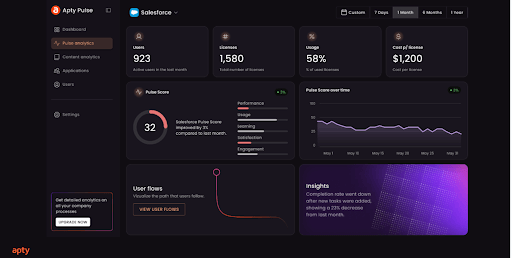
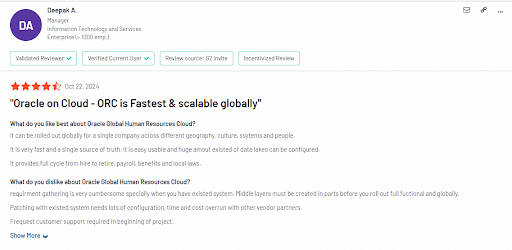
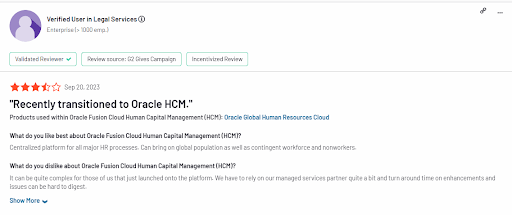
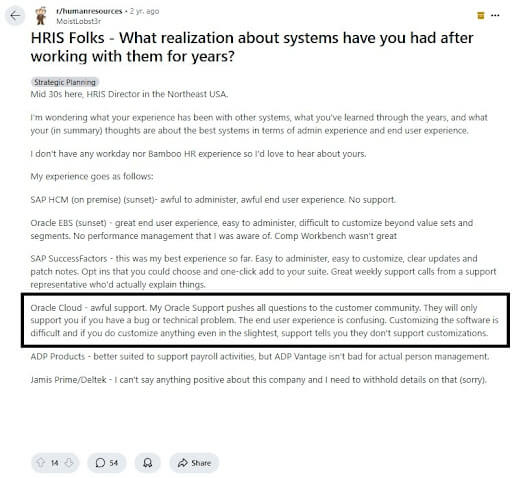

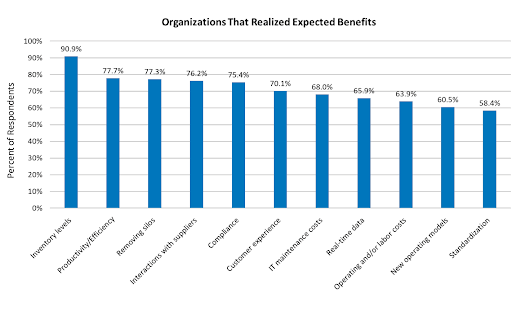 Source
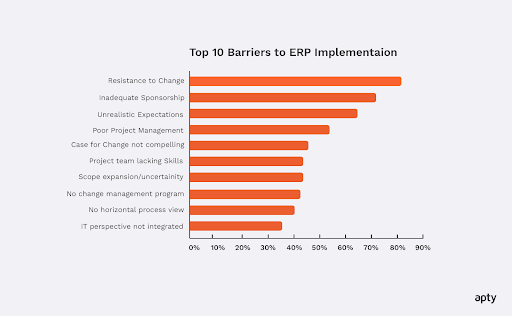 Source